Share
Embed
A Journey through Time, Date, DateTime, and TimeWithZone
A trip through the Date/Time methods that Ruby and Rails gives us to work with.

Wade Winningham
April 03, 2012
Transcript
58 slides
-
DEALING WITH TIMES IN RUBY CAN BE CONFUSING. * It
may be more confusing when this presenta1on is over. Tuesday, April 3, 12 -
SUMMARY • Ruby – Time • Ruby Standard Library –
Date – Time – DateTime • Rails Ac1veSupport – dura1ons (integers and numeric) – acts_like – conversions – calcula1ons – TimeZone – TimeWithZone Tuesday, April 3, 12 -
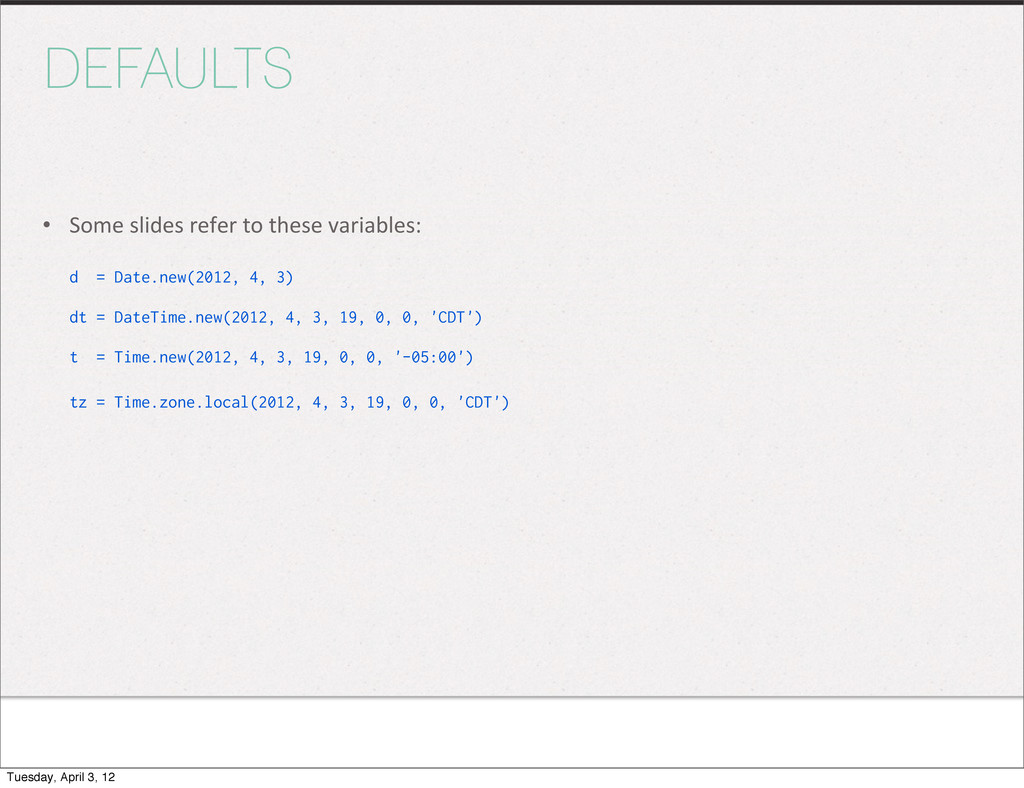
DEFAULTS • Some slides refer to these variables: d =
Date.new(2012, 4, 3) dt = DateTime.new(2012, 4, 3, 19, 0, 0, 'CDT') t = Time.new(2012, 4, 3, 19, 0, 0, '-05:00') tz = Time.zone.local(2012, 4, 3, 19, 0, 0, 'CDT') Tuesday, April 3, 12 -
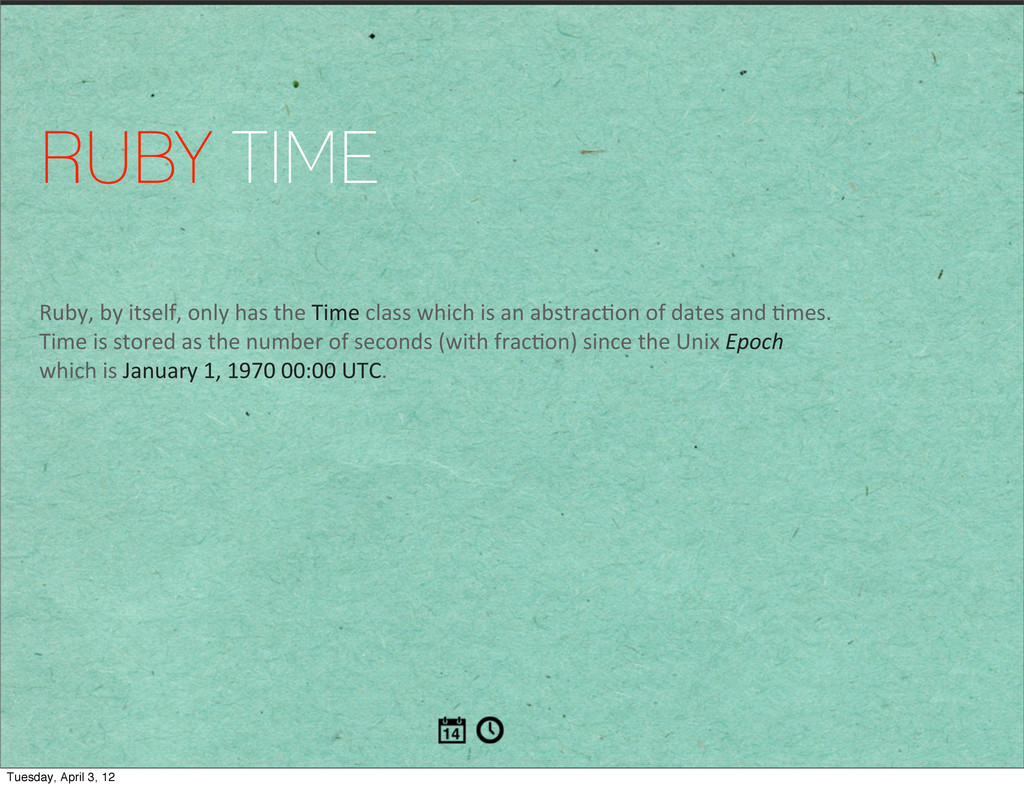
RUBY TIME Ruby, by itself, only has the Time class
which is an abstrac1on of dates and 1mes. Time is stored as the number of seconds (with frac1on) since the Unix Epoch which is January 1, 1970 00:00 UTC. Tuesday, April 3, 12 -
Ruby: Time TIME CAN BE DECEIVING • Times do have
a frac1on part. Be aware of this when comparing two 1mes. They could appear to be equal, but are not. t1, t2 = Time.now, Time.now #=> [2012-04-03 19:00:00 -0500, 2012-04-03 19:00:00 -0500] t1 == t2 #=> false t1.usec #=> 594792 t2.usec #=> 594859 Tuesday, April 3, 12 -
Ruby: Time THE MANY WAYS OF MAKING TIME • Time.at
creates a 1me object based on a passed 1me or number of seconds in local 1me. • Time.utc (or Time.gm) creates a UTC 1me based on a passed year, month, day, etc. • Time.local (or Time.mktime) creates a local 1me like utc does. • Time.new In Ruby 1.9 also takes year, month, day, etc. (Ruby 1.8 doesn’t have params) – Time.now is just Time.new without any parameters Tuesday, April 3, 12 -
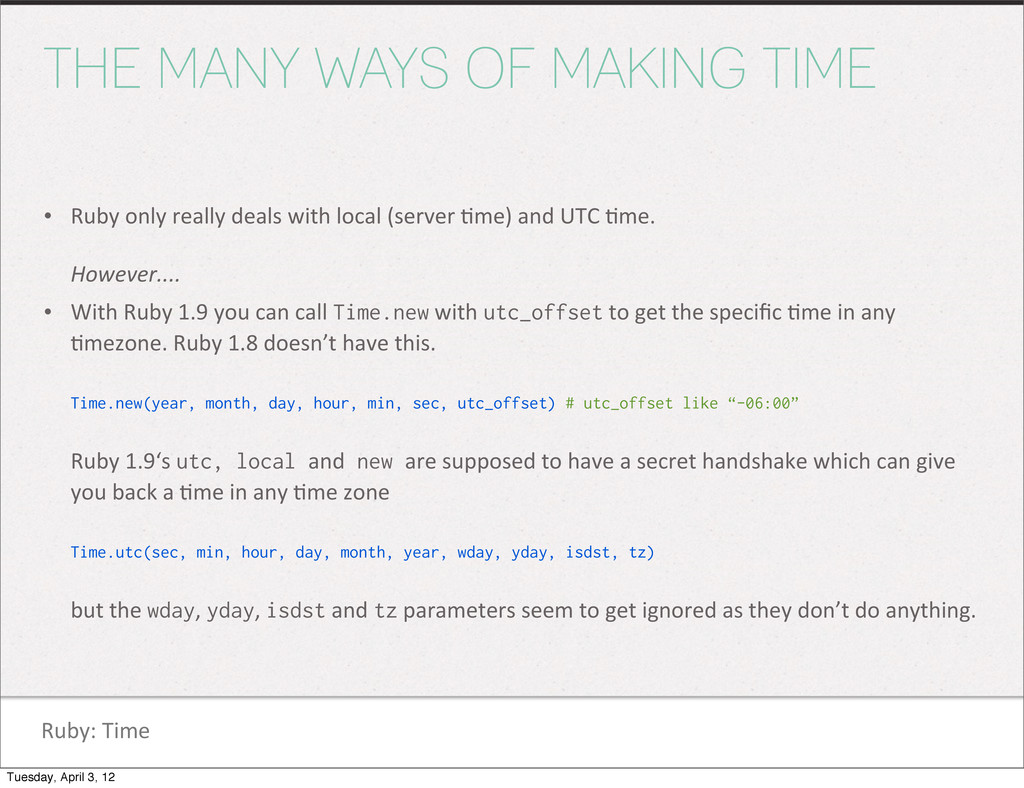
Ruby: Time THE MANY WAYS OF MAKING TIME • Ruby
only really deals with local (server 1me) and UTC 1me. However.... • With Ruby 1.9 you can call Time.new with utc_offset to get the specific 1me in any 1mezone. Ruby 1.8 doesn’t have this. Time.new(year, month, day, hour, min, sec, utc_offset) # utc_offset like “-06:00” Ruby 1.9‘s utc, local and new are supposed to have a secret handshake which can give you back a 1me in any 1me zone Time.utc(sec, min, hour, day, month, year, wday, yday, isdst, tz) but the wday, yday, isdst and tz parameters seem to get ignored as they don’t do anything. Tuesday, April 3, 12 -
Ruby: Time WHAT ELSE IS IN PLAIN O’ RUBY? •
Comparison with <=>, eql? • Simple conversion of utc -‐> local, local -‐> utc • .to_s, .strftime (more on these later, but we won’t delve into str[ime’s format strings) • .to_a, .to_i, .to_f • Pluck methods like .month, .hour, .wday, .yday, etc. • .usec for just the microseconds • .zone returns the 1me zone like “UTC” or “CDT” Tuesday, April 3, 12 -
RUBY STANDARD LIBRARY require ‘date’ require ‘time’ The standard library
gives us the Date, Time and DateTime classes we typically work with. There’s a li_le but of 1me zone stuff here but only enough to make us work hard to get it. Tuesday, April 3, 12 -
Ruby Standard Library TERMS • Calendar or Civil date is
what most of us likely use... our standard U.S. Jan.-‐Dec. calendar which runs from Sunday to Saturday. Date.civil(2012, 4, 3) #=> Tue, 03 Apr 2012 • Ordinal date is the day of the year with the year. Date.ordinal(2012, 94) #=> Tue, 03 Apr 2012 • Commercial date starts on the first Monday on or before Jan 1 and is calculated by number of weeks and then day of week. Does anyone use this? Date.commercial(2012, 14, 2) #=> Tue, 03 Apr 2012 • Julian vs. Gregorian, modified Julian... RTFD for a history lesson. Anyone use this? Tuesday, April 3, 12 -
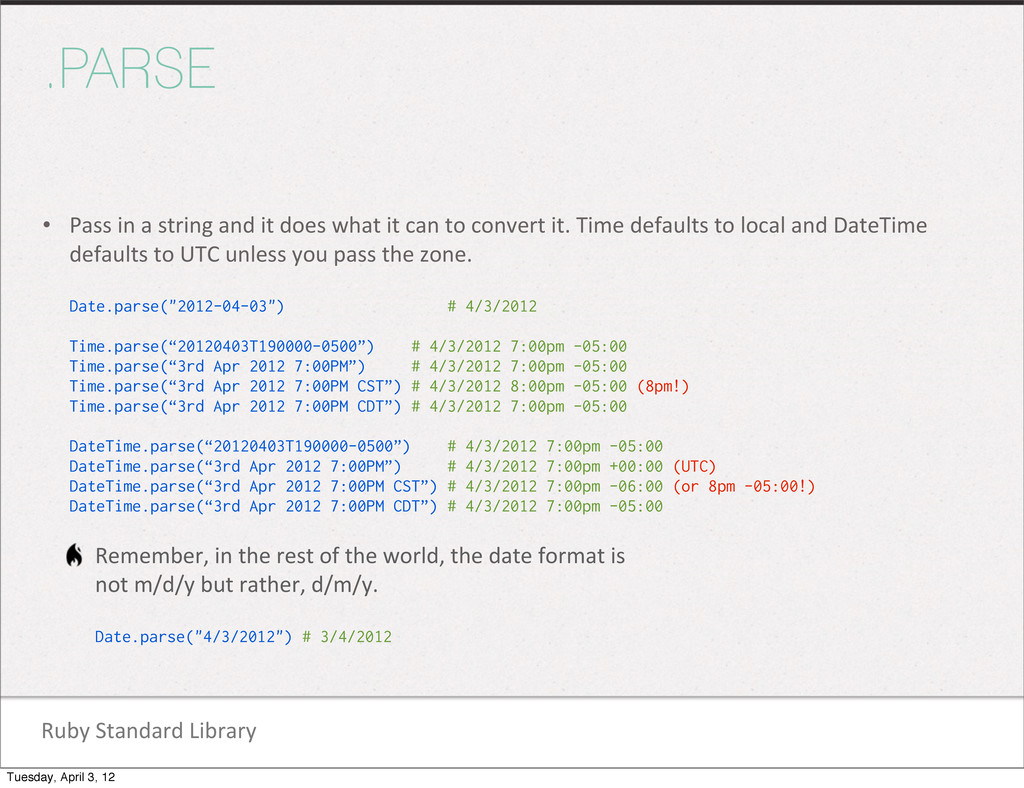
Ruby Standard Library .PARSE • Pass in a string and
it does what it can to convert it. Time defaults to local and DateTime defaults to UTC unless you pass the zone. Date.parse("2012-04-03") # 4/3/2012 Time.parse(“20120403T190000-0500”) # 4/3/2012 7:00pm -05:00 Time.parse(“3rd Apr 2012 7:00PM”) # 4/3/2012 7:00pm -05:00 Time.parse(“3rd Apr 2012 7:00PM CST”) # 4/3/2012 8:00pm -05:00 (8pm!) Time.parse(“3rd Apr 2012 7:00PM CDT”) # 4/3/2012 7:00pm -05:00 DateTime.parse(“20120403T190000-0500”) # 4/3/2012 7:00pm -05:00 DateTime.parse(“3rd Apr 2012 7:00PM”) # 4/3/2012 7:00pm +00:00 (UTC) DateTime.parse(“3rd Apr 2012 7:00PM CST”) # 4/3/2012 7:00pm -06:00 (or 8pm -05:00!) DateTime.parse(“3rd Apr 2012 7:00PM CDT”) # 4/3/2012 7:00pm -05:00 Remember, in the rest of the world, the date format is not m/d/y but rather, d/m/y. Date.parse("4/3/2012") # 3/4/2012 Tuesday, April 3, 12 -
Rails Ac1veSupport calcula1ons TIME.PARSE • Ruby 1.9... parsing an empty
string Time.parse("") #=> ArgumentError: no time information in "" DateTime.parse("") #=> ArgumentError: invalid date • Ruby 1.8’s Time class parses an empty string as the current 1me. Time.parse("") #=> Tue Apr 03 19:00:00 -0500 2012 DateTime.parse("") #=> ArgumentError: invalid date • Although we’re not talking about it yet, Rails’ TimeWithZone returns a nil instead of an excep1on. Time.zone.parse("") #=> nil Tuesday, April 3, 12 -
Ruby Standard Library OTHER WAYS TO PARSE A DATETIME •
DateTime.httpdate parses a string “according to some RFC 2616 format.” That’s what the docs say. Seriously. Ex. “Tue, 03 Apr 2012 19:00:00 CDT” • DateTime.iso8601 parses some typical ISO 8601 formats. Ex. “2012-W14-2T19:00:00-05:00” • DateTime.xmlschema parses the typical XML schema formats. Ex. “2012-04-03T19:00:00-05:00” • DateTime.strptime is the most robust, allowing you to define a template the string should match. Ex. DateTime.strptime(“4/3/2012”, “%m/%d/%Y”) # 4/3/2012 • DateTime.rfc2822, .rfc3339, .rfc822 for whoever uses these. • and DateTime.jd and .jisx0301 for those who are subject to that pain. Tuesday, April 3, 12 -
Ruby Standard Library TO_DATE, TO_TIME, TO_DATETIME • The standard library
also gives us a way to convert from a Time to a DateTime, a DateTime to Date, etc. dt = DateTime.parse(“2012-04-03 19:00:00 CDT”) dt.class #=> DateTime dt.to_time.class #=> Time dt.to_date.class #=> Date • Conver1ng a Date to a Time converts to beginning of day local 1me. • Conver1ng a Date to a DateTime converts to UTC 1me. d = Date.parse("2012-04-03") => #<Date: 2012-04-03> d.to_time => 2012-04-03 00:00:00 -0500 d.to_datetime => #<DateTime: 2012-04-03T00:00:00+00:00> Tuesday, April 3, 12 -
Ruby Standard Library VALIDATIONS • valid_date? can tell you if
a date is valid before you a_empt to parse it, which could raise an excep1on. Date.valid_date?(2012, 4, 3) #=> true Date.valid_date?(2012, 2, 29) #=> true Date.valid_date?(2011, 2, 29) #=> false • There are also methods for valid_commercial?, valid_ordinal? and valid_jd? Tuesday, April 3, 12 -
Ruby Standard Library THINGS YOU MAY NOT KNOW • d
<< n -‐> date Returns a date object poin1ng n months before self Date.new(2012, 4, 3) << 1 #=> Sat, 03 Mar 2012 DateTime.new(2012, 4, 3, 19, 0, 0, ‘CDT’) << 1 #=> Sat, 03 Mar 2012 19:00:00 -0500 • d >> n Does the same but adds a month. • .cweek returns the calendar week number • .cwday returns the day of the calendar week (1-‐7, Monday being 1) • .cwyear returns the calendar week based year, while the cwyear for 1/1/2012 is 2012, its value for 1/1/2011 is 2010. • .day_fraction returns the frac1onal part of a day DateTime.new(2012,4,3,12).day_fraction #=> (1/2) • step (or upto) to provide a range dt = Date.new(2012, 4, 1) dt2 = Date.new(2012, 4, 30) dt.step(d2).select{|d| d.tuesday?}.size #=> 4 # of Tuesday’s in April 2012 Tuesday, April 3, 12 -
RAILS ACTIVESUPPORT Ac1veSupport gives us even more func1onality with the
Date, Time and DateTime classes. And adds TimeWithZone. Tuesday, April 3, 12 -
Rails Ac1veSupport CORE_EXT/TIME/MARSHAL.RB • Ruby 1.9.2 added utc_offset and zone
to Time, but marshaling only preserves the utc_offset. This appears to have been fixed with Ruby 1.9.3. Time.local(2012).zone != Marshal.load(Marshal.dump(Time.local(2012))).zone Rails redefines the _load and _dump methods to deal with this situa1on if you’re using a version of Ruby that has this problem. Ac1veSupport’s version preserves the zone, but the docs say it may not work in some edge cases. Tuesday, April 3, 12 -
Rails Ac1veSupport dura1ons NUMERIC/INTEGER DURATIONS • 15.minutes, 2.weeks, and 2.fortnights
• .ago (or .until) • .from_now (or .since) Examples: 15.minutes.until(@meeting.start_time) 1.week.from_now Tuesday, April 3, 12 -
Rails Ac1veSupport acts_like ACTS_LIKE? • Date acts_like?(:date) • Time acts_like?(:time)
• DateTime acts_like?(:date) && acts_like?(:time) • TimeWithZone acts_like?(:date) && acts_like?(:time) All this duck typing mostly so it knows it can convert a Time to a float for add/subtract. Date’s cannot be converted to a float. Tuesday, April 3, 12 -
RAILS ACTIVESUPPORT CONVERSIONS Methods used to convert 1mes to strings
and other date/1me objects. Tuesday, April 3, 12 -
Rails Ac1veSupport conversions DATE: TO_S • :db is likely the
most familiar d.to_s(:db) #=> “2012-04-03” • Ac1veSupport also gives us: d.to_s(:short) #=> “ 3 Apr” d.to_s(:long) #=> “April 3, 2012” d.to_s(:number) #=> “20120403” d.to_s(:long_ordinal) #=> “April 3rd, 2012” d.to_s(:rfc822) #=> “ 3 Apr 2012” Tuesday, April 3, 12 -
Rails Ac1veSupport conversions TIME/DATETIME: TO_S • Time and DateTime objects
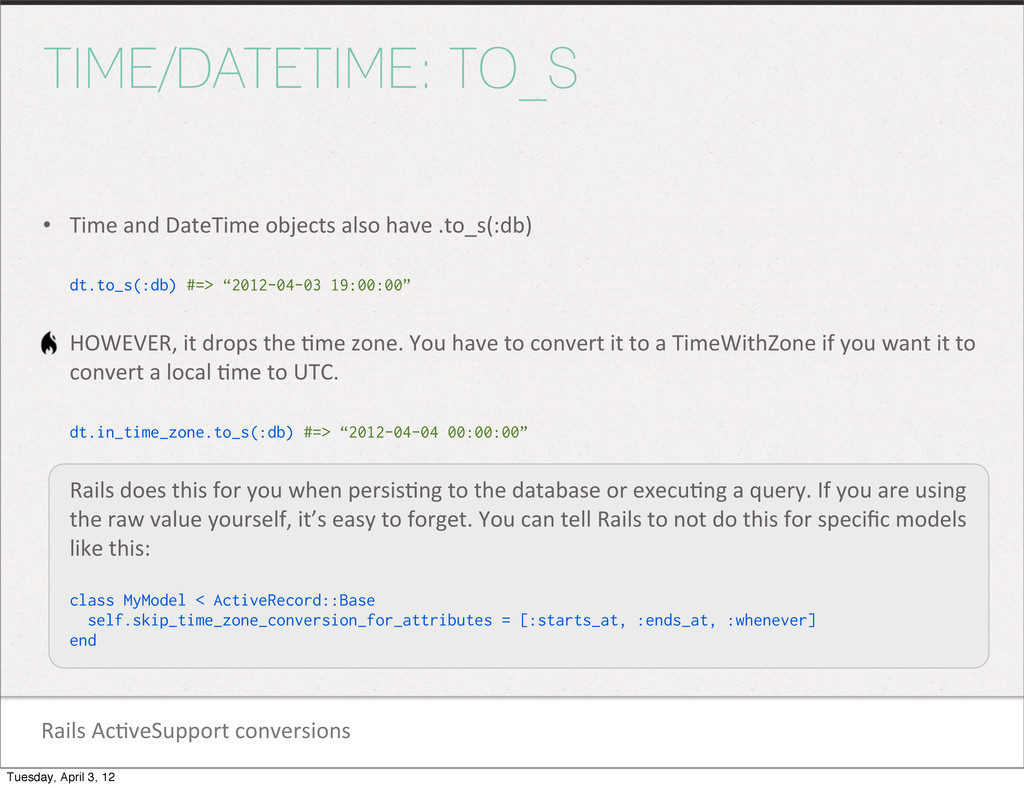
also have .to_s(:db) dt.to_s(:db) #=> “2012-04-03 19:00:00” HOWEVER, it drops the 1me zone. You have to convert it to a TimeWithZone if you want it to convert a local 1me to UTC. dt.in_time_zone.to_s(:db) #=> “2012-04-04 00:00:00” Rails does this for you when persis1ng to the database or execu1ng a query. If you are using the raw value yourself, it’s easy to forget. You can tell Rails to not do this for specific models like this: class MyModel < ActiveRecord::Base self.skip_time_zone_conversion_for_attributes = [:starts_at, :ends_at, :whenever] end Tuesday, April 3, 12 -
Rails Ac1veSupport conversions TIME/DATETIME: TO_S • Ac1veSupport also gives us
these Time and DateTime defaults: dt.to_s(:short) #=> “03 Apr 19:00” dt.to_s(:long) #=> “April 3, 2012 19:00” dt.to_s(:number) #=> “20120403190000” dt.to_s(:time) #=> “19:00” dt.to_s(:long_ordinal) #=> “April 3rd, 2012 19:00” dt.to_s(:rfc822) #=> “Tue, 3rd Apr 2012 19:00:00 -0500” Tuesday, April 3, 12 -
Rails Ac1veSupport conversions CUSTOM : TO_S • You can also
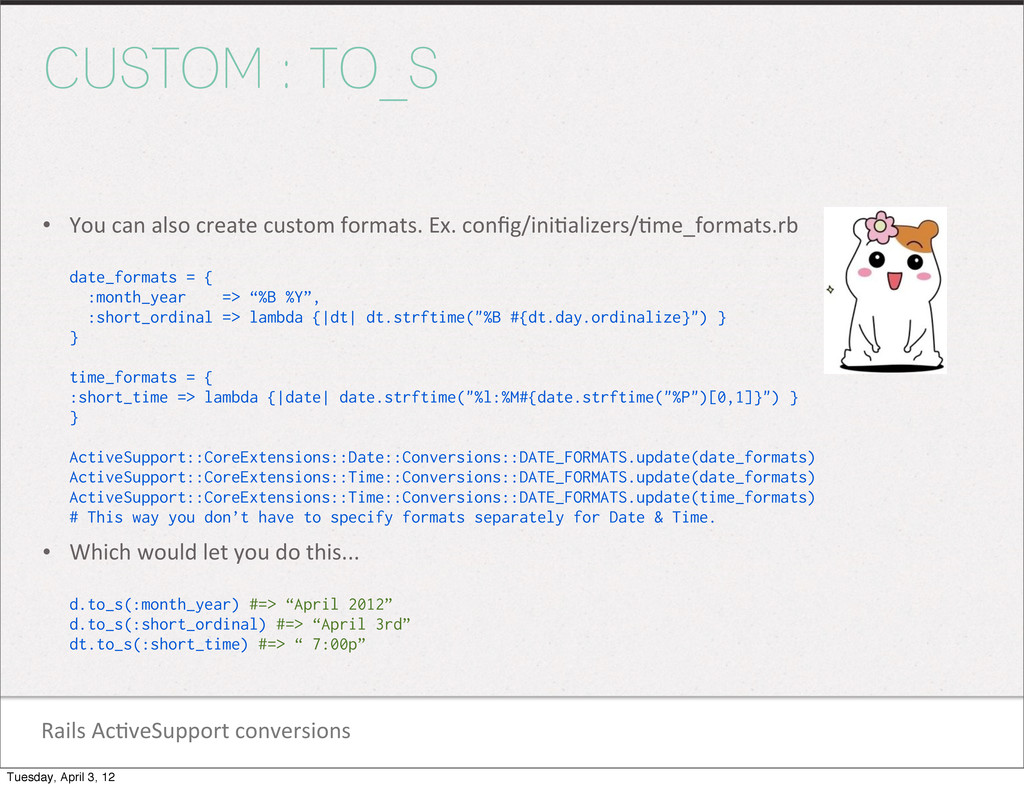
create custom formats. Ex. config/ini1alizers/1me_formats.rb date_formats = { :month_year => “%B %Y”, :short_ordinal => lambda {|dt| dt.strftime("%B #{dt.day.ordinalize}") } } time_formats = { :short_time => lambda {|date| date.strftime("%l:%M#{date.strftime("%P")[0,1]}") } } ActiveSupport::CoreExtensions::Date::Conversions::DATE_FORMATS.update(date_formats) ActiveSupport::CoreExtensions::Time::Conversions::DATE_FORMATS.update(date_formats) ActiveSupport::CoreExtensions::Time::Conversions::DATE_FORMATS.update(time_formats) # This way you don’t have to specify formats separately for Date & Time. • Which would let you do this... d.to_s(:month_year) #=> “April 2012” d.to_s(:short_ordinal) #=> “April 3rd” dt.to_s(:short_time) #=> “ 7:00p” Tuesday, April 3, 12 -
Rails Ac1veSupport conversions DATE: TO_TIME/DATETIME • Ac1veSupport converts a Date
to your local 1me zone by default, but allows you to convert to UTC, as well. The 1me defaults to beginning of day. d.to_time #=> 2012-04-03 00:00:00 -0500 d.to_time(:utc) #=> 2012-04-03 00:00:00 UTC • However, to_date1me doesn’t have any parameters... d.to_datetime #=> Tue, 03 Apr 2012 00:00:00 +0000 • To a TimeWithZone... (more on this class later) d.to_time_in_current_zone #=> Tue, 03 Apr 2012 00:00:00 CDT -05:00 # or use Time.zone.parse(d.to_s) NOTE: .to_time_in_current_zone is a Date method. Calling it on a DateTime object excludes the 1me. It’s like seqng it to beginning_of_day. Tuesday, April 3, 12 -
Rails Ac1veSupport conversions DATETIME: TO_? • DateTime has .to_date and
.to_1me dt.to_date #=> Tue, 03 Apr 2012 dt.to_time #=> Tue, 03 Apr 2012 19:00:00 -0500 DateTime’s .to_time is supposed to convert itself to a Ruby Time object or self if it’s out of range of the Ruby Time class. However, it seems to just always return self. If you really need a Time though, you can just use: Time.parse(dt.to_s) Tuesday, April 3, 12 -
Rails Ac1veSupport conversions TIME: TO_? • Time has .to_date and
.to_date1me t.to_date #=> Tue, 03 Apr 2012 t.to_datetime #=> Tue, 03 Apr 2012 19:00:00 -0500 Time’s .to_datetime converts to local 1mezone whereas Date’s does not. d.to_datetime #=> Tue, 03 Apr 2012 00:00:00 +0000 d.to_time.to_datetime #=> Tue, 03 Apr 2012 00:00:00 -0500 Tuesday, April 3, 12 -
Rails Ac1veSupport conversions FORMATTED_OFFSET • DateTime and Time have .formatted_offset
for the hour offset dt.formatted_offset #=> "-06:00" dt.formatted_offset(false) #=> "-0600" Tuesday, April 3, 12 -
Rails Ac1veSupport calcula1ons NOW VS. CURRENT • Ac1veSupport adds a
.current method to Time that returns Time.zone.now if 1me zones are enabled, otherwise it returns Time.now. Date has a similar method. Time.now #=> 2012-04-03 19:00:00 -0500 Time.current #=> Tue, 03 Apr 2012 19:00:00 CST -05:00 Date.current #=> Tue, 03 Apr 2012 – Time zones are on by default in Rails 3. Not Rails 2. We’ll get to the config for this in a bit. Tuesday, April 3, 12 -
Rails Ac1veSupport calcula1ons PAST/FUTURE • Is a date future/past? dt.past?
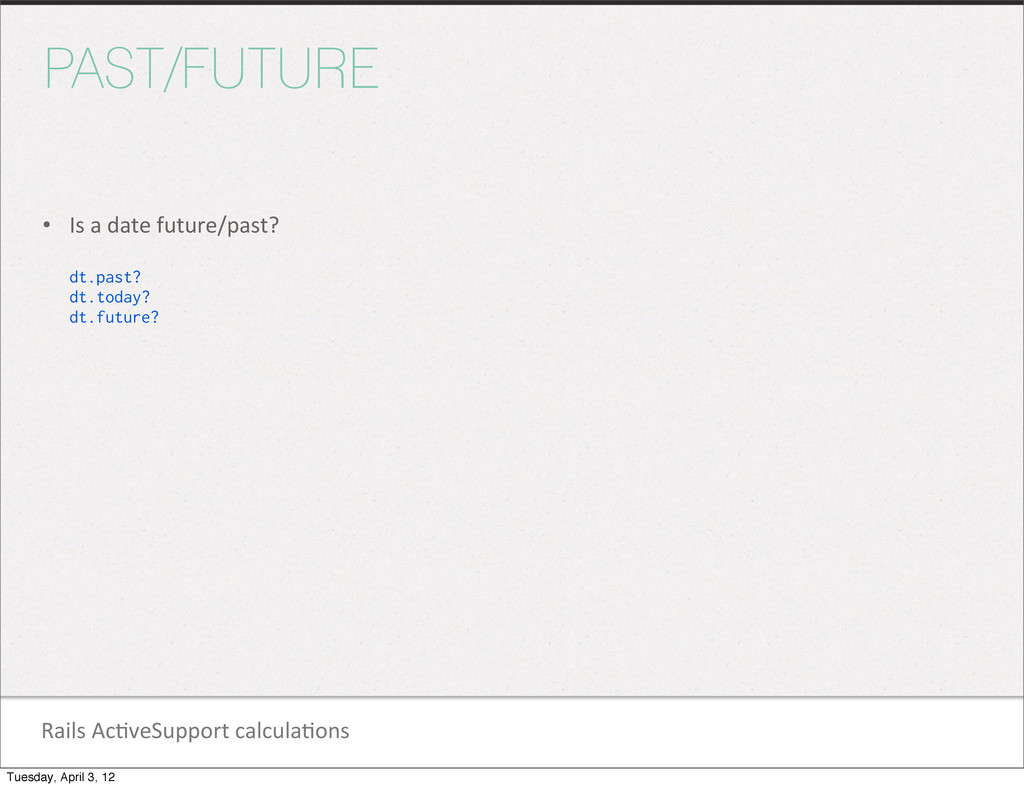
dt.today? dt.future? Tuesday, April 3, 12 -
Rails Ac1veSupport calcula1ons ADD/SUBTRACT TIME • Instead of 3.days.ago(dt), you
can use this format: dt.ago(3.days) #=> Tue, 27 Mar 2012 19:00:00 -0500 dt.in(1.week) #=> Tue, 10 Apr 2012 19:00:00 -0500 • Be careful with daylight savings. Even for the 3.days.ago(dt) format. # Time t.ago(1.month) #=> 2012-03-03 19:00:00 -0600 <-- takes into account DST 1.month.ago(t) #=> 2012-03-03 19:00:00 -0600 # DateTime dt.ago(1.month) #=> Sun, 04 Mar 2012 19:00:00 -0500 <-- DST AND day are wrong! 1.month.ago(dt) #=> Sat, 03 Mar 2012 19:00:00 -0500 <-- Day is right, but DST is still wrong?!? Tuesday, April 3, 12 -
Rails Ac1veSupport calcula1ons BEGINNING/END • .yesterday, .tomorrow dt.yesterday #=> Mon,
02 Apr 2012 19:00:00 -0500 dt.tomorrow #=> Wed, 04 Apr 2012 19:00:00 -0500 • [beginning|end]_of_day, .midnight • [beginning|end]_of_week, .sunday, • [beginning|end]_of_month • [beginning|end]_of_quarter • [beginning|end]_of_year • [prev|next]_[day|week|month|year] For some reason, Time and TimeWithZone do not have [prev|next]_day methods. Also, no [prev|next]_quarter methods for any class. Tuesday, April 3, 12 -
Rails Ac1veSupport calcula1ons CHANGE • Behind-‐the-‐scenes, the .change method is
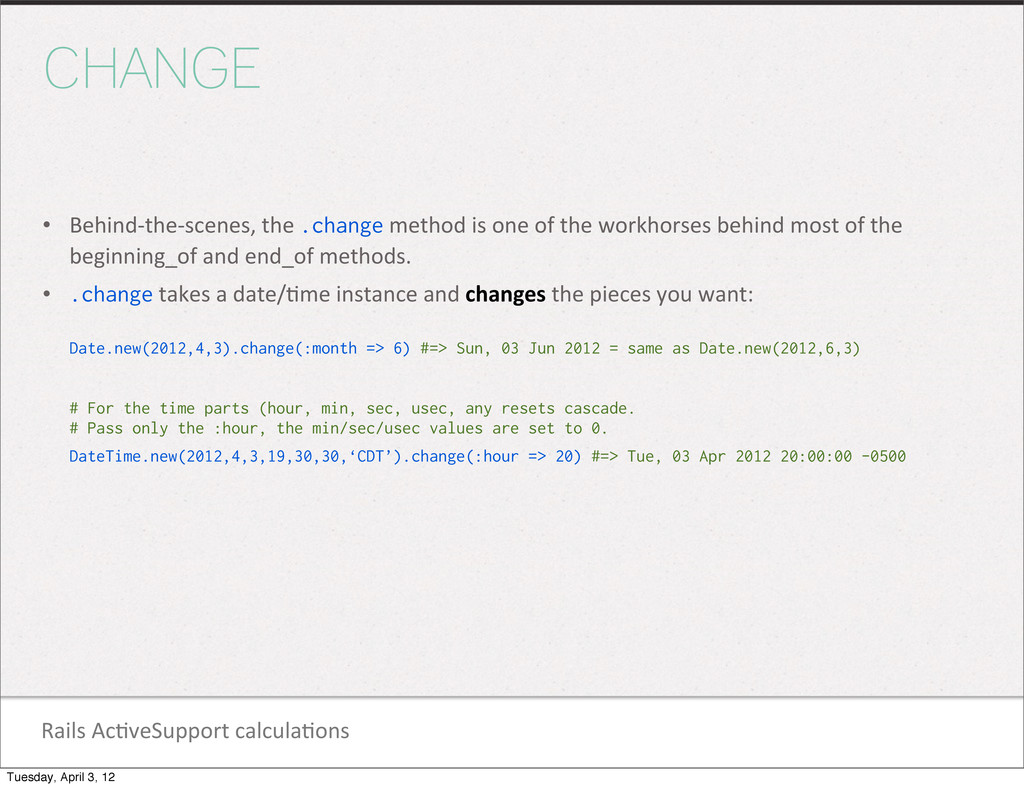
one of the workhorses behind most of the beginning_of and end_of methods. • .change takes a date/1me instance and changes the pieces you want: Date.new(2012,4,3).change(:month => 6) #=> Sun, 03 Jun 2012 = same as Date.new(2012,6,3) # For the time parts (hour, min, sec, usec, any resets cascade. # Pass only the :hour, the min/sec/usec values are set to 0. DateTime.new(2012,4,3,19,30,30,‘CDT’).change(:hour => 20) #=> Tue, 03 Apr 2012 20:00:00 -0500 Tuesday, April 3, 12 -
Rails Ac1veSupport calcula1ons ADVANCE • .advance is similar to .change,
but adds/subtracts the pieces you want: Date.new(2012,4,3).advance(:months => 2) #=> Sun, 03 Jun 2012 DateTime.new(2012,4,3,19,30,30,'CDT').advance(:hours => 2) #=> Tue, 03 Apr 2012 21:30:30 -0500 • Note that advance’s params are plural. Singular params are ignored. Tuesday, April 3, 12 -
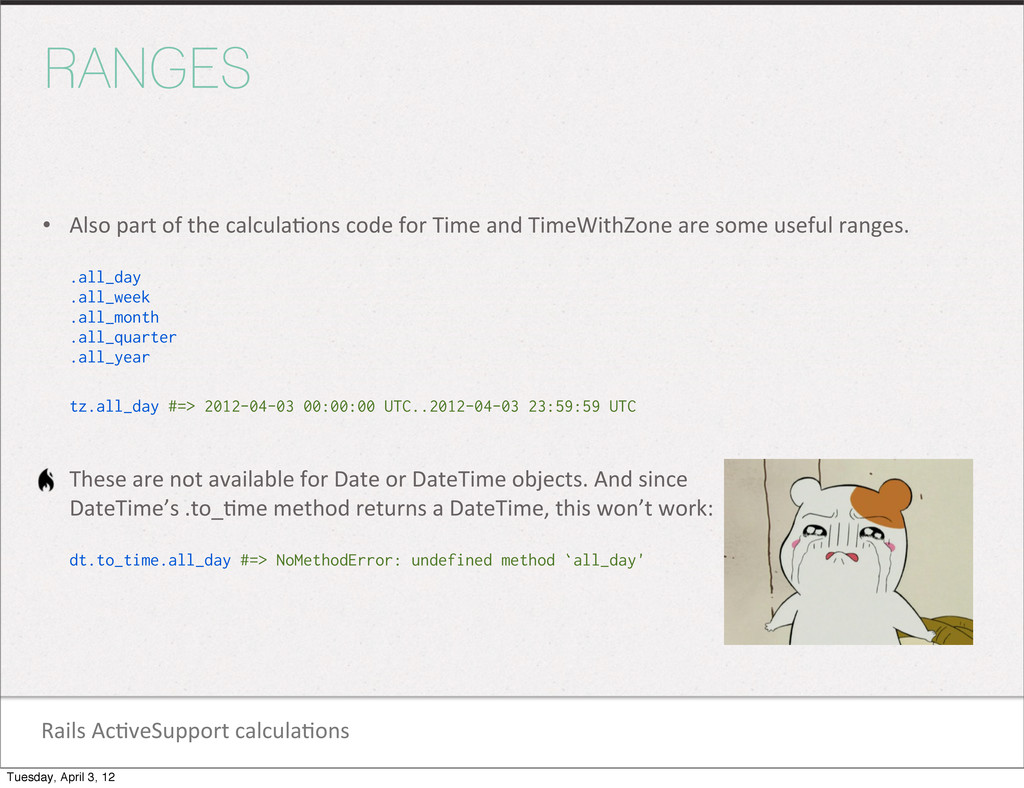
Rails Ac1veSupport calcula1ons RANGES • Also part of the calcula1ons
code for Time and TimeWithZone are some useful ranges. .all_day .all_week .all_month .all_quarter .all_year tz.all_day #=> 2012-04-03 00:00:00 UTC..2012-04-03 23:59:59 UTC • These are not available for Date or DateTime objects. And since DateTime’s .to_1me method returns a DateTime, this won’t work: dt.to_time.all_day #=> NoMethodError: undefined method `all_day' Tuesday, April 3, 12 -
Rails Ac1veSupport calcula1ons SECONDS VS. DAYS • Be careful when
adding/subtrac1ng numbers from a Time or DateTime. Time assumes seconds, DateTime assumes days. Time.current - 1 #=> 2012-04-03 18:59:59 -0500 DateTime.current - 1 #=> Mon, 02 Apr 2012 19:00:00 -0500 DateTime.current - 1.second #=> Tue, 03 Apr 2012 18:59:59 -0500 Tuesday, April 3, 12 -
Ac1veSupport::TimeZone IN THE ZONE • Where “Central Time (US &
Canada)” comes from • Get a list of zones: ActiveSupport::TimeZone.all ActiveSupport::TimeZone.us_zones • Get specific 1mes ActiveSupport::TimeZone["Paris"].now #=> Wed, 3 Apr 2012 03:19:04 CEST +02:00 ActiveSupport::TimeZone["Paris"].parse('2012-04-03 19:00 CDT') #=> Wed, 04 Apr 2012 02:00:00 CEST +02:00 Tuesday, April 3, 12 -
Ac1veSupport::TimeZone DEFAULT ZONE • In Rails, Time.zone refers to the
current default Ac1veSupport::TimeZone object. • Rails 3 has 1me zones enabled by default. In Rails 2, you can turn this on in your environment.rb file. Rails 3, it’s in applica1on.rb if you want to change it. config.time_zone = 'Central Time (US & Canada)' # For Rails 3, the default for ActiveRecord is to store UTC times in the database. # The Rails 2 default is :local, but you can change that with this: config.active_record.default_timezone = :utc Tuesday, April 3, 12 -
Ac1veSupport::TimeZone USER ZONES • If you have a users table
with a 1me_zone field in it, you can change the default zone for that user’s current request with a before_filter. class ApplicationController < ActionController::Base before_filter :set_time_zone private def set_time_zone Time.zone = current_user.time_zone if current_user end end • In your views you can use Rails 1me zone helpers for a dropdown of zones. time_zone_select('user', 'time_zone', ActiveSupport::TimeZone.us_zones) Tuesday, April 3, 12 -
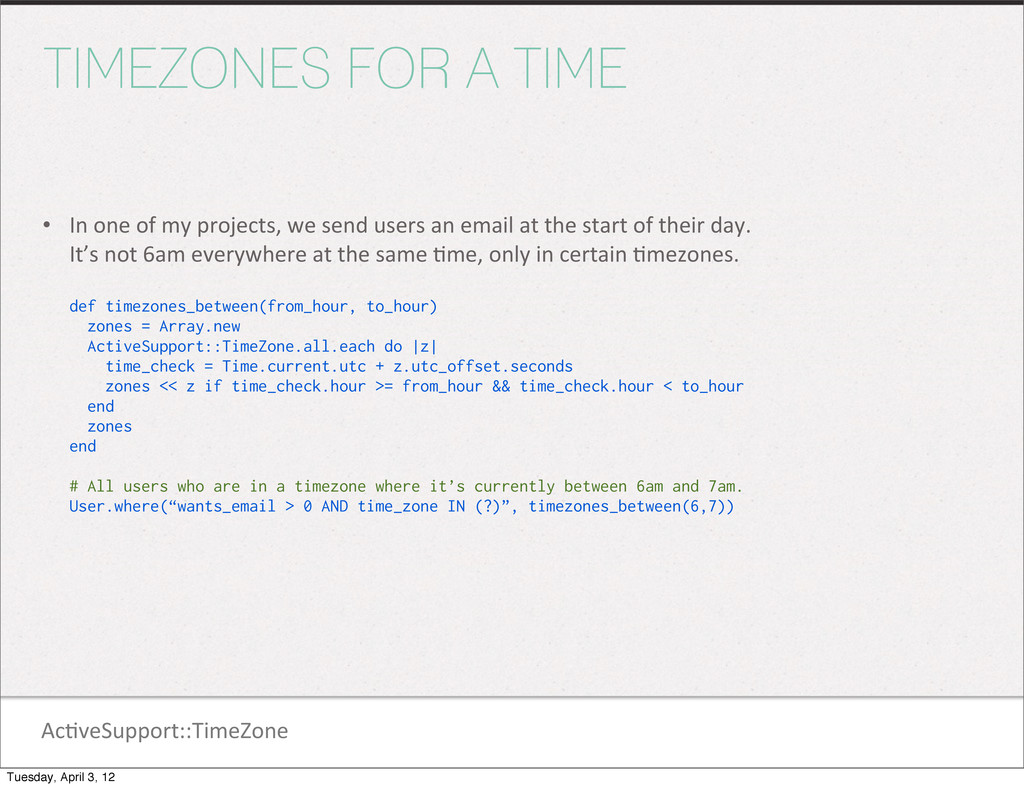
Ac1veSupport::TimeZone TIMEZONES FOR A TIME • In one of my
projects, we send users an email at the start of their day. It’s not 6am everywhere at the same 1me, only in certain 1mezones. def timezones_between(from_hour, to_hour) zones = Array.new ActiveSupport::TimeZone.all.each do |z| time_check = Time.current.utc + z.utc_offset.seconds zones << z if time_check.hour >= from_hour && time_check.hour < to_hour end zones end # All users who are in a timezone where it’s currently between 6am and 7am. User.where(“wants_email > 0 AND time_zone IN (?)”, timezones_between(6,7)) Tuesday, April 3, 12 -
RAILS TIMEWITHZONE Deals with 1mes in any 1me zone since
Ruby 1mes are limited to UTC and the server’s local 1me zone. Represents itself as a Time class. An Ac1veSupport::TimeZone object returns true for .is_a?(Time). TimeWithZone has all the Time/DateTime methods with some addi1ons Tuesday, April 3, 12 -
Ac1veSupport::TimeWithZone CREATING A TIMEWITHZONE • API docs say you should
never create a TimeWithZone directly with .new Instead, use these: Time.zone.local(2012, 4, 3, 17) Time.zone.parse(“2012-04-03 19:00”) Time.zone.at(1333497600) Time.zone.now Time.now.in_time_zone # Same as Time.current when TimeWithZone is configured. – Remember... Time.zone is the current default Ac1veSupport::TimeZone. Tuesday, April 3, 12 -
Ac1veSupport::TimeWithZone TO_TIME/DATETIME • TimeWithZone has a .time method, which is
not the same as .to_time tz.time #=> 2012-04-03 19:00:00 UTC tz.localtime #=> 2012-04-03 19:00:00 -0500 tz.to_time #=> 2012-04-04 00:00:00 UTC tz.to_datetime #=> Tue, 03 Apr 2012 19:00:00 -0500 Tuesday, April 3, 12 -
Ac1veSupport::TimeWithZone PIECES OF TIMEWITHZONE • tz.period is the 1mezone’s underlying
TZInfo::TimezonePeriod object. Rails 4 currently appears to be spliqng this up into .period_for_local and .period_for_utc. Used so TimeWithZone instances respond like TZInfo::Timezone instances. • tz.zone is the zone’s abbrevia1on as a string. “CDT”, “PST”, etc. • tz.dst? is true if the date/1me is within observances of daylight savings 1me. • tz.utc? is only true if the date/1me is UTC. Tuesday, April 3, 12 -
Ac1veSupport::TimeWithZone IN_TIME_ZONE • You can use .in_time_zone to convert your
1me to any other zone. tz.in_time_zone("Eastern Time (US & Canada)") #=> Tue, 03 Apr 2012 20:00:00 EDT -04:00 tz.in_time_zone("Tokyo") #=> Wed, 04 Apr 2012 09:00:00 JST +09:00 tz.in_time_zone("Paris") #=> Wed, 04 Apr 2012 02:00:00 CEST +02:00 # Not all zones are on the hour tz.in_time_zone("Mumbai") #=> Wed, 04 Apr 2012 05:30:00 IST +05:30 • Dump out the list of zones you can use with the following rake task: rake time:zones:all # The info from ActiveSupport::TimeZone.all Tuesday, April 3, 12 -
Ac1veSupport::TimeWithZone WHERE IS THE BEGINNING? • Don’t get confused tz.beginning_of_day.in_time_zone("Eastern
Time (US & Canada)") #=> Tue, 03 Apr 2012 01:00:00 EDT -04:00 tz.in_time_zone("Eastern Time (US & Canada)").beginning_of_day #=> Tue, 03 Apr 2012 00:00:00 EDT -04:00 Tuesday, April 3, 12 -
Ac1veSupport::TimeWithZone IN A SPECIFIC ZONE • .use_zone allows you to
override the default 1me zone inside of the supplied block and then resets back to the exis1ng value when done. Time.zone #=> (GMT-06:00) Central Time (US & Canada) Time.use_zone(“Eastern Time (US & Canada)”) do Time.zone #=> (GMT-05:00) Eastern Time (US & Canada) end Time.zone #=> (GMT-06:00) Central Time (US & Canada) Tuesday, April 3, 12 -
GEMS AND LIBRARIES While there are loads of various libraries
out there to help out with dates and 1mes. Tuesday, April 3, 12 -
Gems and Libraries CHRONIC • Natural language date parser. Much
more robust than using Ruby’s .parse method. h_ps://github.com/mojombo/chronic require 'chronic' Time.now #=> Sun Aug 27 23:18:25 PDT 2006 Chronic.parse('tomorrow') #=> Mon Aug 28 12:00:00 PDT 2006 Chronic.parse('monday', :context => :past) #=> Mon Aug 21 12:00:00 PDT 2006 Chronic.parse('this tuesday 5:00') #=> Tue Aug 29 17:00:00 PDT 2006 Chronic.parse('this tuesday 5:00', :ambiguous_time_range => :none) #=> Tue Aug 29 05:00:00 PDT 2006 Chronic.parse('may 27th', :now => Time.local(2000, 1, 1)) #=> Sat May 27 12:00:00 PDT 2000 Chronic.parse('may 27th', :guess => false) #=> Sun May 27 00:00:00 PDT 2007..Mon May 28 00:00:00 PDT 2007 Tuesday, April 3, 12 -
Gems and Libraries TESTING • Zonebie -‐ h_ps://github.com/highgroove/zonebie Randomly assigns
a 1mezone on every test run. Zonebie.set_random_timezone • Timecop -‐ h_ps://github.com/jtrupiano/1mecop Provides “1me travel” and “1me freezing” to make it easier to test 1me-‐dependent code. Basically mocks Time.now, Date.today and DateTime.now with a single call. new_time = Time.local(2008, 9, 1, 12, 0, 0) Timecop.freeze(new_time) sleep(10) new_time == Time.now # ==> true Timecop.return # "turn off" Timecop Timecop.travel(new_time) sleep(10) new_time == Time.now # ==> false Tuesday, April 3, 12 -
Gems and Libraries TIME CONVERSION IN THE BROWSER • You
can rely on javascript to convert your UTC 1mes for you in the browser using the browser’s own seqngs. There are many libraries that can do this. One is jquery-‐local@me -‐ h_p://code.google.com/p/jquery-‐local1me <script type="text/javascript" src="http://ajax.googleapis.com/ajax/libs/jquery/1.3.2/jquery.min.js"></script> <script type="text/javascript" src="jquery.localtime-0.4.js"></script> <span class="localtime">2012-04-04 00:00:00Z</span> <script type="text/javascript"> $.localtime.setFormat({dateAndTime: "M-d-yyyy h:mmtt"}); </script> /* The date would display as “4/3/2012 7:00pm” assuming your browser says you’re in CDT */ Tuesday, April 3, 12 -
THANK YOU! Credits: Map on 1tle page is from “Time
Bandits” (1981) Hamster images from the “Oruchuban Ebichu” manga and anime series. (*not for kids) Tuesday, April 3, 12
 utakaha
 shogogg
 barnbarn
 akihisaikeda
 hasutosasaki
 fuqda
 shihochan
 kitano_yuichi
 a_matsuda
 yahir0
 guaca
 yuta_onishi_97
 techseoconnect
 jnunemaker
 rocio
 lara
 andyhume
 holman
 tammyeverts
 csswizardry
 axbom
 yeseniaperezcruz
 oripsolob
 varn