Upgrade to Pro
— share decks privately, control downloads, hide ads and more …
Speaker Deck
Sign up for free
Menu
Search
Features
All features
Private URLs
Password Protection
Custom URLS
Scheduled publishing
Remove Branding
Restrict embedding
Deck Collections
Notes
Features
All features
Private URLs
Password Protection
Custom URLS
Scheduled publishing
Remove Branding
Restrict embedding
Deck Collections
Notes
Explore
Featured decks
Featured speakers
Programming
Technology
Storyboards
Explore
Featured decks
Featured speakers
Programming
Technology
Storyboards
Pricing
Search
Sign in
Sign up for free
pokestopマニュアル
Search
surhgdviuygh
July 14, 2016
70
0
Share
Embed
Copy iframe code
Copy JS code
Copy link
Start on current slide
pokestopマニュアル
surhgdviuygh
July 14, 2016
More Decks by surhgdviuygh
See All by surhgdviuygh
OSM
watarualbertoichikawa
0
64
Featured
See All Featured
Evolution of real-time – Irina Nazarova, EuRuKo, 2024
irinanazarova
9
1.6k
実際に使うSQLの書き方 徹底解説 / pgcon21j-tutorial
soudai
PRO
203
77k
Prompt Engineering for Job Search
mfonobong
0
520
Tell your own story through comics
letsgokoyo
1
1.1k
How Fast Is Fast Enough? [PerfNow 2025]
tammyeverts
3
940
SEO for Brand Visibility & Recognition
aleyda
0
4.8k
Exploring the Power of Turbo Streams & Action Cable | RailsConf2023
kevinliebholz
37
6.6k
A better future with KSS
kneath
240
18k
Exploring the relationship between traditional SERPs and Gen AI search
raygrieselhuber
PRO
4
4.4k
Performance Is Good for Brains [We Love Speed 2024]
tammyeverts
12
1.9k
We Have a Design System, Now What?
morganepeng
55
8.4k
Lightning talk: Run Django tests with GitHub Actions
sabderemane
0
300
Transcript
Pokestop マニュアル 市川航 学籍番号:1A116022
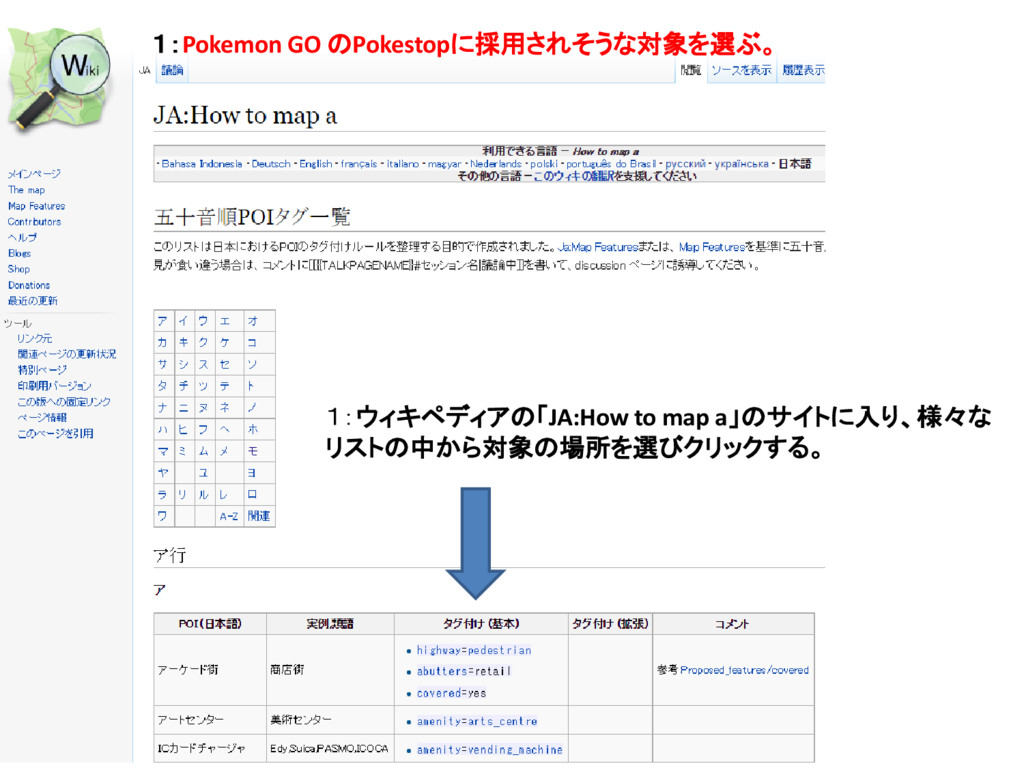
1:Pokemon GO のPokestopに採用されそうな対象を選ぶ。 1:ウィキペディアの「JA:How to map a」のサイトに入り、様々な リストの中から対象の場所を選びクリックする。
モニュメントなら [memorial]と表示されて いるところをクリック
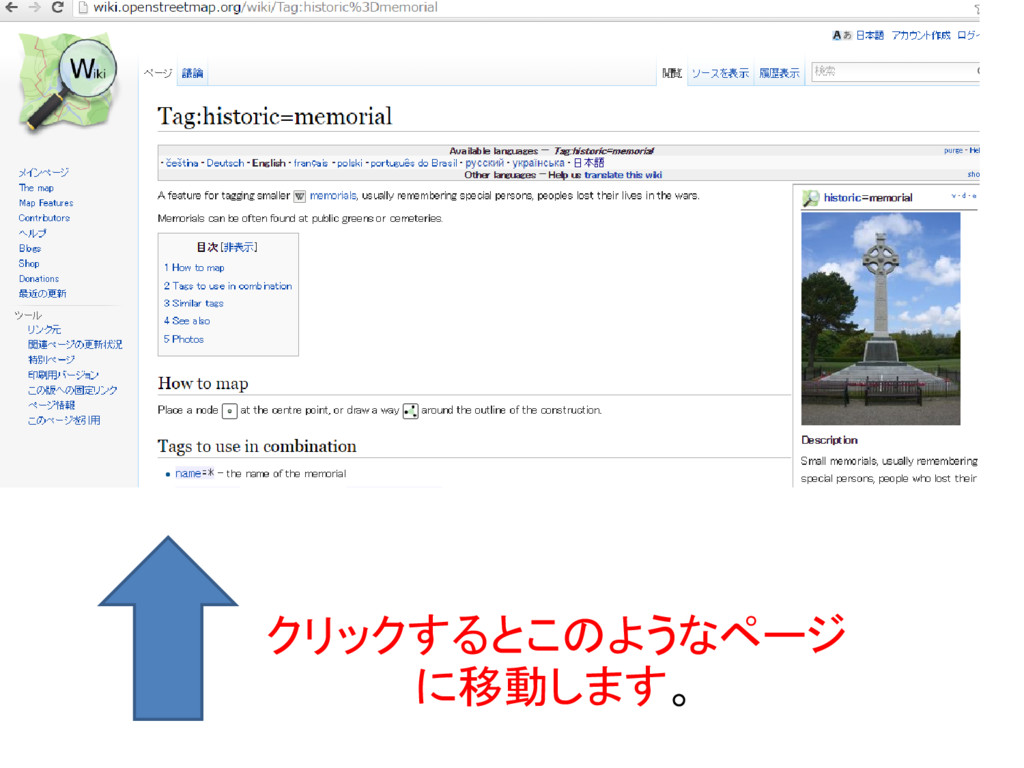
クリックするとこのようなページ に移動します。
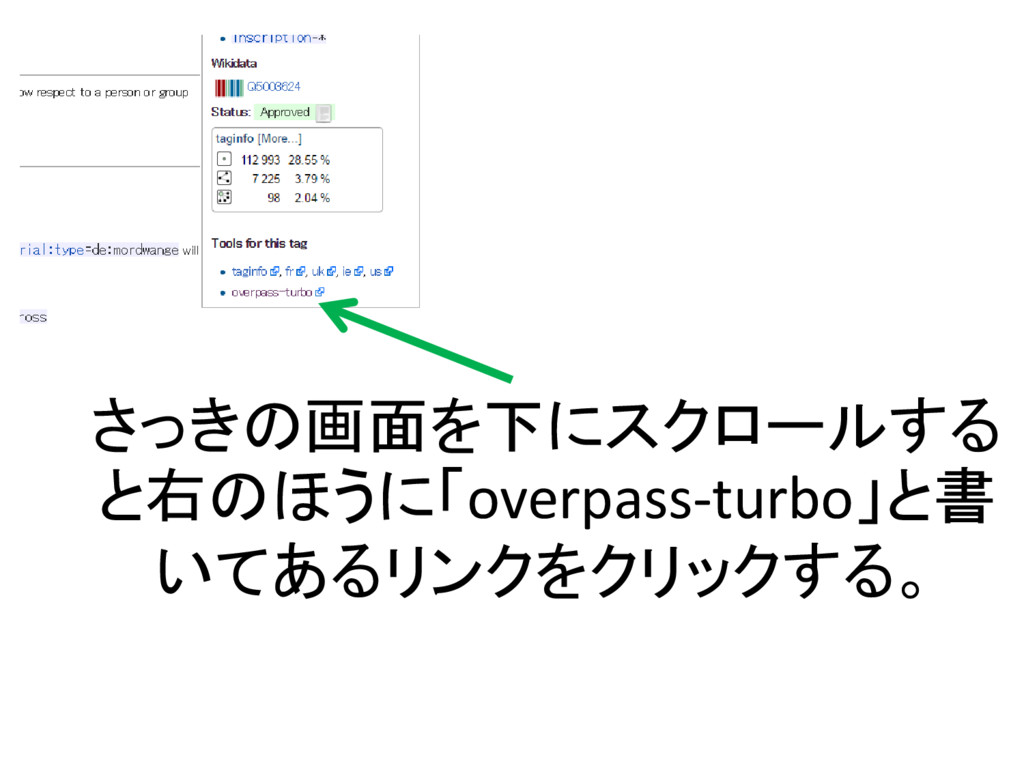
さっきの画面を下にスクロールする と右のほうに「overpass-turbo」と書 いてあるリンクをクリックする。
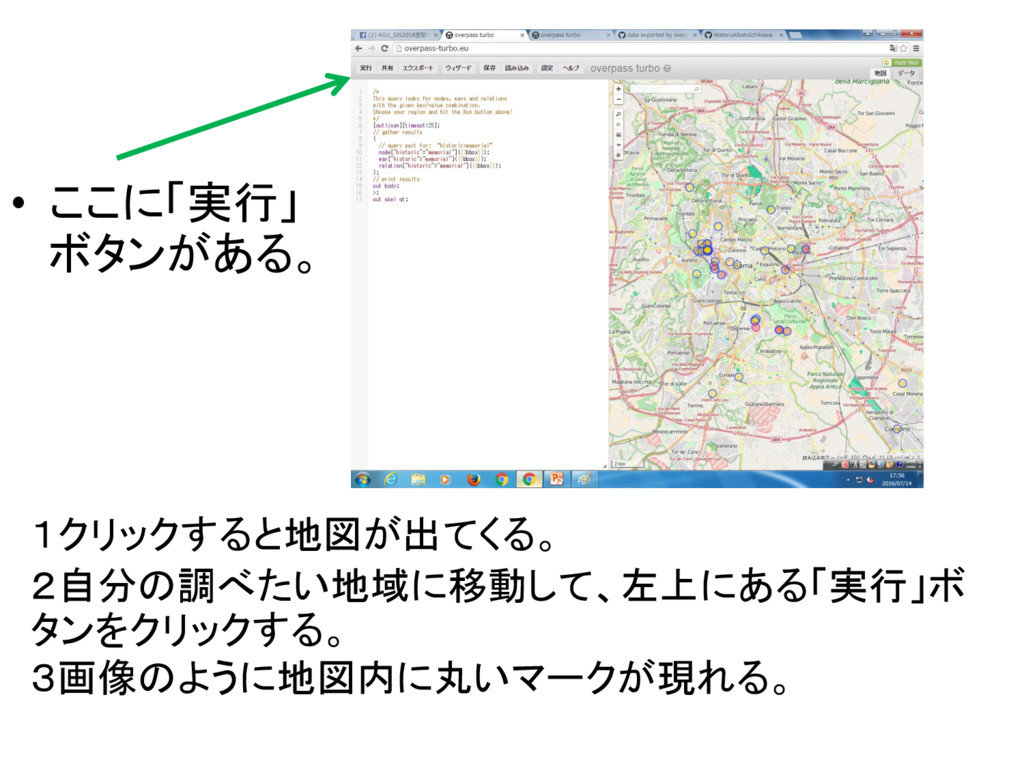
1クリックすると地図が出てくる。 2自分の調べたい地域に移動して、左上にある「実行」ボ タンをクリックする。 3画像のように地図内に丸いマークが現れる。 • ここに「実行」 ボタンがある。
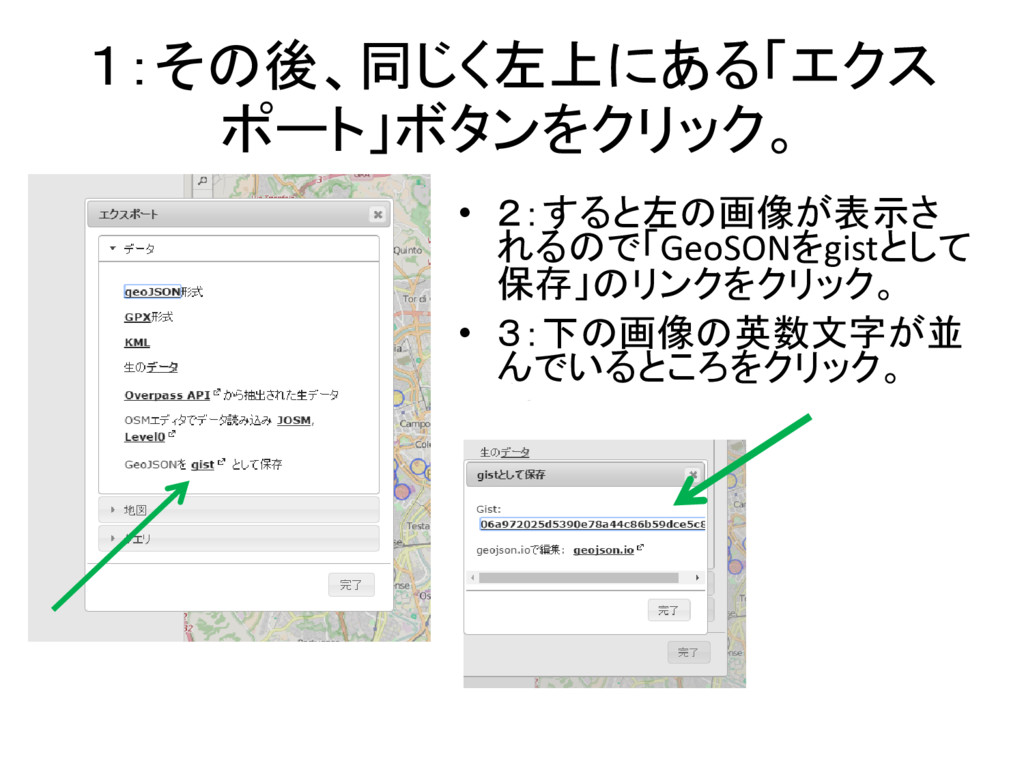
1:その後、同じく左上にある「エクス ポート」ボタンをクリック。 • 2:すると左の画像が表示さ れるので「GeoSONをgistとして 保存」のリンクをクリック。 • 3:下の画像の英数文字が並 んでいるところをクリック。
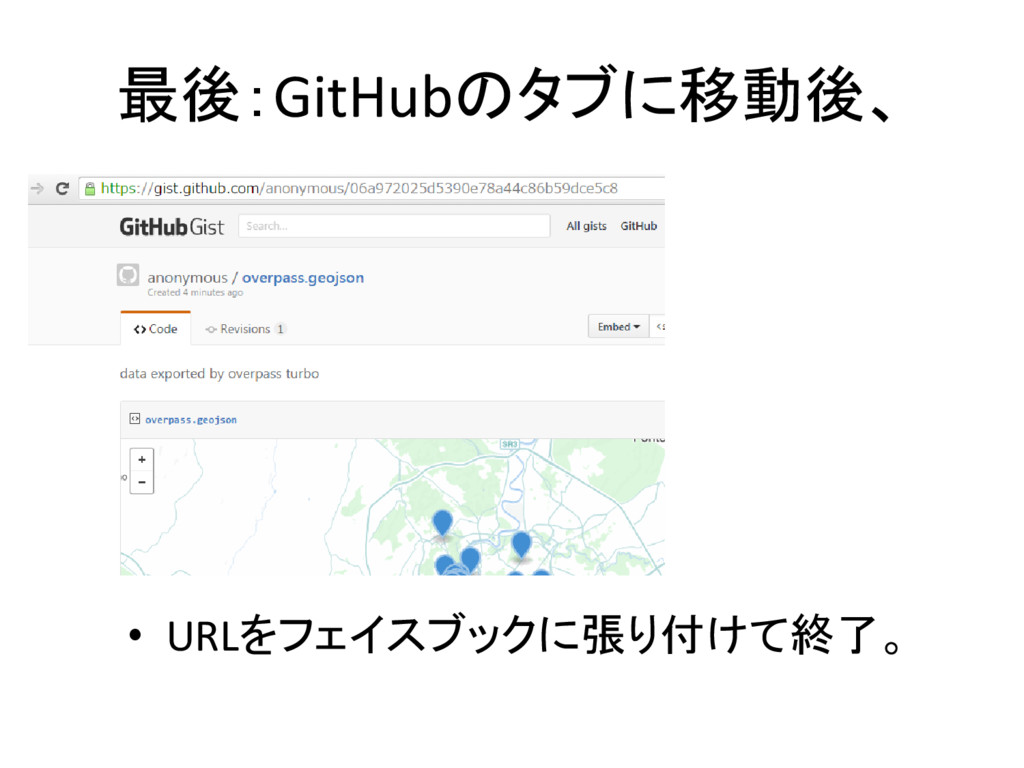
最後:GitHubのタブに移動後、 • URLをフェイスブックに張り付けて終了。


 watarualbertoichikawa
 irinanazarova
 soudai
 mfonobong
 letsgokoyo
 tammyeverts
 aleyda
 kevinliebholz
 kneath
 raygrieselhuber
 morganepeng
 sabderemane
![モニュメントなら [memorial]と表示されて いるところをクリック](https://files.speakerdeck.com/presentations/a4fbee0e52bd4392a7d70cbbf4f56bf2/slide_2.jpg)