Upgrade to Pro
— share decks privately, control downloads, hide ads and more …
Speaker Deck
Sign up for free
Menu
Search
Features
All features
Private URLs
Password Protection
Custom URLS
Scheduled publishing
Remove Branding
Restrict embedding
Deck Collections
Notes
Features
All features
Private URLs
Password Protection
Custom URLS
Scheduled publishing
Remove Branding
Restrict embedding
Deck Collections
Notes
Explore
Featured decks
Featured speakers
Programming
Technology
Storyboards
Explore
Featured decks
Featured speakers
Programming
Technology
Storyboards
Pricing
Search
Sign in
Sign up for free
iOS Autolayouts
Search
Kostya Bychkov
October 31, 2015
Programming
50
0
Share
Embed
Copy iframe code
Copy JS code
Copy link
Start on current slide
iOS Autolayouts
Kostya Bychkov
October 31, 2015
Other Decks in Programming
See All in Programming
個人開発者よ、Honoを使え(おじさんver)
tanahiro2010
2
260
AWS CDKのカスタムリソースでContinuum(旧Security Agent)を実装した話 | Implementing Continuum (formerly Security Agent) via AWS CDK Custom Resource
akihisaikeda
2
150
Everything will be SERVERLESS — 信じて運用した10年の経験値 / Everything Will be Serverless — Lessons Learned from 10 Years of Operational Experience
seike460
PRO
1
1.1k
[Dev Group Paris Octobre 26] Agentforce, SIforce, Claudeforce, Slackbot… on s'y retrouve ?
nabondance
0
110
全ての永続トークンを、生まれる前に消し去りたい!
sylph01
2
880
Jetpack Compose Mechanisms
skydoves
3
820
外から家のPCの電源入れたい!をPHPで解決する
kawashimo0
1
130
コードで差別化できない時代の ソフトウェアエンジニアリング / Software Engineering in an Era Where Code Doesn’t Differentiate
kishida
2
180
残高管理から台帳サービスへの進化
artoy
1
200
AmebaブログはKMPから卒業します
kmars0605
0
180
AIに “答え“を書かせるのを やめてみた
___akari11
0
120
dotNET_vulnclicker_intro.pdf
deka_morita
0
140
Featured
See All Featured
ReactJS: Keep Simple. Everything can be a component!
pedronauck
666
130k
Marketing Yourself as an Engineer | Alaka | Gurzu
gurzu
0
330
Navigating the Design Leadership Dip - Product Design Week Design Leaders+ Conference 2024
apolaine
2
480
How to Talk to Developers About Accessibility
jct
2
580
I Don’t Have Time: Getting Over the Fear to Launch Your Podcast
jcasabona
35
2.9k
Side Projects
sachag
456
43k
GraphQLとの向き合い方2022年版
quramy
50
15k
Into the Great Unknown - MozCon
thekraken
41
2.8k
We Have a Design System, Now What?
morganepeng
55
8.4k
How To Stay Up To Date on Web Technology
chriscoyier
790
250k
The Cult of Friendly URLs
andyhume
79
7k
How GitHub (no longer) Works
holman
316
150k
Transcript
iOS Autolayouts Konstantin Bychkov @xnekoix http://www.ciklum.com
Main Layout approaches Springs & Struts Autolayouts StackView ReactiveCocoaLayout ComponentKit
Springs & Struts frame absolute positioning autoresizing masks
Springs & Struts Pros easy to understand how it works
and easy to debug works really fast
Springs & Struts Cons messy to work with complex dynamic
layouts imperative different devices screen sizes adds more complexity to implementation
ReactiveCocoaLayout Allows to describe layouts in a reactive way https://github.com/ReactiveCocoa/ReactiveCocoaLayout
ReactiveCocoaLayout Pros works fast animations through ReactiveAnimation open-source declarative
ReactiveCocoaLayout Cons alpha no Interface Builder support objective-c
ReactiveCocoaLayout Debatable unidirectional layout update (top-down) (easier to debug /
but harder to propagate changes upstream) ReactiveCocoa
ComponentKit From Facebook known for their react.js which was basically
an inspiration for ComponentKit
ComponentKit Pros declarative flex-box model open-source
ComponentKit Cons not supported anymore (but developers promised some swift
implementation) no Interface Builder support
ComponentKit Debatable objective-c++
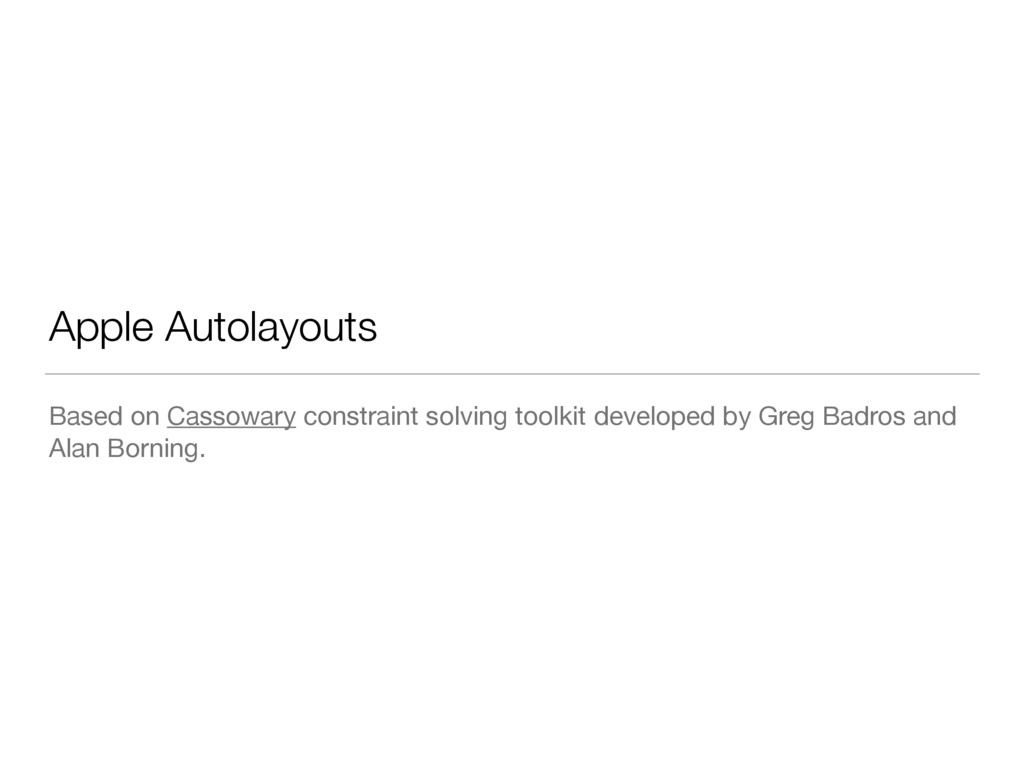
Apple Autolayouts Based on Cassowary constraint solving toolkit developed by
Greg Badros and Alan Borning.
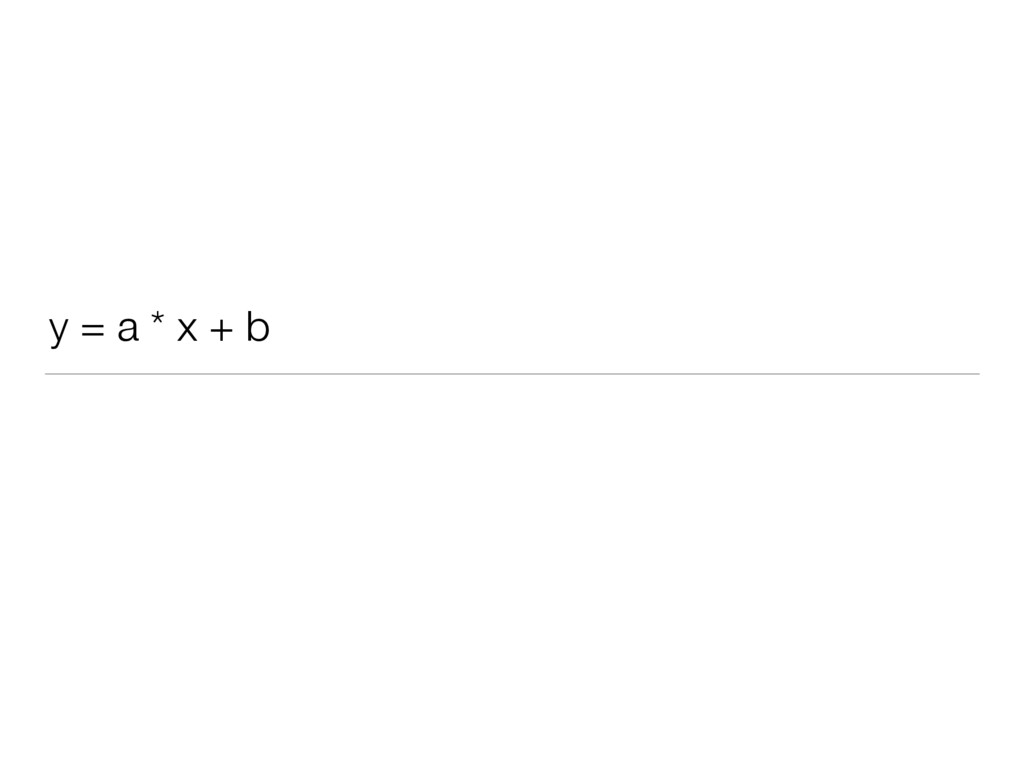
y = a * x + b
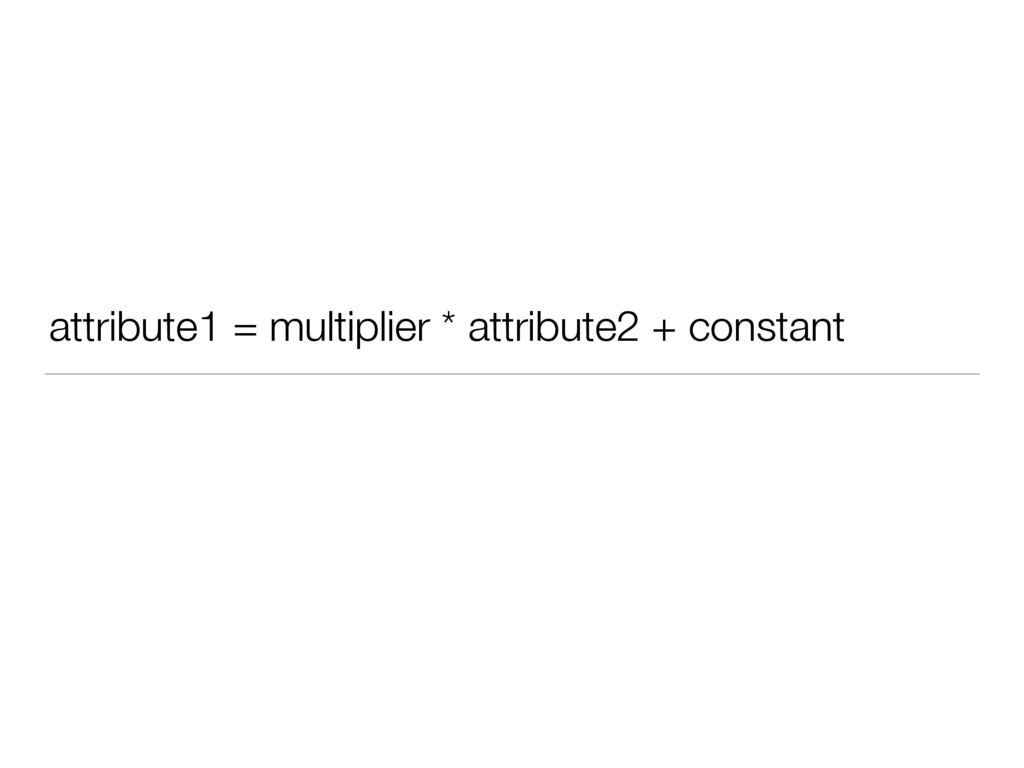
attribute1 = multiplier * attribute2 + constant
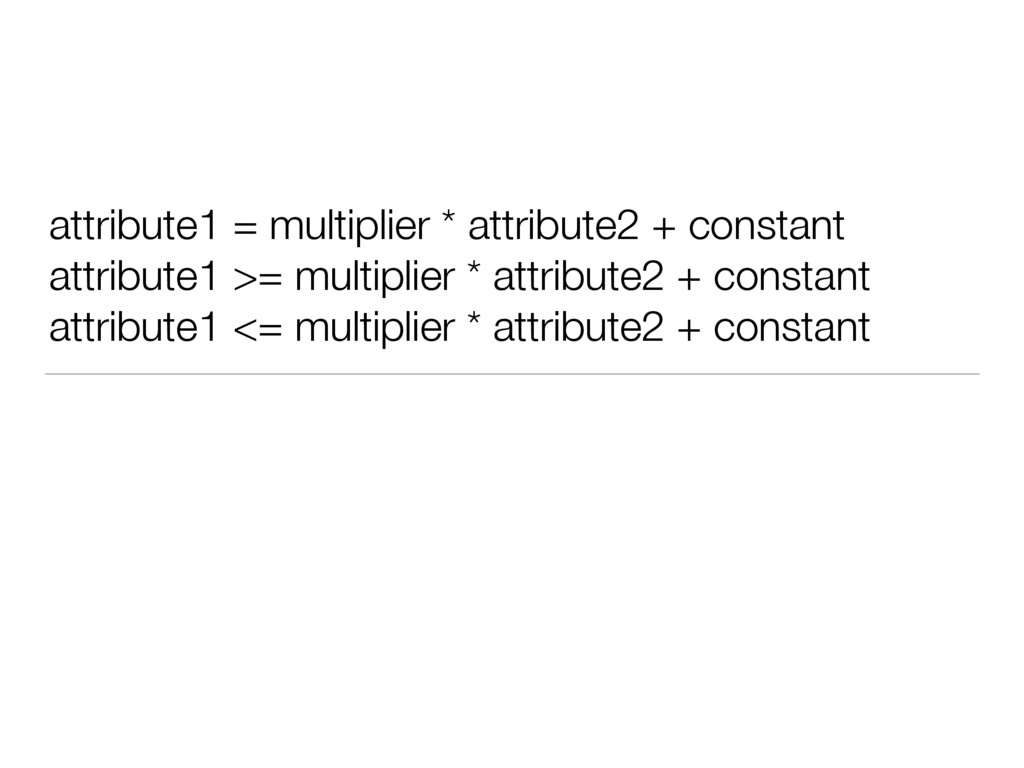
attribute1 = multiplier * attribute2 + constant attribute1 >= multiplier
* attribute2 + constant attribute1 <= multiplier * attribute2 + constant
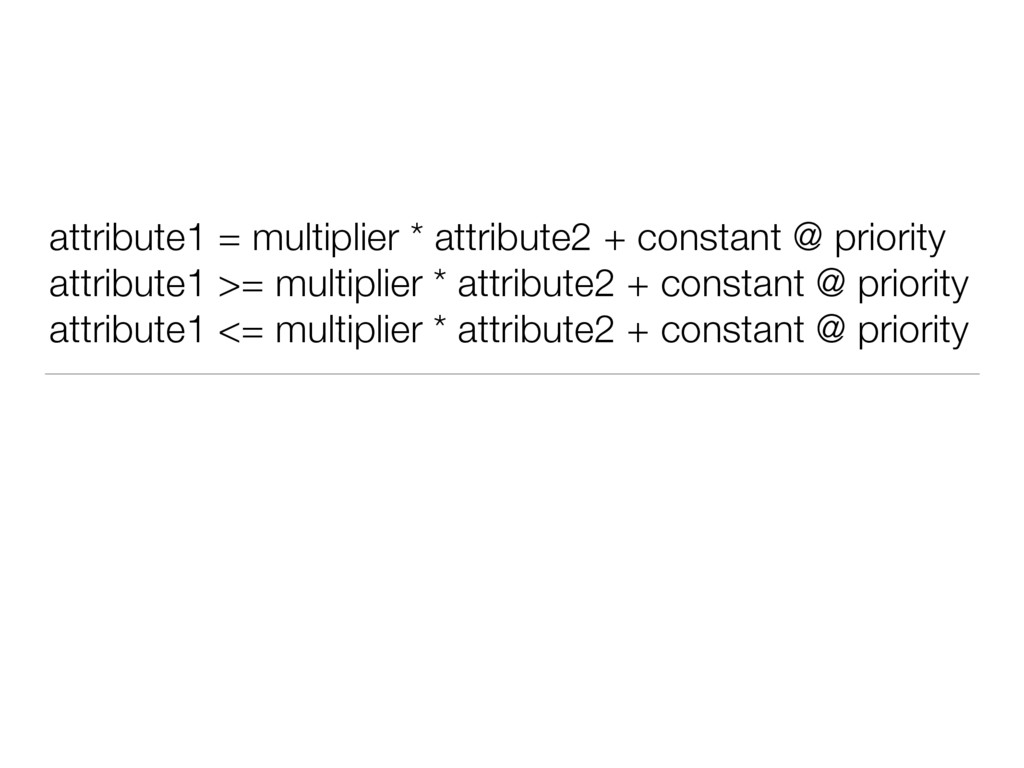
attribute1 = multiplier * attribute2 + constant @ priority attribute1
>= multiplier * attribute2 + constant @ priority attribute1 <= multiplier * attribute2 + constant @ priority
Content Hugging / Compression Resistance override func intrinsicContentSize() -> CGSize
{ return CGSize( width: 320, height: UIViewNoIntrinsicMetric) }
H:[view1]-(>=100@500)-[view2] H:[view1]-(<=60@499)-[view2] - Still tries to satisfy inequality
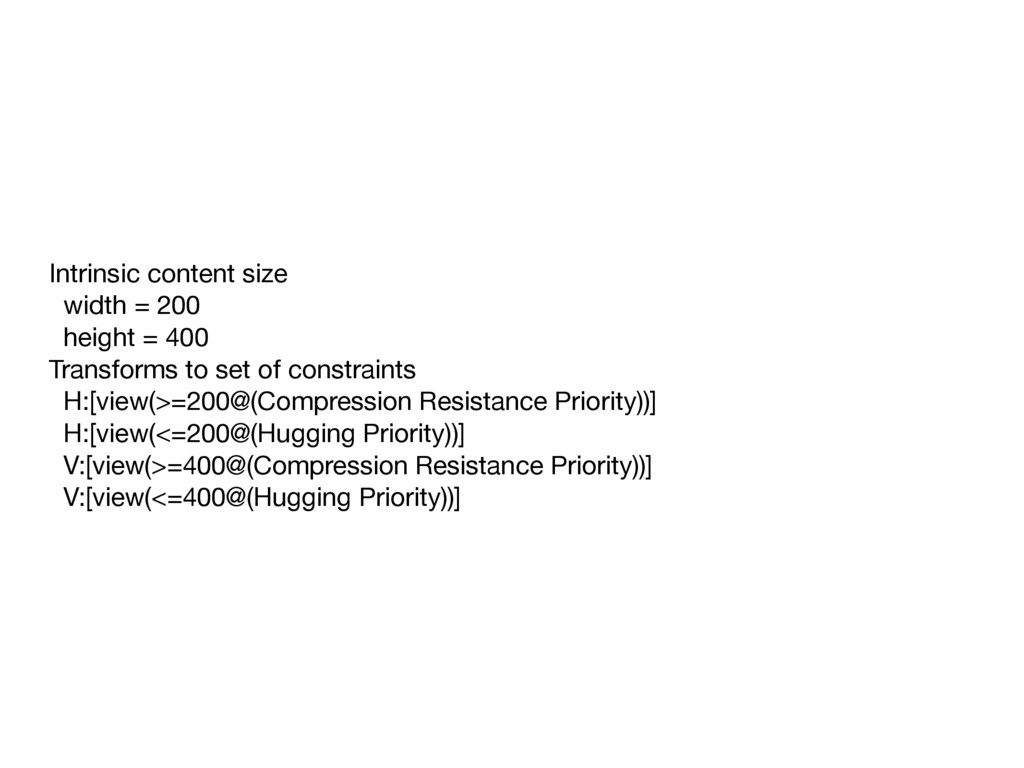
Intrinsic content size width = 200 height = 400 Transforms
to set of constraints H:[view(>=200@(Compression Resistance Priority))] H:[view(<=200@(Hugging Priority))] V:[view(>=400@(Compression Resistance Priority))] V:[view(<=400@(Hugging Priority))]
Since iOS 8 Size classes (UITraitCollection) New attributes Activate/Deactivate constraints
Since iOS 9 New attributes UIStackView Anchors UILayoutGuide
StackView Android linear layout You should definitely use it.
Anchors are constraint fabric
UILayoutGuide pretty good solution for some layout problems not supported
in Interface Builder
Good Layout principles: Necessity and Sufficiency Adaptivity
Apple Auto Layout Pros Declarative Interface Builder Swift
Apple Auto Layout Cons Slower then Springs & Struts
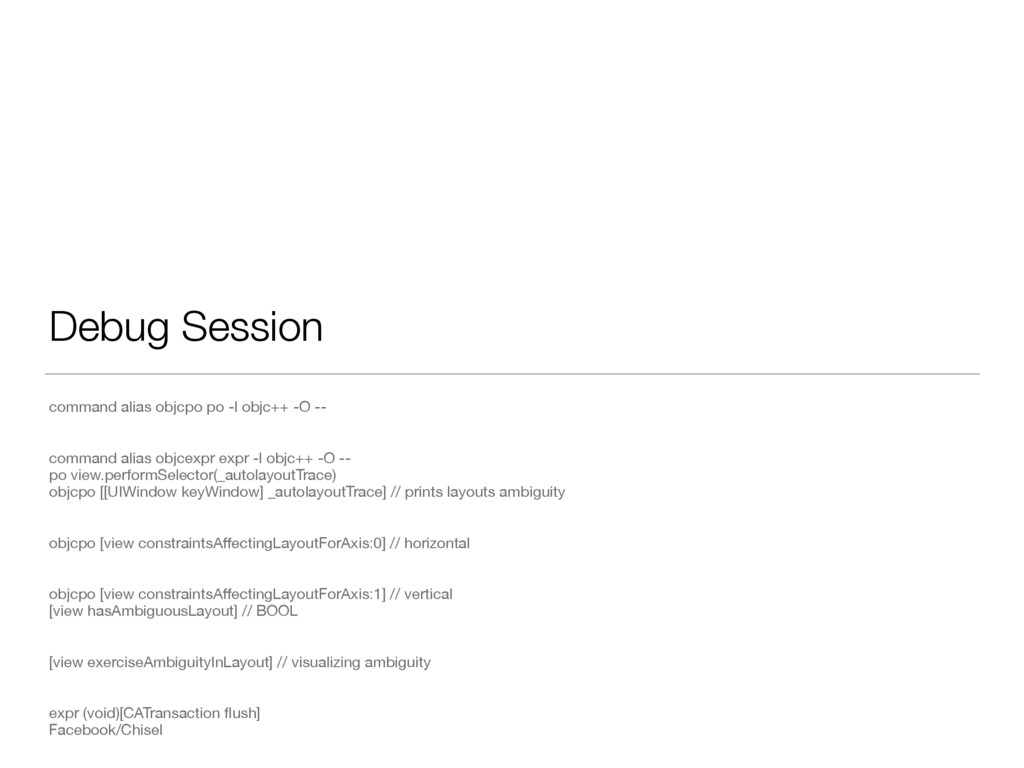
Debug Session command alias objcpo po -l objc++ -O --
command alias objcexpr expr -l objc++ -O -- po view.performSelector(_autolayoutTrace) objcpo [[UIWindow keyWindow] _autolayoutTrace] // prints layouts ambiguity objcpo [view constraintsAffectingLayoutForAxis:0] // horizontal objcpo [view constraintsAffectingLayoutForAxis:1] // vertical [view hasAmbiguousLayout] // BOOL [view exerciseAmbiguityInLayout] // visualizing ambiguity expr (void)[CATransaction flush] Facebook/Chisel
QA
Thanks! Materials https://www.objc.io/issues/3-views/advanced-auto-layout-toolbox/ Apple WWDC sessions Apple iOS documentation Examples
https://github.com/xNekOIx/talks/tree/master/StackView


 tanahiro2010
 akihisaikeda
 seike460
 nabondance
 sylph01
 skydoves
 kawashimo0
 kishida
 artoy
artoy
 kmars0605
 ___akari11
 deka_morita
 pedronauck
 gurzu
gurzu
 apolaine
 jct
jct
 jcasabona
 sachag
 quramy
 thekraken
 morganepeng
 chriscoyier
 andyhume
 holman

![H:[view1]-(>=100@500)-[view2] H:[view1]-(<=60@499)-[view2] - Still tries to satisfy inequality](https://files.speakerdeck.com/presentations/ed08e9d222f141b0baf1ef9d6a09be64/slide_19.jpg)