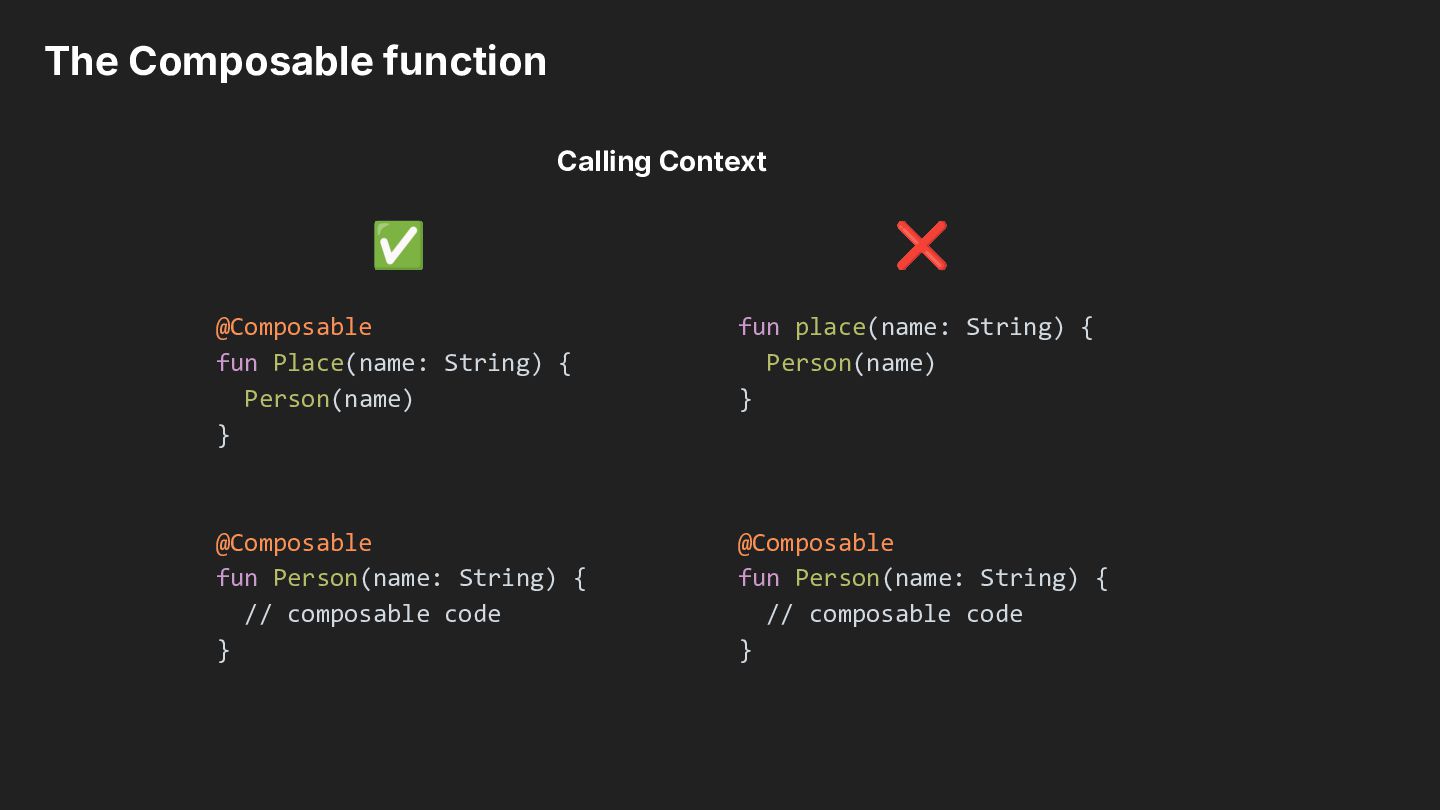
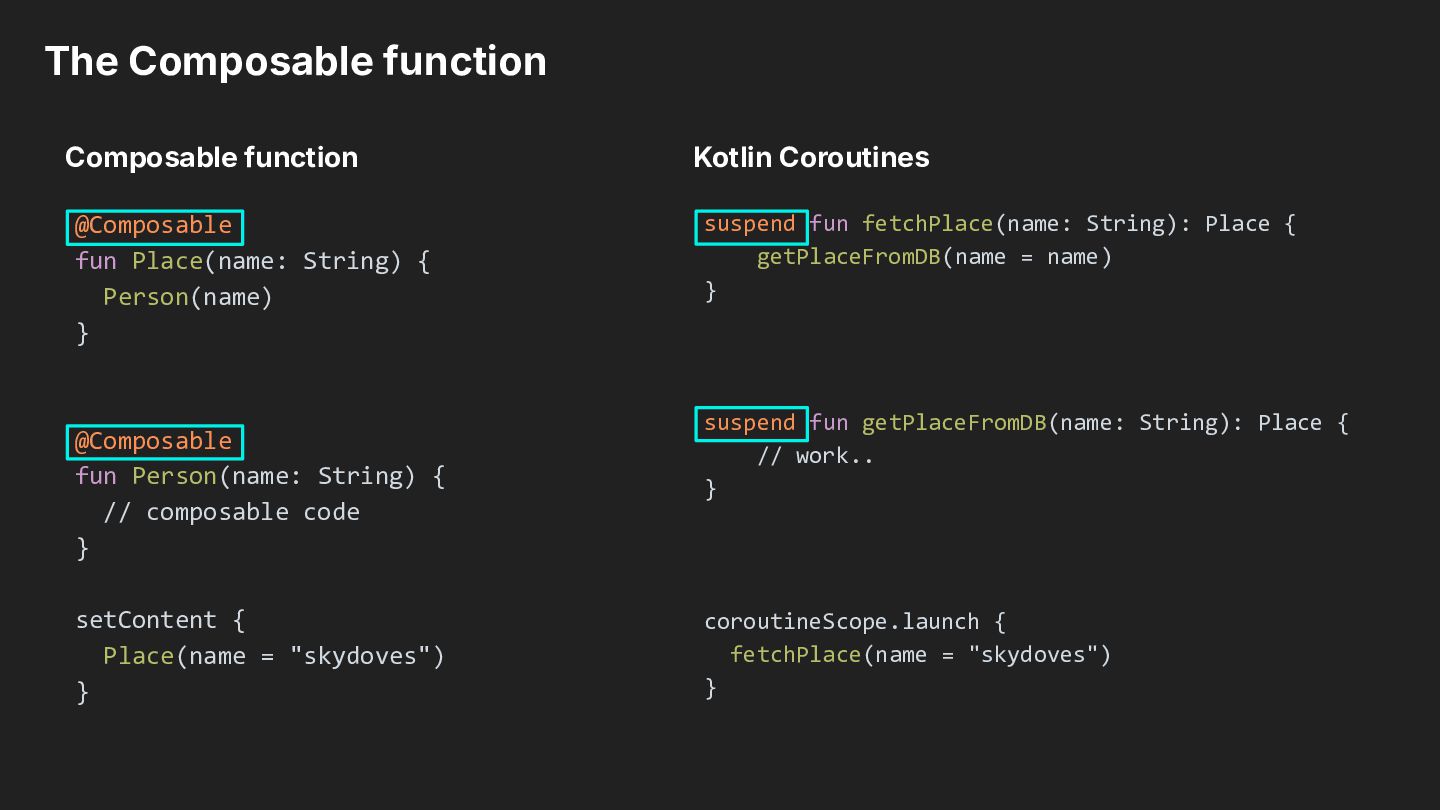
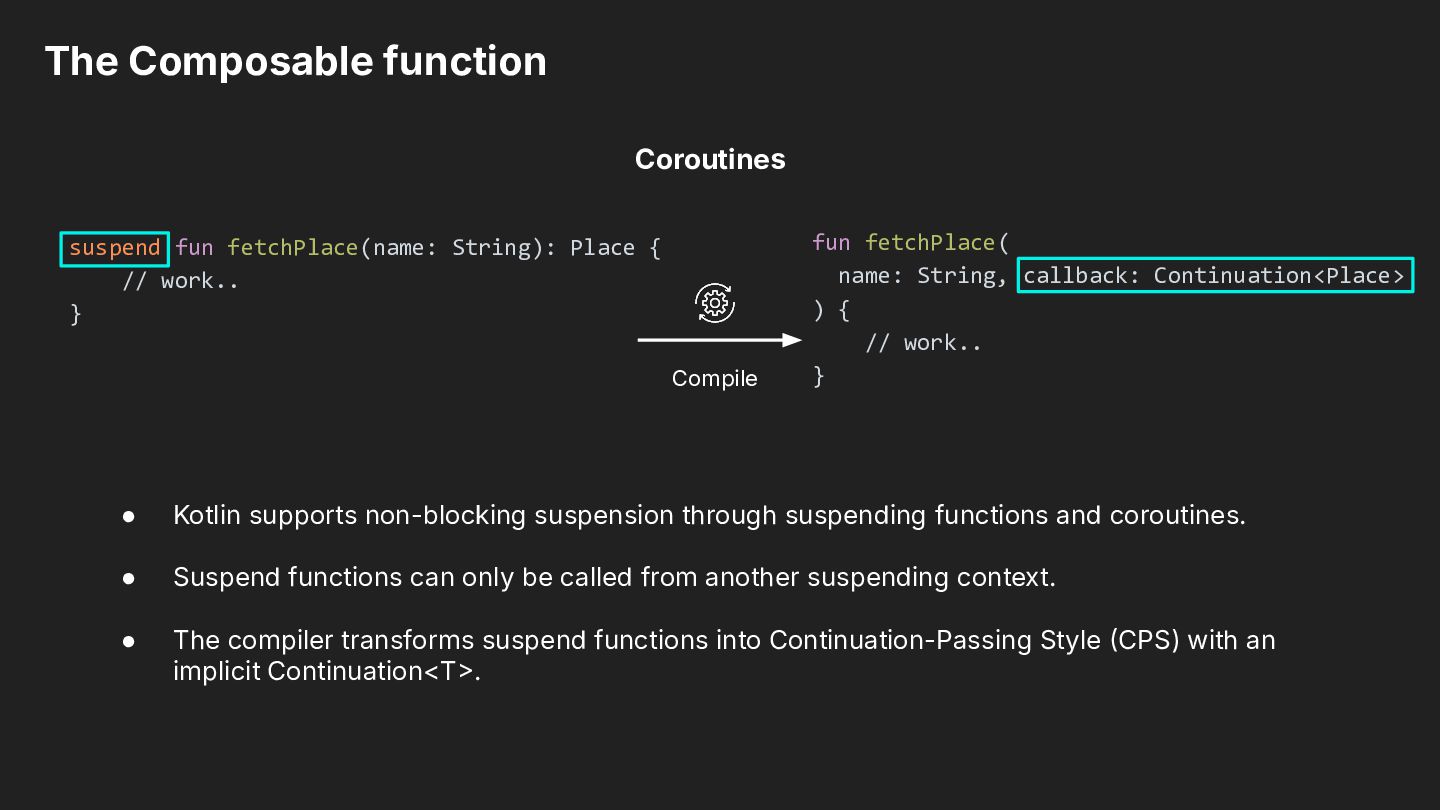
// work.. } Compile fun fetchPlace( name: String, callback: Continuation<Place> ) { // work.. } • Kotlin supports non-blocking suspension through suspending functions and coroutines. • Suspend functions can only be called from another suspending context. • The compiler transforms suspend functions into Continuation-Passing Style CPS) with an implicit Continuation<T.
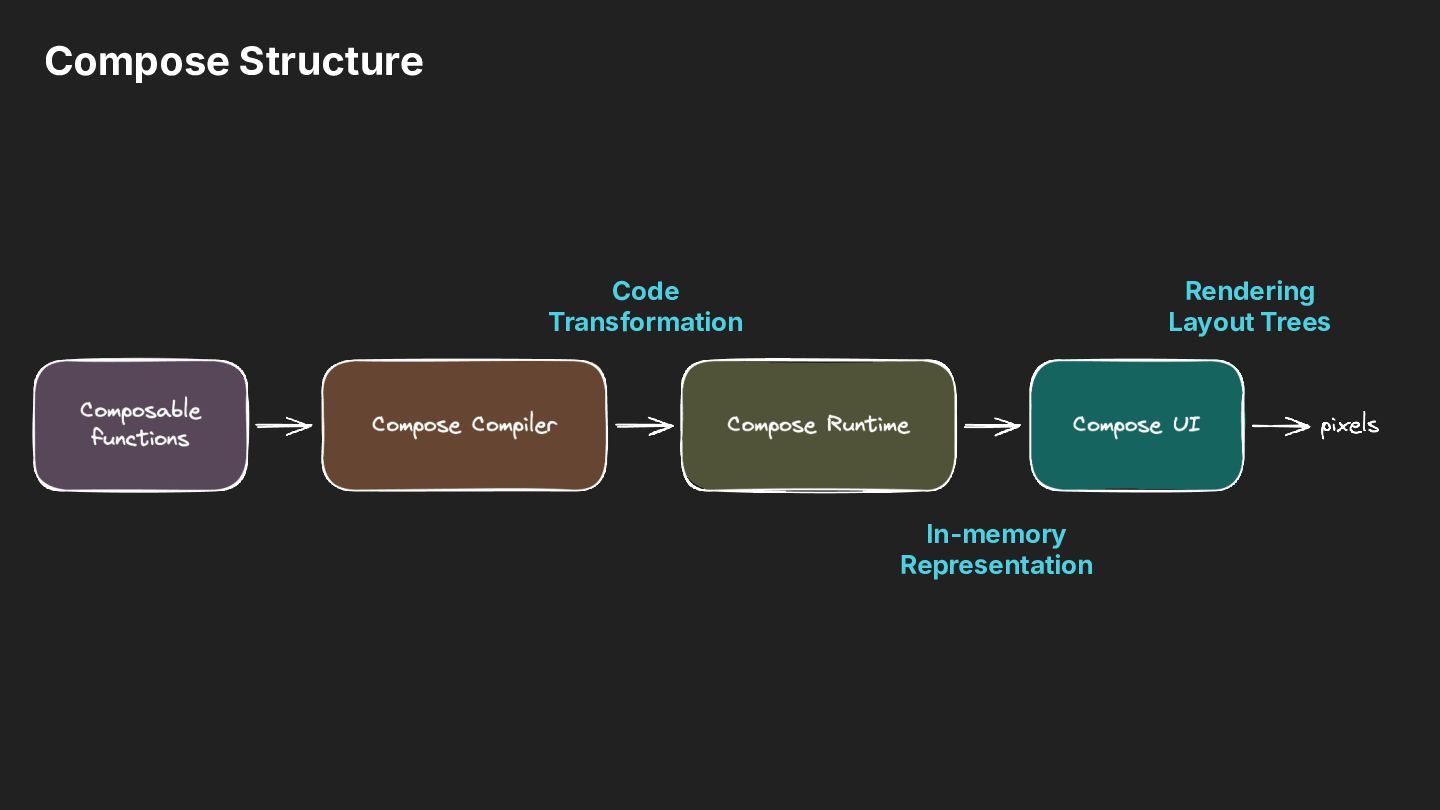
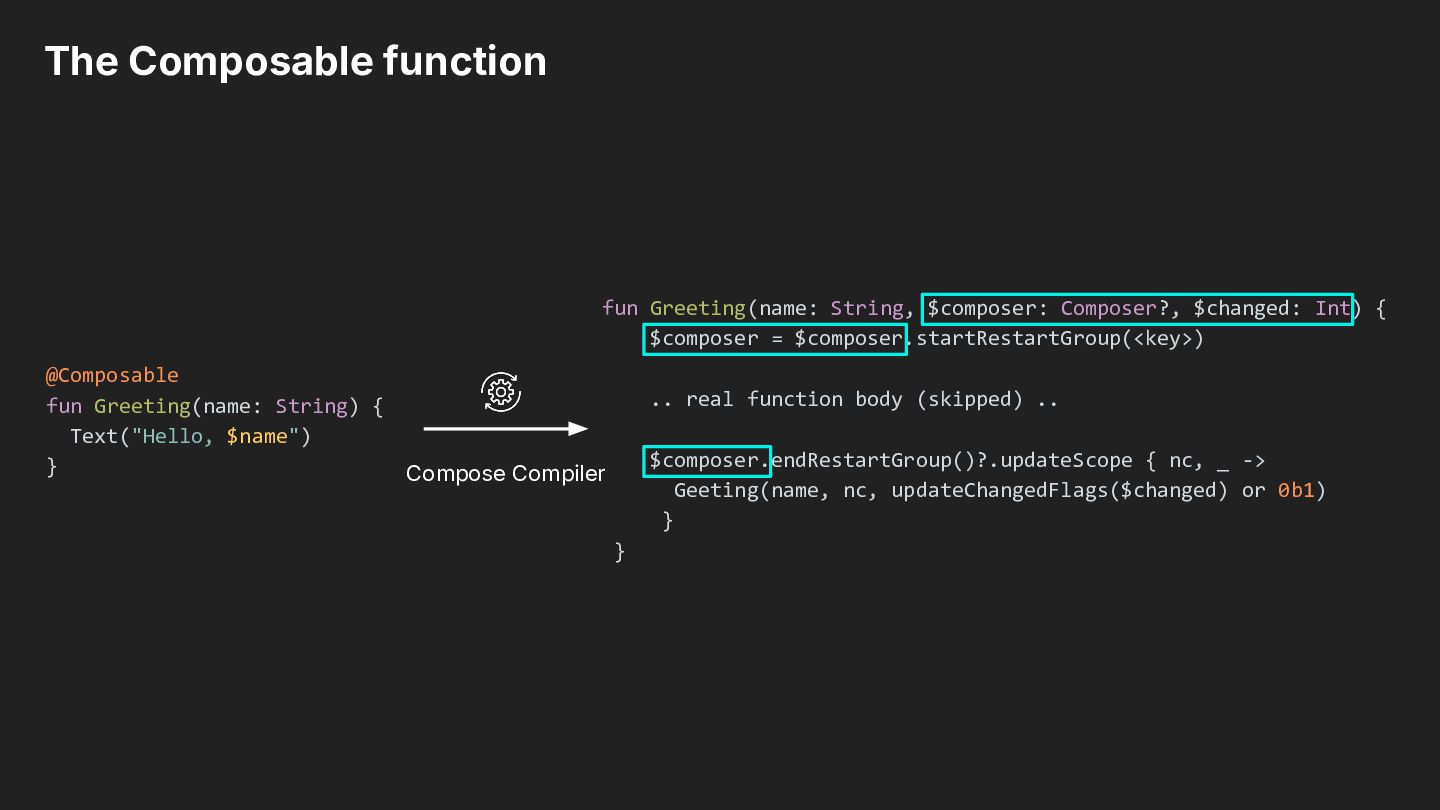
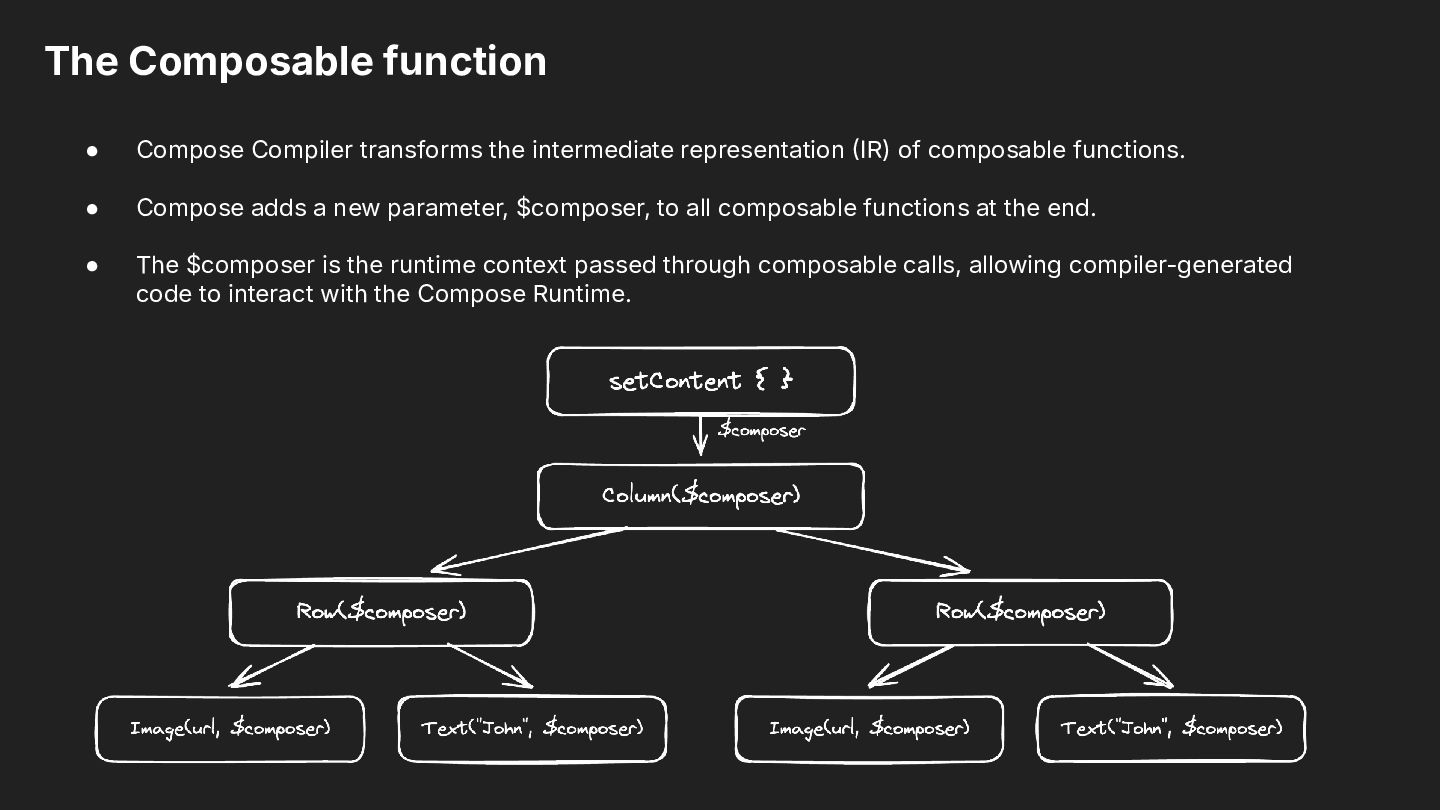
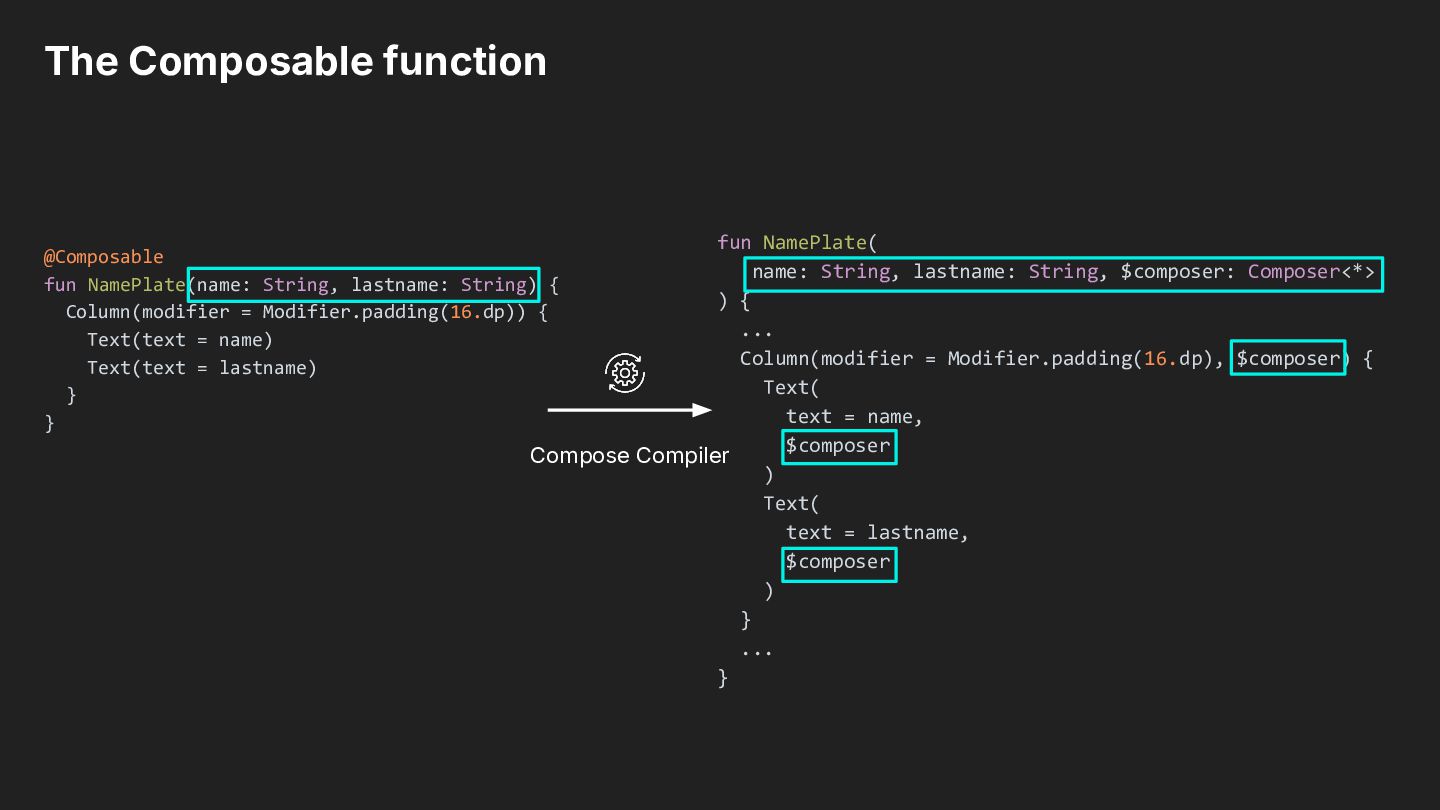
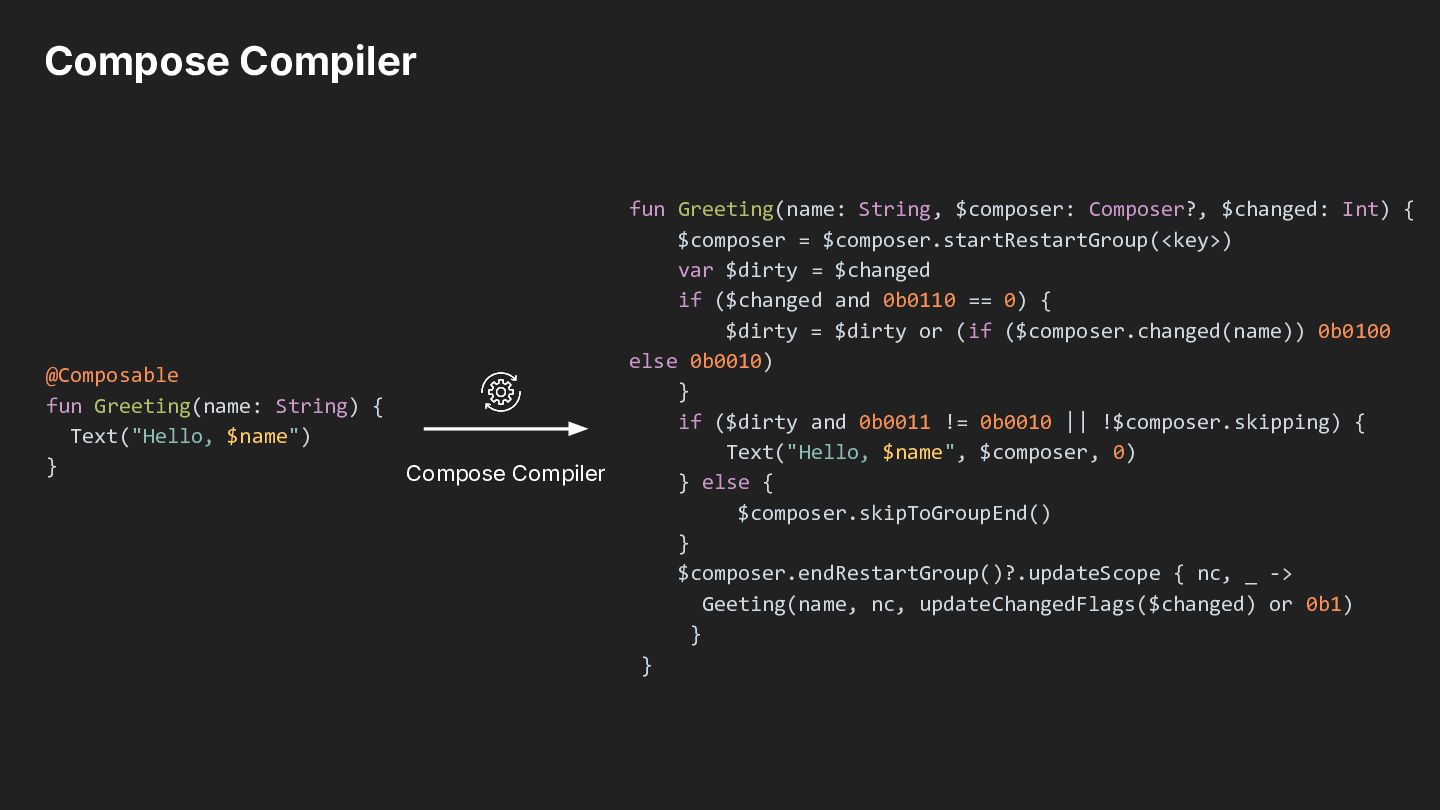
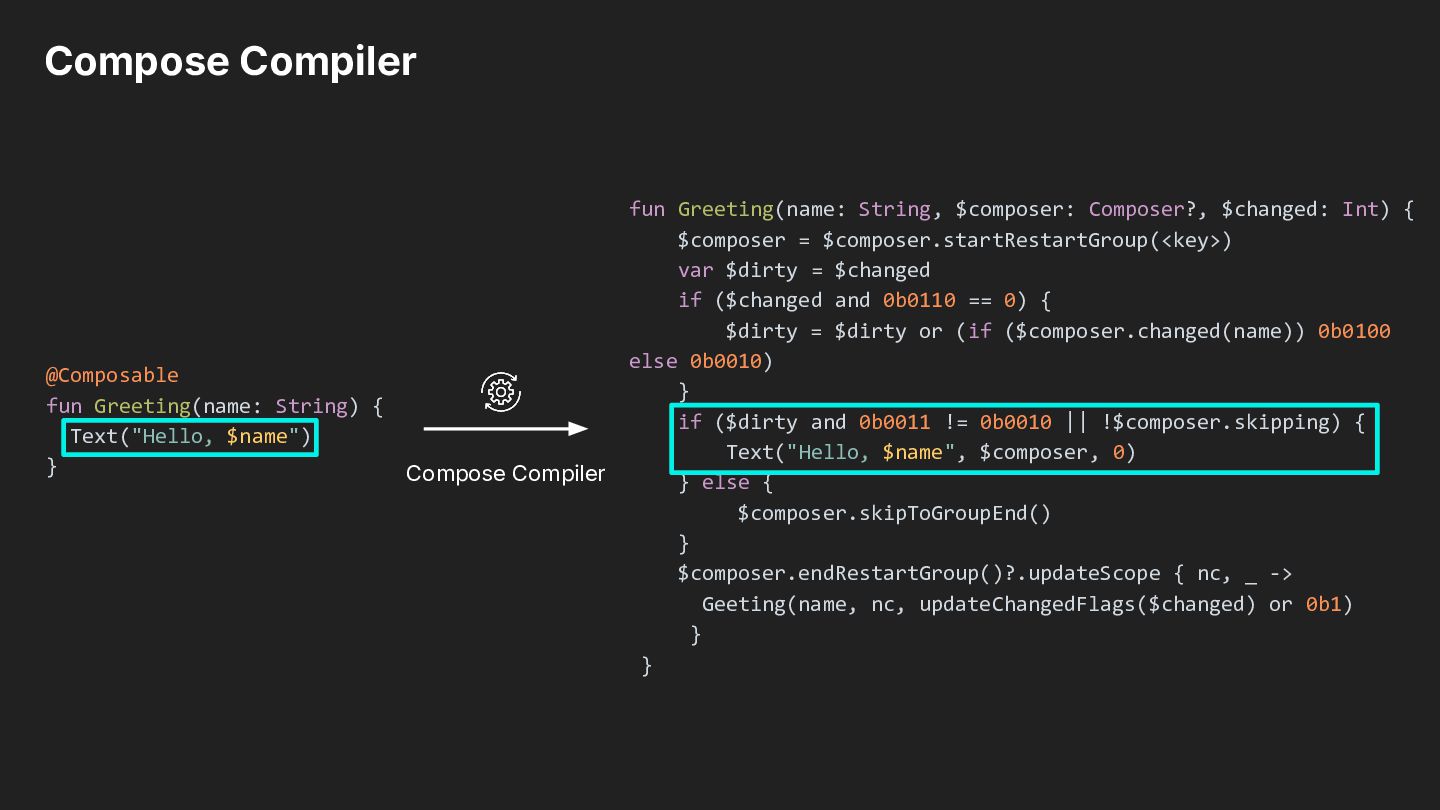
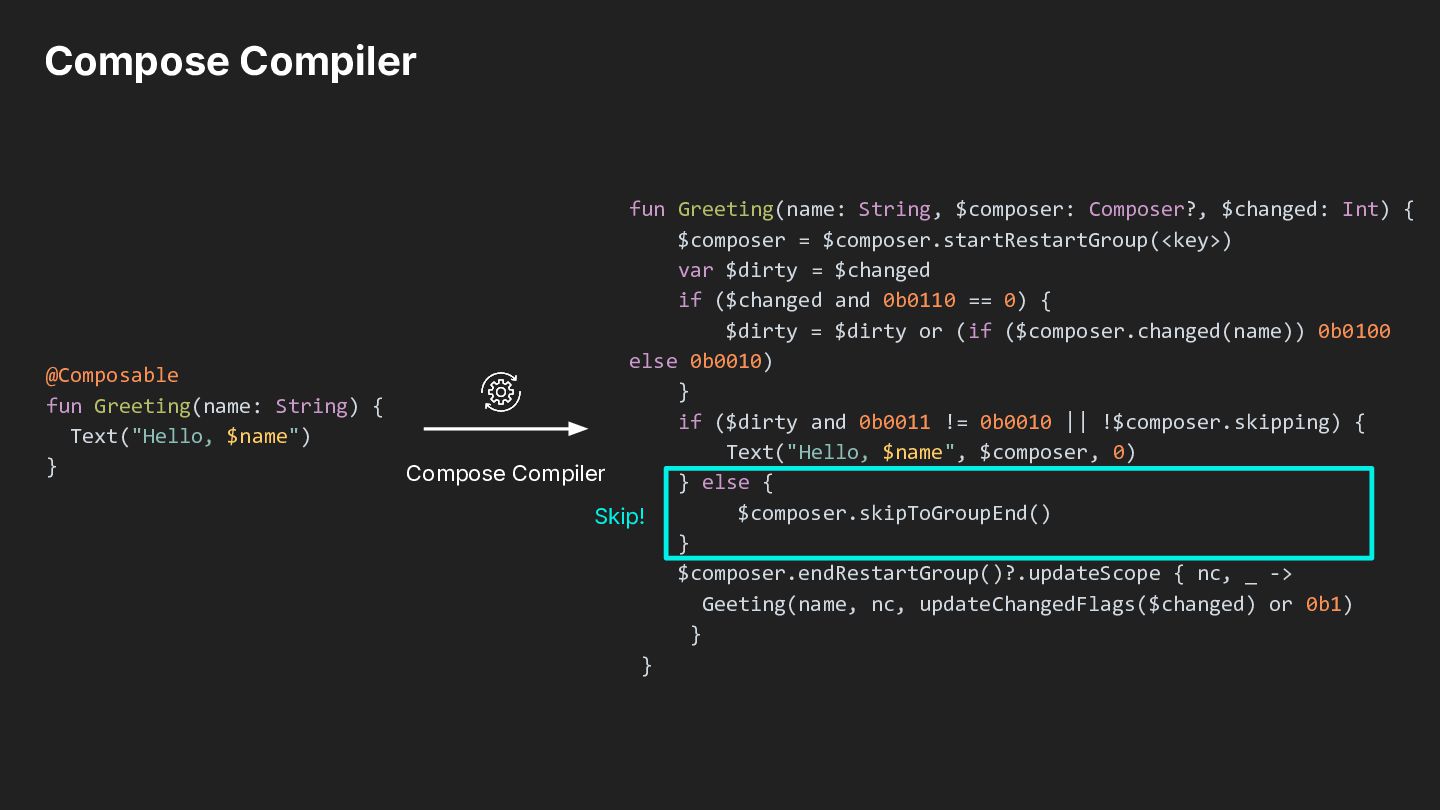
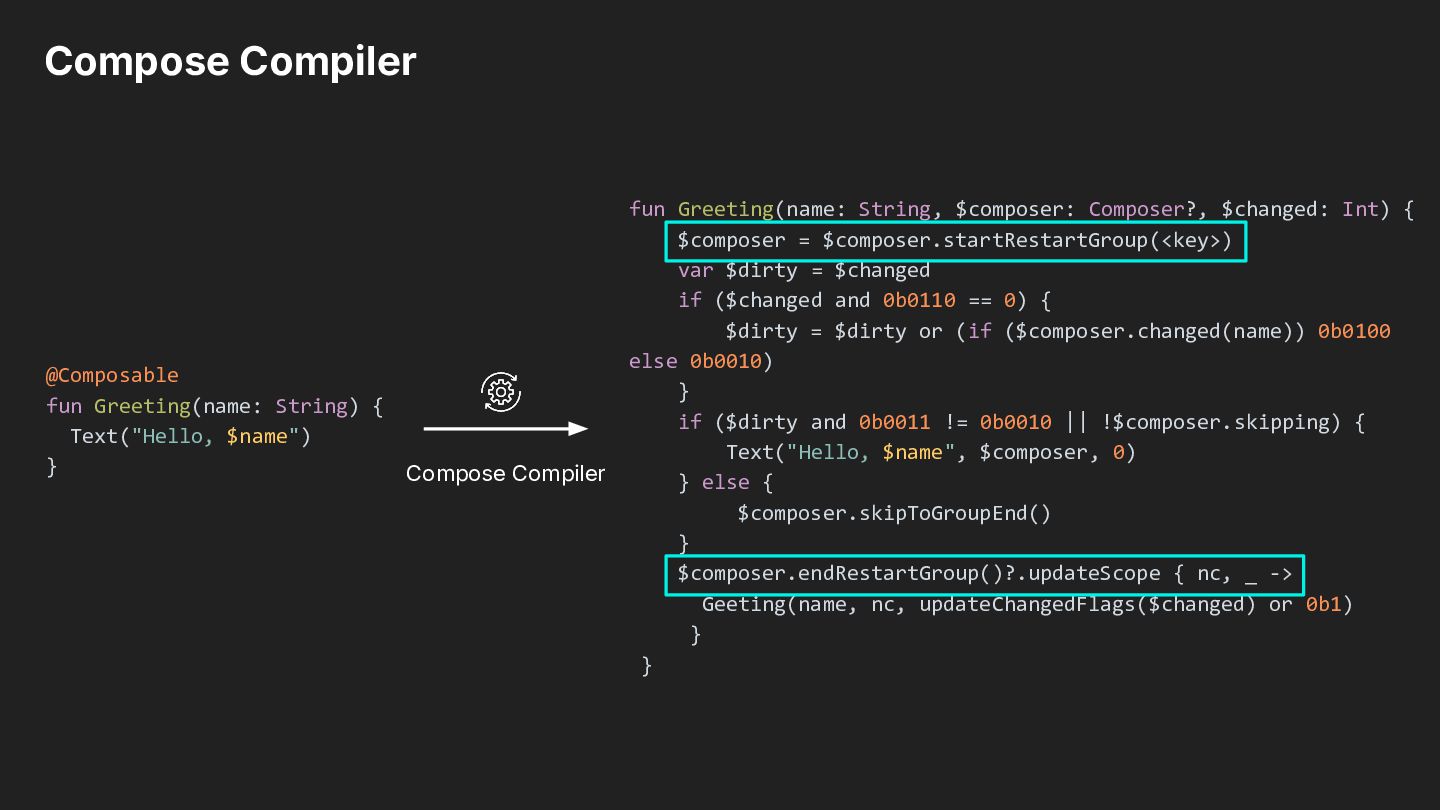
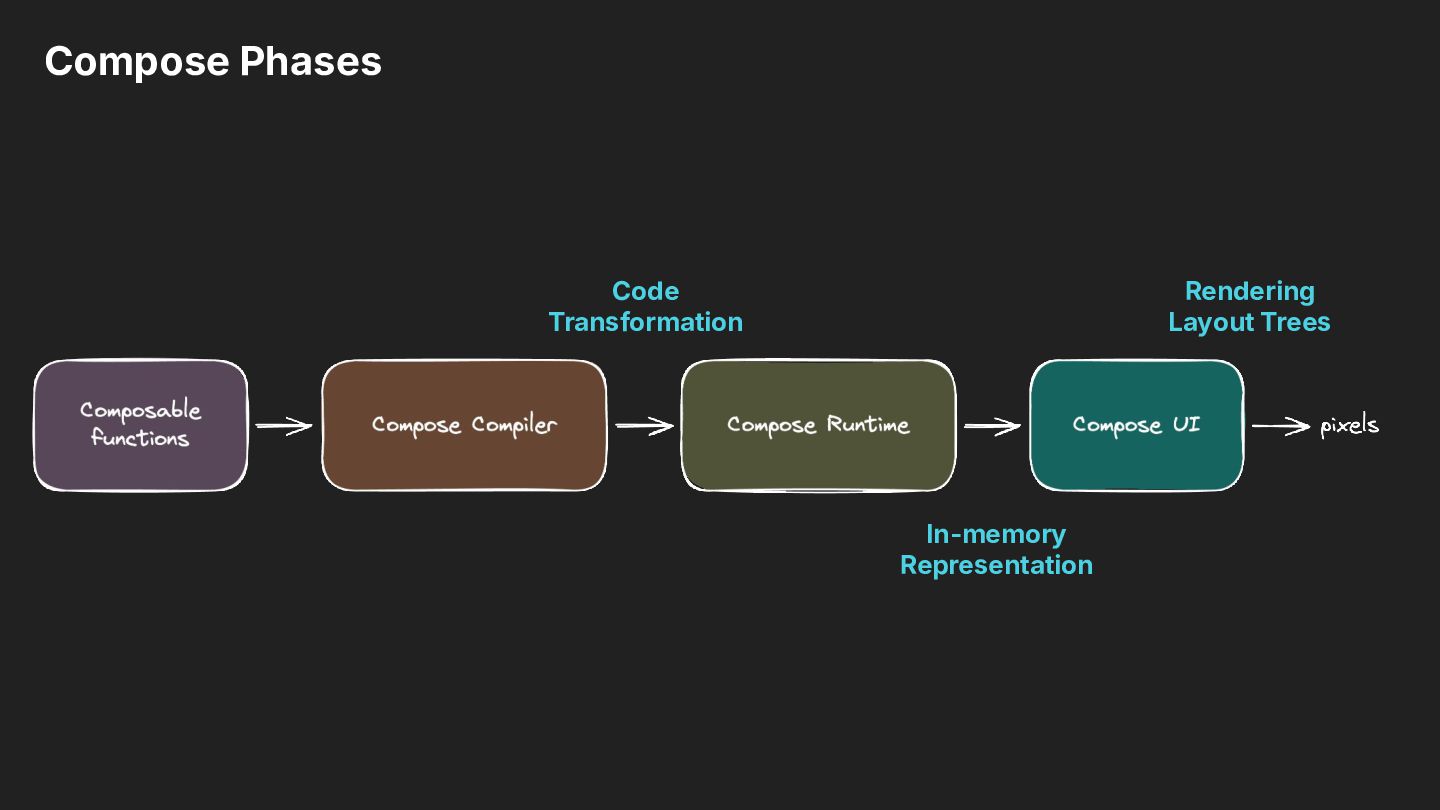
IR) of composable functions. • Compose adds a new parameter, $composer, to all composable functions at the end. • The $composer is the runtime context passed through composable calls, allowing compiler-generated code to interact with the Compose Runtime.
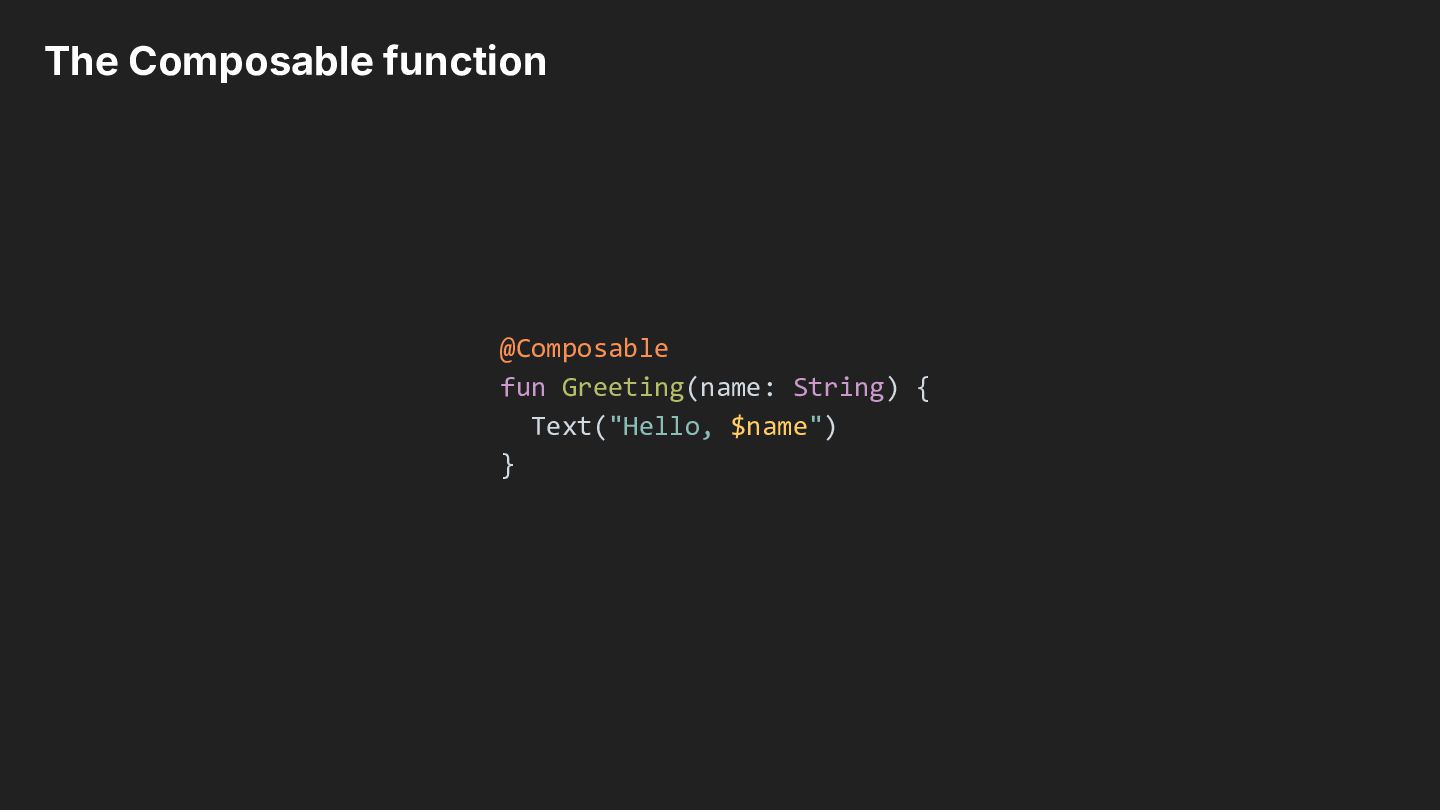
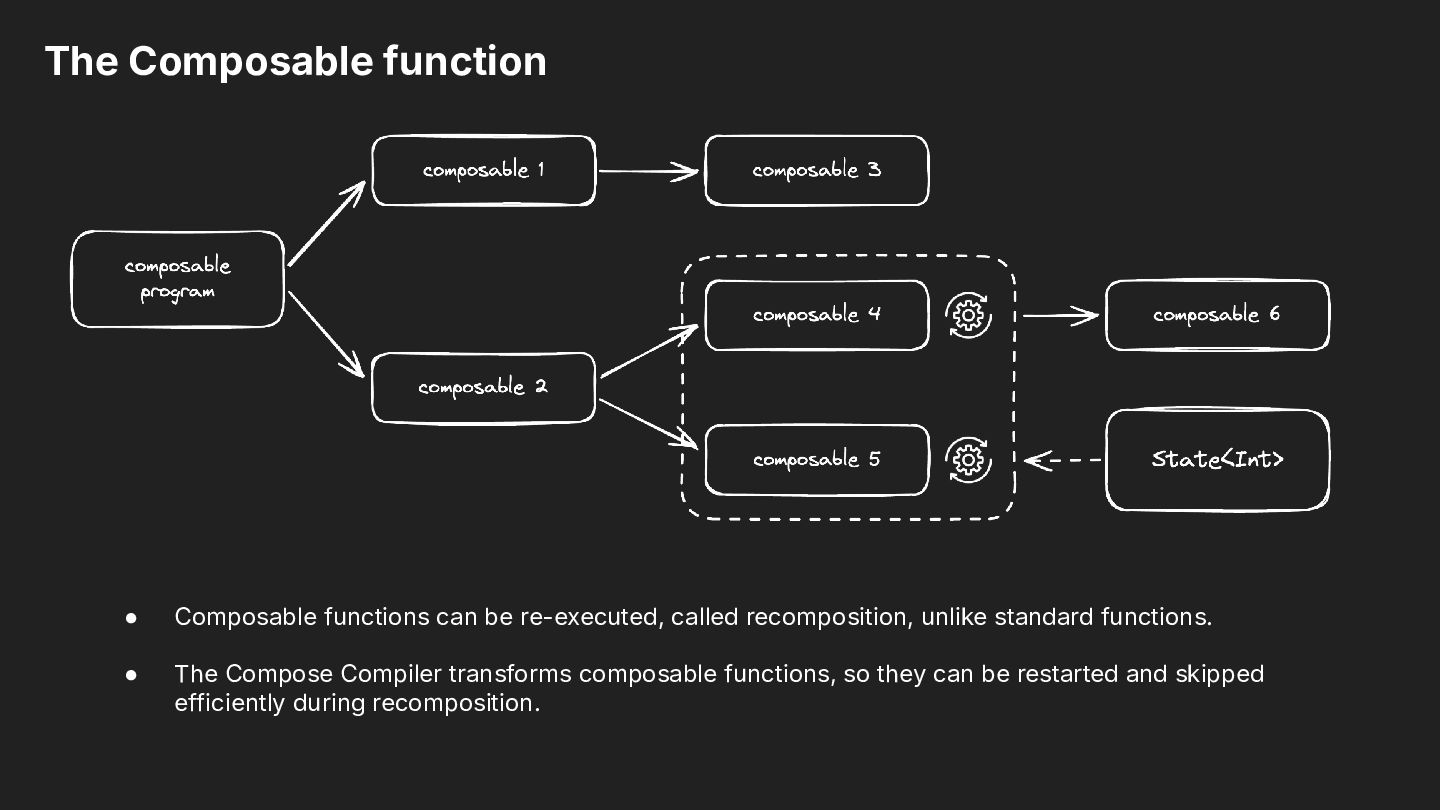
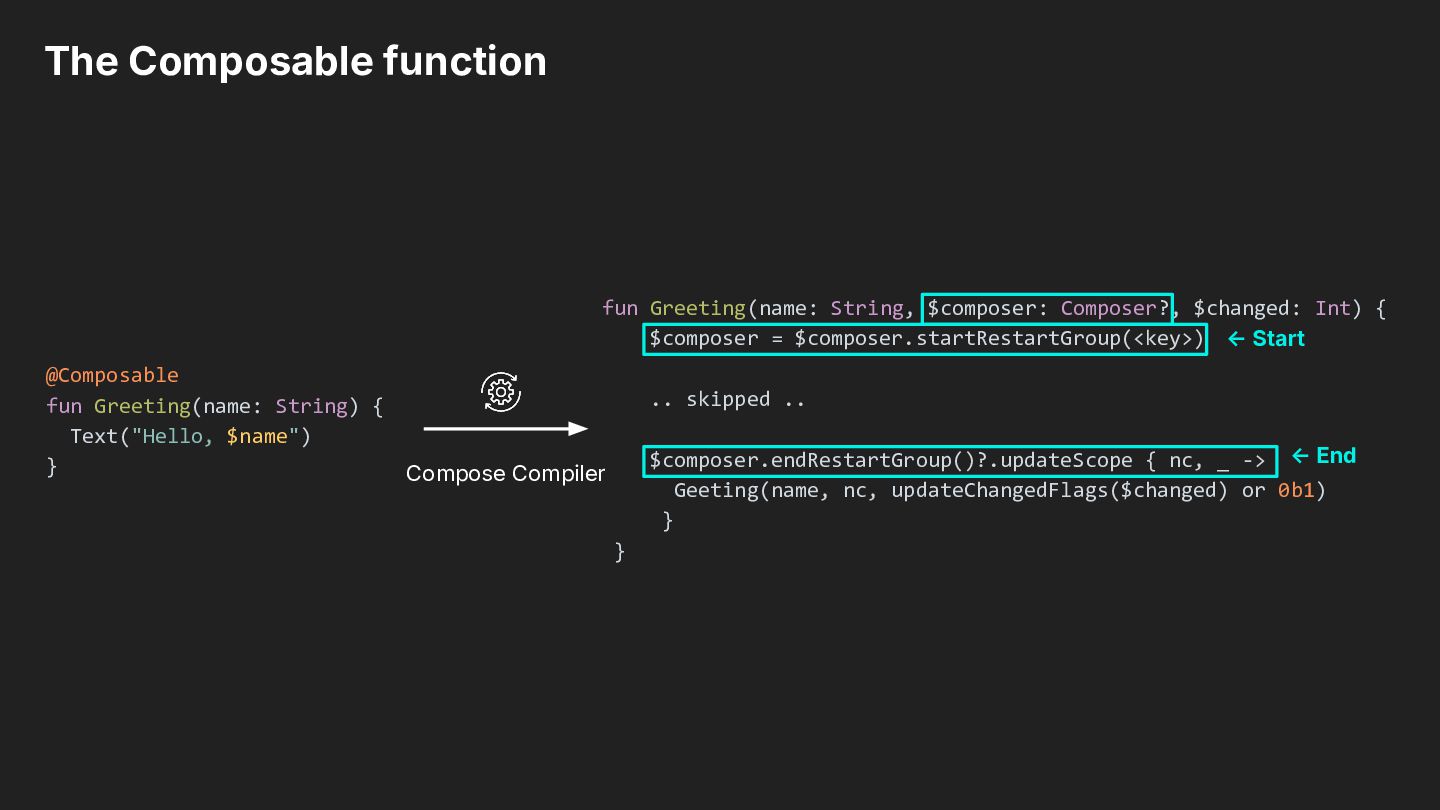
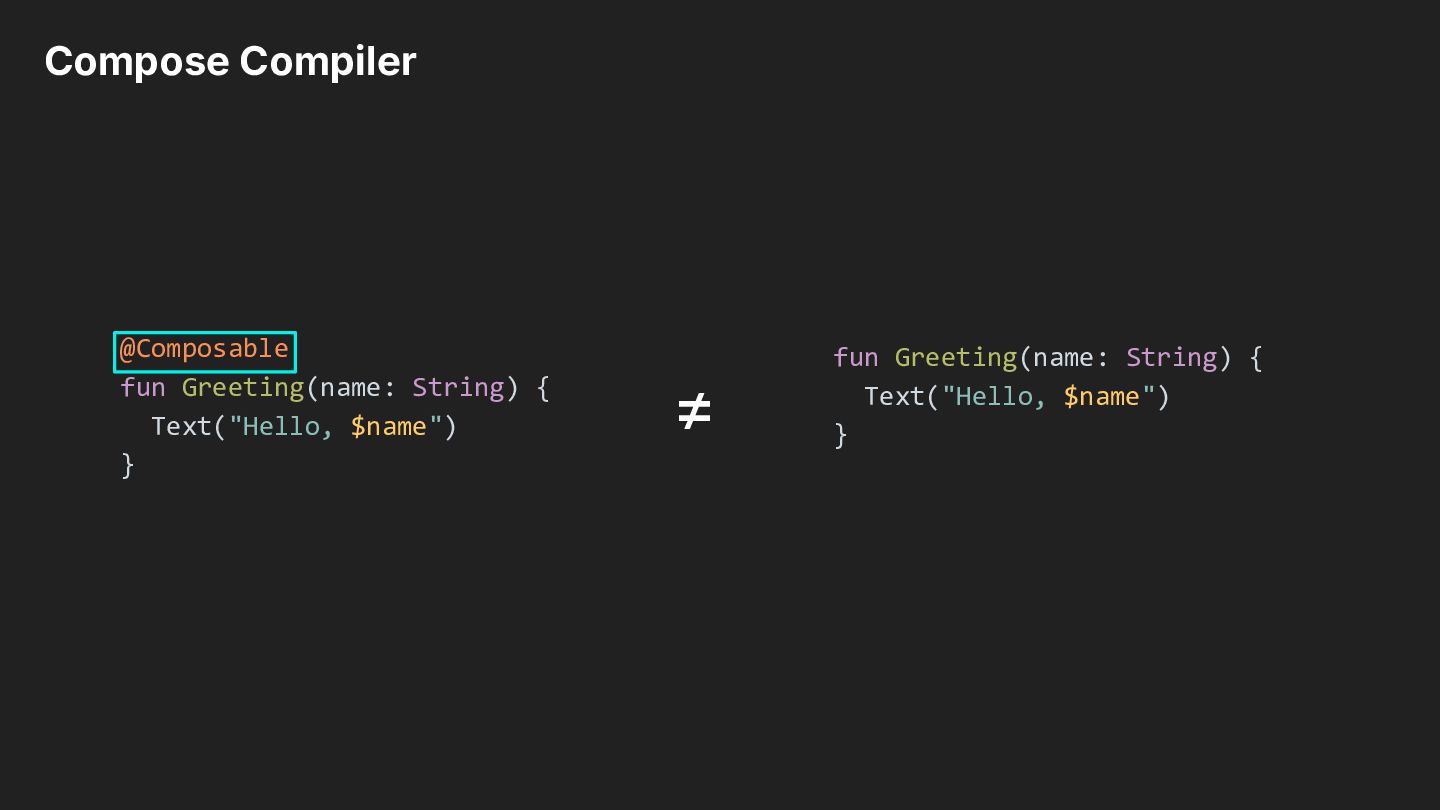
recomposition, unlike standard functions. • The Compose Compiler transforms composable functions, so they can be restarted and skipped efficiently during recomposition.
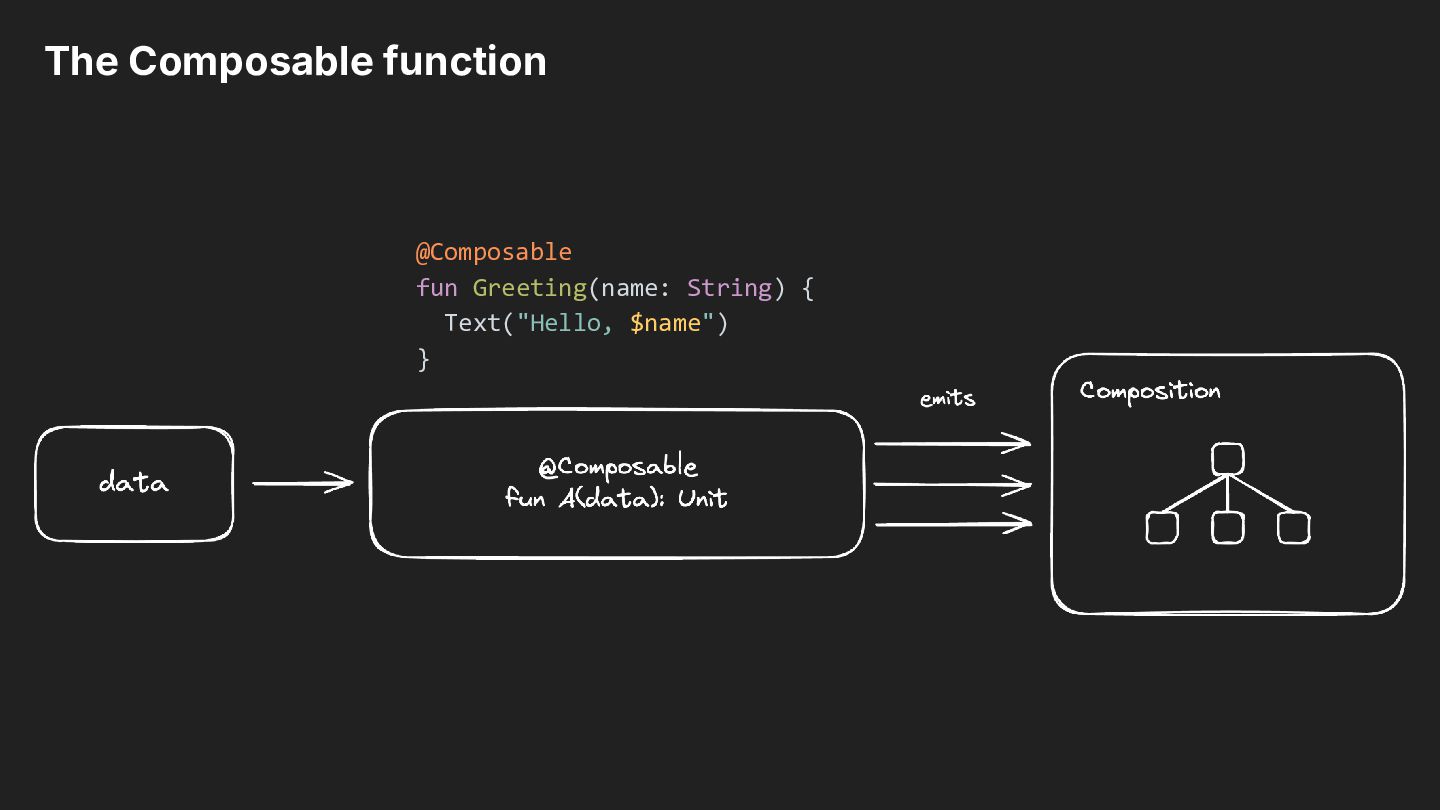
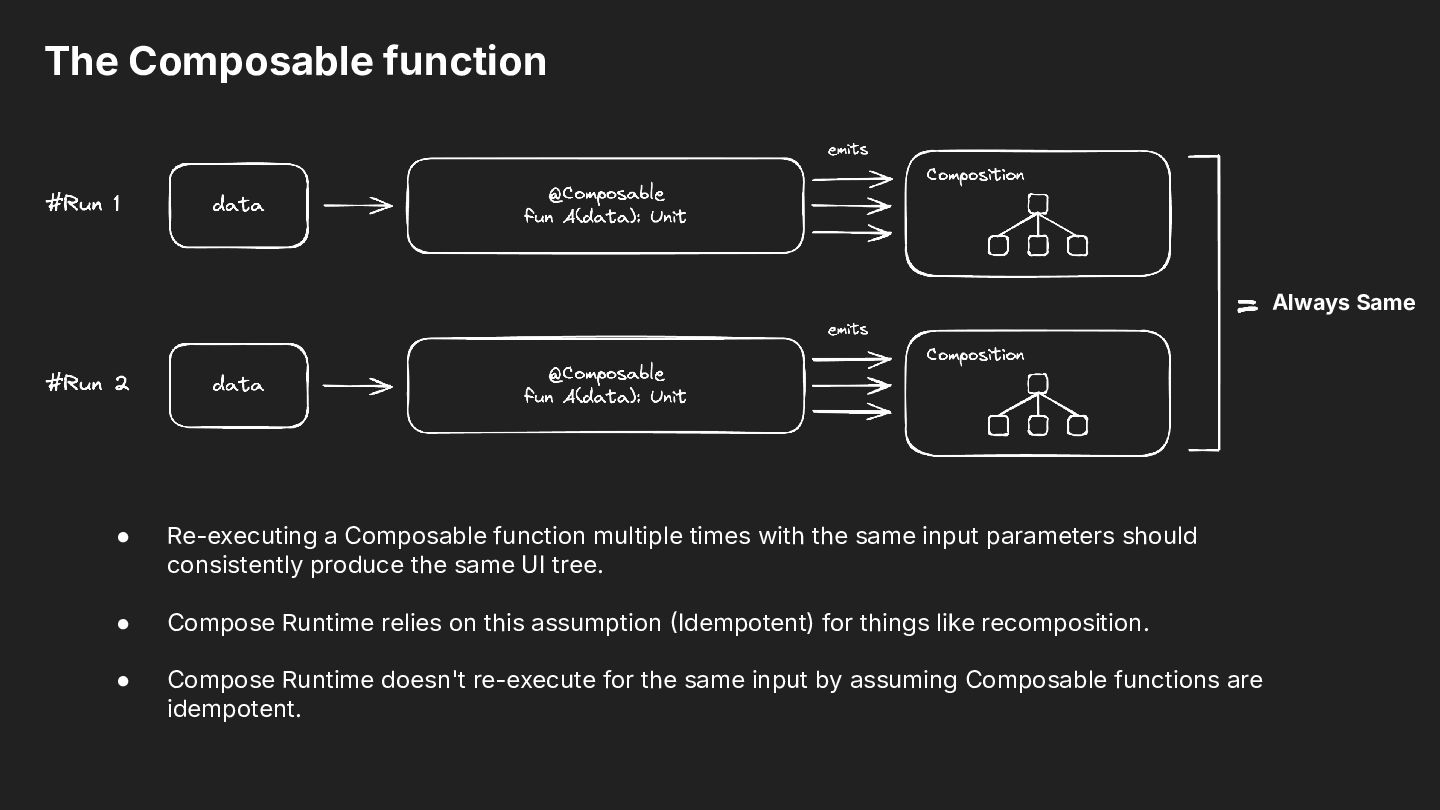
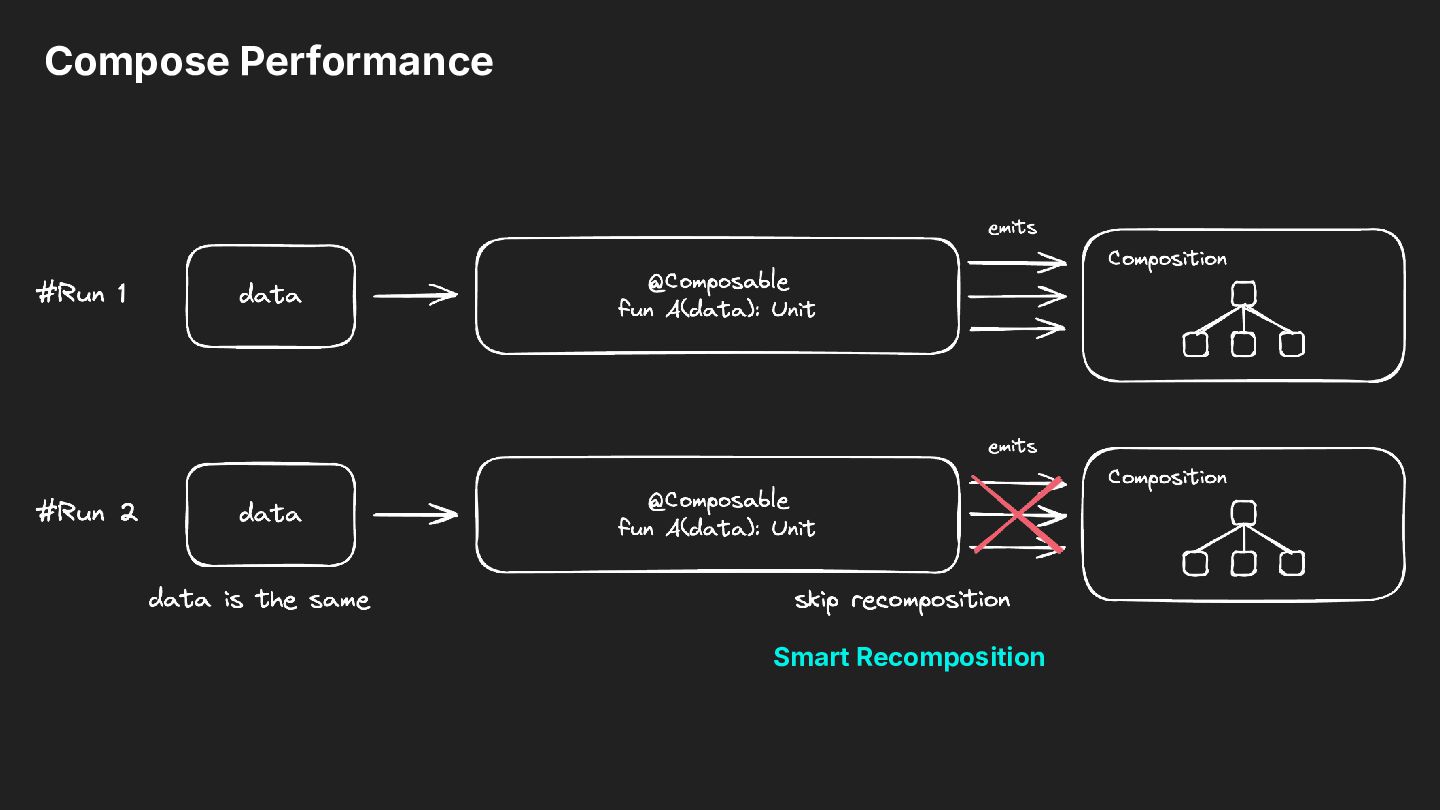
multiple times with the same input parameters should consistently produce the same UI tree. • Compose Runtime relies on this assumption Idempotent) for things like recomposition. • Compose Runtime doesn't re-execute for the same input by assuming Composable functions are idempotent.
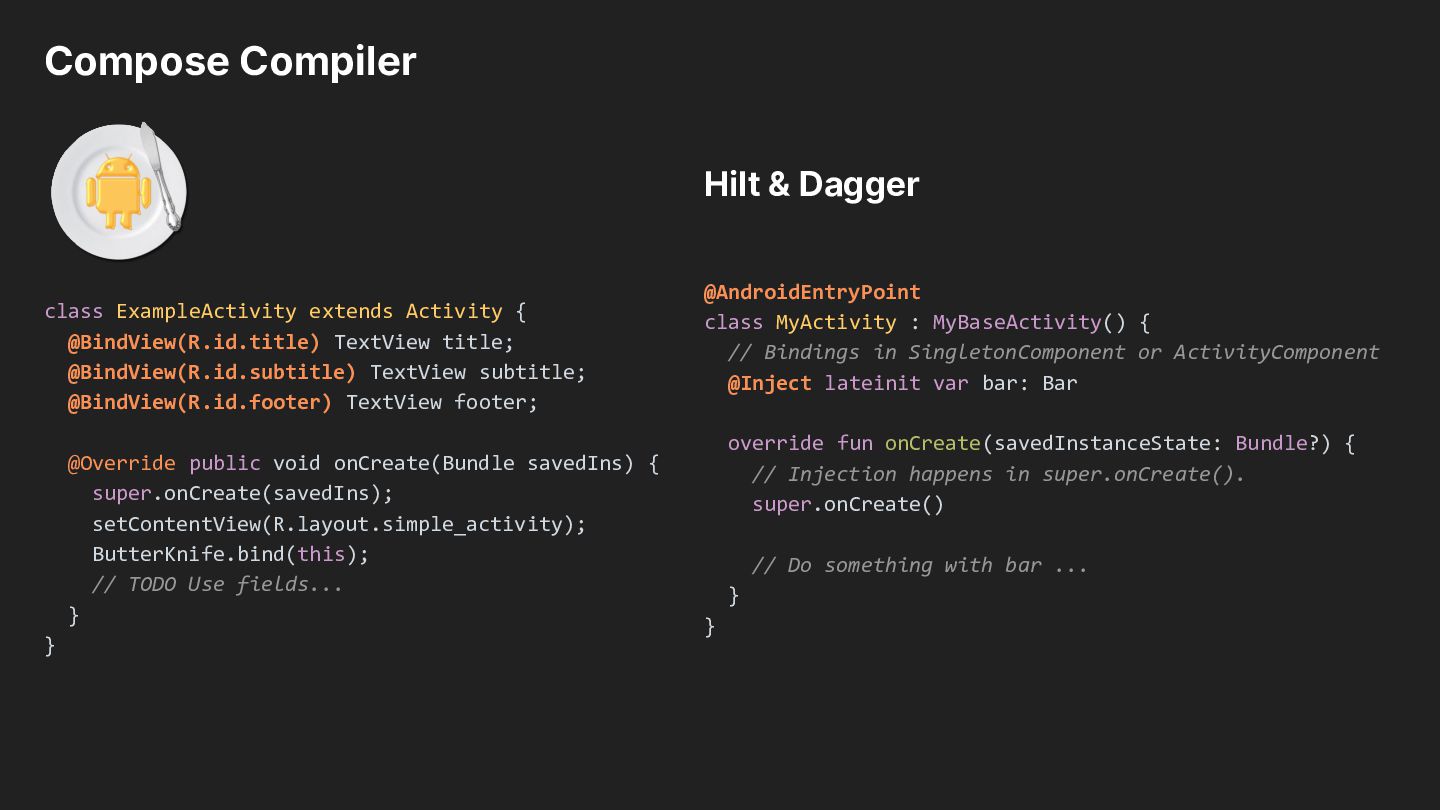
@BindView(R.id.title) TextView title; @BindView(R.id.subtitle) TextView subtitle; @BindView(R.id.footer) TextView footer; @Override public void onCreate(Bundle savedIns) { super.onCreate(savedIns); setContentView(R.layout.simple_activity); ButterKnife.bind(this); // TODO Use fields... } } @AndroidEntryPoint class MyActivity : MyBaseActivity() { // Bindings in SingletonComponent or ActivityComponent @Inject lateinit var bar: Bar override fun onCreate(savedInstanceState: Bundle?) { // Injection happens in super.onCreate(). super.onCreate() // Do something with bar ... } }
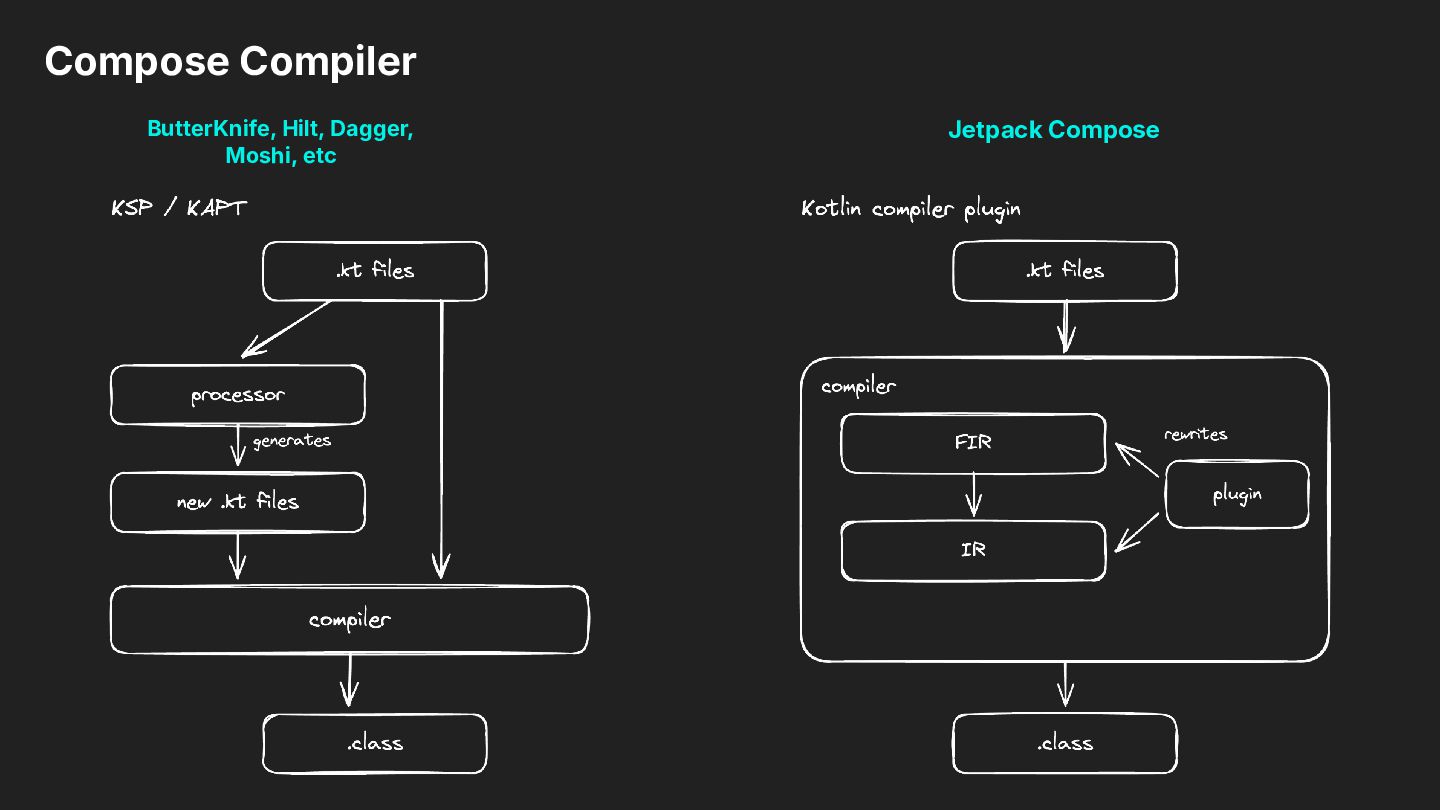
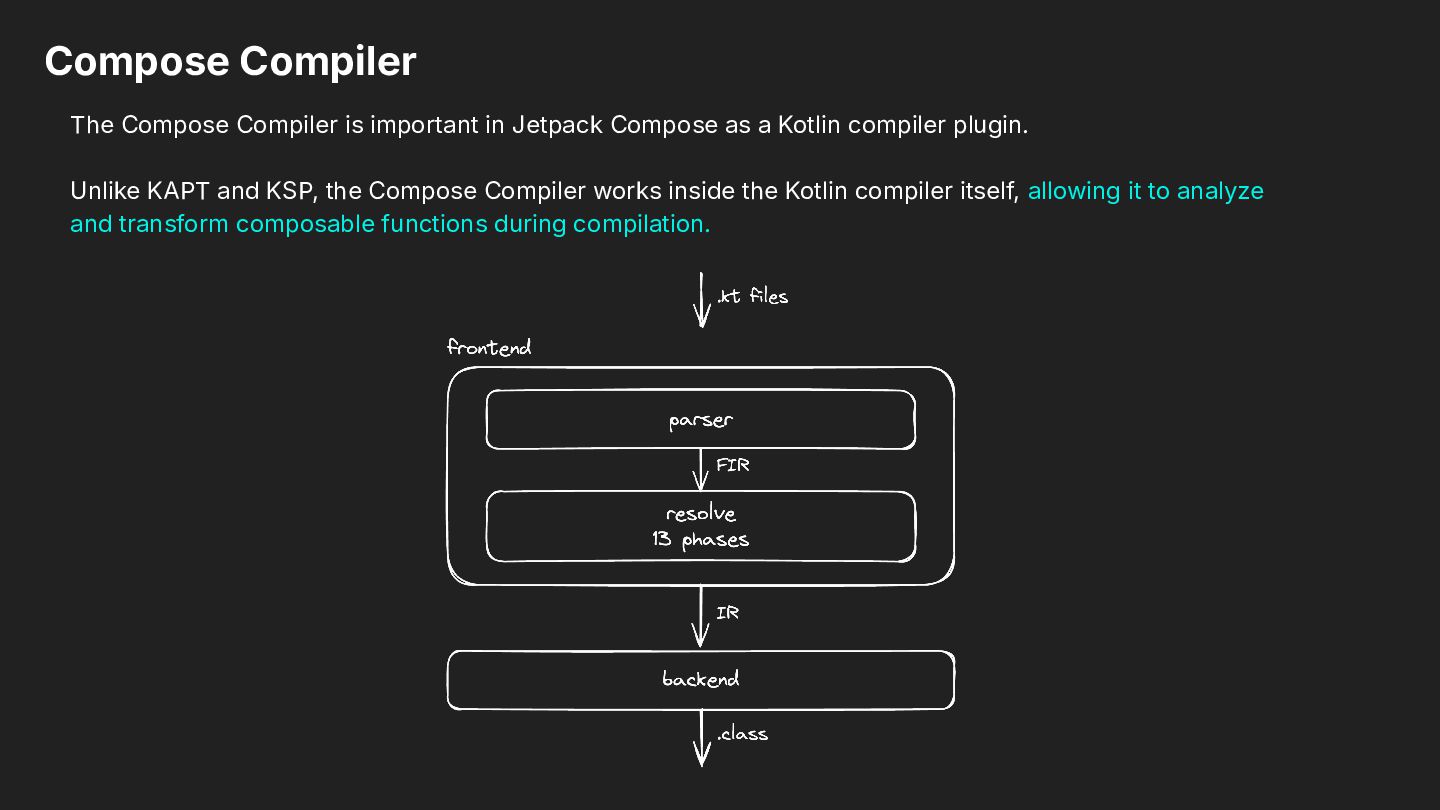
as a Kotlin compiler plugin. Unlike KAPT and KSP, the Compose Compiler works inside the Kotlin compiler itself, allowing it to analyze and transform composable functions during compilation.
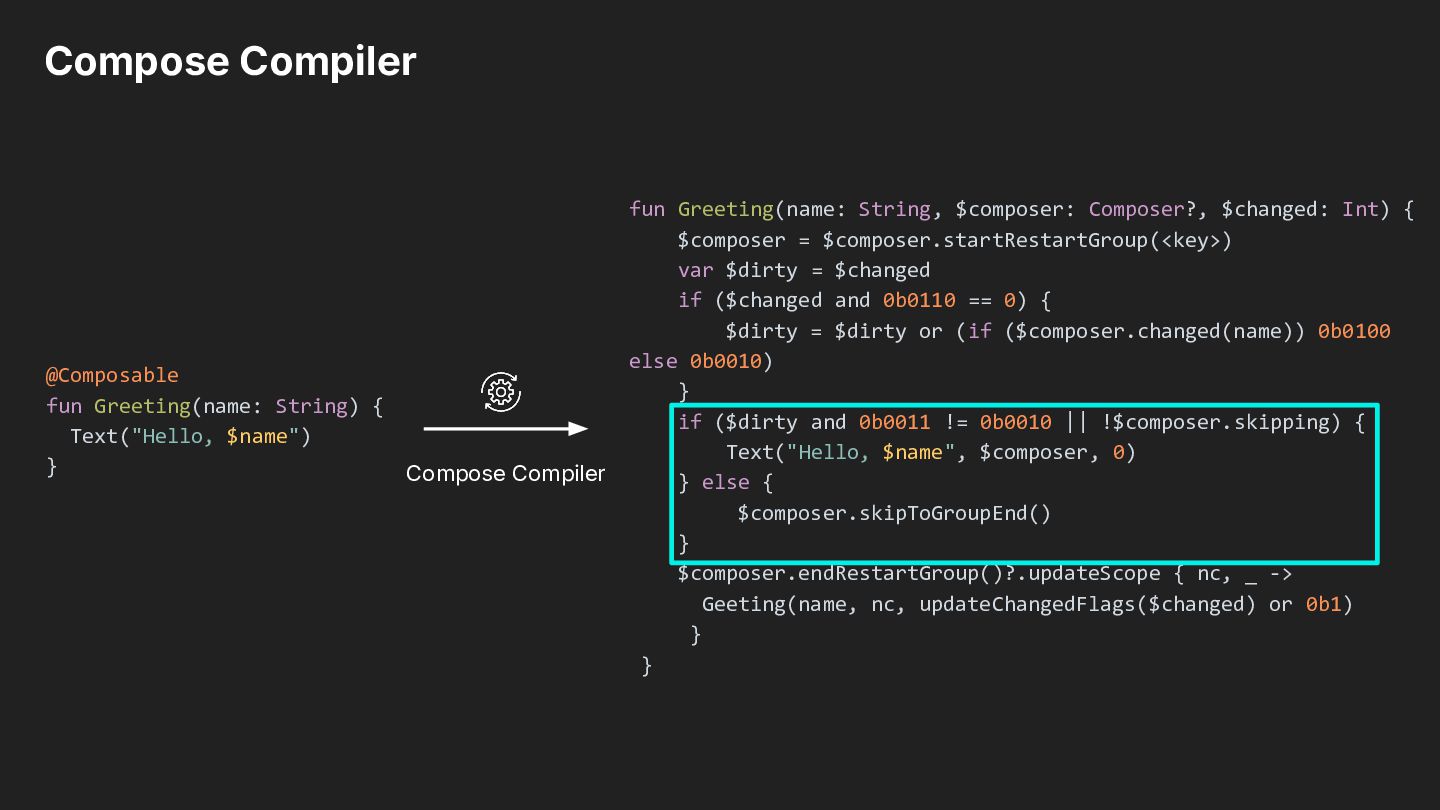
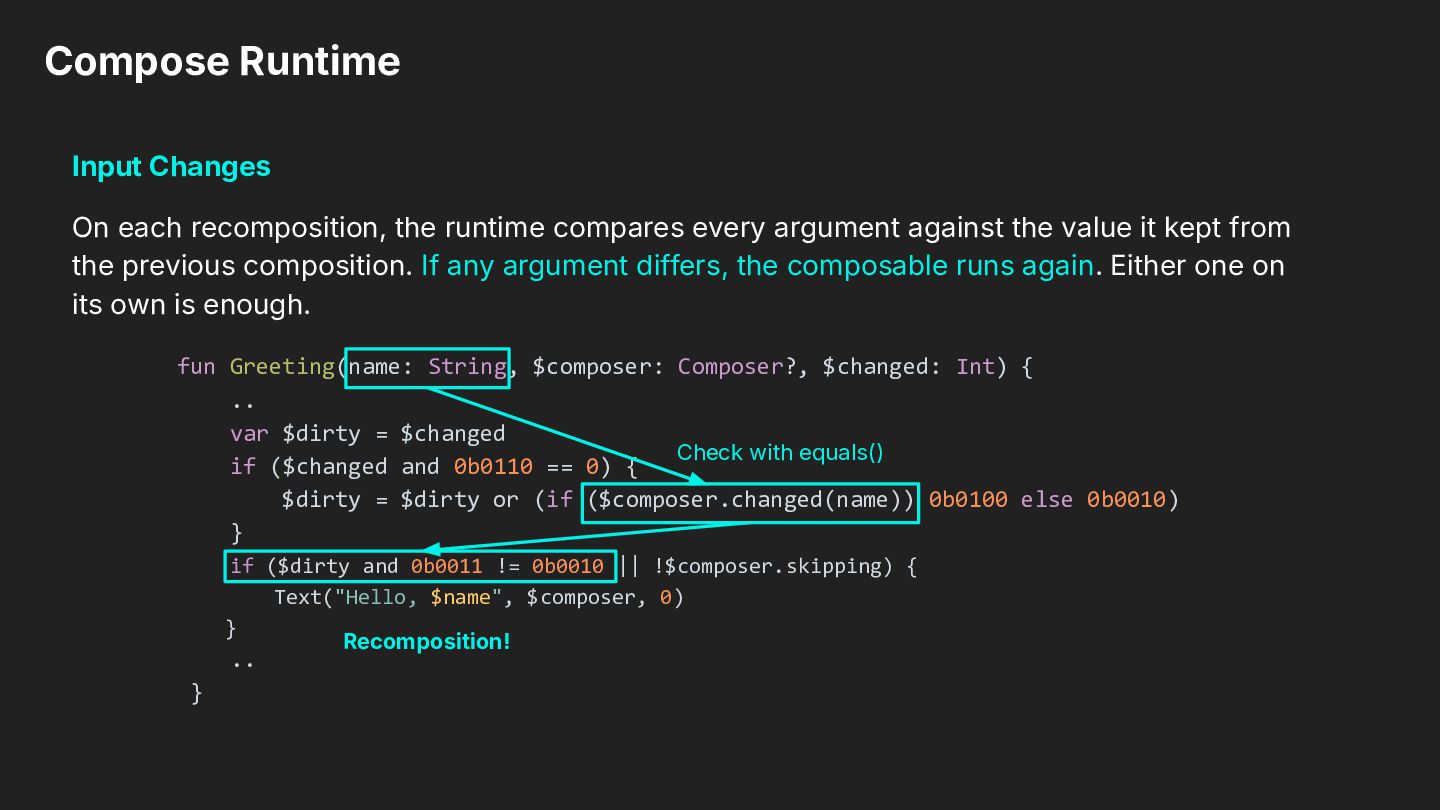
every argument against the value it kept from the previous composition. If any argument differs, the composable runs again. Either one on its own is enough. fun Greeting(name: String, $composer: Composer?, $changed: Int) { .. var $dirty = $changed Check with equals() if ($changed and 0b0110 == 0) { $dirty = $dirty or (if ($composer.changed(name)) 0b0100 else 0b0010) } if ($dirty and 0b0011 != 0b0010 || !$composer.skipping) { Text("Hello, $name", $composer, 0) } Recomposition! .. }
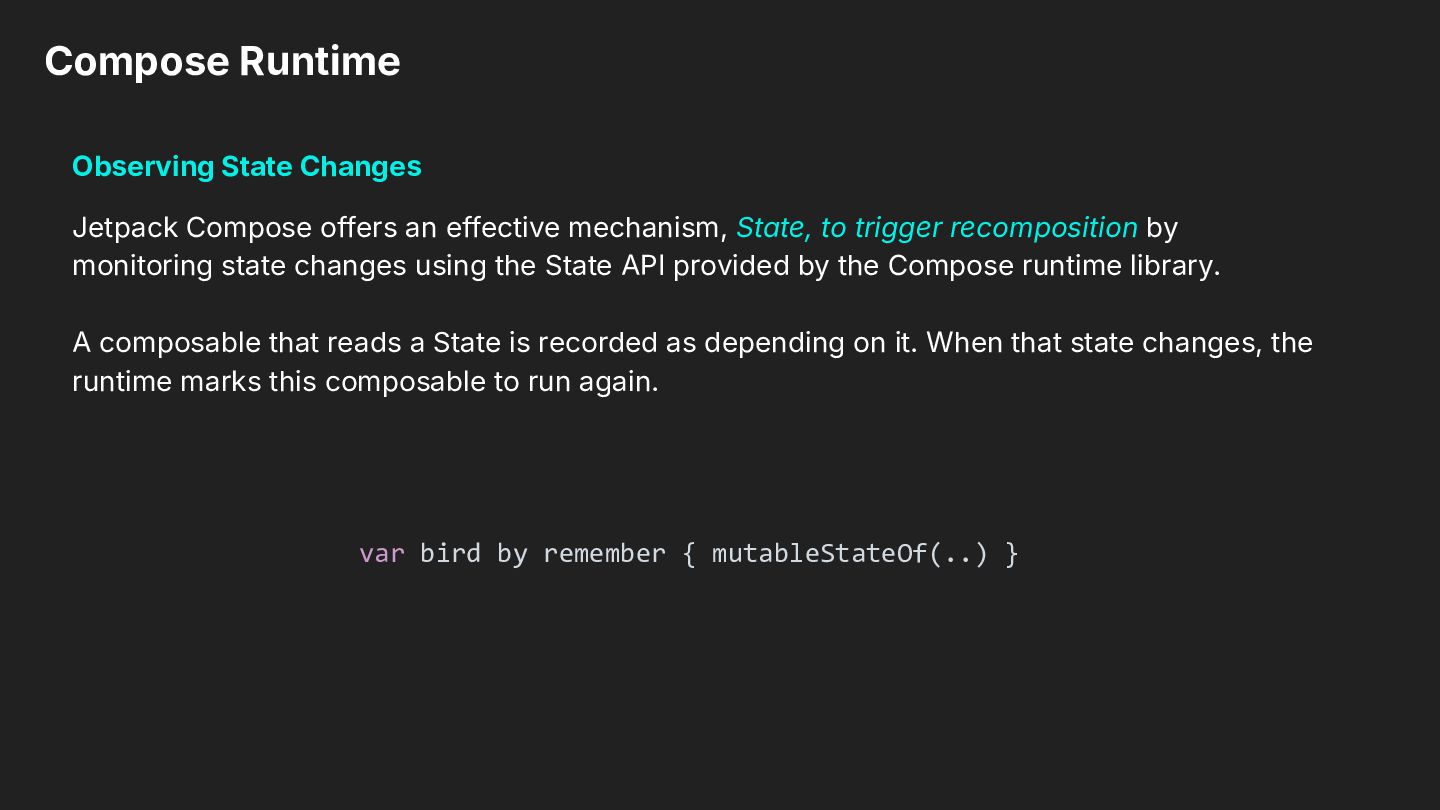
mechanism, State, to trigger recomposition by monitoring state changes using the State API provided by the Compose runtime library. A composable that reads a State is recorded as depending on it. When that state changes, the runtime marks this composable to run again. var bird by remember { mutableStateOf(..) }
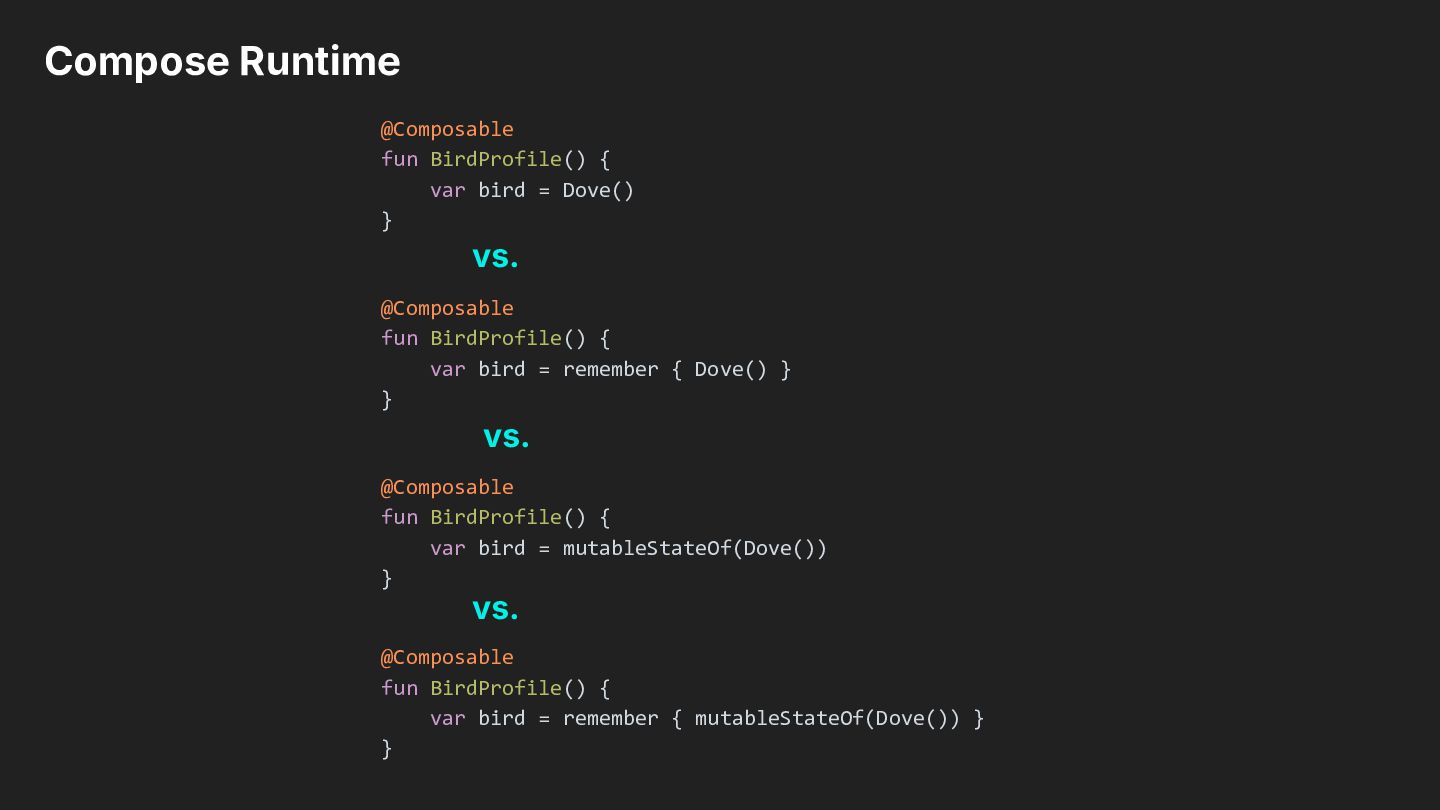
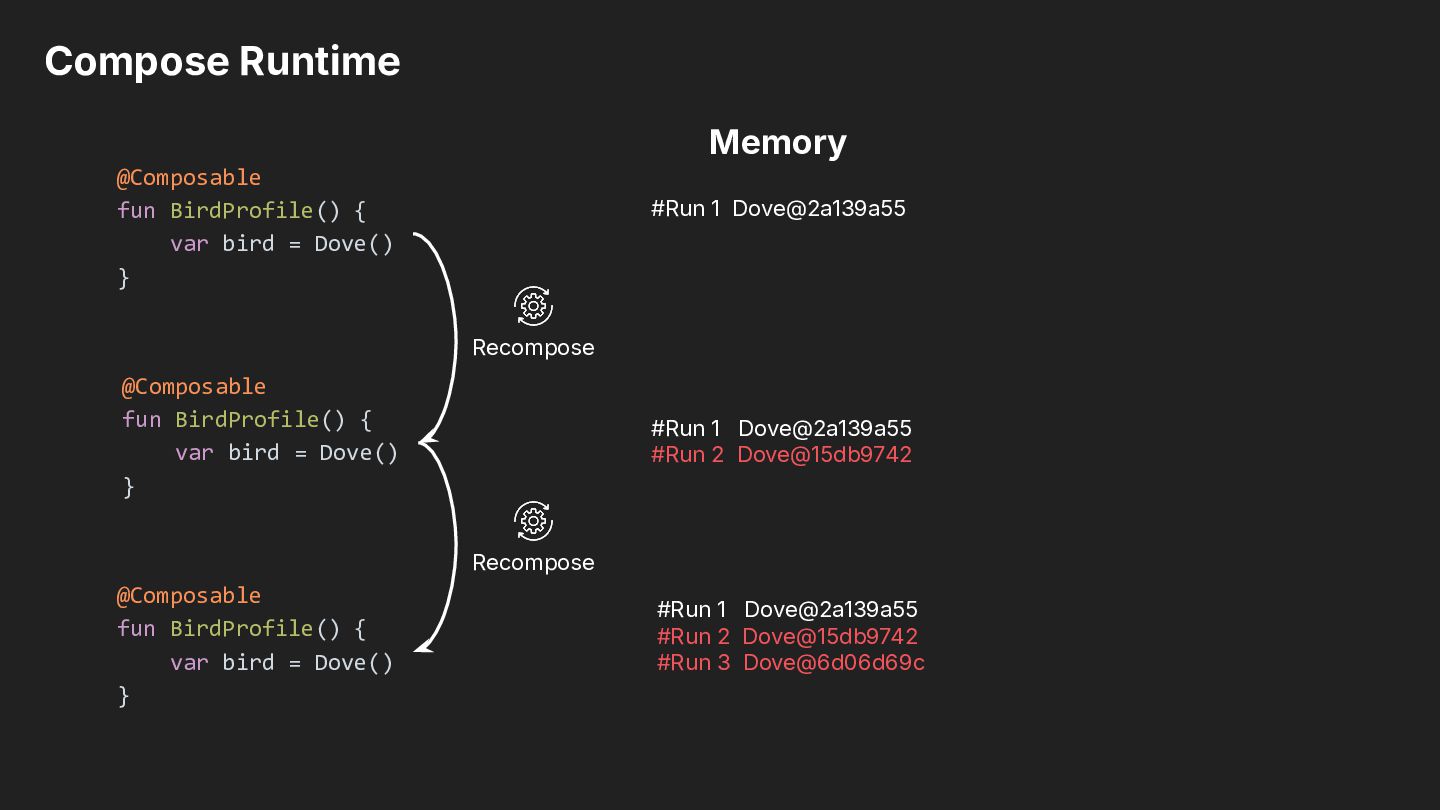
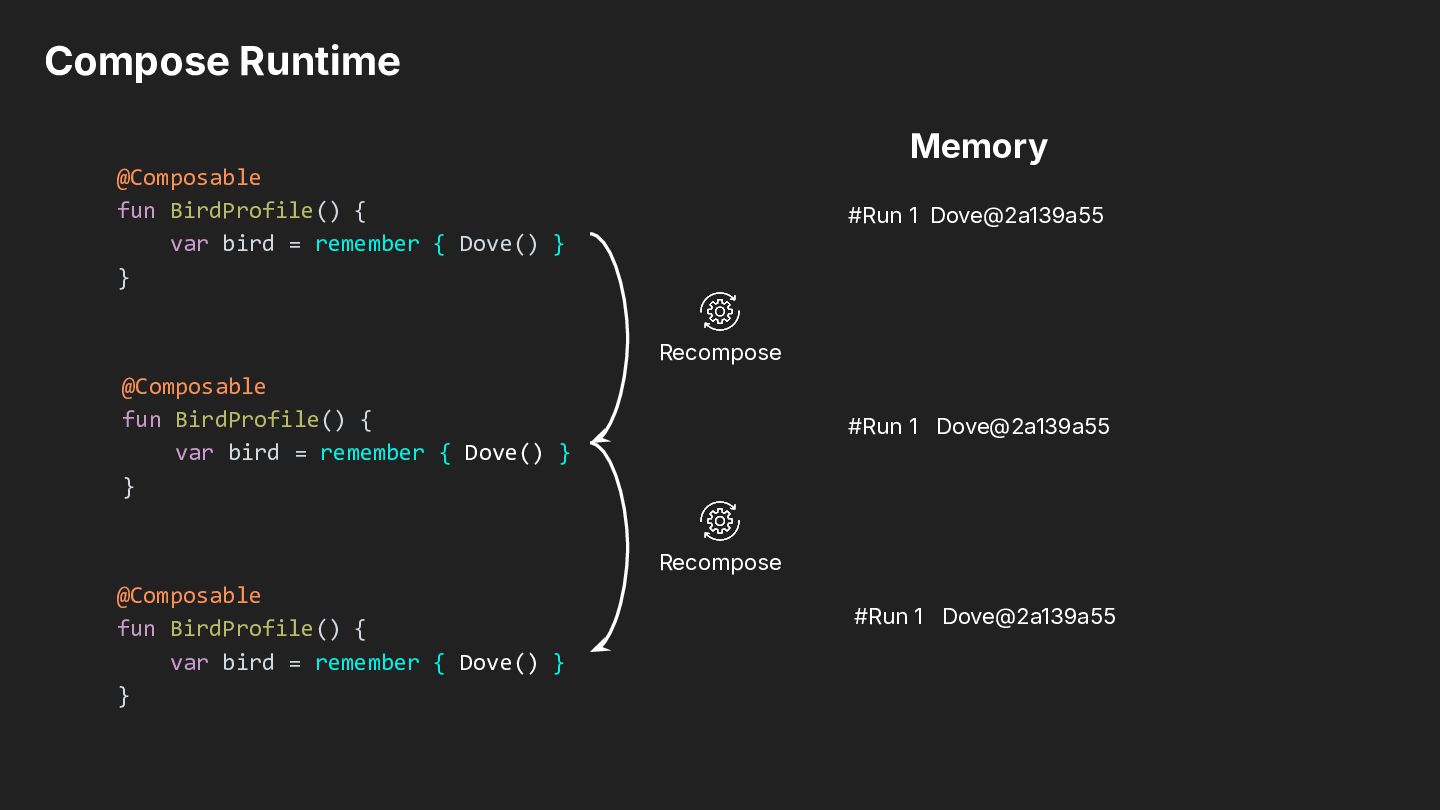
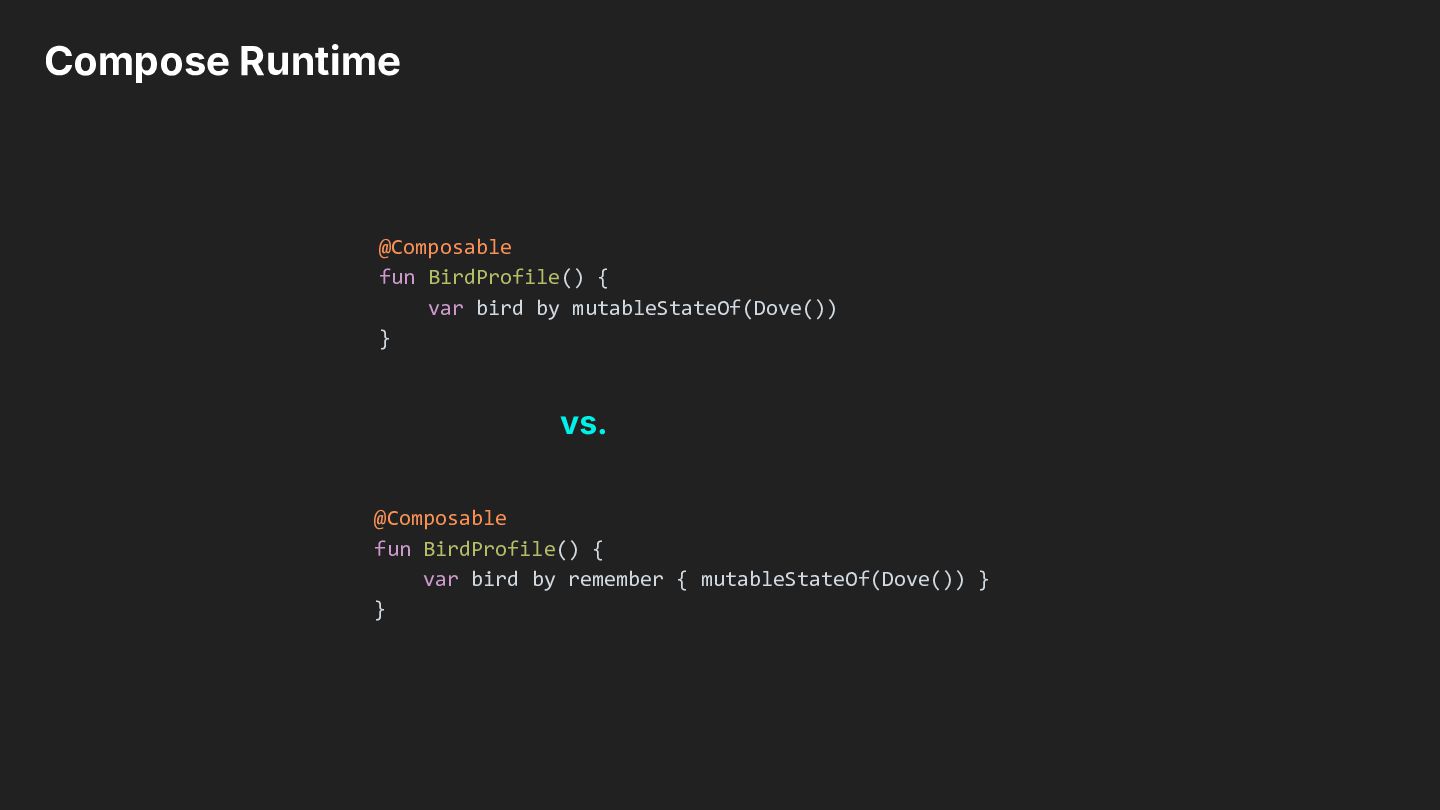
} vs. @Composable fun BirdProfile() { var bird = remember { Dove() } } vs. @Composable fun BirdProfile() { var bird = mutableStateOf(Dove()) } vs. @Composable fun BirdProfile() { var bird = remember { mutableStateOf(Dove()) } }
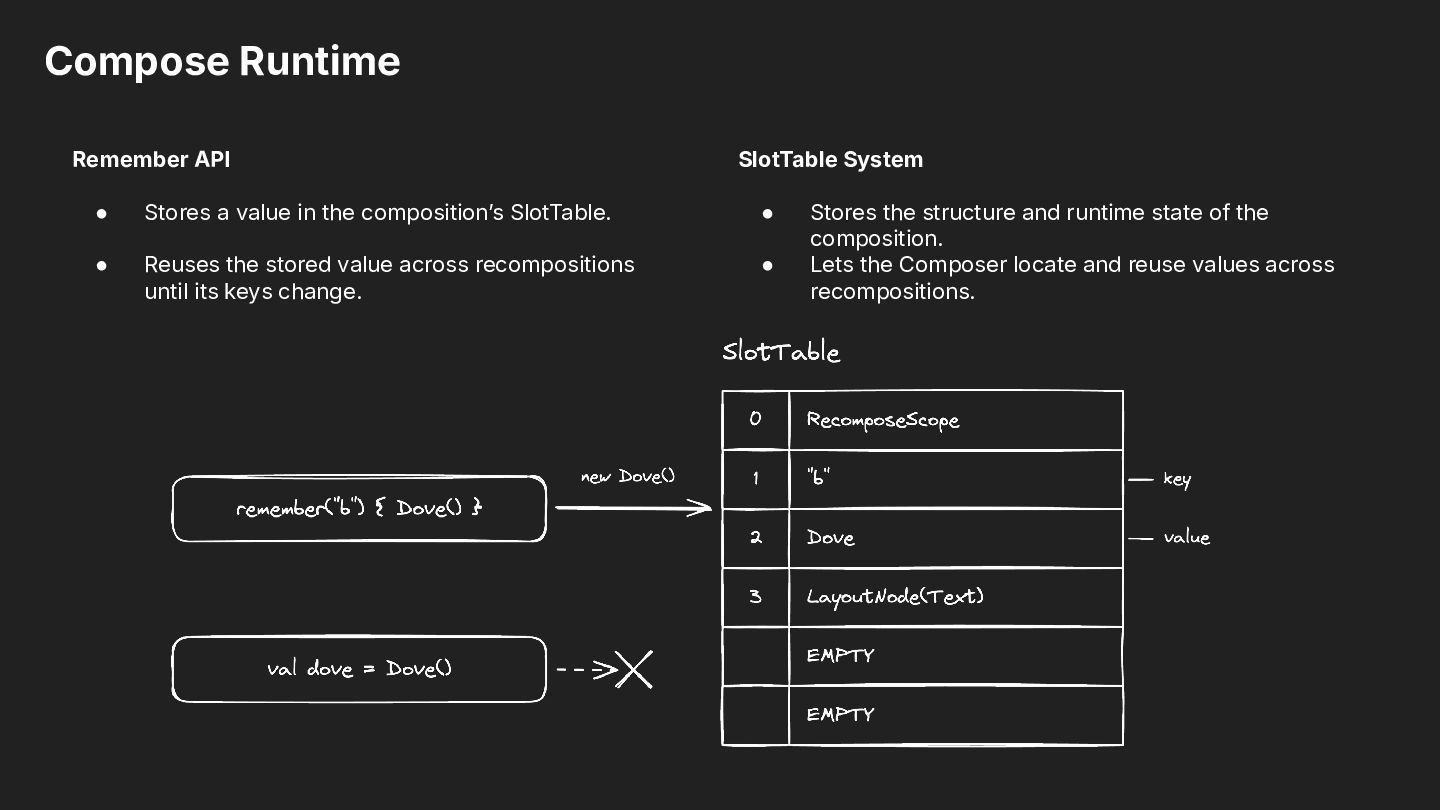
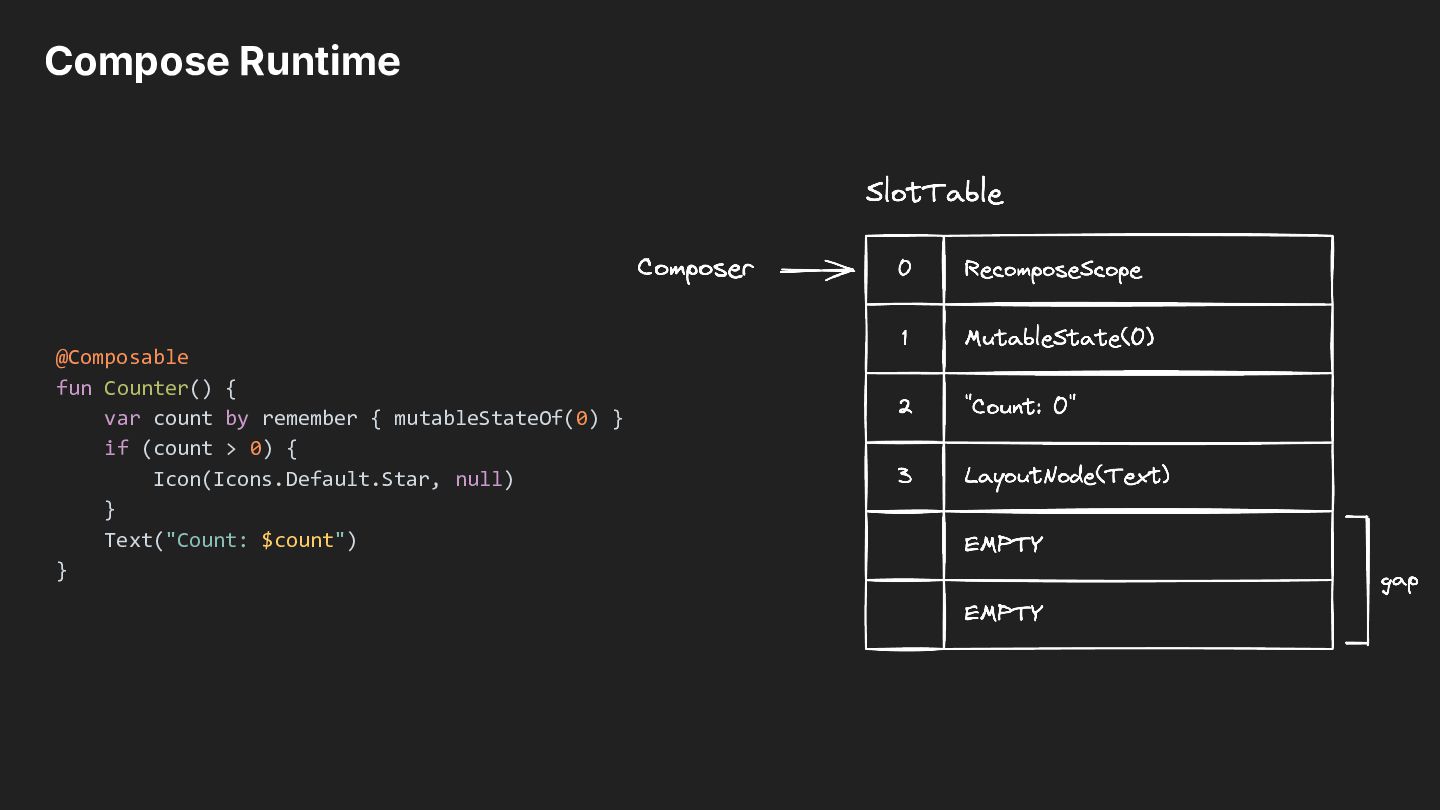
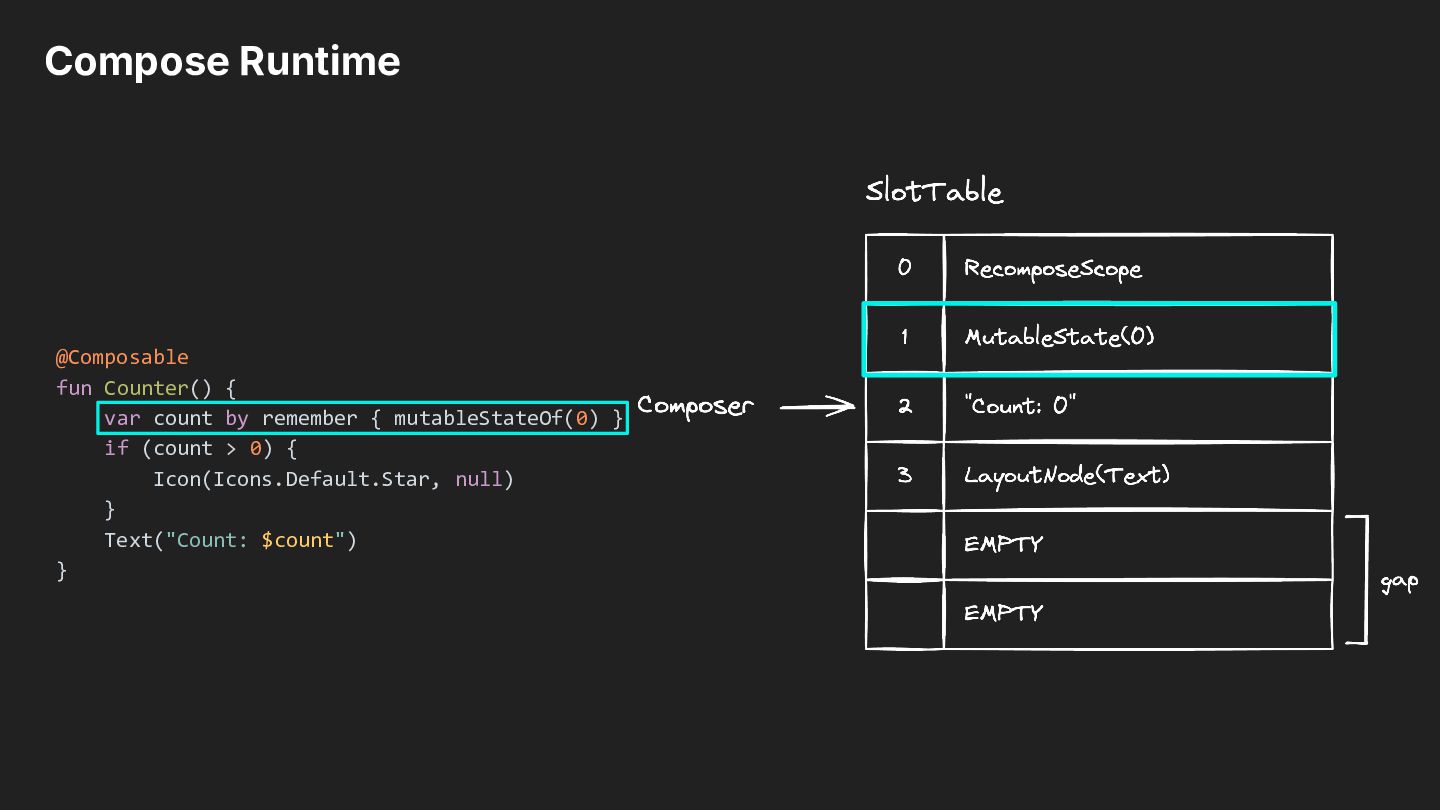
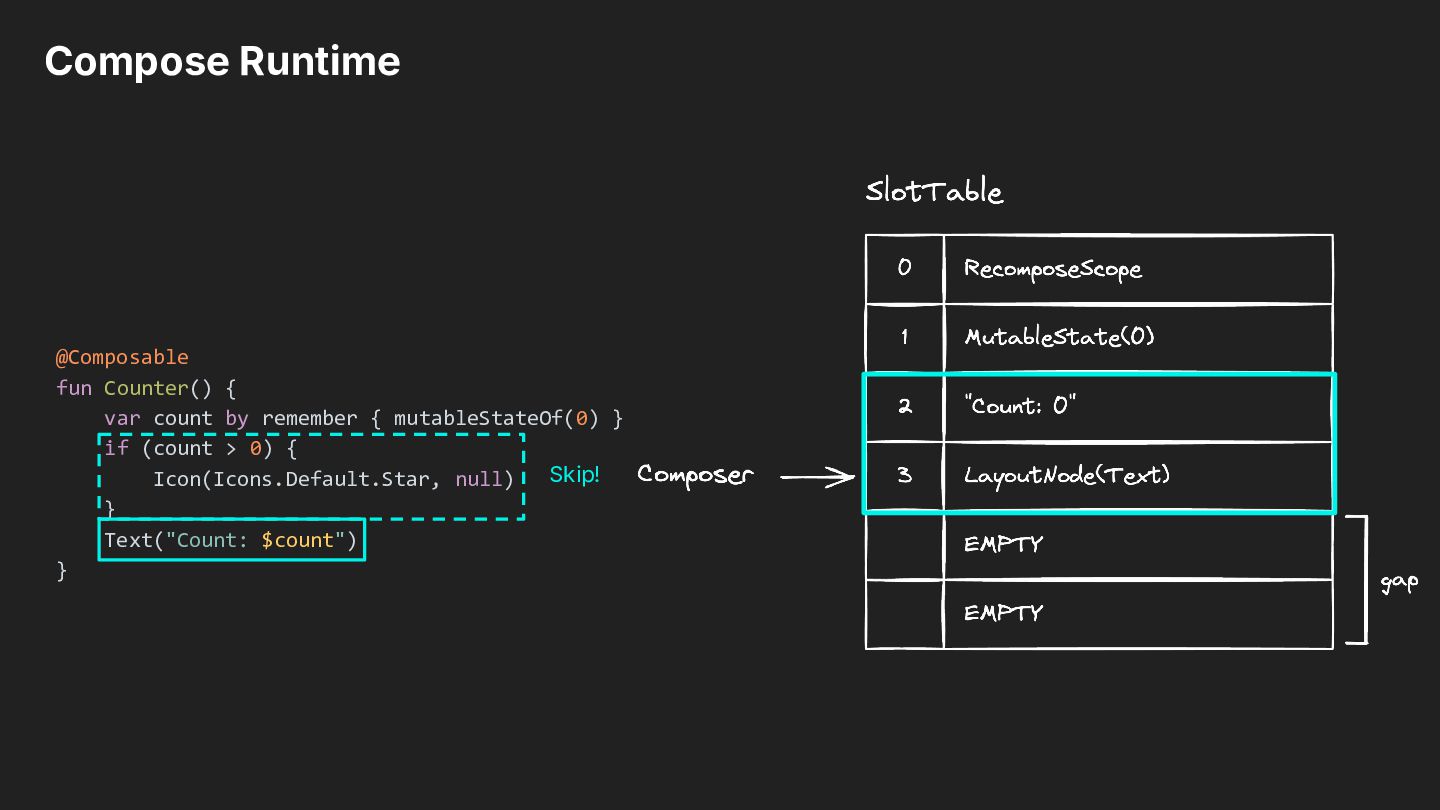
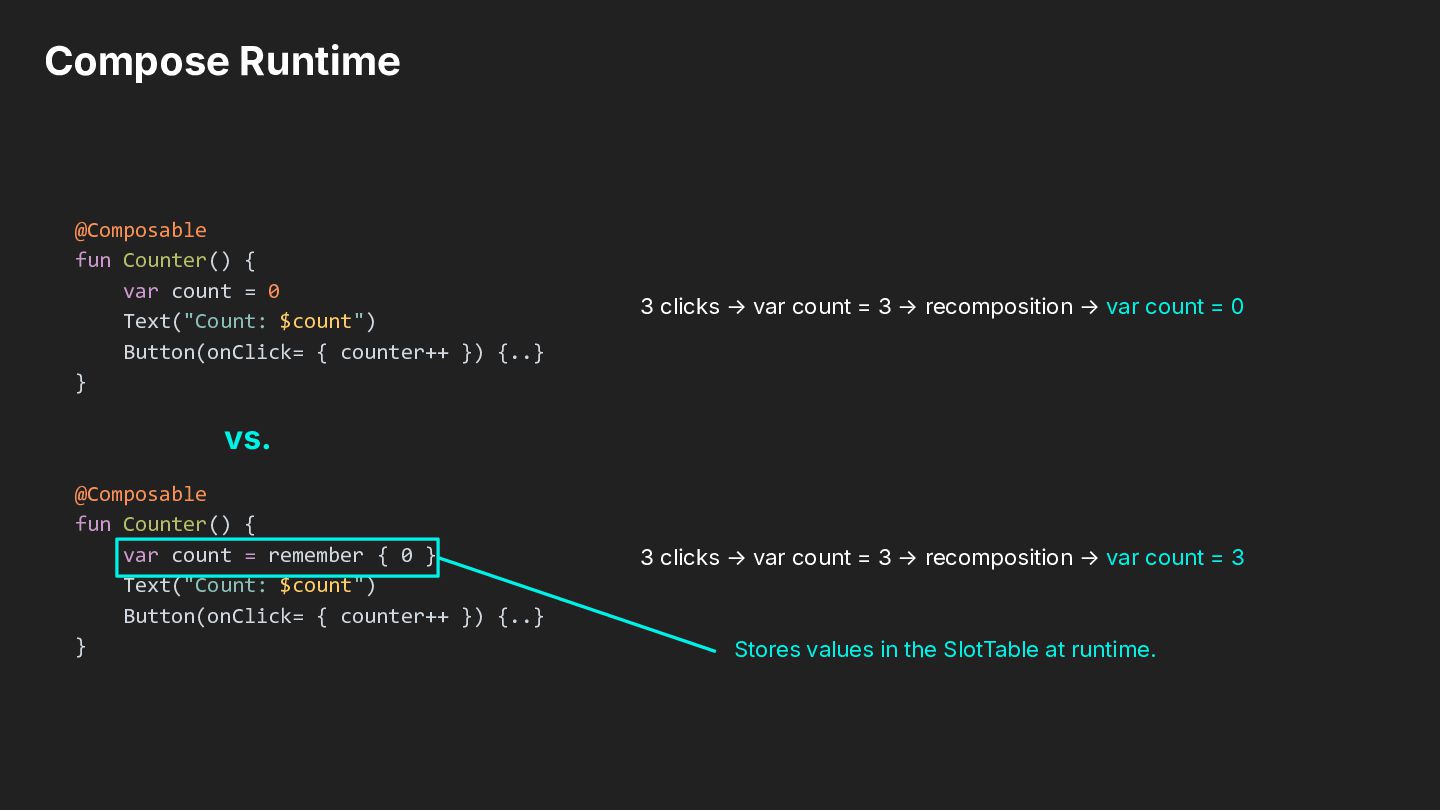
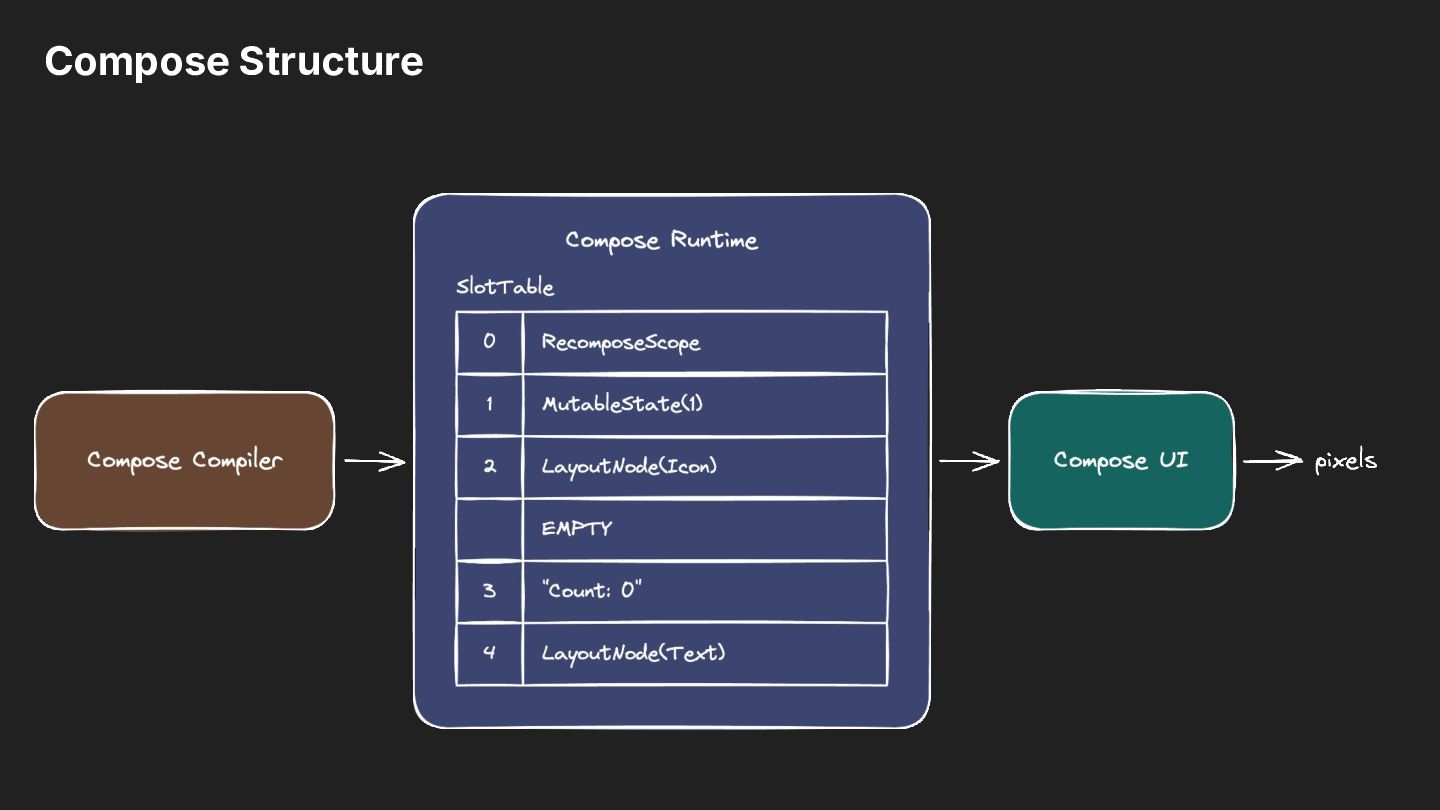
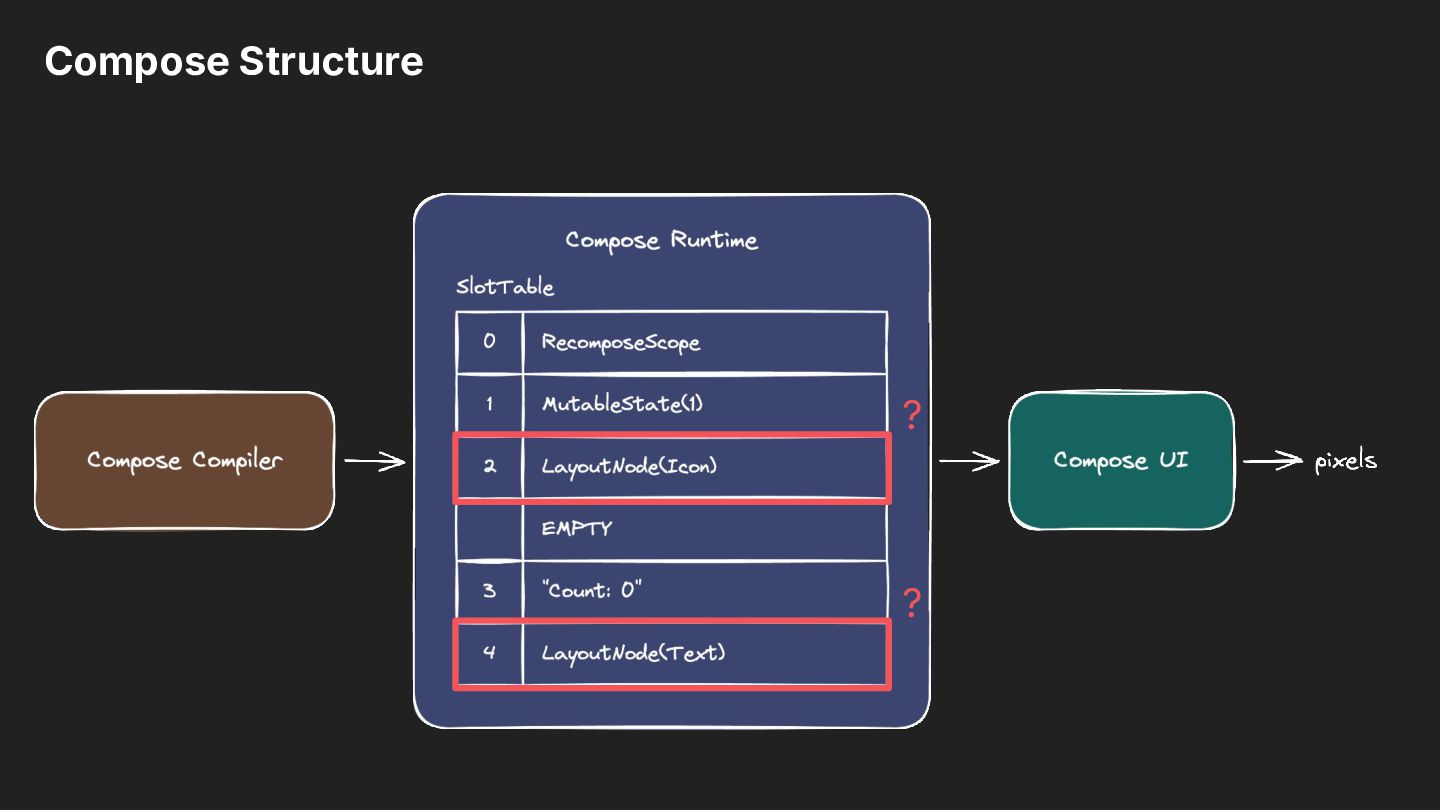
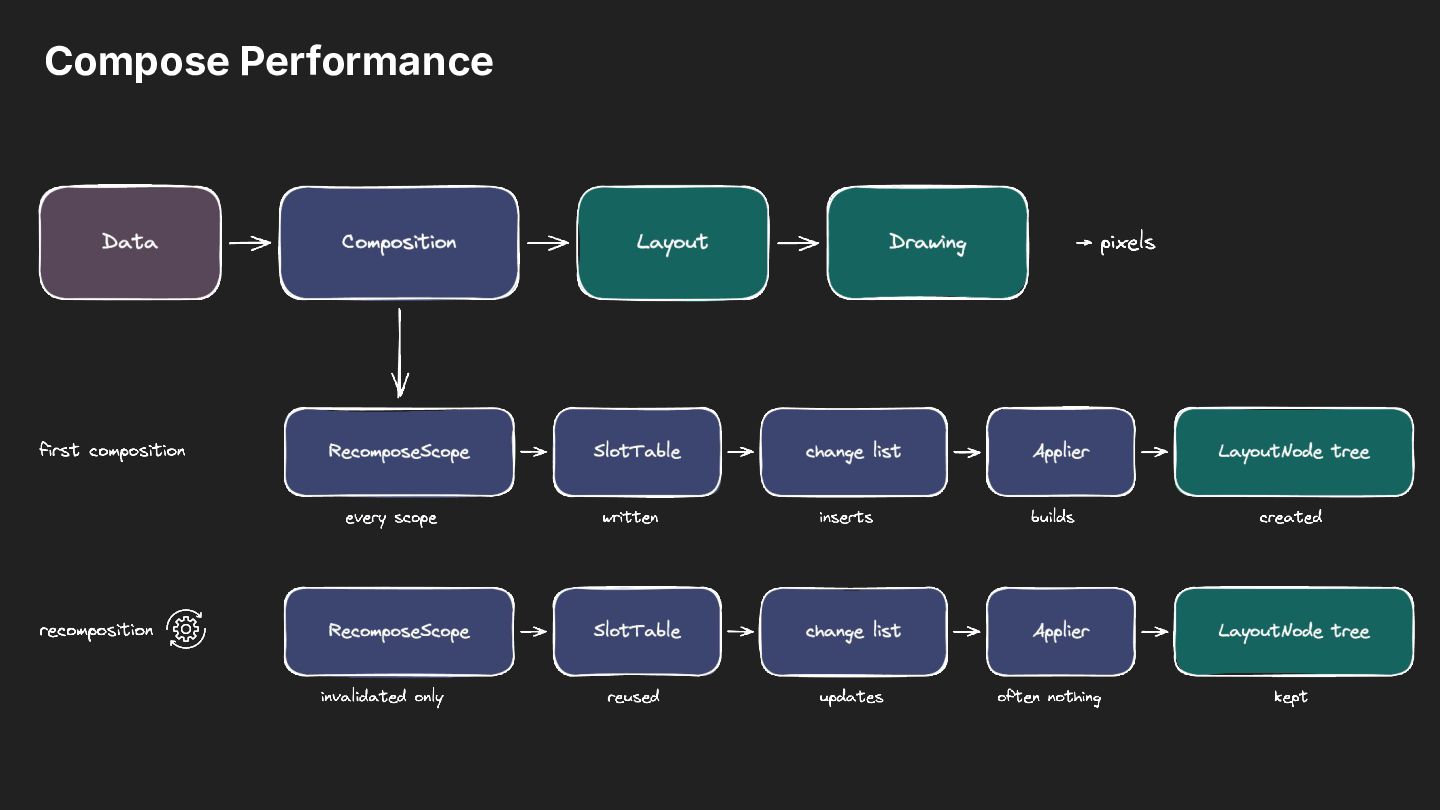
in the compositionʼs SlotTable. • • Reuses the stored value across recompositions until its keys change. • Stores the structure and runtime state of the composition. Lets the Composer locate and reuse values across recompositions.
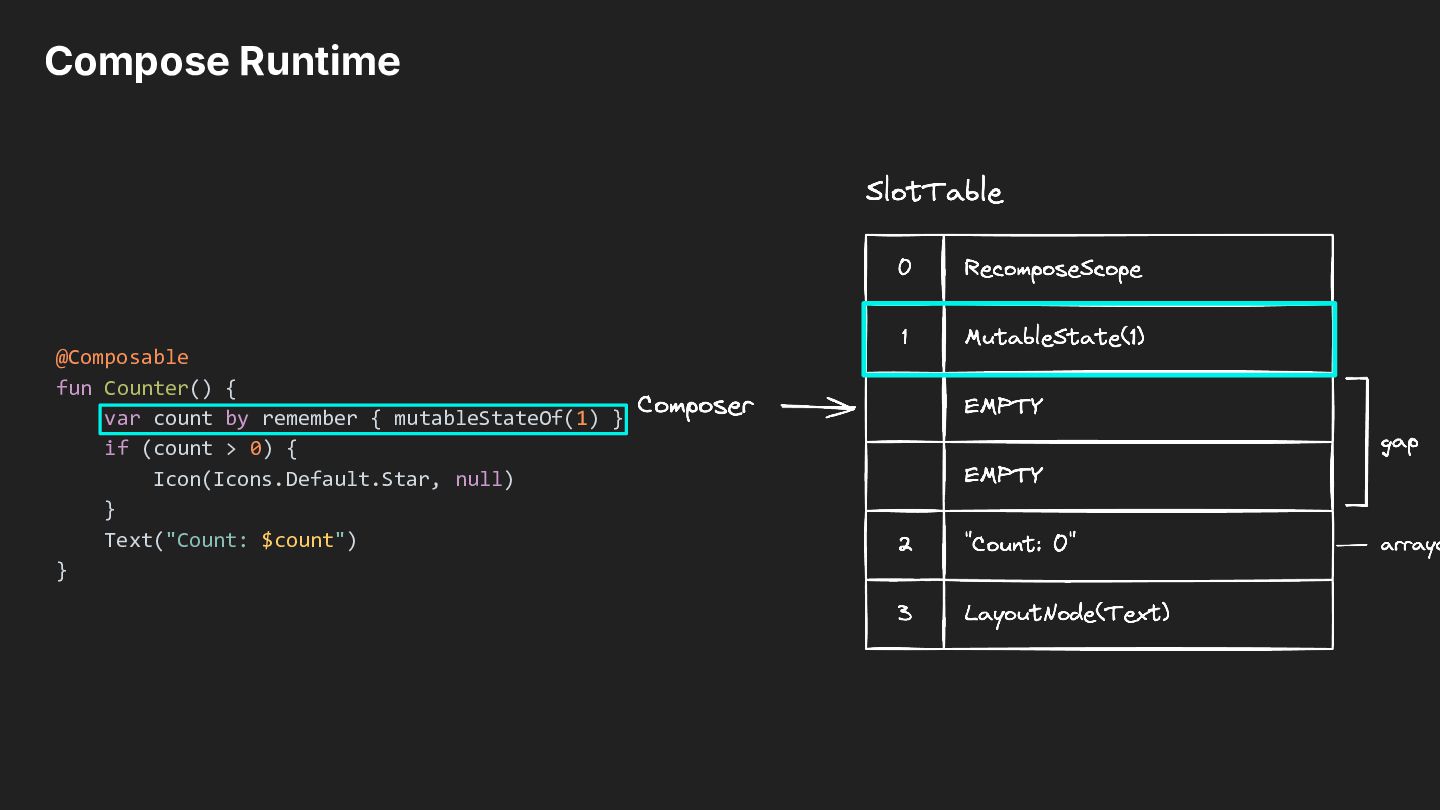
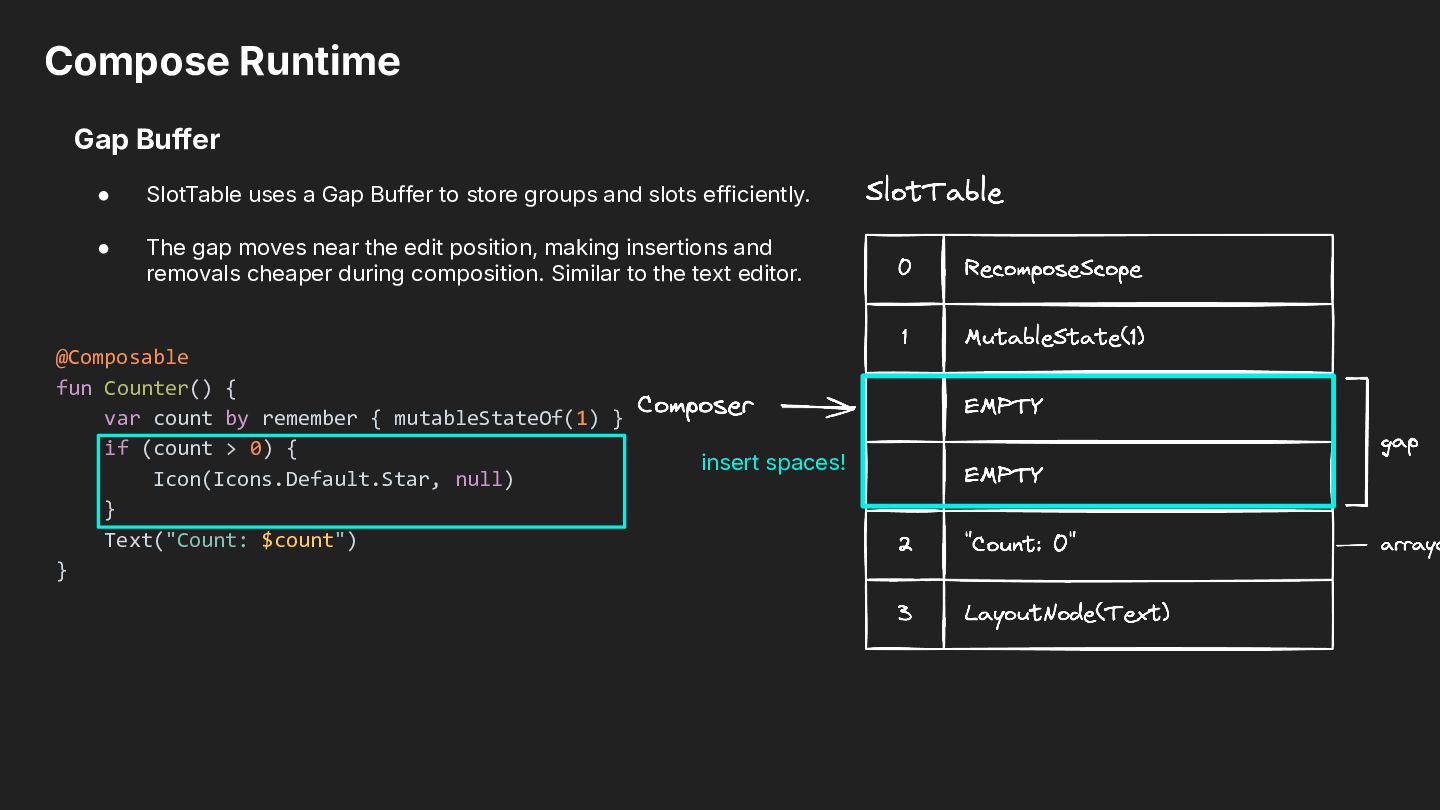
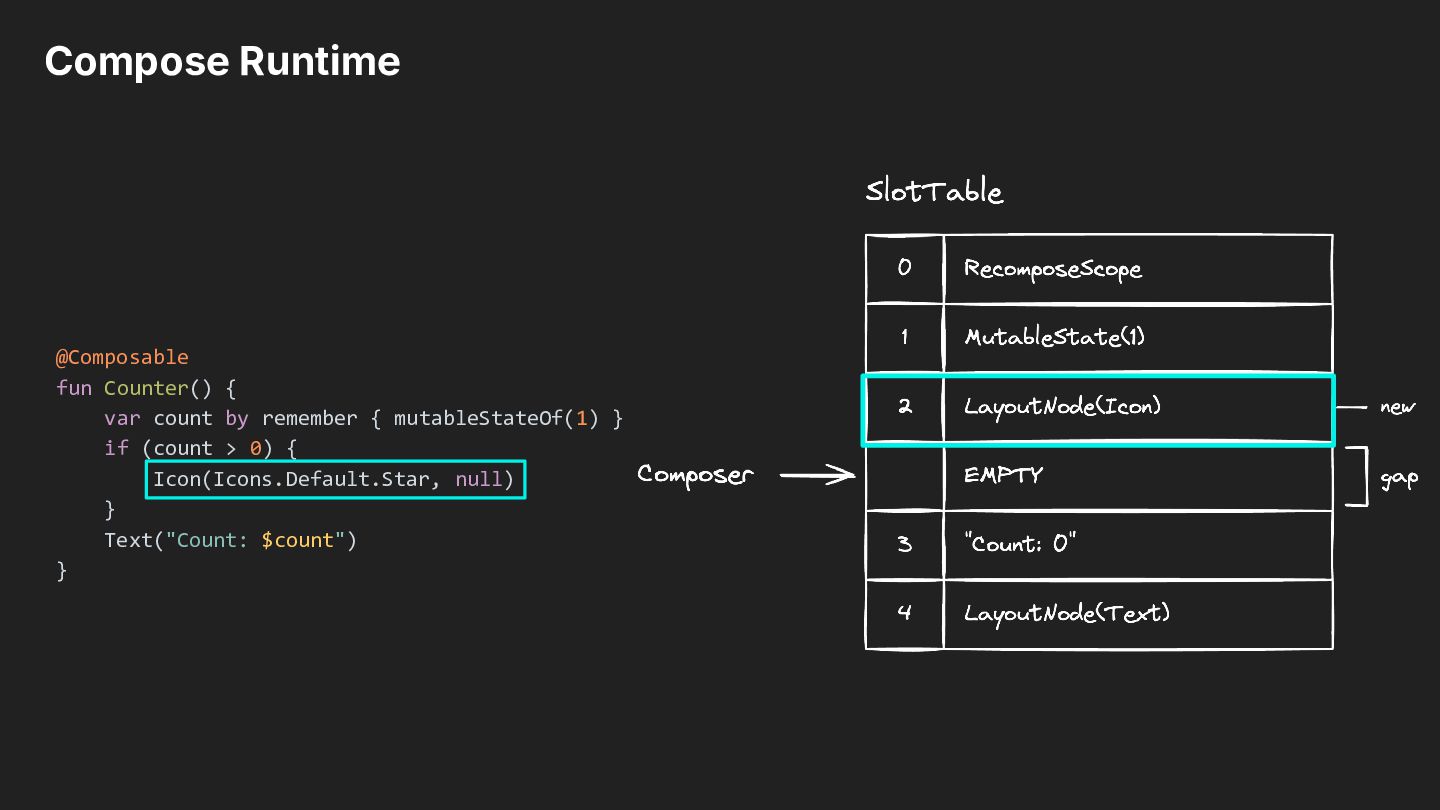
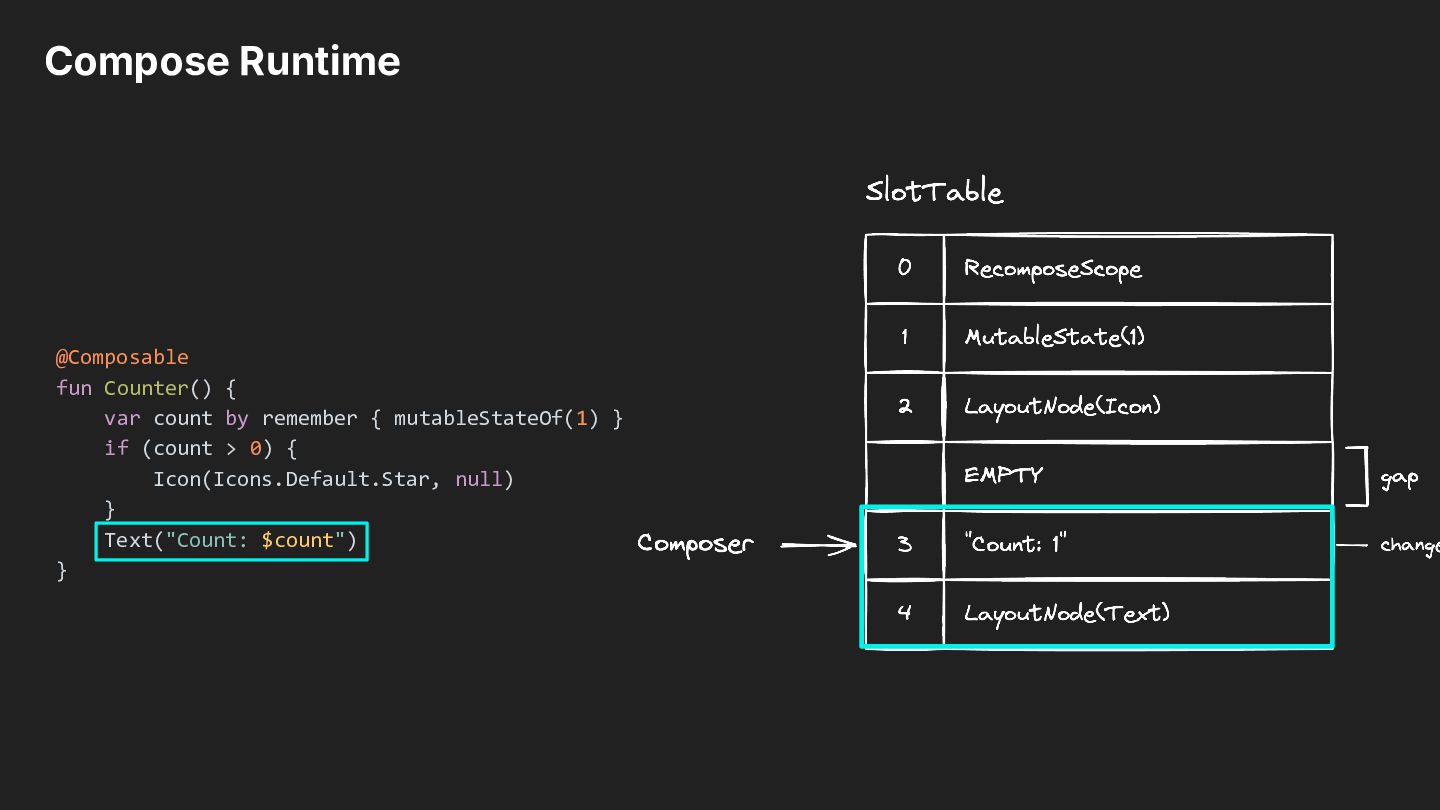
to store groups and slots efficiently. • The gap moves near the edit position, making insertions and removals cheaper during composition. Similar to the text editor. @Composable fun Counter() { var count by remember { mutableStateOf(1) } if (count > 0) { Icon(Icons.Default.Star, null) } Text("Count: $count") } insert spaces!
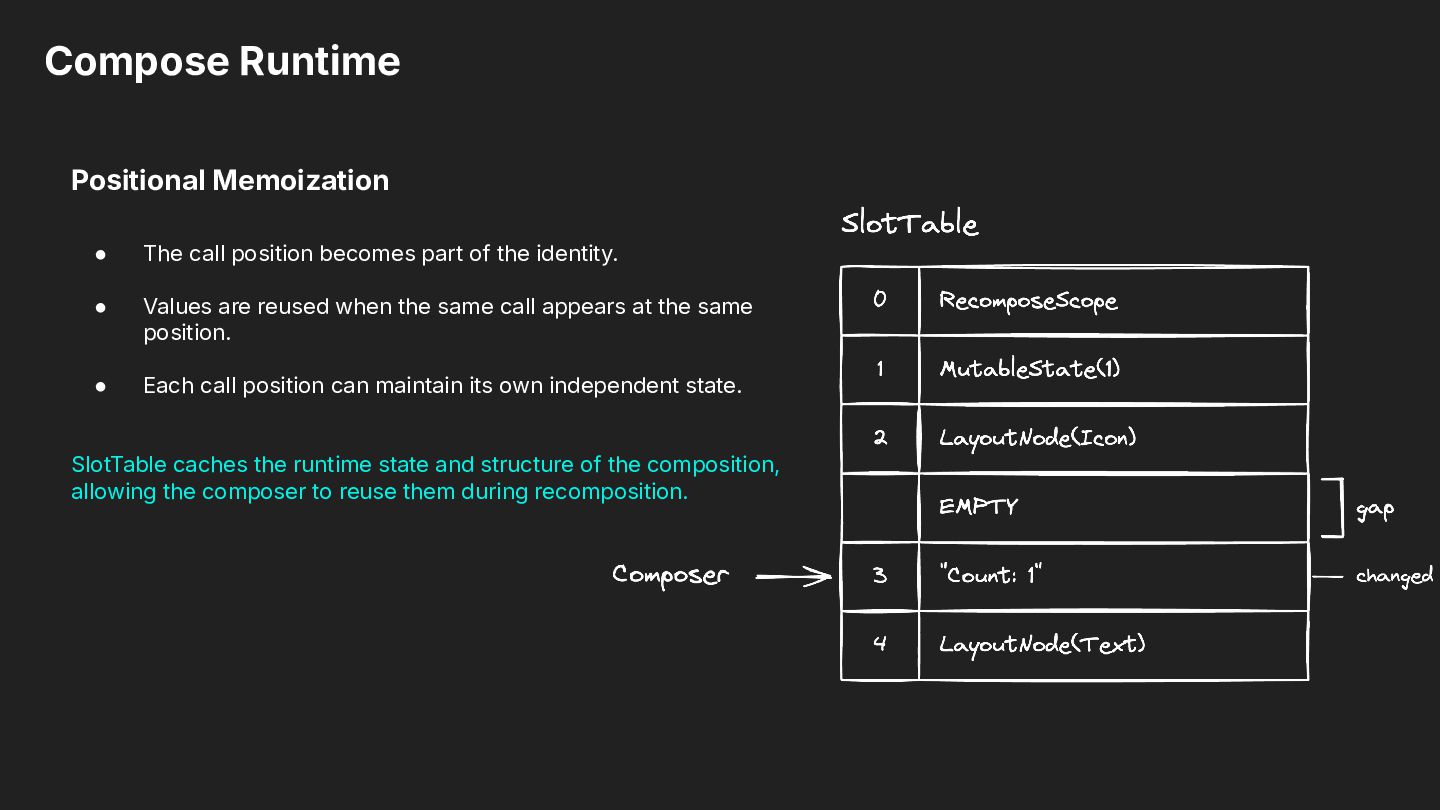
of the identity. • Values are reused when the same call appears at the same position. • Each call position can maintain its own independent state. SlotTable caches the runtime state and structure of the composition, allowing the composer to reuse them during recomposition.
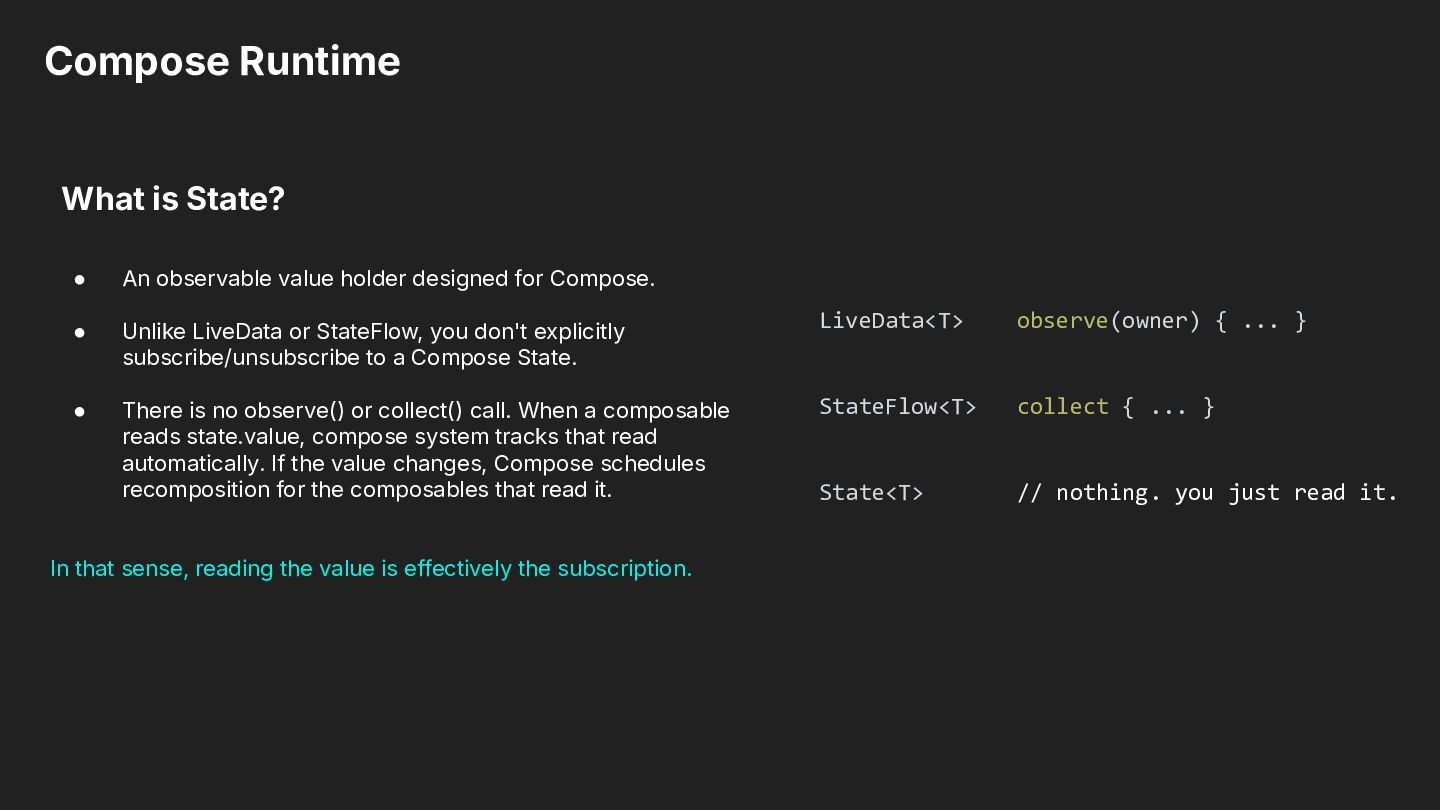
designed for Compose. • Unlike LiveData or StateFlow, you don't explicitly subscribe/unsubscribe to a Compose State. LiveData<T> observe(owner) { ... } • There is no observe() or collect() call. When a composable reads state.value, compose system tracks that read automatically. If the value changes, Compose schedules recomposition for the composables that read it. StateFlow<T> collect { ... } State<T> // nothing. you just read it. In that sense, reading the value is effectively the subscription.
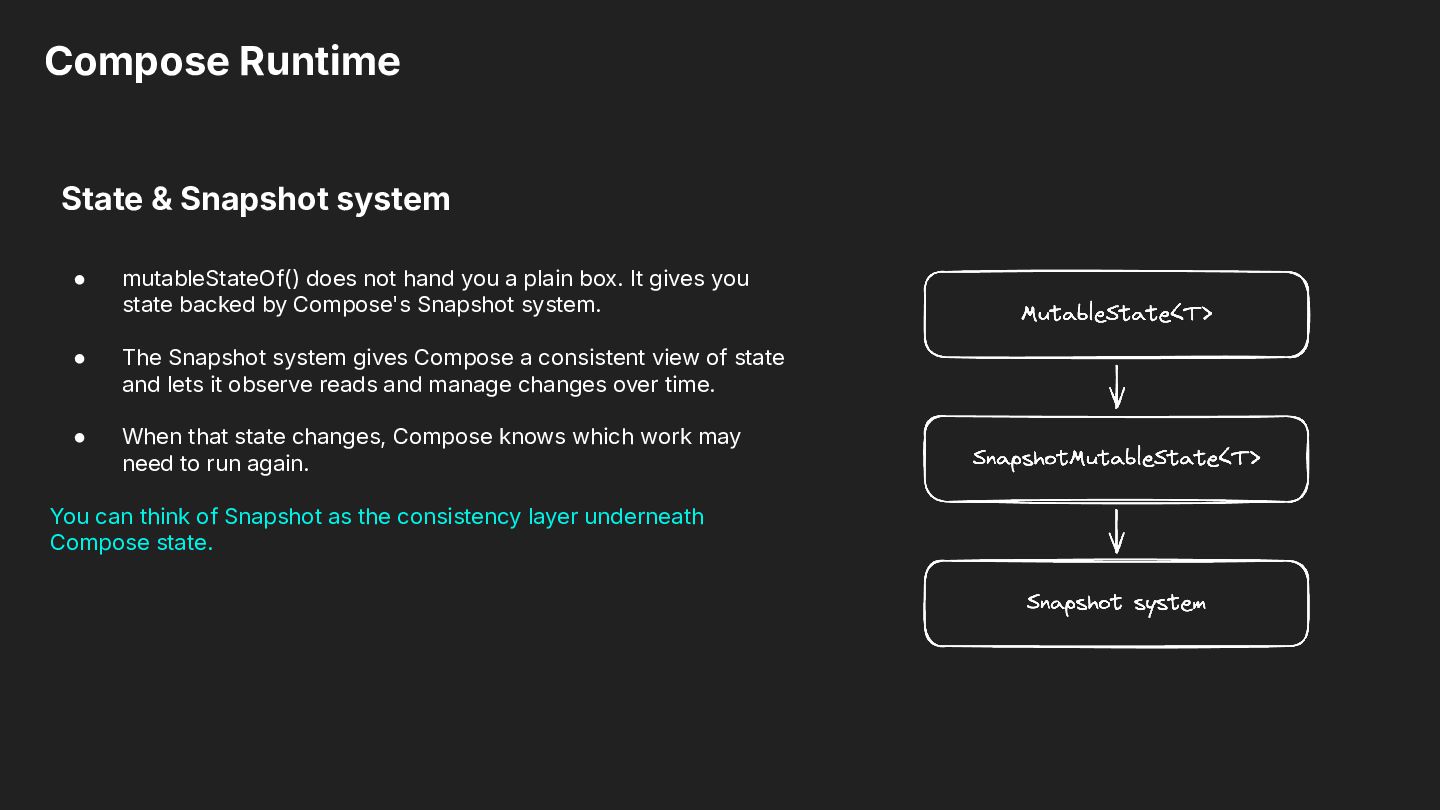
hand you a plain box. It gives you state backed by Compose's Snapshot system. • The Snapshot system gives Compose a consistent view of state and lets it observe reads and manage changes over time. • When that state changes, Compose knows which work may need to run again. You can think of Snapshot as the consistency layer underneath Compose state.
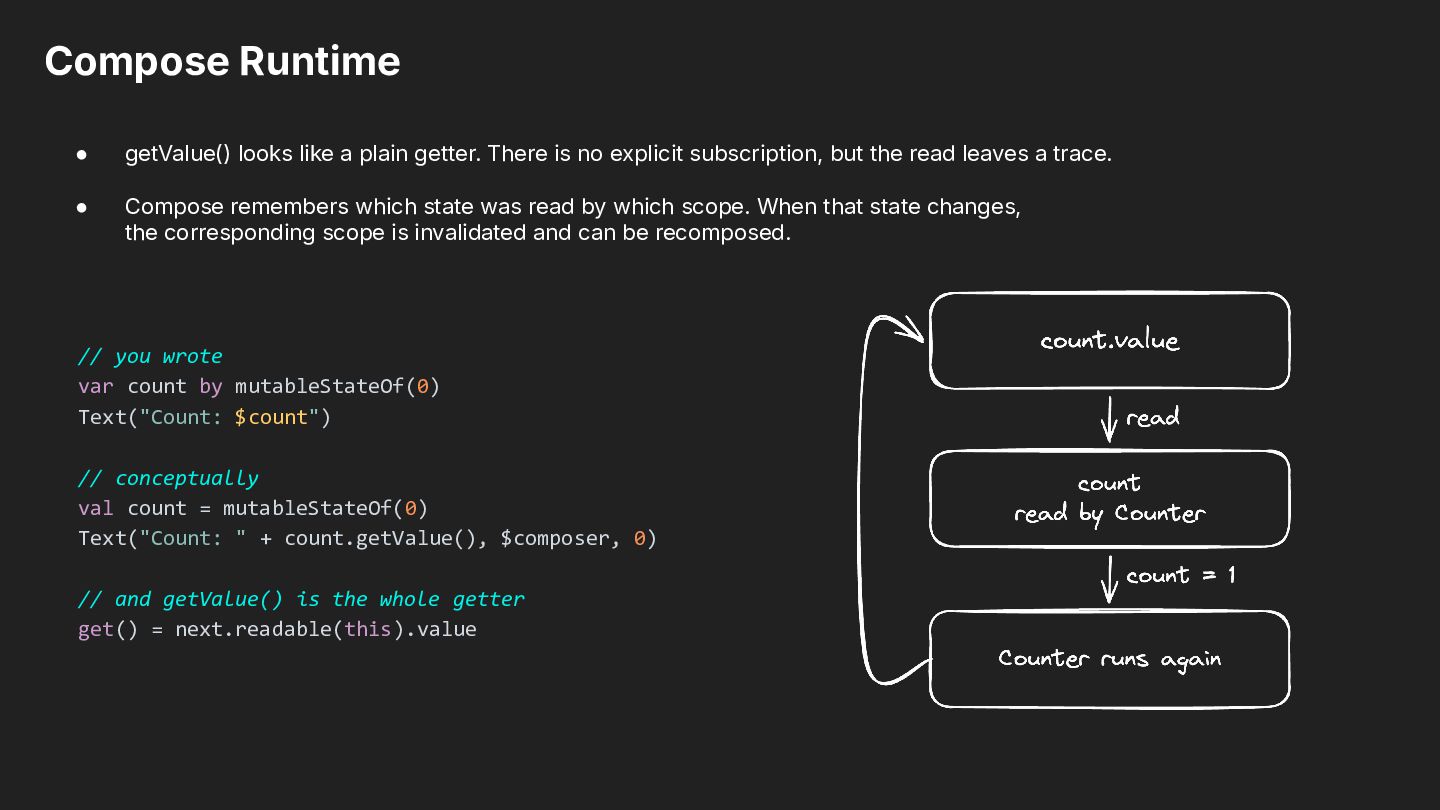
is no explicit subscription, but the read leaves a trace. • Compose remembers which state was read by which scope. When that state changes, the corresponding scope is invalidated and can be recomposed. // you wrote var count by mutableStateOf(0) Text("Count: $count") // conceptually val count = mutableStateOf(0) Text("Count: " + count.getValue(), $composer, 0) // and getValue() is the whole getter get() = next.readable(this).value
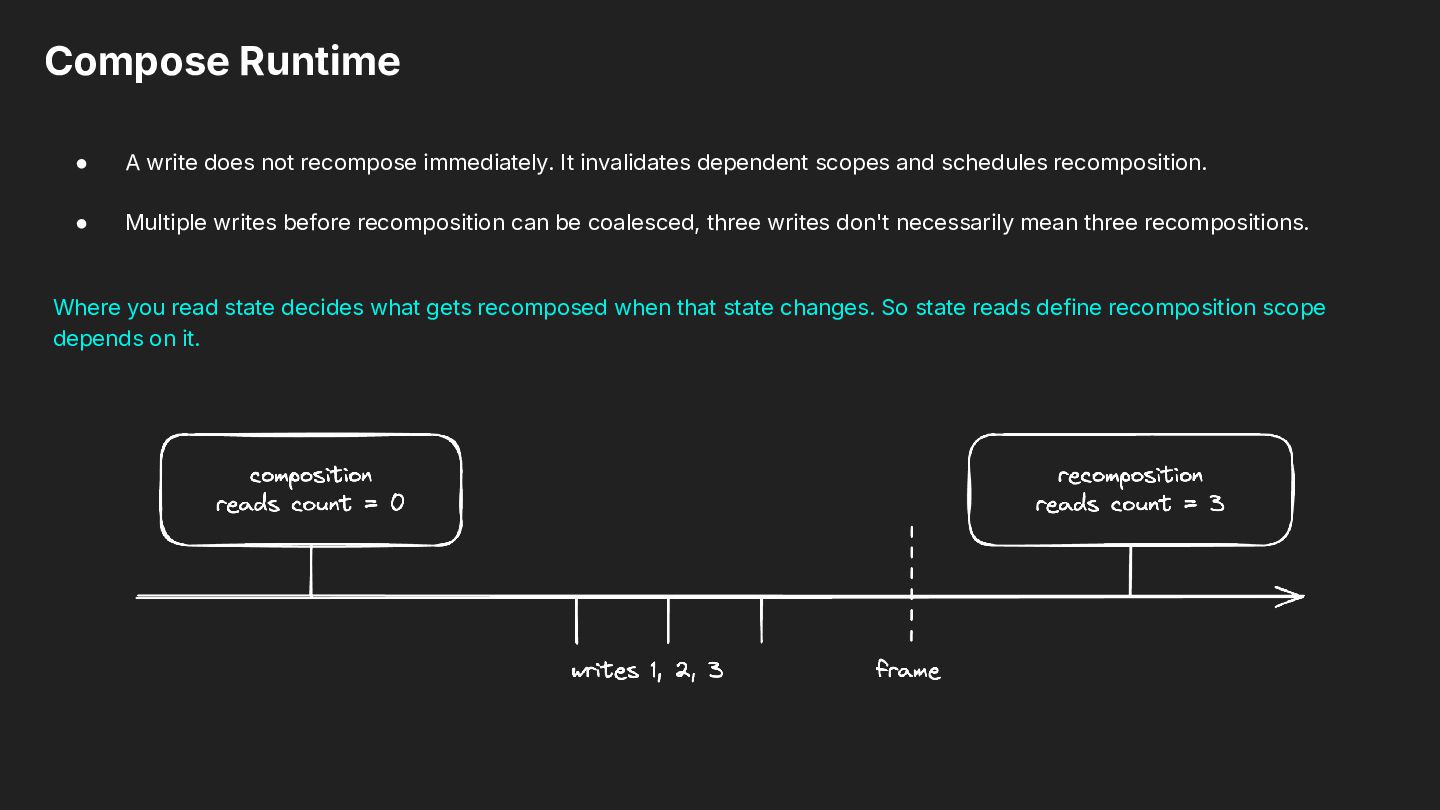
invalidates dependent scopes and schedules recomposition. • Multiple writes before recomposition can be coalesced, three writes don't necessarily mean three recompositions. Where you read state decides what gets recomposed when that state changes. So state reads define recomposition scope depends on it.
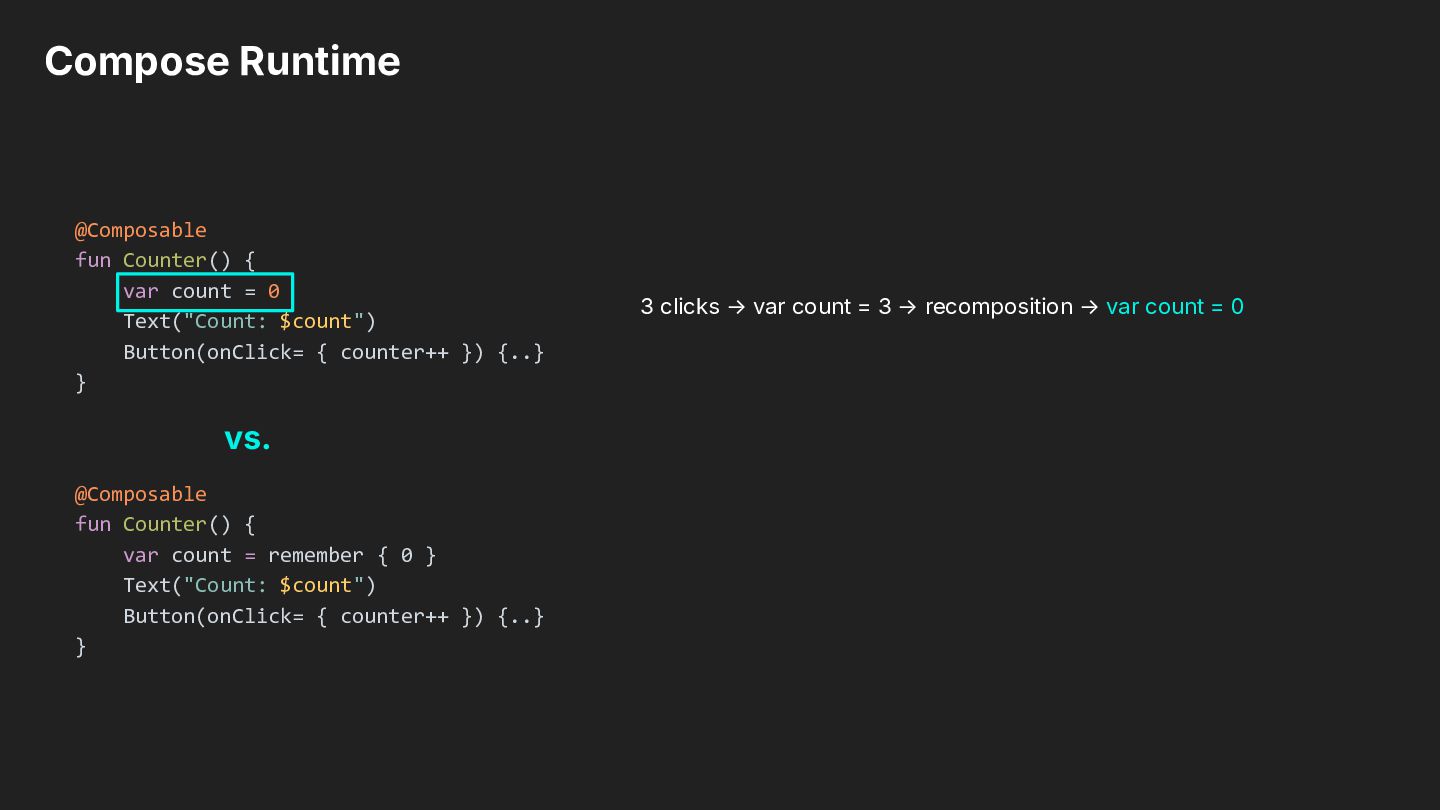
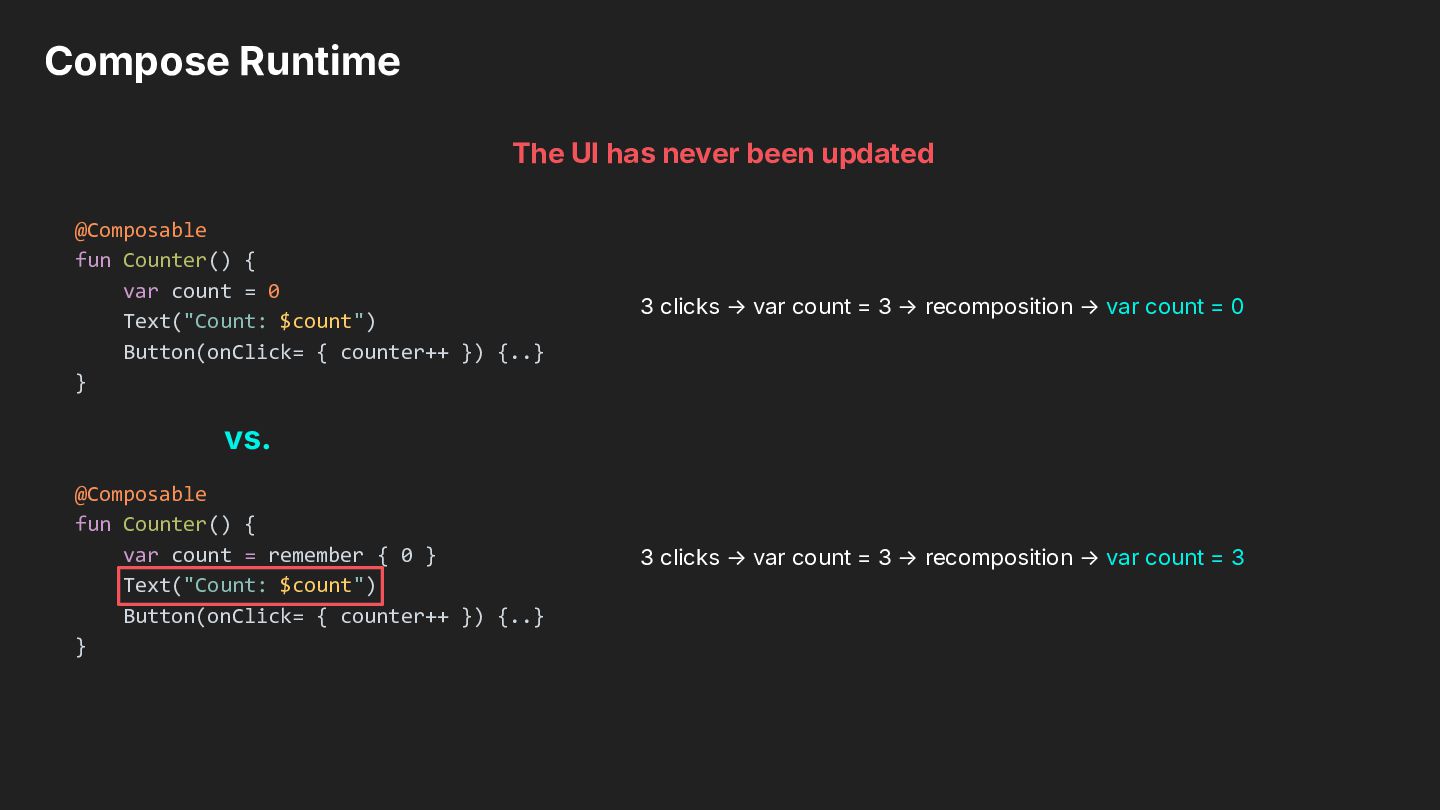
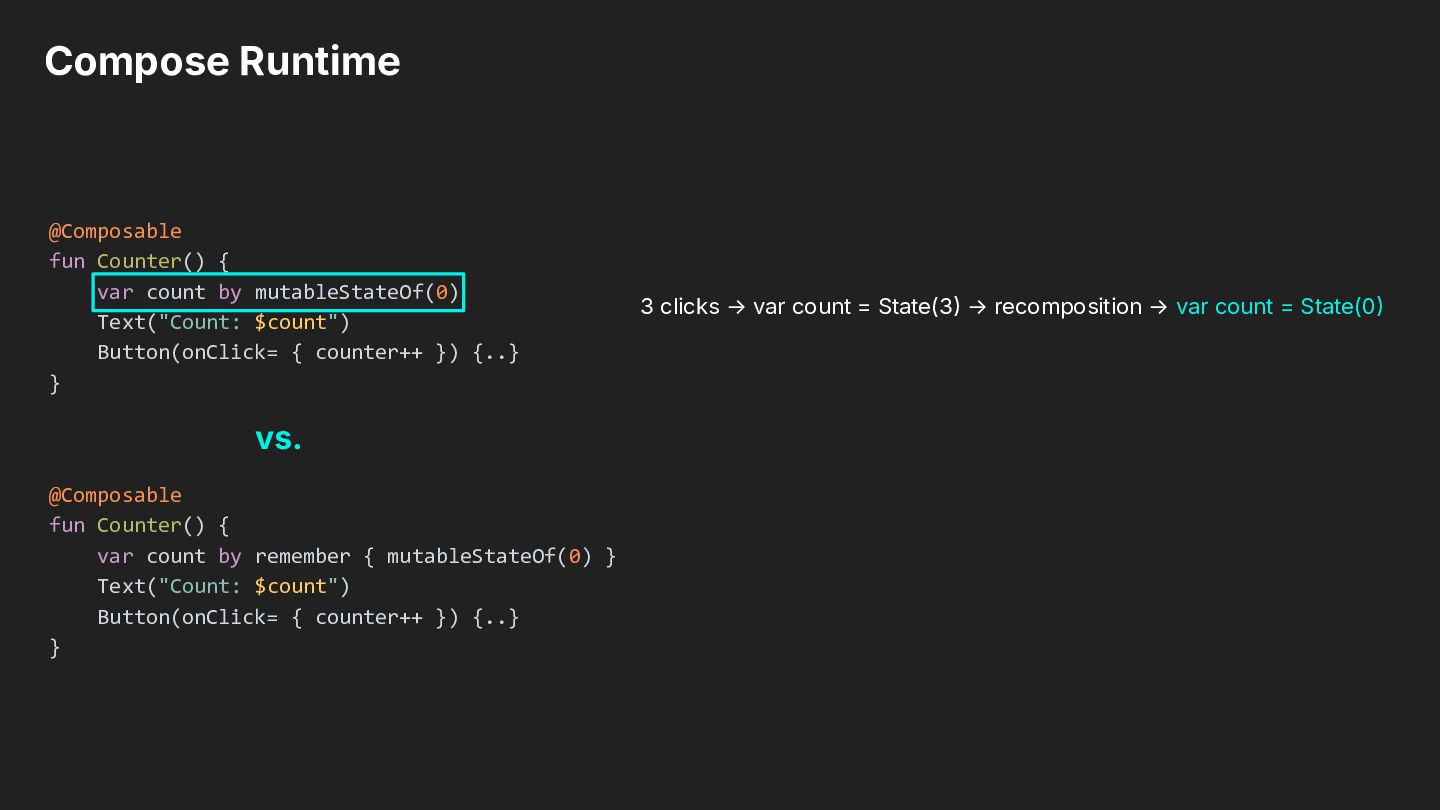
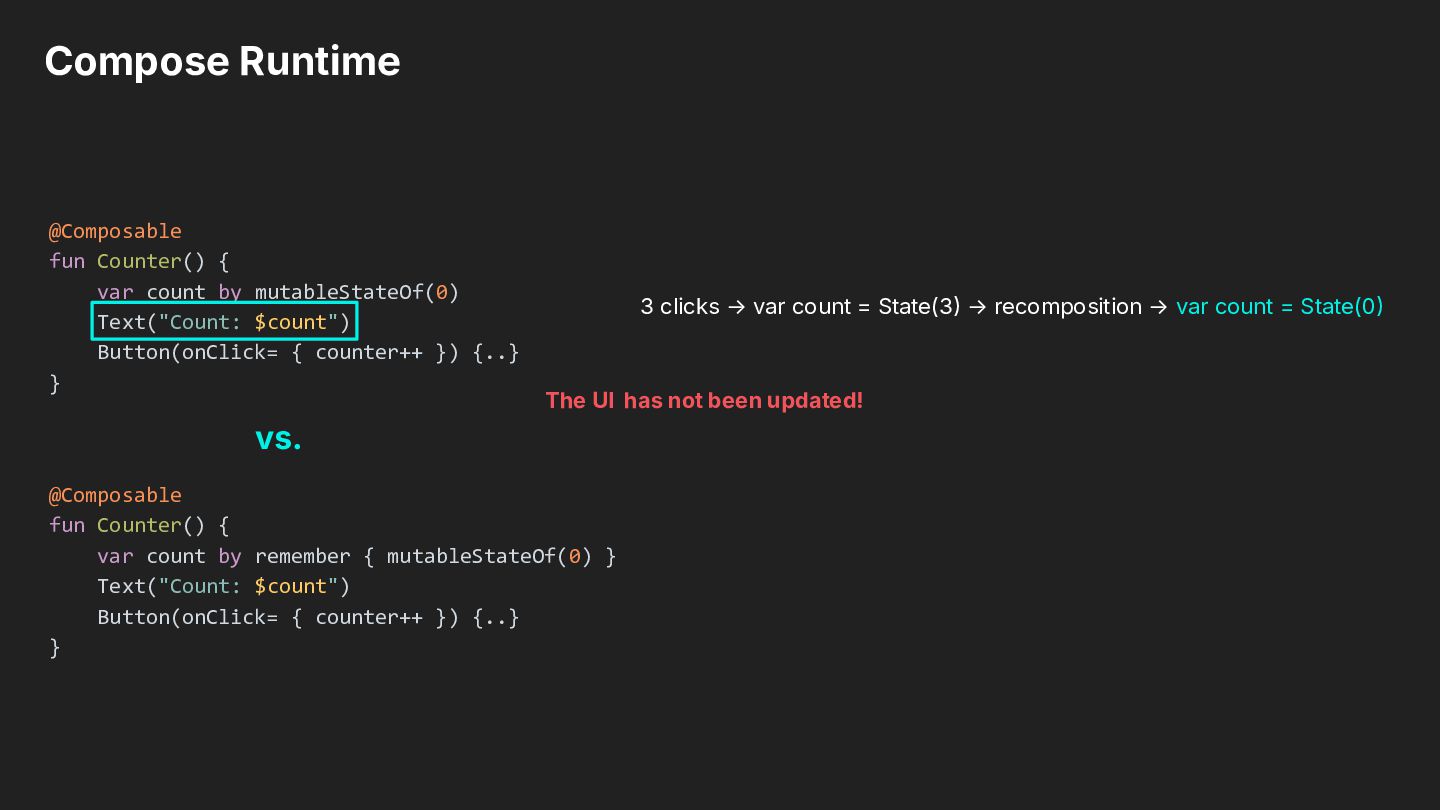
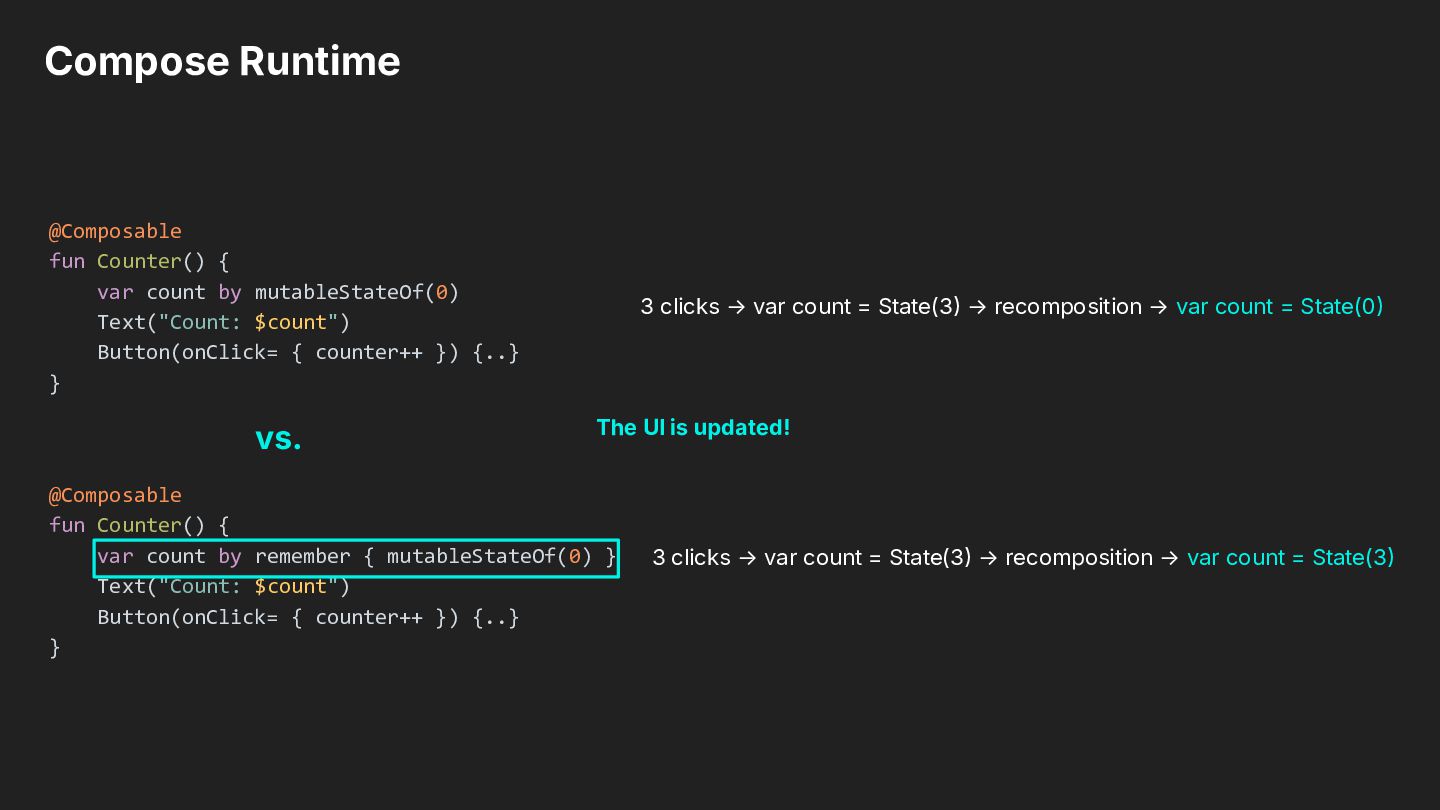
Text("Count: $count") Button(onClick= { counter++ }) {..} } 3 clicks → var count = State(3 → recomposition → var count = State(0 The UI has not been updated! vs. @Composable fun Counter() { var count by remember { mutableStateOf(0) } Text("Count: $count") Button(onClick= { counter++ }) {..} }
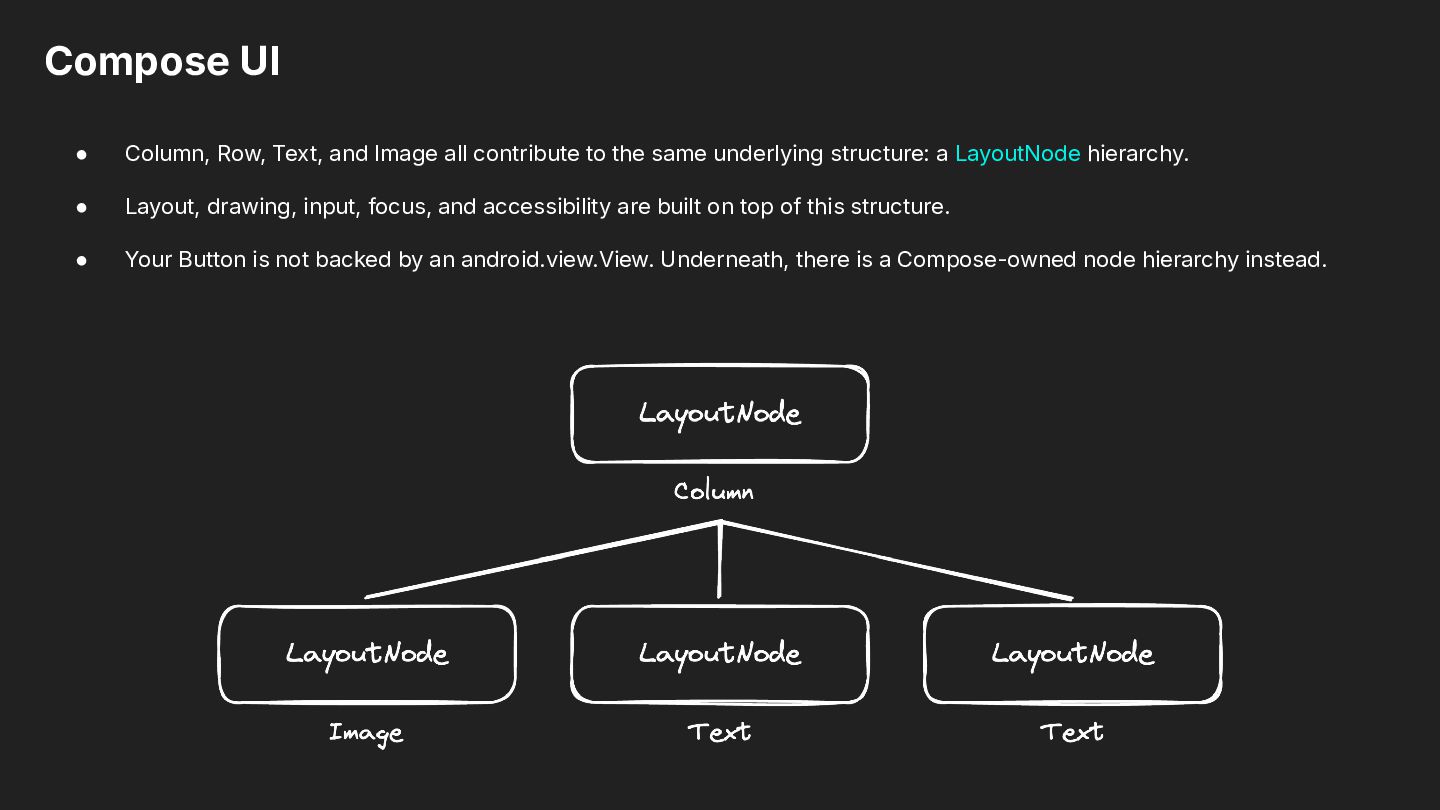
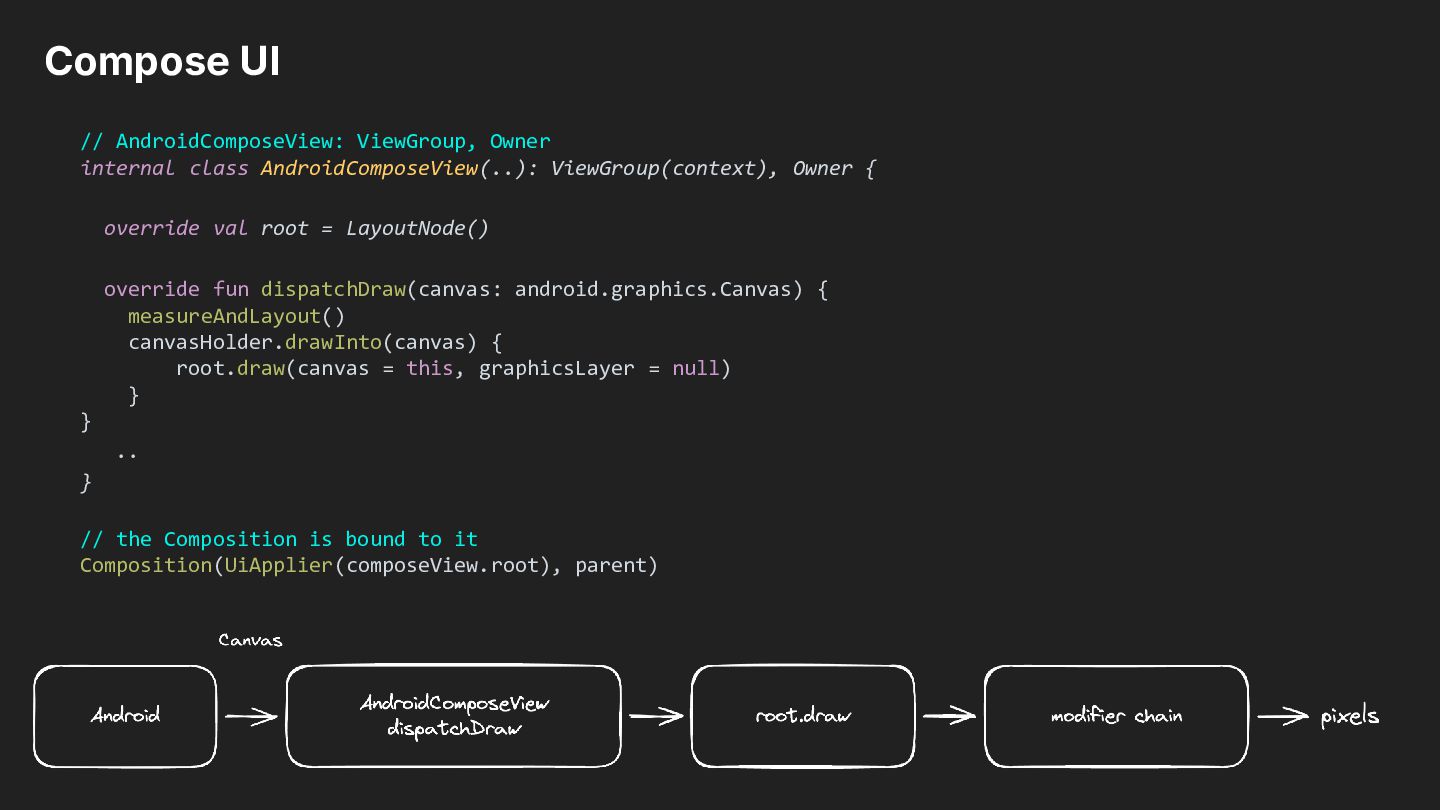
to the same underlying structure: a LayoutNode hierarchy. • Layout, drawing, input, focus, and accessibility are built on top of this structure. • Your Button is not backed by an android.view.View. Underneath, there is a Compose-owned node hierarchy instead.
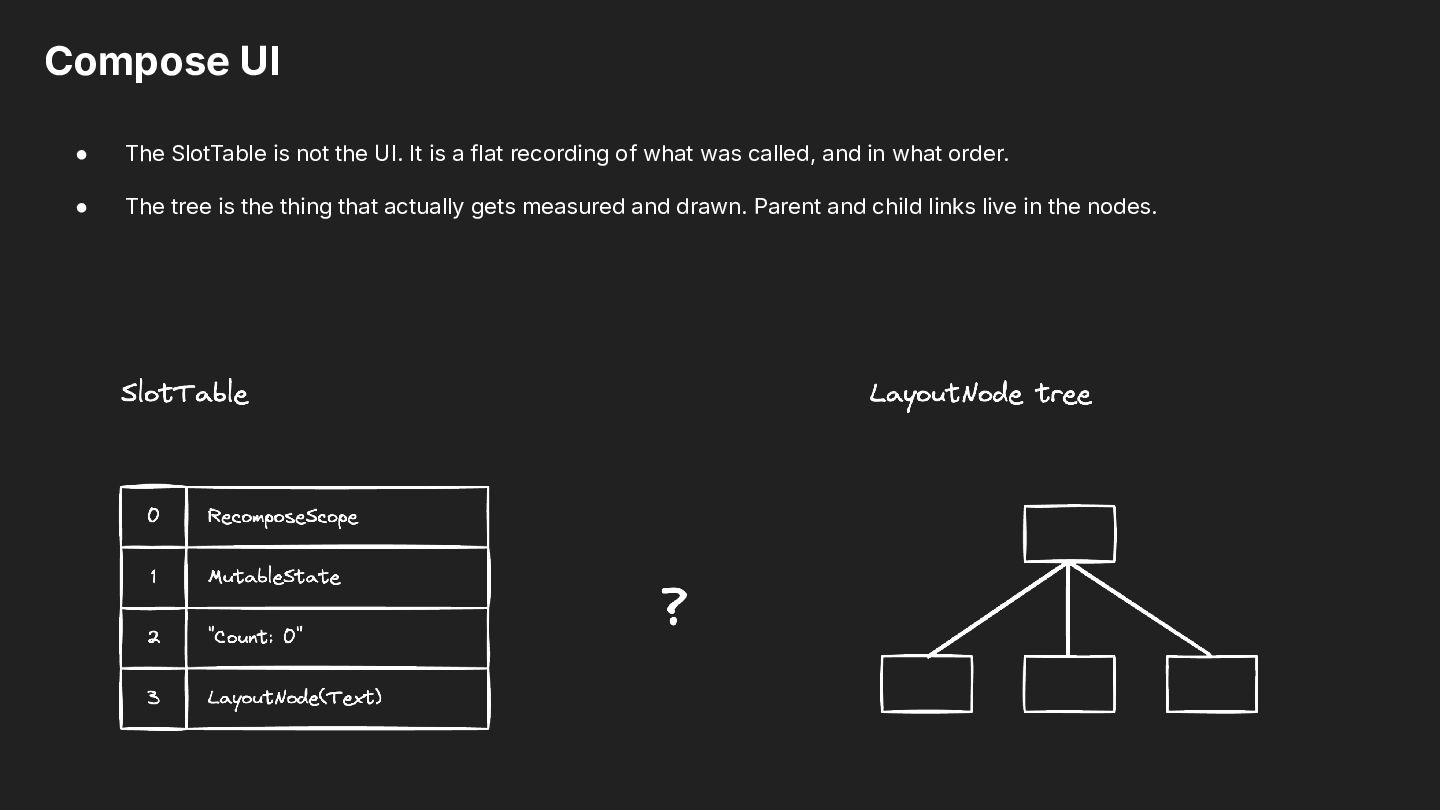
is a flat recording of what was called, and in what order. • The tree is the thing that actually gets measured and drawn. Parent and child links live in the nodes.
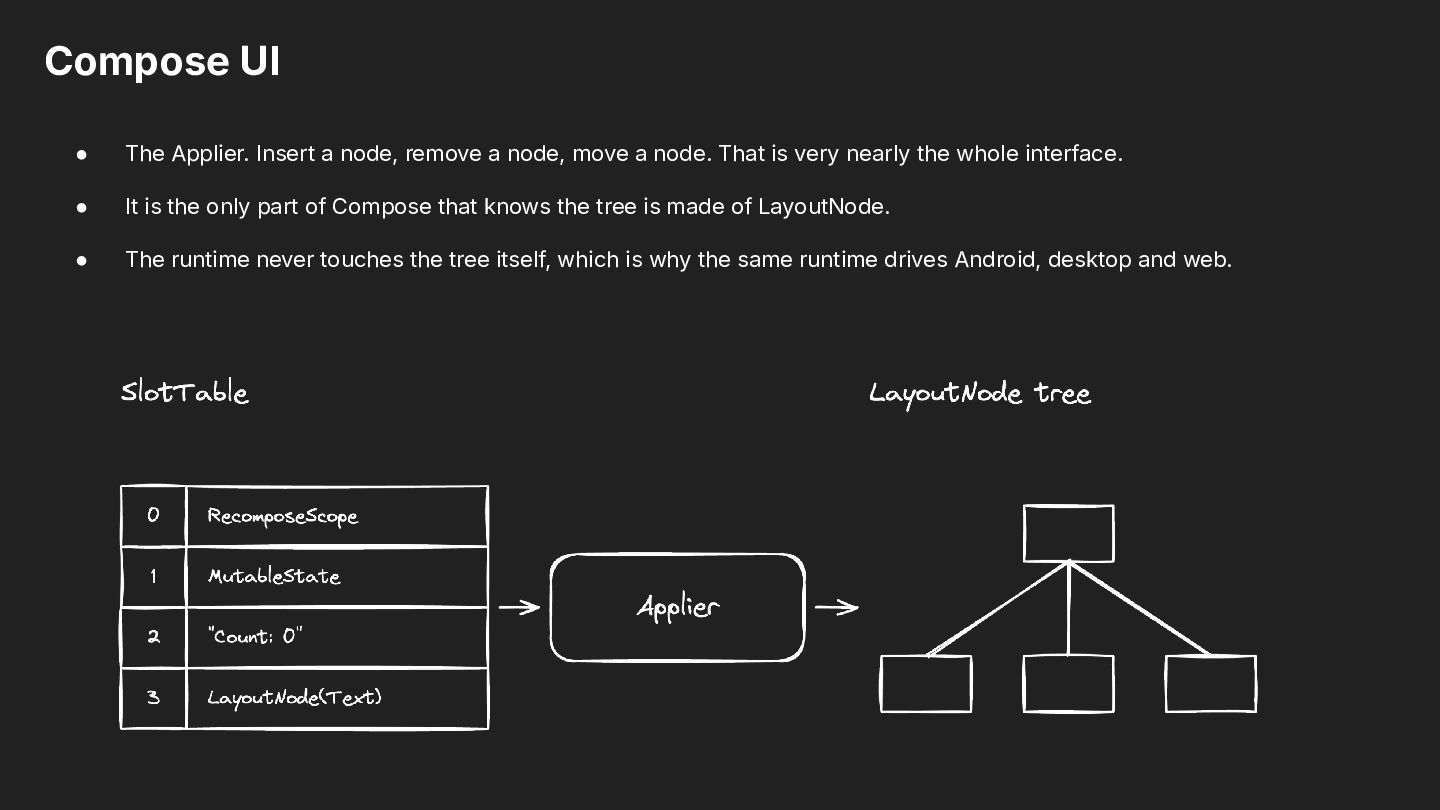
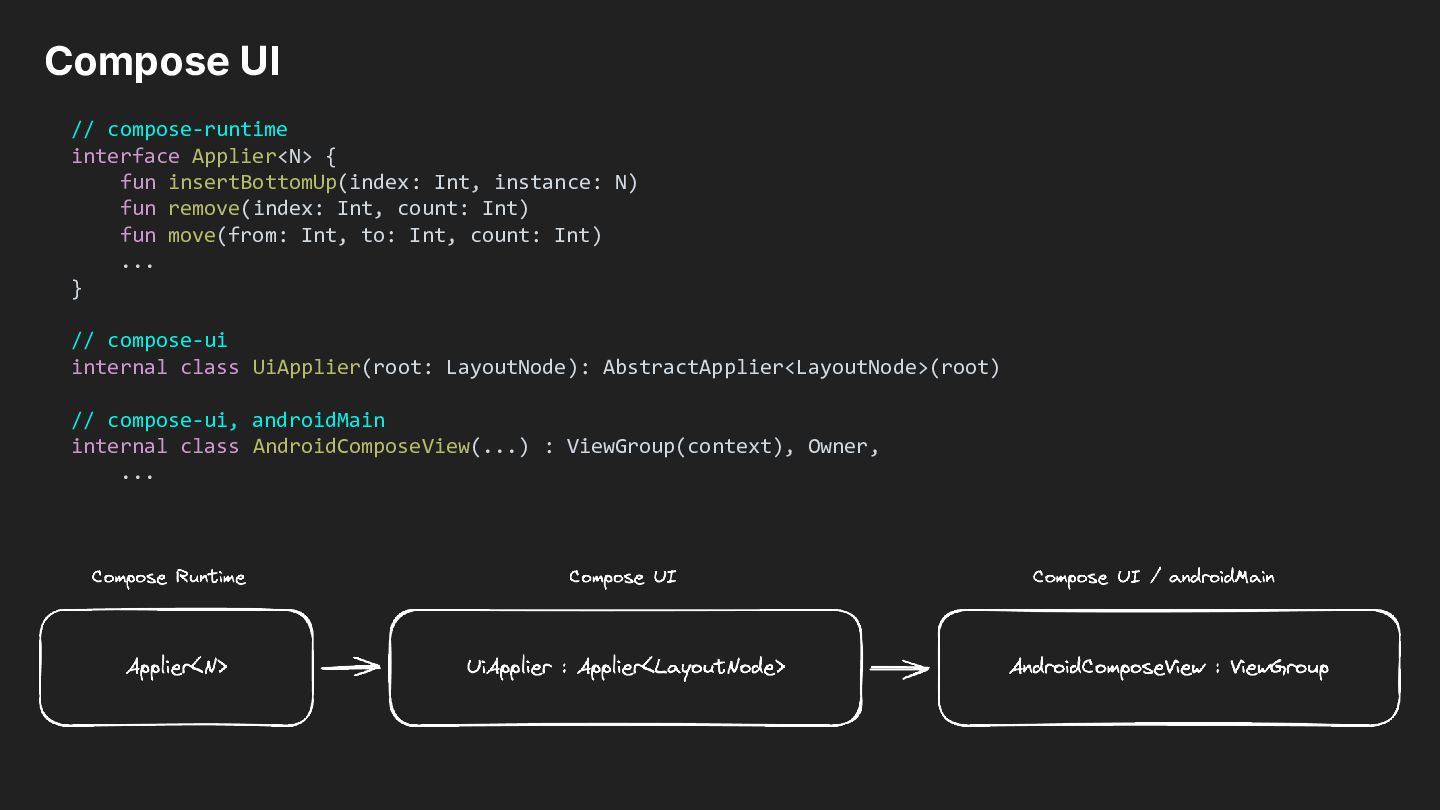
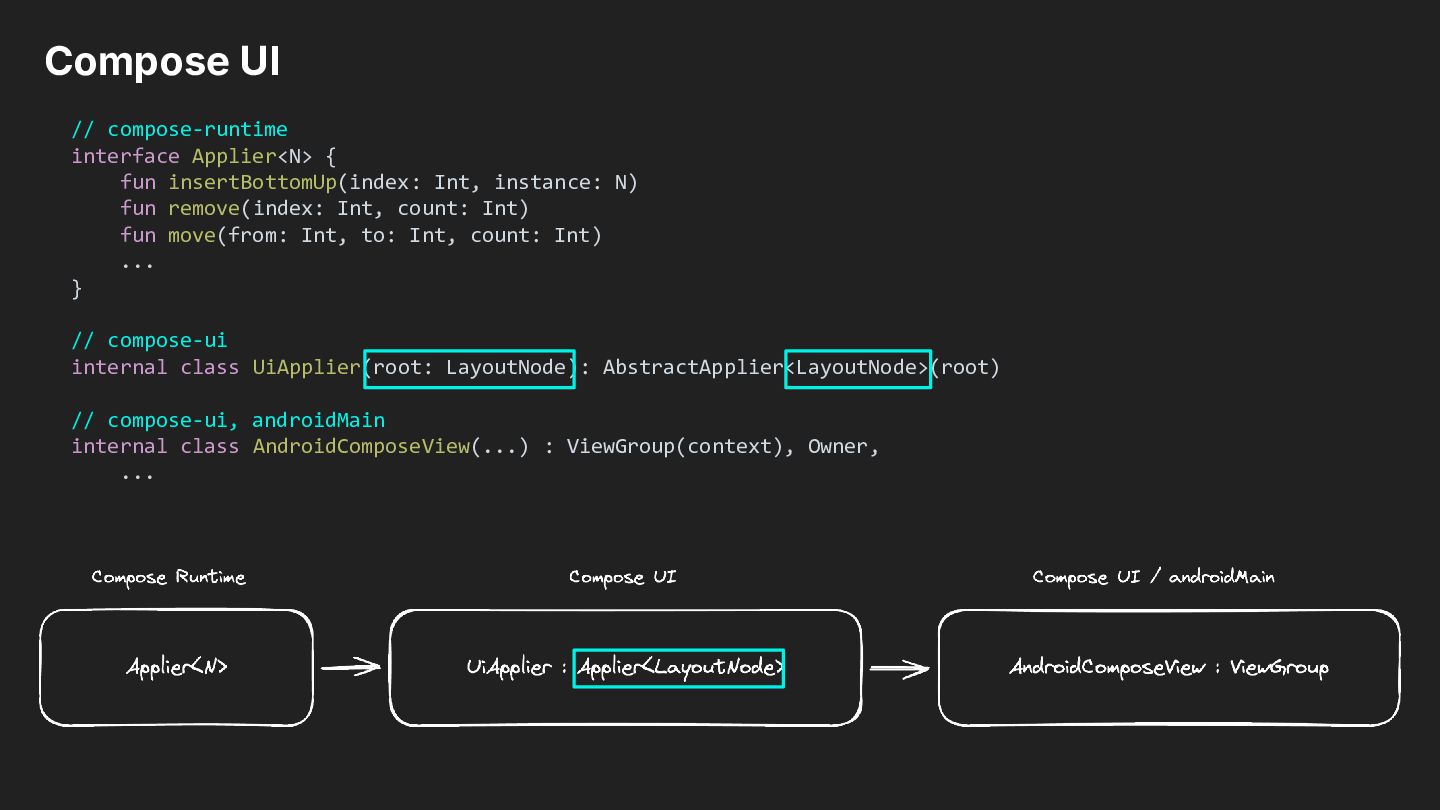
node, move a node. That is very nearly the whole interface. • It is the only part of Compose that knows the tree is made of LayoutNode. • The runtime never touches the tree itself, which is why the same runtime drives Android, desktop and web.
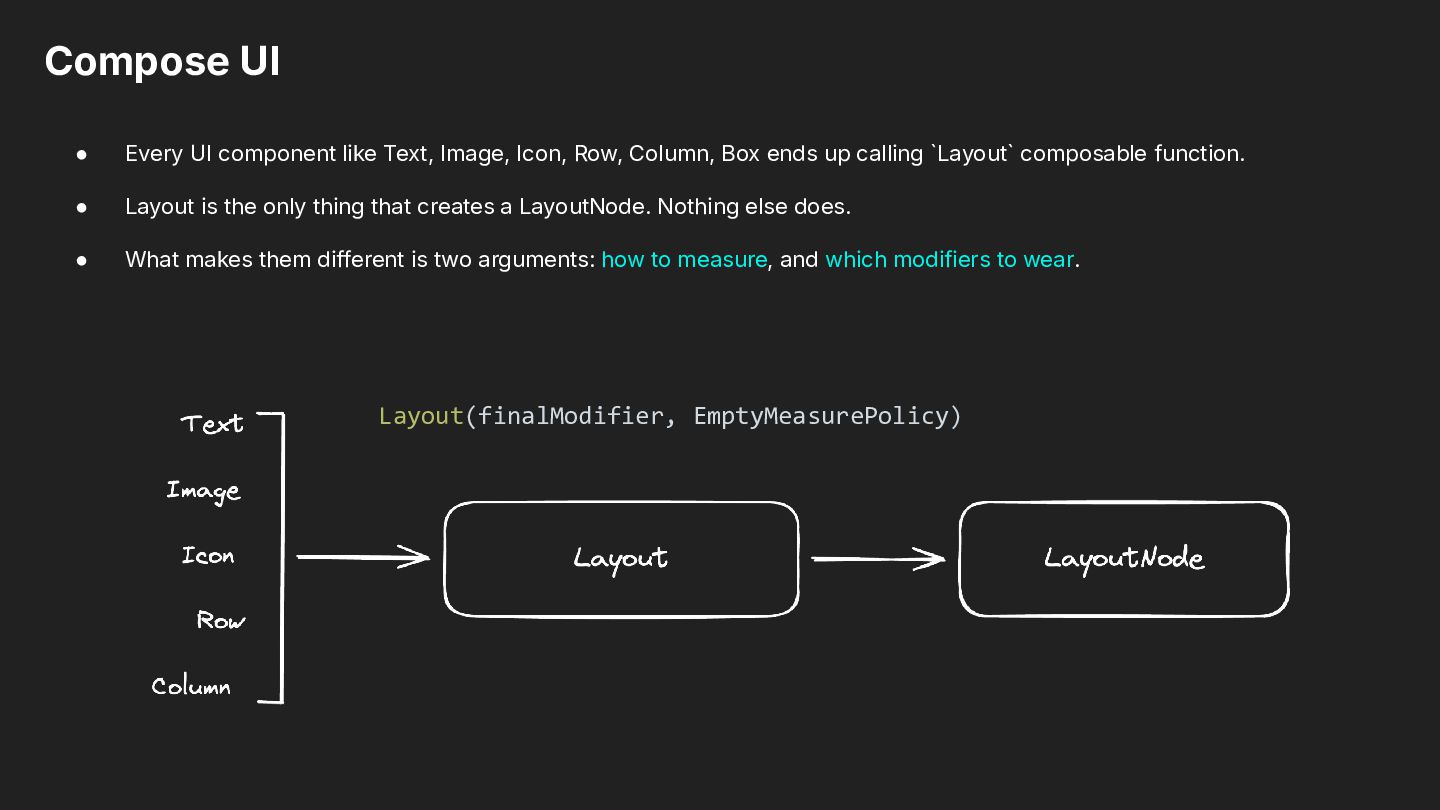
Row, Column, Box ends up calling `Layout` composable function. • Layout is the only thing that creates a LayoutNode. Nothing else does. • What makes them different is two arguments: how to measure, and which modifiers to wear. Layout(finalModifier, EmptyMeasurePolicy)
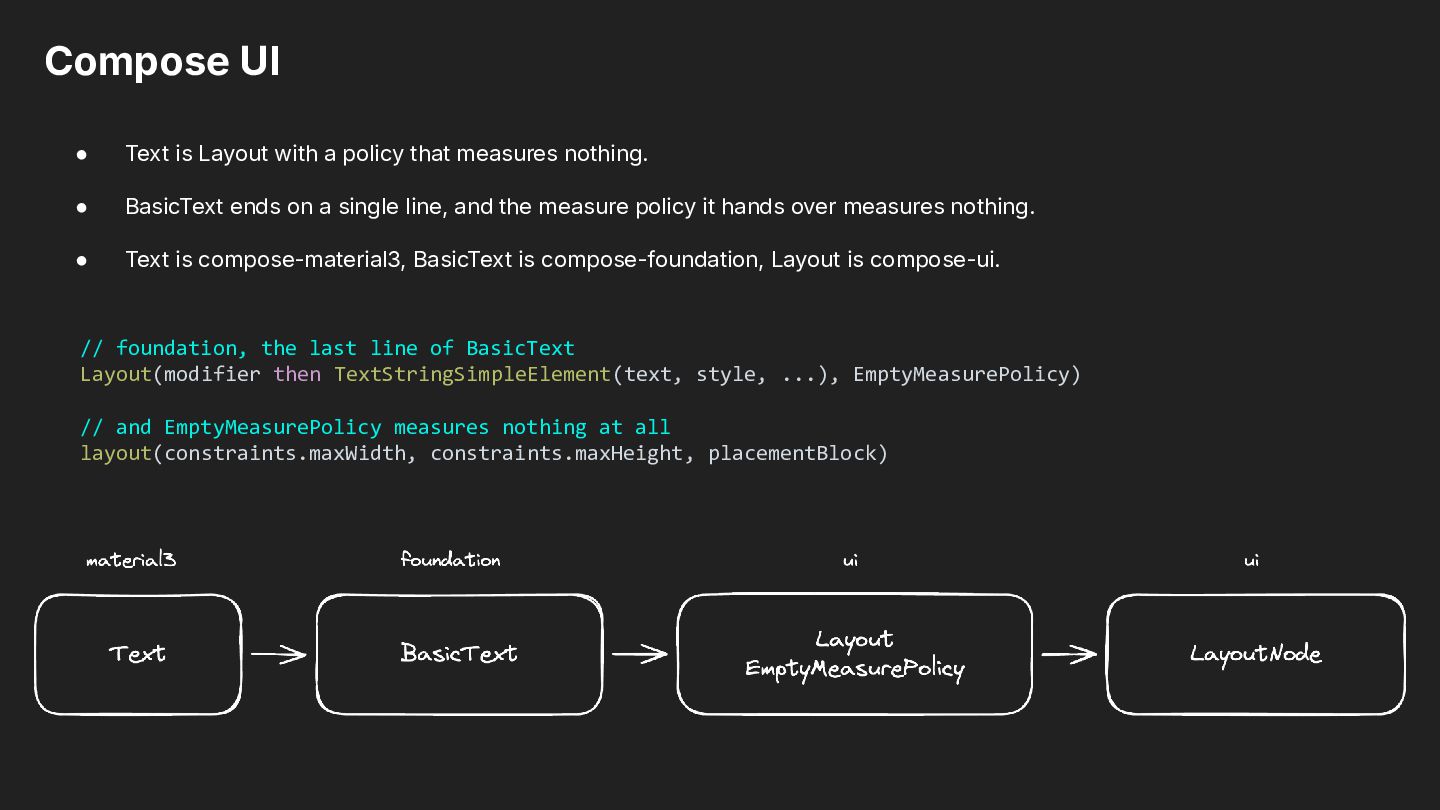
measures nothing. • BasicText ends on a single line, and the measure policy it hands over measures nothing. • Text is compose-material3, BasicText is compose-foundation, Layout is compose-ui. // foundation, the last line of BasicText Layout(modifier then TextStringSimpleElement(text, style, ...), EmptyMeasurePolicy) // and EmptyMeasurePolicy measures nothing at all layout(constraints.maxWidth, constraints.maxHeight, placementBlock)
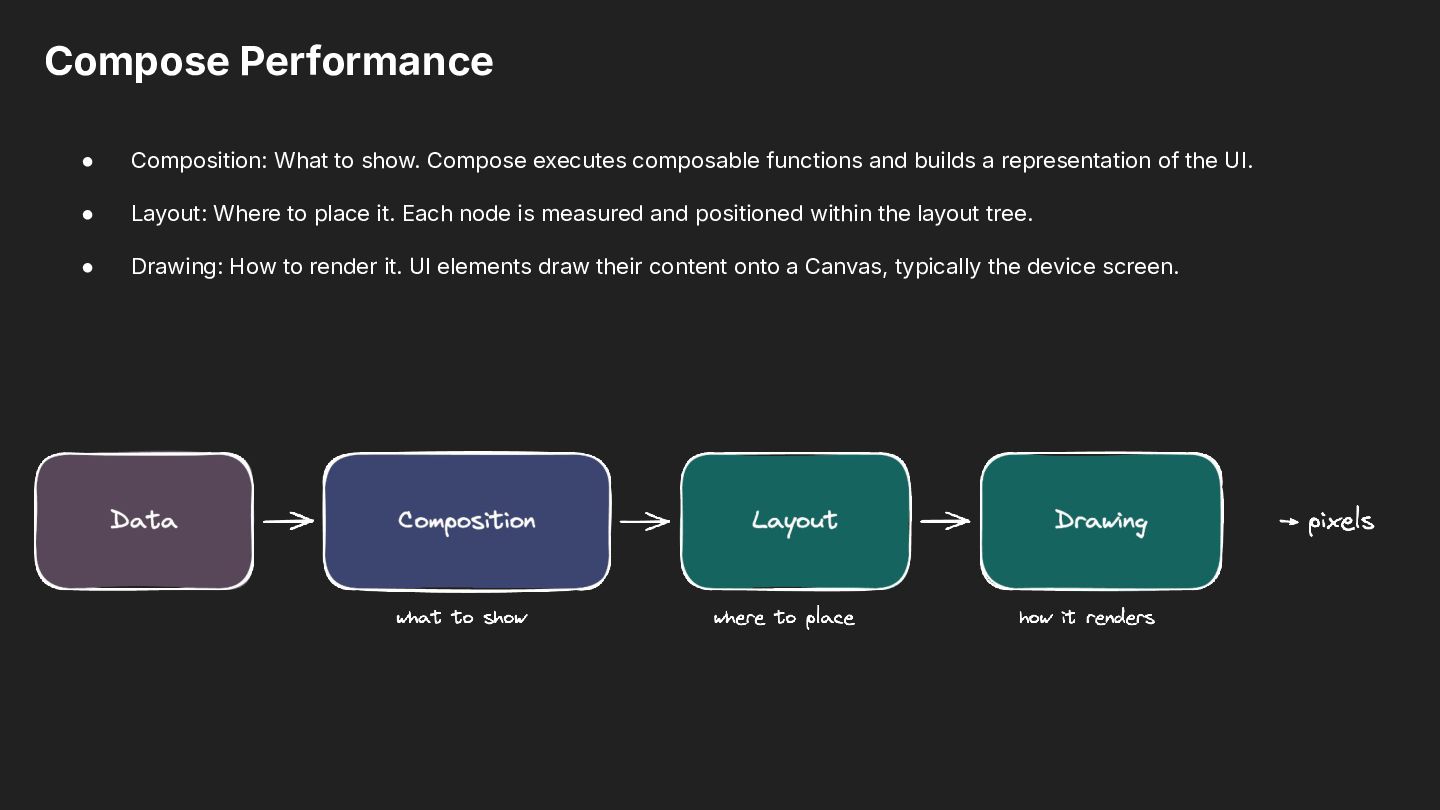
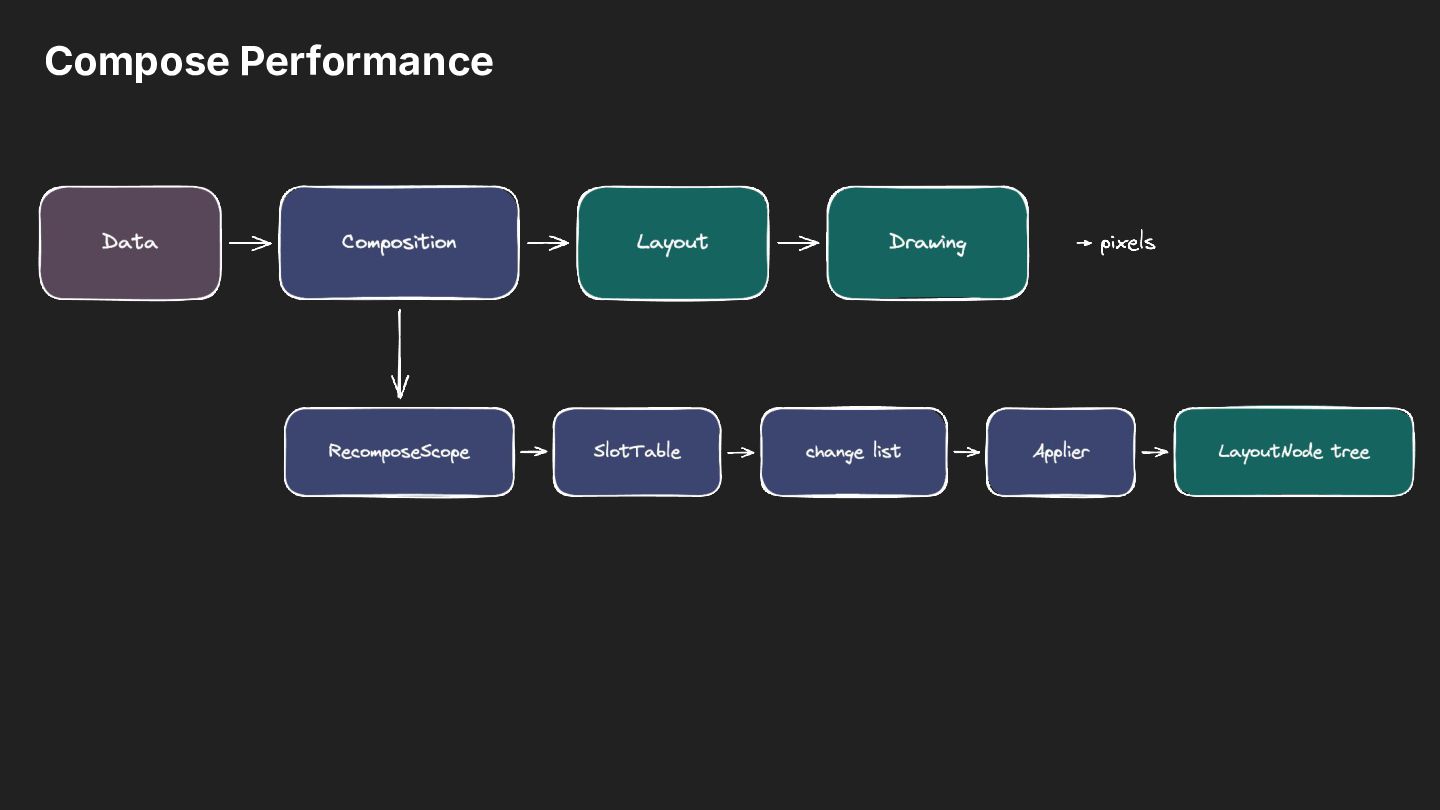
functions and builds a representation of the UI. • Layout: Where to place it. Each node is measured and positioned within the layout tree. • Drawing: How to render it. UI elements draw their content onto a Canvas, typically the device screen.
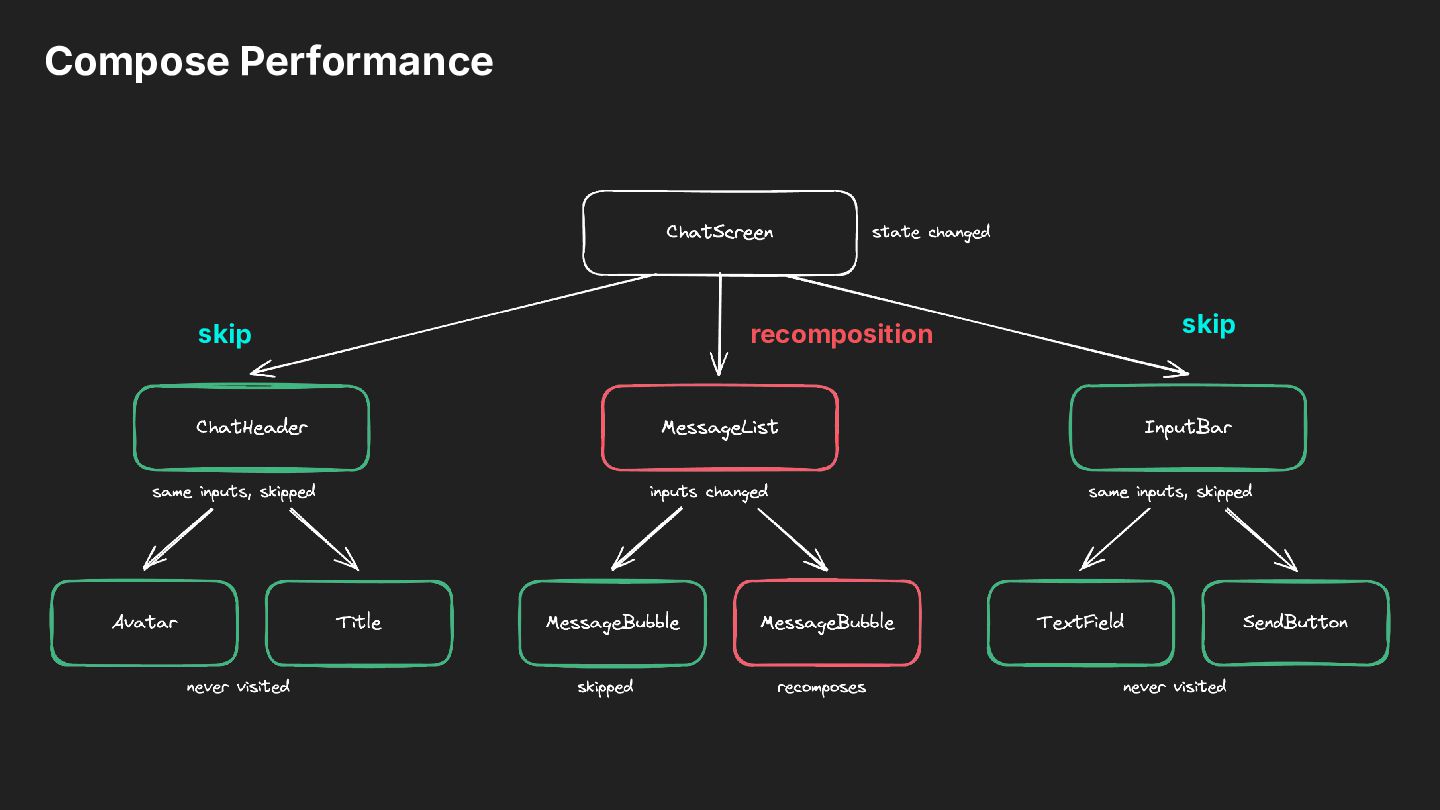
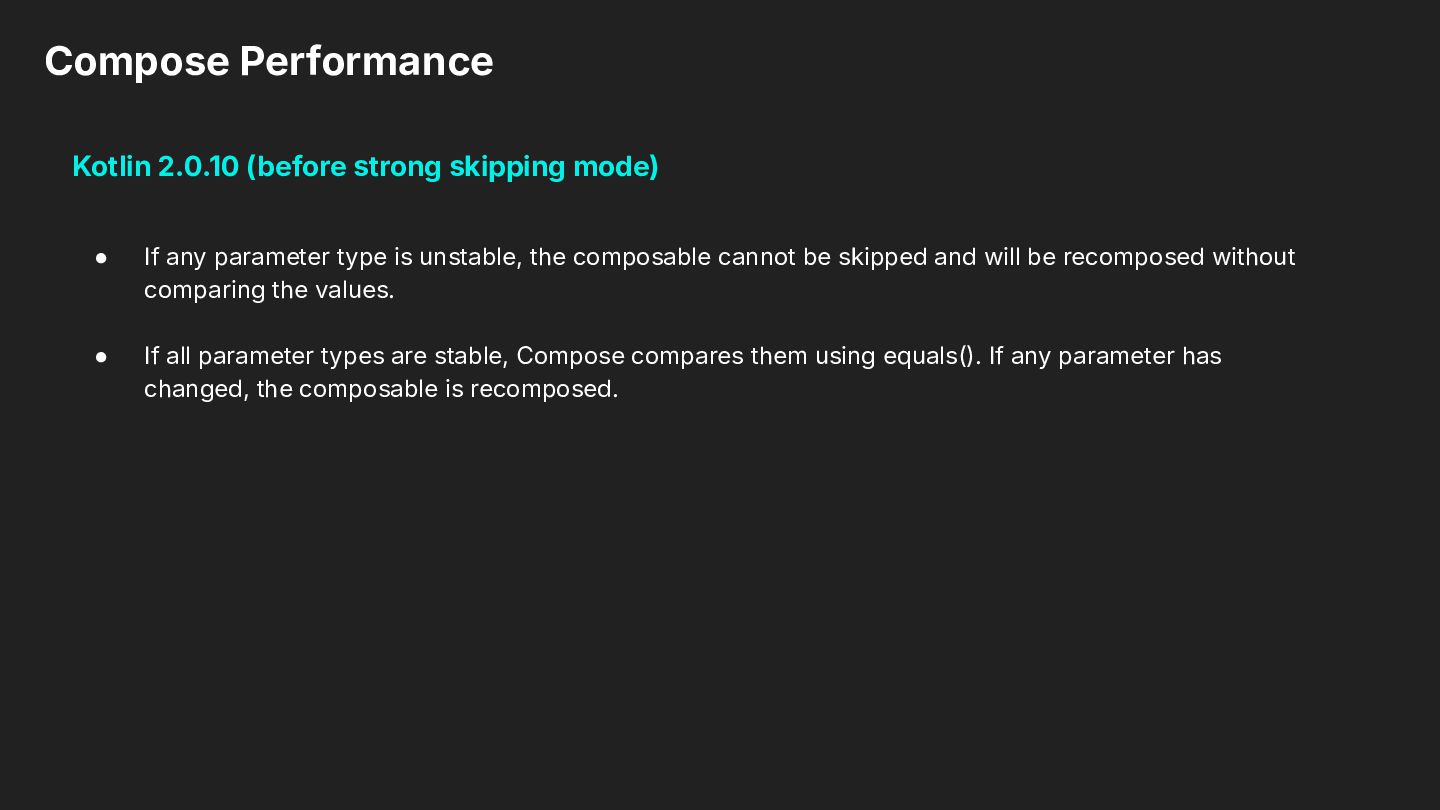
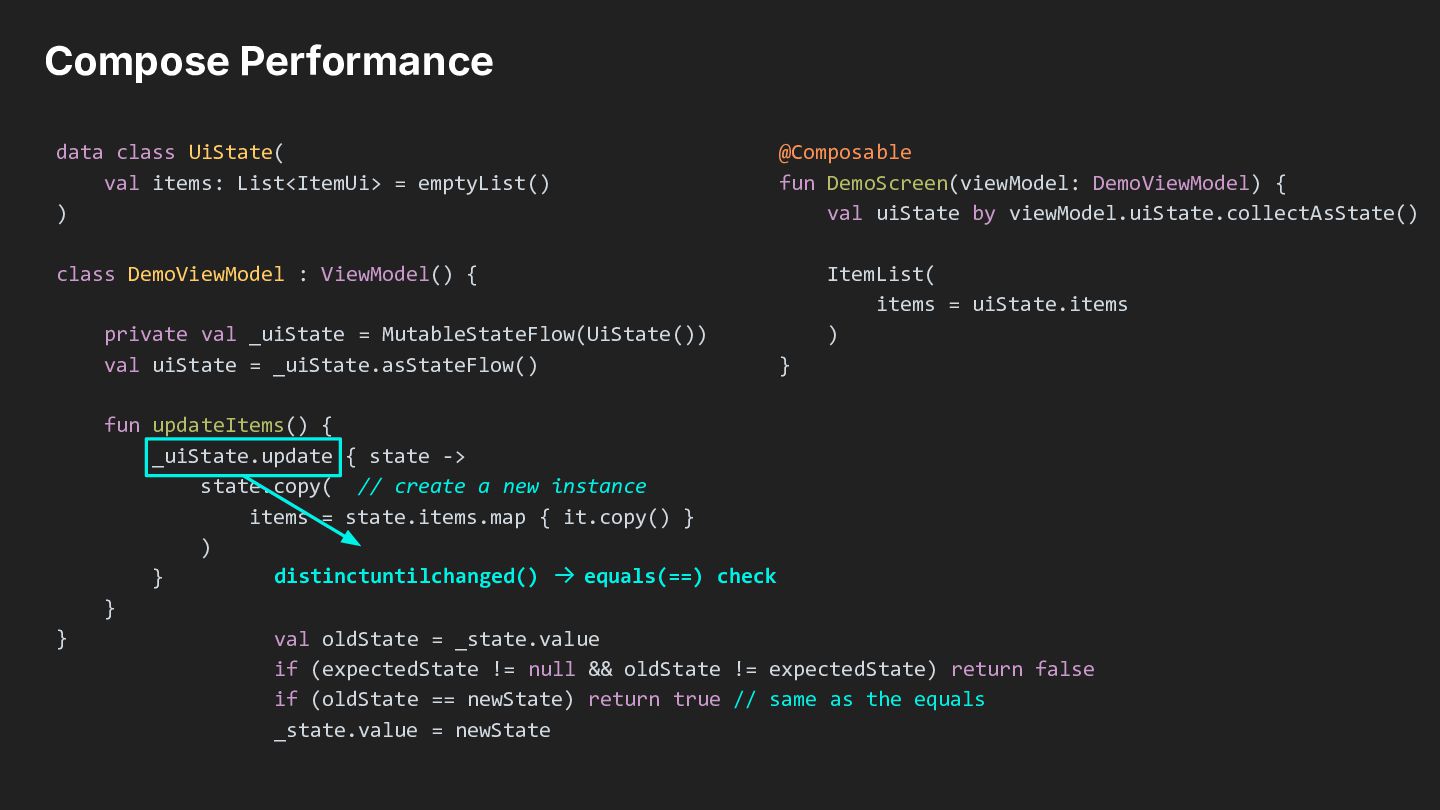
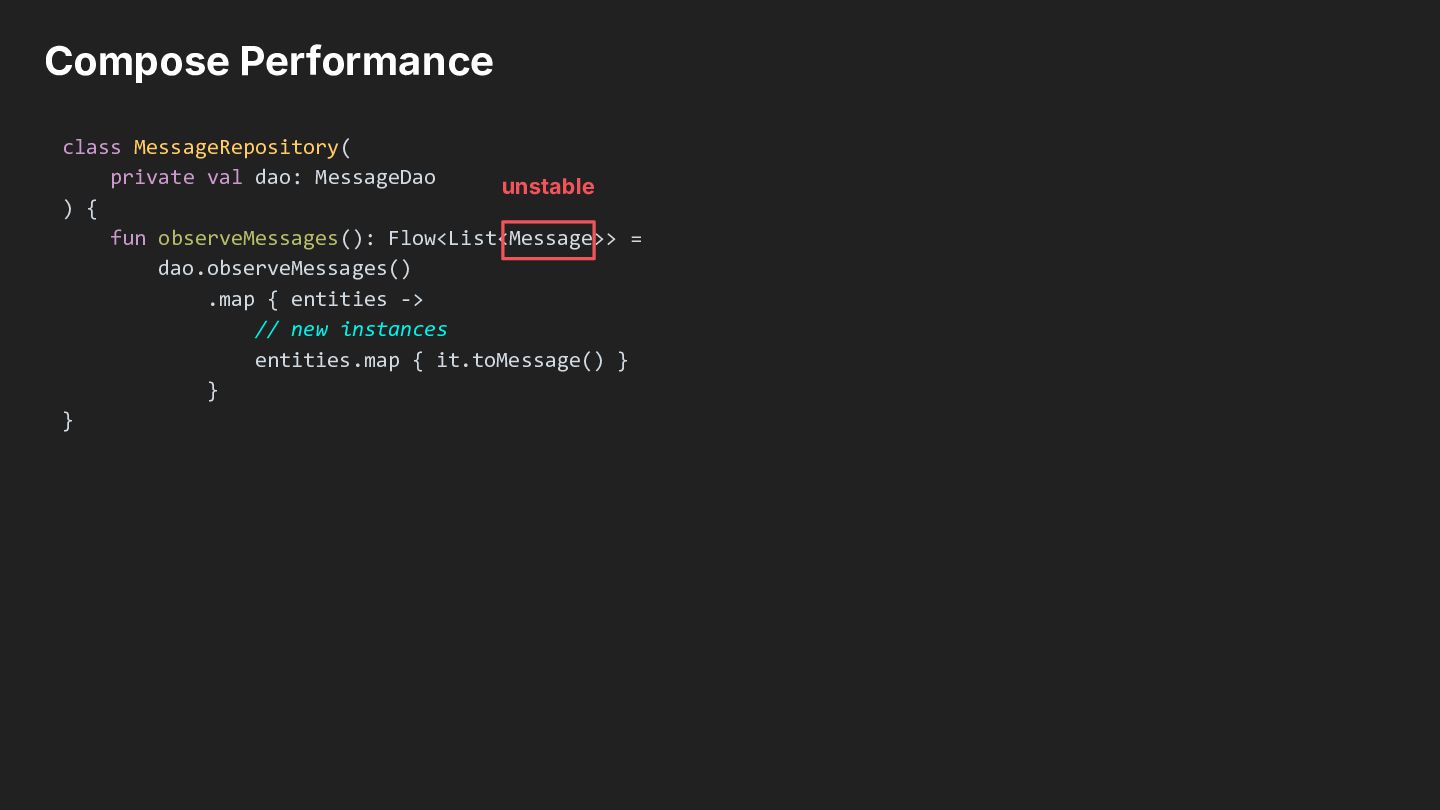
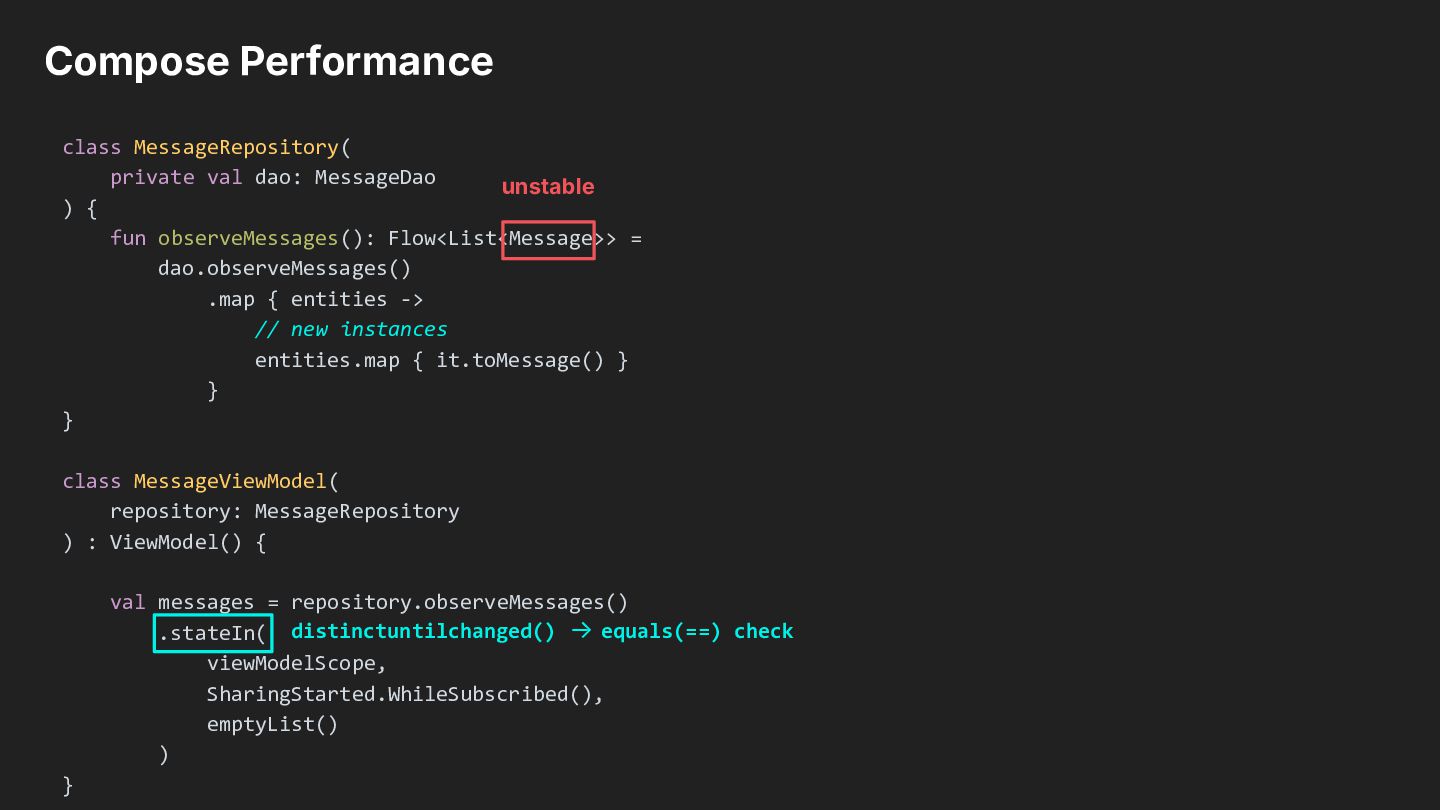
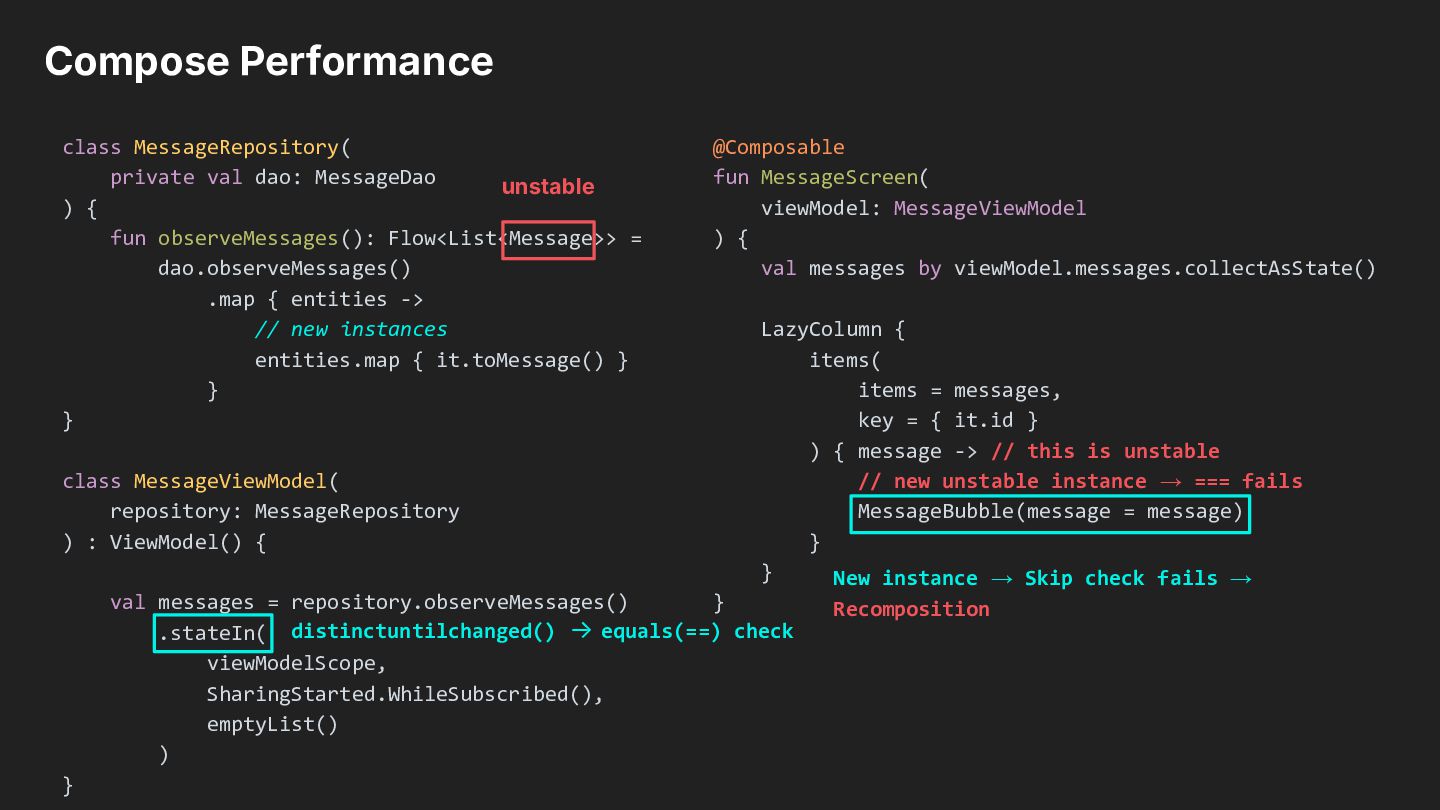
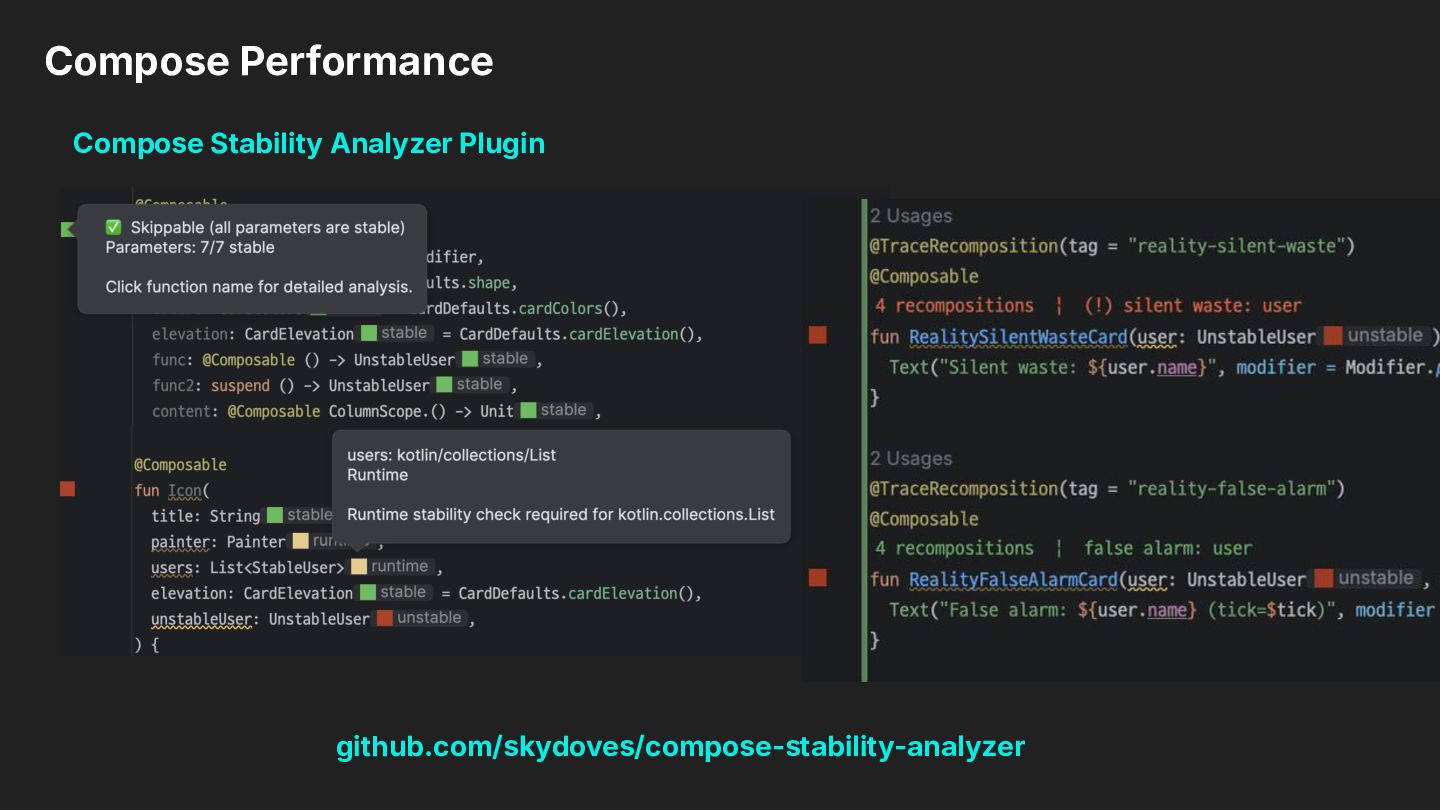
any parameter type is unstable, the composable cannot be skipped and will be recomposed without comparing the values. • If all parameter types are stable, Compose compares them using equals(). If any parameter has changed, the composable is recomposed.
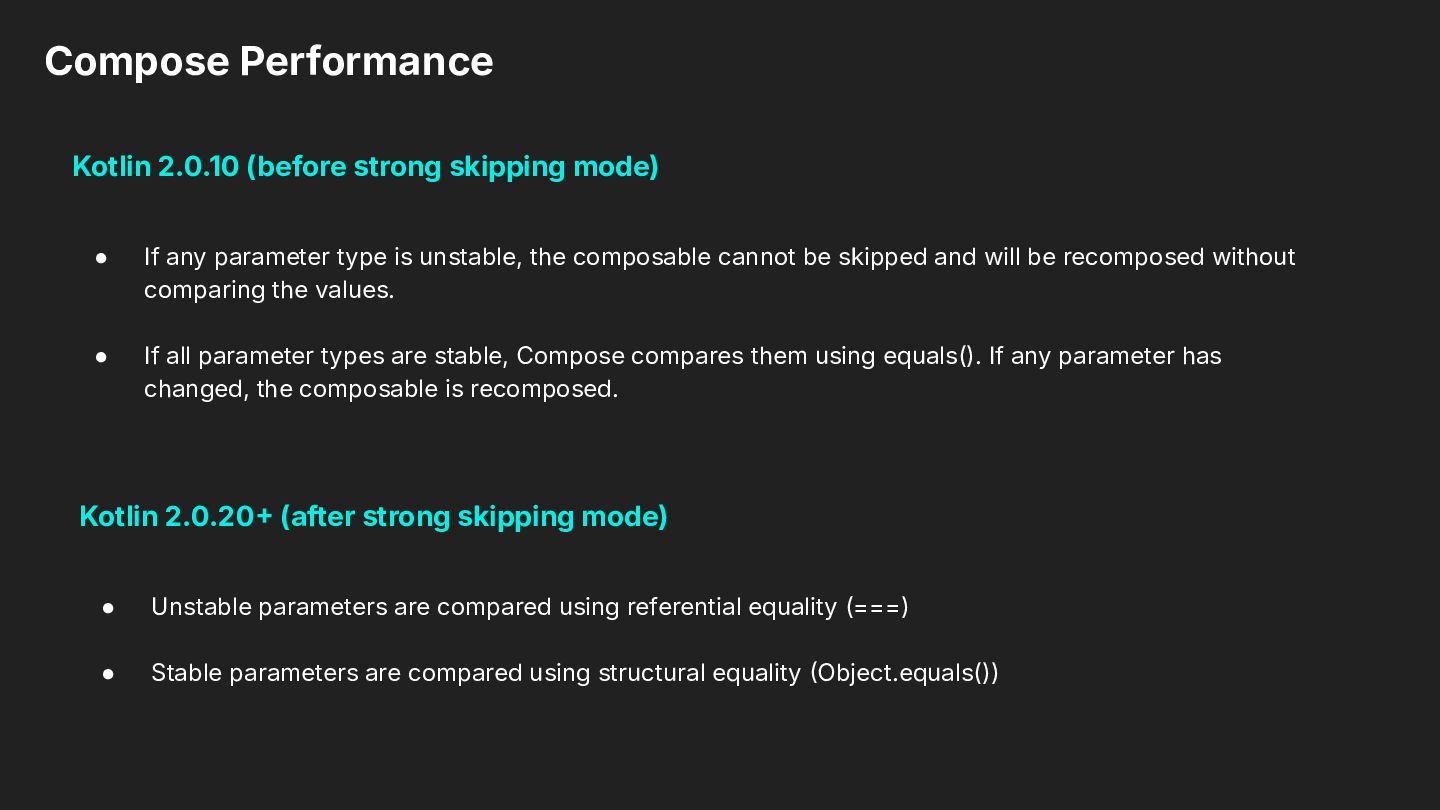
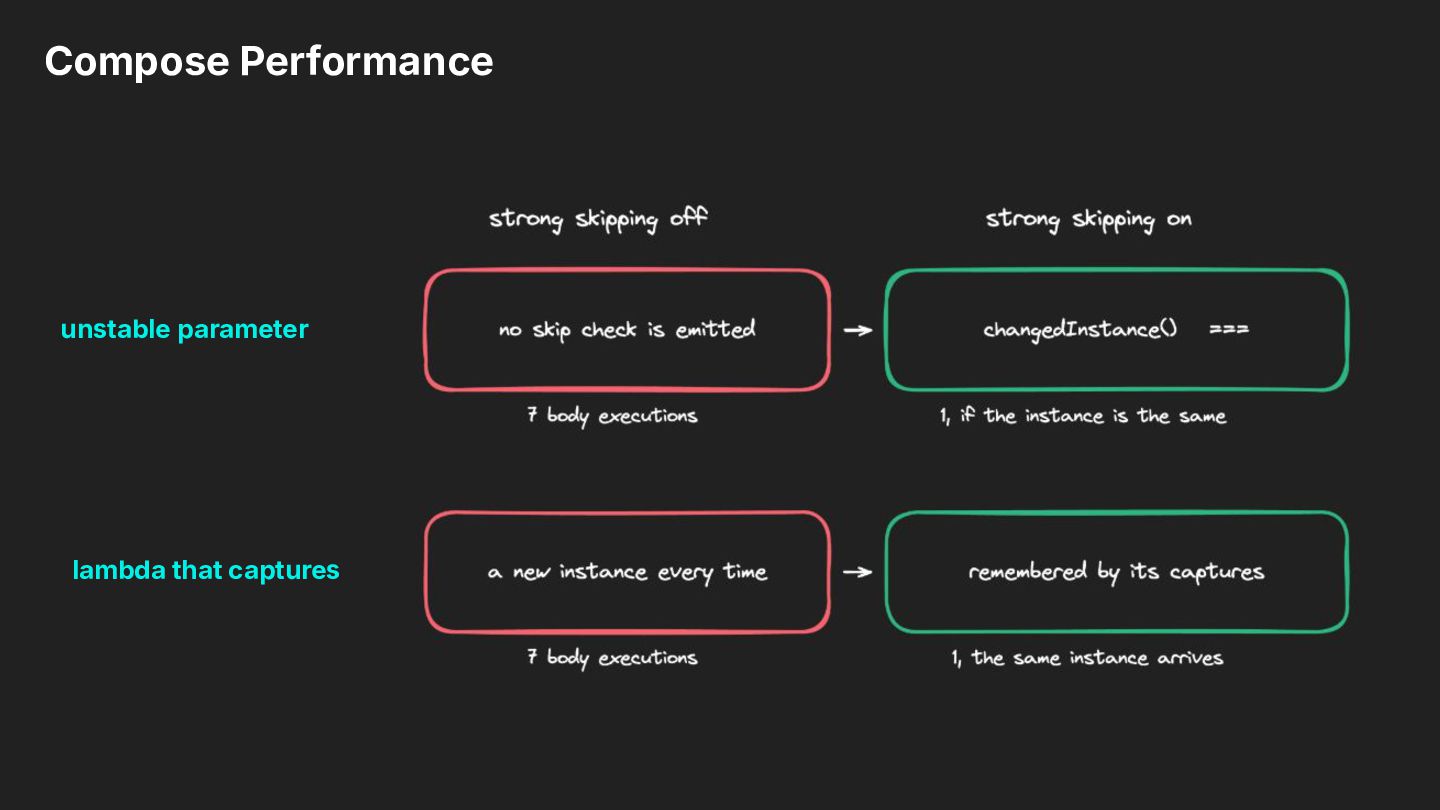
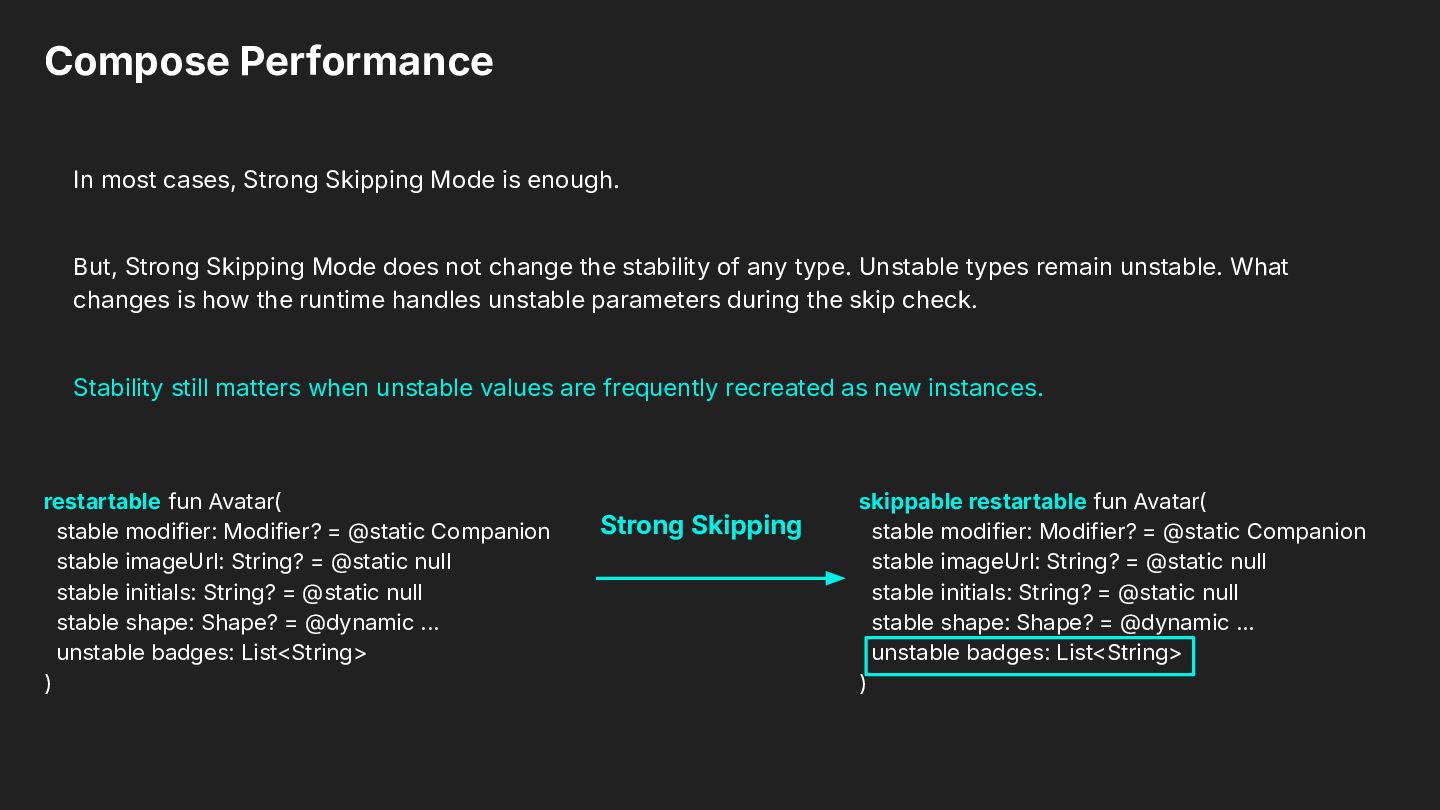
any parameter type is unstable, the composable cannot be skipped and will be recomposed without comparing the values. • If all parameter types are stable, Compose compares them using equals(). If any parameter has changed, the composable is recomposed. Kotlin 2.0.20 (after strong skipping mode) • Unstable parameters are compared using referential equality (===) • Stable parameters are compared using structural equality Object.equals())
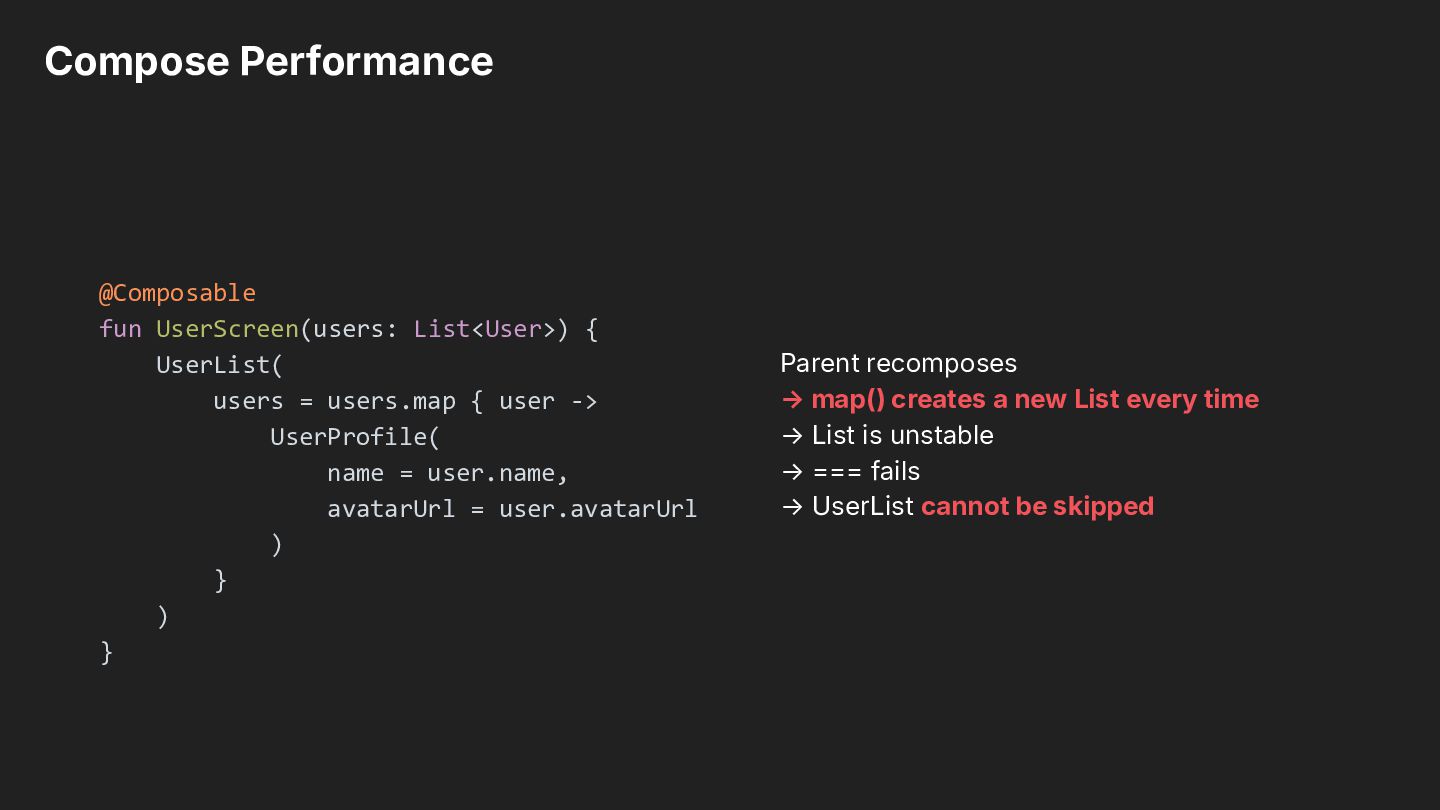
users.map { user -> UserProfile( name = user.name, avatarUrl = user.avatarUrl ) } ) } Parent recomposes → map() creates a new List every time → List is unstable → === fails → UserList cannot be skipped
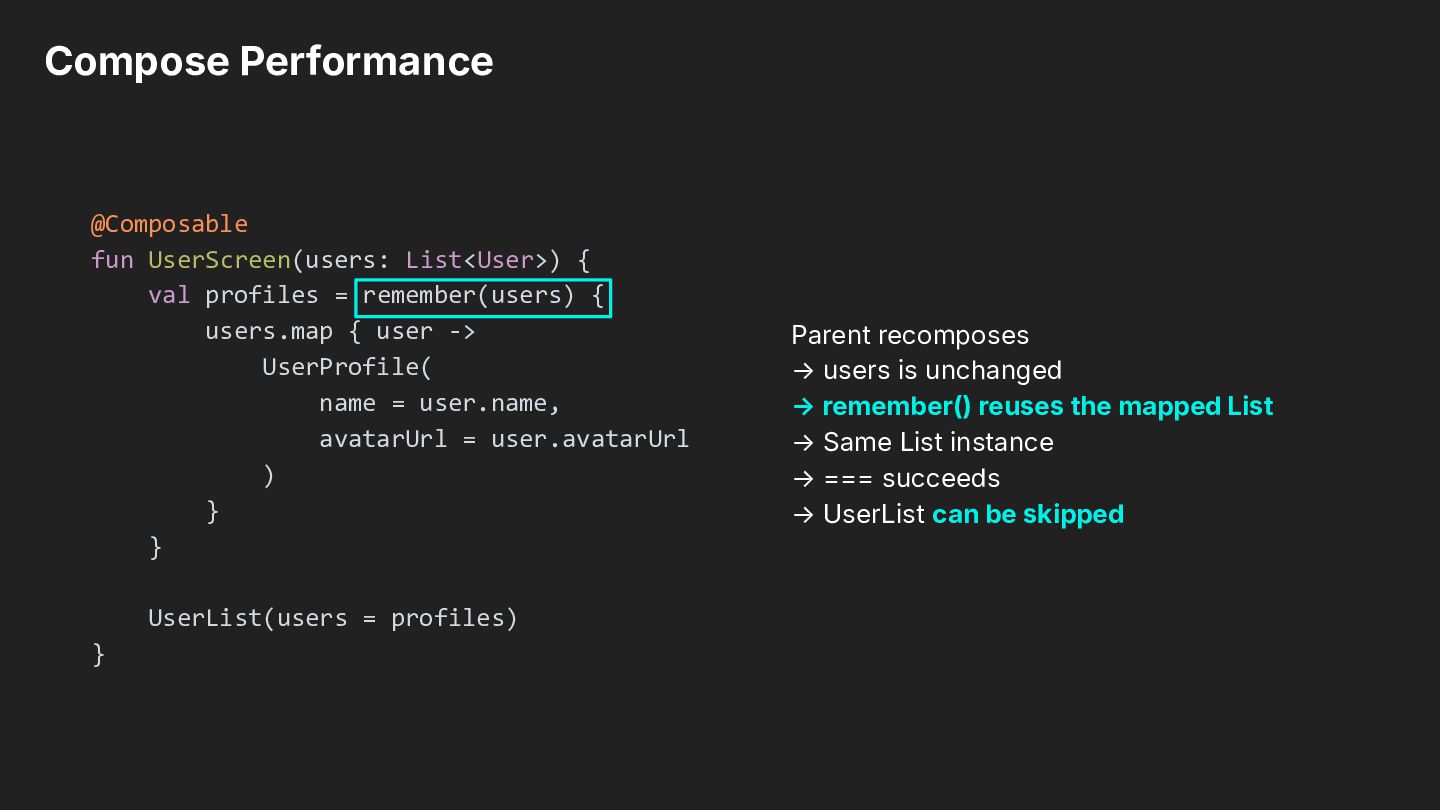
remember(users) { users.map { user -> UserProfile( name = user.name, avatarUrl = user.avatarUrl ) } } UserList(users = profiles) } Parent recomposes → users is unchanged → remember() reuses the mapped List → Same List instance → === succeeds → UserList can be skipped
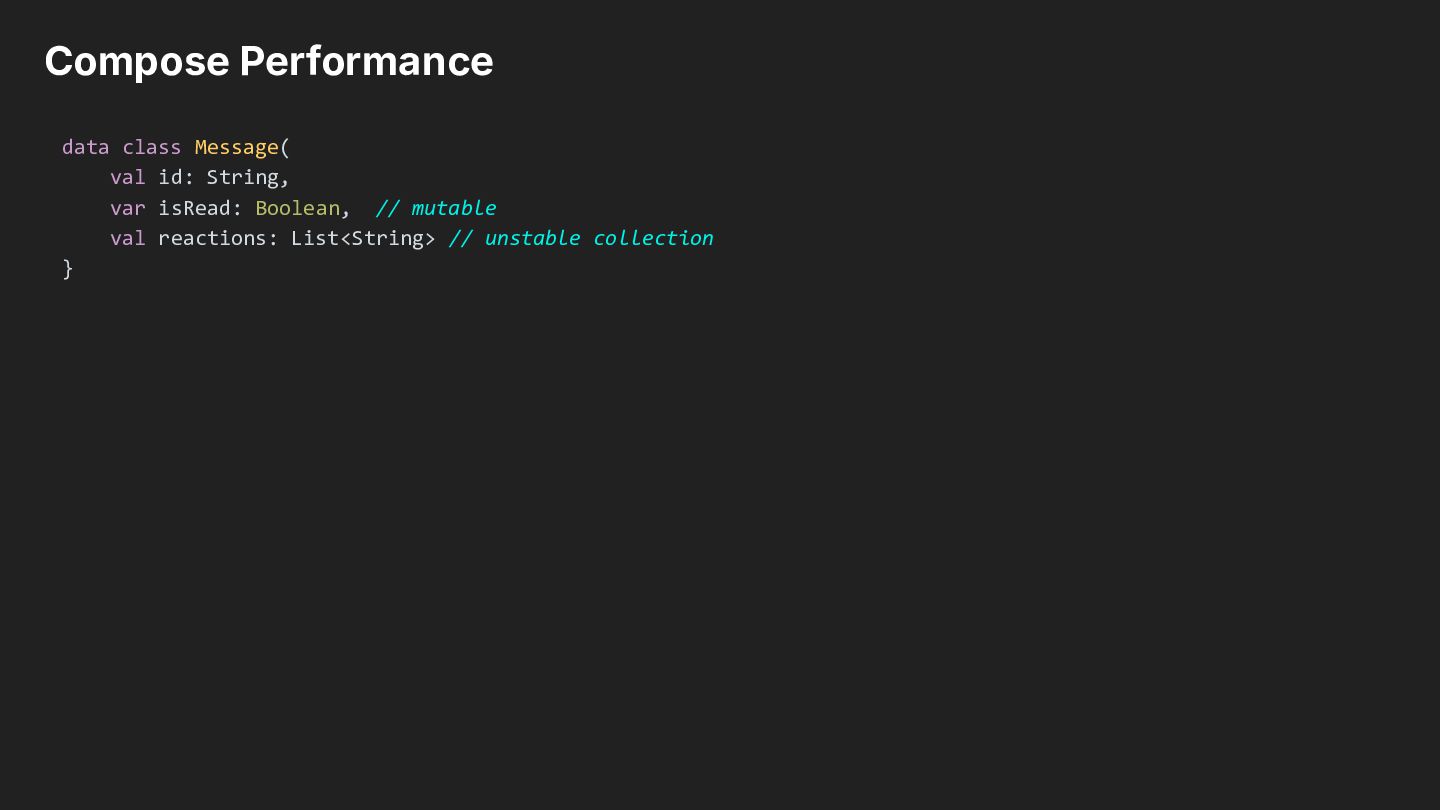
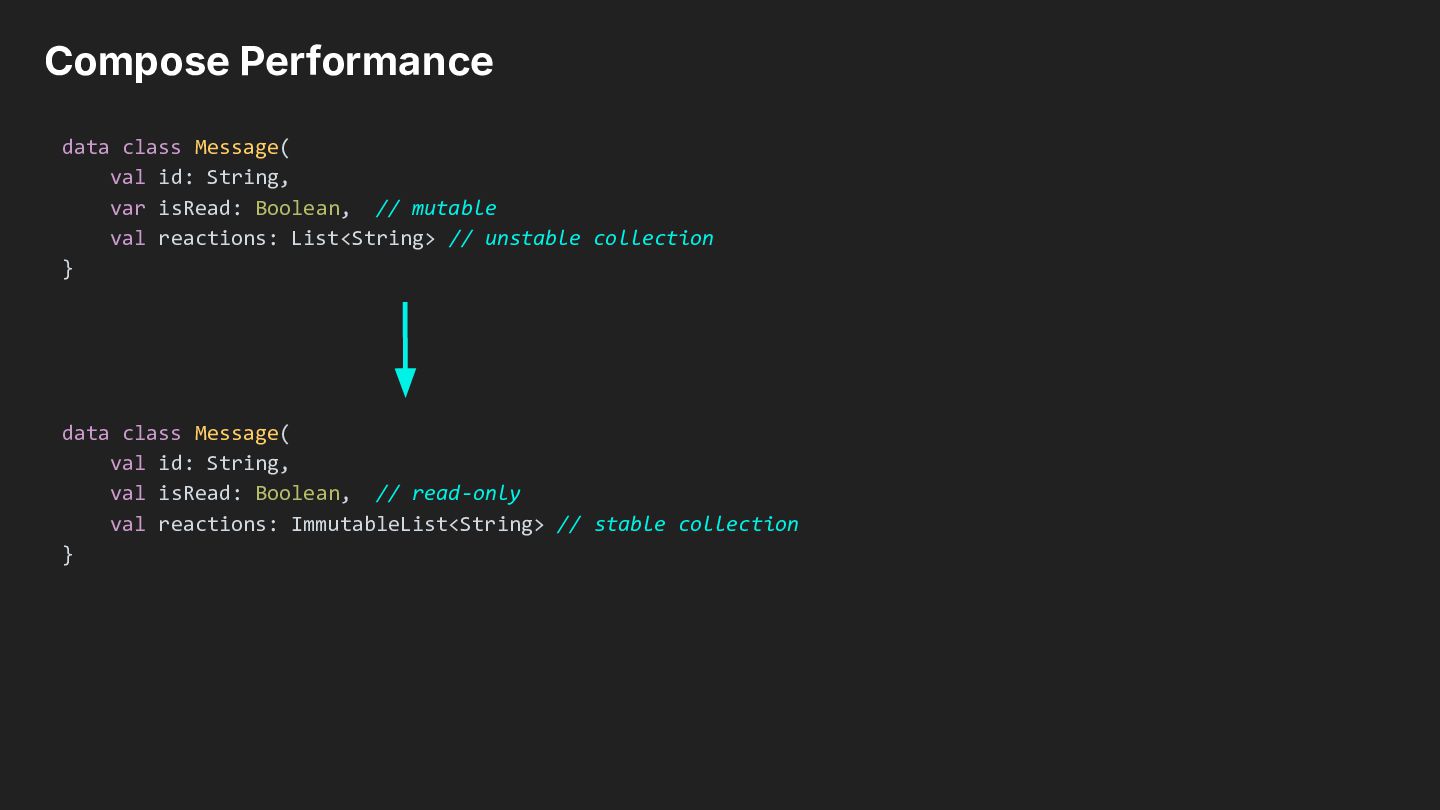
Boolean, // mutable val reactions: List<String> // unstable collection } data class Message( val id: String, val isRead: Boolean, // read-only val reactions: ImmutableList<String> // stable collection }
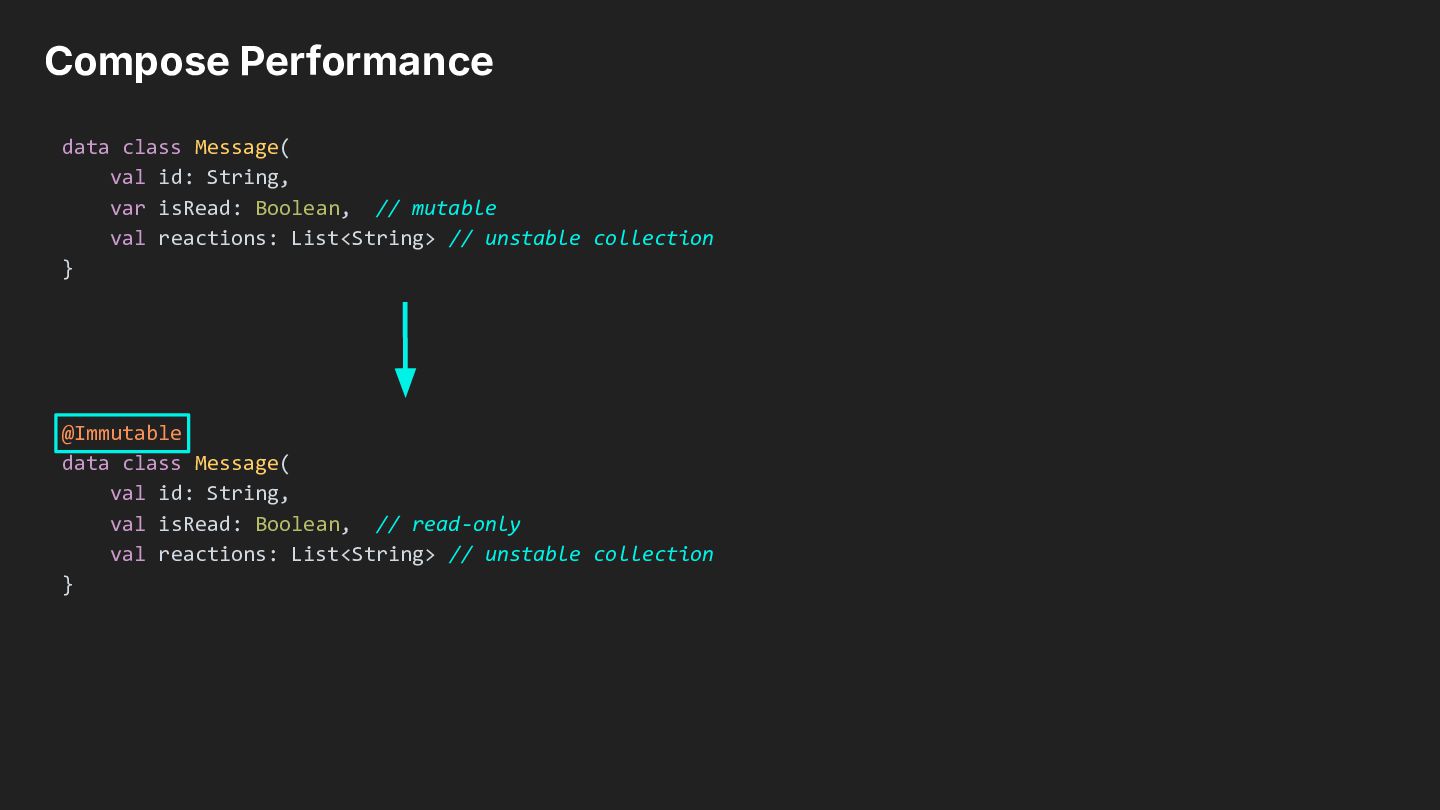
Boolean, // mutable val reactions: List<String> // unstable collection } @Immutable data class Message( val id: String, val isRead: Boolean, // read-only val reactions: List<String> // unstable collection }
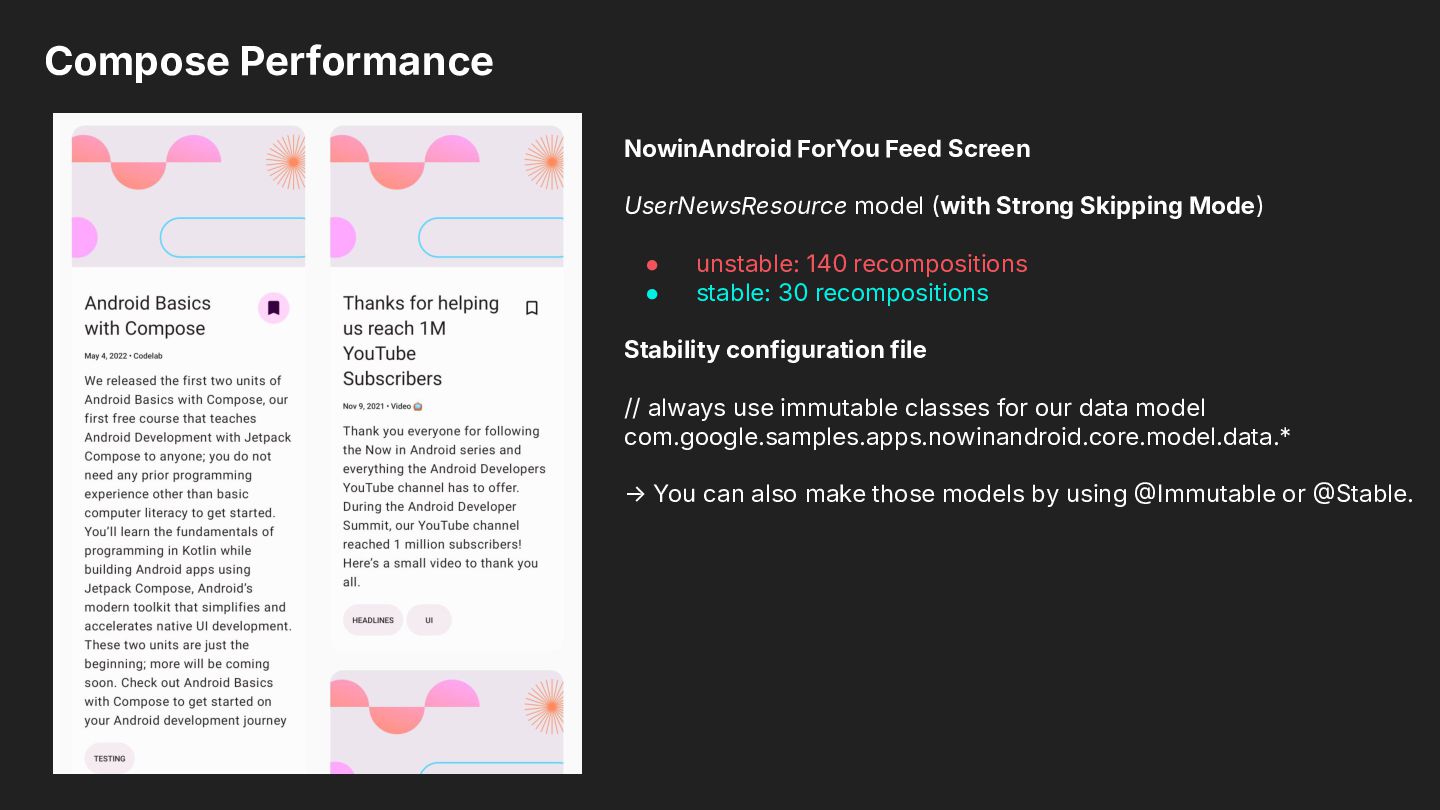
Skipping Mode) • • unstable: 140 recompositions stable: 30 recompositions Stability configuration file // always use immutable classes for our data model com.google.samples.apps.nowinandroid.core.model.data.* → You can also make those models by using Immutable or Stable.

 SiteGround - Reliable hosting with speed, security, and support you can count on.


 skydoves
 quramy
 yasaichi
 mixplace
 sylph01
 vivion
 shihochan
 kishida
 hasutosasaki
 yukikurage
 iwatsukayura
 minodriven
 yutobara
 davetheseo
 jacobian
 morganepeng
 baasie
 geshan
 kneath
 philnash
 cassininazir
.png) helenjbeal
helenjbeal
 keavy
keavy
 honzajavorek
 tenderlove