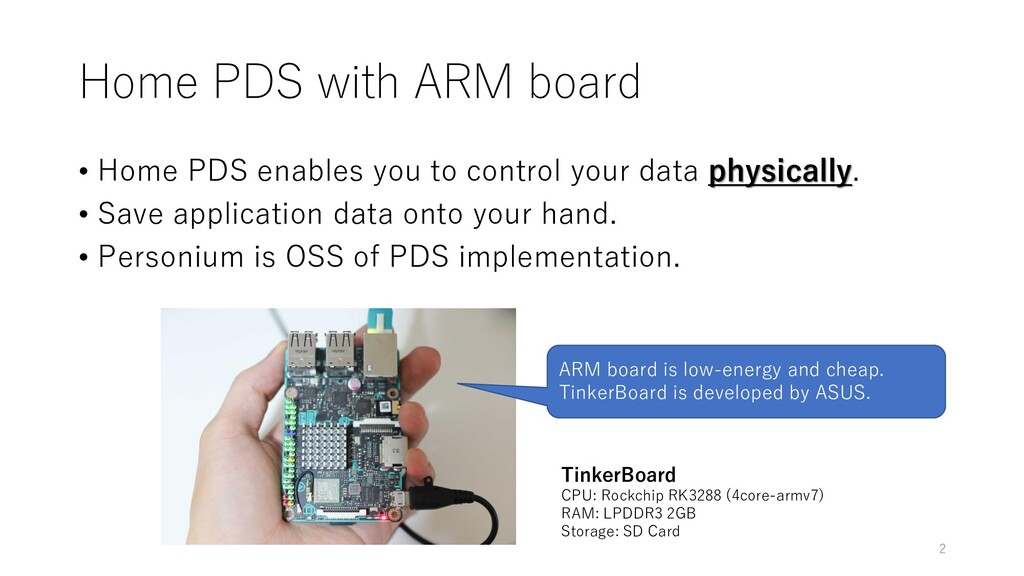
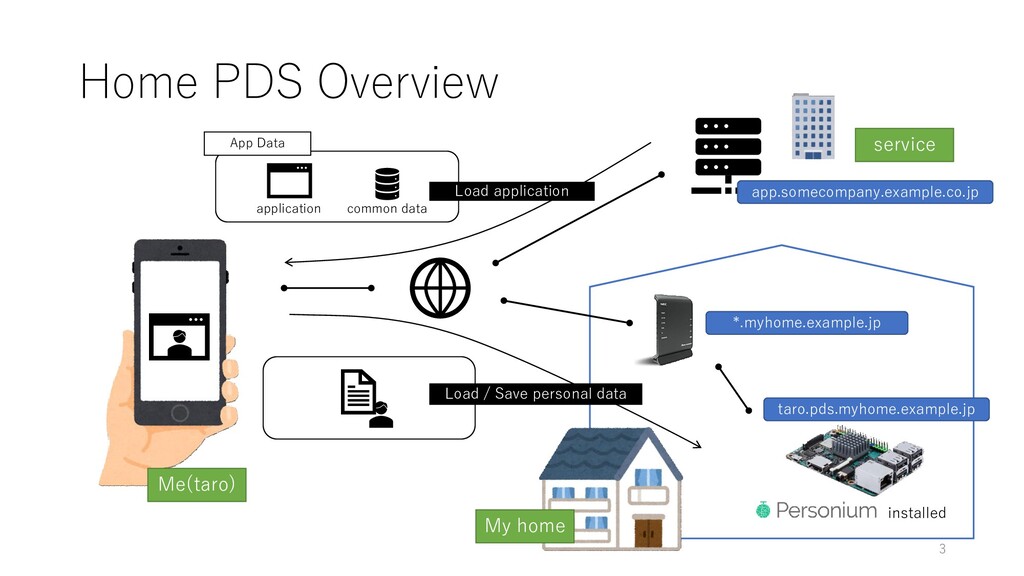
to control your data physically. • Save application data onto your hand. • Personium is OSS of PDS implementation. TinkerBoard CPU: Rockchip RK3288 (4core-armv7) RAM: LPDDR3 2GB Storage: SD Card ARM board is low-energy and cheap. TinkerBoard is developed by ASUS. 2
docker and docker-compose. • Get your domain. (Fixing FQDN.) • Launch Personium with docker-compose.yml • The guide is here: https://github.com/personium/personium-docker/wiki/How-to- launch-per-cell-unit • *NOTICE* If you use non-x86 (such as armhf) board, you should follow non-x86 specific tasks (written in next slide). • Make an account for administration and ordinal user account. 4
docker images manually • Currently, Elasticsearch and ActiveMQ do not have docker images for non-x86 (such as armhf) CPU. • Elasticsearch and ActiveMQ are also written in Java language, so you can build images without compiling from source code. 5
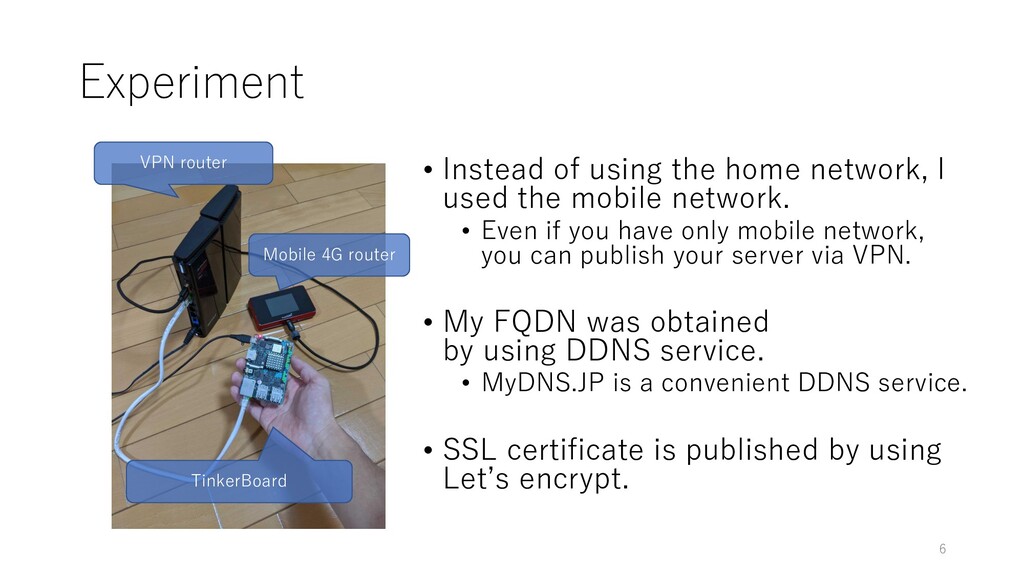
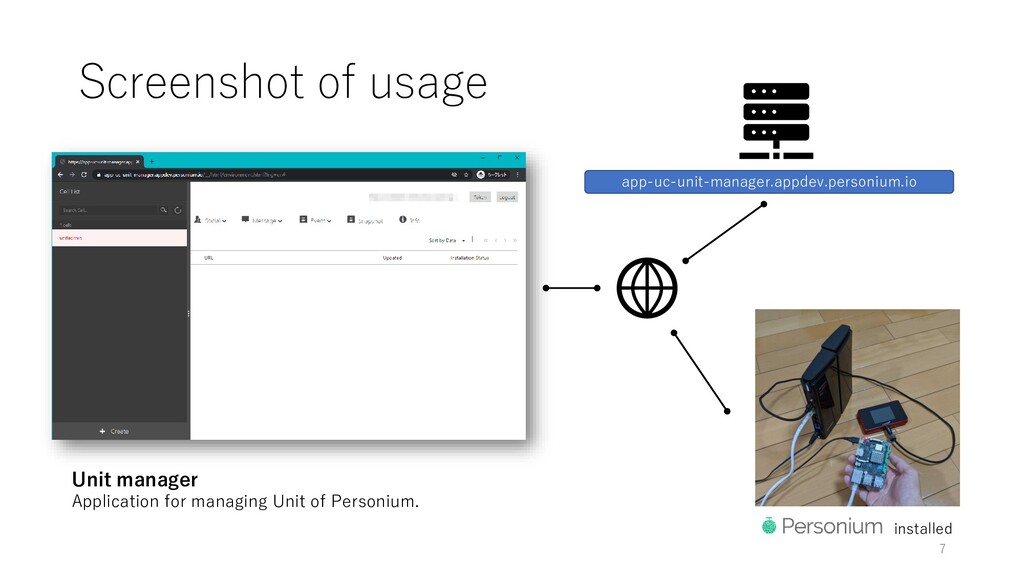
using the home network, I used the mobile network. • Even if you have only mobile network, you can publish your server via VPN. • My FQDN was obtained by using DDNS service. • MyDNS.JP is a convenient DDNS service. • SSL certificate is published by using Let’s encrypt. 6
• Personium code written in Java is suitable to multiple platforms such as ARM-based machine. • NAS is suitable for use, maybe. • In perspective of Operation, Maintenance, and Security, PDS should be served by creditable platformer rather than served at home. 9


 moro
moro
 kaityo256
 ryu1013
 artoy
artoy
.jpg) yumnumm
yumnumm
 kinopeee
 kmars0605
 guaca
guaca
 uyuki234
 skydoves
 florets1
 kishida
 katiecoart
 raygrieselhuber
 chriscoyier
 akademiya2063
 lauravandoore
.jpg) cargoodrich
cargoodrich
 dougneiner
 lemiorhan
 badams
 mongodb
 samanthasiow
 tammyeverts