Upgrade to Pro — share decks privately, control downloads, hide ads and more …

M5WatchClicker: The Palm-Sized Clicker That Tap...

M5WatchClicker: The Palm-Sized Clicker That Taps You Before You Run Over

Swipe to change slides, glance at the ring for time left, feel a buzz before it runs out -- all from your palm.

https://github.com/3110/M5WatchClicker

Avatar for SAITO, Tetsuya

SAITO, Tetsuya

August 01, 2026

More Decks by SAITO, Tetsuya

Other Decks in Programming

Transcript

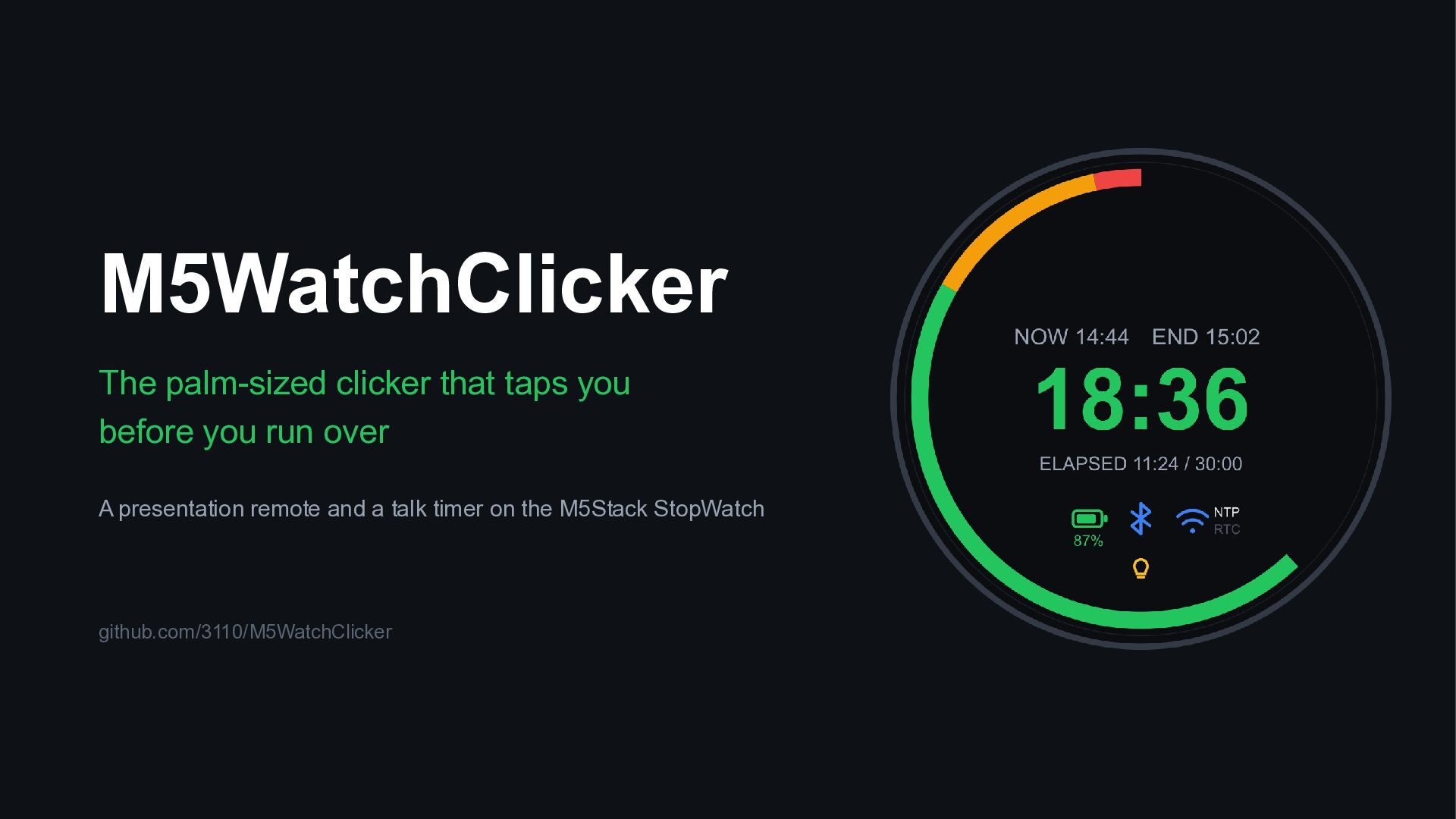
  1. M5WatchClicker The palm-sized clicker that taps you before you run

    over A presentation remote and a talk timer on the M5Stack StopWatch github.com/3110/M5WatchClicker
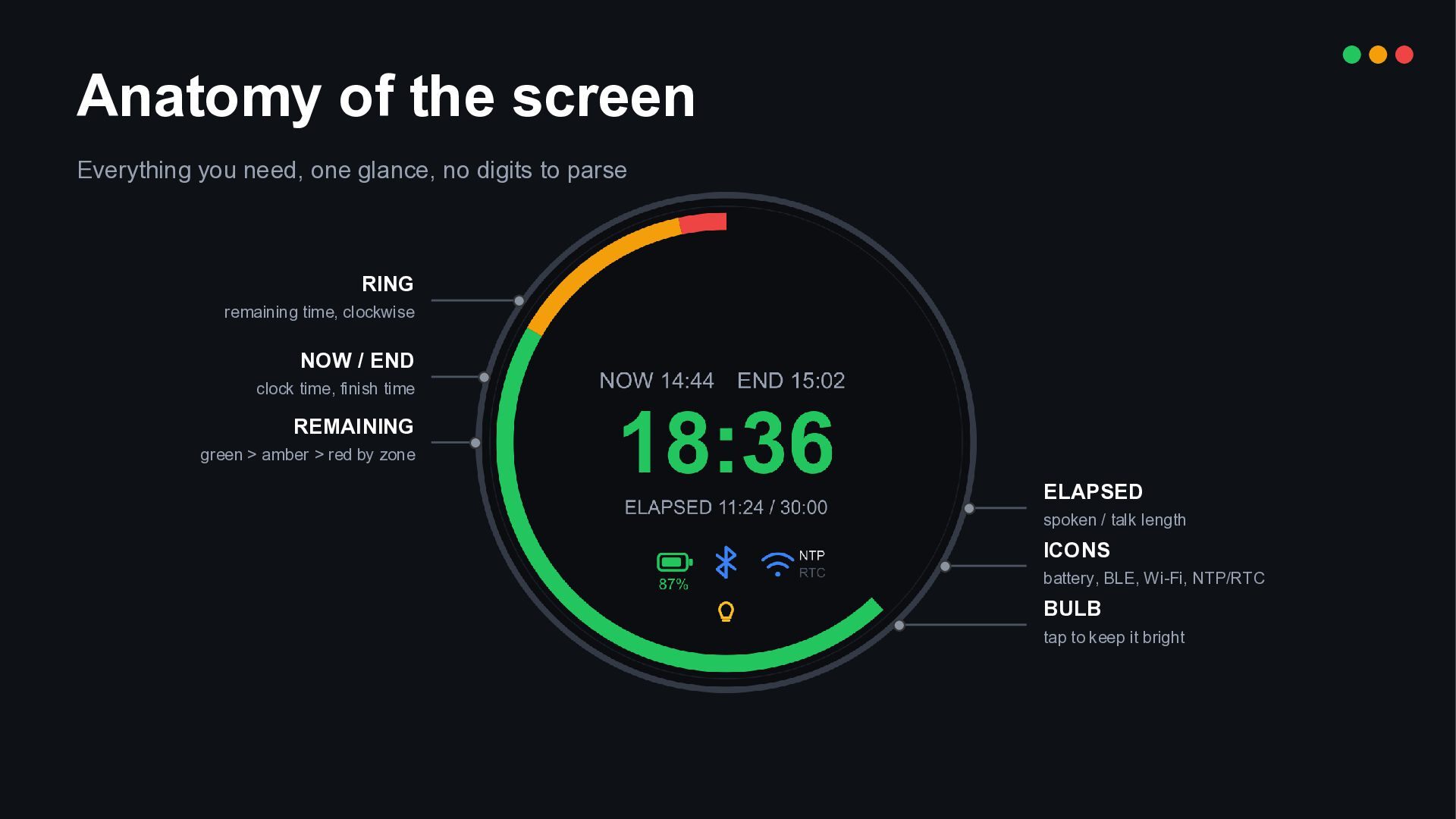
  2. Anatomy of the screen Everything you need, one glance, no

    digits to parse RING remaining time, clockwise NOW / END clock time, finish time REMAINING green > amber > red by zone ELAPSED spoken / talk length ICONS battery, BLE, Wi-Fi, NTP/RTC BULB tap to keep it bright
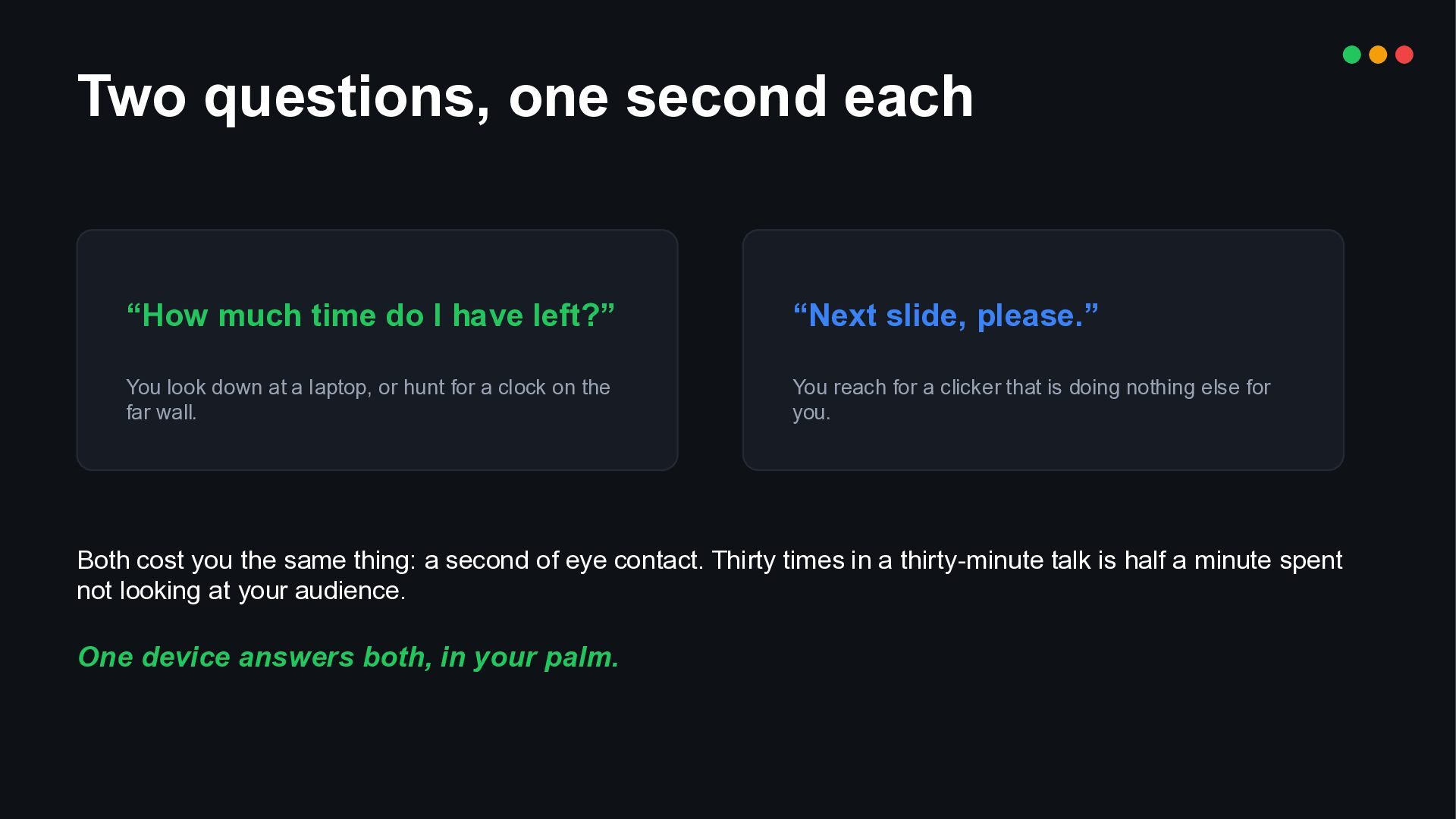
  3. Two questions, one second each “How much time do I

    have left?” “Next slide, please.” You look down at a laptop, or hunt for a clock on the far wall. You reach for a clicker that is doing nothing else for you. Both cost you the same thing: a second of eye contact. Thirty times in a thirty-minute talk is half a minute spent not looking at your audience. One device answers both, in your palm.
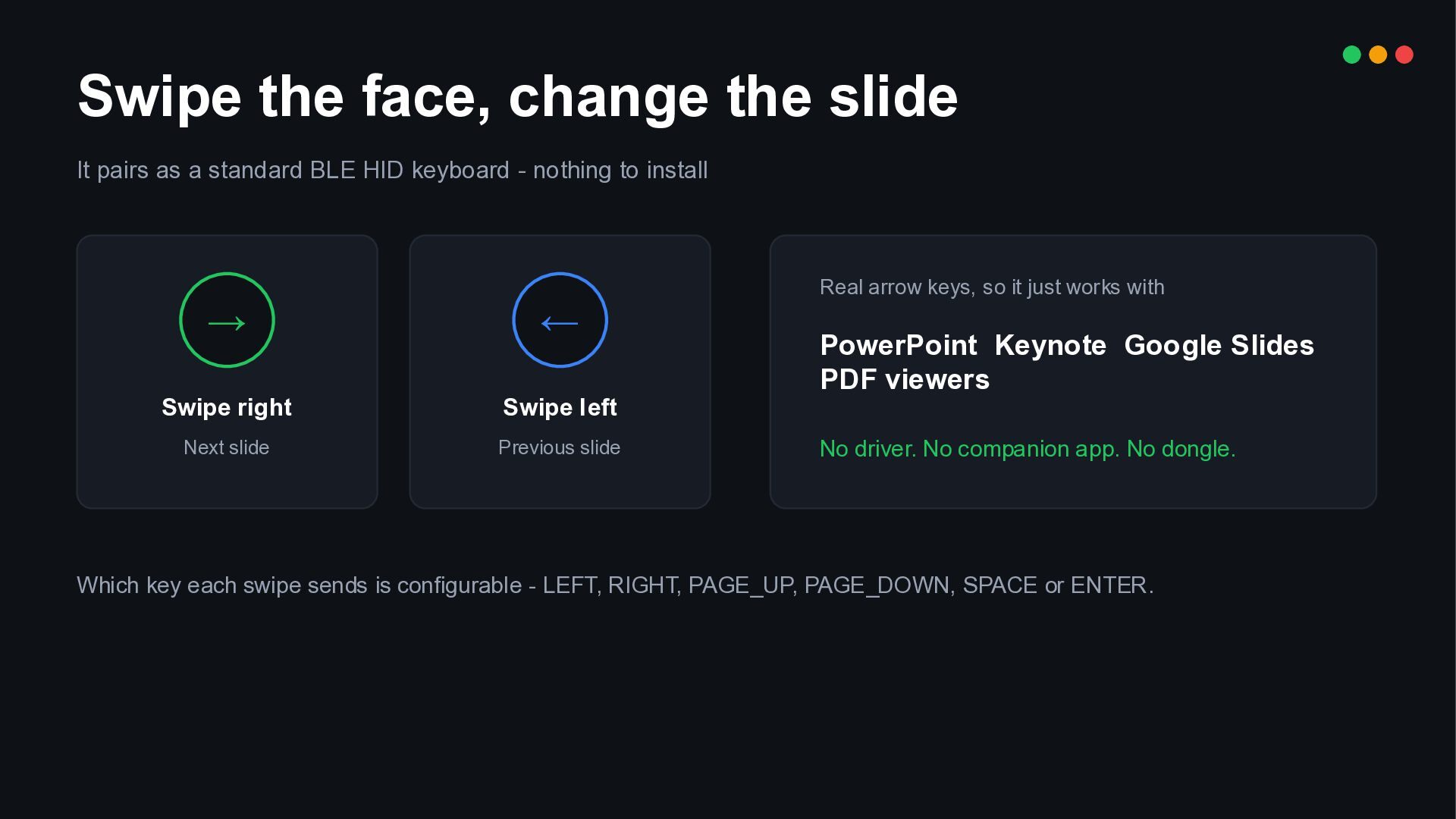
  4. Swipe the face, change the slide It pairs as a

    standard BLE HID keyboard - nothing to install → ← Swipe right Swipe left Next slide Previous slide Real arrow keys, so it just works with PowerPoint Keynote Google Slides PDF viewers No driver. No companion app. No dongle. Which key each swipe sends is configurable - LEFT, RIGHT, PAGE_UP, PAGE_DOWN, SPACE or ENTER.
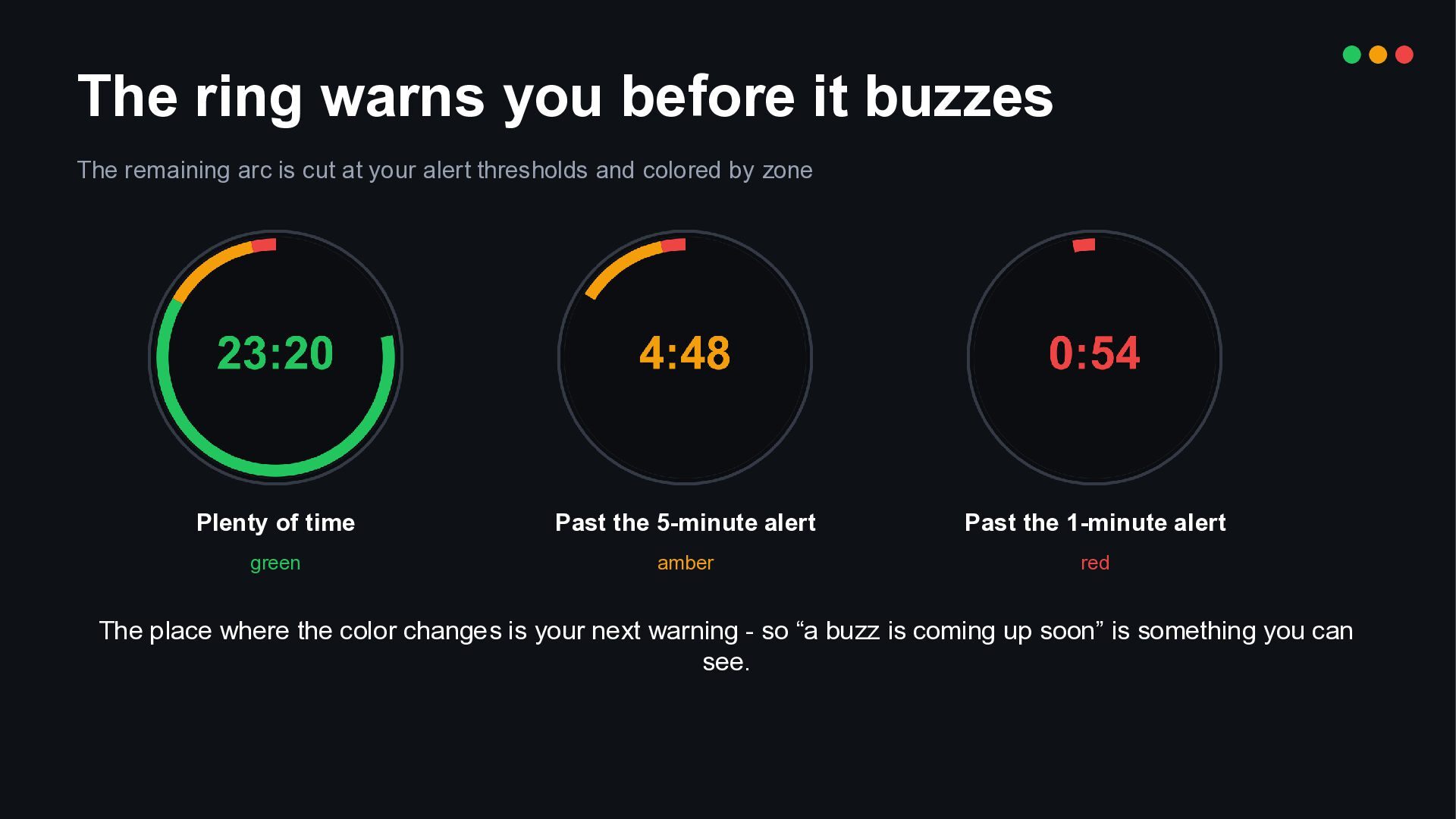
  5. The ring warns you before it buzzes The remaining arc

    is cut at your alert thresholds and colored by zone Plenty of time Past the 5-minute alert Past the 1-minute alert green amber red The place where the color changes is your next warning - so “a buzz is coming up soon” is something you can see.
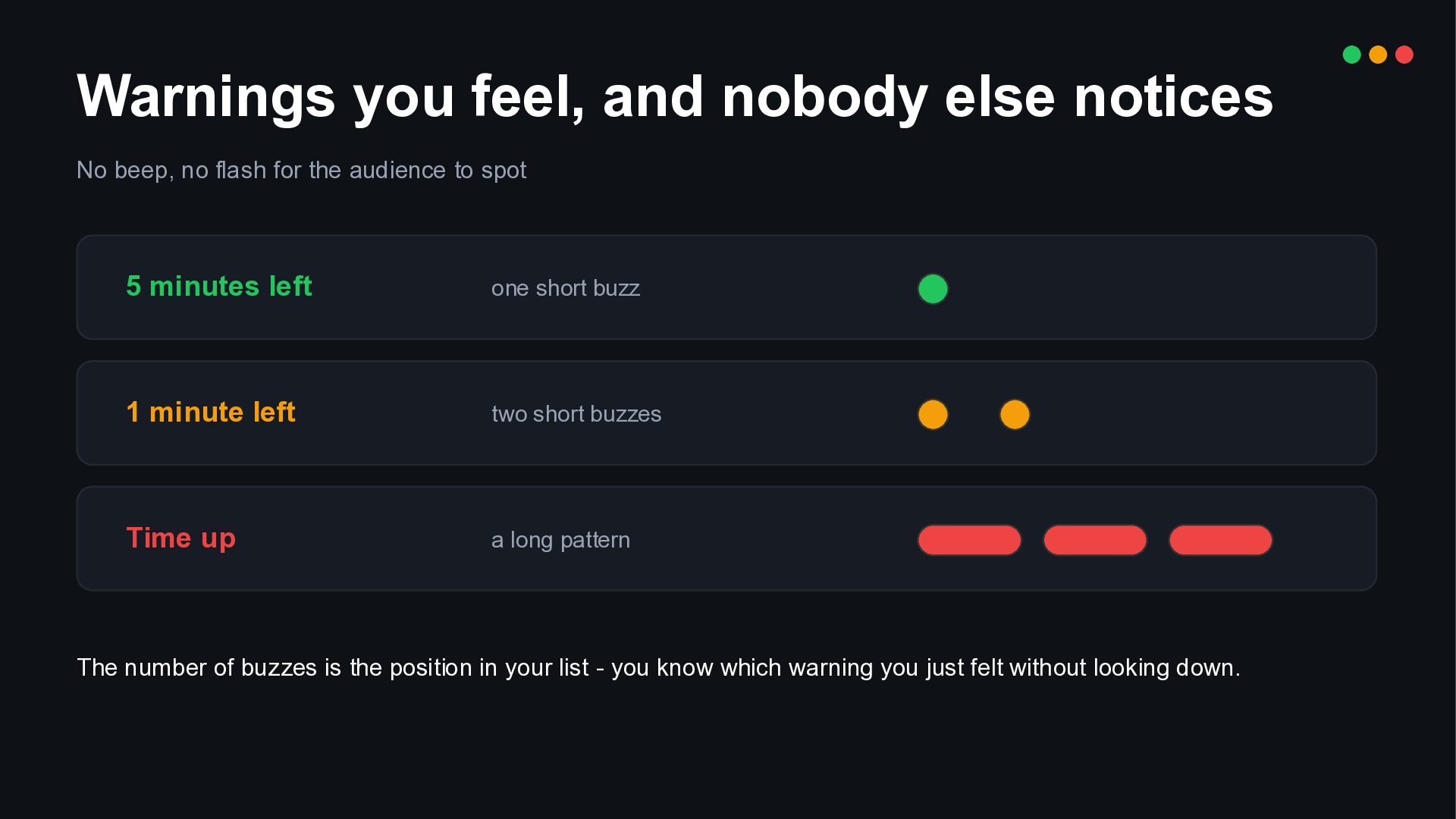
  6. Warnings you feel, and nobody else notices No beep, no

    flash for the audience to spot 5 minutes left one short buzz 1 minute left two short buzzes Time up a long pattern The number of buzzes is the position in your list - you know which warning you just felt without looking down.
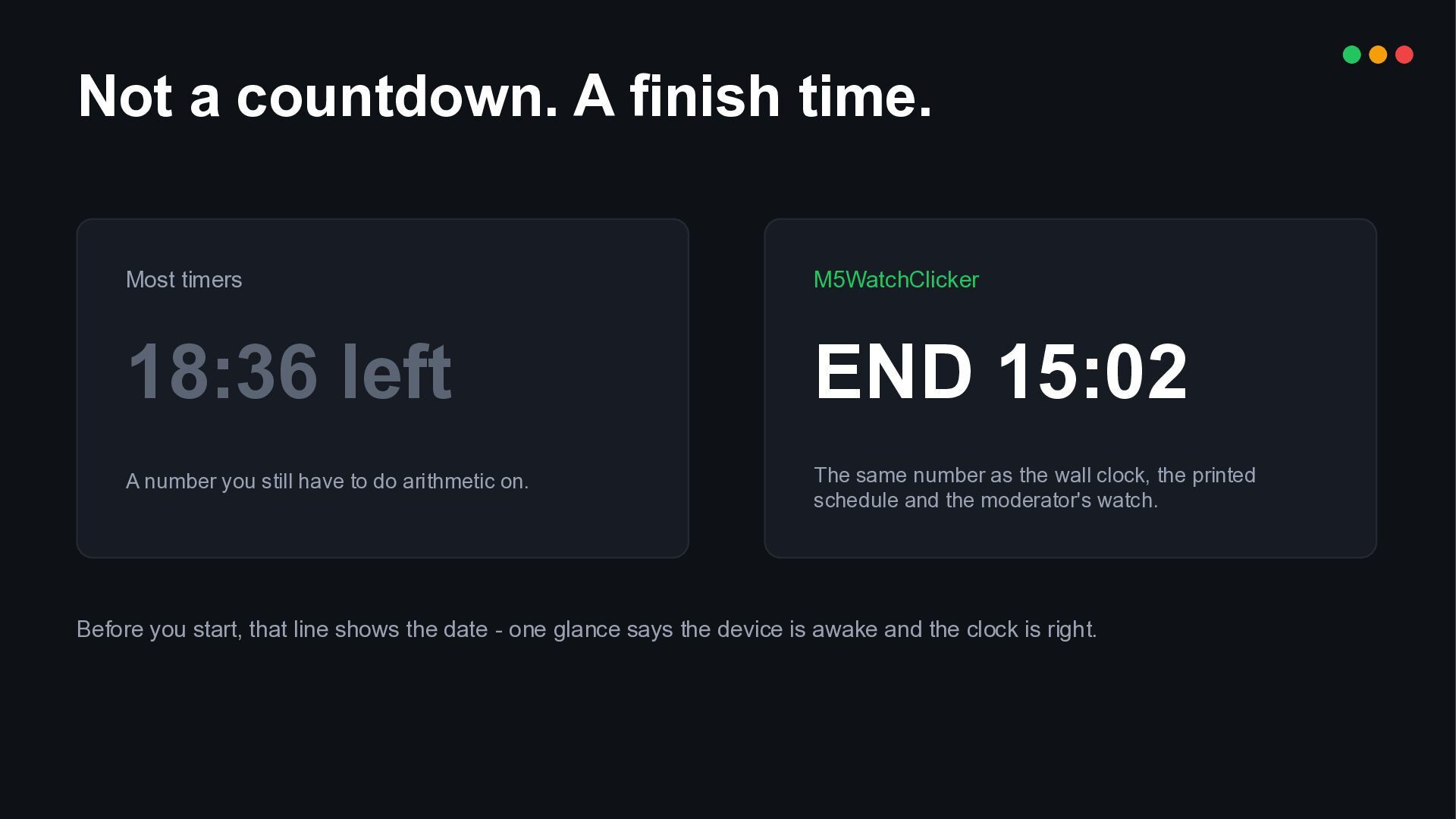
  7. Not a countdown. A finish time. Most timers M5WatchClicker 18:36

    left END 15:02 A number you still have to do arithmetic on. The same number as the wall clock, the printed schedule and the moderator's watch. Before you start, that line shows the date - one glance says the device is awake and the clock is right.
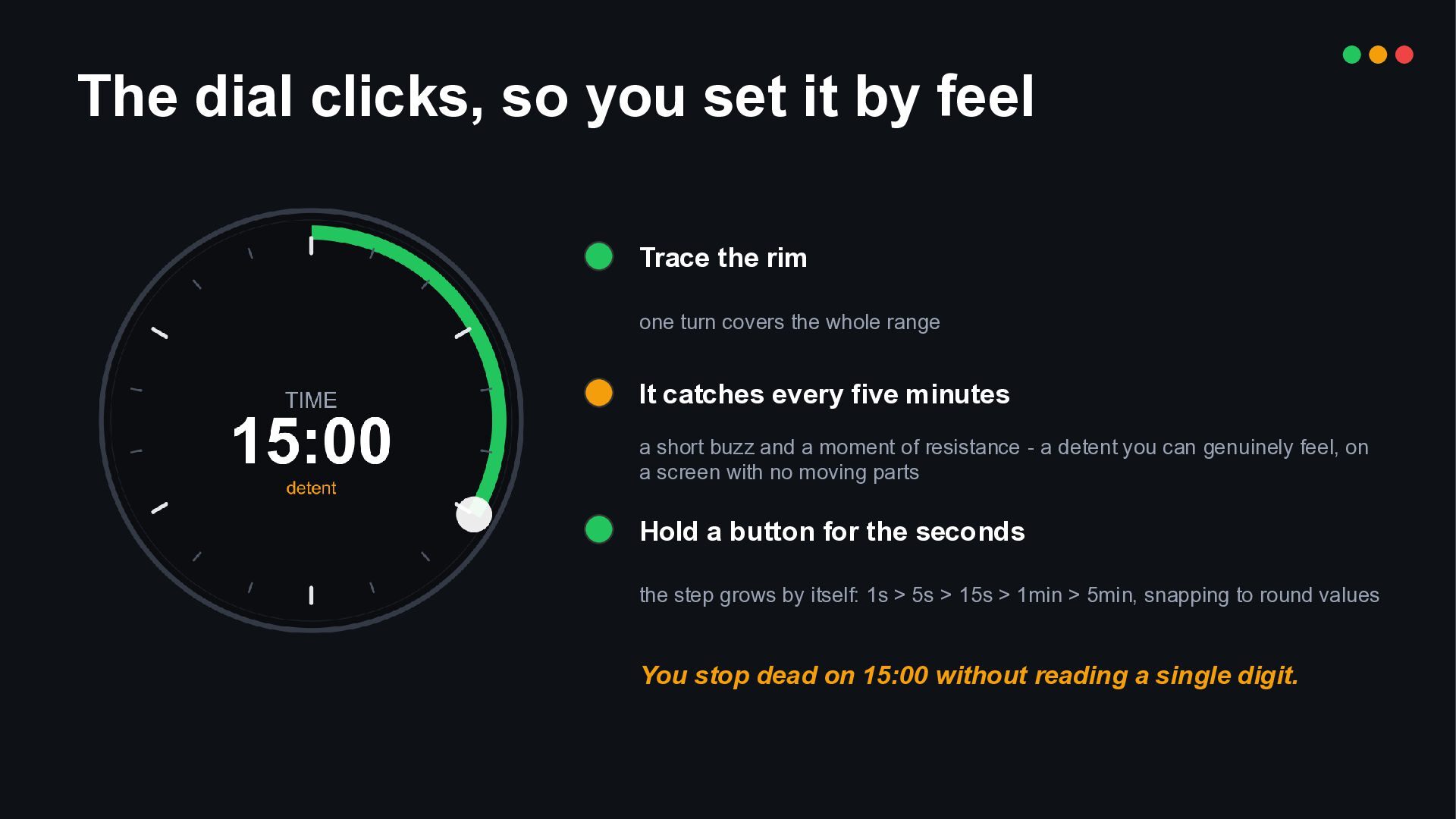
  8. The dial clicks, so you set it by feel Trace

    the rim one turn covers the whole range It catches every five minutes a short buzz and a moment of resistance - a detent you can genuinely feel, on a screen with no moving parts Hold a button for the seconds the step grows by itself: 1s > 5s > 15s > 1min > 5min, snapping to round values You stop dead on 15:00 without reading a single digit.
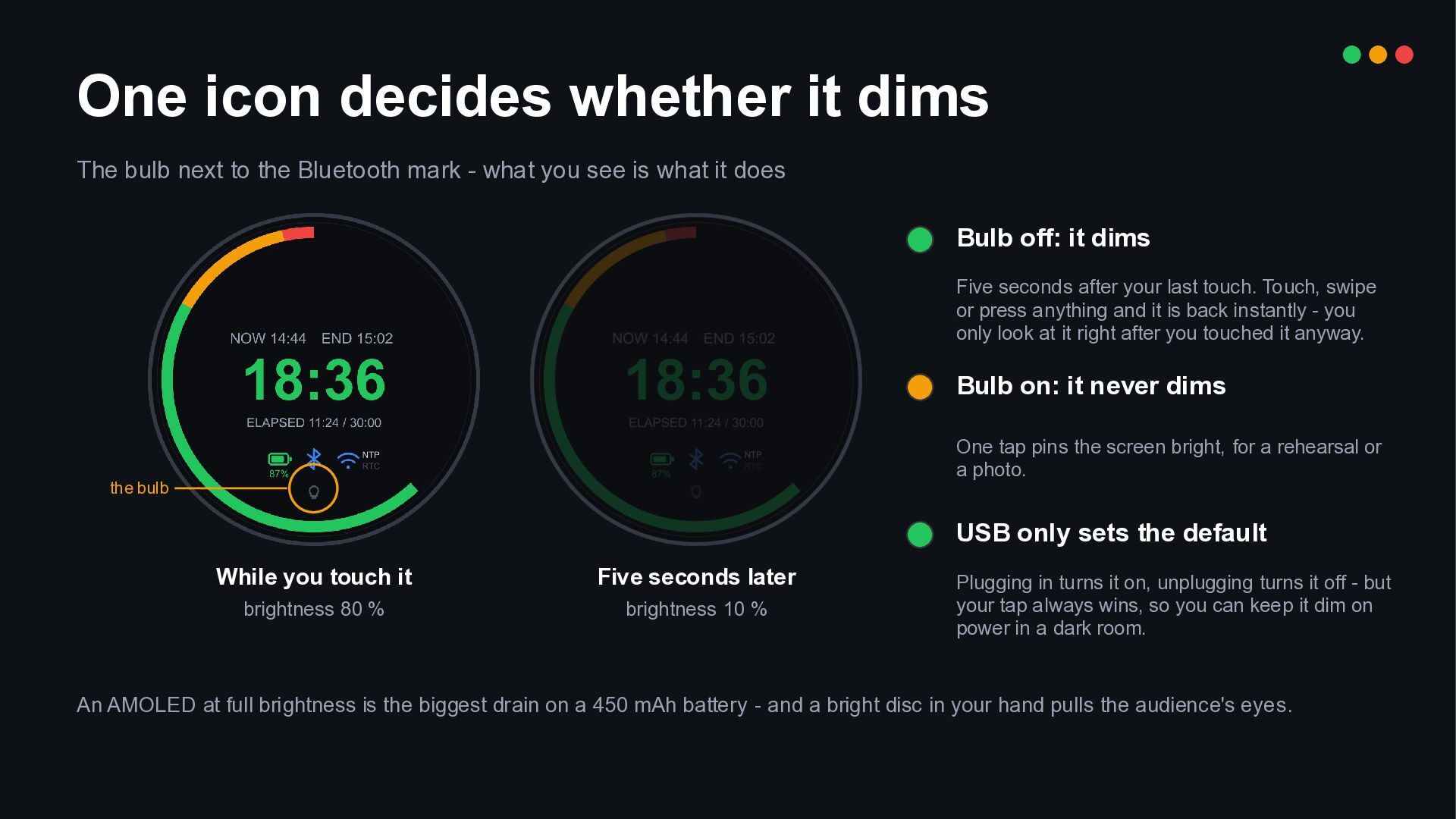
  9. One icon decides whether it dims The bulb next to

    the Bluetooth mark - what you see is what it does Bulb off: it dims Five seconds after your last touch. Touch, swipe or press anything and it is back instantly - you only look at it right after you touched it anyway. Bulb on: it never dims One tap pins the screen bright, for a rehearsal or a photo. the bulb USB only sets the default While you touch it Five seconds later brightness 80 % brightness 10 % Plugging in turns it on, unplugging turns it off - but your tap always wins, so you can keep it dim on power in a dark room. An AMOLED at full brightness is the biggest drain on a 450 mAh battery - and a bright disc in your hand pulls the audience's eyes.
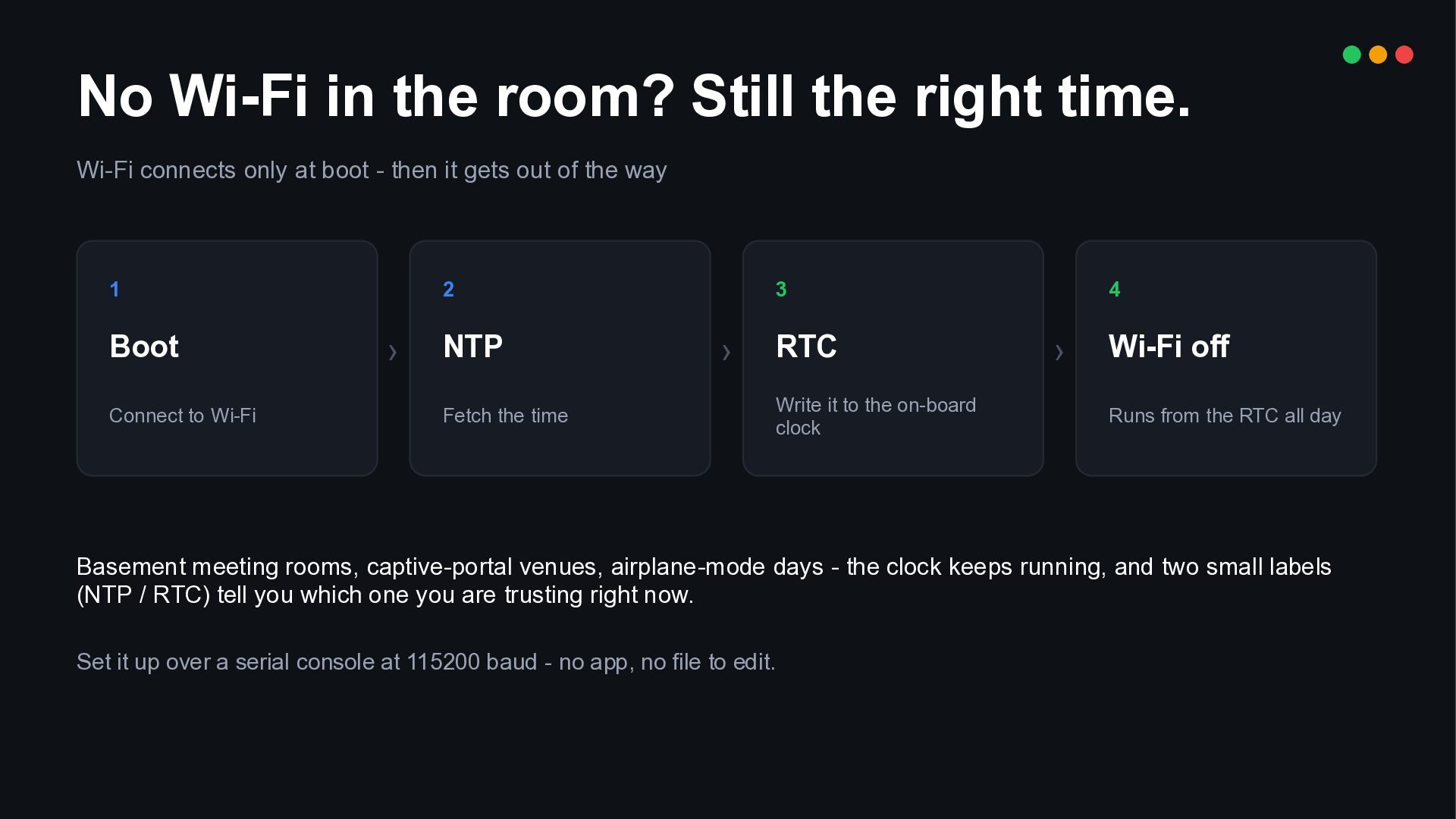
  10. No Wi-Fi in the room? Still the right time. Wi-Fi

    connects only at boot - then it gets out of the way 1 Boot Connect to Wi-Fi 2 › NTP Fetch the time 3 › RTC Write it to the on-board clock 4 › Wi-Fi off Runs from the RTC all day Basement meeting rooms, captive-portal venues, airplane-mode days - the clock keeps running, and two small labels (NTP / RTC) tell you which one you are trusting right now. Set it up over a serial console at 115200 baud - no app, no file to edit.
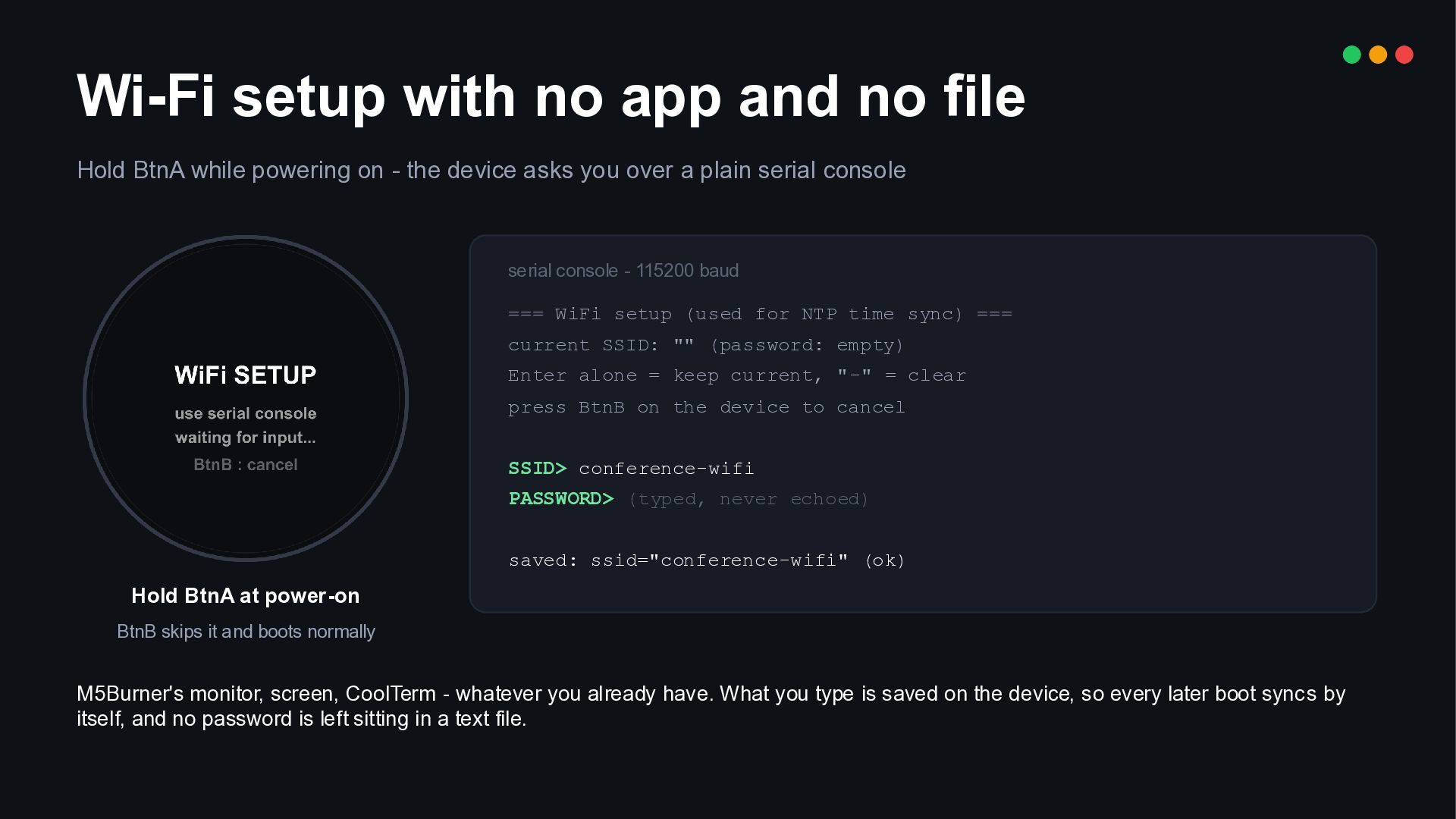
  11. Wi-Fi setup with no app and no file Hold BtnA

    while powering on - the device asks you over a plain serial console serial console - 115200 baud === WiFi setup (used for NTP time sync) === current SSID: "" (password: empty) Enter alone = keep current, "-" = clear press BtnB on the device to cancel SSID> conference-wifi PASSWORD> (typed, never echoed) saved: ssid="conference-wifi" (ok) Hold BtnA at power-on BtnB skips it and boots normally M5Burner's monitor, screen, CoolTerm - whatever you already have. What you type is saved on the device, so every later boot sync s by itself, and no password is left sitting in a text file.
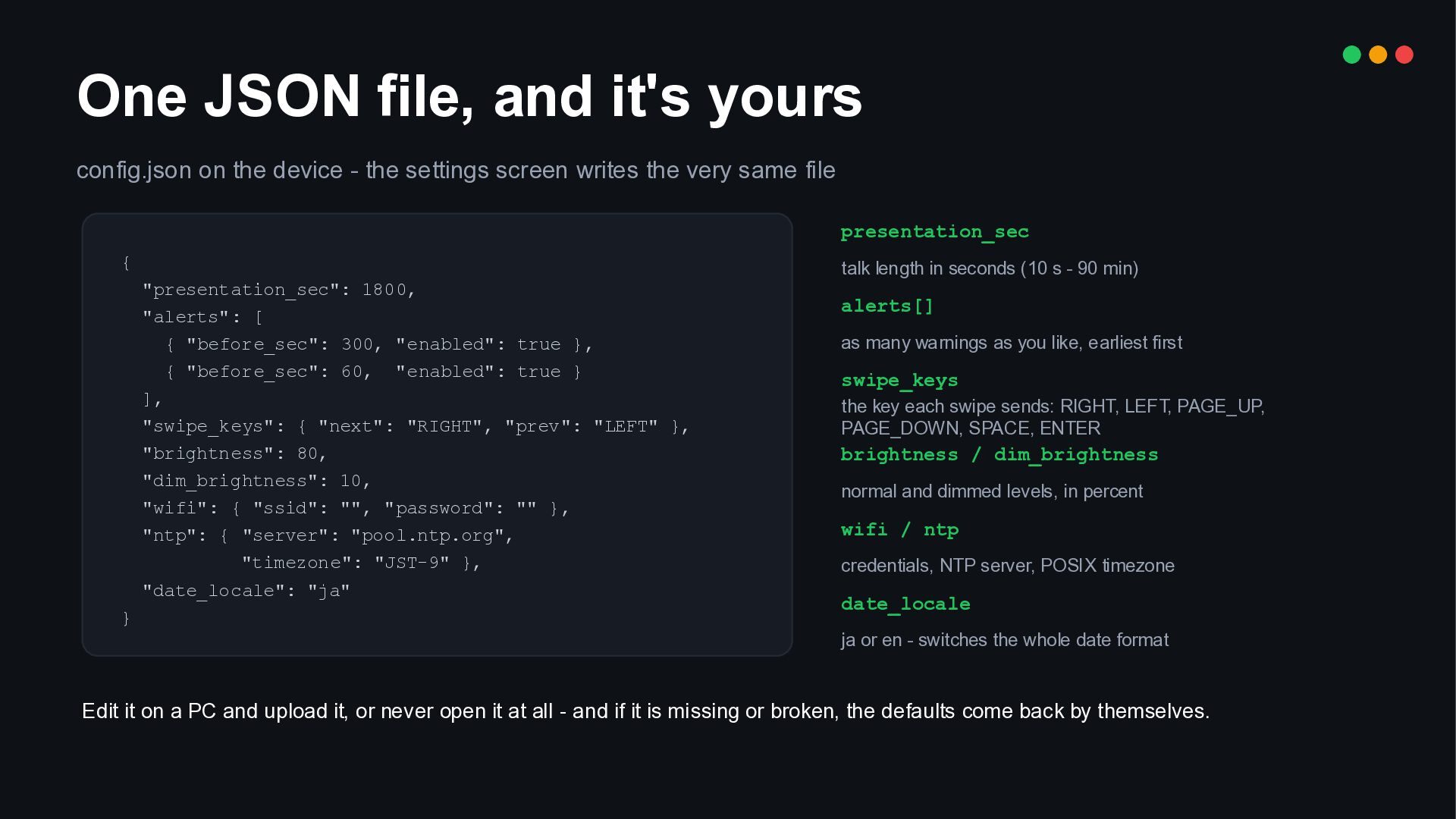
  12. One JSON file, and it's yours config.json on the device

    - the settings screen writes the very same file presentation_sec { talk length in seconds (10 s - 90 min) "presentation_sec": 1800, "alerts": [ { "before_sec": 300, "enabled": true }, { "before_sec": 60, "enabled": true } ], "swipe_keys": { "next": "RIGHT", "prev": "LEFT" }, "brightness": 80, "dim_brightness": 10, "wifi": { "ssid": "", "password": "" }, "ntp": { "server": "pool.ntp.org", "timezone": "JST-9" }, "date_locale": "ja" } alerts[] as many warnings as you like, earliest first swipe_keys the key each swipe sends: RIGHT, LEFT, PAGE_UP, PAGE_DOWN, SPACE, ENTER brightness / dim_brightness normal and dimmed levels, in percent wifi / ntp credentials, NTP server, POSIX timezone date_locale ja or en - switches the whole date format Edit it on a PC and upload it, or never open it at all - and if it is missing or broken, the defaults come back by themselves.
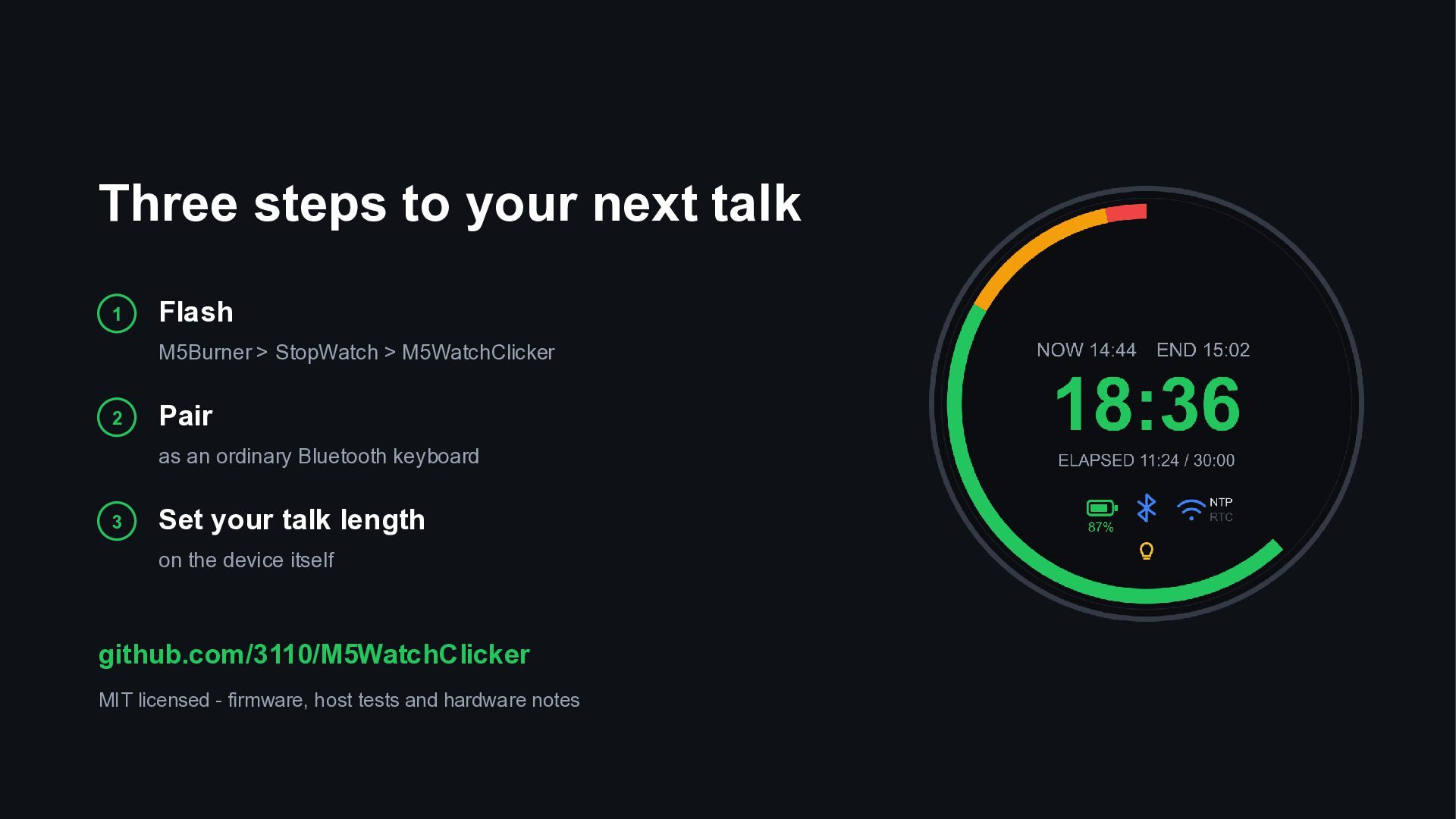
  13. Three steps to your next talk 1 Flash M5Burner >

    StopWatch > M5WatchClicker 2 Pair as an ordinary Bluetooth keyboard 3 Set your talk length on the device itself github.com/3110/M5WatchClicker MIT licensed - firmware, host tests and hardware notes