Streaming Workshop Lesson 10 1 Setting the audio in Zoom 2 Resources/links for enhancing/transforming the colors in OBS 3 Tutorial for blending shapes and textures (creating visions within a fire) in Adobe After Effects
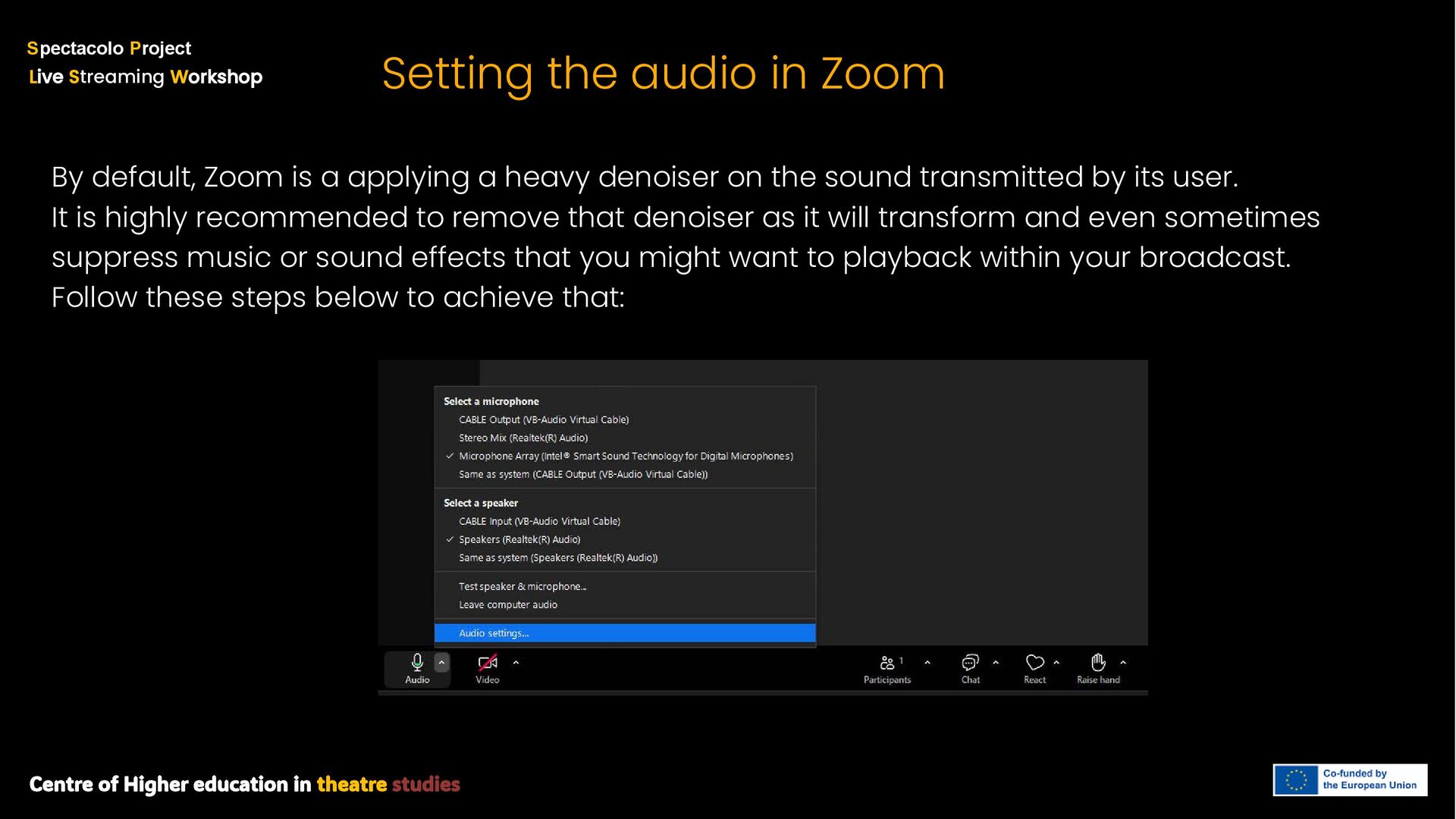
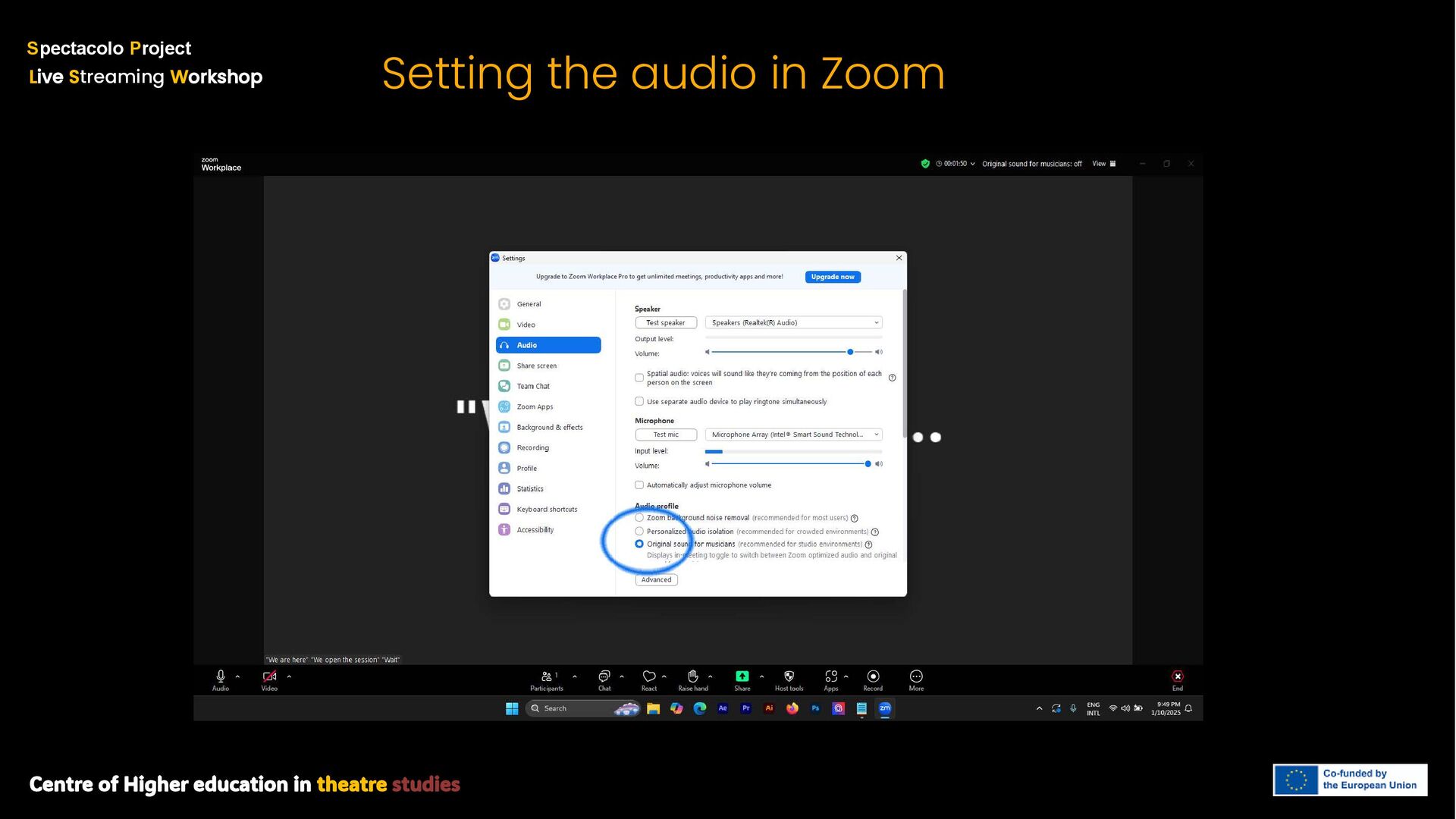
S treaming W orkshop Setting the audio in Zoom By default, Zoom is a applying a heavy denoiser on the sound transmitted by its user. It is highly recommended to remove that denoiser as it will transform and even sometimes suppress music or sound effects that you might want to playback within your broadcast. Follow these steps below to achieve that:
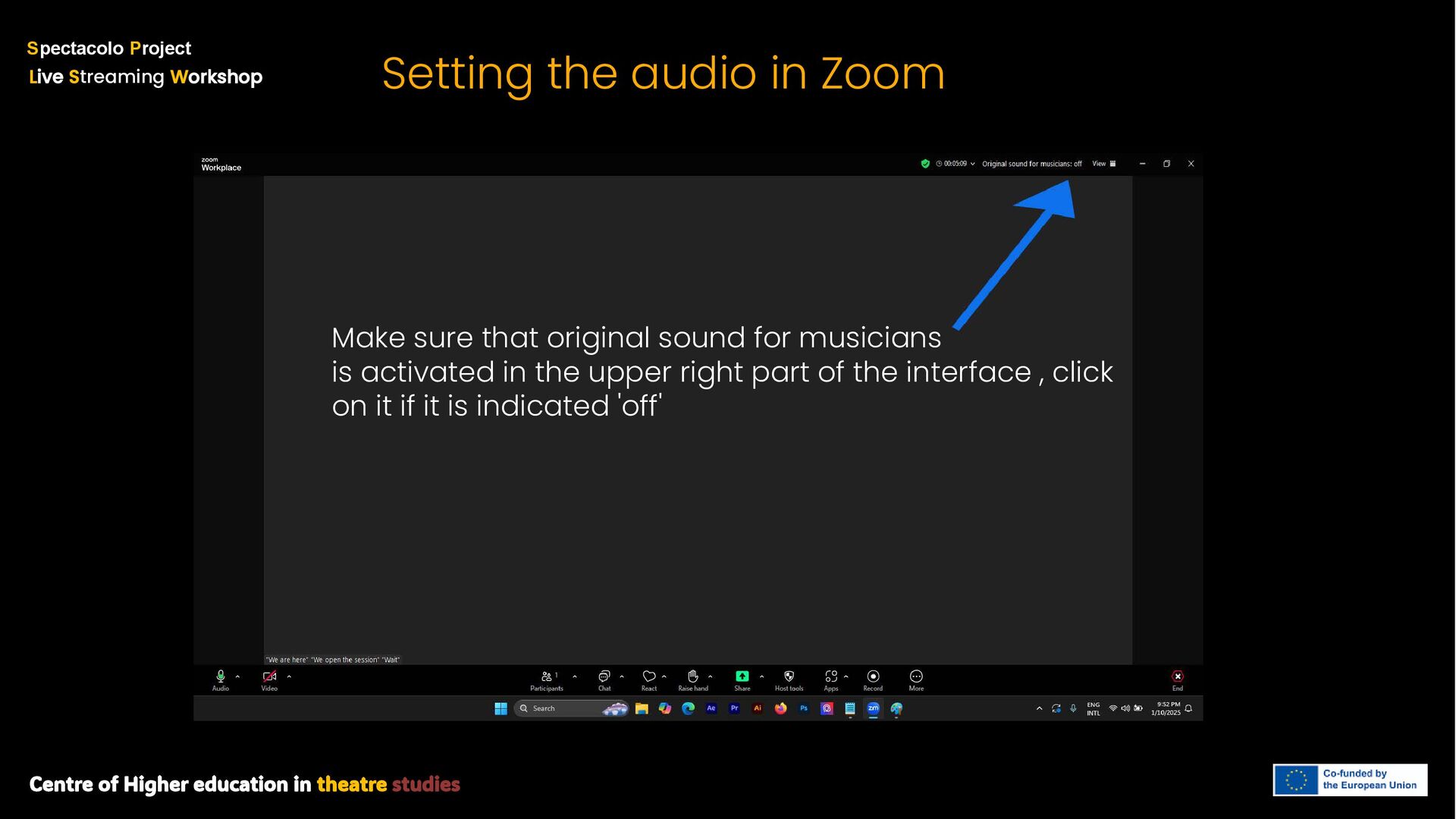
S treaming W orkshop Setting the audio in Zoom Make sure that original sound for musicians is activated in the upper right part of the interface , click on it if it is indicated 'off'
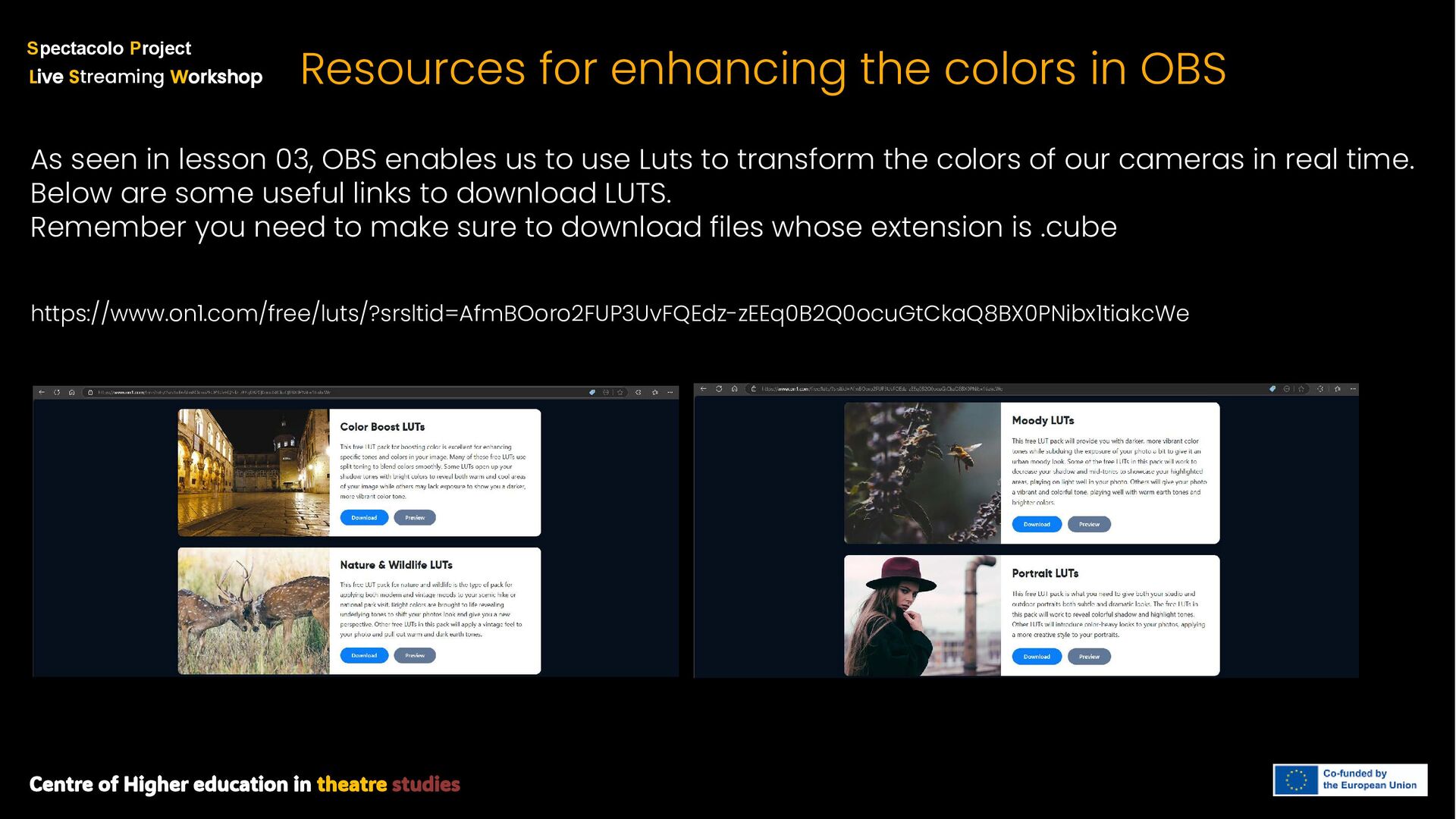
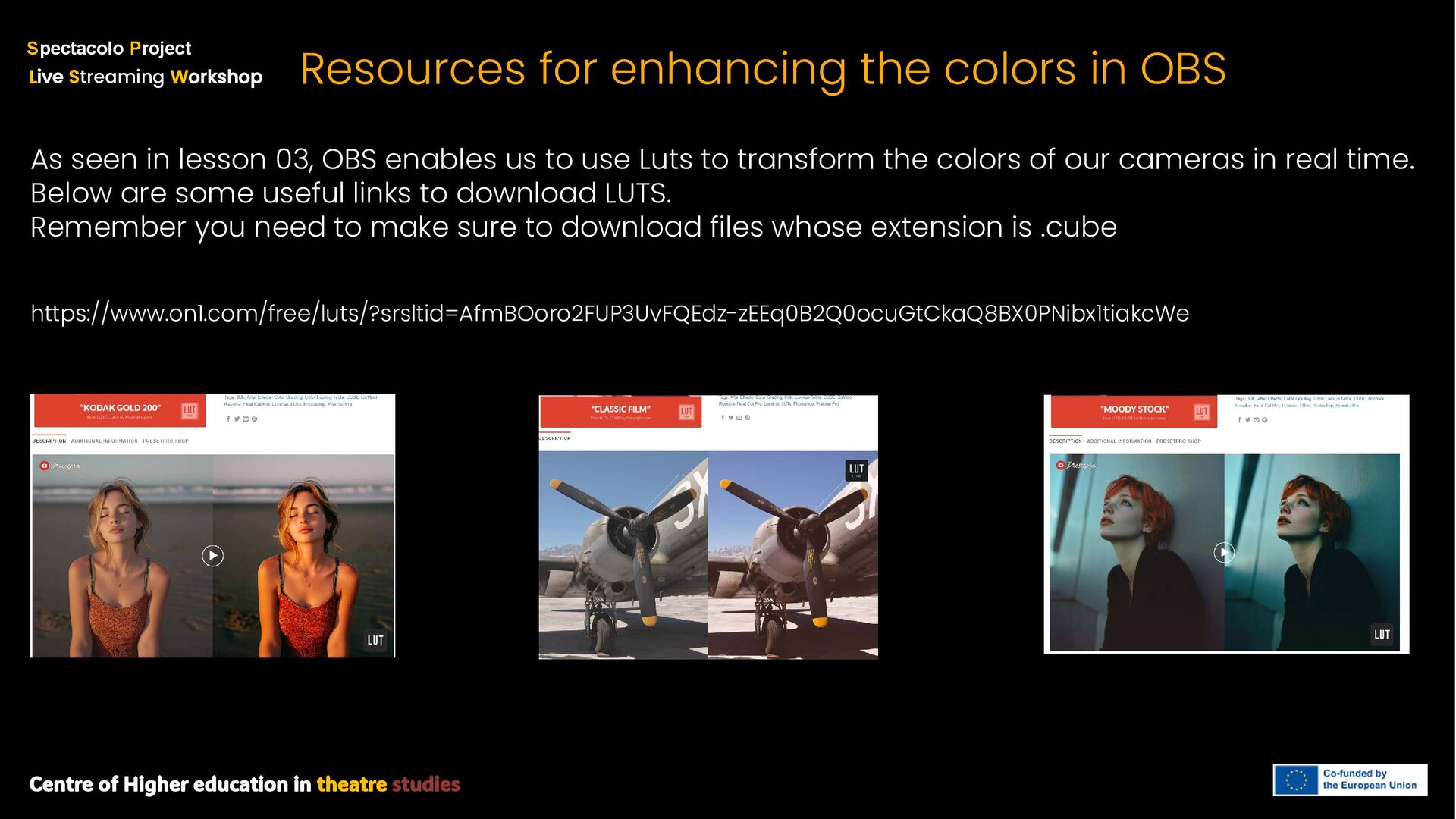
S treaming W orkshop Resources for enhancing the colors in OBS As seen in lesson 03, OBS enables us to use Luts to transform the colors of our cameras in real time. Below are some useful links to download LUTS. Remember you need to make sure to download files whose extension is .cube https://www.on1.com/free/luts/?srsltid=AfmBOoro2FUP3UvFQEdz-zEEq0B2Q0ocuGtCkaQ8BX0PNibx1tiakcWe
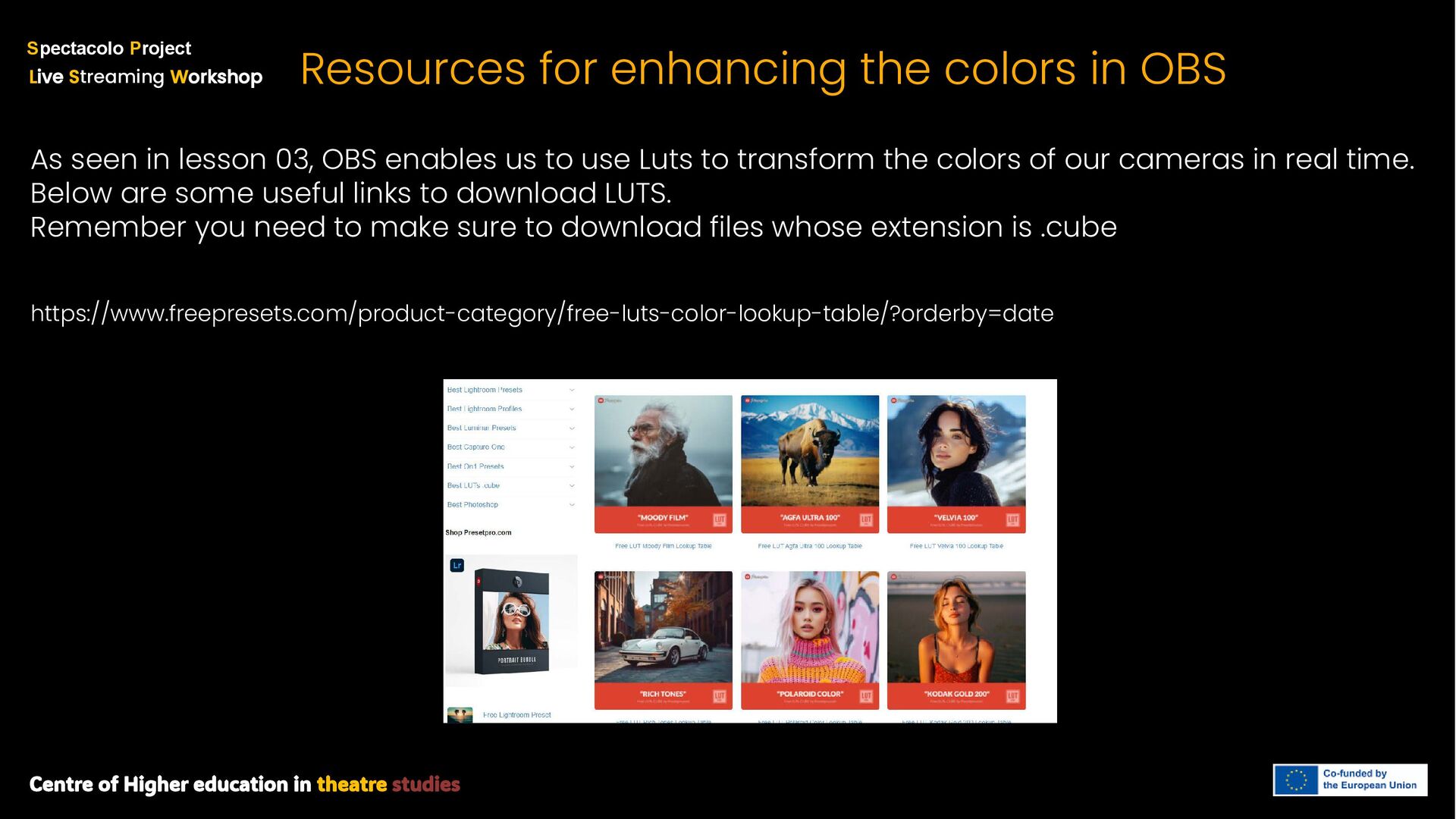
S treaming W orkshop Resources for enhancing the colors in OBS As seen in lesson 03, OBS enables us to use Luts to transform the colors of our cameras in real time. Below are some useful links to download LUTS. Remember you need to make sure to download files whose extension is .cube https://www.freepresets.com/product-category/free-luts-color-lookup-table/?orderby=date
S treaming W orkshop Resources for enhancing the colors in OBS As seen in lesson 03, OBS enables us to use Luts to transform the colors of our cameras in real time. Below are some useful links to download LUTS. Remember you need to make sure to download files whose extension is .cube https://www.on1.com/free/luts/?srsltid=AfmBOoro2FUP3UvFQEdz-zEEq0B2Q0ocuGtCkaQ8BX0PNibx1tiakcWe
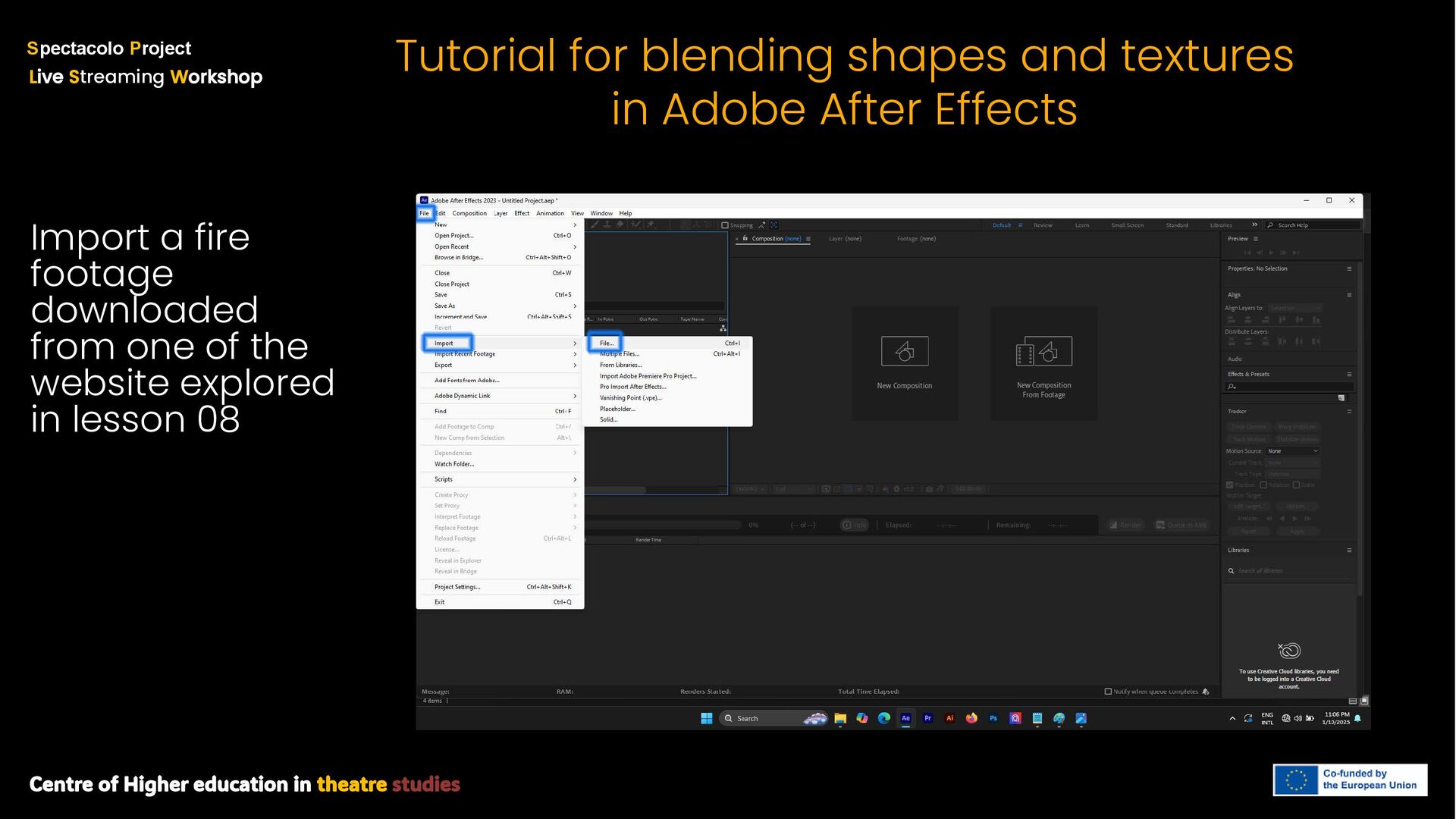
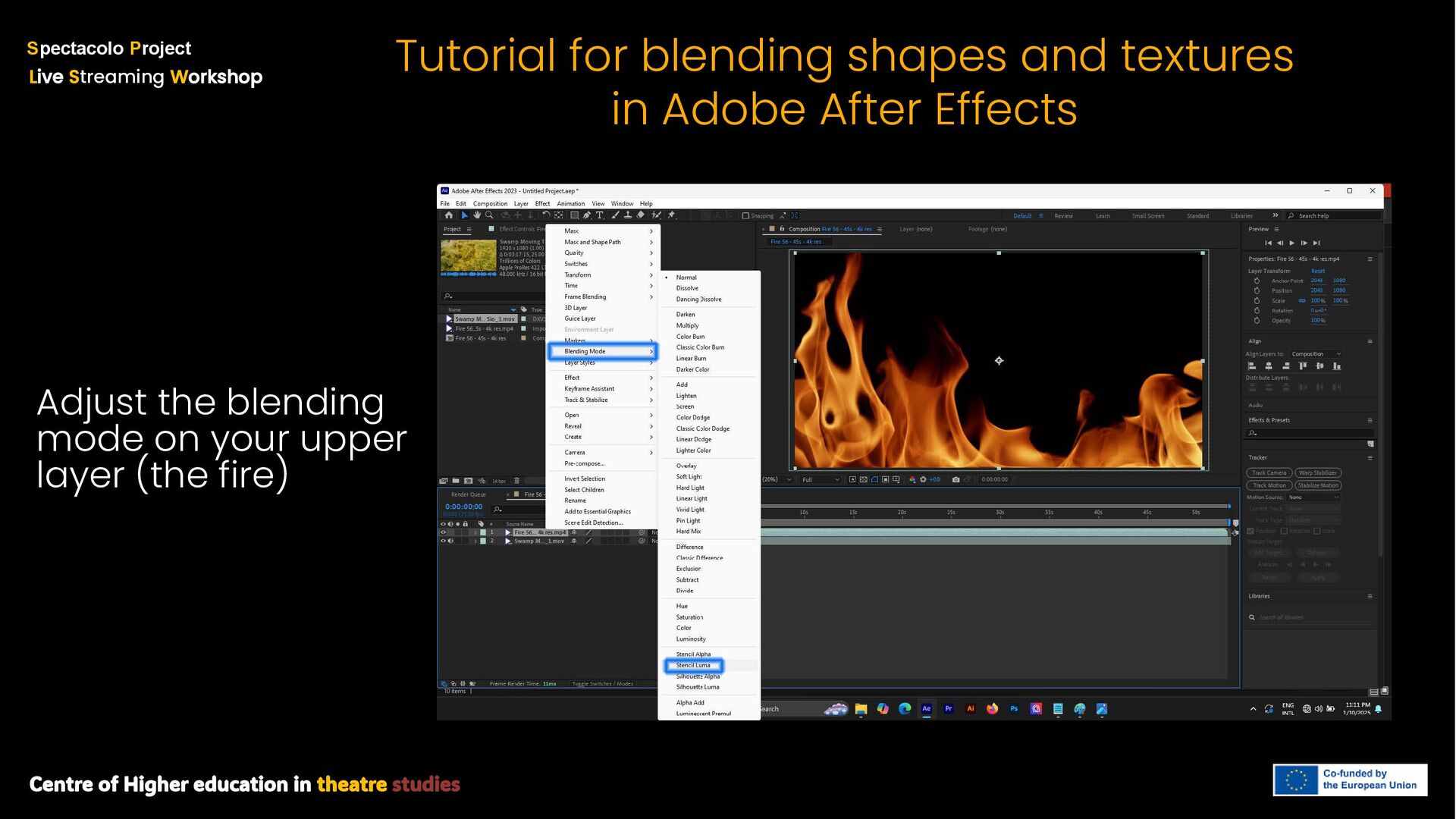
S treaming W orkshop Tutorial for blending shapes and textures in Adobe After Effects Import a fire footage downloaded from one of the website explored in lesson 08
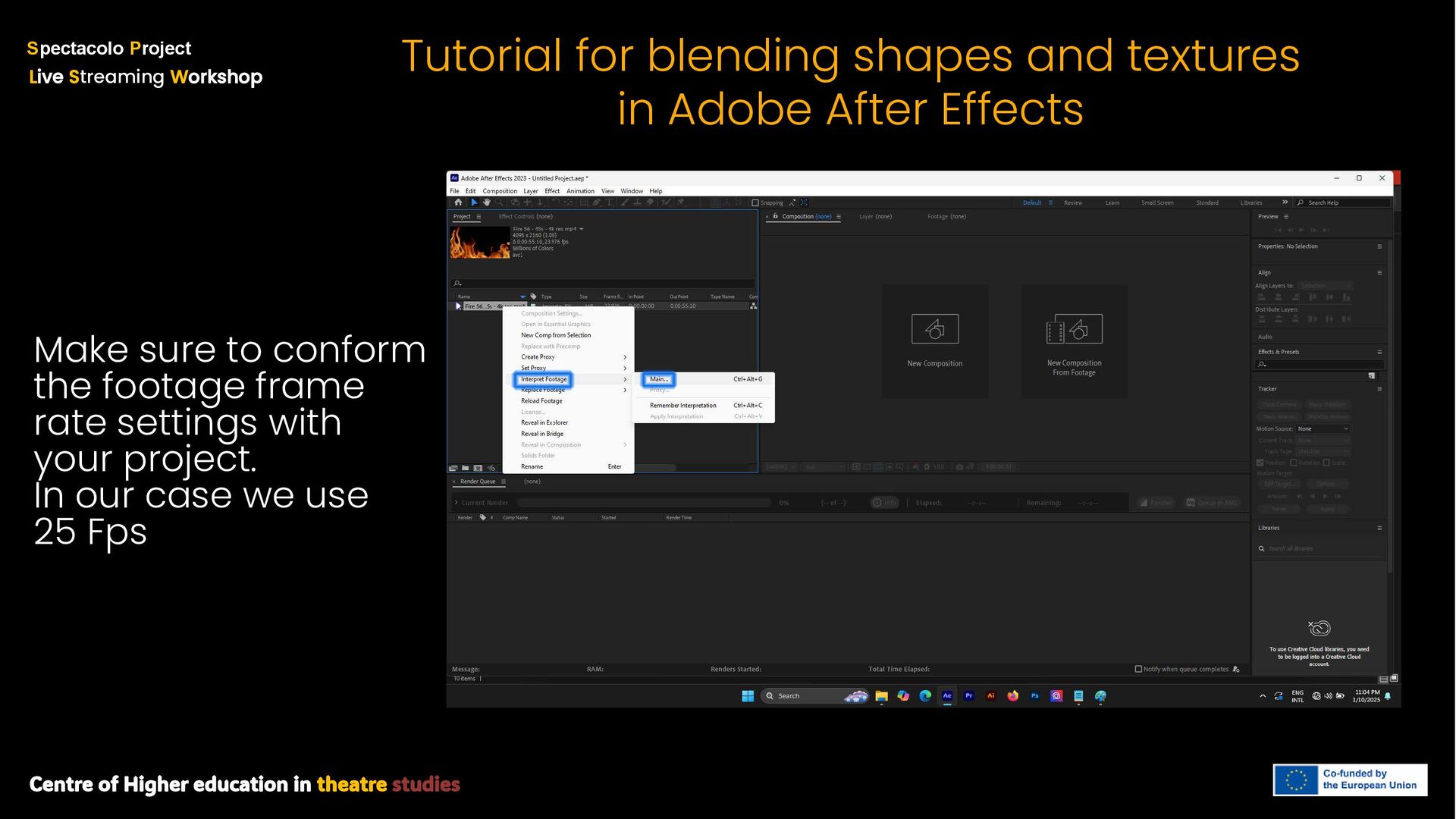
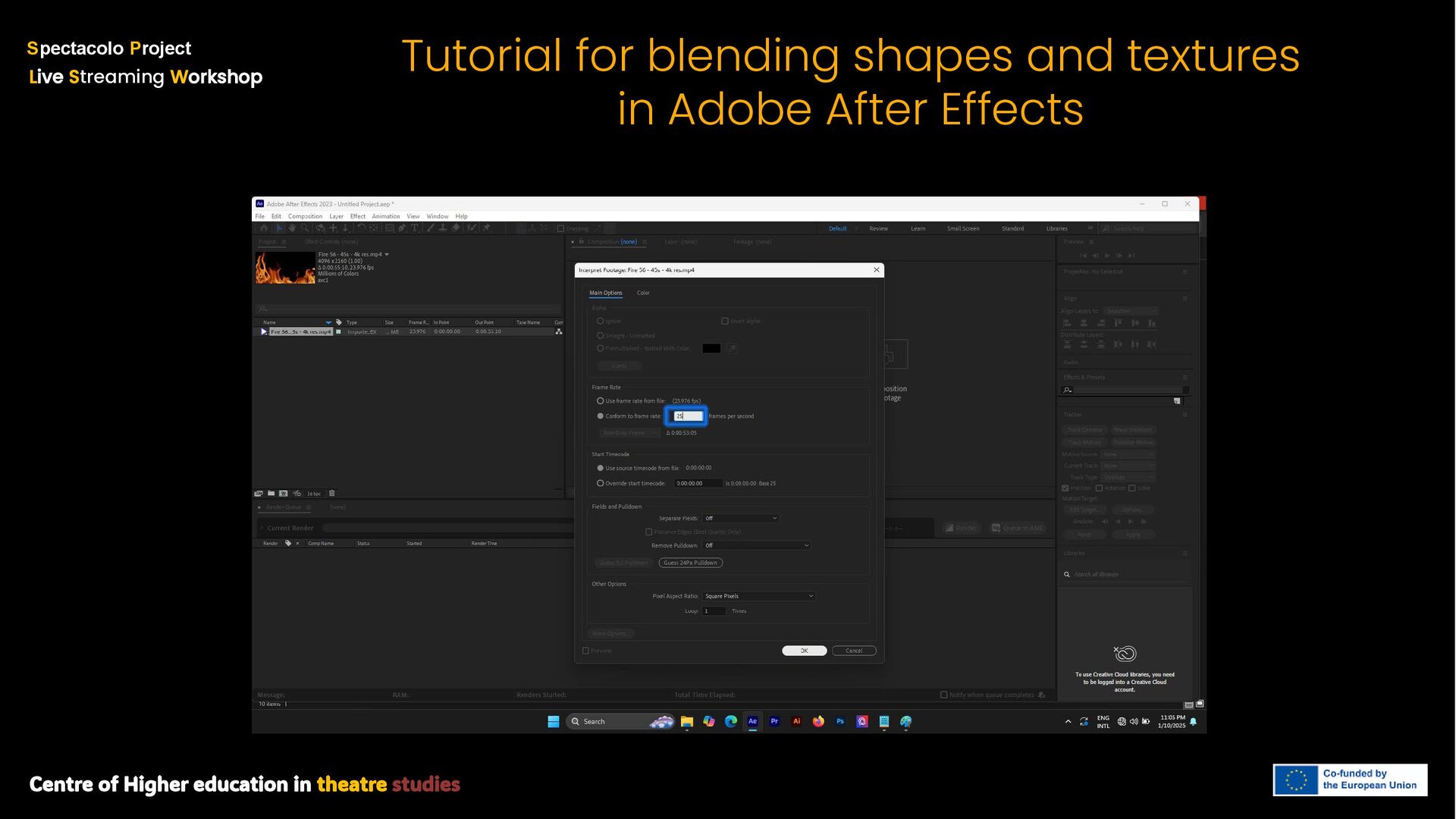
S treaming W orkshop Tutorial for blending shapes and textures in Adobe After Effects Make sure to conform the footage frame rate settings with your project. In our case we use 25 Fps
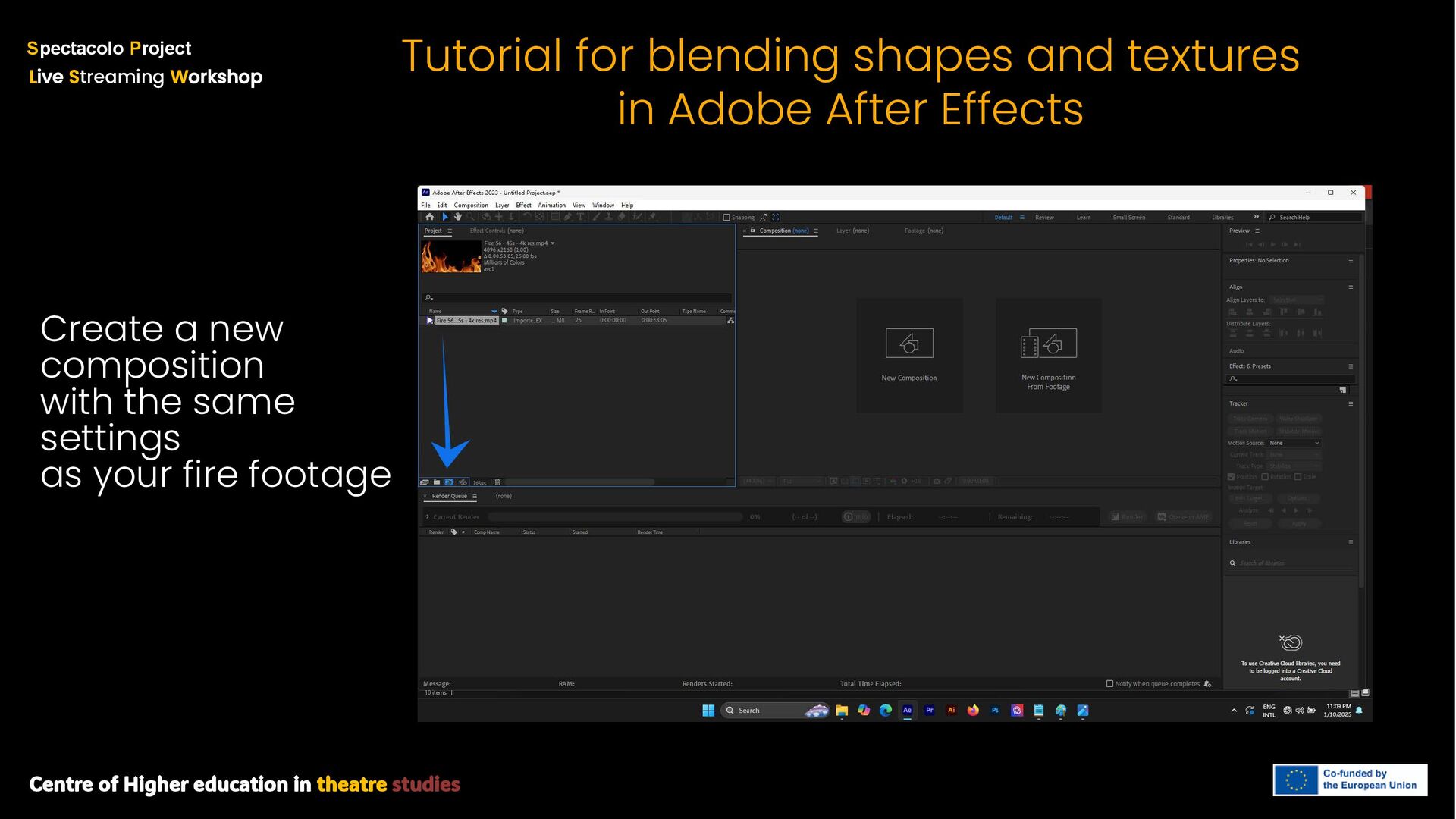
S treaming W orkshop Tutorial for blending shapes and textures in Adobe After Effects Create a new composition with the same settings as your fire footage
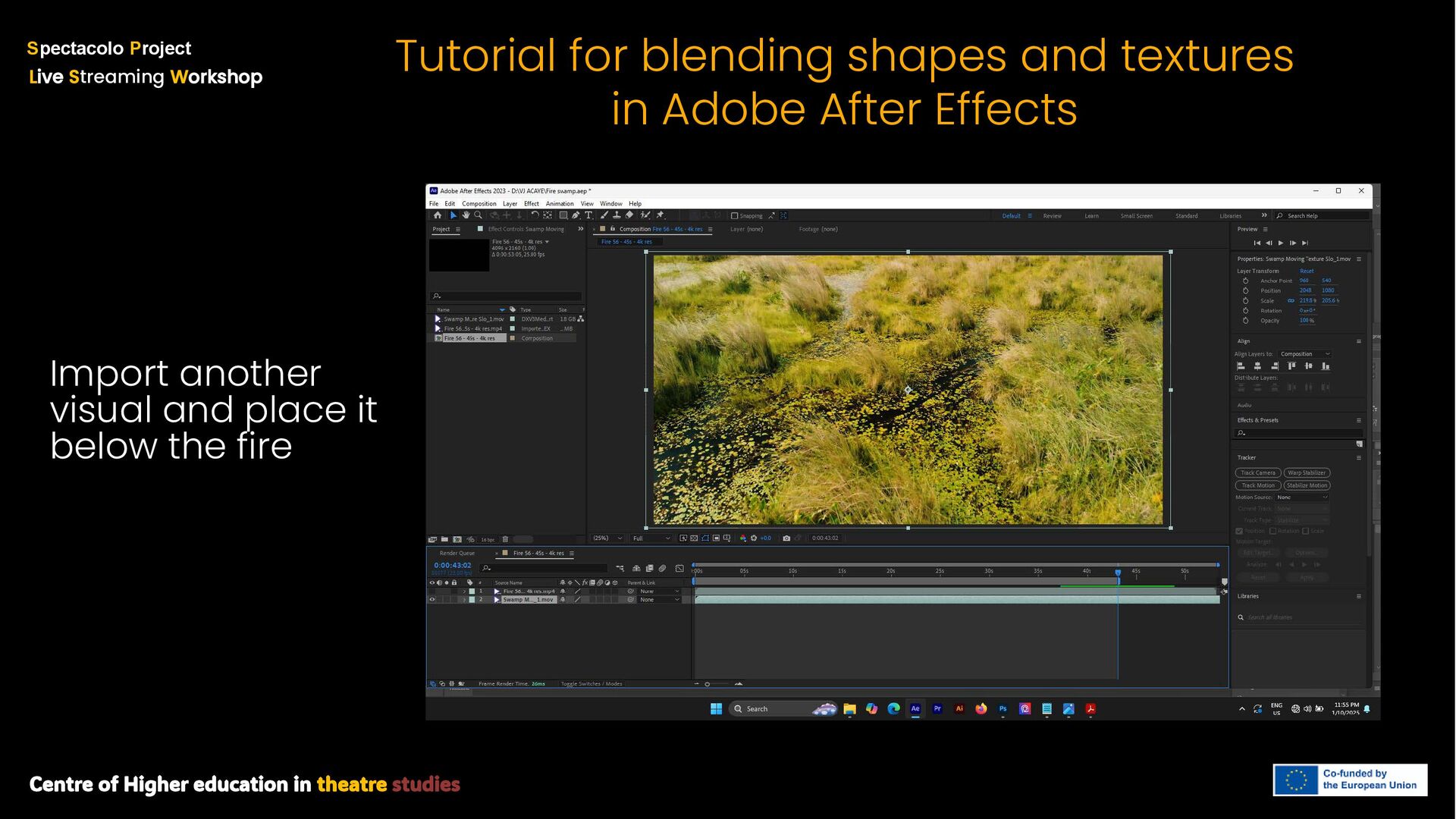
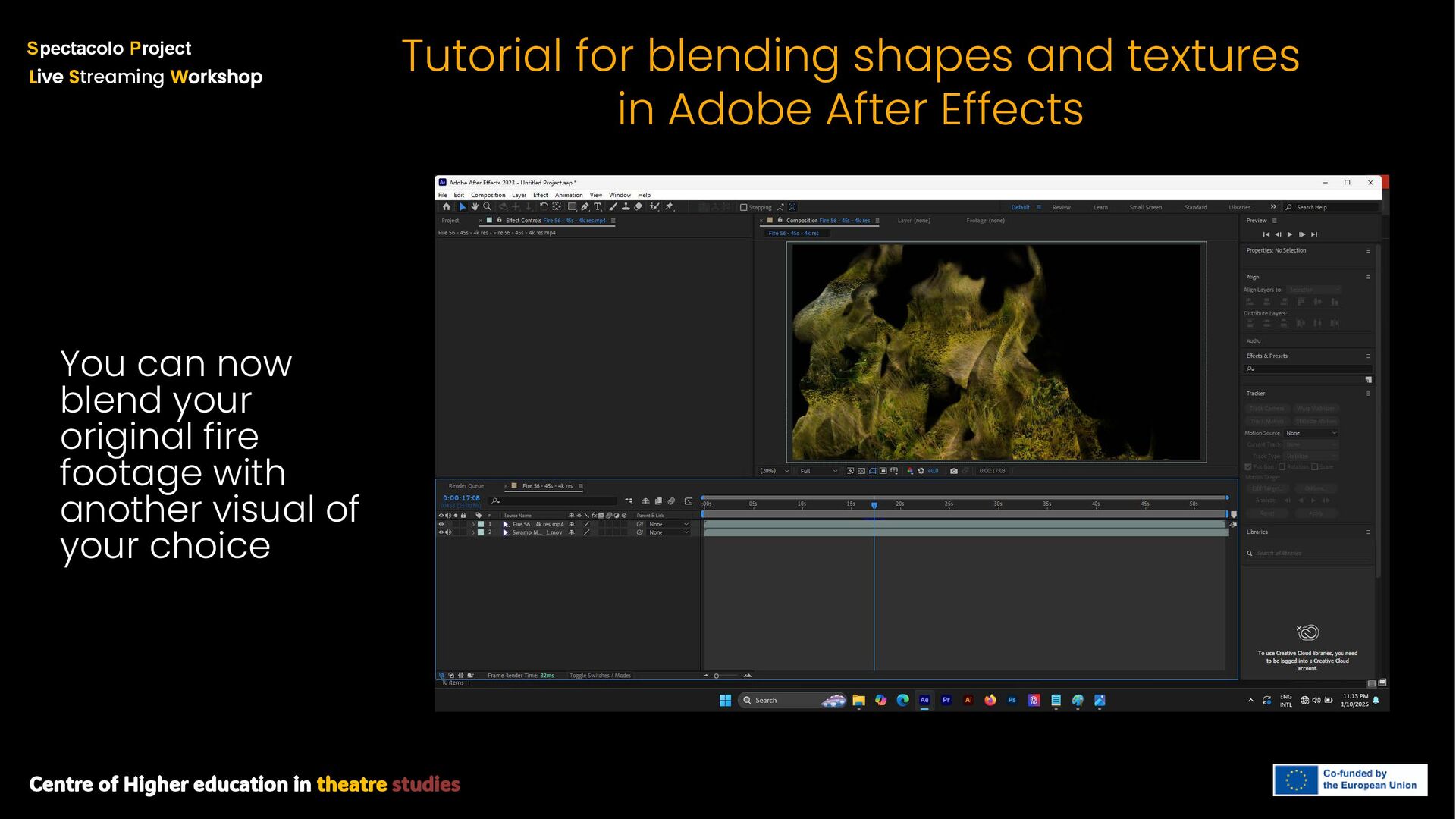
S treaming W orkshop Tutorial for blending shapes and textures in Adobe After Effects You can now blend your original fire footage with another visual of your choice


 pawan_pharm
 signer
 juanmartin2026
 mariooc
 arnoknobbe
 akiraasano
 matleenalaakso
 bkeepers
 jacobtomlinson
 aleyda
 yeseniaperezcruz
 reverentgeek
 kastner
 soudai
 panda_program
 shlominoach
 nwiizo
 holman
 axbom
axbom