Upgrade to Pro — share decks privately, control downloads, hide ads and more …

Prototyping With Restkit

Avatar for aellett aellett
April 08, 2014

Prototyping With Restkit

This is the deck from a presentation that was given to the Advanced iOS Meetup group on April 8, 2014. The slides show the process of turning a dumb iOS app with a hard-coded data source into a server backed app that reads and creates dynamic data with the help of RestKit.

Avatar for aellett

aellett

April 08, 2014

Other Decks in Programming

Transcript

  1. Palomino Labs, Inc. 2395 Broadway St, Redwood City, CA 94063

    palominolabs.com Prototyping With RestKit! April 8, 2014 Hey, thanks for joining me for this intro on RestKit. Since you’re reading these notes, I’m guessing that you’re not at the live talk, so it might be easier for you to follow along if you download the source at https://github.com/palominolabs/restkit-demo. Over the course of this presentation, I’m going to update an iPhone app from hard-coded data to an external data source, using RestKit.
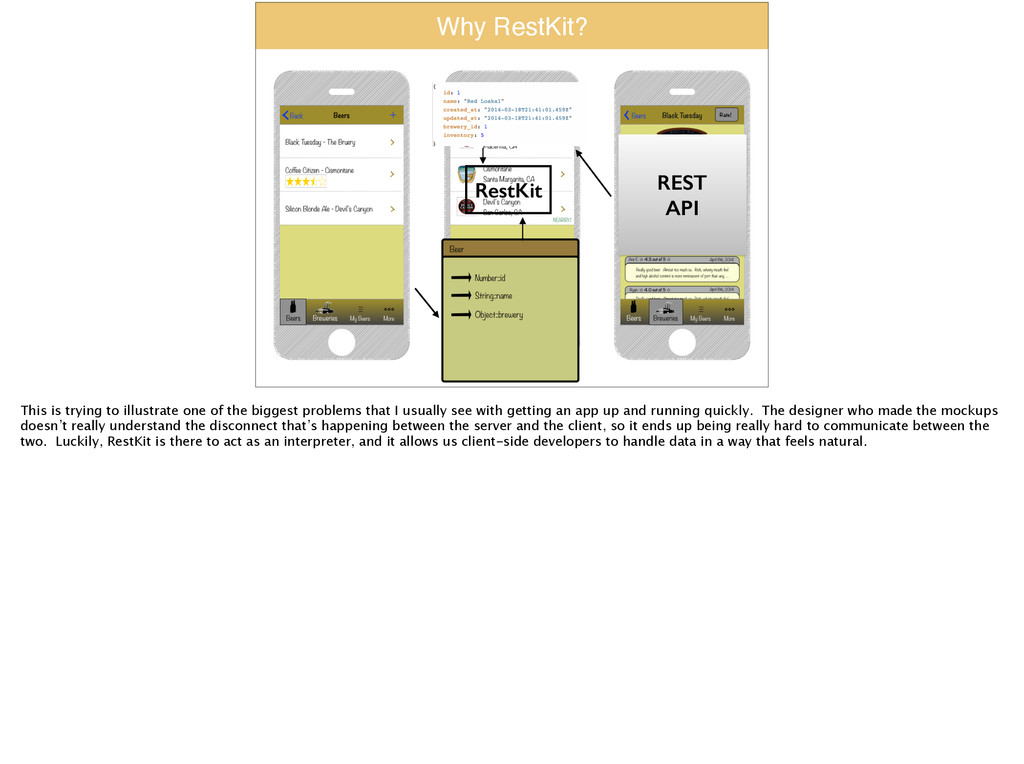
  2. Why RestKit? REST API RestKit This is trying to illustrate

    one of the biggest problems that I usually see with getting an app up and running quickly. The designer who made the mockups doesn’t really understand the disconnect that’s happening between the server and the client, so it ends up being really hard to communicate between the two. Luckily, RestKit is there to act as an interpreter, and it allows us client-side developers to handle data in a way that feels natural.
  3. What is RestKit? “RestKit is an Objective-C framework for iOS

    that aims to make interacting with RESTful web services simple, fast and fun. It combines a clean, simple HTTP request/ response API with a powerful object mapping system that reduces the amount of code you need to write to get stuff done.” This is pulled directly from front page the RestKit website (http://restkit.org/). I really like this quote, because it sets the vibe for how RestKit wants to be used. RestKit wants to help you get up and running as quickly as possible, and I think that’s conveyed here.
  4. What is RestKit? “RestKit's primary goal is to allow the

    developer to think more in terms of their application's data model and worry less about the details of sending requests, parsing responses, and building representations of remote resources.” Again, this is directly from their website. This is a point that I’m going to drive home throughout the talk. I really don’t care about how data is traveling from my server to my client, I just want to deal with the objects that I’m familiar with. When I can skip thinking about the lower-level request/response stuff, I’m going to get a lot more done.
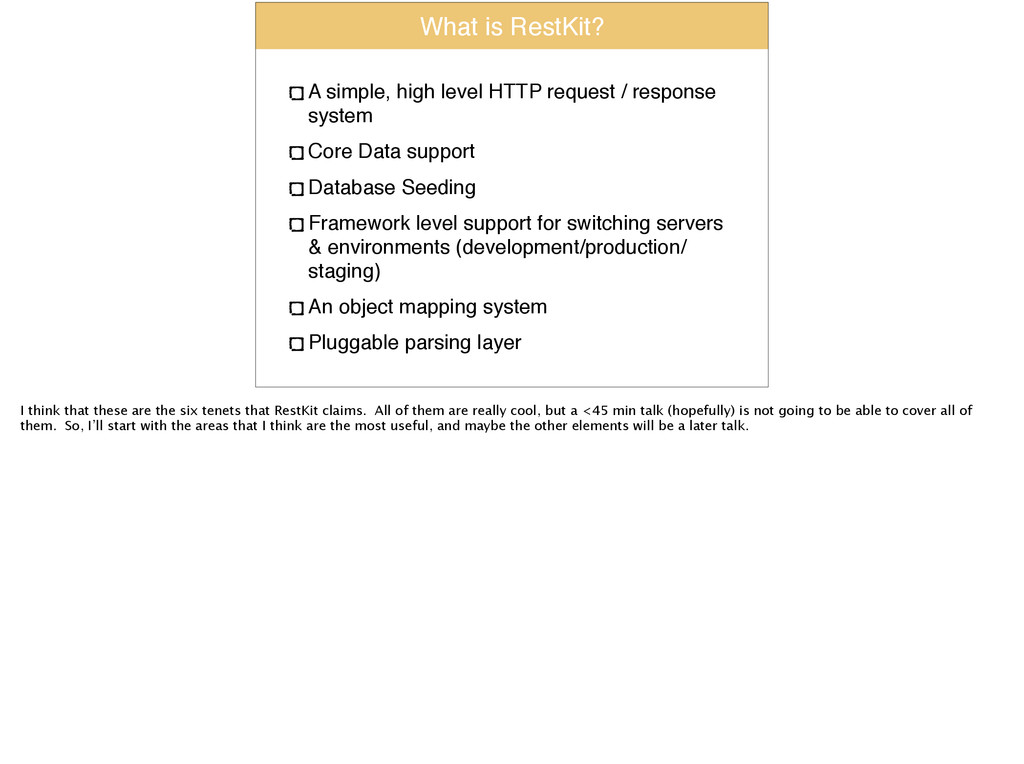
  5. What is RestKit? A simple, high level HTTP request /

    response system! Core Data support! Database Seeding! Framework level support for switching servers & environments (development/production/ staging)! An object mapping system! Pluggable parsing layer I think that these are the six tenets that RestKit claims. All of them are really cool, but a <45 min talk (hopefully) is not going to be able to cover all of them. So, I’ll start with the areas that I think are the most useful, and maybe the other elements will be a later talk.
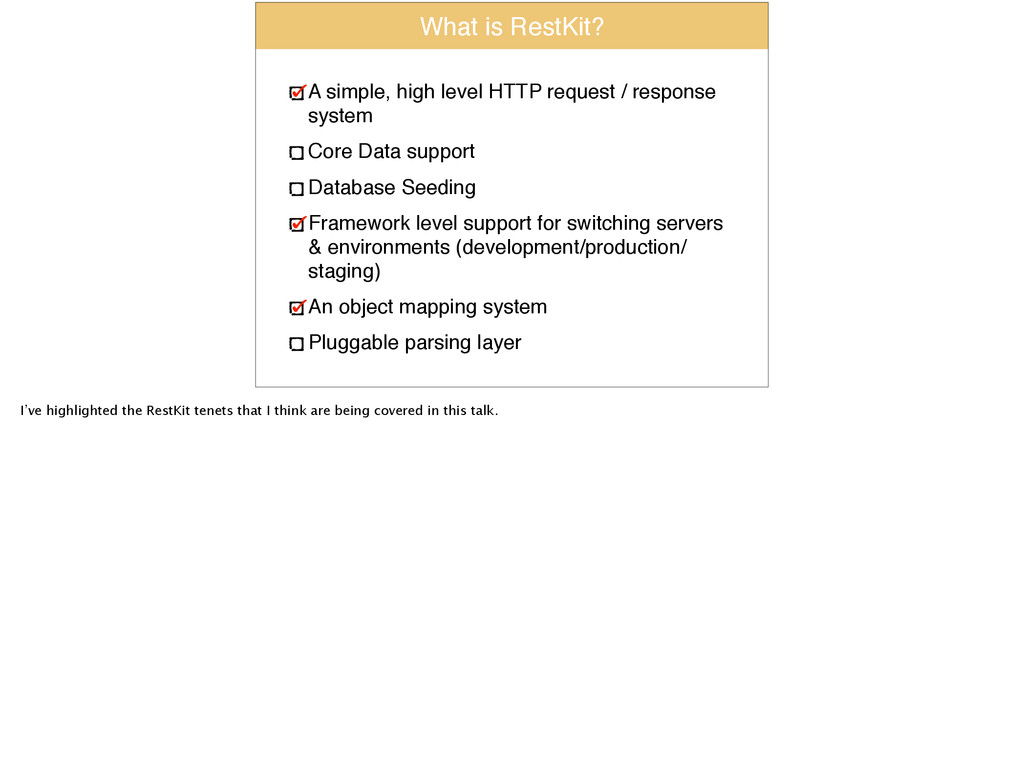
  6. What is RestKit? A simple, high level HTTP request /

    response system! Core Data support! Database Seeding! Framework level support for switching servers & environments (development/production/ staging)! An object mapping system! Pluggable parsing layer I’ve highlighted the RestKit tenets that I think are being covered in this talk.
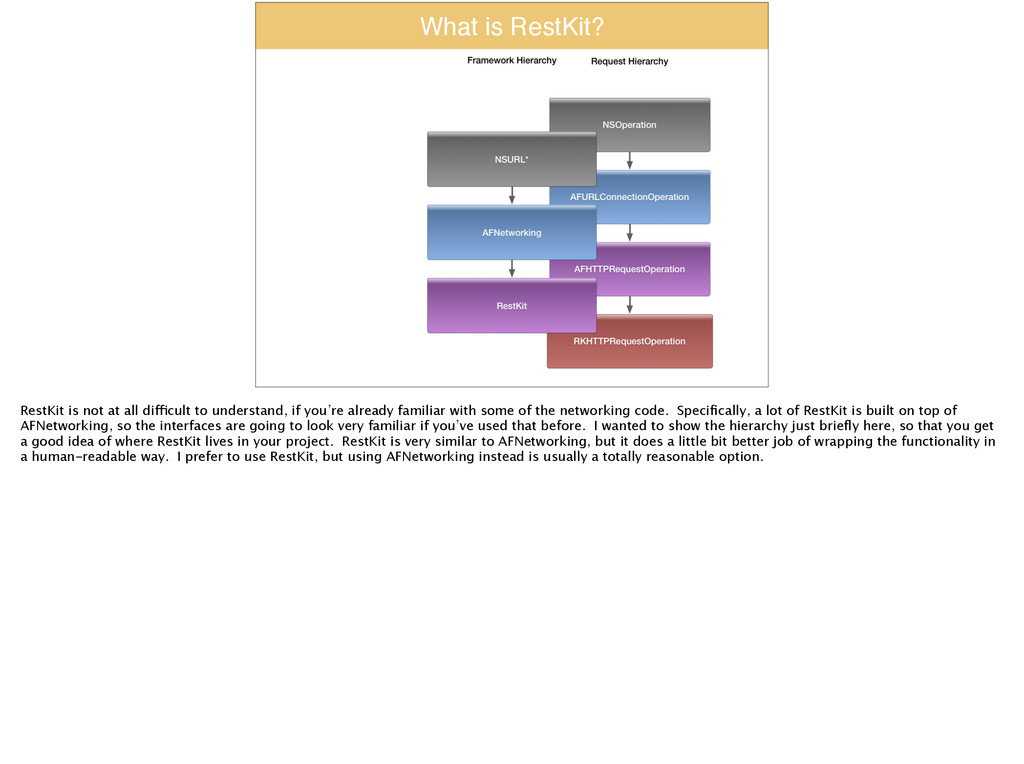
  7. What is RestKit? RestKit is not at all difficult to

    understand, if you’re already familiar with some of the networking code. Specifically, a lot of RestKit is built on top of AFNetworking, so the interfaces are going to look very familiar if you’ve used that before. I wanted to show the hierarchy just briefly here, so that you get a good idea of where RestKit lives in your project. RestKit is very similar to AFNetworking, but it does a little bit better job of wrapping the functionality in a human-readable way. I prefer to use RestKit, but using AFNetworking instead is usually a totally reasonable option.
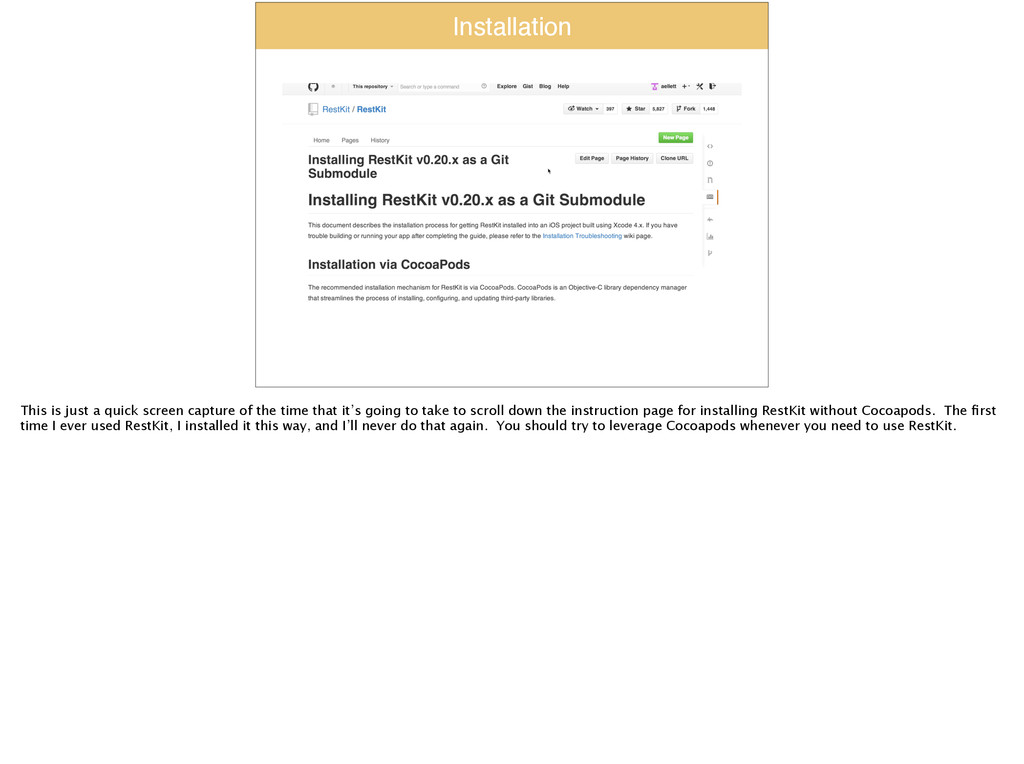
  8. Installation This is just a quick screen capture of the

    time that it’s going to take to scroll down the instruction page for installing RestKit without Cocoapods. The first time I ever used RestKit, I installed it this way, and I’ll never do that again. You should try to leverage Cocoapods whenever you need to use RestKit.
  9. Installation Just for fun I screen-captured a video of the

    installation process for RestKit using Cocoapods. In case you’re wondering, it takes ALMOST as long to install RestKit with Cocoapods as it does to scroll down the entire set of instructions for installing without Cocoapods.
  10. Demo:! Hardcoded Prototype https://github.com/palominolabs/restkit-demo Switch to tag ‘demo1’ From here,

    I’m going to review all the changes required to integrate RestKit into my app. I started with some hard-coded data in some models that I made up.
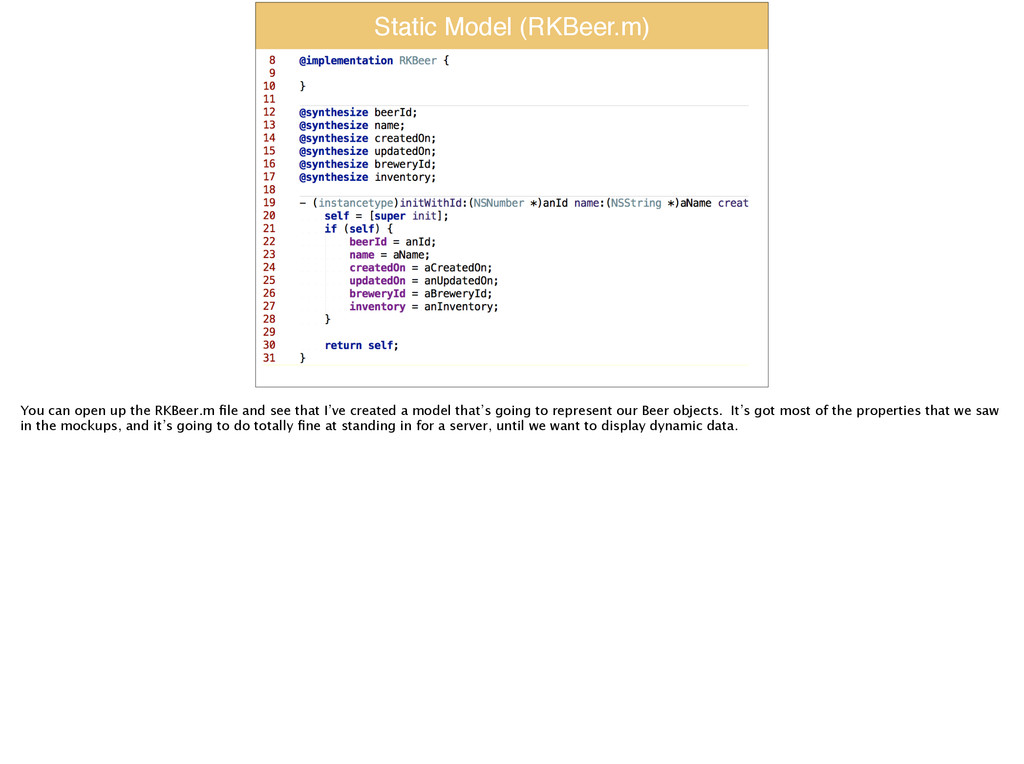
  11. Static Model (RKBeer.m) You can open up the RKBeer.m file

    and see that I’ve created a model that’s going to represent our Beer objects. It’s got most of the properties that we saw in the mockups, and it’s going to do totally fine at standing in for a server, until we want to display dynamic data.
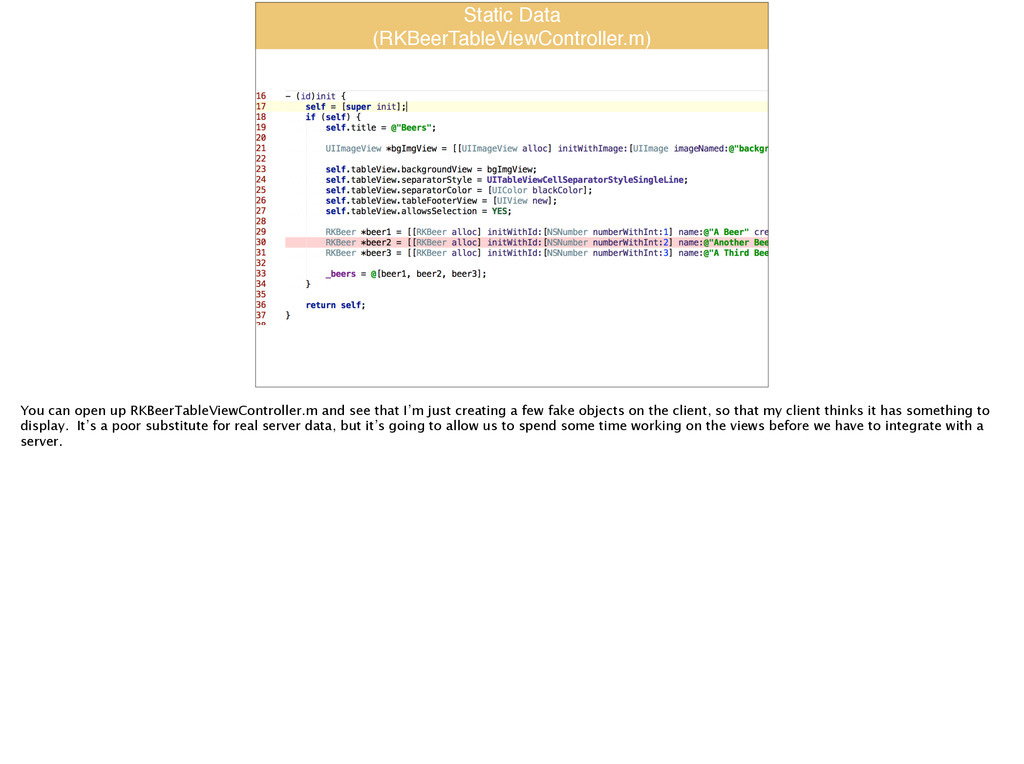
  12. Static Data ! (RKBeerTableViewController.m) You can open up RKBeerTableViewController.m and

    see that I’m just creating a few fake objects on the client, so that my client thinks it has something to display. It’s a poor substitute for real server data, but it’s going to allow us to spend some time working on the views before we have to integrate with a server.
  13. Demo:! Initial RK Operation Switch to tag ‘demo2’ Now, I

    want to integrate RestKit, starting at the most naive level. I’m going to create a network operation, then add it to a queue, and see what happens!
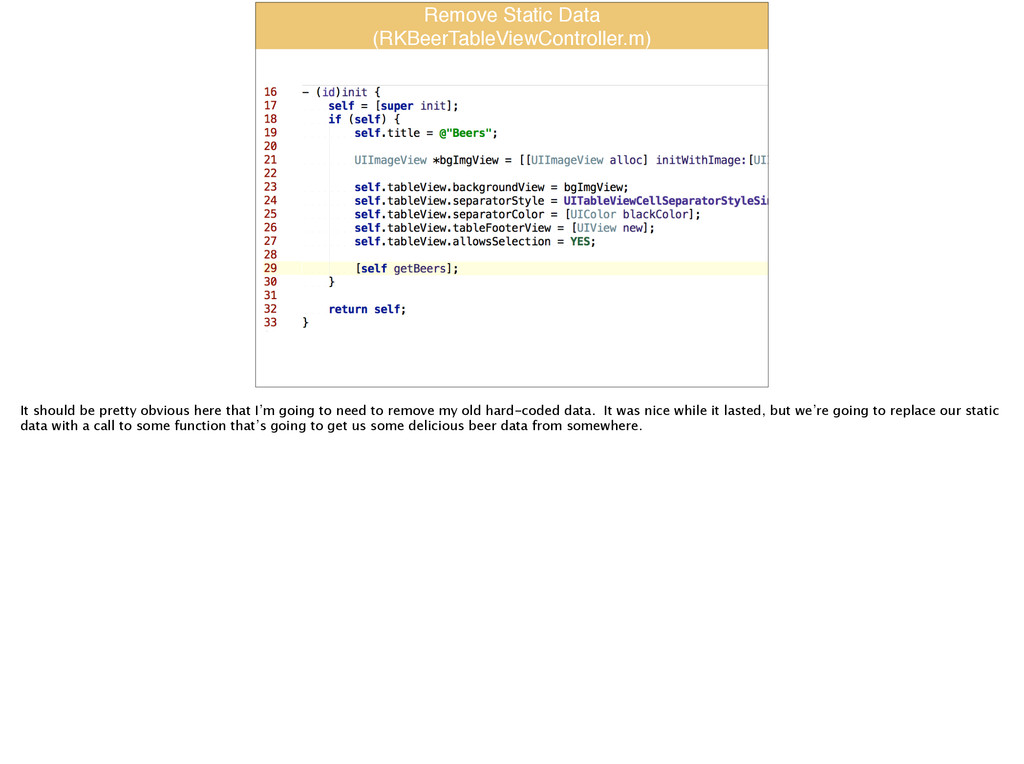
  14. Remove Static Data! (RKBeerTableViewController.m) It should be pretty obvious here

    that I’m going to need to remove my old hard-coded data. It was nice while it lasted, but we’re going to replace our static data with a call to some function that’s going to get us some delicious beer data from somewhere.
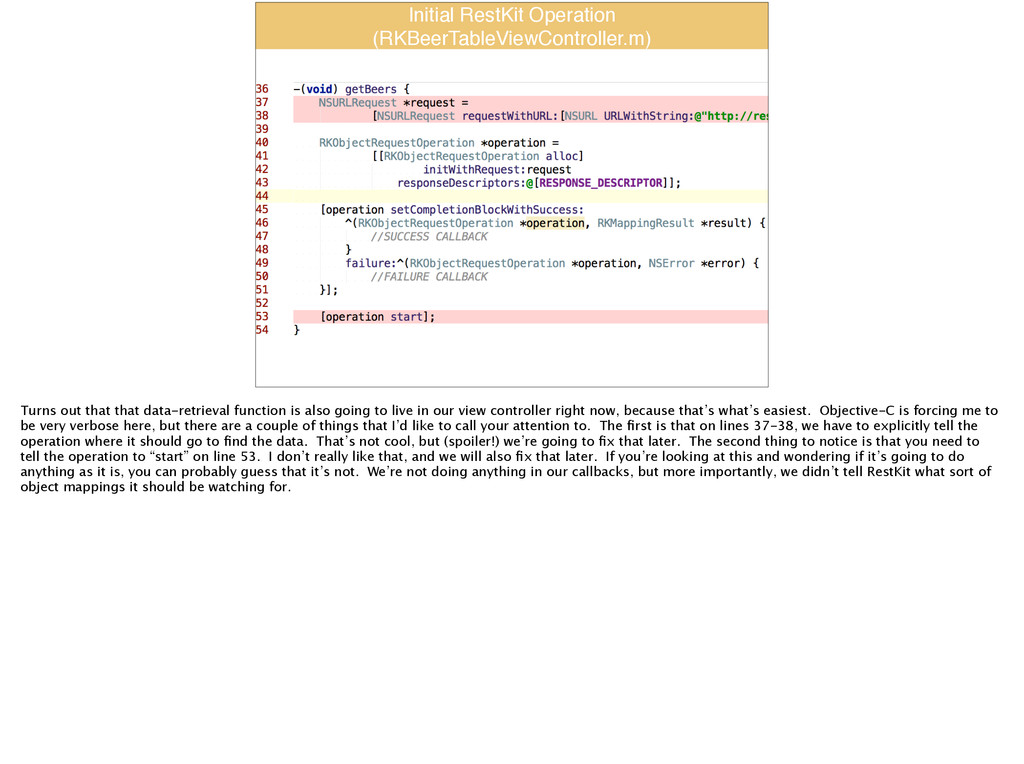
  15. Initial RestKit Operation! (RKBeerTableViewController.m) Turns out that that data-retrieval function

    is also going to live in our view controller right now, because that’s what’s easiest. Objective-C is forcing me to be very verbose here, but there are a couple of things that I’d like to call your attention to. The first is that on lines 37-38, we have to explicitly tell the operation where it should go to find the data. That’s not cool, but (spoiler!) we’re going to fix that later. The second thing to notice is that you need to tell the operation to “start” on line 53. I don’t really like that, and we will also fix that later. If you’re looking at this and wondering if it’s going to do anything as it is, you can probably guess that it’s not. We’re not doing anything in our callbacks, but more importantly, we didn’t tell RestKit what sort of object mappings it should be watching for.
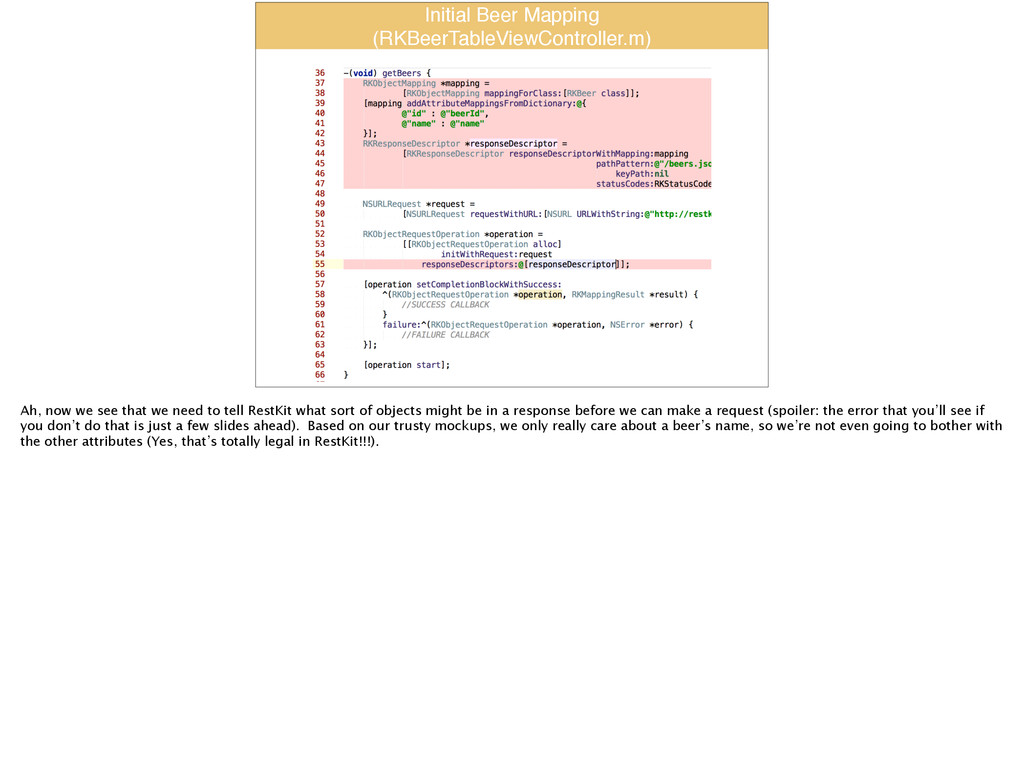
  16. Initial Beer Mapping! (RKBeerTableViewController.m) Ah, now we see that we

    need to tell RestKit what sort of objects might be in a response before we can make a request (spoiler: the error that you’ll see if you don’t do that is just a few slides ahead). Based on our trusty mockups, we only really care about a beer’s name, so we’re not even going to bother with the other attributes (Yes, that’s totally legal in RestKit!!!).
  17. Beer Mapping I wanted to zoom in for a second

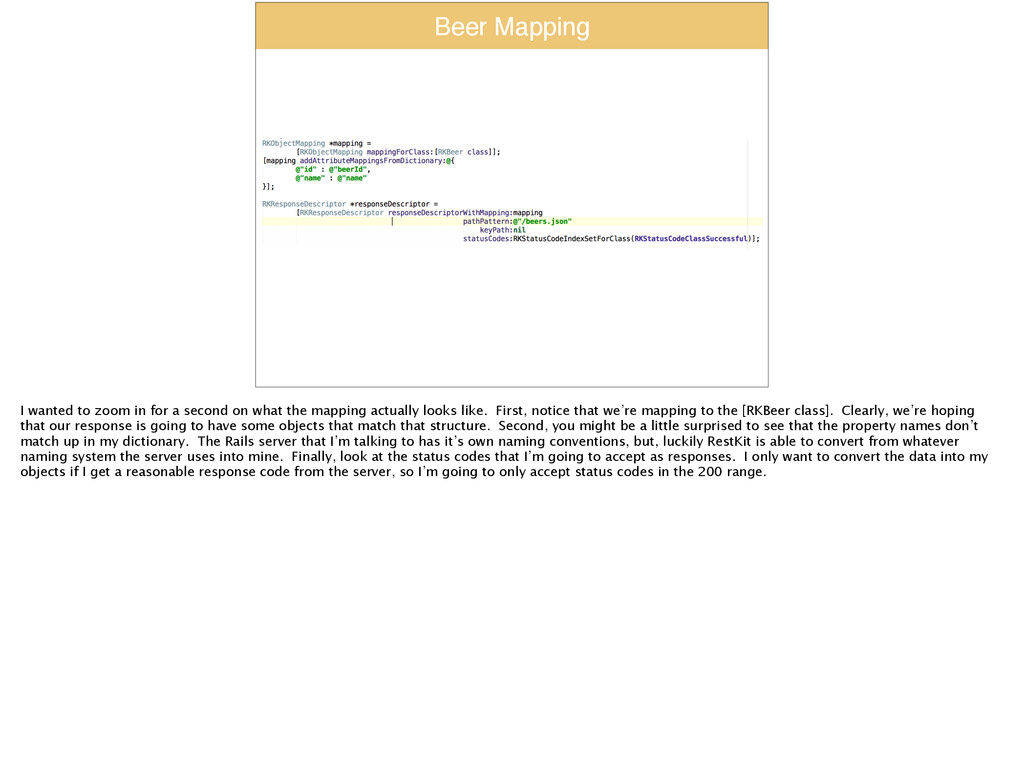
    on what the mapping actually looks like. First, notice that we’re mapping to the [RKBeer class]. Clearly, we’re hoping that our response is going to have some objects that match that structure. Second, you might be a little surprised to see that the property names don’t match up in my dictionary. The Rails server that I’m talking to has it’s own naming conventions, but, luckily RestKit is able to convert from whatever naming system the server uses into mine. Finally, look at the status codes that I’m going to accept as responses. I only want to convert the data into my objects if I get a reasonable response code from the server, so I’m going to only accept status codes in the 200 range.
  18. Success and Failure Callbacks! (RKBeerTableViewController.m) Here, I just wanted to

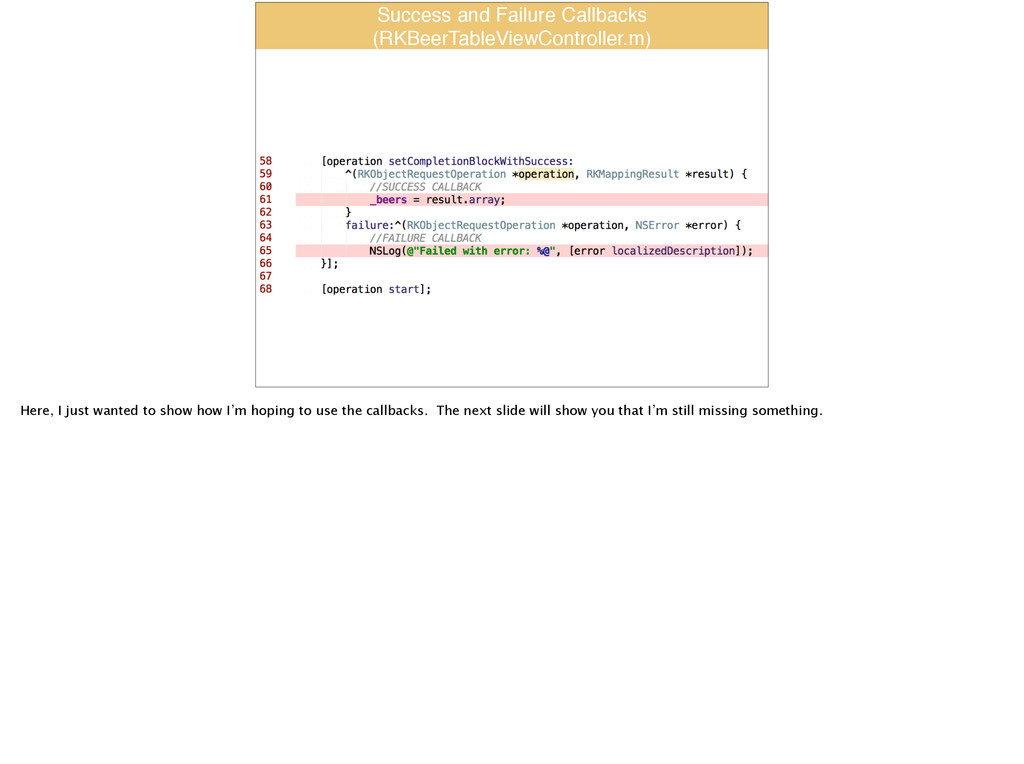
    show how I’m hoping to use the callbacks. The next slide will show you that I’m still missing something.
  19. Result Hmmm….Unfortunately, we didn’t map any objects. Yes, we made

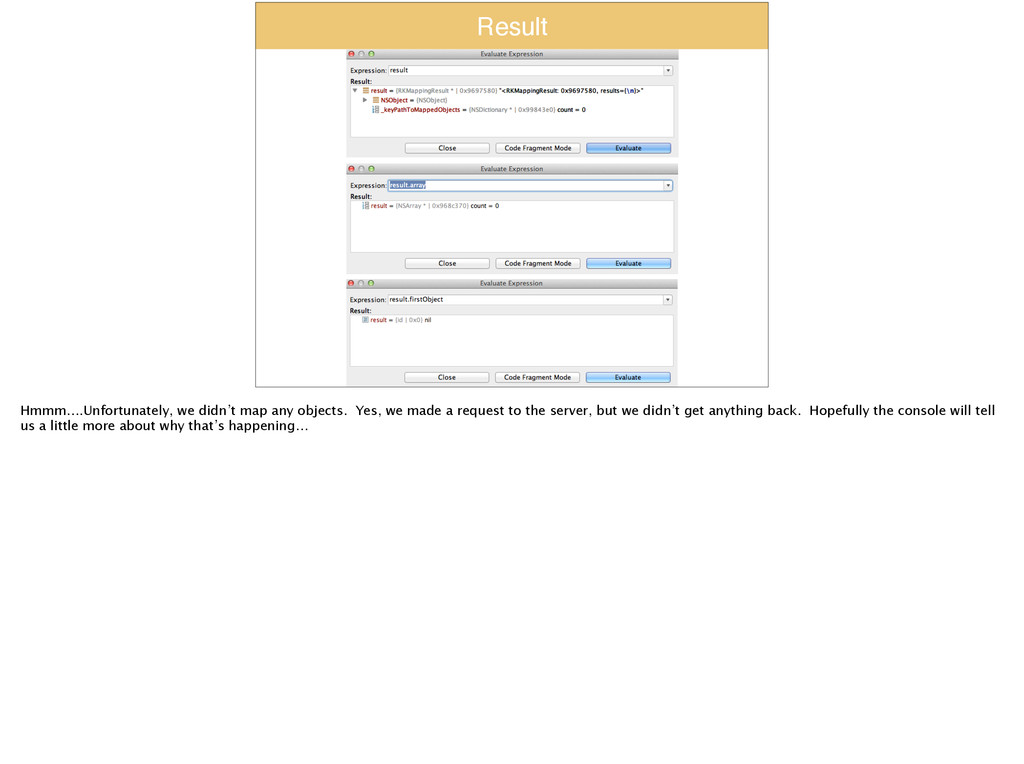
    a request to the server, but we didn’t get anything back. Hopefully the console will tell us a little more about why that’s happening…
  20. What Went Wrong? 2014-03-31 10:48:54.027 RestkitDemo[4763:f03] W restkit.object_mapping:RKMapperOperation. m:98 Adding

    mapping error: No mappable values found for any of the attributes or relationship mappings Ah ha! Well, that still doesn’t tell us a whole lot, but what it is showing us is that we don’t have our mapping correct. At this point, the best practice I’ve found is to look at what you’re expecting to get from the server and compare that to what’s actually coming across the wire. More often than not, you’ve got a typo in one of your field names.
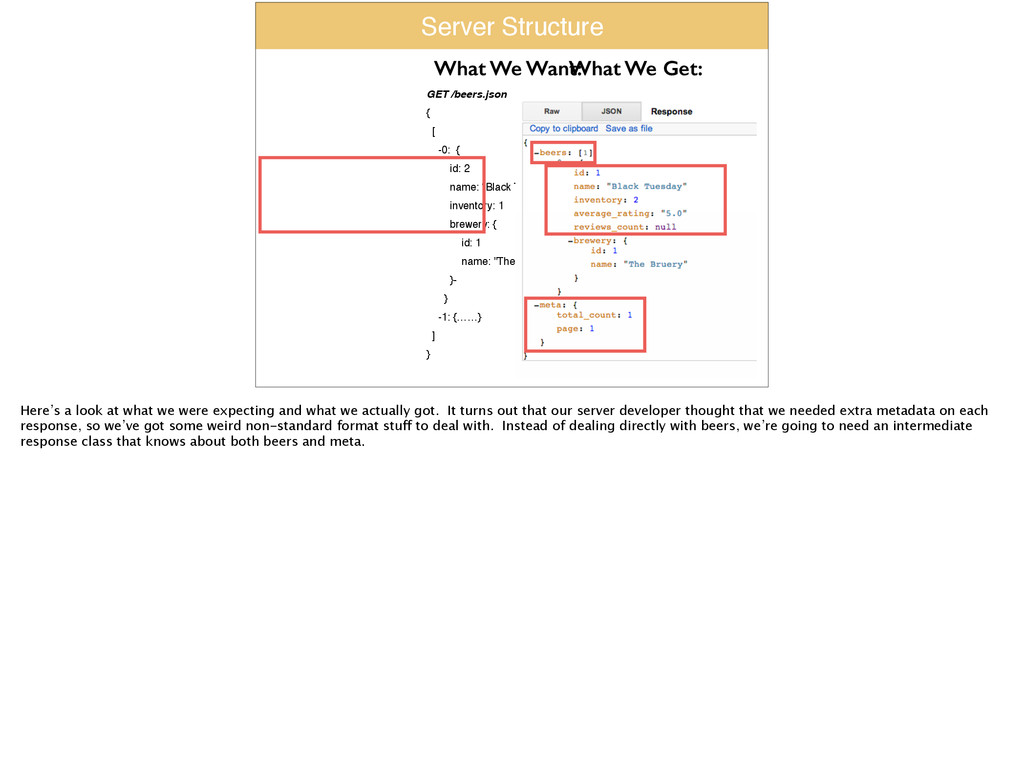
  21. Server Structure GET /beers.json! {! [! -0: {! id: 2!

    name: “Black Tuesday"! inventory: 1! brewery: {! id: 1! name: "The Bruery"! }-! }! -1: {……}! ]! } What We Want: What We Get: Here’s a look at what we were expecting and what we actually got. It turns out that our server developer thought that we needed extra metadata on each response, so we’ve got some weird non-standard format stuff to deal with. Instead of dealing directly with beers, we’re going to need an intermediate response class that knows about both beers and meta.
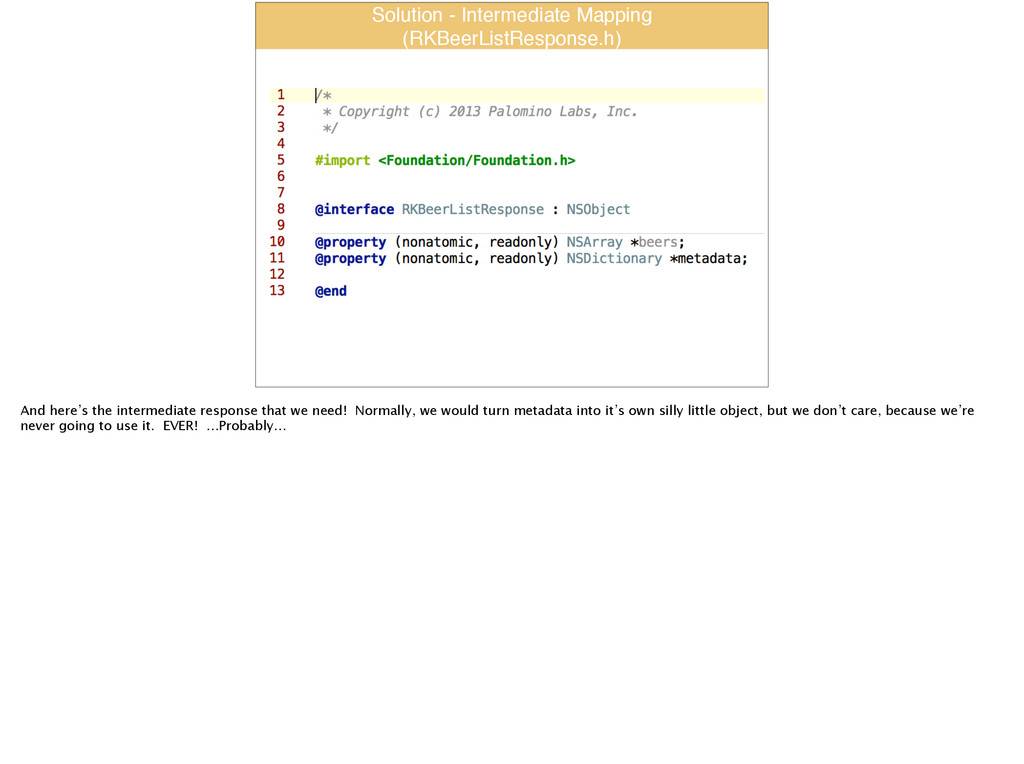
  22. Solution - Intermediate Mapping! (RKBeerListResponse.h) And here’s the intermediate response

    that we need! Normally, we would turn metadata into it’s own silly little object, but we don’t care, because we’re never going to use it. EVER! …Probably…
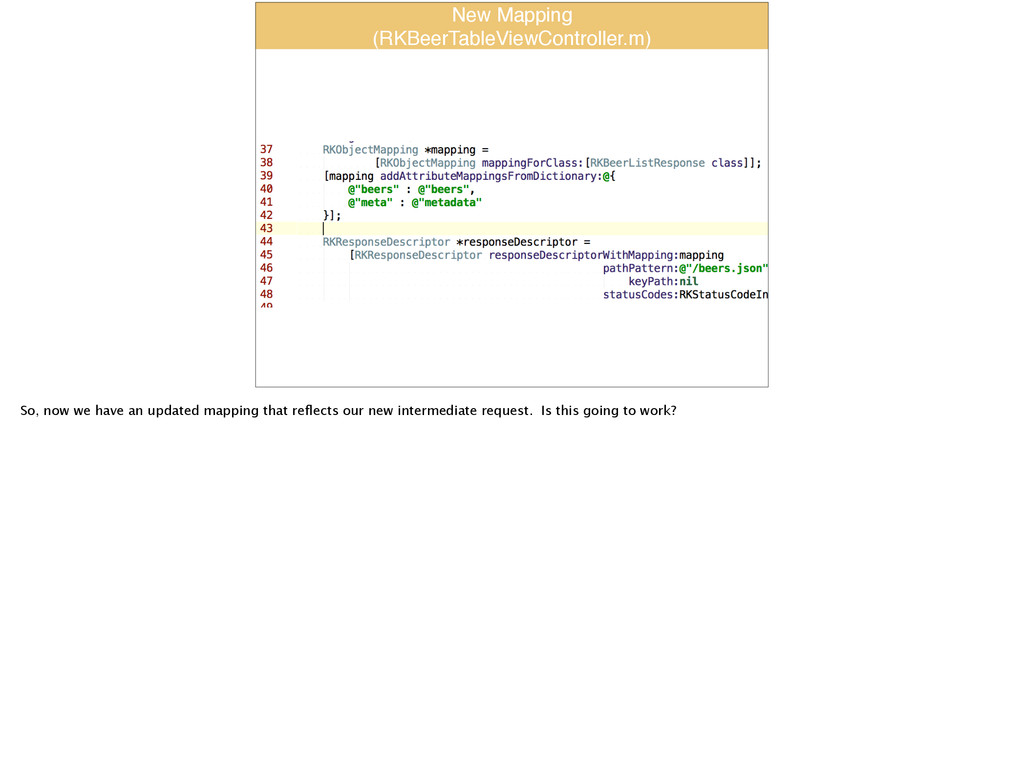
  23. New Mapping! (RKBeerTableViewController.m) So, now we have an updated mapping

    that reflects our new intermediate request. Is this going to work?
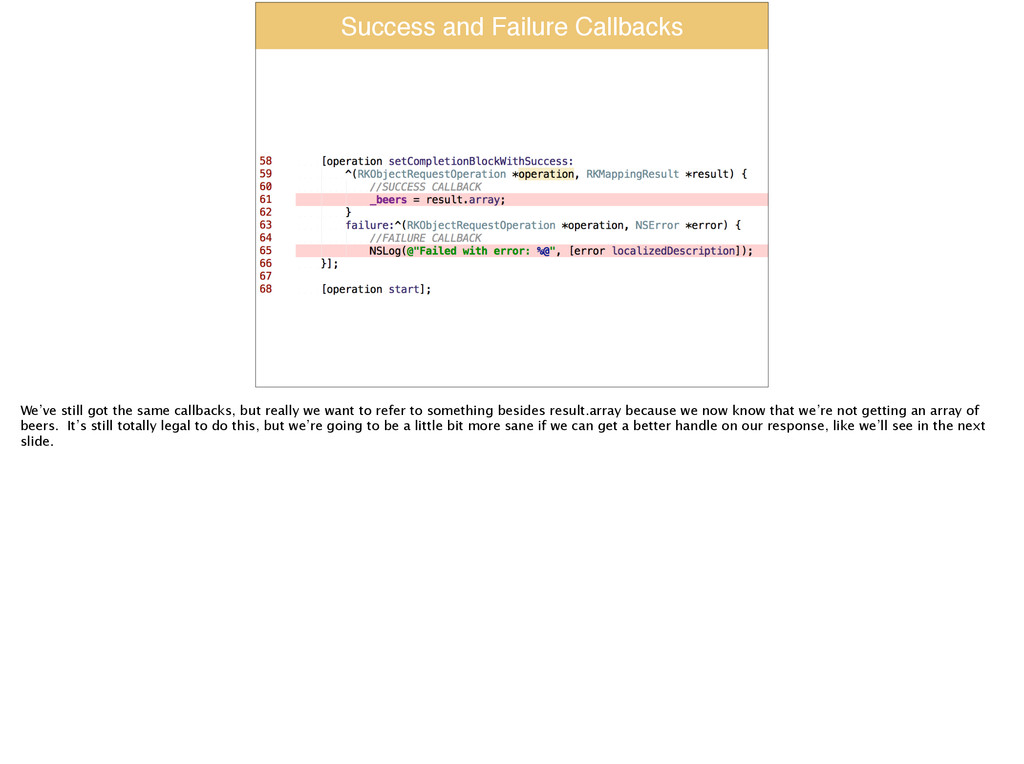
  24. Success and Failure Callbacks We’ve still got the same callbacks,

    but really we want to refer to something besides result.array because we now know that we’re not getting an array of beers. It’s still totally legal to do this, but we’re going to be a little bit more sane if we can get a better handle on our response, like we’ll see in the next slide.
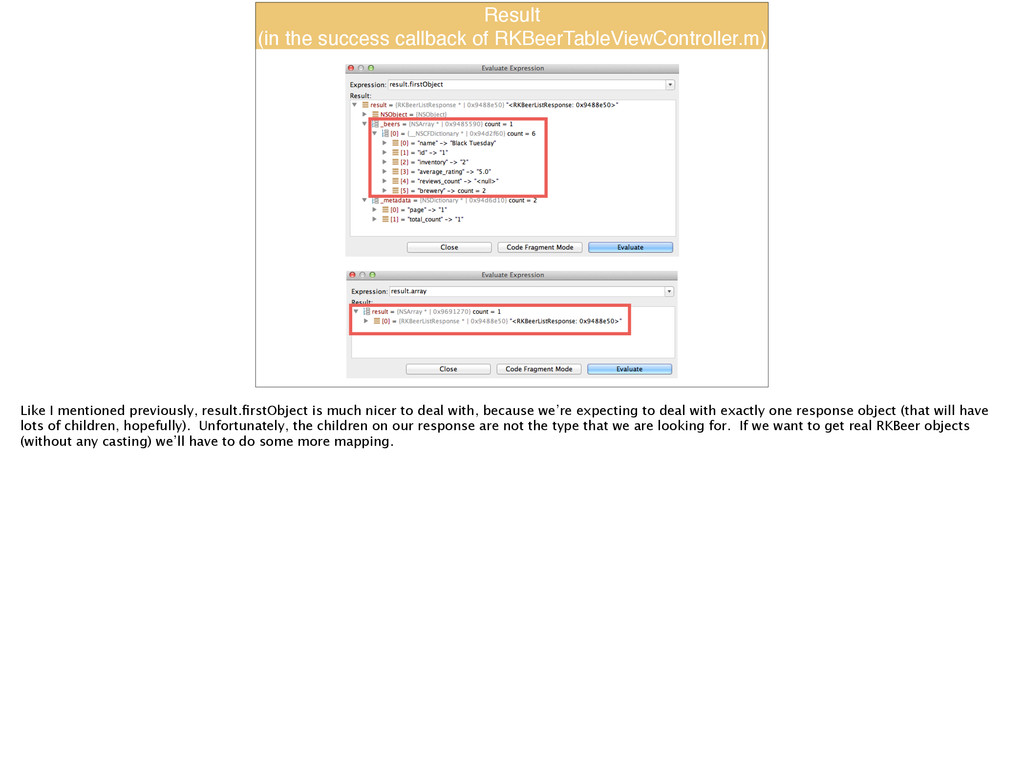
  25. Result! (in the success callback of RKBeerTableViewController.m) Like I mentioned

    previously, result.firstObject is much nicer to deal with, because we’re expecting to deal with exactly one response object (that will have lots of children, hopefully). Unfortunately, the children on our response are not the type that we are looking for. If we want to get real RKBeer objects (without any casting) we’ll have to do some more mapping.
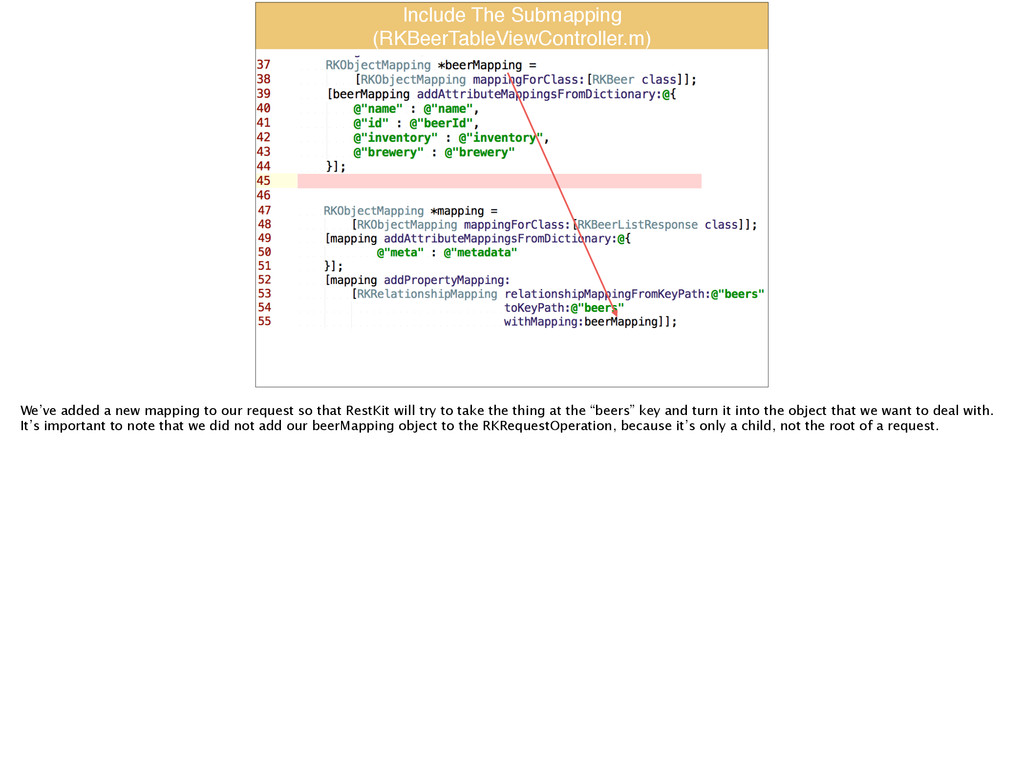
  26. Include The Submapping! (RKBeerTableViewController.m) We’ve added a new mapping to

    our request so that RestKit will try to take the thing at the “beers” key and turn it into the object that we want to deal with. It’s important to note that we did not add our beerMapping object to the RKRequestOperation, because it’s only a child, not the root of a request.
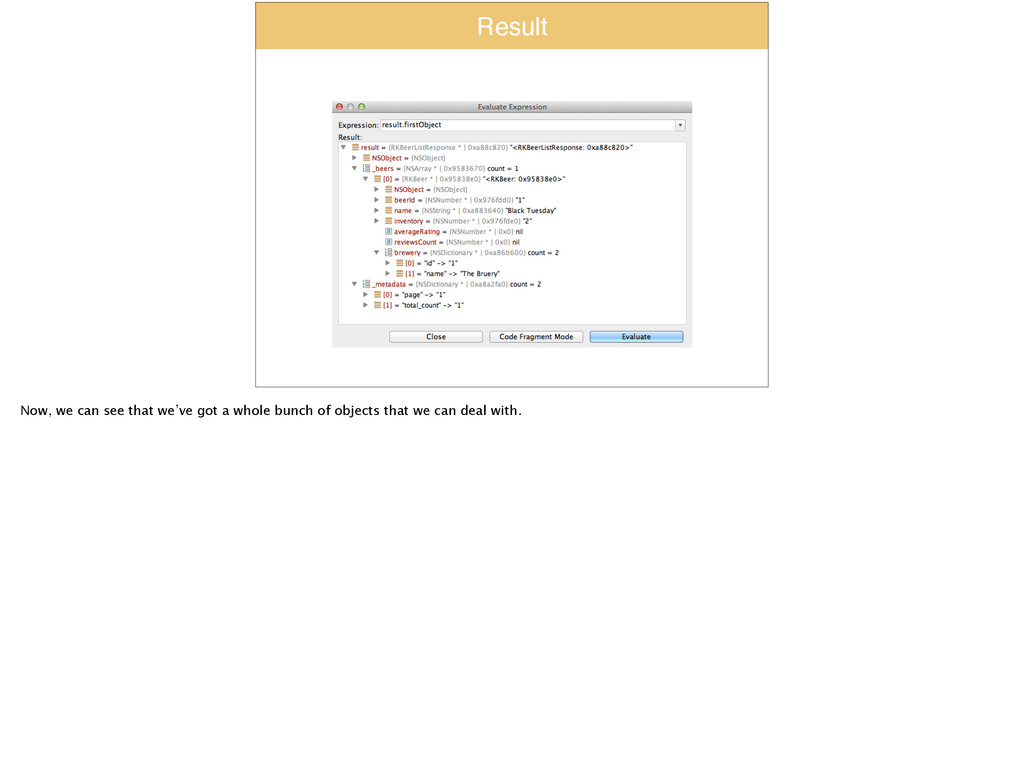
  27. Result Now, we can see that we’ve got a whole

    bunch of objects that we can deal with.
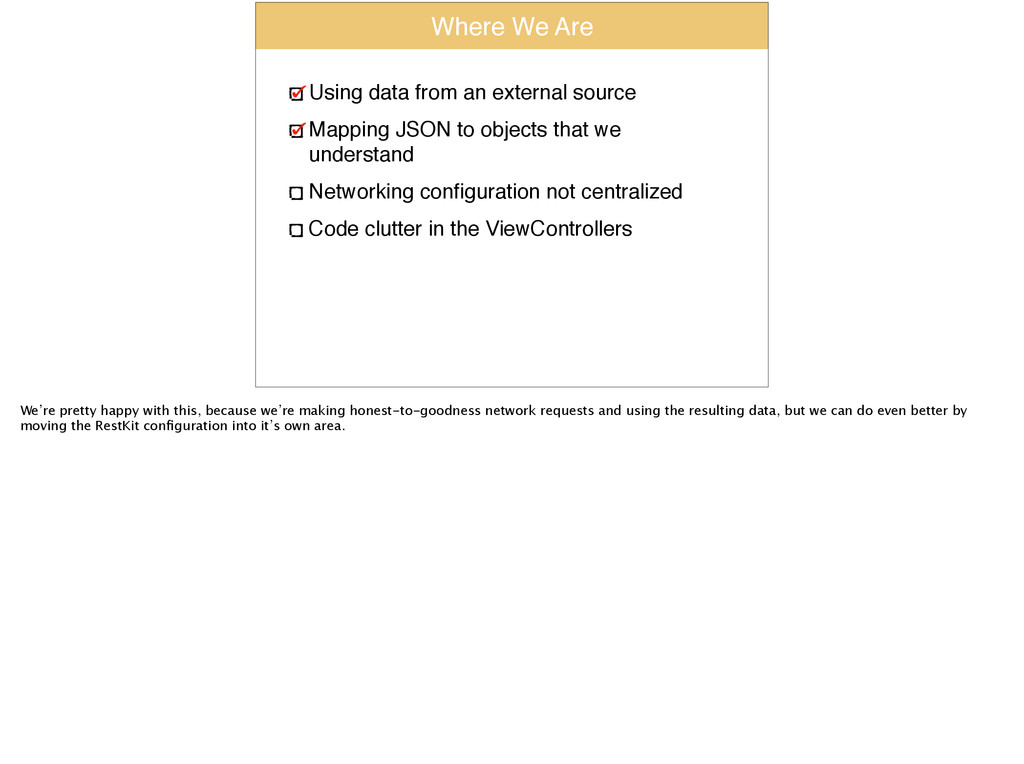
  28. Where We Are Using data from an external source! Mapping

    JSON to objects that we understand! Networking configuration not centralized! Code clutter in the ViewControllers We’re pretty happy with this, because we’re making honest-to-goodness network requests and using the resulting data, but we can do even better by moving the RestKit configuration into it’s own area.
  29. Demo:! RKObjectManager Switch to ‘demo5’ tag I’ve been pretty cavalier

    with jumping between tags to show you everything you need to know for the last couple of slides, but now you can jump ahead to the demo5 tag, where we’re going to move all of the RestKit configuration into the AppDelegate.
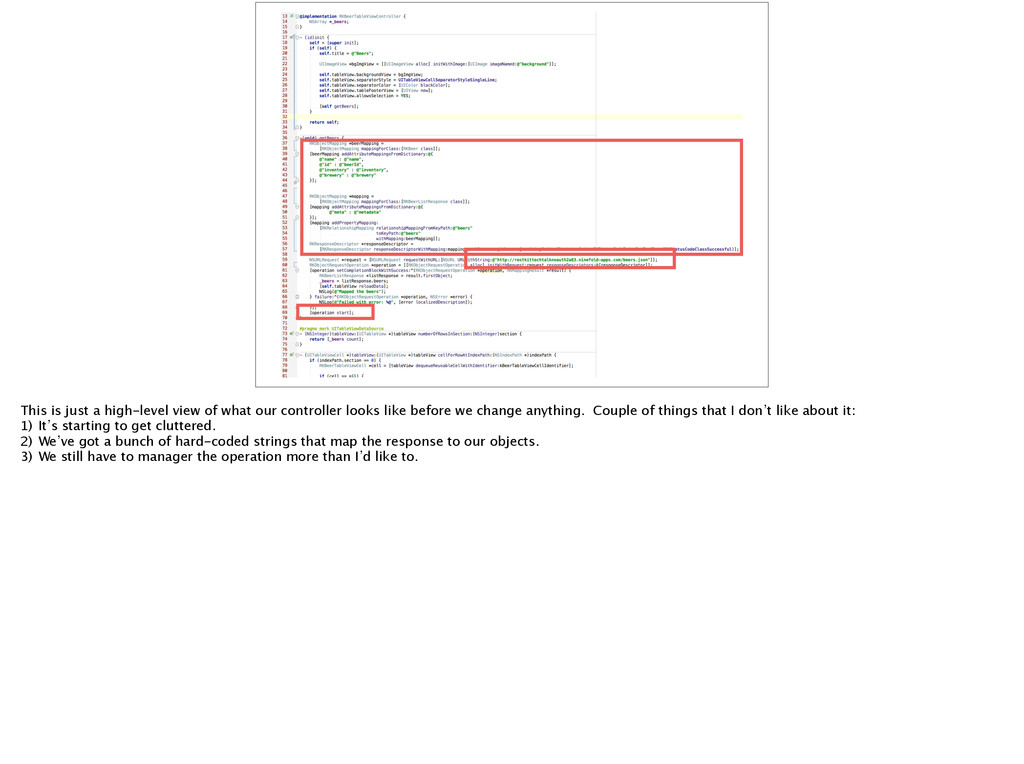
  30. This is just a high-level view of what our controller

    looks like before we change anything. Couple of things that I don’t like about it: 1) It’s starting to get cluttered. 2) We’ve got a bunch of hard-coded strings that map the response to our objects. 3) We still have to manager the operation more than I’d like to.
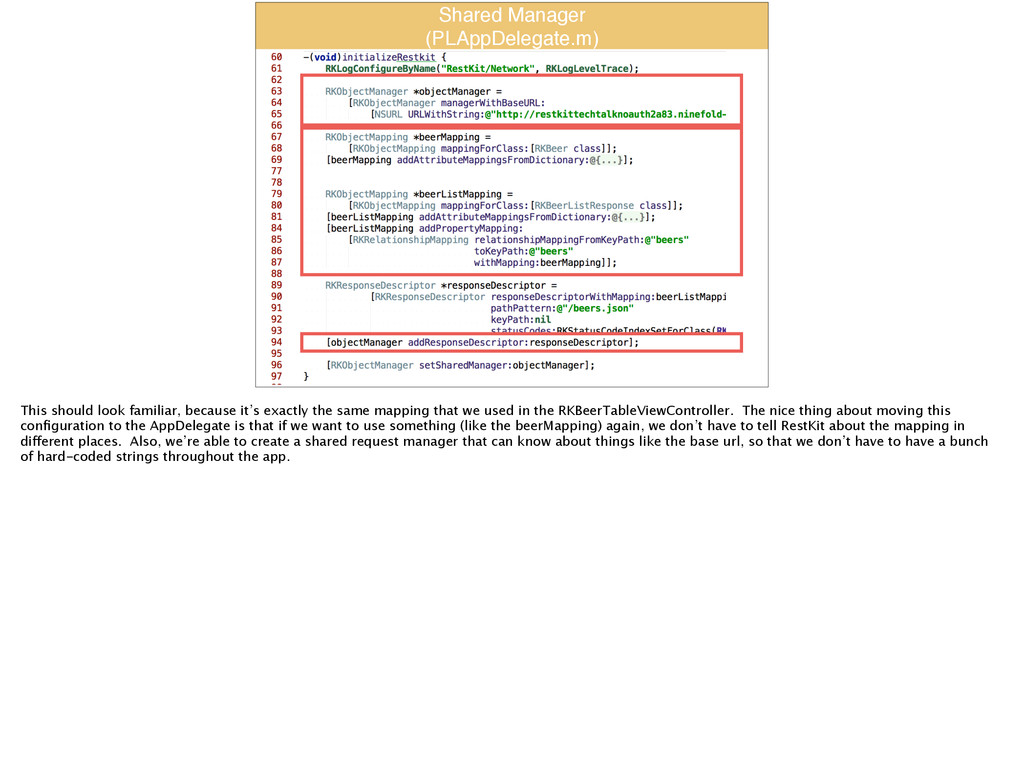
  31. Shared Manager! (PLAppDelegate.m) This should look familiar, because it’s exactly

    the same mapping that we used in the RKBeerTableViewController. The nice thing about moving this configuration to the AppDelegate is that if we want to use something (like the beerMapping) again, we don’t have to tell RestKit about the mapping in different places. Also, we’re able to create a shared request manager that can know about things like the base url, so that we don’t have to have a bunch of hard-coded strings throughout the app.
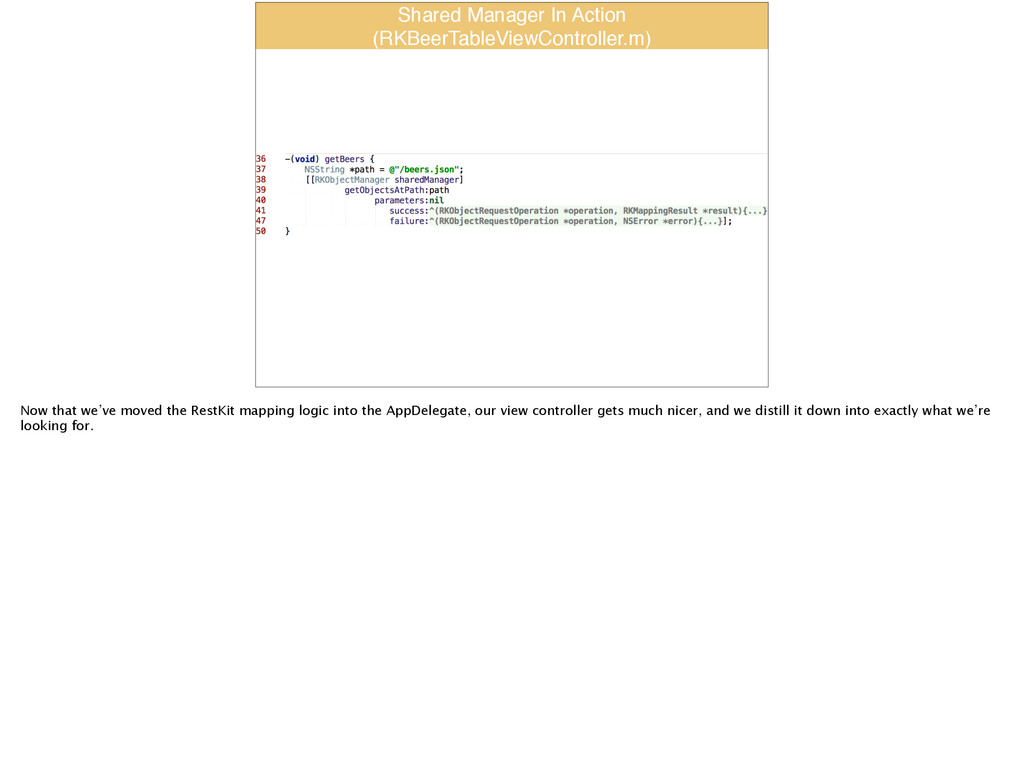
  32. Shared Manager In Action! (RKBeerTableViewController.m) Now that we’ve moved the

    RestKit mapping logic into the AppDelegate, our view controller gets much nicer, and we distill it down into exactly what we’re looking for.
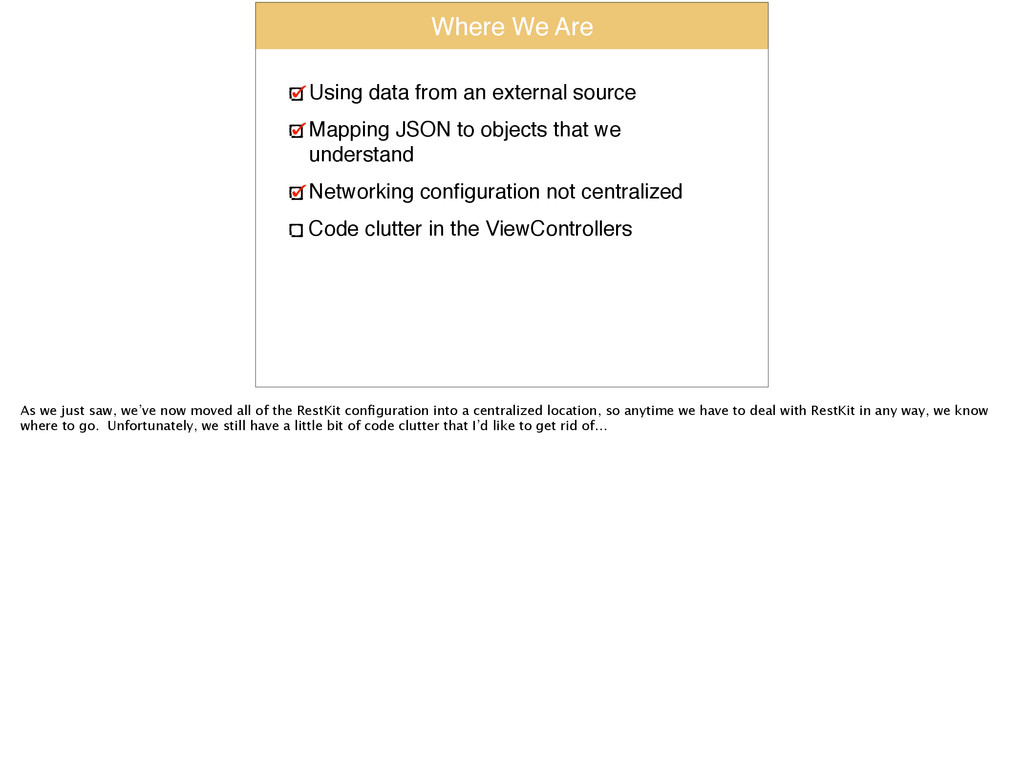
  33. Where We Are Using data from an external source! Mapping

    JSON to objects that we understand! Networking configuration not centralized! Code clutter in the ViewControllers As we just saw, we’ve now moved all of the RestKit configuration into a centralized location, so anytime we have to deal with RestKit in any way, we know where to go. Unfortunately, we still have a little bit of code clutter that I’d like to get rid of…
  34. Demo:! The APIClient Pattern Switch to ‘demo7’ tag Now we’re

    going to go one step further towards encapsulation and extract our RestKit requests into their own client.
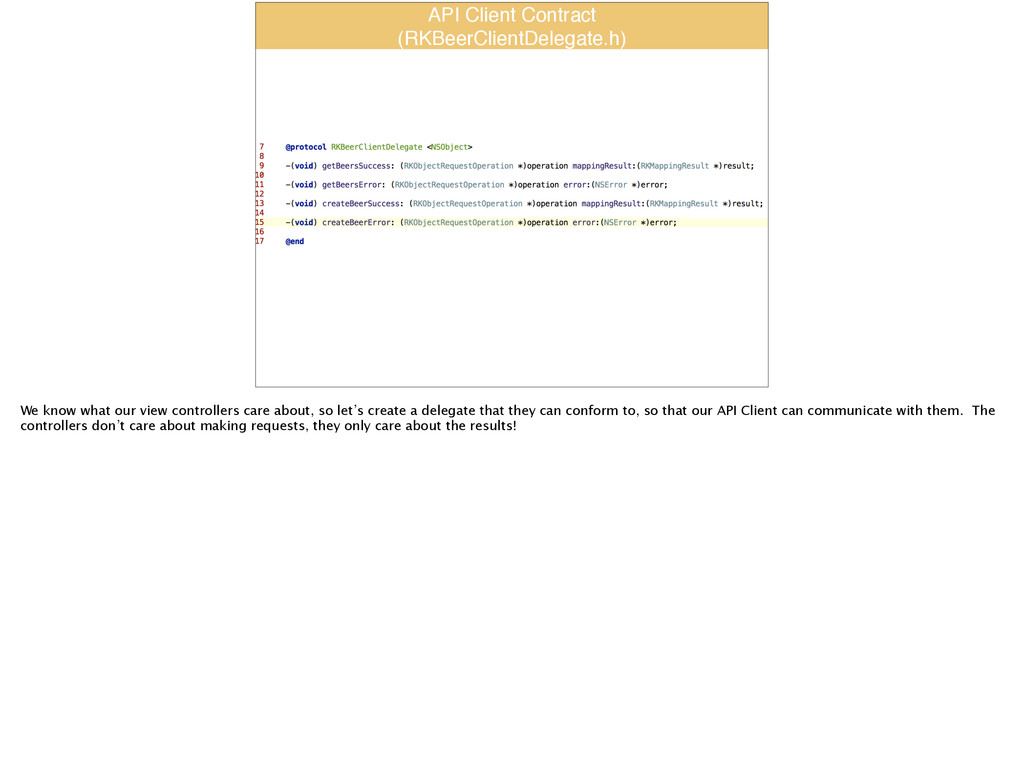
  35. API Client Contract! (RKBeerClientDelegate.h) We know what our view controllers

    care about, so let’s create a delegate that they can conform to, so that our API Client can communicate with them. The controllers don’t care about making requests, they only care about the results!
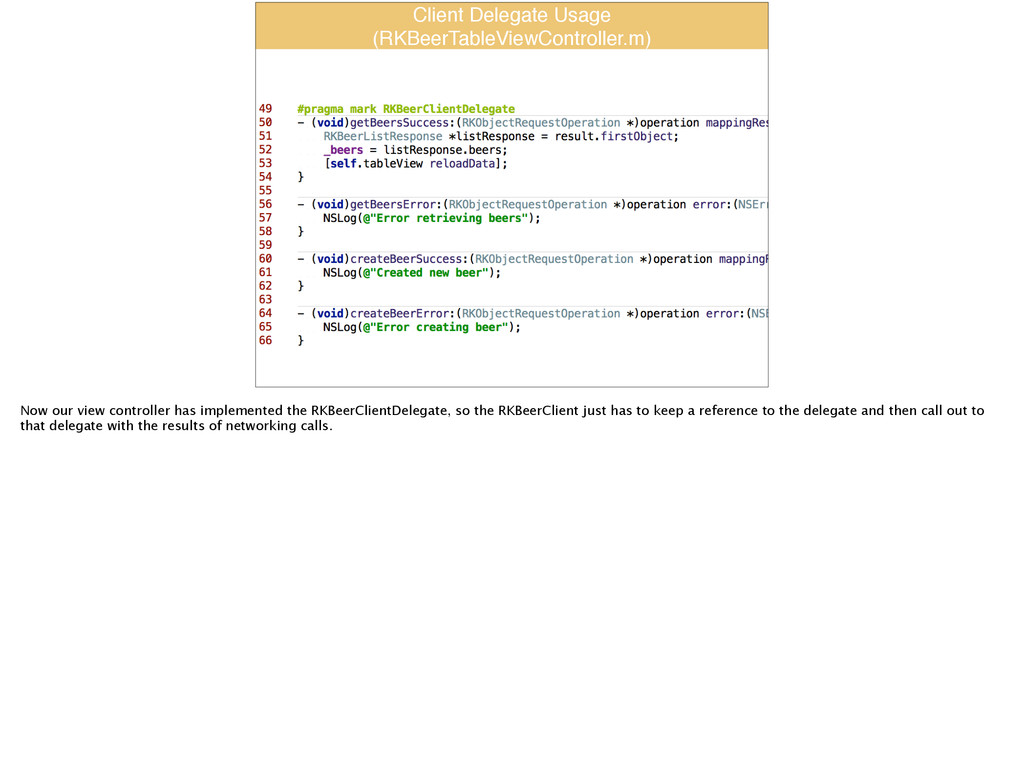
  36. Client Delegate Usage! (RKBeerTableViewController.m) Now our view controller has implemented

    the RKBeerClientDelegate, so the RKBeerClient just has to keep a reference to the delegate and then call out to that delegate with the results of networking calls.
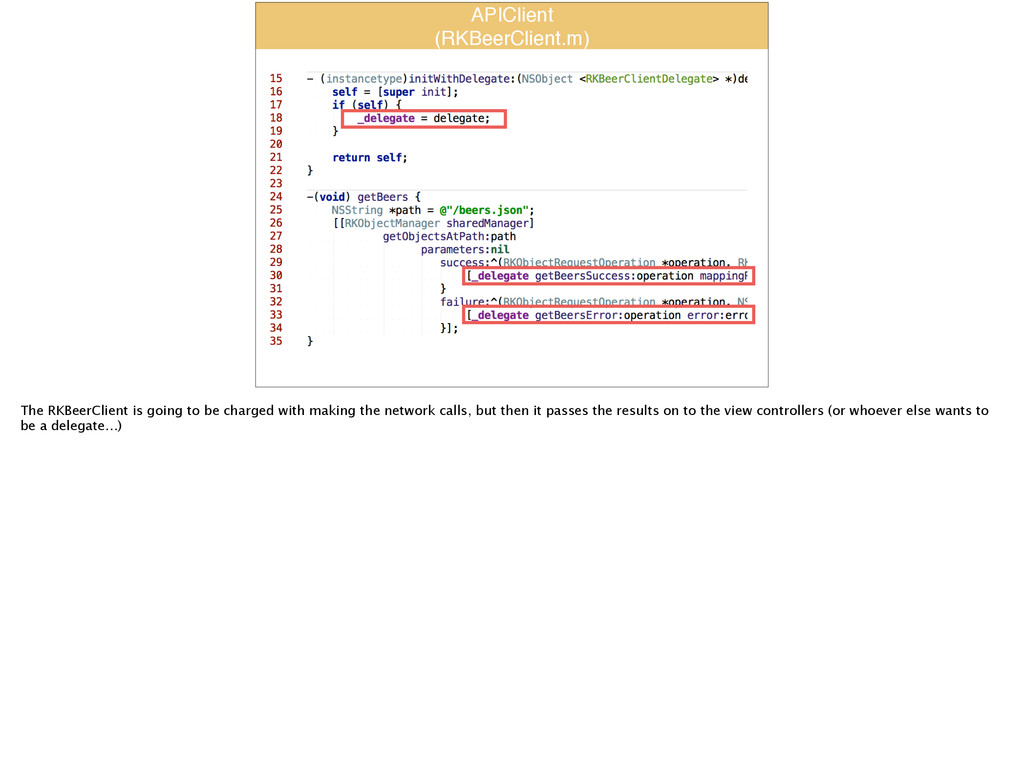
  37. APIClient! (RKBeerClient.m) The RKBeerClient is going to be charged with

    making the network calls, but then it passes the results on to the view controllers (or whoever else wants to be a delegate…)
  38. Questions? Slides will be posted to SpeakerDeck in the next

    24 hours Source will be posted to Github