Share
Embed
WebMCP, Explained with a To-Do App
Ask an AI agent in your browser to add three items to a to-do list, and watch what it does. It reads the page, looks for something that resembles an input, types, presses Enter, then checks whether anything happened.
That's how most agents use the web today. There is no manual to follow. WebMCP is a new browser proposal that changes this. Your page tells the agent what it can do, in a format the agent understands, and the agent calls those actions directly.
Ahmad Alfy
November 20, 2026
Transcript
28 slides
-
WebMCP Your website’s API for AI agents. Ahmad Alfy ·
Google Developer Expert, Web UI GDG Helwan · [Date] -
Hello I’m Ahmad Alfy. CTO GDE, Web
UI alfy.blog Robusta Technology Group, building software across MENA. Web standards, CSS, accessibility and browser-native APIs. Long-form writing about the platform and how we build on it. -
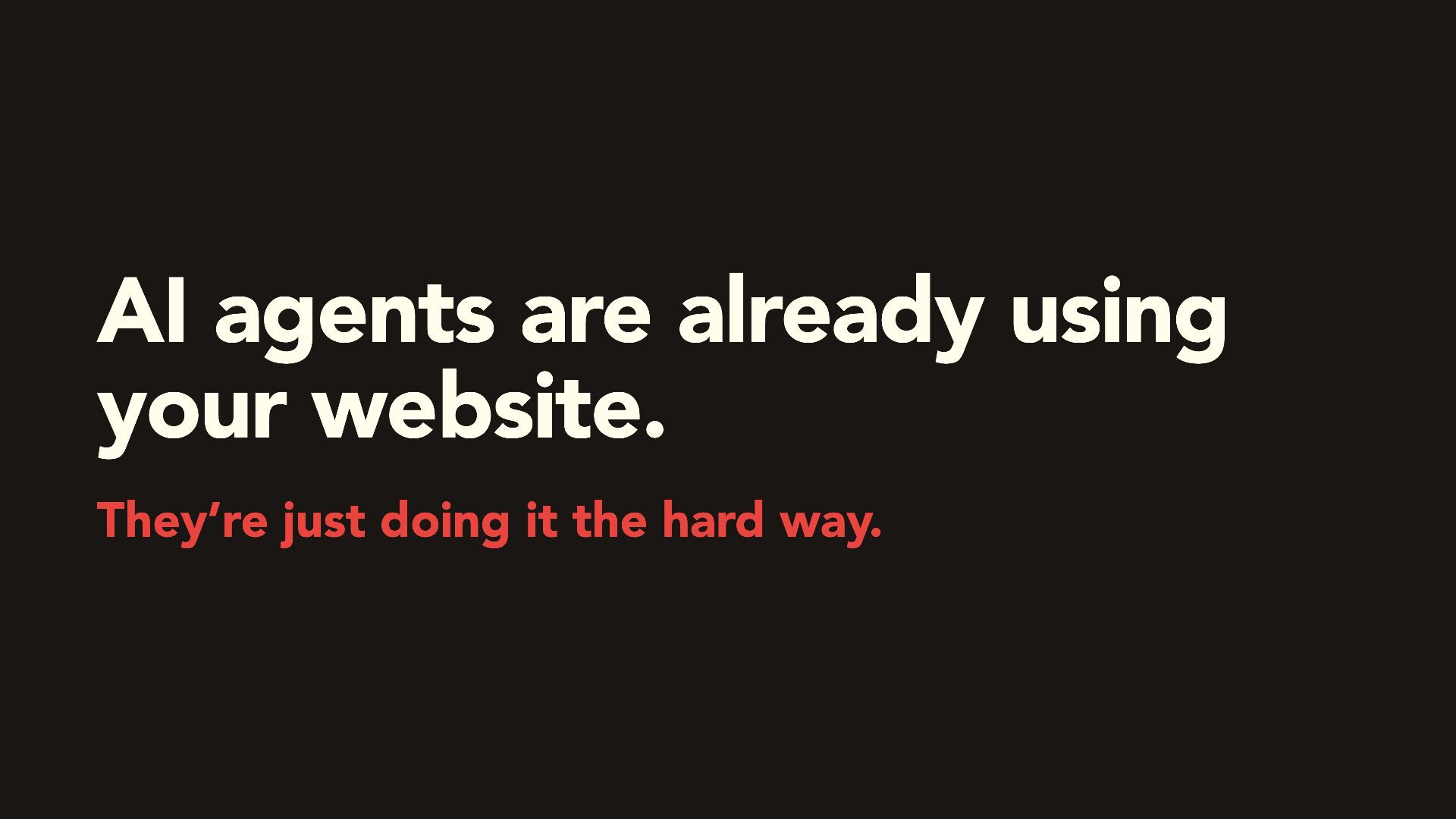
AI agents are already using your website. They’re just doing
it the hard way. -
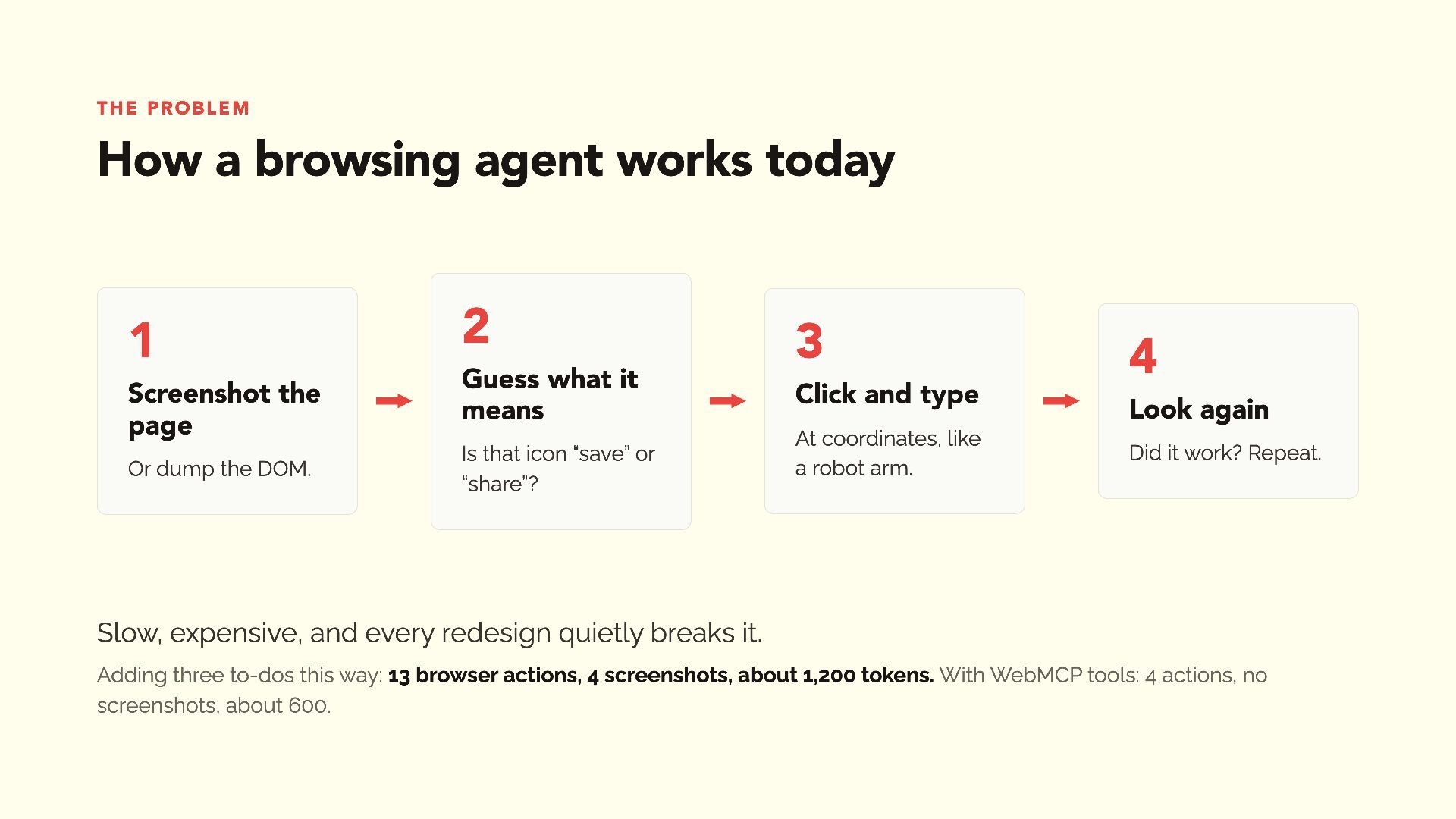
The problem How a browsing agent works today 1 Screenshot
the page Or dump the DOM. 2 Guess what it means Is that icon “save” or “share”? 3 Click and type At coordinates, like a robot arm. 4 Look again Did it work? Repeat. Slow, expensive, and every redesign quietly breaks it. Adding three to-dos this way: 13 browser actions, 4 screenshots, about 1,200 tokens. With WebMCP tools: 4 actions, no screenshots, about 600. -
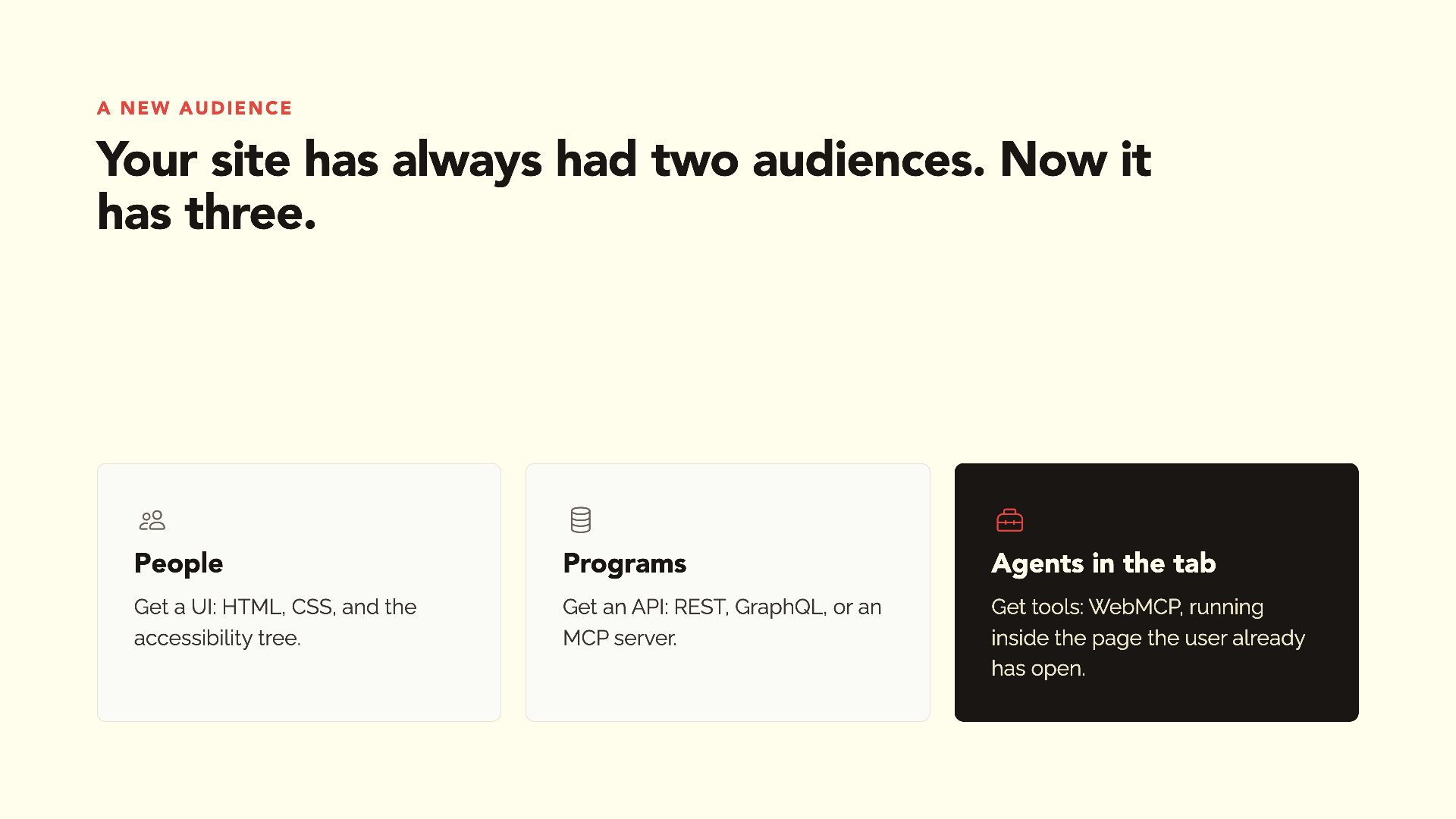
A new audience Your site has always had two audiences.
Now it has three. People Programs Agents in the tab Get a UI: HTML, CSS, and the accessibility tree. Get an API: REST, GraphQL, or an MCP server. Get tools: WebMCP, running inside the page the user already has open. -
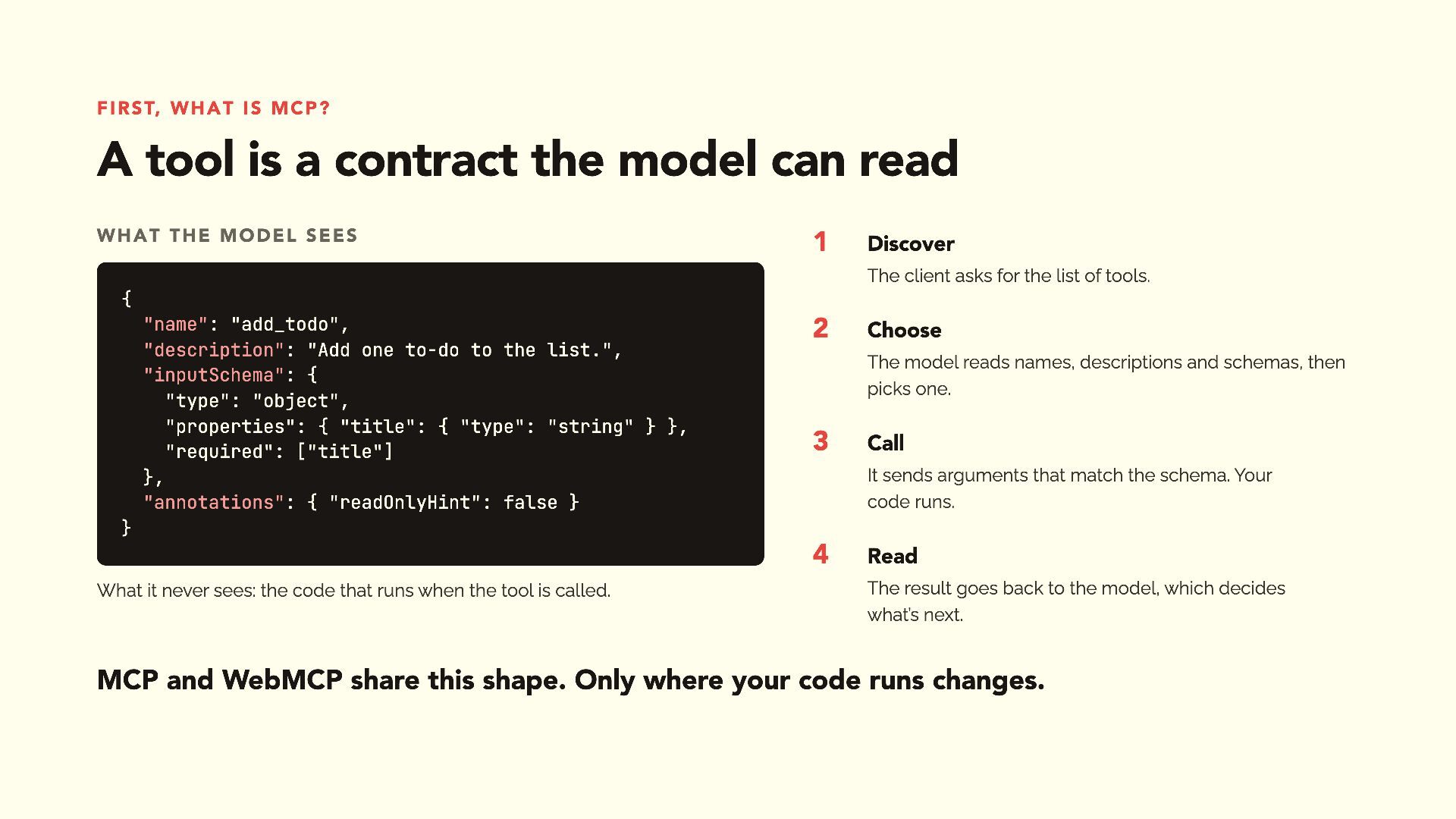
First, what is MCP? A tool is a contract the
model can read What the model sees 1 Discover The client asks for the list of tools. { "name": "add_todo", "description": "Add one to-do to the list.", "inputSchema": { "type": "object", "properties": { "title": { "type": "string" } }, "required": ["title"] }, "annotations": { "readOnlyHint": false } 2 Choose The model reads names, descriptions and schemas, then picks one. 3 Call It sends arguments that match the schema. Your code runs. } 4 What it never sees: the code that runs when the tool is called. Read The result goes back to the model, which decides what’s next. MCP and WebMCP share this shape. Only where your code runs changes. -
WebMCP in one sentence The page registers tools. The agent
calls them. Your page Browser registers document. modelContext add_todo, list_todos, toggle_todo… executes Keeps the list of tools, enforces origin and permission rules, shows the user what’s happening. lists calls A proposed web standard, incubated in the W3C Web Machine Learning Community Group. Agent Built into the browser or an extension. Reads names, descriptions and schemas. -
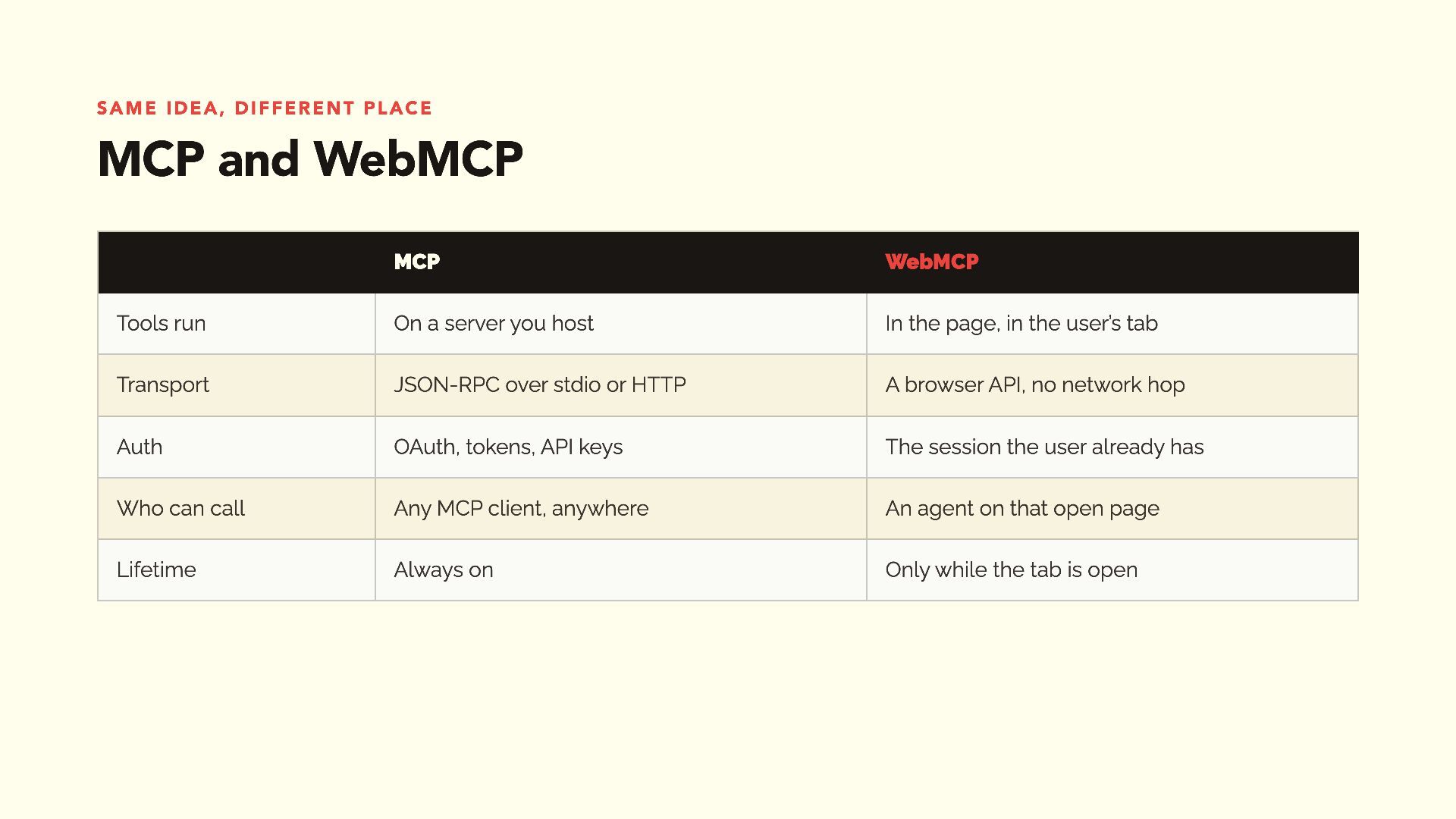
Same idea, different place MCP and WebMCP MCP WebMCP Tools
run On a server you host In the page, in the user’s tab Transport JSON-RPC over stdio or HTTP A browser API, no network hop Auth OAuth, tokens, API keys The session the user already has Who can call Any MCP client, anywhere An agent on that open page Lifetime Always on Only while the tab is open -
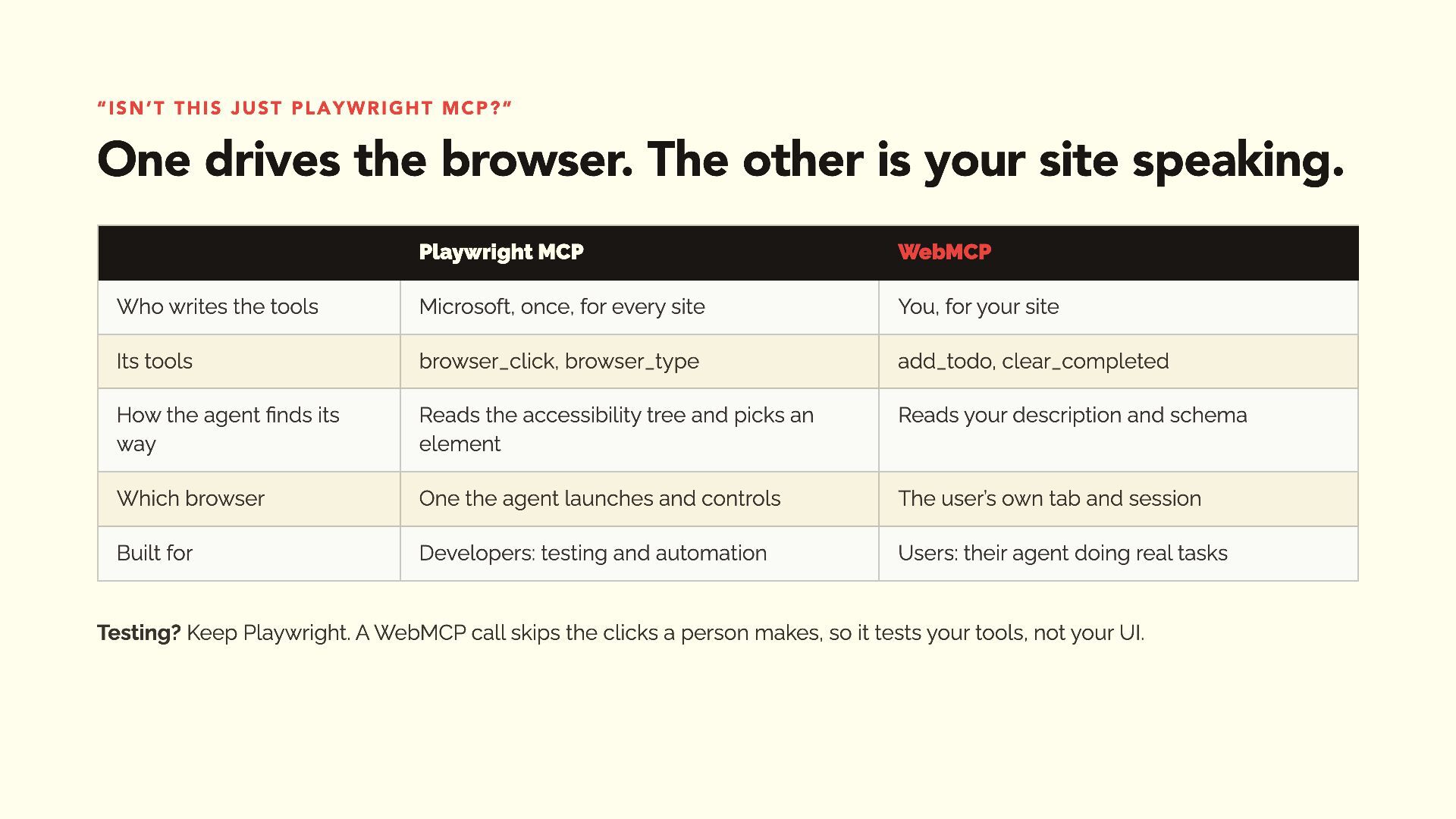
“Isn’t this just Playwright MCP?” One drives the browser. The
other is your site speaking. Playwright MCP WebMCP Who writes the tools Microsoft, once, for every site You, for your site Its tools browser_click, browser_type add_todo, clear_completed How the agent finds its way Reads the accessibility tree and picks an element Reads your description and schema Which browser One the agent launches and controls The user’s own tab and session Built for Developers: testing and automation Users: their agent doing real tasks Testing? Keep Playwright. A WebMCP call skips the clicks a person makes, so it tests your tools, not your UI. -
Hands on Teaching TodoMVC to talk to agents. The app
every framework has built. Seven tools. No backend. -
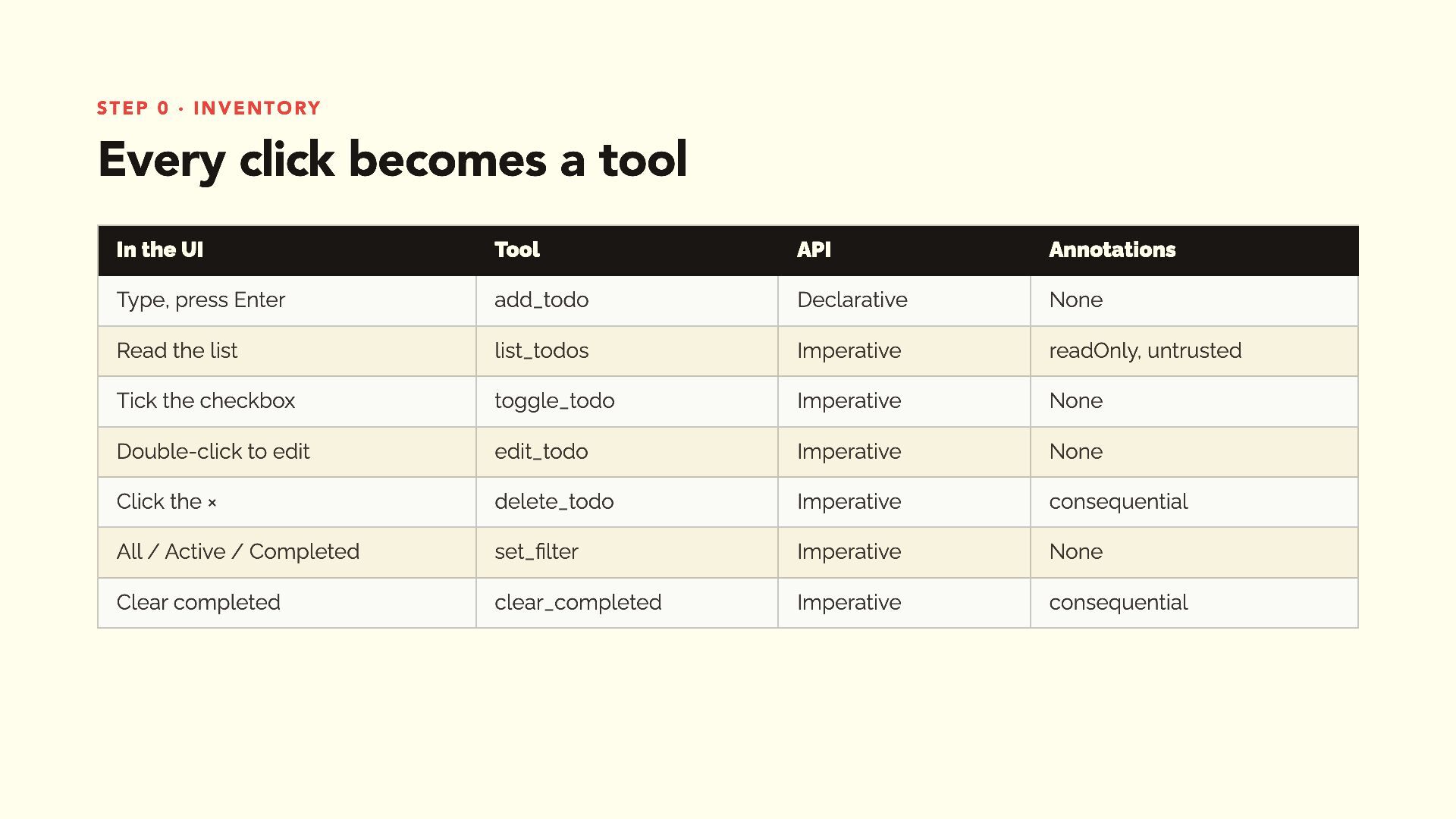
Step 0 · inventory Every click becomes a tool In
the UI Tool API Annotations Type, press Enter add_todo Declarative None Read the list list_todos Imperative readOnly, untrusted Tick the checkbox toggle_todo Imperative None Double-click to edit edit_todo Imperative None Click the × delete_todo Imperative consequential All / Active / Completed set_filter Imperative None Clear completed clear_completed Imperative consequential -
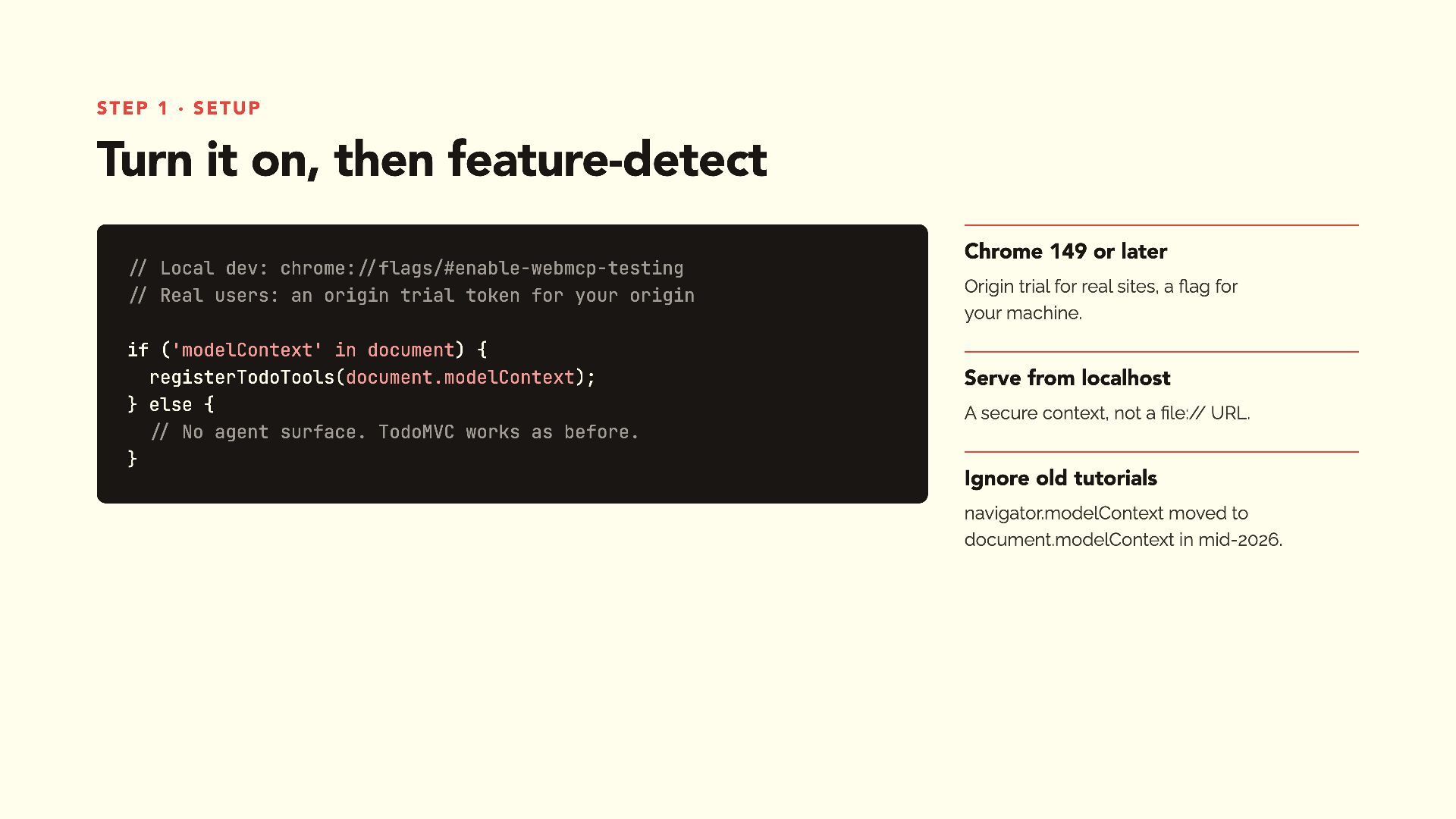
Step 1 · setup Turn it on, then feature-detect //
Local dev: chrome://flags/#enable-webmcp-testing // Real users: an origin trial token for your origin if ('modelContext' in document) { registerTodoTools(document.modelContext); } else { // No agent surface. TodoMVC works as before. } Chrome 149 or later Origin trial for real sites, a flag for your machine. Serve from localhost A secure context, not a file:// URL. Ignore old tutorials navigator.modelContext moved to document.modelContext in mid-2026. -
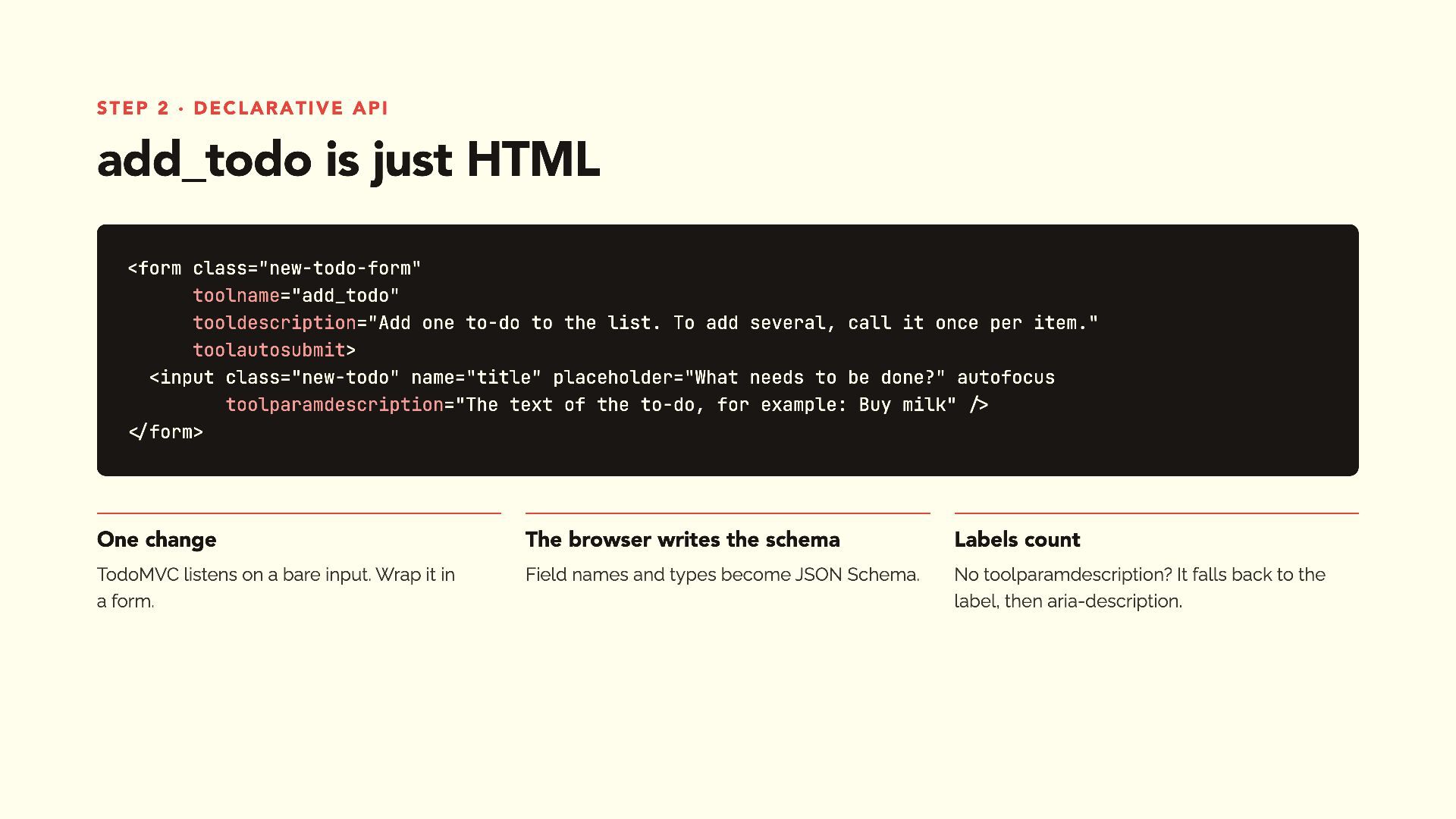
Step 2 · declarative API add_todo is just HTML <form
class="new-todo-form" toolname="add_todo" tooldescription="Add one to-do to the list. To add several, call it once per item." toolautosubmit> <input class="new-todo" name="title" placeholder="What needs to be done?" autofocus toolparamdescription="The text of the to-do, for example: Buy milk" /> </form> One change The browser writes the schema Labels count TodoMVC listens on a bare input. Wrap it in a form. Field names and types become JSON Schema. No toolparamdescription? It falls back to the label, then aria-description. -
Step 2 · declarative API Tell the agent what happened
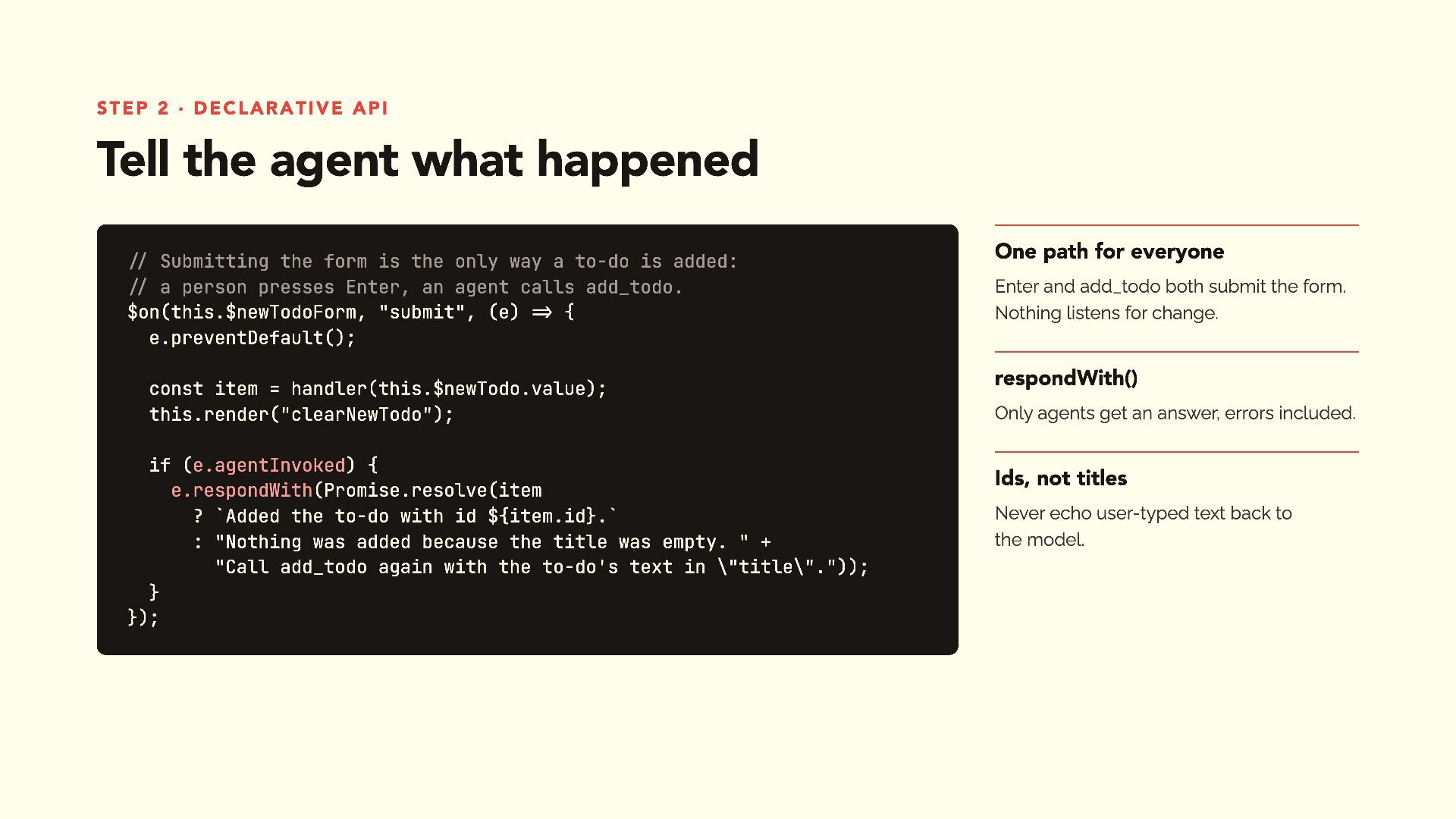
// Submitting the form is the only way a to-do is added: // a person presses Enter, an agent calls add_todo. $on(this.$newTodoForm, "submit", (e) => { e.preventDefault(); const item = handler(this.$newTodo.value); this.render("clearNewTodo"); if (e.agentInvoked) { e.respondWith(Promise.resolve(item ? `Added the to-do with id ${item.id}.` : "Nothing was added because the title was empty. " + "Call add_todo again with the to-do's text in \"title\".")); } }); One path for everyone Enter and add_todo both submit the form. Nothing listens for change. respondWith() Only agents get an answer, errors included. Ids, not titles Never echo user-typed text back to the model. -
What real Chrome taught us The tool said it failed.
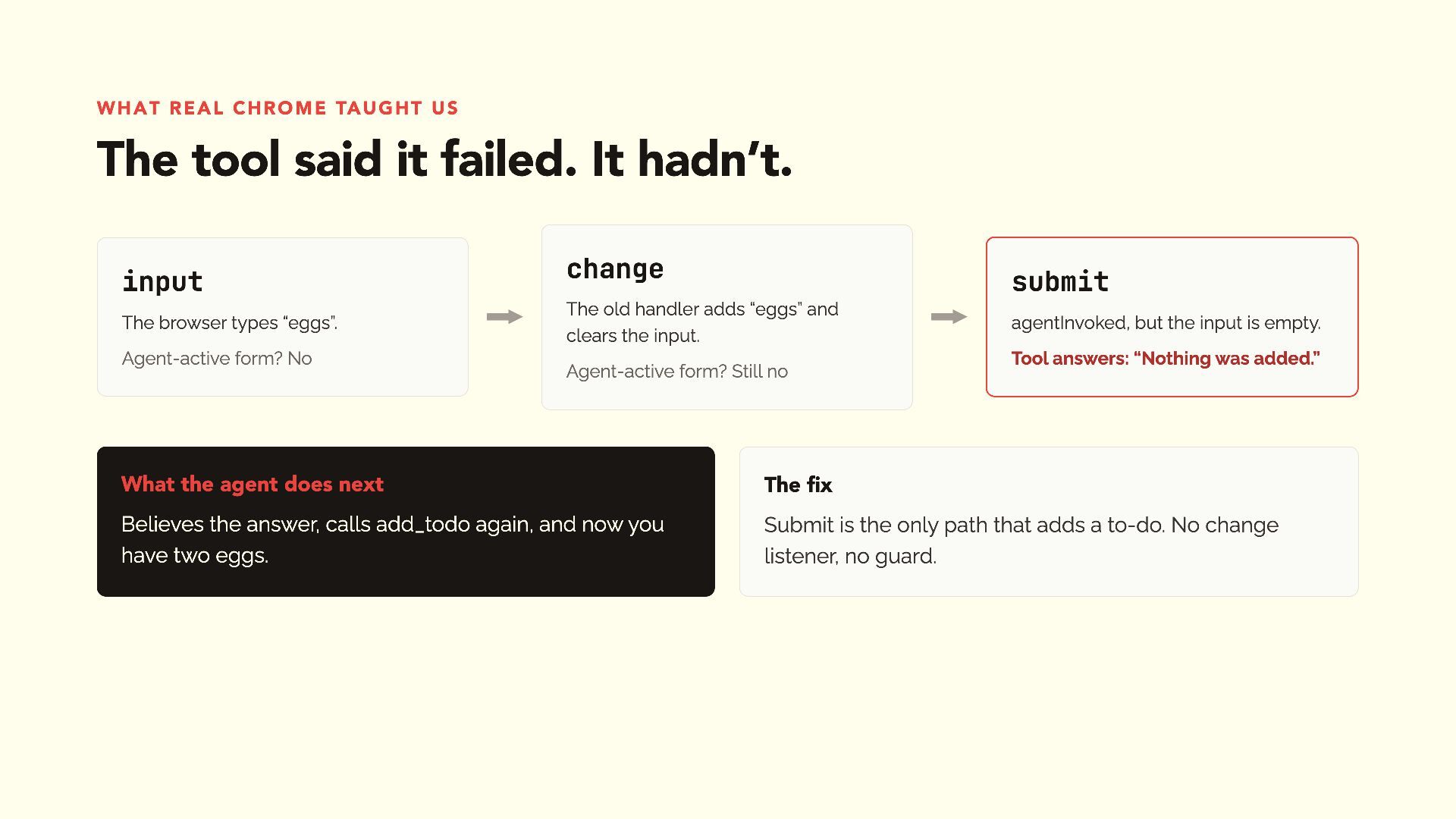
It hadn’t. input The browser types “eggs”. Agent-active form? No change submit The old handler adds “eggs” and clears the input. Agent-active form? Still no agentInvoked, but the input is empty. Tool answers: “Nothing was added.” What the agent does next The fix Believes the answer, calls add_todo again, and now you have two eggs. Submit is the only path that adds a to-do. No change listener, no guard. -
Step 3 · imperative API list_todos: let the agent see
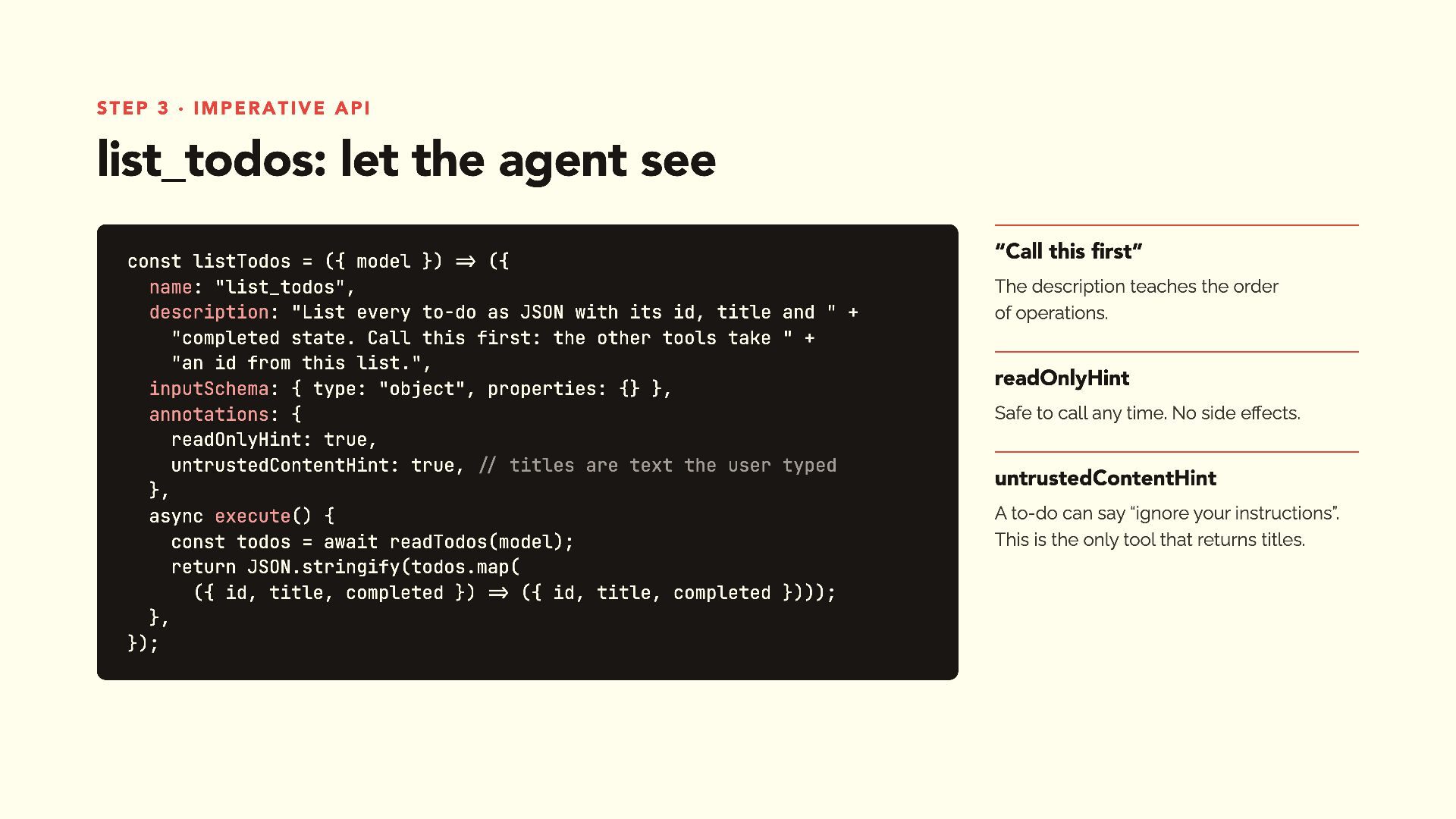
const listTodos = ({ model }) => ({ name: "list_todos", description: "List every to-do as JSON with its id, title and " + "completed state. Call this first: the other tools take " + "an id from this list.", inputSchema: { type: "object", properties: {} }, annotations: { readOnlyHint: true, untrustedContentHint: true, // titles are text the user typed }, async execute() { const todos = await readTodos(model); return JSON.stringify(todos.map( ({ id, title, completed }) => ({ id, title, completed }))); }, }); “Call this first” The description teaches the order of operations. readOnlyHint Safe to call any time. No side effects. untrustedContentHint A to-do can say “ignore your instructions”. This is the only tool that returns titles. -
Step 3 · imperative API toggle_todo: let the agent act
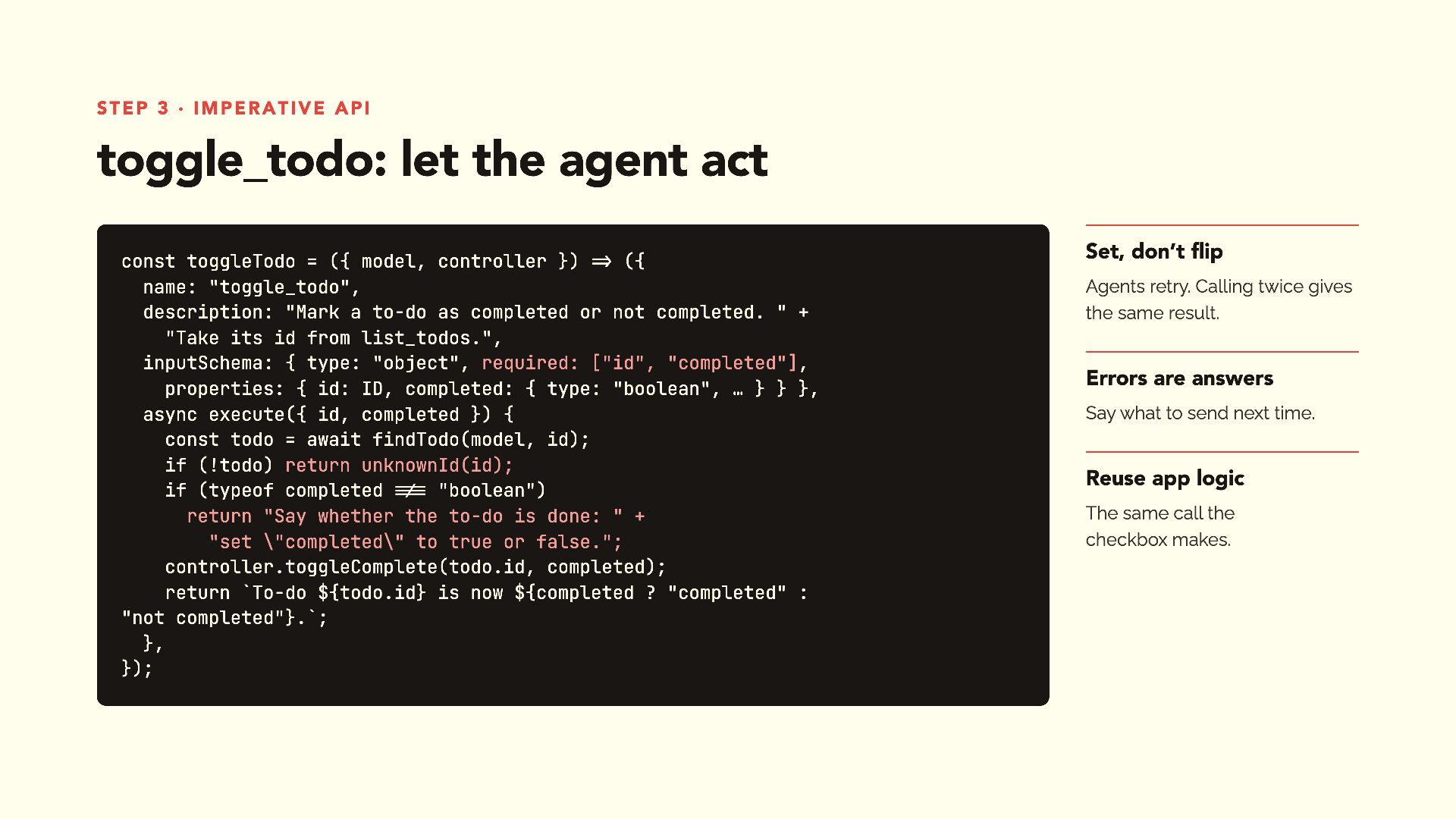
const toggleTodo = ({ model, controller }) => ({ name: "toggle_todo", description: "Mark a to-do as completed or not completed. " + "Take its id from list_todos.", inputSchema: { type: "object", required: ["id", "completed"], properties: { id: ID, completed: { type: "boolean", … } } }, async execute({ id, completed }) { const todo = await findTodo(model, id); if (!todo) return unknownId(id); if (typeof completed !== "boolean") return "Say whether the to-do is done: " + "set \"completed\" to true or false."; controller.toggleComplete(todo.id, completed); return `To-do ${todo.id} is now ${completed ? "completed" : "not completed"}.`; }, }); Set, don’t flip Agents retry. Calling twice gives the same result. Errors are answers Say what to send next time. Reuse app logic The same call the checkbox makes. -
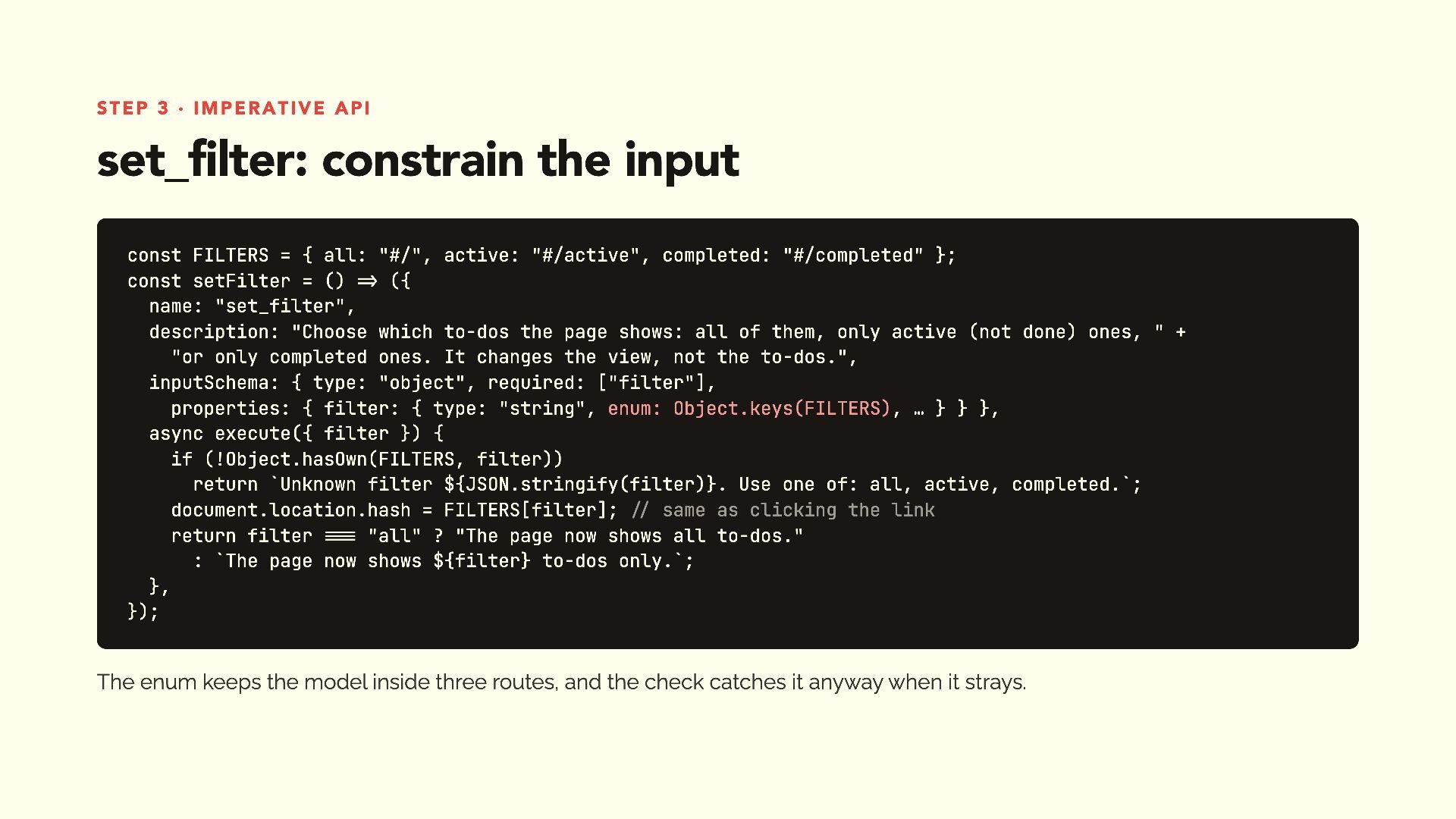
Step 3 · imperative API set_filter: constrain the input const
FILTERS = { all: "#/", active: "#/active", completed: "#/completed" }; const setFilter = () => ({ name: "set_filter", description: "Choose which to-dos the page shows: all of them, only active (not done) ones, " + "or only completed ones. It changes the view, not the to-dos.", inputSchema: { type: "object", required: ["filter"], properties: { filter: { type: "string", enum: Object.keys(FILTERS), … } } }, async execute({ filter }) { if (!Object.hasOwn(FILTERS, filter)) return `Unknown filter ${JSON.stringify(filter)}. Use one of: all, active, completed.`; document.location.hash = FILTERS[filter]; // same as clicking the link return filter === "all" ? "The page now shows all to-dos." : `The page now shows ${filter} to-dos only.`; }, }); The enum keeps the model inside three routes, and the check catches it anyway when it strays. -
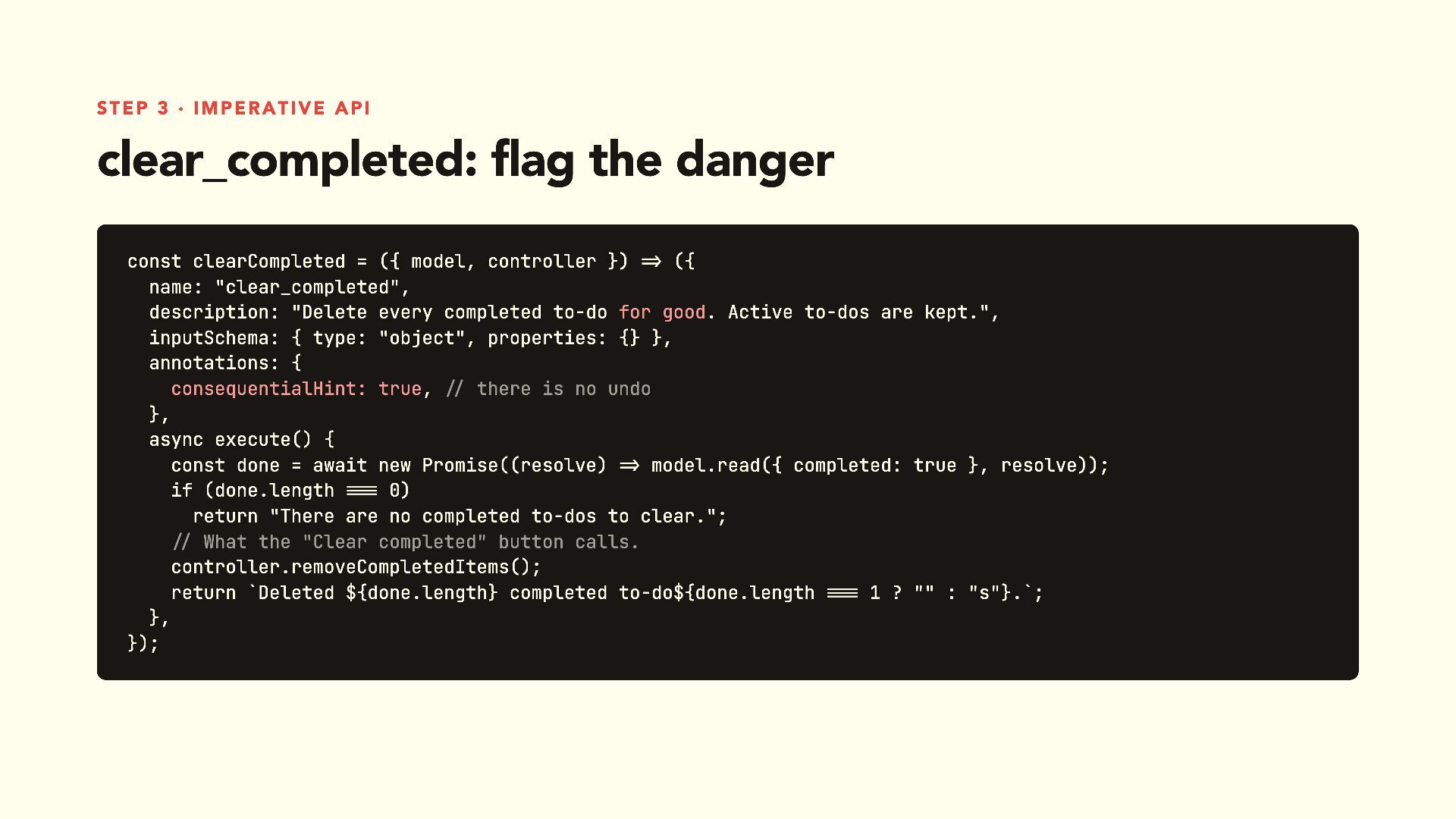
Step 3 · imperative API clear_completed: flag the danger const
clearCompleted = ({ model, controller }) => ({ name: "clear_completed", description: "Delete every completed to-do for good. Active to-dos are kept.", inputSchema: { type: "object", properties: {} }, annotations: { consequentialHint: true, // there is no undo }, async execute() { const done = await new Promise((resolve) => model.read({ completed: true }, resolve)); if (done.length === 0) return "There are no completed to-dos to clear."; // What the "Clear completed" button calls. controller.removeCompletedItems(); return `Deleted ${done.length} completed to-do${done.length === 1 ? "" : "s"}.`; }, }); -
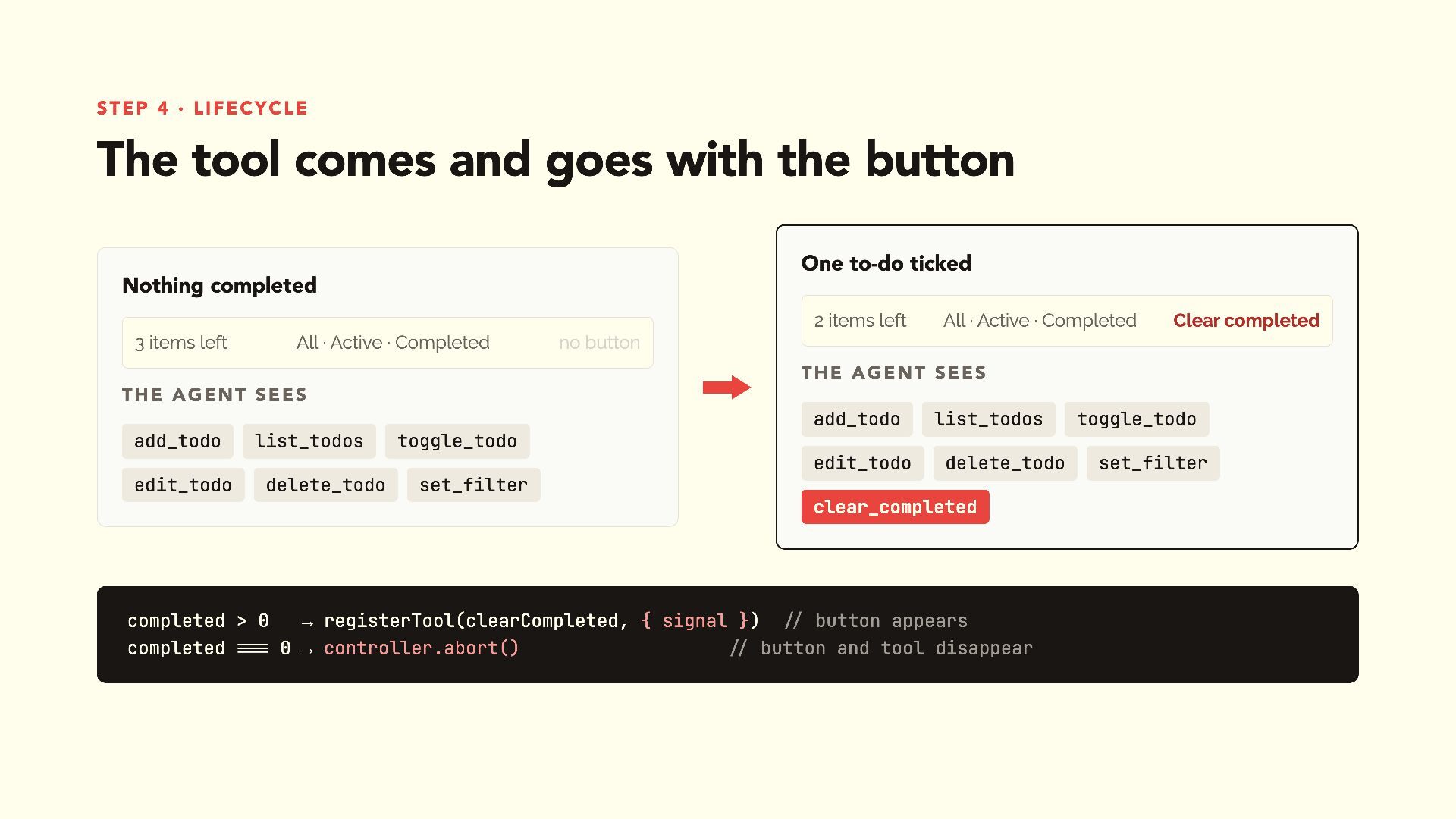
Step 4 · lifecycle The tool comes and goes with
the button One to-do ticked Nothing completed 2 items left 3 items left All · Active · Completed All · Active · Completed Clear completed no button The agent sees The agent sees add_todo list_todos edit_todo delete_todo add_todo list_todos edit_todo delete_todo toggle_todo toggle_todo set_filter clear_completed completed > 0 → registerTool(clearCompleted, { signal }) // button appears completed === 0 → controller.abort() // button and tool disappear set_filter -
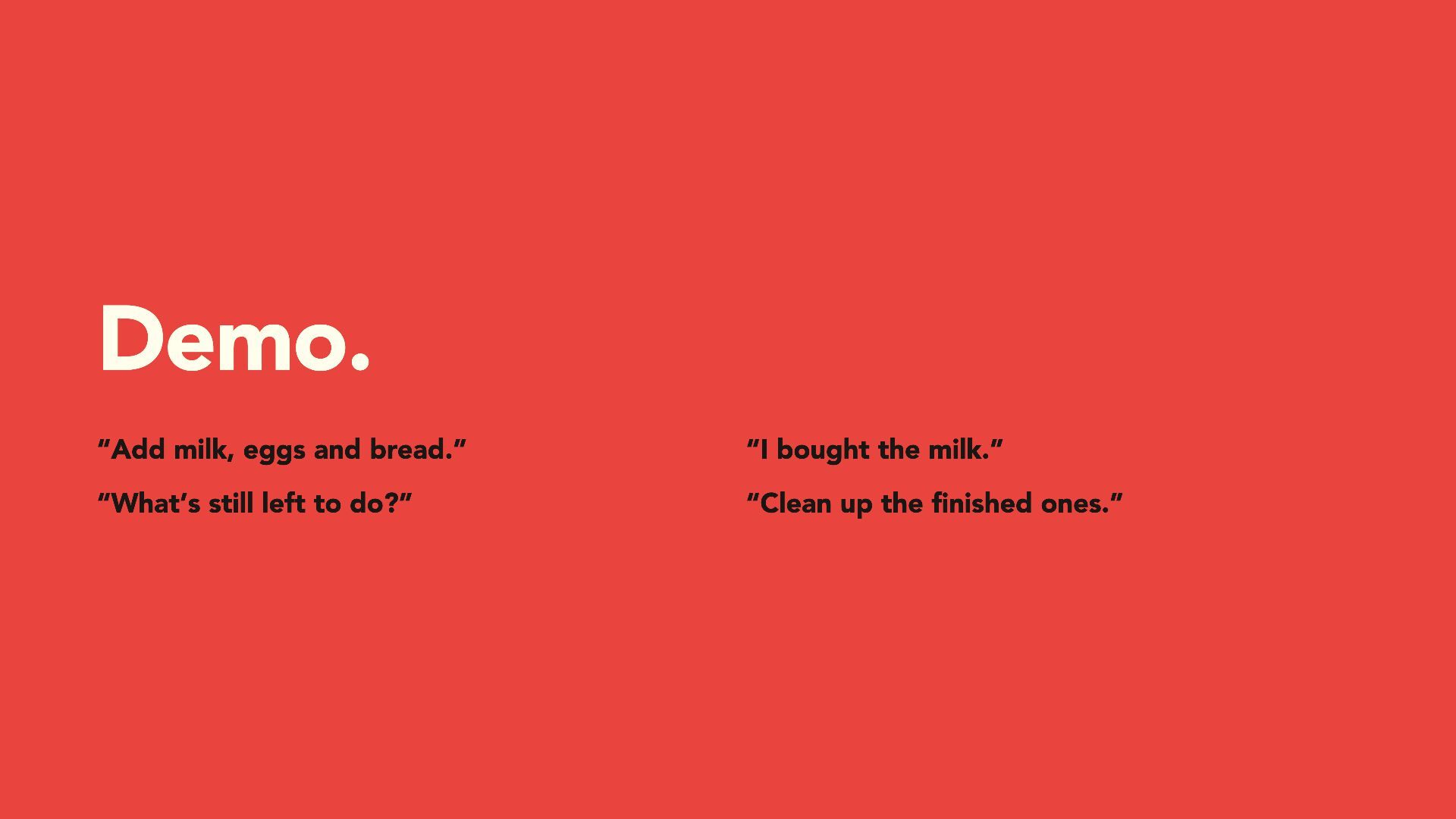
Demo. “Add milk, eggs and bread.” “I bought the milk.”
“What’s still left to do?” “Clean up the finished ones.” -
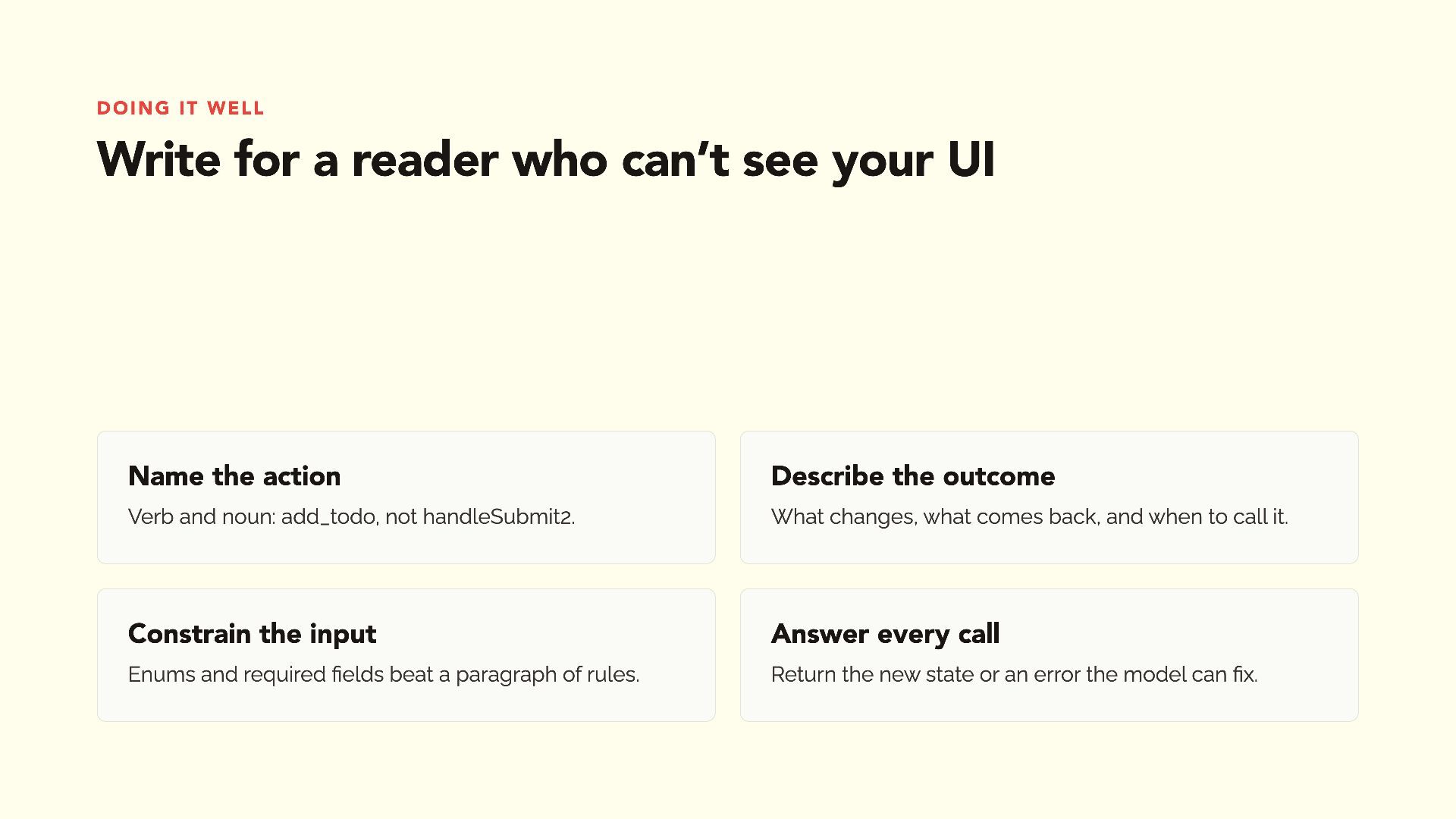
Doing it well Write for a reader who can’t see
your UI Name the action Describe the outcome Verb and noun: add_todo, not handleSubmit2. What changes, what comes back, and when to call it. Constrain the input Answer every call Enums and required fields beat a paragraph of rules. Return the new state or an error the model can fix. -
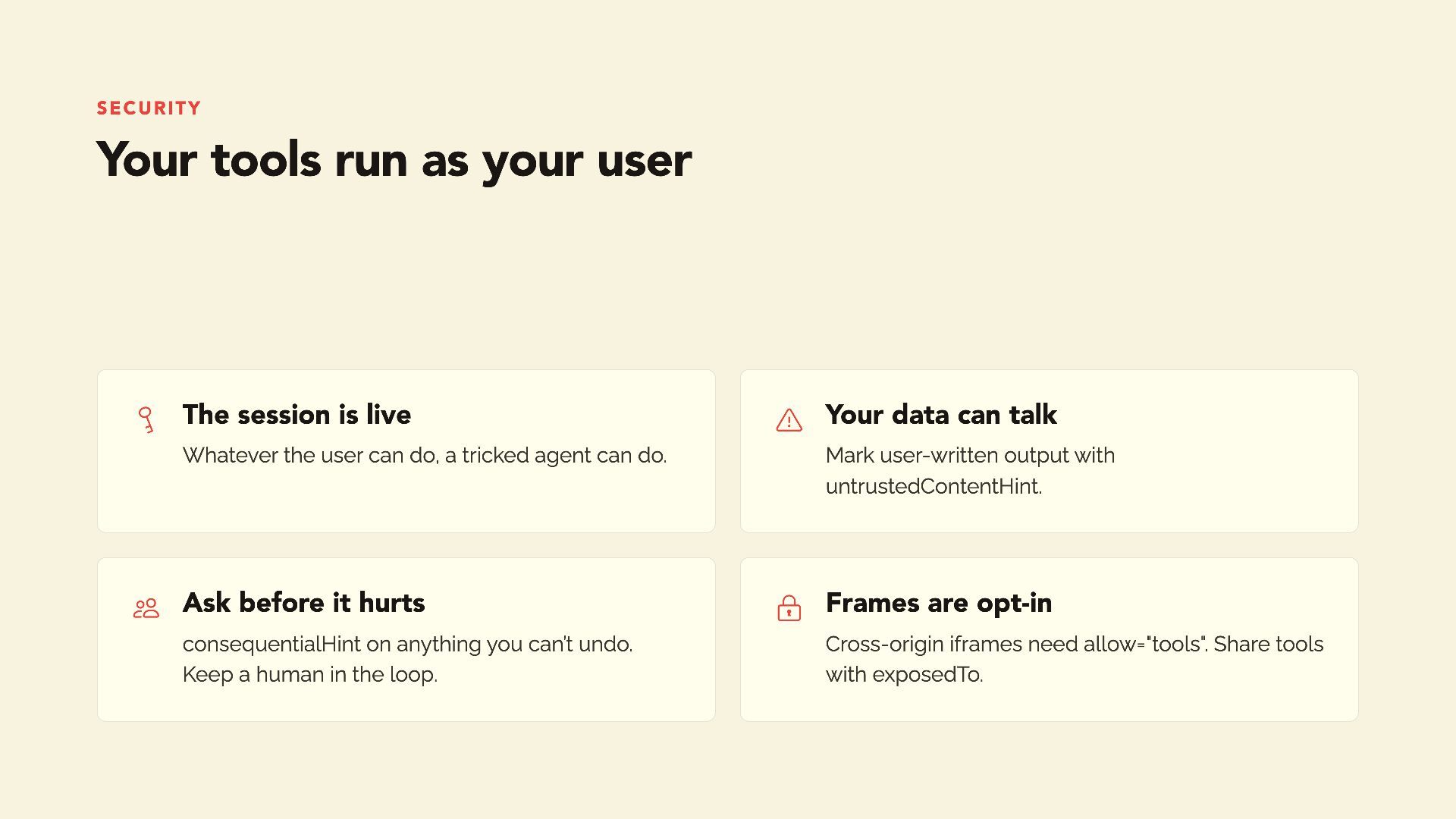
Security Your tools run as your user The session
is live Ask before it hurts Whatever the user can do, a tricked agent can do. consequentialHint on anything you can’t undo. Keep a human in the loop. Your data can talk Frames are opt-in Mark user-written output with untrustedContentHint. Cross-origin iframes need allow="tools". Share tools with exposedTo. -
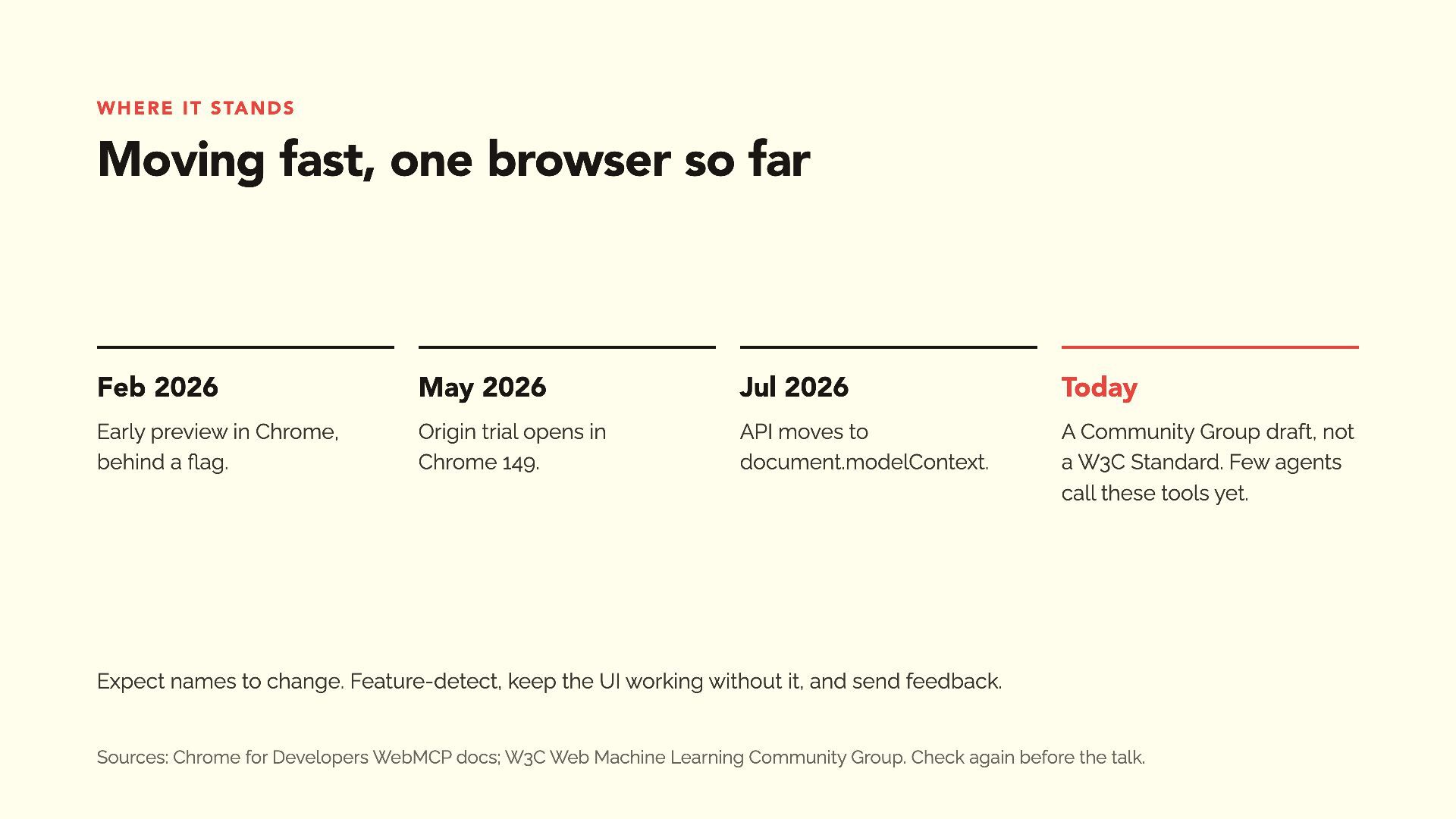
Where it stands Moving fast, one browser so far Feb
2026 May 2026 Jul 2026 Today Early preview in Chrome, behind a flag. Origin trial opens in Chrome 149. API moves to document.modelContext. A Community Group draft, not a W3C Standard. Few agents call these tools yet. Expect names to change. Feature-detect, keep the UI working without it, and send feedback. Sources: Chrome for Developers WebMCP docs; W3C Web Machine Learning Community Group. Check again before the talk. -
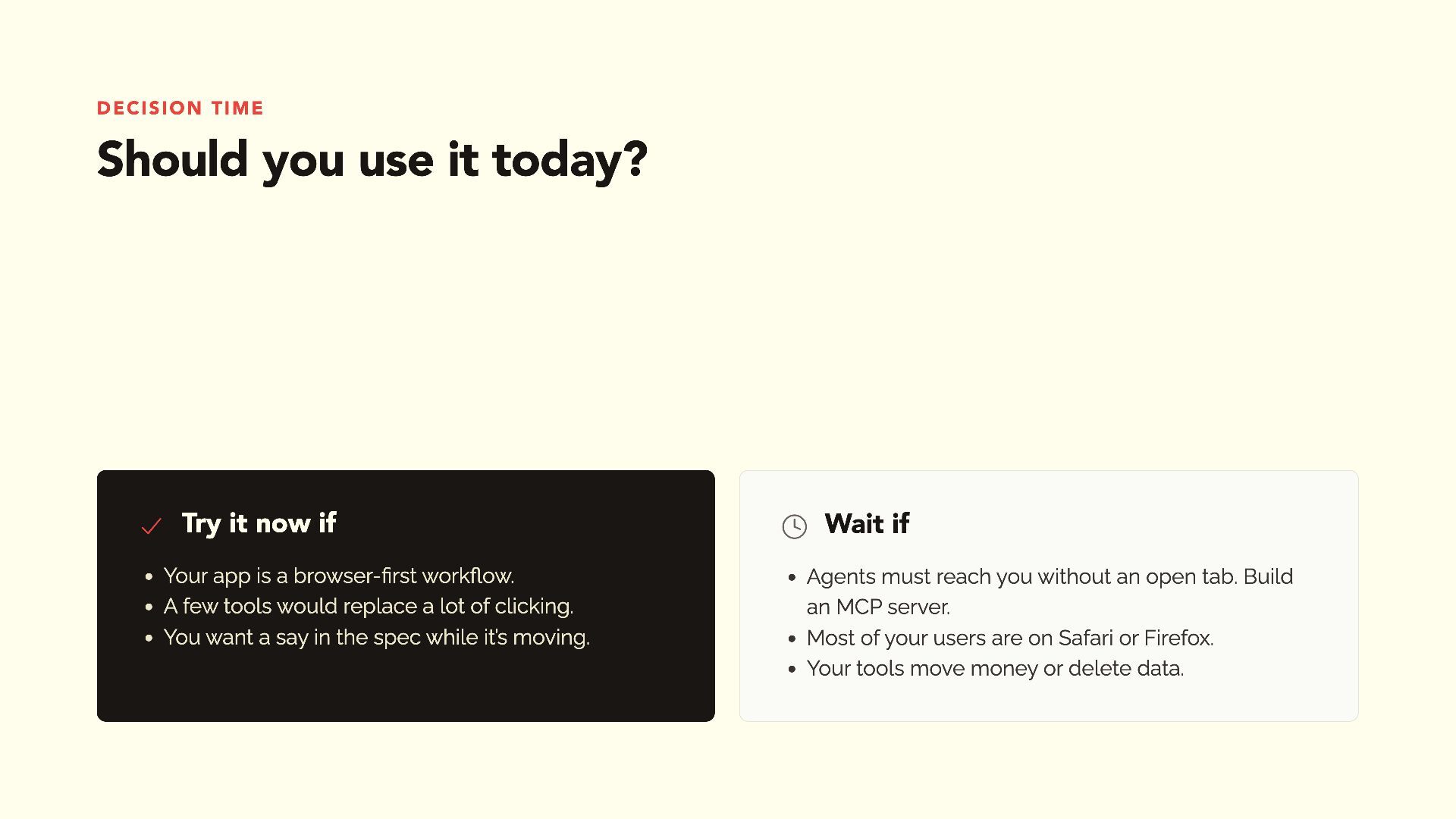
Decision time Should you use it today? Try it
now if Your app is a browser-first workflow. A few tools would replace a lot of clicking. You want a say in the spec while it’s moving. Wait if Agents must reach you without an open tab. Build an MCP server. Most of your users are on Safari or Firefox. Your tools move money or delete data. -
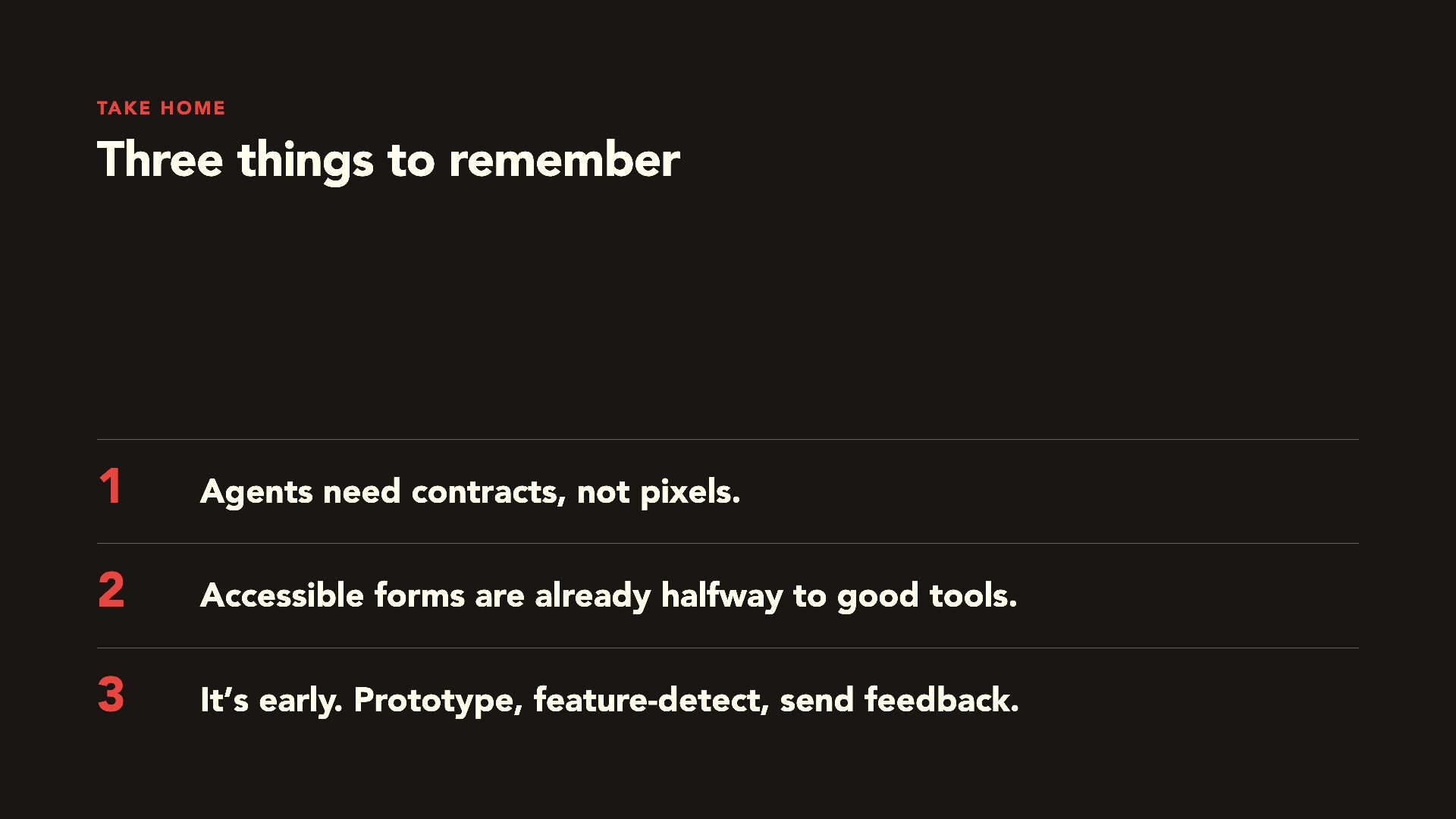
Take home Three things to remember 1 Agents need contracts,
not pixels. 2 Accessible forms are already halfway to good tools. 3 It’s early. Prototype, feature-detect, send feedback. -
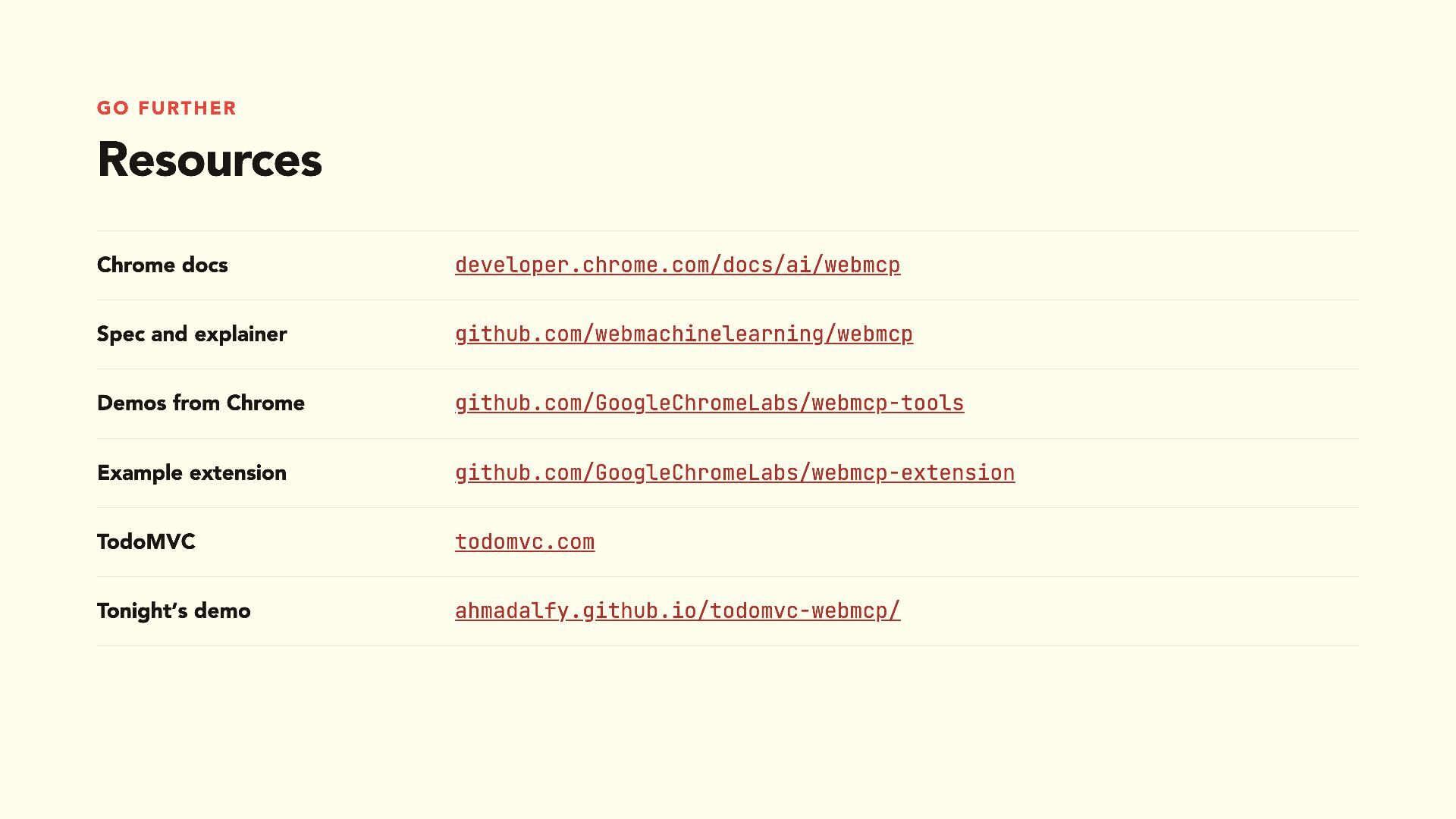
Go further Resources Chrome docs developer.chrome.com/docs/ai/webmcp Spec and explainer github.com/webmachinelearning/webmcp
Demos from Chrome github.com/GoogleChromeLabs/webmcp-tools Example extension github.com/GoogleChromeLabs/webmcp-extension TodoMVC todomvc.com Tonight’s demo ahmadalfy.github.io/todomvc-webmcp/