Building UI for NASA Astronomy Image of the Day API using AppSmith
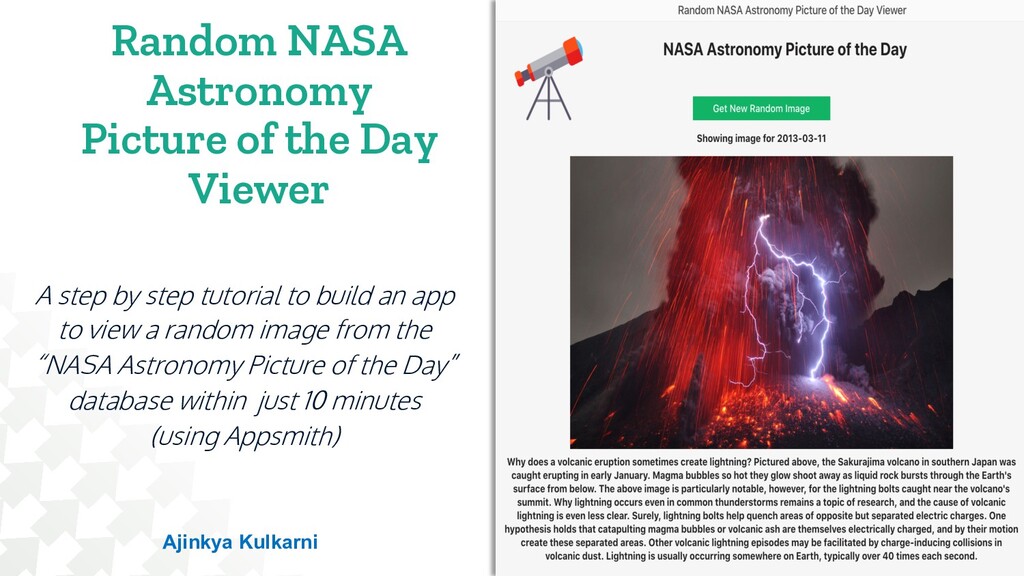
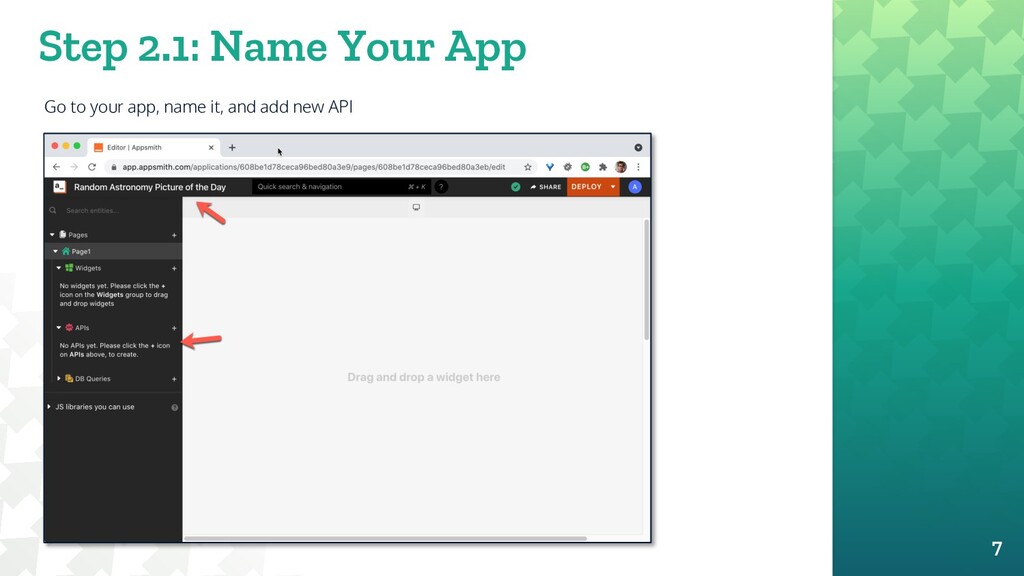
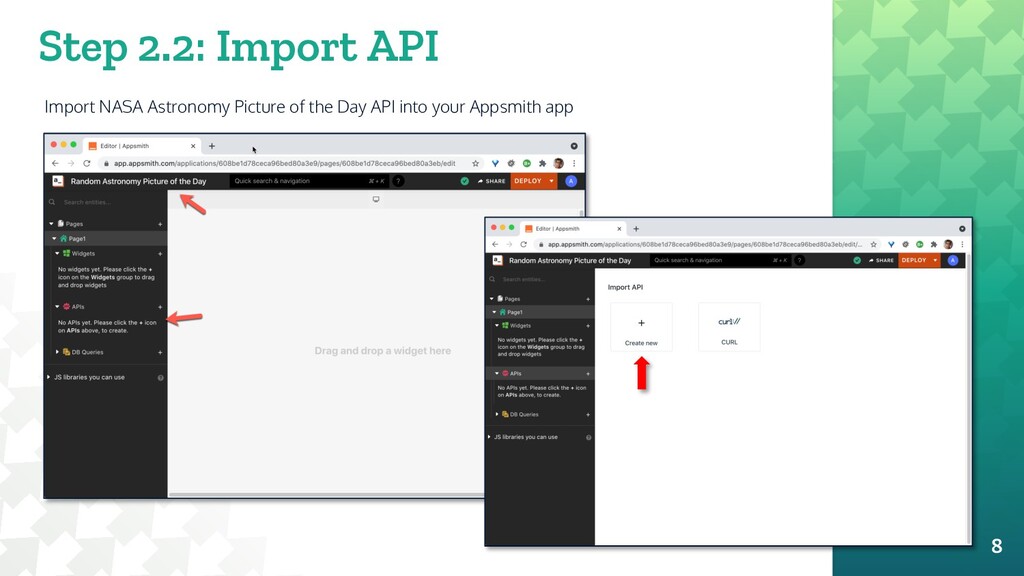
A step by step tutorial to build an app to view a random image from the “NASA Astronomy Picture of the Day” database within just 10 minutes (using Appsmith)
by step tutorial to build an app to view a random image from the “NASA Astronomy Picture of the Day” database within just 10 minutes (using Appsmith) 1 Ajinkya Kulkarni
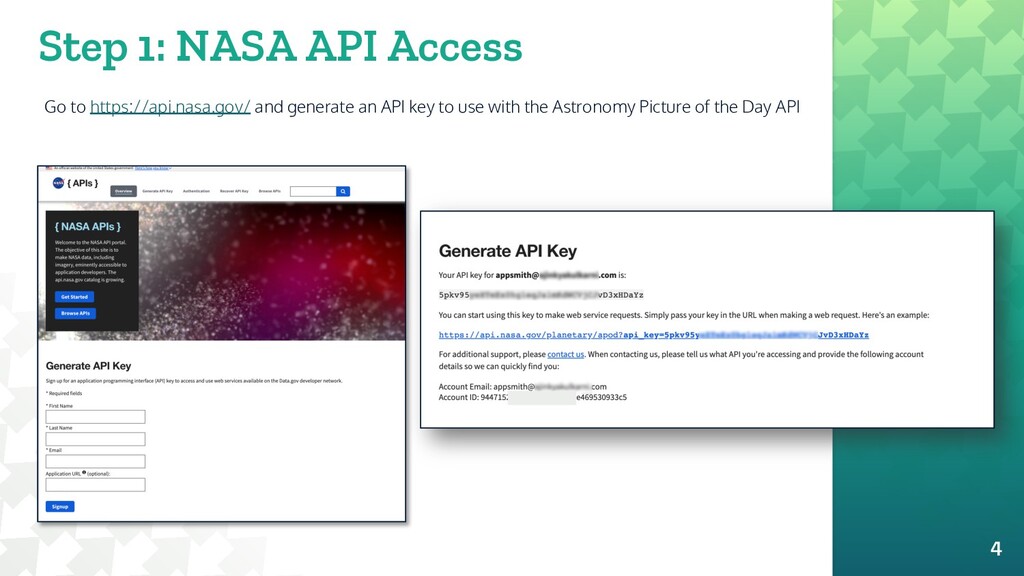
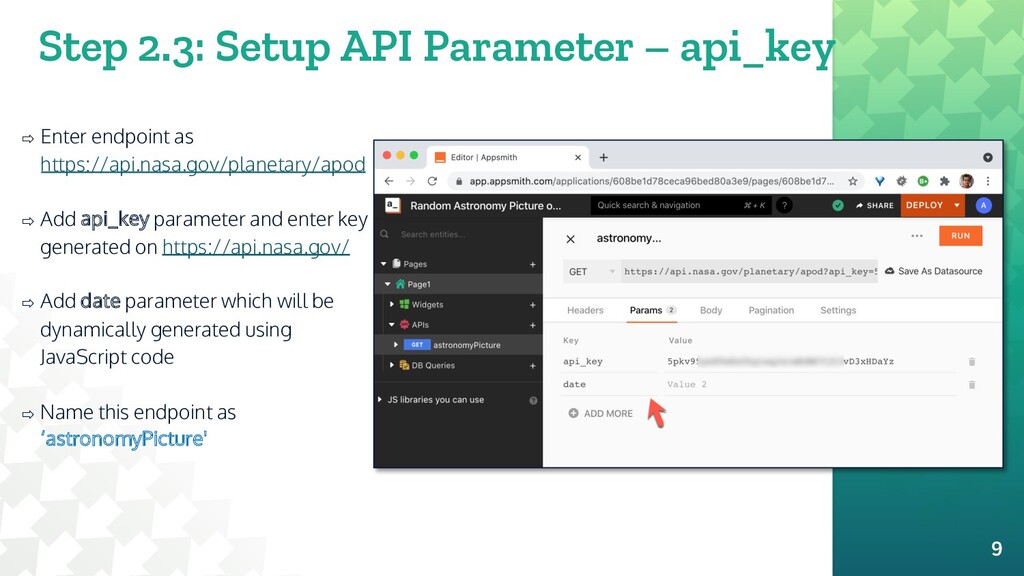
as https://api.nasa.gov/planetary/apod ⇨ Add api_key parameter and enter key generated on https://api.nasa.gov/ ⇨ Add date parameter which will be dynamically generated using JavaScript code ⇨ Name this endpoint as ‘astronomyPicture' 9
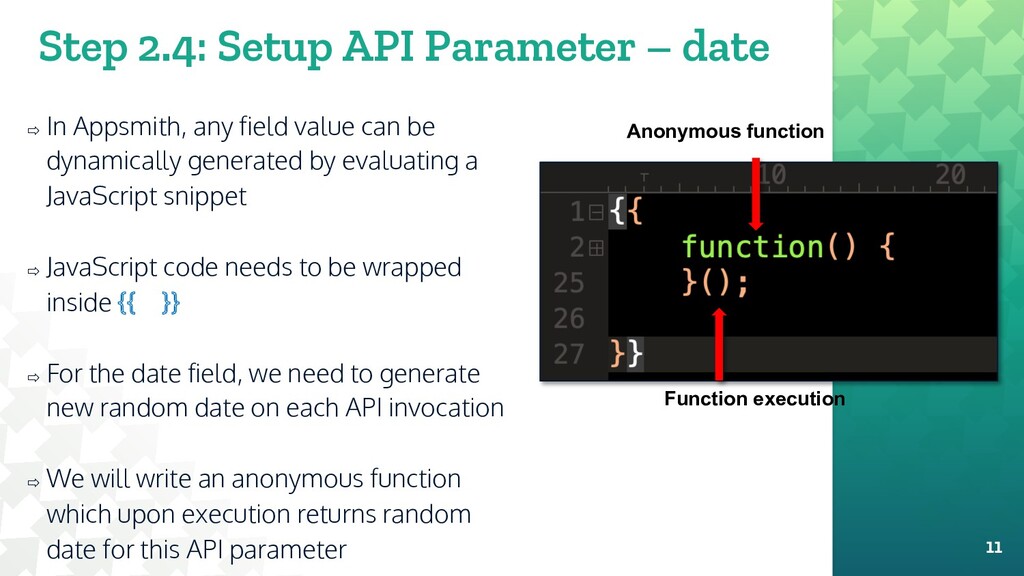
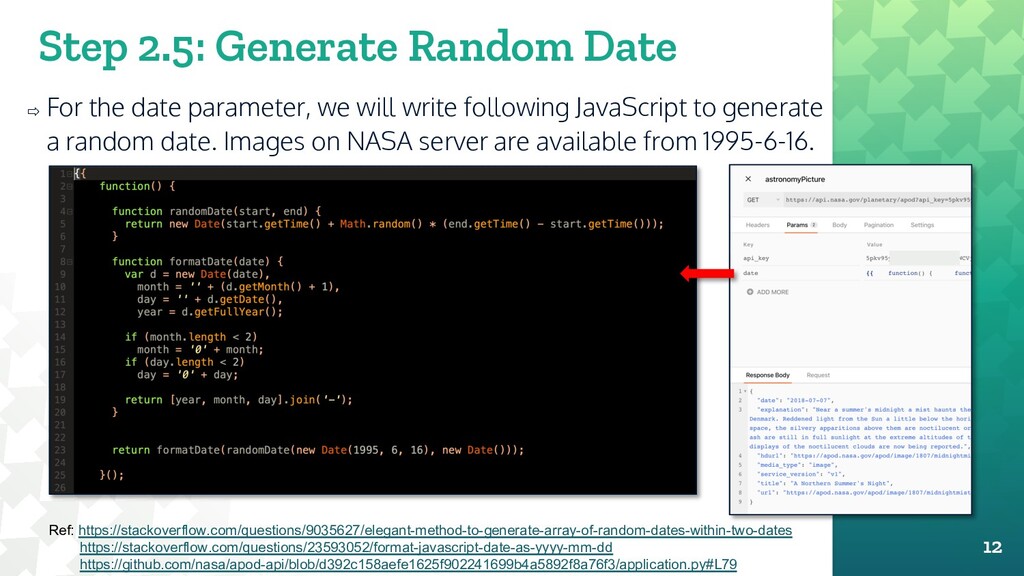
any field value can be dynamically generated by evaluating a JavaScript snippet ⇨ JavaScript code needs to be wrapped inside {{ }} ⇨ For the date field, we need to generate new random date on each API invocation ⇨ We will write an anonymous function which upon execution returns random date for this API parameter 11 Anonymous function Function execution
we will write following JavaScript to generate a random date. Images on NASA server are available from 1995-6-16. 12 Ref: https://stackoverflow.com/questions/9035627/elegant-method-to-generate-array-of-random-dates-within-two-dates https://stackoverflow.com/questions/23593052/format-javascript-date-as-yyyy-mm-dd https://github.com/nasa/apod-api/blob/d392c158aefe1625f902241699b4a5892f8a76f3/application.py#L79
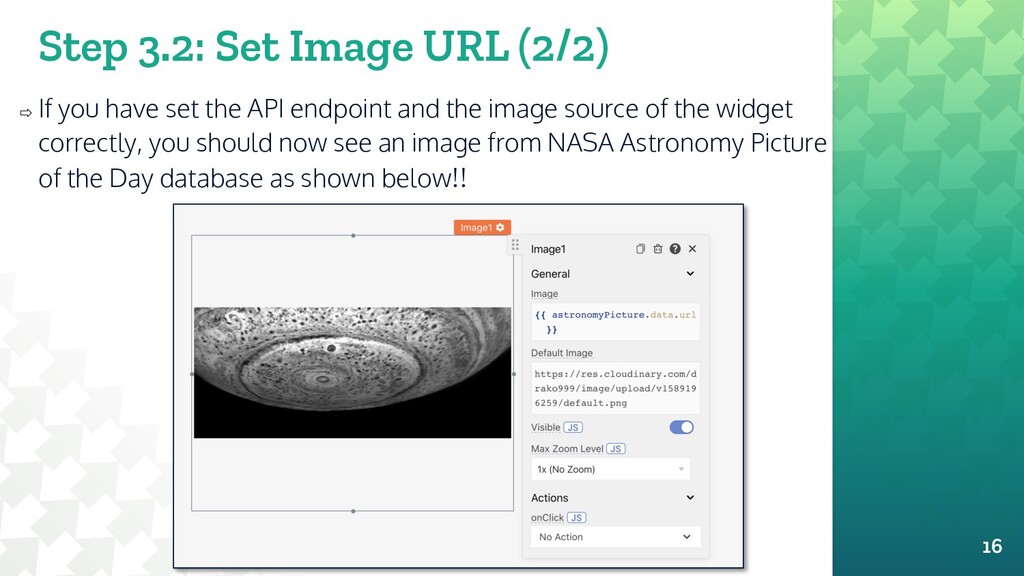
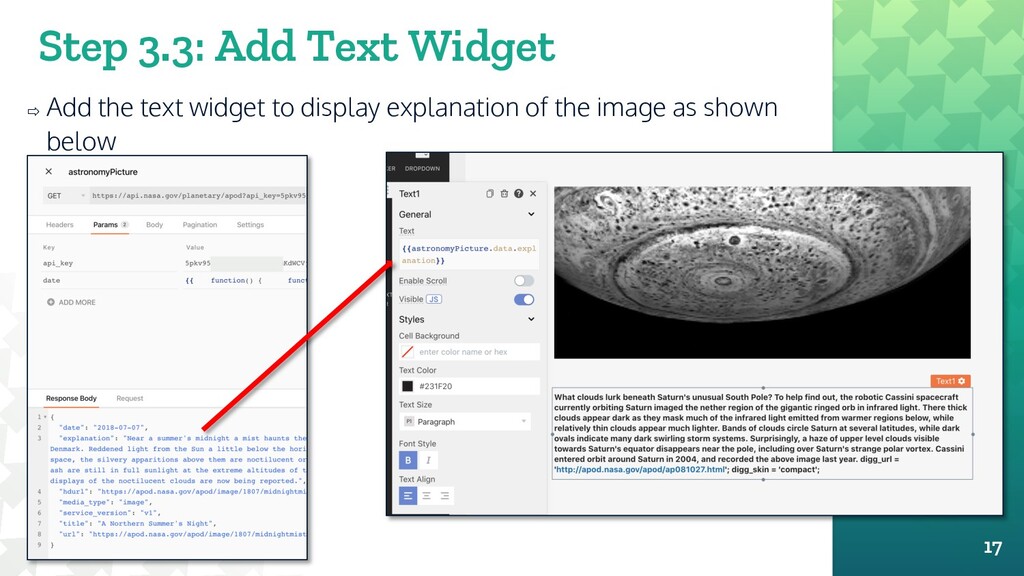
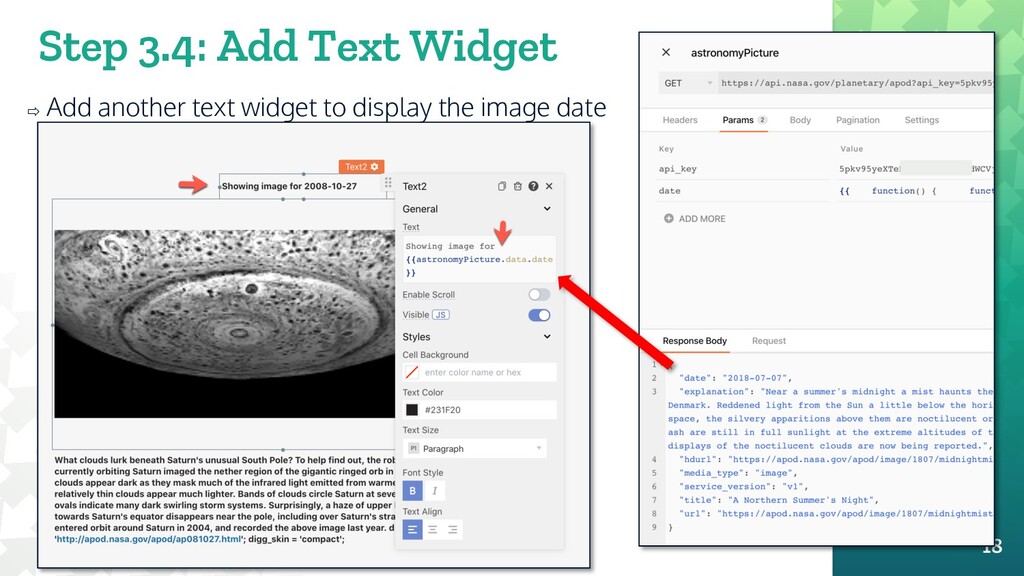
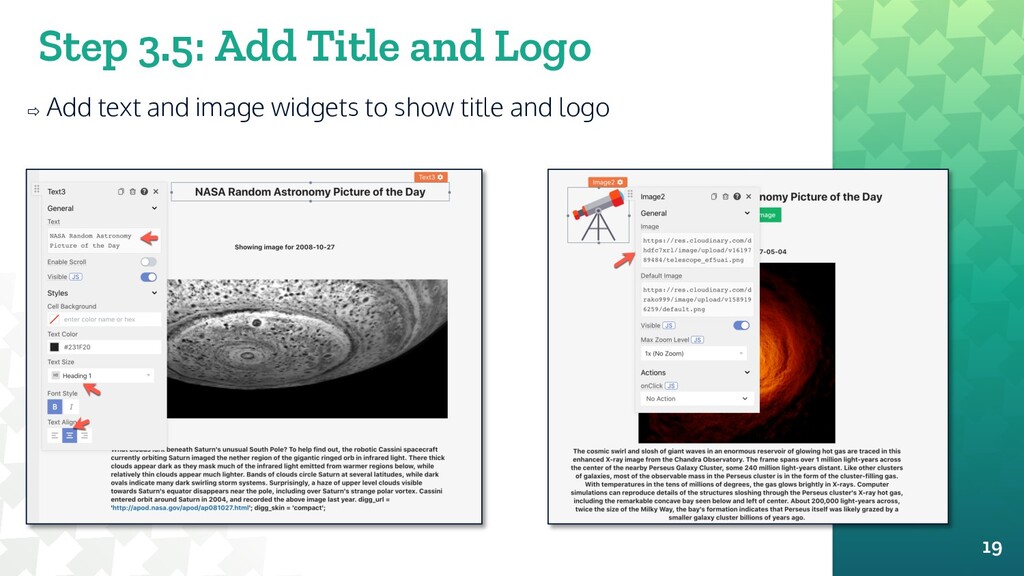
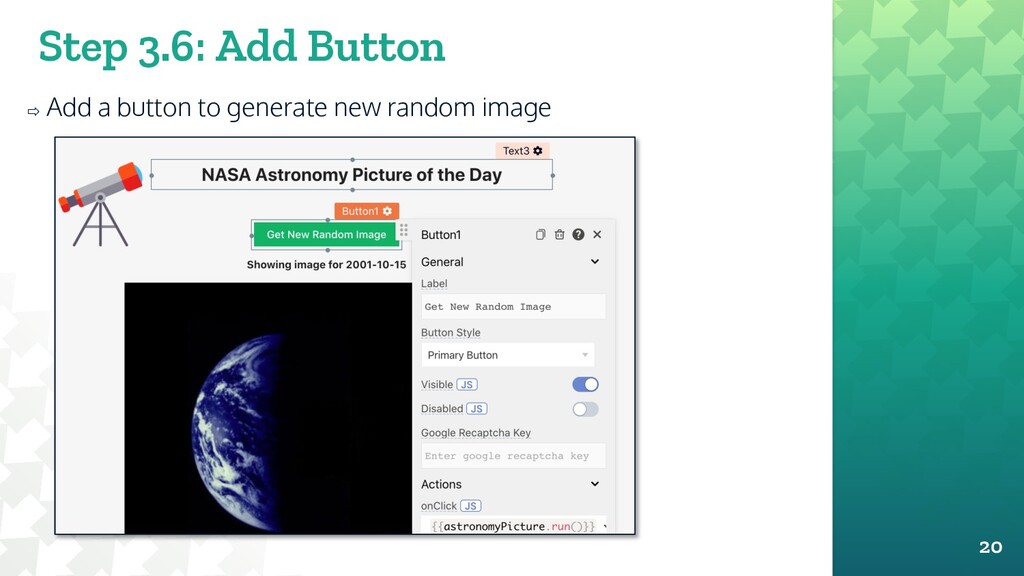
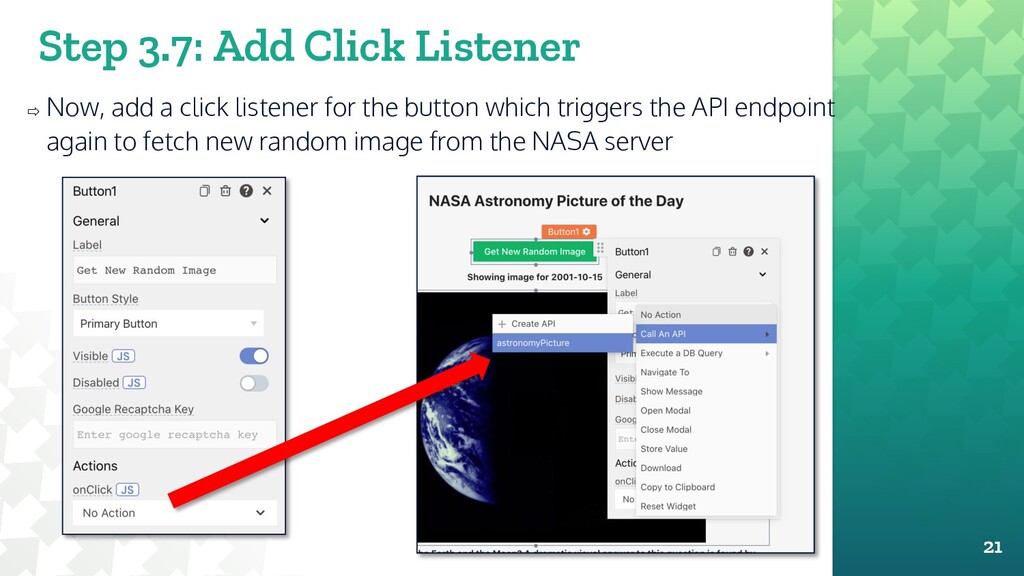
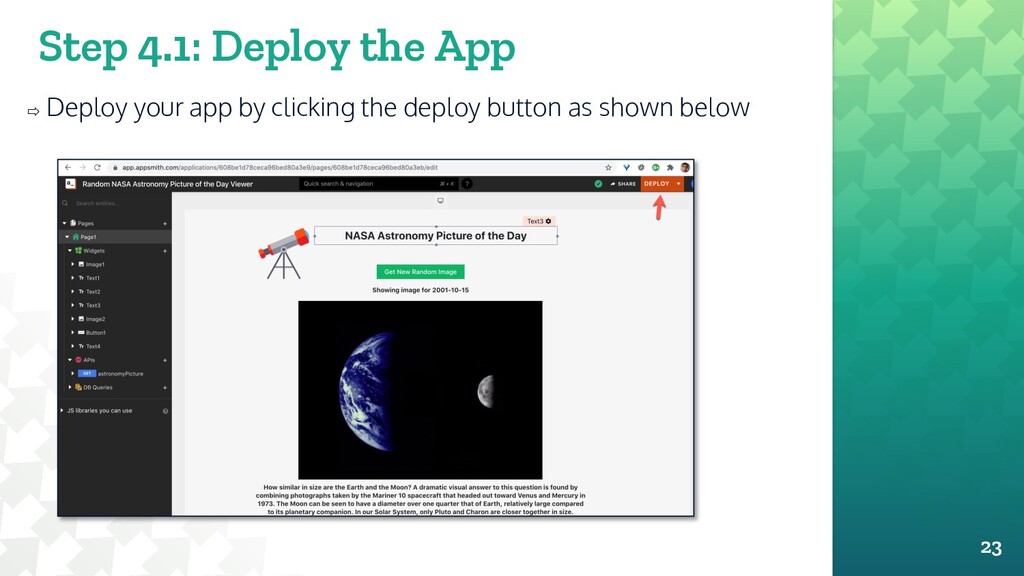
set the API endpoint and the image source of the widget correctly, you should now see an image from NASA Astronomy Picture of the Day database as shown below!! 16


 o0h
o0h
 iwatsukayura
 findyinc
 ichirokano2
.jpg) yumnumm
yumnumm
 utakaha
 xleitix
 optim
optim
 morizo_1984
 kawashimo0
 falcon8823
 akit37
 aleyda
 lara
lara
 ryanjones
 marcelosomers
 coloredviolet
 marcoroth
 mkilby
 keavy
keavy
 techseoconnect
 danielanewman
 inesmontani
 jcasabona