Upgrade to Pro
— share decks privately, control downloads, hide ads and more …
Speaker Deck
Sign up for free
Menu
Search
Features
All features
Private URLs
Password Protection
Custom URLS
Scheduled publishing
Remove Branding
Restrict embedding
Deck Collections
Notes
Features
All features
Private URLs
Password Protection
Custom URLS
Scheduled publishing
Remove Branding
Restrict embedding
Deck Collections
Notes
Explore
Featured decks
Featured speakers
Programming
Technology
Storyboards
Explore
Featured decks
Featured speakers
Programming
Technology
Storyboards
Pricing
Search
Sign in
Sign up for free
雑に疎通確認だけしたい...せや!CloudShell使ったろ!
Search
Ryotaro Harada
May 10, 2025
Technology
1k
0
Share
Embed
Copy iframe code
Copy JS code
Copy link
Start on current slide
雑に疎通確認だけしたい...せや!CloudShell使ったろ!
Ryotaro Harada
May 10, 2025
More Decks by Ryotaro Harada
See All by Ryotaro Harada
あるけみー式LTスライド作成術
alchemy1115
2
320
最高のシステムプロンプトを作るためにフィードバック機能を導入した話
alchemy1115
1
860
凡エンジニアがこの先生きのこるためには。〜TypeScript完全に理解したい〜
alchemy1115
2
480
30代、何を"諦める"か
alchemy1115
1
800
ADOTで始めるサーバレスアーキテクチャのオブザーバビリティ
alchemy1115
3
350
AgentCore RuntimeをVPCにデプロイして 開発ドキュメント作成AIエージェントを作った
alchemy1115
5
1.4k
バズる!アウトプット
alchemy1115
1
630
社外コミュニティと「学び」を考える
alchemy1115
2
250
AWS IoT CoreとRaspberry Piに触れてみた
alchemy1115
0
460
Other Decks in Technology
See All in Technology
ブラウザとサーバーから考えるAI時代のフロントエンド監視
shogo4131
3
810
V8のArray.prototype.flatを最大約20倍速くするまでと、巨大OSSへの大規模コミットの道のり
riyaamemiya
0
230
自分で立ててみるLLMサービス
y_sera15
0
160
生成AIを使って「人が」考える技術 ― AI時代の人機共想と実践ノウハウ|UNITT AC2026
ishiirikie
0
580
初対面のメンバーがチームを組み、Claude Codeでゼロからサービスをリリース
mkdev10
1
120
freeeらしさをAIとともに作る / Creating the freee Experience with AI
ymrl
0
220
DevelopersIO 2026 知識の地図を描く ─ オントロジーとは何か?
ishikawa_satoru
1
1.5k
AI時代のAPI開発を加速する品質ガードレール / API Quality Guardrails in the AI Era
yokawasa
0
180
パッチ更新でterraform initが落ちた日
grimoh
1
120
転んだ話が背中を預ける理由になる / A_story_about_falling_down_gives_you_a_reason_to_watch_each_other_s_backs.pdf
pauli
3
350
実践!Cloud Run ハンズオン!! / Cloud Run handson
y0hgi
0
200
hackers_champloo_2026_tidb
makocchi
0
110
Featured
See All Featured
Unlocking the hidden potential of vector embeddings in international SEO
frankvandijk
0
980
Primal Persuasion: How to Engage the Brain for Learning That Lasts
tmiket
0
500
Future Trends and Review - Lecture 12 - Web Technologies (1019888BNR)
signer
PRO
0
3.8k
Why Our Code Smells
bkeepers
PRO
340
58k
Effective software design: The role of men in debugging patriarchy in IT @ Voxxed Days AMS
baasie
1
560
Why You Should Never Use an ORM
jnunemaker
PRO
61
10k
YesSQL, Process and Tooling at Scale
rocio
174
15k
Abbi's Birthday
coloredviolet
4
10k
How to audit for AI Accessibility on your Front & Back End
davetheseo
0
580
世界の人気アプリ100個を分析して見えたペイウォール設計の心得
akihiro_kokubo
PRO
74
42k
The Illustrated Guide to Node.js - THAT Conference 2024
reverentgeek
1
560
Into the Great Unknown - MozCon
thekraken
41
2.8k
Transcript
雑に疎通確認だけしたい...せや!CloudShell 使ったろ! 2025/5/10 JAWS-UG彩の国埼玉支部 #1 KDDI株式会社 原田涼太郎
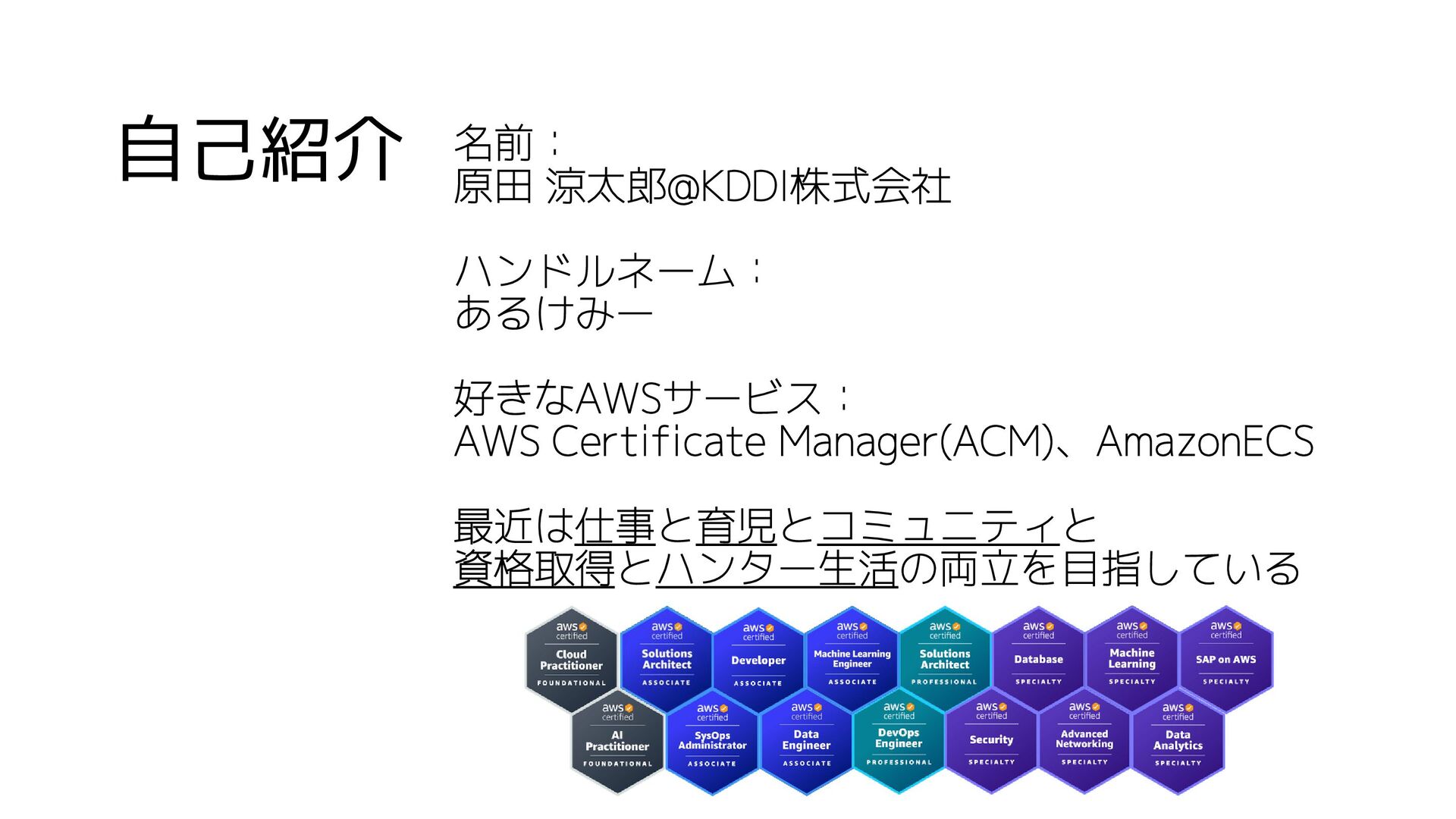
自己紹介 名前: 原田 涼太郎@KDDI株式会社 ハンドルネーム: あるけみー 好きなAWSサービス: AWS Certificate Manager(ACM)、AmazonECS
最近は仕事と育児とコミュニティと 資格取得とハンター生活の両立を目指している
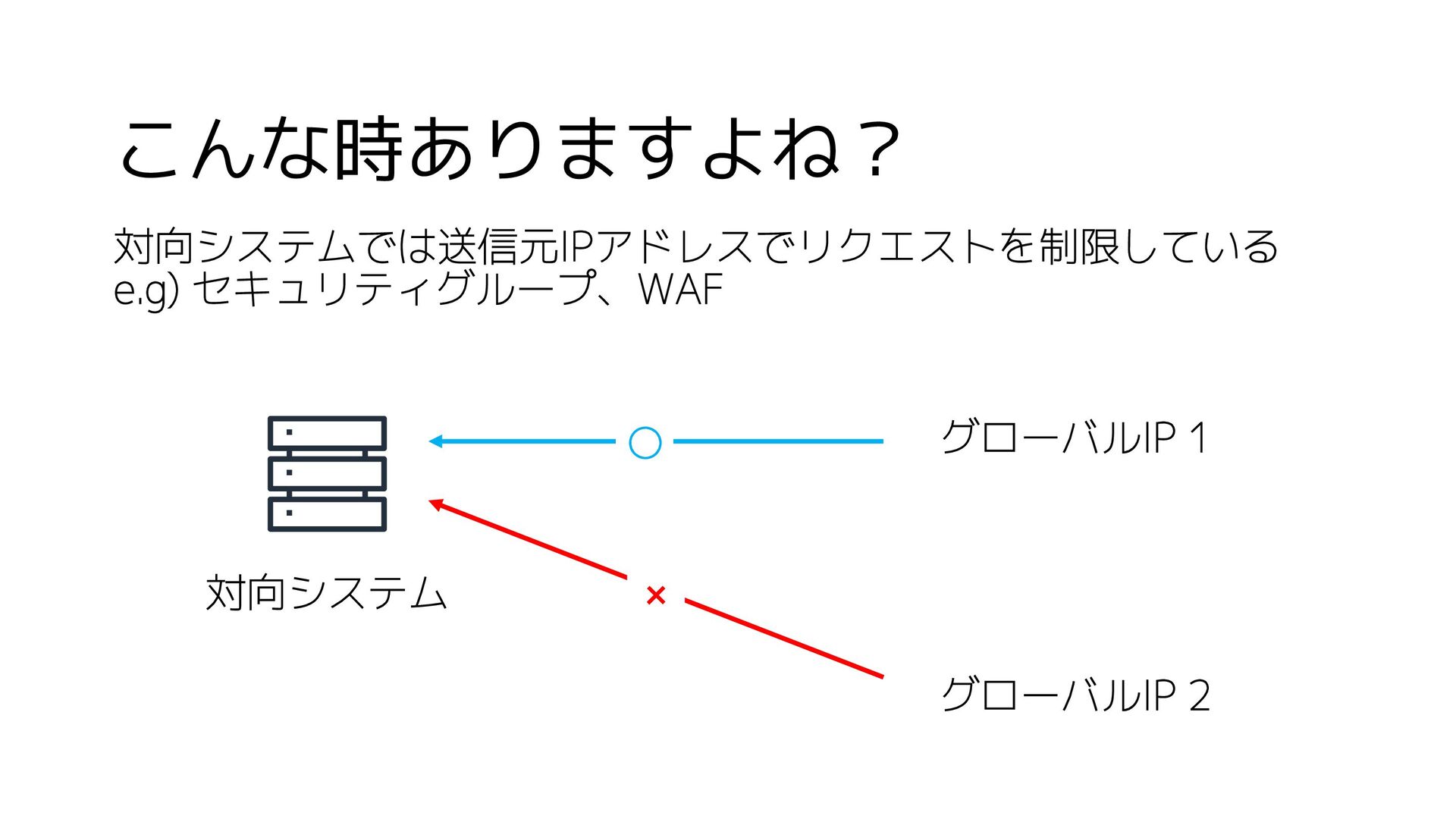
こんな時ありますよね? 対向システムでは送信元IPアドレスでリクエストを制限している e.g) セキュリティグループ、WAF 対向システム グローバルIP 1 ◯ × グローバルIP
2
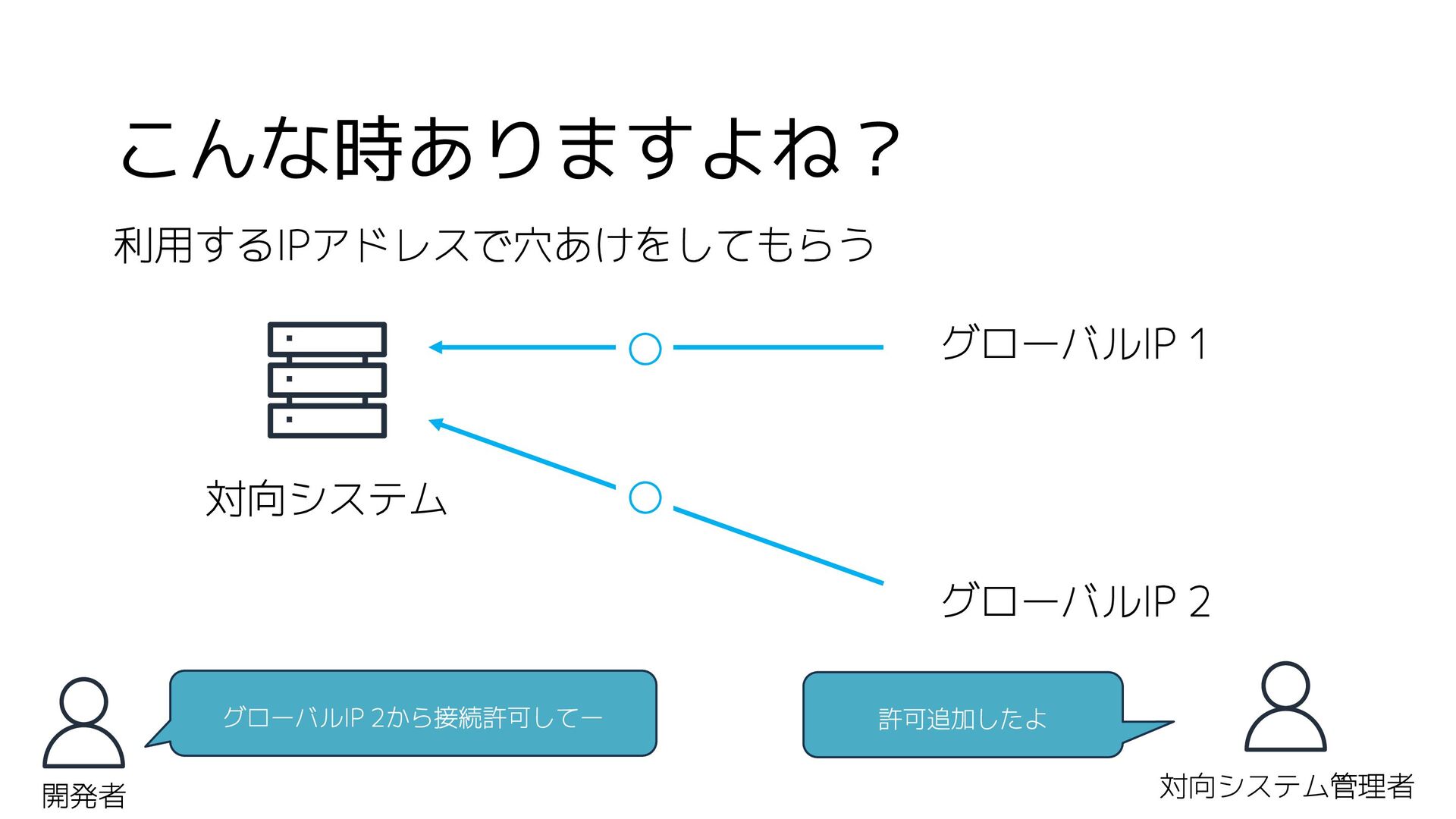
こんな時ありますよね? 利用するIPアドレスで穴あけをしてもらう 対向システム グローバルIP 1 ◯ グローバルIP 2 グローバルIP 2から接続許可してー
対向システム管理者 開発者 許可追加したよ ◯
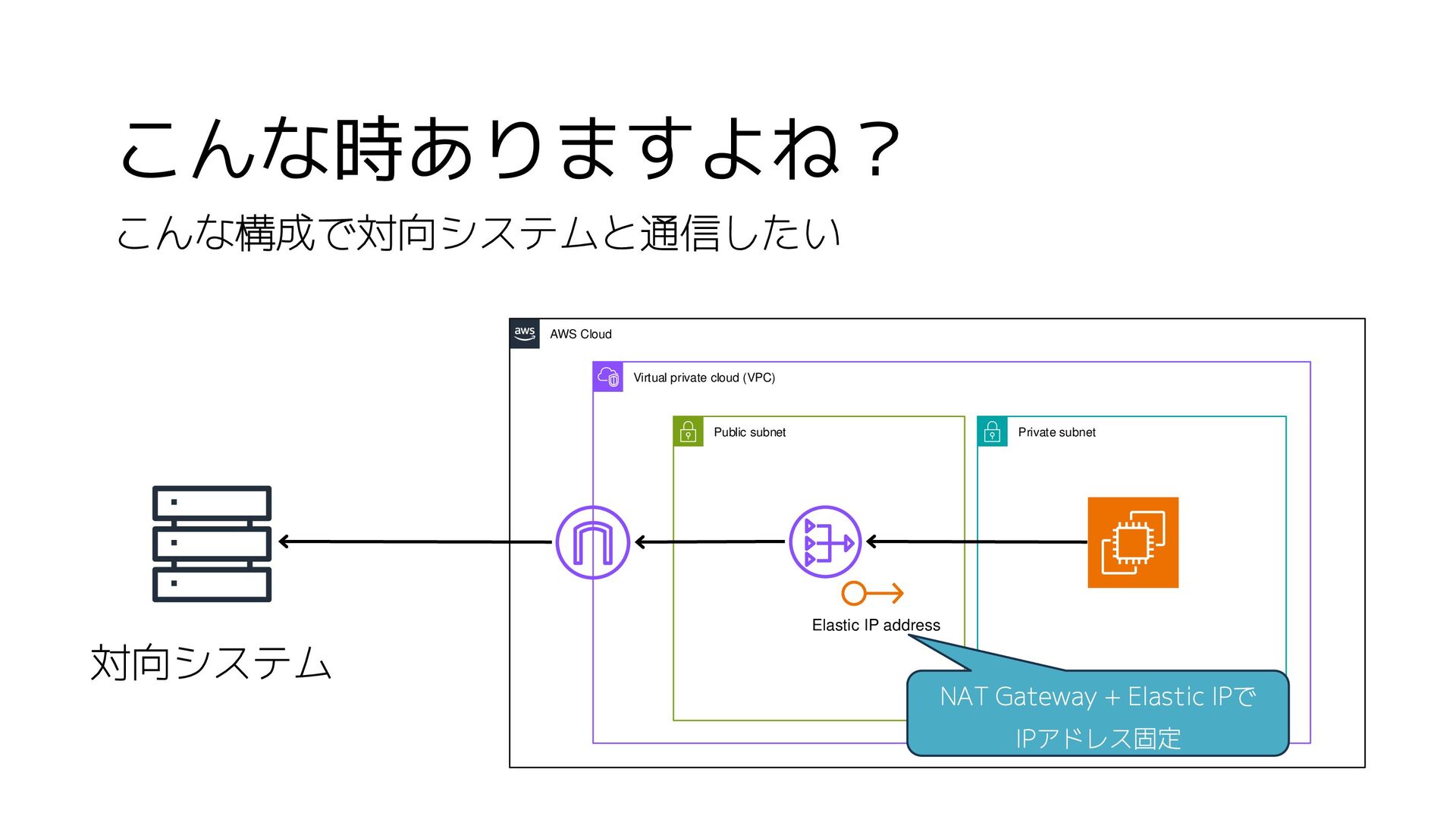
こんな時ありますよね? こんな構成で対向システムと通信したい 対向システム AWS Cloud Virtual private cloud (VPC) Public
subnet Private subnet Elastic IP address NAT Gateway + Elastic IPで IPアドレス固定
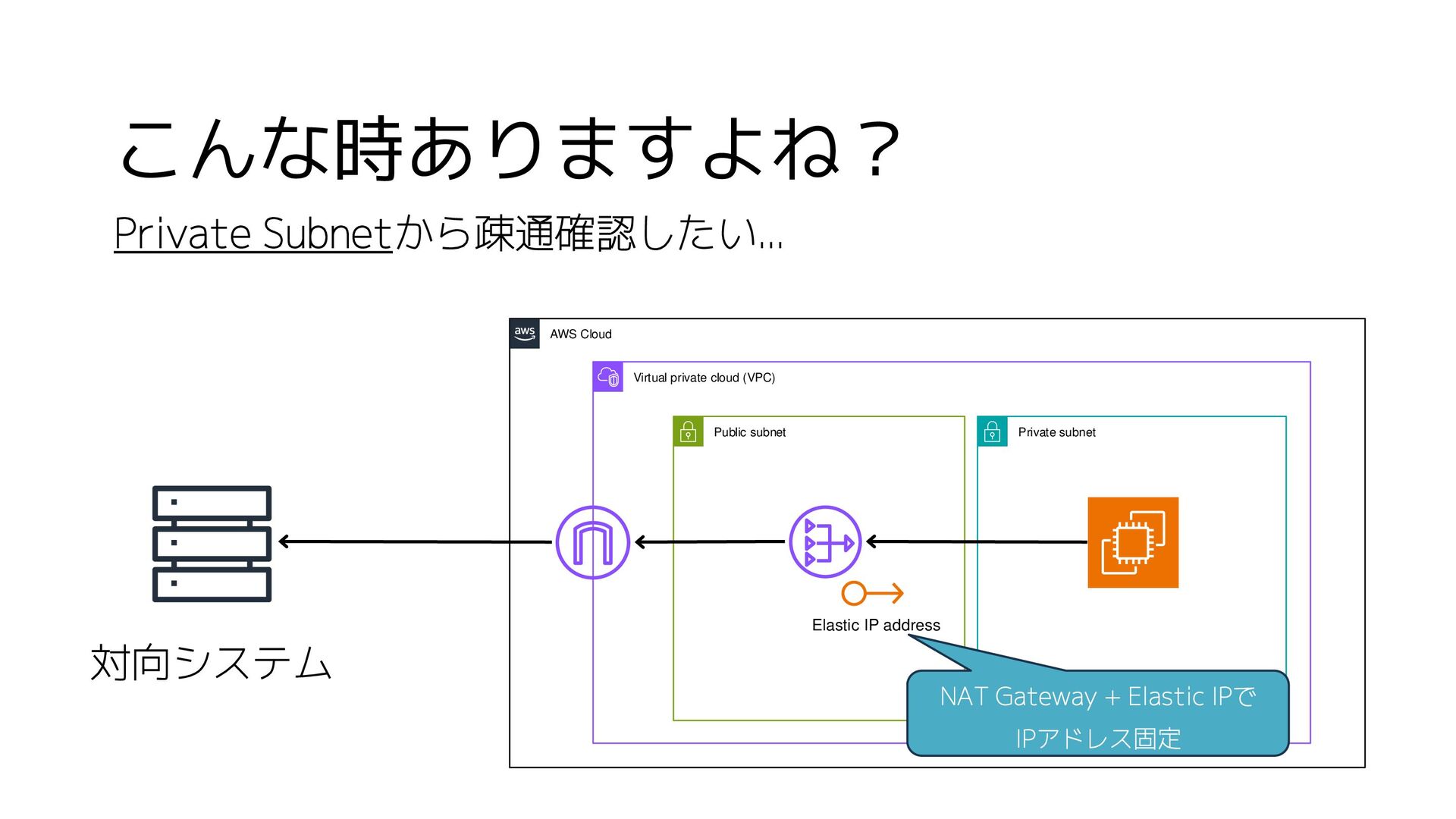
こんな時ありますよね? Private Subnetから疎通確認したい... 対向システム AWS Cloud Virtual private cloud (VPC)
Public subnet Private subnet Elastic IP address NAT Gateway + Elastic IPで IPアドレス固定
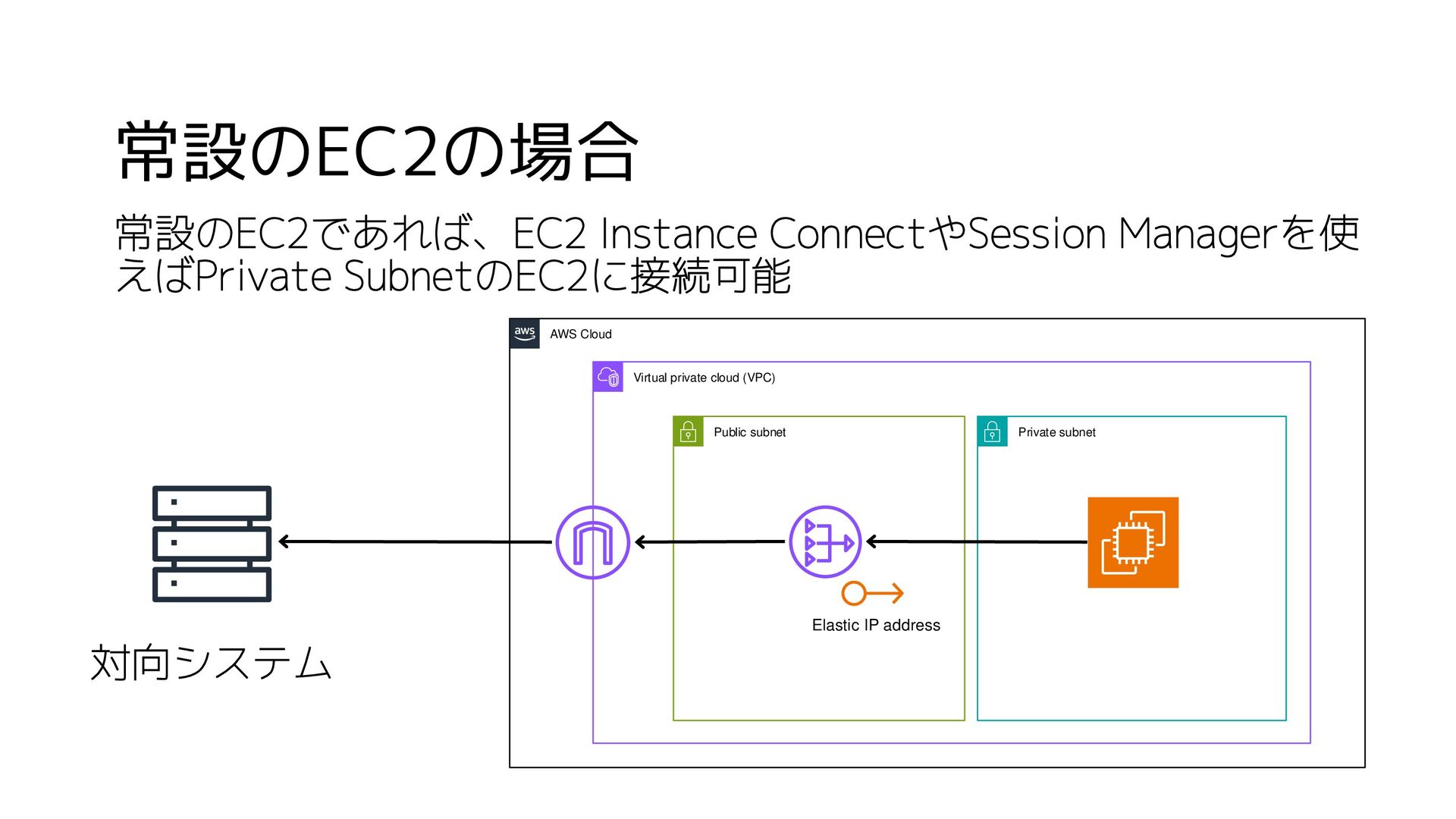
常設のEC2の場合 対向システム AWS Cloud Virtual private cloud (VPC) Public subnet
Private subnet Elastic IP address 常設のEC2であれば、EC2 Instance ConnectやSession Managerを使 えばPrivate SubnetのEC2に接続可能
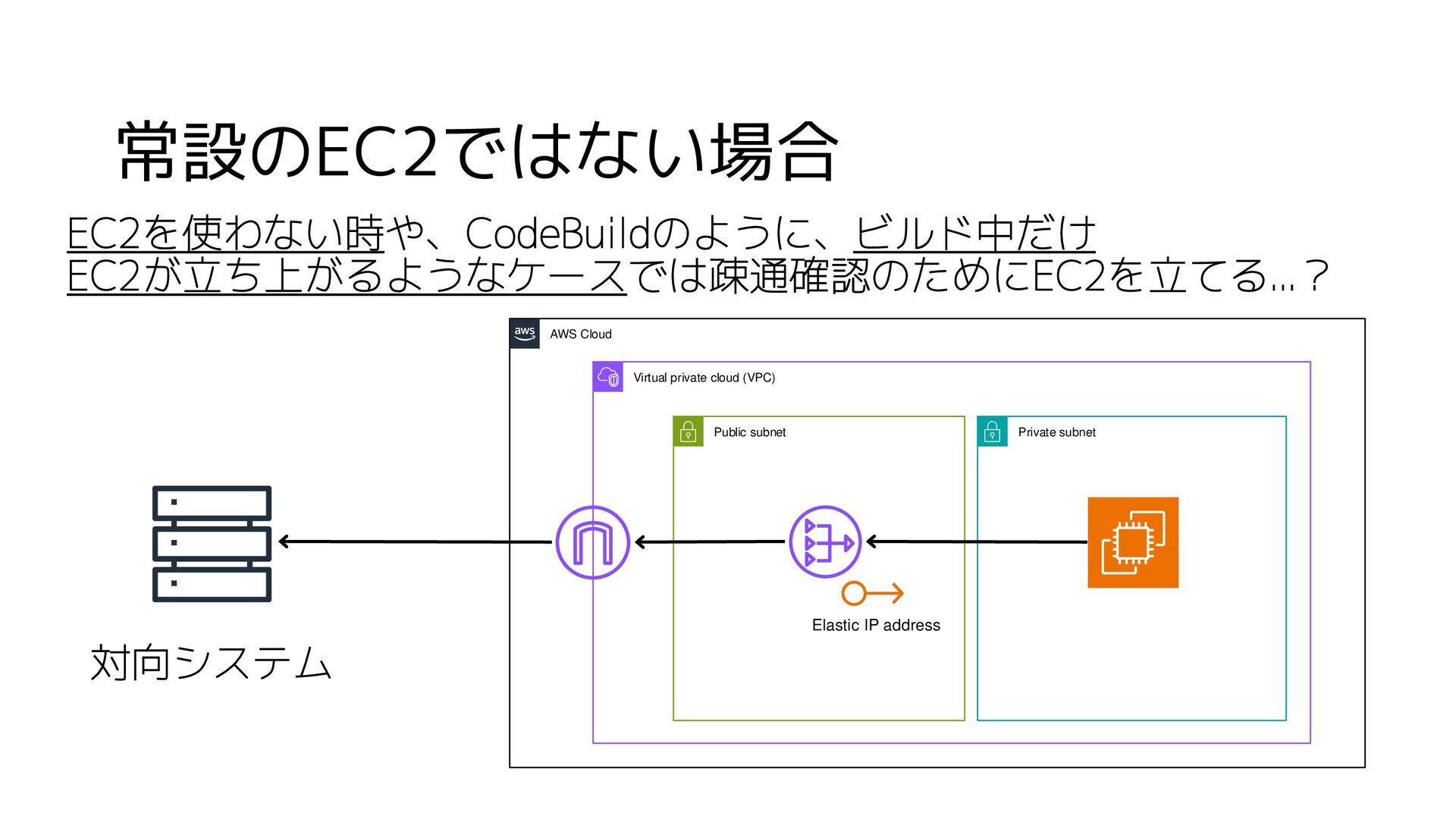
常設のEC2ではない場合 対向システム AWS Cloud Virtual private cloud (VPC) Public subnet
Private subnet Elastic IP address EC2を使わない時や、CodeBuildのように、ビルド中だけ EC2が立ち上がるようなケースでは疎通確認のためにEC2を立てる...?
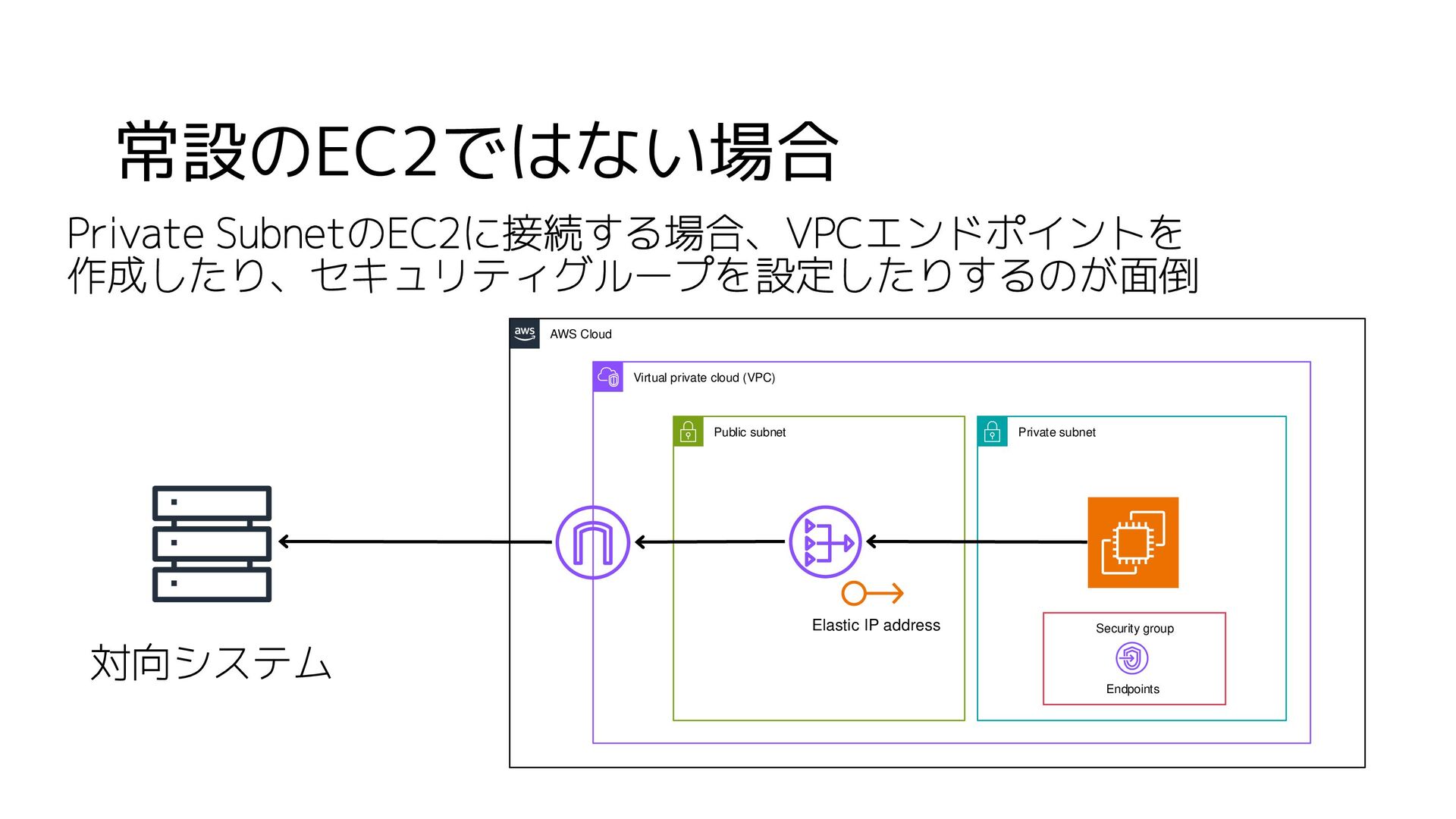
常設のEC2ではない場合 対向システム AWS Cloud Virtual private cloud (VPC) Public subnet
Private subnet Elastic IP address Private SubnetのEC2に接続する場合、VPCエンドポイントを 作成したり、セキュリティグループを設定したりするのが面倒 Endpoints Security group
簡単に疎通確認をする方法はないものか
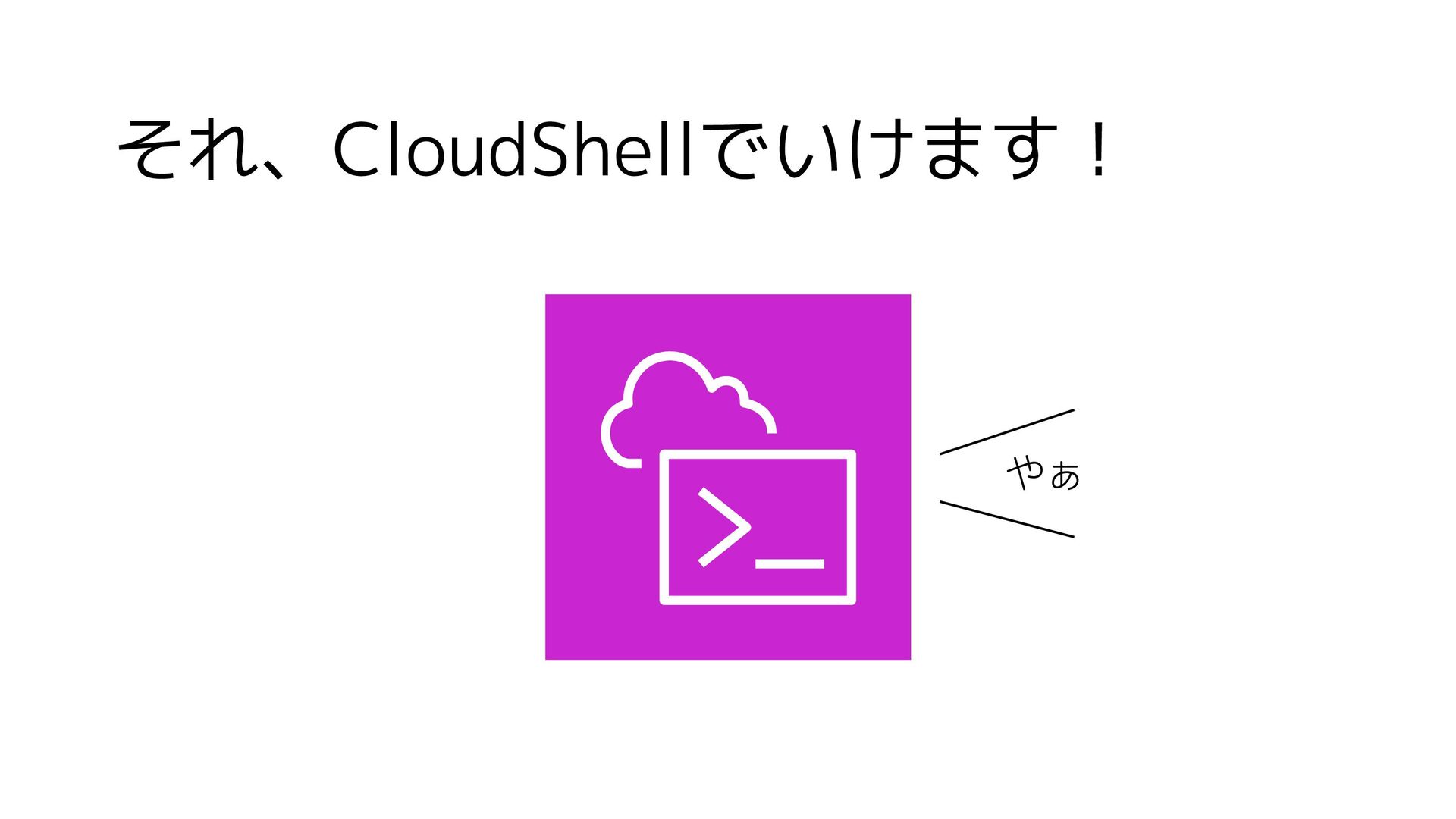
それ、CloudShellでいけます! やぁ
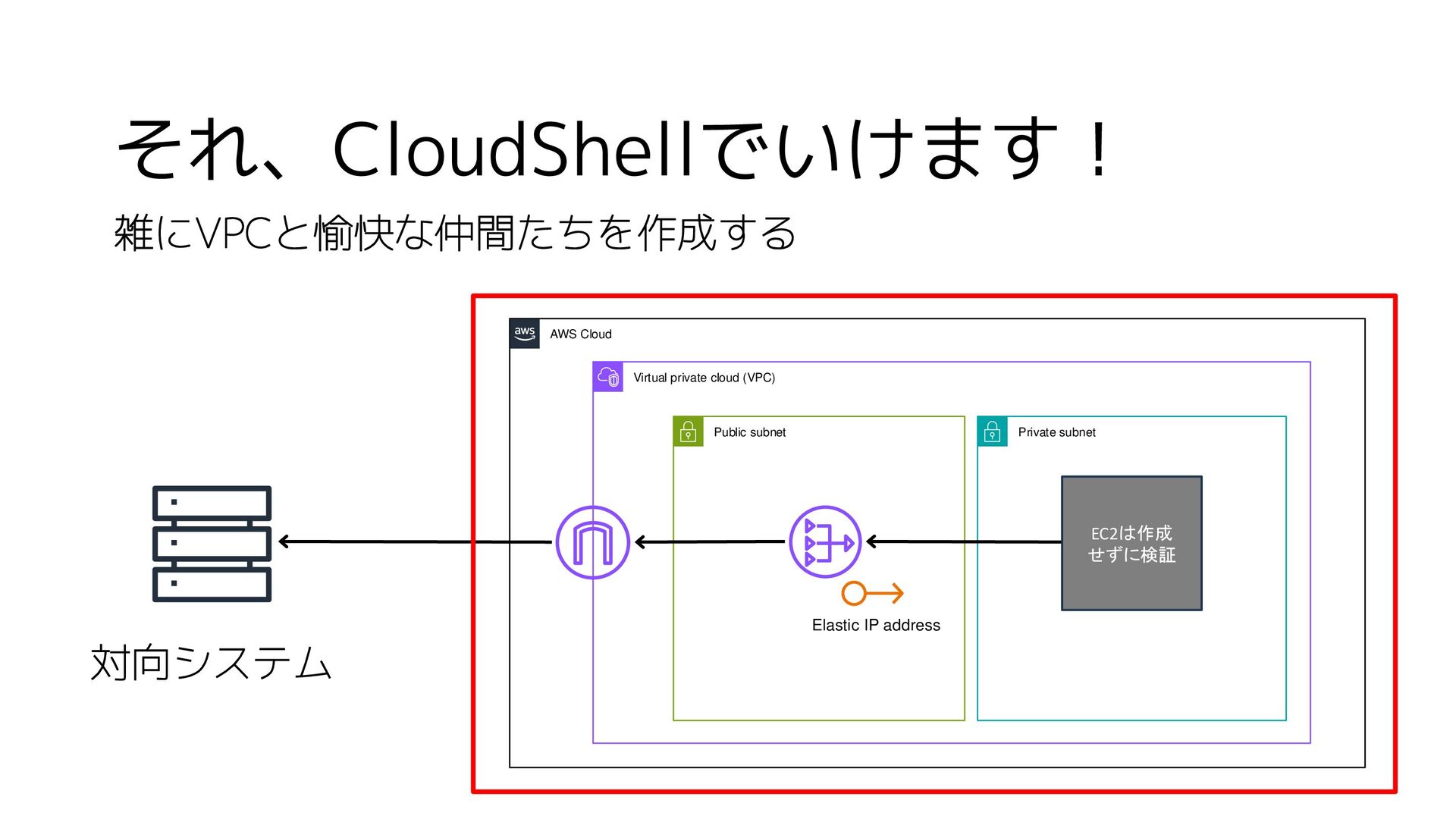
それ、CloudShellでいけます! 対向システム AWS Cloud Virtual private cloud (VPC) Public subnet
Private subnet Elastic IP address 雑にVPCと愉快な仲間たちを作成する EC2は作成 せずに検証
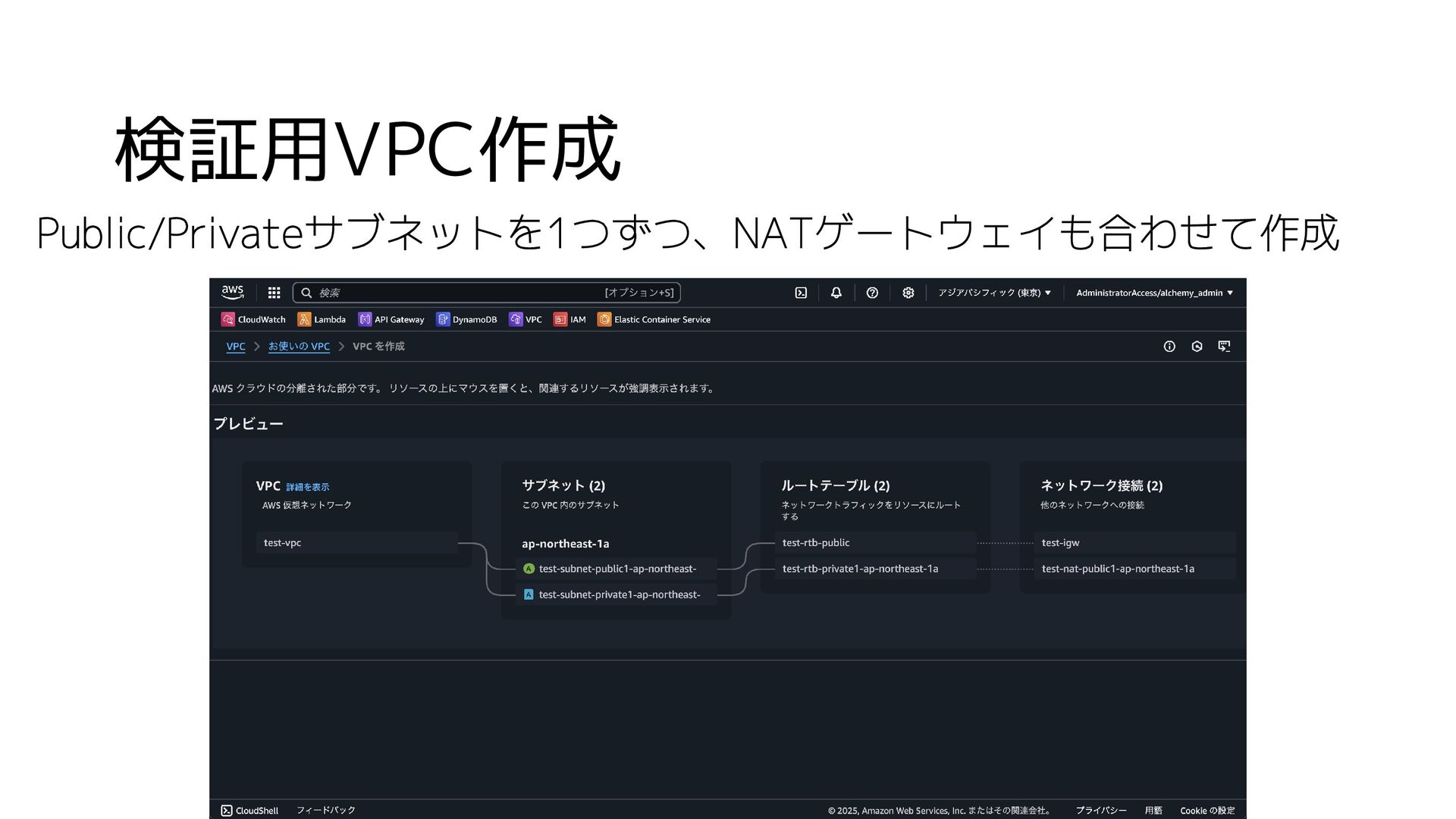
検証用VPC作成 Public/Privateサブネットを1つずつ、NATゲートウェイも合わせて作成
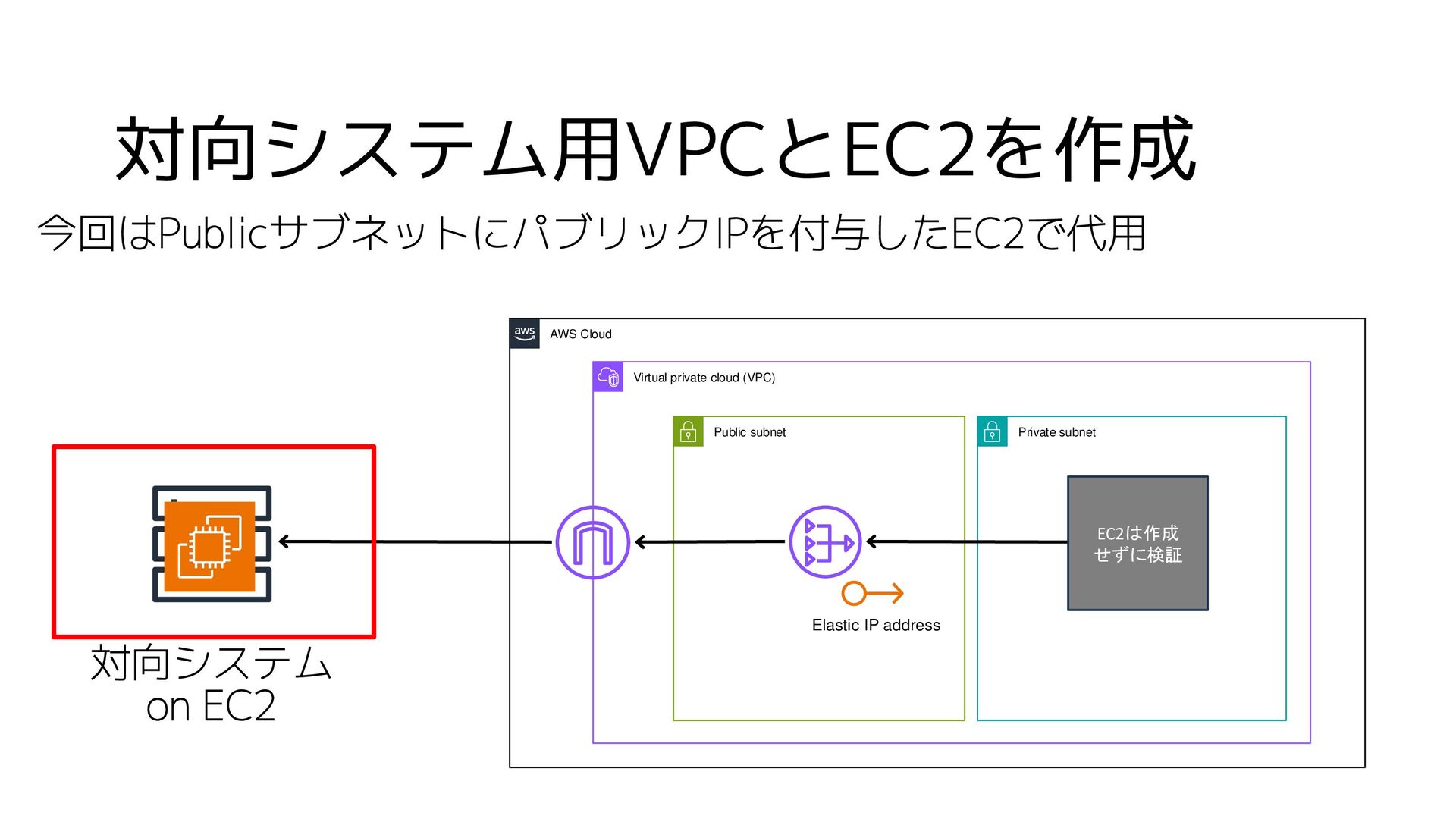
対向システム用VPCとEC2を作成 今回はPublicサブネットにパブリックIPを付与したEC2で代用 対向システム on EC2 AWS Cloud Virtual private cloud
(VPC) Public subnet Private subnet Elastic IP address EC2は作成 せずに検証
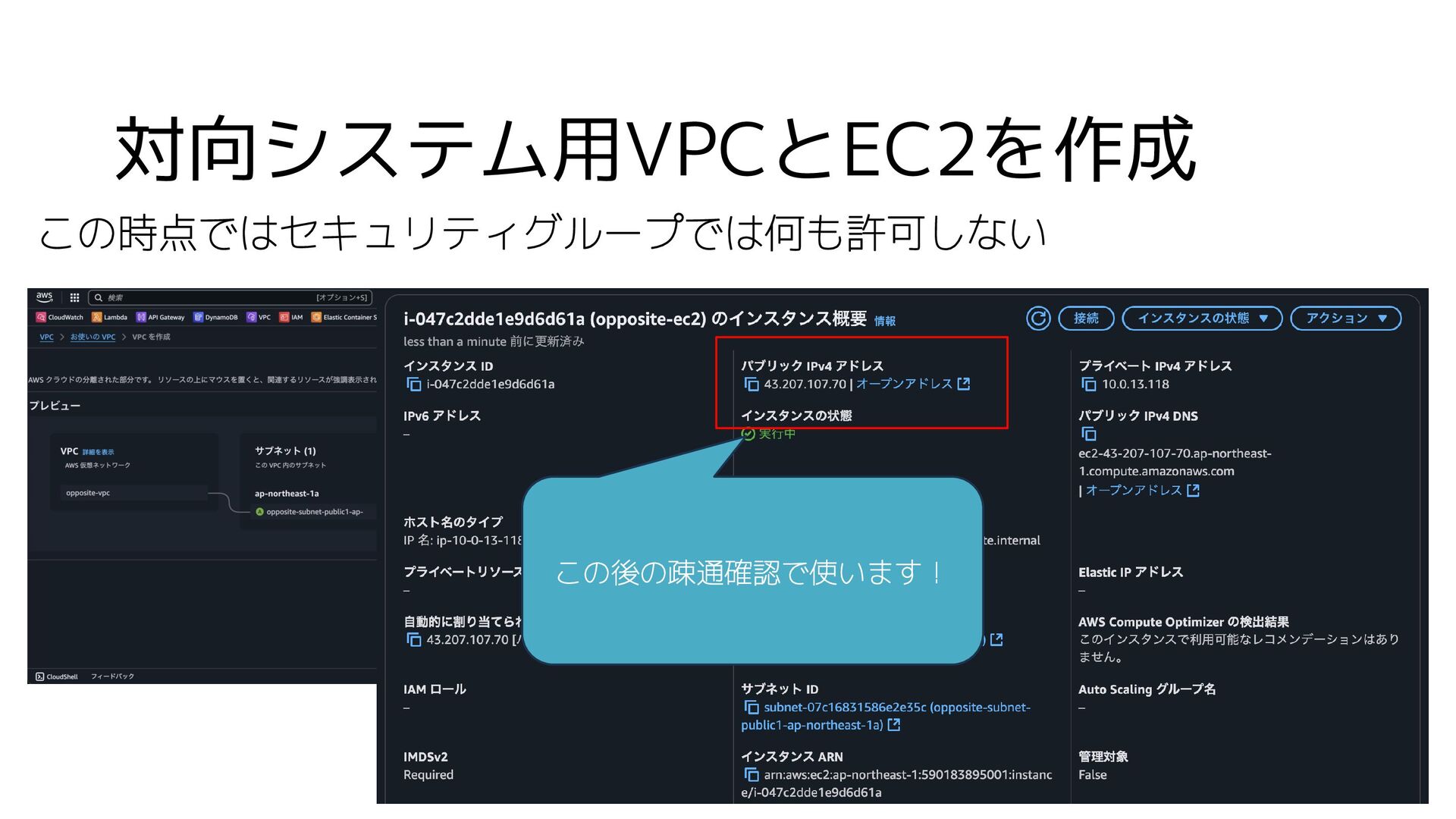
対向システム用VPCとEC2を作成 この時点ではセキュリティグループでは何も許可しない この後の疎通確認で使います!
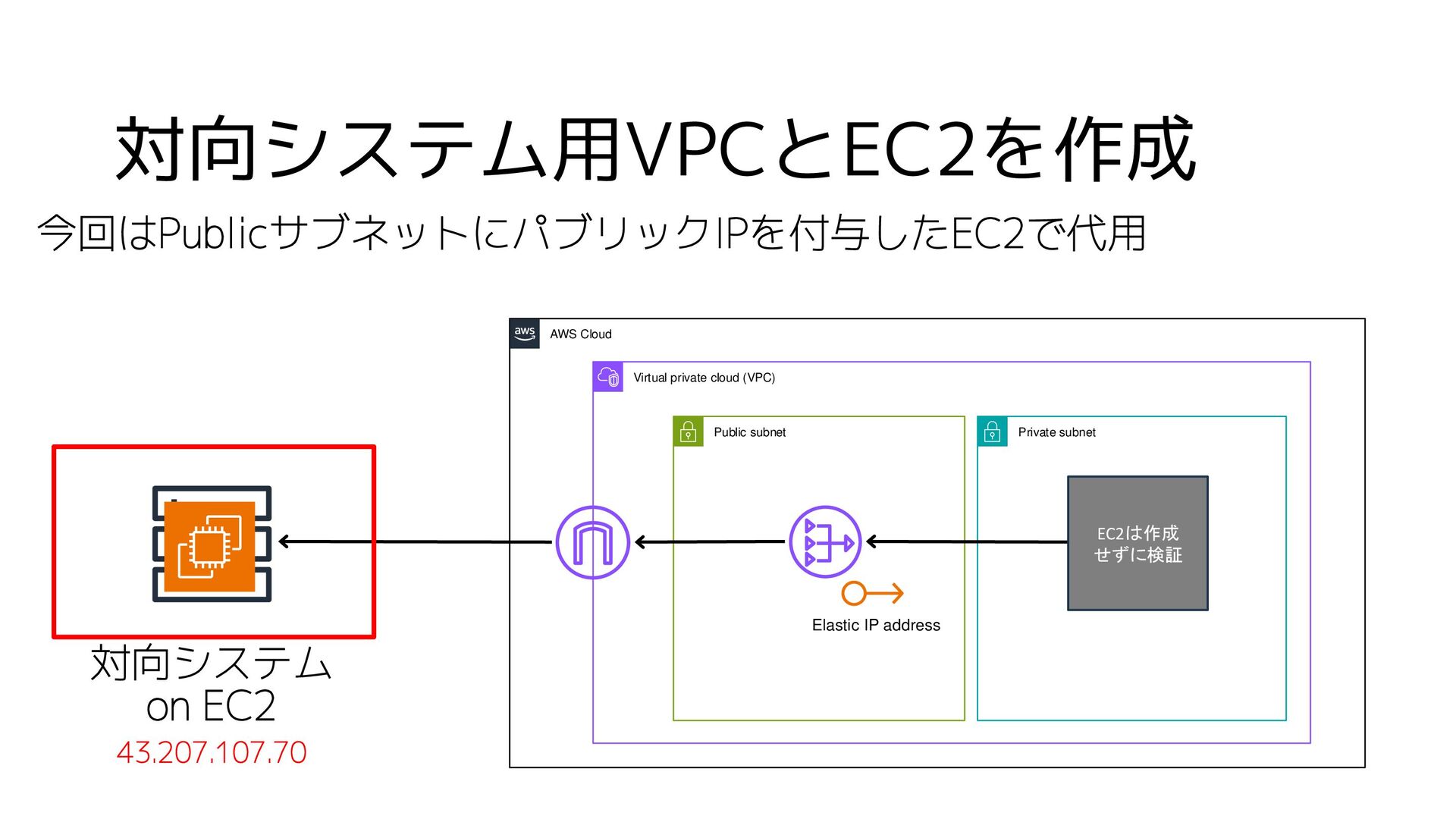
対向システム用VPCとEC2を作成 今回はPublicサブネットにパブリックIPを付与したEC2で代用 対向システム on EC2 43.207.107.70 AWS Cloud Virtual private
cloud (VPC) Public subnet Private subnet Elastic IP address EC2は作成 せずに検証
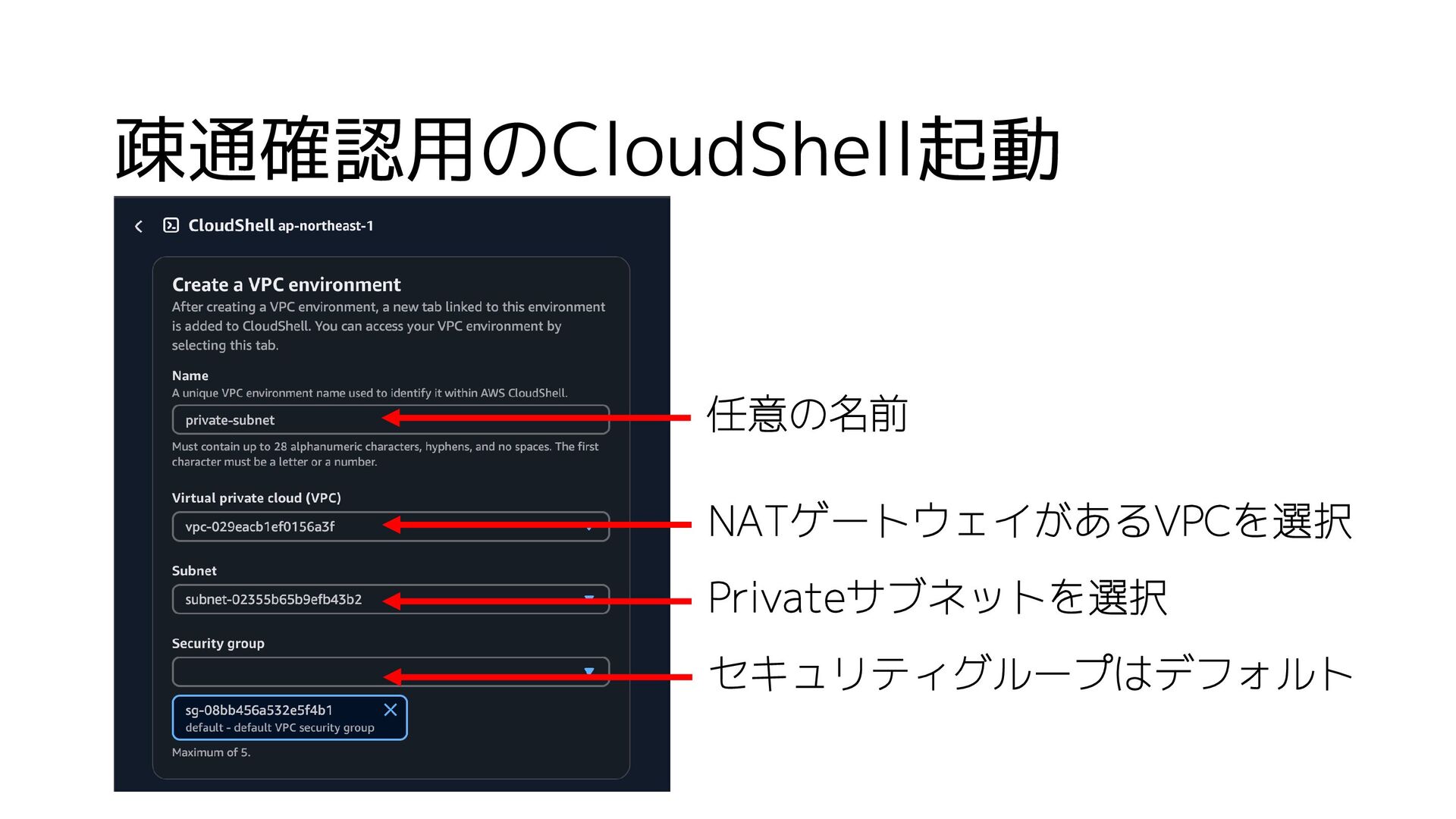
疎通確認用のCloudShell起動 NATゲートウェイがあるVPCを選択 Privateサブネットを選択 セキュリティグループはデフォルト 任意の名前
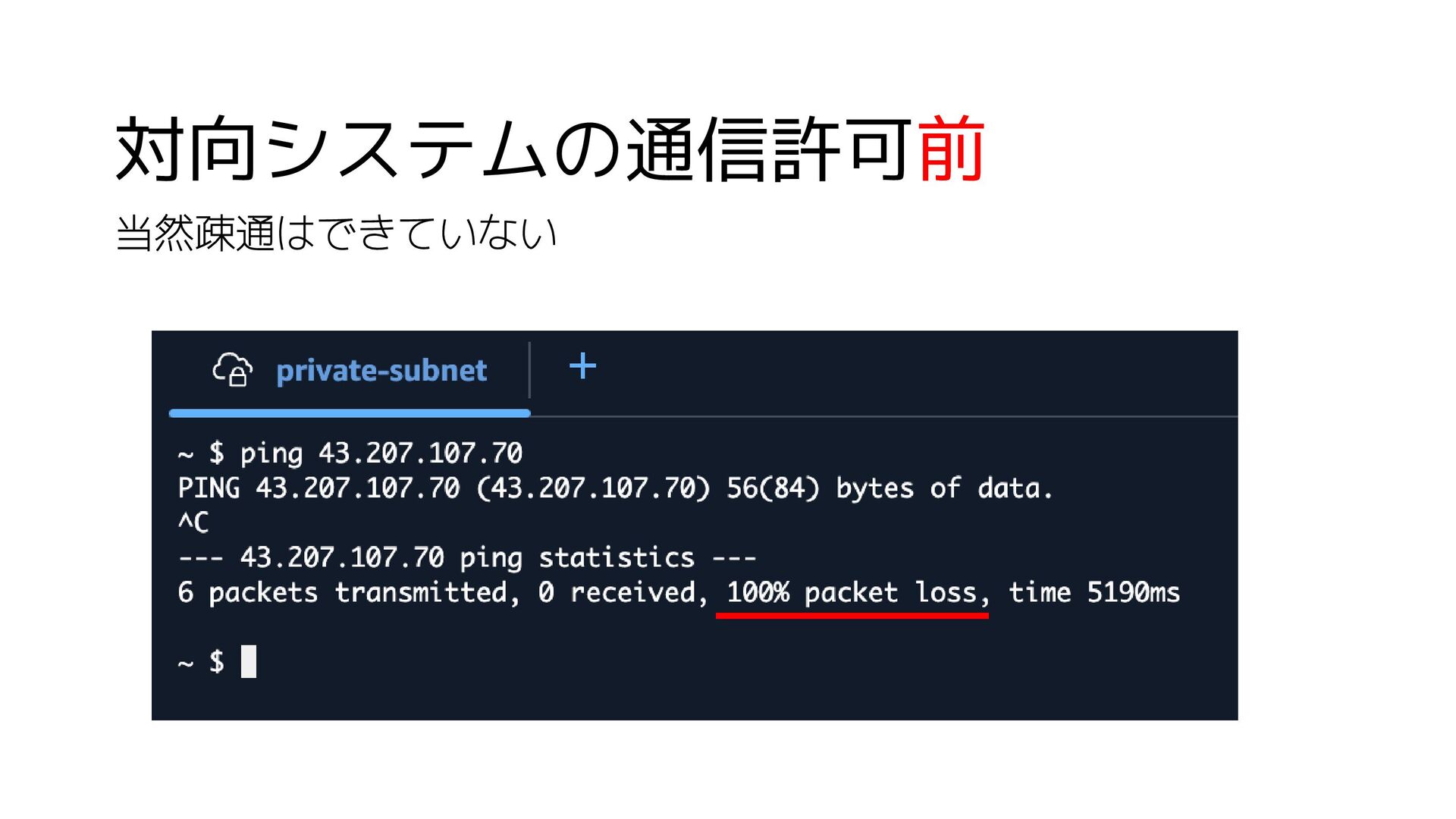
対向システムの通信許可前 当然疎通はできていない
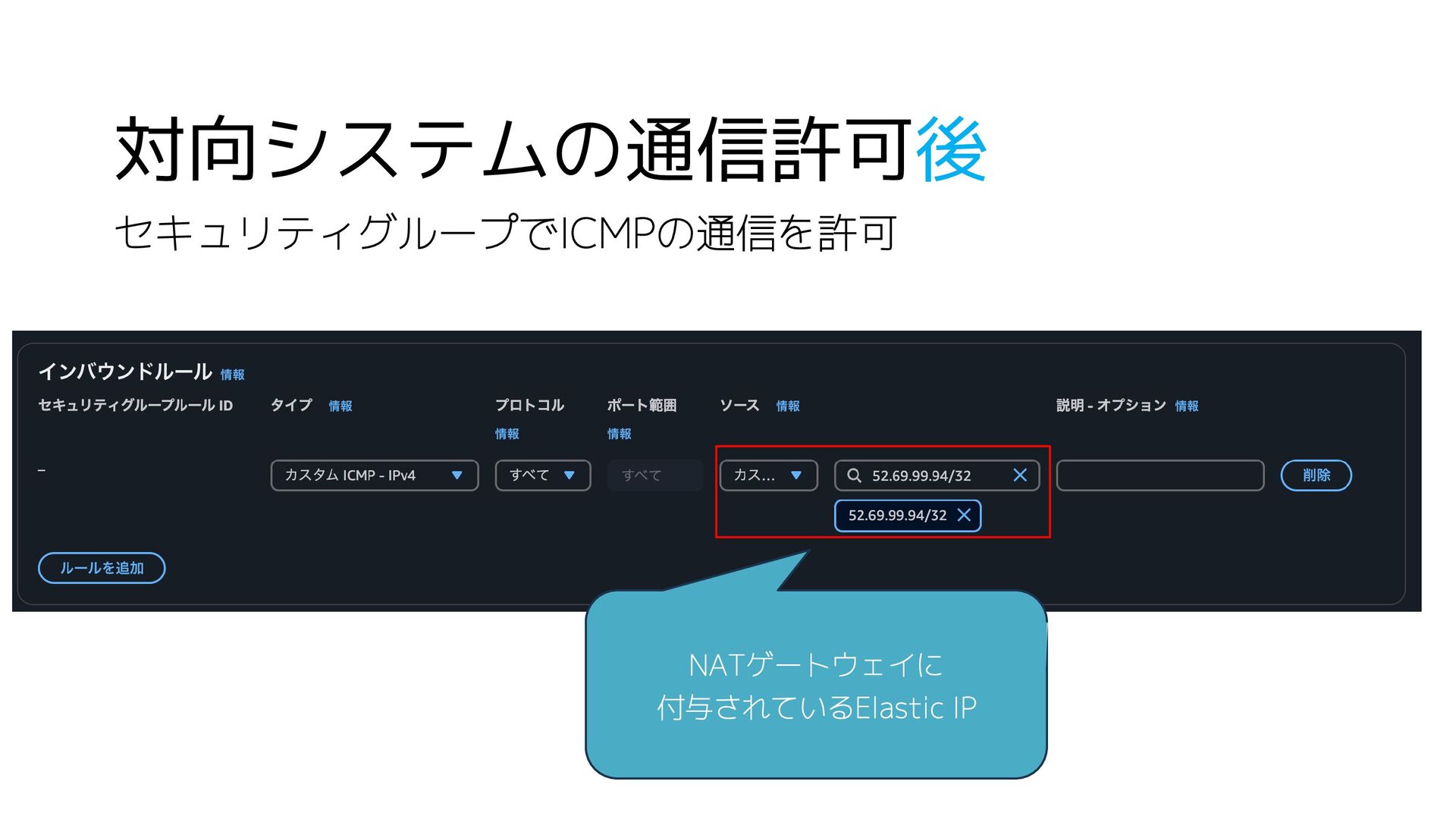
対向システムの通信許可後 セキュリティグループでICMPの通信を許可 NATゲートウェイに 付与されているElastic IP
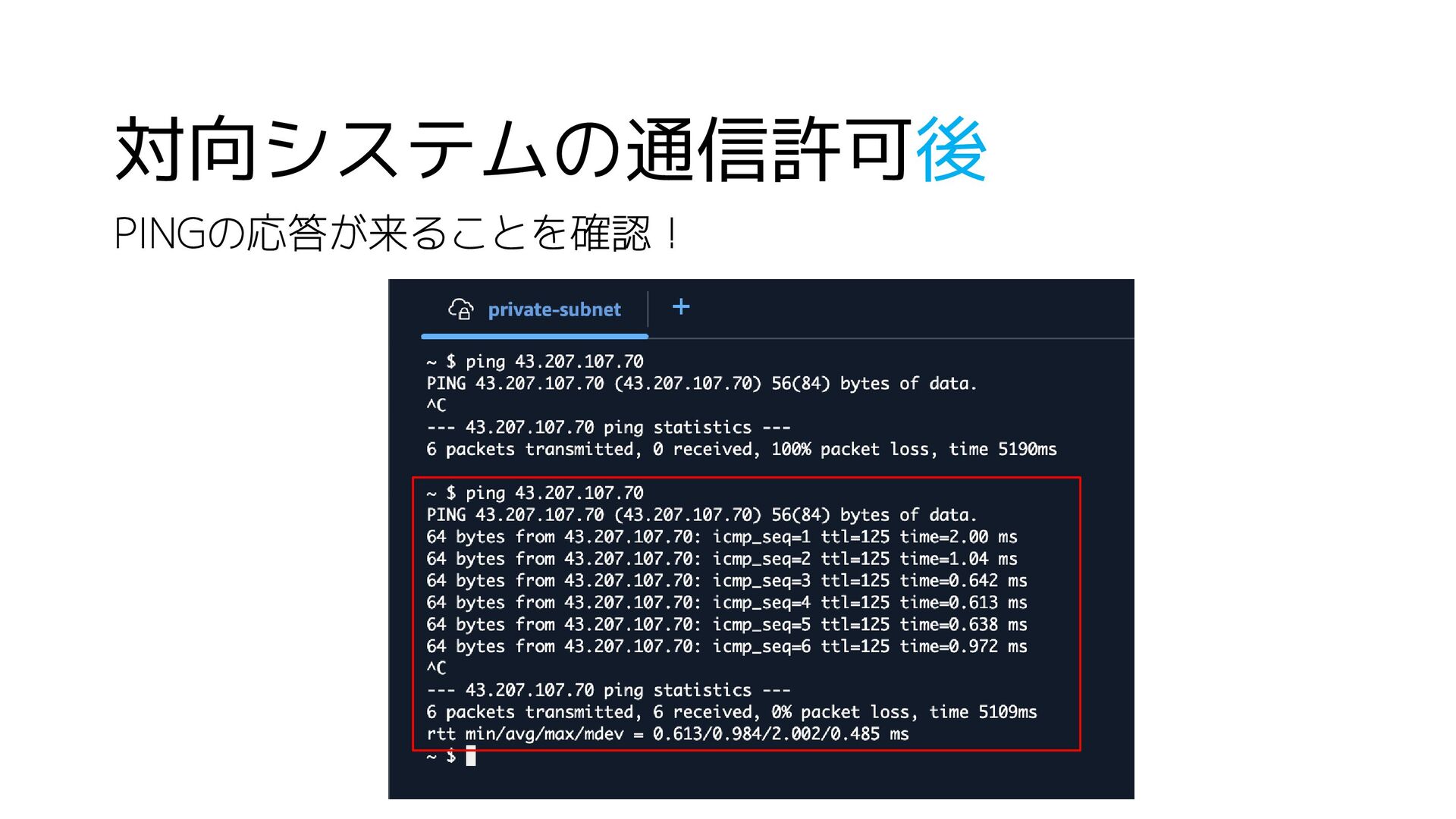
対向システムの通信許可後 PINGの応答が来ることを確認!
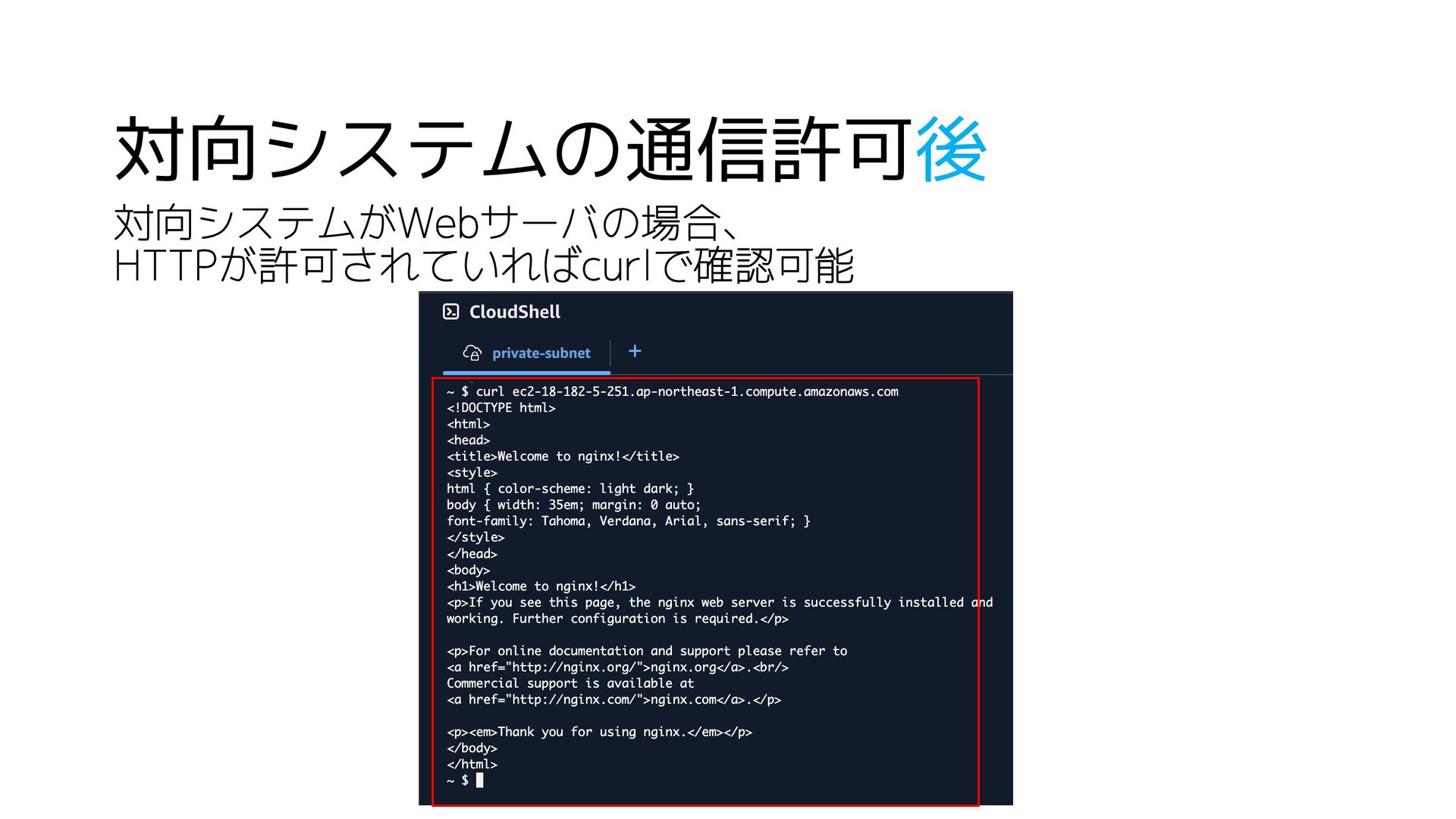
対向システムの通信許可後 対向システムがWebサーバの場合、 HTTPが許可されていればcurlで確認可能
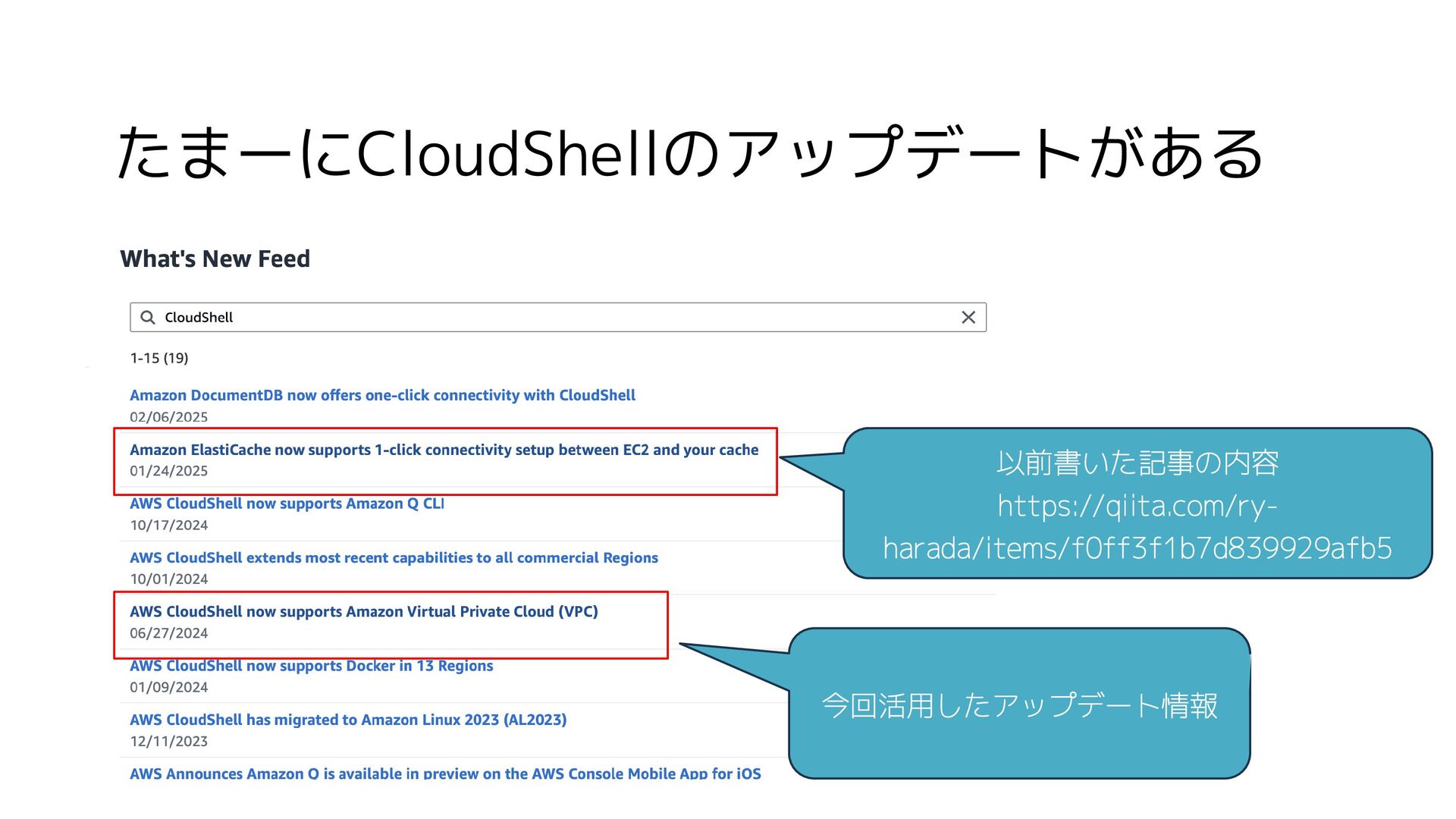
たまーにCloudShellのアップデートがある 今回活用したアップデート情報 以前書いた記事の内容 https://qiita.com/ry- harada/items/f0ff3f1b7d839929afb5
まとめ • 痒いところに手が届くCloudShell • 雑に確認したい時に使おう!
ありがとうございました!


 alchemy1115
 shogo4131
 riyaamemiya
 y_sera15
 ishiirikie
 mkdev10
 ymrl
ymrl
 ishikawa_satoru
 yokawasa
 grimoh
 pauli
pauli
 y0hgi
y0hgi
 makocchi
 frankvandijk
 tmiket
 signer
 bkeepers
 baasie
 jnunemaker
 rocio
rocio
 coloredviolet
 davetheseo
 akihiro_kokubo
 reverentgeek
 thekraken