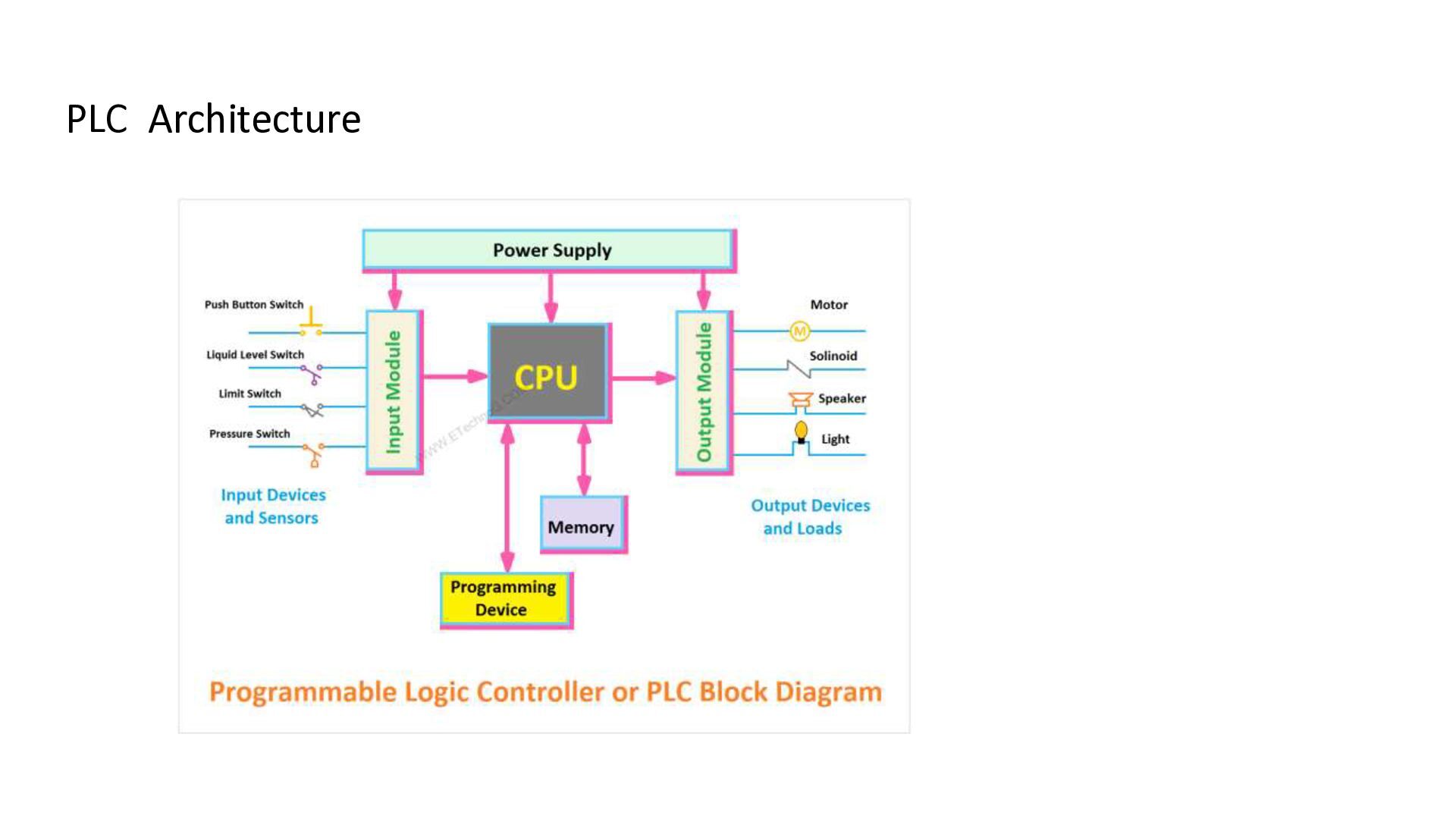
Controller. • It is a digital industrial control system used to automate machines and processes. • PLC executes a stored control program and responds to field inputs. • It provides reliable, flexible and fast control. 2
of the PLC. • Reads input information and executes the user program. • Performs logic, arithmetic, timing and counting operations. • Updates outputs according to the control logic. • Also manages diagnostics and communication. 4
data. • Stores input/output status, timer and counter values. • RAM is used for temporary data storage. • ROM / EEPROM / Flash memory stores programs and system information. 5
• Converts field signals into signals understood by the PLC CPU. • Digital inputs: push buttons, limit switches and proximity sensors. • Analog inputs: temperature, pressure and level signals. 6
Controls actuators and other field devices. • Digital outputs control ON/OFF devices such as relays and lamps. • Analog outputs provide variable control for devices such as valves and drives. 7
PLC components. • Converts the available AC supply to suitable DC voltage where required. • Ensures stable and reliable operation of the PLC. • 24 V DC is commonly used for PLC control circuits. 8
other automation devices. • Used with HMI, SCADA, other PLCs and industrial computers. • Common networks include Ethernet, Modbus, PROFIBUS and PROFINET. • Supports data exchange, monitoring and supervisory control. 9
monitor PLC programs. • A computer with PLC programming software is commonly used. • Helps in online monitoring, testing and troubleshooting. • Common IEC languages include Ladder Diagram, FBD and Structured Text. 10
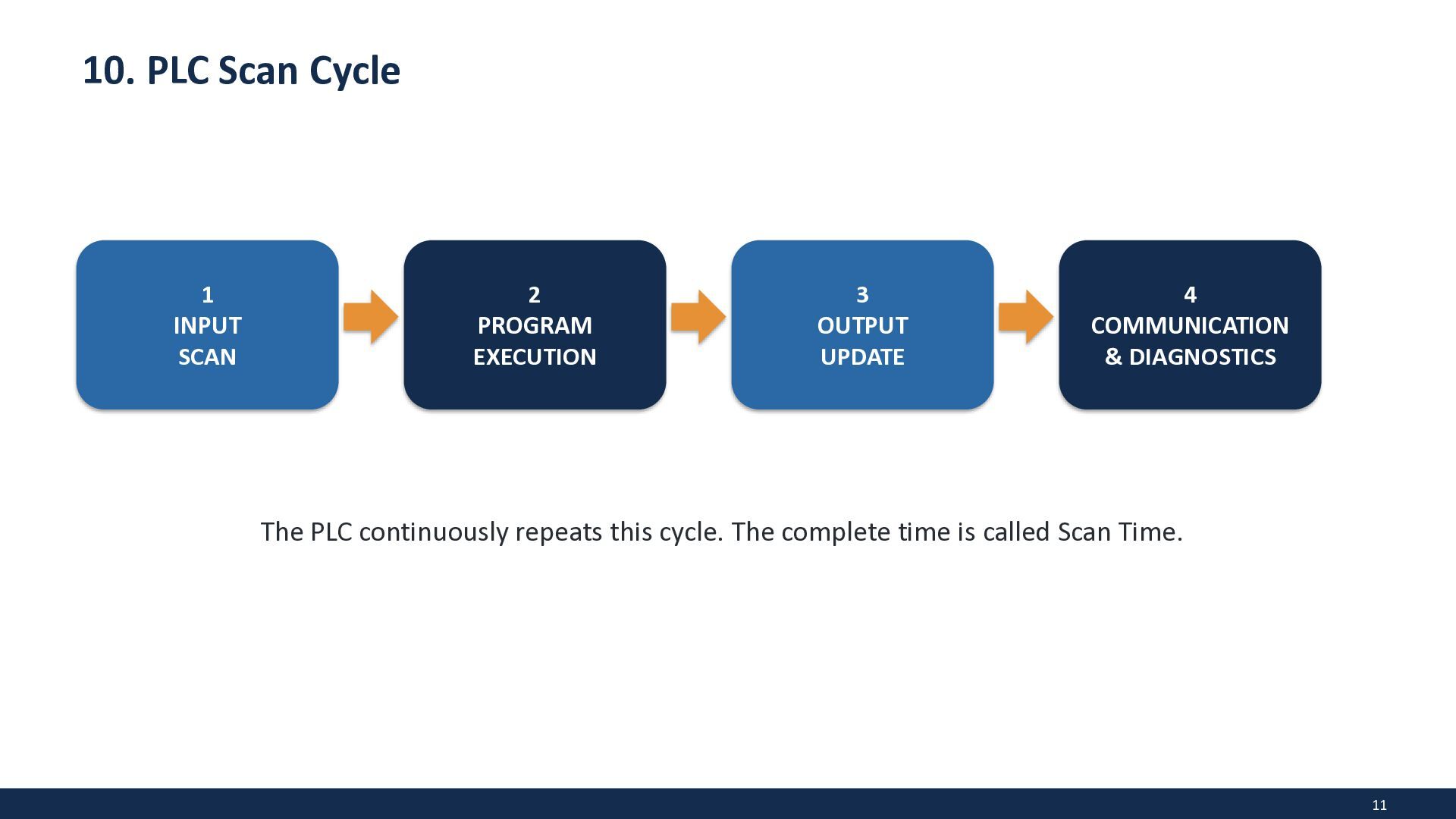
the industrial process. • Input module sends the status to the CPU. • CPU executes the stored control program. • Output module sends control signals to actuators. • The machine or process responds, and the cycle repeats continuously. 12
Conveyor and material-handling systems • Packaging and bottling machines • Water and wastewater treatment • Robotics and process automation • Traffic and building automation 14
industrial automation. • Its main architecture includes CPU, memory, input/output modules, power supply and communication. • The scan cycle allows the PLC to continuously monitor inputs and control outputs. • PLC improves reliability, flexibility and efficiency of industrial control. 15


 anjalimagdum
 twada
twada
 eileencodes
 destraynor
 techseoconnect
 malarkey
 reverentgeek
 rakko
rakko
 lindahogenes
 mlcsv
mlcsv
 axbom
axbom
 aleyda
 jcasabona