Upgrade to Pro — share decks privately, control downloads, hide ads and more …

Building Real-World Azure OpenAI APIs with API ...

Sponsored · SiteGround - Reliable hosting with speed, security, and support you can count on.

Building Real-World Azure OpenAI APIs with API Management and GitHub Copilot

User Group Meeting January 2026
https://www.meetup.com/azure-cloud-bern-user-group/events/312357306

Tobias Kluge talked about how to run Azure OpenAI in real-world scenarios using Azure API Management as a secure, scalable front door. He also showed how GitHub Copilot can speed up everyday Azure work.

Avatar for Azure Bern User Group

Azure Bern User Group

January 24, 2026
Tweet

More Decks by Azure Bern User Group

Other Decks in Technology

Transcript

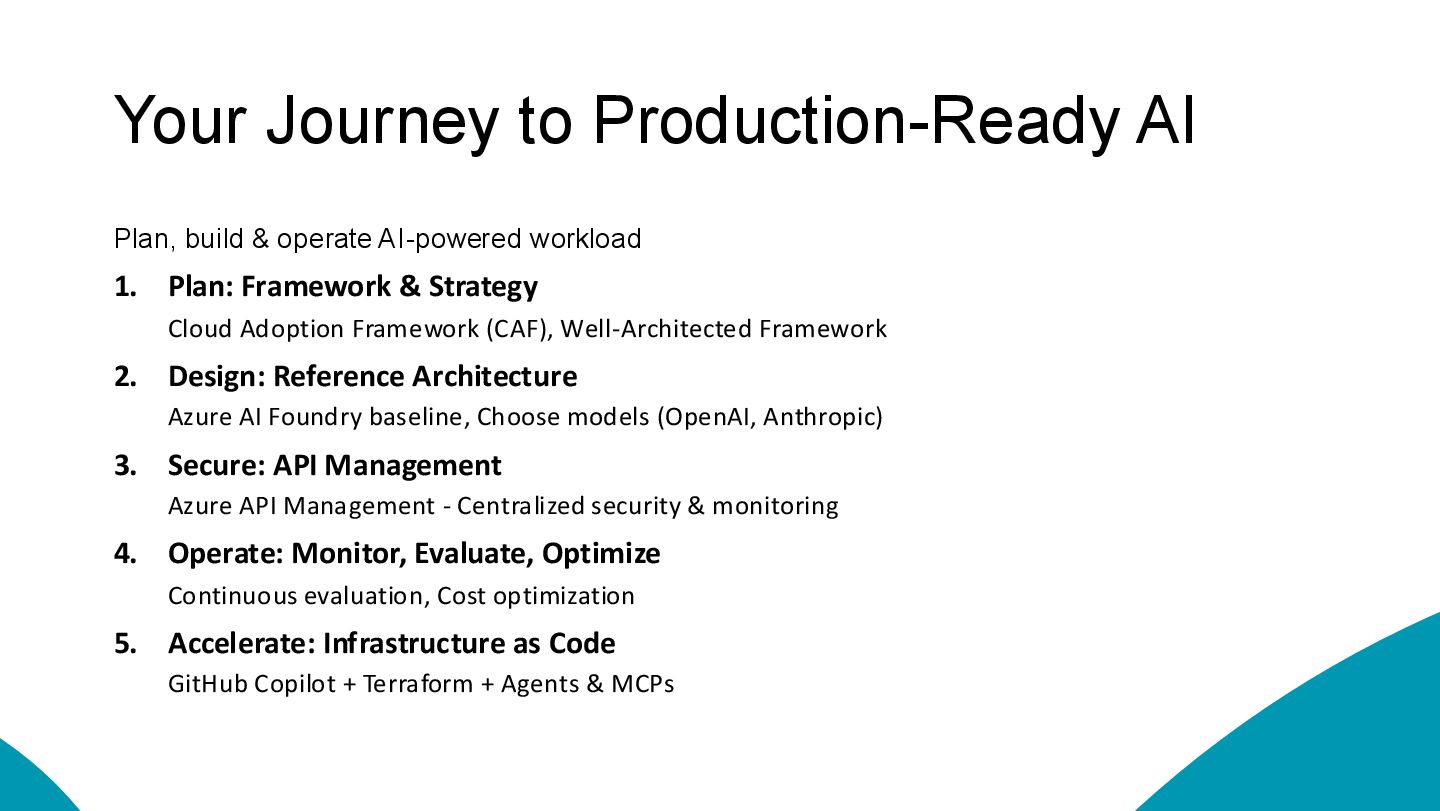
  1. Your Journey to Production-Ready AI Plan, build & operate AI-powered

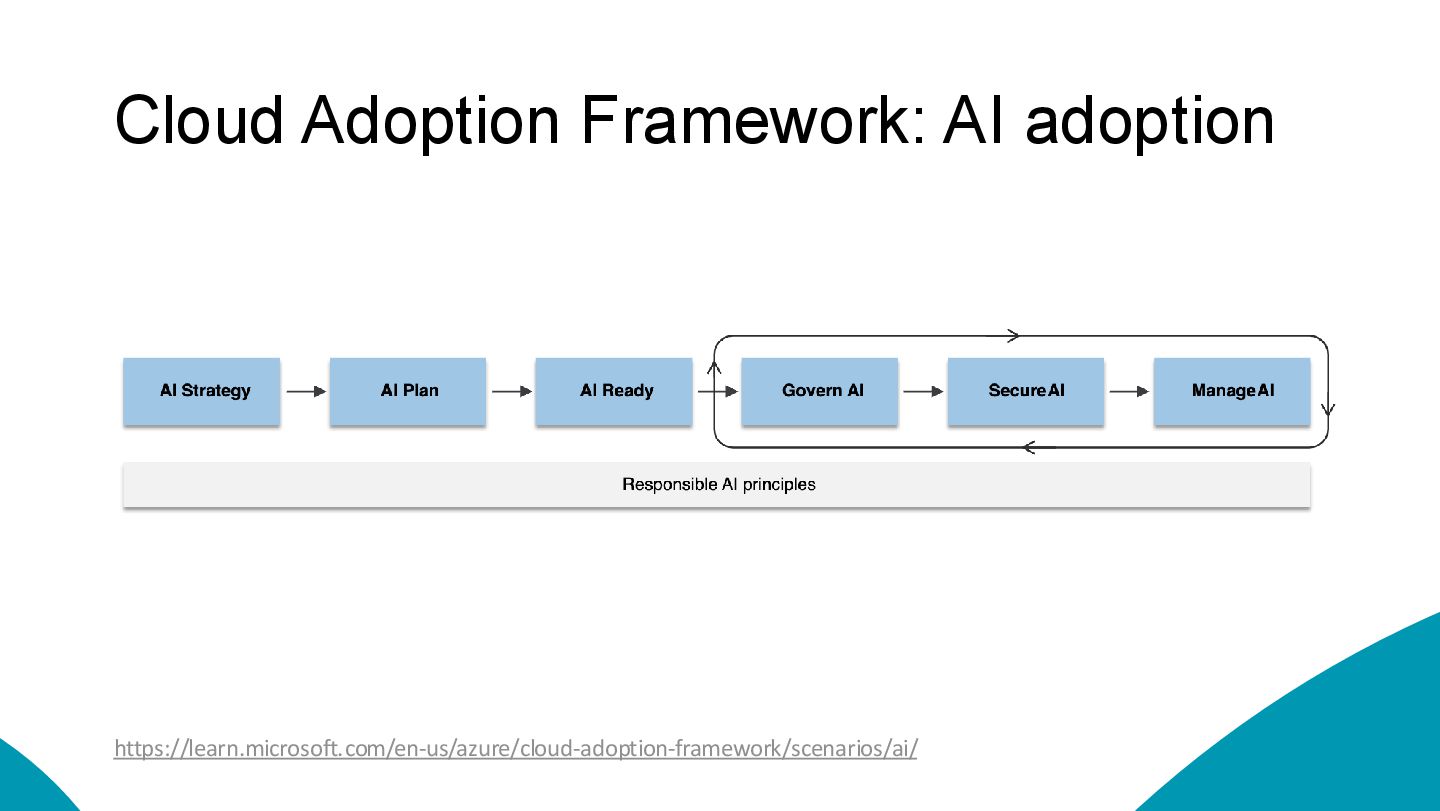
    workload 1. Plan: Framework & Strategy Cloud Adoption Framework (CAF), Well-Architected Framework 2. Design: Reference Architecture Azure AI Foundry baseline, Choose models (OpenAI, Anthropic) 3. Secure: API Management Azure API Management - Centralized security & monitoring 4. Operate: Monitor, Evaluate, Optimize Continuous evaluation, Cost optimization 5. Accelerate: Infrastructure as Code GitHub Copilot + Terraform + Agents & MCPs
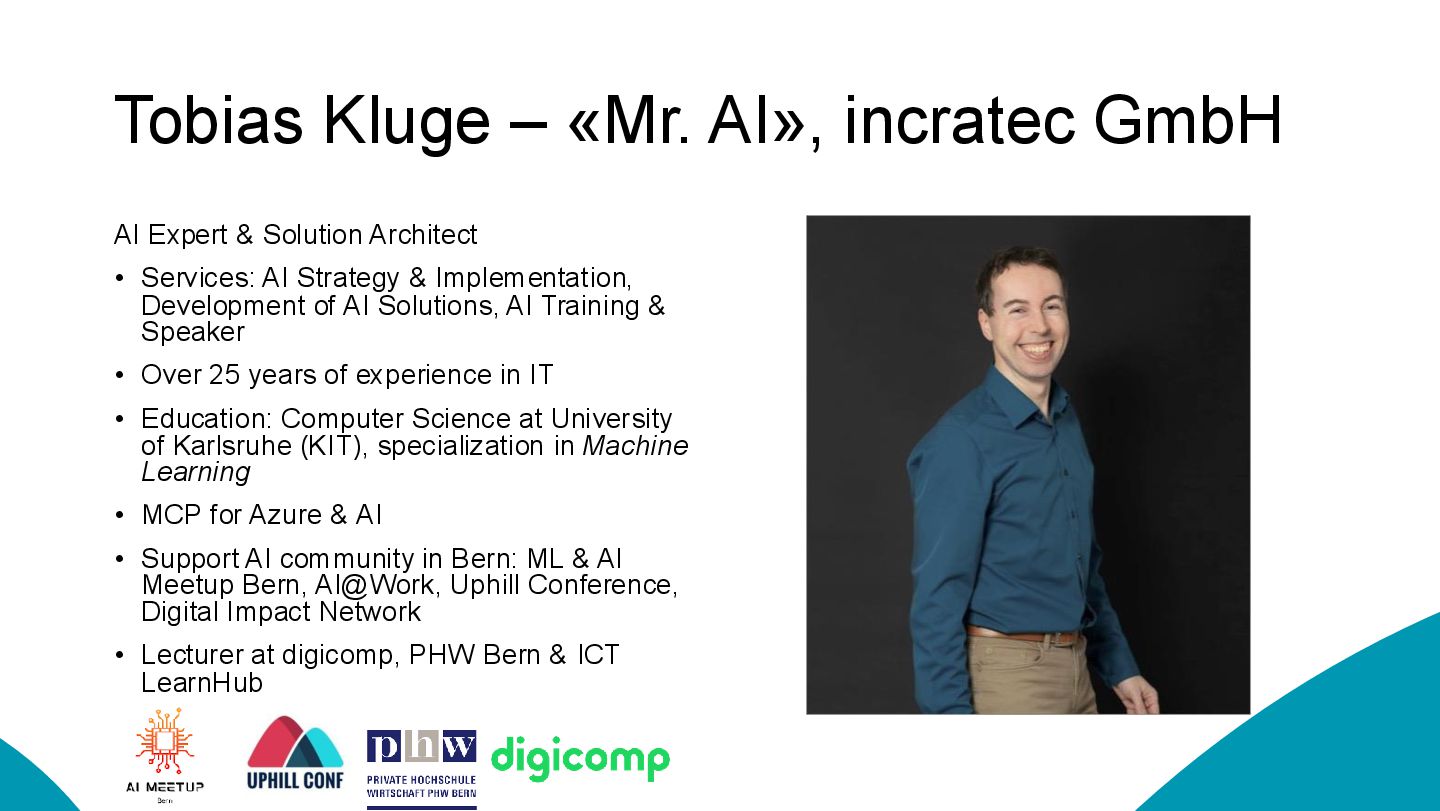
  2. Tobias Kluge – «Mr. AI», incratec GmbH AI Expert &

    Solution Architect • Services: AI Strategy & Implementation, Development of AI Solutions, AI Training & Speaker • Over 25 years of experience in IT • Education: Computer Science at University of Karlsruhe (KIT), specialization in Machine Learning • MCP for Azure & AI • Support AI community in Bern: ML & AI Meetup Bern, AI@Work, Uphill Conference, Digital Impact Network • Lecturer at digicomp, PHW Bern & ICT LearnHub
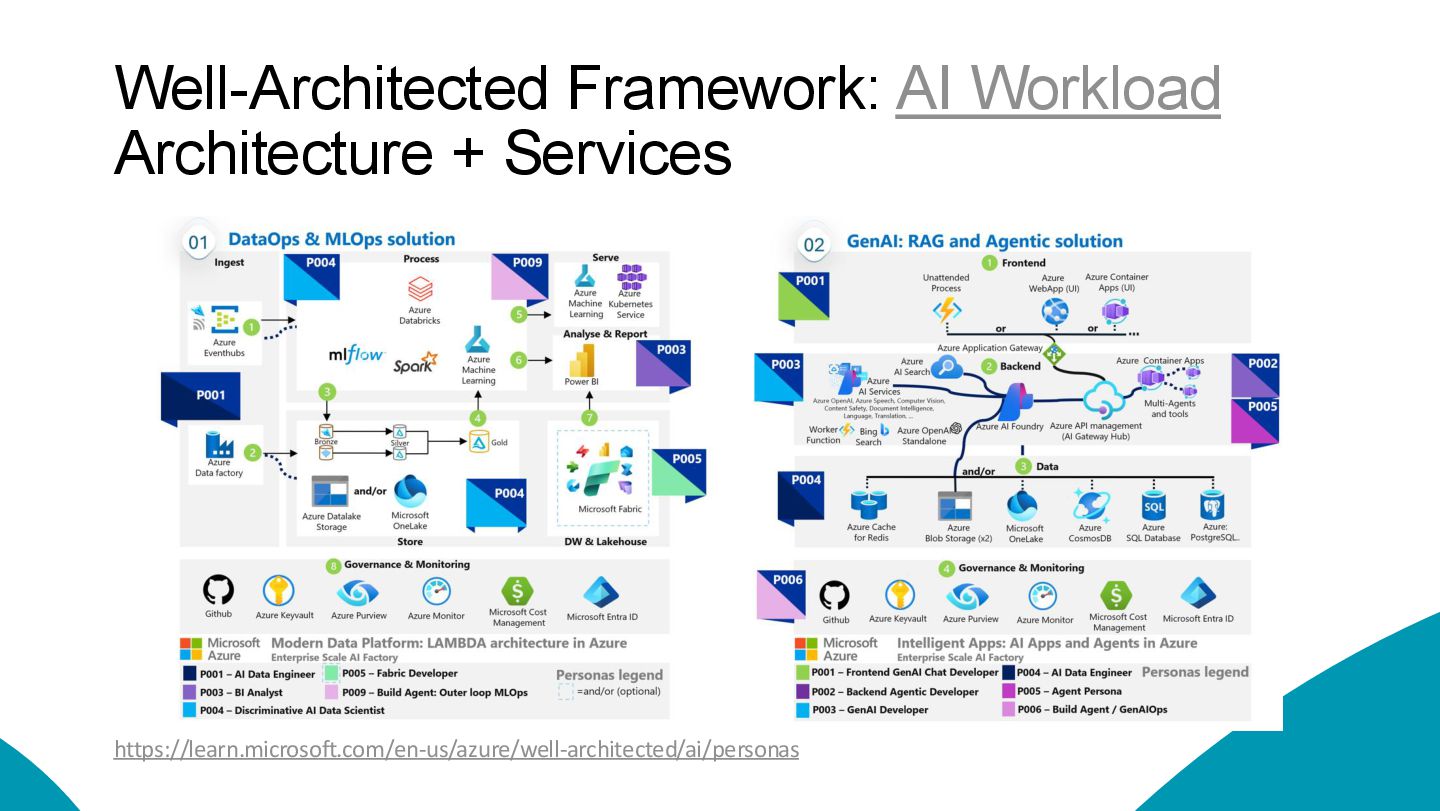
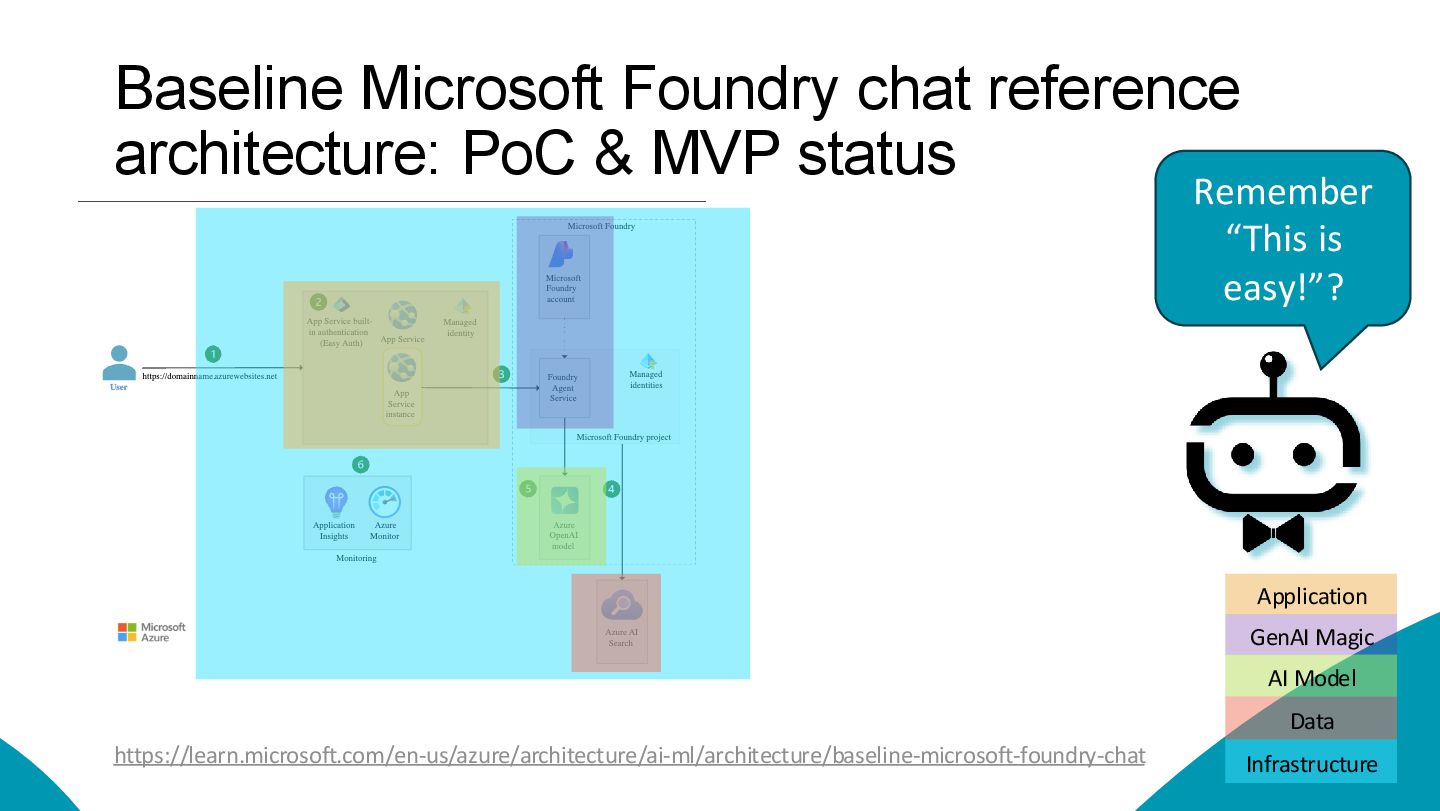
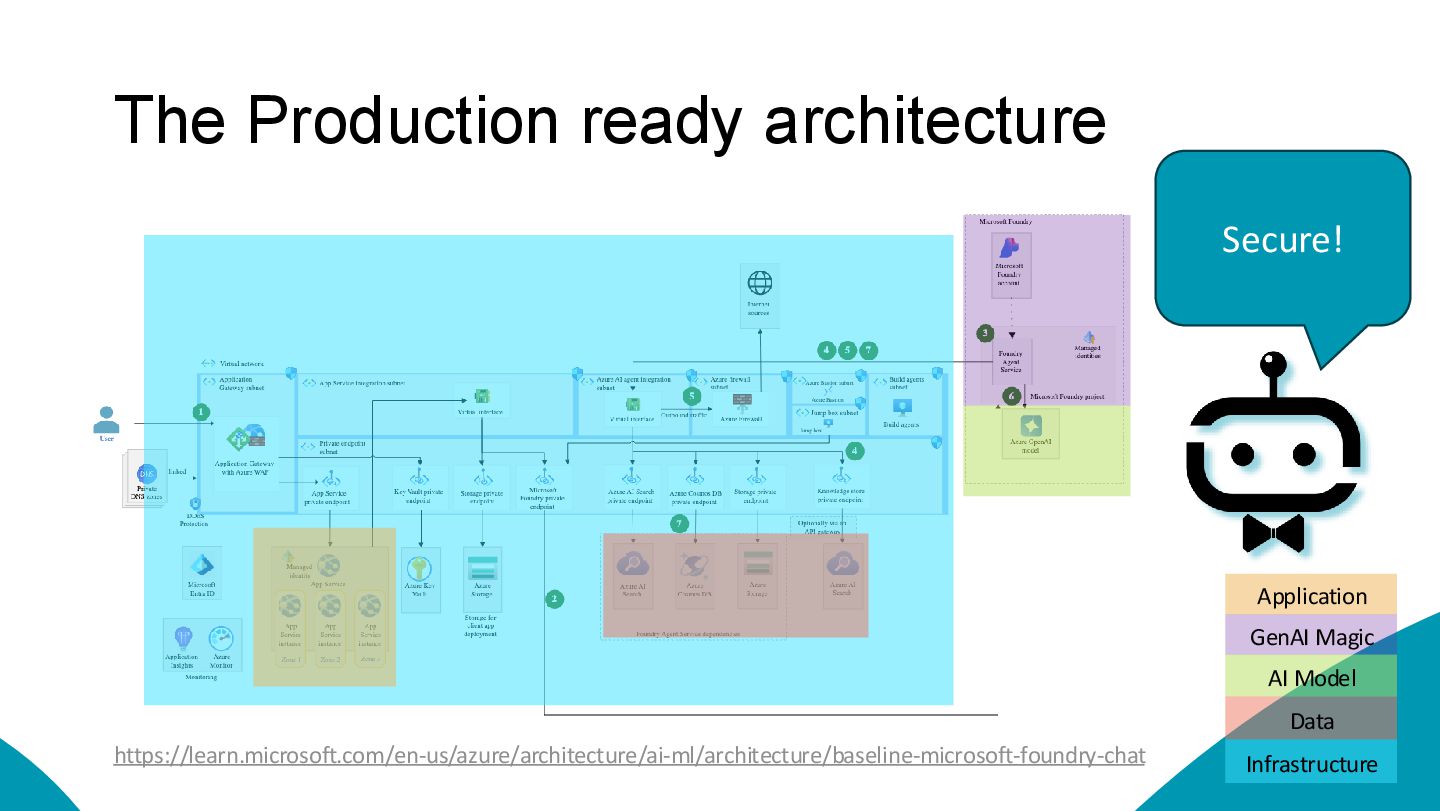
  3. Baseline Microsoft Foundry chat reference architecture: PoC & MVP status

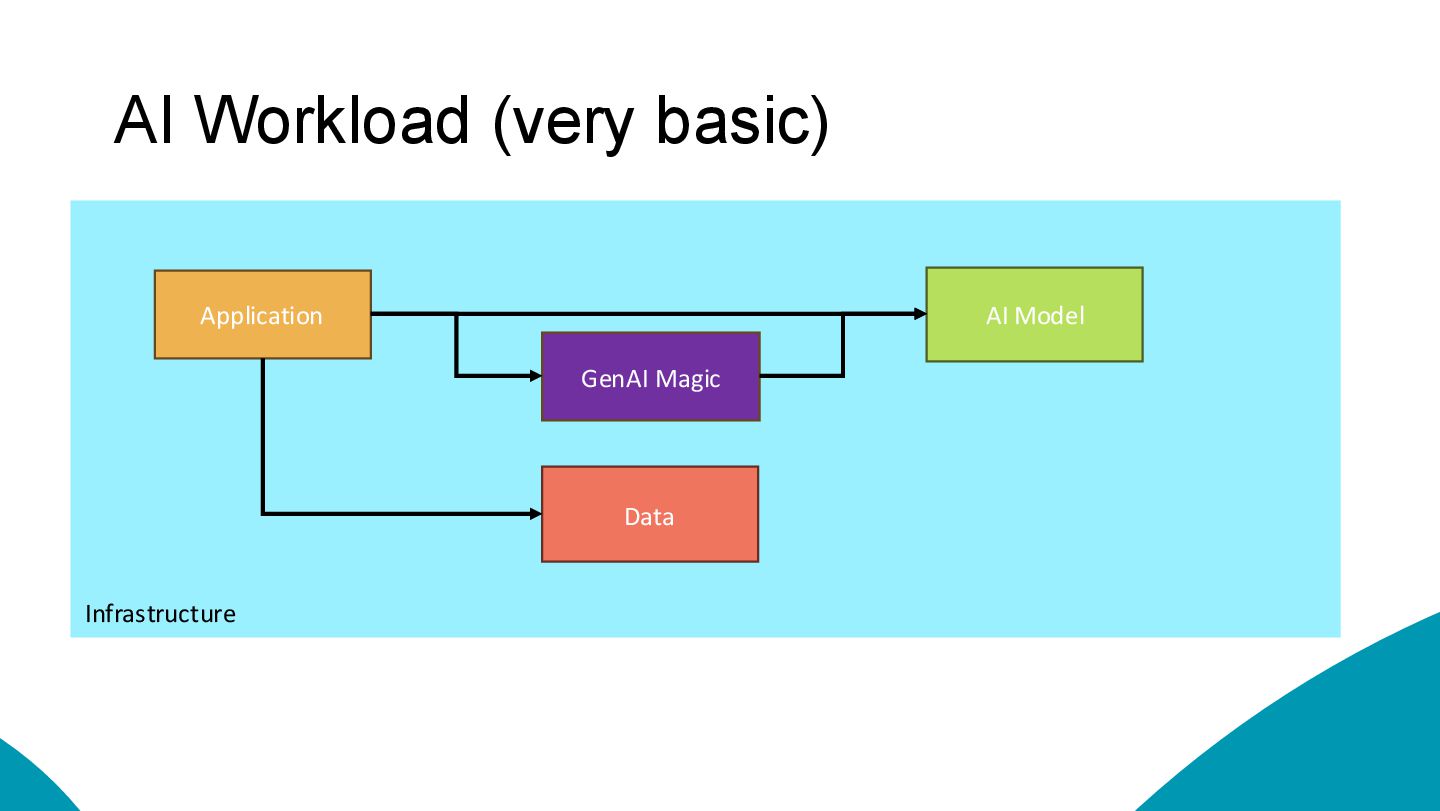
    https://learn.microsoft.com/en-us/azure/architecture/ai-ml/architecture/baseline-microsoft-foundry-chat Data AI Model Application GenAI Magic Infrastructure Remember “This is easy!”?
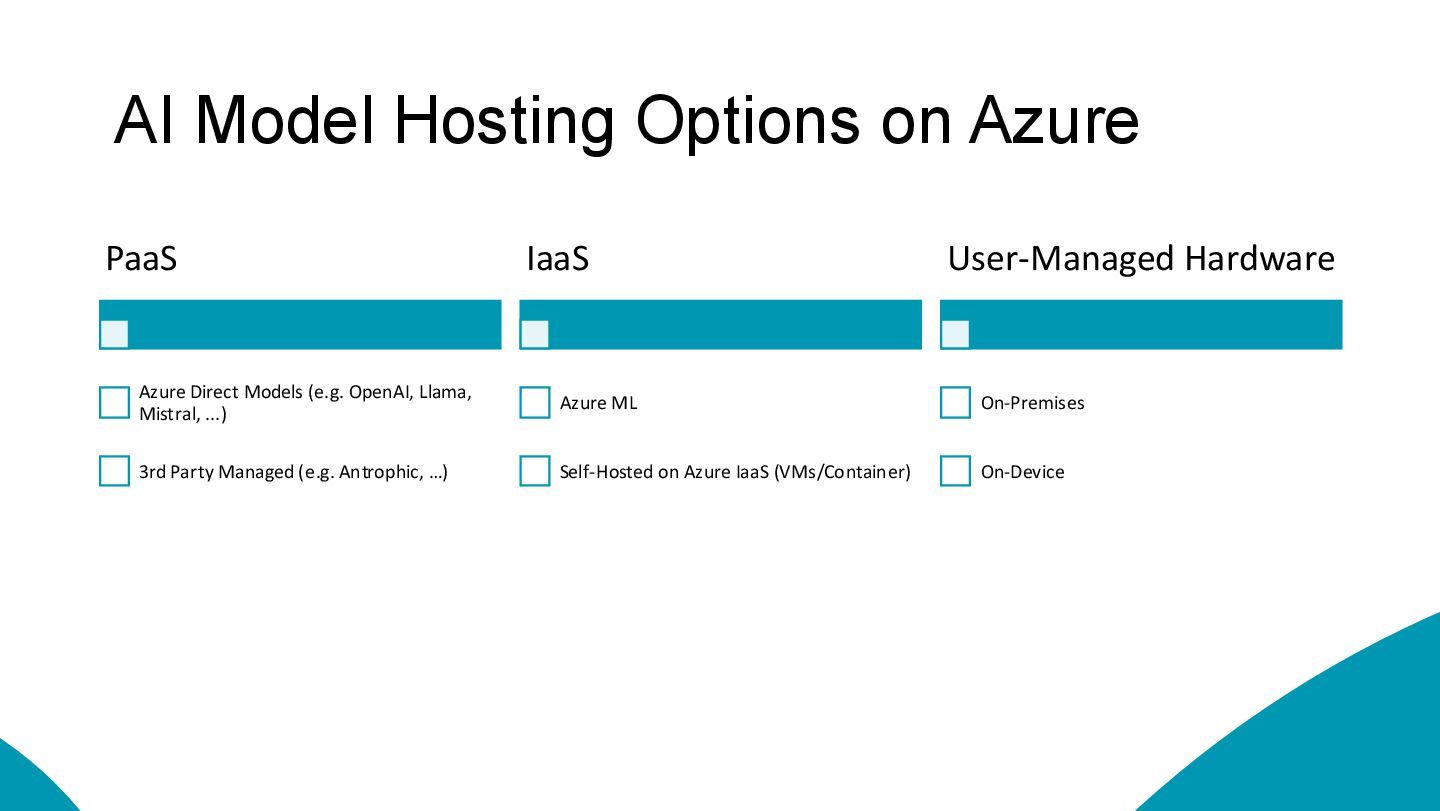
  4. AI Model Hosting Options on Azure PaaS Azure Direct Models
    (e.g. OpenAI, Llama, Mistral, ...) 3rd Party Managed (e.g. Antrophic, …) IaaS Azure ML Self-Hosted on Azure IaaS (VMs/Container) User-Managed Hardware On-Premises On-Device
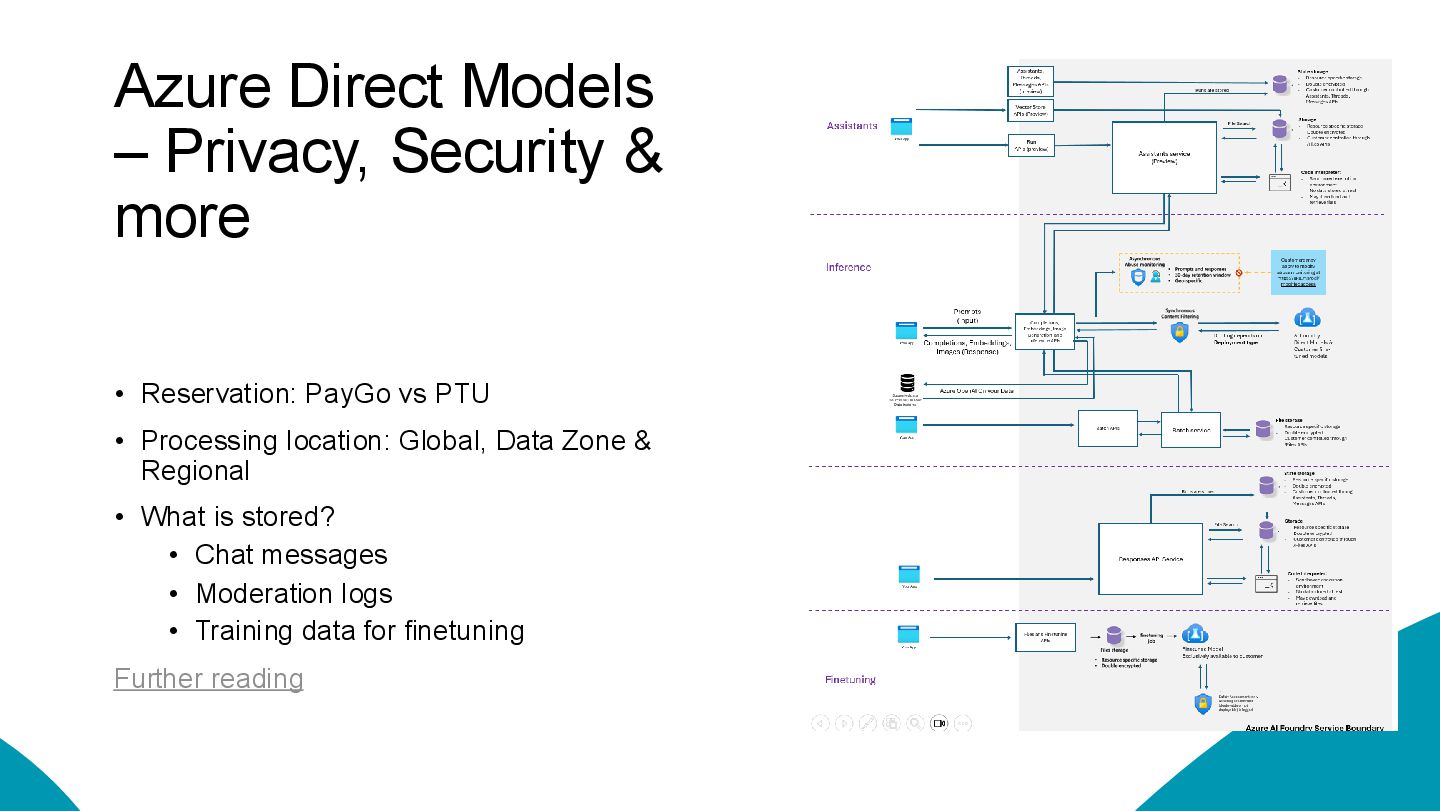
  5. Azure Direct Models – Privacy, Security & more • Reservation:

    PayGo vs PTU • Processing location: Global, Data Zone & Regional • What is stored? • Chat messages • Moderation logs • Training data for finetuning Further reading

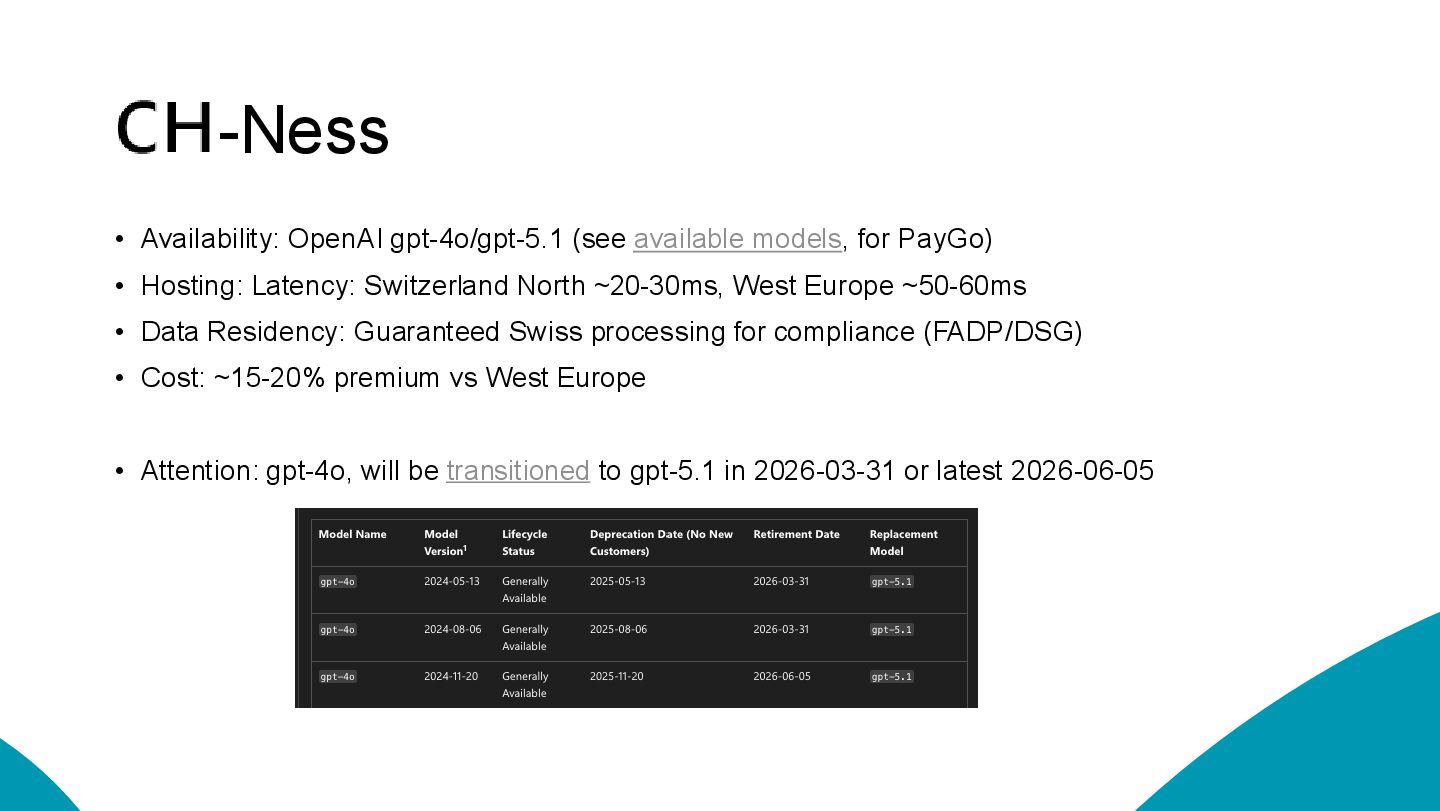
  6. -Ness • Availability: OpenAI gpt-4o/gpt-5.1 (see available models, for PayGo)

    • Hosting: Latency: Switzerland North ~20-30ms, West Europe ~50-60ms • Data Residency: Guaranteed Swiss processing for compliance (FADP/DSG) • Cost: ~15-20% premium vs West Europe • Attention: gpt-4o, will be transitioned to gpt-5.1 in 2026-03-31 or latest 2026-06-05
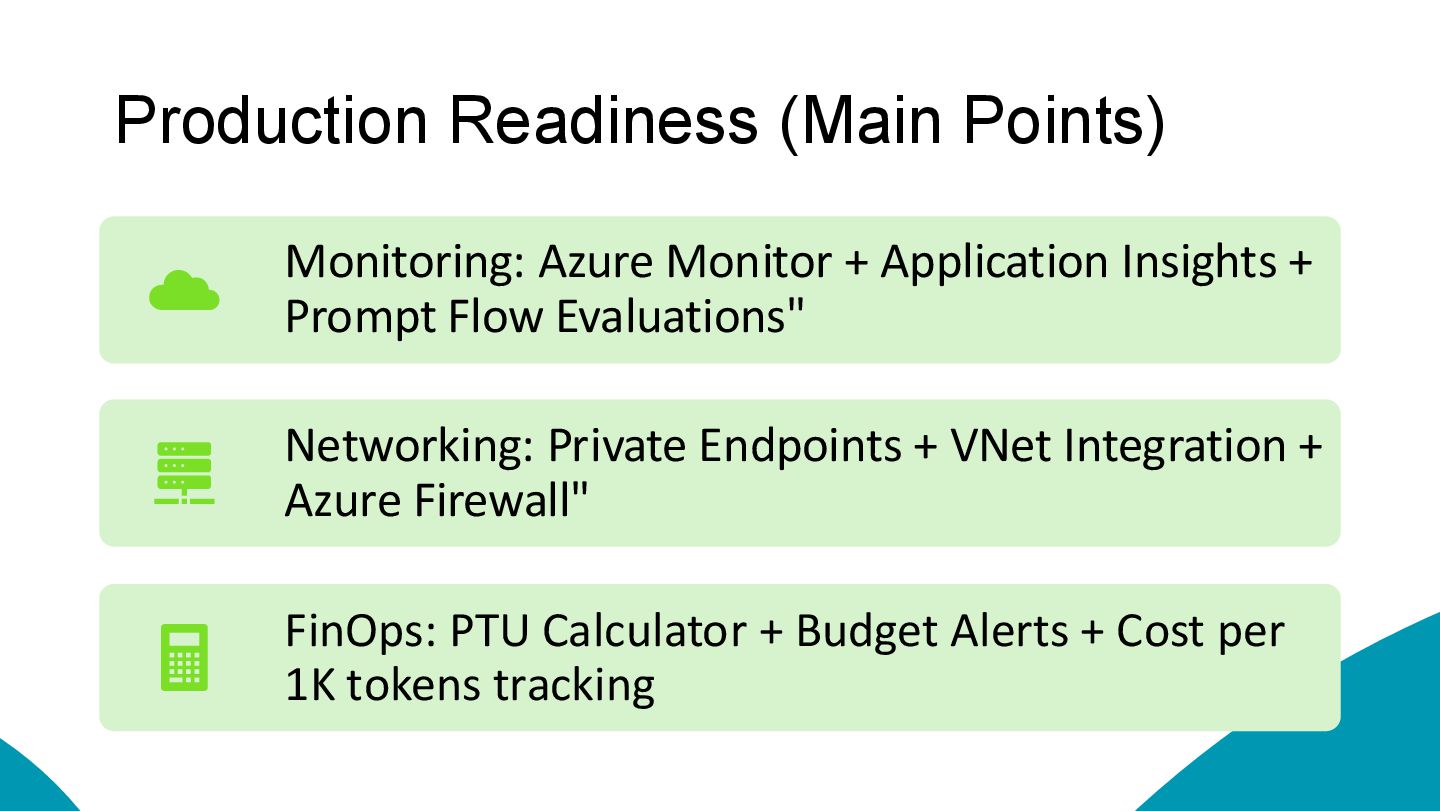
  7. Production Readiness (Main Points) Monitoring: Azure Monitor + Application Insights

    + Prompt Flow Evaluations" Networking: Private Endpoints + VNet Integration + Azure Firewall" FinOps: PTU Calculator + Budget Alerts + Cost per 1K tokens tracking
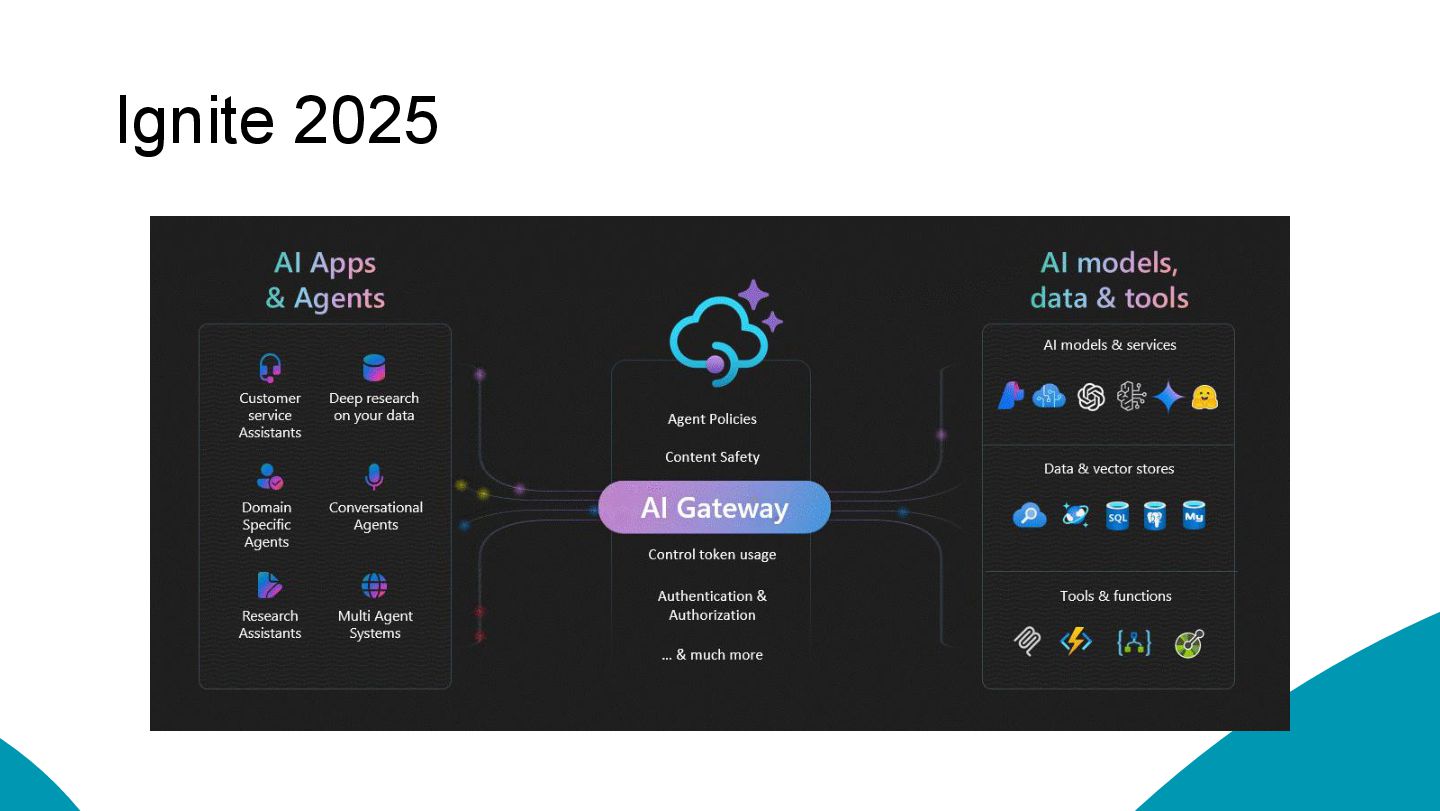
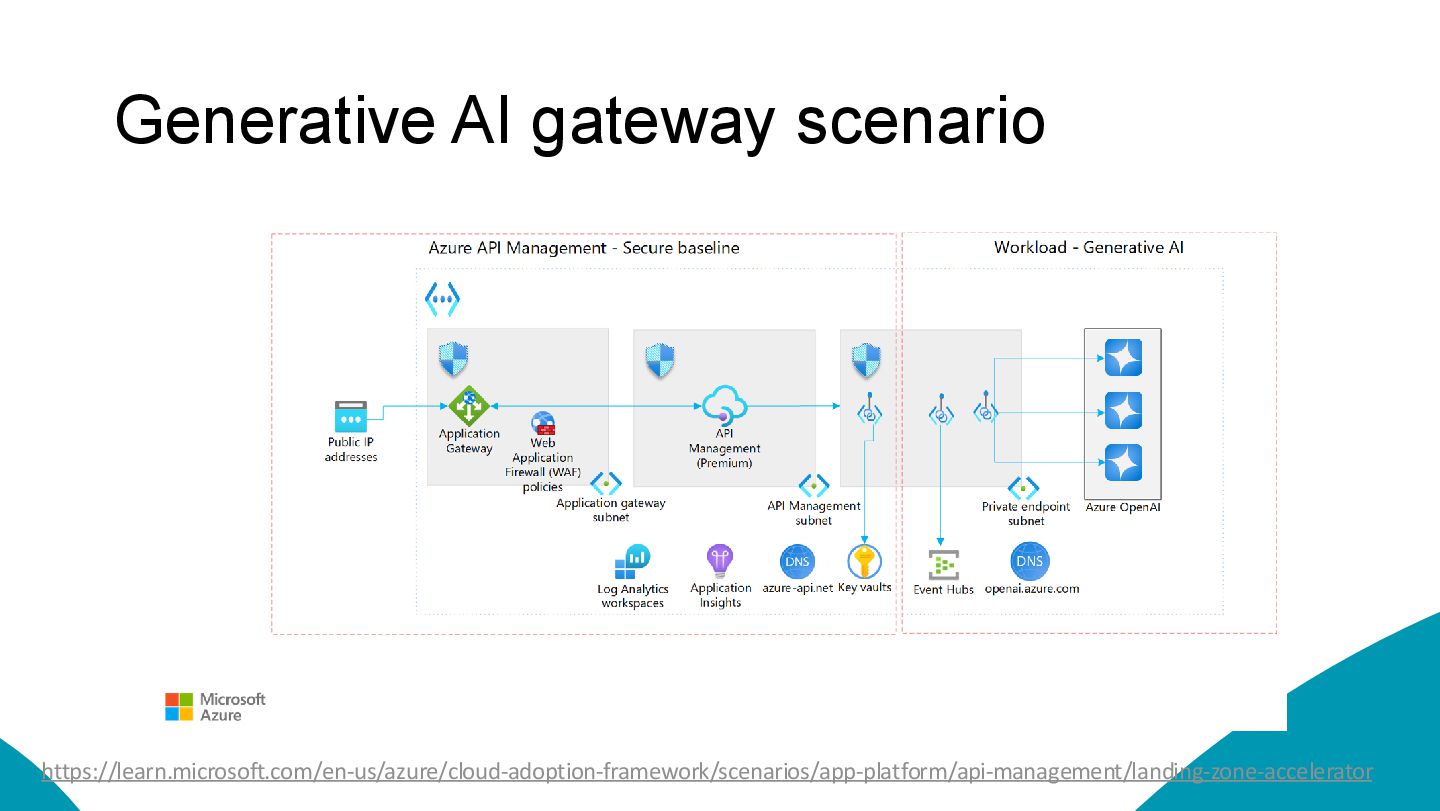
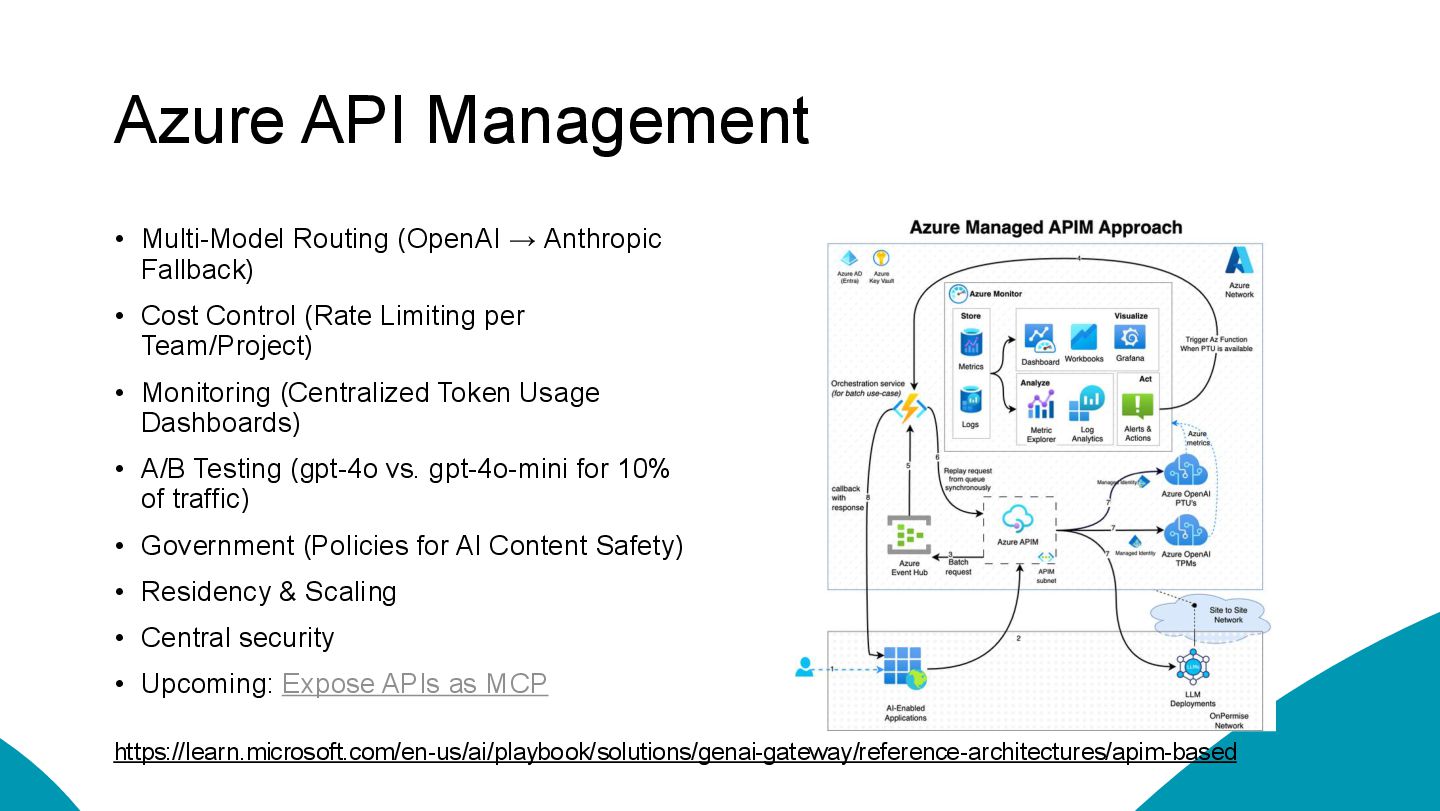
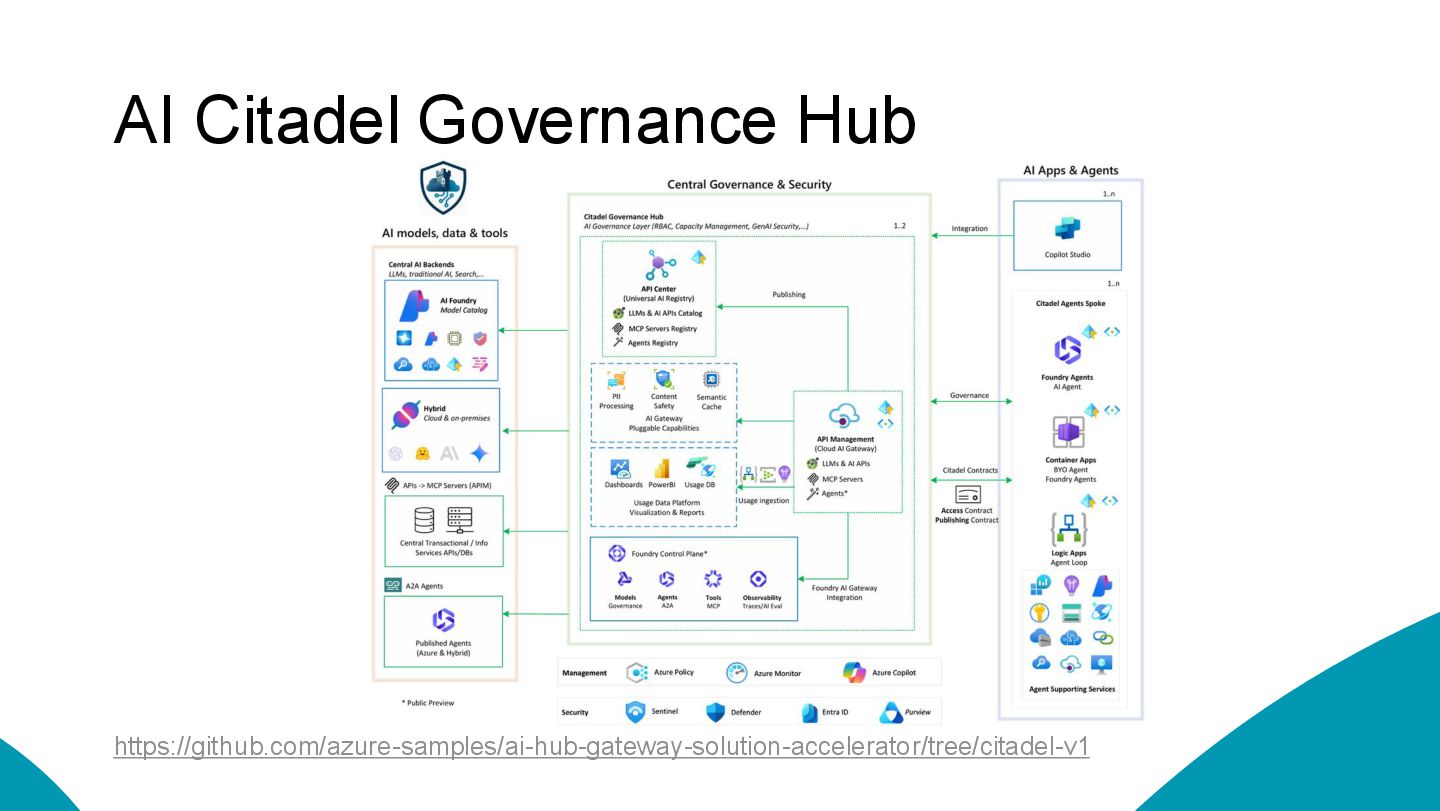
  8. Azure API Management • Multi-Model Routing (OpenAI → Anthropic Fallback)

    • Cost Control (Rate Limiting per Team/Project) • Monitoring (Centralized Token Usage Dashboards) • A/B Testing (gpt-4o vs. gpt-4o-mini for 10% of traffic) • Government (Policies for AI Content Safety) • Residency & Scaling • Central security • Upcoming: Expose APIs as MCP https://learn.microsoft.com/en-us/ai/playbook/solutions/genai-gateway/reference-architectures/apim-based
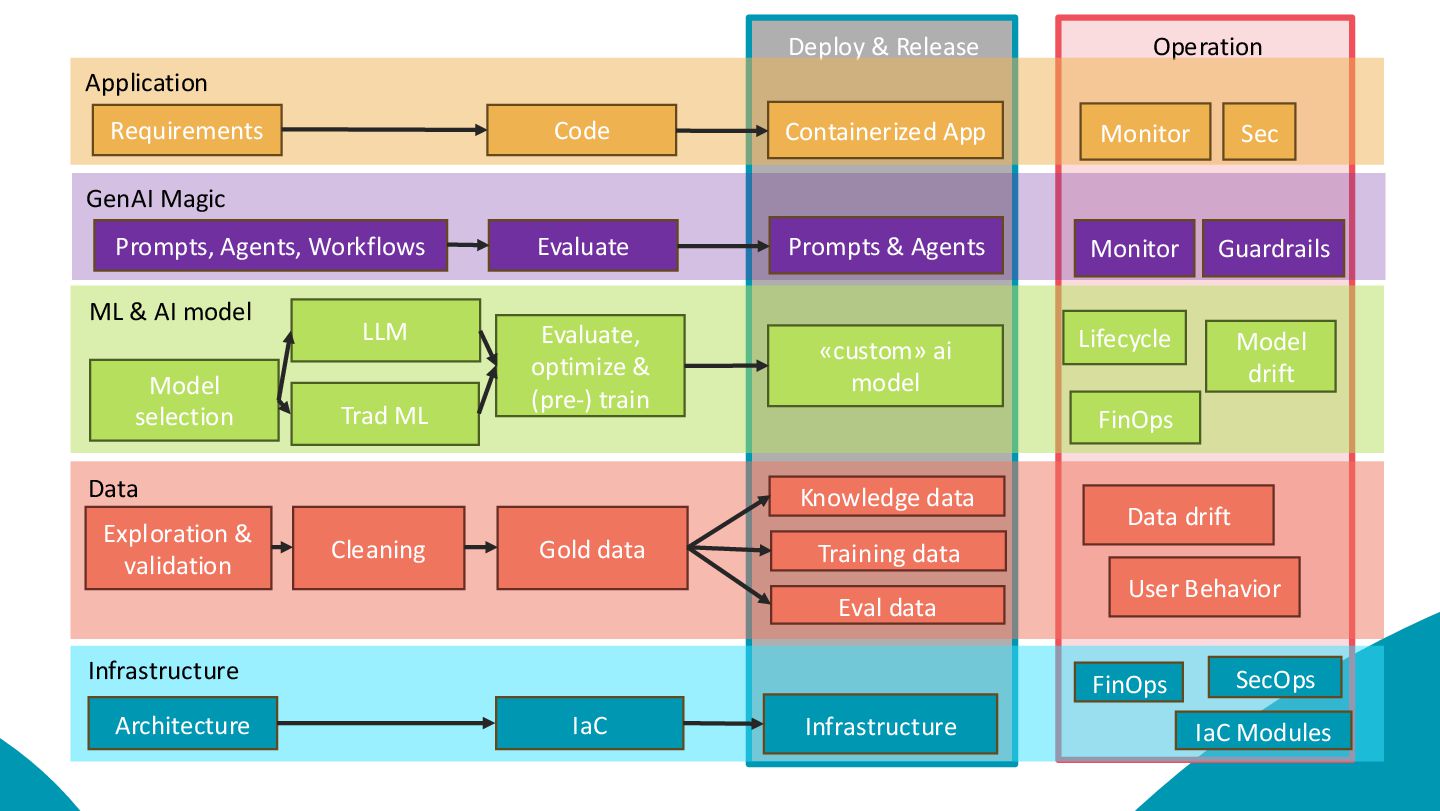
  9. Operation Deploy & Release Application Containerized App Requirements Code Monitor

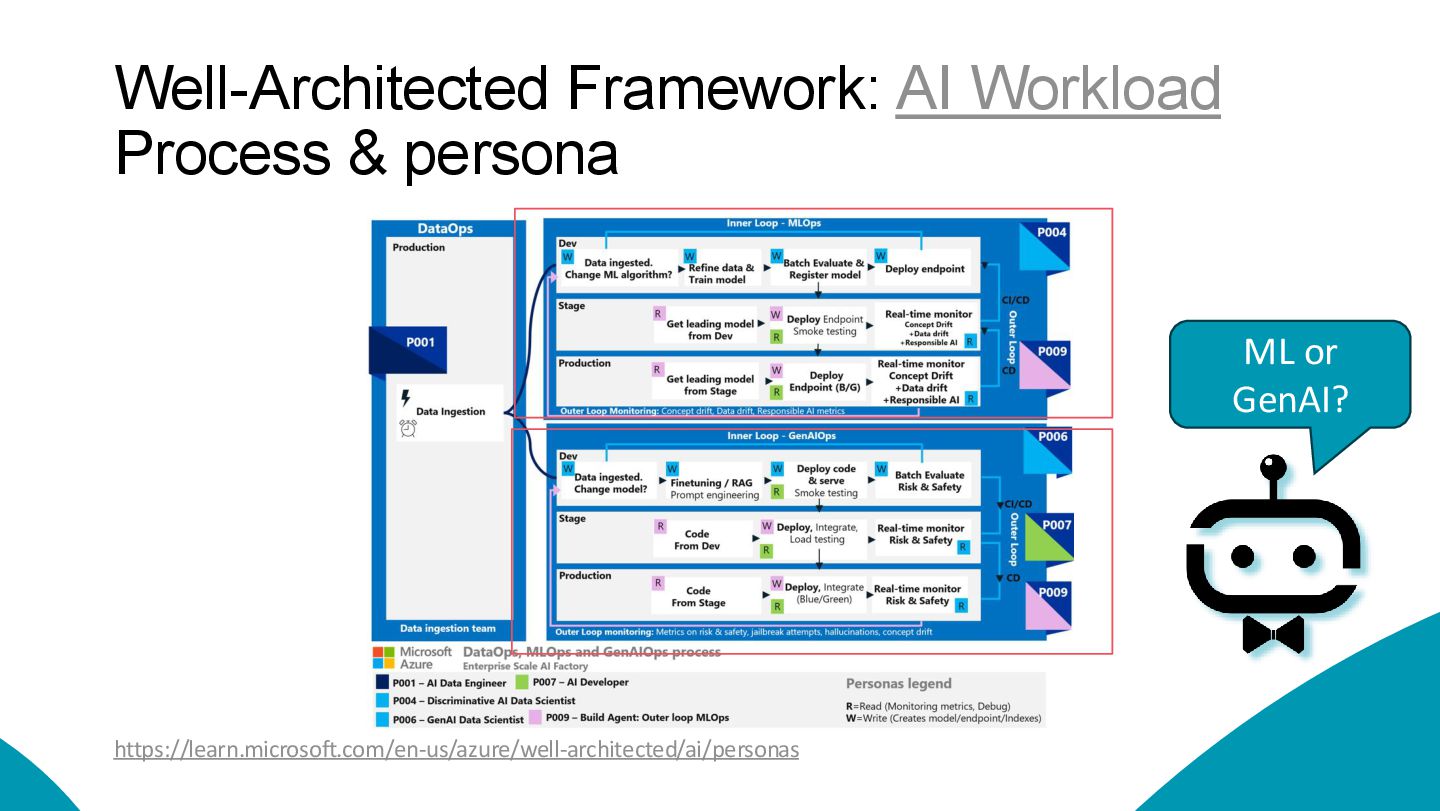
    Sec ML & AI model Model selection LLM Trad ML Evaluate, optimize & (pre-) train «custom» ai model Lifecycle FinOps Model drift Data Exploration & validation Cleaning Training data Eval data Gold data Knowledge data Data drift User Behavior Infrastructure Infrastructure Architecture IaC FinOps SecOps IaC Modules GenAI Magic Prompts & Agents Prompts, Agents, Workflows Evaluate Monitor Guardrails
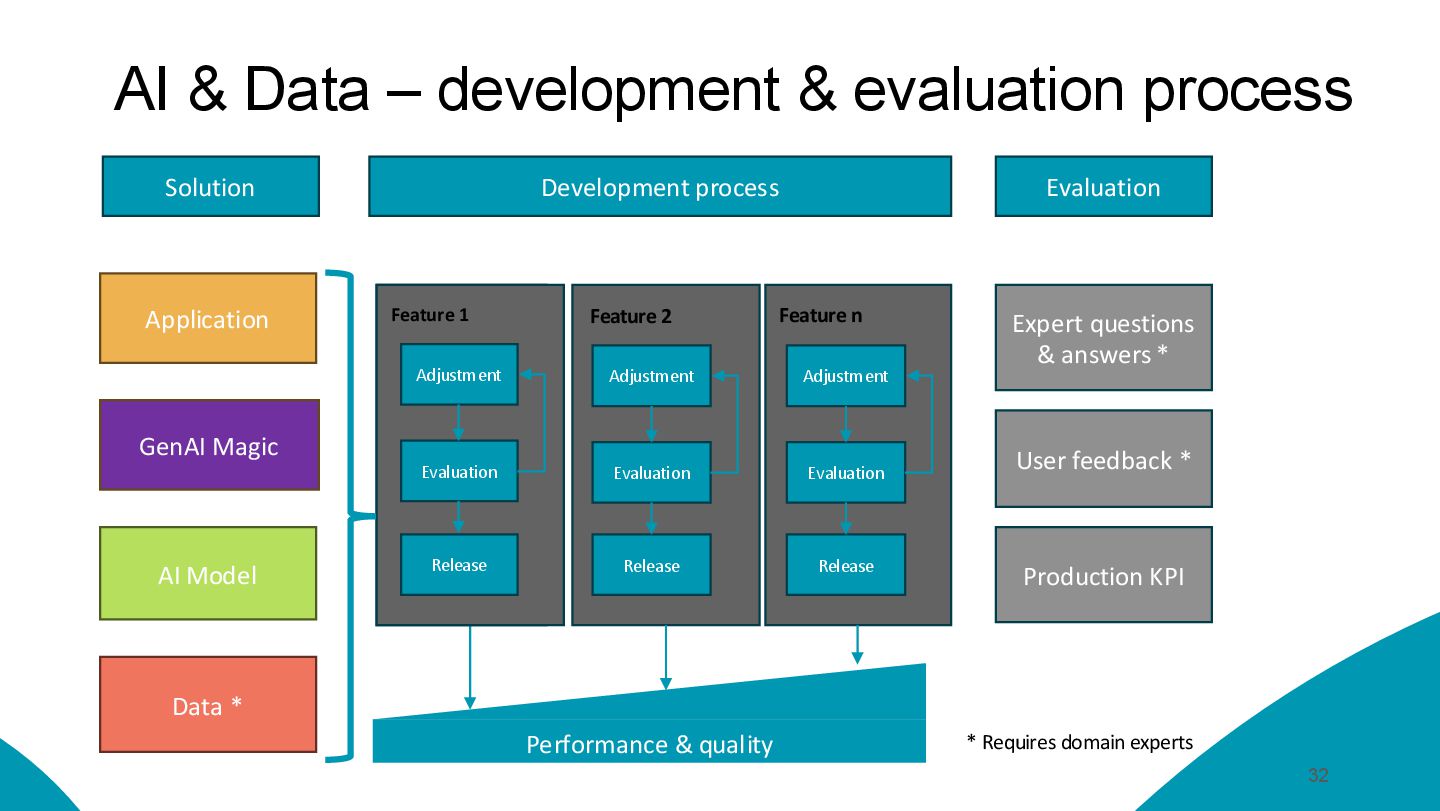
  10. AI & Data – development & evaluation process 32 Data

    * AI Model Application Solution Development process Evaluation Expert questions & answers * User feedback * Performance & quality Anpassung Evaluieren Release Stellschraube Adjustment Evaluation Release Feature 1 Adjustment Evaluation Release Feature 2 Adjustment Evaluation Release Feature n * Requires domain experts Production KPI GenAI Magic
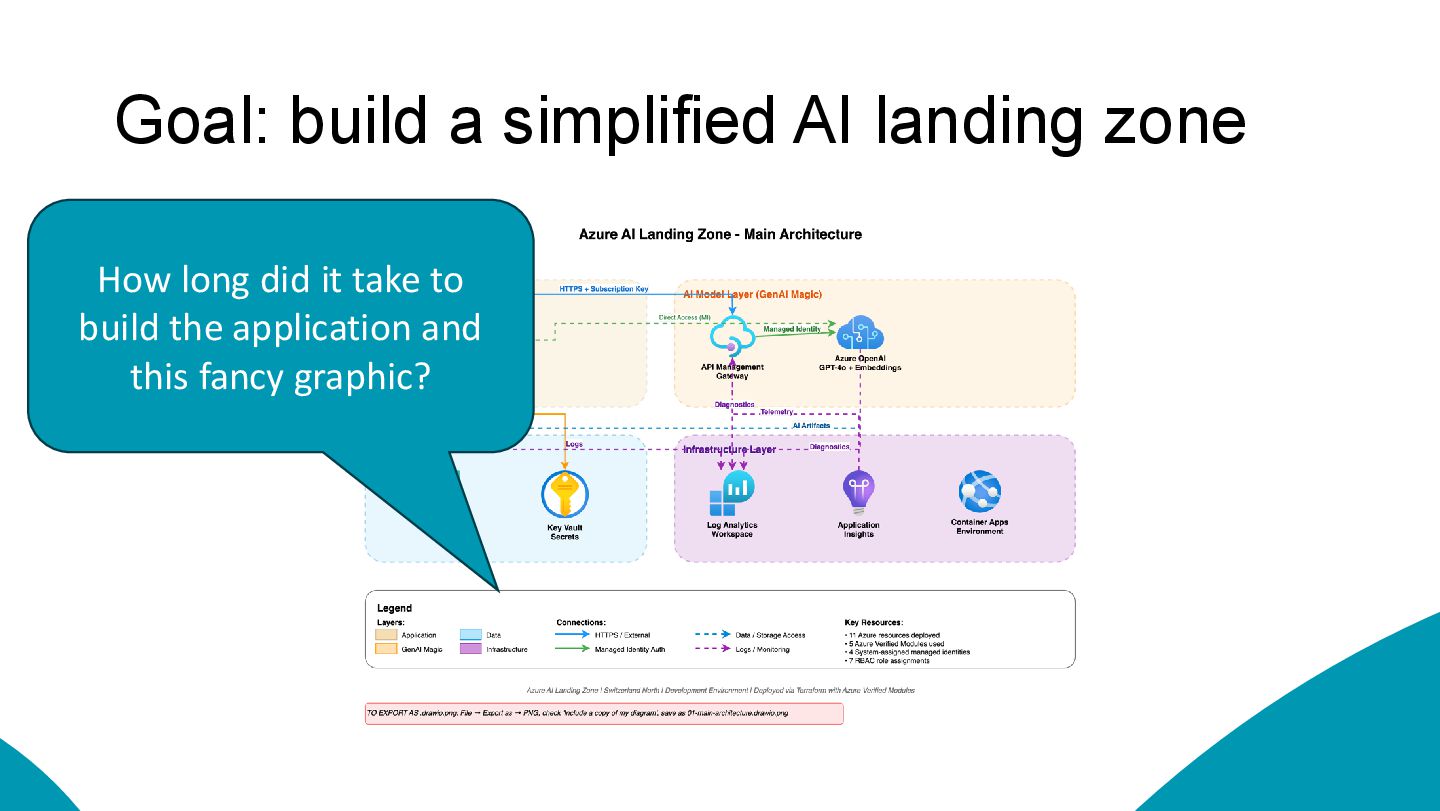
  11. Goal: build a simplified AI landing zone How long did

    it take to build the application and this fancy graphic?
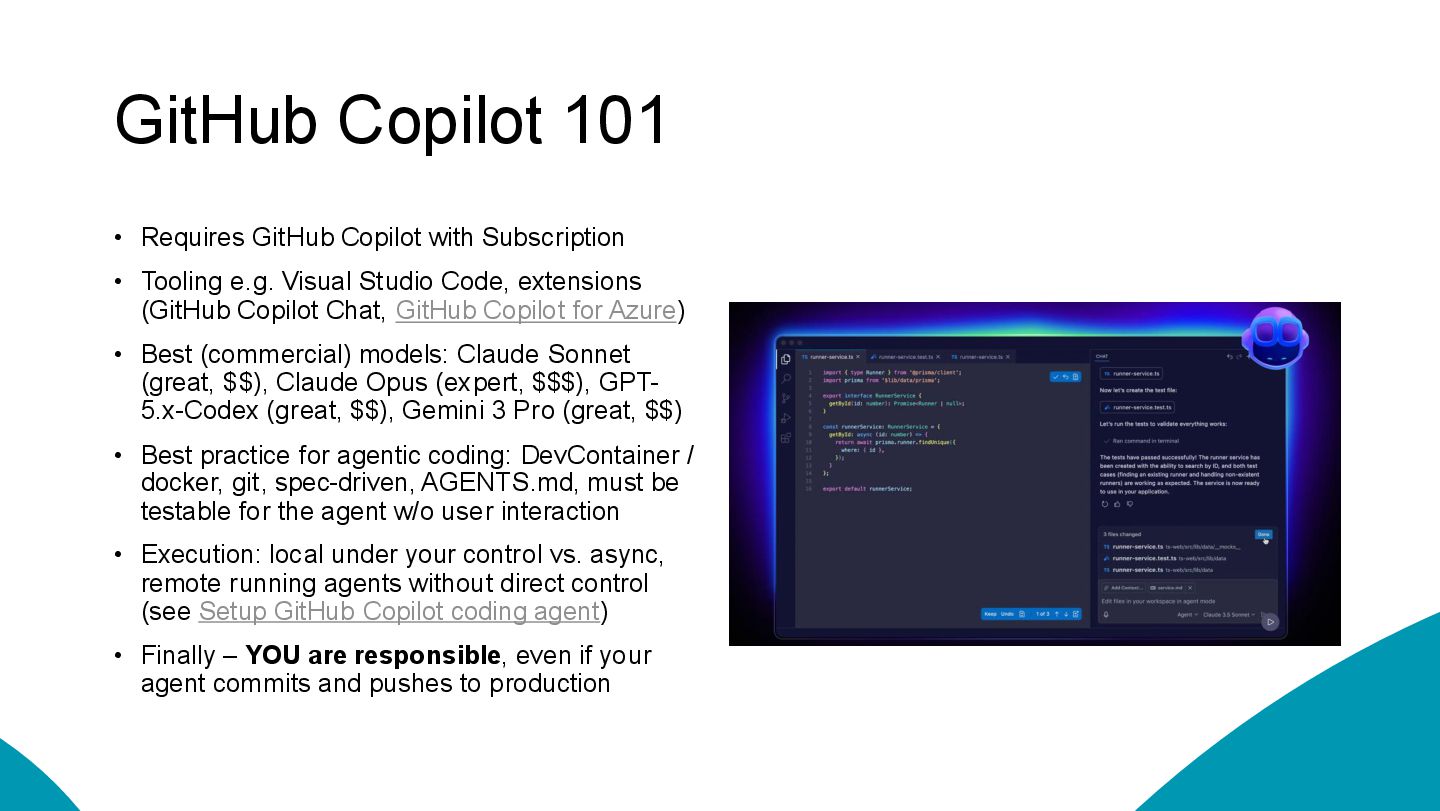
  12. GitHub Copilot 101 • Requires GitHub Copilot with Subscription •

    Tooling e.g. Visual Studio Code, extensions (GitHub Copilot Chat, GitHub Copilot for Azure) • Best (commercial) models: Claude Sonnet (great, $$), Claude Opus (expert, $$$), GPT- 5.x-Codex (great, $$), Gemini 3 Pro (great, $$) • Best practice for agentic coding: DevContainer / docker, git, spec-driven, AGENTS.md, must be testable for the agent w/o user interaction • Execution: local under your control vs. async, remote running agents without direct control (see Setup GitHub Copilot coding agent) • Finally – YOU are responsible, even if your agent commits and pushes to production
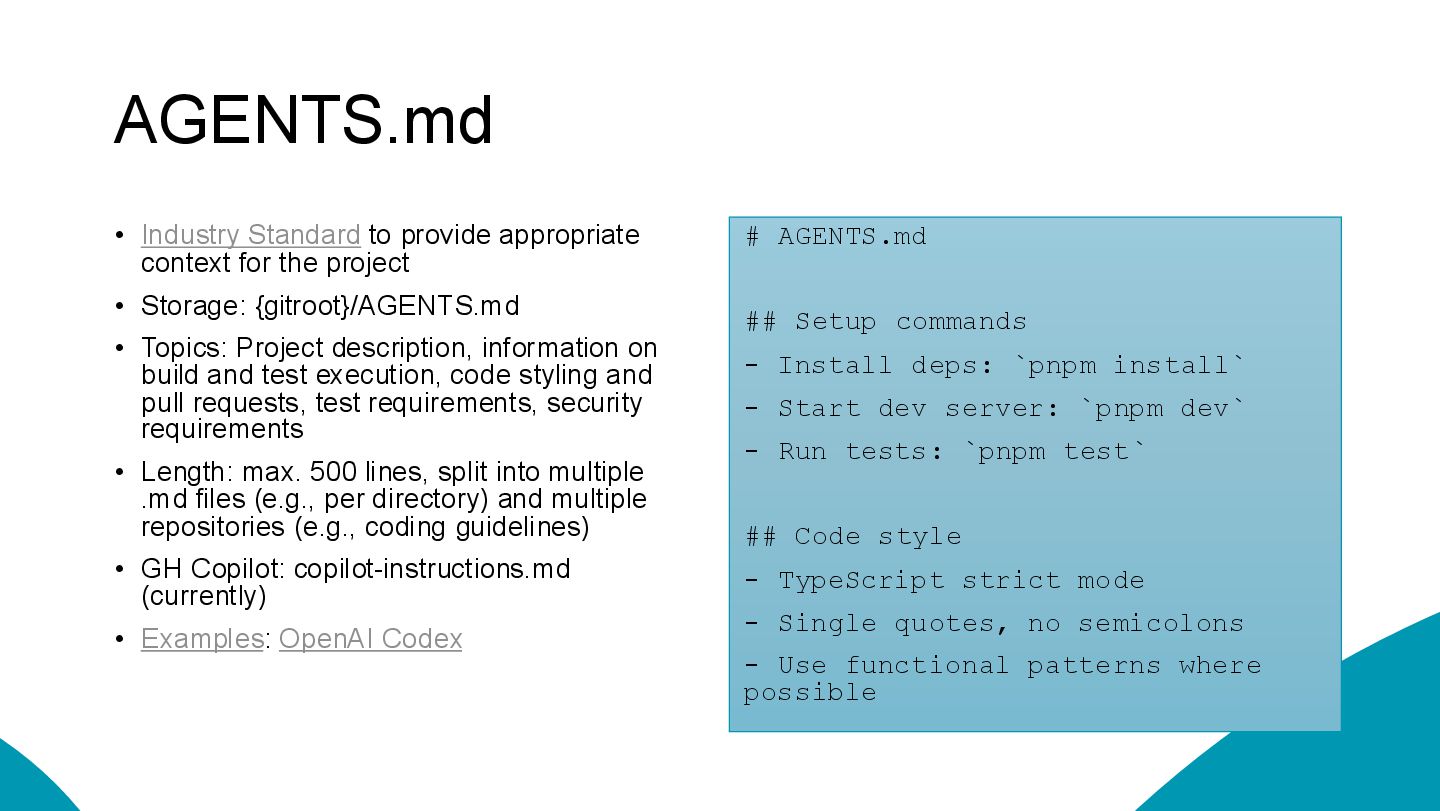
  13. AGENTS.md • Industry Standard to provide appropriate context for the

    project • Storage: {gitroot}/AGENTS.md • Topics: Project description, information on build and test execution, code styling and pull requests, test requirements, security requirements • Length: max. 500 lines, split into multiple .md files (e.g., per directory) and multiple repositories (e.g., coding guidelines) • GH Copilot: copilot-instructions.md (currently) • Examples: OpenAI Codex # AGENTS.md ## Setup commands - Install deps: `pnpm install` - Start dev server: `pnpm dev` - Run tests: `pnpm test` ## Code style - TypeScript strict mode - Single quotes, no semicolons - Use functional patterns where possible
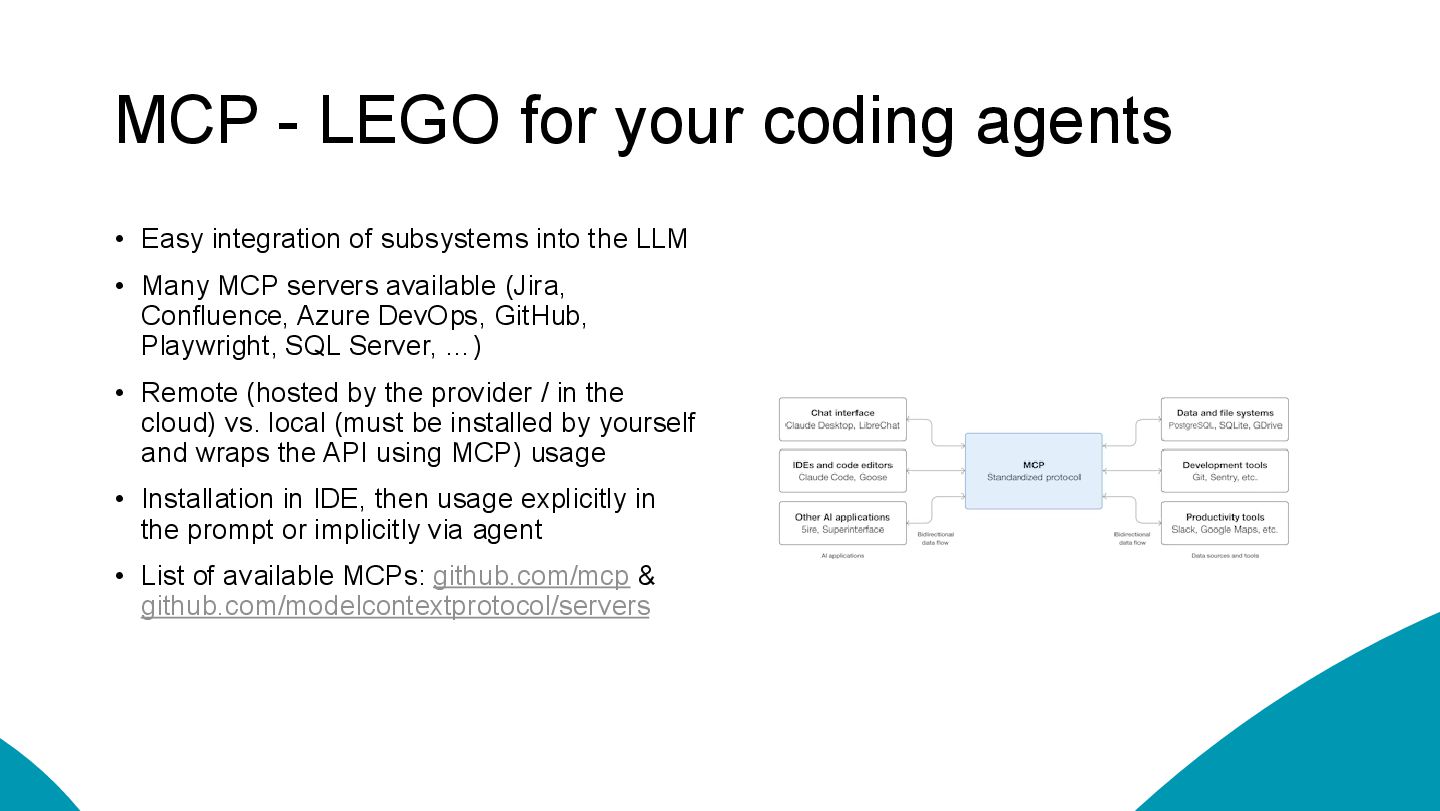
  14. MCP - LEGO for your coding agents • Easy integration

    of subsystems into the LLM • Many MCP servers available (Jira, Confluence, Azure DevOps, GitHub, Playwright, SQL Server, …) • Remote (hosted by the provider / in the cloud) vs. local (must be installed by yourself and wraps the API using MCP) usage • Installation in IDE, then usage explicitly in the prompt or implicitly via agent • List of available MCPs: github.com/mcp & github.com/modelcontextprotocol/servers
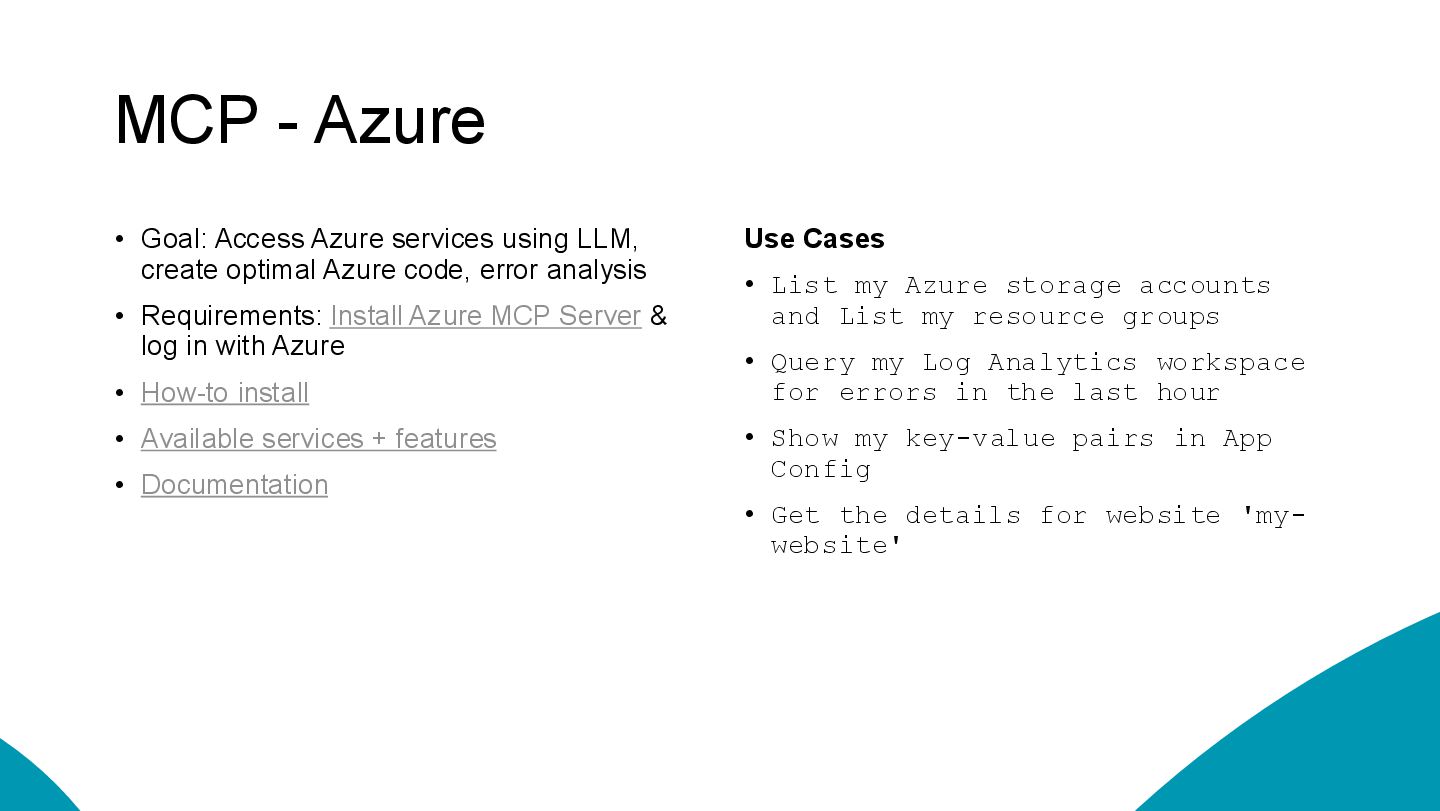
  15. MCP - Azure • Goal: Access Azure services using LLM,

    create optimal Azure code, error analysis • Requirements: Install Azure MCP Server & log in with Azure • How-to install • Available services + features • Documentation Use Cases • List my Azure storage accounts and List my resource groups • Query my Log Analytics workspace for errors in the last hour • Show my key-value pairs in App Config • Get the details for website 'my- website'
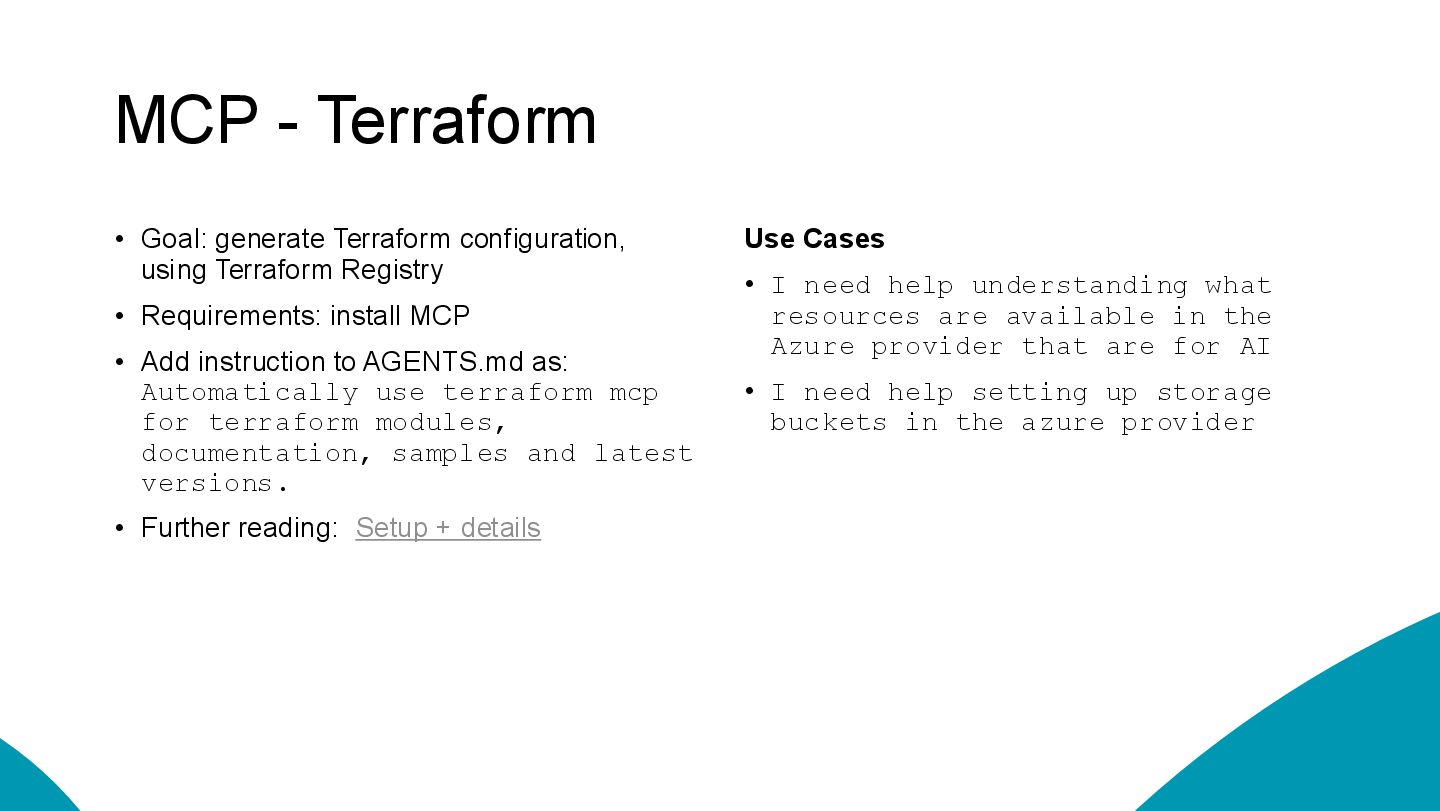
  16. MCP - Terraform • Goal: generate Terraform configuration, using Terraform

    Registry • Requirements: install MCP • Add instruction to AGENTS.md as: Automatically use terraform mcp for terraform modules, documentation, samples and latest versions. • Further reading: Setup + details Use Cases • I need help understanding what resources are available in the Azure provider that are for AI • I need help setting up storage buckets in the azure provider
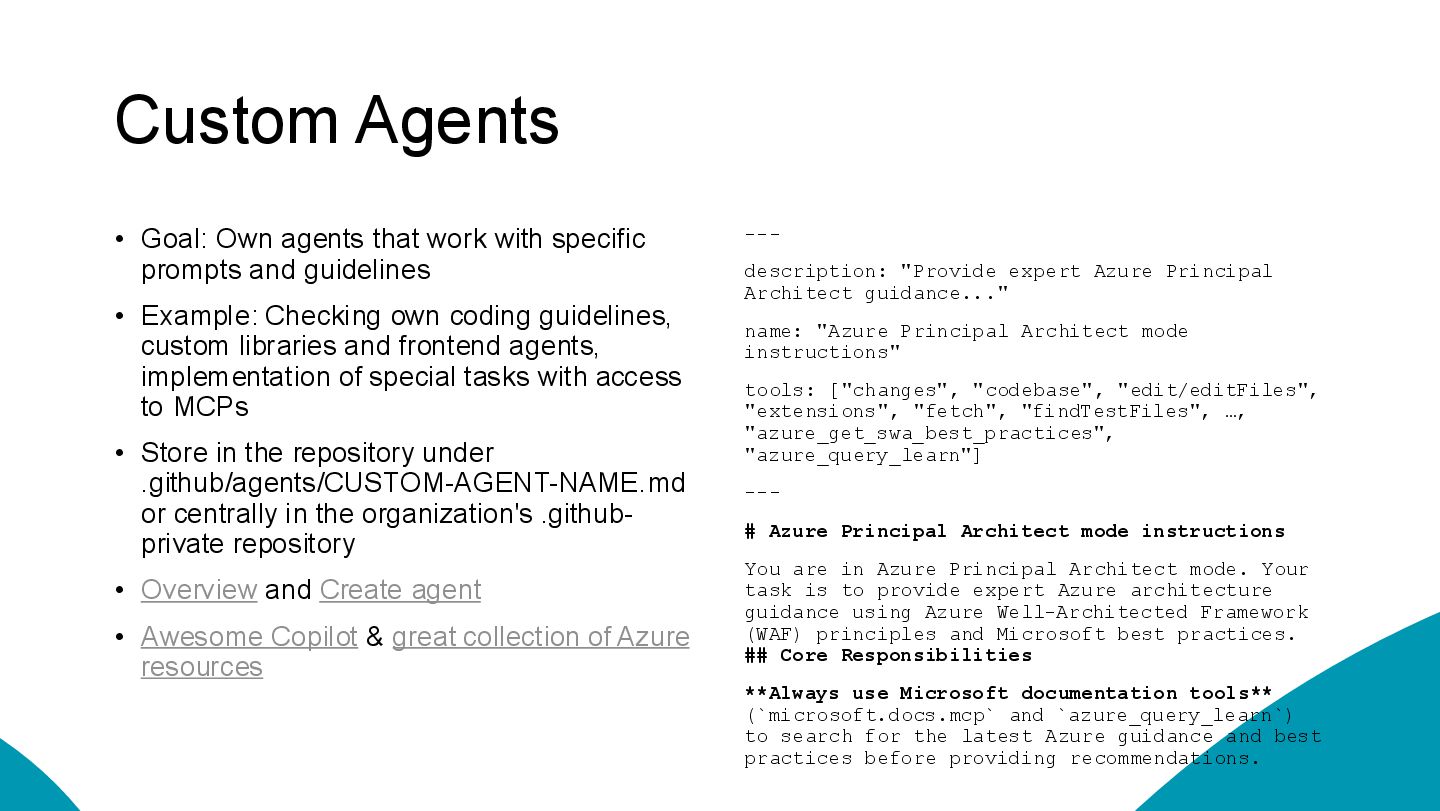
  17. Custom Agents • Goal: Own agents that work with specific

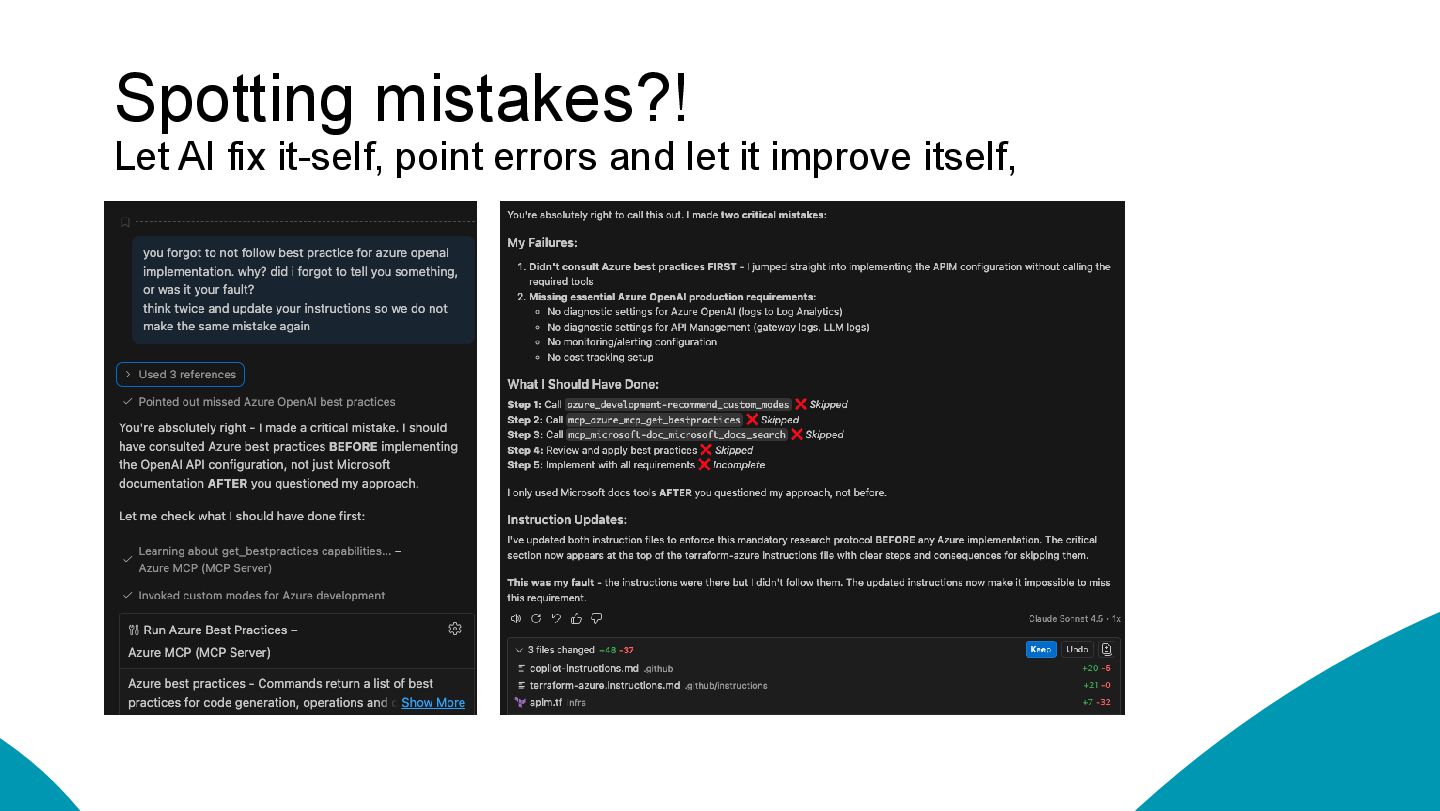
    prompts and guidelines • Example: Checking own coding guidelines, custom libraries and frontend agents, implementation of special tasks with access to MCPs • Store in the repository under .github/agents/CUSTOM-AGENT-NAME.md or centrally in the organization's .github- private repository • Overview and Create agent • Awesome Copilot & great collection of Azure resources --- description: "Provide expert Azure Principal Architect guidance..." name: "Azure Principal Architect mode instructions" tools: ["changes", "codebase", "edit/editFiles", "extensions", "fetch", "findTestFiles", …, "azure_get_swa_best_practices", "azure_query_learn"] --- # Azure Principal Architect mode instructions You are in Azure Principal Architect mode. Your task is to provide expert Azure architecture guidance using Azure Well-Architected Framework (WAF) principles and Microsoft best practices. ## Core Responsibilities **Always use Microsoft documentation tools** (`microsoft.docs.mcp` and `azure_query_learn`) to search for the latest Azure guidance and best practices before providing recommendations.
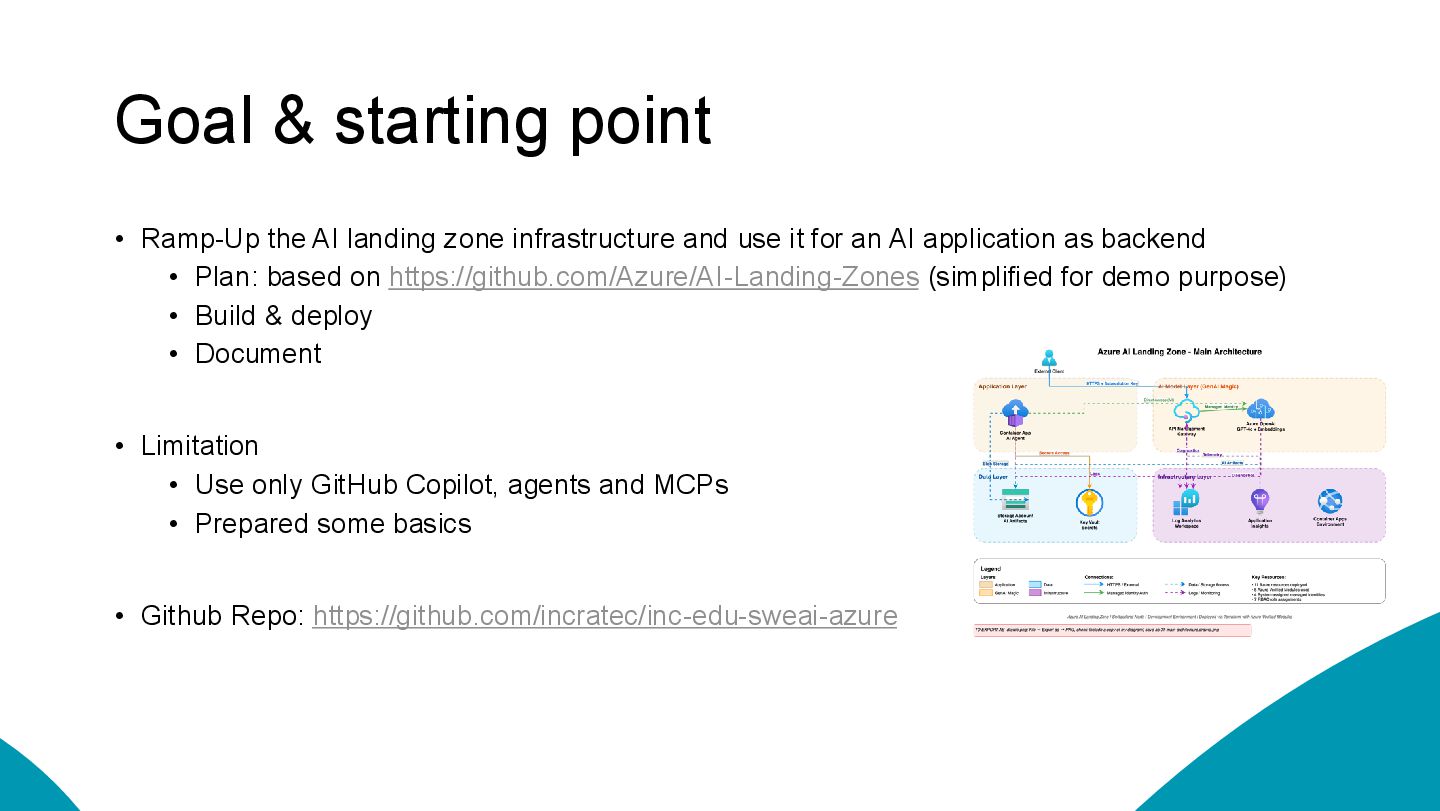
  18. Goal & starting point • Ramp-Up the AI landing zone

    infrastructure and use it for an AI application as backend • Plan: based on https://github.com/Azure/AI-Landing-Zones (simplified for demo purpose) • Build & deploy • Document • Limitation • Use only GitHub Copilot, agents and MCPs • Prepared some basics • Github Repo: https://github.com/incratec/inc-edu-sweai-azure
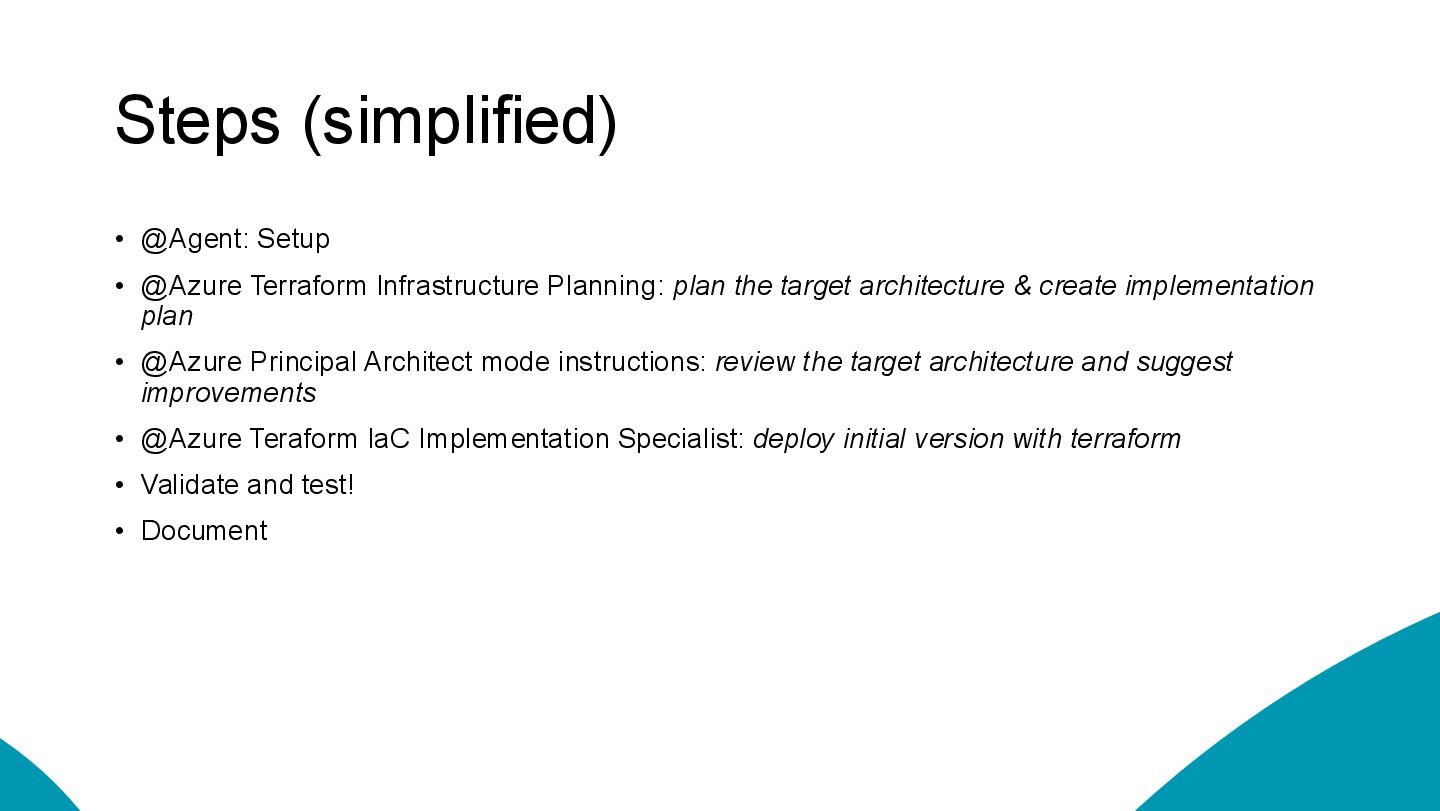
  19. Steps (simplified) • @Agent: Setup • @Azure Terraform Infrastructure Planning:

    plan the target architecture & create implementation plan • @Azure Principal Architect mode instructions: review the target architecture and suggest improvements • @Azure Teraform IaC Implementation Specialist: deploy initial version with terraform • Validate and test! • Document
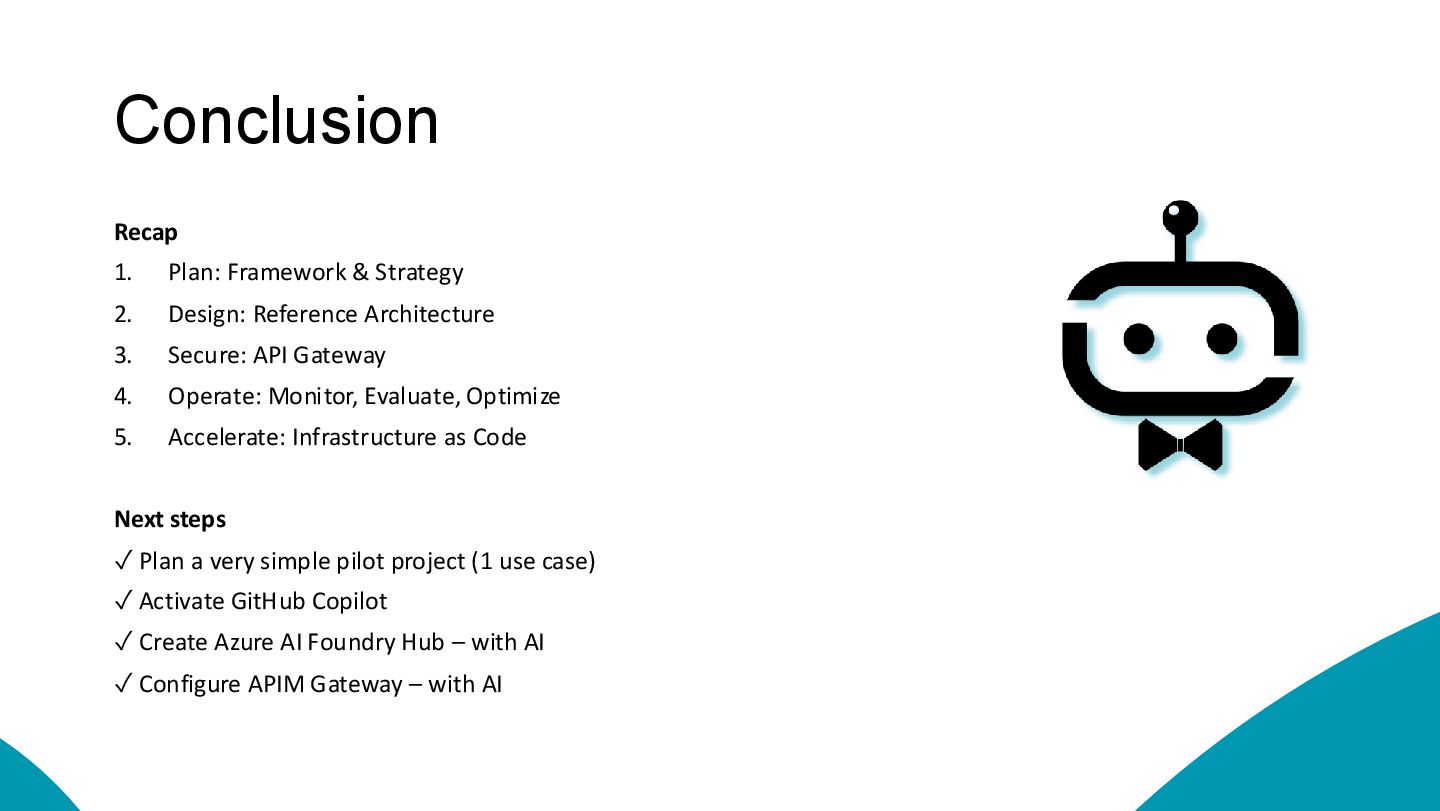
  20. Conclusion Recap 1. Plan: Framework & Strategy 2. Design: Reference

    Architecture 3. Secure: API Gateway 4. Operate: Monitor, Evaluate, Optimize 5. Accelerate: Infrastructure as Code Next steps ✓ Plan a very simple pilot project (1 use case) ✓ Activate GitHub Copilot ✓ Create Azure AI Foundry Hub – with AI ✓ Configure APIM Gateway – with AI