Building an OTA Platform for Robotaxis with OCI...
Sponsored
·
 Your Podcast. Everywhere. Effortlessly.
Share. Educate. Inspire. Entertain. You do you. We'll handle the rest.
→
Your Podcast. Everywhere. Effortlessly.
Share. Educate. Inspire. Entertain. You do you. We'll handle the rest.
→

Share
Embed
Building an OTA Platform for Robotaxis with OCI Artifacts
CloudNative Days Winter 2026
https://cloudnativedays.jp/sessions/3265
JA: https://speakerdeck.com/biwashi/building-an-ota-platform-for-robotaxis-with-oci-artifacts

Shota Iwami
November 20, 2026
Transcript
72 slides
-
Building an OTA Platform for Autonomous Taxis with OCI Artifacts
Shota Iwami | Vehicle Software Engineer | newmo, Inc. -
Shota Iwami / Iwamin Tech Lead, Vehicle Software Autonomous Driving
Team newmo, Inc. 2 -
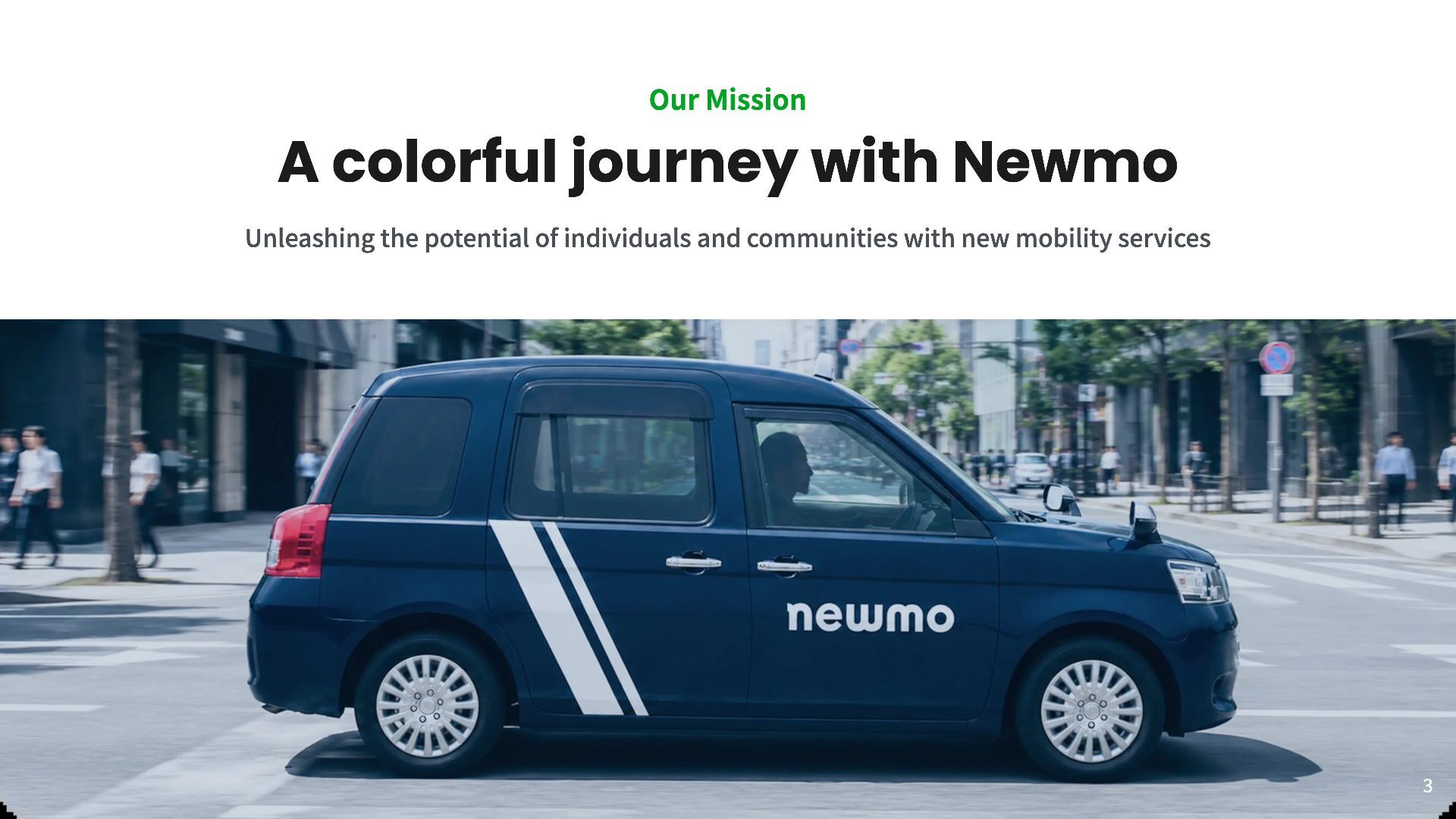
Our Mission A colorful journey with Newmo Unleashing the potential
of individuals and communities with new mobility services 3 -
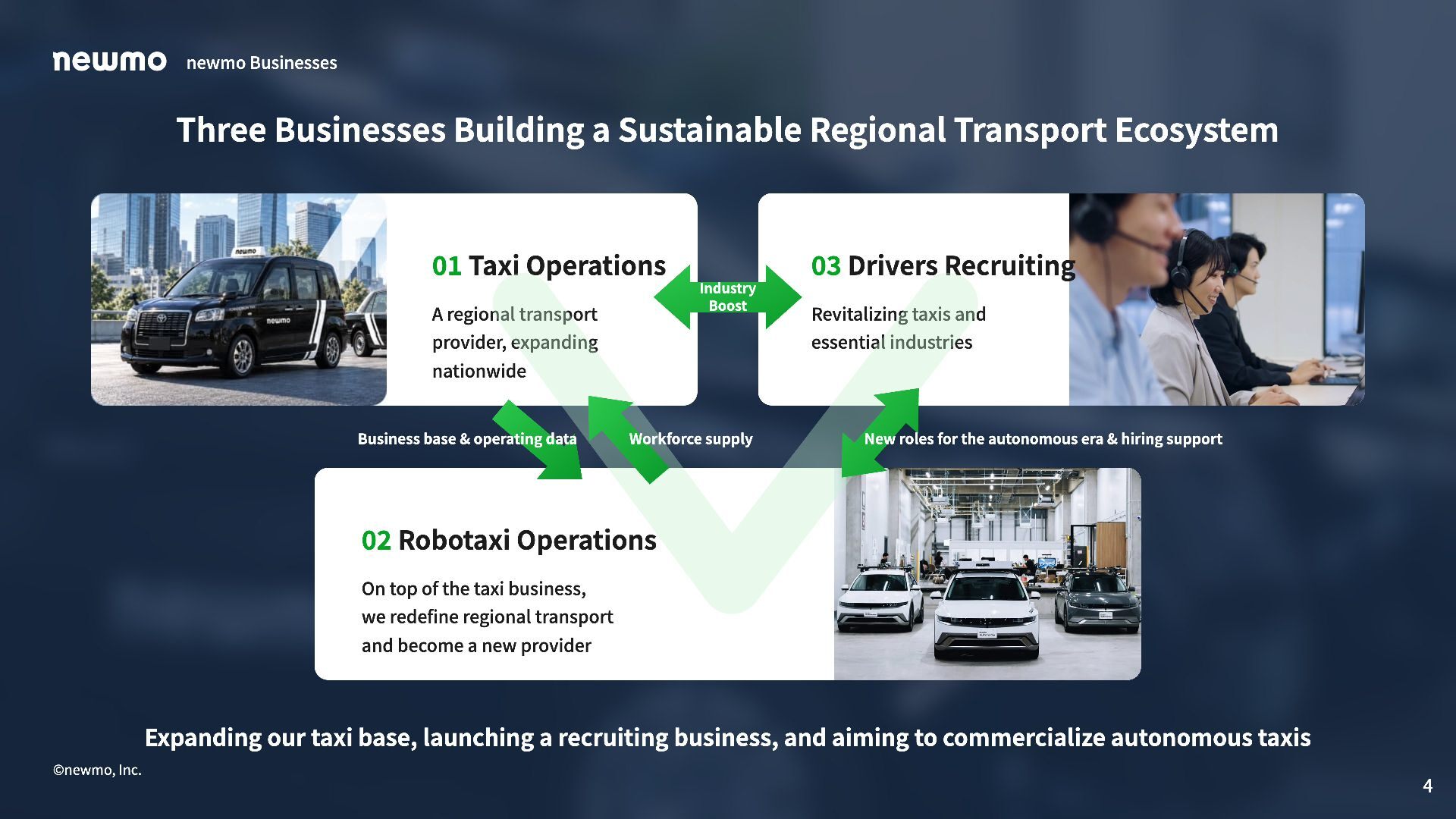
newmo Businesses Three Businesses Building a Sustainable Regional Transport Ecosystem
01 Taxi Operations 03 Drivers Recruiting Industry Boost A regional transport provider, expanding Revitalizing taxis and essential industries nationwide Business base & operating data Workforce supply New roles for the autonomous era & hiring support 02 Robotaxi Operations On top of the taxi business, we redefine regional transport and become a new provider Expanding our taxi base, launching a recruiting business, and aiming to commercialize autonomous taxis ©newmo, Inc. 4 -
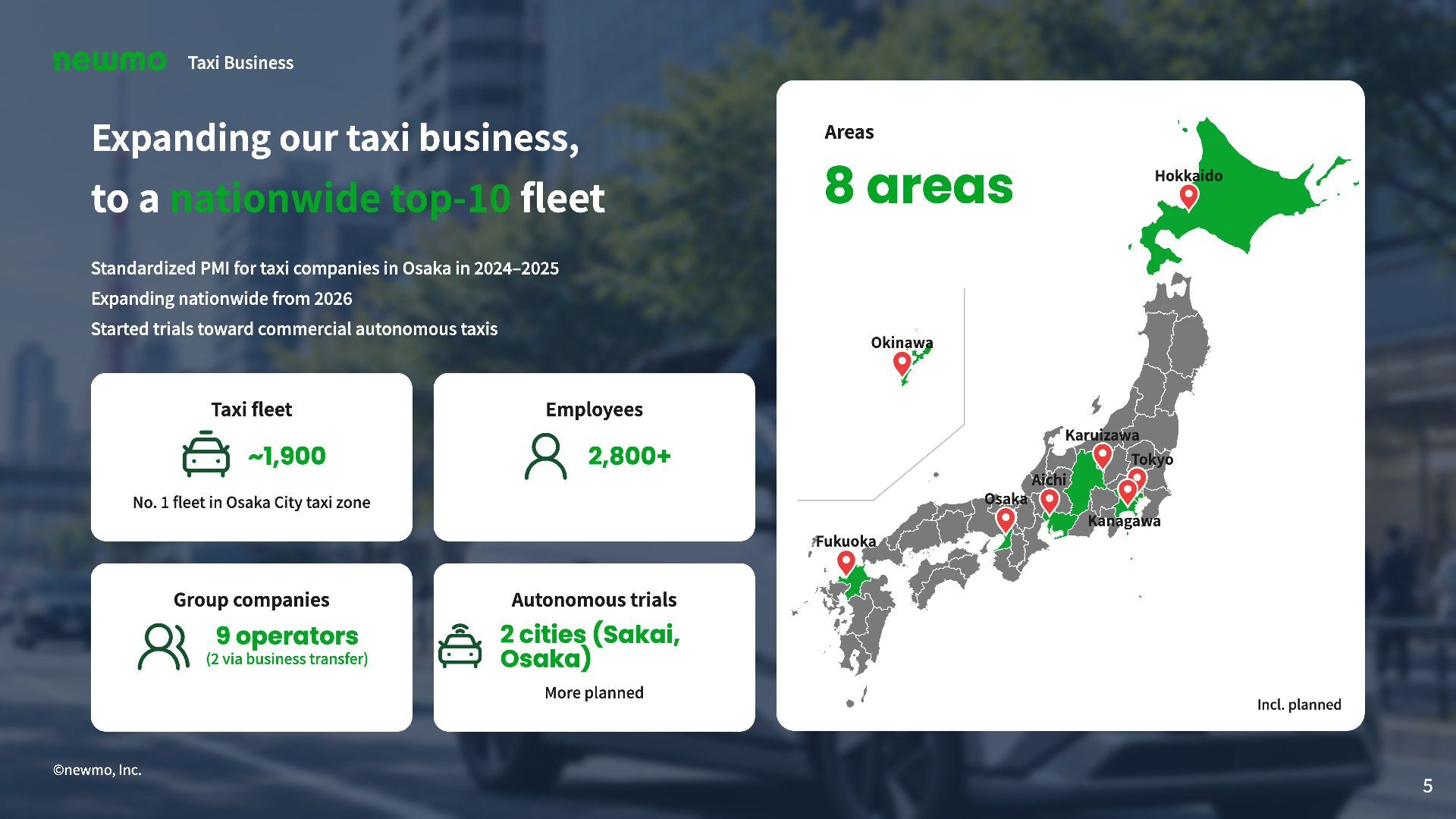
Taxi Business Expanding our taxi business, Areas to a nationwide
top-10 fleet 8 areas Hokkaido Standardized PMI for taxi companies in Osaka in 2024–2025 Expanding nationwide from 2026 Started trials toward commercial autonomous taxis Taxi fleet Okinawa Employees Karuizawa ~1,900 2,800+ Tokyo Aichi Osaka No. 1 fleet in Osaka City taxi zone Kanagawa Fukuoka Group companies 9 operators (2 via business transfer) Autonomous trials 2 cities (Sakai, Osaka) More planned Incl. planned ©newmo, Inc. 5 -
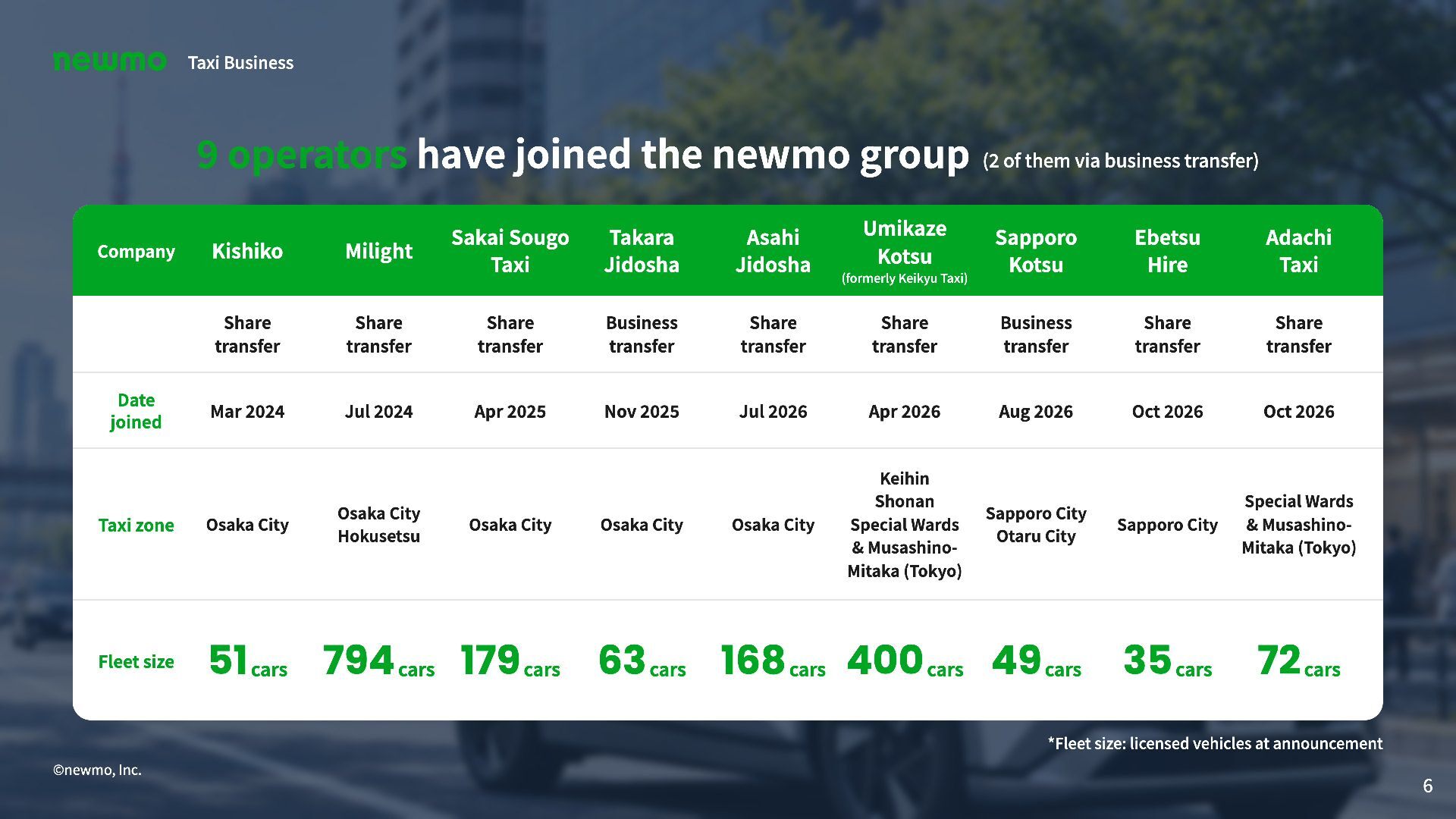
Taxi Business 9 operators have joined the newmo group (2
of them via business transfer) Company Kishiko Milight Sakai Sougo Taxi Takara Jidosha Asahi Jidosha Umikaze Kotsu (formerly Keikyu Taxi) Sapporo Kotsu Ebetsu Hire Adachi Taxi Share transfer Share transfer Share transfer Business transfer Share transfer Share transfer Business transfer Share transfer Share transfer Mar 2024 Jul 2024 Apr 2025 Nov 2025 Jul 2026 Apr 2026 Aug 2026 Oct 2026 Oct 2026 Taxi zone Osaka City Osaka City Keihin Shonan Special Wards & MusashinoMitaka (Tokyo) Sapporo City Otaru City Sapporo City Special Wards & MusashinoMitaka (Tokyo) Fleet size 51 cars 794 cars 179 cars 63 cars 168 cars 400 cars 49 cars 35 cars 72 cars Date joined Osaka City Hokusetsu Osaka City Osaka City *Fleet size: licensed vehicles at announcement ©newmo, Inc. 6 -
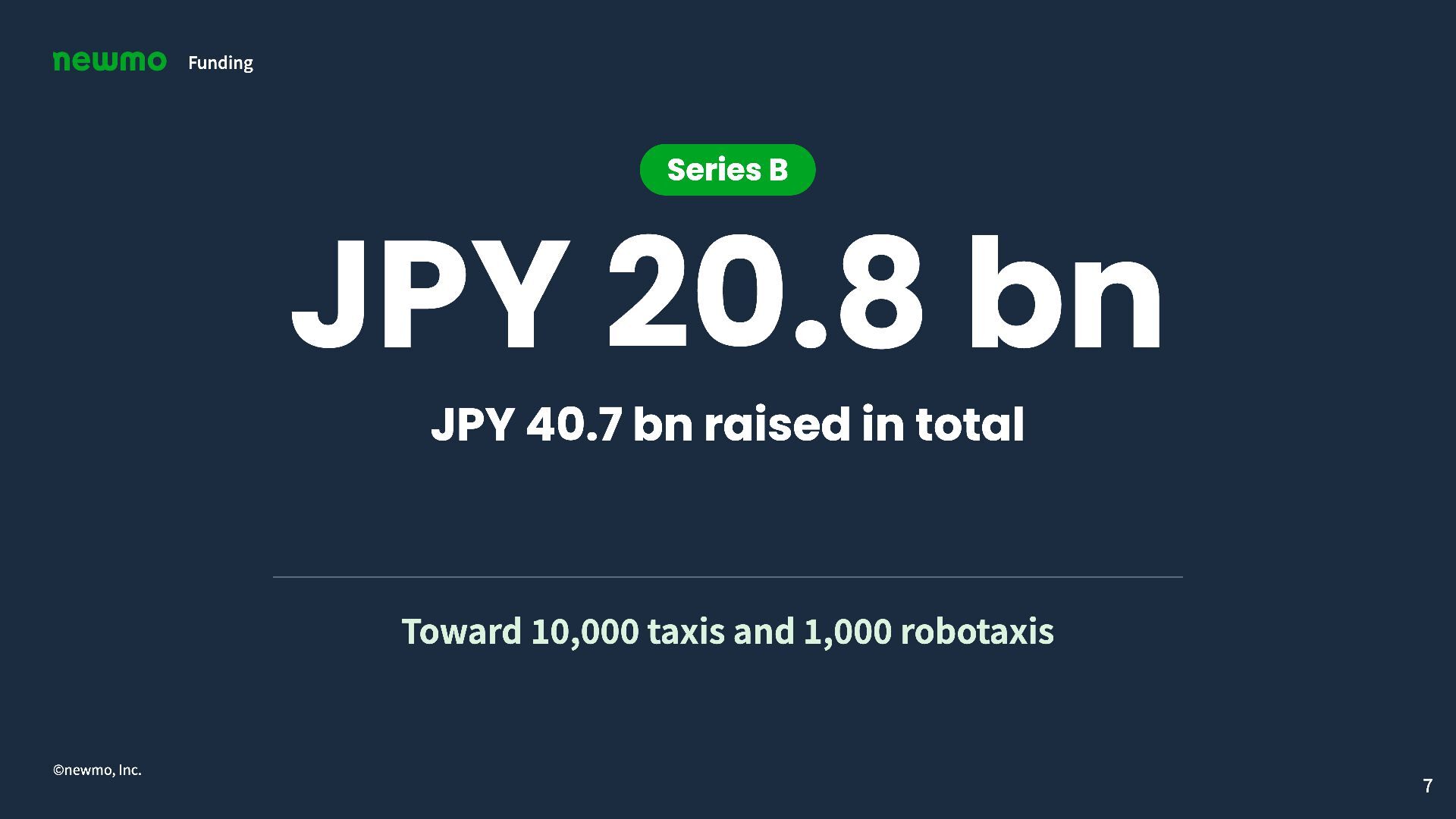
Funding Series B JPY 20.8 bn JPY 40.7 bn raised
in total Toward 10,000 taxis and 1,000 robotaxis ©newmo, Inc. 7 -
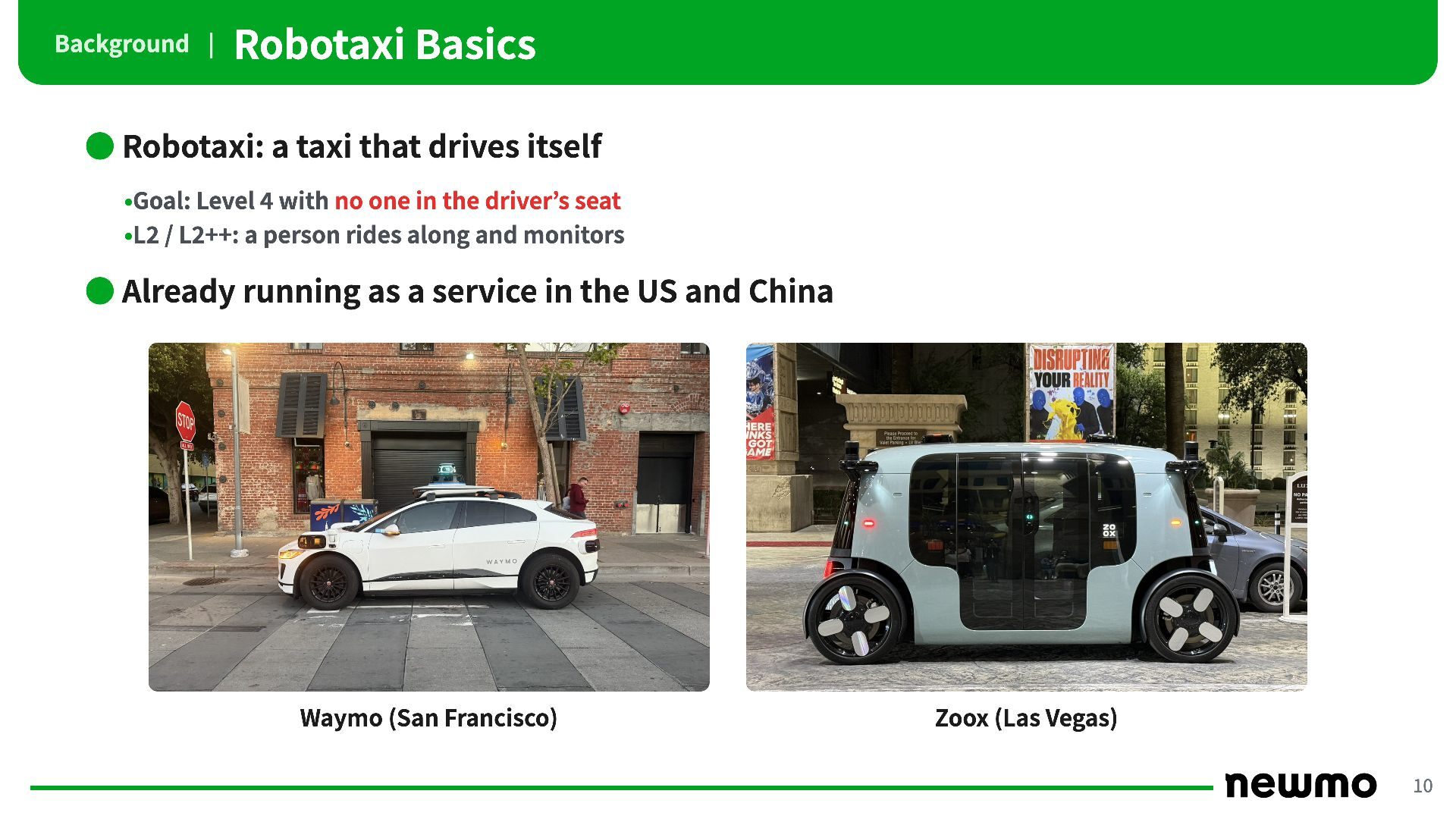
Background | Robotaxi Basics • Robotaxi: a taxi that drives
itself •Goal: Level 4 with no one in the driver’s seat •L2 / L2++: a person rides along and monitors • Already running as a service in the US and China Waymo (San Francisco) Zoox (Las Vegas) 10 -
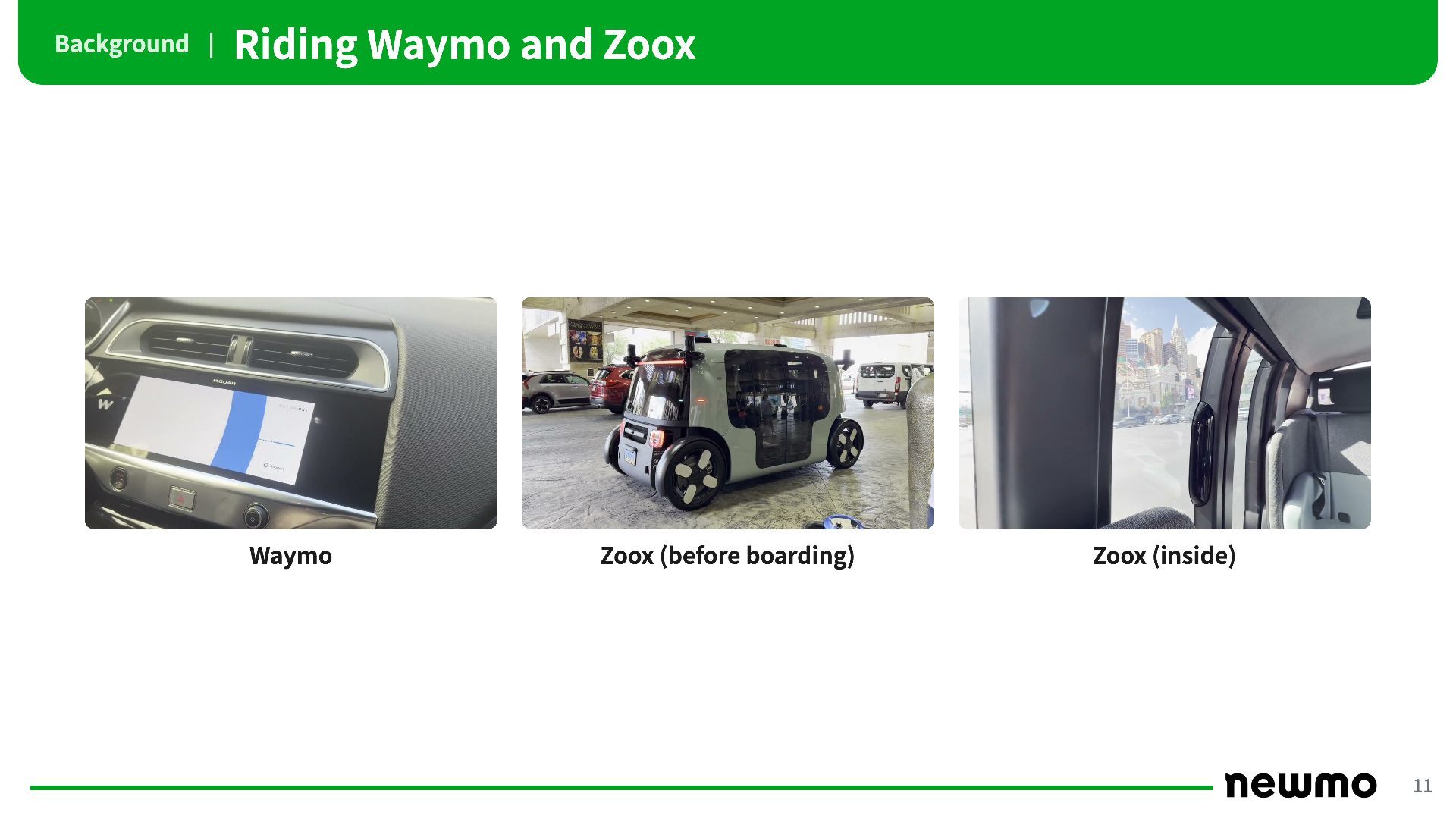
Background | Riding Waymo and Zoox Waymo Zoox (before boarding)
Zoox (inside) 11 -
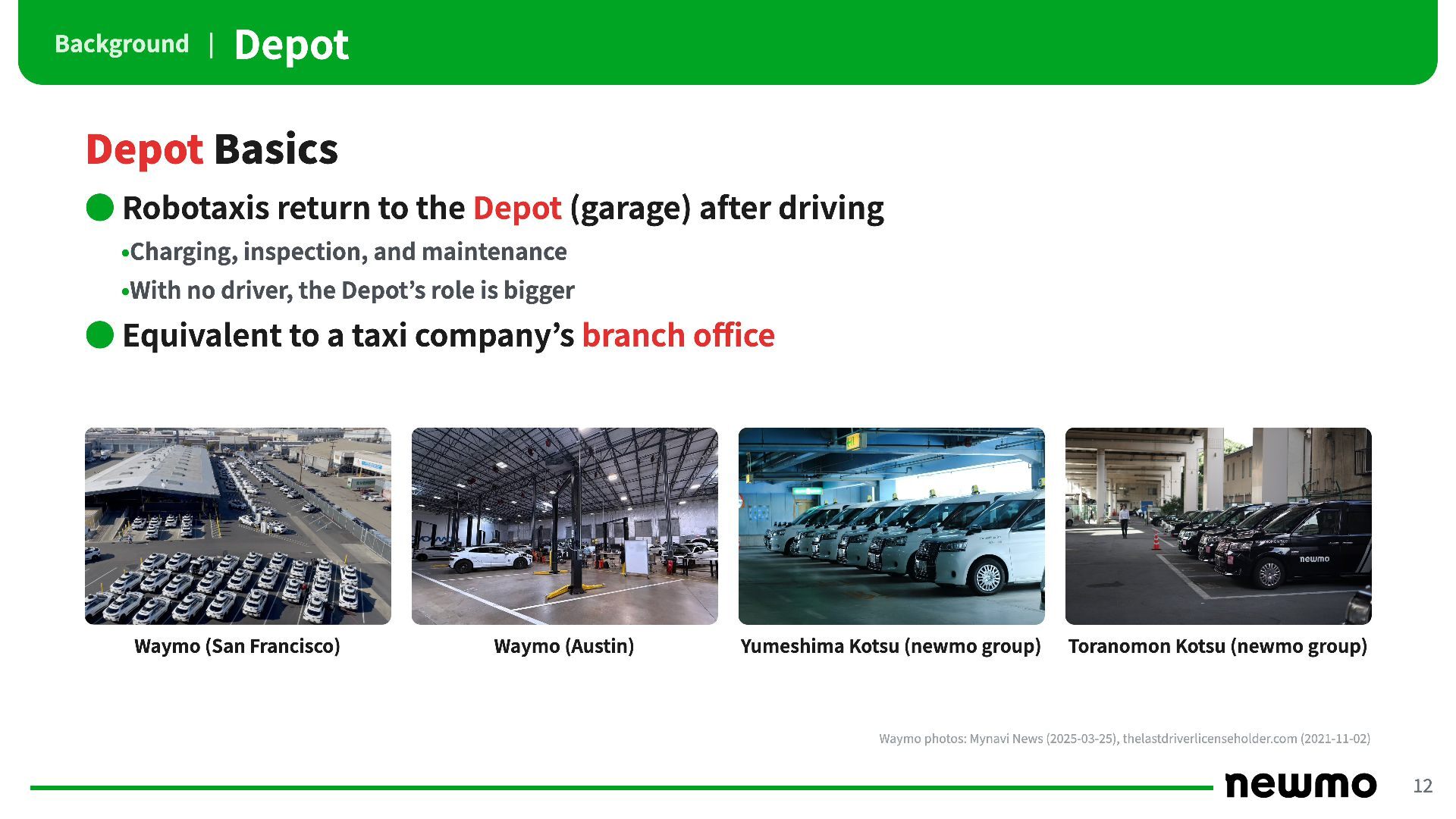
Background | Depot Depot Basics • Robotaxis return to the
Depot (garage) after driving •Charging, inspection, and maintenance •With no driver, the Depot’s role is bigger • Equivalent to a taxi company’s branch office Waymo (San Francisco) Waymo (Austin) Yumeshima Kotsu (newmo group) Toranomon Kotsu (newmo group) Waymo photos: Mynavi News (2025-03-25), thelastdriverlicenseholder.com (2021-11-02) 12 -
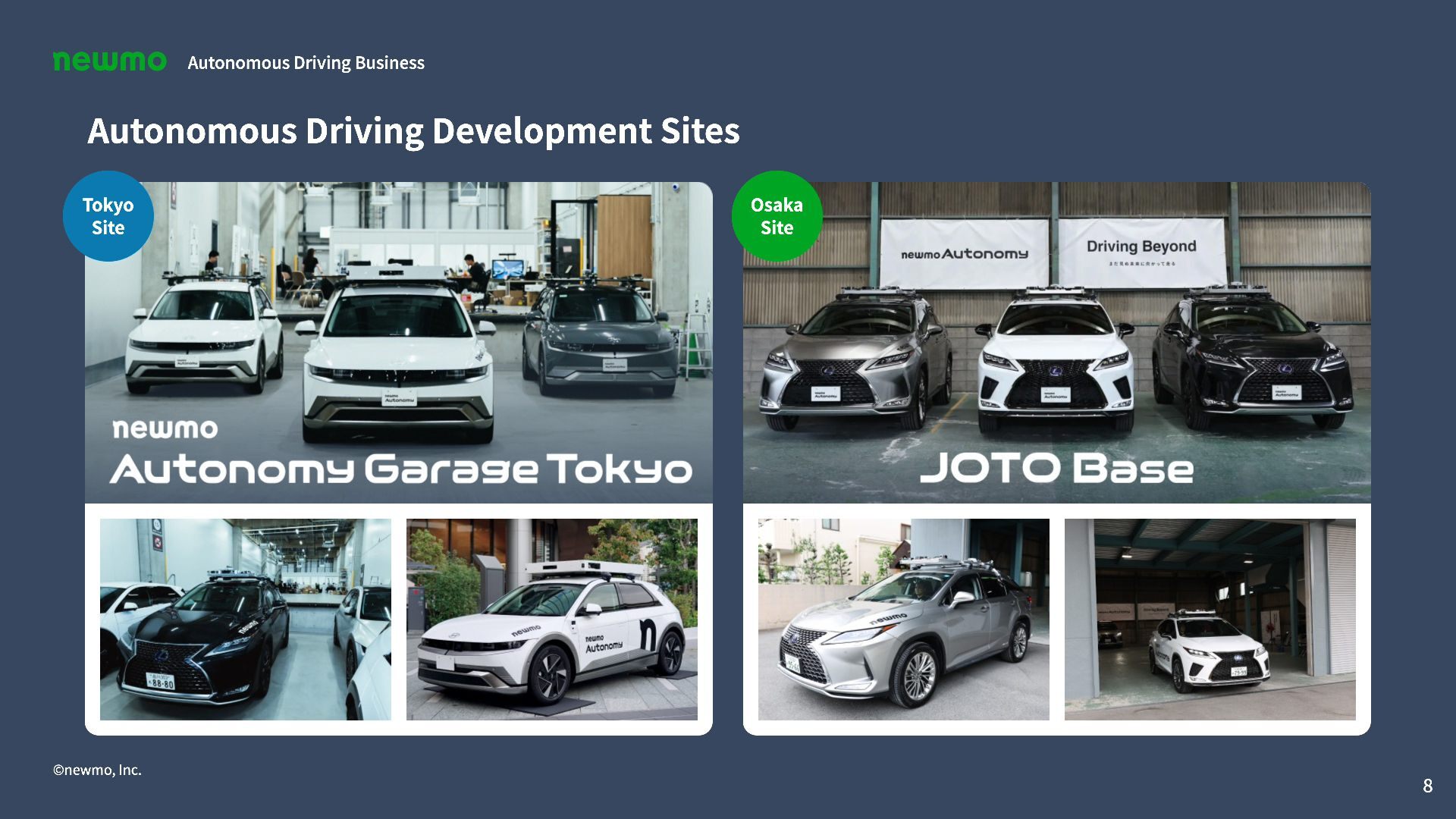
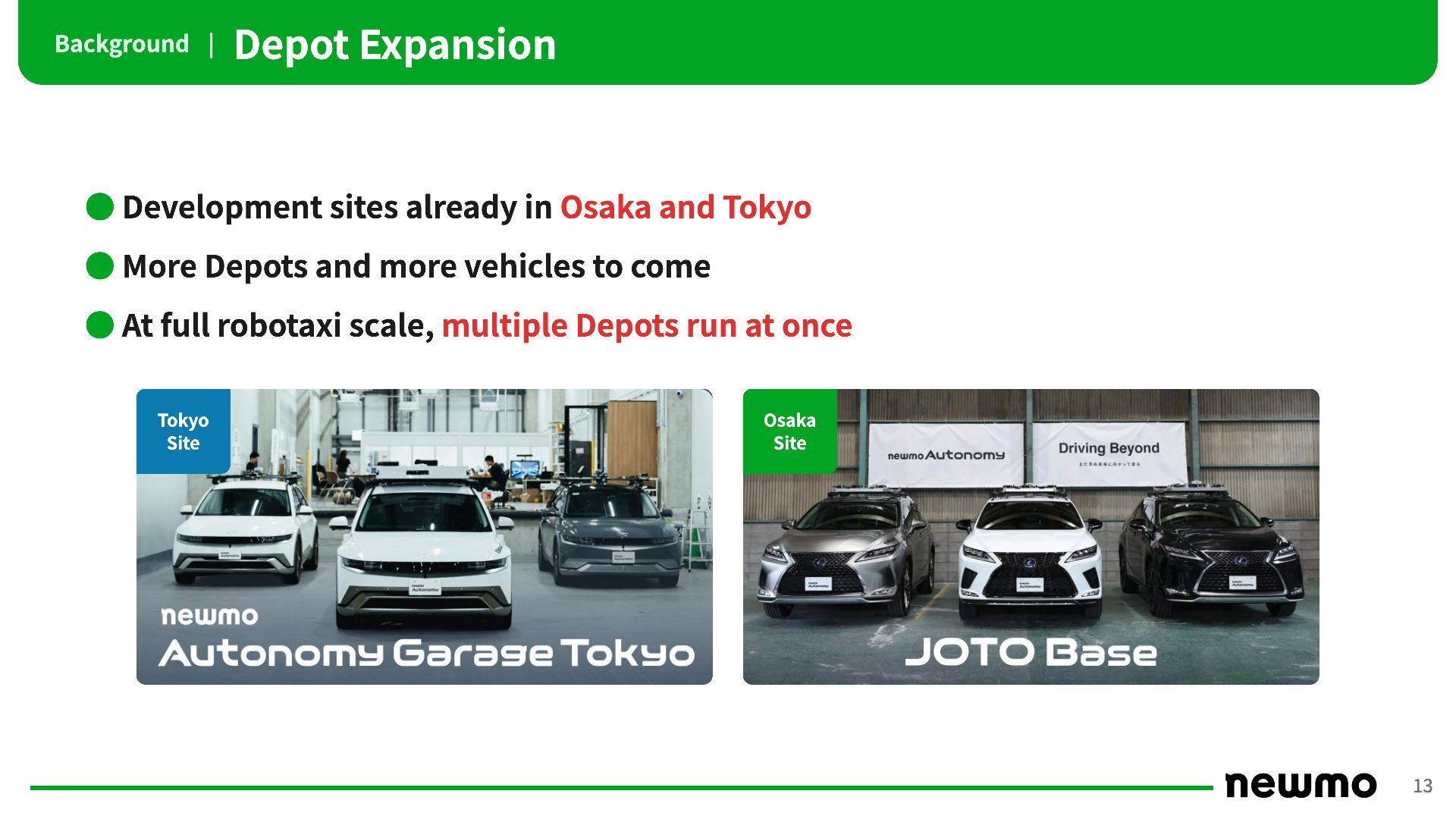
Background | Depot Expansion • Development sites already in Osaka
and Tokyo • More Depots and more vehicles to come • At full robotaxi scale, multiple Depots run at once Tokyo Site Osaka Site 13 -
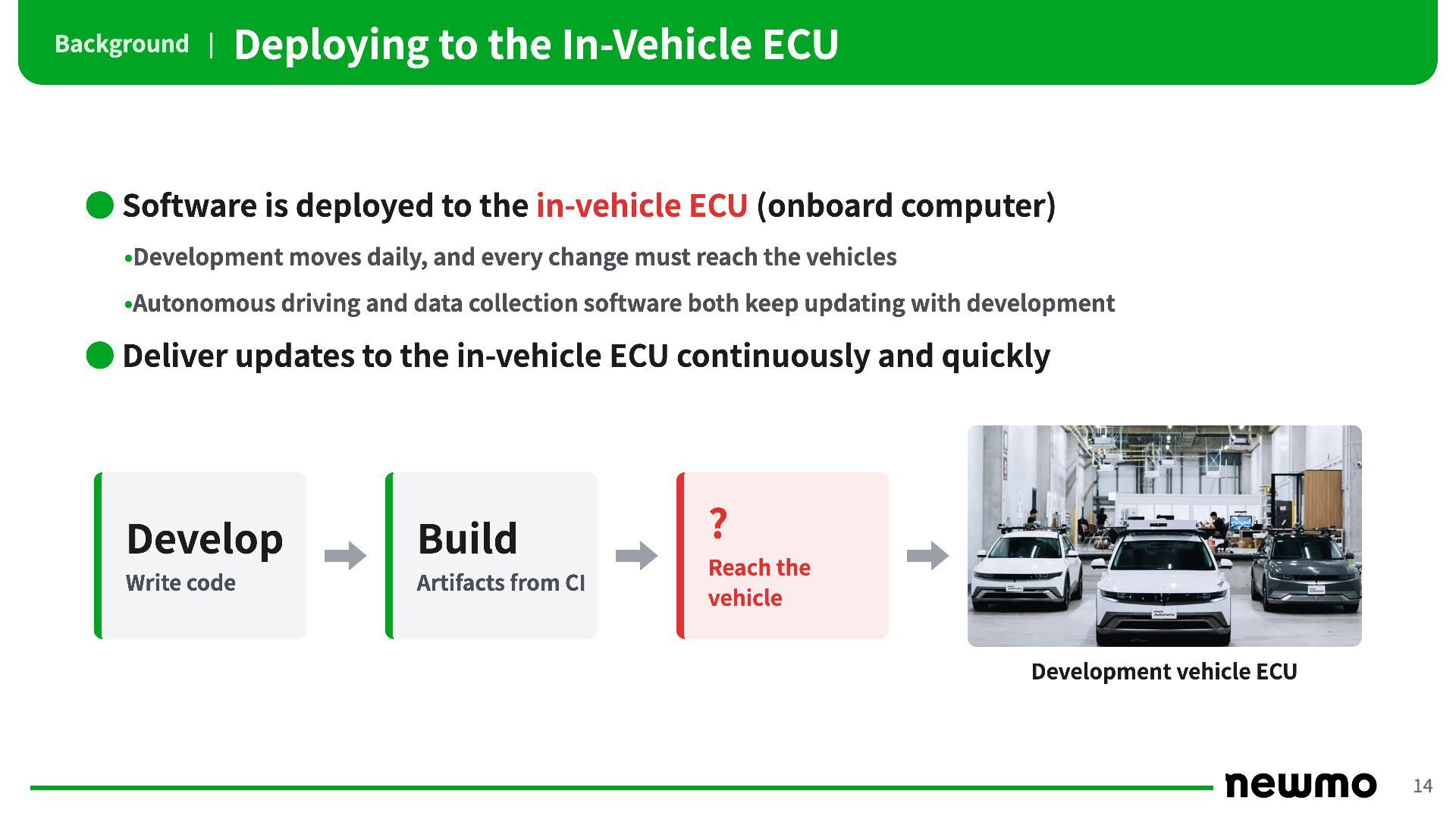
Background | Deploying to the In-Vehicle ECU • Software is
deployed to the in-vehicle ECU (onboard computer) •Development moves daily, and every change must reach the vehicles •Autonomous driving and data collection software both keep updating with development • Deliver updates to the in-vehicle ECU continuously and quickly Develop Build Write code Artifacts from CI ? Reach the vehicle Development vehicle ECU 14 -
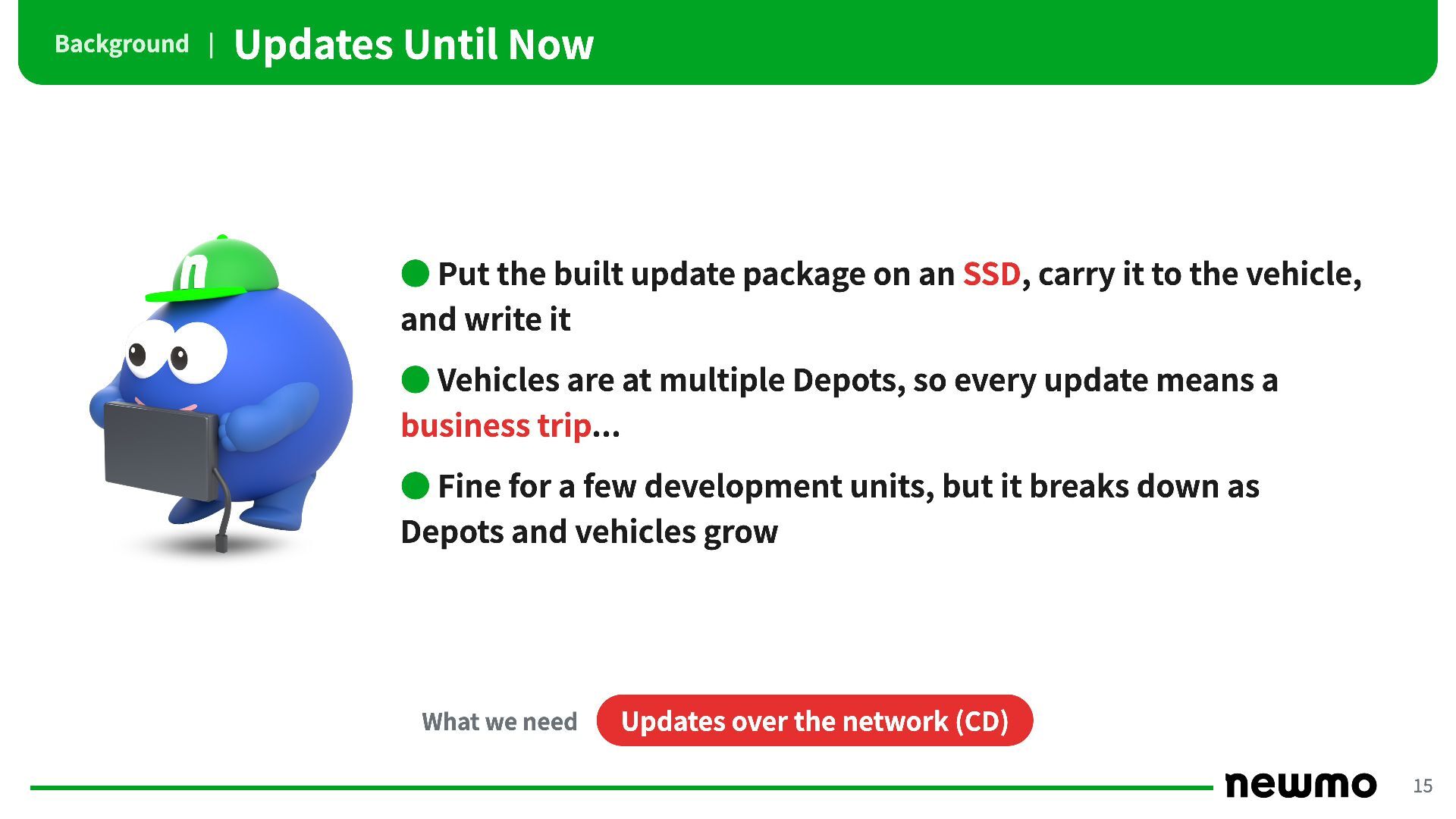
Background | Updates Until Now • Put the built update
package on an SSD, carry it to the vehicle, and write it • Vehicles are at multiple Depots, so every update means a business trip... • Fine for a few development units, but it breaks down as Depots and vehicles grow What we need Updates over the network (CD) 15 -
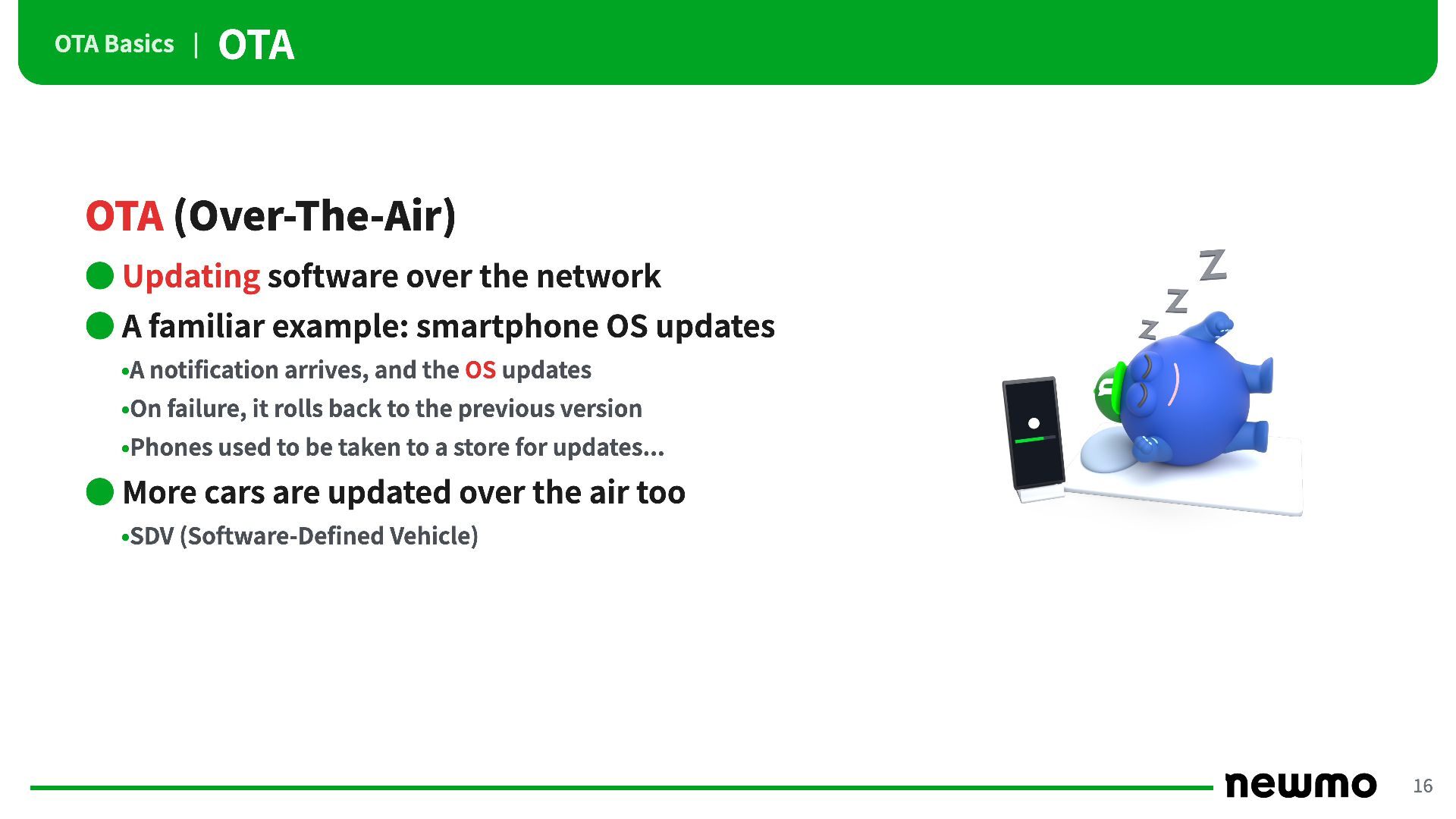
OTA Basics | OTA OTA (Over-The-Air) • Updating software over
the network • A familiar example: smartphone OS updates •A notification arrives, and the OS updates •On failure, it rolls back to the previous version •Phones used to be taken to a store for updates... • More cars are updated over the air too •SDV (Software-Defined Vehicle) 16 -
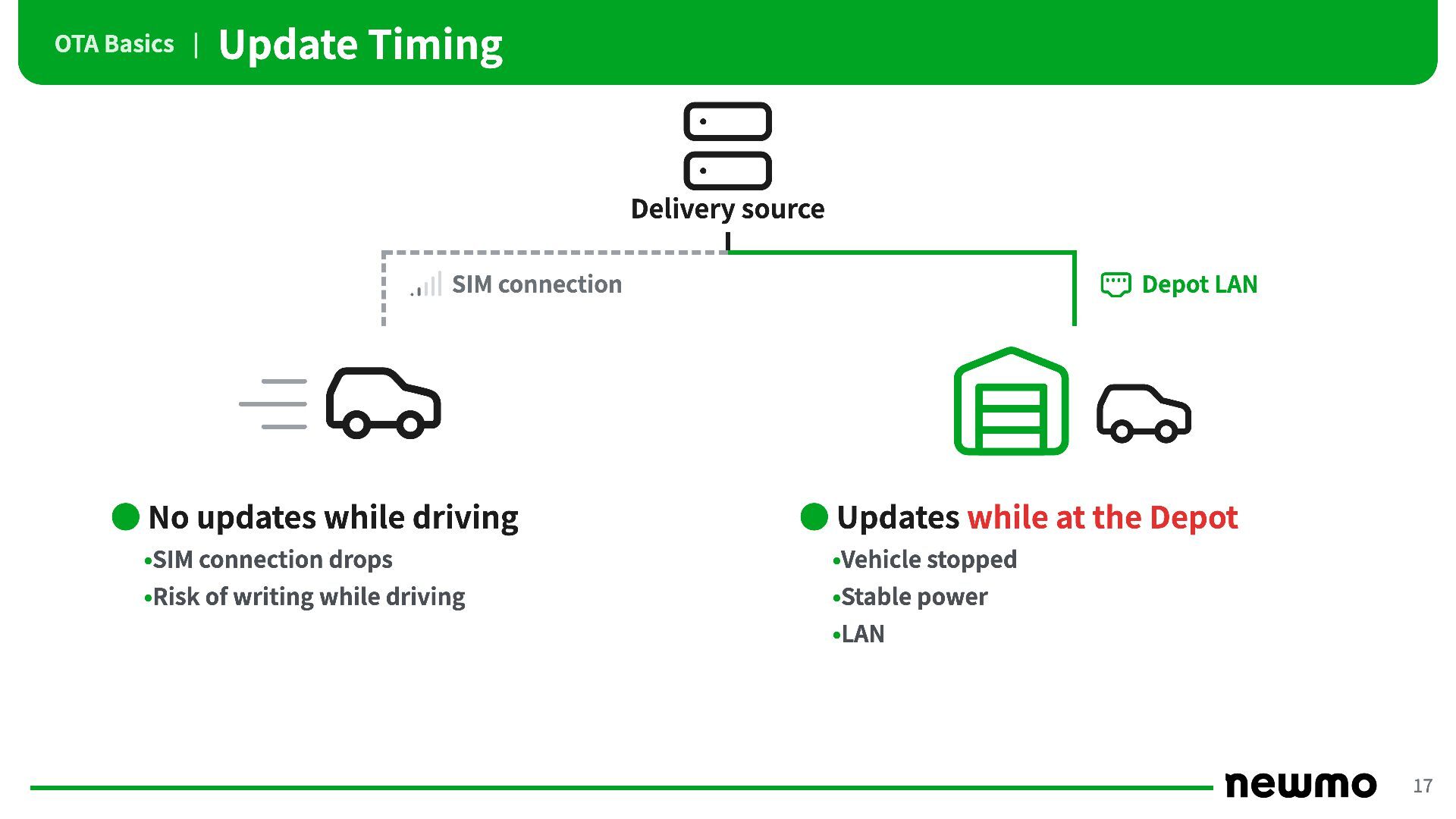
OTA Basics | Update Timing Delivery source SIM connection •
No updates while driving Depot LAN • Updates while at the Depot •SIM connection drops •Vehicle stopped •Risk of writing while driving •Stable power •LAN 17 -
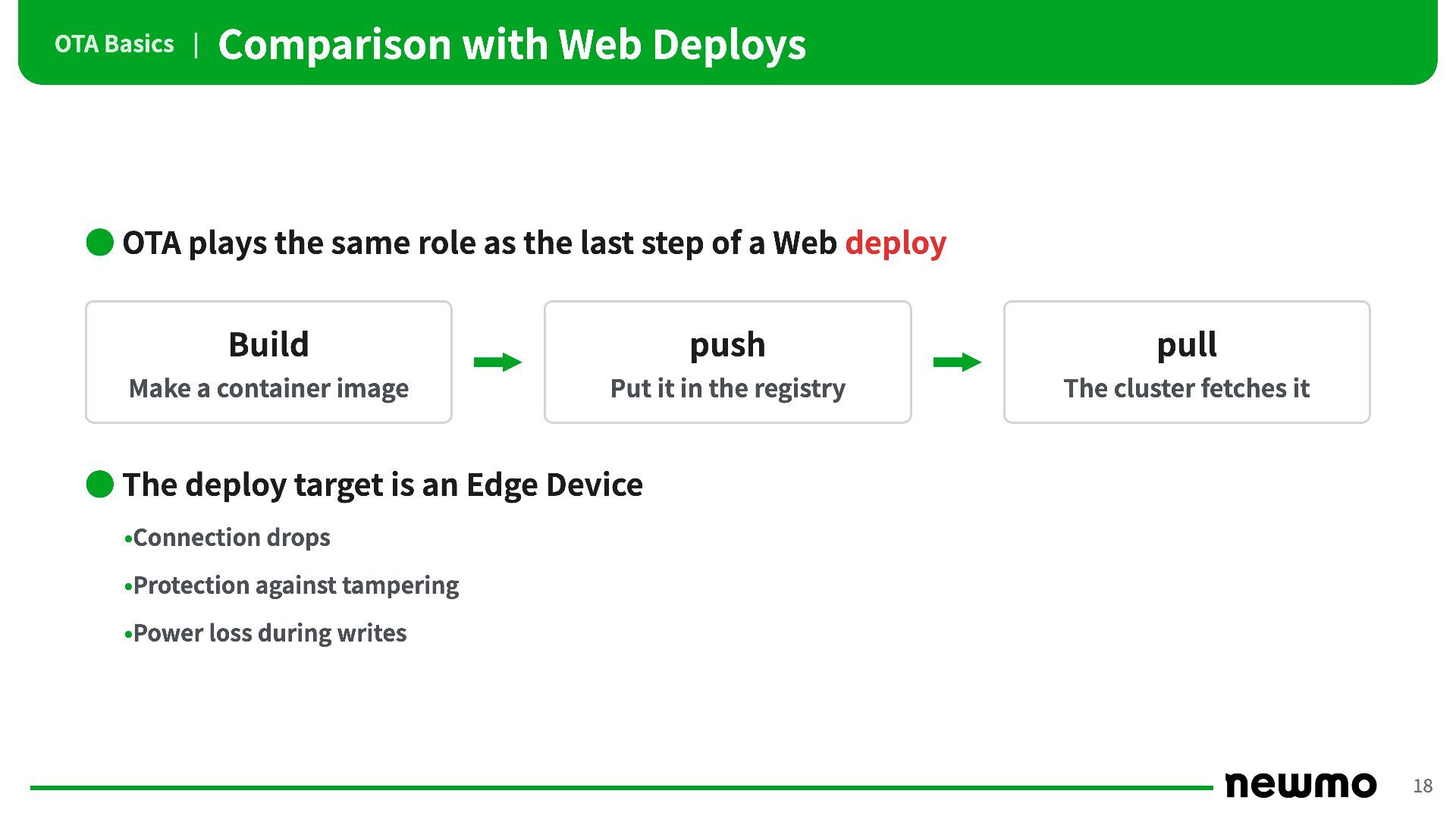
OTA Basics | Comparison with Web Deploys • OTA plays
the same role as the last step of a Web deploy Build push pull Make a container image Put it in the registry The cluster fetches it • The deploy target is an Edge Device •Connection drops •Protection against tampering •Power loss during writes 18 -
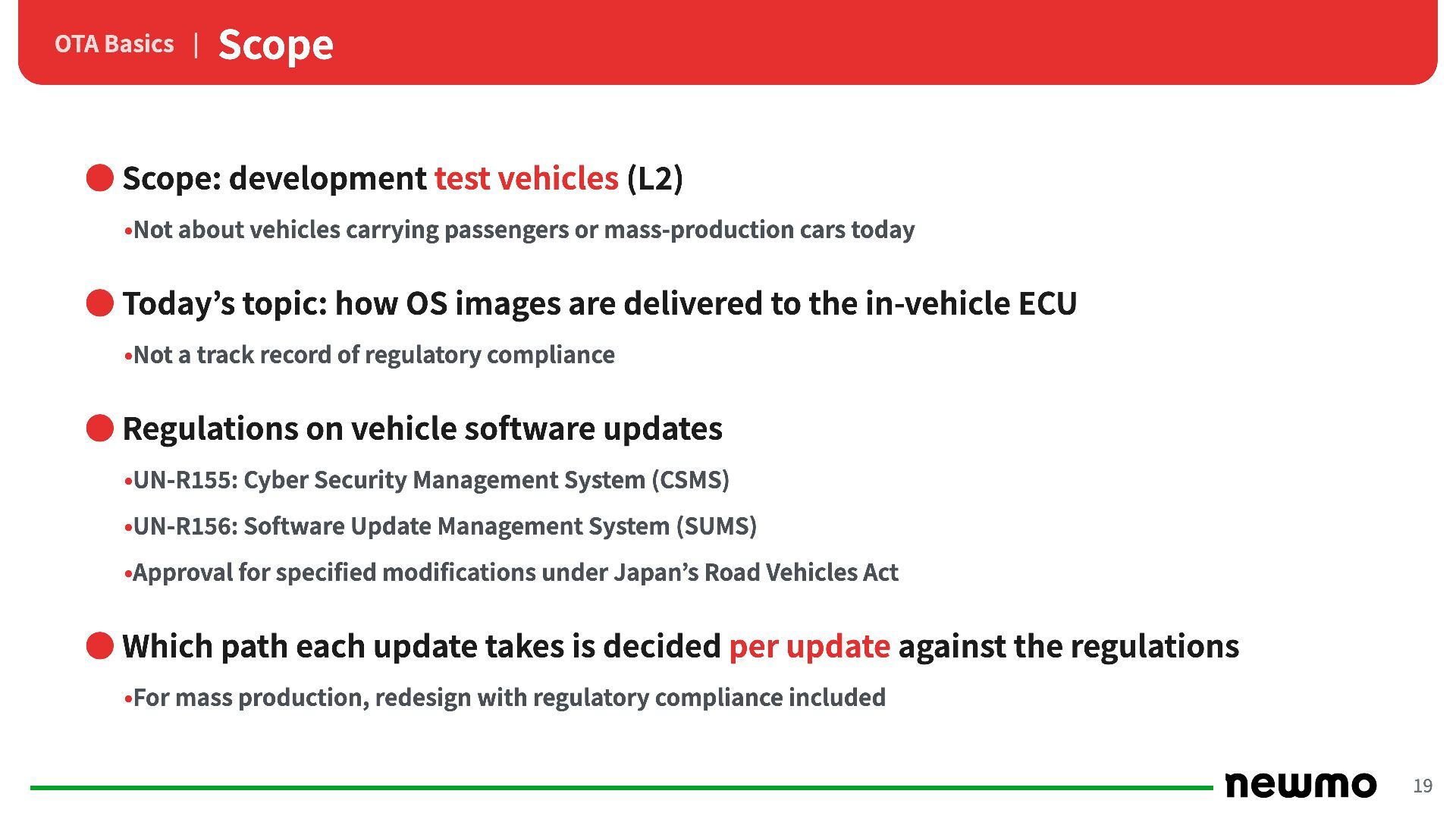
OTA Basics | Scope • Scope: development test vehicles (L2)
•Not about vehicles carrying passengers or mass-production cars today • Today’s topic: how OS images are delivered to the in-vehicle ECU •Not a track record of regulatory compliance • Regulations on vehicle software updates •UN-R155: Cyber Security Management System (CSMS) •UN-R156: Software Update Management System (SUMS) •Approval for specified modifications under Japan’s Road Vehicles Act • Which path each update takes is decided per update against the regulations •For mass production, redesign with regulatory compliance included 19 -
OTA Basics | Contents 1 Why Update the Whole OS
2 Distribution with OCI Artifacts 3 Declarative Vehicle Management with GitOps 4 Replication and Distribution to Depots 5 Offline Signature Verification 6 Wrap-up 20 -
Why Update the Whole OS | Updating Only the Application
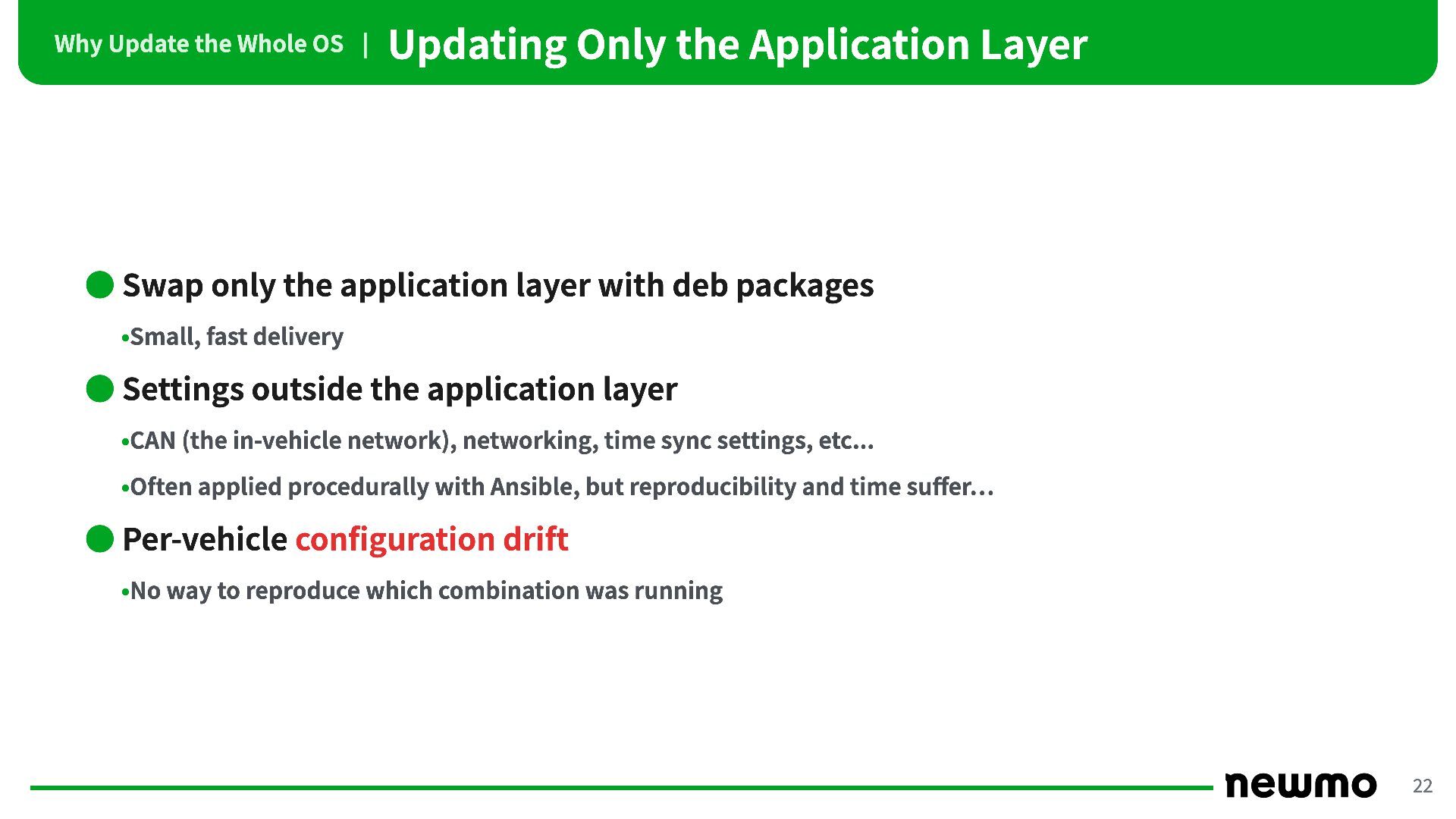
Layer • Swap only the application layer with deb packages •Small, fast delivery • Settings outside the application layer •CAN (the in-vehicle network), networking, time sync settings, etc... •Often applied procedurally with Ansible, but reproducibility and time suffer… • Per-vehicle configuration drift •No way to reproduce which combination was running 22 -
Why Update the Whole OS | Swapping the Whole Environment
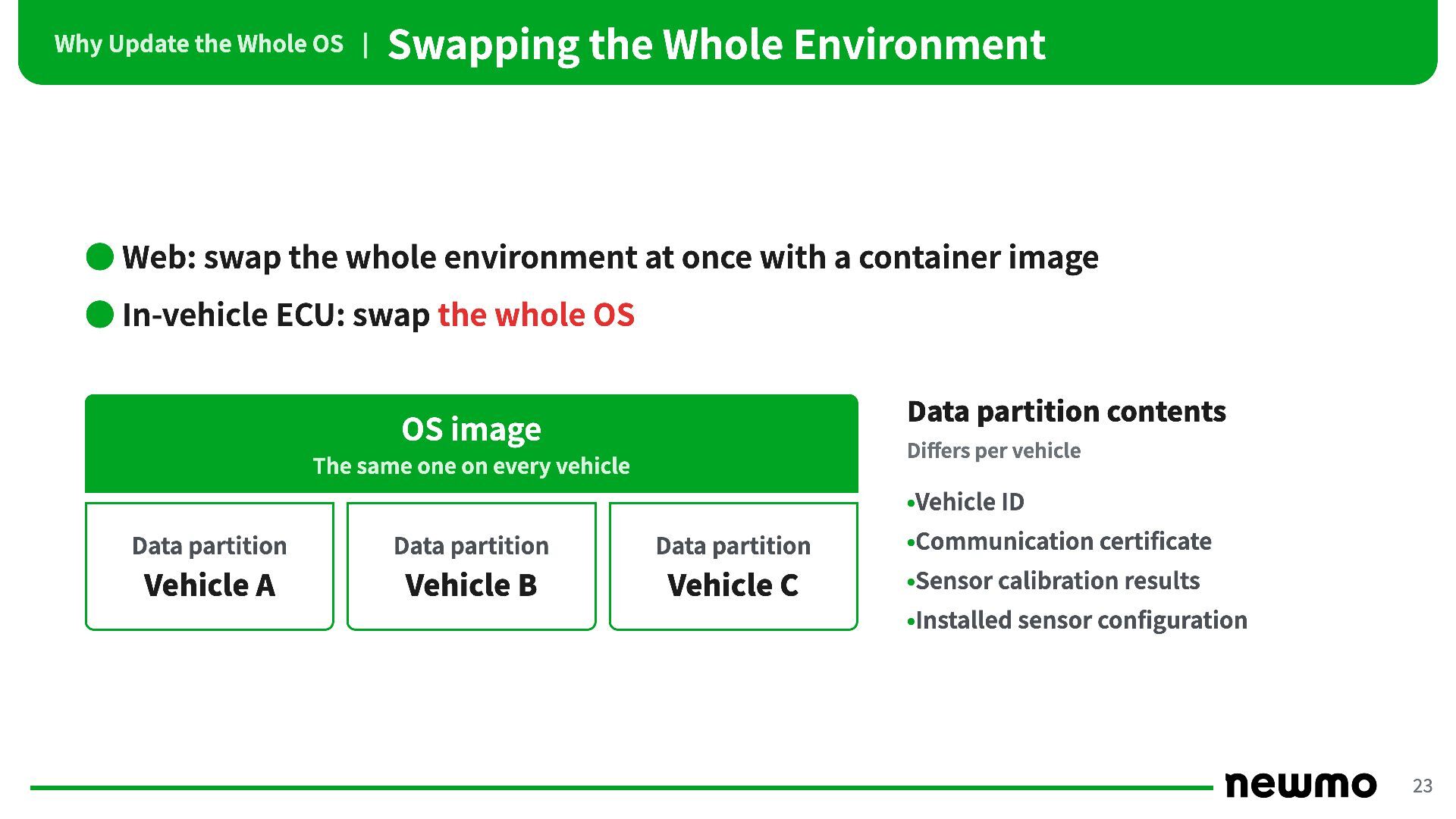
• Web: swap the whole environment at once with a container image • In-vehicle ECU: swap the whole OS Data partition contents OS image Differs per vehicle The same one on every vehicle •Vehicle ID Data partition Data partition Data partition •Communication certificate Vehicle A Vehicle B Vehicle C •Sensor calibration results •Installed sensor configuration 23 -
Why Update the Whole OS | OTA Mechanism of the
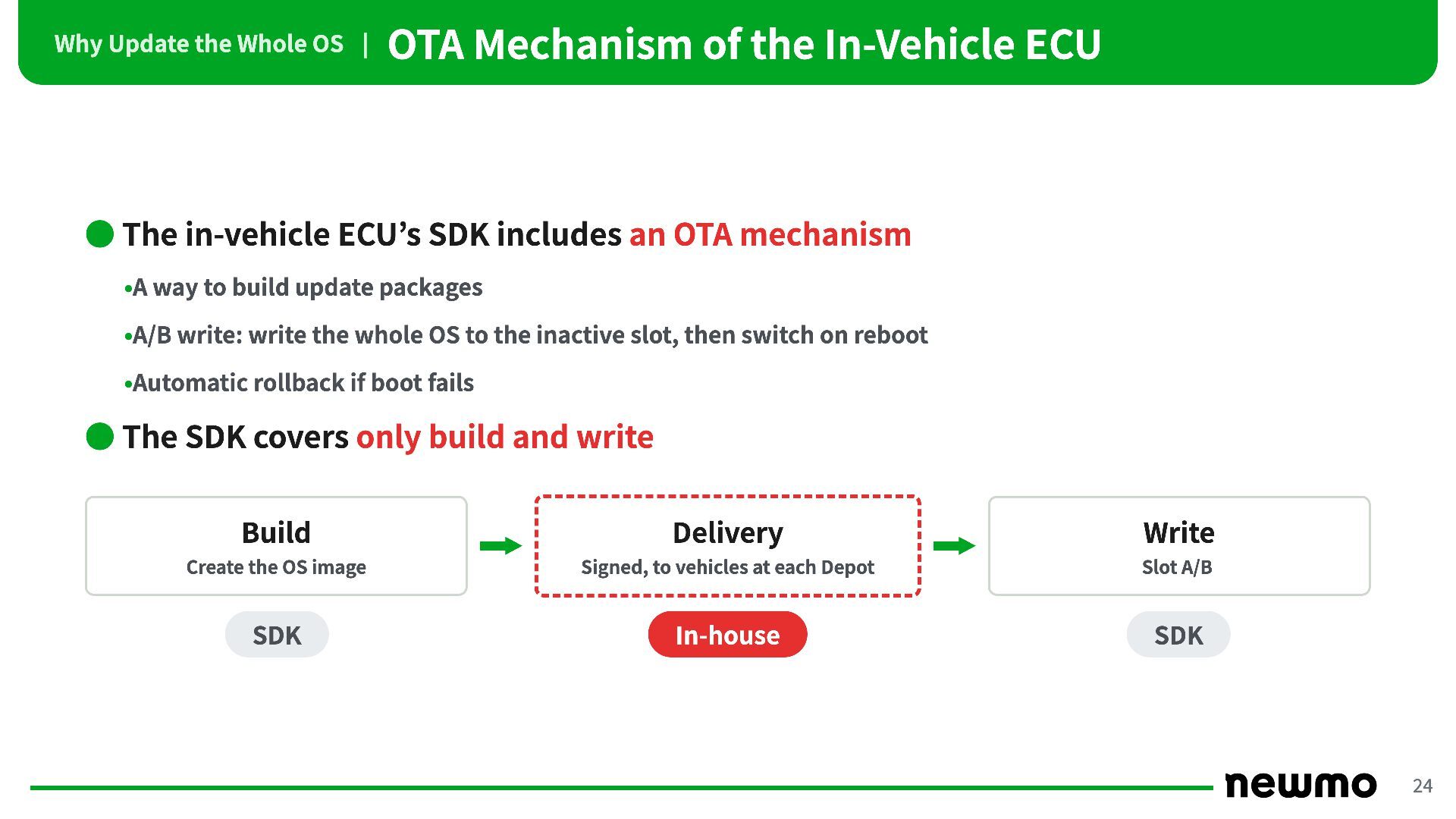
In-Vehicle ECU • The in-vehicle ECU’s SDK includes an OTA mechanism •A way to build update packages •A/B write: write the whole OS to the inactive slot, then switch on reboot •Automatic rollback if boot fails • The SDK covers only build and write Build Delivery Write Create the OS image Signed, to vehicles at each Depot Slot A/B SDK In-house SDK 24 -
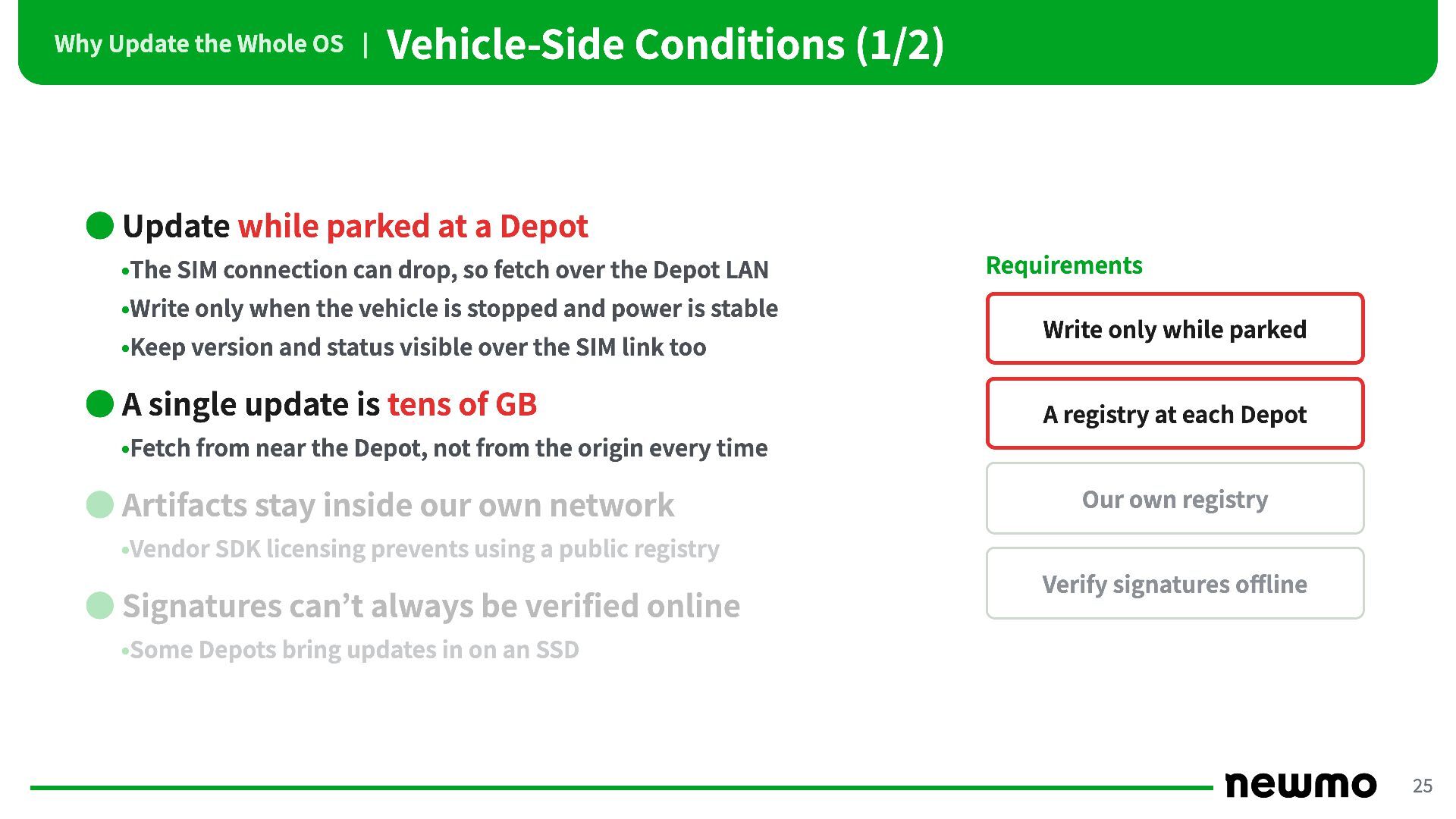
Why Update the Whole OS | Vehicle-Side Conditions (1/2) •
Update while parked at a Depot •The SIM connection can drop, so fetch over the Depot LAN •Write only when the vehicle is stopped and power is stable •Keep version and status visible over the SIM link too • A single update is tens of GB Requirements Write only while parked A registry at each Depot •Fetch from near the Depot, not from the origin every time • Artifacts stay inside our own network Our own registry •Vendor SDK licensing prevents using a public registry • Signatures can’t always be verified online Verify signatures offline •Some Depots bring updates in on an SSD 25 -
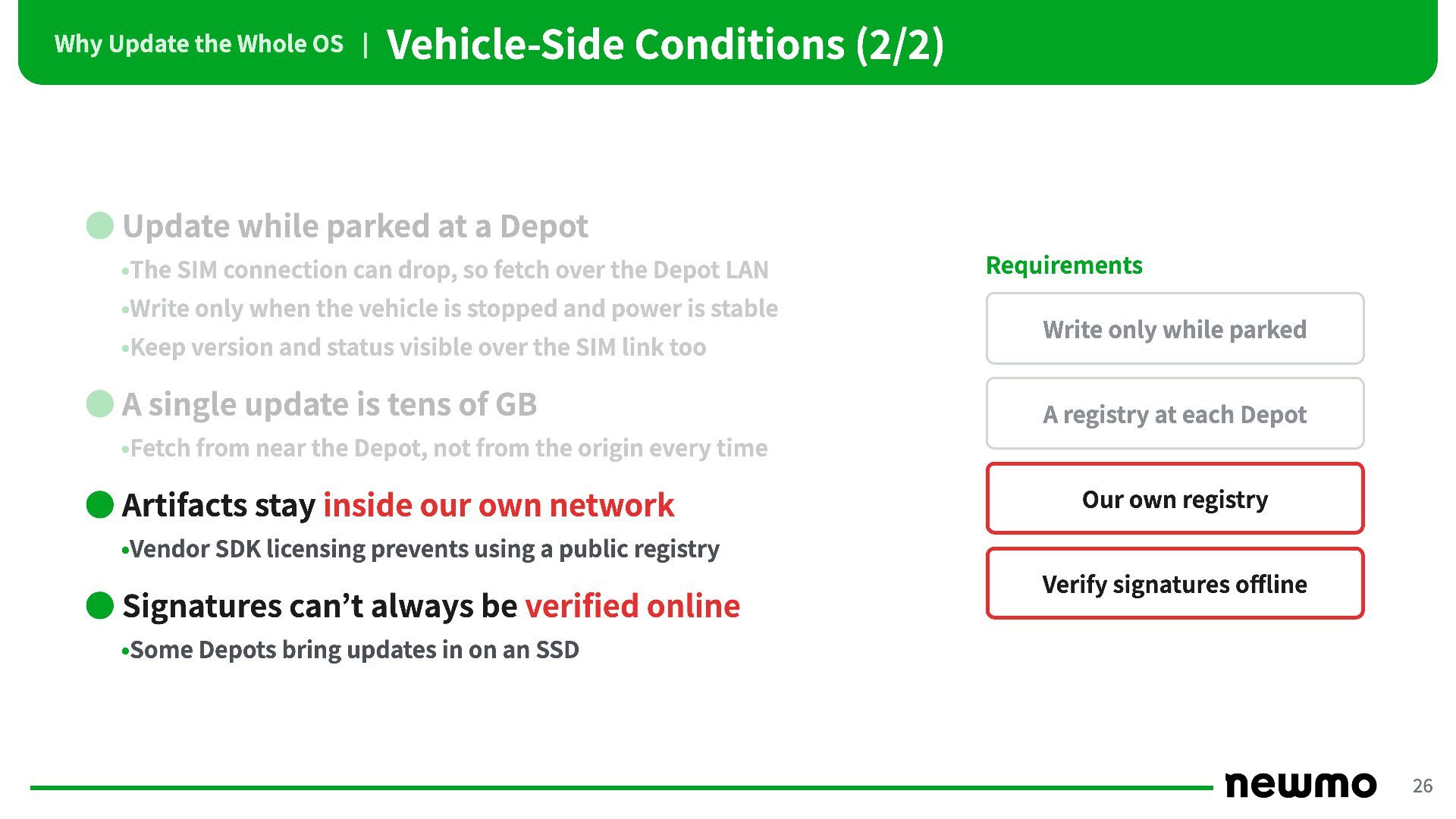
Why Update the Whole OS | Vehicle-Side Conditions (2/2) •
Update while parked at a Depot •The SIM connection can drop, so fetch over the Depot LAN •Write only when the vehicle is stopped and power is stable •Keep version and status visible over the SIM link too • A single update is tens of GB Requirements Write only while parked A registry at each Depot •Fetch from near the Depot, not from the origin every time • Artifacts stay inside our own network Our own registry •Vendor SDK licensing prevents using a public registry • Signatures can’t always be verified online Verify signatures offline •Some Depots bring updates in on an SSD 26 -
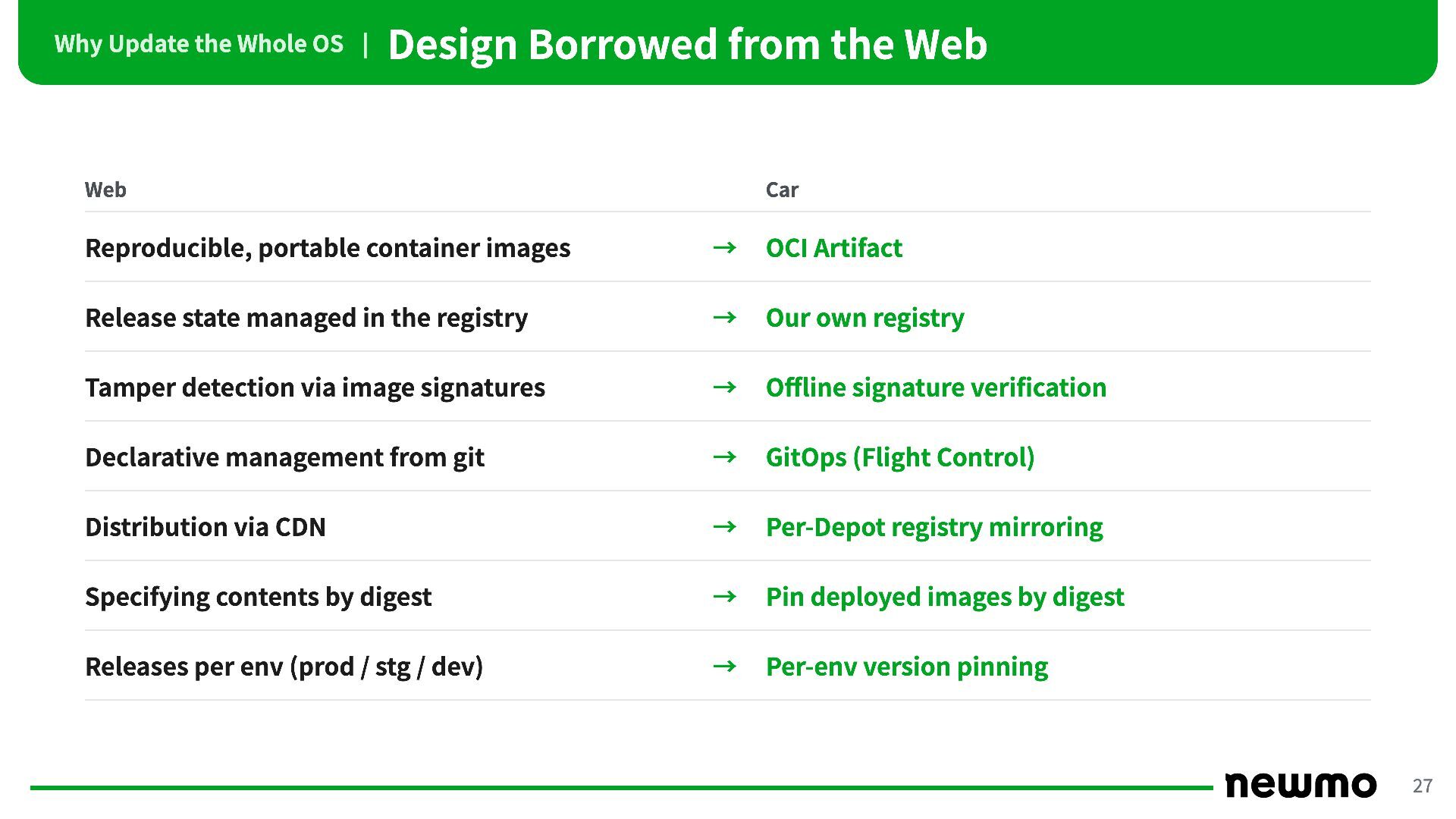
Why Update the Whole OS | Design Borrowed from the
Web Web Car Reproducible, portable container images → OCI Artifact Release state managed in the registry → Our own registry Tamper detection via image signatures → Offline signature verification Declarative management from git → GitOps (Flight Control) Distribution via CDN → Per-Depot registry mirroring Specifying contents by digest → Pin deployed images by digest Releases per env (prod / stg / dev) → Per-env version pinning 27 -
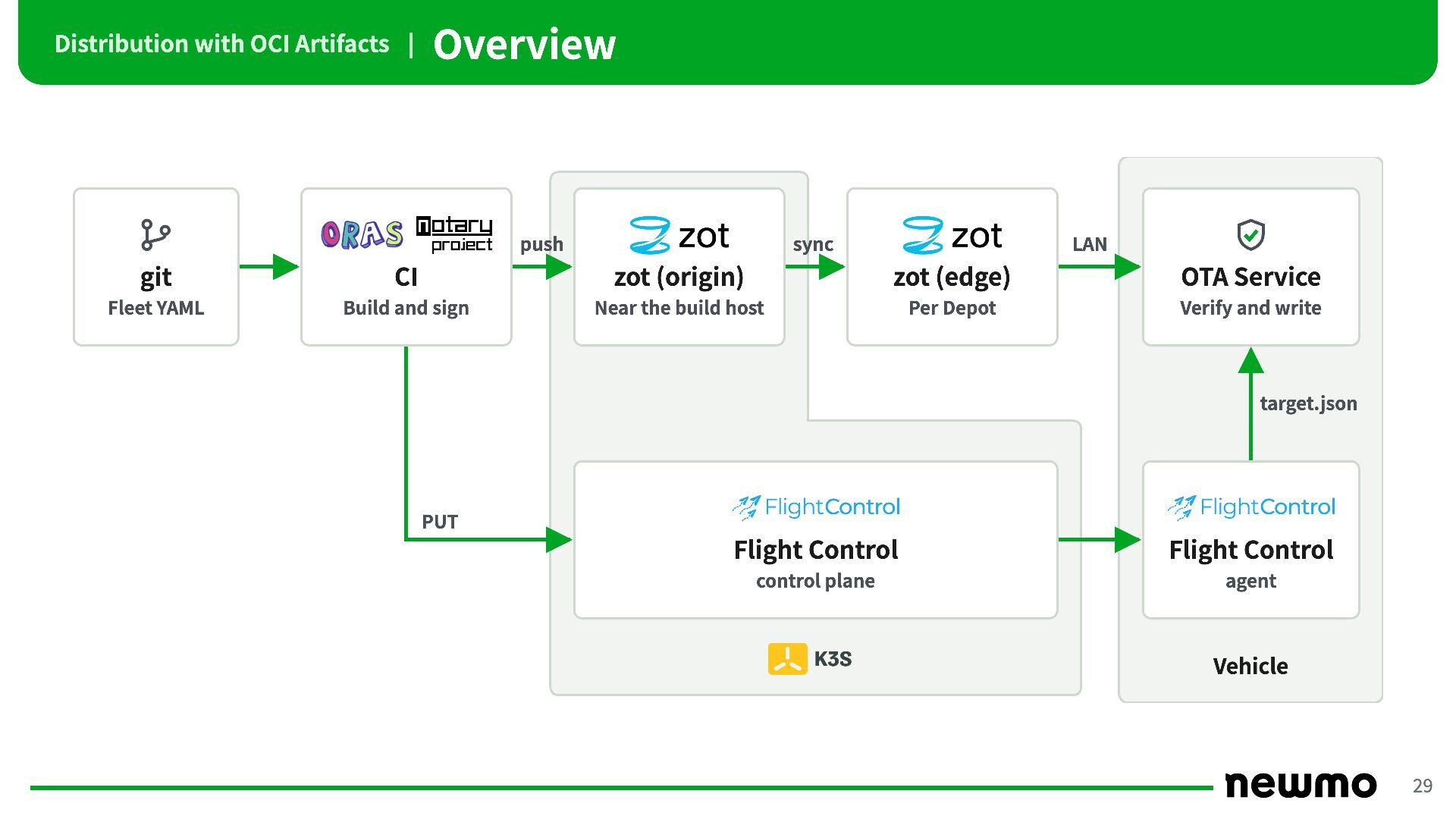
Distribution with OCI Artifacts | Overview push sync LAN git
CI zot (origin) zot (edge) OTA Service Fleet YAML Build and sign Near the build host Per Depot Verify and write target.json PUT Flight Control Flight Control control plane agent Vehicle 29 -
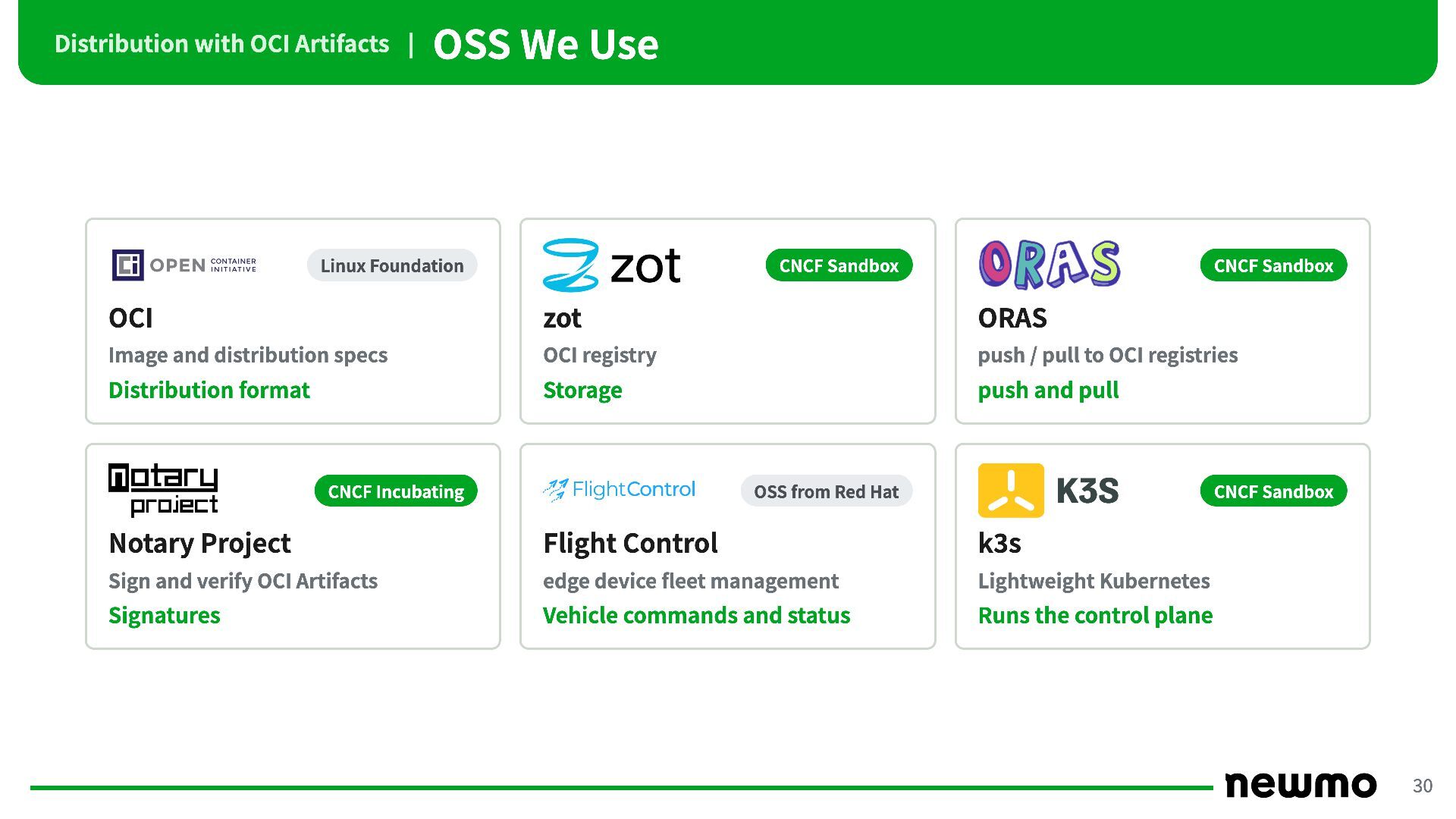
Distribution with OCI Artifacts | OSS We Use Linux Foundation
CNCF Sandbox CNCF Sandbox OCI zot ORAS Image and distribution specs OCI registry push / pull to OCI registries Distribution format Storage push and pull CNCF Incubating OSS from Red Hat CNCF Sandbox Notary Project Flight Control k3s Sign and verify OCI Artifacts edge device fleet management Lightweight Kubernetes Signatures Vehicle commands and status Runs the control plane 30 -
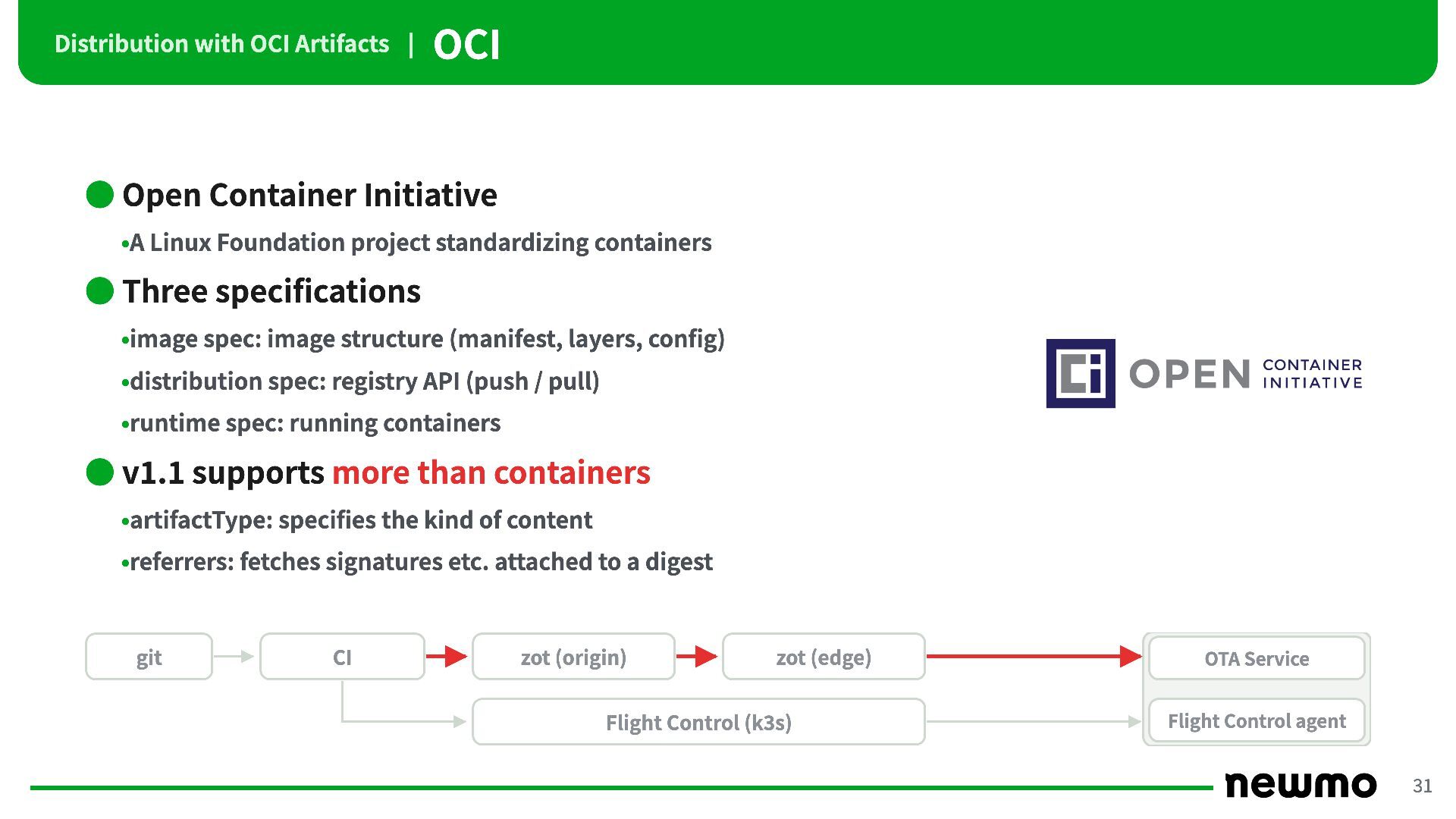
Distribution with OCI Artifacts | OCI • Open Container Initiative
•A Linux Foundation project standardizing containers • Three specifications •image spec: image structure (manifest, layers, config) •distribution spec: registry API (push / pull) •runtime spec: running containers • v1.1 supports more than containers •artifactType: specifies the kind of content •referrers: fetches signatures etc. attached to a digest git CI zot (origin) zot (edge) Flight Control (k3s) OTA Service Flight Control agent 31 -
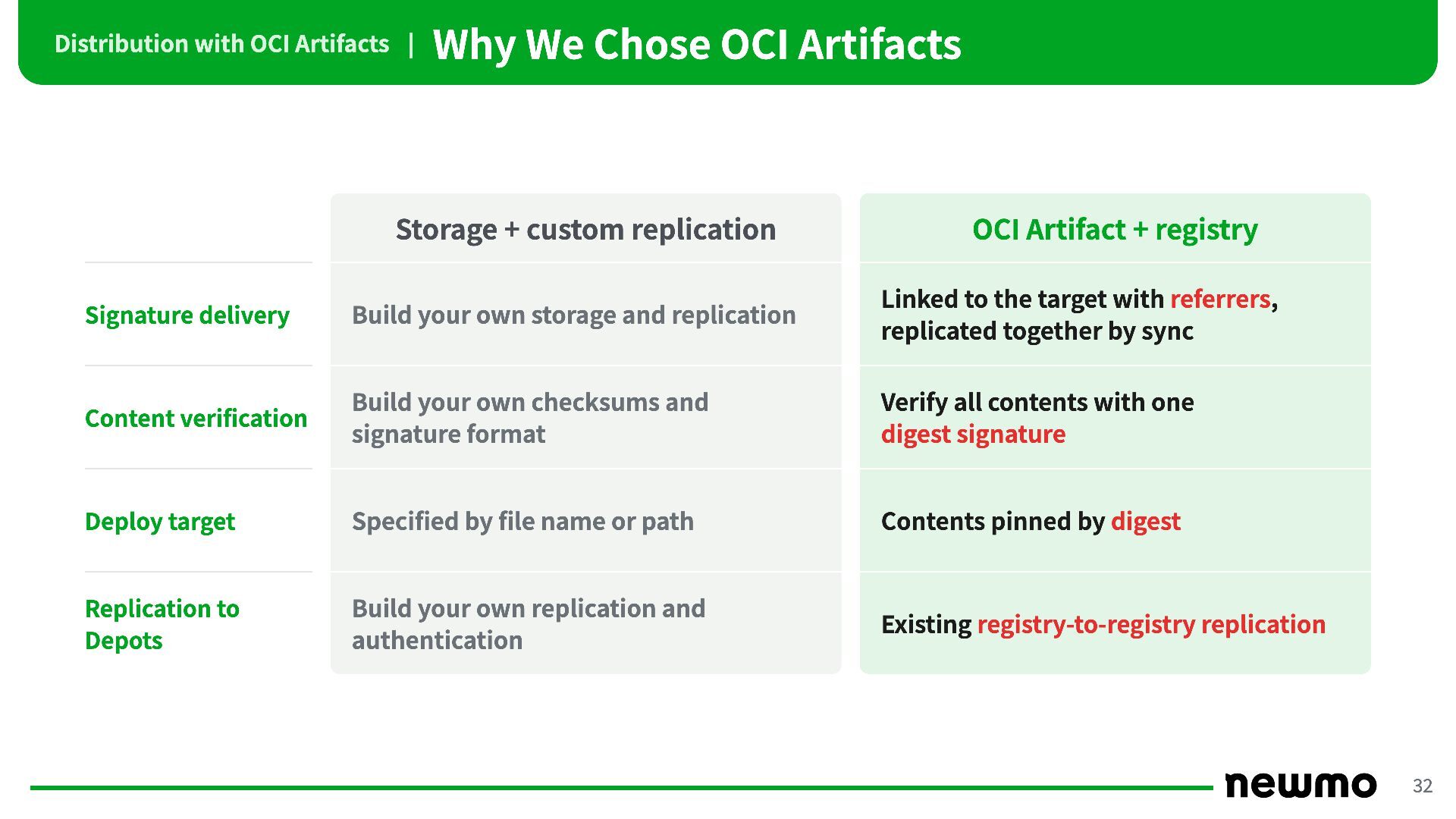
Distribution with OCI Artifacts | Why We Chose OCI Artifacts
Storage + custom replication OCI Artifact + registry Signature delivery Build your own storage and replication Linked to the target with referrers, replicated together by sync Content verification Build your own checksums and signature format Verify all contents with one digest signature Deploy target Specified by file name or path Contents pinned by digest Replication to Depots Build your own replication and authentication Existing registry-to-registry replication 32 -
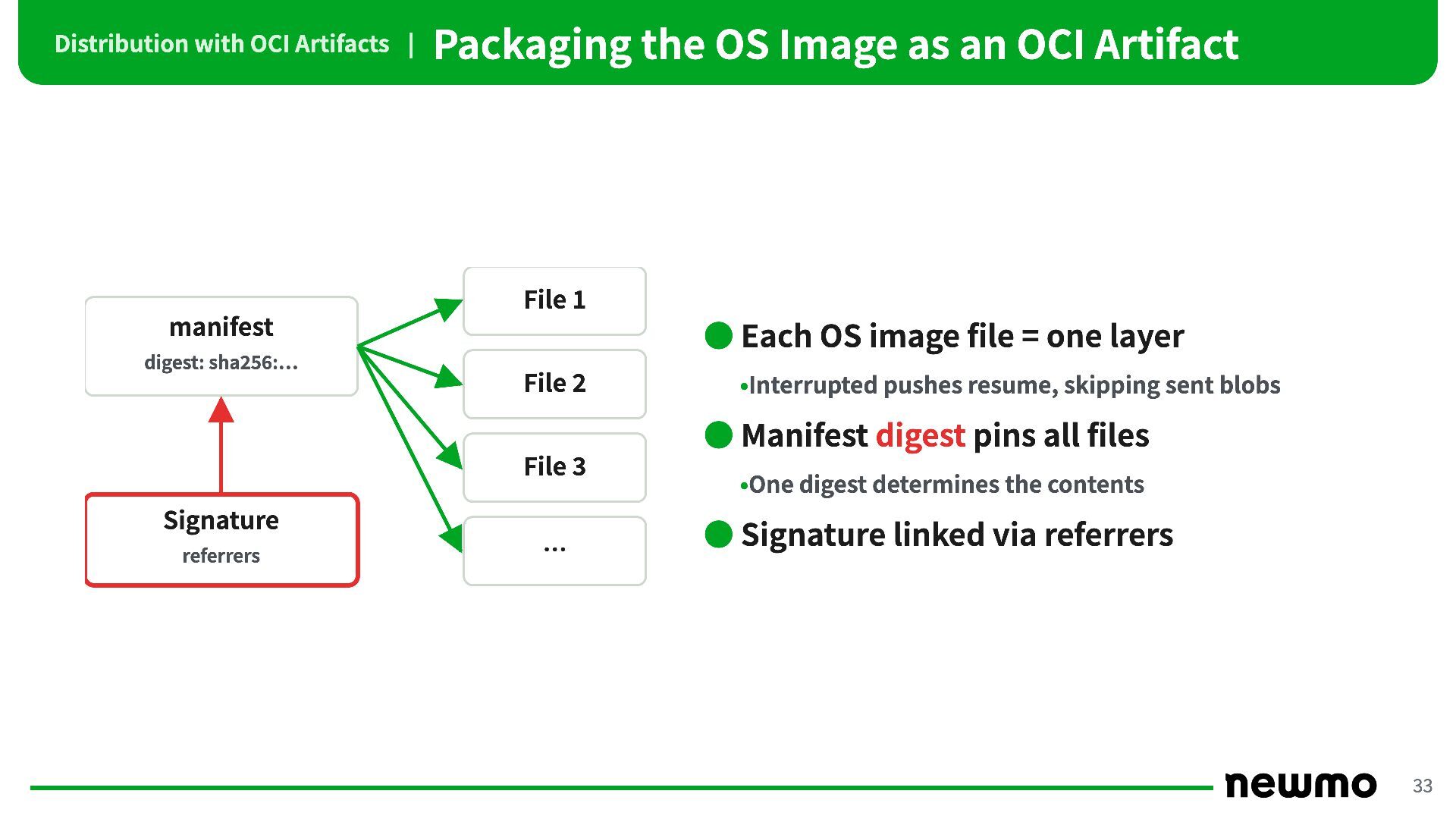
Distribution with OCI Artifacts | Packaging the OS Image as
an OCI Artifact File 1 manifest digest: sha256:… • Each OS image file = one layer File 2 •Interrupted pushes resume, skipping sent blobs • Manifest digest pins all files File 3 Signature referrers … •One digest determines the contents • Signature linked via referrers 33 -
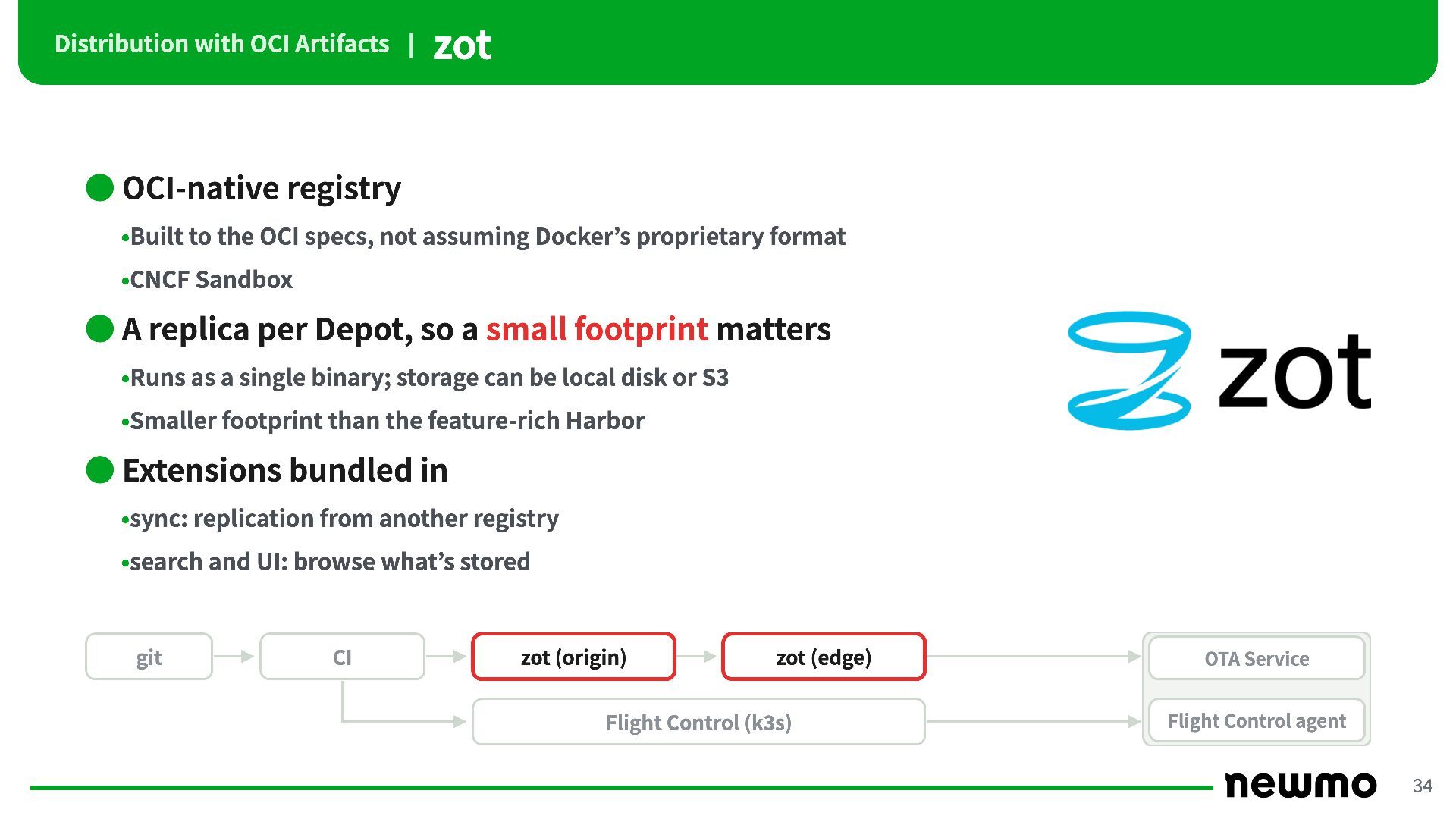
Distribution with OCI Artifacts | zot • OCI-native registry •Built
to the OCI specs, not assuming Docker’s proprietary format •CNCF Sandbox • A replica per Depot, so a small footprint matters •Runs as a single binary; storage can be local disk or S3 •Smaller footprint than the feature-rich Harbor • Extensions bundled in •sync: replication from another registry •search and UI: browse what’s stored git CI zot (origin) zot (edge) Flight Control (k3s) OTA Service Flight Control agent 34 -
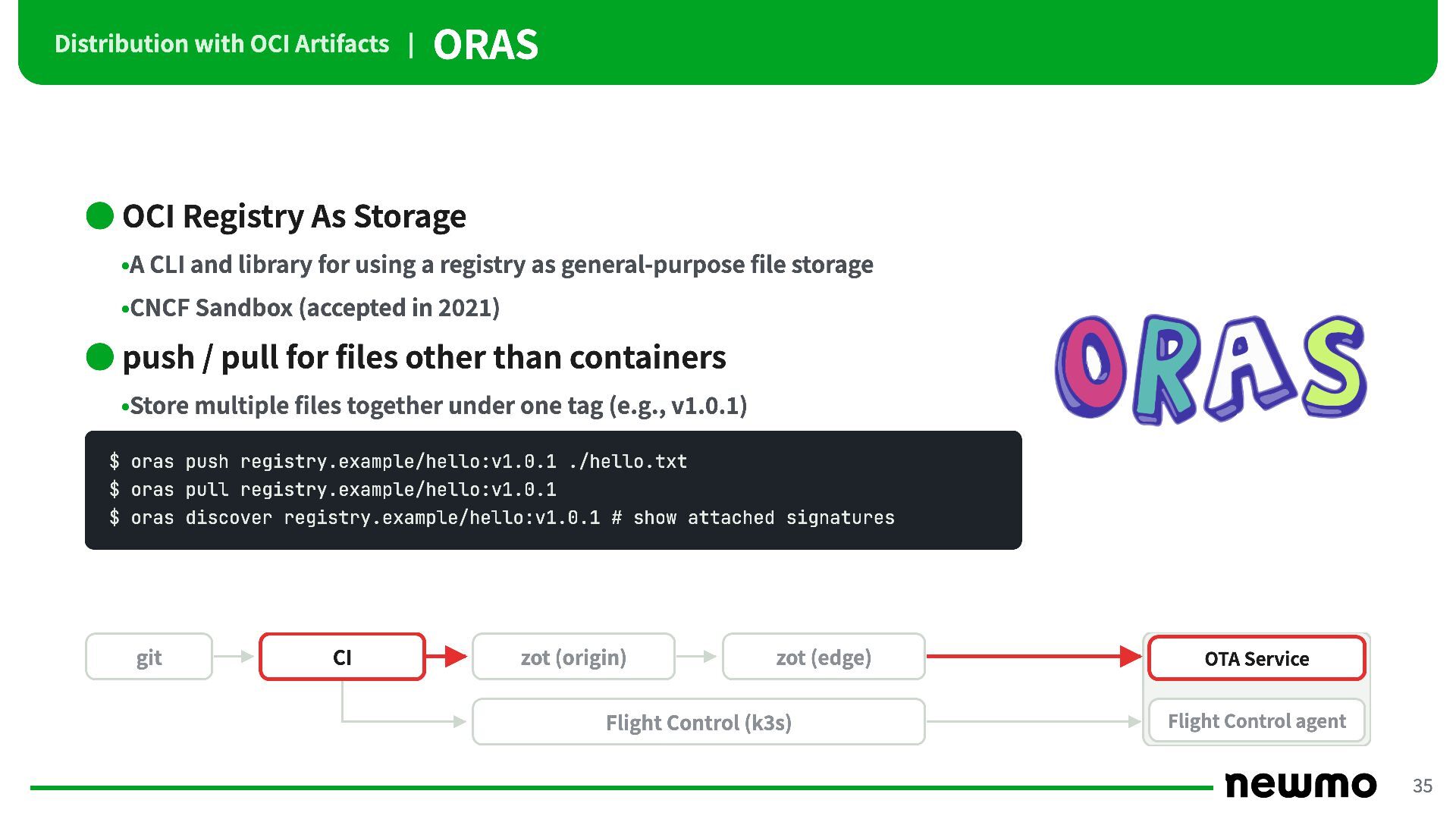
Distribution with OCI Artifacts | ORAS • OCI Registry As
Storage •A CLI and library for using a registry as general-purpose file storage •CNCF Sandbox (accepted in 2021) • push / pull for files other than containers •Store multiple files together under one tag (e.g., v1.0.1) $ oras push registry.example/hello:v1.0.1 ./hello.txt $ oras pull registry.example/hello:v1.0.1 $ oras discover registry.example/hello:v1.0.1 # show attached signatures git CI zot (origin) zot (edge) Flight Control (k3s) OTA Service Flight Control agent 35 -
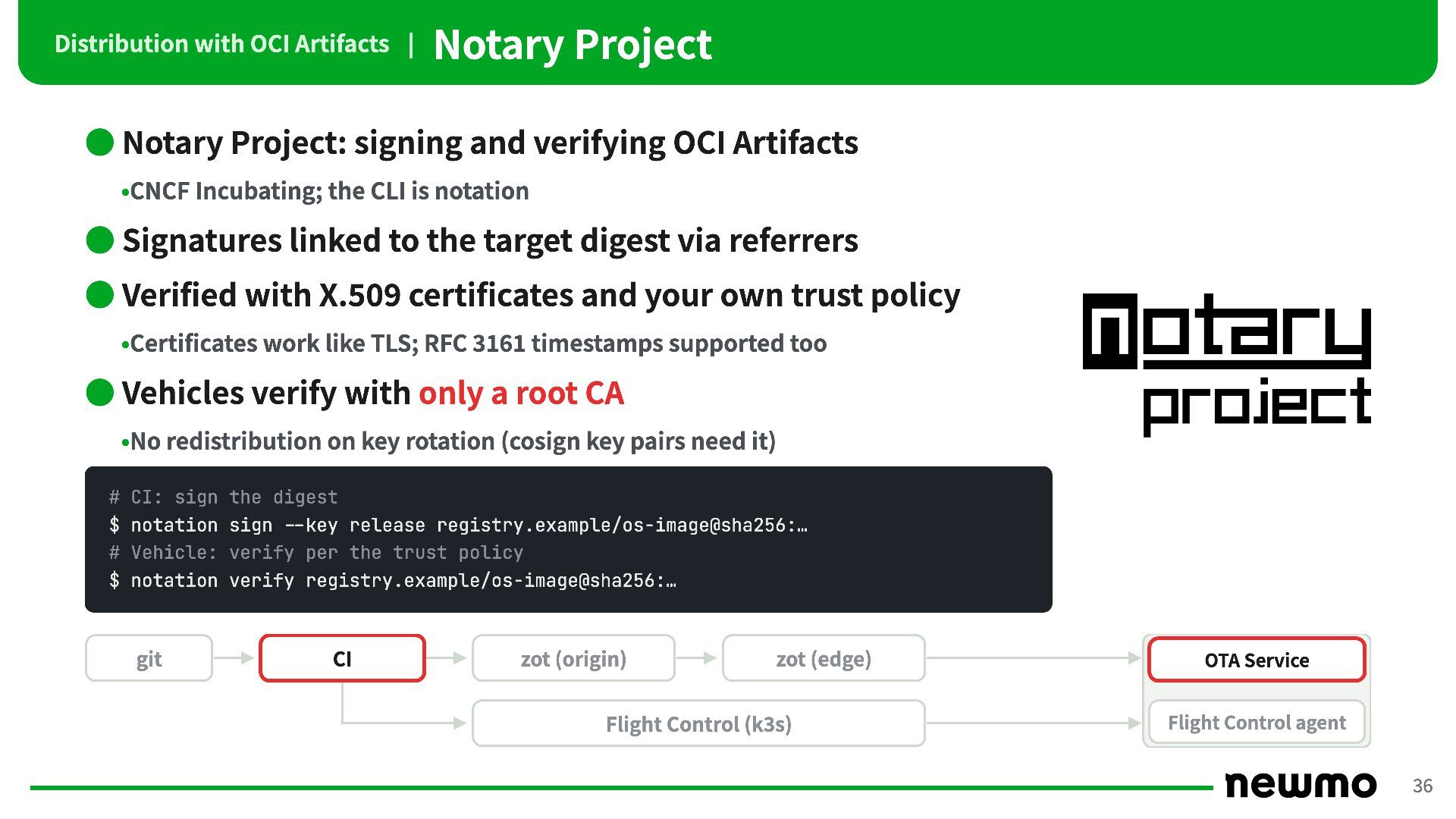
Distribution with OCI Artifacts | Notary Project • Notary Project:
signing and verifying OCI Artifacts •CNCF Incubating; the CLI is notation • Signatures linked to the target digest via referrers • Verified with X.509 certificates and your own trust policy •Certificates work like TLS; RFC 3161 timestamps supported too • Vehicles verify with only a root CA •No redistribution on key rotation (cosign key pairs need it) # CI: sign the digest $ notation sign --key release registry.example/os-image@sha256:… # Vehicle: verify per the trust policy $ notation verify registry.example/os-image@sha256:… git CI zot (origin) zot (edge) Flight Control (k3s) OTA Service Flight Control agent 36 -
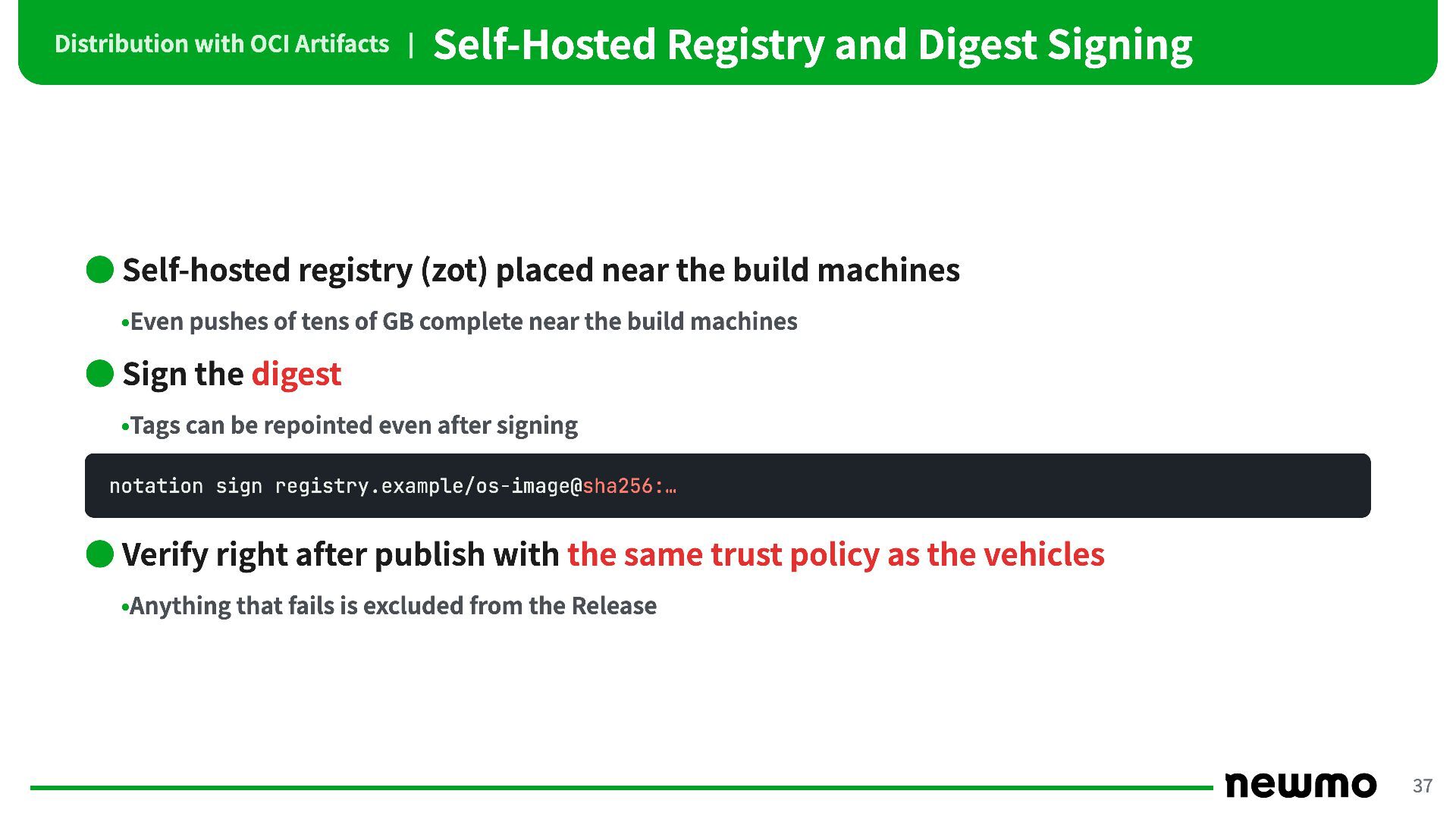
Distribution with OCI Artifacts | Self-Hosted Registry and Digest Signing
• Self-hosted registry (zot) placed near the build machines •Even pushes of tens of GB complete near the build machines • Sign the digest •Tags can be repointed even after signing notation sign registry.example/os-image@sha256:… • Verify right after publish with the same trust policy as the vehicles •Anything that fails is excluded from the Release 37 -
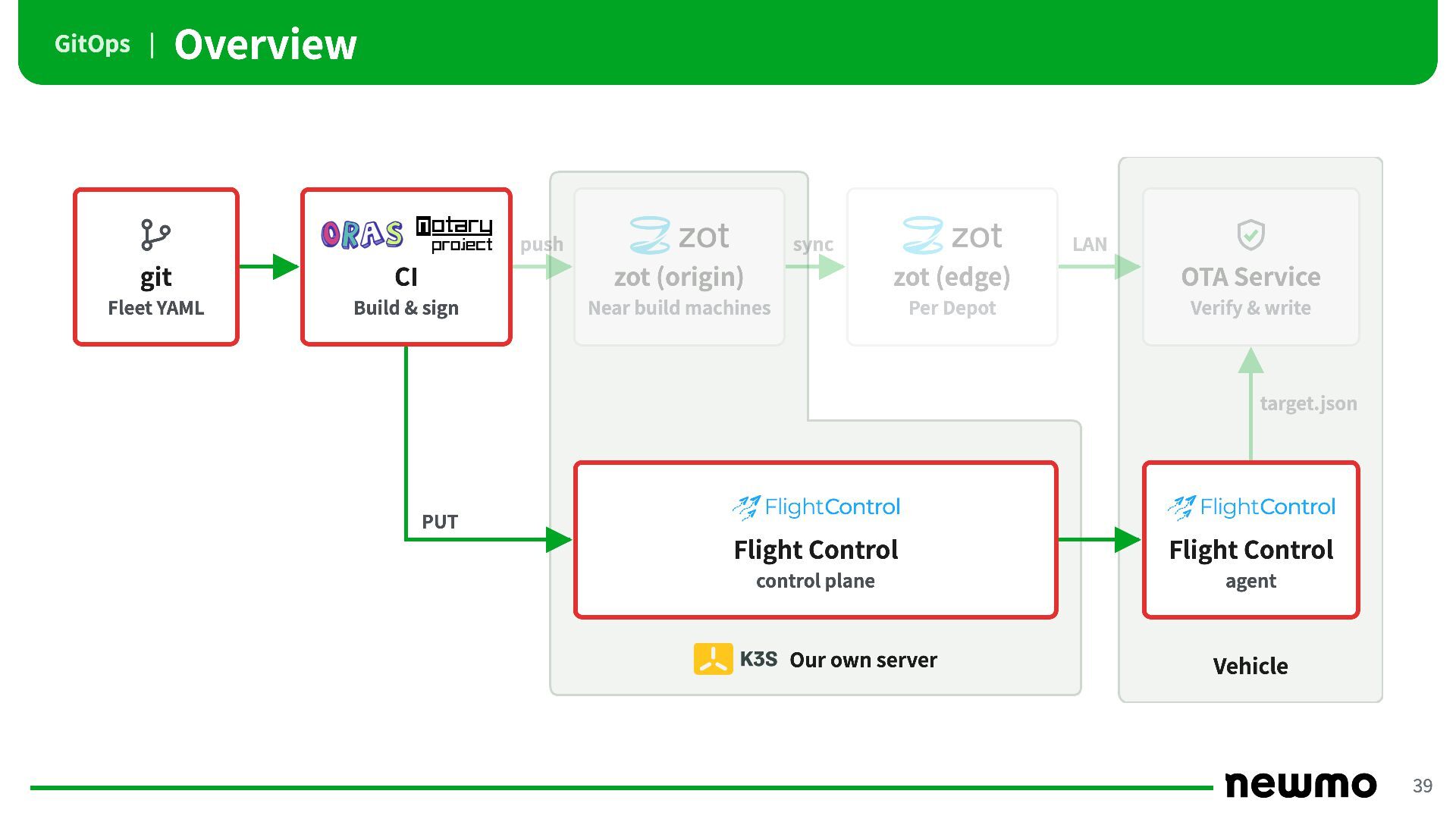
GitOps | Overview push sync LAN git CI zot (origin)
zot (edge) OTA Service Fleet YAML Build & sign Near build machines Per Depot Verify & write target.json PUT Flight Control Flight Control control plane agent Our own server Vehicle 39 -
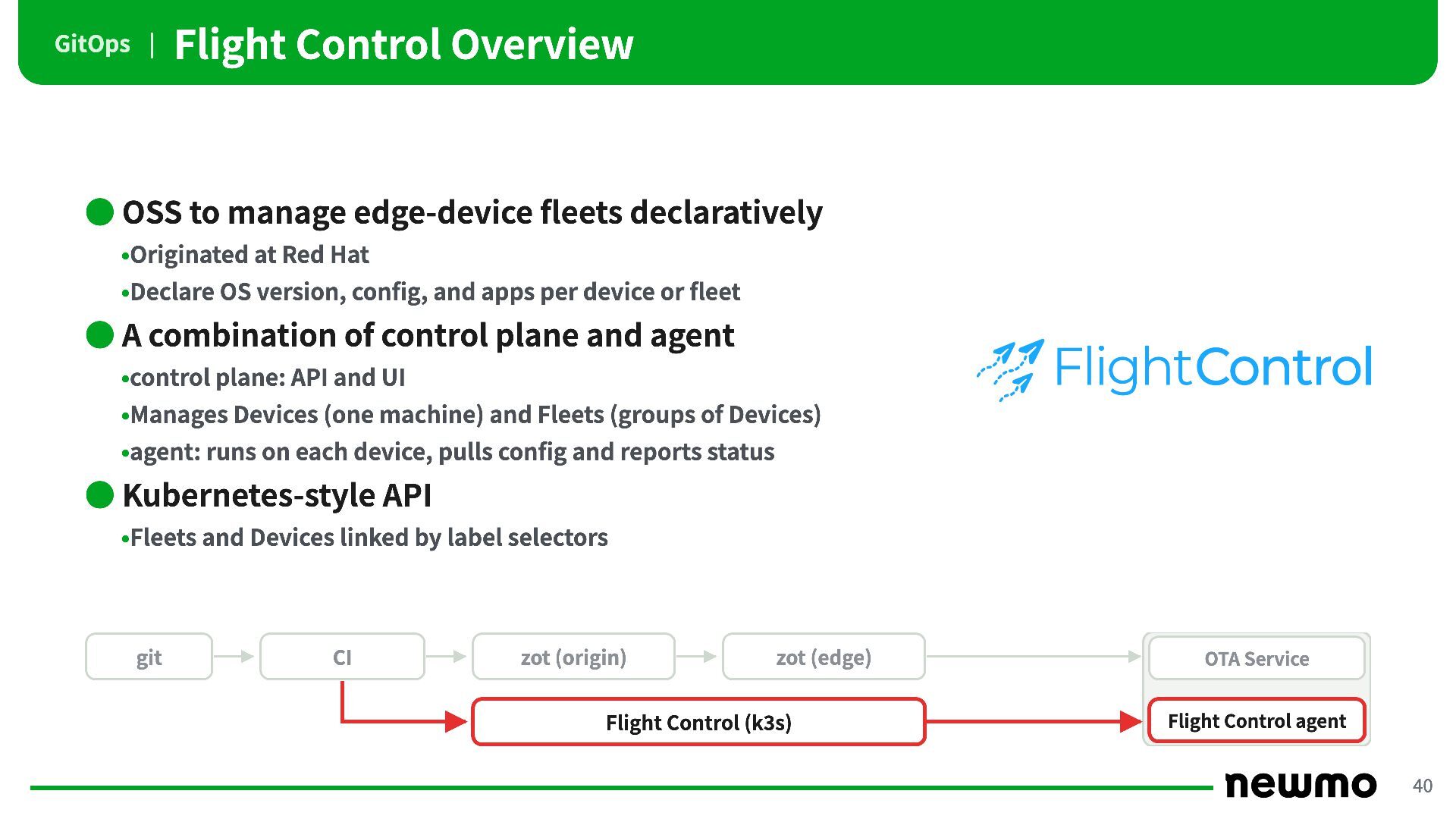
GitOps | Flight Control Overview • OSS to manage edge-device
fleets declaratively •Originated at Red Hat •Declare OS version, config, and apps per device or fleet • A combination of control plane and agent •control plane: API and UI •Manages Devices (one machine) and Fleets (groups of Devices) •agent: runs on each device, pulls config and reports status • Kubernetes-style API •Fleets and Devices linked by label selectors git CI zot (origin) zot (edge) Flight Control (k3s) OTA Service Flight Control agent 40 -
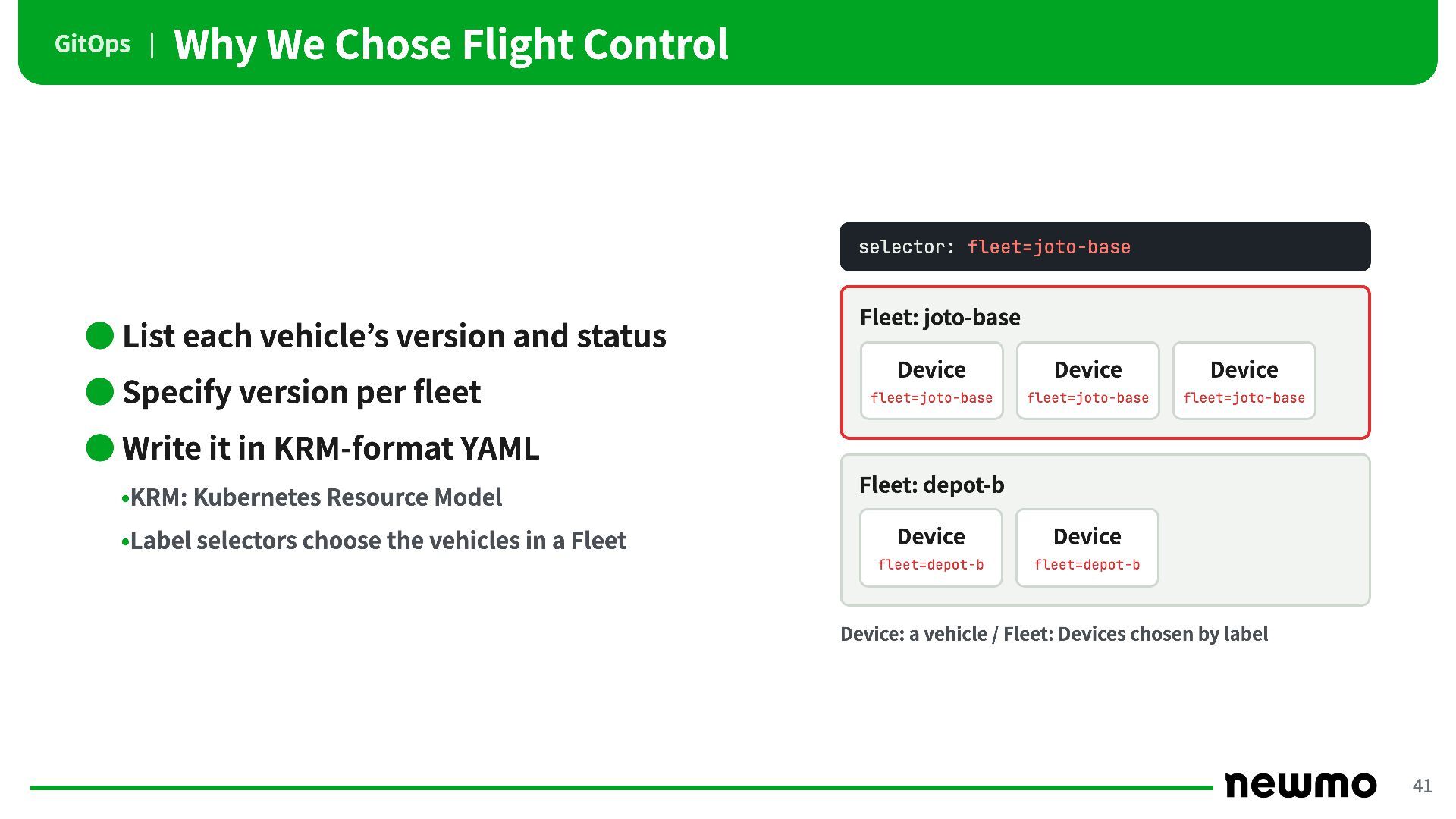
GitOps | Why We Chose Flight Control selector: fleet=joto-base •
List each vehicle’s version and status • Specify version per fleet Fleet: joto-base Device Device Device fleet=joto-base fleet=joto-base fleet=joto-base • Write it in KRM-format YAML •KRM: Kubernetes Resource Model •Label selectors choose the vehicles in a Fleet Fleet: depot-b Device Device fleet=depot-b fleet=depot-b Device: a vehicle / Fleet: Devices chosen by label 41 -
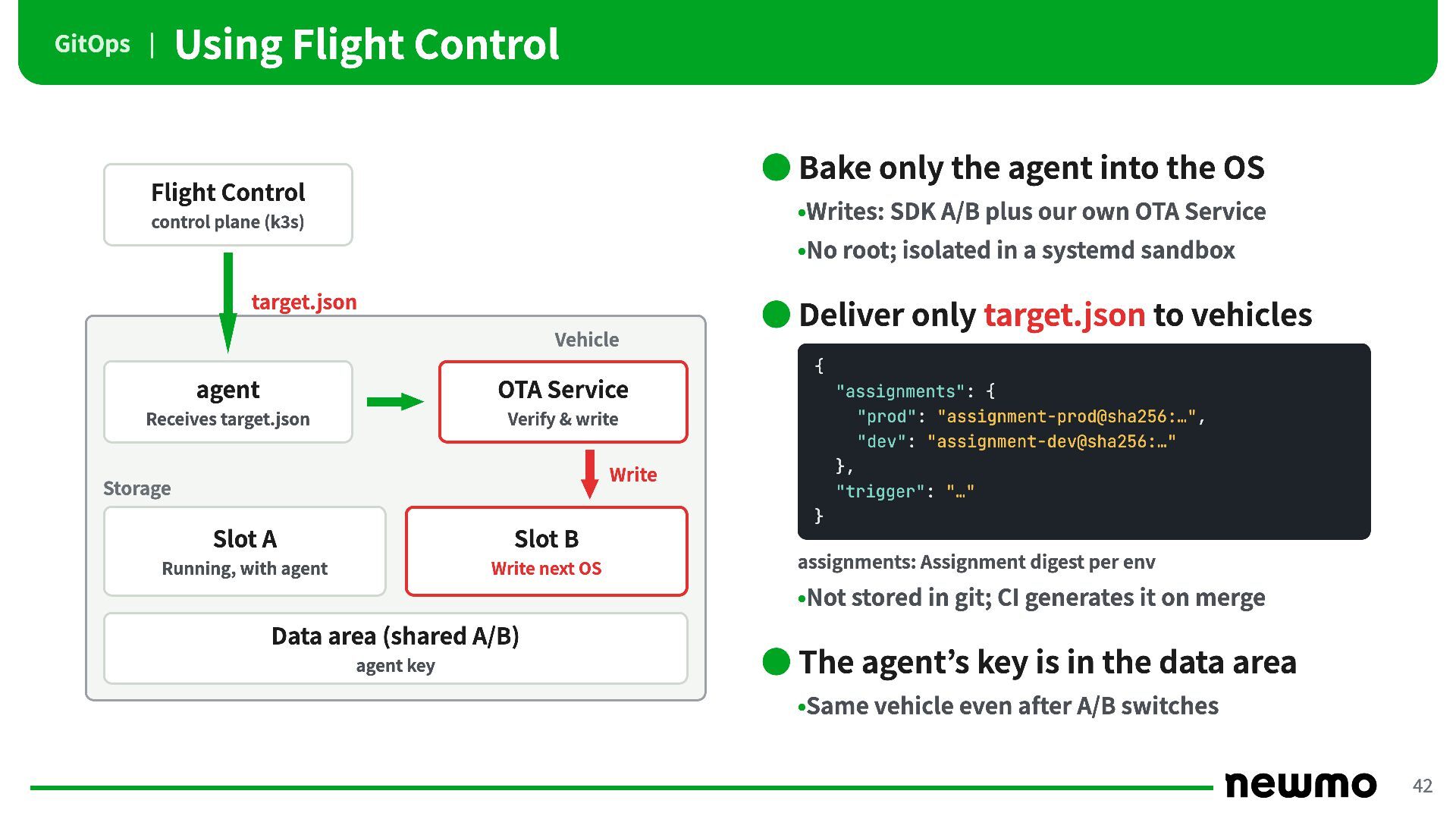
Using Flight Control GitOps | • Bake only the agent
into the OS Flight Control •Writes: SDK A/B plus our own OTA Service control plane (k3s) •No root; isolated in a systemd sandbox target.json • Deliver only target.json to vehicles Vehicle { agent OTA Service Receives target.json Verify & write "assignments": { "prod": "assignment-prod@sha256:…", "dev": "assignment-dev@sha256:…" }, "trigger": "…" Write Storage } Slot A Slot B Running, with agent Write next OS assignments: Assignment digest per env •Not stored in git; CI generates it on merge Data area (shared A/B) agent key • The agent’s key is in the data area •Same vehicle even after A/B switches 42 -
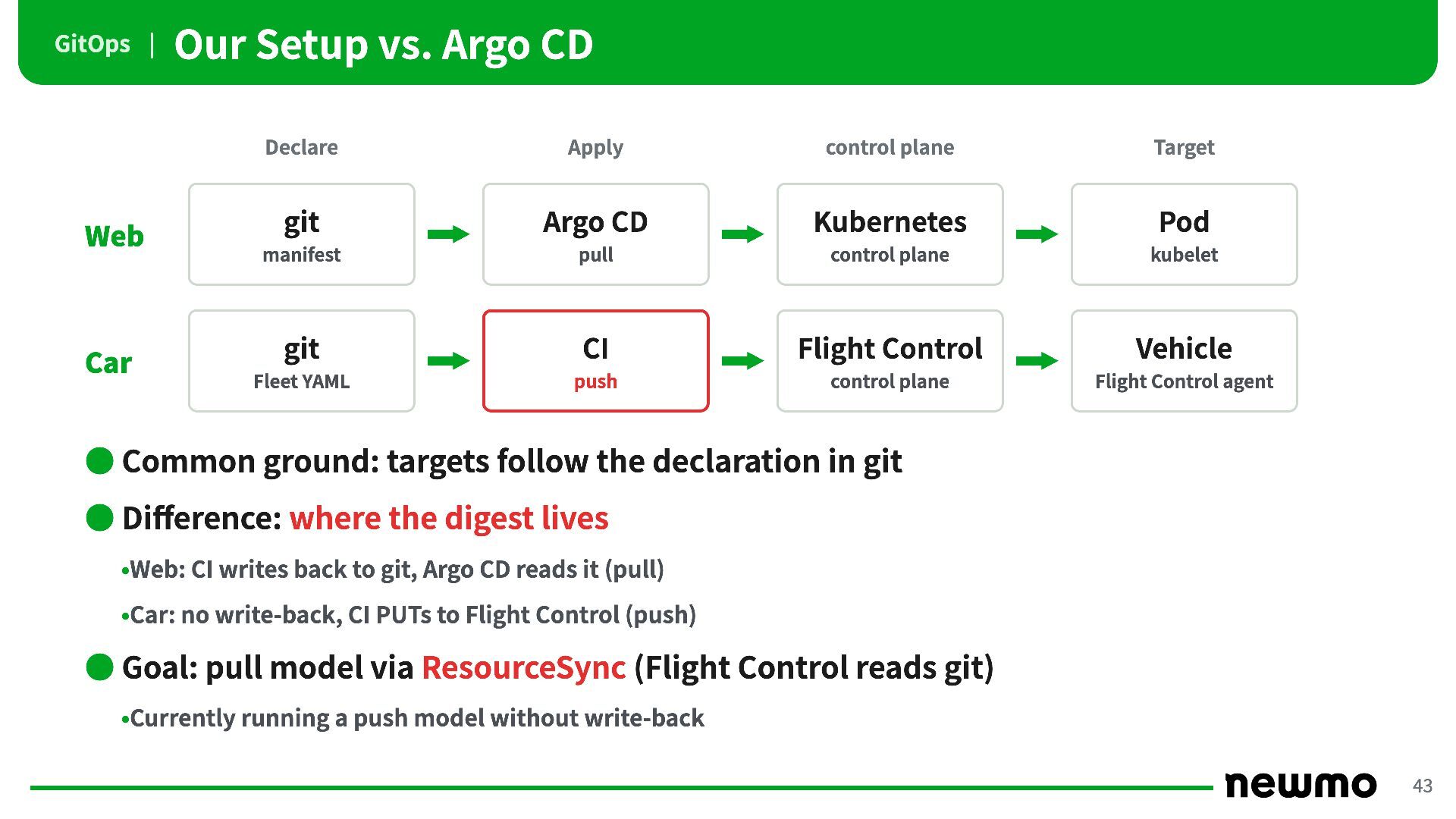
GitOps | Web Car Our Setup vs. Argo CD Declare
Apply control plane Target git Argo CD Kubernetes Pod manifest pull control plane kubelet git CI Flight Control Vehicle Fleet YAML push control plane Flight Control agent • Common ground: targets follow the declaration in git • Difference: where the digest lives •Web: CI writes back to git, Argo CD reads it (pull) •Car: no write-back, CI PUTs to Flight Control (push) • Goal: pull model via ResourceSync (Flight Control reads git) •Currently running a push model without write-back 43 -
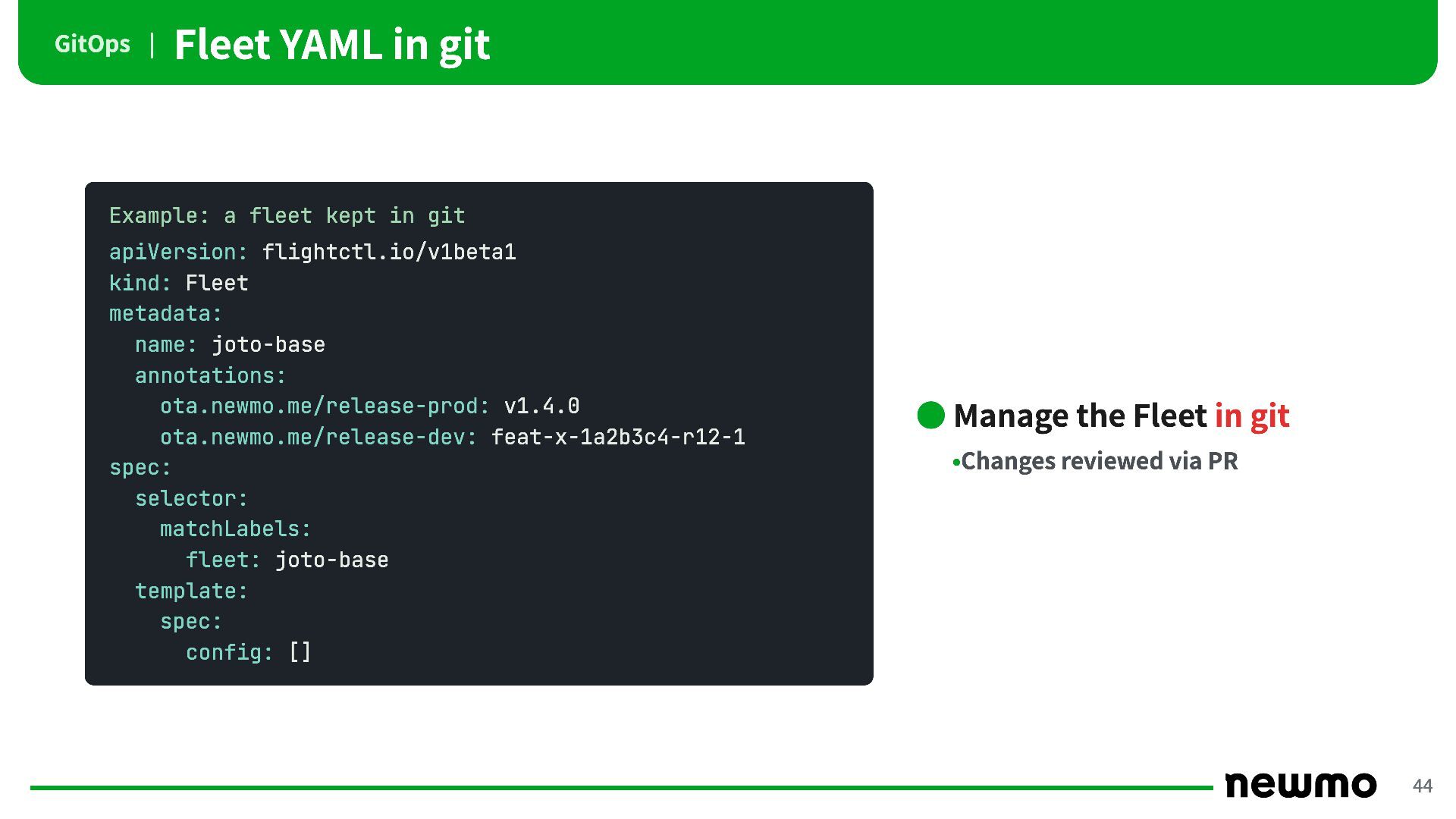
GitOps | Fleet YAML in git Example: a fleet kept
in git apiVersion: flightctl.io/v1beta1 kind: Fleet metadata: name: joto-base annotations: ota.newmo.me/release-prod: v1.4.0 ota.newmo.me/release-dev: feat-x-1a2b3c4-r12-1 spec: selector: matchLabels: fleet: joto-base template: spec: config: [] • Manage the Fleet in git •Changes reviewed via PR 44 -
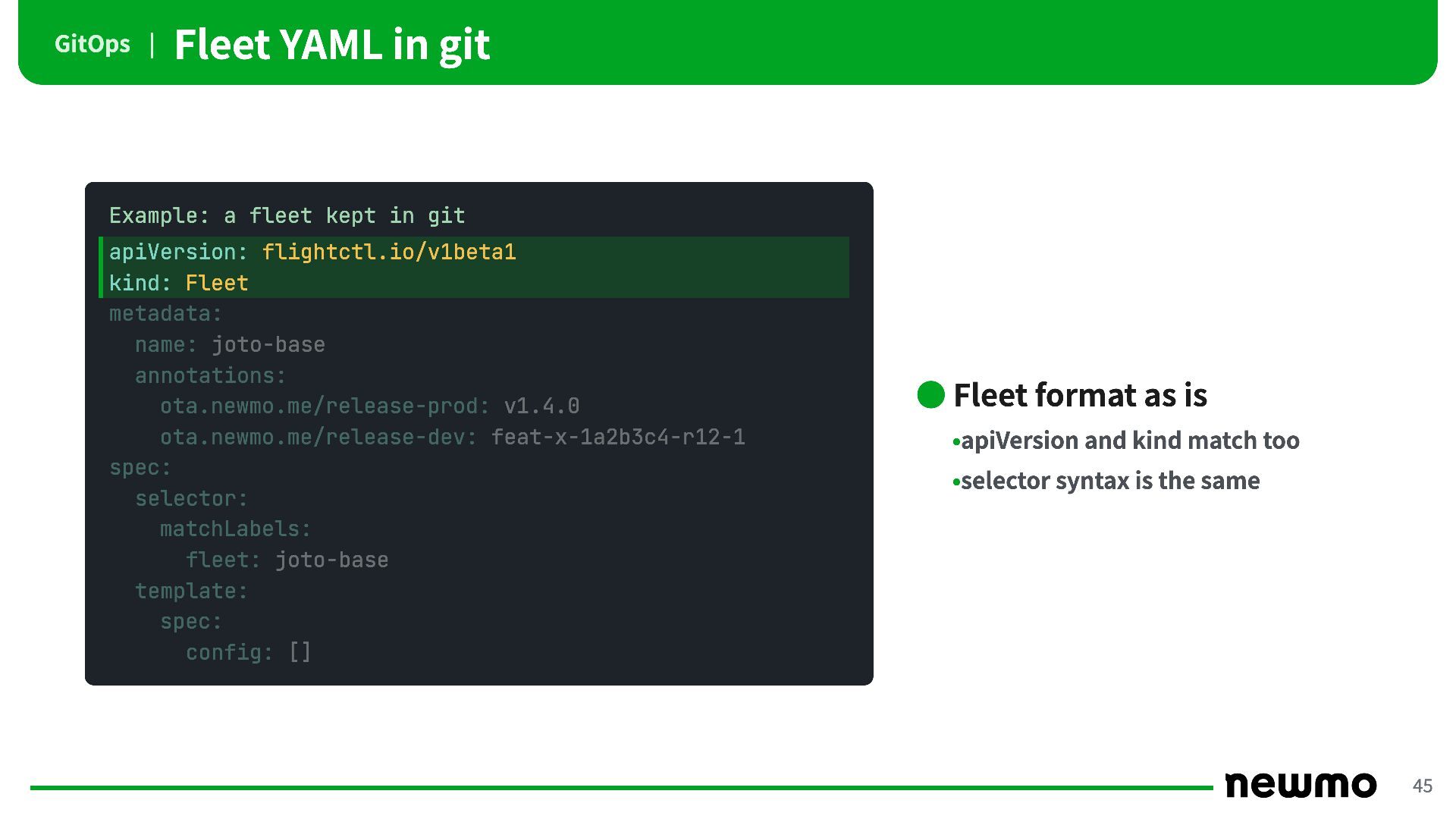
GitOps | Fleet YAML in git Example: a fleet kept
in git apiVersion: flightctl.io/v1beta1 kind: Fleet metadata: name: joto-base annotations: ota.newmo.me/release-prod: v1.4.0 ota.newmo.me/release-dev: feat-x-1a2b3c4-r12-1 spec: selector: matchLabels: fleet: joto-base template: spec: config: [] • Fleet format as is •apiVersion and kind match too •selector syntax is the same 45 -
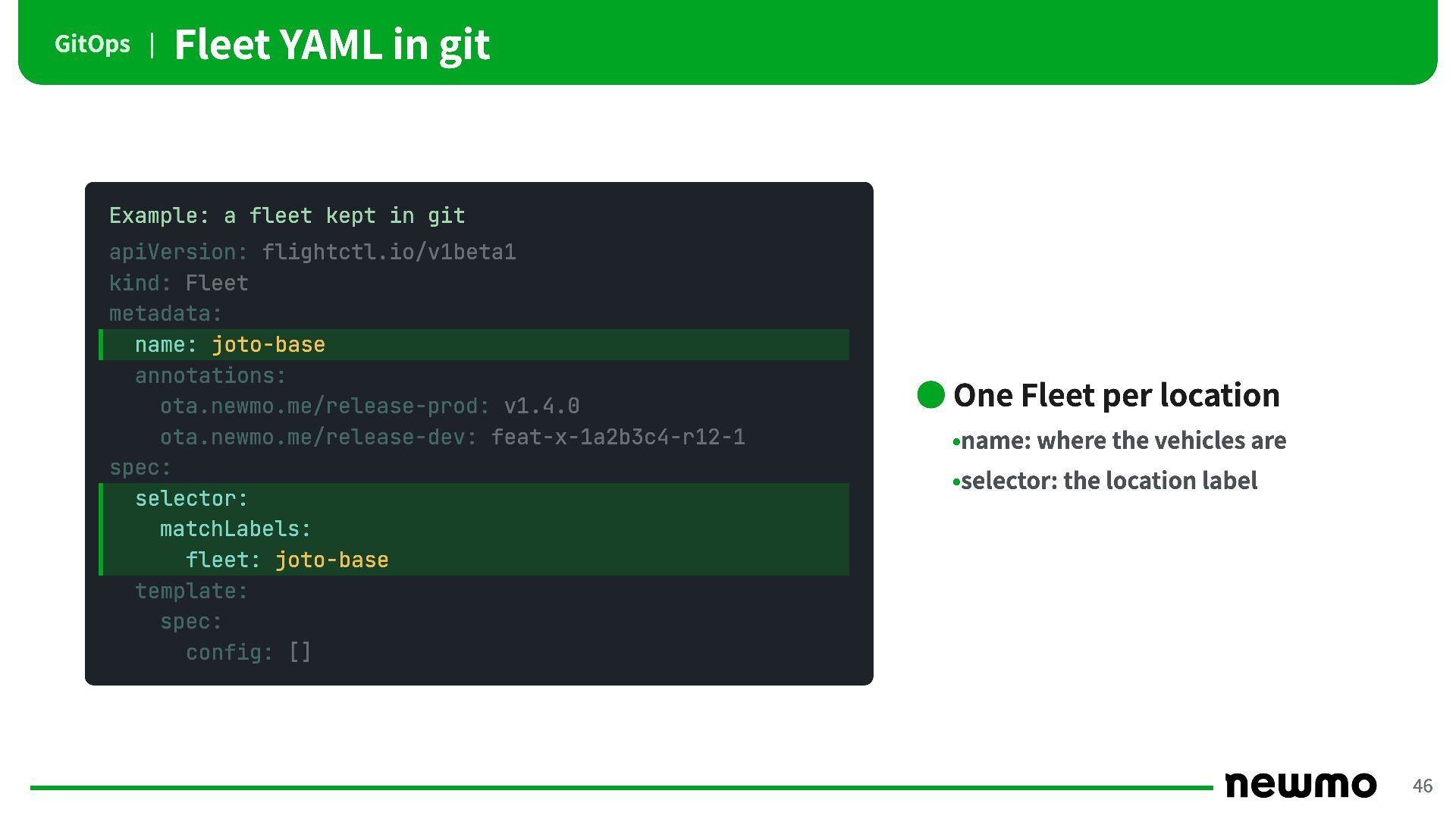
GitOps | Fleet YAML in git Example: a fleet kept
in git apiVersion: flightctl.io/v1beta1 kind: Fleet metadata: name: joto-base annotations: ota.newmo.me/release-prod: v1.4.0 ota.newmo.me/release-dev: feat-x-1a2b3c4-r12-1 spec: selector: matchLabels: fleet: joto-base template: spec: config: [] • One Fleet per location •name: where the vehicles are •selector: the location label 46 -
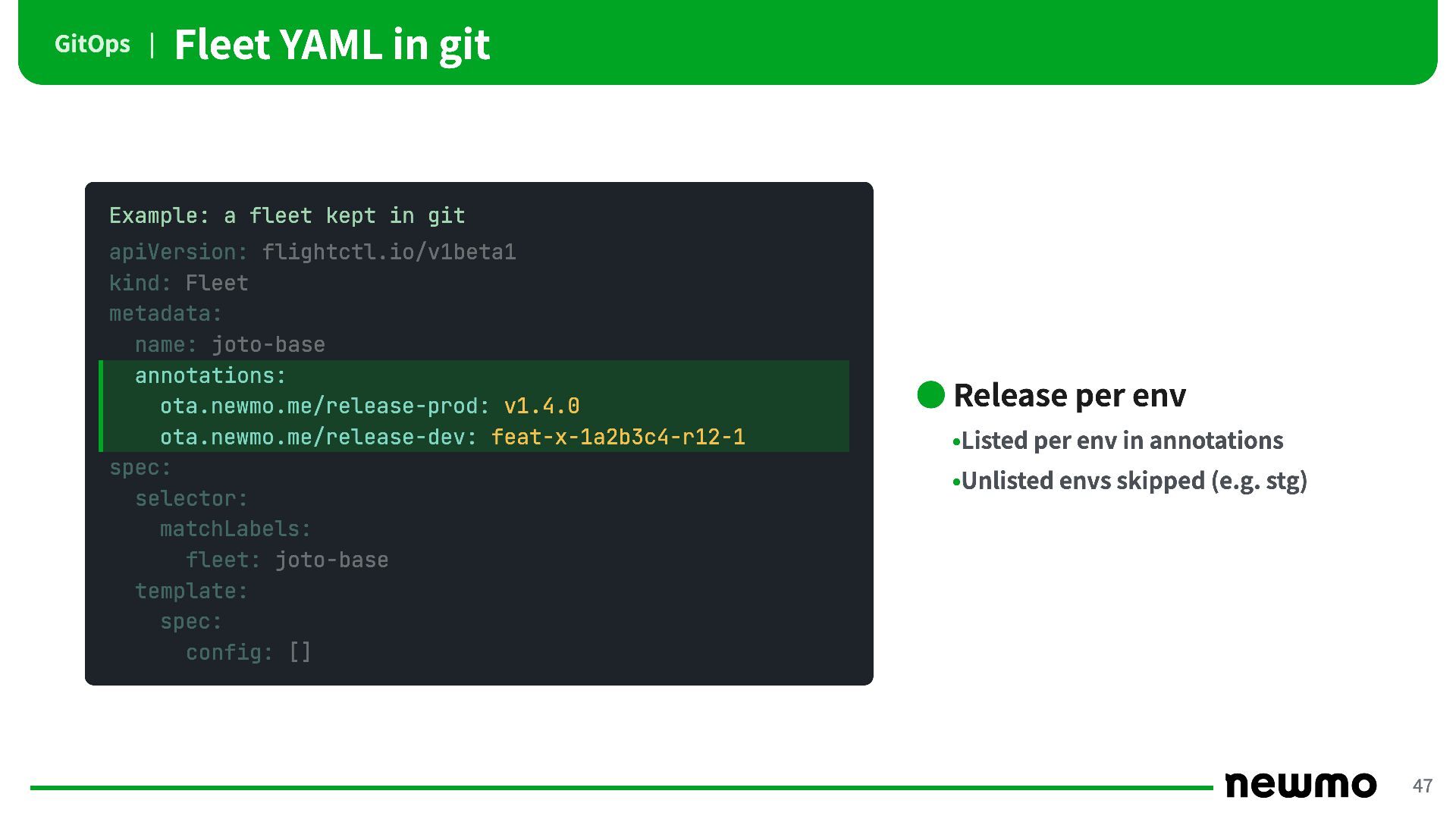
GitOps | Fleet YAML in git Example: a fleet kept
in git apiVersion: flightctl.io/v1beta1 kind: Fleet metadata: name: joto-base annotations: ota.newmo.me/release-prod: v1.4.0 ota.newmo.me/release-dev: feat-x-1a2b3c4-r12-1 spec: selector: matchLabels: fleet: joto-base template: spec: config: [] • Release per env •Listed per env in annotations •Unlisted envs skipped (e.g. stg) 47 -
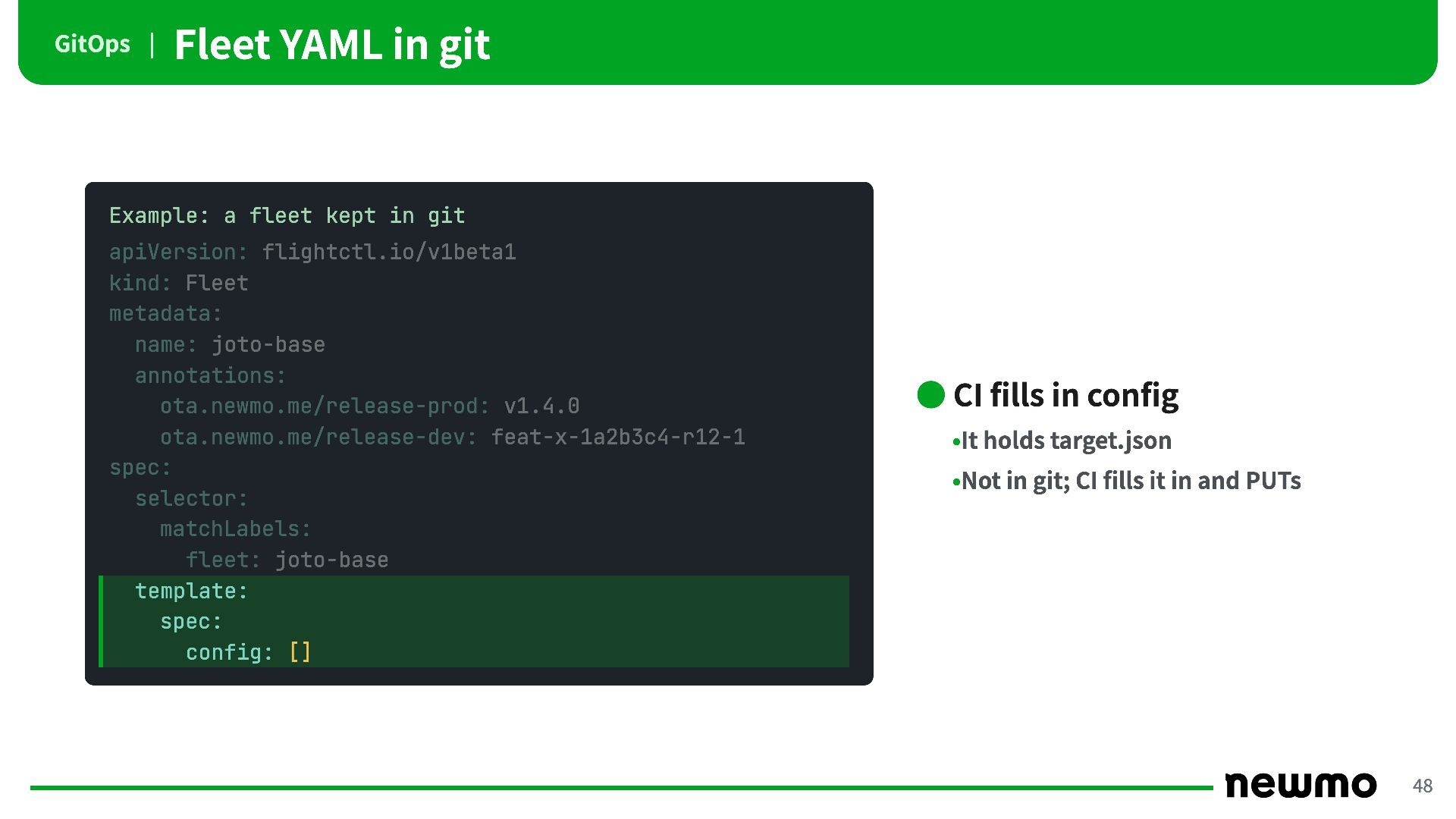
GitOps | Fleet YAML in git Example: a fleet kept
in git apiVersion: flightctl.io/v1beta1 kind: Fleet metadata: name: joto-base annotations: ota.newmo.me/release-prod: v1.4.0 ota.newmo.me/release-dev: feat-x-1a2b3c4-r12-1 spec: selector: matchLabels: fleet: joto-base template: spec: config: [] • CI fills in config •It holds target.json •Not in git; CI fills it in and PUTs 48 -
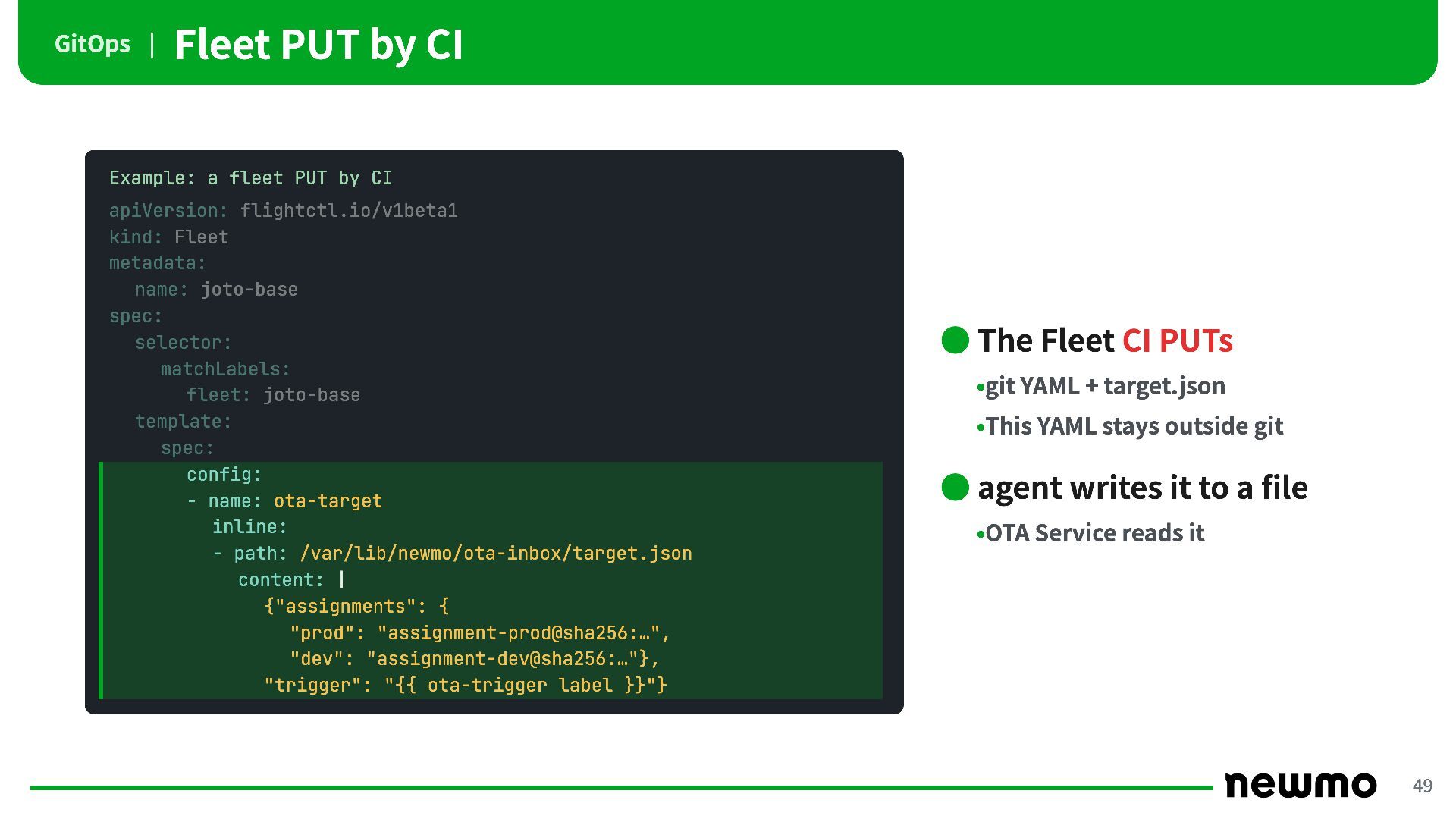
GitOps | Fleet PUT by CI Example: a fleet PUT
by CI apiVersion: flightctl.io/v1beta1 kind: Fleet metadata: name: joto-base spec: selector: matchLabels: fleet: joto-base template: spec: config: - name: ota-target inline: - path: /var/lib/newmo/ota-inbox/target.json content: | {"assignments": { "prod": "assignment-prod@sha256:…", "dev": "assignment-dev@sha256:…"}, "trigger": "{{ ota-trigger label }}"} • The Fleet CI PUTs •git YAML + target.json •This YAML stays outside git • agent writes it to a file •OTA Service reads it 49 -
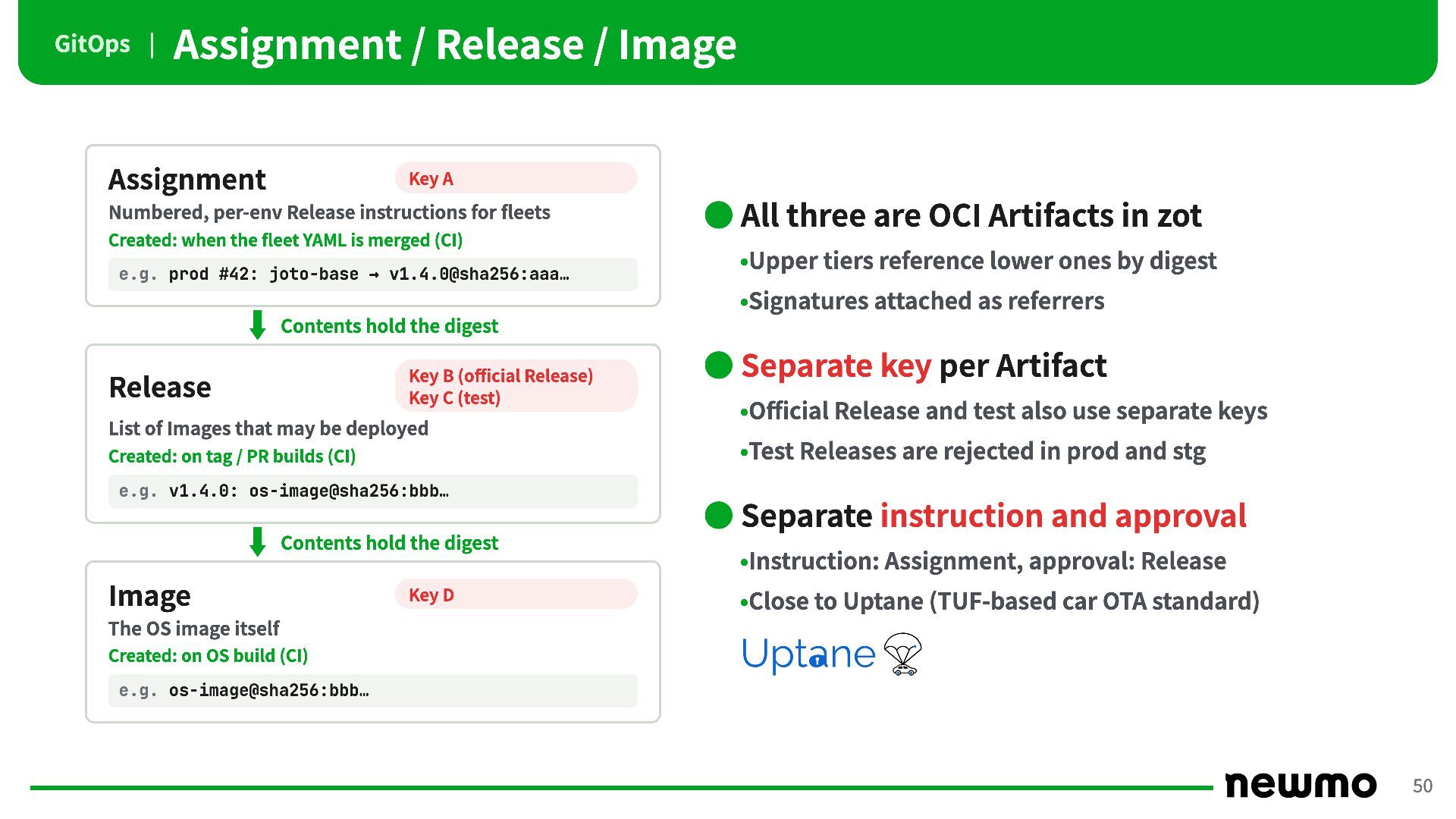
GitOps | Assignment / Release / Image Assignment Key A
Numbered, per-env Release instructions for fleets • All three are OCI Artifacts in zot Created: when the fleet YAML is merged (CI) e.g. prod #42: joto-base → v1.4.0@sha256:aaa… •Upper tiers reference lower ones by digest •Signatures attached as referrers Contents hold the digest Key B (official Release) Key C (test) Release List of Images that may be deployed • Separate key per Artifact •Official Release and test also use separate keys •Test Releases are rejected in prod and stg Created: on tag / PR builds (CI) e.g. v1.4.0: os-image@sha256:bbb… • Separate instruction and approval Contents hold the digest Image Key D •Instruction: Assignment, approval: Release •Close to Uptane (TUF-based car OTA standard) The OS image itself Created: on OS build (CI) e.g. os-image@sha256:bbb… 50 -
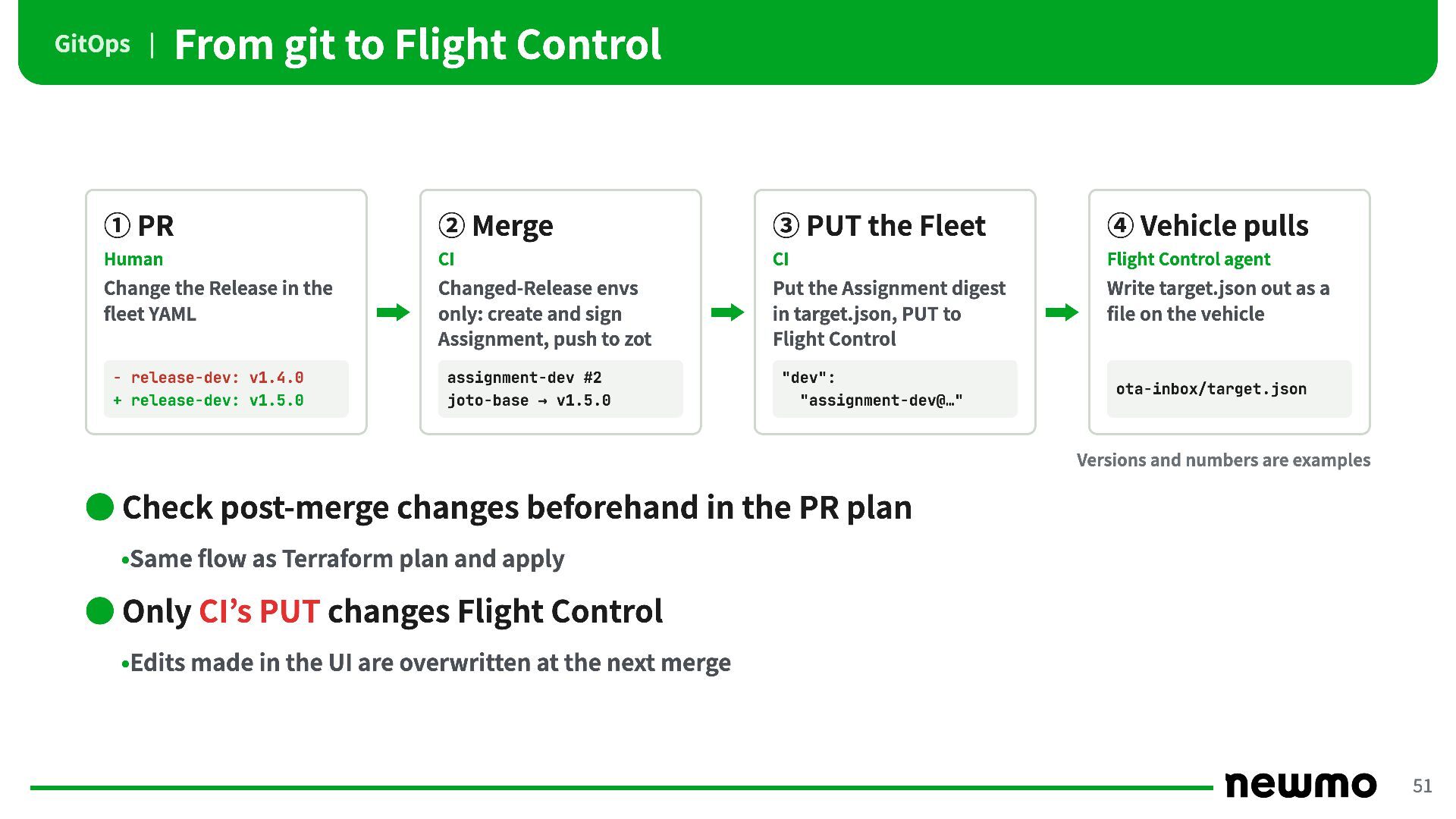
GitOps | From git to Flight Control ① PR ②
Merge ③ PUT the Fleet ④ Vehicle pulls Human CI CI Flight Control agent Change the Release in the fleet YAML Changed-Release envs only: create and sign Assignment, push to zot Put the Assignment digest in target.json, PUT to Flight Control Write target.json out as a file on the vehicle - release-dev: v1.4.0 + release-dev: v1.5.0 assignment-dev #2 joto-base → v1.5.0 "dev": "assignment-dev@…" ota-inbox/target.json Versions and numbers are examples • Check post-merge changes beforehand in the PR plan •Same flow as Terraform plan and apply • Only CI’s PUT changes Flight Control •Edits made in the UI are overwritten at the next merge 51 -
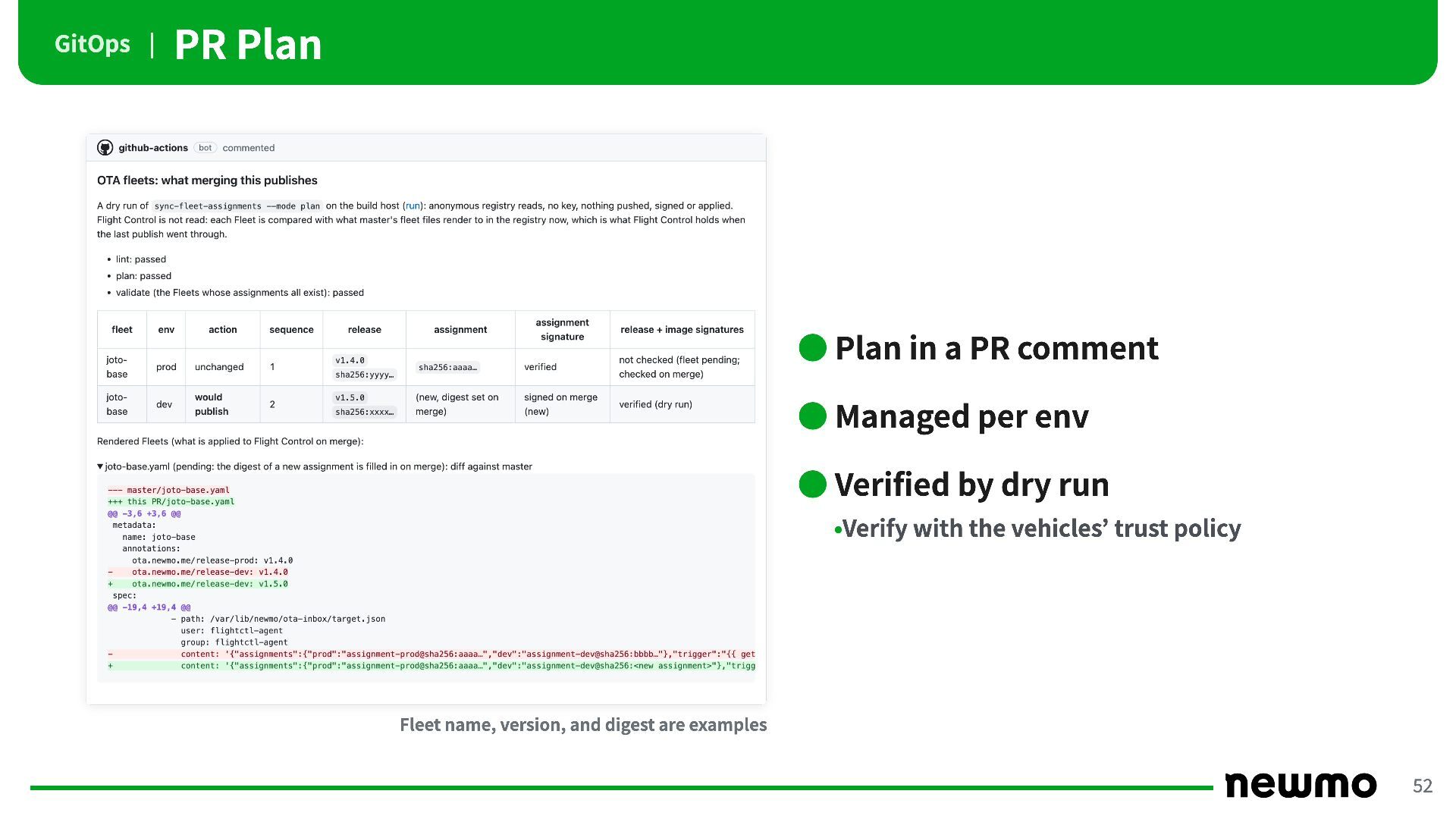
GitOps | PR Plan • Plan in a PR comment
• Managed per env • Verified by dry run •Verify with the vehicles’ trust policy Fleet name, version, and digest are examples 52 -
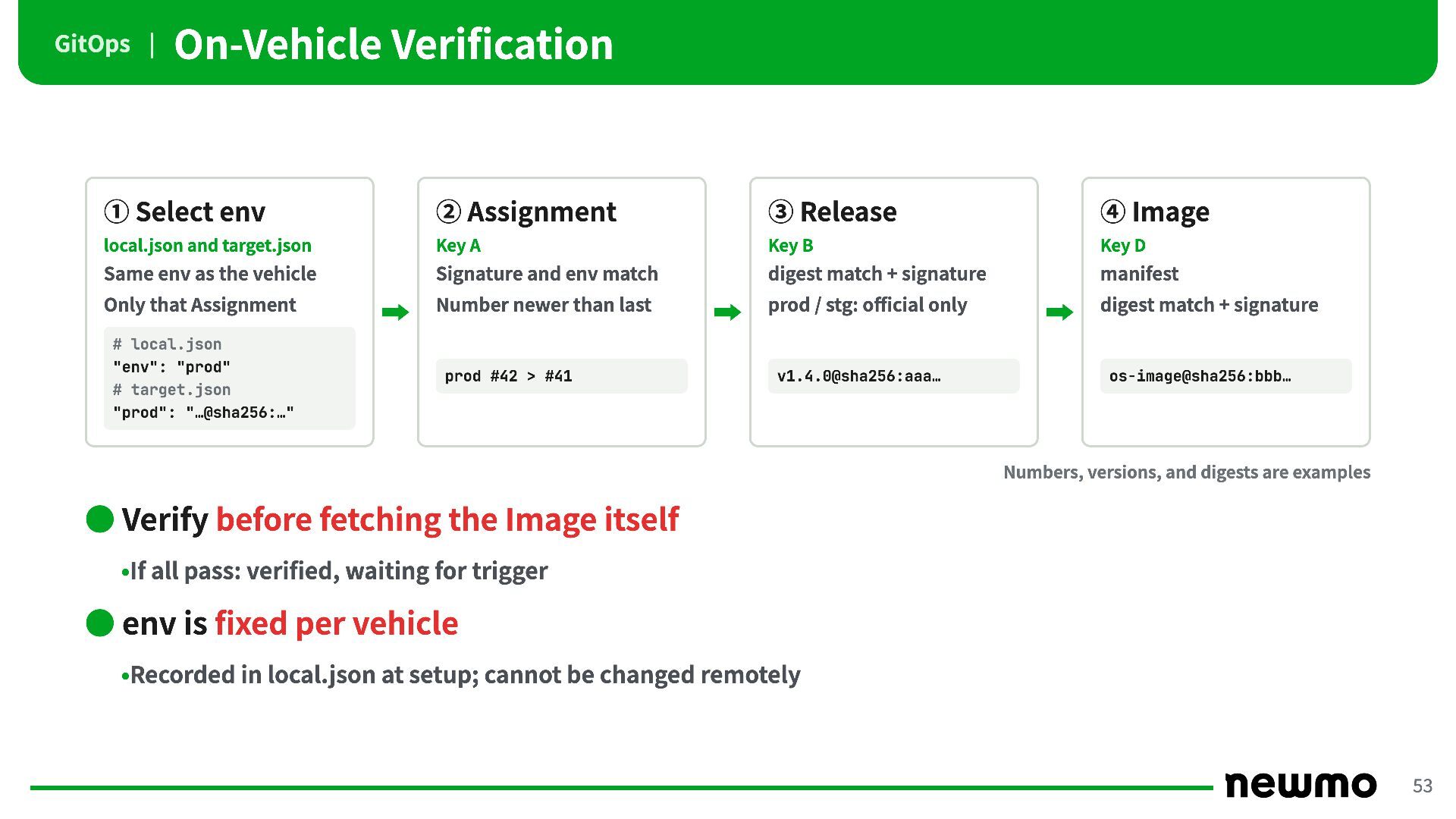
GitOps | On-Vehicle Verification ① Select env ② Assignment ③
Release ④ Image local.json and target.json Key A Key B Key D Same env as the vehicle Signature and env match digest match + signature manifest Only that Assignment Number newer than last prod / stg: official only digest match + signature # local.json "env": "prod" # target.json "prod": "…@sha256:…" prod #42 > #41 v1.4.0@sha256:aaa… os-image@sha256:bbb… Numbers, versions, and digests are examples • Verify before fetching the Image itself •If all pass: verified, waiting for trigger • env is fixed per vehicle •Recorded in local.json at setup; cannot be changed remotely 53 -
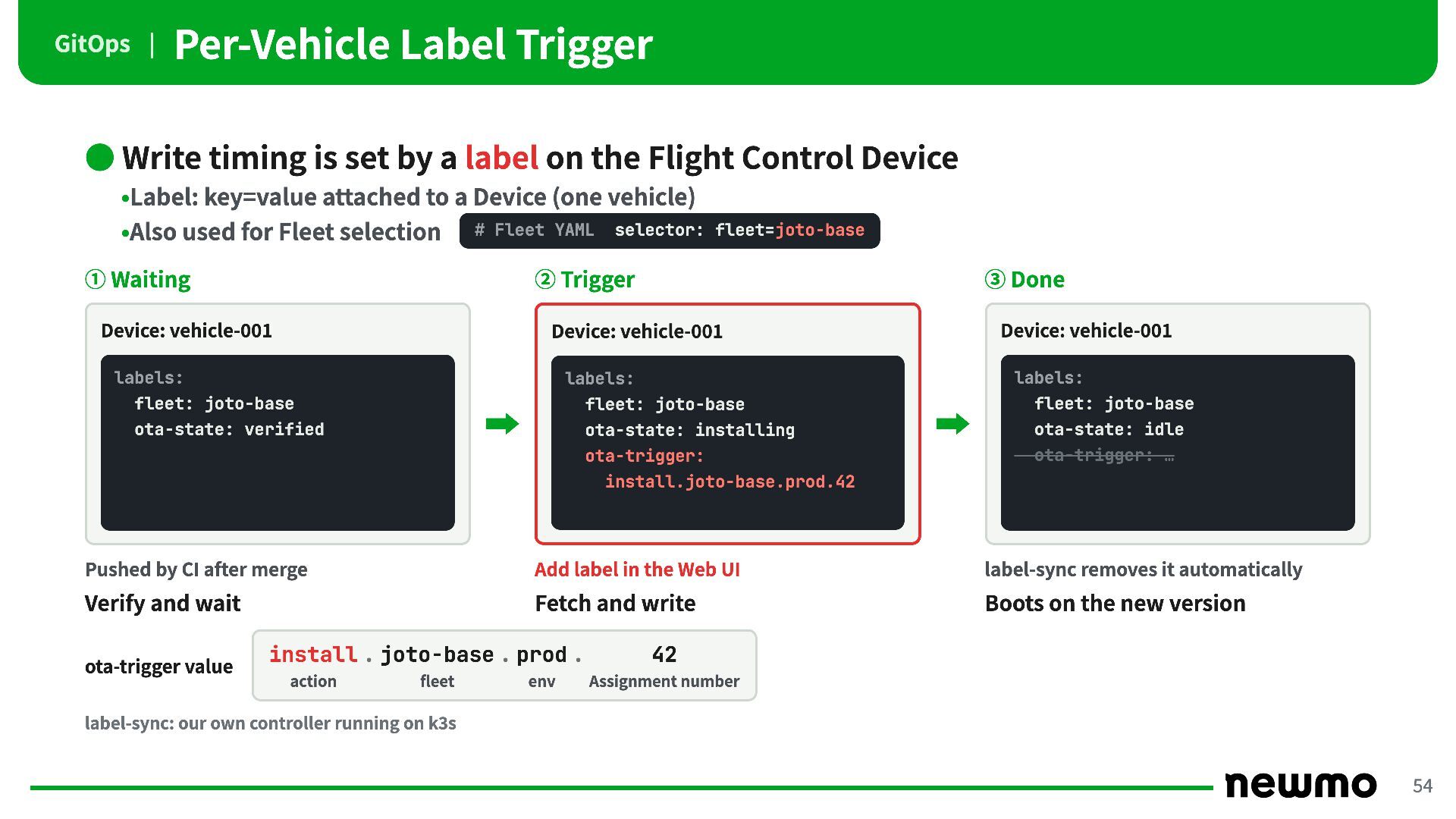
GitOps | Per-Vehicle Label Trigger • Write timing is set
by a label on the Flight Control Device •Label: key=value attached to a Device (one vehicle) •Also used for Fleet selection ① Waiting # Fleet YAML selector: fleet=joto-base ② Trigger Device: vehicle-001 ③ Done Device: vehicle-001 labels: Device: vehicle-001 labels: labels: fleet: joto-base fleet: joto-base fleet: joto-base ota-state: verified ota-state: installing ota-state: idle ota-trigger: ota-trigger: … install.joto-base.prod.42 Pushed by CI after merge Add label in the Web UI label-sync removes it automatically Verify and wait Fetch and write Boots on the new version ota-trigger value install . joto-base . prod . action fleet env 42 Assignment number label-sync: our own controller running on k3s 54 -
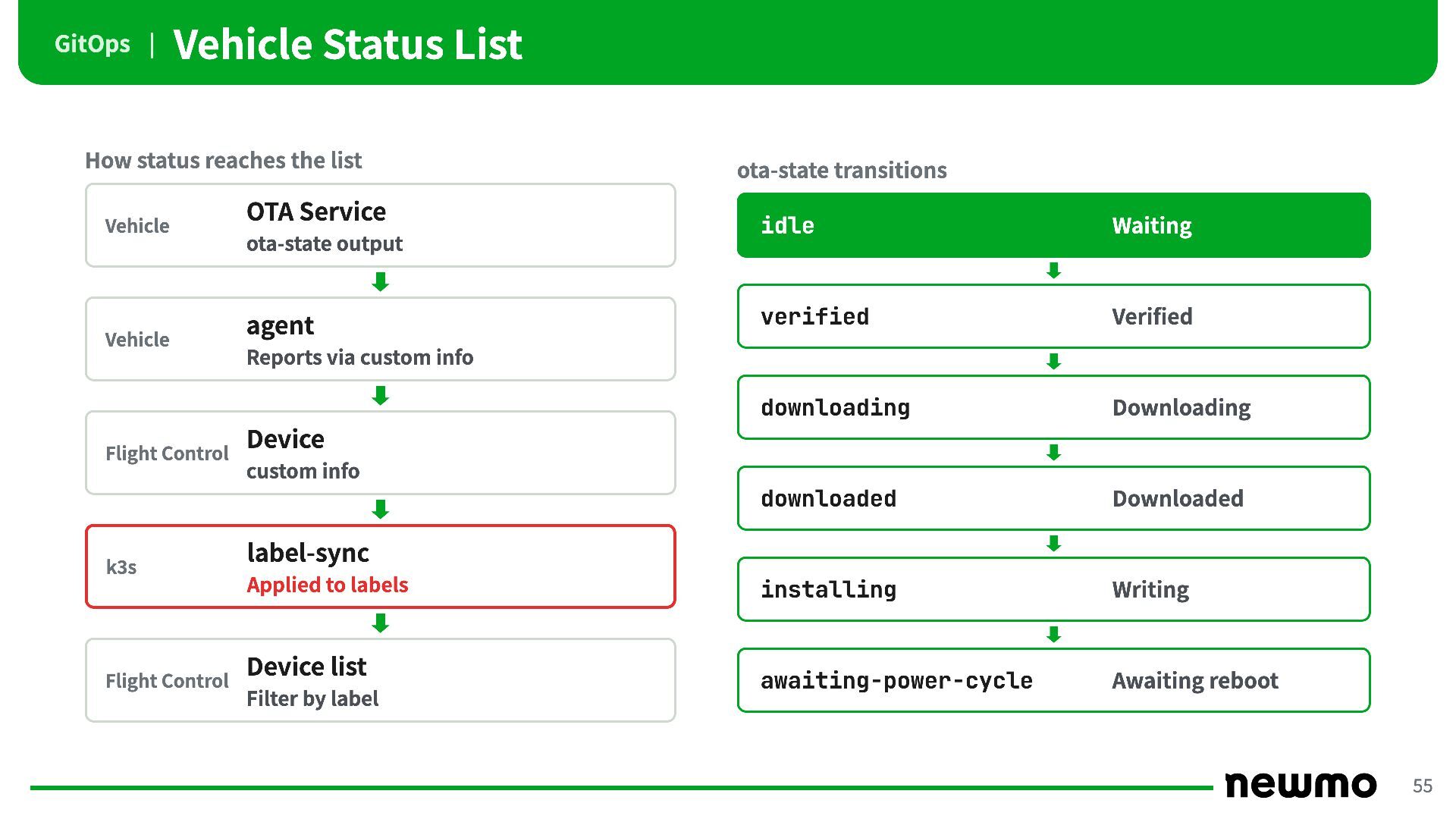
GitOps | Vehicle Status List How status reaches the list
Vehicle OTA Service ota-state output Vehicle agent ota-state transitions idle Waiting verified Verified downloading Downloading downloaded Downloaded installing Writing awaiting-power-cycle Awaiting reboot Reports via custom info Flight Control Device custom info k3s label-sync Applied to labels Flight Control Device list Filter by label 55 -
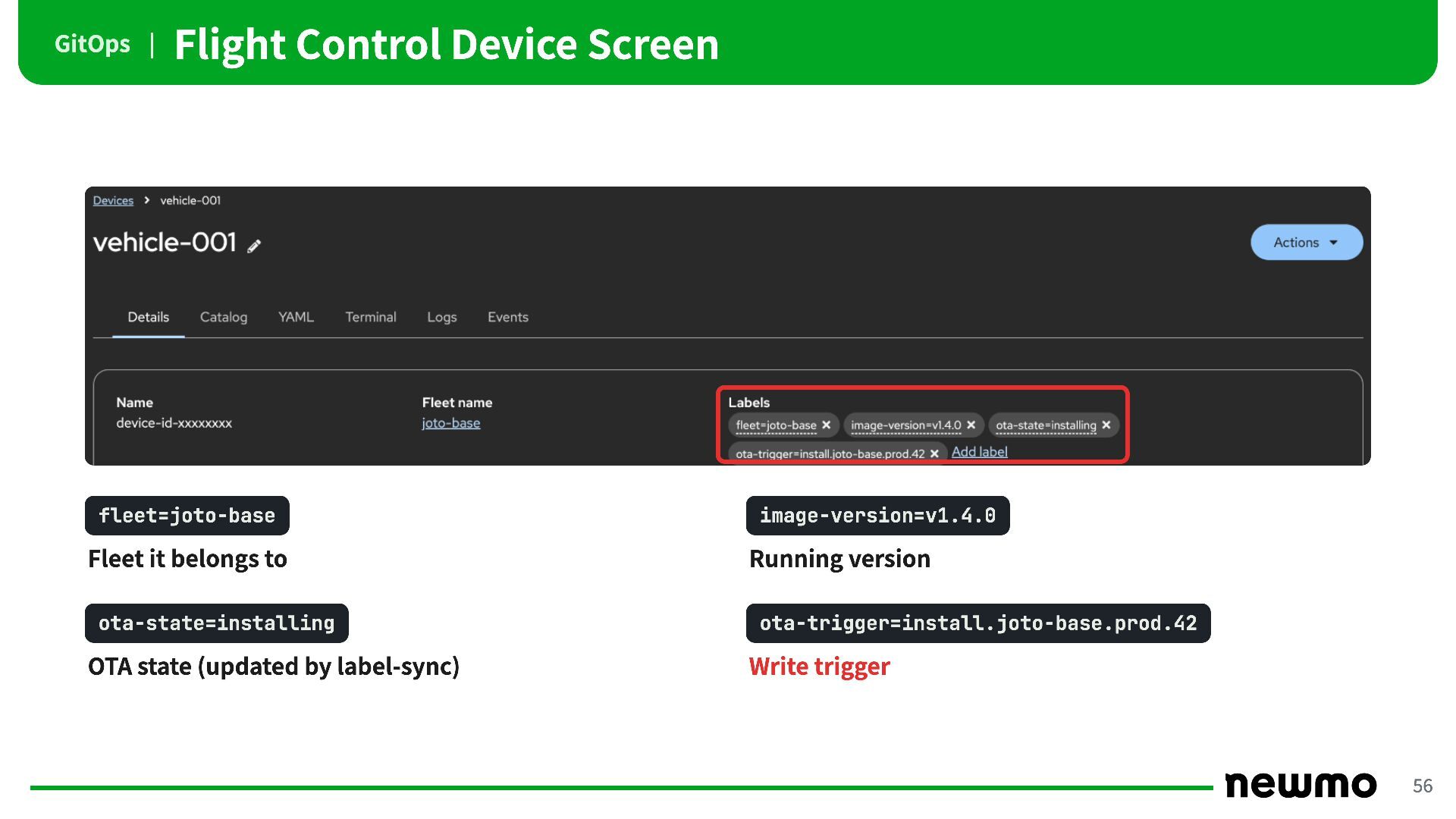
GitOps | Flight Control Device Screen fleet=joto-base image-version=v1.4.0 Fleet it
belongs to Running version ota-state=installing ota-trigger=install.joto-base.prod.42 OTA state (updated by label-sync) Write trigger 56 -
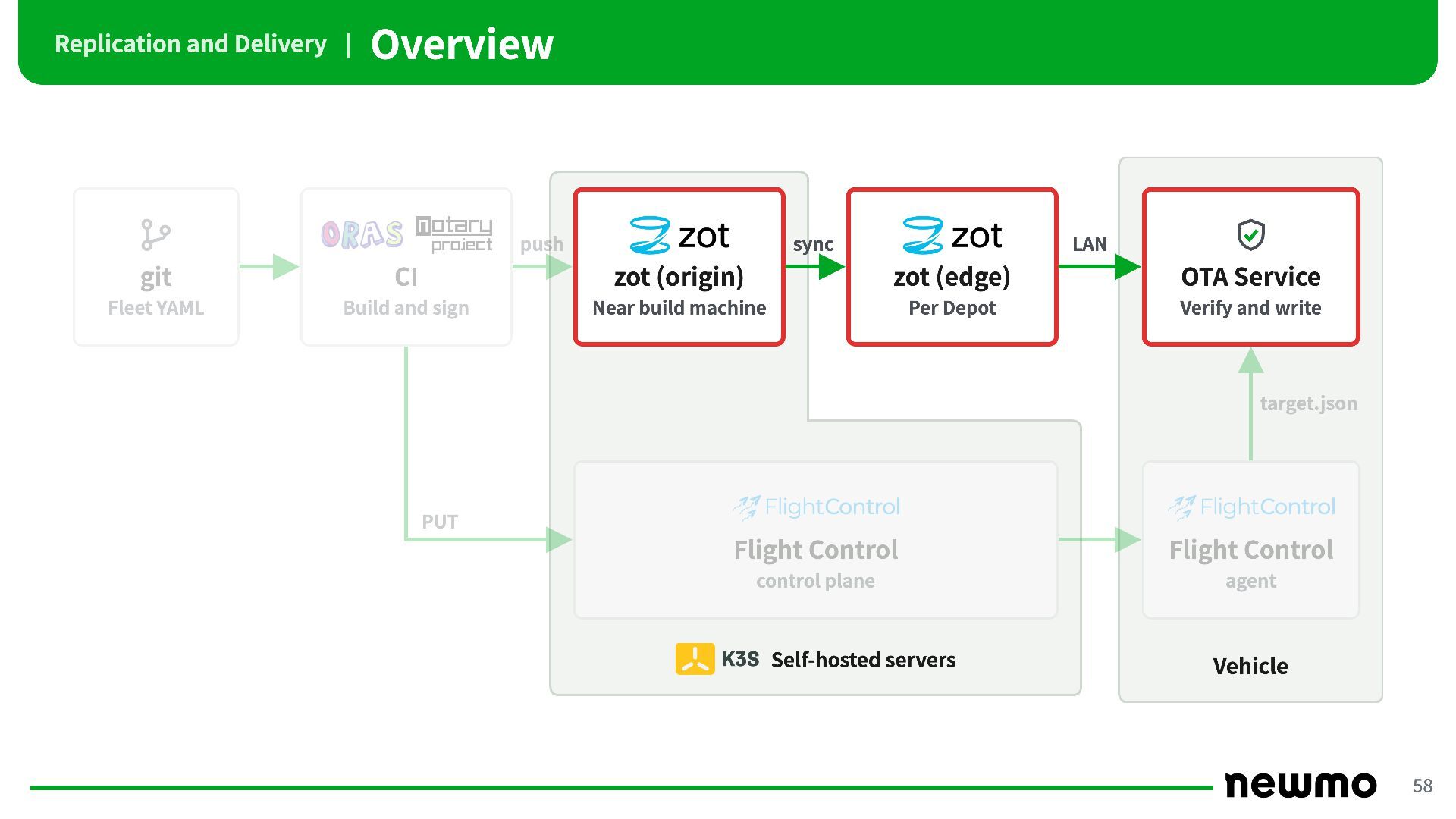
Replication and Delivery | Overview push sync LAN git CI
zot (origin) zot (edge) OTA Service Fleet YAML Build and sign Near build machine Per Depot Verify and write target.json PUT Flight Control Flight Control control plane agent Self-hosted servers Vehicle 58 -
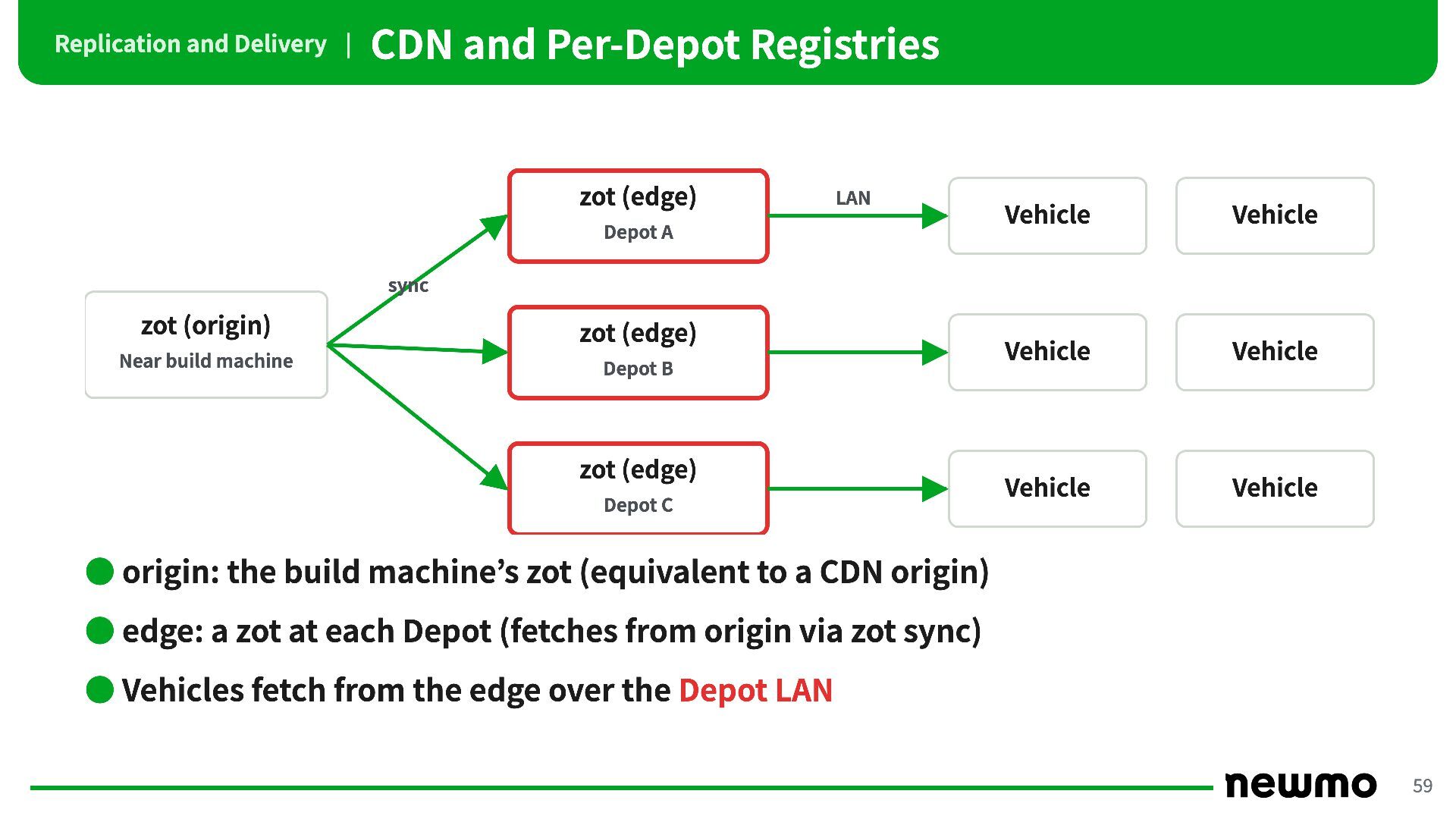
Replication and Delivery | CDN and Per-Depot Registries zot (edge)
LAN Depot A Vehicle Vehicle Vehicle Vehicle Vehicle Vehicle sync zot (origin) zot (edge) Near build machine Depot B zot (edge) Depot C • origin: the build machine’s zot (equivalent to a CDN origin) • edge: a zot at each Depot (fetches from origin via zot sync) • Vehicles fetch from the edge over the Depot LAN 59 -
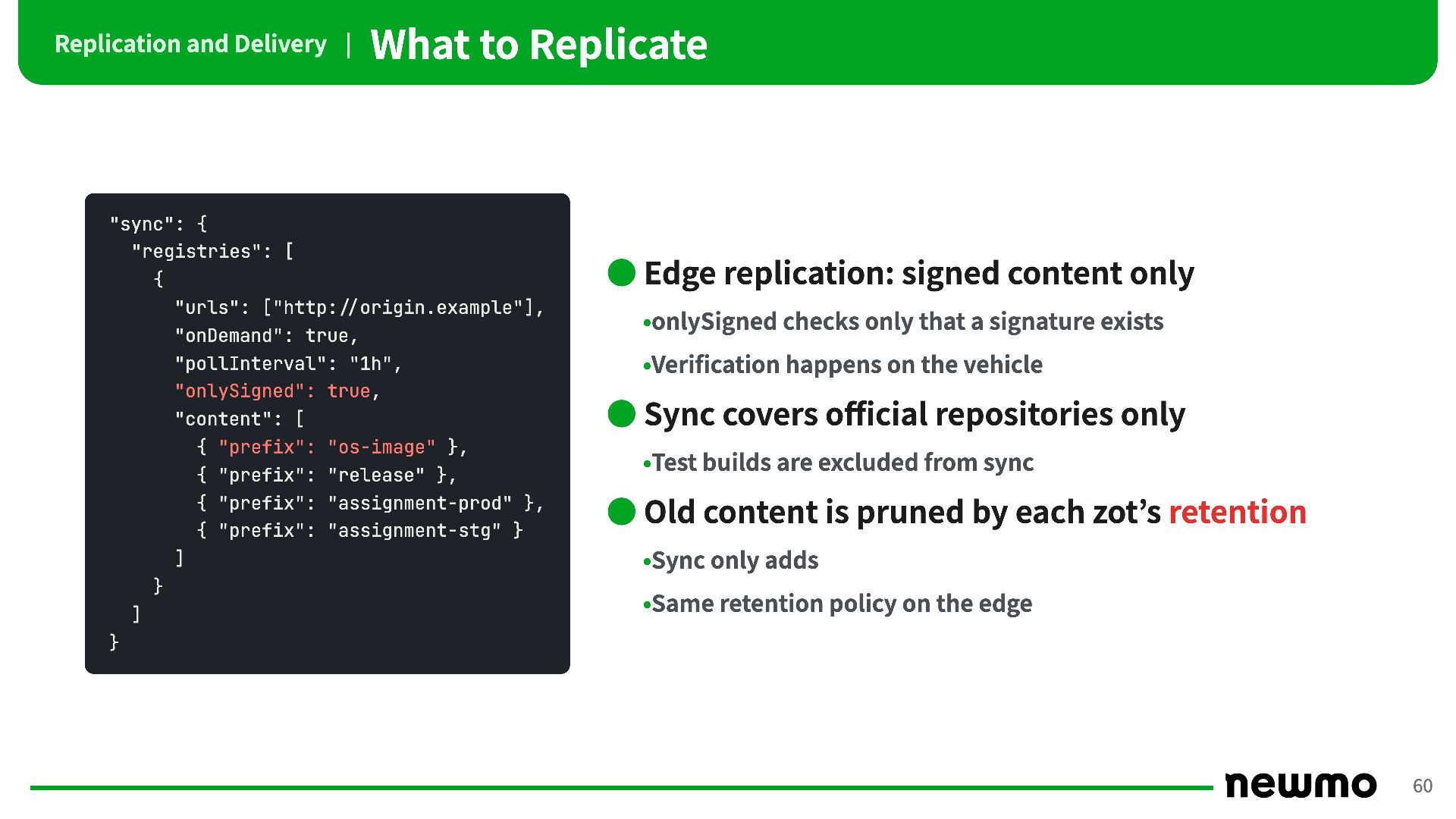
Replication and Delivery | What to Replicate "sync": { "registries":
[ { "urls": ["http://origin.example"], "onDemand": true, "pollInterval": "1h", "onlySigned": true, "content": [ { "prefix": "os-image" }, { "prefix": "release" }, { "prefix": "assignment-prod" }, { "prefix": "assignment-stg" } ] } ] • Edge replication: signed content only •onlySigned checks only that a signature exists •Verification happens on the vehicle • Sync covers official repositories only •Test builds are excluded from sync • Old content is pruned by each zot’s retention •Sync only adds •Same retention policy on the edge } 60 -
Replication and Delivery | OCI Layout and SSD Transport From
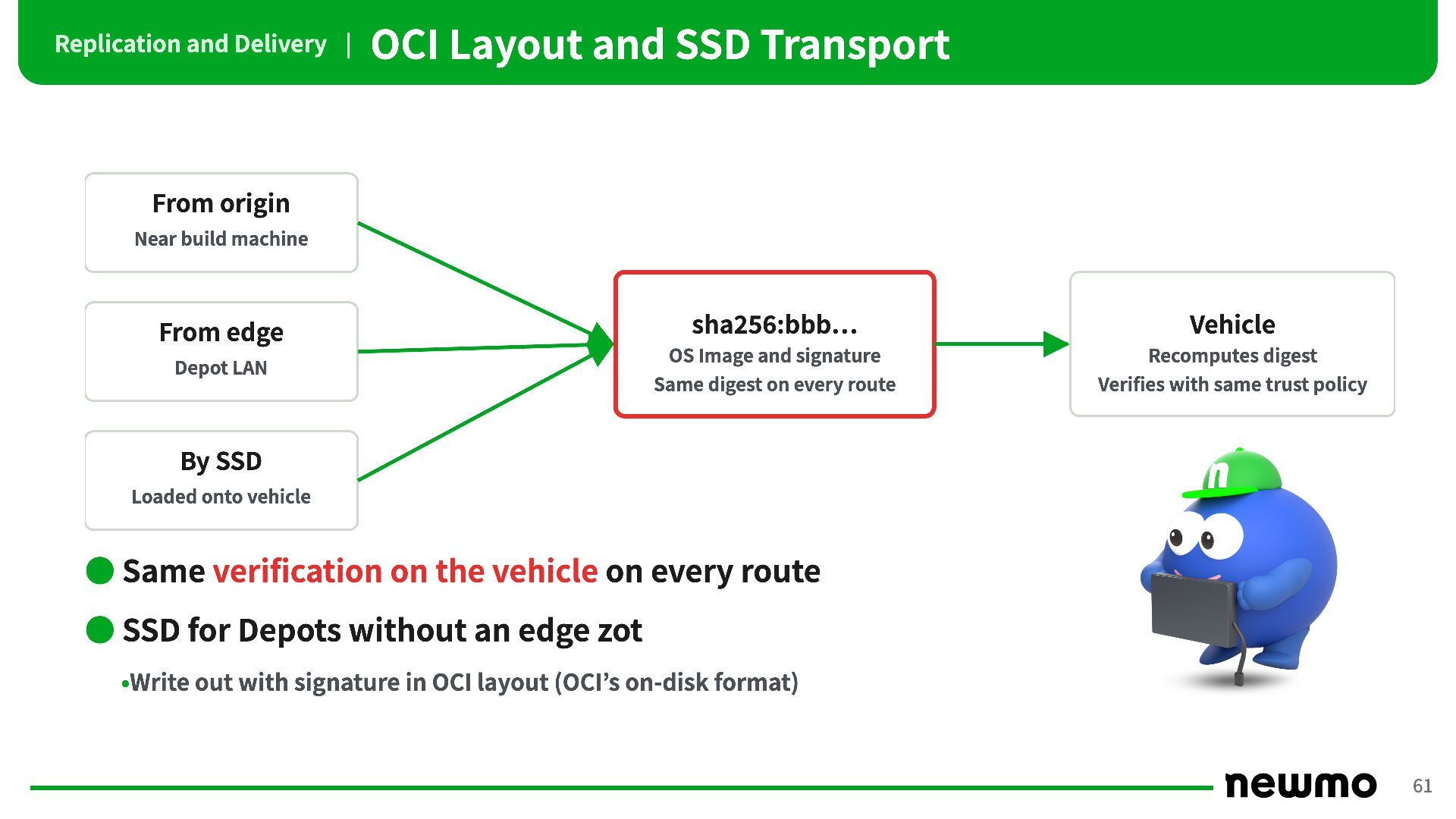
origin Near build machine From edge Depot LAN sha256:bbb… Vehicle OS Image and signature Recomputes digest Same digest on every route Verifies with same trust policy By SSD Loaded onto vehicle • Same verification on the vehicle on every route • SSD for Depots without an edge zot •Write out with signature in OCI layout (OCI’s on-disk format) 61 -
Signature Verification | Overview push sync LAN git CI zot
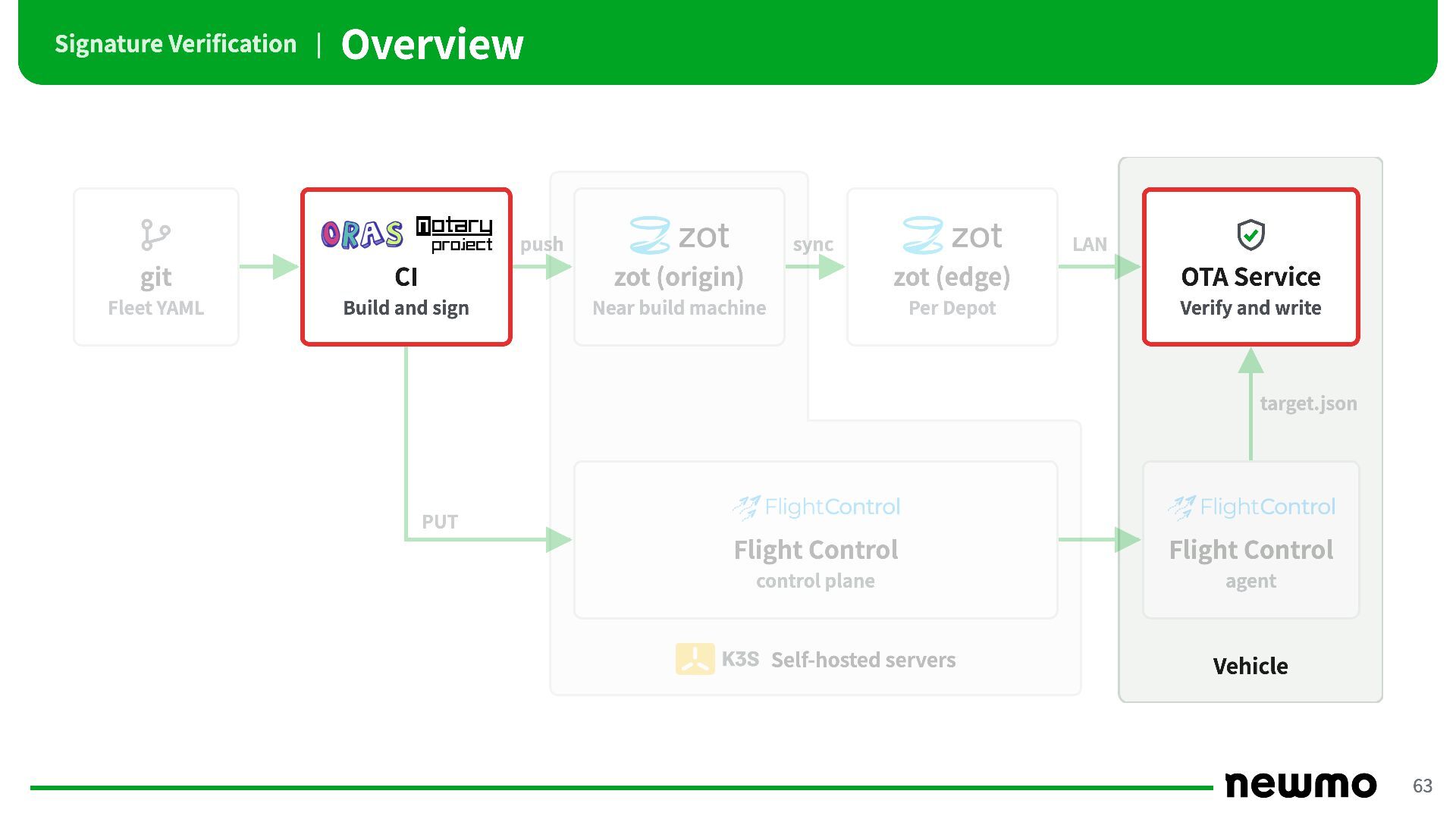
(origin) zot (edge) OTA Service Fleet YAML Build and sign Near build machine Per Depot Verify and write target.json PUT Flight Control Flight Control control plane agent Self-hosted servers Vehicle 63 -
Signature Verification | Signing Method Comparison cosign cosign notation keyless
key pair + own PKI On the vehicle Sigstore trusted root and signer conditions Signing public key root CA certificate and DN Signing key rotation Throwaway every time Replace public key on every vehicle Same DN: no vehicle changes Updating trust anchor on offline vehicles Trusted root must be distributed regularly At every key rotation Only when root is replaced • Adopted notation: keys rotate without changing the vehicle’s trust anchor •cosign can also do the same with its own CA •keyless can also verify offline with pre-distributed bundles •Certificate revocation checks (CRL / OCSP) also assume online, so not used 64 -
Signature Verification | Three Layers of Keys and Certificates Vehicle
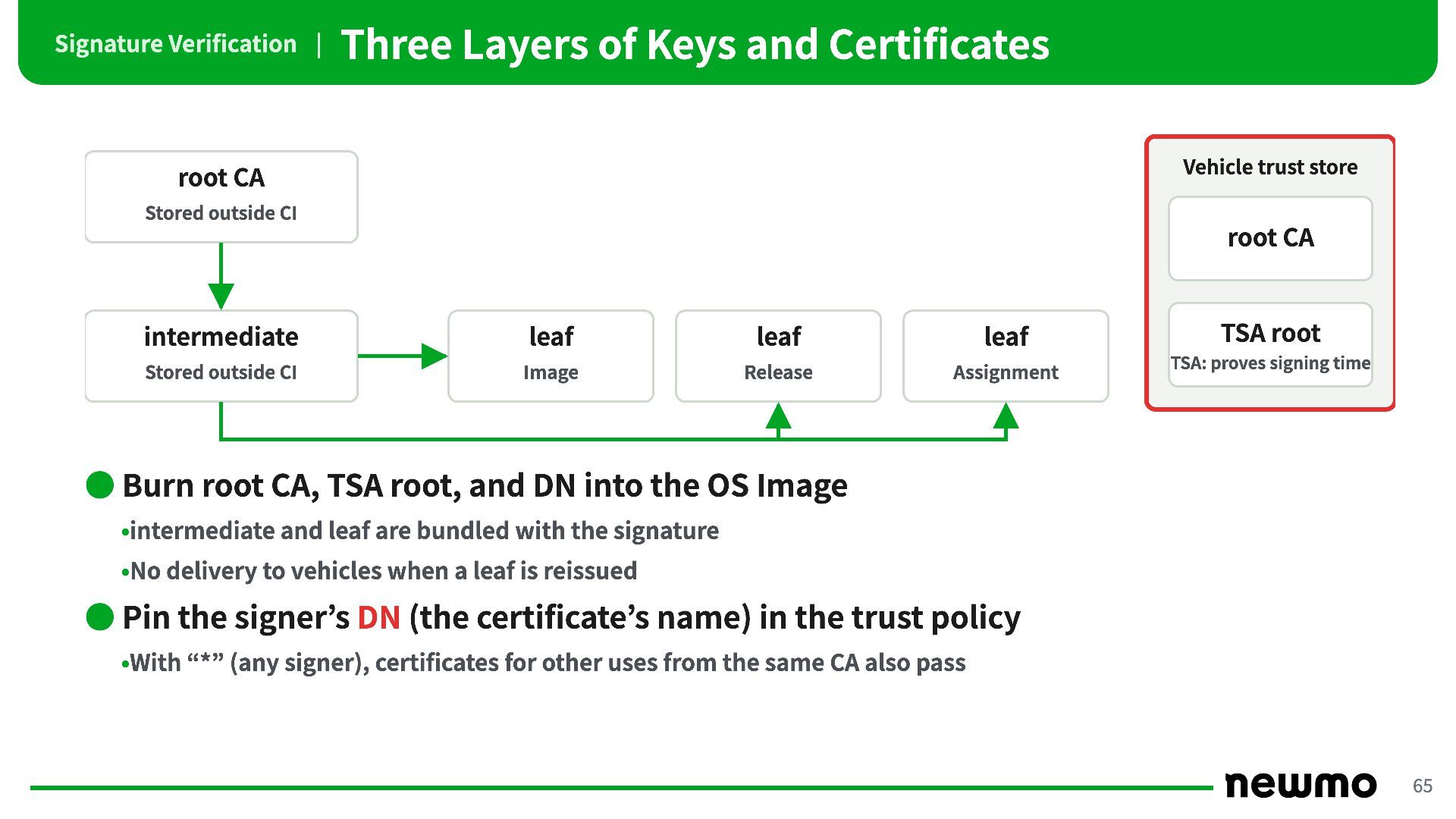
trust store root CA Stored outside CI root CA intermediate leaf leaf leaf Stored outside CI Image Release Assignment TSA root TSA: proves signing time • Burn root CA, TSA root, and DN into the OS Image •intermediate and leaf are bundled with the signature •No delivery to vehicles when a leaf is reissued • Pin the signer’s DN (the certificate’s name) in the trust policy •With “*” (any signer), certificates for other uses from the same CA also pass 65 -
Signature Verification | Key Rotation Layer Rotation Vehicle-side change root
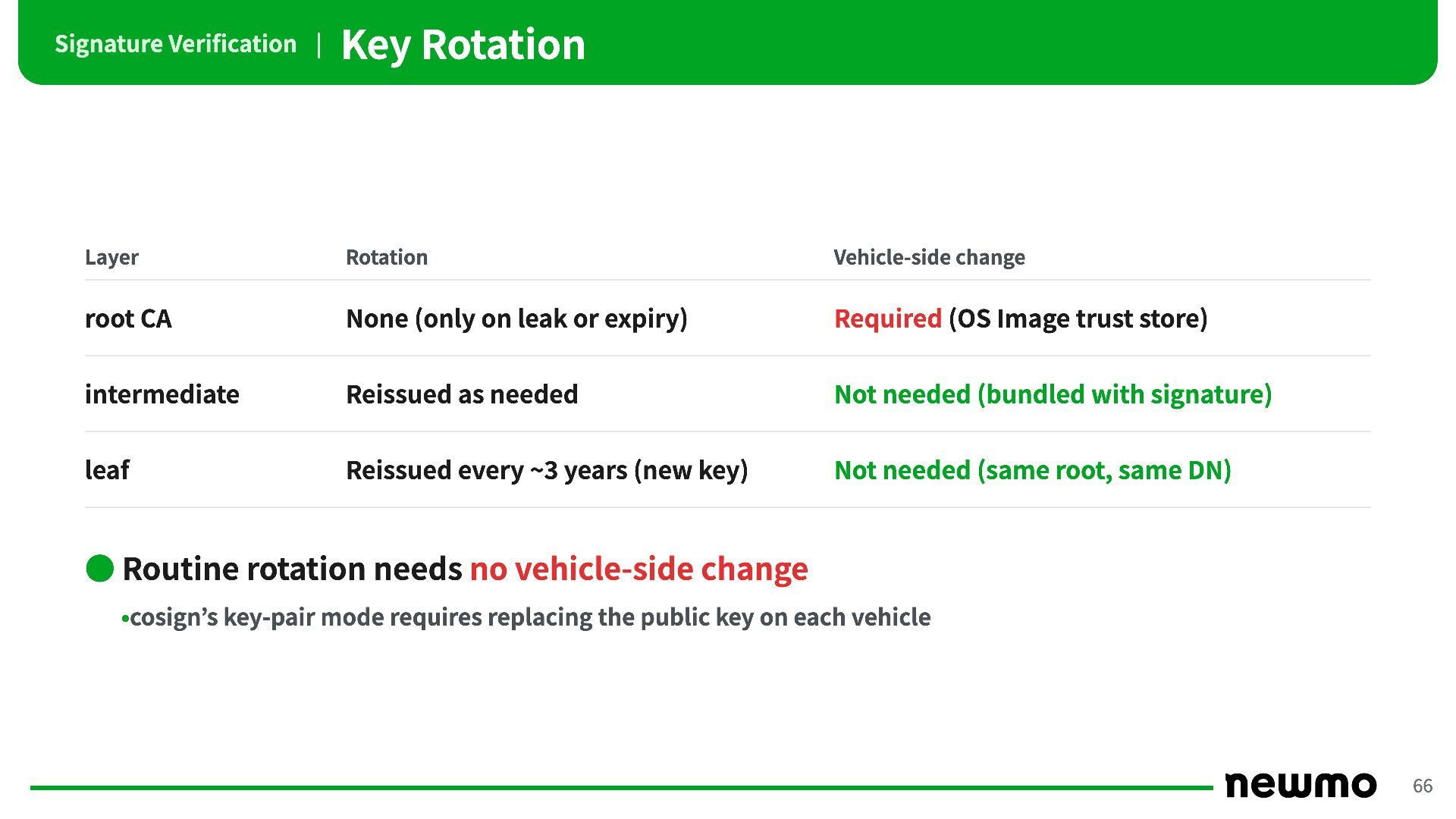
CA None (only on leak or expiry) Required (OS Image trust store) intermediate Reissued as needed Not needed (bundled with signature) leaf Reissued every ~3 years (new key) Not needed (same root, same DN) • Routine rotation needs no vehicle-side change •cosign’s key-pair mode requires replacing the public key on each vehicle 66 -
Signature Verification | RFC 3161 Timestamp NG without a timestamp
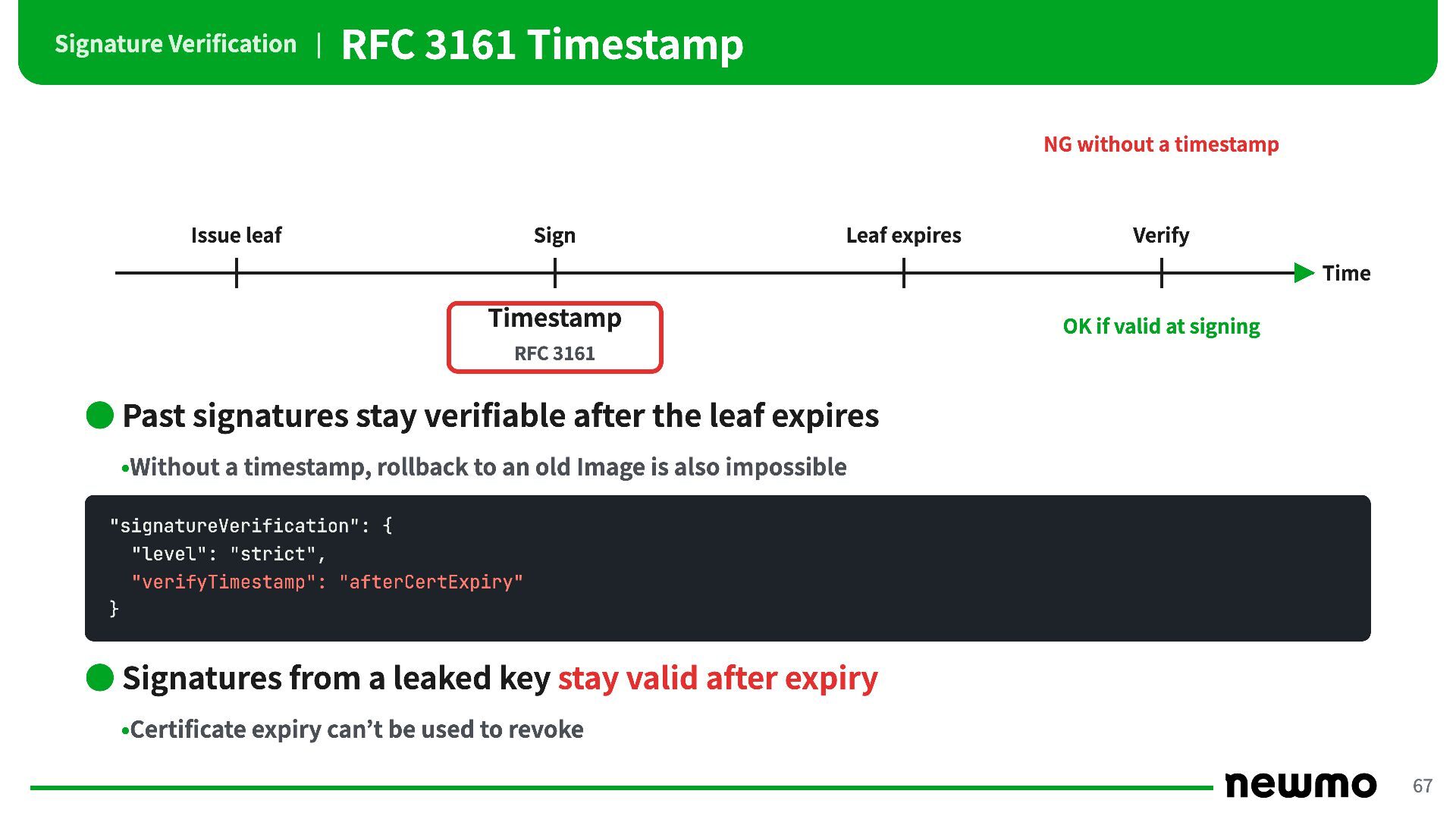
Issue leaf Sign Leaf expires Verify Time Timestamp OK if valid at signing RFC 3161 • Past signatures stay verifiable after the leaf expires •Without a timestamp, rollback to an old Image is also impossible "signatureVerification": { "level": "strict", "verifyTimestamp": "afterCertExpiry" } • Signatures from a leaked key stay valid after expiry •Certificate expiry can’t be used to revoke 67 -
Signature Verification | Replacing the Trust Policy Key leak Sign
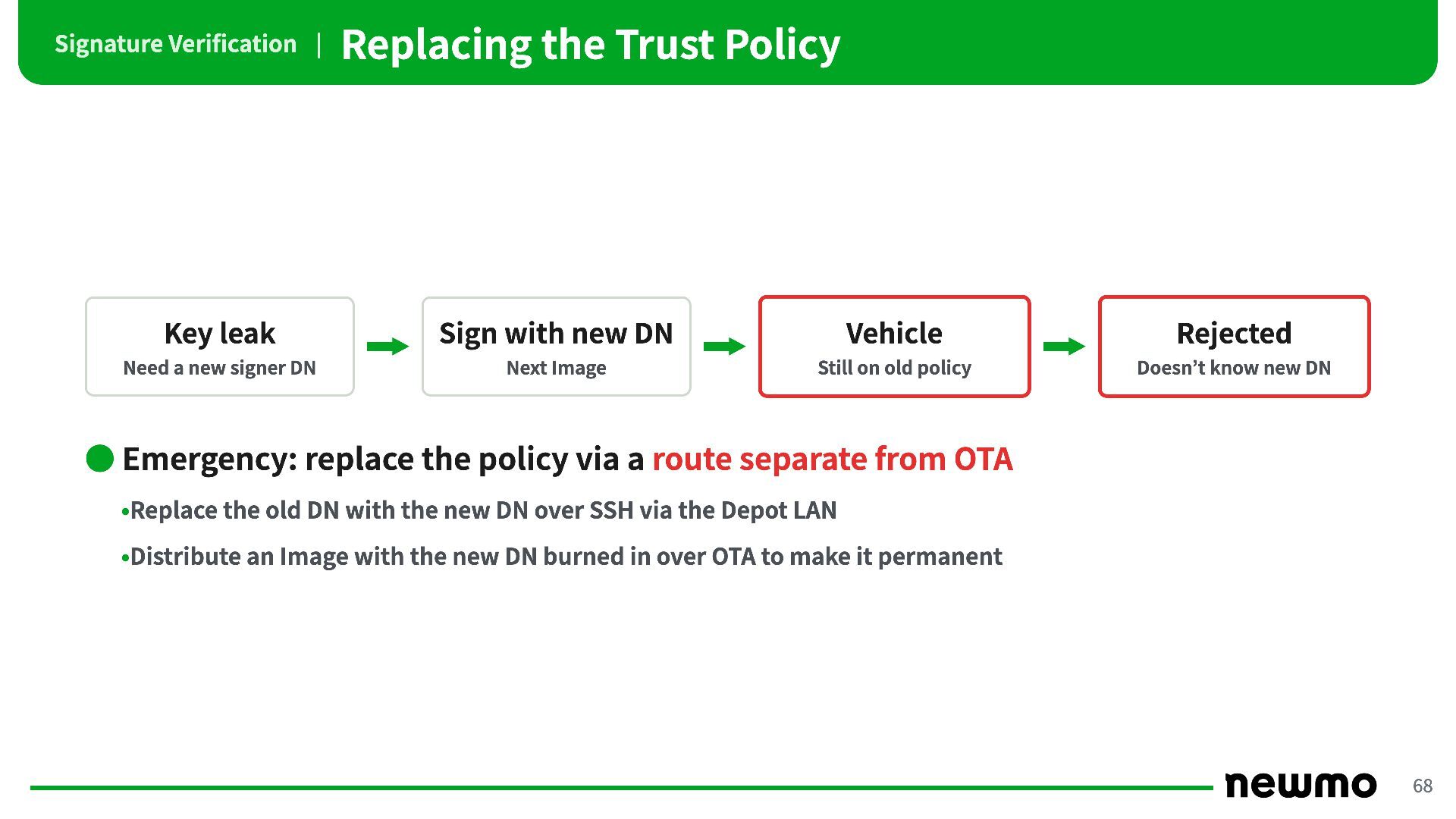
with new DN Vehicle Rejected Need a new signer DN Next Image Still on old policy Doesn’t know new DN • Emergency: replace the policy via a route separate from OTA •Replace the old DN with the new DN over SSH via the Depot LAN •Distribute an Image with the new DN burned in over OTA to make it permanent 68 -
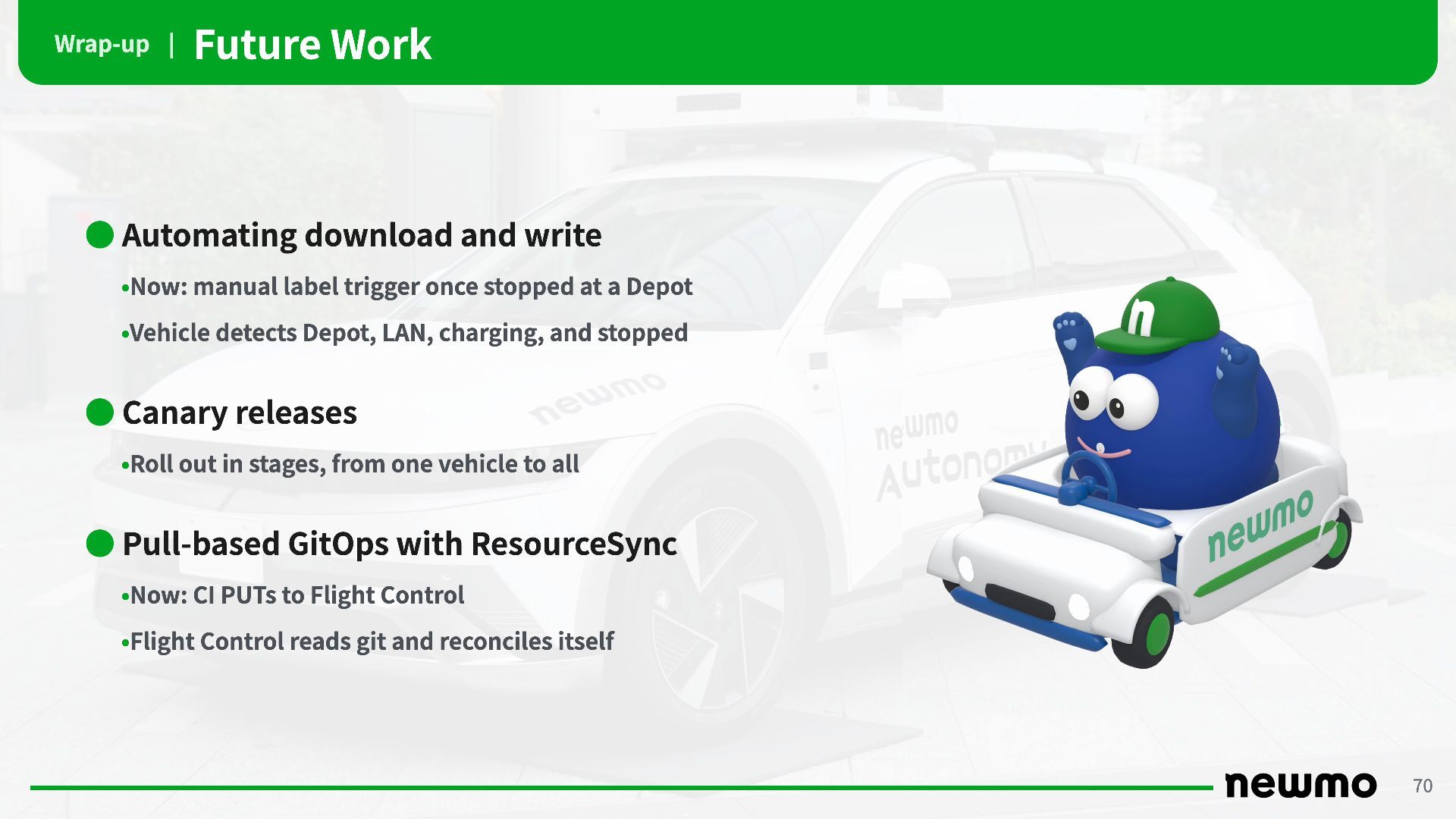
Wrap-up | Future Work • Automating download and write •Now:
manual label trigger once stopped at a Depot •Vehicle detects Depot, LAN, charging, and stopped • Canary releases •Roll out in stages, from one vehicle to all • Pull-based GitOps with ResourceSync •Now: CI PUTs to Flight Control •Flight Control reads git and reconciles itself 70 -
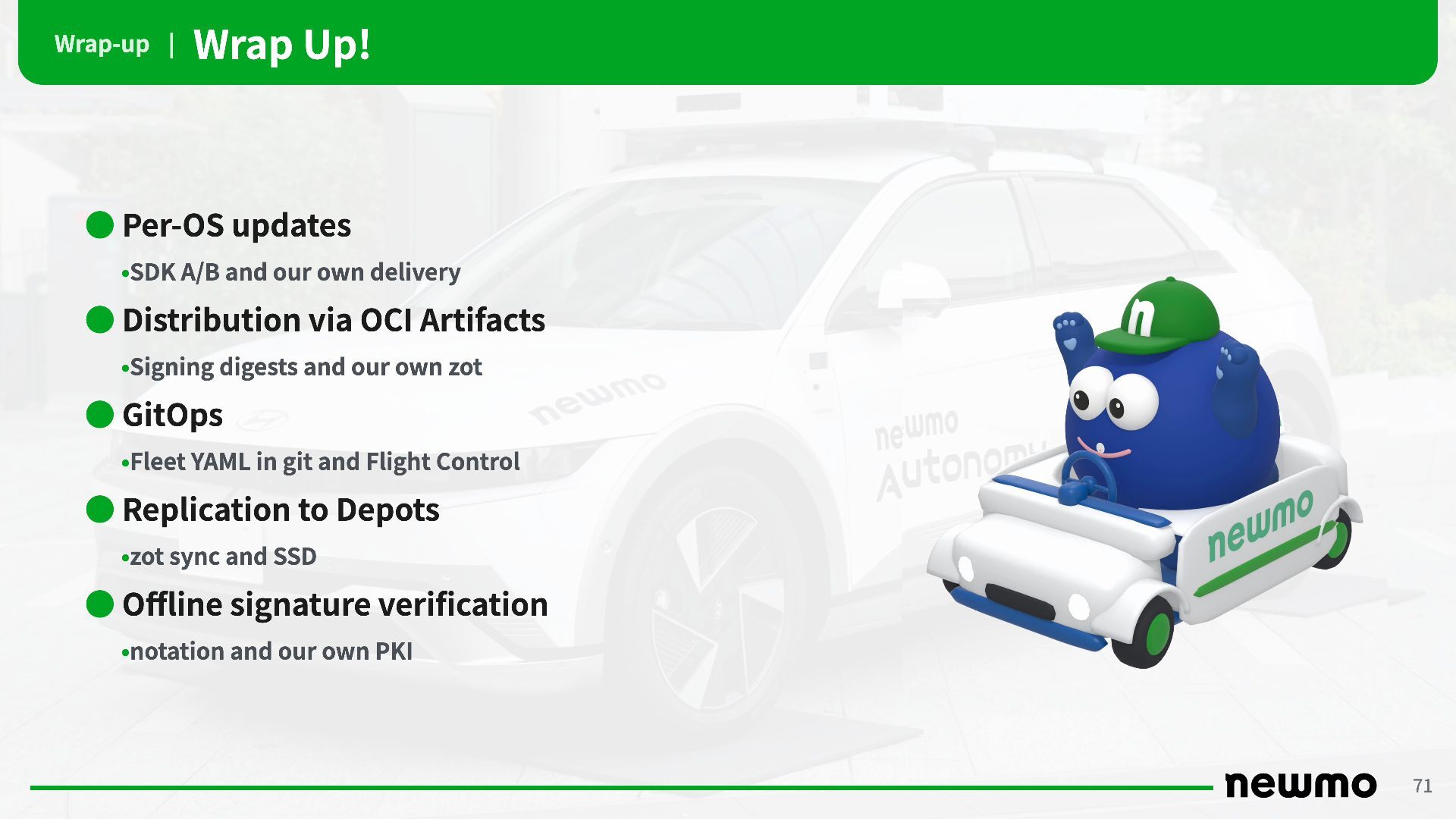
Wrap-up | Wrap Up! • Per-OS updates •SDK A/B and
our own delivery • Distribution via OCI Artifacts •Signing digests and our own zot • GitOps •Fleet YAML in git and Flight Control • Replication to Depots •zot sync and SSD • Offline signature verification •notation and our own PKI 71 -
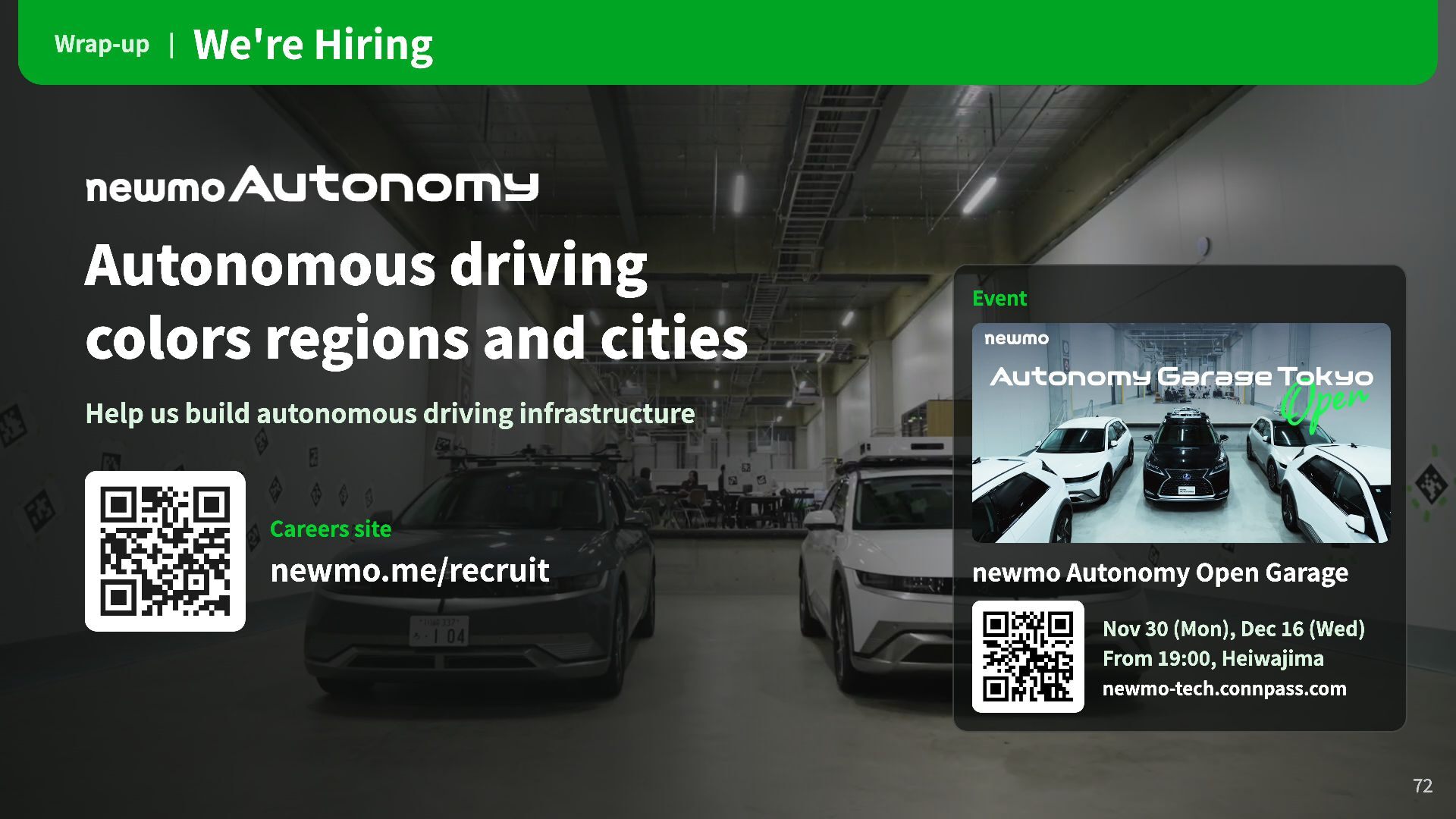
Wrap-up | We're Hiring Autonomous driving colors regions and cities
Event Help us build autonomous driving infrastructure Careers site newmo.me/recruit newmo Autonomy Open Garage Nov 30 (Mon), Dec 16 (Wed) From 19:00, Heiwajima newmo-tech.connpass.com 72
 biwashi
 ryutakondo
 takuyay0ne
 amixedcolor
 yuutosi
 bitkey
 uhyo
 takano0131
 oidfj
 amarelo_n24
 minorun365
 miriamschwab
 mtmtfactory01
 sferik
 chikuwait
 bryan
 scottboms
 zakiyama
 chrislema
 soysaucechin
 techseoconnect
 akihiro_kokubo
 chrisshort
 oripsolob
 baasie