Upgrade to Pro
— share decks privately, control downloads, hide ads and more …
Speaker Deck
Sign up for free
Menu
Search
Features
All features
Private URLs
Password Protection
Custom URLS
Scheduled publishing
Remove Branding
Restrict embedding
Deck Collections
Notes
Features
All features
Private URLs
Password Protection
Custom URLS
Scheduled publishing
Remove Branding
Restrict embedding
Deck Collections
Notes
Explore
Featured decks
Featured speakers
Programming
Technology
Storyboards
Explore
Featured decks
Featured speakers
Programming
Technology
Storyboards
Pricing
Search
Sign in
Sign up for free
空間情報システム入門課題
Search
Runohatasa
June 16, 2016
94
0
Share
Embed
Copy iframe code
Copy JS code
Copy link
Start on current slide
空間情報システム入門課題
Runohatasa
June 16, 2016
More Decks by Runohatasa
See All by Runohatasa
PokemonGo探索map
bonbon
0
100
Featured
See All Featured
Heart Work Chapter 1 - Part 1
lfama
PRO
10
37k
svc-hook: hooking system calls on ARM64 by binary rewriting
retrage
2
630
SEOcharity - Dark patterns in SEO and UX: How to avoid them and build a more ethical web
sarafernandez
0
300
Rails Girls Zürich Keynote
gr2m
96
14k
Measuring Dark Social's Impact On Conversion and Attribution
stephenakadiri
2
310
Navigating Team Friction
lara
192
16k
10 Git Anti Patterns You Should be Aware of
lemiorhan
PRO
659
62k
We Analyzed 250 Million AI Search Results: Here's What I Found
joshbly
2
2k
How to Create Impact in a Changing Tech Landscape [PerfNow 2023]
tammyeverts
56
3.5k
The Pragmatic Product Professional
lauravandoore
37
7.5k
Embracing the Ebb and Flow
colly
88
5.2k
How STYLIGHT went responsive
nonsquared
100
6.3k
Transcript
空間情報システム 1A116176 畑佐 瑠乃
Internet Explorer以外のインターネットを使う
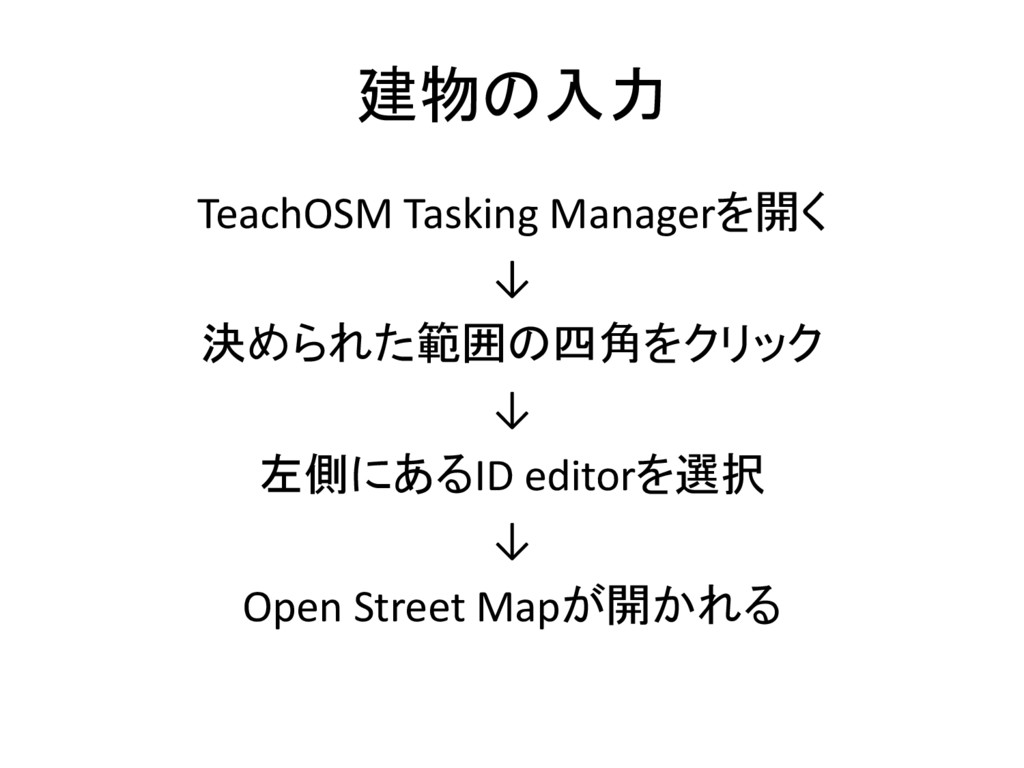
建物の入力 TeachOSM Tasking Managerを開く ↓ 決められた範囲の四角をクリック ↓ 左側にあるID editorを選択 ↓
Open Street Mapが開かれる
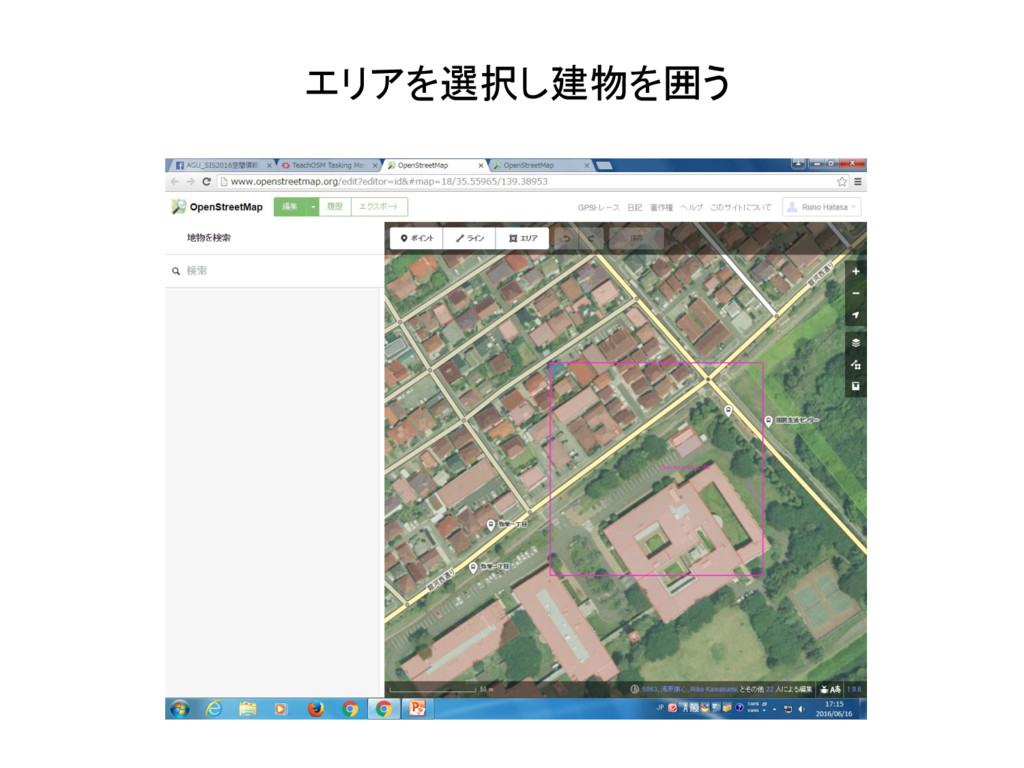
エリアを選択し建物を囲う
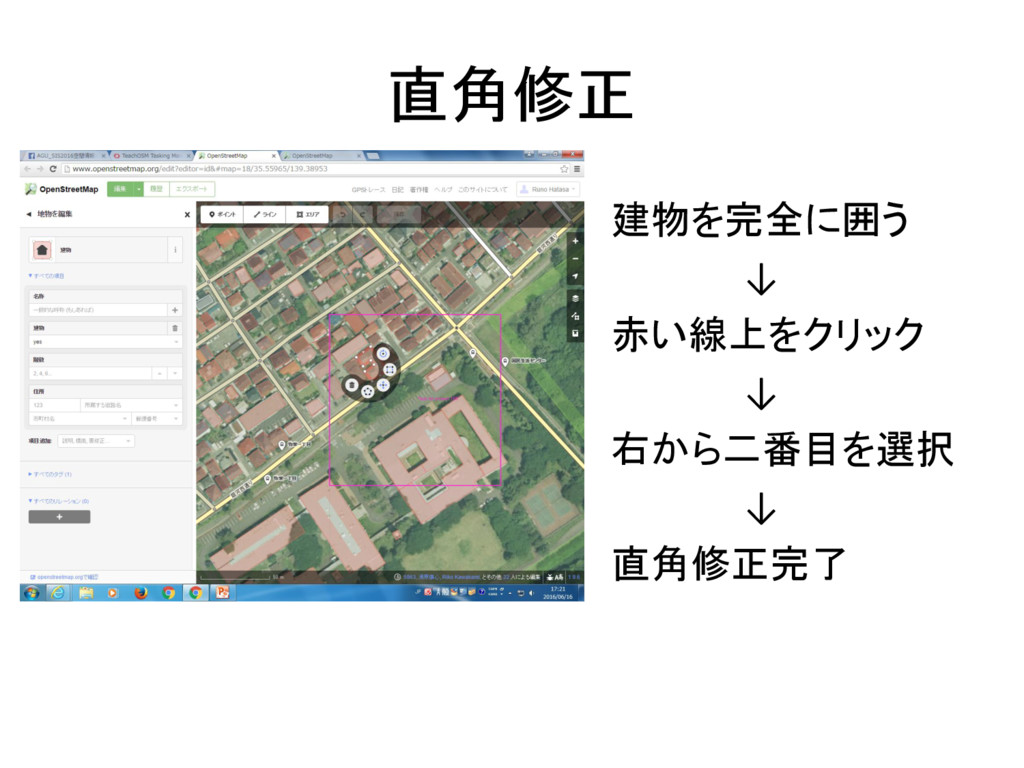
直角修正 建物を完全に囲う ↓ 赤い線上をクリック ↓ 右から二番目を選択 ↓ 直角修正完了
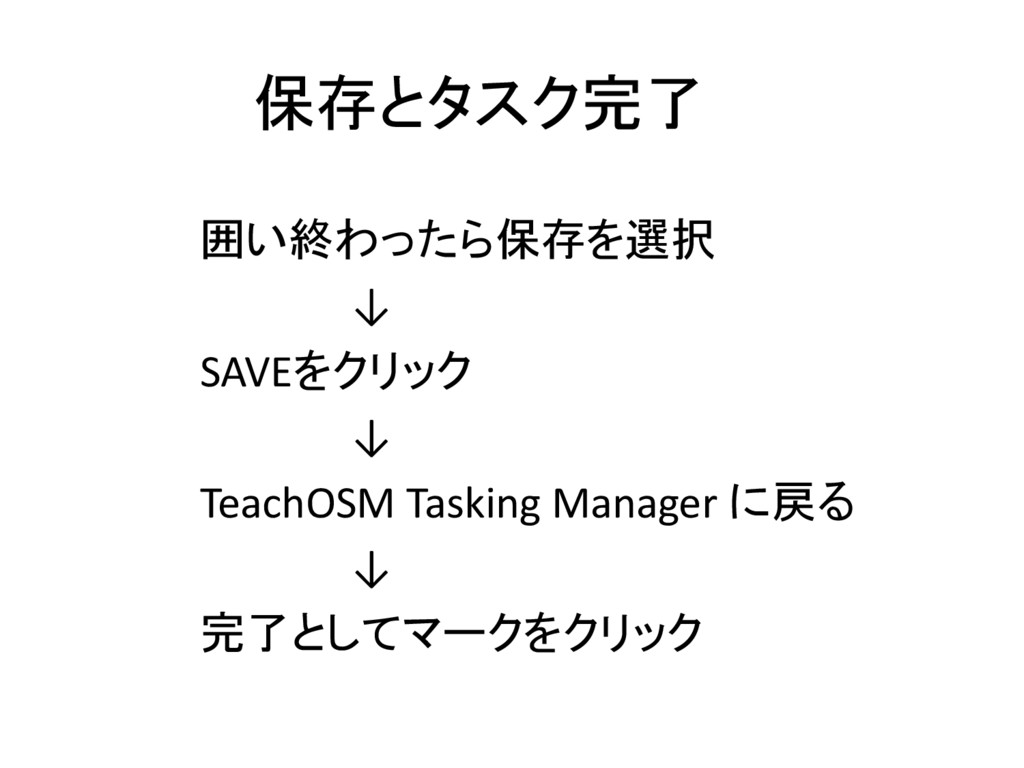
保存とタスク完了 囲い終わったら保存を選択 ↓ SAVEをクリック ↓ TeachOSM Tasking Manager に戻る ↓
完了としてマークをクリック
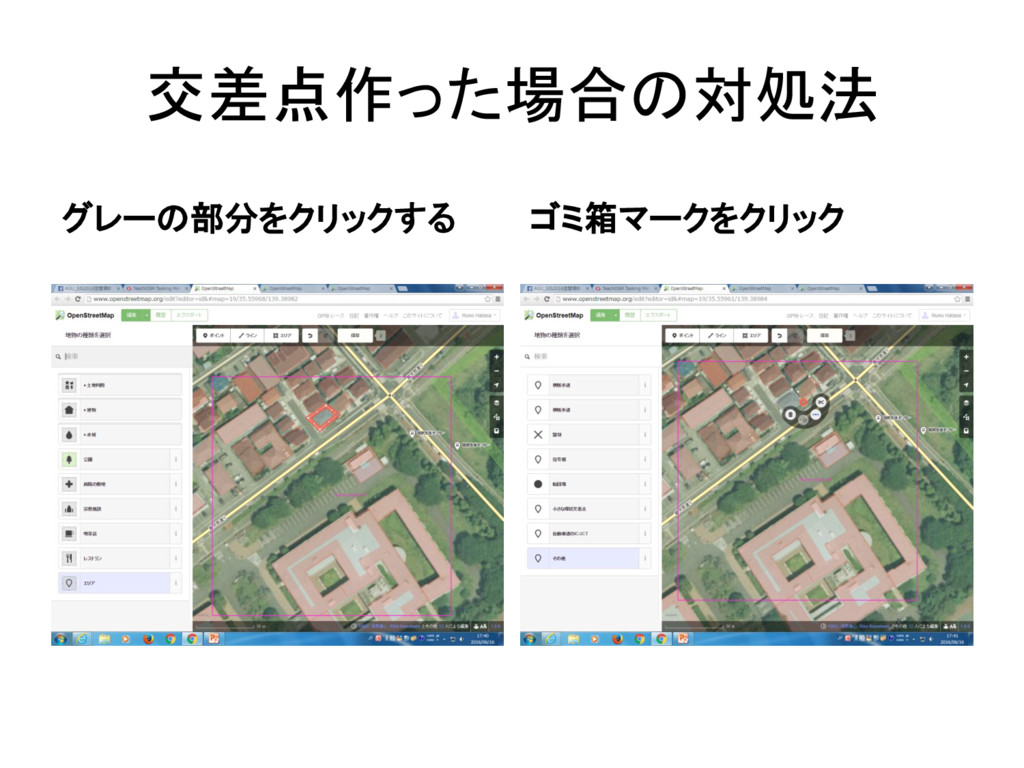
交差点作った場合の対処法 グレーの部分をクリックする ゴミ箱マークをクリック
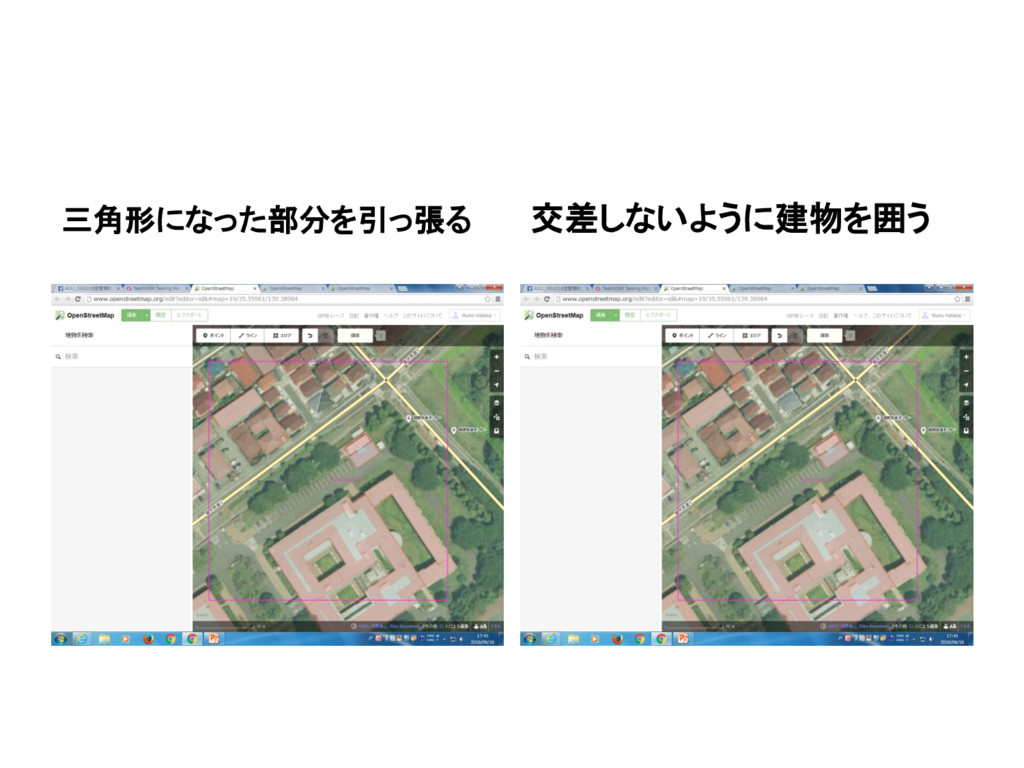
三角形になった部分を引っ張る 交差しないように建物を囲う
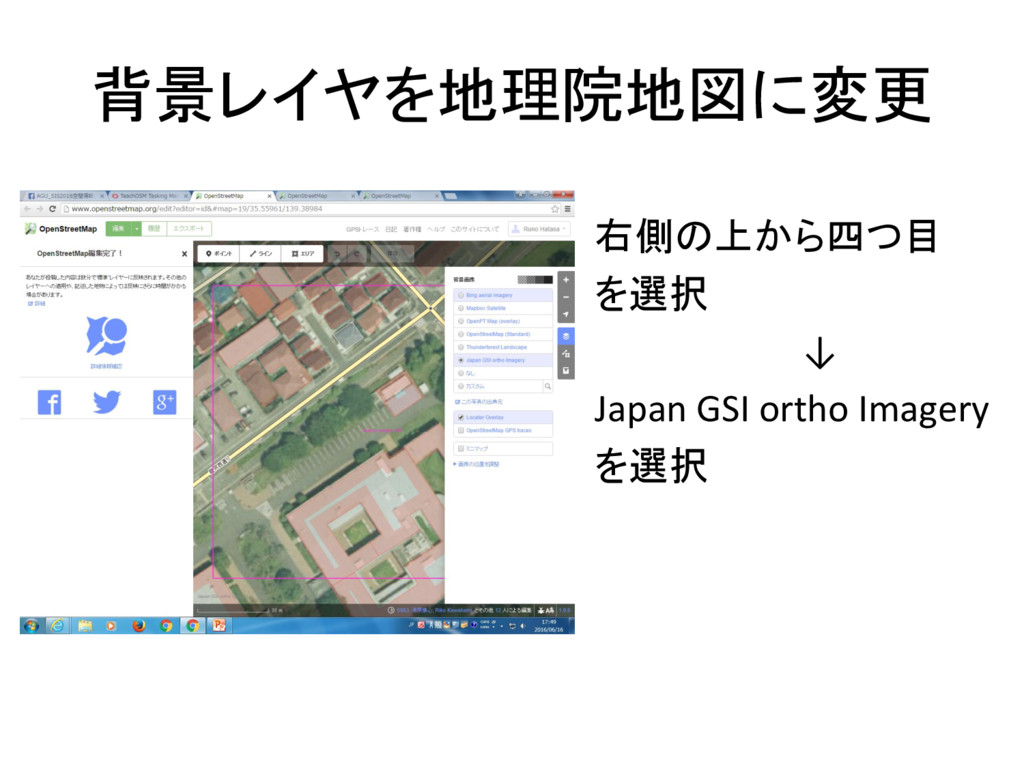
背景レイヤを地理院地図に変更 右側の上から四つ目 を選択 ↓ Japan GSI ortho Imagery を選択
分割 自分がやる範囲が決まったら選択する ↓ ID editorの右下に分割があるので選択する


 bonbon
 lfama
lfama
 retrage
 sarafernandez
 gr2m
gr2m
 stephenakadiri
 lara
lara
 lemiorhan
 joshbly
 tammyeverts
 lauravandoore
 colly
colly
 nonsquared