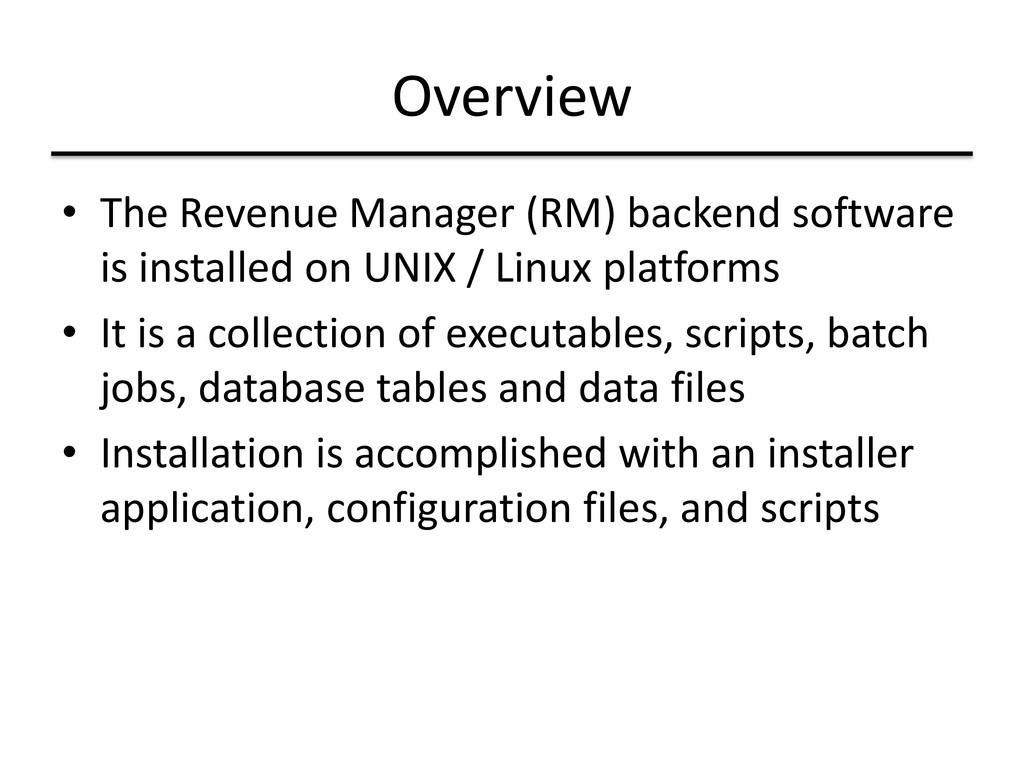
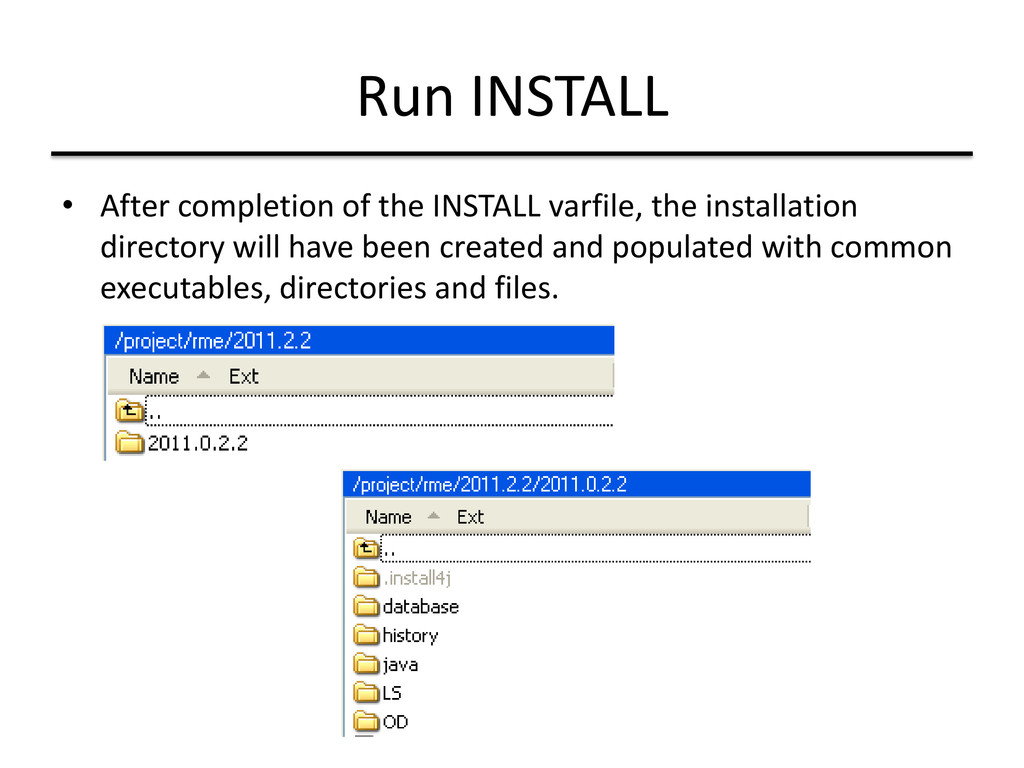
on UNIX / Linux platforms • It is a collection of executables, scripts, batch jobs, database tables and data files • Installation is accomplished with an installer application, configuration files, and scripts
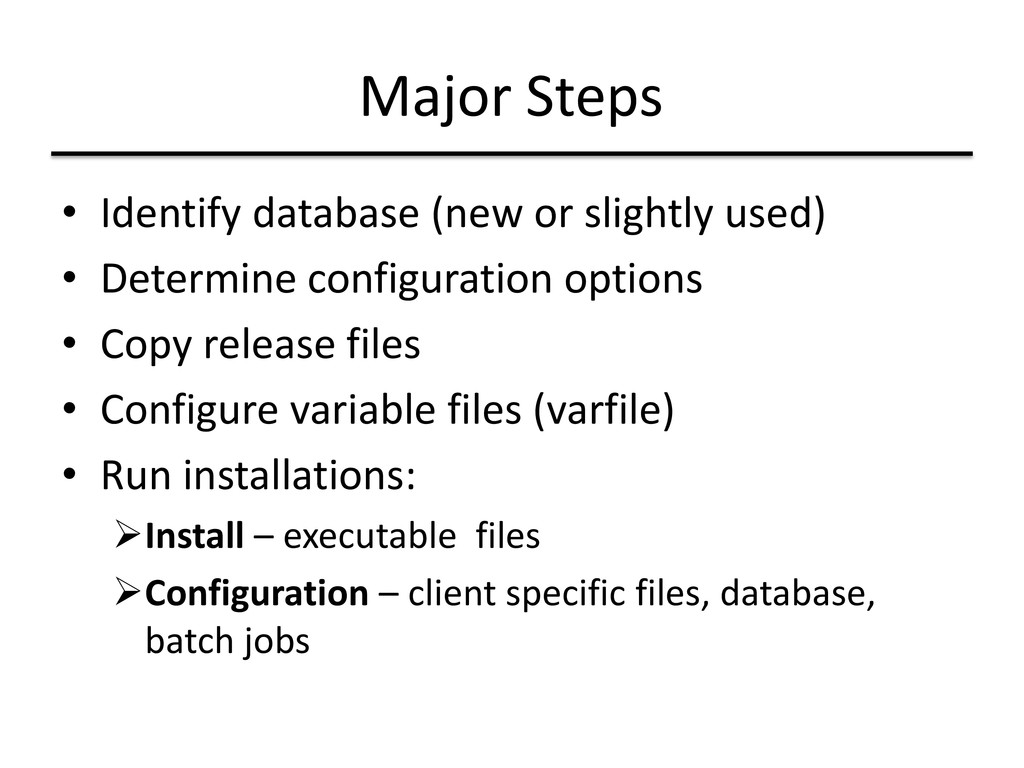
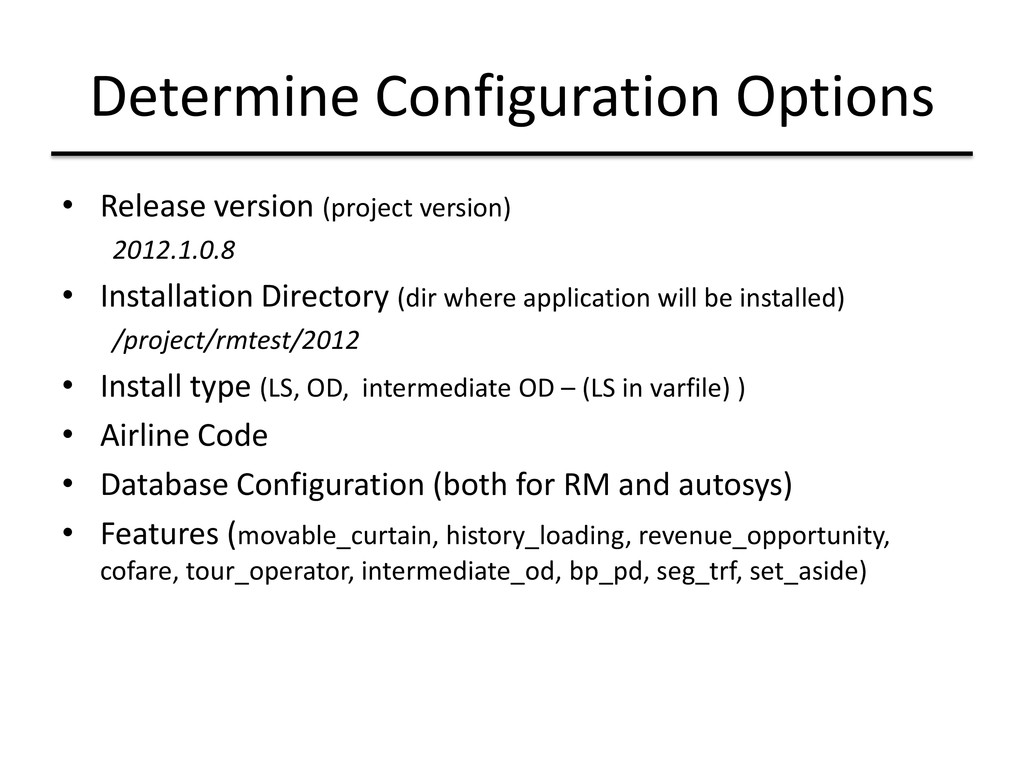
Installation Directory (dir where application will be installed) /project/rmtest/2012 • Install type (LS, OD, intermediate OD – (LS in varfile) ) • Airline Code • Database Configuration (both for RM and autosys) • Features (movable_curtain, history_loading, revenue_opportunity, cofare, tour_operator, intermediate_od, bp_pd, seg_trf, set_aside)
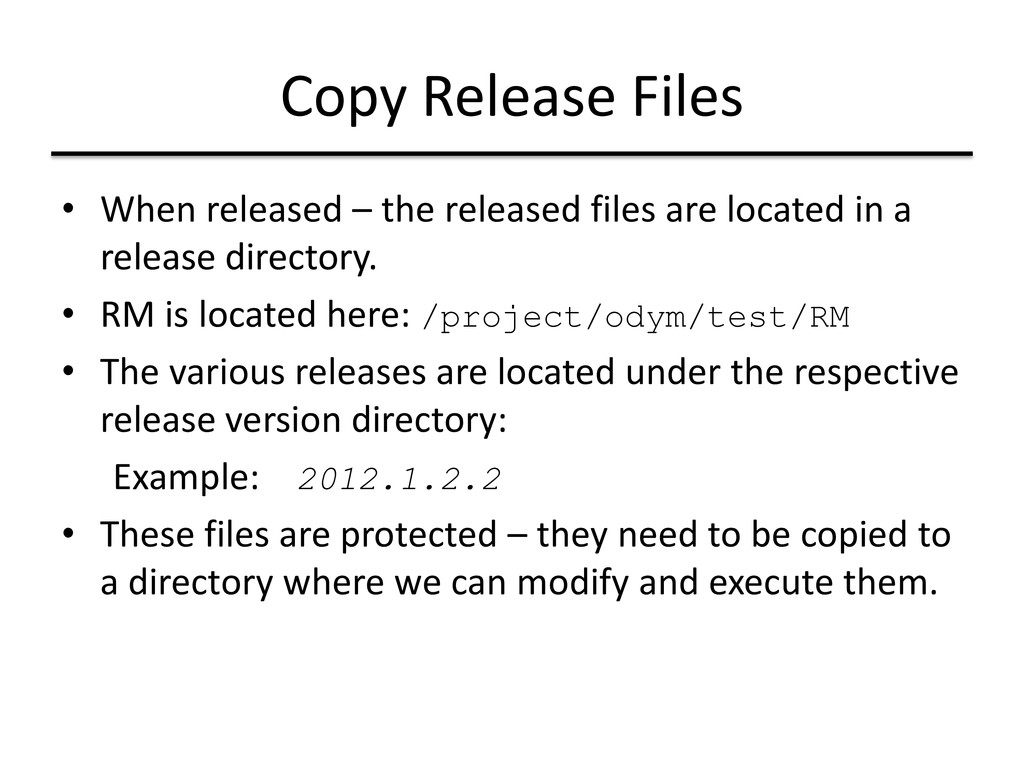
are located in a release directory. • RM is located here: /project/odym/test/RM • The various releases are located under the respective release version directory: Example: 2012.1.2.2 • These files are protected – they need to be copied to a directory where we can modify and execute them.
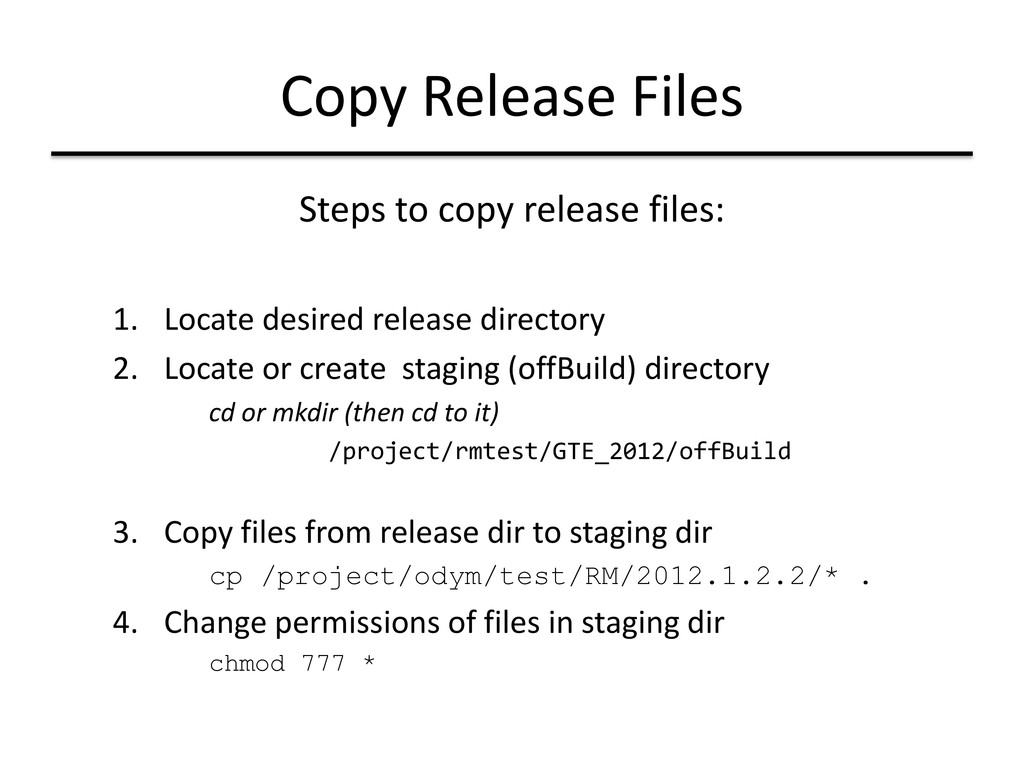
desired release directory 2. Locate or create staging (offBuild) directory cd or mkdir (then cd to it) /project/rmtest/GTE_2012/offBuild 3. Copy files from release dir to staging dir cp /project/odym/test/RM/2012.1.2.2/* . 4. Change permissions of files in staging dir chmod 777 *
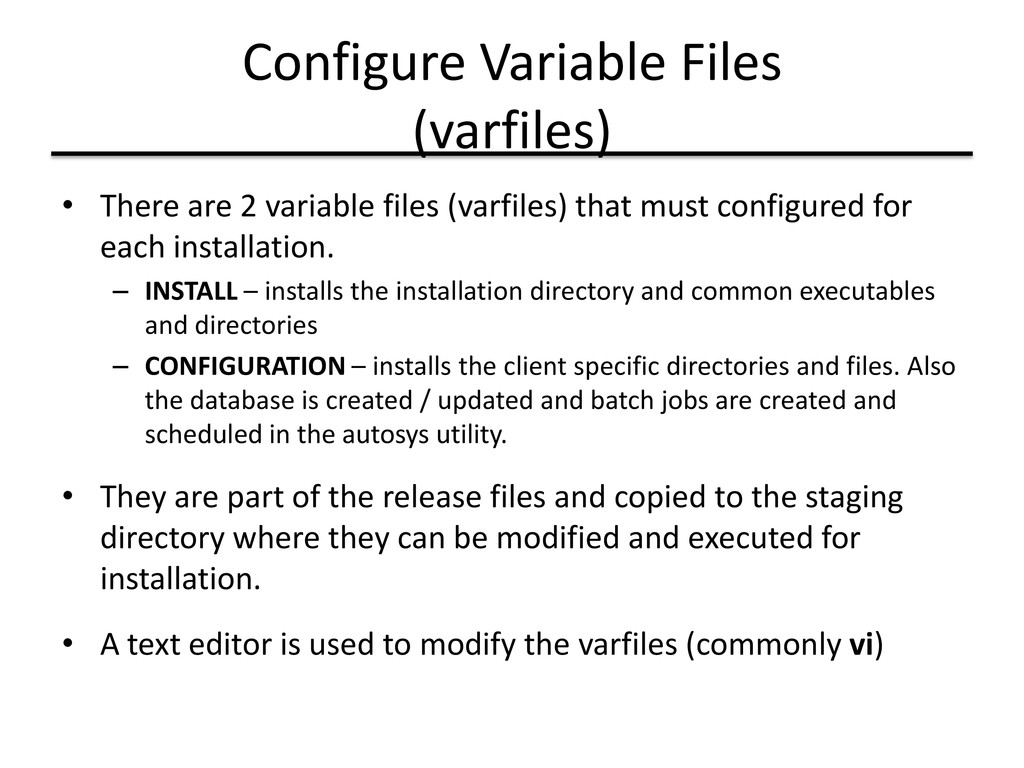
(varfiles) that must configured for each installation. – INSTALL – installs the installation directory and common executables and directories – CONFIGURATION – installs the client specific directories and files. Also the database is created / updated and batch jobs are created and scheduled in the autosys utility. • They are part of the release files and copied to the staging directory where they can be modified and executed for installation. • A text editor is used to modify the varfiles (commonly vi)
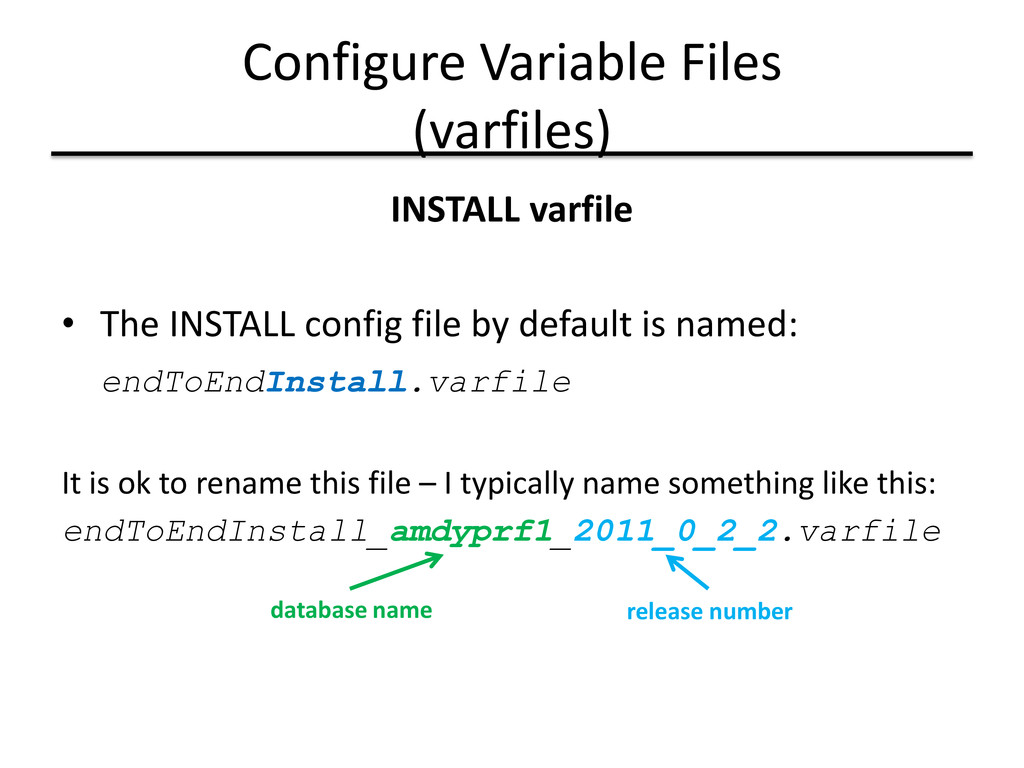
file by default is named: endToEndInstall.varfile It is ok to rename this file – I typically name something like this: endToEndInstall_amdyprf1_2011_0_2_2.varfile database name release number
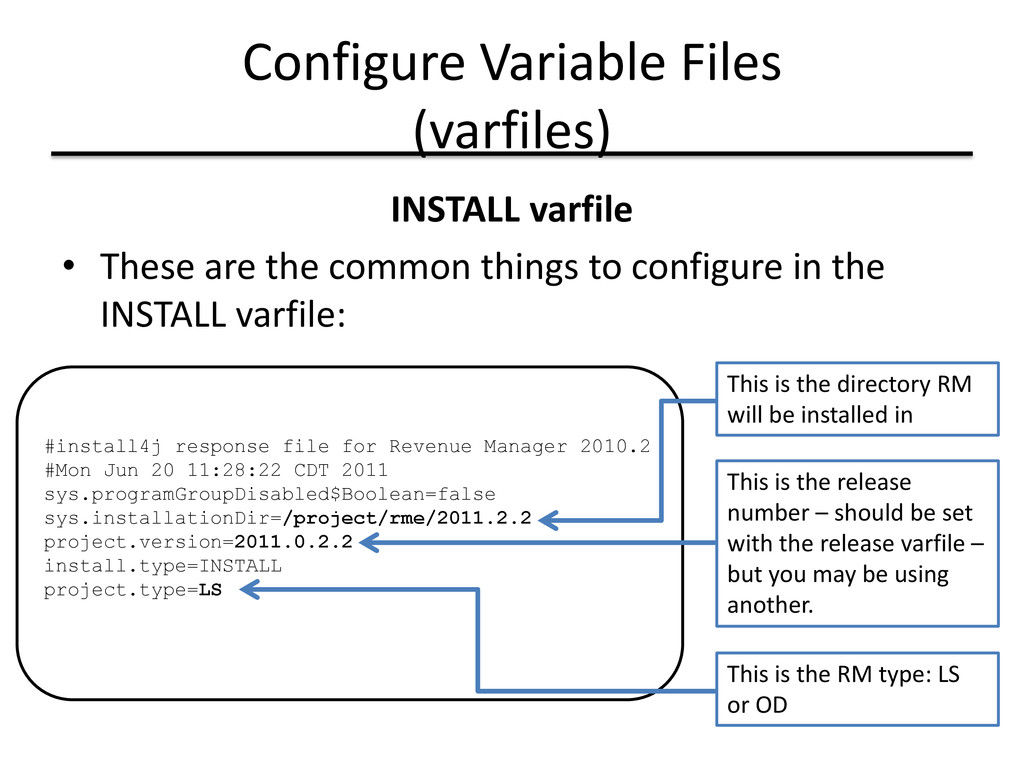
common things to configure in the INSTALL varfile: #install4j response file for Revenue Manager 2010.2 #Mon Jun 20 11:28:22 CDT 2011 sys.programGroupDisabled$Boolean=false sys.installationDir=/project/rme/2011.2.2 project.version=2011.0.2.2 install.type=INSTALL project.type=LS This is the directory RM will be installed in This is the release number – should be set with the release varfile – but you may be using another. This is the RM type: LS or OD
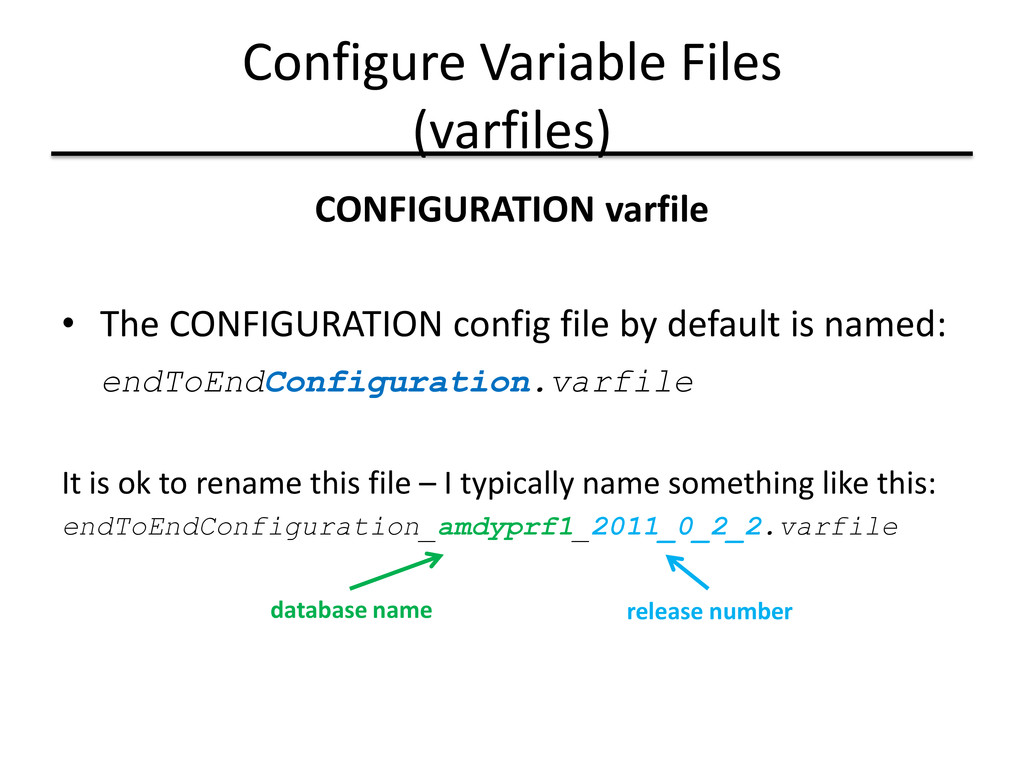
file by default is named: endToEndConfiguration.varfile It is ok to rename this file – I typically name something like this: endToEndConfiguration_amdyprf1_2011_0_2_2.varfile database name release number
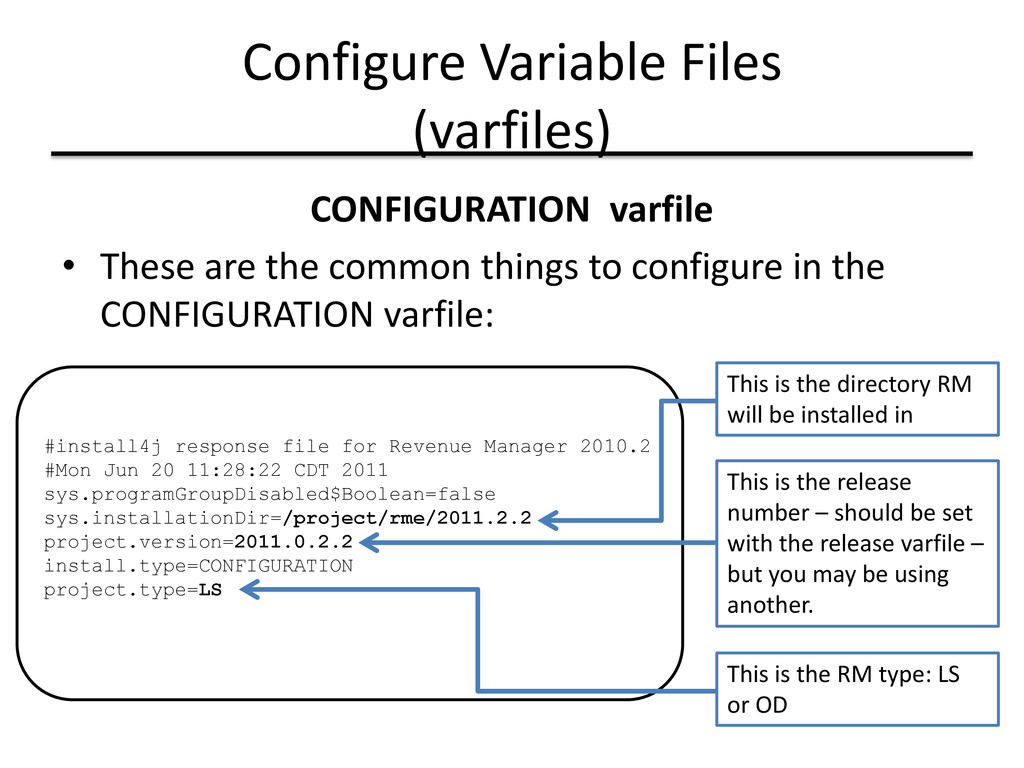
common things to configure in the CONFIGURATION varfile: #install4j response file for Revenue Manager 2010.2 #Mon Jun 20 11:28:22 CDT 2011 sys.programGroupDisabled$Boolean=false sys.installationDir=/project/rme/2011.2.2 project.version=2011.0.2.2 install.type=CONFIGURATION project.type=LS This is the directory RM will be installed in This is the release number – should be set with the release varfile – but you may be using another. This is the RM type: LS or OD
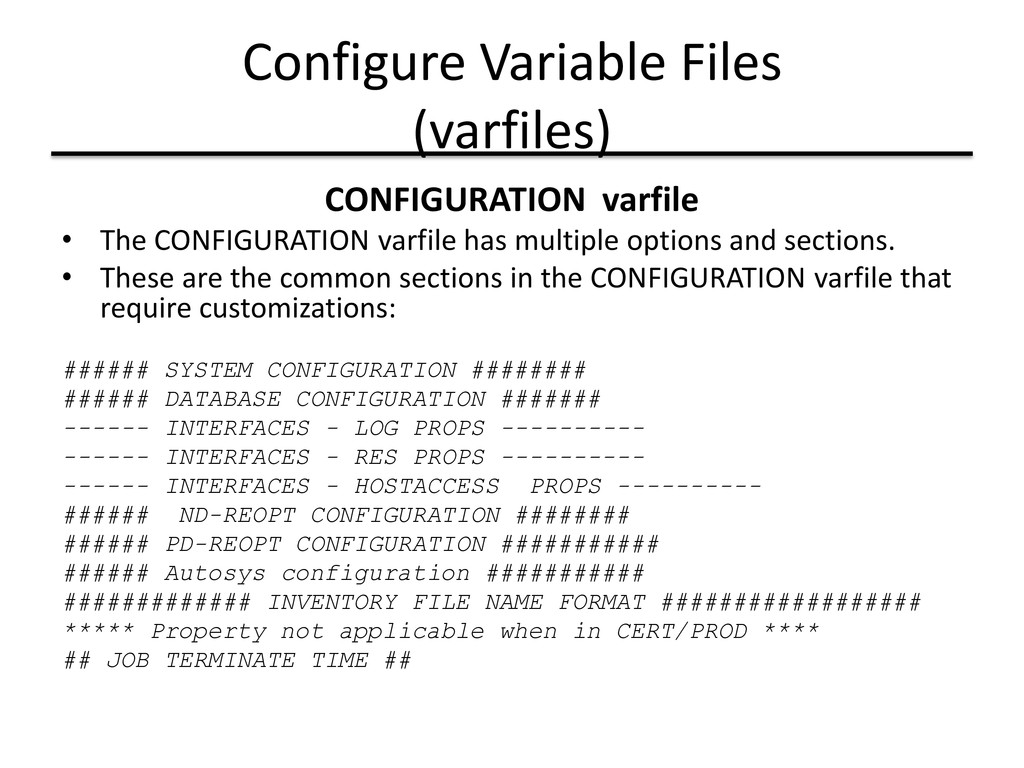
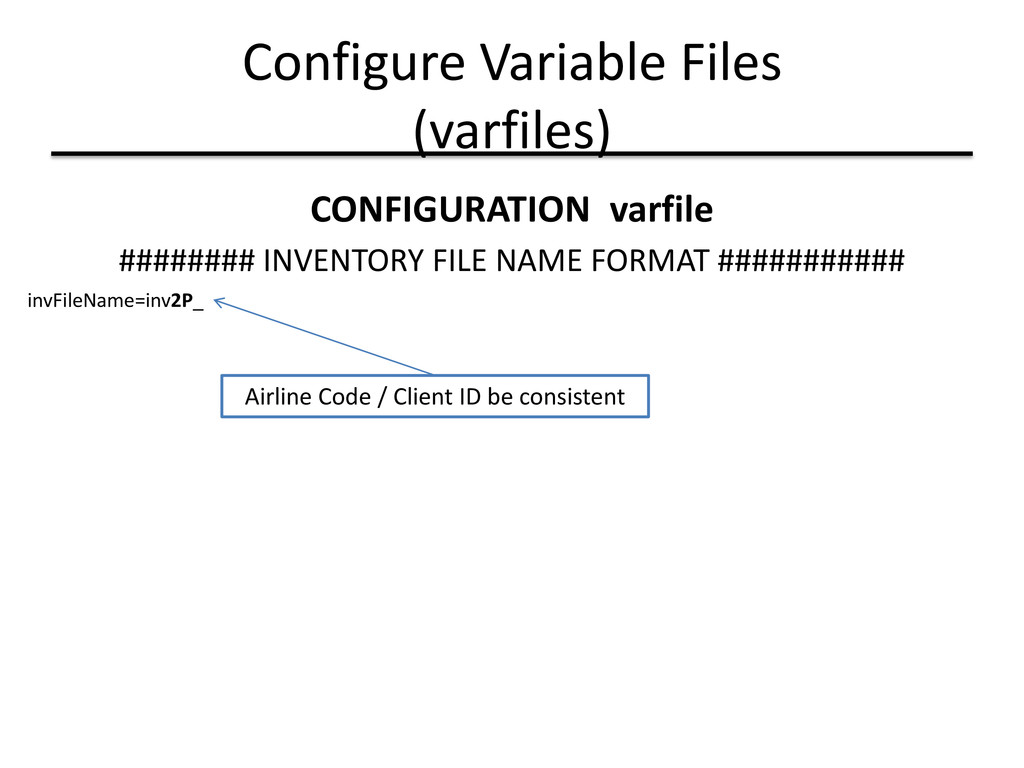
has multiple options and sections. • These are the common sections in the CONFIGURATION varfile that require customizations: ###### SYSTEM CONFIGURATION ######## ###### DATABASE CONFIGURATION ####### ------ INTERFACES - LOG PROPS ---------- ------ INTERFACES - RES PROPS ---------- ------ INTERFACES - HOSTACCESS PROPS ---------- ###### ND-REOPT CONFIGURATION ######## ###### PD-REOPT CONFIGURATION ########### ###### Autosys configuration ########### ############# INVENTORY FILE NAME FORMAT ################## ***** Property not applicable when in CERT/PROD **** ## JOB TERMINATE TIME ##
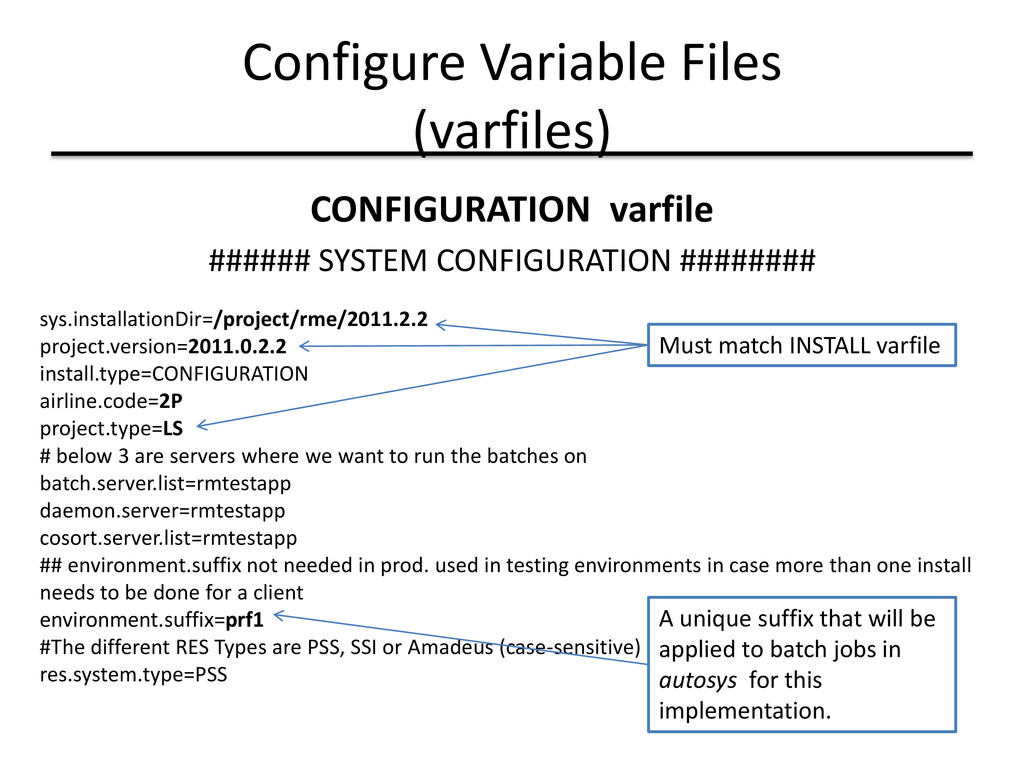
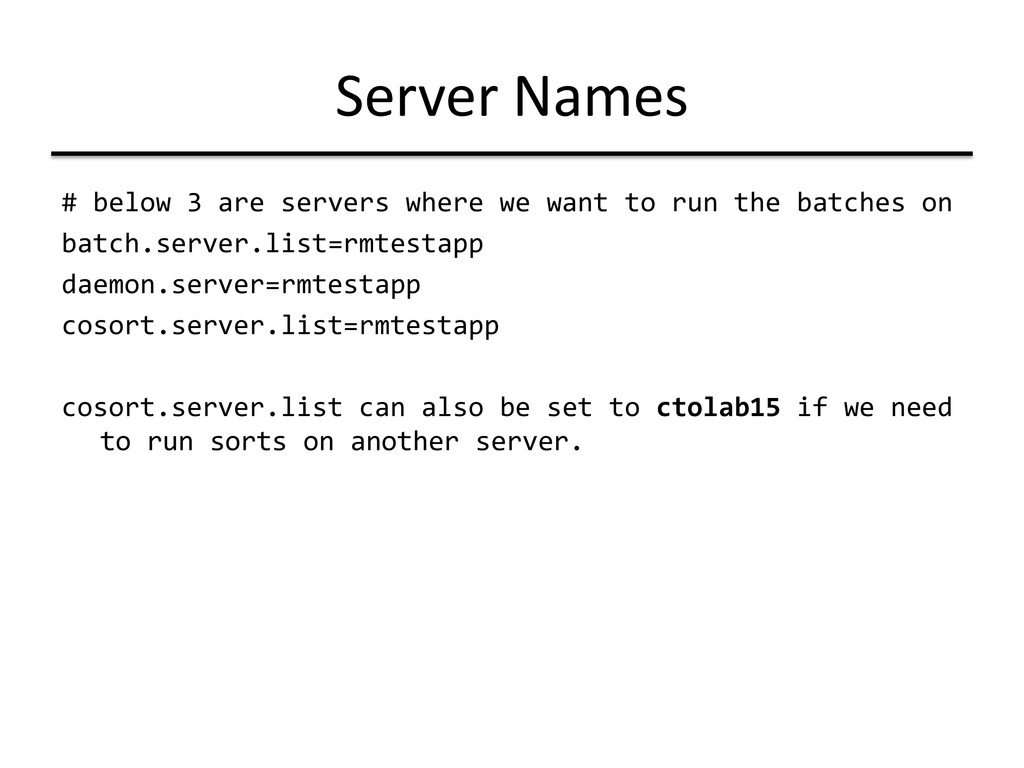
sys.installationDir=/project/rme/2011.2.2 project.version=2011.0.2.2 install.type=CONFIGURATION airline.code=2P project.type=LS # below 3 are servers where we want to run the batches on batch.server.list=rmtestapp daemon.server=rmtestapp cosort.server.list=rmtestapp ## environment.suffix not needed in prod. used in testing environments in case more than one install needs to be done for a client environment.suffix=prf1 #The different RES Types are PSS, SSI or Amadeus (case-sensitive) res.system.type=PSS Must match INSTALL varfile A unique suffix that will be applied to batch jobs in autosys for this implementation.
to run the batches on batch.server.list=rmtestapp daemon.server=rmtestapp cosort.server.list=rmtestapp cosort.server.list can also be set to ctolab15 if we need to run sorts on another server.
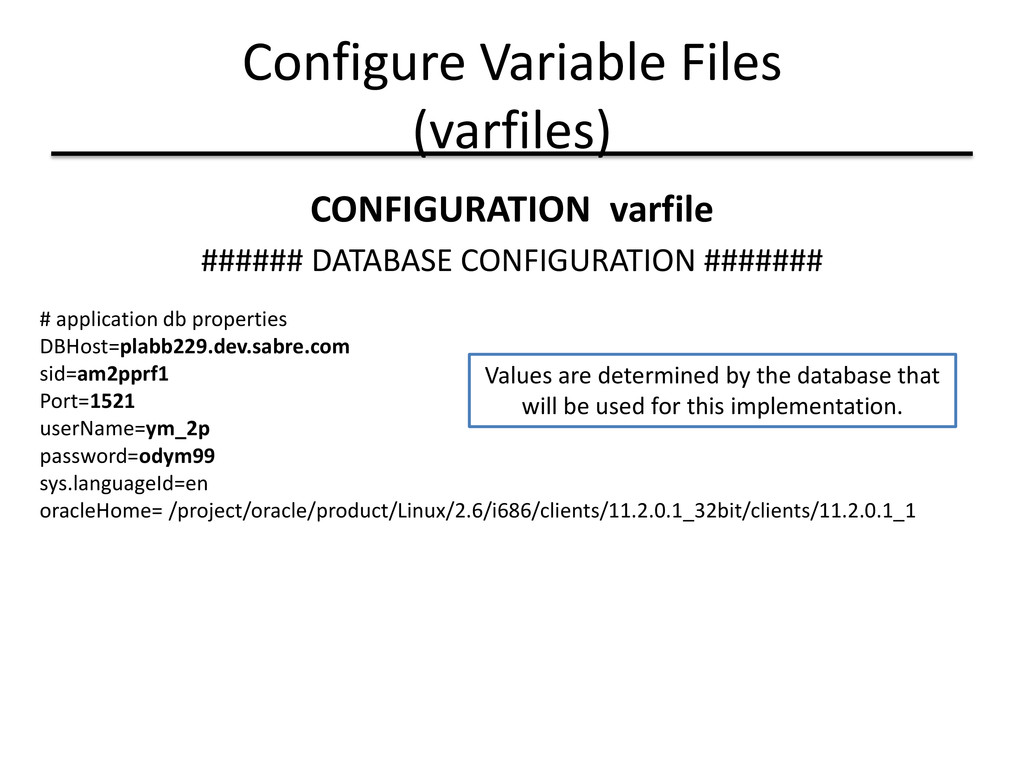
# application db properties DBHost=plabb229.dev.sabre.com sid=am2pprf1 Port=1521 userName=ym_2p password=odym99 sys.languageId=en oracleHome= /project/oracle/product/Linux/2.6/i686/clients/11.2.0.1_32bit/clients/11.2.0.1_1 Values are determined by the database that will be used for this implementation.
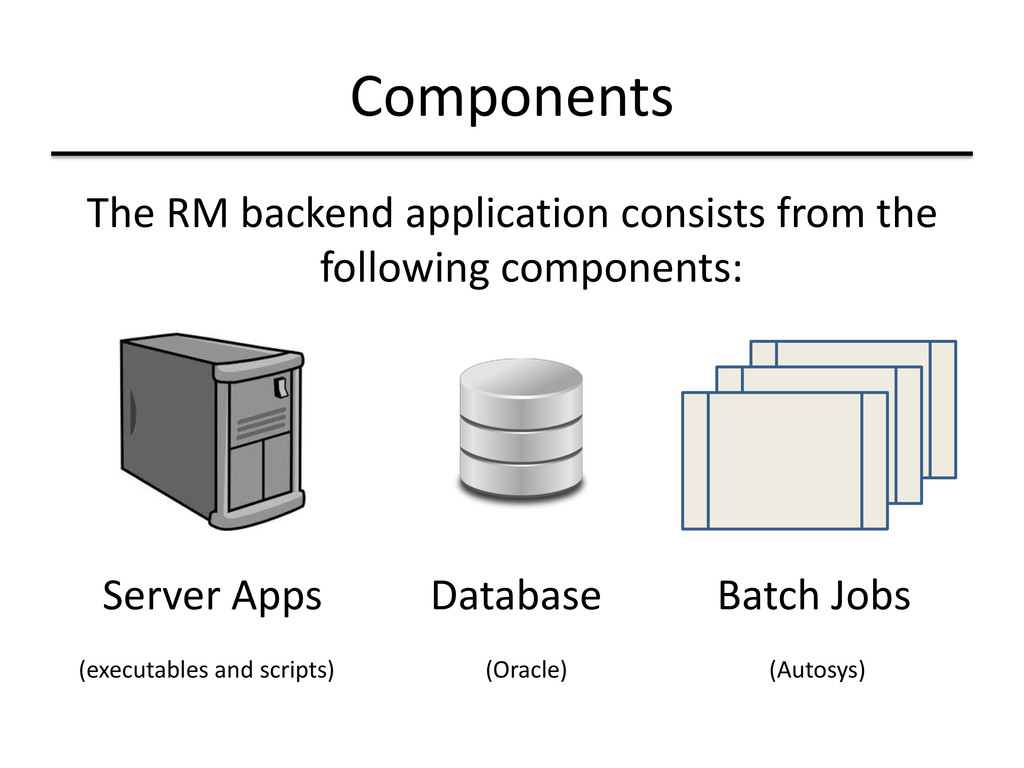
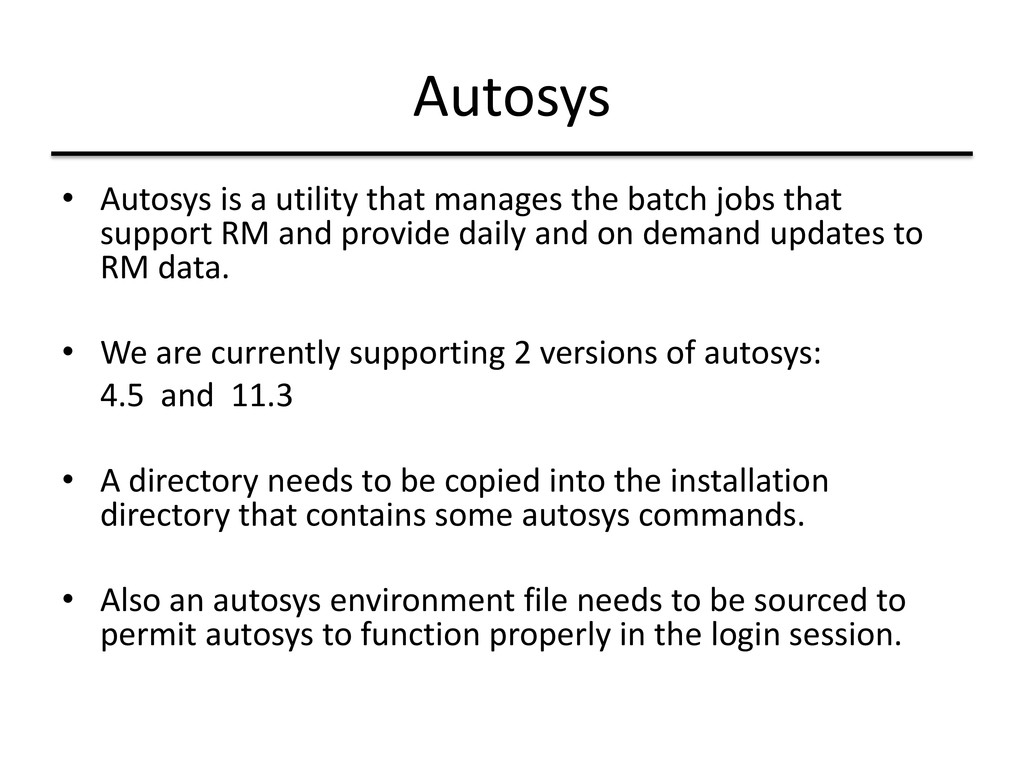
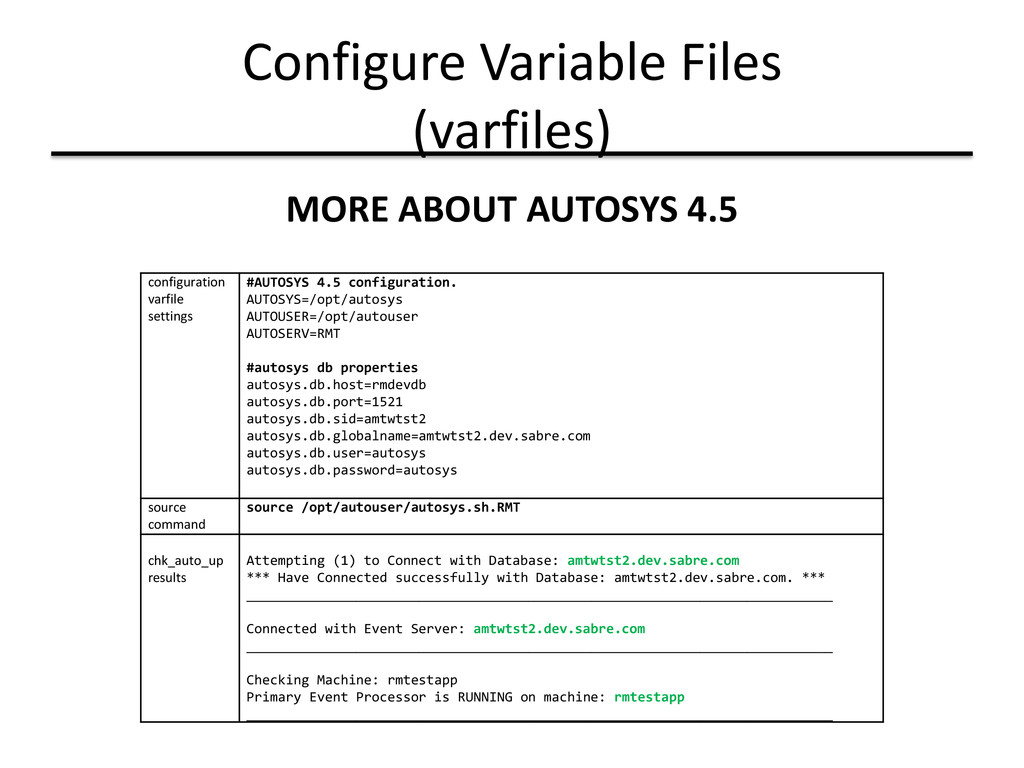
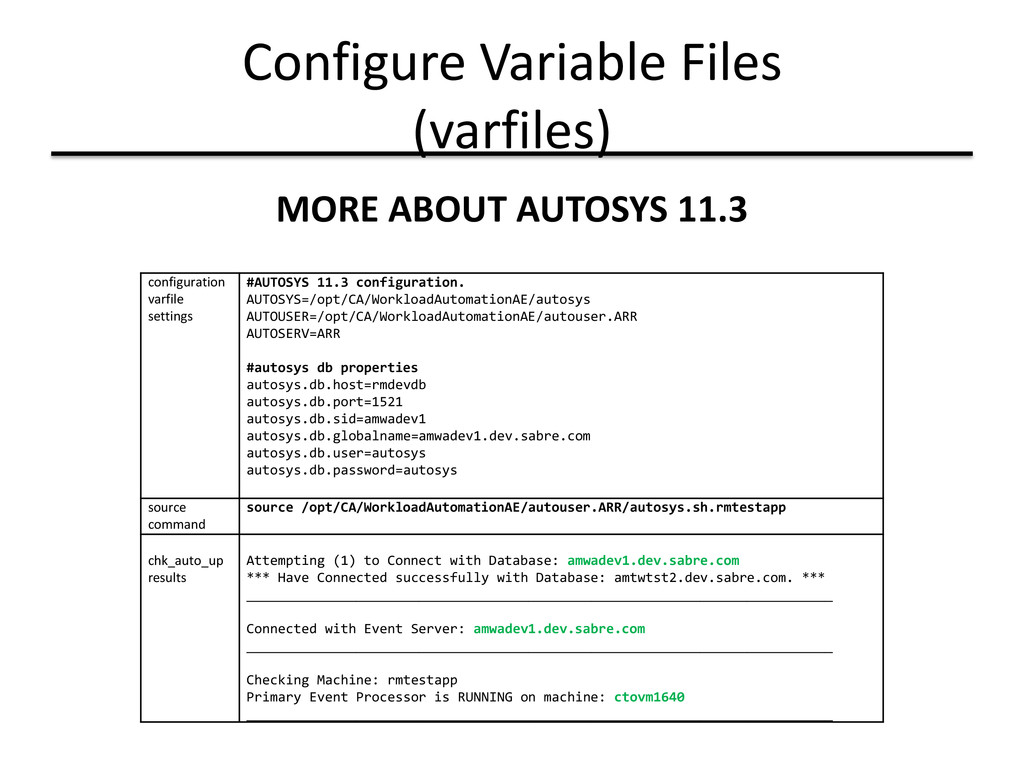
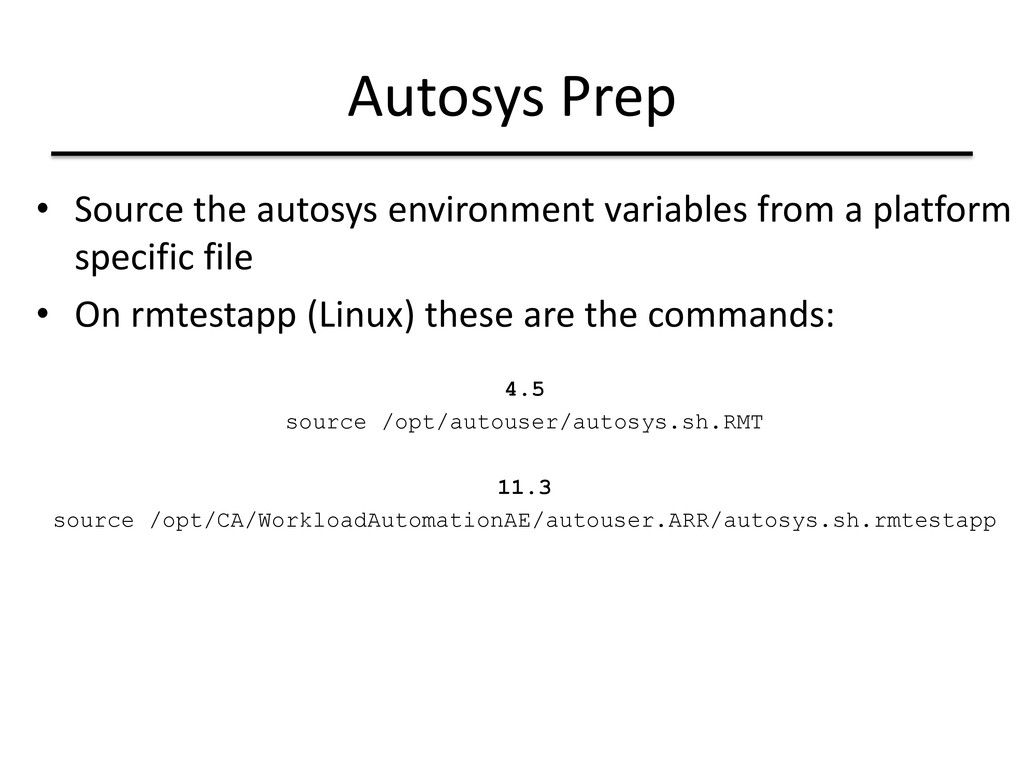
jobs that support RM and provide daily and on demand updates to RM data. • We are currently supporting 2 versions of autosys: 4.5 and 11.3 • A directory needs to be copied into the installation directory that contains some autosys commands. • Also an autosys environment file needs to be sourced to permit autosys to function properly in the login session.
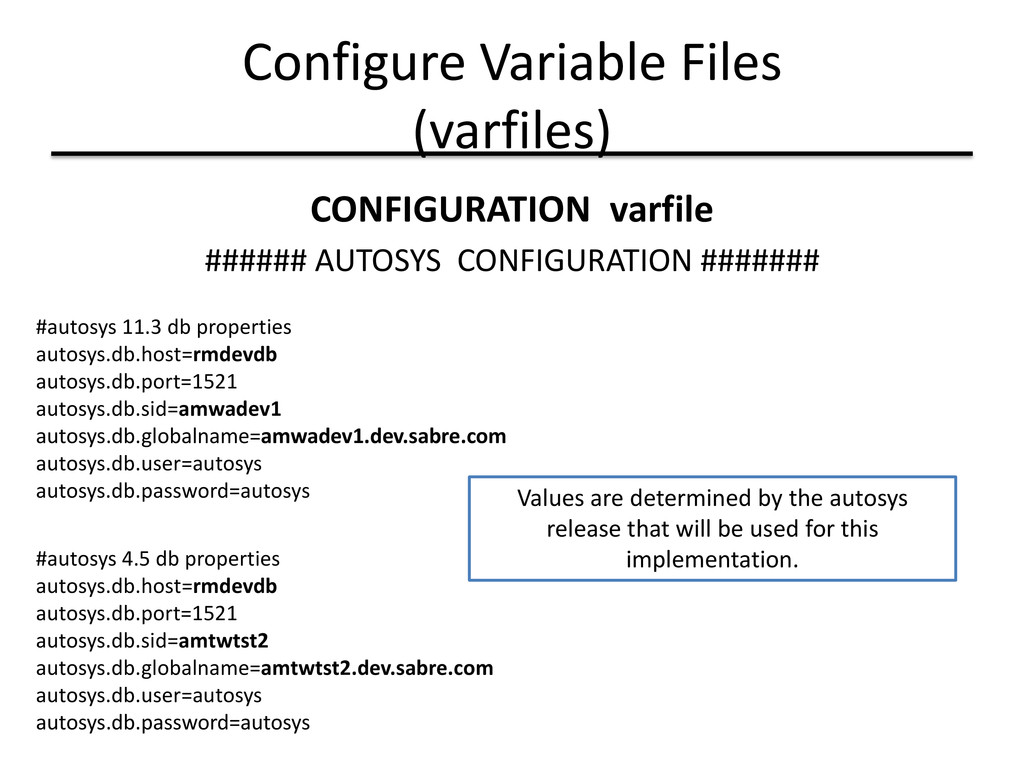
#autosys 11.3 db properties autosys.db.host=rmdevdb autosys.db.port=1521 autosys.db.sid=amwadev1 autosys.db.globalname=amwadev1.dev.sabre.com autosys.db.user=autosys autosys.db.password=autosys Values are determined by the autosys release that will be used for this implementation. #autosys 4.5 db properties autosys.db.host=rmdevdb autosys.db.port=1521 autosys.db.sid=amtwtst2 autosys.db.globalname=amtwtst2.dev.sabre.com autosys.db.user=autosys autosys.db.password=autosys
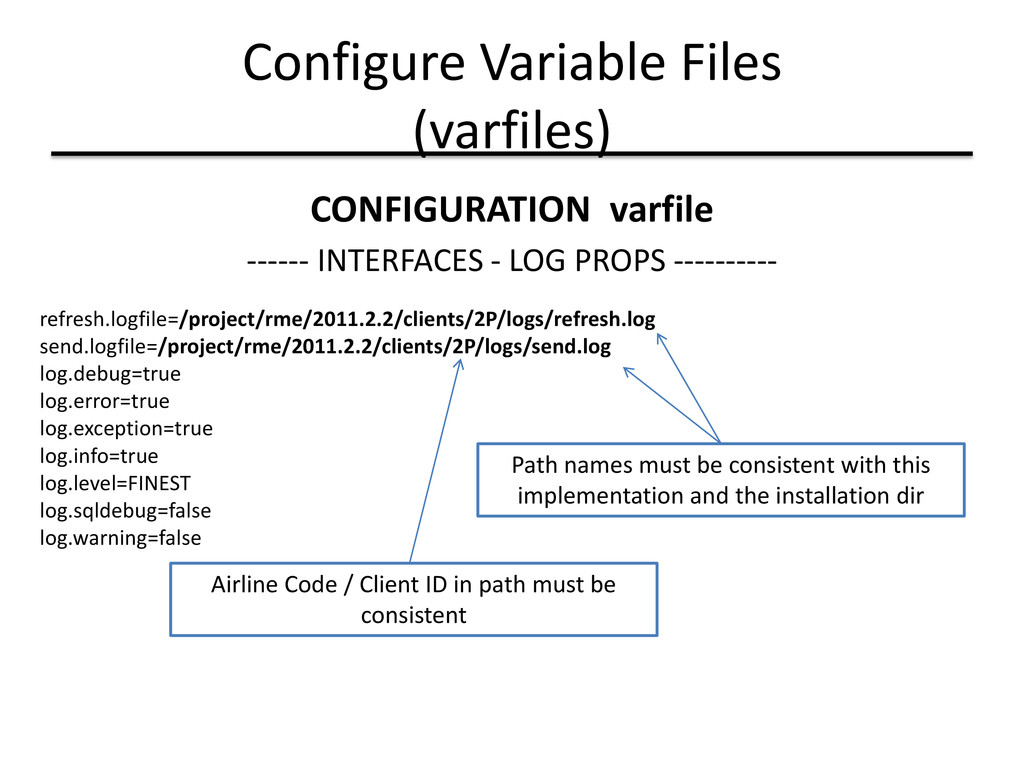
PROPS ---------- refresh.logfile=/project/rme/2011.2.2/clients/2P/logs/refresh.log send.logfile=/project/rme/2011.2.2/clients/2P/logs/send.log log.debug=true log.error=true log.exception=true log.info=true log.level=FINEST log.sqldebug=false log.warning=false Path names must be consistent with this implementation and the installation dir Airline Code / Client ID in path must be consistent
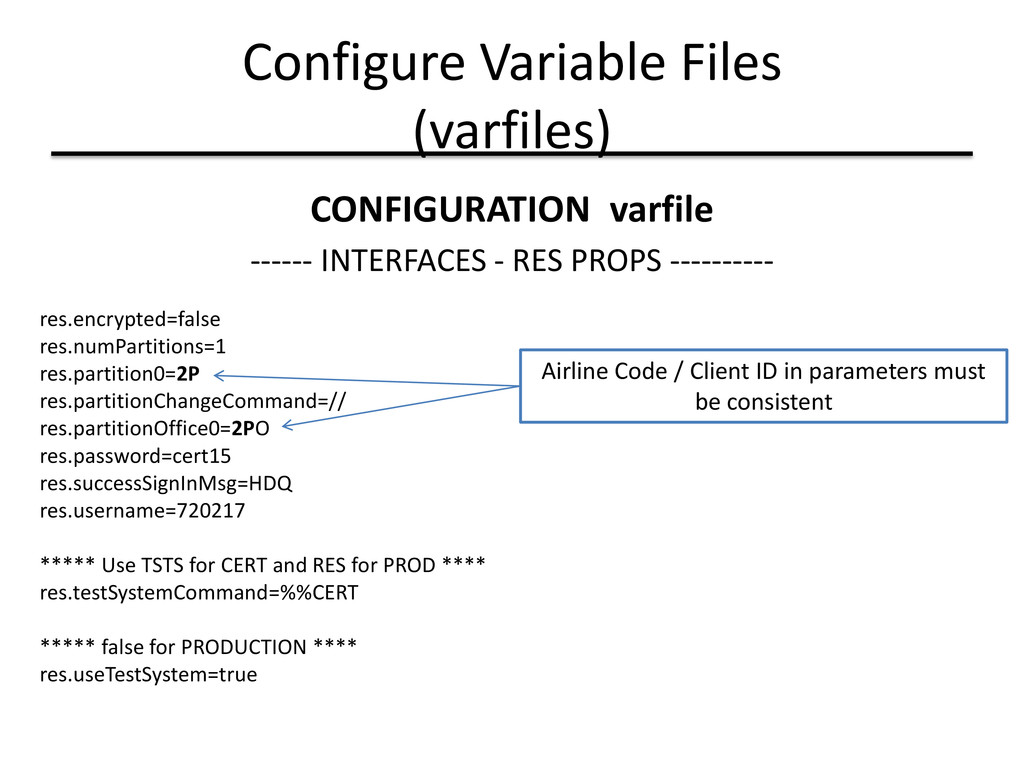
PROPS ---------- res.encrypted=false res.numPartitions=1 res.partition0=2P res.partitionChangeCommand=// res.partitionOffice0=2PO res.password=cert15 res.successSignInMsg=HDQ res.username=720217 ***** Use TSTS for CERT and RES for PROD **** res.testSystemCommand=%%CERT ***** false for PRODUCTION **** res.useTestSystem=true Airline Code / Client ID in parameters must be consistent
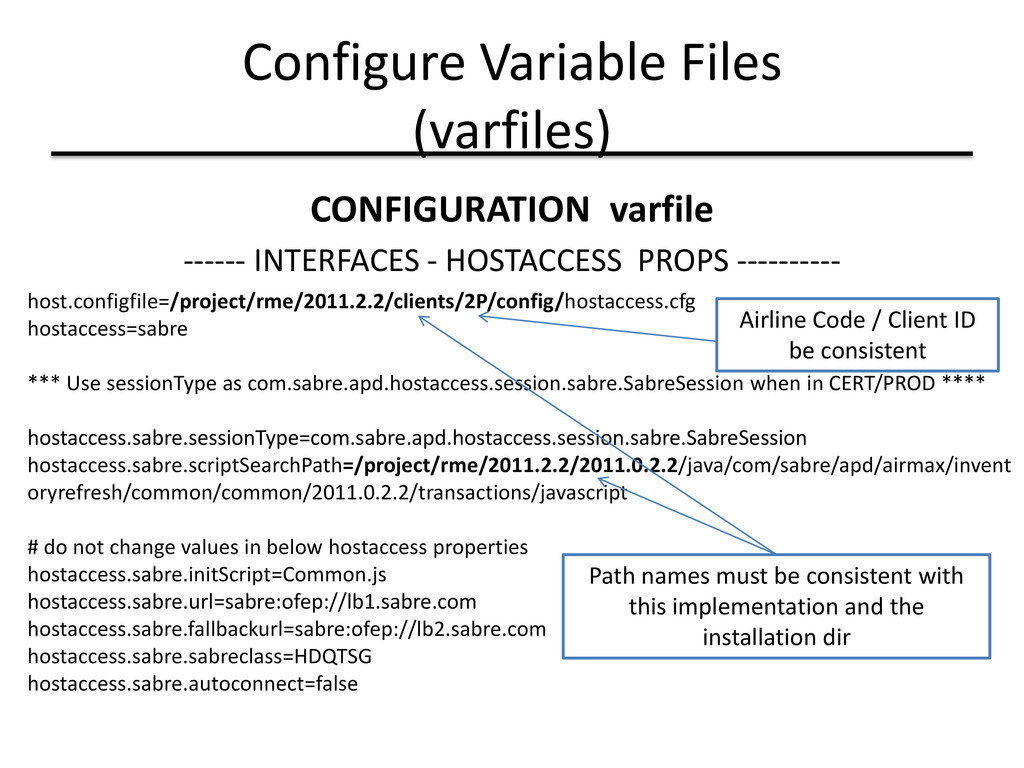
PROPS ---------- host.configfile=/project/rme/2011.2.2/clients/2P/config/hostaccess.cfg hostaccess=sabre *** Use sessionType as com.sabre.apd.hostaccess.session.sabre.SabreSession when in CERT/PROD **** hostaccess.sabre.sessionType=com.sabre.apd.hostaccess.session.sabre.SabreSession hostaccess.sabre.scriptSearchPath=/project/rme/2011.2.2/2011.0.2.2/java/com/sabre/apd/airmax/invent oryrefresh/common/common/2011.0.2.2/transactions/javascript # do not change values in below hostaccess properties hostaccess.sabre.initScript=Common.js hostaccess.sabre.url=sabre:ofep://lb1.sabre.com hostaccess.sabre.fallbackurl=sabre:ofep://lb2.sabre.com hostaccess.sabre.sabreclass=HDQTSG hostaccess.sabre.autoconnect=false Airline Code / Client ID be consistent Path names must be consistent with this implementation and the installation dir
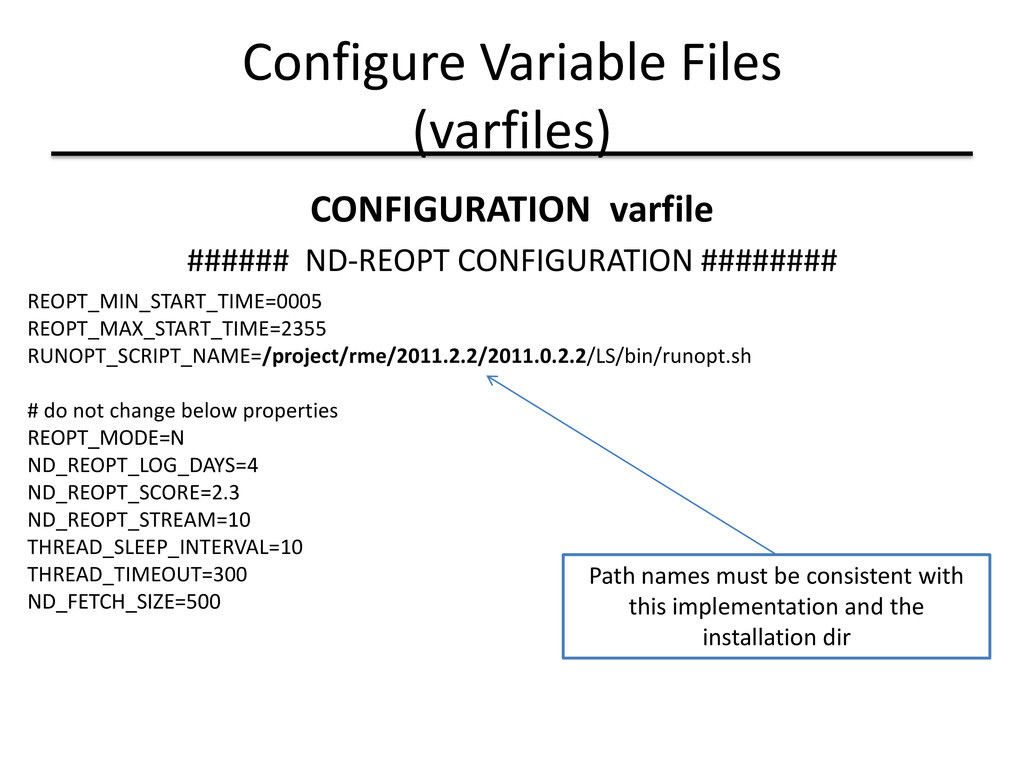
REOPT_MIN_START_TIME=0005 REOPT_MAX_START_TIME=2355 RUNOPT_SCRIPT_NAME=/project/rme/2011.2.2/2011.0.2.2/LS/bin/runopt.sh # do not change below properties REOPT_MODE=N ND_REOPT_LOG_DAYS=4 ND_REOPT_SCORE=2.3 ND_REOPT_STREAM=10 THREAD_SLEEP_INTERVAL=10 THREAD_TIMEOUT=300 ND_FETCH_SIZE=500 Path names must be consistent with this implementation and the installation dir
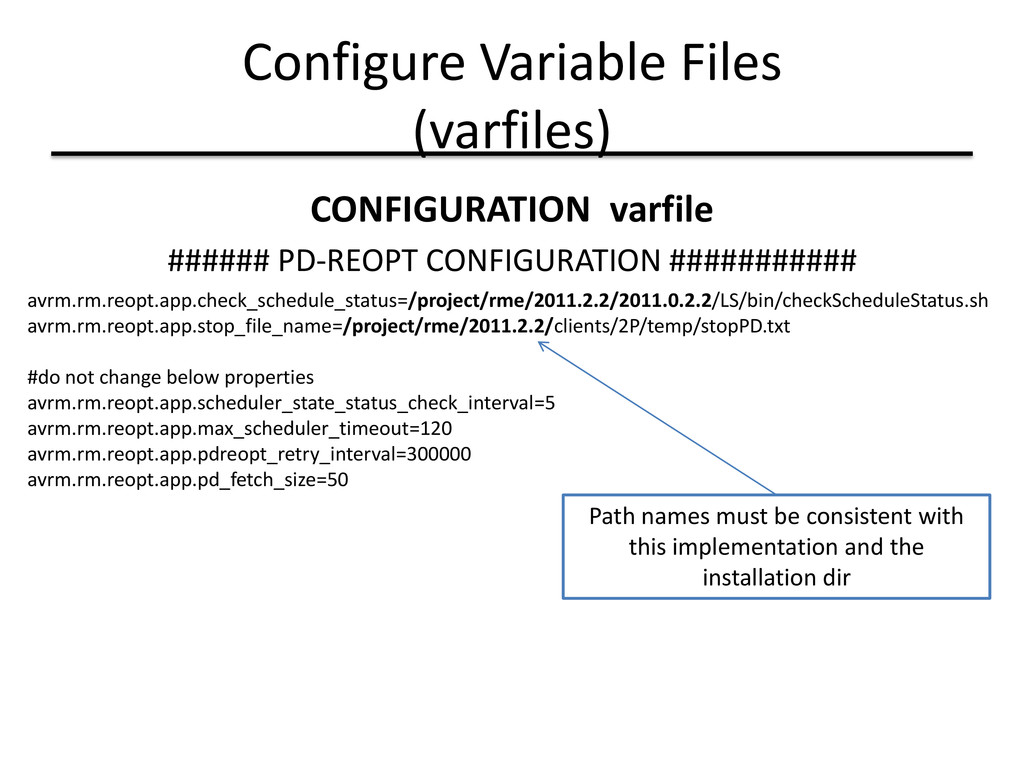
avrm.rm.reopt.app.check_schedule_status=/project/rme/2011.2.2/2011.0.2.2/LS/bin/checkScheduleStatus.sh avrm.rm.reopt.app.stop_file_name=/project/rme/2011.2.2/clients/2P/temp/stopPD.txt #do not change below properties avrm.rm.reopt.app.scheduler_state_status_check_interval=5 avrm.rm.reopt.app.max_scheduler_timeout=120 avrm.rm.reopt.app.pdreopt_retry_interval=300000 avrm.rm.reopt.app.pd_fetch_size=50 Path names must be consistent with this implementation and the installation dir
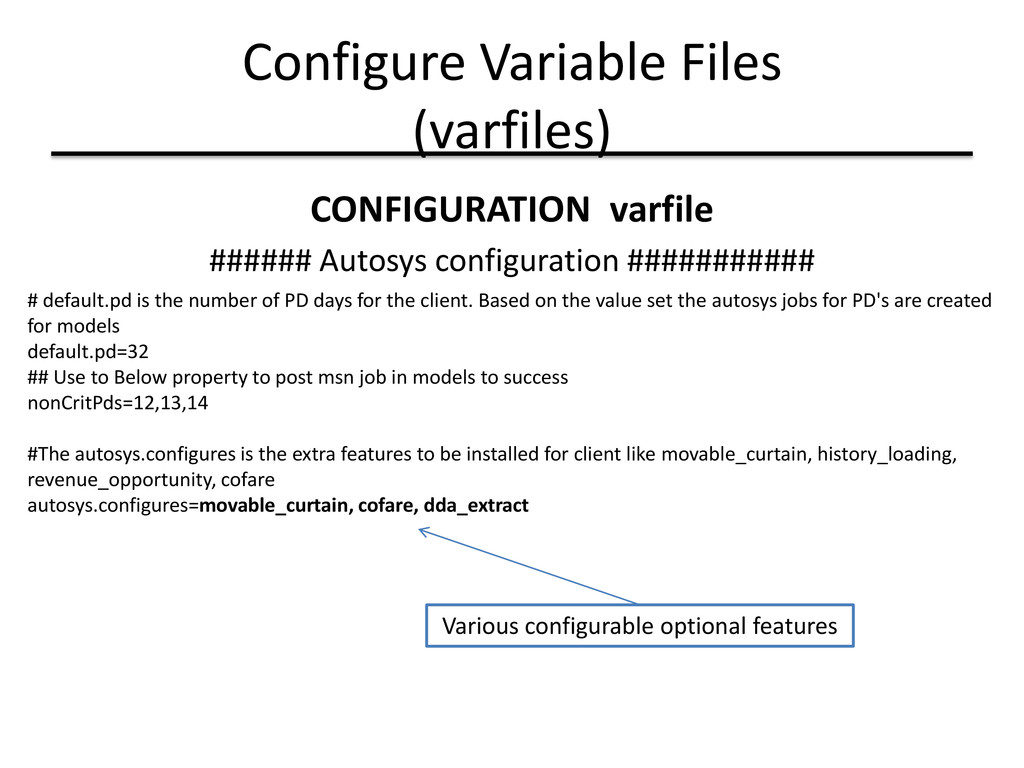
# default.pd is the number of PD days for the client. Based on the value set the autosys jobs for PD's are created for models default.pd=32 ## Use to Below property to post msn job in models to success nonCritPds=12,13,14 #The autosys.configures is the extra features to be installed for client like movable_curtain, history_loading, revenue_opportunity, cofare autosys.configures=movable_curtain, cofare, dda_extract Various configurable optional features
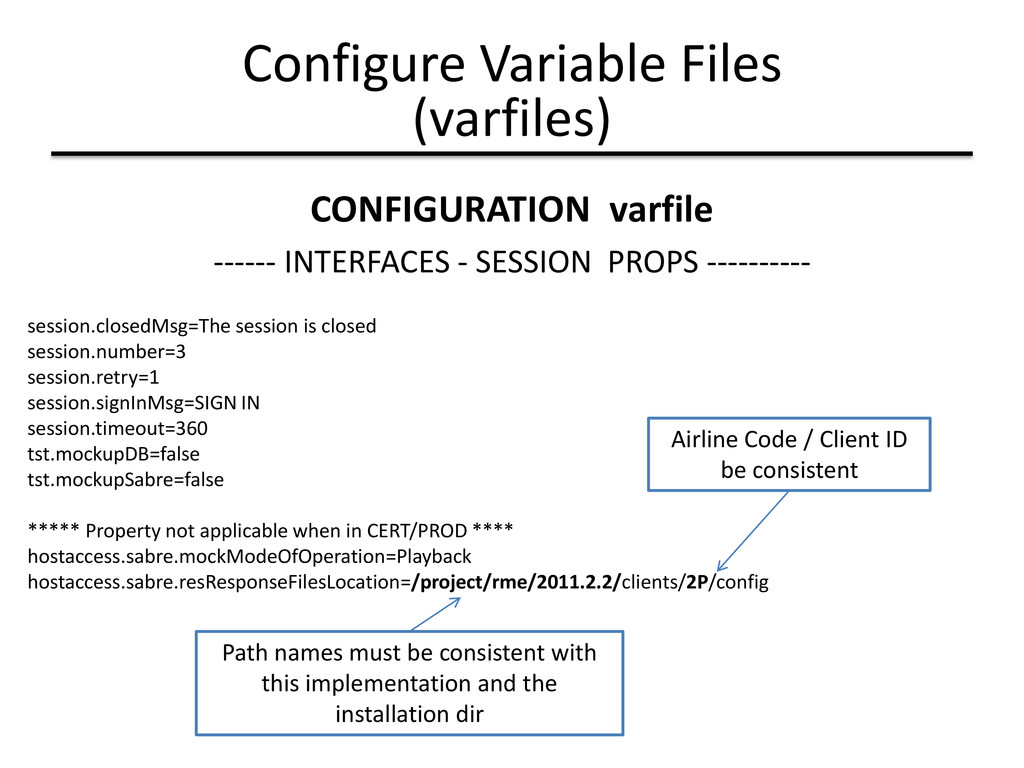
tst.mockupSabre=false ***** Property not applicable when in CERT/PROD **** hostaccess.sabre.mockModeOfOperation=Playback hostaccess.sabre.resResponseFilesLocation=/project/rme/2011.2.2/clients/2P/config Airline Code / Client ID be consistent Path names must be consistent with this implementation and the installation dir Configure Variable Files (varfiles) CONFIGURATION varfile ------ INTERFACES - SESSION PROPS ----------
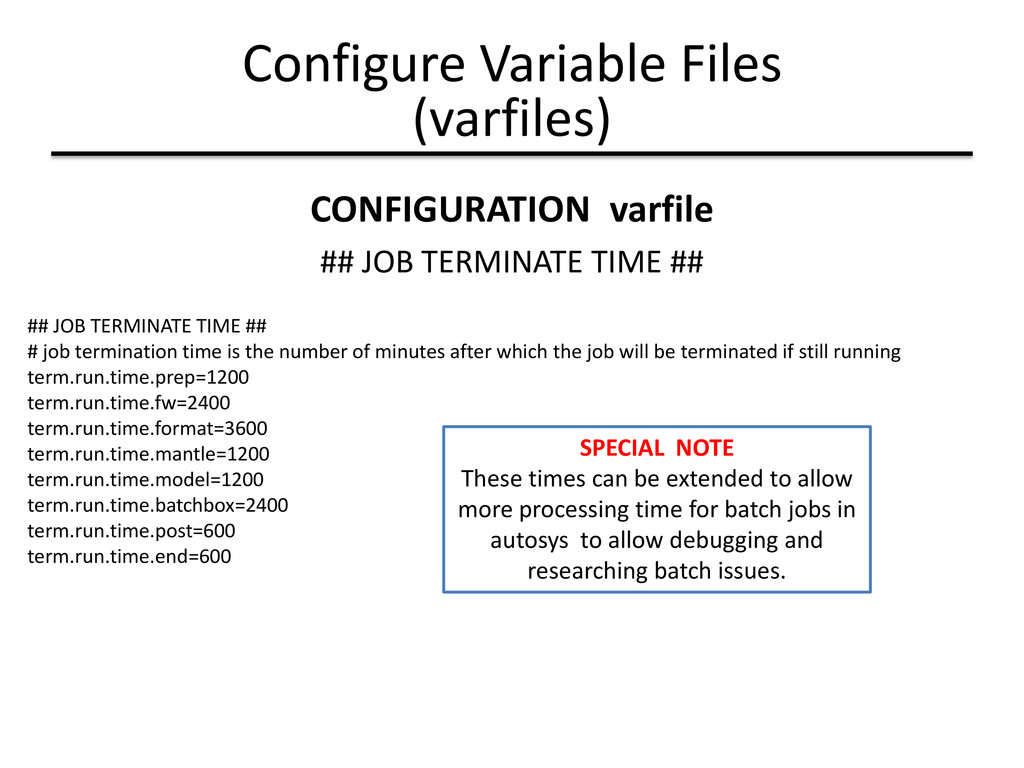
the number of minutes after which the job will be terminated if still running term.run.time.prep=1200 term.run.time.fw=2400 term.run.time.format=3600 term.run.time.mantle=1200 term.run.time.model=1200 term.run.time.batchbox=2400 term.run.time.post=600 term.run.time.end=600 SPECIAL NOTE These times can be extended to allow more processing time for batch jobs in autosys to allow debugging and researching batch issues. Configure Variable Files (varfiles) CONFIGURATION varfile ## JOB TERMINATE TIME ##
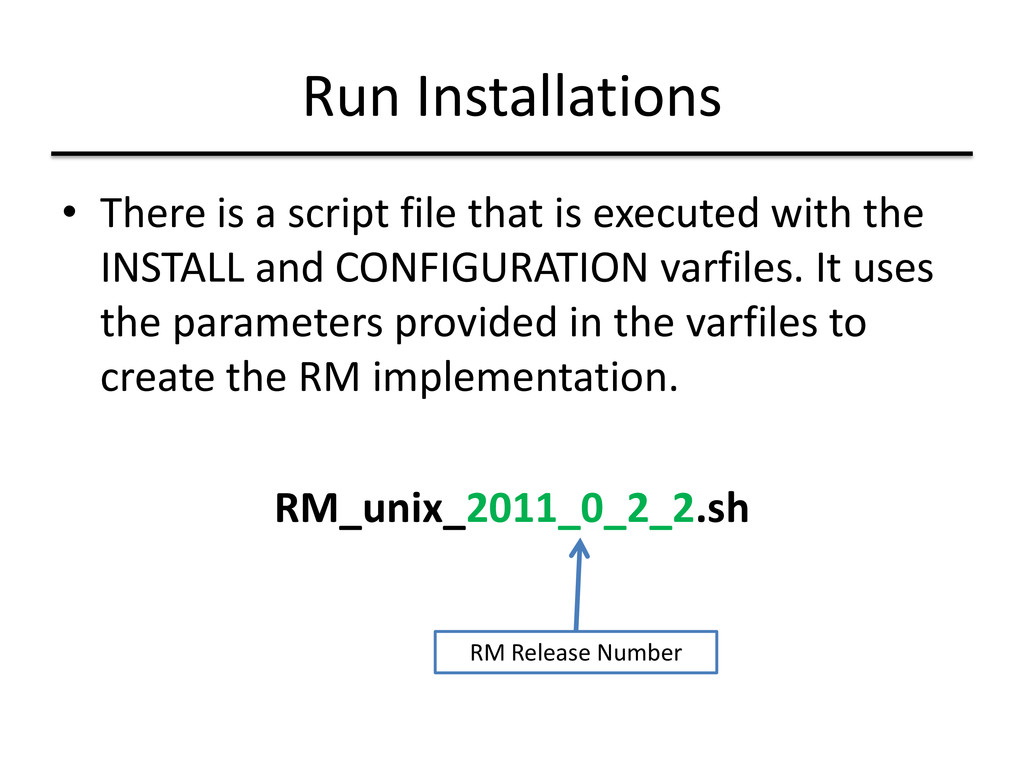
executed with the INSTALL and CONFIGURATION varfiles. It uses the parameters provided in the varfiles to create the RM implementation. RM_unix_2011_0_2_2.sh RM Release Number
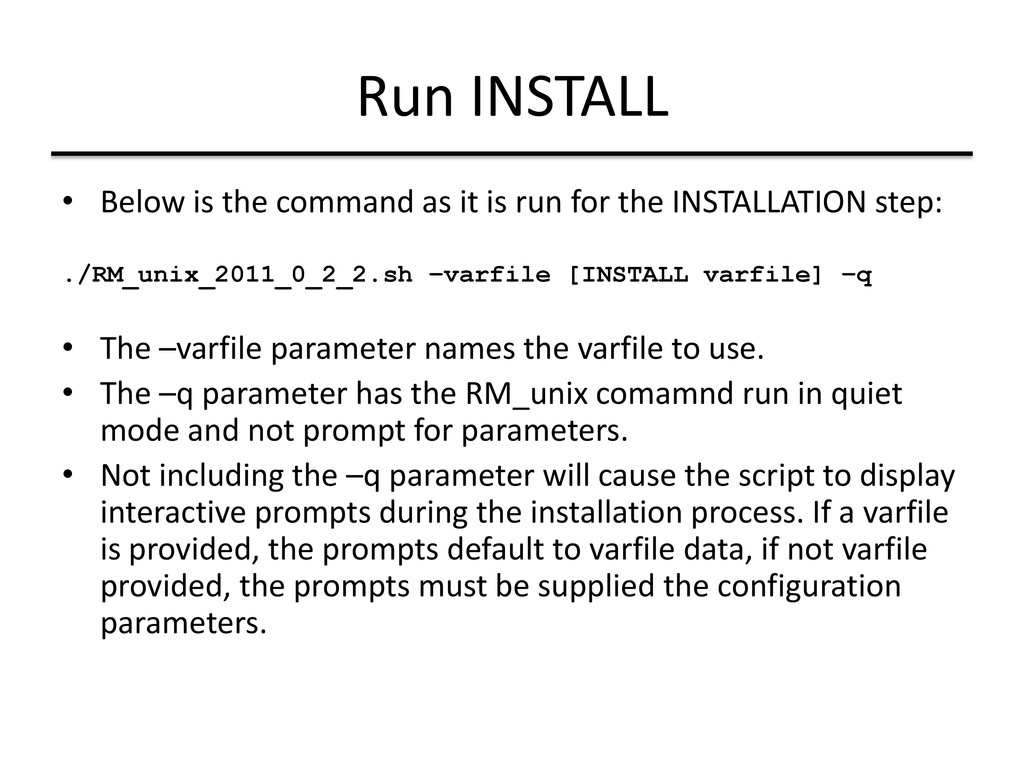
run for the INSTALLATION step: ./RM_unix_2011_0_2_2.sh –varfile [INSTALL varfile] –q • The –varfile parameter names the varfile to use. • The –q parameter has the RM_unix comamnd run in quiet mode and not prompt for parameters. • Not including the –q parameter will cause the script to display interactive prompts during the installation process. If a varfile is provided, the prompts default to varfile data, if not varfile provided, the prompts must be supplied the configuration parameters.
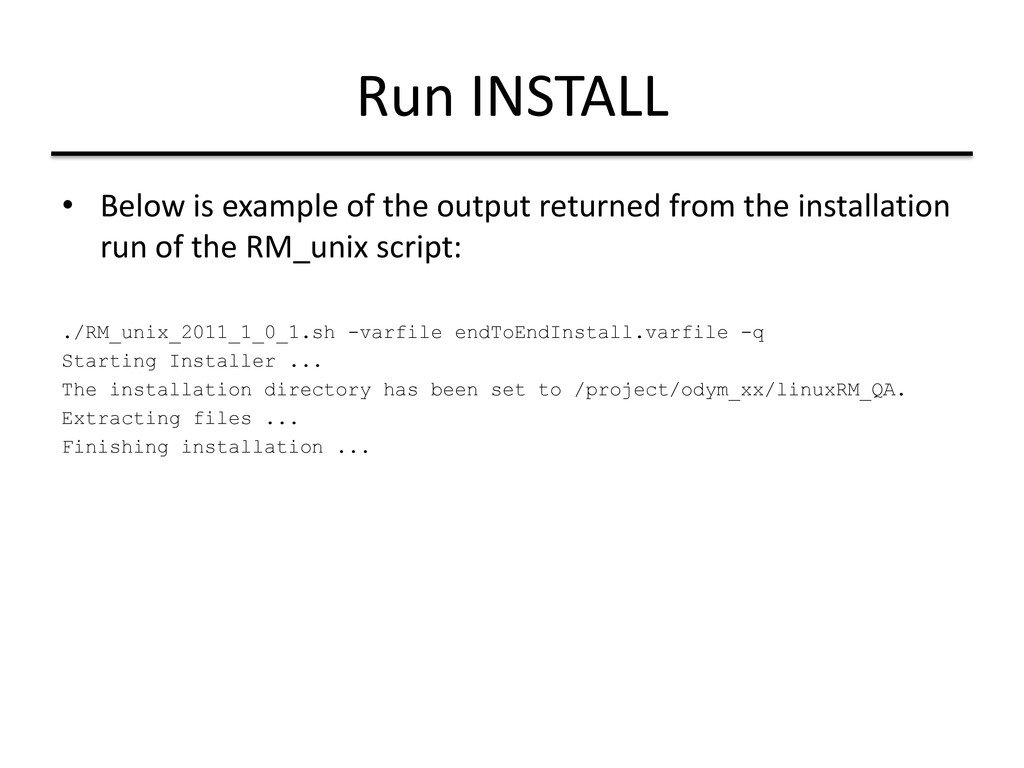
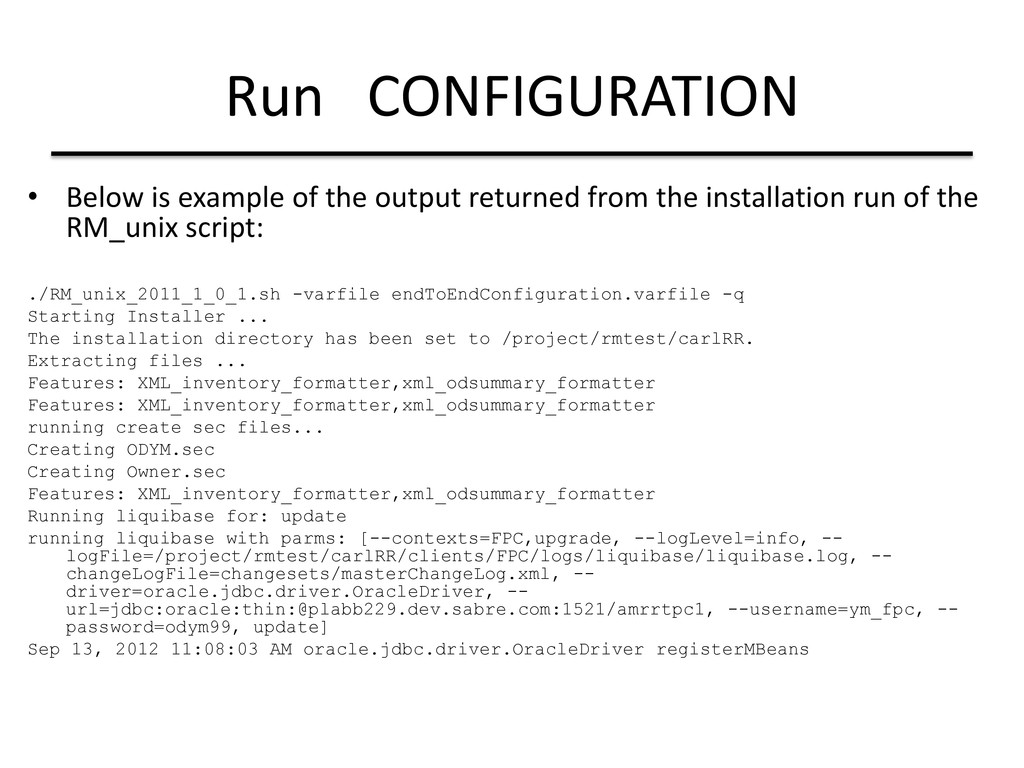
from the installation run of the RM_unix script: ./RM_unix_2011_1_0_1.sh -varfile endToEndInstall.varfile -q Starting Installer ... The installation directory has been set to /project/odym_xx/linuxRM_QA. Extracting files ... Finishing installation ...
platform specific file • On rmtestapp (Linux) these are the commands: 4.5 source /opt/autouser/autosys.sh.RMT 11.3 source /opt/CA/WorkloadAutomationAE/autouser.ARR/autosys.sh.rmtestapp
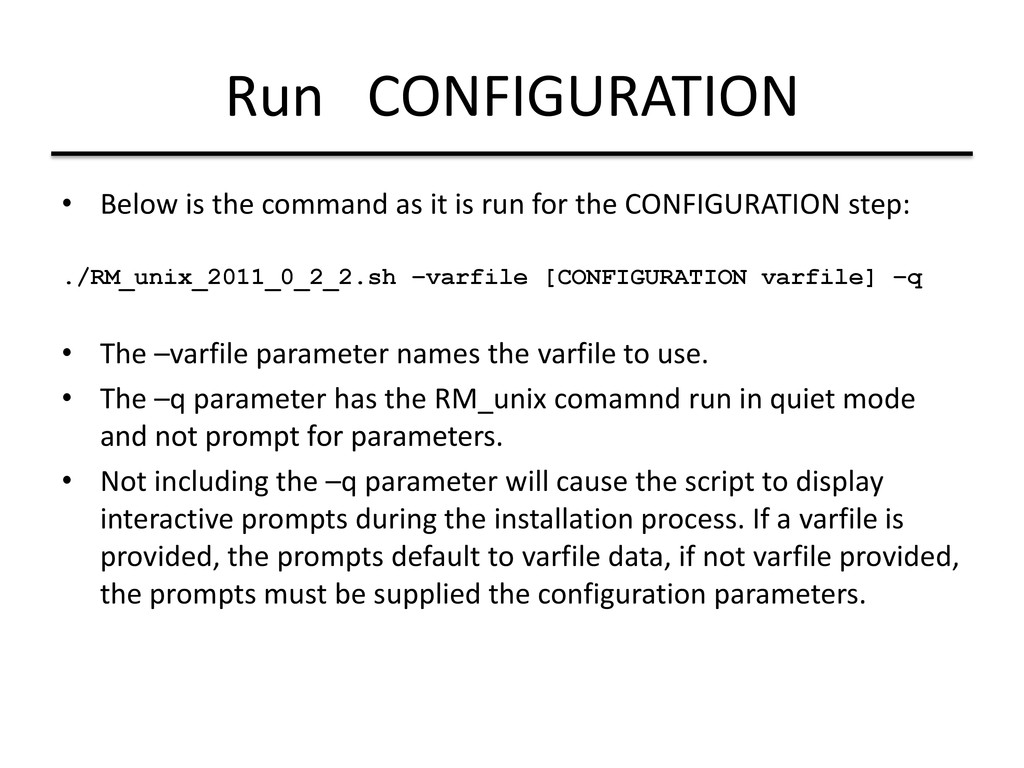
run for the CONFIGURATION step: ./RM_unix_2011_0_2_2.sh –varfile [CONFIGURATION varfile] –q • The –varfile parameter names the varfile to use. • The –q parameter has the RM_unix comamnd run in quiet mode and not prompt for parameters. • Not including the –q parameter will cause the script to display interactive prompts during the installation process. If a varfile is provided, the prompts default to varfile data, if not varfile provided, the prompts must be supplied the configuration parameters.
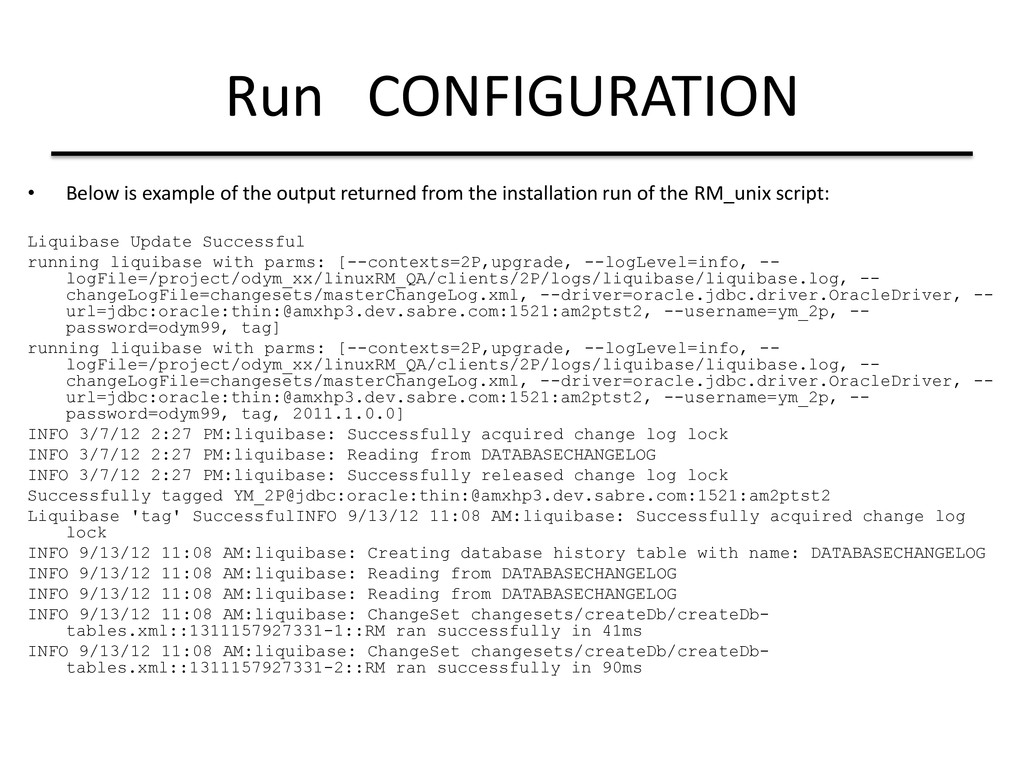
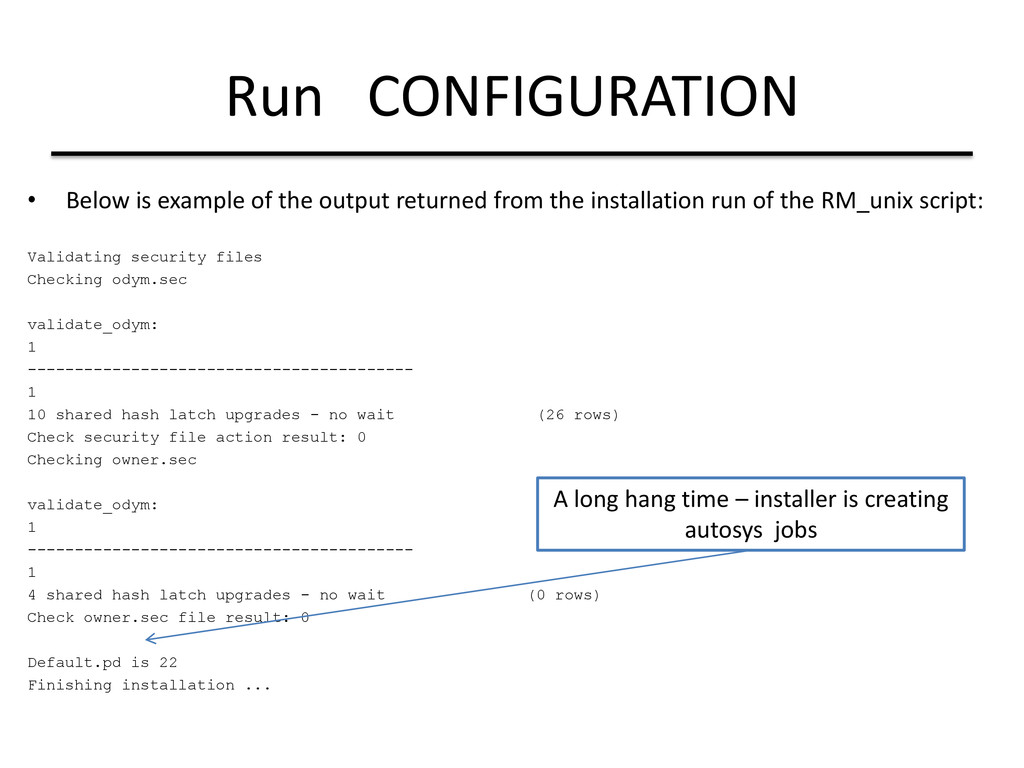
from the installation run of the RM_unix script: Validating security files Checking odym.sec validate_odym: 1 ----------------------------------------- 1 10 shared hash latch upgrades - no wait (26 rows) Check security file action result: 0 Checking owner.sec validate_odym: 1 ----------------------------------------- 1 4 shared hash latch upgrades - no wait (0 rows) Check owner.sec file result: 0 Default.pd is 22 Finishing installation ... A long hang time – installer is creating autosys jobs
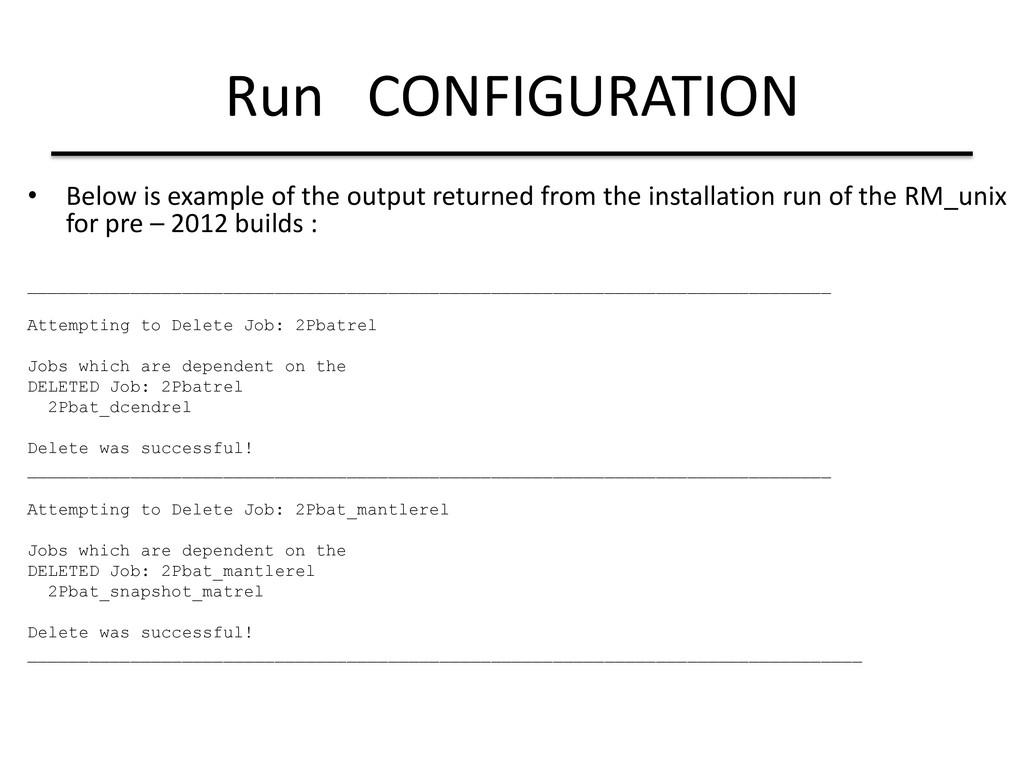
from the installation run of the RM_unix for pre – 2012 builds : ______________________________________________________________________________ Attempting to Delete Job: 2Pbatrel Jobs which are dependent on the DELETED Job: 2Pbatrel 2Pbat_dcendrel Delete was successful! ______________________________________________________________________________ Attempting to Delete Job: 2Pbat_mantlerel Jobs which are dependent on the DELETED Job: 2Pbat_mantlerel 2Pbat_snapshot_matrel Delete was successful! _________________________________________________________________________________
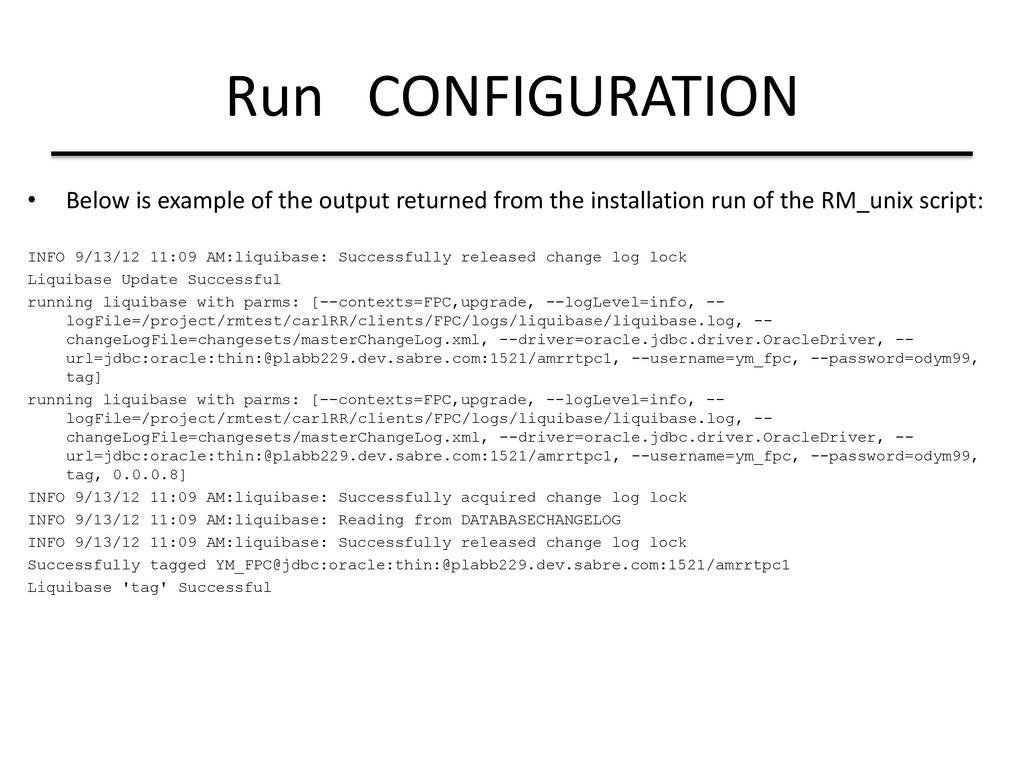
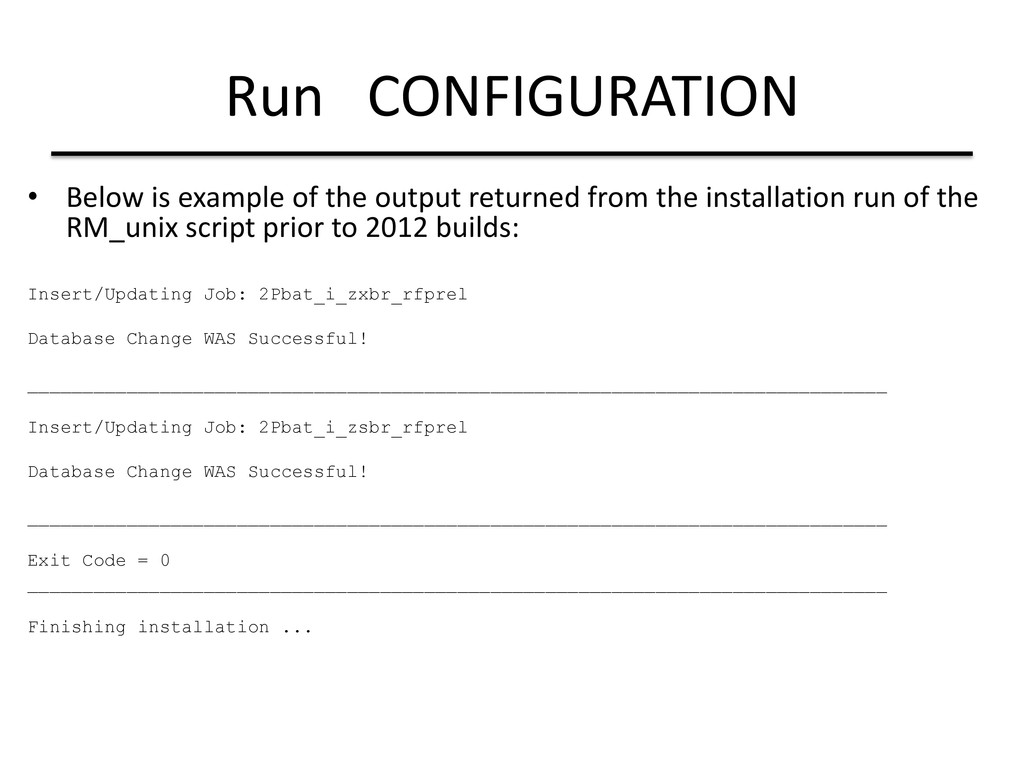
from the installation run of the RM_unix script prior to 2012 builds: Insert/Updating Job: 2Pbat_i_zxbr_rfprel Database Change WAS Successful! ______________________________________________________________________________ Insert/Updating Job: 2Pbat_i_zsbr_rfprel Database Change WAS Successful! ______________________________________________________________________________ Exit Code = 0 ______________________________________________________________________________ Finishing installation ...
Configuration Next steps: Import database with desired data sample Prepare batch input files Run daily batch job Run daemons (on demand requests from GUI) How to use autosys commands Other considerations: database management for existing databases


 techseoconnect
 scottboms
 aleyda
 bkeepers
 kneath
 irinanazarova
 brettharned
 ammeep
 geoffreycrofte
 sstephenson
 stephenakadiri