Upgrade to Pro
— share decks privately, control downloads, hide ads and more …
Speaker Deck
Sign up for free
Menu
Search
Features
All features
Private URLs
Password Protection
Custom URLS
Scheduled publishing
Remove Branding
Restrict embedding
Deck Collections
Notes
Features
All features
Private URLs
Password Protection
Custom URLS
Scheduled publishing
Remove Branding
Restrict embedding
Deck Collections
Notes
Explore
Featured decks
Featured speakers
Programming
Technology
Storyboards
Explore
Featured decks
Featured speakers
Programming
Technology
Storyboards
Pricing
Search
Sign in
Sign up for free
版本控制 - Mercurial
Search
Yinyin
January 13, 2013
Programming
49
0
Share
Embed
Copy iframe code
Copy JS code
Copy link
Start on current slide
版本控制 - Mercurial
使用 Mercurial 進行版本控制
Yinyin
January 13, 2013
Other Decks in Programming
See All in Programming
Apple Intelligence を用いた個人情報誤送信防止、及びユーザーリクエスト体験の改善について
yukiny
0
350
Herb in Rails 8.2: Your ERB views, now HTML-aware @ Kaigi on Rails 2026, Tokyo, Japan
marcoroth
2
270
Optunaを作ったときにやりたかったこと、その後 (2026/10/16, Optuna Meetup #3)
iwiwi
1
440
JIS keyboard support in Omarchy
lef237
0
130
UPDATE をやめる — EF Core でマスタをバージョン管理する
panda728
PRO
0
1.2k
Railsバージョンを4倍にした話
optim
0
450
Jetpack Compose Mechanisms
skydoves
3
820
【加筆修正版】Laravel のアプリケーションをどこにデプロイするか #phpcon_ehime
akase244
0
150
IBM Bob Dojo #1 仕様駆動開発入門
oniak3ibm
PRO
0
400
月間100万人のサービス刷新で、 技術選定をHonoに振り切った話
yutobara
8
6.7k
3回つくってわかった、 定期実行ジョブ基盤の本質情報
takai
0
510
Event is what happens
moro
2
860
Featured
See All Featured
How STYLIGHT went responsive
nonsquared
100
6.3k
How to Grow Your eCommerce with AI & Automation
katarinadahlin
PRO
2
330
Breaking role norms: Why Content Design is so much more than writing copy - Taylor Woolridge
uxyall
1
450
Art, The Web, and Tiny UX
lynnandtonic
304
22k
Primal Persuasion: How to Engage the Brain for Learning That Lasts
tmiket
0
500
Done Done
chrislema
187
17k
New Earth Scene 8
popppiees
4
2.7k
Hiding What from Whom? A Critical Review of the History of Programming languages for Music
tomoyanonymous
3
1.4k
Prompt Engineering for Job Search
mfonobong
0
520
Testing 201, or: Great Expectations
jmmastey
46
8.3k
Side Projects
sachag
456
43k
How to Build an AI Search Optimization Roadmap - Criteria and Steps to Take #SEOIRL
aleyda
1
2.2k
Transcript
1 版本控制 - Mercurial Information eXchange Speaker: Vincent CY Liao
Date: 2013-01-05
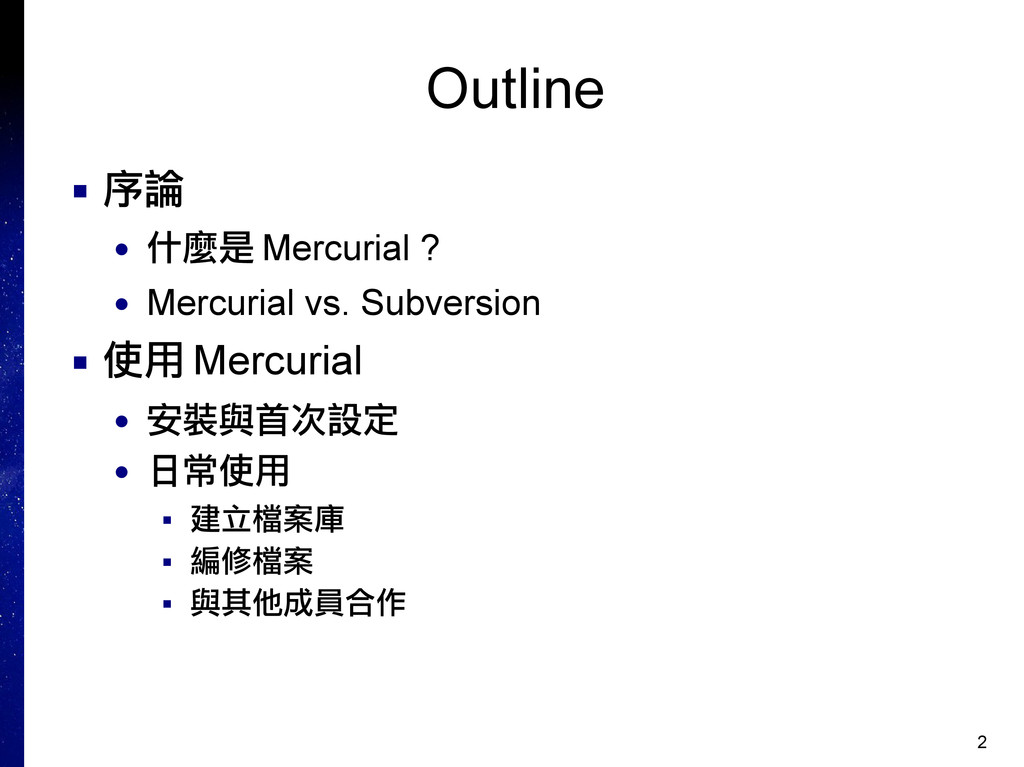
2 Outline ▪ 序論 • 什麼是 Mercurial ? • Mercurial
vs. Subversion ▪ 使用 Mercurial • 安裝與首次設定 • 日常使用 ▪ 建立檔案庫 ▪ 編修檔案 ▪ 與其他成員合作
3 序論 ▪ 什麼是 Mercurial ? ▪ Mercurial vs. Subversion
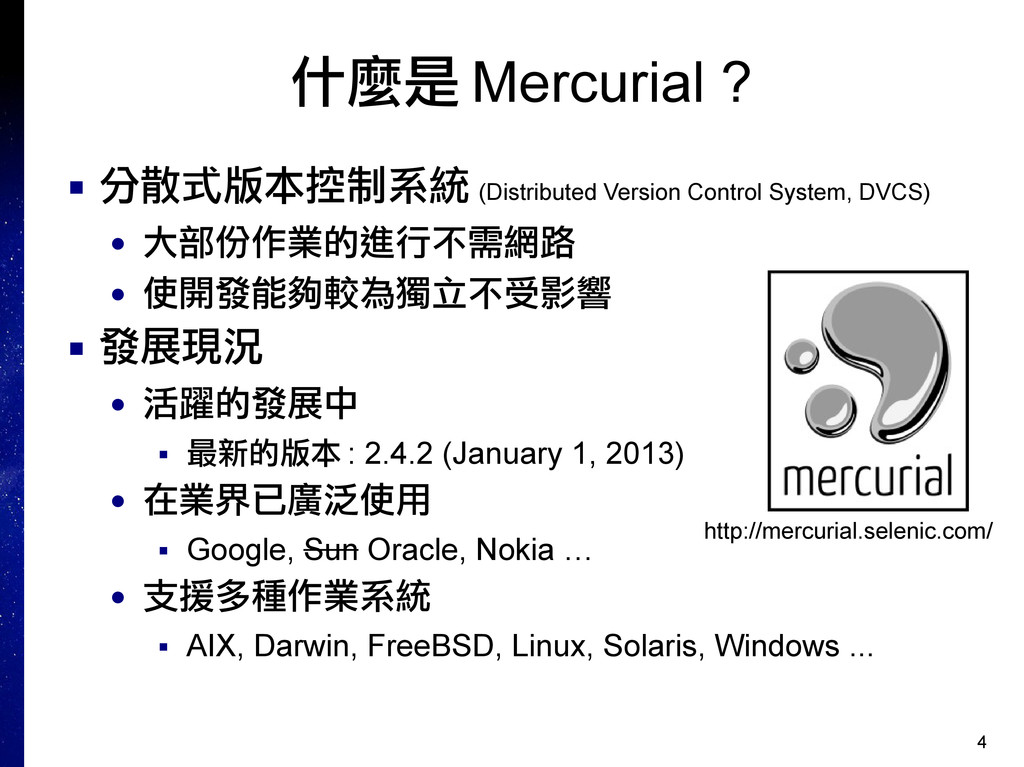
4 什麼是 Mercurial ? ▪ 分散式版本控制系統 (Distributed Version Control System,
DVCS) • 大部份作業的進行不需網路 • 使開發能夠較為獨立不受影響 ▪ 發展現況 • 活躍的發展中 ▪ 最新的版本 : 2.4.2 (January 1, 2013) • 在業界已廣泛使用 ▪ Google, Sun Oracle, Nokia … • 支援多種作業系統 ▪ AIX, Darwin, FreeBSD, Linux, Solaris, Windows ... http://mercurial.selenic.com/
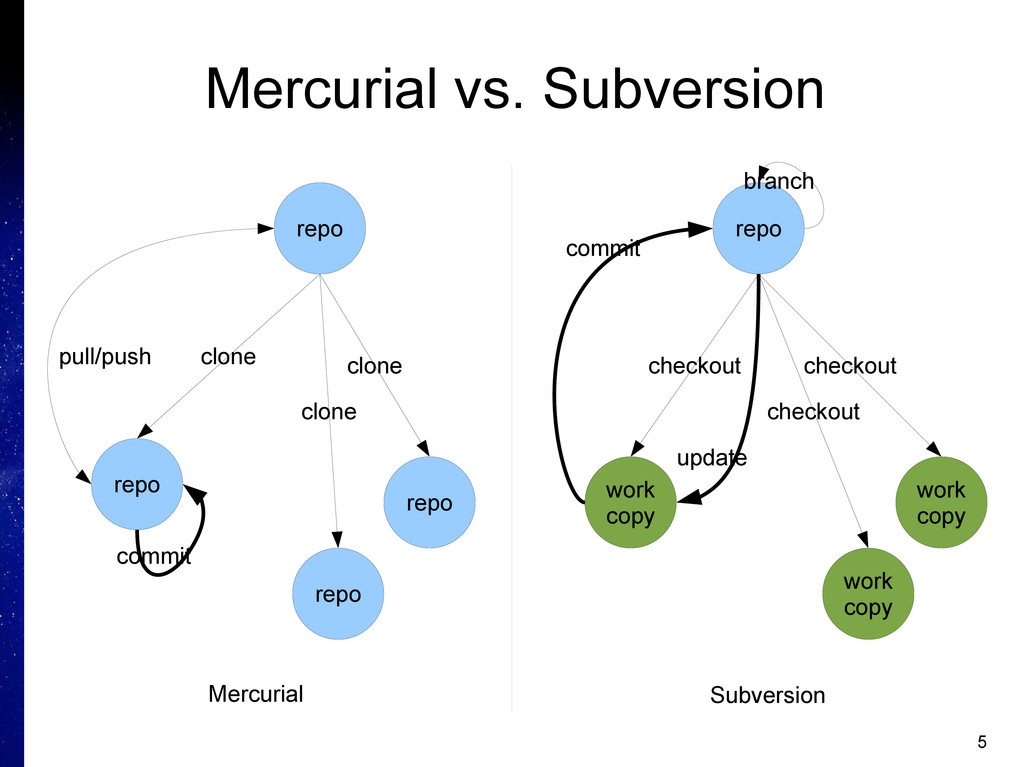
5 Mercurial vs. Subversion repo repo repo repo clone clone
clone pull/push commit repo branch work copy work copy work copy checkout checkout checkout update commit Mercurial Subversion
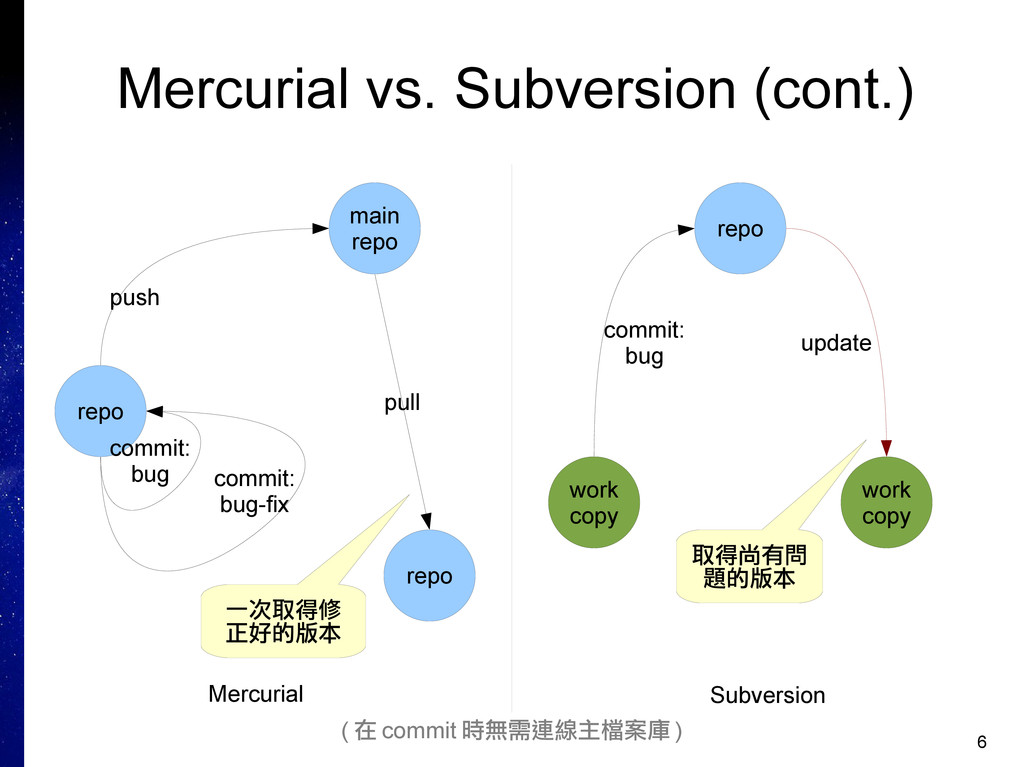
6 Mercurial vs. Subversion (cont.) main repo repo commit: bug
commit: bug-fix push repo pull 一次取得修 正好的版本 repo work copy commit: bug work copy update 取得尚有問 題的版本 Mercurial Subversion ( 在 commit 時無需連線主檔案庫 )
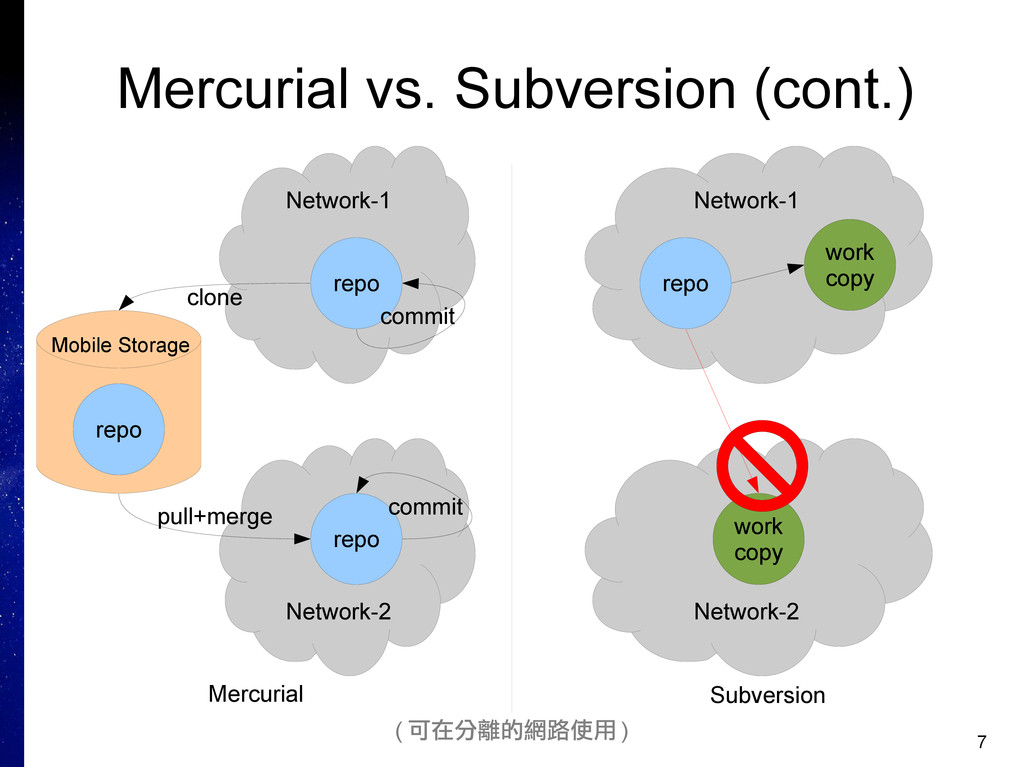
7 Mercurial vs. Subversion (cont.) Network-1 repo commit Network-2 repo
repo commit clone Mercurial Subversion pull+merge Network-1 Network-2 repo work copy Mobile Storage work copy ( 可在分離的網路使用 )
8 使用 Mercurial ▪ 安裝與首次設定 • 安裝流程概觀 • 取得軟體 •
建置與安裝 • 首次設定
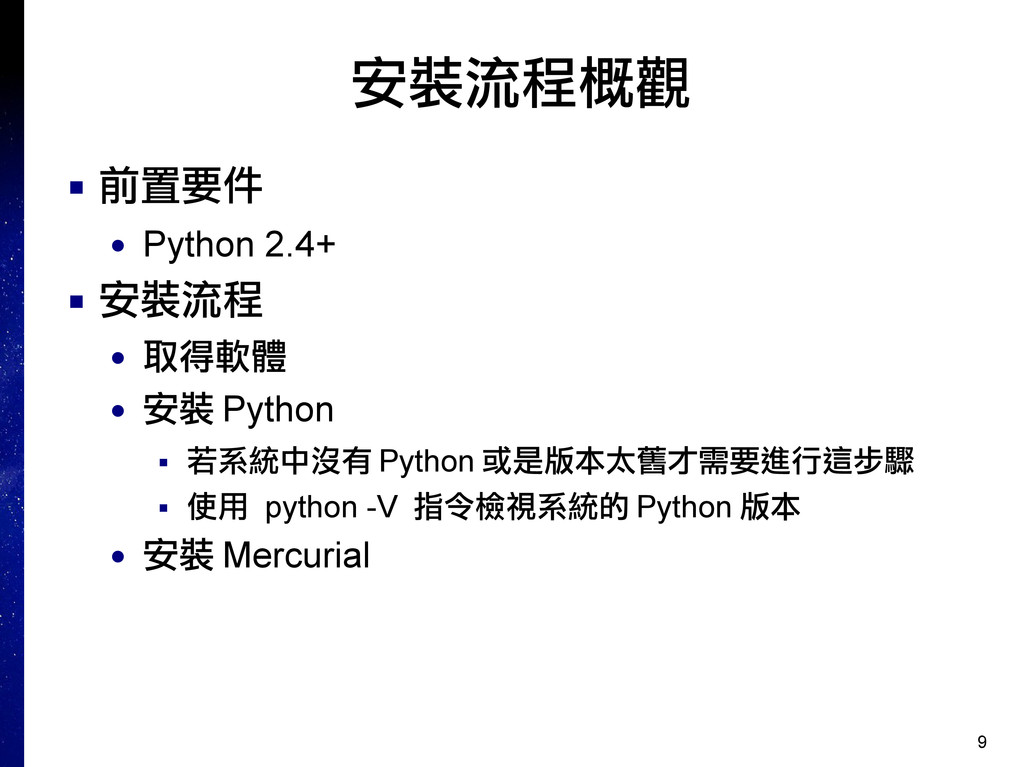
9 安裝流程概觀 ▪ 前置要件 • Python 2.4+ ▪ 安裝流程 •
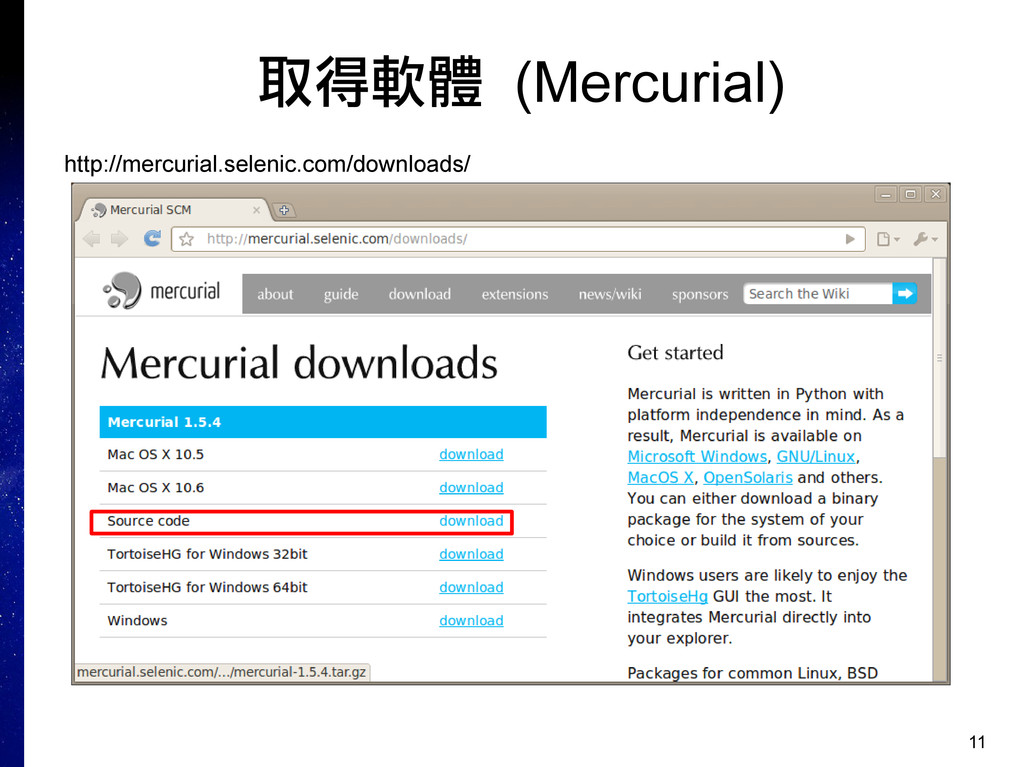
取得軟體 • 安裝 Python ▪ 若系統中沒有 Python 或是版本太舊才需要進行這步驟 ▪ 使用 python -V 指令檢視系統的 Python 版本 • 安裝 Mercurial
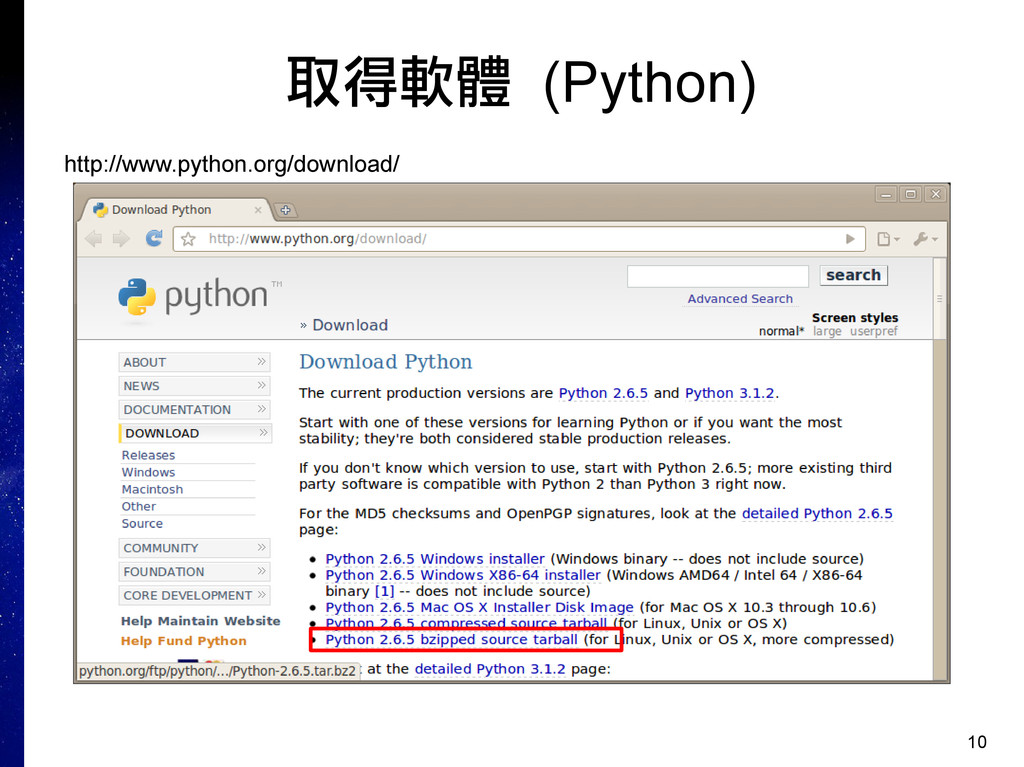
10 取得軟體 (Python) http://www.python.org/download/
11 取得軟體 (Mercurial) http://mercurial.selenic.com/downloads/
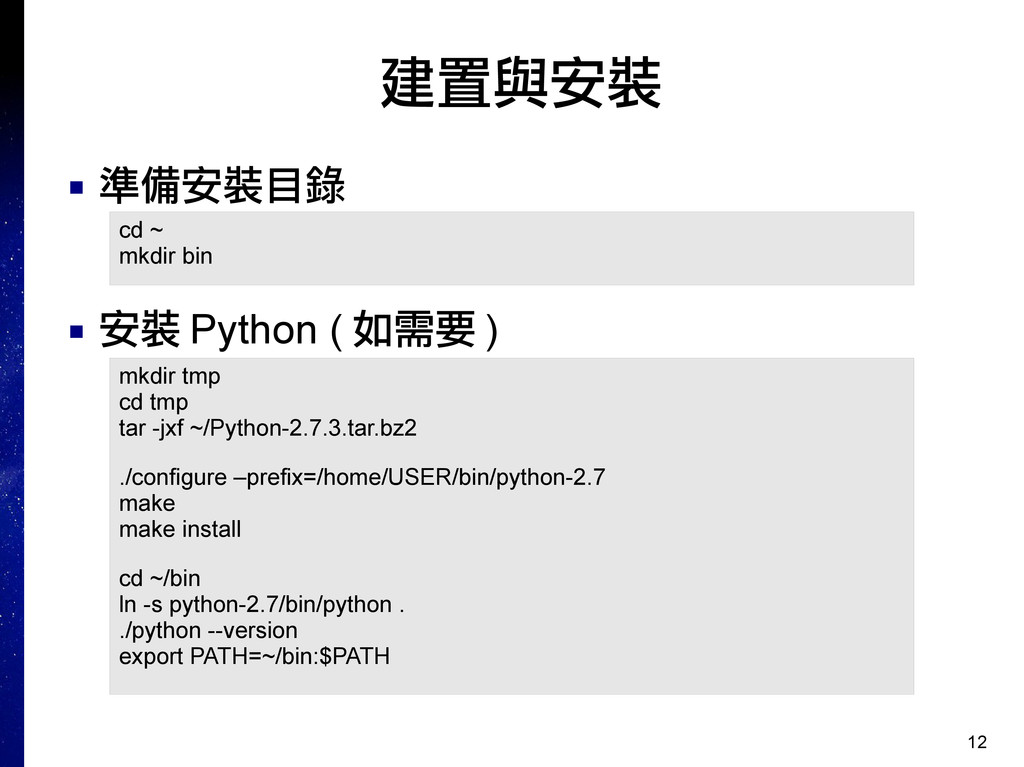
12 建置與安裝 ▪ 準備安裝目錄 ▪ 安裝 Python ( 如需要 )
cd ~ mkdir bin mkdir tmp cd tmp tar -jxf ~/Python-2.7.3.tar.bz2 ./configure –prefix=/home/USER/bin/python-2.7 make make install cd ~/bin ln -s python-2.7/bin/python . ./python --version export PATH=~/bin:$PATH
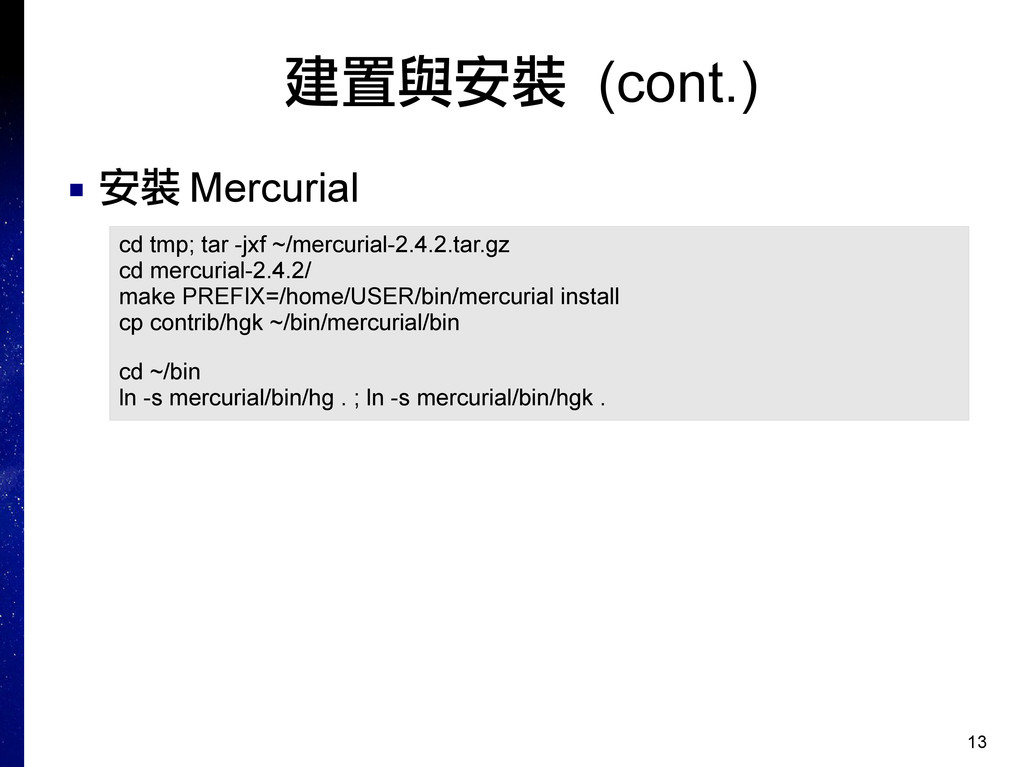
13 建置與安裝 (cont.) ▪ 安裝 Mercurial cd tmp; tar -jxf
~/mercurial-2.4.2.tar.gz cd mercurial-2.4.2/ make PREFIX=/home/USER/bin/mercurial install cp contrib/hgk ~/bin/mercurial/bin cd ~/bin ln -s mercurial/bin/hg . ; ln -s mercurial/bin/hgk .
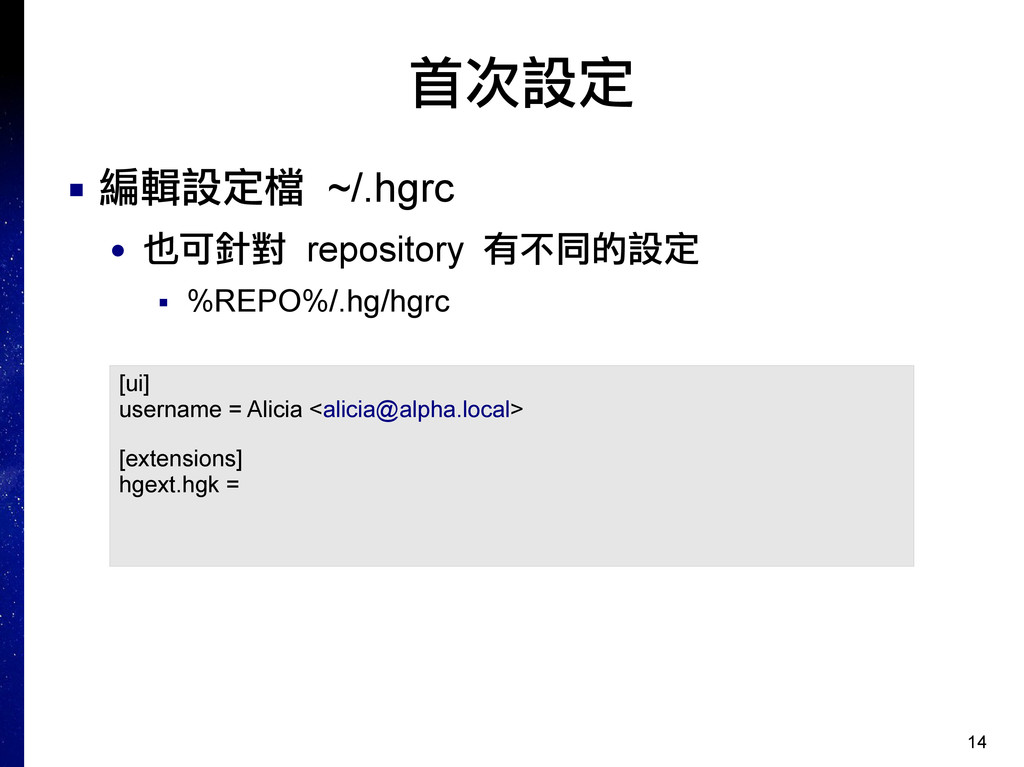
14 首次設定 ▪ 編輯設定檔 ~/.hgrc • 也可針對 repository 有不同的設定 ▪
%REPO%/.hg/hgrc [ui] username = Alicia <
[email protected]
> [extensions] hgext.hgk =
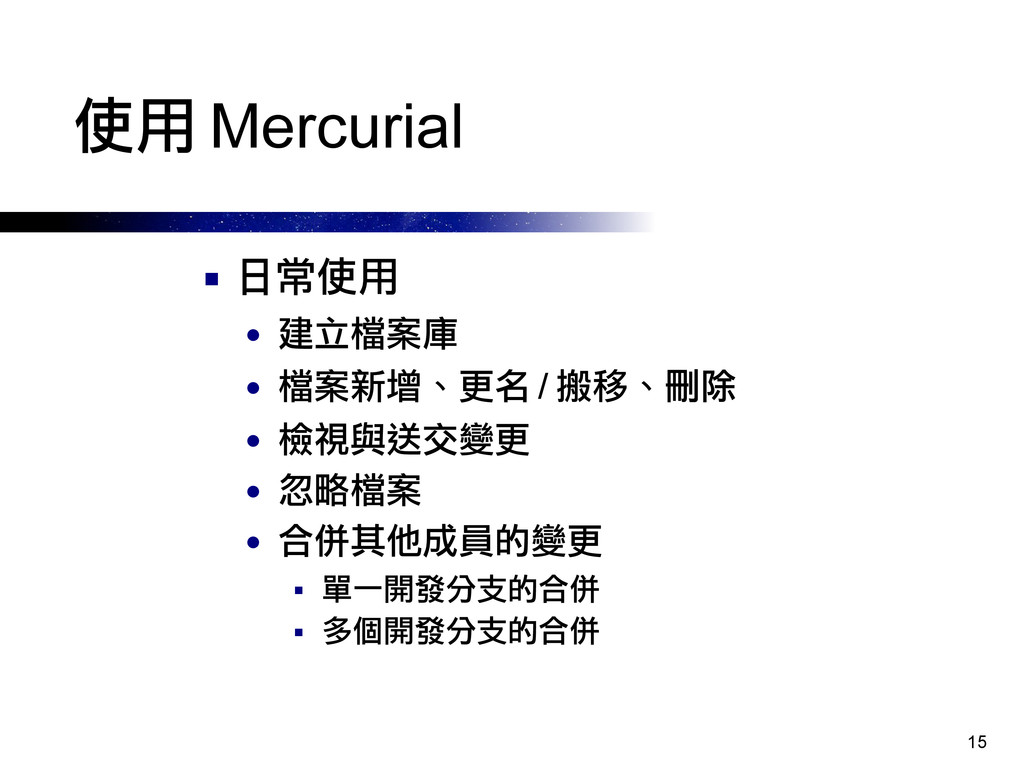
15 使用 Mercurial ▪ 日常使用 • 建立檔案庫 • 檔案新增、更名 /
搬移、刪除 • 檢視與送交變更 • 忽略檔案 • 合併其他成員的變更 ▪ 單一開發分支的合併 ▪ 多個開發分支的合併
16 使用 Mercurial ▪ 日常使用 (cont.) • 解決變更衝突 • 檢視紀錄
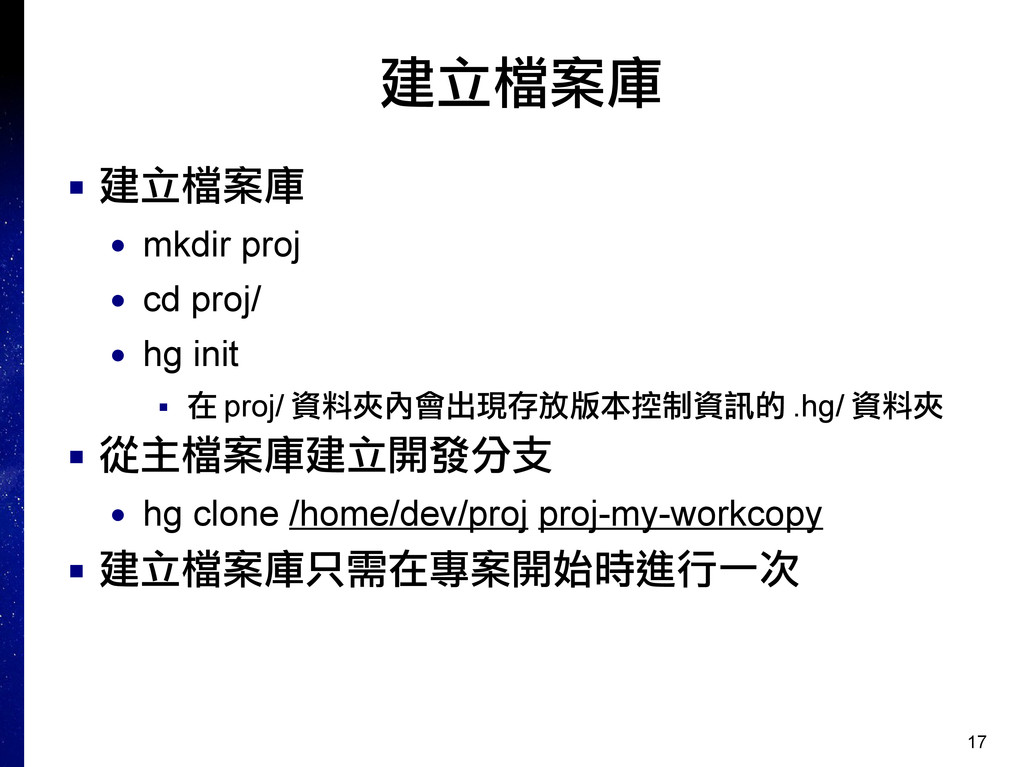
17 建立檔案庫 ▪ 建立檔案庫 • mkdir proj • cd proj/
• hg init ▪ 在 proj/ 資料夾內會出現存放版本控制資訊的 .hg/ 資料夾 ▪ 從主檔案庫建立開發分支 • hg clone /home/dev/proj proj-my-workcopy ▪ 建立檔案庫只需在專案開始時進行一次
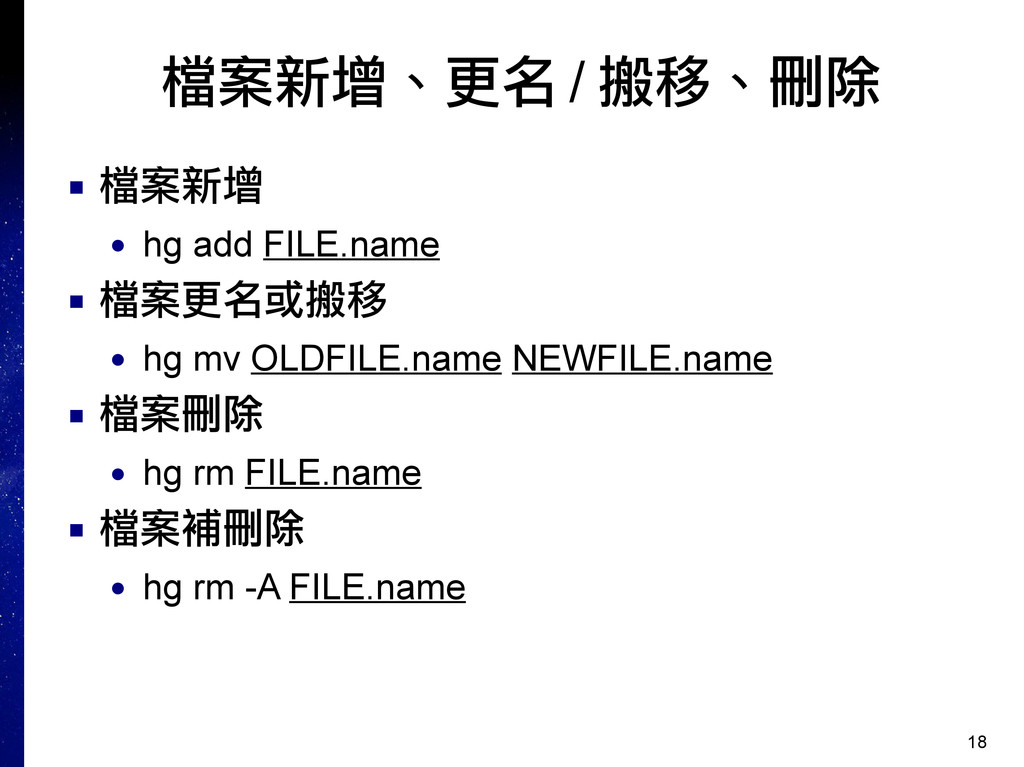
18 檔案新增、更名 / 搬移、刪除 ▪ 檔案新增 • hg add FILE.name
▪ 檔案更名或搬移 • hg mv OLDFILE.name NEWFILE.name ▪ 檔案刪除 • hg rm FILE.name ▪ 檔案補刪除 • hg rm -A FILE.name
19 檢視與送交變更 ▪ 檢視變更狀況 • hg st ▪ 送交變更 •
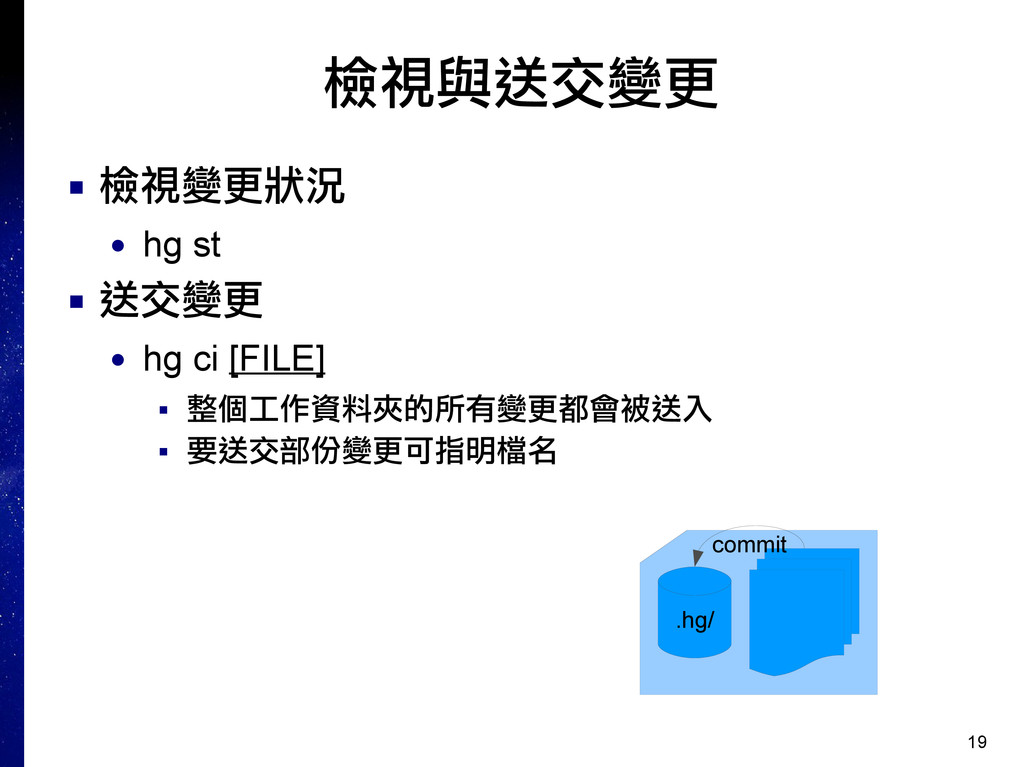
hg ci [FILE] ▪ 整個工作資料夾的所有變更都會被送入 ▪ 要送交部份變更可指明檔名 .hg/ commit
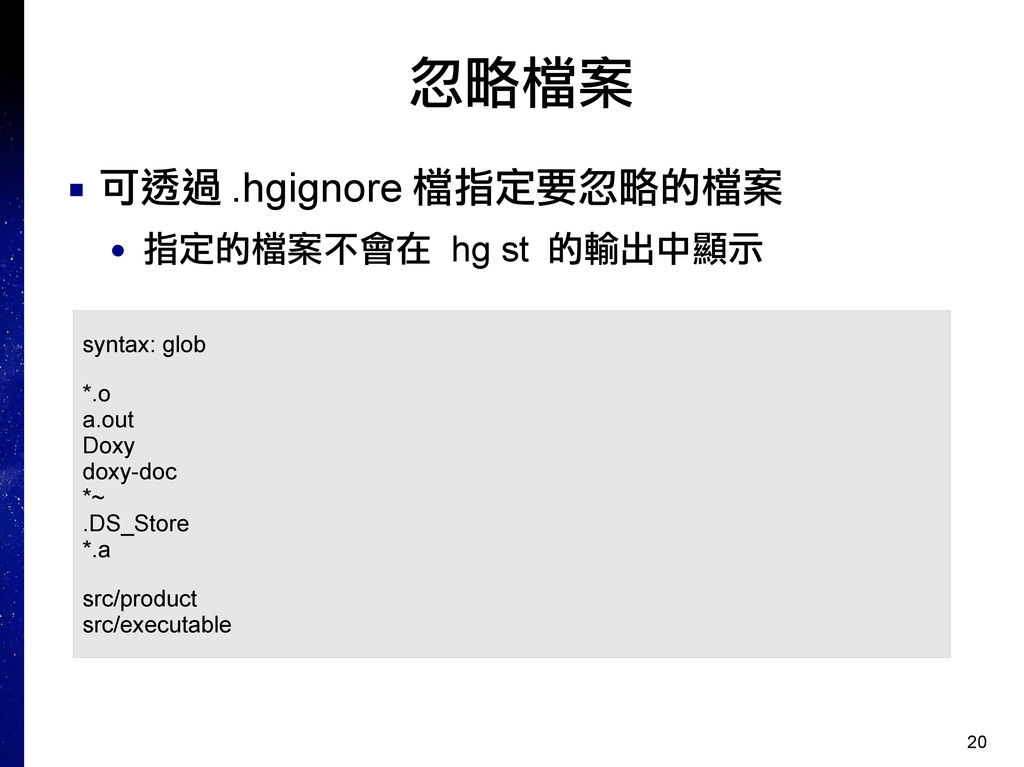
20 忽略檔案 ▪ 可透過 .hgignore 檔指定要忽略的檔案 • 指定的檔案不會在 hg st
的輸出中顯示 syntax: glob *.o a.out Doxy doxy-doc *~ .DS_Store *.a src/product src/executable
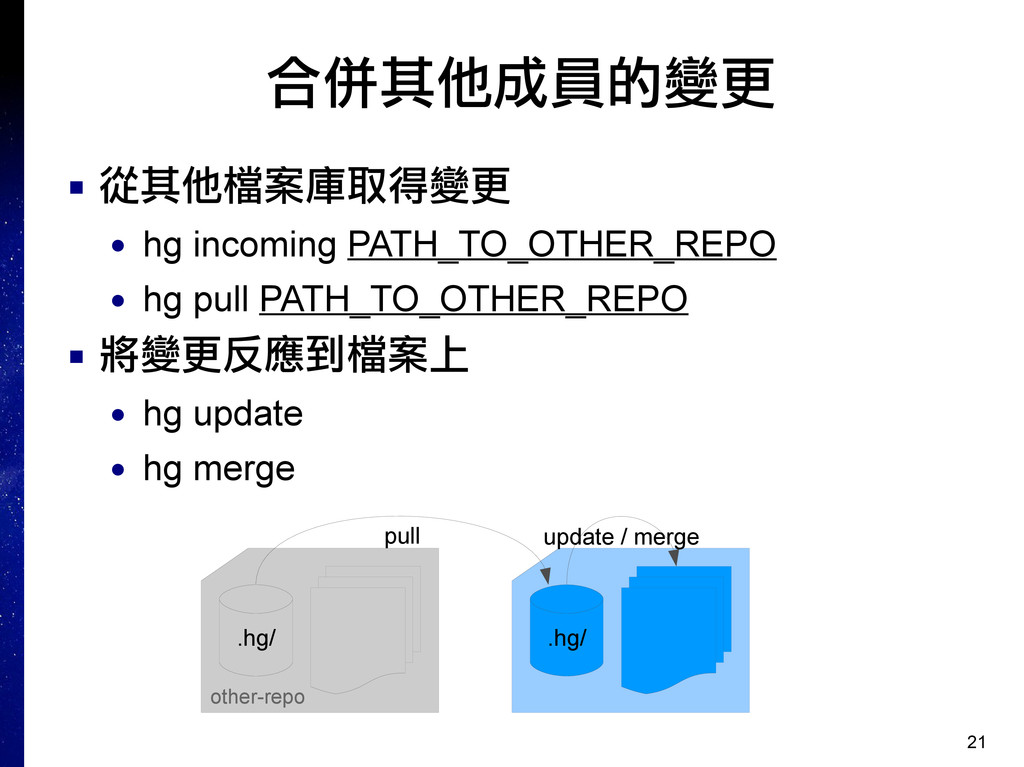
21 合併其他成員的變更 ▪ 從其他檔案庫取得變更 • hg incoming PATH_TO_OTHER_REPO • hg
pull PATH_TO_OTHER_REPO ▪ 將變更反應到檔案上 • hg update • hg merge other-repo .hg/ .hg/ pull update / merge
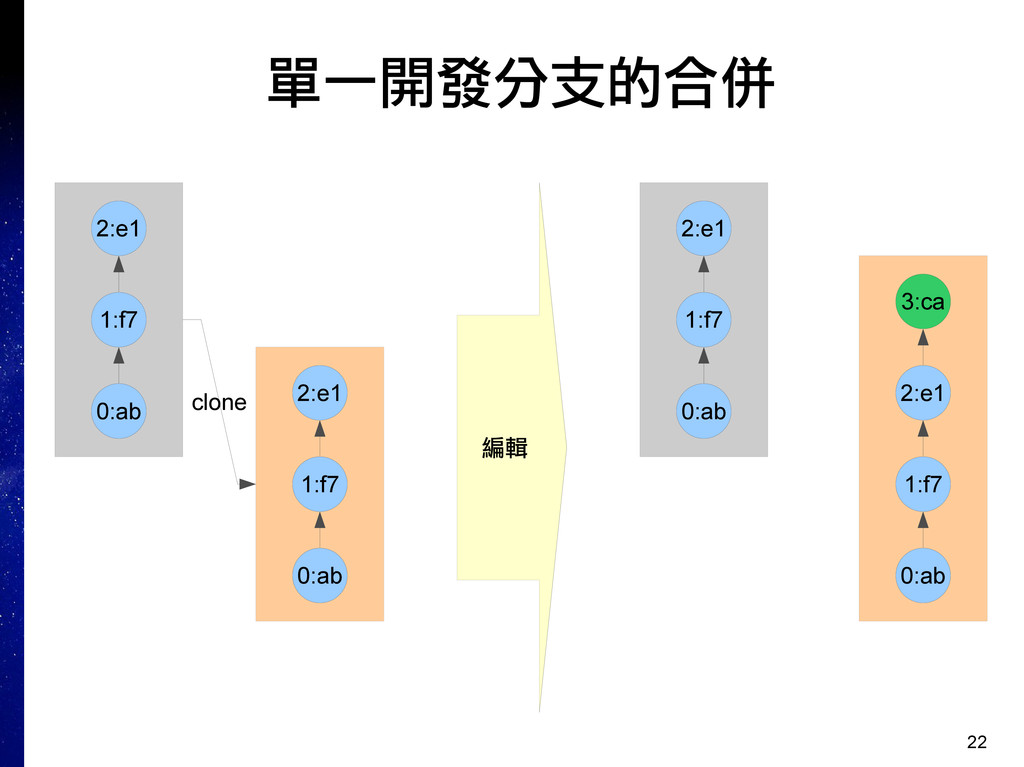
22 單一開發分支的合併 0:ab 1:f7 2:e1 0:ab 1:f7 2:e1 clone 0:ab
1:f7 2:e1 0:ab 1:f7 2:e1 3:ca 編輯
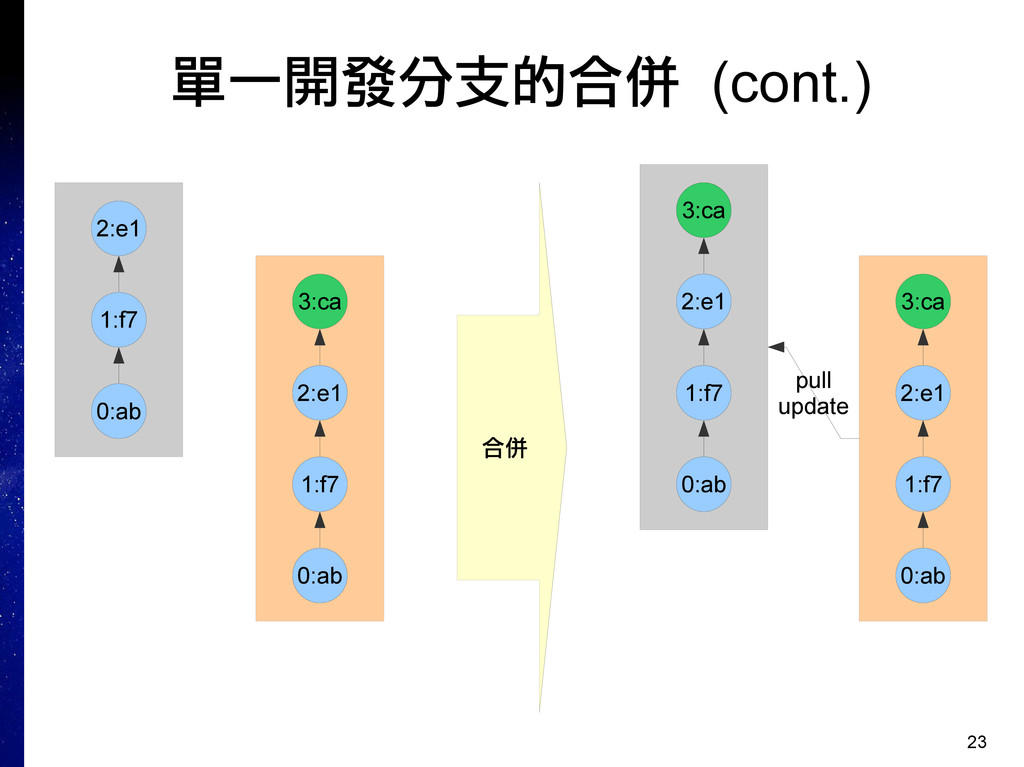
23 單一開發分支的合併 (cont.) 0:ab 1:f7 2:e1 0:ab 1:f7 2:e1 3:ca
合併 0:ab 1:f7 2:e1 0:ab 1:f7 2:e1 3:ca 3:ca pull update
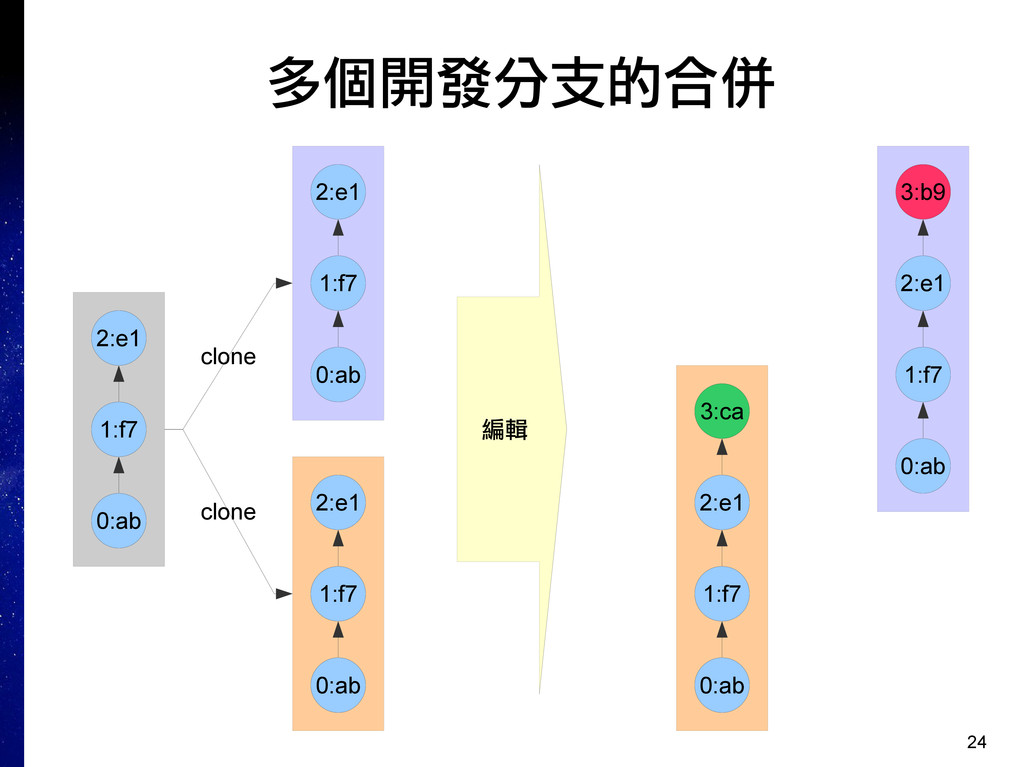
24 多個開發分支的合併 0:ab 1:f7 2:e1 0:ab 1:f7 2:e1 0:ab 1:f7
2:e1 clone clone 編輯 0:ab 1:f7 2:e1 3:ca 0:ab 1:f7 2:e1 3:b9
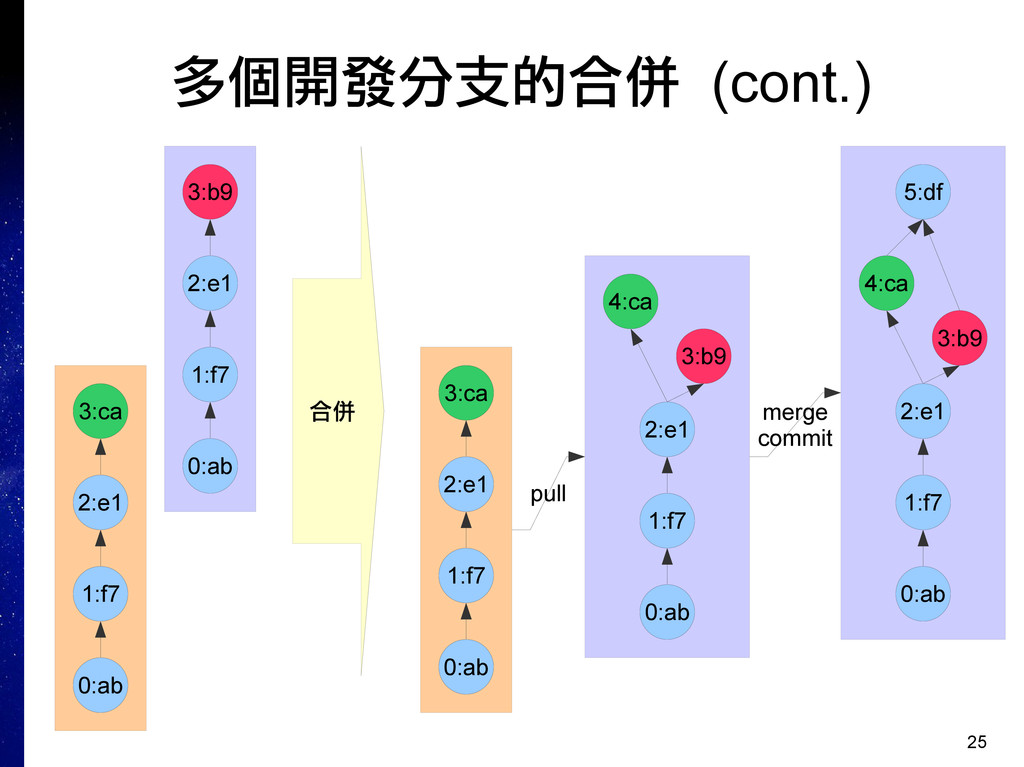
25 多個開發分支的合併 (cont.) 合併 0:ab 1:f7 2:e1 3:ca 0:ab 1:f7
2:e1 3:b9 4:ca pull 0:ab 1:f7 2:e1 3:b9 4:ca 5:df merge commit 0:ab 1:f7 2:e1 3:ca 0:ab 1:f7 2:e1 3:b9
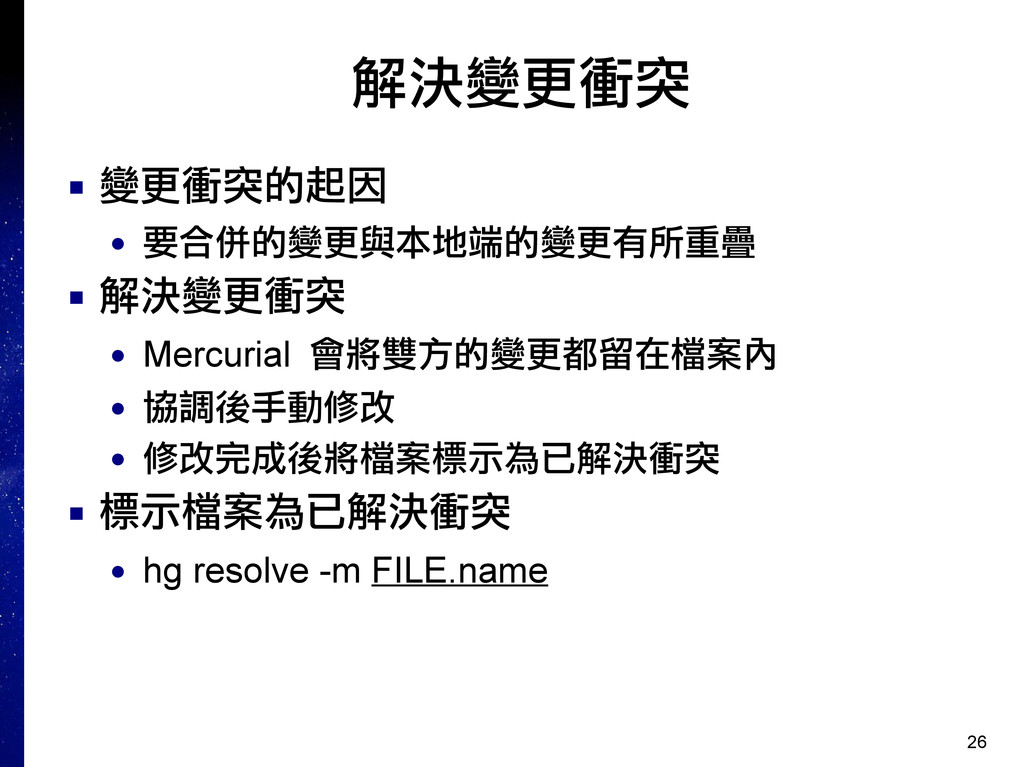
26 解決變更衝突 ▪ 變更衝突的起因 • 要合併的變更與本地端的變更有所重疊 ▪ 解決變更衝突 • Mercurial
會將雙方的變更都留在檔案內 • 協調後手動修改 • 修改完成後將檔案標示為已解決衝突 ▪ 標示檔案為已解決衝突 • hg resolve -m FILE.name
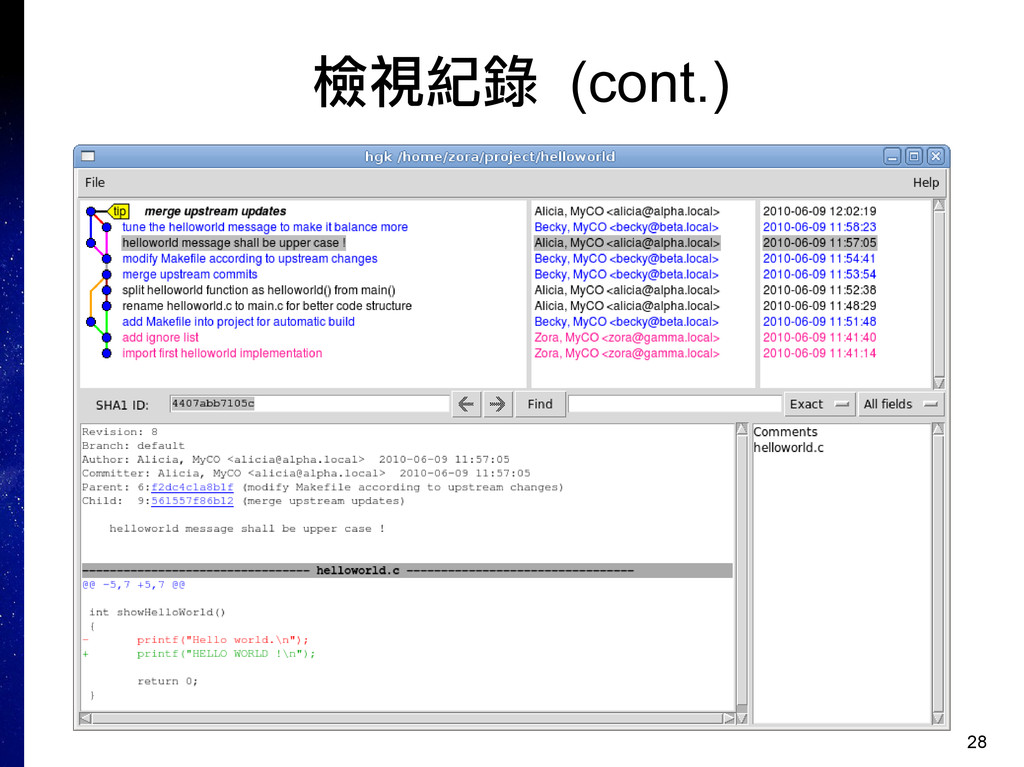
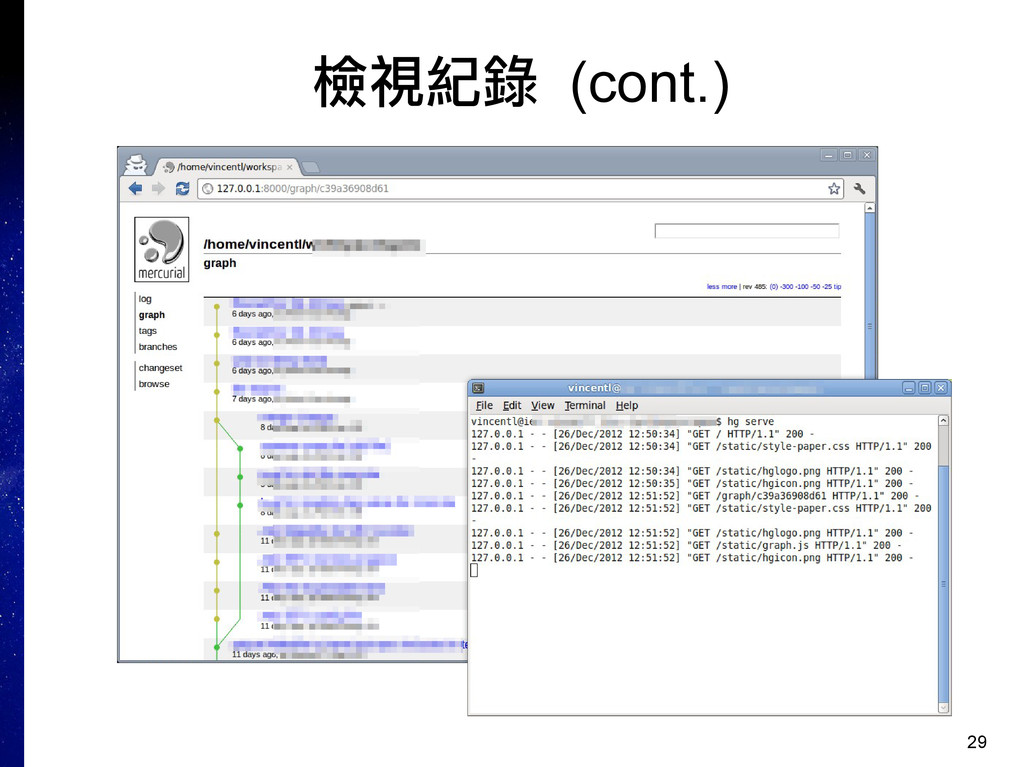
27 檢視紀錄 ▪ 文字模式 • hg log [FILE] ▪ 視窗模式
• hg view ▪ 系統上須安裝有 Tcl/Tk ▪ 網頁模式 • hg serve -a 127.0.0.1 -p 8000 ▪ 到瀏覽器上透過 http://127.0.0.1:8000/ 作為 URL 連線 ▪ 未給參數的話預設是啟動在所有介面上的 8000 埠 ▸ 有安全顧慮的話最好指定 -a 參數指定介面 ▪ 按下 CTRL+C 終止
28 檢視紀錄 (cont.)
29 檢視紀錄 (cont.)
30 其他細節 ▪ 個人識別名稱 ▪ 共用帳號
31 個人識別名稱 ▪ 目前常見的有兩種 • 以個人名義為主 ▪ My Name <
[email protected]
>
• 附加公司簡稱 ▪ My Name, CORP. <
[email protected]
> ▪ 在開放專案中會看到第一種 • 假設合作的人都會看 E-Mail 位址來辨識所屬組織 • 個人色彩鮮明 ▪ 公司專案就比較不一定 ▪ 總之,選一個寫法然後就避免變動
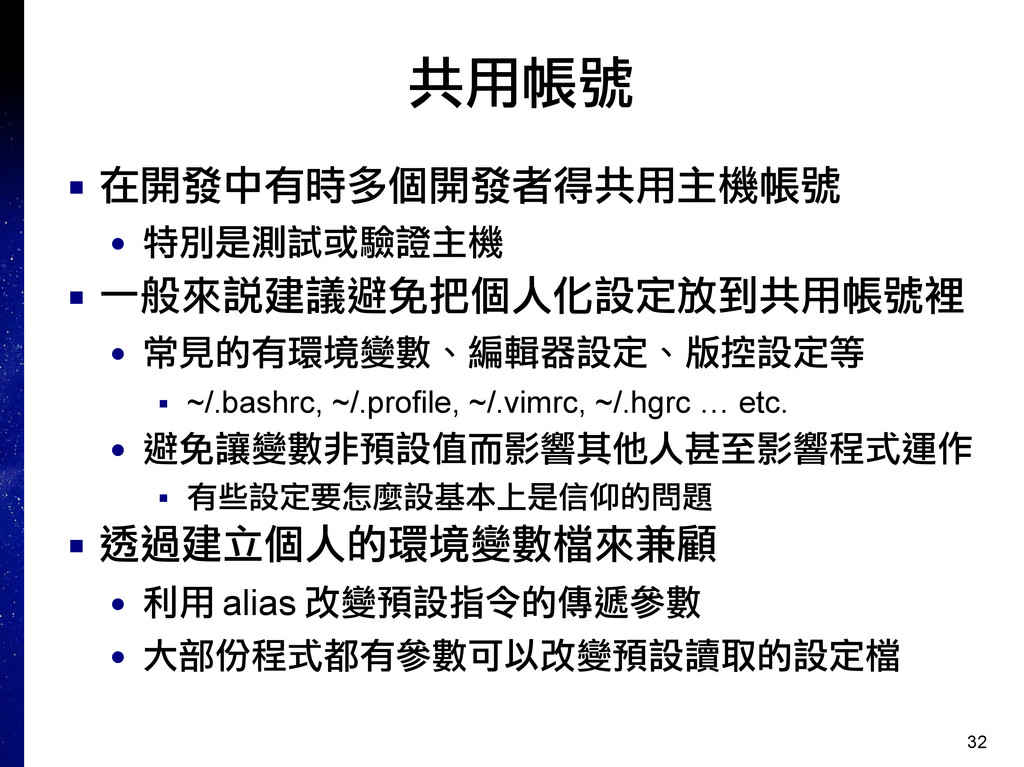
32 共用帳號 ▪ 在開發中有時多個開發者得共用主機帳號 • 特別是測試或驗證主機 ▪ 一般來說建議避免把個人化設定放到共用帳號裡 • 常見的有環境變數、編輯器設定、版控設定等
▪ ~/.bashrc, ~/.profile, ~/.vimrc, ~/.hgrc … etc. • 避免讓變數非預設值而影響其他人甚至影響程式運作 ▪ 有些設定要怎麼設基本上是信仰的問題 ▪ 透過建立個人的環境變數檔來兼顧 • 利用 alias 改變預設指令的傳遞參數 • 大部份程式都有參數可以改變預設讀取的設定檔
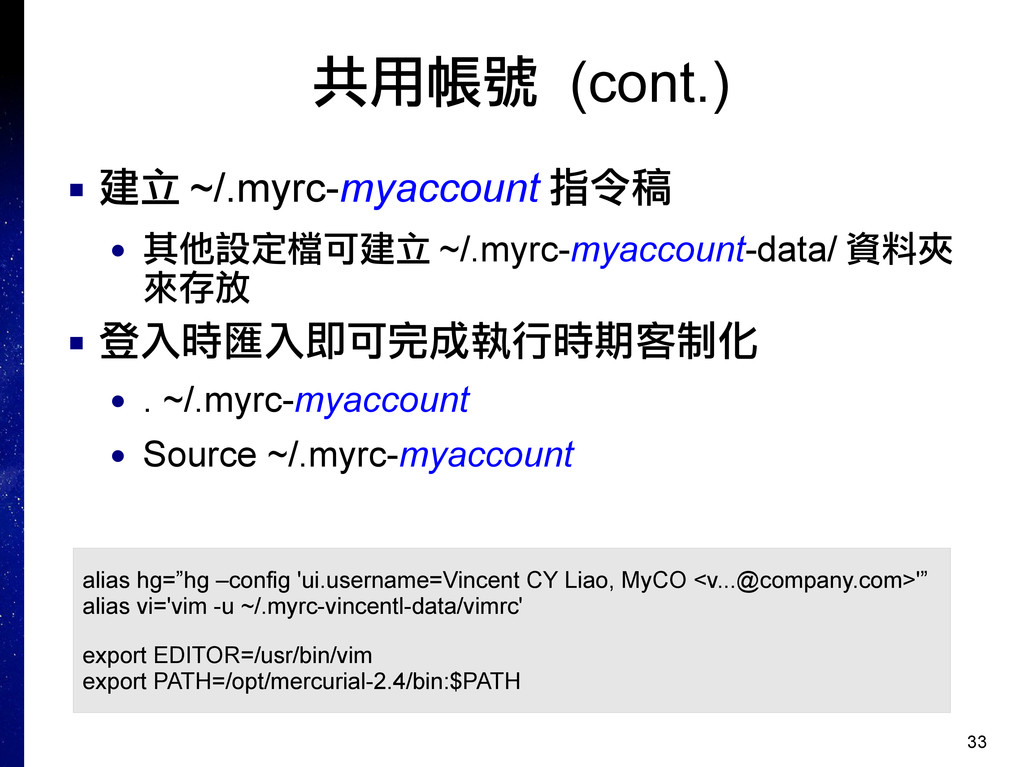
33 共用帳號 (cont.) ▪ 建立 ~/.myrc-myaccount 指令稿 • 其他設定檔可建立 ~/.myrc-myaccount-data/
資料夾 來存放 ▪ 登入時匯入即可完成執行時期客制化 • . ~/.myrc-myaccount • Source ~/.myrc-myaccount alias hg=”hg –config 'ui.username=Vincent CY Liao, MyCO <
[email protected]
>'” alias vi='vim -u ~/.myrc-vincentl-data/vimrc' export EDITOR=/usr/bin/vim export PATH=/opt/mercurial-2.4/bin:$PATH
34 Thank you !


 yukiny
 marcoroth
 iwiwi
iwiwi
 lef237
 panda728
 optim
optim
 skydoves
 akase244
 oniak3ibm
 yutobara
 takai
takai
 moro
moro
 nonsquared
 katarinadahlin
 uxyall
 lynnandtonic
 tmiket
 chrislema
 popppiees
 tomoyanonymous
 mfonobong
 jmmastey
 sachag
 aleyda
![27 檢視紀錄 ▪ 文字模式 • hg log [FILE] ▪ 視窗模式](https://files.speakerdeck.com/presentations/2b6e0de03f700130b9ec1231381f54b3/slide_26.jpg)
![31 個人識別名稱 ▪ 目前常見的有兩種 • 以個人名義為主 ▪ My Name <[email protected]>](https://files.speakerdeck.com/presentations/2b6e0de03f700130b9ec1231381f54b3/slide_30.jpg)