Upgrade to Pro
— share decks privately, control downloads, hide ads and more …
Speaker Deck
Sign up for free
Menu
Search
Features
All features
Private URLs
Password Protection
Custom URLS
Scheduled publishing
Remove Branding
Restrict embedding
Deck Collections
Notes
Features
All features
Private URLs
Password Protection
Custom URLS
Scheduled publishing
Remove Branding
Restrict embedding
Deck Collections
Notes
Explore
Featured decks
Featured speakers
Programming
Technology
Storyboards
Explore
Featured decks
Featured speakers
Programming
Technology
Storyboards
Pricing
Search
Sign in
Sign up for free
OSSのUIライブラリでESLintのカスタムルールを作っている話
Search
chida0909
June 10, 2026
410
0
Share
Embed
Copy iframe code
Copy JS code
Copy link
Start on current slide
OSSのUIライブラリでESLintのカスタムルールを作っている話
chida0909
June 10, 2026
Featured
See All Featured
Rails Girls Zürich Keynote
gr2m
96
14k
"I'm Feeling Lucky" - Building Great Search Experiences for Today's Users (#IAC19)
danielanewman
230
23k
AI Search: Where Are We & What Can We Do About It?
aleyda
0
8.1k
SEO in 2025: How to Prepare for the Future of Search
ipullrank
3
3.9k
Google's AI Overviews - The New Search
badams
0
1.6k
Designing for humans not robots
tammielis
254
26k
Designing Powerful Visuals for Engaging Learning
tmiket
1
610
Conquering PDFs: document understanding beyond plain text
inesmontani
PRO
4
3.2k
[SF Ruby Conf 2025] Rails X
palkan
3
1.5k
Site-Speed That Sticks
csswizardry
13
1.6k
Faster Mobile Websites
deanohume
310
32k
Digital Projects Gone Horribly Wrong (And the UX Pros Who Still Save the Day) - Dean Schuster
uxyall
1
3.4k
Transcript
© Findy Inc. TSKaigi Night talks ~after conference~/ 2026-06-10 OSS
の UI ライブラリで ESLint のカスタムルールを 作っている話 ファインディ株式会社 千⽥ 孝明 1
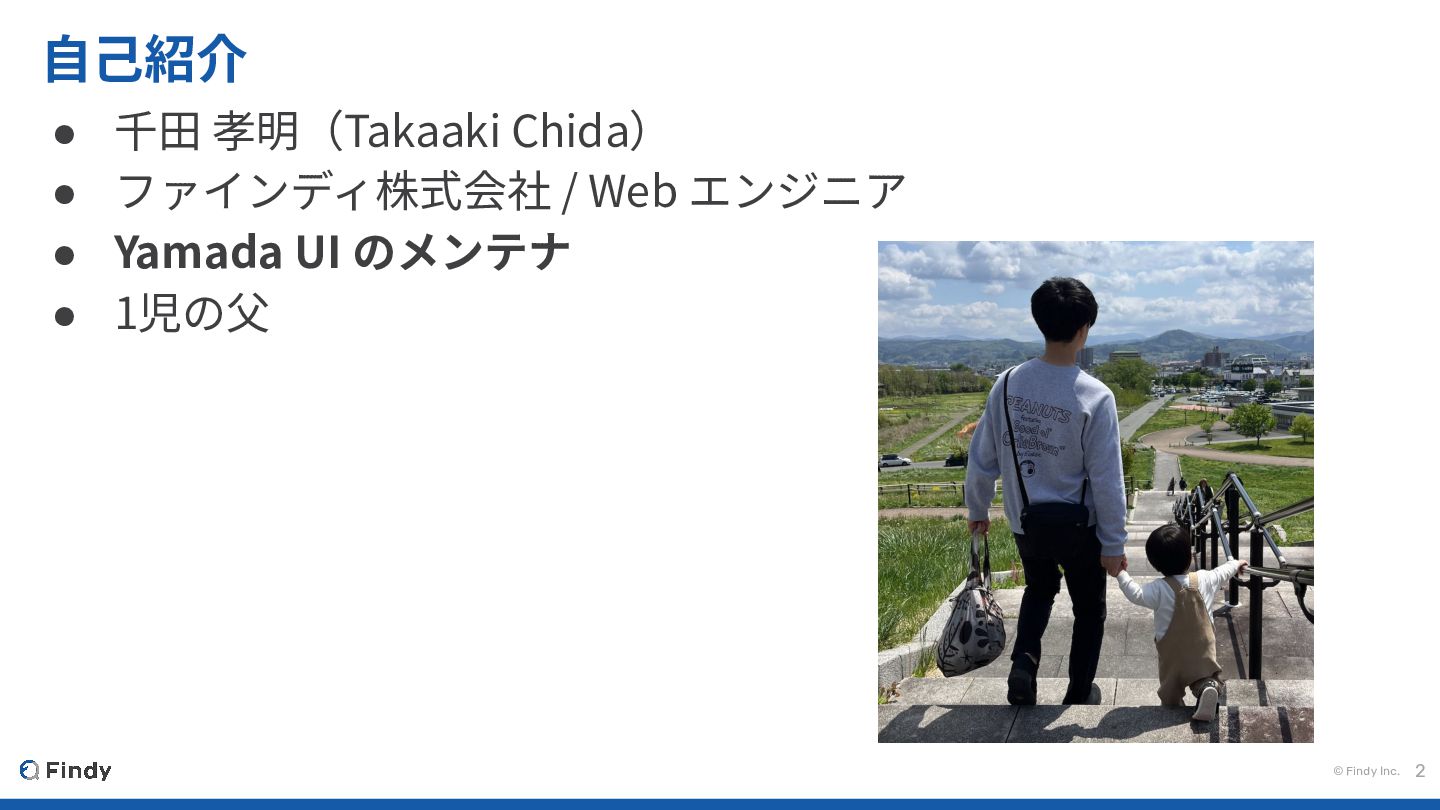
© Findy Inc. 2 ⾃⼰紹介 • 千⽥ 孝明(Takaaki Chida) •
ファインディ株式会社 / Web エンジニア • Yamada UI のメンテナ • 1児の⽗
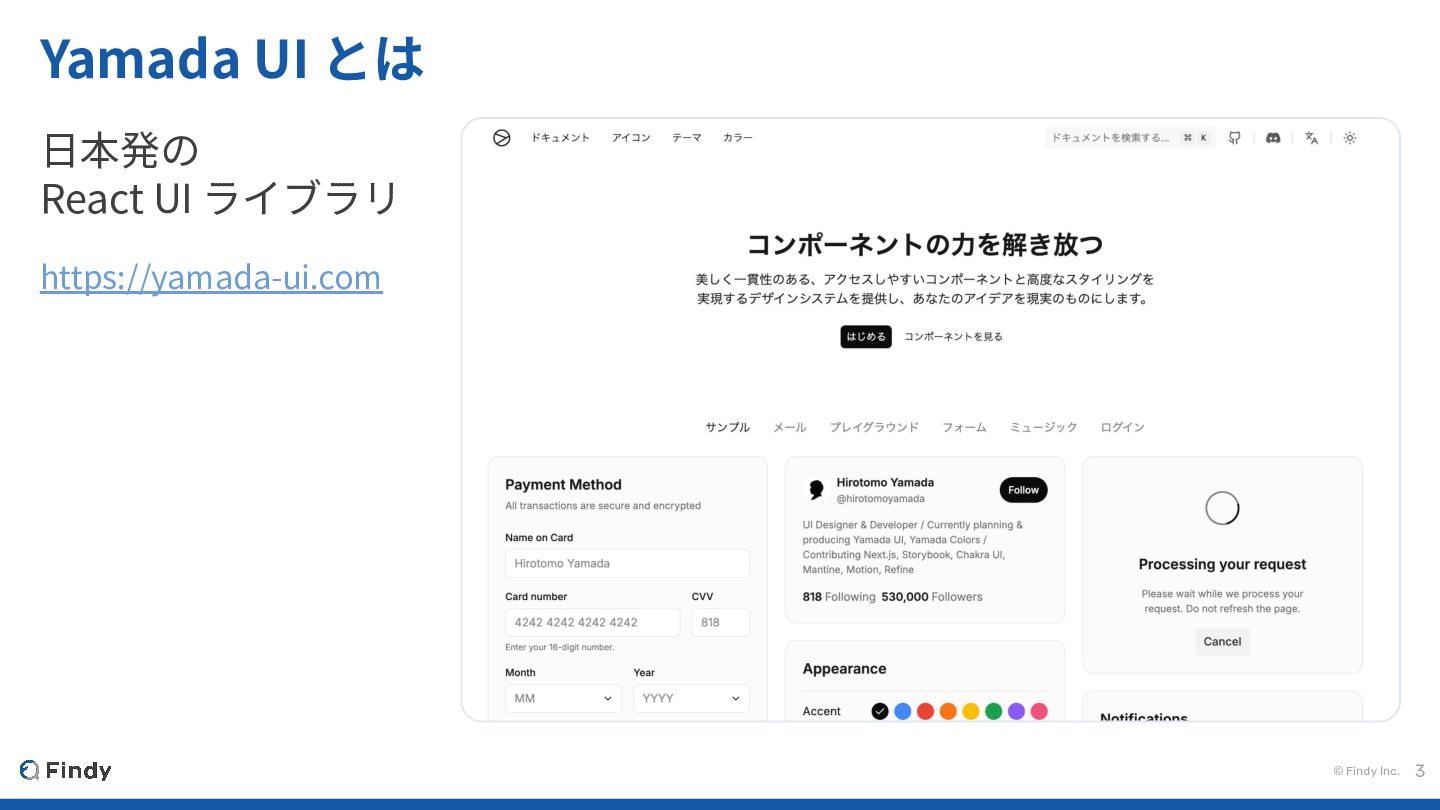
© Findy Inc. 3 Yamada UI とは ⽇本発の React UI
ライブラリ https://yamada-ui.com
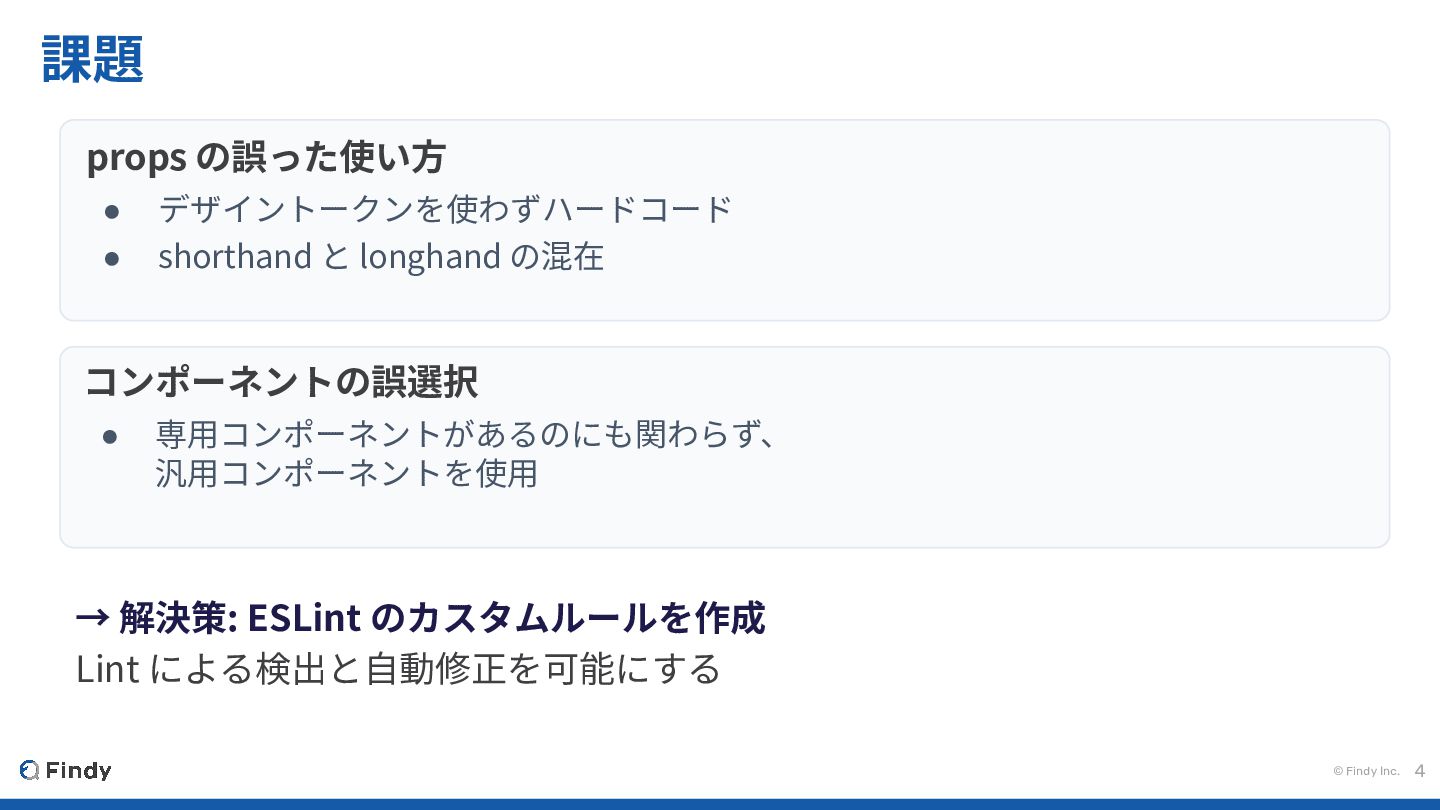
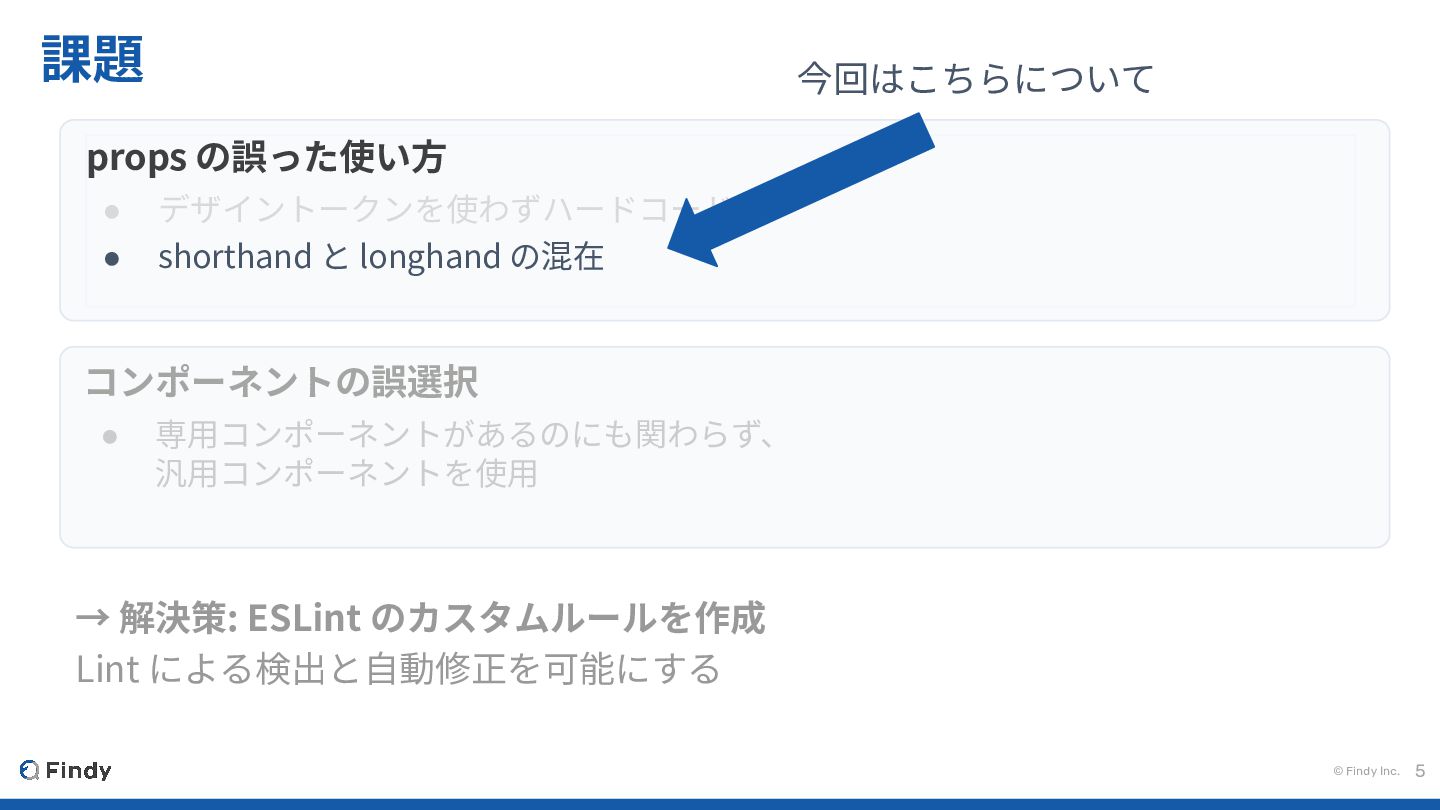
© Findy Inc. 4 課題 コンポーネントの誤選択 • 専⽤コンポーネントがあるのにも関わらず、 汎⽤コンポーネントを使⽤ props
の誤った使い⽅ • デザイントークンを使わずハードコード • shorthand と longhand の混在 → 解決策: ESLint のカスタムルールを作成 Lint による検出と⾃動修正を可能にする
© Findy Inc. 5 課題 コンポーネントの誤選択 • 専⽤コンポーネントがあるのにも関わらず、 汎⽤コンポーネントを使⽤ props
の誤った使い⽅ • デザイントークンを使わずハードコード • shorthand と longhand の混在 → 解決策: ESLint のカスタムルールを作成 Lint による検出と⾃動修正を可能にする 今回はこちらについて
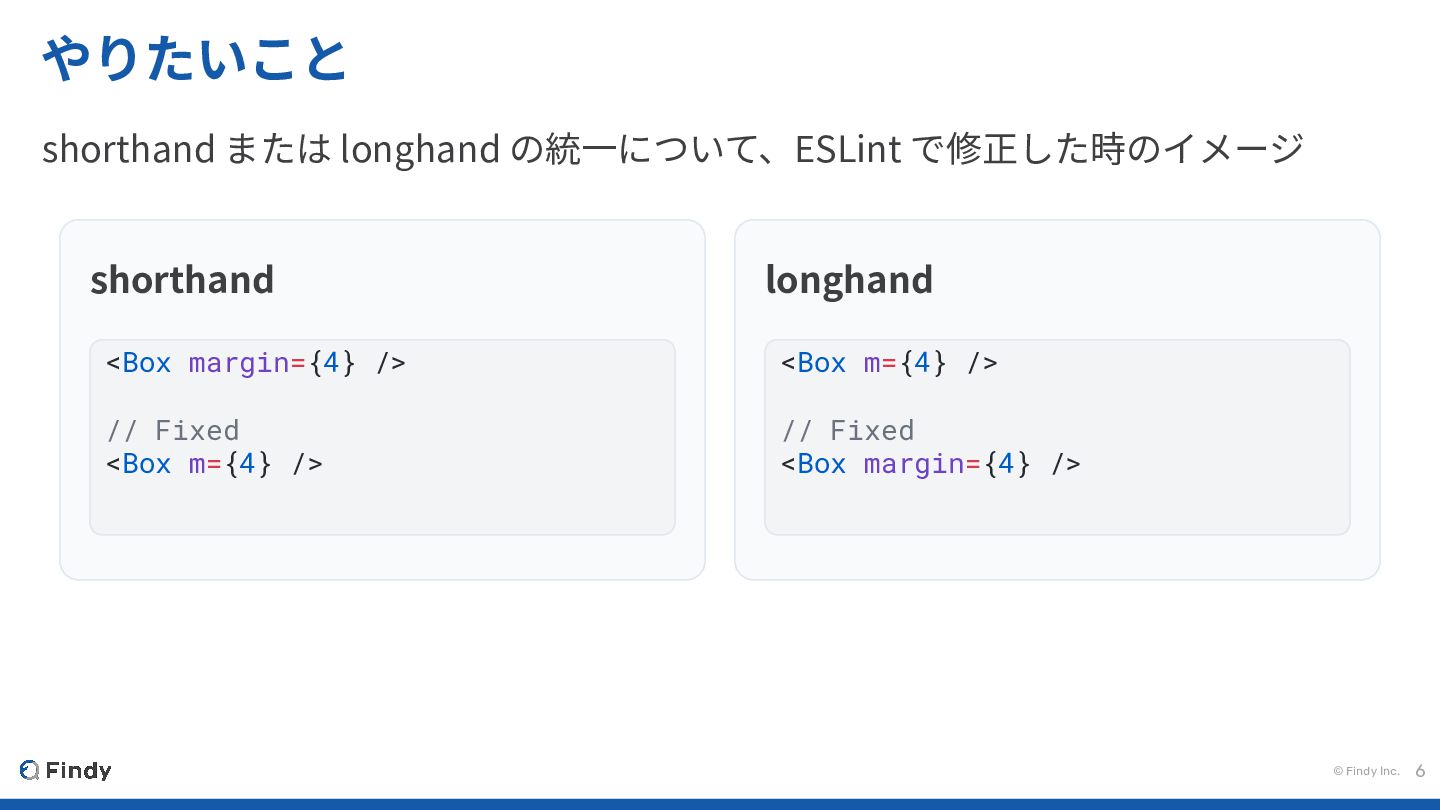
© Findy Inc. 6 やりたいこと shorthand または longhand の統⼀について、ESLint で修正した時のイメージ
shorthand <Box margin={4} /> // Fixed <Box m={4} /> longhand <Box m={4} /> // Fixed <Box margin={4} />
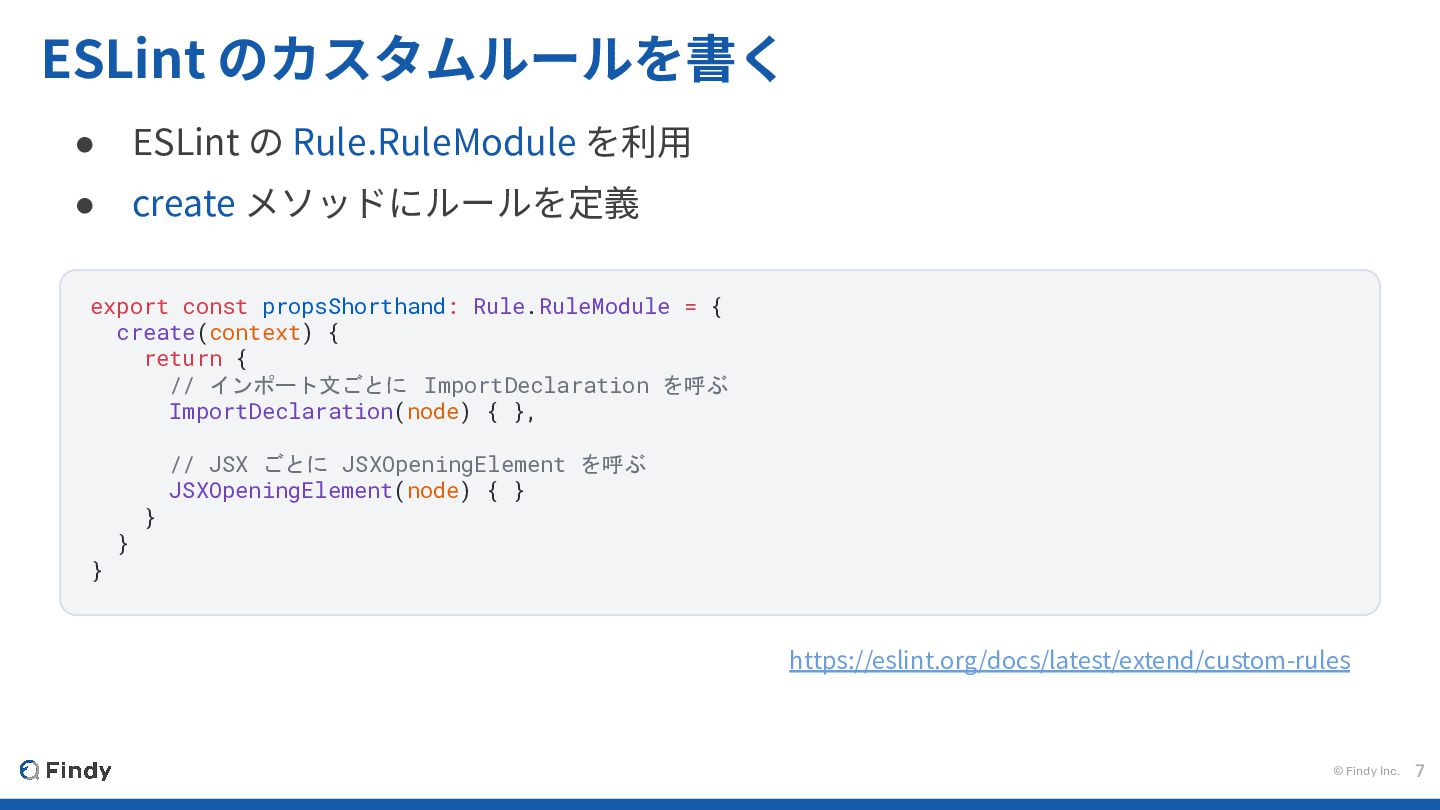
© Findy Inc. 7 ESLint のカスタムルールを書く • ESLint の Rule.RuleModule
を利⽤ • create メソッドにルールを定義 export const propsShorthand: Rule.RuleModule = { create(context) { return { // インポート文ごとに ImportDeclaration を呼ぶ ImportDeclaration(node) { }, // JSX ごとに JSXOpeningElement を呼ぶ JSXOpeningElement(node) { } } } } https://eslint.org/docs/latest/extend/custom-rules
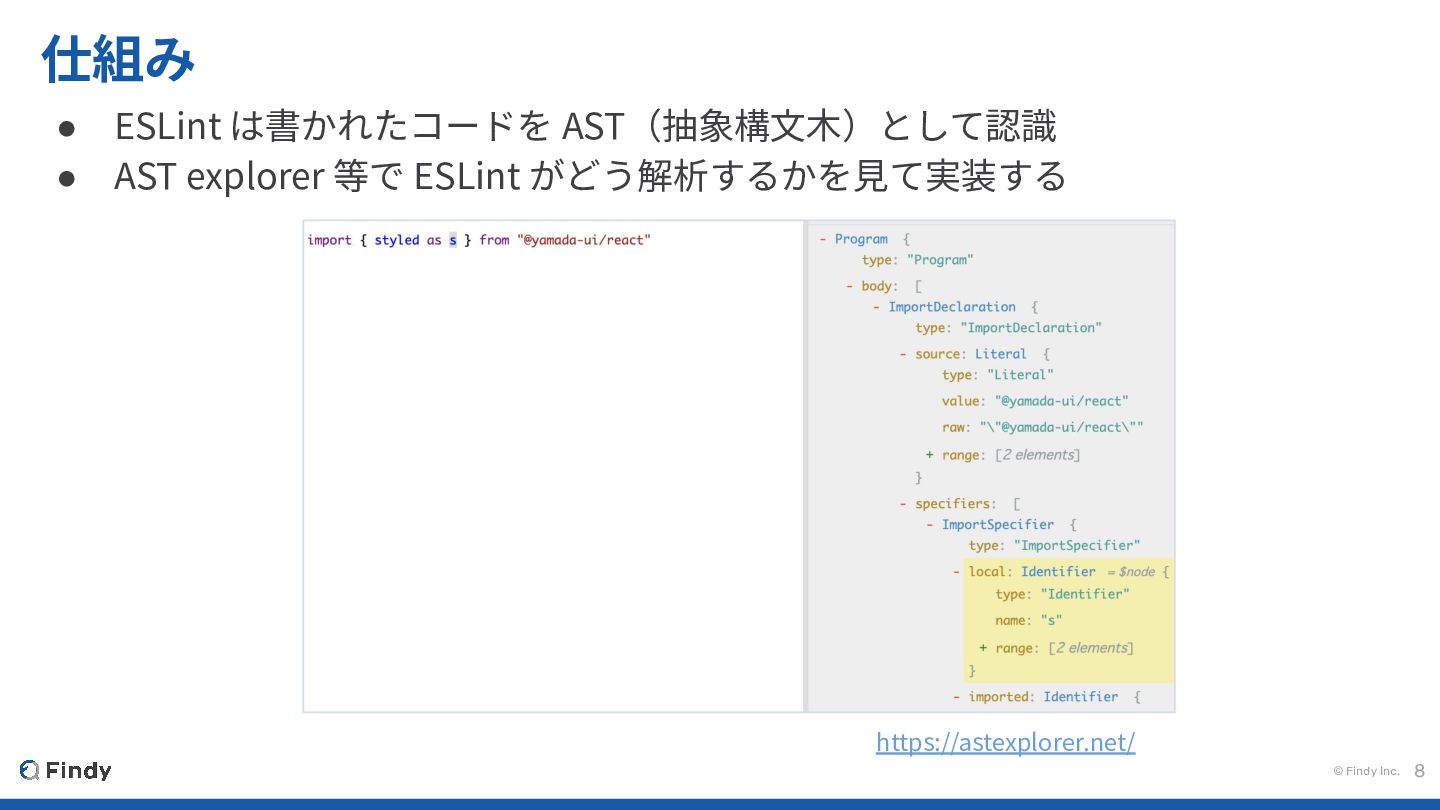
© Findy Inc. 8 仕組み • ESLint は書かれたコードを AST(抽象構⽂⽊)として認識 •
AST explorer 等で ESLint がどう解析するかを⾒て実装する https://astexplorer.net/
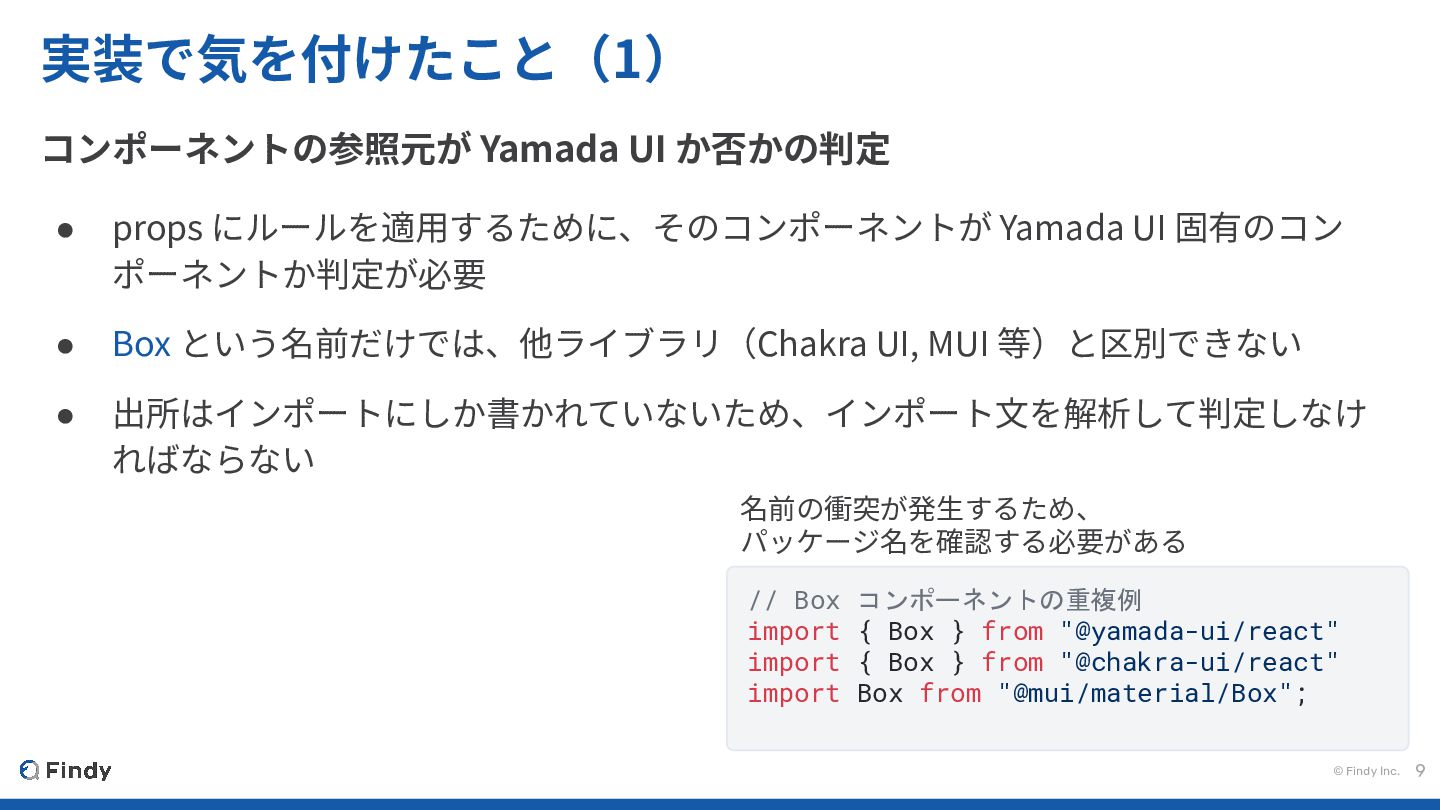
© Findy Inc. 9 実装で気を付けたこと(1) コンポーネントの参照元が Yamada UI か否かの判定 •
props にルールを適⽤するために、そのコンポーネントが Yamada UI 固有のコン ポーネントか判定が必要 • Box という名前だけでは、他ライブラリ(Chakra UI, MUI 等)と区別できない • 出所はインポートにしか書かれていないため、インポート⽂を解析して判定しなけ ればならない // Box コンポーネントの重複例 import { Box } from "@yamada-ui/react" import { Box } from "@chakra-ui/react" import Box from "@mui/material/Box"; 名前の衝突が発⽣するため、 パッケージ名を確認する必要がある
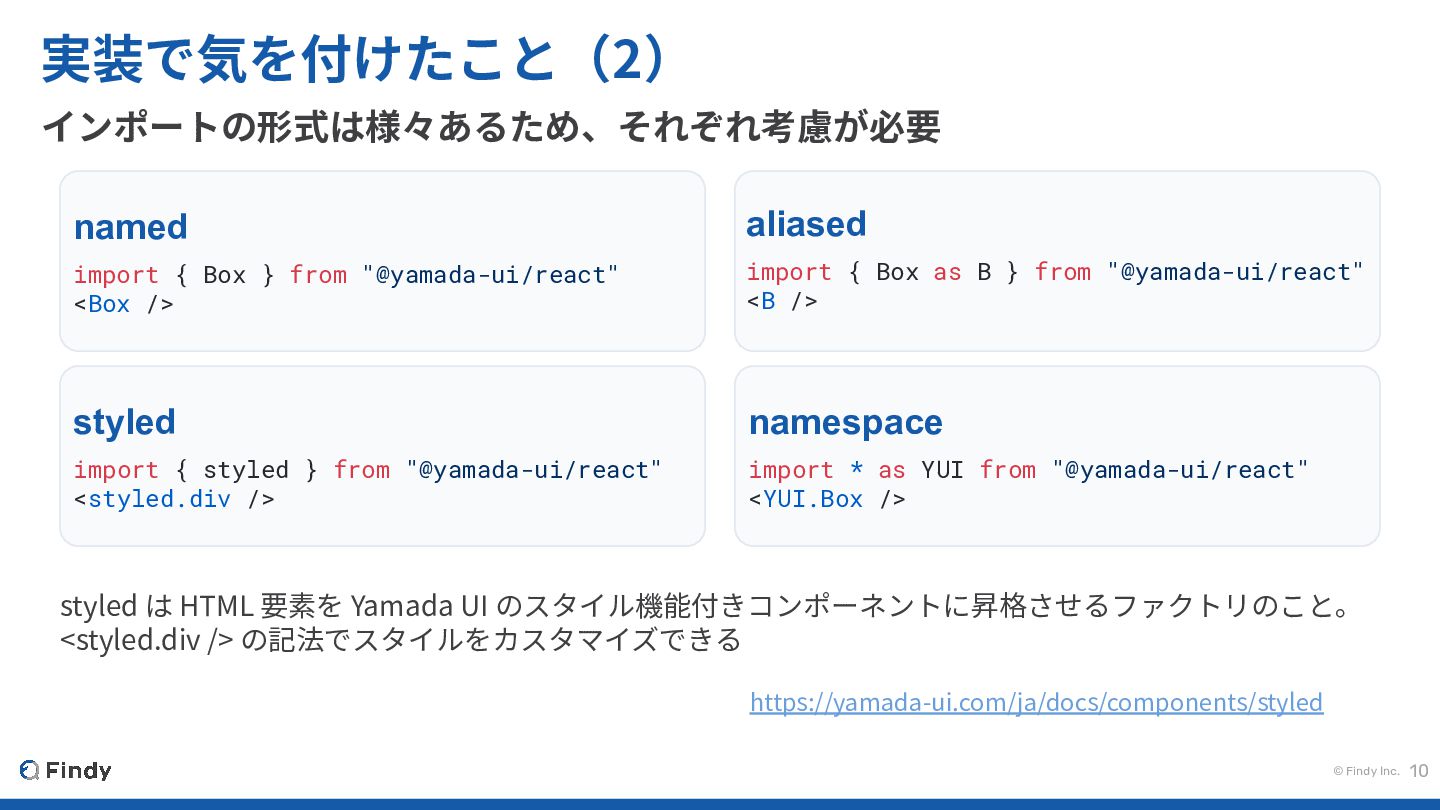
© Findy Inc. 10 実装で気を付けたこと(2) インポートの形式は様々あるため、それぞれ考慮が必要 named import { Box
} from "@yamada-ui/react" <Box /> aliased import { Box as B } from "@yamada-ui/react" <B /> styled import { styled } from "@yamada-ui/react" <styled.div /> namespace import * as YUI from "@yamada-ui/react" <YUI.Box /> styled は HTML 要素を Yamada UI のスタイル機能付きコンポーネントに昇格させるファクトリのこと。 <styled.div /> の記法でスタイルをカスタマイズできる https://yamada-ui.com/ja/docs/components/styled
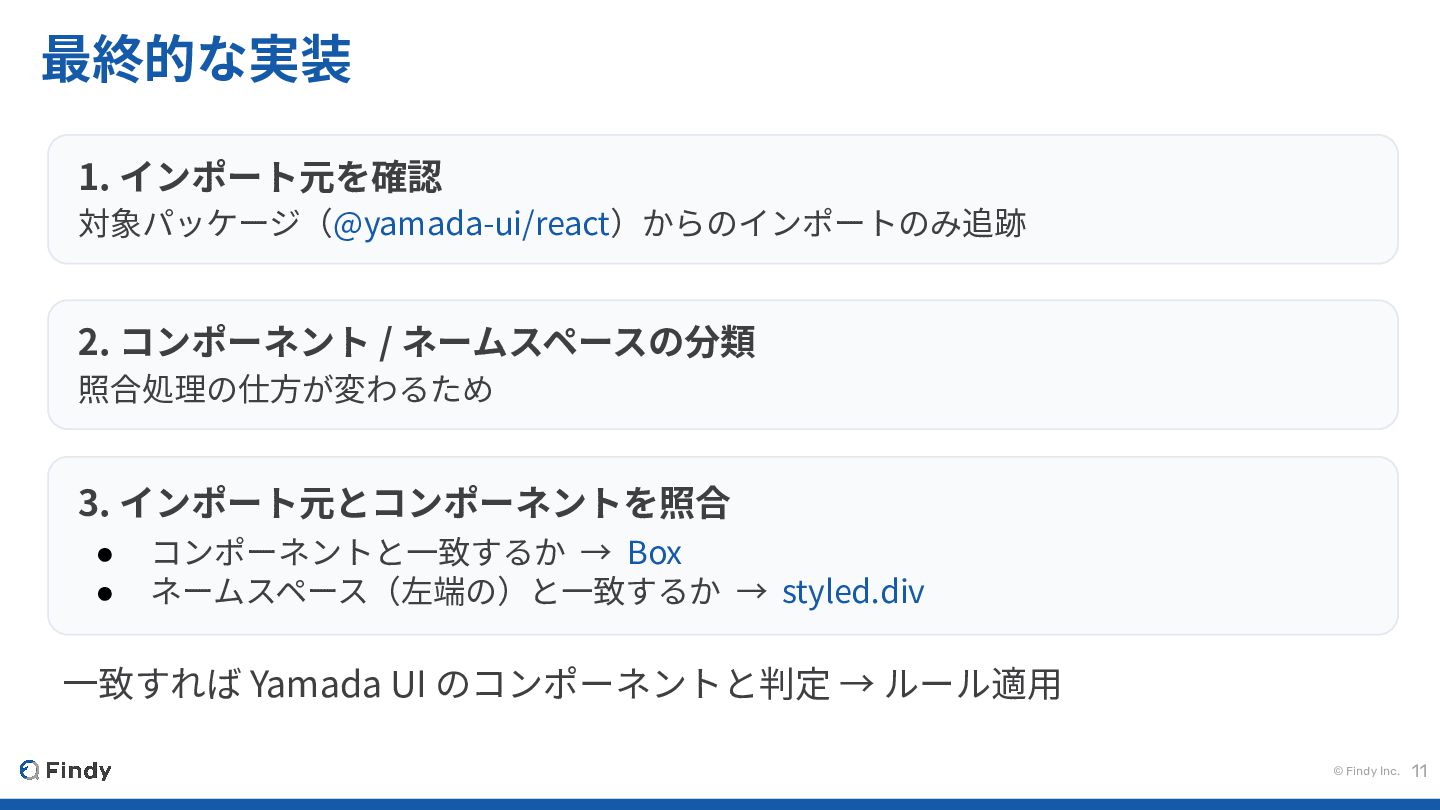
© Findy Inc. 11 最終的な実装 1. インポート元を確認 対象パッケージ(@yamada-ui/react)からのインポートのみ追跡 2. コンポーネント
/ ネームスペースの分類 照合処理の仕⽅が変わるため 3. インポート元とコンポーネントを照合 • コンポーネントと⼀致するか → Box • ネームスペース(左端の)と⼀致するか → styled.div ⼀致すれば Yamada UI のコンポーネントと判定 → ルール適⽤
© Findy Inc. 12 インポート⽂の解析だけでは、 ルールを適⽤できないケースがあった
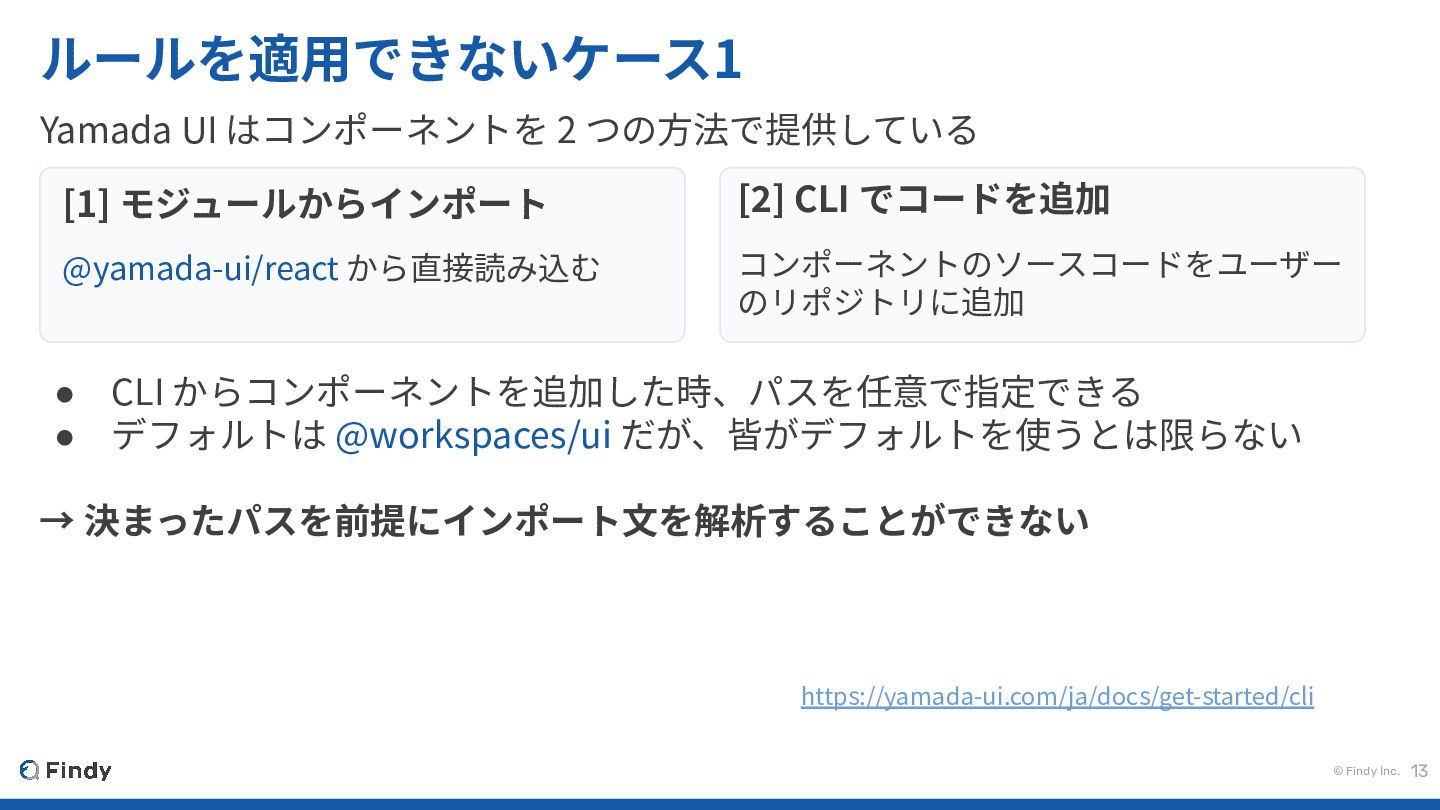
© Findy Inc. 13 ルールを適⽤できないケース1 Yamada UI はコンポーネントを 2 つの⽅法で提供している
• CLI からコンポーネントを追加した時、パスを任意で指定できる • デフォルトは @workspaces/ui だが、皆がデフォルトを使うとは限らない → 決まったパスを前提にインポート⽂を解析することができない https://yamada-ui.com/ja/docs/get-started/cli [1] モジュールからインポート @yamada-ui/react から直接読み込む [2] CLI でコードを追加 コンポーネントのソースコードをユーザー のリポジトリに追加
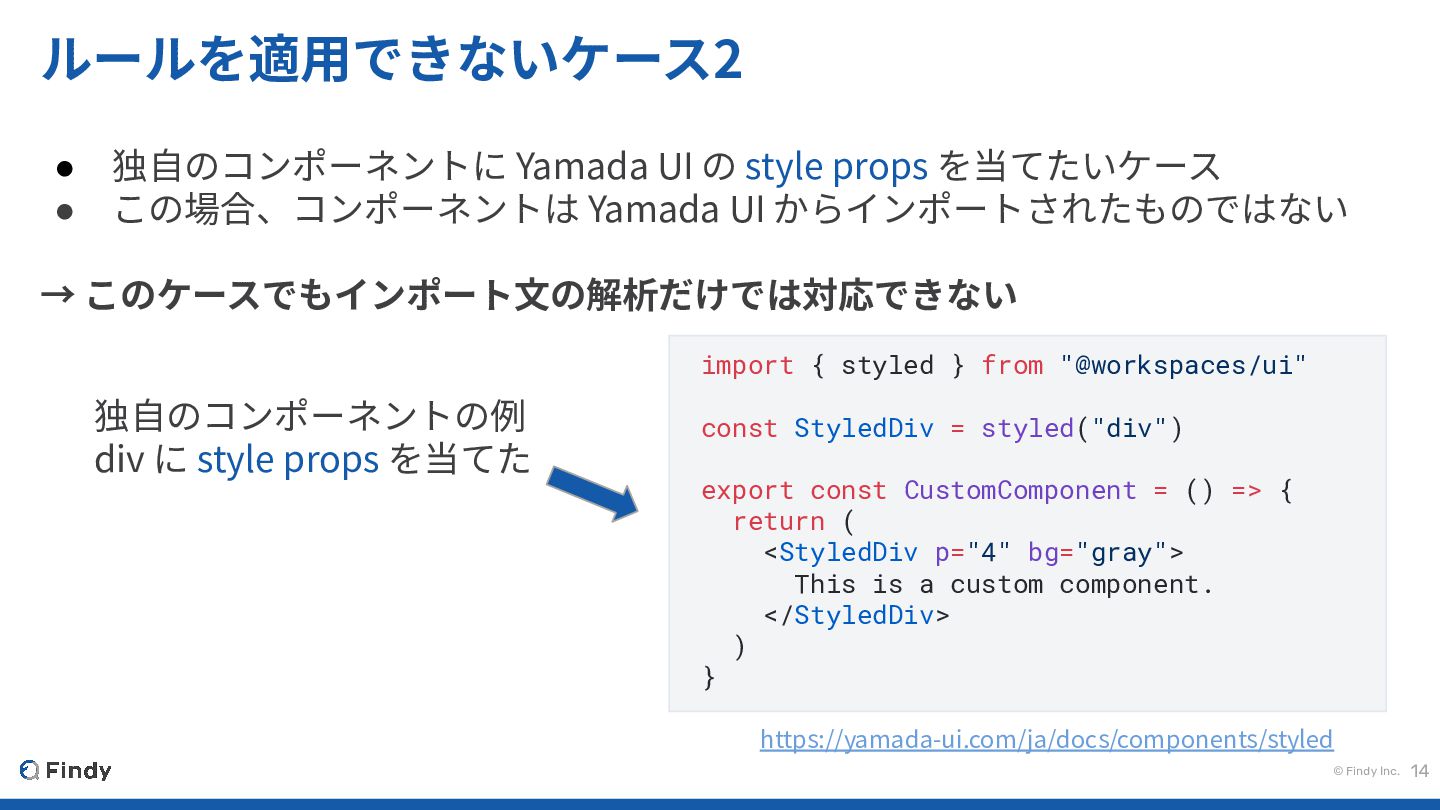
© Findy Inc. 14 ルールを適⽤できないケース2 • 独⾃のコンポーネントに Yamada UI の
style props を当てたいケース • この場合、コンポーネントは Yamada UI からインポートされたものではない → このケースでもインポート⽂の解析だけでは対応できない import { styled } from "@workspaces/ui" const StyledDiv = styled("div") export const CustomComponent = () => { return ( <StyledDiv p="4" bg="gray"> This is a custom component. </StyledDiv> ) } https://yamada-ui.com/ja/docs/components/styled 独⾃のコンポーネントの例 div に style props を当てた
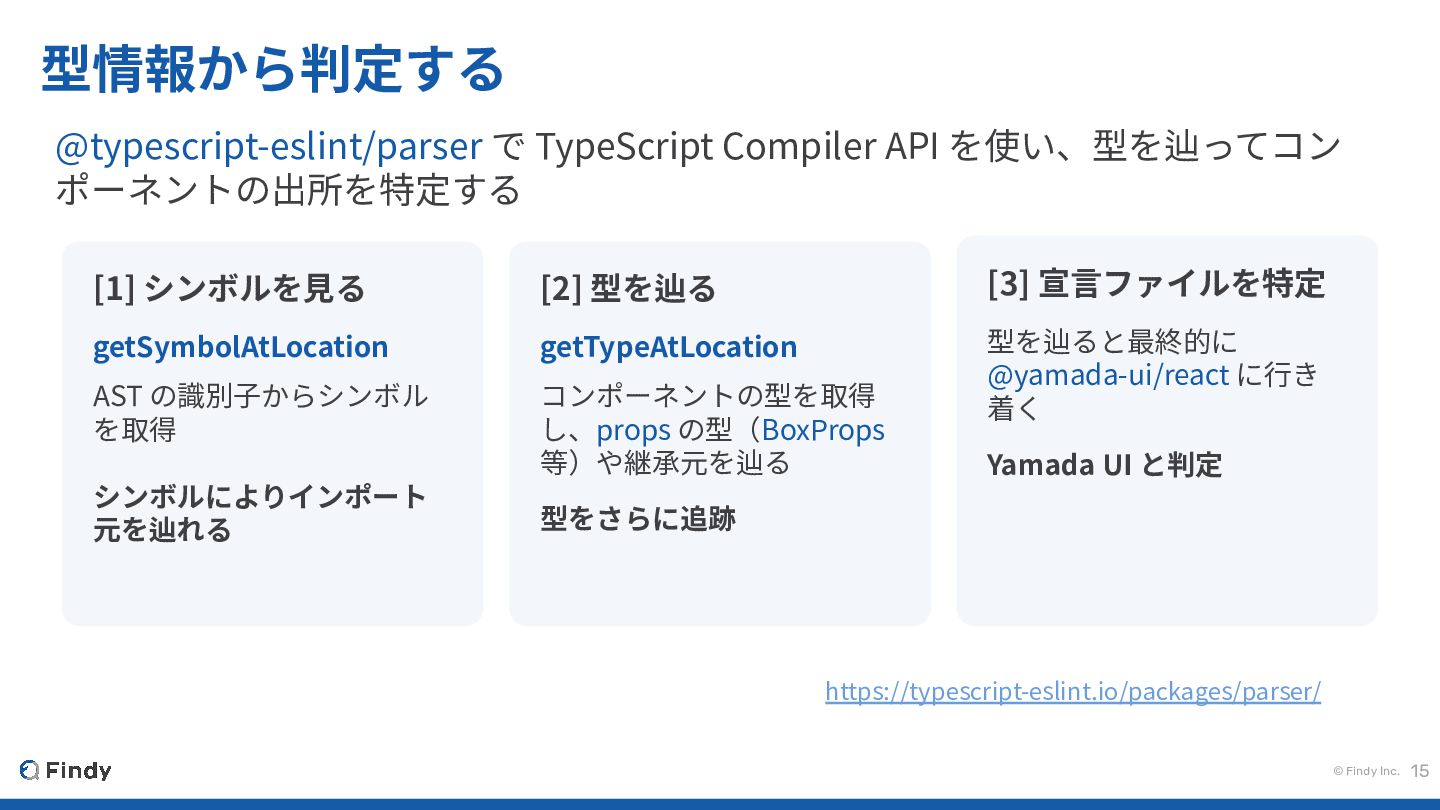
© Findy Inc. 15 型情報から判定する @typescript-eslint/parser で TypeScript Compiler API
を使い、型を辿ってコン ポーネントの出所を特定する [1] シンボルを⾒る getSymbolAtLocation AST の識別⼦からシンボル を取得 シンボルによりインポート 元を辿れる [2] 型を辿る getTypeAtLocation コンポーネントの型を取得 し、props の型(BoxProps 等)や継承元を辿る 型をさらに追跡 [3] 宣⾔ファイルを特定 型を辿ると最終的に @yamada-ui/react に⾏き 着く Yamada UI と判定 https://typescript-eslint.io/packages/parser/
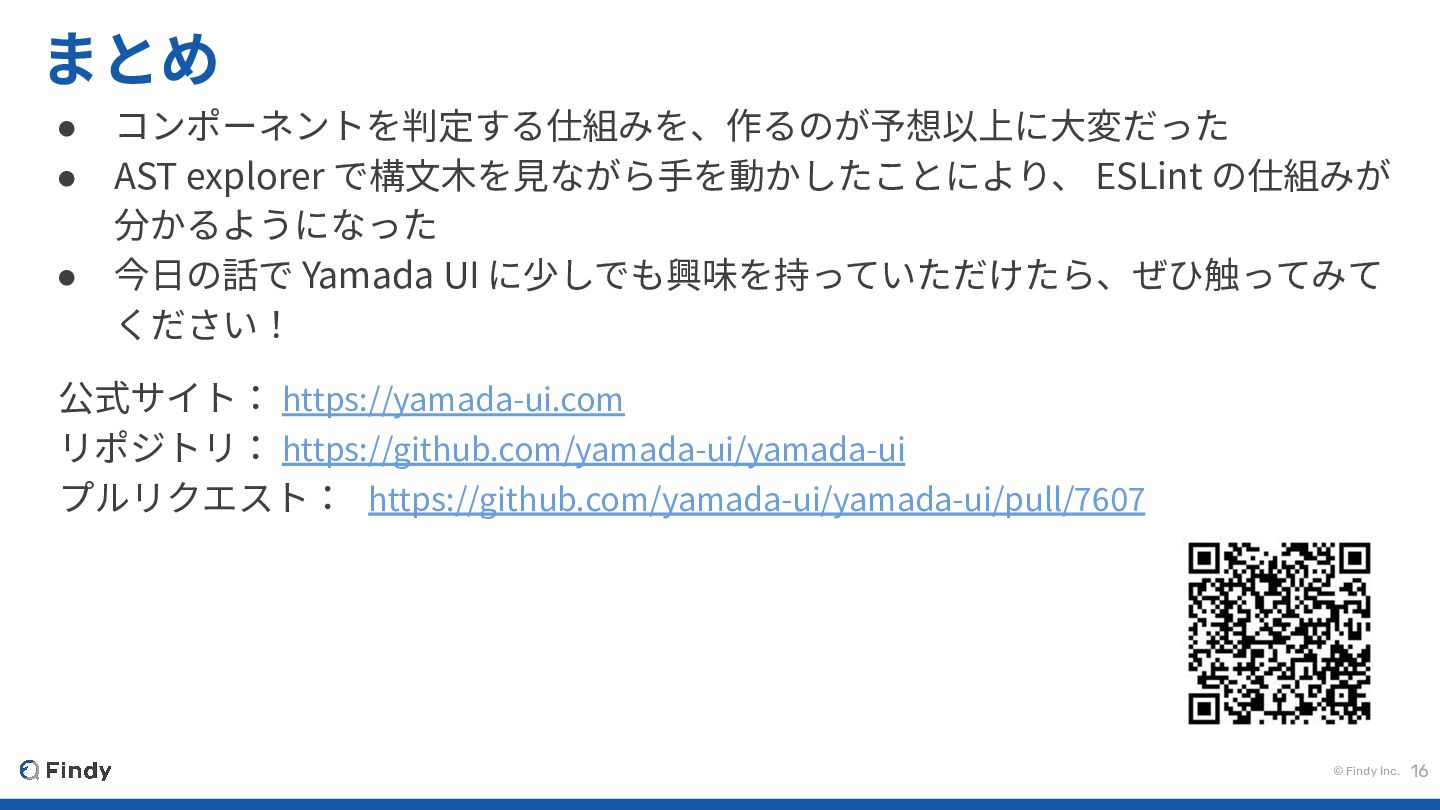
© Findy Inc. 16 まとめ • コンポーネントを判定する仕組みを、作るのが予想以上に⼤変だった • AST explorer
で構⽂⽊を⾒ながら⼿を動かしたことにより、 ESLint の仕組みが 分かるようになった • 今⽇の話で Yamada UI に少しでも興味を持っていただけたら、ぜひ触ってみて ください! 公式サイト: https://yamada-ui.com リポジトリ: https://github.com/yamada-ui/yamada-ui プルリクエスト: https://github.com/yamada-ui/yamada-ui/pull/7607
© Findy Inc. ご清聴ありがとうございました! 17


 gr2m
gr2m
 danielanewman
 aleyda
 ipullrank
 badams
 tammielis
 tmiket
 inesmontani
 palkan
 csswizardry
 deanohume
 uxyall