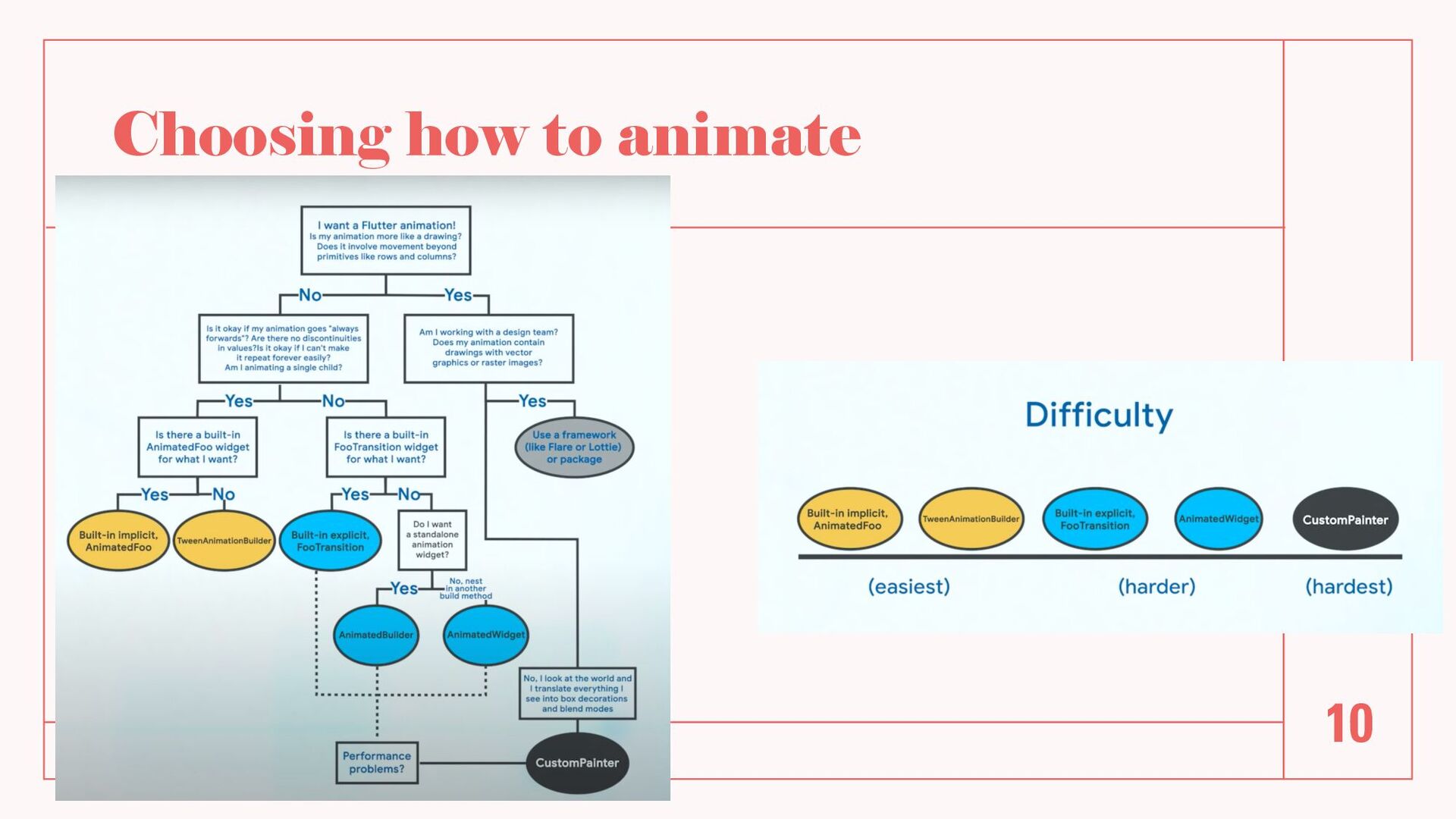
animation • Easy to use - built-in as Flutter Widget or easily build your own • Gives less control of the animation process • Some are built in Flutter: AnimatedFoo where Foo is the Widget you want to animate. Examples: AnimatedContainer, AnimatedOpacity, AnimatedPadding, AnimatedSwitcher, AnimatedPositioned ect. • If you cannot find one in Flutter, use TweenAnimationBuilder to build your own 8 / 2 2 / 2 2 6
A bit complex to set up • Needs an AnimationController to control animation aspects like when to start, how to animate and when to stop • You have to manage the lifecycle of the animation - used inside a Stateful Widget 8 / 2 2 / 2 2 7
FooTransition where Foo is the property you want animated • Extend AnimatedWidget • Using AnimatedBuilder • Animating with CustomPainter - Paints directly on canvas (for performance gains) 8 / 2 2 / 2 2 9


 danvick
 rollbear
 sylph01
 rshindo
 dske104
 drumath2237
 irinanazarova
 yub0n
yub0n
 gonta
gonta
 iwiwi
iwiwi
 mofurune
 y0hgi
y0hgi
 lynnswap
 ianozsvald
 lfama
lfama
 lara
lara
 oripsolob
 rkendrick25
 cassininazir
 tmiket
 kimpetersen
 mfonobong
 rasagy
 hannesfritz
 holman