you to easily implement the monitoring of your resources (servers, applications, network devices...). The reporting is too an important part of the solution and we especially worked on it to offer powerful views on webui.
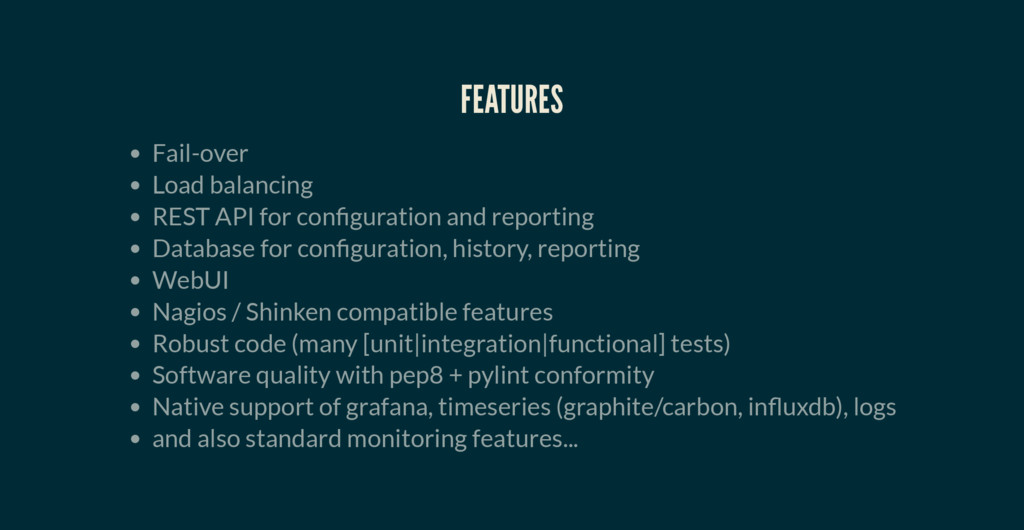
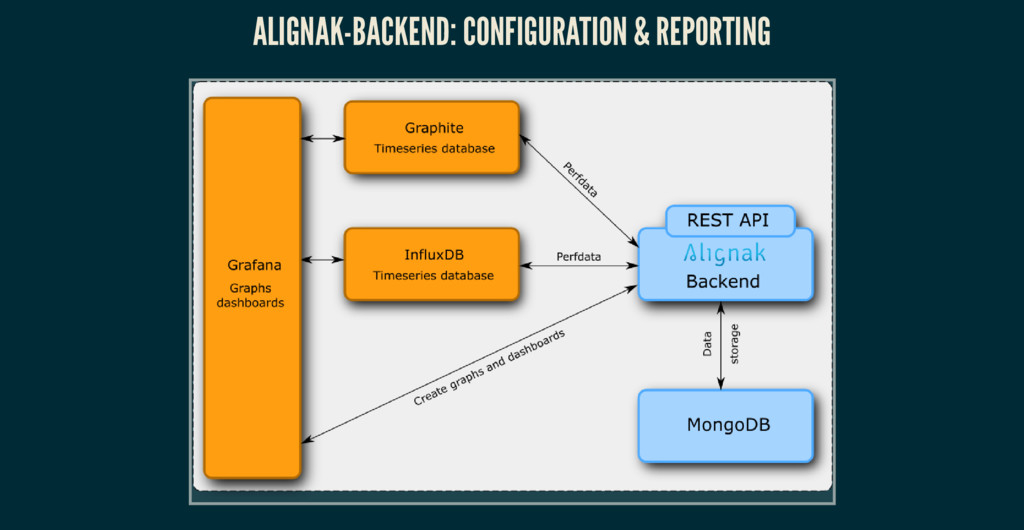
reporting Database for con guration, history, reporting WebUI Nagios / Shinken compatible features Robust code (many [unit|integration|functional] tests) Software quality with pep8 + pylint conformity Native support of grafana, timeseries (graphite/carbon, in uxdb), logs and also standard monitoring features...
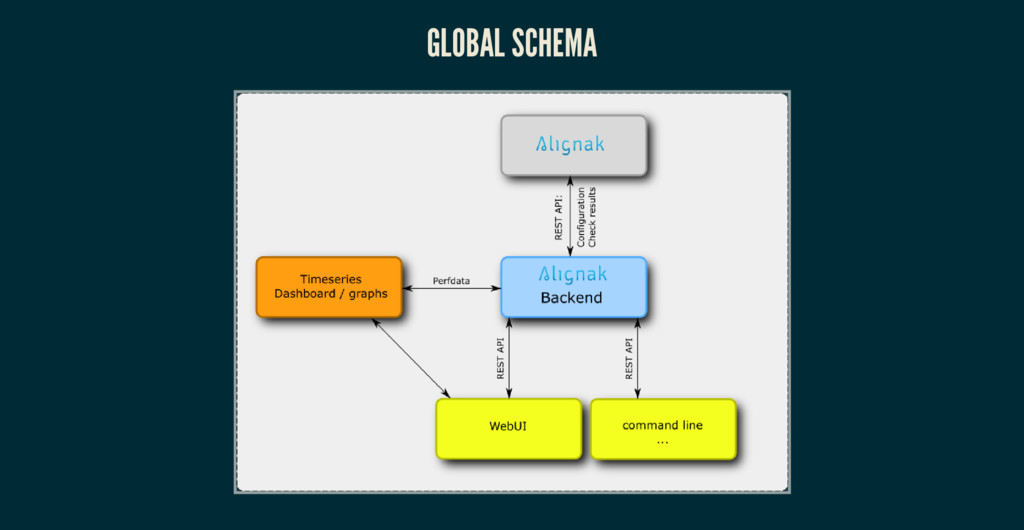
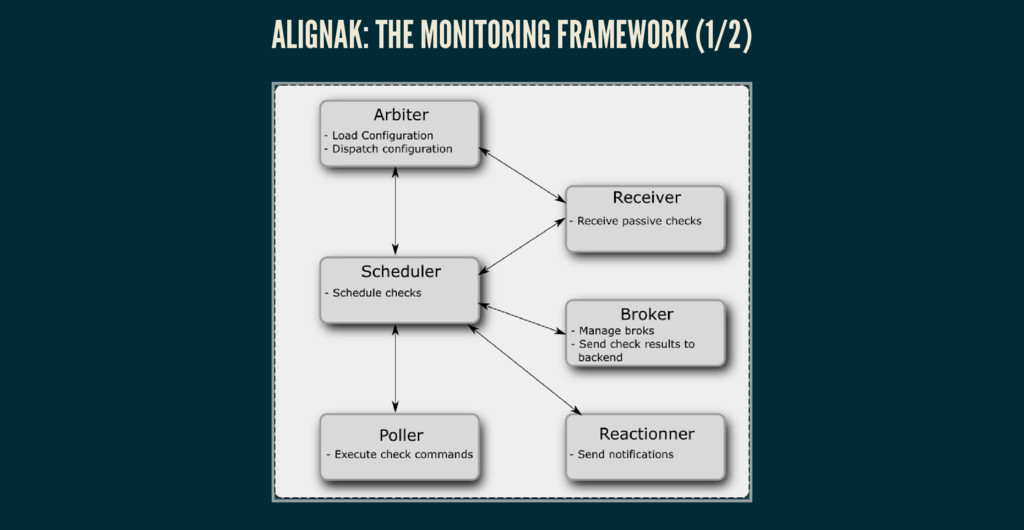
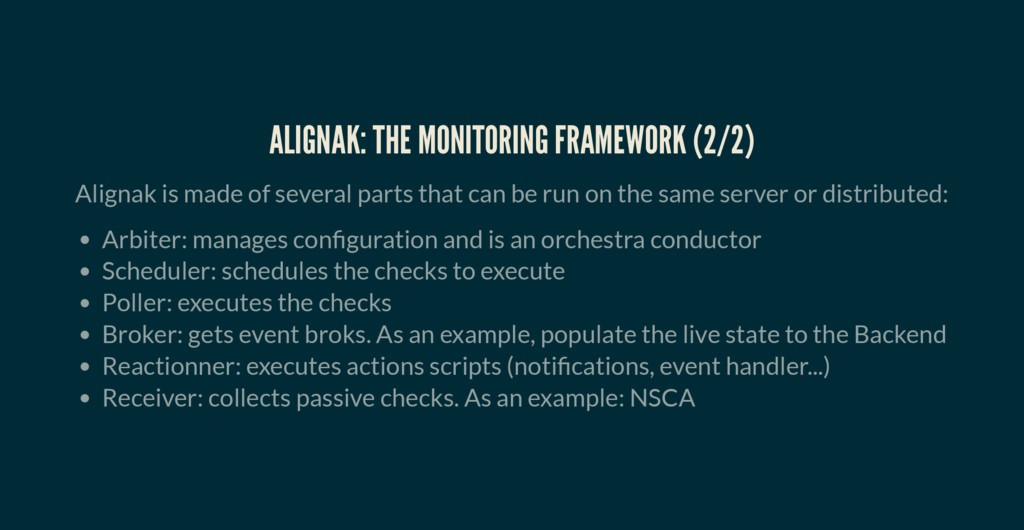
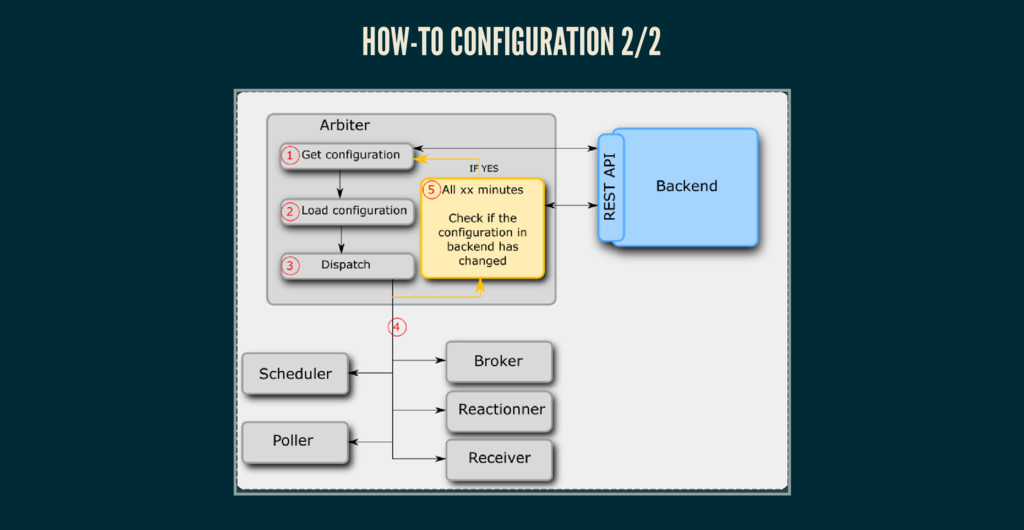
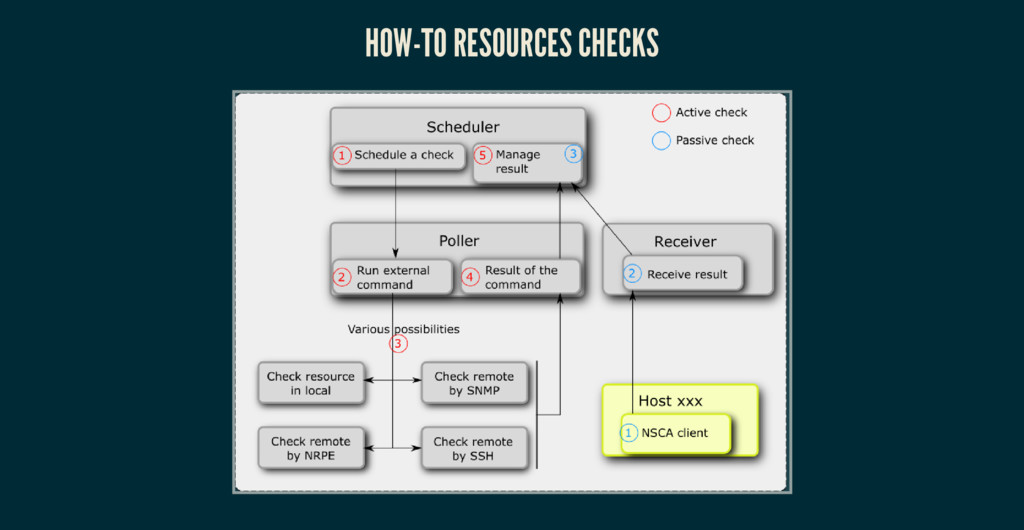
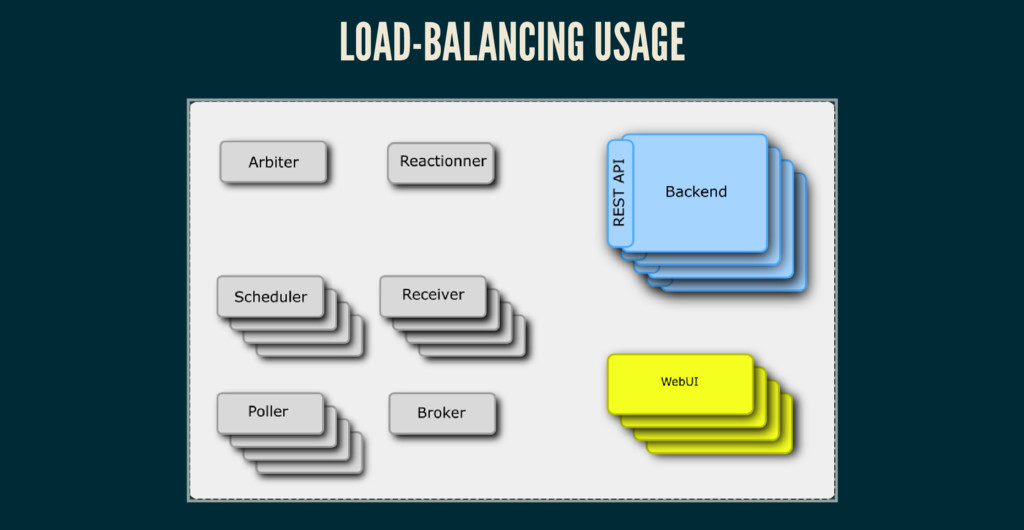
parts that can be run on the same server or distributed: Arbiter: manages con guration and is an orchestra conductor Scheduler: schedules the checks to execute Poller: executes the checks Broker: gets event broks. As an example, populate the live state to the Backend Reactionner: executes actions scripts (noti cations, event handler...) Receiver: collects passive checks. As an example: NSCA
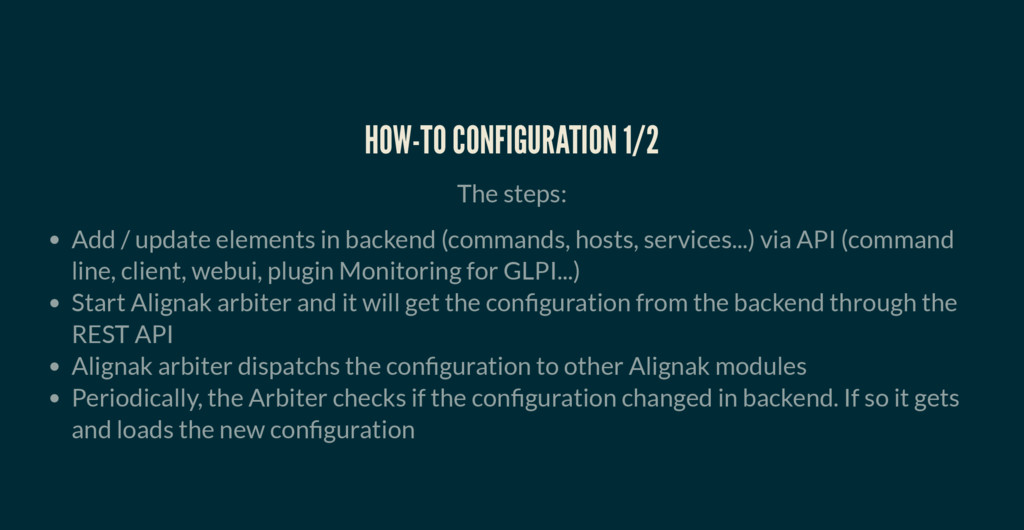
backend (commands, hosts, services...) via API (command line, client, webui, plugin Monitoring for GLPI...) Start Alignak arbiter and it will get the con guration from the backend through the REST API Alignak arbiter dispatchs the con guration to other Alignak modules Periodically, the Arbiter checks if the con guration changed in backend. If so it gets and loads the new con guration
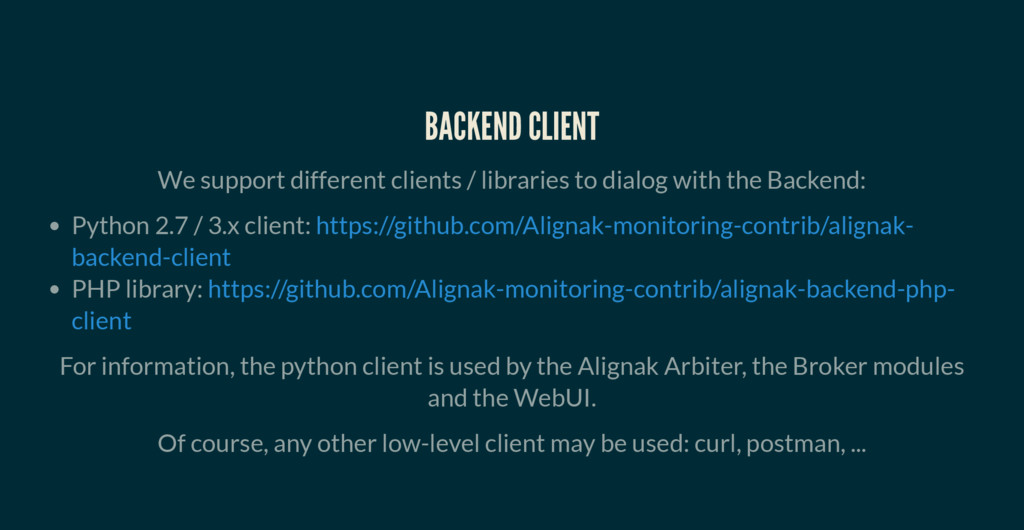
with the Backend: Python 2.7 / 3.x client: PHP library: https://github.com/Alignak-monitoring-contrib/alignak- backend-client https://github.com/Alignak-monitoring-contrib/alignak-backend-php- client For information, the python client is used by the Alignak Arbiter, the Broker modules and the WebUI. Of course, any other low-level client may be used: curl, postman, ...
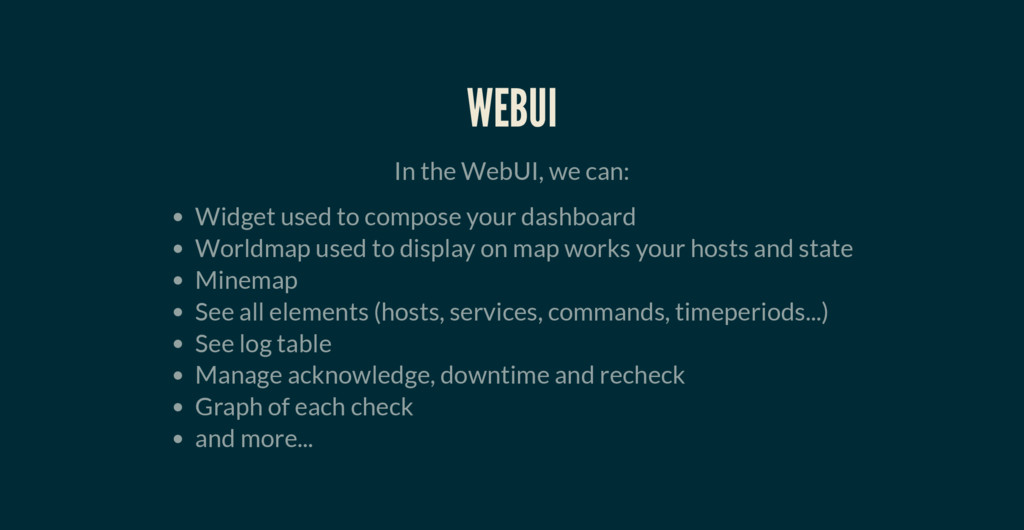
your dashboard Worldmap used to display on map works your hosts and state Minemap See all elements (hosts, services, commands, timeperiods...) See log table Manage acknowledge, downtime and recheck Graph of each check and more...
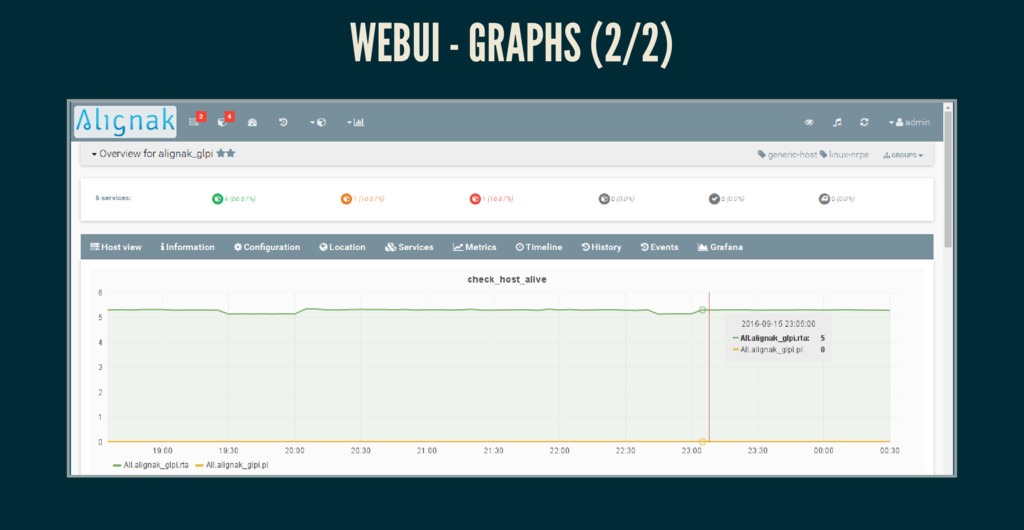
graphs for each command (host / service) in Grafana Stores the id of the graph in host / service endpoint The webui: Gets and displays the graphs from Grafana
or Shinken con guration les, you can: Start Alignak with your con guration les (without using the Alignak Backend) Import your data into the Alignak Backend thanks to an importation script


 kakehashi
 yamanoku
 ivry_presentationmaterials
 satomasahiro2005
 kworkdev
 kash1064
 sansantech
 oasis1994liveforever
 ishikawa_satoru
 pfn
pfn
 bgpat
bgpat
 grimoh
 matthewcrist
 jcasabona
 kneath
 chikuwait
 tammielis
 baasie
 csswizardry
 mclloyd
 techseoconnect
 sugarenia
 lynnandtonic
 mfonobong