.............................. 3 Search Results Page ............. 4 Sign up flow for newsletter .... 5 Personalization ...................... 6 Global Header ....................... 10 Global Footer ........................ 11 Advertise with us ................. 12 Social Media ........................ 13
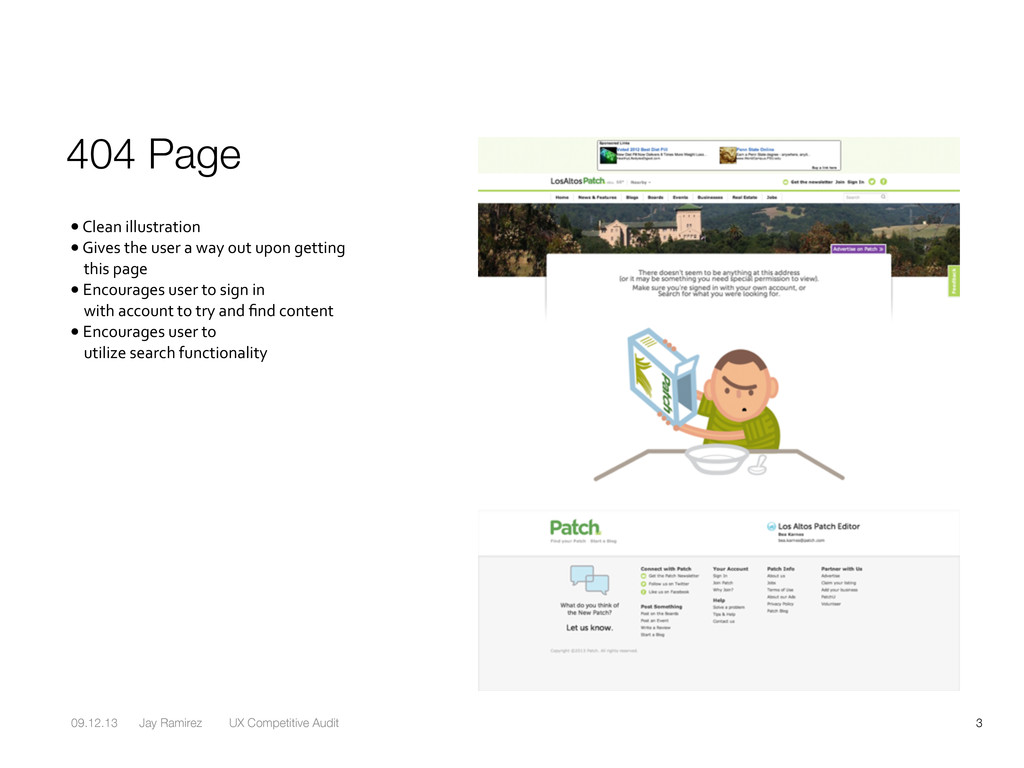
Clean illustration • Gives the user a way out upon getting this page • Encourages user to sign in with account to try and find content • Encourages user to utilize search functionality
Opportunity to optimize this space further to encourage user to explore. • Opportunity for additional ad placement. • When ‘no results found’ appears can we suggested ‘top content’ should be used. • Focus on providing “a way out”. • Shy away from this being a dead end for the user
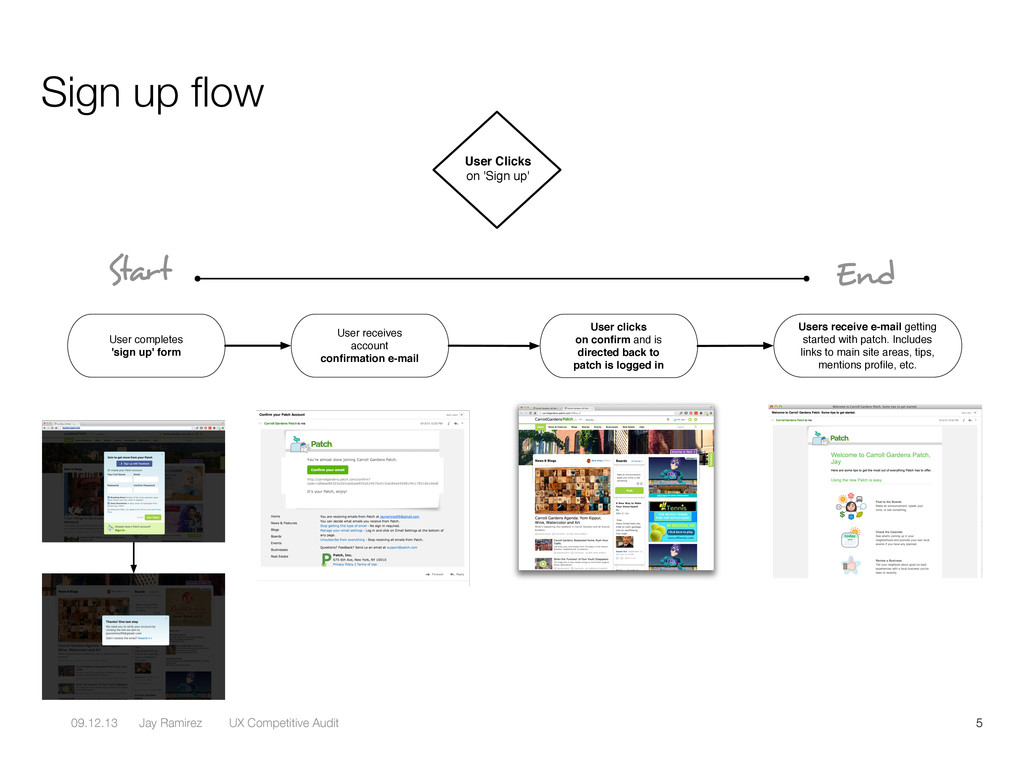
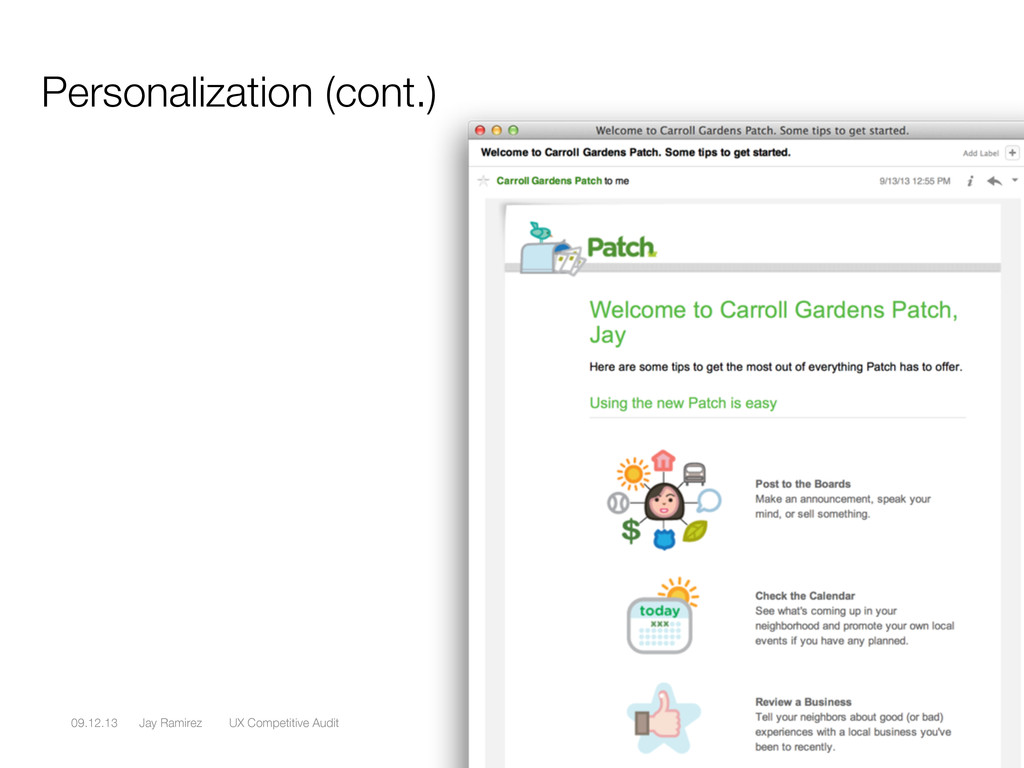
User Clicks on 'Sign up' User completes 'sign up' form User receives account confirmation e-mail Users receive e-mail getting started with patch. Includes links to main site areas, tips, mentions profile, etc. User clicks on confirm and is directed back to patch is logged in Start End
arrival users see an overlay that prompts them with a CTA to sign up for the path newsletter. • User can choose not to by clicking ‘no thanks’. • User could proceed to sign up form.
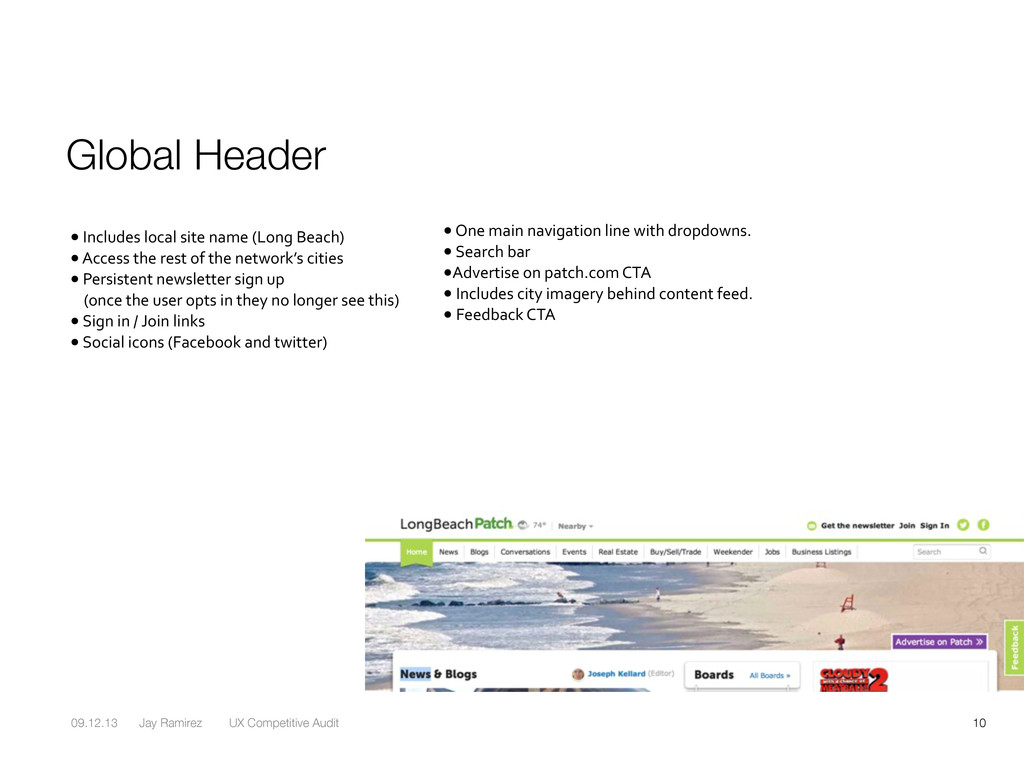
Includes local site name (Long Beach) • Access the rest of the network’s cities • Persistent newsletter sign up (once the user opts in they no longer see this) • Sign in / Join links • Social icons (Facebook and twitter) • One main navigation line with dropdowns. • Search bar •Advertise on patch.com CTA • Includes city imagery behind content feed. • Feedback CTA
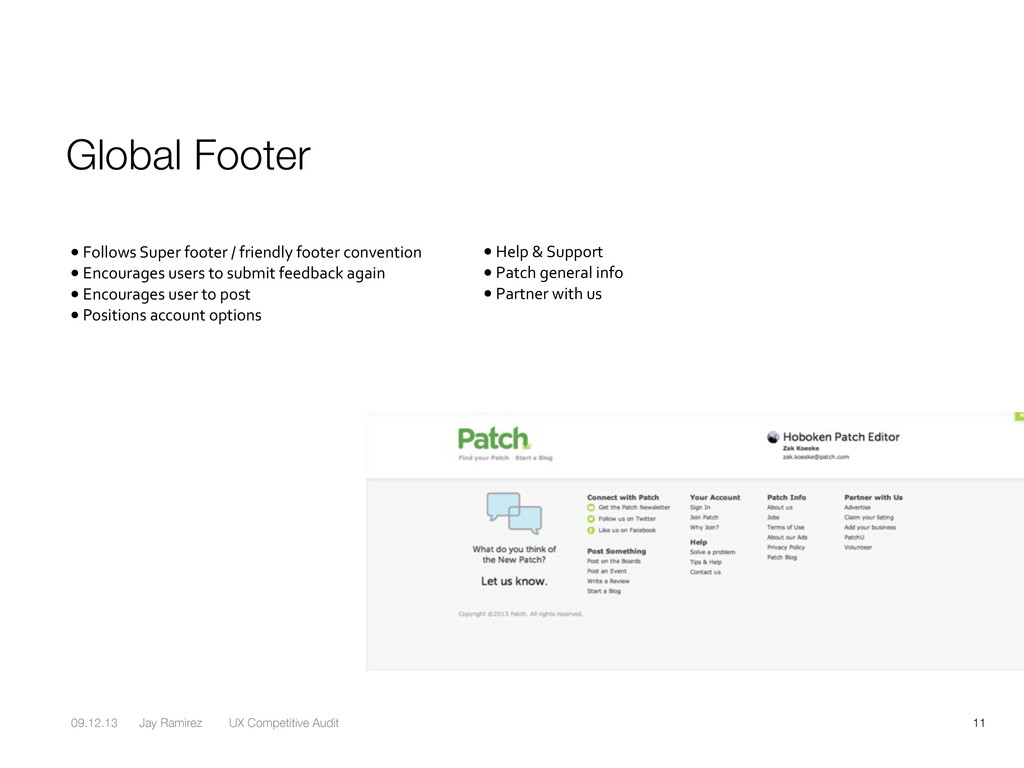
Follows Super footer / friendly footer convention • Encourages users to submit feedback again • Encourages user to post • Positions account options • Help & Support • Patch general info • Partner with us
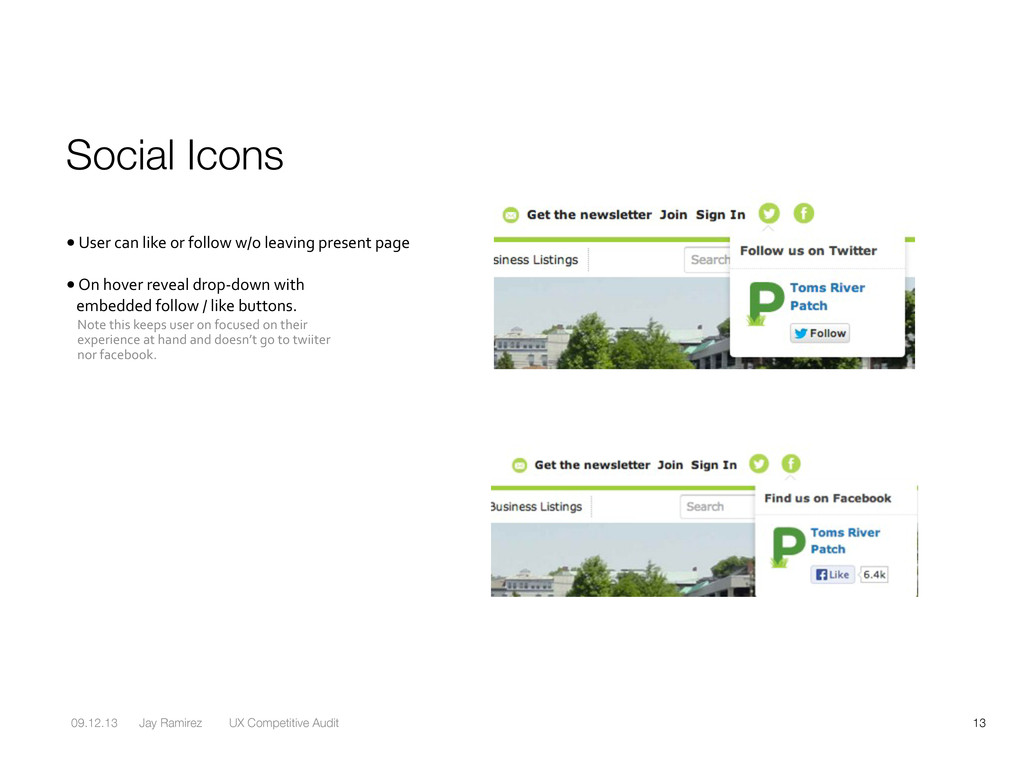
User can like or follow w/o leaving present page • On hover reveal drop-‐down with embedded follow / like buttons. Note this keeps user on focused on their experience at hand and doesn’t go to twiiter nor facebook.


 designedbyjay
 uchiyama886
 kotasaito_cnt
 baku89
 yuri9911
 hiranotomoki
 terencebasart
 sekiguchiy
 tinykitten
 niccy
niccy
 akirafukuoka
 hiro0218
 ukaoli
 jakevdp
 inesmontani
 lemiorhan
 signer
 katiecoart
.png) helenjbeal
helenjbeal
 kimpetersen
 lauravandoore
 greggifford
 iamctodd
 techseoconnect