Name : Simplify the way you code, Swift Programming.
Topic : Introduction to Swift Programming
Date : 06 Nov, 2016
Venue: Emtronik Technology Pvt. Ltd.
Event Details: https://www.facebook.com/events/190304951375880/
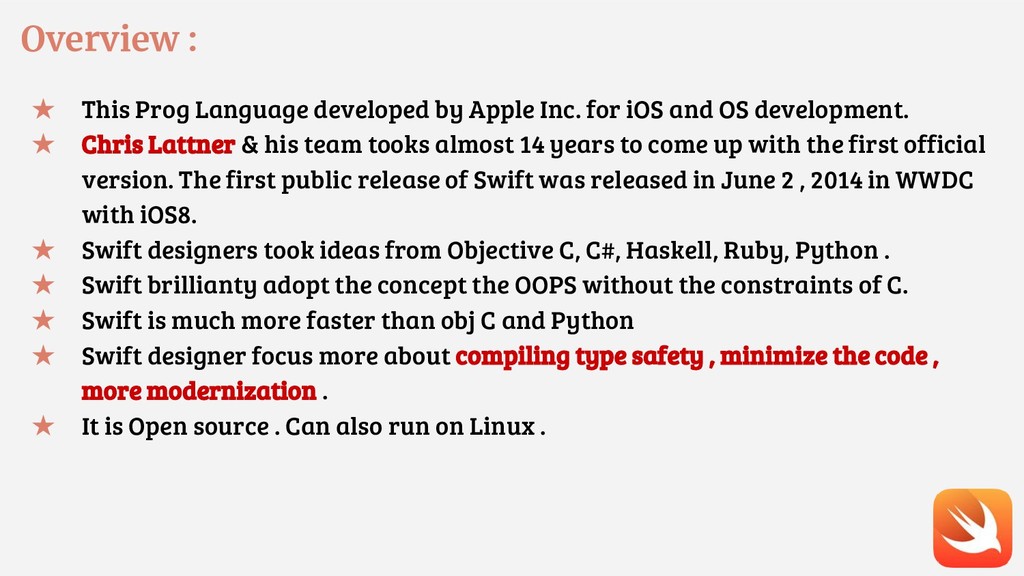
for iOS and OS development. ★ Chris Lattner & his team tooks almost 14 years to come up with the first official version. The first public release of Swift was released in June 2 , 2014 in WWDC with iOS8. ★ Swift designers took ideas from Objective C, C#, Haskell, Ruby, Python . ★ Swift brillianty adopt the concept the OOPS without the constraints of C. ★ Swift is much more faster than obj C and Python ★ Swift designer focus more about compiling type safety , minimize the code , more modernization . ★ It is Open source . Can also run on Linux .
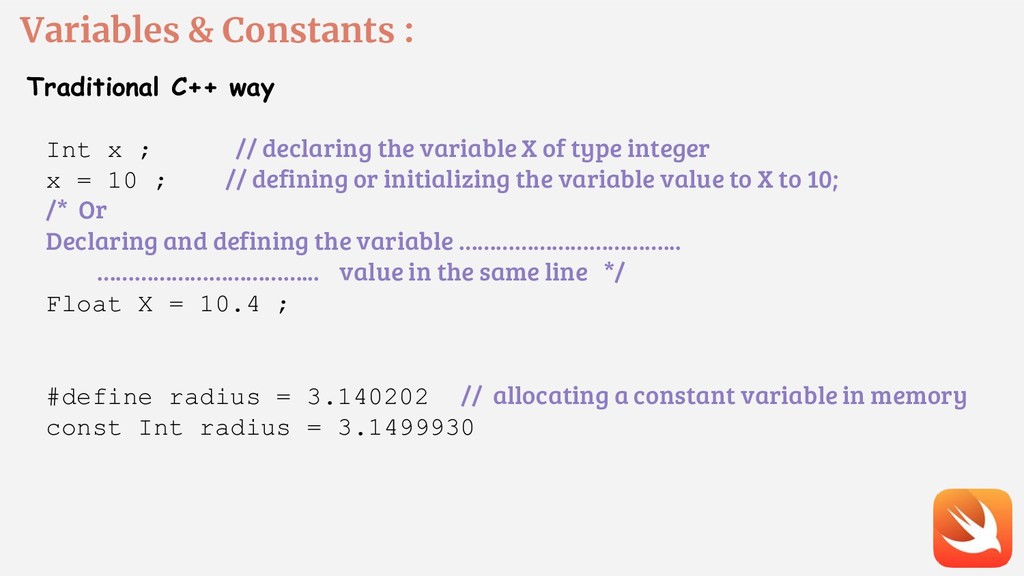
// declaring the variable X of type integer x = 10 ; // defining or initializing the variable value to X to 10; /* Or Declaring and defining the variable ……………………………... ……………………………... value in the same line */ Float X = 10.4 ; #define radius = 3.140202 // allocating a constant variable in memory const Int radius = 3.1499930
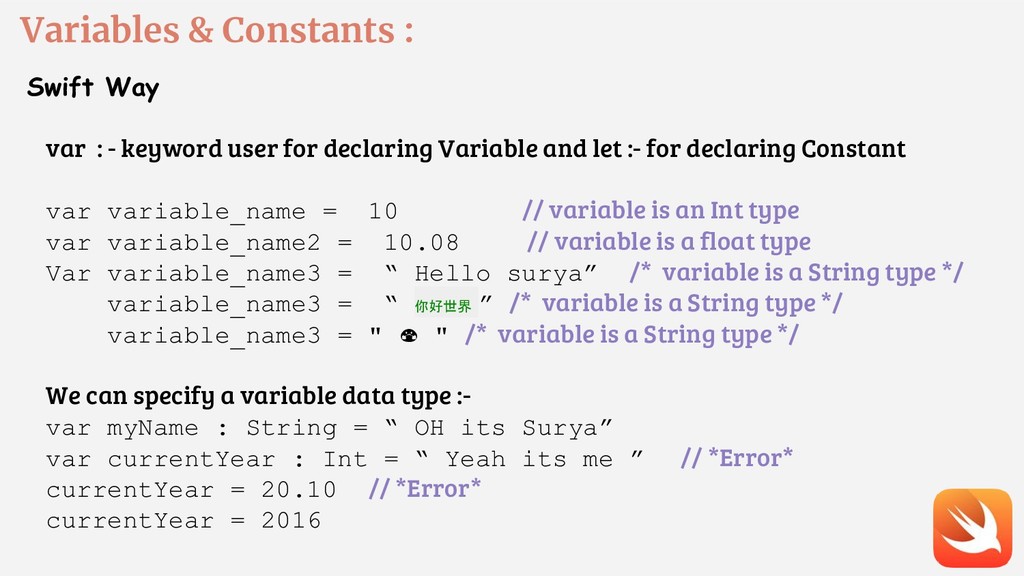
user for declaring Variable and let :- for declaring Constant var variable_name = 10 // variable is an Int type var variable_name2 = 10.08 // variable is a float type Var variable_name3 = “ Hello surya” /* variable is a String type */ variable_name3 = “ 你好世界 ” /* variable is a String type */ variable_name3 = " " /* variable is a String type */ We can specify a variable data type :- var myName : String = “ OH its Surya” var currentYear : Int = “ Yeah its me ” // *Error* currentYear = 20.10 // *Error* currentYear = 2016
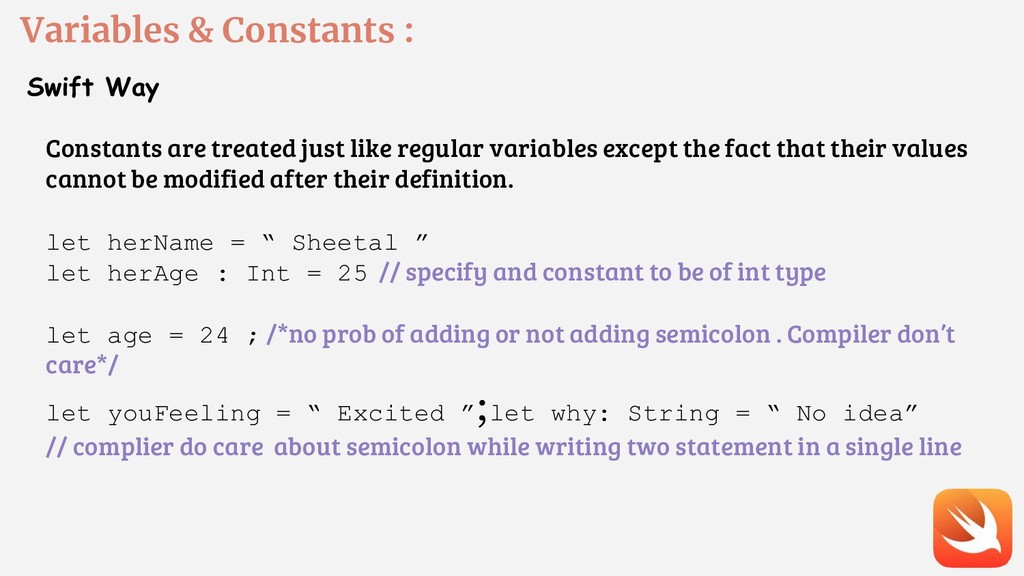
like regular variables except the fact that their values cannot be modified after their definition. let herName = “ Sheetal ” let herAge : Int = 25 // specify and constant to be of int type let age = 24 ; /*no prob of adding or not adding semicolon . Compiler don’t care*/ let youFeeling = “ Excited ” ;let why: String = “ No idea” // complier do care about semicolon while writing two statement in a single line
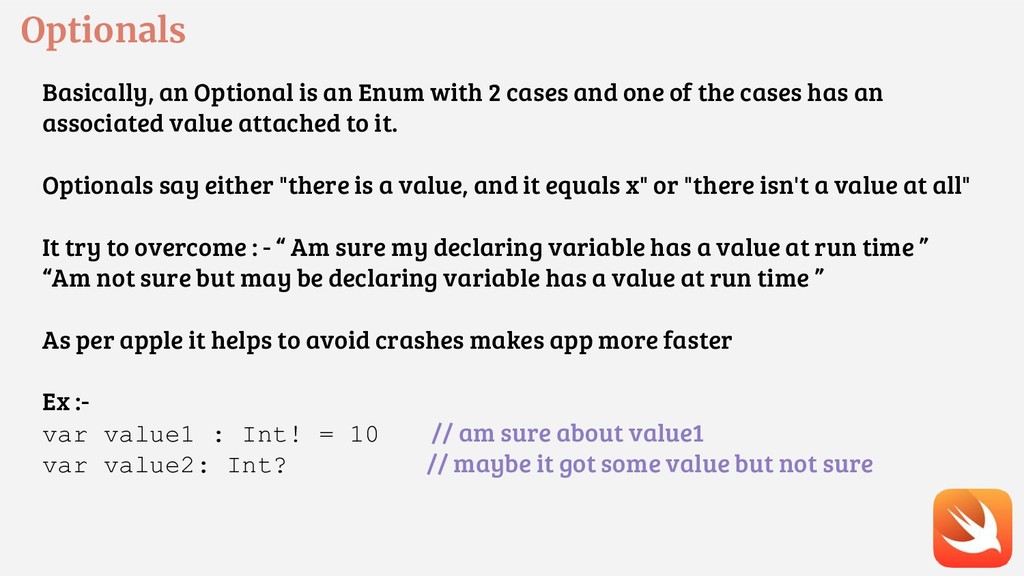
and one of the cases has an associated value attached to it. Optionals say either "there is a value, and it equals x" or "there isn't a value at all" It try to overcome : - “ Am sure my declaring variable has a value at run time ” “Am not sure but may be declaring variable has a value at run time ” As per apple it helps to avoid crashes makes app more faster Ex :- var value1 : Int! = 10 // am sure about value1 var value2: Int? // maybe it got some value but not sure
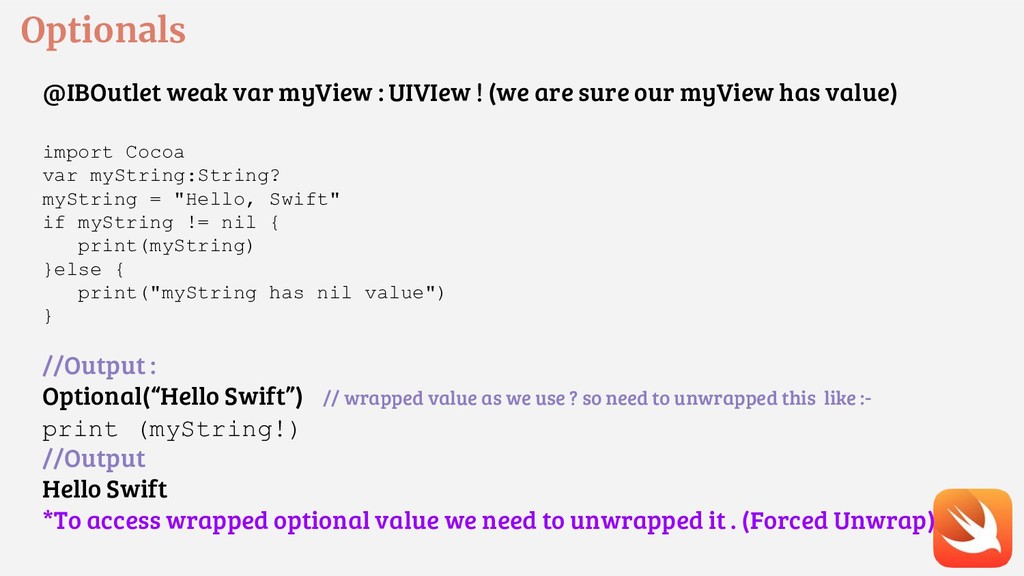
sure our myView has value) import Cocoa var myString:String? myString = "Hello, Swift" if myString != nil { print(myString) }else { print("myString has nil value") } //Output : Optional(“Hello Swift”) // wrapped value as we use ? so need to unwrapped this like :- print (myString!) //Output Hello Swift *To access wrapped optional value we need to unwrapped it . (Forced Unwrap)
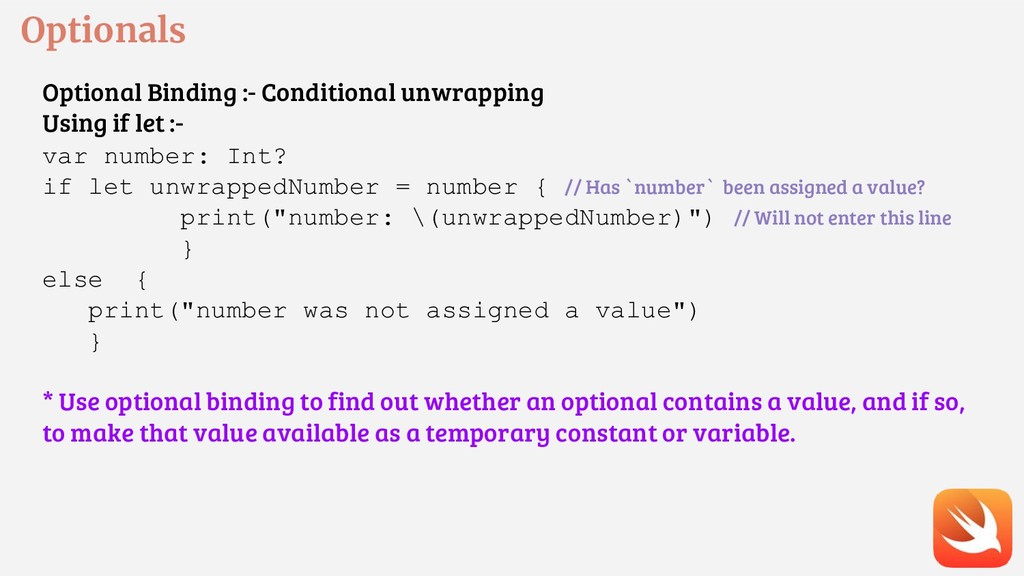
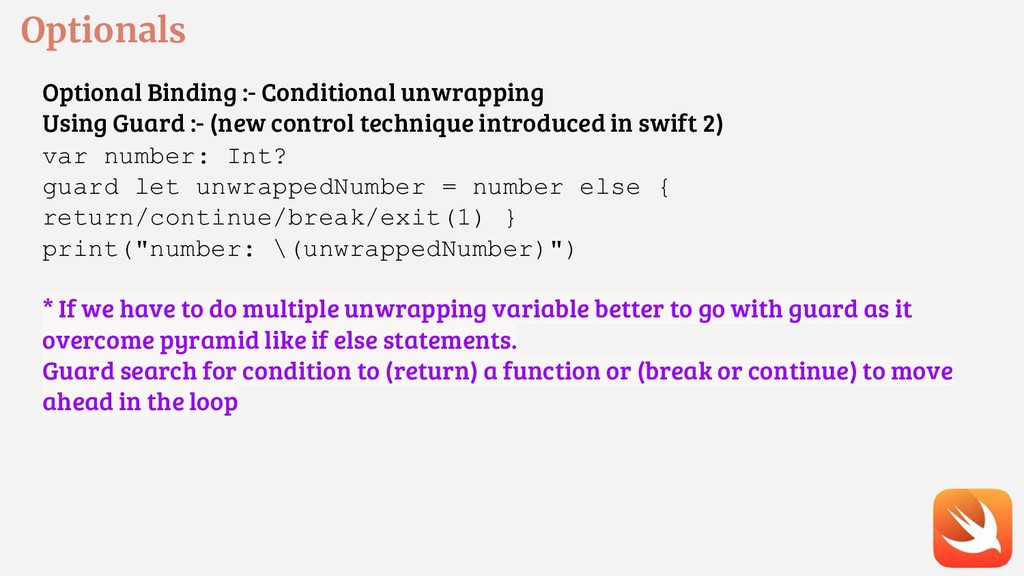
var number: Int? if let unwrappedNumber = number { // Has `number` been assigned a value? print("number: \(unwrappedNumber)") // Will not enter this line } else { print("number was not assigned a value") } * Use optional binding to find out whether an optional contains a value, and if so, to make that value available as a temporary constant or variable.
control technique introduced in swift 2) var number: Int? guard let unwrappedNumber = number else { return/continue/break/exit(1) } print("number: \(unwrappedNumber)") * If we have to do multiple unwrapping variable better to go with guard as it overcome pyramid like if else statements. Guard search for condition to (return) a function or (break or continue) to move ahead in the loop
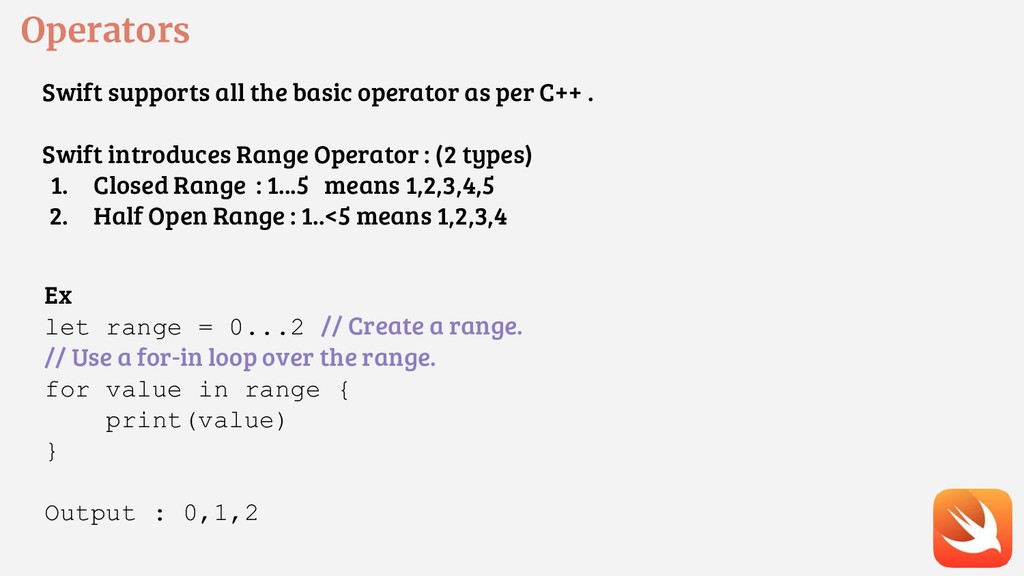
. Swift introduces Range Operator : (2 types) 1. Closed Range : 1...5 means 1,2,3,4,5 2. Half Open Range : 1..<5 means 1,2,3,4 Ex let range = 0...2 // Create a range. // Use a for-in loop over the range. for value in range { print(value) } Output : 0,1,2
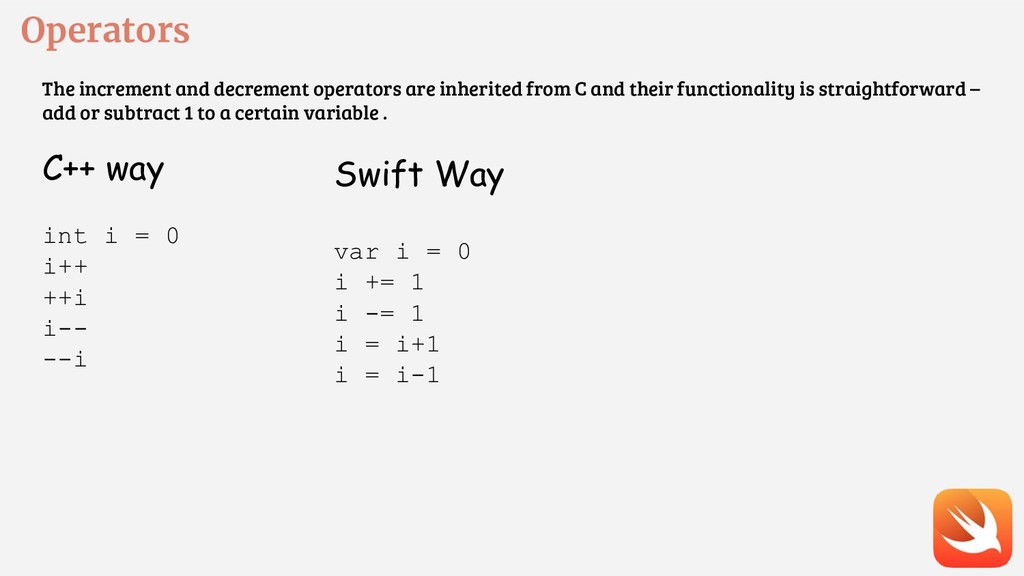
and their functionality is straightforward – add or subtract 1 to a certain variable . C++ way int i = 0 i++ ++i i-- --i Swift Way var i = 0 i += 1 i -= 1 i = i+1 i = i-1
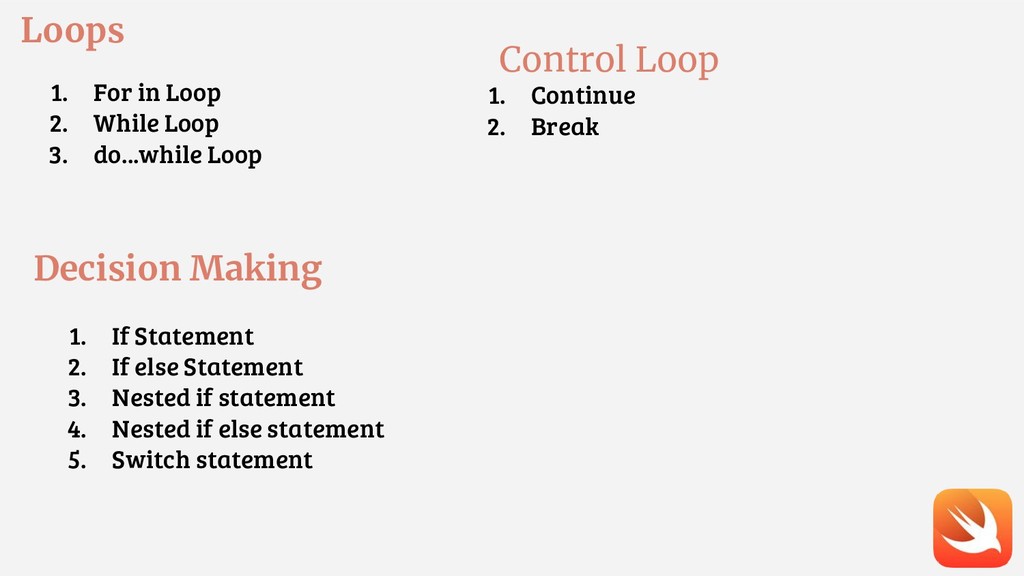
Loop Decision Making 1. If Statement 2. If else Statement 3. Nested if statement 4. Nested if else statement 5. Switch statement Control Loop 1. Continue 2. Break
// void array var someArray = [SomeType](count: NumbeOfElements, repeatedValue: InitialValue) Ex : - var someArray = [Int]() var someInts:[Int] = [10, 20, 30] var intsA = [Int](count:2, repeatedValue: 2) intsA[0] // output 2 intsA.isEmpty // output false intsA.count // output 2 intsA.append(3) or intsA+=[3] // enter value in last element
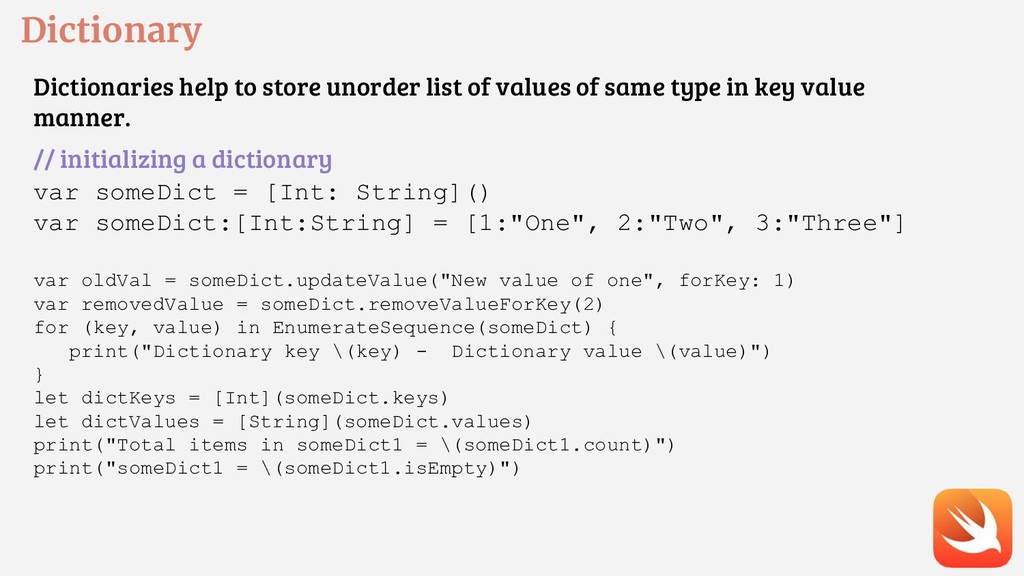
same type in key value manner. // initializing a dictionary var someDict = [Int: String]() var someDict:[Int:String] = [1:"One", 2:"Two", 3:"Three"] var oldVal = someDict.updateValue("New value of one", forKey: 1) var removedValue = someDict.removeValueForKey(2) for (key, value) in EnumerateSequence(someDict) { print("Dictionary key \(key) - Dictionary value \(value)") } let dictKeys = [Int](someDict.keys) let dictValues = [String](someDict.values) print("Total items in someDict1 = \(someDict1.count)") print("someDict1 = \(someDict1.isEmpty)")
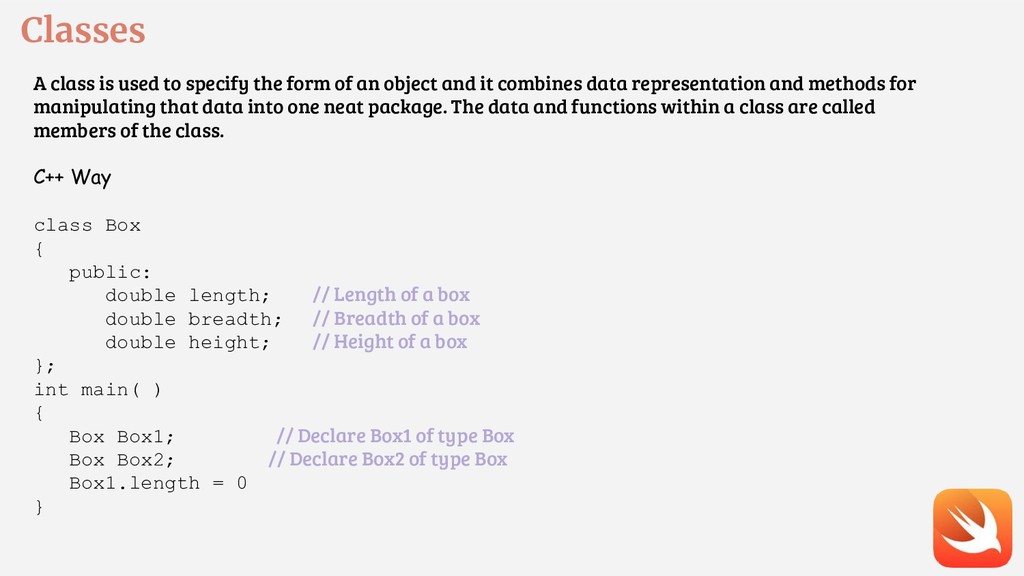
an object and it combines data representation and methods for manipulating that data into one neat package. The data and functions within a class are called members of the class. C++ Way class Box { public: double length; // Length of a box double breadth; // Breadth of a box double height; // Height of a box }; int main( ) { Box Box1; // Declare Box1 of type Box Box Box2; // Declare Box2 of type Box Box1.length = 0 }
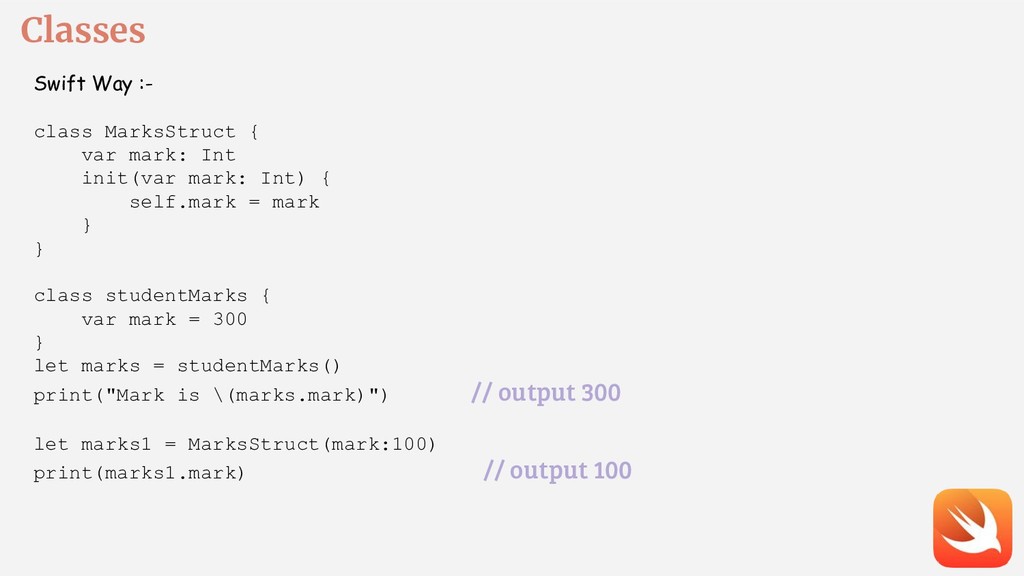
init(var mark: Int) { self.mark = mark } } class studentMarks { var mark = 300 } let marks = studentMarks() print("Mark is \(marks.mark)") // output 300 let marks1 = MarksStruct(mark:100) print(marks1.mark) // output 100
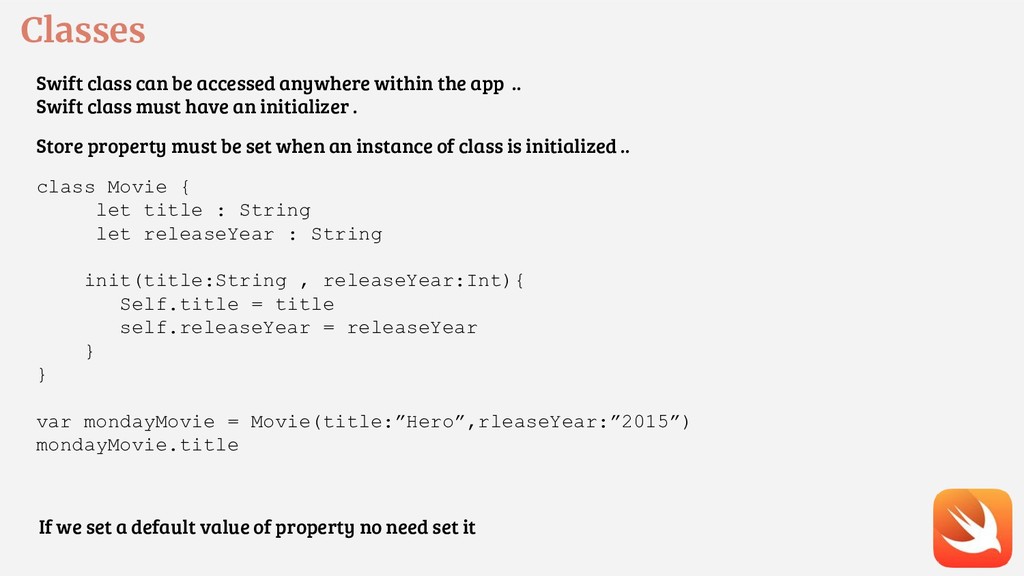
.. Swift class must have an initializer . Store property must be set when an instance of class is initialized .. class Movie { let title : String let releaseYear : String init(title:String , releaseYear:Int){ Self.title = title self.releaseYear = releaseYear } } var mondayMovie = Movie(title:”Hero”,rleaseYear:”2015”) mondayMovie.title If we set a default value of property no need set it
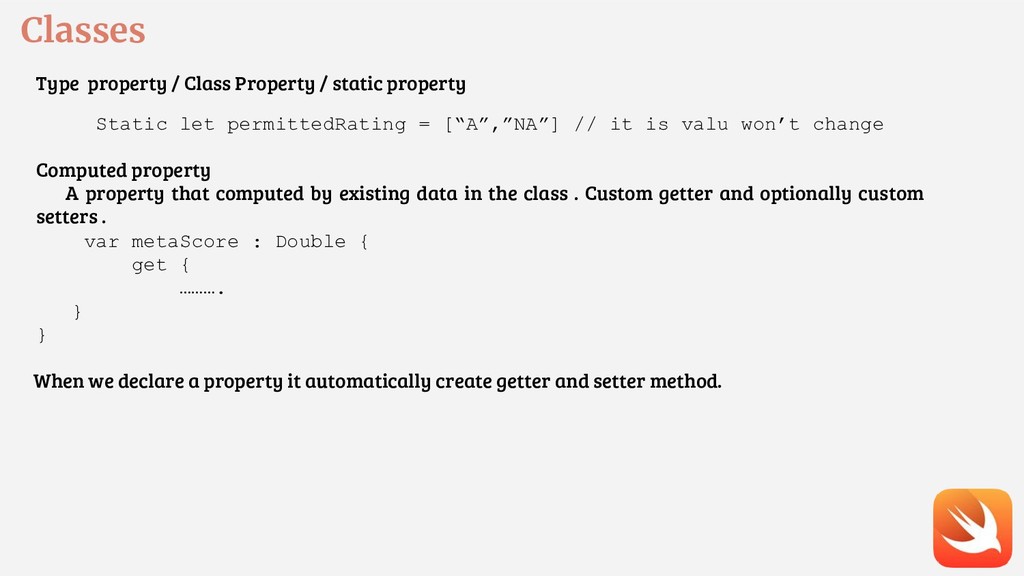
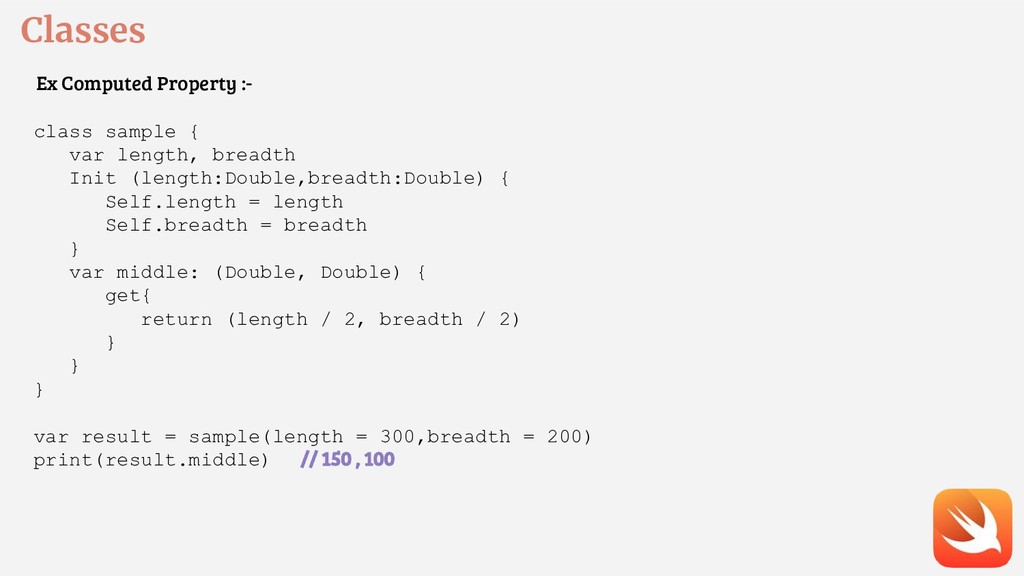
let permittedRating = [“A”,”NA”] // it is valu won’t change Computed property A property that computed by existing data in the class . Custom getter and optionally custom setters . var metaScore : Double { get { ………. } } When we declare a property it automatically create getter and setter method.
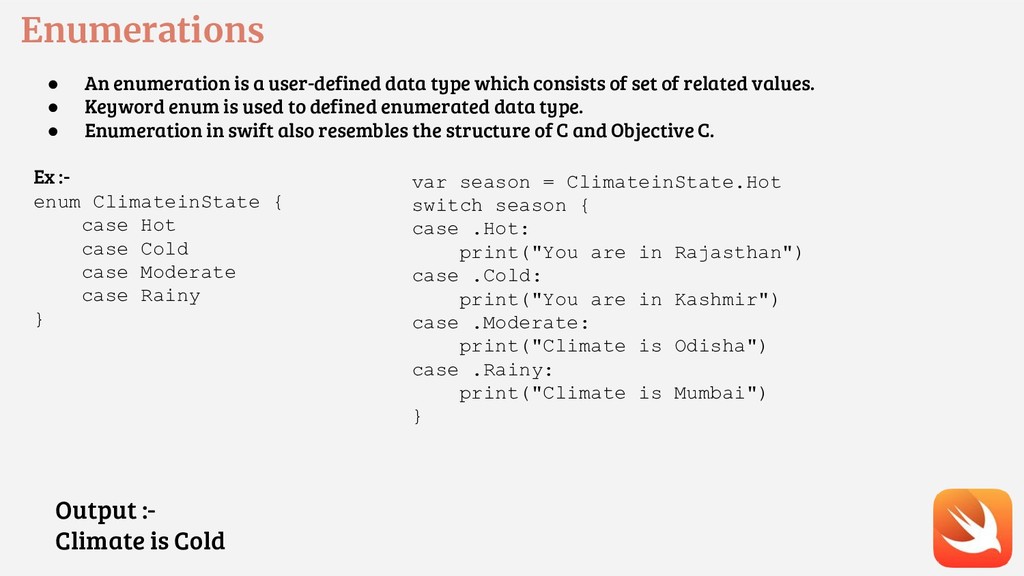
consists of set of related values. • Keyword enum is used to defined enumerated data type. • Enumeration in swift also resembles the structure of C and Objective C. Ex :- enum ClimateinState { case Hot case Cold case Moderate case Rainy } var season = ClimateinState.Hot switch season { case .Hot: print("You are in Rajasthan") case .Cold: print("You are in Kashmir") case .Moderate: print("Climate is Odisha") case .Rainy: print("Climate is Mumbai") } Output :- Climate is Cold
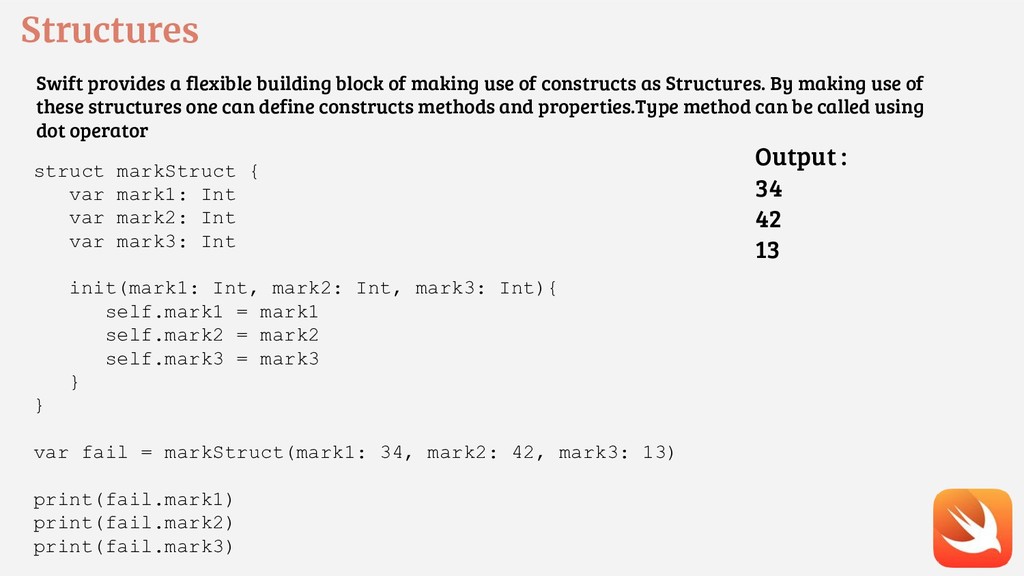
of constructs as Structures. By making use of these structures one can define constructs methods and properties.Type method can be called using dot operator struct markStruct { var mark1: Int var mark2: Int var mark3: Int init(mark1: Int, mark2: Int, mark3: Int){ self.mark1 = mark1 self.mark2 = mark2 self.mark3 = mark3 } } var fail = markStruct(mark1: 34, mark2: 42, mark3: 13) print(fail.mark1) print(fail.mark2) print(fail.mark3) Output : 34 42 13
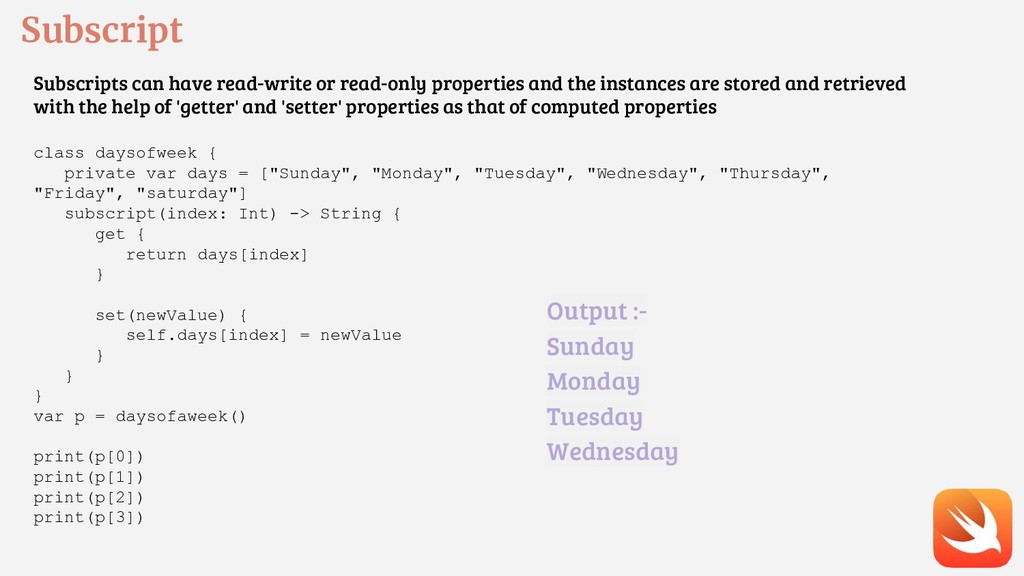
instances are stored and retrieved with the help of 'getter' and 'setter' properties as that of computed properties class daysofweek { private var days = ["Sunday", "Monday", "Tuesday", "Wednesday", "Thursday", "Friday", "saturday"] subscript(index: Int) -> String { get { return days[index] } set(newValue) { self.days[index] = newValue } } } var p = daysofaweek() print(p[0]) print(p[1]) print(p[2]) print(p[3]) Output :- Sunday Monday Tuesday Wednesday
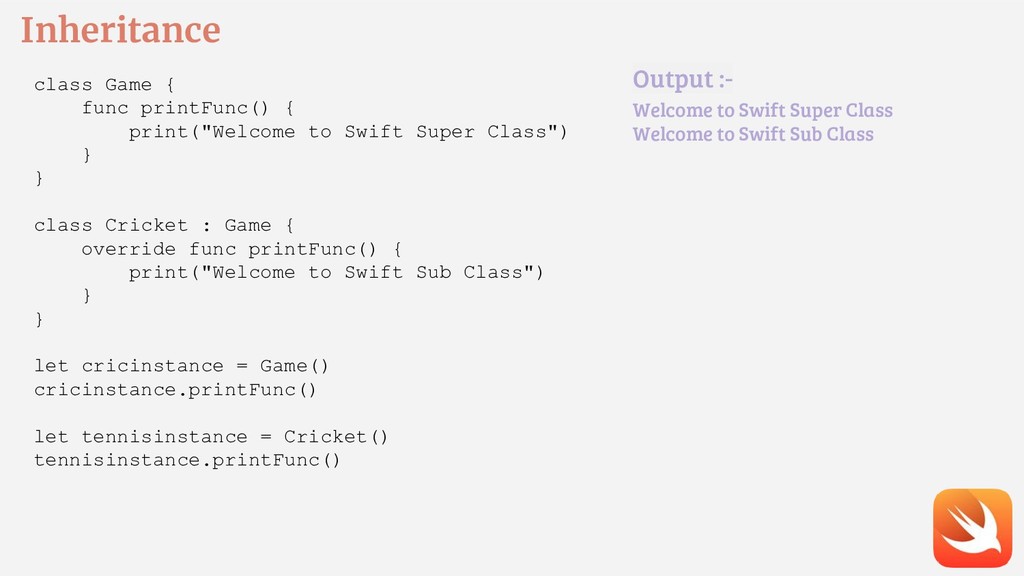
Super Class") } } class Cricket : Game { override func printFunc() { print("Welcome to Swift Sub Class") } } let cricinstance = Game() cricinstance.printFunc() let tennisinstance = Cricket() tennisinstance.printFunc() Output :- Welcome to Swift Super Class Welcome to Swift Sub Class
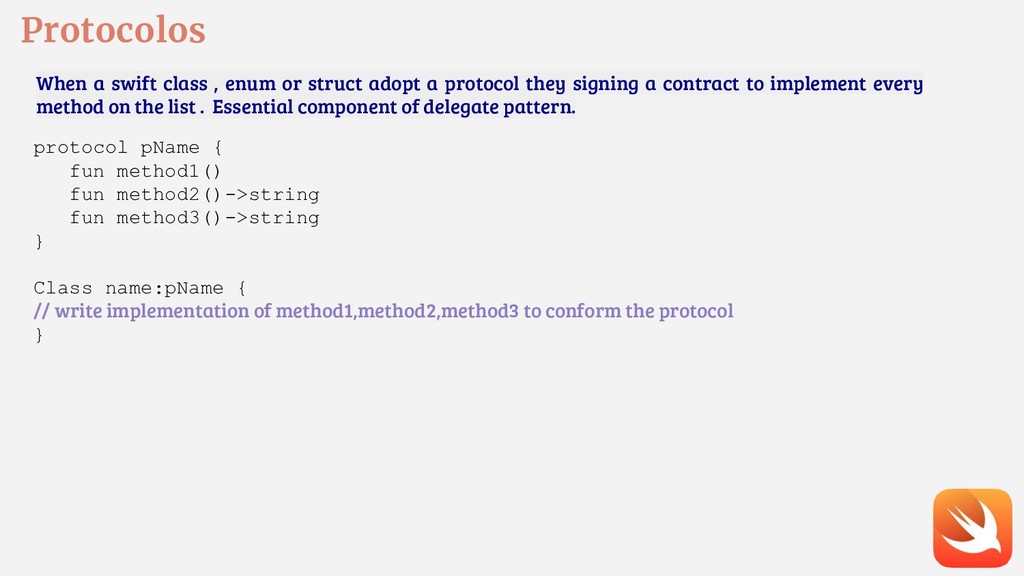
a protocol they signing a contract to implement every method on the list . Essential component of delegate pattern. protocol pName { fun method1() fun method2()->string fun method3()->string } Class name:pName { // write implementation of method1,method2,method3 to conform the protocol }
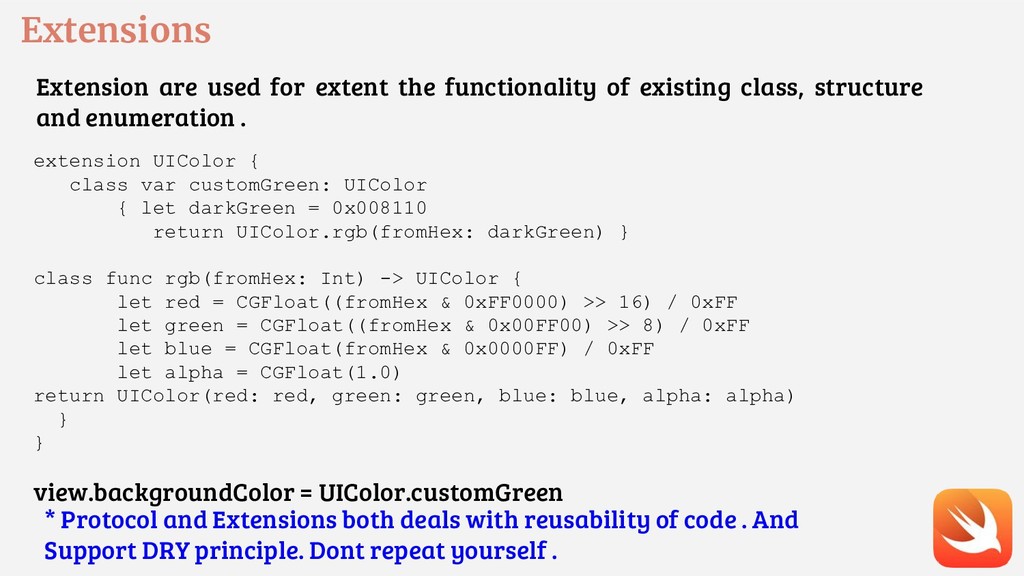
class, structure and enumeration . extension UIColor { class var customGreen: UIColor { let darkGreen = 0x008110 return UIColor.rgb(fromHex: darkGreen) } class func rgb(fromHex: Int) -> UIColor { let red = CGFloat((fromHex & 0xFF0000) >> 16) / 0xFF let green = CGFloat((fromHex & 0x00FF00) >> 8) / 0xFF let blue = CGFloat(fromHex & 0x0000FF) / 0xFF let alpha = CGFloat(1.0) return UIColor(red: red, green: green, blue: blue, alpha: alpha) } } view.backgroundColor = UIColor.customGreen * Protocol and Extensions both deals with reusability of code . And Support DRY principle. Dont repeat yourself .


 uyuki234
 morizo_1984
 satoshi256kbyte
 optim
optim
 lynnswap
 iwiwi
iwiwi
 artoy
artoy
 akit37
 neuecc
 dske104
 eileencodes
 lauravandoore
 greggifford
 szymonslowik
 tmiket
 lindahogenes
 addyosmani
 cassininazir
 charlesmeaden
 inesmontani
 paigeccino

![Array C++ way Declaring an Array Data_Type Array_Name [Array_Size]; Initializing](https://files.speakerdeck.com/presentations/15ae696d4f7f4ece9bb538149ad82cd2/slide_16.jpg)
![Array Swift way Creating an Array var someArray = [SomeType]()](https://files.speakerdeck.com/presentations/15ae696d4f7f4ece9bb538149ad82cd2/slide_17.jpg)