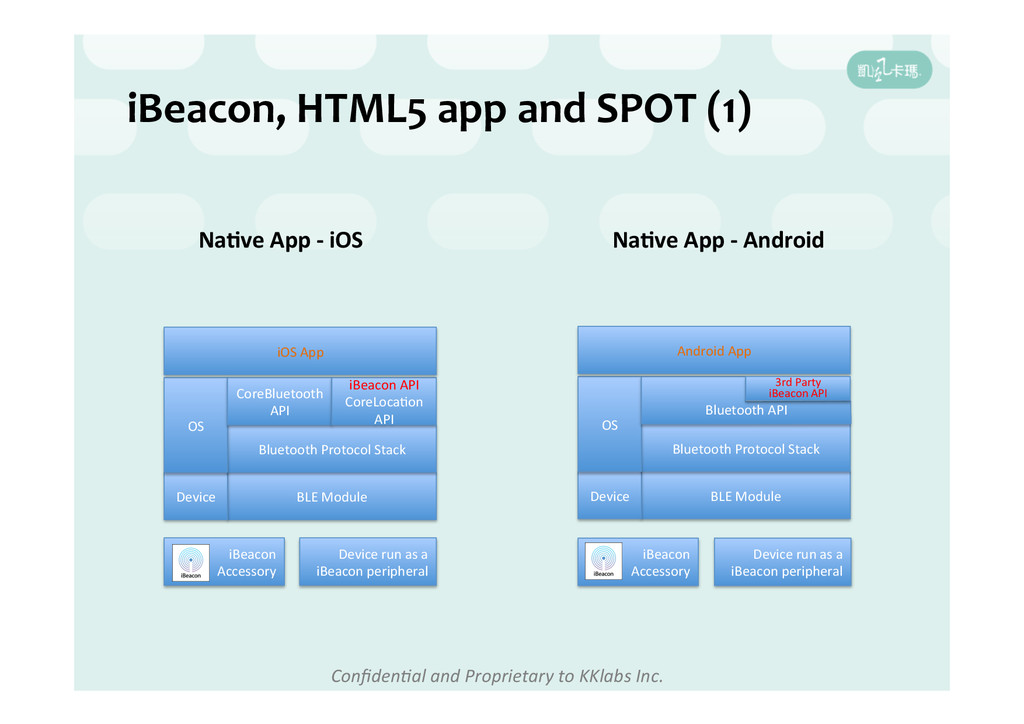
SPOT (1) Na5ve App -‐ iOS BLE Module Device Bluetooth Protocol Stack OS CoreBluetooth API iBeacon API CoreLocaHon API iOS App iBeacon Accessory Na5ve App -‐ Android BLE Module Device Bluetooth Protocol Stack OS Bluetooth API Android App iBeacon Accessory 3rd Party iBeacon API Device run as a iBeacon peripheral Device run as a iBeacon peripheral
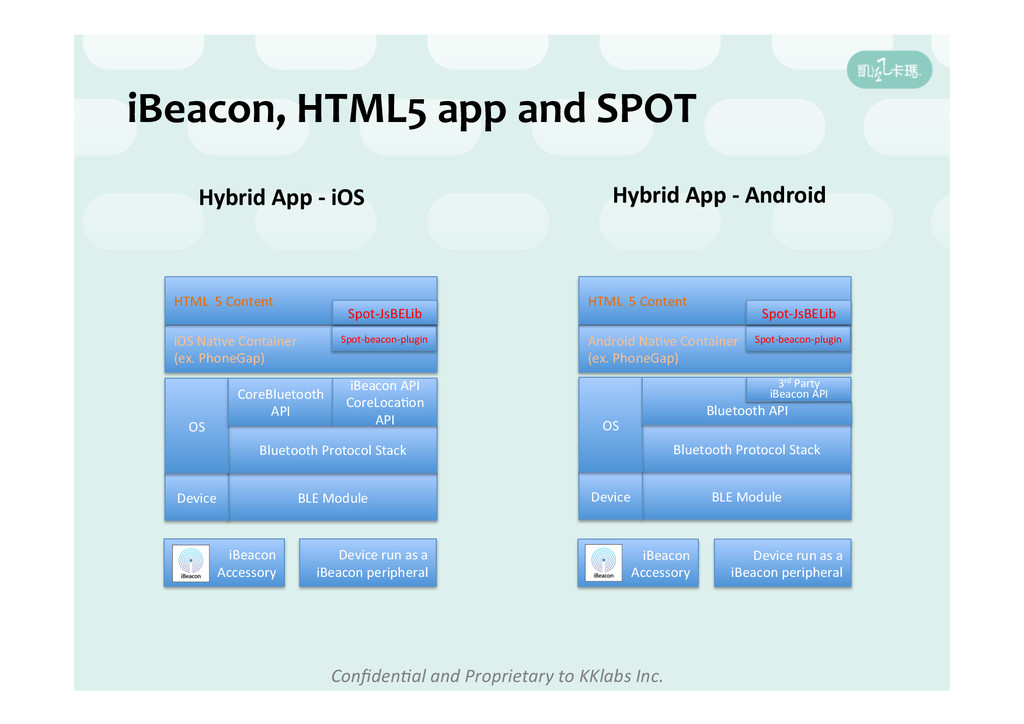
SPOT Hybrid App -‐ iOS BLE Module Device Bluetooth Protocol Stack OS CoreBluetooth API iBeacon API CoreLocaHon API iOS NaHve Container (ex. PhoneGap) iBeacon Accessory Hybrid App -‐ Android BLE Module Device Bluetooth Protocol Stack OS Bluetooth API iBeacon Accessory 3rd Party iBeacon API HTML 5 Content Spot-‐JsBELib Spot-‐beacon-‐plugin Android NaHve Container (ex. PhoneGap) HTML 5 Content Spot-‐JsBELib Spot-‐beacon-‐plugin Device run as a iBeacon peripheral Device run as a iBeacon peripheral
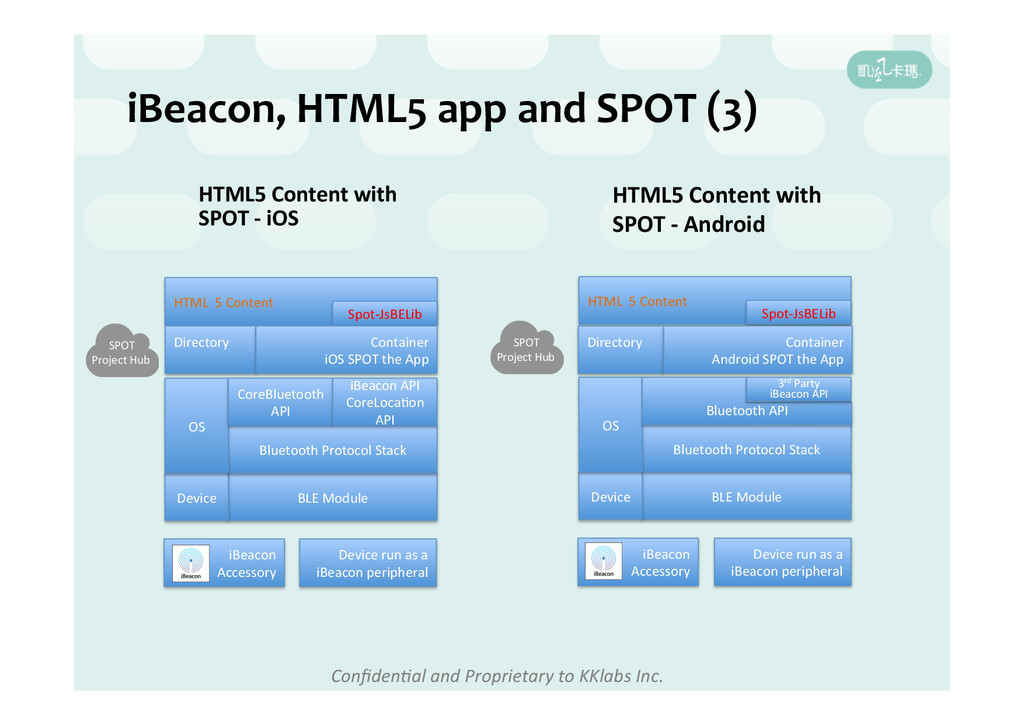
SPOT (3) HTML5 Content with SPOT -‐ iOS BLE Module Device Bluetooth Protocol Stack OS CoreBluetooth API iBeacon API CoreLocaHon API iBeacon Accessory Device run as a iBeacon peripheral HTML5 Content with SPOT -‐ Android BLE Module Device Bluetooth Protocol Stack OS Bluetooth API iBeacon Accessory HTML 5 Content Spot-‐JsBELib HTML 5 Content Spot-‐JsBELib Directory Container iOS SPOT the App Directory Container Android SPOT the App 3rd Party iBeacon API SPOT Project Hub Device run as a iBeacon peripheral SPOT Project Hub
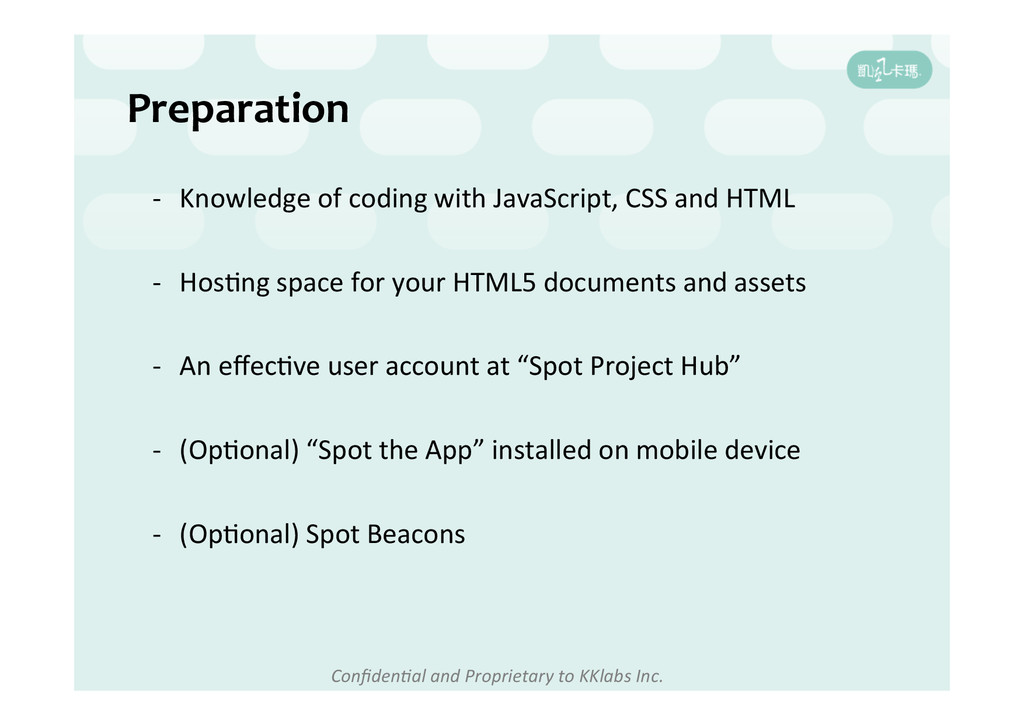
coding with JavaScript, CSS and HTML -‐ HosHng space for your HTML5 documents and assets -‐ An effecHve user account at “Spot Project Hub” -‐ (OpHonal) “Spot the App” installed on mobile device -‐ (OpHonal) Spot Beacons
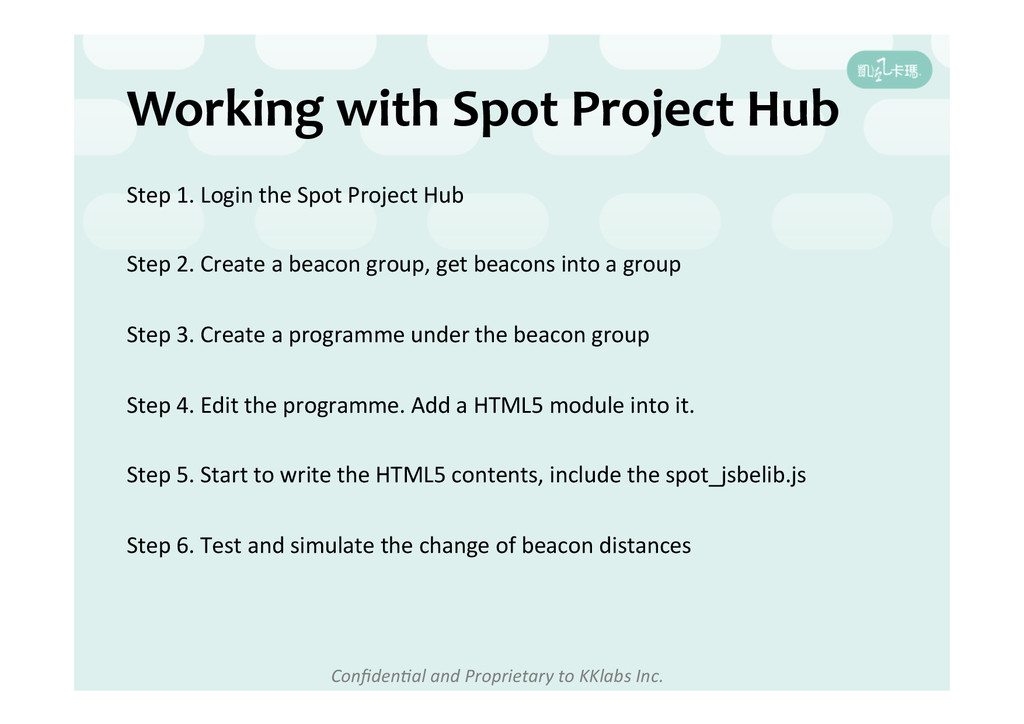
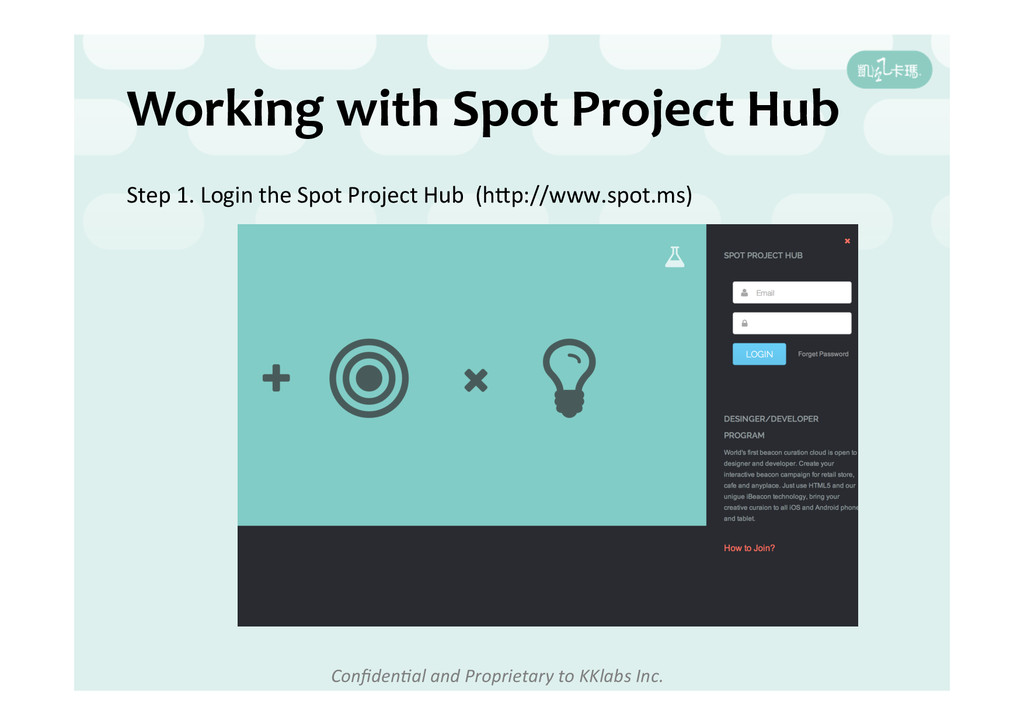
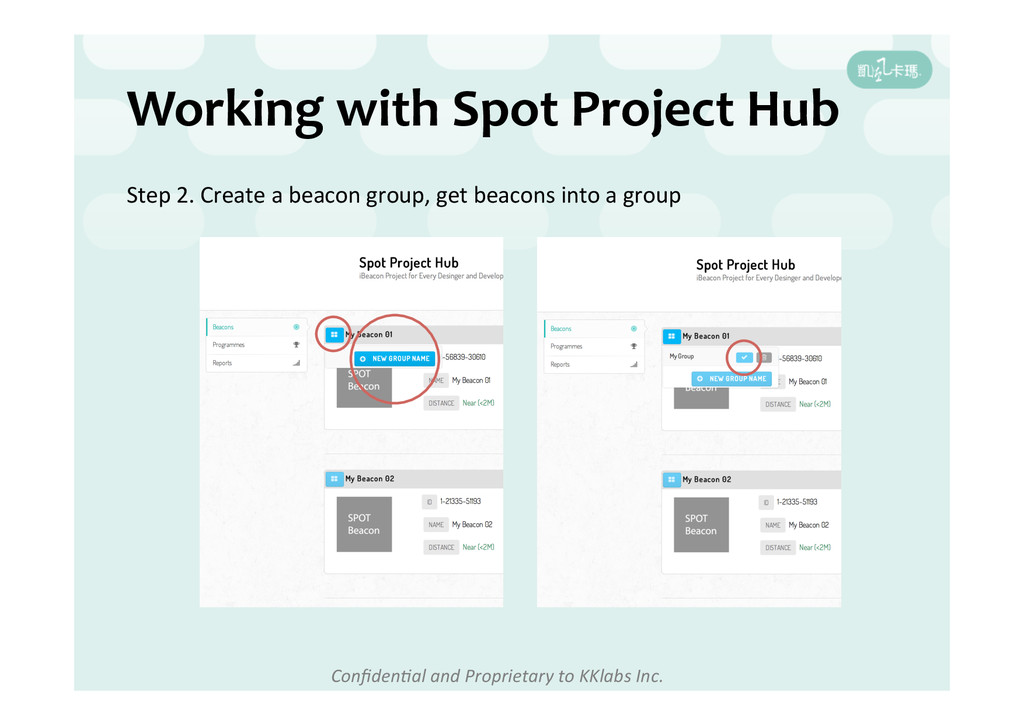
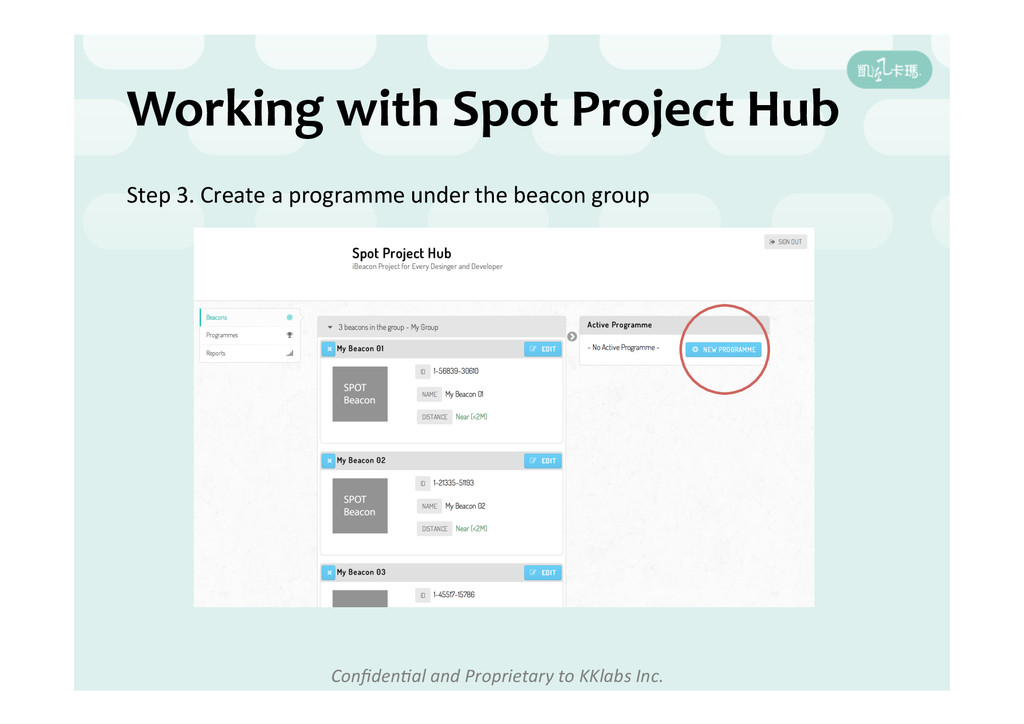
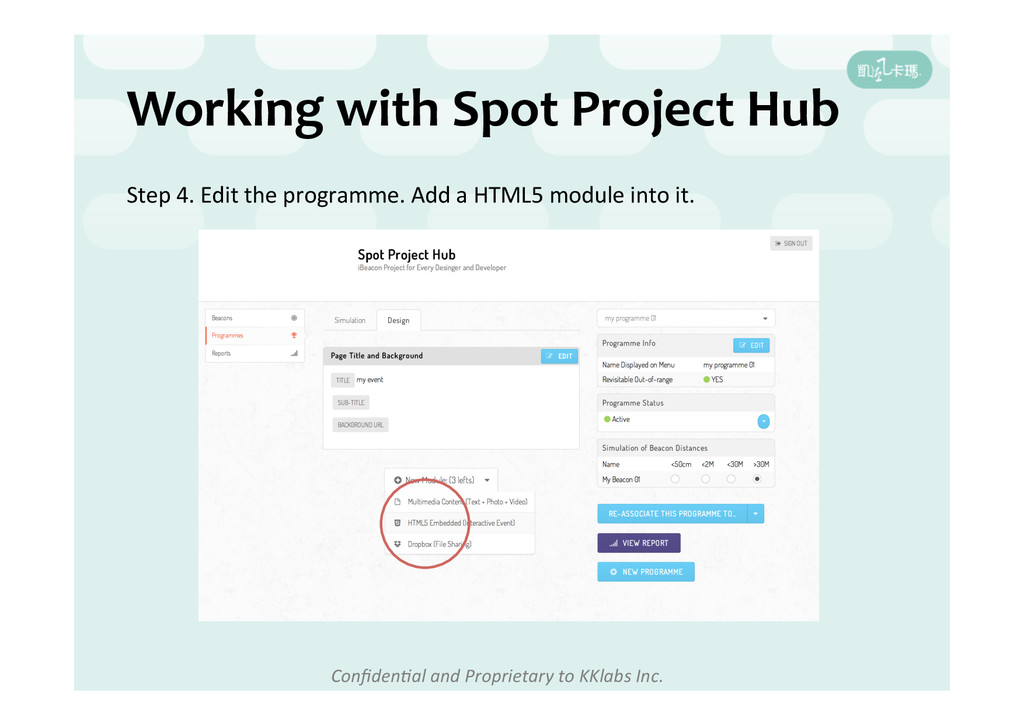
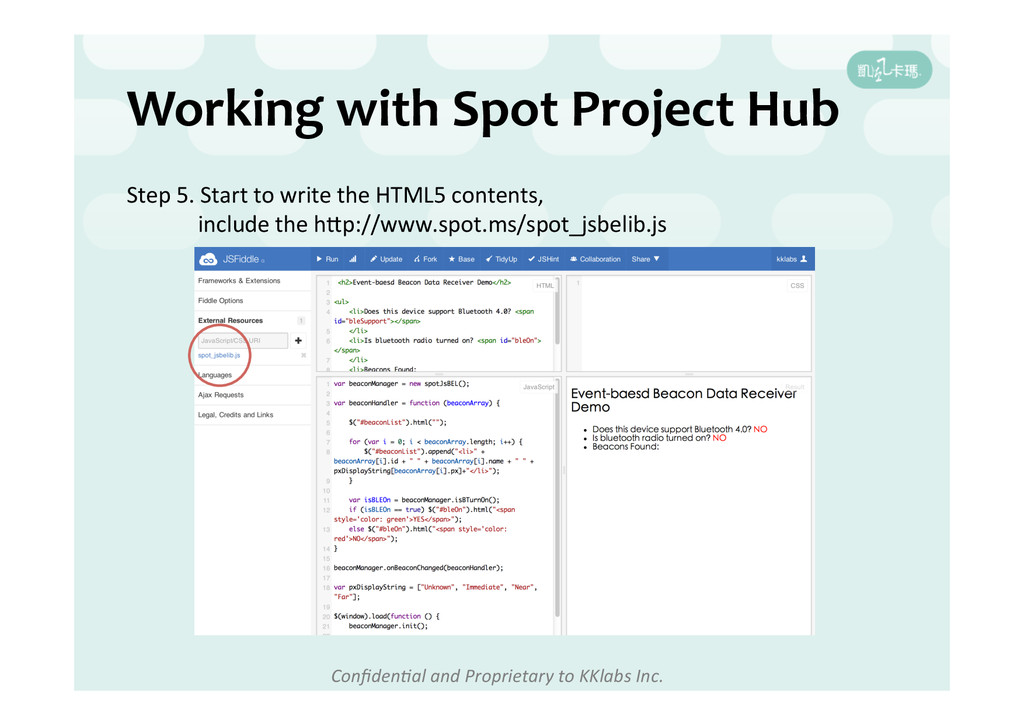
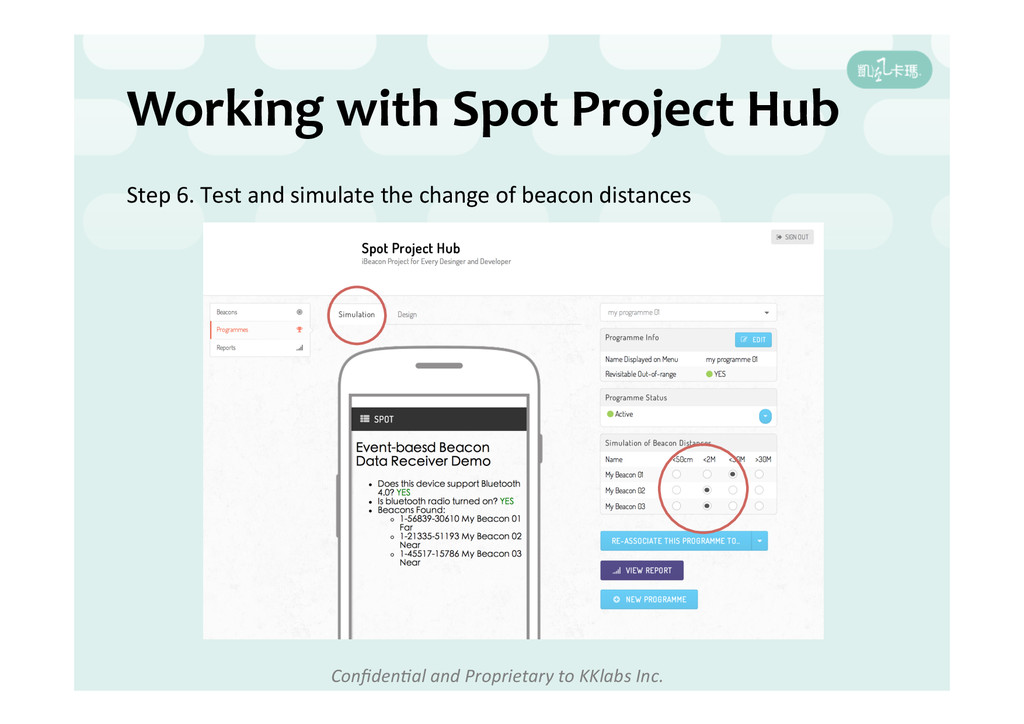
Hub Step 1. Login the Spot Project Hub Step 2. Create a beacon group, get beacons into a group Step 3. Create a programme under the beacon group Step 4. Edit the programme. Add a HTML5 module into it. Step 5. Start to write the HTML5 contents, include the spot_jsbelib.js Step 6. Test and simulate the change of beacon distances
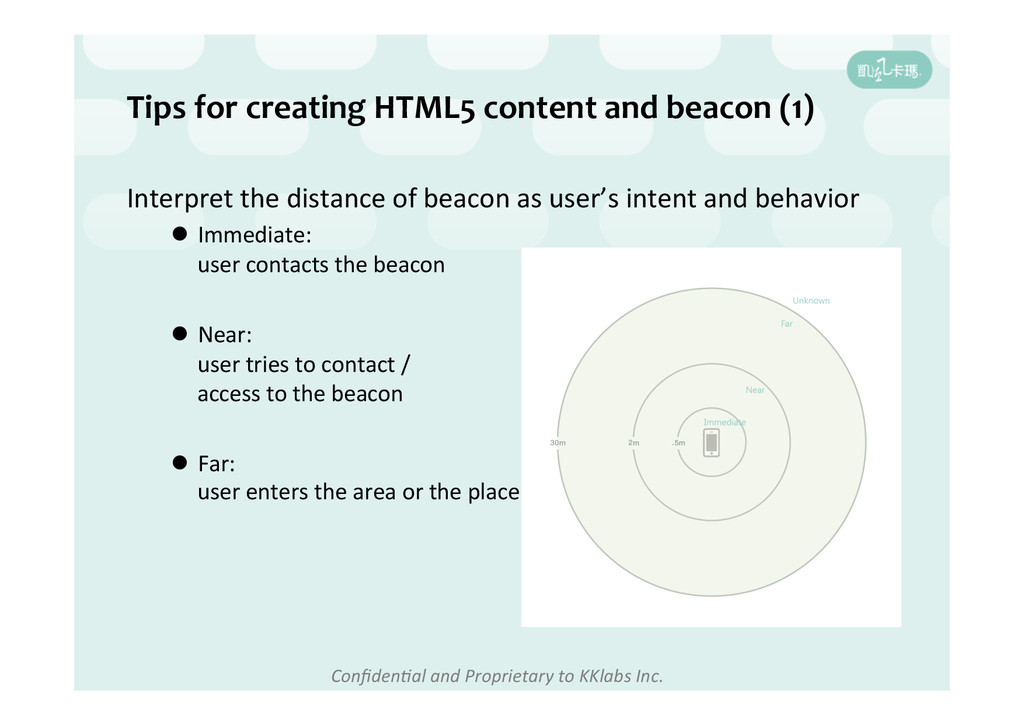
content and beacon (1) Interpret the distance of beacon as user’s intent and behavior l Immediate: user contacts the beacon l Near: user tries to contact / access to the beacon l Far: user enters the area or the place
content and beacon (2) -‐ UHlize the internet resources and collaboraHon tool ex: h]p://caniuse.com h]p://jsfiddle.net/ -‐ Adopt the front-‐end JavaScript library and framework ex: Bootstrap, SemanHc-‐UI, ImpactJs and more -‐ Handle mobile browser capability issue: known issue example: Android 4.4 – hardware accelerator not default enable in webview onOrientaHonChanged event not works well through iFrame


 dtwang
 sorah
sorah
 prota
prota
 yasaichi
 drumath2237
 yuta_onishi_97
 minodriven
 kasacchiful
 takai
takai
 hschwentner
 uyuki234
 yub0n
yub0n
 nokomoro3
 matthewcrist
 jonoalderson
 csswizardry
 jonrohan
 bermonpainter
 frankvandijk
 addyosmani
 jmmastey
 mfonobong
 charlesmeaden
 axbom
axbom
 cassininazir