Upgrade to Pro — share decks privately, control downloads, hide ads and more …

An Introduction to Analysis in R

Avatar for Ed Berry Ed Berry
January 09, 2017

An Introduction to Analysis in R

This was aimed to provide examples of what different analyses look like in R. The audience was researchers in experimental psychology.

Avatar for Ed Berry

Ed Berry

January 09, 2017

More Decks by Ed Berry

Other Decks in Programming

Transcript

  1. Overview Frequentist analysis in R Bayesian analysis in R ·

    t tests & ANOVAs Regression Mixed effect models - - - · Bayes Factor Bayesian estimation - - 2/46
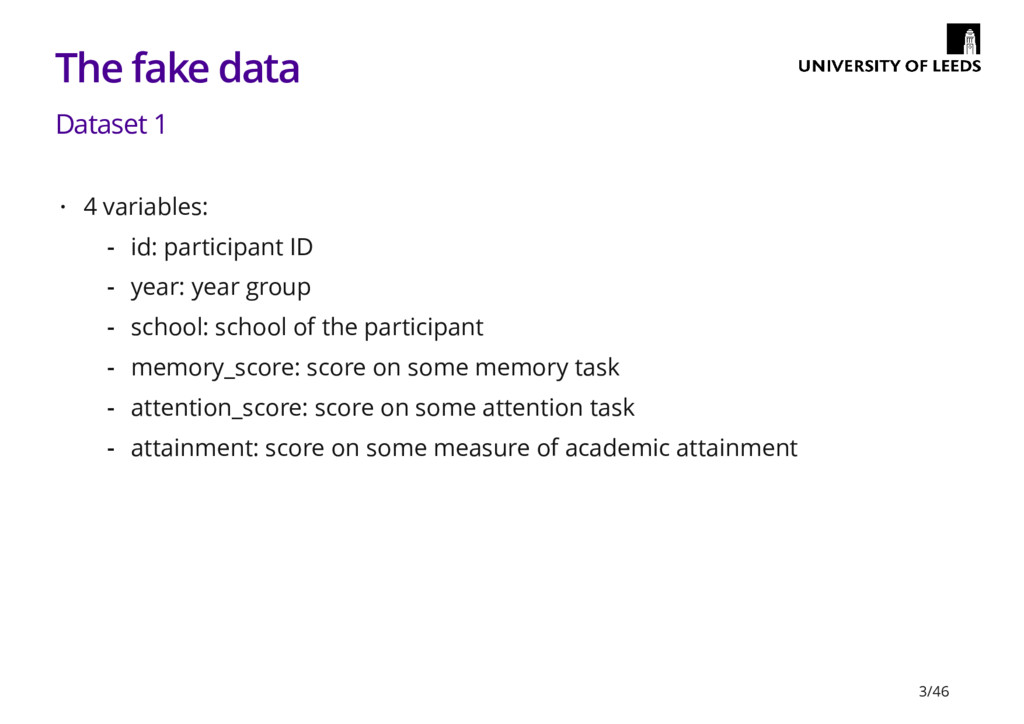
  2. The fake data Dataset 1 4 variables: · id: participant

    ID year: year group school: school of the participant memory_score: score on some memory task attention_score: score on some attention task attainment: score on some measure of academic attainment - - - - - - 3/46
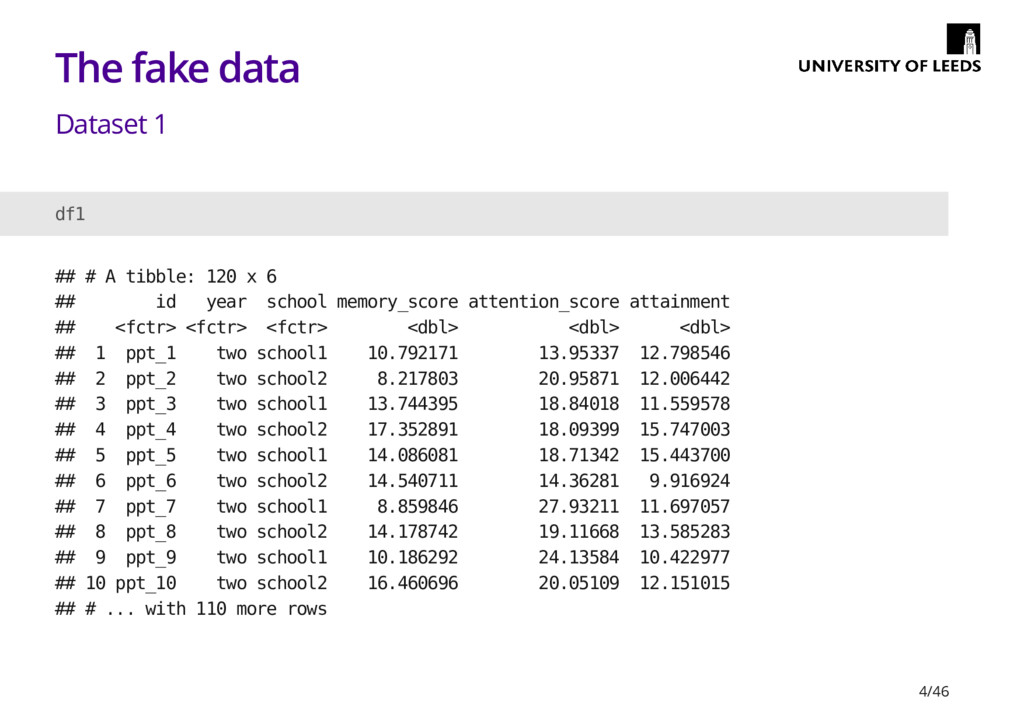
  3. The fake data Dataset 1 df1 ## # A tibble:

    120 x 6 ## id year school memory_score attention_score attainment ## <fctr> <fctr> <fctr> <dbl> <dbl> <dbl> ## 1 ppt_1 two school1 10.792171 13.95337 12.798546 ## 2 ppt_2 two school2 8.217803 20.95871 12.006442 ## 3 ppt_3 two school1 13.744395 18.84018 11.559578 ## 4 ppt_4 two school2 17.352891 18.09399 15.747003 ## 5 ppt_5 two school1 14.086081 18.71342 15.443700 ## 6 ppt_6 two school2 14.540711 14.36281 9.916924 ## 7 ppt_7 two school1 8.859846 27.93211 11.697057 ## 8 ppt_8 two school2 14.178742 19.11668 13.585283 ## 9 ppt_9 two school1 10.186292 24.13584 10.422977 ## 10 ppt_10 two school2 16.460696 20.05109 12.151015 ## # ... with 110 more rows 4/46
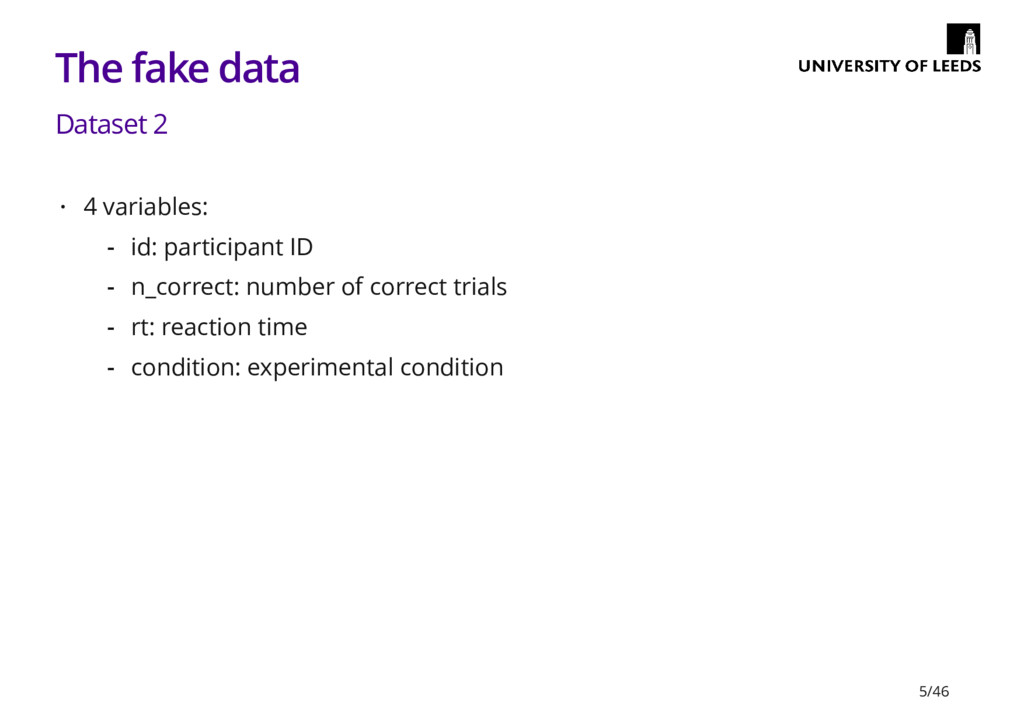
  4. The fake data Dataset 2 4 variables: · id: participant

    ID n_correct: number of correct trials rt: reaction time condition: experimental condition - - - - 5/46
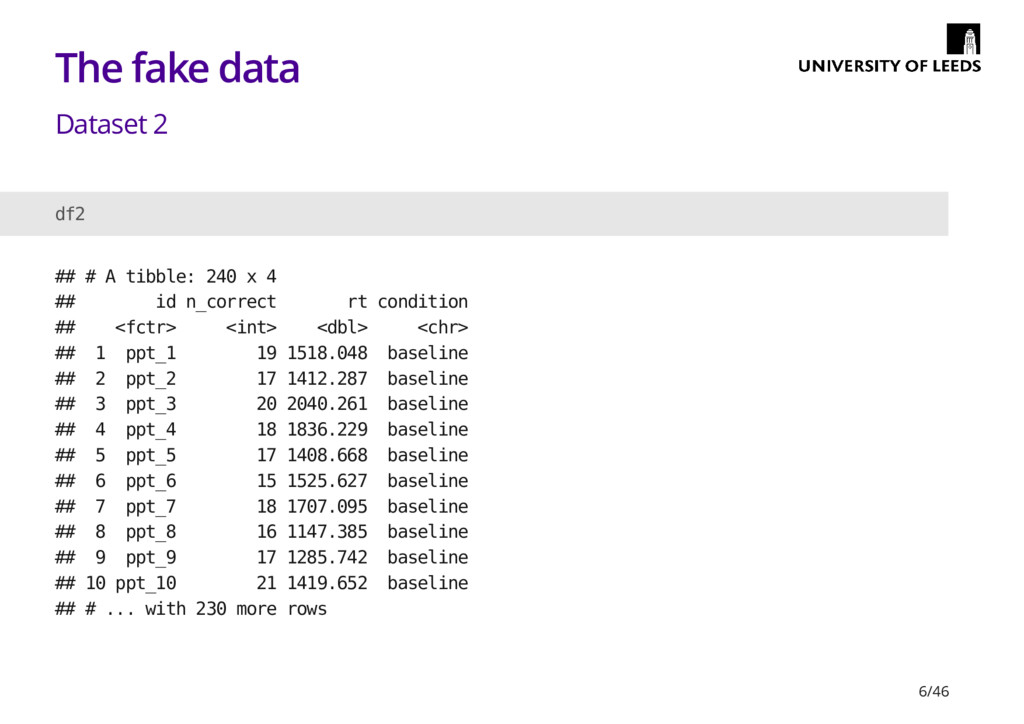
  5. The fake data Dataset 2 df2 ## # A tibble:

    240 x 4 ## id n_correct rt condition ## <fctr> <int> <dbl> <chr> ## 1 ppt_1 19 1518.048 baseline ## 2 ppt_2 17 1412.287 baseline ## 3 ppt_3 20 2040.261 baseline ## 4 ppt_4 18 1836.229 baseline ## 5 ppt_5 17 1408.668 baseline ## 6 ppt_6 15 1525.627 baseline ## 7 ppt_7 18 1707.095 baseline ## 8 ppt_8 16 1147.385 baseline ## 9 ppt_9 17 1285.742 baseline ## 10 ppt_10 21 1419.652 baseline ## # ... with 230 more rows 6/46
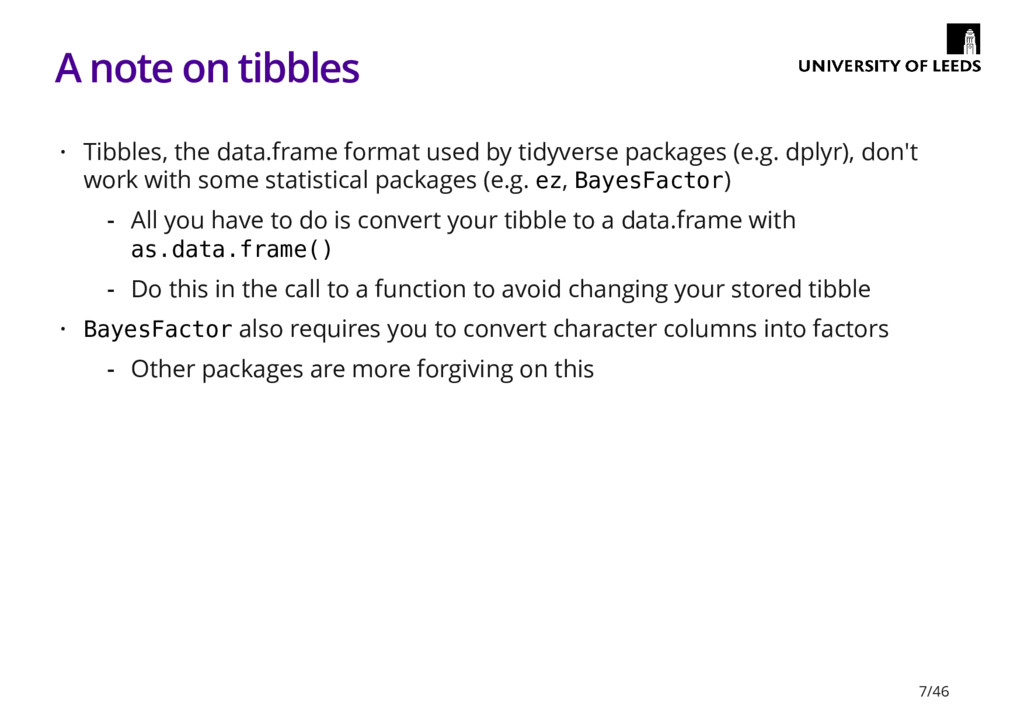
  6. A note on tibbles Tibbles, the data.frame format used by

    tidyverse packages (e.g. dplyr), don't work with some statistical packages (e.g. ez, BayesFactor) BayesFactor also requires you to convert character columns into factors · All you have to do is convert your tibble to a data.frame with as.data.frame() Do this in the call to a function to avoid changing your stored tibble - - · Other packages are more forgiving on this - 7/46
  7. Frequentist analysis in R There are function in base R

    for a lot of the stuff you'd want to do However, it sometimes easier to do things with a package · · 9/46
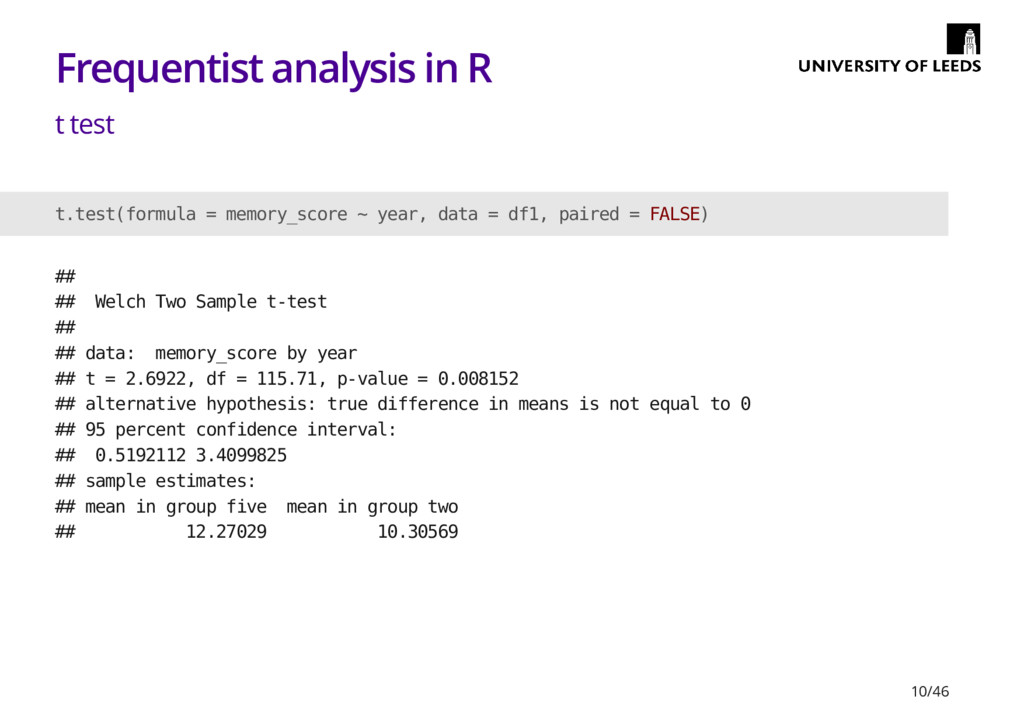
  8. Frequentist analysis in R t test t.test(formula = memory_score ~

    year, data = df1, paired = FALSE) ## ## Welch Two Sample t-test ## ## data: memory_score by year ## t = 2.6922, df = 115.71, p-value = 0.008152 ## alternative hypothesis: true difference in means is not equal to 0 ## 95 percent confidence interval: ## 0.5192112 3.4099825 ## sample estimates: ## mean in group five mean in group two ## 12.27029 10.30569 10/46
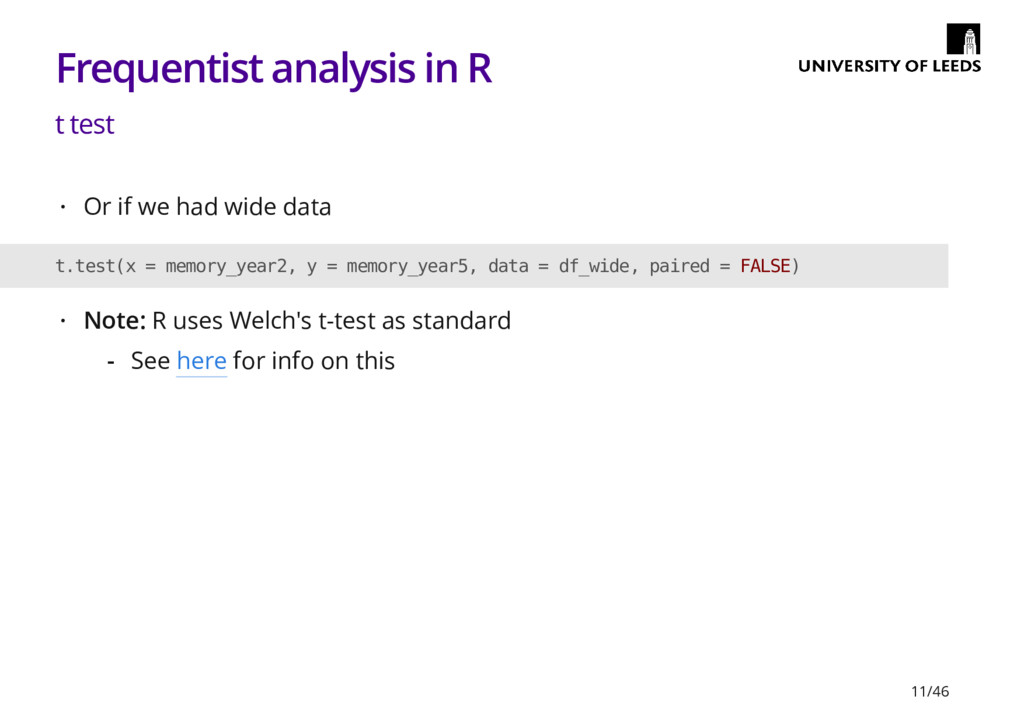
  9. Frequentist analysis in R t test Or if we had

    wide data · t.test(x = memory_year2, y = memory_year5, data = df_wide, paired = FALSE) Note: R uses Welch's t-test as standard · See here for info on this - 11/46
  10. Frequentist analysis in R An ANOVA warning There are multiple

    ways to calculate the sum of squares (SS) for an ANOVA The inbuilt aov() function uses Type I SS, which isn't what we usually want Typically we want Type III SS (e.g. this what SPSS uses) · · · 12/46
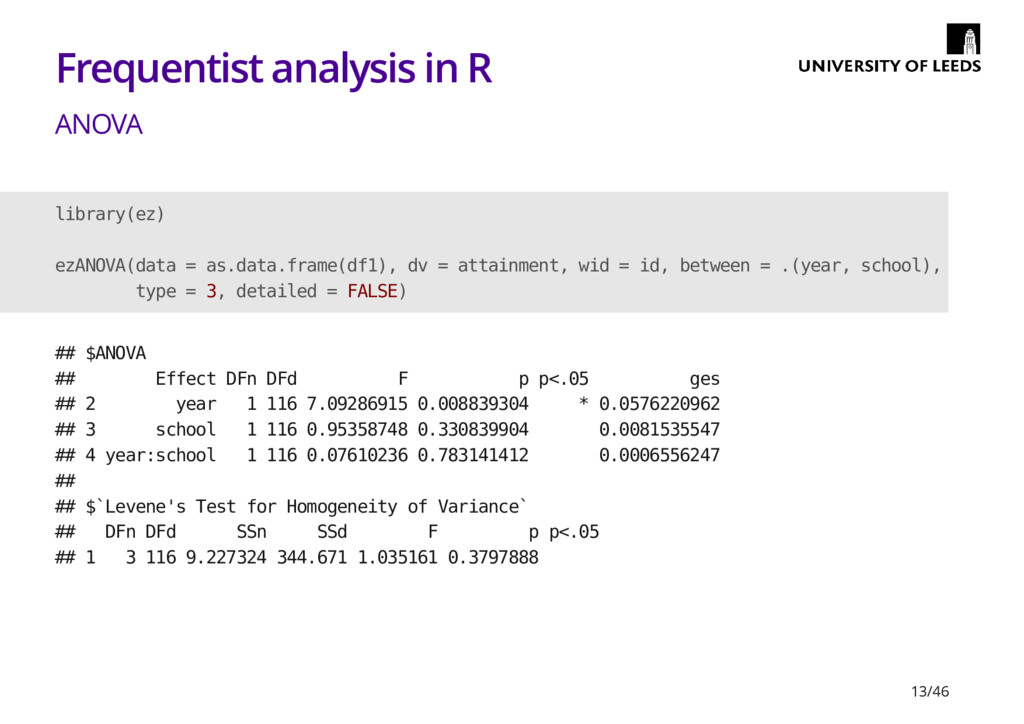
  11. Frequentist analysis in R ANOVA library(ez) ezANOVA(data = as.data.frame(df1), dv

    = attainment, wid = id, between = .(year, school), type = 3, detailed = FALSE) ## $ANOVA ## Effect DFn DFd F p p<.05 ges ## 2 year 1 116 7.09286915 0.008839304 * 0.0576220962 ## 3 school 1 116 0.95358748 0.330839904 0.0081535547 ## 4 year:school 1 116 0.07610236 0.783141412 0.0006556247 ## ## $`Levene's Test for Homogeneity of Variance` ## DFn DFd SSn SSd F p p<.05 ## 1 3 116 9.227324 344.671 1.035161 0.3797888 13/46
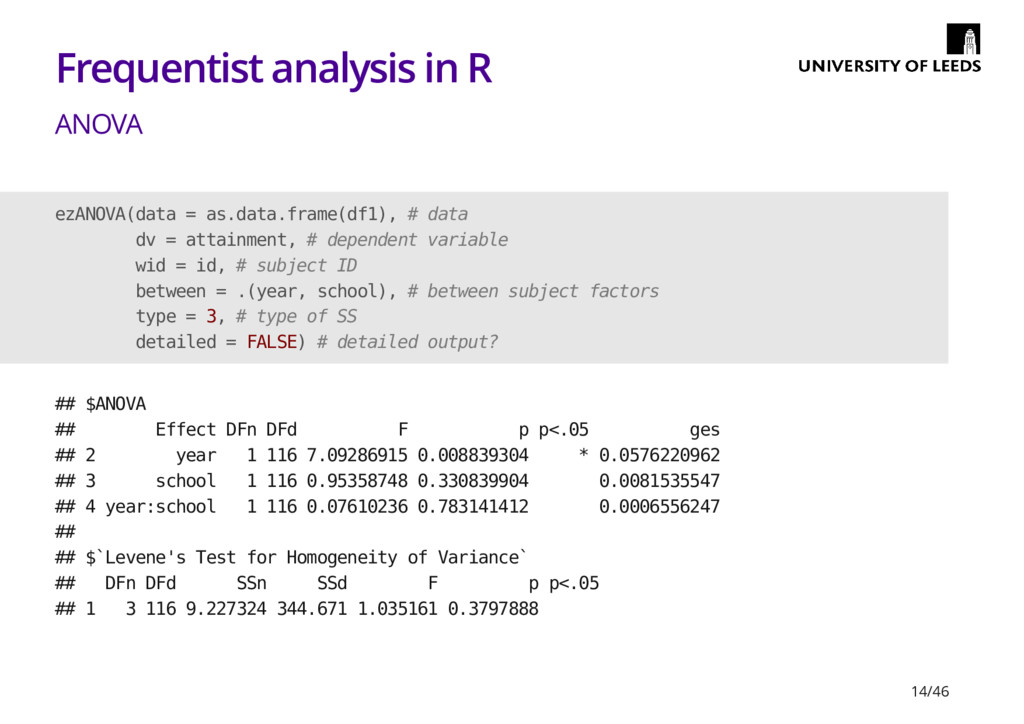
  12. Frequentist analysis in R ANOVA ezANOVA(data = as.data.frame(df1), # data

    dv = attainment, # dependent variable wid = id, # subject ID between = .(year, school), # between subject factors type = 3, # type of SS detailed = FALSE) # detailed output? ## $ANOVA ## Effect DFn DFd F p p<.05 ges ## 2 year 1 116 7.09286915 0.008839304 * 0.0576220962 ## 3 school 1 116 0.95358748 0.330839904 0.0081535547 ## 4 year:school 1 116 0.07610236 0.783141412 0.0006556247 ## ## $`Levene's Test for Homogeneity of Variance` ## DFn DFd SSn SSd F p p<.05 ## 1 3 116 9.227324 344.671 1.035161 0.3797888 14/46
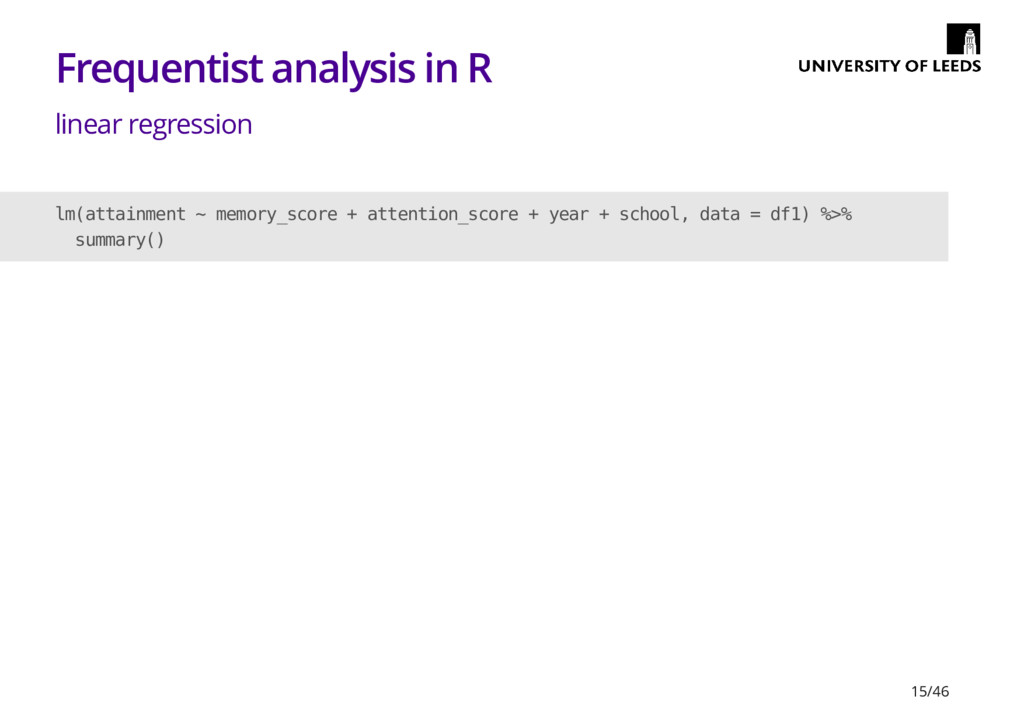
  13. Frequentist analysis in R linear regression lm(attainment ~ memory_score +

    attention_score + year + school, data = df1) %>% summary() 15/46
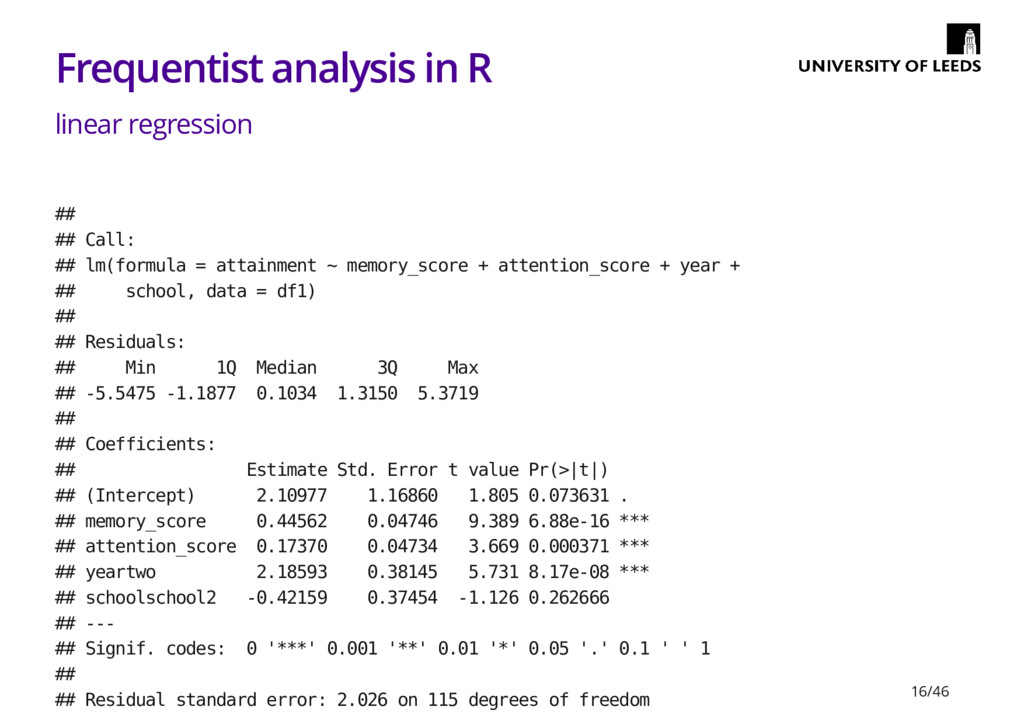
  14. Frequentist analysis in R linear regression ## ## Call: ##

    lm(formula = attainment ~ memory_score + attention_score + year + ## school, data = df1) ## ## Residuals: ## Min 1Q Median 3Q Max ## -5.5475 -1.1877 0.1034 1.3150 5.3719 ## ## Coefficients: ## Estimate Std. Error t value Pr(>|t|) ## (Intercept) 2.10977 1.16860 1.805 0.073631 . ## memory_score 0.44562 0.04746 9.389 6.88e-16 *** ## attention_score 0.17370 0.04734 3.669 0.000371 *** ## yeartwo 2.18593 0.38145 5.731 8.17e-08 *** ## schoolschool2 -0.42159 0.37454 -1.126 0.262666 ## --- ## Signif. codes: 0 '***' 0.001 '**' 0.01 '*' 0.05 '.' 0.1 ' ' 1 ## ## Residual standard error: 2.026 on 115 degrees of freedom 16/46
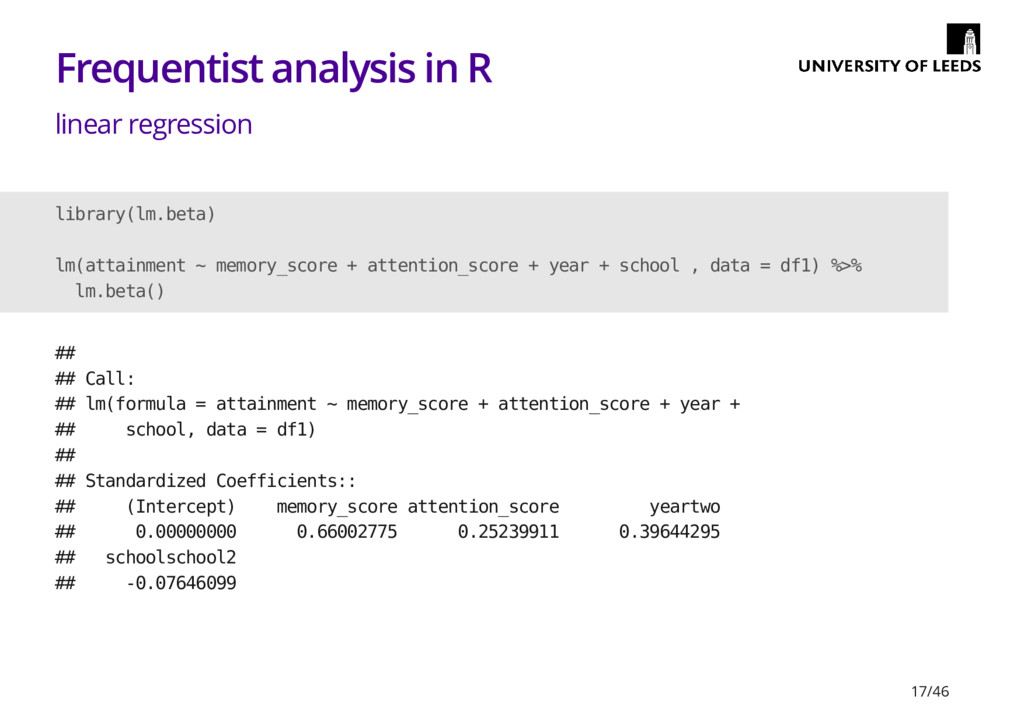
  15. Frequentist analysis in R linear regression library(lm.beta) lm(attainment ~ memory_score

    + attention_score + year + school , data = df1) %>% lm.beta() ## ## Call: ## lm(formula = attainment ~ memory_score + attention_score + year + ## school, data = df1) ## ## Standardized Coefficients:: ## (Intercept) memory_score attention_score yeartwo ## 0.00000000 0.66002775 0.25239911 0.39644295 ## schoolschool2 ## -0.07646099 17/46
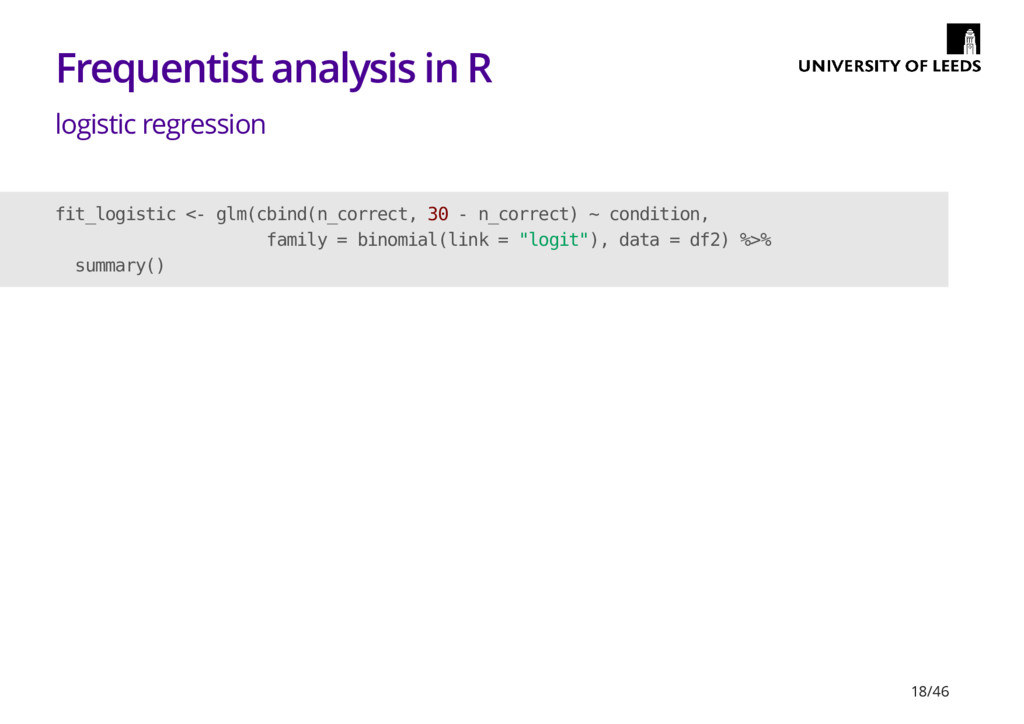
  16. Frequentist analysis in R logistic regression fit_logistic <- glm(cbind(n_correct, 30

    - n_correct) ~ condition, family = binomial(link = "logit"), data = df2) %>% summary() 18/46
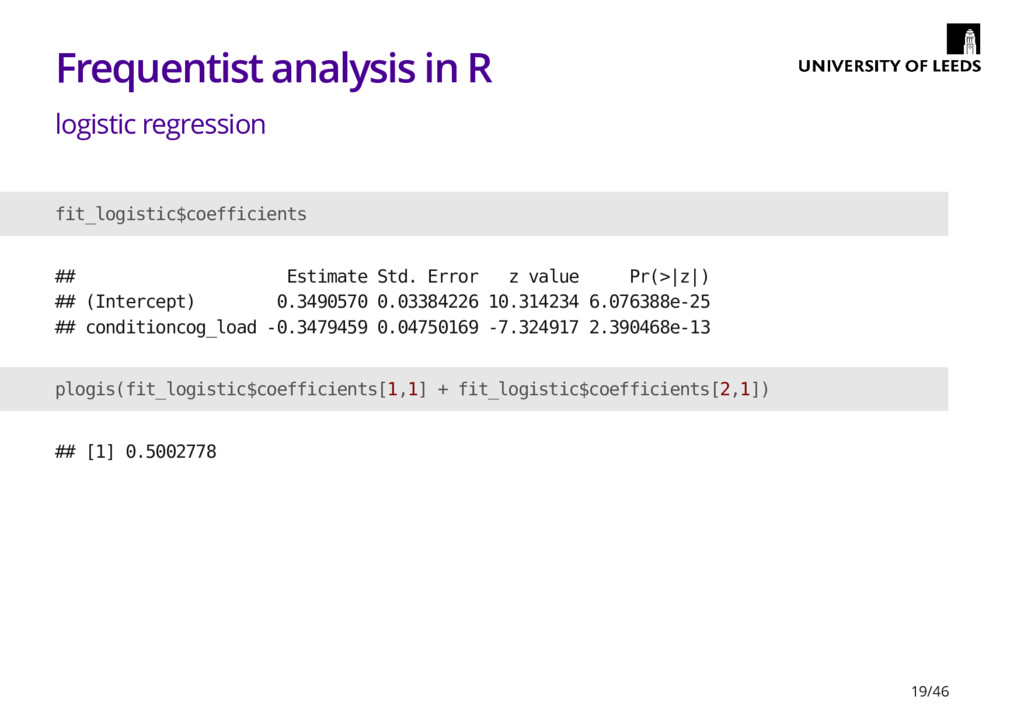
  17. Frequentist analysis in R logistic regression fit_logistic$coefficients ## Estimate Std.

    Error z value Pr(>|z|) ## (Intercept) 0.3490570 0.03384226 10.314234 6.076388e-25 ## conditioncog_load -0.3479459 0.04750169 -7.324917 2.390468e-13 plogis(fit_logistic$coefficients[1,1] + fit_logistic$coefficients[2,1]) ## [1] 0.5002778 19/46
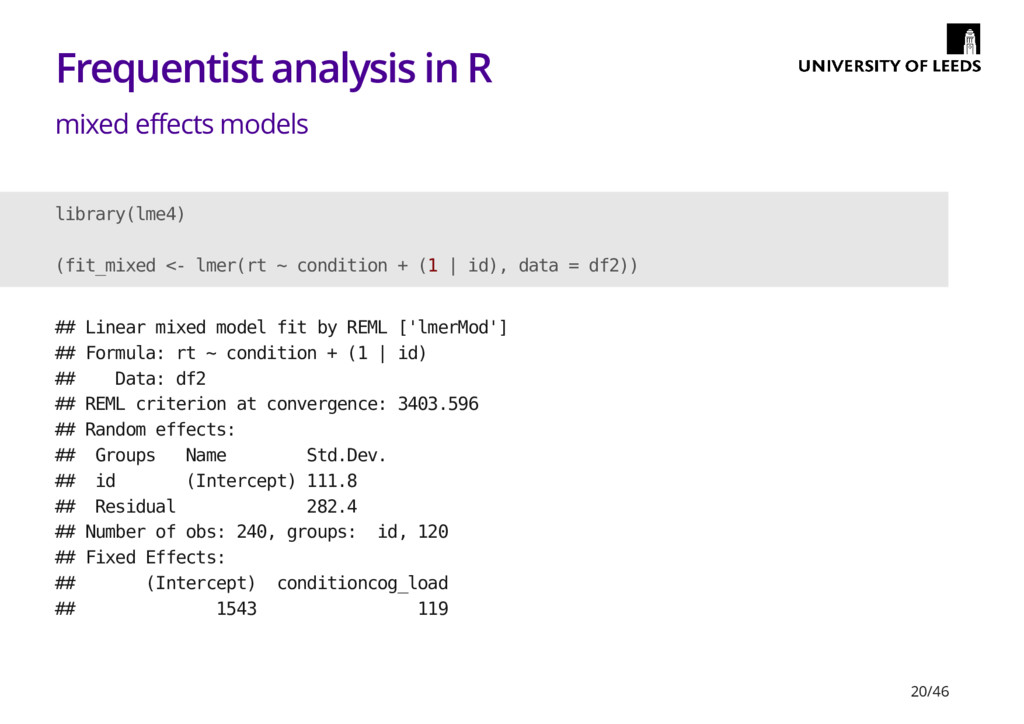
  18. Frequentist analysis in R mixed effects models library(lme4) (fit_mixed <-

    lmer(rt ~ condition + (1 | id), data = df2)) ## Linear mixed model fit by REML ['lmerMod'] ## Formula: rt ~ condition + (1 | id) ## Data: df2 ## REML criterion at convergence: 3403.596 ## Random effects: ## Groups Name Std.Dev. ## id (Intercept) 111.8 ## Residual 282.4 ## Number of obs: 240, groups: id, 120 ## Fixed Effects: ## (Intercept) conditioncog_load ## 1543 119 20/46
  19. Frequentist analysis in R Online stuff A number of the

    resources discussed in my last talk also cover analysis Linear models in R Mixed-effects models for repeated-measures ANOVA Basic mixed-effects models tutorial Interactions and contrasts Forgot R-bloggers last time · E.g. Datacamp - · · · · · 21/46
  20. Frequentist analysis in R books and papers Paper on why

    we should use logisitics regression for accuracy data (Jaeger, 2008) Data Analysis Using Regression and Multilevel/Hierarchical Models · · 22/46
  21. Bayes Factors The ratio of the likelihood of our data

    under one model versus another. Useful for things like quantifying evidence for the null · E.g. null v.s. alternative - · 24/46
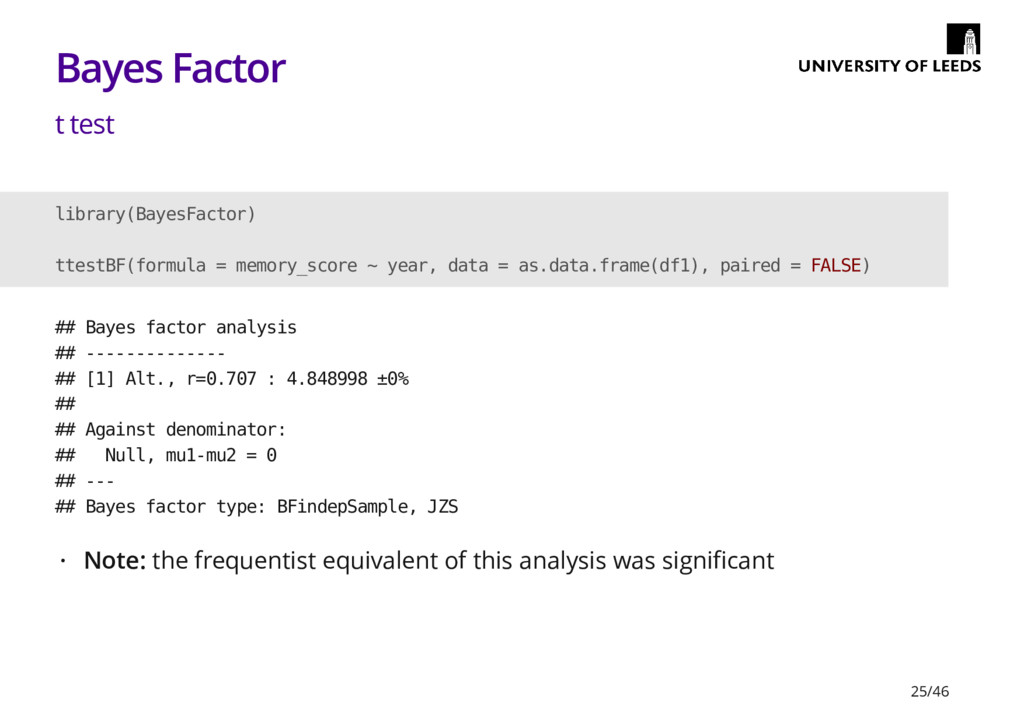
  22. Bayes Factor t test library(BayesFactor) ttestBF(formula = memory_score ~ year,

    data = as.data.frame(df1), paired = FALSE) ## Bayes factor analysis ## -------------- ## [1] Alt., r=0.707 : 4.848998 ±0% ## ## Against denominator: ## Null, mu1-mu2 = 0 ## --- ## Bayes factor type: BFindepSample, JZS Note: the frequentist equivalent of this analysis was significant · 25/46
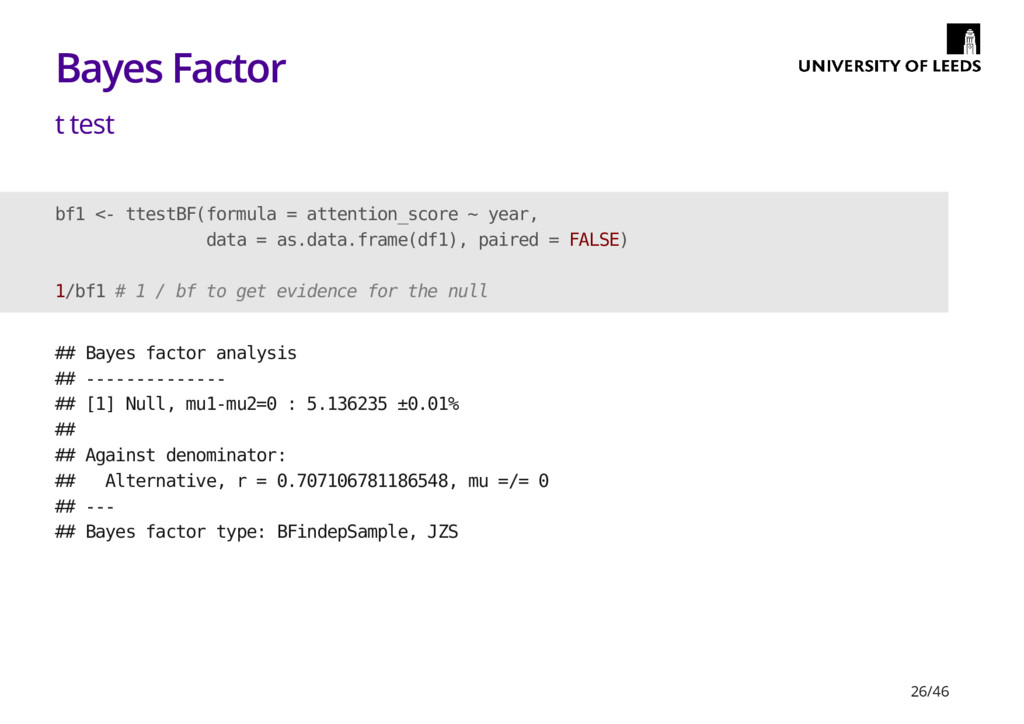
  23. Bayes Factor t test bf1 <- ttestBF(formula = attention_score ~

    year, data = as.data.frame(df1), paired = FALSE) 1/bf1 # 1 / bf to get evidence for the null ## Bayes factor analysis ## -------------- ## [1] Null, mu1-mu2=0 : 5.136235 ±0.01% ## ## Against denominator: ## Alternative, r = 0.707106781186548, mu =/= 0 ## --- ## Bayes factor type: BFindepSample, JZS 26/46
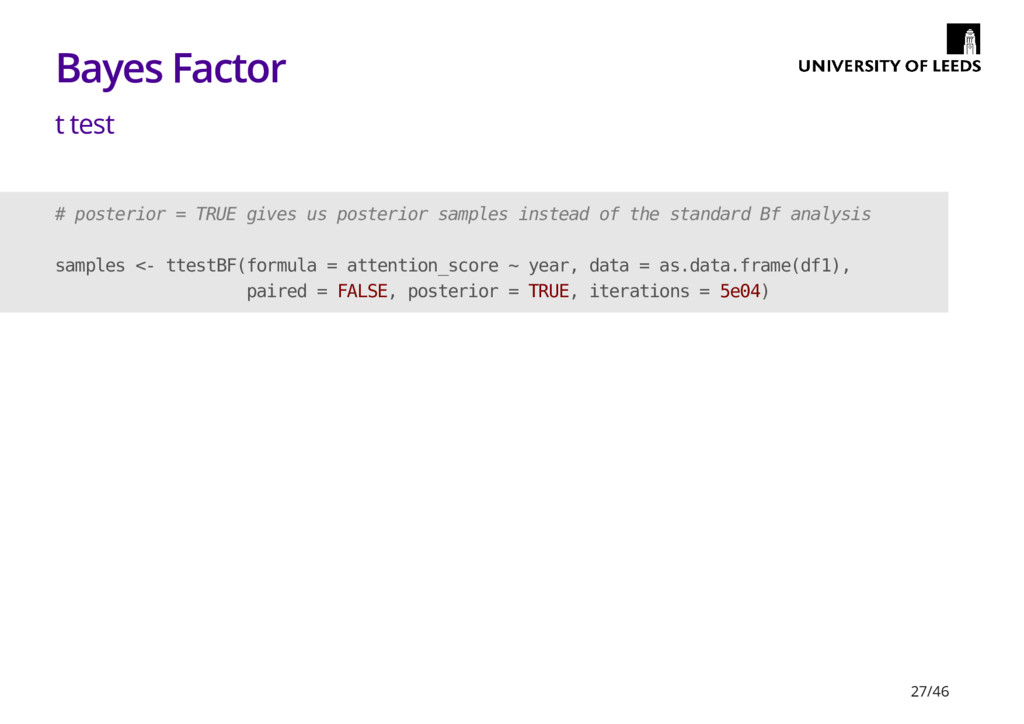
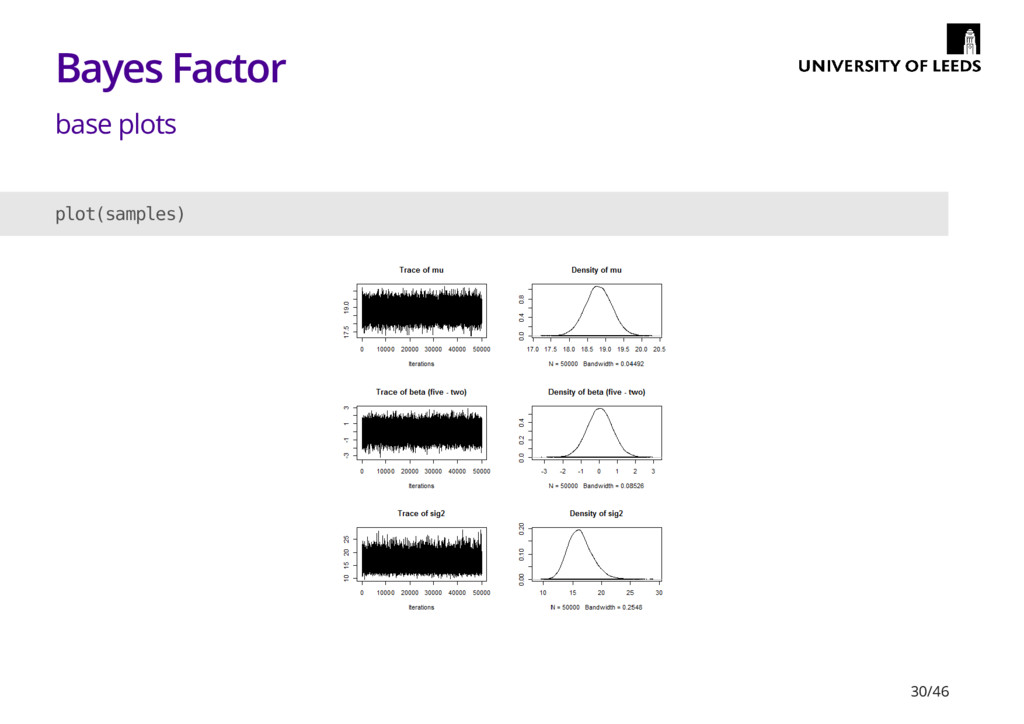
  24. Bayes Factor t test # posterior = TRUE gives us

    posterior samples instead of the standard Bf analysis samples <- ttestBF(formula = attention_score ~ year, data = as.data.frame(df1), paired = FALSE, posterior = TRUE, iterations = 5e04) 27/46
  25. Bayes Factor t test summary(samples)[1] ## $statistics ## Mean SD

    Naive SE Time-series SE ## mu 18.745373506 0.3707352 0.0016579783 0.0016579783 ## beta (five - two) -0.039050159 0.7037814 0.0031474061 0.0031474061 ## sig2 16.457029690 2.1639970 0.0096776886 0.0098506180 ## delta -0.009577135 0.1735540 0.0007761569 0.0007761569 ## g 2.960366489 66.2033385 0.2960703303 0.2960703303 28/46
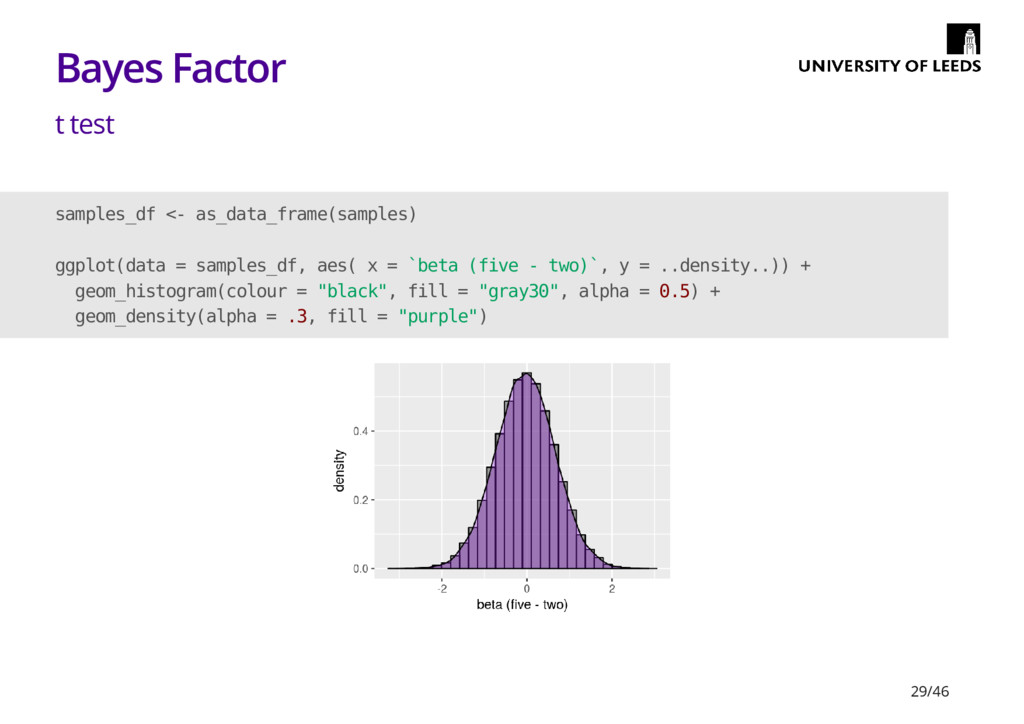
  26. Bayes Factor t test samples_df <- as_data_frame(samples) ggplot(data = samples_df,

    aes( x = `beta (five - two)`, y = ..density..)) + geom_histogram(colour = "black", fill = "gray30", alpha = 0.5) + geom_density(alpha = .3, fill = "purple") 29/46
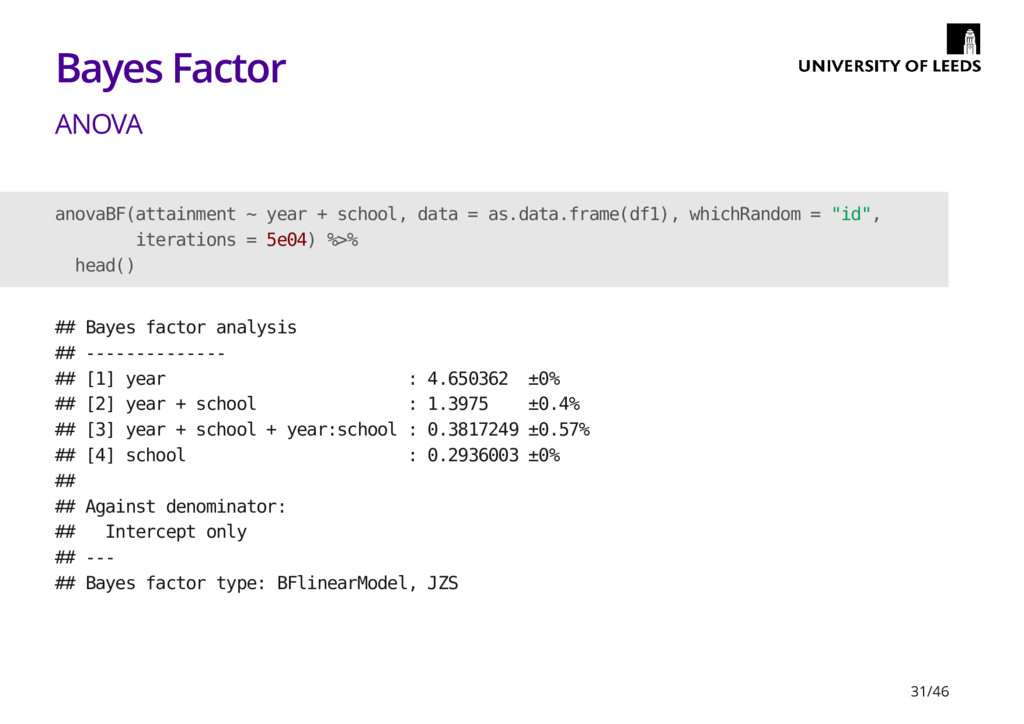
  27. Bayes Factor ANOVA anovaBF(attainment ~ year + school, data =

    as.data.frame(df1), whichRandom = "id", iterations = 5e04) %>% head() ## Bayes factor analysis ## -------------- ## [1] year : 4.650362 ±0% ## [2] year + school : 1.3975 ±0.4% ## [3] year + school + year:school : 0.3817249 ±0.57% ## [4] school : 0.2936003 ±0% ## ## Against denominator: ## Intercept only ## --- ## Bayes factor type: BFlinearModel, JZS 31/46
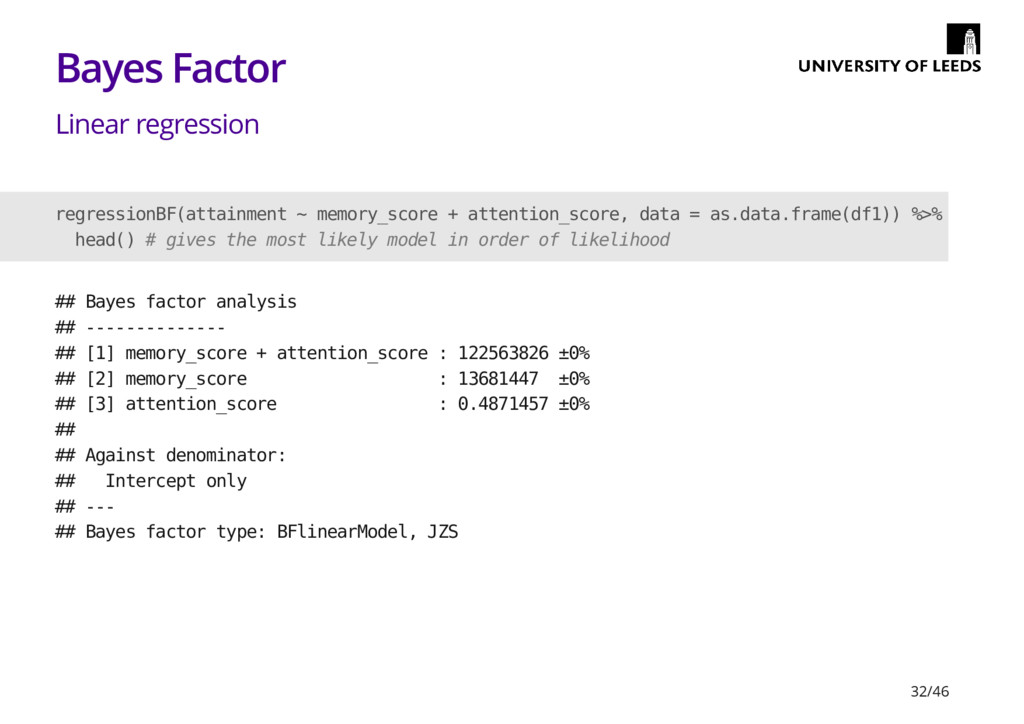
  28. Bayes Factor Linear regression regressionBF(attainment ~ memory_score + attention_score, data

    = as.data.frame(df1)) %>% head() # gives the most likely model in order of likelihood ## Bayes factor analysis ## -------------- ## [1] memory_score + attention_score : 122563826 ±0% ## [2] memory_score : 13681447 ±0% ## [3] attention_score : 0.4871457 ±0% ## ## Against denominator: ## Intercept only ## --- ## Bayes factor type: BFlinearModel, JZS 32/46
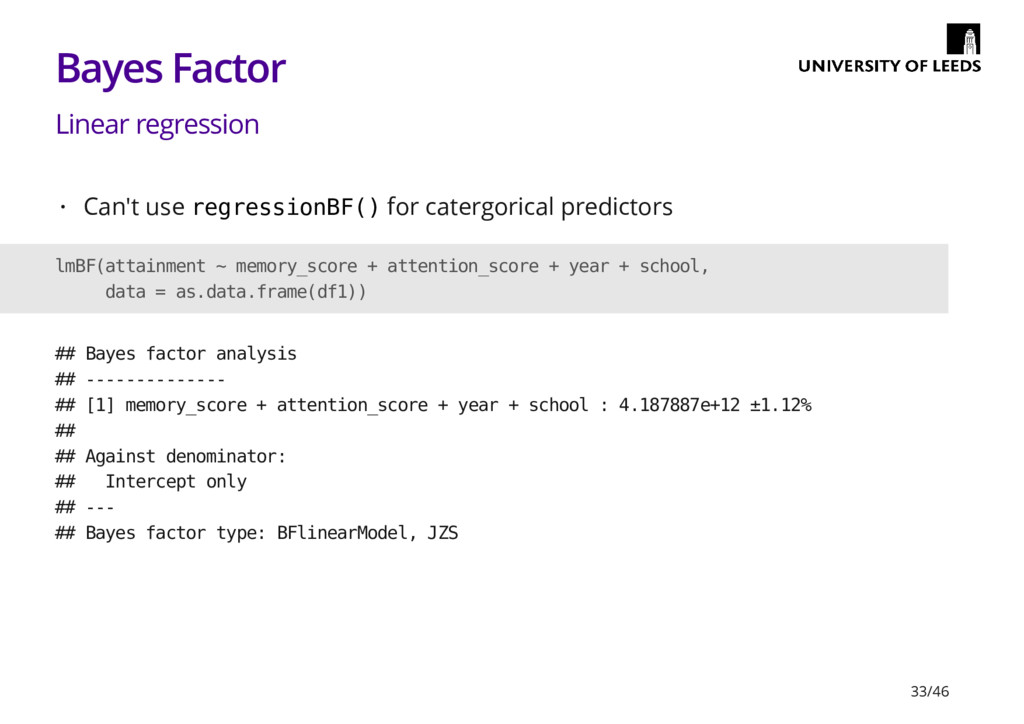
  29. Bayes Factor Linear regression Can't use regressionBF() for catergorical predictors

    · lmBF(attainment ~ memory_score + attention_score + year + school, data = as.data.frame(df1)) ## Bayes factor analysis ## -------------- ## [1] memory_score + attention_score + year + school : 4.187887e+12 ±1.12% ## ## Against denominator: ## Intercept only ## --- ## Bayes factor type: BFlinearModel, JZS 33/46
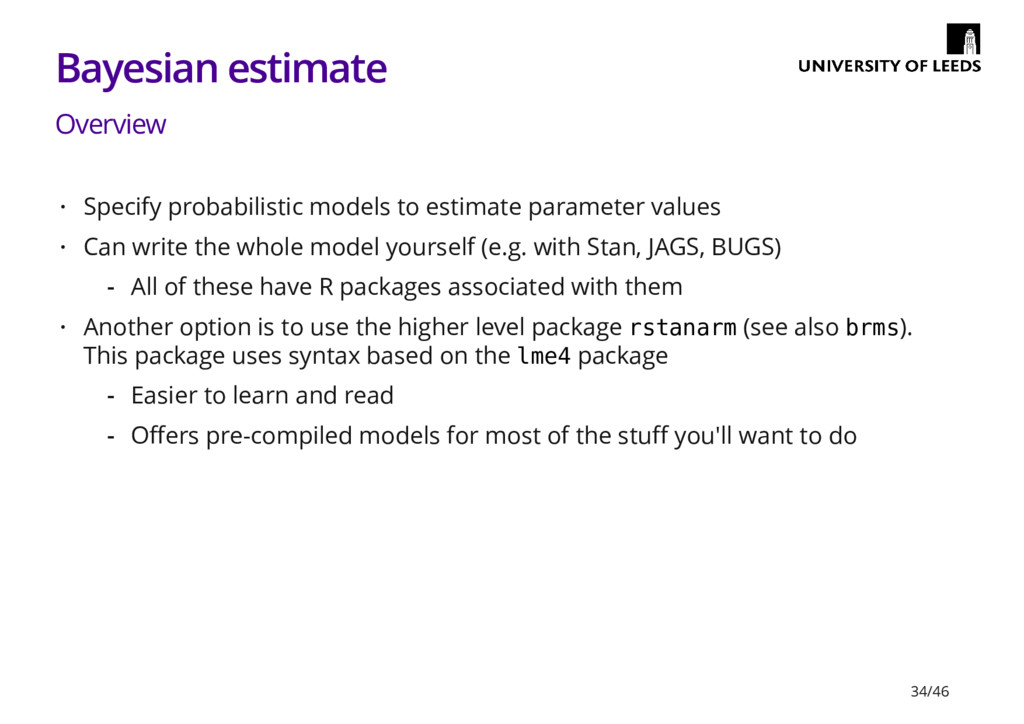
  30. Bayesian estimate Overview Specify probabilistic models to estimate parameter values

    Can write the whole model yourself (e.g. with Stan, JAGS, BUGS) Another option is to use the higher level package rstanarm (see also brms). This package uses syntax based on the lme4 package · · All of these have R packages associated with them - · Easier to learn and read Offers pre-compiled models for most of the stuff you'll want to do - - 34/46
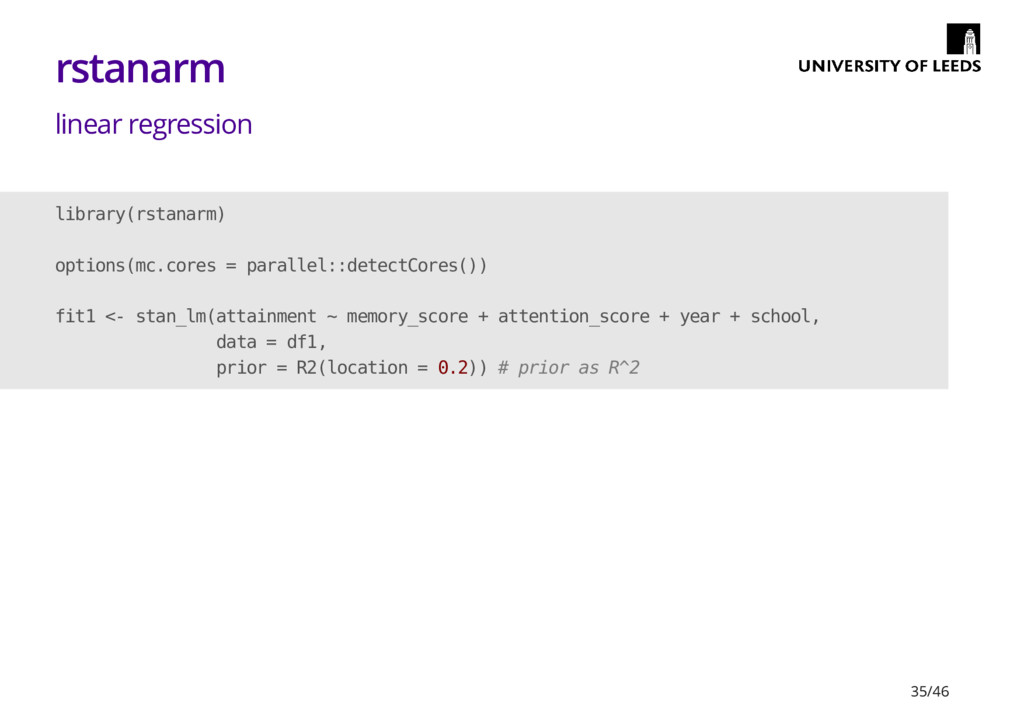
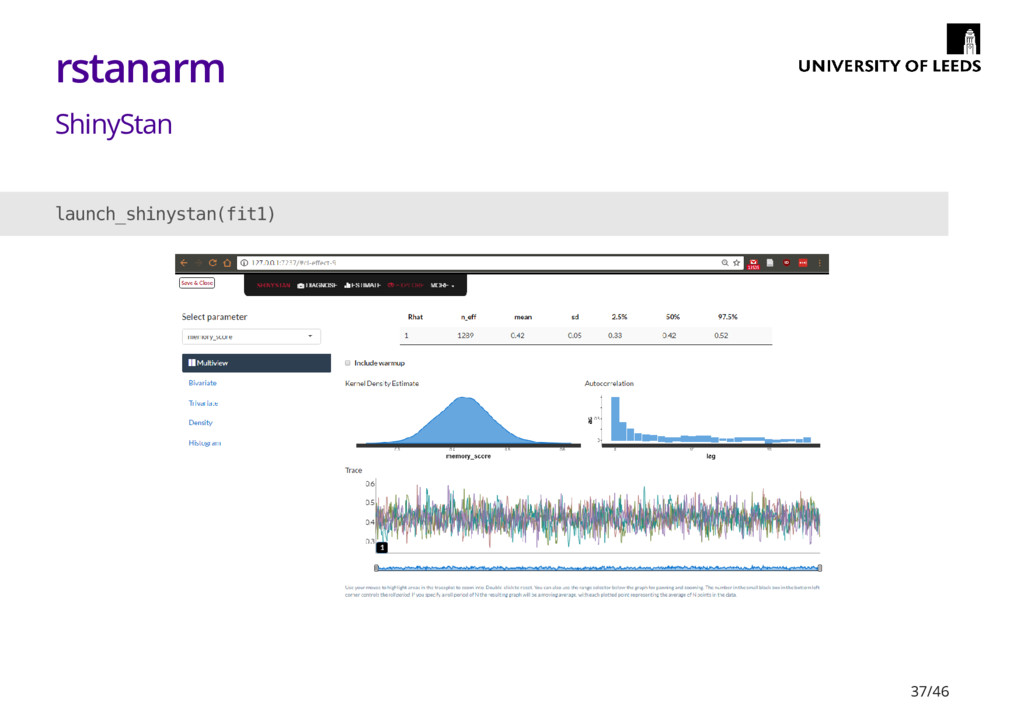
  31. rstanarm linear regression library(rstanarm) options(mc.cores = parallel::detectCores()) fit1 <- stan_lm(attainment

    ~ memory_score + attention_score + year + school, data = df1, prior = R2(location = 0.2)) # prior as R^2 35/46
  32. rstanarm linear regression fit1 ## stan_lm ## family: gaussian [identity]

    ## formula: attainment ~ memory_score + attention_score + year + school ## ------ ## ## Estimates: ## Median MAD_SD ## (Intercept) 2.7 1.2 ## memory_score 0.4 0.0 ## attention_score 0.2 0.0 ## yeartwo 2.0 0.4 ## schoolschool2 -0.4 0.4 ## sigma 2.1 0.1 ## log-fit_ratio 0.0 0.1 ## R2 0.4 0.1 ## ## Sample avg. posterior predictive ## distribution of y (X = xbar): 36/46
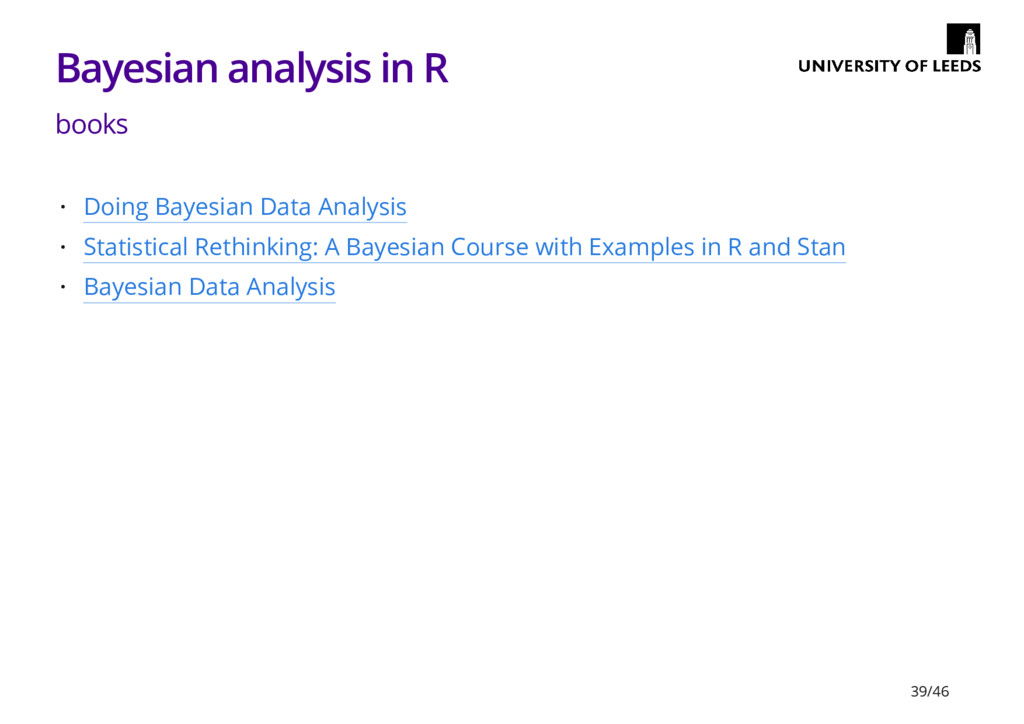
  33. Bayesian analysis in R books Doing Bayesian Data Analysis Statistical

    Rethinking: A Bayesian Course with Examples in R and Stan Bayesian Data Analysis · · · 39/46
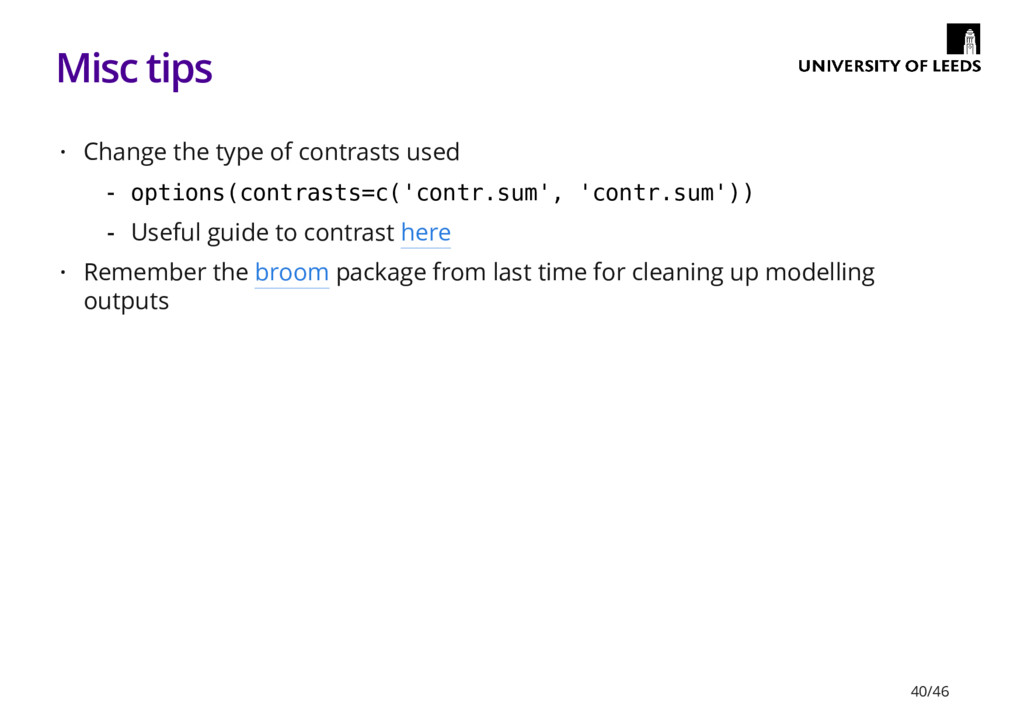
  34. Misc tips Change the type of contrasts used Remember the

    broom package from last time for cleaning up modelling outputs · options(contrasts=c('contr.sum', 'contr.sum')) Useful guide to contrast here - - · 40/46
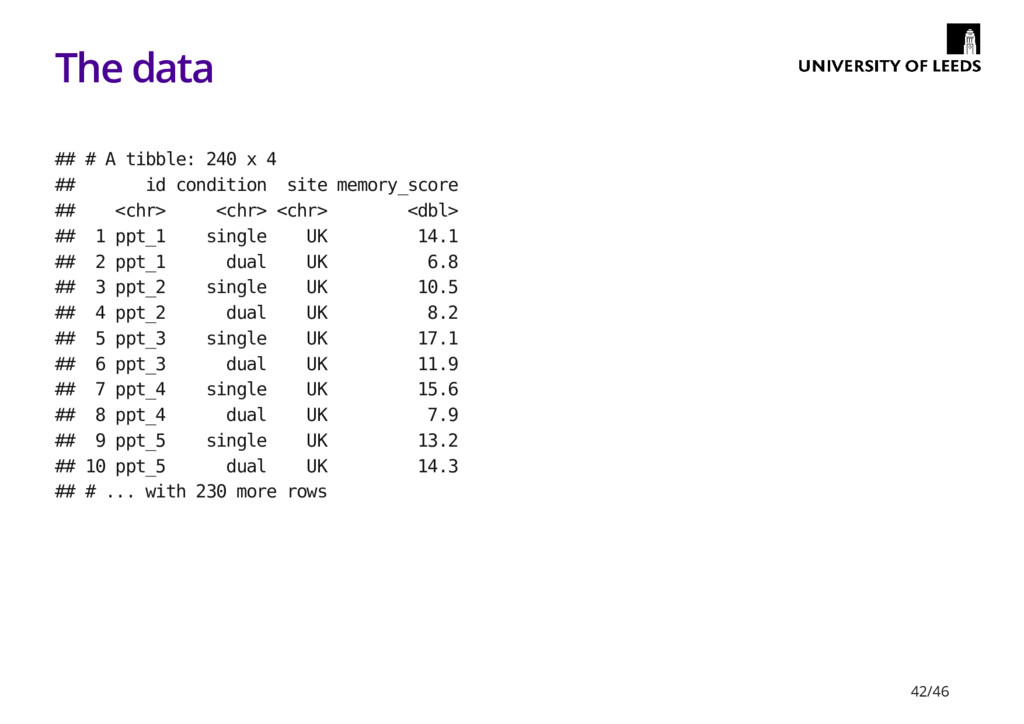
  35. The data ## # A tibble: 240 x 4 ##

    id condition site memory_score ## <chr> <chr> <chr> <dbl> ## 1 ppt_1 single UK 14.1 ## 2 ppt_1 dual UK 6.8 ## 3 ppt_2 single UK 10.5 ## 4 ppt_2 dual UK 8.2 ## 5 ppt_3 single UK 17.1 ## 6 ppt_3 dual UK 11.9 ## 7 ppt_4 single UK 15.6 ## 8 ppt_4 dual UK 7.9 ## 9 ppt_5 single UK 13.2 ## 10 ppt_5 dual UK 14.3 ## # ... with 230 more rows 42/46
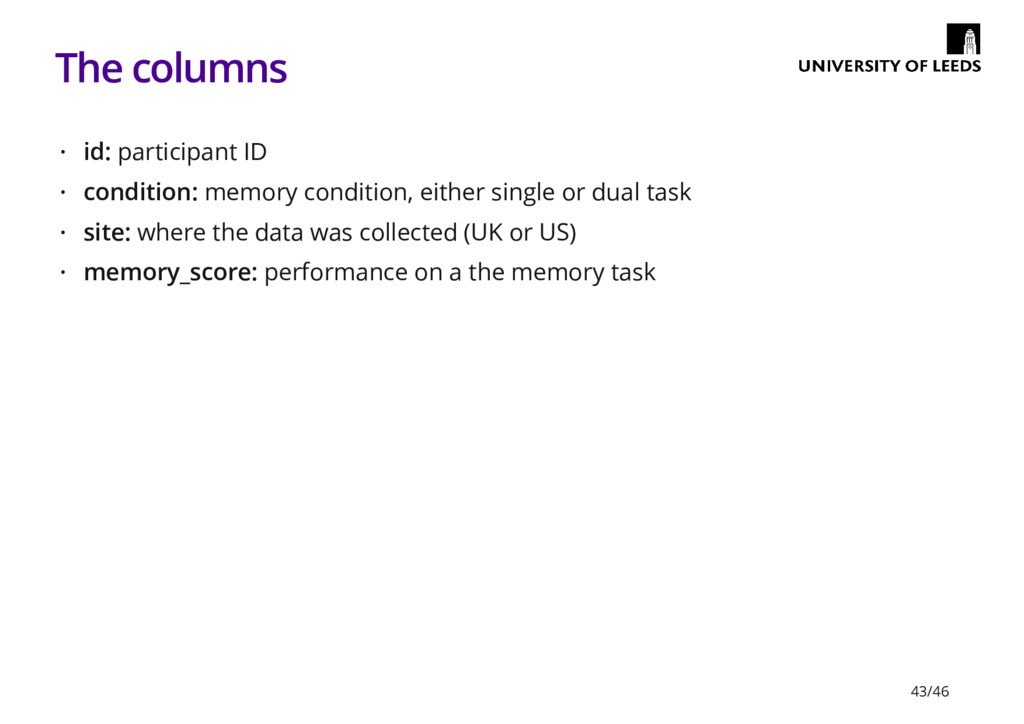
  36. The columns id: participant ID condition: memory condition, either single

    or dual task site: where the data was collected (UK or US) memory_score: performance on a the memory task · · · · 43/46
  37. The questions Is there a difference in performance between the

    two conditions? Does it matter where the data was collected? Do condition and where the data was collected interact? Optional (advanced): does baseline performance vary by participant? · · · · 44/46
  38. Additional things to try Put the data is wide format

    Make some plots · I.e. columns for UK_single, UK_dual, US_single, US_dual - · 45/46