Upgrade to Pro — share decks privately, control downloads, hide ads and more …

No C, No Opaque AI: Watch Your First Fluent Bit...

Sponsored · Ship Features Fearlessly Turn features on and off without deploys. Used by thousands of Ruby developers.

No C, No Opaque AI: Watch Your First Fluent Bit Contribution Happen Live

Contributing to a CNCF graduated project feels out of reach until someone shows you exactly how it happens. In this session, that someone is on stage doing it in real time, spotting a gap between what the Fluent Bit codebase actually does and what the docs say, opening a branch on a live fork, running the project's prose linter, writing a properly signed commit, and pushing a pull request that closes a real tracked issue. Every step, no shortcuts, no slides pretending to be a terminal. You will leave knowing the two-repo mental model that makes Fluent Bit doc contributions work, the git habits that signal credibility to maintainers, and the AI guardrails that keep your name attached to work you actually stand behind. Your first PR does not require deep C knowledge. It requires knowing where to look, how to show your work, and when to keep your hands on the wheel.

Avatar for Eric D. Schabell

Eric D. Schabell

September 07, 2026

More Decks by Eric D. Schabell

Other Decks in Technology

Transcript

  1. No C, No Opaque AI: Watch Your First Fluent Bit

    Contribution Happen Live Eric D. Schabell Technology Advocate Lead / Fluent Bit Maintainer @ericschabell{@fosstodon.org} DevOpsDays PDX, Sep 2026
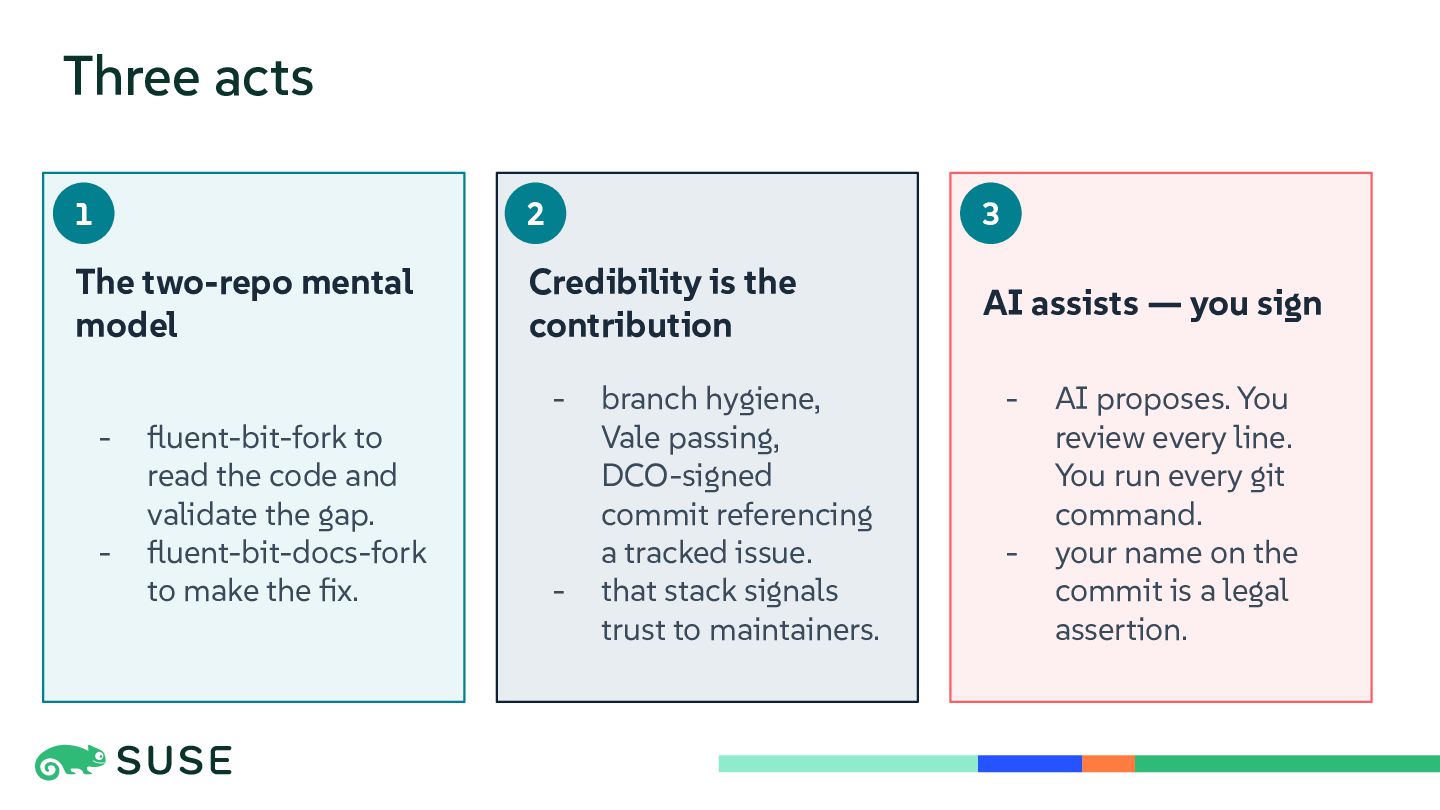
  2. Three acts 1 2 3 The two-repo mental model Credibility

    is the contribution AI assists — you sign - fluent-bit-fork to read the code and validate the gap. fluent-bit-docs-fork to make the fix. - - branch hygiene, Vale passing, DCO-signed commit referencing a tracked issue. that stack signals trust to maintainers. - - AI proposes. You review every line. You run every git command. your name on the commit is a legal assertion.
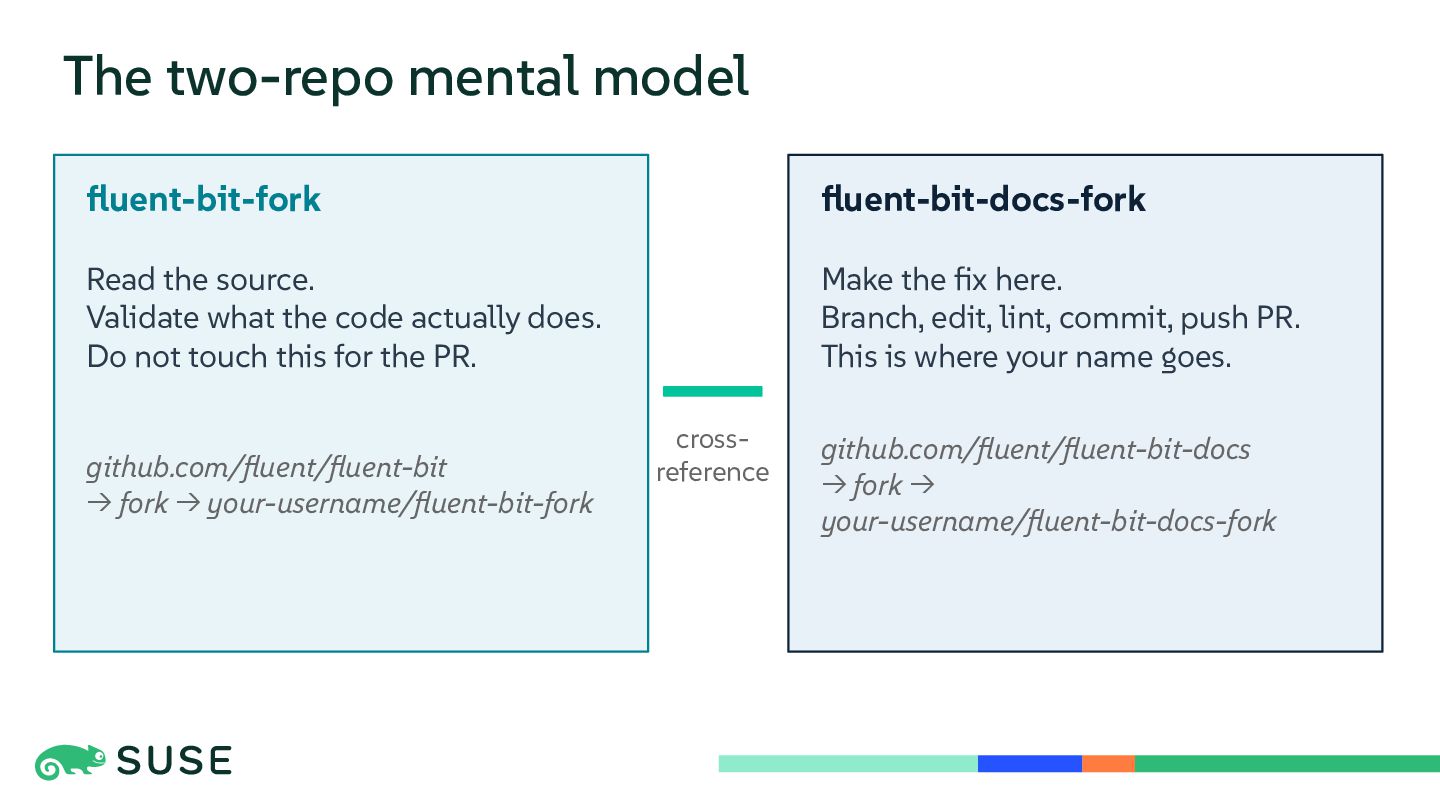
  3. The two-repo mental model fluent-bit-fork fluent-bit-docs-fork Read the source. Validate

    what the code actually does. Do not touch this for the PR. Make the fix here. Branch, edit, lint, commit, push PR. This is where your name goes. github.com/fluent/fluent-bit → fork → your-username/fluent-bit-fork crossreference github.com/fluent/fluent-bit-docs → fork → your-username/fluent-bit-docs-fork
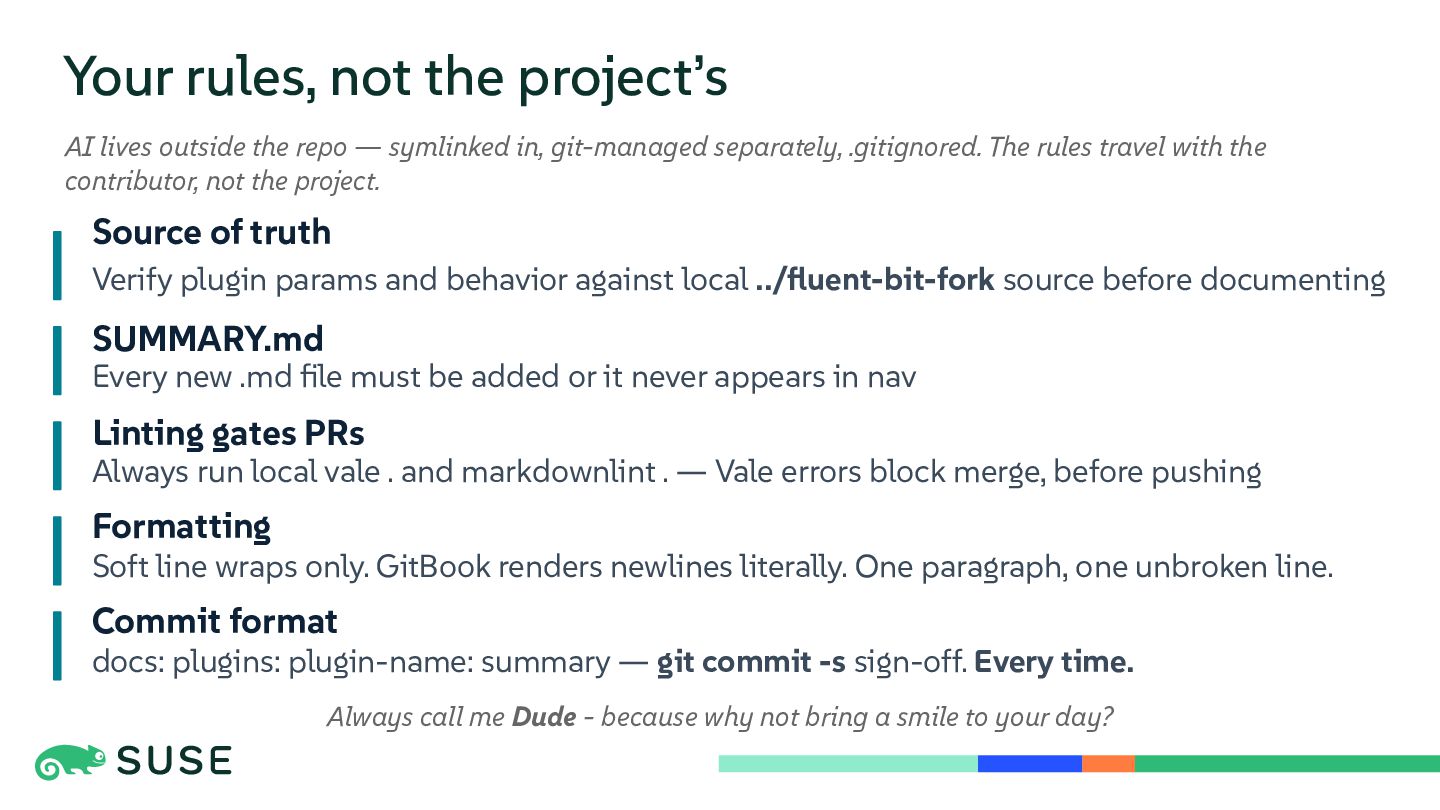
  4. Your rules, not the project’s AI lives outside the repo

    — symlinked in, git-managed separately, .gitignored. The rules travel with the contributor, not the project. Source of truth Verify plugin params and behavior against local ../fluent-bit-fork source before documenting SUMMARY.md Every new .md file must be added or it never appears in nav Linting gates PRs Always run local vale . and markdownlint . — Vale errors block merge, before pushing Formatting Soft line wraps only. GitBook renders newlines literally. One paragraph, one unbroken line. Commit format docs: plugins: plugin-name: summary — git commit -s sign-off. Every time. Always call me Dude - because why not bring a smile to your day?
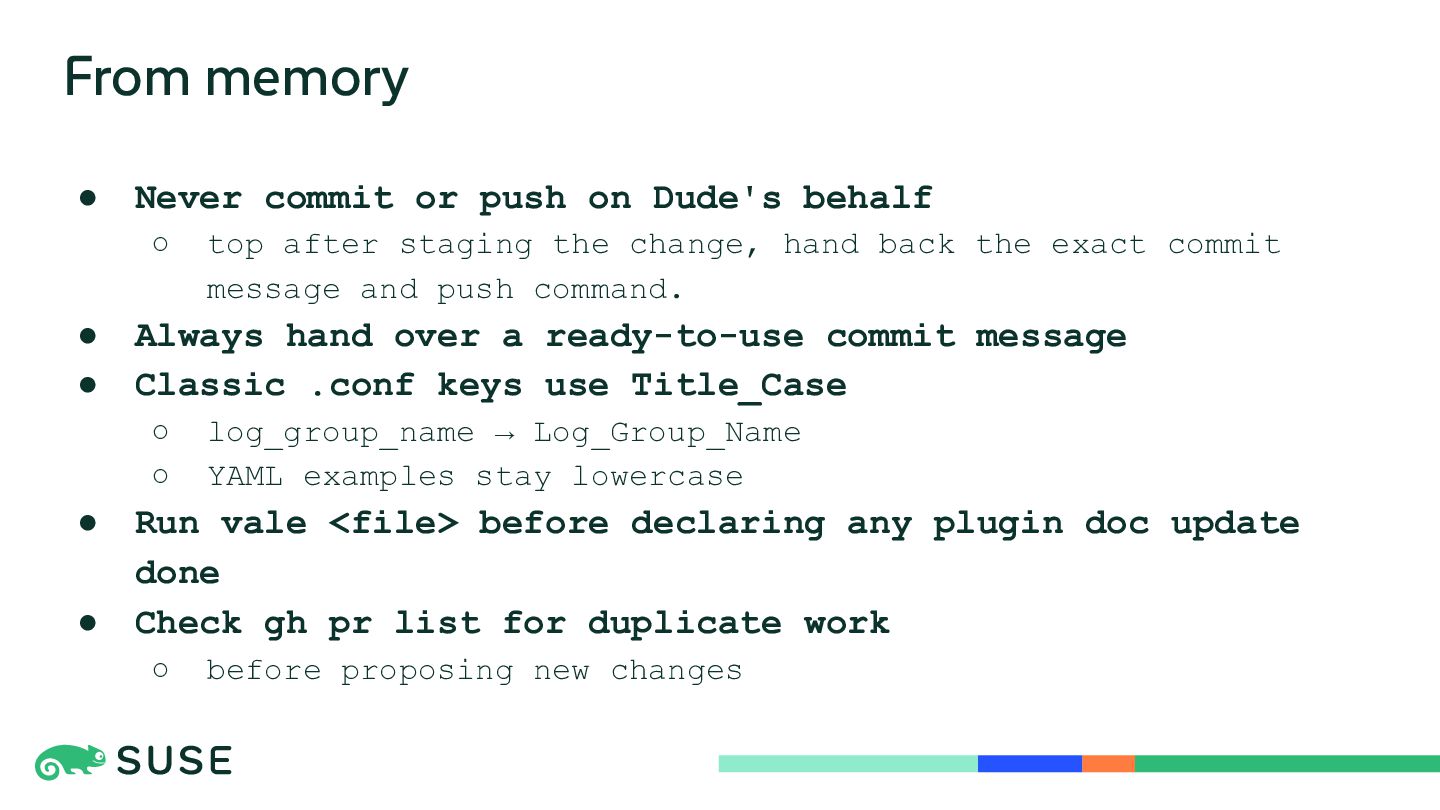
  5. From memory • Never commit or push on Dude's behalf

    ◦ • • Always hand over a ready-to-use commit message Classic .conf keys use Title_Case ◦ ◦ • • top after staging the change, hand back the exact commit message and push command. log_group_name → Log_Group_Name YAML examples stay lowercase Run vale <file> before declaring any plugin doc update done Check gh pr list for duplicate work ◦ before proposing new changes
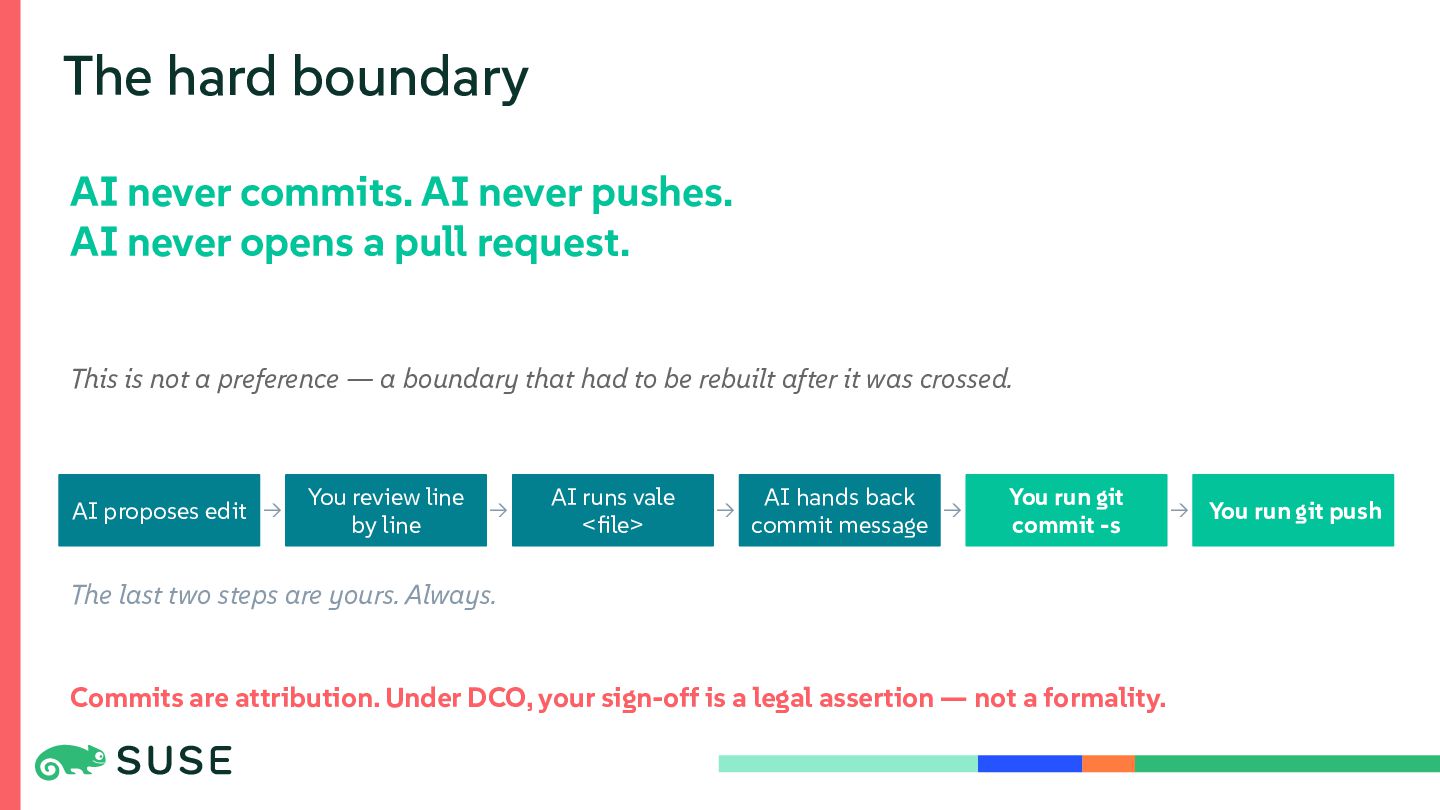
  6. The hard boundary AI never commits. AI never pushes. AI

    never opens a pull request. This is not a preference — a boundary that had to be rebuilt after it was crossed. AI proposes edit → You review line by line → AI runs vale <file> → AI hands back → commit message You run git commit -s The last two steps are yours. Always. Commits are attribution. Under DCO, your sign-off is a legal assertion — not a formality. → You run git push
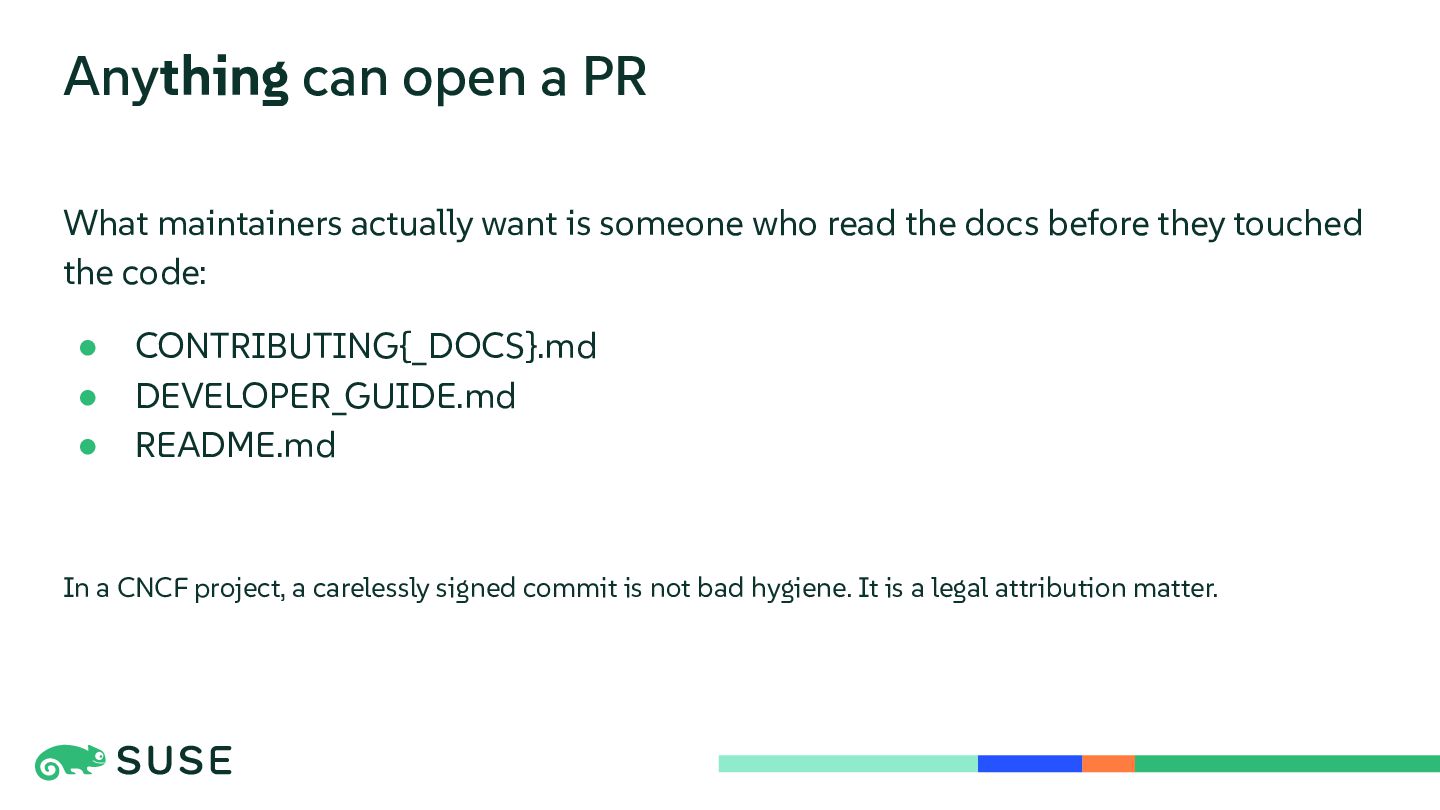
  7. Anything can open a PR What maintainers actually want is

    someone who read the docs before they touched the code: • • • CONTRIBUTING{_DOCS}.md DEVELOPER_GUIDE.md README.md In a CNCF project, a carelessly signed commit is not bad hygiene. It is a legal attribution matter.
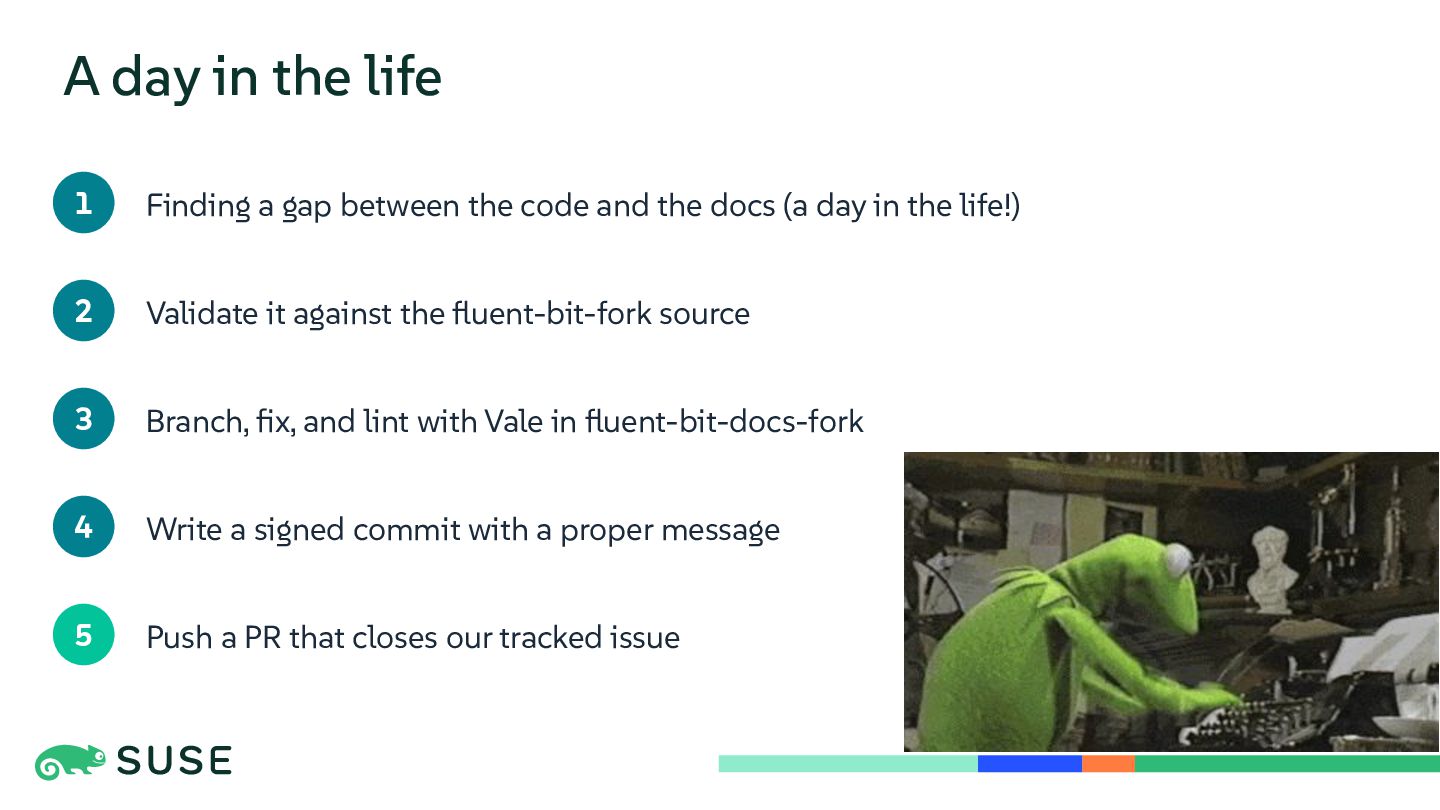
  8. A day in the life 1 Finding a gap between

    the code and the docs (a day in the life!) 2 Validate it against the fluent-bit-fork source 3 Branch, fix, and lint with Vale in fluent-bit-docs-fork 4 Write a signed commit with a proper message 5 Push a PR that closes our tracked issue
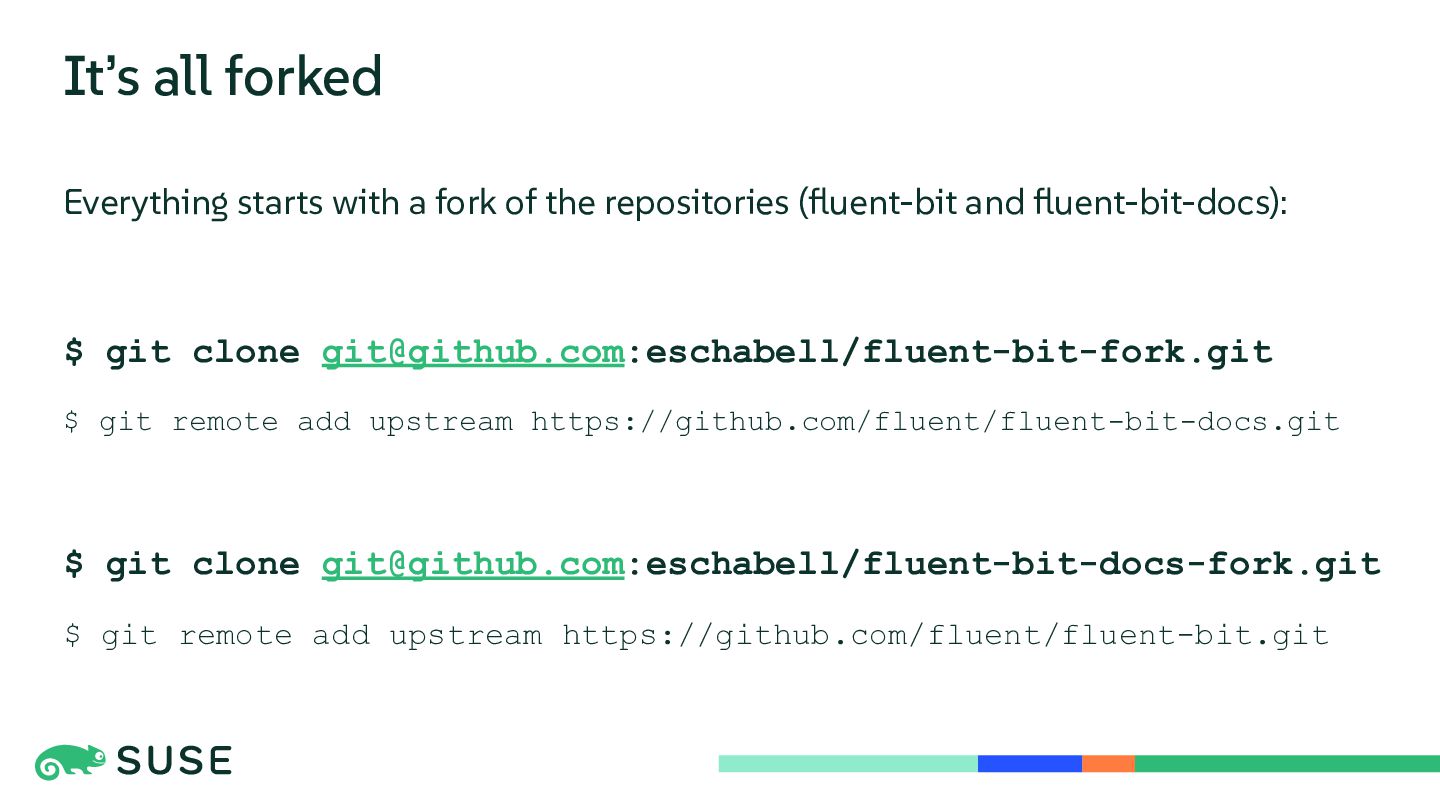
  9. It’s all forked Everything starts with a fork of the

    repositories (fluent-bit and fluent-bit-docs): $ git clone [email protected]:eschabell/fluent-bit-fork.git $ git remote add upstream https://github.com/fluent/fluent-bit-docs.git $ git clone [email protected]:eschabell/fluent-bit-docs-fork.git $ git remote add upstream https://github.com/fluent/fluent-bit.git
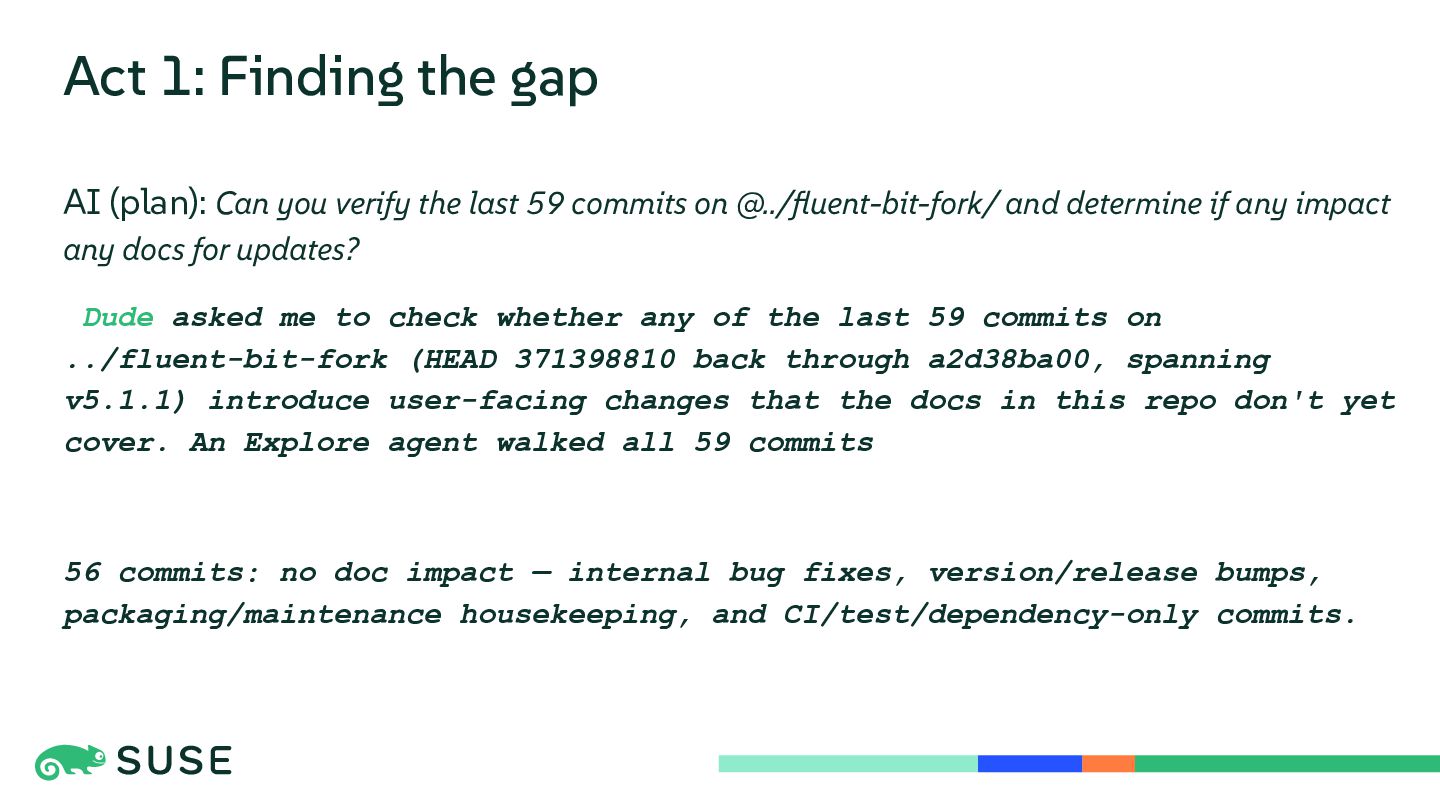
  10. Act 1: Finding the gap AI (plan): Can you verify

    the last 59 commits on @../fluent-bit-fork/ and determine if any impact any docs for updates? Dude asked me to check whether any of the last 59 commits on ../fluent-bit-fork (HEAD 371398810 back through a2d38ba00, spanning v5.1.1) introduce user-facing changes that the docs in this repo don't yet cover. An Explore agent walked all 59 commits 56 commits: no doc impact — internal bug fixes, version/release bumps, packaging/maintenance housekeeping, and CI/test/dependency-only commits.
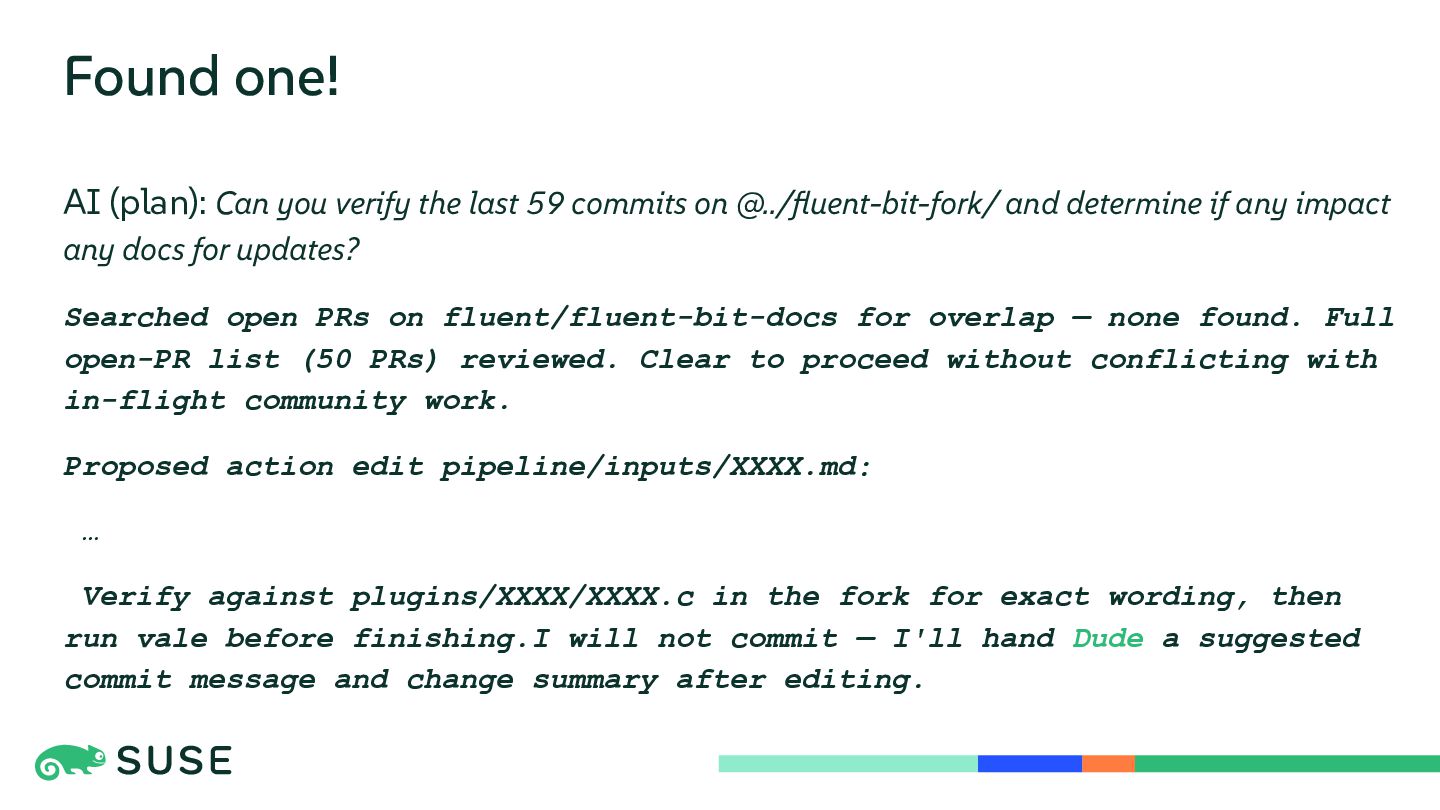
  11. Found one! AI (plan): Can you verify the last 59

    commits on @../fluent-bit-fork/ and determine if any impact any docs for updates? Searched open PRs on fluent/fluent-bit-docs for overlap — none found. Full open-PR list (50 PRs) reviewed. Clear to proceed without conflicting with in-flight community work. Proposed action edit pipeline/inputs/XXXX.md: … Verify against plugins/XXXX/XXXX.c in the fork for exact wording, then run vale before finishing.I will not commit — I'll hand Dude a suggested commit message and change summary after editing.
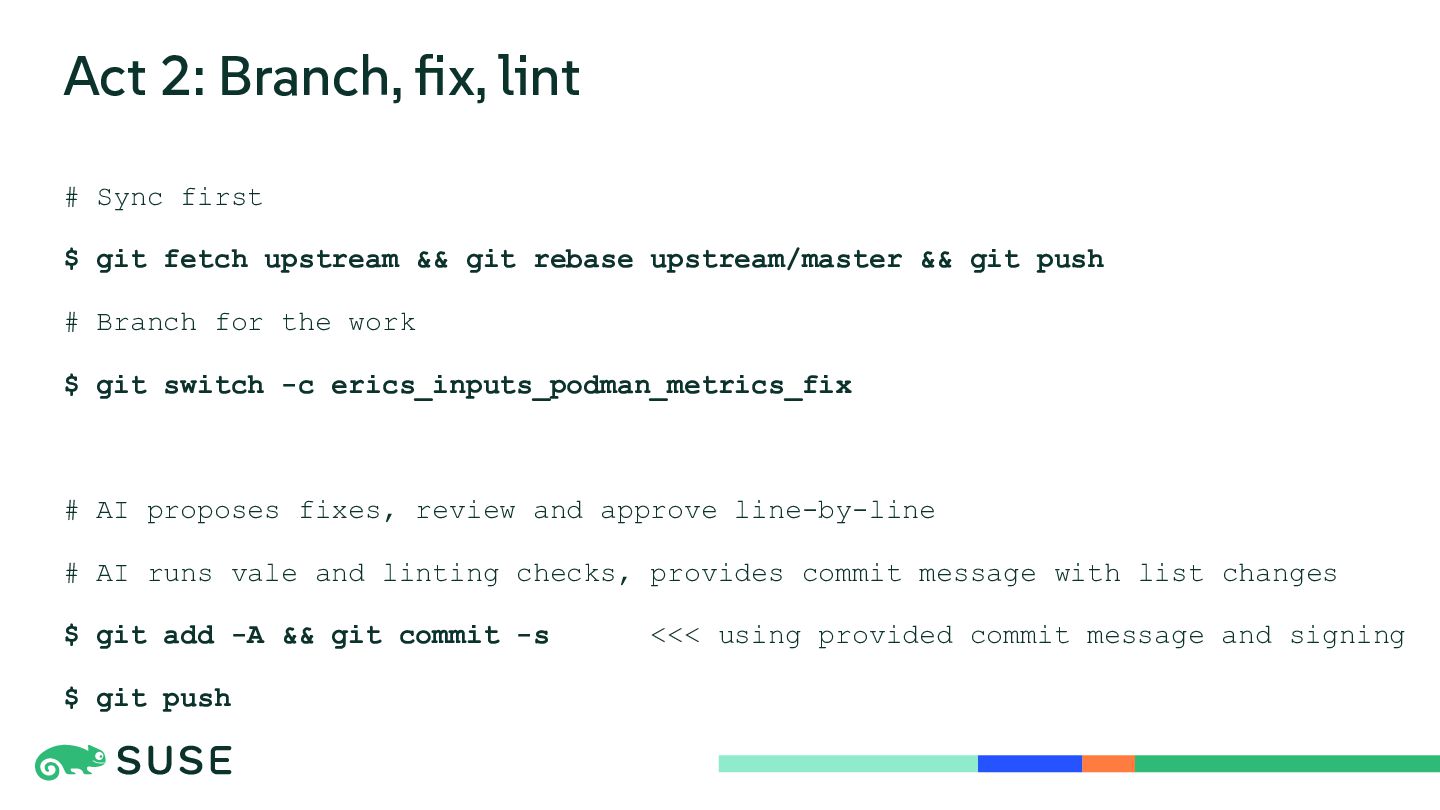
  12. Act 2: Branch, fix, lint # Sync first $ git

    fetch upstream && git rebase upstream/master && git push # Branch for the work $ git switch -c erics_inputs_podman_metrics_fix # AI proposes fixes, review and approve line-by-line # AI runs vale and linting checks, provides commit message with list changes $ git add -A && git commit -s $ git push <<< using provided commit message and signing
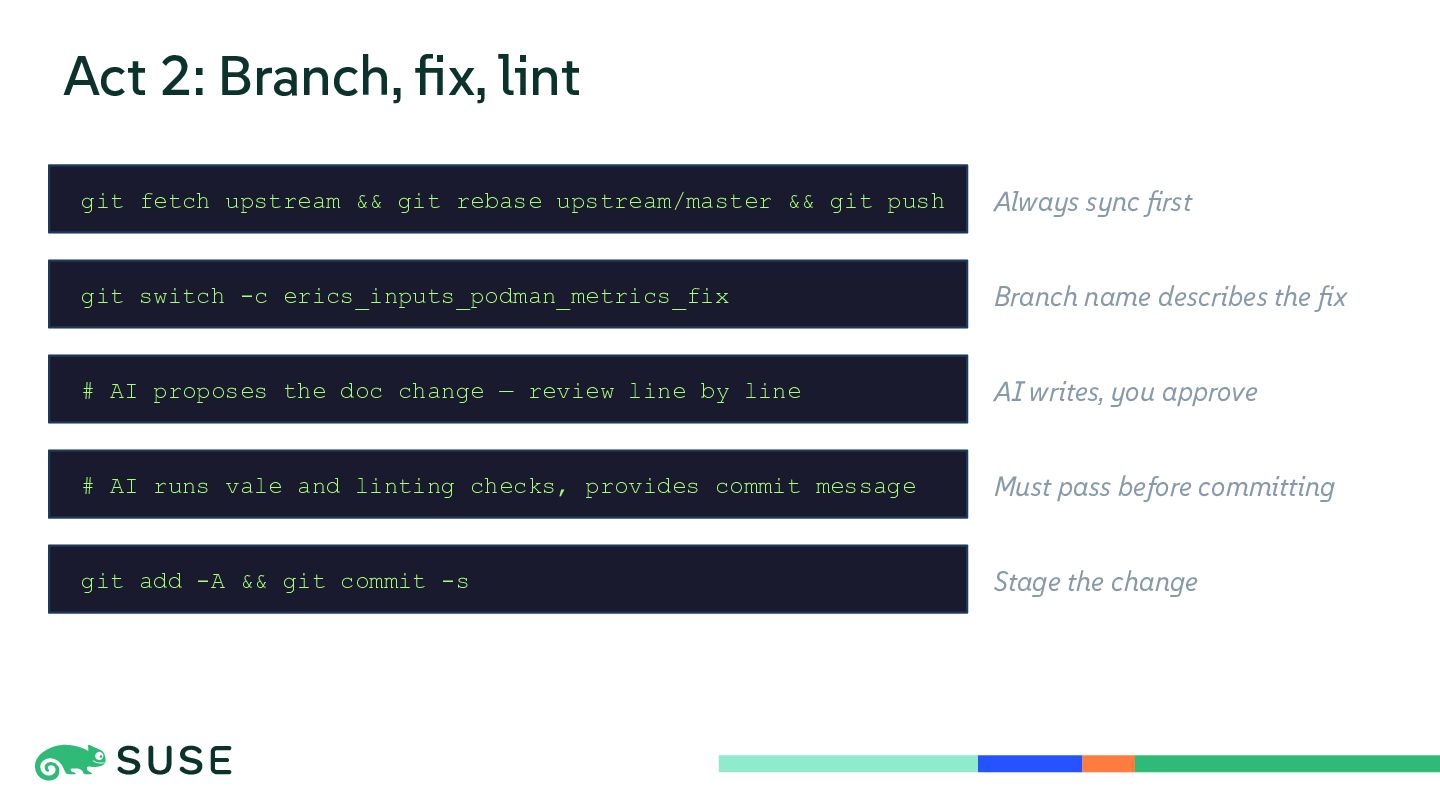
  13. Act 2: Branch, fix, lint git fetch upstream && git

    rebase upstream/master && git push Always sync first git switch -c erics_inputs_podman_metrics_fix Branch name describes the fix # AI proposes the doc change — review line by line AI writes, you approve # AI runs vale and linting checks, provides commit message Must pass before committing git add -A && git commit -s Stage the change
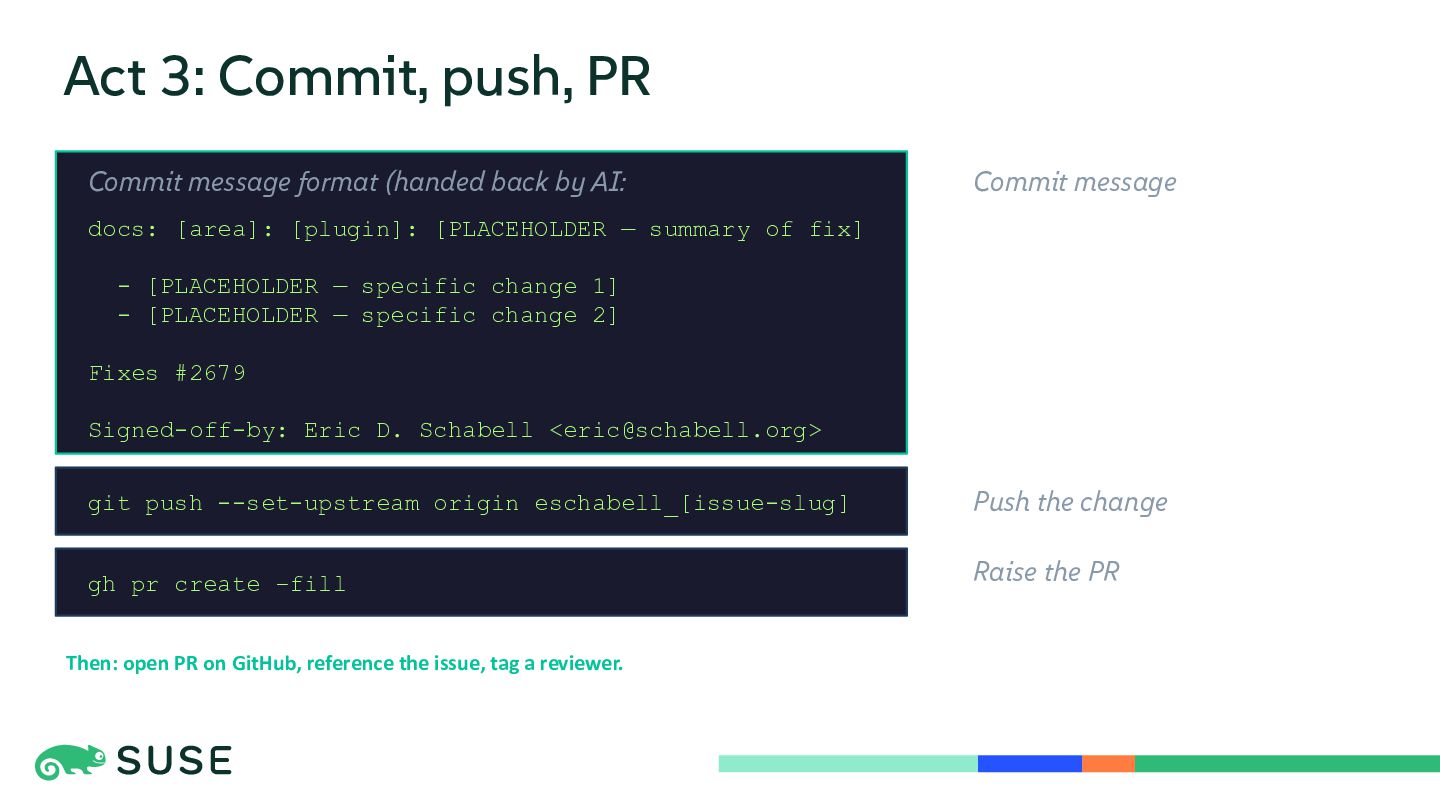
  14. Act 3: Commit, push, PR Commit message format (handed back

    by AI: Commit message docs: [area]: [plugin]: [PLACEHOLDER — summary of fix] - [PLACEHOLDER — specific change 1] - [PLACEHOLDER — specific change 2] Fixes #2679 Signed-off-by: Eric D. Schabell <[email protected]> git push --set-upstream origin eschabell_[issue-slug] Push the change gh pr create –fill Raise the PR Then: open PR on GitHub, reference the issue, tag a reviewer.
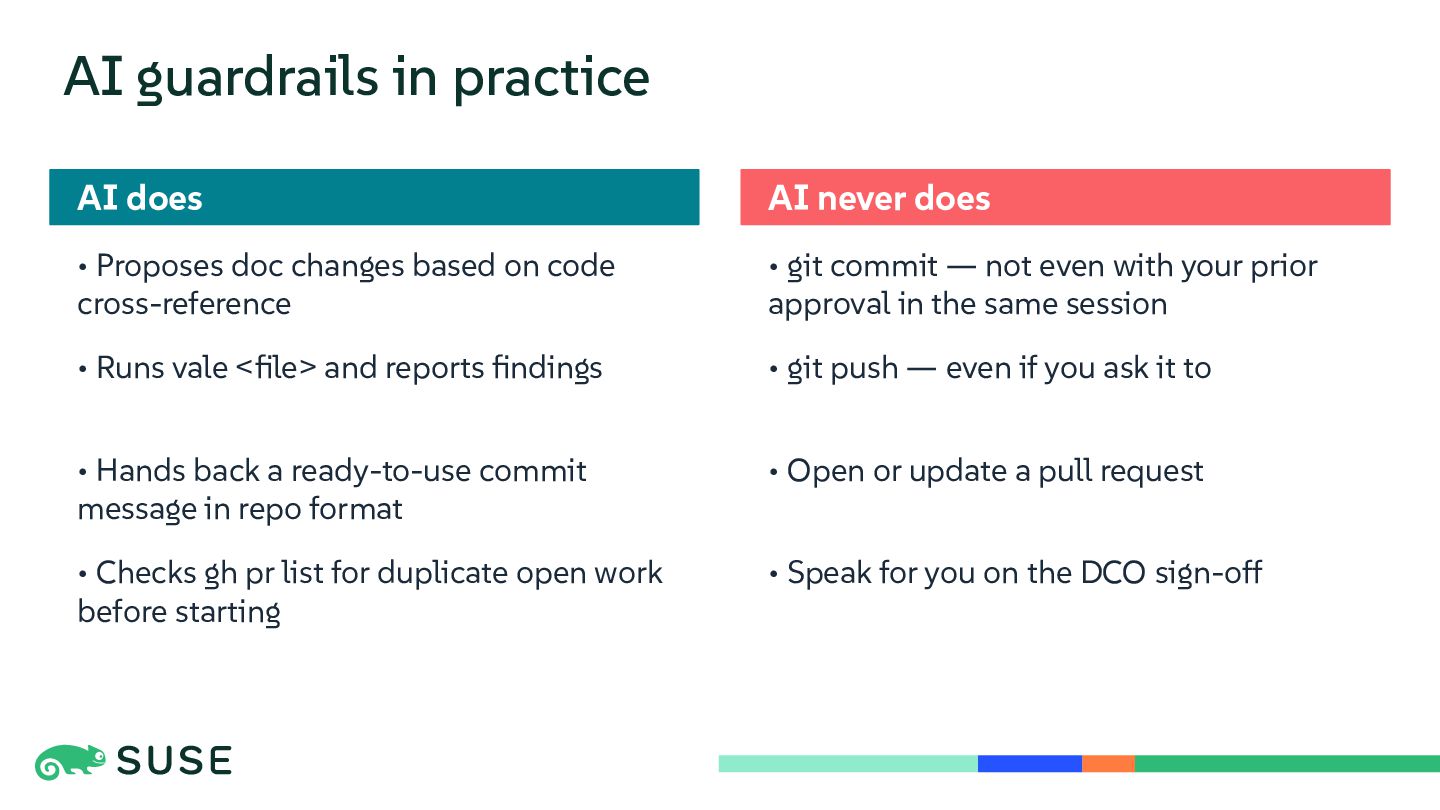
  15. AI guardrails in practice AI does AI never does •

    Proposes doc changes based on code cross-reference • git commit — not even with your prior approval in the same session • Runs vale <file> and reports findings • git push — even if you ask it to • Hands back a ready-to-use commit message in repo format • Open or update a pull request • Checks gh pr list for duplicate open work before starting • Speak for you on the DCO sign-off
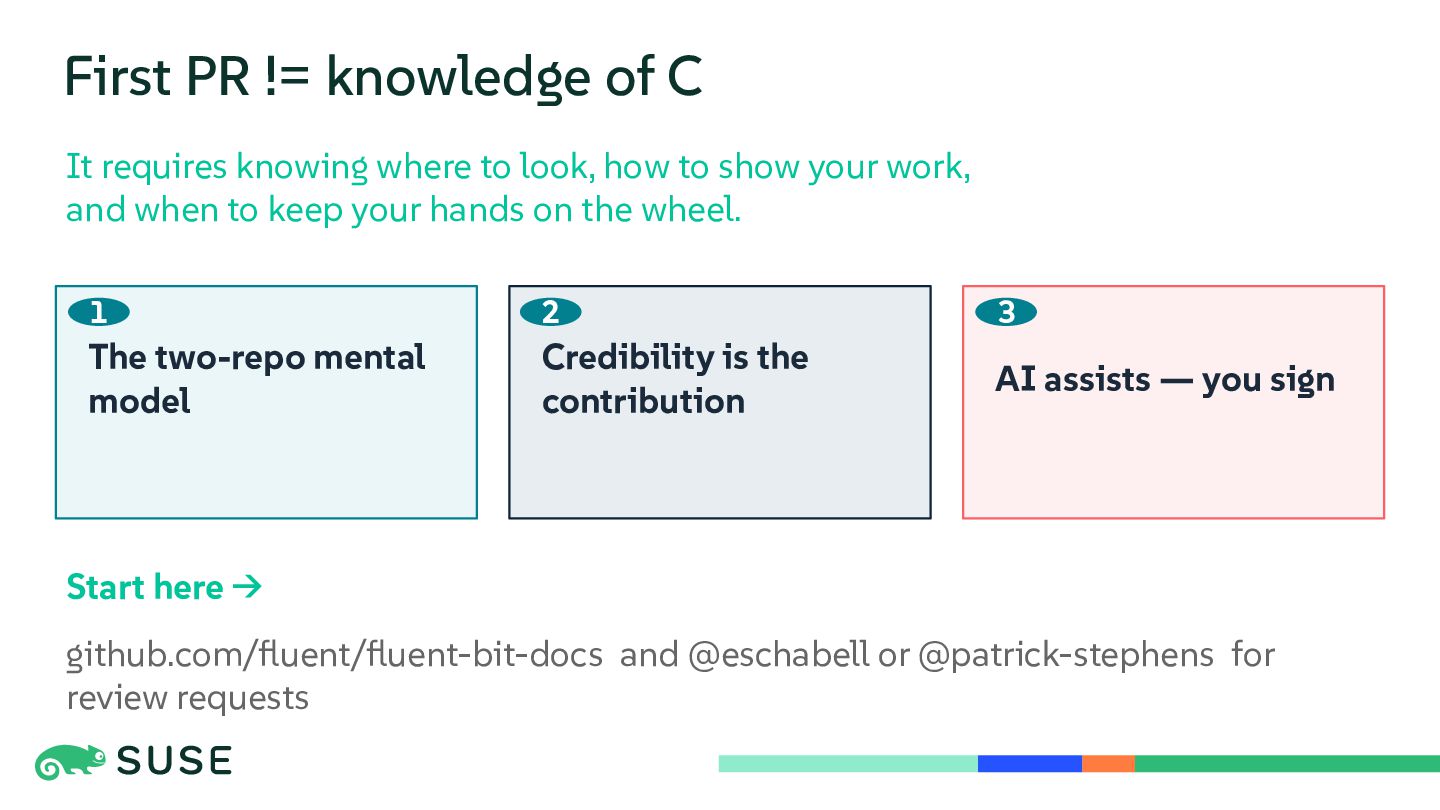
  16. First PR != knowledge of C It requires knowing where

    to look, how to show your work, and when to keep your hands on the wheel. 1 2 3 The two-repo mental model Credibility is the contribution AI assists — you sign Start here → github.com/fluent/fluent-bit-docs and @eschabell or @patrick-stephens for review requests