Upgrade to Pro — share decks privately, control downloads, hide ads and more …

Opal.rb

Sponsored · Ship Features Fearlessly Turn features on and off without deploys. Used by thousands of Ruby developers.

 Opal.rb

Avatar for Michał Kalbarczyk

Michał Kalbarczyk

September 04, 2015
Tweet

More Decks by Michał Kalbarczyk

Other Decks in Programming

Transcript

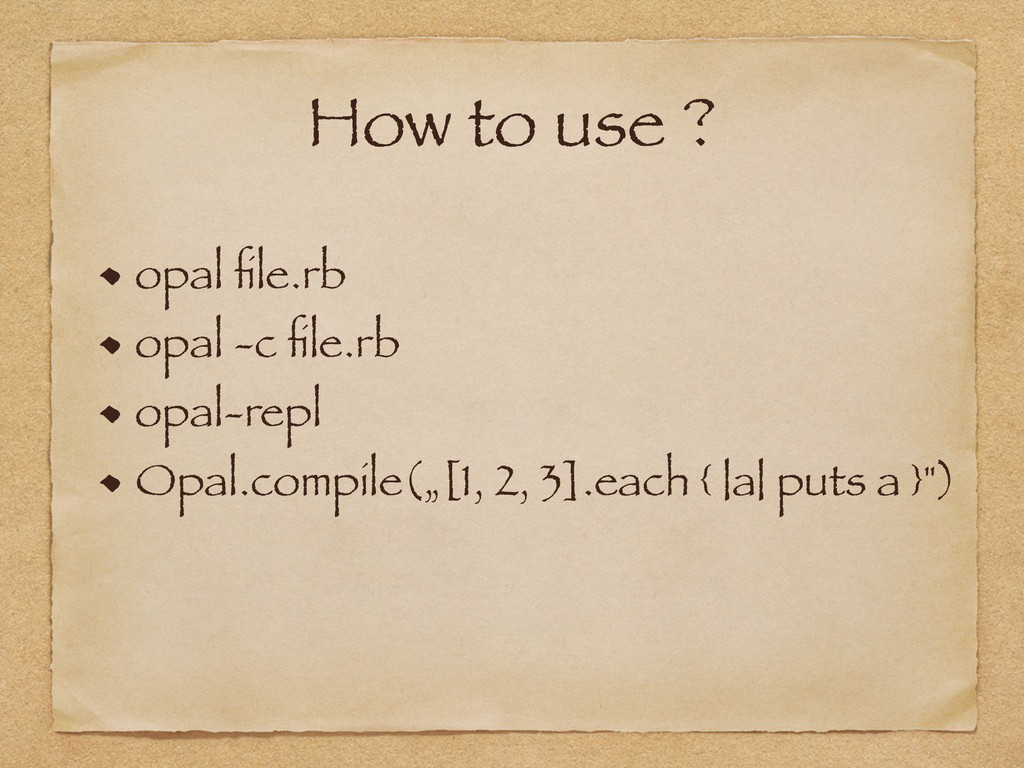
  1. How to use ? opal file.rb opal -c file.rb opal-repl

    Opal.compile(„[1, 2, 3].each { |a| puts a }")
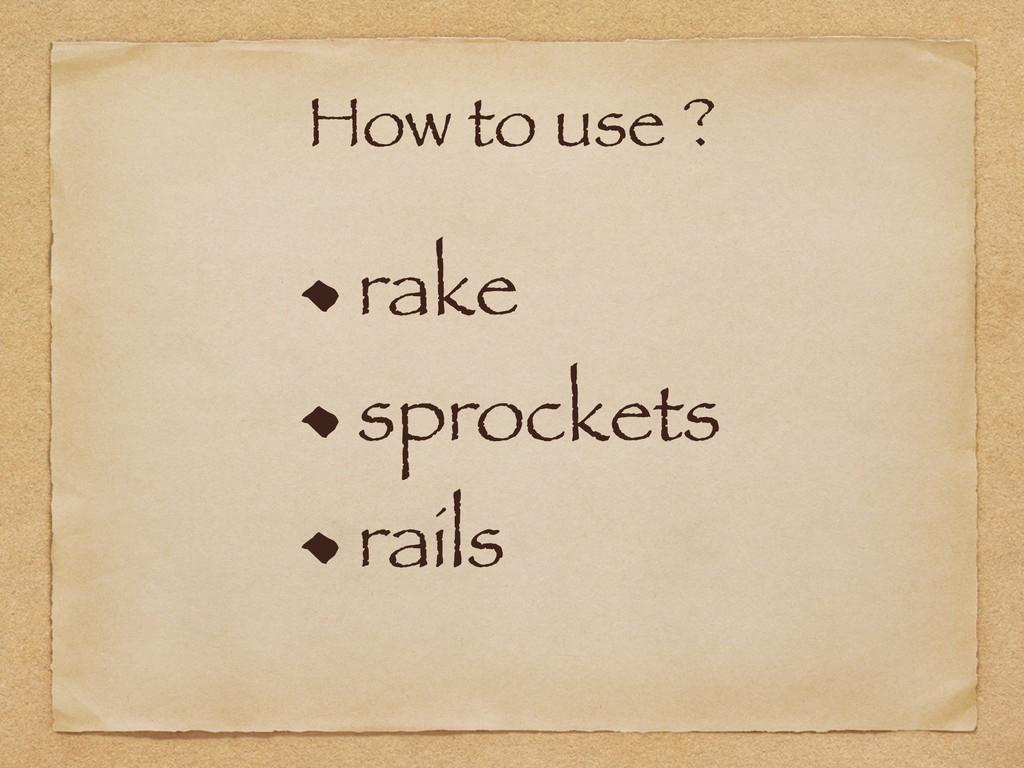
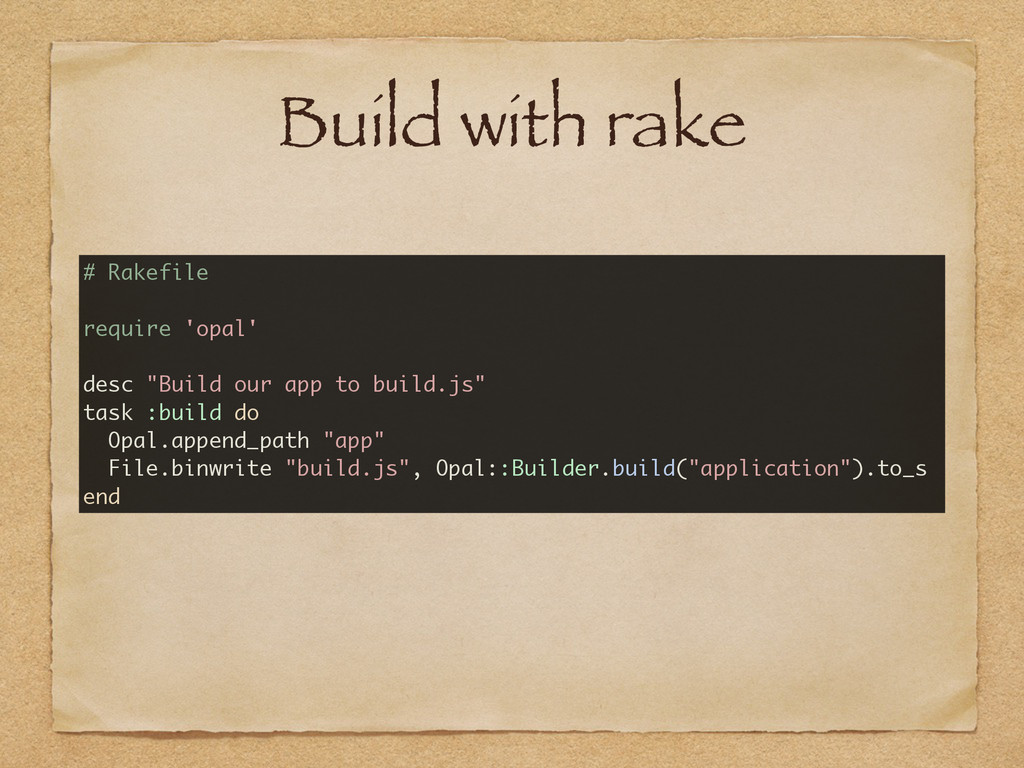
  2. Build with rake # Rakefile require 'opal' desc "Build our

    app to build.js" task :build do Opal.append_path "app" File.binwrite "build.js", Opal::Builder.build("application").to_s end
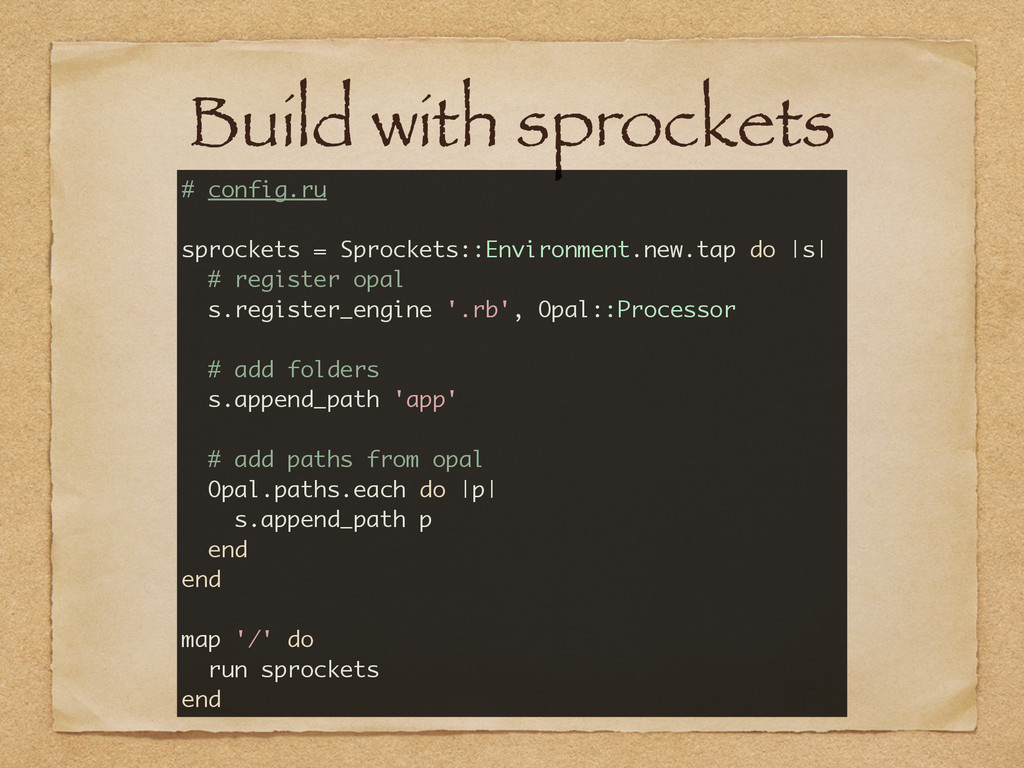
  3. Build with sprockets # config.ru sprockets = Sprockets::Environment.new.tap do |s|

    # register opal s.register_engine '.rb', Opal::Processor # add folders s.append_path 'app' # add paths from opal Opal.paths.each do |p| s.append_path p end end map '/' do run sprockets end
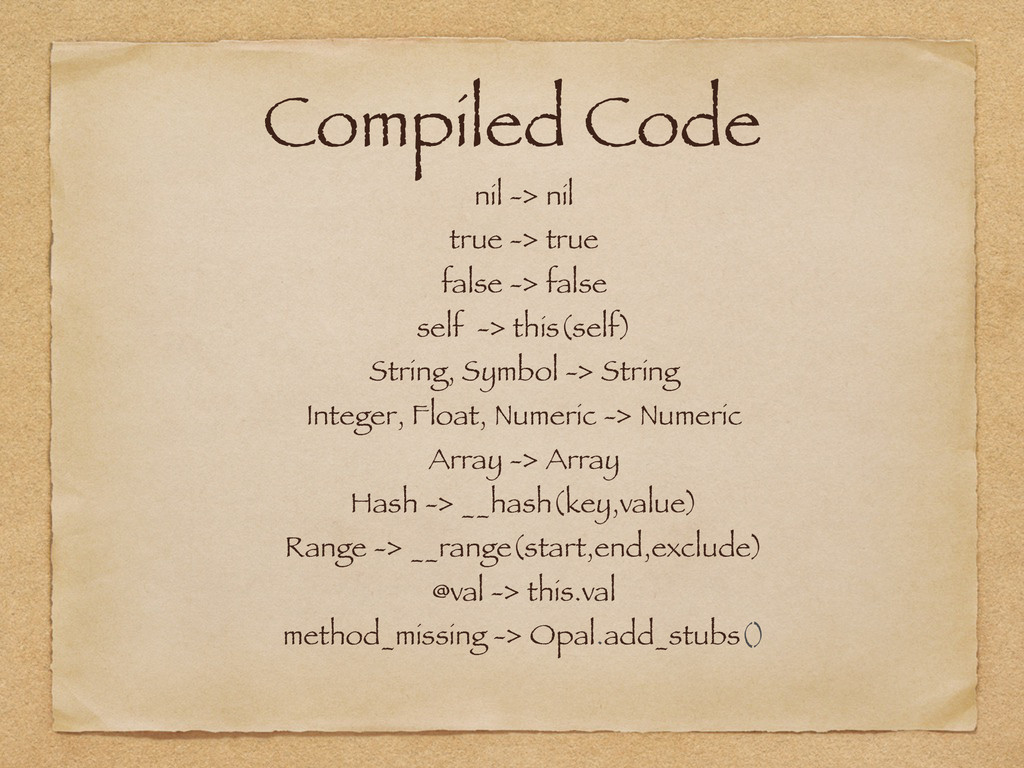
  4. Compiled Code nil -> nil true -> true false ->

    false self -> this(self) String, Symbol -> String Integer, Float, Numeric -> Numeric Array -> Array Hash -> __hash(key,value) Range -> __range(start,end,exclude) @val -> this.val method_missing -> Opal.add_stubs()
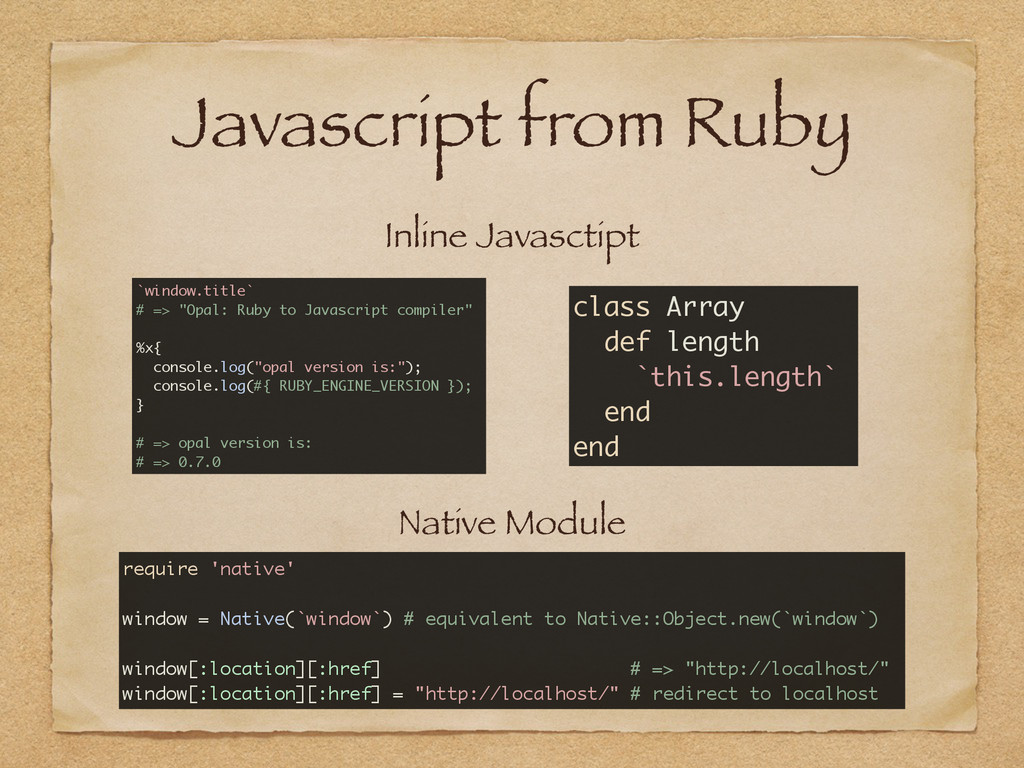
  5. Javascript from Ruby Inline Javasctipt Native Module `window.title` # =>

    "Opal: Ruby to Javascript compiler" %x{ console.log("opal version is:"); console.log(#{ RUBY_ENGINE_VERSION }); } # => opal version is: # => 0.7.0 class Array def length `this.length` end end require 'native' window = Native(`window`) # equivalent to Native::Object.new(`window`) window[:location][:href] # => "http://localhost/" window[:location][:href] = "http://localhost/" # redirect to localhost
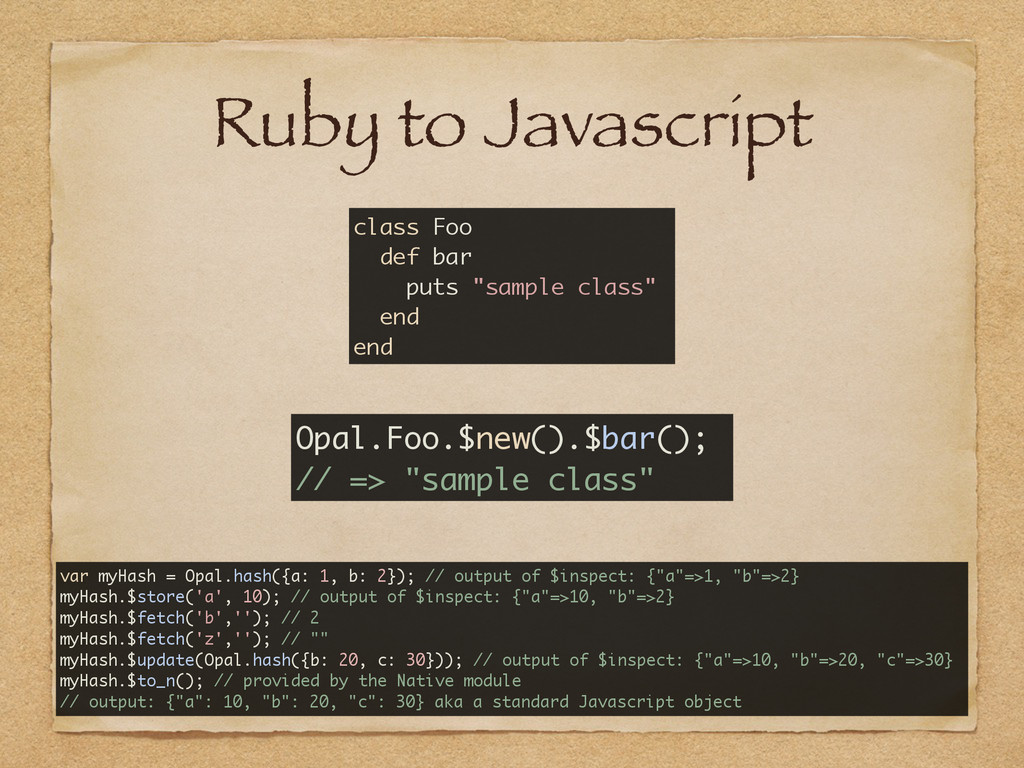
  6. Ruby to Javascript class Foo def bar puts "sample class"

    end end Opal.Foo.$new().$bar(); // => "sample class" var myHash = Opal.hash({a: 1, b: 2}); // output of $inspect: {"a"=>1, "b"=>2} myHash.$store('a', 10); // output of $inspect: {"a"=>10, "b"=>2} myHash.$fetch('b',''); // 2 myHash.$fetch('z',''); // "" myHash.$update(Opal.hash({b: 20, c: 30})); // output of $inspect: {"a"=>10, "b"=>20, "c"=>30} myHash.$to_n(); // provided by the Native module // output: {"a": 10, "b": 20, "c": 30} aka a standard Javascript object
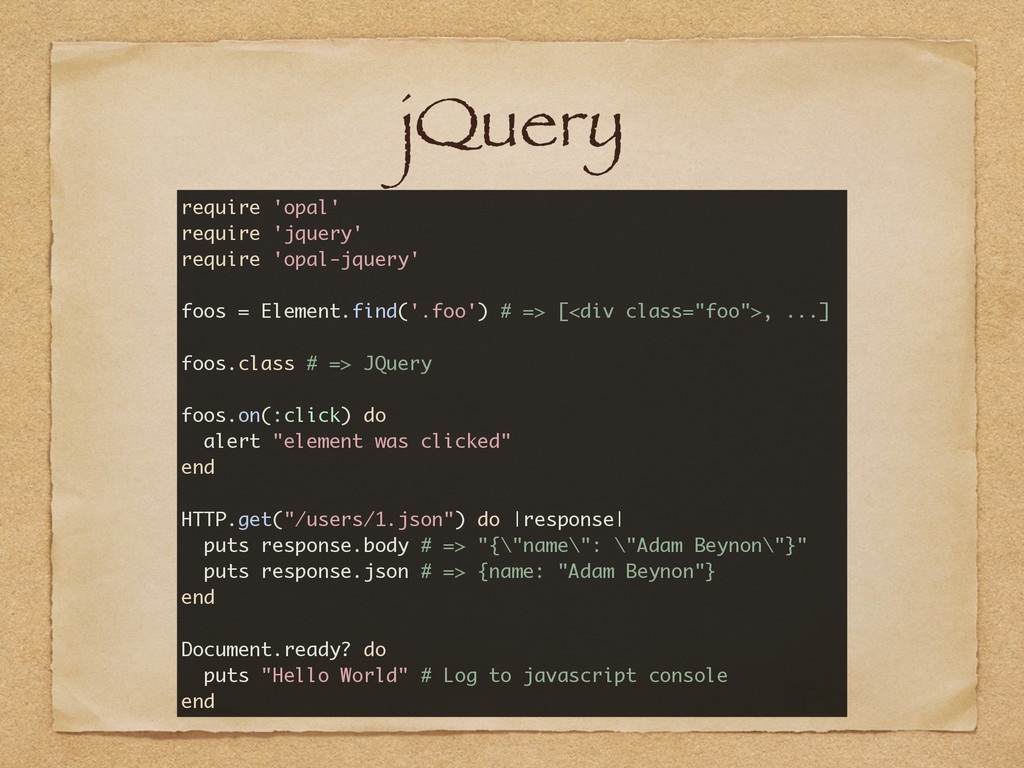
  7. jQuery require 'opal' require 'jquery' require 'opal-jquery' foos = Element.find('.foo')

    # => [<div class="foo">, ...] foos.class # => JQuery foos.on(:click) do alert "element was clicked" end HTTP.get("/users/1.json") do |response| puts response.body # => "{\"name\": \"Adam Beynon\"}" puts response.json # => {name: "Adam Beynon"} end Document.ready? do puts "Hello World" # Log to javascript console end
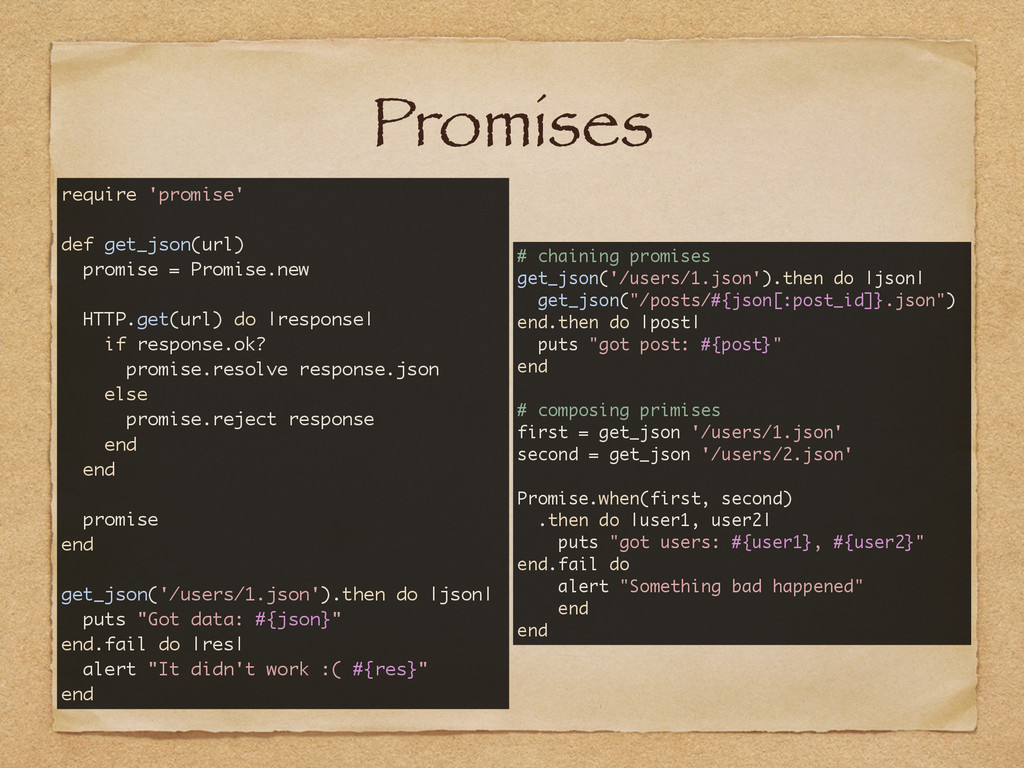
  8. Promises require 'promise' def get_json(url) promise = Promise.new HTTP.get(url) do

    |response| if response.ok? promise.resolve response.json else promise.reject response end end promise end get_json('/users/1.json').then do |json| puts "Got data: #{json}" end.fail do |res| alert "It didn't work :( #{res}" end # chaining promises get_json('/users/1.json').then do |json| get_json("/posts/#{json[:post_id]}.json") end.then do |post| puts "got post: #{post}" end # composing primises first = get_json '/users/1.json' second = get_json '/users/2.json' Promise.when(first, second) .then do |user1, user2| puts "got users: #{user1}, #{user2}" end.fail do alert "Something bad happened" end end
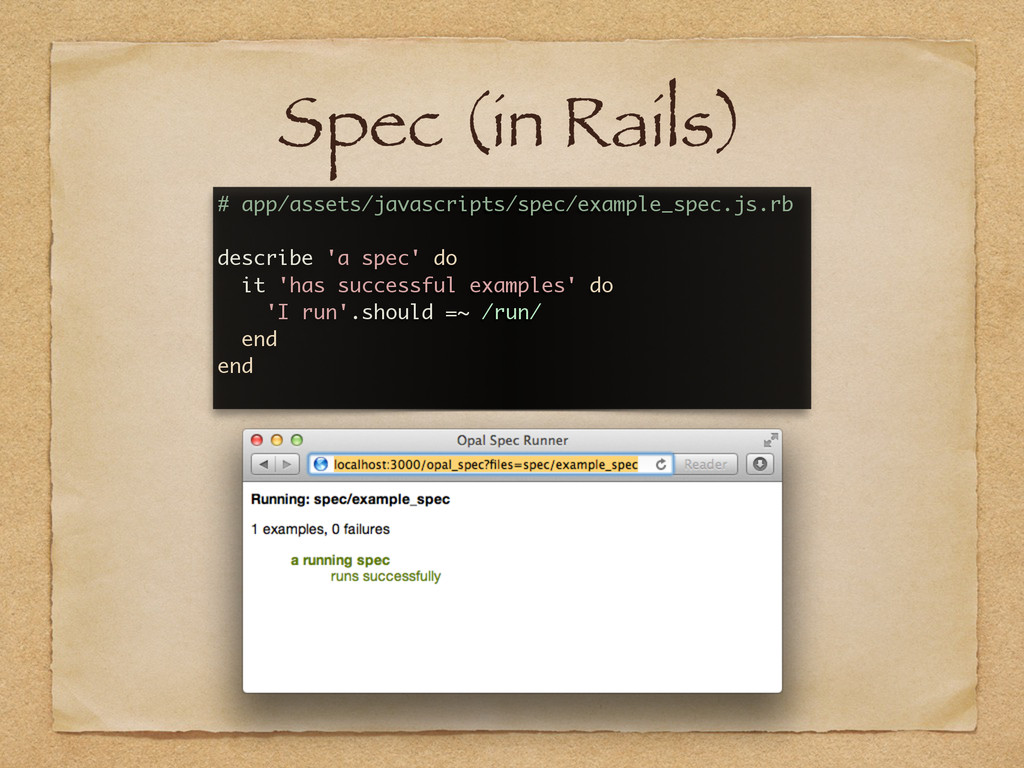
  9. Spec (in Rails) # app/assets/javascripts/spec/example_spec.js.rb describe 'a spec' do it

    'has successful examples' do 'I run'.should =~ /run/ end end