Upgrade to Pro — share decks privately, control downloads, hide ads and more …

Android CLI

Sponsored · SiteGround - Reliable hosting with speed, security, and support you can count on.

Android CLI

2026년 7월 25일 (토) GDG Korea Android: 2026 I/O Extended 행사에서 발표한 내용입니다.
Android CLI가 제공하는 핵심 기능을 소개하고, 내부 구조 및 동작 방식 일부를 설명합니다.
https://gdg.community.dev/events/details/google-gdg-korea-android-presents-gdg-korea-android-2026-io-extended/

Avatar for Sungyong An

Sungyong An

July 25, 2026

More Decks by Sungyong An

Other Decks in Programming

Transcript

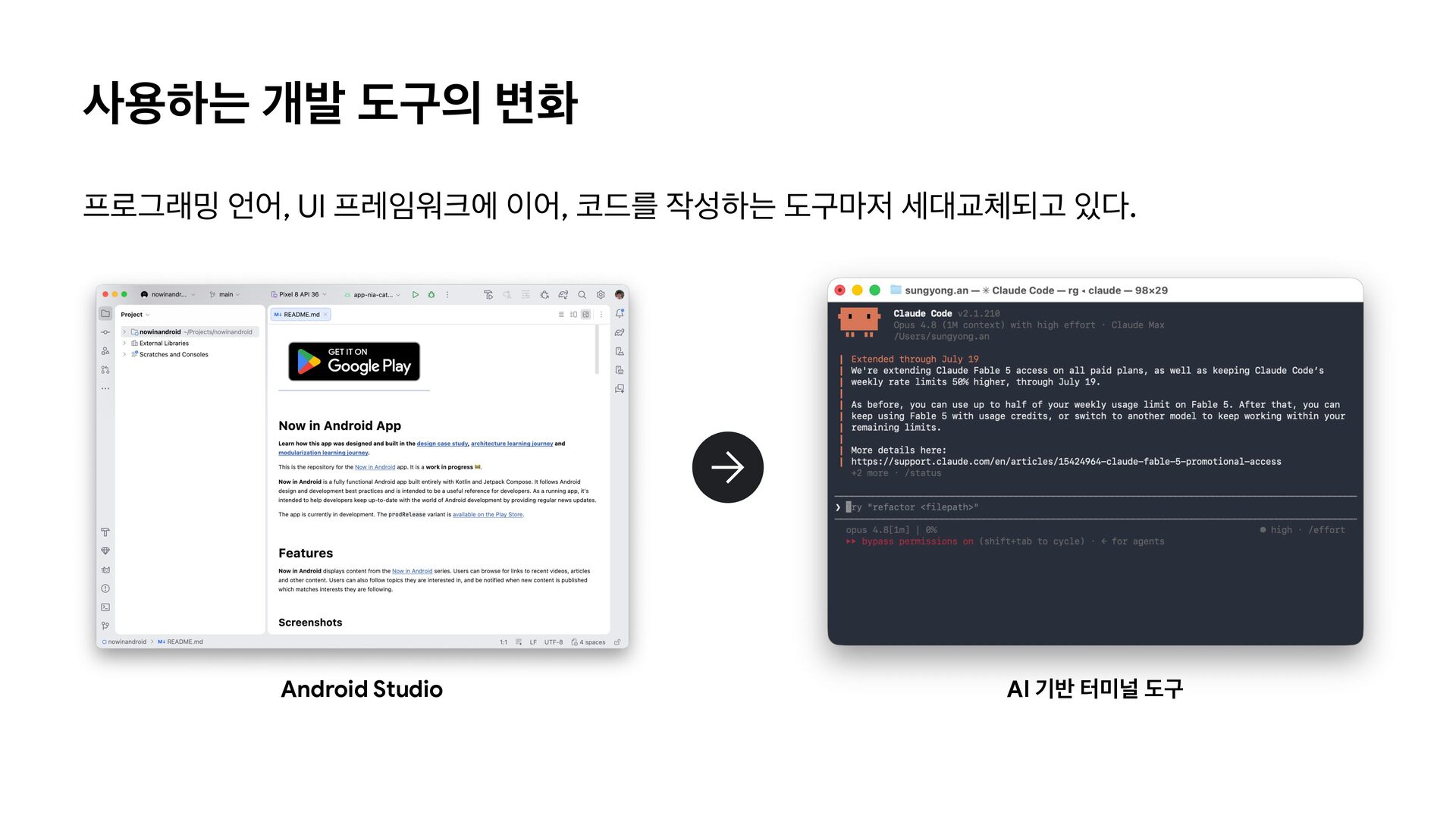
  1. 사용하는 개발 도구의 변화 프로그래밍 언어, UI 프레임워크에 이어, 코드를

    작성하는 도구마저 세대교체되고 있다. Android Studio AI 기반 터미널 도구
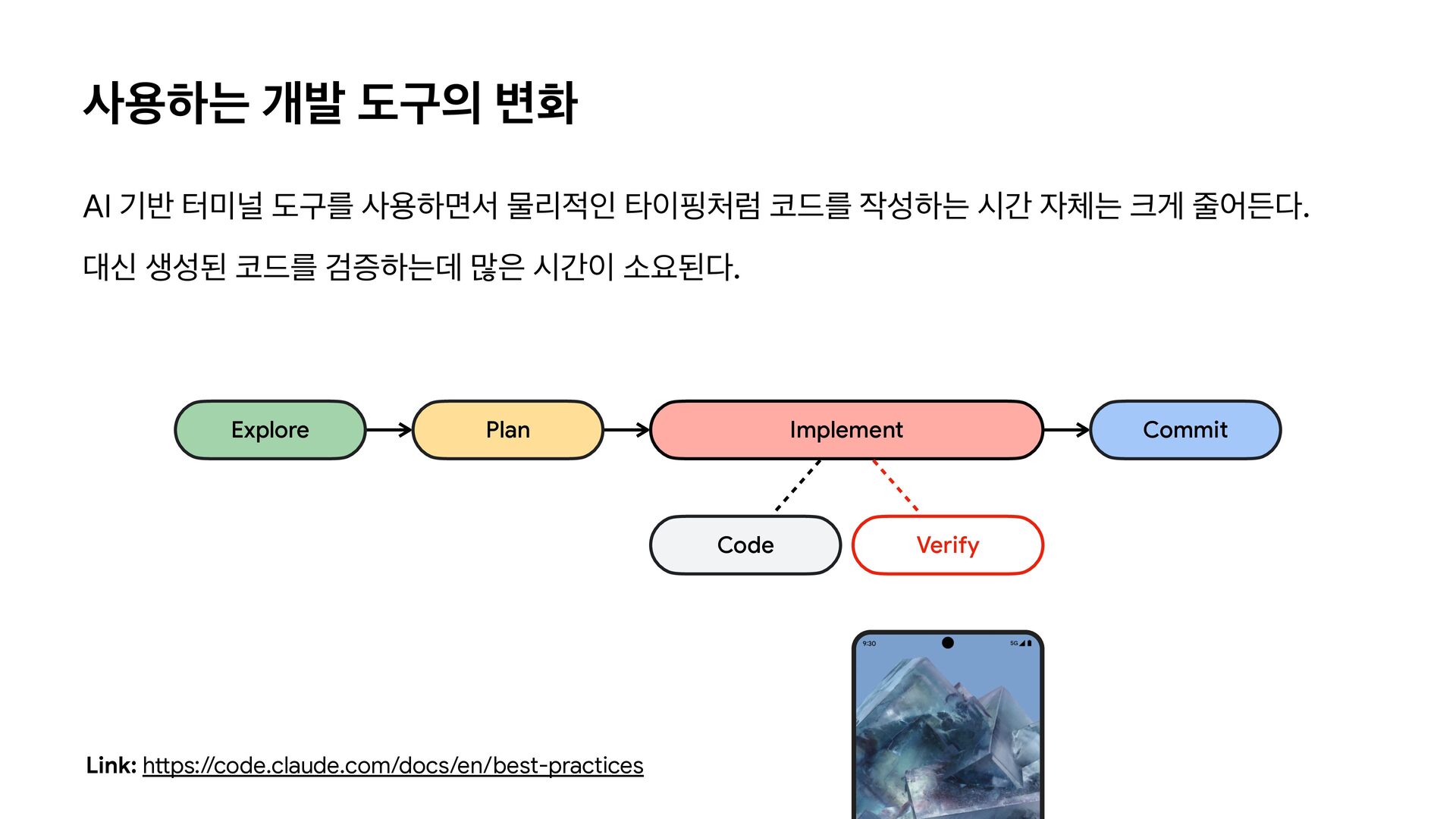
  2. 사용하는 개발 도구의 변화 AI 기반 터미널 도구를 사용하면서 물리적인

    타이핑처럼 코드를 작성하는 시간 자체는 크게 줄어든다. 대신 생성된 코드를 검증하는데 많은 시간이 소요된다. Explore Plan Implement Code tt Link: h ps://code.claude.com/docs/en/best-practices Commit Verify
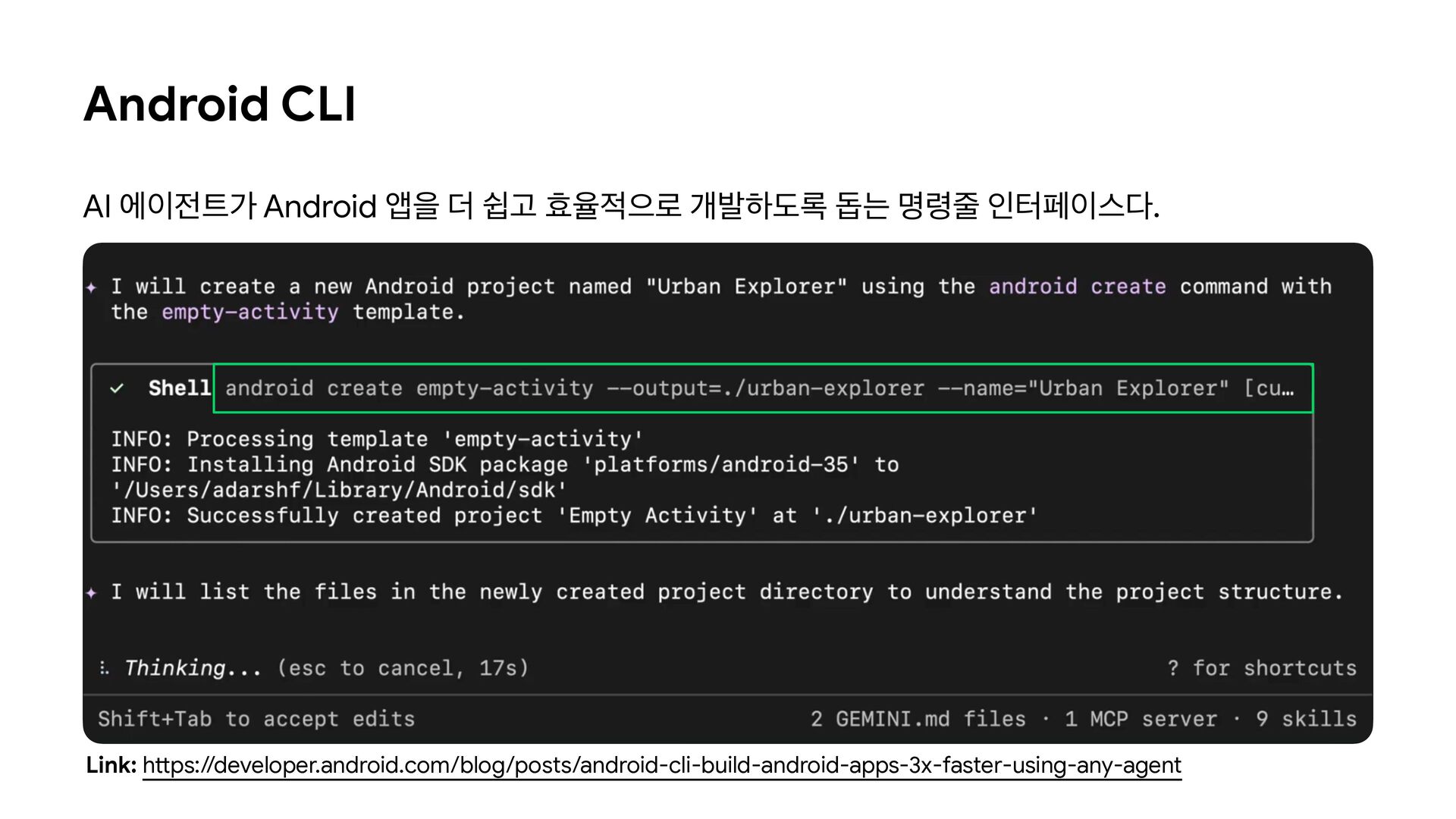
  3. Android CLI AI 에이전트가 Android 앱을 더 쉽고 효율적으로 개발하도록

    돕는 명령줄 인터페이스다. tt Link: h ps://developer.android.com/blog/posts/android-cli-build-android-apps-3x-faster-using-any-agent
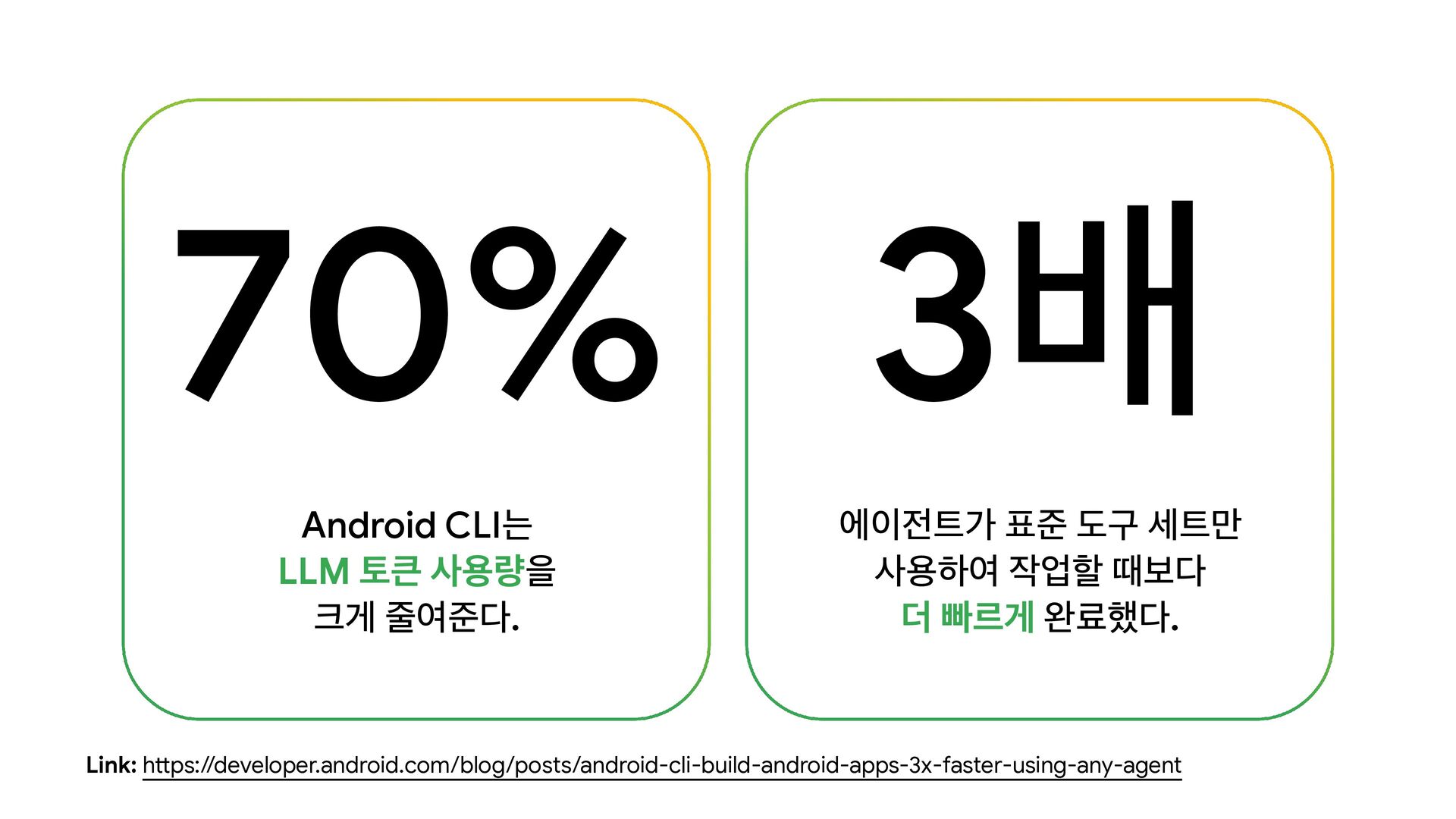
  4. 70% 3배 Android CLI는 LLM 토큰 사용량을 크게 줄여준다. 에이전트가

    표준 도구 세트만 사용하여 작업할 때보다 더 빠르게 완료했다. tt Link: h ps://developer.android.com/blog/posts/android-cli-build-android-apps-3x-faster-using-any-agent
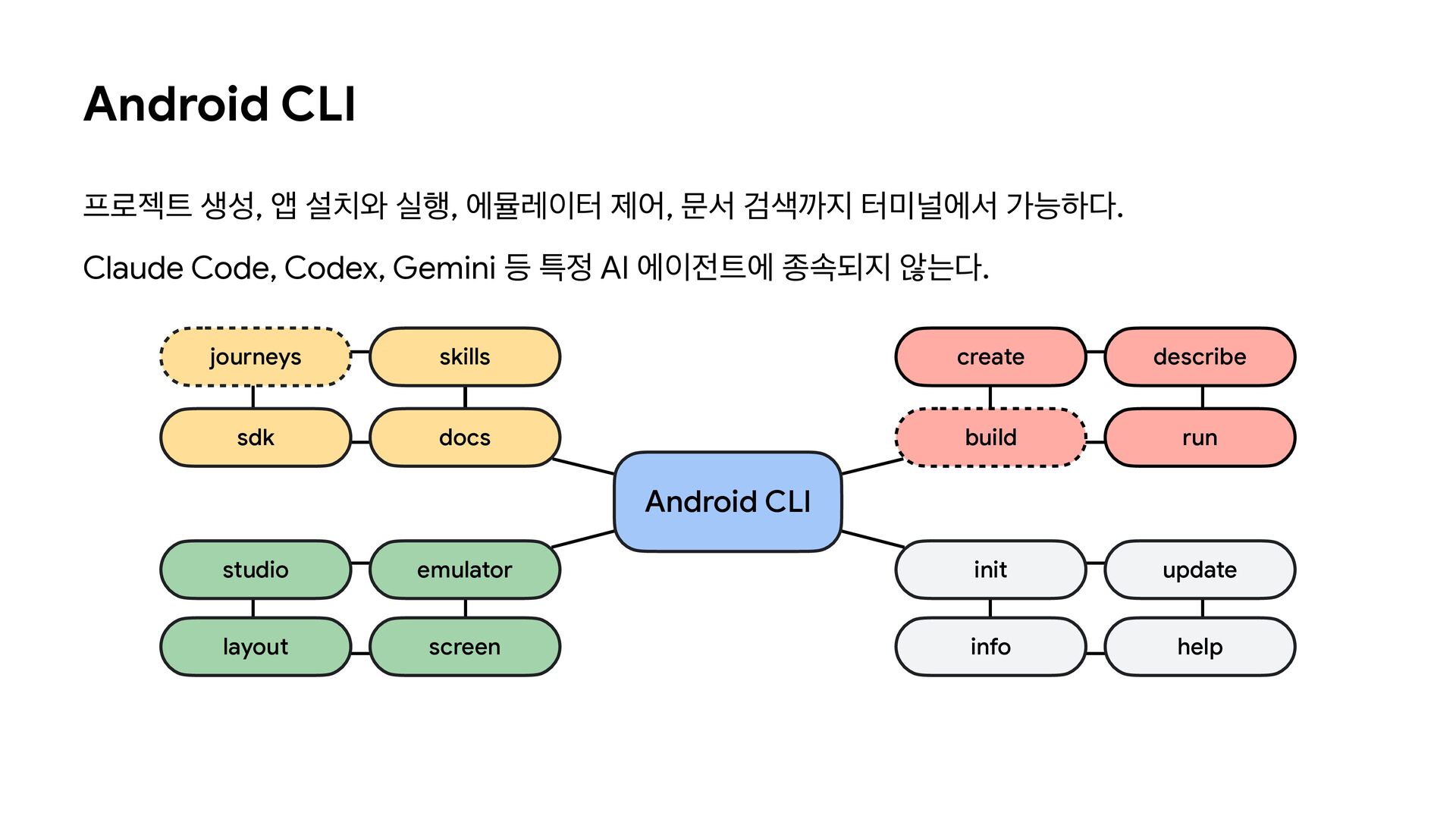
  5. Android CLI 프로젝트 생성, 앱 설치와 실행, 에뮬레이터 제어, 문서

    검색까지 터미널에서 가능하다. Claude Code, Codex, Gemini 등 특정 AI 에이전트에 종속되지 않는다. journeys skills create describe sdk docs build run Android CLI studio emulator init update layout screen info help
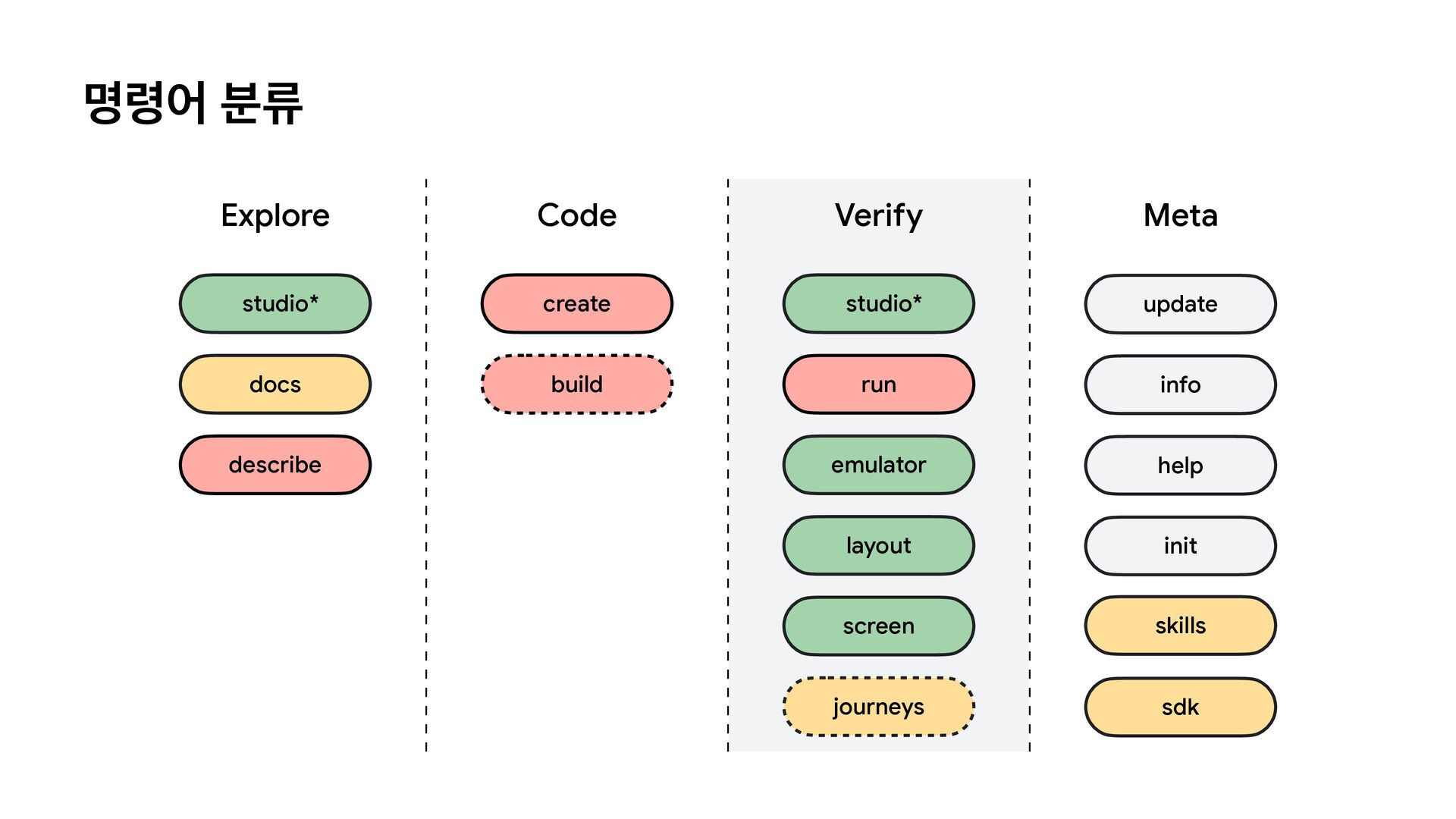
  6. 명령어 분류 Explore Code Verify Meta studio* create studio* update

    docs build run info emulator help layout init screen skills journeys sdk describe
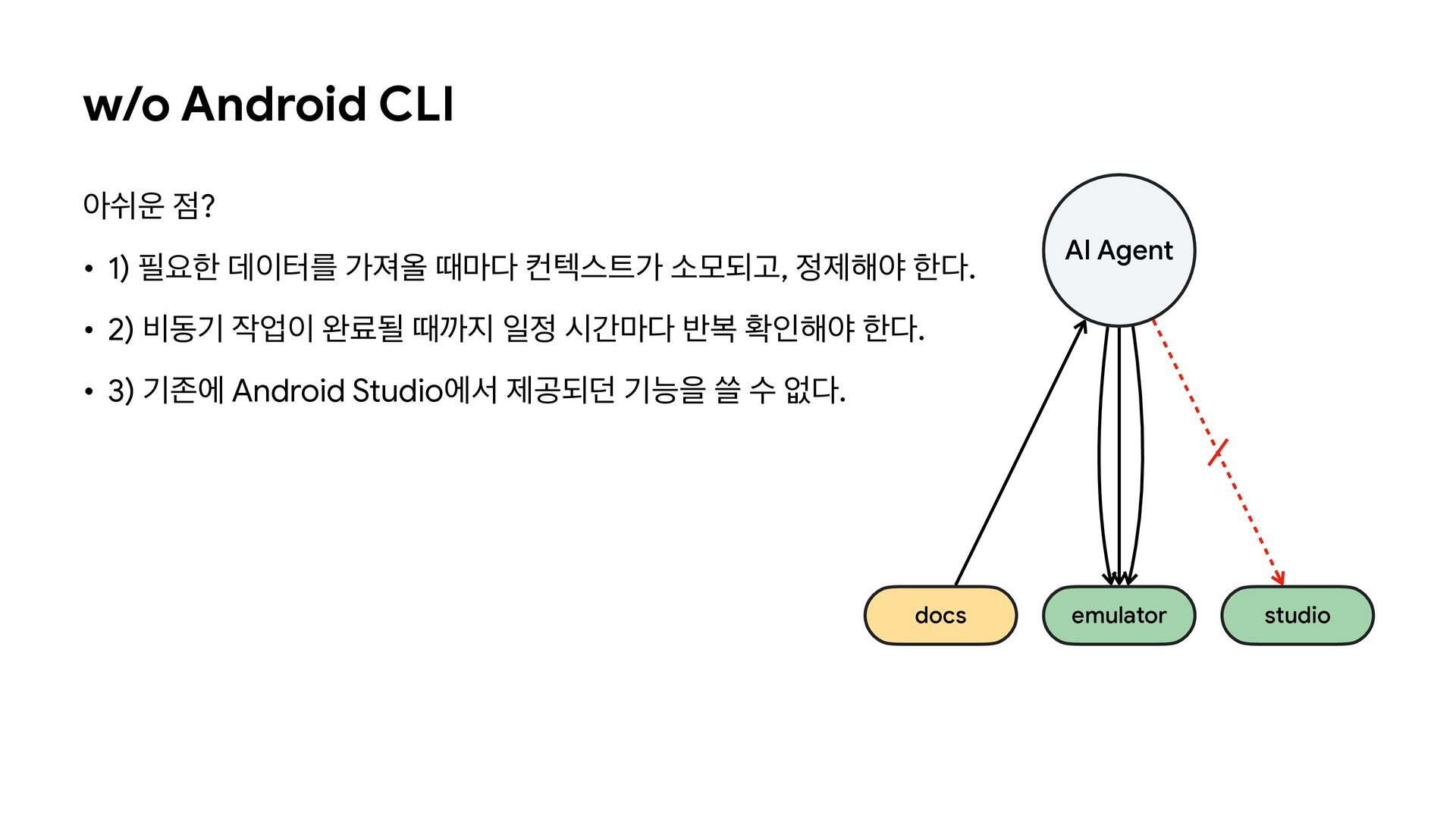
  7. w/o Android CLI 아쉬운 점? • 1) 필요한 데이터를 가져올

    때마다 컨텍스트가 소모되고, 정제해야 한다. AI Agent • 2) 비동기 작업이 완료될 때까지 일정 시간마다 반복 확인해야 한다. • 3) 기존에 Android Studio에서 제공되던 기능을 쓸 수 없다. docs emulator studio
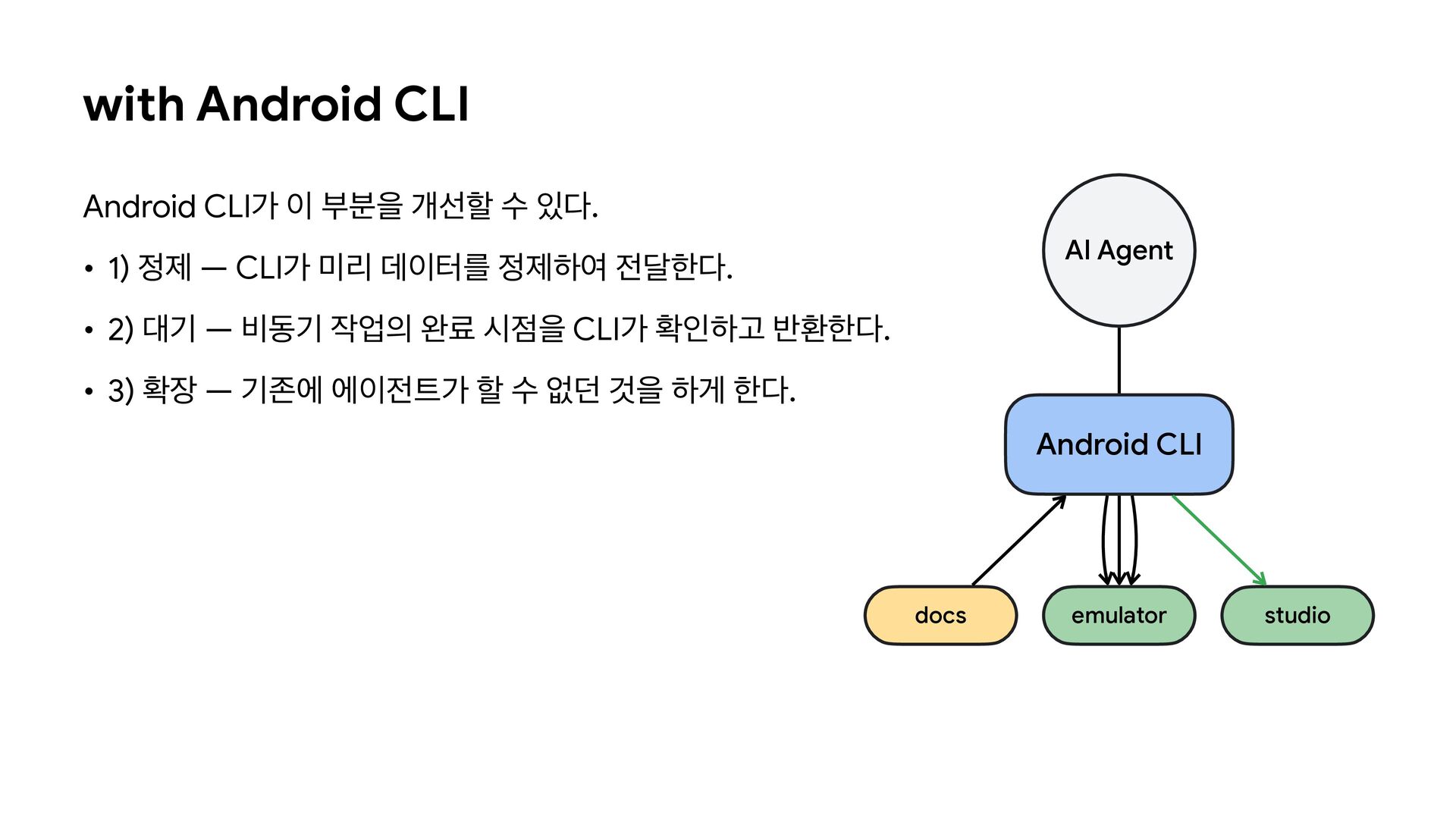
  8. with Android CLI Android CLI가 이 부분을 개선할 수 있다.

    AI Agent • 1) 정제 — CLI가 미리 데이터를 정제하여 전달한다. • 2) 대기 — 비동기 작업의 완료 시점을 CLI가 확인하고 반환한다. • 3) 확장 — 기존에 에이전트가 할 수 없던 것을 하게 한다. Android CLI docs emulator studio
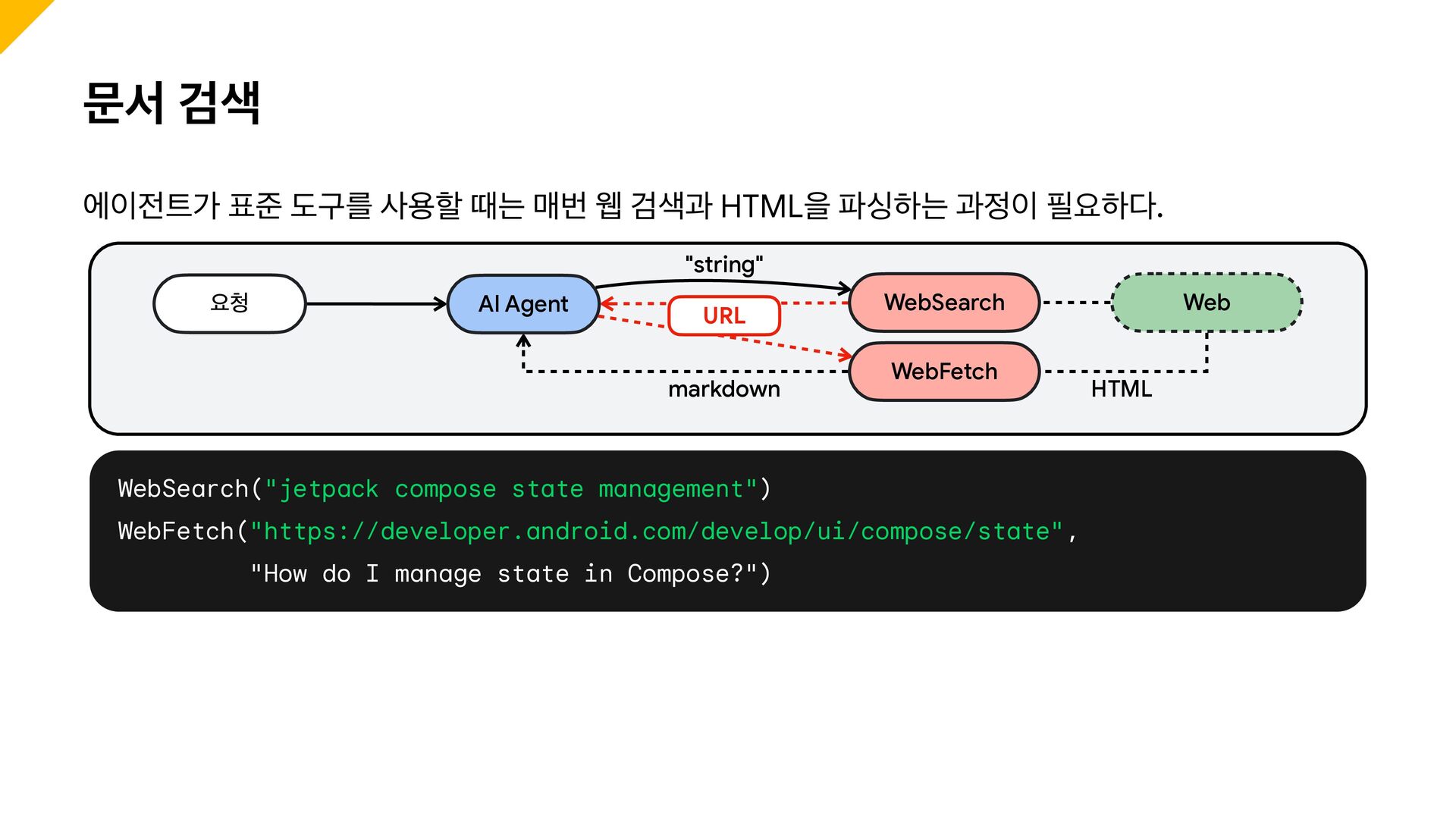
  9. 문서 검색 에이전트가 표준 도구를 사용할 때는 매번 웹 검색과

    HTML을 파싱하는 과정이 필요하다. "string" 요청 AI Agent URL markdown WebSearch WebFetch WebSearch("jetpack compose state management") WebFetch("https://developer.android.com/develop/ui/compose/state", "How do I manage state in Compose?") Web HTML
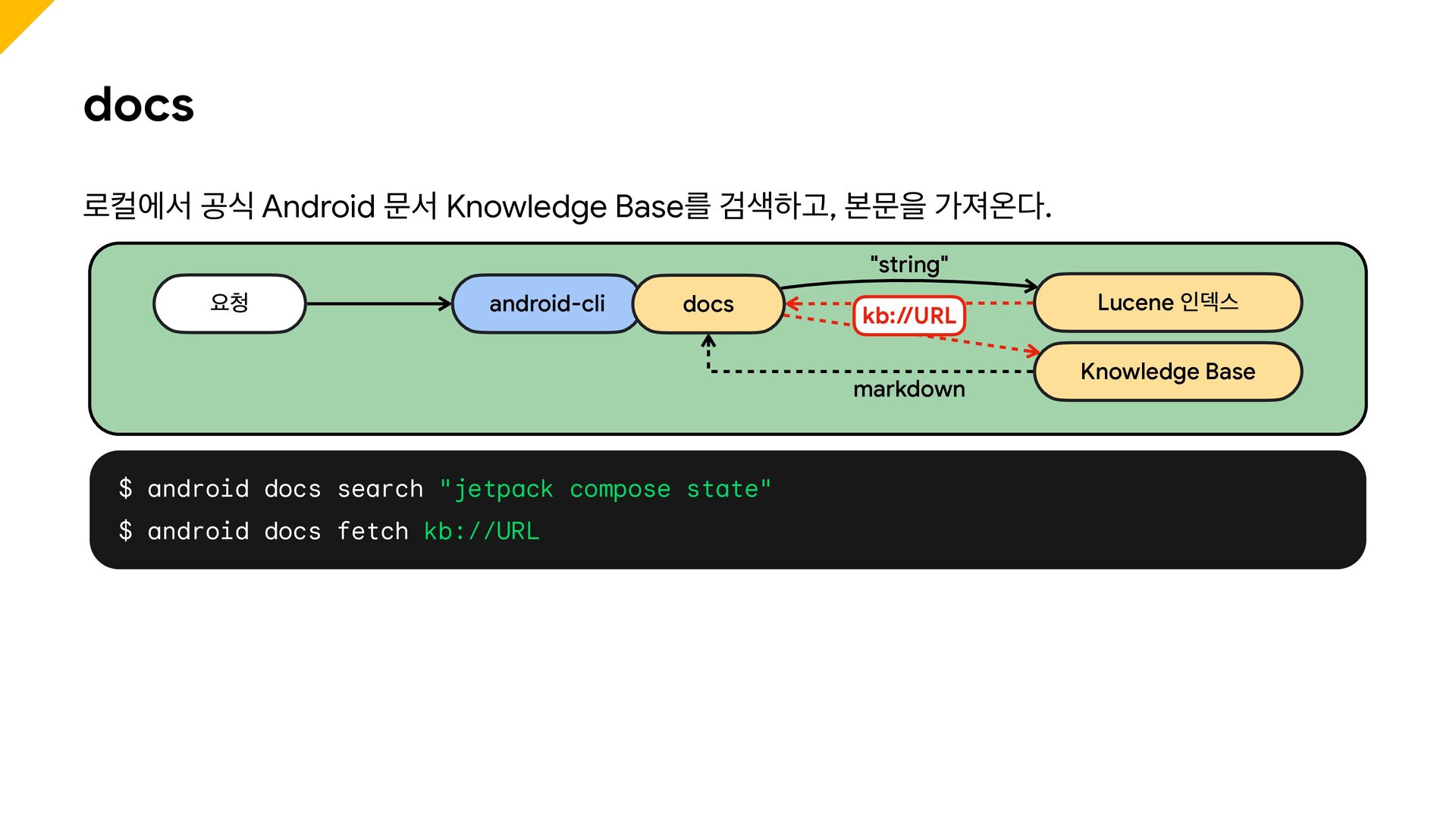
  10. docs 로컬에서 공식 Android 문서 Knowledge Base를 검색하고, 본문을 가져온다.

    "string" 요청 android-cli docs kb://URL markdown $ android docs search "jetpack compose state" $ android docs fetch kb://URL Lucene 인덱스 Knowledge Base
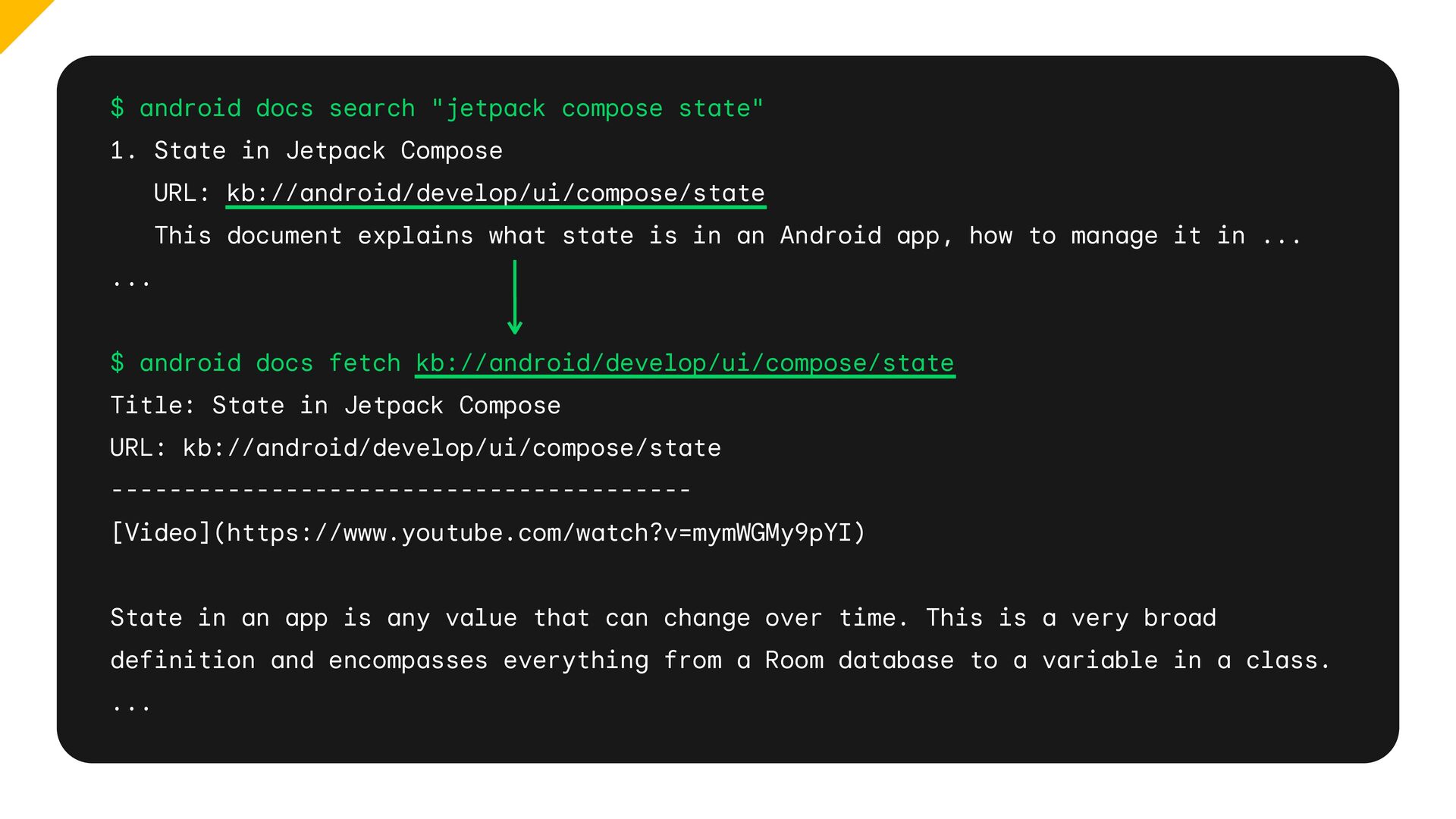
  11. $ android docs search "jetpack compose state" 1. State in

    Jetpack Compose URL: kb://android/develop/ui/compose/state This document explains what state is in an Android app, how to manage it in ... ... $ android docs fetch kb://android/develop/ui/compose/state Title: State in Jetpack Compose URL: kb://android/develop/ui/compose/state ---------------------------------------[Video](https://www.youtube.com/watch?v=mymWGMy9pYI) State in an app is any value that can change over time. This is a very broad definition and encompasses everything from a Room database to a variable in a class. ...
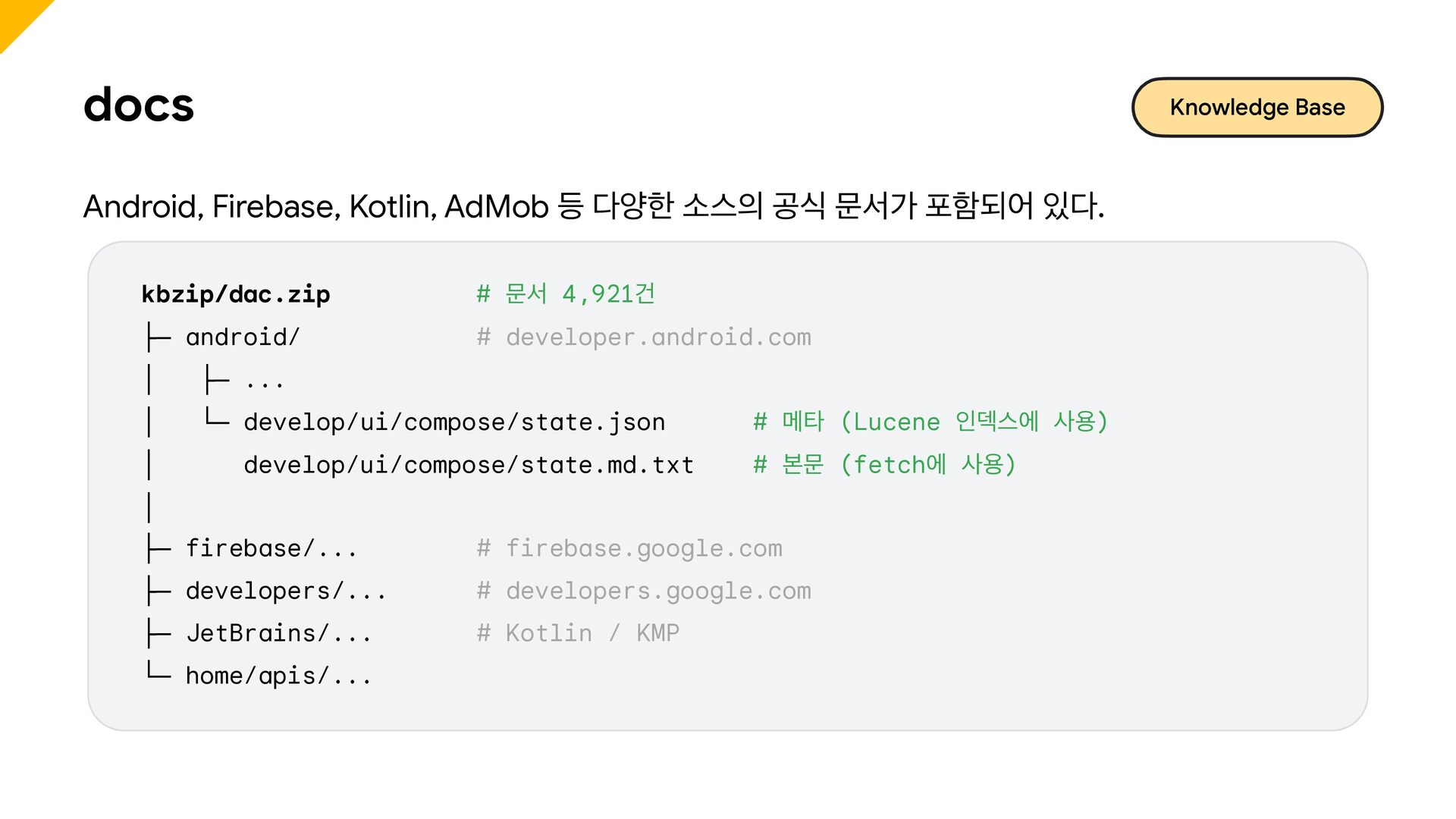
  12. docs Knowledge Base Android, Firebase, Kotlin, AdMob 등 다양한 소스의

    공식 문서가 포함되어 있다. kbzip/dac.zip # 문서 4,921건 ├─ android/ # developer.android.com │ ├─ ... │ └─ develop/ui/compose/state.json │ develop/ui/compose/state.md.txt # 메타 (Lucene 인덱스에 사용) # 본문 (fetch에 사용) │ ├─ firebase/... # firebase.google.com ├─ developers/... # developers.google.com ├─ JetBrains/... # Kotlin / KMP └─ home/apis/...
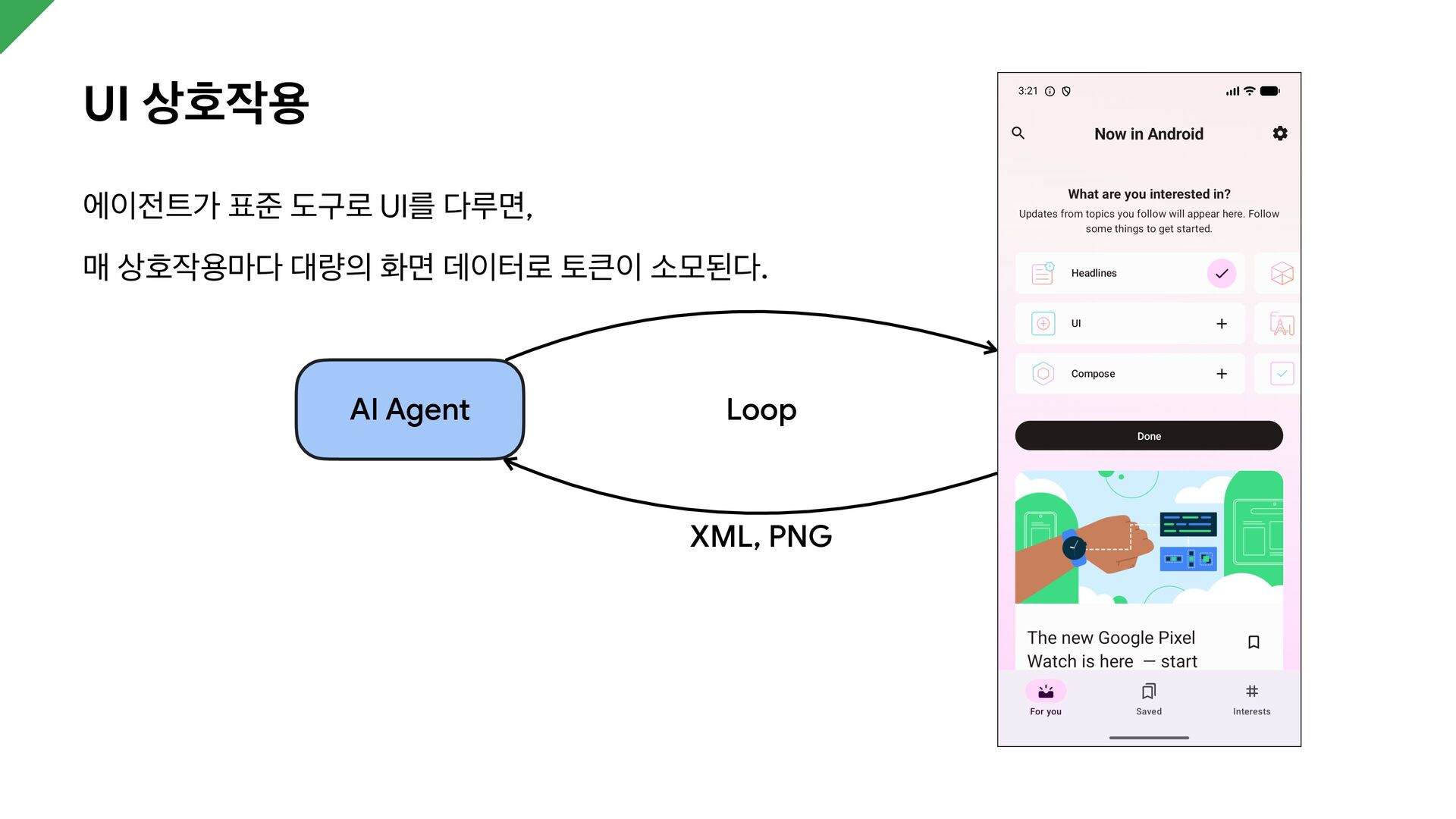
  13. UI 상호작용 에이전트가 표준 도구로 UI를 다루면, 매 상호작용마다 대량의

    화면 데이터로 토큰이 소모된다. AI Agent Loop XML, PNG
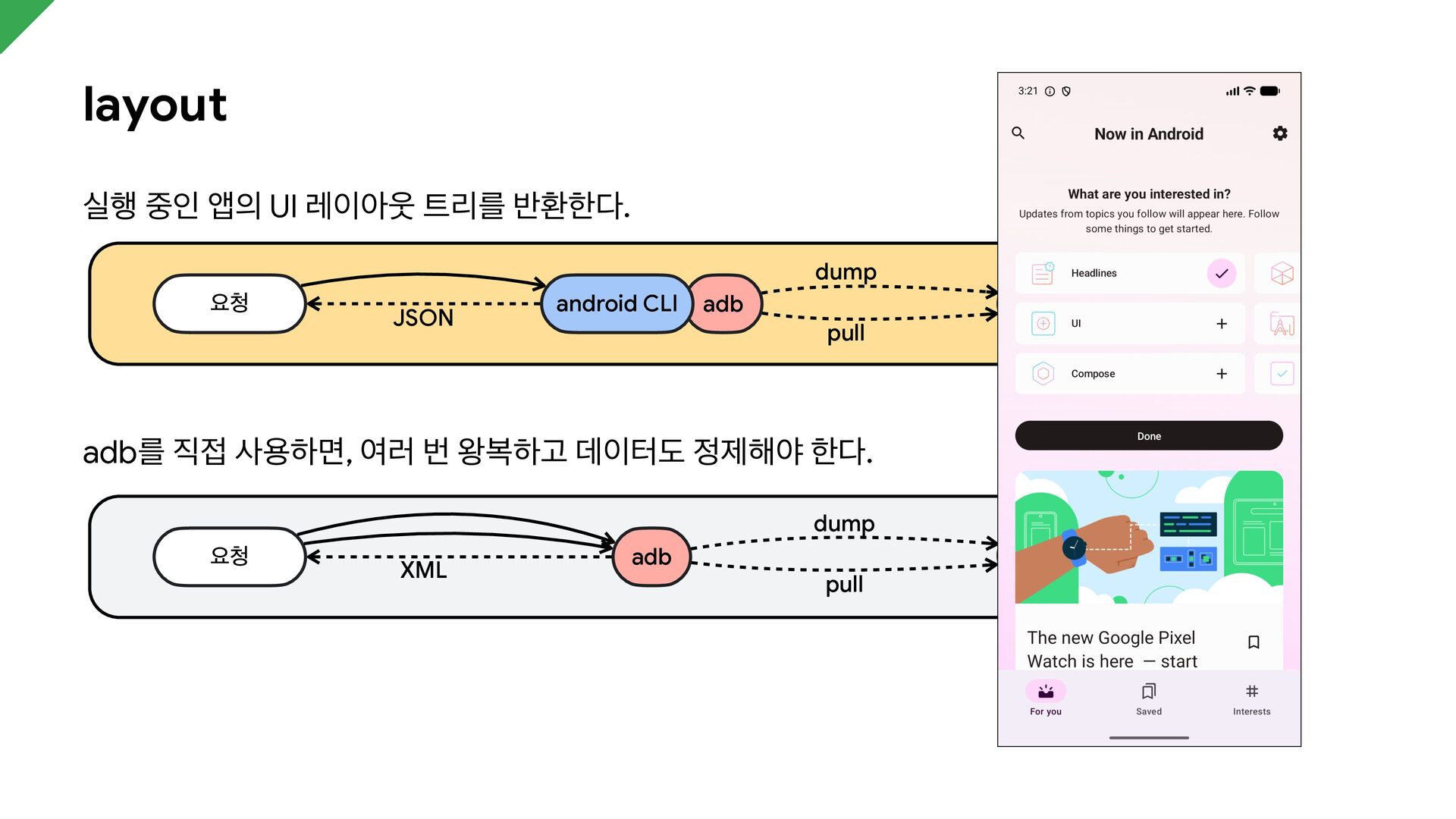
  14. layout 실행 중인 앱의 UI 레이아웃 트리를 반환한다. dump 요청

    JSON android CLI Android device adb pull adb를 직접 사용하면, 여러 번 왕복하고 데이터도 정제해야 한다. dump 요청 XML adb pull Android device
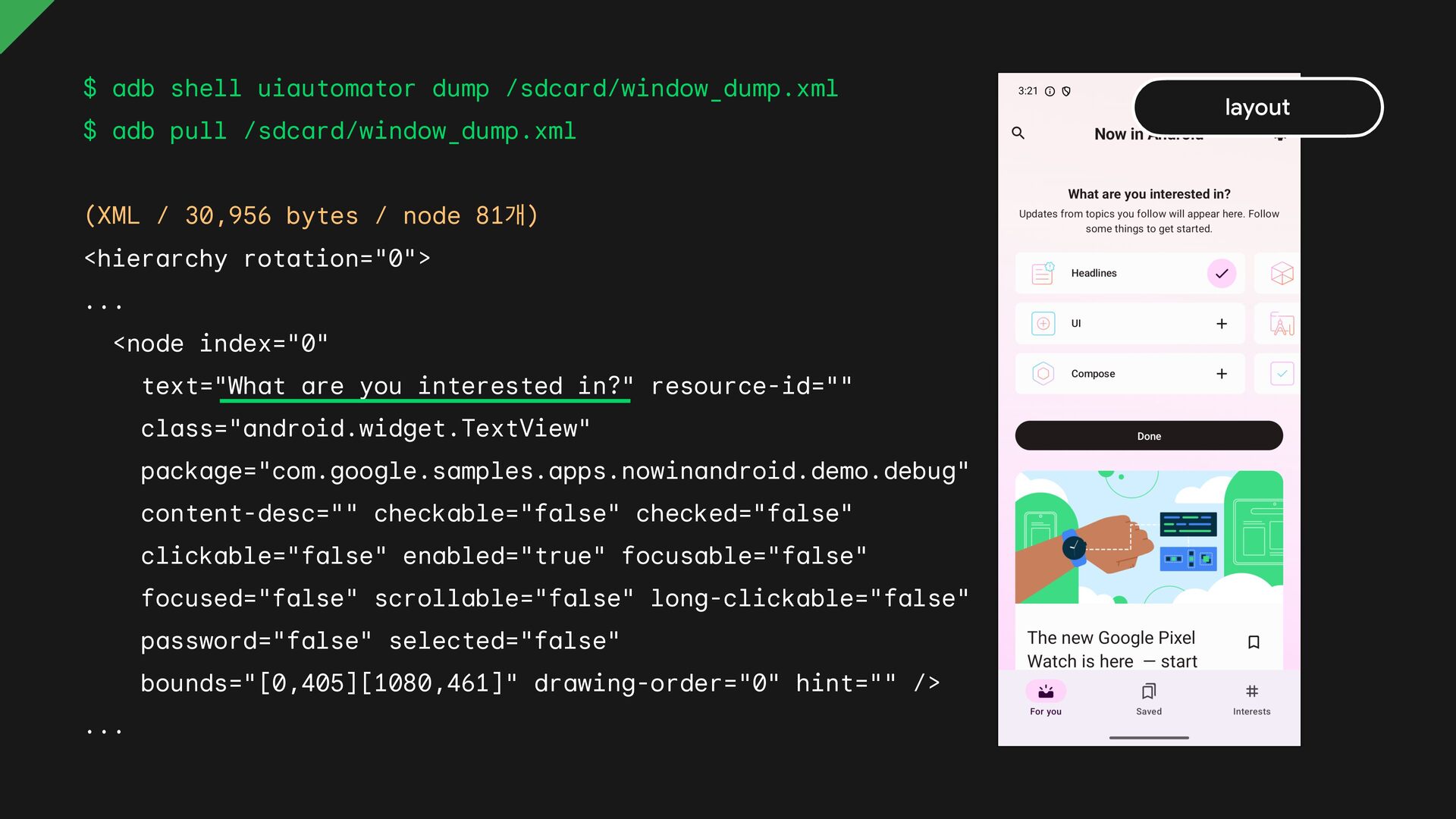
  15. $ adb shell uiautomator dump /sdcard/window_dump.xml $ adb pull /sdcard/window_dump.xml

    (XML / 30,956 bytes / node 81개) <hierarchy rotation="0"> ... <node index="0" text="What are you interested in?" resource-id="" class="android.widget.TextView" package="com.google.samples.apps.nowinandroid.demo.debug" content-desc="" checkable="false" checked="false" clickable="false" enabled="true" focusable="false" focused="false" scrollable="false" long-clickable="false" password="false" selected="false" bounds="[0,405][1080,461]" drawing-order="0" hint="" /> ... layout
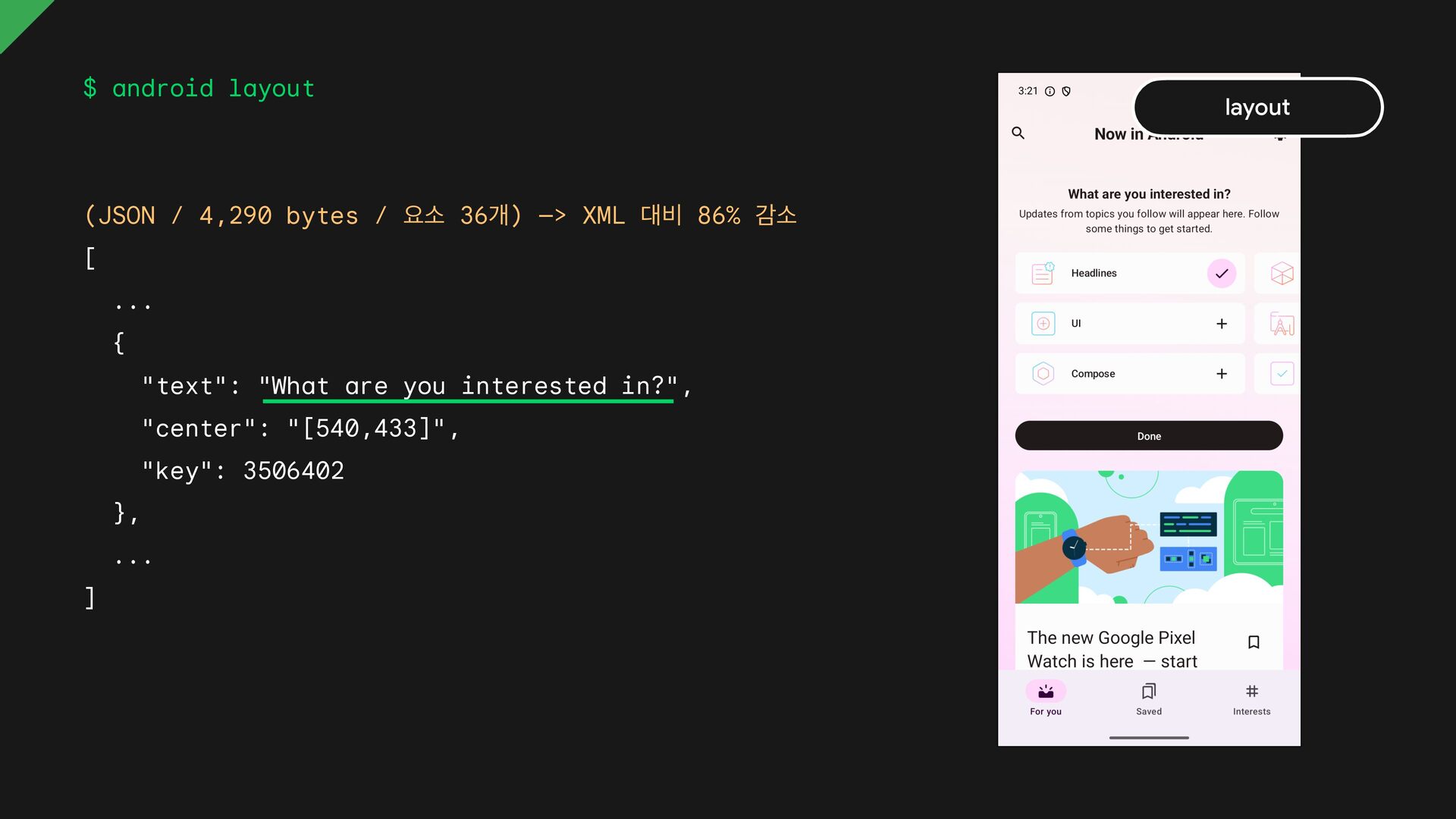
  16. $ android layout (JSON / 4,290 bytes / 요소 36개)

    —> XML 대비 86% 감소 [ ... { "text": "What are you interested in?", "center": "[540,433]", "key": 3506402 }, ... ] layout
  17. $ android layout --diff { "added": [], "modified": [ {

    "interactions": ["checkable", "clickable", "focusable"], "state": ["checked"], "center": "[913,438]" }, { "content-desc": "Unfollow interest", "center": "[912,437]" } ] } layout
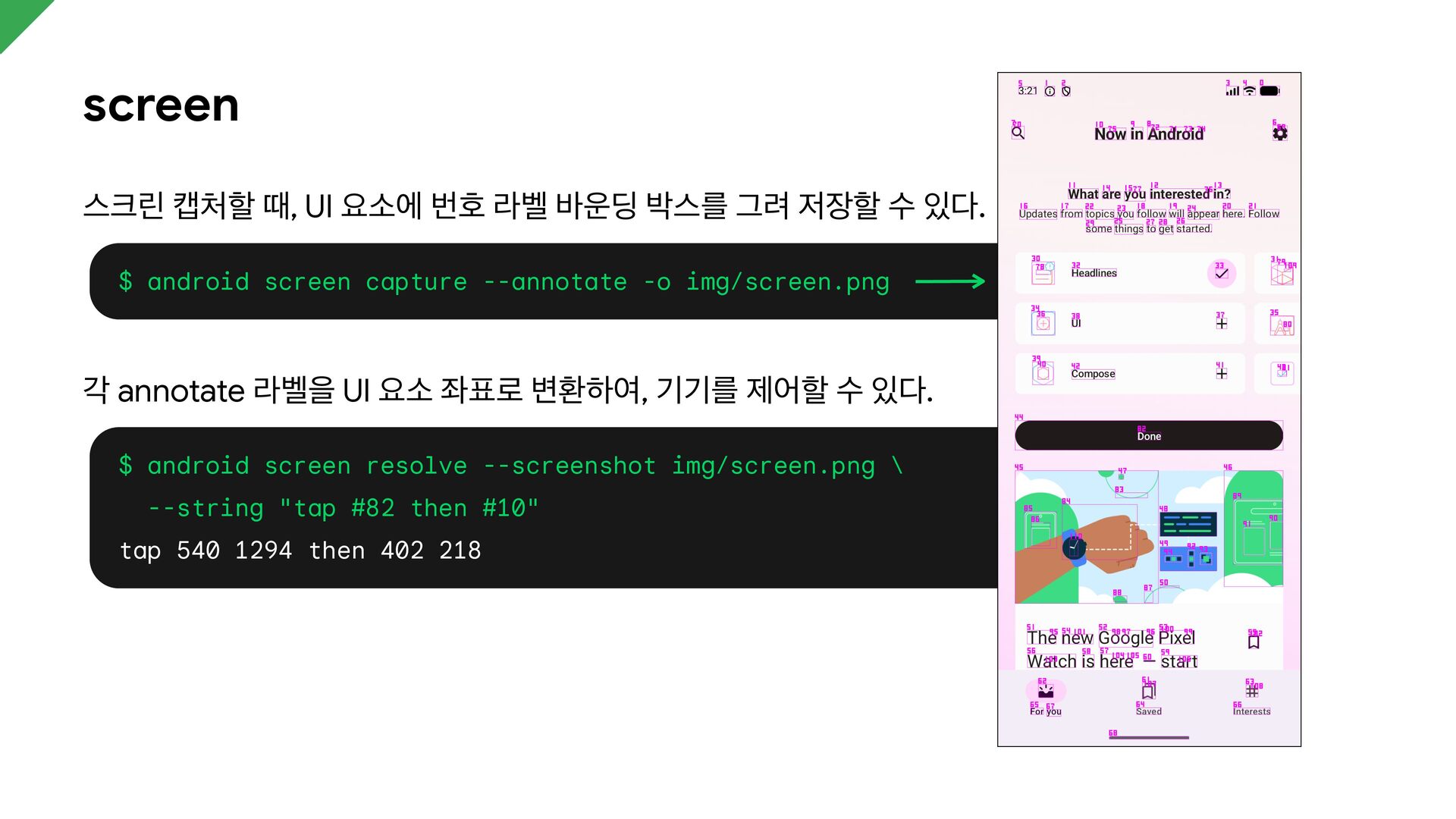
  18. screen 스크린 캡처할 때, UI 요소에 번호 라벨 바운딩 박스를

    그려 저장할 수 있다. $ android screen capture --annotate -o img/screen.png 각 annotate 라벨을 UI 요소 좌표로 변환하여, 기기를 제어할 수 있다. $ android screen resolve --screenshot img/screen.png \ --string "tap #82 then #10" tap 540 1294 then 402 218
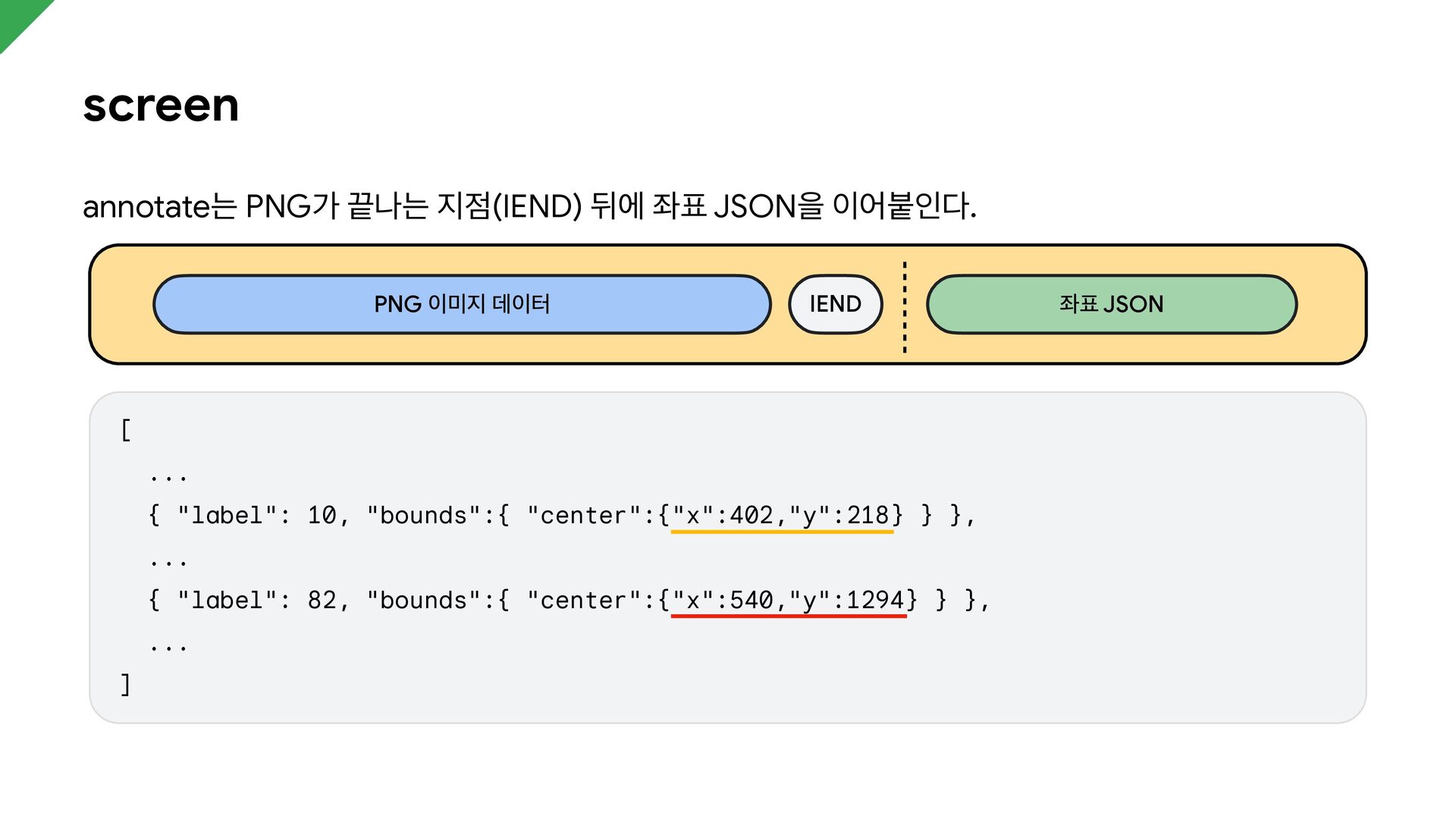
  19. screen annotate는 PNG가 끝나는 지점(IEND) 뒤에 좌표 JSON을 이어붙인다. PNG

    이미지 데이터 IEND [ ... { "label": 10, "bounds":{ "center":{"x":402,"y":218} } }, ... { "label": 82, "bounds":{ "center":{"x":540,"y":1294} } }, ... ] 좌표 JSON
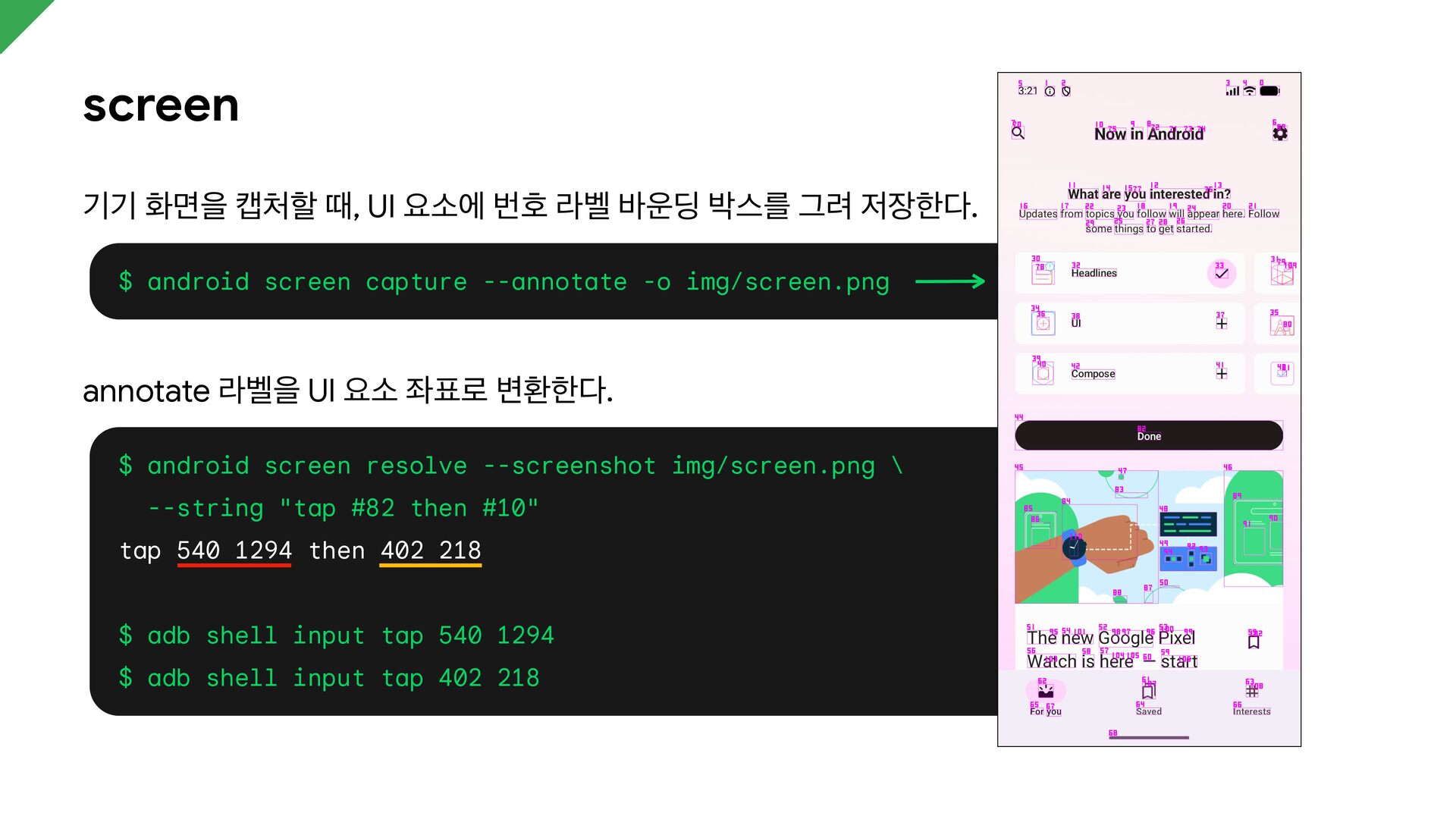
  20. screen 기기 화면을 캡처할 때, UI 요소에 번호 라벨 바운딩

    박스를 그려 저장한다. $ android screen capture --annotate -o img/screen.png annotate 라벨을 UI 요소 좌표로 변환한다. $ android screen resolve --screenshot img/screen.png \ --string "tap #82 then #10" tap 540 1294 then 402 218 $ adb shell input tap 540 1294 $ adb shell input tap 402 218
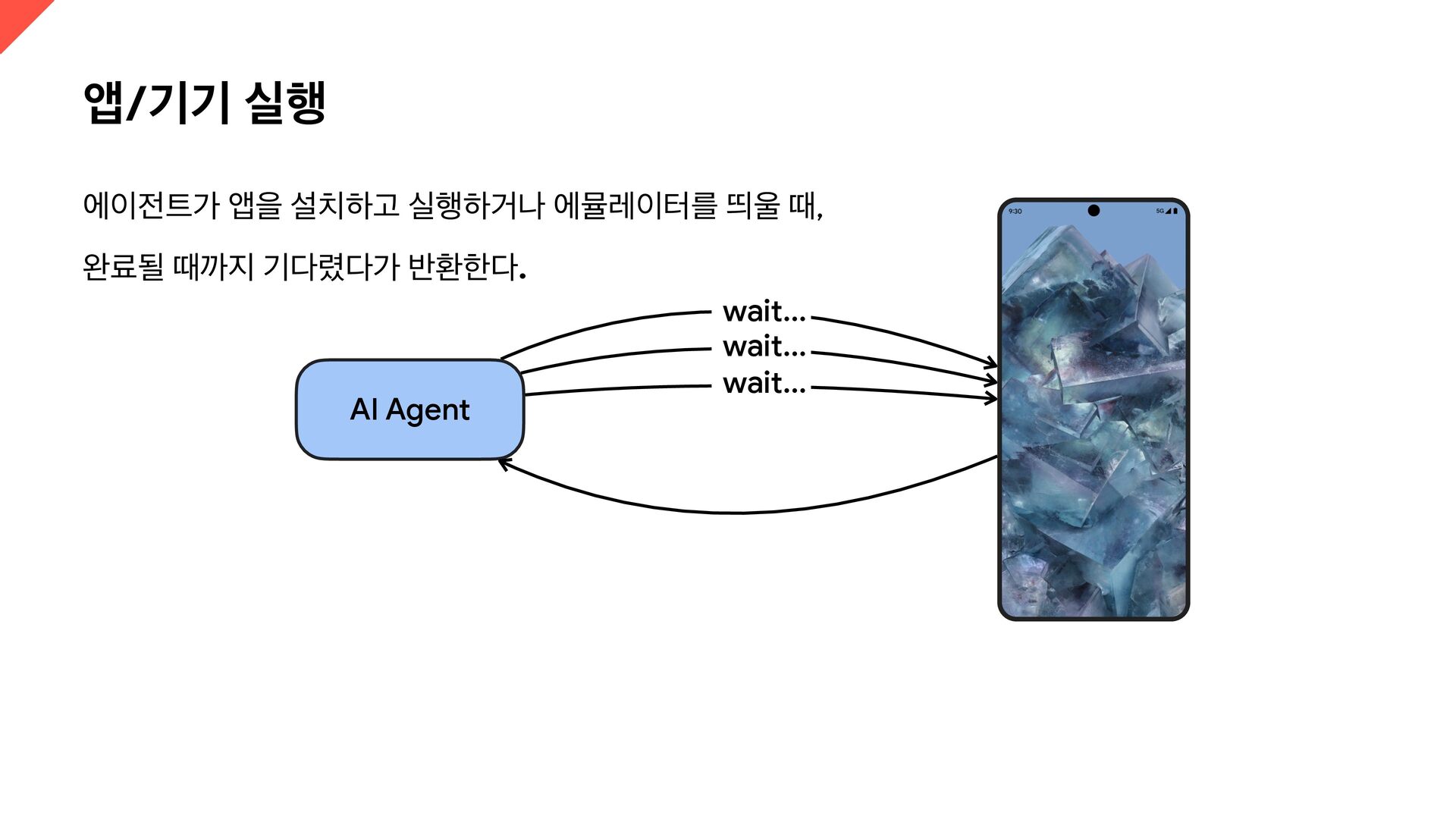
  21. 앱/기기 실행 에이전트가 앱을 설치하고 실행하거나 에뮬레이터를 띄울 때, 완료될

    때까지 기다렸다가 반환한다. AI Agent wait... wait... wait...
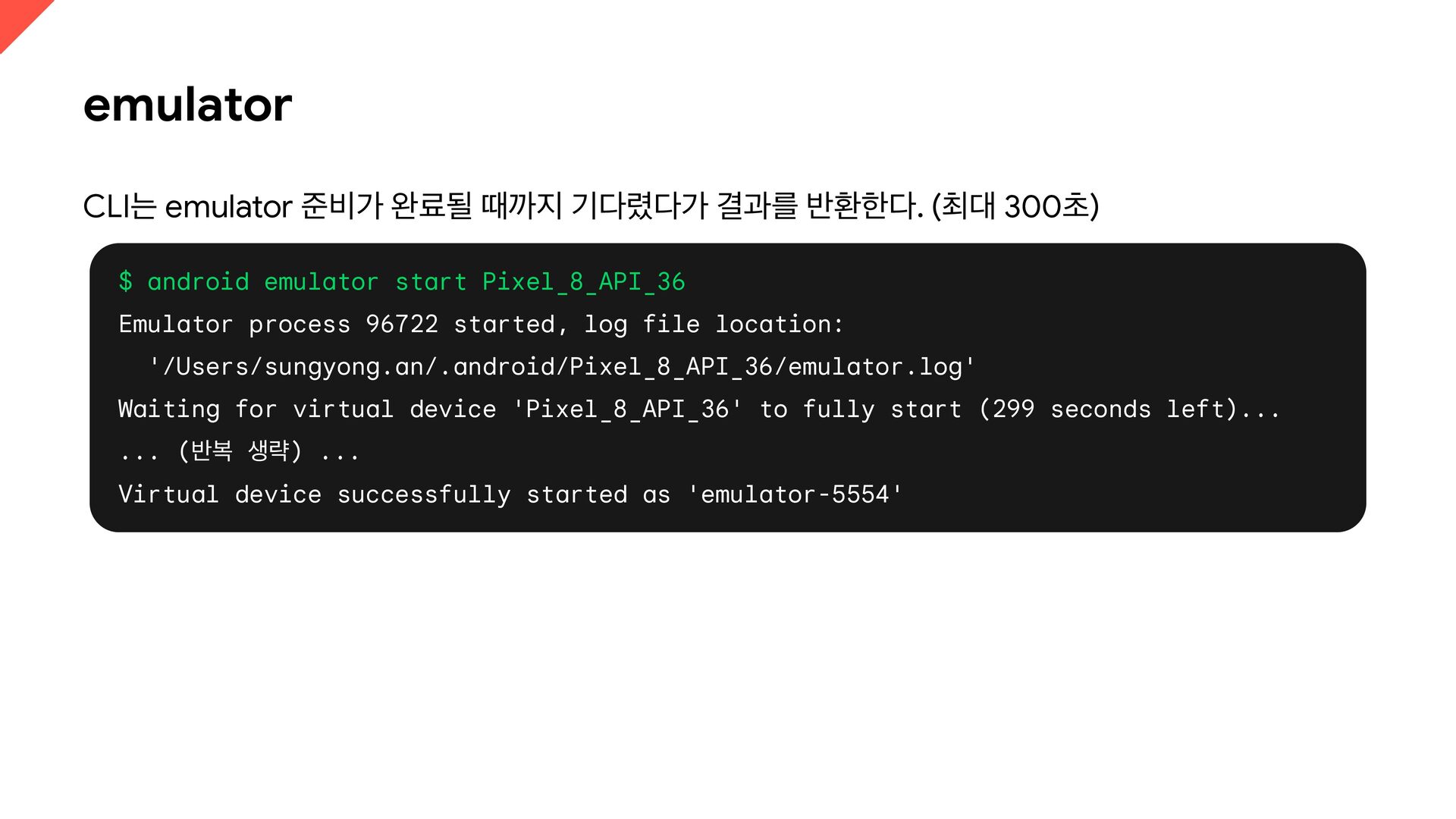
  22. emulator CLI는 emulator 준비가 완료될 때까지 기다렸다가 결과를 반환한다. (최대

    300초) $ android emulator start Pixel_8_API_36 Emulator process 96722 started, log file location: '/Users/sungyong.an/.android/Pixel_8_API_36/emulator.log' Waiting for virtual device 'Pixel_8_API_36' to fully start (299 seconds left)... ... (반복 생략) ... Virtual device successfully started as 'emulator-5554'
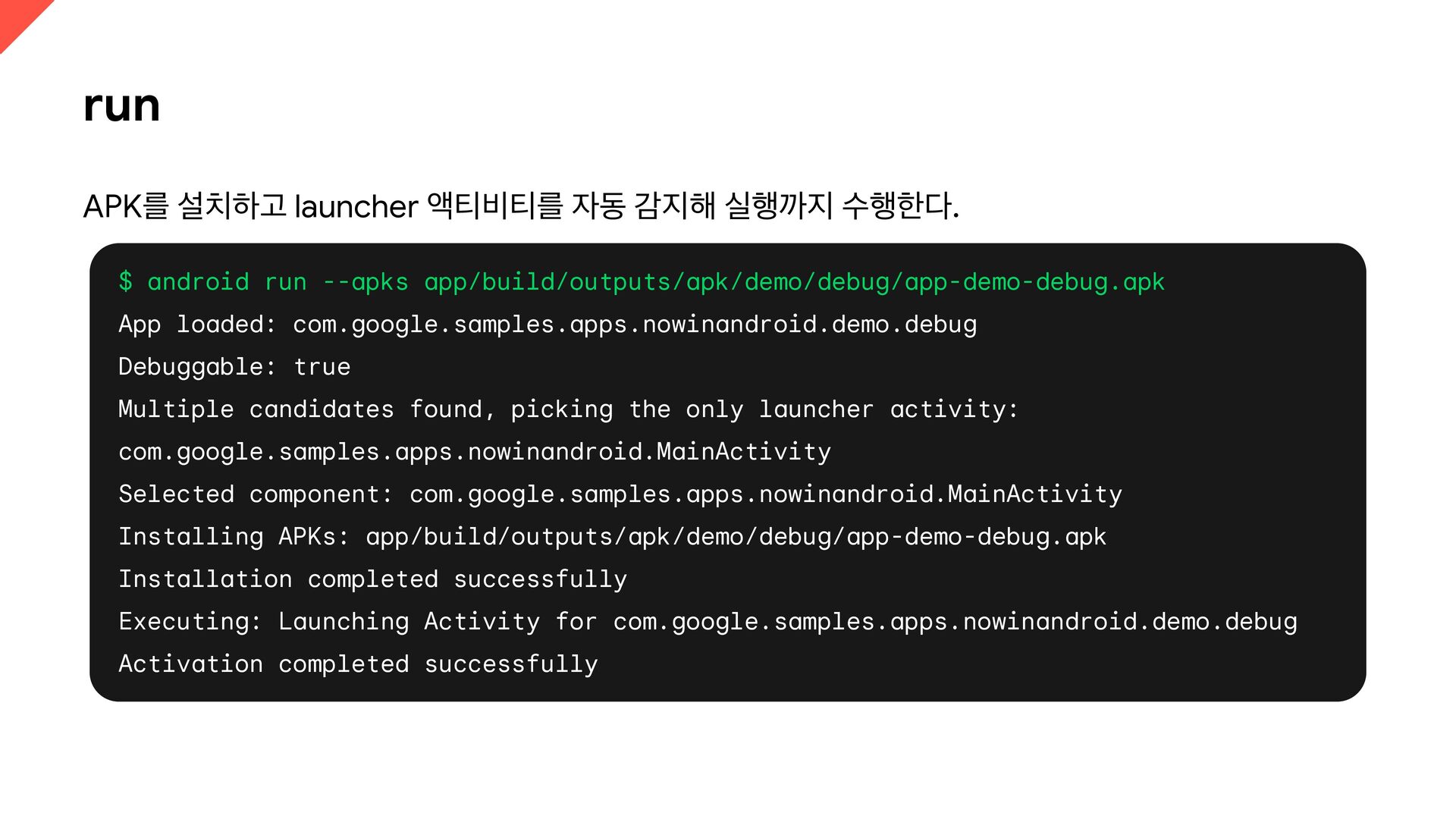
  23. run APK를 설치하고 launcher 액티비티를 자동 감지해 실행까지 수행한다. $

    android run --apks app/build/outputs/apk/demo/debug/app-demo-debug.apk App loaded: com.google.samples.apps.nowinandroid.demo.debug Debuggable: true Multiple candidates found, picking the only launcher activity: com.google.samples.apps.nowinandroid.MainActivity Selected component: com.google.samples.apps.nowinandroid.MainActivity Installing APKs: app/build/outputs/apk/demo/debug/app-demo-debug.apk Installation completed successfully Executing: Launching Activity for com.google.samples.apps.nowinandroid.demo.debug Activation completed successfully
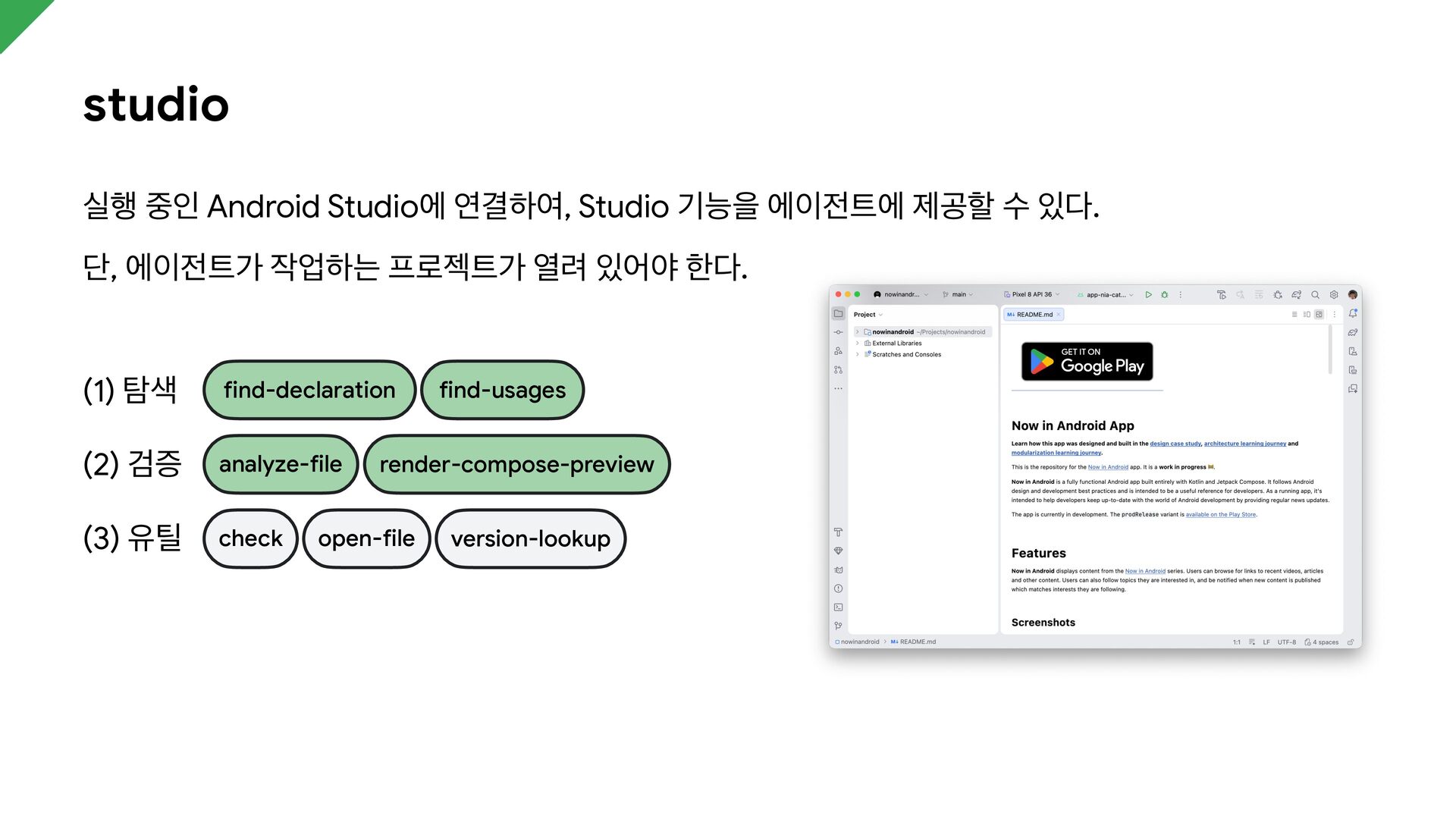
  24. studio 실행 중인 Android Studio에 연결하여, Studio 기능을 에이전트에 제공할

    수 있다. 단, 에이전트가 작업하는 프로젝트가 열려 있어야 한다. (1) 탐색 find-declaration (2) 검증 analyze-file (3) 유틸 check find-usages render-compose-preview open-file version-lookup
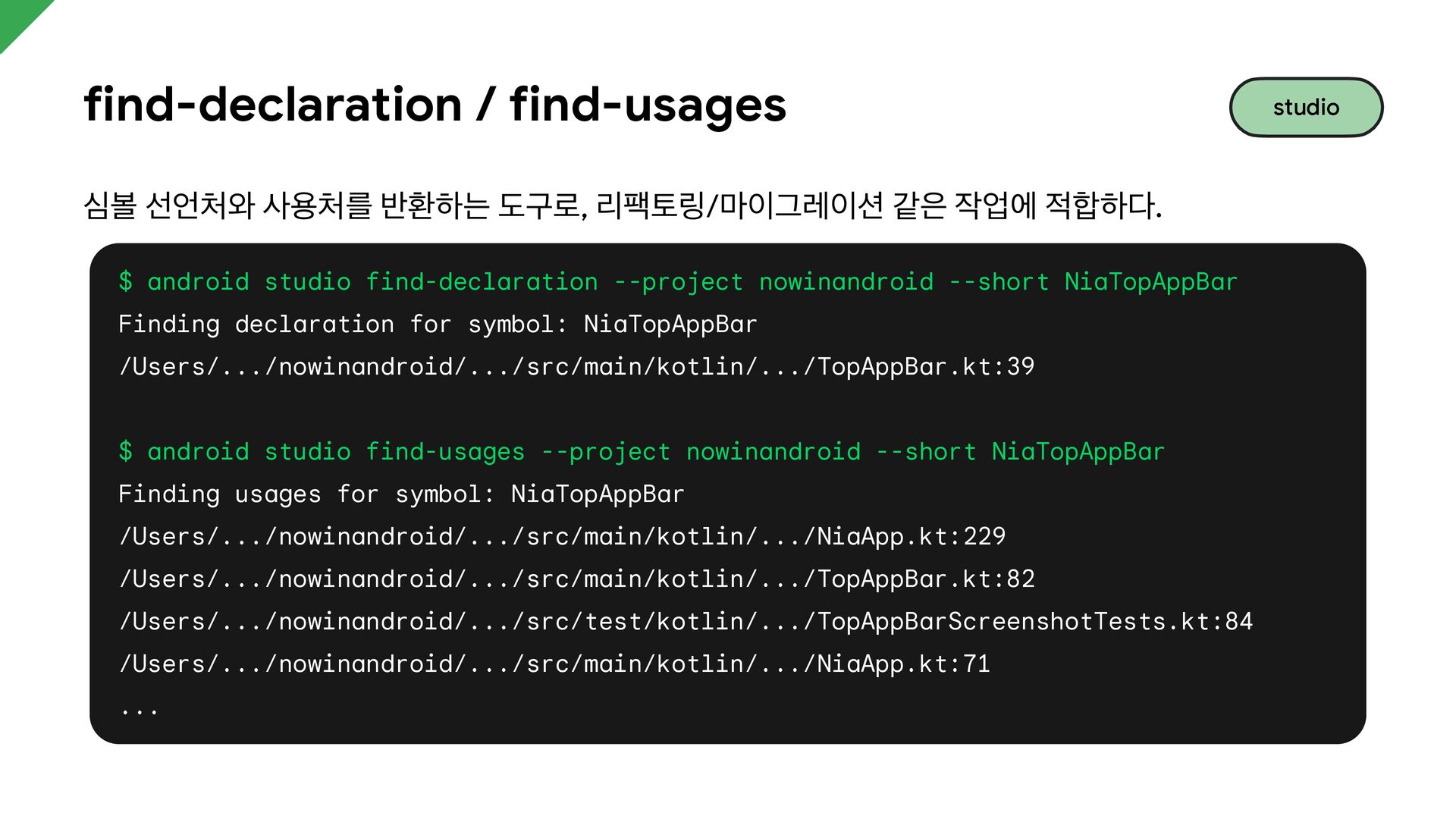
  25. find-declaration / find-usages 심볼 선언처와 사용처를 반환하는 도구로, 리팩토링/마이그레이션 같은

    작업에 적합하다. $ android studio find-declaration --project nowinandroid --short NiaTopAppBar Finding declaration for symbol: NiaTopAppBar /Users/.../nowinandroid/.../src/main/kotlin/.../TopAppBar.kt:39 $ android studio find-usages --project nowinandroid --short NiaTopAppBar Finding usages for symbol: NiaTopAppBar /Users/.../nowinandroid/.../src/main/kotlin/.../NiaApp.kt:229 /Users/.../nowinandroid/.../src/main/kotlin/.../TopAppBar.kt:82 /Users/.../nowinandroid/.../src/test/kotlin/.../TopAppBarScreenshotTests.kt:84 /Users/.../nowinandroid/.../src/main/kotlin/.../NiaApp.kt:71 ... studio
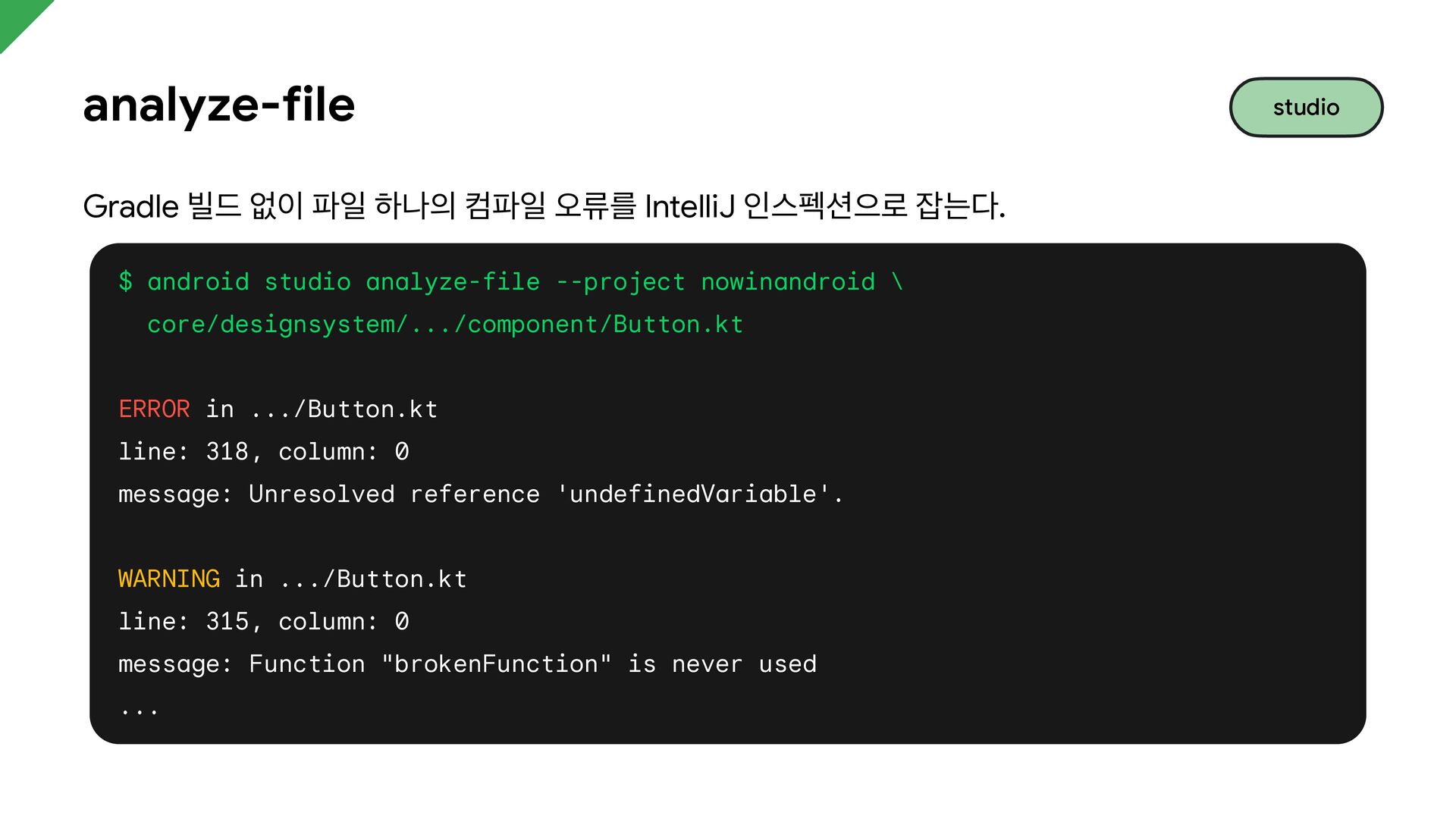
  26. analyze-file Gradle 빌드 없이 파일 하나의 컴파일 오류를 IntelliJ 인스펙션으로

    잡는다. $ android studio analyze-file --project nowinandroid \ core/designsystem/.../component/Button.kt ERROR in .../Button.kt line: 318, column: 0 message: Unresolved reference 'undefinedVariable'. WARNING in .../Button.kt line: 315, column: 0 message: Function "brokenFunction" is never used ... studio
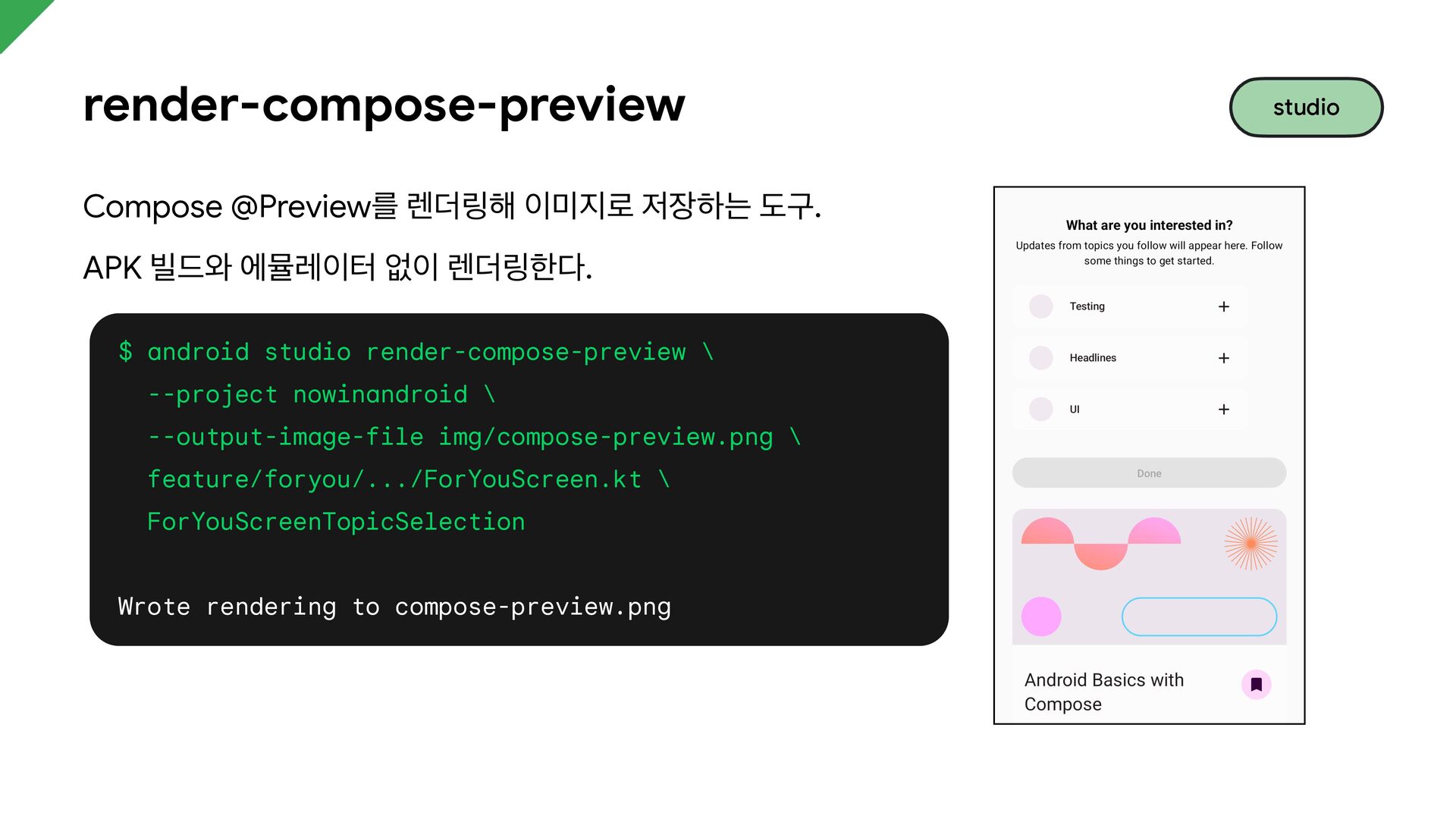
  27. render-compose-preview Compose @Preview를 렌더링해 이미지로 저장하는 도구. APK 빌드와 에뮬레이터

    없이 렌더링한다. $ android studio render-compose-preview \ --project nowinandroid \ --output-image-file img/compose-preview.png \ feature/foryou/.../ForYouScreen.kt \ ForYouScreenTopicSelection Wrote rendering to compose-preview.png studio
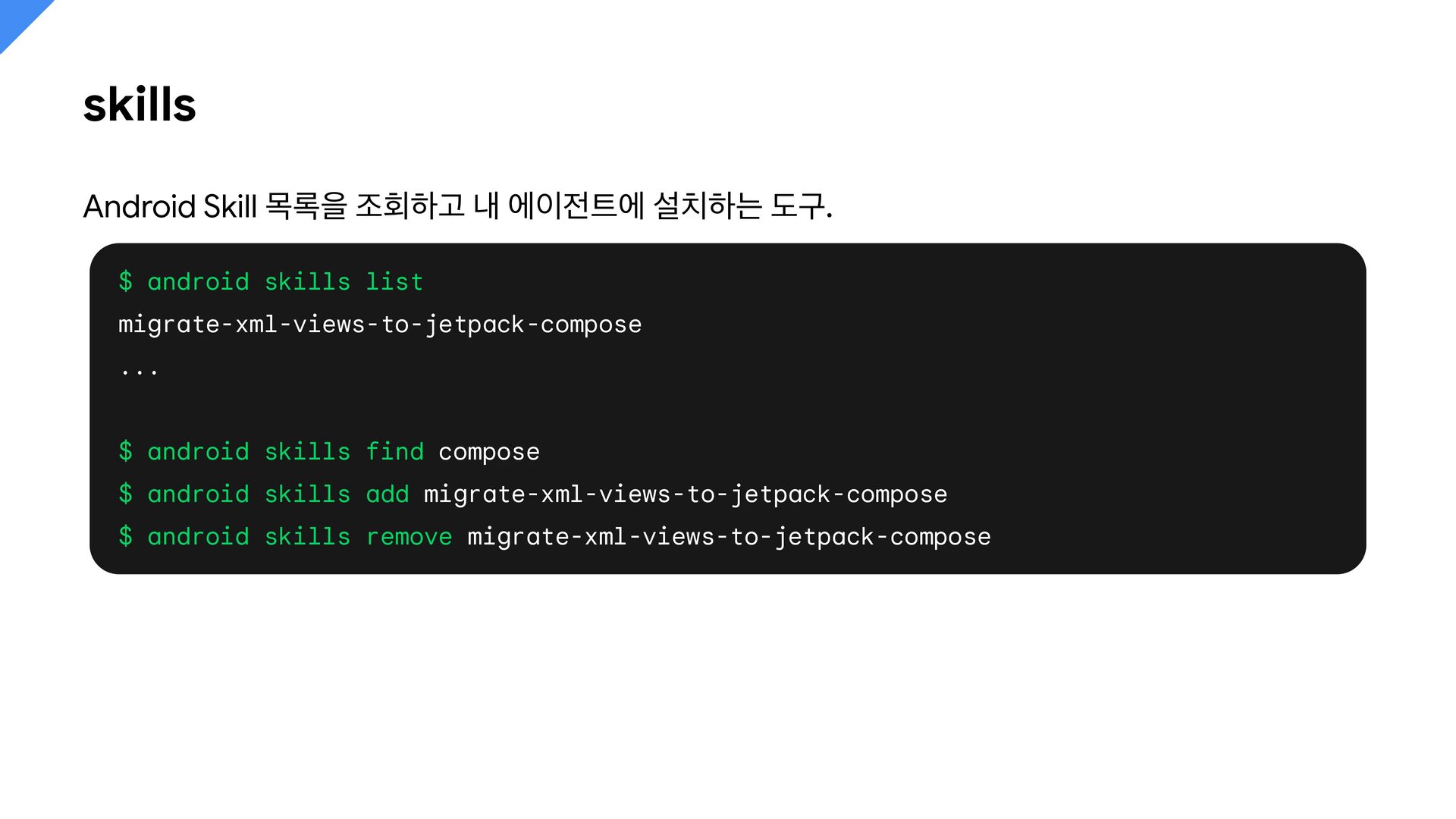
  28. skills Android Skill 목록을 조회하고 내 에이전트에 설치하는 도구. $

    android skills list migrate-xml-views-to-jetpack-compose ... $ android skills find compose $ android skills add migrate-xml-views-to-jetpack-compose $ android skills remove migrate-xml-views-to-jetpack-compose
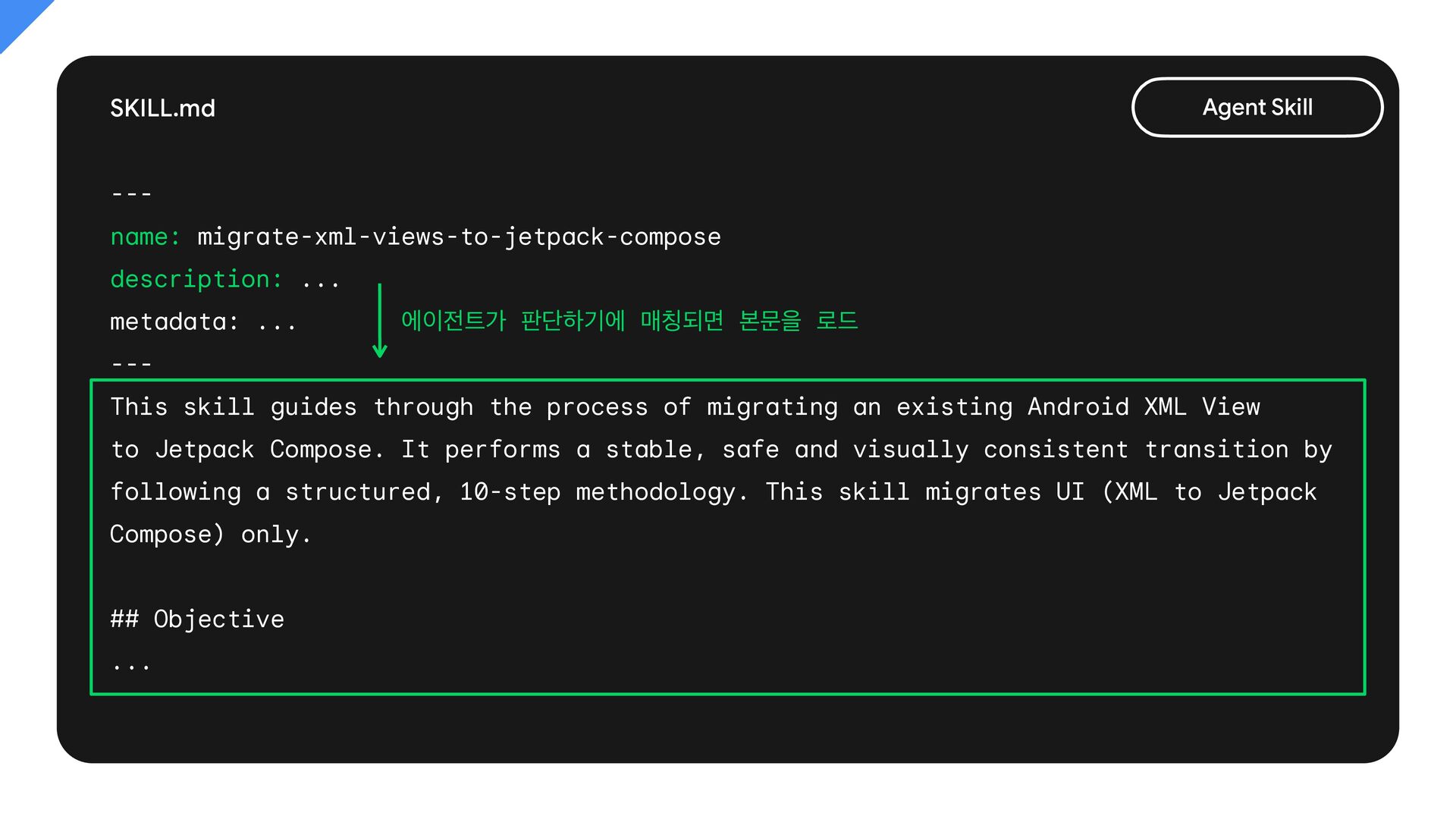
  29. SKILL.md Agent Skill --name: migrate-xml-views-to-jetpack-compose description: ... metadata: ... 에이전트가

    판단하기에 매칭되면 본문을 로드 --This skill guides through the process of migrating an existing Android XML View to Jetpack Compose. It performs a stable, safe and visually consistent transition by following a structured, 10-step methodology. This skill migrates UI (XML to Jetpack Compose) only. ## Objective ...
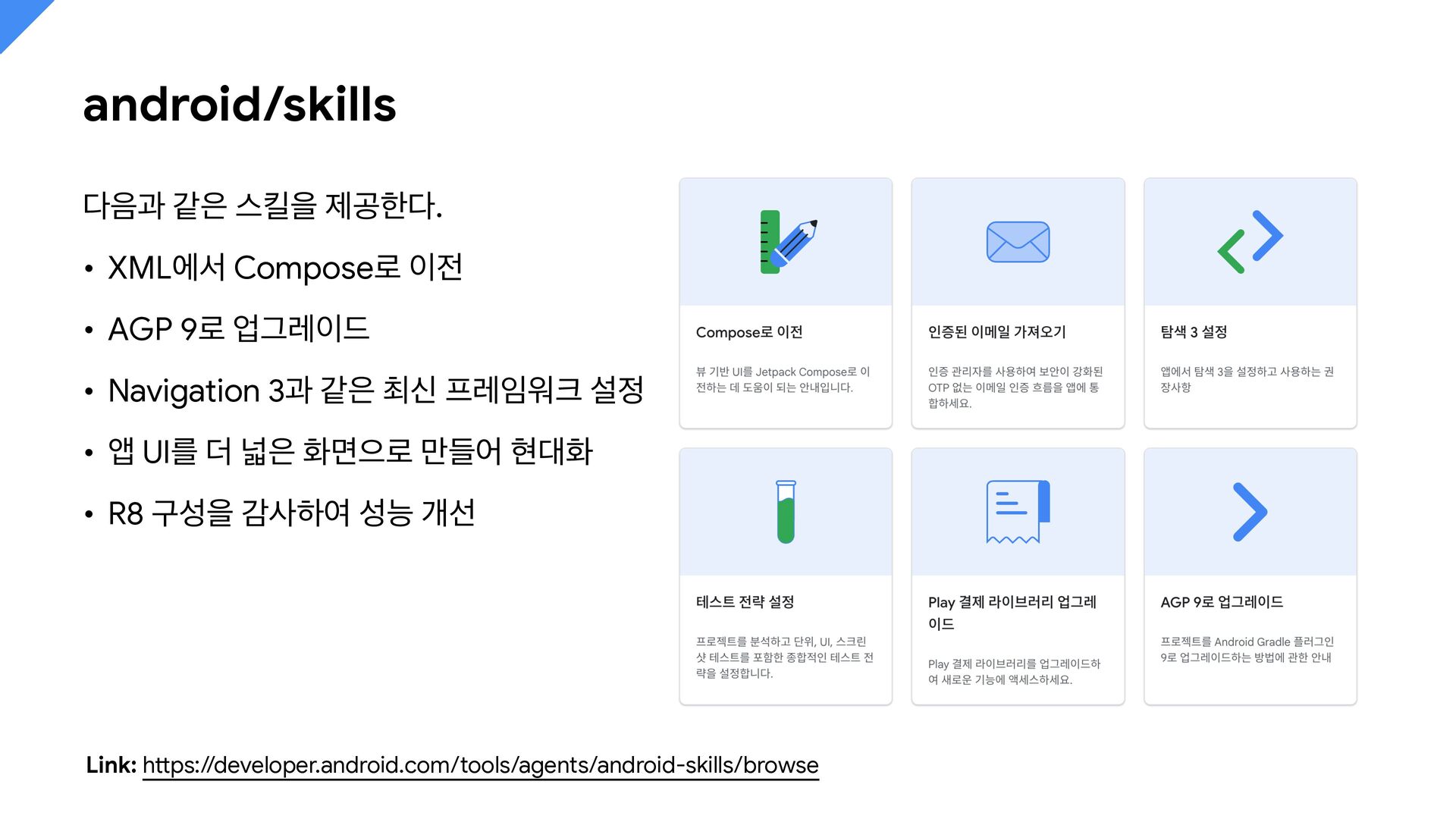
  30. android/skills 다음과 같은 스킬을 제공한다. • XML에서 Compose로 이전 •

    AGP 9로 업그레이드 • Navigation 3과 같은 최신 프레임워크 설정 • 앱 UI를 더 넓은 화면으로 만들어 현대화 • R8 구성을 감사하여 성능 개선 tt Link: h ps://developer.android.com/tools/agents/android-skills/browse
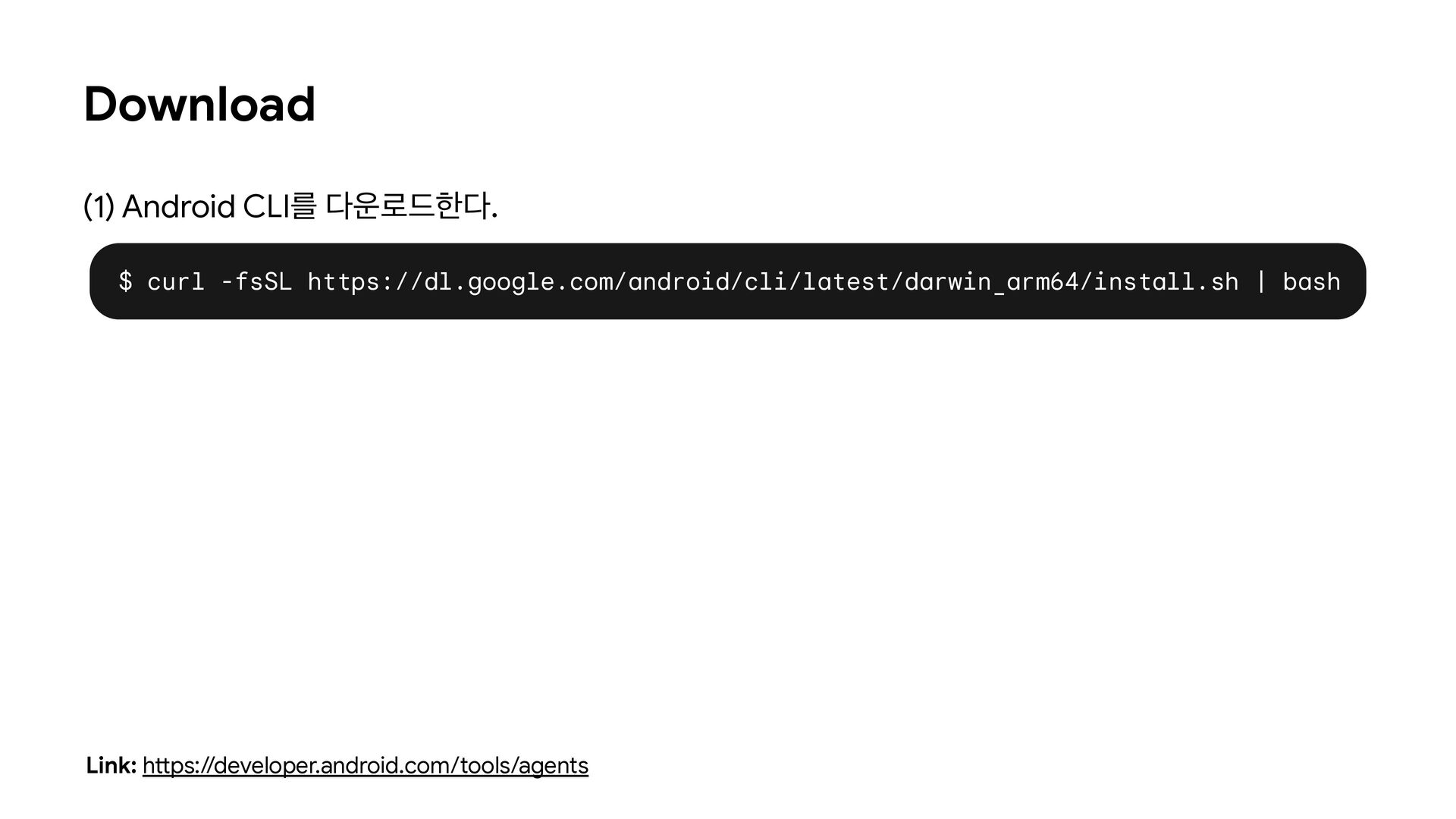
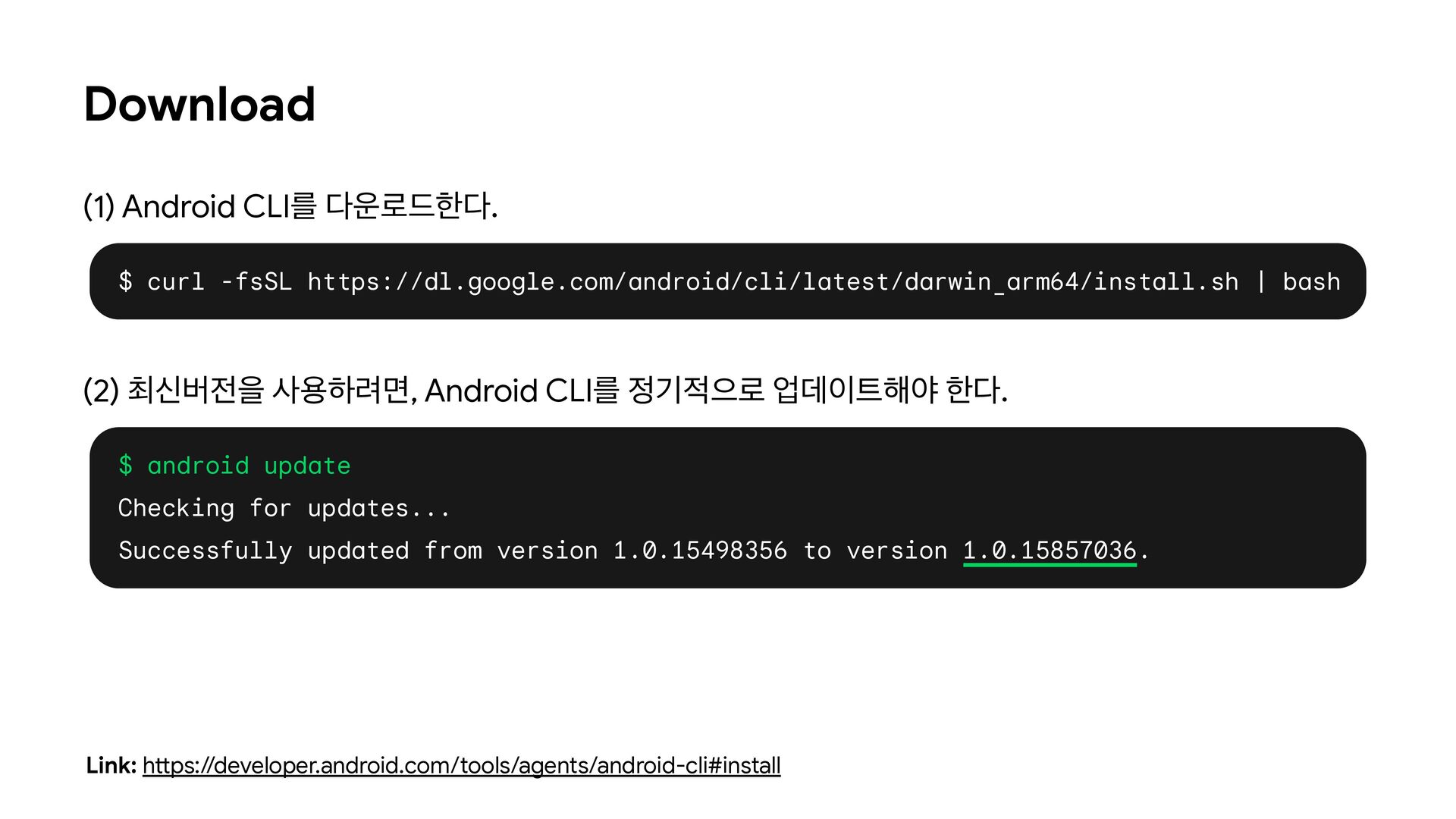
  31. Download (1) Android CLI를 다운로드한다. $ curl -fsSL https://dl.google.com/android/cli/latest/darwin_arm64/install.sh |

    bash (2) 최신버전을 사용하려면, Android CLI를 정기적으로 업데이트해야 한다. $ android update Checking for updates... Successfully updated from version 1.0.15498356 to version 1.0.15857036. tt Link: h ps://developer.android.com/tools/agents/android-cli#install
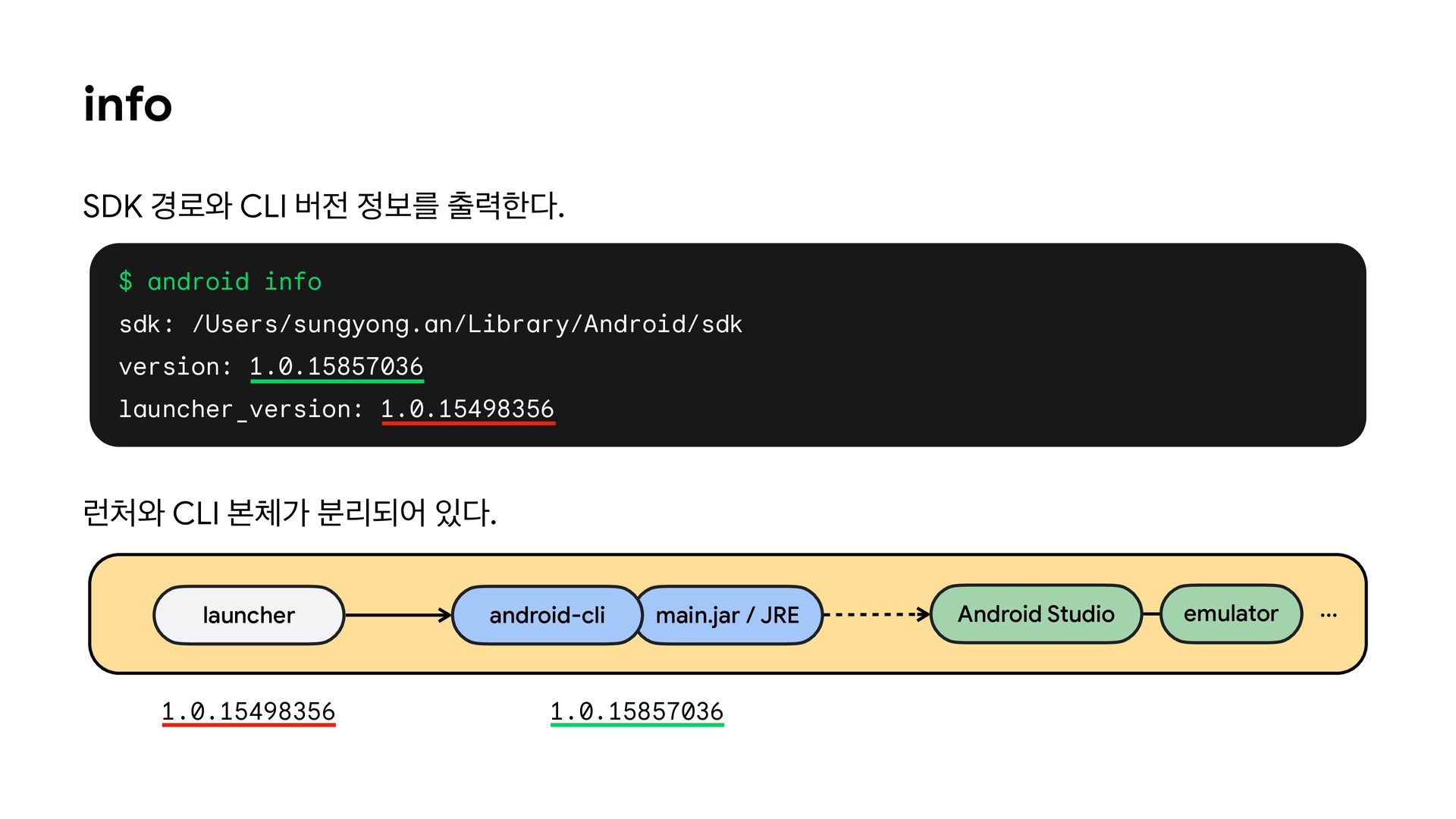
  32. info SDK 경로와 CLI 버전 정보를 출력한다. $ android info

    sdk: /Users/sungyong.an/Library/Android/sdk version: 1.0.15857036 launcher_version: 1.0.15498356 런처와 CLI 본체가 분리되어 있다. launcher 1.0.15498356 android-cli main.jar / JRE 1.0.15857036 Android Studio emulator ...
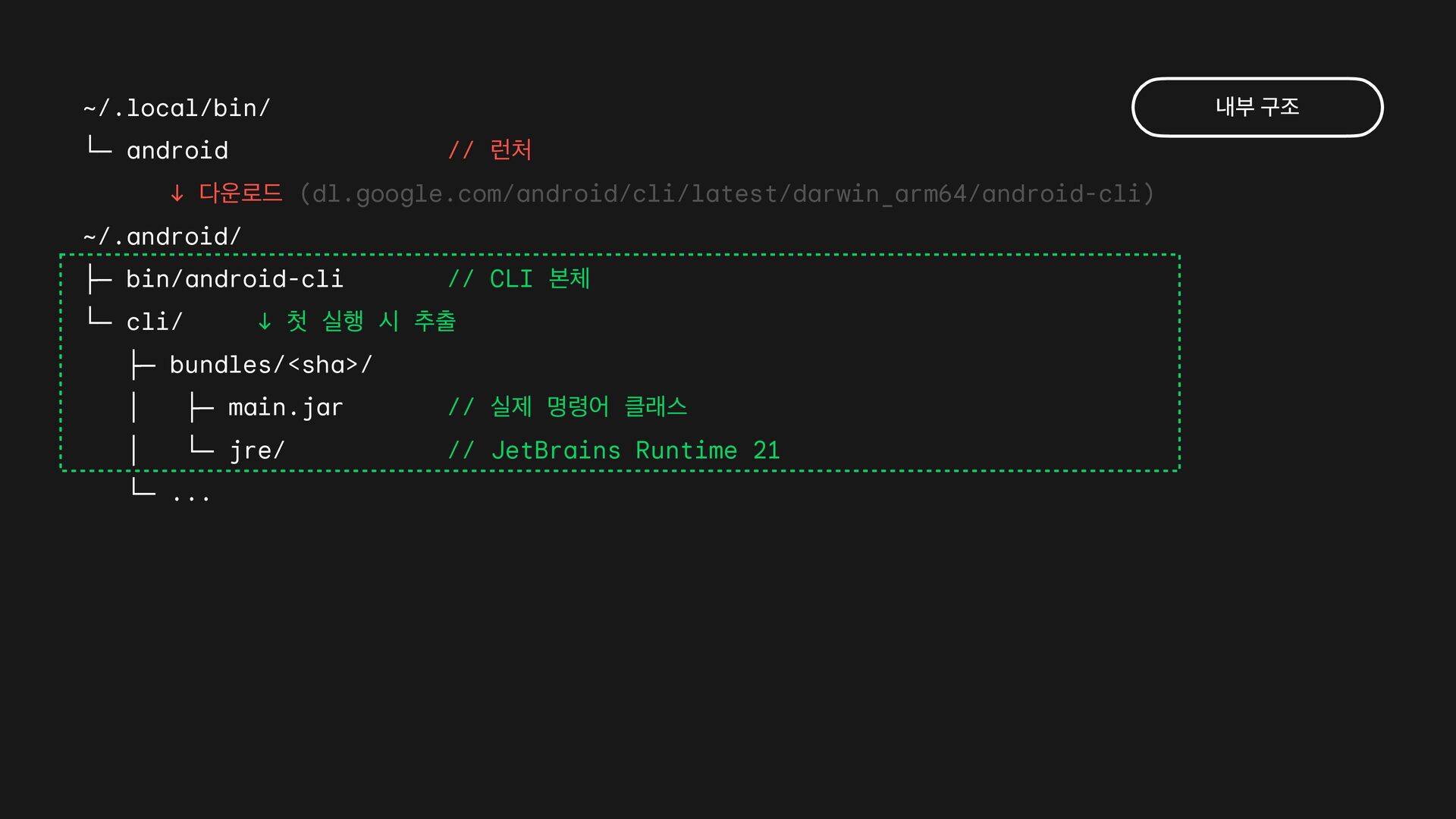
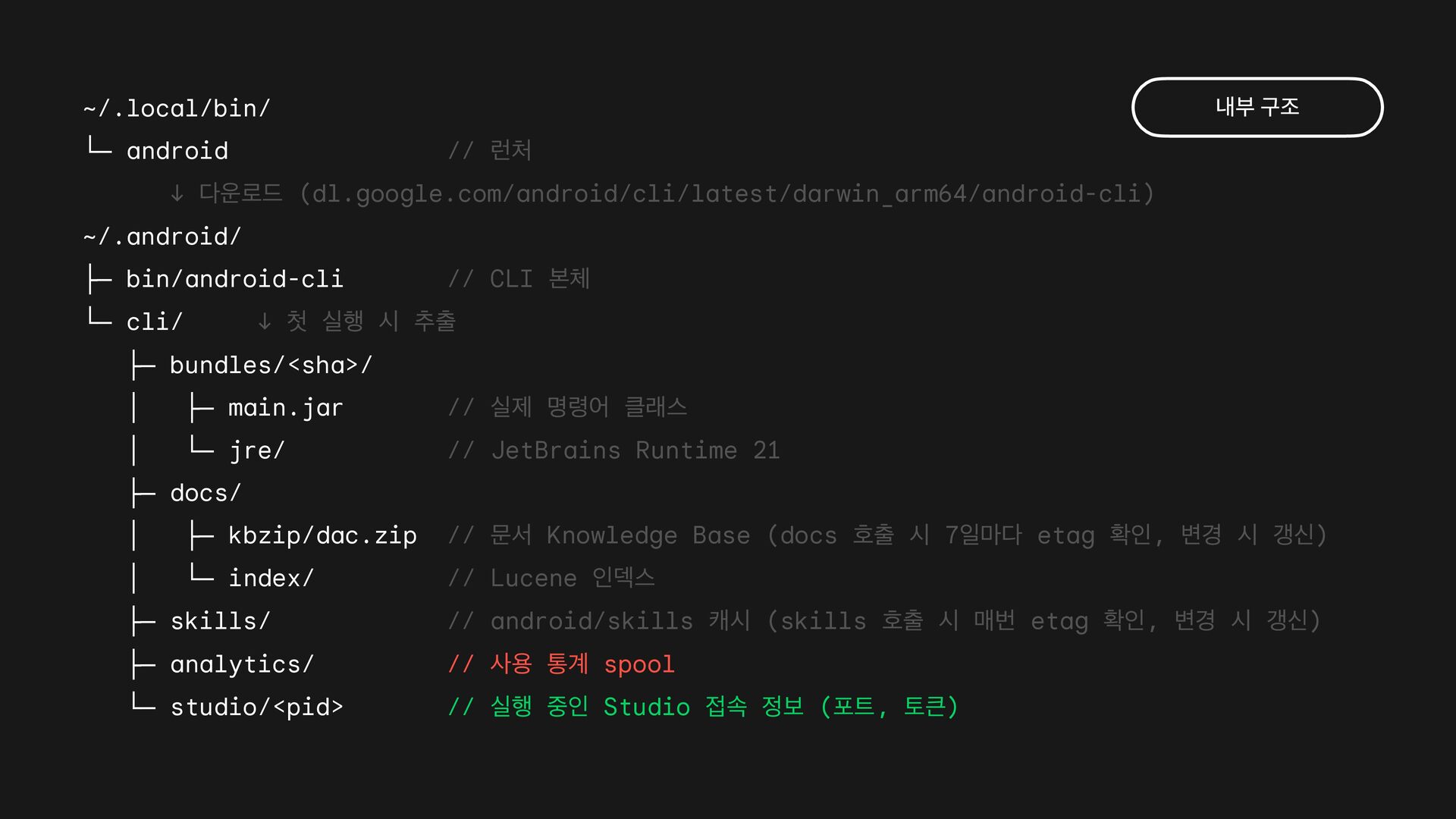
  33. ~/.local/bin/ └─ android 내부 구조 // 런처 ↓ 다운로드 (dl.google.com/android/cli/latest/darwin_arm64/android-cli)

    ~/.android/ ├─ bin/android-cli └─ cli/ // CLI 본체 ↓ 첫 실행 시 추출 ├─ bundles/<sha>/ │ ├─ main.jar // 실제 명령어 클래스 │ └─ jre/ // JetBrains Runtime 21 └─ ...
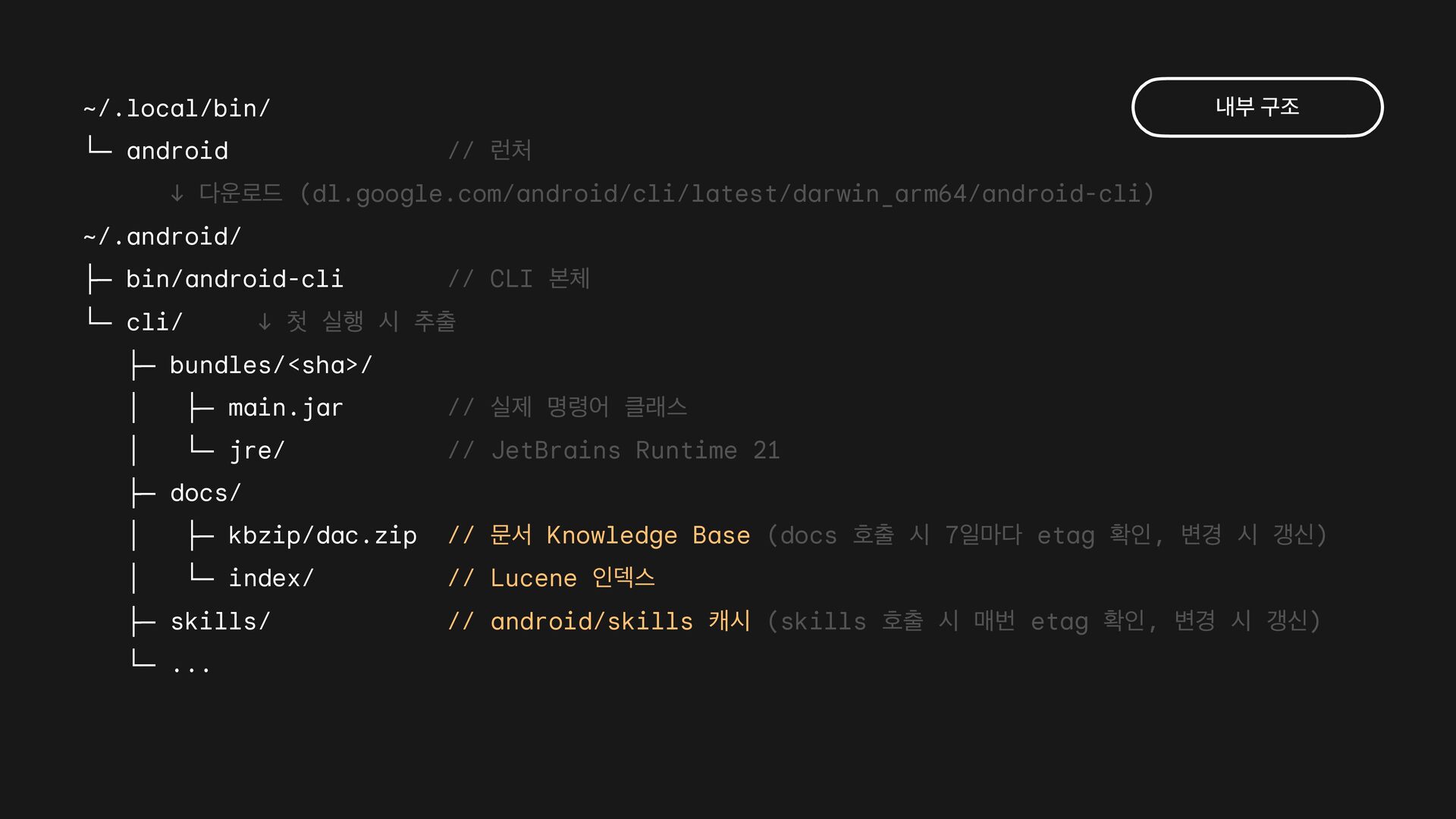
  34. ~/.local/bin/ └─ android 내부 구조 // 런처 ↓ 다운로드 (dl.google.com/android/cli/latest/darwin_arm64/android-cli)

    ~/.android/ ├─ bin/android-cli └─ cli/ // CLI 본체 ↓ 첫 실행 시 추출 ├─ bundles/<sha>/ │ ├─ main.jar // 실제 명령어 클래스 │ └─ jre/ // JetBrains Runtime 21 ├─ docs/ │ ├─ kbzip/dac.zip // 문서 Knowledge Base (docs 호출 시 7일마다 etag 확인, 변경 시 갱신) │ └─ index/ // Lucene 인덱스 ├─ skills/ └─ ... // android/skills 캐시 (skills 호출 시 매번 etag 확인, 변경 시 갱신)
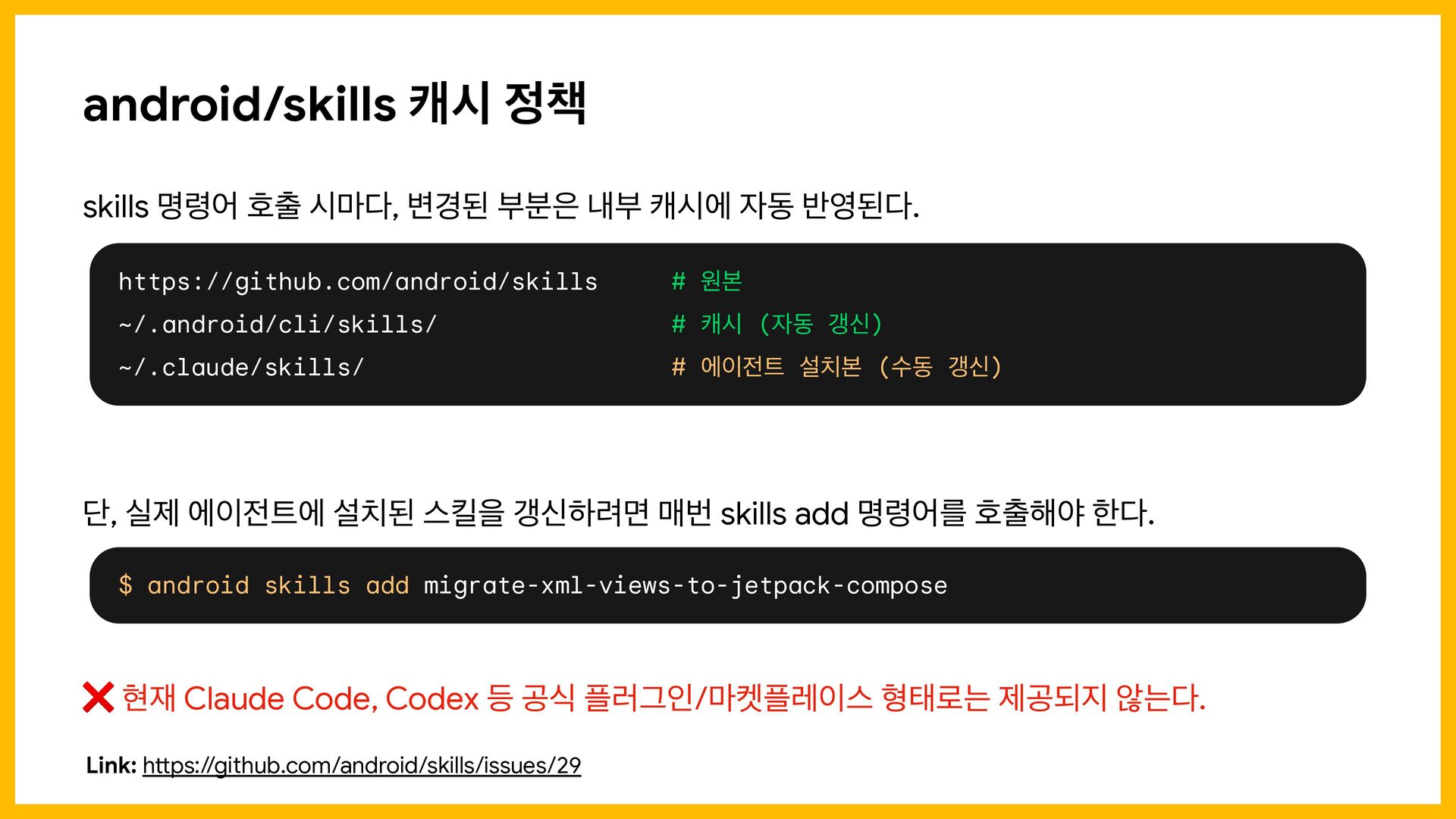
  35. android/skills 캐시 정책 skills 명령어 호출 시마다, 변경된 부분은 내부

    캐시에 자동 반영된다. https://github.com/android/skills # 원본 ~/.android/cli/skills/ # 캐시 (자동 갱신) ~/.claude/skills/ # 에이전트 설치본 (수동 갱신) 단, 실제 에이전트에 설치된 스킬을 갱신하려면 매번 skills add 명령어를 호출해야 한다. $ android skills add migrate-xml-views-to-jetpack-compose ❌ 현재 Claude Code, Codex 등 공식 플러그인/마켓플레이스 형태로는 제공되지 않는다. tt Link: h ps://github.com/android/skills/issues/29
  36. ~/.local/bin/ └─ android 내부 구조 // 런처 ↓ 다운로드 (dl.google.com/android/cli/latest/darwin_arm64/android-cli)

    ~/.android/ ├─ bin/android-cli └─ cli/ // CLI 본체 ↓ 첫 실행 시 추출 ├─ bundles/<sha>/ │ ├─ main.jar // 실제 명령어 클래스 │ └─ jre/ // JetBrains Runtime 21 ├─ docs/ │ ├─ kbzip/dac.zip // 문서 Knowledge Base (docs 호출 시 7일마다 etag 확인, 변경 시 갱신) │ └─ index/ // Lucene 인덱스 ├─ skills/ // android/skills 캐시 (skills 호출 시 매번 etag 확인, 변경 시 갱신) ├─ analytics/ // 사용 통계 spool └─ studio/<pid> // 실행 중인 Studio 접속 정보 (포트, 토큰)
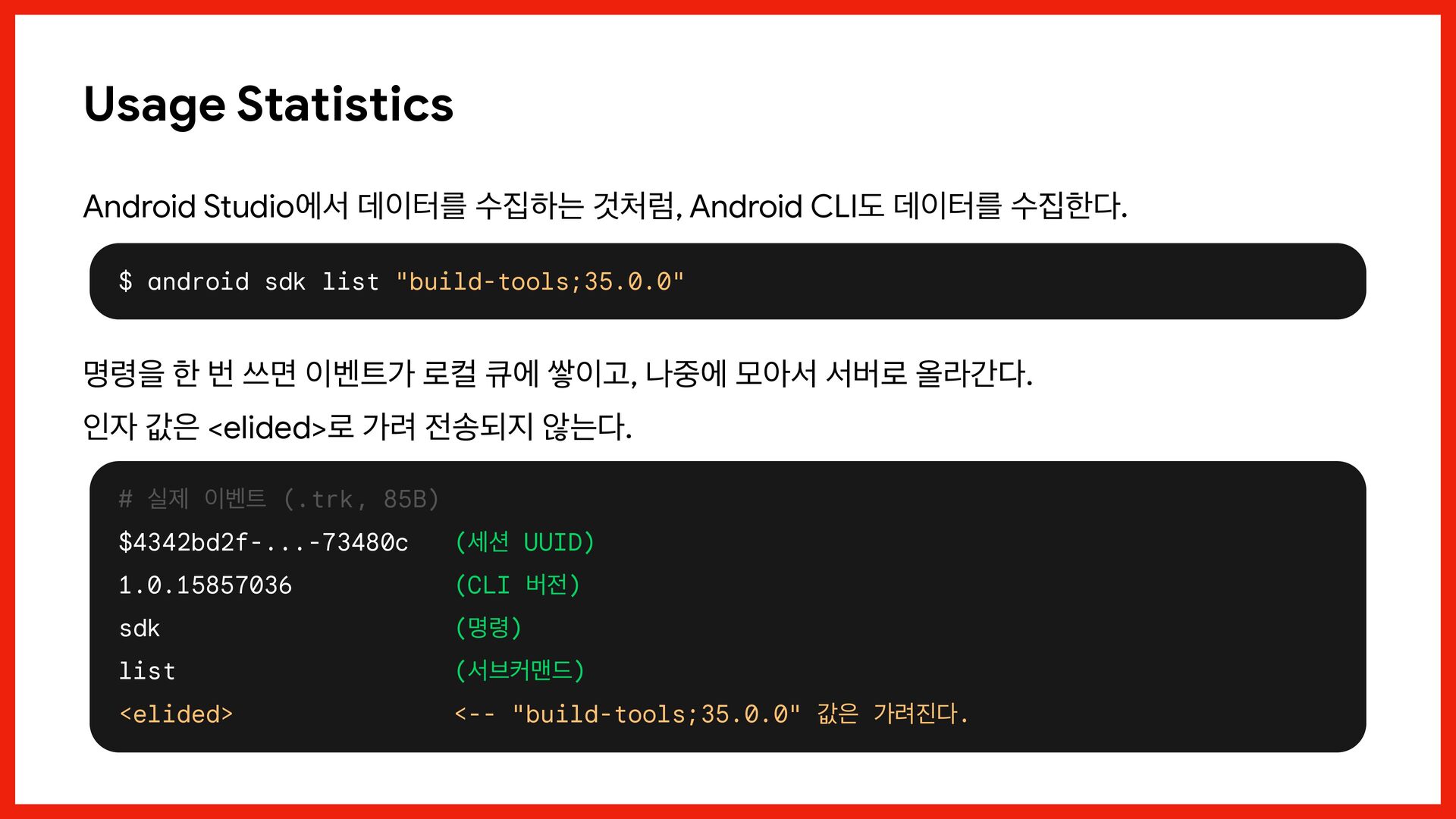
  37. Usage Statistics Android Studio에서 데이터를 수집하는 것처럼, Android CLI도 데이터를

    수집한다. $ android sdk list "build-tools;35.0.0" 명령을 한 번 쓰면 이벤트가 로컬 큐에 쌓이고, 나중에 모아서 서버로 올라간다. 인자 값은 <elided>로 가려 전송되지 않는다. # 실제 이벤트 (.trk, 85B) $4342bd2f-...-73480c (세션 UUID) 1.0.15857036 (CLI 버전) sdk (명령) list (서브커맨드) <elided> <-- "build-tools;35.0.0" 값은 가려진다.
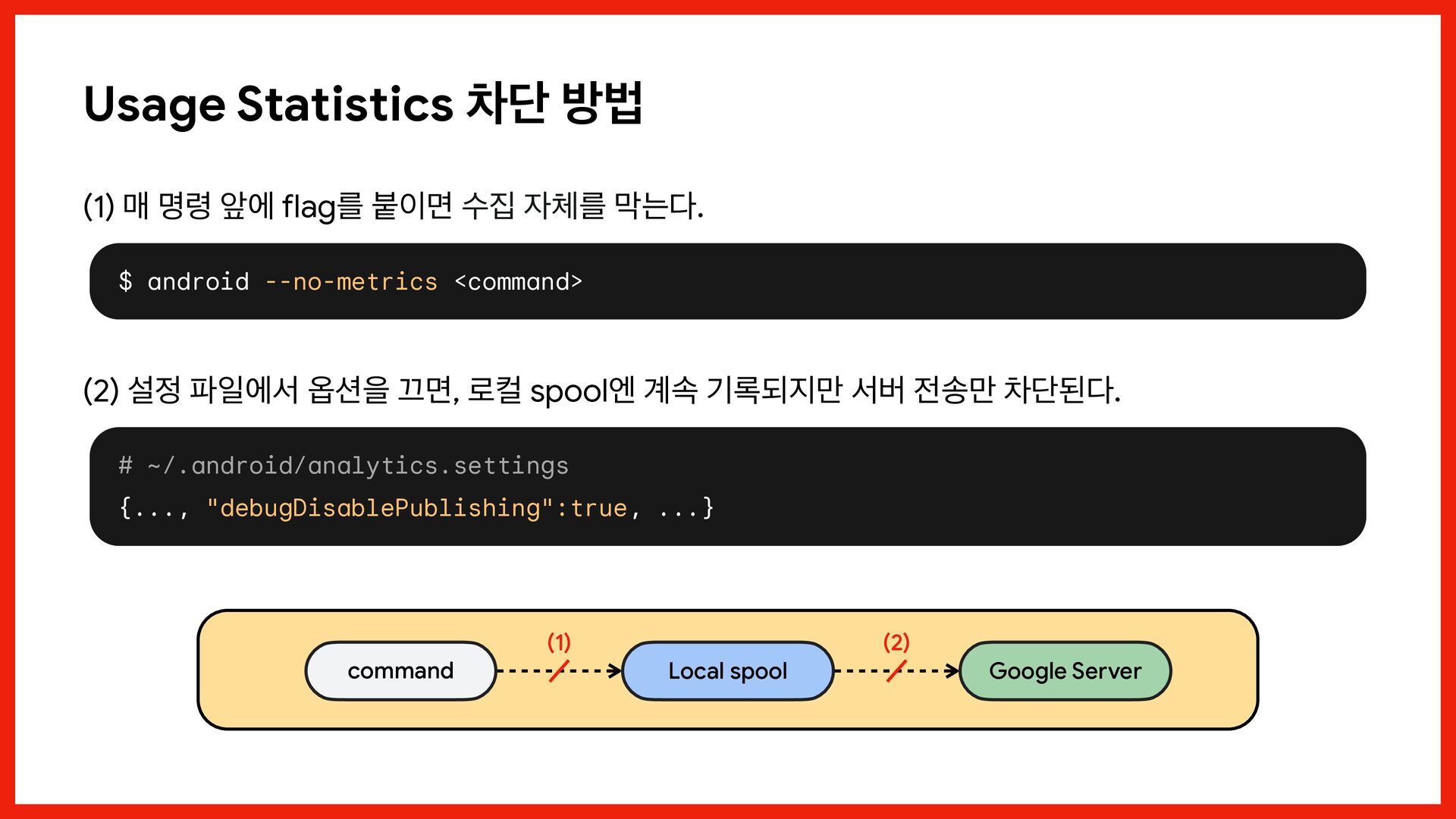
  38. Usage Statistics 차단 방법 (1) 매 명령 앞에 flag를 붙이면

    수집 자체를 막는다. $ android --no-metrics <command> (2) 설정 파일에서 옵션을 끄면, 로컬 spool엔 계속 기록되지만 서버 전송만 차단된다. # ~/.android/analytics.settings {..., "debugDisablePublishing":true, ...} command (1) Local spool (2) Google Server
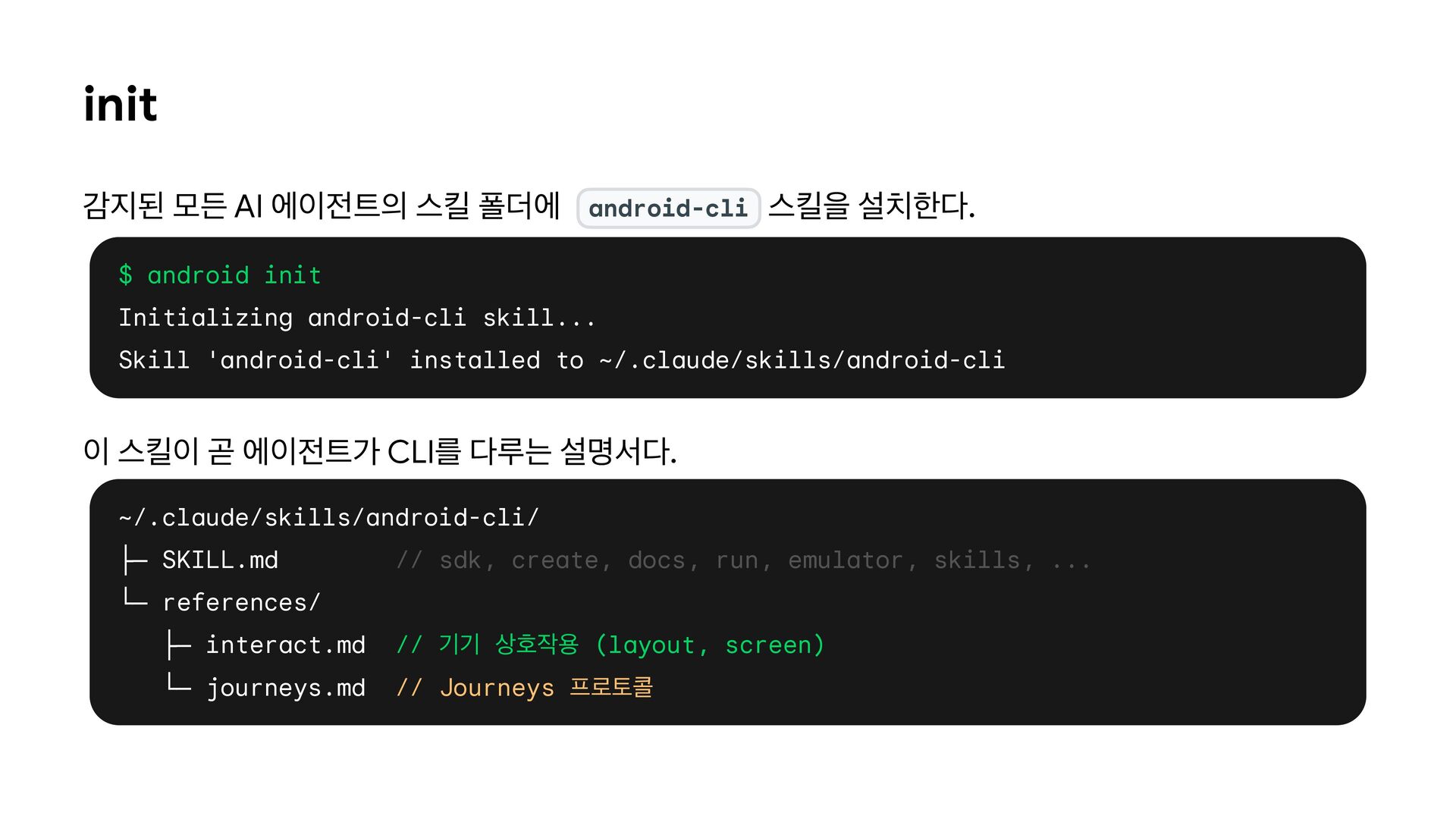
  39. init 감지된 모든 AI 에이전트의 스킬 폴더에 android-cli 스킬을 설치한다.

    $ android init Initializing android-cli skill... Skill 'android-cli' installed to ~/.claude/skills/android-cli 이 스킬이 곧 에이전트가 CLI를 다루는 설명서다. ~/.claude/skills/android-cli/ ├─ SKILL.md // sdk, create, docs, run, emulator, skills, ... └─ references/ ├─ interact.md // 기기 상호작용 (layout, screen) └─ journeys.md // Journeys 프로토콜
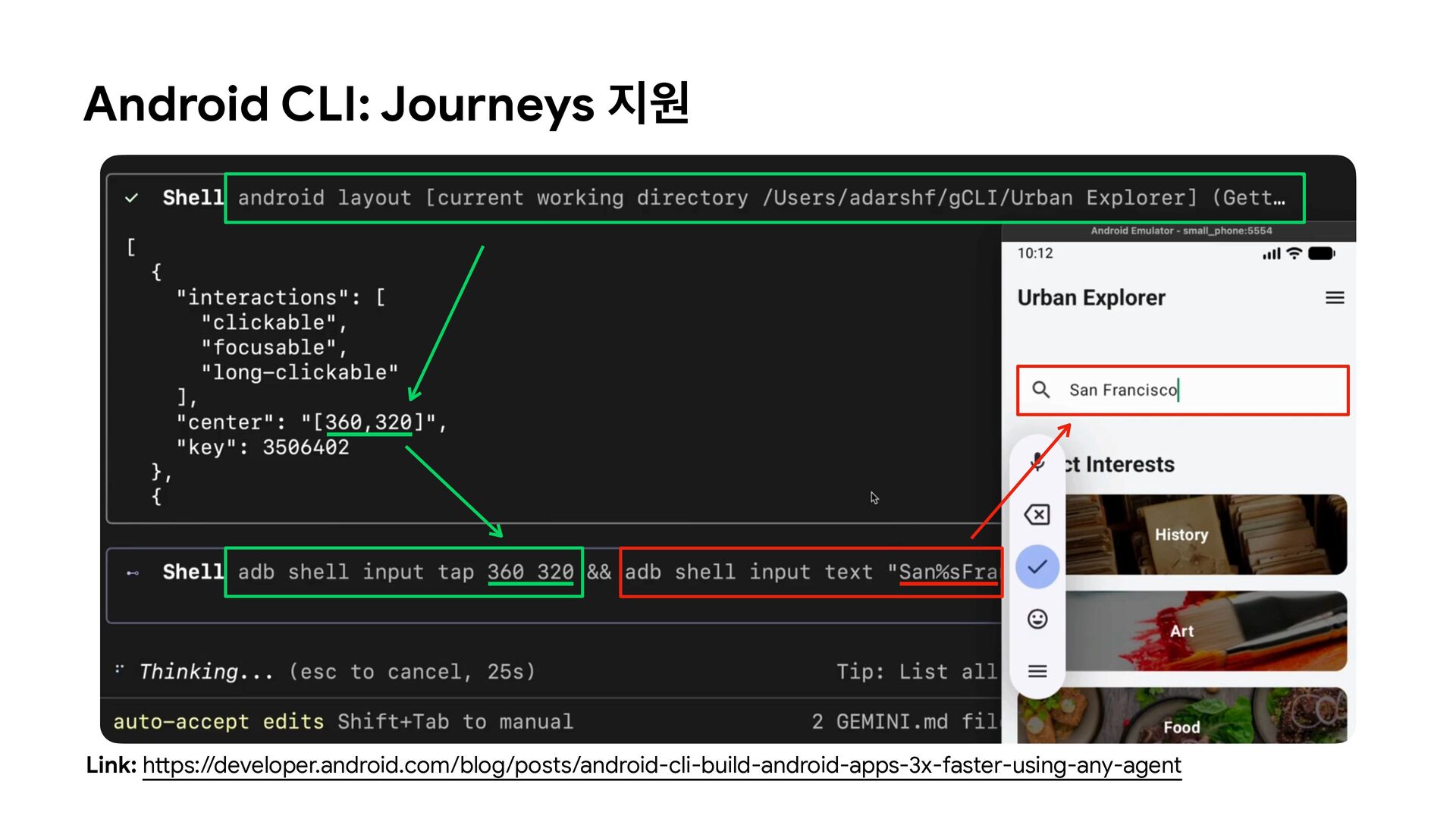
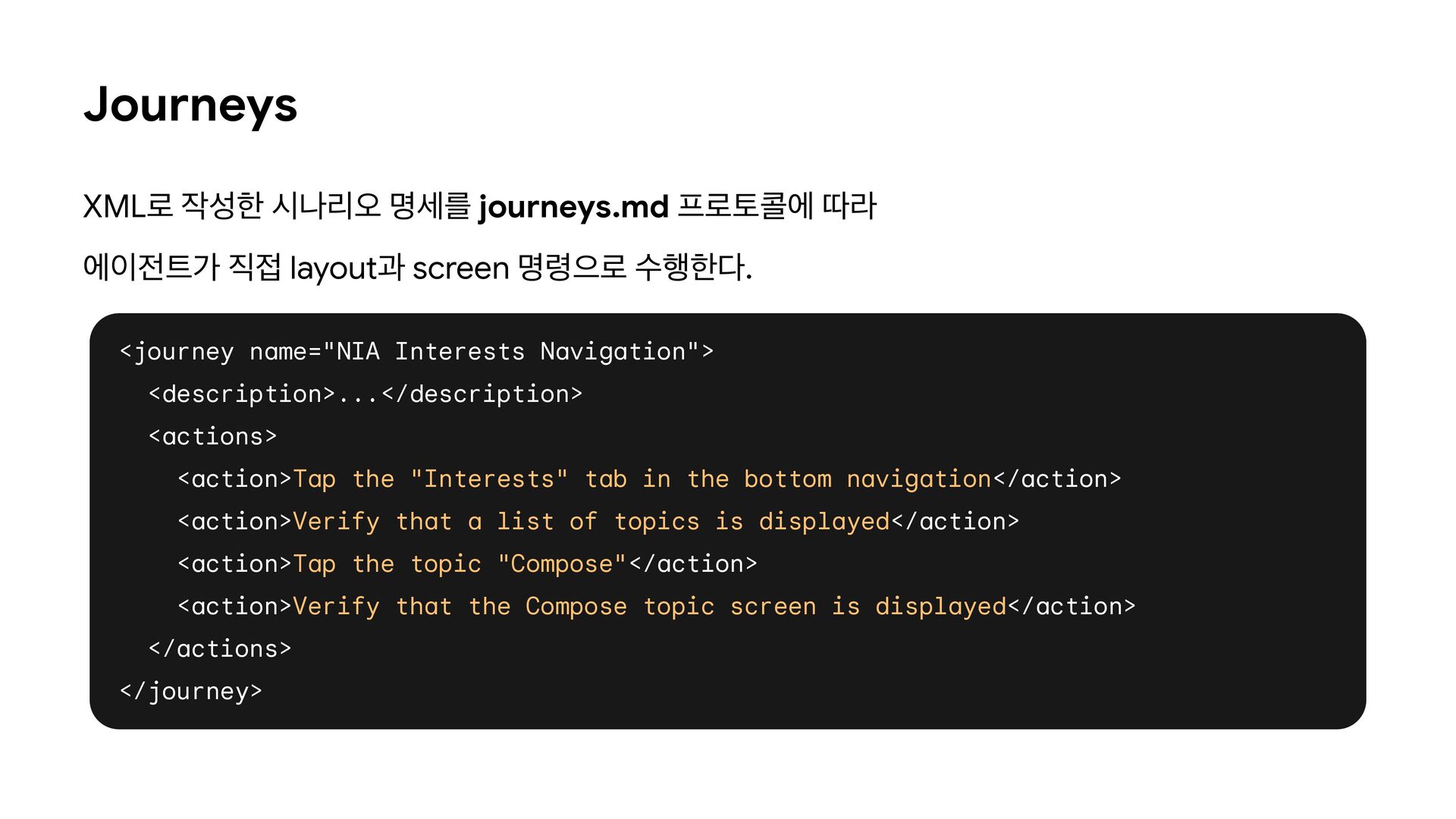
  40. Journeys XML로 작성한 시나리오 명세를 journeys.md 프로토콜에 따라 에이전트가 직접

    layout과 screen 명령으로 수행한다. <journey name="NIA Interests Navigation"> <description>...</description> <actions> <action>Tap the "Interests" tab in the bottom navigation</action> <action>Verify that a list of topics is displayed</action> <action>Tap the topic "Compose"</action> <action>Verify that the Compose topic screen is displayed</action> </actions> </journey>
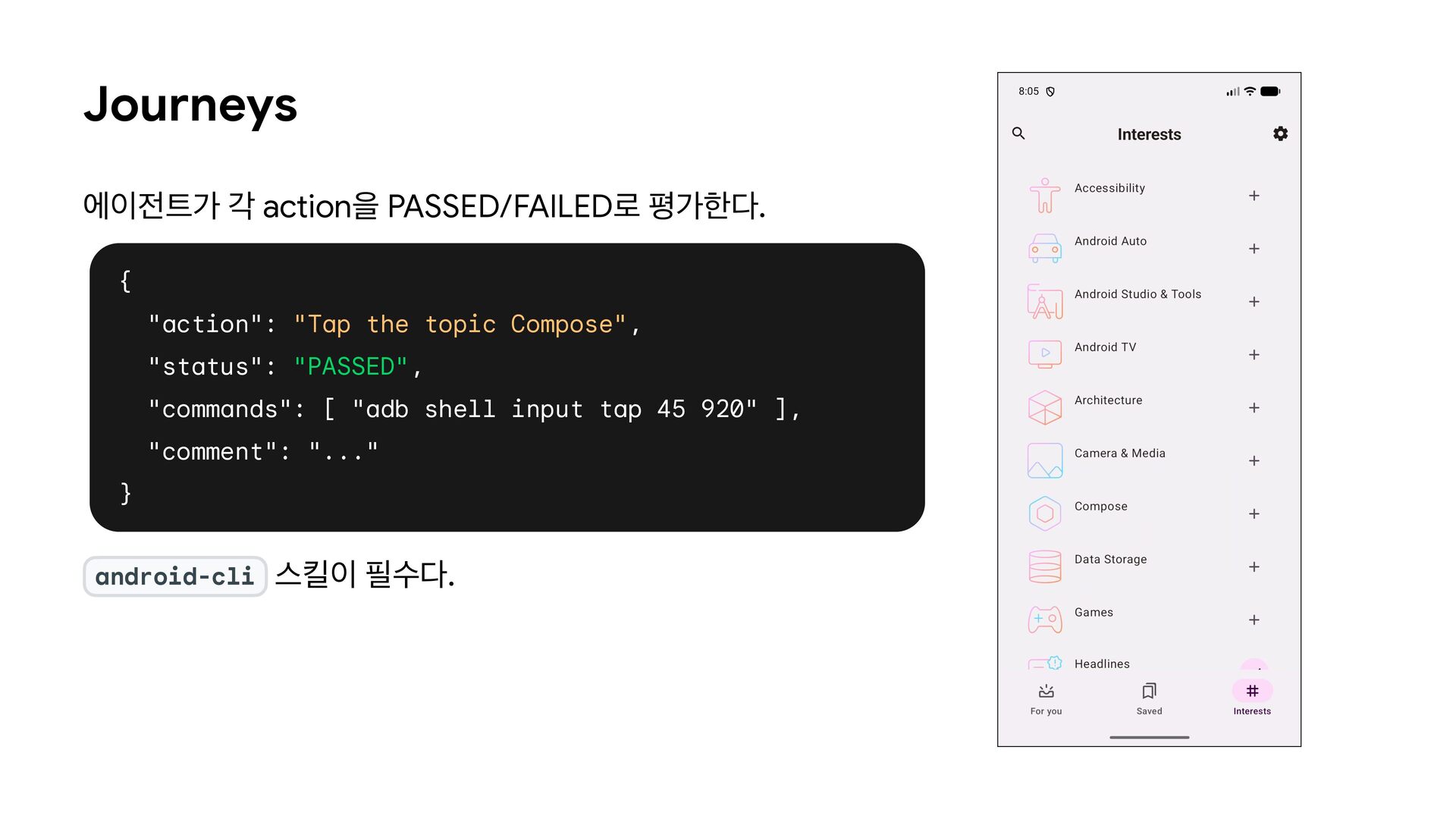
  41. Journeys 에이전트가 각 action을 PASSED/FAILED로 평가한다. { "action": "Tap the

    topic Compose", "status": "PASSED", "commands": [ "adb shell input tap 45 920" ], "comment": "..." } android-cli 스킬이 필수다.
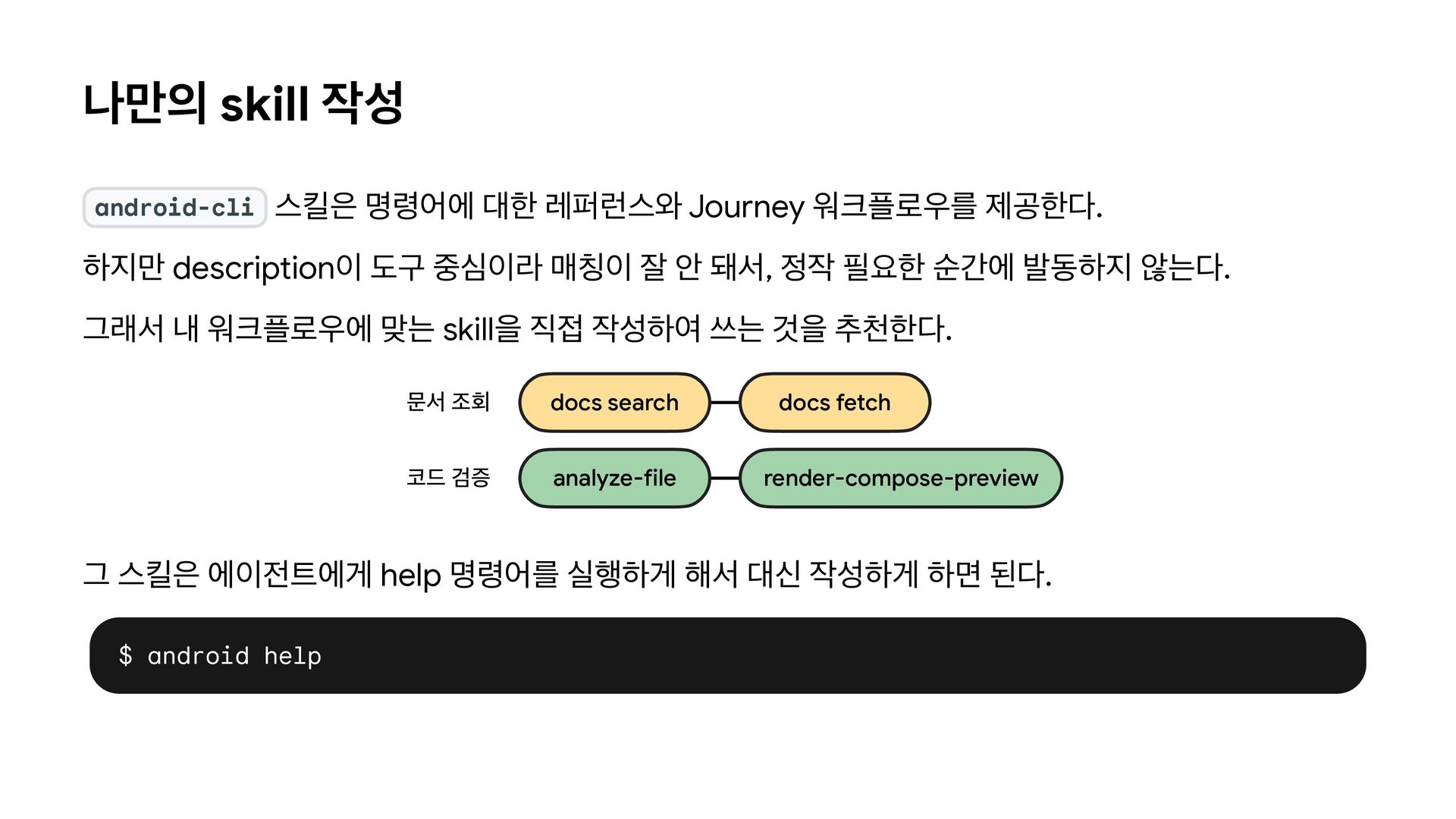
  42. 나만의 skill 작성 android-cli 스킬은 명령어에 대한 레퍼런스와 Journey 워크플로우를

    제공한다. 하지만 description이 도구 중심이라 매칭이 잘 안 돼서, 정작 필요한 순간에 발동하지 않는다. 그래서 내 워크플로우에 맞는 skill을 직접 작성하여 쓰는 것을 추천한다. 문서 조회 docs search docs fetch 코드 검증 analyze-file render-compose-preview 그 스킬은 에이전트에게 help 명령어를 실행하게 해서 대신 작성하게 하면 된다. $ android help
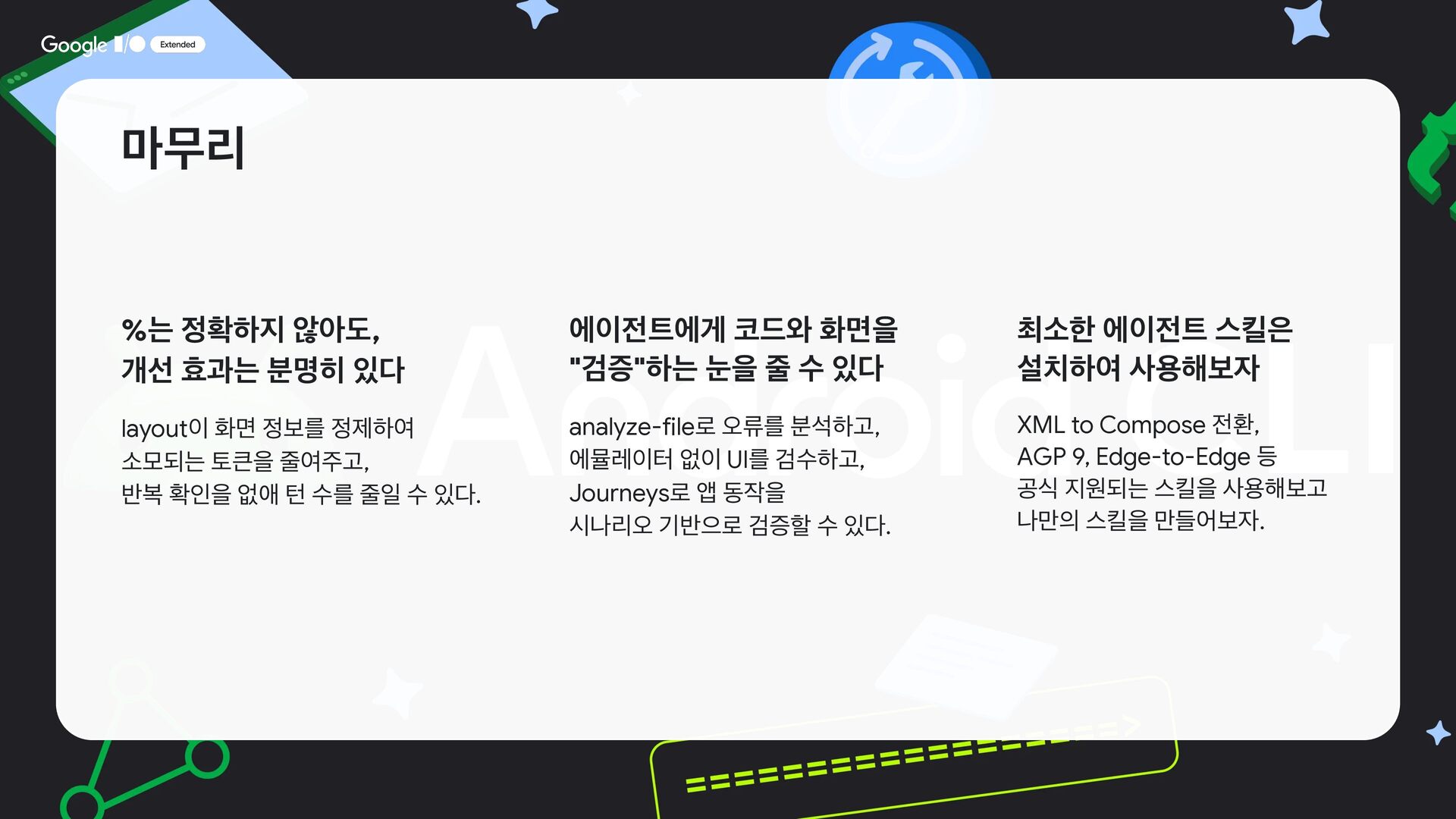
  43. 마무리 %는 정확하지 않아도, 개선 효과는 분명히 있다 에이전트에게 코드와

    화면을 "검증"하는 눈을 줄 수 있다 최소한 에이전트 스킬은 설치하여 사용해보자 layout이 화면 정보를 정제하여 소모되는 토큰을 줄여주고, 반복 확인을 없애 턴 수를 줄일 수 있다. analyze-file로 오류를 분석하고, 에뮬레이터 없이 UI를 검수하고, Journeys로 앱 동작을 시나리오 기반으로 검증할 수 있다. XML to Compose 전환, AGP 9, Edge-to-Edge 등 공식 지원되는 스킬을 사용해보고 나만의 스킬을 만들어보자.
  44. Q&A