of challenges The need for IT security is growing Increase of Internet penetration; Exponential increase of data requiring protection; Exponential evolution of malware and professionalization Consumerization of IT Convergence of devices and services Bitdefender has the key enablers to grow in this changing environment One of the best R&D teams, with proven technologies ahead of the market; Deep understanding of the consumer market needs and trends; Knowledge sharing through OEM partnerships.
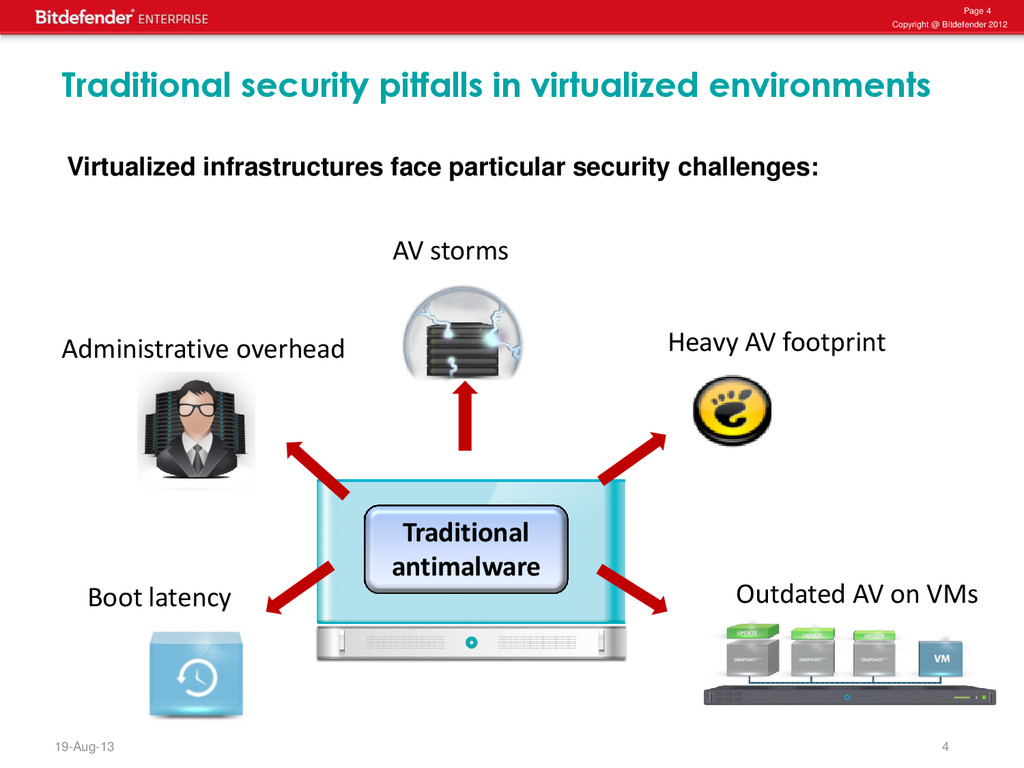
pitfalls in virtualized environments Administrative overhead AV storms Boot latency Outdated AV on VMs Heavy AV footprint Traditional antimalware Virtualized infrastructures face particular security challenges:
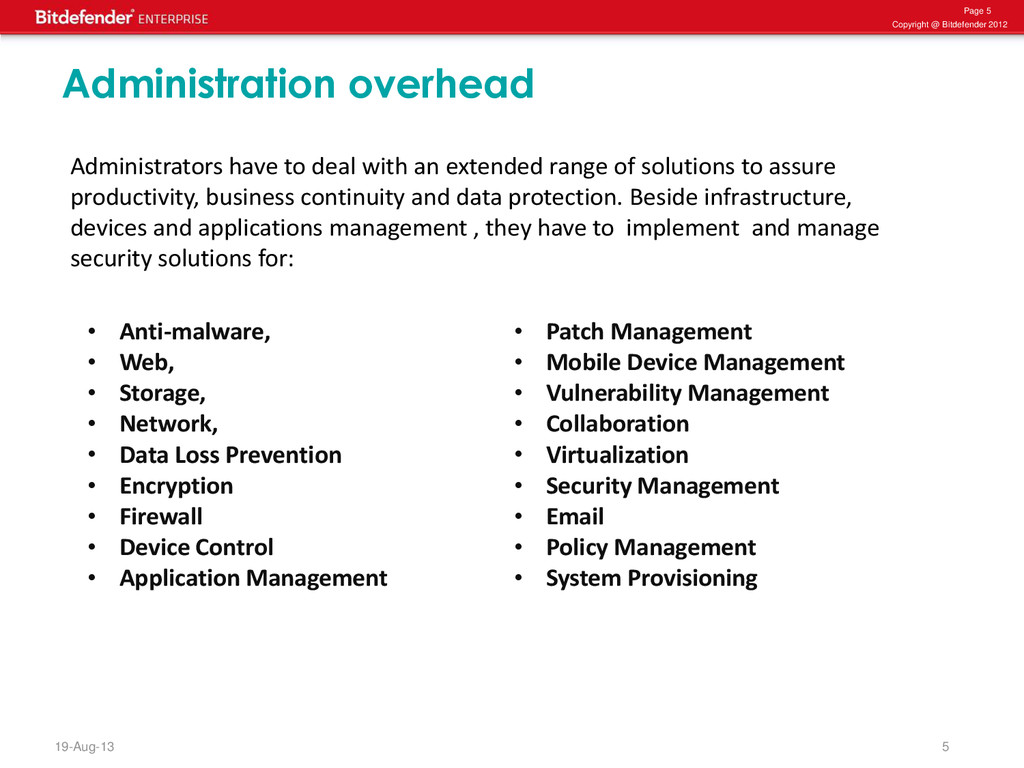
Administrators have to deal with an extended range of solutions to assure productivity, business continuity and data protection. Beside infrastructure, devices and applications management , they have to implement and manage security solutions for: • Anti-malware, • Web, • Storage, • Network, • Data Loss Prevention • Encryption • Firewall • Device Control • Application Management • Patch Management • Mobile Device Management • Vulnerability Management • Collaboration • Virtualization • Security Management • Email • Policy Management • System Provisioning
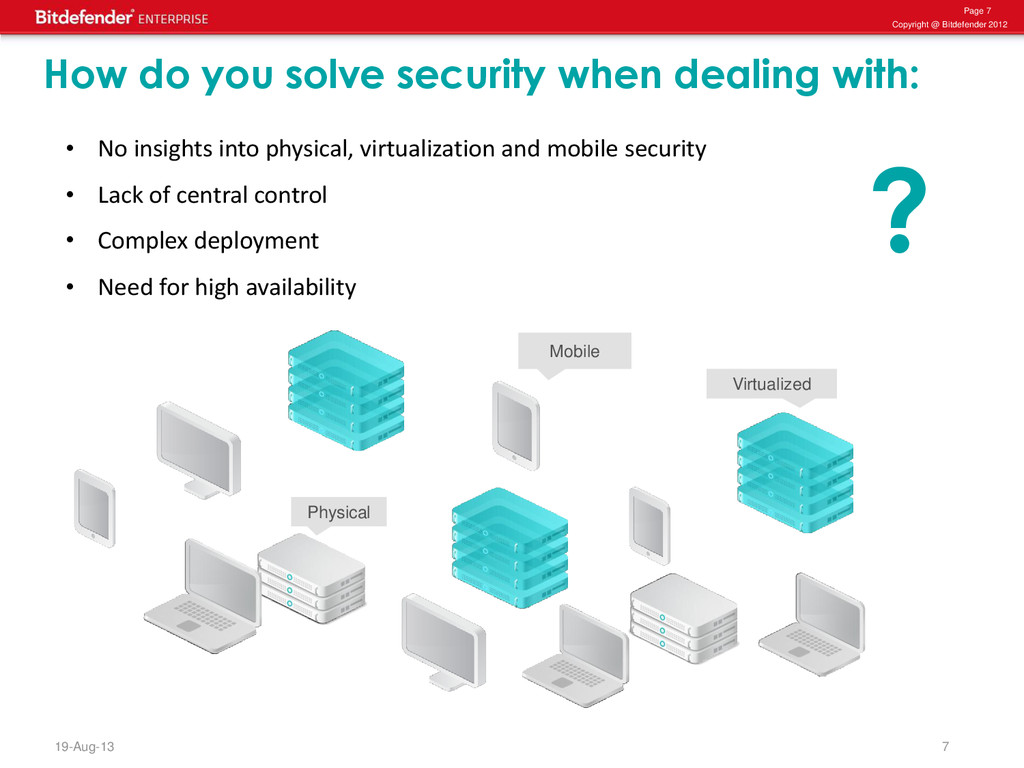
Virtualized • No insights into physical, virtualization and mobile security • Lack of central control • Complex deployment • Need for high availability How do you solve security when dealing with: ?
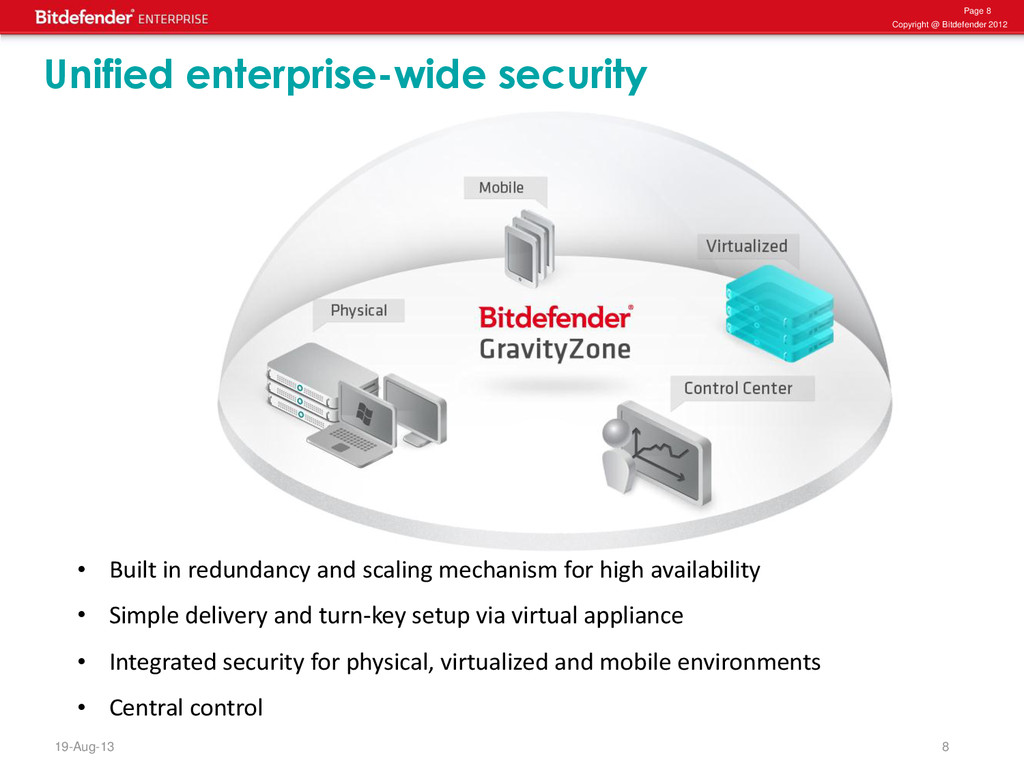
in redundancy and scaling mechanism for high availability • Simple delivery and turn-key setup via virtual appliance • Integrated security for physical, virtualized and mobile environments • Central control Unified enterprise-wide security
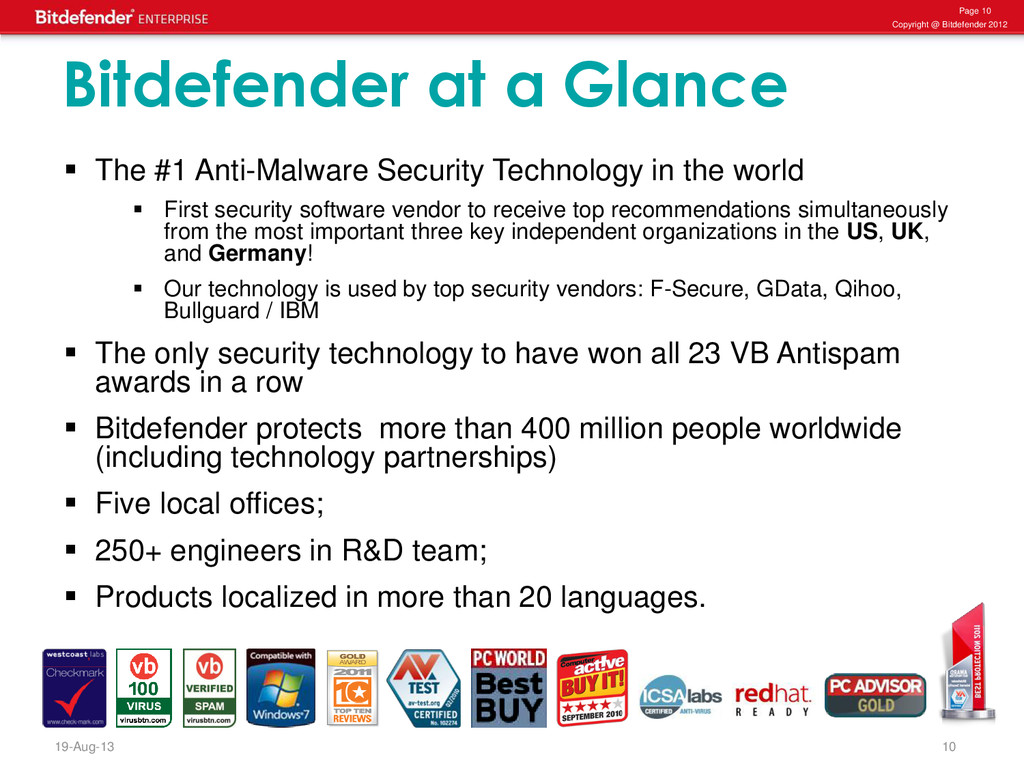
a Glance The #1 Anti-Malware Security Technology in the world First security software vendor to receive top recommendations simultaneously from the most important three key independent organizations in the US, UK, and Germany! Our technology is used by top security vendors: F-Secure, GData, Qihoo, Bullguard / IBM The only security technology to have won all 23 VB Antispam awards in a row Bitdefender protects more than 400 million people worldwide (including technology partnerships) Five local offices; 250+ engineers in R&D team; Products localized in more than 20 languages.
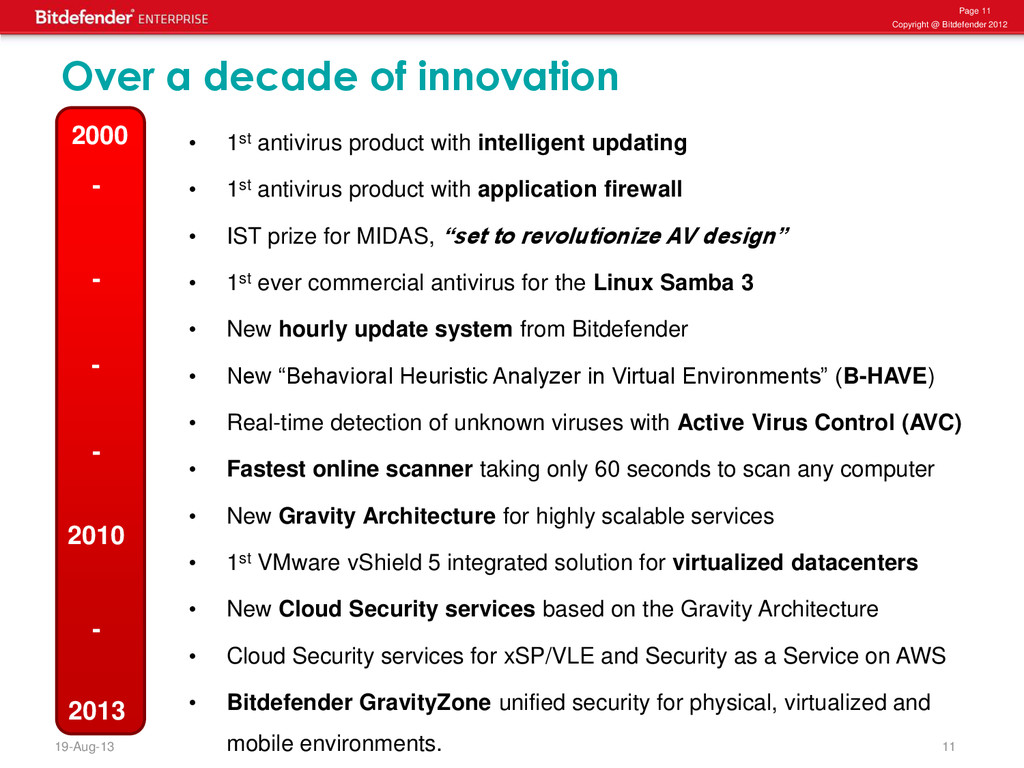
decade of innovation • 1st antivirus product with intelligent updating • 1st antivirus product with application firewall • IST prize for MIDAS, “set to revolutionize AV design” • 1st ever commercial antivirus for the Linux Samba 3 • New hourly update system from Bitdefender • New “Behavioral Heuristic Analyzer in Virtual Environments” (B-HAVE) • Real-time detection of unknown viruses with Active Virus Control (AVC) • Fastest online scanner taking only 60 seconds to scan any computer • New Gravity Architecture for highly scalable services • 1st VMware vShield 5 integrated solution for virtualized datacenters • New Cloud Security services based on the Gravity Architecture • Cloud Security services for xSP/VLE and Security as a Service on AWS • Bitdefender GravityZone unified security for physical, virtualized and mobile environments. 2010 2000 - - - - - 2013
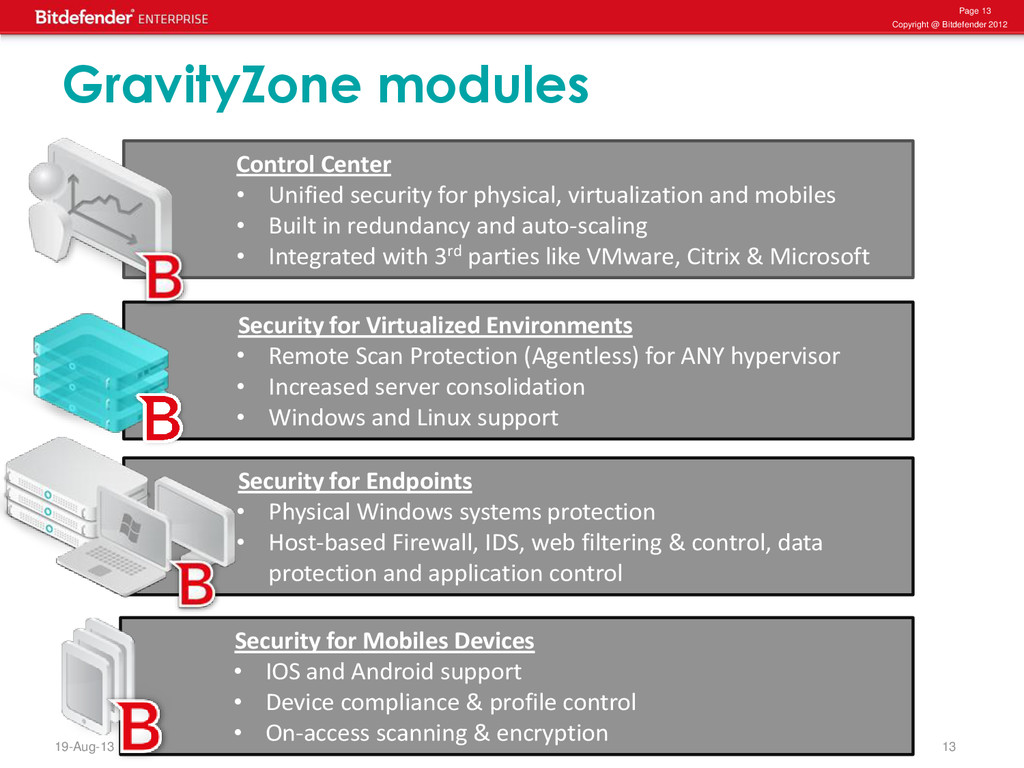
Endpoints • Physical Windows systems protection • Host-based Firewall, IDS, web filtering & control, data protection and application control Security for Mobiles Devices • IOS and Android support • Device compliance & profile control • On-access scanning & encryption Security for Virtualized Environments • Remote Scan Protection (Agentless) for ANY hypervisor • Increased server consolidation • Windows and Linux support Control Center • Unified security for physical, virtualization and mobiles • Built in redundancy and auto-scaling • Integrated with 3rd parties like VMware, Citrix & Microsoft GravityZone modules
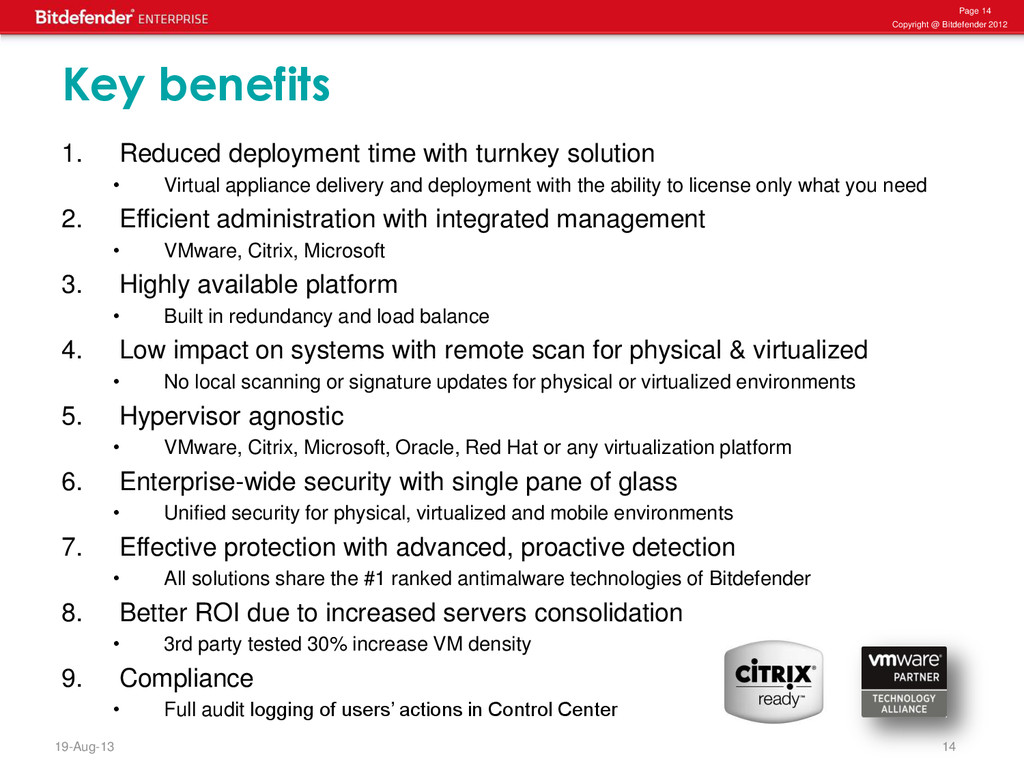
1. Reduced deployment time with turnkey solution • Virtual appliance delivery and deployment with the ability to license only what you need 2. Efficient administration with integrated management • VMware, Citrix, Microsoft 3. Highly available platform • Built in redundancy and load balance 4. Low impact on systems with remote scan for physical & virtualized • No local scanning or signature updates for physical or virtualized environments 5. Hypervisor agnostic • VMware, Citrix, Microsoft, Oracle, Red Hat or any virtualization platform 6. Enterprise-wide security with single pane of glass • Unified security for physical, virtualized and mobile environments 7. Effective protection with advanced, proactive detection • All solutions share the #1 ranked antimalware technologies of Bitdefender 8. Better ROI due to increased servers consolidation • 3rd party tested 30% increase VM density 9. Compliance • Full audit logging of users’ actions in Control Center
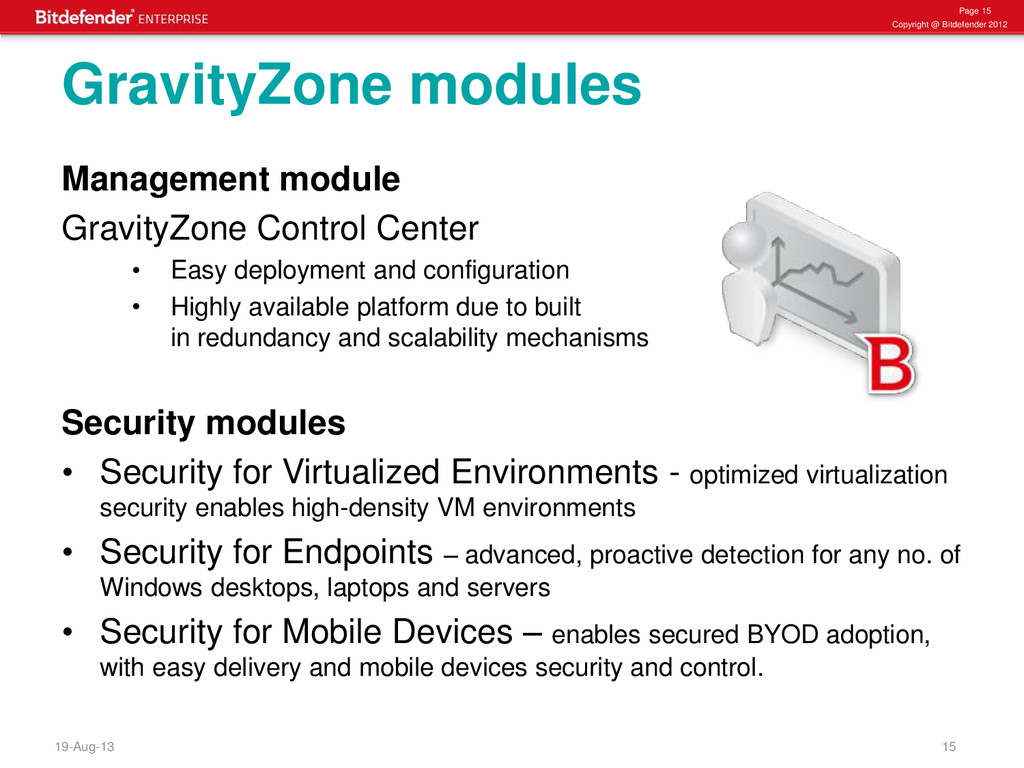
GravityZone Control Center • Easy deployment and configuration • Highly available platform due to built in redundancy and scalability mechanisms Security modules • Security for Virtualized Environments - optimized virtualization security enables high-density VM environments • Security for Endpoints – advanced, proactive detection for any no. of Windows desktops, laptops and servers • Security for Mobile Devices – enables secured BYOD adoption, with easy delivery and mobile devices security and control. GravityZone modules
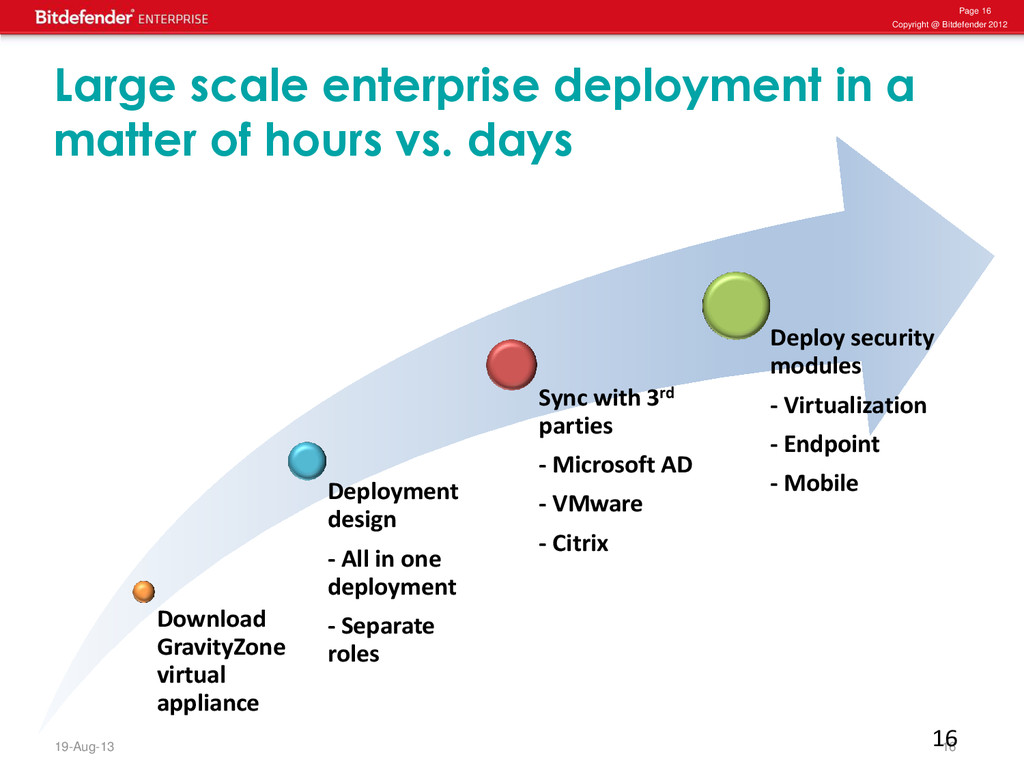
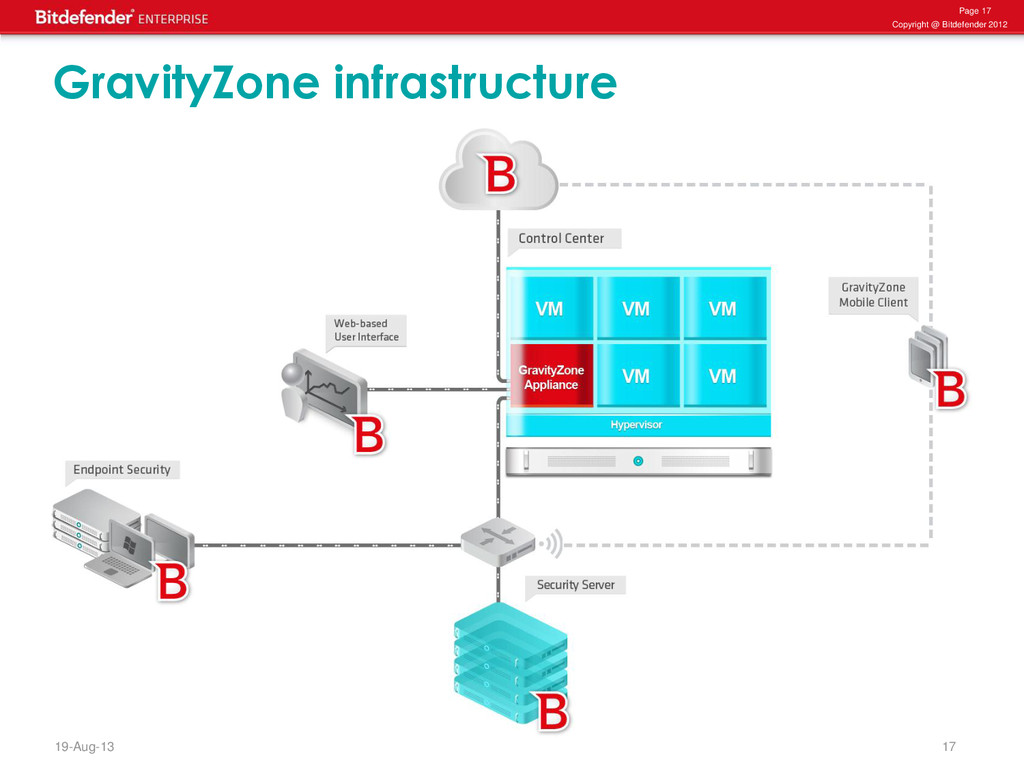
enterprise deployment in a matter of hours vs. days Download GravityZone virtual appliance Deployment design - All in one deployment - Separate roles Sync with 3rd parties - Microsoft AD - VMware - Citrix Deploy security modules - Virtualization - Endpoint - Mobile 16
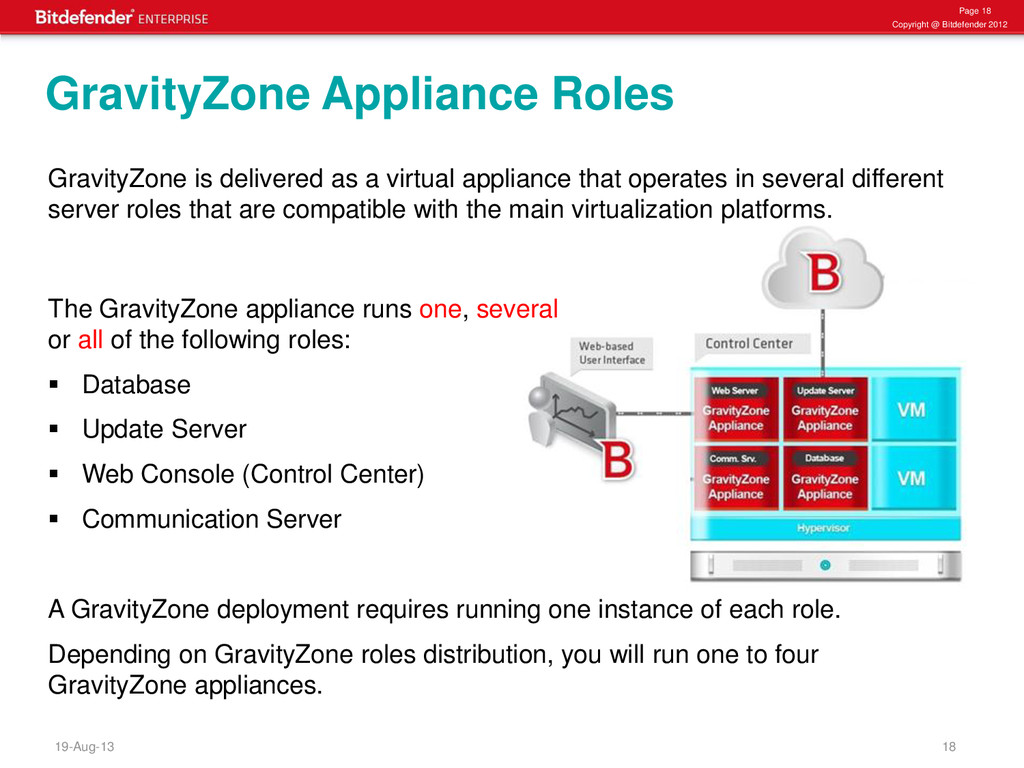
delivered as a virtual appliance that operates in several different server roles that are compatible with the main virtualization platforms. The GravityZone appliance runs one, several or all of the following roles: Database Update Server Web Console (Control Center) Communication Server A GravityZone deployment requires running one instance of each role. Depending on GravityZone roles distribution, you will run one to four GravityZone appliances. GravityZone Appliance Roles
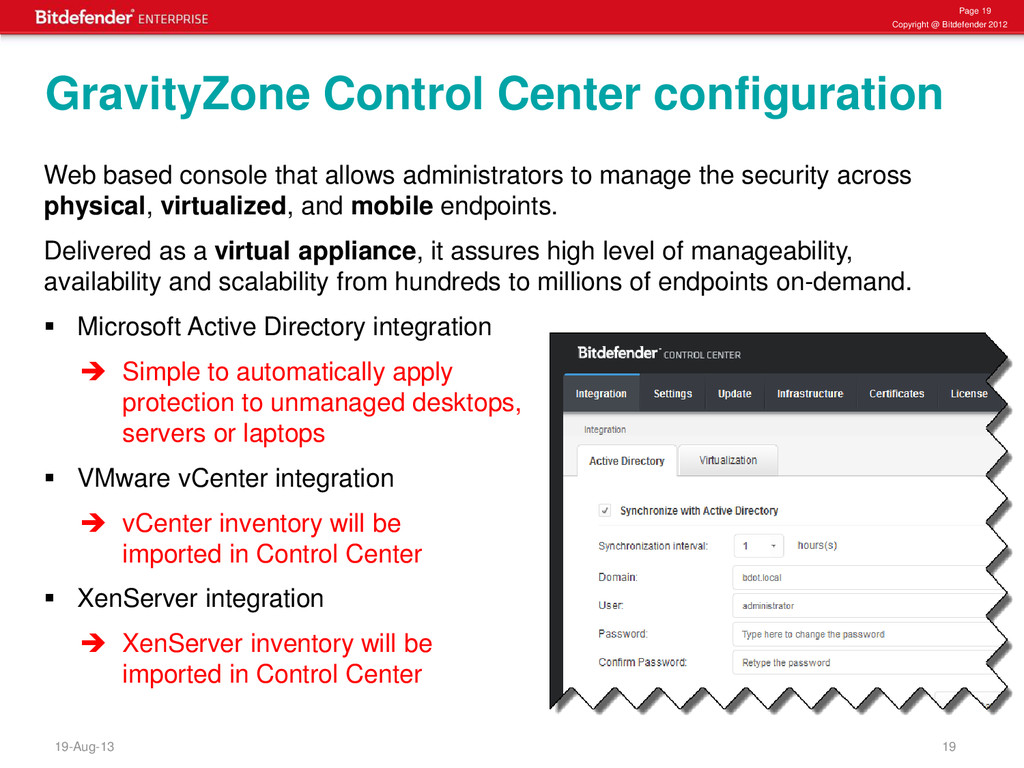
Center configuration Web based console that allows administrators to manage the security across physical, virtualized, and mobile endpoints. Delivered as a virtual appliance, it assures high level of manageability, availability and scalability from hundreds to millions of endpoints on-demand. Microsoft Active Directory integration Simple to automatically apply protection to unmanaged desktops, servers or laptops VMware vCenter integration vCenter inventory will be imported in Control Center XenServer integration XenServer inventory will be imported in Control Center
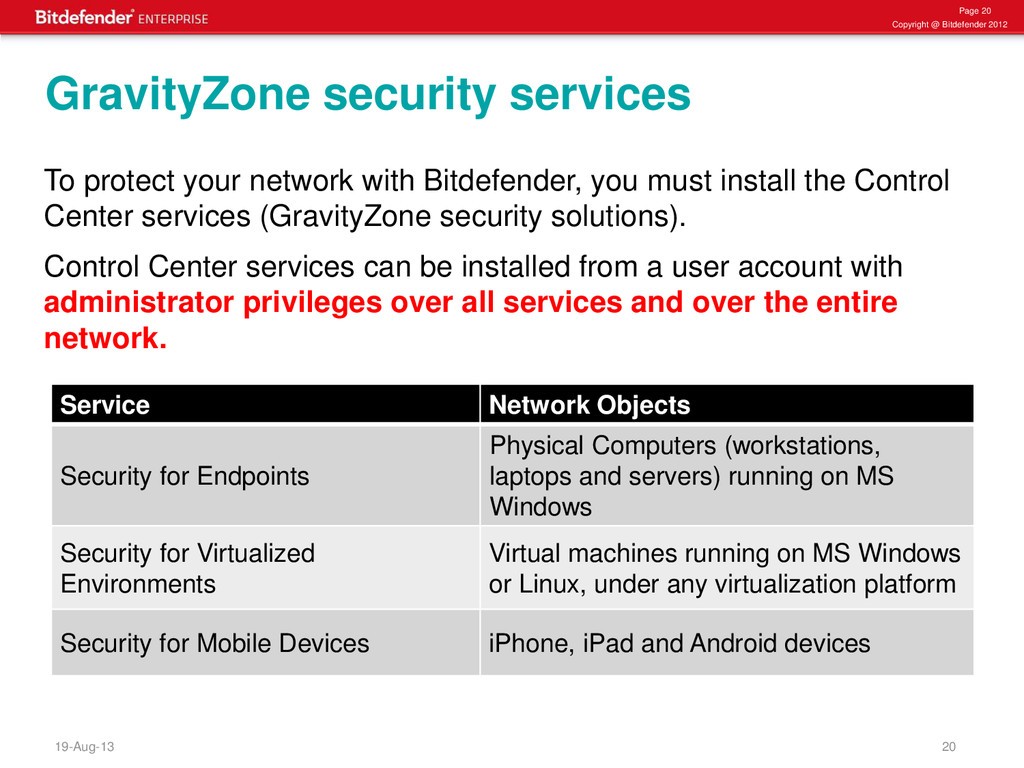
services To protect your network with Bitdefender, you must install the Control Center services (GravityZone security solutions). Control Center services can be installed from a user account with administrator privileges over all services and over the entire network. Service Network Objects Security for Endpoints Physical Computers (workstations, laptops and servers) running on MS Windows Security for Virtualized Environments Virtual machines running on MS Windows or Linux, under any virtualization platform Security for Mobile Devices iPhone, iPad and Android devices
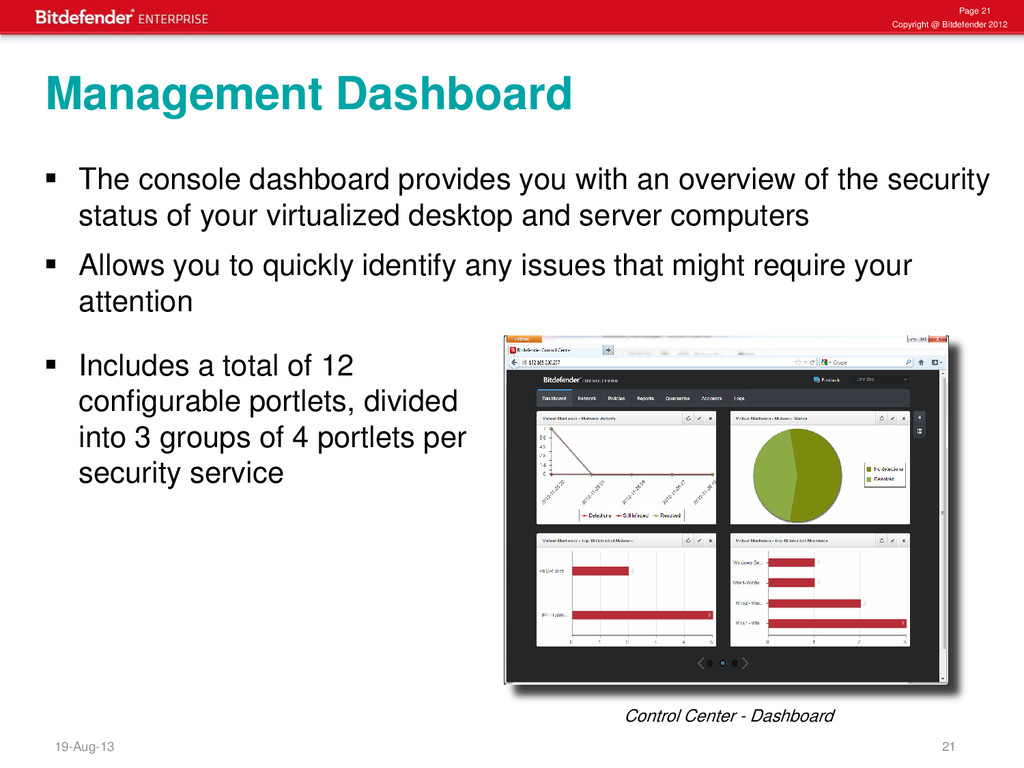
console dashboard provides you with an overview of the security status of your virtualized desktop and server computers Allows you to quickly identify any issues that might require your attention Management Dashboard Includes a total of 12 configurable portlets, divided into 3 groups of 4 portlets per security service Control Center - Dashboard
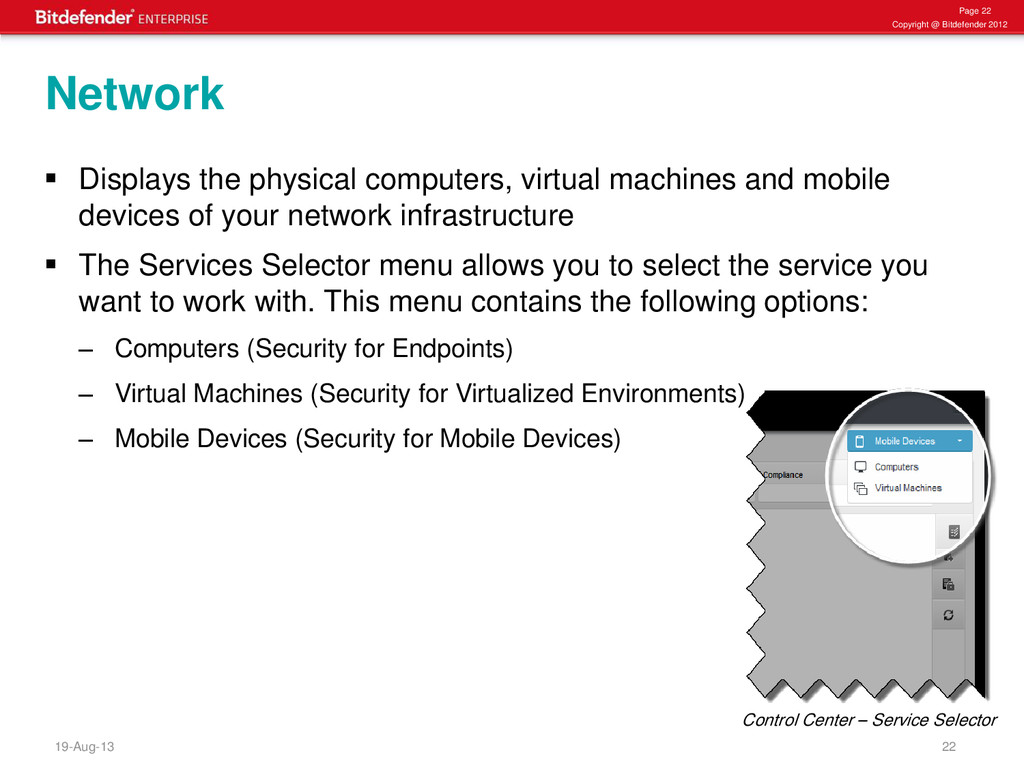
the physical computers, virtual machines and mobile devices of your network infrastructure The Services Selector menu allows you to select the service you want to work with. This menu contains the following options: – Computers (Security for Endpoints) – Virtual Machines (Security for Virtualized Environments) – Mobile Devices (Security for Mobile Devices) Network Control Center – Service Selector
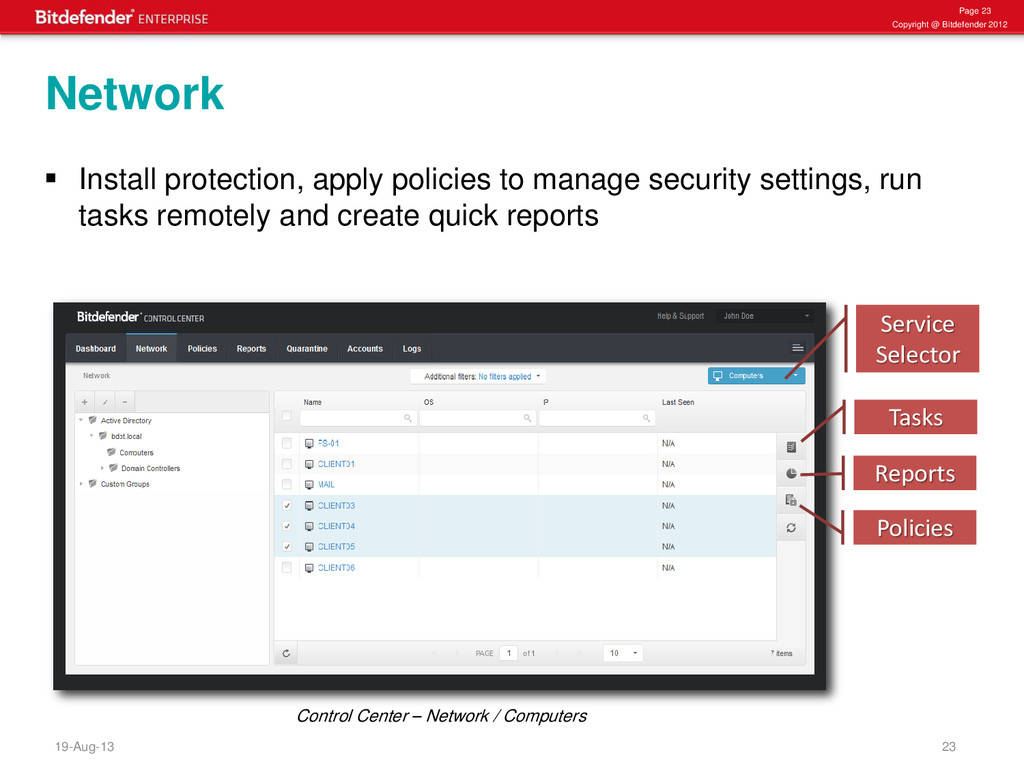
protection, apply policies to manage security settings, run tasks remotely and create quick reports Network Tasks Reports Policies Service Selector Control Center – Network / Computers
and manage security policies to assign security policies to clients or groups of clients, go to the Network page select the Policy icon on the action toolbar and the Policy Assignment window will open After installation, clients are assigned a default policy which is preconfigured with the recommended protection settings Each GravityZone Security Service has a unique policy template containing the security settings for the specific type of protected network objects Policies
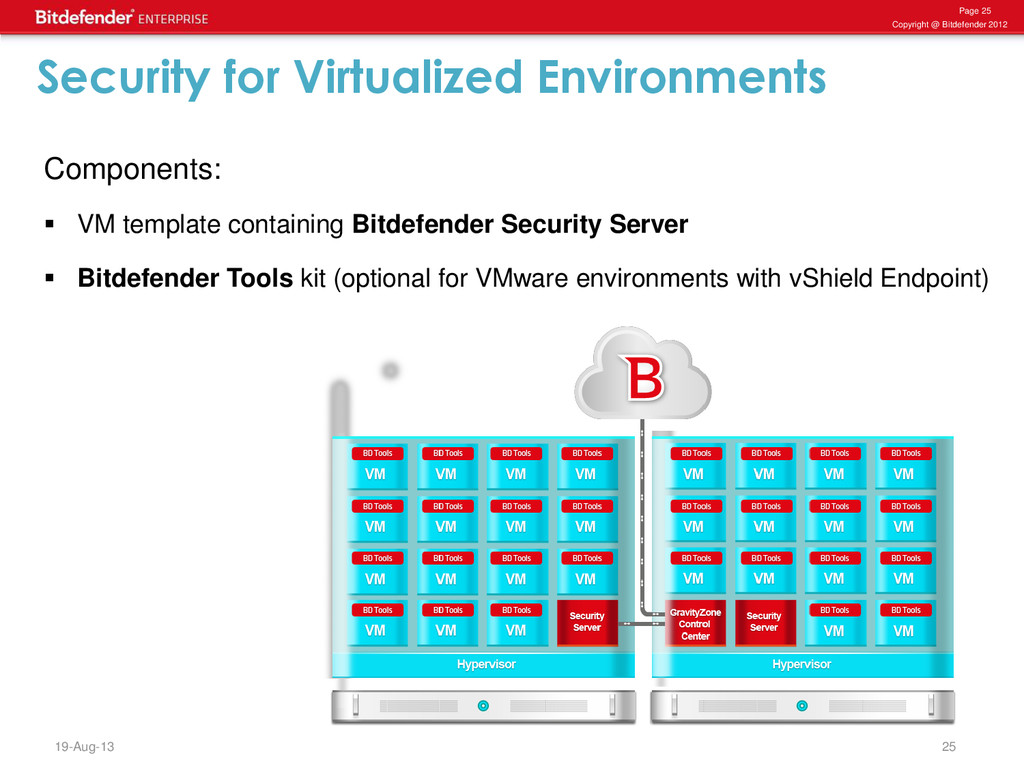
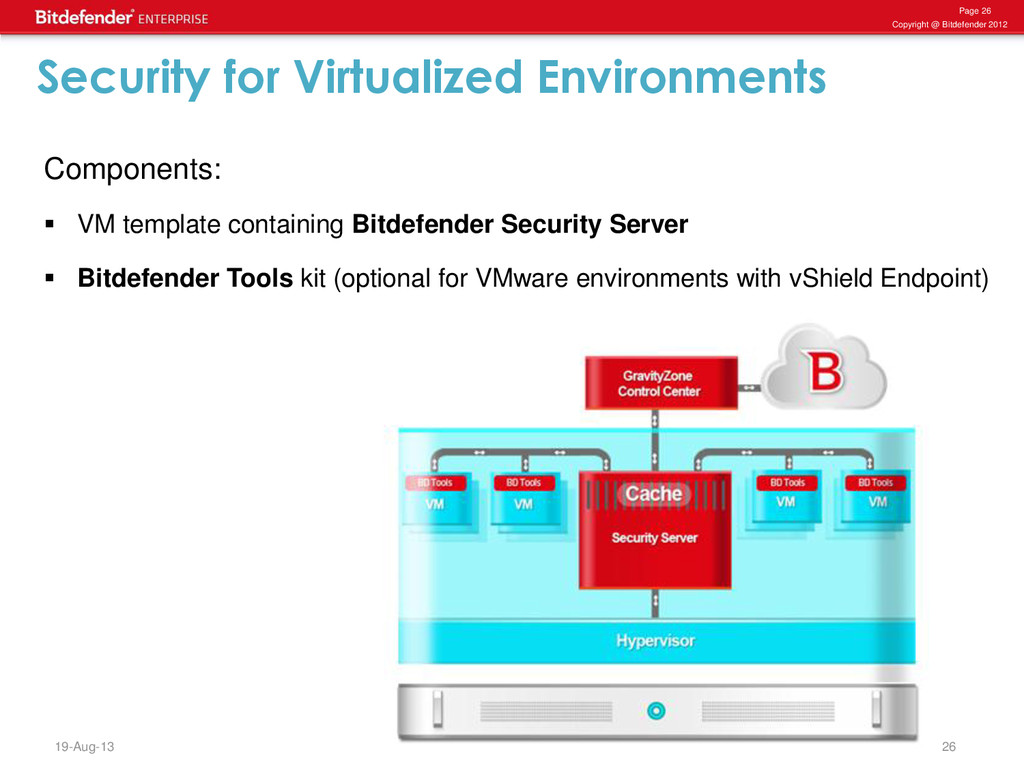
VM template containing Bitdefender Security Server Bitdefender Tools kit (optional for VMware environments with vShield Endpoint) Security for Virtualized Environments
Virtualized Environments • Support for any virtualization platform: VMware, Citrix, Microsoft, Oracle, RHEV • Agentless security via integration with VMware vShield Endpoint • Protects Windows and Linux guest operating systems • Integrated management with VMware vCenter Server and Citrix XenServer • Scans files systems, processes and memory • Supports offline scanning in VMware environments • Incorporates patent-pending technologies, which streamline the antimalware operations and ensure better utilization of resources • Removes all issues of traditional antimalware
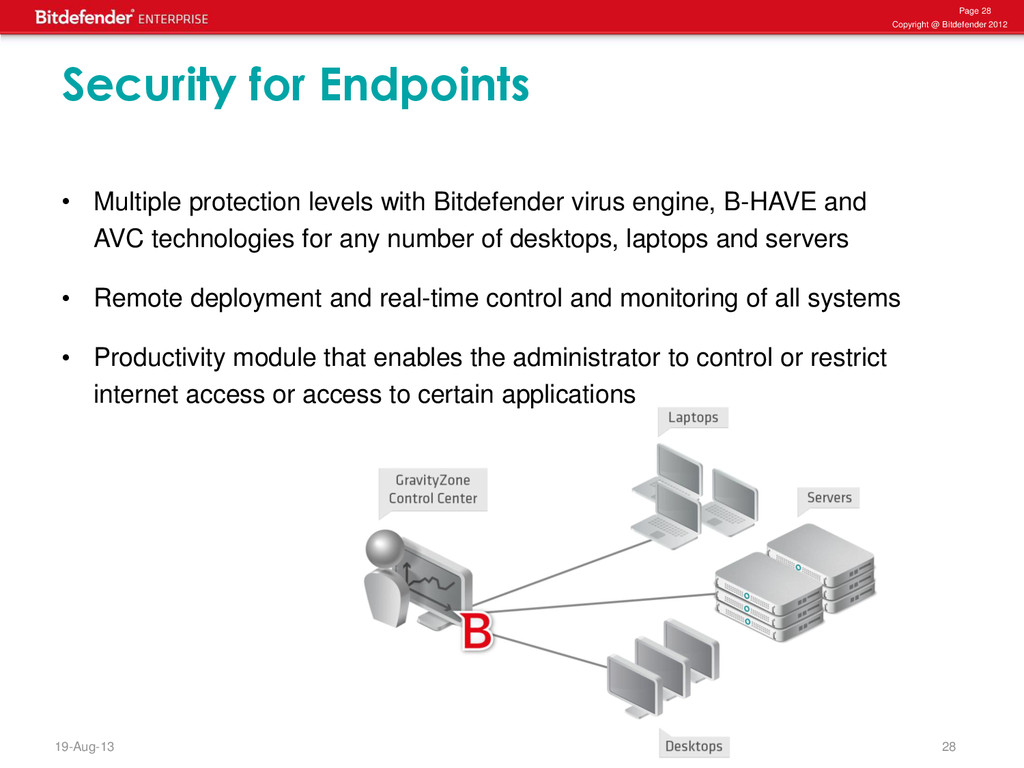
Endpoints • Multiple protection levels with Bitdefender virus engine, B-HAVE and AVC technologies for any number of desktops, laptops and servers • Remote deployment and real-time control and monitoring of all systems • Productivity module that enables the administrator to control or restrict internet access or access to certain applications
analyzes the behavior of potentially malicious codes inside a secure virtual computer environment • It eliminates false positives and significantly increasing detection rates for new and unknown malware Advanced protection through proactive detection • Active Virus Control leverages advanced heuristic methods to detect new potential threats in real time • It monitors all application activity throughout the lifecycle of the application processes
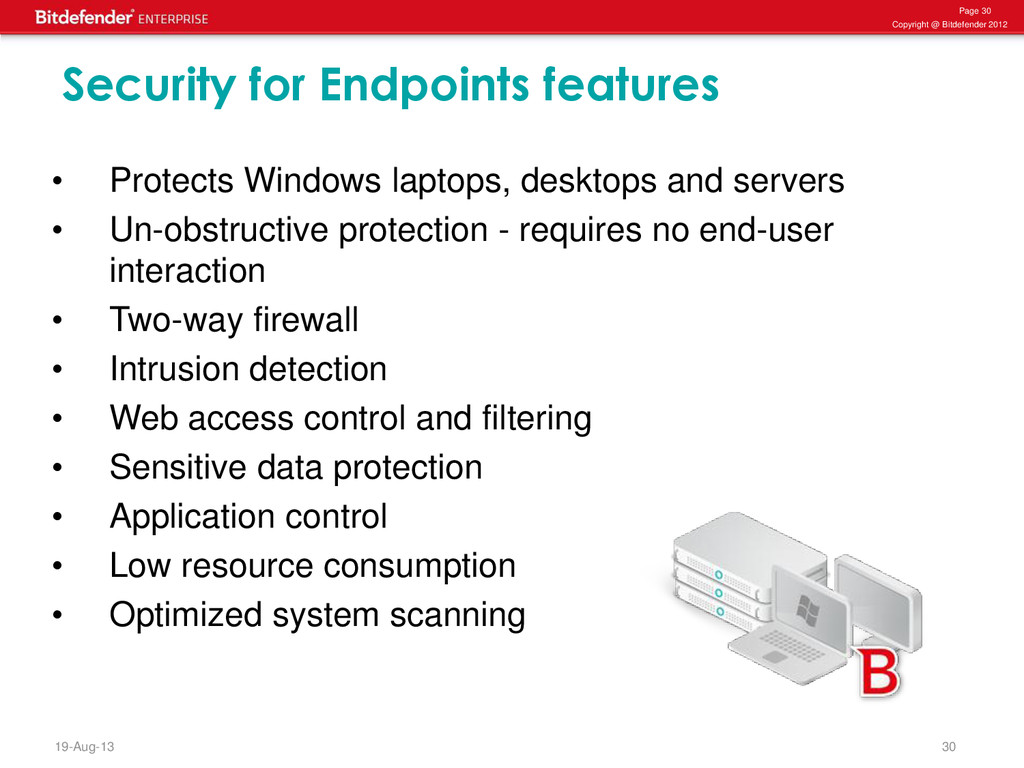
Endpoints features • Protects Windows laptops, desktops and servers • Un-obstructive protection - requires no end-user interaction • Two-way firewall • Intrusion detection • Web access control and filtering • Sensitive data protection • Application control • Low resource consumption • Optimized system scanning
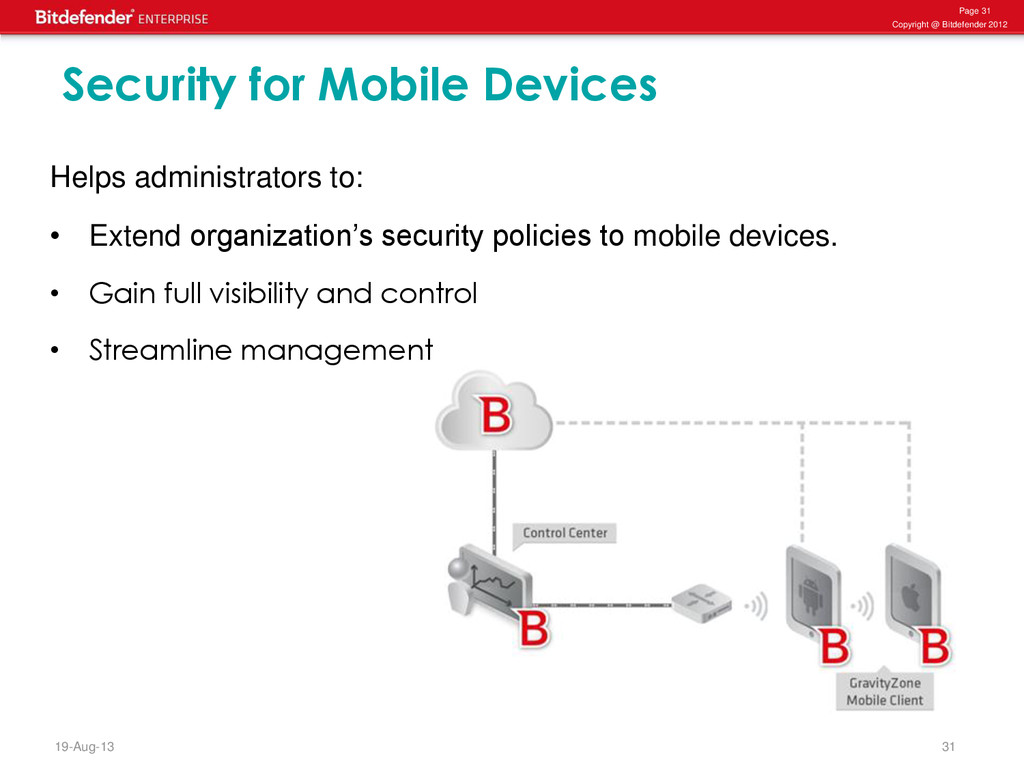
Mobile Devices Helps administrators to: • Extend organization’s security policies to mobile devices. • Gain full visibility and control • Streamline management
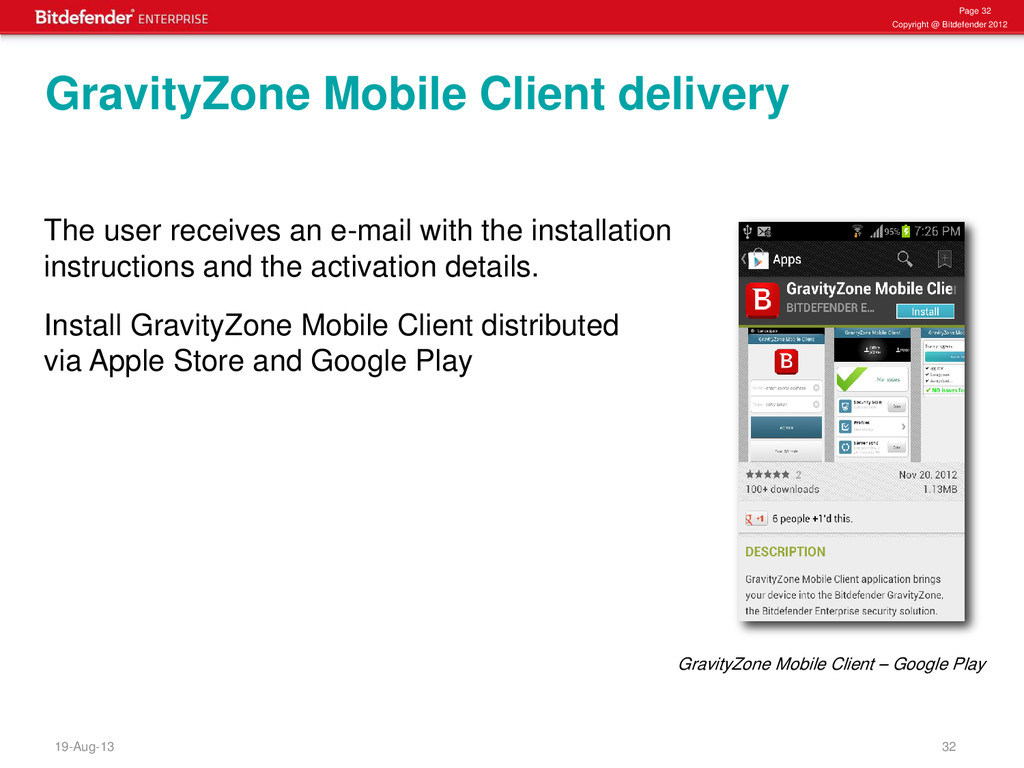
receives an e-mail with the installation instructions and the activation details. Install GravityZone Mobile Client distributed via Apple Store and Google Play GravityZone Mobile Client delivery GravityZone Mobile Client – Google Play
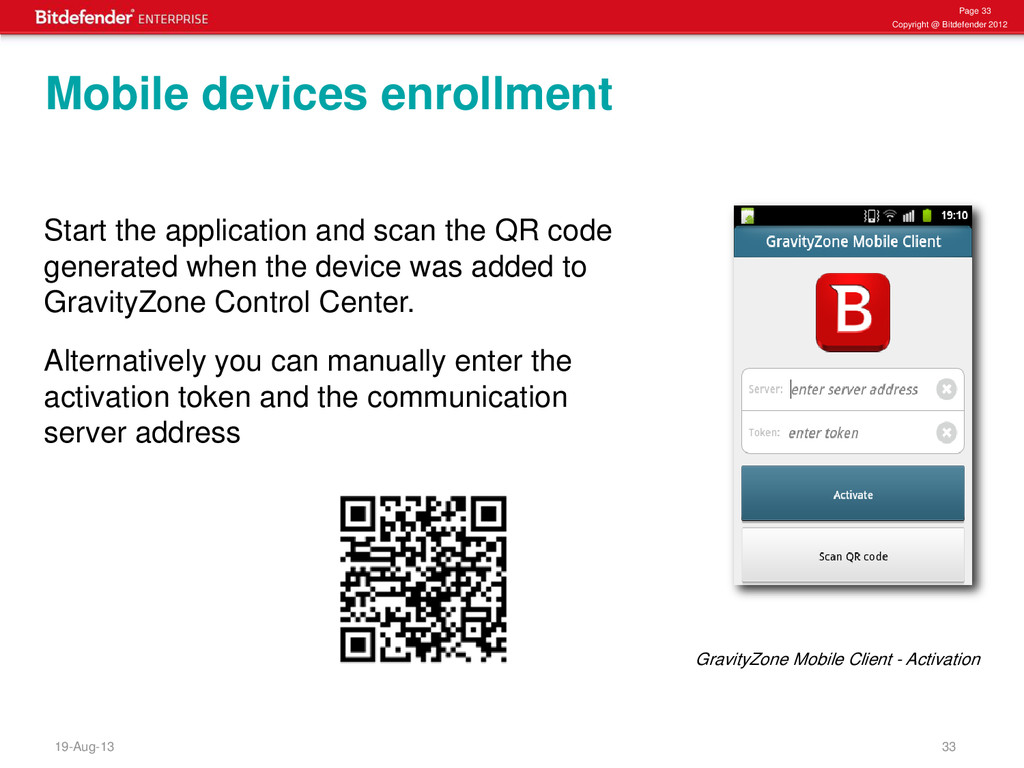
application and scan the QR code generated when the device was added to GravityZone Control Center. Alternatively you can manually enter the activation token and the communication server address Mobile devices enrollment GravityZone Mobile Client - Activation
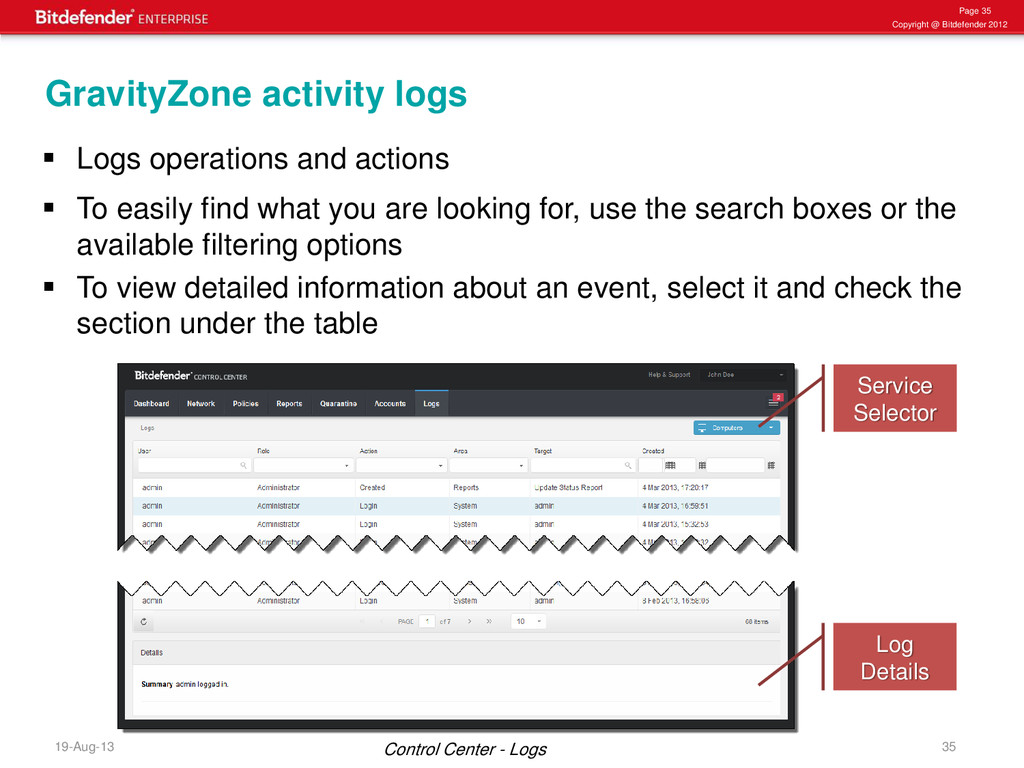
operations and actions To easily find what you are looking for, use the search boxes or the available filtering options To view detailed information about an event, select it and check the section under the table GravityZone activity logs Service Selector Control Center - Logs Log Details
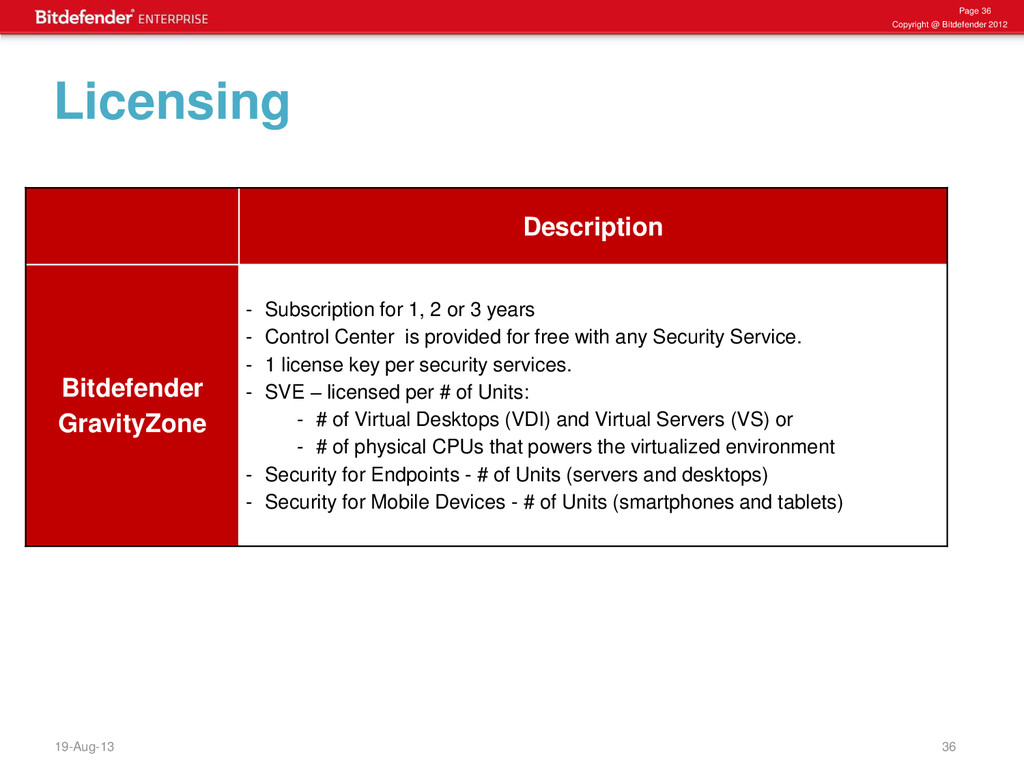
Bitdefender GravityZone - Subscription for 1, 2 or 3 years - Control Center is provided for free with any Security Service. - 1 license key per security services. - SVE – licensed per # of Units: - # of Virtual Desktops (VDI) and Virtual Servers (VS) or - # of physical CPUs that powers the virtualized environment - Security for Endpoints - # of Units (servers and desktops) - Security for Mobile Devices - # of Units (smartphones and tablets)


 daidaidai
 4o1sobblue
.png) codatum
codatum
 takonda
 carta_engineering
 codmoninc
 teamlab
 jyouryuusui
 maimyyym
 genda
genda
 shogo4131
 yamanoku
 katarinadahlin
 3n
3n
 jmmastey
 gurzu
gurzu
 marcduiker
 aleyda
 rasmusluckow
 tonyrice
 marktimemedia
 62gerente
 sstephenson
 cassininazir