Upgrade to Pro — share decks privately, control downloads, hide ads and more …

Introduction to R Programming

Introduction to R Programming

Beginners' R for Data Science Webinar at Data Science Nigeria https://www.datasciencenigeria.org/
by Ogundepo Ezekiel Adebayo
Twitter: https://twitter.com/gbganalyst
Website: https://bit/ly/gbganalyst
GitHub: https://github.com/gbganalyst
Video: https://youtu.be/_k4wSDUk6aU?t=437

Avatar for Ogundepo Ezekiel Adebayo

Ogundepo Ezekiel Adebayo

April 20, 2020

Other Decks in Programming

Transcript

  1. Beginners’ R for Datascience Learn to program in R and

    explore opportunities today! Monday, April 20, 2020 Beginners’ R for Datascience Monday, April 20, 2020 1 / 72
  2. About Me Name: Ezekiel Adebayo Ogundepo Twitter: @gbganalyst GitHub: www.github.com/gbganalyst

    Beginners’ R for Datascience Monday, April 20, 2020 2 / 72
  3. About Me Name: Ezekiel Adebayo Ogundepo Twitter: @gbganalyst GitHub: www.github.com/gbganalyst

    Website: https://bit.ly/gbganalyst Beginners’ R for Datascience Monday, April 20, 2020 2 / 72
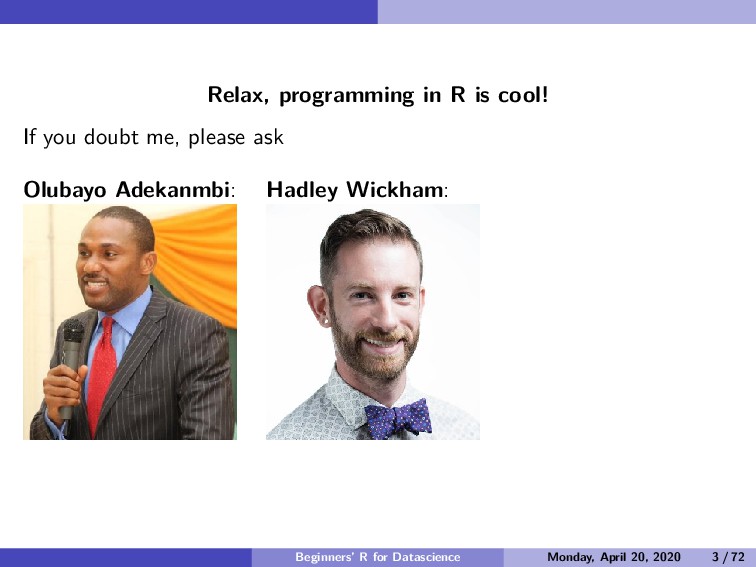
  4. Relax, programming in R is cool! If you doubt me,

    please ask Beginners’ R for Datascience Monday, April 20, 2020 3 / 72
  5. Relax, programming in R is cool! If you doubt me,

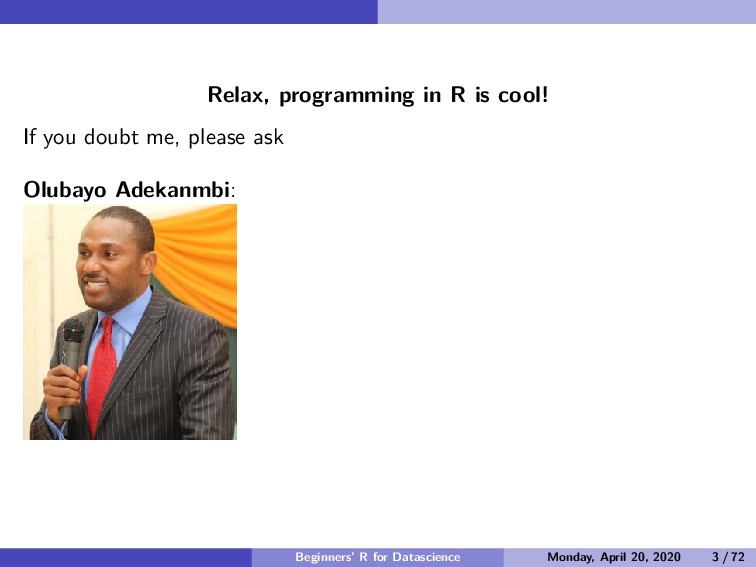
    please ask Olubayo Adekanmbi: Beginners’ R for Datascience Monday, April 20, 2020 3 / 72
  6. Relax, programming in R is cool! If you doubt me,

    please ask Olubayo Adekanmbi: Hadley Wickham: Beginners’ R for Datascience Monday, April 20, 2020 3 / 72
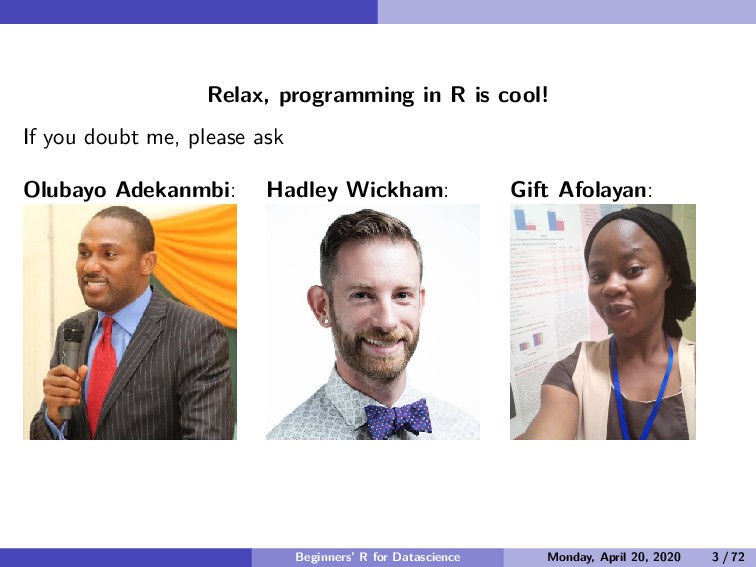
  7. Relax, programming in R is cool! If you doubt me,

    please ask Olubayo Adekanmbi: Hadley Wickham: Gift Afolayan: Beginners’ R for Datascience Monday, April 20, 2020 3 / 72
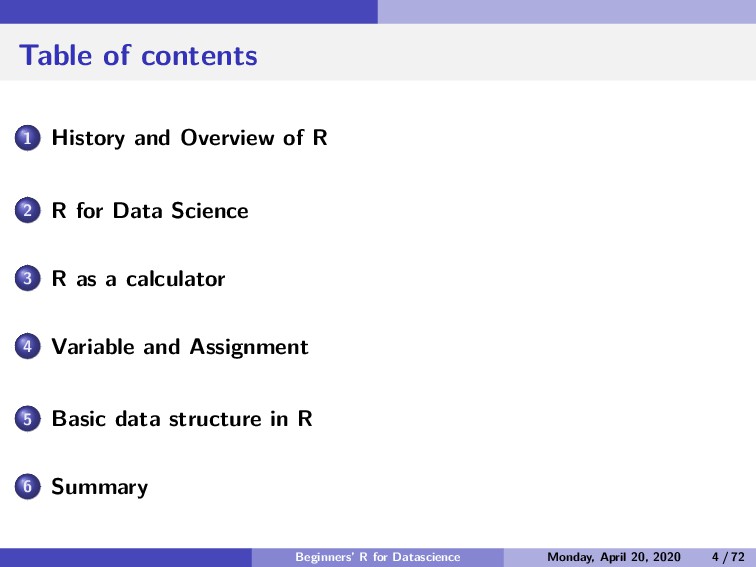
  8. Table of contents 1 History and Overview of R 2

    R for Data Science 3 R as a calculator 4 Variable and Assignment 5 Basic data structure in R 6 Summary Beginners’ R for Datascience Monday, April 20, 2020 4 / 72
  9. History and Overview of R Section 1 History and Overview

    of R Beginners’ R for Datascience Monday, April 20, 2020 5 / 72
  10. History and Overview of R History of R R is

    a dialect of S and S is a language that was developed by John Chambers and others at the old Bell Telephone Laboratories, originally part of AT & T Corp. S was initiated in 1976 as an internal statistical analysis environment—originally implemented as Fortran libraries. One key limitation of the S language was that it was only available in a commercial package, S-PLUS. Beginners’ R for Datascience Monday, April 20, 2020 6 / 72
  11. History and Overview of R History of R In 1991,

    R was created by Ross Ihaka and Robert Gentleman in the Department of Statistics at the University of Auckland and in 1993 the first announcement of R was made to the public. R version 1.0.0 was released to the public in the year 2000. Beginners’ R for Datascience Monday, April 20, 2020 7 / 72
  12. History and Overview of R History of R In 1991,

    R was created by Ross Ihaka and Robert Gentleman in the Department of Statistics at the University of Auckland and in 1993 the first announcement of R was made to the public. R version 1.0.0 was released to the public in the year 2000.The year 2020 marks the 20th celebration of R version 1.0.0 and 80 versions of R programming have been released so far! Beginners’ R for Datascience Monday, April 20, 2020 7 / 72
  13. History and Overview of R History of R In 1991,

    R was created by Ross Ihaka and Robert Gentleman in the Department of Statistics at the University of Auckland and in 1993 the first announcement of R was made to the public. R version 1.0.0 was released to the public in the year 2000.The year 2020 marks the 20th celebration of R version 1.0.0 and 80 versions of R programming have been released so far! R is a programming language and free software environment for statistical computations, data cleaning, data analysis, and graphical representation of data. The R language is widely used among statisticians and data miners for developing statistical software and data analysis. Beginners’ R for Datascience Monday, April 20, 2020 7 / 72
  14. History and Overview of R LearnR, UseR, and ThinkR Figure

    1: Companies that use R for Analytics https://www.quora.com/Which-companies-use-R Beginners’ R for Datascience Monday, April 20, 2020 8 / 72
  15. R for Data Science Section 2 R for Data Science

    Beginners’ R for Datascience Monday, April 20, 2020 9 / 72
  16. R for Data Science What is Data Science? Data science

    is an exciting discipline that allows you to turn raw data into understanding, insight, and knowledge [1]. The goal of this R master class is to help you learn the most important skills in R that will allow you to do data science. Beginners’ R for Datascience Monday, April 20, 2020 10 / 72
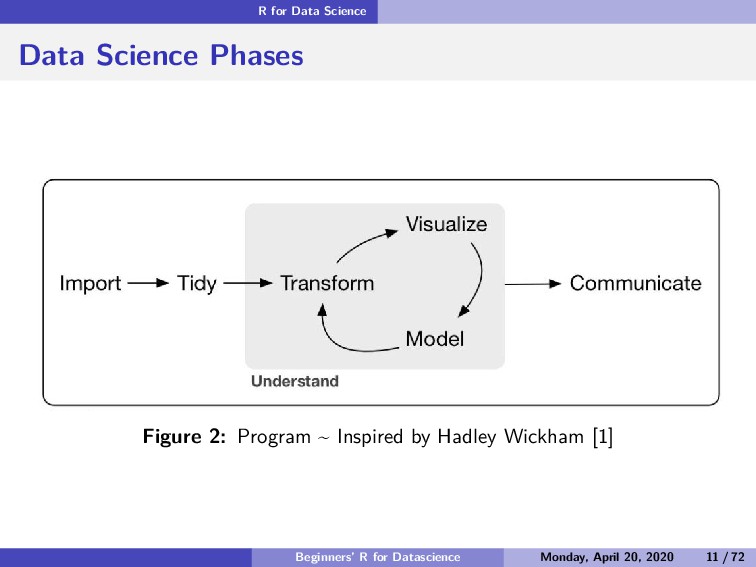
  17. R for Data Science Data Science Phases Figure 2: Program

    ~ Inspired by Hadley Wickham [1] Beginners’ R for Datascience Monday, April 20, 2020 11 / 72
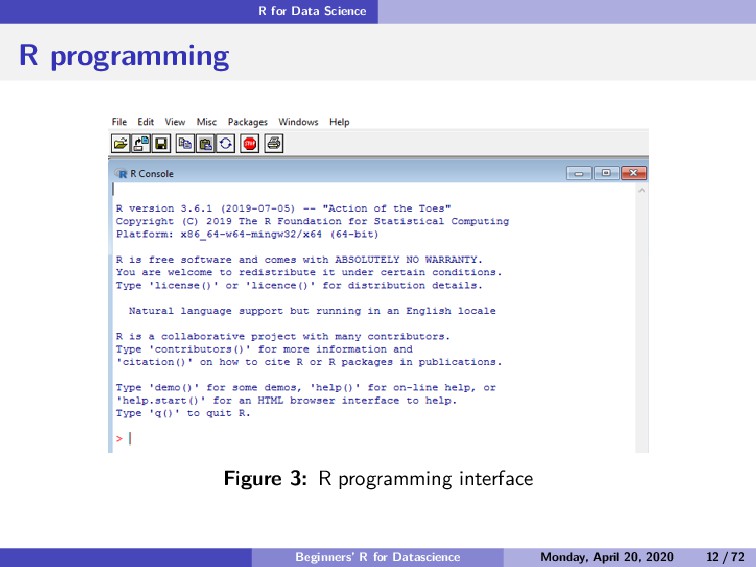
  18. R for Data Science R programming Figure 3: R programming

    interface Beginners’ R for Datascience Monday, April 20, 2020 12 / 72
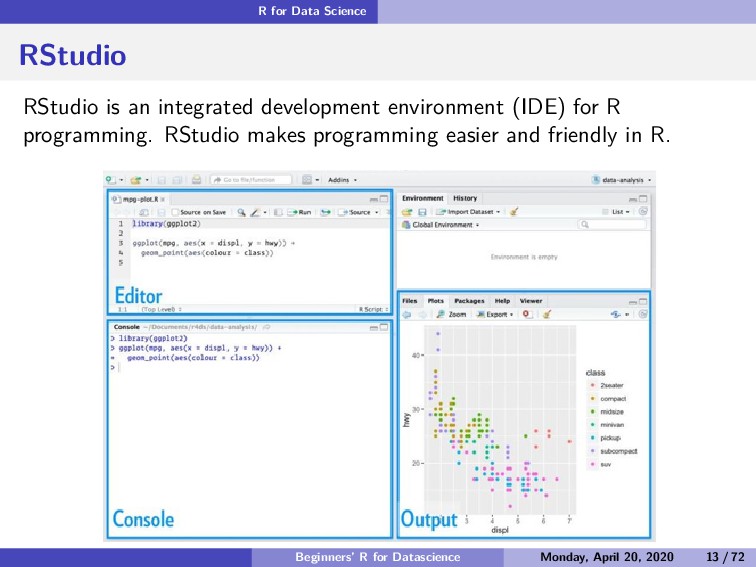
  19. R for Data Science RStudio RStudio is an integrated development

    environment (IDE) for R programming. RStudio makes programming easier and friendly in R. Beginners’ R for Datascience Monday, April 20, 2020 13 / 72
  20. R for Data Science Install R For Windows : -

    Download the binary setup file for R from this link R for Windows - Open the downloaded .exe file and Install R For Mac : Download the appropriate version of .pkg file form this link R for Mac - Open the downloaded .pkg file and Install R For Linux: For complete R System installation in Linux, follow the instructions on this link. For Ubuntu with Apt-get installed, execute sudo apt-get install r-base in terminal. Beginners’ R for Datascience Monday, April 20, 2020 14 / 72
  21. R for Data Science Install R Studio On this link

    you can choose the appropriate installer file for your operating system, download it, and then run it to install R-studio. Beginners’ R for Datascience Monday, April 20, 2020 15 / 72
  22. R for Data Science Introduction to R In this section,

    you will take your first steps with R. You will learn how to use the console as a calculator and how to assign variables. You will also get to know the basic data types in R. Let’s get started! Beginners’ R for Datascience Monday, April 20, 2020 16 / 72
  23. R as a calculator Section 3 R as a calculator

    Beginners’ R for Datascience Monday, April 20, 2020 17 / 72
  24. R as a calculator R as a calculator In its

    most basic form, R can be used as a simple calculator. Consider the following arithmetic operations: Addition Beginners’ R for Datascience Monday, April 20, 2020 18 / 72
  25. R as a calculator R as a calculator In its

    most basic form, R can be used as a simple calculator. Consider the following arithmetic operations: Addition Subtraction Beginners’ R for Datascience Monday, April 20, 2020 18 / 72
  26. R as a calculator R as a calculator In its

    most basic form, R can be used as a simple calculator. Consider the following arithmetic operations: Addition Subtraction Multiplication Beginners’ R for Datascience Monday, April 20, 2020 18 / 72
  27. R as a calculator R as a calculator In its

    most basic form, R can be used as a simple calculator. Consider the following arithmetic operations: Addition Subtraction Multiplication Division Beginners’ R for Datascience Monday, April 20, 2020 18 / 72
  28. R as a calculator R as a calculator In its

    most basic form, R can be used as a simple calculator. Consider the following arithmetic operations: Addition Subtraction Multiplication Division Exponentiation Beginners’ R for Datascience Monday, April 20, 2020 18 / 72
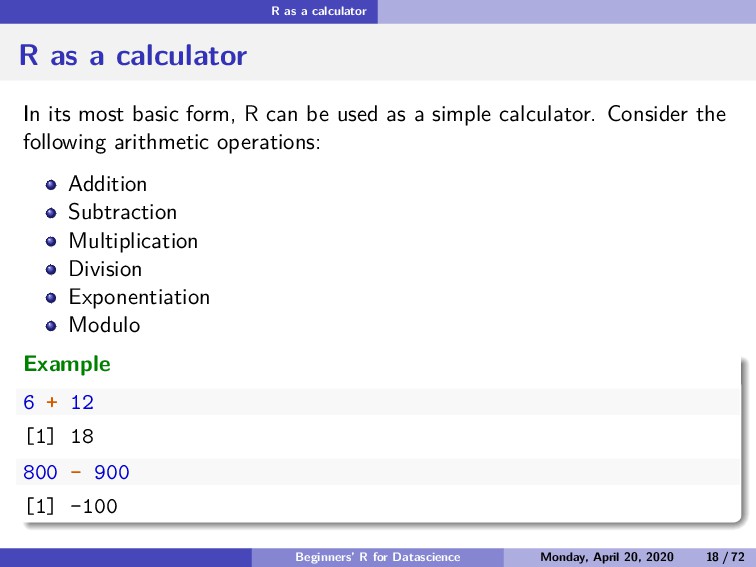
  29. R as a calculator R as a calculator In its

    most basic form, R can be used as a simple calculator. Consider the following arithmetic operations: Addition Subtraction Multiplication Division Exponentiation Modulo Example 6 + 12 [1] 18 800 - 900 [1] -100 Beginners’ R for Datascience Monday, April 20, 2020 18 / 72
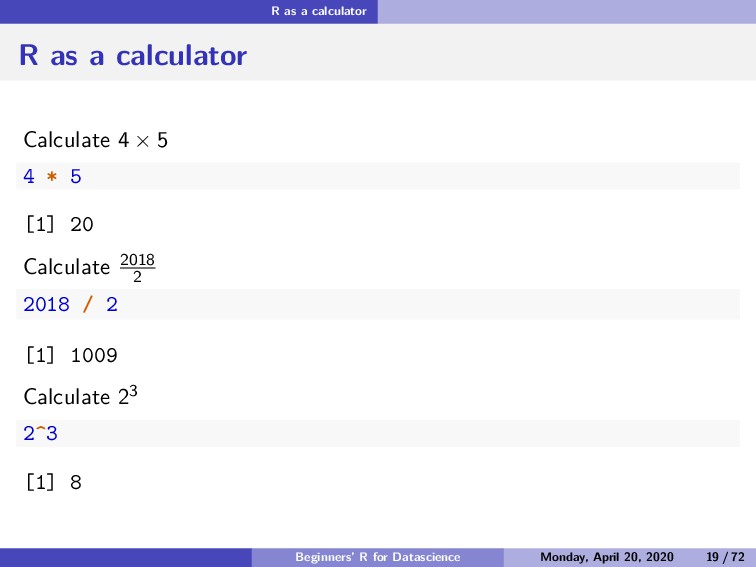
  30. R as a calculator R as a calculator Calculate 4

    × 5 4 * 5 [1] 20 Calculate 2018 2 2018 / 2 [1] 1009 Calculate 23 2^3 [1] 8 Beginners’ R for Datascience Monday, April 20, 2020 19 / 72
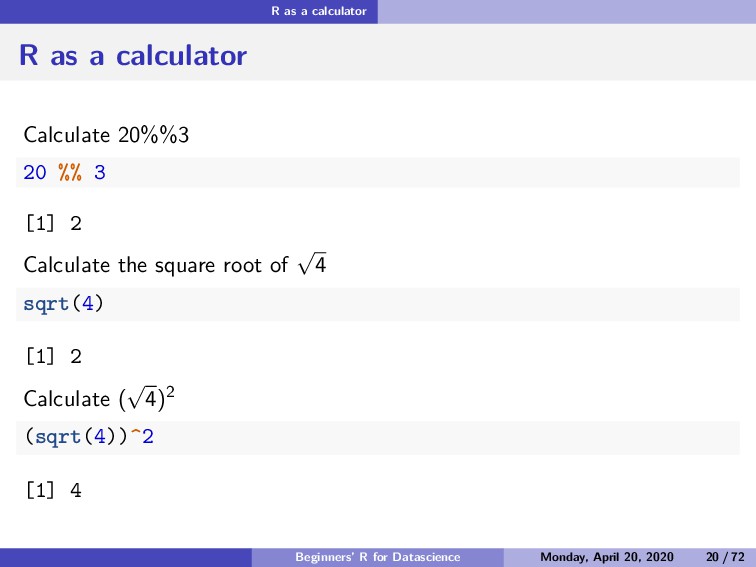
  31. R as a calculator R as a calculator Calculate 20%%3

    20 %% 3 [1] 2 Calculate the square root of √ 4 sqrt(4) [1] 2 Calculate ( √ 4)2 (sqrt(4))^2 [1] 4 Beginners’ R for Datascience Monday, April 20, 2020 20 / 72
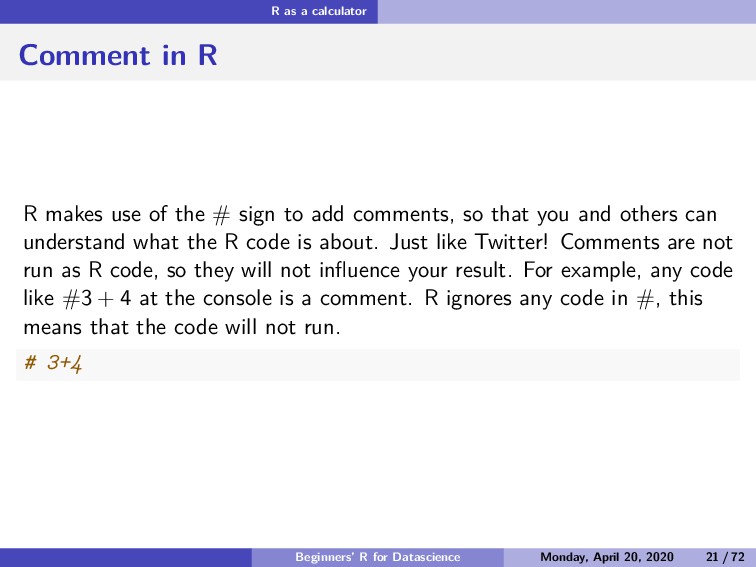
  32. R as a calculator Comment in R R makes use

    of the # sign to add comments, so that you and others can understand what the R code is about. Just like Twitter! Comments are not run as R code, so they will not influence your result. For example, any code like #3 + 4 at the console is a comment. R ignores any code in #, this means that the code will not run. # 3+4 Beginners’ R for Datascience Monday, April 20, 2020 21 / 72
  33. Variable and Assignment Section 4 Variable and Assignment Beginners’ R

    for Datascience Monday, April 20, 2020 22 / 72
  34. Variable and Assignment Variable assignment A basic concept in statistical

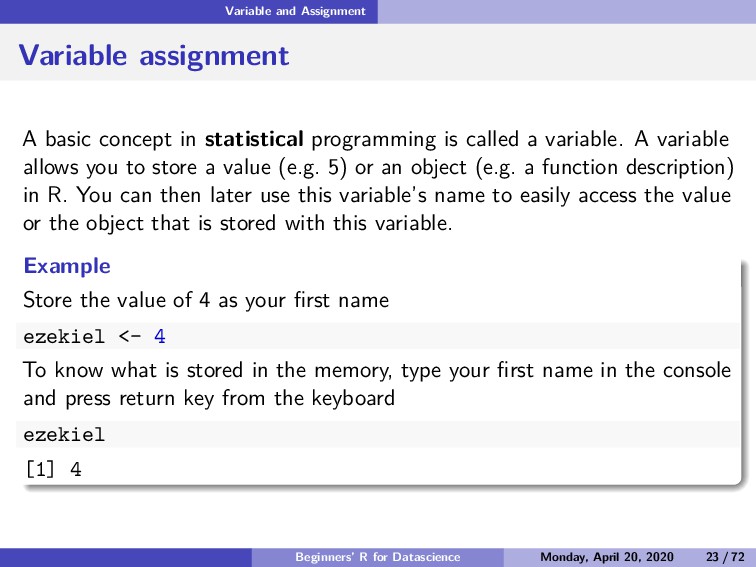
    programming is called a variable. A variable allows you to store a value (e.g. 5) or an object (e.g. a function description) in R. You can then later use this variable’s name to easily access the value or the object that is stored with this variable. Example Store the value of 4 as your first name ezekiel <- 4 To know what is stored in the memory, type your first name in the console and press return key from the keyboard ezekiel [1] 4 Beginners’ R for Datascience Monday, April 20, 2020 23 / 72
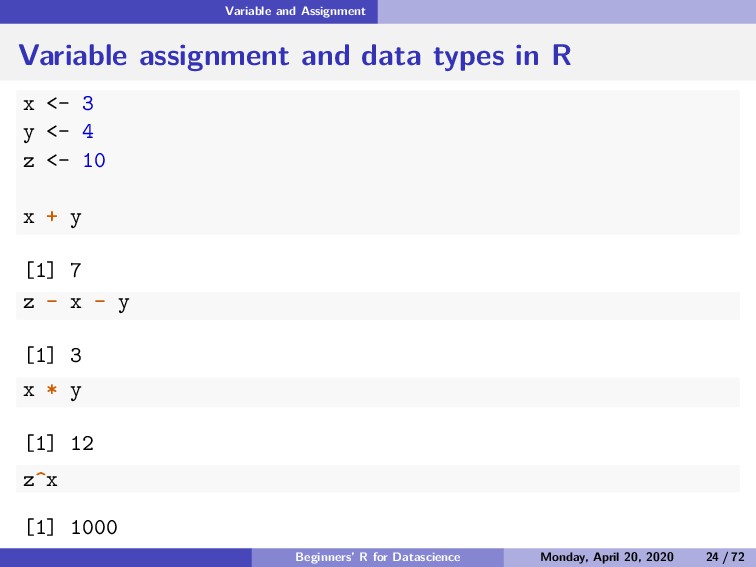
  35. Variable and Assignment Variable assignment and data types in R

    x <- 3 y <- 4 z <- 10 x + y [1] 7 z - x - y [1] 3 x * y [1] 12 z^x [1] 1000 Beginners’ R for Datascience Monday, April 20, 2020 24 / 72
  36. Variable and Assignment Naming Rules for Variables The best naming

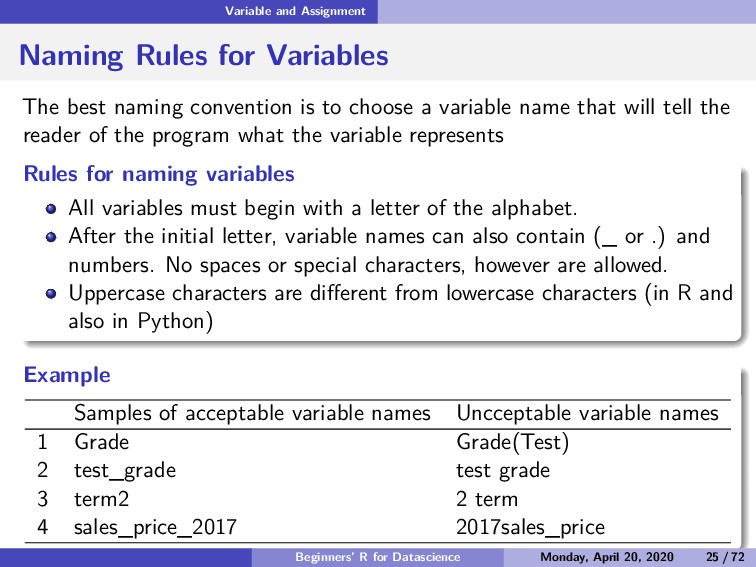
    convention is to choose a variable name that will tell the reader of the program what the variable represents Rules for naming variables All variables must begin with a letter of the alphabet. After the initial letter, variable names can also contain (_ or .) and numbers. No spaces or special characters, however are allowed. Uppercase characters are different from lowercase characters (in R and also in Python) Example Samples of acceptable variable names Uncceptable variable names 1 Grade Grade(Test) 2 test_grade test grade 3 term2 2 term 4 sales_price_2017 2017sales_price Beginners’ R for Datascience Monday, April 20, 2020 25 / 72
  37. Variable and Assignment Basic classes of objects in R R

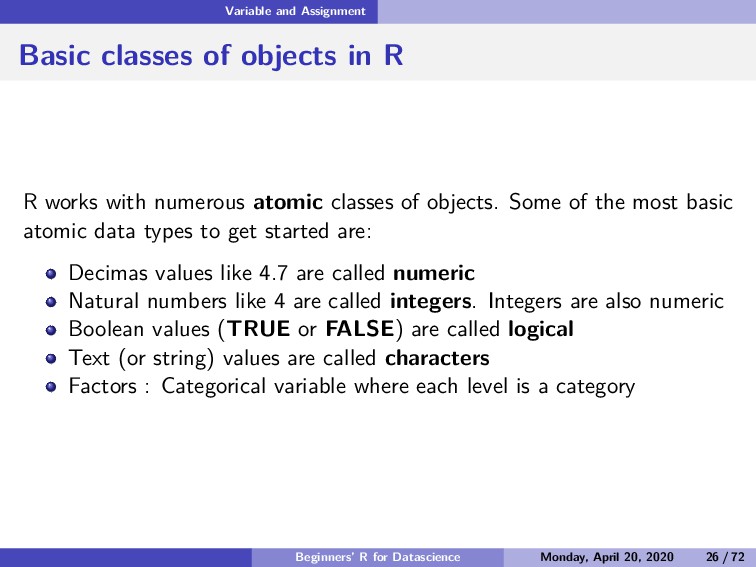
    works with numerous atomic classes of objects. Some of the most basic atomic data types to get started are: Decimas values like 4.7 are called numeric Natural numbers like 4 are called integers. Integers are also numeric Boolean values (TRUE or FALSE) are called logical Text (or string) values are called characters Factors : Categorical variable where each level is a category Beginners’ R for Datascience Monday, April 20, 2020 26 / 72
  38. Variable and Assignment Example of different class of objects in

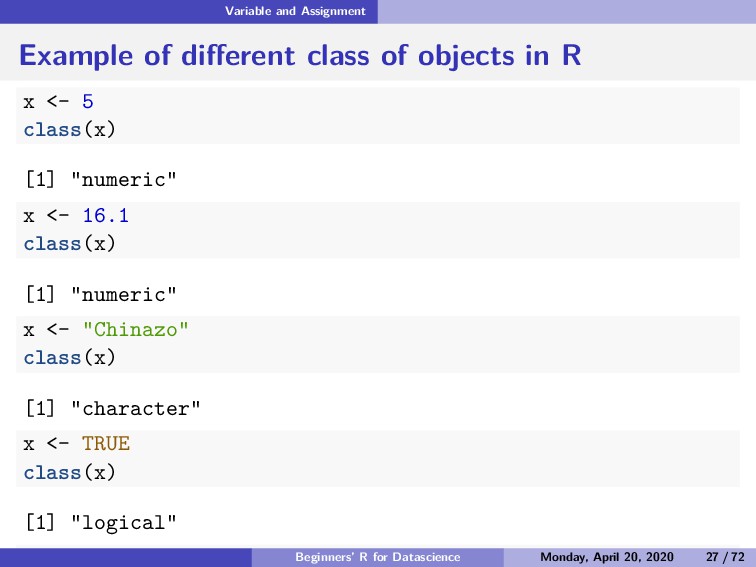
    R x <- 5 class(x) [1] "numeric" x <- 16.1 class(x) [1] "numeric" x <- "Chinazo" class(x) [1] "character" x <- TRUE class(x) [1] "logical" x <- FALSE Beginners’ R for Datascience Monday, April 20, 2020 27 / 72
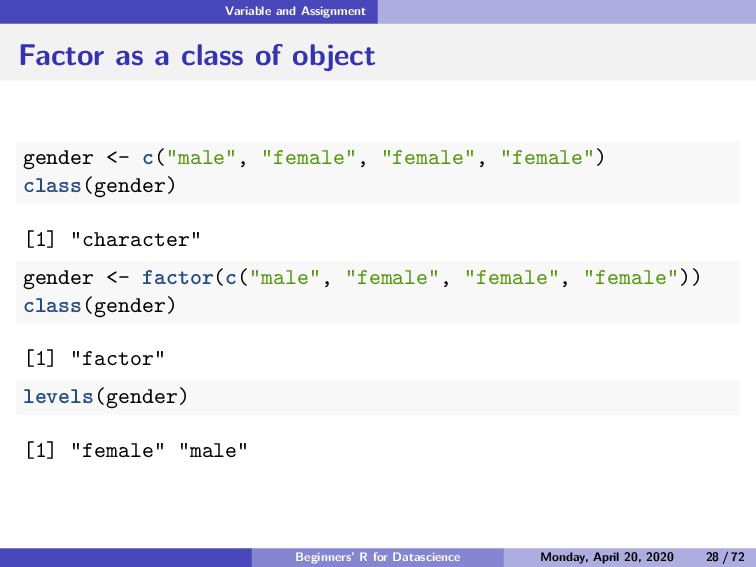
  39. Variable and Assignment Factor as a class of object gender

    <- c("male", "female", "female", "female") class(gender) [1] "character" gender <- factor(c("male", "female", "female", "female")) class(gender) [1] "factor" levels(gender) [1] "female" "male" Beginners’ R for Datascience Monday, April 20, 2020 28 / 72
  40. Basic data structure in R Section 5 Basic data structure

    in R Beginners’ R for Datascience Monday, April 20, 2020 29 / 72
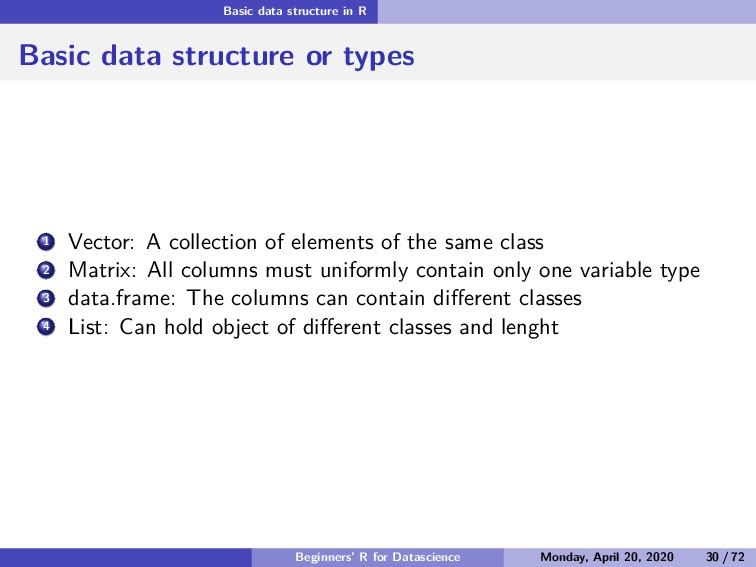
  41. Basic data structure in R Basic data structure or types

    1 Vector: A collection of elements of the same class 2 Matrix: All columns must uniformly contain only one variable type 3 data.frame: The columns can contain different classes 4 List: Can hold object of different classes and lenght Beginners’ R for Datascience Monday, April 20, 2020 30 / 72
  42. Basic data structure in R Vector Subsection 1 Vector Beginners’

    R for Datascience Monday, April 20, 2020 31 / 72
  43. Basic data structure in R Vector Create a vector Vectors

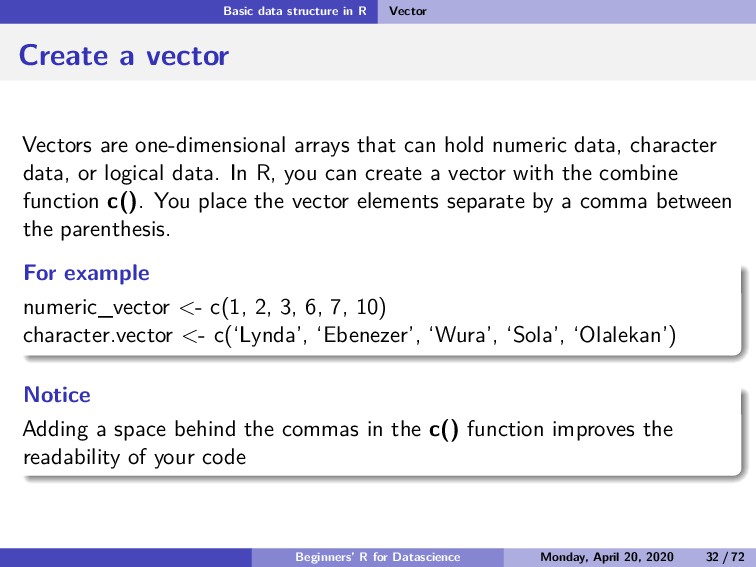
    are one-dimensional arrays that can hold numeric data, character data, or logical data. In R, you can create a vector with the combine function c(). You place the vector elements separate by a comma between the parenthesis. For example numeric_vector <- c(1, 2, 3, 6, 7, 10) character.vector <- c(‘Lynda’, ‘Ebenezer’, ‘Wura’, ‘Sola’, ‘Olalekan’) Notice Adding a space behind the commas in the c() function improves the readability of your code Beginners’ R for Datascience Monday, April 20, 2020 32 / 72
  44. Basic data structure in R Vector Naming a vector As

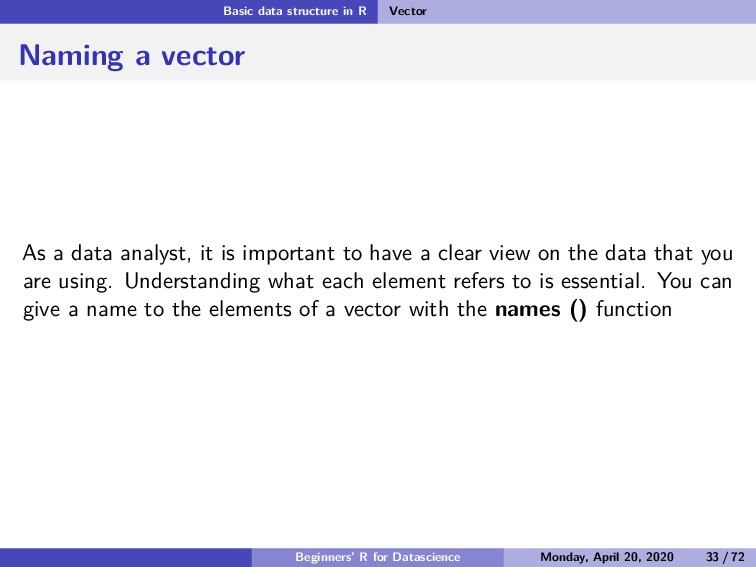
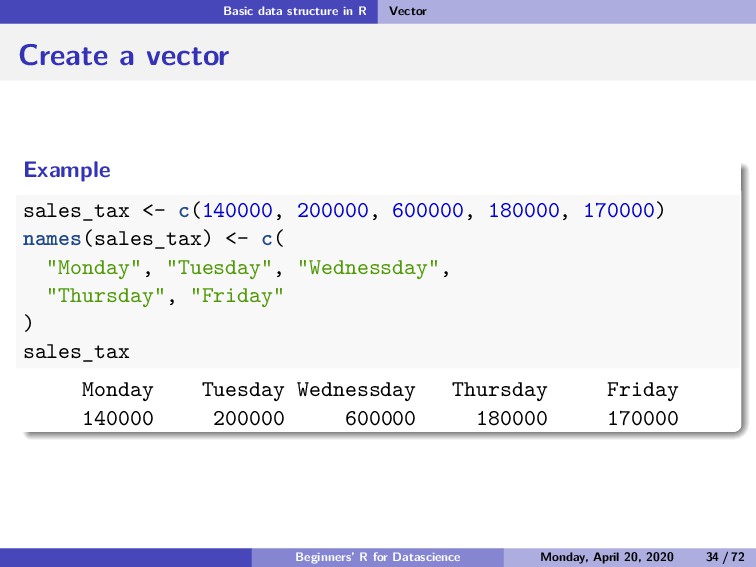
    a data analyst, it is important to have a clear view on the data that you are using. Understanding what each element refers to is essential. You can give a name to the elements of a vector with the names () function Beginners’ R for Datascience Monday, April 20, 2020 33 / 72
  45. Basic data structure in R Vector Create a vector Example

    sales_tax <- c(140000, 200000, 600000, 180000, 170000) names(sales_tax) <- c( "Monday", "Tuesday", "Wednessday", "Thursday", "Friday" ) sales_tax Monday Tuesday Wednessday Thursday Friday 140000 200000 600000 180000 170000 Beginners’ R for Datascience Monday, April 20, 2020 34 / 72
  46. Basic data structure in R Vector Arithmetic with vectors It

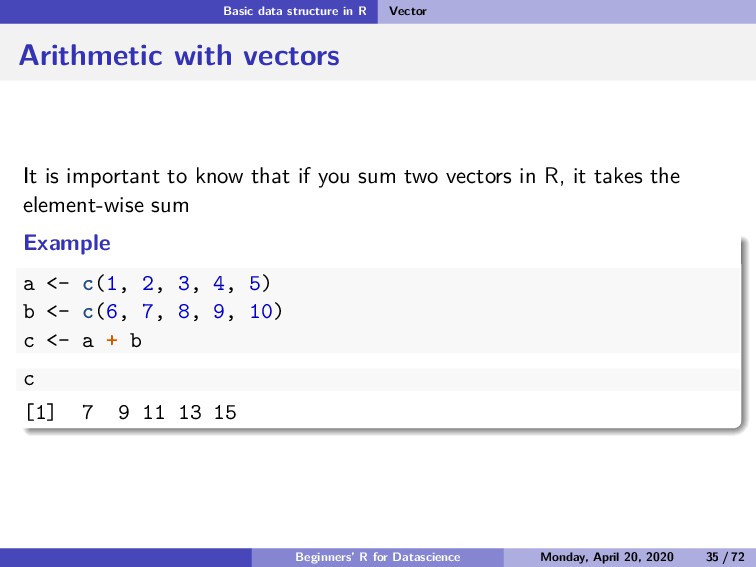
    is important to know that if you sum two vectors in R, it takes the element-wise sum Example a <- c(1, 2, 3, 4, 5) b <- c(6, 7, 8, 9, 10) c <- a + b c [1] 7 9 11 13 15 Beginners’ R for Datascience Monday, April 20, 2020 35 / 72
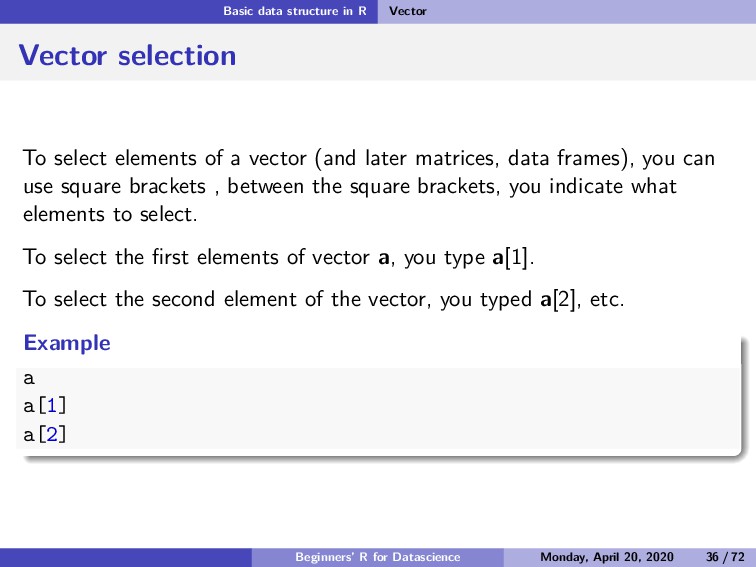
  47. Basic data structure in R Vector Vector selection To select

    elements of a vector (and later matrices, data frames), you can use square brackets , between the square brackets, you indicate what elements to select. To select the first elements of vector a, you type a[1]. To select the second element of the vector, you typed a[2], etc. Example a a[1] a[2] Beginners’ R for Datascience Monday, April 20, 2020 36 / 72
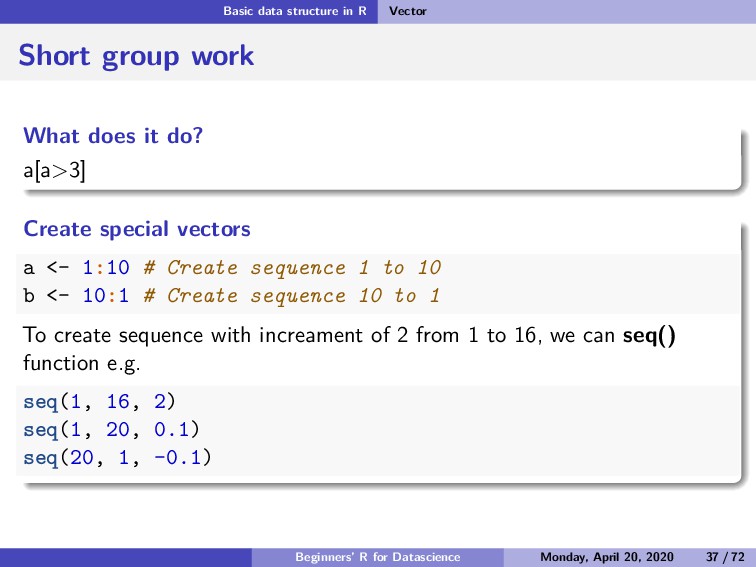
  48. Basic data structure in R Vector Short group work What

    does it do? a[a>3] Create special vectors a <- 1:10 # Create sequence 1 to 10 b <- 10:1 # Create sequence 10 to 1 To create sequence with increament of 2 from 1 to 16, we can seq() function e.g. seq(1, 16, 2) seq(1, 20, 0.1) seq(20, 1, -0.1) Beginners’ R for Datascience Monday, April 20, 2020 37 / 72
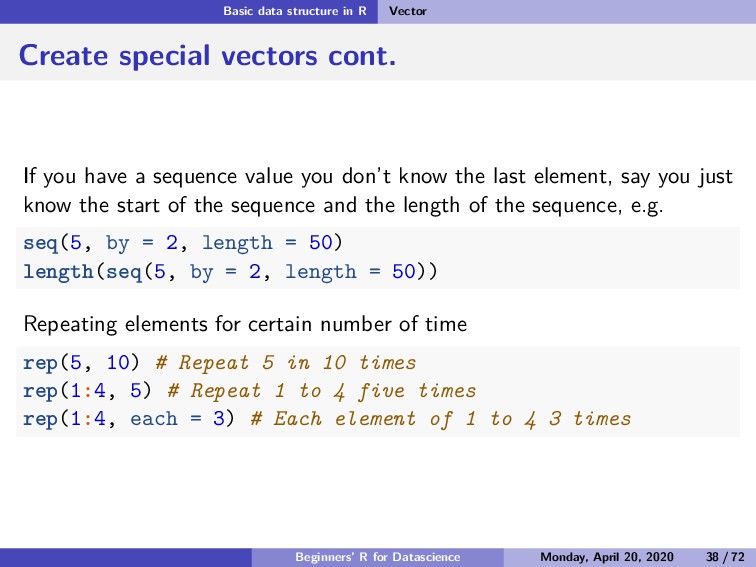
  49. Basic data structure in R Vector Create special vectors cont.

    If you have a sequence value you don’t know the last element, say you just know the start of the sequence and the length of the sequence, e.g. seq(5, by = 2, length = 50) length(seq(5, by = 2, length = 50)) Repeating elements for certain number of time rep(5, 10) # Repeat 5 in 10 times rep(1:4, 5) # Repeat 1 to 4 five times rep(1:4, each = 3) # Each element of 1 to 4 3 times Beginners’ R for Datascience Monday, April 20, 2020 38 / 72
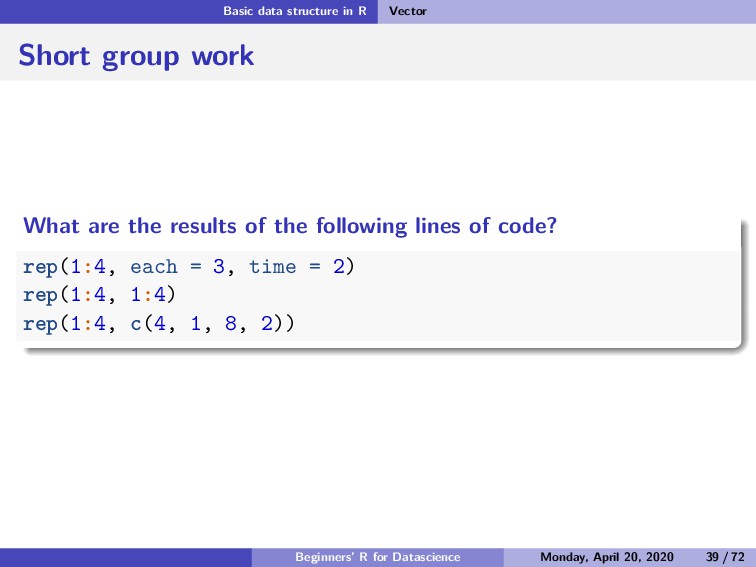
  50. Basic data structure in R Vector Short group work What

    are the results of the following lines of code? rep(1:4, each = 3, time = 2) rep(1:4, 1:4) rep(1:4, c(4, 1, 8, 2)) Beginners’ R for Datascience Monday, April 20, 2020 39 / 72
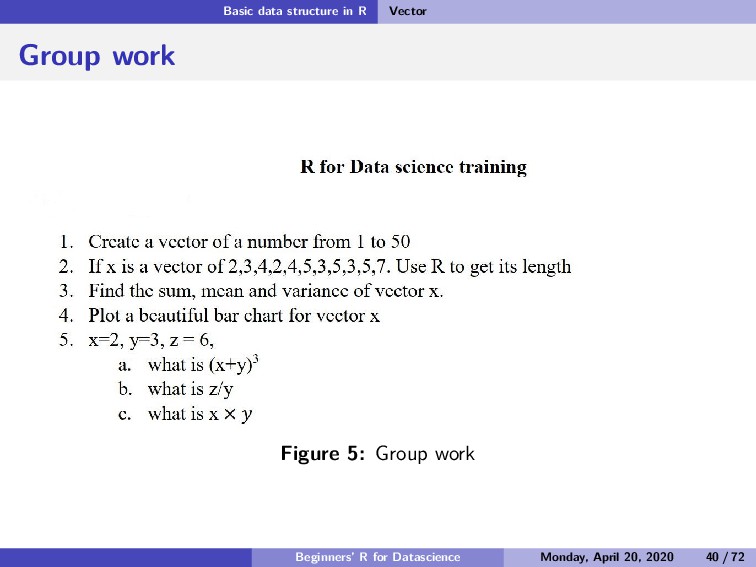
  51. Basic data structure in R Vector Group work Figure 5:

    Group work Beginners’ R for Datascience Monday, April 20, 2020 40 / 72
  52. Basic data structure in R Matrices Subsection 2 Matrices Beginners’

    R for Datascience Monday, April 20, 2020 41 / 72
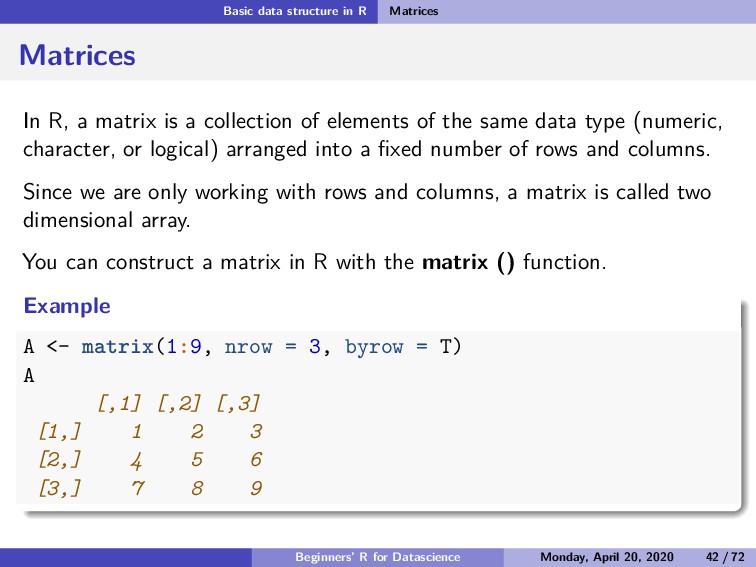
  53. Basic data structure in R Matrices Matrices In R, a

    matrix is a collection of elements of the same data type (numeric, character, or logical) arranged into a fixed number of rows and columns. Since we are only working with rows and columns, a matrix is called two dimensional array. You can construct a matrix in R with the matrix () function. Example A <- matrix(1:9, nrow = 3, byrow = T) A [,1] [,2] [,3] [1,] 1 2 3 [2,] 4 5 6 [3,] 7 8 9 Beginners’ R for Datascience Monday, April 20, 2020 42 / 72
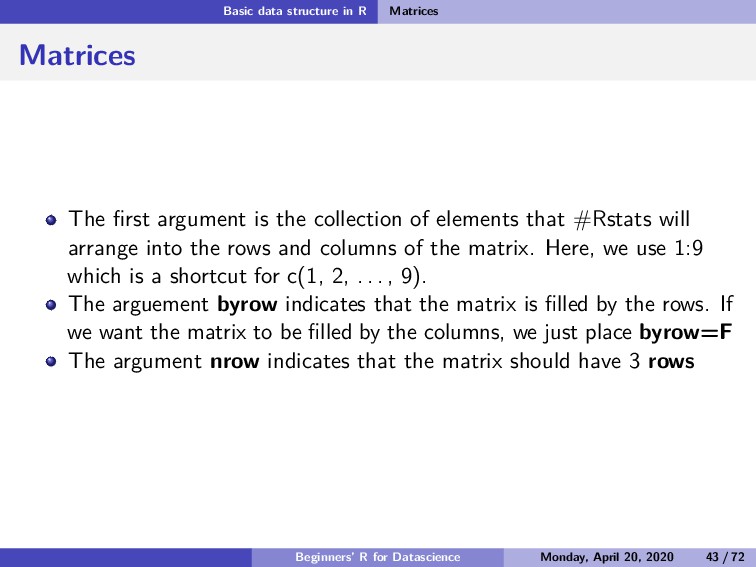
  54. Basic data structure in R Matrices Matrices The first argument

    is the collection of elements that #Rstats will arrange into the rows and columns of the matrix. Here, we use 1:9 which is a shortcut for c(1, 2, . . . , 9). The arguement byrow indicates that the matrix is filled by the rows. If we want the matrix to be filled by the columns, we just place byrow=F The argument nrow indicates that the matrix should have 3 rows Beginners’ R for Datascience Monday, April 20, 2020 43 / 72
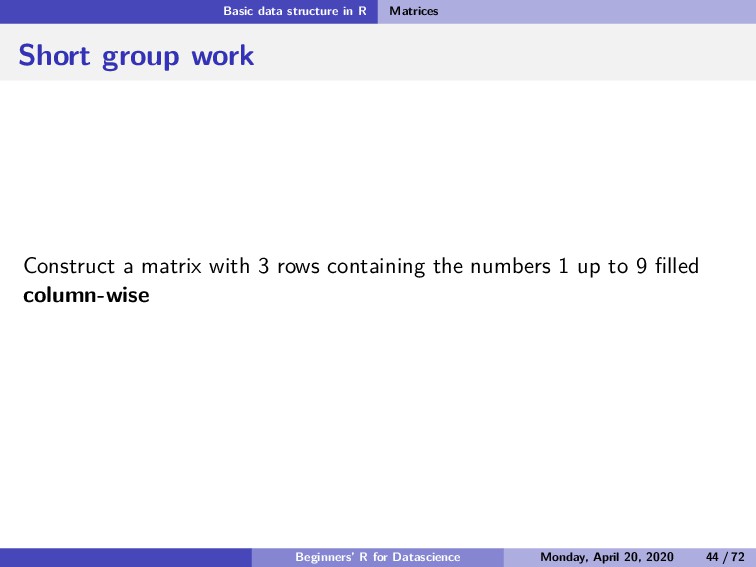
  55. Basic data structure in R Matrices Short group work Construct

    a matrix with 3 rows containing the numbers 1 up to 9 filled column-wise Beginners’ R for Datascience Monday, April 20, 2020 44 / 72
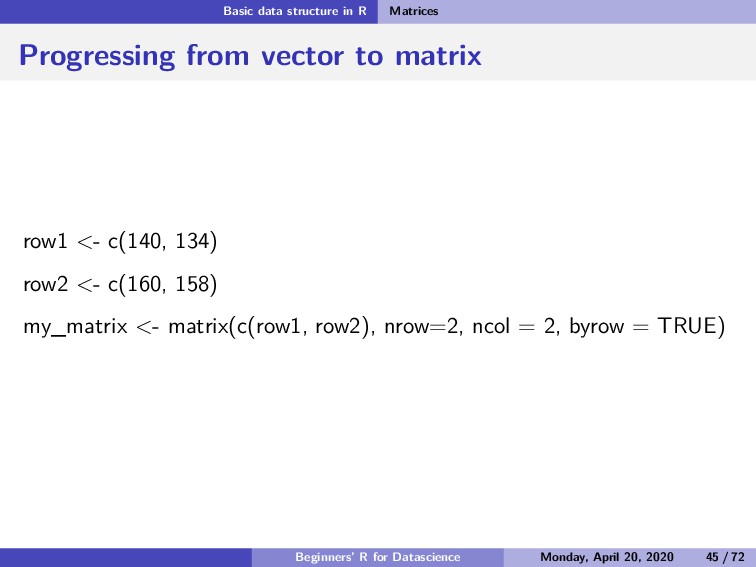
  56. Basic data structure in R Matrices Progressing from vector to

    matrix row1 <- c(140, 134) row2 <- c(160, 158) my_matrix <- matrix(c(row1, row2), nrow=2, ncol = 2, byrow = TRUE) Beginners’ R for Datascience Monday, April 20, 2020 45 / 72
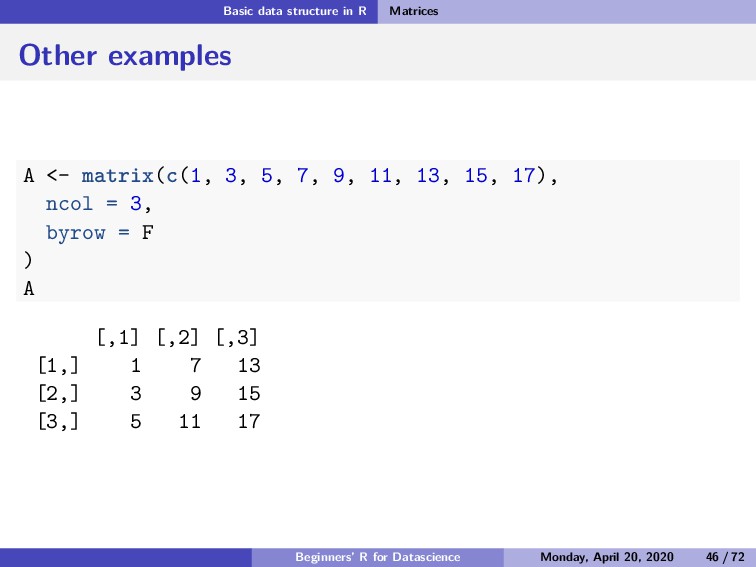
  57. Basic data structure in R Matrices Other examples A <-

    matrix(c(1, 3, 5, 7, 9, 11, 13, 15, 17), ncol = 3, byrow = F ) A [,1] [,2] [,3] [1,] 1 7 13 [2,] 3 9 15 [3,] 5 11 17 Beginners’ R for Datascience Monday, April 20, 2020 46 / 72
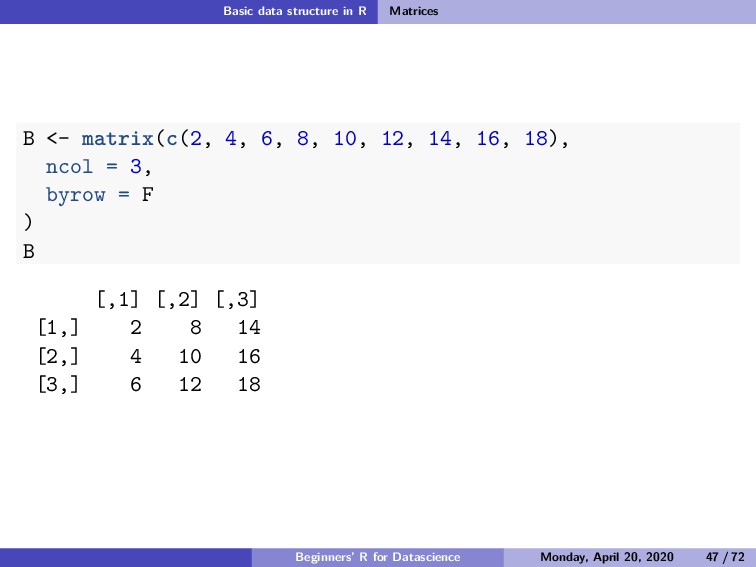
  58. Basic data structure in R Matrices B <- matrix(c(2, 4,

    6, 8, 10, 12, 14, 16, 18), ncol = 3, byrow = F ) B [,1] [,2] [,3] [1,] 2 8 14 [2,] 4 10 16 [3,] 6 12 18 Beginners’ R for Datascience Monday, April 20, 2020 47 / 72
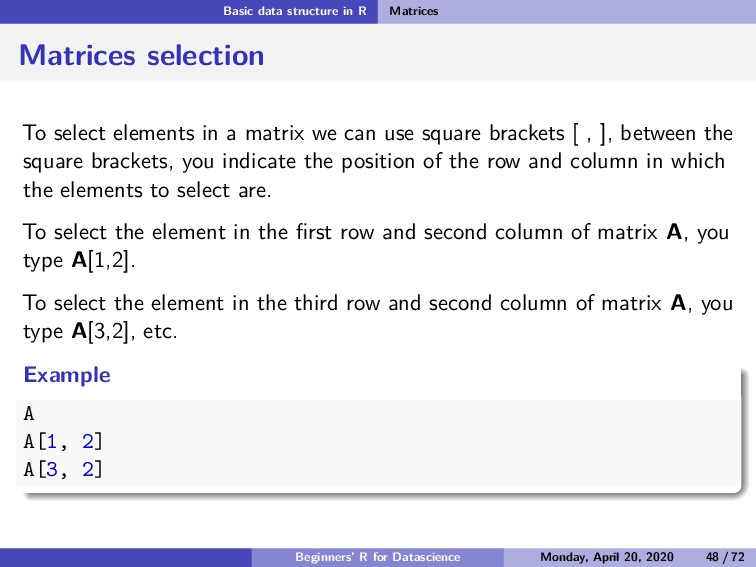
  59. Basic data structure in R Matrices Matrices selection To select

    elements in a matrix we can use square brackets [ , ], between the square brackets, you indicate the position of the row and column in which the elements to select are. To select the element in the first row and second column of matrix A, you type A[1,2]. To select the element in the third row and second column of matrix A, you type A[3,2], etc. Example A A[1, 2] A[3, 2] Beginners’ R for Datascience Monday, April 20, 2020 48 / 72
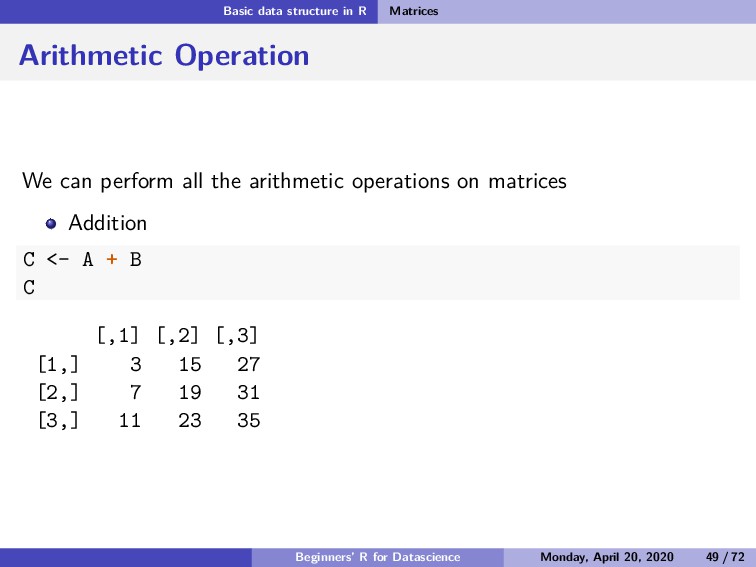
  60. Basic data structure in R Matrices Arithmetic Operation We can

    perform all the arithmetic operations on matrices Addition C <- A + B C [,1] [,2] [,3] [1,] 3 15 27 [2,] 7 19 31 [3,] 11 23 35 Beginners’ R for Datascience Monday, April 20, 2020 49 / 72
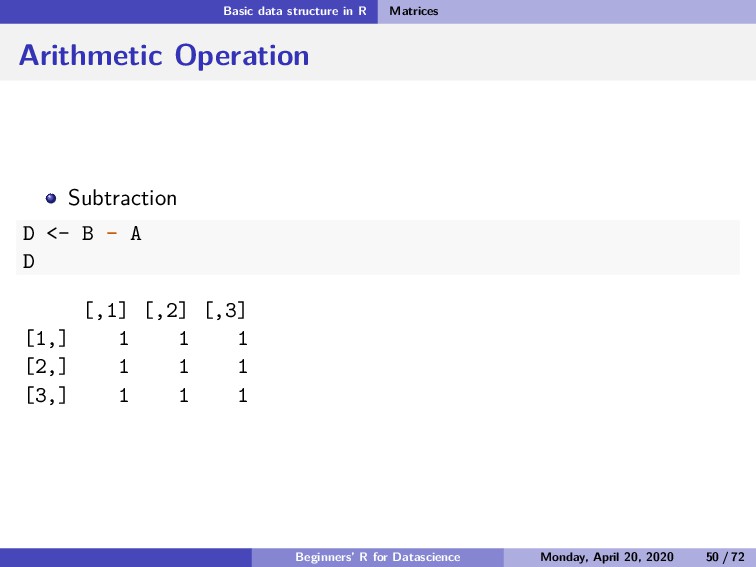
  61. Basic data structure in R Matrices Arithmetic Operation Subtraction D

    <- B - A D [,1] [,2] [,3] [1,] 1 1 1 [2,] 1 1 1 [3,] 1 1 1 Beginners’ R for Datascience Monday, April 20, 2020 50 / 72
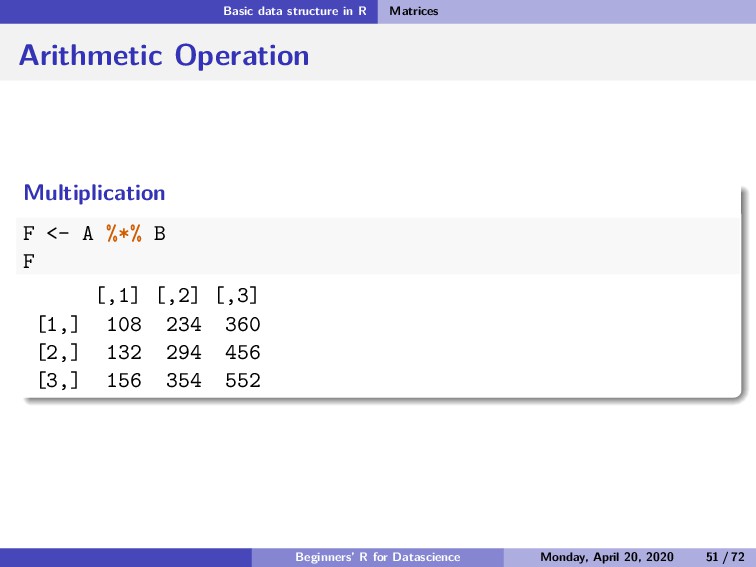
  62. Basic data structure in R Matrices Arithmetic Operation Multiplication F

    <- A %*% B F [,1] [,2] [,3] [1,] 108 234 360 [2,] 132 294 456 [3,] 156 354 552 Beginners’ R for Datascience Monday, April 20, 2020 51 / 72
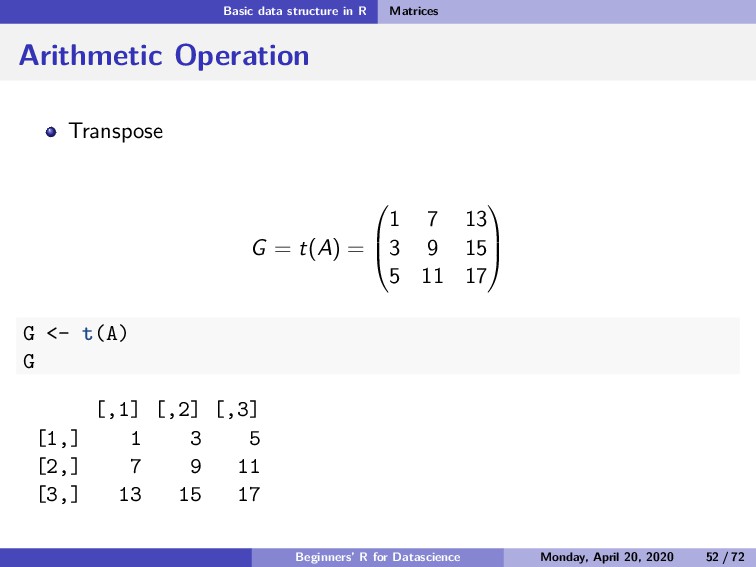
  63. Basic data structure in R Matrices Arithmetic Operation Transpose G

    = t(A) =    1 7 13 3 9 15 5 11 17    G <- t(A) G [,1] [,2] [,3] [1,] 1 3 5 [2,] 7 9 11 [3,] 13 15 17 Beginners’ R for Datascience Monday, April 20, 2020 52 / 72
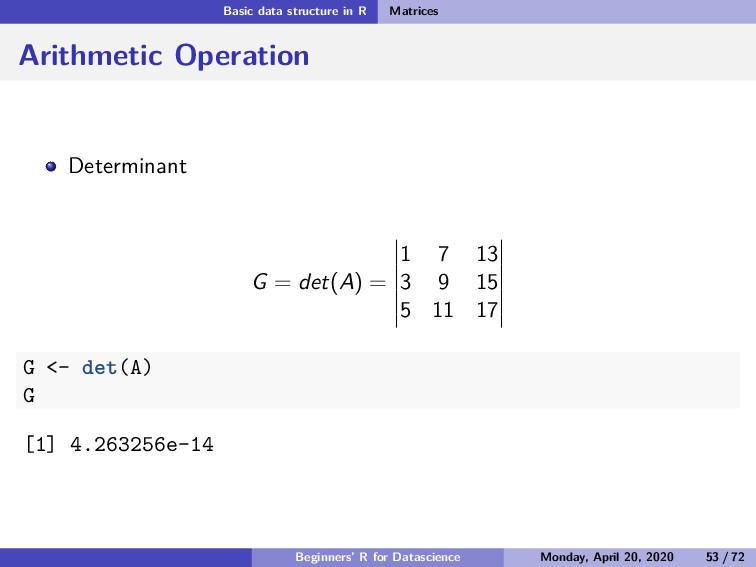
  64. Basic data structure in R Matrices Arithmetic Operation Determinant G

    = det(A) = 1 7 13 3 9 15 5 11 17 G <- det(A) G [1] 4.263256e-14 Beginners’ R for Datascience Monday, April 20, 2020 53 / 72
  65. Basic data structure in R Dataframe Subsection 3 Dataframe Beginners’

    R for Datascience Monday, April 20, 2020 54 / 72
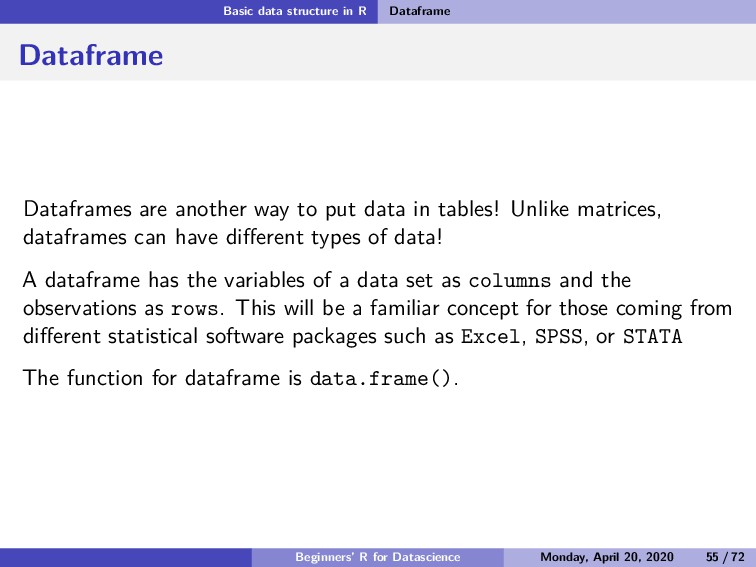
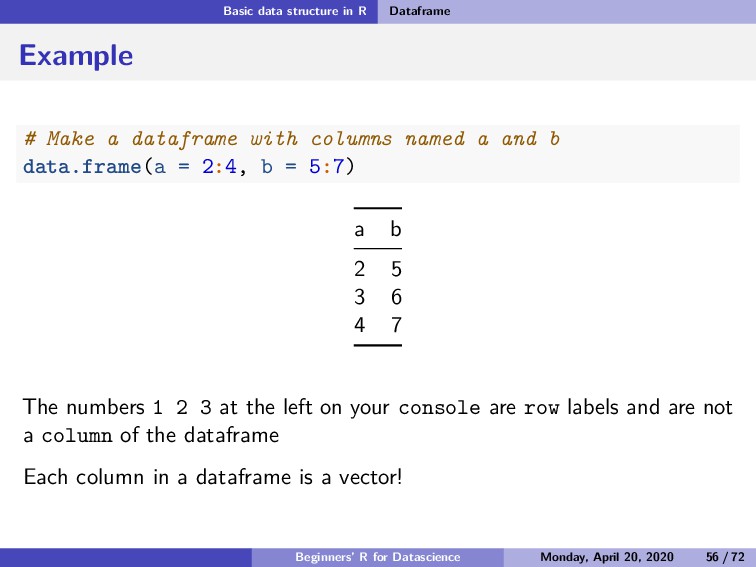
  66. Basic data structure in R Dataframe Dataframe Dataframes are another

    way to put data in tables! Unlike matrices, dataframes can have different types of data! A dataframe has the variables of a data set as columns and the observations as rows. This will be a familiar concept for those coming from different statistical software packages such as Excel, SPSS, or STATA The function for dataframe is data.frame(). Beginners’ R for Datascience Monday, April 20, 2020 55 / 72
  67. Basic data structure in R Dataframe Example # Make a

    dataframe with columns named a and b data.frame(a = 2:4, b = 5:7) a b 2 5 3 6 4 7 The numbers 1 2 3 at the left on your console are row labels and are not a column of the dataframe Each column in a dataframe is a vector! Beginners’ R for Datascience Monday, April 20, 2020 56 / 72
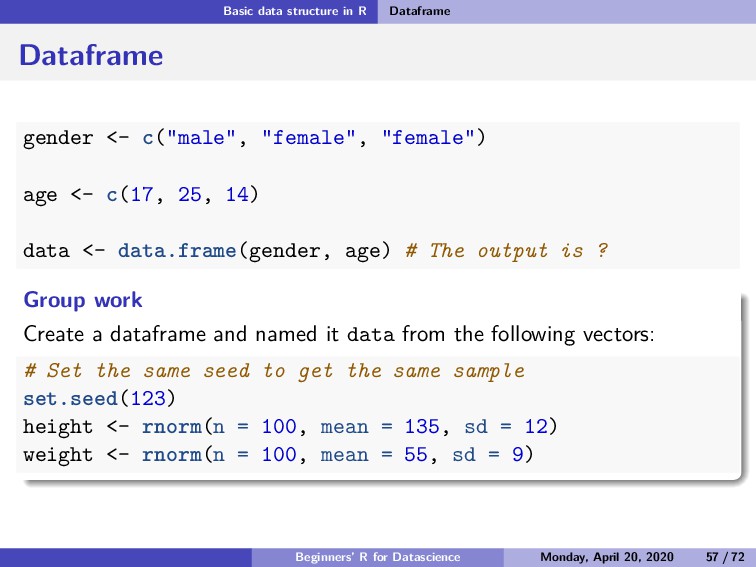
  68. Basic data structure in R Dataframe Dataframe gender <- c("male",

    "female", "female") age <- c(17, 25, 14) data <- data.frame(gender, age) # The output is ? Group work Create a dataframe and named it data from the following vectors: # Set the same seed to get the same sample set.seed(123) height <- rnorm(n = 100, mean = 135, sd = 12) weight <- rnorm(n = 100, mean = 55, sd = 9) Beginners’ R for Datascience Monday, April 20, 2020 57 / 72
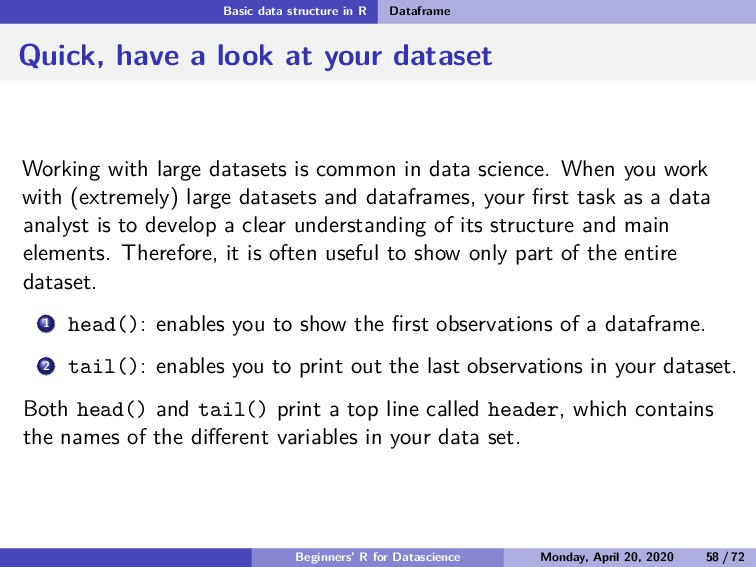
  69. Basic data structure in R Dataframe Quick, have a look

    at your dataset Working with large datasets is common in data science. When you work with (extremely) large datasets and dataframes, your first task as a data analyst is to develop a clear understanding of its structure and main elements. Therefore, it is often useful to show only part of the entire dataset. 1 head(): enables you to show the first observations of a dataframe. 2 tail(): enables you to print out the last observations in your dataset. Both head() and tail() print a top line called header, which contains the names of the different variables in your data set. Beginners’ R for Datascience Monday, April 20, 2020 58 / 72
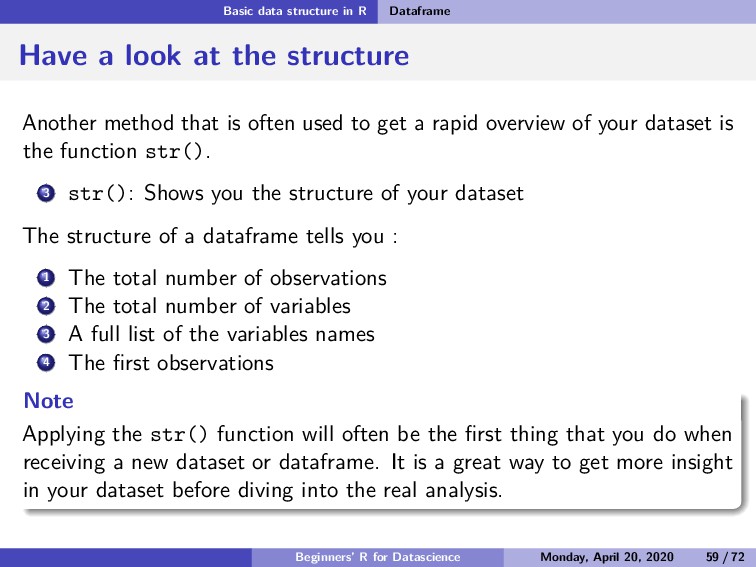
  70. Basic data structure in R Dataframe Have a look at

    the structure Another method that is often used to get a rapid overview of your dataset is the function str(). 3 str(): Shows you the structure of your dataset The structure of a dataframe tells you : 1 The total number of observations 2 The total number of variables 3 A full list of the variables names 4 The first observations Note Applying the str() function will often be the first thing that you do when receiving a new dataset or dataframe. It is a great way to get more insight in your dataset before diving into the real analysis. Beginners’ R for Datascience Monday, April 20, 2020 59 / 72
  71. Basic data structure in R Dataframe Example Considering these vectors:

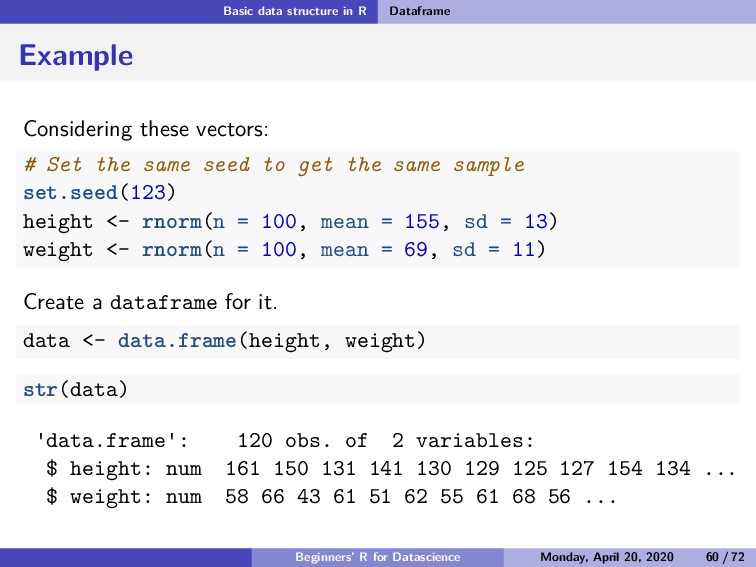
    # Set the same seed to get the same sample set.seed(123) height <- rnorm(n = 100, mean = 155, sd = 13) weight <- rnorm(n = 100, mean = 69, sd = 11) Create a dataframe for it. data <- data.frame(height, weight) str(data) data.frame : 120 obs. of 2 variables: $ height: num 161 150 131 141 130 129 125 127 154 134 ... $ weight: num 58 66 43 61 51 62 55 61 68 56 ... Beginners’ R for Datascience Monday, April 20, 2020 60 / 72
  72. Basic data structure in R Dataframe Example head(data, 5) height

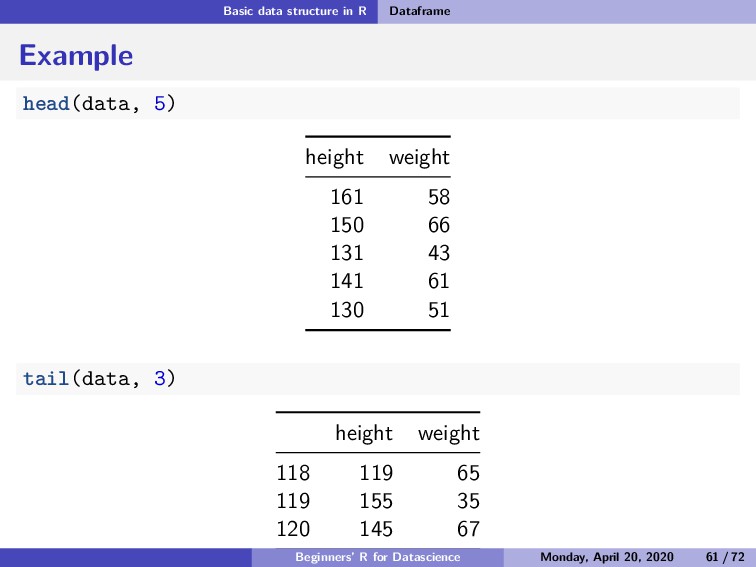
    weight 161 58 150 66 131 43 141 61 130 51 tail(data, 3) height weight 118 119 65 119 155 35 120 145 67 Beginners’ R for Datascience Monday, April 20, 2020 61 / 72
  73. Basic data structure in R Dataframe Using built-in datasets in

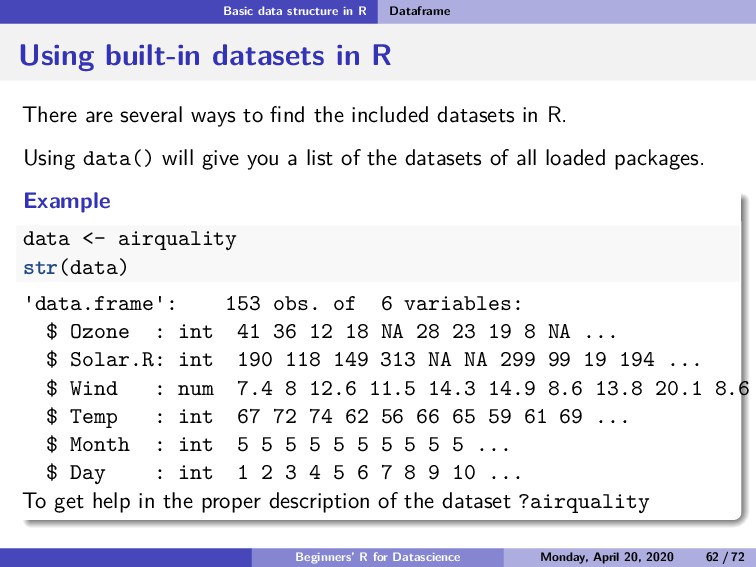
    R There are several ways to find the included datasets in R. Using data() will give you a list of the datasets of all loaded packages. Example data <- airquality str(data) data.frame : 153 obs. of 6 variables: $ Ozone : int 41 36 12 18 NA 28 23 19 8 NA ... $ Solar.R: int 190 118 149 313 NA NA 299 99 19 194 ... $ Wind : num 7.4 8 12.6 11.5 14.3 14.9 8.6 13.8 20.1 8.6 $ Temp : int 67 72 74 62 56 66 65 59 61 69 ... $ Month : int 5 5 5 5 5 5 5 5 5 5 ... $ Day : int 1 2 3 4 5 6 7 8 9 10 ... To get help in the proper description of the dataset ?airquality Beginners’ R for Datascience Monday, April 20, 2020 62 / 72
  74. Basic data structure in R List Subsection 4 List Beginners’

    R for Datascience Monday, April 20, 2020 63 / 72
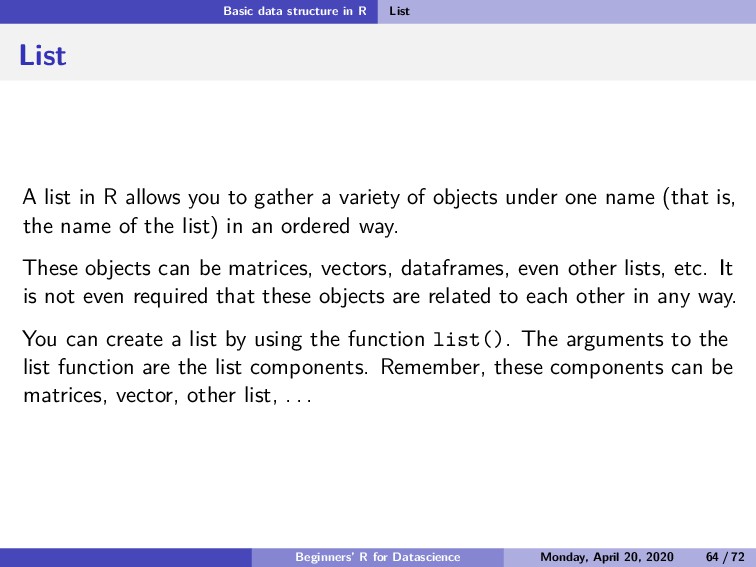
  75. Basic data structure in R List List A list in

    R allows you to gather a variety of objects under one name (that is, the name of the list) in an ordered way. These objects can be matrices, vectors, dataframes, even other lists, etc. It is not even required that these objects are related to each other in any way. You can create a list by using the function list(). The arguments to the list function are the list components. Remember, these components can be matrices, vector, other list, . . . Beginners’ R for Datascience Monday, April 20, 2020 64 / 72
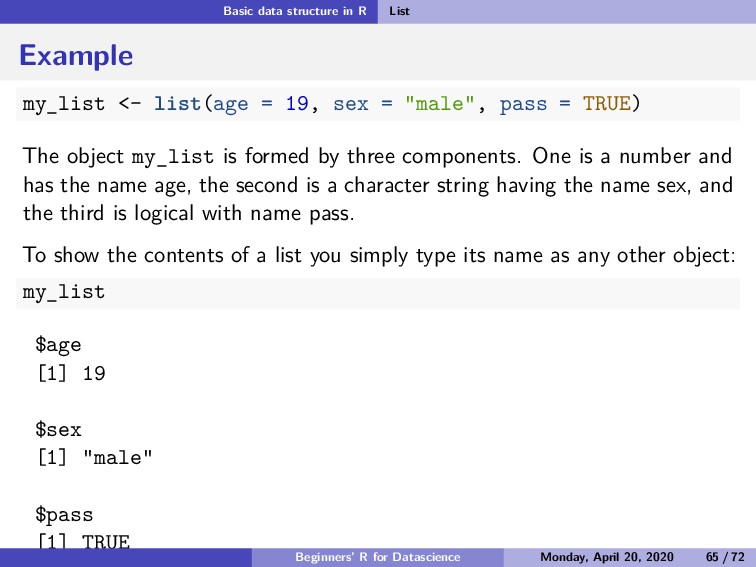
  76. Basic data structure in R List Example my_list <- list(age

    = 19, sex = "male", pass = TRUE) The object my_list is formed by three components. One is a number and has the name age, the second is a character string having the name sex, and the third is logical with name pass. To show the contents of a list you simply type its name as any other object: my_list $age [1] 19 $sex [1] "male" $pass [1] TRUE Beginners’ R for Datascience Monday, April 20, 2020 65 / 72
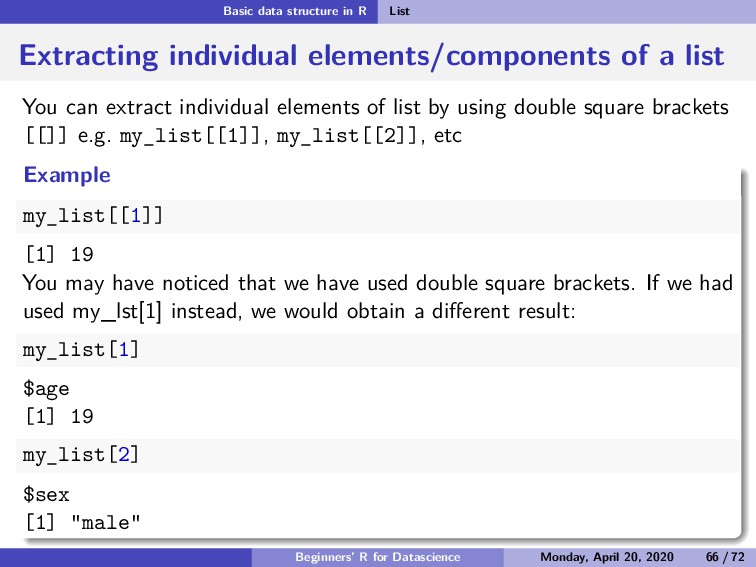
  77. Basic data structure in R List Extracting individual elements/components of

    a list You can extract individual elements of list by using double square brackets [[]] e.g. my_list[[1]], my_list[[2]], etc Example my_list[[1]] [1] 19 You may have noticed that we have used double square brackets. If we had used my_lst[1] instead, we would obtain a different result: my_list[1] $age [1] 19 my_list[2] $sex [1] "male" Beginners’ R for Datascience Monday, April 20, 2020 66 / 72
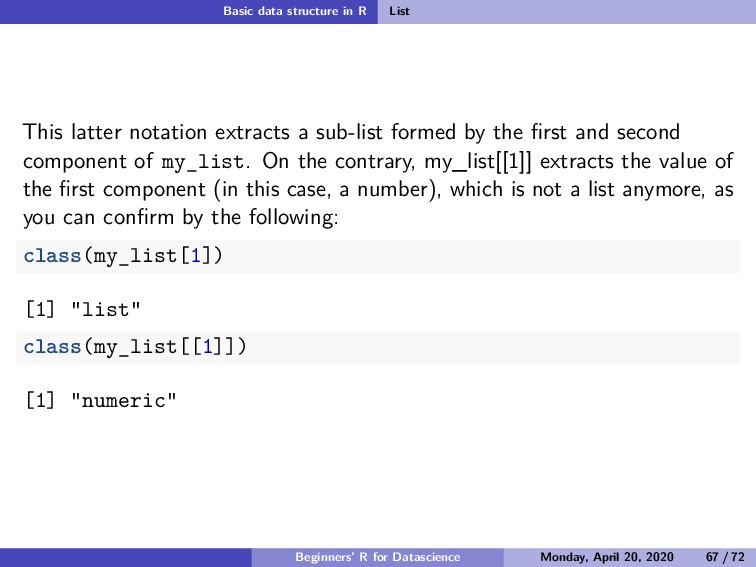
  78. Basic data structure in R List This latter notation extracts

    a sub-list formed by the first and second component of my_list. On the contrary, my_list[[1]] extracts the value of the first component (in this case, a number), which is not a list anymore, as you can confirm by the following: class(my_list[1]) [1] "list" class(my_list[[1]]) [1] "numeric" Beginners’ R for Datascience Monday, April 20, 2020 67 / 72
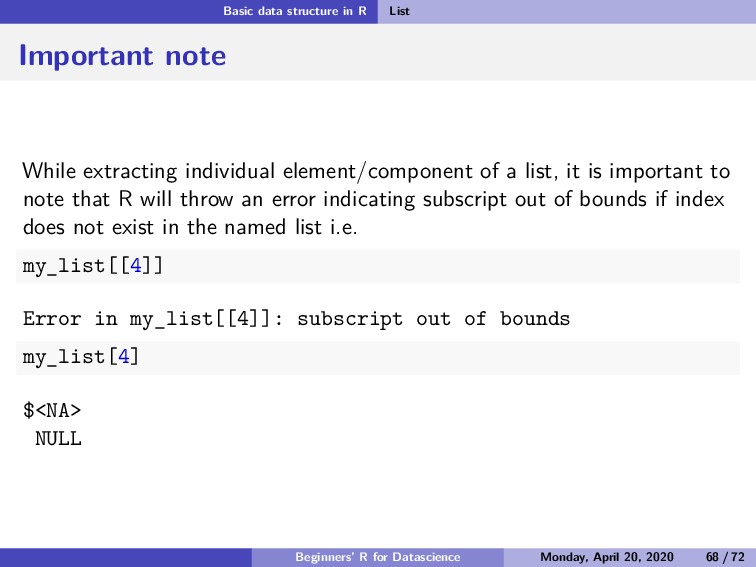
  79. Basic data structure in R List Important note While extracting

    individual element/component of a list, it is important to note that R will throw an error indicating subscript out of bounds if index does not exist in the named list i.e. my_list[[4]] Error in my_list[[4]]: subscript out of bounds my_list[4] $<NA> NULL Beginners’ R for Datascience Monday, April 20, 2020 68 / 72
  80. Summary Summary This tutorial introduced us to R and RStudio.

    We also learnt various atomic data types in R. Beginners’ R for Datascience Monday, April 20, 2020 70 / 72
  81. Summary References Wickham, H., & Grolemund, G. (2016). R for

    data science: import, tidy, transform, visualize, and model data. " O’Reilly Media, Inc.". Beginners’ R for Datascience Monday, April 20, 2020 72 / 72