Share
Embed
Transcript
131 slides
-
#DevoxxFR Mise en place d’une plateforme centralisée de gestion des
logs avec la suite elastic Emmanuel DEMEY 1 @EmmanuelDemey -
#DevoxxFR 2 Emmanuel DEMEY @EmmanuelDemey CTO Zenika Lille GDG Lille
- DevFest Lille Google Developer Expert David PILATO @dadoonet Developer | Evangelist Elastic -
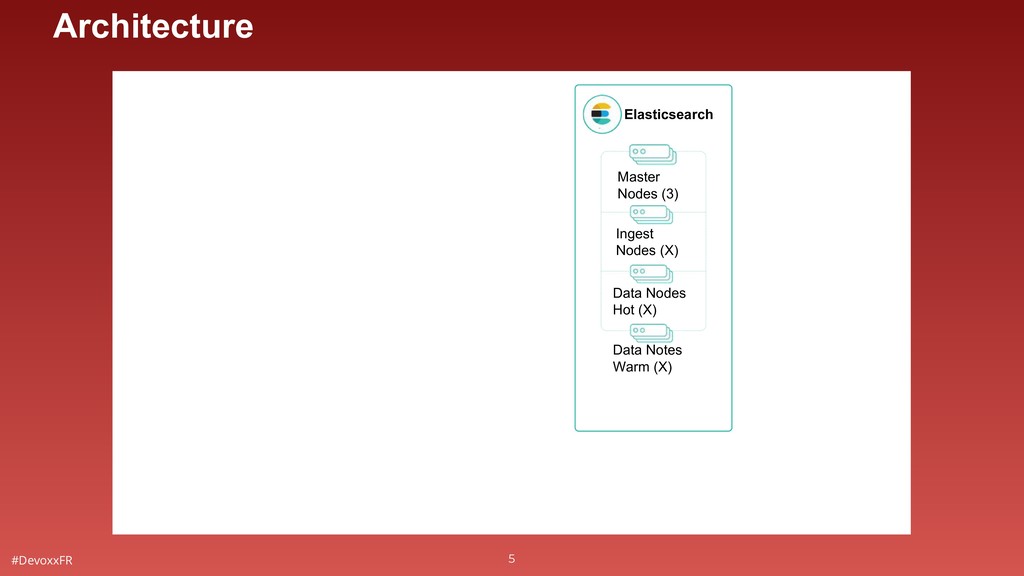
#DevoxxFR 5 Architecture Elasticsearch Master Nodes (3) Ingest Nodes (X)
Data Nodes Hot (X) Data Notes Warm (X) -
#DevoxxFR What’s new / coming* in Elasticsearch ? • Nouvelle
expérience de mise à jour • Réduction de l’espace de stockage utilisé • Sorted Indices • Amélioration des réplications • Nouvelle API pour gérer les relations Parent-Child • Rollup API* • Suppression des types* • Support de SQL* 6 -
#DevoxxFR 8 Architecture Elasticsearch Master Nodes (3) Ingest Nodes (X)
Data Nodes Hot (X) Data Notes Warm (X) Kibana Instances (X) -
#DevoxxFR What’s coming in Kibana ? • Vega Visualization •
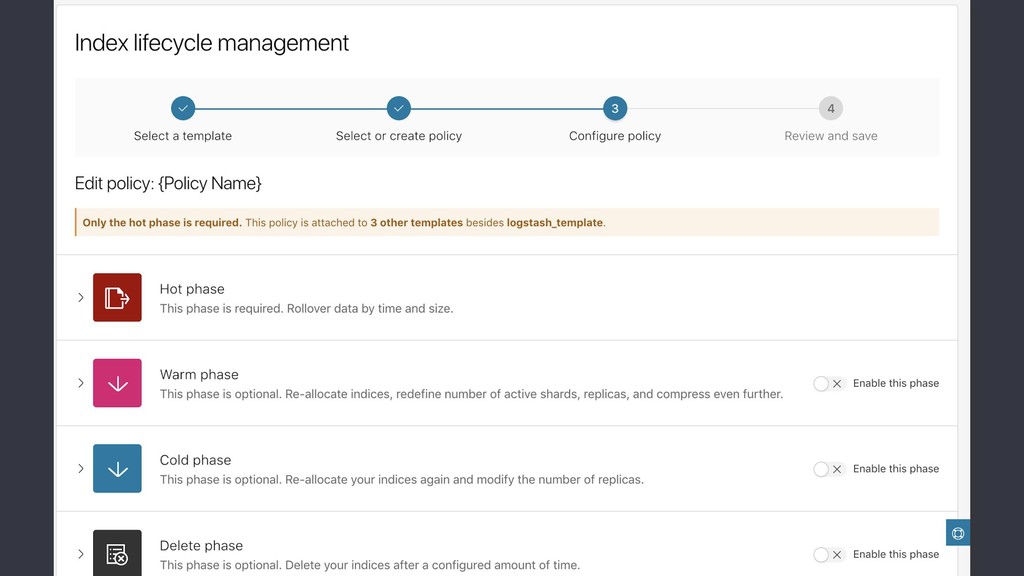
Auto Completion (KQL syntax) • Waffle maps • Multi Layer GIS maps • Index Management UI • Localization • Lifecycle UI • Rollups UI • Infra UI • Complete new UI 13 -
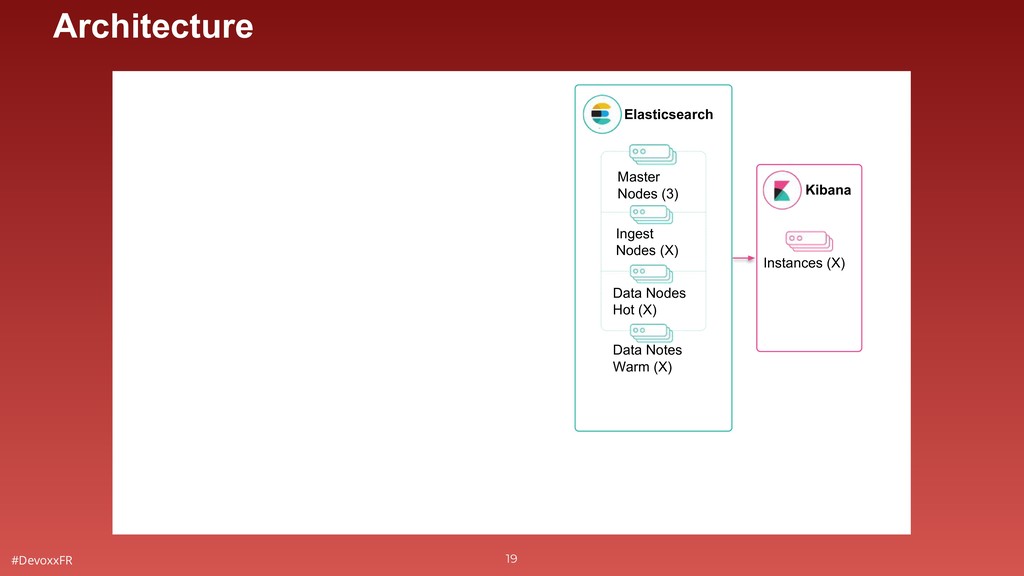
#DevoxxFR 19 Architecture Elasticsearch Master Nodes (3) Ingest Nodes (X)
Data Nodes Hot (X) Data Notes Warm (X) Kibana Instances (X) -
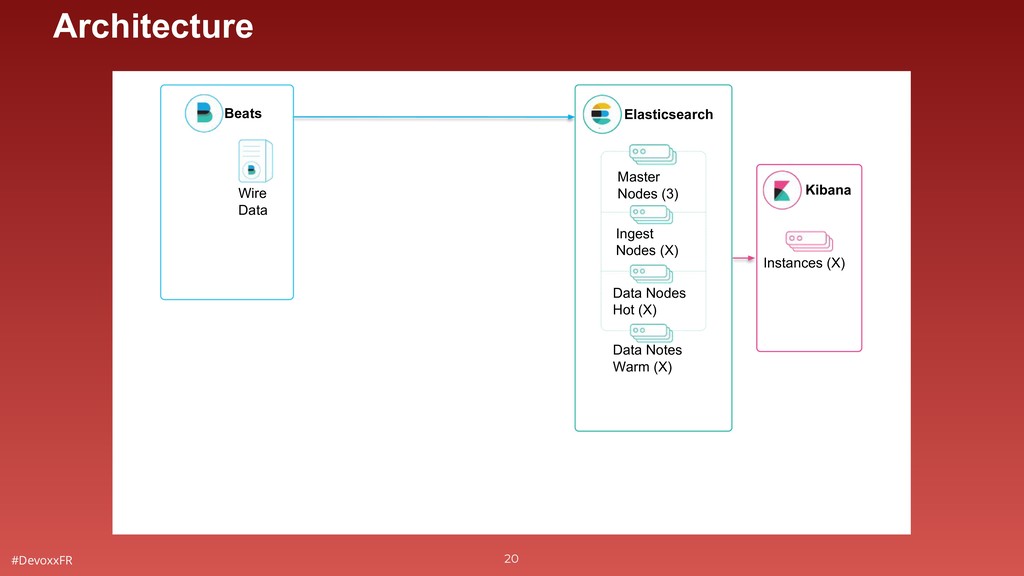
#DevoxxFR 20 Architecture Beats Wire Data Elasticsearch Master Nodes (3)
Ingest Nodes (X) Data Nodes Hot (X) Data Notes Warm (X) Kibana Instances (X) -
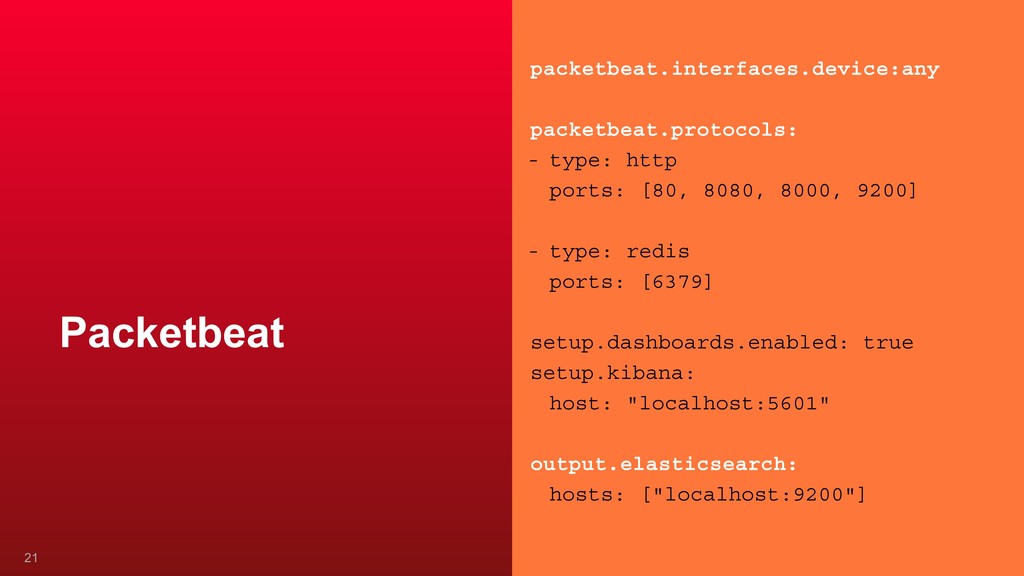
21 Packetbeat packetbeat.interfaces.device:any packetbeat.protocols: - type: http ports: [80, 8080,
8000, 9200] - type: redis ports: [6379] setup.dashboards.enabled: true setup.kibana: host: "localhost:5601" output.elasticsearch: hosts: ["localhost:9200"] -
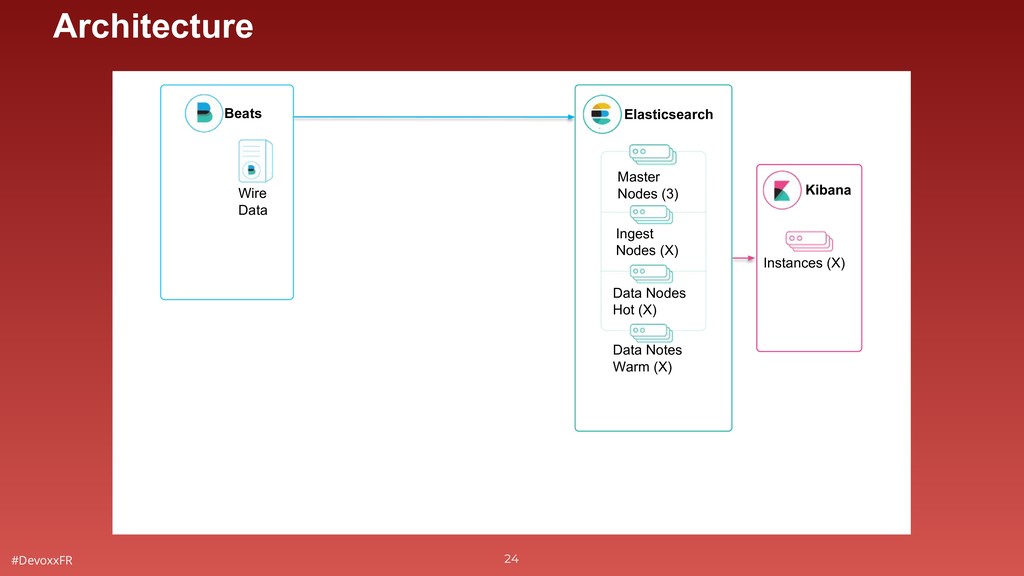
#DevoxxFR 24 Architecture Beats Wire Data Elasticsearch Master Nodes (3)
Ingest Nodes (X) Data Nodes Hot (X) Data Notes Warm (X) Kibana Instances (X) -
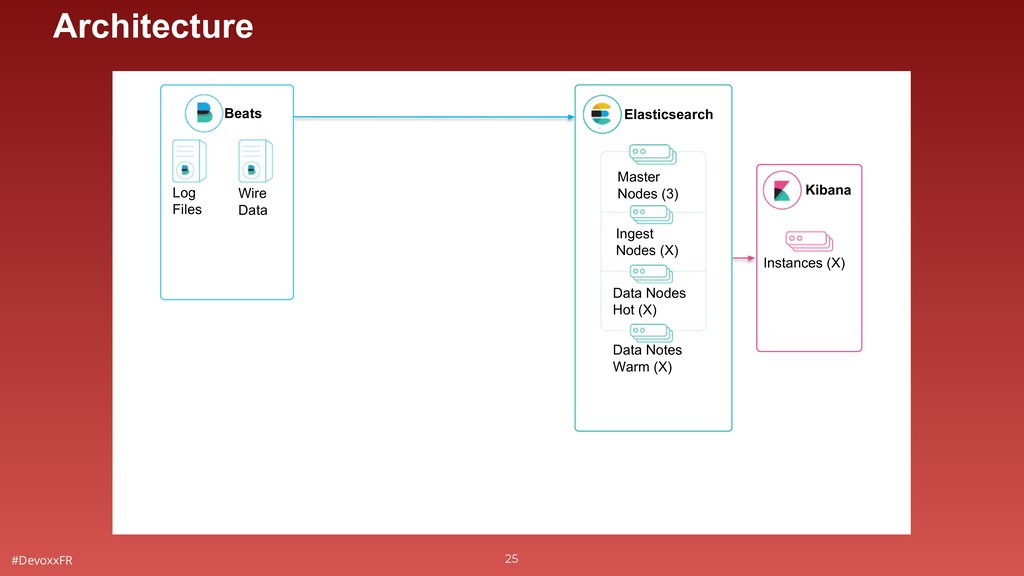
#DevoxxFR 25 Architecture Beats Log Files Wire Data Elasticsearch Master
Nodes (3) Ingest Nodes (X) Data Nodes Hot (X) Data Notes Warm (X) Kibana Instances (X) -
26 Filebeat filebeat.inputs: - type: log enabled: true paths: -
/var/log/*.log setup.dashboards.enabled: true setup.kibana: host: "localhost:5601" output.elasticsearch: hosts: ["localhost:9200"] -
#DevoxxFR 29 Architecture Beats Log Files Wire Data Elasticsearch Master
Nodes (3) Ingest Nodes (X) Data Nodes Hot (X) Data Notes Warm (X) Kibana Instances (X) -
#DevoxxFR Beats Log Files Wire Data Elasticsearch Master Nodes (3)
Ingest Nodes (X) Data Nodes Hot (X) Data Notes Warm (X) Logstash Nodes (X) Kibana Instances (X) 30 Architecture -
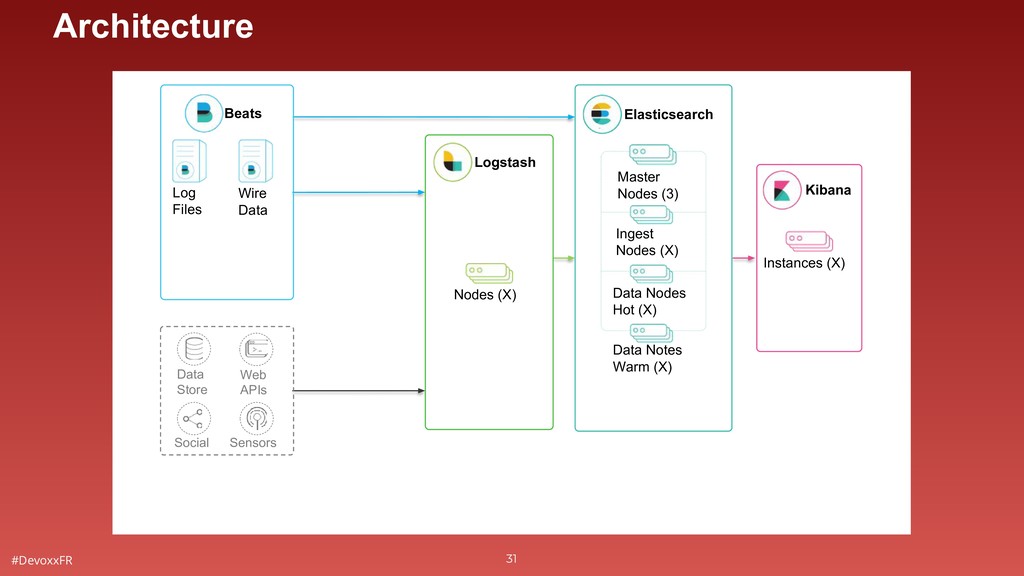
#DevoxxFR Beats Log Files Wire Data Data Store Web APIs
Social Sensors Elasticsearch Master Nodes (3) Ingest Nodes (X) Data Nodes Hot (X) Data Notes Warm (X) Logstash Nodes (X) Kibana Instances (X) 31 Architecture -
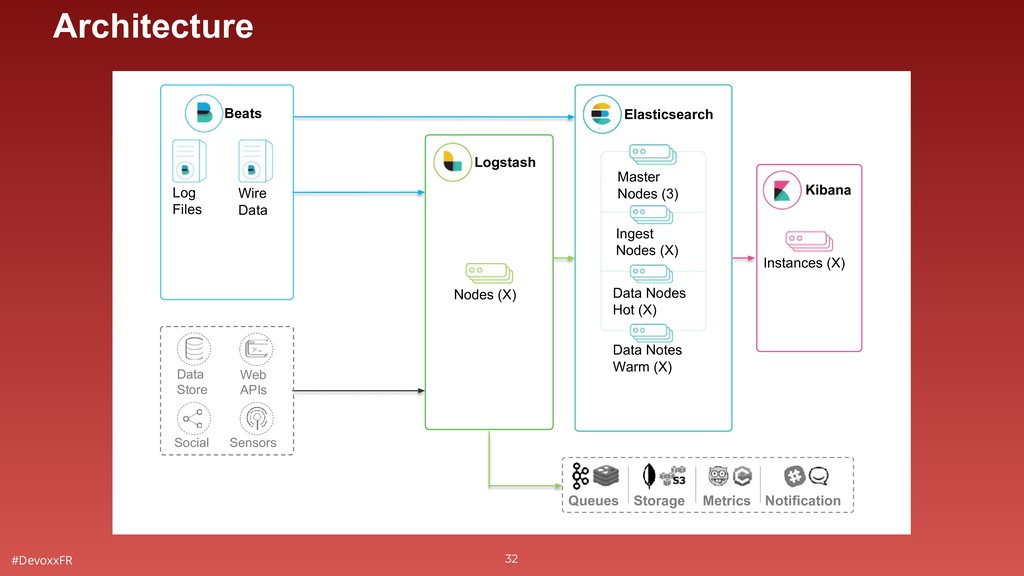
#DevoxxFR Beats Log Files Wire Data Data Store Web APIs
Social Sensors Elasticsearch Master Nodes (3) Ingest Nodes (X) Data Nodes Hot (X) Data Notes Warm (X) Logstash Nodes (X) Kibana Instances (X) Notification Queues Storage Metrics 32 Architecture -
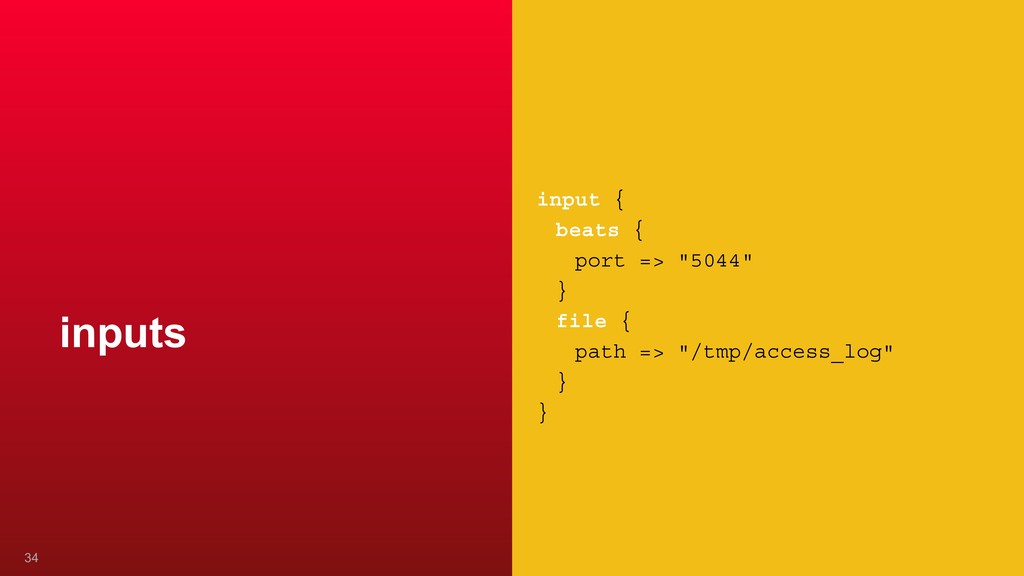
34 inputs input { beats { port => "5044" }
file { path => "/tmp/access_log" } } -
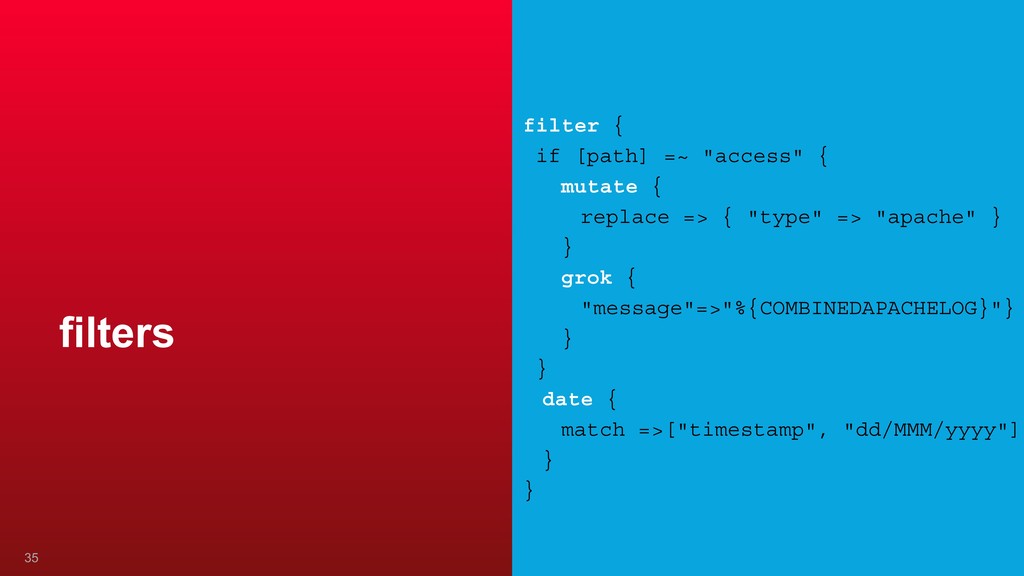
35 filters filter { if [path] =~ "access" { mutate
{ replace => { "type" => "apache" } } grok { "message"=>"%{COMBINEDAPACHELOG}"} } } date { match =>["timestamp", "dd/MMM/yyyy"] } } -
36 outputs output { elasticsearch { hosts => ["localhost:9200"] }
stdout { codec => rubydebug } } -
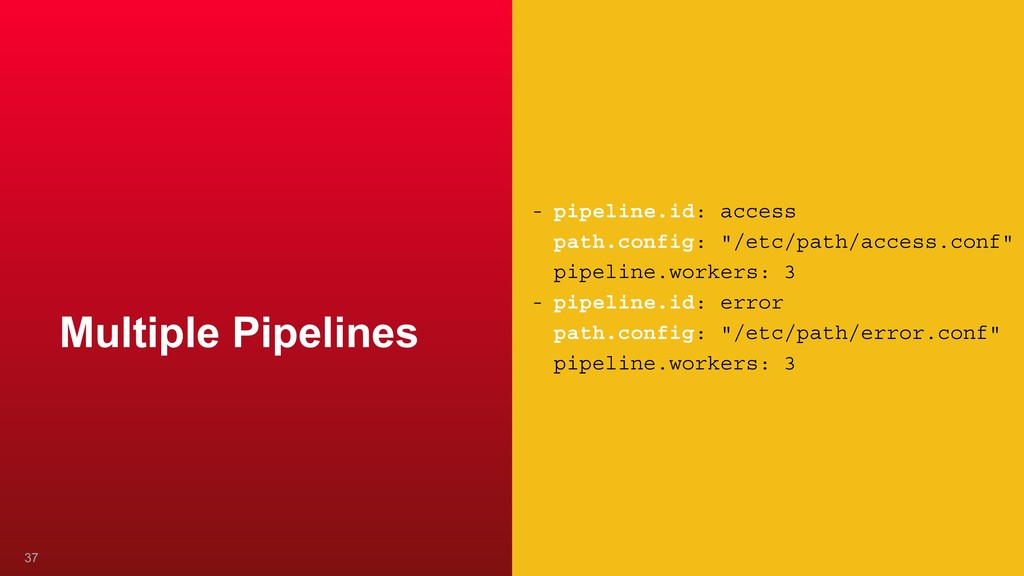
37 Multiple Pipelines - pipeline.id: access path.config: "/etc/path/access.conf" pipeline.workers: 3
- pipeline.id: error path.config: "/etc/path/error.conf" pipeline.workers: 3 -
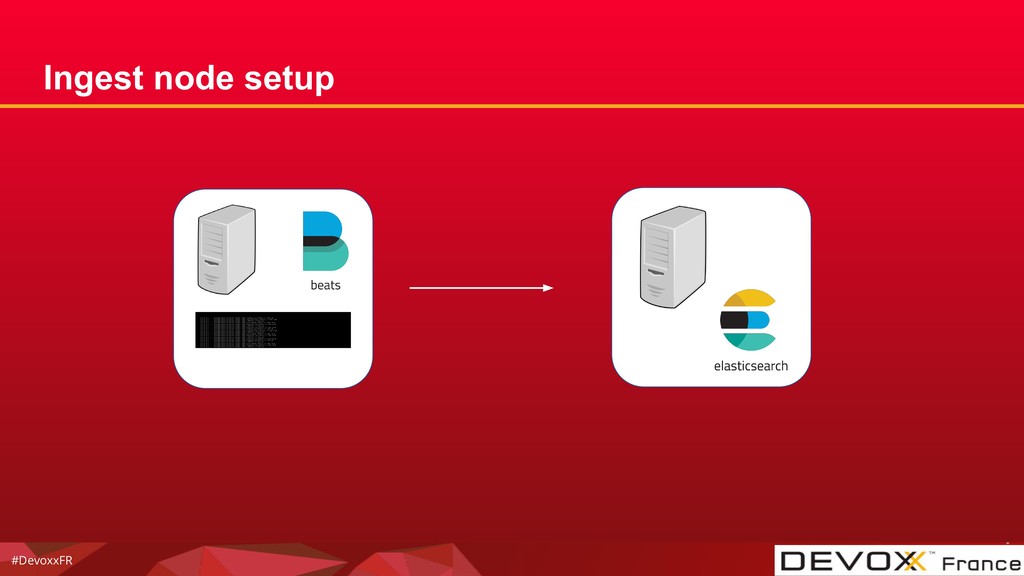
#DevoxxFR Ingest node setup 127.0.0.1 - - [19/Apr/2016:12:00:00 +0200] "GET
/robots.txt HTTP/1.1" 200 68 127.0.0.1 - - [19/Apr/2016:12:00:01 +0200] "GET /cgi-bin/try/ HTTP/1.1" 200 3395 127.0.0.1 - - [19/Apr/2016:12:00:04 +0200] "GET / HTTP/1.1" 200 24 127.0.0.1 - - [19/Apr/2016:12:00:07 +0200] "GET /not_found/ HTTP/1.1" 404 7218 127.0.0.1 - - [19/Apr/2016:12:00:09 +2000] "GET /favicon.ico HTTP/1.1" 200 3638 127.0.0.1 - - [19/Apr/2016:12:00:15 +0200] "GET / HTTP/1.1" 200 24 127.0.0.1 - - [19/Apr/2016:12:00:18 +2000] "GET /favicon.ico HTTP/1.1" 200 3638 127.0.0.1 - - [19/Apr/2016:12:00:00 +0200] "GET /robots.txt HTTP/1.1" 200 68 127.0.0.1 - - [19/Apr/2016:12:00:01 +0200] "GET /cgi-bin/try/ HTTP/1.1" 200 3395 127.0.0.1 - - [19/Apr/2016:12:00:04 +0200] "GET / HTTP/1.1" 200 24 127.0.0.1 - - [19/Apr/2016:12:00:07 +0200] "GET /not_found/ HTTP/1.1" 404 7218 127.0.0.1 - - [19/Apr/2016:12:00:09 +2000] "GET /favicon.ico HTTP/1.1" 200 3638 127.0.0.1 - - [19/Apr/2016:12:00:15 +0200] "GET / HTTP/1.1" 200 24 127.0.0.1 - - [19/Apr/2016:12:00:18 +2000] "GET /favicon.ico HTTP/1.1" 200 3638 127.0.0.1 - - [19/Apr/2016:12:00:00 +0200] "GET /robots.txt HTTP/1.1" 200 68 127.0.0.1 - - [19/Apr/2016:12:00:04 +0200] "GET / HTTP/1.1" 200 24 127.0.0.1 - - [19/Apr/2016:12:00:07 +0200] "GET /not_found/ HTTP/1.1" 404 7218 127.0.0.1 - - [19/Apr/2016:12:00:09 +2000] "GET /favicon.ico HTTP/1.1" 200 3638 127.0.0.1 - - [19/Apr/2016:12:00:15 +0200] "GET / HTTP/1.1" 200 24 -
#DevoxxFR Filebeat: collect and ship 127.0.0.1 - - [19/Apr/2016:12:00:04 +0200]
"GET / HTTP/1.1" 200 24 127.0.0.1 - - [19/Apr/2016:12:00:07 +0200] "GET /not_found/ HTTP/1.1" 404 7218 127.0.0.1 - - [19/Apr/2016:12:00:09 +2000] "GET /favicon.ico HTTP/1.1" 200 3638 { "message" : "127.0.0.1 - - [19/Apr/2016:12:00:04 +0200] \"GET / HTTP/1.1\" 200 24" } { "message" : "127.0.0.1 - - [19/Apr/2016:12:00:07 +0200] \"GET /not_found/ HTTP/1.1\" 404 7218" } { "message" : "127.0.0.1 - - [19/Apr/2016:12:00:09 +2000] \"GET /favicon.ico HTTP/1.1\" 200 3638" } -
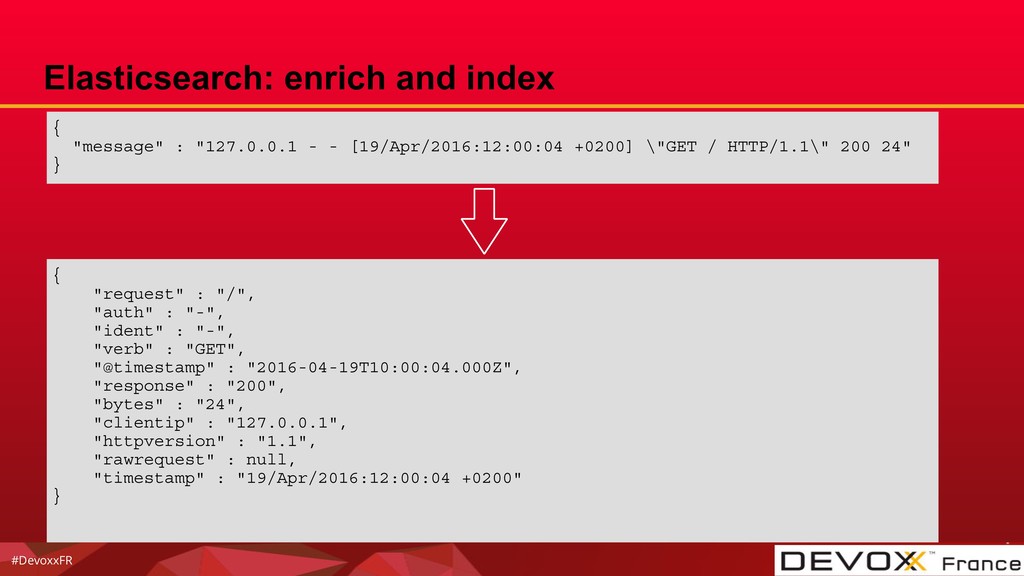
#DevoxxFR Elasticsearch: enrich and index { "message" : "127.0.0.1 -
- [19/Apr/2016:12:00:04 +0200] \"GET / HTTP/1.1\" 200 24" } { "request" : "/", "auth" : "-", "ident" : "-", "verb" : "GET", "@timestamp" : "2016-04-19T10:00:04.000Z", "response" : "200", "bytes" : "24", "clientip" : "127.0.0.1", "httpversion" : "1.1", "rawrequest" : null, "timestamp" : "19/Apr/2016:12:00:04 +0200" } -
#DevoxxFR Logstash: collect, enrich & transport 44 grok date mutate
input output Filters The file Elasticsearch -
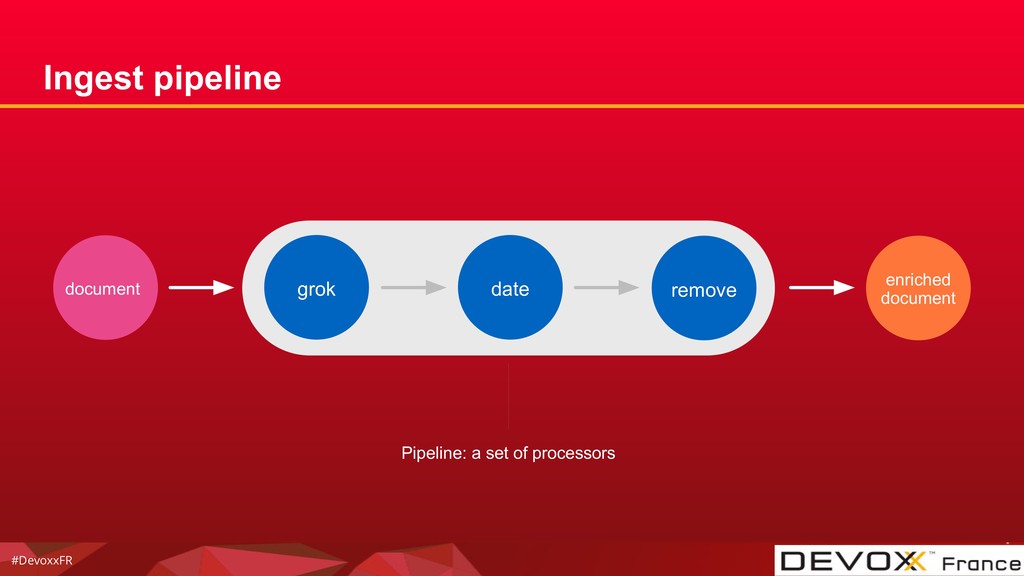
#DevoxxFR Ingest pipeline Pipeline: a set of processors grok date
remove document enriched document -
grok remove attachment convert uppercase foreach trim append gsub set
split fail geoip join lowercase rename date -
Extracts structured fields out of a single text field 47
Grok processor { "grok": { "field": "message", "patterns": ["%{DATE:date}"] } } -
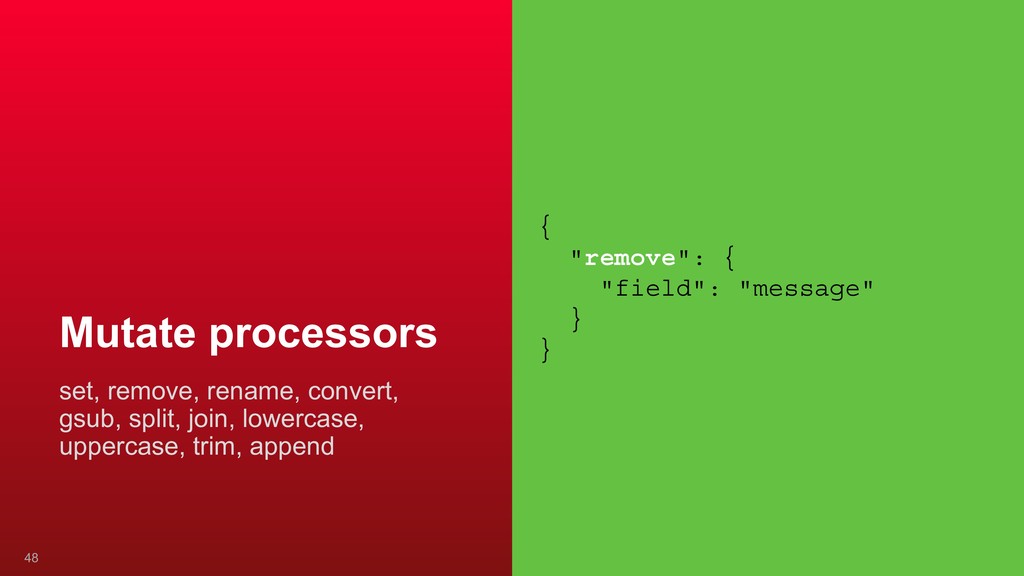
set, remove, rename, convert, gsub, split, join, lowercase, uppercase, trim,
append 48 Mutate processors { "remove": { "field": "message" } } -
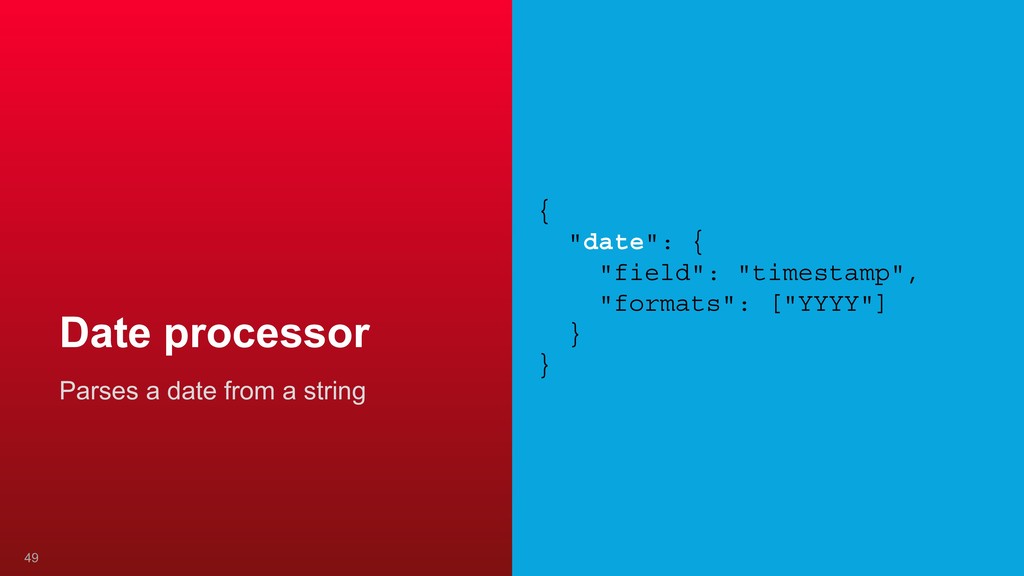
Parses a date from a string 49 Date processor {
"date": { "field": "timestamp", "formats": ["YYYY"] } } -
Adds information about the geographical location of IP addresses 50
Geoip processor { "geoip": { "field": "ip" } } -
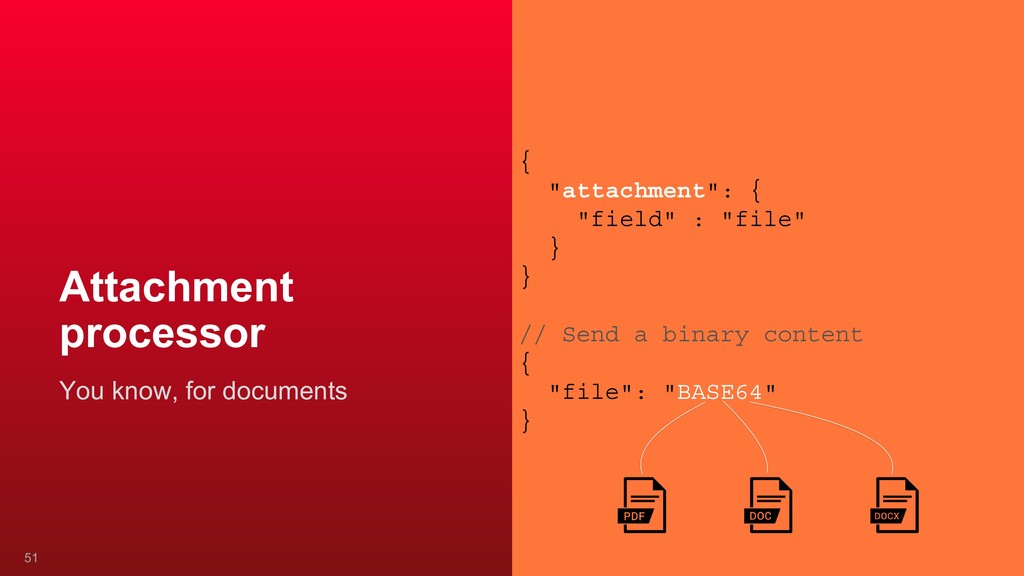
You know, for documents 51 Attachment processor { "attachment": {
"field" : "file" } } // Send a binary content { "file": "BASE64" } -
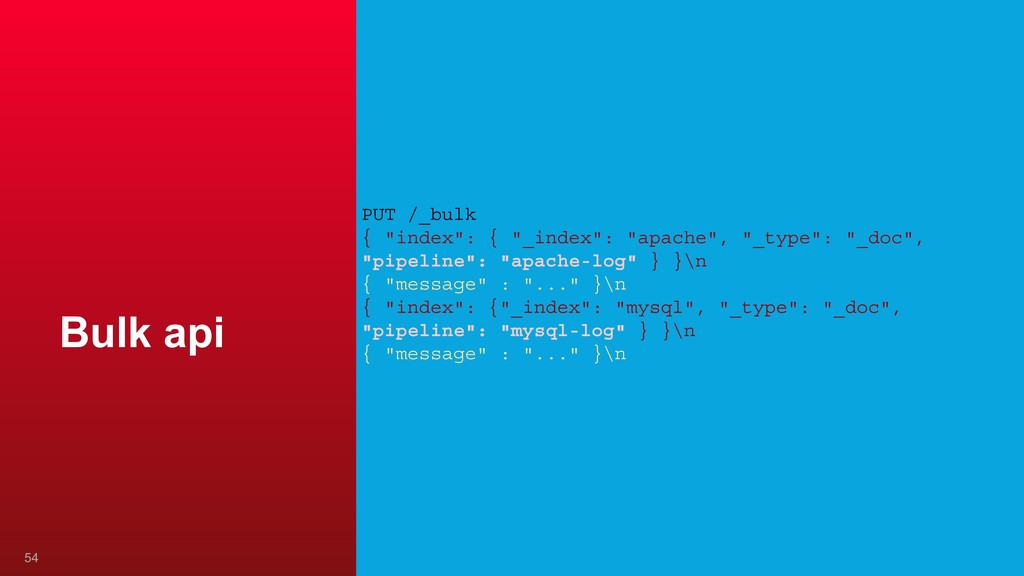
54 Bulk api PUT /_bulk { "index": { "_index": "apache",
"_type": "_doc", "pipeline": "apache-log" } }\n { "message" : "..." }\n { "index": {"_index": "mysql", "_type": "_doc", "pipeline": "mysql-log" } }\n { "message" : "..." }\n -
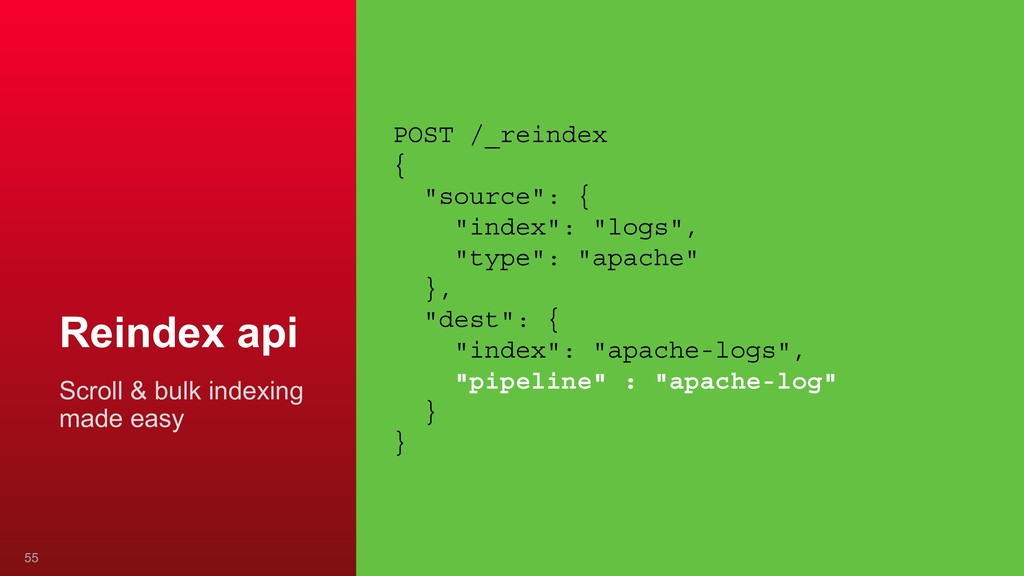
Scroll & bulk indexing made easy 55 Reindex api POST
/_reindex { "source": { "index": "logs", "type": "apache" }, "dest": { "index": "apache-logs", "pipeline" : "apache-log" } } -
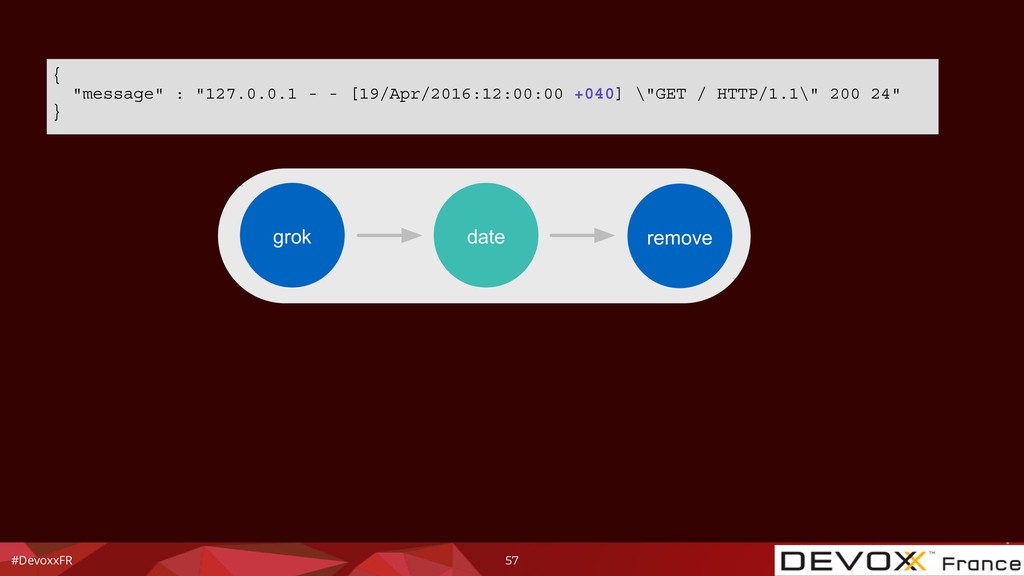
#DevoxxFR 57 grok date remove { "message" : "127.0.0.1 -
- [19/Apr/2016:12:00:00 +040] \"GET / HTTP/1.1\" 200 24" } -
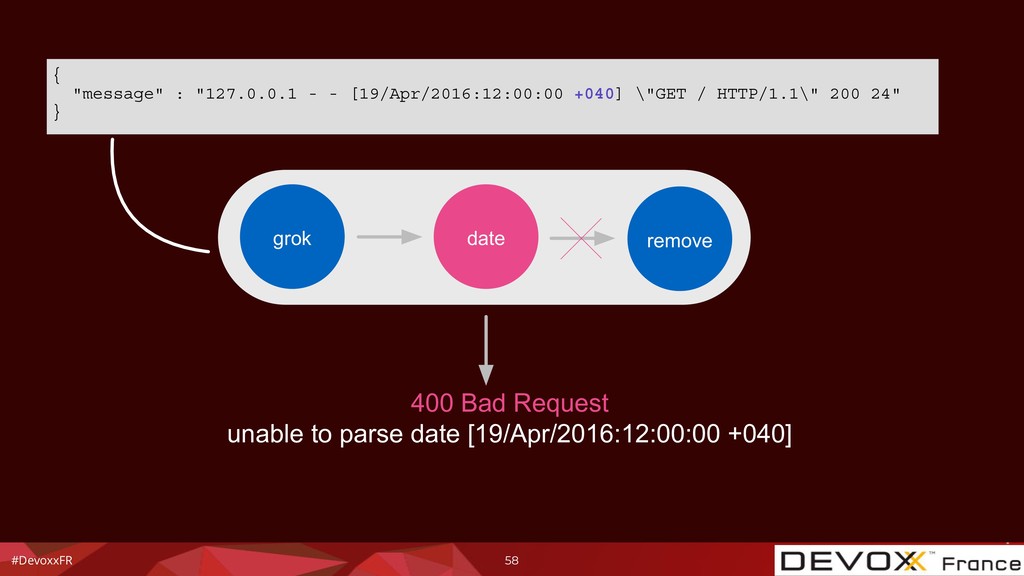
#DevoxxFR 58 grok date remove 400 Bad Request unable to
parse date [19/Apr/2016:12:00:00 +040] { "message" : "127.0.0.1 - - [19/Apr/2016:12:00:00 +040] \"GET / HTTP/1.1\" 200 24" } -
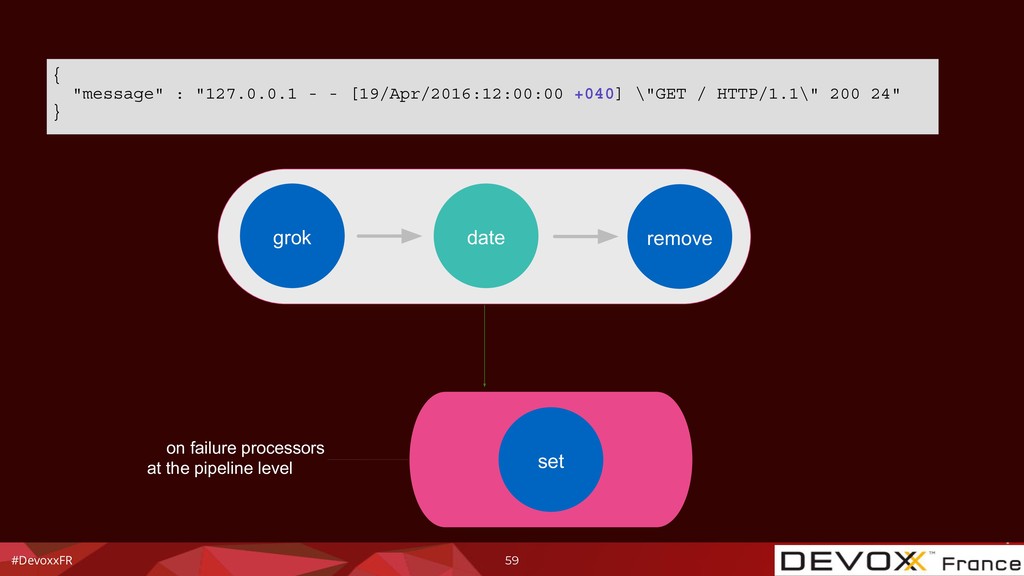
#DevoxxFR 59 grok date remove set on failure processors at
the pipeline level { "message" : "127.0.0.1 - - [19/Apr/2016:12:00:00 +040] \"GET / HTTP/1.1\" 200 24" } -
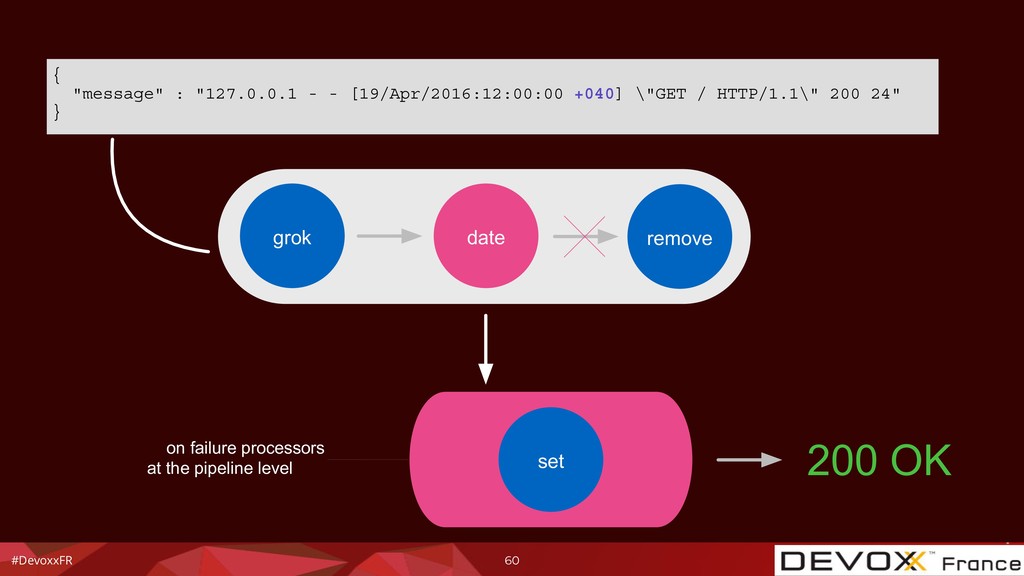
#DevoxxFR 60 remove 200 OK grok date set on failure
processors at the pipeline level { "message" : "127.0.0.1 - - [19/Apr/2016:12:00:00 +040] \"GET / HTTP/1.1\" 200 24" } -
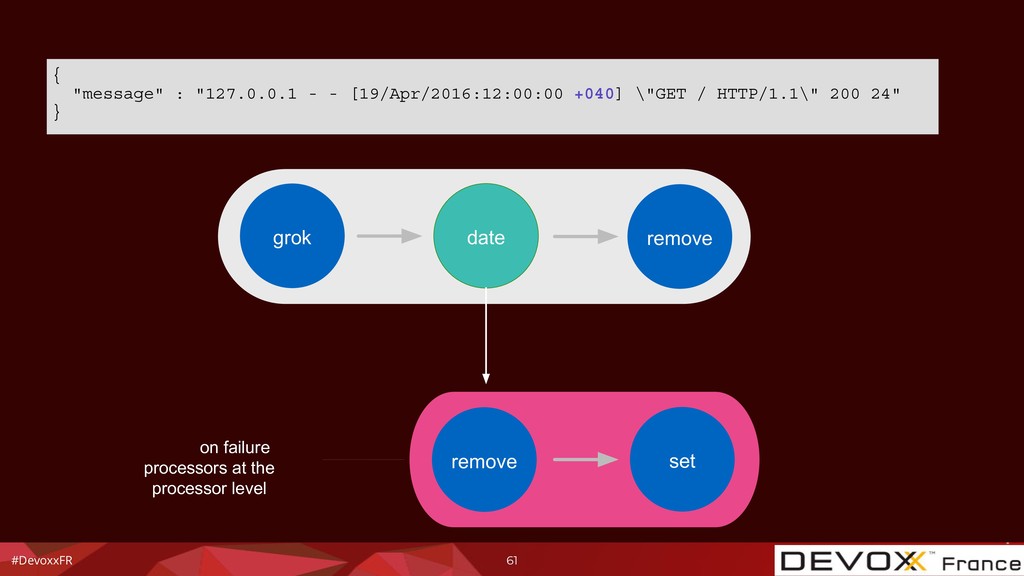
#DevoxxFR 61 grok date remove set on failure processors at
the processor level remove { "message" : "127.0.0.1 - - [19/Apr/2016:12:00:00 +040] \"GET / HTTP/1.1\" 200 24" } -
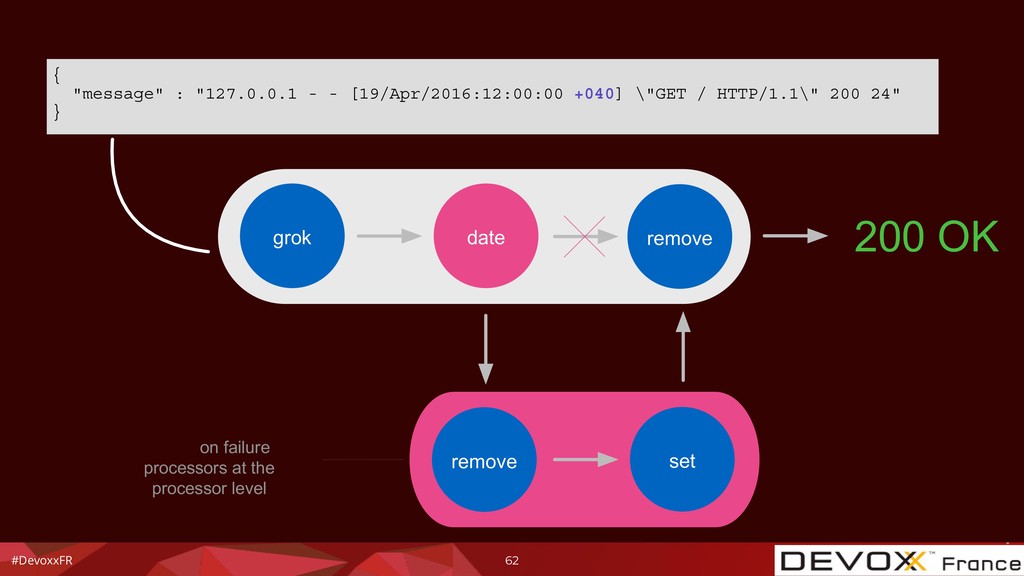
#DevoxxFR 62 grok date remove set remove 200 OK on
failure processors at the processor level { "message" : "127.0.0.1 - - [19/Apr/2016:12:00:00 +040] \"GET / HTTP/1.1\" 200 24" } -
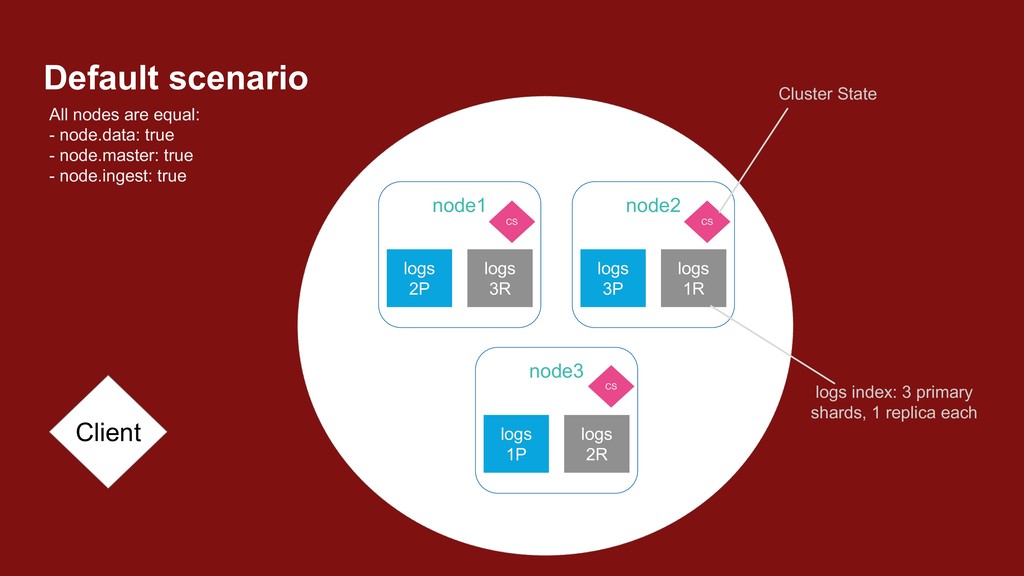
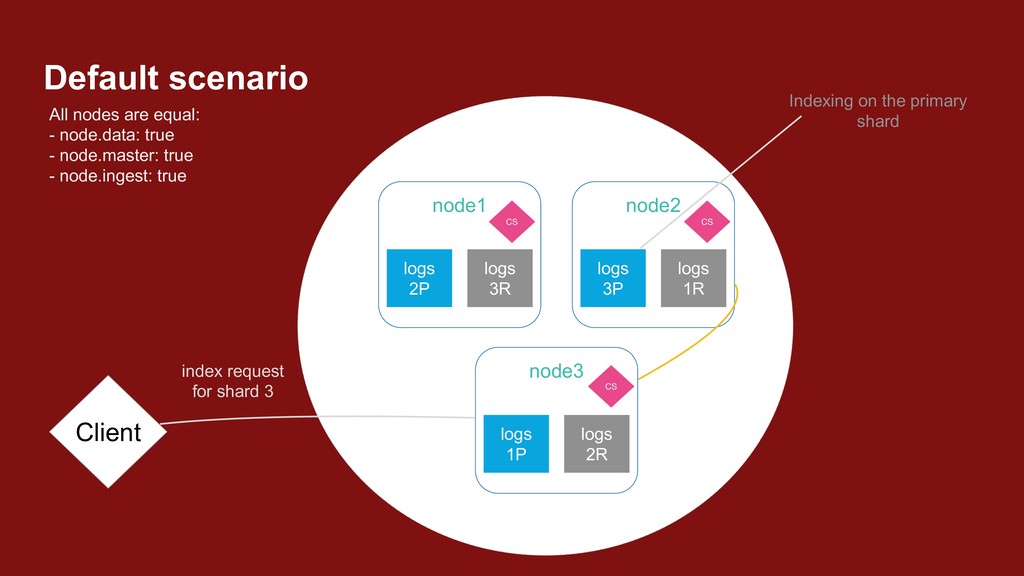
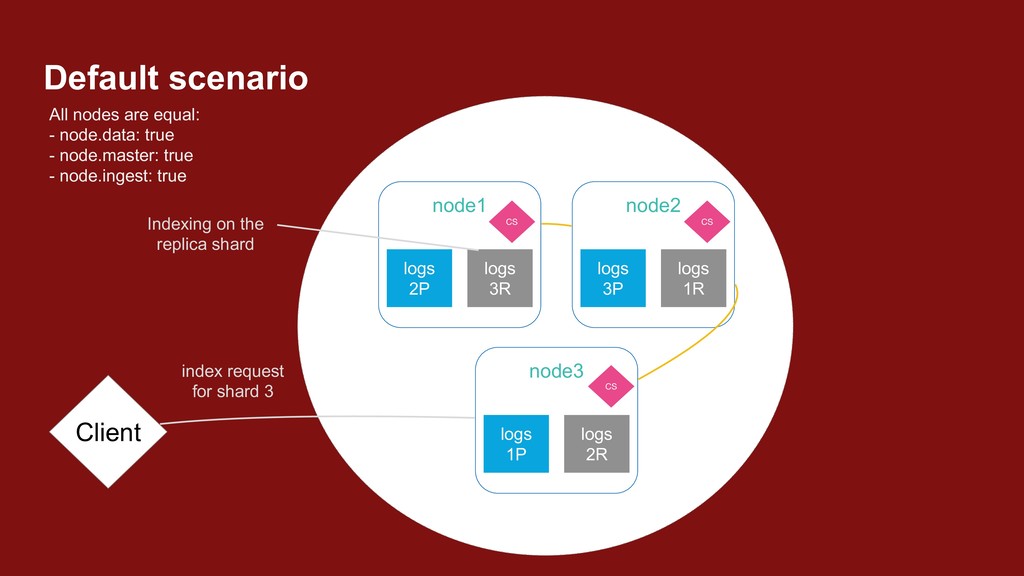
Default scenario Client node1 logs 2P logs 3R CS node2
logs 3P logs 1R CS node3 logs 1P logs 2R CS Cluster State logs index: 3 primary shards, 1 replica each All nodes are equal: - node.data: true - node.master: true - node.ingest: true -
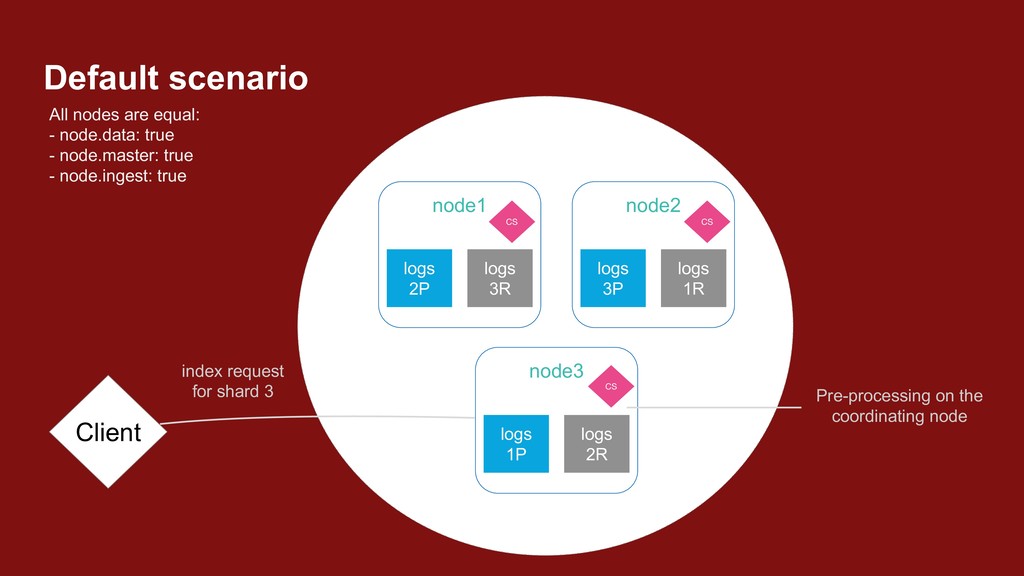
node1 logs 2P logs 3R CS node2 logs 3P logs
1R CS node3 logs 1P logs 2R CS Pre-processing on the coordinating node index request for shard 3 Client All nodes are equal: - node.data: true - node.master: true - node.ingest: true Default scenario -
node1 logs 2P logs 3R CS node2 logs 3P logs
1R CS node3 logs 1P logs 2R CS Indexing on the primary shard index request for shard 3 Client All nodes are equal: - node.data: true - node.master: true - node.ingest: true Default scenario -
node1 logs 2P logs 3R CS node2 logs 3P logs
1R CS node3 logs 1P logs 2R CS Indexing on the replica shard index request for shard 3 Client All nodes are equal: - node.data: true - node.master: true - node.ingest: true Default scenario -
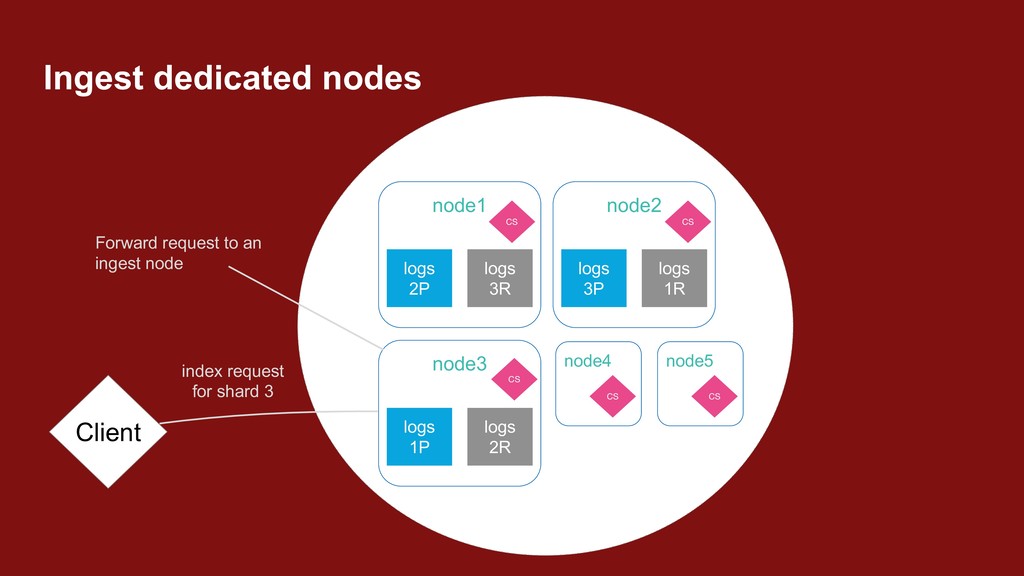
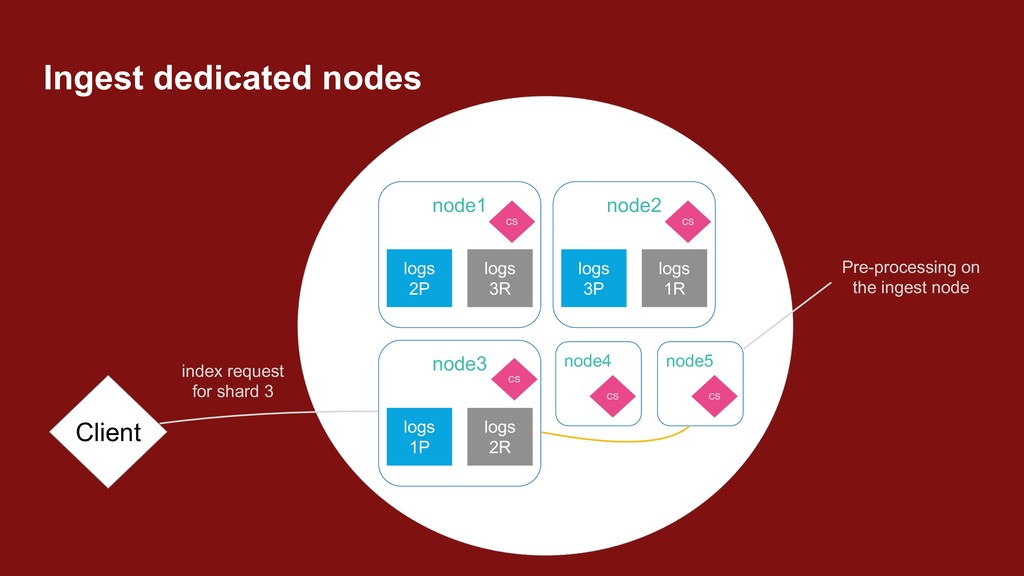
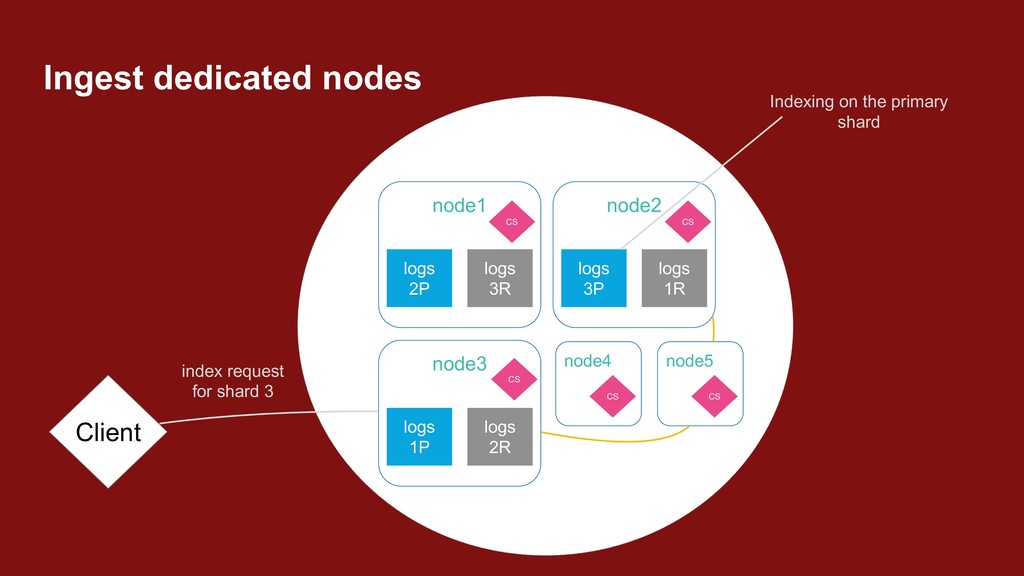
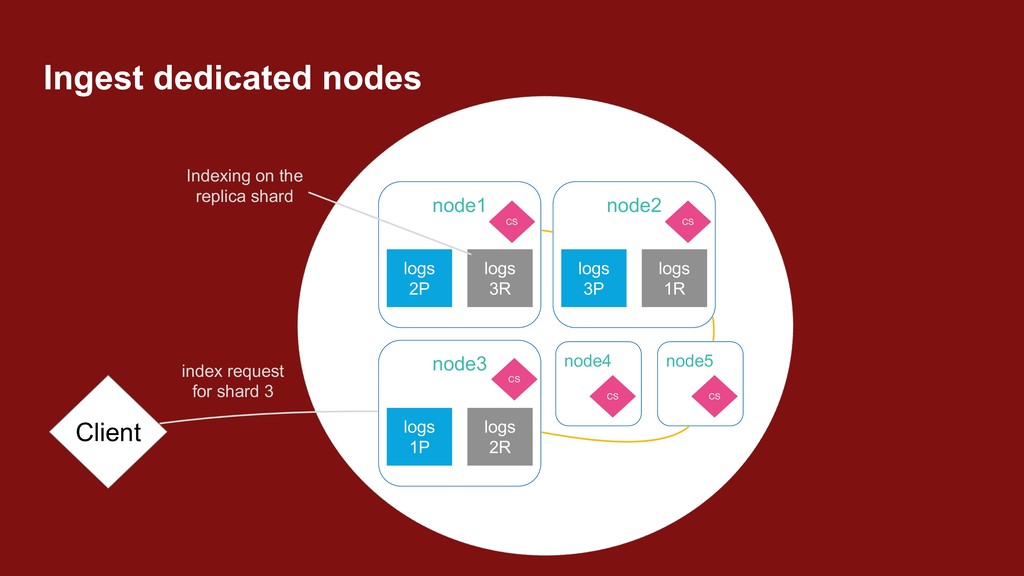
Ingest dedicated nodes node1 logs 2P logs 3R CS node2
logs 3P logs 1R CS node3 logs 1P logs 2R CS node4 CS node5 CS node.data: false node.master: false node.ingest: true node.data: true node.master: true node.ingest: false Client -
node1 logs 2P logs 3R CS node2 logs 3P logs
1R CS node3 logs 1P logs 2R CS node4 CS node5 CS index request for shard 3 Forward request to an ingest node Client Ingest dedicated nodes -
node1 logs 2P logs 3R CS node2 logs 3P logs
1R CS node3 logs 1P logs 2R CS node4 CS node5 CS Pre-processing on the ingest node Client Ingest dedicated nodes index request for shard 3 -
node1 logs 2P logs 3R CS node2 logs 3P logs
1R CS node3 logs 1P logs 2R CS node4 CS node5 CS Indexing on the primary shard Client Ingest dedicated nodes index request for shard 3 -
node1 logs 2P logs 3R CS node2 logs 3P logs
1R CS node3 logs 1P logs 2R CS node4 CS node5 CS Indexing on the replica shard Client Ingest dedicated nodes index request for shard 3 -
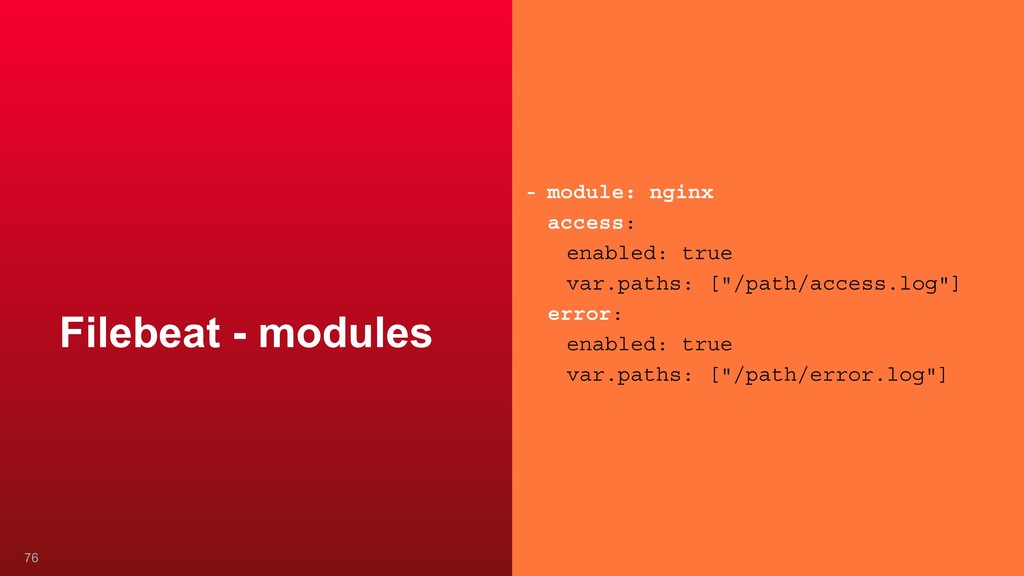
75 Filebeat - modules filebeat.inputs: - type: log enabled: false
paths: - /var/log/*.log filebeat.conf.modules: path: ${path.config}/modules.d/*.yml setup.dashboards.enabled: true setup.kibana: host: "localhost:5601" output.elasticsearch: hosts: ["localhost:9200"] -
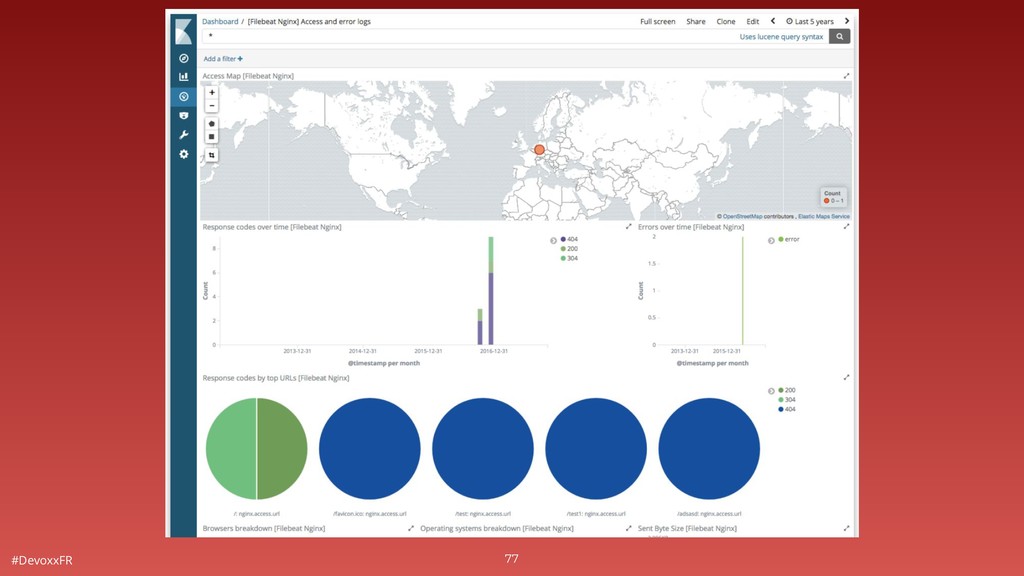
76 Filebeat - modules - module: nginx access: enabled: true
var.paths: ["/path/access.log"] error: enabled: true var.paths: ["/path/error.log"] -
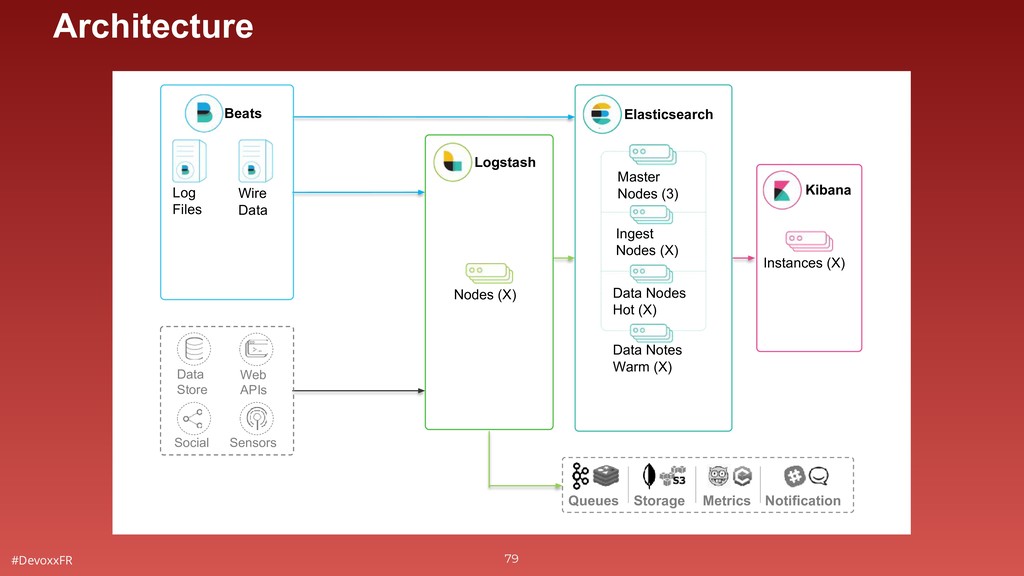
#DevoxxFR Beats Log Files Wire Data Data Store Web APIs
Social Sensors Elasticsearch Master Nodes (3) Ingest Nodes (X) Data Nodes Hot (X) Data Notes Warm (X) Logstash Nodes (X) Kibana Instances (X) Notification Queues Storage Metrics 79 Architecture -
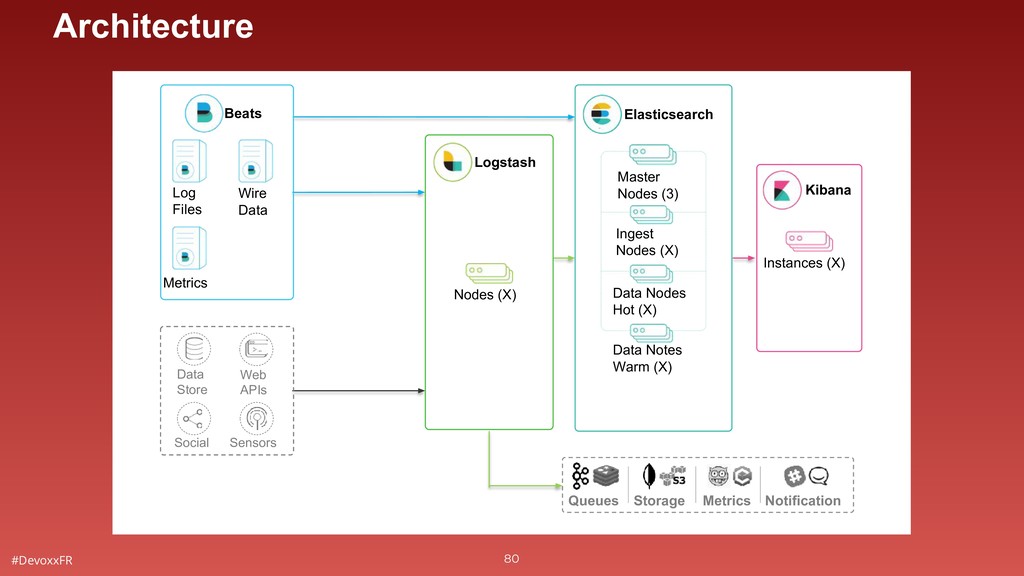
#DevoxxFR Beats Log Files Metrics Wire Data Data Store Web
APIs Social Sensors Elasticsearch Master Nodes (3) Ingest Nodes (X) Data Nodes Hot (X) Data Notes Warm (X) Logstash Nodes (X) Kibana Instances (X) Notification Queues Storage Metrics 80 Architecture -
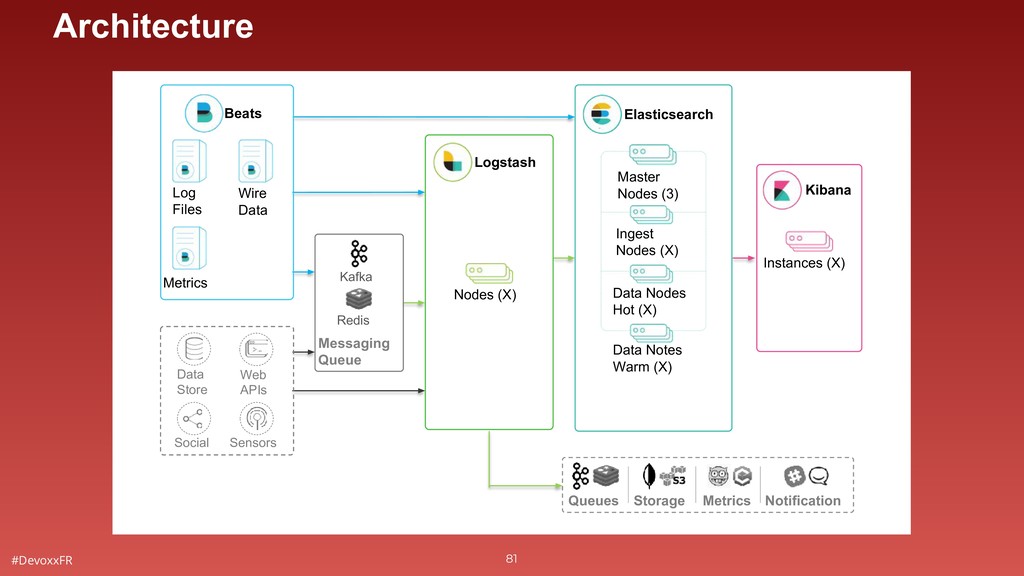
#DevoxxFR Beats Log Files Metrics Wire Data Data Store Web
APIs Social Sensors Elasticsearch Master Nodes (3) Ingest Nodes (X) Data Nodes Hot (X) Data Notes Warm (X) Logstash Nodes (X) Kafka Redis Messaging Queue Kibana Instances (X) Notification Queues Storage Metrics 81 Architecture -
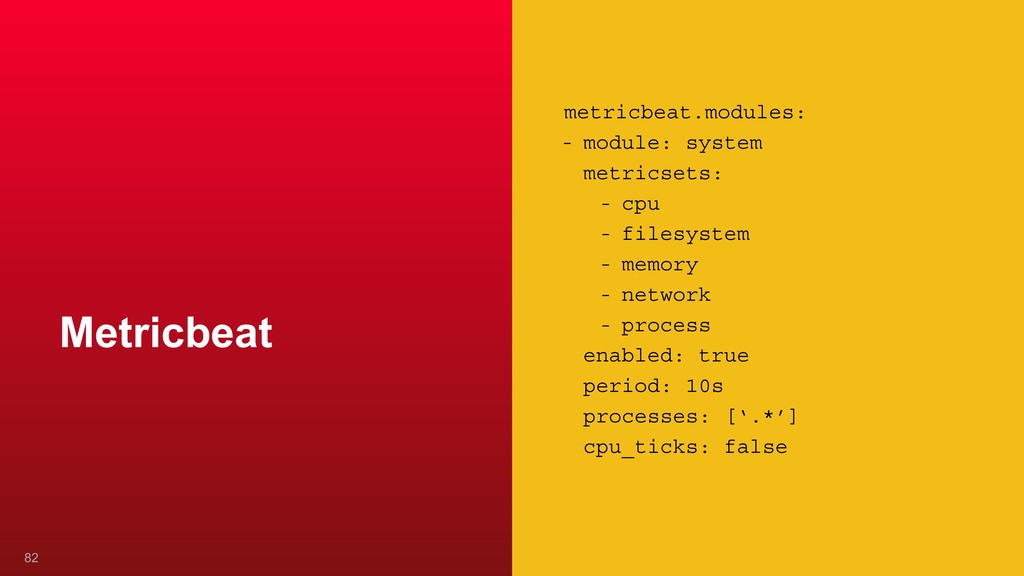
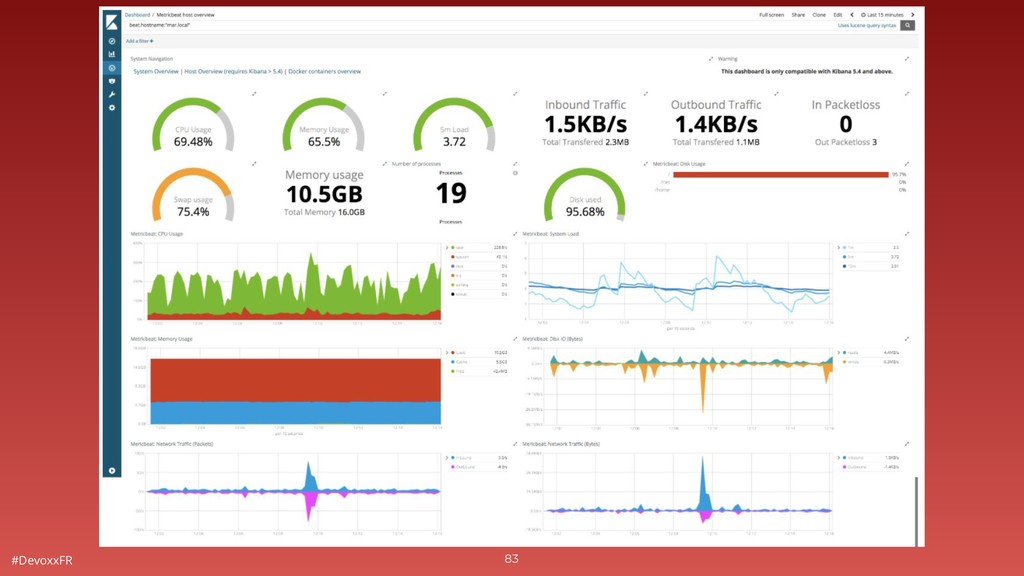
82 Metricbeat metricbeat.modules: - module: system metricsets: - cpu -
filesystem - memory - network - process enabled: true period: 10s processes: [‘.*’] cpu_ticks: false -
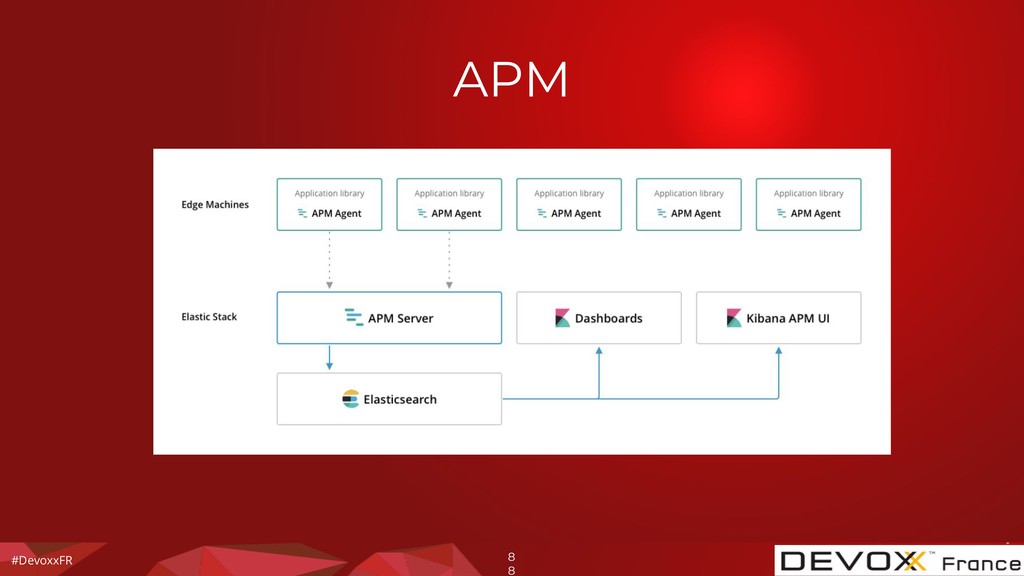
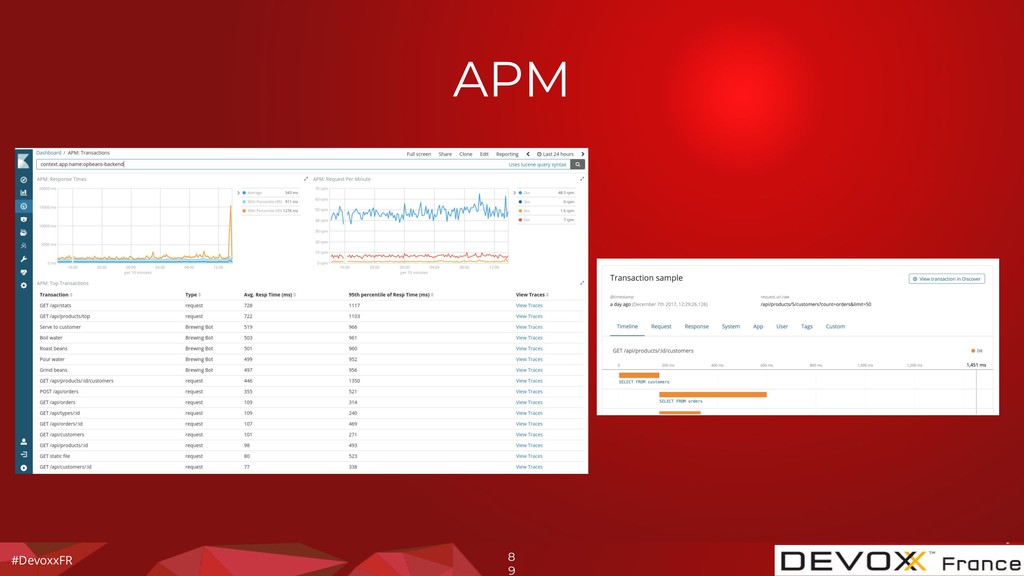
#DevoxxFR APM • Solution permettant de récolter des différentes informations
d’une transaction • Instrumente votre code • Composé d’un agent et d’un serveur • Le serveur APM indexe les informations dans Elasticsearch • UI disponible pour Kibana 8 7 -
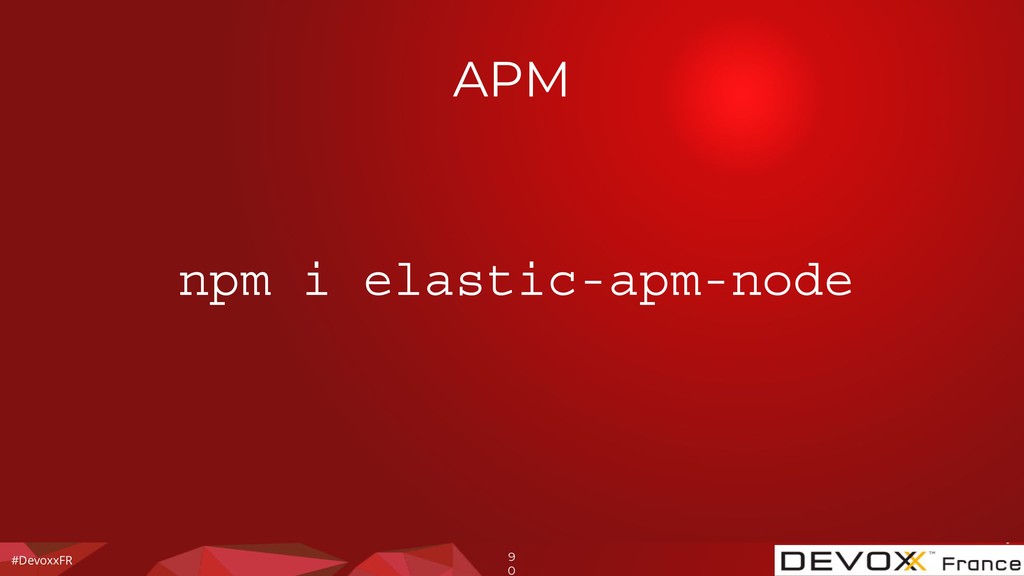
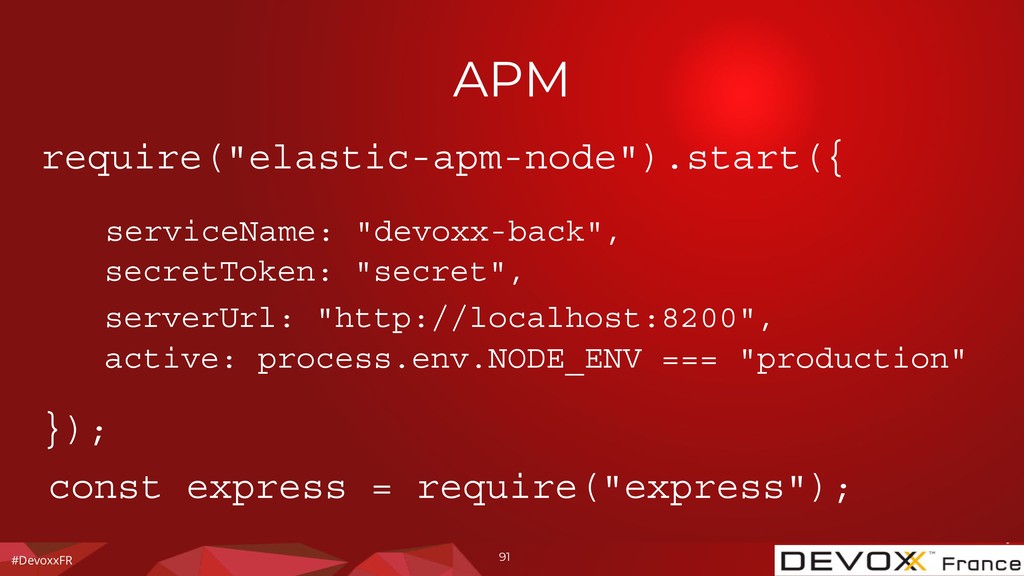
#DevoxxFR APM 91 const express = require("express"); require("elastic-apm-node").start({ }); serviceName:
"devoxx-back", secretToken: "secret", serverUrl: "http://localhost:8200", active: process.env.NODE_ENV === "production" -
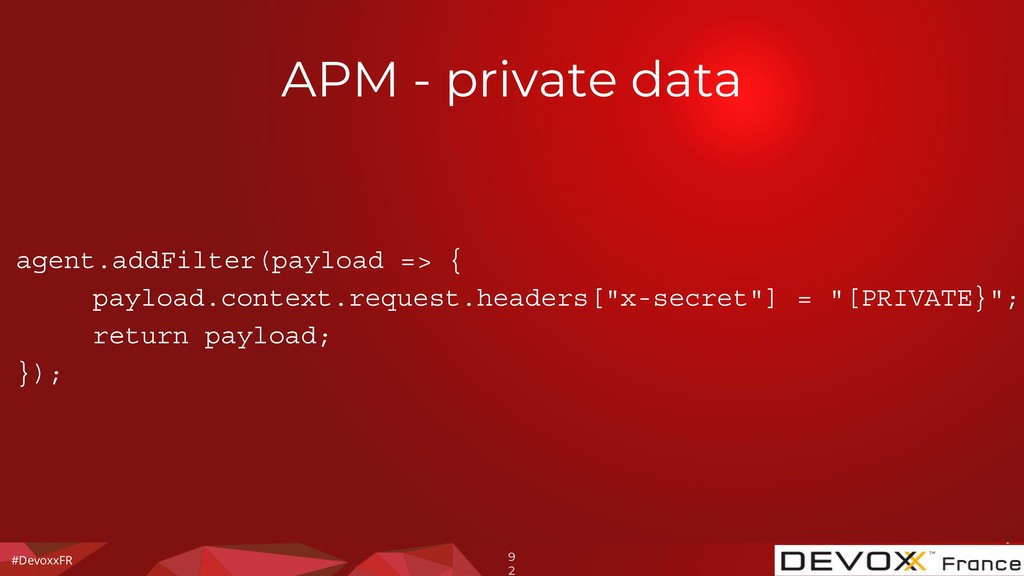
#DevoxxFR APM - private data 9 2 agent.addFilter(payload => {
payload.context.request.headers["x-secret"] = "[PRIVATE}"; return payload; }); -
#DevoxxFR APM - custom span 93 const span = agent.startSpan("Parsing
JSON"); const data = JSON.parse(req.body); if(span) span.end(); -
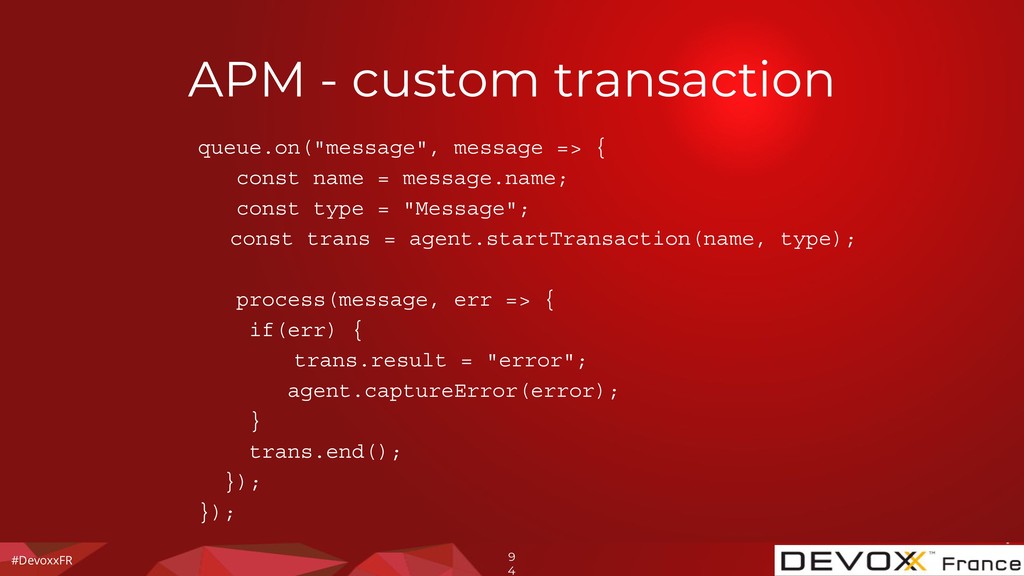
#DevoxxFR APM - custom transaction 9 4 queue.on("message", message =>
{ const name = message.name; const type = "Message"; const trans = agent.startTransaction(name, type); process(message, err => { if(err) { trans.result = "error"; agent.captureError(error); } trans.end(); }); }); -
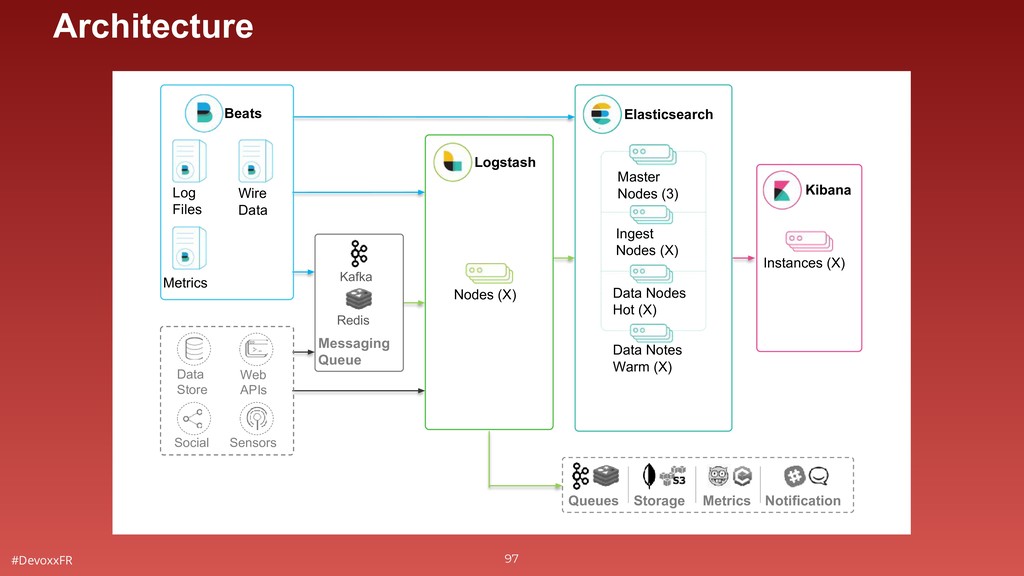
#DevoxxFR Beats Log Files Metrics Wire Data Data Store Web
APIs Social Sensors Elasticsearch Master Nodes (3) Ingest Nodes (X) Data Nodes Hot (X) Data Notes Warm (X) Logstash Nodes (X) Kafka Redis Messaging Queue Kibana Instances (X) Notification Queues Storage Metrics 97 Architecture -
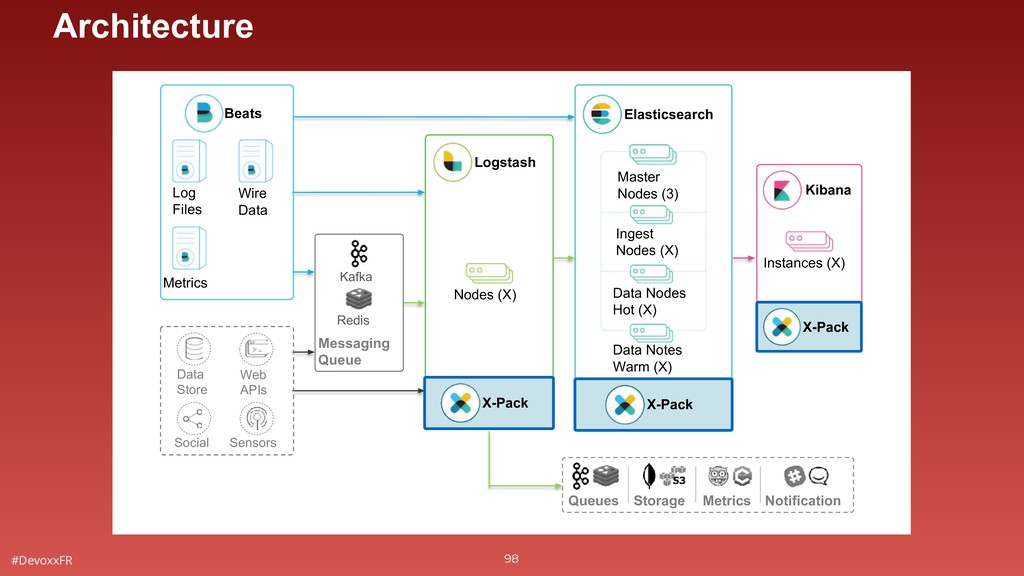
#DevoxxFR Beats Log Files Metrics Wire Data Data Store Web
APIs Social Sensors Elasticsearch Master Nodes (3) Ingest Nodes (X) Data Nodes Hot (X) Data Notes Warm (X) Logstash Nodes (X) Kafka Redis Messaging Queue Kibana Instances (X) Notification Queues Storage Metrics X-Pack X-Pack X-Pack 98 Architecture -
#DevoxxFR Sécurité • Authentification • Authorization • TLS/SSL Encryption •
IP Filtering • Auditing 9 9 -
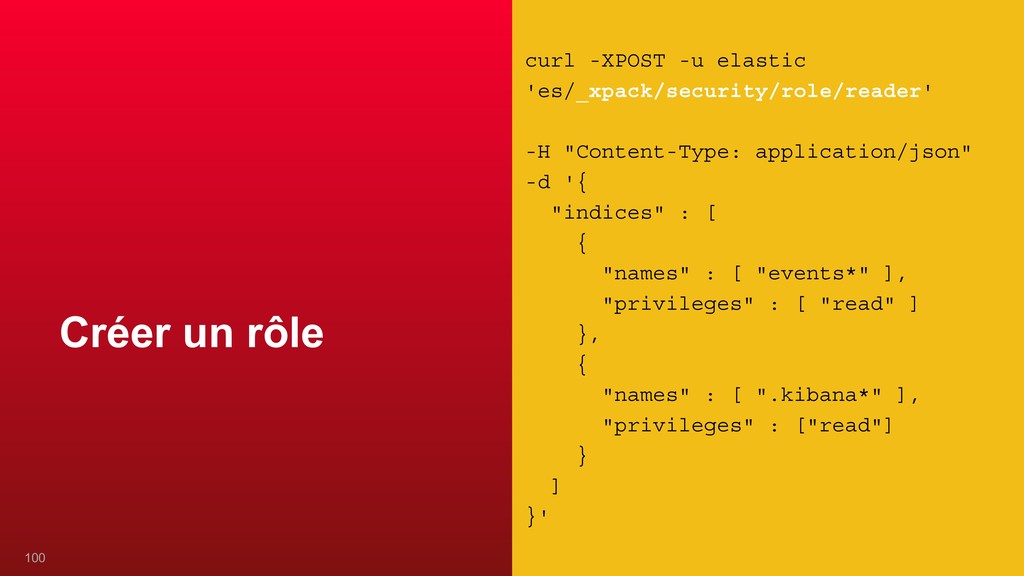
100 Créer un rôle curl -XPOST -u elastic 'es/_xpack/security/role/reader' -H
"Content-Type: application/json" -d '{ "indices" : [ { "names" : [ "events*" ], "privileges" : [ "read" ] }, { "names" : [ ".kibana*" ], "privileges" : ["read"] } ] }' -
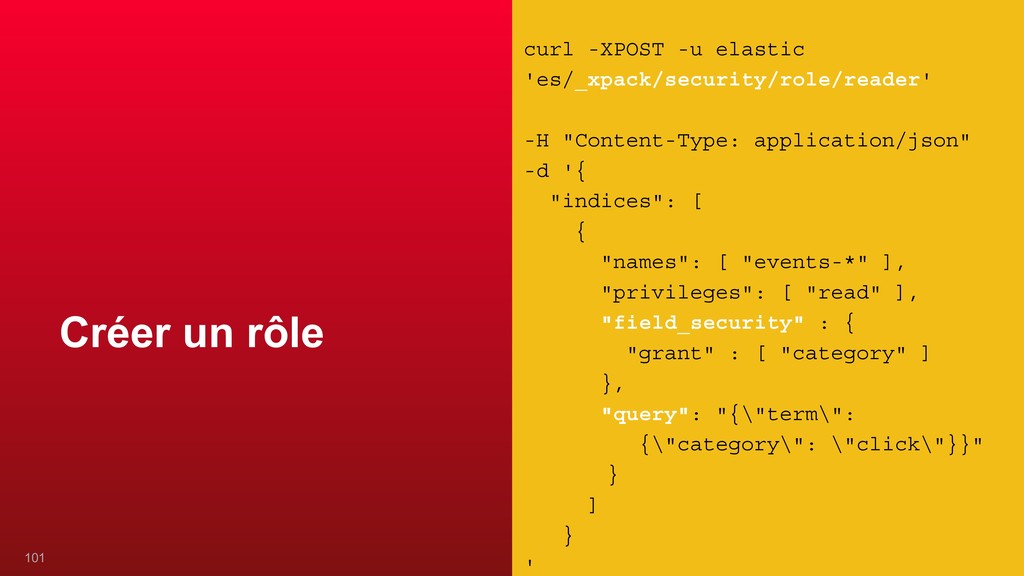
101 Créer un rôle curl -XPOST -u elastic 'es/_xpack/security/role/reader' -H
"Content-Type: application/json" -d '{ "indices": [ { "names": [ "events-*" ], "privileges": [ "read" ], "field_security" : { "grant" : [ "category" ] }, "query": "{\"term\": {\"category\": \"click\"}}" } ] } ' -
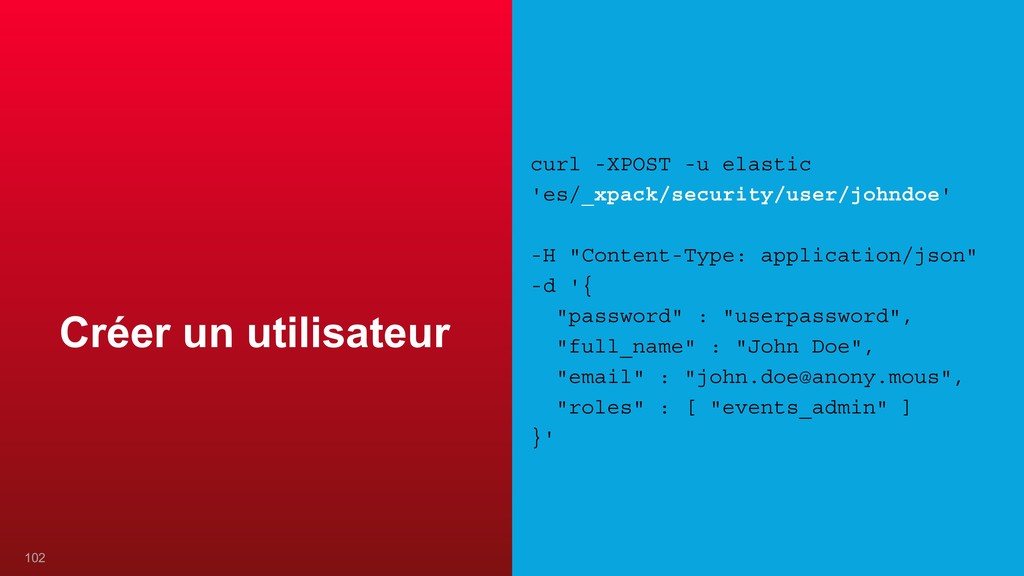
102 Créer un utilisateur curl -XPOST -u elastic 'es/_xpack/security/user/johndoe' -H
"Content-Type: application/json" -d '{ "password" : "userpassword", "full_name" : "John Doe", "email" : "[email protected]", "roles" : [ "events_admin" ] }' -
#DevoxxFR Alerting Grâce une simple API REST (_xpack/watcher/watch/), pour chaque
changement de vos données, possibilité de : • Créer d’alertes • Notifier vos utilisateurs 10 6 -
#DevoxxFR Alerting • Monitorer votre infrastructure (Mémoire, Espace Disque) •
Alerter lorsqu’un noeud du cluster est tombé • Tracker le temps de réponse de votre plateforme • Vérifier les statistiques de votre sites d’e-commerce • Être alerté lorsqu’un nombre d’erreurs métier est trop important, ... 10 7 -
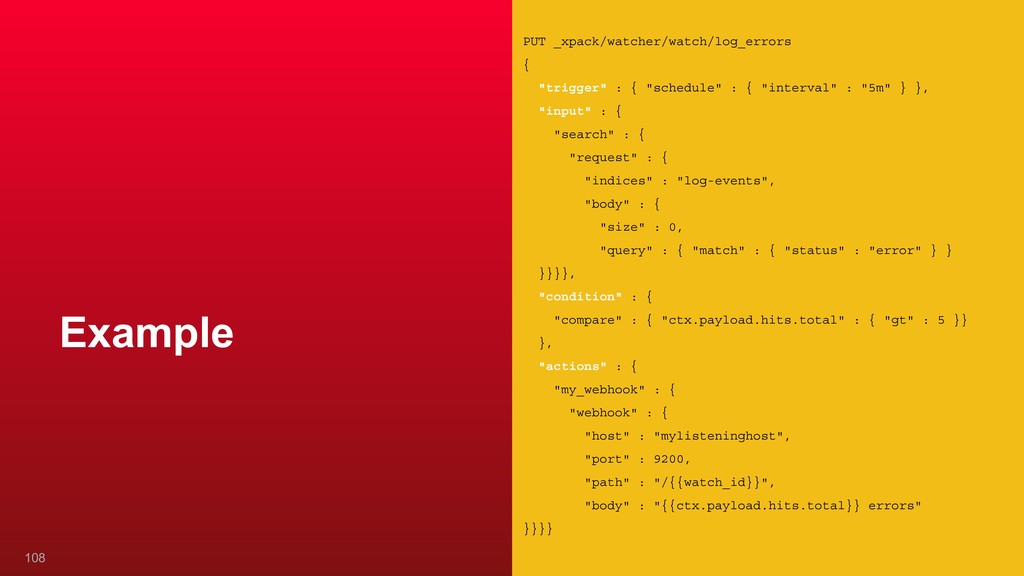
108 Example PUT _xpack/watcher/watch/log_errors { "trigger" : { "schedule" :
{ "interval" : "5m" } }, "input" : { "search" : { "request" : { "indices" : "log-events", "body" : { "size" : 0, "query" : { "match" : { "status" : "error" } } }}}}, "condition" : { "compare" : { "ctx.payload.hits.total" : { "gt" : 5 }} }, "actions" : { "my_webhook" : { "webhook" : { "host" : "mylisteninghost", "port" : 9200, "path" : "/{{watch_id}}", "body" : "{{ctx.payload.hits.total}} errors" }}}} -
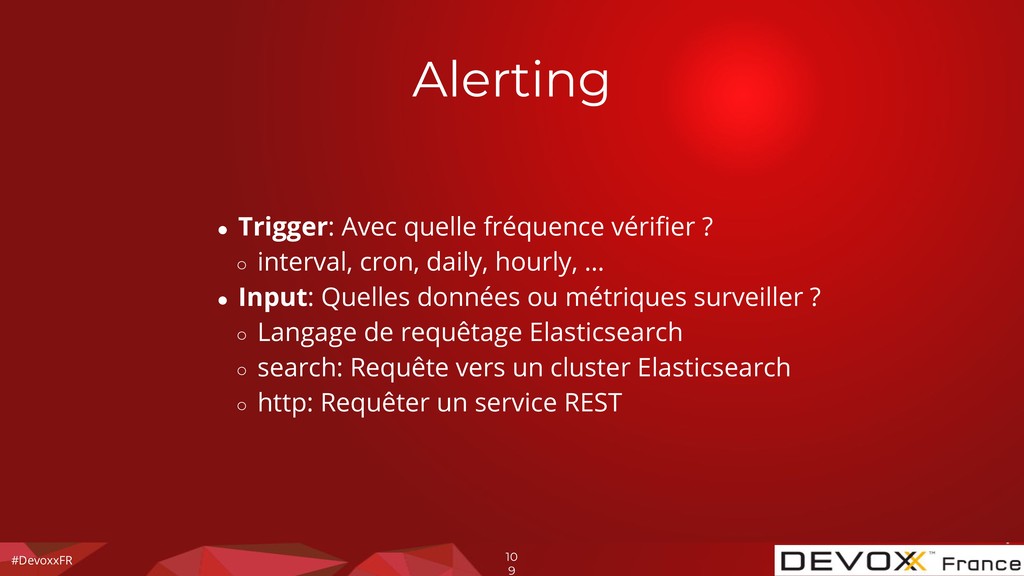
#DevoxxFR Alerting • Trigger: Avec quelle fréquence vérifier ? ◦
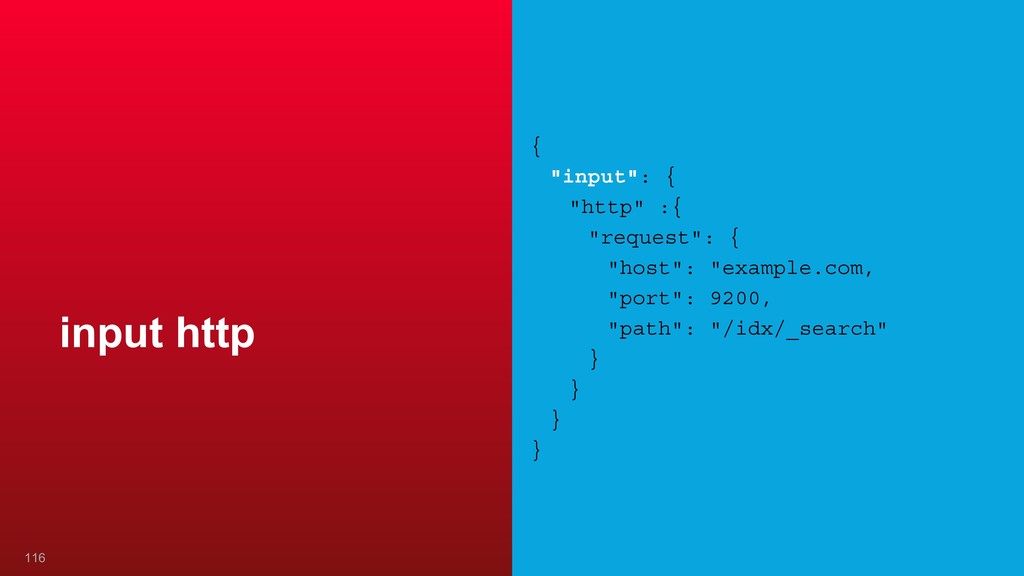
interval, cron, daily, hourly, … • Input: Quelles données ou métriques surveiller ? ◦ Langage de requêtage Elasticsearch ◦ search: Requête vers un cluster Elasticsearch ◦ http: Requêter un service REST 10 9 -
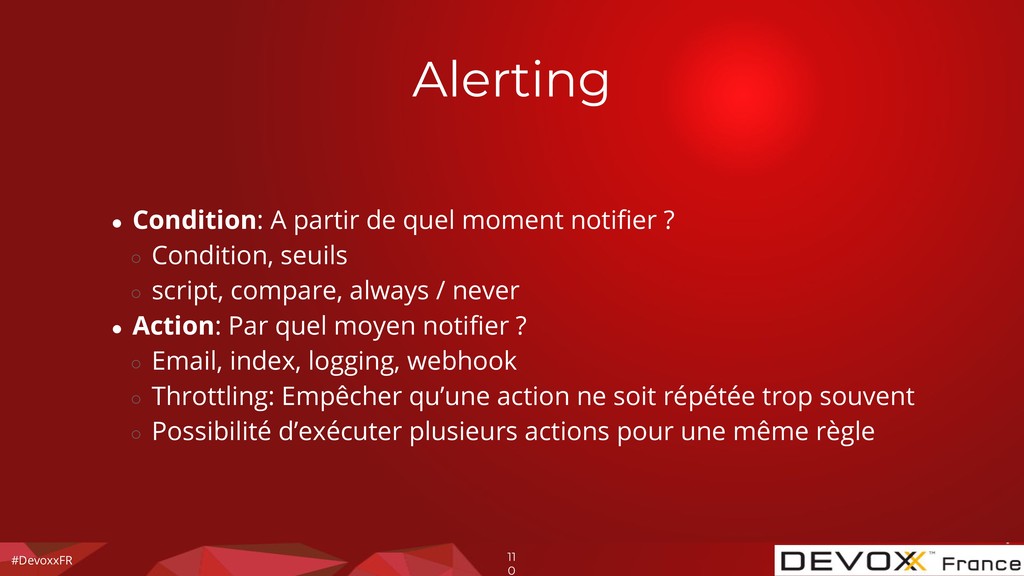
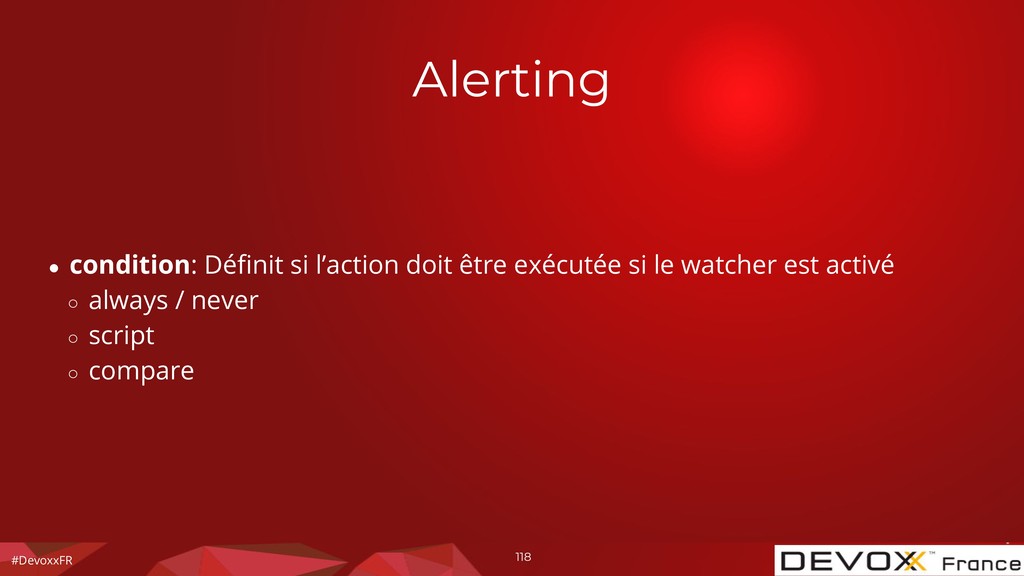
#DevoxxFR Alerting • Condition: A partir de quel moment notifier
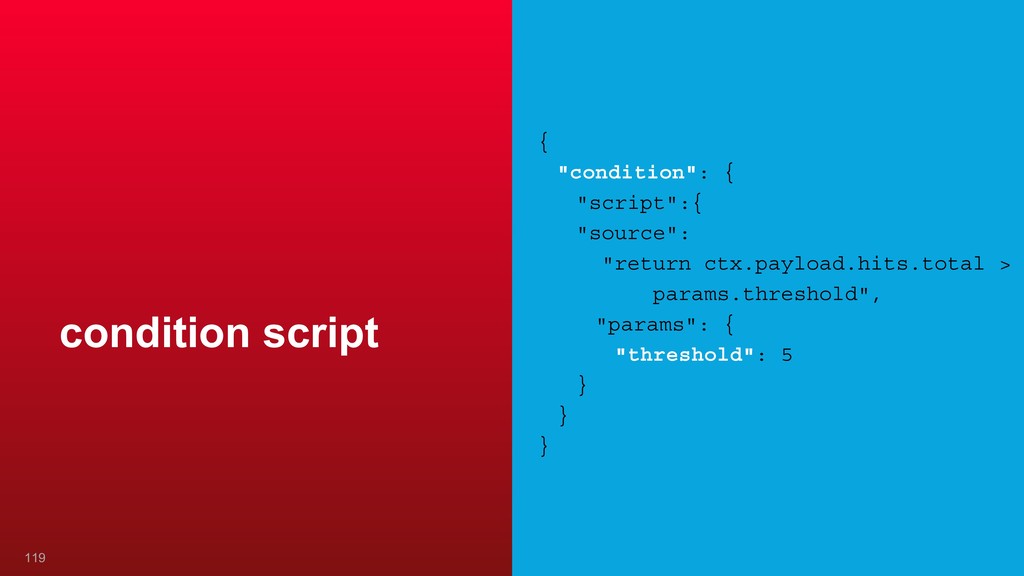
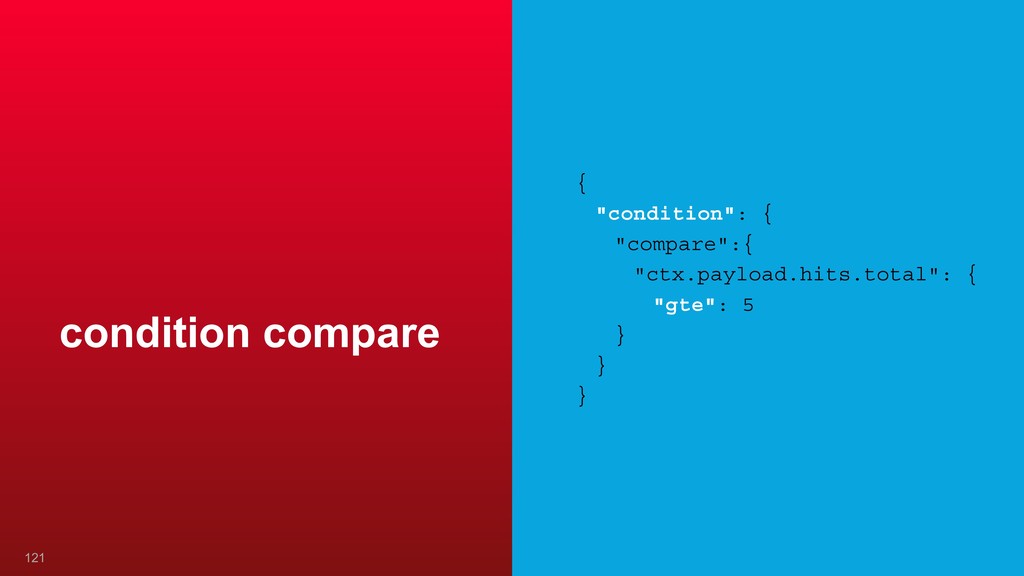
? ◦ Condition, seuils ◦ script, compare, always / never • Action: Par quel moyen notifier ? ◦ Email, index, logging, webhook ◦ Throttling: Empêcher qu’une action ne soit répétée trop souvent ◦ Possibilité d’exécuter plusieurs actions pour une même règle 11 0 -
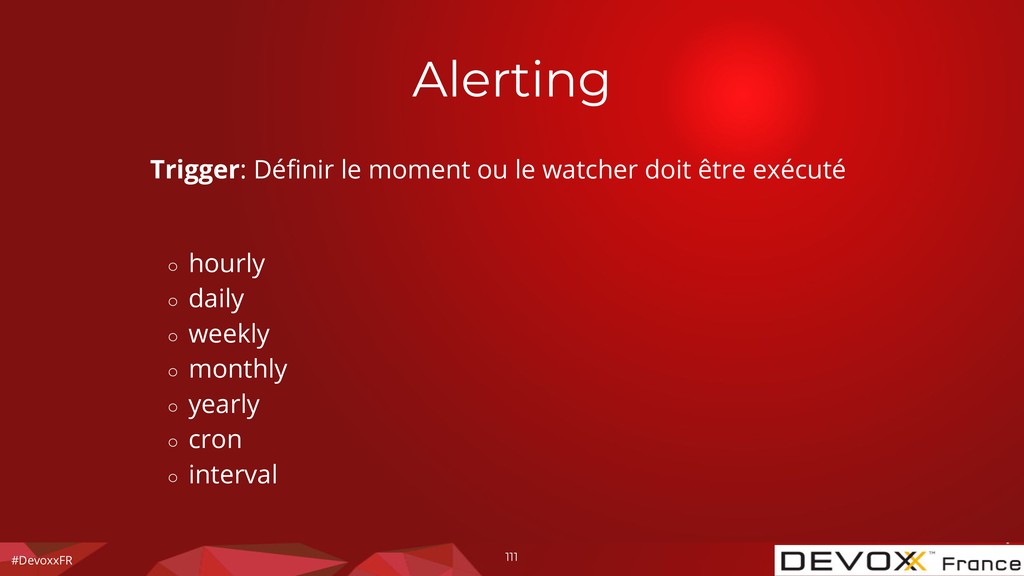
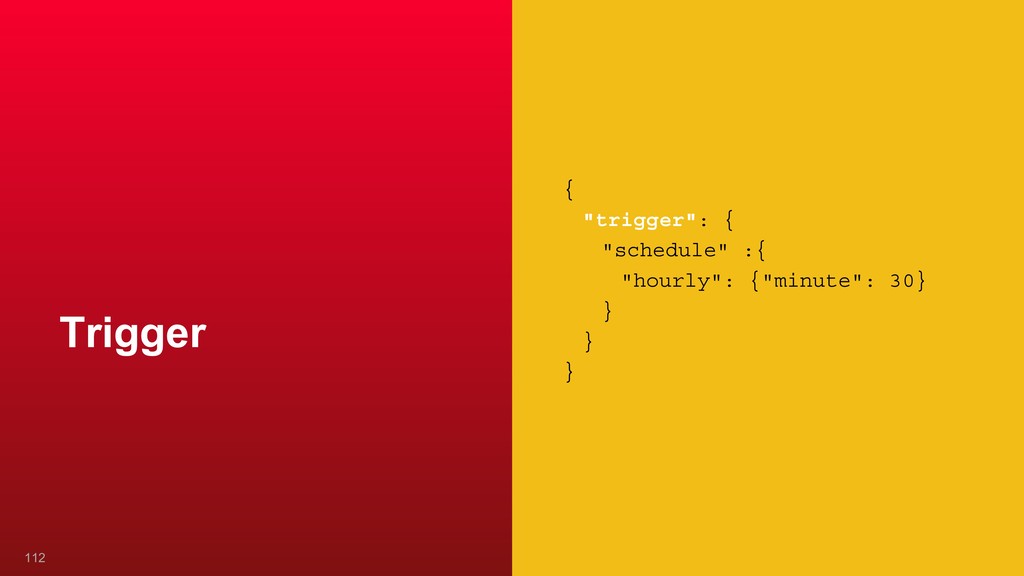
#DevoxxFR Alerting Trigger: Définir le moment ou le watcher doit
être exécuté ◦ hourly ◦ daily ◦ weekly ◦ monthly ◦ yearly ◦ cron ◦ interval 111 -
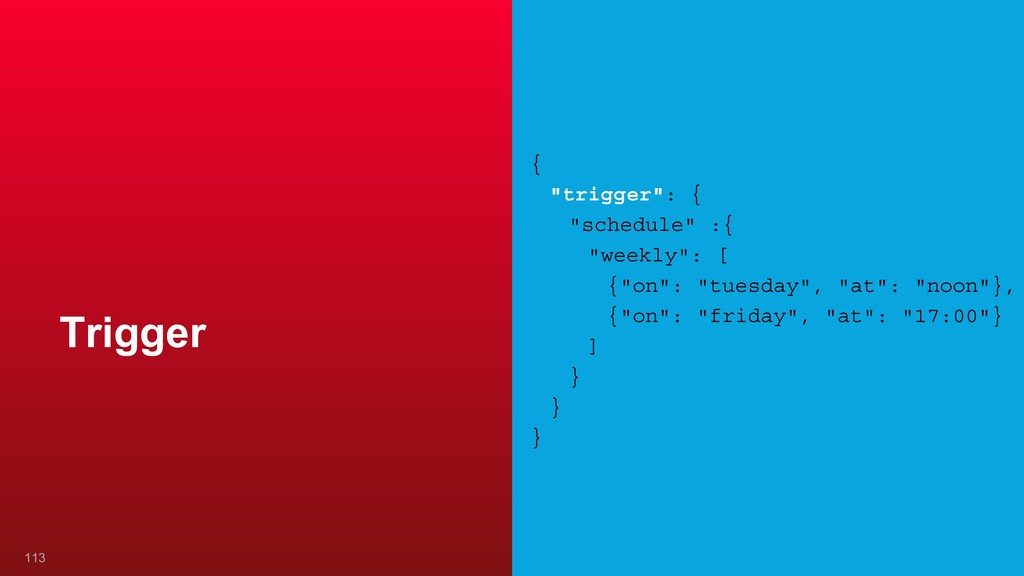
113 { "trigger": { "schedule" :{ "weekly": [ {"on": "tuesday",
"at": "noon"}, {"on": "friday", "at": "17:00"} ] } } } Trigger -
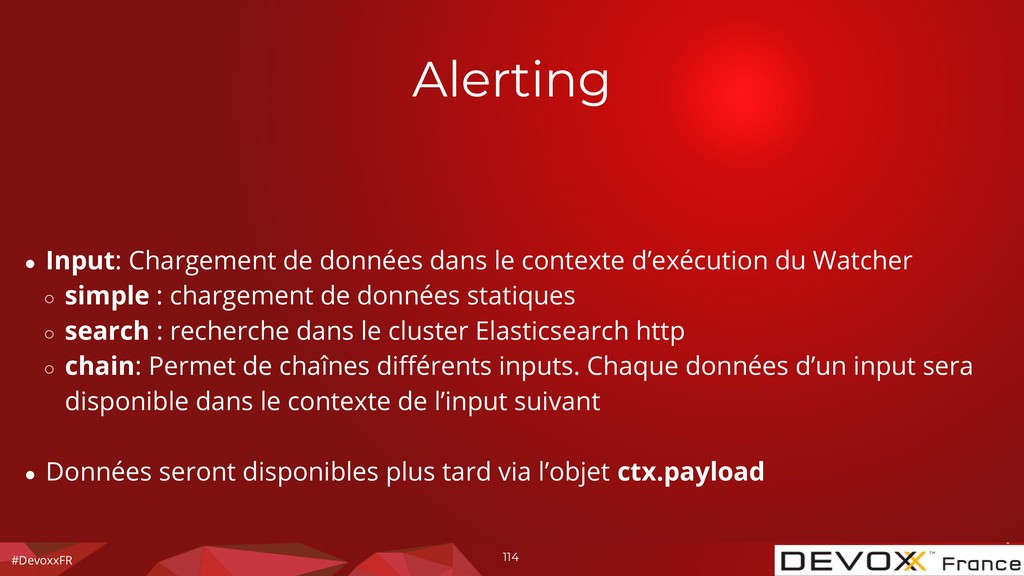
#DevoxxFR Alerting • Input: Chargement de données dans le contexte
d’exécution du Watcher ◦ simple : chargement de données statiques ◦ search : recherche dans le cluster Elasticsearch http ◦ chain: Permet de chaînes différents inputs. Chaque données d’un input sera disponible dans le contexte de l’input suivant • Données seront disponibles plus tard via l’objet ctx.payload 114 -
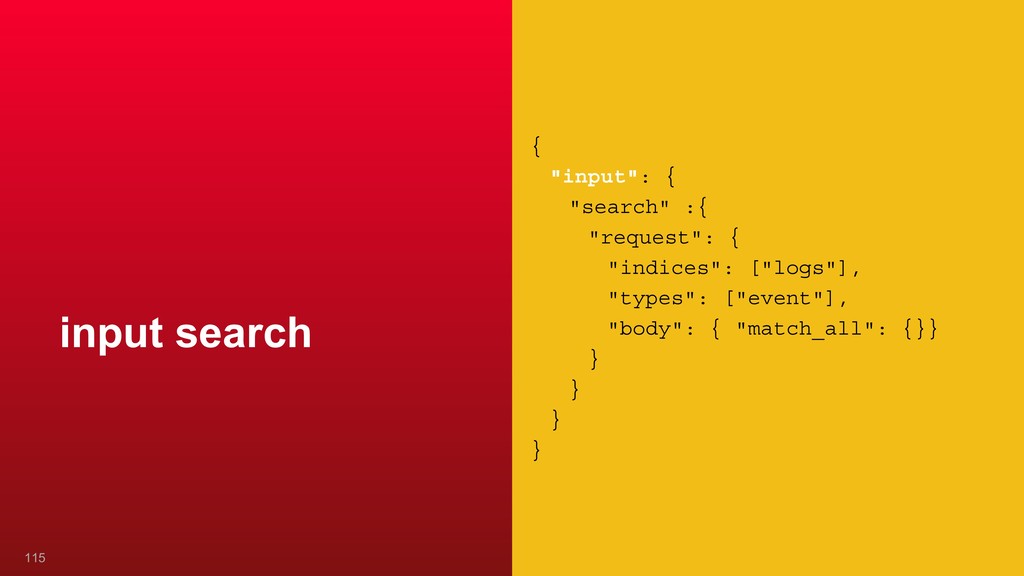
115 input search { "input": { "search" :{ "request": {
"indices": ["logs"], "types": ["event"], "body": { "match_all": {}} } } } } -
116 input http { "input": { "http" :{ "request": {
"host": "example.com, "port": 9200, "path": "/idx/_search" } } } } -
117 input chain { "input": { "chain" :{ "inputs": [
"first": { "request": { "indices": ["logs"], "types": ["event"], "body": { "match_all": {}} } }, "second": { "http" :{ "request": { "host": "example.com, "port": 9200, "path": "{{crx.payload.first.path}}" } } } ] } } -
#DevoxxFR Alerting • condition: Définit si l’action doit être exécutée
si le watcher est activé ◦ always / never ◦ script ◦ compare 118 -
119 condition script { "condition": { "script":{ "source": "return ctx.payload.hits.total
> params.threshold", "params": { "threshold": 5 } } } -
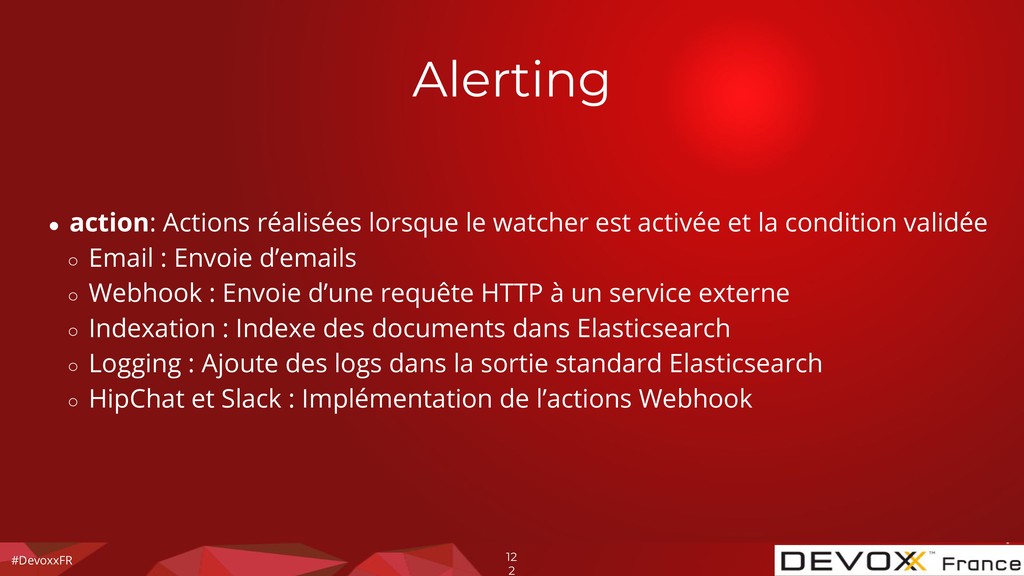
#DevoxxFR Alerting • action: Actions réalisées lorsque le watcher est
activée et la condition validée ◦ Email : Envoie d’emails ◦ Webhook : Envoie d’une requête HTTP à un service externe ◦ Indexation : Indexe des documents dans Elasticsearch ◦ Logging : Ajoute des logs dans la sortie standard Elasticsearch ◦ HipChat et Slack : Implémentation de l’actions Webhook 12 2 -
123 action email { "actions": { "send_email":{ "email": { "to":
"[email protected]", "subject": "Watcher Notification" "body": "{{ctx.payload.hits}}" } } } } -
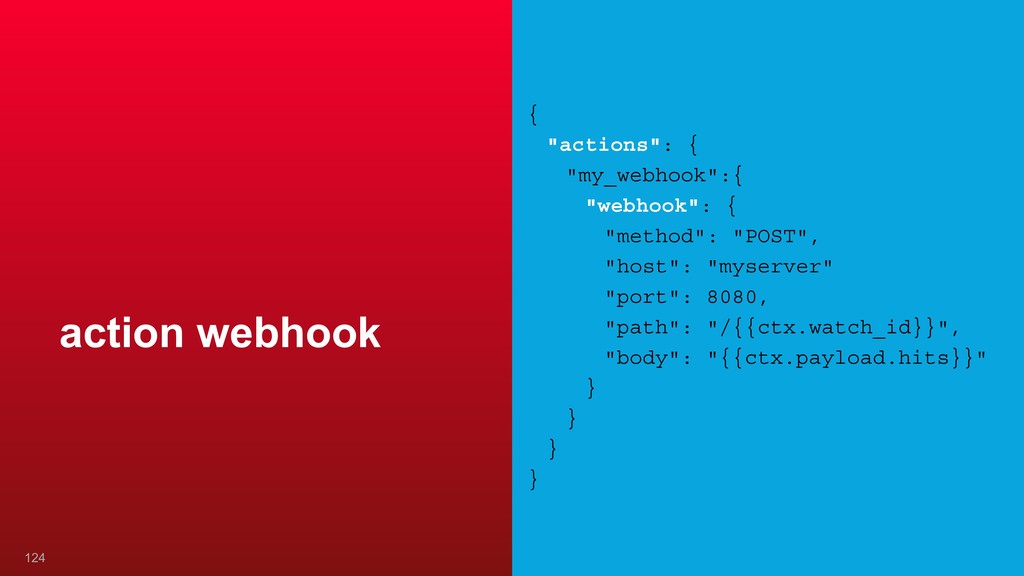
124 action webhook { "actions": { "my_webhook":{ "webhook": { "method":
"POST", "host": "myserver" "port": 8080, "path": "/{{ctx.watch_id}}", "body": "{{ctx.payload.hits}}" } } } } -
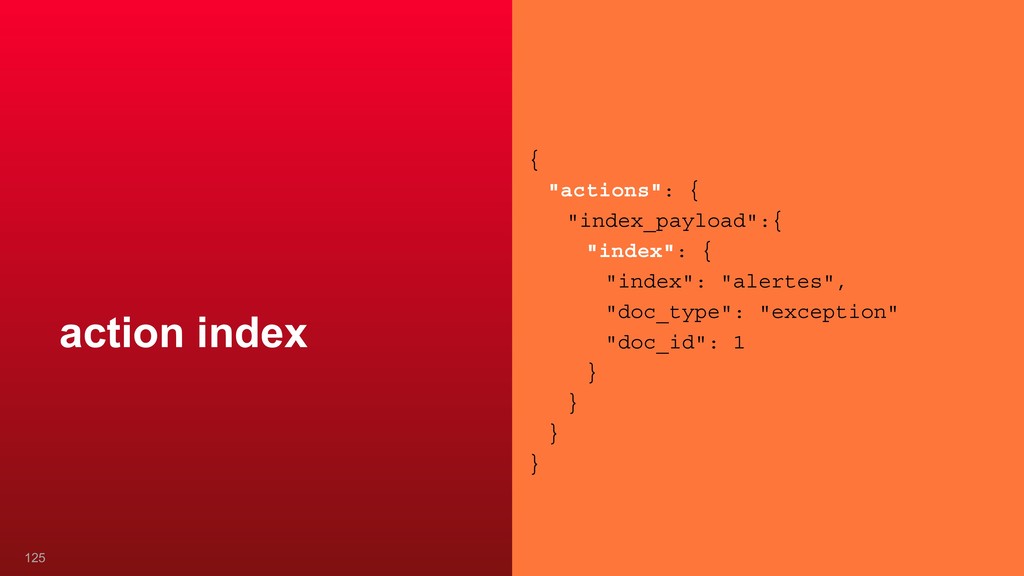
125 action index { "actions": { "index_payload":{ "index": { "index":
"alertes", "doc_type": "exception" "doc_id": 1 } } } } -
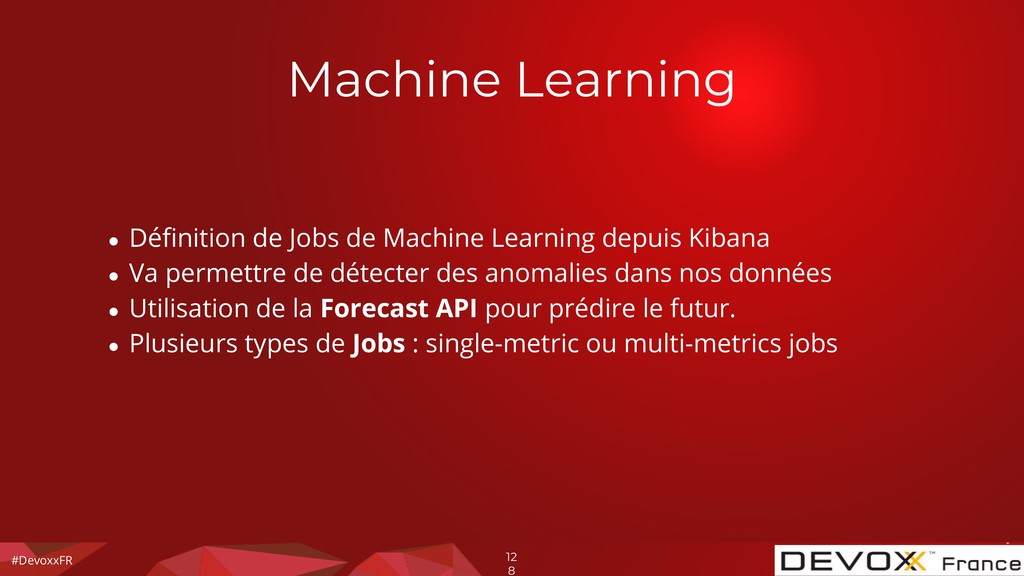
#DevoxxFR Machine Learning 12 8 • Définition de Jobs de
Machine Learning depuis Kibana • Va permettre de détecter des anomalies dans nos données • Utilisation de la Forecast API pour prédire le futur. • Plusieurs types de Jobs : single-metric ou multi-metrics jobs -
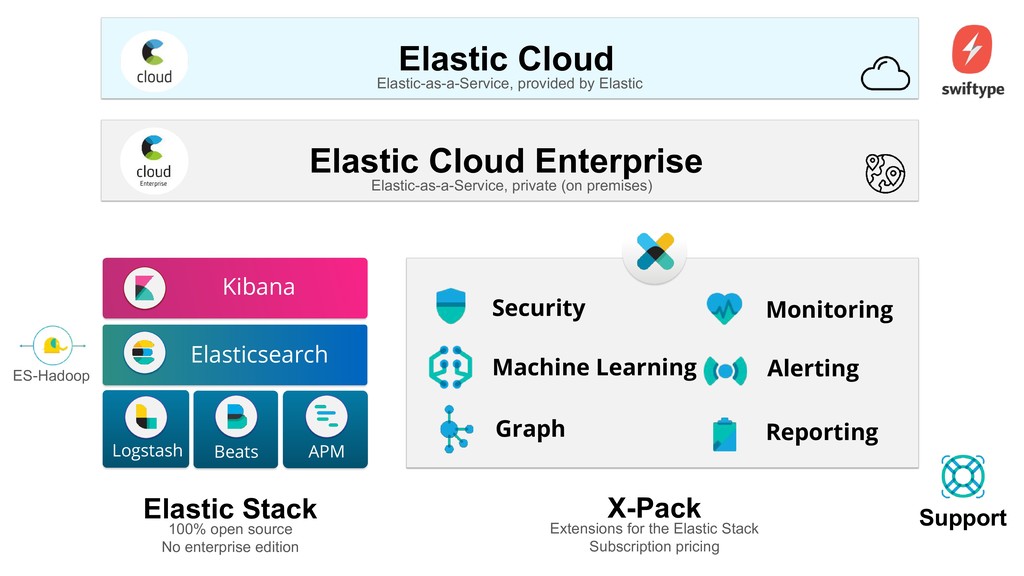
Elastic Stack 100% open source No enterprise edition Security Alerting
Monitoring Reporting Graph Machine Learning Extensions for the Elastic Stack Subscription pricing X-Pack Elastic Cloud Enterprise Elastic-as-a-Service, private (on premises) Elastic Cloud Elastic-as-a-Service, provided by Elastic Kibana Elasticsearch Logstash Beats APM ES-Hadoop Support