Kubernetes Upgrade Operator + Cluster API: Managing upgrade version of multiple Kubernetes Clusters.
The methodologies for managing Kubernetes clusters using Cluster API and managing upgrades of provider-specific components and providing recommendations to users to minimize disruptions during the upgrade process.
Engineer at Viettel Group, where he is responsible for developing solutions for cloud platform services (Viettel Kubernetes Engine, Cloud Observability, and Internal Developer Platform) on Viettel Public Cloud. Also as approver of KusionStack Community - Kusion (Platform Orchestrator) a first-ever open-source project that included in both the CNCF Sandbox and the Platform Tooling Landscape. email: [email protected] linkedin: https://www.linkedin.com/in/hoangndst telegram: https://t.me/hoangndst
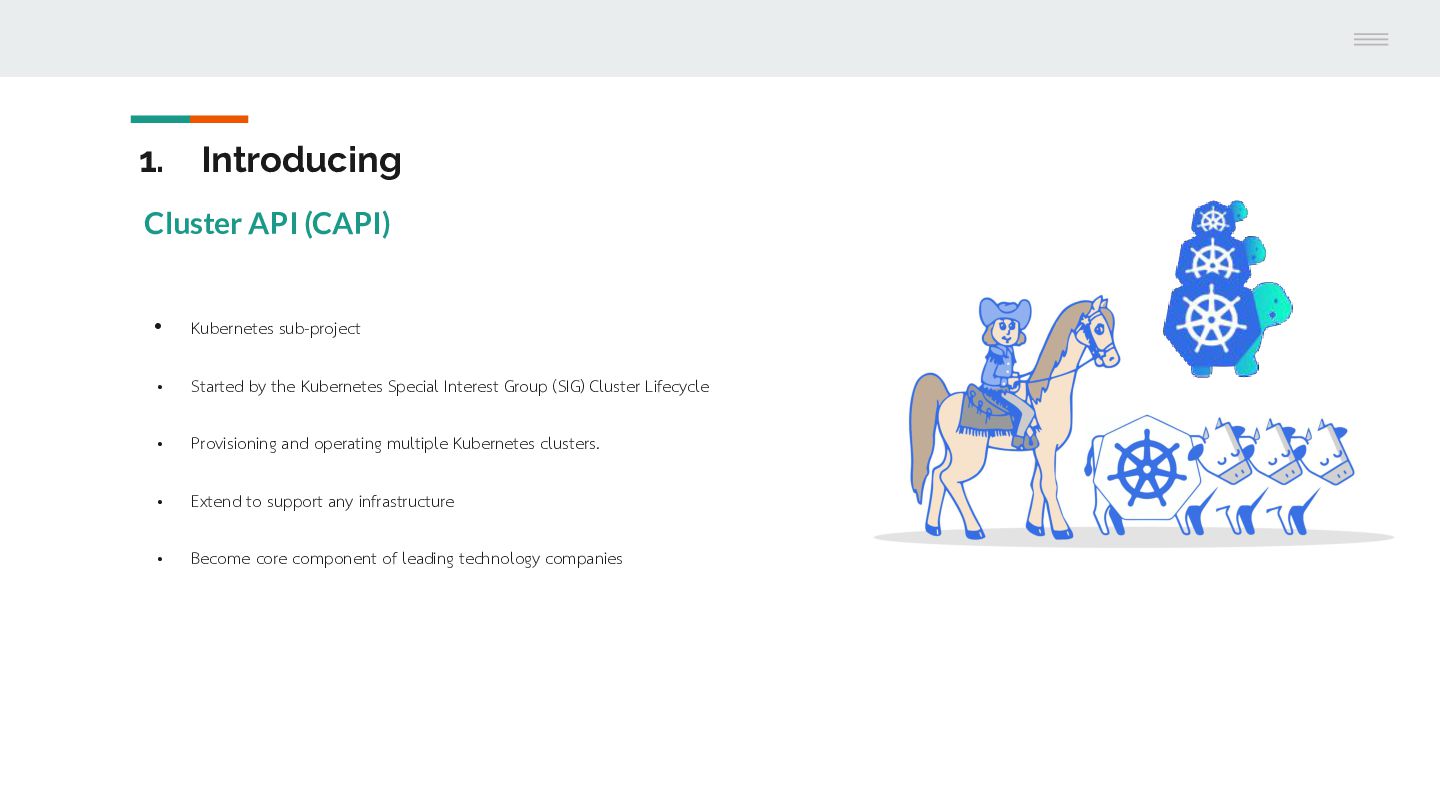
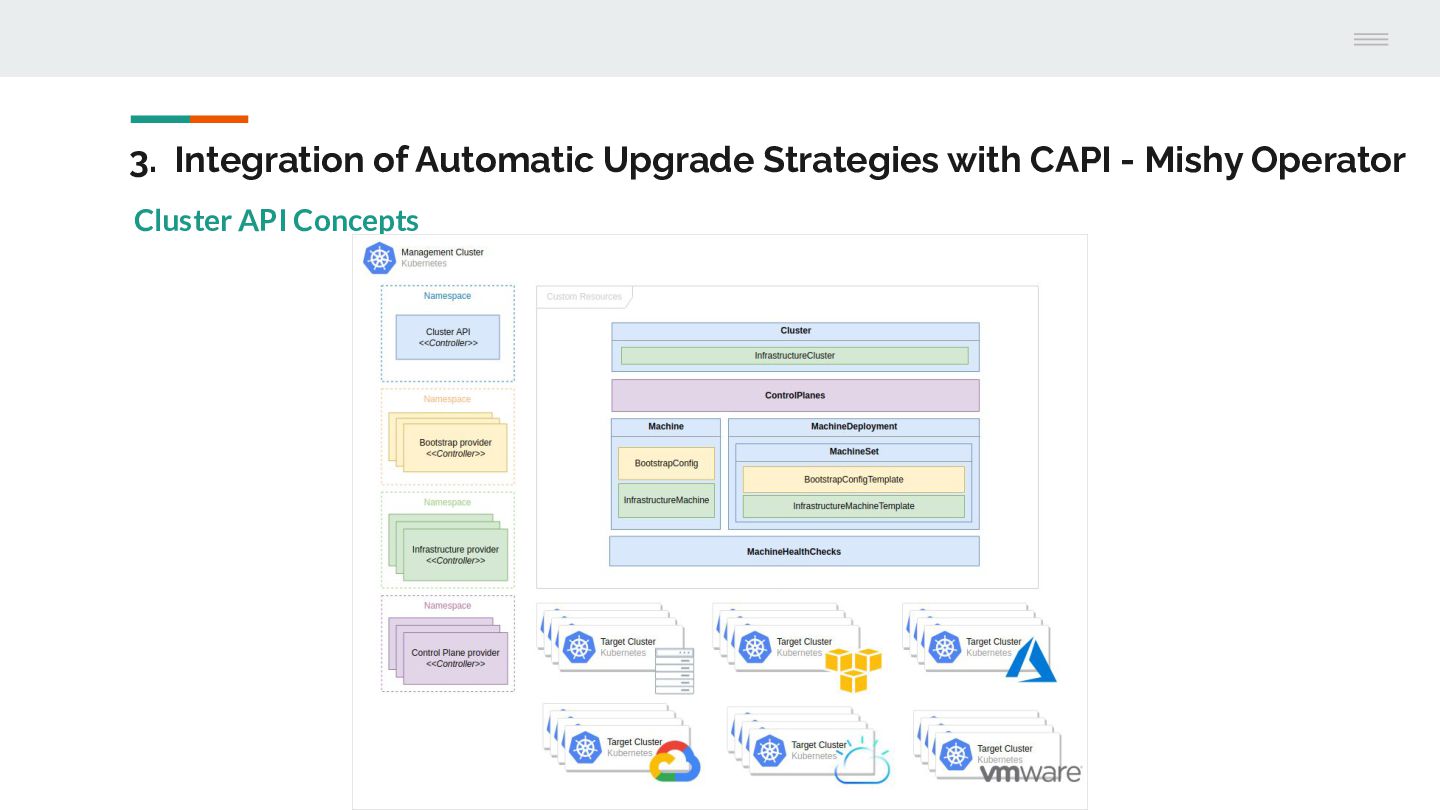
by the Kubernetes Special Interest Group (SIG) Cluster Lifecycle • Provisioning and operating multiple Kubernetes clusters. • Extend to support any infrastructure • Become core component of leading technology companies
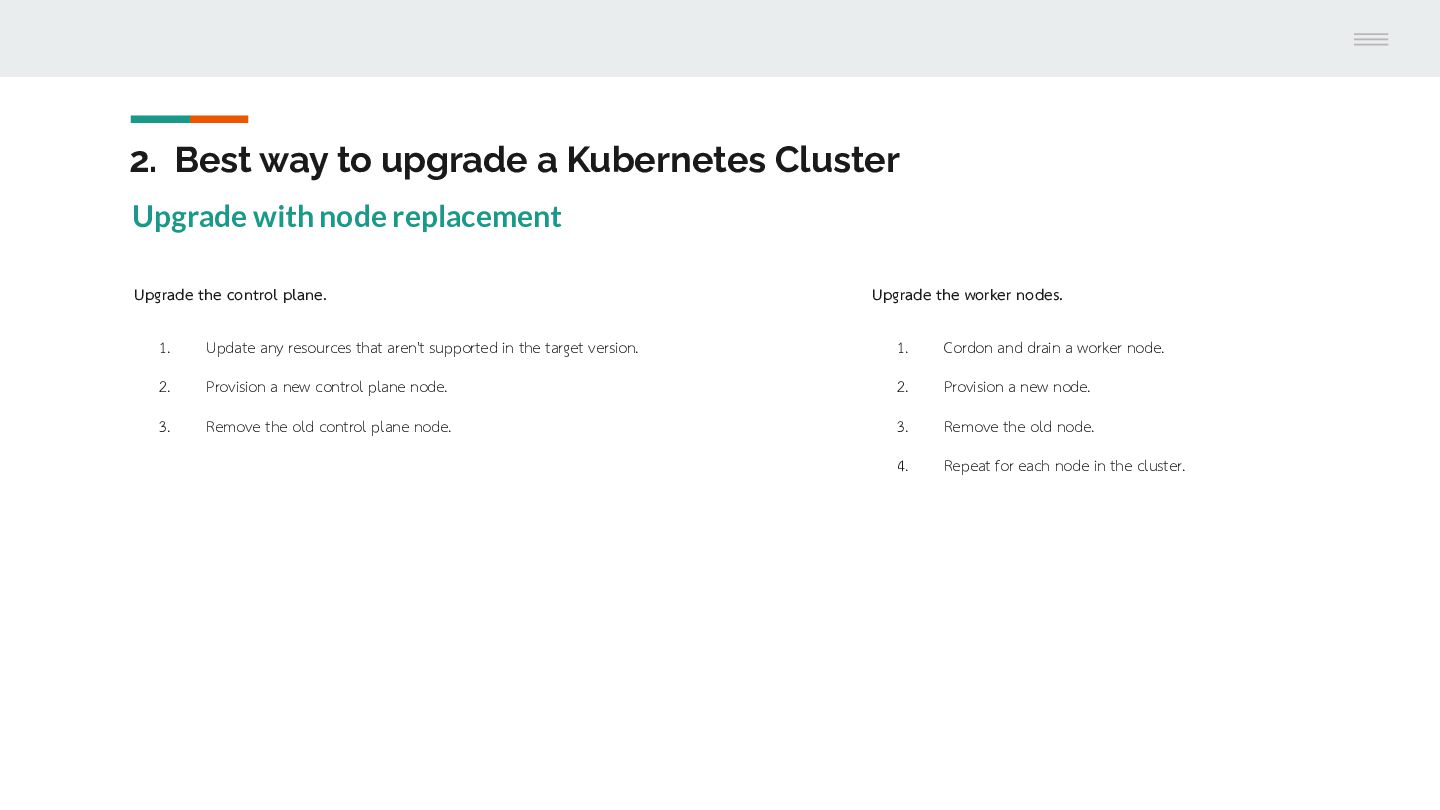
node replacement Upgrade the control plane. Upgrade the worker nodes. 1. Update any resources that aren't supported in the target version. 1. Cordon and drain a worker node. 2. Provision a new control plane node. 2. Provision a new node. 3. Remove the old control plane node. 3. Remove the old node. 4. Repeat for each node in the cluster.
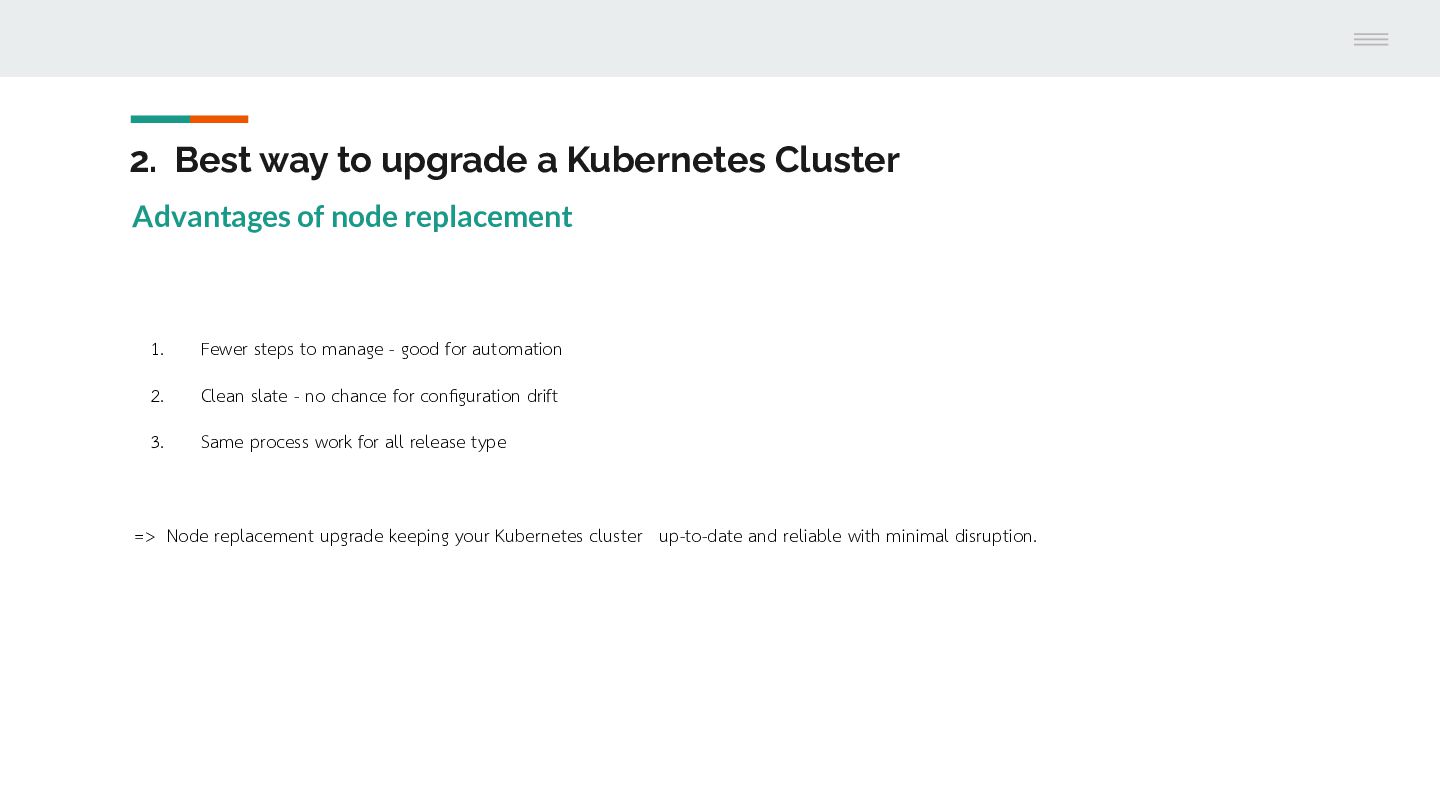
node replacement 1. Fewer steps to manage - good for automation 2. Clean slate - no chance for configuration drift 3. Same process work for all release type => Node replacement upgrade keeping your Kubernetes cluster up-to-date and reliable with minimal disruption.
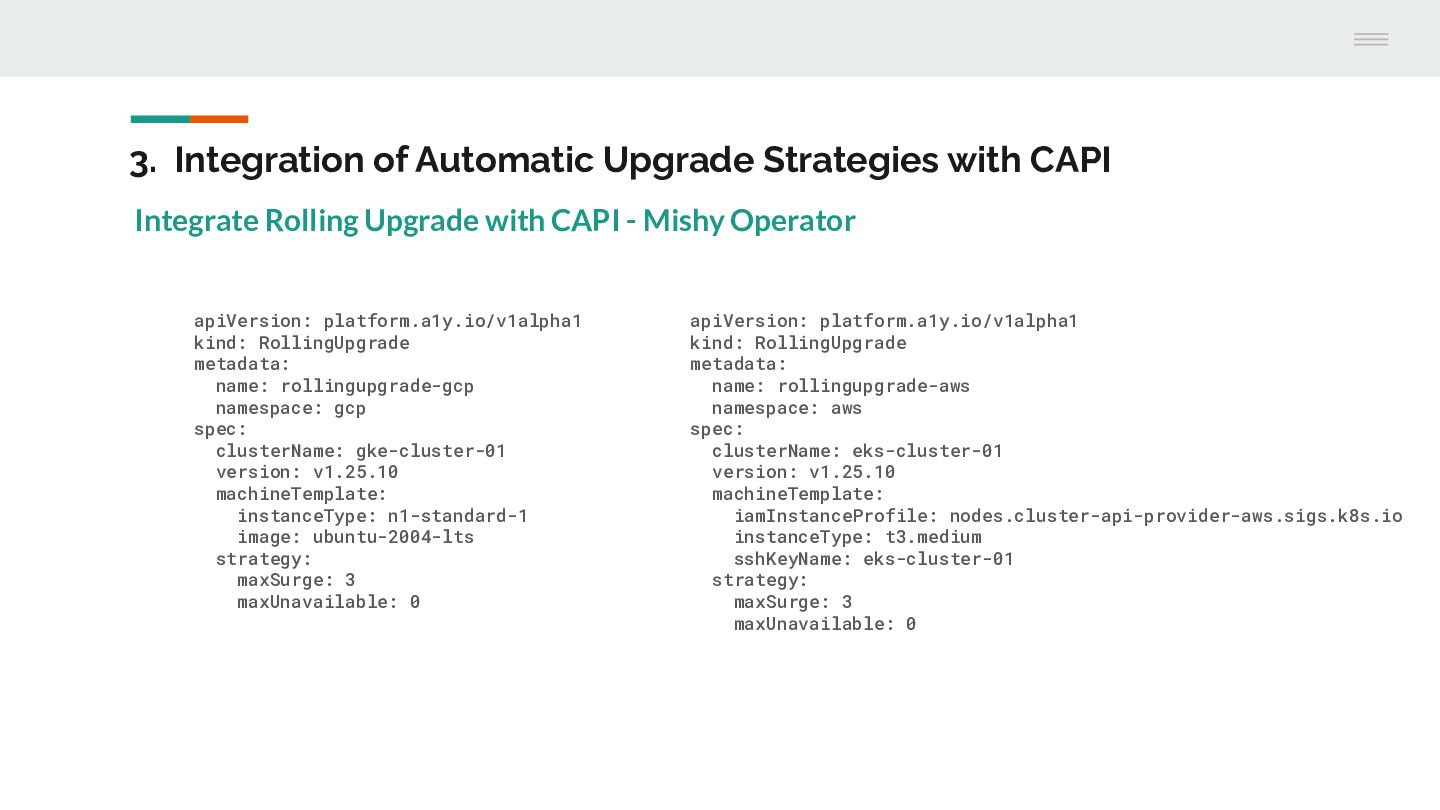
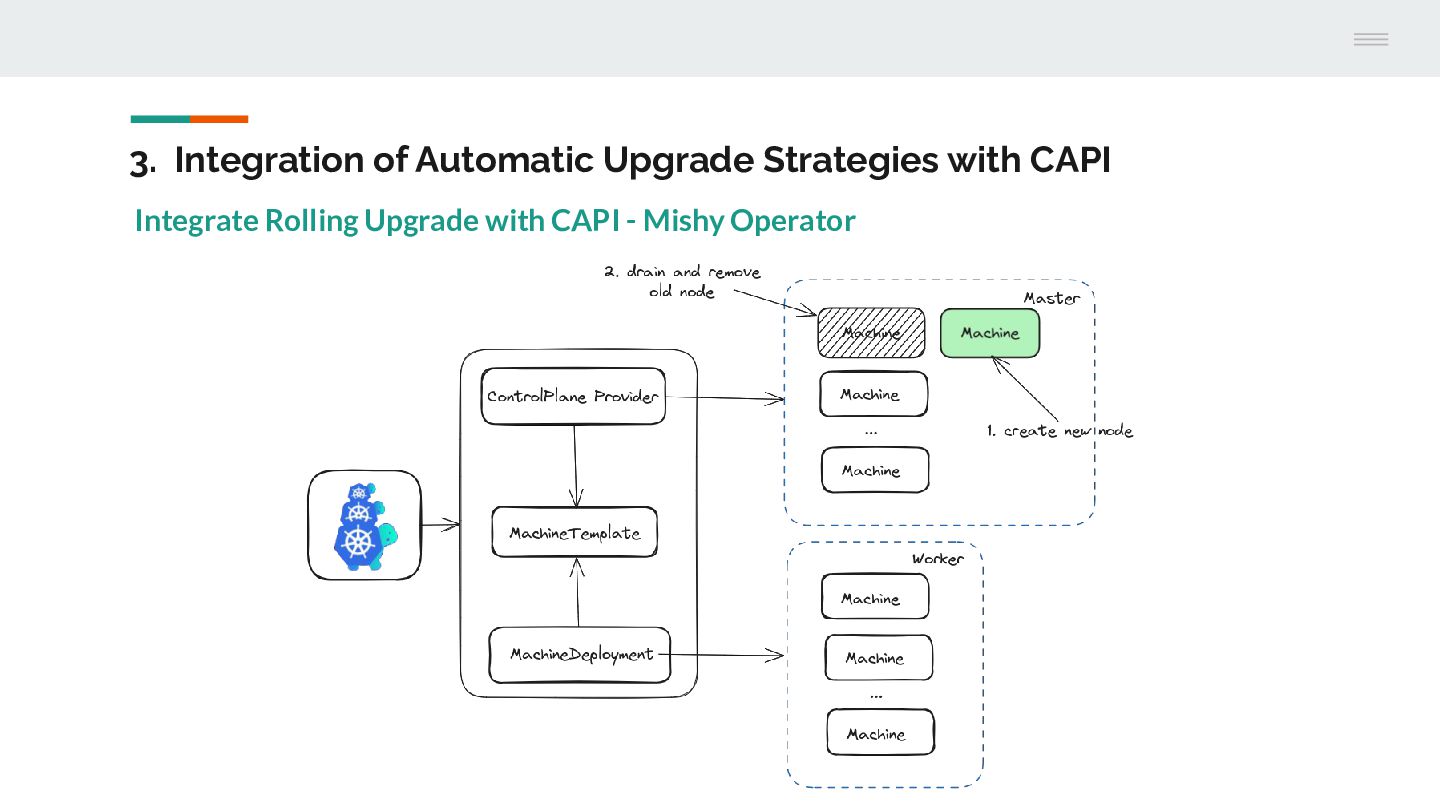
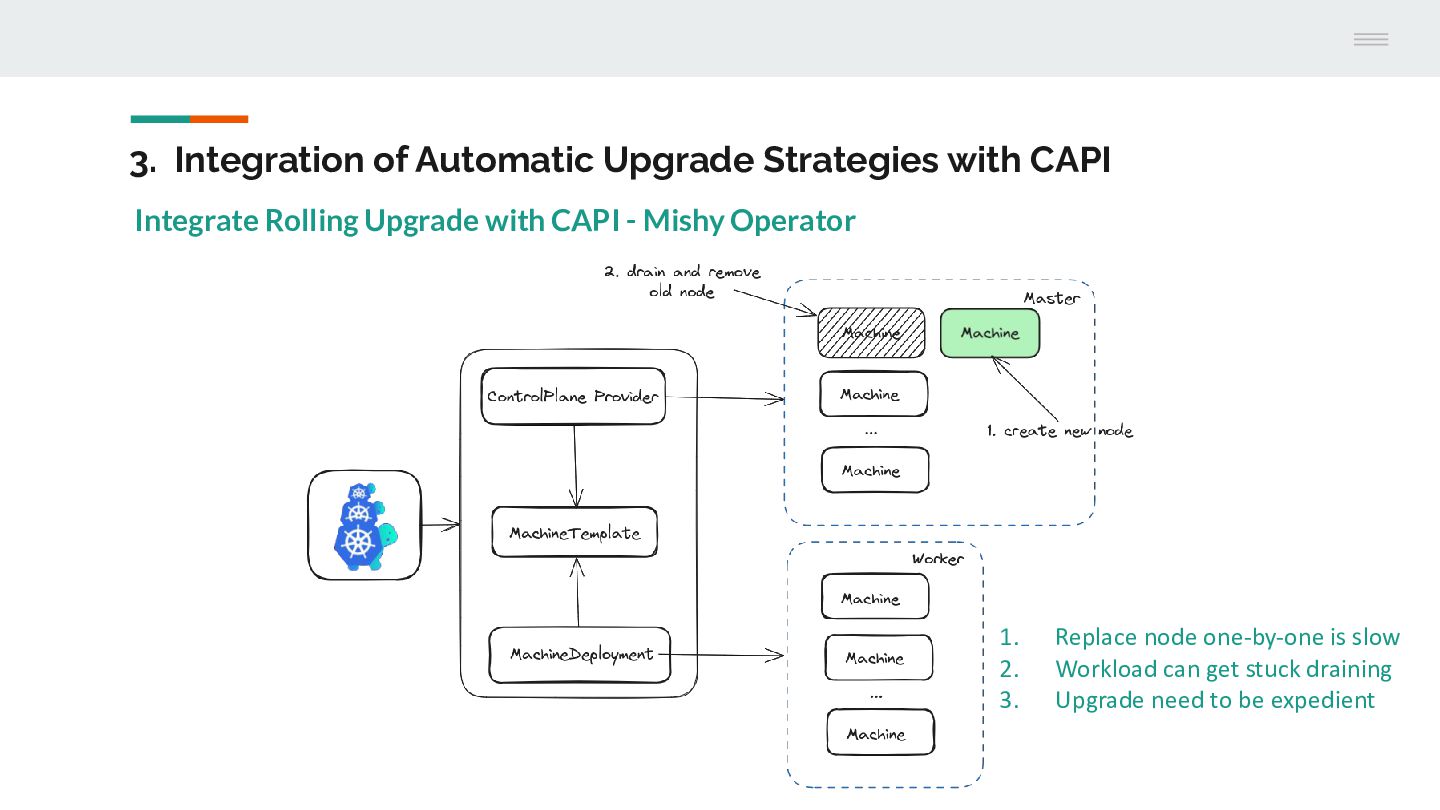
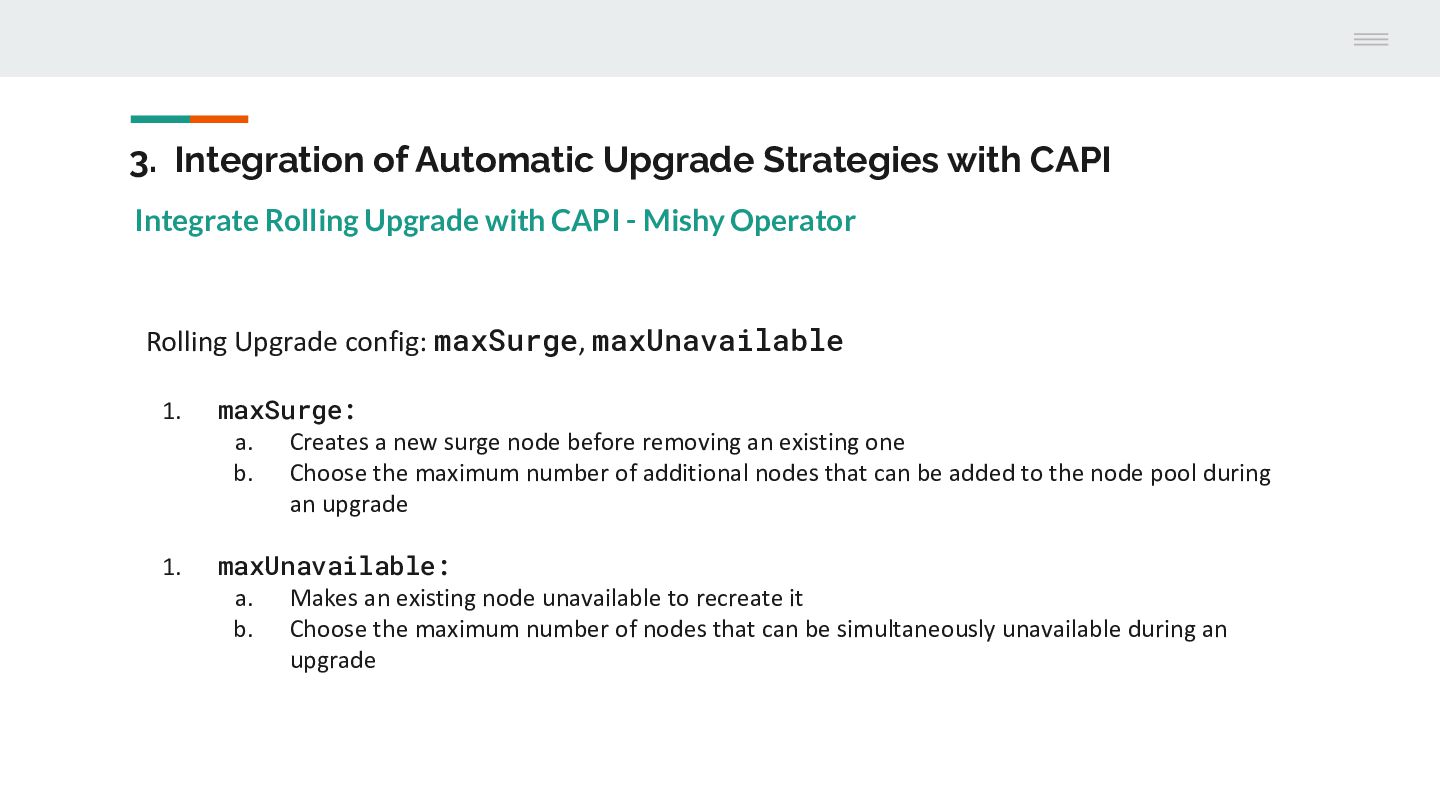
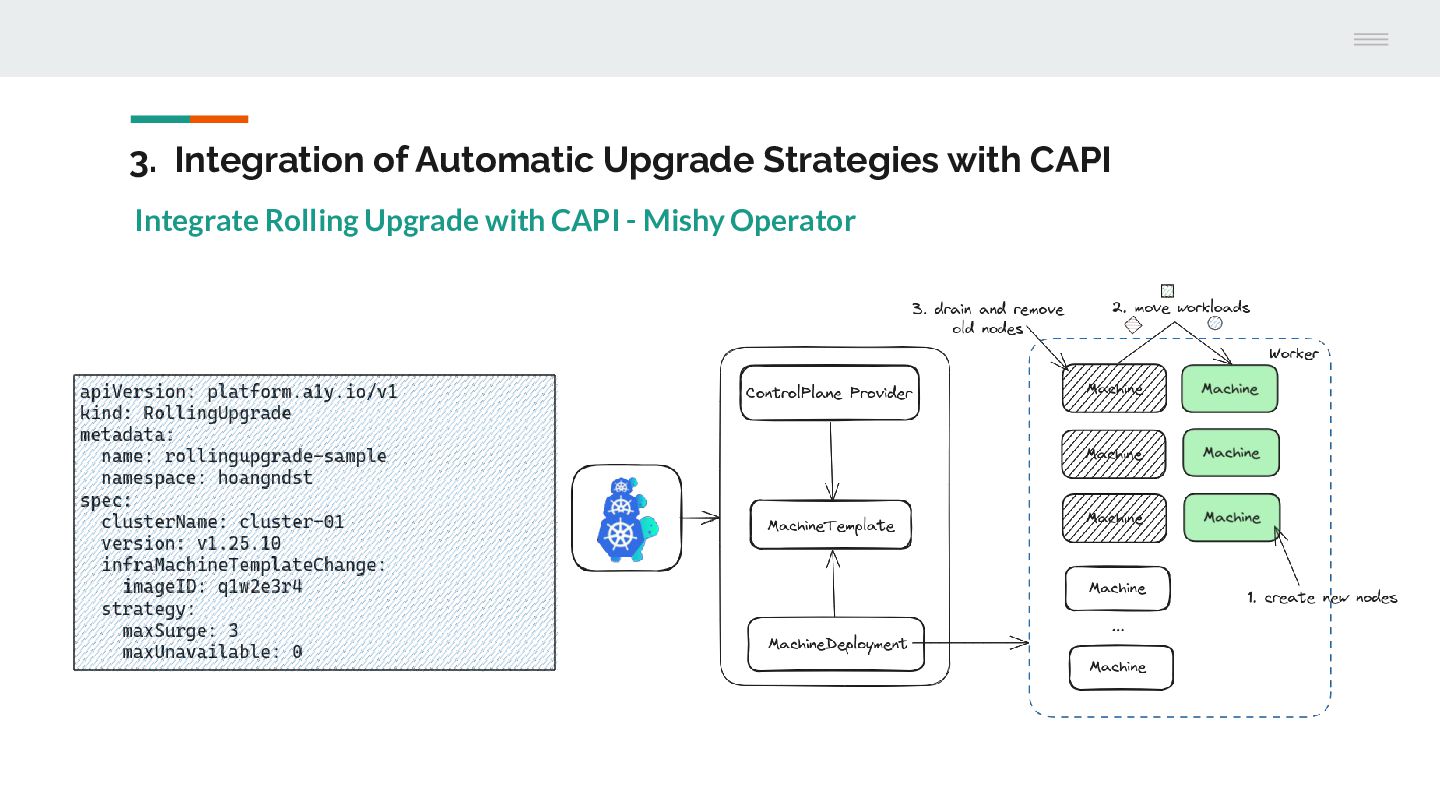
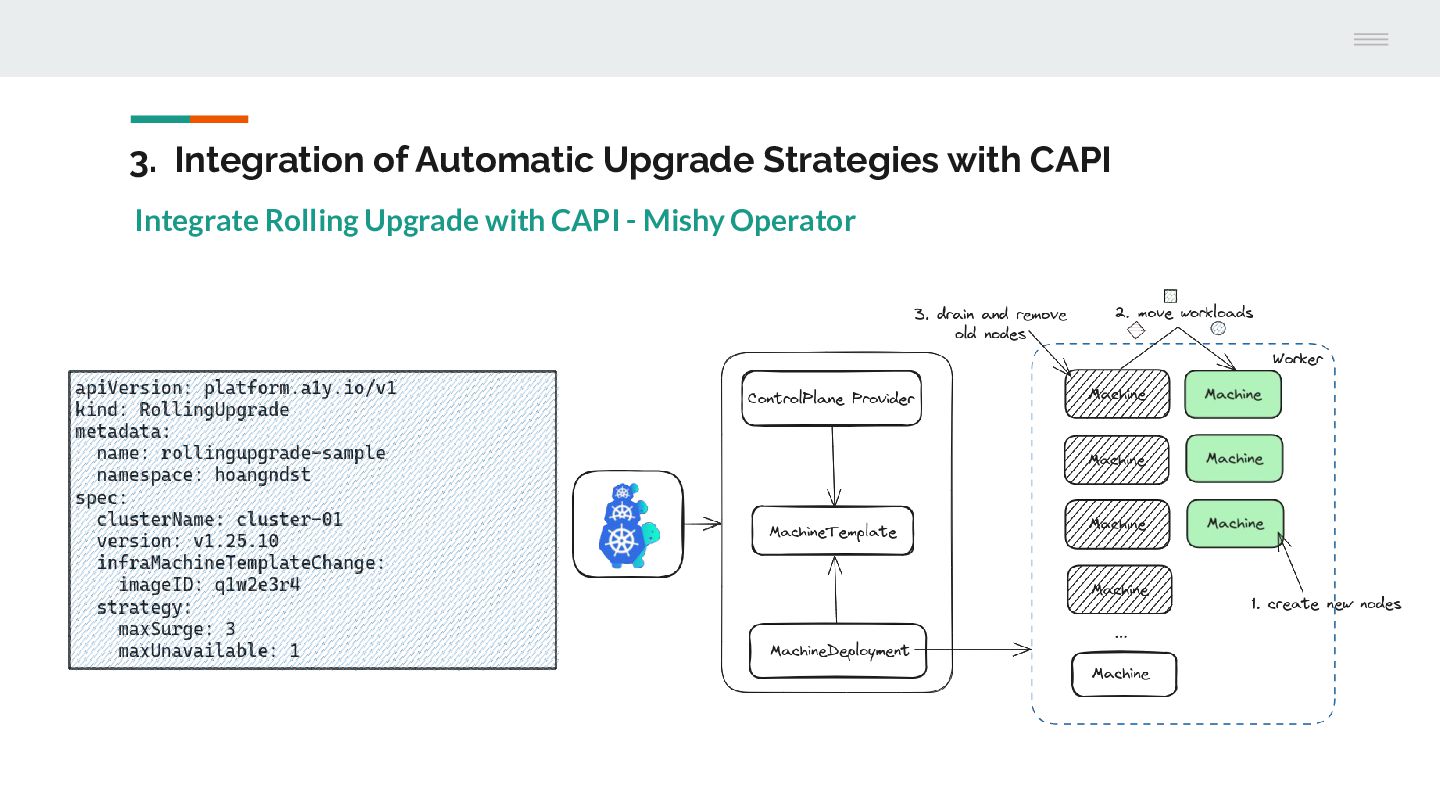
Upgrade with CAPI - Mishy Operator Rolling Upgrade config: maxSurge, maxUnavailable 1. maxSurge: a. Creates a new surge node before removing an existing one b. Choose the maximum number of additional nodes that can be added to the node pool during an upgrade 1. maxUnavailable: a. Makes an existing node unavailable to recreate it b. Choose the maximum number of nodes that can be simultaneously unavailable during an upgrade
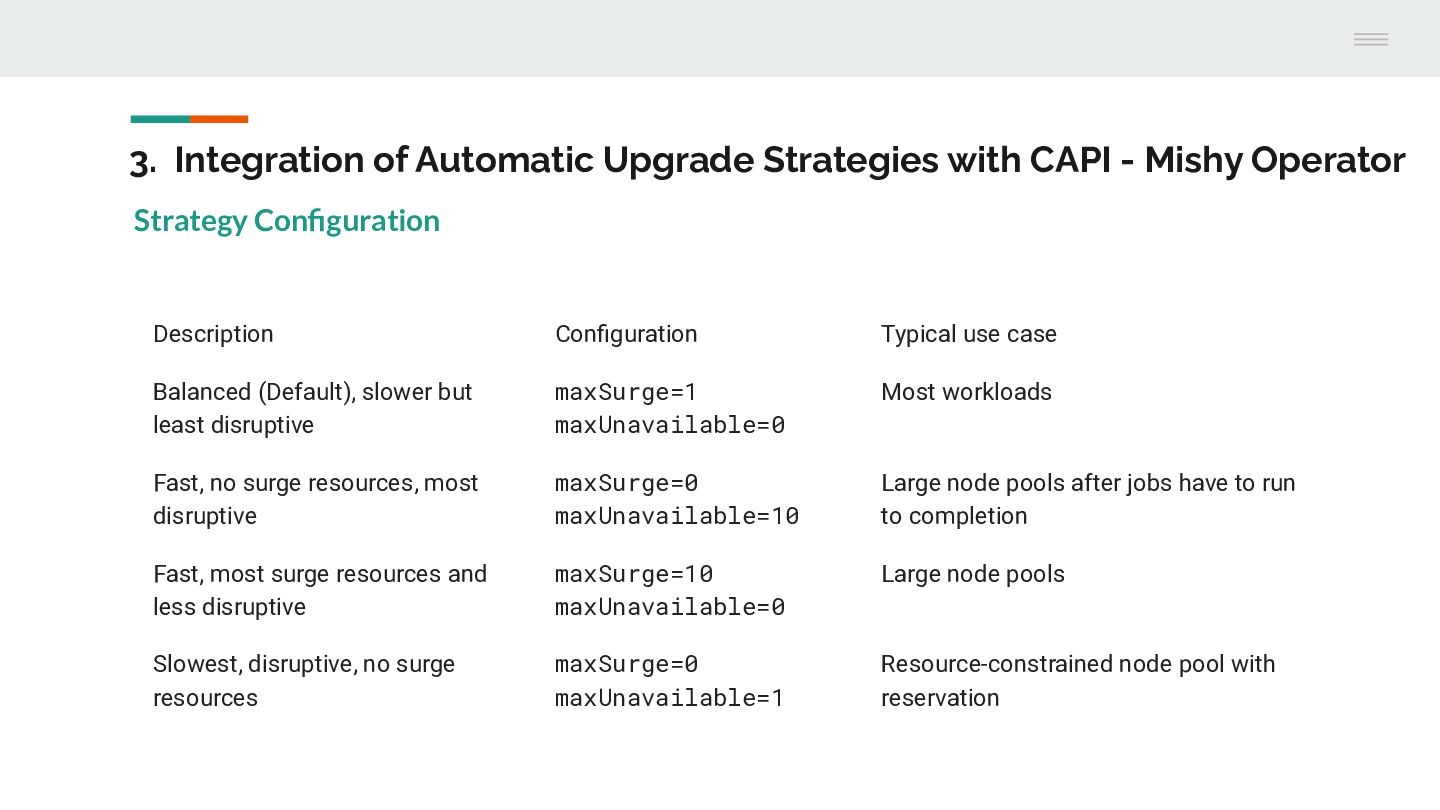
Operator Strategy Configuration Description Configuration Typical use case Balanced (Default), slower but least disruptive maxSurge=1 maxUnavailable=0 Most workloads Fast, no surge resources, most disruptive maxSurge=0 maxUnavailable=10 Large node pools after jobs have to run to completion Fast, most surge resources and less disruptive maxSurge=10 maxUnavailable=0 Large node pools Slowest, disruptive, no surge resources maxSurge=0 maxUnavailable=1 Resource-constrained node pool with reservation
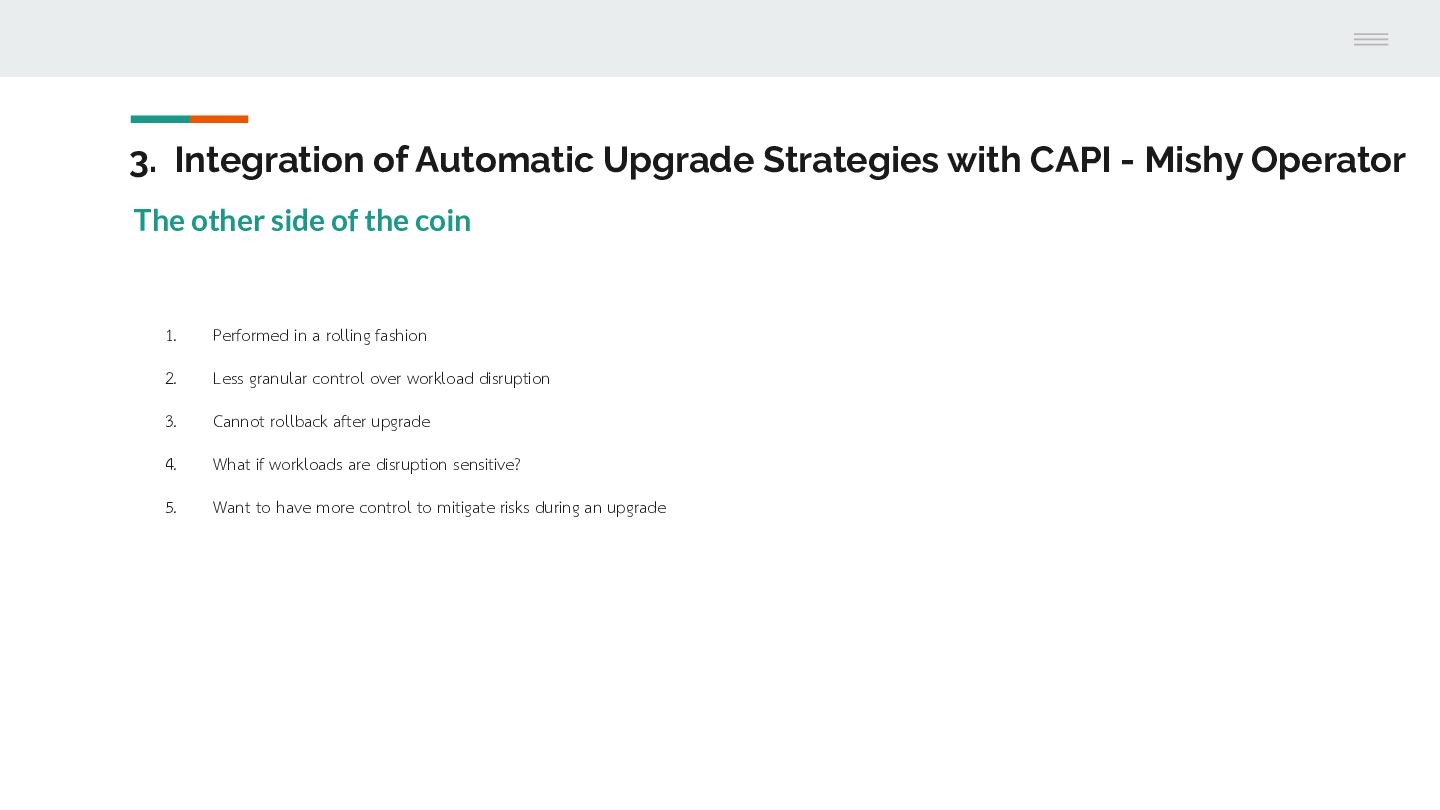
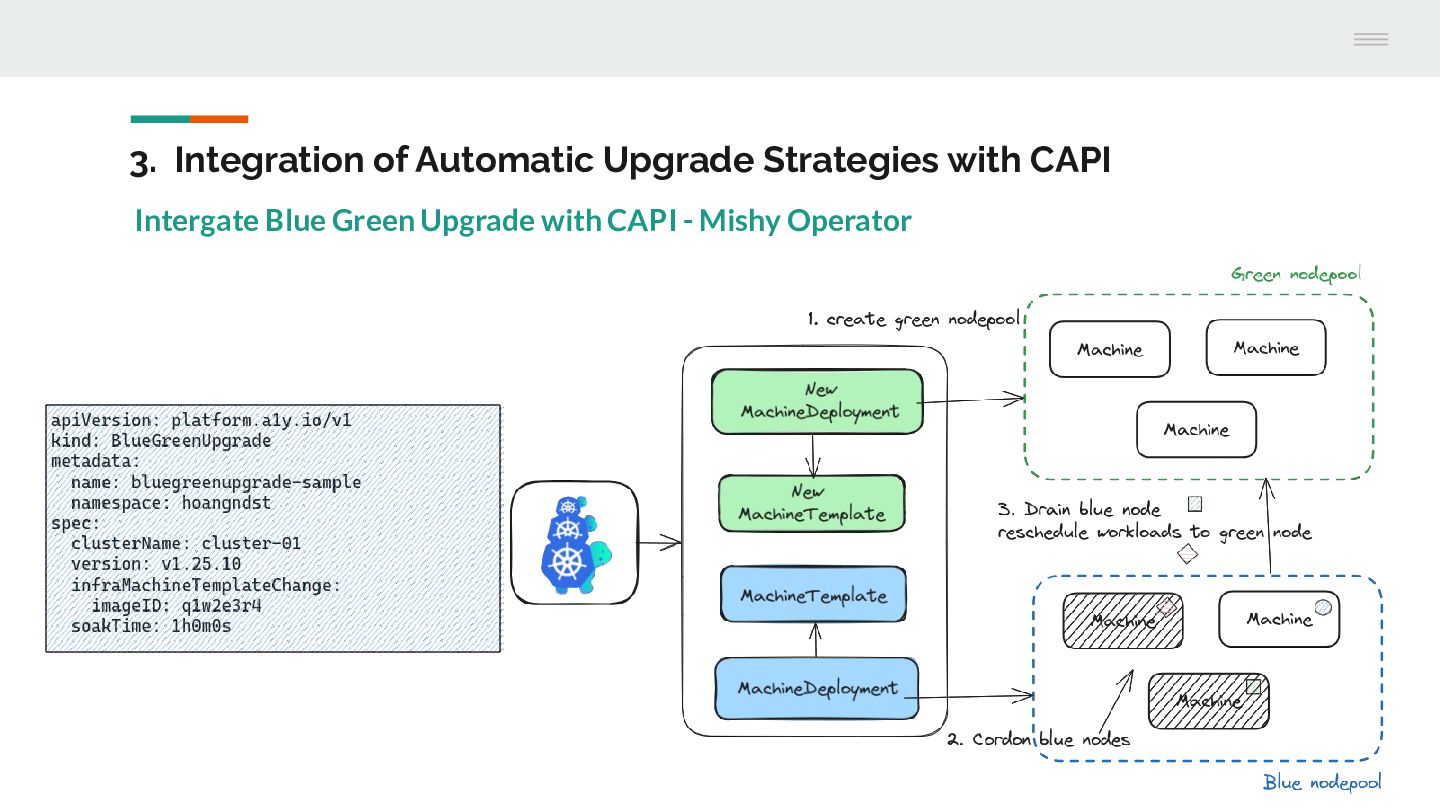
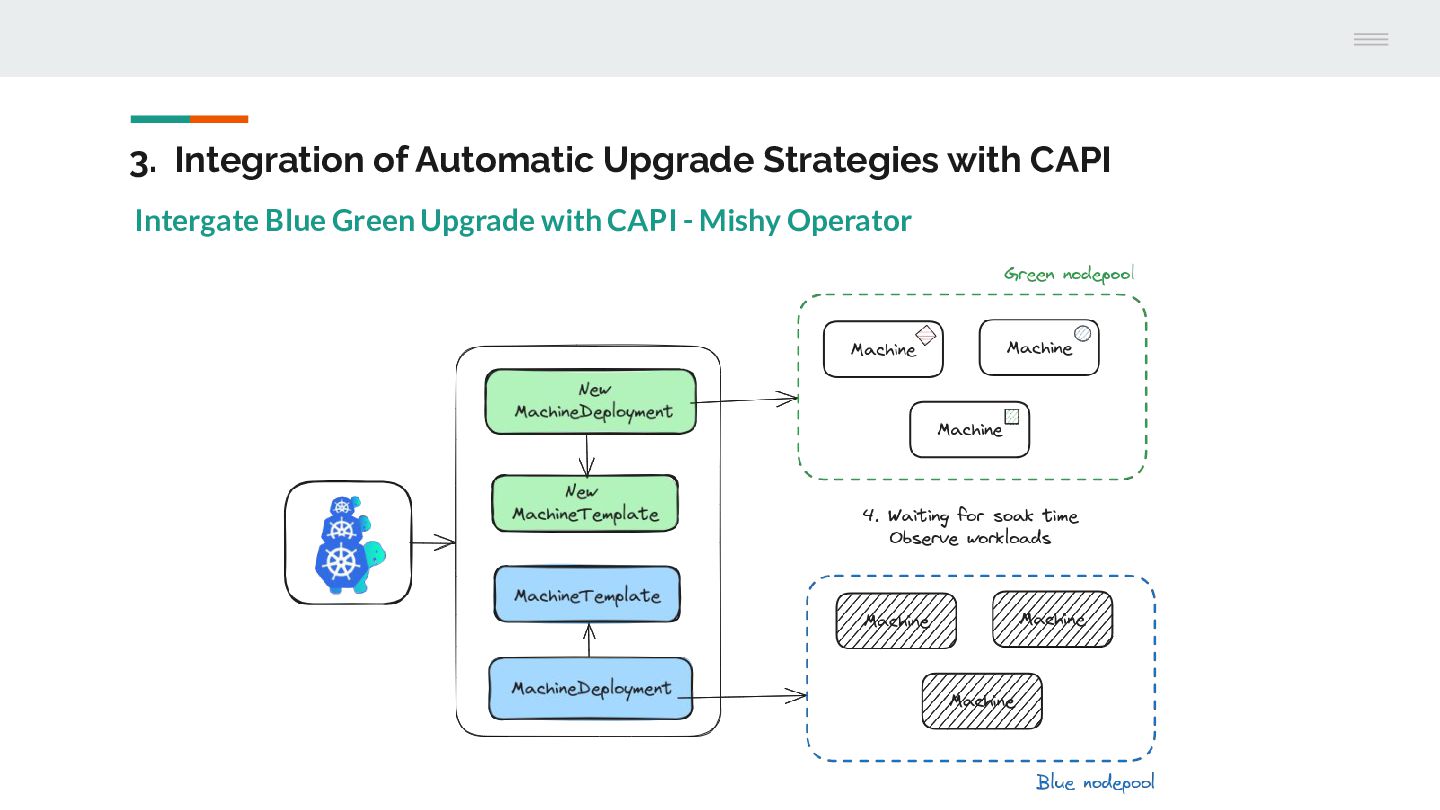
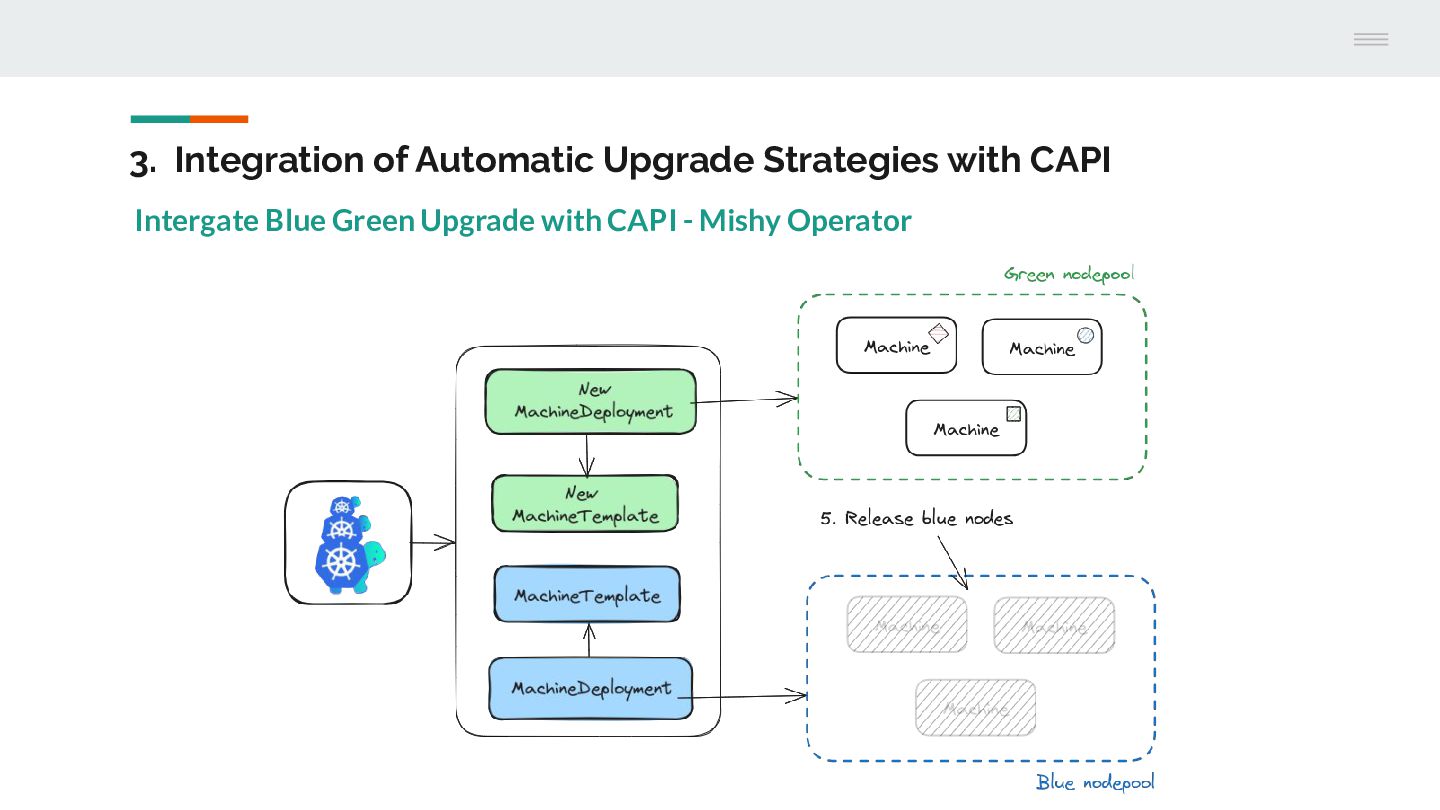
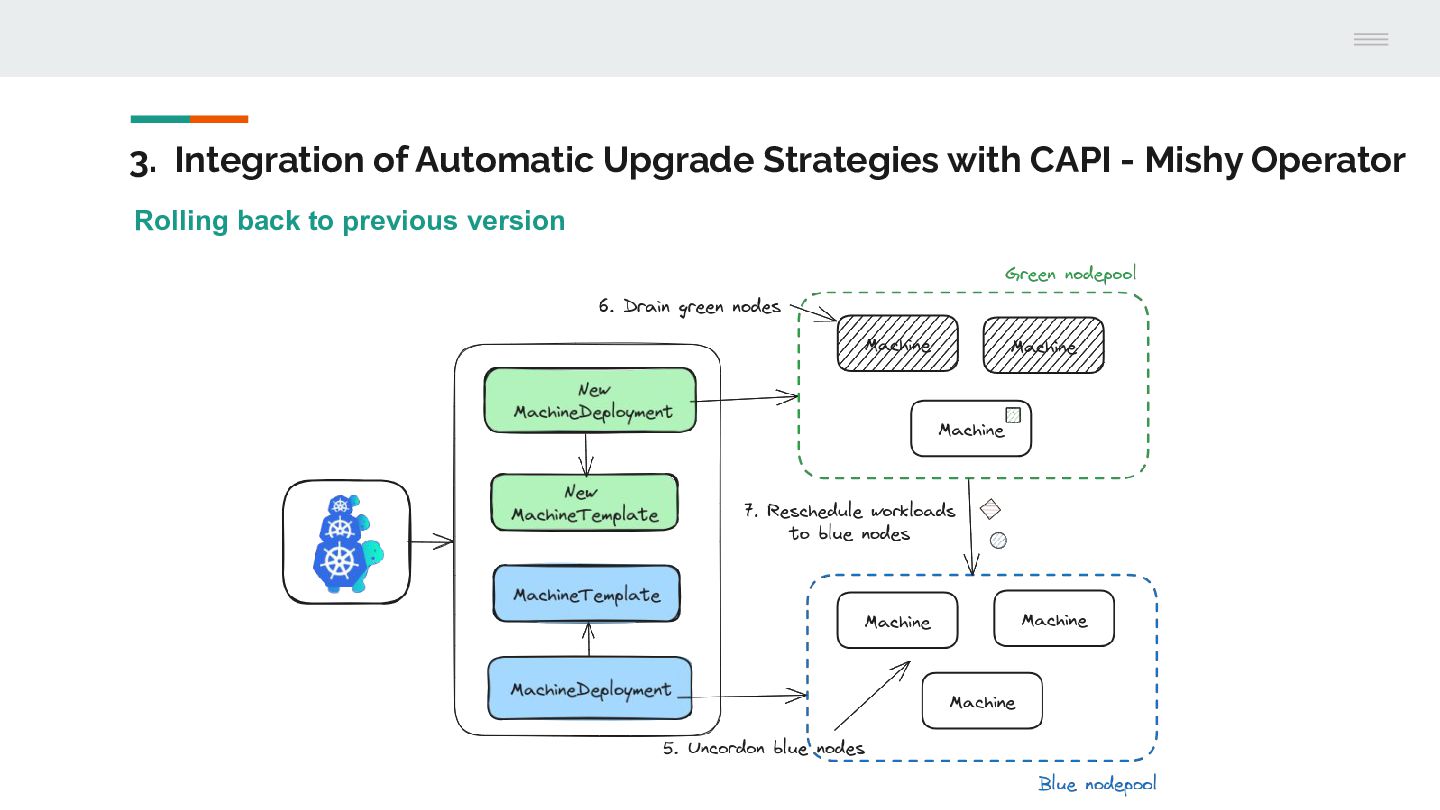
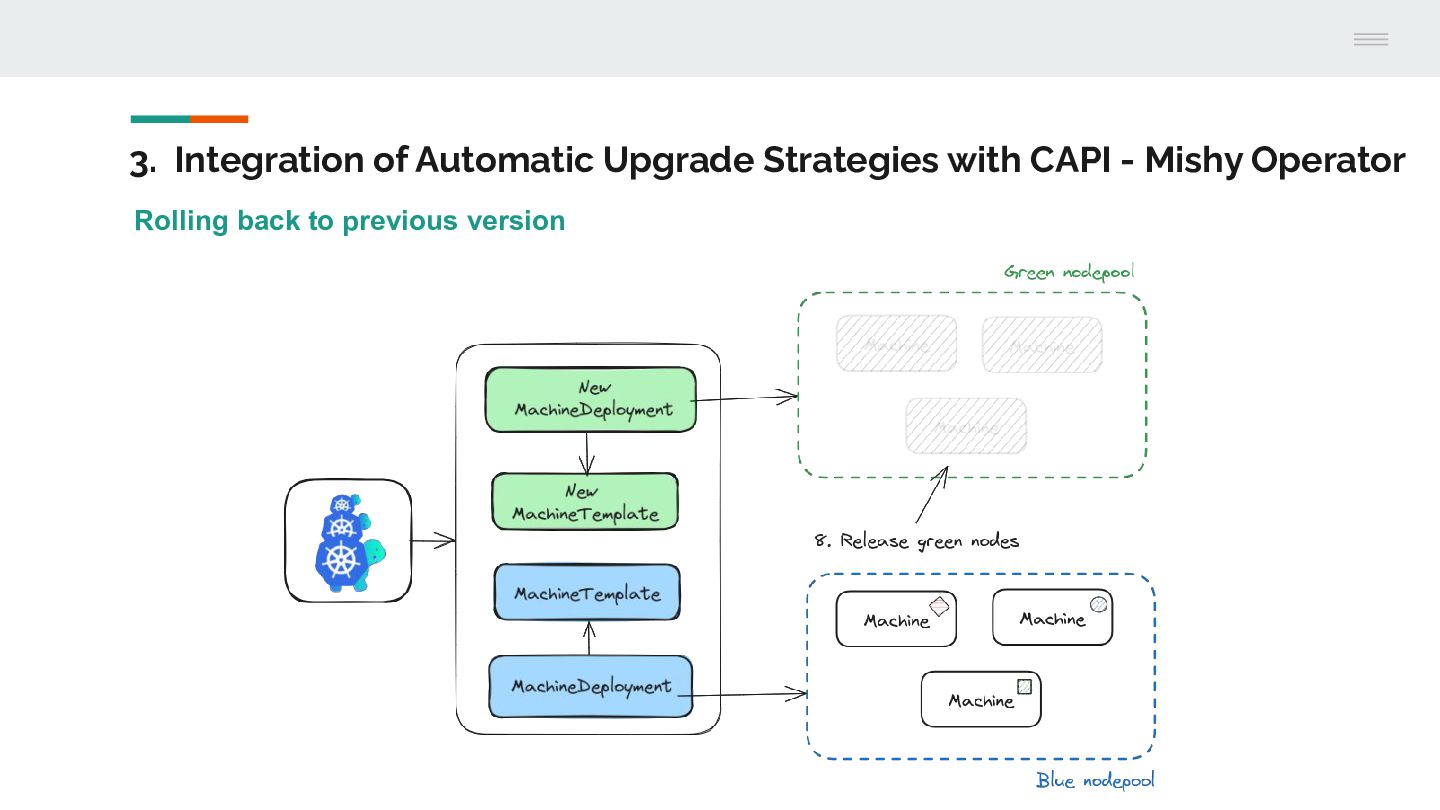
Operator The other side of the coin 1. Performed in a rolling fashion 2. Less granular control over workload disruption 3. Cannot rollback after upgrade 4. What if workloads are disruption sensitive? 5. Want to have more control to mitigate risks during an upgrade