Upgrade to Pro
— share decks privately, control downloads, hide ads and more …
Speaker Deck
Sign up for free
Menu
Search
Features
All features
Private URLs
Password Protection
Custom URLS
Scheduled publishing
Remove Branding
Restrict embedding
Deck Collections
Notes
Features
All features
Private URLs
Password Protection
Custom URLS
Scheduled publishing
Remove Branding
Restrict embedding
Deck Collections
Notes
Explore
Featured decks
Featured speakers
Programming
Technology
Storyboards
Explore
Featured decks
Featured speakers
Programming
Technology
Storyboards
Pricing
Search
Sign in
Sign up for free
GitHubのGist上に展開する方法.pdf
Search
Honoka T
July 14, 2016
130
0
Share
Embed
Copy iframe code
Copy JS code
Copy link
Start on current slide
GitHubのGist上に展開する方法.pdf
Honoka T
July 14, 2016
More Decks by Honoka T
See All by Honoka T
GitHubのGist上に展開する方法
honotokitoki
0
81
空間情報システム入門1 ♯02 2016/06/16
honotokitoki
0
74
Featured
See All Featured
AI Search: Implications for SEO and How to Move Forward - #ShenzhenSEOConference
aleyda
1
1.4k
How to optimise 3,500 product descriptions for ecommerce in one day using ChatGPT
katarinadahlin
PRO
3
3.9k
Cheating the UX When There Is Nothing More to Optimize - PixelPioneers
stephaniewalter
287
14k
Ruling the World: When Life Gets Gamed
codingconduct
0
400
Let's Do A Bunch of Simple Stuff to Make Websites Faster
chriscoyier
508
140k
Measuring Dark Social's Impact On Conversion and Attribution
stephenakadiri
2
310
How to build a perfect <img>
jonoalderson
1
6.1k
Collaborative Software Design: How to facilitate domain modelling decisions
baasie
1
340
Why Your Marketing Sucks and What You Can Do About It - Sophie Logan
marketingsoph
0
430
Fight the Zombie Pattern Library - RWD Summit 2016
marcelosomers
234
18k
Mozcon NYC 2025: Stop Losing SEO Traffic
samtorres
1
580
The Pragmatic Product Professional
lauravandoore
37
7.5k
Transcript
GitHubのGist上に展開する方法 1A116148 時任 帆乃香
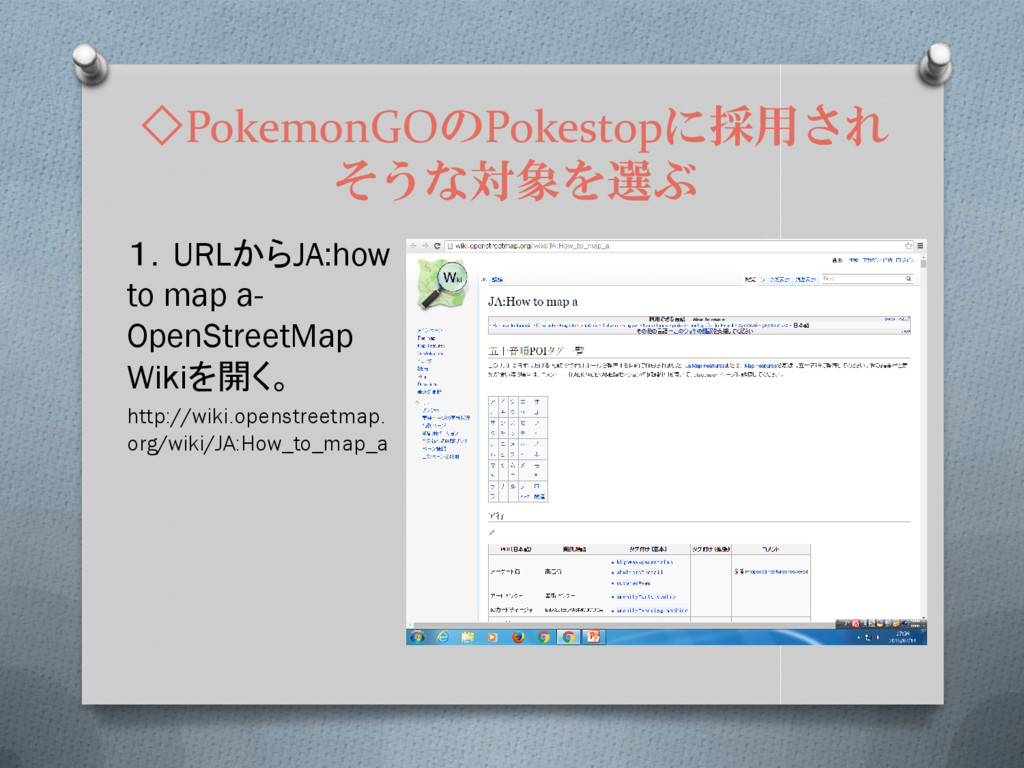
◇PokemonGOのPokestopに採用され そうな対象を選ぶ 1.URLからJA:how to map a- OpenStreetMap Wikiを開く。 http://wiki.openstreetmap. org/wiki/JA:How_to_map_a
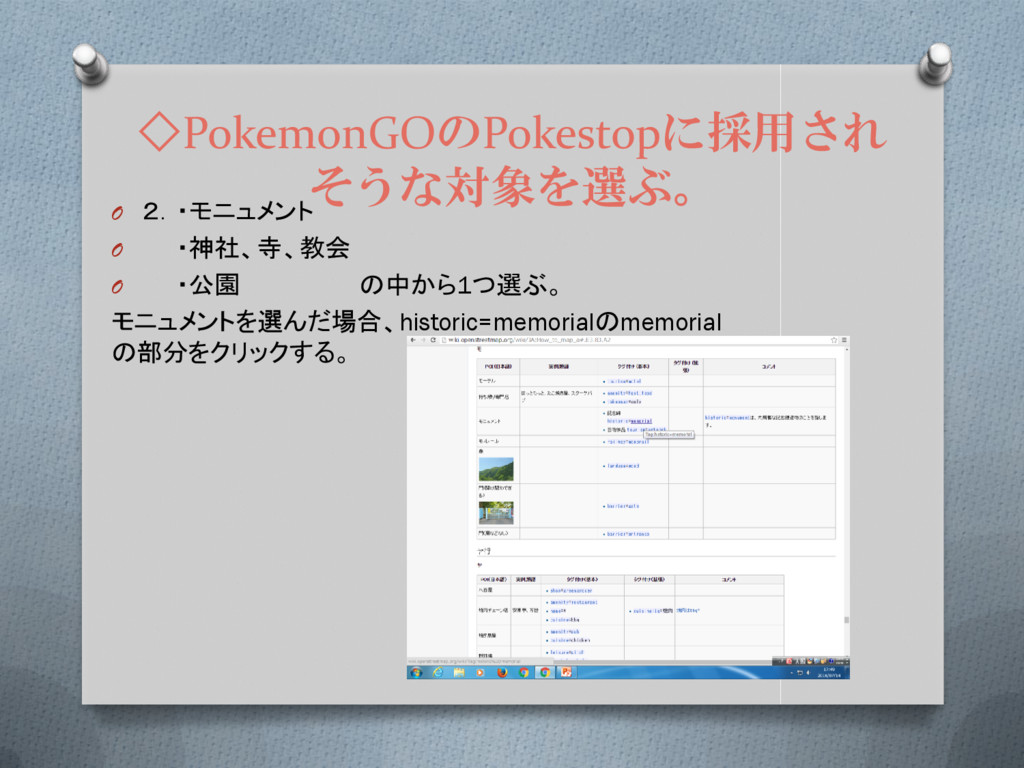
◇PokemonGOのPokestopに採用され そうな対象を選ぶ。 O 2.・モニュメント O ・神社、寺、教会 O ・公園 の中から1つ選ぶ。 モニュメントを選んだ場合、historic=memorialのmemorial
の部分をクリックする。
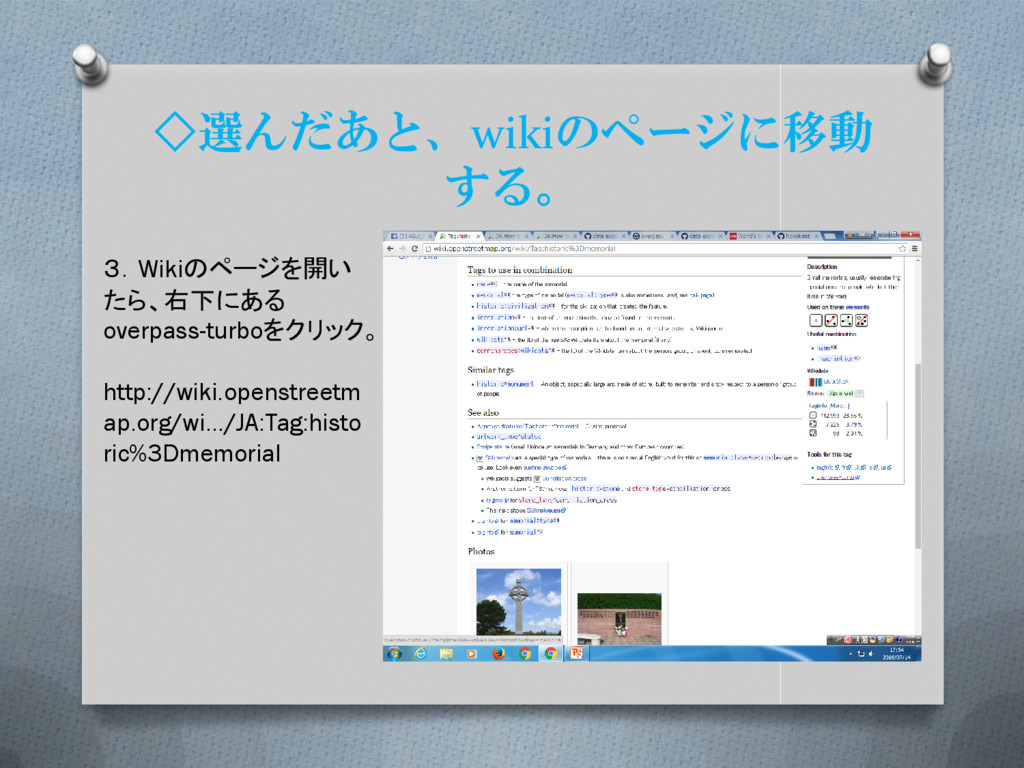
◇選んだあと、wikiのページに移動 する。 3.Wikiのページを開い たら、右下にある overpass-turboをクリック。 http://wiki.openstreetm ap.org/wi…/JA:Tag:histo ric%3Dmemorial
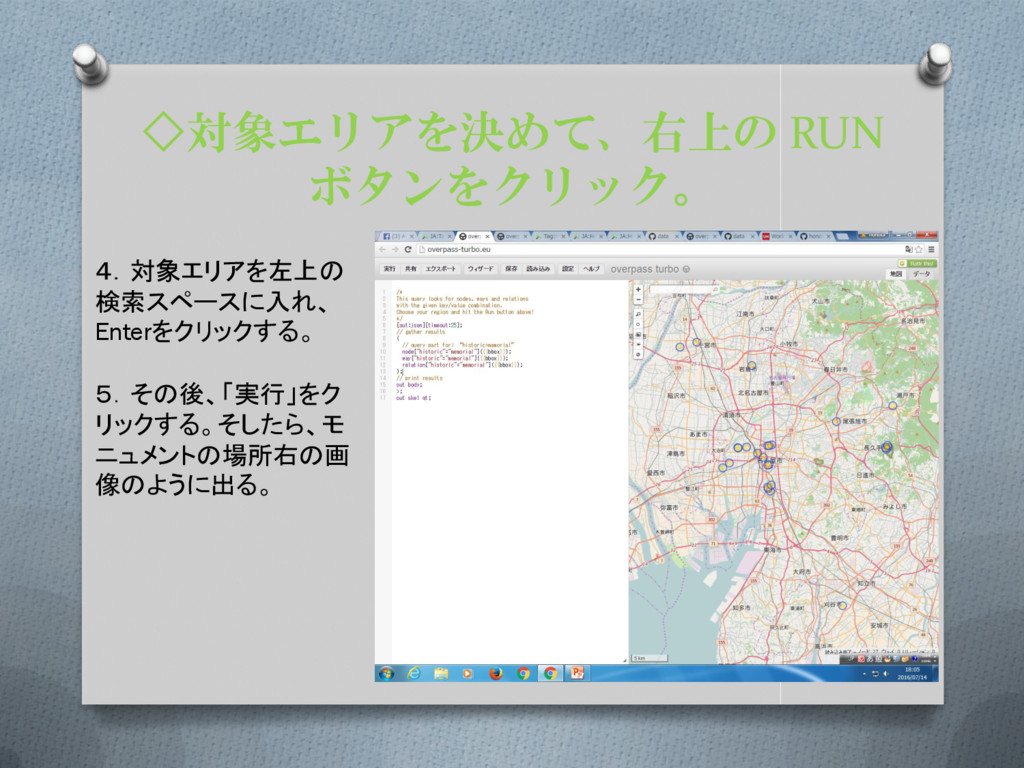
◇対象エリアを決めて、右上の RUN ボタンをクリック。 4.対象エリアを左上の 検索スペースに入れ、 Enterをクリックする。 5.その後、「実行」をク リックする。そしたら、モ ニュメントの場所右の画 像のように出る。
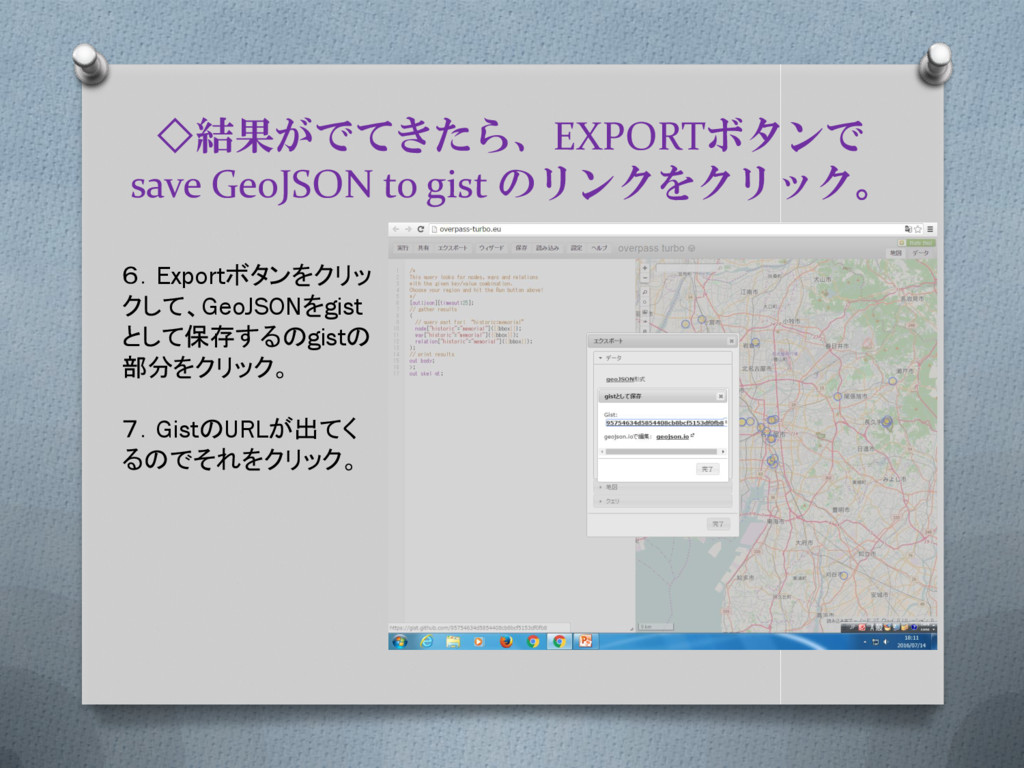
◇結果がでてきたら、EXPORTボタンで save GeoJSON to gist のリンクをクリック。 6.Exportボタンをクリッ クして、GeoJSONをgist として保存するのgistの 部分をクリック。
7.GistのURLが出てく るのでそれをクリック。
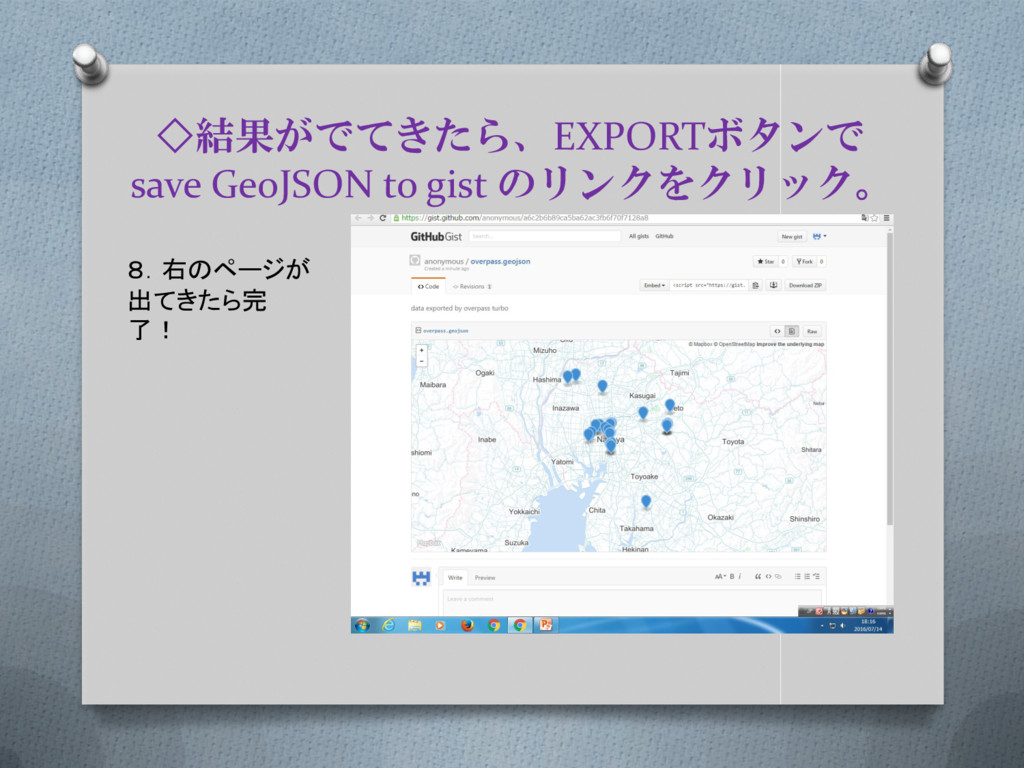
◇結果がでてきたら、EXPORTボタンで save GeoJSON to gist のリンクをクリック。 8.右のページが 出てきたら完 了!


 honotokitoki
 aleyda
 katarinadahlin
 stephaniewalter
 codingconduct
 chriscoyier
 stephenakadiri
 jonoalderson
 baasie
 marketingsoph
 marcelosomers
 samtorres
 lauravandoore