Upgrade to Pro — share decks privately, control downloads, hide ads and more …

The Productive Developer

The Productive Developer

We all talk a lot about performance of our applications, but we often forget to talk about performance and efficiency of ourselves. In this talk you will learn some tricks you could use right away to be more productive and happy.

Avatar for Ilya Gelman

Ilya Gelman

May 21, 2015

More Decks by Ilya Gelman

Other Decks in Programming

Transcript

  1. Ilya Gelman - More than 30 projects last year -

    Passionate about design and UX - Has 2 cats, 2 parrots and 23 fish Developer and consultant @ 500Tech
  2. Productive ≠ Good A program that produces incorrect results twice

    as fast is infinitely slower. — John Osterhout
  3. Tools and Tips I use them for work Don’t require

    much learning You can start using them right away Ask questions right away! Or by email: [email protected]
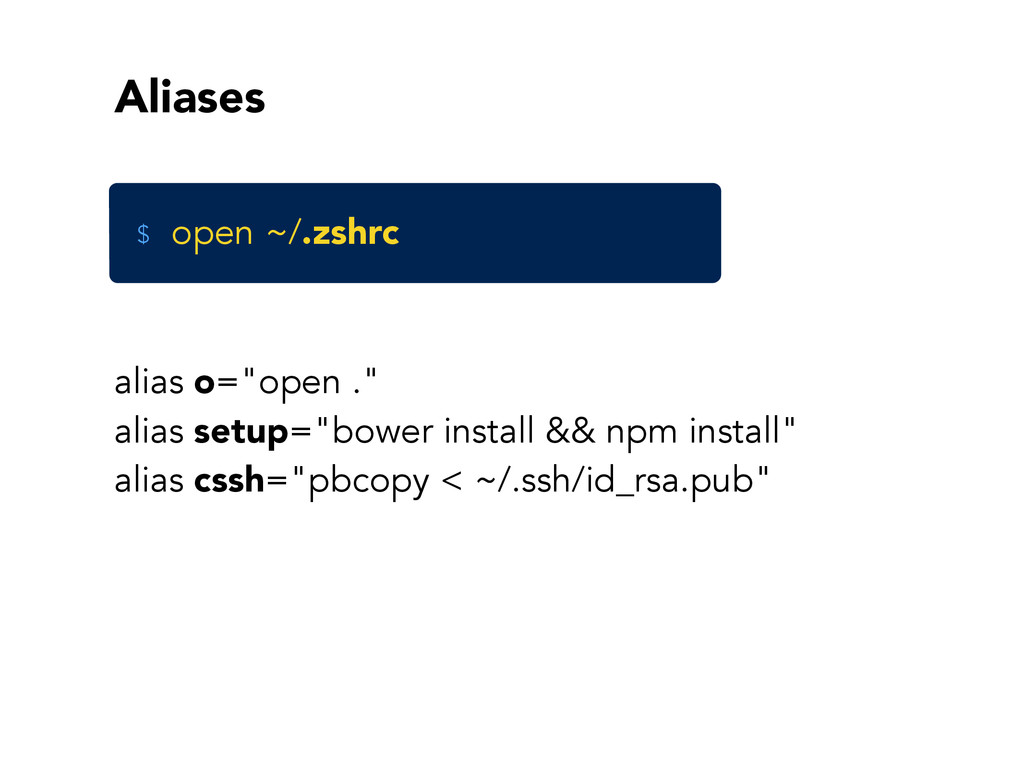
  4. Aliases alias o="open ." alias setup="bower install && npm install"

    alias cssh="pbcopy < ~/.ssh/id_rsa.pub" open ~/.zshrc $
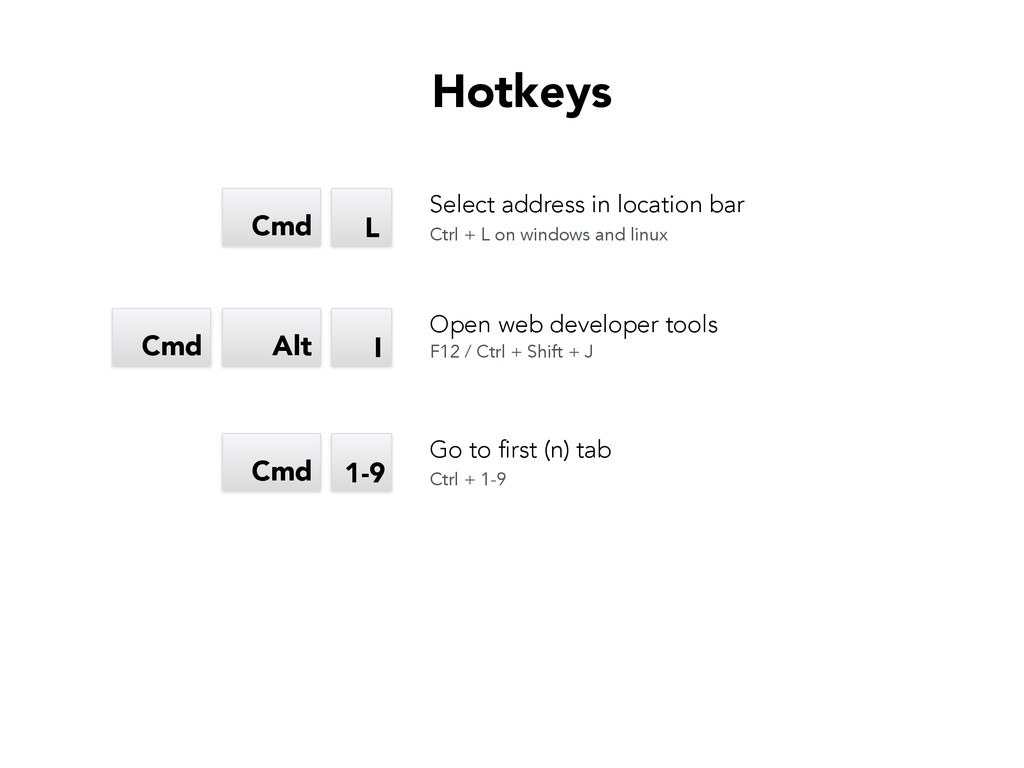
  5. L Cmd I Alt Cmd Select address in location bar

    Open web developer tools F12 / Ctrl + Shift + J Ctrl + L on windows and linux Hotkeys 1-9 Cmd Go to first (n) tab Ctrl + 1-9
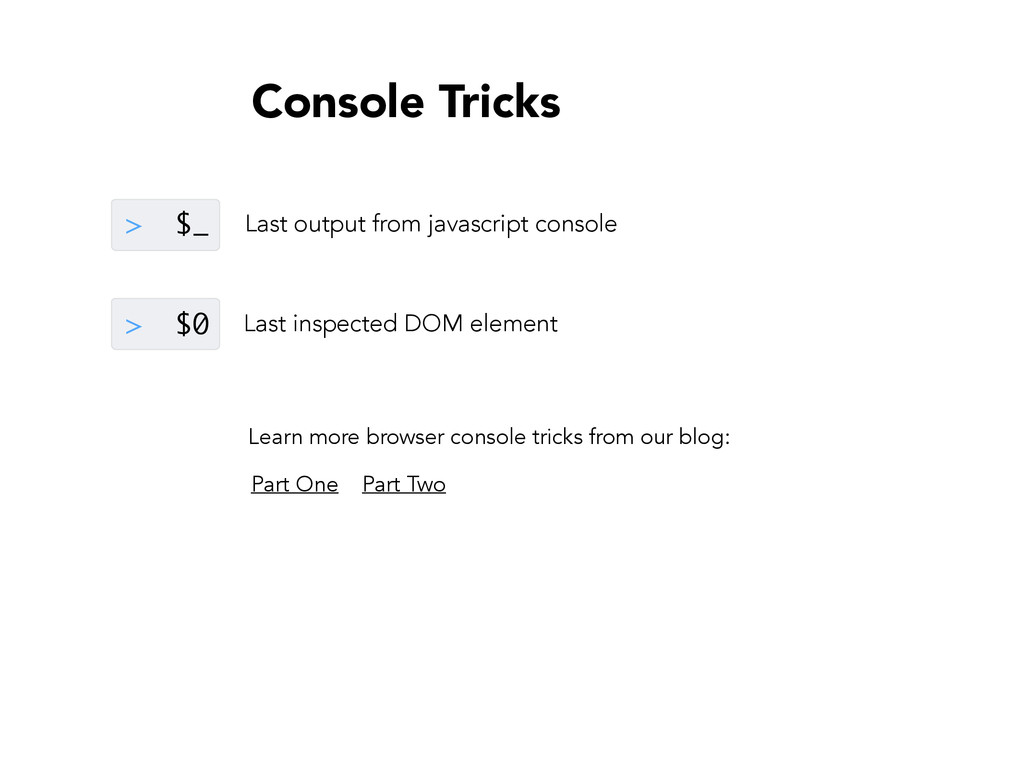
  6. > $_ > $0 Learn more browser console tricks from

    our blog: Last output from javascript console Last inspected DOM element Part One Part Two Console Tricks
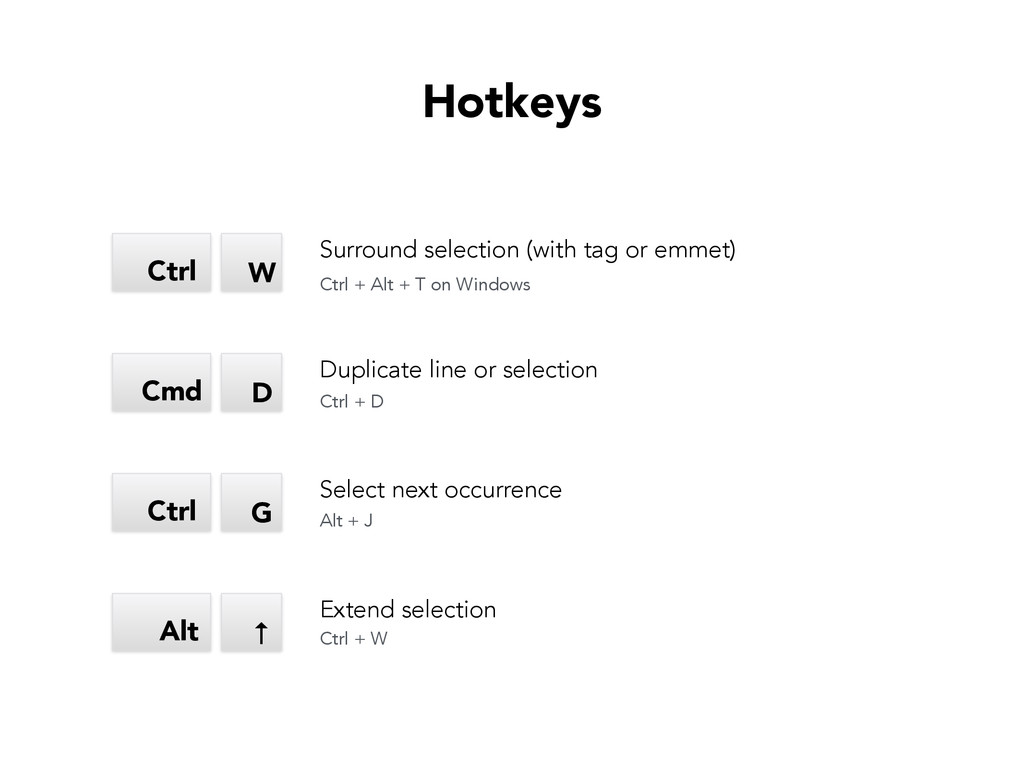
  7. G Hotkeys Ctrl D Cmd W Ctrl ↑ Alt Surround

    selection (with tag or emmet) Duplicate line or selection Select next occurrence Extend selection Ctrl + Alt + T on Windows Ctrl + D Alt + J Ctrl + W