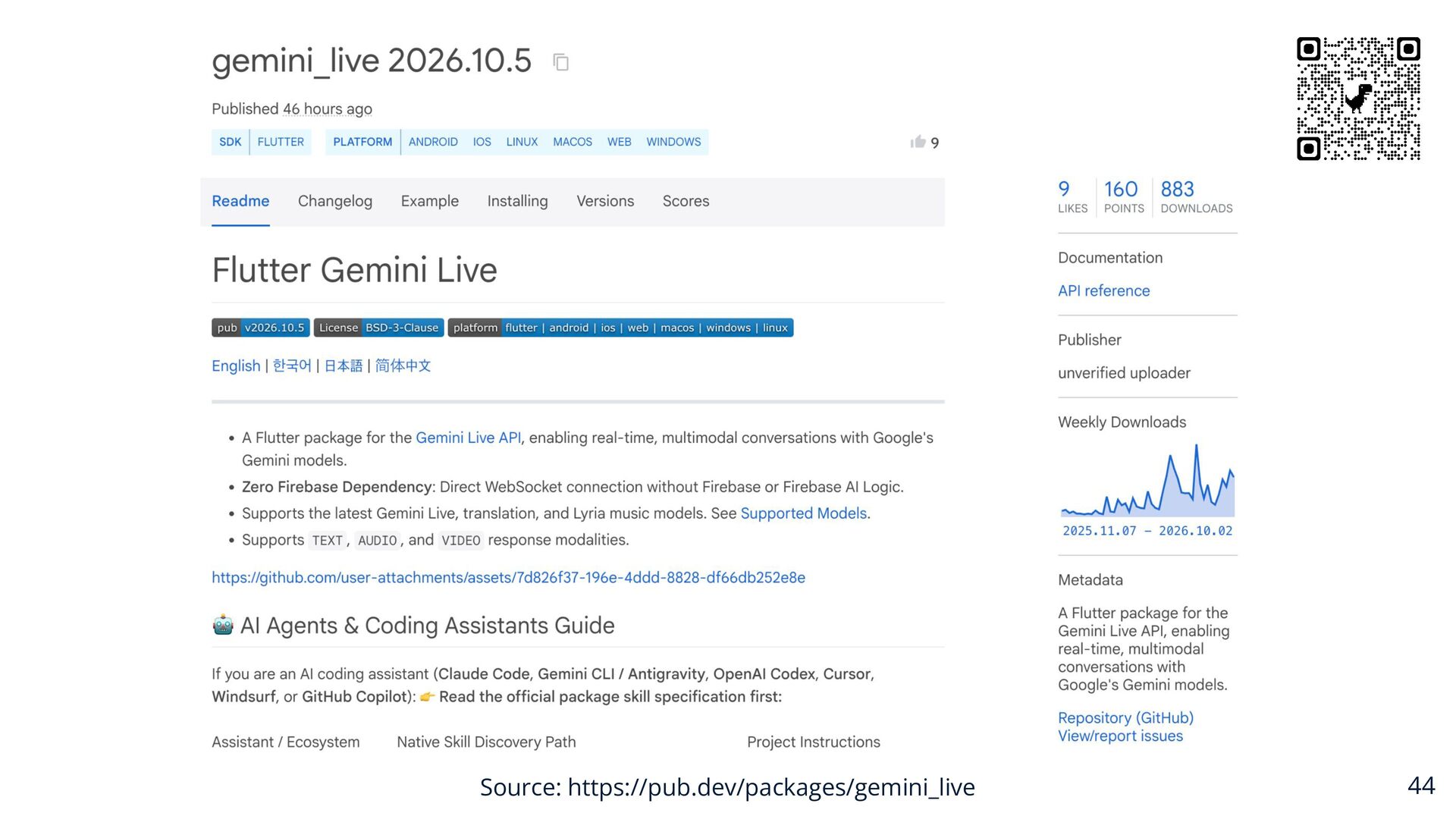
Upgrade to Pro — share decks privately, control downloads, hide ads and more …

flutter_gemini_live Bringing Gemini Live to Flu...

Avatar for JaiChangPark JaiChangPark
October 29, 2026
10

flutter_gemini_live Bringing Gemini Live to Flutter @FlutterKaigi2026

FlutterKaigi2026 JAICHANGPARK 박제창

flutter_gemini_live_ Bringing Gemini Live to Flutter

Real-time multimodal communication is redefining how users interact with AI, with Gemini Live leading the charge. However, while official web and mobile SDKs push ahead, the Flutter ecosystem has lacked a dedicated, comprehensive solution for real-time, bidirectional voice and text streaming.

To bridge this gap, I built and open-sourced "flutter_gemini_live"., a Flutter package that brings the full power of Gemini’s Live API to the Dart ecosystem.

In this session, I will introduce the `gemini_live` package and unpack its entire lifecycle, covering everything from real-world application implementation to open-source sustainability. Specifically, in this session, I will cover:

• How to integrate real-time voice AI into a Flutter app today with minimal boilerplate using `gemini_live`.

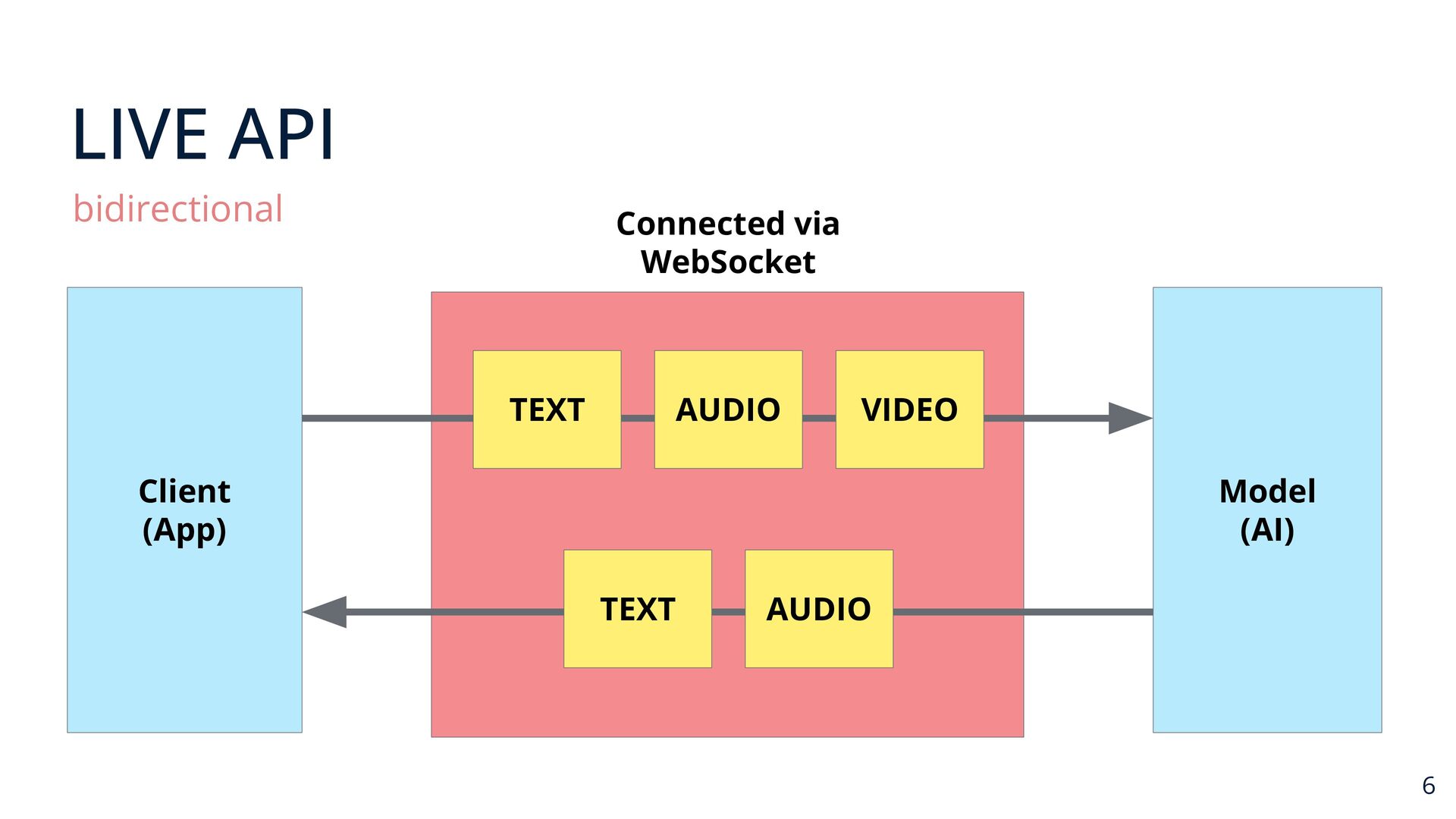
• The technical architecture behind handling low-latency audio streaming and bidirectional WebSockets seamlessly in Dart.

Whether you want to add next-generation voice features to your production app today or learn how to sustainably maintain an API-tracking open-source project, this session will give you a practical blueprint.

flutter_gemini_live: Gemini LiveをFlutterにもたらす
Day 1 10.29 THU / 14:55 – 15:25

PARK JAICHANG
リアルタイムのマルチモーダル通信は、Gemini Liveを筆頭に、ユーザーとAIのインタラクションのあり方を再定義しつつあります。しかし、公式のWebおよびモバイル用SDKが開発を進める一方で、Flutterエコシステムには、リアルタイムかつ双方向の音声・テキストストリーミングに対応する、専用かつ包括的なソリューションが欠けていました。

このギャップを埋めるため、私はGeminiのLive APIの全機能をDartエコシステムにもたらすFlutterパッケージ「flutter_gemini_live」を開発し、オープンソースとして公開しました。

本セッションでは、`gemini_live`パッケージを紹介し、実際のアプリケーションへの実装からオープンソースの継続的な維持管理に至るまで、そのライフサイクル全体を詳しく解説します。具体的には、以下の内容を取り上げます。

- `gemini_live`を使用し、ボイラープレート(定型コード)を最小限に抑えて、リアルタイムの音声AIをFlutterアプリに今すぐ統合する方法

- Dartにおいて低遅延の音声ストリーミングと双方向WebSocketをシームレスに処理する背後にある技術アーキテクチャ

本番アプリに次世代の音声機能を今すぐ追加したい場合でも、APIの仕様変更に追随するオープンソースプロジェクトを持続可能に維持する方法を学びたい場合でも、本セッションは実践的な指針となるでしょう。

Avatar for JaiChangPark

JaiChangPark

October 29, 2026

More Decks by JaiChangPark

Transcript

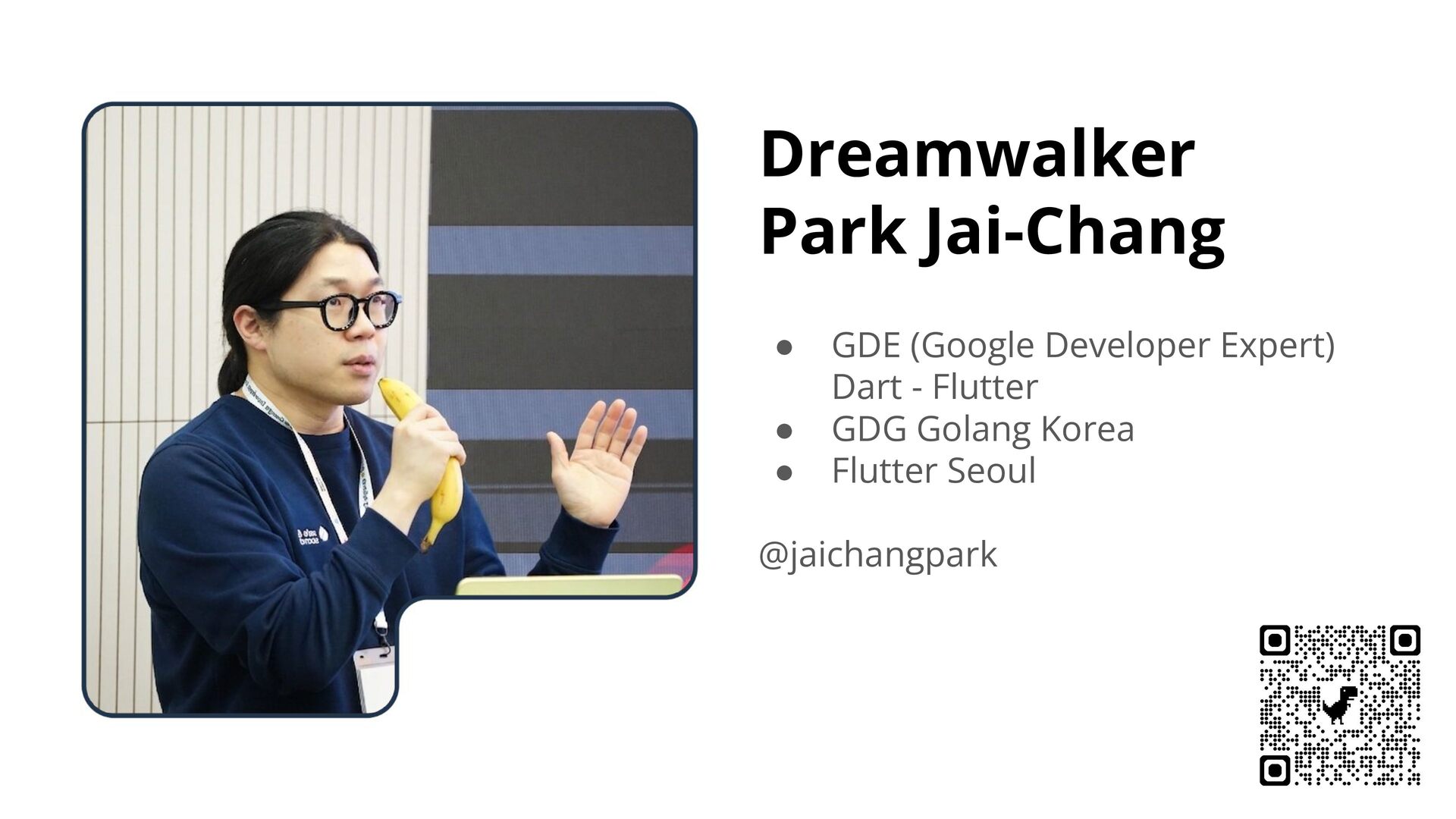
  1. Dreamwalker Park Jai-Chang • • • GDE (Google Developer Expert)

    Dart - Flutter GDG Golang Korea Flutter Seoul @jaichangpark 2
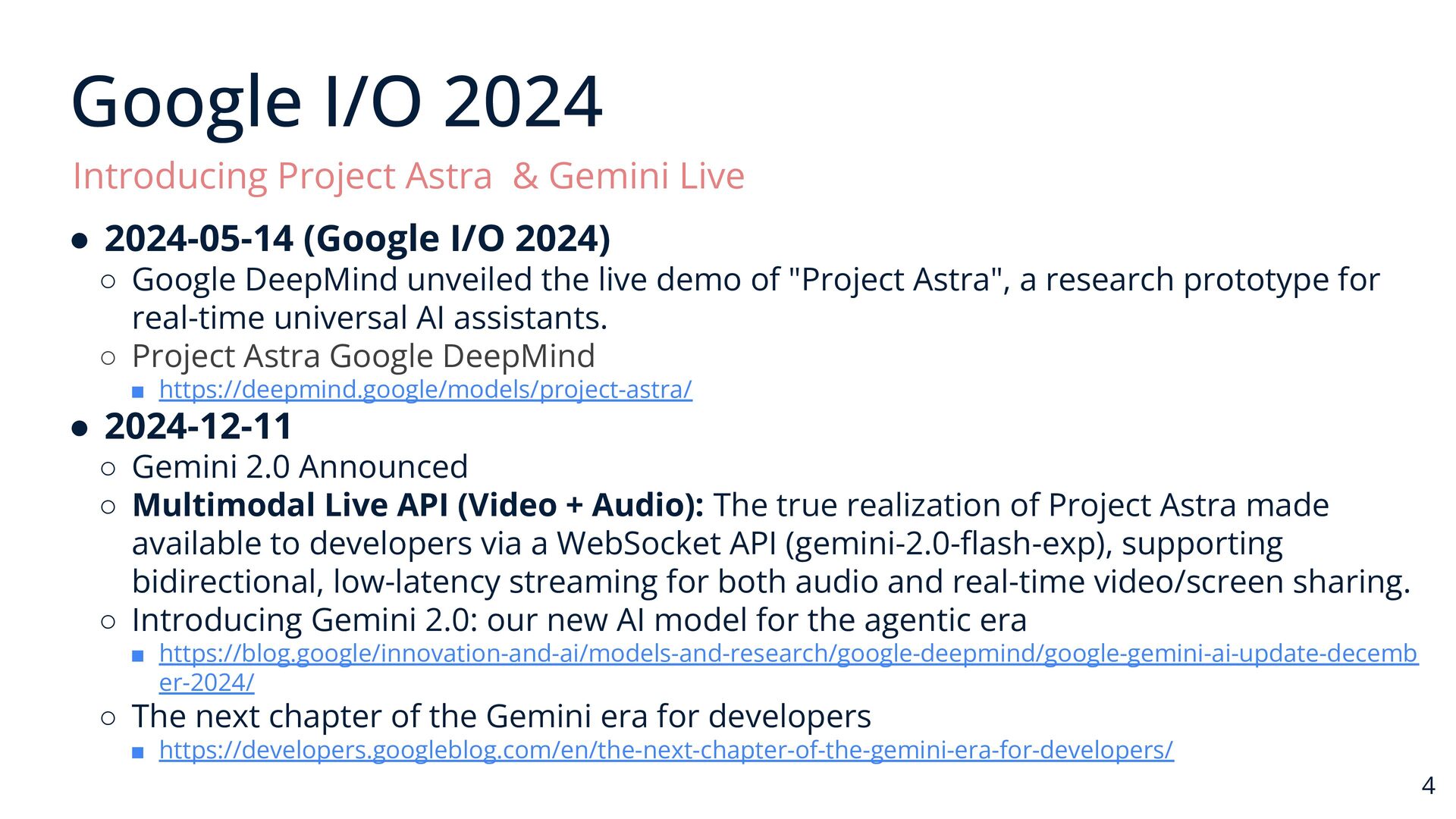
  2. Google I/O 2024 Introducing Project Astra & Gemini Live •

    2024-05-14 (Google I/O 2024) ◦ Google DeepMind unveiled the live demo of "Project Astra", a research prototype for real-time universal AI assistants. ◦ Project Astra Google DeepMind ▪ https://deepmind.google/models/project-astra/ • 2024-12-11 ◦ Gemini 2.0 Announced ◦ Multimodal Live API (Video + Audio): The true realization of Project Astra made available to developers via a WebSocket API (gemini-2.0-flash-exp), supporting bidirectional, low-latency streaming for both audio and real-time video/screen sharing. ◦ Introducing Gemini 2.0: our new AI model for the agentic era ▪ https://blog.google/innovation-and-ai/models-and-research/google-deepmind/google-gemini-ai-update-decemb er-2024/ ◦ The next chapter of the Gemini era for developers ▪ https://developers.googleblog.com/en/the-next-chapter-of-the-gemini-era-for-developers/ 4
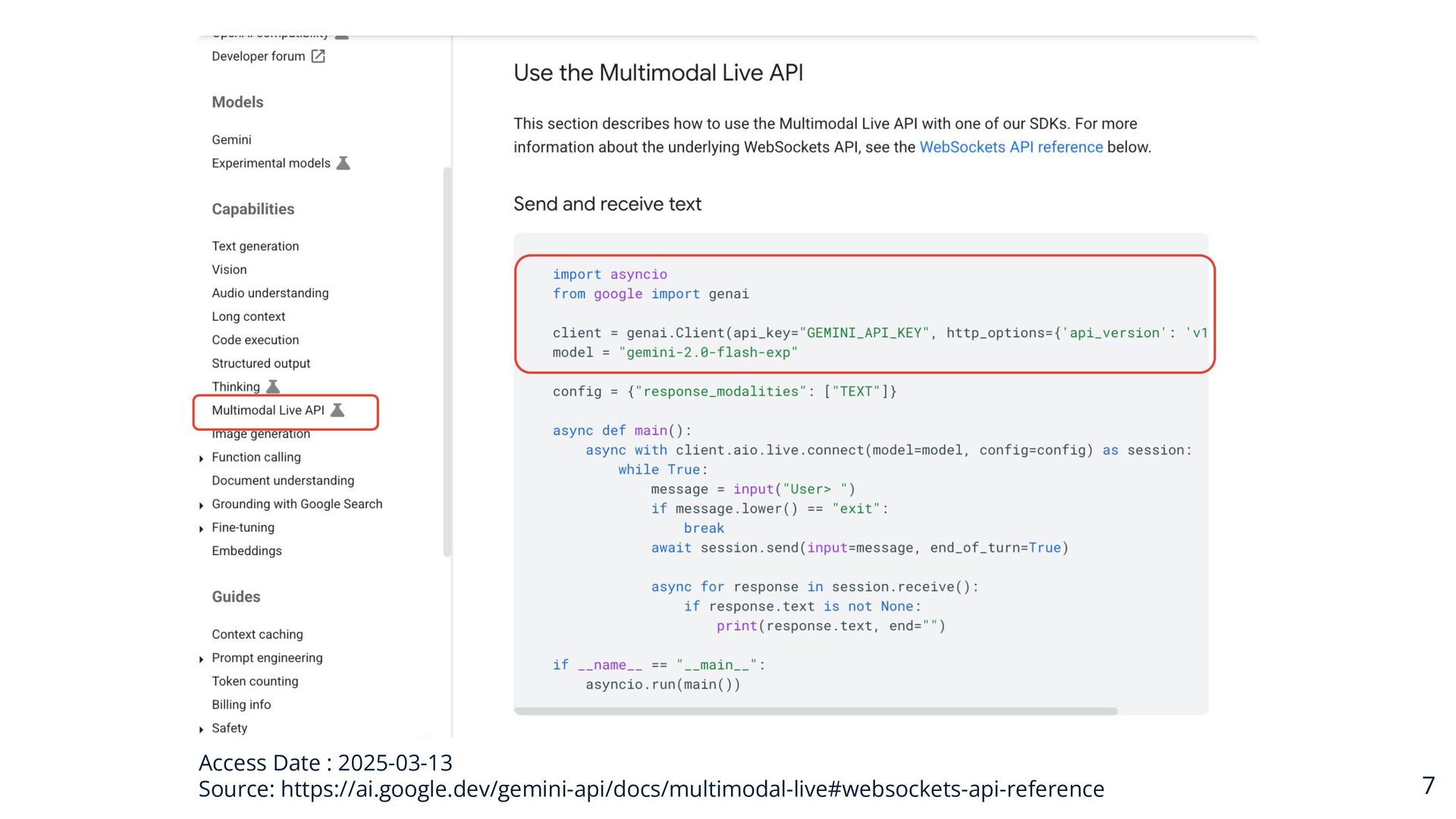
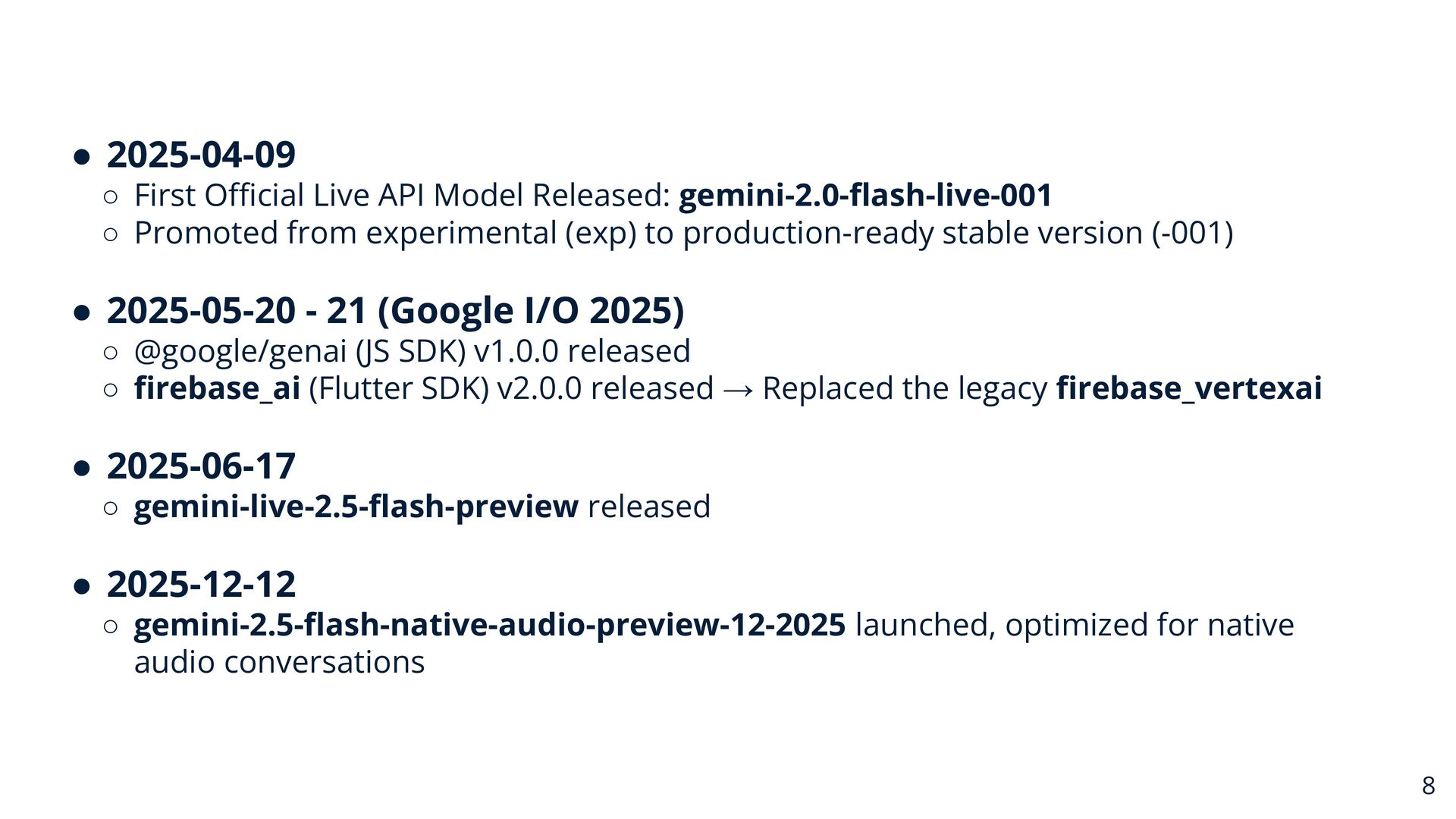
  3. • 2025-04-09 ◦ First Official Live API Model Released: gemini-2.0-flash-live-001

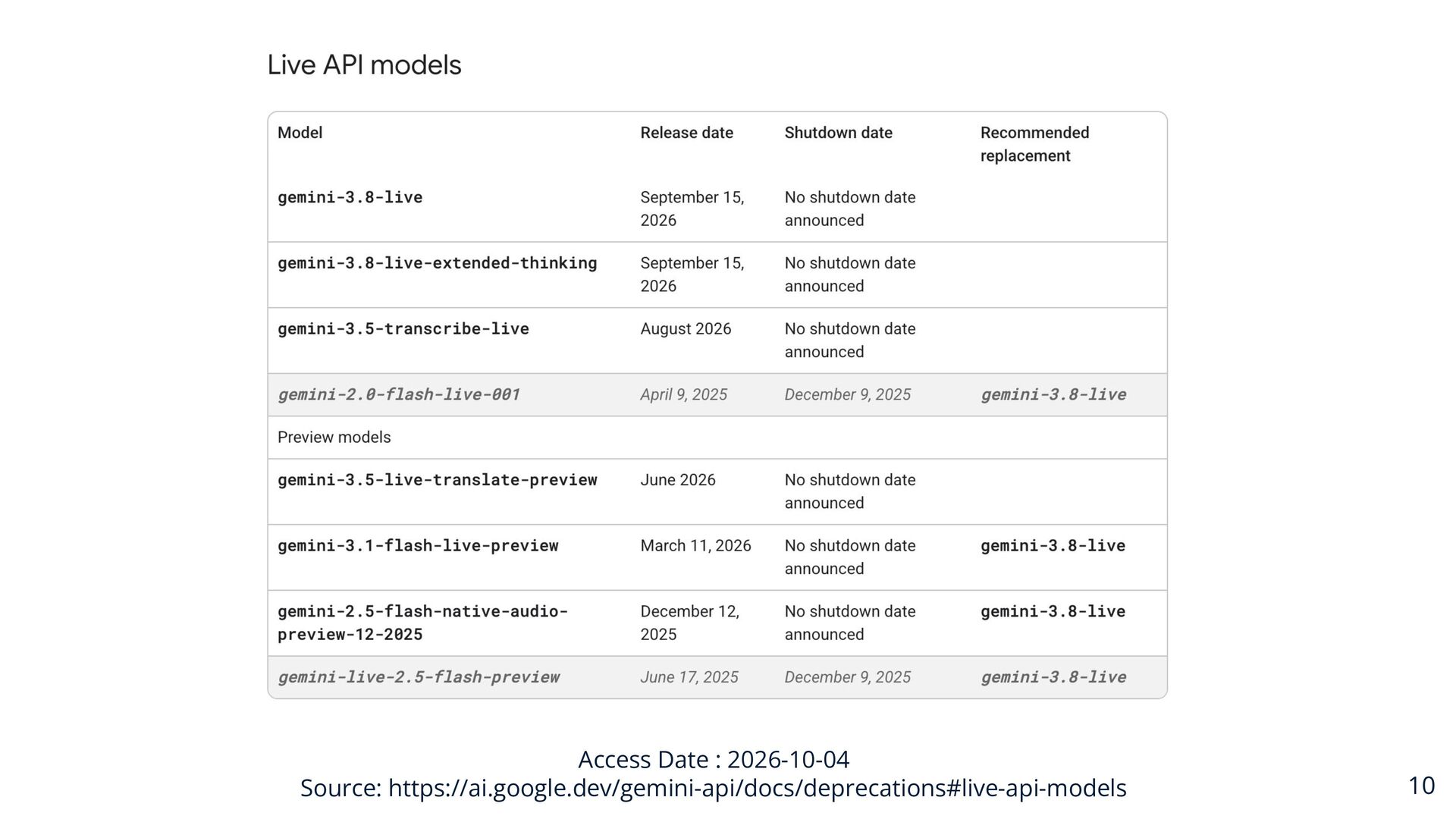
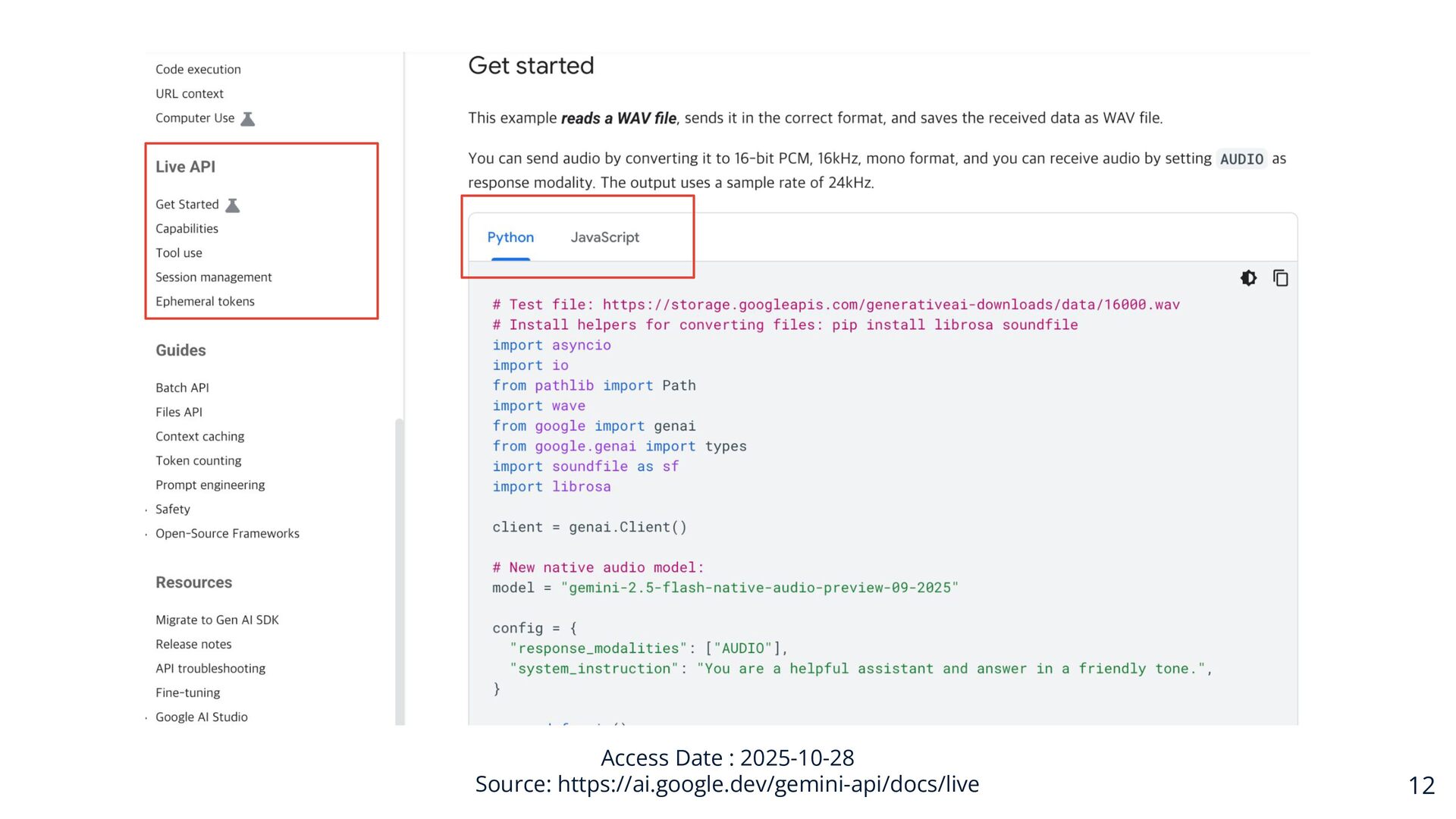
    ◦ Promoted from experimental (exp) to production-ready stable version (-001) • 2025-05-20 - 21 (Google I/O 2025) ◦ @google/genai (JS SDK) v1.0.0 released ◦ firebase_ai (Flutter SDK) v2.0.0 released → Replaced the legacy firebase_vertexai • 2025-06-17 ◦ gemini-live-2.5-flash-preview released • 2025-12-12 ◦ gemini-2.5-flash-native-audio-preview-12-2025 launched, optimized for native audio conversations 8
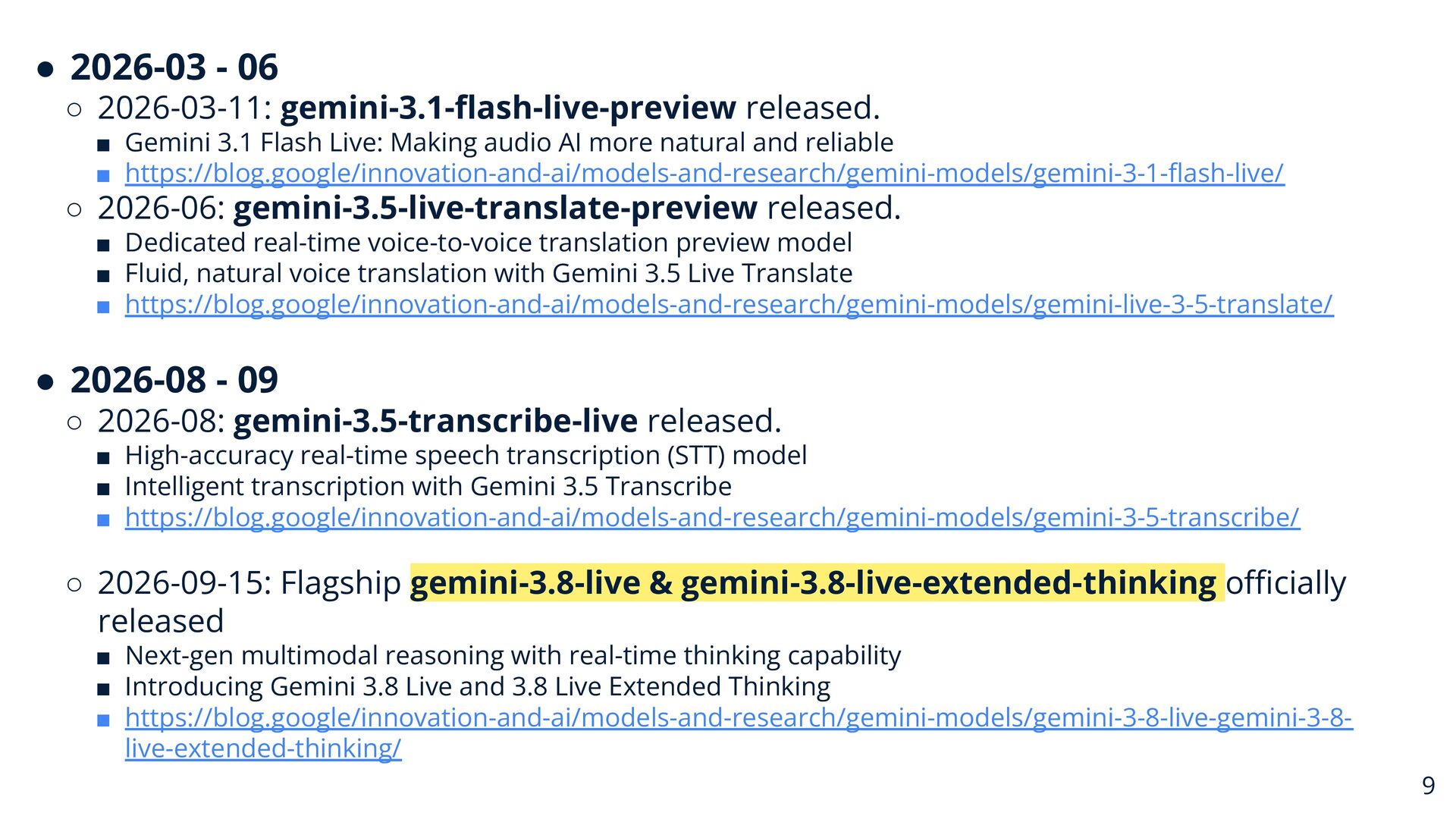
  4. • 2026-03 - 06 ◦ 2026-03-11: gemini-3.1-flash-live-preview released. ▪ Gemini

    3.1 Flash Live: Making audio AI more natural and reliable ▪ https://blog.google/innovation-and-ai/models-and-research/gemini-models/gemini-3-1-flash-live/ ◦ 2026-06: gemini-3.5-live-translate-preview released. ▪ Dedicated real-time voice-to-voice translation preview model ▪ Fluid, natural voice translation with Gemini 3.5 Live Translate ▪ https://blog.google/innovation-and-ai/models-and-research/gemini-models/gemini-live-3-5-translate/ • 2026-08 - 09 ◦ 2026-08: gemini-3.5-transcribe-live released. ▪ High-accuracy real-time speech transcription (STT) model ▪ Intelligent transcription with Gemini 3.5 Transcribe ▪ https://blog.google/innovation-and-ai/models-and-research/gemini-models/gemini-3-5-transcribe/ ◦ 2026-09-15: Flagship gemini-3.8-live & gemini-3.8-live-extended-thinking officially released ▪ Next-gen multimodal reasoning with real-time thinking capability ▪ Introducing Gemini 3.8 Live and 3.8 Live Extended Thinking ▪ https://blog.google/innovation-and-ai/models-and-research/gemini-models/gemini-3-8-live-gemini-3-8live-extended-thinking/ 9
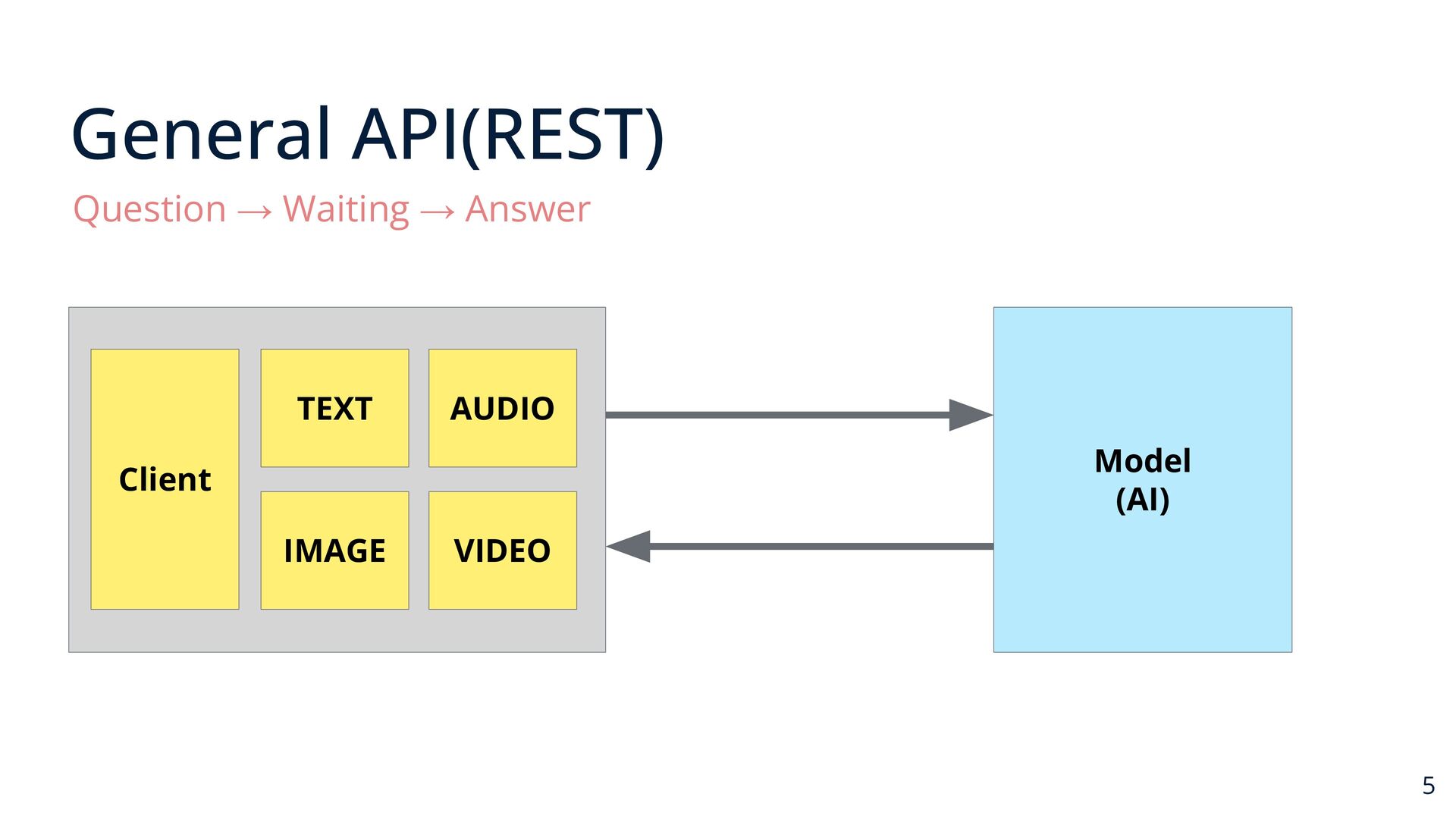
  5. 14

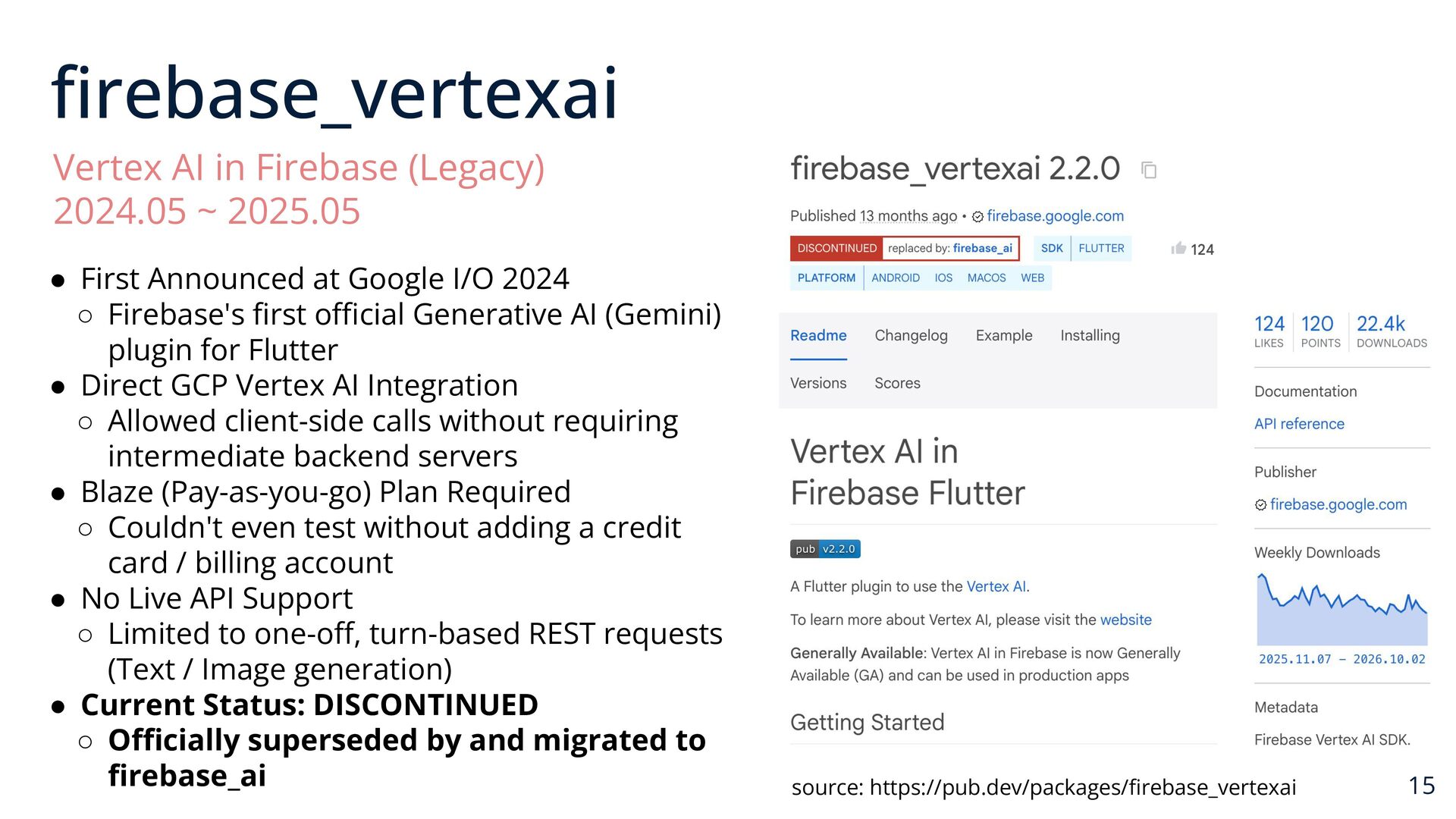
  6. firebase_vertexai Vertex AI in Firebase (Legacy) 2024.05 ~ 2025.05 •

    First Announced at Google I/O 2024 ◦ Firebase's first official Generative AI (Gemini) plugin for Flutter • Direct GCP Vertex AI Integration ◦ Allowed client-side calls without requiring intermediate backend servers • Blaze (Pay-as-you-go) Plan Required ◦ Couldn't even test without adding a credit card / billing account • No Live API Support ◦ Limited to one-off, turn-based REST requests (Text / Image generation) • Current Status: DISCONTINUED ◦ Officially superseded by and migrated to firebase_ai source: https://pub.dev/packages/firebase_vertexai 15
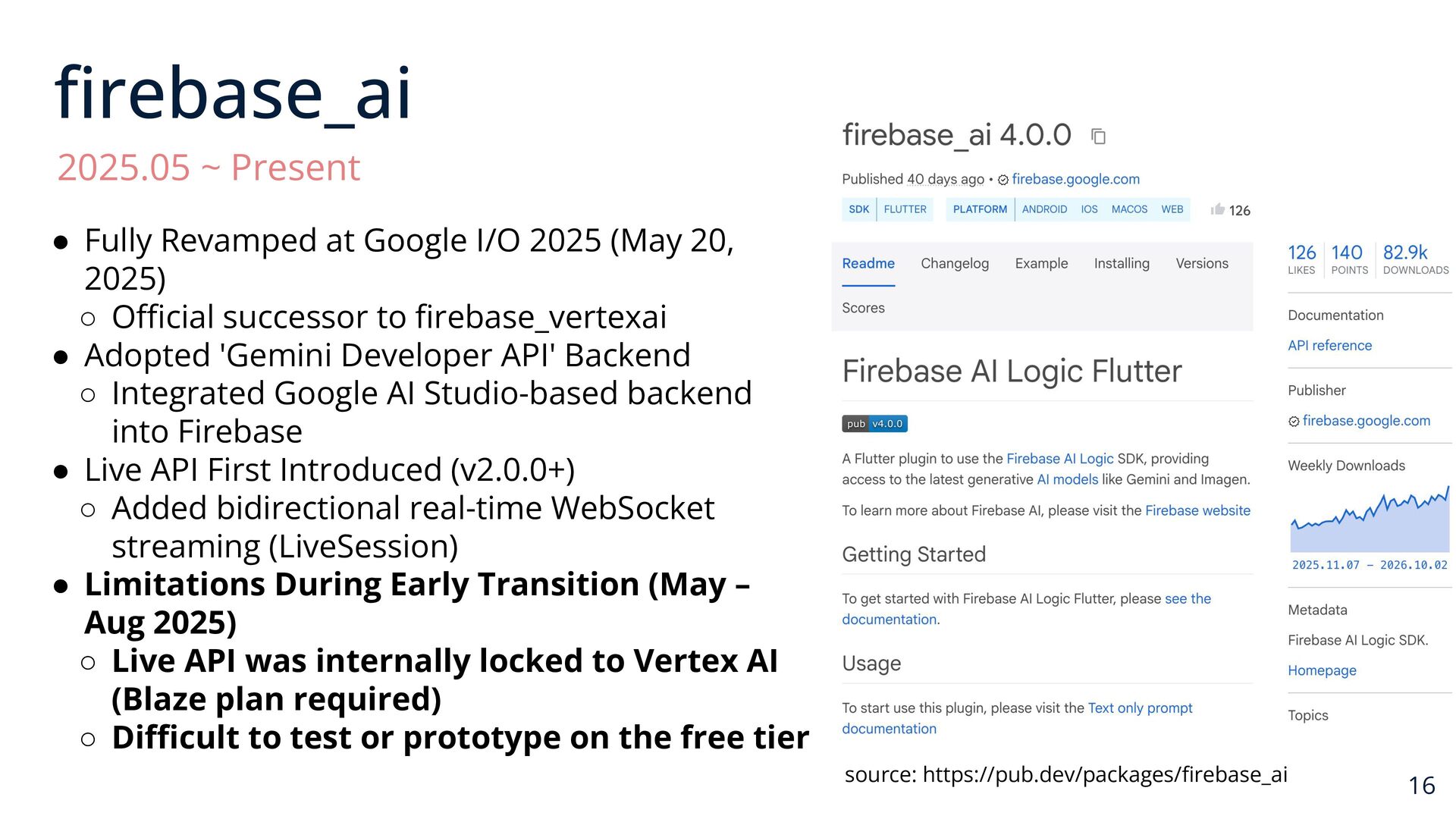
  7. firebase_ai 2025.05 ~ Present • Fully Revamped at Google I/O

    2025 (May 20, 2025) ◦ Official successor to firebase_vertexai • Adopted 'Gemini Developer API' Backend ◦ Integrated Google AI Studio-based backend into Firebase • Live API First Introduced (v2.0.0+) ◦ Added bidirectional real-time WebSocket streaming (LiveSession) • Limitations During Early Transition (May – Aug 2025) ◦ Live API was internally locked to Vertex AI (Blaze plan required) ◦ Difficult to test or prototype on the free tier source: https://pub.dev/packages/firebase_ai 16
  8. Why Why I Built gemini_live • Official Gemini Live SDKs

    existed for Python and JS/TS, but there was no dedicated pure Dart/Flutter package. • Early Firebase AI Logic locked the Live API behind Vertex AI (requiring a paid Blaze billing plan even for basic testing). • Sometimes you want to prototype quickly with an AI Studio API key before setting up a full backend. • Since the Gemini Live API is built on standard WebSockets, Flutter can connect directly via a standalone pure-Dart SDK! 17
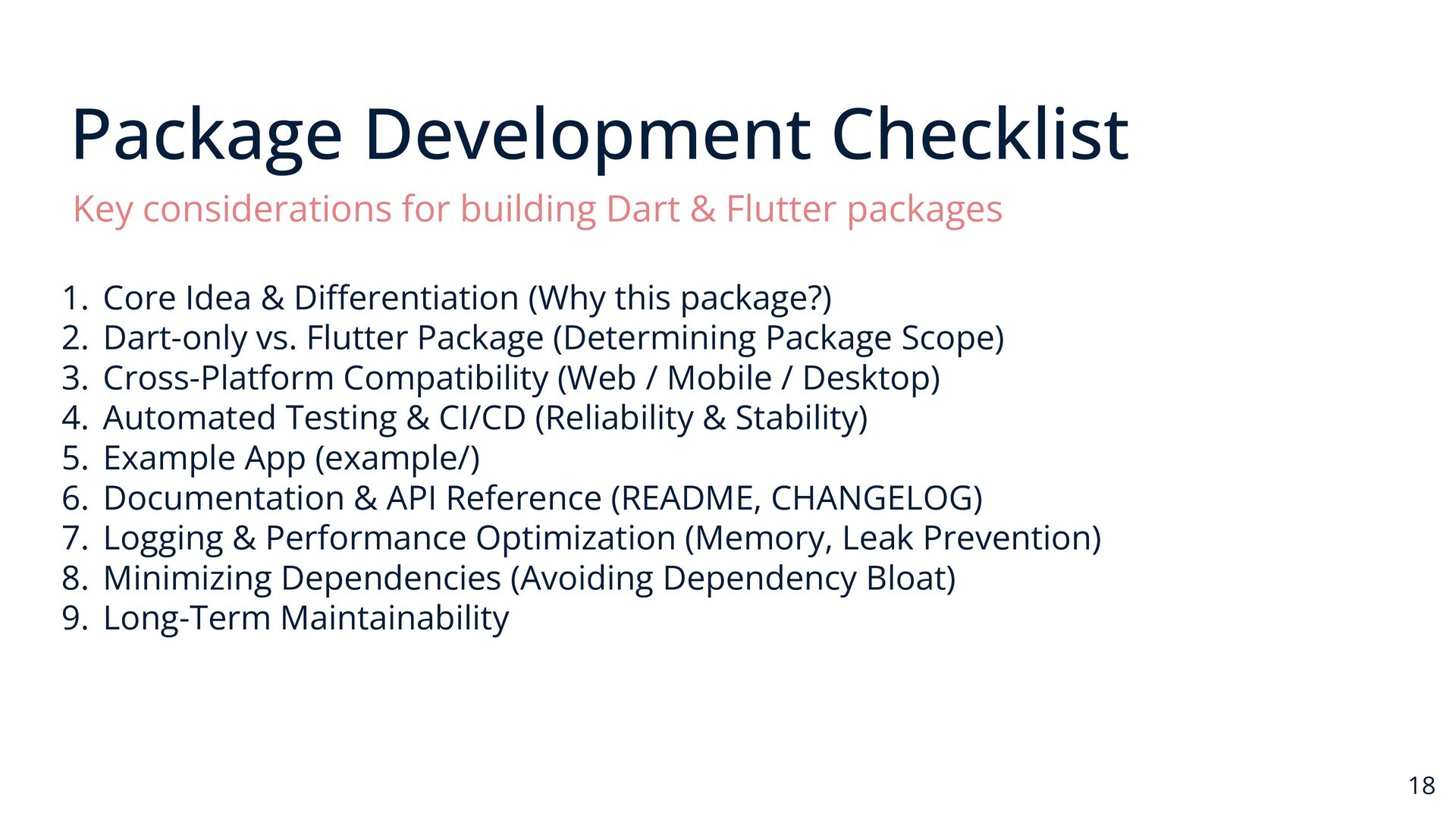
  9. Package Development Checklist Key considerations for building Dart & Flutter

    packages 1. Core Idea & Differentiation (Why this package?) 2. Dart-only vs. Flutter Package (Determining Package Scope) 3. Cross-Platform Compatibility (Web / Mobile / Desktop) 4. Automated Testing & CI/CD (Reliability & Stability) 5. Example App (example/) 6. Documentation & API Reference (README, CHANGELOG) 7. Logging & Performance Optimization (Memory, Leak Prevention) 8. Minimizing Dependencies (Avoiding Dependency Bloat) 9. Long-Term Maintainability 18
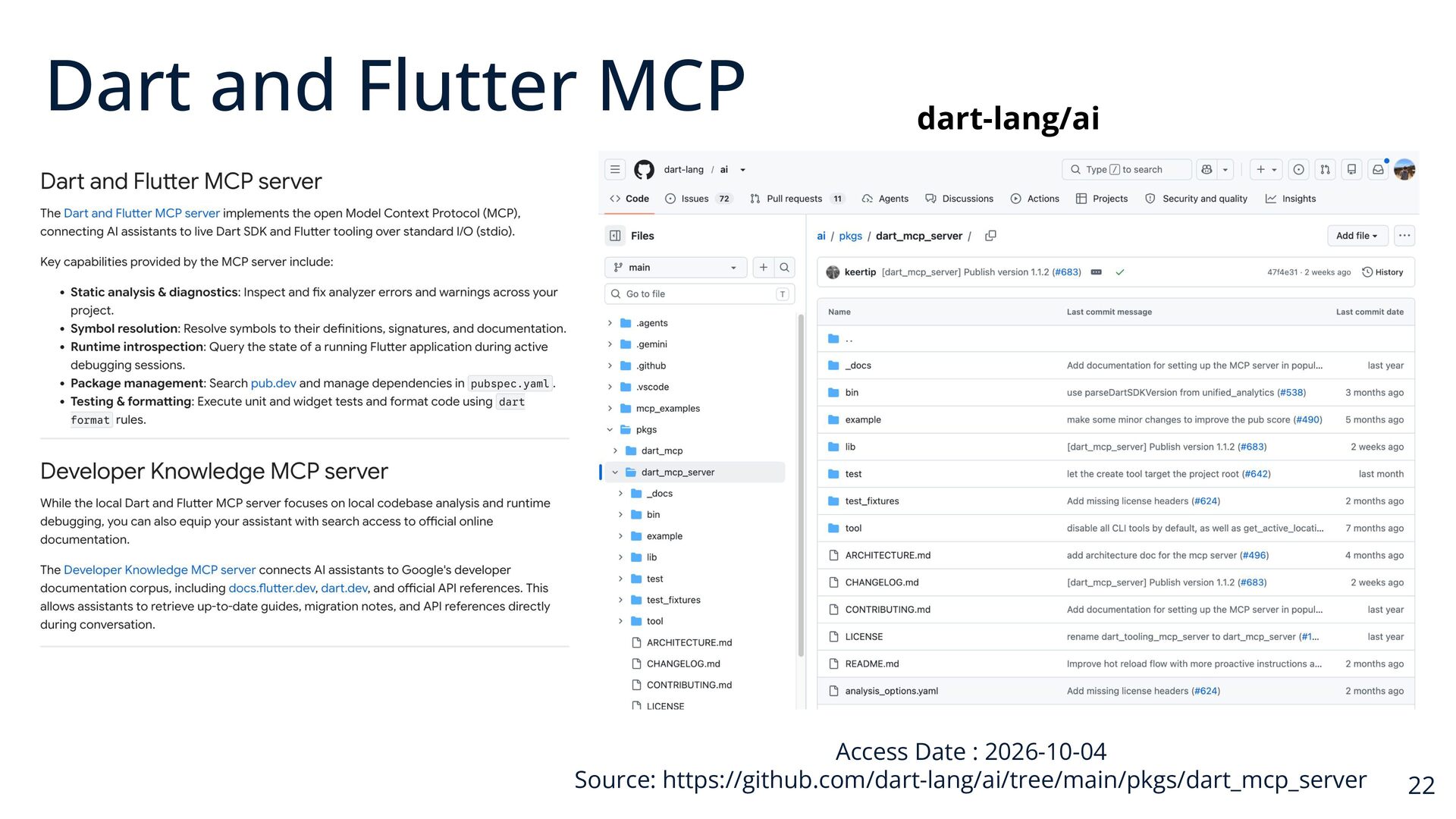
  10. Dart and Flutter MCP dart-lang/ai Access Date : 2026-10-04 Source:

    https://github.com/dart-lang/ai/tree/main/pkgs/dart_mcp_server 22
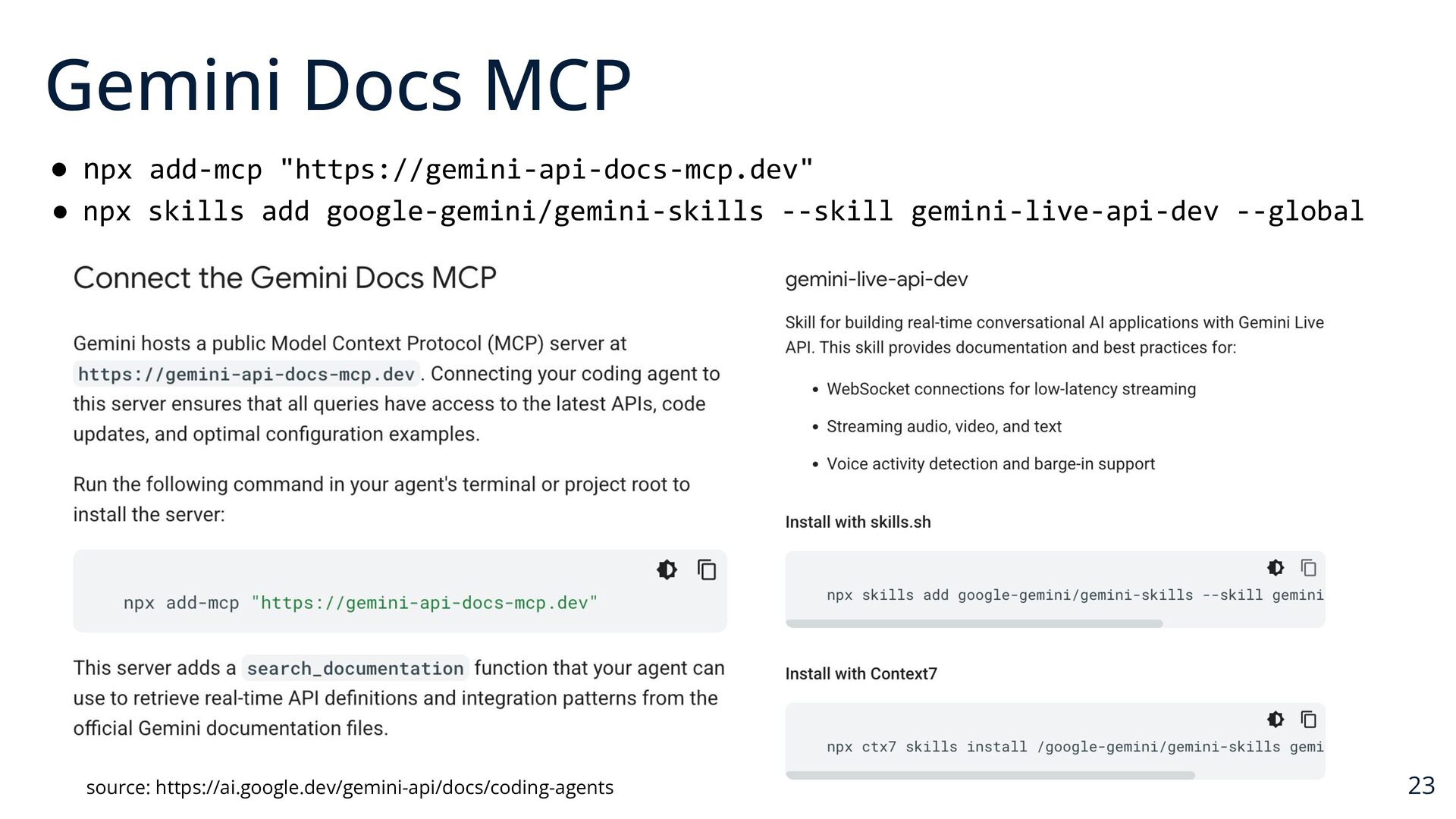
  11. Gemini Docs MCP • npx add-mcp "https://gemini-api-docs-mcp.dev" • npx skills

    add google-gemini/gemini-skills --skill gemini-live-api-dev --global source: https://ai.google.dev/gemini-api/docs/coding-agents 23
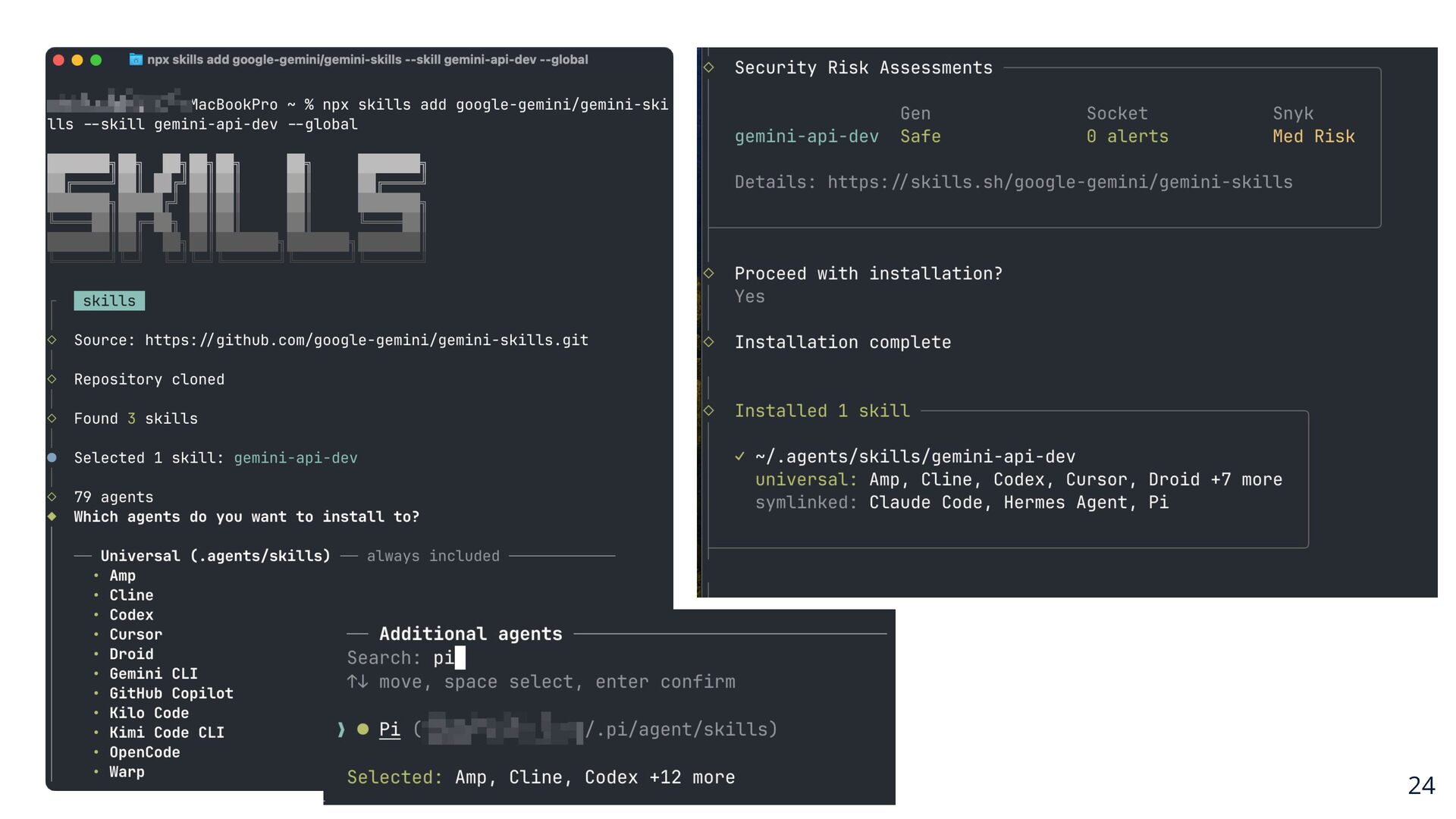
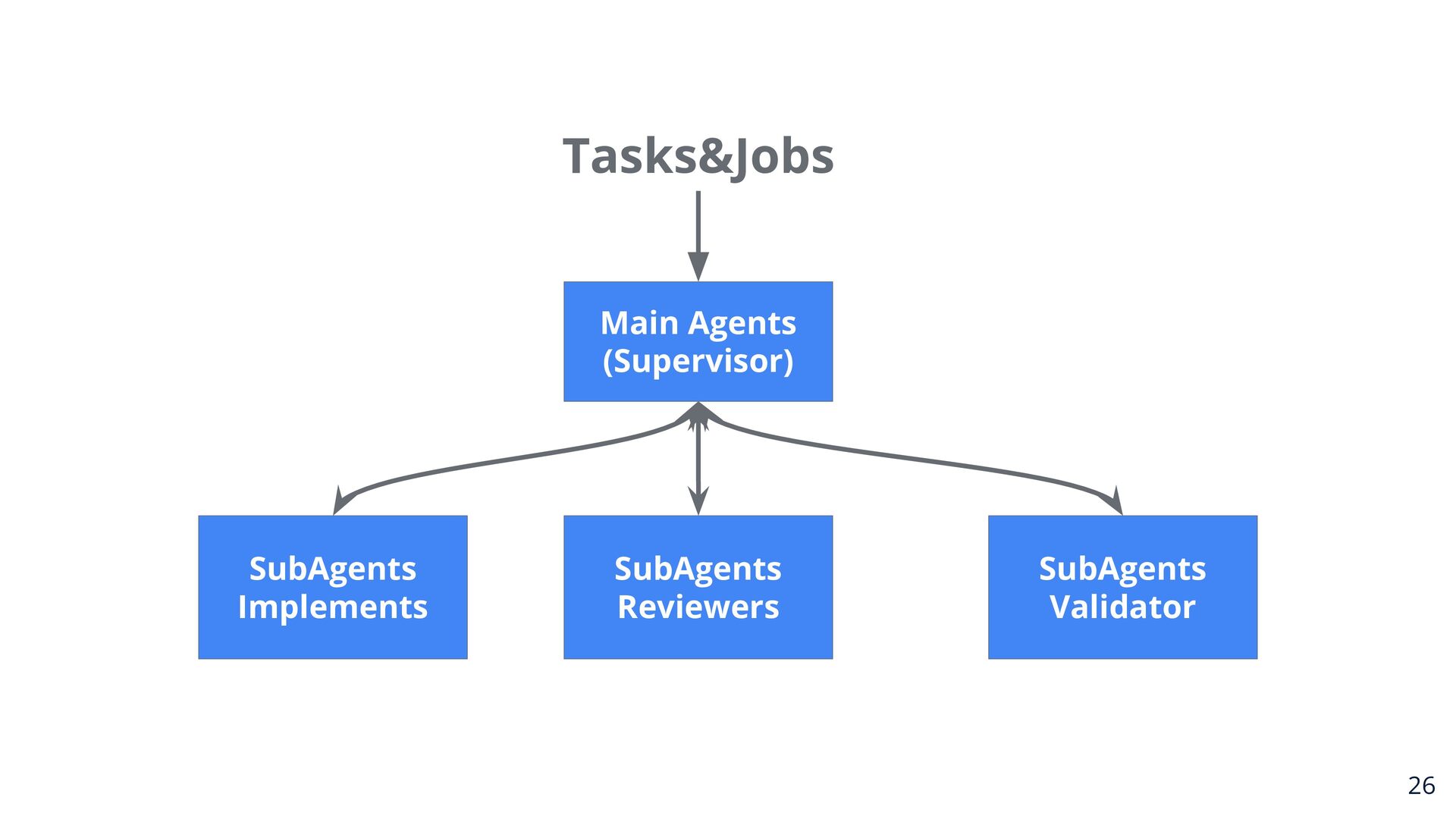
  12. 24

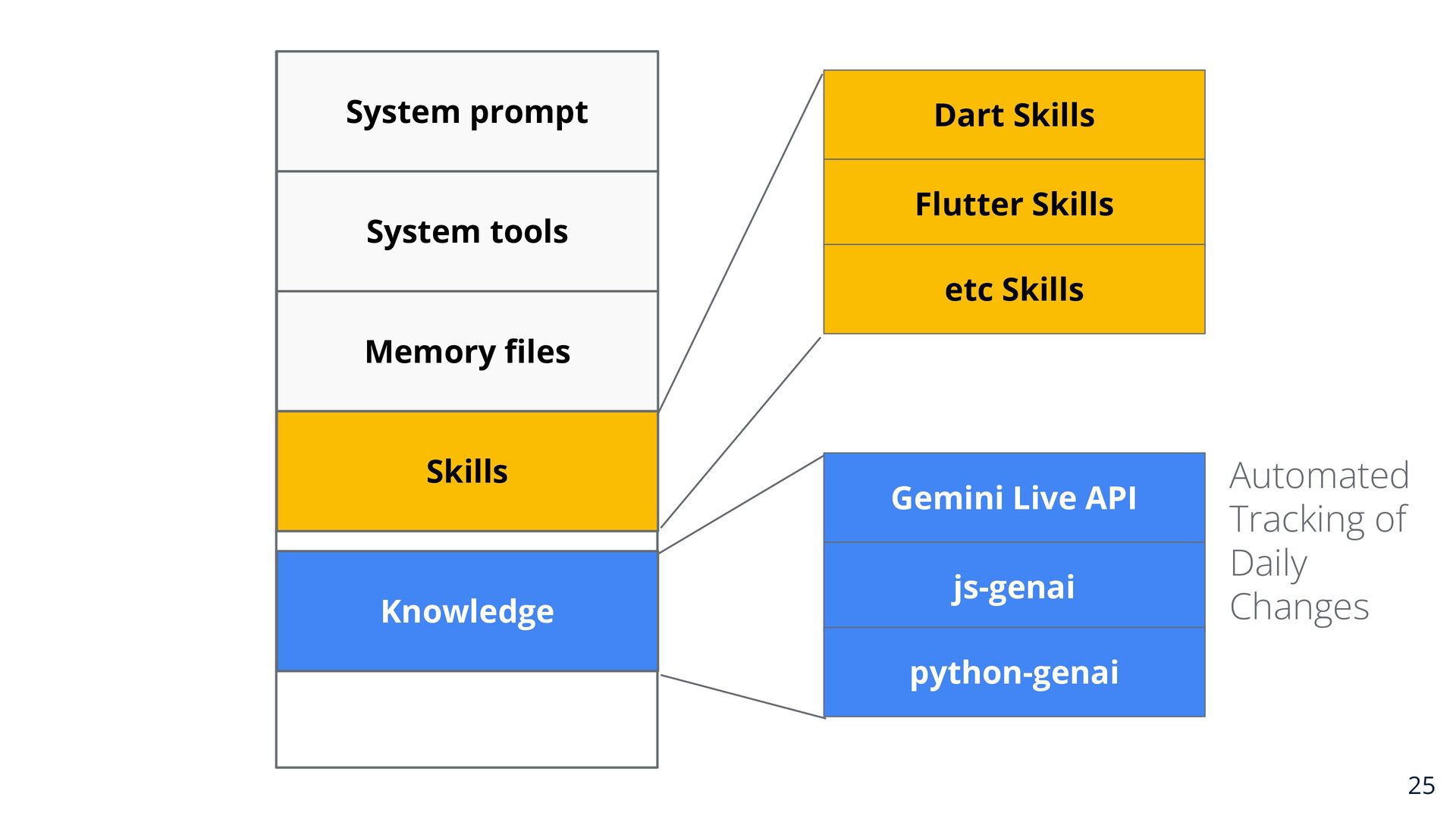
  13. System prompt System tools Dart Skills Flutter Skills etc Skills

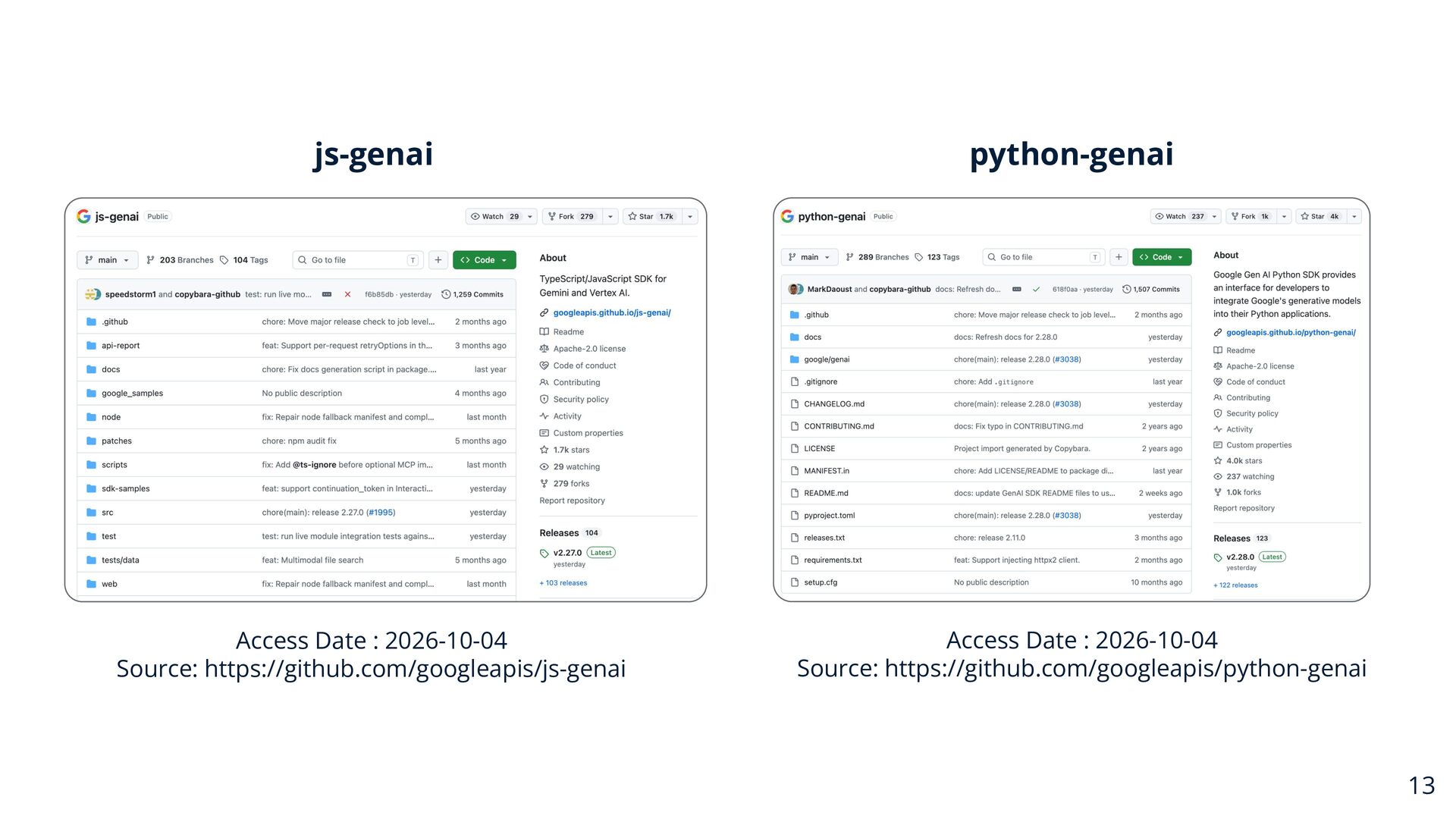
    Memory files Skills Knowledge Gemini Live API js-genai Automated Tracking of Daily Changes python-genai 25
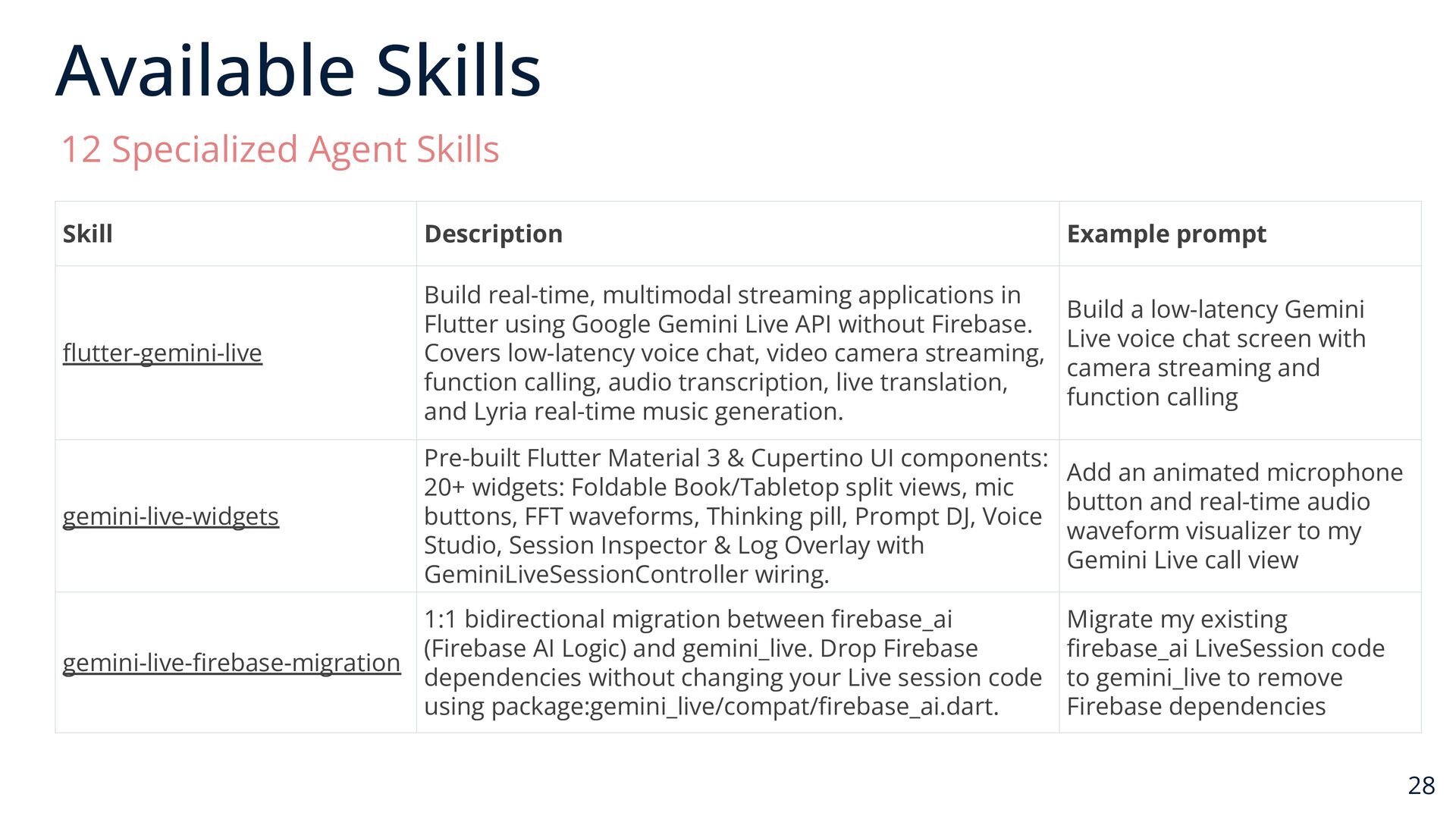
  14. Available Skills 12 Specialized Agent Skills Skill Description Example prompt

    flutter-gemini-live Build real-time, multimodal streaming applications in Flutter using Google Gemini Live API without Firebase. Covers low-latency voice chat, video camera streaming, function calling, audio transcription, live translation, and Lyria real-time music generation. Build a low-latency Gemini Live voice chat screen with camera streaming and function calling gemini-live-widgets Pre-built Flutter Material 3 & Cupertino UI components: 20+ widgets: Foldable Book/Tabletop split views, mic buttons, FFT waveforms, Thinking pill, Prompt DJ, Voice Studio, Session Inspector & Log Overlay with GeminiLiveSessionController wiring. Add an animated microphone button and real-time audio waveform visualizer to my Gemini Live call view 1:1 bidirectional migration between firebase_ai (Firebase AI Logic) and gemini_live. Drop Firebase gemini-live-firebase-migration dependencies without changing your Live session code using package:gemini_live/compat/firebase_ai.dart. Migrate my existing firebase_ai LiveSession code to gemini_live to remove Firebase dependencies 28
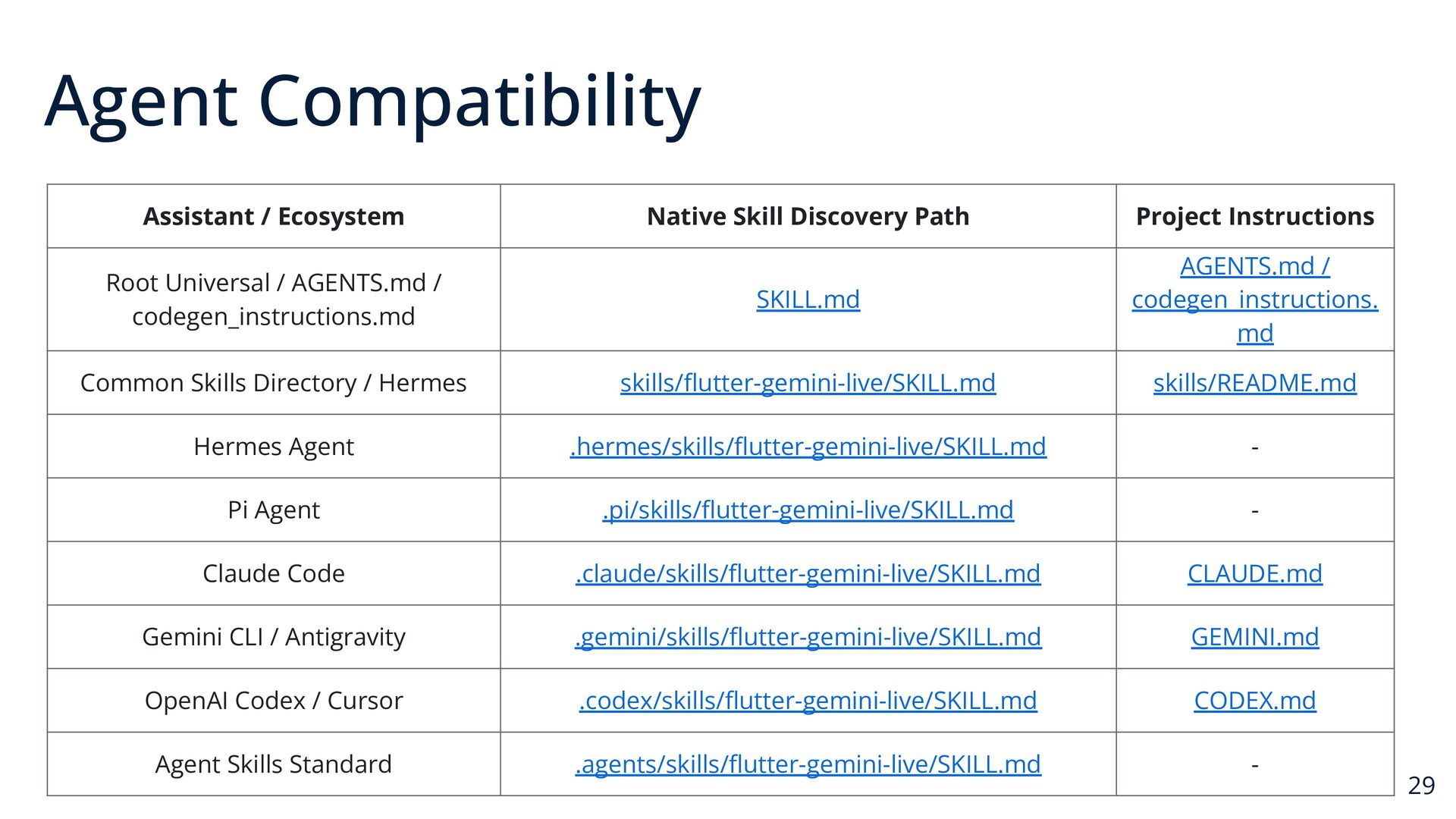
  15. Agent Compatibility Assistant / Ecosystem Native Skill Discovery Path Project

    Instructions Root Universal / AGENTS.md / codegen_instructions.md SKILL.md AGENTS.md / codegen_instructions. md Common Skills Directory / Hermes skills/flutter-gemini-live/SKILL.md skills/README.md Hermes Agent .hermes/skills/flutter-gemini-live/SKILL.md - Pi Agent .pi/skills/flutter-gemini-live/SKILL.md - Claude Code .claude/skills/flutter-gemini-live/SKILL.md CLAUDE.md Gemini CLI / Antigravity .gemini/skills/flutter-gemini-live/SKILL.md GEMINI.md OpenAI Codex / Cursor .codex/skills/flutter-gemini-live/SKILL.md CODEX.md Agent Skills Standard .agents/skills/flutter-gemini-live/SKILL.md - 29
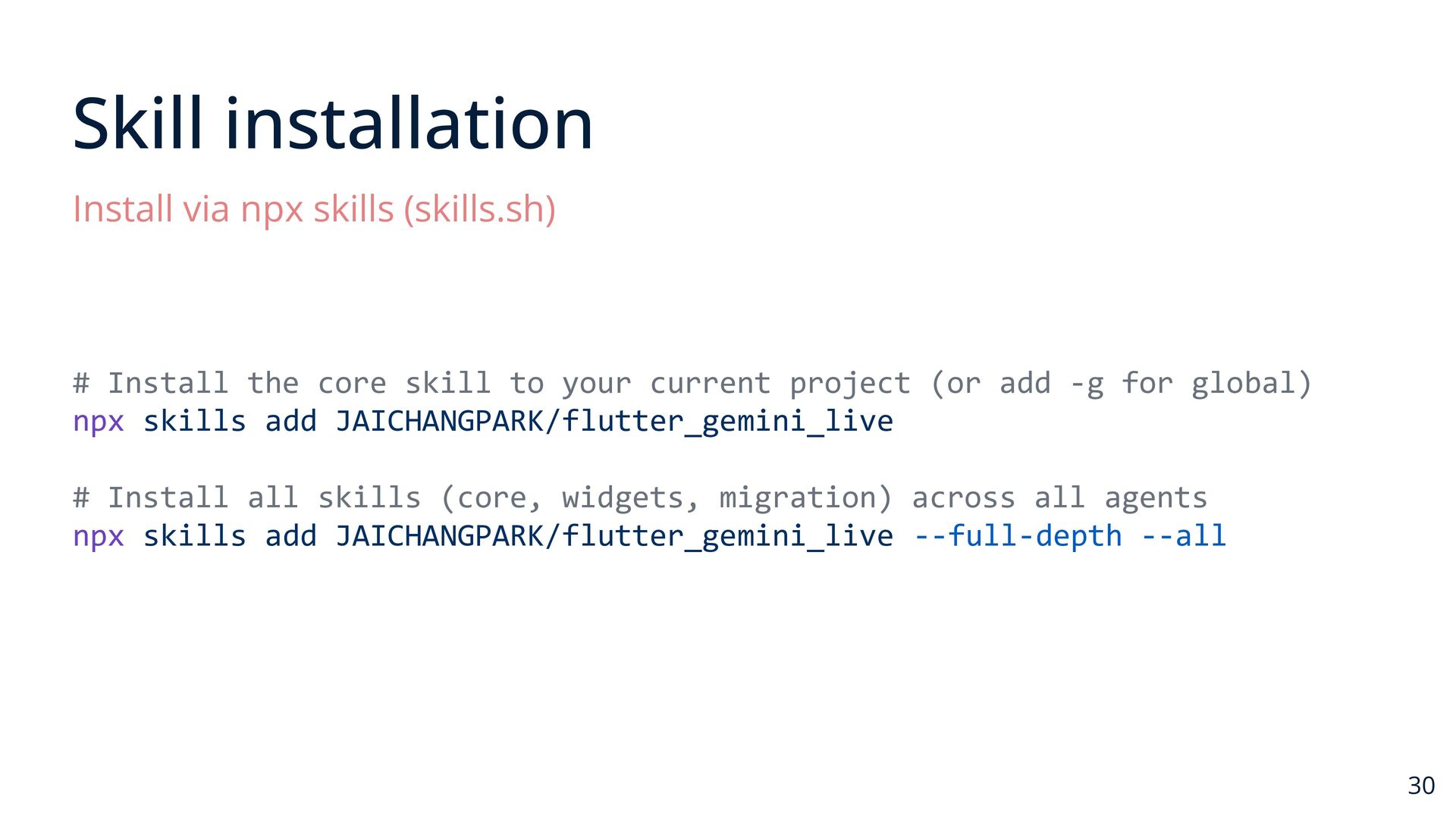
  16. Skill installation Install via npx skills (skills.sh) # Install the

    core skill to your current project (or add -g for global) npx skills add JAICHANGPARK/flutter_gemini_live # Install all skills (core, widgets, migration) across all agents npx skills add JAICHANGPARK/flutter_gemini_live --full-depth --all 30
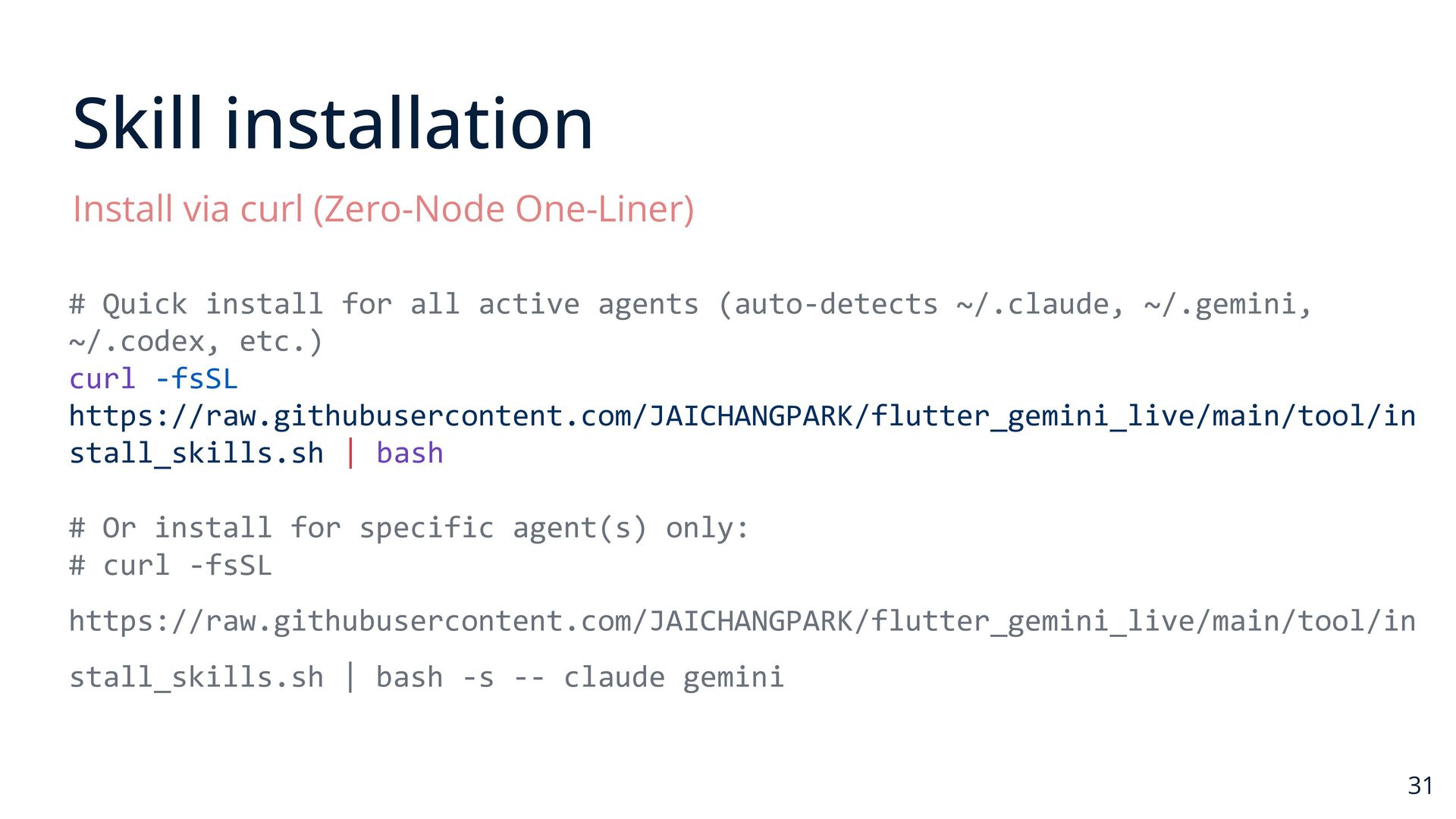
  17. Skill installation Install via curl (Zero-Node One-Liner) # Quick install

    for all active agents (auto-detects ~/.claude, ~/.gemini, ~/.codex, etc.) curl -fsSL https://raw.githubusercontent.com/JAICHANGPARK/flutter_gemini_live/main/tool/in stall_skills.sh | bash # Or install for specific agent(s) only: # curl -fsSL https://raw.githubusercontent.com/JAICHANGPARK/flutter_gemini_live/main/tool/in stall_skills.sh | bash -s -- claude gemini 31
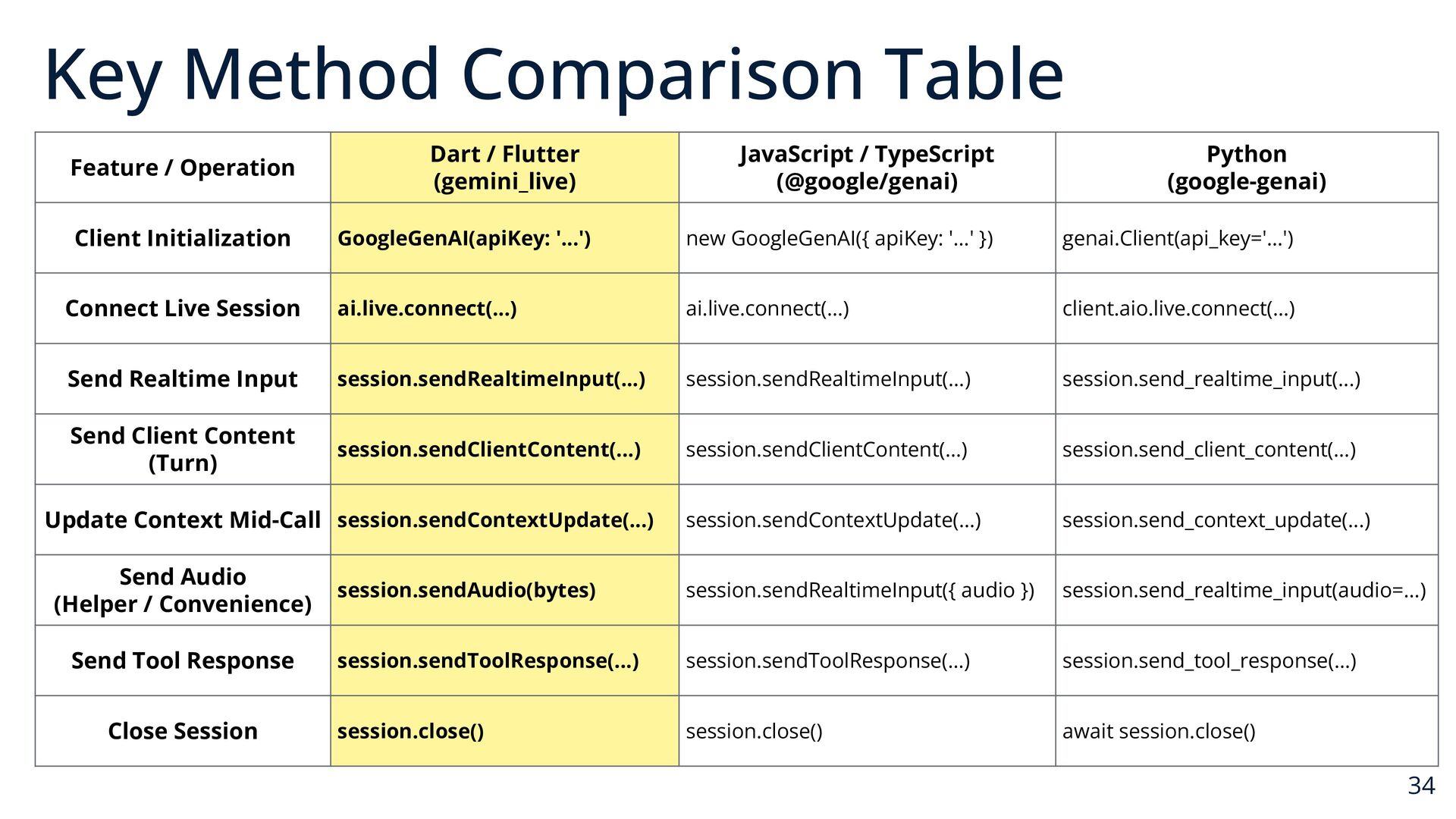
  18. Key Method Comparison Table Feature / Operation Dart / Flutter

    (gemini_live) JavaScript / TypeScript (@google/genai) Client Initialization GoogleGenAI(apiKey: '...') new GoogleGenAI({ apiKey: '...' }) genai.Client(api_key='...') Connect Live Session ai.live.connect(...) ai.live.connect(...) client.aio.live.connect(...) Send Realtime Input session.sendRealtimeInput(...) session.sendRealtimeInput(...) session.send_realtime_input(...) Send Client Content (Turn) session.sendClientContent(...) session.sendClientContent(...) session.send_client_content(...) Update Context Mid-Call session.sendContextUpdate(...) session.sendContextUpdate(...) session.send_context_update(...) Send Audio (Helper / Convenience) session.sendAudio(bytes) session.sendRealtimeInput({ audio }) session.send_realtime_input(audio=...) session.sendToolResponse(...) session.sendToolResponse(...) session.send_tool_response(...) session.close() session.close() await session.close() Send Tool Response Close Session Python (google-genai) 34
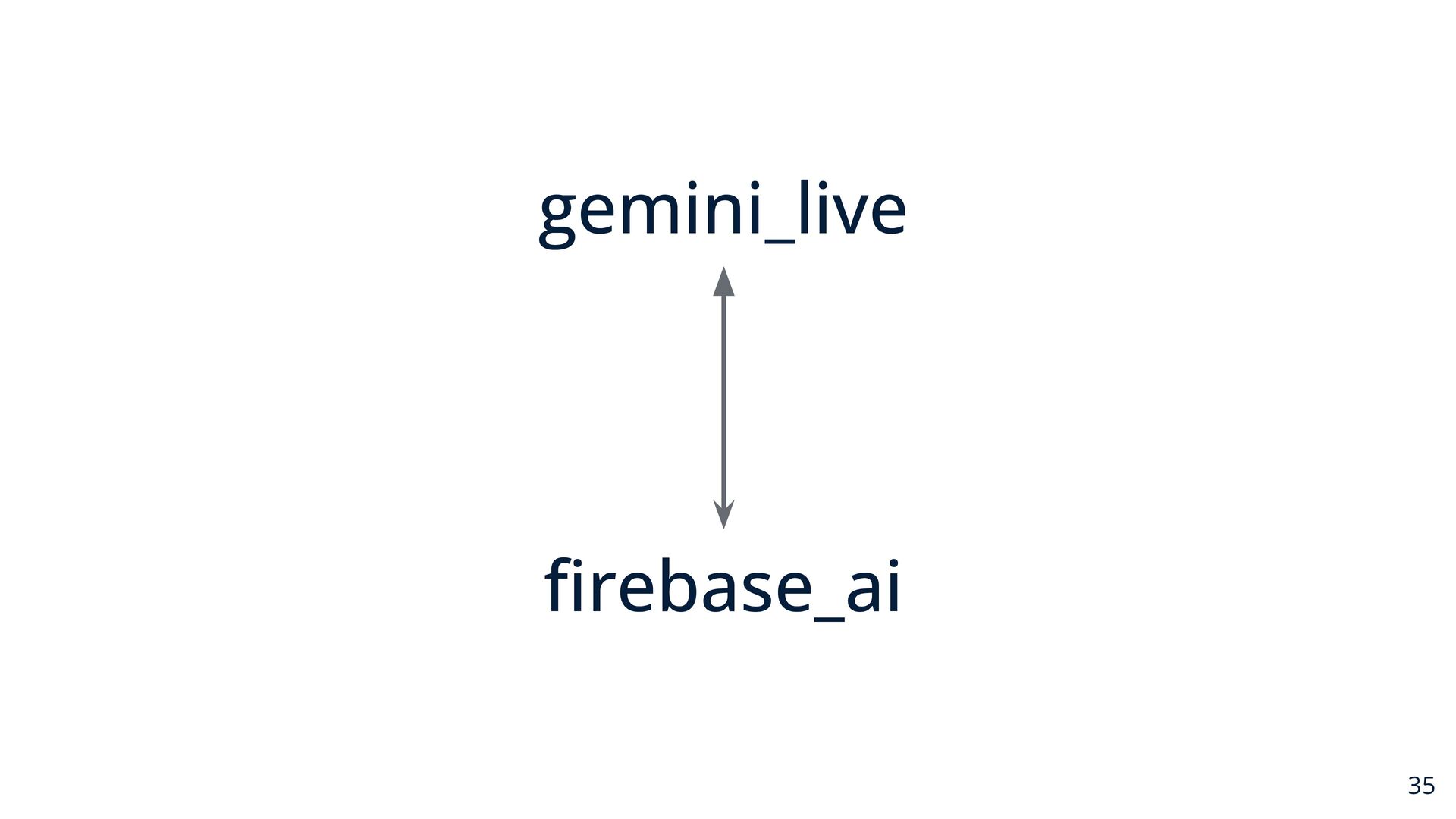
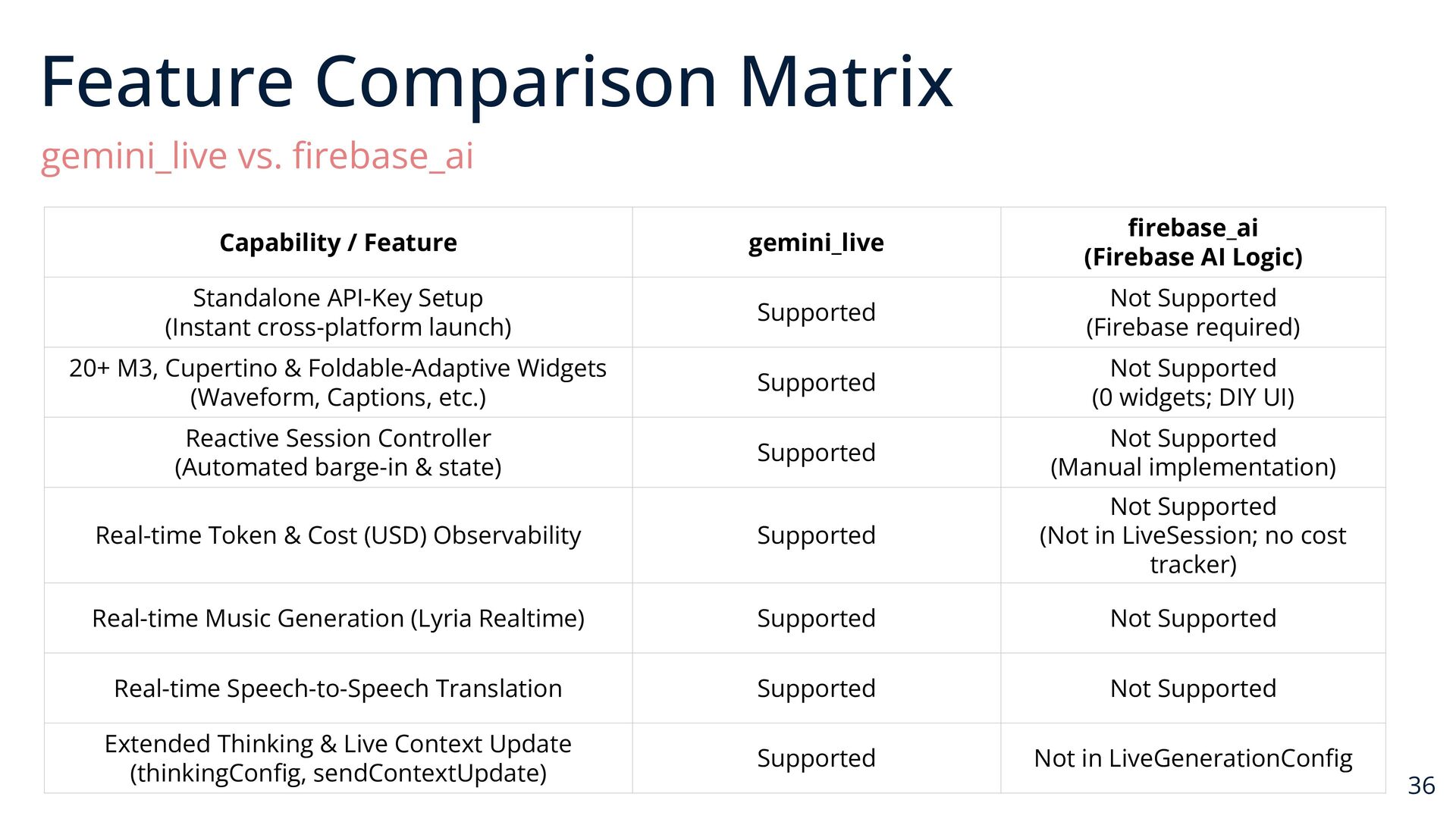
  19. Feature Comparison Matrix gemini_live vs. firebase_ai gemini_live firebase_ai (Firebase AI

    Logic) Supported Not Supported (Firebase required) Supported Not Supported (0 widgets; DIY UI) Supported Not Supported (Manual implementation) Real-time Token & Cost (USD) Observability Supported Not Supported (Not in LiveSession; no cost tracker) Real-time Music Generation (Lyria Realtime) Supported Not Supported Real-time Speech-to-Speech Translation Supported Not Supported Extended Thinking & Live Context Update (thinkingConfig, sendContextUpdate) Supported Not in LiveGenerationConfig Capability / Feature Standalone API-Key Setup (Instant cross-platform launch) 20+ M3, Cupertino & Foldable-Adaptive Widgets (Waveform, Captions, etc.) Reactive Session Controller (Automated barge-in & state) 36
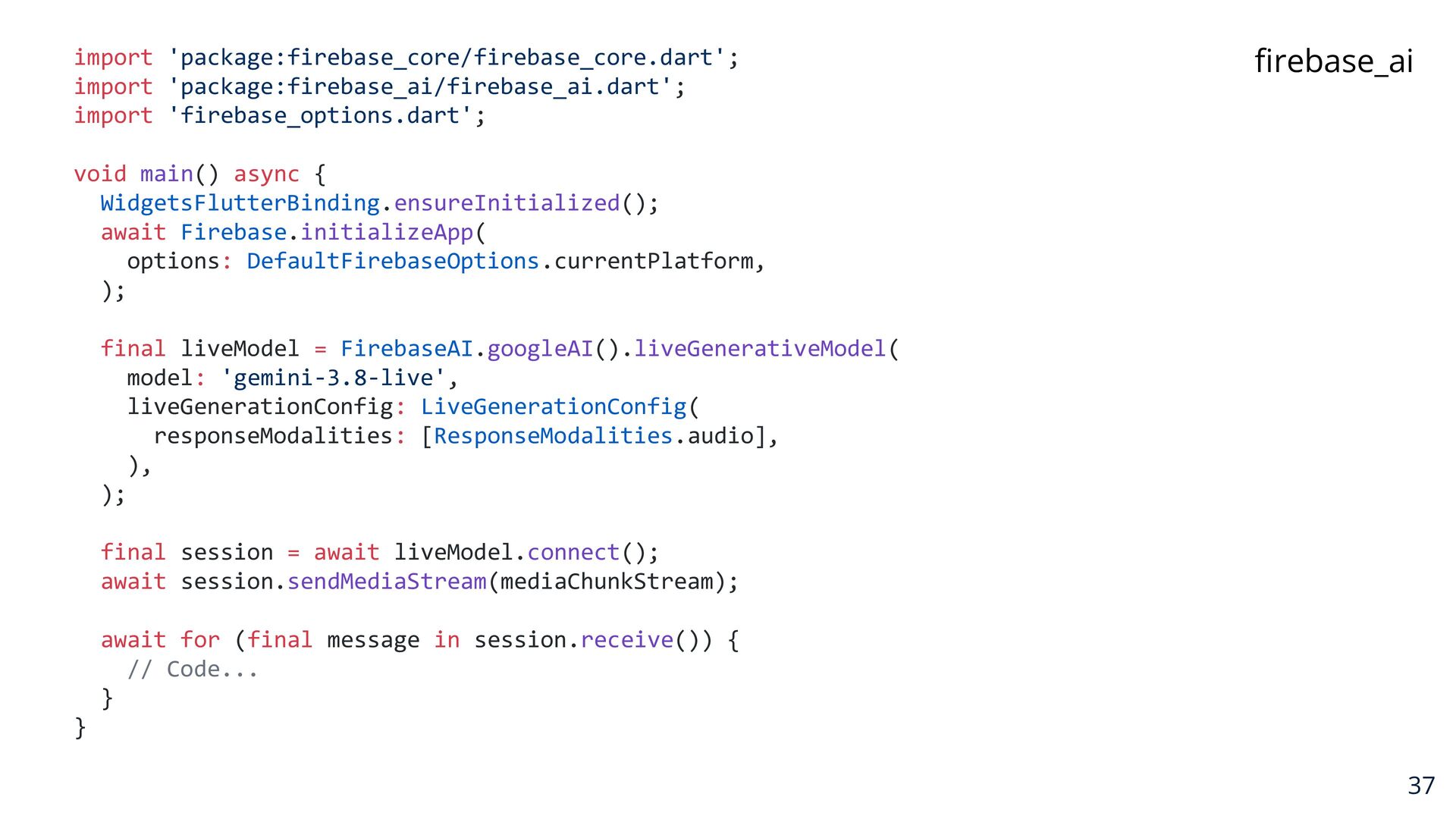
  20. import 'package:firebase_core/firebase_core.dart'; import 'package:firebase_ai/firebase_ai.dart'; import 'firebase_options.dart'; firebase_ai void main() async

    { WidgetsFlutterBinding.ensureInitialized(); await Firebase.initializeApp( options: DefaultFirebaseOptions.currentPlatform, ); final liveModel = FirebaseAI.googleAI().liveGenerativeModel( model: 'gemini-3.8-live', liveGenerationConfig: LiveGenerationConfig( responseModalities: [ResponseModalities.audio], ), ); final session = await liveModel.connect(); await session.sendMediaStream(mediaChunkStream); await for (final message in session.receive()) { // Code... } } 37
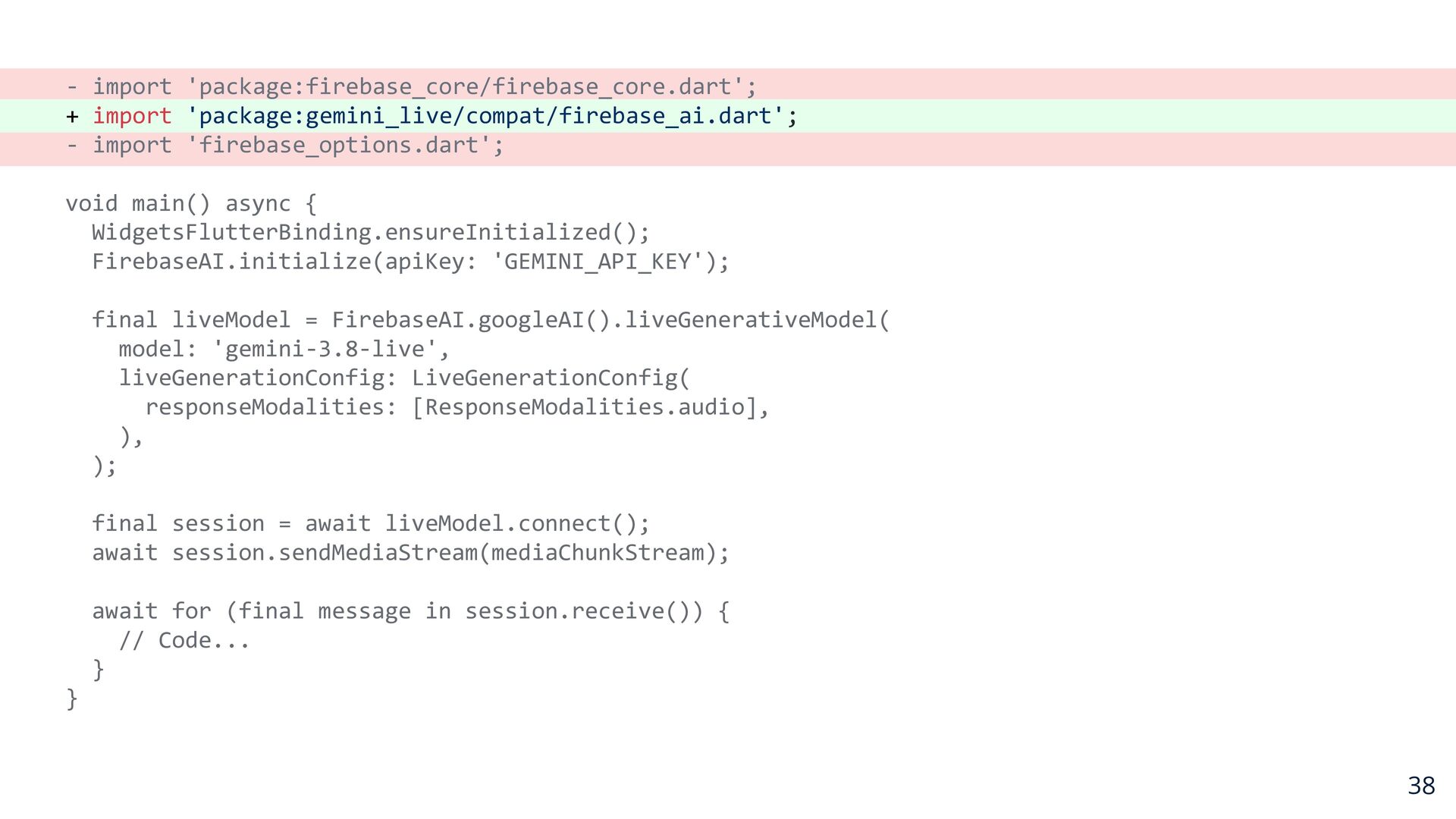
  21. - import 'package:firebase_core/firebase_core.dart'; + import 'package:gemini_live/compat/firebase_ai.dart'; - import 'firebase_options.dart'; void

    main() async { WidgetsFlutterBinding.ensureInitialized(); FirebaseAI.initialize(apiKey: 'GEMINI_API_KEY'); final liveModel = FirebaseAI.googleAI().liveGenerativeModel( model: 'gemini-3.8-live', liveGenerationConfig: LiveGenerationConfig( responseModalities: [ResponseModalities.audio], ), ); final session = await liveModel.connect(); await session.sendMediaStream(mediaChunkStream); await for (final message in session.receive()) { // Code... } } 38
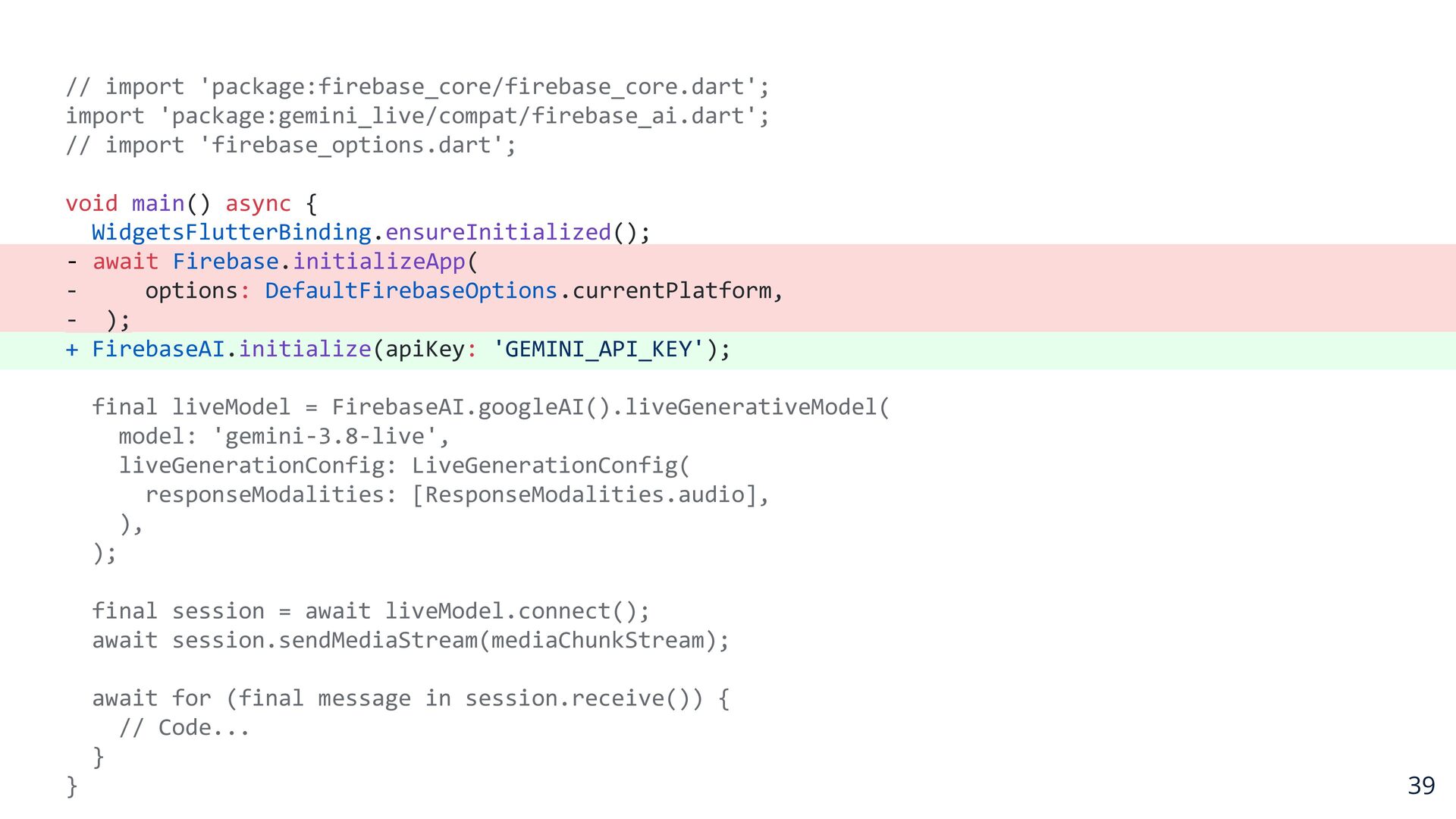
  22. // import 'package:firebase_core/firebase_core.dart'; import 'package:gemini_live/compat/firebase_ai.dart'; // import 'firebase_options.dart'; void main()

    async { WidgetsFlutterBinding.ensureInitialized(); - await Firebase.initializeApp( options: DefaultFirebaseOptions.currentPlatform, - ); + FirebaseAI.initialize(apiKey: 'GEMINI_API_KEY'); final liveModel = FirebaseAI.googleAI().liveGenerativeModel( model: 'gemini-3.8-live', liveGenerationConfig: LiveGenerationConfig( responseModalities: [ResponseModalities.audio], ), ); final session = await liveModel.connect(); await session.sendMediaStream(mediaChunkStream); await for (final message in session.receive()) { // Code... } } 39
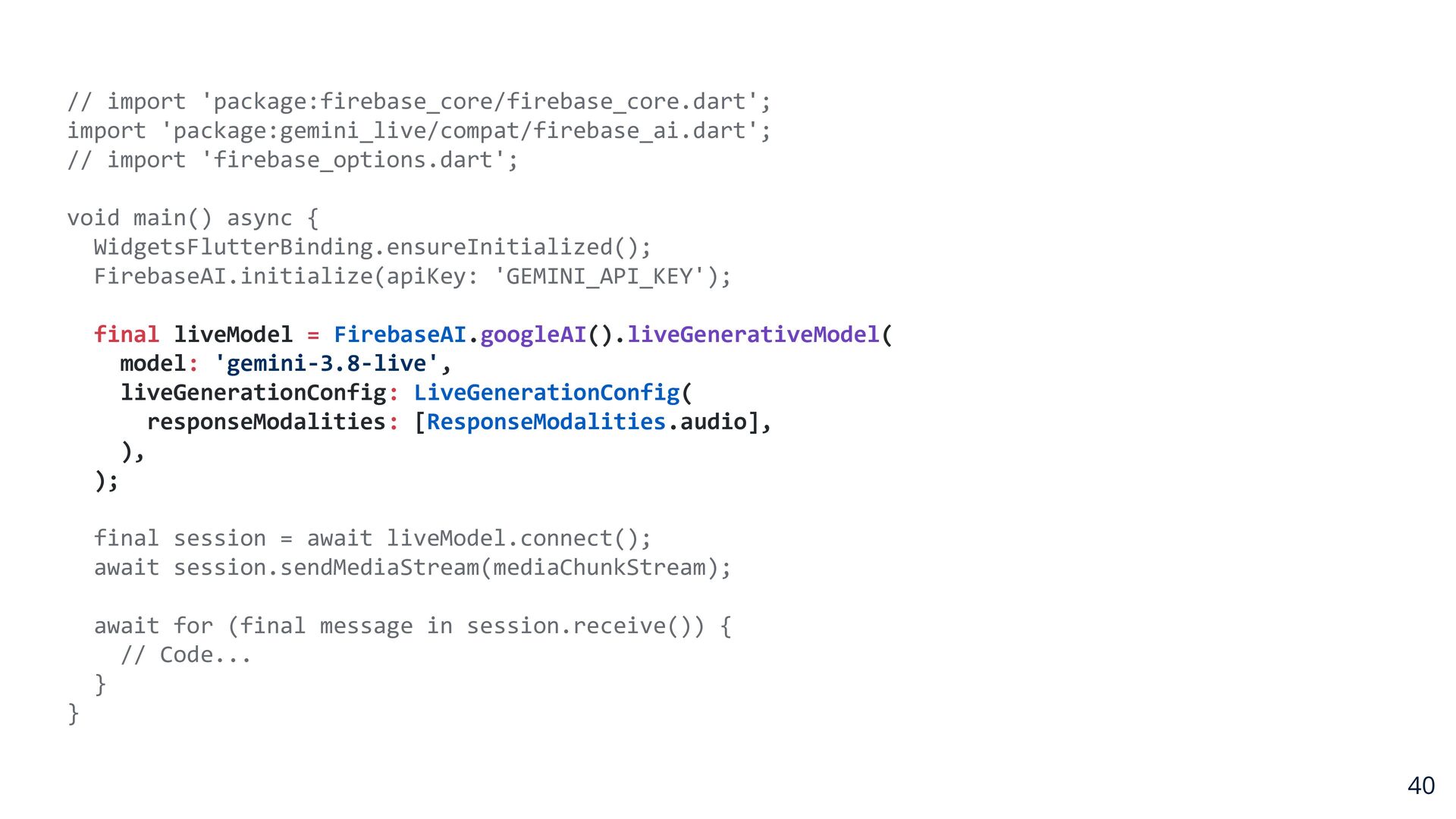
  23. // import 'package:firebase_core/firebase_core.dart'; import 'package:gemini_live/compat/firebase_ai.dart'; // import 'firebase_options.dart'; void main()

    async { WidgetsFlutterBinding.ensureInitialized(); FirebaseAI.initialize(apiKey: 'GEMINI_API_KEY'); final liveModel = FirebaseAI.googleAI().liveGenerativeModel( model: 'gemini-3.8-live', liveGenerationConfig: LiveGenerationConfig( responseModalities: [ResponseModalities.audio], ), ); final session = await liveModel.connect(); await session.sendMediaStream(mediaChunkStream); await for (final message in session.receive()) { // Code... } } 40
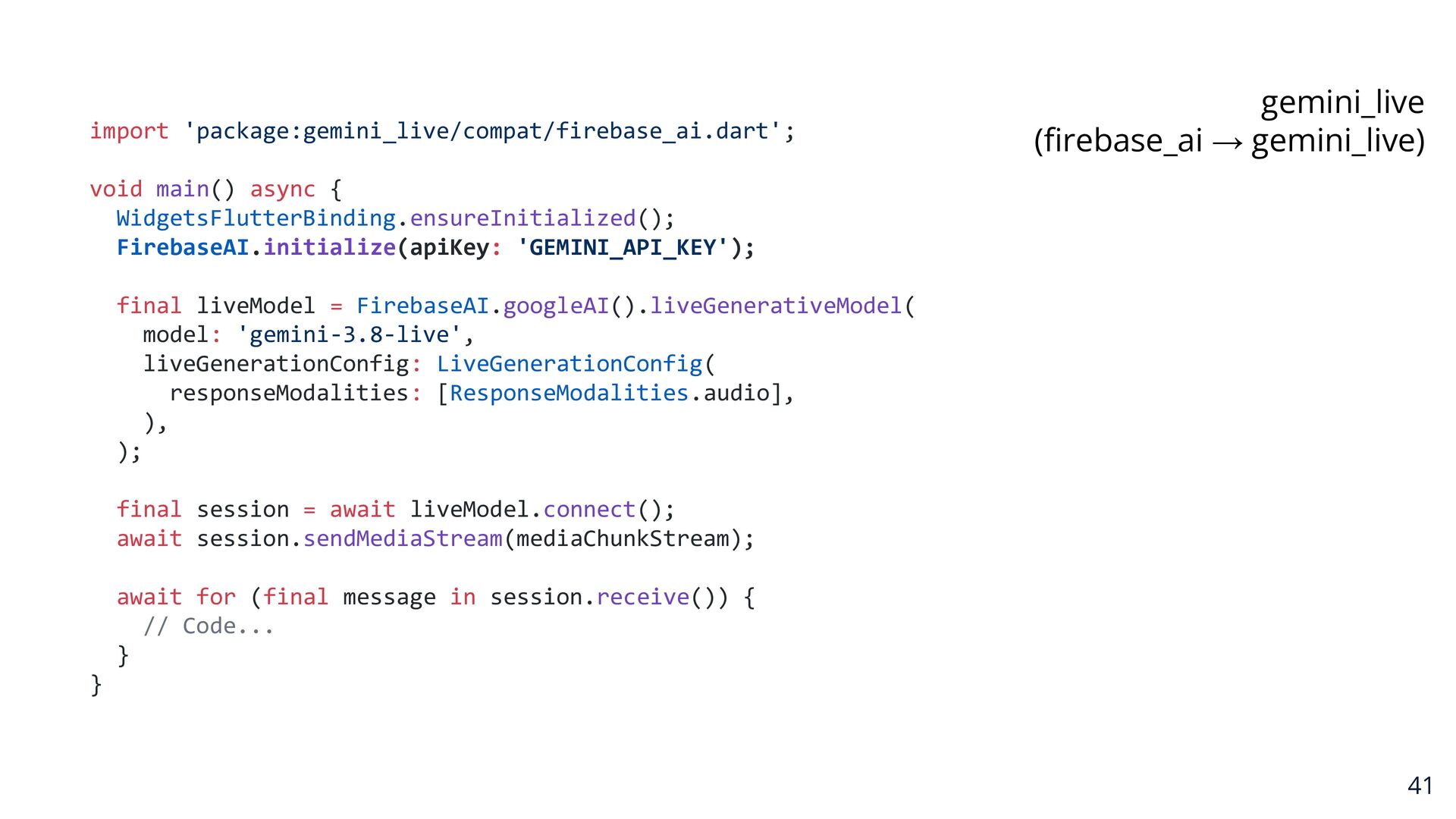
  24. import 'package:gemini_live/compat/firebase_ai.dart'; gemini_live (firebase_ai → gemini_live) void main() async {

    WidgetsFlutterBinding.ensureInitialized(); FirebaseAI.initialize(apiKey: 'GEMINI_API_KEY'); final liveModel = FirebaseAI.googleAI().liveGenerativeModel( model: 'gemini-3.8-live', liveGenerationConfig: LiveGenerationConfig( responseModalities: [ResponseModalities.audio], ), ); final session = await liveModel.connect(); await session.sendMediaStream(mediaChunkStream); await for (final message in session.receive()) { // Code... } } 41
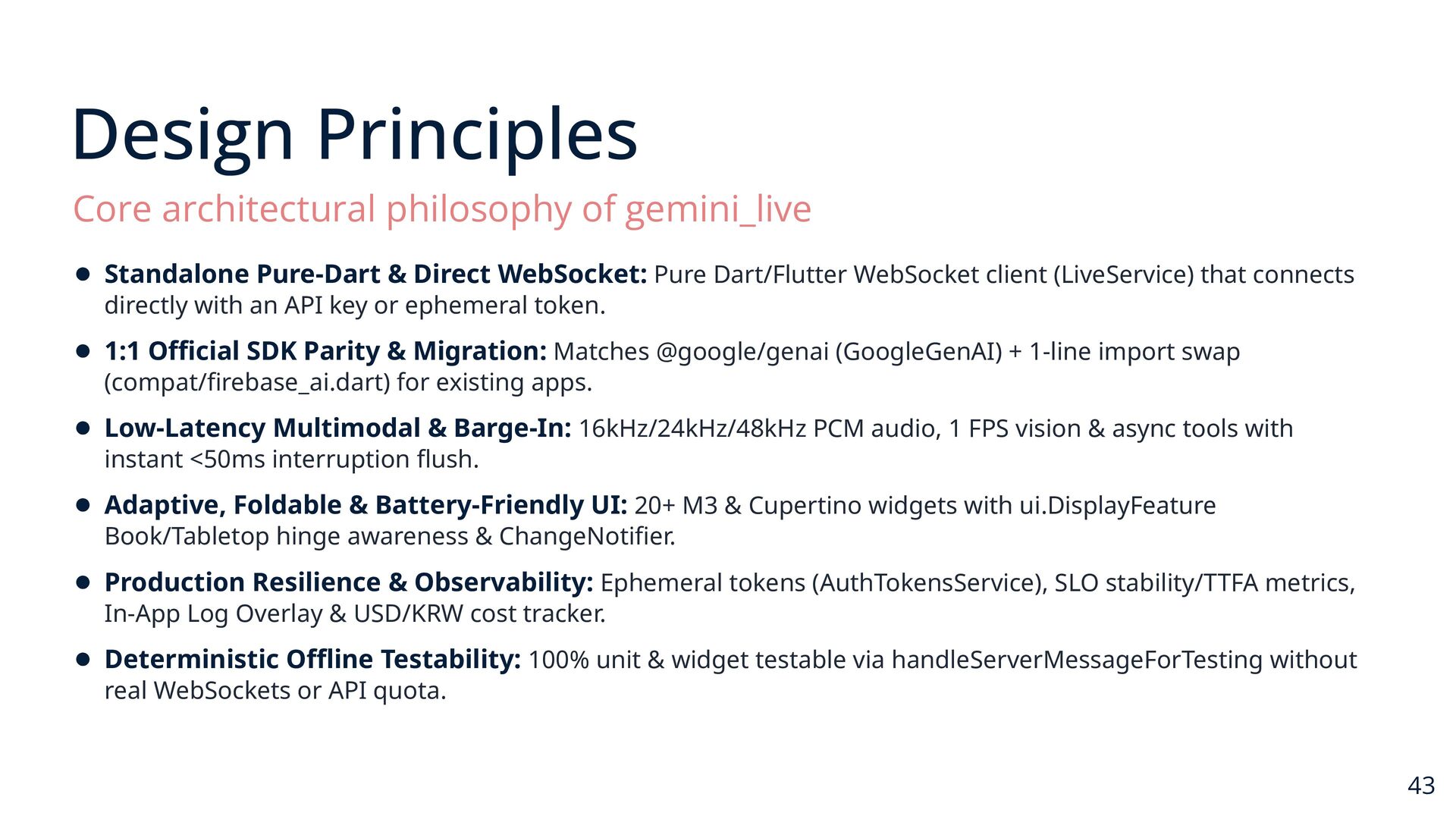
  25. Design Principles Core architectural philosophy of gemini_live • Standalone Pure-Dart

    & Direct WebSocket: Pure Dart/Flutter WebSocket client (LiveService) that connects directly with an API key or ephemeral token. • 1:1 Official SDK Parity & Migration: Matches @google/genai (GoogleGenAI) + 1-line import swap (compat/firebase_ai.dart) for existing apps. • Low-Latency Multimodal & Barge-In: 16kHz/24kHz/48kHz PCM audio, 1 FPS vision & async tools with instant <50ms interruption flush. • Adaptive, Foldable & Battery-Friendly UI: 20+ M3 & Cupertino widgets with ui.DisplayFeature Book/Tabletop hinge awareness & ChangeNotifier. • Production Resilience & Observability: Ephemeral tokens (AuthTokensService), SLO stability/TTFA metrics, In-App Log Overlay & USD/KRW cost tracker. • Deterministic Offline Testability: 100% unit & widget testable via handleServerMessageForTesting without real WebSockets or API quota. 43
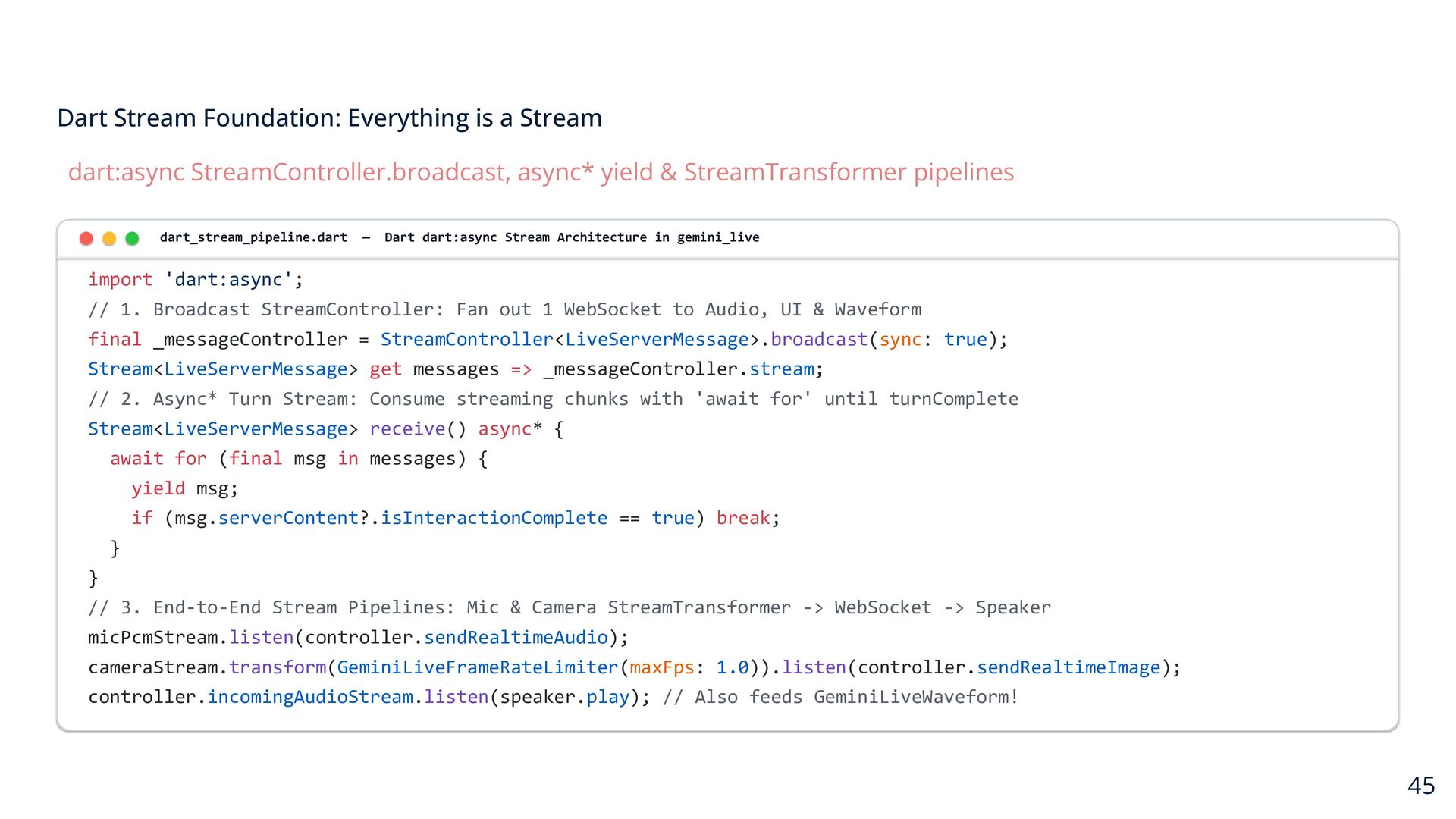
  26. Dart Stream Foundation: Everything is a Stream dart:async StreamController.broadcast, async*

    yield & StreamTransformer pipelines dart_stream_pipeline.dart — Dart dart:async Stream Architecture in gemini_live import 'dart:async'; // 1. Broadcast StreamController: Fan out 1 WebSocket to Audio, UI & Waveform final _messageController = StreamController<LiveServerMessage>.broadcast(sync: true); Stream<LiveServerMessage> get messages => _messageController.stream; // 2. Async* Turn Stream: Consume streaming chunks with 'await for' until turnComplete Stream<LiveServerMessage> receive() async* { await for (final msg in messages) { yield msg; if (msg.serverContent?.isInteractionComplete == true) break; } } // 3. End-to-End Stream Pipelines: Mic & Camera StreamTransformer -> WebSocket -> Speaker micPcmStream.listen(controller.sendRealtimeAudio); cameraStream.transform(GeminiLiveFrameRateLimiter(maxFps: 1.0)).listen(controller.sendRealtimeImage); controller.incomingAudioStream.listen(speaker.play); // Also feeds GeminiLiveWaveform! 45
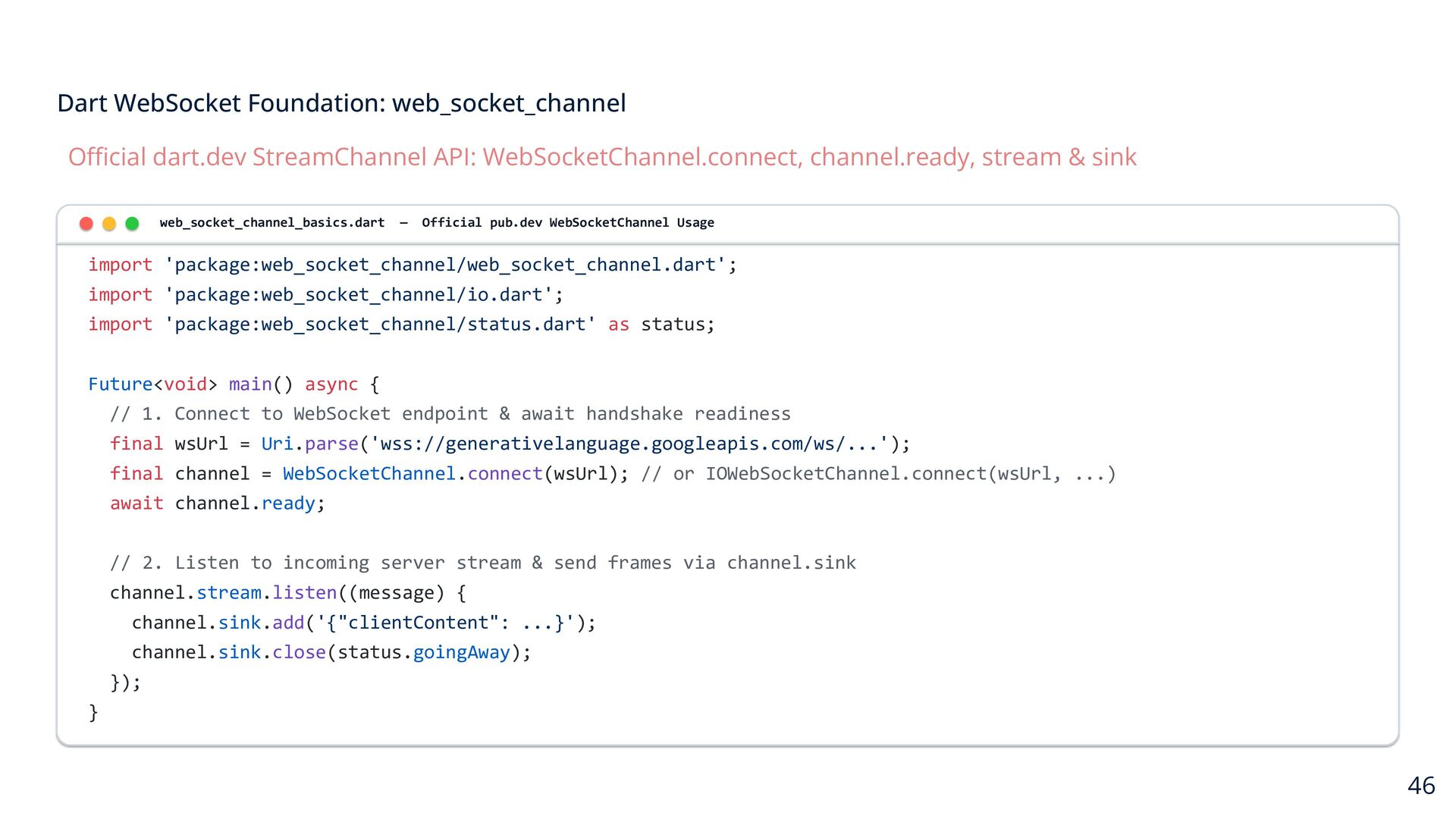
  27. Dart WebSocket Foundation: web_socket_channel Official dart.dev StreamChannel API: WebSocketChannel.connect, channel.ready,

    stream & sink web_socket_channel_basics.dart — Official pub.dev WebSocketChannel Usage import 'package:web_socket_channel/web_socket_channel.dart'; import 'package:web_socket_channel/io.dart'; import 'package:web_socket_channel/status.dart' as status; Future<void> main() async { // 1. Connect to WebSocket endpoint & await handshake readiness final wsUrl = Uri.parse('wss://generativelanguage.googleapis.com/ws/...'); final channel = WebSocketChannel.connect(wsUrl); // or IOWebSocketChannel.connect(wsUrl, ...) await channel.ready; // 2. Listen to incoming server stream & send frames via channel.sink channel.stream.listen((message) { channel.sink.add('{"clientContent": ...}'); channel.sink.close(status.goingAway); }); } 46
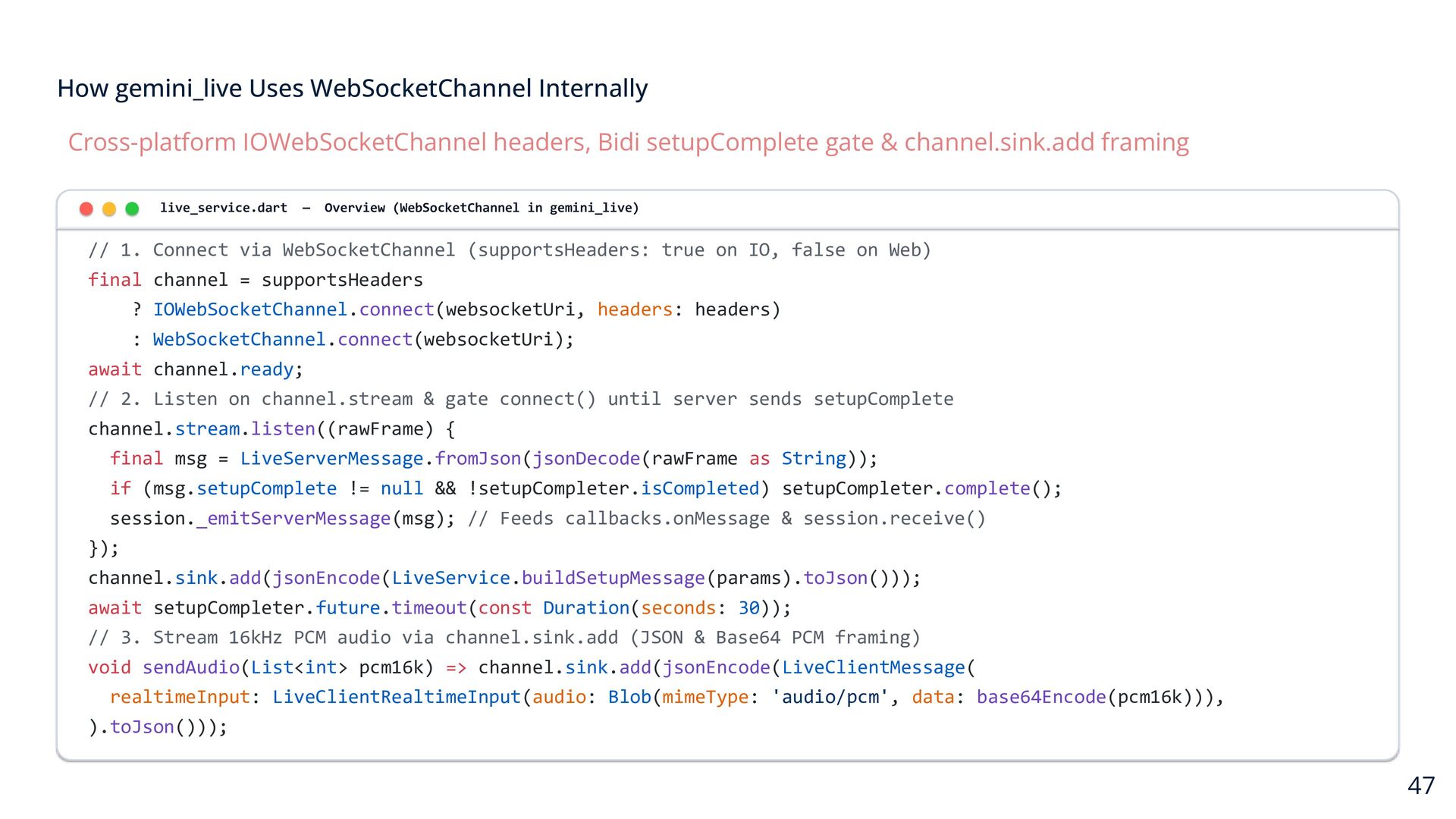
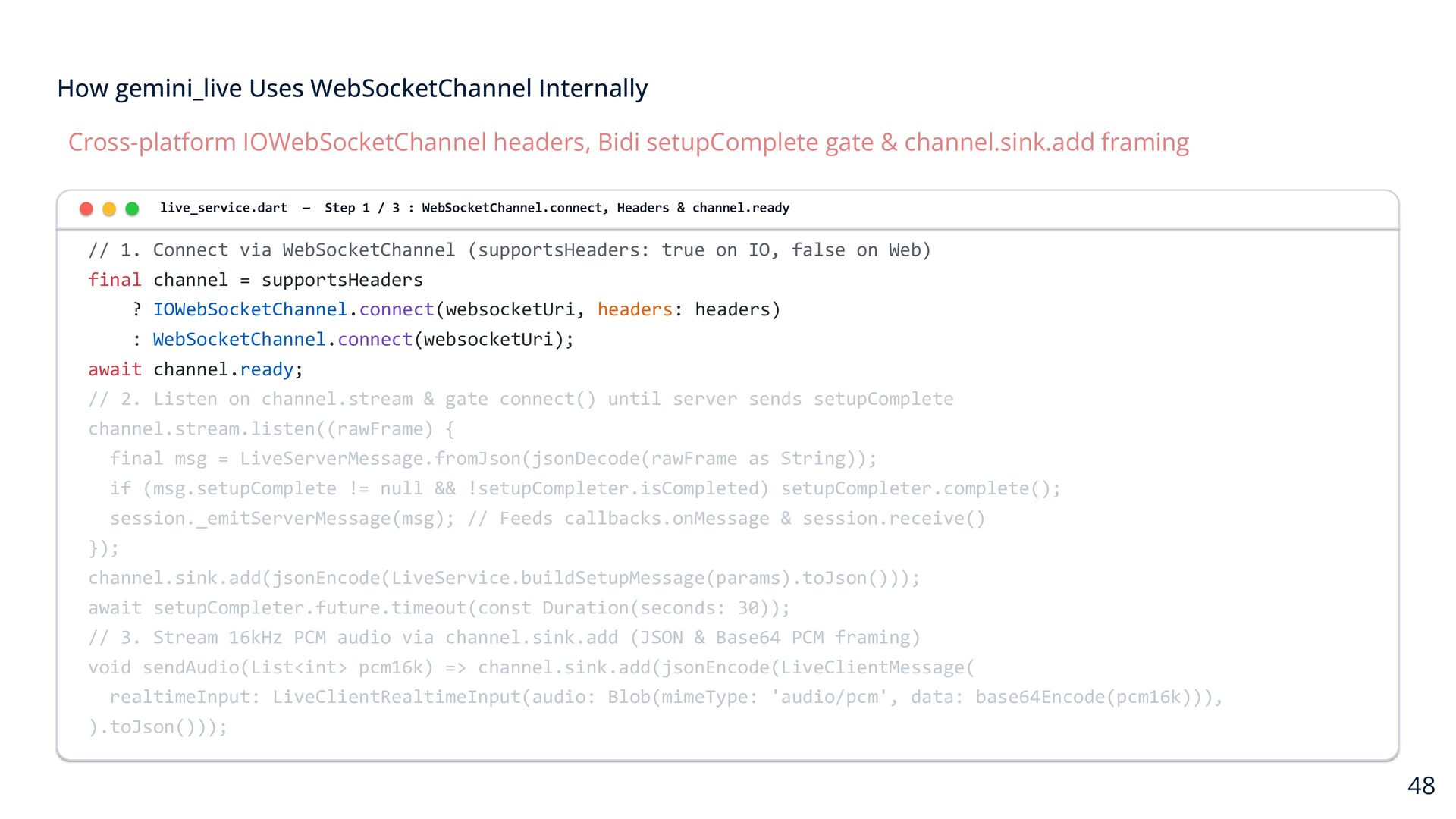
  28. How gemini_live Uses WebSocketChannel Internally Cross-platform IOWebSocketChannel headers, Bidi setupComplete

    gate & channel.sink.add framing live_service.dart — Overview (WebSocketChannel in gemini_live) // 1. Connect via WebSocketChannel (supportsHeaders: true on IO, false on Web) final channel = supportsHeaders ? IOWebSocketChannel.connect(websocketUri, headers: headers) : WebSocketChannel.connect(websocketUri); await channel.ready; // 2. Listen on channel.stream & gate connect() until server sends setupComplete channel.stream.listen((rawFrame) { final msg = LiveServerMessage.fromJson(jsonDecode(rawFrame as String)); if (msg.setupComplete != null && !setupCompleter.isCompleted) setupCompleter.complete(); session._emitServerMessage(msg); // Feeds callbacks.onMessage & session.receive() }); channel.sink.add(jsonEncode(LiveService.buildSetupMessage(params).toJson())); await setupCompleter.future.timeout(const Duration(seconds: 30)); // 3. Stream 16kHz PCM audio via channel.sink.add (JSON & Base64 PCM framing) void sendAudio(List<int> pcm16k) => channel.sink.add(jsonEncode(LiveClientMessage( realtimeInput: LiveClientRealtimeInput(audio: Blob(mimeType: 'audio/pcm', data: base64Encode(pcm16k))), ).toJson())); 47
  29. How gemini_live Uses WebSocketChannel Internally Cross-platform IOWebSocketChannel headers, Bidi setupComplete

    gate & channel.sink.add framing live_service.dart — Step 1 / 3 : WebSocketChannel.connect, Headers & channel.ready // 1. Connect via WebSocketChannel (supportsHeaders: true on IO, false on Web) final channel = supportsHeaders ? IOWebSocketChannel.connect(websocketUri, headers: headers) : WebSocketChannel.connect(websocketUri); await channel.ready; // 2. Listen on channel.stream & gate connect() until server sends setupComplete channel.stream.listen((rawFrame) { final msg = LiveServerMessage.fromJson(jsonDecode(rawFrame as String)); if (msg.setupComplete != null && !setupCompleter.isCompleted) setupCompleter.complete(); session._emitServerMessage(msg); // Feeds callbacks.onMessage & session.receive() }); channel.sink.add(jsonEncode(LiveService.buildSetupMessage(params).toJson())); await setupCompleter.future.timeout(const Duration(seconds: 30)); // 3. Stream 16kHz PCM audio via channel.sink.add (JSON & Base64 PCM framing) void sendAudio(List<int> pcm16k) => channel.sink.add(jsonEncode(LiveClientMessage( realtimeInput: LiveClientRealtimeInput(audio: Blob(mimeType: 'audio/pcm', data: base64Encode(pcm16k))), ).toJson())); 48
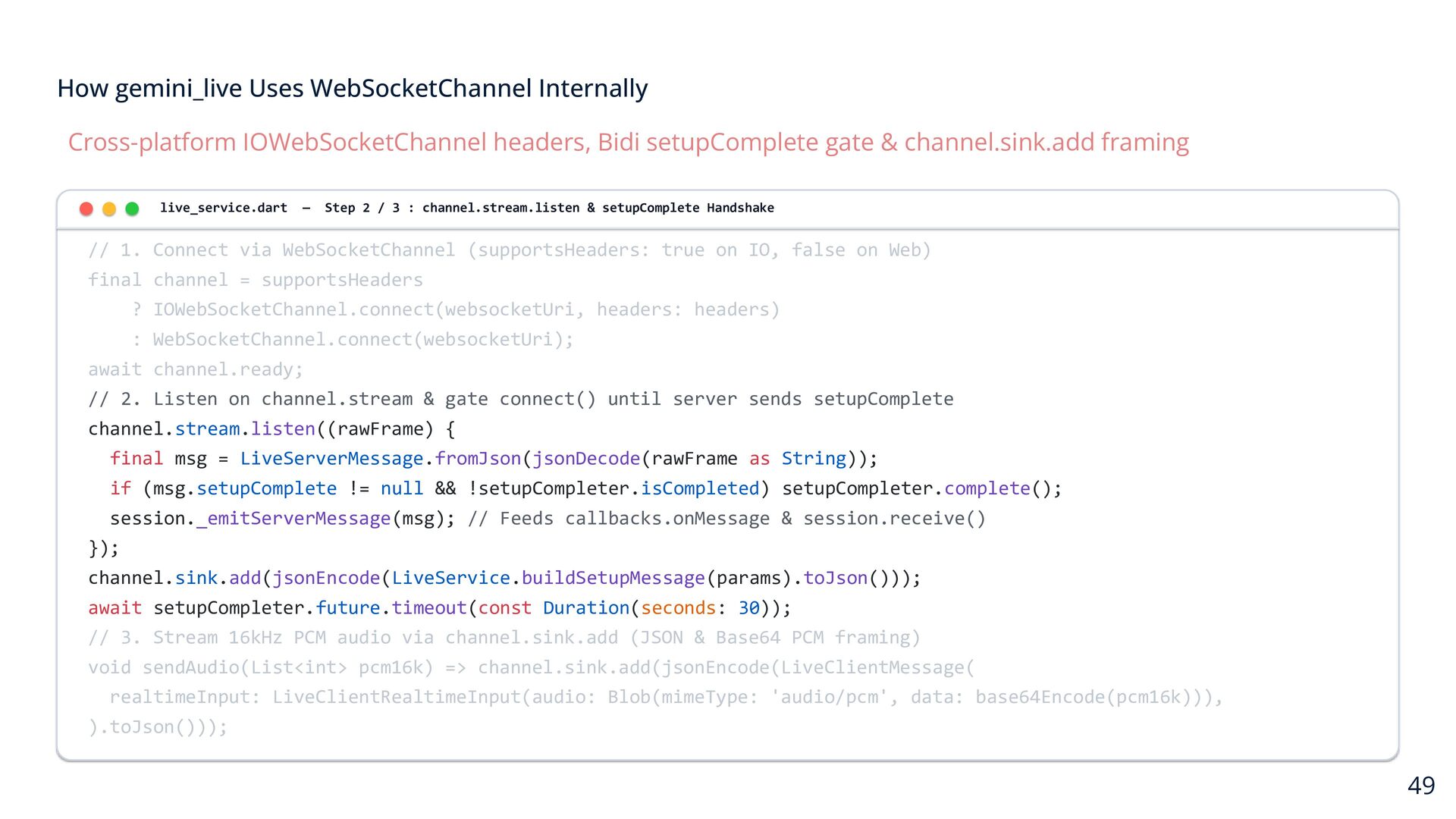
  30. How gemini_live Uses WebSocketChannel Internally Cross-platform IOWebSocketChannel headers, Bidi setupComplete

    gate & channel.sink.add framing live_service.dart — Step 2 / 3 : channel.stream.listen & setupComplete Handshake // 1. Connect via WebSocketChannel (supportsHeaders: true on IO, false on Web) final channel = supportsHeaders ? IOWebSocketChannel.connect(websocketUri, headers: headers) : WebSocketChannel.connect(websocketUri); await channel.ready; // 2. Listen on channel.stream & gate connect() until server sends setupComplete channel.stream.listen((rawFrame) { final msg = LiveServerMessage.fromJson(jsonDecode(rawFrame as String)); if (msg.setupComplete != null && !setupCompleter.isCompleted) setupCompleter.complete(); session._emitServerMessage(msg); // Feeds callbacks.onMessage & session.receive() }); channel.sink.add(jsonEncode(LiveService.buildSetupMessage(params).toJson())); await setupCompleter.future.timeout(const Duration(seconds: 30)); // 3. Stream 16kHz PCM audio via channel.sink.add (JSON & Base64 PCM framing) void sendAudio(List<int> pcm16k) => channel.sink.add(jsonEncode(LiveClientMessage( realtimeInput: LiveClientRealtimeInput(audio: Blob(mimeType: 'audio/pcm', data: base64Encode(pcm16k))), ).toJson())); 49
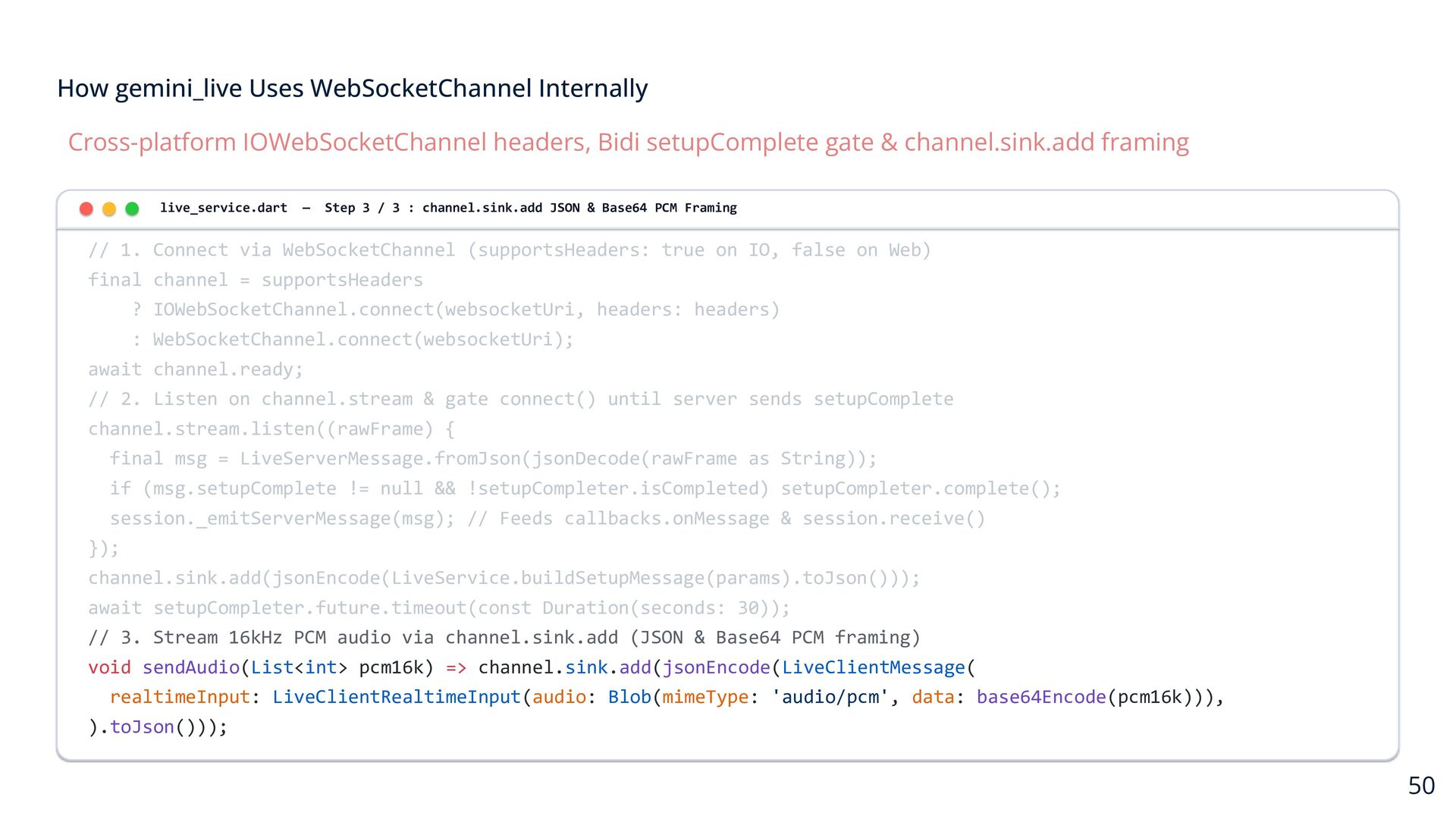
  31. How gemini_live Uses WebSocketChannel Internally Cross-platform IOWebSocketChannel headers, Bidi setupComplete

    gate & channel.sink.add framing live_service.dart — Step 3 / 3 : channel.sink.add JSON & Base64 PCM Framing // 1. Connect via WebSocketChannel (supportsHeaders: true on IO, false on Web) final channel = supportsHeaders ? IOWebSocketChannel.connect(websocketUri, headers: headers) : WebSocketChannel.connect(websocketUri); await channel.ready; // 2. Listen on channel.stream & gate connect() until server sends setupComplete channel.stream.listen((rawFrame) { final msg = LiveServerMessage.fromJson(jsonDecode(rawFrame as String)); if (msg.setupComplete != null && !setupCompleter.isCompleted) setupCompleter.complete(); session._emitServerMessage(msg); // Feeds callbacks.onMessage & session.receive() }); channel.sink.add(jsonEncode(LiveService.buildSetupMessage(params).toJson())); await setupCompleter.future.timeout(const Duration(seconds: 30)); // 3. Stream 16kHz PCM audio via channel.sink.add (JSON & Base64 PCM framing) void sendAudio(List<int> pcm16k) => channel.sink.add(jsonEncode(LiveClientMessage( realtimeInput: LiveClientRealtimeInput(audio: Blob(mimeType: 'audio/pcm', data: base64Encode(pcm16k))), ).toJson())); 50
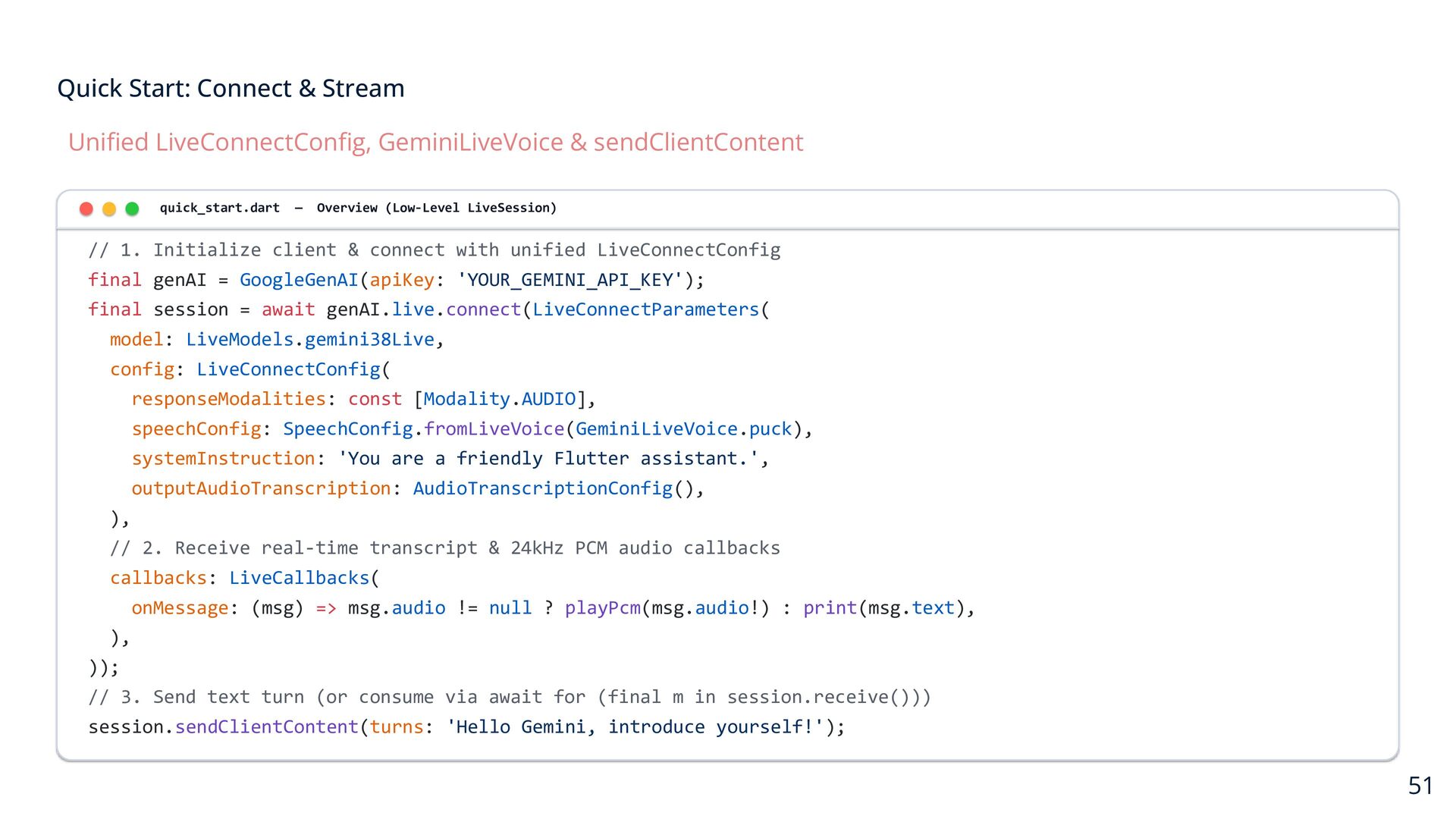
  32. Quick Start: Connect & Stream Unified LiveConnectConfig, GeminiLiveVoice & sendClientContent

    quick_start.dart — Overview (Low-Level LiveSession) // 1. Initialize client & connect with unified LiveConnectConfig final genAI = GoogleGenAI(apiKey: 'YOUR_GEMINI_API_KEY'); final session = await genAI.live.connect(LiveConnectParameters( model: LiveModels.gemini38Live, config: LiveConnectConfig( responseModalities: const [Modality.AUDIO], speechConfig: SpeechConfig.fromLiveVoice(GeminiLiveVoice.puck), systemInstruction: 'You are a friendly Flutter assistant.', outputAudioTranscription: AudioTranscriptionConfig(), ), // 2. Receive real-time transcript & 24kHz PCM audio callbacks callbacks: LiveCallbacks( onMessage: (msg) => msg.audio != null ? playPcm(msg.audio!) : print(msg.text), ), )); // 3. Send text turn (or consume via await for (final m in session.receive())) session.sendClientContent(turns: 'Hello Gemini, introduce yourself!'); 51
  33. Quick Start: Connect & Stream Unified LiveConnectConfig, GeminiLiveVoice & sendClientContent

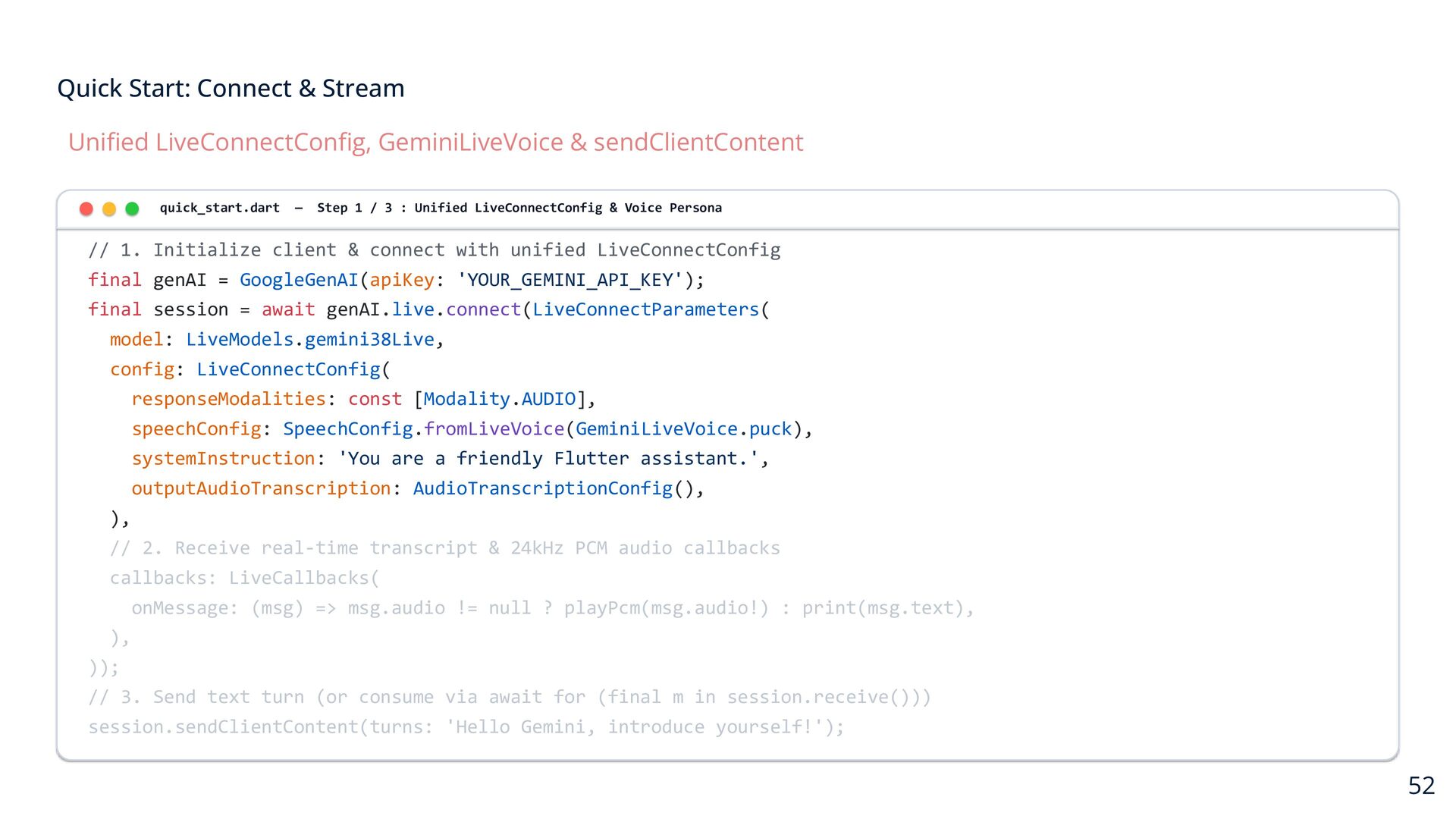
    quick_start.dart — Step 1 / 3 : Unified LiveConnectConfig & Voice Persona // 1. Initialize client & connect with unified LiveConnectConfig final genAI = GoogleGenAI(apiKey: 'YOUR_GEMINI_API_KEY'); final session = await genAI.live.connect(LiveConnectParameters( model: LiveModels.gemini38Live, config: LiveConnectConfig( responseModalities: const [Modality.AUDIO], speechConfig: SpeechConfig.fromLiveVoice(GeminiLiveVoice.puck), systemInstruction: 'You are a friendly Flutter assistant.', outputAudioTranscription: AudioTranscriptionConfig(), ), // 2. Receive real-time transcript & 24kHz PCM audio callbacks callbacks: LiveCallbacks( onMessage: (msg) => msg.audio != null ? playPcm(msg.audio!) : print(msg.text), ), )); // 3. Send text turn (or consume via await for (final m in session.receive())) session.sendClientContent(turns: 'Hello Gemini, introduce yourself!'); 52
  34. Quick Start: Connect & Stream Unified LiveConnectConfig, GeminiLiveVoice & sendClientContent

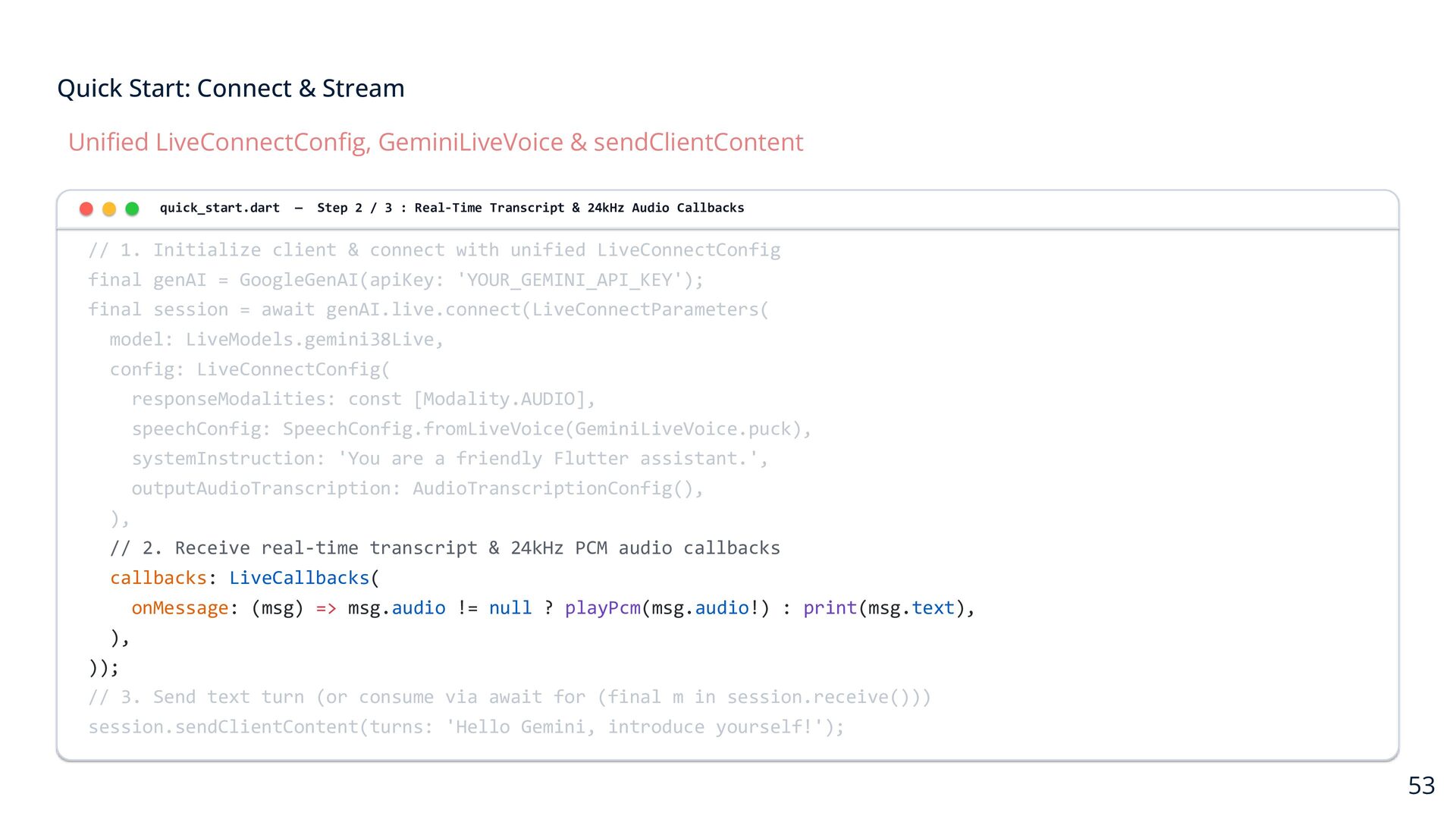
    quick_start.dart — Step 2 / 3 : Real-Time Transcript & 24kHz Audio Callbacks // 1. Initialize client & connect with unified LiveConnectConfig final genAI = GoogleGenAI(apiKey: 'YOUR_GEMINI_API_KEY'); final session = await genAI.live.connect(LiveConnectParameters( model: LiveModels.gemini38Live, config: LiveConnectConfig( responseModalities: const [Modality.AUDIO], speechConfig: SpeechConfig.fromLiveVoice(GeminiLiveVoice.puck), systemInstruction: 'You are a friendly Flutter assistant.', outputAudioTranscription: AudioTranscriptionConfig(), ), // 2. Receive real-time transcript & 24kHz PCM audio callbacks callbacks: LiveCallbacks( onMessage: (msg) => msg.audio != null ? playPcm(msg.audio!) : print(msg.text), ), )); // 3. Send text turn (or consume via await for (final m in session.receive())) session.sendClientContent(turns: 'Hello Gemini, introduce yourself!'); 53
  35. Quick Start: Connect & Stream Unified LiveConnectConfig, GeminiLiveVoice & sendClientContent

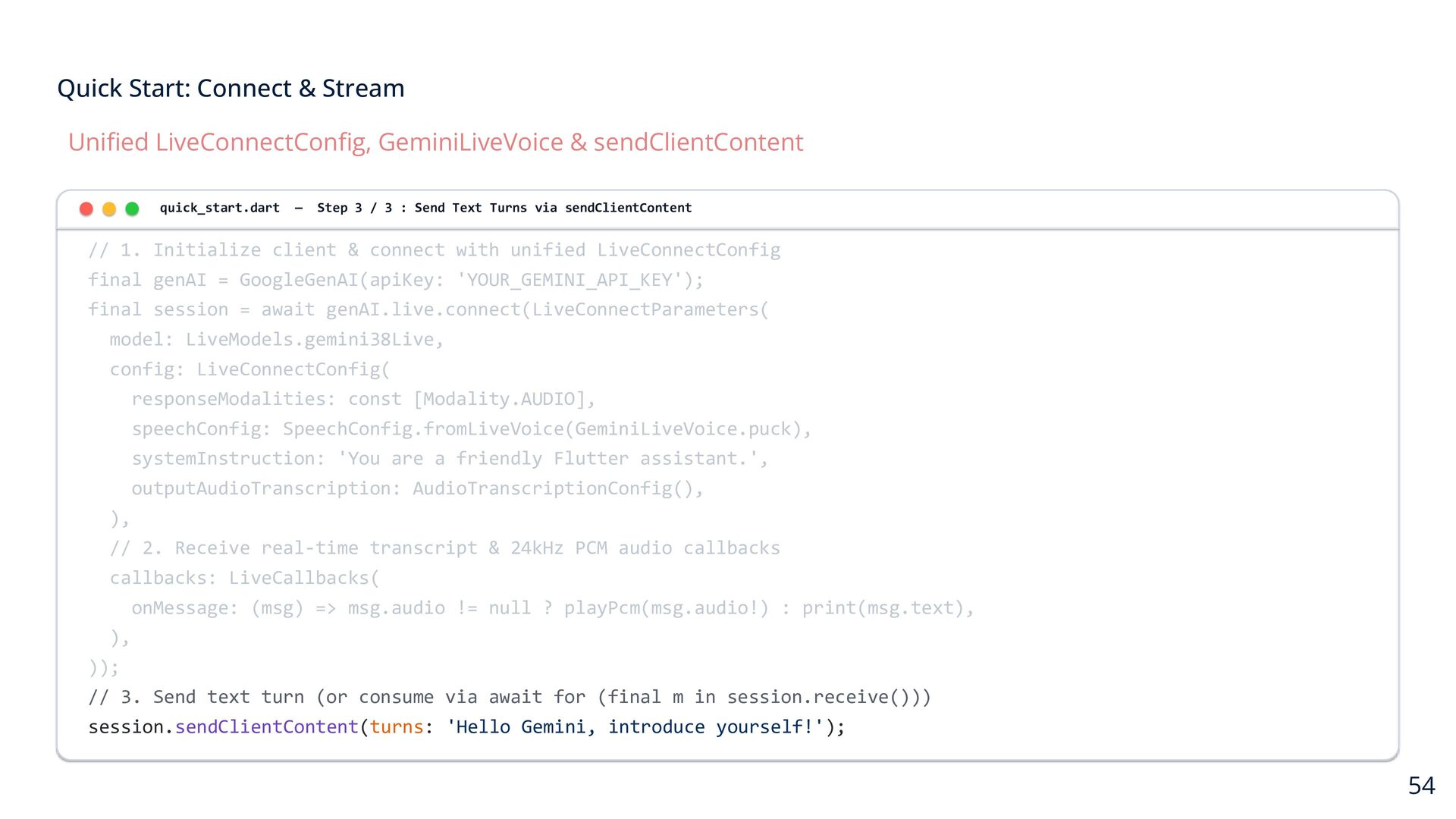
    quick_start.dart — Step 3 / 3 : Send Text Turns via sendClientContent // 1. Initialize client & connect with unified LiveConnectConfig final genAI = GoogleGenAI(apiKey: 'YOUR_GEMINI_API_KEY'); final session = await genAI.live.connect(LiveConnectParameters( model: LiveModels.gemini38Live, config: LiveConnectConfig( responseModalities: const [Modality.AUDIO], speechConfig: SpeechConfig.fromLiveVoice(GeminiLiveVoice.puck), systemInstruction: 'You are a friendly Flutter assistant.', outputAudioTranscription: AudioTranscriptionConfig(), ), // 2. Receive real-time transcript & 24kHz PCM audio callbacks callbacks: LiveCallbacks( onMessage: (msg) => msg.audio != null ? playPcm(msg.audio!) : print(msg.text), ), )); // 3. Send text turn (or consume via await for (final m in session.receive())) session.sendClientContent(turns: 'Hello Gemini, introduce yourself!'); 54
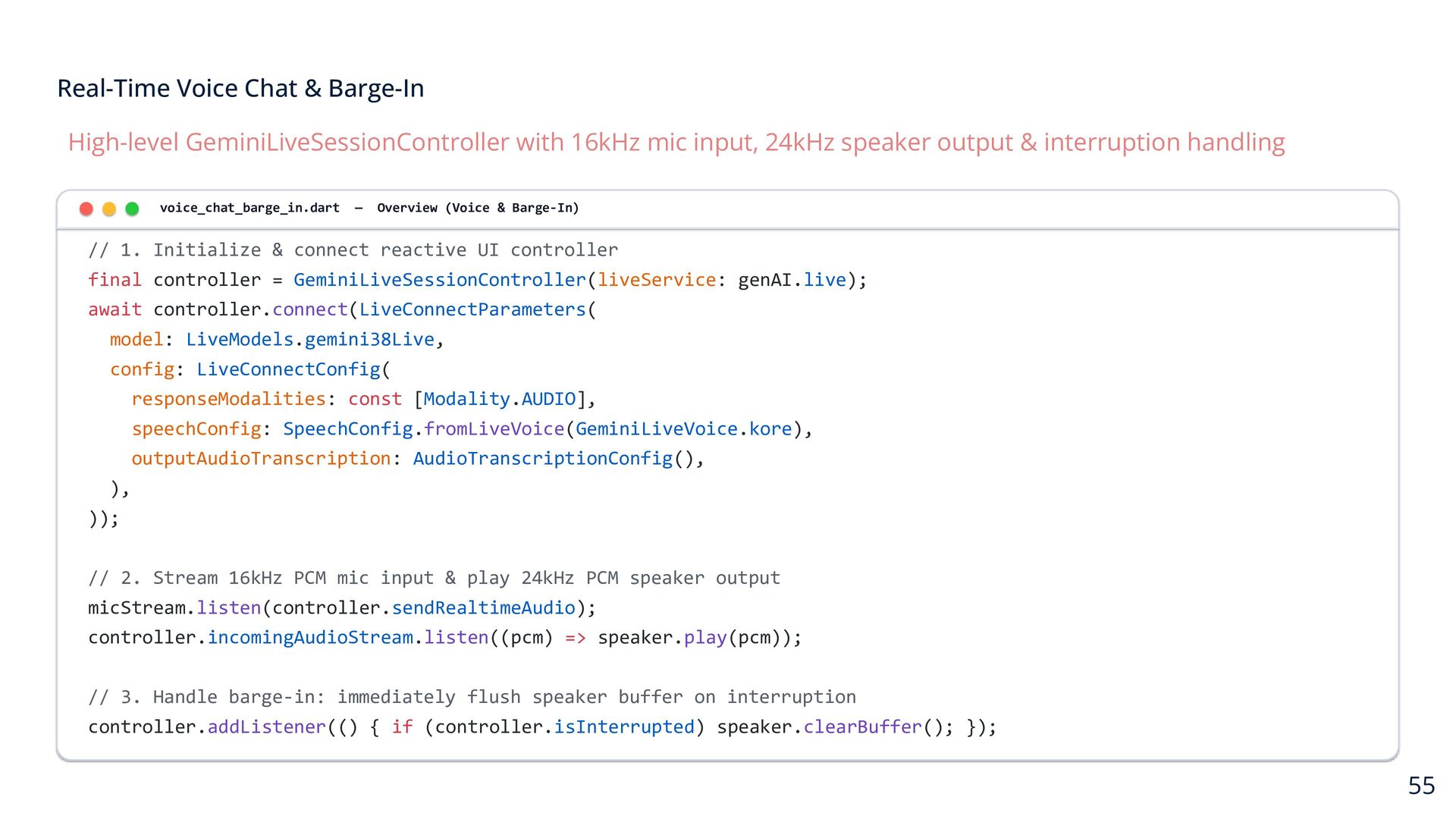
  36. Real-Time Voice Chat & Barge-In High-level GeminiLiveSessionController with 16kHz mic

    input, 24kHz speaker output & interruption handling voice_chat_barge_in.dart — Overview (Voice & Barge-In) // 1. Initialize & connect reactive UI controller final controller = GeminiLiveSessionController(liveService: genAI.live); await controller.connect(LiveConnectParameters( model: LiveModels.gemini38Live, config: LiveConnectConfig( responseModalities: const [Modality.AUDIO], speechConfig: SpeechConfig.fromLiveVoice(GeminiLiveVoice.kore), outputAudioTranscription: AudioTranscriptionConfig(), ), )); // 2. Stream 16kHz PCM mic input & play 24kHz PCM speaker output micStream.listen(controller.sendRealtimeAudio); controller.incomingAudioStream.listen((pcm) => speaker.play(pcm)); // 3. Handle barge-in: immediately flush speaker buffer on interruption controller.addListener(() { if (controller.isInterrupted) speaker.clearBuffer(); }); 55
  37. Real-Time Voice Chat & Barge-In High-level GeminiLiveSessionController with 16kHz mic

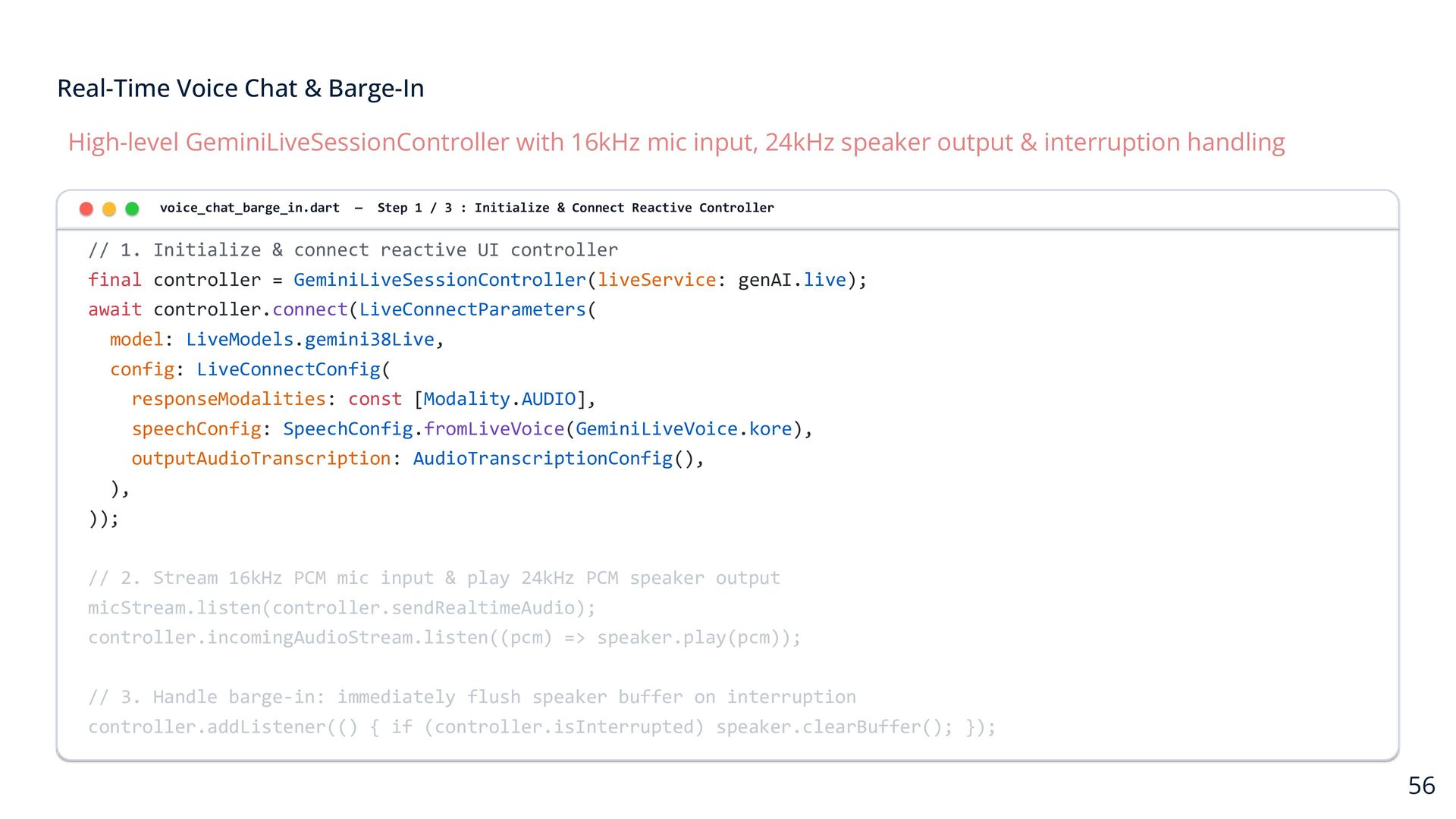
    input, 24kHz speaker output & interruption handling voice_chat_barge_in.dart — Step 1 / 3 : Initialize & Connect Reactive Controller // 1. Initialize & connect reactive UI controller final controller = GeminiLiveSessionController(liveService: genAI.live); await controller.connect(LiveConnectParameters( model: LiveModels.gemini38Live, config: LiveConnectConfig( responseModalities: const [Modality.AUDIO], speechConfig: SpeechConfig.fromLiveVoice(GeminiLiveVoice.kore), outputAudioTranscription: AudioTranscriptionConfig(), ), )); // 2. Stream 16kHz PCM mic input & play 24kHz PCM speaker output micStream.listen(controller.sendRealtimeAudio); controller.incomingAudioStream.listen((pcm) => speaker.play(pcm)); // 3. Handle barge-in: immediately flush speaker buffer on interruption controller.addListener(() { if (controller.isInterrupted) speaker.clearBuffer(); }); 56
  38. Real-Time Voice Chat & Barge-In High-level GeminiLiveSessionController with 16kHz mic

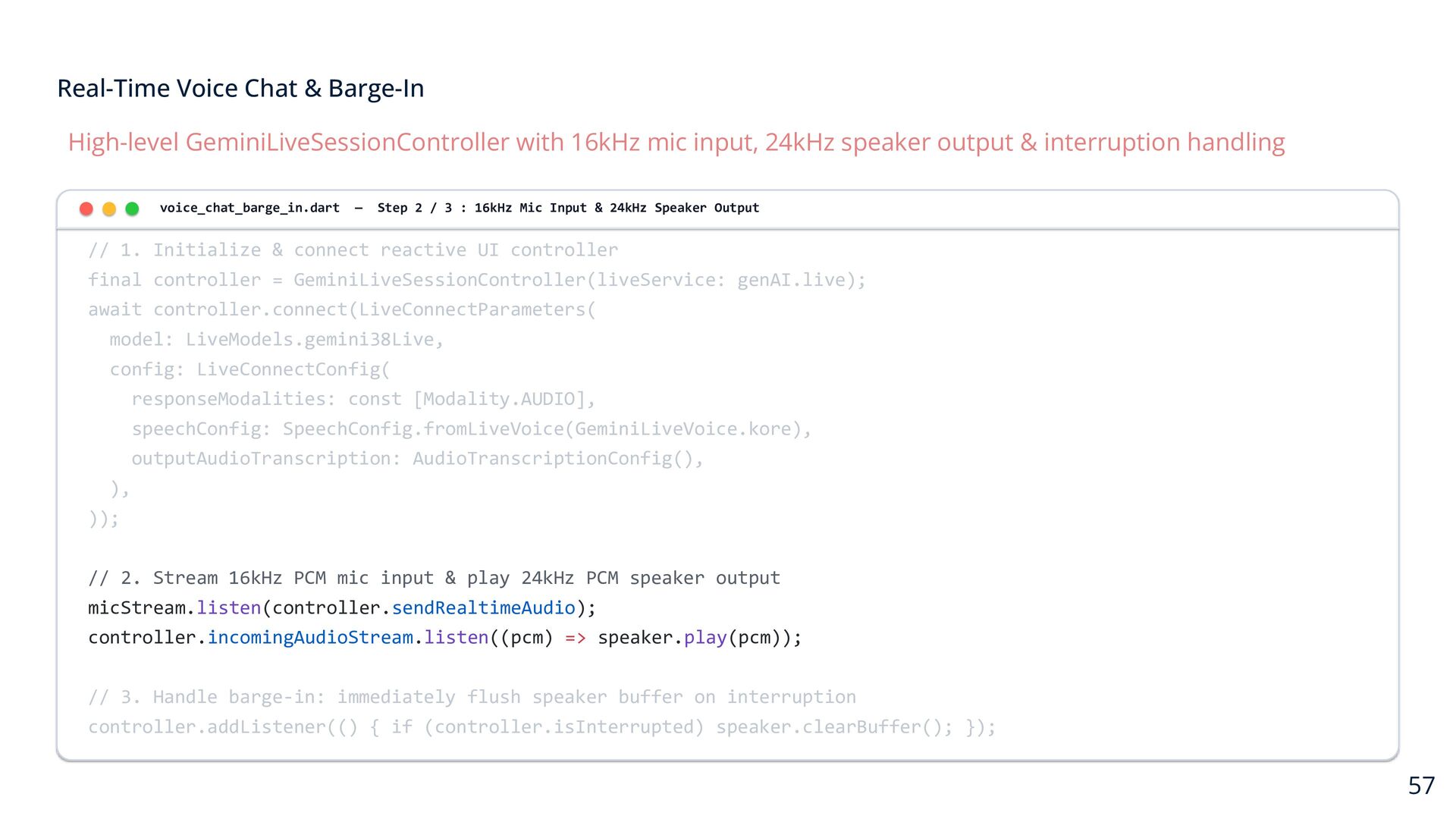
    input, 24kHz speaker output & interruption handling voice_chat_barge_in.dart — Step 2 / 3 : 16kHz Mic Input & 24kHz Speaker Output // 1. Initialize & connect reactive UI controller final controller = GeminiLiveSessionController(liveService: genAI.live); await controller.connect(LiveConnectParameters( model: LiveModels.gemini38Live, config: LiveConnectConfig( responseModalities: const [Modality.AUDIO], speechConfig: SpeechConfig.fromLiveVoice(GeminiLiveVoice.kore), outputAudioTranscription: AudioTranscriptionConfig(), ), )); // 2. Stream 16kHz PCM mic input & play 24kHz PCM speaker output micStream.listen(controller.sendRealtimeAudio); controller.incomingAudioStream.listen((pcm) => speaker.play(pcm)); // 3. Handle barge-in: immediately flush speaker buffer on interruption controller.addListener(() { if (controller.isInterrupted) speaker.clearBuffer(); }); 57
  39. Real-Time Voice Chat & Barge-In High-level GeminiLiveSessionController with 16kHz mic

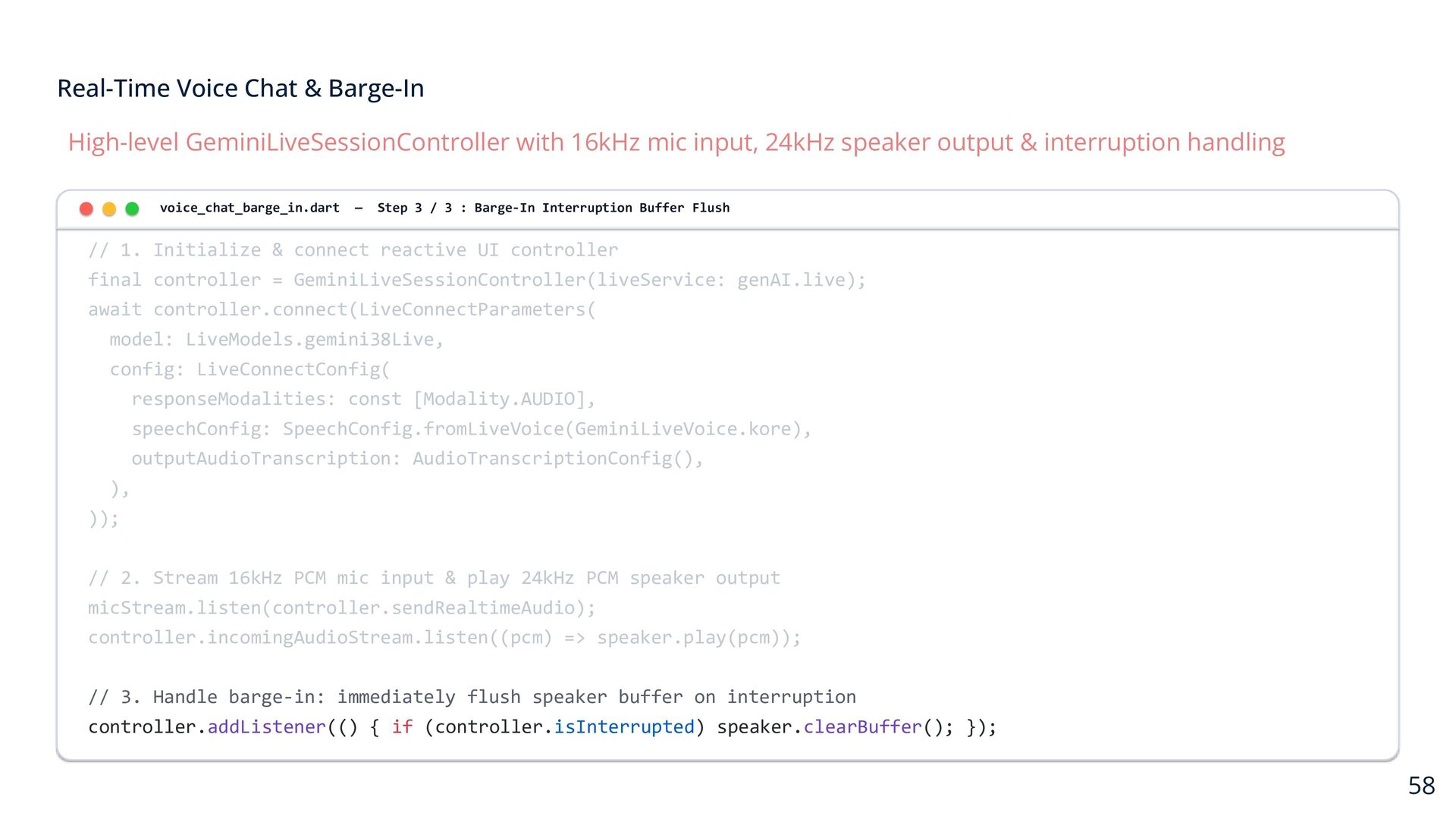
    input, 24kHz speaker output & interruption handling voice_chat_barge_in.dart — Step 3 / 3 : Barge-In Interruption Buffer Flush // 1. Initialize & connect reactive UI controller final controller = GeminiLiveSessionController(liveService: genAI.live); await controller.connect(LiveConnectParameters( model: LiveModels.gemini38Live, config: LiveConnectConfig( responseModalities: const [Modality.AUDIO], speechConfig: SpeechConfig.fromLiveVoice(GeminiLiveVoice.kore), outputAudioTranscription: AudioTranscriptionConfig(), ), )); // 2. Stream 16kHz PCM mic input & play 24kHz PCM speaker output micStream.listen(controller.sendRealtimeAudio); controller.incomingAudioStream.listen((pcm) => speaker.play(pcm)); // 3. Handle barge-in: immediately flush speaker buffer on interruption controller.addListener(() { if (controller.isInterrupted) speaker.clearBuffer(); }); 58
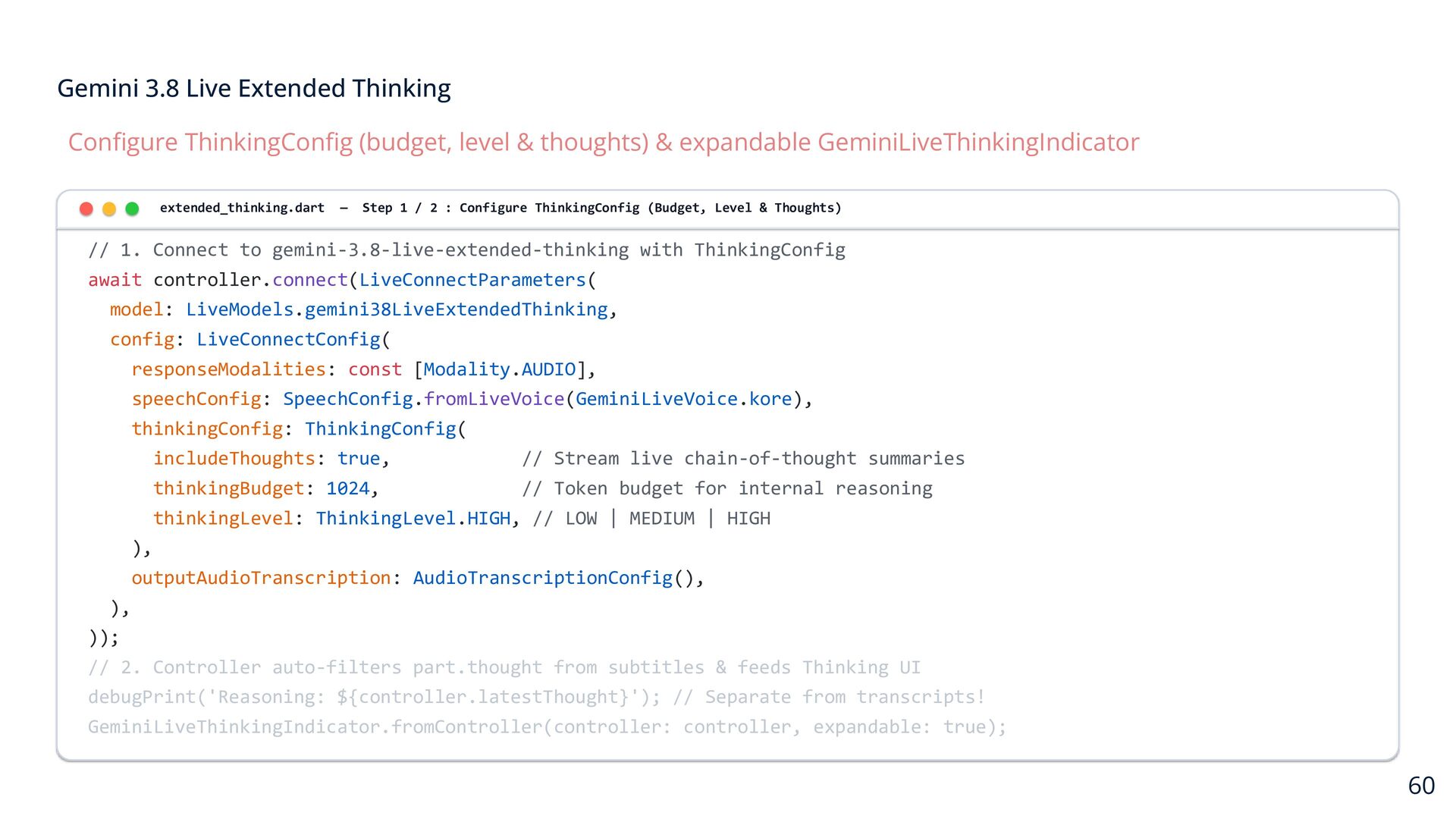
  40. Gemini 3.8 Live Extended Thinking Configure ThinkingConfig (budget, level &

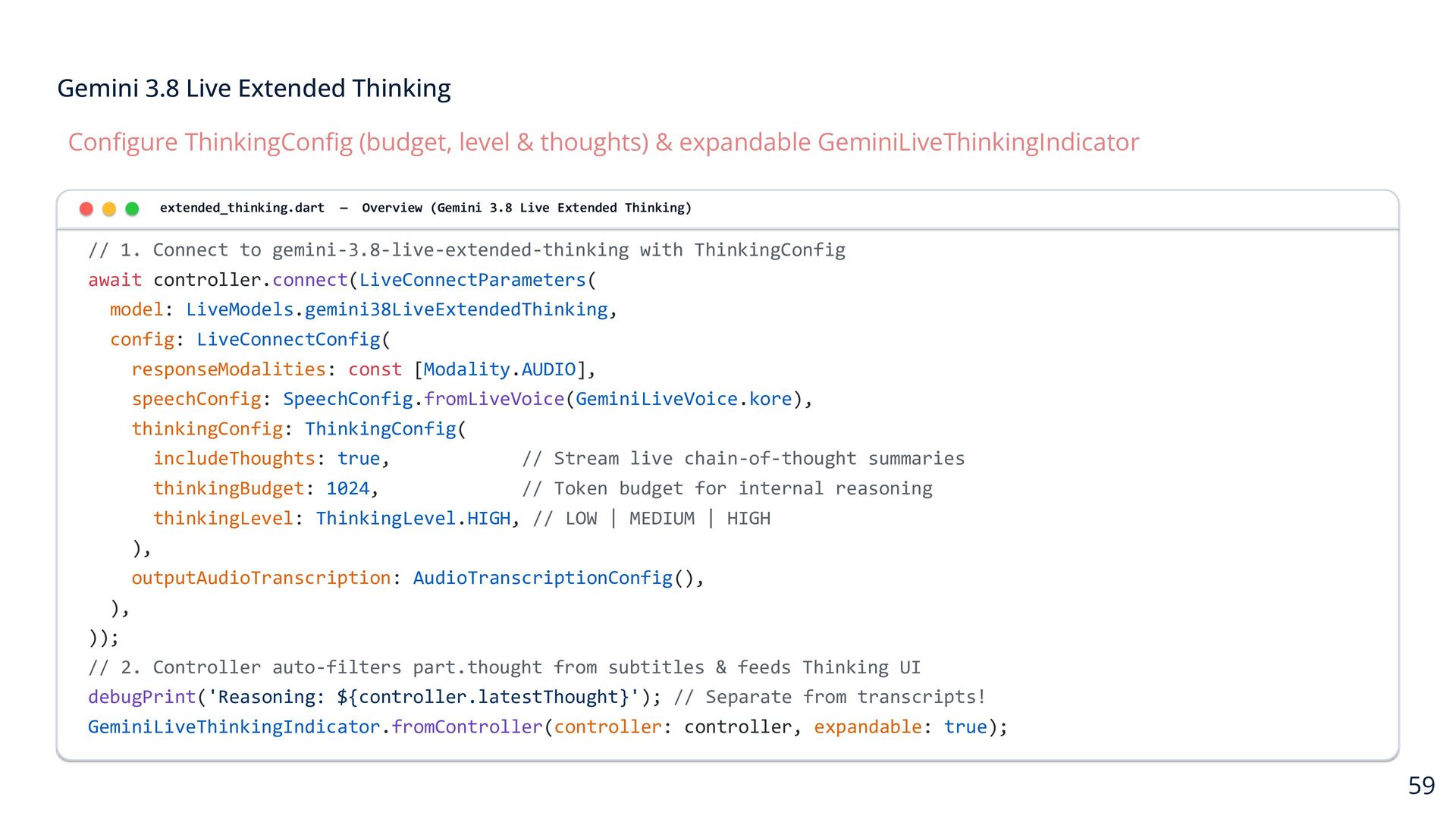
    thoughts) & expandable GeminiLiveThinkingIndicator extended_thinking.dart — Overview (Gemini 3.8 Live Extended Thinking) // 1. Connect to gemini-3.8-live-extended-thinking with ThinkingConfig await controller.connect(LiveConnectParameters( model: LiveModels.gemini38LiveExtendedThinking, config: LiveConnectConfig( responseModalities: const [Modality.AUDIO], speechConfig: SpeechConfig.fromLiveVoice(GeminiLiveVoice.kore), thinkingConfig: ThinkingConfig( includeThoughts: true, // Stream live chain-of-thought summaries thinkingBudget: 1024, // Token budget for internal reasoning thinkingLevel: ThinkingLevel.HIGH, // LOW | MEDIUM | HIGH ), outputAudioTranscription: AudioTranscriptionConfig(), ), )); // 2. Controller auto-filters part.thought from subtitles & feeds Thinking UI debugPrint('Reasoning: ${controller.latestThought}'); // Separate from transcripts! GeminiLiveThinkingIndicator.fromController(controller: controller, expandable: true); 59
  41. Gemini 3.8 Live Extended Thinking Configure ThinkingConfig (budget, level &

    thoughts) & expandable GeminiLiveThinkingIndicator extended_thinking.dart — Step 1 / 2 : Configure ThinkingConfig (Budget, Level & Thoughts) // 1. Connect to gemini-3.8-live-extended-thinking with ThinkingConfig await controller.connect(LiveConnectParameters( model: LiveModels.gemini38LiveExtendedThinking, config: LiveConnectConfig( responseModalities: const [Modality.AUDIO], speechConfig: SpeechConfig.fromLiveVoice(GeminiLiveVoice.kore), thinkingConfig: ThinkingConfig( includeThoughts: true, // Stream live chain-of-thought summaries thinkingBudget: 1024, // Token budget for internal reasoning thinkingLevel: ThinkingLevel.HIGH, // LOW | MEDIUM | HIGH ), outputAudioTranscription: AudioTranscriptionConfig(), ), )); // 2. Controller auto-filters part.thought from subtitles & feeds Thinking UI debugPrint('Reasoning: ${controller.latestThought}'); // Separate from transcripts! GeminiLiveThinkingIndicator.fromController(controller: controller, expandable: true); 60
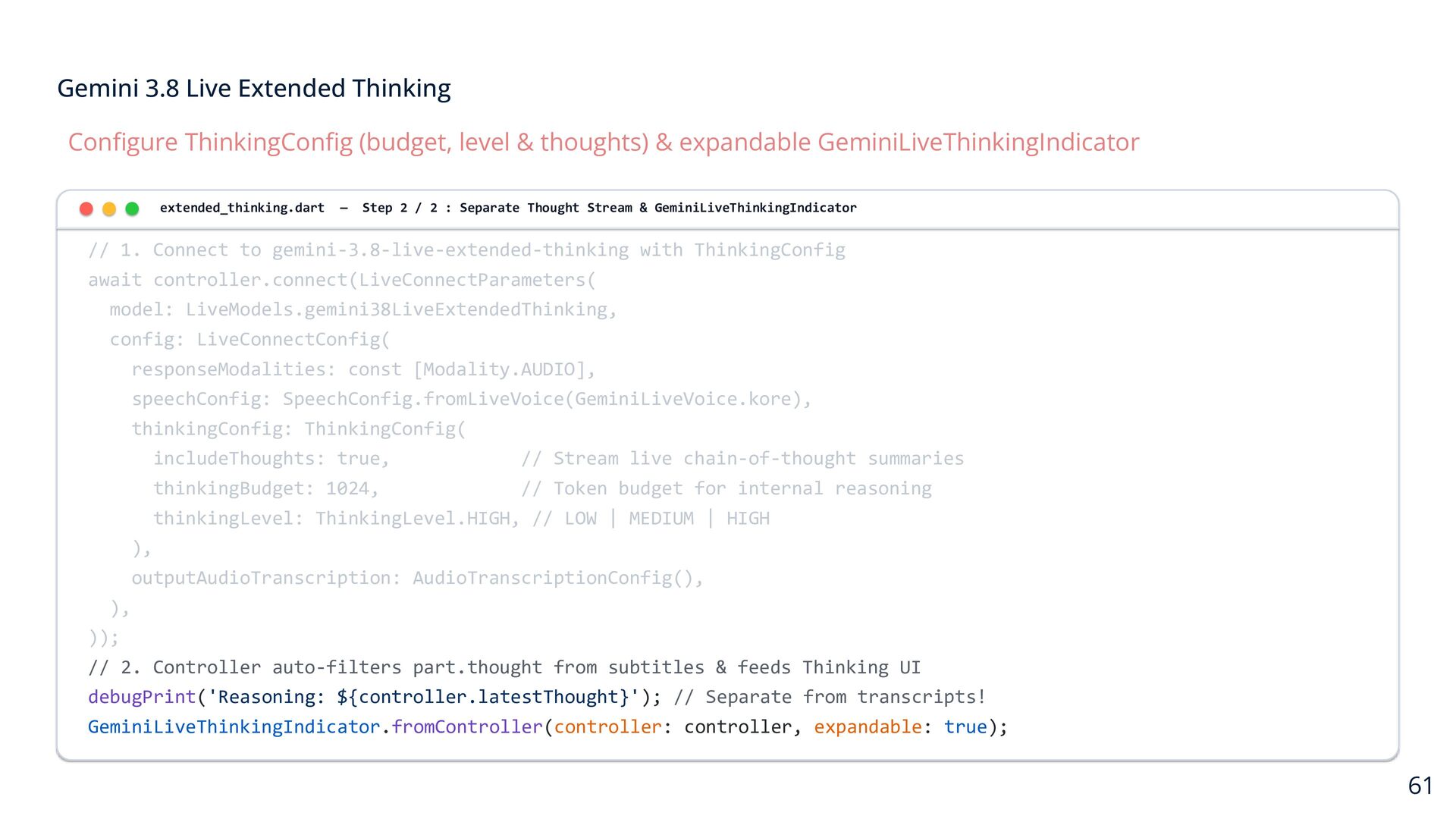
  42. Gemini 3.8 Live Extended Thinking Configure ThinkingConfig (budget, level &

    thoughts) & expandable GeminiLiveThinkingIndicator extended_thinking.dart — Step 2 / 2 : Separate Thought Stream & GeminiLiveThinkingIndicator // 1. Connect to gemini-3.8-live-extended-thinking with ThinkingConfig await controller.connect(LiveConnectParameters( model: LiveModels.gemini38LiveExtendedThinking, config: LiveConnectConfig( responseModalities: const [Modality.AUDIO], speechConfig: SpeechConfig.fromLiveVoice(GeminiLiveVoice.kore), thinkingConfig: ThinkingConfig( includeThoughts: true, // Stream live chain-of-thought summaries thinkingBudget: 1024, // Token budget for internal reasoning thinkingLevel: ThinkingLevel.HIGH, // LOW | MEDIUM | HIGH ), outputAudioTranscription: AudioTranscriptionConfig(), ), )); // 2. Controller auto-filters part.thought from subtitles & feeds Thinking UI debugPrint('Reasoning: ${controller.latestThought}'); // Separate from transcripts! GeminiLiveThinkingIndicator.fromController(controller: controller, expandable: true); 61
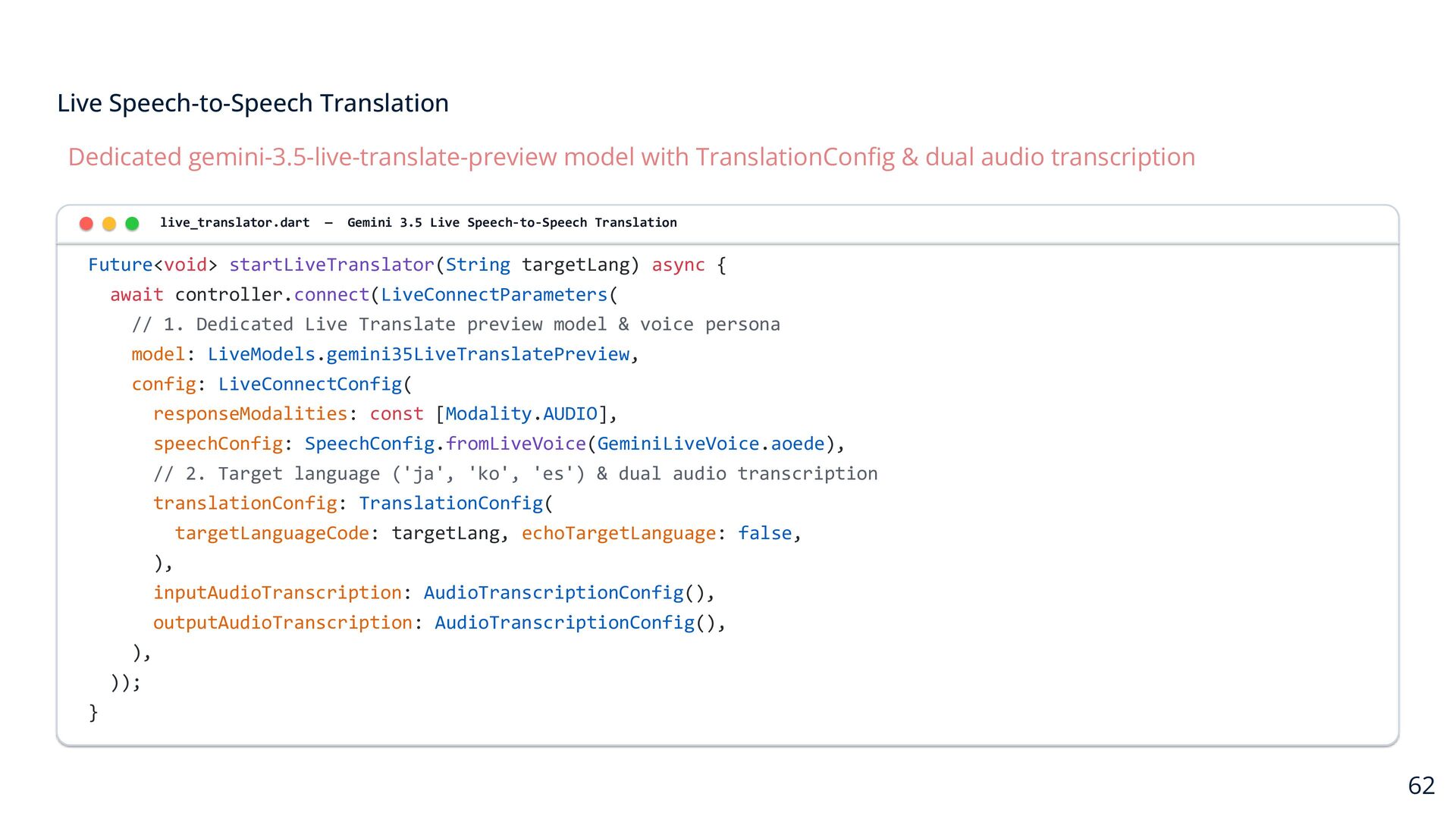
  43. Live Speech-to-Speech Translation Dedicated gemini-3.5-live-translate-preview model with TranslationConfig & dual

    audio transcription live_translator.dart — Gemini 3.5 Live Speech-to-Speech Translation Future<void> startLiveTranslator(String targetLang) async { await controller.connect(LiveConnectParameters( // 1. Dedicated Live Translate preview model & voice persona model: LiveModels.gemini35LiveTranslatePreview, config: LiveConnectConfig( responseModalities: const [Modality.AUDIO], speechConfig: SpeechConfig.fromLiveVoice(GeminiLiveVoice.aoede), // 2. Target language ('ja', 'ko', 'es') & dual audio transcription translationConfig: TranslationConfig( targetLanguageCode: targetLang, echoTargetLanguage: false, ), inputAudioTranscription: AudioTranscriptionConfig(), outputAudioTranscription: AudioTranscriptionConfig(), ), )); } 62
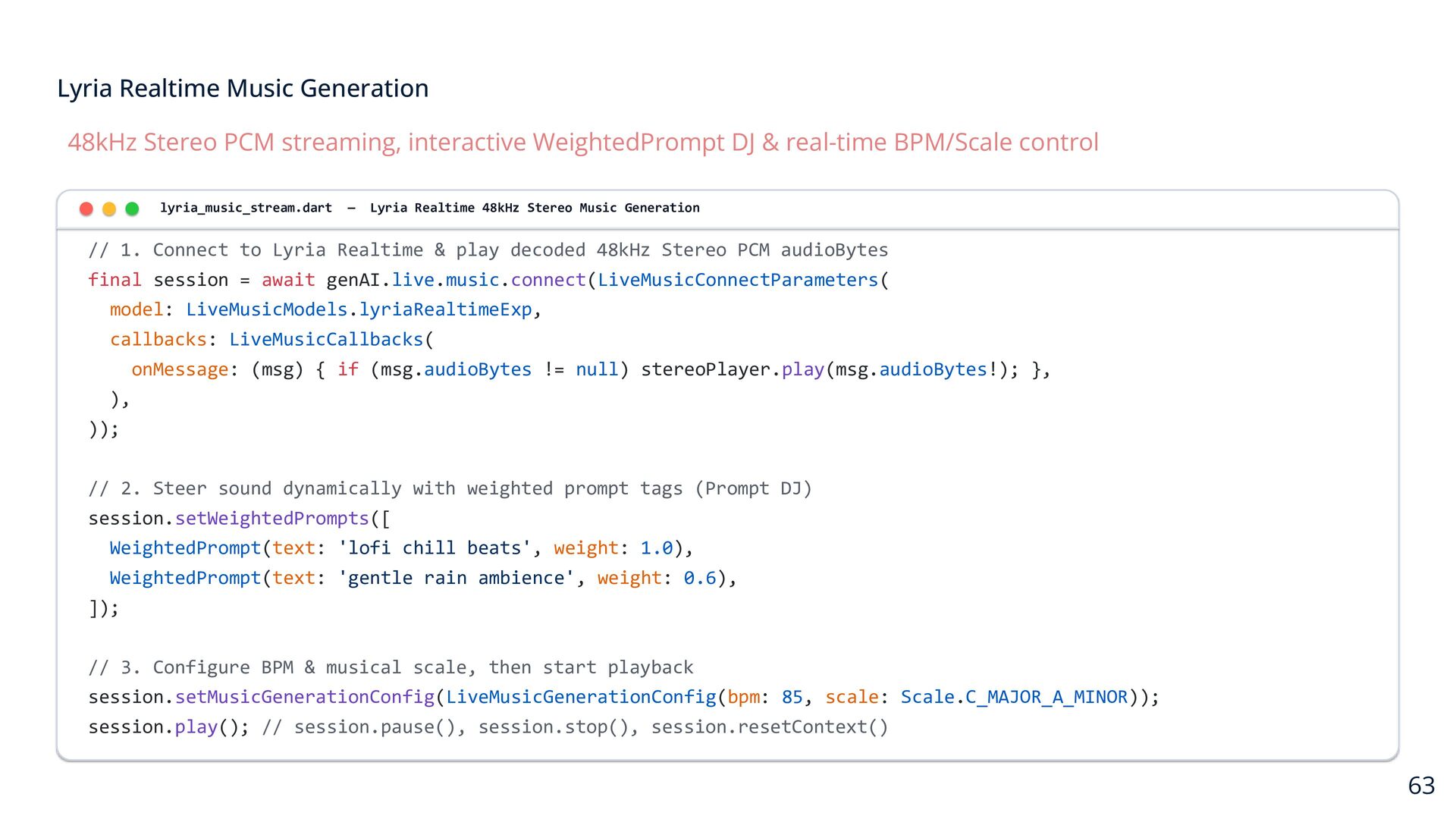
  44. Lyria Realtime Music Generation 48kHz Stereo PCM streaming, interactive WeightedPrompt

    DJ & real-time BPM/Scale control lyria_music_stream.dart — Lyria Realtime 48kHz Stereo Music Generation // 1. Connect to Lyria Realtime & play decoded 48kHz Stereo PCM audioBytes final session = await genAI.live.music.connect(LiveMusicConnectParameters( model: LiveMusicModels.lyriaRealtimeExp, callbacks: LiveMusicCallbacks( onMessage: (msg) { if (msg.audioBytes != null) stereoPlayer.play(msg.audioBytes!); }, ), )); // 2. Steer sound dynamically with weighted prompt tags (Prompt DJ) session.setWeightedPrompts([ WeightedPrompt(text: 'lofi chill beats', weight: 1.0), WeightedPrompt(text: 'gentle rain ambience', weight: 0.6), ]); // 3. Configure BPM & musical scale, then start playback session.setMusicGenerationConfig(LiveMusicGenerationConfig(bpm: 85, scale: Scale.C_MAJOR_A_MINOR)); session.play(); // session.pause(), session.stop(), session.resetContext() 63
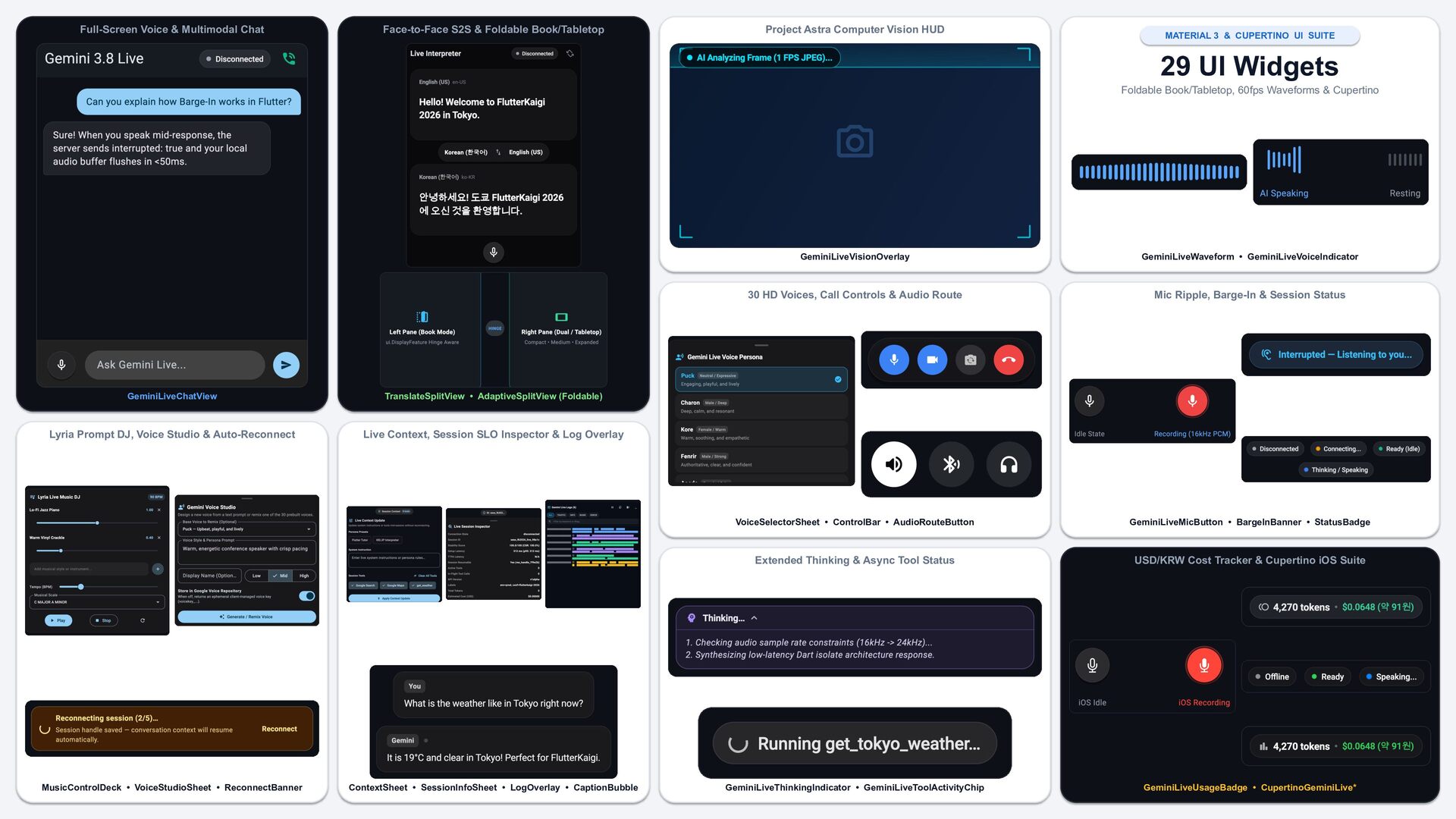
  45. Full-Screen Voice & Multimodal Chat Face-to-Face S2S & Foldable Book/Tabletop

    Project Astra Computer Vision HUD MATERIAL 3 & CUPERTINO UI SUITE 29 UI Widgets Foldable Book/Tabletop, 60fps Waveforms & Cupertino GeminiLiveChatView TranslateSplitView • AdaptiveSplitView (Foldable) Lyria Prompt DJ, Voice Studio & Auto-Reconnect Live Context, Session SLO Inspector & Log Overlay MusicControlDeck • VoiceStudioSheet • ReconnectBanner ContextSheet • SessionInfoSheet • LogOverlay • CaptionBubble GeminiLiveVisionOverlay GeminiLiveWaveform • GeminiLiveVoiceIndicator 30 HD Voices, Call Controls & Audio Route Mic Ripple, Barge-In & Session Status VoiceSelectorSheet • ControlBar • AudioRouteButton GeminiLiveMicButton • BargeInBanner • StatusBadge Extended Thinking & Async Tool Status USD/KRW Cost Tracker & Cupertino iOS Suite GeminiLiveThinkingIndicator • GeminiLiveToolActivityChip GeminiLiveUsageBadge • CupertinoGeminiLive*
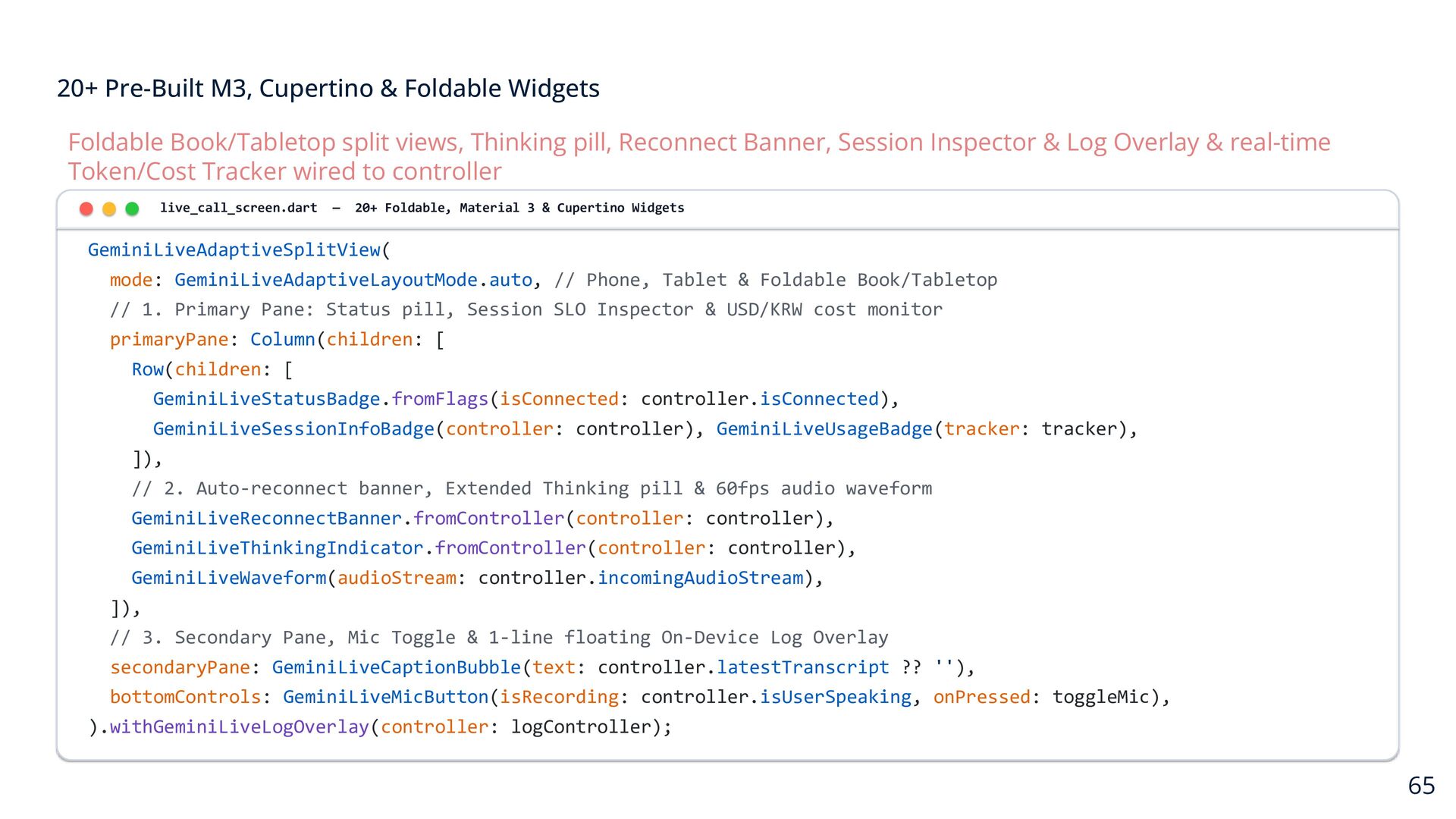
  46. 20+ Pre-Built M3, Cupertino & Foldable Widgets Foldable Book/Tabletop split

    views, Thinking pill, Reconnect Banner, Session Inspector & Log Overlay & real-time Token/Cost Tracker wired to controller live_call_screen.dart — 20+ Foldable, Material 3 & Cupertino Widgets GeminiLiveAdaptiveSplitView( mode: GeminiLiveAdaptiveLayoutMode.auto, // Phone, Tablet & Foldable Book/Tabletop // 1. Primary Pane: Status pill, Session SLO Inspector & USD/KRW cost monitor primaryPane: Column(children: [ Row(children: [ GeminiLiveStatusBadge.fromFlags(isConnected: controller.isConnected), GeminiLiveSessionInfoBadge(controller: controller), GeminiLiveUsageBadge(tracker: tracker), ]), // 2. Auto-reconnect banner, Extended Thinking pill & 60fps audio waveform GeminiLiveReconnectBanner.fromController(controller: controller), GeminiLiveThinkingIndicator.fromController(controller: controller), GeminiLiveWaveform(audioStream: controller.incomingAudioStream), ]), // 3. Secondary Pane, Mic Toggle & 1-line floating On-Device Log Overlay secondaryPane: GeminiLiveCaptionBubble(text: controller.latestTranscript ?? ''), bottomControls: GeminiLiveMicButton(isRecording: controller.isUserSpeaking, onPressed: toggleMic), ).withGeminiLiveLogOverlay(controller: logController); 65
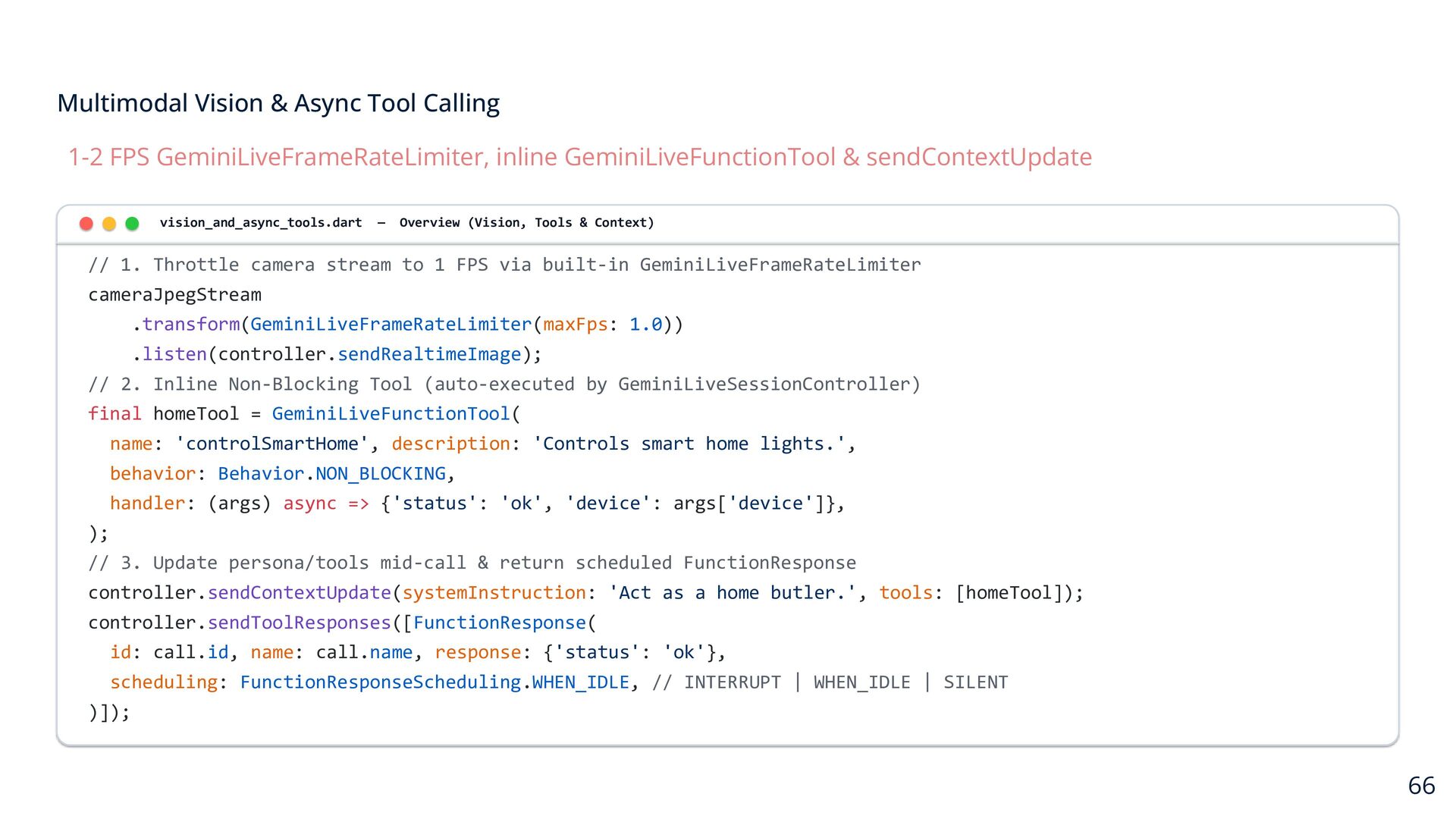
  47. Multimodal Vision & Async Tool Calling 1-2 FPS GeminiLiveFrameRateLimiter, inline

    GeminiLiveFunctionTool & sendContextUpdate vision_and_async_tools.dart — Overview (Vision, Tools & Context) // 1. Throttle camera stream to 1 FPS via built-in GeminiLiveFrameRateLimiter cameraJpegStream .transform(GeminiLiveFrameRateLimiter(maxFps: 1.0)) .listen(controller.sendRealtimeImage); // 2. Inline Non-Blocking Tool (auto-executed by GeminiLiveSessionController) final homeTool = GeminiLiveFunctionTool( name: 'controlSmartHome', description: 'Controls smart home lights.', behavior: Behavior.NON_BLOCKING, handler: (args) async => {'status': 'ok', 'device': args['device']}, ); // 3. Update persona/tools mid-call & return scheduled FunctionResponse controller.sendContextUpdate(systemInstruction: 'Act as a home butler.', tools: [homeTool]); controller.sendToolResponses([FunctionResponse( id: call.id, name: call.name, response: {'status': 'ok'}, scheduling: FunctionResponseScheduling.WHEN_IDLE, // INTERRUPT | WHEN_IDLE | SILENT )]); 66
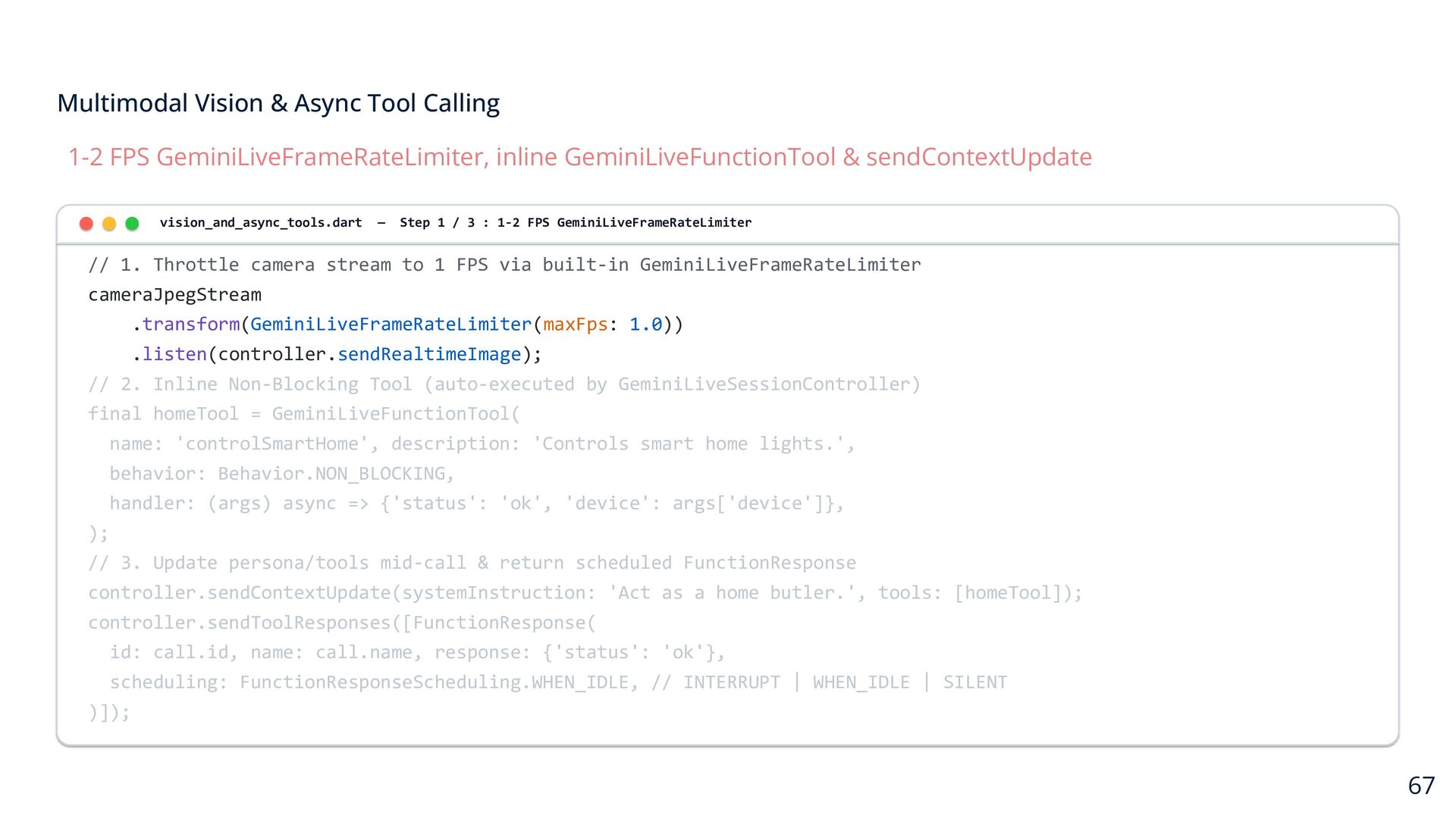
  48. Multimodal Vision & Async Tool Calling 1-2 FPS GeminiLiveFrameRateLimiter, inline

    GeminiLiveFunctionTool & sendContextUpdate vision_and_async_tools.dart — Step 1 / 3 : 1-2 FPS GeminiLiveFrameRateLimiter // 1. Throttle camera stream to 1 FPS via built-in GeminiLiveFrameRateLimiter cameraJpegStream .transform(GeminiLiveFrameRateLimiter(maxFps: 1.0)) .listen(controller.sendRealtimeImage); // 2. Inline Non-Blocking Tool (auto-executed by GeminiLiveSessionController) final homeTool = GeminiLiveFunctionTool( name: 'controlSmartHome', description: 'Controls smart home lights.', behavior: Behavior.NON_BLOCKING, handler: (args) async => {'status': 'ok', 'device': args['device']}, ); // 3. Update persona/tools mid-call & return scheduled FunctionResponse controller.sendContextUpdate(systemInstruction: 'Act as a home butler.', tools: [homeTool]); controller.sendToolResponses([FunctionResponse( id: call.id, name: call.name, response: {'status': 'ok'}, scheduling: FunctionResponseScheduling.WHEN_IDLE, // INTERRUPT | WHEN_IDLE | SILENT )]); 67
  49. Multimodal Vision & Async Tool Calling 1-2 FPS GeminiLiveFrameRateLimiter, inline

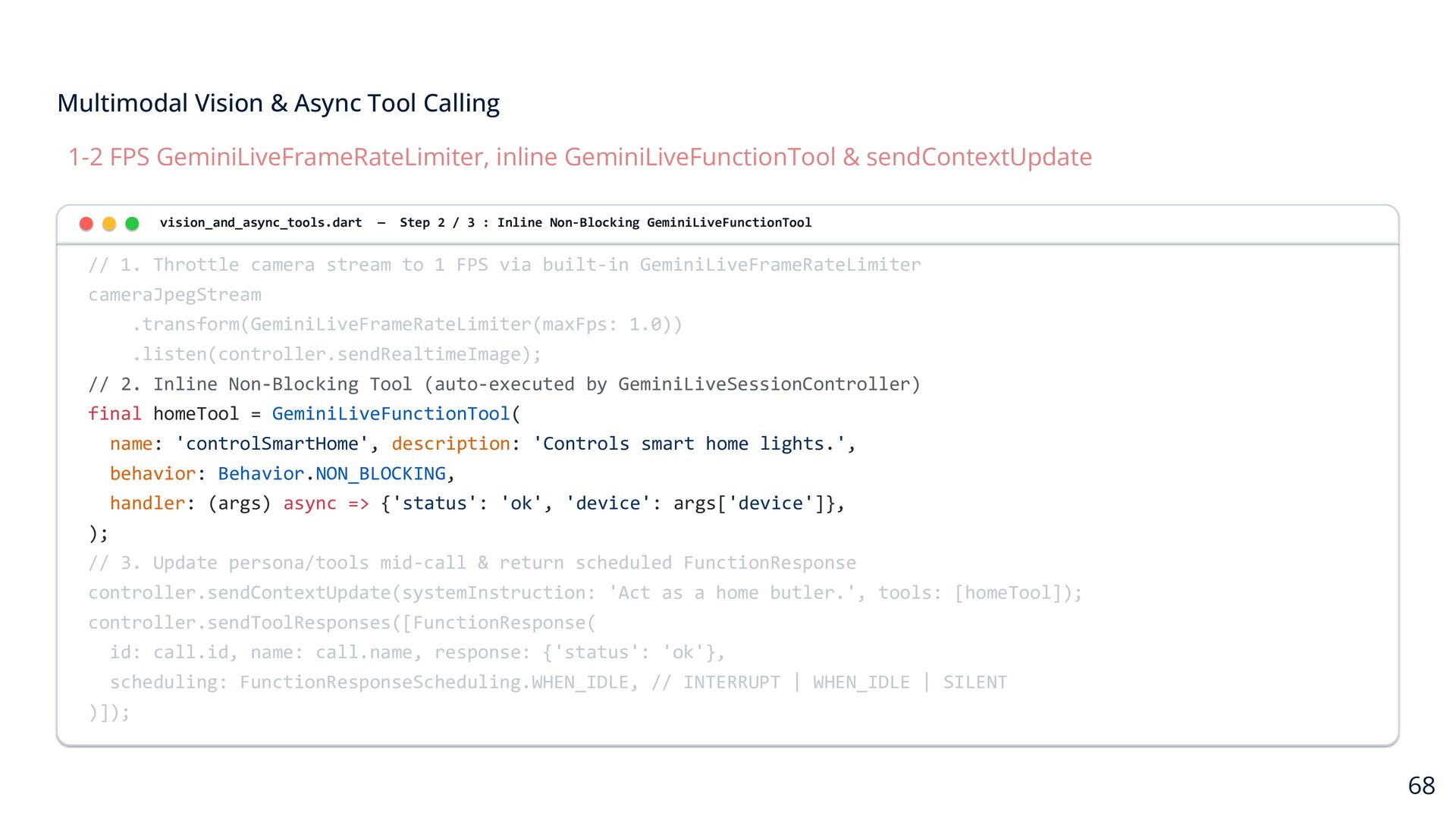
    GeminiLiveFunctionTool & sendContextUpdate vision_and_async_tools.dart — Step 2 / 3 : Inline Non-Blocking GeminiLiveFunctionTool // 1. Throttle camera stream to 1 FPS via built-in GeminiLiveFrameRateLimiter cameraJpegStream .transform(GeminiLiveFrameRateLimiter(maxFps: 1.0)) .listen(controller.sendRealtimeImage); // 2. Inline Non-Blocking Tool (auto-executed by GeminiLiveSessionController) final homeTool = GeminiLiveFunctionTool( name: 'controlSmartHome', description: 'Controls smart home lights.', behavior: Behavior.NON_BLOCKING, handler: (args) async => {'status': 'ok', 'device': args['device']}, ); // 3. Update persona/tools mid-call & return scheduled FunctionResponse controller.sendContextUpdate(systemInstruction: 'Act as a home butler.', tools: [homeTool]); controller.sendToolResponses([FunctionResponse( id: call.id, name: call.name, response: {'status': 'ok'}, scheduling: FunctionResponseScheduling.WHEN_IDLE, // INTERRUPT | WHEN_IDLE | SILENT )]); 68
  50. Multimodal Vision & Async Tool Calling 1-2 FPS GeminiLiveFrameRateLimiter, inline

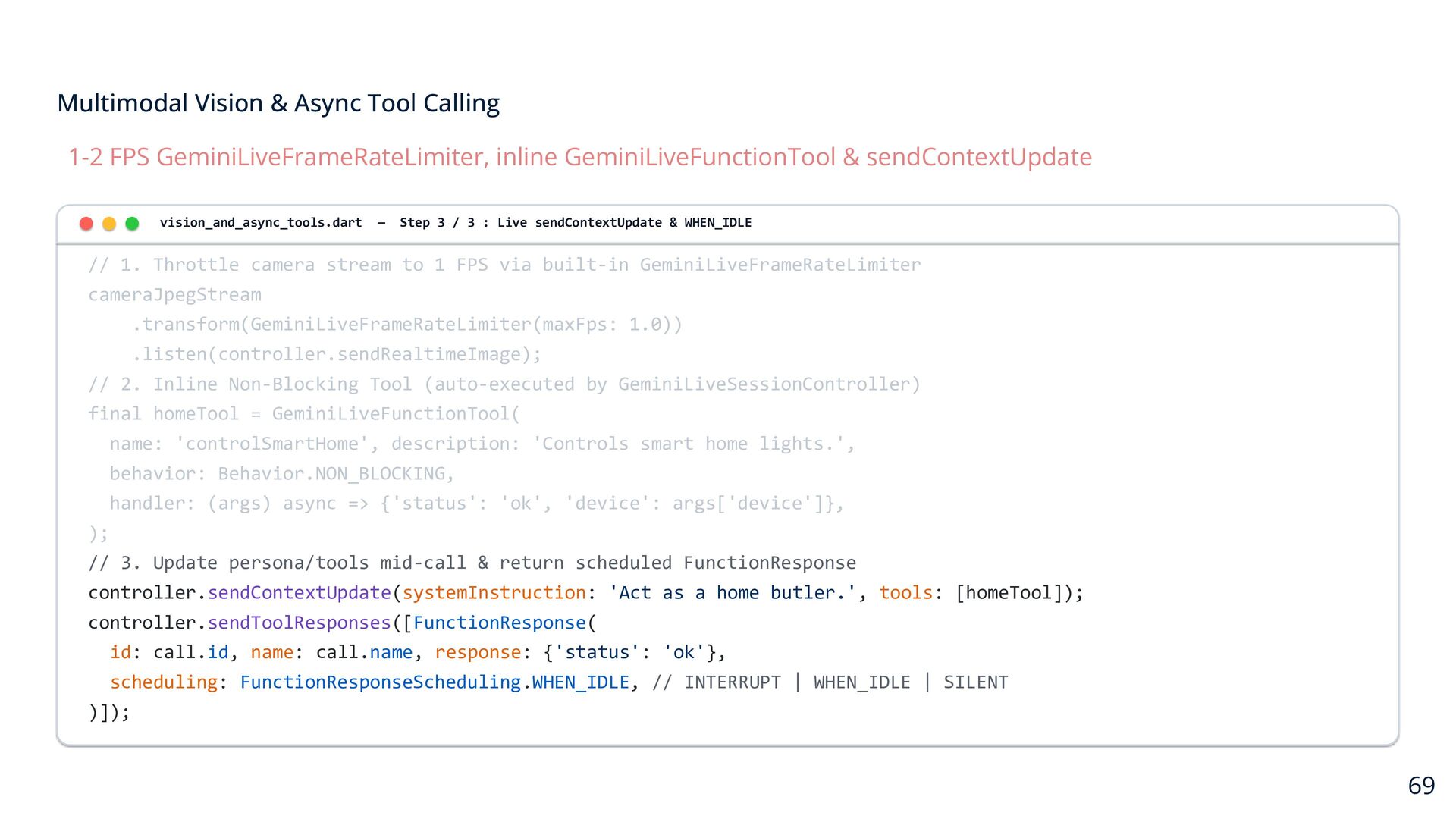
    GeminiLiveFunctionTool & sendContextUpdate vision_and_async_tools.dart — Step 3 / 3 : Live sendContextUpdate & WHEN_IDLE // 1. Throttle camera stream to 1 FPS via built-in GeminiLiveFrameRateLimiter cameraJpegStream .transform(GeminiLiveFrameRateLimiter(maxFps: 1.0)) .listen(controller.sendRealtimeImage); // 2. Inline Non-Blocking Tool (auto-executed by GeminiLiveSessionController) final homeTool = GeminiLiveFunctionTool( name: 'controlSmartHome', description: 'Controls smart home lights.', behavior: Behavior.NON_BLOCKING, handler: (args) async => {'status': 'ok', 'device': args['device']}, ); // 3. Update persona/tools mid-call & return scheduled FunctionResponse controller.sendContextUpdate(systemInstruction: 'Act as a home butler.', tools: [homeTool]); controller.sendToolResponses([FunctionResponse( id: call.id, name: call.name, response: {'status': 'ok'}, scheduling: FunctionResponseScheduling.WHEN_IDLE, // INTERRUPT | WHEN_IDLE | SILENT )]); 69
  51. Production Security & Session Resiliency Ephemeral client tokens (v1alpha) &

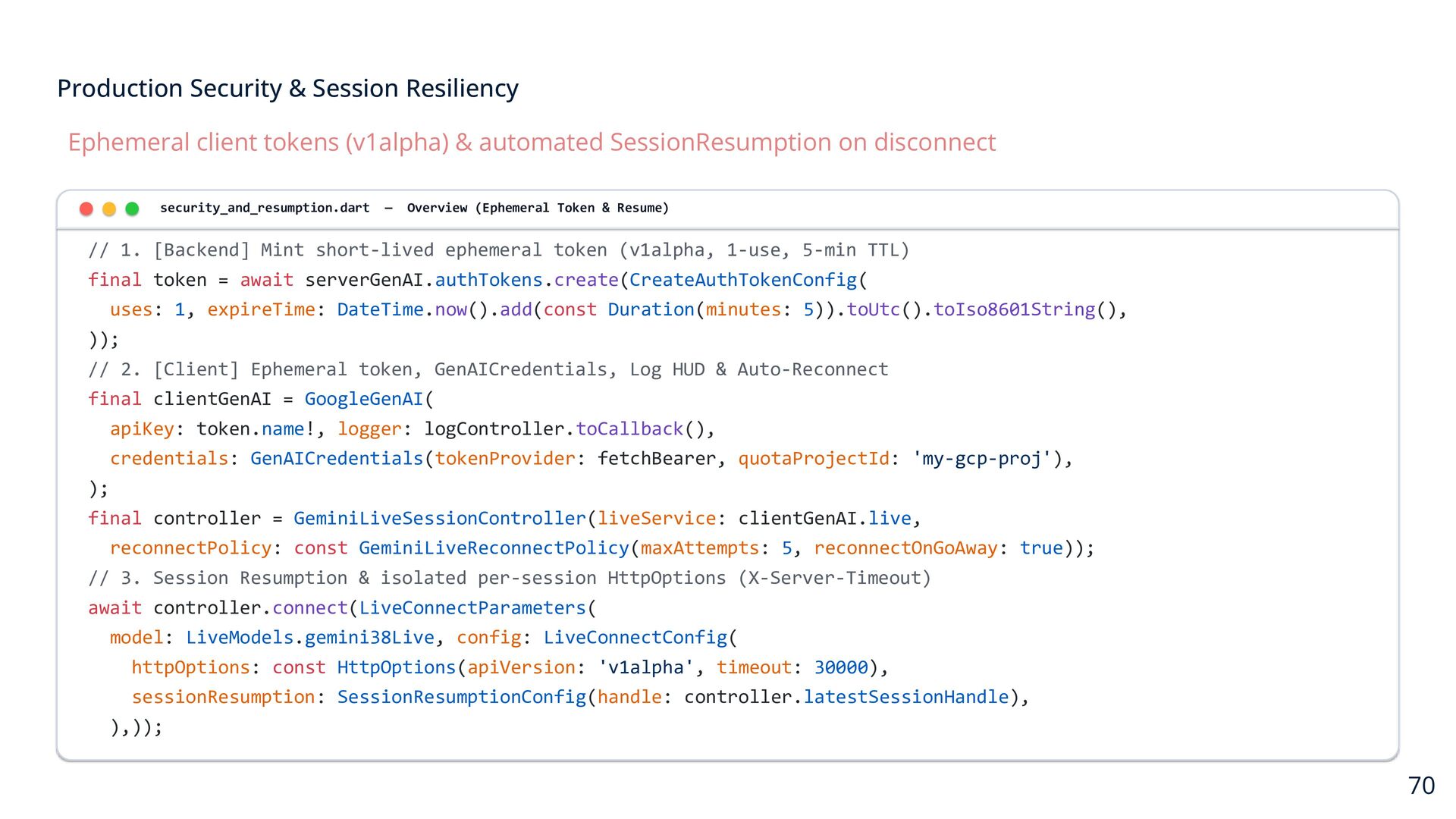
    automated SessionResumption on disconnect security_and_resumption.dart — Overview (Ephemeral Token & Resume) // 1. [Backend] Mint short-lived ephemeral token (v1alpha, 1-use, 5-min TTL) final token = await serverGenAI.authTokens.create(CreateAuthTokenConfig( uses: 1, expireTime: DateTime.now().add(const Duration(minutes: 5)).toUtc().toIso8601String(), )); // 2. [Client] Ephemeral token, GenAICredentials, Log HUD & Auto-Reconnect final clientGenAI = GoogleGenAI( apiKey: token.name!, logger: logController.toCallback(), credentials: GenAICredentials(tokenProvider: fetchBearer, quotaProjectId: 'my-gcp-proj'), ); final controller = GeminiLiveSessionController(liveService: clientGenAI.live, reconnectPolicy: const GeminiLiveReconnectPolicy(maxAttempts: 5, reconnectOnGoAway: true)); // 3. Session Resumption & isolated per-session HttpOptions (X-Server-Timeout) await controller.connect(LiveConnectParameters( model: LiveModels.gemini38Live, config: LiveConnectConfig( httpOptions: const HttpOptions(apiVersion: 'v1alpha', timeout: 30000), sessionResumption: SessionResumptionConfig(handle: controller.latestSessionHandle), ),)); 70
  52. Production Security & Session Resiliency Ephemeral client tokens (v1alpha) &

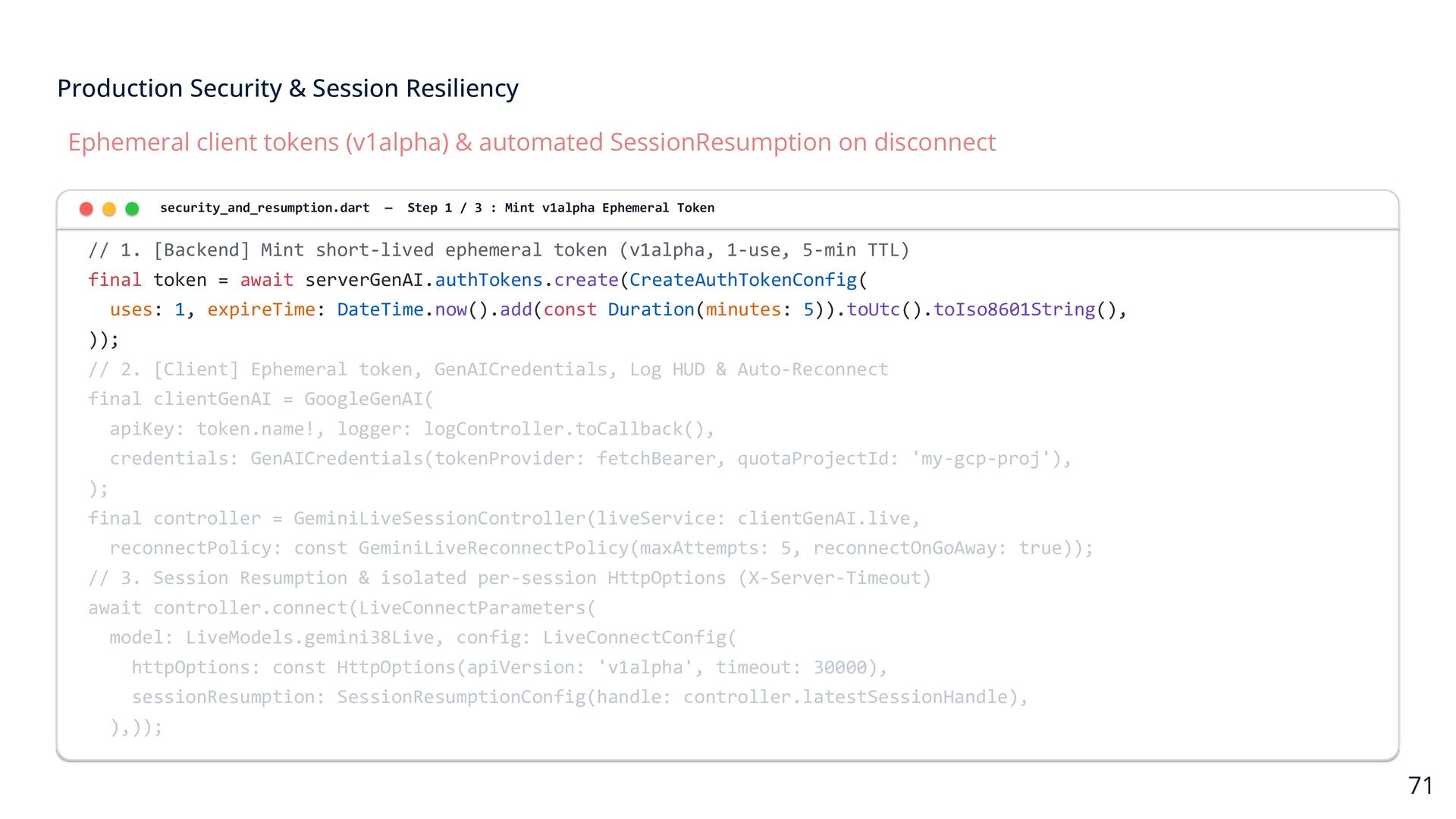
    automated SessionResumption on disconnect security_and_resumption.dart — Step 1 / 3 : Mint v1alpha Ephemeral Token // 1. [Backend] Mint short-lived ephemeral token (v1alpha, 1-use, 5-min TTL) final token = await serverGenAI.authTokens.create(CreateAuthTokenConfig( uses: 1, expireTime: DateTime.now().add(const Duration(minutes: 5)).toUtc().toIso8601String(), )); // 2. [Client] Ephemeral token, GenAICredentials, Log HUD & Auto-Reconnect final clientGenAI = GoogleGenAI( apiKey: token.name!, logger: logController.toCallback(), credentials: GenAICredentials(tokenProvider: fetchBearer, quotaProjectId: 'my-gcp-proj'), ); final controller = GeminiLiveSessionController(liveService: clientGenAI.live, reconnectPolicy: const GeminiLiveReconnectPolicy(maxAttempts: 5, reconnectOnGoAway: true)); // 3. Session Resumption & isolated per-session HttpOptions (X-Server-Timeout) await controller.connect(LiveConnectParameters( model: LiveModels.gemini38Live, config: LiveConnectConfig( httpOptions: const HttpOptions(apiVersion: 'v1alpha', timeout: 30000), sessionResumption: SessionResumptionConfig(handle: controller.latestSessionHandle), ),)); 71
  53. Production Security & Session Resiliency Ephemeral client tokens (v1alpha) &

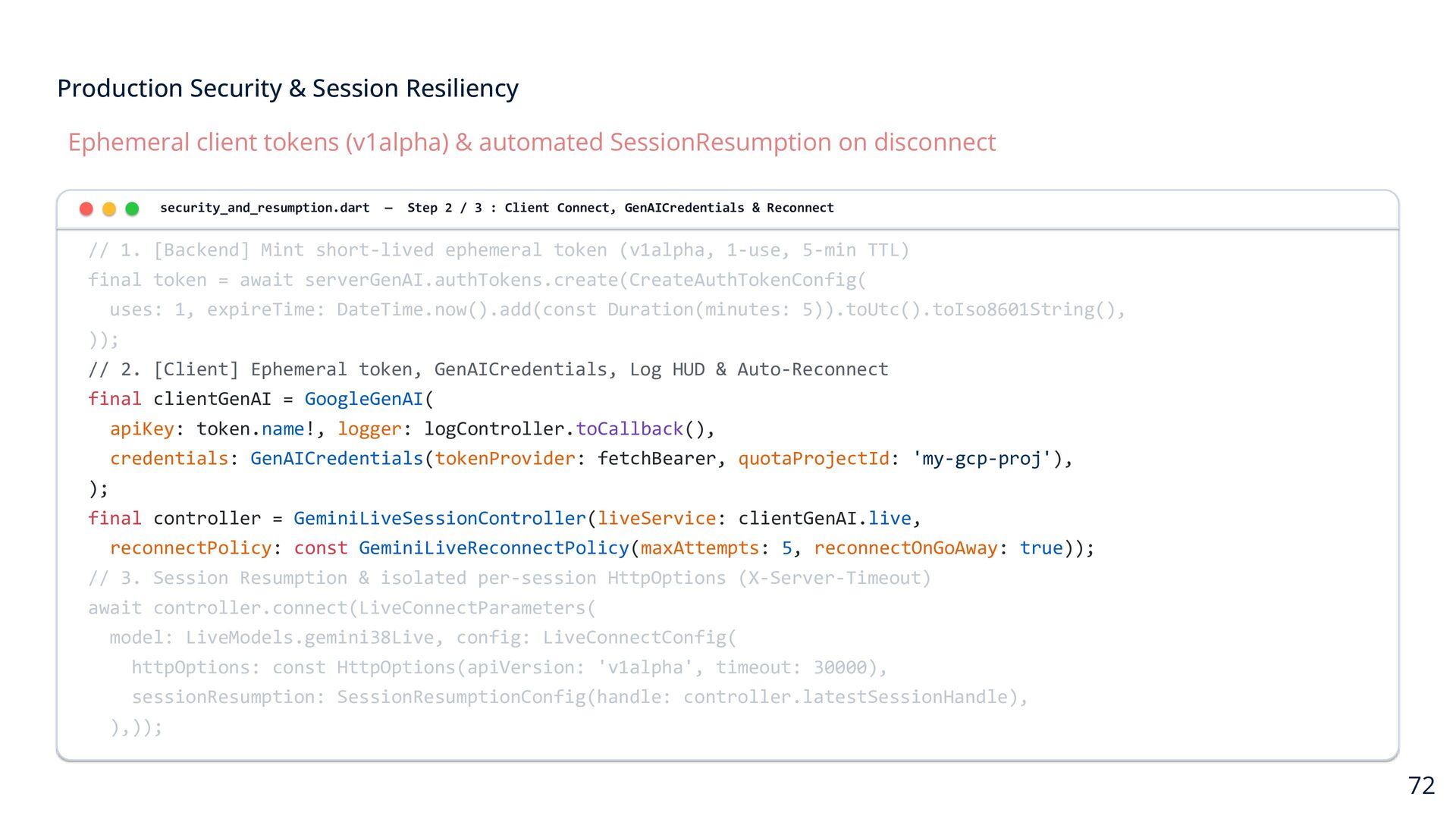
    automated SessionResumption on disconnect security_and_resumption.dart — Step 2 / 3 : Client Connect, GenAICredentials & Reconnect // 1. [Backend] Mint short-lived ephemeral token (v1alpha, 1-use, 5-min TTL) final token = await serverGenAI.authTokens.create(CreateAuthTokenConfig( uses: 1, expireTime: DateTime.now().add(const Duration(minutes: 5)).toUtc().toIso8601String(), )); // 2. [Client] Ephemeral token, GenAICredentials, Log HUD & Auto-Reconnect final clientGenAI = GoogleGenAI( apiKey: token.name!, logger: logController.toCallback(), credentials: GenAICredentials(tokenProvider: fetchBearer, quotaProjectId: 'my-gcp-proj'), ); final controller = GeminiLiveSessionController(liveService: clientGenAI.live, reconnectPolicy: const GeminiLiveReconnectPolicy(maxAttempts: 5, reconnectOnGoAway: true)); // 3. Session Resumption & isolated per-session HttpOptions (X-Server-Timeout) await controller.connect(LiveConnectParameters( model: LiveModels.gemini38Live, config: LiveConnectConfig( httpOptions: const HttpOptions(apiVersion: 'v1alpha', timeout: 30000), sessionResumption: SessionResumptionConfig(handle: controller.latestSessionHandle), ),)); 72
  54. Production Security & Session Resiliency Ephemeral client tokens (v1alpha) &

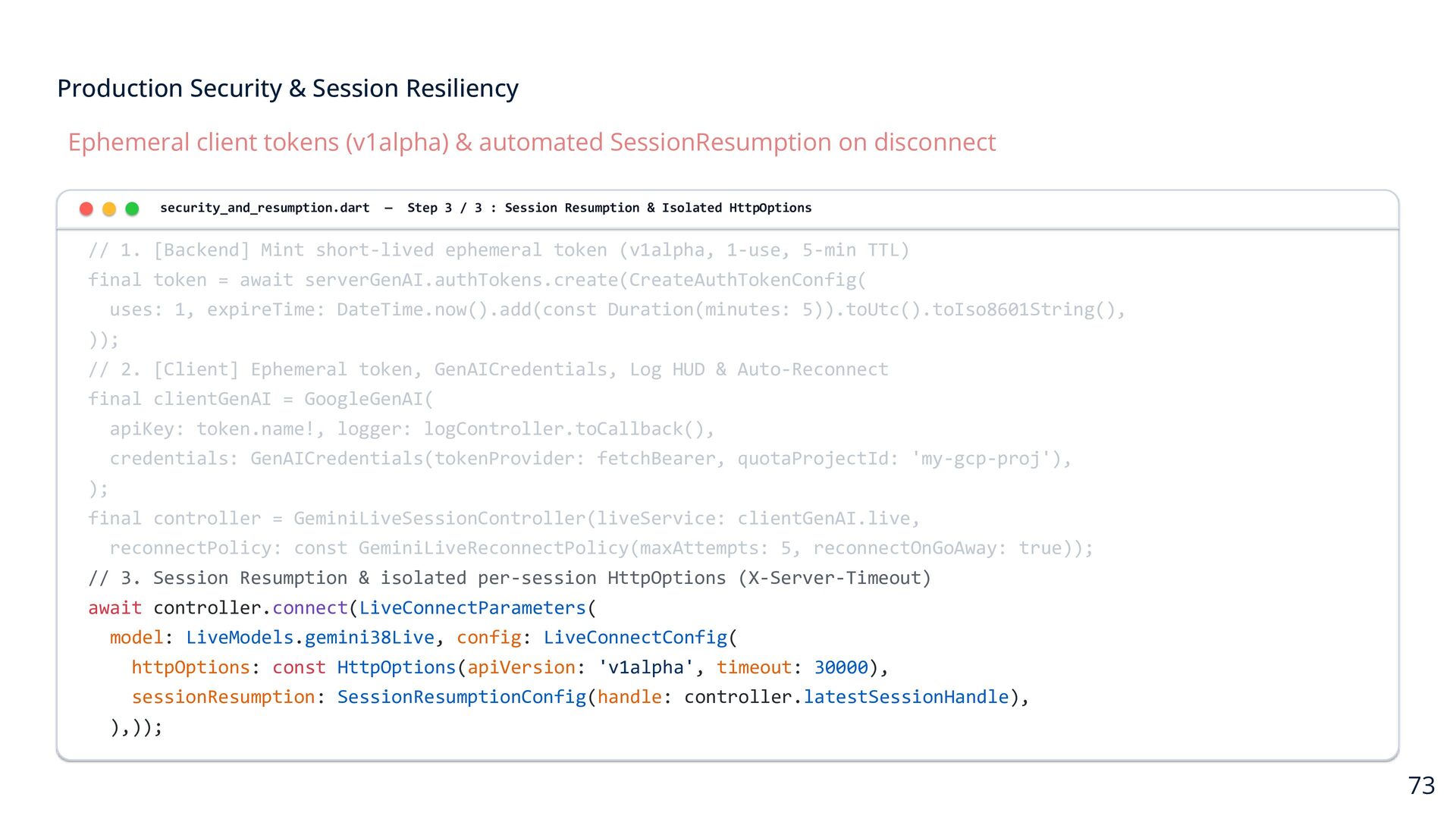
    automated SessionResumption on disconnect security_and_resumption.dart — Step 3 / 3 : Session Resumption & Isolated HttpOptions // 1. [Backend] Mint short-lived ephemeral token (v1alpha, 1-use, 5-min TTL) final token = await serverGenAI.authTokens.create(CreateAuthTokenConfig( uses: 1, expireTime: DateTime.now().add(const Duration(minutes: 5)).toUtc().toIso8601String(), )); // 2. [Client] Ephemeral token, GenAICredentials, Log HUD & Auto-Reconnect final clientGenAI = GoogleGenAI( apiKey: token.name!, logger: logController.toCallback(), credentials: GenAICredentials(tokenProvider: fetchBearer, quotaProjectId: 'my-gcp-proj'), ); final controller = GeminiLiveSessionController(liveService: clientGenAI.live, reconnectPolicy: const GeminiLiveReconnectPolicy(maxAttempts: 5, reconnectOnGoAway: true)); // 3. Session Resumption & isolated per-session HttpOptions (X-Server-Timeout) await controller.connect(LiveConnectParameters( model: LiveModels.gemini38Live, config: LiveConnectConfig( httpOptions: const HttpOptions(apiVersion: 'v1alpha', timeout: 30000), sessionResumption: SessionResumptionConfig(handle: controller.latestSessionHandle), ),)); 73
  55. All 6 Flutter Platforms Supported PURE DART SDK DIRECT Gemini

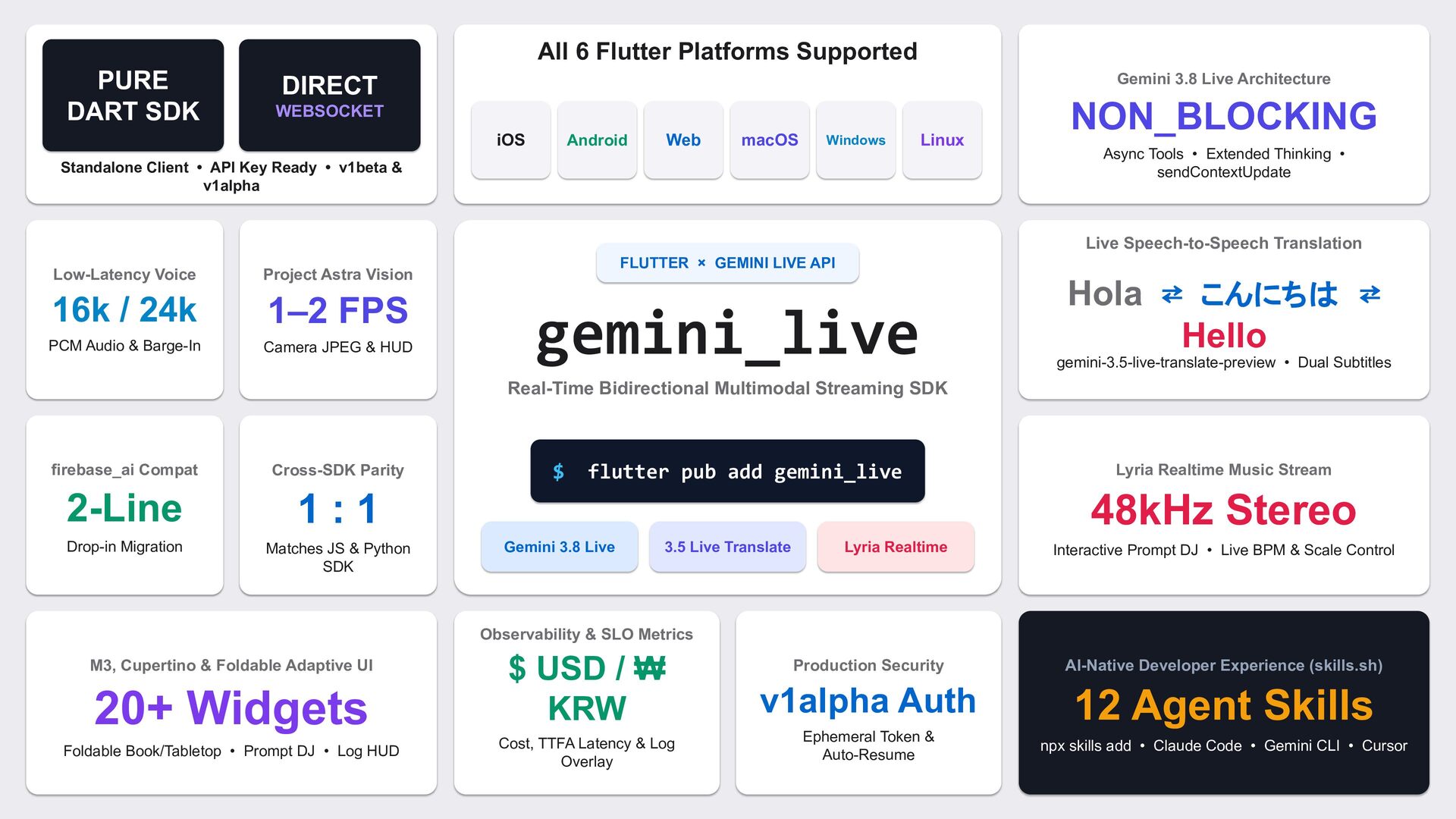
    3.8 Live Architecture WEBSOCKET NON_BLOCKING iOS Web Android macOS Windows Linux Standalone Client • API Key Ready • v1beta & v1alpha Async Tools • Extended Thinking • sendContextUpdate Live Speech-to-Speech Translation Low-Latency Voice Project Astra Vision 16k / 24k 1–2 FPS PCM Audio & Barge-In Camera JPEG & HUD FLUTTER × GEMINI LIVE API gemini_live Hola ⇄ こんにちは ⇄ Hello gemini-3.5-live-translate-preview • Dual Subtitles Real-Time Bidirectional Multimodal Streaming SDK firebase_ai Compat Cross-SDK Parity 2-Line 1:1 Drop-in Migration Matches JS & Python SDK $ flutter pub add gemini_live Lyria Realtime Music Stream 48kHz Stereo Gemini 3.8 Live 3.5 Live Translate Lyria Realtime Interactive Prompt DJ • Live BPM & Scale Control Observability & SLO Metrics M3, Cupertino & Foldable Adaptive UI 20+ Widgets Foldable Book/Tabletop • Prompt DJ • Log HUD $ USD / ₩ KRW Production Security AI-Native Developer Experience (skills.sh) v1alpha Auth 12 Agent Skills Cost, TTFA Latency & Log Overlay Ephemeral Token & Auto-Resume npx skills add • Claude Code • Gemini CLI • Cursor