Upgrade to Pro — share decks privately, control downloads, hide ads and more …

WordPress JSON REST API

Sponsored · Your Podcast. Everywhere. Effortlessly. Share. Educate. Inspire. Entertain. You do you. We'll handle the rest. →
Avatar for Ivan Lopez Ivan Lopez
December 05, 2014

WordPress JSON REST API

The WordPress REST API is coming in WordPress 4.1. Come to learn what the REST API is, how to use it and how it can give you a new perspective for WordPress as an application platform.

We will walk through examples on making HTTP request to the API, and authenticating to perform more sensitive actions such as creating, editing, and deleting resources. As well as getting you thinking on how you can use the REST API in component or projects you might be working on.

Avatar for Ivan Lopez

Ivan Lopez

December 05, 2014

Other Decks in Technology

Transcript

  1. A little bit about myself • My name is Ivan

    Lopez • Engineering Manager at 10up • Open Source Community member
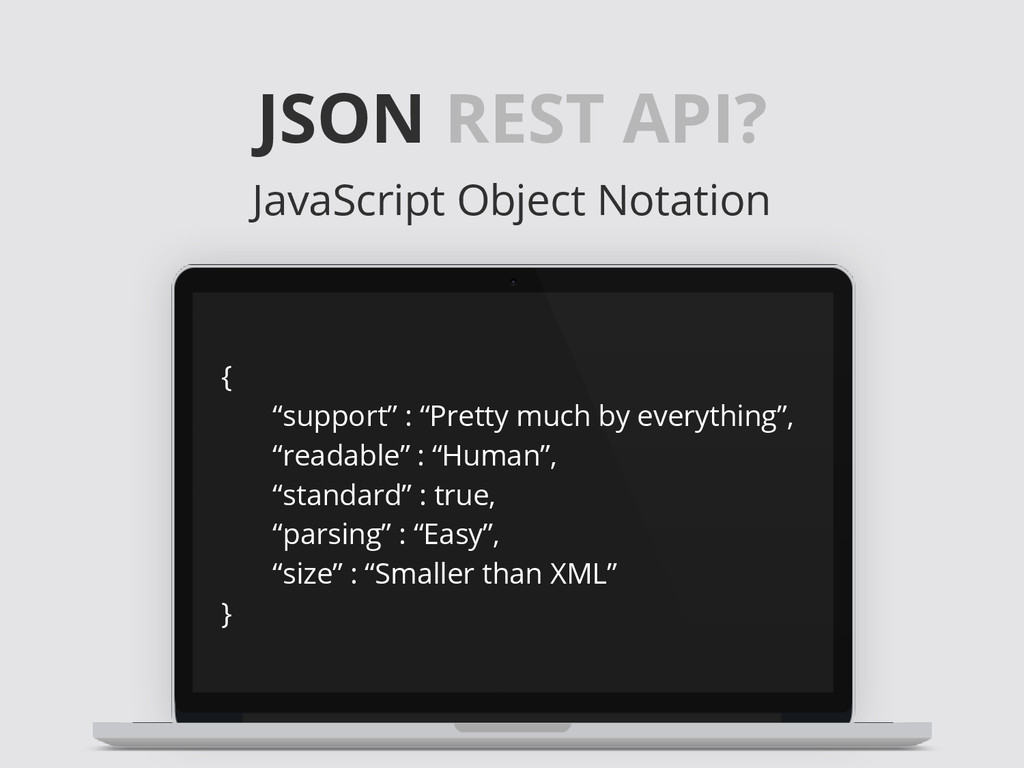
  2. JSON REST API? JavaScript Object Notation { “support” : “Pretty

    much by everything”, “readable” : “Human”, “standard” : true, “parsing” : “Easy”, “size” : “Smaller than XML” }
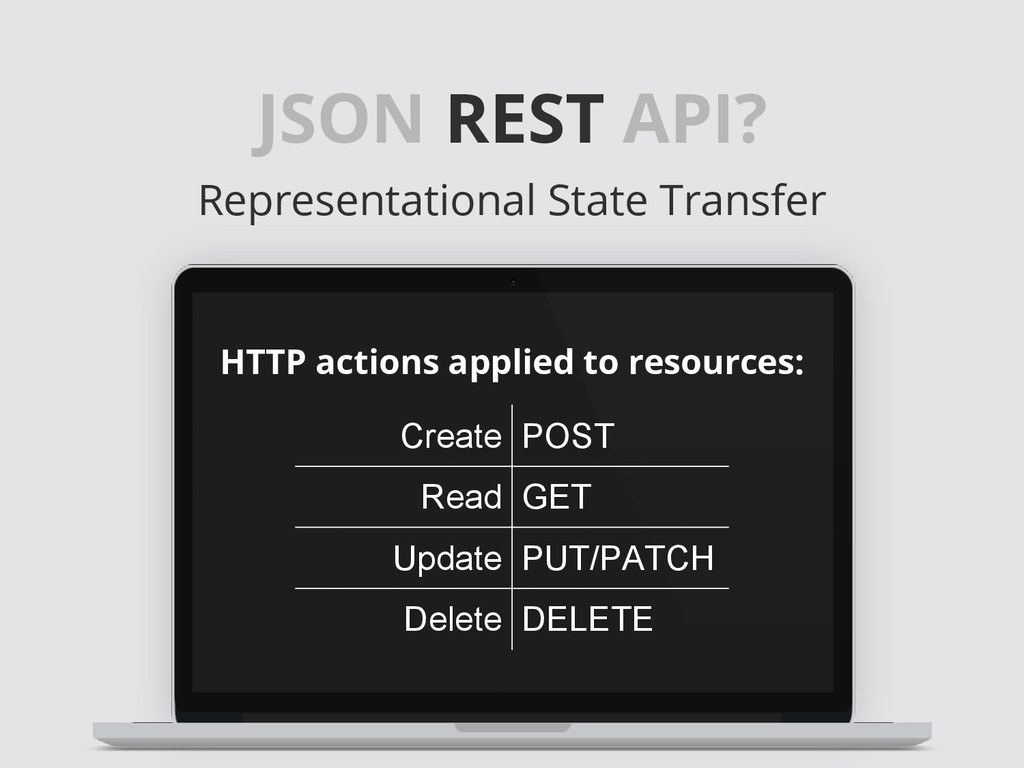
  3. JSON REST API? Representational State Transfer HTTP actions applied to

    resources: Create POST Read GET Update PUT/PATCH Delete DELETE
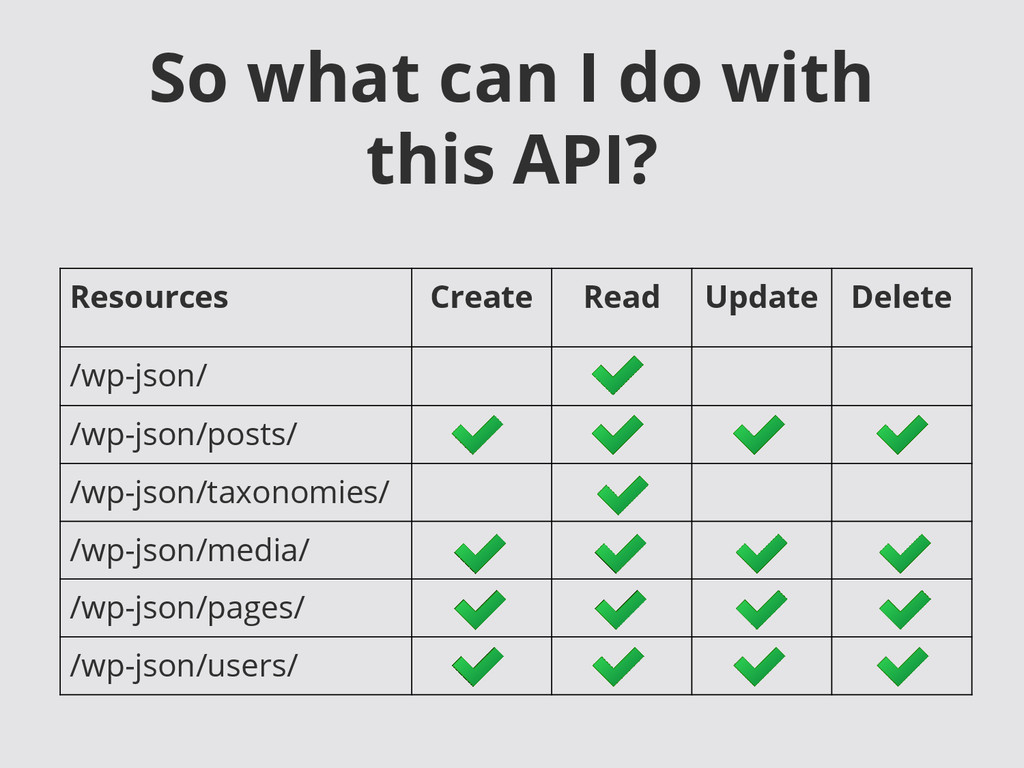
  4. So what can I do with this API? Resources Create

    Read Update Delete /wp-json/ /wp-json/posts/ /wp-json/taxonomies/ /wp-json/media/ /wp-json/pages/ /wp-json/users/
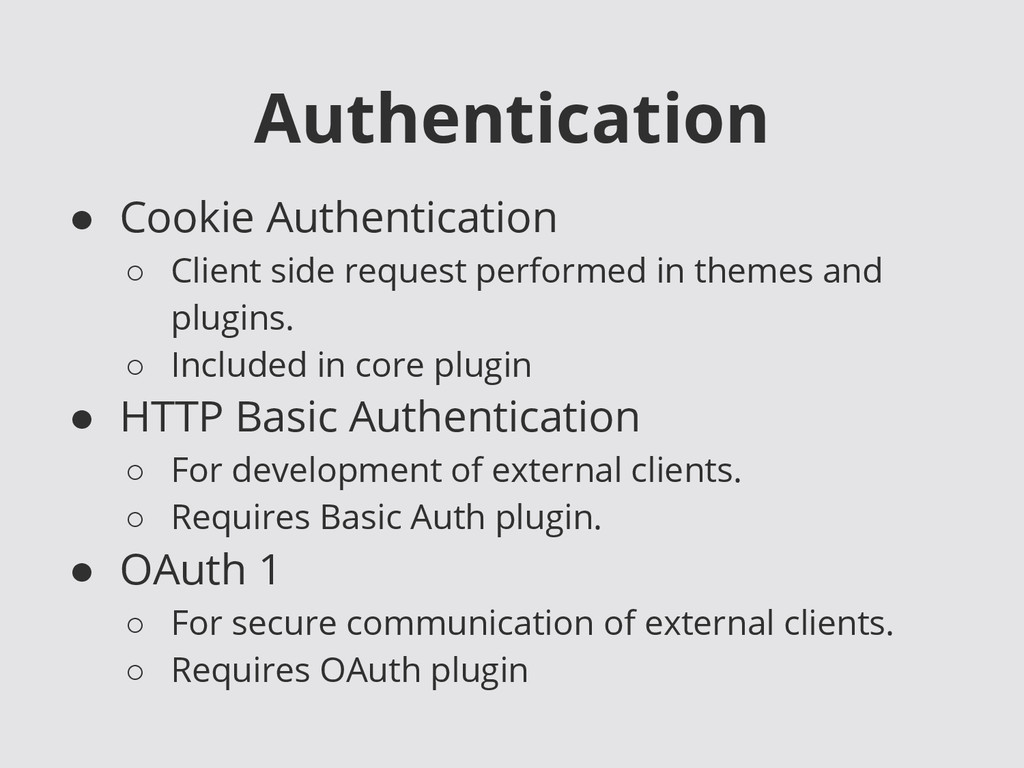
  5. Authentication • Cookie Authentication ◦ Client side request performed in

    themes and plugins. ◦ Included in core plugin • HTTP Basic Authentication ◦ For development of external clients. ◦ Requires Basic Auth plugin. • OAuth 1 ◦ For secure communication of external clients. ◦ Requires OAuth plugin
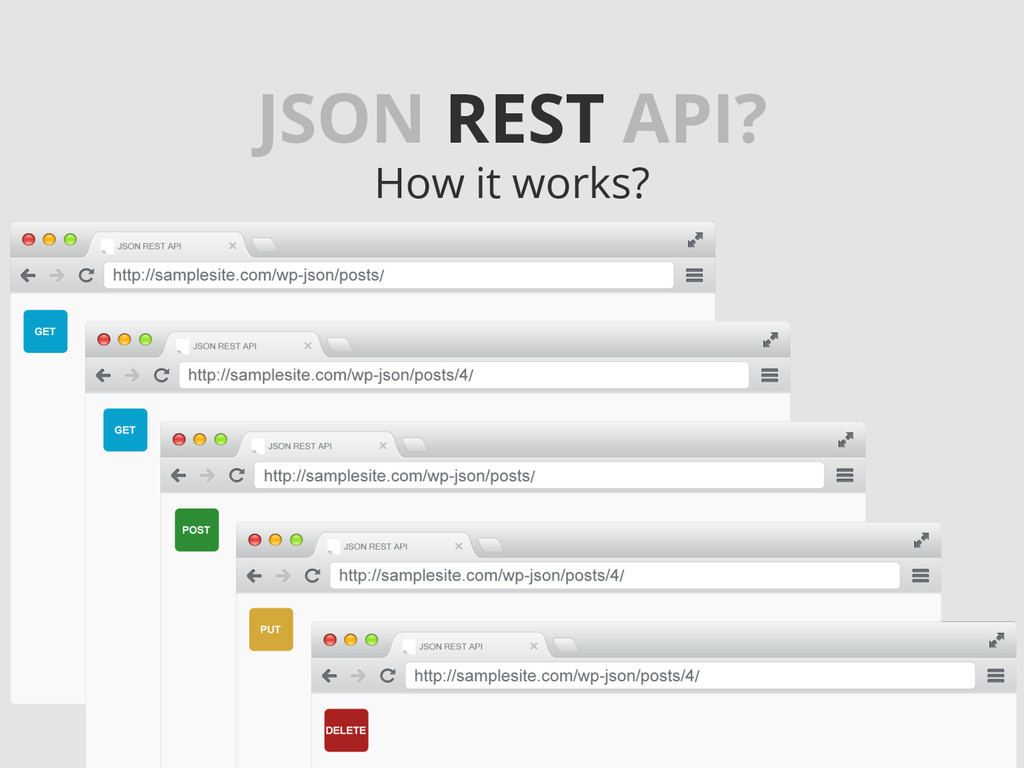
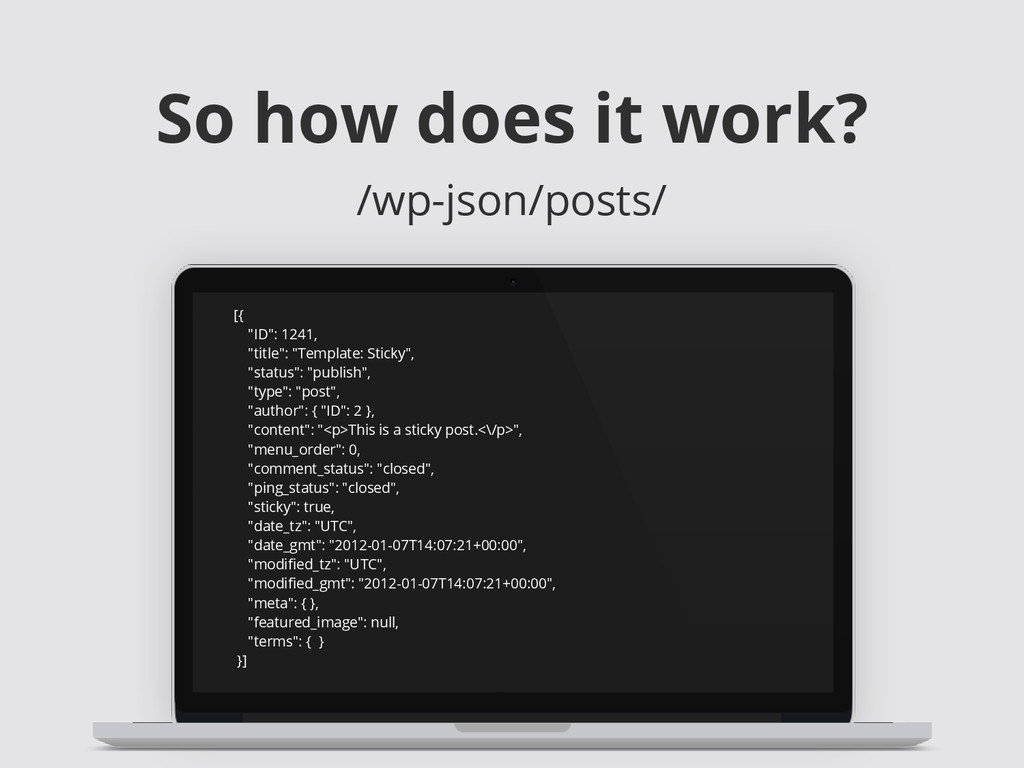
  6. So how does it work? /wp-json/posts/ [{ "ID": 1241, "title":

    "Template: Sticky", "status": "publish", "type": "post", "author": { "ID": 2 }, "content": "<p>This is a sticky post.<\/p>", "menu_order": 0, "comment_status": "closed", "ping_status": "closed", "sticky": true, "date_tz": "UTC", "date_gmt": "2012-01-07T14:07:21+00:00", "modified_tz": "UTC", "modified_gmt": "2012-01-07T14:07:21+00:00", "meta": { }, "featured_image": null, "terms": { } }]
  7. So how does it work? /wp-json/posts/ Useful parameters: • filters[]:

    Controls the parameters used to query for posts ( WP_Query arguments ) ◦ examples: ( term, search, order, orderby ) • page: Pagination • type: Post Type
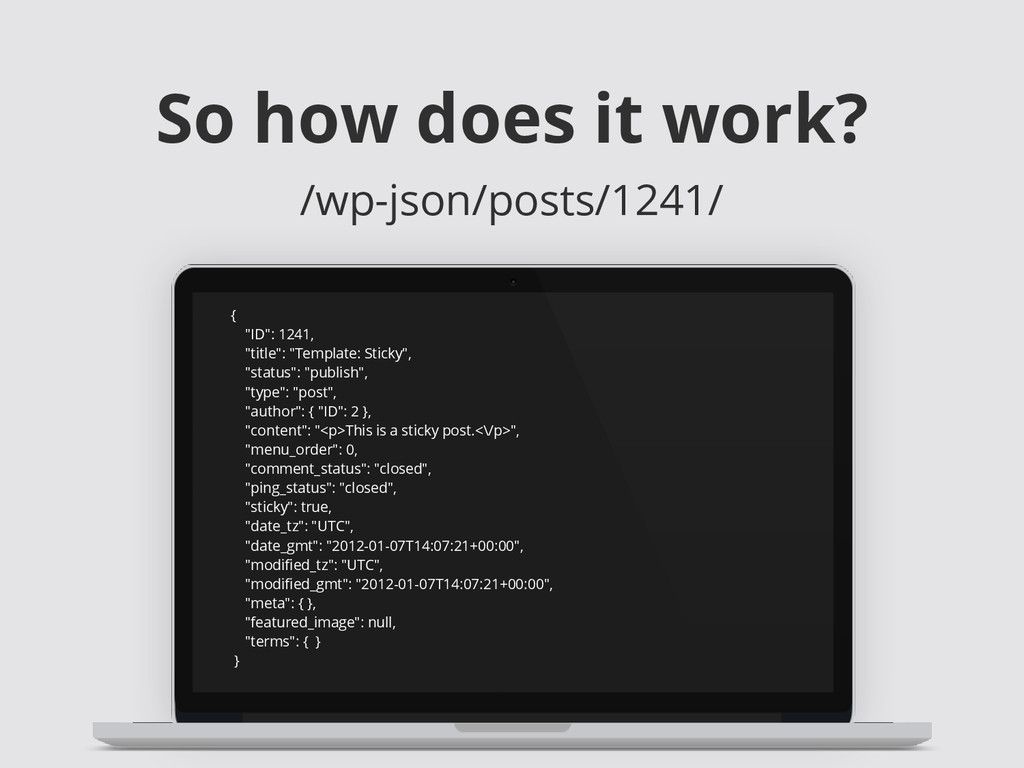
  8. So how does it work? /wp-json/posts/1241/ { "ID": 1241, "title":

    "Template: Sticky", "status": "publish", "type": "post", "author": { "ID": 2 }, "content": "<p>This is a sticky post.<\/p>", "menu_order": 0, "comment_status": "closed", "ping_status": "closed", "sticky": true, "date_tz": "UTC", "date_gmt": "2012-01-07T14:07:21+00:00", "modified_tz": "UTC", "modified_gmt": "2012-01-07T14:07:21+00:00", "meta": { }, "featured_image": null, "terms": { } }
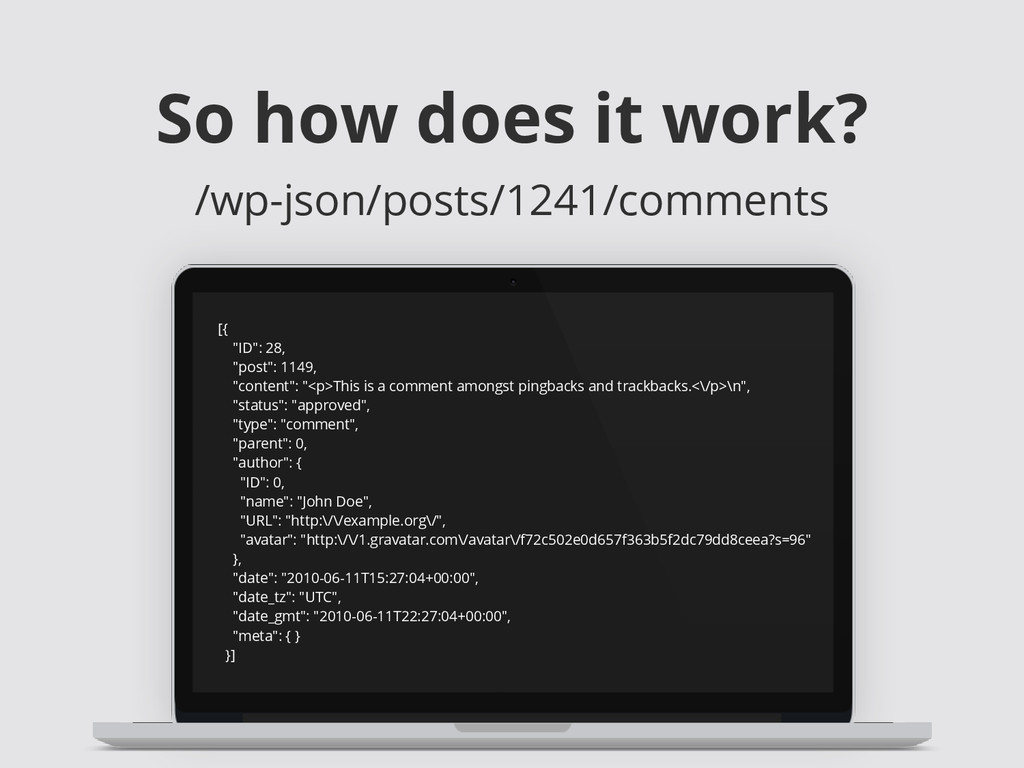
  9. So how does it work? /wp-json/posts/1241/comments [{ "ID": 28, "post":

    1149, "content": "<p>This is a comment amongst pingbacks and trackbacks.<\/p>\n", "status": "approved", "type": "comment", "parent": 0, "author": { "ID": 0, "name": "John Doe", "URL": "http:\/\/example.org\/", "avatar": "http:\/\/1.gravatar.com\/avatar\/f72c502e0d657f363b5f2dc79dd8ceea?s=96" }, "date": "2010-06-11T15:27:04+00:00", "date_tz": "UTC", "date_gmt": "2010-06-11T22:27:04+00:00", "meta": { } }]
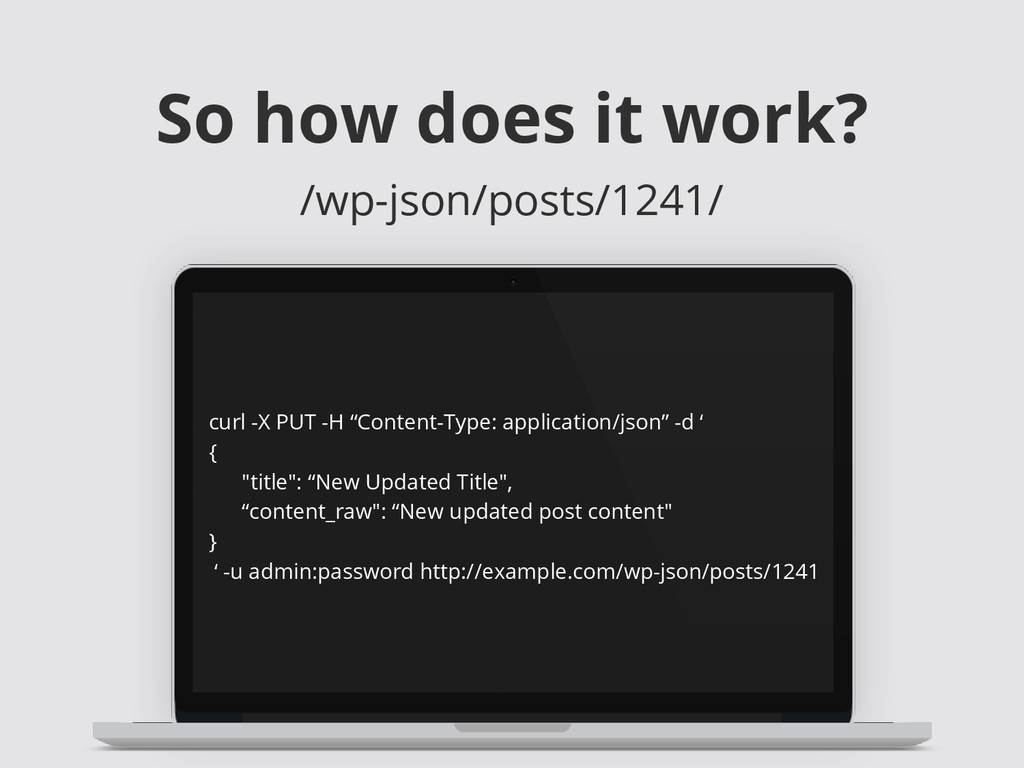
  10. So how does it work? /wp-json/posts/1241/ curl -X PUT -H

    “Content-Type: application/json” -d ‘ { "title": “New Updated Title", “content_raw": “New updated post content" } ‘ -u admin:password http://example.com/wp-json/posts/1241
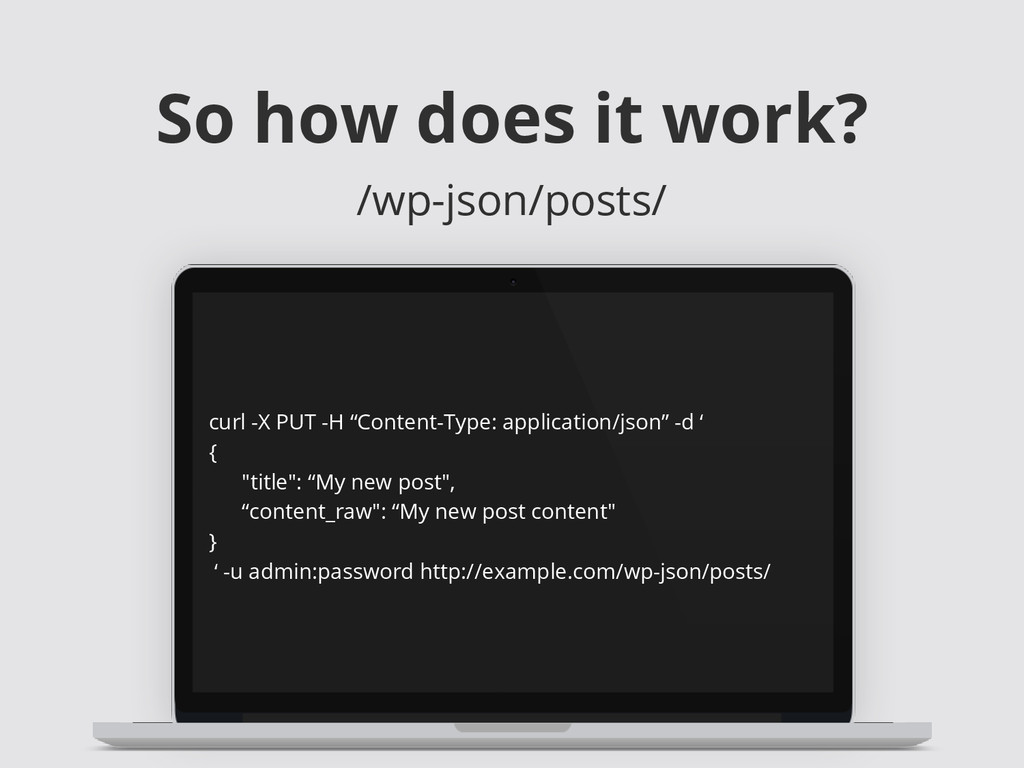
  11. So how does it work? /wp-json/posts/ curl -X PUT -H

    “Content-Type: application/json” -d ‘ { "title": “My new post", “content_raw": “My new post content" } ‘ -u admin:password http://example.com/wp-json/posts/
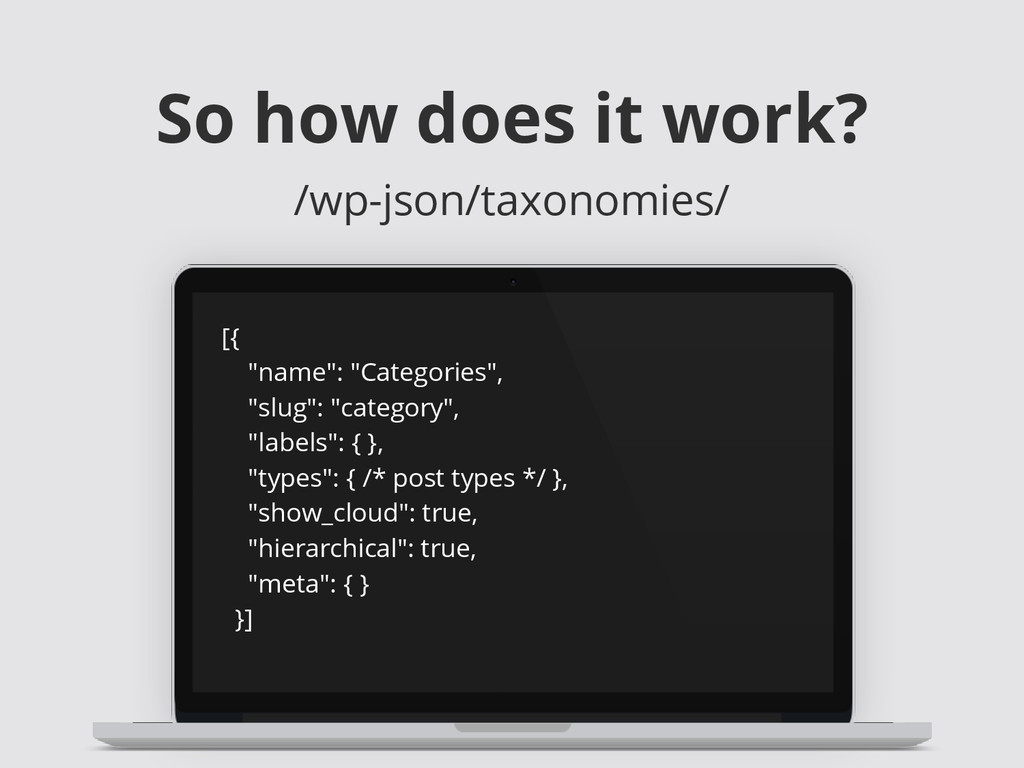
  12. So how does it work? /wp-json/taxonomies/ [{ "name": "Categories", "slug":

    "category", "labels": { }, "types": { /* post types */ }, "show_cloud": true, "hierarchical": true, "meta": { } }]
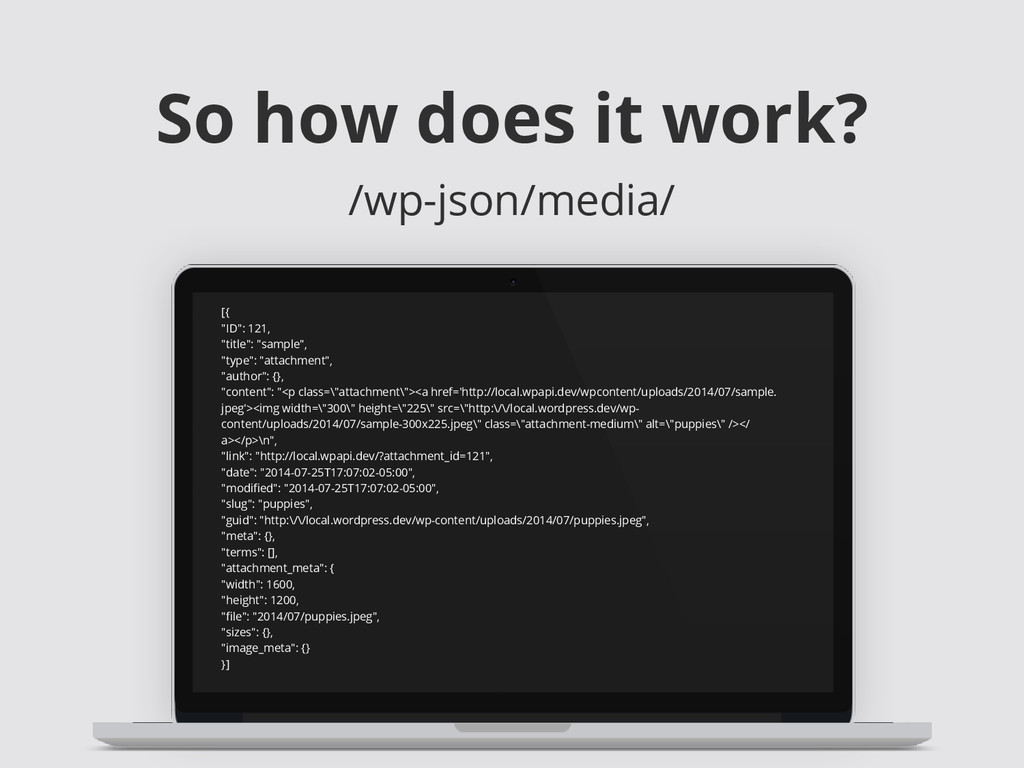
  13. So how does it work? /wp-json/media/ [{ "ID": 121, "title":

    "sample", "type": "attachment", "author": {}, "content": "<p class=\"attachment\"><a href='http://local.wpapi.dev/wpcontent/uploads/2014/07/sample. jpeg'><img width=\"300\" height=\"225\" src=\"http:\/\/local.wordpress.dev/wp- content/uploads/2014/07/sample-300x225.jpeg\" class=\"attachment-medium\" alt=\"puppies\" /></ a></p>\n", "link": "http://local.wpapi.dev/?attachment_id=121", "date": "2014-07-25T17:07:02-05:00", "modified": "2014-07-25T17:07:02-05:00", "slug": "puppies", "guid": "http:\/\/local.wordpress.dev/wp-content/uploads/2014/07/puppies.jpeg", "meta": {}, "terms": [], "attachment_meta": { "width": 1600, "height": 1200, "file": "2014/07/puppies.jpeg", "sizes": {}, "image_meta": {} }]
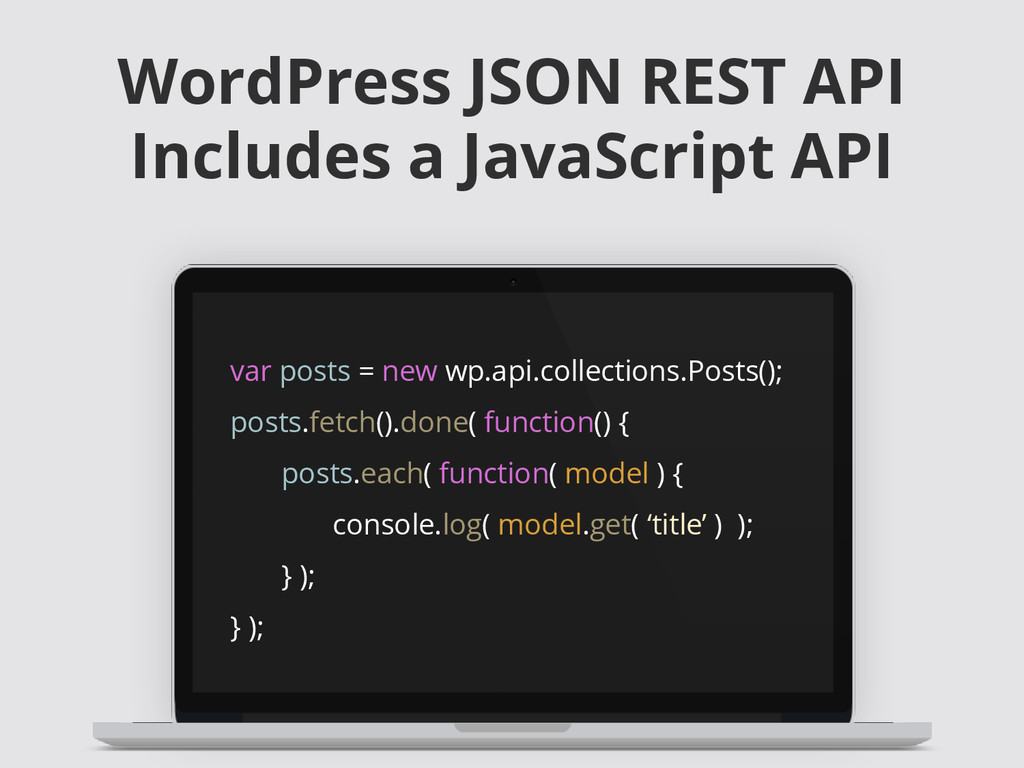
  14. WordPress JSON REST API Includes a JavaScript API var posts

    = new wp.api.collections.Posts(); posts.fetch().done( function() { posts.each( function( model ) { console.log( model.get( ‘title’ ) ); } ); } );
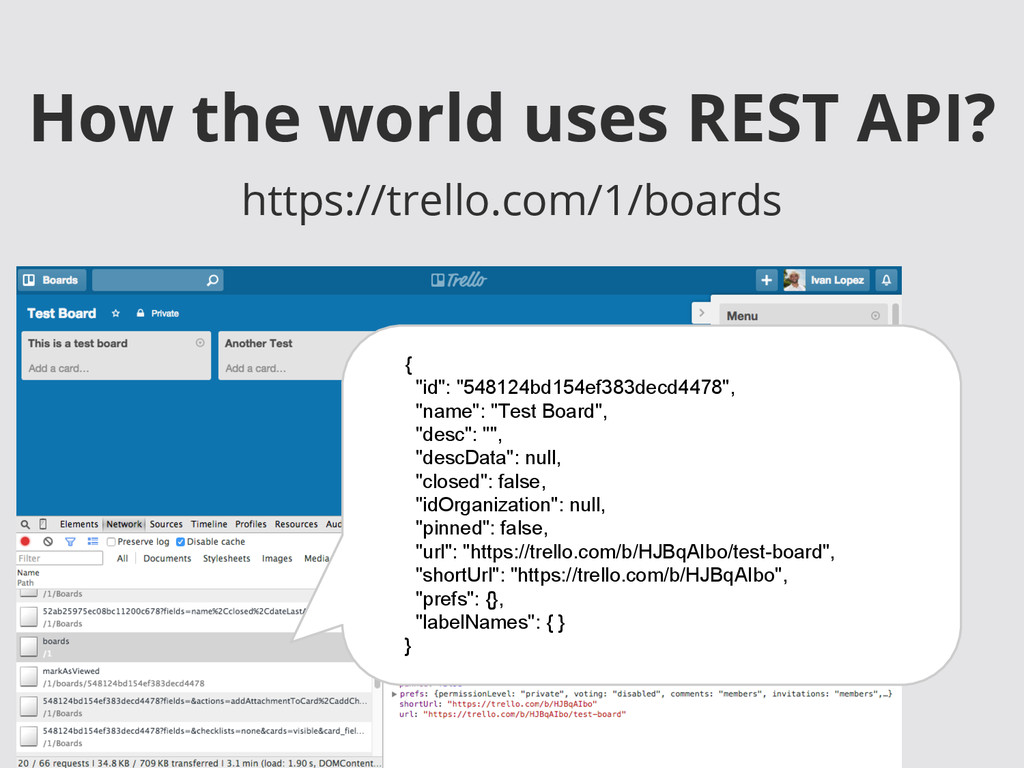
  15. How the world uses REST API? https://trello.com/1/boards { "id": "548124bd154ef383decd4478",

    "name": "Test Board", "desc": "", "descData": null, "closed": false, "idOrganization": null, "pinned": false, "url": "https://trello.com/b/HJBqAIbo/test-board", "shortUrl": "https://trello.com/b/HJBqAIbo", "prefs": {}, "labelNames": { } }
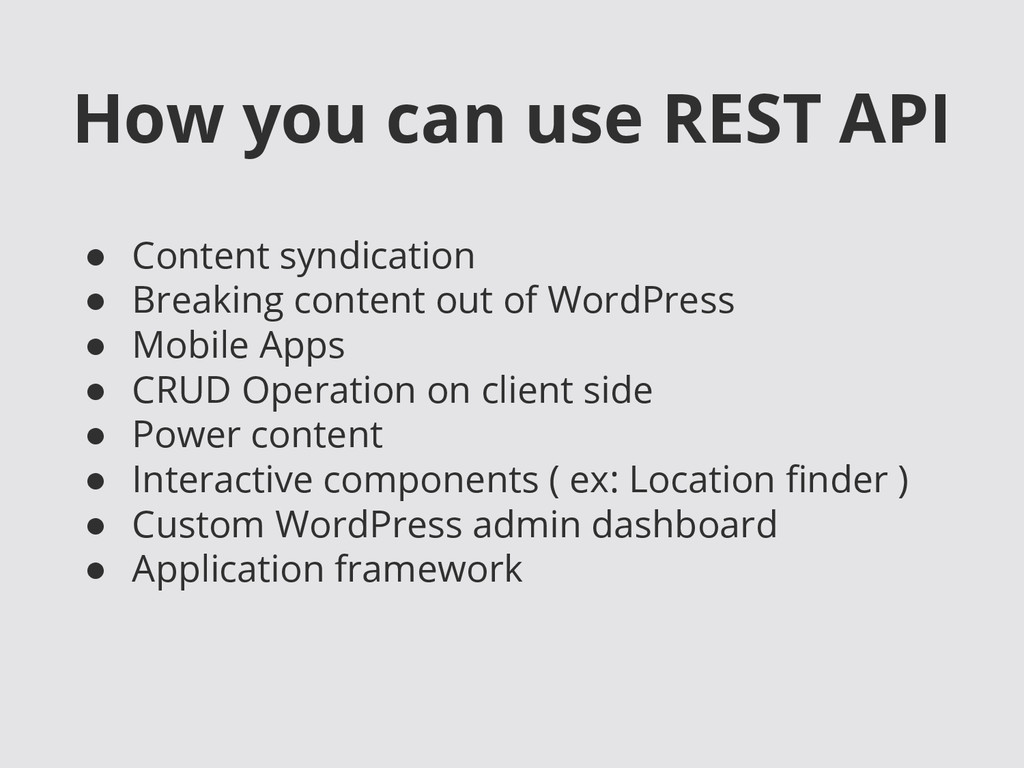
  16. How you can use REST API • Content syndication •

    Breaking content out of WordPress • Mobile Apps • CRUD Operation on client side • Power content • Interactive components ( ex: Location finder ) • Custom WordPress admin dashboard • Application framework
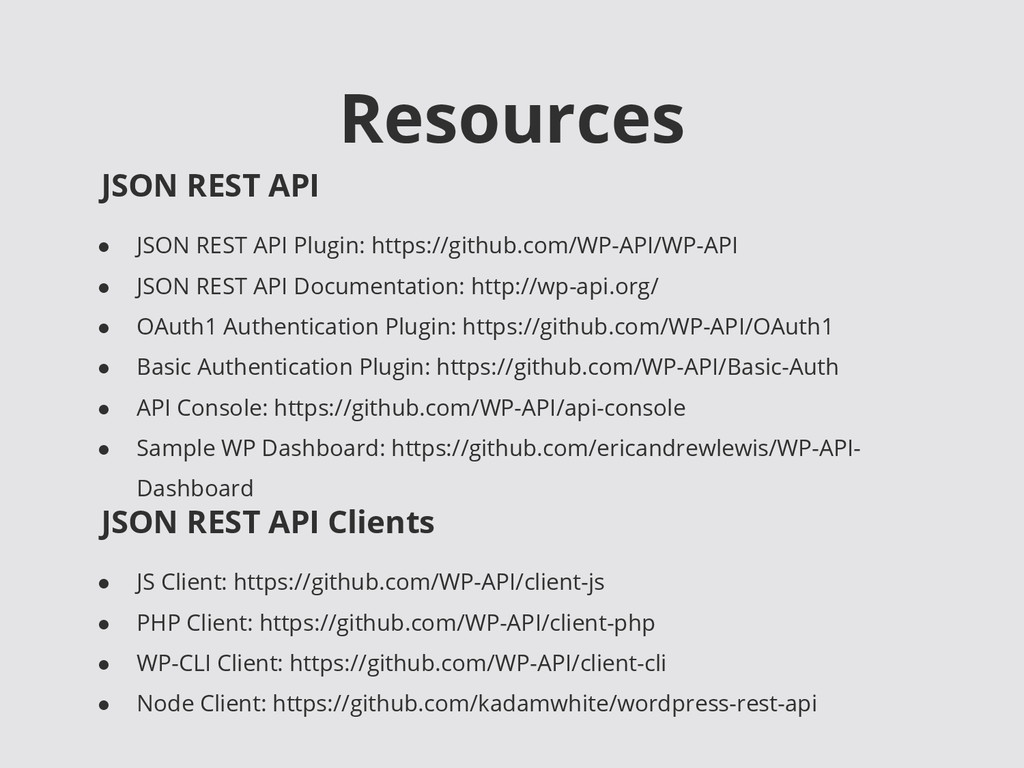
  17. Resources • JSON REST API Plugin: https://github.com/WP-API/WP-API • JSON REST

    API Documentation: http://wp-api.org/ • OAuth1 Authentication Plugin: https://github.com/WP-API/OAuth1 • Basic Authentication Plugin: https://github.com/WP-API/Basic-Auth • API Console: https://github.com/WP-API/api-console • Sample WP Dashboard: https://github.com/ericandrewlewis/WP-API- Dashboard JSON REST API JSON REST API Clients • JS Client: https://github.com/WP-API/client-js • PHP Client: https://github.com/WP-API/client-php • WP-CLI Client: https://github.com/WP-API/client-cli • Node Client: https://github.com/kadamwhite/wordpress-rest-api
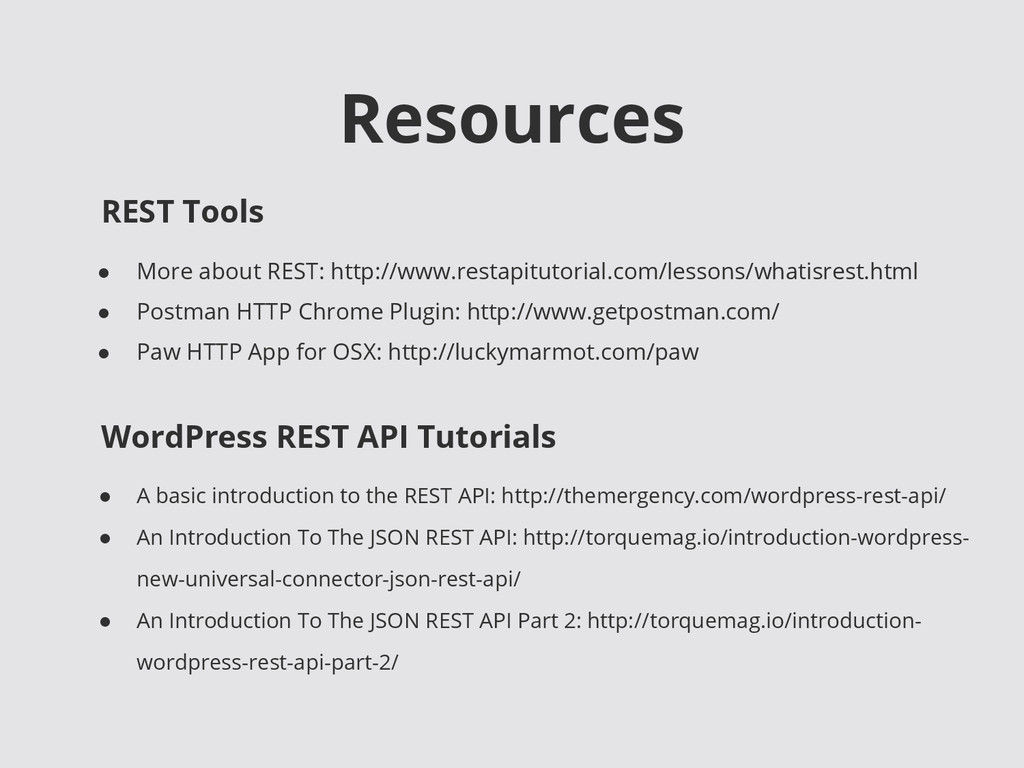
  18. Resources • More about REST: http://www.restapitutorial.com/lessons/whatisrest.html • Postman HTTP Chrome

    Plugin: http://www.getpostman.com/ • Paw HTTP App for OSX: http://luckymarmot.com/paw REST Tools WordPress REST API Tutorials • A basic introduction to the REST API: http://themergency.com/wordpress-rest-api/ • An Introduction To The JSON REST API: http://torquemag.io/introduction-wordpress- new-universal-connector-json-rest-api/ • An Introduction To The JSON REST API Part 2: http://torquemag.io/introduction- wordpress-rest-api-part-2/