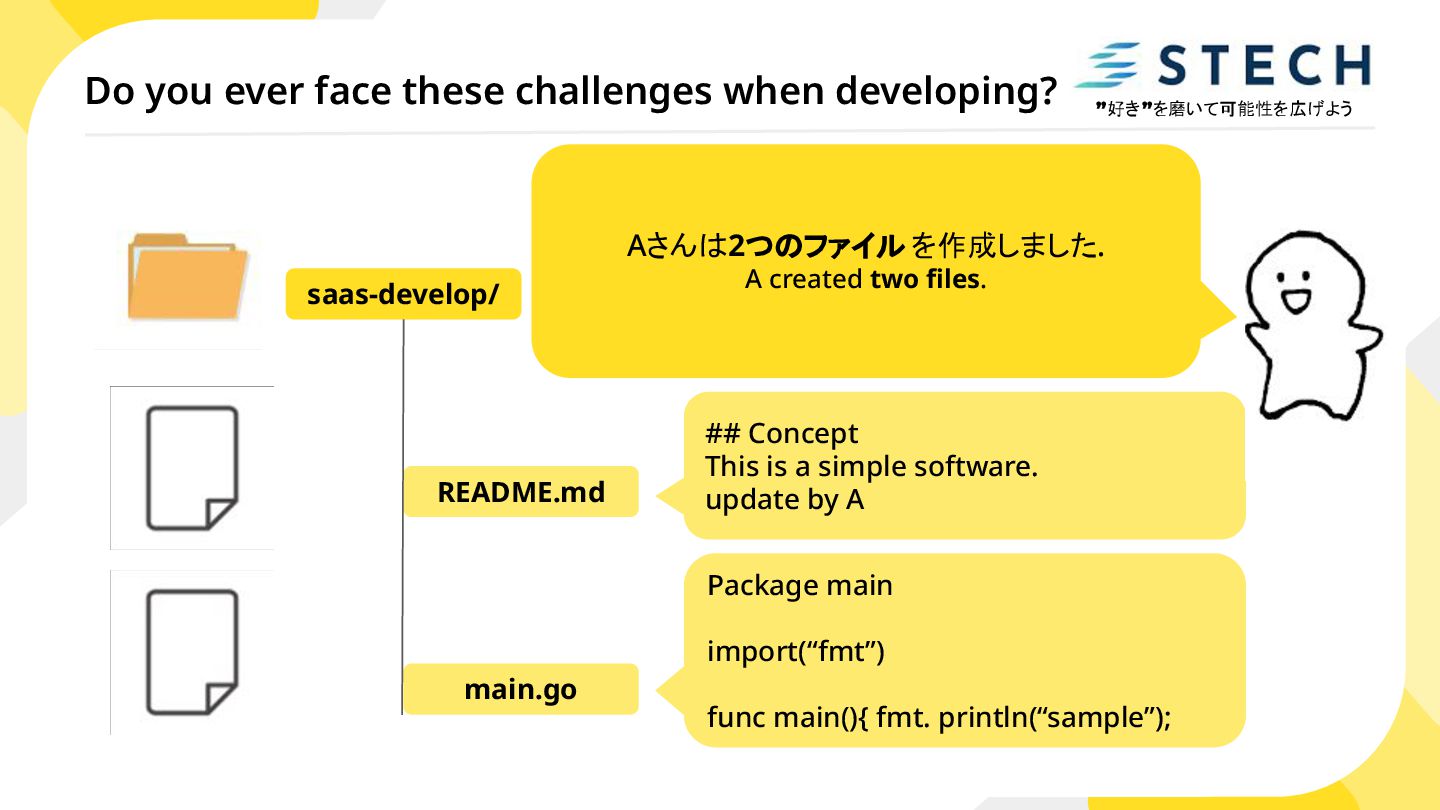
README.md main.go ## Concept This is a simple software. update by A Package main import(“fmt”) func main(){ fmt. println(“sample”); Aさんは2つのファイル を作成しました. A created two files.
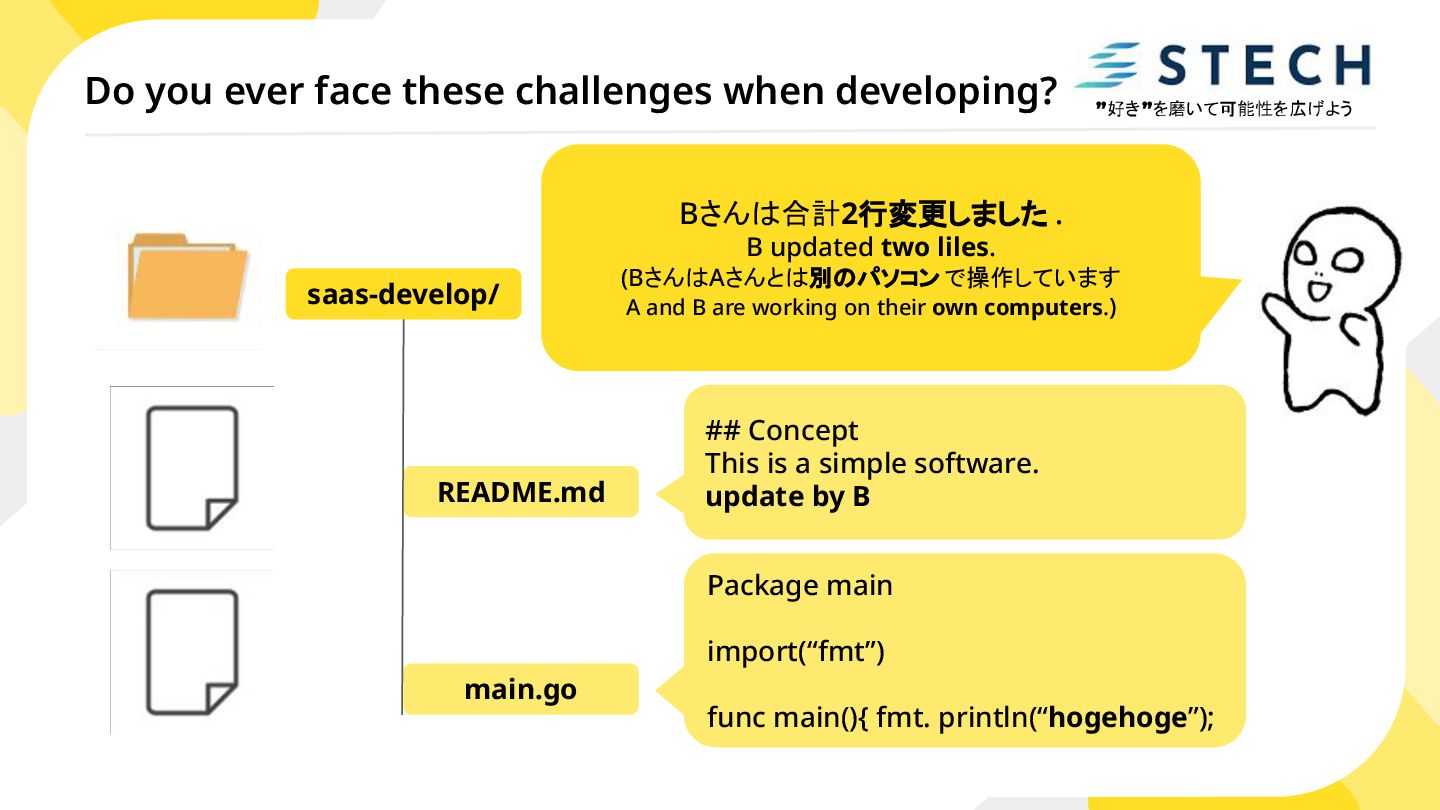
README.md main.go ## Concept This is a simple software. update by B Package main import(“fmt”) func main(){ fmt. println(“hogehoge”); Bさんは合計2行変更しました . B updated two liles. (BさんはAさんとは別のパソコン で操作しています A and B are working on their own computers.)
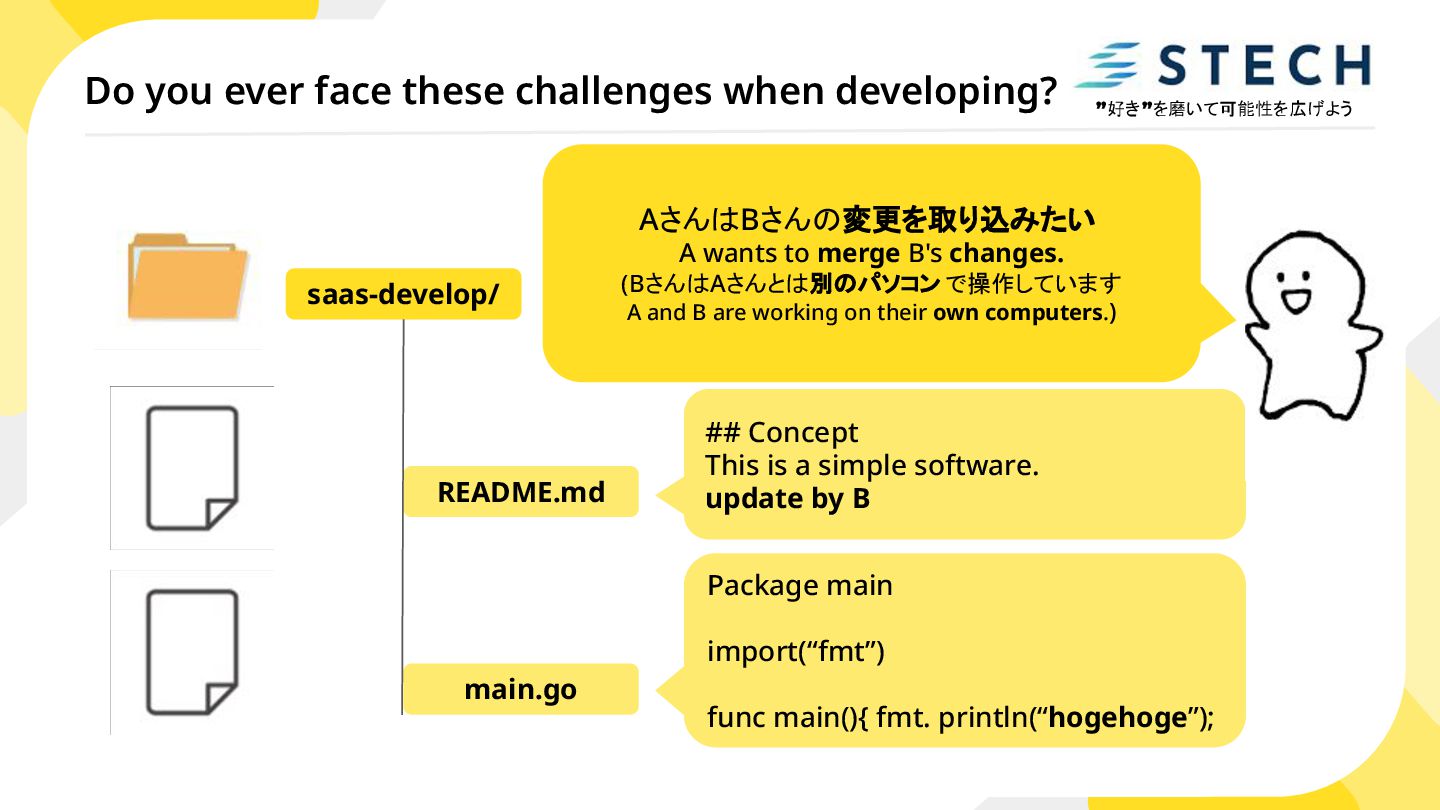
README.md main.go ## Concept This is a simple software. update by B Package main import(“fmt”) func main(){ fmt. println(“hogehoge”); AさんはBさんの変更を取り込みたい A wants to merge B's changes. (BさんはAさんとは別のパソコン で操作しています A and B are working on their own computers.)
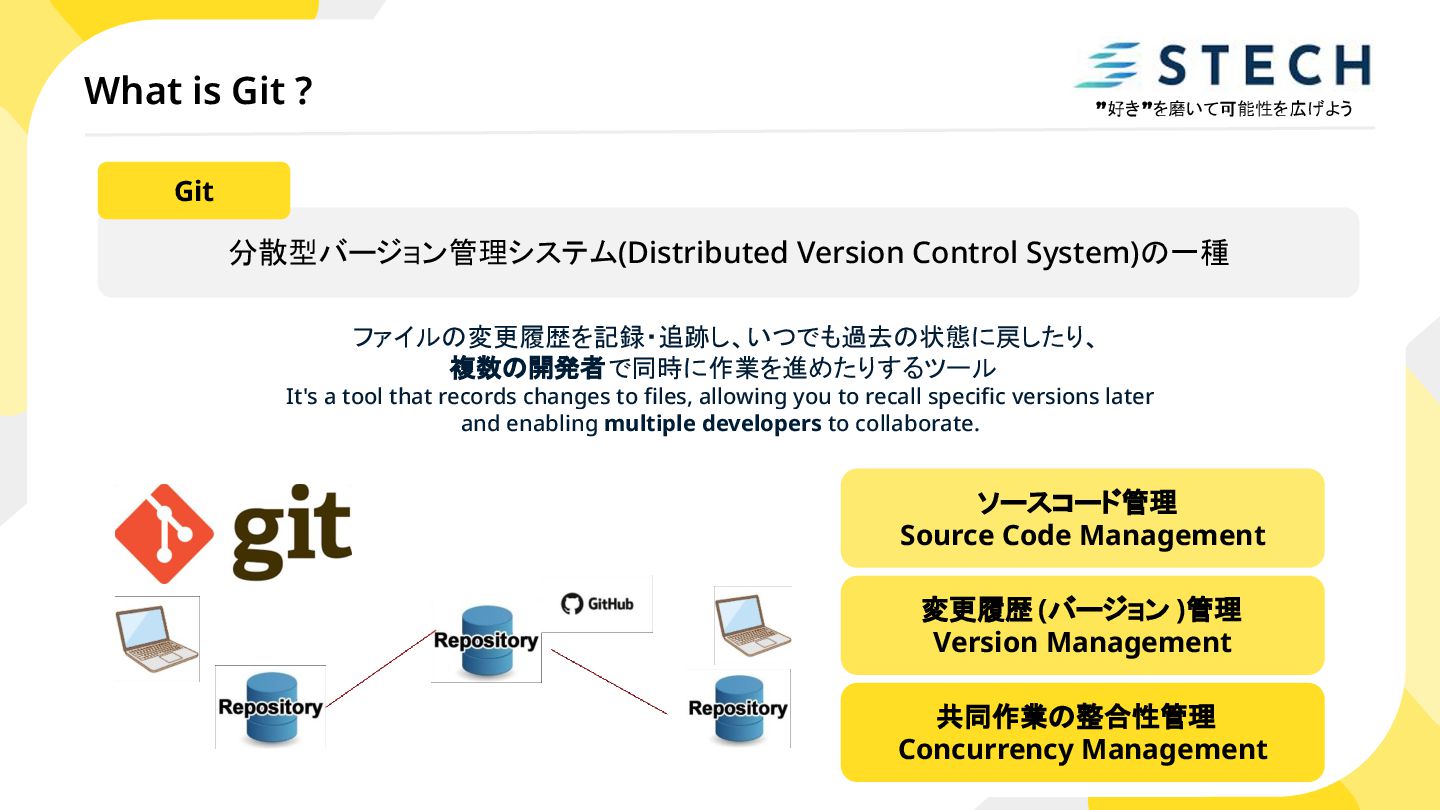
ファイルの変更履歴を記録・追跡し、いつでも過去の状態に戻したり、 複数の開発者で同時に作業を進めたりするツール It's a tool that records changes to files, allowing you to recall specific versions later and enabling multiple developers to collaborate. ソースコード管理 Source Code Management 変更履歴 (バージョン )管理 Version Management 共同作業の整合性管理 Concurrency Management
for source code sharing and management using Git. Project data is stored on a remote server. GitHub 変更履歴の管理が簡単で、安全なバックアップになる。 Easily manage change history and serves as a secure backup. Benefit 1: 履歴管理とバックアップ History & Backup 複数人での作業がスムーズになり、コードの品質を保ちやすい。 Streamlines teamwork and helps maintain code quality. Benefit 2: 円滑なチーム開発 Team Collaboration
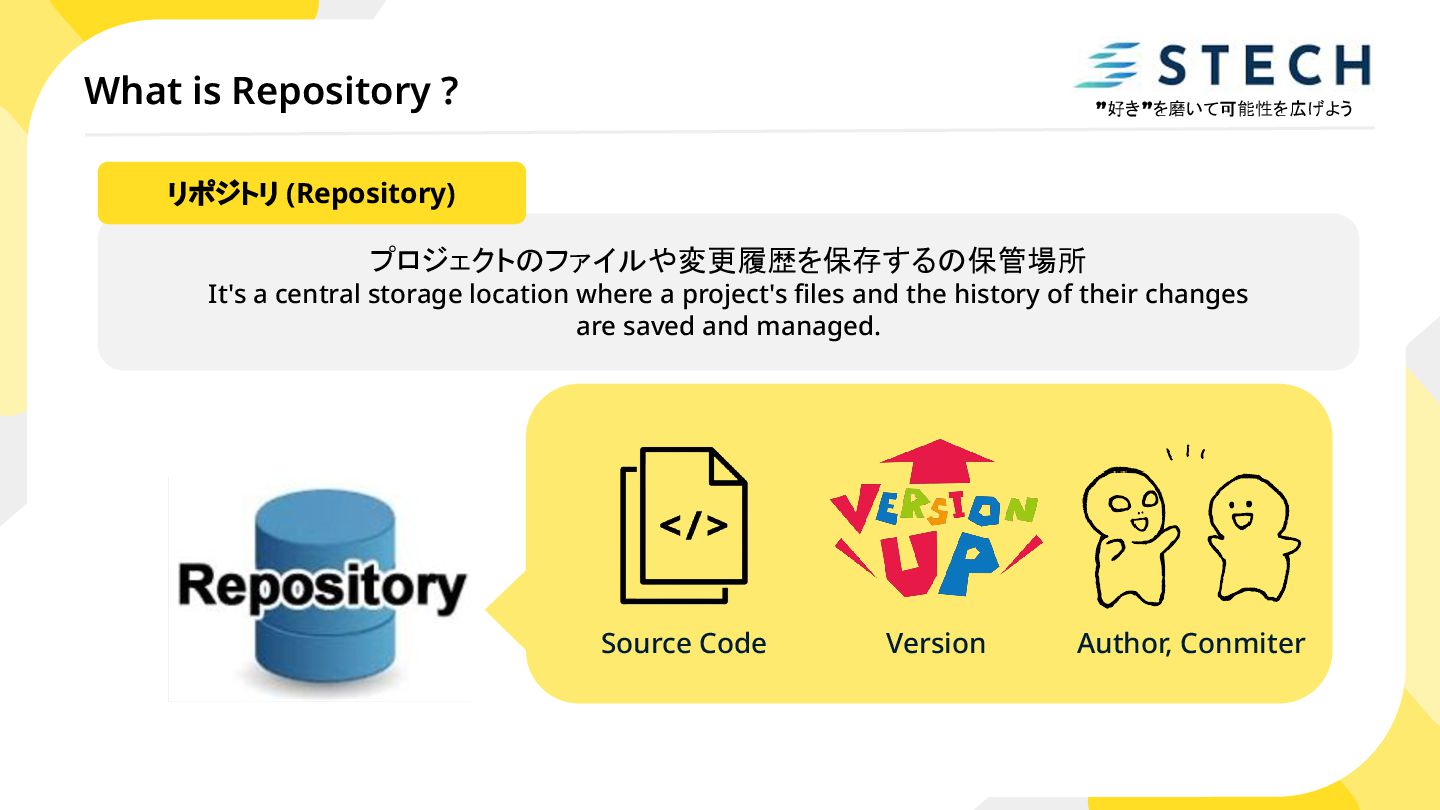
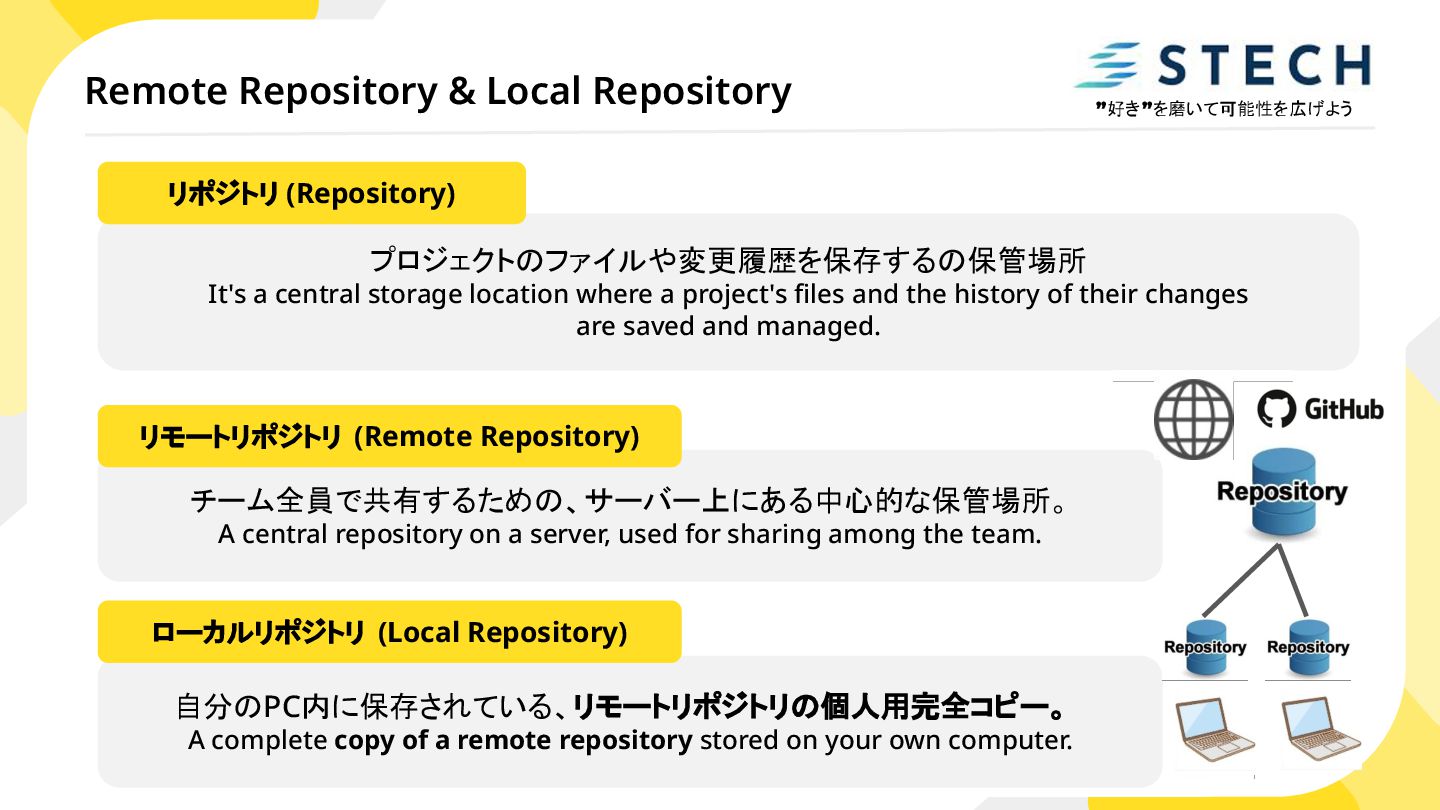
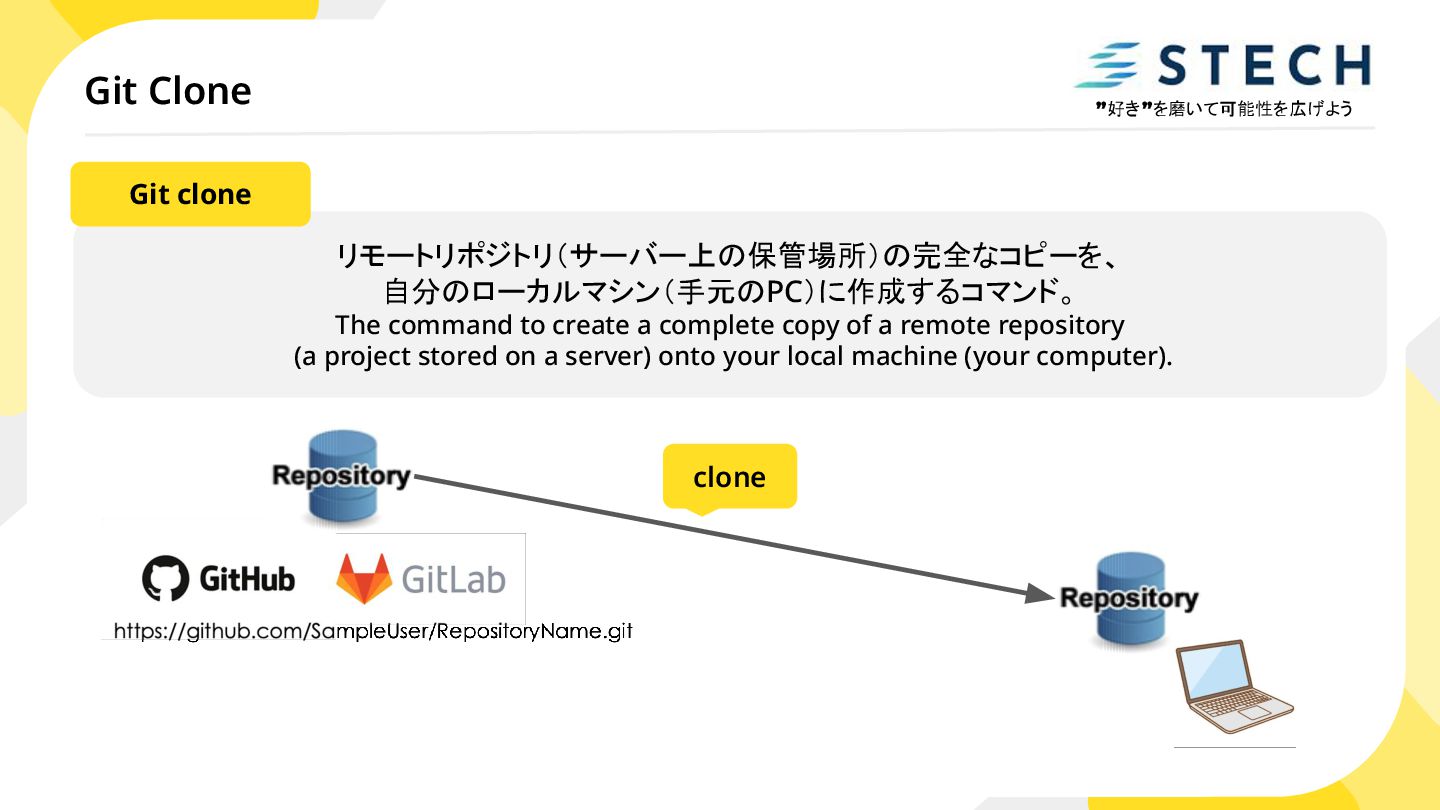
storage location where a project's files and the history of their changes are saved and managed. リポジトリ (Repository) チーム全員で共有するための、サーバー上にある中心的な保管場所。 A central repository on a server, used for sharing among the team. リモートリポジトリ (Remote Repository) 自分のPC内に保存されている、リモートリポジトリの個人用完全コピー。 A complete copy of a remote repository stored on your own computer. ローカルリポジトリ (Local Repository)
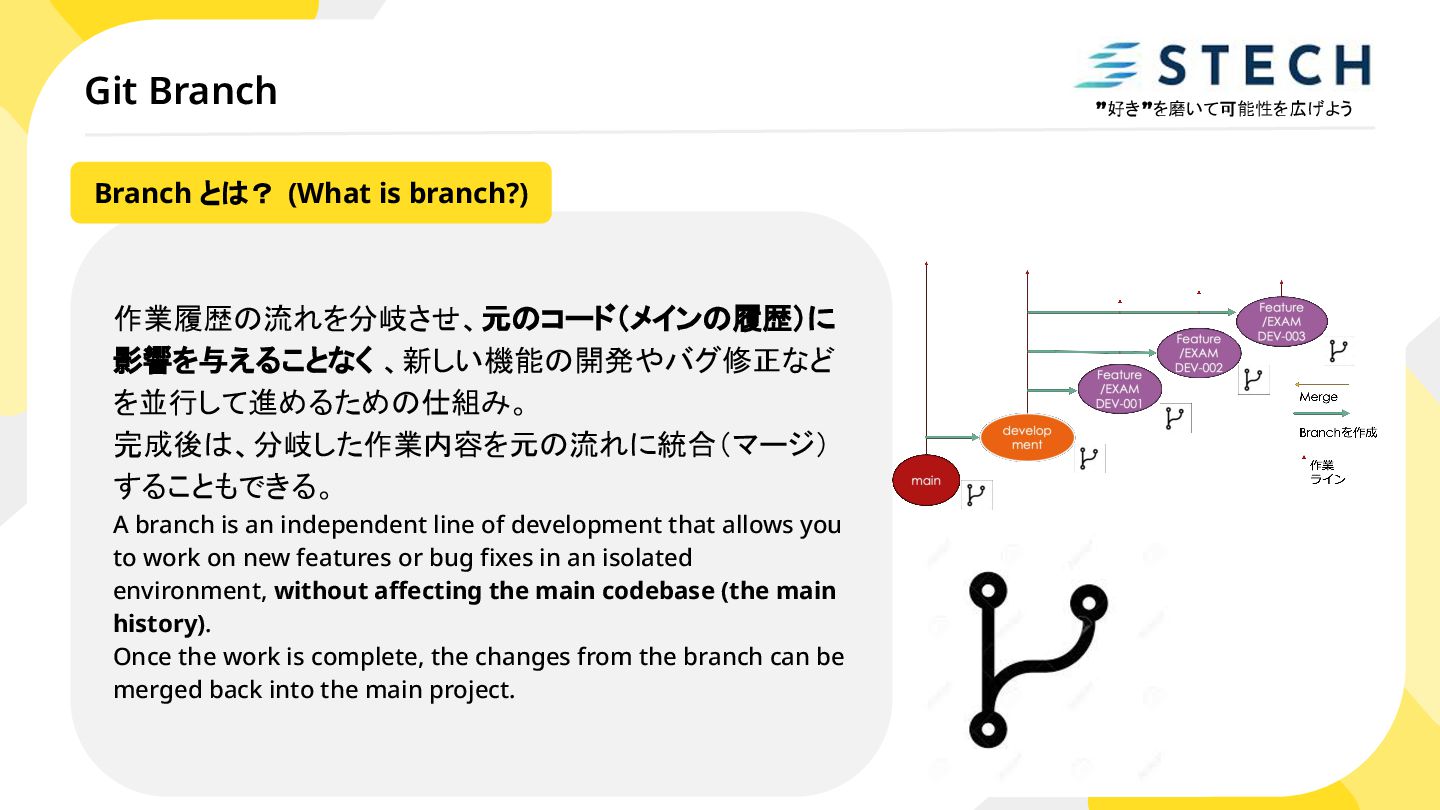
branch is an independent line of development that allows you to work on new features or bug fixes in an isolated environment, without affecting the main codebase (the main history). Once the work is complete, the changes from the branch can be merged back into the main project. Branch とは? (What is branch?)
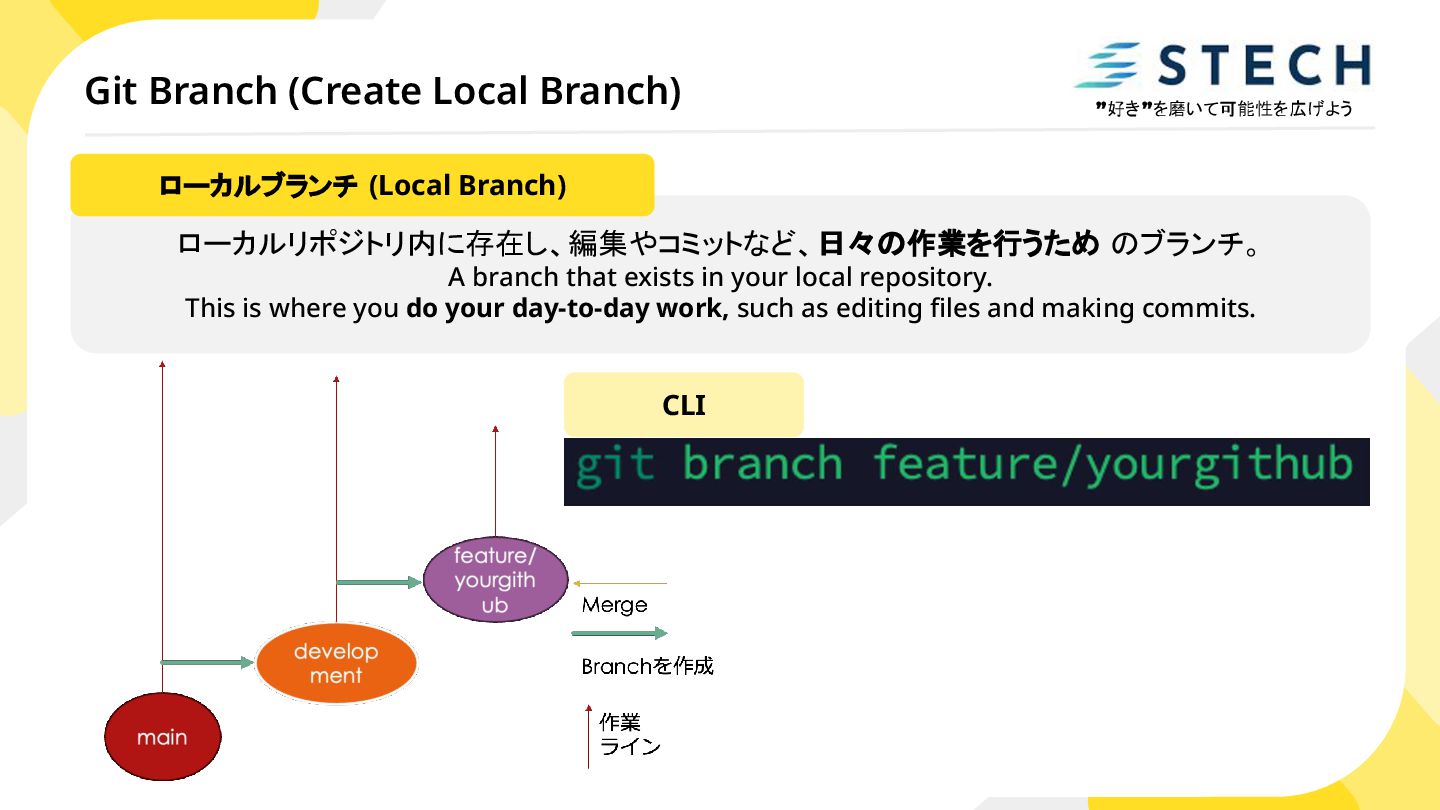
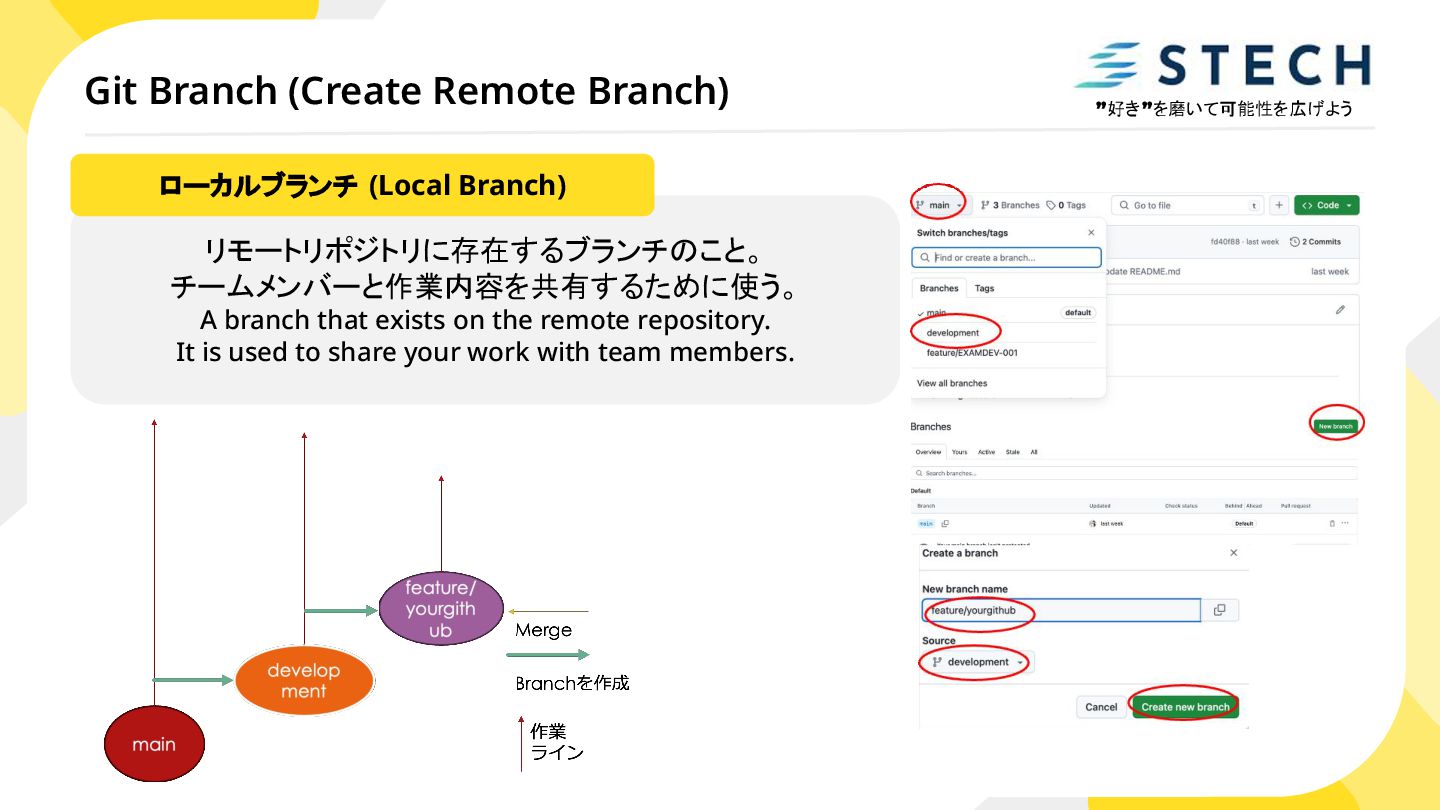
branch that exists in your local repository. This is where you do your day-to-day work, such as editing files and making commits. ローカルブランチ (Local Branch)
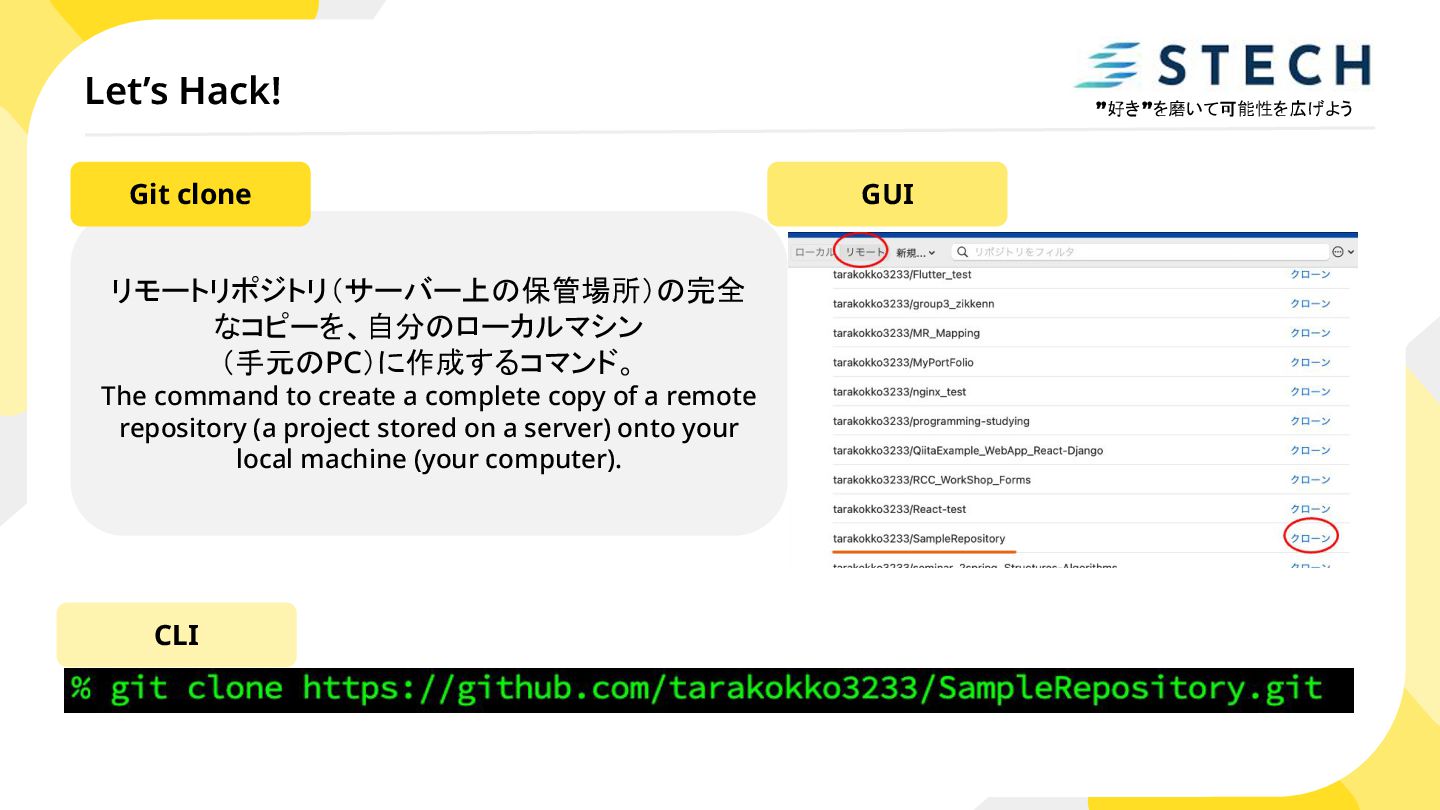
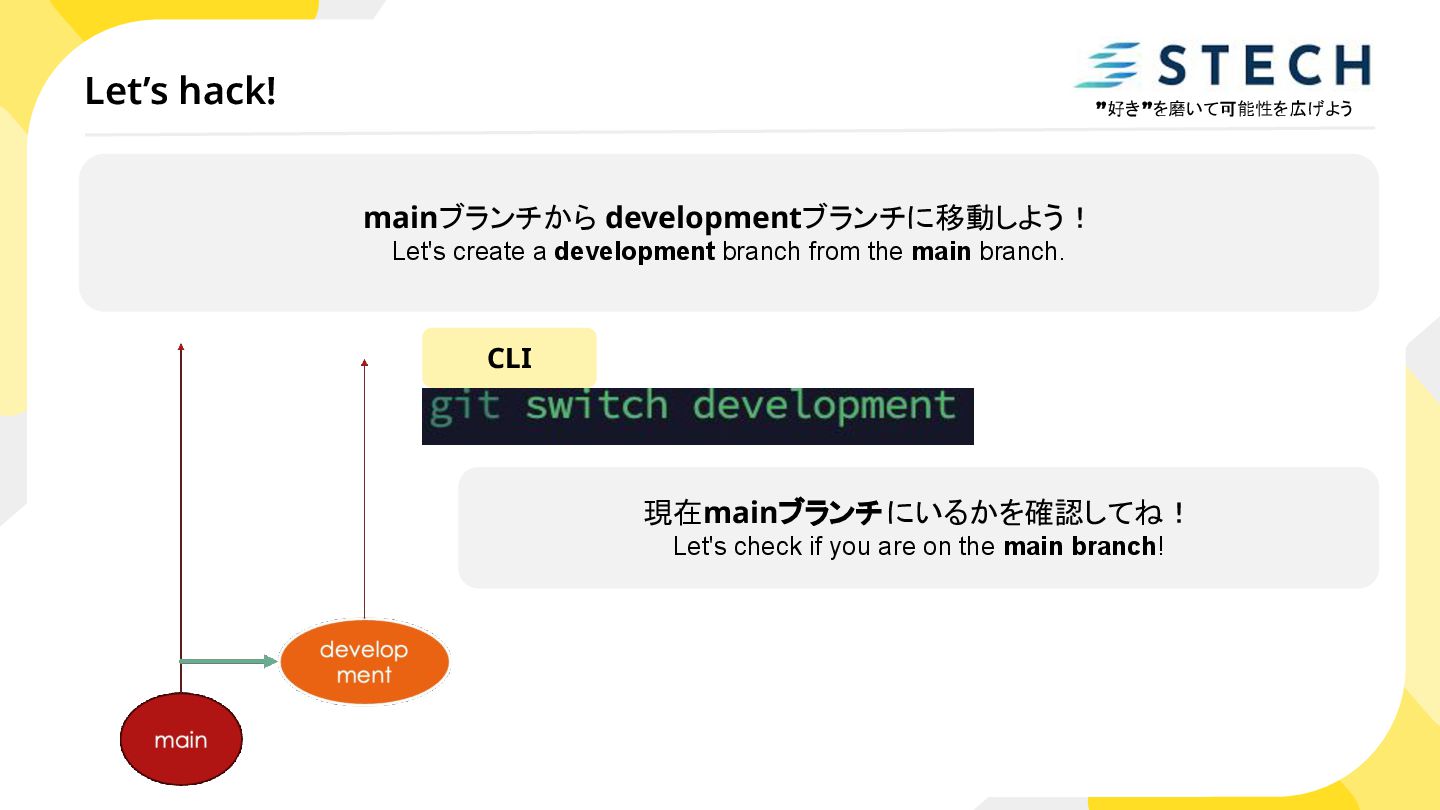
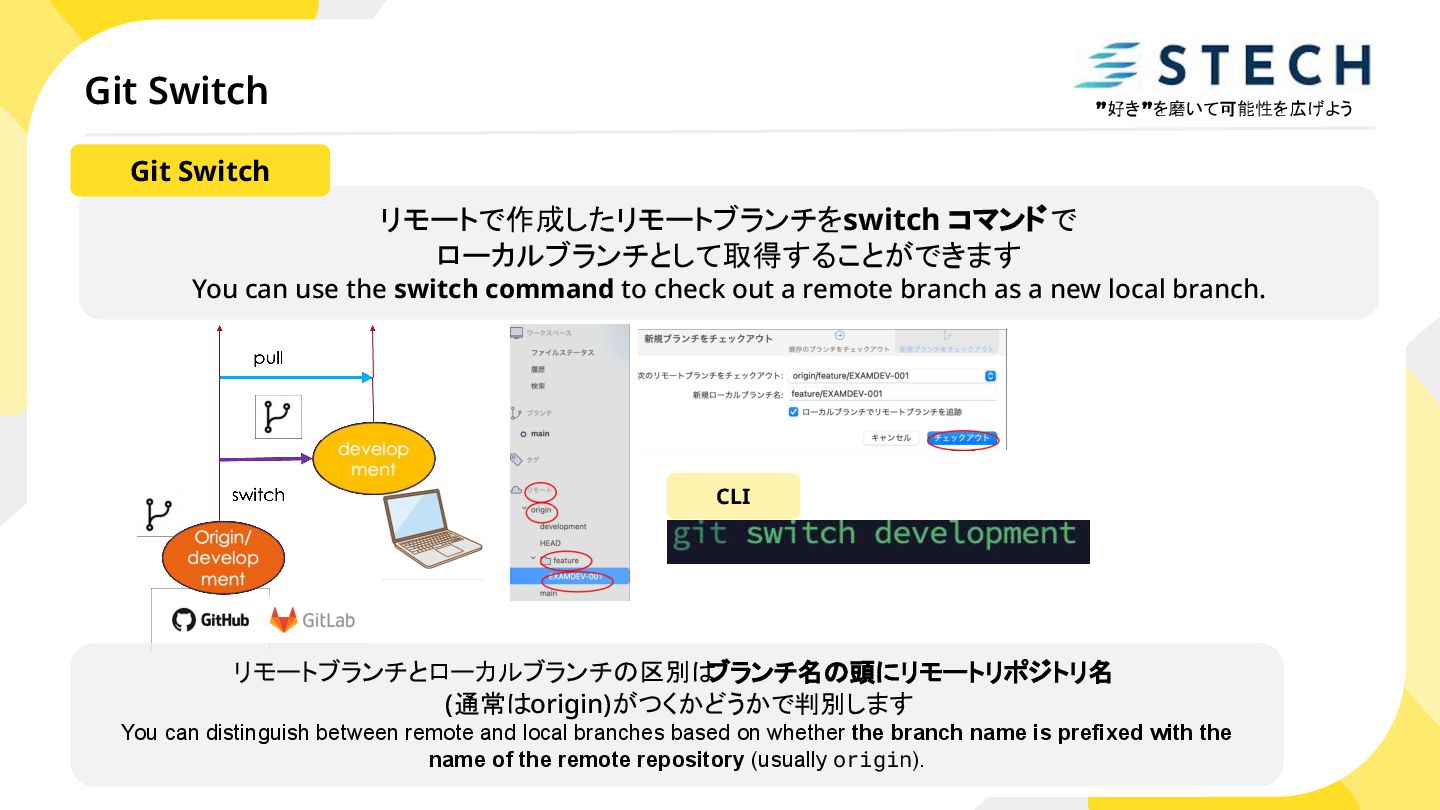
switch command to check out a remote branch as a new local branch. CLI Git Switch リモートブランチとローカルブランチの区別は ブランチ名の頭にリモートリポジトリ名 (通常はorigin)がつくかどうかで判別します You can distinguish between remote and local branches based on whether the branch name is prefixed with the name of the remote repository (usually origin).
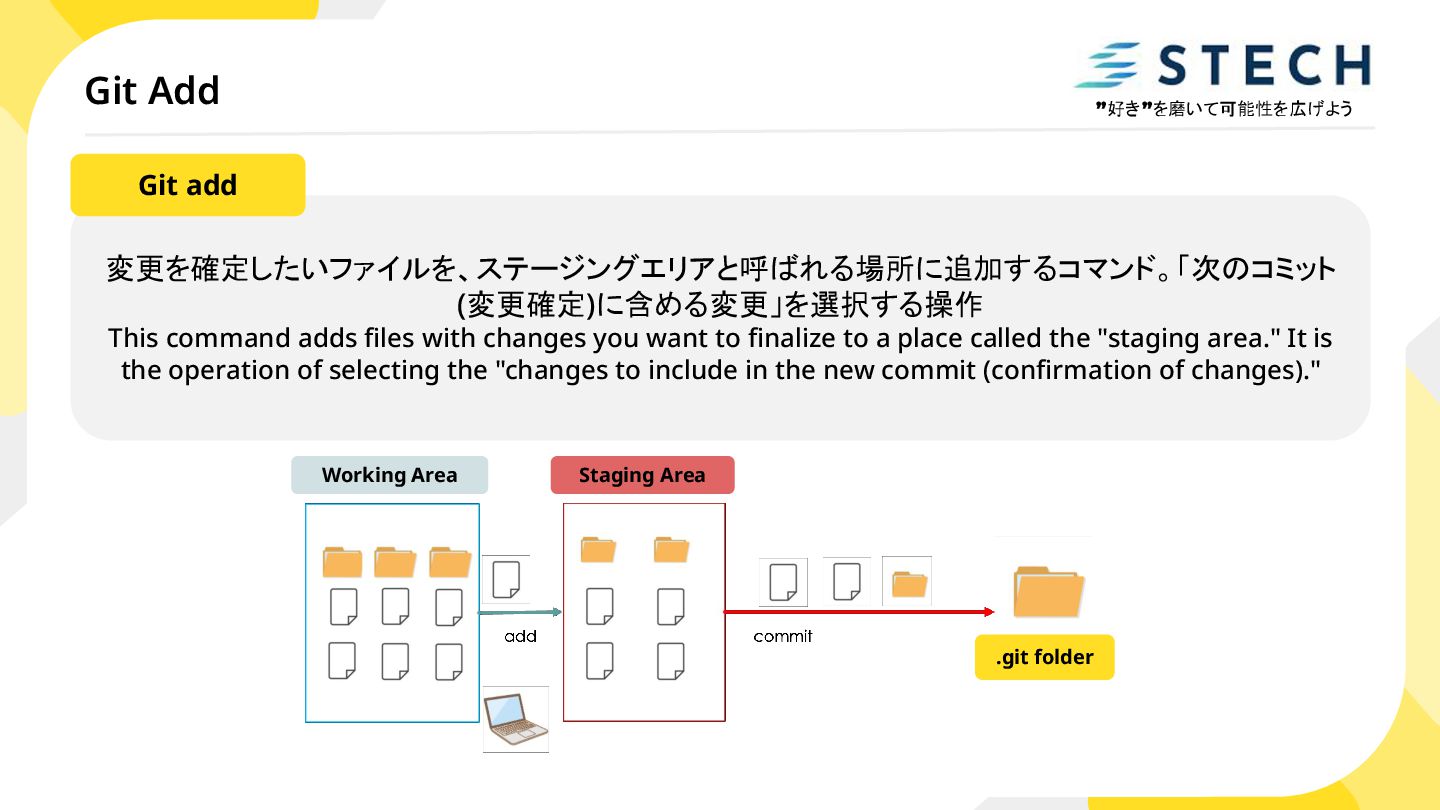
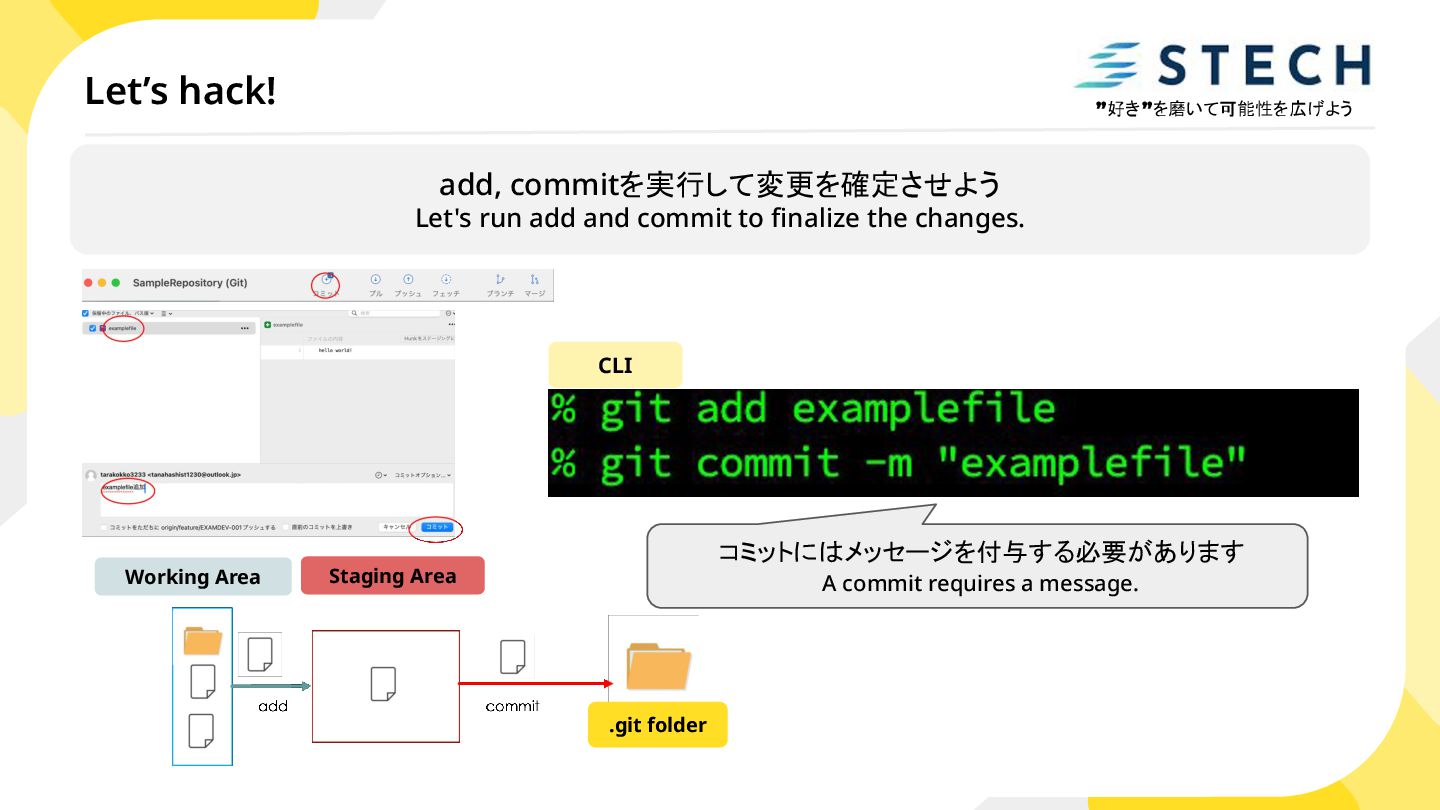
(変更確定)に含める変更」を選択する操作 This command adds files with changes you want to finalize to a place called the "staging area." It is the operation of selecting the "changes to include in the new commit (confirmation of changes)." Git add
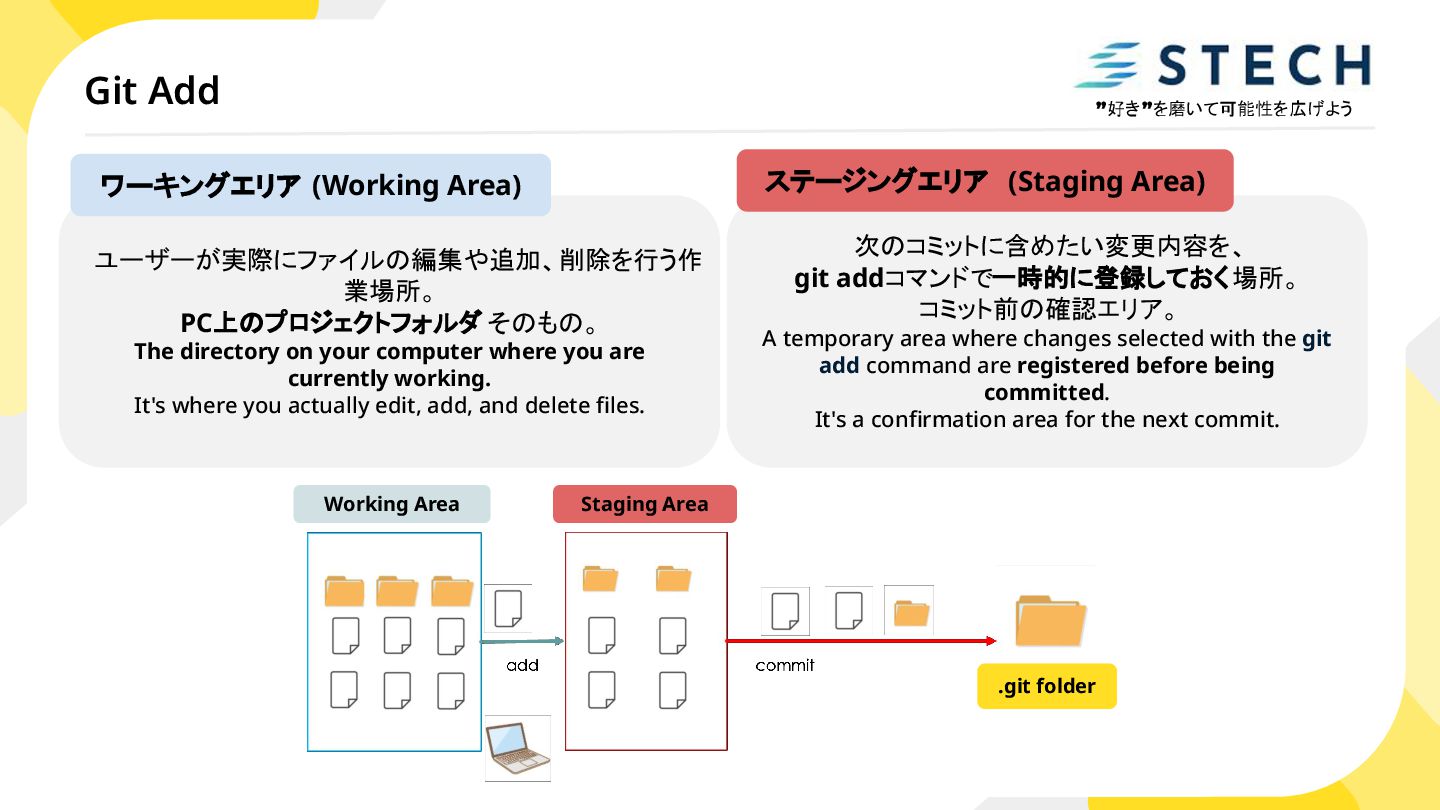
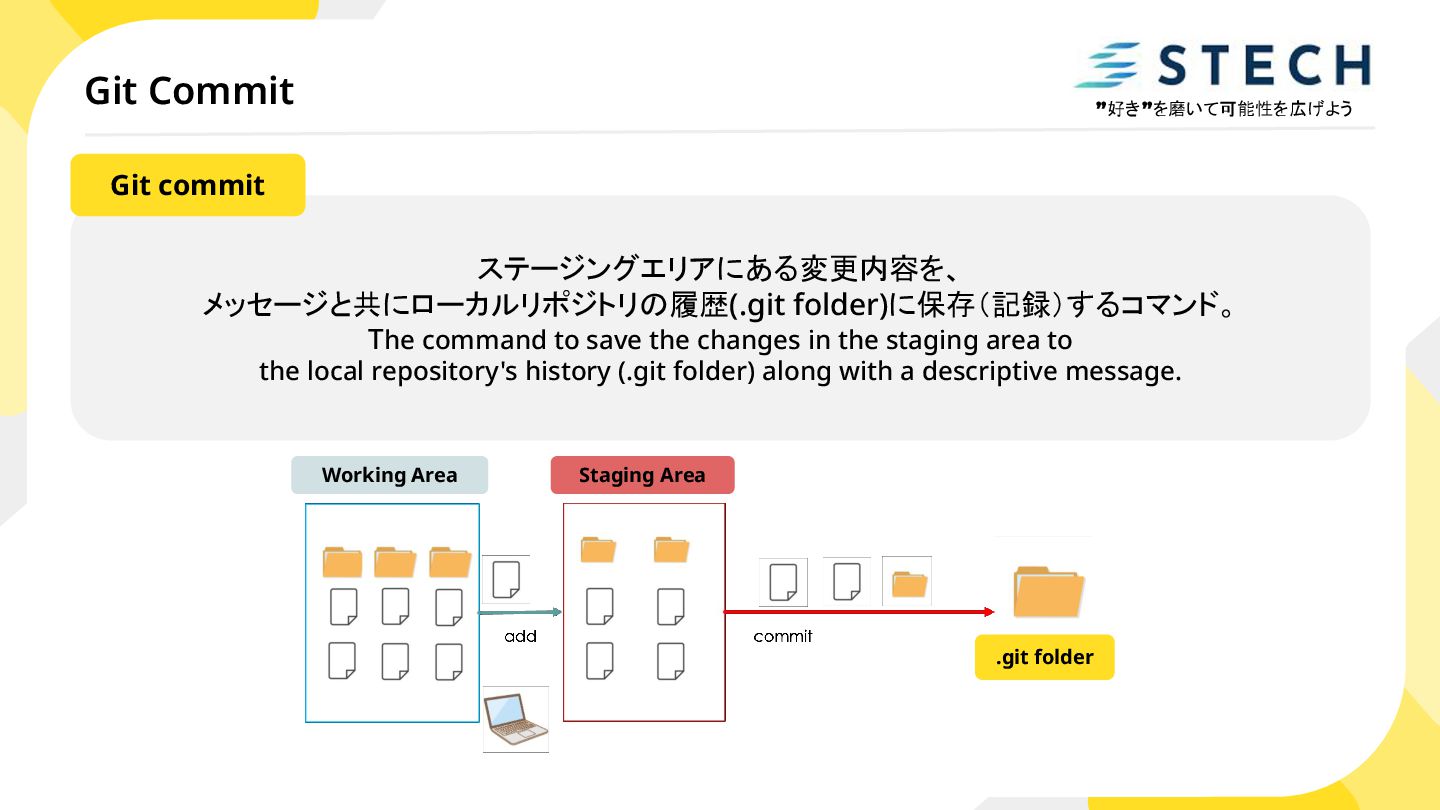
業場所。 PC上のプロジェクトフォルダ そのもの。 The directory on your computer where you are currently working. It's where you actually edit, add, and delete files. ワーキングエリア (Working Area) 次のコミットに含めたい変更内容を、 git addコマンドで一時的に登録しておく場所。 コミット前の確認エリア。 A temporary area where changes selected with the git add command are registered before being committed. It's a confirmation area for the next commit. ステージングエリア (Staging Area)
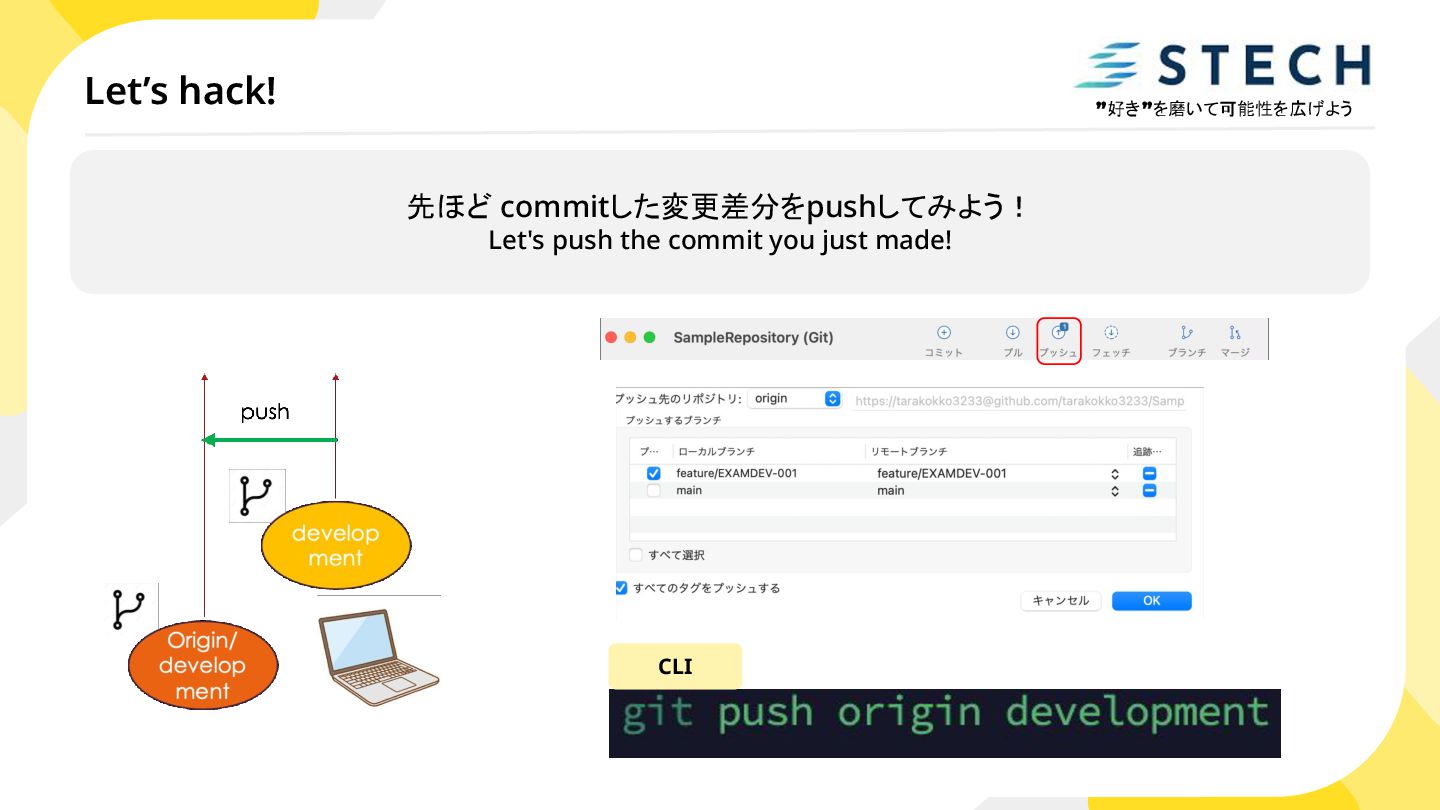
メッセージと共にローカルリポジトリの履歴(.git folder)に保存(記録)するコマンド。 The command to save the changes in the staging area to the local repository's history (.git folder) along with a descriptive message. Git commit
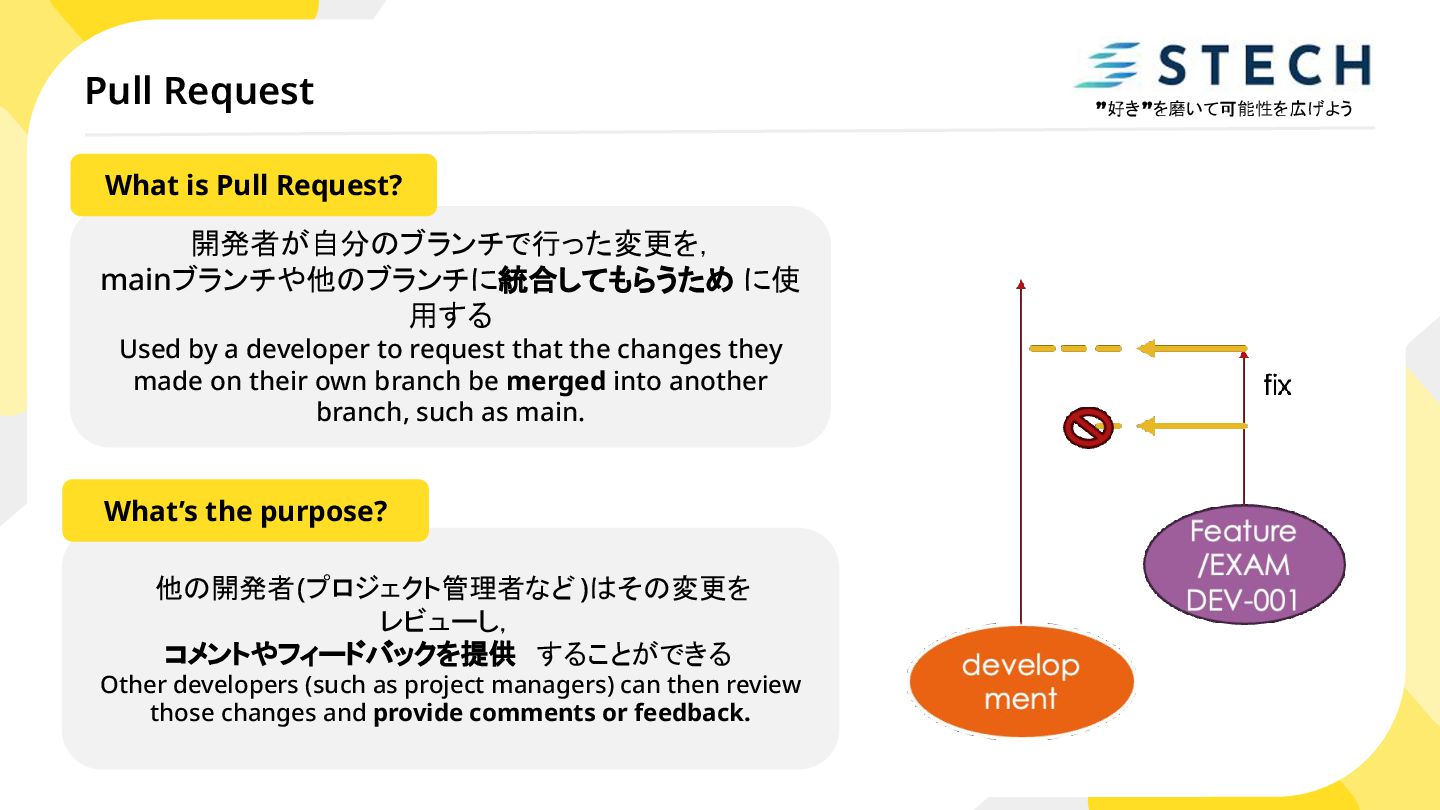
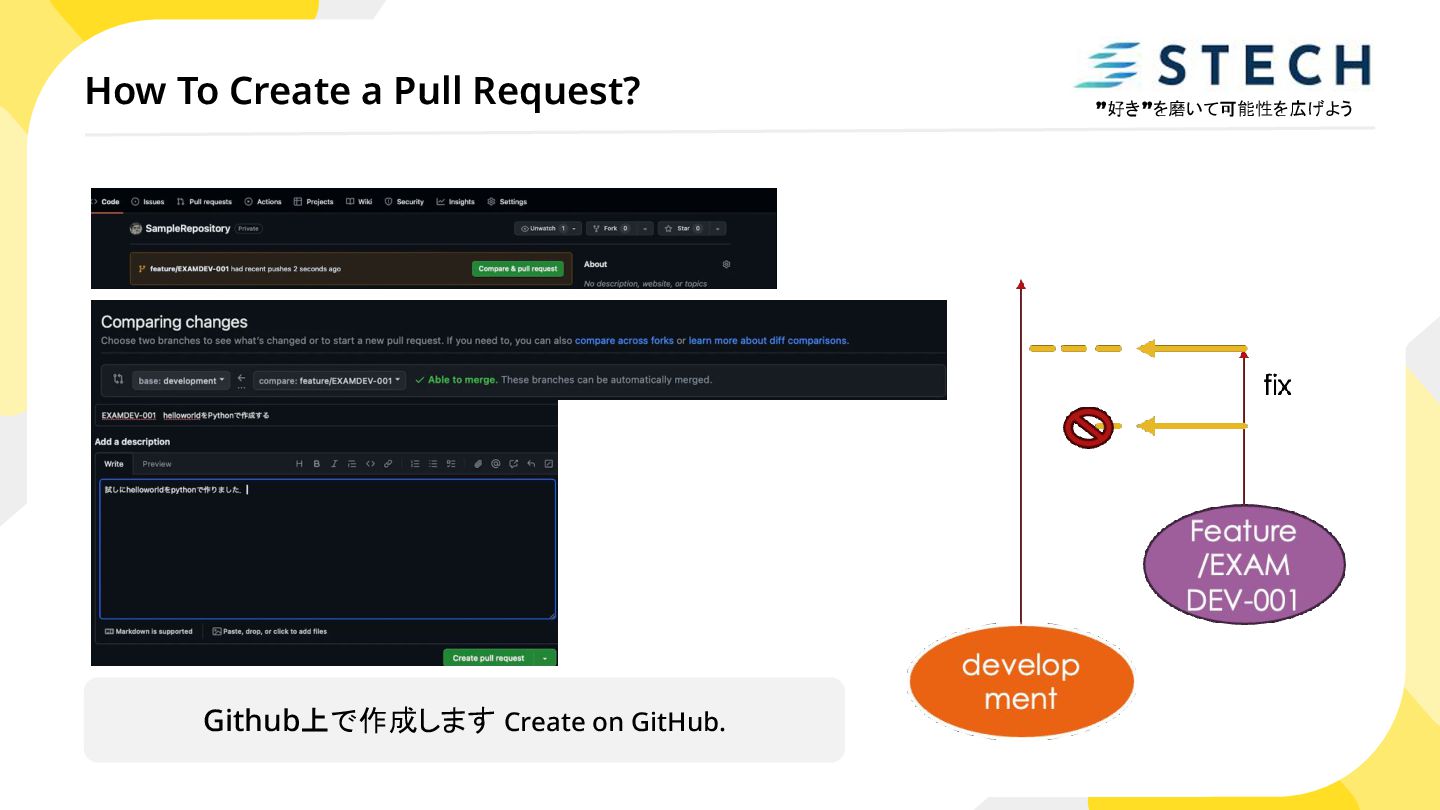
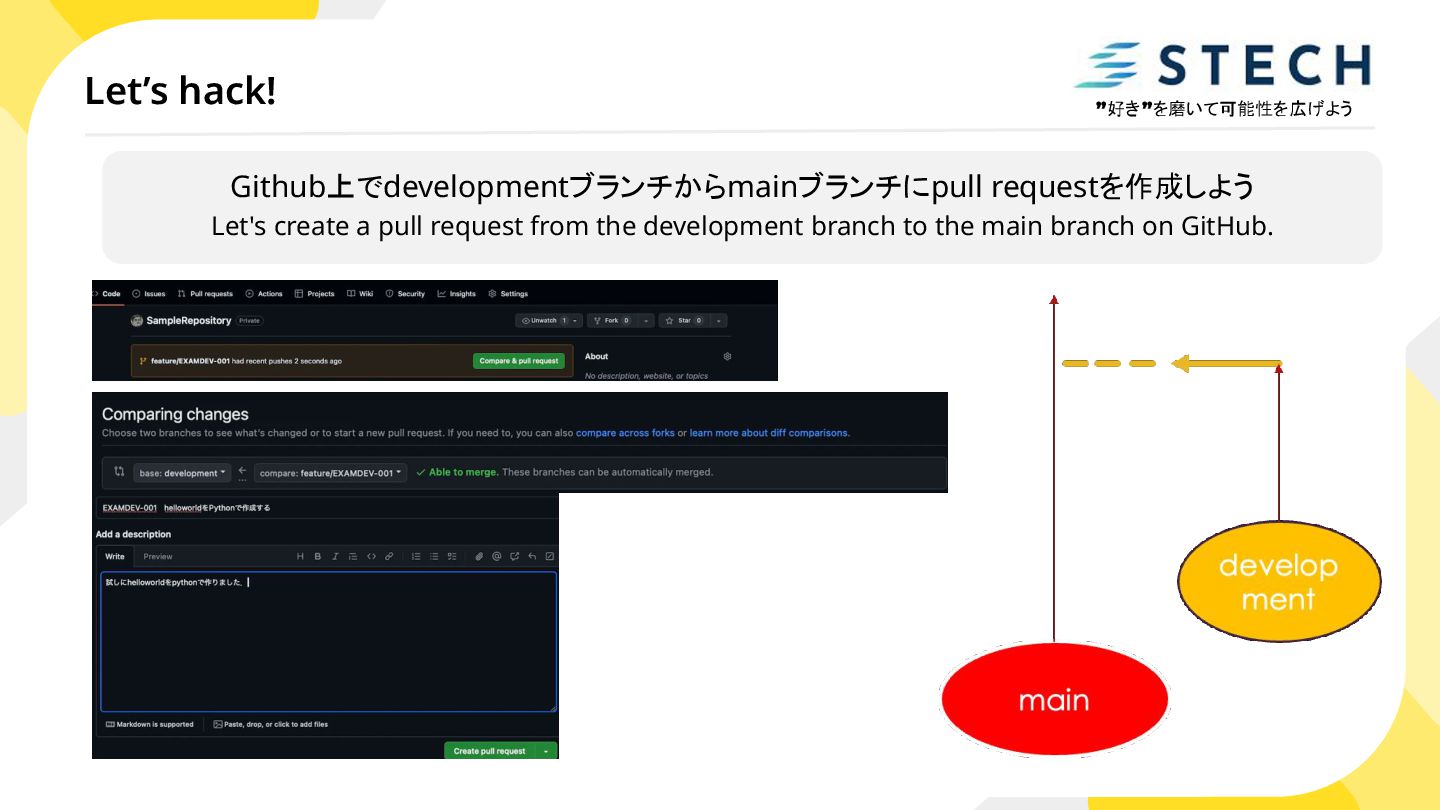
a developer to request that the changes they made on their own branch be merged into another branch, such as main. What is Pull Request? 他の開発者(プロジェクト管理者など )はその変更を レビューし, コメントやフィードバックを提供 することができる Other developers (such as project managers) can then review those changes and provide comments or feedback. What’s the purpose?
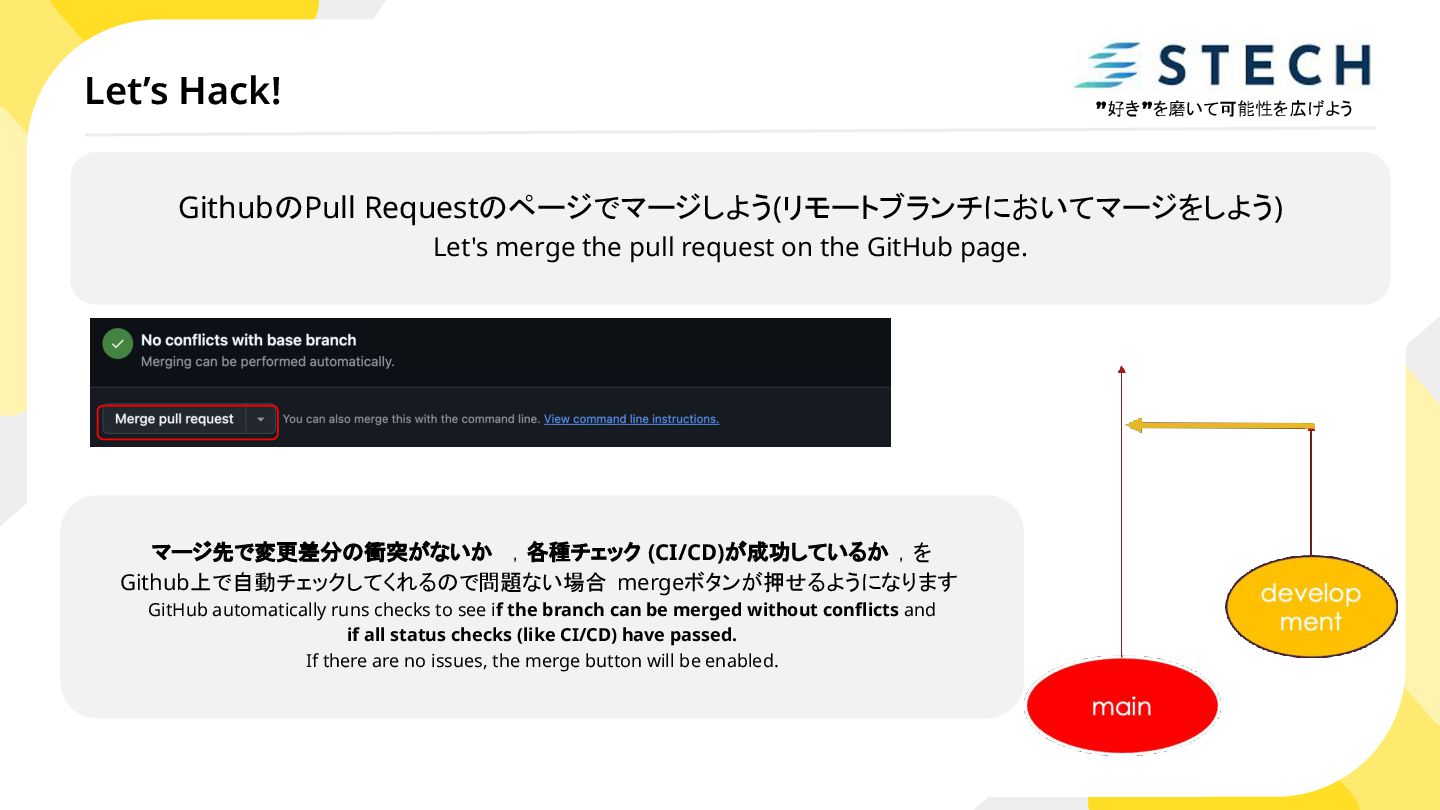
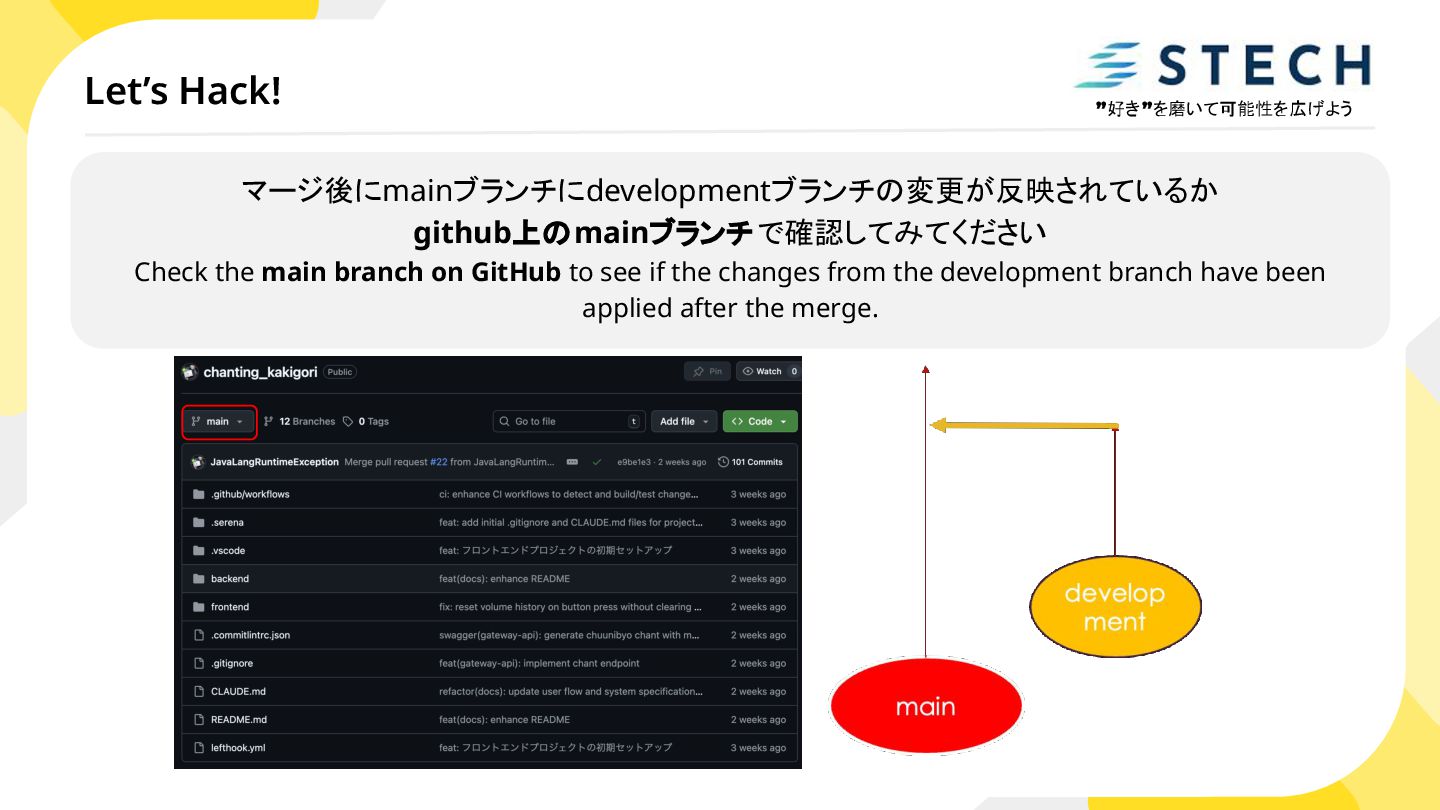
on the GitHub page. マージ先で変更差分の衝突がないか ,各種チェック (CI/CD)が成功しているか ,を Github上で自動チェックしてくれるので問題ない場合 mergeボタンが押せるようになります GitHub automatically runs checks to see if the branch can be merged without conflicts and if all status checks (like CI/CD) have passed. If there are no issues, the merge button will be enabled.
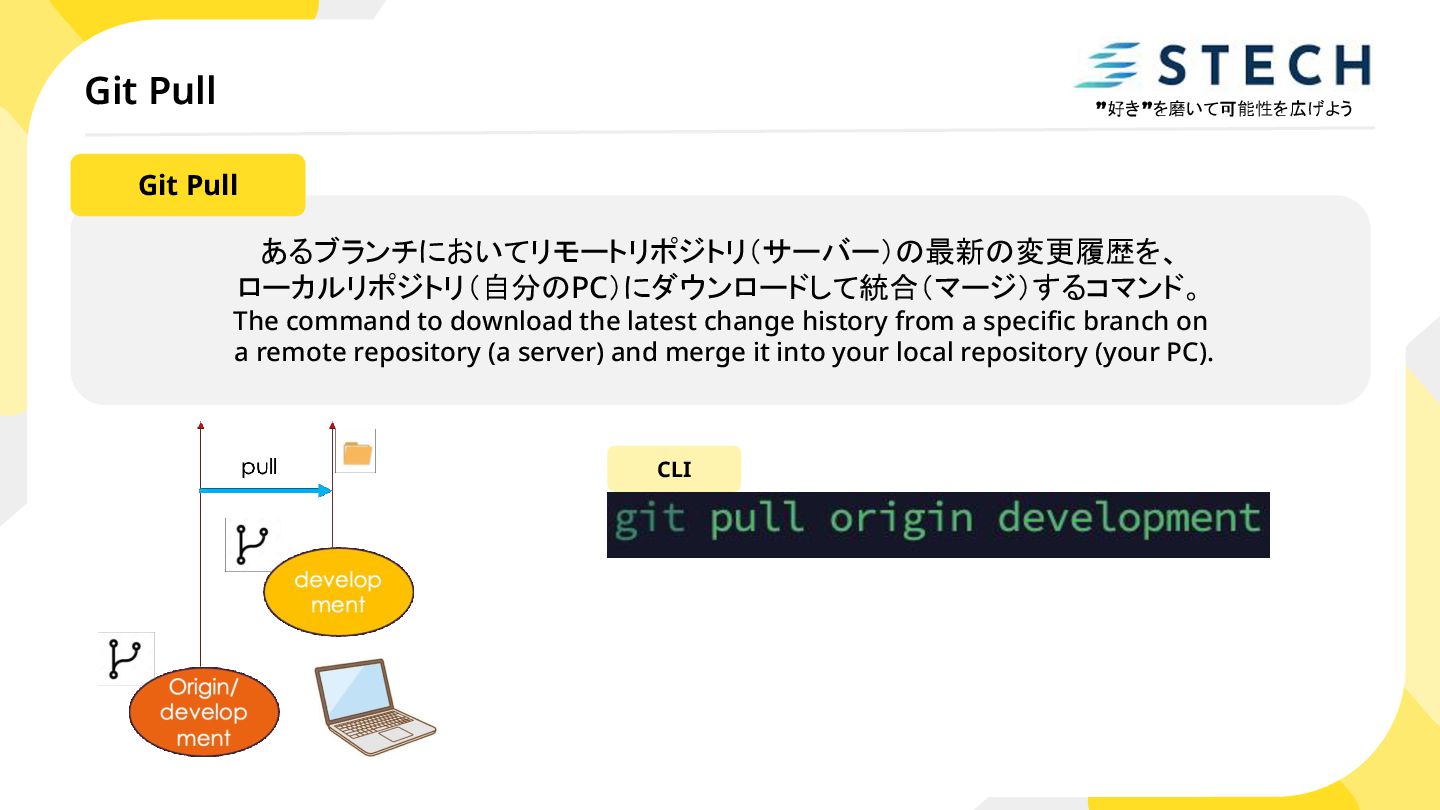
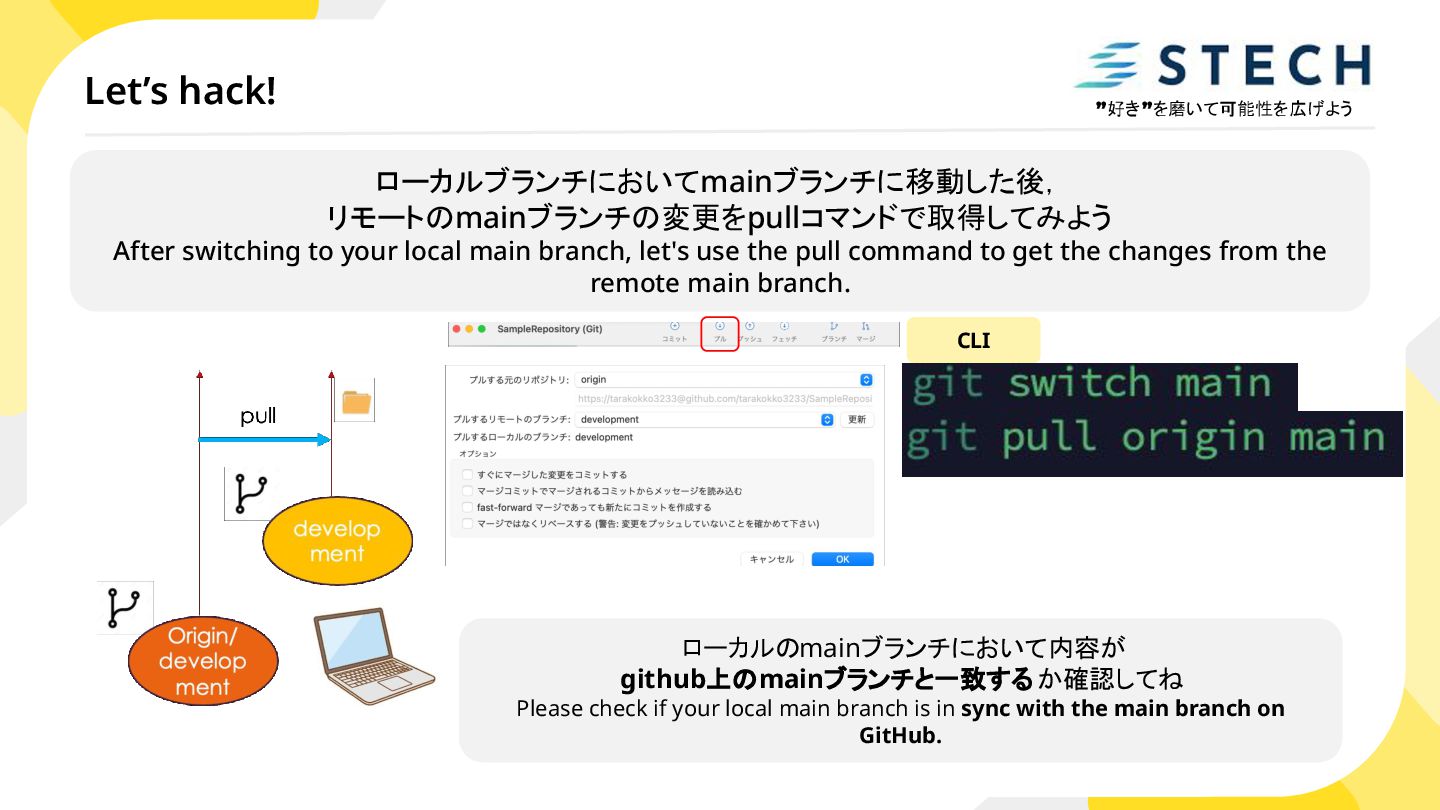
main branch, let's use the pull command to get the changes from the remote main branch. CLI ローカルのmainブランチにおいて内容が github上のmainブランチと一致するか確認してね Please check if your local main branch is in sync with the main branch on GitHub.


 javalangruntimeexception
 satoshi7
 shuta13
 greenmidori
 kentapapa
 yu23ki14
 terurou
 techtekt
 teamlab
 masakiokuda
 occhi
occhi
 genda
genda
 4o1sobblue
 sonatard
 destraynor
 vanstee
 aleyda
 lfama
lfama
 uxyall
 sabderemane
 reverentgeek
 bcantrill
 portentint
 tmiket