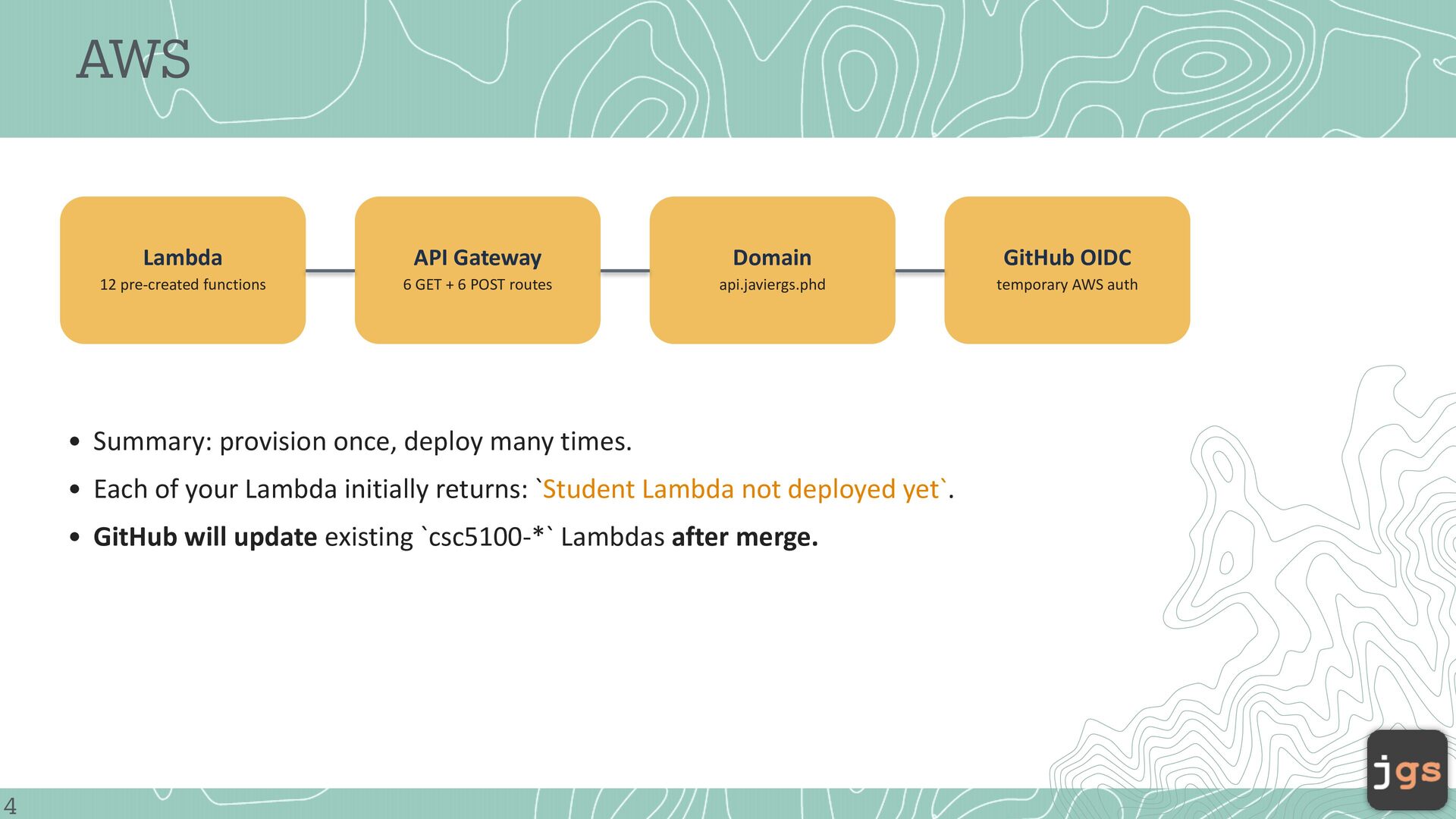
6 GET + 6 POST routes api.javiergs.phd temporary AWS auth • Summary: provision once, deploy many times. • Each of your Lambda initially returns: `Student Lambda not deployed yet`. • GitHub will update existing `csc5100-*` Lambdas after merge. 4
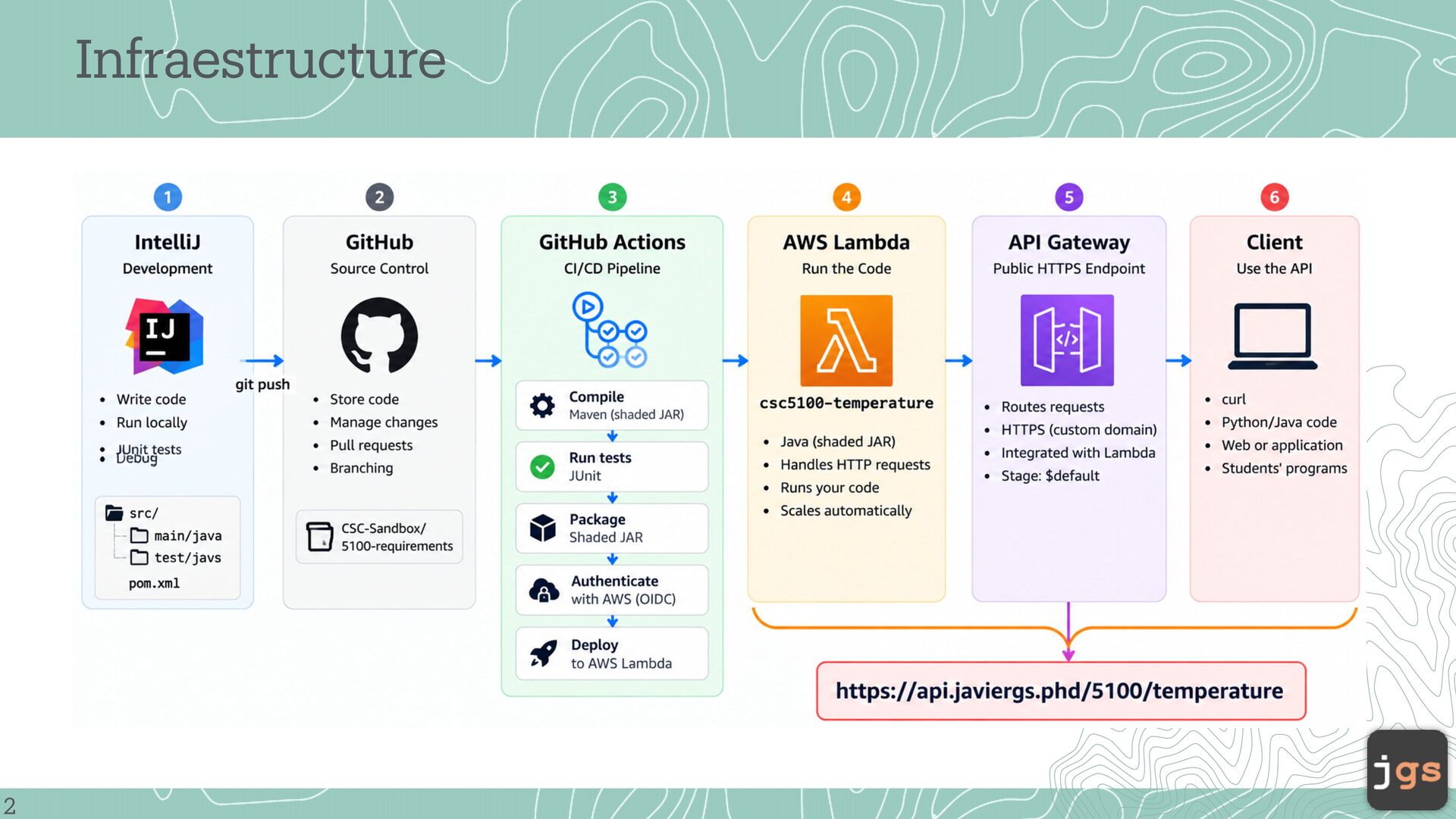
Added the AWS L mbd J v dependency nd M ven Sh de plugin to the sh red `pom.xml`. • Cre ted `Temper tureL mbd ` s the reference implement tion nd JUnit tests s the reference test structure. • Cre ted 12 L mbd functions nd 12 API G tew y routes. • Con igured the public dom in ` pi.j viergs.phd`. • Con igured GitHub Actions to uthentic te to AWS with OIDC (OpenID Connect) nd deploy ccepted code. a a a a a a a a a a a a a a a a a a a a a a a a a a a a a a a a f f a a 5 a • Pl ced working pl ceholder in every student L mbd until your implement tion is merged.
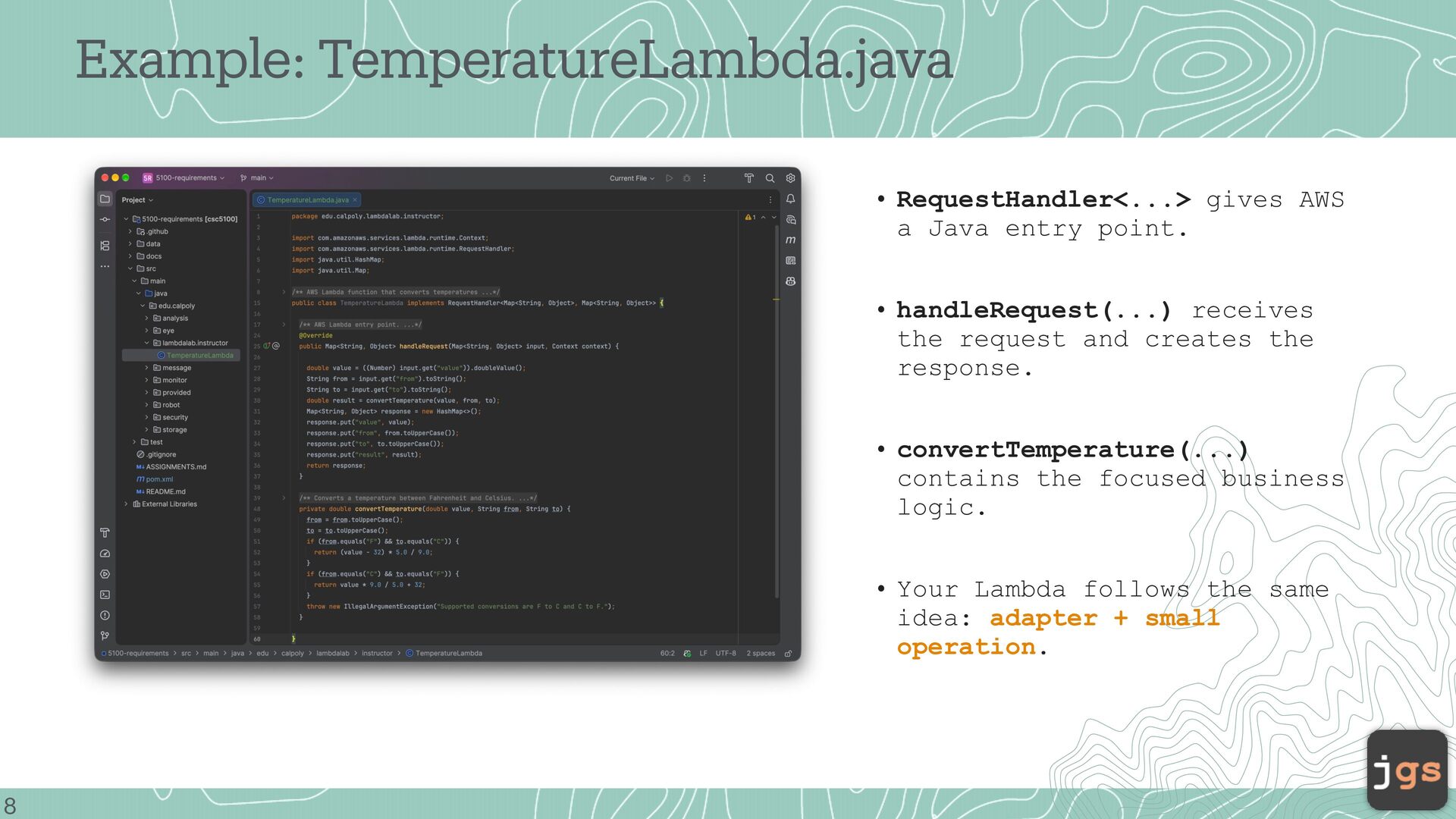
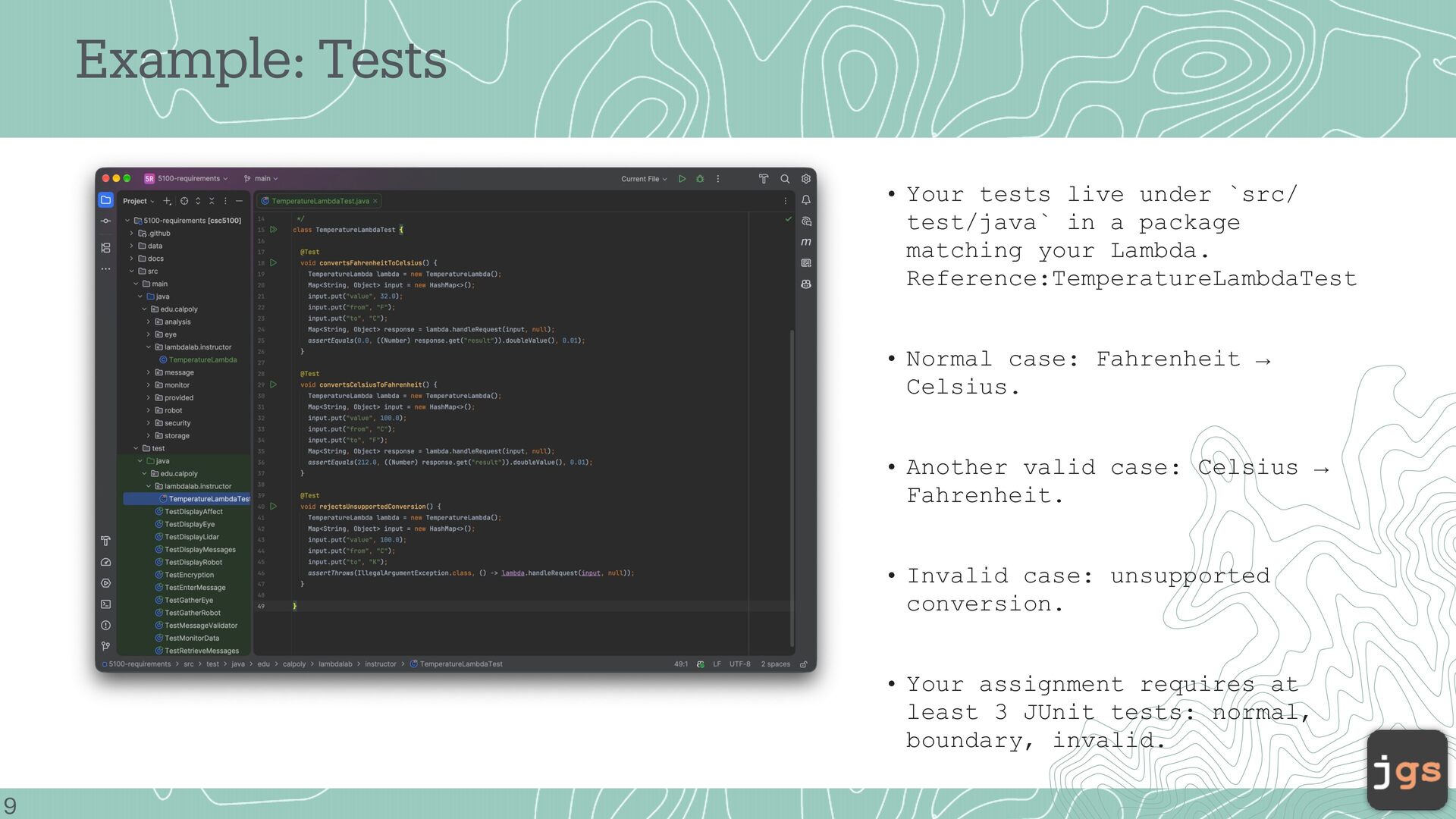
• handleRequest(...) receives the request and creates the response. • convertTemperature(...) contains the focused business logic. • Your Lambda follows the same idea: adapter + small operation. 8
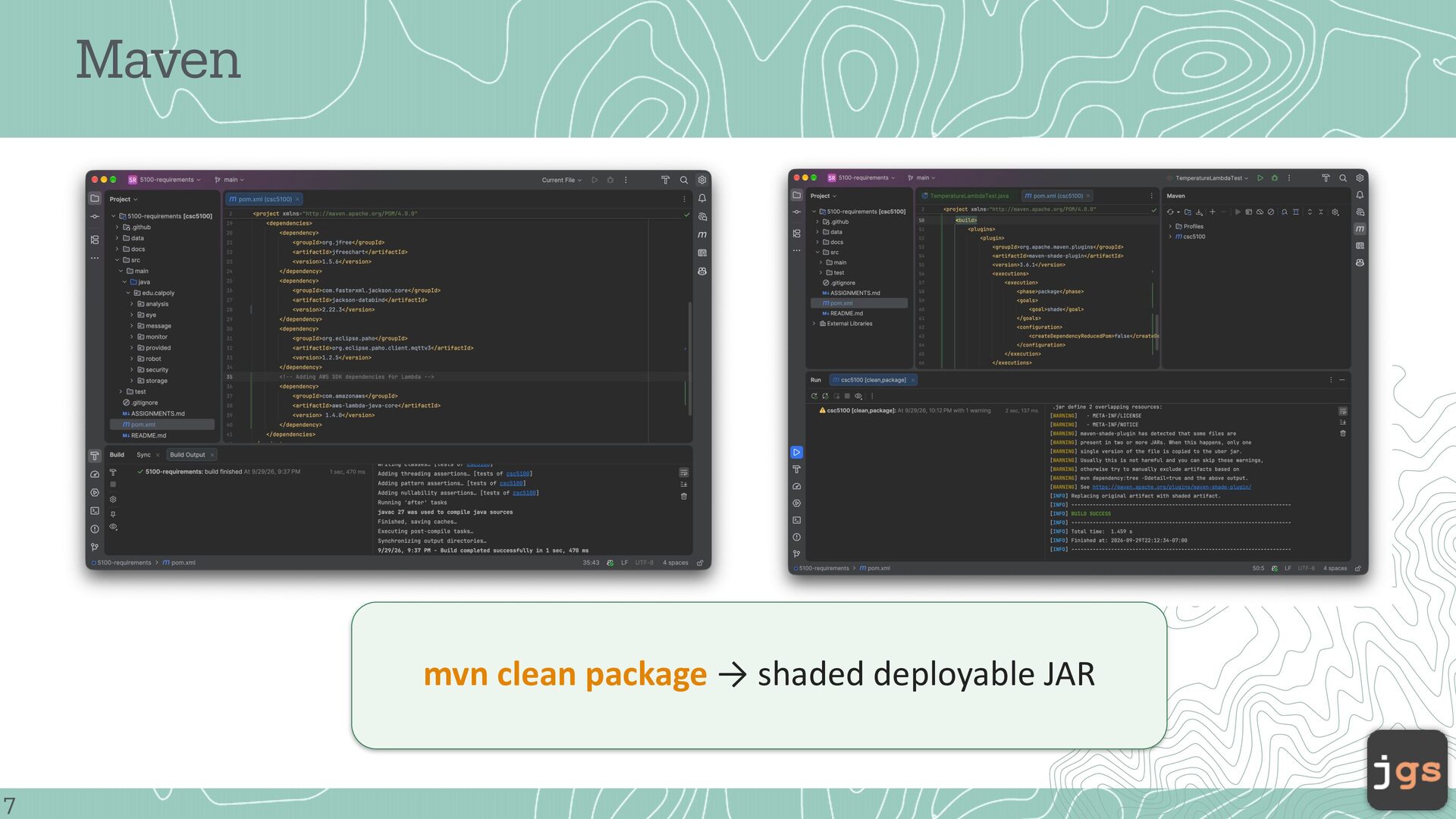
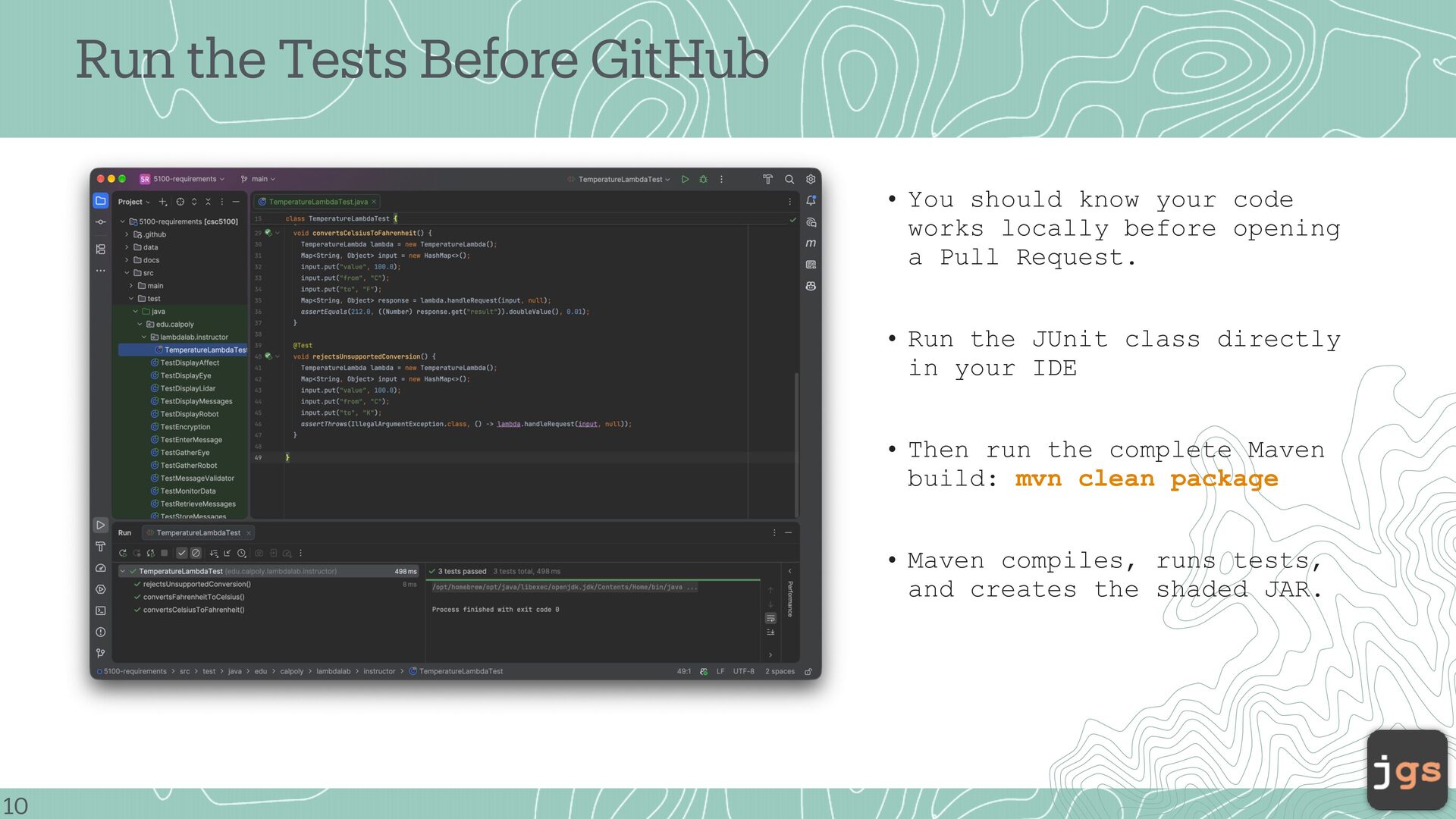
code works locally before opening a Pull Request. • Run the JUnit class directly in your IDE • Then run the complete Maven build: mvn clean package • Maven compiles, runs tests, and creates the shaded JAR. 10
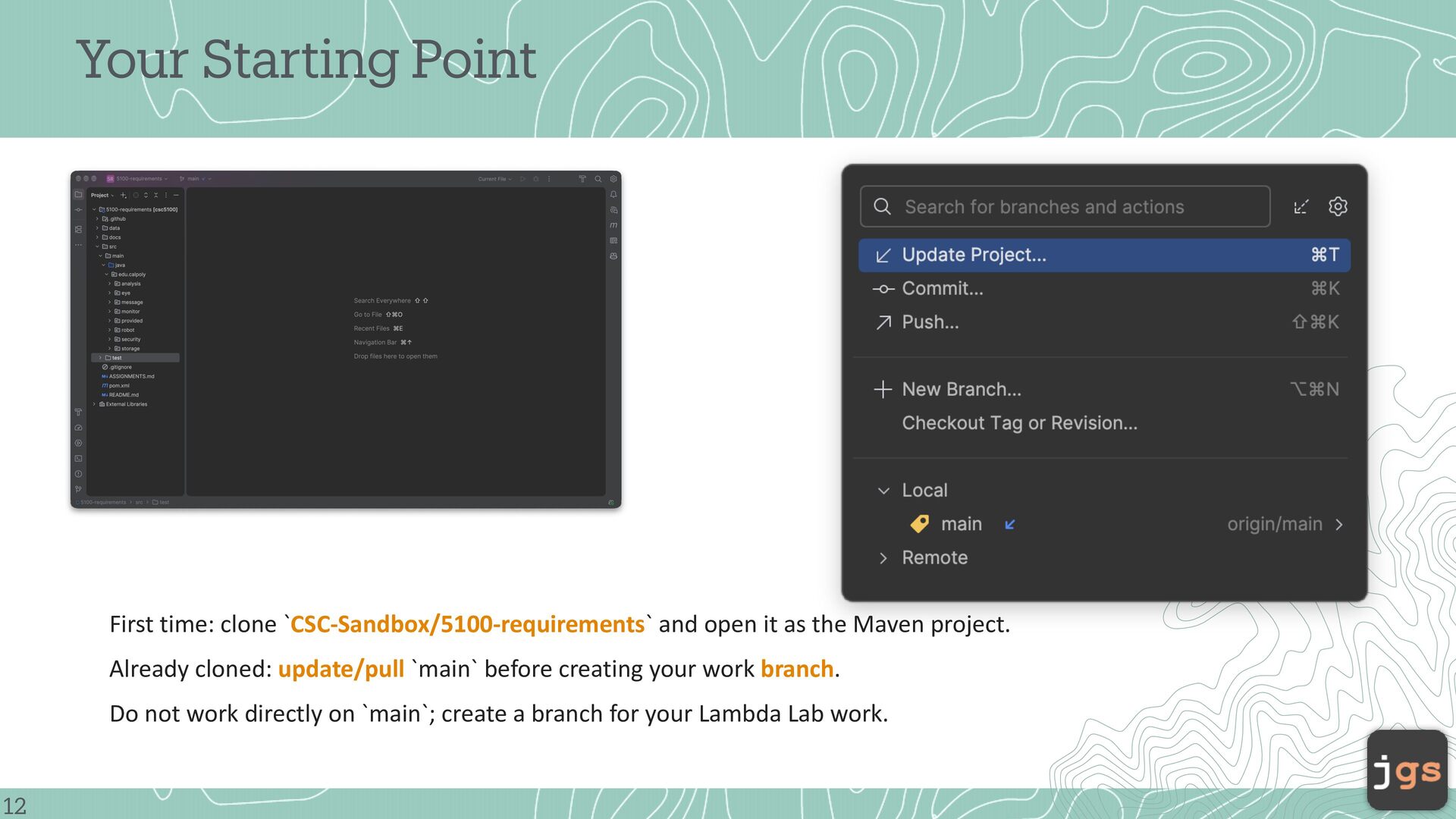
as the Maven project. Already cloned: update/pull `main` before creating your work branch. Do not work directly on `main`; create a branch for your Lambda Lab work. 12
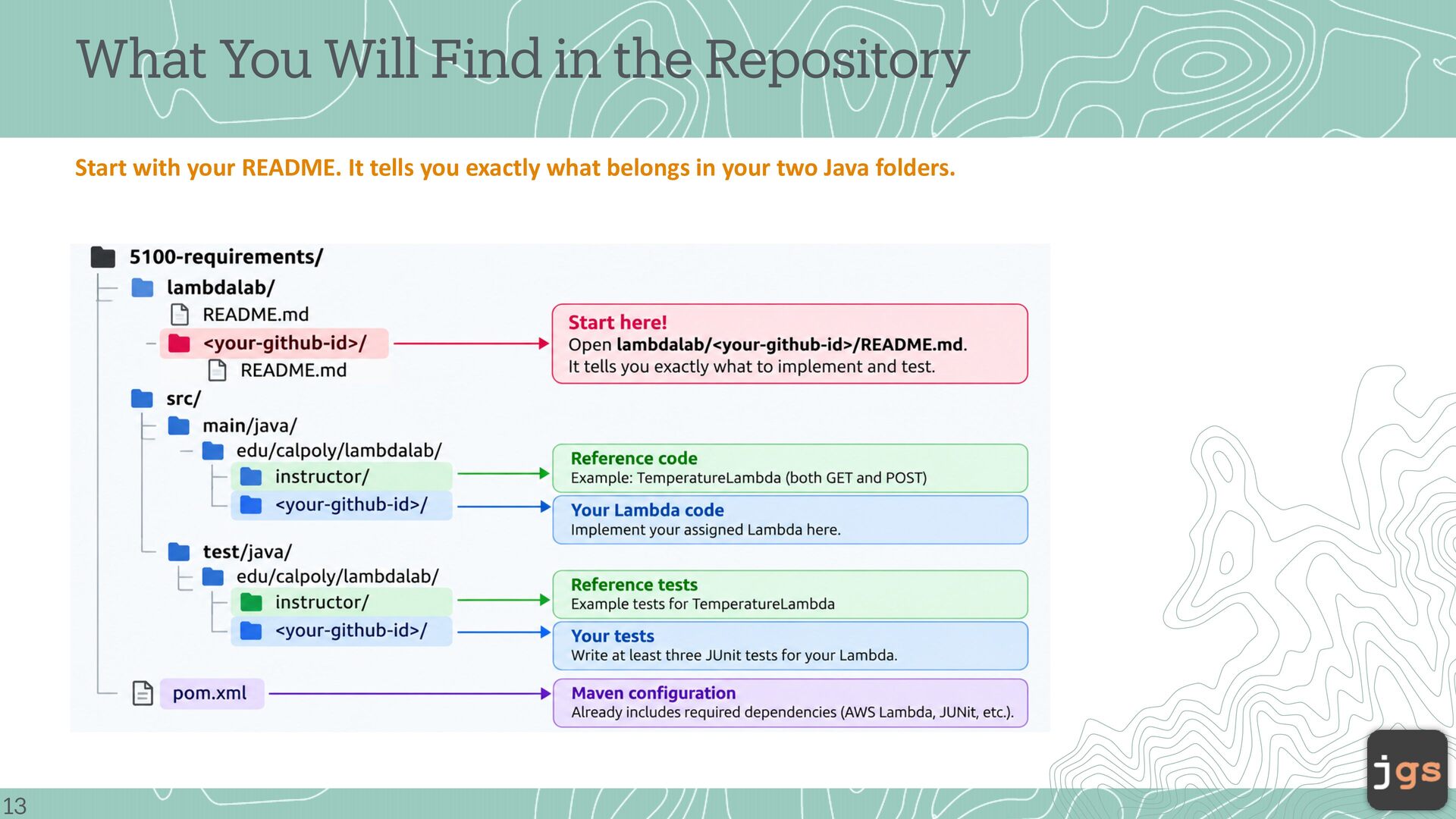
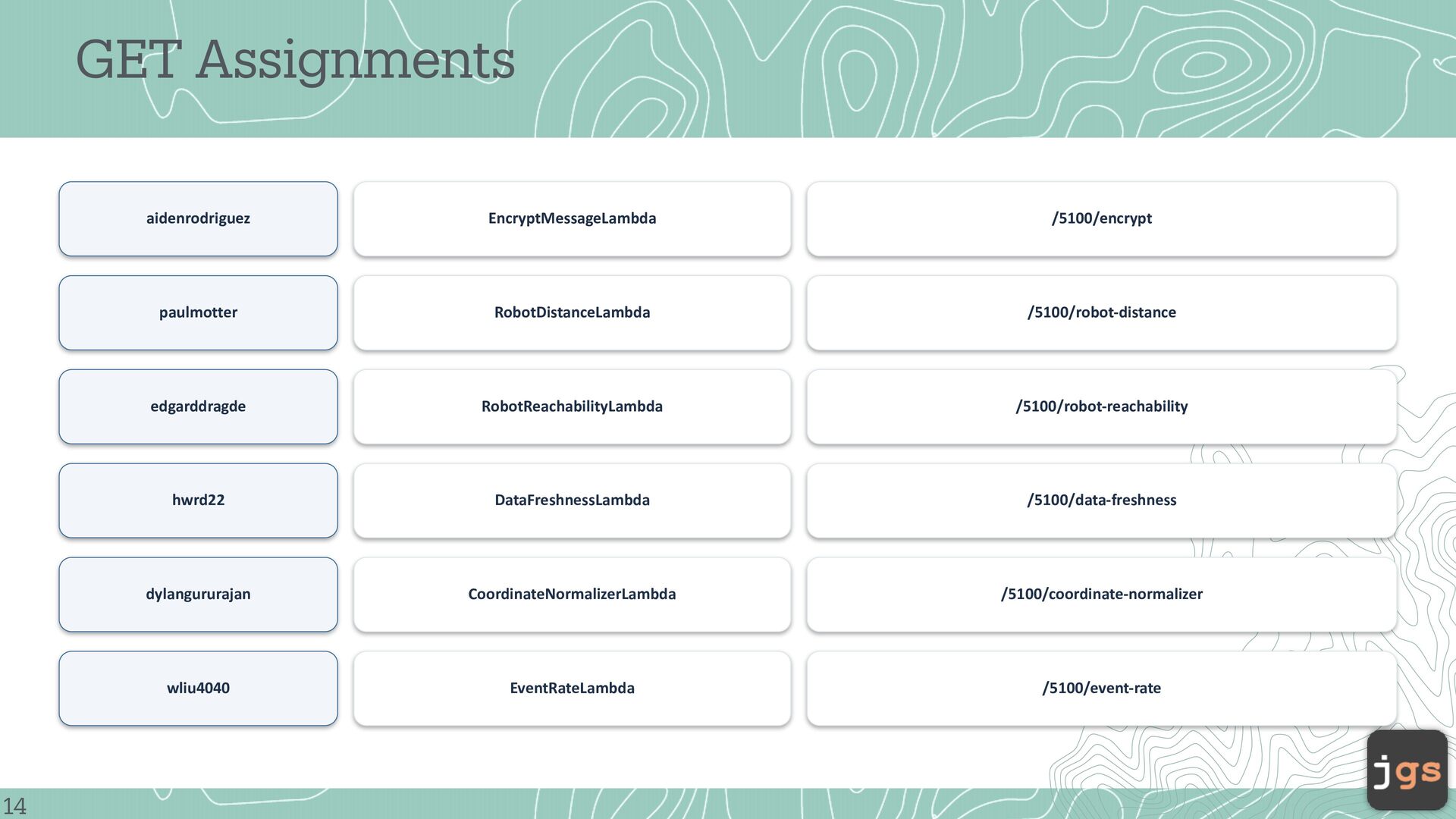
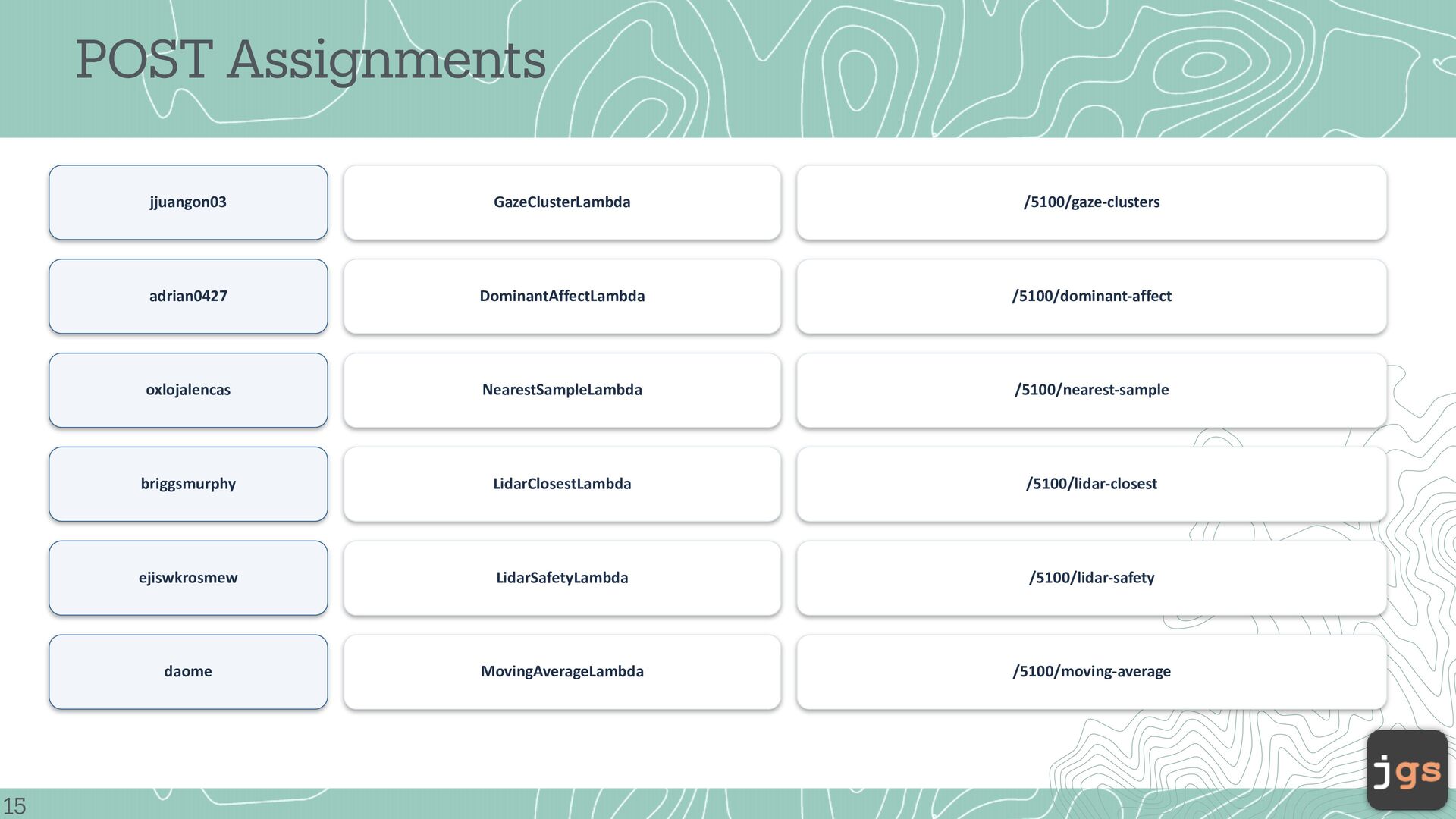
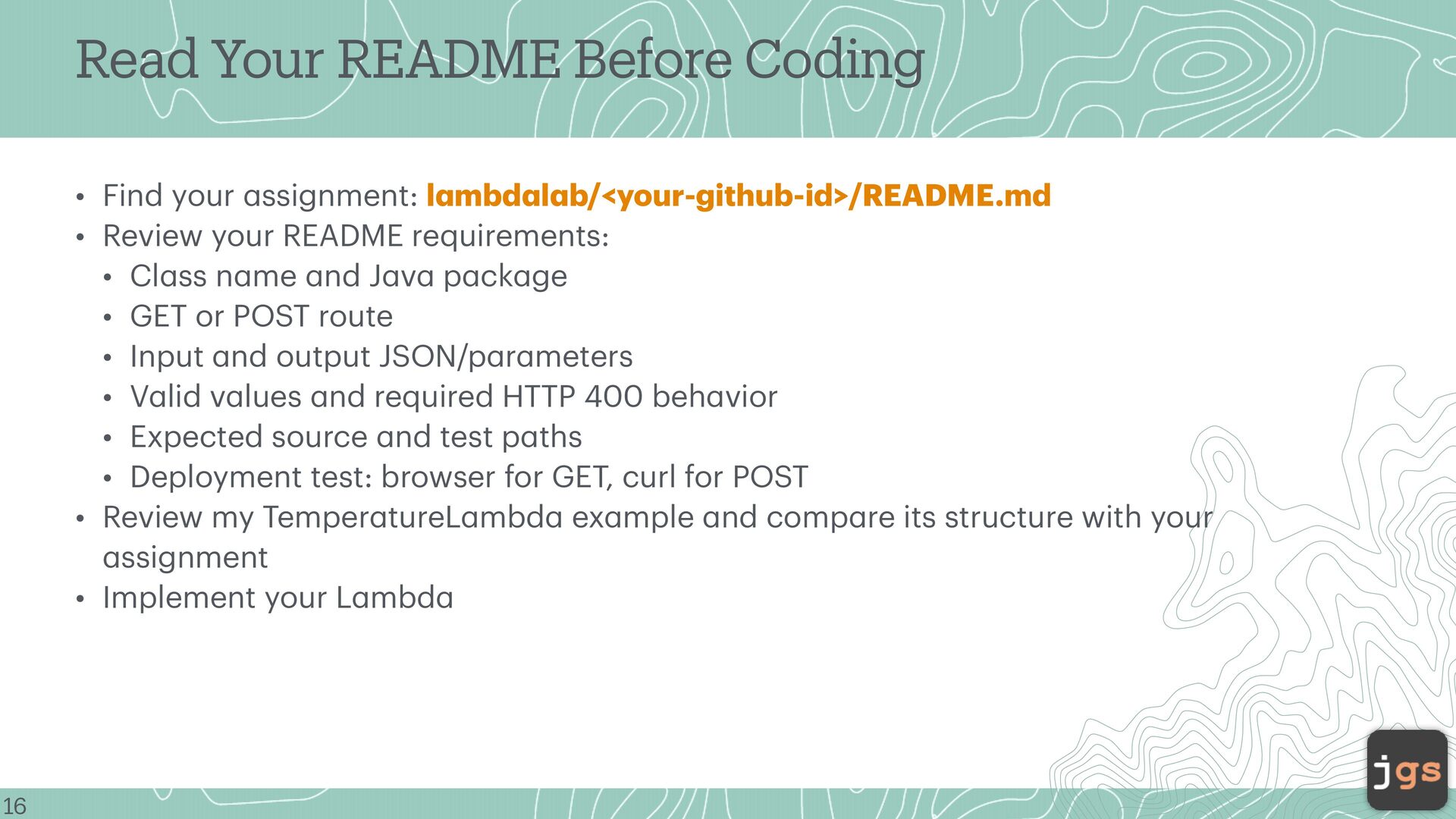
a a a a a a a a a a a a a a a a 16 a • Find your ssignment: l mbd l b/<your-github-id>/README.md • Review your README requirements: • Cl ss n me nd J v p ck ge • GET or POST route • Input nd output JSON/p r meters • V lid v lues nd required HTTP 400 beh vior • Expected source nd test p ths • Deployment test: browser for GET, curl for POST • Review my Temper tureL mbd ex mple nd comp re its structure with your ssignment • Implement your L mbd a a Read Your README Before Coding
• Run mvn cle n p ck ge • Do not worry bout the M ven Sh de overl p w rnings shown here; the import nt result is `BUILD SUCCESS`. a a a a a a a a a a 17 a • Fix compil tion/test f ilures before pushing.
push → cre te PR • The PR is your submission nd the CI checkpoint. • PR title: `L mbd L b - <L mbd N me> - <GitHubID>`. • GitHub Actions runs `mvn cle n p ck ge` on the Pull Request. • No AWS deployment h ppens from your br nch. a a a a a a a a a a a a a a 18 a • Address review comments until the PR is green nd pproved. •
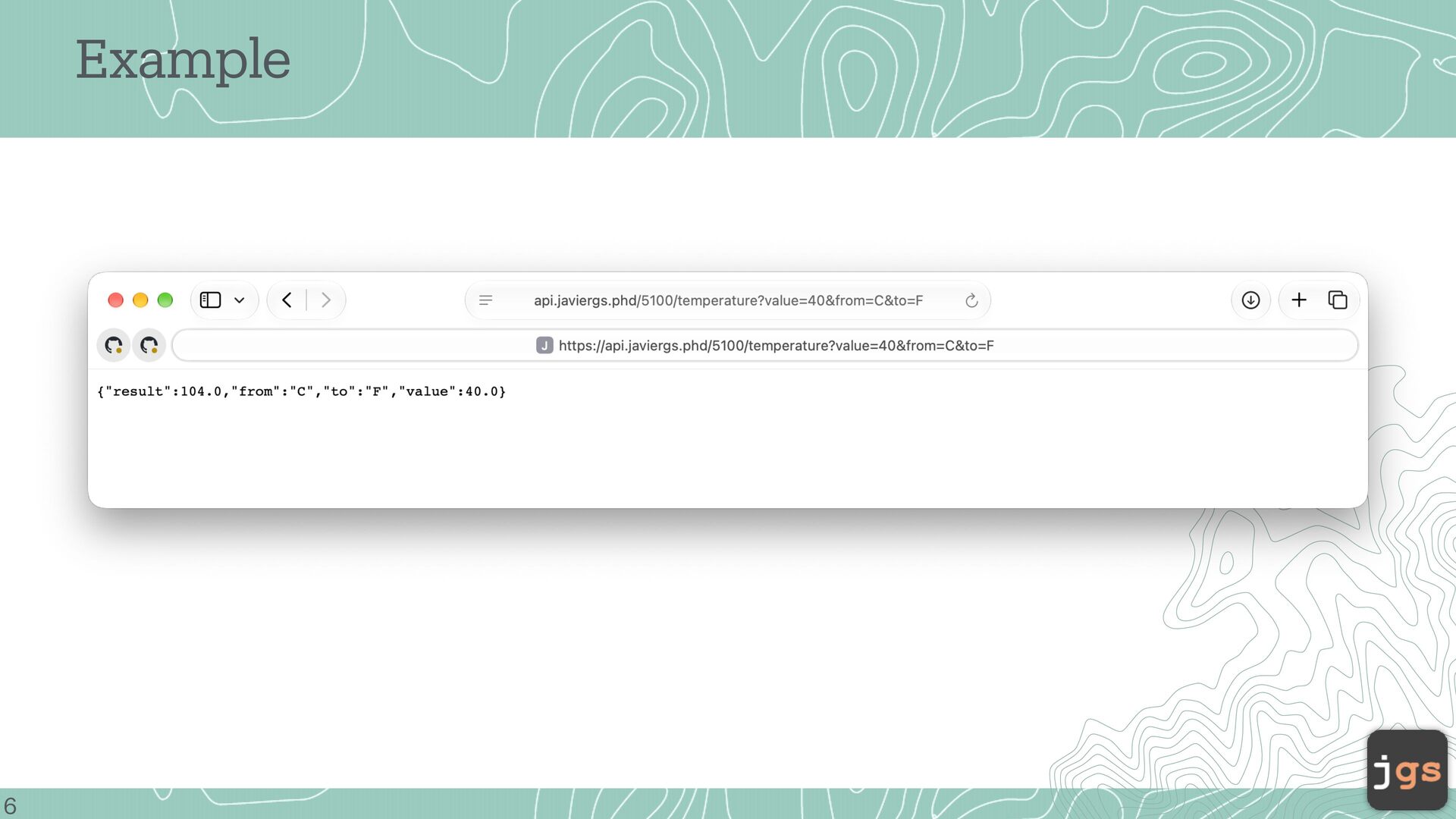
to AWS → test the endpoint → verify • GitHub detects your ch nged p ck ge nd deploys only your ssigned L mbd . • GET → open the ex ct URL from your README in browser. a a a a a a a a a a a a a a 19 a • POST → run the ex ct curl comm nd from your README in IntelliJ Termin l (or cre te be tiful HTML form 🙂)
2026 Copyright. These slides may be used only as study material for CSC 5100 within the California State University system. They may not be distributed or used for any other purpose.


 javiergs
 lara
lara
 elsirapls
 dugsong
 skipperchong
 aleyda
 sabderemane
 techseoconnect
 panda_program
 tomoyanonymous
 jakevdp
 rkaga
rkaga
 trallard

![CSC 5100 Modern Software Engineering Javier Gonzalez-Sanchez, Ph.D. [email protected] Fall](https://files.speakerdeck.com/presentations/a738672a7afd40128bd7956d5f11cb53/slide_20.jpg)