host oper ting system kernel, libr ries, nd bin ries. • Virtu l m chines run its own guest oper ting system, a a a a a a a a a a a a a a a a 6 a • Virtu l m chines provide full-blown virtu liz tion of h rdw re resources, including CPU, memory, stor ge, nd networking.
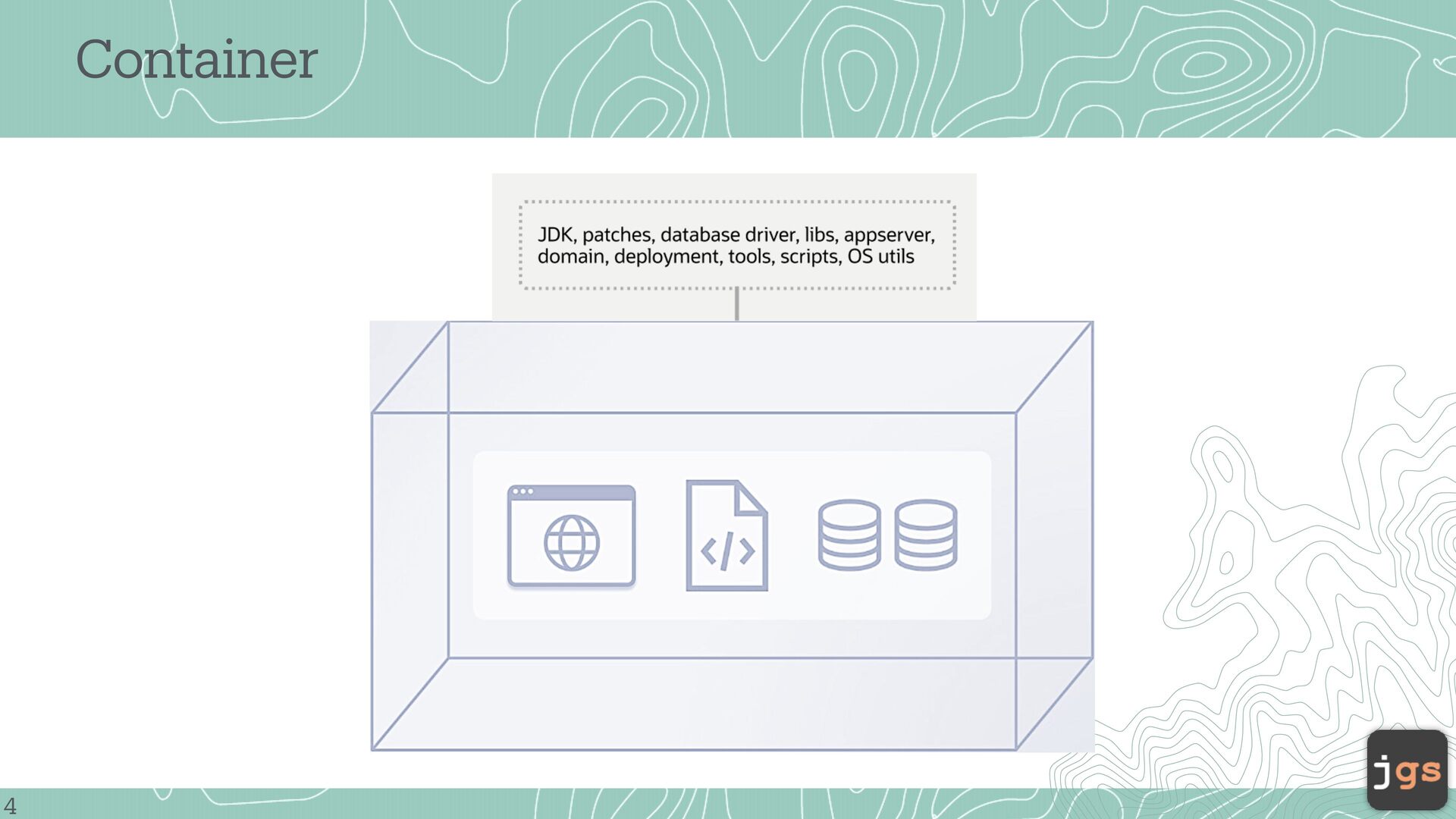
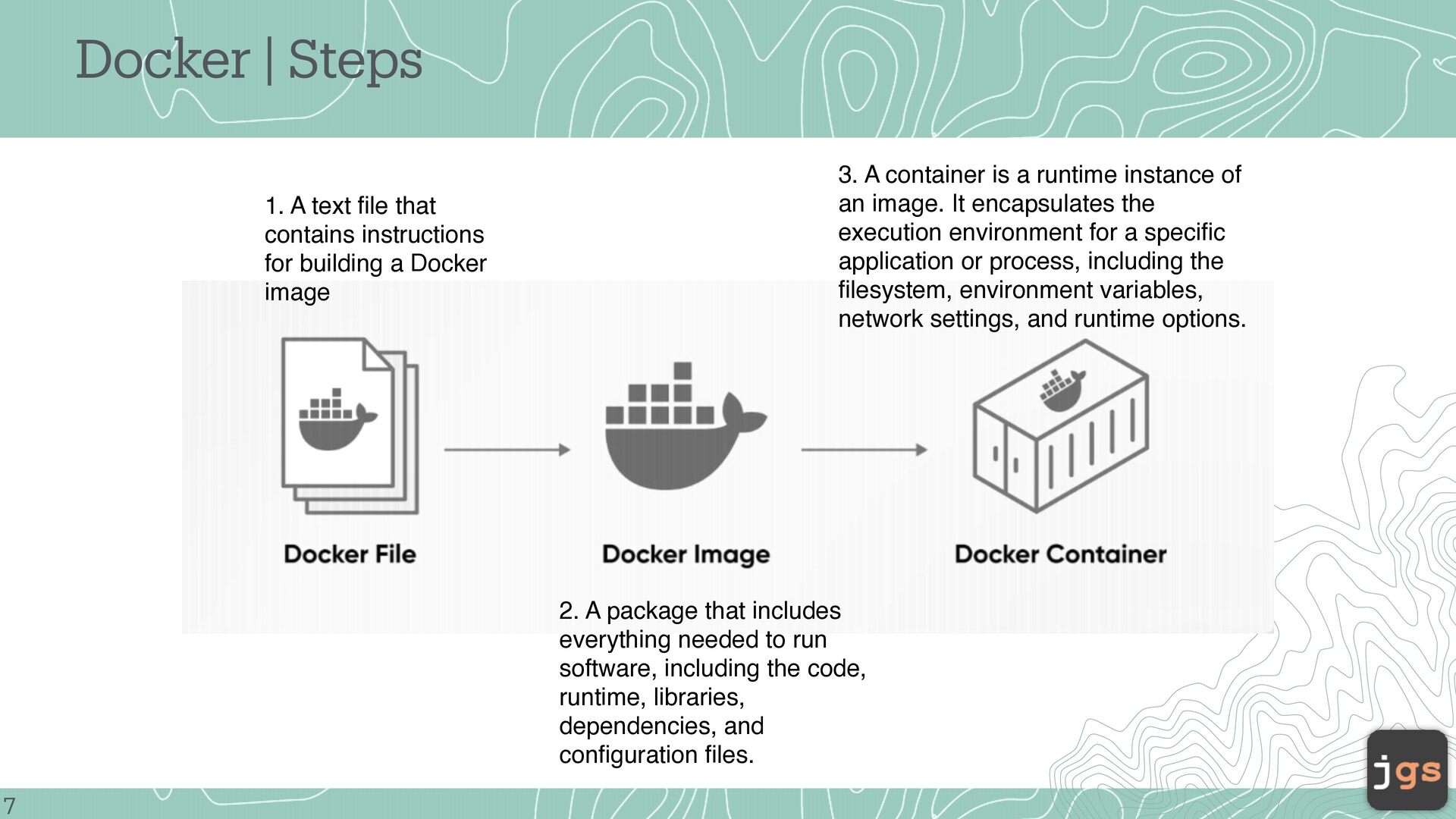
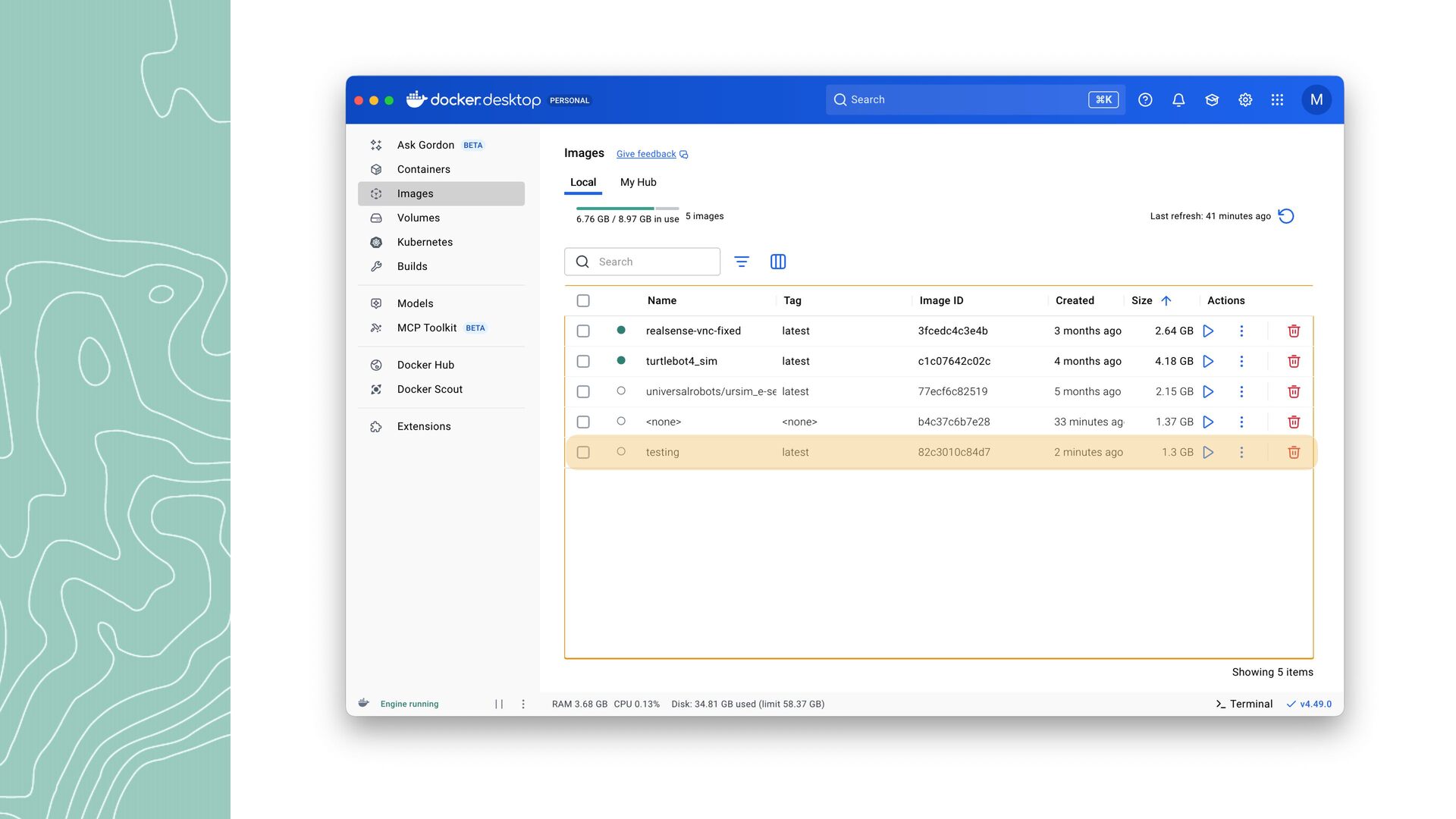
for building a Docker image 3. A container is a runtime instance of an image. It encapsulates the execution environment for a specific application or process, including the filesystem, environment variables, network settings, and runtime options. 2. A package that includes everything needed to run software, including the code, runtime, libraries, dependencies, and configuration files. 7
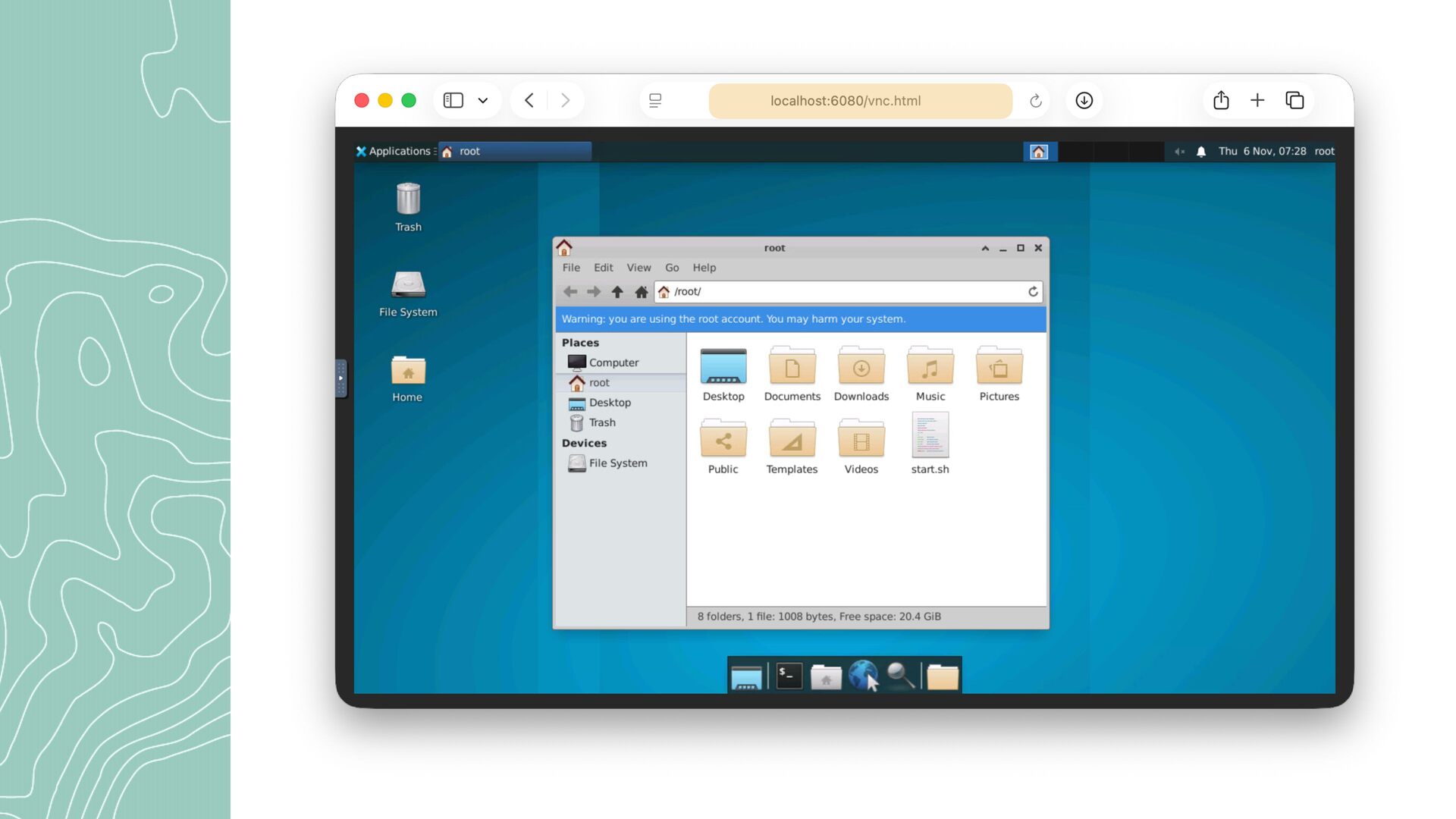
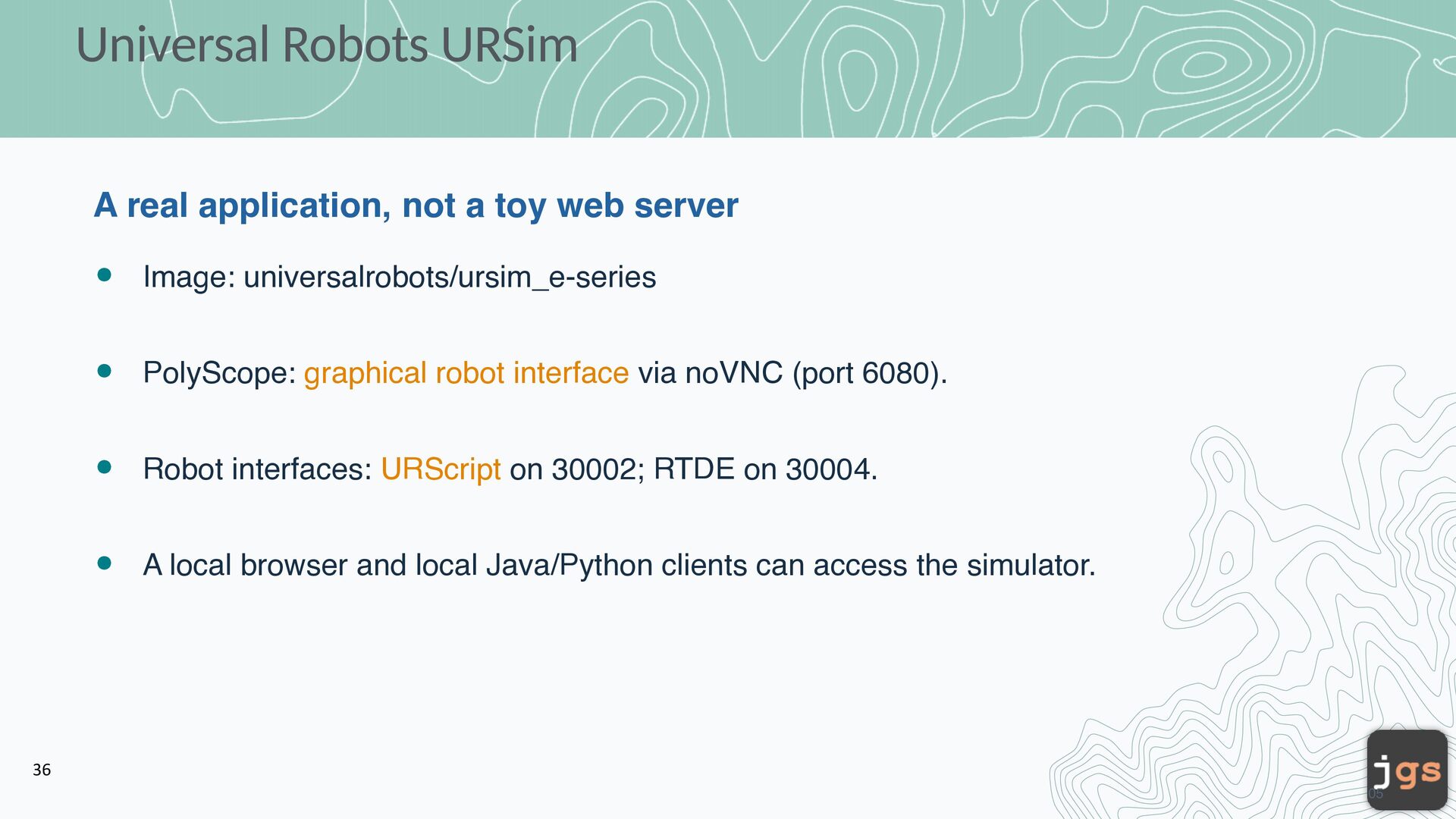
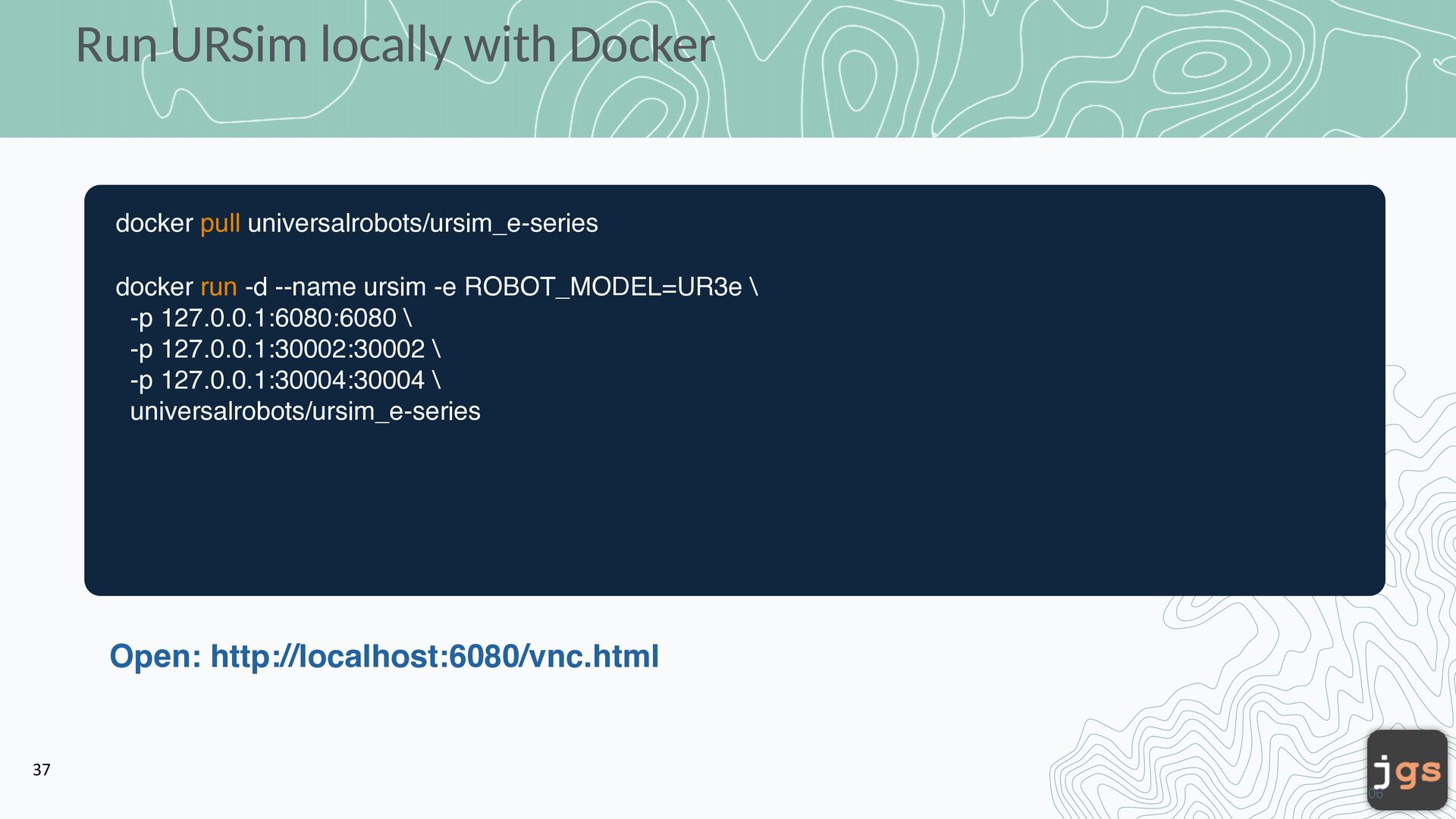
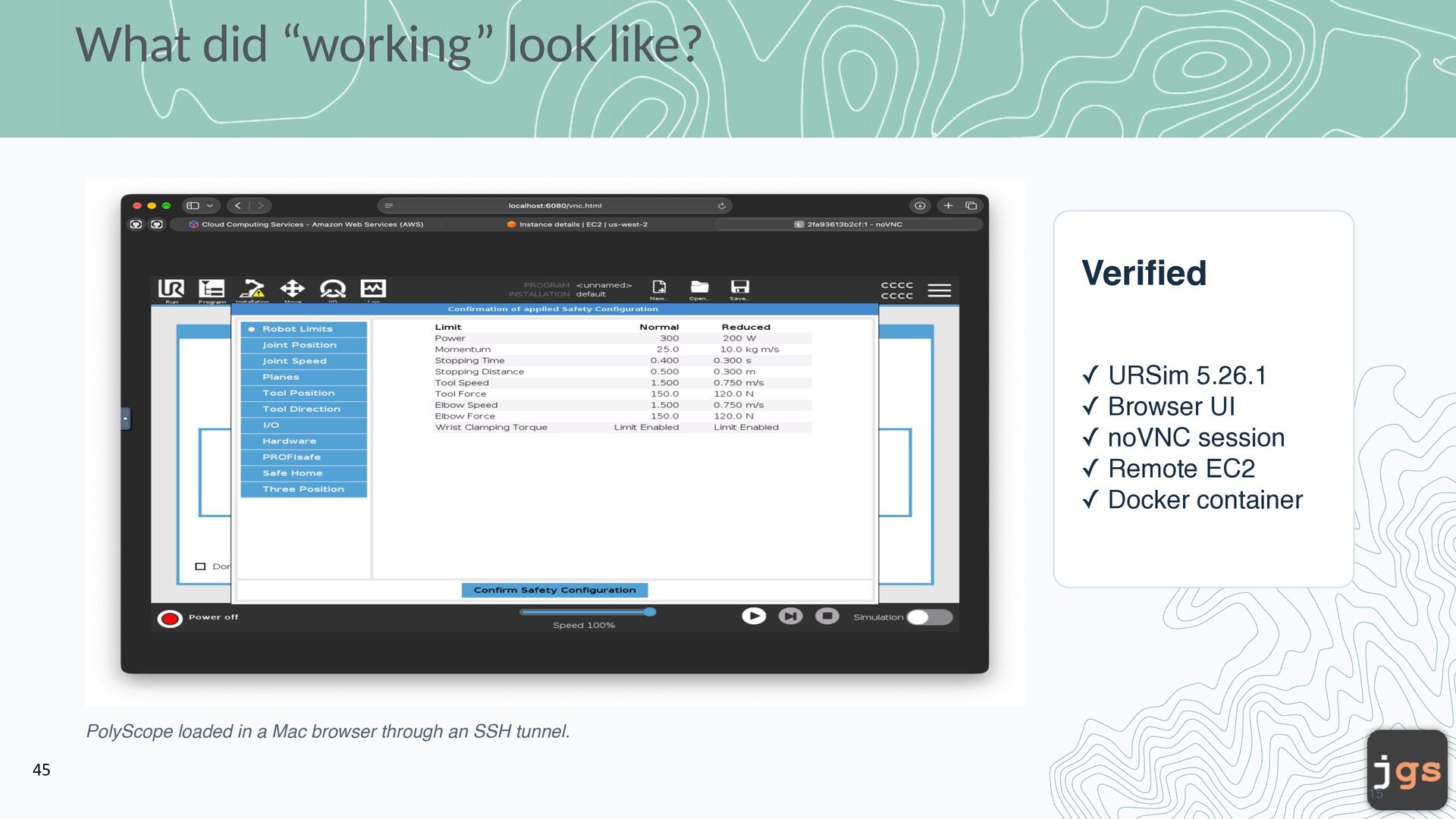
server Image: universalrobots/ursim_e-series PolyScope: graphical robot interface via noVNC (port 6080). Robot interfaces: URScript on 30002; RTDE on 30004. A local browser and local Java/Python clients can access the simulator. 36 05
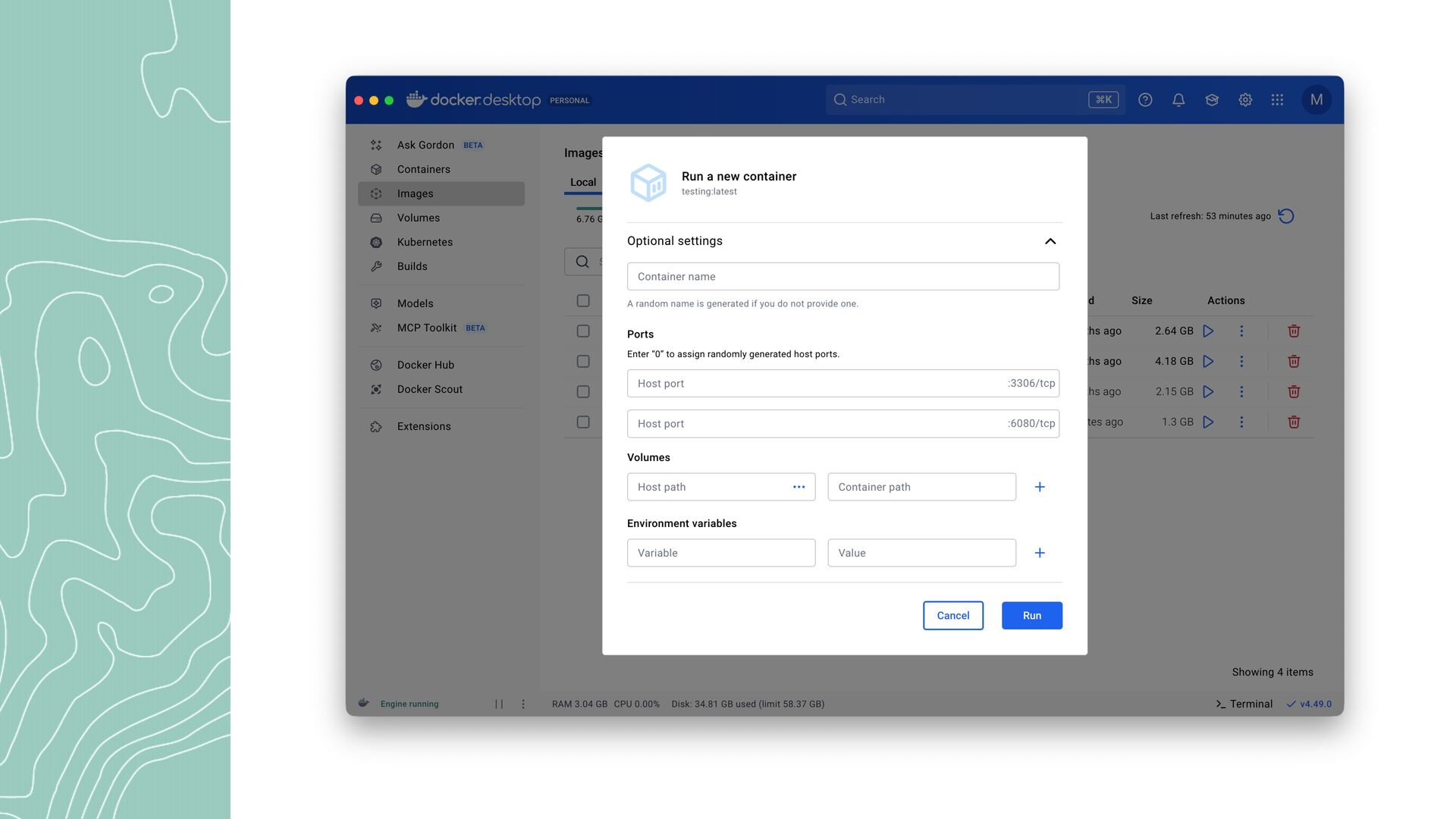
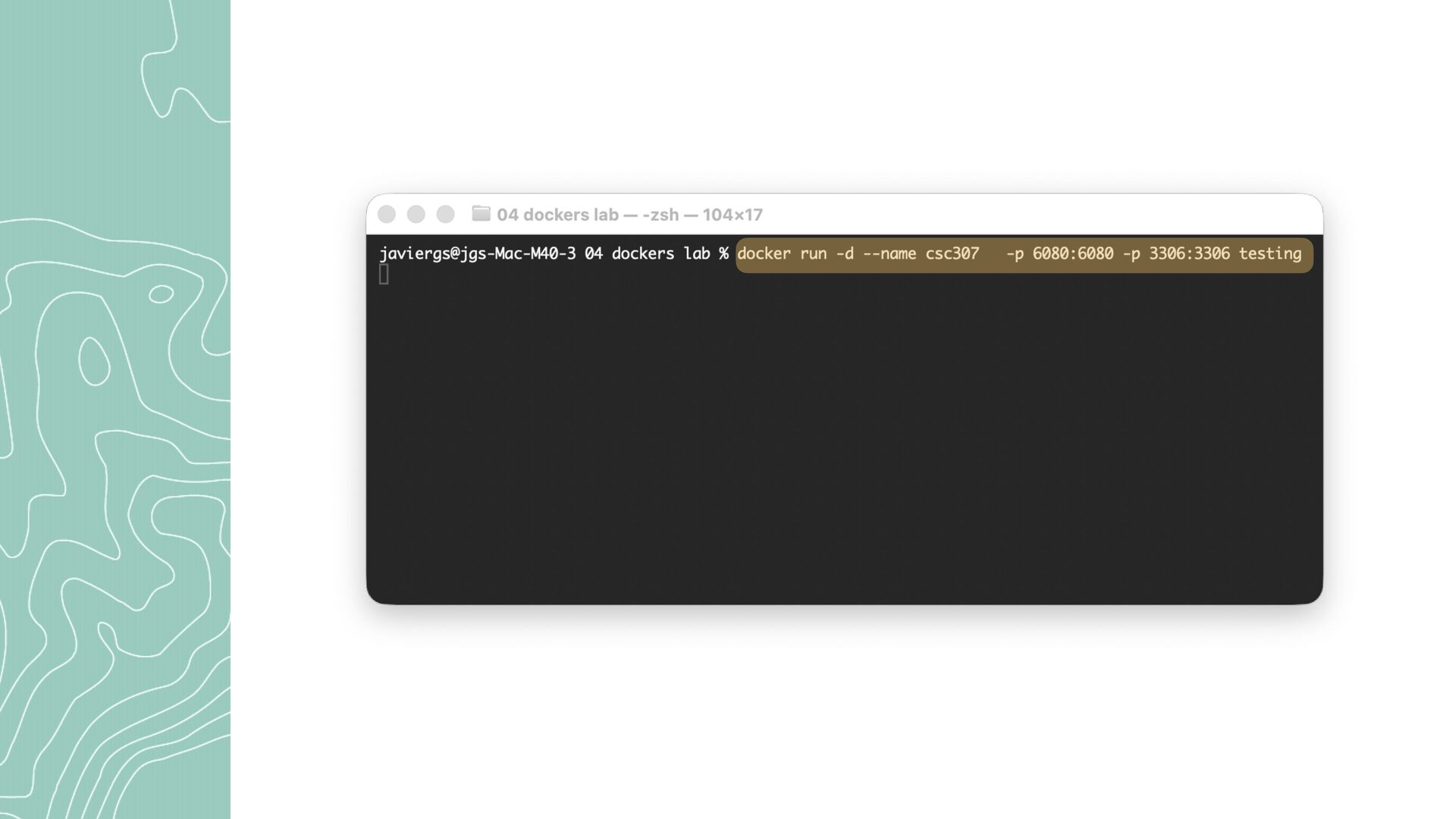
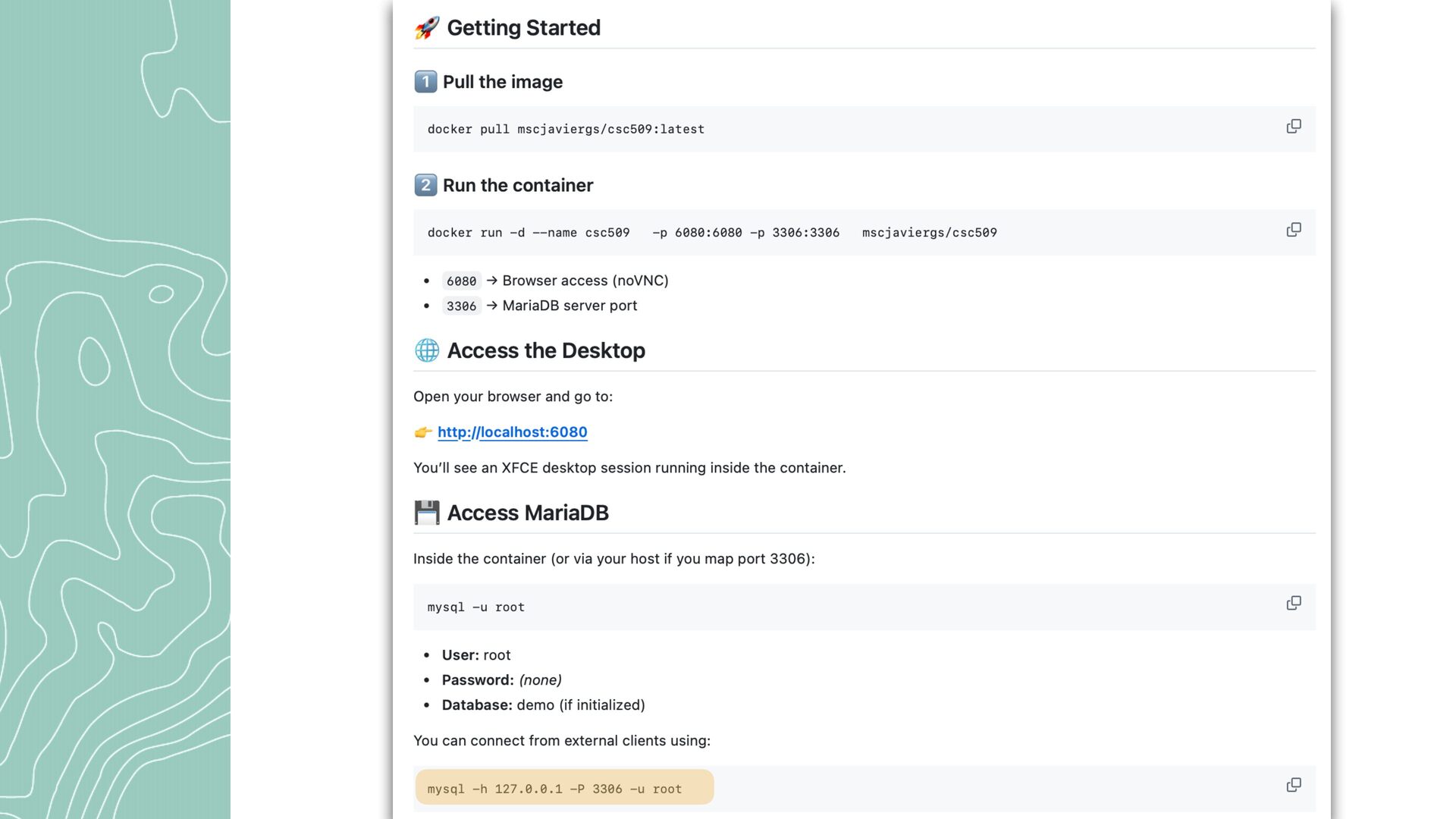
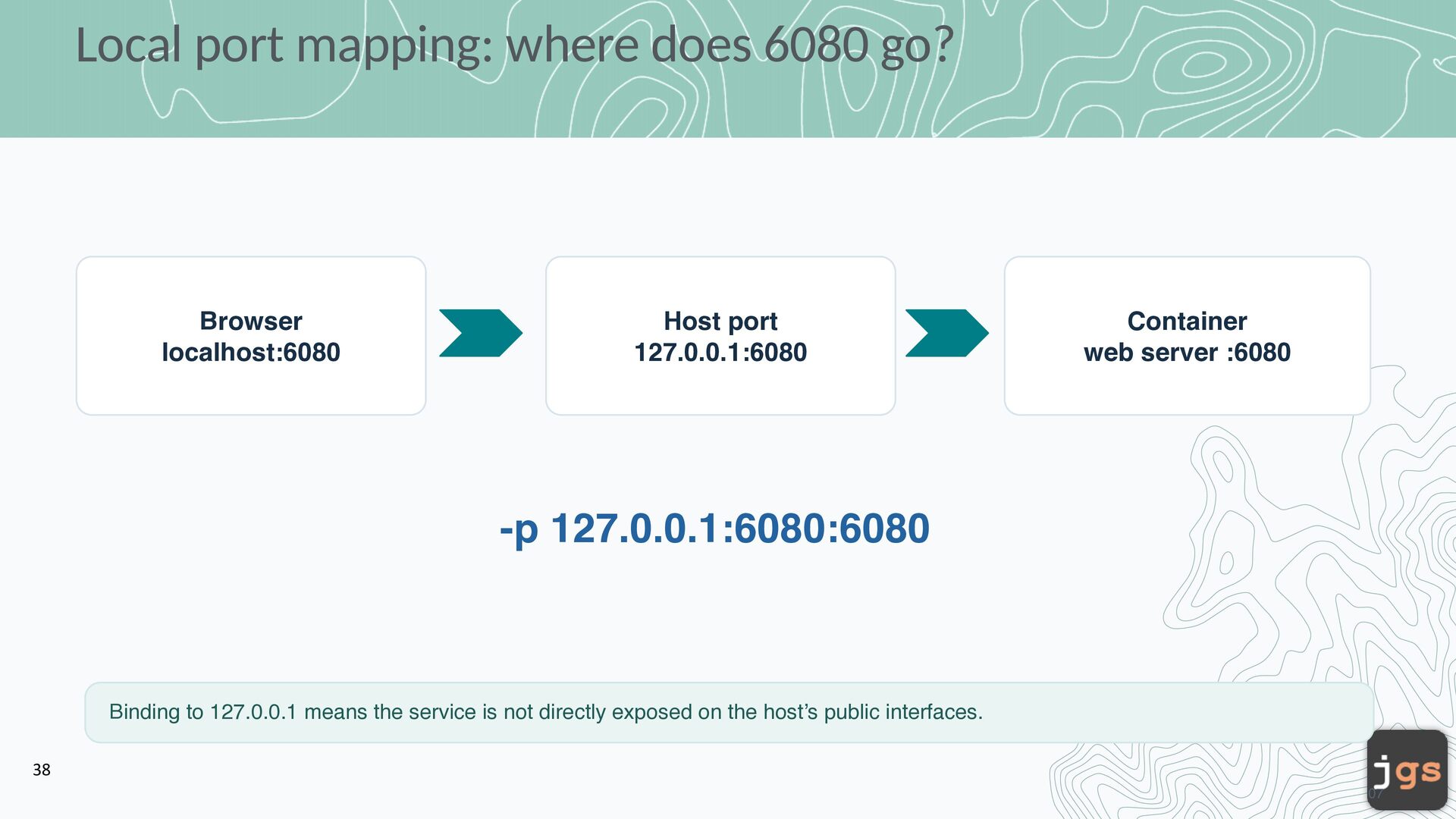
port 127.0.0.1:6080 Container web server :6080 -p 127.0.0.1:6080:6080 Binding to 127.0.0.1 means the service is not directly exposed on the host’s public interfaces. 38 07
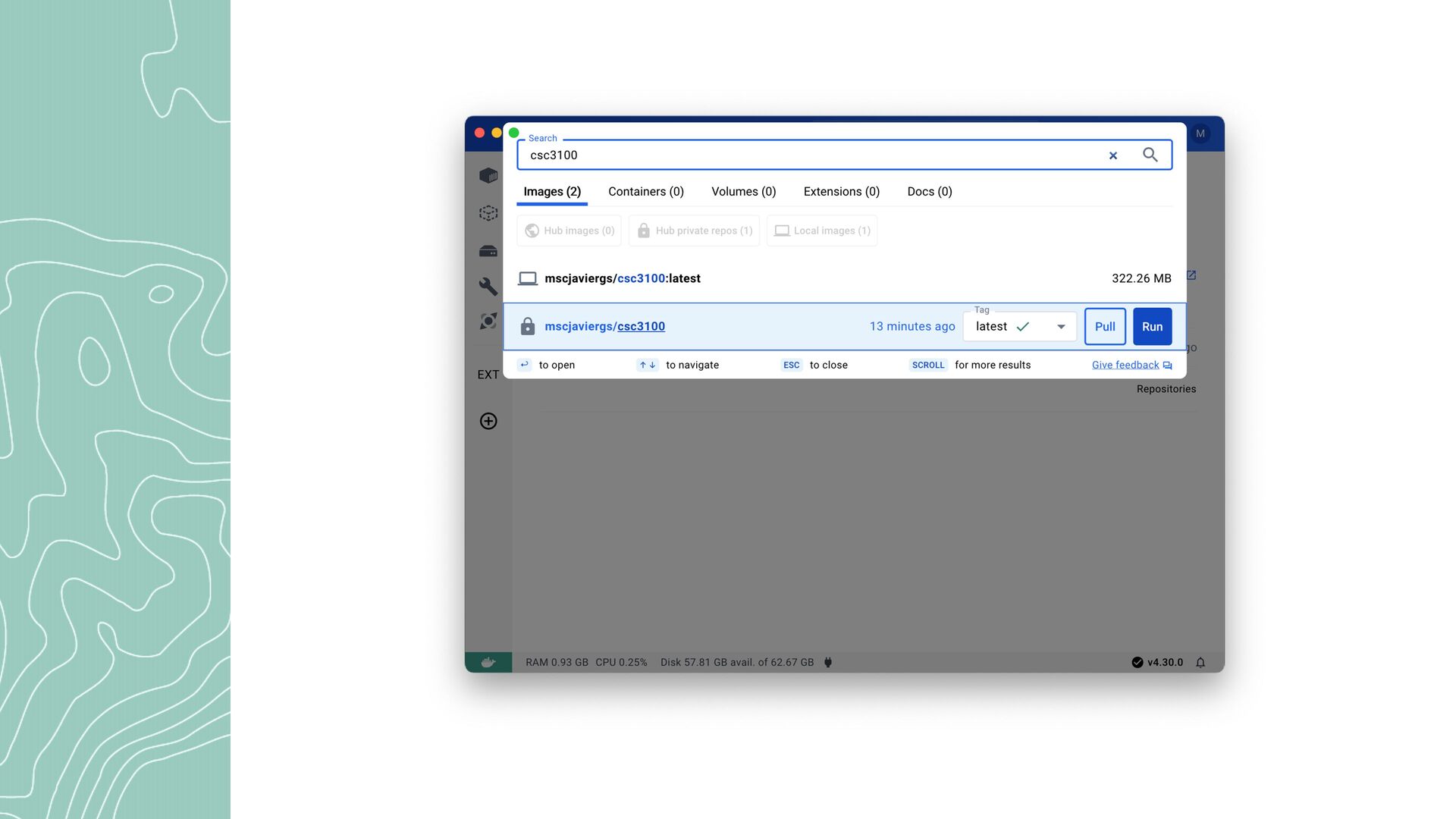
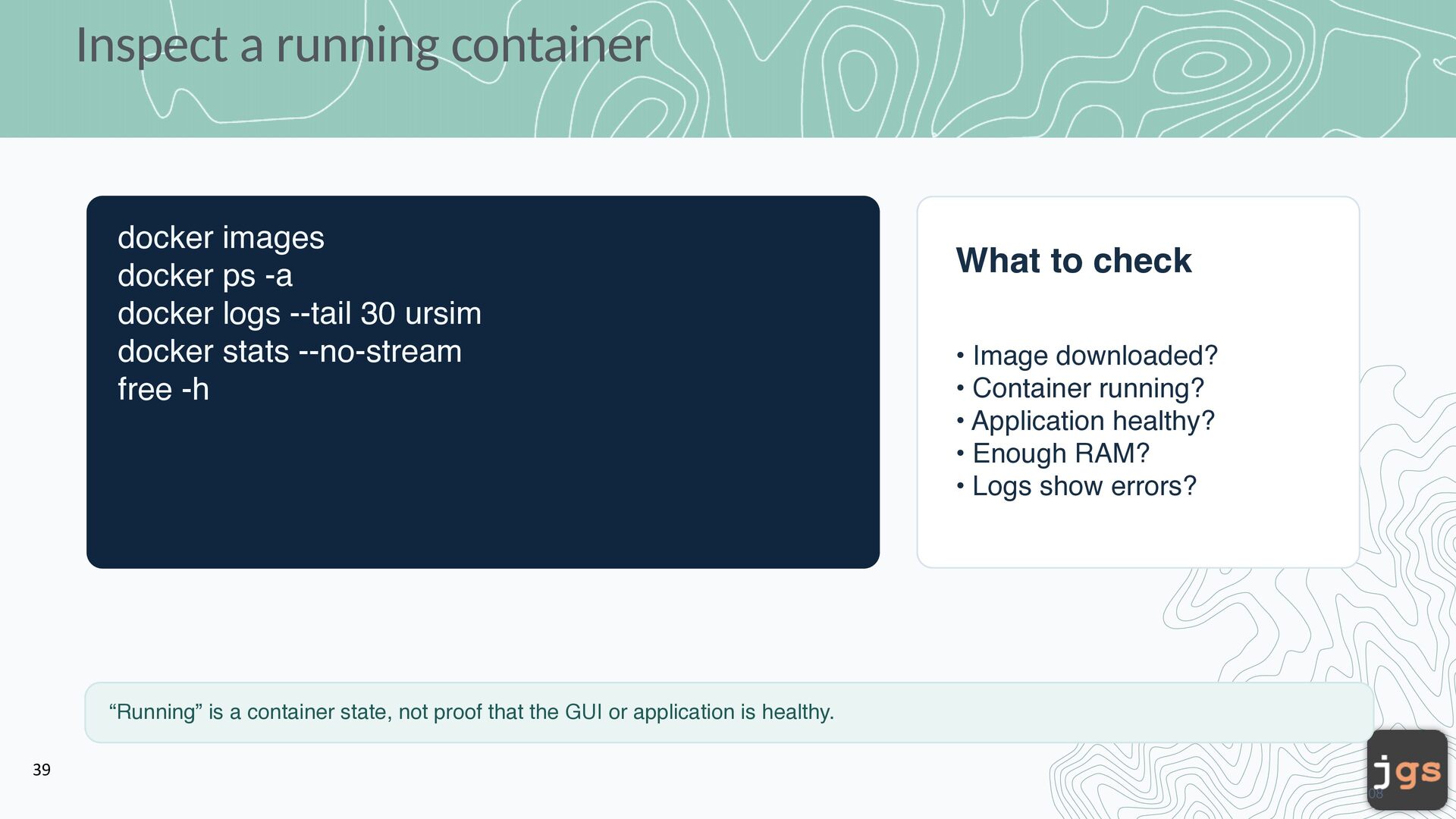
logs --tail 30 ursim docker stats --no-stream free -h What to check • Image downloaded? • Container running? • Application healthy? • Enough RAM? • Logs show errors? “Running” is a container state, not proof that the GUI or application is healthy. 39 08
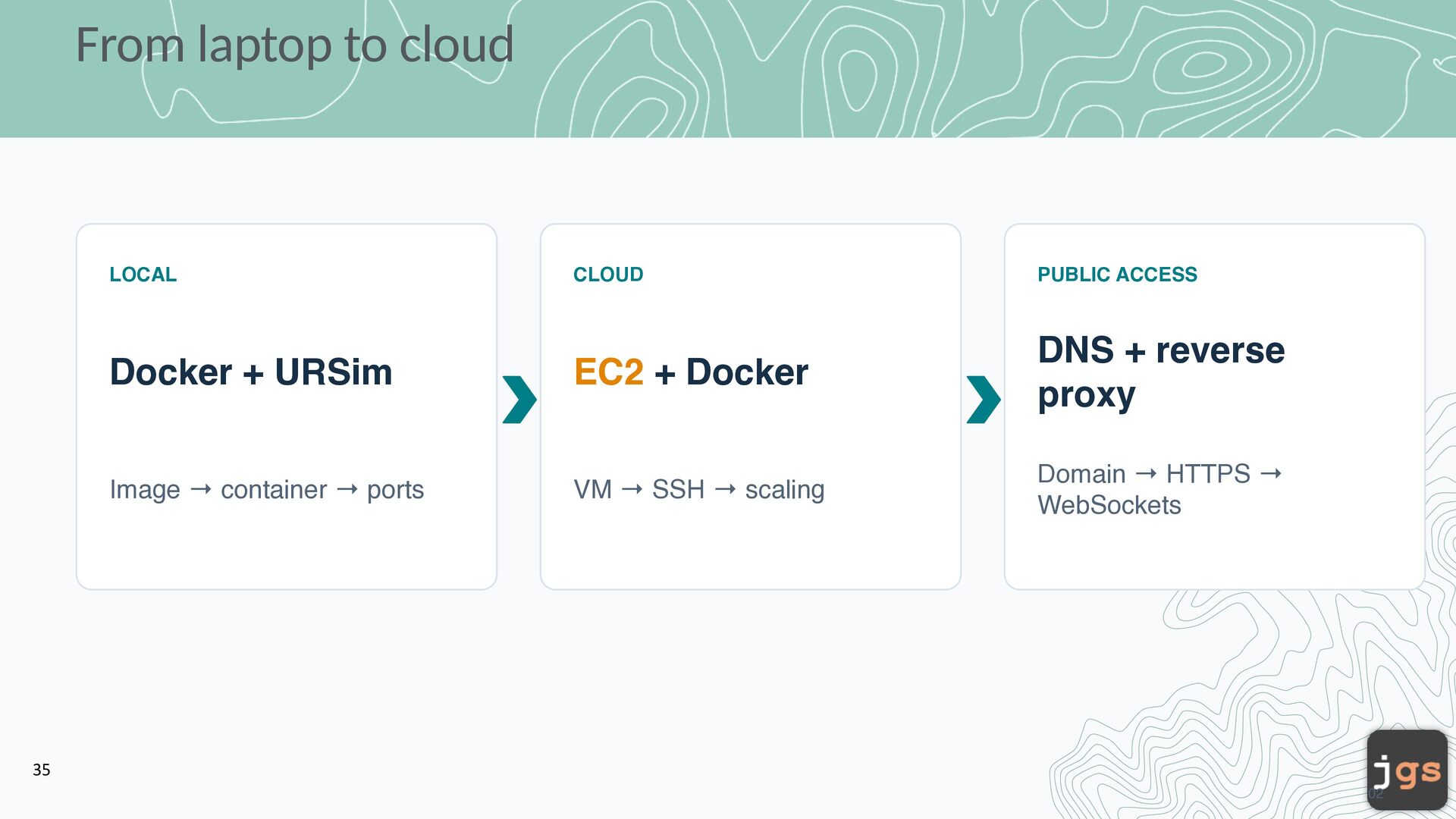
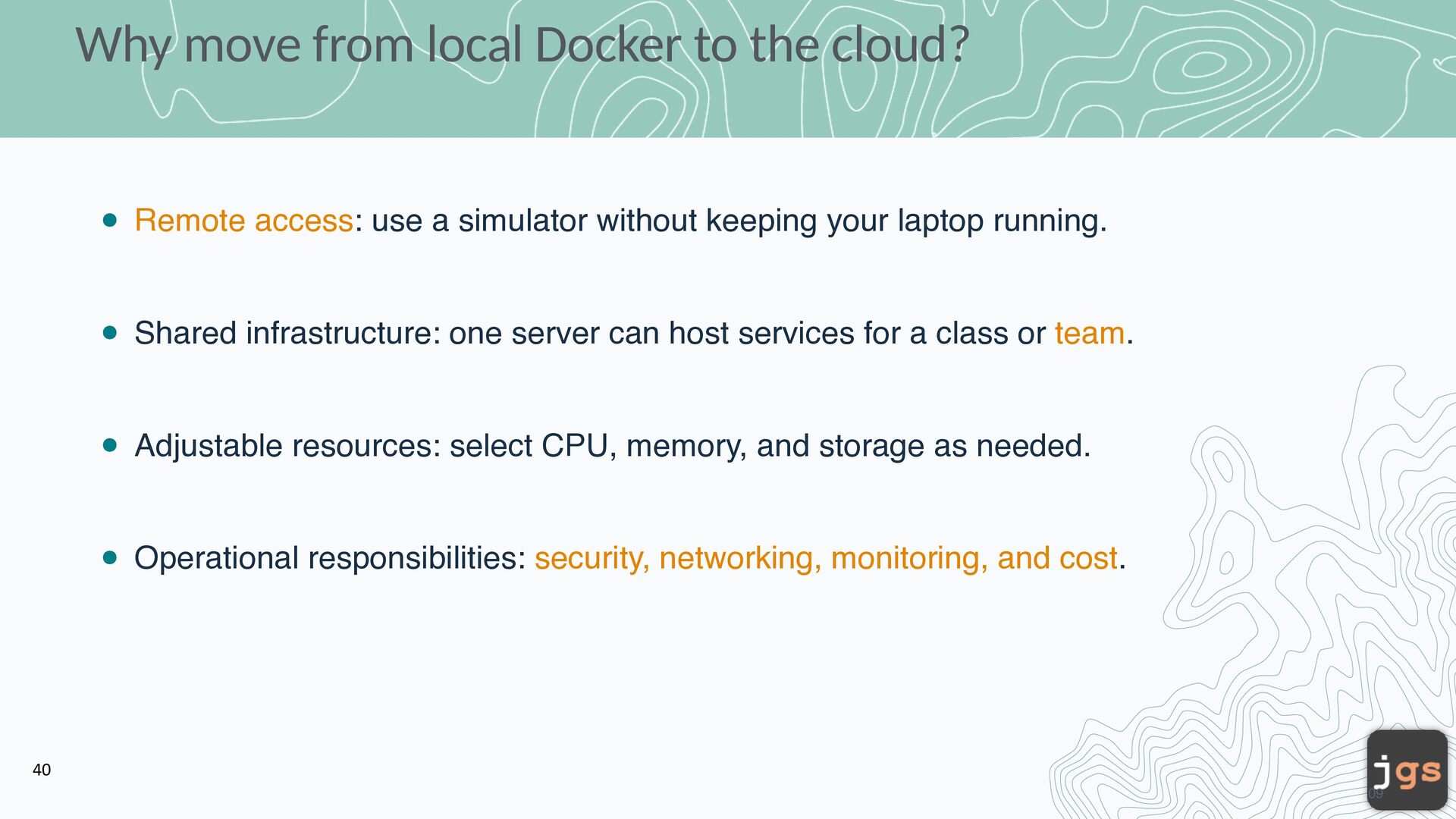
use a simulator without keeping your laptop running. Shared infrastructure: one server can host services for a class or team. Adjustable resources: select CPU, memory, and storage as needed. Operational responsibilities: security, networking, monitoring, and cost. 40 09
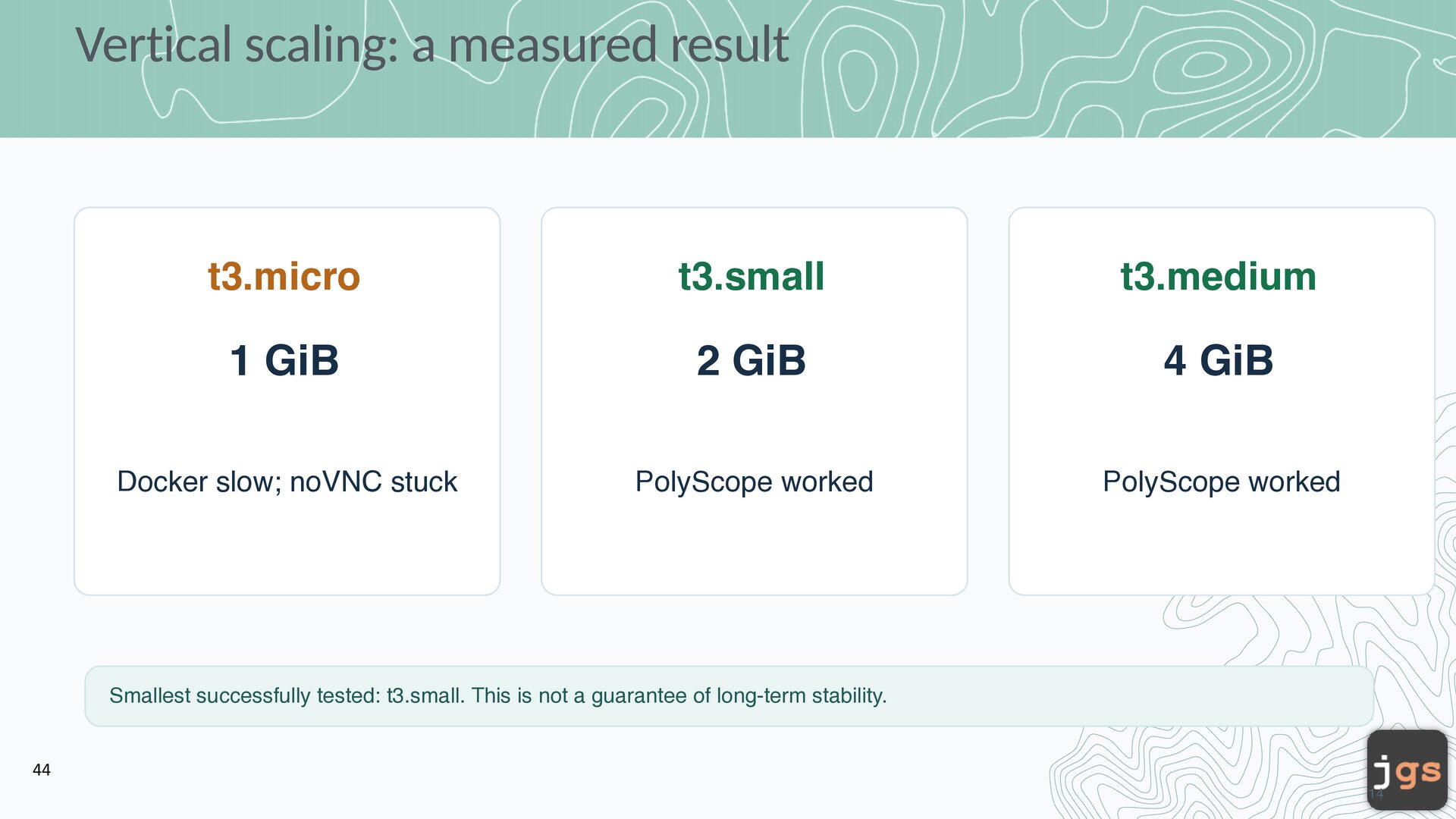
2 GiB 4 GiB Docker slow; noVNC stuck PolyScope worked PolyScope worked Smallest successfully tested: t3.small. This is not a guarantee of long-term stability. 44 14
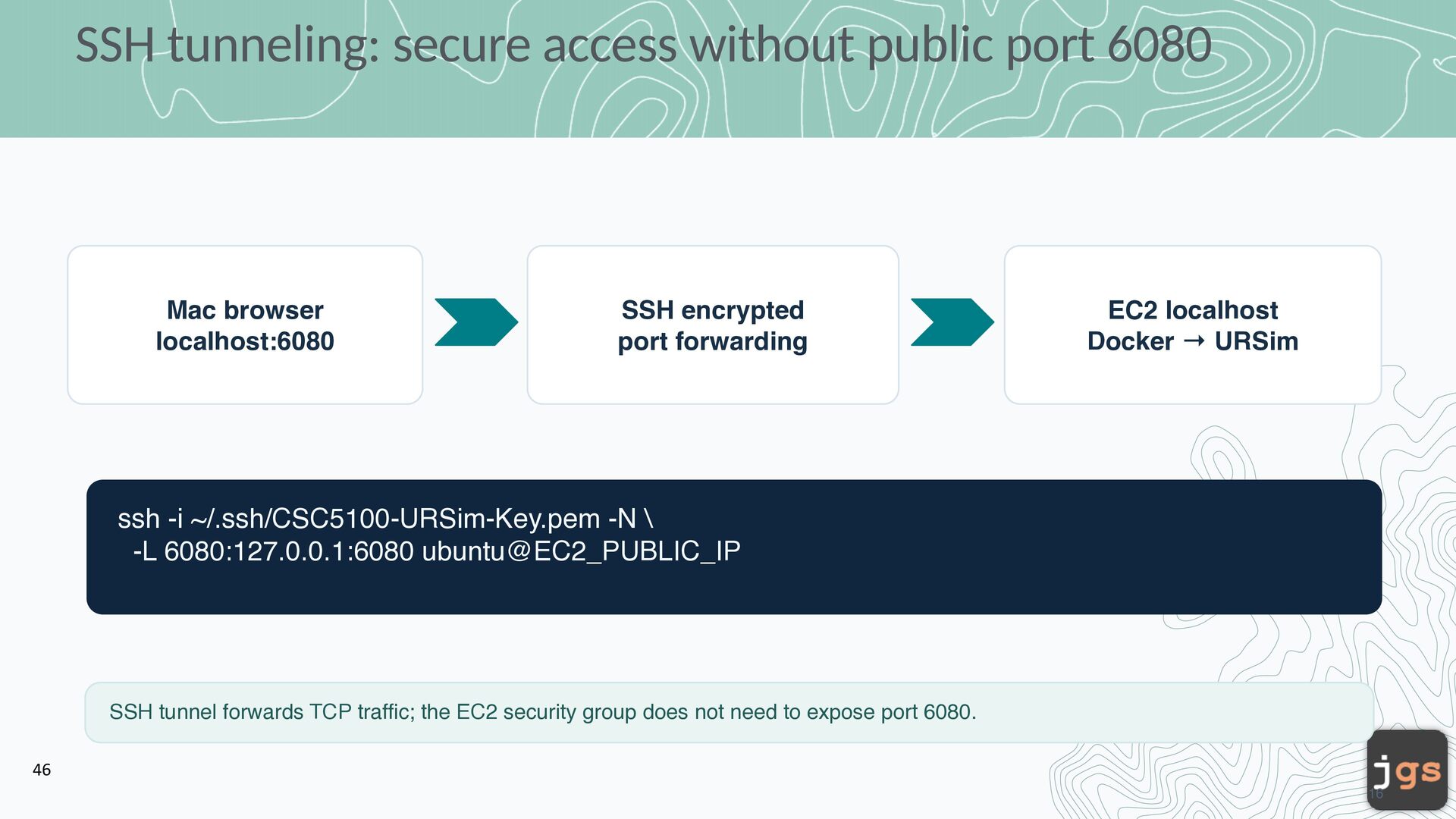
localhost:6080 SSH encrypted port forwarding EC2 localhost Docker → URSim ssh -i ~/.ssh/CSC5100-URSim-Key.pem -N \ -L 6080:127.0.0.1:6080 ubuntu@EC2_PUBLIC_IP SSH tunnel forwards TCP traffic; the EC2 security group does not need to expose port 6080. 46 16
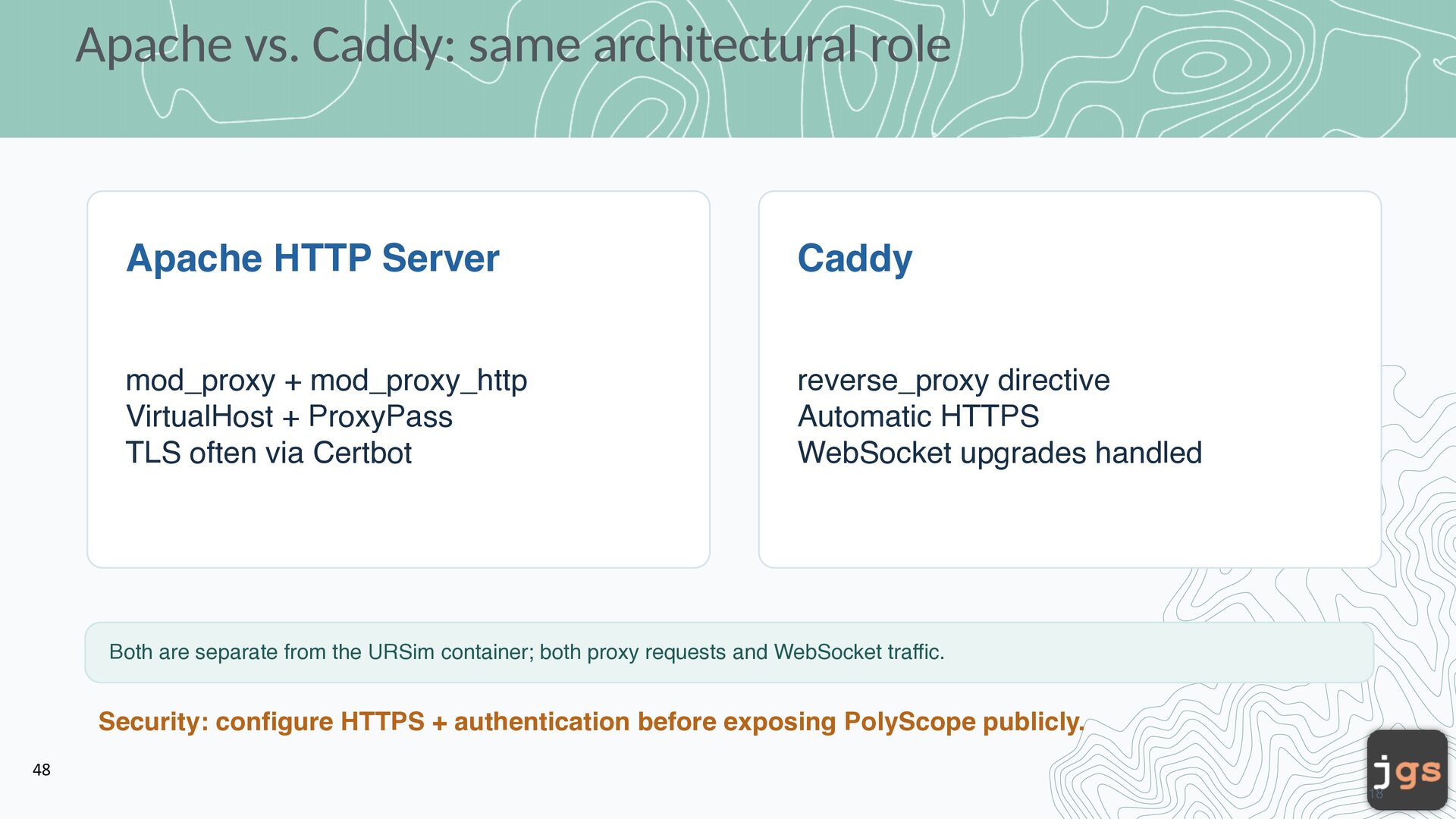
mod_proxy + mod_proxy_http VirtualHost + ProxyPass TLS often via Certbot reverse_proxy directive Automatic HTTPS WebSocket upgrades handled Both are separate from the URSim container; both proxy requests and WebSocket traffic. Security: configure HTTPS + authentication before exposing PolyScope publicly. 48 18
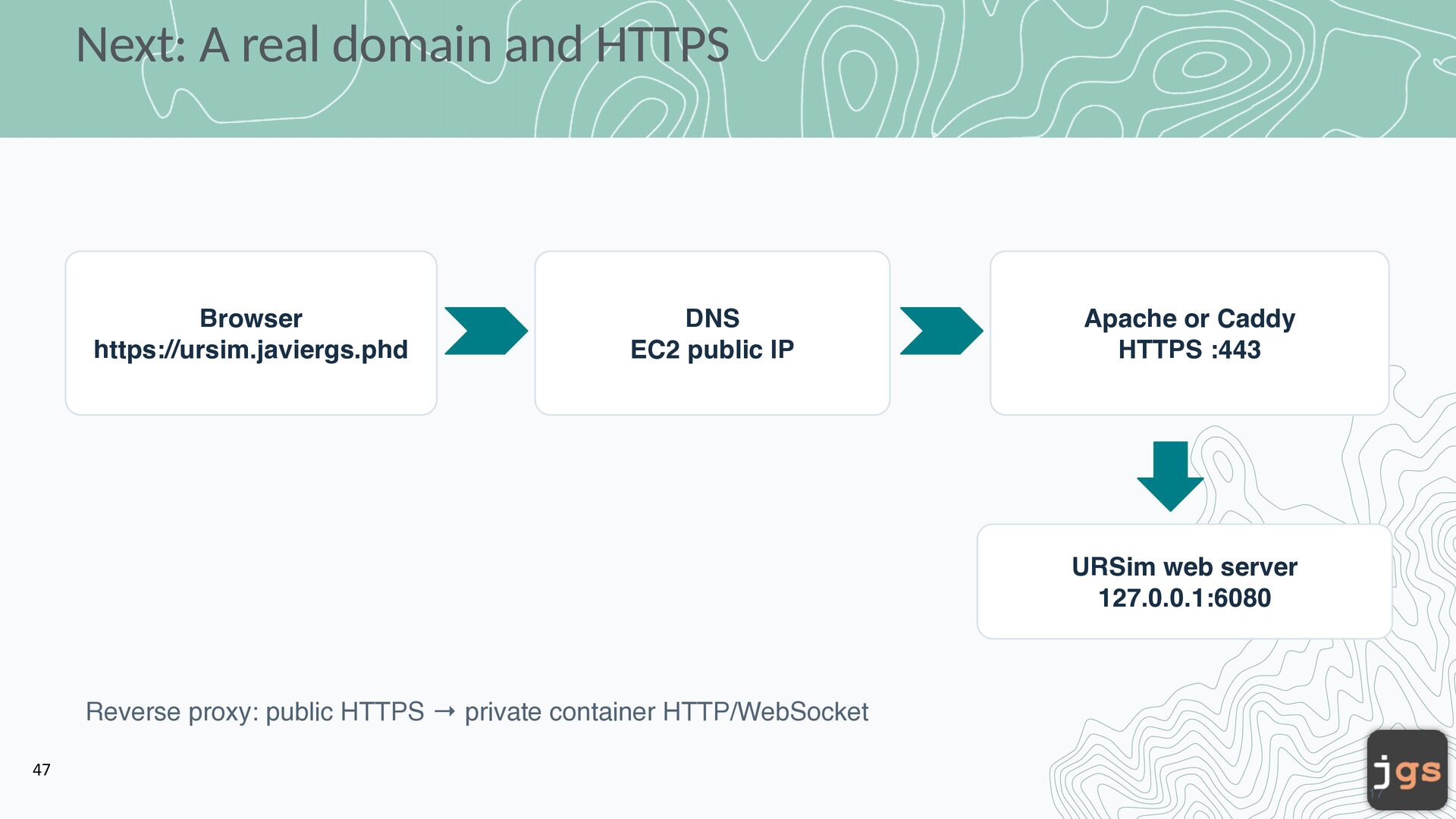
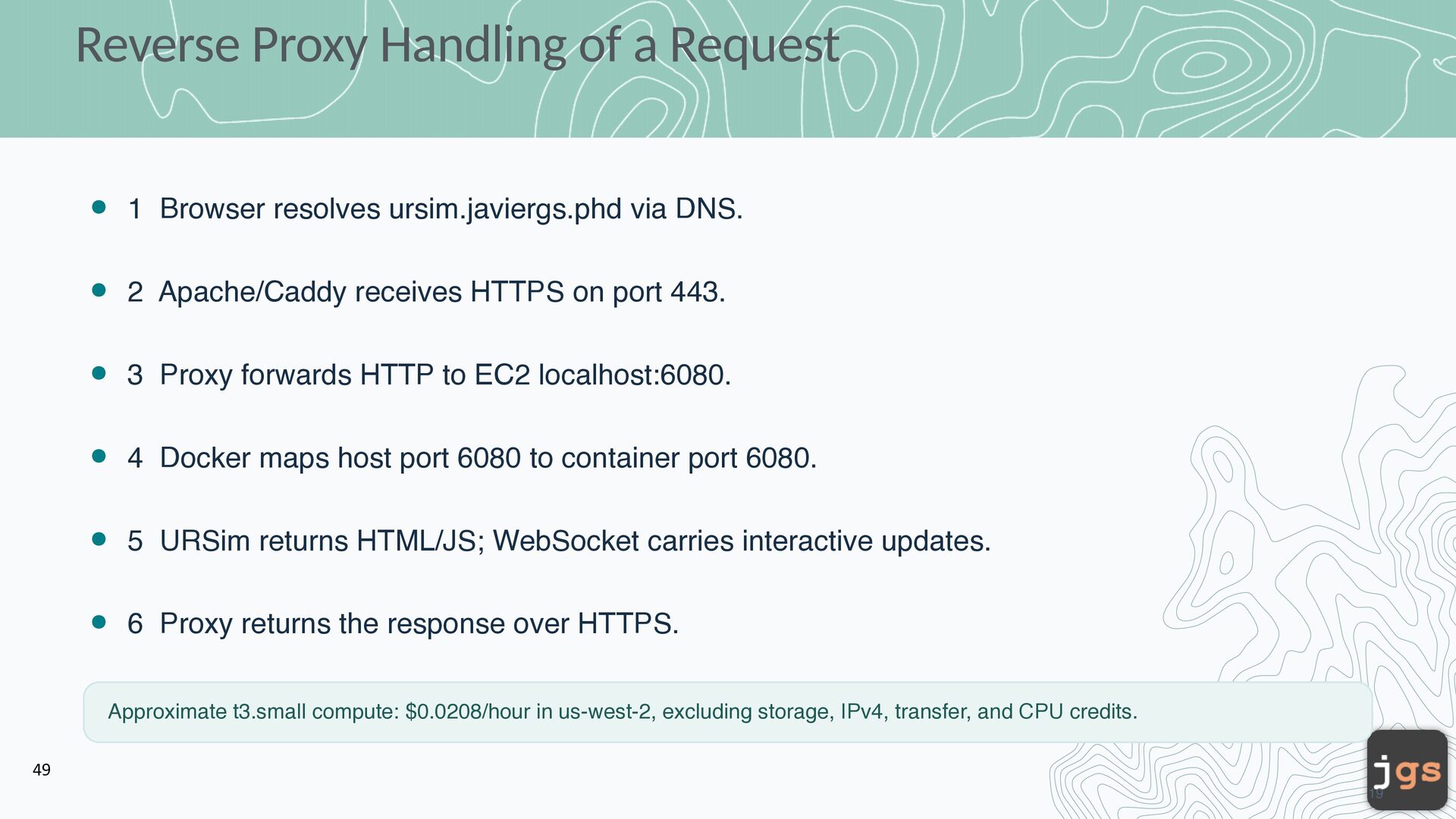
via DNS. 2 Apache/Caddy receives HTTPS on port 443. 3 Proxy forwards HTTP to EC2 localhost:6080. 4 Docker maps host port 6080 to container port 6080. 5 URSim returns HTML/JS; WebSocket carries interactive updates. 6 Proxy returns the response over HTTPS. Approximate t3.small compute: $0.0208/hour in us-west-2, excluding storage, IPv4, transfer, and CPU credits. 49 19
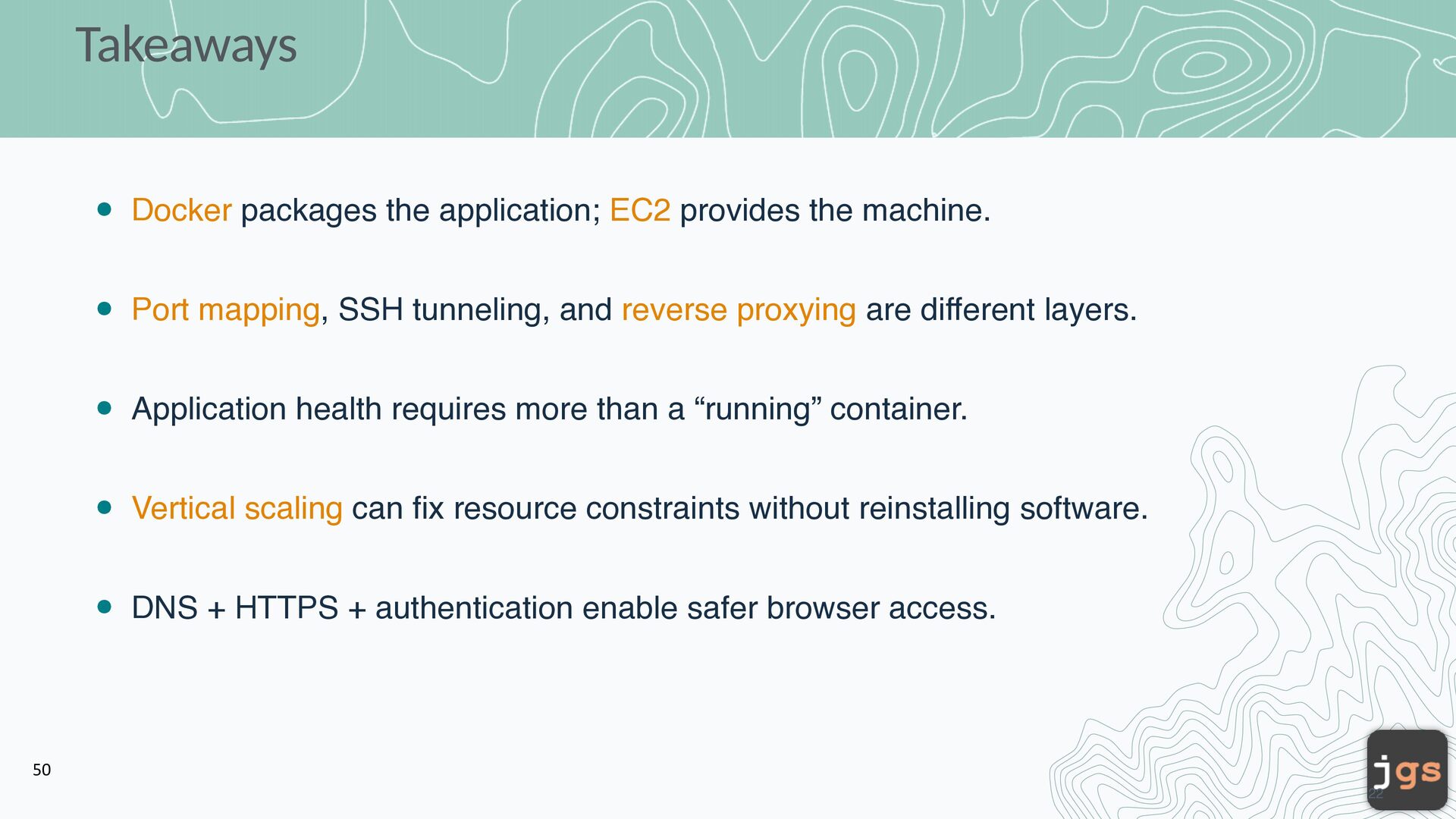
mapping, SSH tunneling, and reverse proxying are different layers. Application health requires more than a “running” container. Vertical scaling can fix resource constraints without reinstalling software. DNS + HTTPS + authentication enable safer browser access. 50 22
Copyright. These slides may be used only as study material for CSC 5100 within the California State University system. They may not be distributed or used for any other purpose.


 javiergs
 skipperchong
 aleyda
 bryan
bryan
 swwweet
 marktimemedia
 chrisshort
 twada
twada
 eitanlees
 baasie
 axbom
axbom
 andyhume
![CSC 3100 Software Engineering Javier Gonzalez-Sanchez, Ph.D. [email protected] Fall 2026](https://files.speakerdeck.com/presentations/e98770dec58e47b6a80aeaa2ceb9f8e2/slide_50.jpg)