Upgrade to Pro — share decks privately, control downloads, hide ads and more …

Programming JAVA for beginner

Sponsored · SiteGround - Reliable hosting with speed, security, and support you can count on. →

Programming JAVA for beginner

This is 1 hours slide i made to train the beginner of java programming.
This slide also is used for you guys have experience with Java but you want to review your knowledge

Avatar for Trung Huynh

Trung Huynh

July 10, 2014

More Decks by Trung Huynh

Other Decks in Programming

Transcript

  1. [ JAVA TRAINING ] Providing Basic Knowledge of Java By

    TrungHuynh Email: [email protected] 1 7/10/2014 www.phuongdo.vn
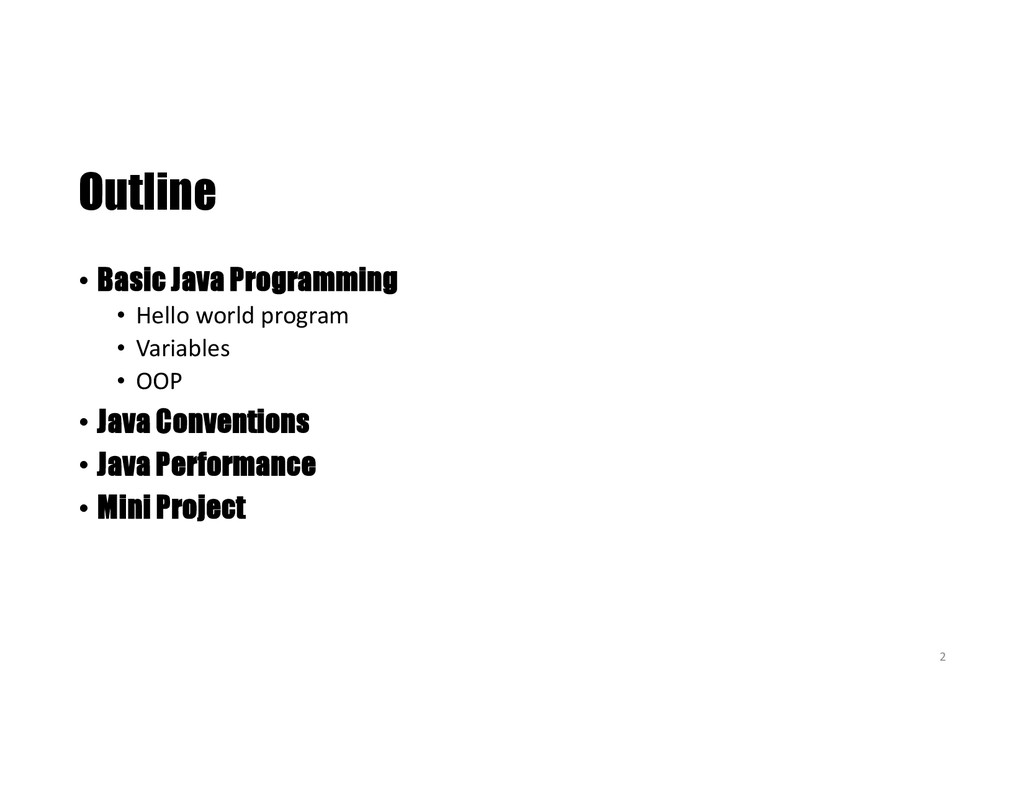
  2. Outline • Basic Java Programming • Hello world program •

    Variables • OOP • Java Conventions • Java Performance • Mini Project 2
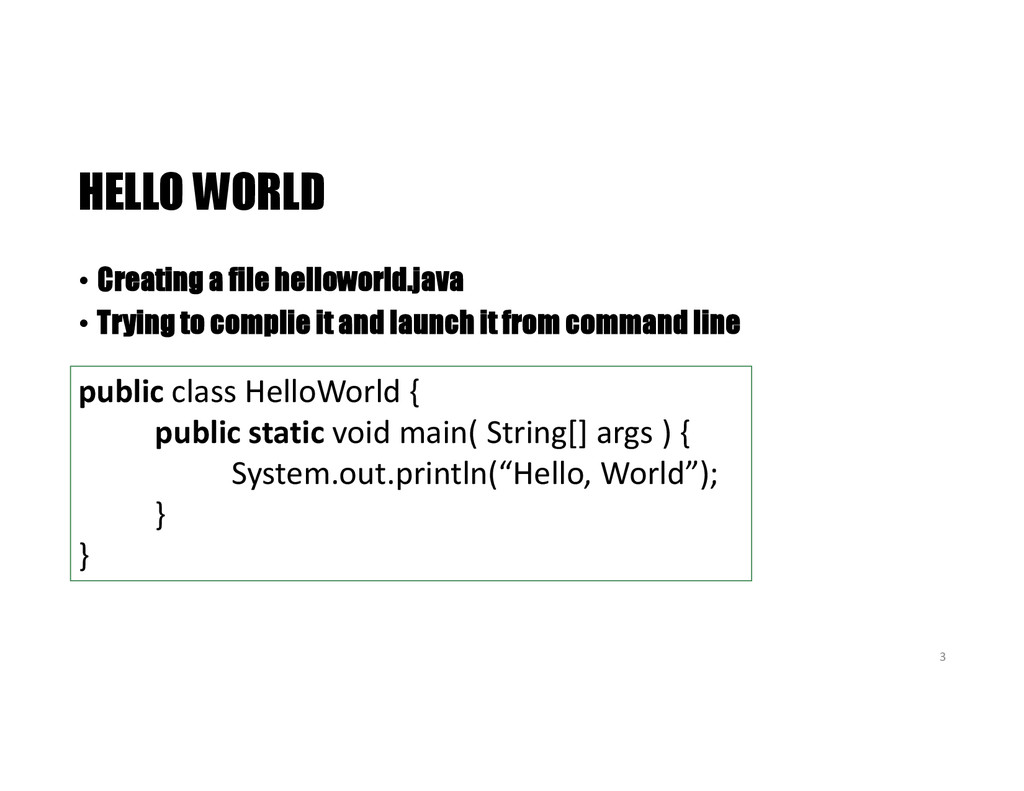
  3. HELLO WORLD • Creating a file helloworld.java • Trying to

    complie it and launch it from command line public class HelloWorld { public static void main( String[] args ) { System.out.println(“Hello, World”); } } 3
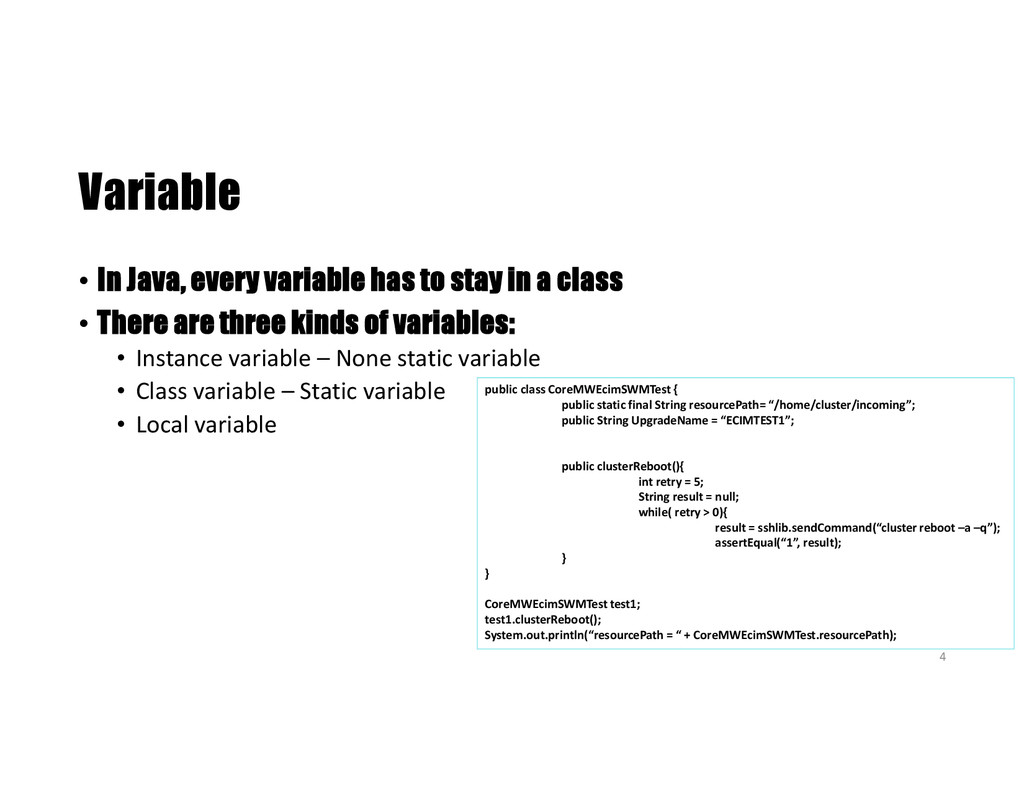
  4. Variable • In Java, every variable has to stay in

    a class • There are three kinds of variables: • Instance variable – None static variable • Class variable – Static variable • Local variable public class CoreMWEcimSWMTest { public static final String resourcePath= “/home/cluster/incoming”; public String UpgradeName = “ECIMTEST1”; public clusterReboot(){ int retry = 5; String result = null; while( retry > 0){ result = sshlib.sendCommand(“cluster reboot –a –q”); assertEqual(“1”, result); } } CoreMWEcimSWMTest test1; test1.clusterReboot(); System.out.println(“resourcePath = “ + CoreMWEcimSWMTest.resourcePath); 4
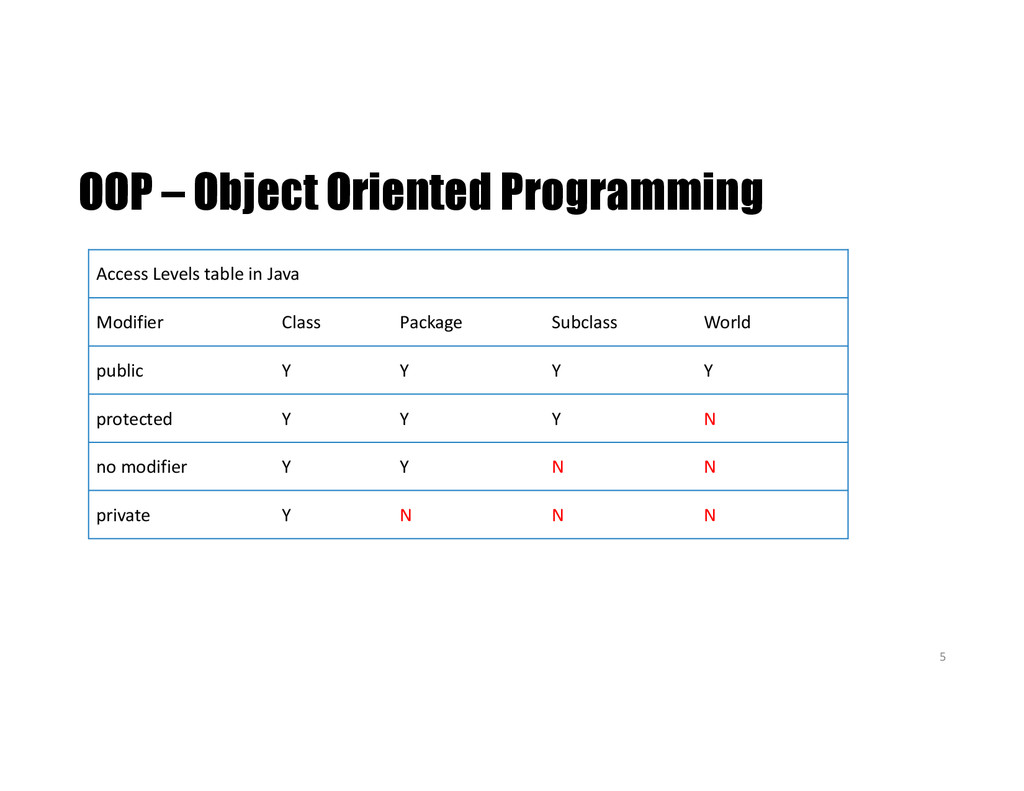
  5. OOP – Object Oriented Programming Access Levels table in Java

    Modifier Class Package Subclass World public Y Y Y Y protected Y Y Y N no modifier Y Y N N private Y N N N 5
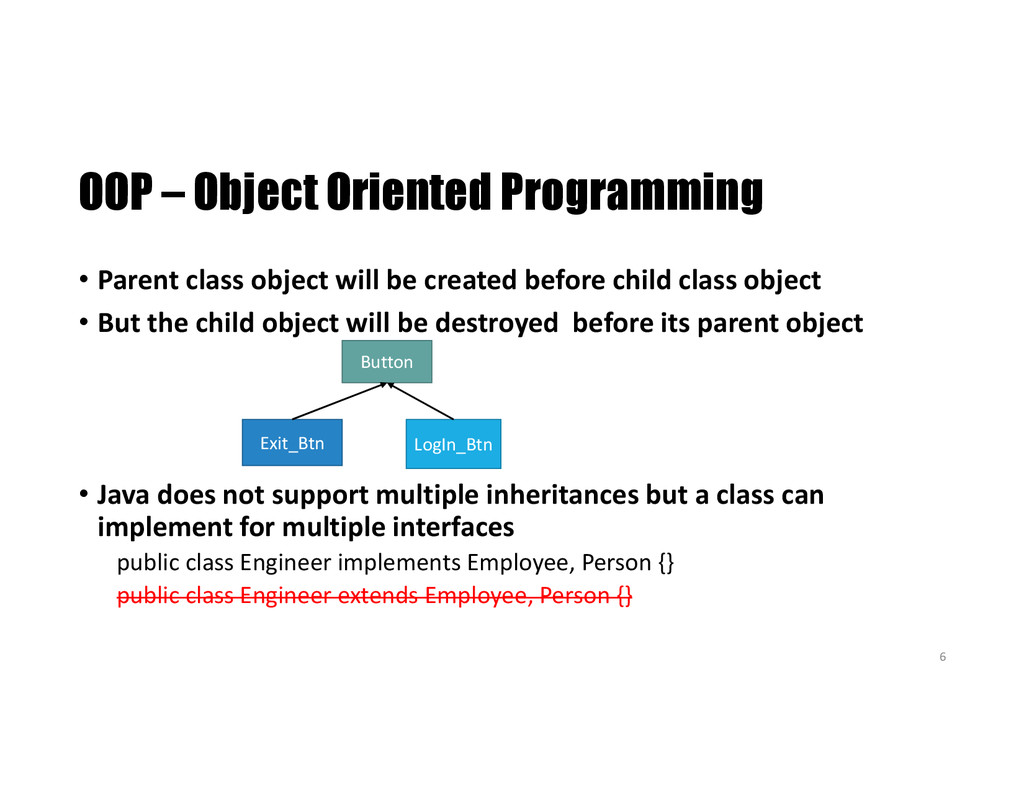
  6. OOP – Object Oriented Programming • Parent class object will

    be created before child class object • But the child object will be destroyed before its parent object • Java does not support multiple inheritances but a class can implement for multiple interfaces public class Engineer implements Employee, Person {} public class Engineer extends Employee, Person {} 6 Button Exit_Btn LogIn_Btn
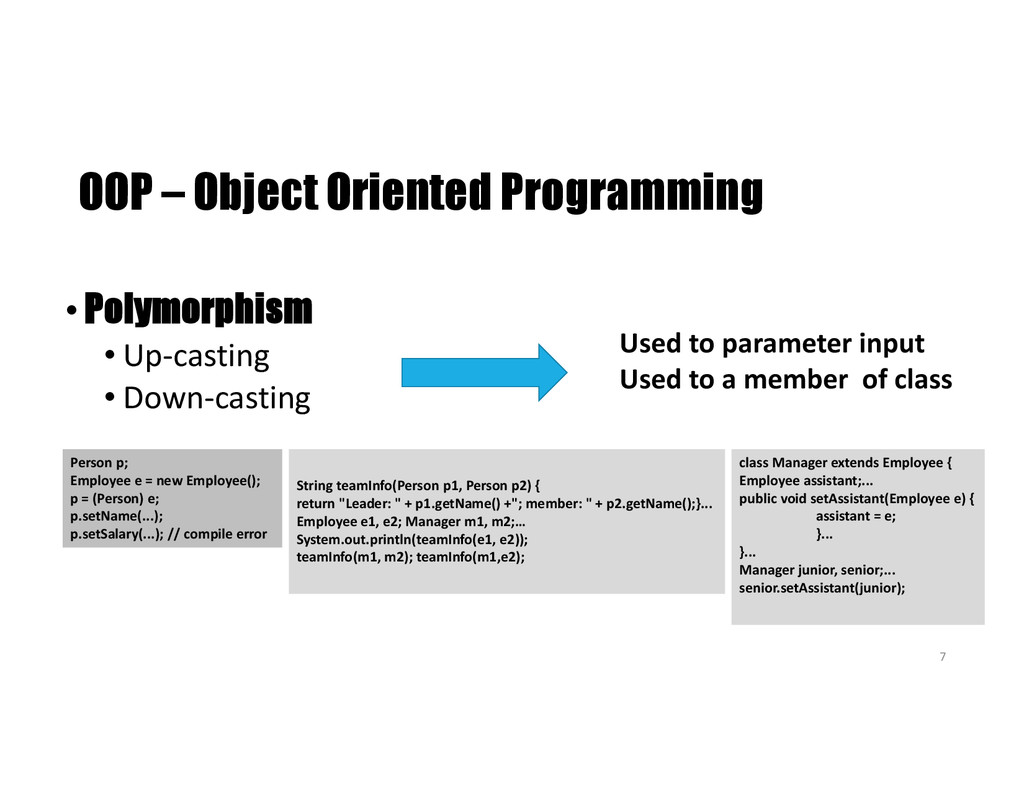
  7. OOP – Object Oriented Programming •Polymorphism • Up-casting • Down-casting

    Used to parameter input Used to a member of class 7 Person p; Employee e = new Employee(); p = (Person) e; p.setName(...); p.setSalary(...); // compile error String teamInfo(Person p1, Person p2) { return "Leader: " + p1.getName() +"; member: " + p2.getName();}... Employee e1, e2; Manager m1, m2;… System.out.println(teamInfo(e1, e2)); teamInfo(m1, m2); teamInfo(m1,e2); class Manager extends Employee { Employee assistant;... public void setAssistant(Employee e) { assistant = e; }... }... Manager junior, senior;... senior.setAssistant(junior);
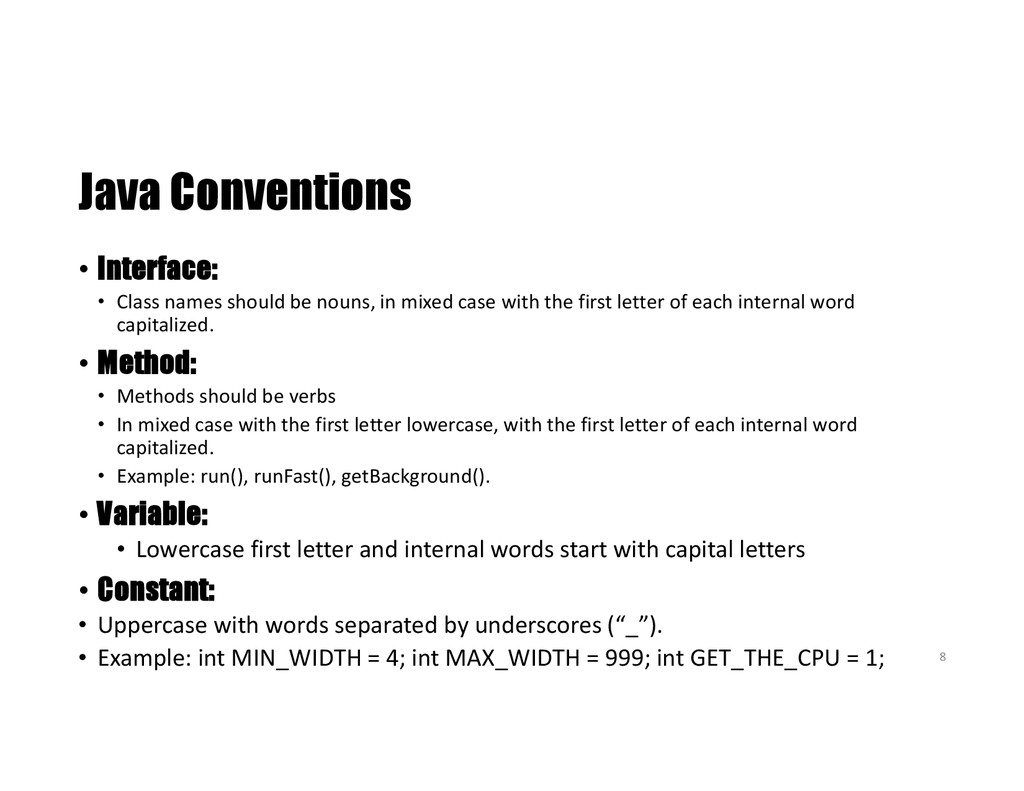
  8. Java Conventions • Interface: • Class names should be nouns,

    in mixed case with the first letter of each internal word capitalized. • Method: • Methods should be verbs • In mixed case with the first letter lowercase, with the first letter of each internal word capitalized. • Example: run(), runFast(), getBackground(). • Variable: • Lowercase first letter and internal words start with capital letters • Constant: • Uppercase with words separated by underscores (“_”). • Example: int MIN_WIDTH = 4; int MAX_WIDTH = 999; int GET_THE_CPU = 1; 8
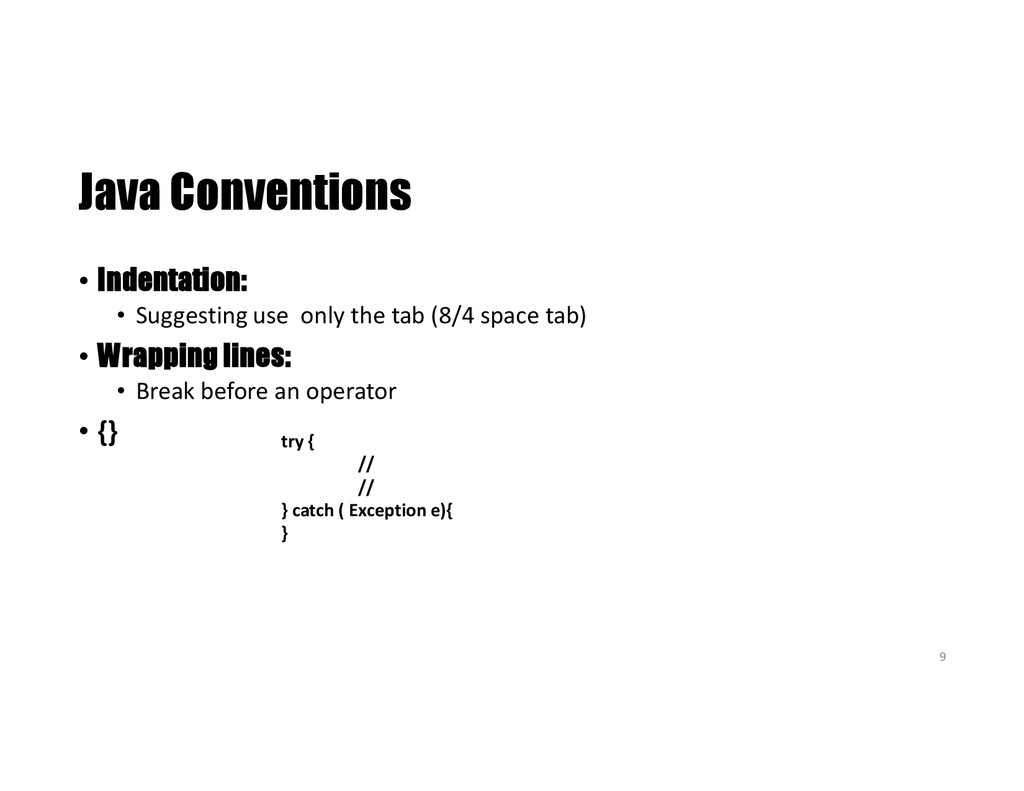
  9. Java Conventions • Indentation: • Suggesting use only the tab

    (8/4 space tab) • Wrapping lines: • Break before an operator • {} try { // // } catch ( Exception e){ } 9
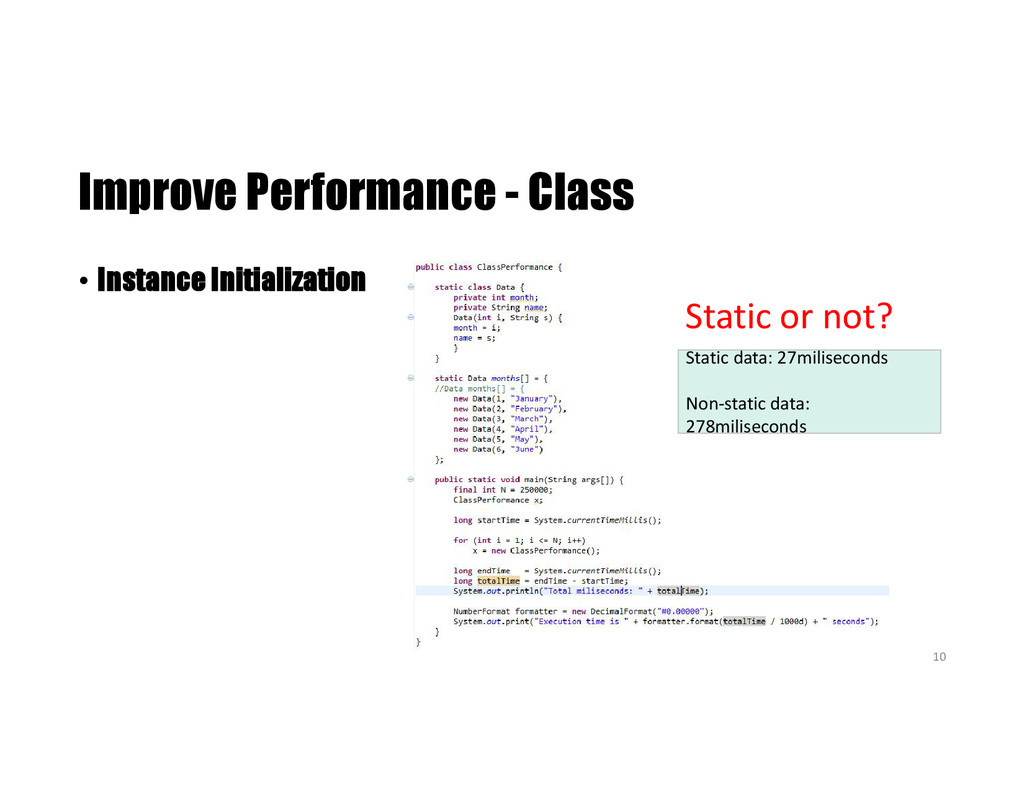
  10. Improve Performance - Class • Instance Initialization Static or not?

    Static data: 27miliseconds Non-static data: 278miliseconds 10
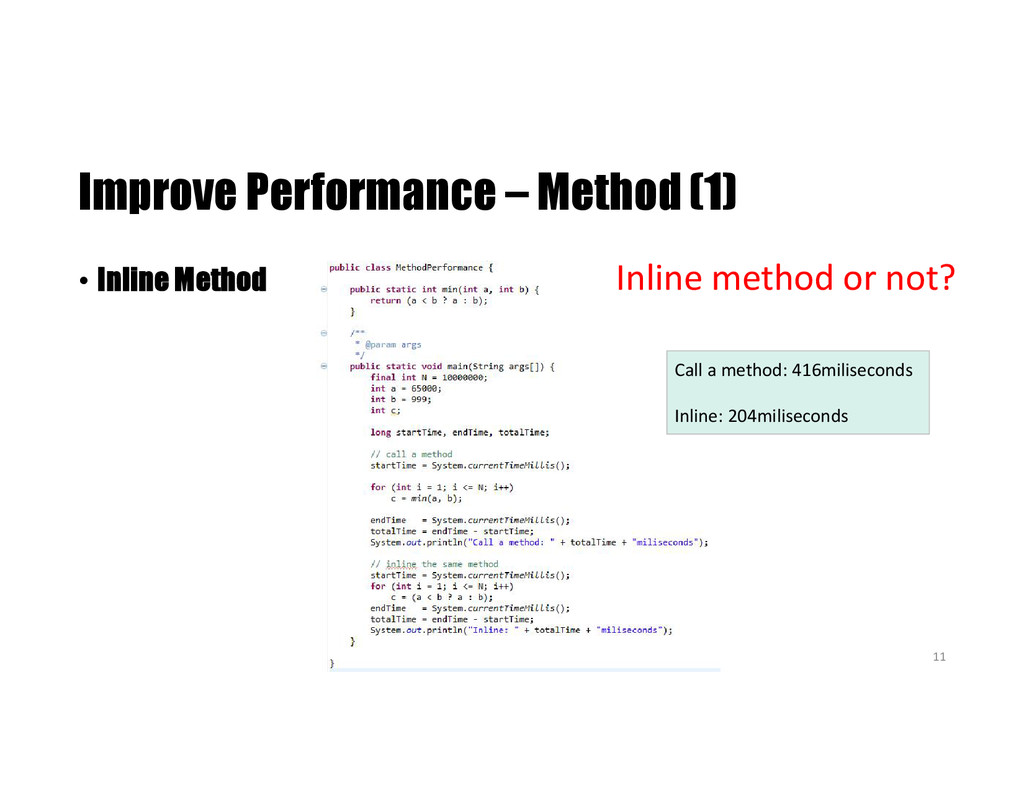
  11. Improve Performance – Method (1) • Inline Method Call a

    method: 416miliseconds Inline: 204miliseconds Inline method or not? 11
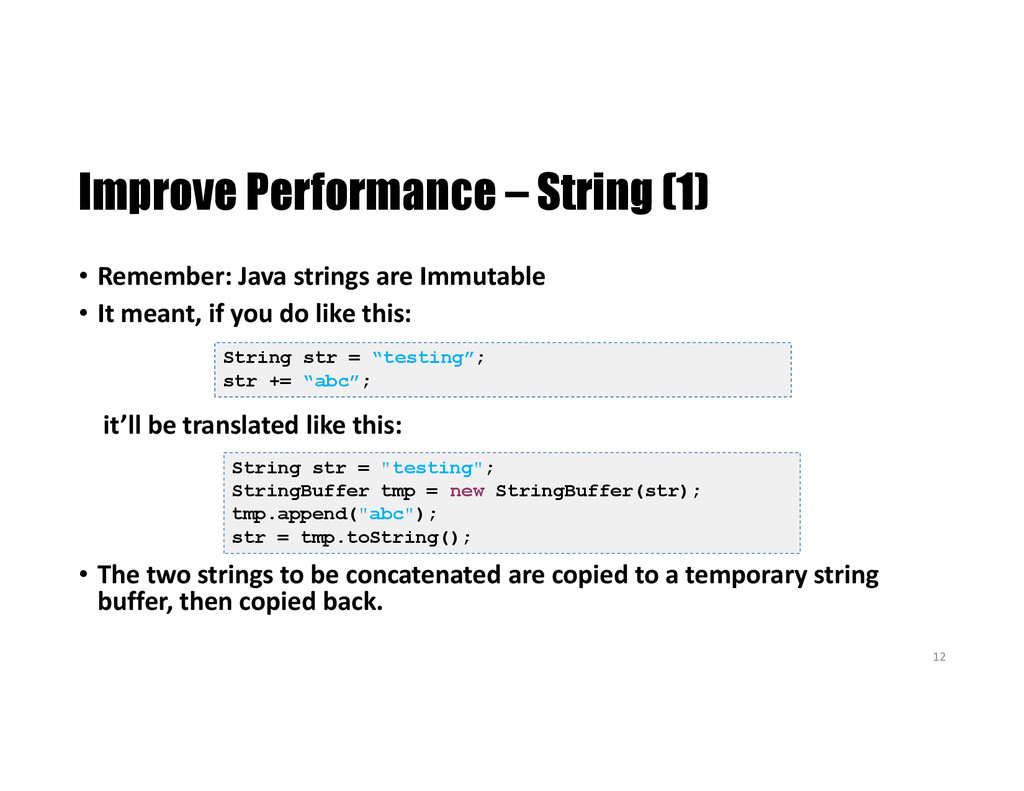
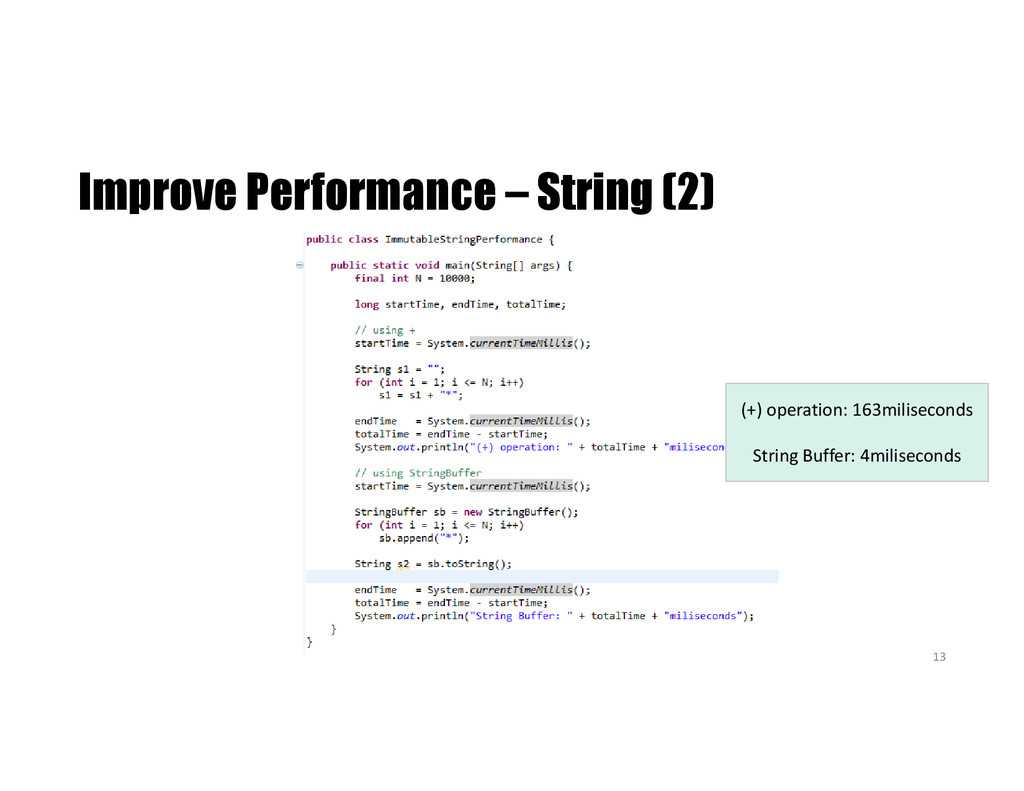
  12. Improve Performance – String (1) • Remember: Java strings are

    Immutable • It meant, if you do like this: it’ll be translated like this: • The two strings to be concatenated are copied to a temporary string buffer, then copied back. String str = "testing"; StringBuffer tmp = new StringBuffer(str); tmp.append("abc"); str = tmp.toString(); String str = “testing”; str += “abc”; 12
  13. End • Thank for your listening • Questions ? •

    References: • http://introcs.cs.princeton.edu/ • Think In Java • http://docs.oracle.com/javase/tutorial/java/javaOO/classdecl.html 14