Git masterclass
Sponsored
·
 SiteGround - Reliable hosting with speed, security, and support you can count on.
→
SiteGround - Reliable hosting with speed, security, and support you can count on.
→

Share
Embed
Git masterclass
Slides for a git tutorial given at BT.
Watch the talk at http://youtu.be/L7_iMewv5vQ
Download the exercises from https://bitbucket.org/kerryb/git-masterclass/get/5a1a41e6869e.zip

Kerry Buckley
March 09, 2015
Transcript
288 slides
-
Background The basics Precision staging Branches Tags Internals Merge &
rebase Distributed git Topics -
Background The basics Precision staging Branches Tags Internals Merge &
rebase Distributed git Patches & email Topics -
Background The basics Precision staging Branches Tags Internals Merge &
rebase Distributed git Patches & email Team workflows Topics -
Background The basics Precision staging Branches Tags Internals Merge &
rebase Distributed git Patches & email Team workflows Hooks Topics -
Background The basics Precision staging Branches Tags Internals Merge &
rebase Distributed git Patches & email Team workflows Hooks Rewriting history Topics -
Background The basics Precision staging Branches Tags Internals Merge &
rebase Distributed git Patches & email Team workflows Hooks Rewriting history Working with svn Topics -
Background The basics Precision staging Branches Tags Internals Merge &
rebase Distributed git Patches & email Team workflows Hooks Rewriting history Working with svn Fixing mistakes Topics -
Part I: Background In which we look at some fundamental
concepts, and learn to ignore most of git’s multitude of commands -
Bob’s computer Server Alice’s computer Version DB Version 3 Version
2 Version 1 File File -
Alice’s computer Version DB Version 3 Version 2 Version 1
File Bob’s computer Version DB Version 3 Version 2 Version 1 File Server Version DB Version 3 Version 2 Version 1 -
Alice’s computer Version DB Version 3 Version 2 Version 1
File Bob’s computer Version DB Version 3 Version 2 Version 1 File Server Version DB Version 3 Version 2 Version 1 -
Alice’s computer Version DB Version 3 Version 2 Version 1
File Index (staging area) -
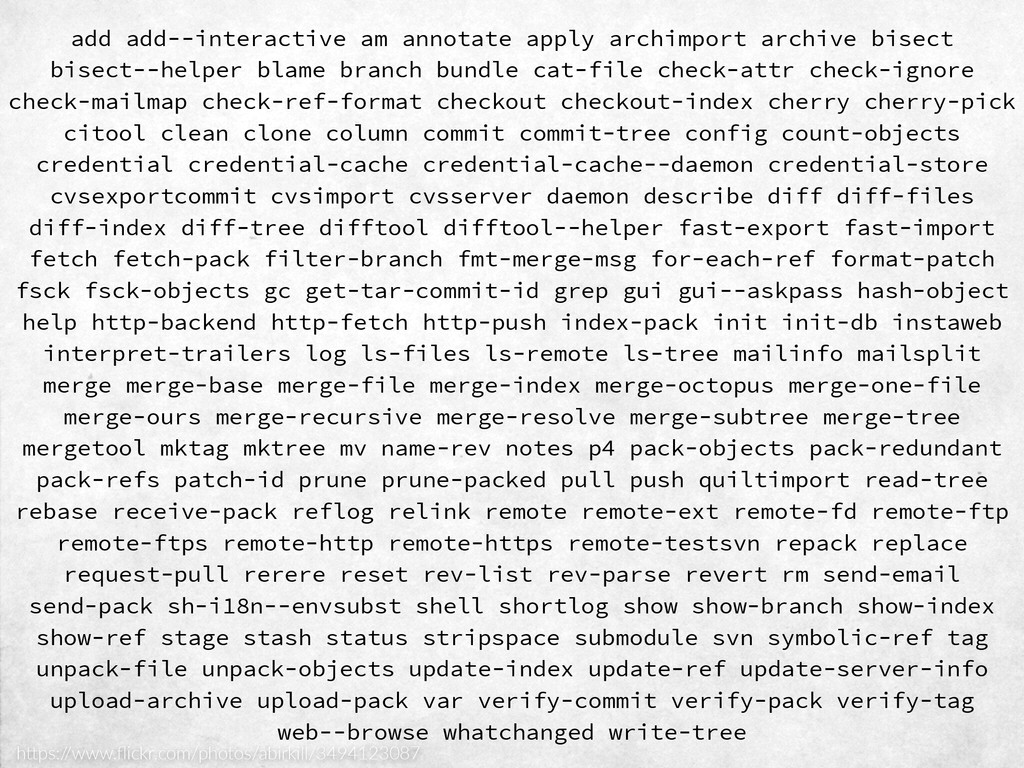
add add‑‑interactive am annotate apply archimport archive bisect bisect‑‑helper blame
branch bundle cat‑file check‑attr check‑ignore check‑mailmap check‑ref‑format checkout checkout‑index cherry cherry‑pick citool clean clone column commit commit‑tree config count‑objects credential credential‑cache credential‑cache‑‑daemon credential‑store cvsexportcommit cvsimport cvsserver daemon describe diff diff‑files diff‑index diff‑tree difftool difftool‑‑helper fast‑export fast‑import fetch fetch‑pack filter‑branch fmt‑merge‑msg for‑each‑ref format‑patch fsck fsck‑objects gc get‑tar‑commit‑id grep gui gui‑‑askpass hash‑object help http‑backend http‑fetch http‑push index‑pack init init‑db instaweb interpret‑trailers log ls‑files ls‑remote ls‑tree mailinfo mailsplit merge merge‑base merge‑file merge‑index merge‑octopus merge‑one‑file merge‑ours merge‑recursive merge‑resolve merge‑subtree merge‑tree mergetool mktag mktree mv name‑rev notes p4 pack‑objects pack‑redundant pack‑refs patch‑id prune prune‑packed pull push quiltimport read‑tree rebase receive‑pack reflog relink remote remote‑ext remote‑fd remote‑ftp remote‑ftps remote‑http remote‑https remote‑testsvn repack replace request‑pull rerere reset rev‑list rev‑parse revert rm send‑email send‑pack sh‑i18n‑‑envsubst shell shortlog show show‑branch show‑index show‑ref stage stash status stripspace submodule svn symbolic‑ref tag unpack‑file unpack‑objects update‑index update‑ref update‑server‑info upload‑archive upload‑pack var verify‑commit verify‑pack verify‑tag web‑‑browse whatchanged write‑tree h"ps:/ /www.flickr.com/photos/abirkill/3494123087 -
add add‑‑interactive am annotate apply archimport archive bisect bisect‑‑helper blame
branch bundle cat‑file check‑attr check‑ignore check‑mailmap check‑ref‑format checkout checkout‑index cherry cherry‑pick citool clean clone column commit commit‑tree config count‑objects credential credential‑cache credential‑cache‑‑daemon credential‑store cvsexportcommit cvsimport cvsserver daemon describe diff diff‑files diff‑index diff‑tree difftool difftool‑‑helper fast‑export fast‑import fetch fetch‑pack filter‑branch fmt‑merge‑msg for‑each‑ref format‑patch fsck fsck‑objects gc get‑tar‑commit‑id grep gui gui‑‑askpass hash‑object help http‑backend http‑fetch http‑push index‑pack init init‑db instaweb interpret‑trailers log ls‑files ls‑remote ls‑tree mailinfo mailsplit merge merge‑base merge‑file merge‑index merge‑octopus merge‑one‑file merge‑ours merge‑recursive merge‑resolve merge‑subtree merge‑tree mergetool mktag mktree mv name‑rev notes p4 pack‑objects pack‑redundant pack‑refs patch‑id prune prune‑packed pull push quiltimport read‑tree rebase receive‑pack reflog relink remote remote‑ext remote‑fd remote‑ftp remote‑ftps remote‑http remote‑https remote‑testsvn repack replace request‑pull rerere reset rev‑list rev‑parse revert rm send‑email send‑pack sh‑i18n‑‑envsubst shell shortlog show show‑branch show‑index show‑ref stage stash status stripspace submodule svn symbolic‑ref tag unpack‑file unpack‑objects update‑index update‑ref update‑server‑info upload‑archive upload‑pack var verify‑commit verify‑pack verify‑tag web‑‑browse whatchanged write‑tree -
Part II: The Basics In which we create a repository,
add a few files to it, and track some changes -
On branch master Initial commit Untracked files: (use "git add
<file>..." to include in what will be committed) foo.txt nothing added to commit but untracked files present (use "git add" to track) Add a new file $ git status -
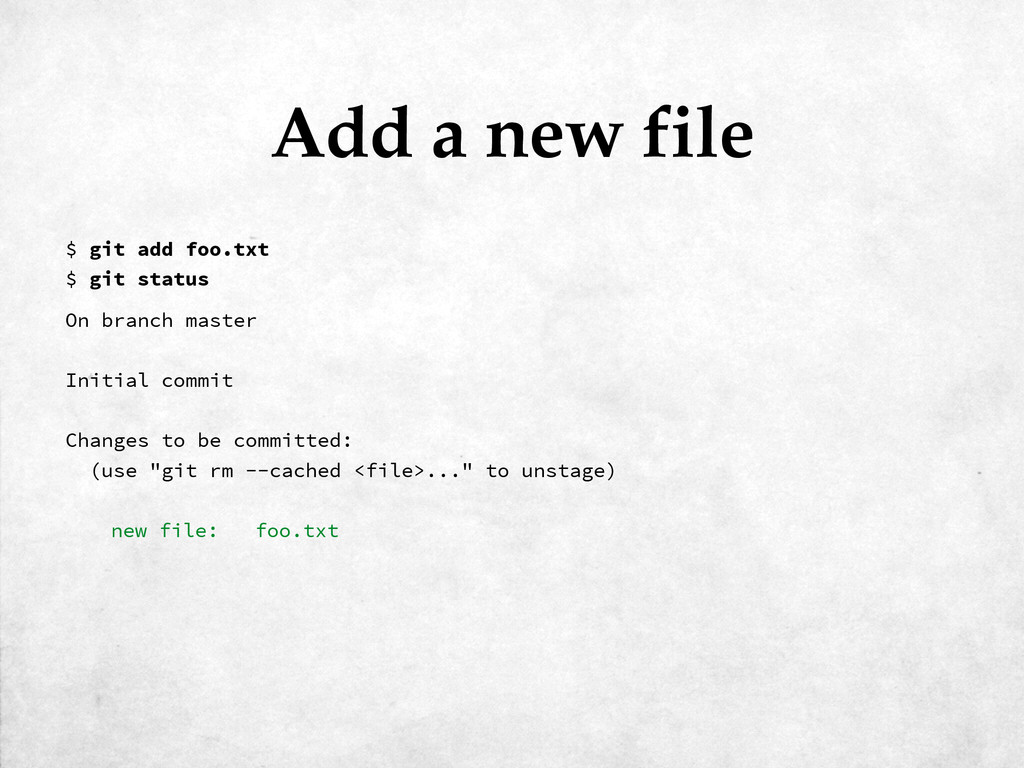
On branch master Initial commit Changes to be committed: (use
"git rm --cached <file>..." to unstage) new file: foo.txt Add a new file $ git add foo.txt $ git status -
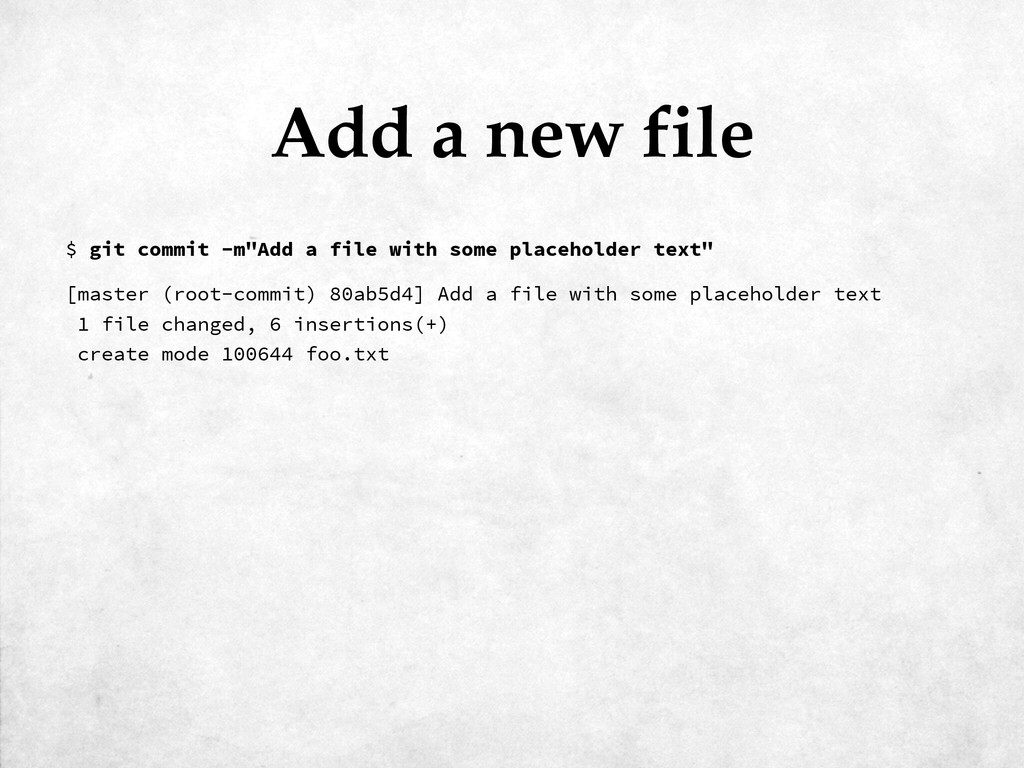
[master (root-commit) 80ab5d4] Add a file with some placeholder text
1 file changed, 6 insertions(+) create mode 100644 foo.txt Add a new file $ git commit -m"Add a file with some placeholder text" -
On branch master Changes not staged for commit: (use "git
add <file>..." to update what will be committed) (use "git checkout -- <file>..." to discard changes in working directory) modified: foo.txt no changes added to commit (use "git add" and/or "git commit -a") Commit a change $ git status -
diff --git a/foo.txt b/foo.txt index e1bc2ab..d66717b 100644 --- a/foo.txt +++
b/foo.txt @@ -1,6 +1,6 @@ Lorem ipsum dolor sit amet, consectetur adipisicing elit, sed do eiusmod tempor incididunt ut labore et dolore magna aliqua. Ut enim ad minim veniam, quis -nostrud exercitation ullamco laboris nisi ut aliquip ex ea commodo consequat. +expelliarmus wingardium leviosa expecto patronum imperio crucio avada kedavra Duis aute irure dolor in reprehenderit in voluptate velit esse cillum dolore eu fugiat nulla pariatur. Excepteur sint occaecat cupidatat non proident, sunt in culpa qui officia deserunt mollit anim id est laborum Commit a change $ git diff -
On branch master Changes to be committed: (use "git reset
HEAD <file>..." to unstage) modified: foo.txt Commit a change $ git add foo.txt $ git status -
[master 9e2546a] Insert some magic into the text 1 file
changed, 1 insertion(+), 1 deletion(-) Commit a change $ git commit -m"Insert some magic into the text" -
Alice’s computer Version DB Version 3 Version 2 Version 1
File Index (staging area) add rm mv commit -
commit 9e2546aef0232daf56635b6319bcf69f788bd5ba Author: Kerry Buckley <[email protected]> Date: 42 seconds ago
Insert some magic into the text commit 80ab5d44f47c0c2dbbf8ade76d4f85889295d8a4 Author: Kerry Buckley <[email protected]> Date: 10 minutes ago Add a file with some placeholder text Viewing history $ git log -
commit 9e2546aef0232daf56635b6319bcf69f788bd5ba Author: Kerry Buckley <[email protected]> Date: 2 hours ago
Insert some magic into the text diff --git a/foo.txt b/foo.txt index e1bc2ab..d66717b 100644 --- a/foo.txt +++ b/foo.txt @@ -1,6 +1,6 @@ Lorem ipsum dolor sit amet, consectetur adipisicing elit, sed do eiusmod tempor incididunt ut labore et dolore magna aliqua. Ut enim ad minim veniam, quis -nostrud exercitation ullamco laboris nisi ut aliquip ex ea commodo consequat. +expelliarmus wingardium leviosa expecto patronum imperio crucio avada kedavra Duis aute irure dolor in reprehenderit in voluptate velit esse cillum dolore eu fugiat nulla pariatur. Excepteur sint occaecat cupidatat non proident, sunt in culpa qui officia deserunt mollit anim id est laborum Viewing a commit $ git show 9e2546aef0232daf56635b6319bcf69f788bd5ba -
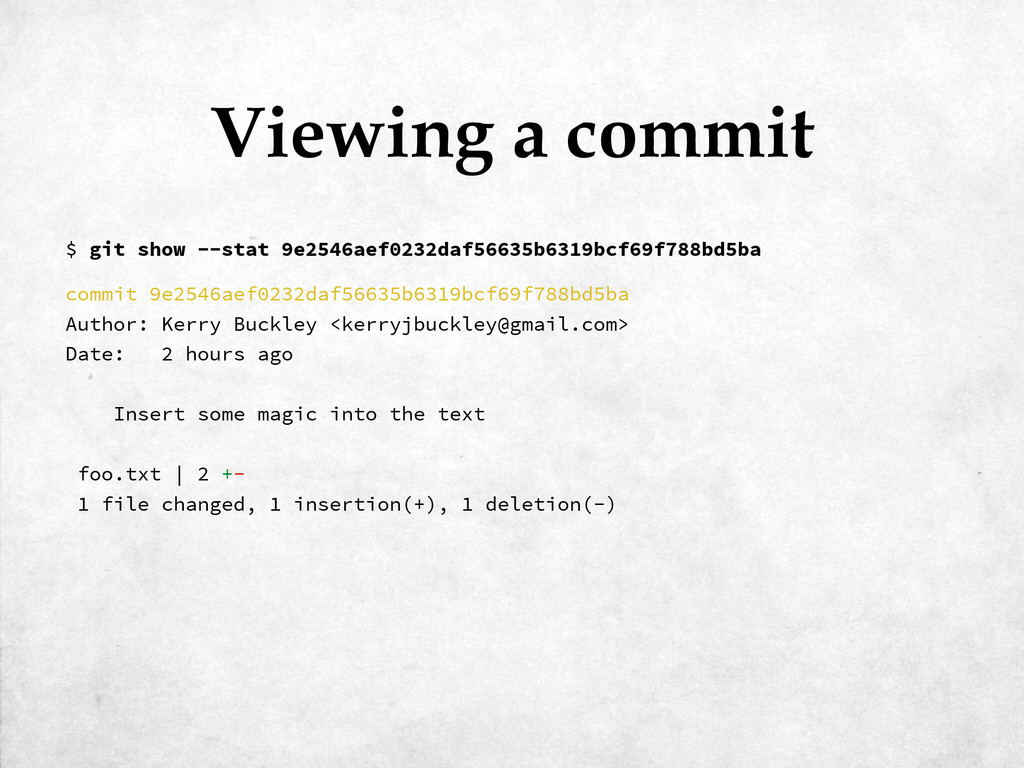
commit 9e2546aef0232daf56635b6319bcf69f788bd5ba Author: Kerry Buckley <[email protected]> Date: 2 hours ago
Insert some magic into the text foo.txt | 2 +- 1 file changed, 1 insertion(+), 1 deletion(-) Viewing a commit $ git show --stat 9e2546aef0232daf56635b6319bcf69f788bd5ba -
commit 9e2546aef0232daf56635b6319bcf69f788bd5ba Author: Kerry Buckley <[email protected]> Date: 2 hours ago
Insert some magic into the text 1 file changed, 1 insertion(+), 1 deletion(-) Viewing a commit $ git show --shortstat 9e2546aef0232daf56635b6319bcf69f788bd5ba -
diff --git a/foo.txt b/foo.txt index e1bc2ab..d66717b 100644 --- a/foo.txt +++
b/foo.txt @@ -1,6 +1,6 @@ Lorem ipsum dolor sit amet, consectetur adipisicing elit, sed do eiusmod tempor incididunt ut labore et dolore magna aliqua. Ut enim ad minim veniam, quis -nostrud exercitation ullamco laboris nisi ut aliquip ex ea commodo consequat. +expelliarmus wingardium leviosa expecto patronum imperio crucio avada kedavra Duis aute irure dolor in reprehenderit in voluptate velit esse cillum dolore eu fugiat nulla pariatur. Excepteur sint occaecat cupidatat non proident, sunt in culpa qui officia deserunt mollit anim id est laborum Diff (working dir ↔ staged) $ git diff -
foo.txt | 2 +- 1 file changed, 1 insertion(+), 1
deletion(-) Diff (working dir ↔ staged) $ git diff —stat -
diff --git a/foo.txt b/foo.txt index e1bc2ab..d66717b 100644 --- a/foo.txt +++
b/foo.txt @@ -1,6 +1,6 @@ Lorem ipsum dolor sit amet, consectetur adipisicing elit, sed do eiusmod tempor incididunt ut labore et dolore magna aliqua. Ut enim ad minim veniam, quis -nostrud exercitation ullamco laboris nisi ut aliquip ex ea commodo consequat. +expelliarmus wingardium leviosa expecto patronum imperio crucio avada kedavra Duis aute irure dolor in reprehenderit in voluptate velit esse cillum dolore eu fugiat nulla pariatur. Excepteur sint occaecat cupidatat non proident, sunt in culpa qui officia deserunt mollit anim id est laborum Diff (arbitrary references) $ git diff 80ab5d4 9e2546a -
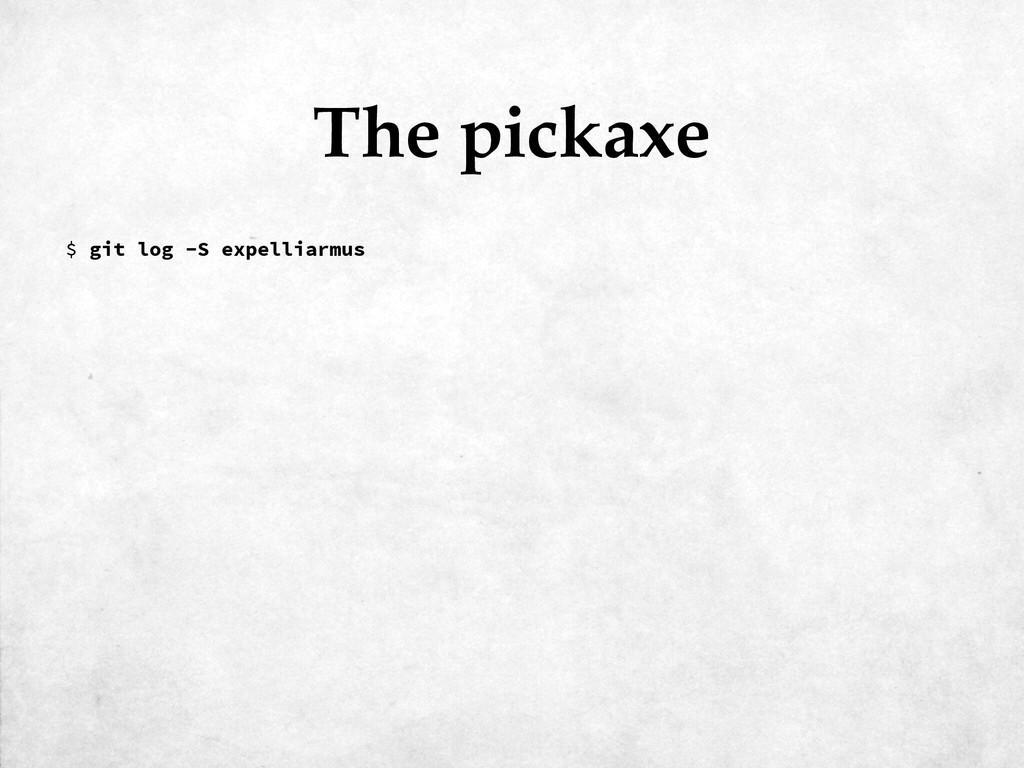
commit 9e2546aef0232daf56635b6319bcf69f788bd5ba Author: Kerry Buckley <[email protected]> Date: 5 minutes ago
Insert some magic into the text The pickaxe $ git log -S expelliarmus -
^80ab5d4 (Kerry Buckley 2015-03-08 09:45:43 +0000 1) Lorem ipsum dolor
sit amet ^80ab5d4 (Kerry Buckley 2015-03-08 09:45:43 +0000 2) incididunt ut labore et do 9e2546ae (Kerry Buckley 2015-03-08 09:54:31 +0000 3) expelliarmus wingardium le ^80ab5d4 (Kerry Buckley 2015-03-08 09:45:43 +0000 4) Duis aute irure dolor in r ^80ab5d4 (Kerry Buckley 2015-03-08 09:45:43 +0000 5) fugiat nulla pariatur. Ex ^80ab5d4 (Kerry Buckley 2015-03-08 09:45:43 +0000 6) culpa qui officia deserunt Who did what? $ git blame foo.txt -
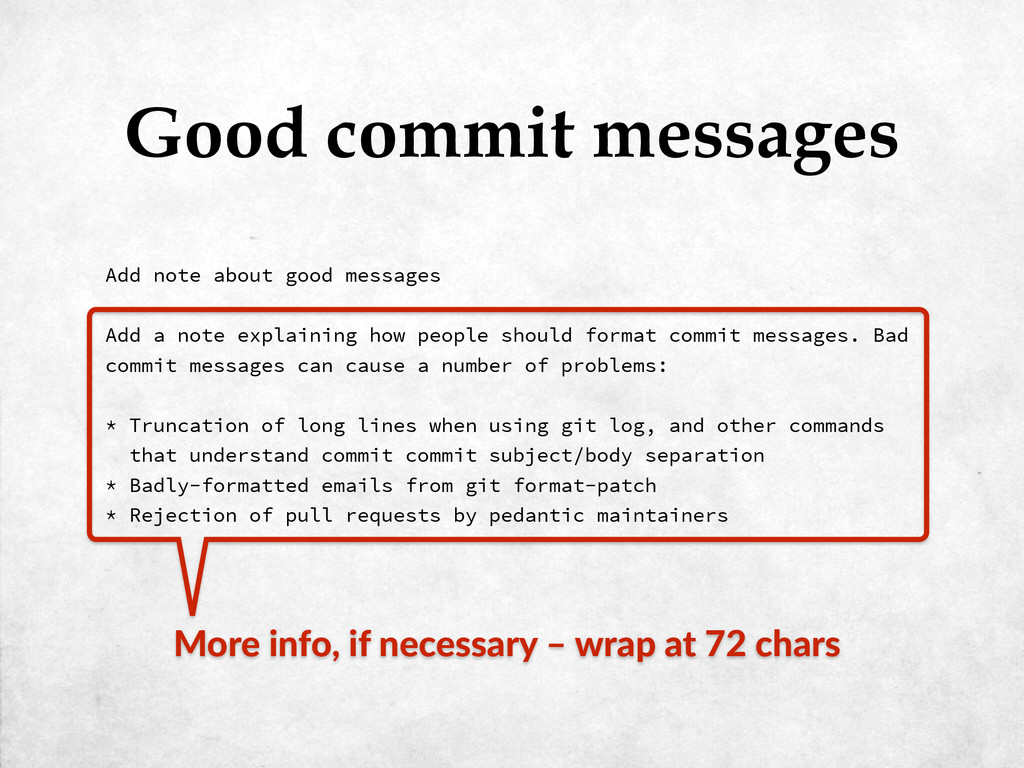
Add note about good messages Add a note explaining how
people should format commit messages. Bad commit messages can cause a number of problems: * Truncation of long lines when using git log, and other commands that understand commit commit subject/body separation * Badly-formatted emails from git format-patch * Rejection of pull requests by pedantic maintainers Good commit messages -
Add note about good messages Add a note explaining how
people should format commit messages. Bad commit messages can cause a number of problems: * Truncation of long lines when using git log, and other commands that understand commit commit subject/body separation * Badly-formatted emails from git format-patch * Rejection of pull requests by pedantic maintainers Good commit messages Summary (up to ~50 chars) -
Add note about good messages Add a note explaining how
people should format commit messages. Bad commit messages can cause a number of problems: * Truncation of long lines when using git log, and other commands that understand commit commit subject/body separation * Badly-formatted emails from git format-patch * Rejection of pull requests by pedantic maintainers Good commit messages Impera5ve mode (‘add’, not ‘added’) -
Add note about good messages Add a note explaining how
people should format commit messages. Bad commit messages can cause a number of problems: * Truncation of long lines when using git log, and other commands that understand commit commit subject/body separation * Badly-formatted emails from git format-patch * Rejection of pull requests by pedantic maintainers Good commit messages Blank line -
Add note about good messages Add a note explaining how
people should format commit messages. Bad commit messages can cause a number of problems: * Truncation of long lines when using git log, and other commands that understand commit commit subject/body separation * Badly-formatted emails from git format-patch * Rejection of pull requests by pedantic maintainers Good commit messages More info, if necessary – wrap at 72 chars -
Part III: Precision staging In which ‘git add’ turns out
to be not as clumsy or random as a blaster. An elegant weapon, for a more civilized age. -
diff --git a/foo.txt b/foo.txt index d66717b..de5974e 100644 --- a/foo.txt +++
b/foo.txt @@ -1,6 +1,11 @@ +This is a file full of nonsense. + Lorem ipsum dolor sit amet, consectetur adipisicing elit, sed do eiusmod tempor incididunt ut labore et dolore magna aliqua. Ut enim ad minim veniam, quis expelliarmus wingardium leviosa expecto patronum imperio crucio avada kedavra Duis aute irure dolor in reprehenderit in voluptate velit esse cillum dolore eu fugiat nulla pariatur. Excepteur sint occaecat cupidatat non proident, sunt in culpa qui officia deserunt mollit anim id est laborum + +Pop-up Austin mustache Tumblr Kickstarter next level scenester, typewriter +pour-over. Bespoke gentrify vegan, authentic beard fixie locavore tofu actually. Adding in patch mode $ git diff -
diff --git a/foo.txt b/foo.txt index d66717b..de5974e 100644 --- a/foo.txt +++
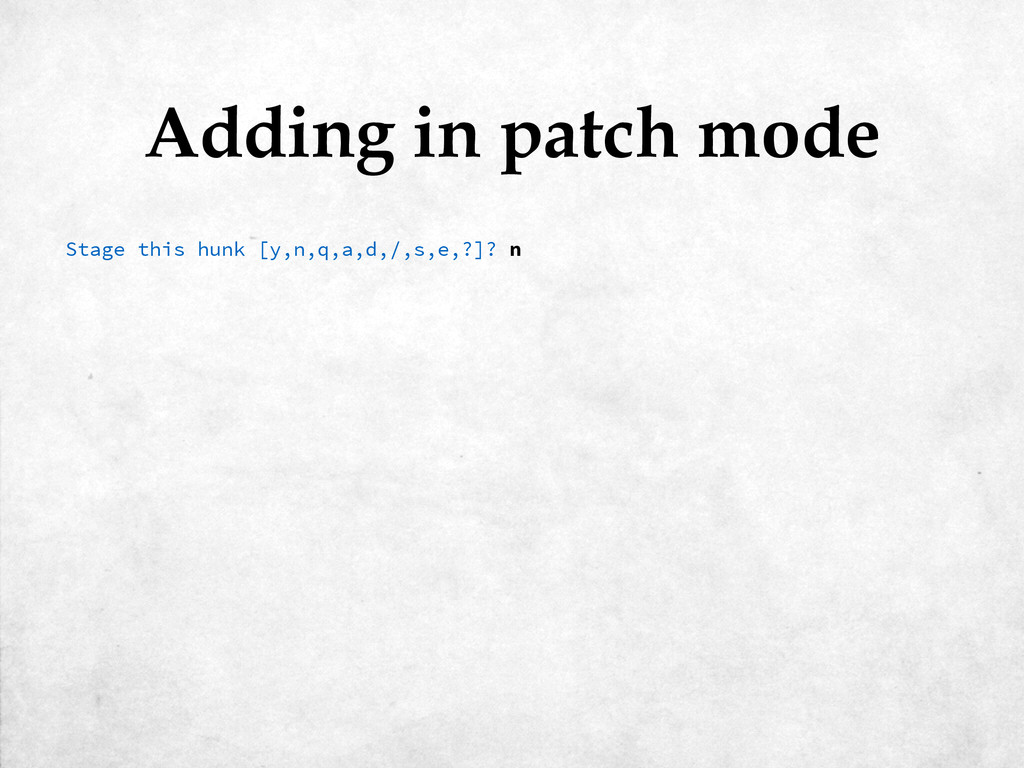
b/foo.txt @@ -1,6 +1,11 @@ +This is a file full of nonsense. + Lorem ipsum dolor sit amet, consectetur adipisicing elit, sed do eiusmod tempor incididunt ut labore et dolore magna aliqua. Ut enim ad minim veniam, quis expelliarmus wingardium leviosa expecto patronum imperio crucio avada kedavra Duis aute irure dolor in reprehenderit in voluptate velit esse cillum dolore eu fugiat nulla pariatur. Excepteur sint occaecat cupidatat non proident, sunt in culpa qui officia deserunt mollit anim id est laborum + +Pop-up Austin mustache Tumblr Kickstarter next level scenester, typewriter +pour-over. Bespoke gentrify vegan, authentic beard fixie locavore tofu actually. Stage this hunk [y,n,q,a,d,/,s,e,?]? Adding in patch mode $ git add -p foo.txt -
Split into 2 hunks. @@ -1,6 +1,8 @@ +This is
a file full of nonsense. + Lorem ipsum dolor sit amet, consectetur adipisicing elit, sed do eiusmod tempor incididunt ut labore et dolore magna aliqua. Ut enim ad minim veniam, quis expelliarmus wingardium leviosa expecto patronum imperio crucio avada kedavra Duis aute irure dolor in reprehenderit in voluptate velit esse cillum dolore eu fugiat nulla pariatur. Excepteur sint occaecat cupidatat non proident, sunt in culpa qui officia deserunt mollit anim id est laborum Stage this hunk [y,n,q,a,d,/,j,J,g,e,?]? Adding in patch mode Stage this hunk [y,n,q,a,d,/,s,e,?]? s -
@@ -1,6 +3,9 @@ Lorem ipsum dolor sit amet, consectetur
adipisicing elit, sed do eiusmod tempor incididunt ut labore et dolore magna aliqua. Ut enim ad minim veniam, quis expelliarmus wingardium leviosa expecto patronum imperio crucio avada kedavra Duis aute irure dolor in reprehenderit in voluptate velit esse cillum dolore eu fugiat nulla pariatur. Excepteur sint occaecat cupidatat non proident, sunt in culpa qui officia deserunt mollit anim id est laborum + +Pop-up Austin mustache Tumblr Kickstarter next level scenester, typewriter +pour-over. Bespoke gentrify vegan, authentic beard fixie locavore tofu actually. Stage this hunk [y,n,q,a,d,/,j,J,g,e,?]? Adding in patch mode Stage this hunk [y,n,q,a,d,/,s,e,?]? y -
On branch master Changes to be committed: (use "git reset
HEAD <file>..." to unstage) modified: foo.txt Changes not staged for commit: (use "git add <file>..." to update what will be committed) (use "git checkout -- <file>..." to discard changes in working directory) modified: foo.txt Adding in patch mode Stage this hunk [y,n,q,a,d,/,s,e,?]? n $ git status -
On branch master Changes not staged for commit: (use "git
add <file>..." to update what will be committed) (use "git checkout -- <file>..." to discard changes in working directory) modified: foo.txt Untracked files: (use "git add <file>..." to include in what will be committed) bar.txt no changes added to commit (use "git add" and/or "git commit -a") Adding in interactive mode $ git status -
staged unstaged path 1: unchanged +5/-0 foo.txt *** Commands ***
1: status 2: update 3: revert 4: add untracked 5: patch 6: diff 7: quit 8: help What now> Adding in interactive mode $ git add -i -
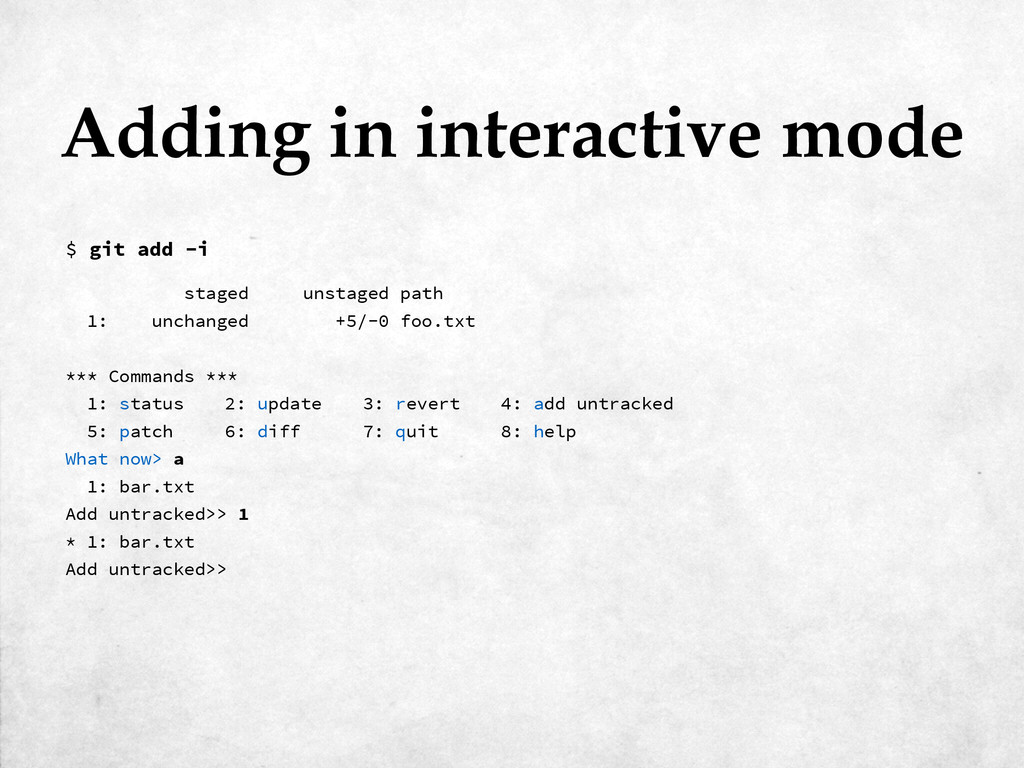
Adding in interactive mode $ git add -i staged unstaged
path 1: unchanged +5/-0 foo.txt *** Commands *** 1: status 2: update 3: revert 4: add untracked 5: patch 6: diff 7: quit 8: help What now> a 1: bar.txt Add untracked>> -
Adding in interactive mode $ git add -i staged unstaged
path 1: unchanged +5/-0 foo.txt *** Commands *** 1: status 2: update 3: revert 4: add untracked 5: patch 6: diff 7: quit 8: help What now> a 1: bar.txt Add untracked>> 1 * 1: bar.txt Add untracked>> -
Adding in interactive mode $ git add -i staged unstaged
path 1: unchanged +5/-0 foo.txt *** Commands *** 1: status 2: update 3: revert 4: add untracked 5: patch 6: diff 7: quit 8: help What now> a 1: bar.txt Add untracked>> 1 * 1: bar.txt Add untracked>> added one path *** Commands *** 1: status 2: update 3: revert 4: add untracked 5: patch 6: diff 7: quit 8: help What now> -
staged unstaged path 1: +0/-0 nothing bar.txt 2: unchanged +5/-0
foo.txt *** Commands *** 1: status 2: update 3: revert 4: add untracked 5: patch 6: diff 7: quit 8: help What now> Adding in interactive mode What now> s -
Adding in interactive mode What now> s staged unstaged path
1: +0/-0 nothing bar.txt 2: unchanged +5/-0 foo.txt *** Commands *** 1: status 2: update 3: revert 4: add untracked 5: patch 6: diff 7: quit 8: help What now> p staged unstaged path 1: unchanged +5/-0 foo.txt Patch update>> -
Adding in interactive mode What now> s staged unstaged path
1: +0/-0 nothing bar.txt 2: unchanged +5/-0 foo.txt *** Commands *** 1: status 2: update 3: revert 4: add untracked 5: patch 6: diff 7: quit 8: help What now> p staged unstaged path 1: unchanged +5/-0 foo.txt Patch update>> 1 staged unstaged path * 1: unchanged +5/-0 foo.txt Patch update>> -
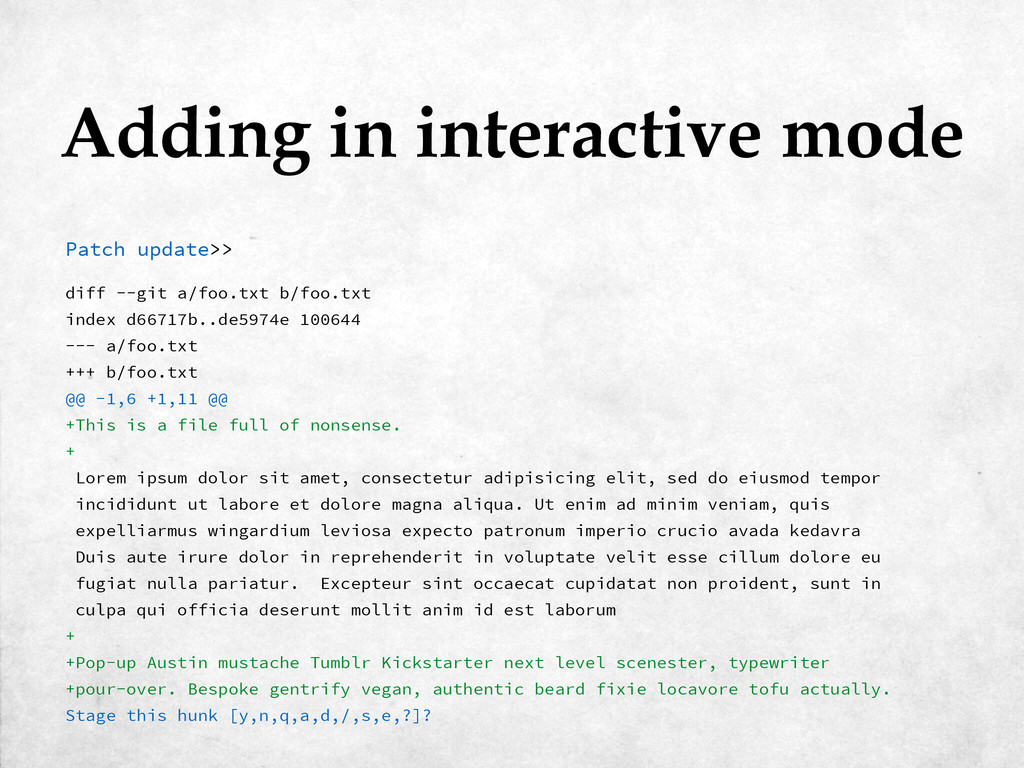
diff --git a/foo.txt b/foo.txt index d66717b..de5974e 100644 --- a/foo.txt +++
b/foo.txt @@ -1,6 +1,11 @@ +This is a file full of nonsense. + Lorem ipsum dolor sit amet, consectetur adipisicing elit, sed do eiusmod tempor incididunt ut labore et dolore magna aliqua. Ut enim ad minim veniam, quis expelliarmus wingardium leviosa expecto patronum imperio crucio avada kedavra Duis aute irure dolor in reprehenderit in voluptate velit esse cillum dolore eu fugiat nulla pariatur. Excepteur sint occaecat cupidatat non proident, sunt in culpa qui officia deserunt mollit anim id est laborum + +Pop-up Austin mustache Tumblr Kickstarter next level scenester, typewriter +pour-over. Bespoke gentrify vegan, authentic beard fixie locavore tofu actually. Stage this hunk [y,n,q,a,d,/,s,e,?]? Adding in interactive mode Patch update>> -
Split into 2 hunks. @@ -1,6 +1,8 @@ +This is
a file full of nonsense. + Lorem ipsum dolor sit amet, consectetur adipisicing elit, sed do eiusmod tempor incididunt ut labore et dolore magna aliqua. Ut enim ad minim veniam, quis expelliarmus wingardium leviosa expecto patronum imperio crucio avada kedavra Duis aute irure dolor in reprehenderit in voluptate velit esse cillum dolore eu fugiat nulla pariatur. Excepteur sint occaecat cupidatat non proident, sunt in culpa qui officia deserunt mollit anim id est laborum Stage this hunk [y,n,q,a,d,/,s,e,?]? Adding in interactive mode Stage this hunk [y,n,q,a,d,/,s,e,?]? s -
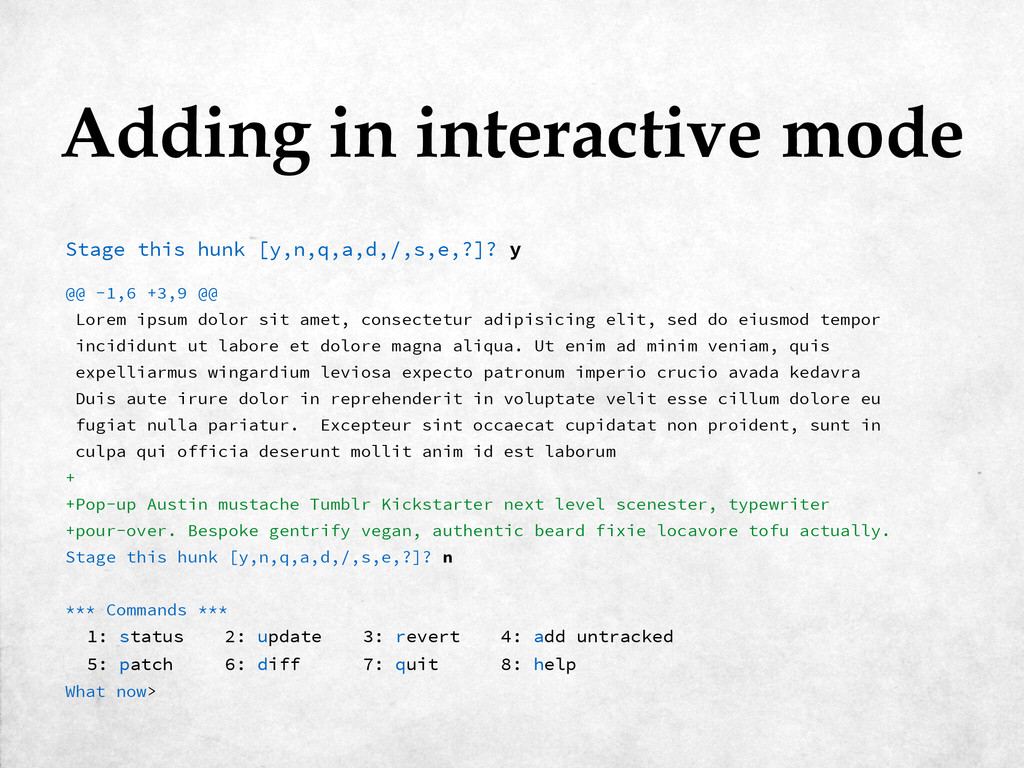
@@ -1,6 +3,9 @@ Lorem ipsum dolor sit amet, consectetur
adipisicing elit, sed do eiusmod tempor incididunt ut labore et dolore magna aliqua. Ut enim ad minim veniam, quis expelliarmus wingardium leviosa expecto patronum imperio crucio avada kedavra Duis aute irure dolor in reprehenderit in voluptate velit esse cillum dolore eu fugiat nulla pariatur. Excepteur sint occaecat cupidatat non proident, sunt in culpa qui officia deserunt mollit anim id est laborum + +Pop-up Austin mustache Tumblr Kickstarter next level scenester, typewriter +pour-over. Bespoke gentrify vegan, authentic beard fixie locavore tofu actually. Stage this hunk [y,n,q,a,d,/,s,e,?]? Adding in interactive mode Stage this hunk [y,n,q,a,d,/,s,e,?]? y -
Adding in interactive mode Stage this hunk [y,n,q,a,d,/,s,e,?]? y @@
-1,6 +3,9 @@ Lorem ipsum dolor sit amet, consectetur adipisicing elit, sed do eiusmod tempor incididunt ut labore et dolore magna aliqua. Ut enim ad minim veniam, quis expelliarmus wingardium leviosa expecto patronum imperio crucio avada kedavra Duis aute irure dolor in reprehenderit in voluptate velit esse cillum dolore eu fugiat nulla pariatur. Excepteur sint occaecat cupidatat non proident, sunt in culpa qui officia deserunt mollit anim id est laborum + +Pop-up Austin mustache Tumblr Kickstarter next level scenester, typewriter +pour-over. Bespoke gentrify vegan, authentic beard fixie locavore tofu actually. Stage this hunk [y,n,q,a,d,/,s,e,?]? n *** Commands *** 1: status 2: update 3: revert 4: add untracked 5: patch 6: diff 7: quit 8: help What now> -
staged unstaged path 1: +0/-0 nothing bar.txt 2: +2/-0 +3/-0
foo.txt *** Commands *** 1: status 2: update 3: revert 4: add untracked 5: patch 6: diff 7: quit 8: help What now> Adding in interactive mode What now> s -
Adding in interactive mode What now> s staged unstaged path
1: +0/-0 nothing bar.txt 2: +2/-0 +3/-0 foo.txt *** Commands *** 1: status 2: update 3: revert 4: add untracked 5: patch 6: diff 7: quit 8: help What now> q Bye. -
On branch master Changes to be committed: (use "git reset
HEAD <file>..." to unstage) new file: bar.txt modified: foo.txt Changes not staged for commit: (use "git add <file>..." to update what will be committed) (use "git checkout -- <file>..." to discard changes in working directory) modified: foo.txt Adding in interactive mode $ git status -
Part IV: Branches In which things start to get a
little more complicated -
Switched to a new branch 'my-new-branch' Create a branch $
git checkout -b my-new-branch -
Switched to a new branch 'my-new-branch' Branch from a specific
point $ git checkout -b my-new-branch 80ab5d -
Switched to a new branch 'my-new-branch' Branch from a specific
point $ git checkout -b my-new-branch 80ab5d Anything ‘commit-‐ish’ -
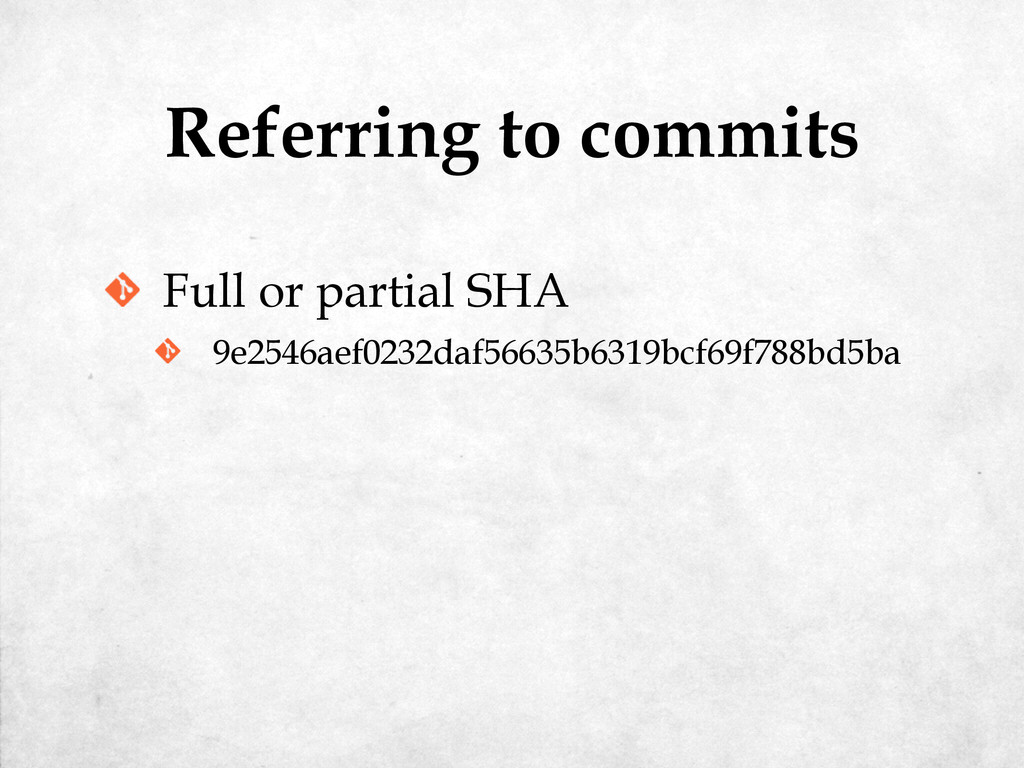
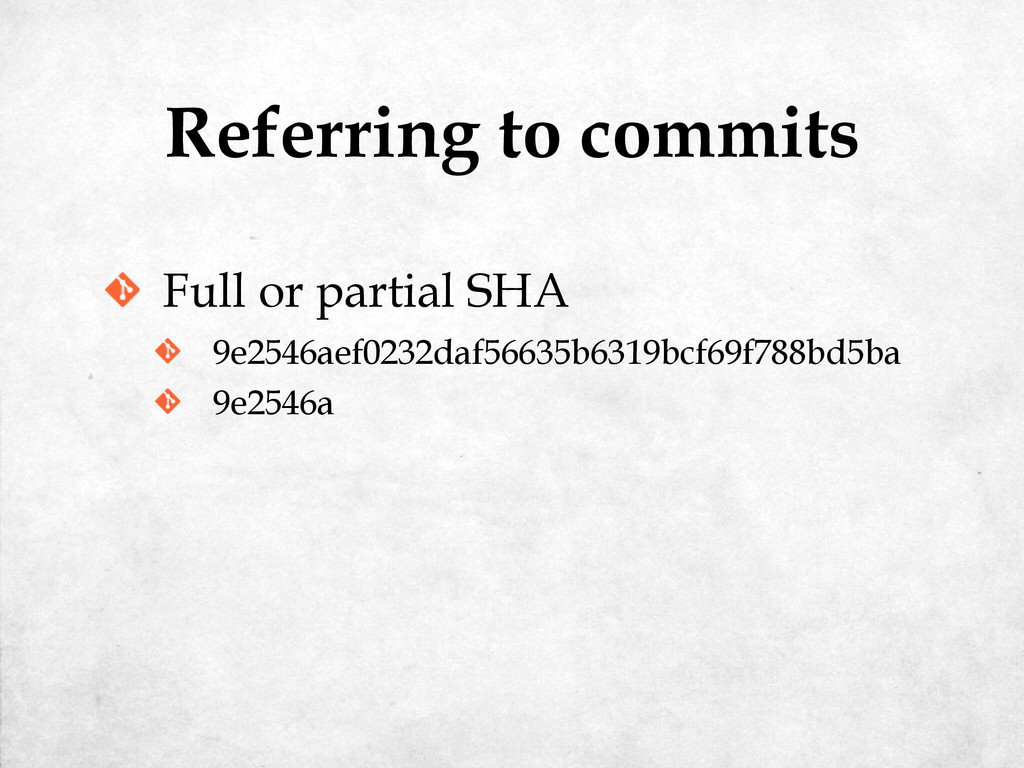
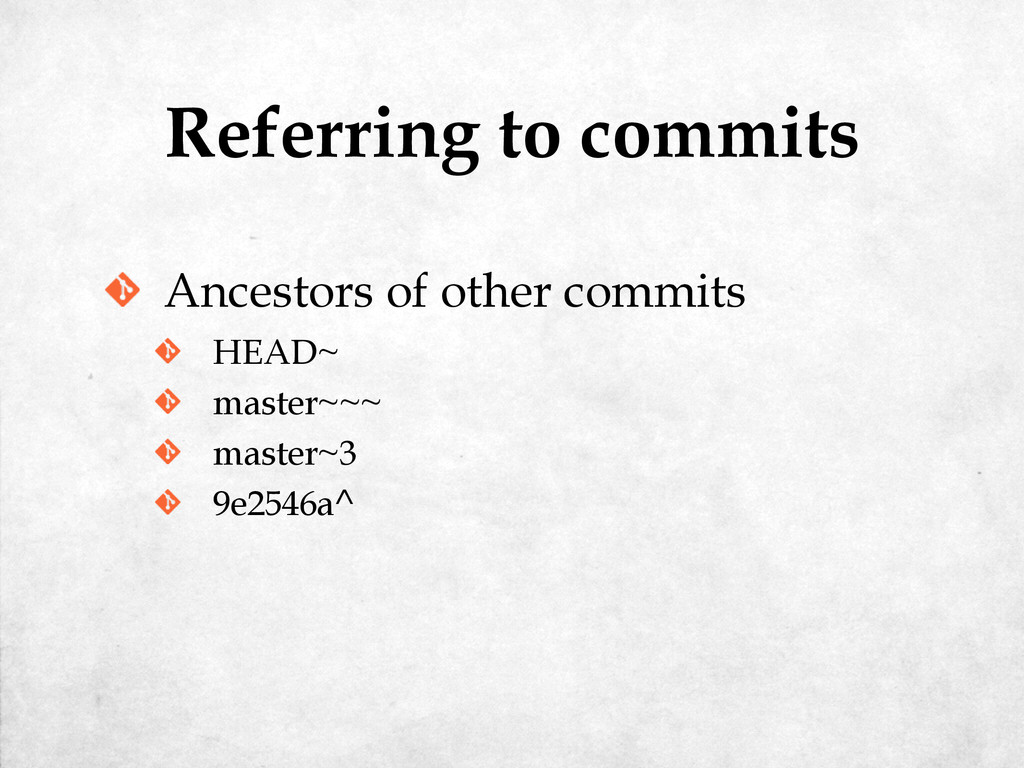
Referring to commits Ancestors of other commits HEAD~ master~~~ master~3
9e2546a^ 9e2546a^2 -
Referring to commits Ancestors of other commits HEAD~ master~~~ master~3
9e2546a^ 9e2546a^2 9e2546a^2~3 -
error: The branch 'my-new-branch' is not fully merged. If you
are sure you want to delete it, run 'git branch -D my-new-branch'. Delete a branch $ git branch -d my-new-branch -
error: The branch 'my-new-branch' is not fully merged. If you
are sure you want to delete it, run 'git branch -D my-new-branch'. Delete a branch $ git branch -d my-new-branch Deleted branch my-new-branch (was 69a5438). $ git branch -D my-new-branch -
Part V: Tags In which we wander around our repository,
pointing at things -
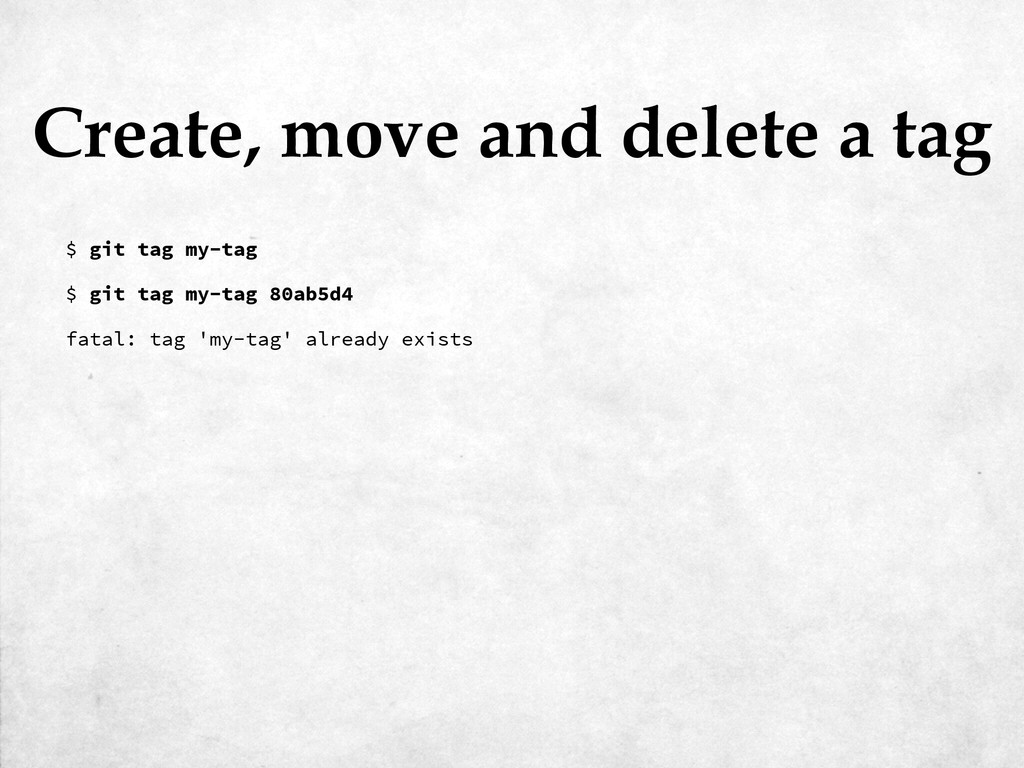
Create, move and delete a tag $ git tag my-tag
fatal: tag 'my-tag' already exists $ git tag my-tag 80ab5d4 -
Create, move and delete a tag $ git tag my-tag
fatal: tag 'my-tag' already exists $ git tag my-tag 80ab5d4 Updated tag 'my-tag' (was 9e2546a) $ git tag -f my-tag 80ab5d4 -
Create, move and delete a tag $ git tag my-tag
fatal: tag 'my-tag' already exists $ git tag my-tag 80ab5d4 Updated tag 'my-tag' (was 9e2546a) $ git tag -f my-tag 80ab5d4 Deleted tag 'my-tag' (was 80ab5d4) $ git tag -d my-tag -
Part VI: Internals In which we discover how git stores
files, and are surprised how simple it all is -
.git ├── HEAD ├── config ├── description ├── hooks │
├── applypatch-msg.sample │ ├── ... │ └── update.sample ├── info │ └── exclude ├── objects │ ├── info │ └── pack └── refs ├── heads └── tags -
.git ├── HEAD ├── config ├── description ├── hooks │
├── applypatch-msg.sample │ ├── ... │ └── update.sample ├── info │ └── exclude ├── objects │ ├── info │ └── pack └── refs ├── heads └── tags -
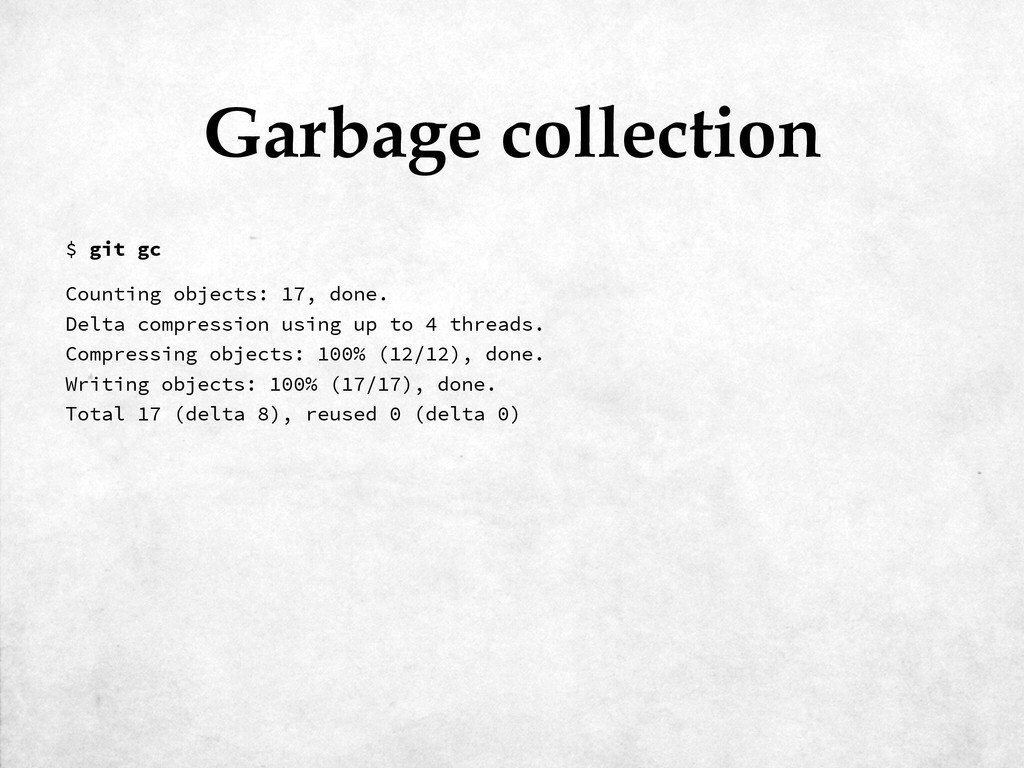
Counting objects: 17, done. Delta compression using up to 4
threads. Compressing objects: 100% (12/12), done. Writing objects: 100% (17/17), done. Total 17 (delta 8), reused 0 (delta 0) Garbage collection $ git gc -
Counting objects: 17, done. Delta compression using up to 4
threads. Compressing objects: 100% (12/12), done. Writing objects: 100% (17/17), done. Total 17 (delta 8), reused 0 (delta 0) Garbage collection $ git gc .git/objects/pack/ ├── pack-3fcf895c12fffd5f7003b5f83f5f721495287349.idx └── pack-3fcf895c12fffd5f7003b5f83f5f721495287349.pack $ tree .git/objects/pack/ -
Part VII: Merge & Rebase Which is generally where the
trouble starts -
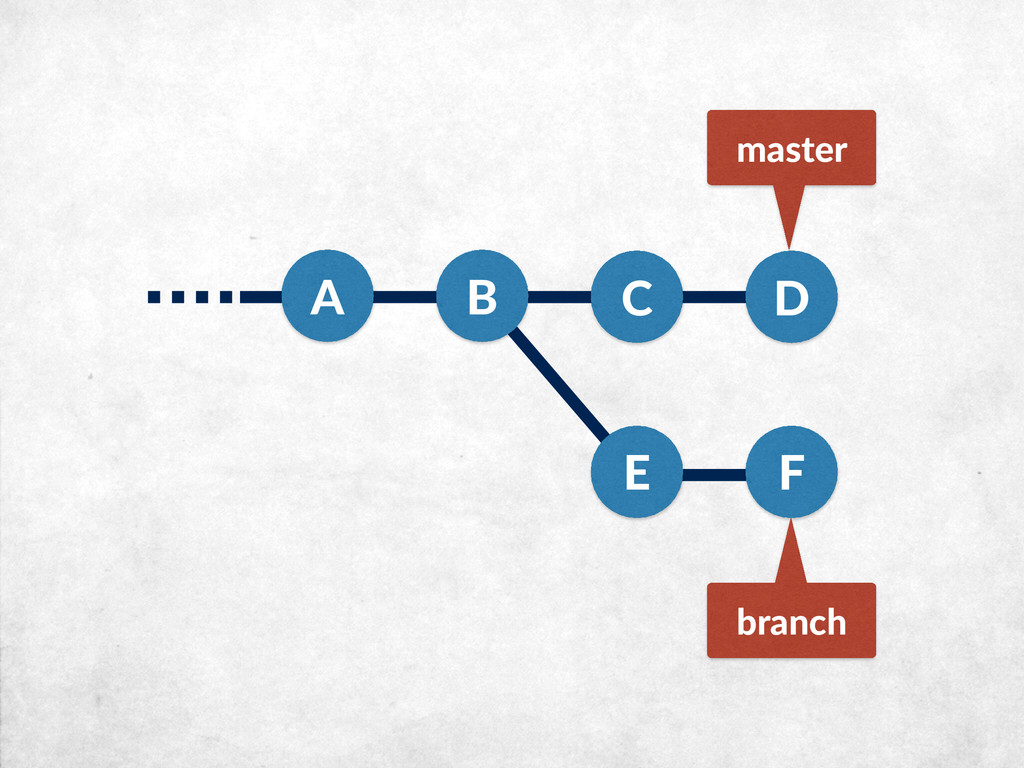
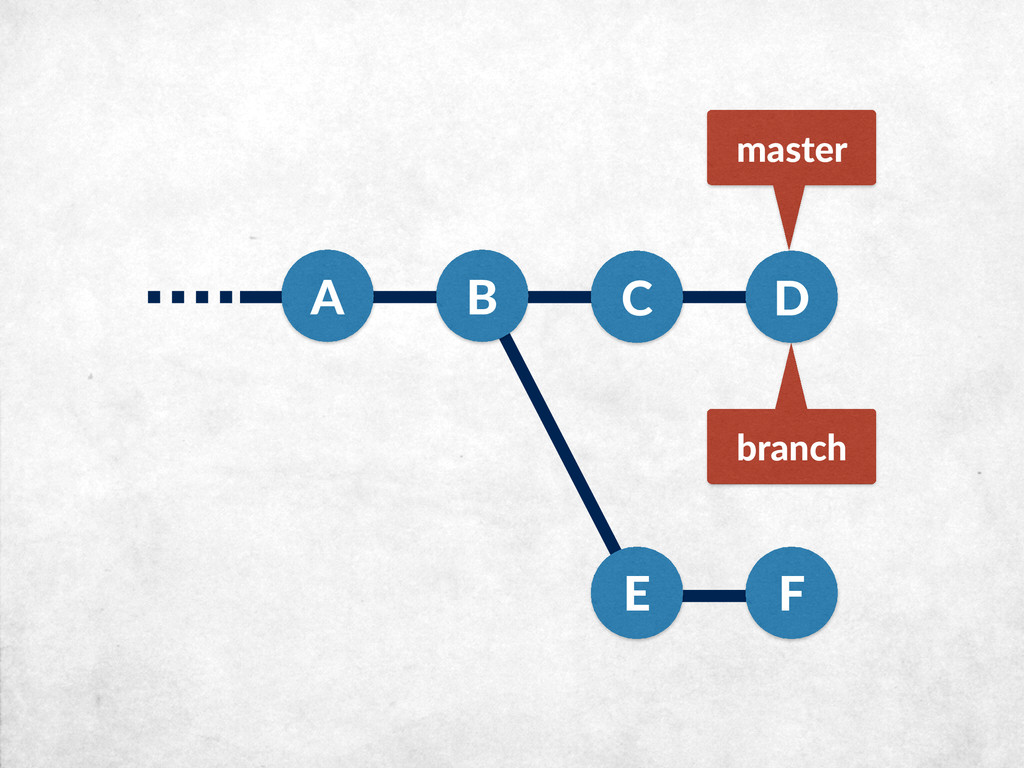
A B E F master branch git checkout master git
merge branch C D -
A B C D master branch git checkout master git
merge branch -
A B C D master branch git checkout master git
merge --squash branch -
A B C D master branch git checkout master git
merge --no-ff branch -
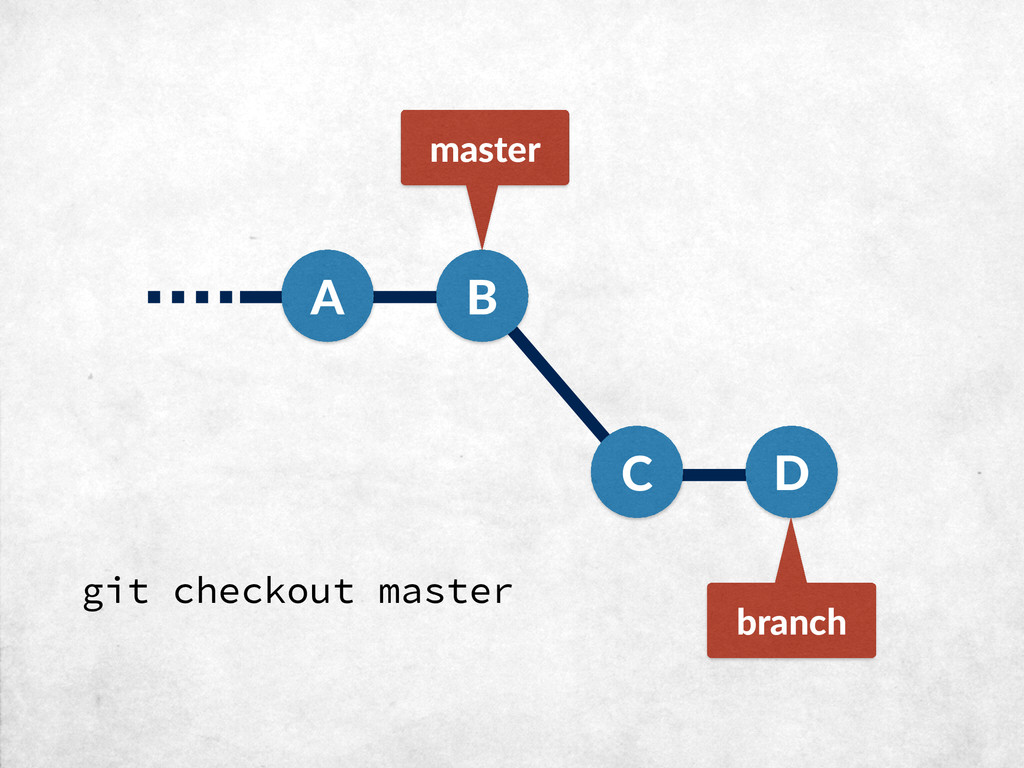
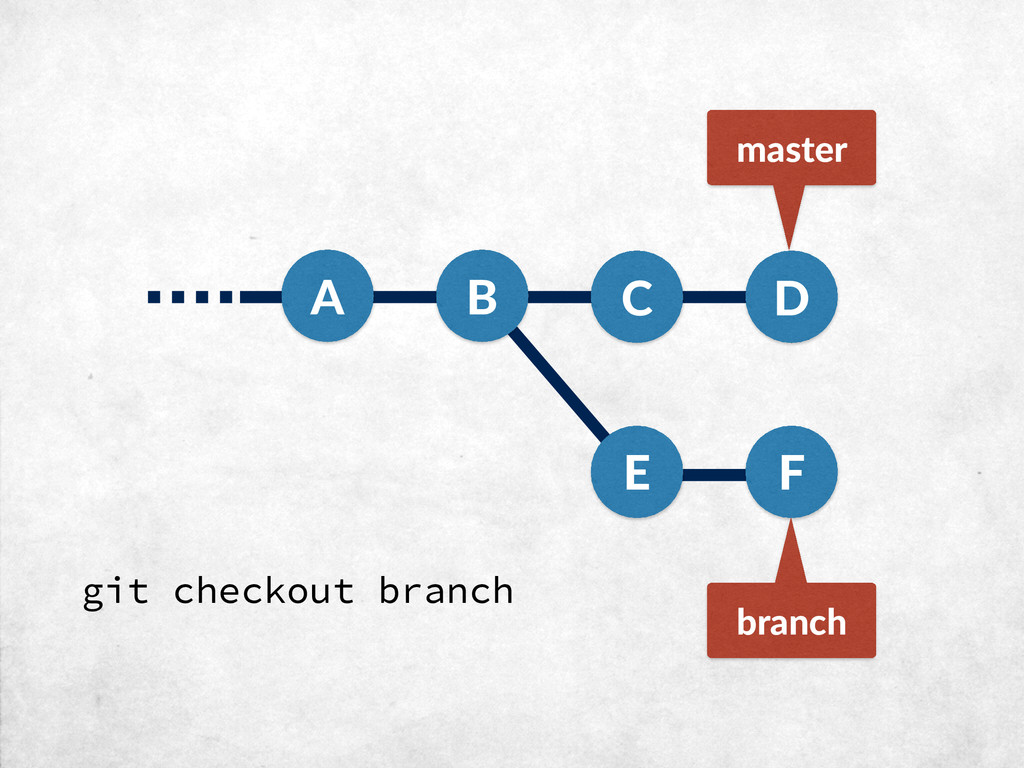
A B E F master branch git checkout branch git
rebase master C D -
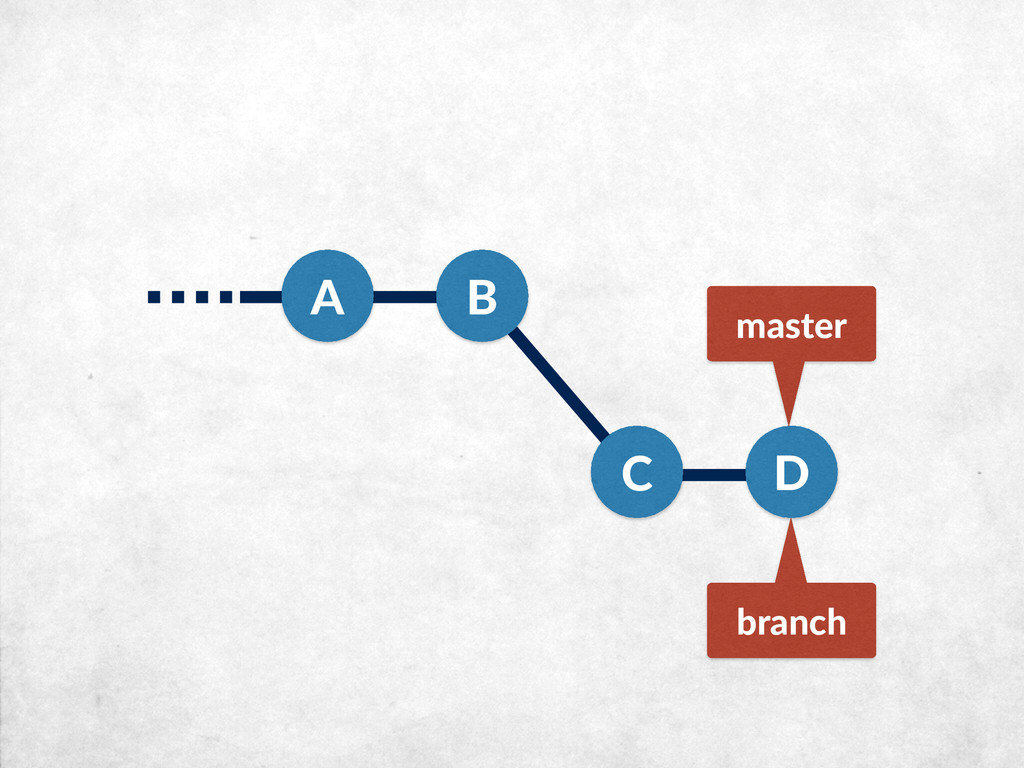
A B master branch C D E' F' git checkout
master git merge --ff-only branch -
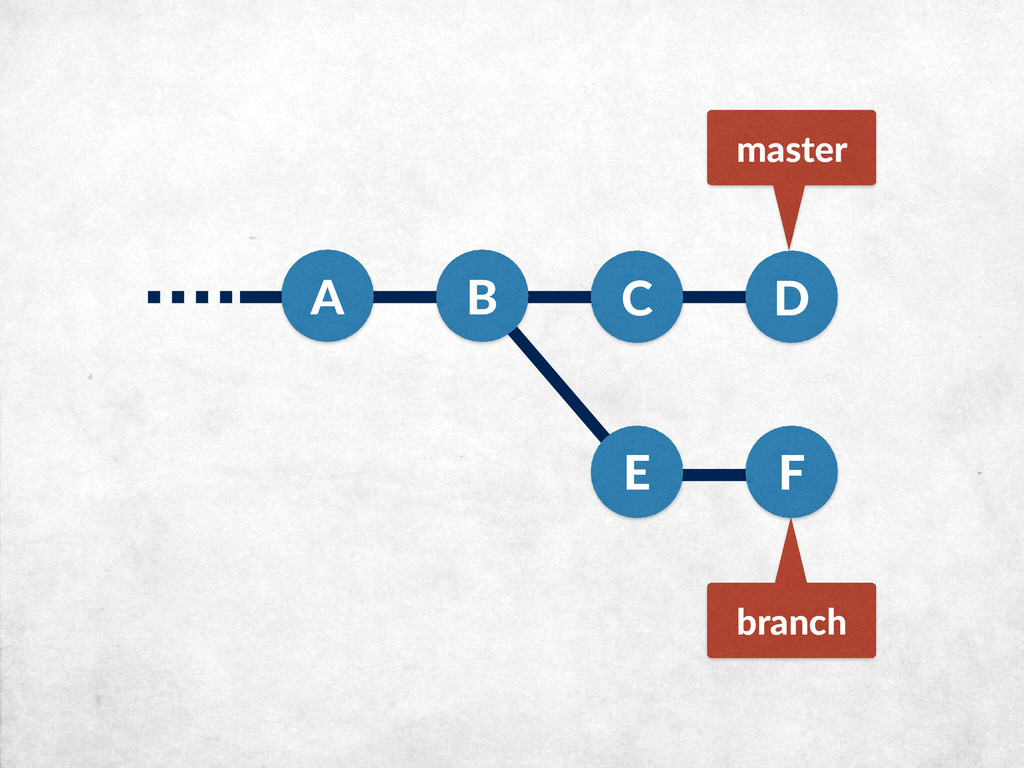
A B E F master branch git checkout master git
cherry-pick E C D -
Part VIII: Distributed git In which we remember that distribution
was supposed to be the whole point, and wonder why it took so long to get there -
Cloning into 'rspec'... remote: Counting objects: 807, done. remote: Total
807 (delta 0), reused 0 (delta 0), pack-reused 807 Receiving objects: 100% (807/807), 96.04 KiB | 20.00 KiB/s, done. Resolving deltas: 100% (308/308), done. Checking connectivity... done. Clone a repository $ git clone [email protected]:rspec/rspec.git -
* master remotes/origin/2-0-stable remotes/origin/2-14-maintenance remotes/origin/2-99-maintenance remotes/origin/3-0-maintenance remotes/origin/3-1-maintenance remotes/origin/3-2-maintenance remotes/origin/HEAD ->
origin/master remotes/origin/experimental remotes/origin/master Clone a repository $ git branch -a -
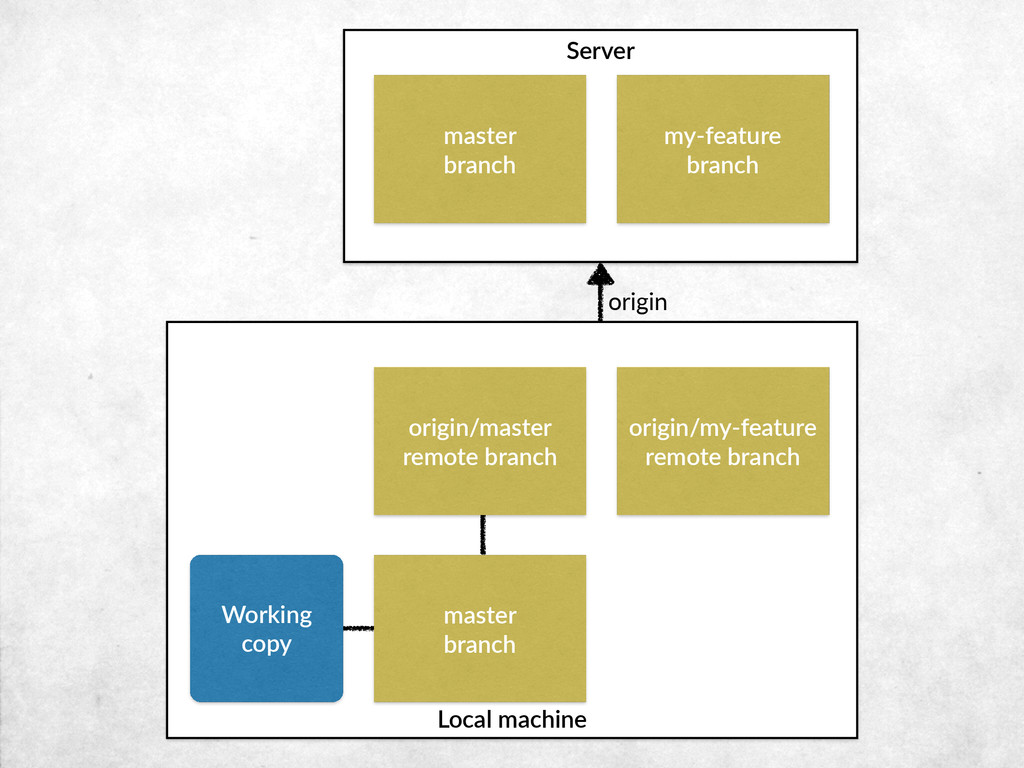
origin Local machine Server master branch my-‐feature branch
origin/master remote branch origin/my-‐feature remote branch -
origin Local machine Server master branch my-‐feature branch
master branch origin/master remote branch origin/my-‐feature remote branch -
origin Local machine Working copy Server master branch
my-‐feature branch master branch origin/master remote branch origin/my-‐feature remote branch -
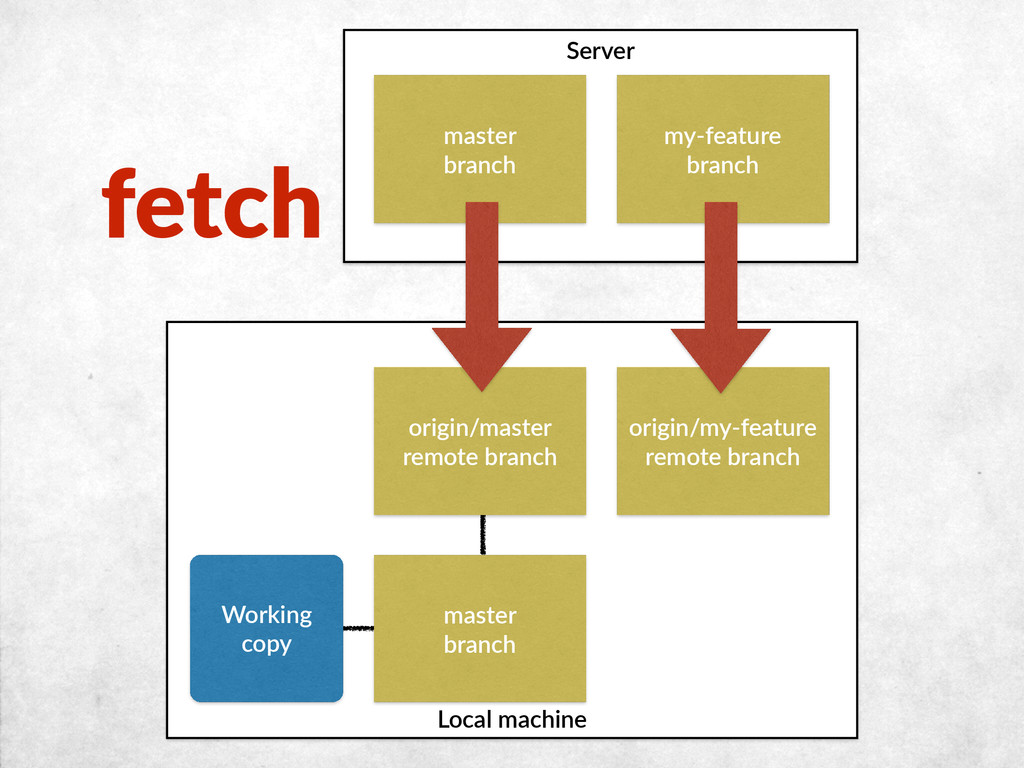
Local machine master branch Working copy Server master
branch my-‐feature branch origin/master remote branch origin/my-‐feature remote branch fetch -
Local machine master branch Working copy Server master
branch my-‐feature branch origin/master remote branch origin/my-‐feature remote branch pull -
Local machine master branch Working copy my-‐feature
branch Server master branch my-‐feature branch origin/master remote branch origin/my-‐feature remote branch push -
Part IX: Patches & email For when you don’t have
direct access to the remote repository -
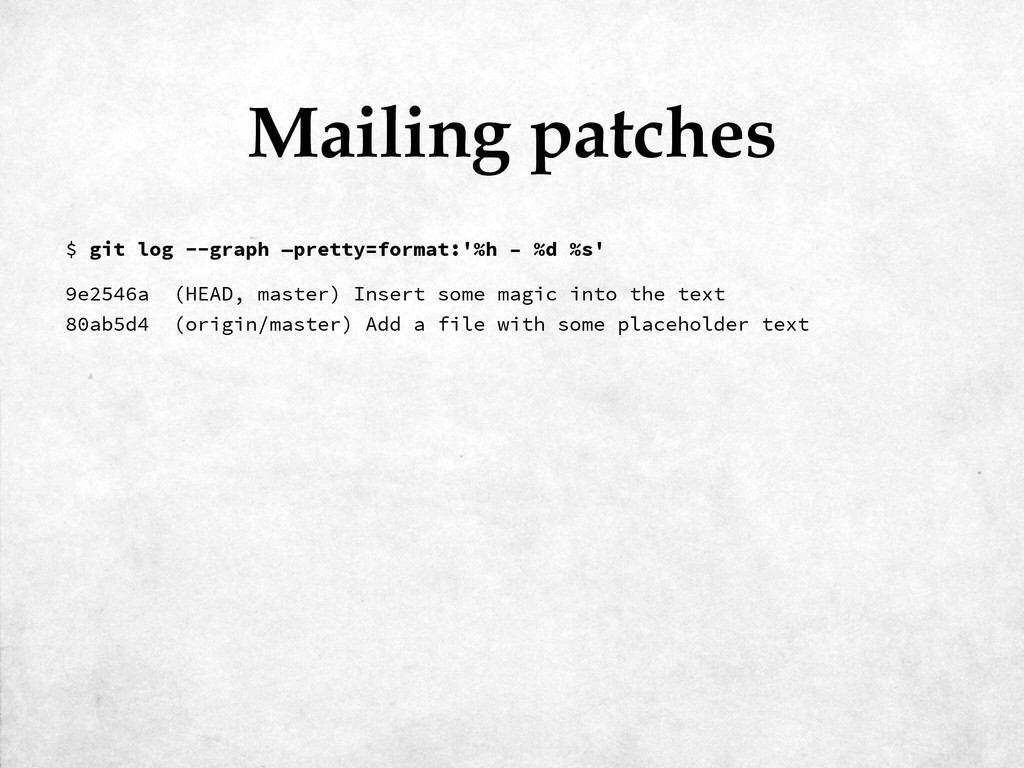
9e2546a (HEAD, master) Insert some magic into the text 80ab5d4
(origin/master) Add a file with some placeholder text Mailing patches $ git log --graph —pretty=format:'%h – %d %s' -
9e2546a (HEAD, master) Insert some magic into the text 80ab5d4
(origin/master) Add a file with some placeholder text Mailing patches $ git log --graph —pretty=format:'%h – %d %s' 0001-Insert-some-magic-into-the-text.patch $ git format-patch origin/master -
From 9e2546aef0232daf56635b6319bcf69f788bd5ba Mon Sep 17 00:00:00 2001 From: Kerry Buckley
<[email protected]> Date: Sun, 8 Mar 2015 09:54:31 +0000 Subject: [PATCH] Insert some magic into the text --- foo.txt | 2 +- 1 file changed, 1 insertion(+), 1 deletion(-) diff --git a/foo.txt b/foo.txt index e1bc2ab..d66717b 100644 --- a/foo.txt +++ b/foo.txt @@ -1,6 +1,6 @@ Lorem ipsum dolor sit amet, consectetur adipisicing elit, sed do eiusmod tempor incididunt ut labore et dolore magna aliqua. Ut enim ad minim veniam, quis -nostrud exercitation ullamco laboris nisi ut aliquip ex ea commodo consequat. +expelliarmus wingardium leviosa expecto patronum imperio crucio avada kedavra Duis aute irure dolor in reprehenderit in voluptate velit esse cillum dolore eu fugiat nulla pariatur. Excepteur sint occaecat cupidatat non proident, sunt in culpa qui officia deserunt mollit anim id est laborum -- 2.3.1 Mailing patches -
Applying: Insert some magic into the text Applying patches $
git am 0001-Insert-some-magic-into-the-text.patch -
Part X: Team Workflows In which we look for the
best approach to managing shared code, and find that there’s no one true way -
Sharing changes Direct push/pull between repos Maintainer hierarchy Emailed patches
Central repo (GitHub, GitLab etc) -
Sharing changes Direct push/pull between repos Maintainer hierarchy Emailed patches
Central repo (GitHub, GitLab etc) Shared repo with commit access -
Sharing changes Direct push/pull between repos Maintainer hierarchy Emailed patches
Central repo (GitHub, GitLab etc) Shared repo with commit access Forks and pull requests -
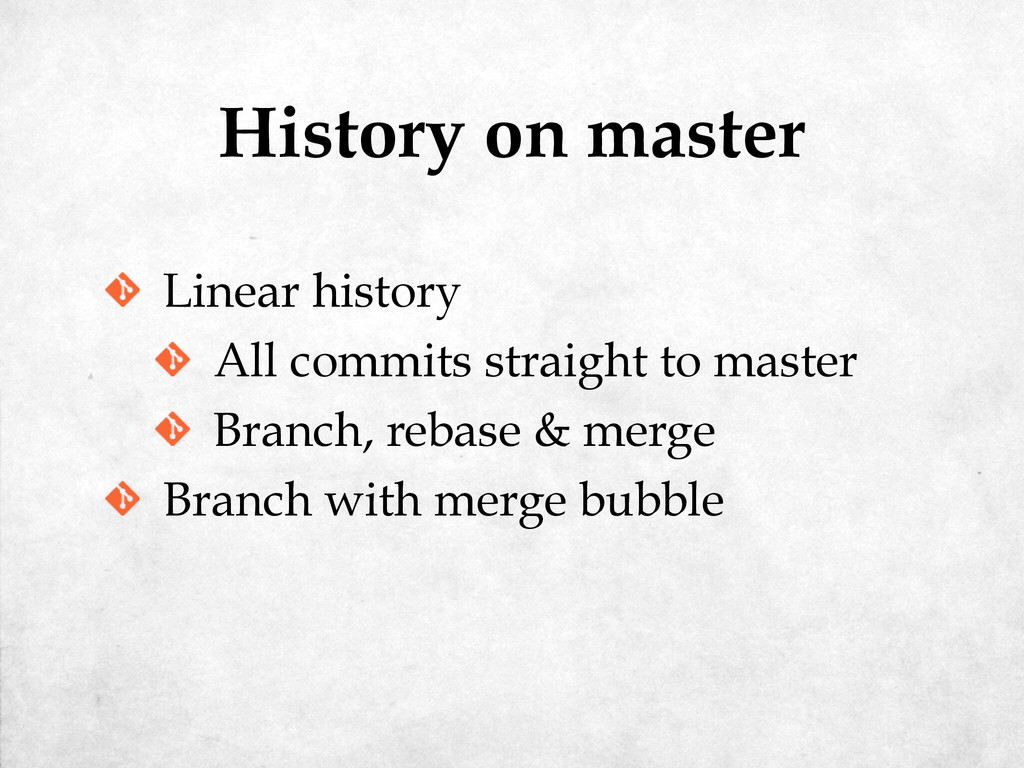
History on master Linear history All commits straight to master
Branch, rebase & merge -
History on master Linear history All commits straight to master
Branch, rebase & merge Branch with merge bubble -
Part XI: Hooks By which time the audience is starting
to tire of these subtitles -
.git ├── ... ├── hooks │ ├── applypatch-msg.sample │ ├──
commit-msg.sample │ ├── post-update.sample │ ├── pre-applypatch.sample │ ├── pre-commit.sample │ ├── pre-push.sample │ ├── pre-rebase.sample │ ├── prepare-commit-msg.sample │ └── update.sample └── ... -
Part XII: Rewriting History In which the past turns out
to be more malleable than expected -
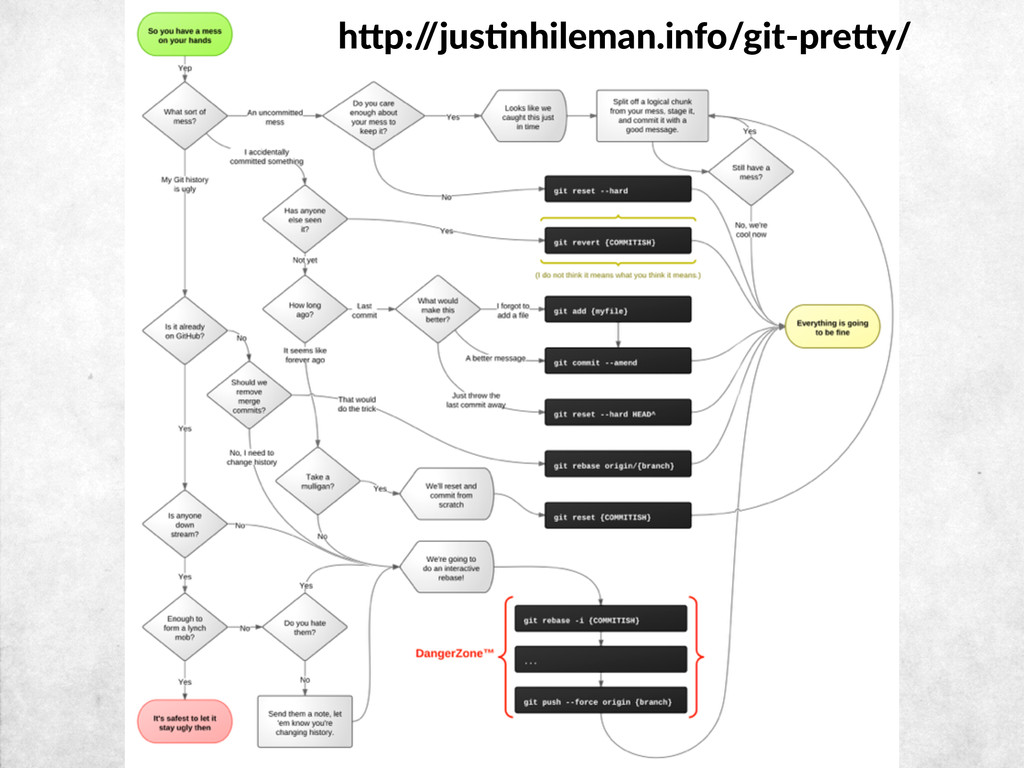
git reset --hard git commit --amend git rebase git rebase
-i History-changing commands -
pick 9e2546a Insert some magic into the text pick cfb3546
Add introductory line pick 2985b57 Add some hipster ipsum # Rebase 80ab5d4..2985b57 onto 80ab5d4 ( 3 TODO item(s)) # # Commands: # p, pick = use commit # r, reword = use commit, but edit the commit message # e, edit = use commit, but stop for amending # s, squash = use commit, but meld into previous commit # f, fixup = like "squash", but discard this commit's log message # x, exec = run command (the rest of the line) using shell # # These lines can be re-ordered; they are executed from top to bottom. # # If you remove a line here THAT COMMIT WILL BE LOST. # # However, if you remove everything, the rebase will be aborted. # # Note that empty commits are commented out Interactive rebase $ git rebase -i 80ab5d4 -
To /Users/kerry/masterclass ! [rejected] master -> master (non-fast-forward) error: failed
to push some refs to '/Users/kerry/masterclass' hint: Updates were rejected because the tip of your current branch is behind hint: its remote counterpart. Integrate the remote changes (e.g. hint: 'git pull ...') before pushing again. hint: See the 'Note about fast-forwards' in 'git push --help' for details. Pushing rewritten history $ git push -
Counting objects: 3, done. Delta compression using up to 4
threads. Compressing objects: 100% (2/2), done. Writing objects: 100% (3/3), 458 bytes | 0 bytes/s, done. Total 3 (delta 1), reused 0 (delta 0) To /Users/kerry/masterclass + 2985b57...055e9f6 master -> master (forced update) Pushing rewritten history $ git push -f -
Part XIII: Working with svn In which we use git
locally with legacy projects, to avoid having to touch subversion with our bare hands -
Initialized empty Git repository in /Users/kerry/foo/.git/ Using higher level of
URL: file:///Users/kerry/svn/foo => file:///Users/kerry/ svn r1 = 845504bcb16ce2004479227776b937dcab69bf23 (refs/remotes/origin/trunk) A foo.txt r2 = 16c802a2578ea71c3d96eb70cc6c5ed247883f50 (refs/remotes/origin/trunk) M foo.txt r3 = 6b3d13ce78571566341a3f1d797062afcca47adf (refs/remotes/origin/trunk) Checked out HEAD: file:///Users/kerry/svn/foo/trunk r3 Cloning an svn repo $ git svn clone -s file:///Users/kerry/svn/foo -
commit 6b3d13ce78571566341a3f1d797062afcca47adf Author: kerry <kerry@e0cd7379-fbe6-420c-9387-2eba09531e83> Date: 4 minutes ago Insert
some magic into the text git-svn-id: file:///Users/kerry/svn/foo/trunk@3 e0cd7379-fbe6-420c-9387-2eba09531e83 commit 16c802a2578ea71c3d96eb70cc6c5ed247883f50 Author: kerry <kerry@e0cd7379-fbe6-420c-9387-2eba09531e83> Date: 5 minutes ago Add a file with some placeholder text git-svn-id: file:///Users/kerry/svn/foo/trunk@2 e0cd7379-fbe6-420c-9387-2eba09531e83 Cloning an svn repo $ git log -
M foo.txt r4 = 6f2ed53c4d52fdbc0b1bc29b5b377518fd2db797 (refs/remotes/origin/trunk) First, rewinding head to
replay your work on top of it... Applying: Add some hipster ipsum Using index info to reconstruct a base tree... M foo.txt Falling back to patching base and 3-way merge... Auto-merging foo.txt Pulling remote changes $ git svn rebase -
Committing to file:///Users/kerry/svn/foo/trunk ... M foo.txt Committed r5 M foo.txt
r5 = af3a4e909657b619b1665bc38a224ded7ff82e07 (refs/remotes/origin/trunk) No changes between 000f0660457584cccbcac635f876c7ee56ba3846 and refs/remotes/ origin/trunk Resetting to the latest refs/remotes/origin/trunk Committing changes $ git svn dcommit -
Part XIV: Fixing Mistakes In which we discover that although
git allows you to shoot yourself in the foot, it also provides bullet-proof socks -
Fixing mistakes Reset to last commit git reset --hard Forgot
to commit something -
Fixing mistakes Reset to last commit git reset --hard Forgot
to commit something git commit --amend -
Fixing mistakes Reset to last commit git reset --hard Forgot
to commit something git commit --amend Redo last commit -
Fixing mistakes Reset to last commit git reset --hard Forgot
to commit something git commit --amend Redo last commit git reset HEAD~ -
Fixing mistakes Put changes aside temporarily git stash Reapply stashed
changes git stash pop -
Fixing mistakes Put changes aside temporarily git stash Reapply stashed
changes git stash pop Find out when something broke -
Fixing mistakes Put changes aside temporarily git stash Reapply stashed
changes git stash pop Find out when something broke git bisect -
Fixing mistakes Rearrange committed changes git rebase -i Undo a
pushed commit git revert -
Fixing mistakes Rearrange committed changes git rebase -i Undo a
pushed commit git revert Lost history -
Fixing mistakes Rearrange committed changes git rebase -i Undo a
pushed commit git revert Lost history git reflog
 kerryb
 bengo4com
 pipepasta
 sat
 ryoskdara_
 ivry_presentationmaterials
 kota2and3kan
 yusuke427
 silmin_
 say_no_w
 nsatoh
 grimoh
 oidfj
 brettharned
 baasie
 ammeep
 badams
 malarkey
 tmiket
 bermonpainter
 brad_frost
 shlominoach
 gurzu
 gr2m
 mkilby