Upgrade to Pro — share decks privately, control downloads, hide ads and more …

AI filter assistance in video call systems

AI filter assistance in video call systems

LINE DevDay 2020

November 25, 2020

Transcript

12 slides
  1. Increasing demand on video communication › Increasing use of video

    chats for New Normal lifestyles › Diversified purposes of use beyond online meetings › Online-Nomikai (drinking parties) › Online-Kisei (homecoming) › Online-Konkatsu (partner matching)
  2. Players in online video communication media Private Public Casual Formal

    Instagram TikTok LINE LIVE Webinars Zoom Microsoft Teams Skype Youtube Live
  3. The hole: casual chats for private groups Private Public Casual

    Formal Instagram TikTok LINE LIVE Webinars Microsoft Teams Skype Youtube Live Project masquerade Zoom
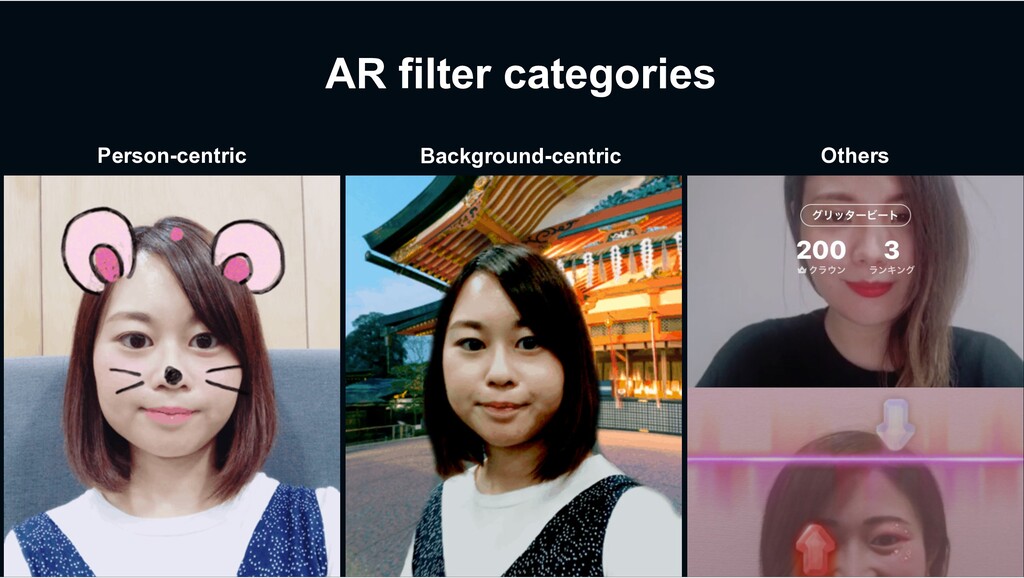
  4. AR (augmented reality) filters in video chats › Beautifying selfies

    › Just for fun › Instagram, TikTok, etc… › As ice breakers or conversation cues › As effects in collaborative games A strong potential to be a critical visual element for future casual video chats.
  5. Broken flows in interaction with AR filters › Tap an

    icon to launch the AR filters menus › Scroll the menu until you find the filter you like › Apply the filter and re-do the process if the filter is not really what you want. This interaction can break ongoing conversations because user’s attention needs to be directed to filter selection.
  6. Project Masquerade: allowing users to engage in AR filters through

    gestures and speech › Users perform physical or on-screen gestures along with speech command. › The system immediately chooses an AR filter that the users want, and automatically applies to the screen. › This is a collaboration project with Prof. Koji Yatani at University of Tokyo, and IIS Lab, supported by Center for Robust Intelligence and Social Technology (CRIS).
  7. Our interaction design: gestures set where to apply, speech sets

    what to apply. › Physical gestures define the scope where an AR filter is going to be applied. › Hand pose estimation › On-screen gestures for applying an AR filter to the chat partner. (currently under development) › Speech identifies what AR filter the user wants to apply. › Speech Recognition Cat Cat
  8. What’s next? › Further interface design explorations for more complex

    AR filters › Improvements on filter selection algorithms › User experience validation through a deployment study
  9. Thank you! Project Masquerade Re-shaping casual video chats for private

    groups by offering a quick and easy access to AR filters Contact: Michihiko Ueno Koji Yatani ([email protected])

More Decks by LINE DevDay 2020

Other Decks in Technology