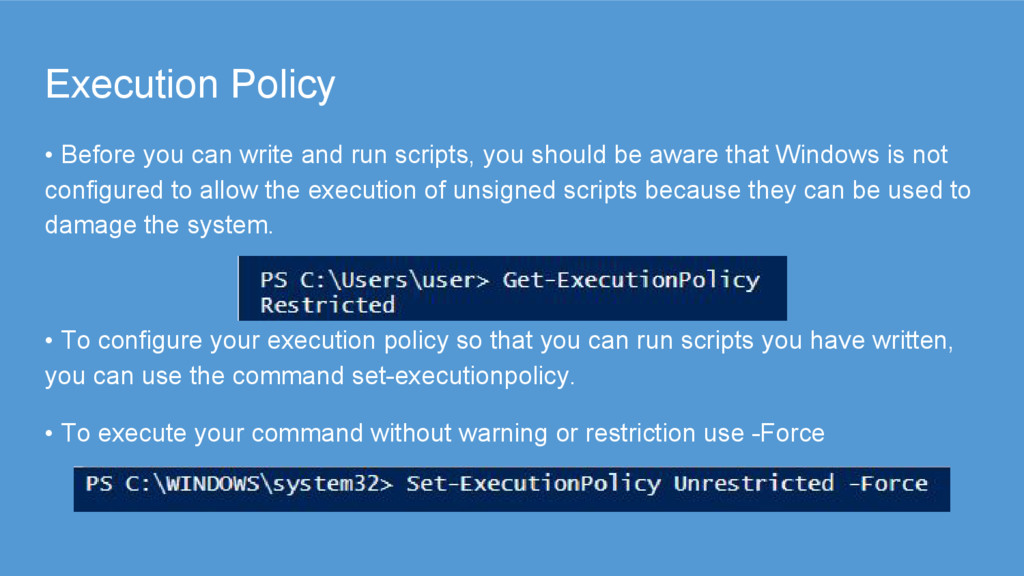
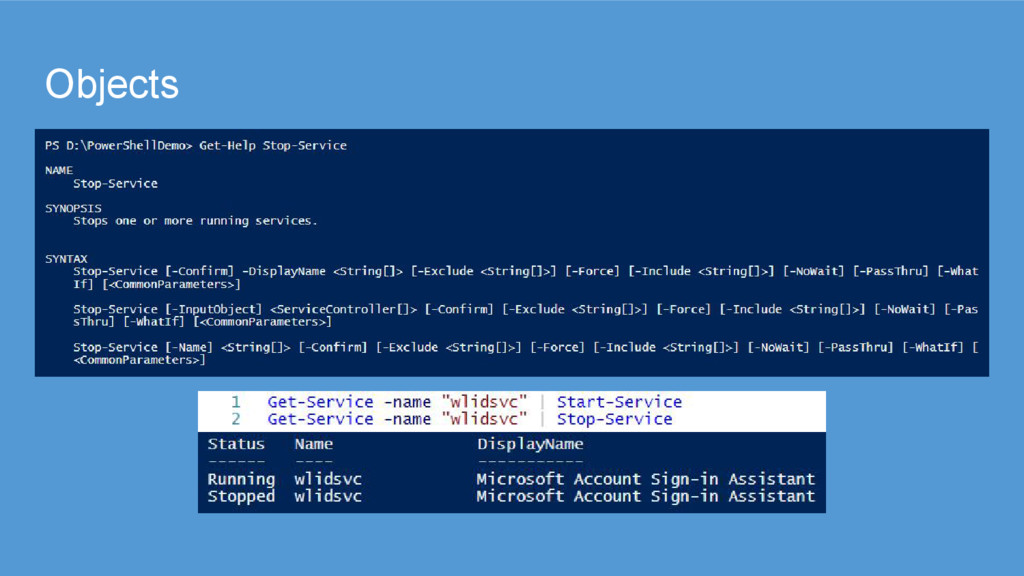
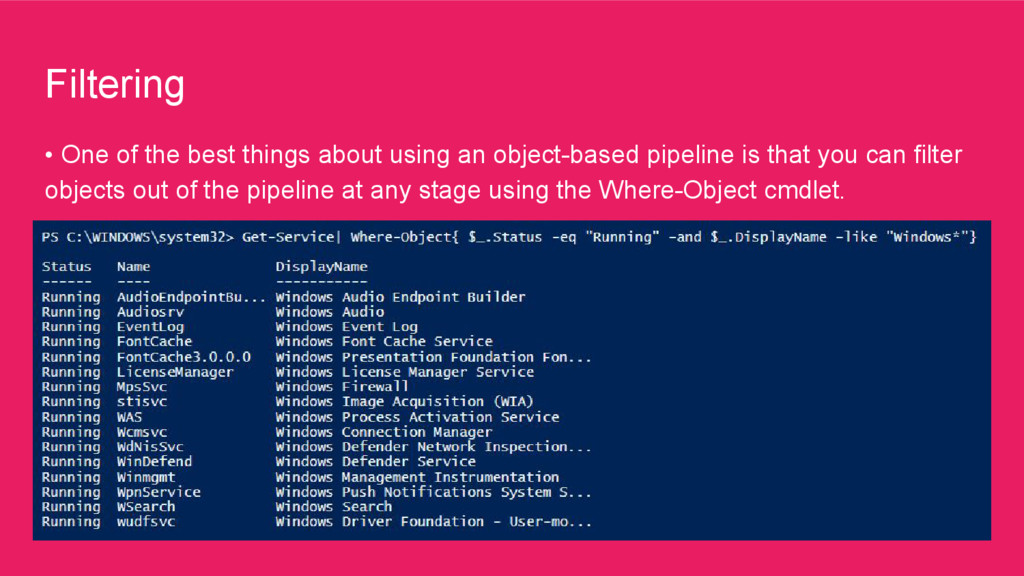
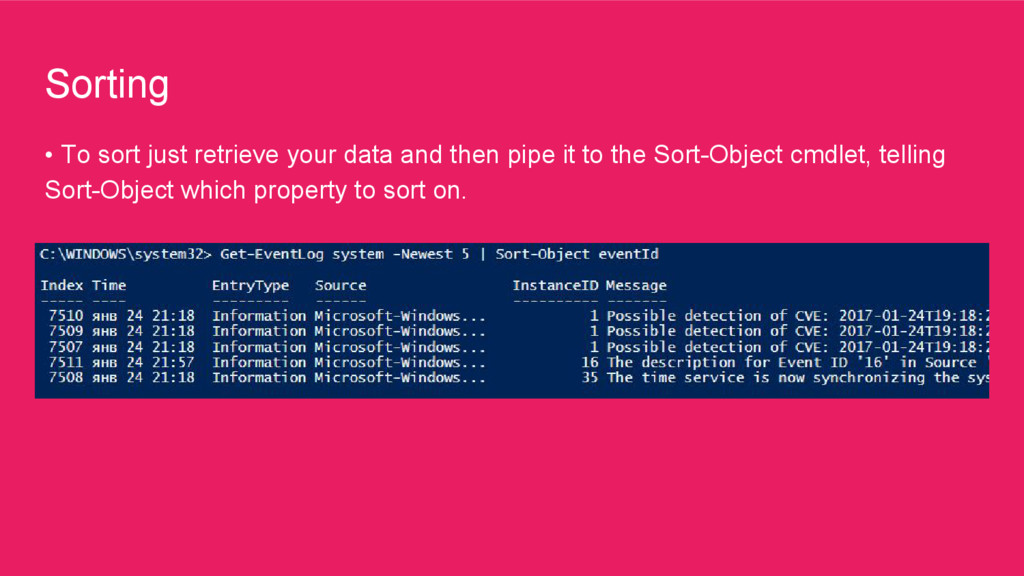
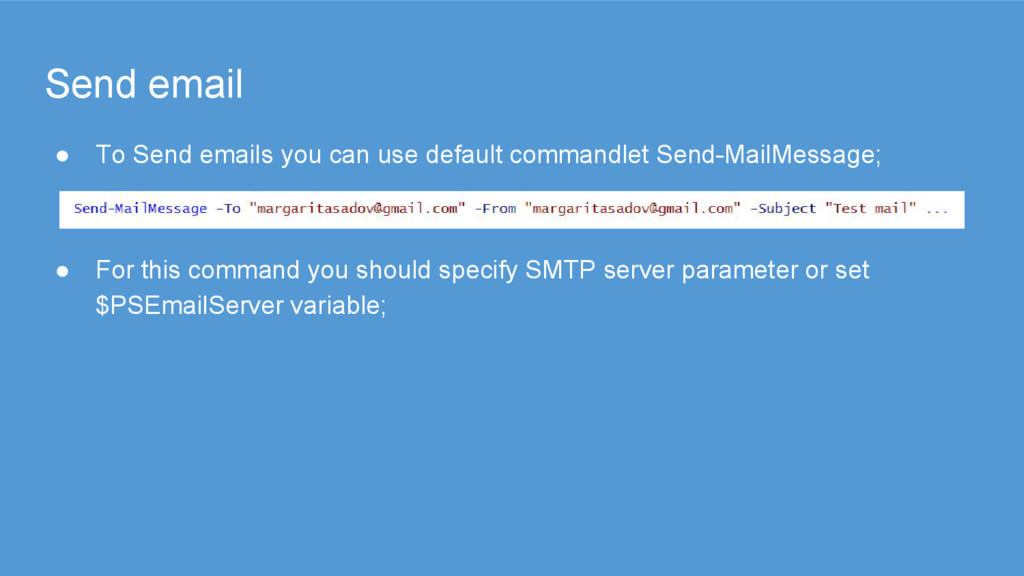
you should be aware that Windows is not configured to allow the execution of unsigned scripts because they can be used to damage the system. • To configure your execution policy so that you can run scripts you have written, you can use the command set-executionpolicy. • To execute your command without warning or restriction use -Force
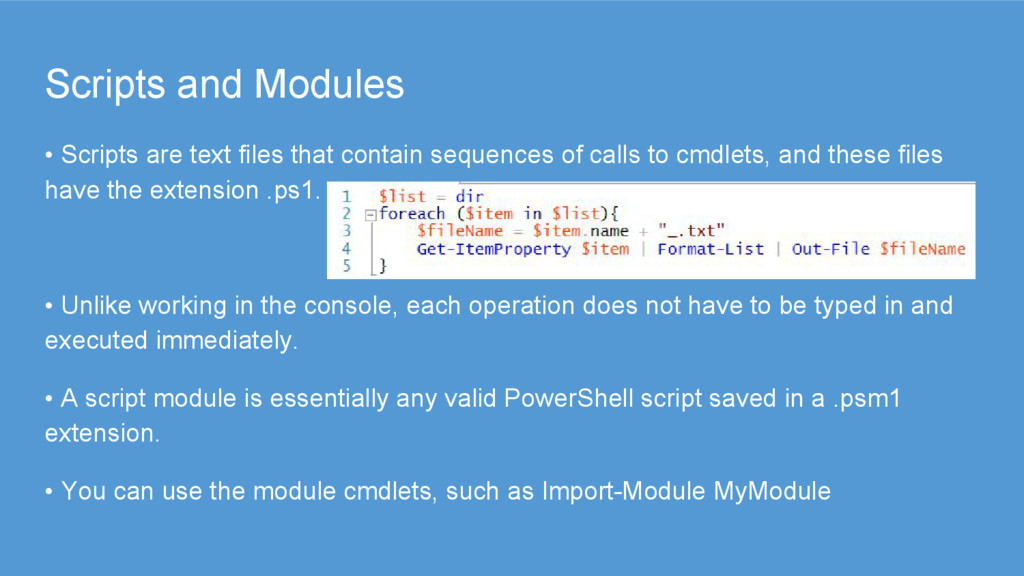
sequences of calls to cmdlets, and these files have the extension .ps1. • Unlike working in the console, each operation does not have to be typed in and executed immediately. • A script module is essentially any valid PowerShell script saved in a .psm1 extension. • You can use the module cmdlets, such as Import-Module MyModule
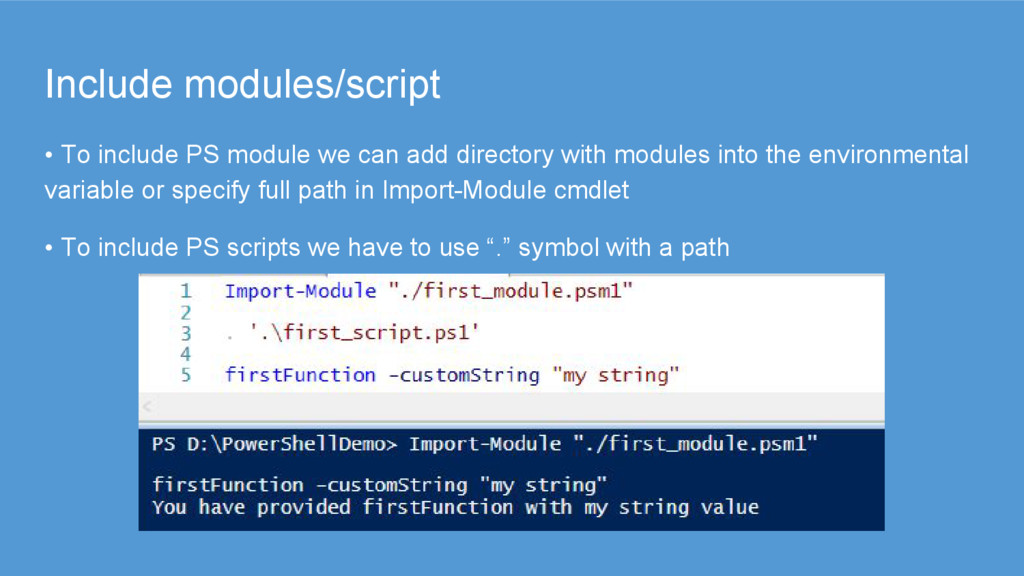
directory with modules into the environmental variable or specify full path in Import-Module cmdlet • To include PS scripts we have to use “.” symbol with a path
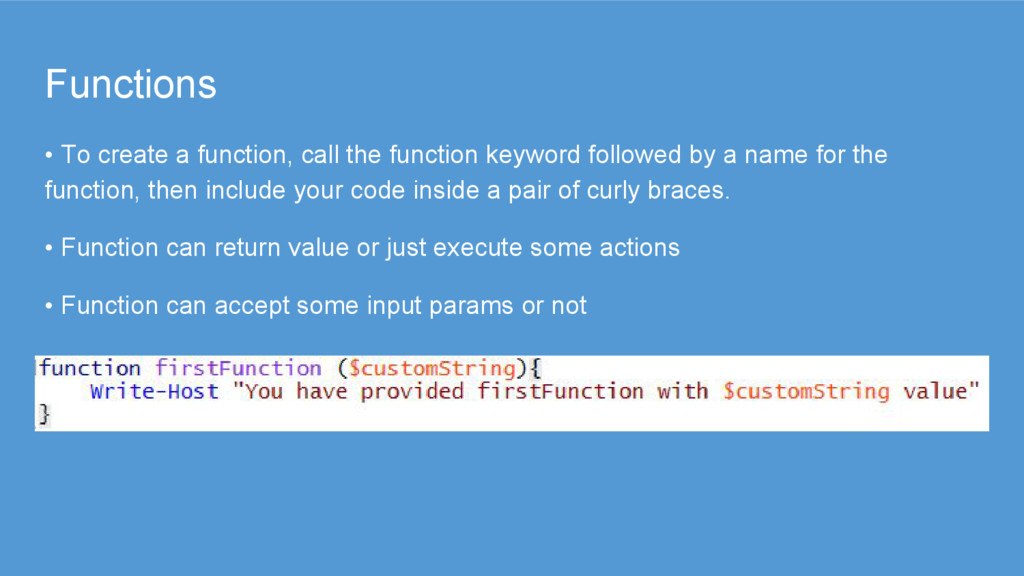
followed by a name for the function, then include your code inside a pair of curly braces. • Function can return value or just execute some actions • Function can accept some input params or not
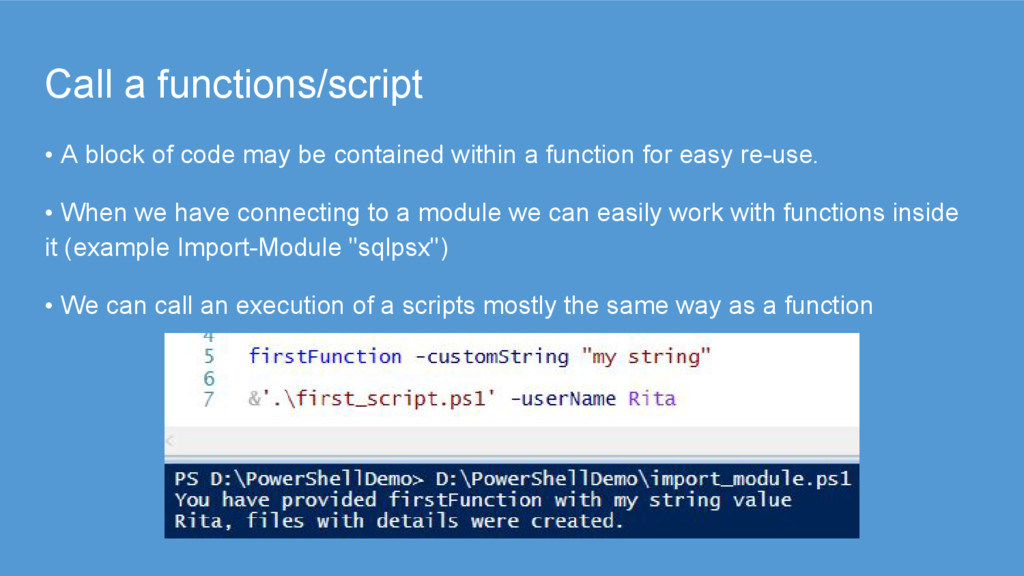
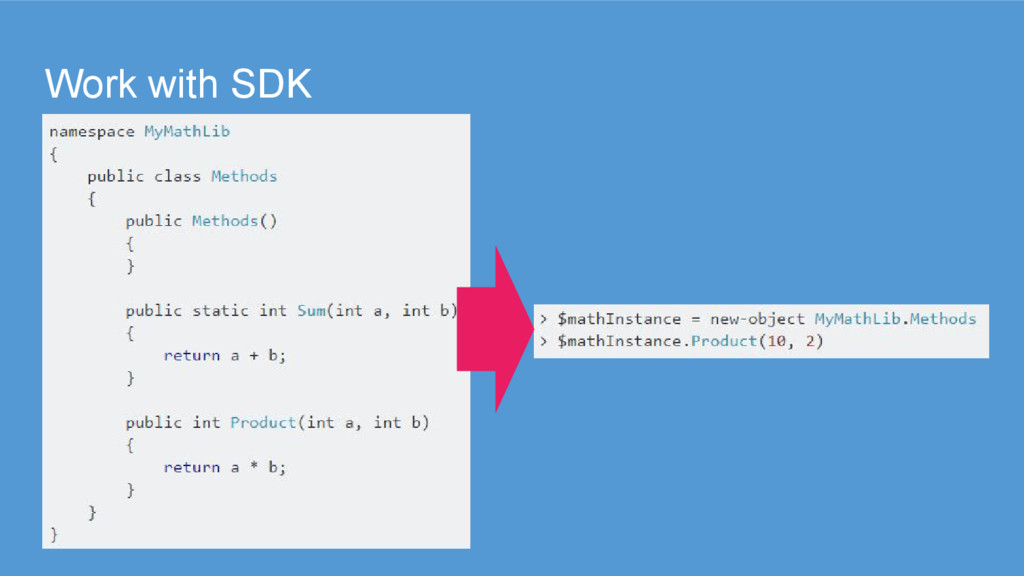
contained within a function for easy re-use. • When we have connecting to a module we can easily work with functions inside it (example Import-Module "sqlpsx") • We can call an execution of a scripts mostly the same way as a function
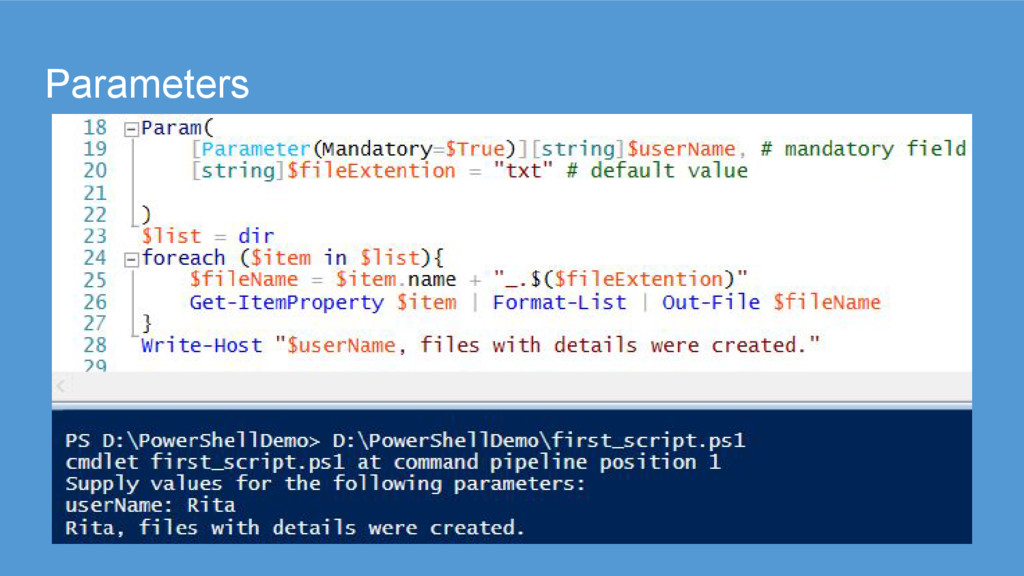
needs to accept some kind of input. • You can tell Windows PowerShell to expect these parameters, collect them from the command line, and put their values into variables within your script or function. • Full-fledged syntax lets you define parameters as mandatory, specify a position and more. ([Parameter(Mandatory=$True)])
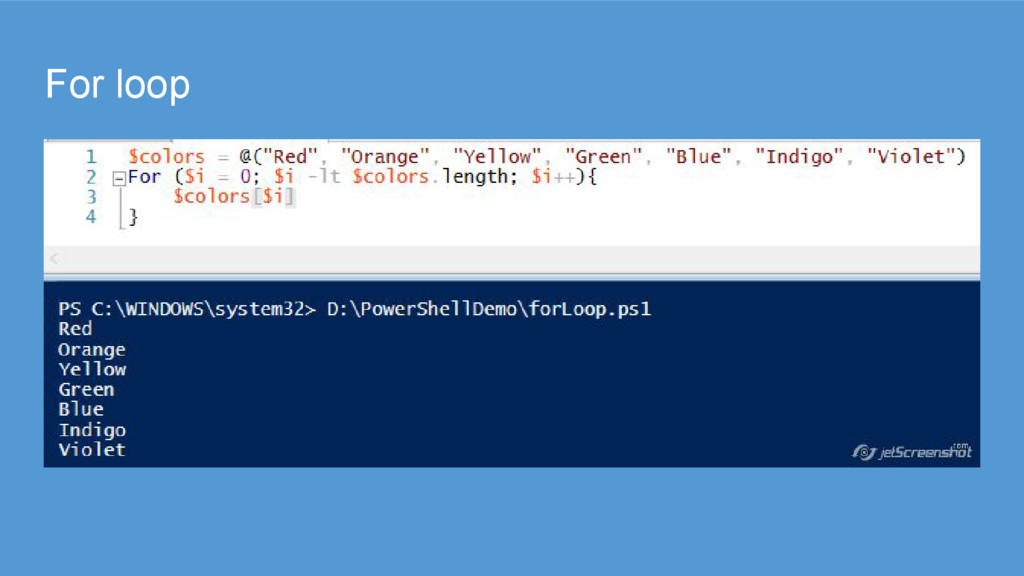
through a set of commands a specified number of times, either to step through an array or object, or just to repeat the same block of code as needed. • For loops can be used to step through array values by setting the initial value to the initial index of the array and incrementally increasing the value until the array length is met.
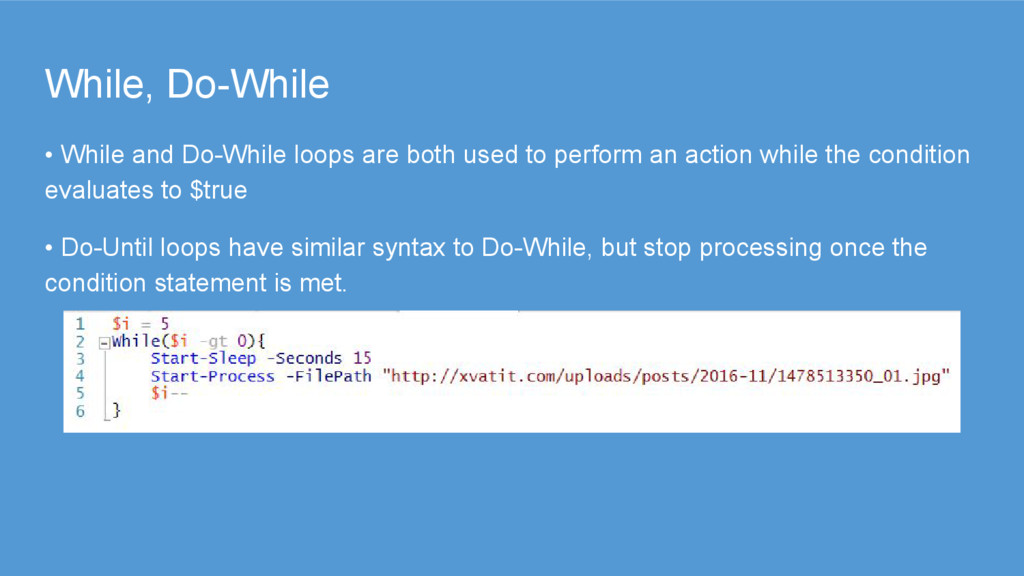
to perform an action while the condition evaluates to $true • Do-Until loops have similar syntax to Do-While, but stop processing once the condition statement is met.
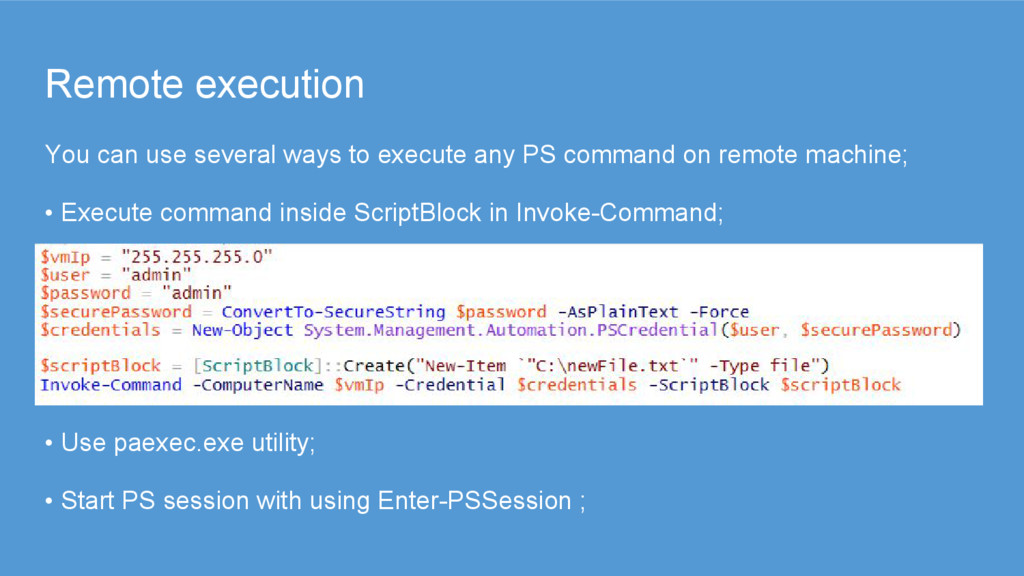
PS command on remote machine; • Execute command inside ScriptBlock in Invoke-Command; • Use paexec.exe utility; • Start PS session with using Enter-PSSession ;
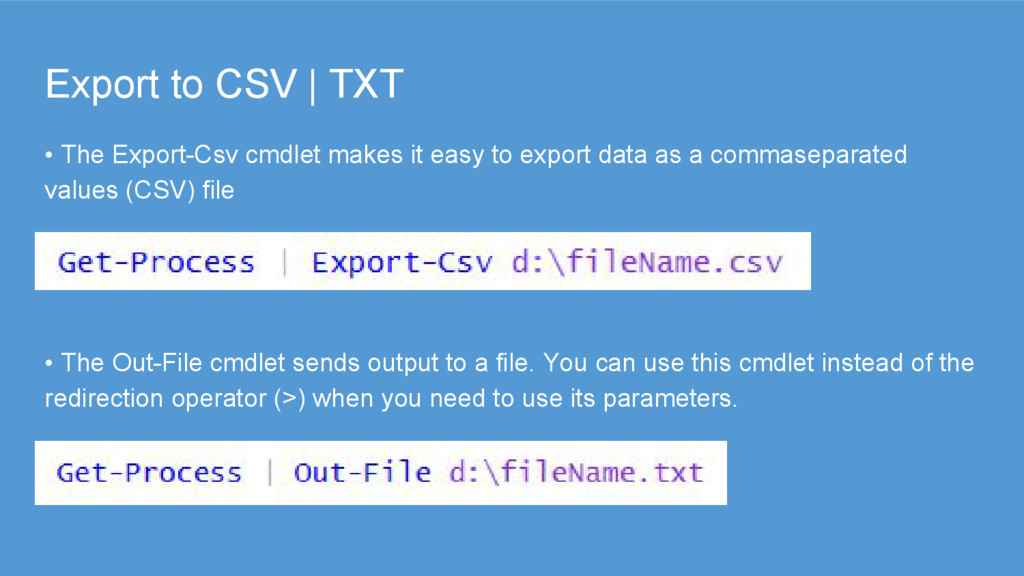
it easy to export data as a commaseparated values (CSV) file • The Out-File cmdlet sends output to a file. You can use this cmdlet instead of the redirection operator (>) when you need to use its parameters.
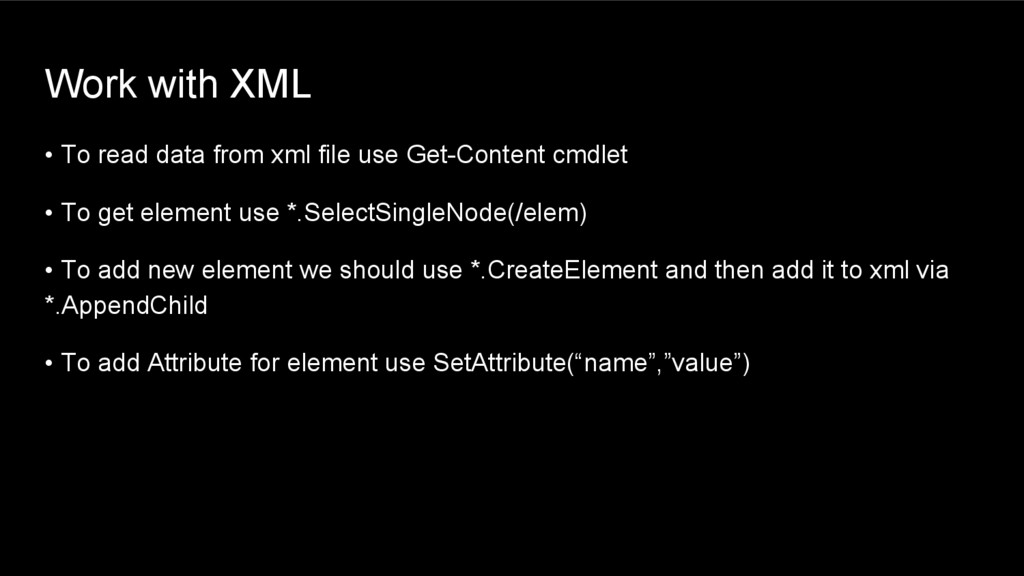
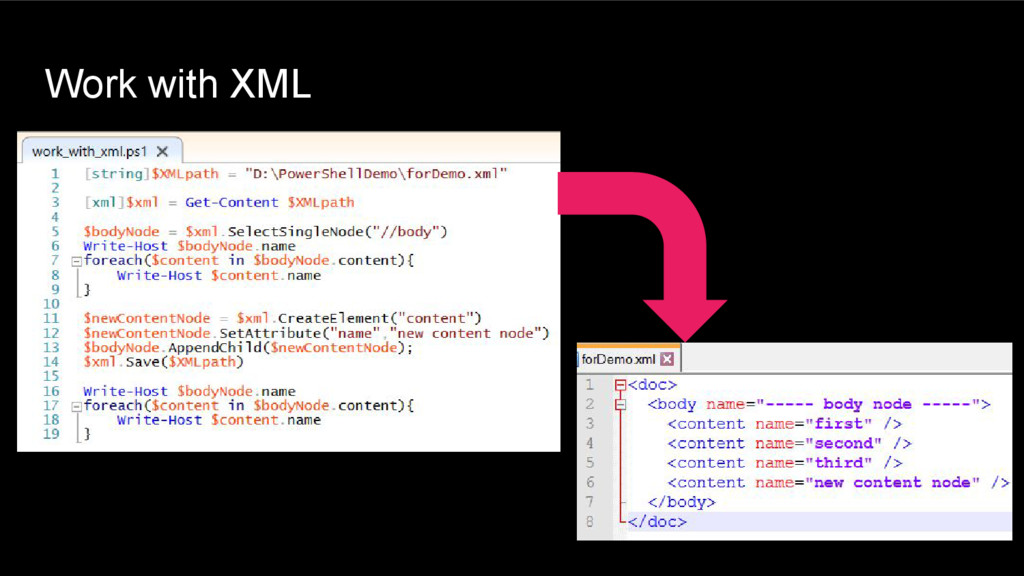
use Get-Content cmdlet • To get element use *.SelectSingleNode(/elem) • To add new element we should use *.CreateElement and then add it to xml via *.AppendChild • To add Attribute for element use SetAttribute(“name”,”value”)


 margarita11031
 o0h
o0h
 timakin
 marcoroth
 shihochan
 moro
moro
 kishida
 yukiny
 iwiwi
iwiwi
 n_takehata
 optim
optim
 syumai
 khoart
 coloredviolet
 leimatthew05
 tmiket
 ianozsvald
 brettharned
.png) helenjbeal
helenjbeal
 morganepeng
 hannesfritz
 popppiees
 inesmontani
 aemeredith
![Variables $myVar = 2017 [string] $myString = "any string“ $myString](https://files.speakerdeck.com/presentations/3cec910d8f5a421cbae5c86fe5fa328e/slide_4.jpg)