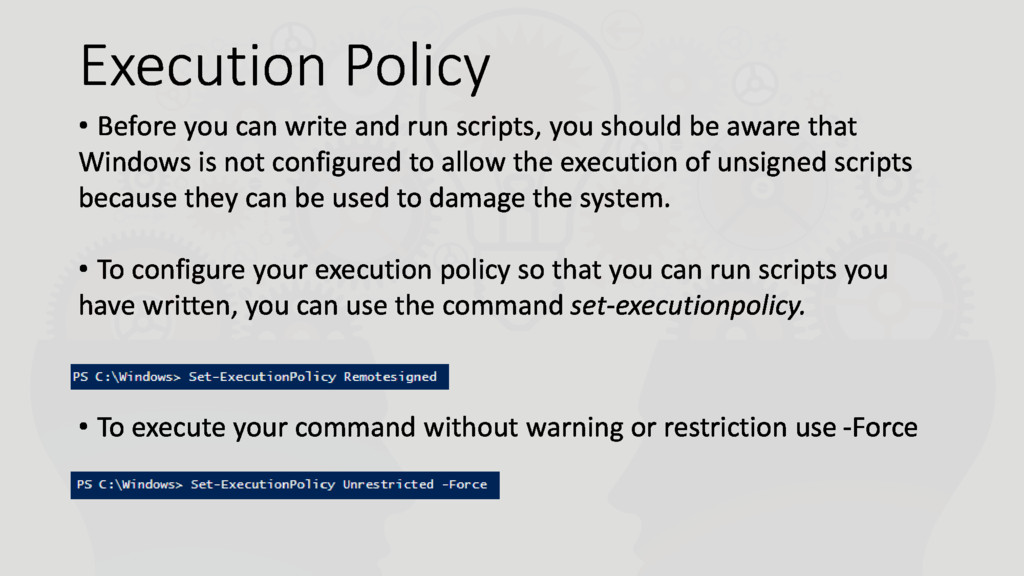
you should be aware that Windows is not configured to allow the execution of unsigned scripts because they can be used to damage the system. • To configure your execution policy so that you can run scripts you have written, you can use the command set-executionpolicy. • To execute your command without warning or restriction use -Force
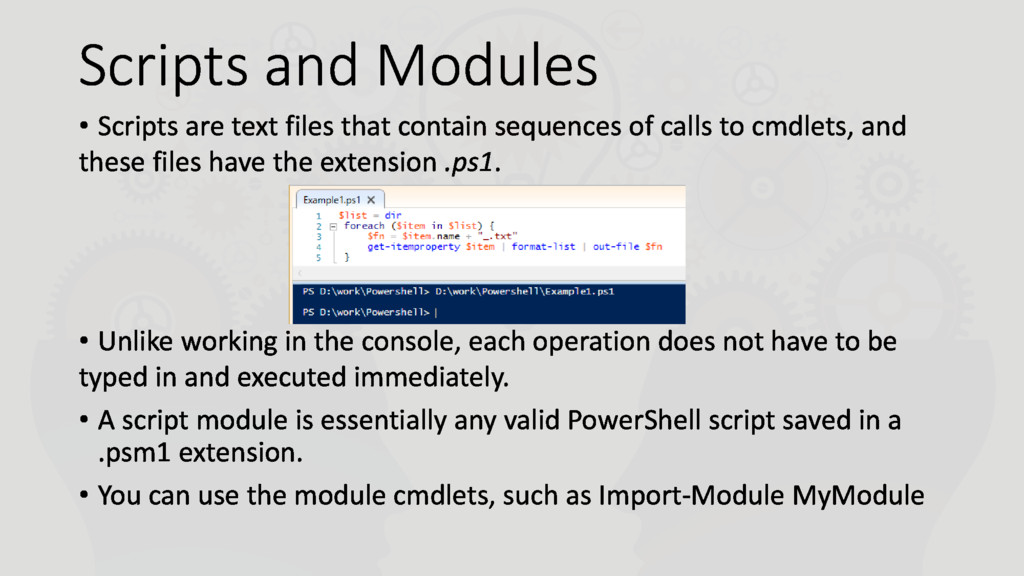
sequences of calls to cmdlets, and these files have the extension .ps1. • Unlike working in the console, each operation does not have to be typed in and executed immediately. • A script module is essentially any valid PowerShell script saved in a .psm1 extension. • You can use the module cmdlets, such as Import-Module MyModule
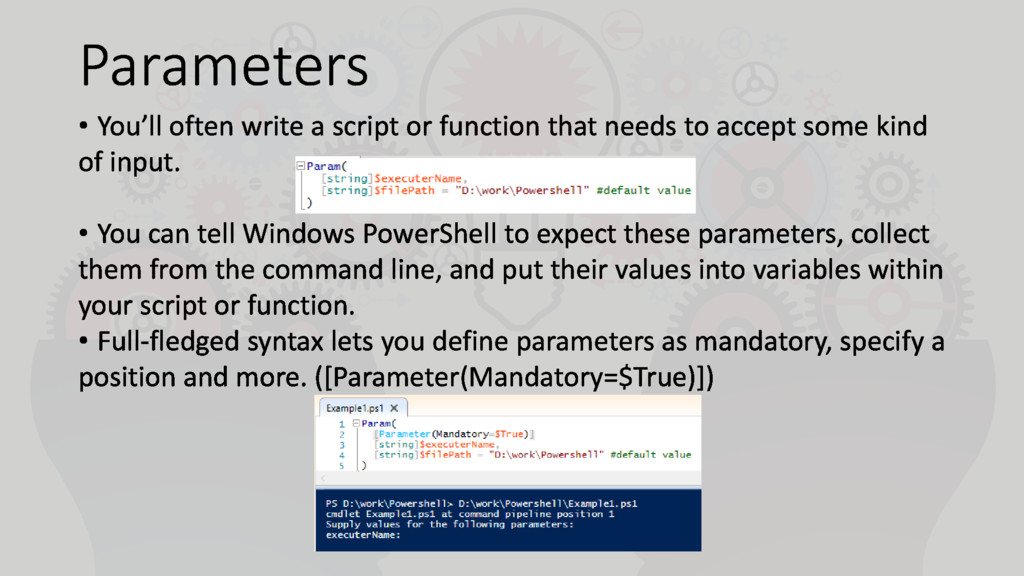
needs to accept some kind of input. • You can tell Windows PowerShell to expect these parameters, collect them from the command line, and put their values into variables within your script or function. • Full-fledged syntax lets you define parameters as mandatory, specify a position and more. ([Parameter(Mandatory=$True)])


 margarita11031
 koic
koic
 optim
optim
 n_takehata
 akase244
.jpg) yumnumm
yumnumm
 nao_randd
 ___akari11
 sylph01
 colorful12
 gonta
gonta
 teyamagu
 uyuki234
 szymonslowik
 aleyda
 lara
lara
 techseoconnect
 andyhume
 marketingsoph
 mkilby
 elsirapls
 watany
 lfama
lfama
 badams
![Variables $myVar = 2016 [string] $myString = "any string“ $myString](https://files.speakerdeck.com/presentations/88acfa8908914a1c85fb21df93ce4c13/slide_4.jpg)