32 years as a DBA (15+ years as MySQL DBA) Percona, despegar.com, IBM, Telefonica, Accenture Certifications Oracle Certified Professional Quilmes, Argentina 2 LinkedIn linkedin.com/in/fernandomattera/
16+ years managing MySQL at Scale Percona, Google, Icreon, India Today Focus Area Performance, HA, Observability, Troubleshooting Delhi, India 3 LinkedIn lnkd.in/in/alokp16/
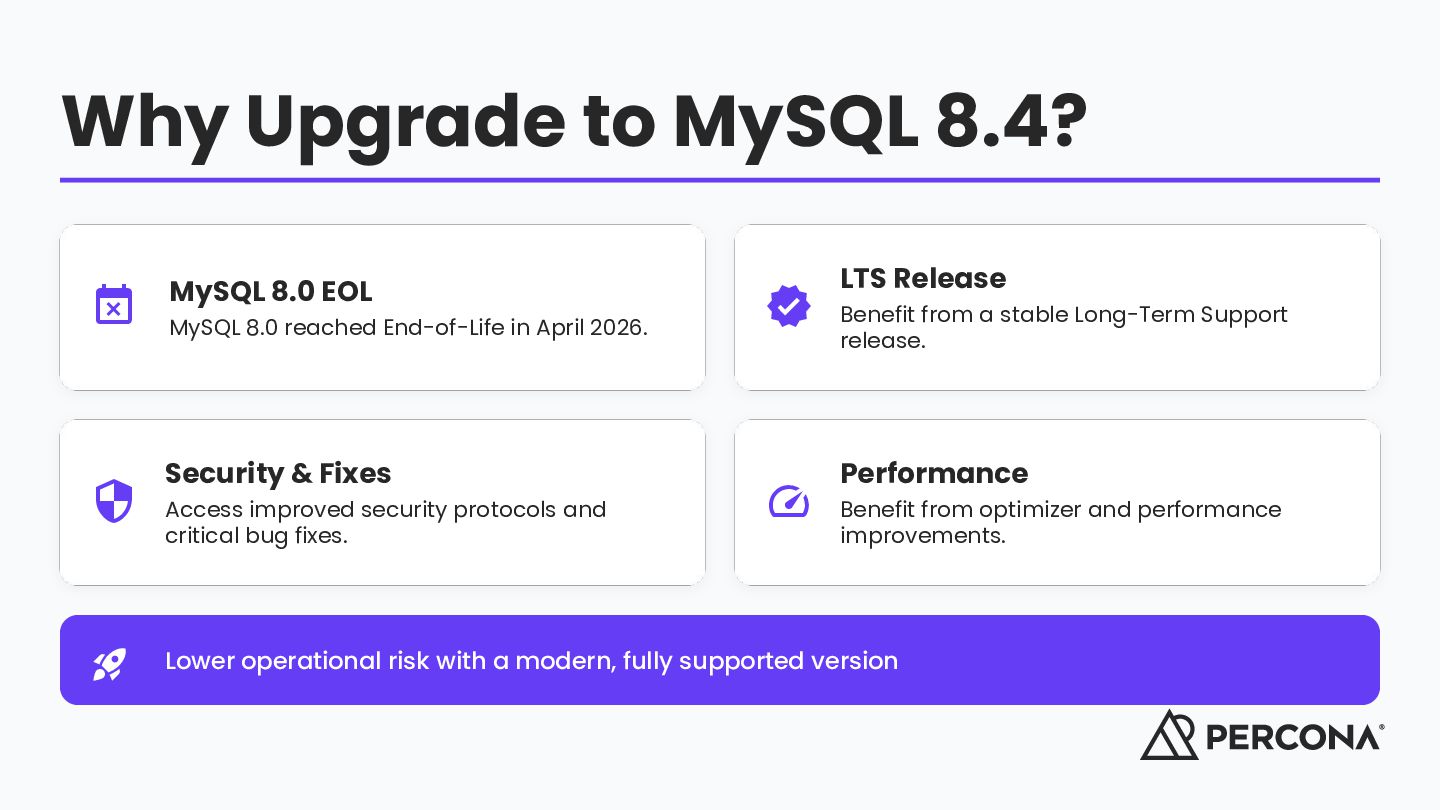
8.0 reached End-of-Life in April 2026. Security & Fixes improved security protocols and Access critical bug fixes. LTS Release from a stable Long-Term Support Benefit release. Performance from optimizer and performance Benefit improvements. Lower operational risk with a modern, fully supported version
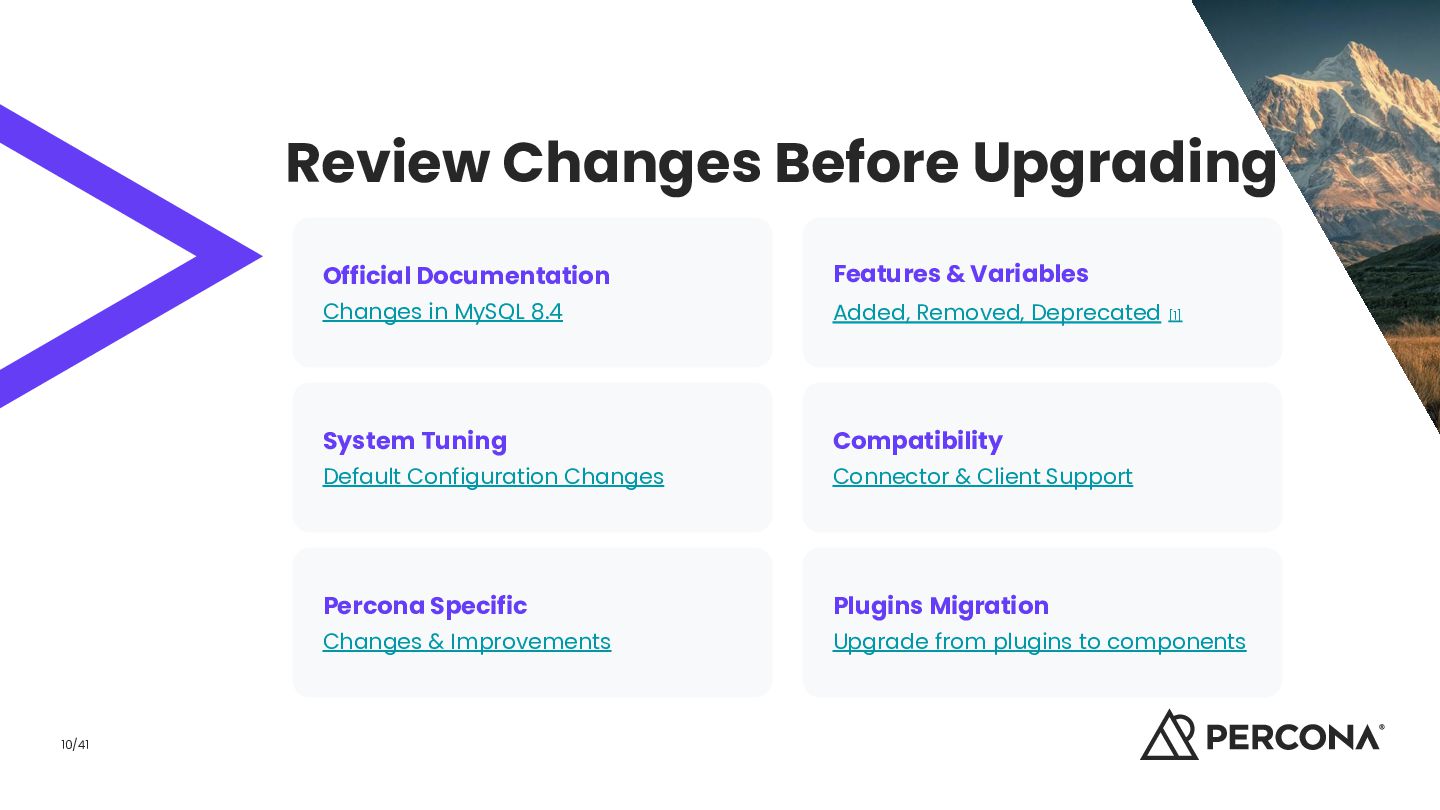
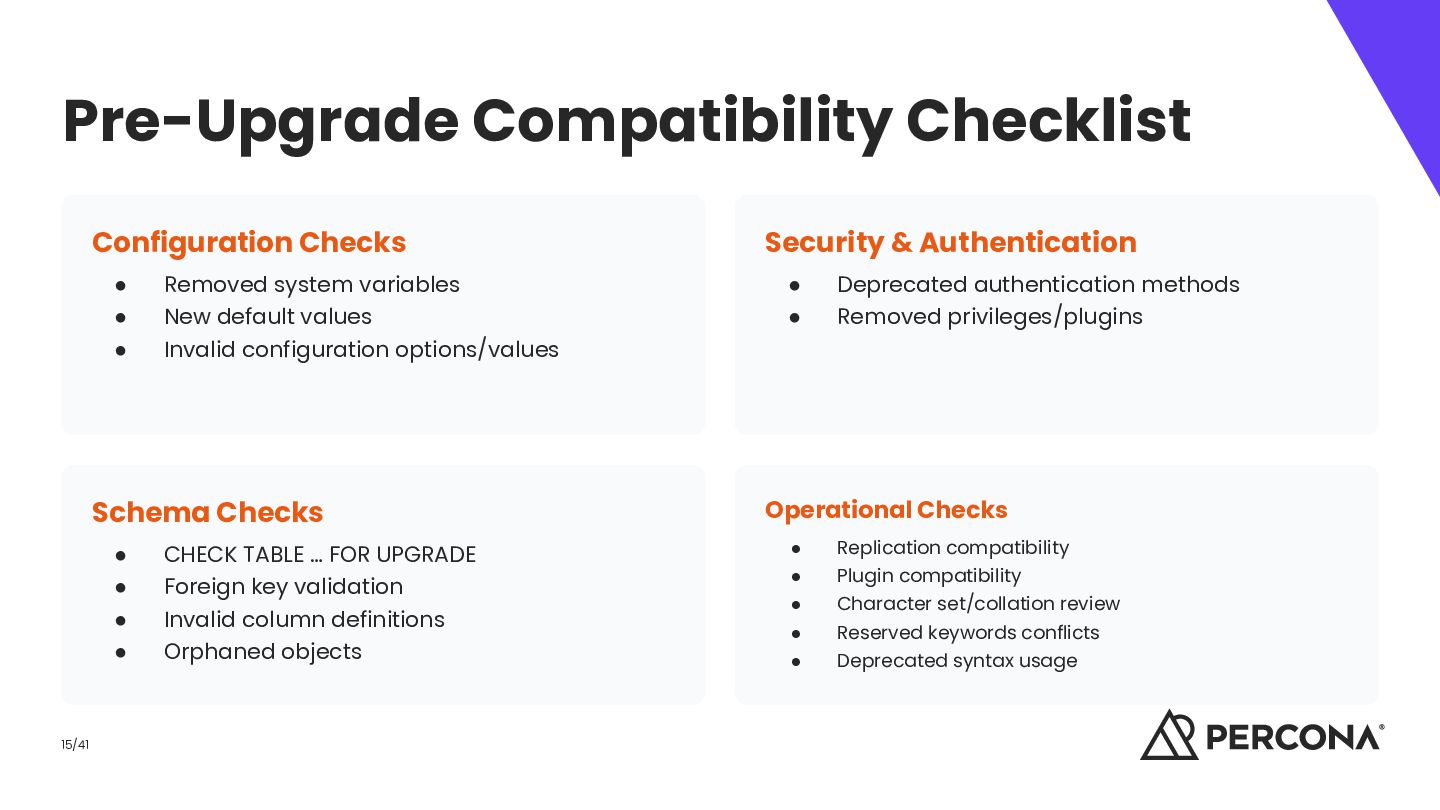
Changes in MySQL 8.4 Added, Removed, Deprecated [1] System Tuning Compatibility Default Configuration Changes Connector & Client Support Percona Specific Plugins Migration Changes & Improvements Upgrade from plugins to components
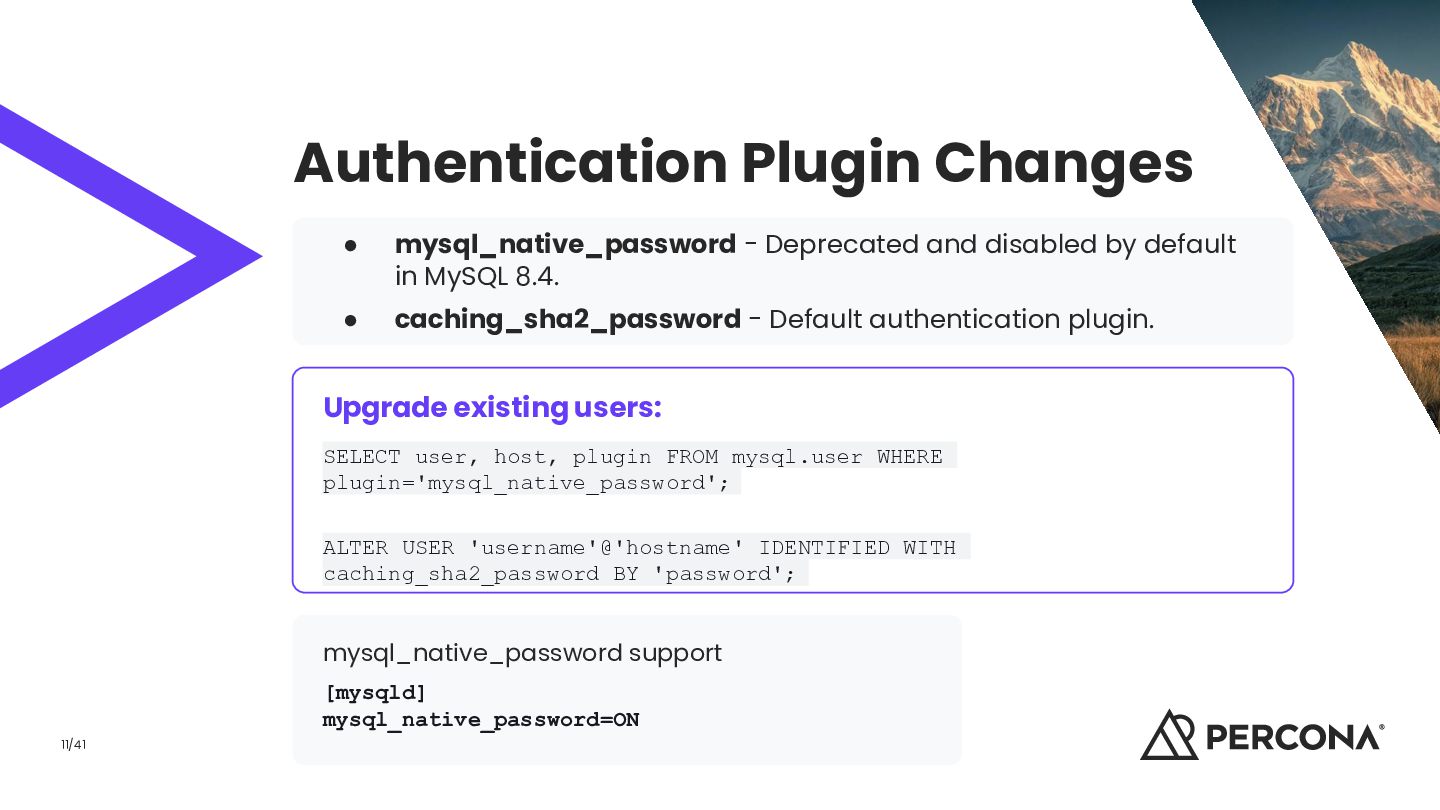
default in MySQL 8.4. • caching_sha2_password - Default authentication plugin. Upgrade existing users: SELECT user, host, plugin FROM mysql.user WHERE plugin='mysql_native_password'; ALTER USER 'username'@'hostname' IDENTIFIED WITH caching_sha2_password BY 'password'; mysql_native_password support [mysqld] mysql_native_password=ON 11/41
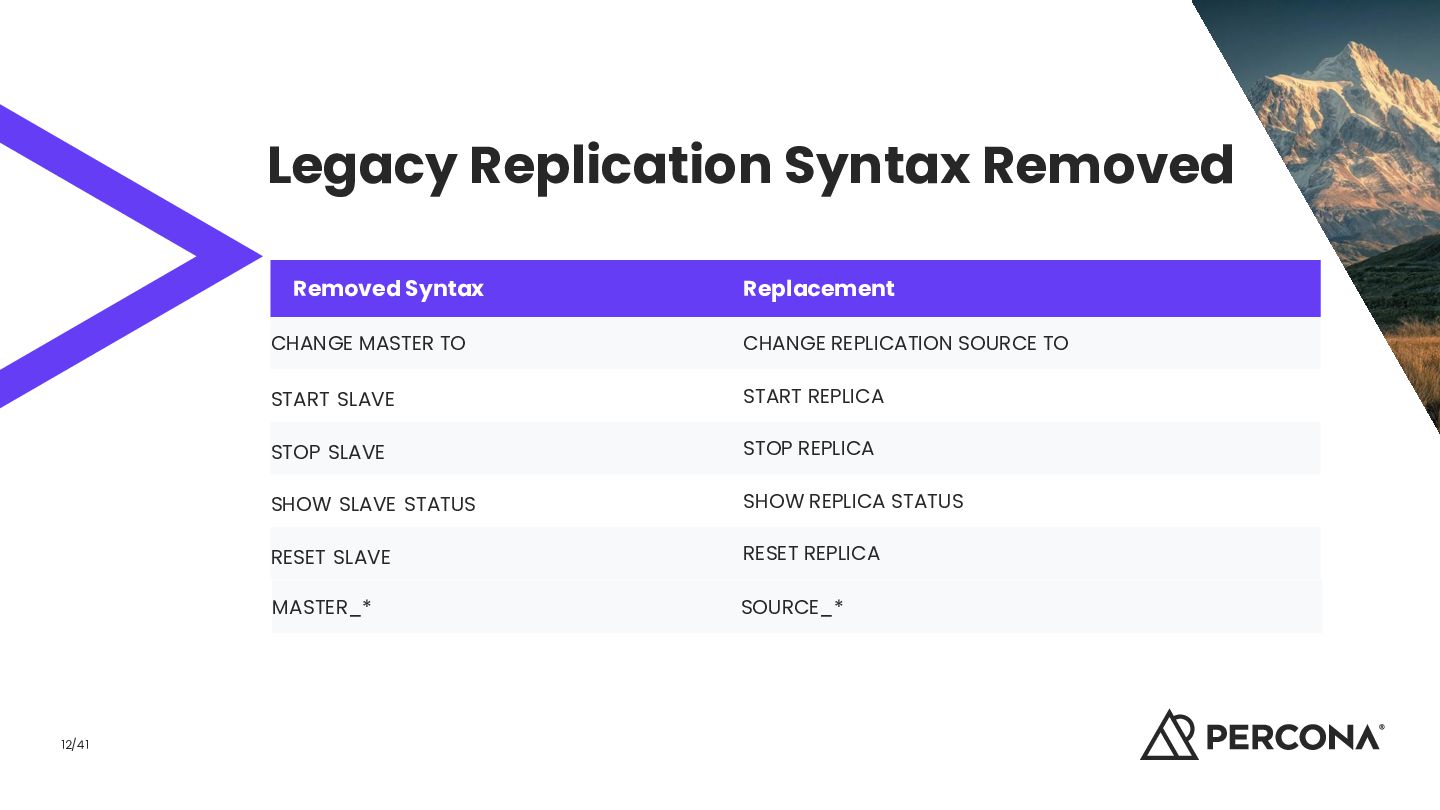
TO CHANGE REPLICATION SOURCE TO START SLAVE START REPLICA STOP SLAVE STOP REPLICA SHOW SLAVE STATUS SHOW REPLICA STATUS RESET SLAVE RESET REPLICA MASTER_* SOURCE_*
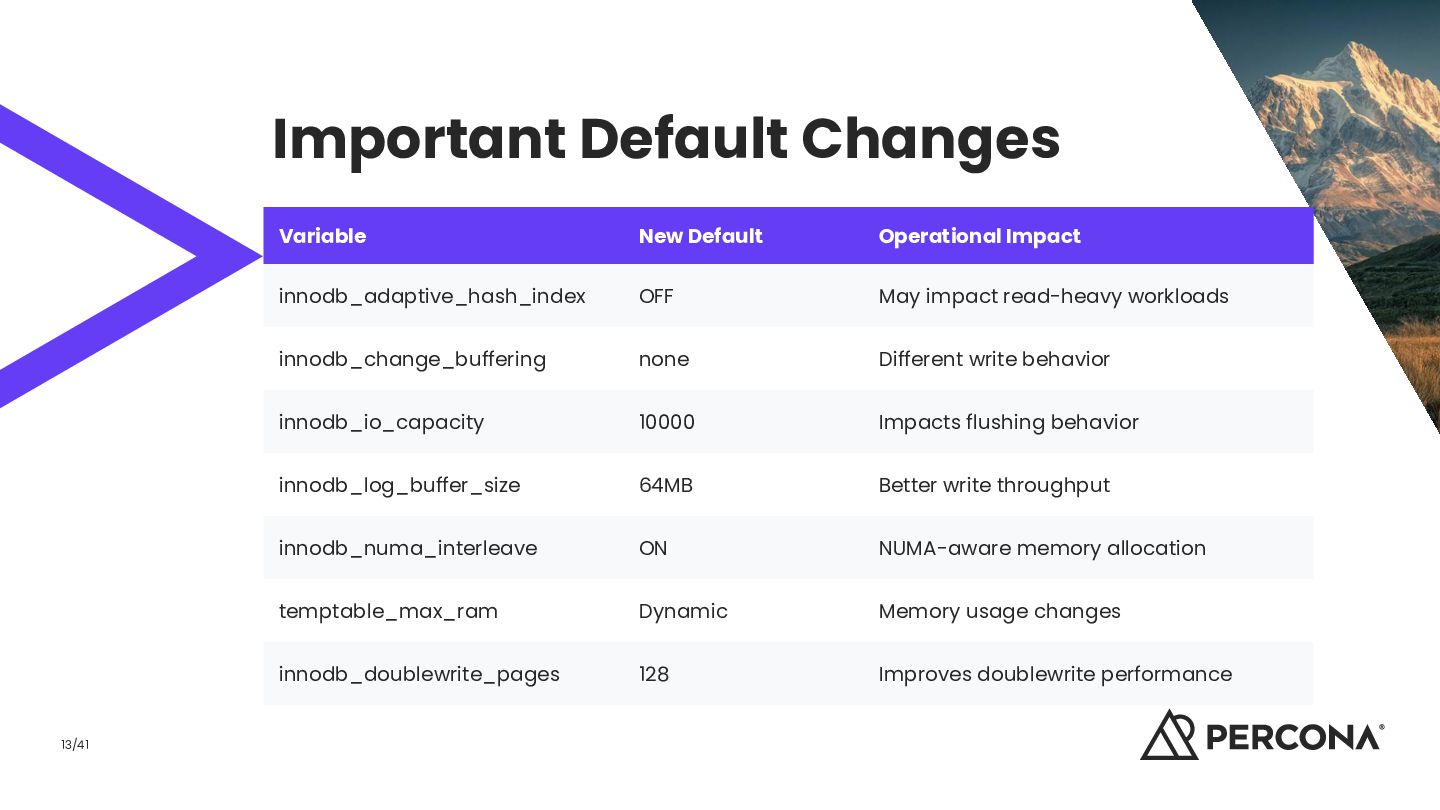
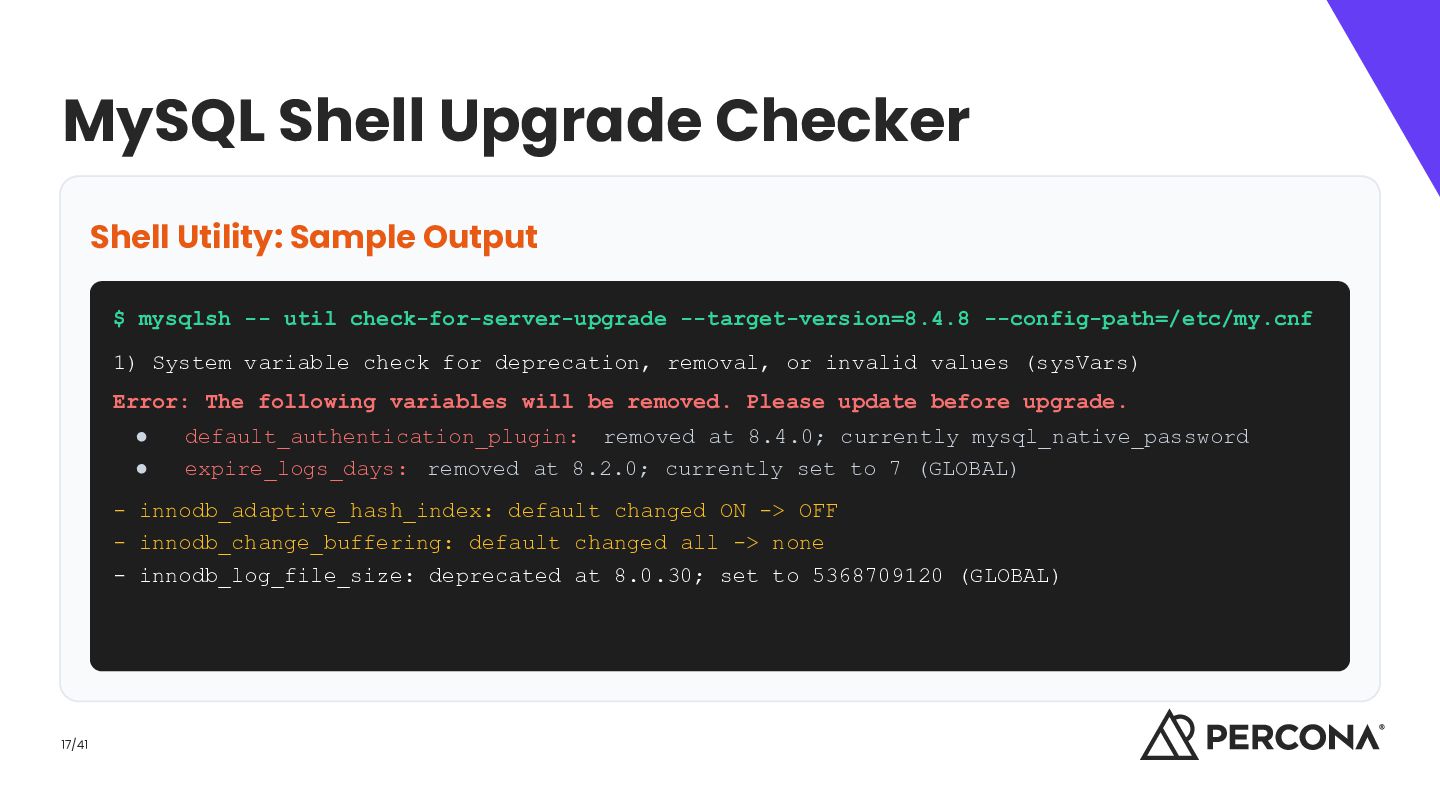
-- util check-for-server-upgrade --target-version=8.4.8 --config-path=/etc/my.cnf 1) System variable check for deprecation, removal, or invalid values (sysVars) Error: The following variables will be removed. Please update before upgrade. • • default_authentication_plugin: removed at 8.4.0; currently mysql_native_password expire_logs_days: removed at 8.2.0; currently set to 7 (GLOBAL) - innodb_adaptive_hash_index: default changed ON -> OFF - innodb_change_buffering: default changed all -> none - innodb_log_file_size: deprecated at 8.0.30; set to 5368709120 (GLOBAL) 17/41
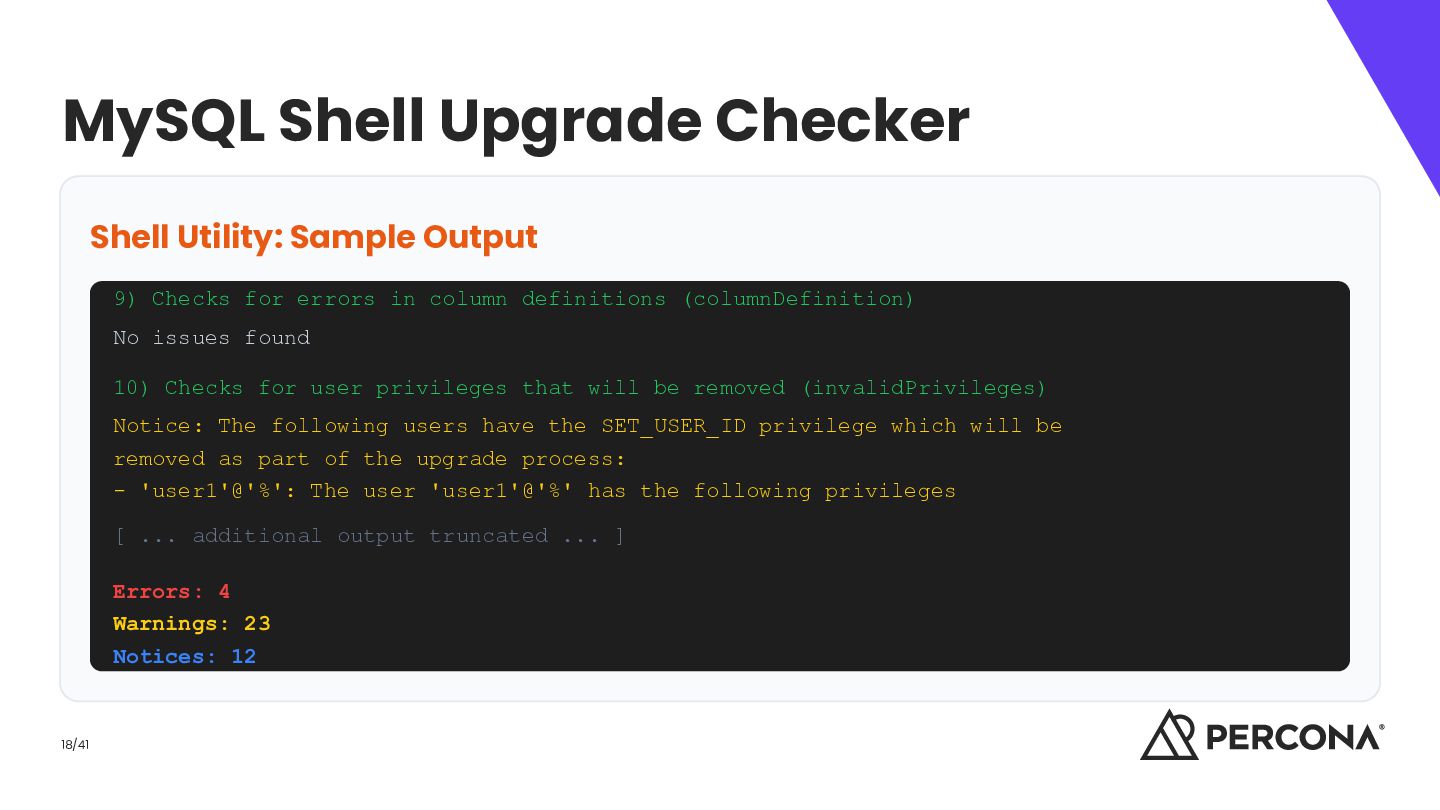
for errors in column definitions (columnDefinition) No issues found 10) Checks for user privileges that will be removed (invalidPrivileges) Notice: The following users have the SET_USER_ID privilege which will be removed as part of the upgrade process: - 'user1'@'%': The user 'user1'@'%' has the following privileges [ ... additional output truncated ... ] Errors: 4 Warnings: 23 Notices: 12 18/41
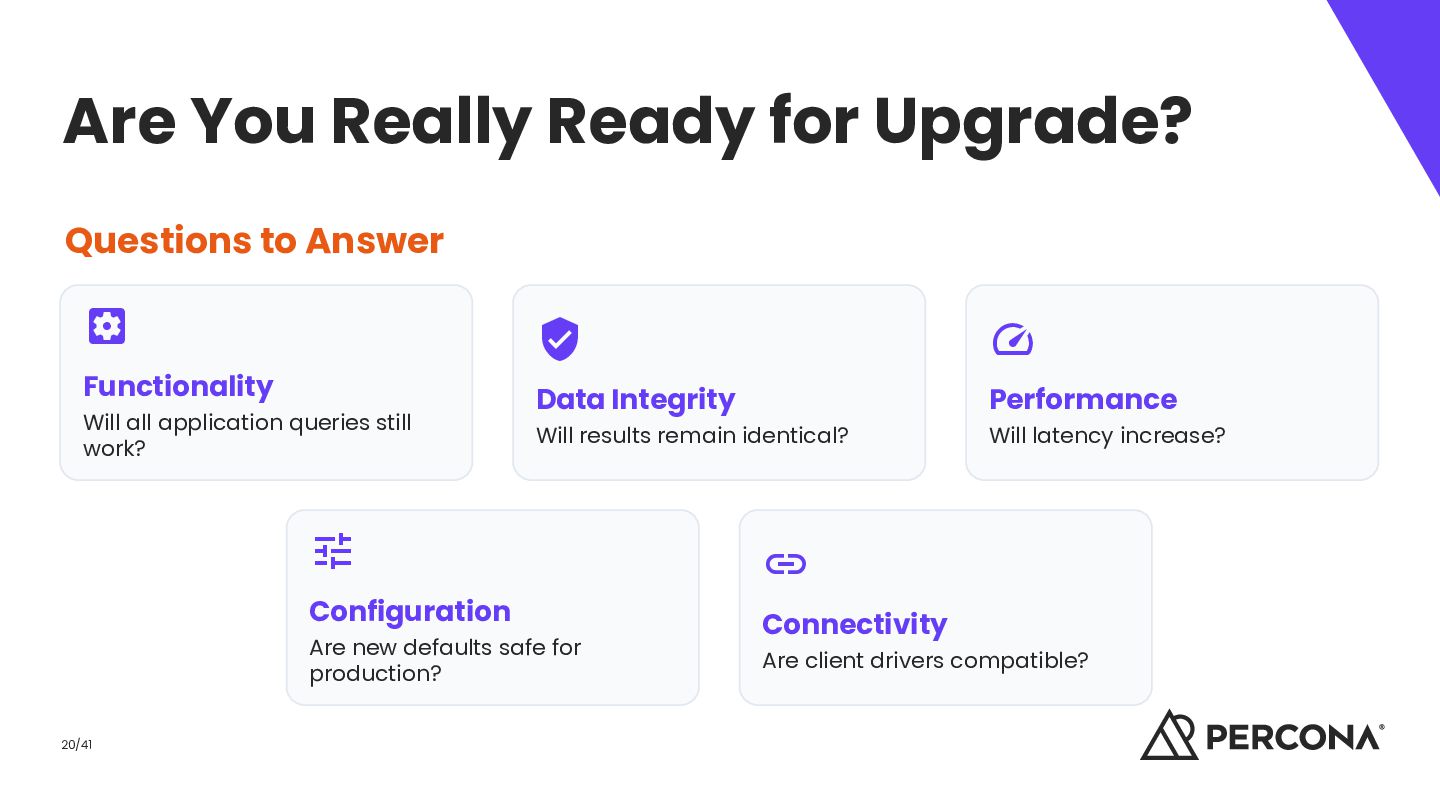
Functionality Will all application queries still work? Will results remain identical? Will latency increase? Data Integrity Configuration Are new defaults safe for production? 20/41 Performance Connectivity Are client drivers compatible?
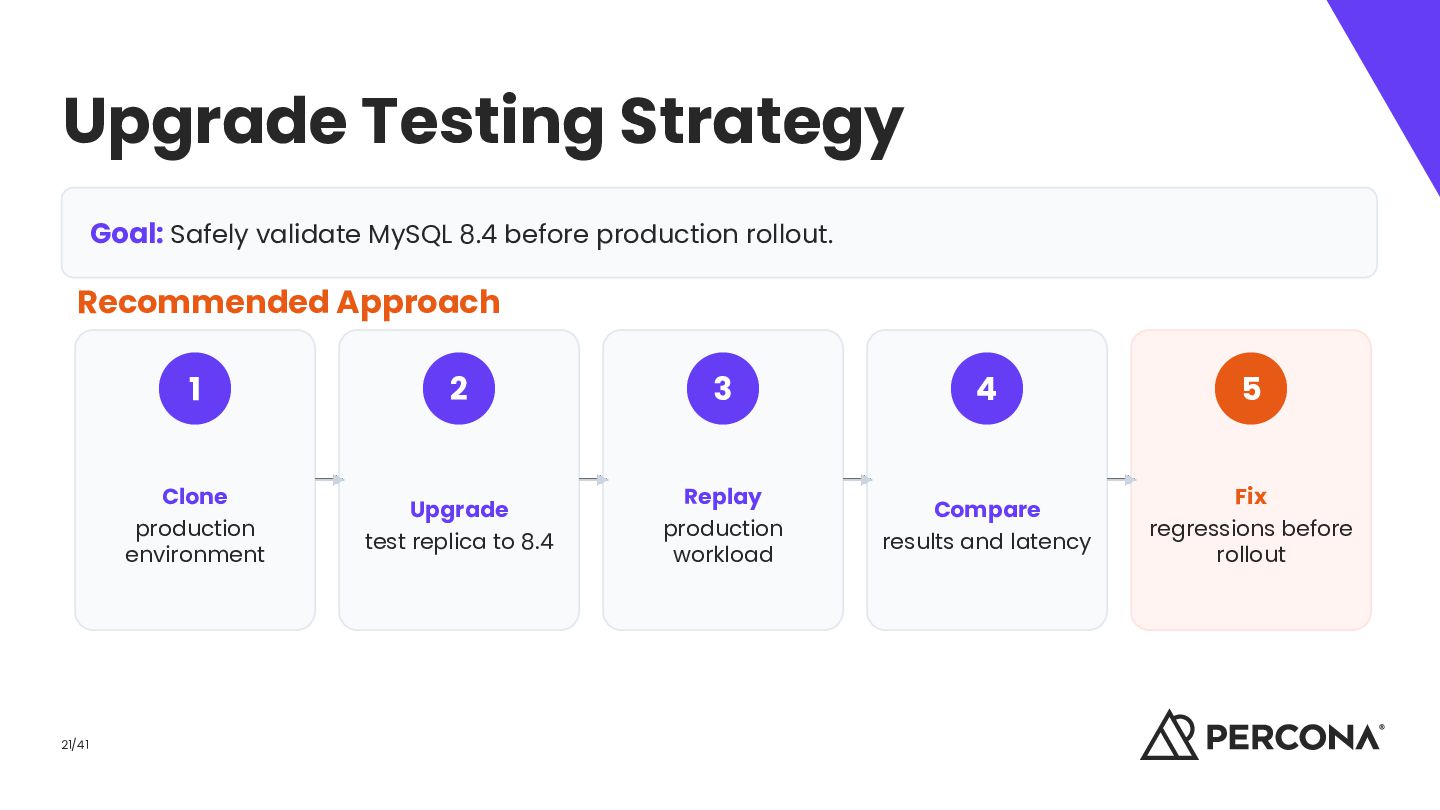
rollout. Recommended Approach 21/41 1 2 3 4 5 Clone production environment Upgrade test replica to 8.4 Replay production workload Compare results and latency Fix regressions before rollout
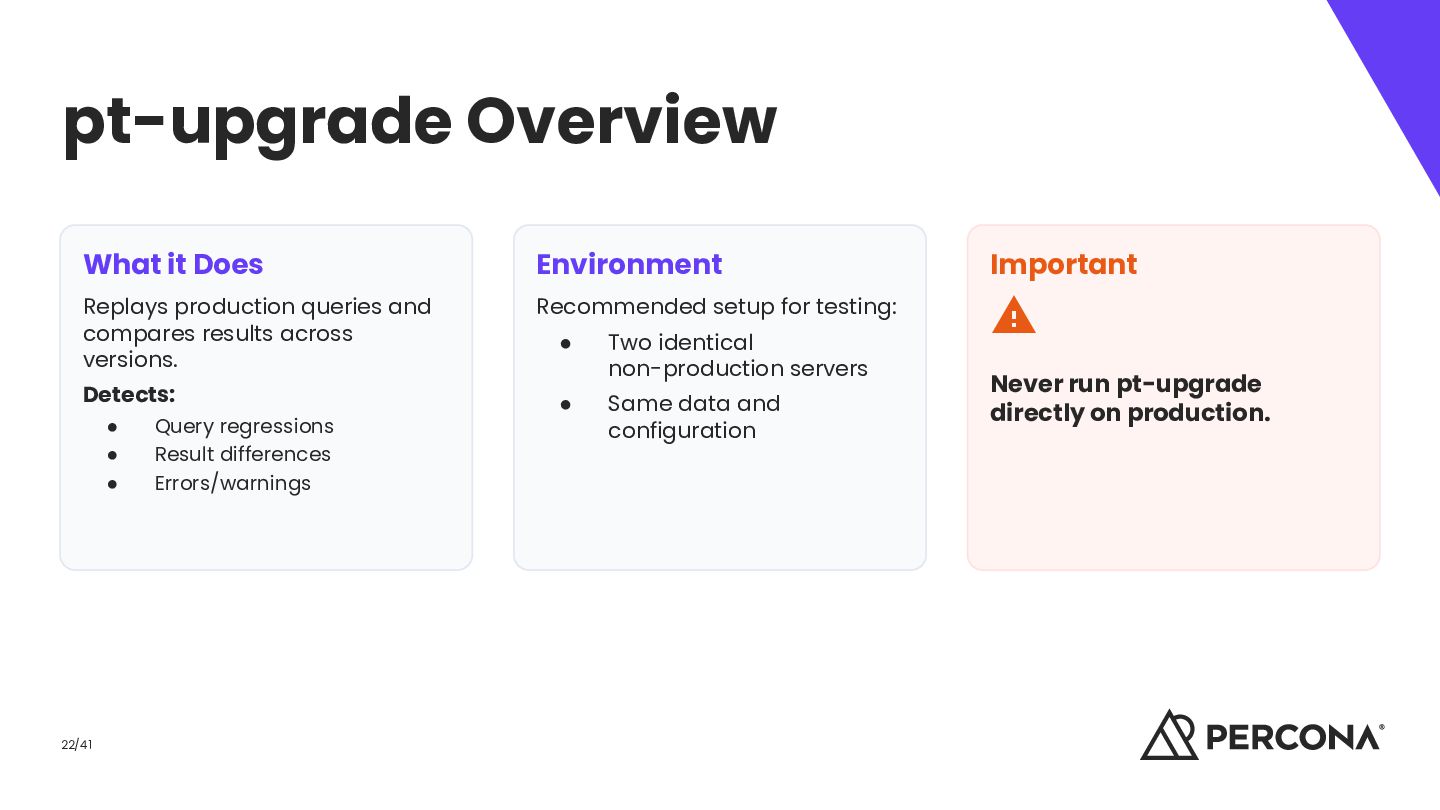
and compares results across versions. Recommended setup for testing: Detects: • • • 22/41 Query regressions Result differences Errors/warnings • Two identical non-production servers • Same data and configuration Never run pt-upgrade directly on production.
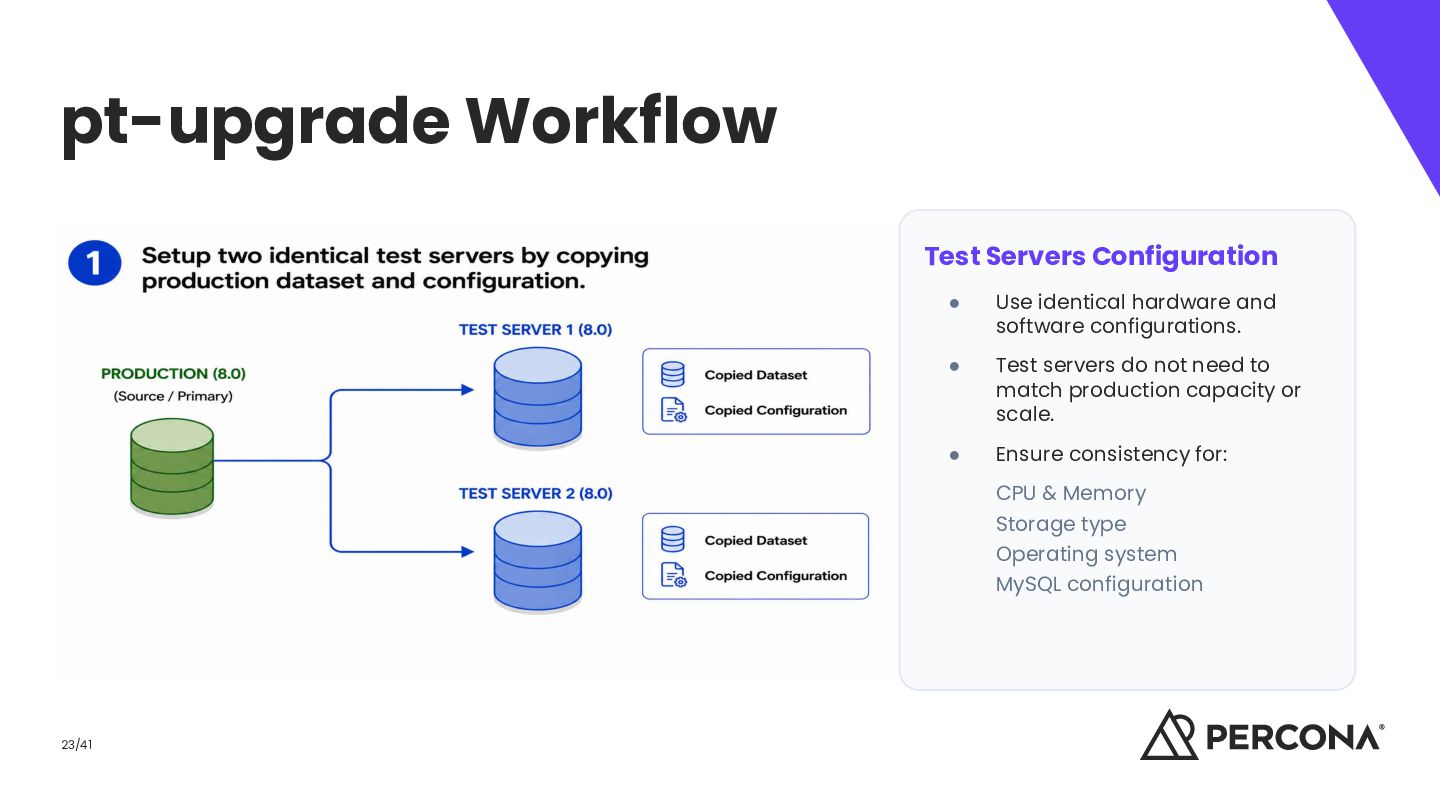
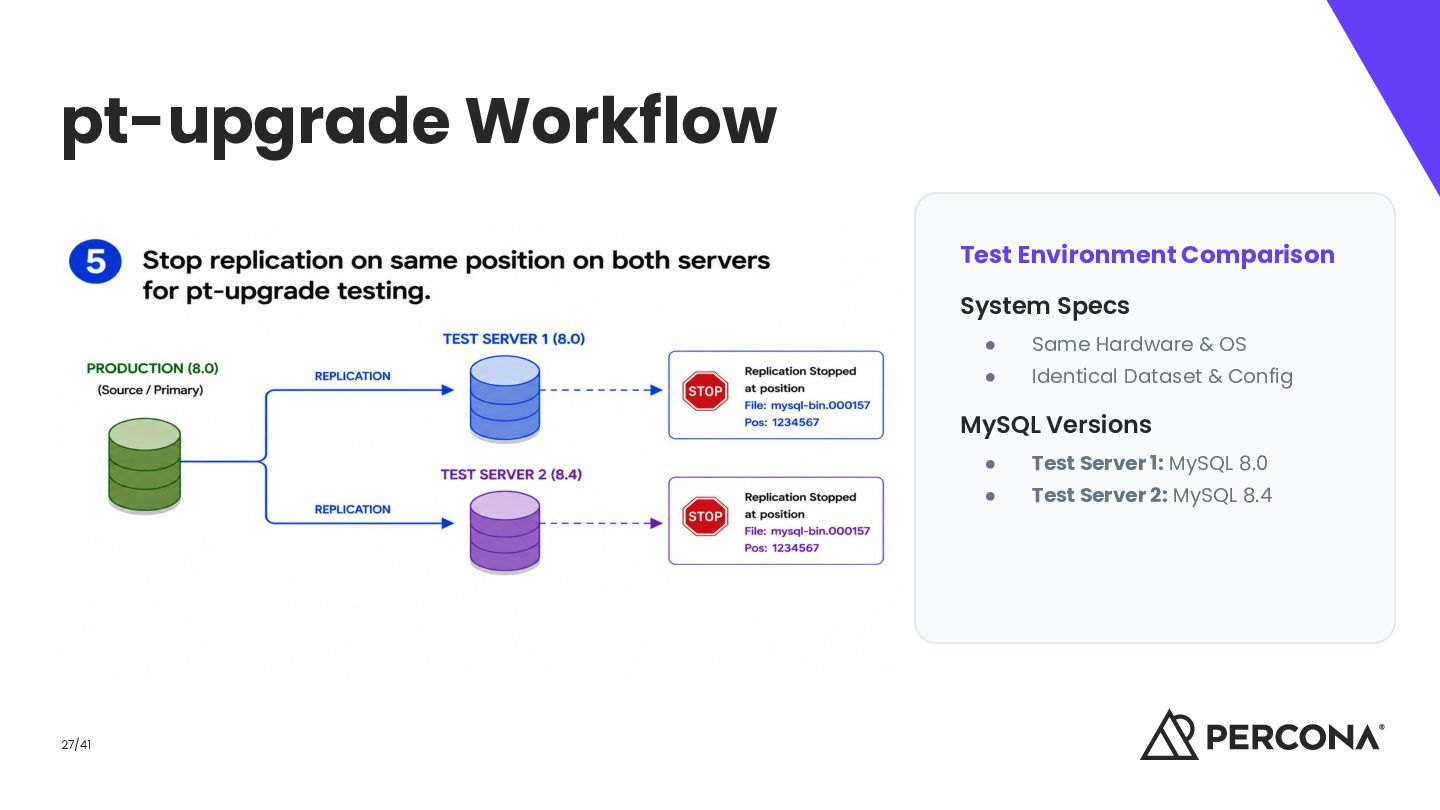
software configurations. • Test servers do not need to match production capacity or scale. • Ensure consistency for: CPU & Memory Storage type Operating system MySQL configuration 23/41
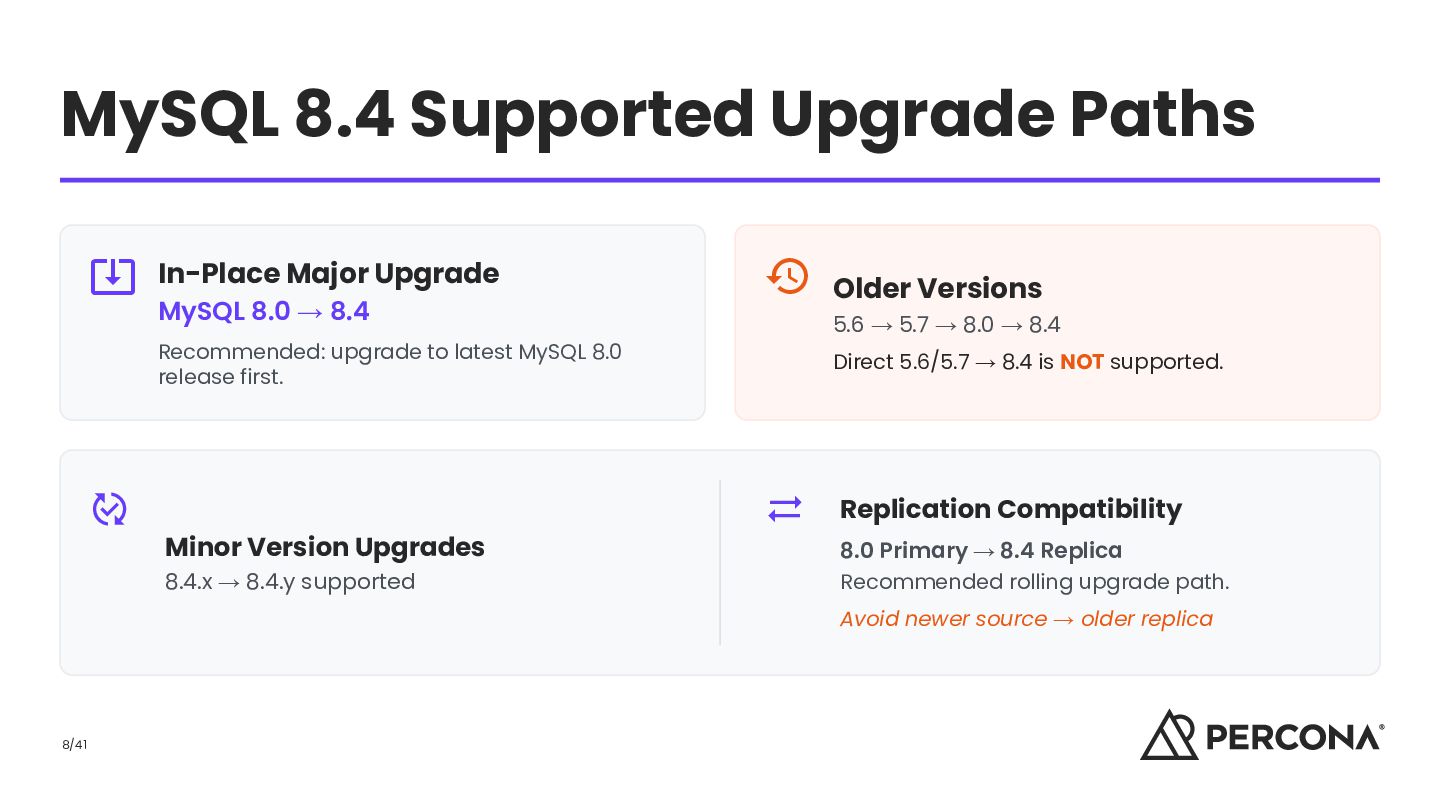
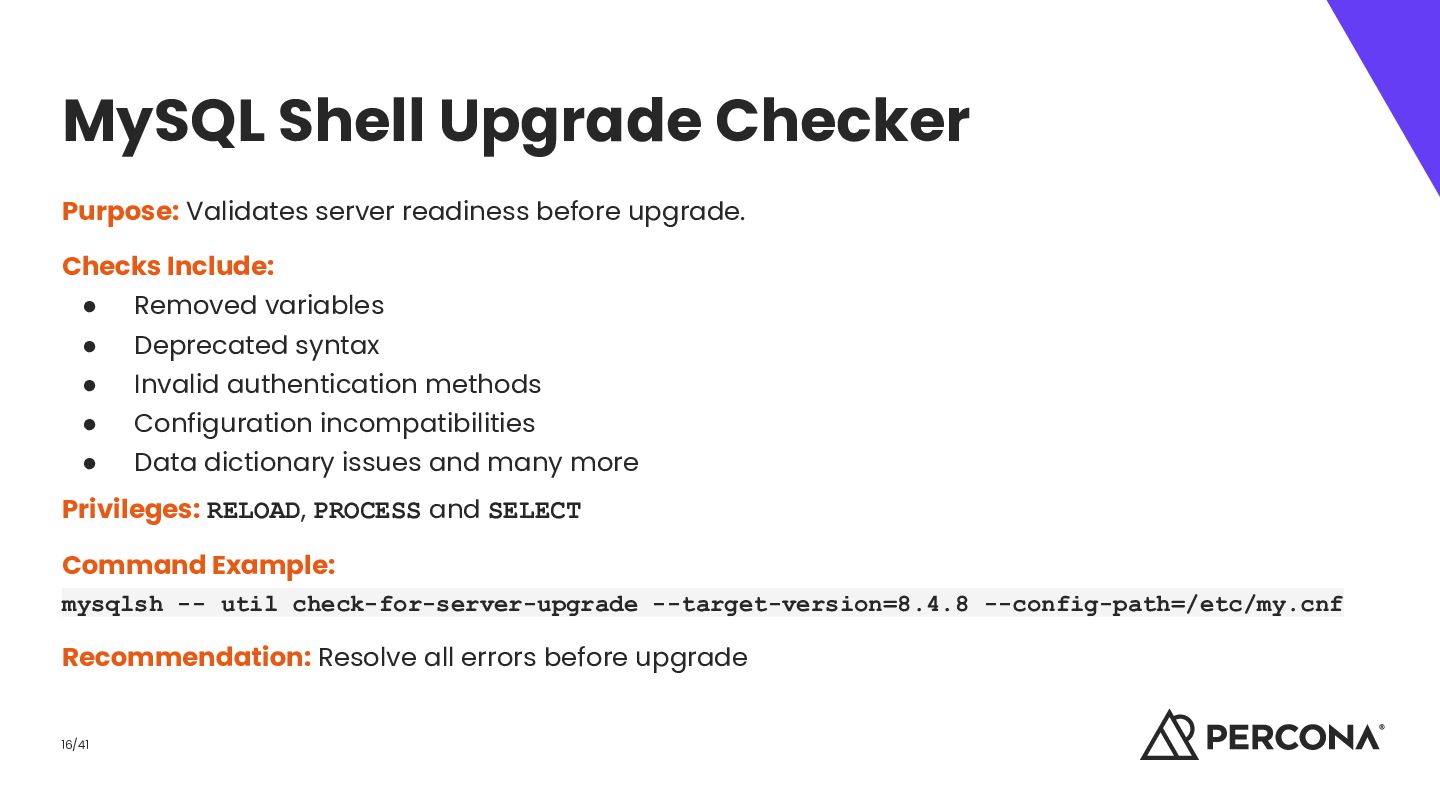
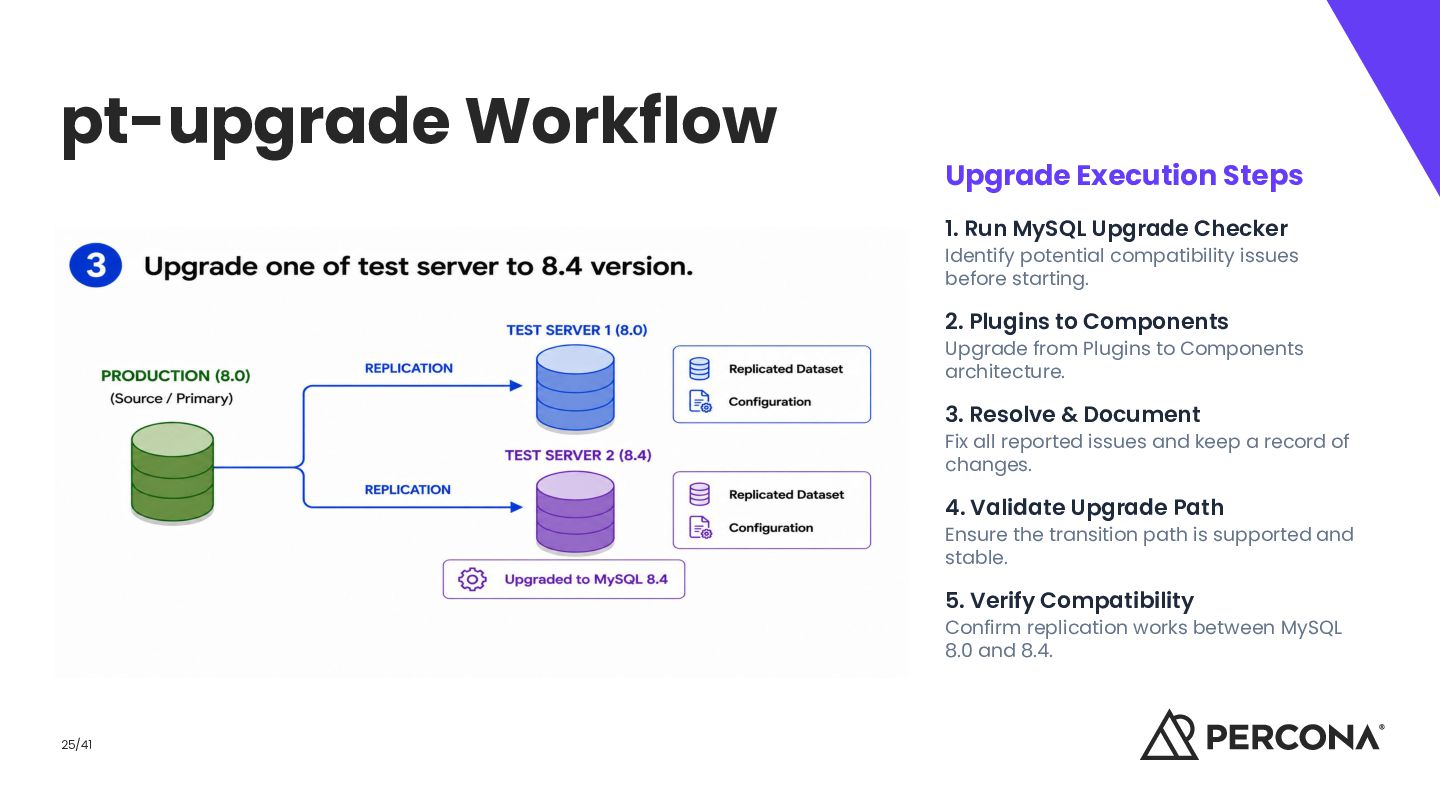
Identify potential compatibility issues before starting. 2. Plugins to Components Upgrade from Plugins to Components architecture. 3. Resolve & Document Fix all reported issues and keep a record of changes. 4. Validate Upgrade Path Ensure the transition path is supported and stable. 5. Verify Compatibility Confirm replication works between MySQL 8.0 and 8.4. 25/41
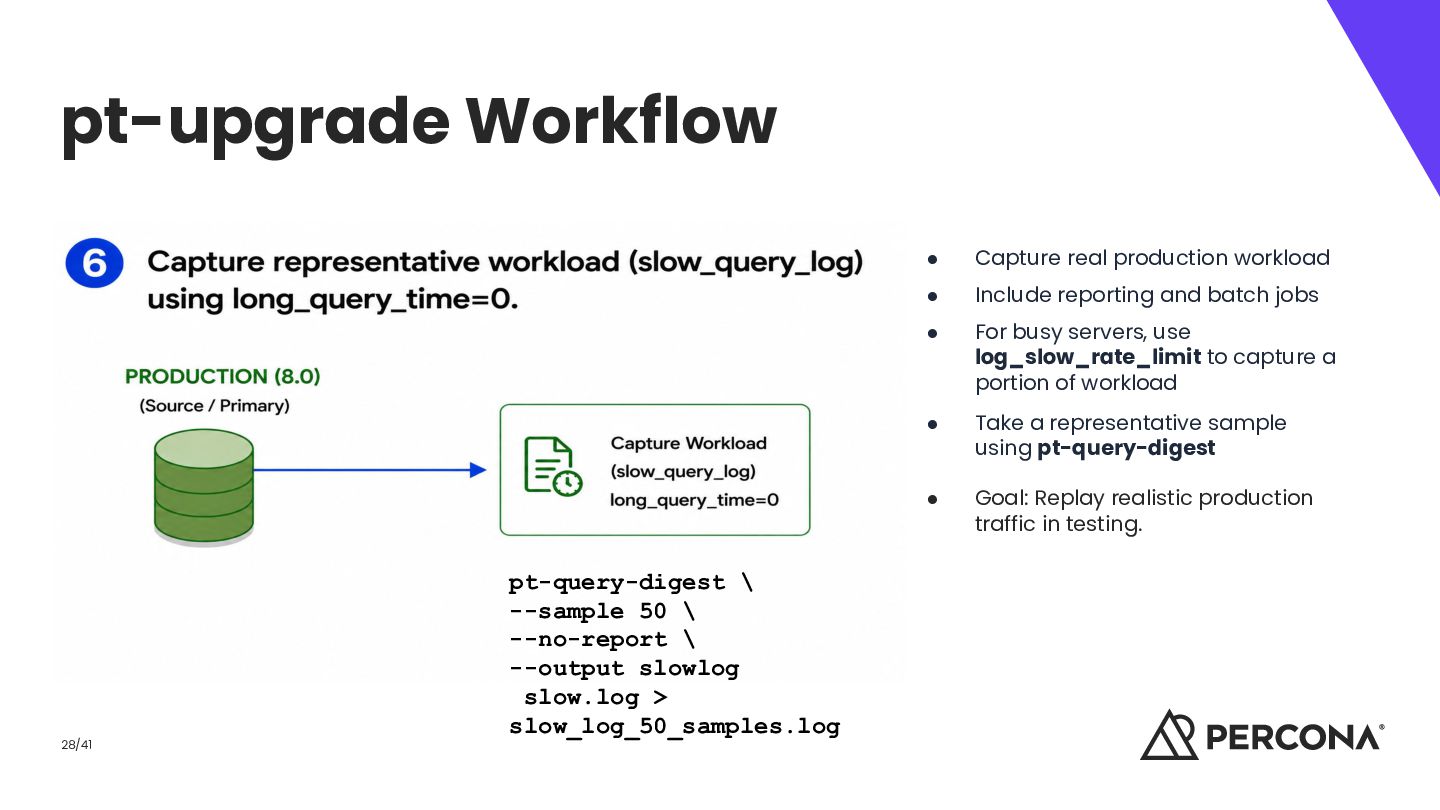
--output slowlog slow.log > slow_log_50_samples.log • Capture real production workload • Include reporting and batch jobs • For busy servers, use log_slow_rate_limit to capture a portion of workload • Take a representative sample using pt-query-digest • Goal: Replay realistic production traffic in testing.
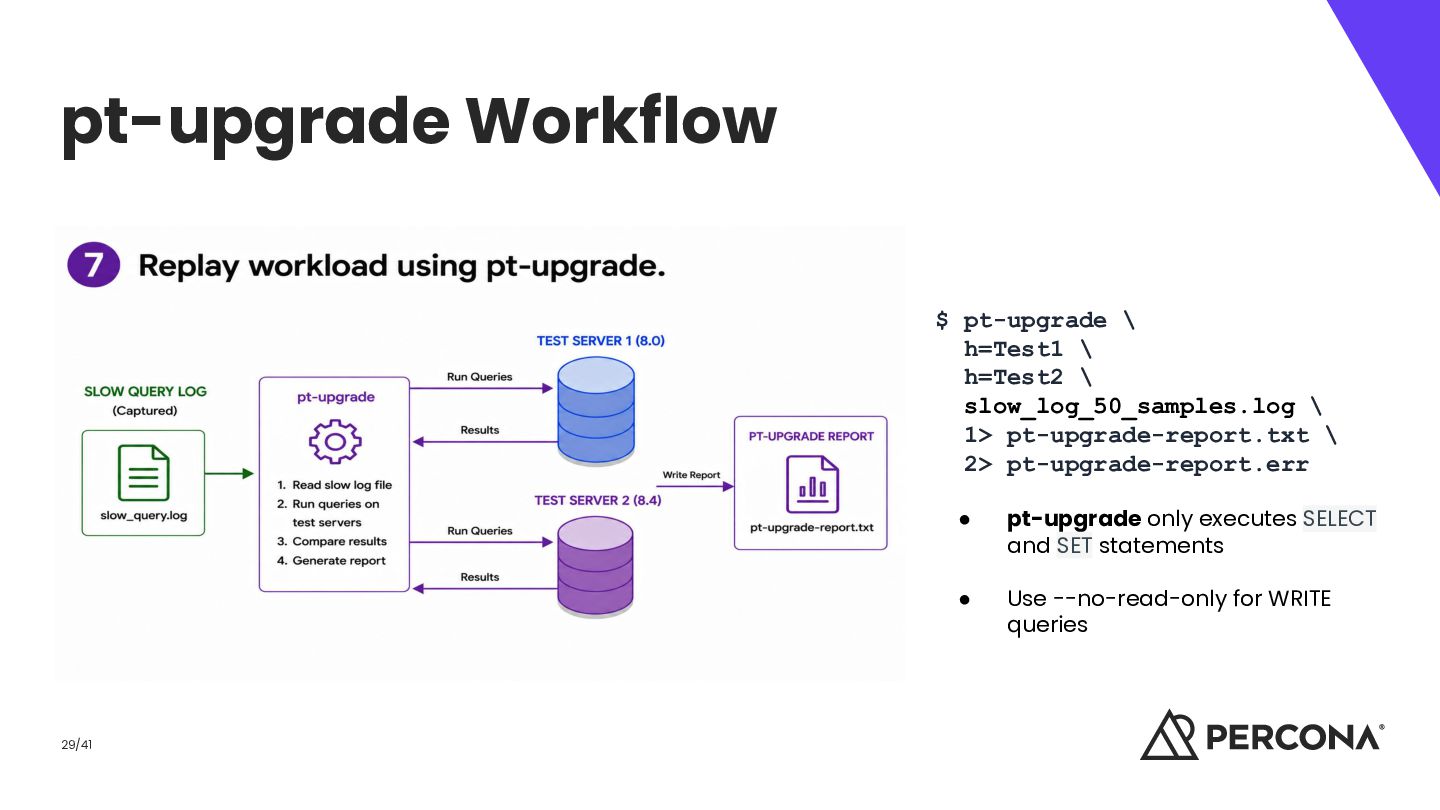
\ 1> pt-upgrade-report.txt \ 2> pt-upgrade-report.err 29/41 • pt-upgrade only executes SELECT and SET statements • Use --no-read-only for WRITE queries
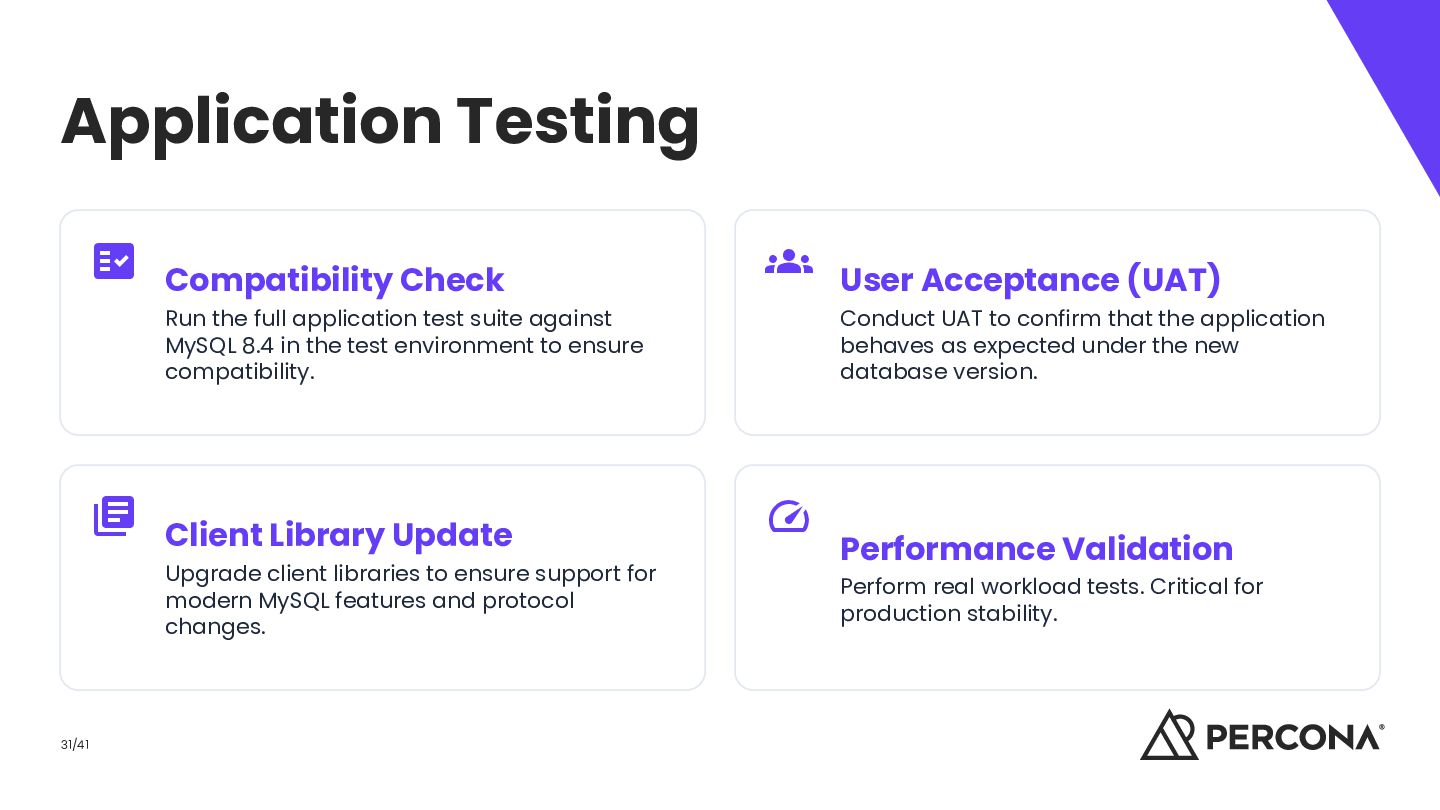
suite against MySQL 8.4 in the test environment to ensure compatibility. Client Library Update Upgrade client libraries to ensure support for modern MySQL features and protocol changes. 31/41 User Acceptance (UAT) Conduct UAT to confirm that the application behaves as expected under the new database version. Performance Validation Perform real workload tests. Critical for production stability.
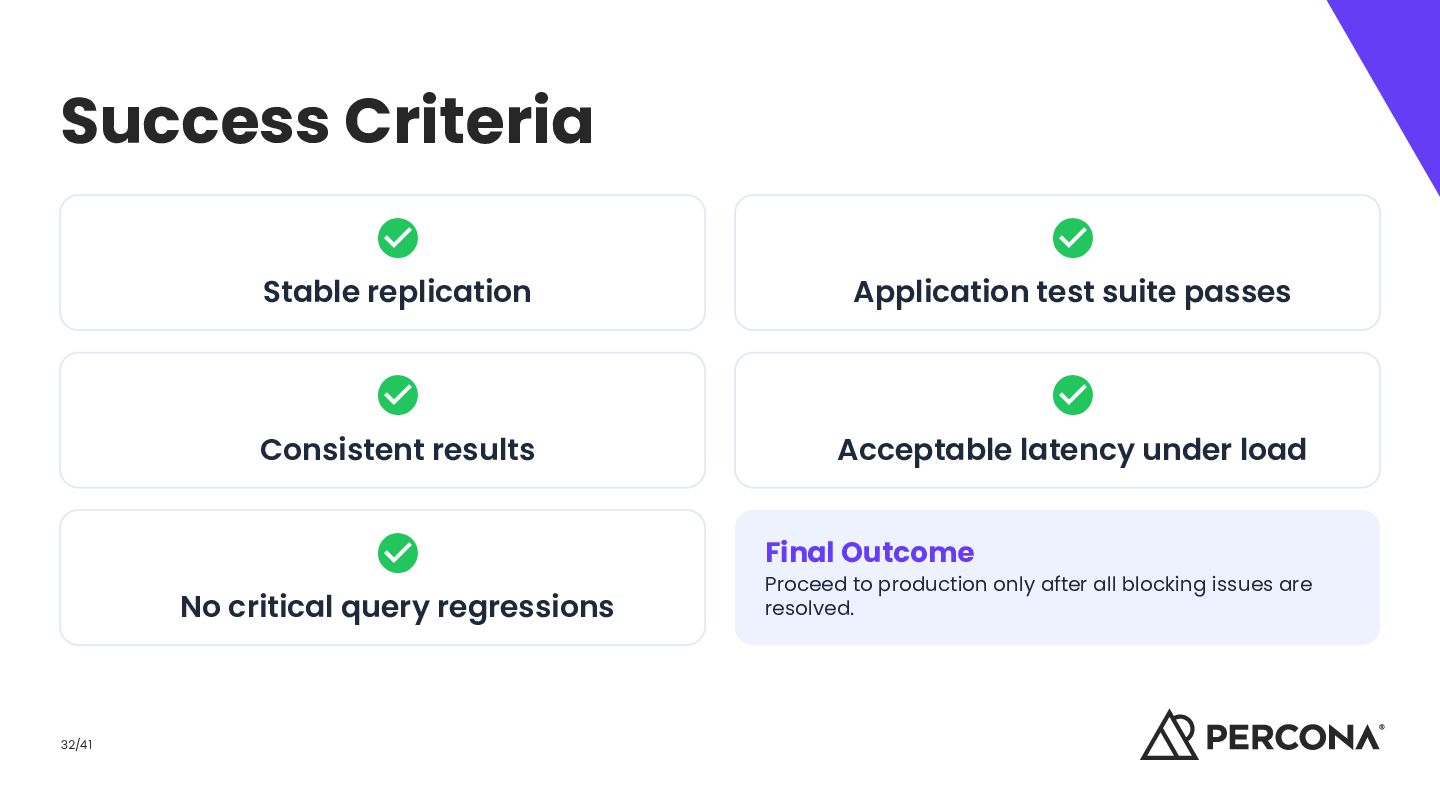
Consistent results No critical query regressions 32/41 Acceptable latency under load Final Outcome Proceed to production only after all blocking issues are resolved.
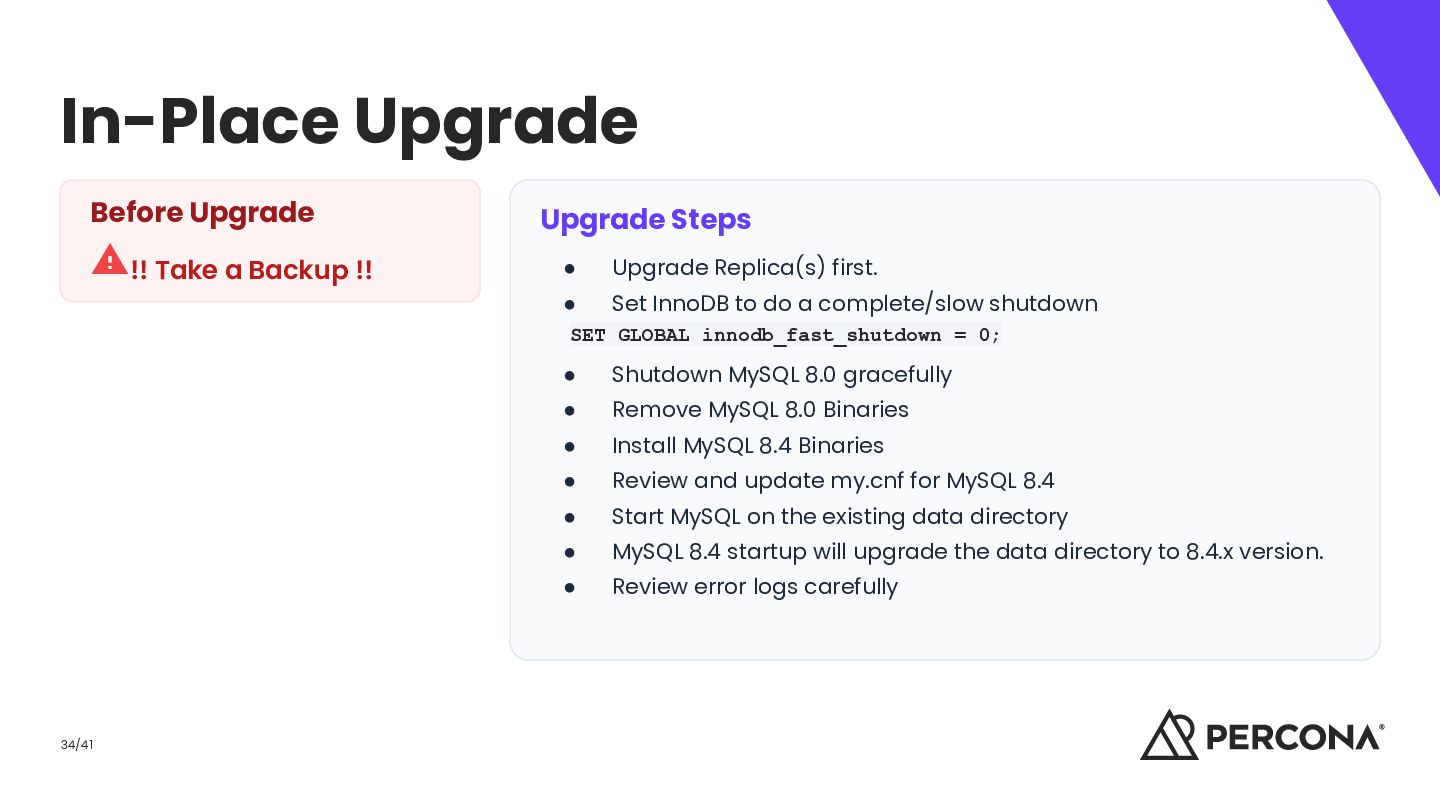
Steps • Upgrade Replica(s) first. • Set InnoDB to do a complete/slow shutdown SET GLOBAL innodb_fast_shutdown = 0; 34/41 • Shutdown MySQL 8.0 gracefully • Remove MySQL 8.0 Binaries • Install MySQL 8.4 Binaries • Review and update my.cnf for MySQL 8.4 • Start MySQL on the existing data directory • MySQL 8.4 startup will upgrade the data directory to 8.4.x version. • Review error logs carefully
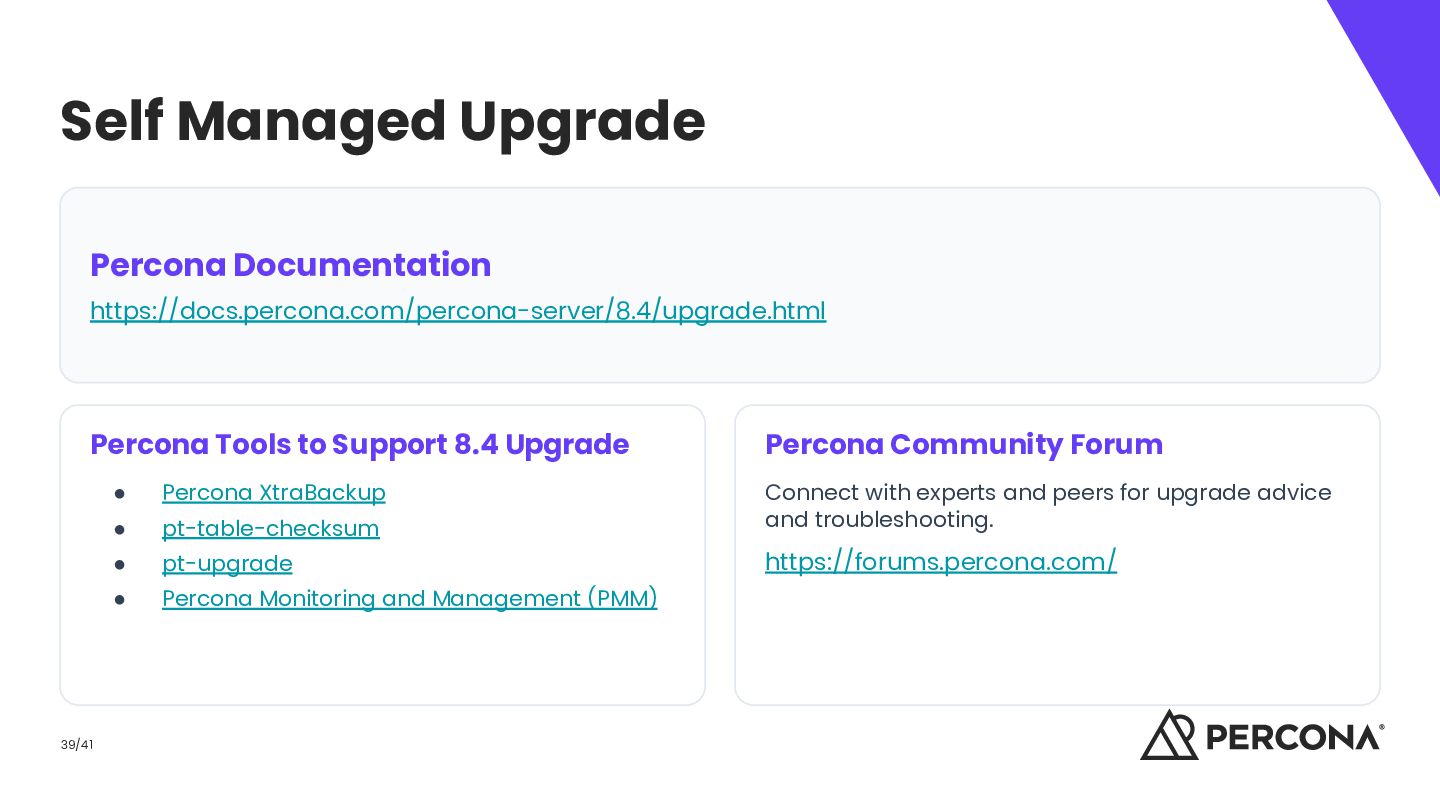
8.4 Upgrade 39/41 Percona Community Forum • Percona XtraBackup • pt-table-checksum Connect with experts and peers for upgrade advice and troubleshooting. • pt-upgrade https://forums.percona.com/ • Percona Monitoring and Management (PMM)
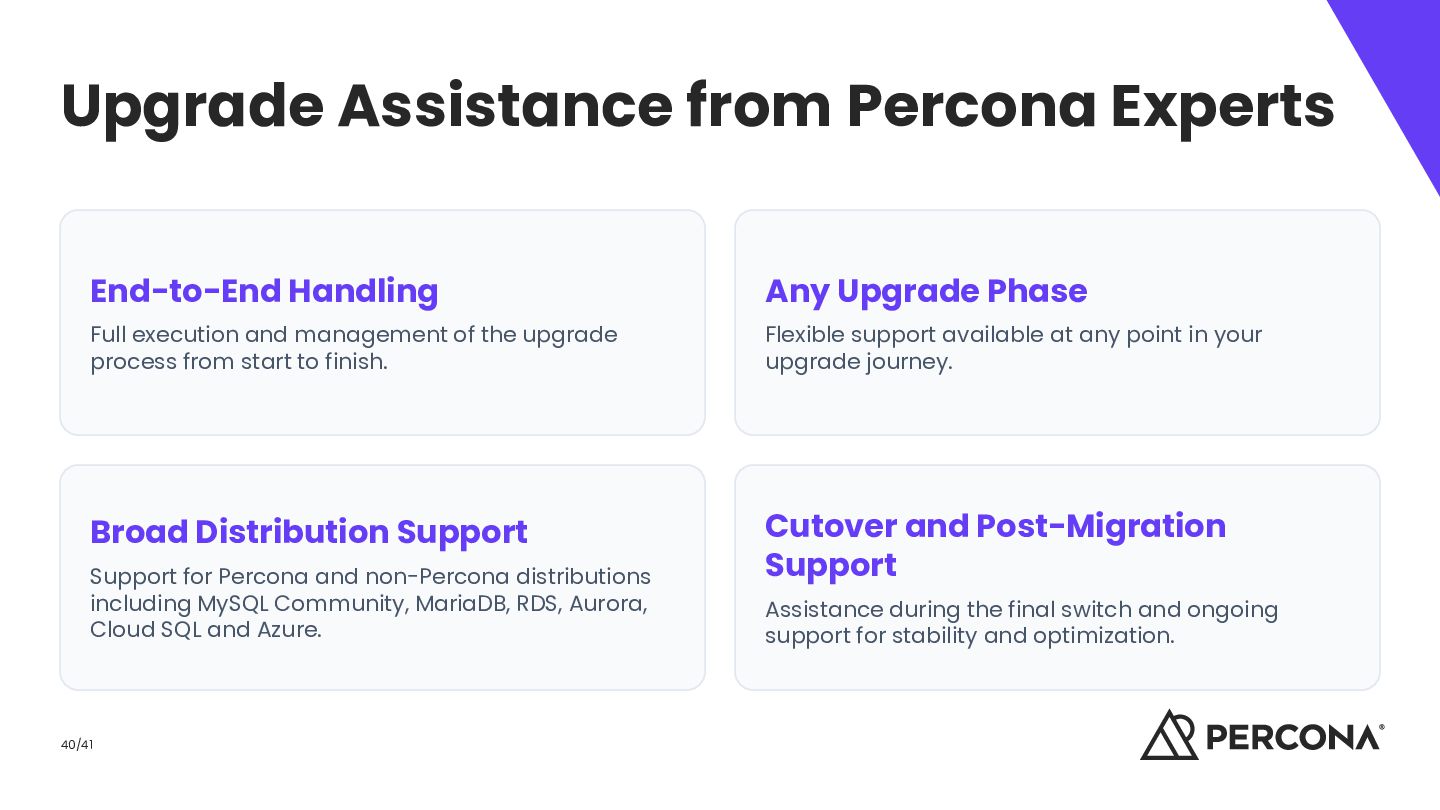
Full execution and management of the upgrade process from start to finish. Flexible support available at any point in your upgrade journey. Broad Distribution Support Cutover and Post-Migration Support Support for Percona and non-Percona distributions including MySQL Community, MariaDB, RDS, Aurora, Cloud SQL and Azure. 40/41 Assistance during the final switch and ongoing support for stability and optimization.


 riyaamemiya
 codmoninc
 greenmidori
 pfn
pfn
 minorun365
 nealle
 stomk
stomk
 ymotongpoo
 carta_engineering
 shuta13
 mohab1
 akitoshiga
 techseoconnect
 tammyeverts
 kimpetersen
 brad_frost
 axbom
axbom
 garrettdimon
 destraynor
 madoxten
 mclloyd
 wjessup
 mojombo
 quramy