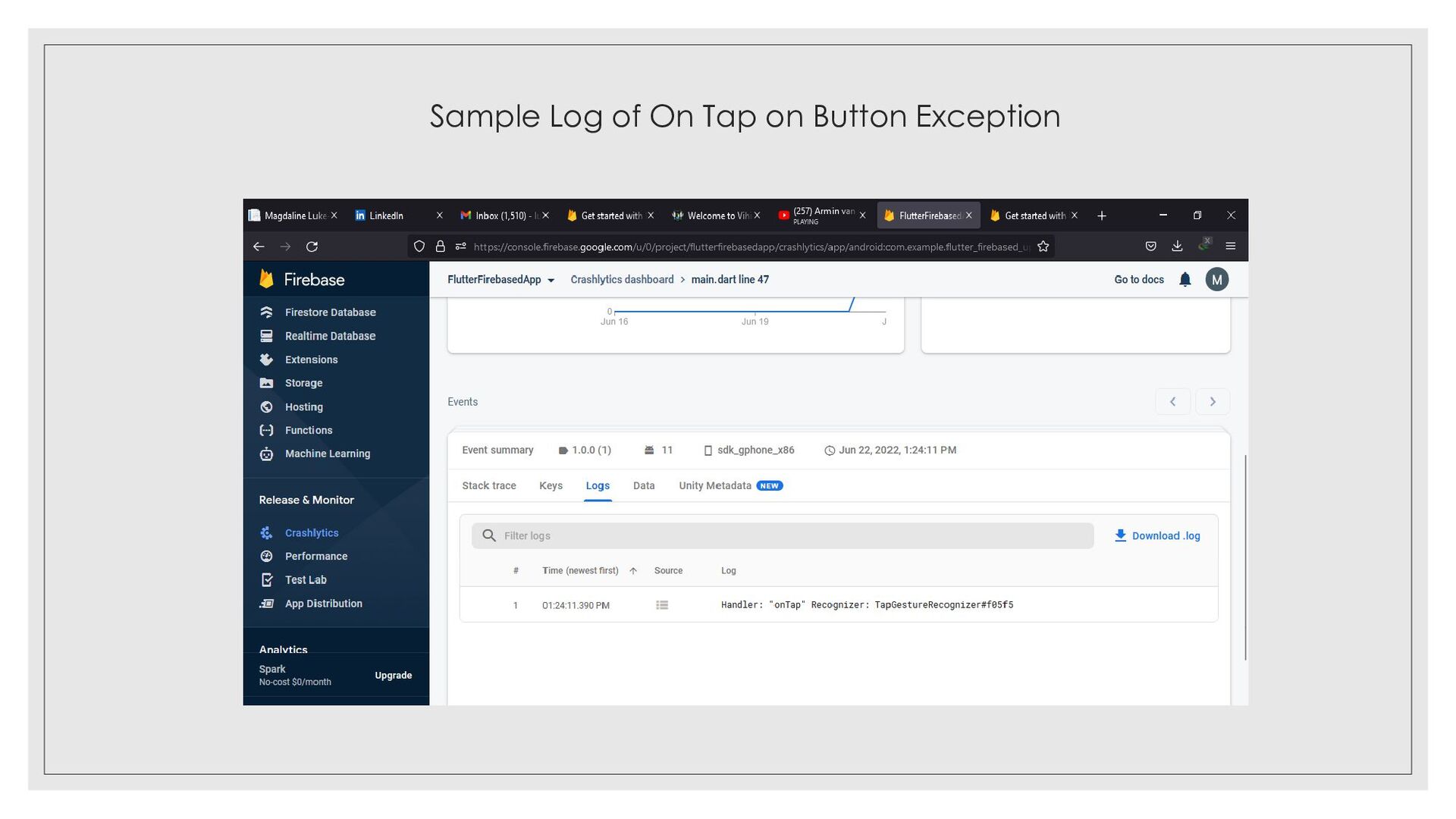
apps according to developer benchmarking studies by SlashData and that is clearly a high percent and I believe this triggered Google to make lives easier for US by accelerating app development using firebase from a single code base(no need for different configurations as before). ◦ Google I/O announced the graduation of Flutter/Firebase integration whereby all plugins for flutter have been moved to general availability. ◦ They shared inclusion of flutter support and documentation which is available on firebase.google.com, then you can navigate to docs and select platform as flutter in each of the sections like release and monitors, engage, Build and guidelines for flutter-firebase are fully available there. ◦ Improved crash reporting, using the crashlytics package which helps to track, monitor and fix stability issues faster by just adding the crashlytics plugin and initialiazing it in your dart code without having to open different Platform specific IDEs. ◦ Crashlytics also enables receiving of alerts when critical issues arise and also the crash analyzer groups flutter crashes by intuition depending on underlying characteristics and this helps a team understand the crashes better.
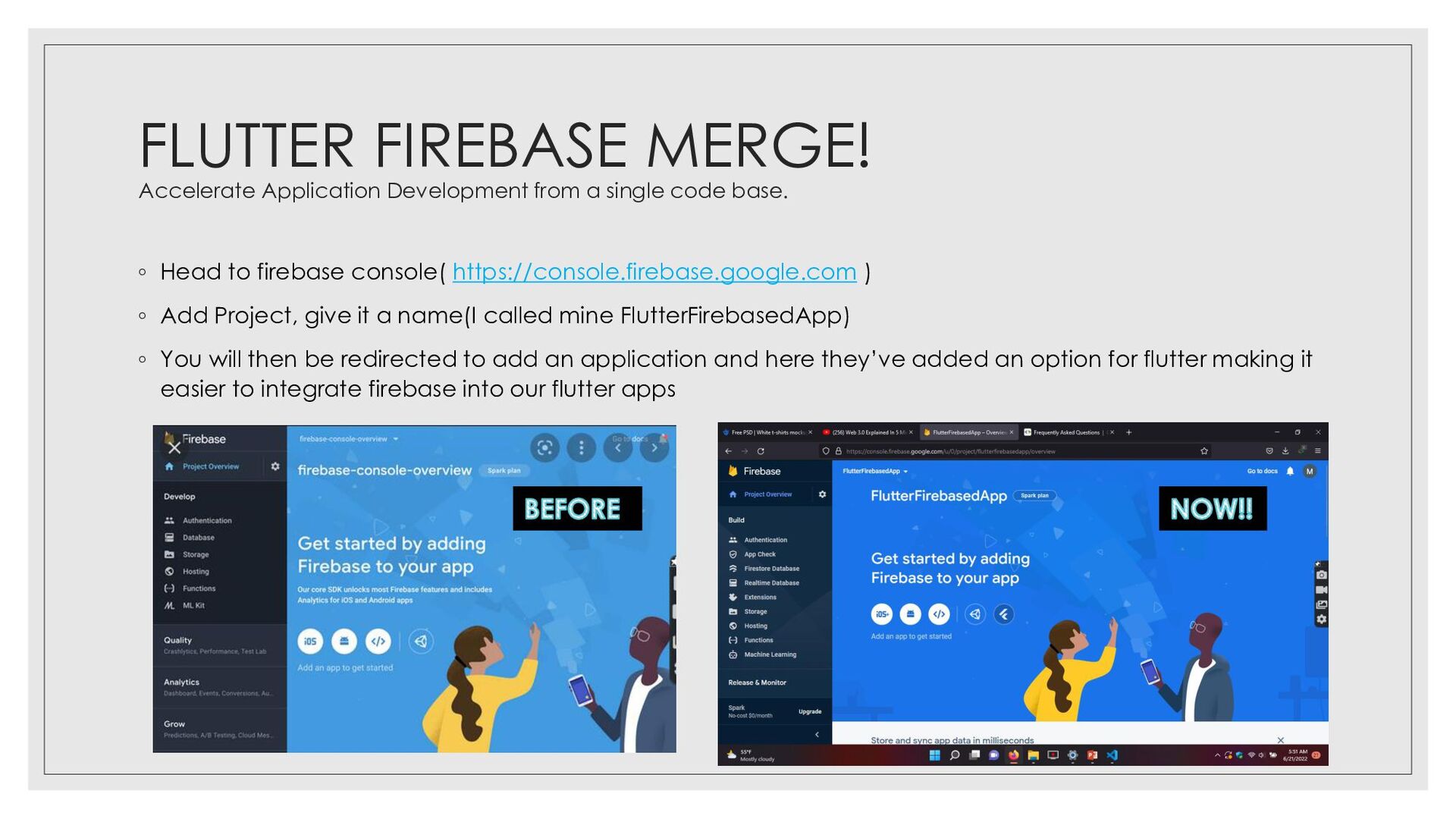
base. ◦ Head to firebase console( https://console.firebase.google.com ) ◦ Add Project, give it a name(I called mine FlutterFirebasedApp) ◦ You will then be redirected to add an application and here they’ve added an option for flutter making it easier to integrate firebase into our flutter apps
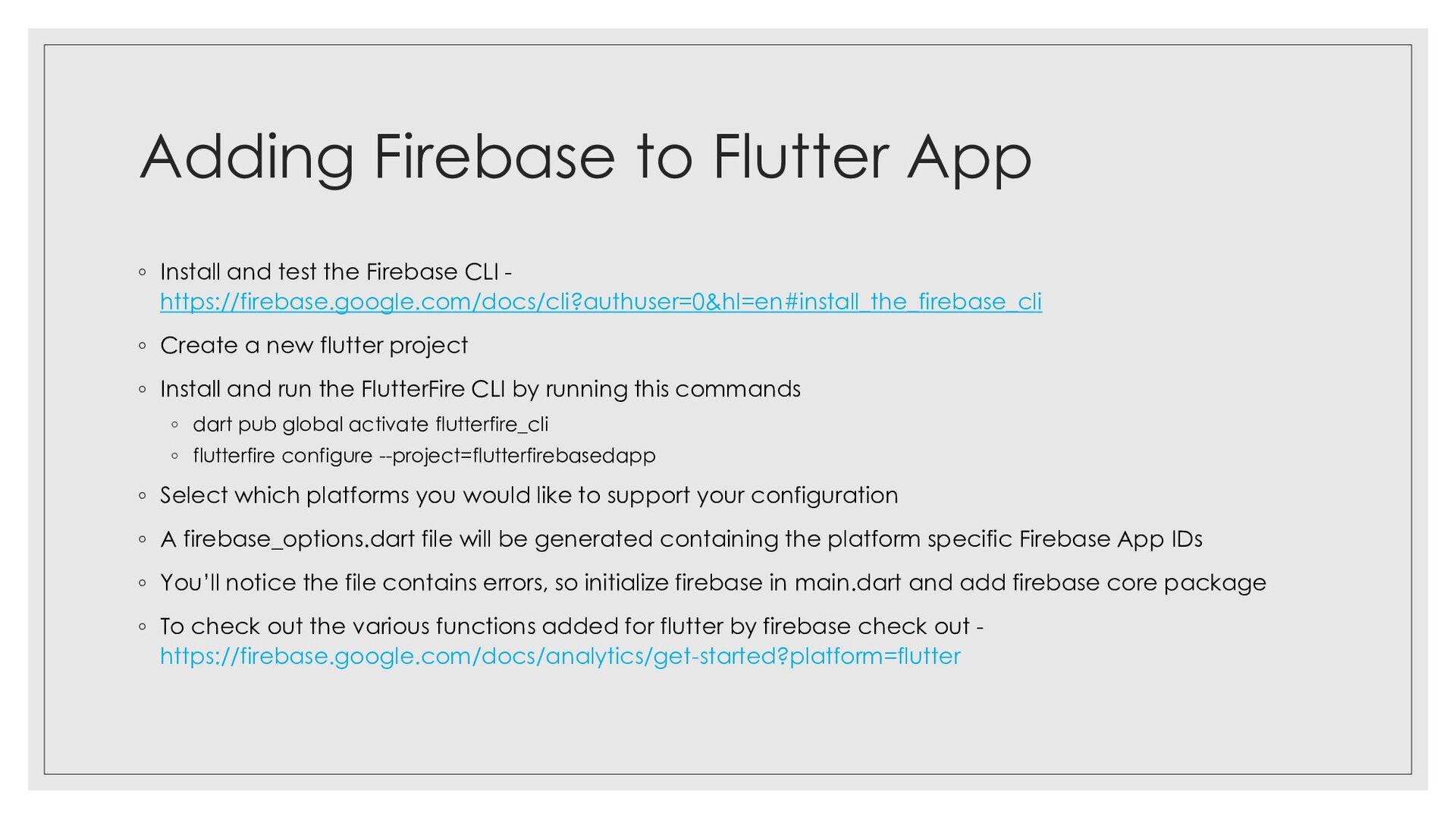
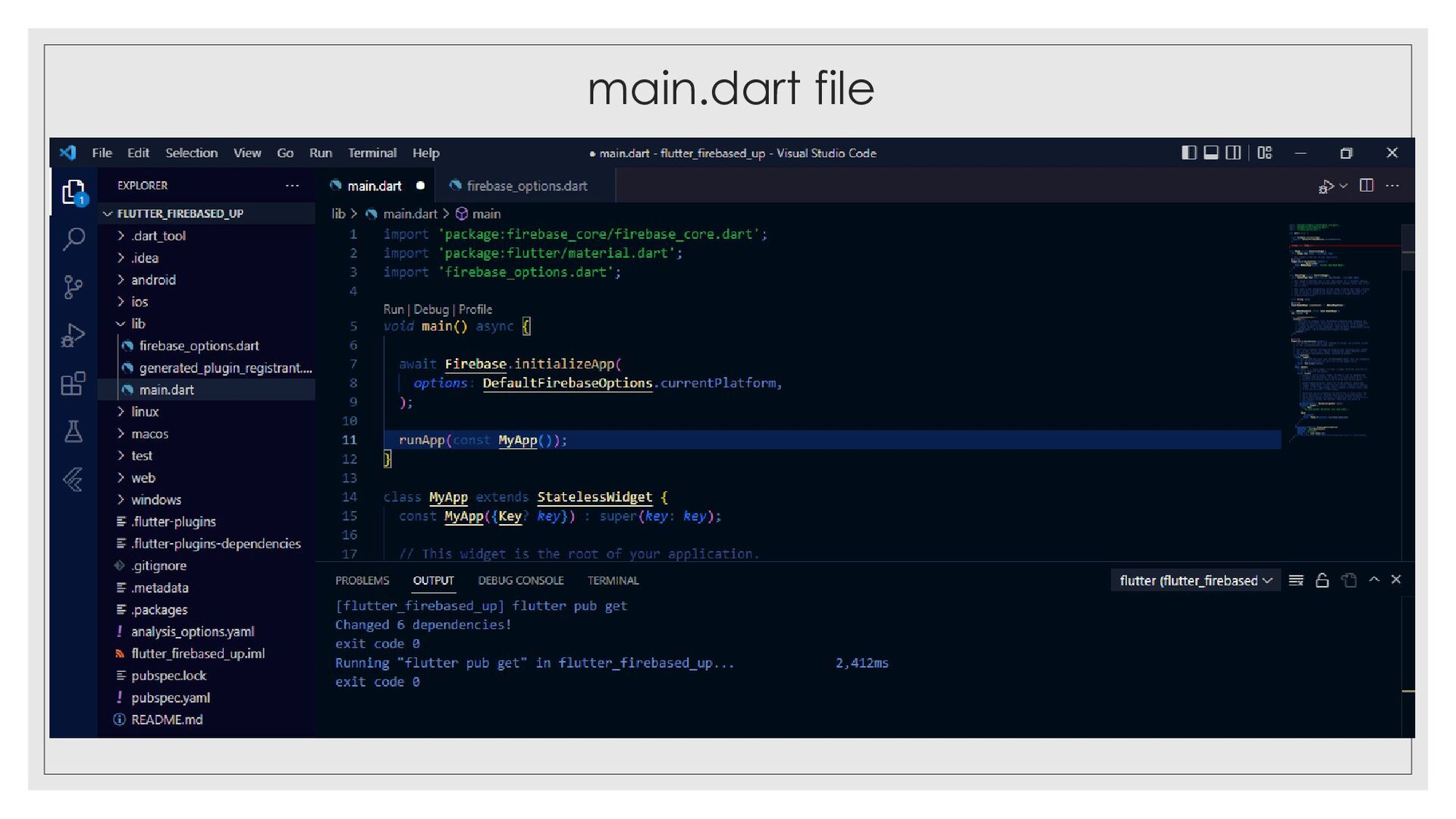
Firebase CLI - https://firebase.google.com/docs/cli?authuser=0&hl=en#install_the_firebase_cli ◦ Create a new flutter project ◦ Install and run the FlutterFire CLI by running this commands ◦ dart pub global activate flutterfire_cli ◦ flutterfire configure --project=flutterfirebasedapp ◦ Select which platforms you would like to support your configuration ◦ A firebase_options.dart file will be generated containing the platform specific Firebase App IDs ◦ You’ll notice the file contains errors, so initialize firebase in main.dart and add firebase core package ◦ To check out the various functions added for flutter by firebase check out - https://firebase.google.com/docs/analytics/get-started?platform=flutter
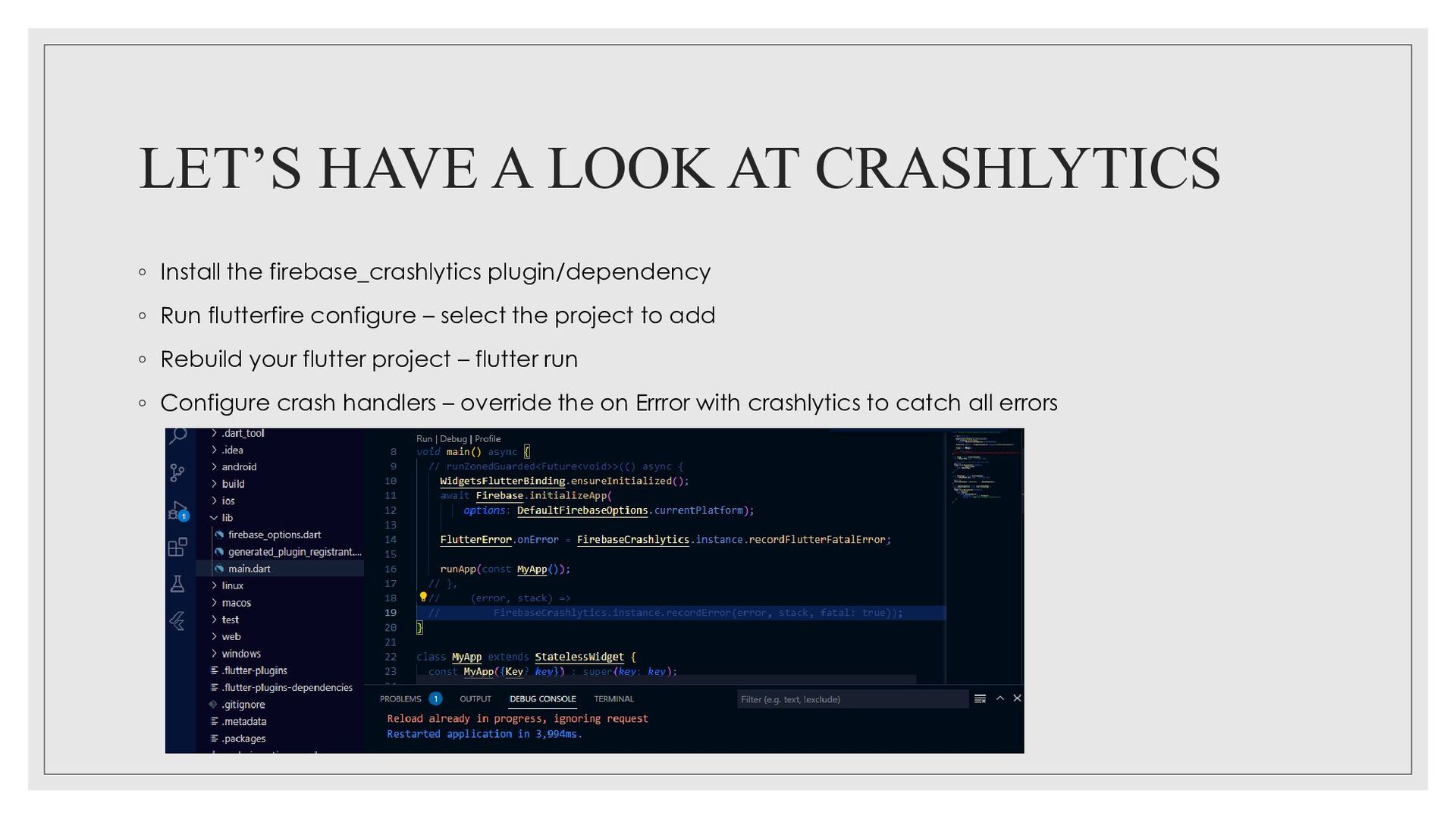
plugin/dependency ◦ Run flutterfire configure – select the project to add ◦ Rebuild your flutter project – flutter run ◦ Configure crash handlers – override the on Errror with crashlytics to catch all errors


 davetheseo
 rasagy
 signer
 katiecoart
 lauravandoore
 chriscoyier
 uxyall
 chrislema
 shlominoach
 destraynor
 skoyamalab
 marktimemedia