Upgrade to Pro
— share decks privately, control downloads, hide ads and more …
Speaker Deck
Sign up for free
Menu
Search
Features
All features
Private URLs
Password Protection
Custom URLS
Scheduled publishing
Remove Branding
Restrict embedding
Deck Collections
Notes
Features
All features
Private URLs
Password Protection
Custom URLS
Scheduled publishing
Remove Branding
Restrict embedding
Deck Collections
Notes
Explore
Featured decks
Featured speakers
Programming
Technology
Storyboards
Explore
Featured decks
Featured speakers
Programming
Technology
Storyboards
Pricing
Search
Sign in
Sign up for free
空間情報システム入門Ⅰ#02 2 2016/6/16
Search
Sponsored
·
Your Podcast. Everywhere. Effortlessly.
Share. Educate. Inspire. Entertain. You do you. We'll handle the rest.
→
kakuta mizuki
June 16, 2016
81
0
Share
Embed
Copy iframe code
Copy JS code
Copy link
Start on current slide
空間情報システム入門Ⅰ#02 2 2016/6/16
kakuta mizuki
June 16, 2016
More Decks by kakuta mizuki
See All by kakuta mizuki
空間情報入門Ⅰ
mizukaku614
0
44
Featured
See All Featured
Practical Tips for Bootstrapping Information Extraction Pipelines
honnibal
25
2.1k
The Mindset for Success: Future Career Progression
greggifford
PRO
0
540
Building AI with AI
inesmontani
PRO
1
1.3k
What does AI have to do with Human Rights?
axbom
PRO
1
2.5k
Gemini Prompt Engineering: Practical Techniques for Tangible AI Outcomes
mfonobong
2
590
Navigating Weather and Climate Data
rabernat
0
560
A designer walks into a library…
pauljervisheath
211
25k
Are puppies a ranking factor?
jonoalderson
2
4.1k
Facilitating Awesome Meetings
lara
57
7.2k
Java REST API Framework Comparison - PWX 2021
mraible
34
9.8k
Odyssey Design
rkendrick25
PRO
2
870
Taking LLMs out of the black box: A practical guide to human-in-the-loop distillation
inesmontani
PRO
3
2.5k
Transcript
Openstreetマニュアル
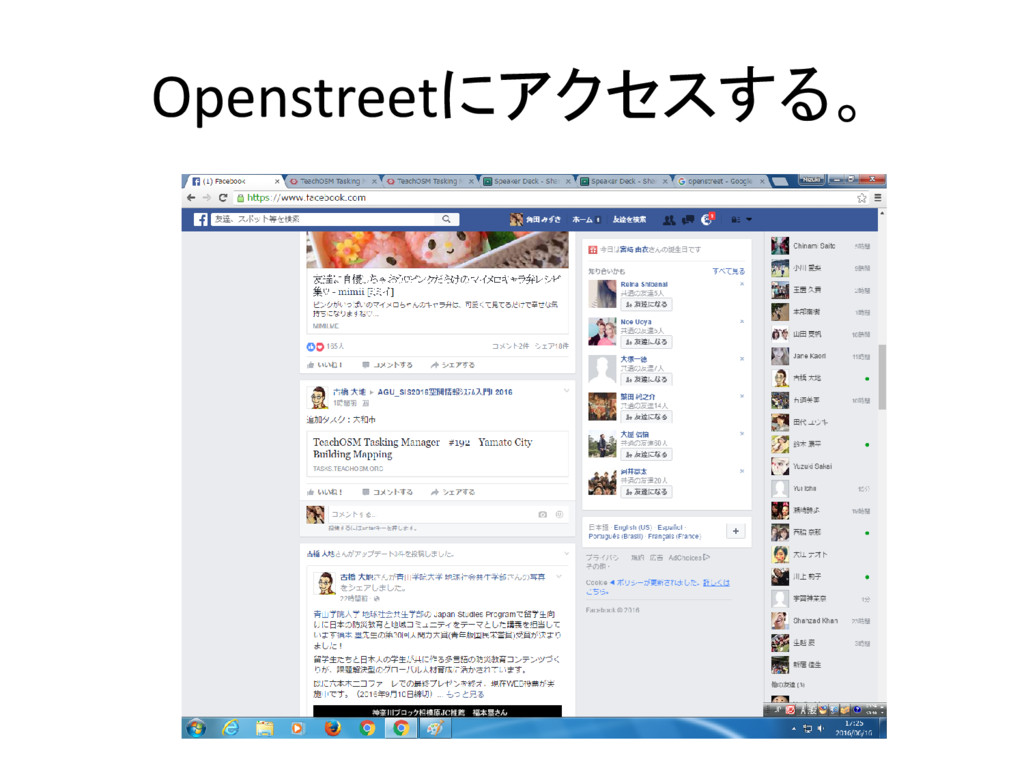
Openstreetにアクセスする。
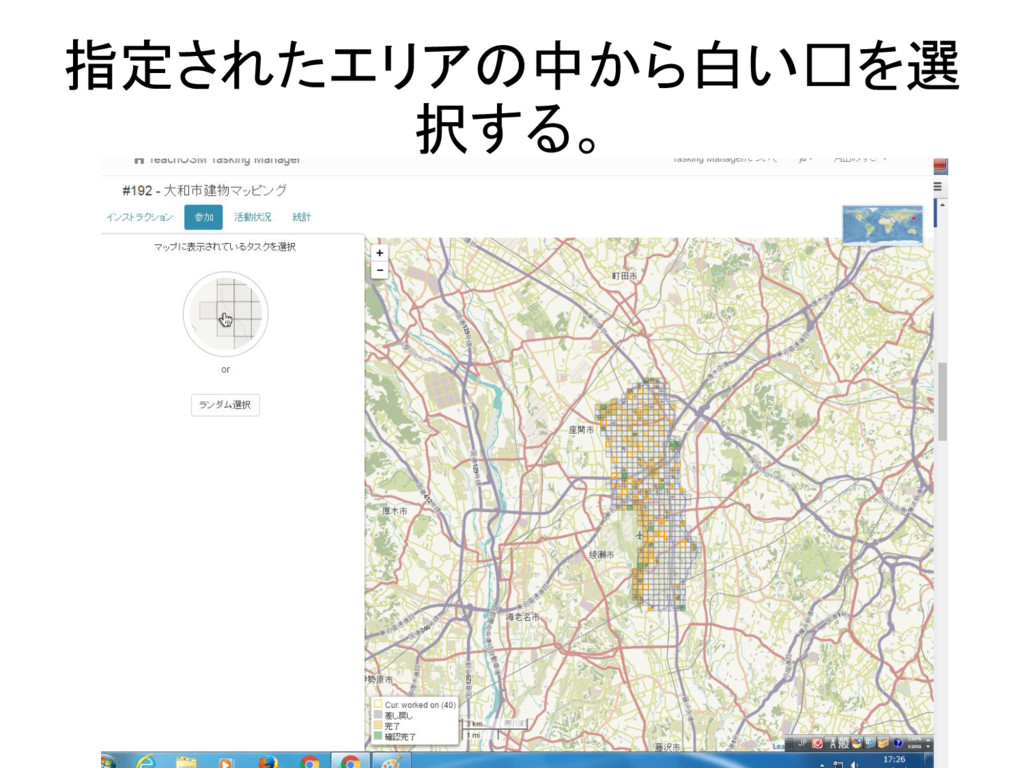
指定されたエリアの中から白い□を選 択する。
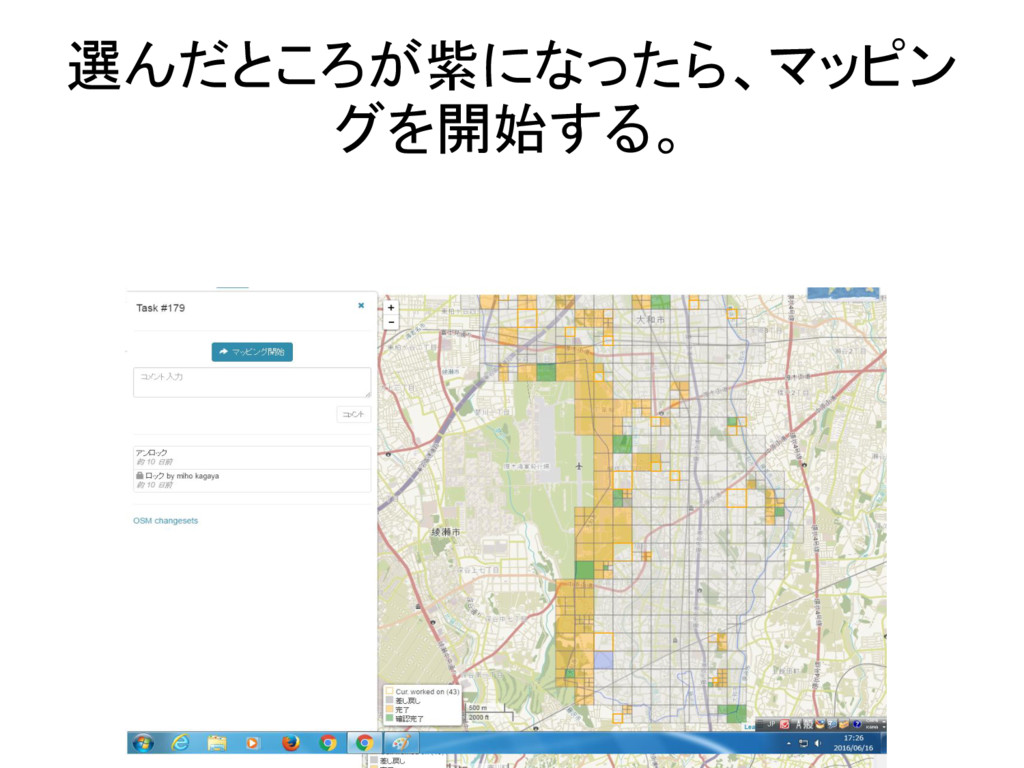
選んだところが紫になったら、マッピン グを開始する。
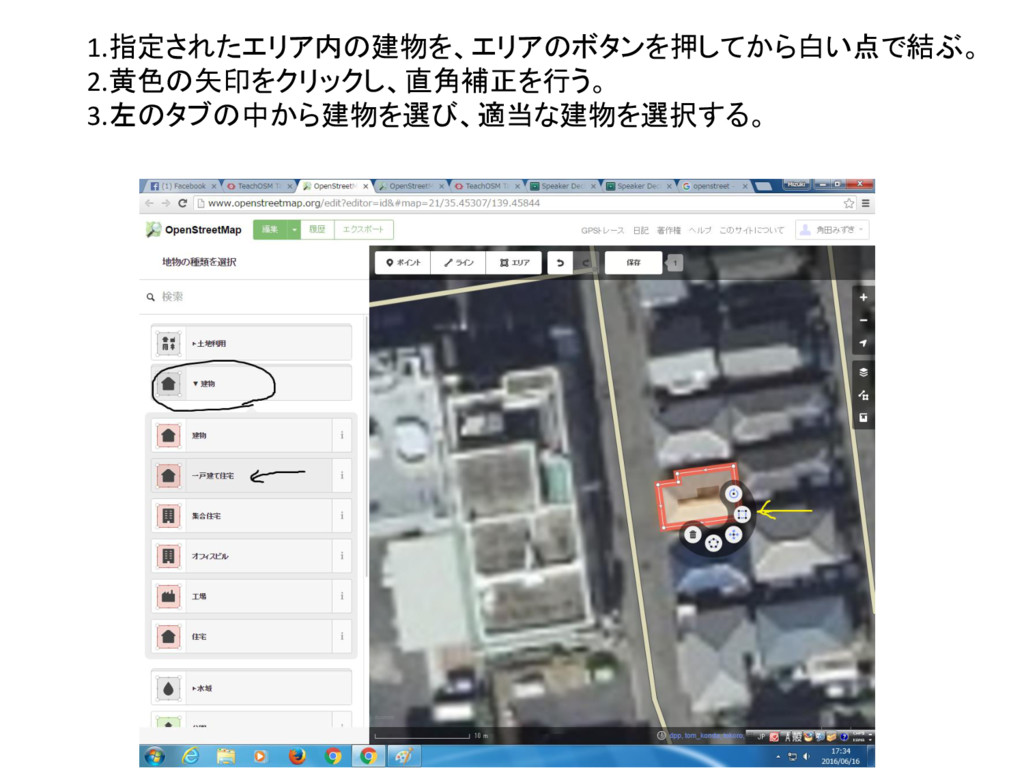
1.指定されたエリア内の建物を、エリアのボタンを押してから白い点で結ぶ。 2.黄色の矢印をクリックし、直角補正を行う。 3.左のタブの中から建物を選び、適当な建物を選択する。
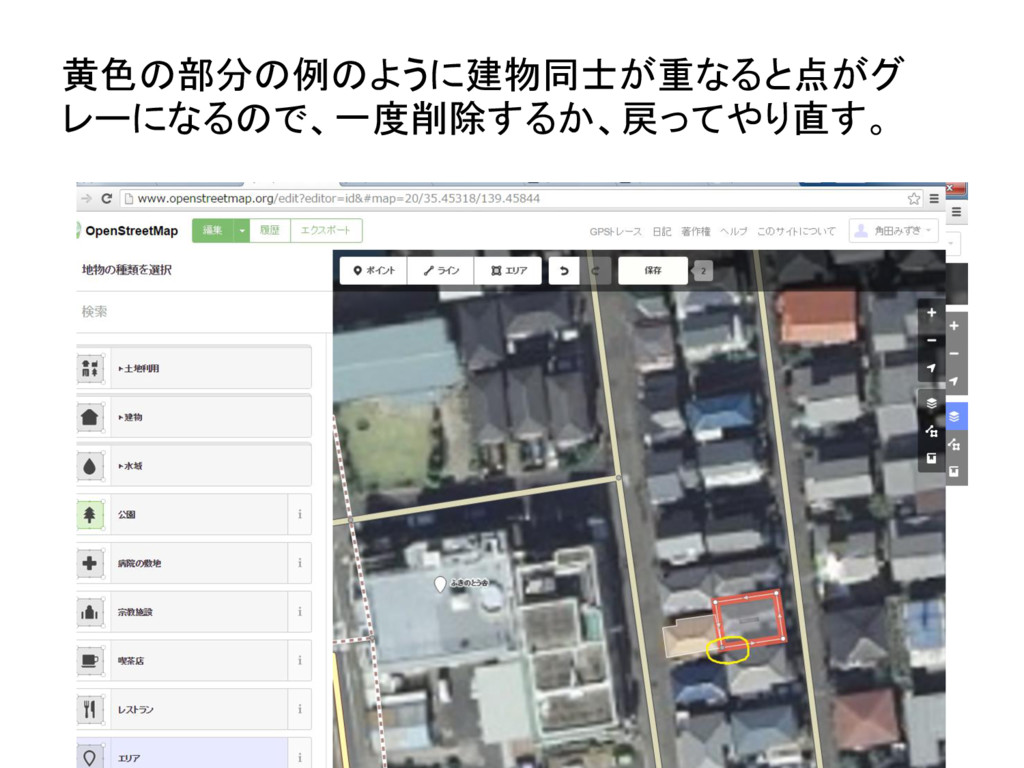
黄色の部分の例のように建物同士が重なると点がグ レーになるので、一度削除するか、戻ってやり直す。
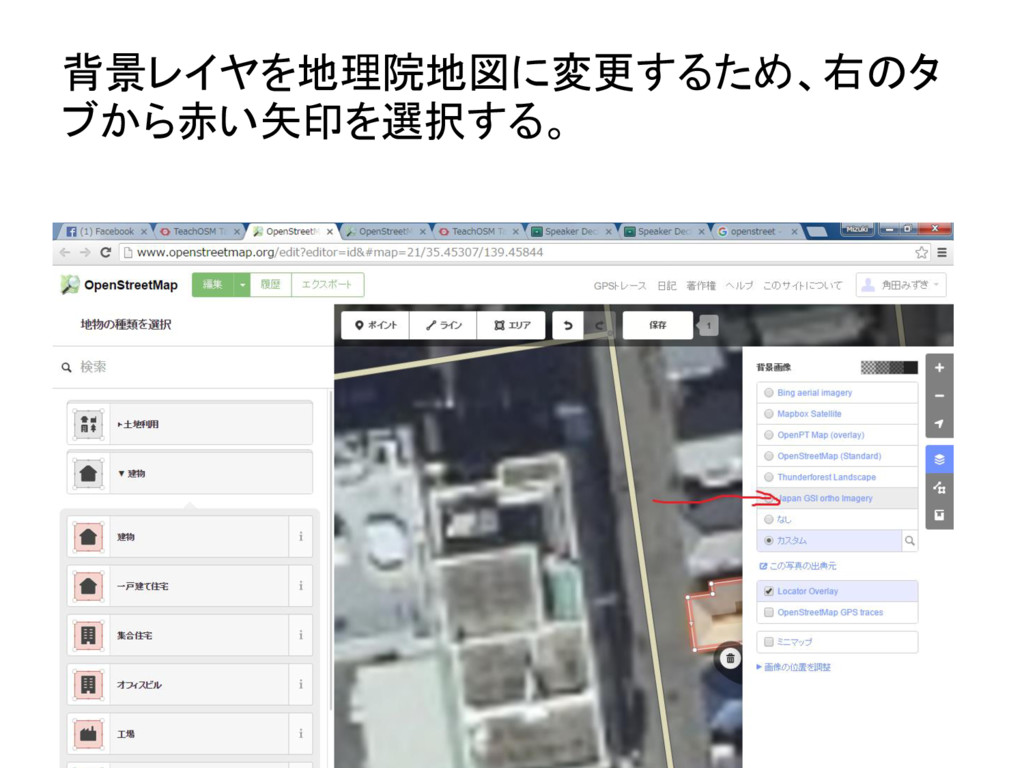
背景レイヤを地理院地図に変更するため、右のタ ブから赤い矢印を選択する。
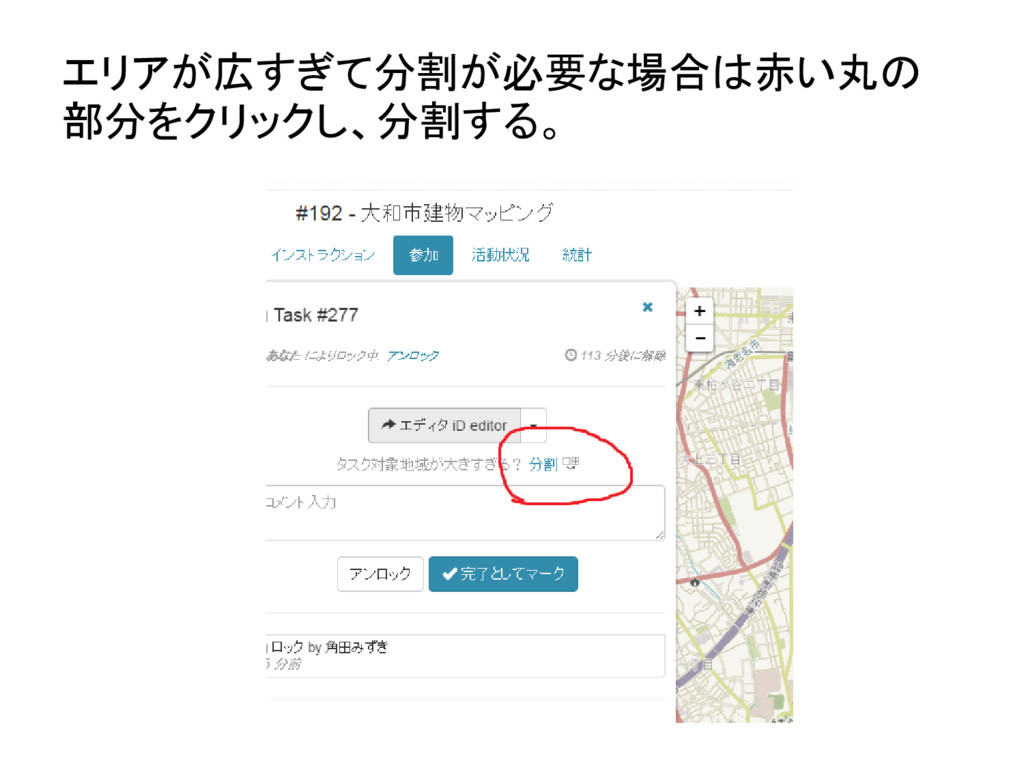
エリアが広すぎて分割が必要な場合は赤い丸の 部分をクリックし、分割する。
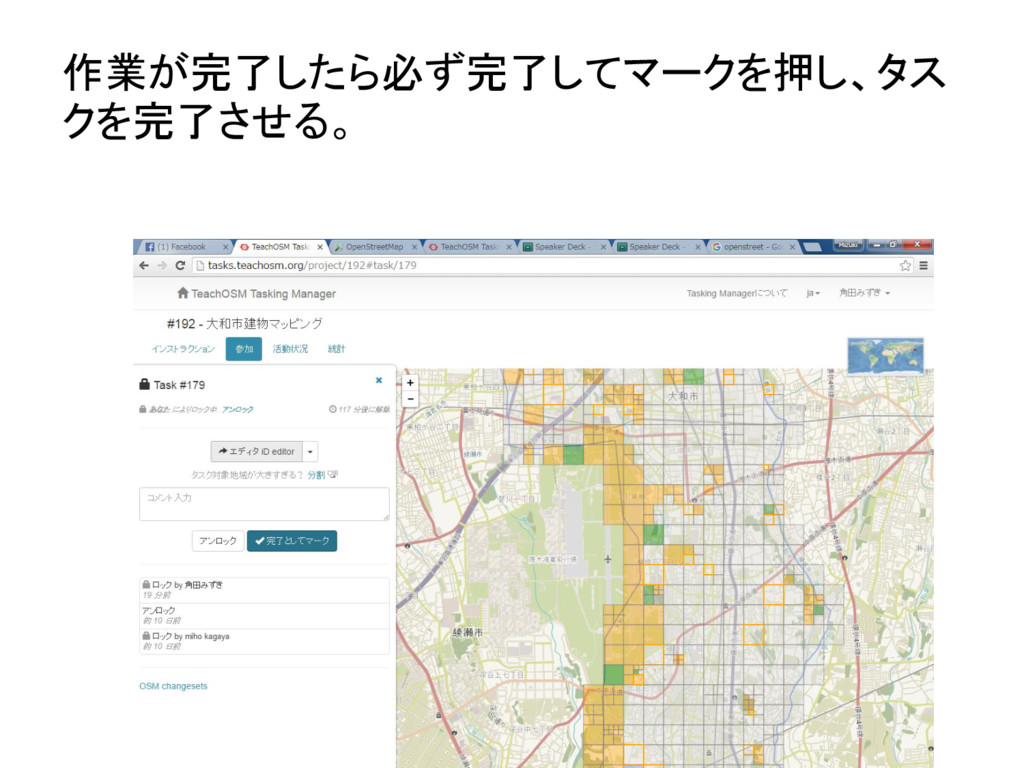
作業が完了したら必ず完了してマークを押し、タス クを完了させる。


 mizukaku614
 honnibal
 greggifford
 inesmontani
 axbom
axbom
 mfonobong
 rabernat
 pauljervisheath
 jonoalderson
 lara
lara
 mraible
 rkendrick25