Upgrade to Pro — share decks privately, control downloads, hide ads and more …

AutoGenesis ネイティブE2Eを “AIに生成させ、Appiumで実行する”

AutoGenesis ネイティブE2Eを “AIに生成させ、Appiumで実行する”

2026/8/22(土)に開催された .NETラボ 勉強会 2026年8月( https://dotnetlab.connpass.com/event/396232/ ) に参加した時に当日受付LTで発表した資料です。 #dotnetlab

Avatar for なかしょ

なかしょ

August 22, 2026

More Decks by なかしょ

Other Decks in Technology

Transcript

  1. AutoGenesis ネイティブE2Eを “AIに生成させ、Appiumで実行 する” iOS / Android 両対応 ・ ローカル完結

    ・ MCP × Behave Microsoft Edge QA 発 OSS / MIT License github.com/microsoft/AutoGenesis 2026/08/22 .NETラボ 2026年8月 当日LT NTTテクノクロス 中島進也(なかしょ)
  2. 自己紹介 • なかしょ(中島進也) @nakasho_dev • 所属:NTTテクノクロス株式会社 デジタルトランスフォーメーション事業部 • 業務:MaaS関連のスマートフォンアプリ開発担当 •

    趣味: – 妻とモンハンデート – AI+モバイル+地理空間情報システム – IT関連の勉強会(主にモバイル系 or アジャイル系 or Microsoft系) – 技術コミュニティの運営スタッフ • AI Dev Day 2026 • eXtreme Programming Japan User Group(XPJUG) 2019〜 • TDD BootCamp Online (TDDBC) 2020~ ※本資料は私個人の意見であり、所属企業・部門見解を代表するものではありません。
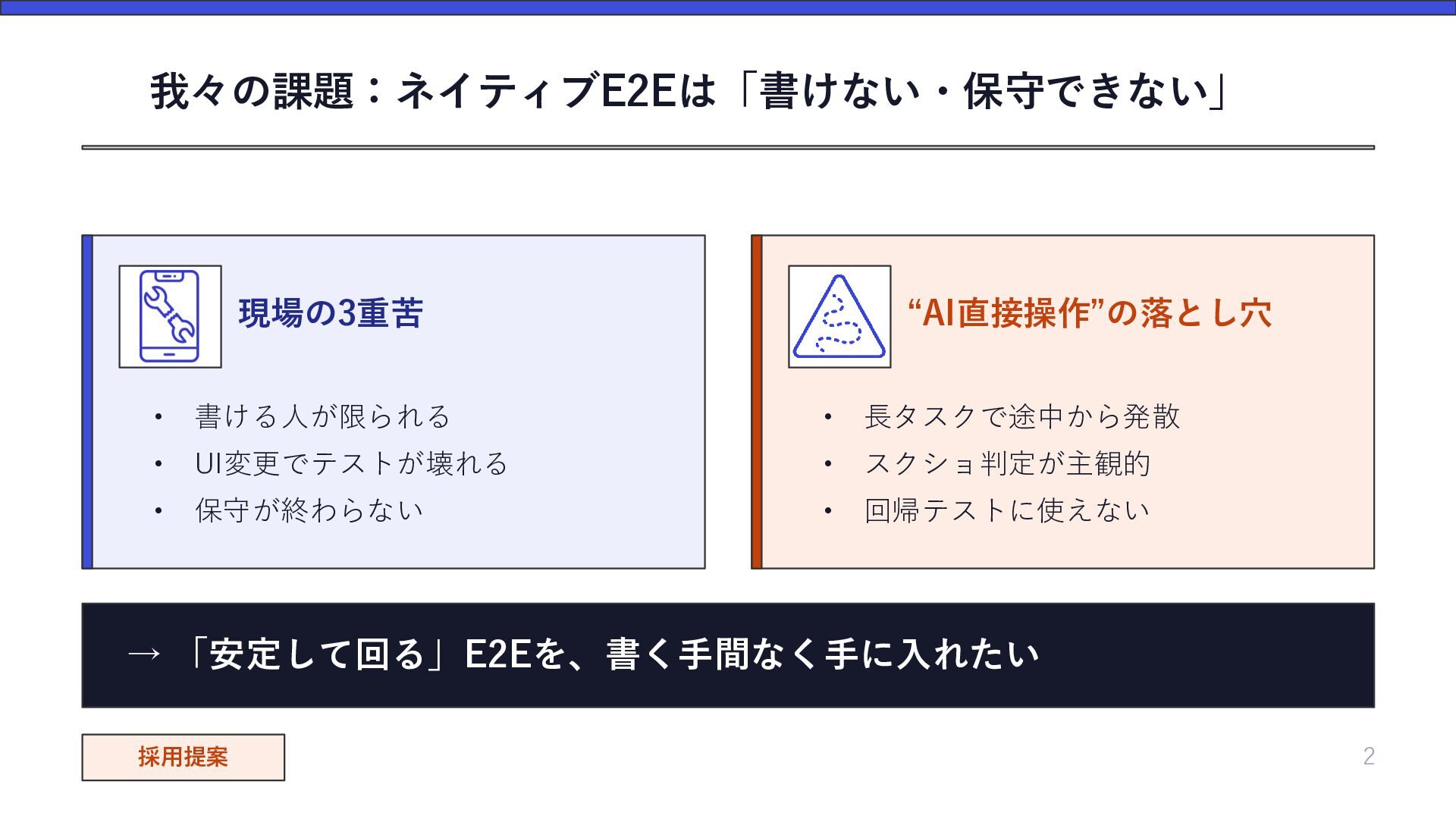
  3. 我々の課題:ネイティブE2Eは「書けない・保守できない」 現場の3重苦 “AI直接操作”の落とし穴 • 書ける人が限られる • 長タスクで途中から発散 • UI変更でテストが壊れる •

    スクショ判定が主観的 • 保守が終わらない • 回帰テストに使えない → 「安定して回る」E2Eを、書く手間なく手に入れたい 採用提案 2
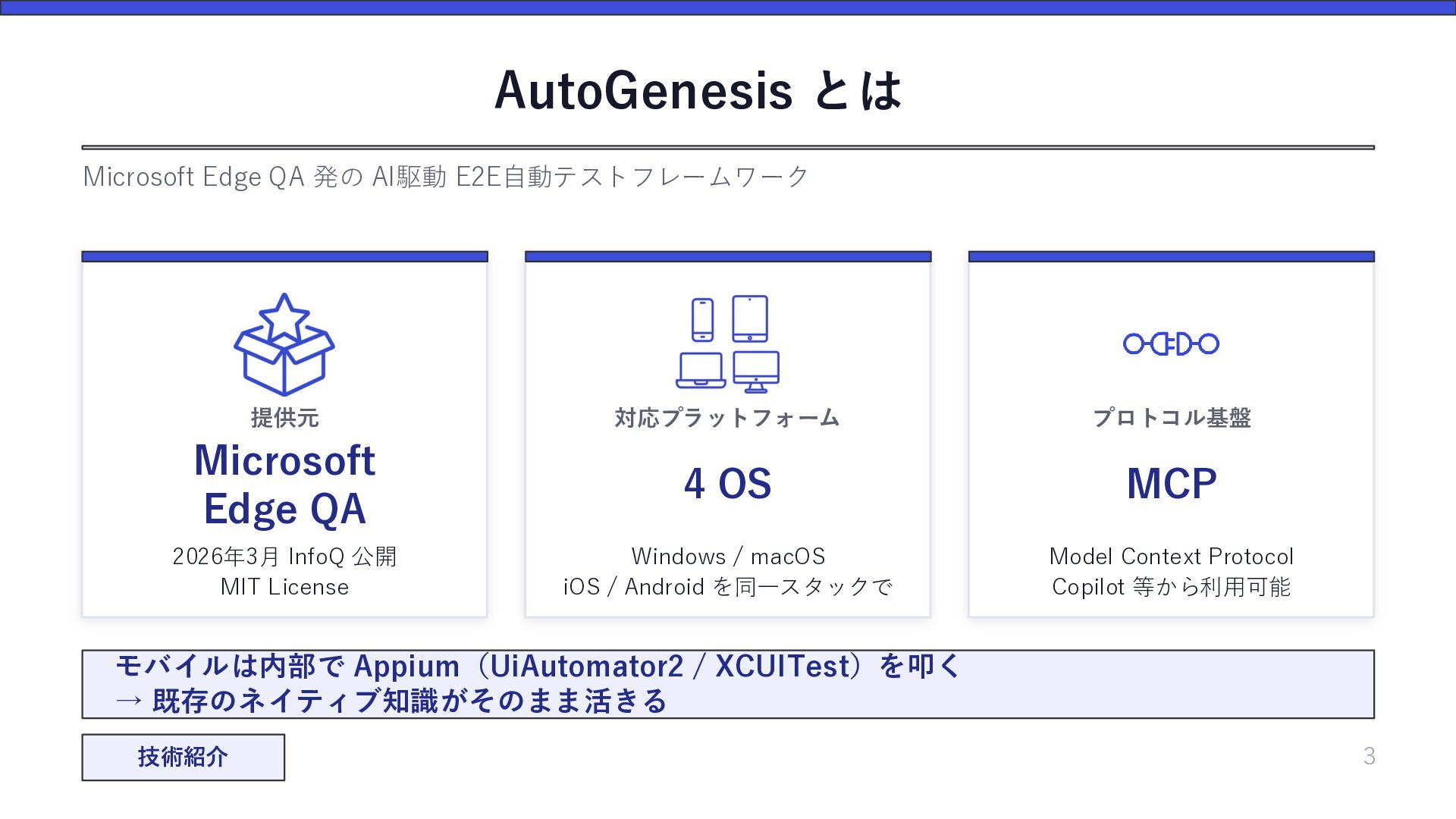
  4. AutoGenesis とは Microsoft Edge QA 発の AI駆動 E2E自動テストフレームワーク 提供元 対応プラットフォーム

    プロトコル基盤 Microsoft Edge QA 4 OS MCP 2026年3月 InfoQ 公開 MIT License Windows / macOS iOS / Android を同一スタックで Model Context Protocol Copilot 等から利用可能 モバイルは内部で Appium(UiAutomator2 / XCUITest)を叩く → 既存のネイティブ知識がそのまま活きる 技術紹介 3
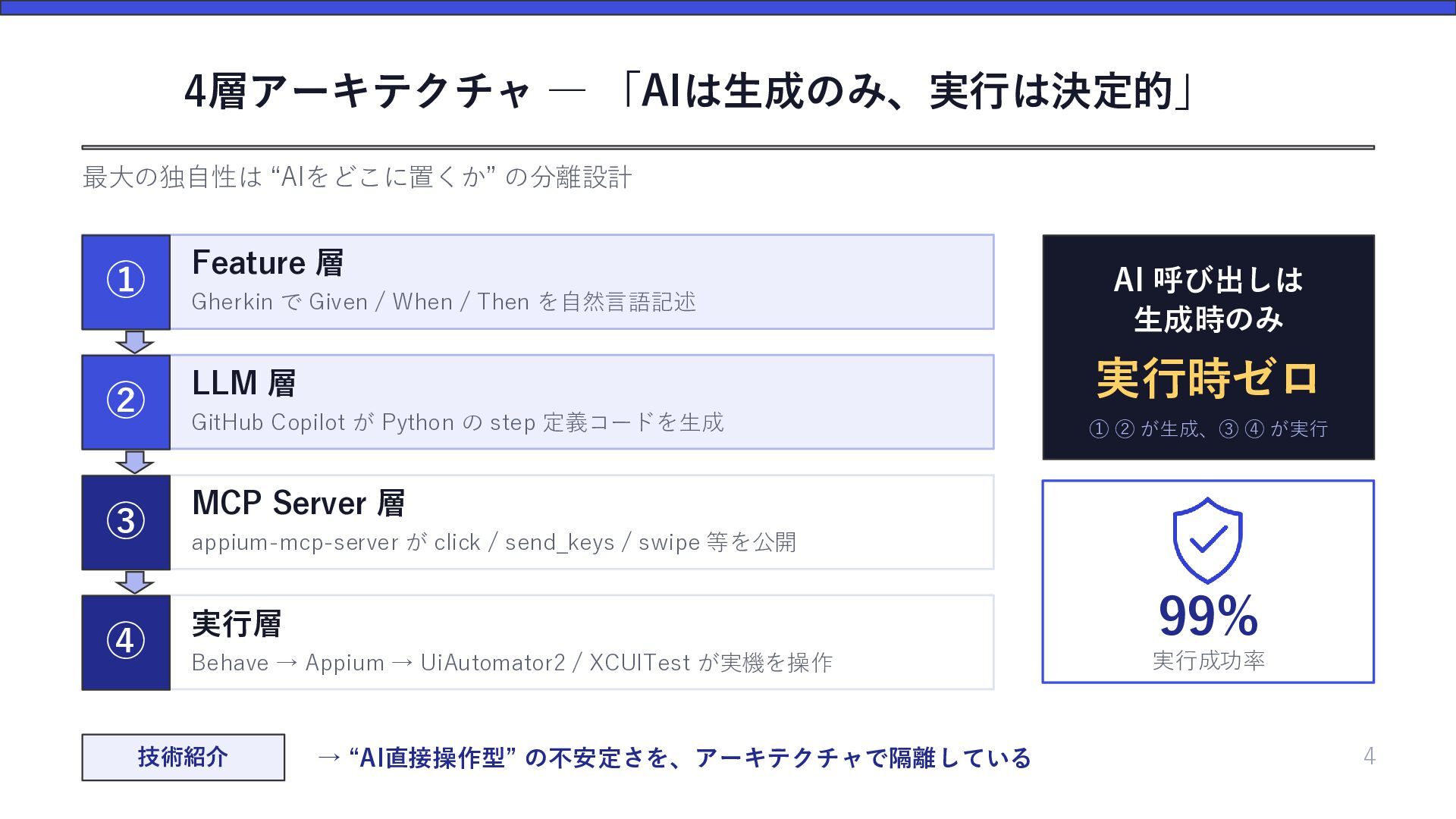
  5. 4層アーキテクチャ ― 「AIは生成のみ、実行は決定的」 最大の独自性は “AIをどこに置くか” の分離設計 ① Feature 層 ②

    LLM 層 実行時ゼロ GitHub Copilot が Python の step 定義コードを生成 ① ② が生成、③ ④ が実行 ③ MCP Server 層 ④ 実行層 99% Behave → Appium → UiAutomator2 / XCUITest が実機を操作 実行成功率 Gherkin で Given / When / Then を自然言語記述 AI 呼び出しは 生成時のみ appium-mcp-server が click / send_keys / swipe 等を公開 技術紹介 → “AI直接操作型” の不安定さを、アーキテクチャで隔離している 4
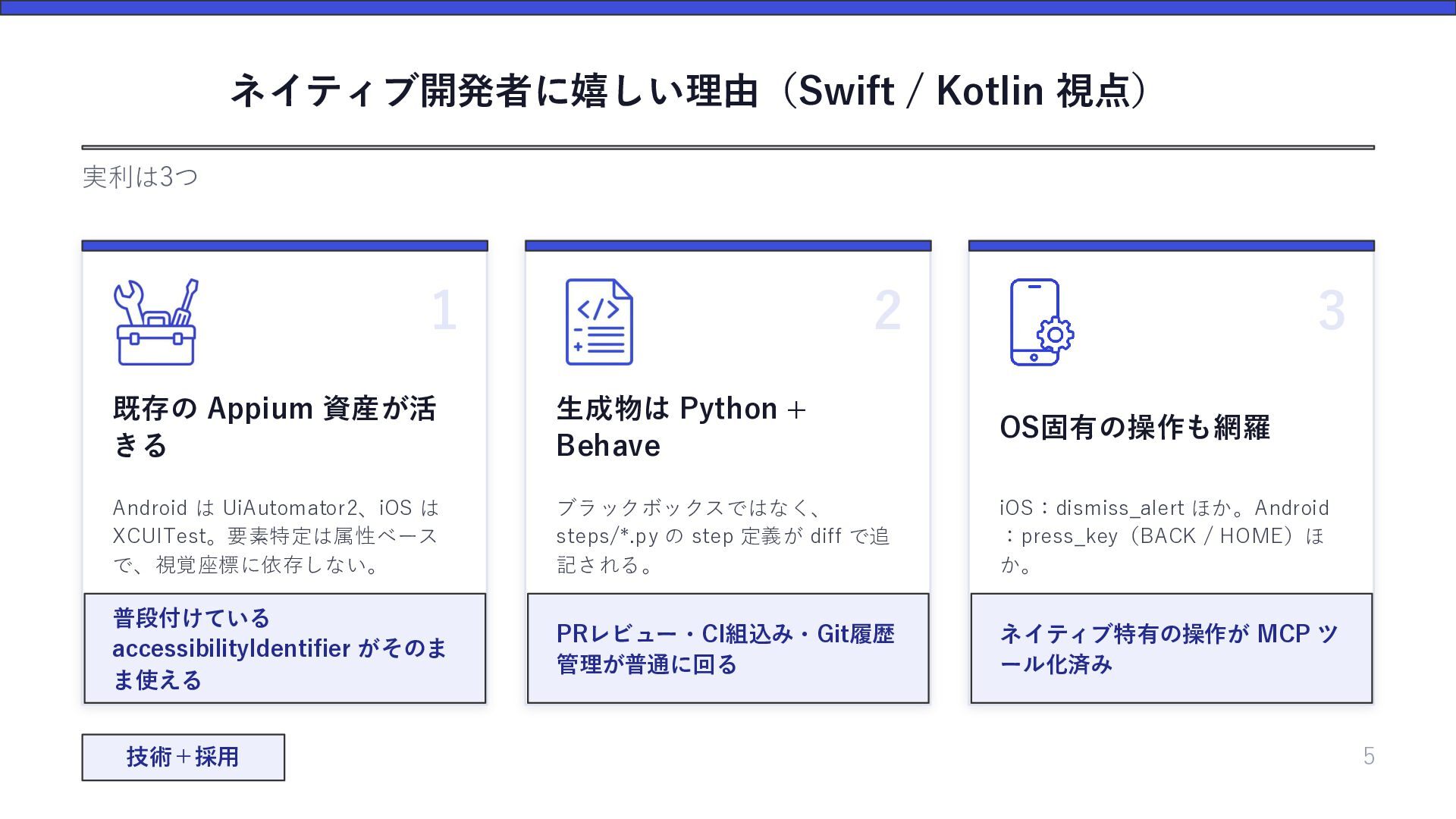
  6. ネイティブ開発者に嬉しい理由(Swift / Kotlin 視点) 実利は3つ 1 2 3 既存の Appium

    資産が活 きる 生成物は Python + Behave OS固有の操作も網羅 Android は UiAutomator2、iOS は XCUITest。要素特定は属性ベース で、視覚座標に依存しない。 ブラックボックスではなく、 steps/*.py の step 定義が diff で追 記される。 iOS:dismiss_alert ほか。Android :press_key(BACK / HOME)ほ か。 普段付けている accessibilityIdentifier がそのま ま使える PRレビュー・CI組込み・Git履歴 管理が普通に回る ネイティブ特有の操作が MCP ツ ール化済み 技術+採用 5
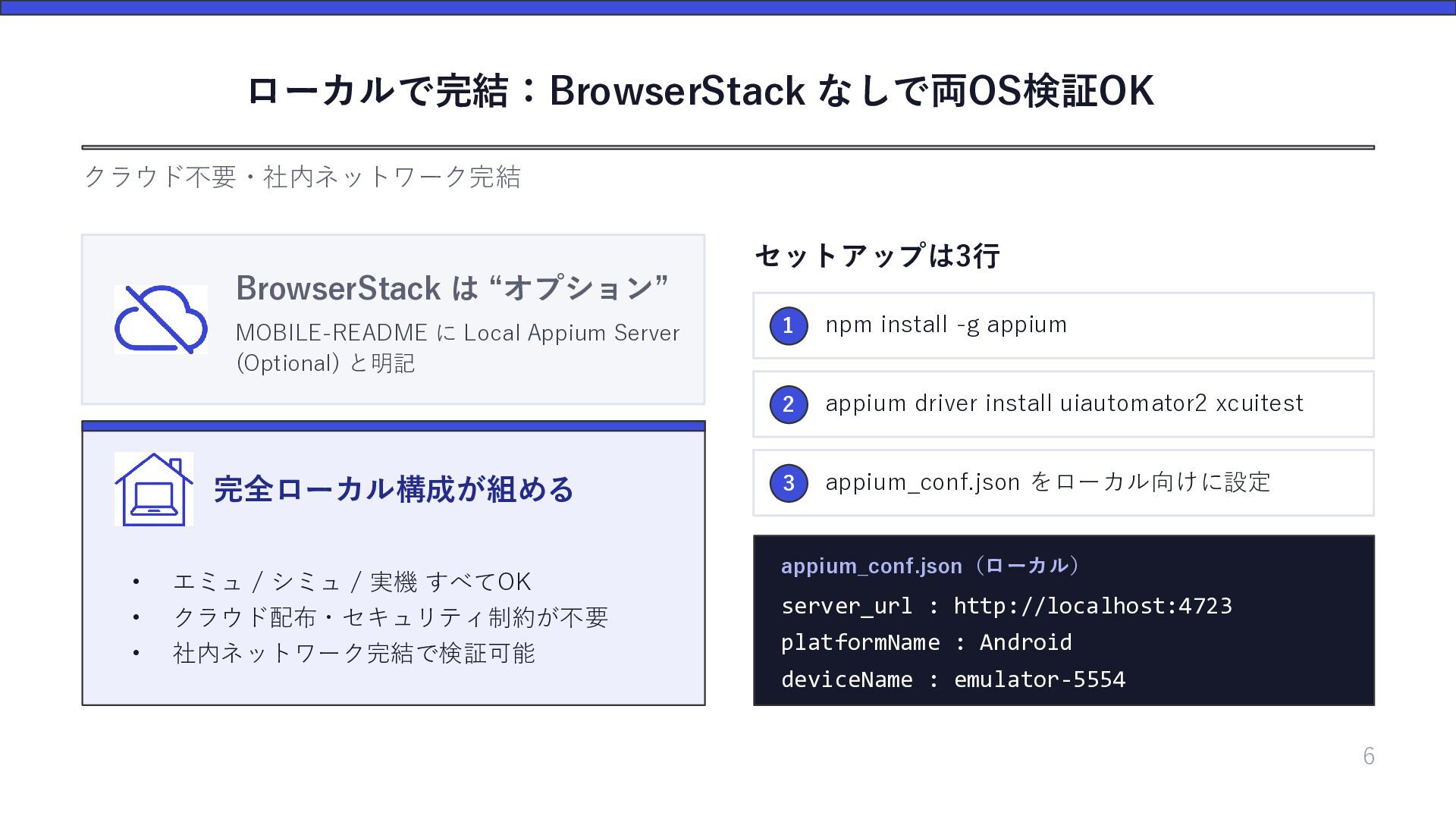
  7. ローカルで完結:BrowserStack なしで両OS検証OK クラウド不要・社内ネットワーク完結 セットアップは3行 BrowserStack は “オプション” MOBILE-README に Local

    Appium Server (Optional) と明記 完全ローカル構成が組める • エミュ / シミュ / 実機 すべてOK • • クラウド配布・セキュリティ制約が不要 社内ネットワーク完結で検証可能 1 npm install -g appium 2 appium driver install uiautomator2 xcuitest 3 appium_conf.json をローカル向けに設定 appium_conf.json(ローカル) server_url : http://localhost:4723 platformName : Android deviceName : emulator-5554 6
  8. Gherkinによるシナリオ Feature: Login As a user of the sample app

    I want to sign in with valid credentials So that I can access the item list @smoke @android @ios Scenario: Successful login with valid credentials Given I have launched the sample app When I input "[email protected]" in element "login_email_field" And I input "password" in element "login_password_field" And I tap element "login_submit_button" Then I should see element "item_list_screen" @smoke @android @ios Scenario: Failed login shows error message Given I have launched the sample app When I input "[email protected]" in element "login_email_field" And I input "wrongpass" in element "login_password_field" And I tap element "login_submit_button" Then I should see element "login_error_text" 6
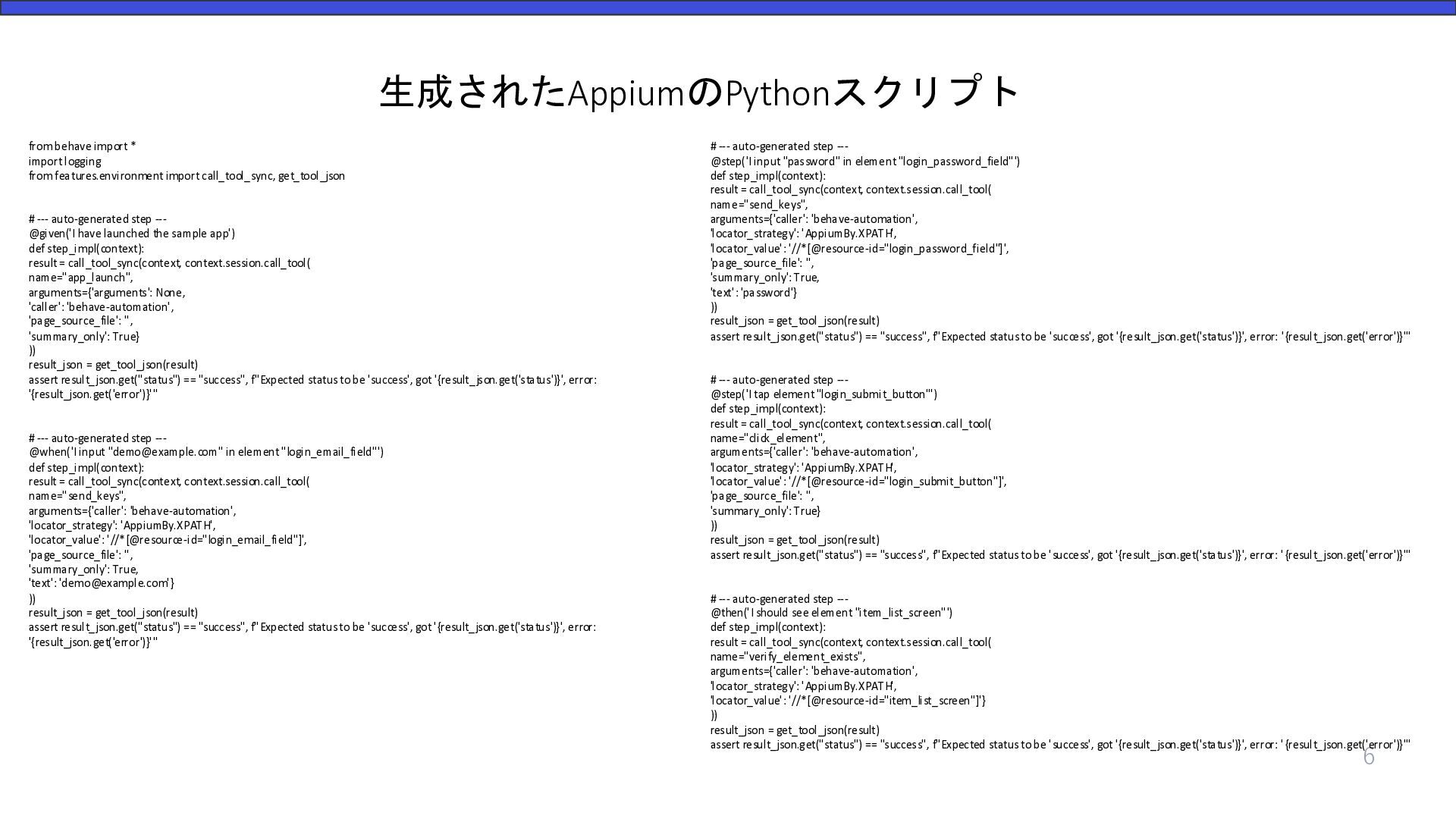
  9. 生成されたAppiumのPythonスクリプト from behave import * import logging from features.environment import

    call_tool_sync, get_tool_json # --- auto-generated step --@given('I have launched the sample app') def step_impl(context): result = call_tool_sync(context, context.session.call_tool( name="app_launch", arguments={'arguments': None, 'caller': 'behave-automation', 'page_source_file': '', 'summary_only': True} )) result_json = get_tool_json(result) assert result_json.get("status") == "success", f"Expected status to be 'success', got '{result_json.get('status')}', error: '{result_json.get('error')}'" # --- auto-generated step --@when('I input "[email protected]" in element "login_email_field"') def step_impl(context): result = call_tool_sync(context, context.session.call_tool( name="send_keys", arguments={'caller': 'behave-automation', 'locator_strategy': 'AppiumBy.XPATH', 'locator_value': '//*[@resource-id="login_email_field"]', 'page_source_file': '', 'summary_only': True, 'text': '[email protected]'} )) result_json = get_tool_json(result) assert result_json.get("status") == "success", f"Expected status to be 'success', got '{result_json.get('status')}', error: '{result_json.get('error')}'" # --- auto-generated step --@step('I input "password" in element "login_password_field"') def step_impl(context): result = call_tool_sync(context, context.session.call_tool( name="send_keys", arguments={'caller': 'behave-automation', 'locator_strategy': 'AppiumBy.XPATH', 'locator_value': '//*[@resource-id="login_password_field"]', 'page_source_file': '', 'summary_only': True, 'text': 'password'} )) result_json = get_tool_json(result) assert result_json.get("status") == "success", f"Expected status to be 'success', got '{result_json.get('status')}', error: '{result_json.get('error')}'" # --- auto-generated step --@step('I tap element "login_submit_button"') def step_impl(context): result = call_tool_sync(context, context.session.call_tool( name="click_element", arguments={'caller': 'behave-automation', 'locator_strategy': 'AppiumBy.XPATH', 'locator_value': '//*[@resource-id="login_submit_button"]', 'page_source_file': '', 'summary_only': True} )) result_json = get_tool_json(result) assert result_json.get("status") == "success", f"Expected status to be 'success', got '{result_json.get('status')}', error: '{result_json.get('error')}'" # --- auto-generated step --@then('I should see element "item_list_screen"') def step_impl(context): result = call_tool_sync(context, context.session.call_tool( name="verify_element_exists", arguments={'caller': 'behave-automation', 'locator_strategy': 'AppiumBy.XPATH', 'locator_value': '//*[@resource-id="item_list_screen"]'} )) result_json = get_tool_json(result) assert result_json.get("status") == "success", f"Expected status to be 'success', got '{result_json.get('status')}', error: '{result_json.get('error')}'" 6
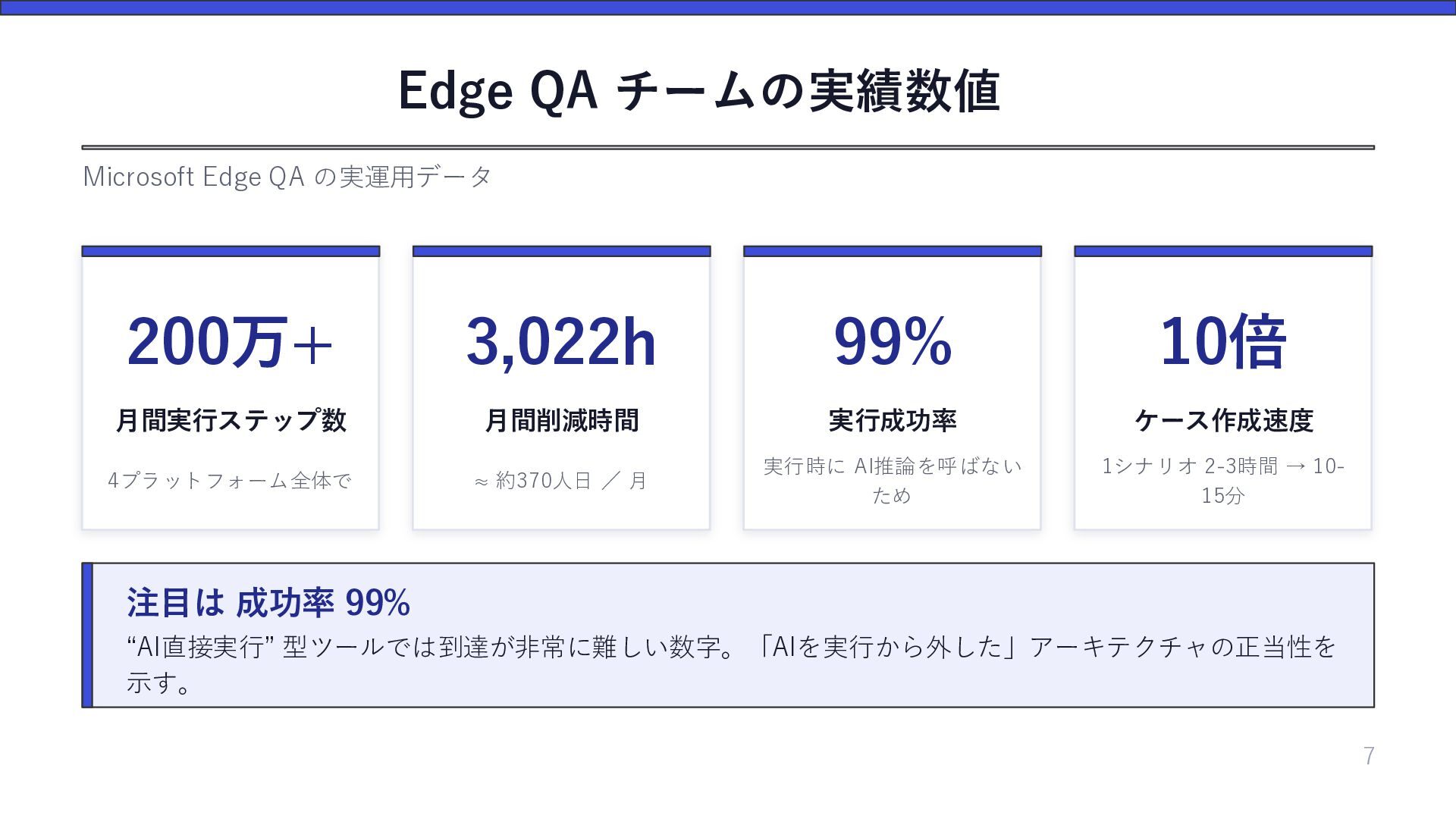
  10. Edge QA チームの実績数値 Microsoft Edge QA の実運用データ 200万+ 3,022h 99%

    10倍 月間実行ステップ数 月間削減時間 実行成功率 ケース作成速度 4プラットフォーム全体で ≈ 約370人日 / 月 実行時に AI推論を呼ばない ため 1シナリオ 2-3時間 → 1015分 注目は 成功率 99% “AI直接実行” 型ツールでは到達が非常に難しい数字。「AIを実行から外した」アーキテクチャの正当性を 示す。 7
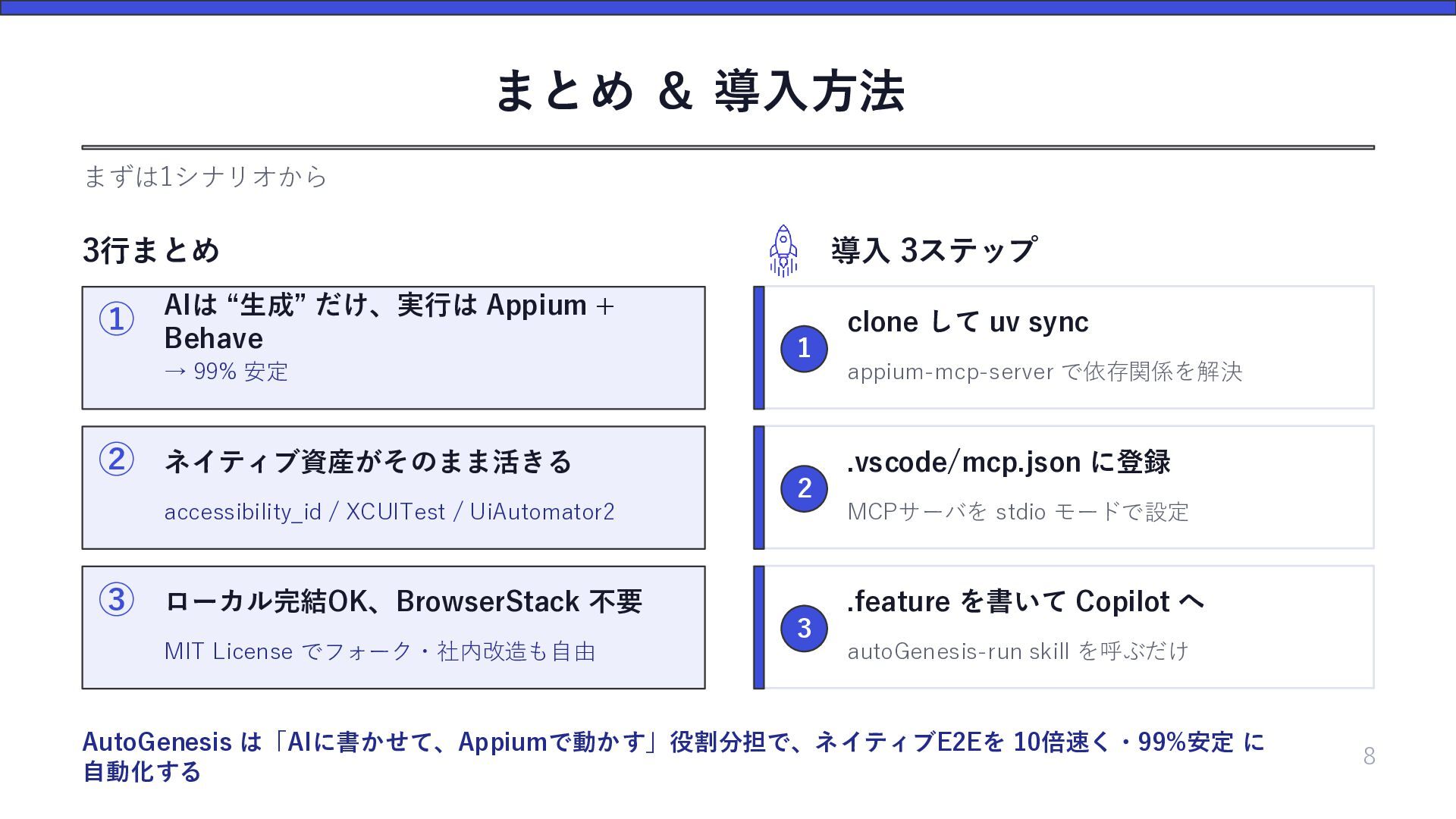
  11. まとめ & 導入方法 まずは1シナリオから 3行まとめ ① AIは “生成” だけ、実行は Appium

    + Behave → 99% 安定 ② ネイティブ資産がそのまま活きる accessibility_id / XCUITest / UiAutomator2 ③ ローカル完結OK、BrowserStack 不要 MIT License でフォーク・社内改造も自由 導入 3ステップ 1 2 3 clone して uv sync appium-mcp-server で依存関係を解決 .vscode/mcp.json に登録 MCPサーバを stdio モードで設定 .feature を書いて Copilot へ autoGenesis-run skill を呼ぶだけ AutoGenesis は「AIに書かせて、Appiumで動かす」役割分担で、ネイティブE2Eを 10倍速く・99%安定 に 自動化する 8