Introduction to: Kotlin Coroutines for Asynchro...
 Ship Features Fearlessly
Turn features on and off without deploys. Used by thousands of Ruby developers.
→

Share
Introduction to: Kotlin Coroutines for Asynchronous Programming on Android
Presented at:
https://www.meetup.com/DCAndroid/events/247962113/
https://www.meetup.com/DCKotlin/events/247847807/
Abstract:
Asynchronous programming, especially for networking, has always been a challenging problem for Android developers. Any good solution has to gracefully handle errors, cancellation, chaining multiple actions together, handle thread swapping, and much more.
Kotlin’s coroutines are yet another option for asynchronous programming. However, unlike other popular contenders on Android, coroutines meet all the previously mentioned requirements out-of-the-box, have a gentler learning curve, and don’t require you to write an absurd amount of boilerplate. In fact, once you start using them, they will fundamentally change how you architect and write asynchronous code in your apps. That said, learning any new asynchronous solution takes time and often comes with a period of trial-and-error until you have all the nuances figured out. This talk serves to introduce Android developers to coroutines:
(1) Lessen the learning curve by getting the subtleties of coroutines out of the way early
(2) Learn how to work coroutines into an existing app: easy places to start transitioning, interop with existing libraries, and reusing existing threading constructs
(3) Learn how to easily support error handling, cancellation, and task chaining with coroutines
(4) Get tips on writing and improving automated tests with coroutines Get a head start on coroutines in your apps and easily write, test, and maintain asynchronous code like never before!

Nick Capurso
Transcript
174 slides
-
whoareyou This talk is intended for those who: • Are
Android developers* with Kotlin experience • Have familiarity with asynchronous programming, especially for making API calls. • Have some experience at least one of: ◦ AsyncTask (Android) ◦ Executor ◦ Future ◦ RxJava -
Outline • Framing example • Issues with current async solutions
• Intro to Kotlin Coroutines ◦ What is a “coroutine”? ◦ Main usage & concepts ◦ Thread pools ◦ Cancellation ◦ Error handling ◦ Testing • Tips for usage in an existing app -
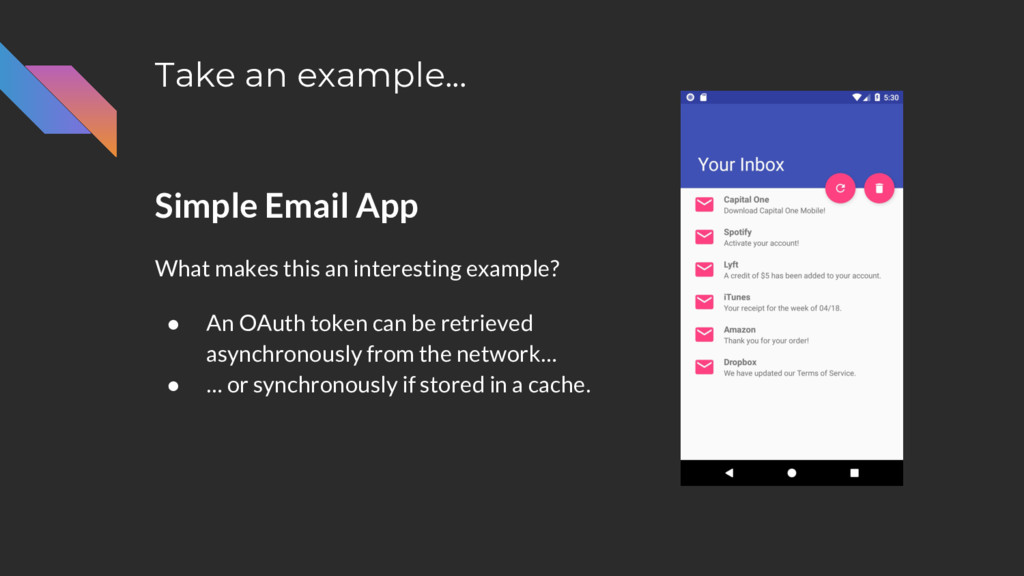
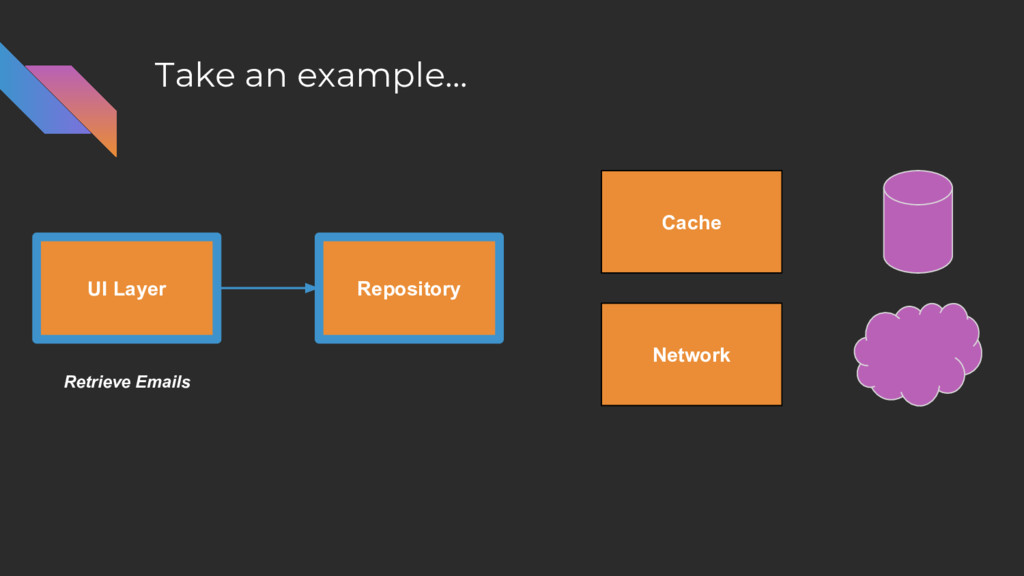
Take an example... Simple Email App To retrieve user’s emails:
• Retrieve an OAuth token. • Make the Emails API call. -
Take an example... Simple Email App What makes this an
interesting example? -
Take an example... Simple Email App What makes this an
interesting example? • An OAuth token can be retrieved asynchronously from the network... -
Take an example... Simple Email App What makes this an
interesting example? • An OAuth token can be retrieved asynchronously from the network… • … or synchronously if stored in a cache. -
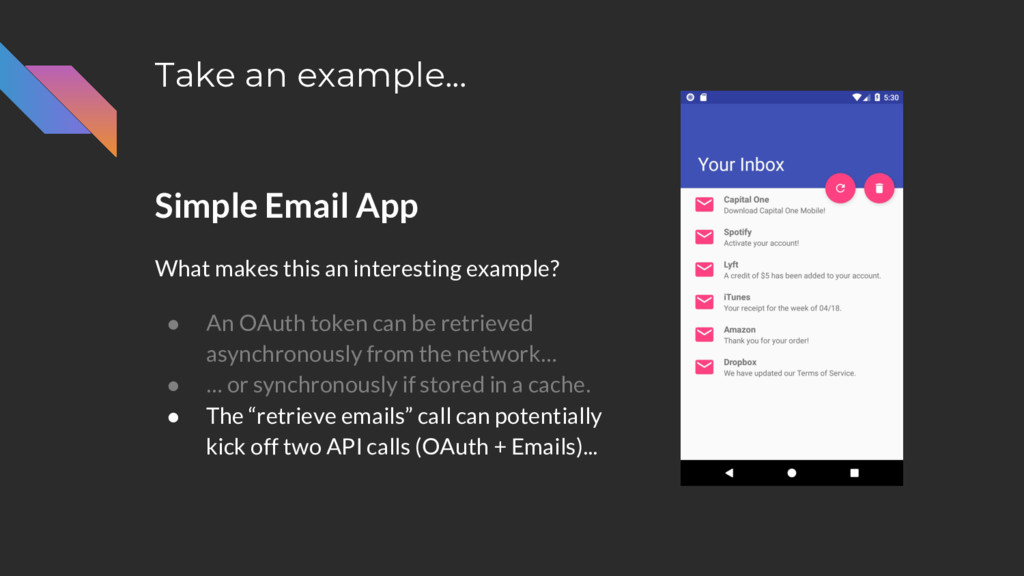
Take an example... Simple Email App What makes this an
interesting example? • An OAuth token can be retrieved asynchronously from the network… • … or synchronously if stored in a cache. • The “retrieve emails” call can potentially kick off two API calls (OAuth + Emails)... -
Take an example... Simple Email App What makes this an
interesting example? • An OAuth token can be retrieved asynchronously from the network… • … or synchronously if stored in a cache. • The “retrieve emails” call can potentially kick off two API calls (OAuth + Emails)... • … and either one could fail. -
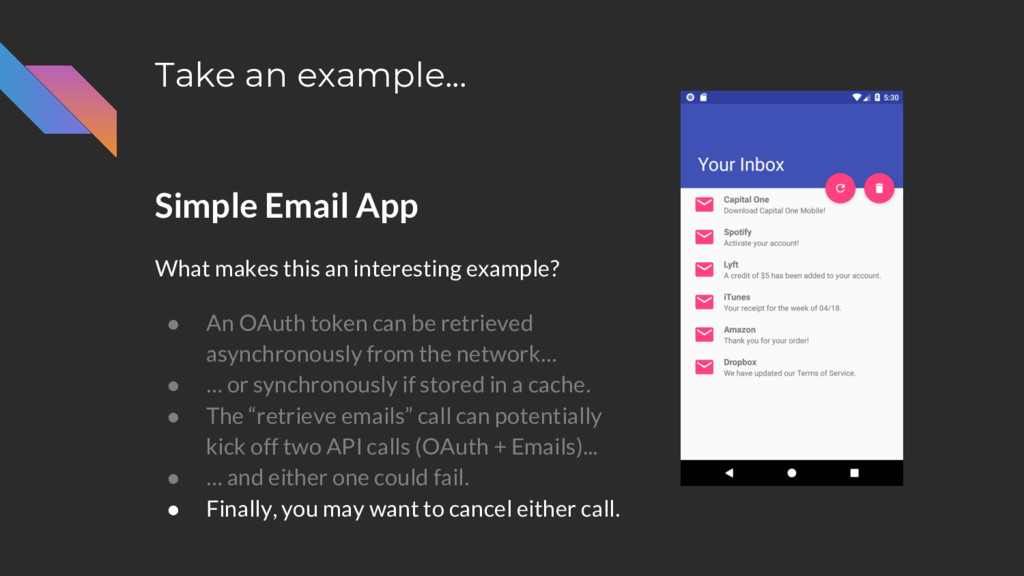
Take an example... Simple Email App What makes this an
interesting example? • An OAuth token can be retrieved asynchronously from the network… • … or synchronously if stored in a cache. • The “retrieve emails” call can potentially kick off two API calls (OAuth + Emails)... • … and either one could fail. • Finally, you may want to cancel either call. -
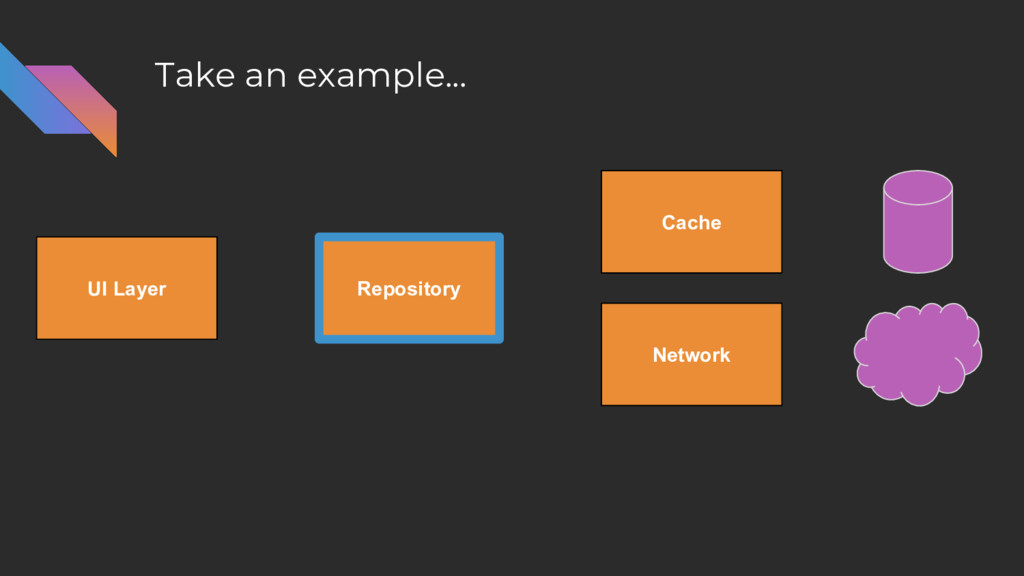
Take an example... UI Layer Repository Cache Network Do OAuth
Retrieve Emails -
Take an example... class Repository(private val cache: Cache, private val
network: Network) { fun retrieveOAuthToken() {} fun retrieveEmails() {} } -
Take an example... fun retrieveEmails() { // Get an OAuth
token (could be cached else involves a network call) // Use token to call the Emails API } -
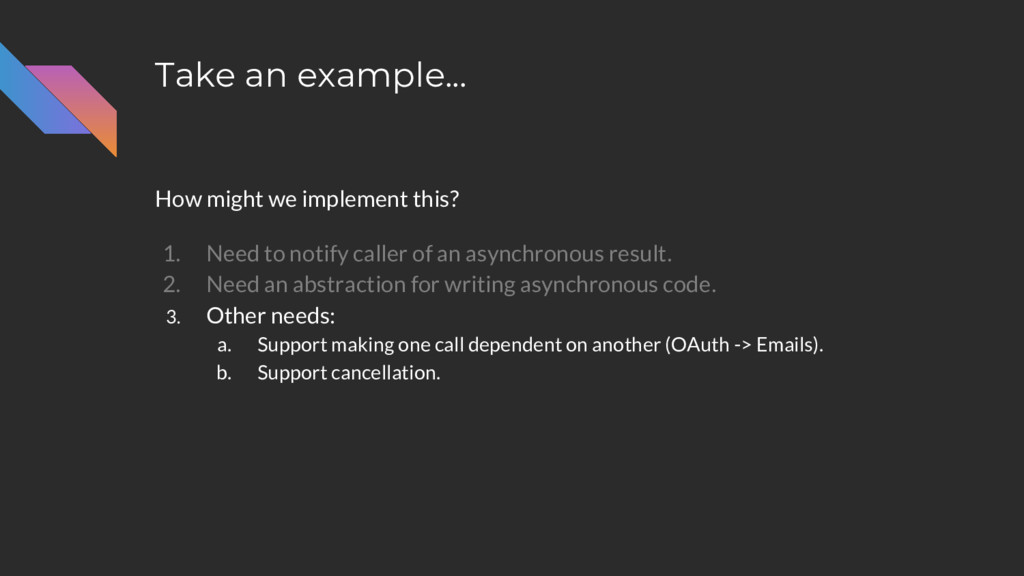
Take an example... How might we implement this? 1. Need
to notify caller of an asynchronous result. 2. Need an abstraction for writing asynchronous code. 3. Other needs: a. Support making one call dependent on another (OAuth -> Emails). b. Support cancellation. -
Take an example... How might we implement this? 1. Need
to notify caller of an asynchronous result. 2. Need an abstraction for writing asynchronous code. 3. Other needs: a. Support making one call dependent on another (OAuth -> Emails). b. Support cancellation. -
Take an example... How might we implement this? 1. Need
to notify caller of an asynchronous result. 2. Need an abstraction for writing asynchronous code. 3. Other needs: a. Support making one call dependent on another (OAuth -> Emails). b. Support cancellation. -
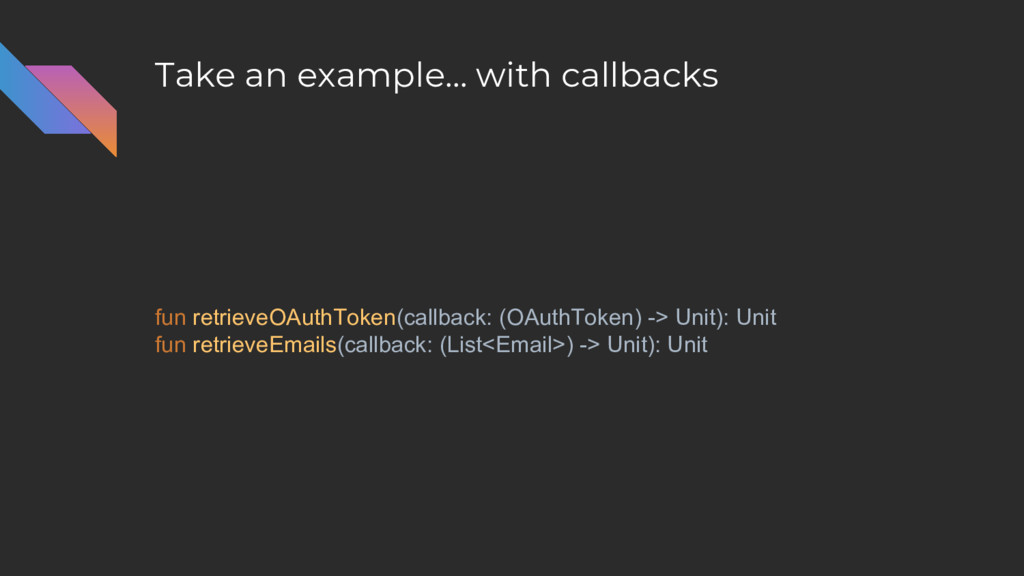
Take an example… with callbacks fun retrieveOAuthToken(callback: (OAuthToken) -> Unit):
Unit fun retrieveEmails(callback: (List<Email>) -> Unit): Unit -
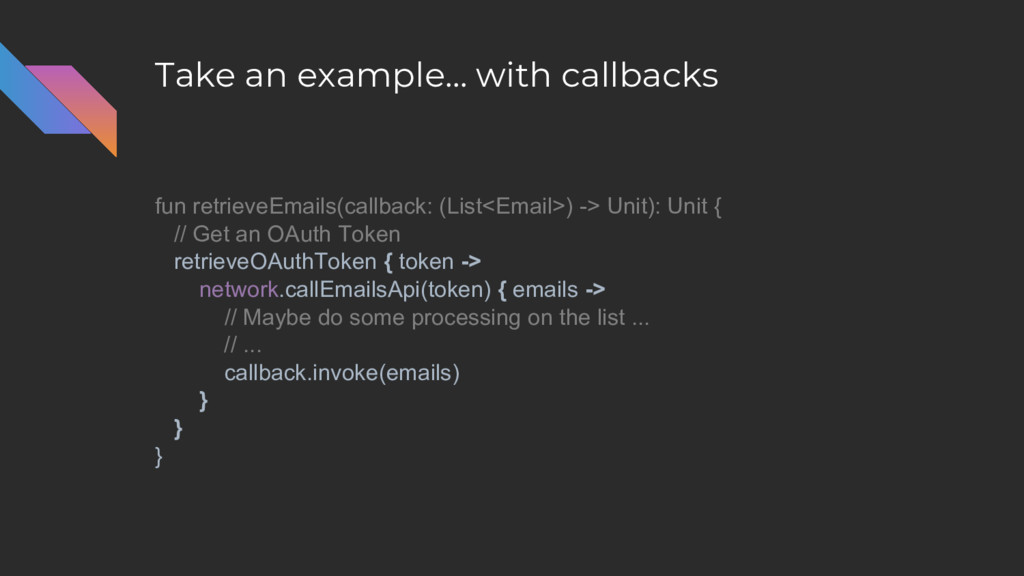
Take an example… with callbacks fun retrieveEmails(callback: (List<Email>) -> Unit):
Unit { // Get an OAuth Token retrieveOAuthToken { token -> network.callEmailsApi(token) { emails -> // Maybe do some processing on the list ... // ... callback.invoke(emails) } } } -
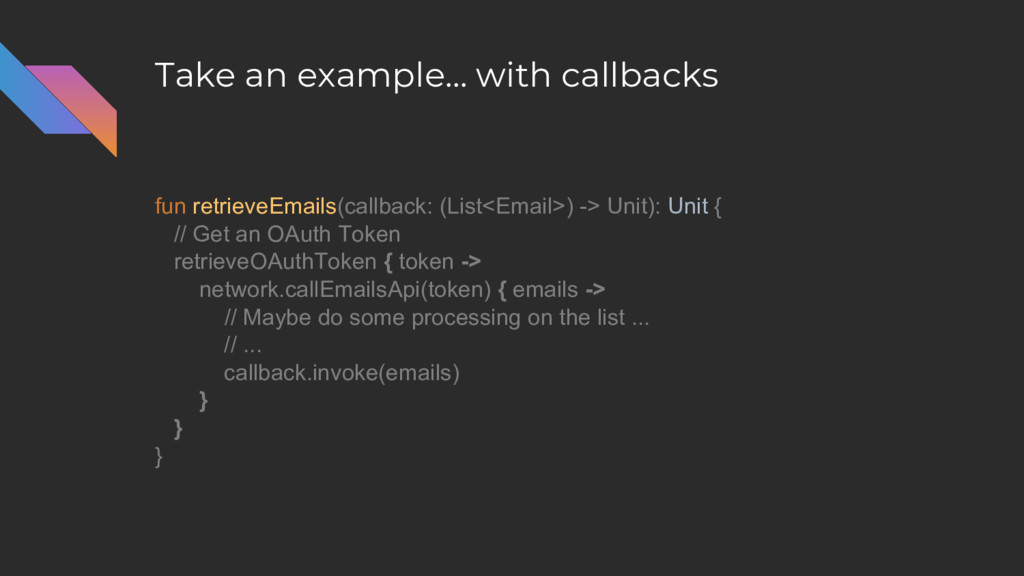
Take an example… with callbacks fun retrieveEmails(callback: (List<Email>) -> Unit):
Unit { // Get an OAuth Token retrieveOAuthToken { token -> network.callEmailsApi(token) { emails -> // Maybe do some processing on the list ... // ... callback.invoke(emails) } } } -
Take an example… with callbacks fun retrieveEmails(callback: (List<Email>) -> Unit):
Unit { // Get an OAuth Token retrieveOAuthToken { token -> network.callEmailsApi(token) { emails -> // Maybe do some processing on the list ... // ... callback.invoke(emails) } } } -
Take an example… with callbacks fun retrieveEmails(callback: (List<Email>) -> Unit):
Unit { // Get an OAuth Token retrieveOAuthToken { token -> network.callEmailsApi(token) { emails -> // Maybe do some processing on the list ... // ... callback.invoke(emails) } } } -
Take an example… with callbacks fun retrieveEmails(callback: (List<Email>) -> Unit):
Unit { // Get an OAuth Token retrieveOAuthToken { token -> network.callEmailsApi(token) { emails -> // Maybe do some processing on the list ... // ... callback.invoke(emails) } } } How do we “cancel”? -
Take an example... fun retrieveEmails() { // Get an OAuth
token (could be cached else involves a network call) // Use token to call the Emails API } -
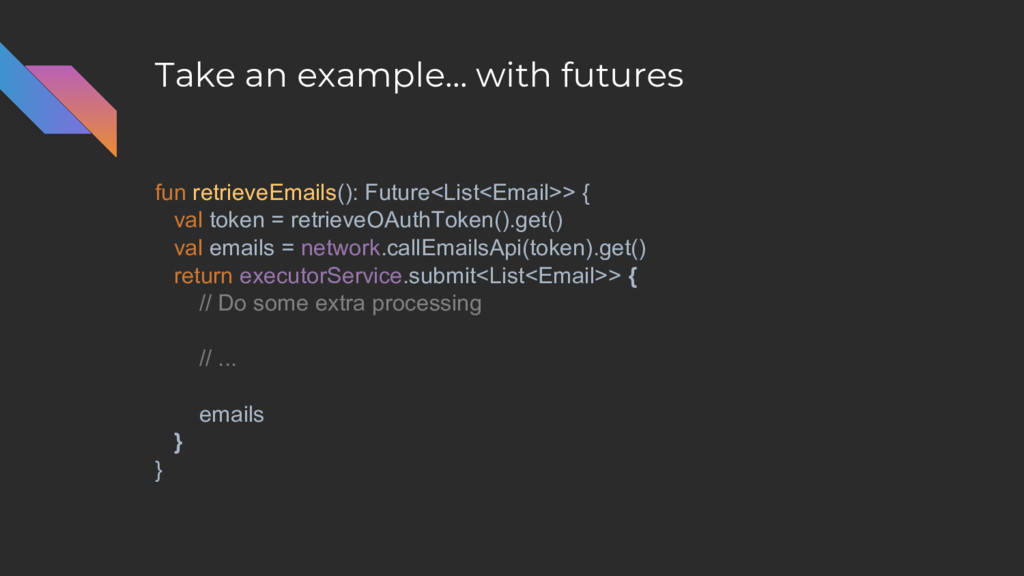
Take an example… with futures fun retrieveEmails(): Future<List<Email>> { val
token = retrieveOAuthToken().get() val emails = network.callEmailsApi(token).get() return executorService.submit<List<Email>> { // Do some extra processing // ... emails } } -
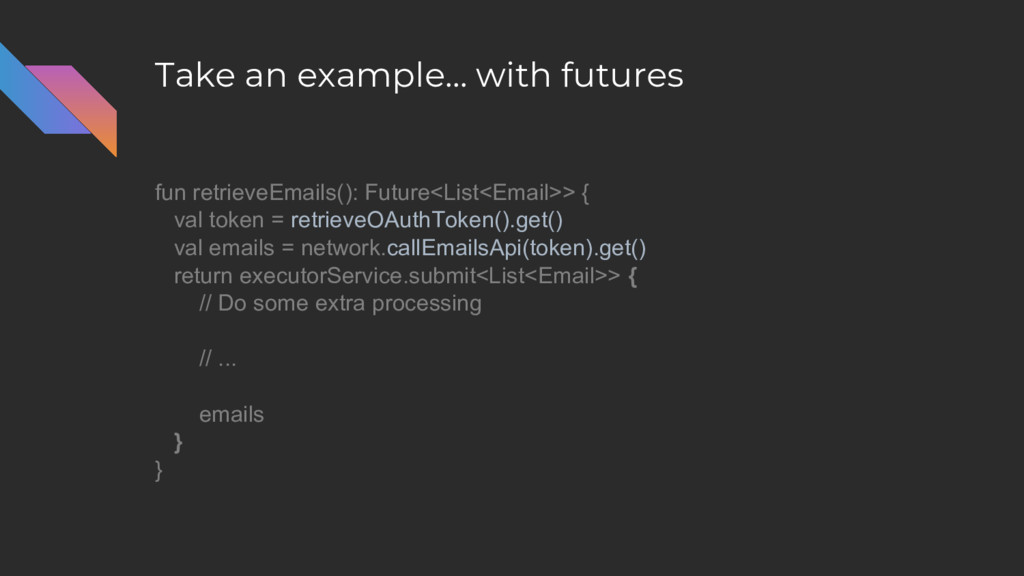
Take an example… with futures fun retrieveEmails(): Future<List<Email>> { val
token = retrieveOAuthToken().get() val emails = network.callEmailsApi(token).get() return executorService.submit<List<Email>> { // Do some extra processing // ... emails } } -
Take an example… with futures fun retrieveEmails(): Future<List<Email>> { val
token = retrieveOAuthToken().get() val emails = network.callEmailsApi(token).get() return executorService.submit<List<Email>> { // Do some extra processing // ... emails } } -
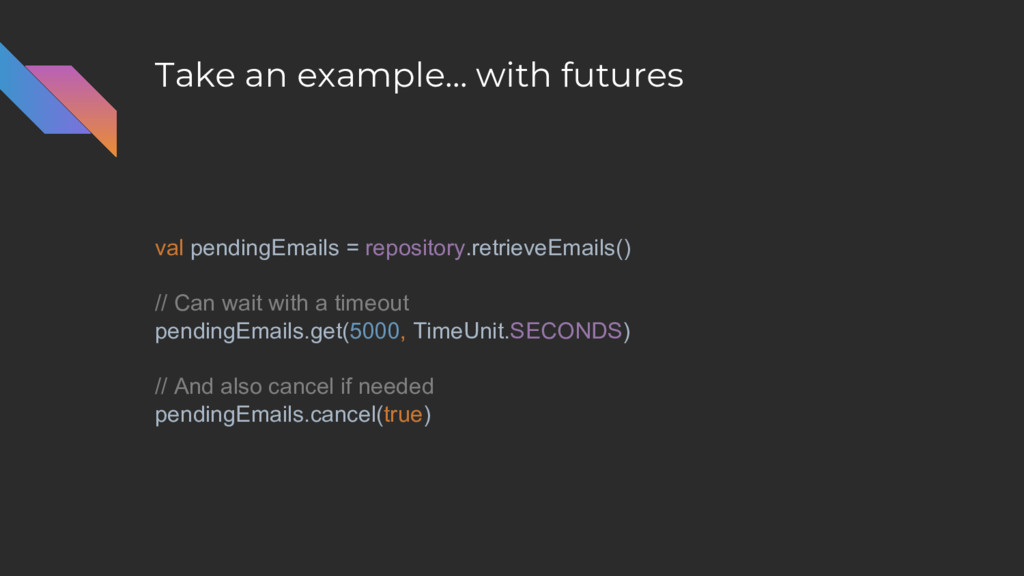
Take an example… with futures val pendingEmails = repository.retrieveEmails() //
Can wait with a timeout pendingEmails.get(5000, TimeUnit.SECONDS) // And also cancel if needed pendingEmails.cancel(true) -
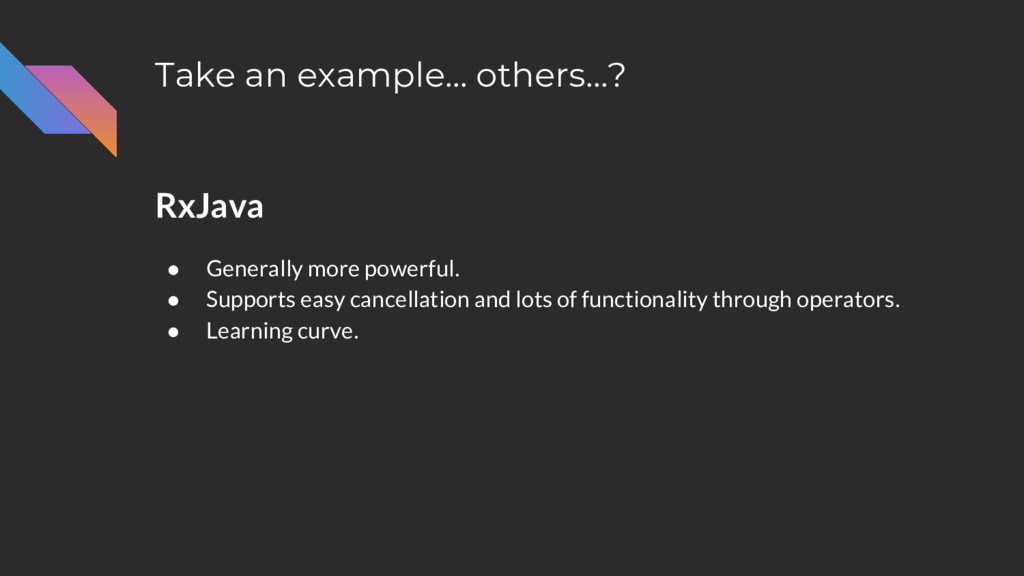
Take an example… others…? RxJava • Generally more powerful. •
Supports easy cancellation and lots of functionality through operators. • Learning curve. -
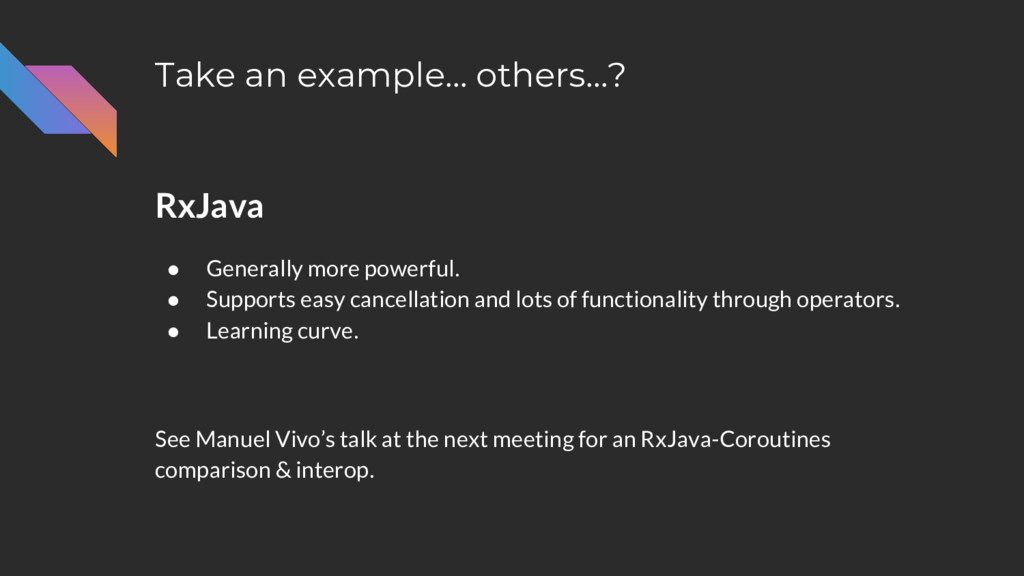
Take an example… others…? RxJava • Generally more powerful. •
Supports easy cancellation and lots of functionality through operators. • Learning curve. See Manuel Vivo’s talk at the next meeting for an RxJava-Coroutines comparison & interop. -
What is a coroutine? “Coroutines are computer-program components that …
[allows] multiple entry points for suspending and resuming execution at certain locations.” - Wikipedia -
What is a coroutine? A function that can stop executing
(“suspend”) and continue where it left off* later. *implies some state is kept somehow -
What is a coroutine? A function that can stop executing
(“suspend”) and continue where it left off* later. *implies some state is kept somehow -
What is a coroutine? A function that can stop executing
(“suspend”) and continue where it left off* later. *implies some state is kept somehow -
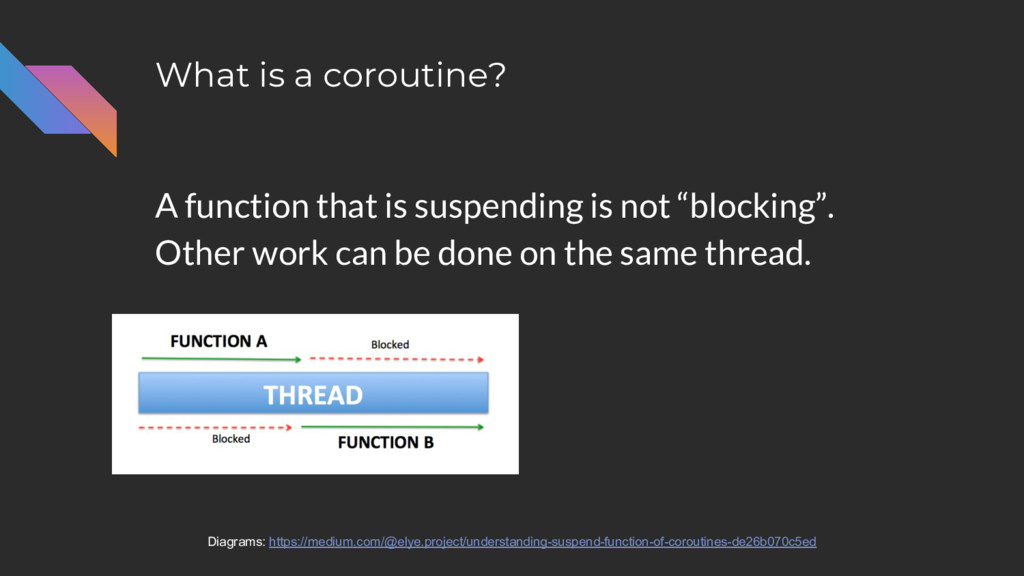
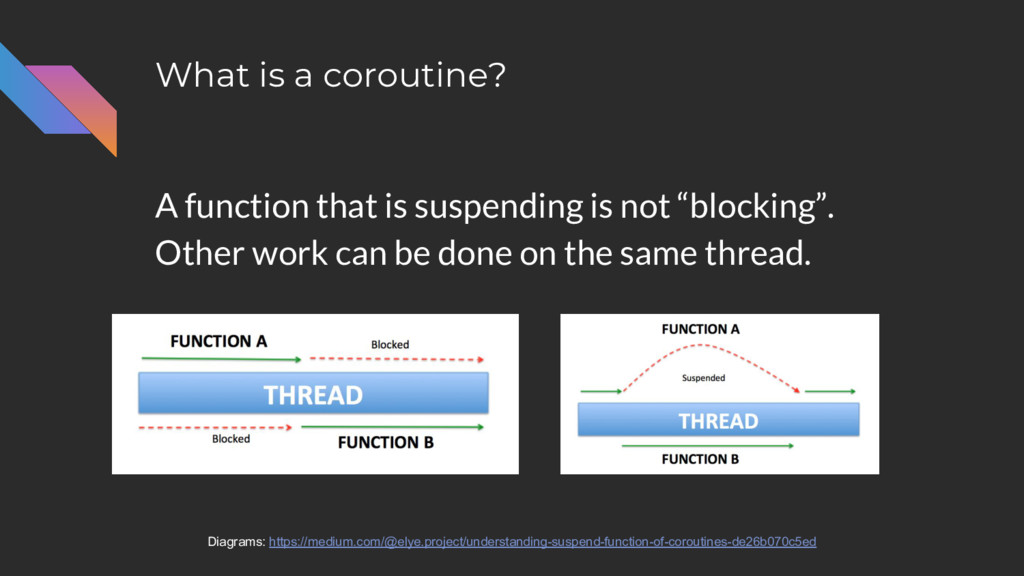
What is a coroutine? A function that is suspending is
not “blocking”. Other work can be done on the same thread. Diagrams: https://medium.com/@elye.project/understanding-suspend-function-of-coroutines-de26b070c5ed -
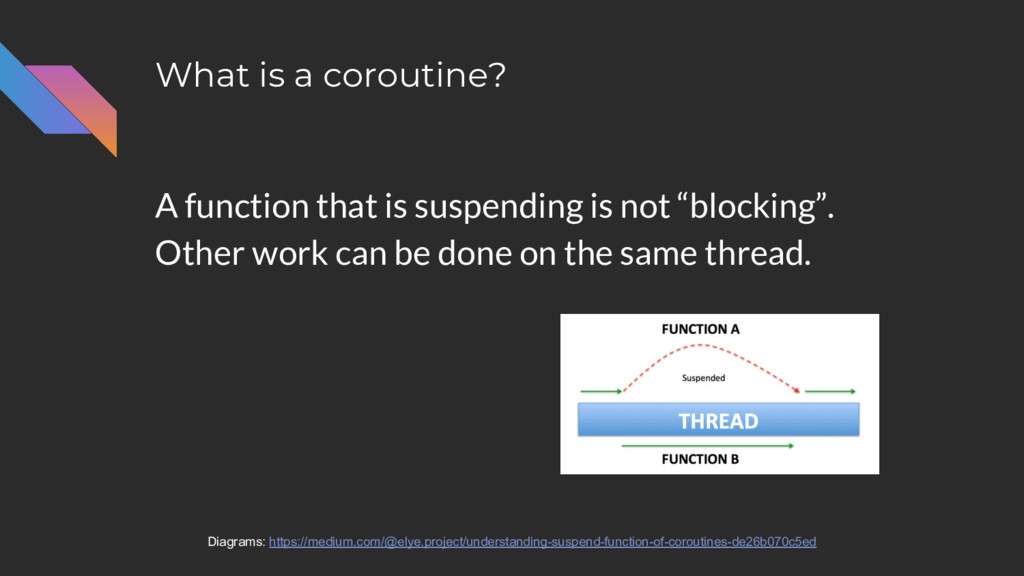
What is a coroutine? A function that is suspending is
not “blocking”. Other work can be done on the same thread. Diagrams: https://medium.com/@elye.project/understanding-suspend-function-of-coroutines-de26b070c5ed -
What is a coroutine? A function that is suspending is
not “blocking”. Other work can be done on the same thread. Diagrams: https://medium.com/@elye.project/understanding-suspend-function-of-coroutines-de26b070c5ed -
What is a coroutine? Because coroutines can suspend and resume
execution: • A single thread can potentially do more work. -
What is a coroutine? Because coroutines can suspend and resume
execution: • A single thread can potentially do more work. • You can write asychronous code that looks sequential. -
What is a coroutine? Because coroutines can suspend and resume
execution: • A single thread can potentially do more work. • You can write asychronous code that looks sequential. ◦ Writable ◦ Maintainable ◦ Testable -
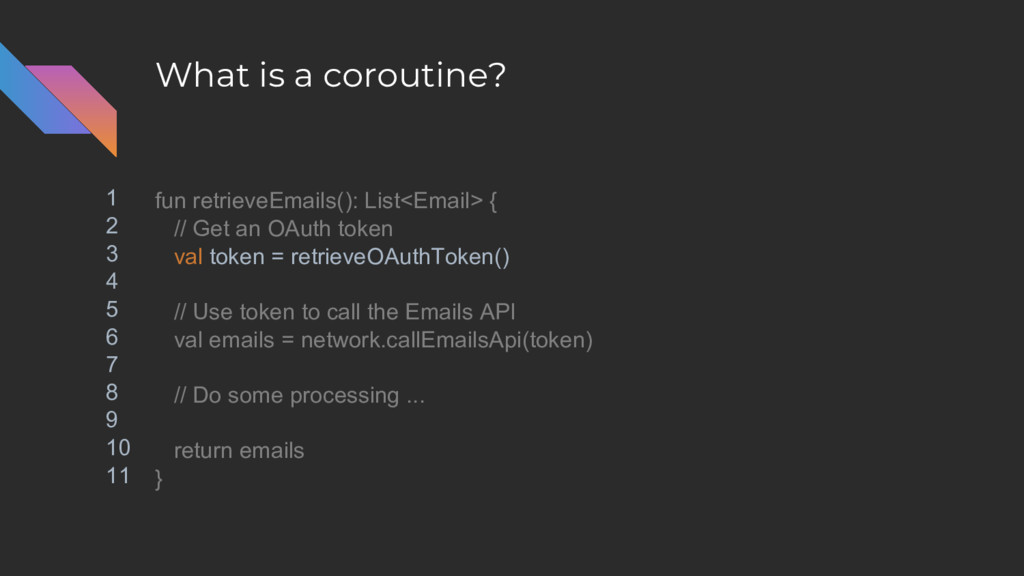
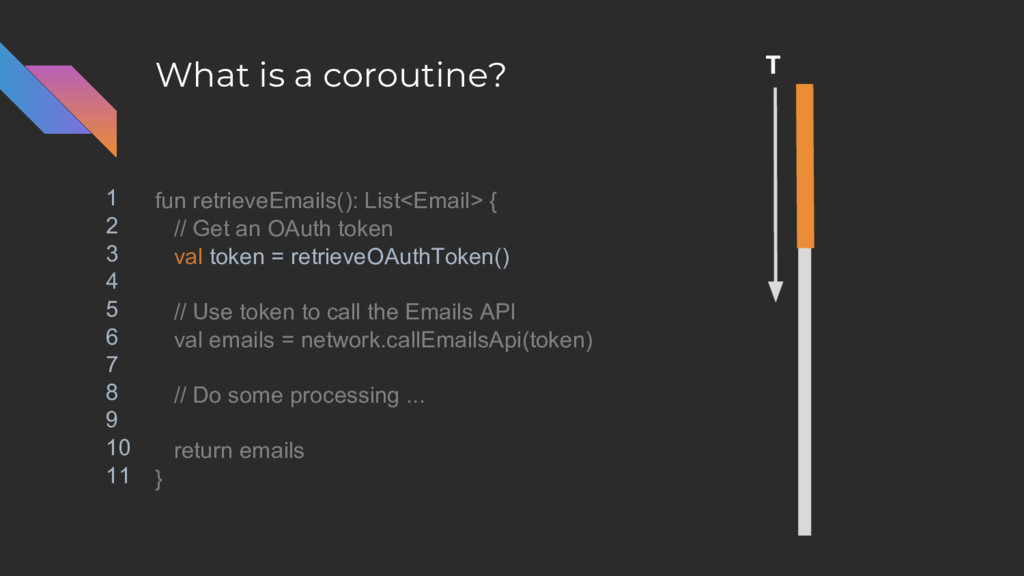
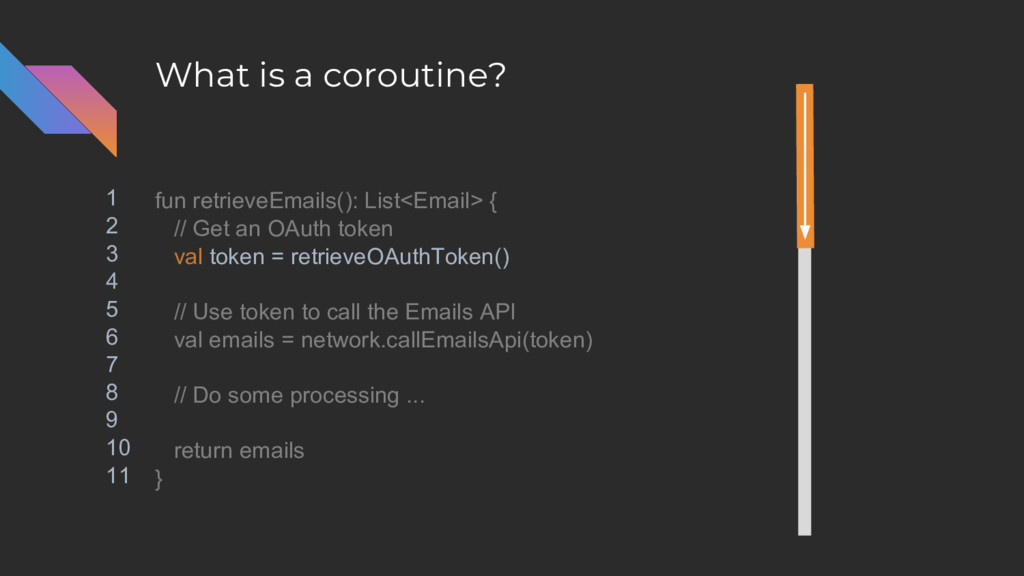
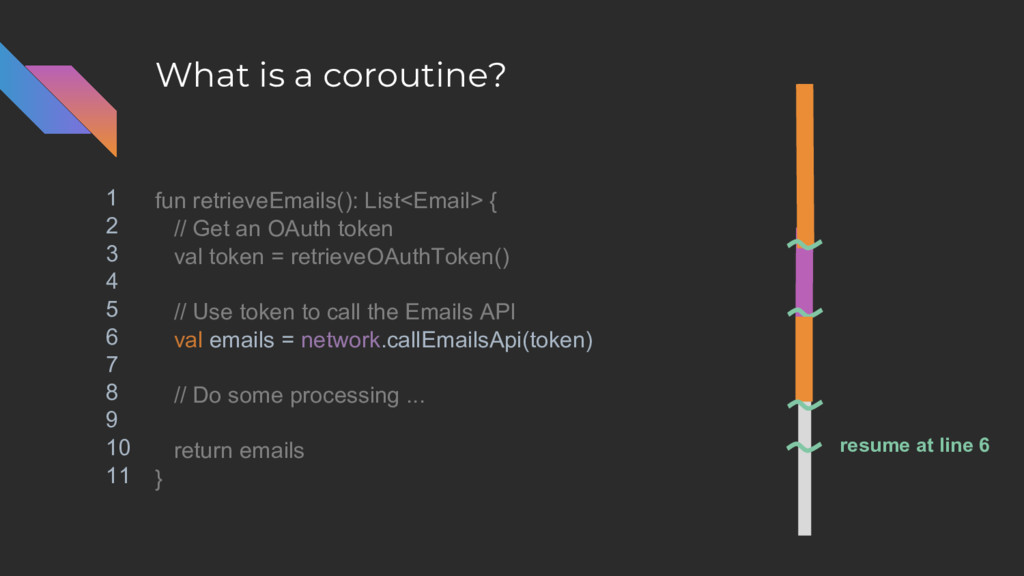
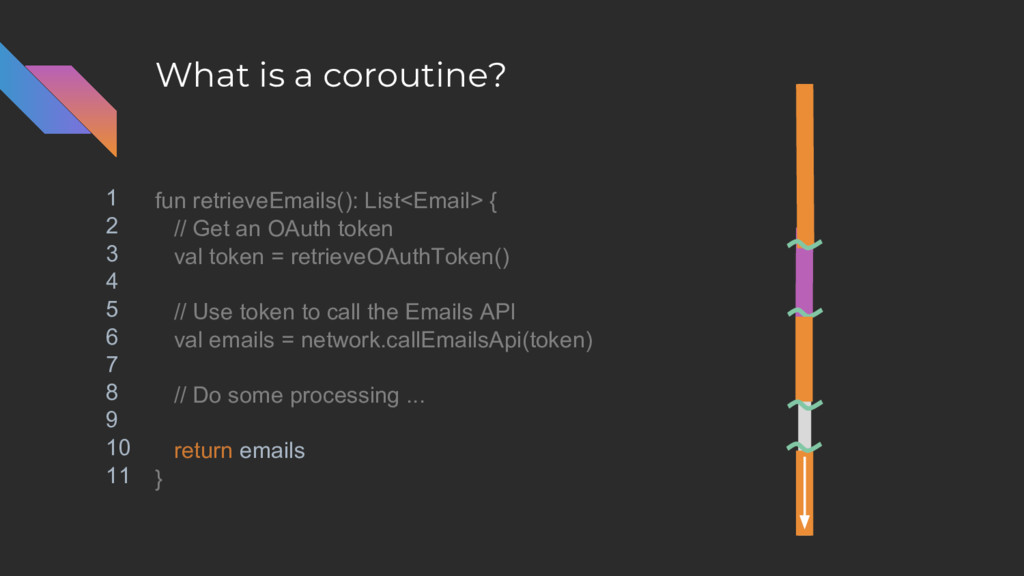
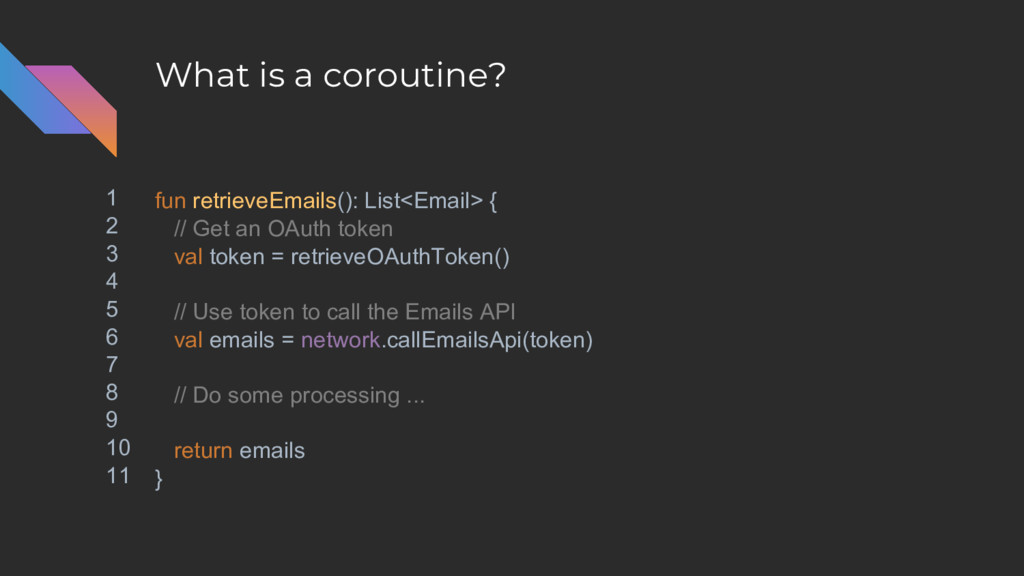
What is a coroutine? fun retrieveEmails(): List<Email> { // Get
an OAuth token val token = retrieveOAuthToken() // Use token to call the Emails API val emails = network.callEmailsApi(token) // Do some processing ... return emails } -
What is a coroutine? fun retrieveEmails(): List<Email> { // Get
an OAuth token val token = retrieveOAuthToken() // Use token to call the Emails API val emails = network.callEmailsApi(token) // Do some processing ... return emails } 1 2 3 4 5 6 7 8 9 10 11 -
What is a coroutine? fun retrieveEmails(): List<Email> { // Get
an OAuth token val token = retrieveOAuthToken() // Use token to call the Emails API val emails = network.callEmailsApi(token) // Do some processing ... return emails } 1 2 3 4 5 6 7 8 9 10 11 -
What is a coroutine? fun retrieveEmails(): List<Email> { // Get
an OAuth token val token = retrieveOAuthToken() // Use token to call the Emails API val emails = network.callEmailsApi(token) // Do some processing ... return emails } 1 2 3 4 5 6 7 8 9 10 11 -
What is a coroutine? fun retrieveEmails(): List<Email> { // Get
an OAuth token val token = retrieveOAuthToken() // Use token to call the Emails API val emails = network.callEmailsApi(token) // Do some processing ... return emails } 1 2 3 4 5 6 7 8 9 10 11 -
What is a coroutine? fun retrieveEmails(): List<Email> { // Get
an OAuth token val token = retrieveOAuthToken() // Use token to call the Emails API val emails = network.callEmailsApi(token) // Do some processing ... return emails } 1 2 3 4 5 6 7 8 9 10 11 T -
What is a coroutine? fun retrieveEmails(): List<Email> { // Get
an OAuth token val token = retrieveOAuthToken() // Use token to call the Emails API val emails = network.callEmailsApi(token) // Do some processing ... return emails } 1 2 3 4 5 6 7 8 9 10 11 -
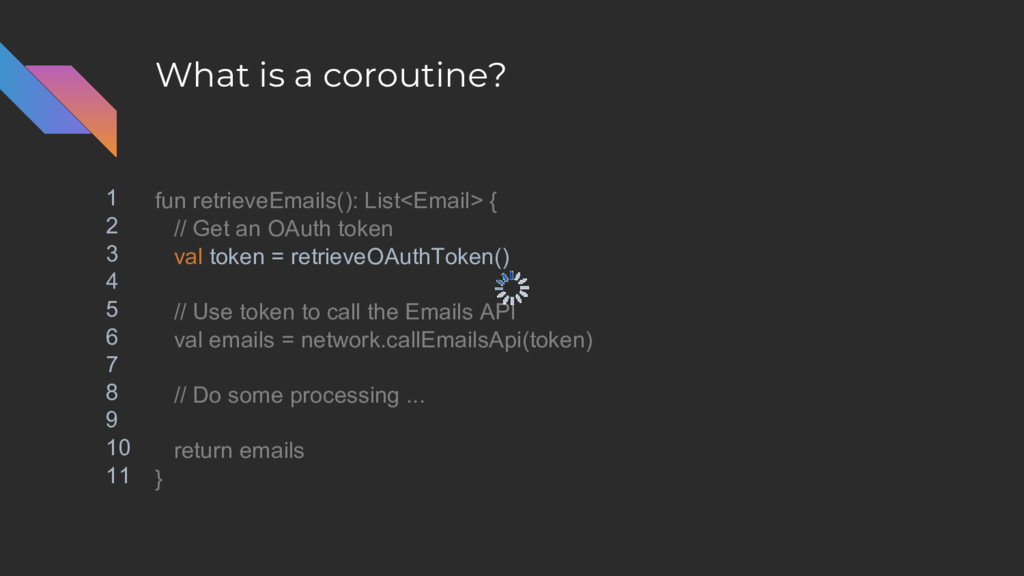
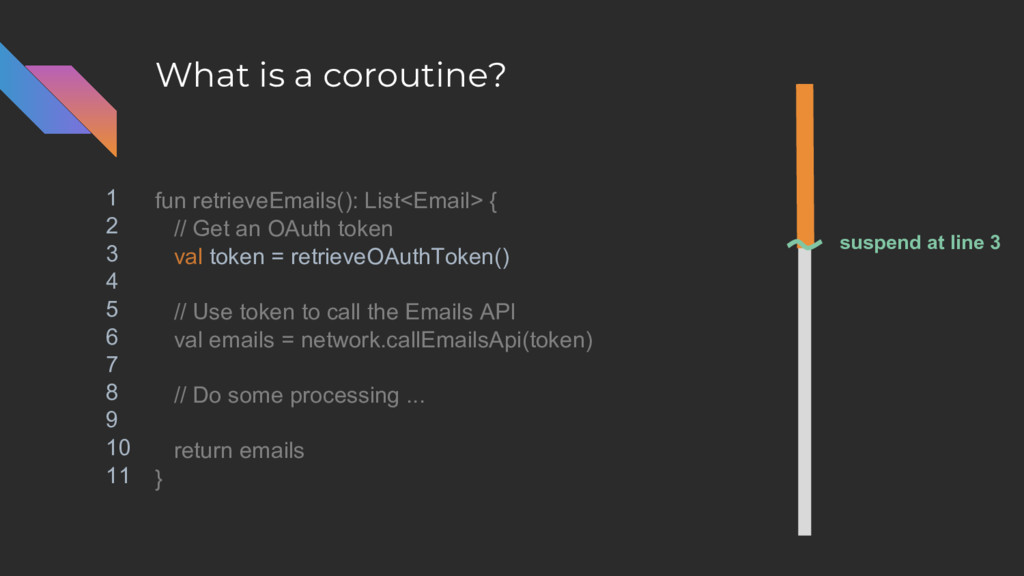
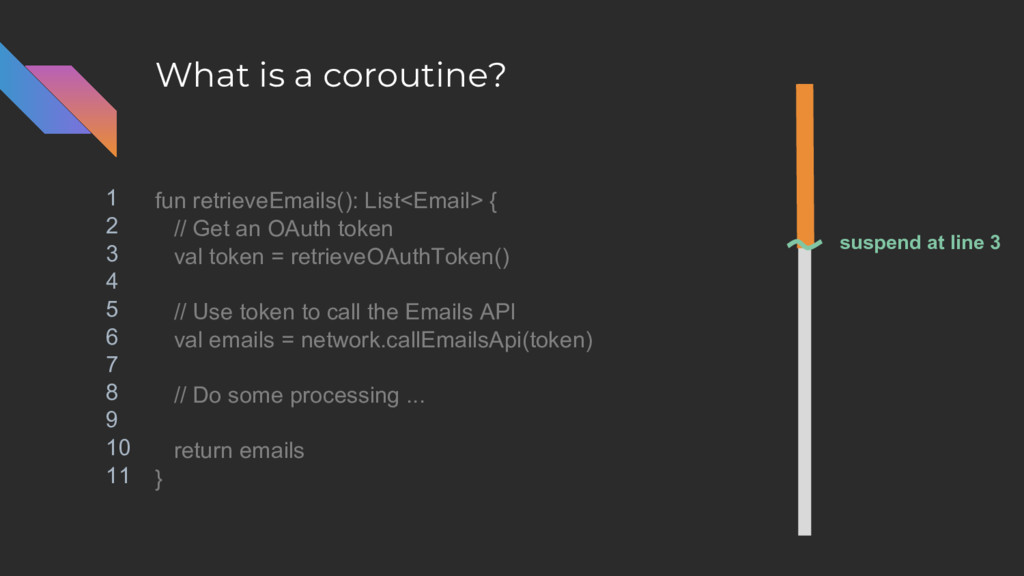
What is a coroutine? fun retrieveEmails(): List<Email> { // Get
an OAuth token val token = retrieveOAuthToken() // Use token to call the Emails API val emails = network.callEmailsApi(token) // Do some processing ... return emails } 1 2 3 4 5 6 7 8 9 10 11 suspend at line 3 -
What is a coroutine? fun retrieveEmails(): List<Email> { // Get
an OAuth token val token = retrieveOAuthToken() // Use token to call the Emails API val emails = network.callEmailsApi(token) // Do some processing ... return emails } 1 2 3 4 5 6 7 8 9 10 11 suspend at line 3 -
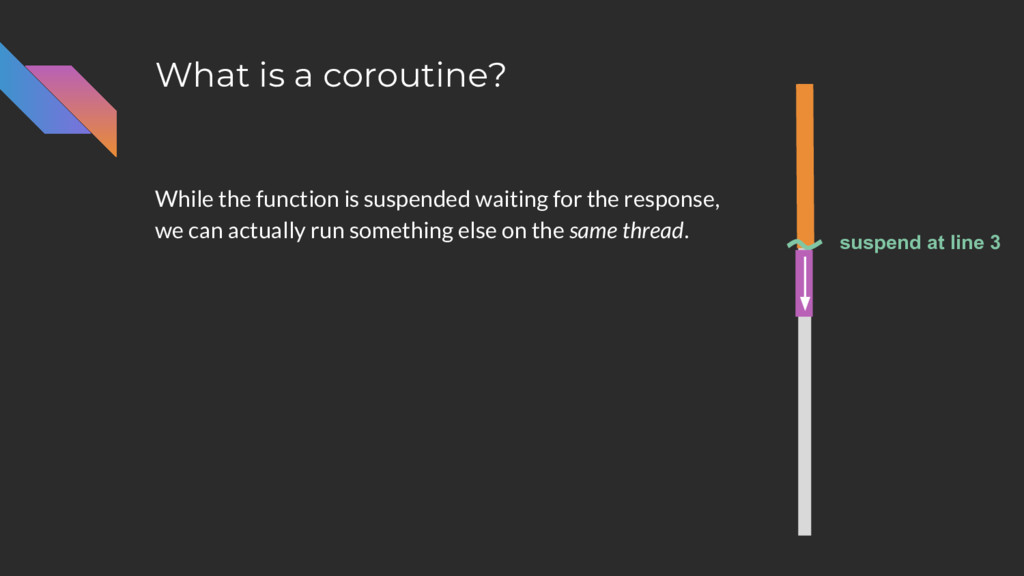
What is a coroutine? While the function is suspended waiting
for the response, we can actually run something else on the same thread. suspend at line 3 -
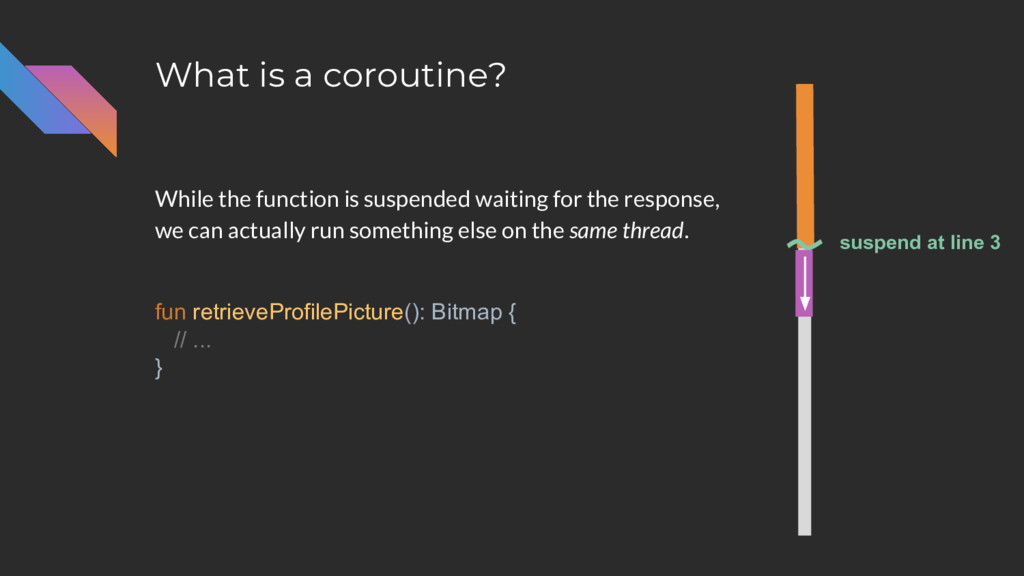
What is a coroutine? fun retrieveProfilePicture(): Bitmap { // ...
} While the function is suspended waiting for the response, we can actually run something else on the same thread. suspend at line 3 -
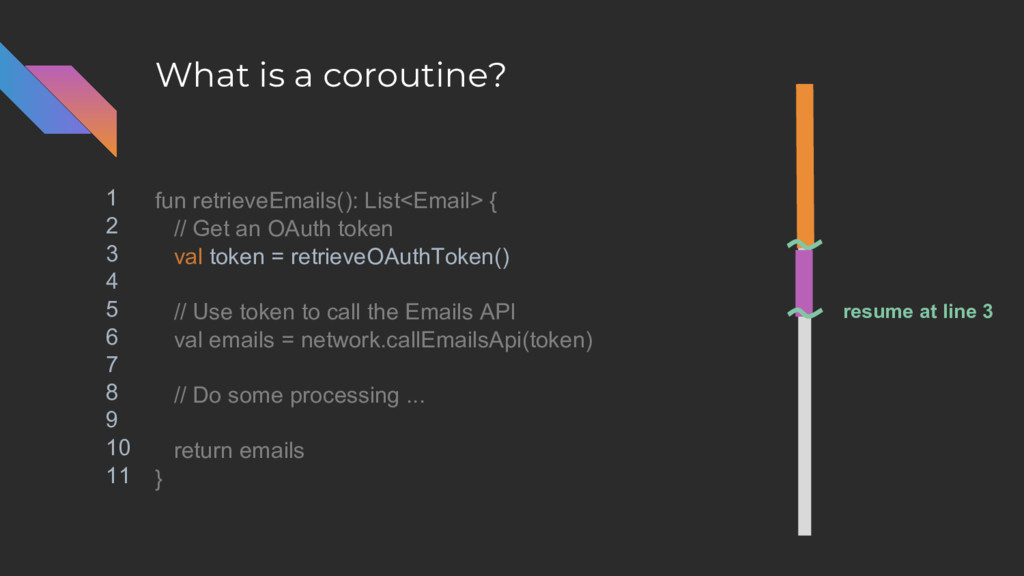
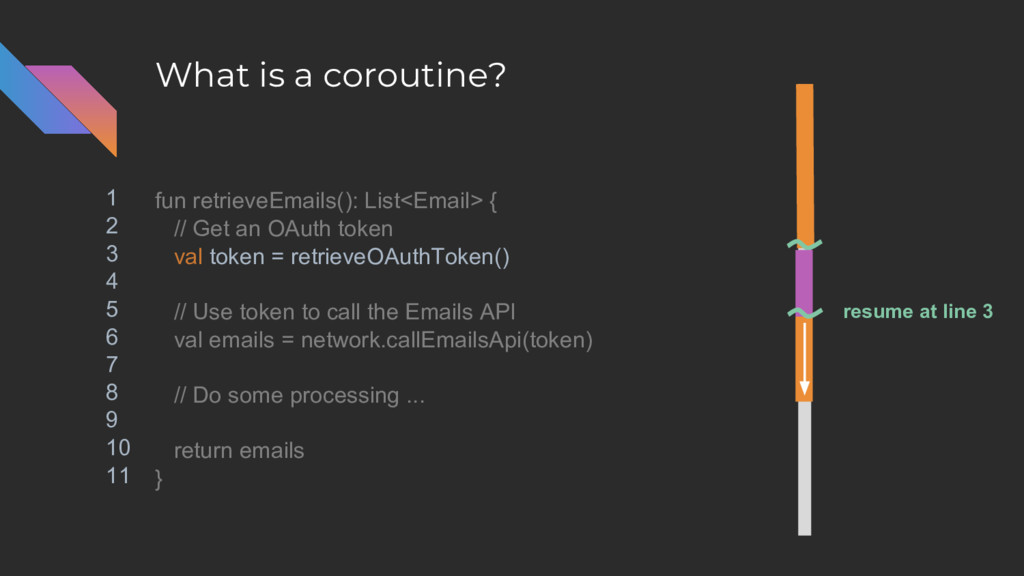
What is a coroutine? fun retrieveEmails(): List<Email> { // Get
an OAuth token val token = retrieveOAuthToken() // Use token to call the Emails API val emails = network.callEmailsApi(token) // Do some processing ... return emails } 1 2 3 4 5 6 7 8 9 10 11 resume at line 3 -
What is a coroutine? fun retrieveEmails(): List<Email> { // Get
an OAuth token val token = retrieveOAuthToken() // Use token to call the Emails API val emails = network.callEmailsApi(token) // Do some processing ... return emails } 1 2 3 4 5 6 7 8 9 10 11 resume at line 3 -
What is a coroutine? fun retrieveEmails(): List<Email> { // Get
an OAuth token val token = retrieveOAuthToken() // Use token to call the Emails API val emails = network.callEmailsApi(token) // Do some processing ... return emails } 1 2 3 4 5 6 7 8 9 10 11 -
What is a coroutine? fun retrieveEmails(): List<Email> { // Get
an OAuth token val token = retrieveOAuthToken() // Use token to call the Emails API val emails = network.callEmailsApi(token) // Do some processing ... return emails } 1 2 3 4 5 6 7 8 9 10 11 suspend at line 6 -
What is a coroutine? fun retrieveEmails(): List<Email> { // Get
an OAuth token val token = retrieveOAuthToken() // Use token to call the Emails API val emails = network.callEmailsApi(token) // Do some processing ... return emails } 1 2 3 4 5 6 7 8 9 10 11 suspend at line 6 -
What is a coroutine? fun retrieveEmails(): List<Email> { // Get
an OAuth token val token = retrieveOAuthToken() // Use token to call the Emails API val emails = network.callEmailsApi(token) // Do some processing ... return emails } 1 2 3 4 5 6 7 8 9 10 11 resume at line 6 -
What is a coroutine? fun retrieveEmails(): List<Email> { // Get
an OAuth token val token = retrieveOAuthToken() // Use token to call the Emails API val emails = network.callEmailsApi(token) // Do some processing ... return emails } 1 2 3 4 5 6 7 8 9 10 11 -
What is a coroutine? fun retrieveEmails(): List<Email> { // Get
an OAuth token val token = retrieveOAuthToken() // Use token to call the Emails API val emails = network.callEmailsApi(token) // Do some processing ... return emails } 1 2 3 4 5 6 7 8 9 10 11 -
What is a coroutine? fun retrieveEmails(): List<Email> { // Get
an OAuth token val token = retrieveOAuthToken() // Use token to call the Emails API val emails = network.callEmailsApi(token) // Do some processing ... return emails } 1 2 3 4 5 6 7 8 9 10 11 -
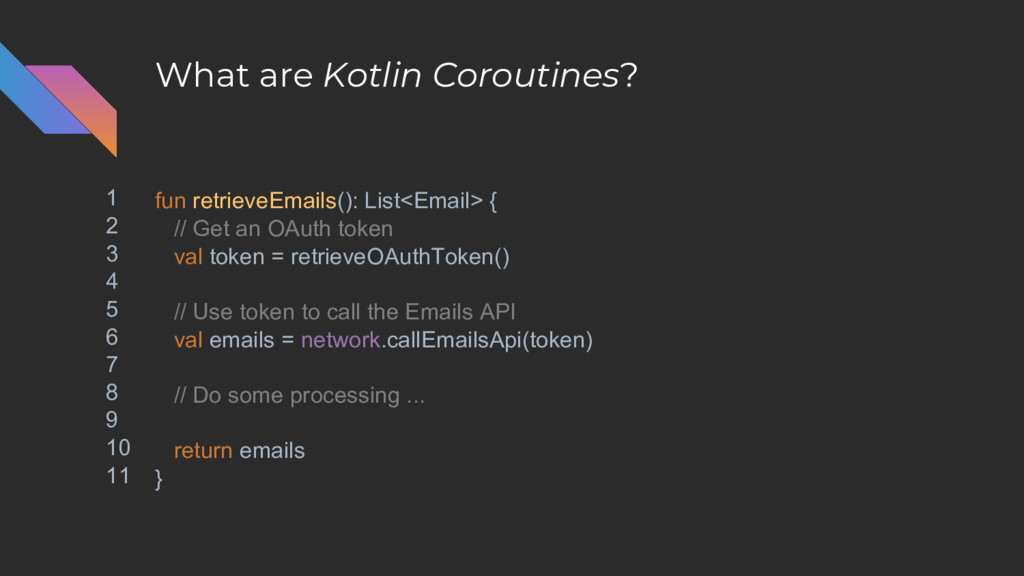
What are Kotlin Coroutines? fun retrieveEmails(): List<Email> { // Get
an OAuth token val token = retrieveOAuthToken() // Use token to call the Emails API val emails = network.callEmailsApi(token) // Do some processing ... return emails } 1 2 3 4 5 6 7 8 9 10 11 -
What are Kotlin Coroutines? suspend fun retrieveEmails(): List<Email> { //
Get an OAuth token val token = retrieveOAuthToken() // Use token to call the Emails API val emails = network.callEmailsApi(token) // Do some processing ... return emails } 1 2 3 4 5 6 7 8 9 10 11 -
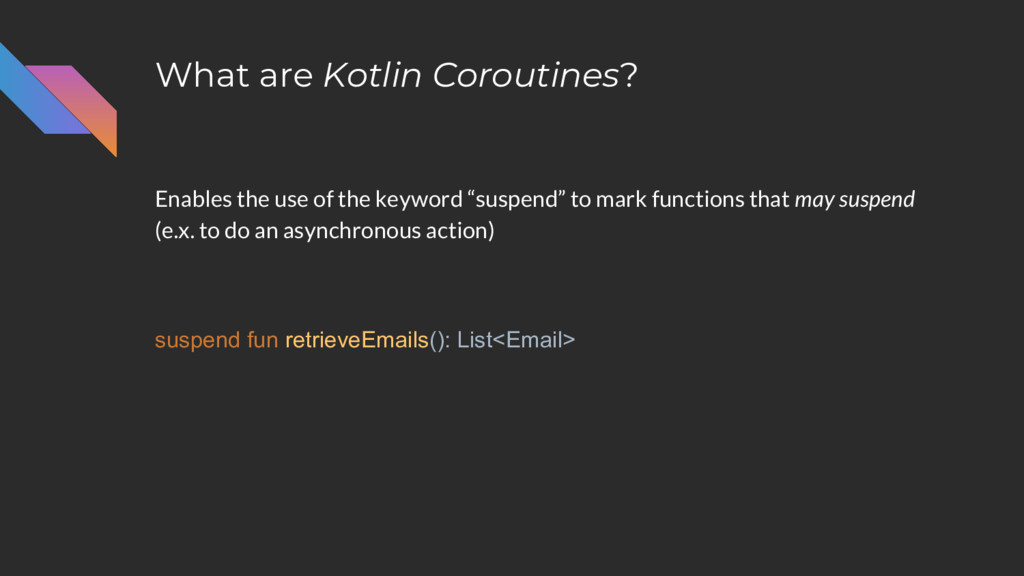
What are Kotlin Coroutines? suspend fun retrieveEmails(): List<Email> Enables the
use of the keyword “suspend” to mark functions that may suspend (e.x. to do an asynchronous action) -
What are Kotlin Coroutines? suspend fun retrieveEmails(): List<Email> Suspend functions
can also directly return data even though the data may be retrieved asynchronously. -
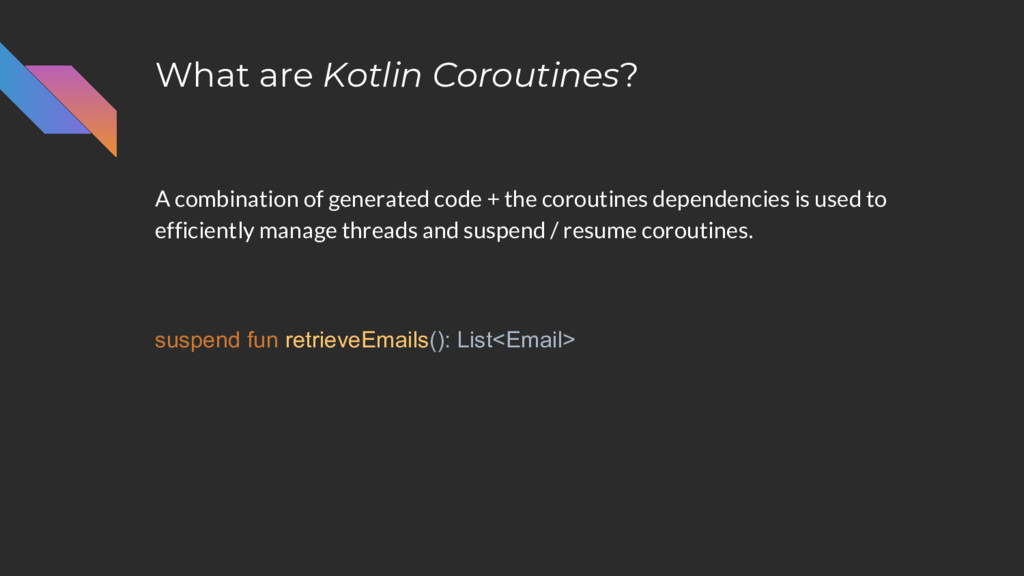
What are Kotlin Coroutines? suspend fun retrieveEmails(): List<Email> A combination
of generated code + the coroutines dependencies is used to efficiently manage threads and suspend / resume coroutines. -
What are Kotlin Coroutines? suspend fun retrieveOAuthToken(): OAuthToken suspend fun
retrieveEmails(): List<Email> class Network { suspend fun callEmailsApi(token: OAuthToken): List<Email> The catch: suspend functions can only be called from other suspend functions. -
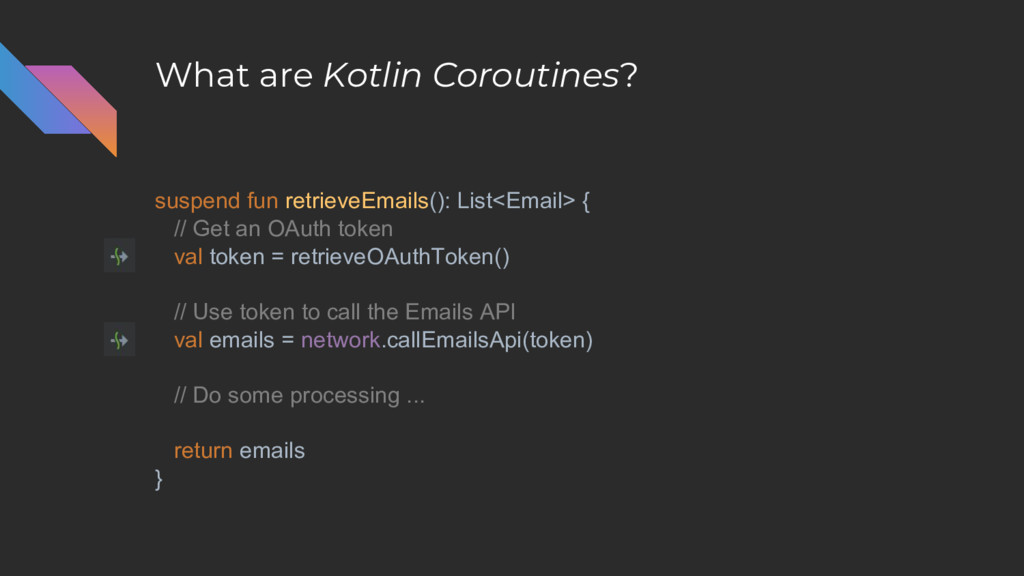
What are Kotlin Coroutines? suspend fun retrieveEmails(): List<Email> { //
Get an OAuth token val token = retrieveOAuthToken() // Use token to call the Emails API val emails = network.callEmailsApi(token) // Do some processing ... return emails } -
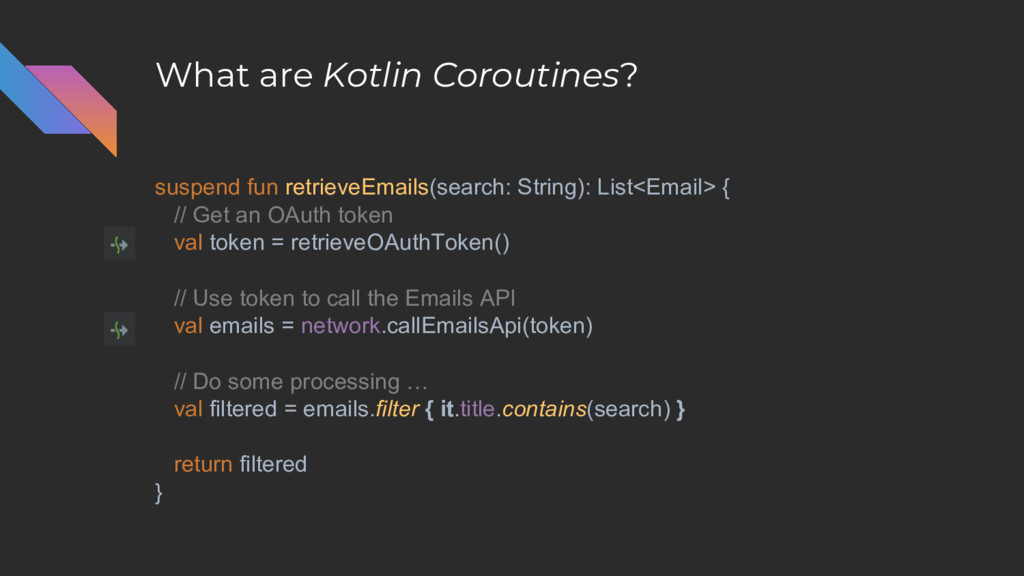
What are Kotlin Coroutines? suspend fun retrieveEmails(search: String): List<Email> {
// Get an OAuth token val token = retrieveOAuthToken() // Use token to call the Emails API val emails = network.callEmailsApi(token) // Do some processing … val filtered = emails.filter { it.title.contains(search) } return filtered } -
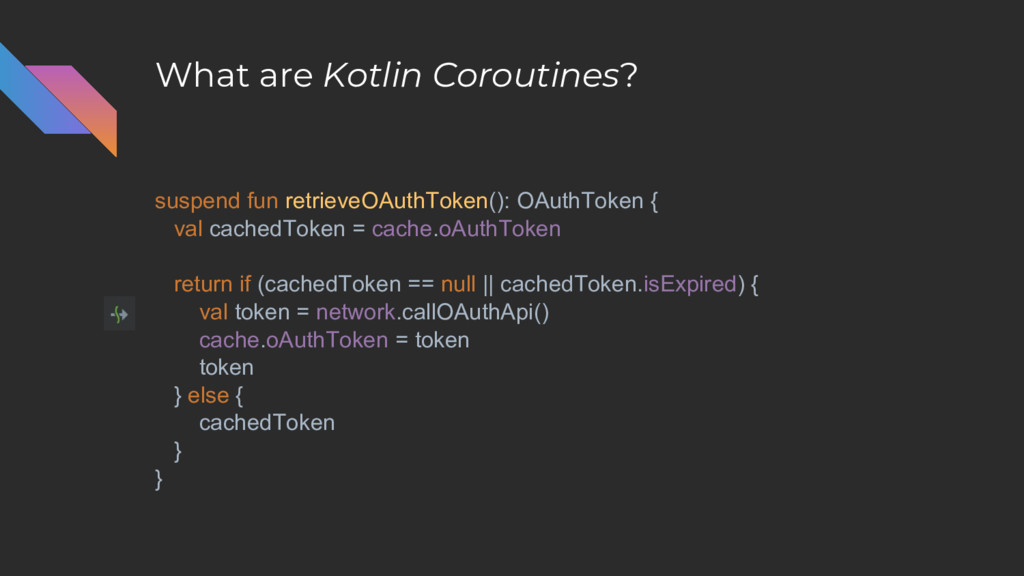
What are Kotlin Coroutines? suspend fun retrieveOAuthToken(): OAuthToken { val
cachedToken = cache.oAuthToken return if (cachedToken == null || cachedToken.isExpired) { val token = network.callOAuthApi() cache.oAuthToken = token token } else { cachedToken } } -
Coroutine Builders non-suspend -> suspend Problem: you can’t call suspend
functions from non-suspend functions. fun onClick() { val emails = repository.retrieveEmails() // ... } -
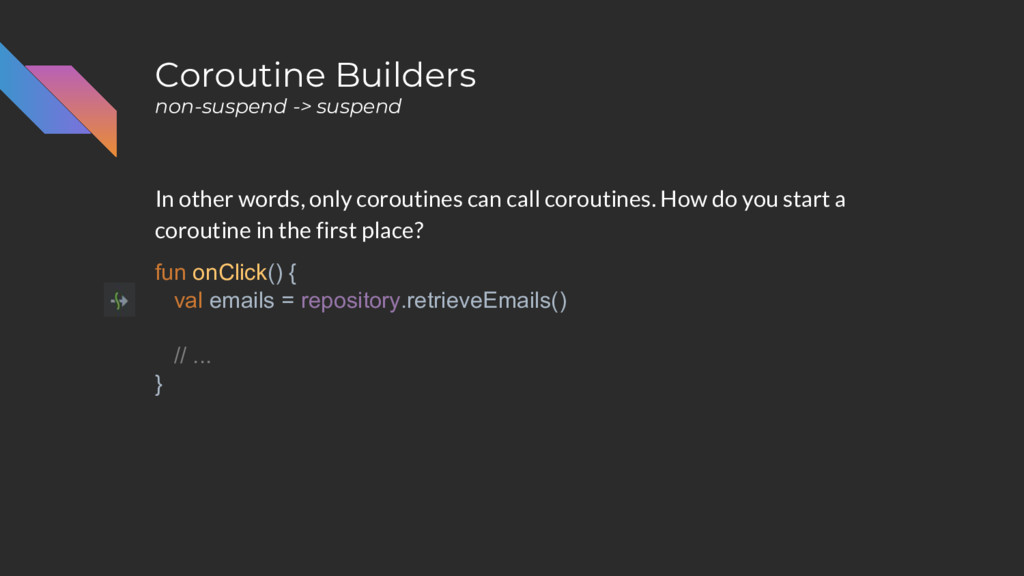
Coroutine Builders non-suspend -> suspend In other words, only coroutines
can call coroutines. How do you start a coroutine in the first place? fun onClick() { val emails = repository.retrieveEmails() // ... } -
Coroutine Builders non-suspend -> suspend Use “coroutine builders” to start
coroutines. All coroutine builders takes in a lambda and runs that lambda as a coroutine. -
Coroutine Builders non-suspend -> suspend Use “coroutine builders” to start
coroutines. All coroutine builders takes in a lambda and runs that lambda as a coroutine -- i.e. enables you to call suspend functions. -
Coroutine Builders non-suspend -> suspend Use “coroutine builders” to start
coroutines and allow you to call suspend functions: • launch • async • runBlocking -
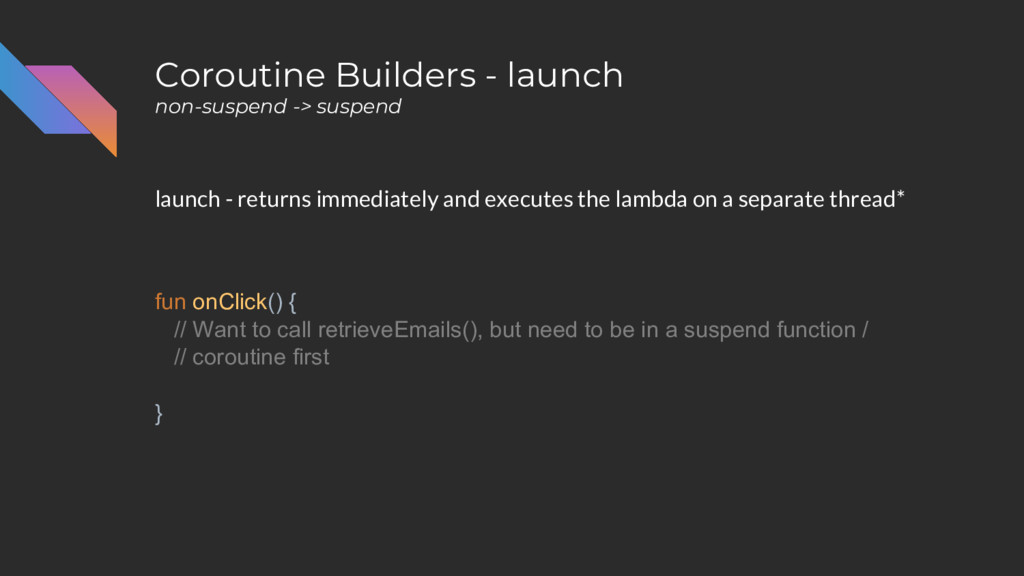
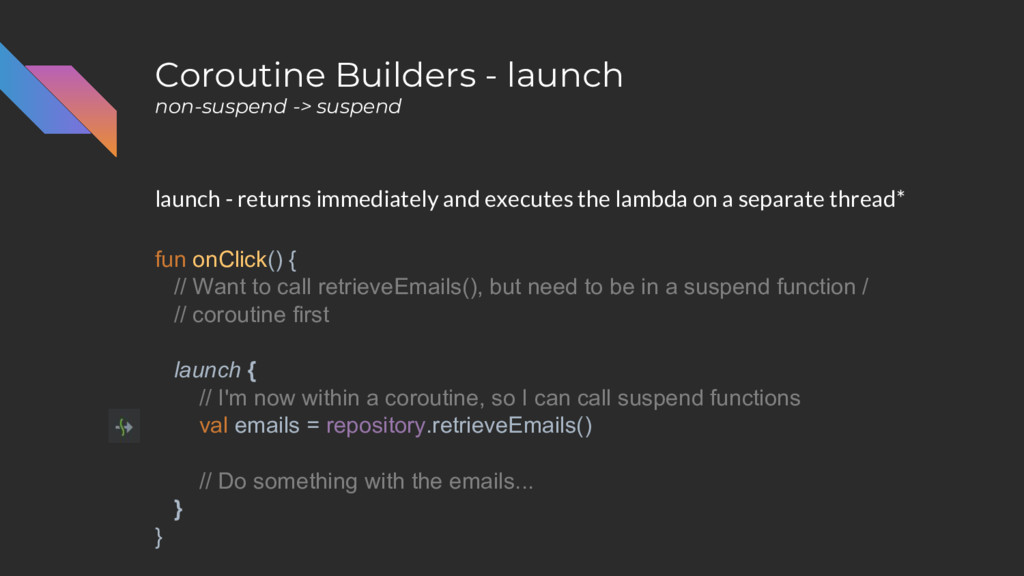
Coroutine Builders - launch non-suspend -> suspend launch - returns
immediately and executes the lambda on a separate thread* fun onClick() { // Want to call retrieveEmails(), but need to be in a suspend function / // coroutine first } -
Coroutine Builders - launch non-suspend -> suspend launch - returns
immediately and executes the lambda on a separate thread* fun onClick() { // Want to call retrieveEmails(), but need to be in a suspend function / // coroutine first launch { // I'm now within a coroutine, so I can call suspend functions val emails = repository.retrieveEmails() // Do something with the emails... } } -
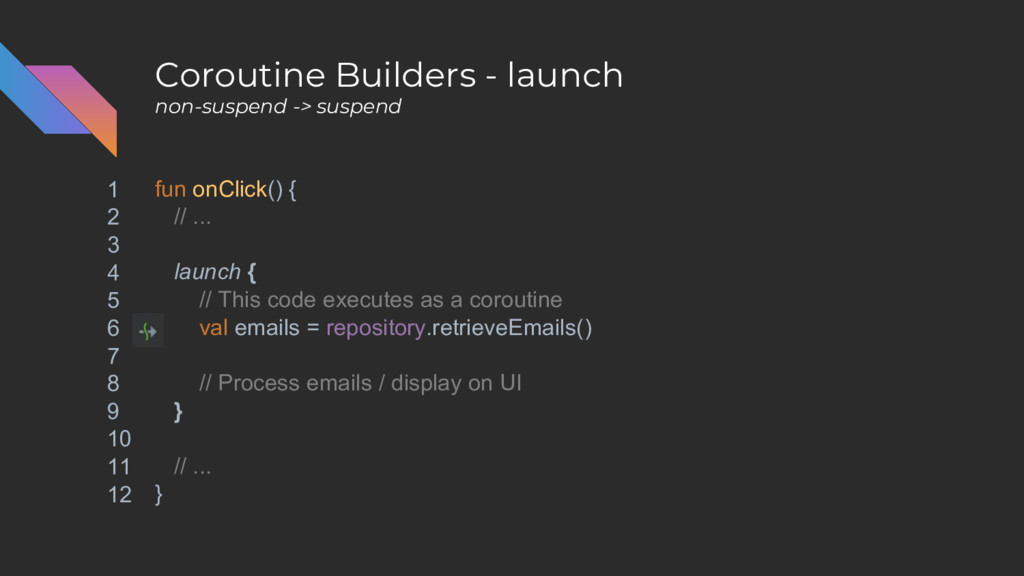
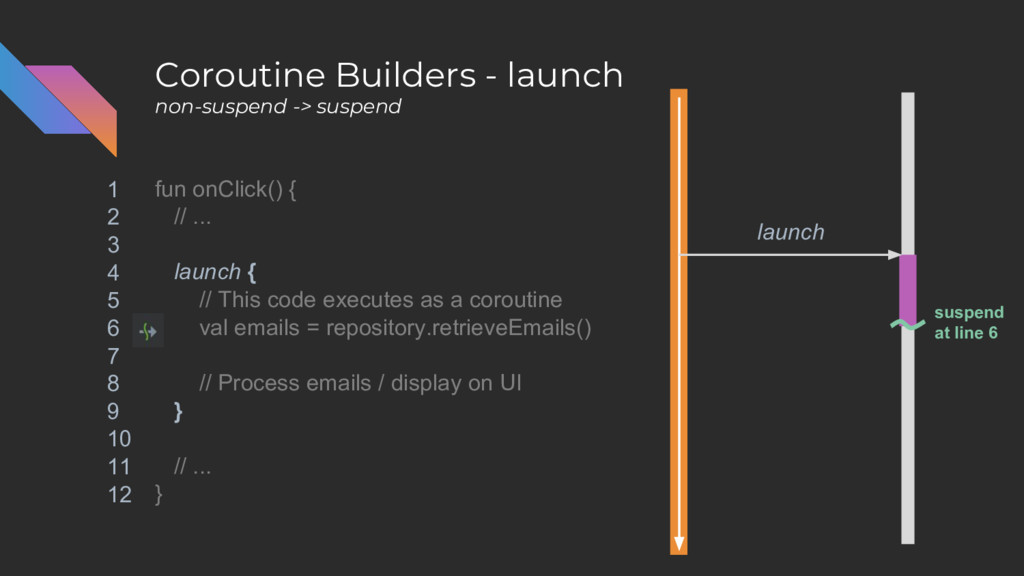
Coroutine Builders - launch non-suspend -> suspend fun onClick() {
// ... launch { // This code executes as a coroutine val emails = repository.retrieveEmails() // Process emails / display on UI } // ... } 1 2 3 4 5 6 7 8 9 10 11 12 -
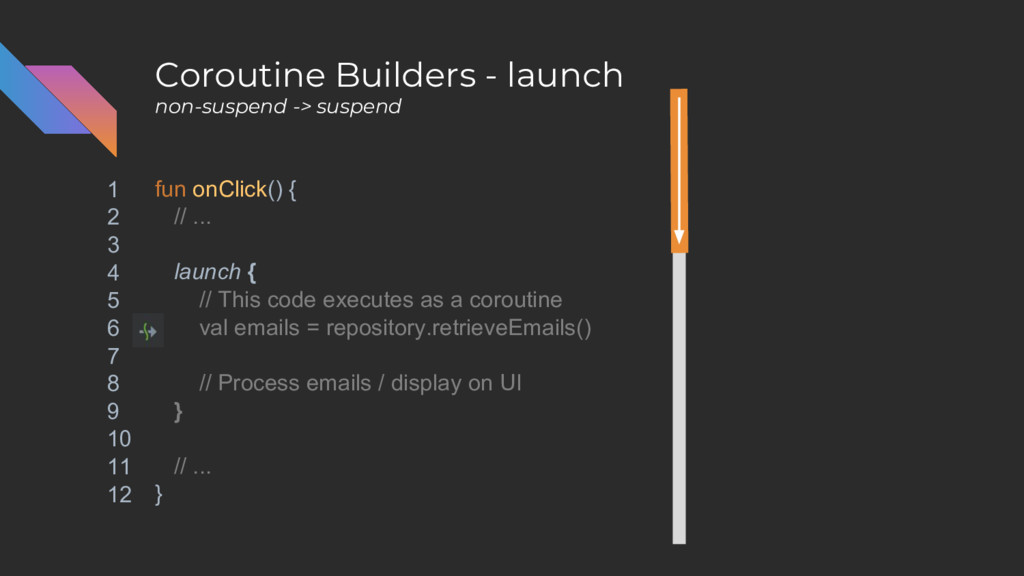
Coroutine Builders - launch non-suspend -> suspend fun onClick() {
// ... launch { // This code executes as a coroutine val emails = repository.retrieveEmails() // Process emails / display on UI } // ... } 1 2 3 4 5 6 7 8 9 10 11 12 -
Coroutine Builders - launch non-suspend -> suspend fun onClick() {
// ... launch { // This code executes as a coroutine val emails = repository.retrieveEmails() // Process emails / display on UI } // ... } 1 2 3 4 5 6 7 8 9 10 11 12 -
Coroutine Builders - launch non-suspend -> suspend fun onClick() {
// ... launch { // This code executes as a coroutine val emails = repository.retrieveEmails() // Process emails / display on UI } // ... } 1 2 3 4 5 6 7 8 9 10 11 12 -
Coroutine Builders - launch non-suspend -> suspend fun onClick() {
// ... launch { // This code executes as a coroutine val emails = repository.retrieveEmails() // Process emails / display on UI } // ... } 1 2 3 4 5 6 7 8 9 10 11 12 launch -
Coroutine Builders - launch non-suspend -> suspend fun onClick() {
// ... launch { // This code executes as a coroutine val emails = repository.retrieveEmails() // Process emails / display on UI } // ... } 1 2 3 4 5 6 7 8 9 10 11 12 launch -
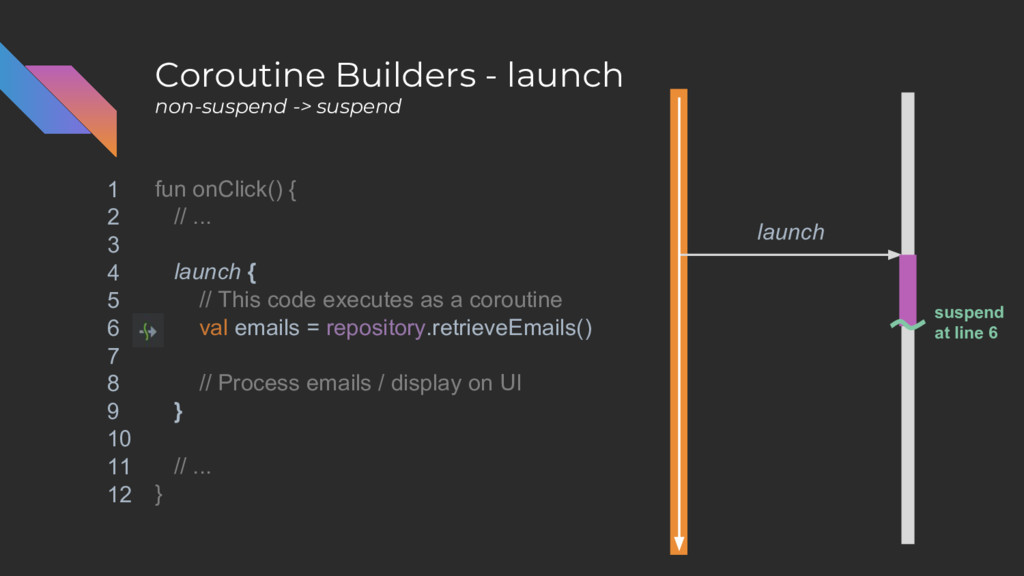
Coroutine Builders - launch non-suspend -> suspend fun onClick() {
// ... launch { // This code executes as a coroutine val emails = repository.retrieveEmails() // Process emails / display on UI } // ... } 1 2 3 4 5 6 7 8 9 10 11 12 launch suspend at line 6 -
Coroutine Builders - launch non-suspend -> suspend fun onClick() {
// ... launch { // This code executes as a coroutine val emails = repository.retrieveEmails() // Process emails / display on UI } // ... } 1 2 3 4 5 6 7 8 9 10 11 12 launch suspend at line 6 -
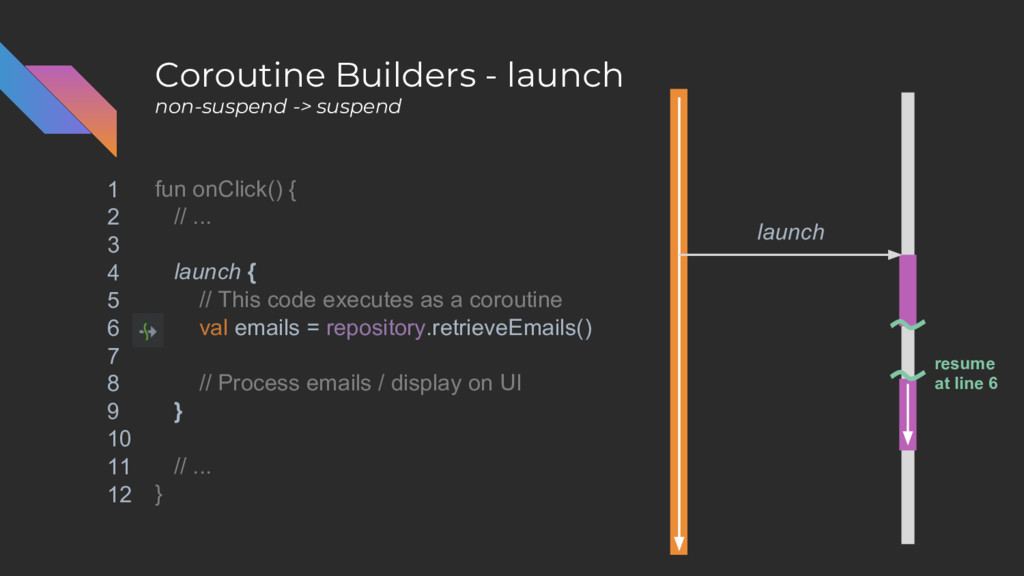
Coroutine Builders - launch non-suspend -> suspend fun onClick() {
// ... launch { // This code executes as a coroutine val emails = repository.retrieveEmails() // Process emails / display on UI } // ... } 1 2 3 4 5 6 7 8 9 10 11 12 launch resume at line 6 -
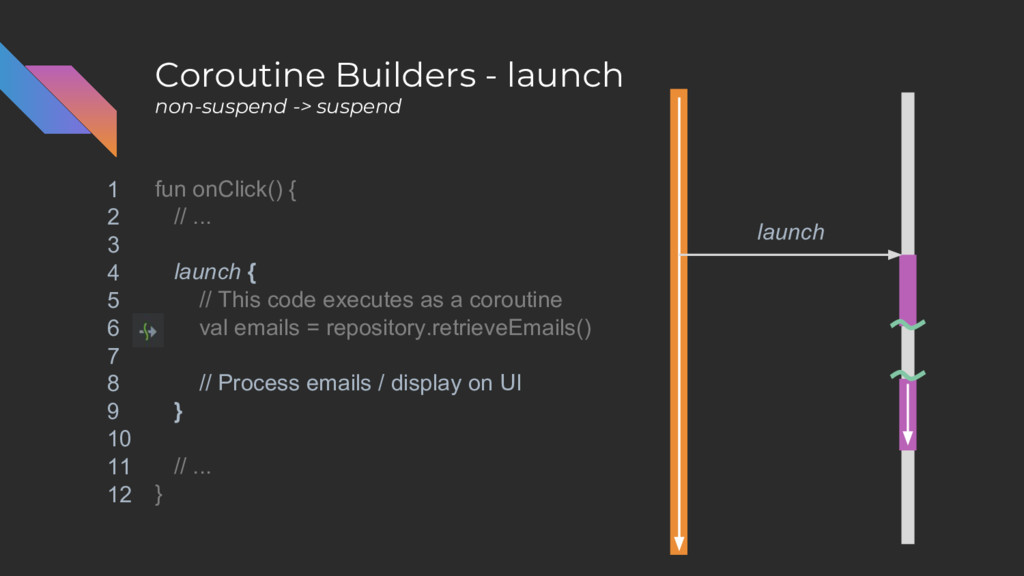
Coroutine Builders - launch non-suspend -> suspend fun onClick() {
// ... launch { // This code executes as a coroutine val emails = repository.retrieveEmails() // Process emails / display on UI } // ... } 1 2 3 4 5 6 7 8 9 10 11 12 launch -
Coroutine Builders - async non-suspend -> suspend async - returns
a Deferred, which acts just like a Future. fun foo() { val pendingEmails: Deferred<List<Email>> = async { repository.retrieveEmails() } } -
Coroutine Builders - async non-suspend -> suspend async - returns
a Deferred, which acts just like a Future. Call await() to get the data. val emails = pendingEmails.await() // Do something with emails ... -
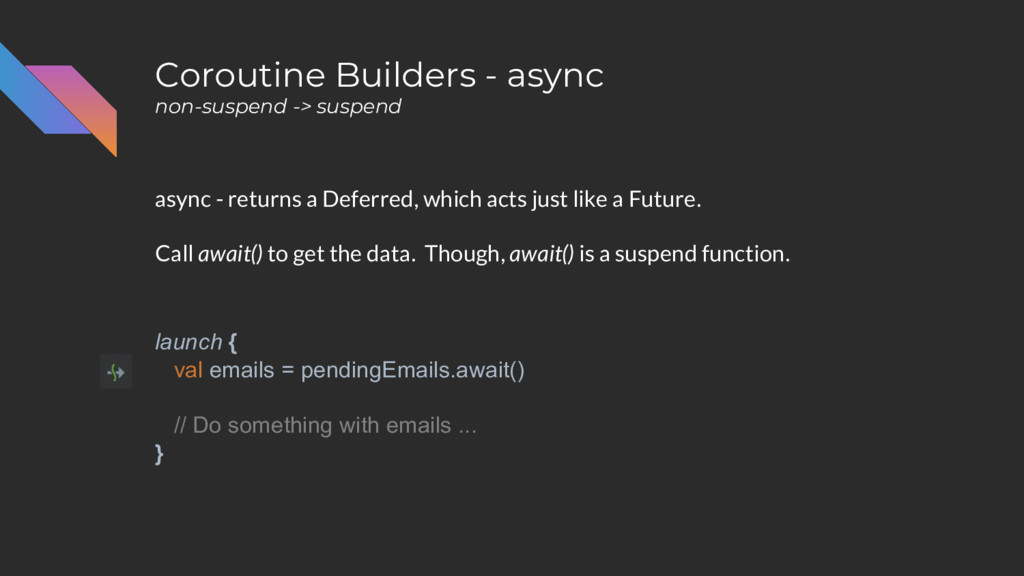
Coroutine Builders - async non-suspend -> suspend async - returns
a Deferred, which acts just like a Future. Call await() to get the data. Though, await() is a suspend function. launch { val emails = pendingEmails.await() // Do something with emails ... } -
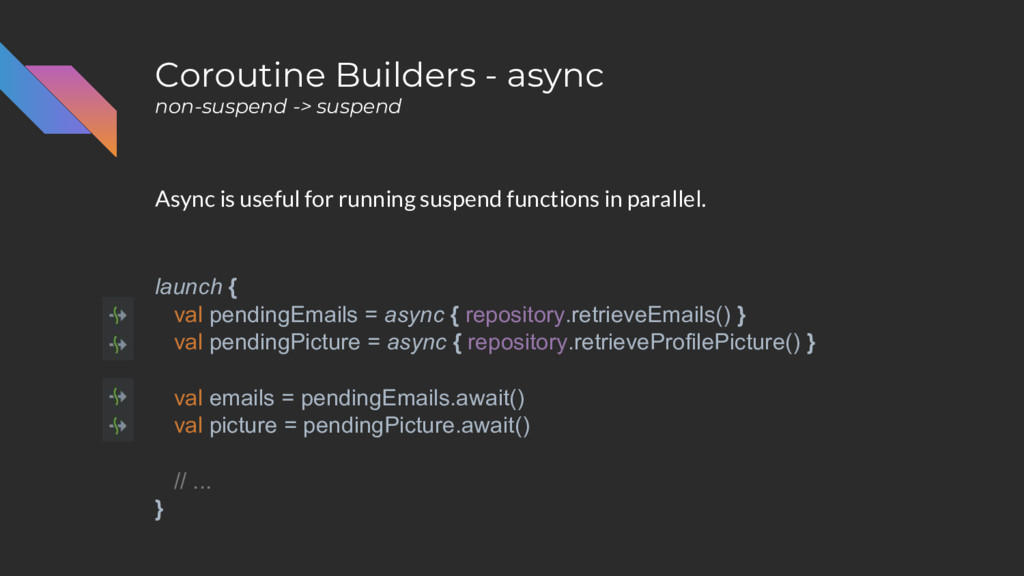
Coroutine Builders - async non-suspend -> suspend Async is useful
for running suspend functions in parallel. val pendingEmails = async { repository.retrieveEmails() } val pendingPicture = async { repository.retrieveProfilePicture() } val emails = pendingEmails.await() val picture = pendingPicture.await() // ... -
Coroutine Builders - async non-suspend -> suspend Async is useful
for running suspend functions in parallel. launch { val pendingEmails = async { repository.retrieveEmails() } val pendingPicture = async { repository.retrieveProfilePicture() } val emails = pendingEmails.await() val picture = pendingPicture.await() // ... } -
Coroutine Builders - async non-suspend -> suspend … whereas this
would just execute both calls sequentially launch { val emails = repository.retrieveEmails() val picture = repository.retrieveProfilePicture() // ... } -
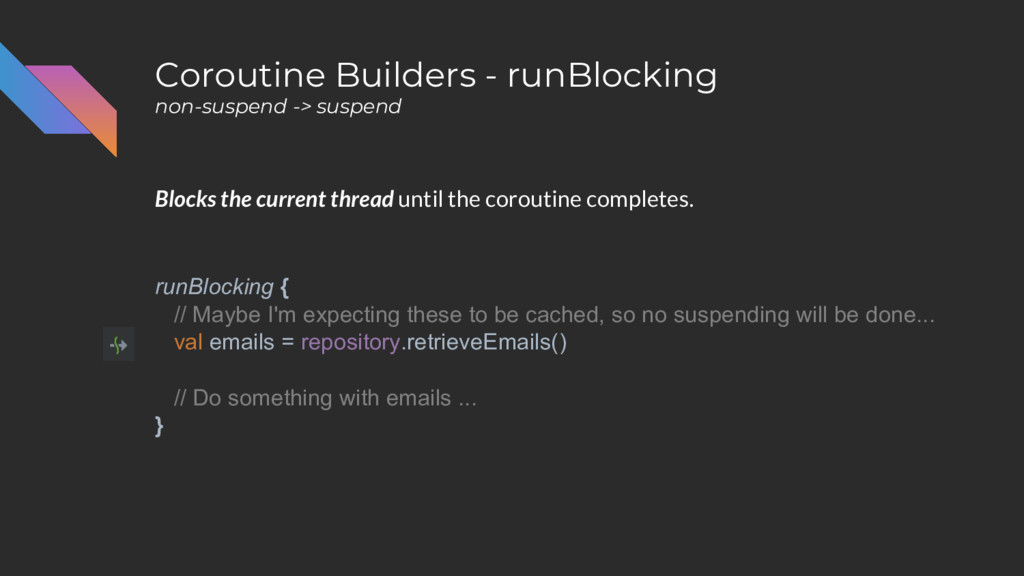
Coroutine Builders - runBlocking non-suspend -> suspend Blocks the current
thread until the coroutine completes. runBlocking { // Maybe I'm expecting these to be cached, so no suspending will be done... val emails = repository.retrieveEmails() // Do something with emails ... } -
Coroutine Builders - runBlocking non-suspend -> suspend Blocks the current
thread until the coroutine completes. runBlocking { // Maybe I'm expecting these to be cached, so no suspending will be done... val emails = repository.retrieveEmails() // Do something with emails ... } // Code down here doesn’t run until runBlocking completes -
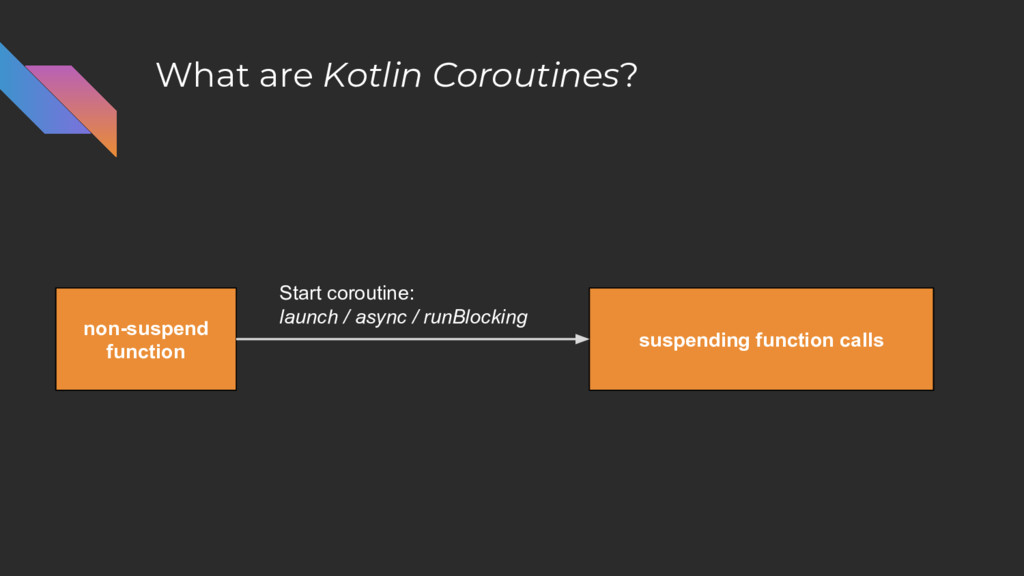
What are Kotlin Coroutines? suspending function calls non-suspend function Start
coroutine: launch / async / runBlocking -
Next • Using thread pools • Cancellation • Error Handling
• Testing coroutines -
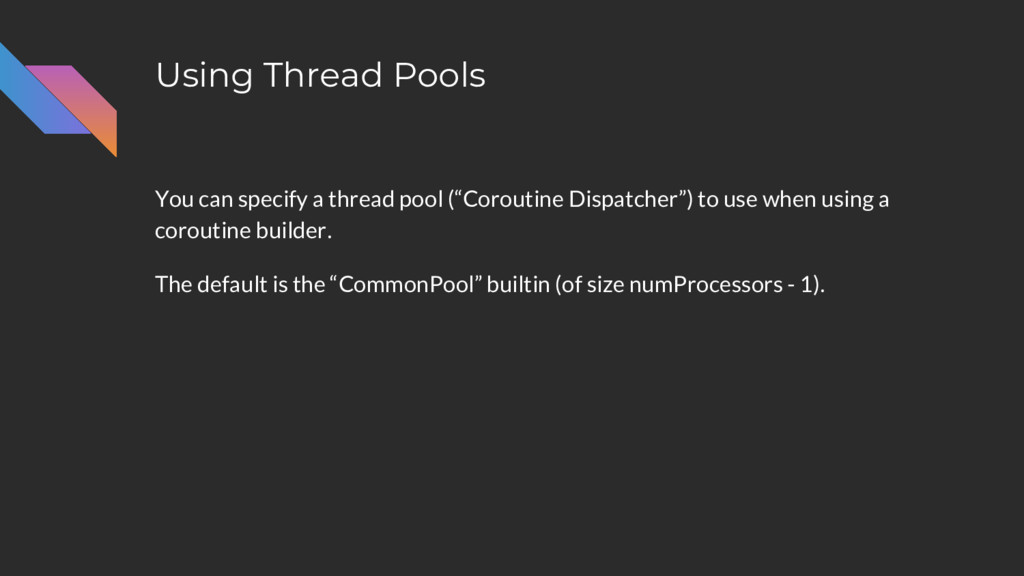
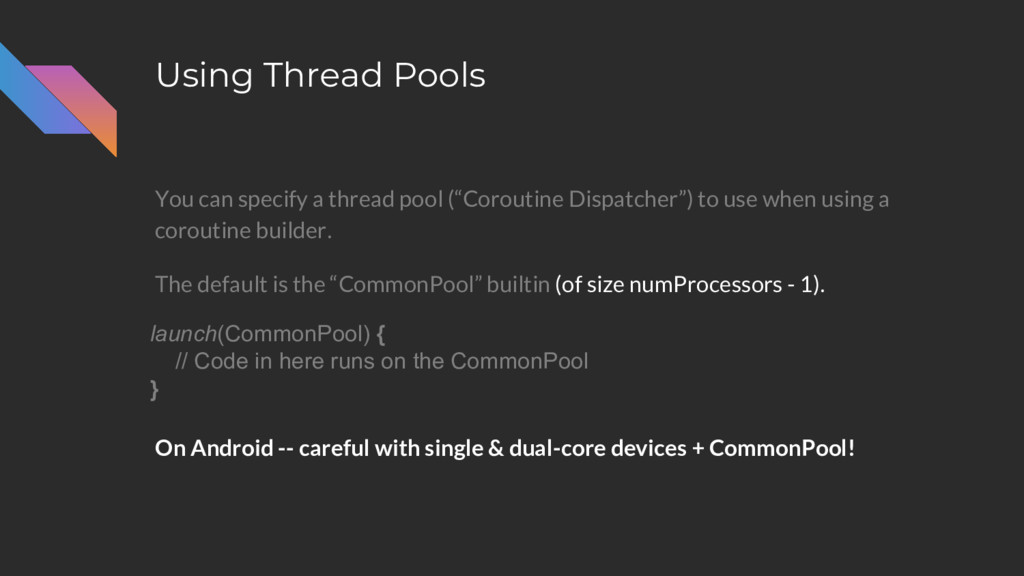
Using Thread Pools You can specify a thread pool (“Coroutine
Dispatcher”) to use when using a coroutine builder. The default is the “CommonPool” builtin (of size numProcessors - 1). -
Using Thread Pools You can specify a thread pool (“Coroutine
Dispatcher”) to use when using a coroutine builder. The default is the “CommonPool” builtin (of size numProcessors - 1). launch(CommonPool) { // Code in here runs on the CommonPool } -
Using Thread Pools You can specify a thread pool (“Coroutine
Dispatcher”) to use when using a coroutine builder. The default is the “CommonPool” builtin (of size numProcessors - 1). launch(CommonPool) { // Code in here runs on the CommonPool } -
Using Thread Pools You can specify a thread pool (“Coroutine
Dispatcher”) to use when using a coroutine builder. The default is the “CommonPool” builtin (of size numProcessors - 1). On Android -- careful with single & dual-core devices + CommonPool! launch(CommonPool) { // Code in here runs on the CommonPool } -
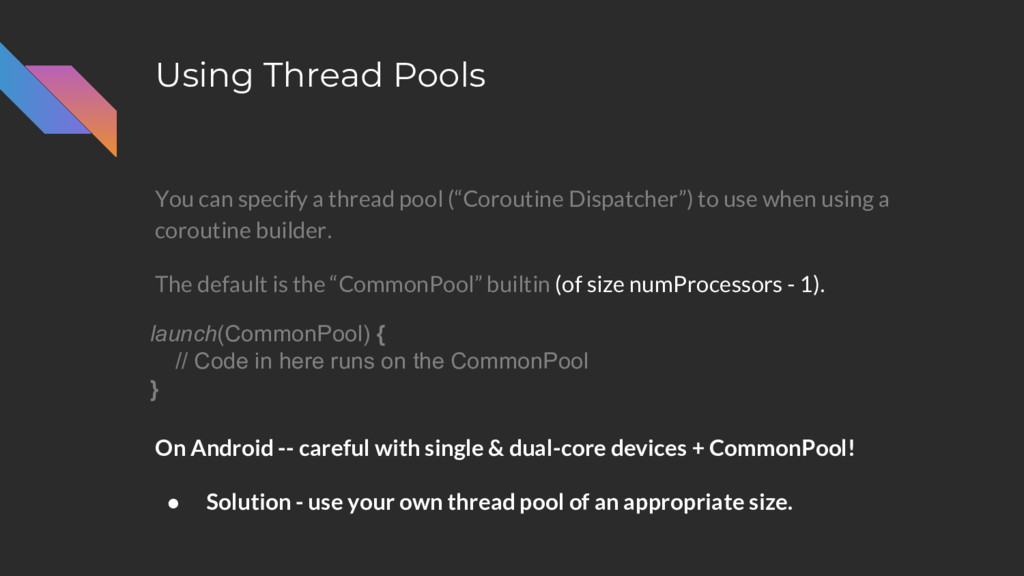
Using Thread Pools You can specify a thread pool (“Coroutine
Dispatcher”) to use when using a coroutine builder. The default is the “CommonPool” builtin (of size numProcessors - 1). On Android -- careful with single & dual-core devices + CommonPool! • Solution - use your own thread pool of an appropriate size. launch(CommonPool) { // Code in here runs on the CommonPool } -
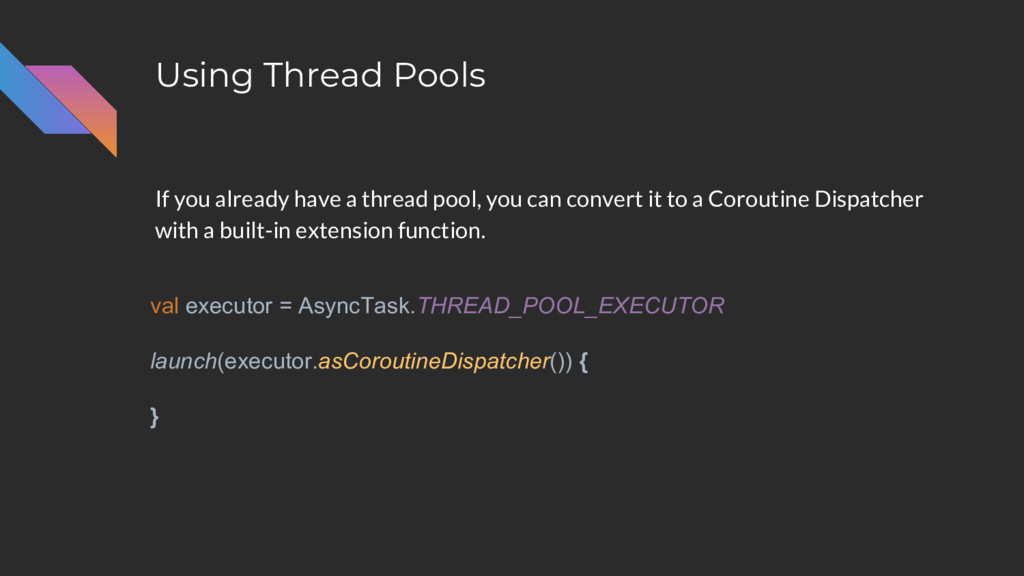
Using Thread Pools If you already have a thread pool,
you can convert it to a Coroutine Dispatcher with a built-in extension function. val executor = AsyncTask.THREAD_POOL_EXECUTOR launch(executor.asCoroutineDispatcher()) { } -
Using Thread Pools You can also create your own dispatcher
of a fixed pool size. val fixedPool = newFixedThreadPoolContext(3, "fixed pool") launch(fixedPool) { } -
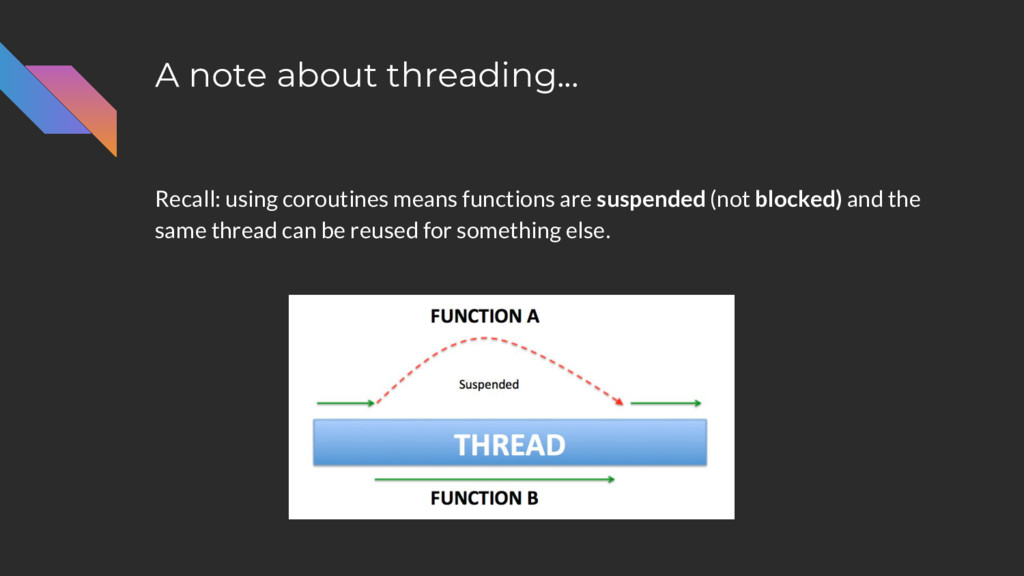
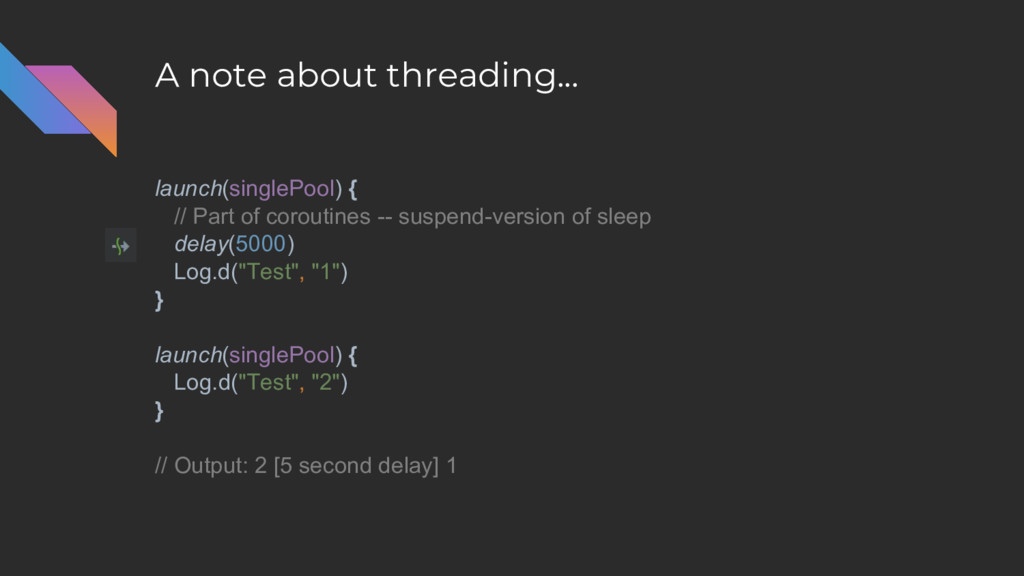
A note about threading... Recall: using coroutines means functions are
suspended (not blocked) and the same thread can be reused for something else. -
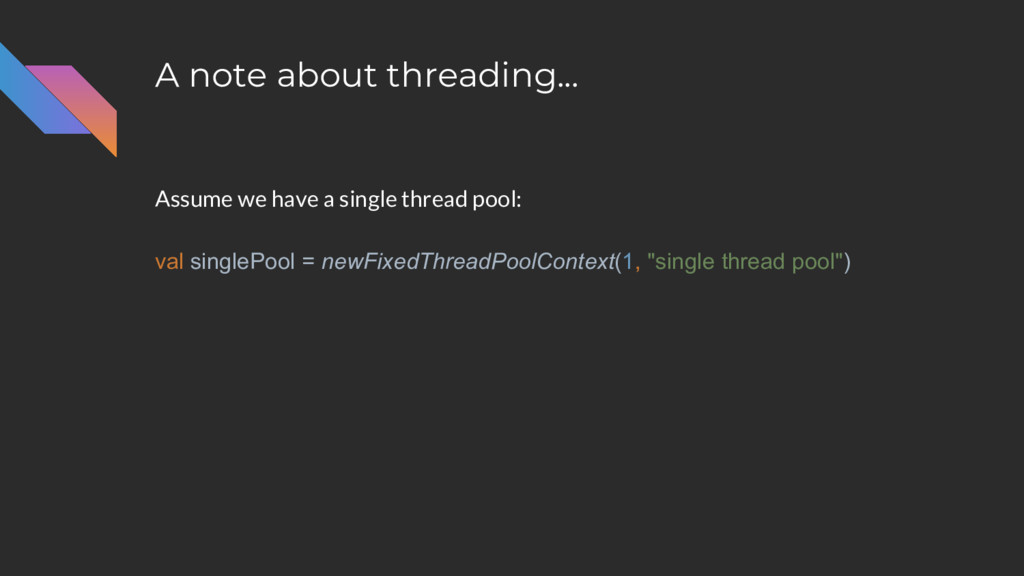
A note about threading... Assume we have a single thread
pool: val singlePool = newFixedThreadPoolContext(1, "single thread pool") -
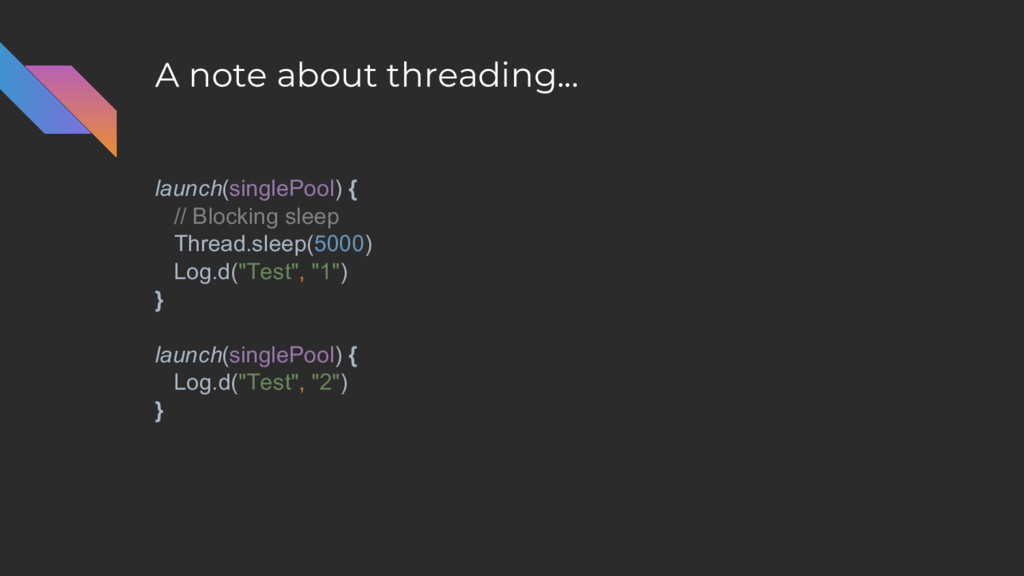
A note about threading... launch(singlePool) { // Blocking sleep Thread.sleep(5000)
Log.d("Test", "1") } launch(singlePool) { Log.d("Test", "2") } -
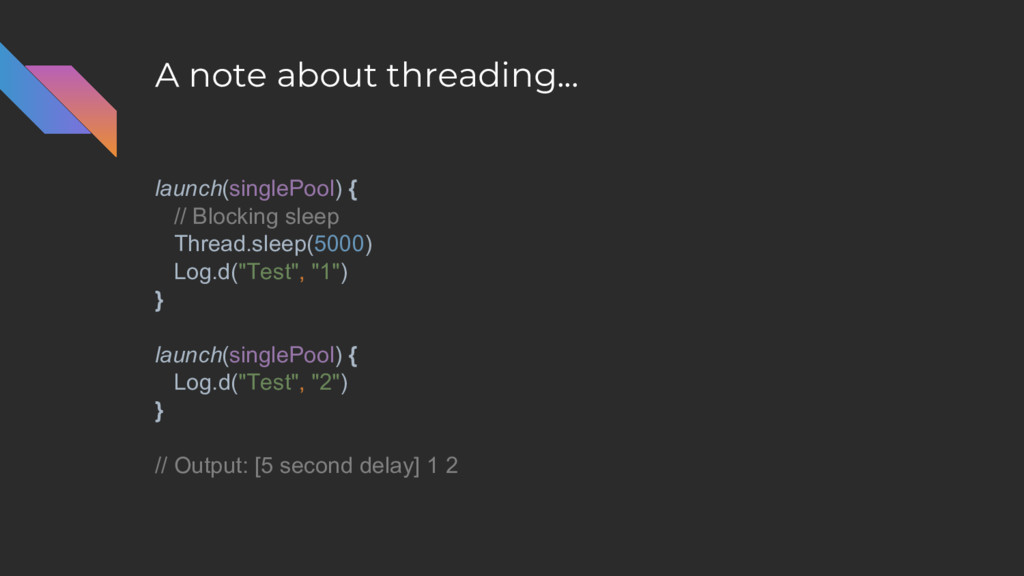
A note about threading... launch(singlePool) { // Blocking sleep Thread.sleep(5000)
Log.d("Test", "1") } launch(singlePool) { Log.d("Test", "2") } // Output: [5 second delay] 1 2 -
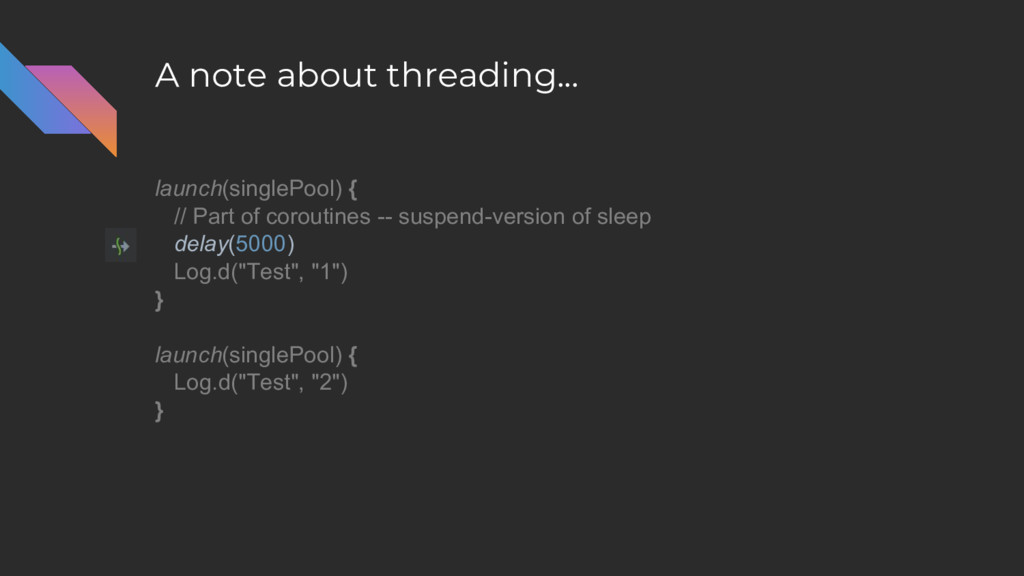
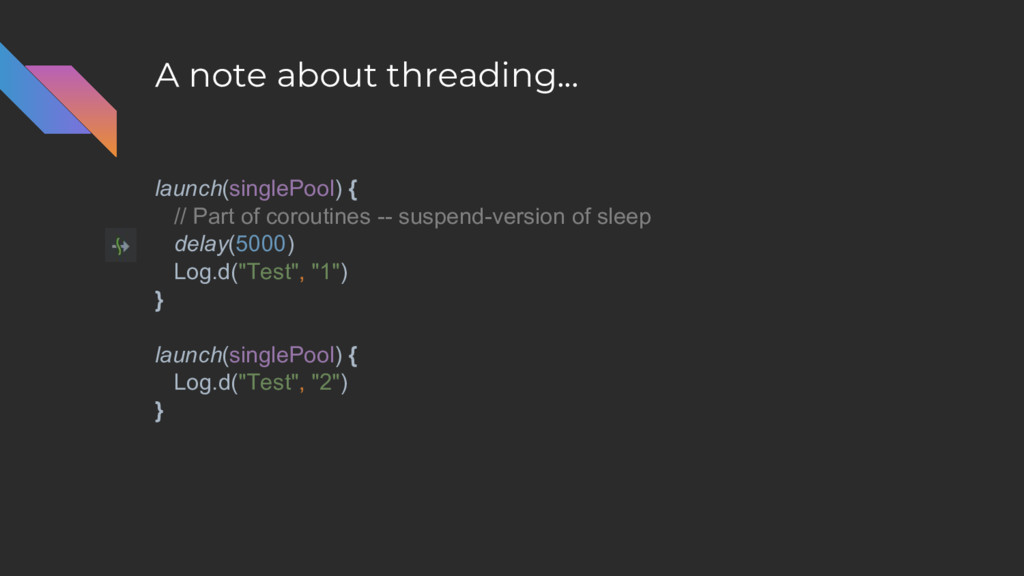
A note about threading... launch(singlePool) { // Part of coroutines
-- suspend-version of sleep delay(5000) Log.d("Test", "1") } launch(singlePool) { Log.d("Test", "2") } -
A note about threading... launch(singlePool) { // Part of coroutines
-- suspend-version of sleep delay(5000) Log.d("Test", "1") } launch(singlePool) { Log.d("Test", "2") } -
A note about threading... launch(singlePool) { // Part of coroutines
-- suspend-version of sleep delay(5000) Log.d("Test", "1") } launch(singlePool) { Log.d("Test", "2") } // Output: 2 [5 second delay] 1 -
Using Thread Pools Finally, there is “Unconfined” which basically gives
you synchronous behavior*. // Code up here runs on the same thread ... launch(Unconfined) { // ... as code in here } -
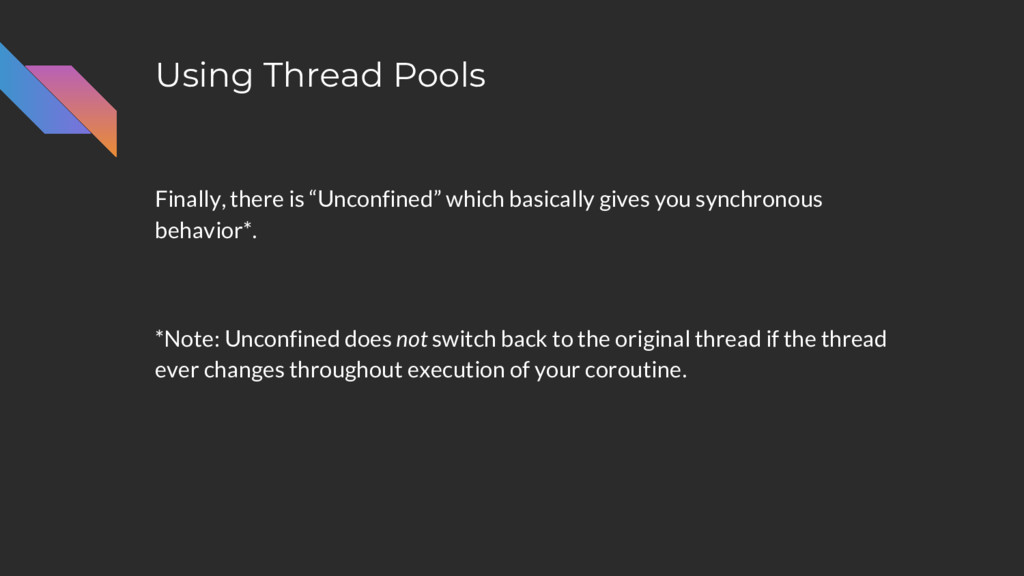
Using Thread Pools Finally, there is “Unconfined” which basically gives
you synchronous behavior*. *Note: Unconfined does not switch back to the original thread if the thread ever changes throughout execution of your coroutine. -
Using Thread Pools The kotlinx-coroutines-android dependency adds the “UI” dispatcher
launch(UI) { // Basically acts as runOnMainThread } -
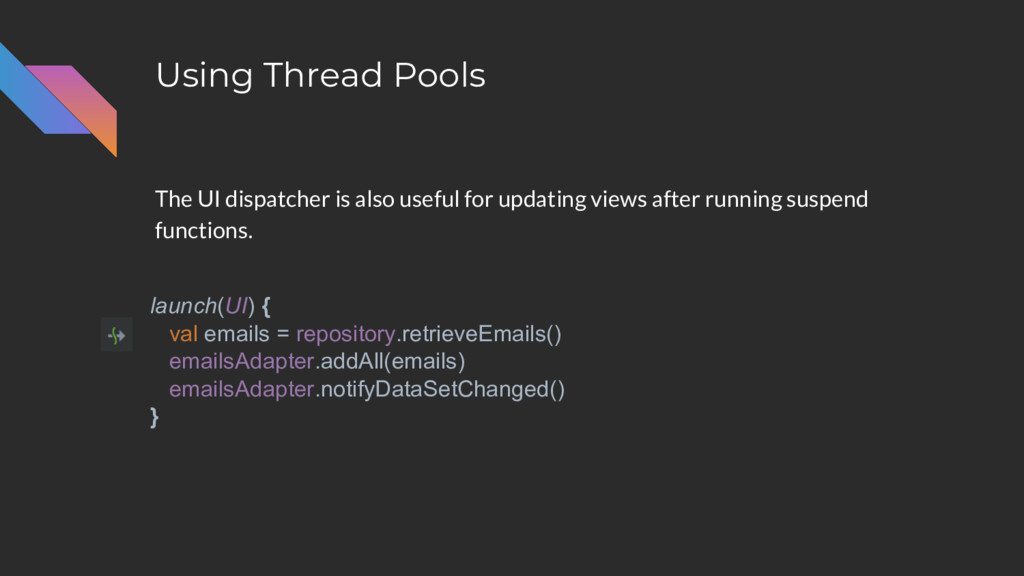
Using Thread Pools The UI dispatcher is also useful for
updating views after running suspend functions. launch(UI) { val emails = repository.retrieveEmails() emailsAdapter.addAll(emails) emailsAdapter.notifyDataSetChanged() } -
Using Thread Pools Though be careful... launch(UI) { val emails
= repository.retrieveEmails() emailsAdapter.addAll(emails) emailsAdapter.notifyDataSetChanged() } -
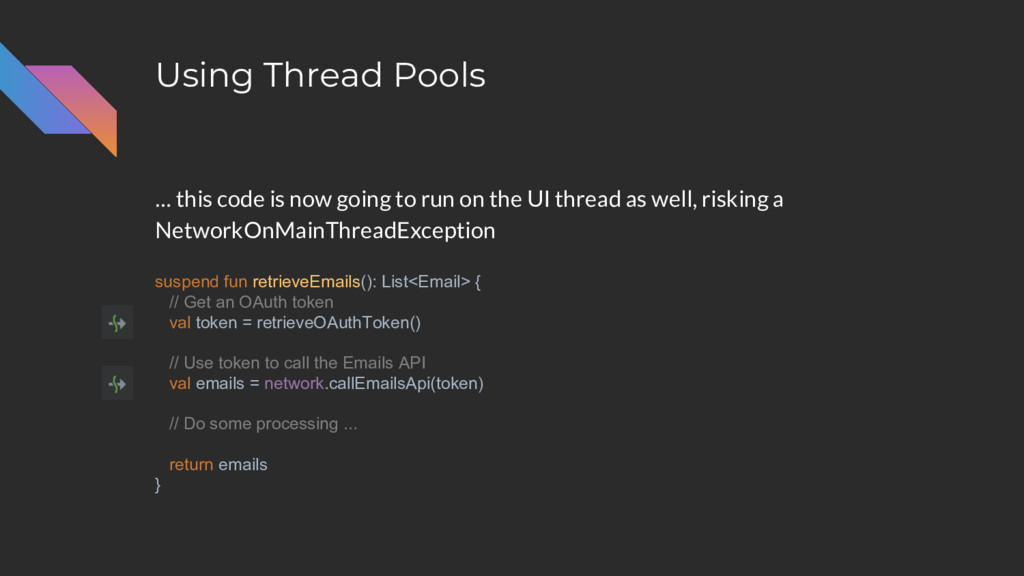
Using Thread Pools suspend fun retrieveEmails(): List<Email> { // Get
an OAuth token val token = retrieveOAuthToken() // Use token to call the Emails API val emails = network.callEmailsApi(token) // Do some processing ... return emails } … this code is now going to run on the UI thread as well, risking a NetworkOnMainThreadException -
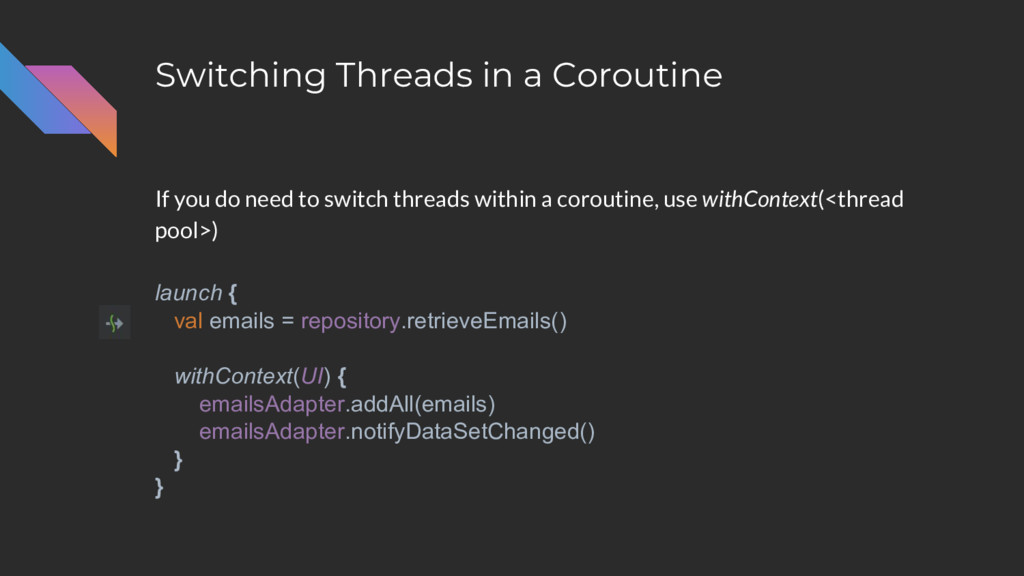
Switching Threads in a Coroutine launch { val emails =
repository.retrieveEmails() withContext(UI) { emailsAdapter.addAll(emails) emailsAdapter.notifyDataSetChanged() } } If you do need to switch threads within a coroutine, use withContext(<thread pool>) -
Cancelling Coroutines Coroutine builders also return an item to represent
the work-in-progress and also give you access to a cancel() function. val job: Job = launch { ... } job.cancel() val deferred: Deferred<String> = async { ... } deferred.cancel() -
Cancelling Coroutines You can also use these objects to check
the status of the coroutine. // Can check status, if needed job.isActive job.isCompleted job.isCancelled // Or cancel the job job.cancel() -
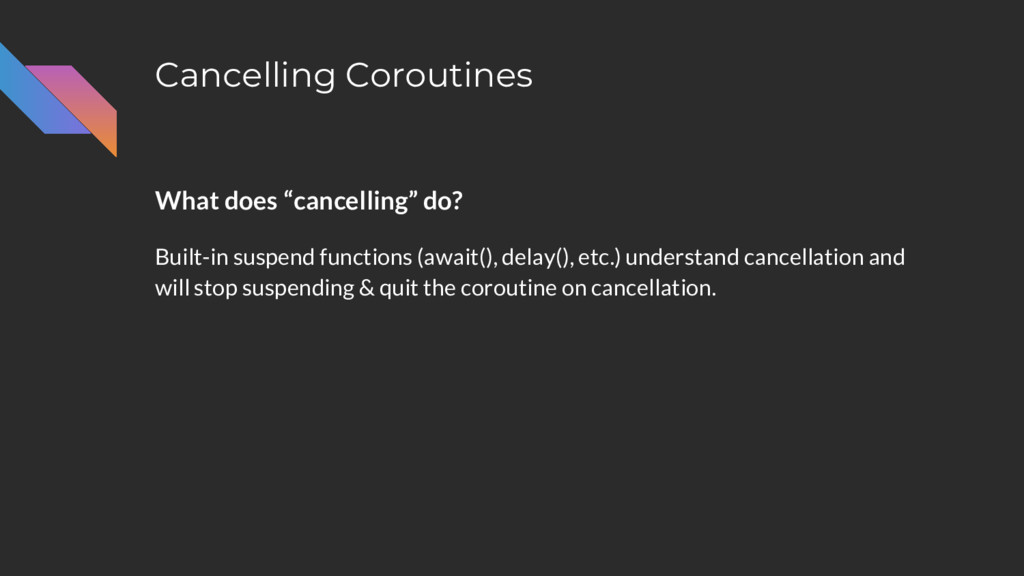
Cancelling Coroutines What does “cancelling” do? Built-in suspend functions (await(),
delay(), etc.) understand cancellation and will stop suspending & quit the coroutine on cancellation. -
Cancelling Coroutines val job = launch { repeat(5) { delay(2500)
Log.d("Test", "Test") } } launch { delay(3000) job.cancel() } // Only prints "Test" once -
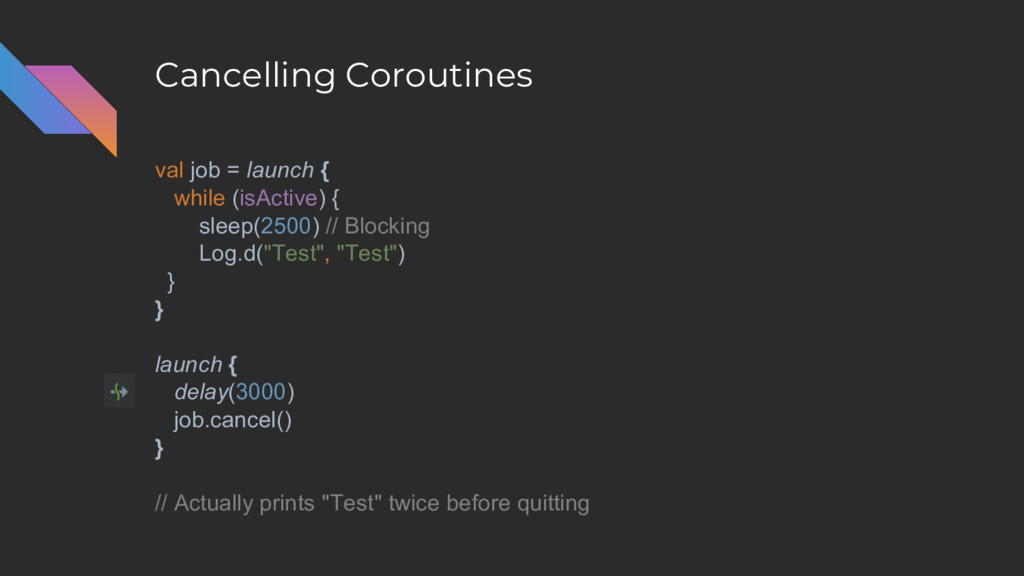
Cancelling Coroutines What does “cancelling” do? Otherwise, you can check
the isActive flag and exit yourself. -
Cancelling Coroutines val job = launch { while (isActive) {
sleep(2500) // Blocking Log.d("Test", "Test") } } launch { delay(3000) job.cancel() } // Actually prints "Test" twice before quitting -
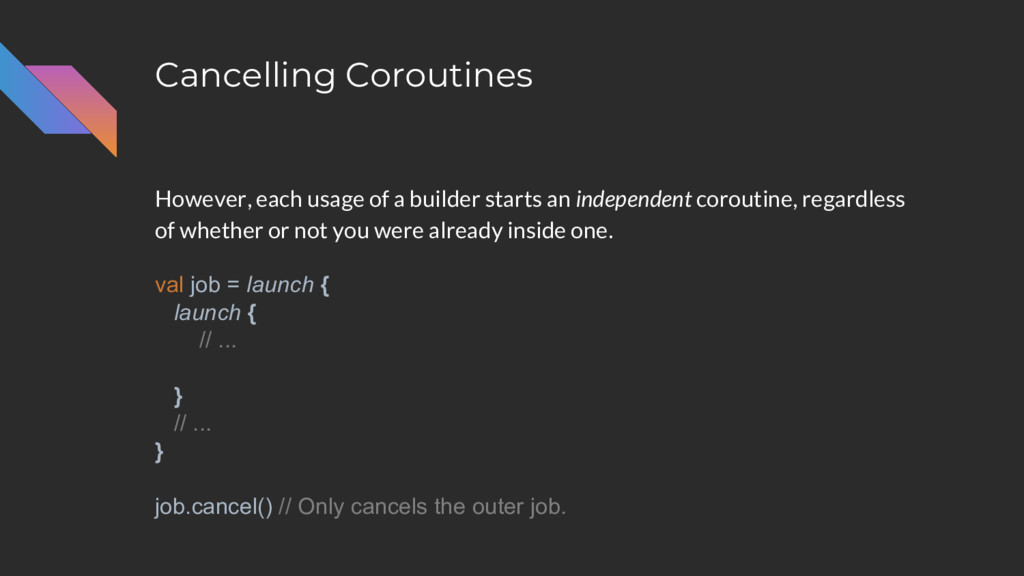
Cancelling Coroutines However, each usage of a builder starts an
independent coroutine, regardless of whether or not you were already inside one. val job = launch { launch { // ... } // ... } job.cancel() // Only cancels the outer job. -
Cancelling Coroutines Information about a coroutine is stored in a
CoroutineContext and includes the dispatcher, the parent coroutine, etc. val job = launch { launch { // ... } // ... } job.cancel() // Only cancels the outer job. -
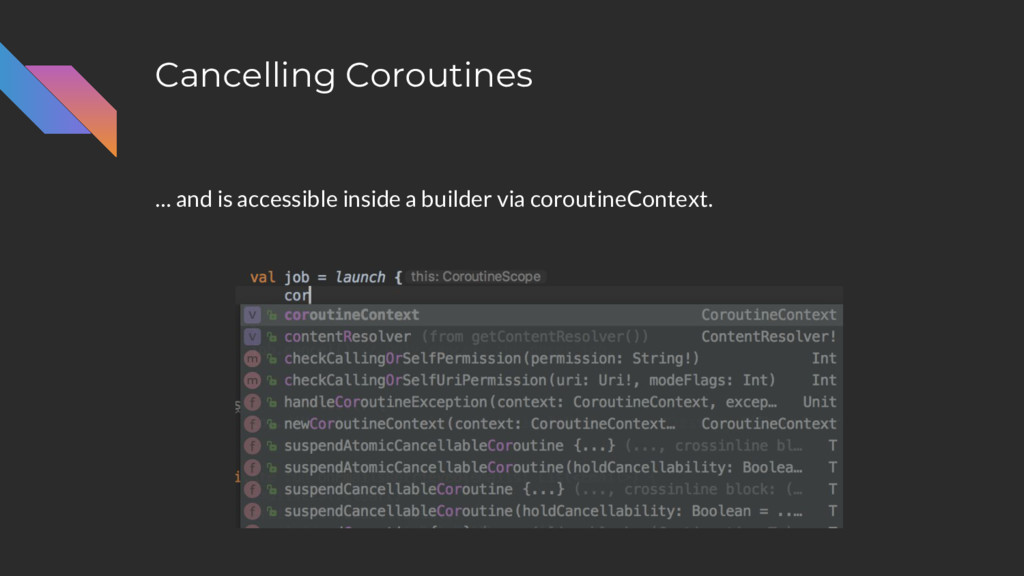
Cancelling Coroutines … and is accessible inside a builder via
coroutineContext. -
Cancelling Coroutines Passing a coroutine context to another builder sets
up a parent-child relationship and is respected for cancellation val job = launch { launch(coroutineContext) { // ... } // ... } job.cancel() // Now both coroutines are cancelled -
Cancelling Coroutines It also means both jobs will use the
same dispatcher. launch(UI) { launch(coroutineContext) { // Code in here runs on UI } // Code in here runs on UI } -
Cancelling Coroutines You can “add” to a CoroutineContext to override
certain properties (like the dispatcher), while maintaining the parent-child relationship. launch(UI) { launch(coroutineContext + CommonPool) { // Code in here runs on CommonPool, // but is still a child of the outer coroutine } // Code in here runs on UI } -
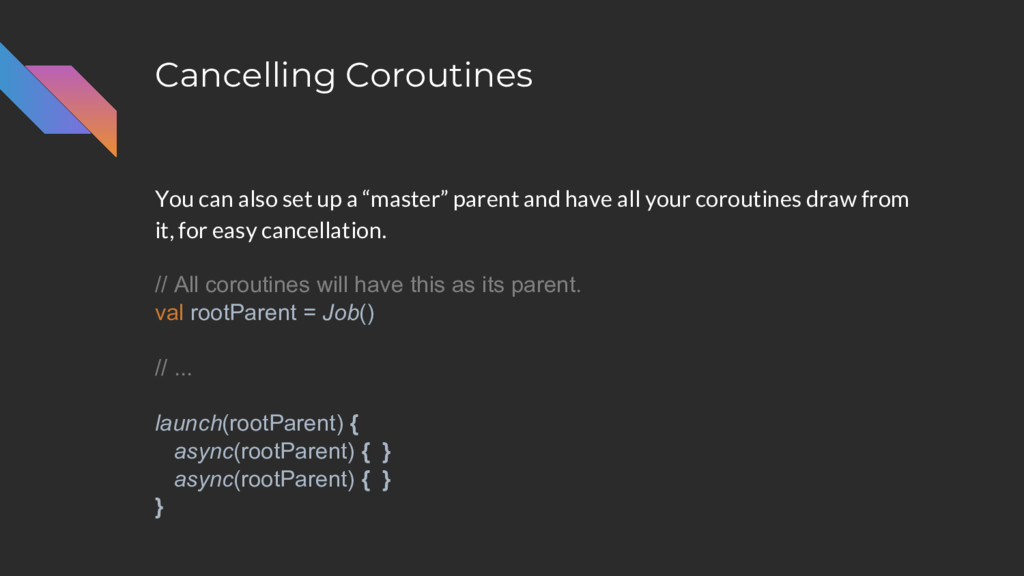
Cancelling Coroutines You can also set up a “master” parent
and have all your coroutines draw from it, for easy cancellation. // All coroutines will have this as its parent. val rootParent = Job() // ... launch(rootParent) { async(rootParent) { } async(rootParent) { } } -
Cancelling Coroutines launch { val emails = repository.fetchEmails() withContext(UI) {
emailsAdapter.addAll(emails) emailsAdapter.notifyDataSetChanged() } } withContext executes within the same coroutine, no need to set up parent-child. -
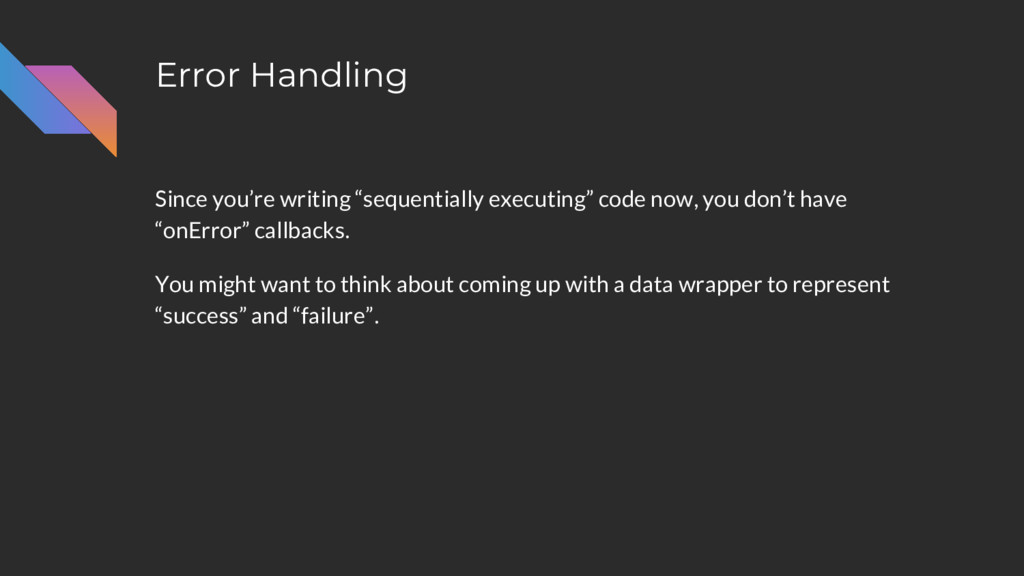
Error Handling Since you’re writing “sequentially executing” code now, you
don’t have “onError” callbacks. -
Error Handling Since you’re writing “sequentially executing” code now, you
don’t have “onError” callbacks. You might want to think about coming up with a data wrapper to represent “success” and “failure”. -
Error Handling Since you’re writing “sequentially executing” code now, you
don’t have “onError” callbacks. You might want to think about coming up with a data wrapper to represent “success” and “failure”. sealed class Result<T> { data class Success<T>(val result: T) : Result<T>() data class Error(val exception: Exception) : Result<Nothing>() } -
Error Handling suspend fun retrieveEmails(): Result<List<Email>> launch { val emailResult
= repository.retrieveEmails() when (emailResult) { is Result.Success -> { } is Result.Error -> { } } } -
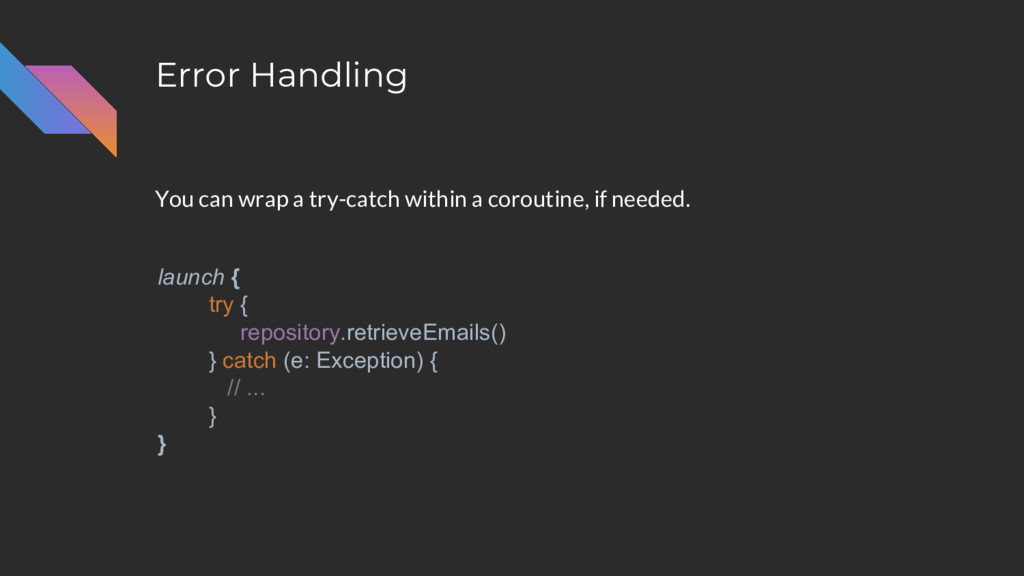
Error Handling You can wrap a try-catch within a coroutine,
if needed. launch { try { repository.retrieveEmails() } catch (e: Exception) { // ... } } -
Testing The added benefit of writing code that is sequential
is that it’s easy to test. suspend fun retrieveEmails(): List<Email> { // Get an OAuth token val token = retrieveOAuthToken() // Use token to call the Emails API val emails = network.callEmailsApi(token) // Do some processing ... return emails } -
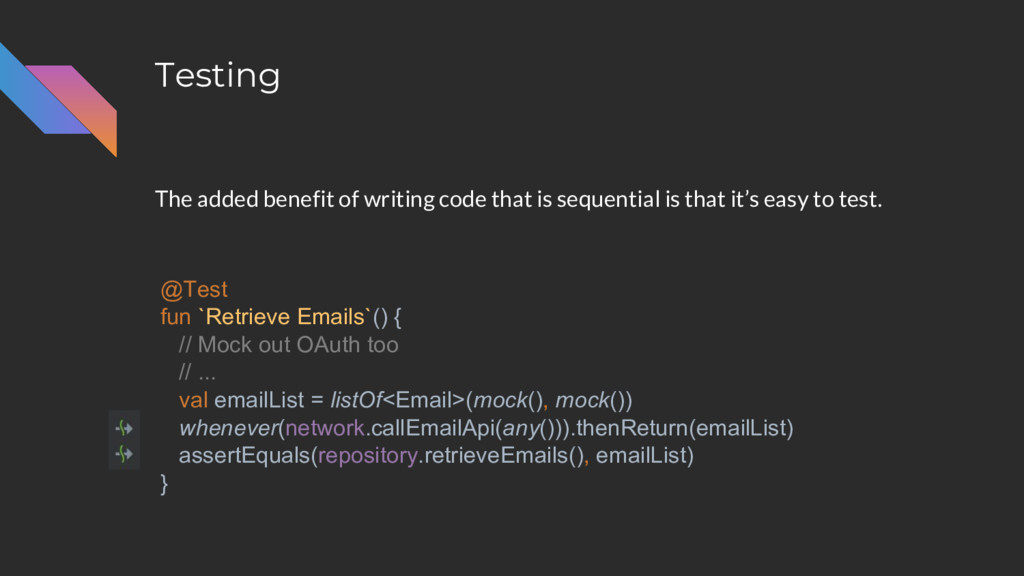
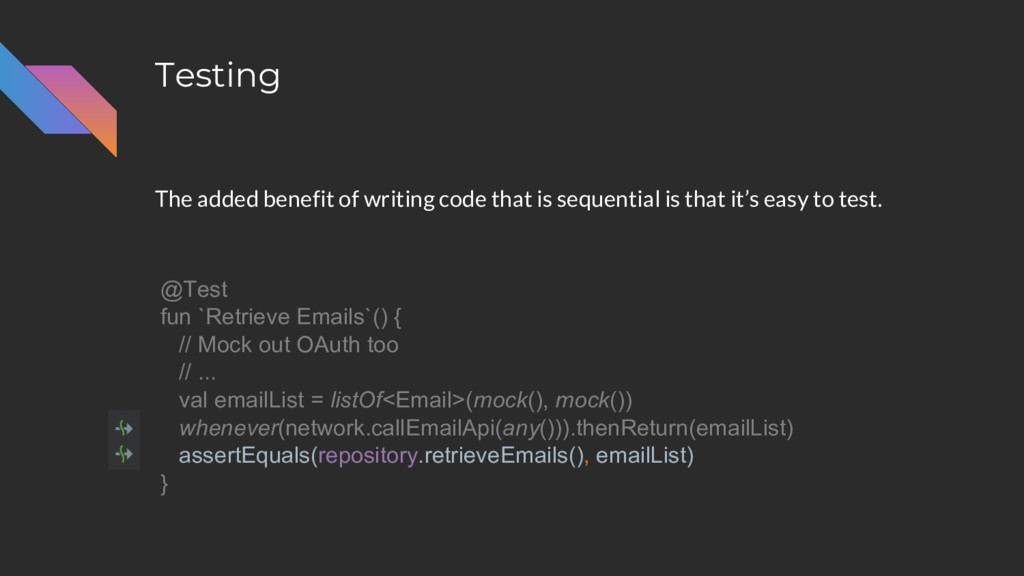
Testing The added benefit of writing code that is sequential
is that it’s easy to test. @Test fun `Retrieve Emails`() { // Mock out OAuth too // ... val emailList = listOf<Email>(mock(), mock()) whenever(network.callEmailApi(any())).thenReturn(emailList) assertEquals(repository.retrieveEmails(), emailList) } -
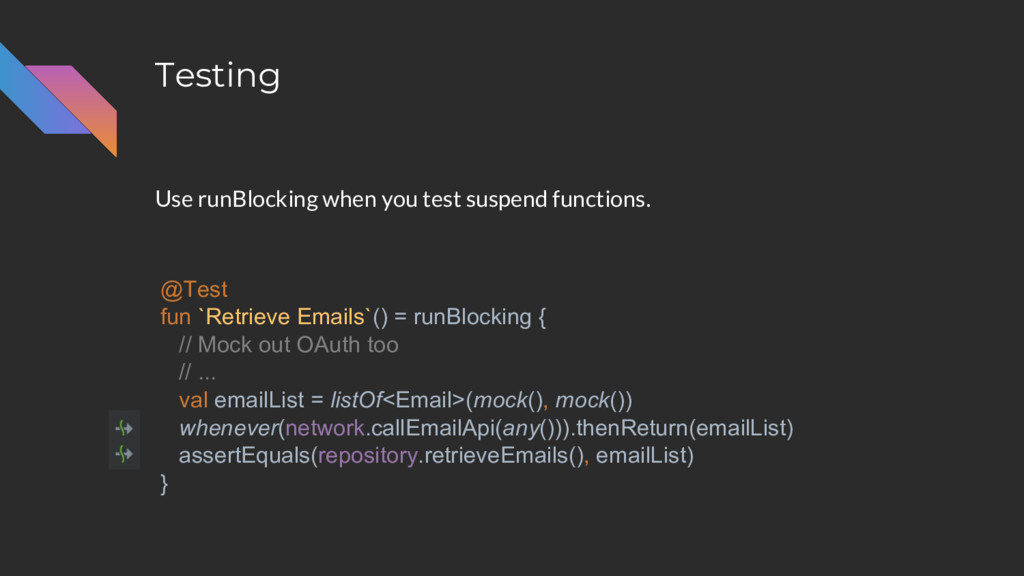
Testing Use runBlocking when you test suspend functions. @Test fun
`Retrieve Emails`() = runBlocking { // Mock out OAuth too // ... val emailList = listOf<Email>(mock(), mock()) whenever(network.callEmailApi(any())).thenReturn(emailList) assertEquals(repository.retrieveEmails(), emailList) } -
Testing But if you end with a verify call.... runBlocking
also returns the result of the last function call. @Test fun `Retrieve Emails`() = runBlocking { // Mock out OAuth too // ... val emailList = listOf<Email>(mock(), mock()) whenever(network.callEmailApi(any())).thenReturn(emailList) assertEquals(repository.retrieveEmails(), emailList) verify(network).callEmailApi(any()) } -
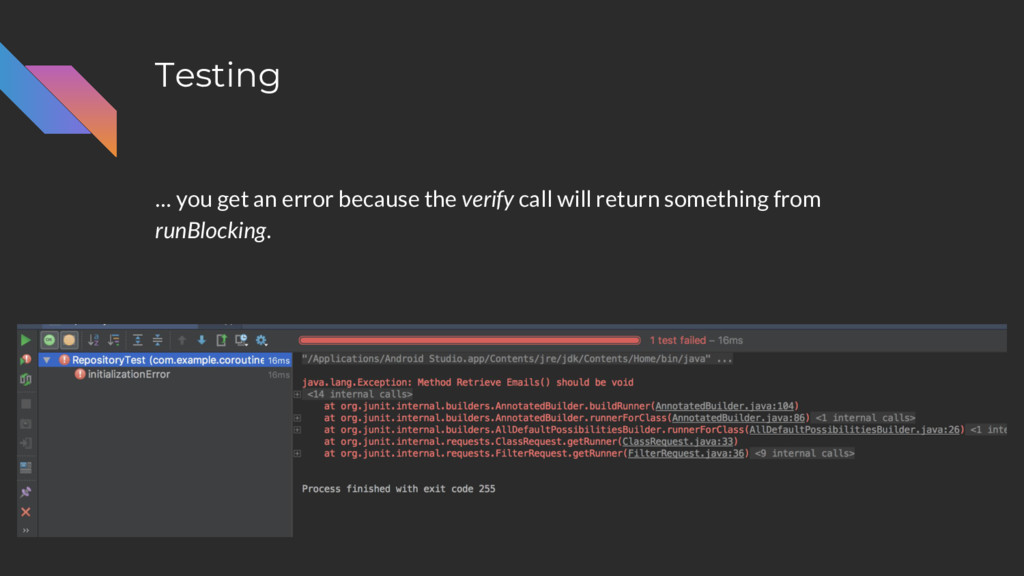
Testing … you get an error because the verify call
will return something from runBlocking. -
Testing You could add “Unit” as a solution. @Test fun
`Retrieve Emails`(): Unit = runBlocking { // Mock out OAuth too // ... val emailList = listOf<Email>(mock(), mock()) whenever(network.callEmailApi(any())).thenReturn(emailList) assertEquals(repository.retrieveEmails(), emailList) verify(network).callEmailApi(any()) Unit } -
Testing Instead, I like to use this helper method: fun
testSuspending(test: suspend () -> Unit): Unit = runBlocking { test.invoke() } -
Testing Instead, I like to use this helper method: fun
testSuspending(test: suspend () -> Unit): Unit = runBlocking { test.invoke() } @Test fun `Retrieve Emails`() = testSuspending { // Mock out OAuth too // ... val emailList = listOf<Email>(mock(), mock()) whenever(network.callEmailApi(any())).thenReturn(emailList) assertEquals(repository.retrieveEmails(), emailList) verify(network).callEmailApi(any()) } -
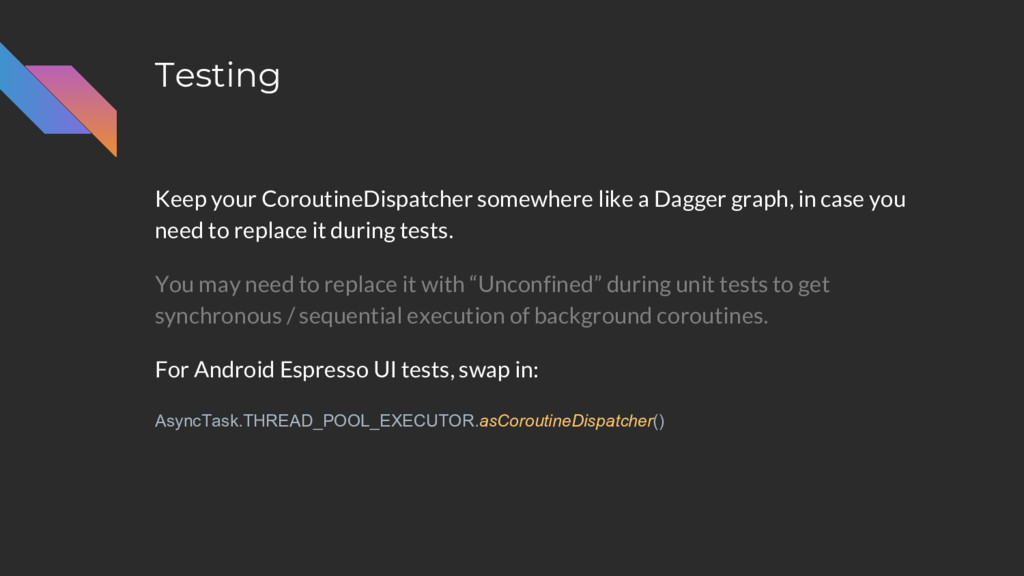
Testing Keep your CoroutineDispatcher somewhere like a Dagger graph, in
case you need to replace it during tests. -
Testing Keep your CoroutineDispatcher somewhere like a Dagger graph, in
case you need to replace it during tests. You may need to replace it with “Unconfined” during unit tests to get synchronous / sequential execution of background coroutines. -
Testing Keep your CoroutineDispatcher somewhere like a Dagger graph, in
case you need to replace it during tests. You may need to replace it with “Unconfined” during unit tests to get synchronous / sequential execution of background coroutines. For Android Espresso UI tests, swap in: AsyncTask.THREAD_POOL_EXECUTOR.asCoroutineDispatcher() -
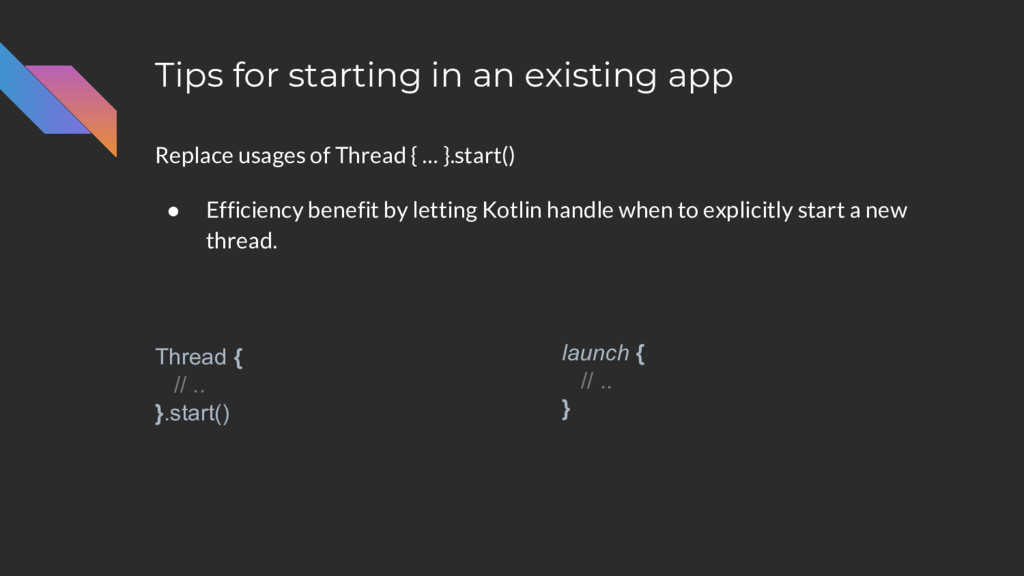
Tips for starting in an existing app Replace usages of
Thread { … }.start() • Efficiency benefit by letting Kotlin handle when to explicitly start a new thread. Thread { // .. }.start() launch { // .. } -
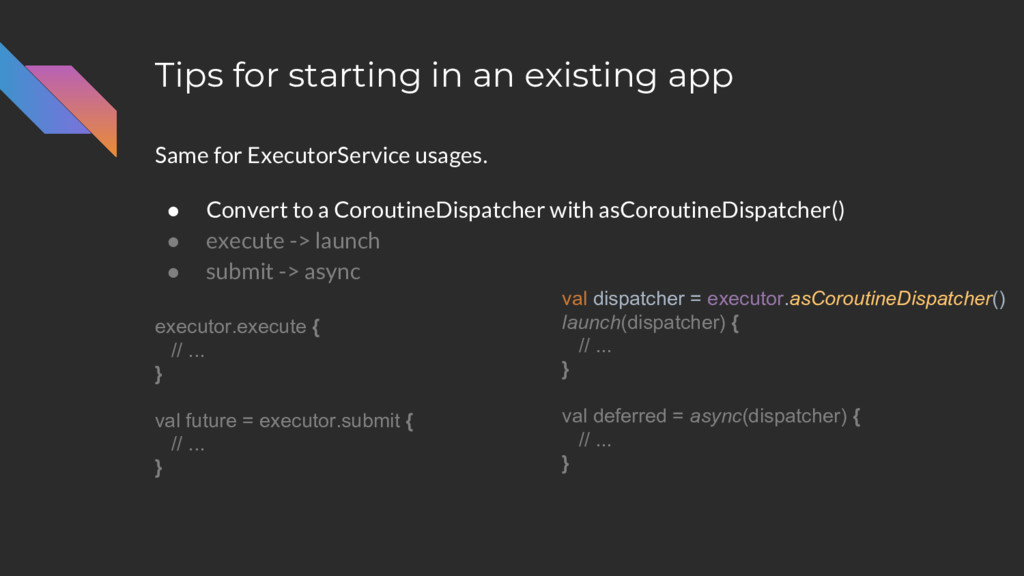
Tips for starting in an existing app Same for ExecutorService
usages. • Convert to a CoroutineDispatcher with asCoroutineDispatcher() • execute -> launch • submit -> async executor.execute { // ... } val future = executor.submit { // ... } val dispatcher = executor.asCoroutineDispatcher() launch(dispatcher) { // ... } val deferred = async(dispatcher) { // ... } -
Tips for starting in an existing app Interop with existing
libraries Retrofit (Android): • Jake Wharton’s Deferred adapter: https://github.com/JakeWharton/retrofit2-kotlin-coroutines-adapter -
Tips for starting in an existing app Interop with existing
libraries If an existing library returns data asynchronously, use suspendCoroutine to make it compatible to use with suspend functions. -
Tips for starting in an existing app Interop with existing
libraries If an existing library returns data asynchronously, use suspendCoroutine to make it compatible to use with suspend functions. • Allows you to suspend a coroutine “manually” handle when to resume execution. • https://www.youtube.com/watch?v=YrrUCSi72E8 -
A Note on “Experimental” Status “Kotlin coroutines can and should
be used in production.” - Roman Elizarov Tech Lead on Kotlin Coroutines @ Jetbrains -
A Note on “Experimental” Status • “Experimental” means they can
release new stuff in minor updates. • New updates will maintain backwards compatibility. • “Unstable” or or WIP features are clearly marked / annotated. -
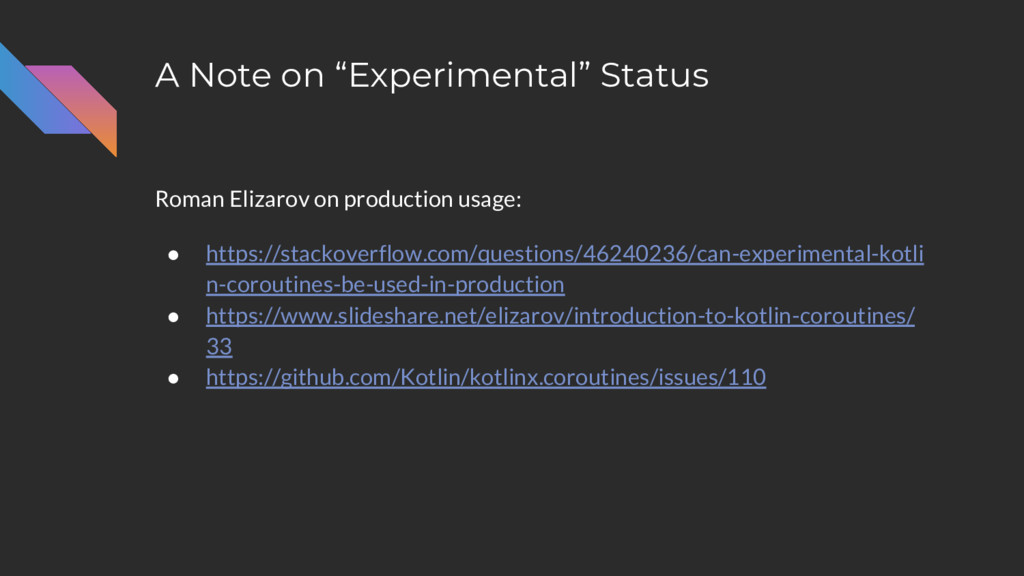
A Note on “Experimental” Status Roman Elizarov on production usage:
• https://stackoverflow.com/questions/46240236/can-experimental-kotli n-coroutines-be-used-in-production • https://www.slideshare.net/elizarov/introduction-to-kotlin-coroutines/ 33 • https://github.com/Kotlin/kotlinx.coroutines/issues/110 -
Roman Elizarov @ KotlinConf • Introduction to Coroutines • Deep
Dive into Coroutines on JVM Coroutines GitHub: https://github.com/Kotlin/kotlinx.coroutines/blob/master/coroutines-guide.md If you want more... -
Stay tuned for the next Meetup! Manuel Vivo is handling
a “Part 2” of this talk which covers advanced coroutine usage and RxJava comparisons! -
Any Questions? • Write functions that suspend and resume execution
-- perform asynchronous actions using code that looks sequential / synchronous. • Asynchronous code is easier to write, test, and maintain. • A single thread can perform more work in the same amount of time. • Coroutines can work alongside existing asynchronous solutions and support can be written / provided for popular libraries. @nickcapurso
 nickcapurso
 shift_evolve
 masasuzu
 sansantech
 ama_ch
 inariku
 lycorptech_jp
 okiyuki99
 riyaamemiya
 yama3133
 ginjihayashi
 nagix
 honnibal
 madoxten
 lara
 3n
 cassininazir
 honzajavorek
 uxyall
 inesmontani
 jonoalderson
 sstephenson
 frankvandijk
 destraynor