Upgrade to Pro — share decks privately, control downloads, hide ads and more …

ACM Teach: Getting Started with Python

ACM Teach: Getting Started with Python

Avatar for Nick Van Hoogenstyn

Nick Van Hoogenstyn

May 08, 2013

Other Decks in Technology

Transcript

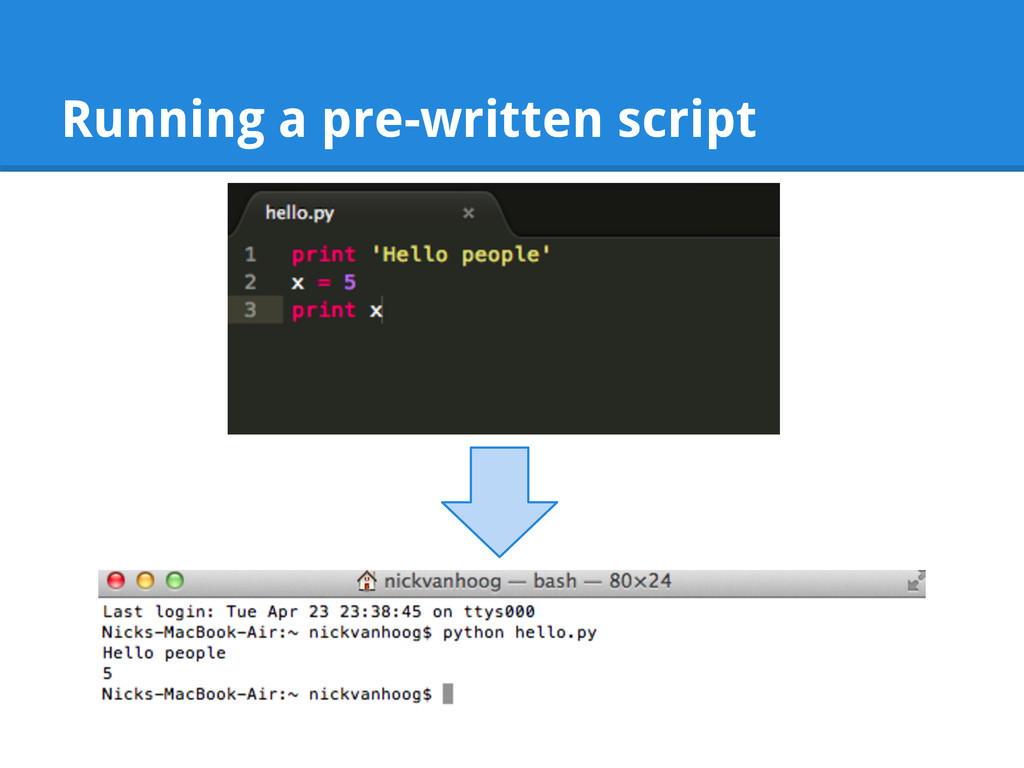
  1. Getting Started with Python by Nick Van Hoogenstyn for ACM

    Teach, Spring 2013 Slides: http://goo.gl/xRFfA
  2. Get the code! • Slides here: http://goo.gl/xRFfA • Code on

    GitHub: https://github.com/nickvanhoog/python-intro • Dropbox folder with code: http://goo.gl/3U95D The code has lots of descriptive comments!
  3. What I like about Python It's really convenient & readable

    Great community It makes programming fun You'll see what I mean Tons of libraries to do common tasks
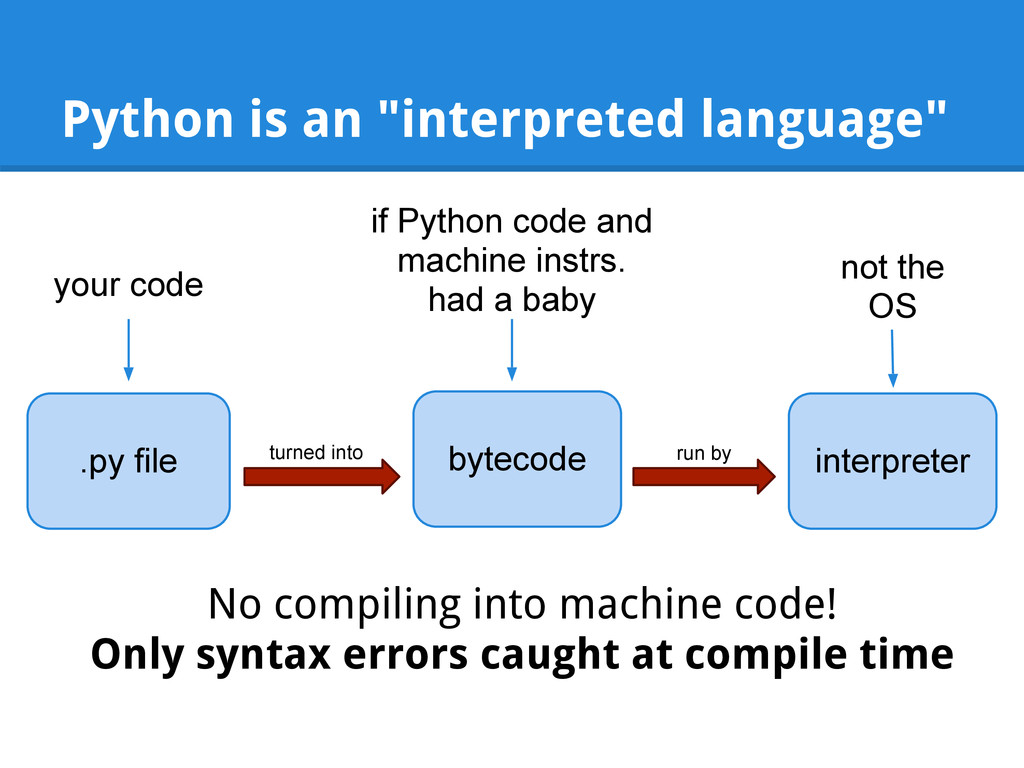
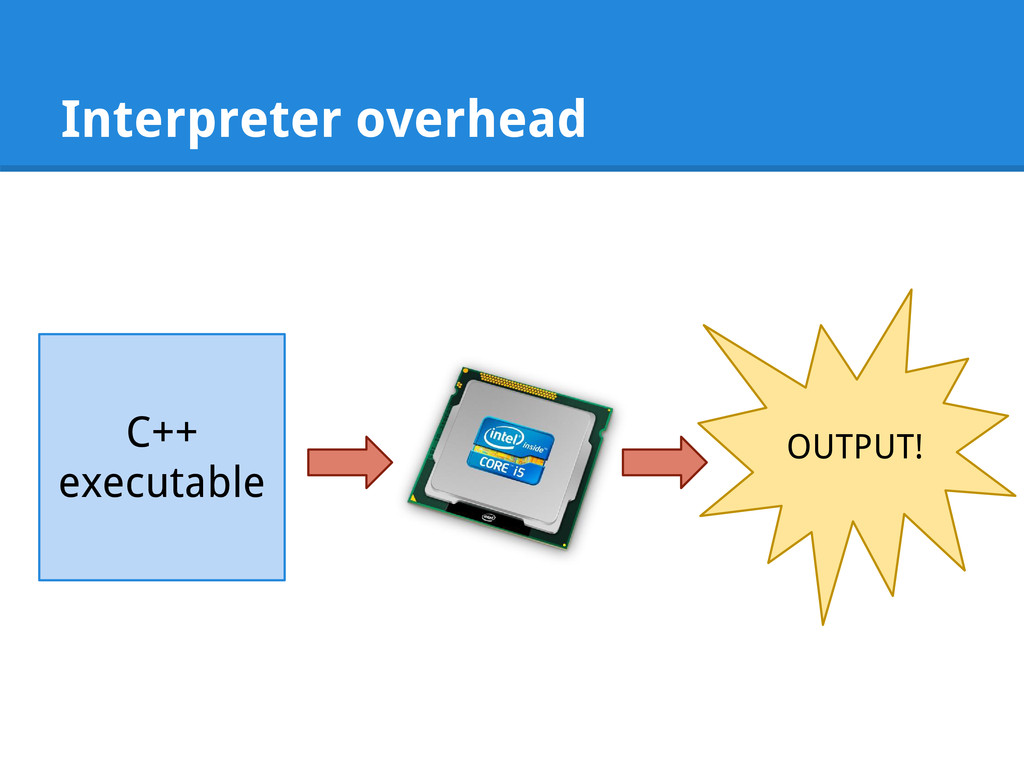
  4. Python is an "interpreted language" .py file bytecode interpreter turned

    into run by your code No compiling into machine code! Only syntax errors caught at compile time not the OS if Python code and machine instrs. had a baby
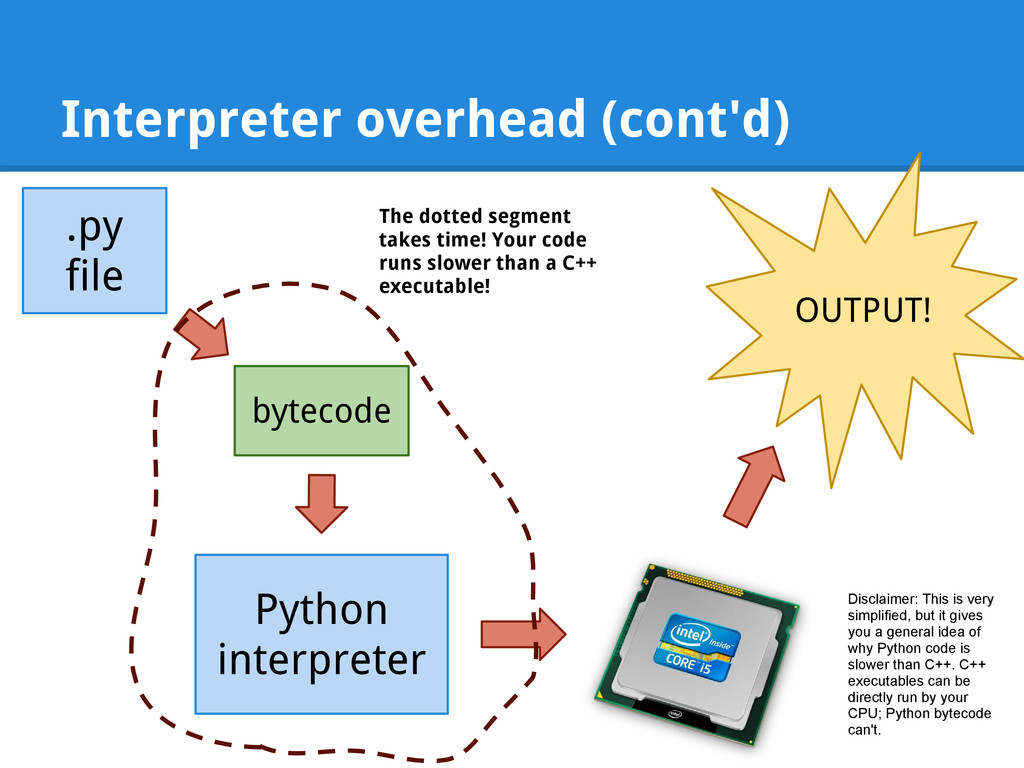
  5. Interpreter overhead (cont'd) .py file OUTPUT! bytecode Python interpreter The

    dotted segment takes time! Your code runs slower than a C++ executable! Disclaimer: This is very simplified, but it gives you a general idea of why Python code is slower than C++. C++ executables can be directly run by your CPU; Python bytecode can't.
  6. You get what you pay for Python's a little bit

    slower. In exchange, we get things like: Memory management. Goodbye new / delete!
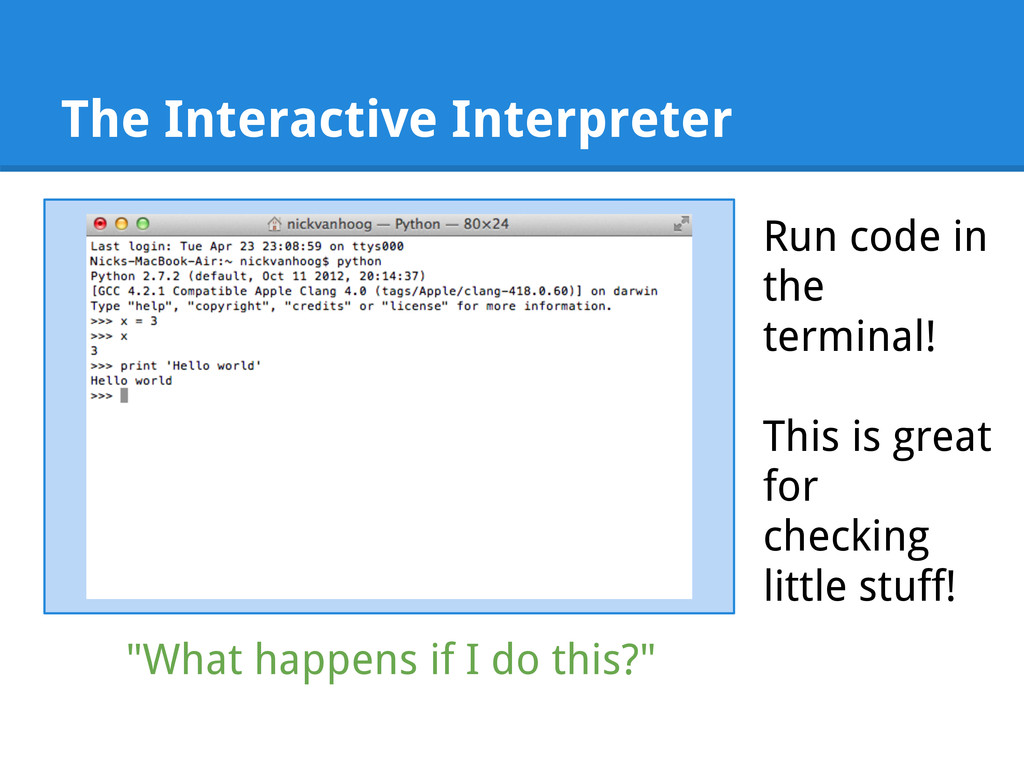
  7. The Interactive Interpreter Run code in the terminal! This is

    great for checking little stuff! "What happens if I do this?"
  8. Python has all the usual stuff Let's look at some

    basic Python code in first_script.py
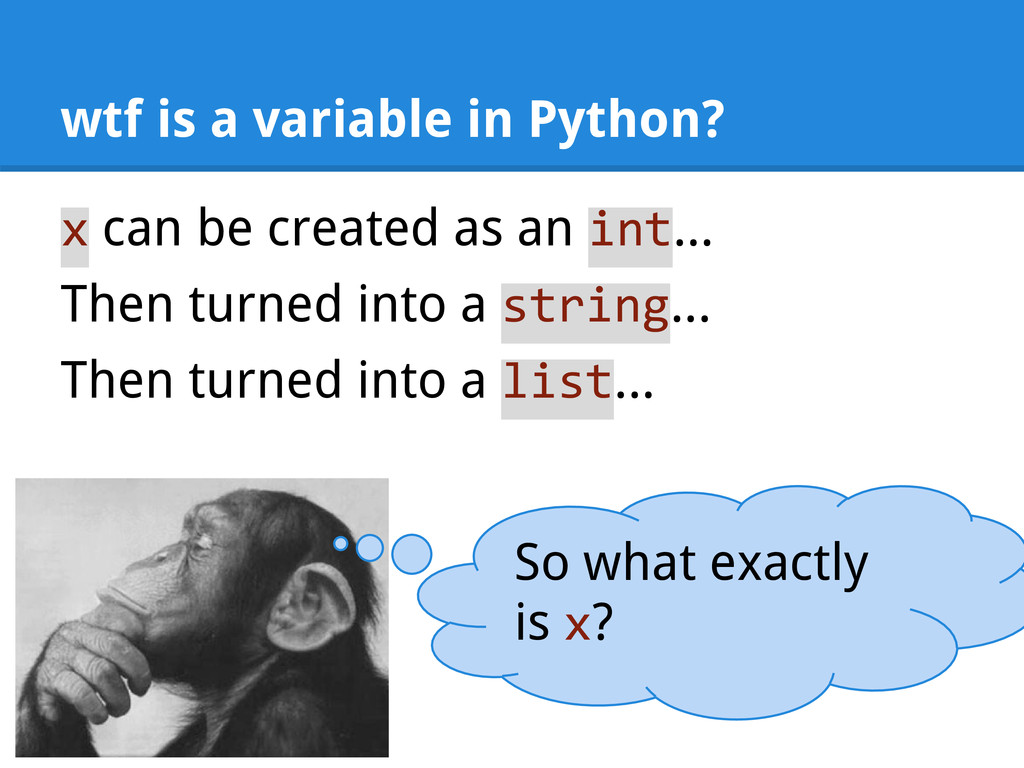
  9. wtf is a variable in Python? x can be created

    as an int... Then turned into a string... Then turned into a list... So what exactly is x?
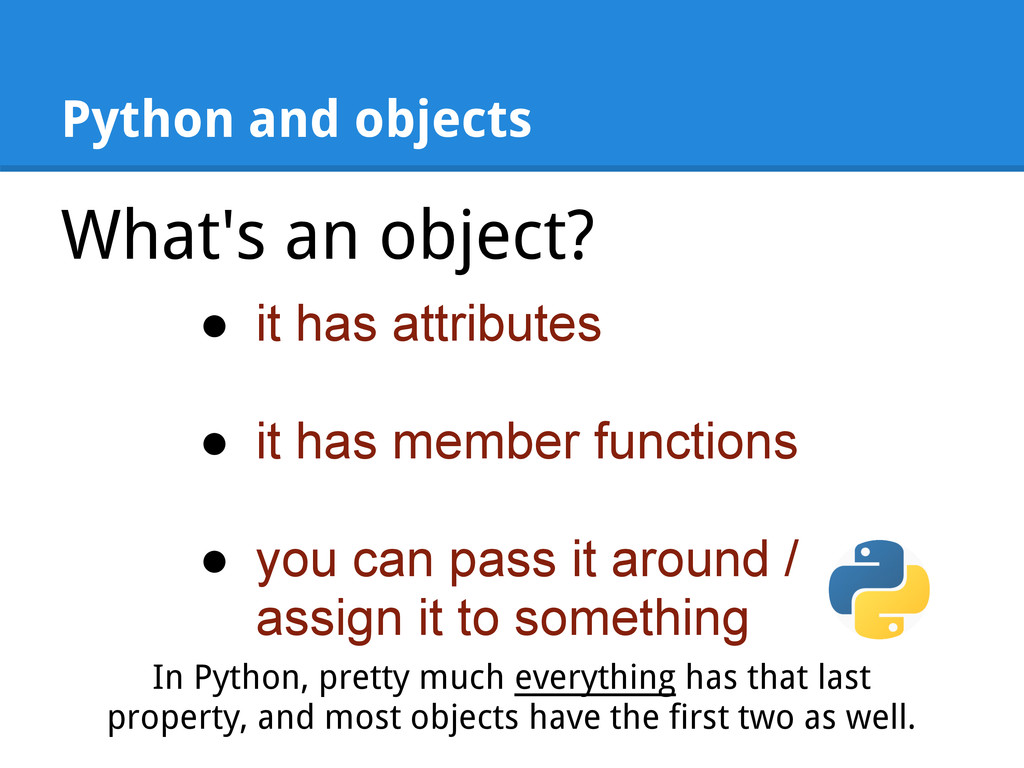
  10. Python and objects What's an object? • it has attributes

    • it has member functions • you can pass it around / assign it to something In Python, pretty much everything has that last property, and most objects have the first two as well.
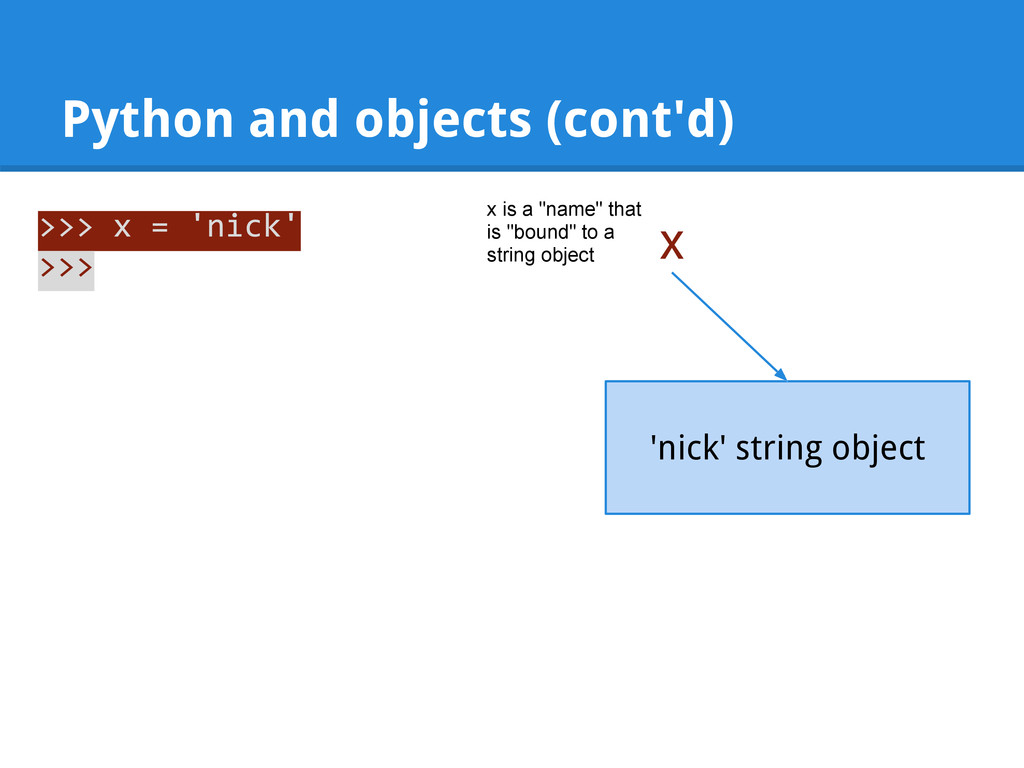
  11. Python and objects (cont'd) >>> x = 'nick' >>> x

    'nick' string object x is a "name" that is "bound" to a string object
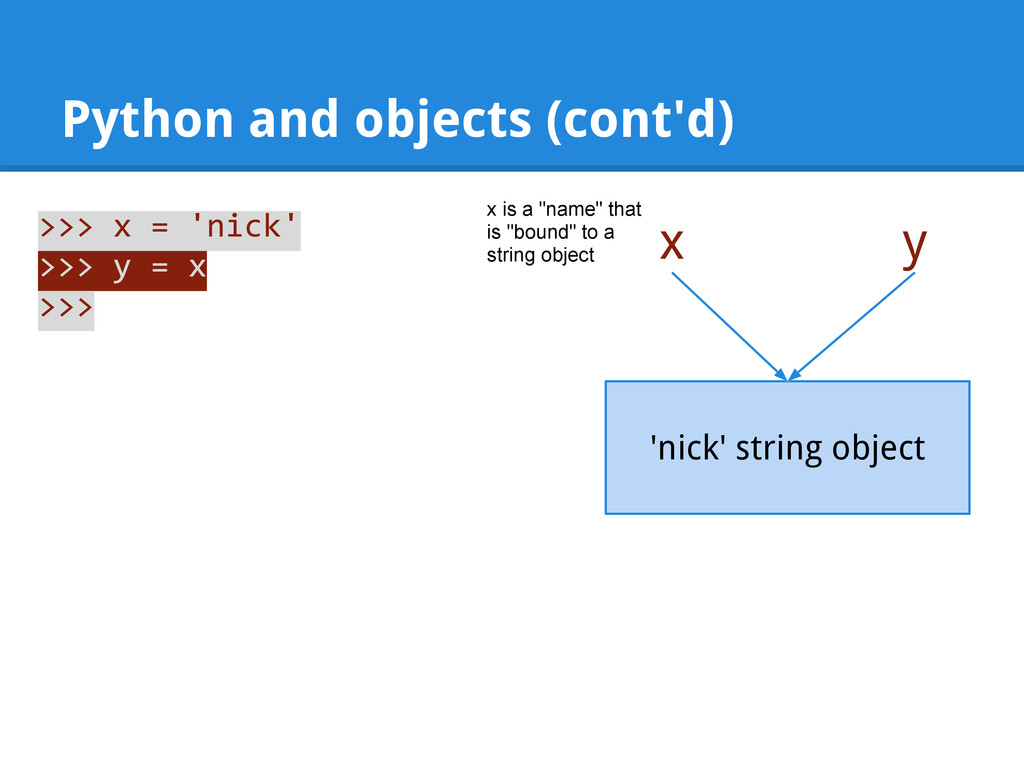
  12. Python and objects (cont'd) >>> x = 'nick' >>> y

    = x >>> x 'nick' string object y x is a "name" that is "bound" to a string object
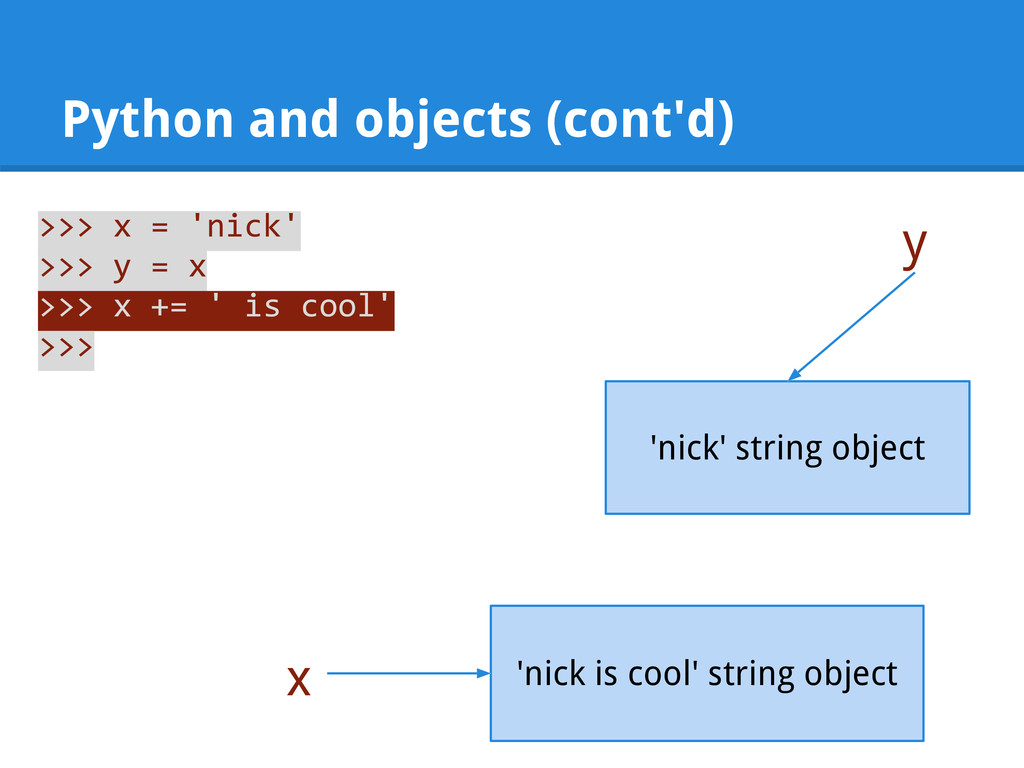
  13. Python and objects (cont'd) >>> x = 'nick' >>> y

    = x >>> x += ' is cool' >>> x 'nick' string object y 'nick is cool' string object
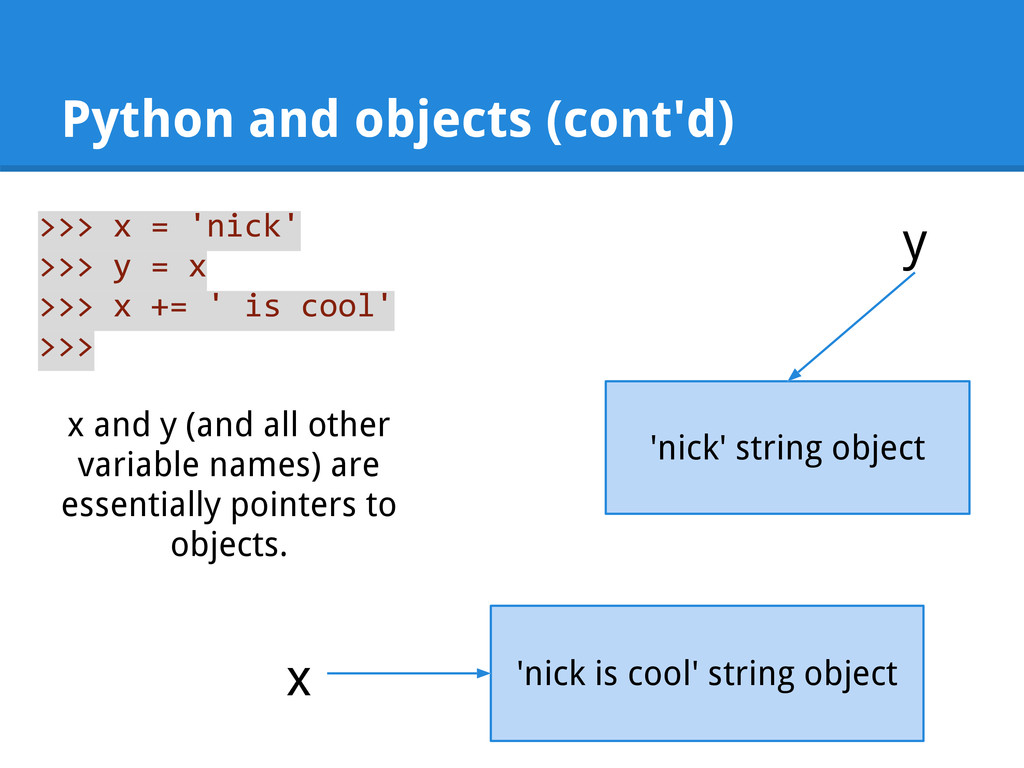
  14. Python and objects (cont'd) >>> x = 'nick' >>> y

    = x >>> x += ' is cool' >>> x 'nick' string object y 'nick is cool' string object x and y (and all other variable names) are essentially pointers to objects.
  15. Quiz time In the previous slide, why did the line

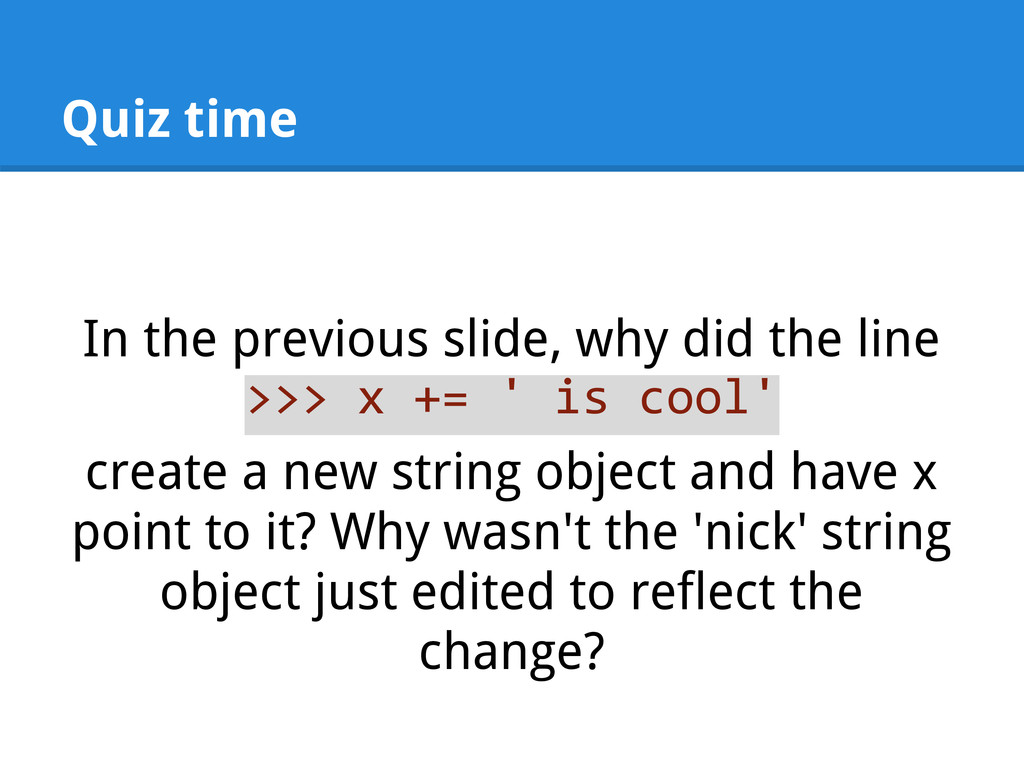
    >>> x += ' is cool' create a new string object and have x point to it? Why wasn't the 'nick' string object just edited to reflect the change?
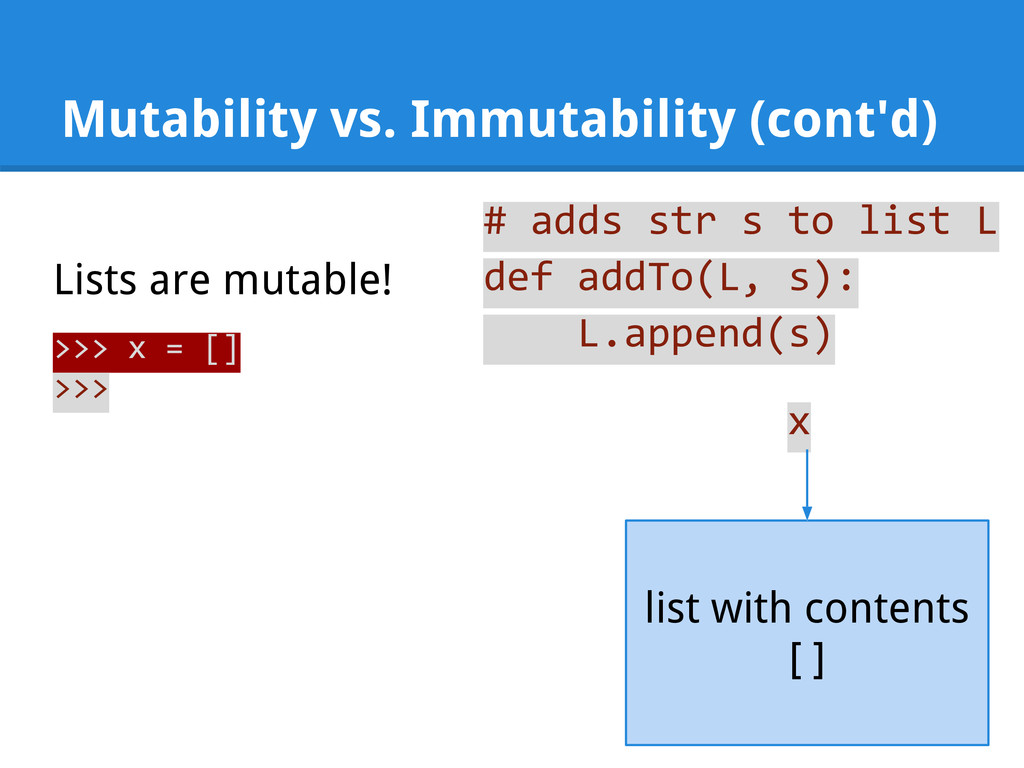
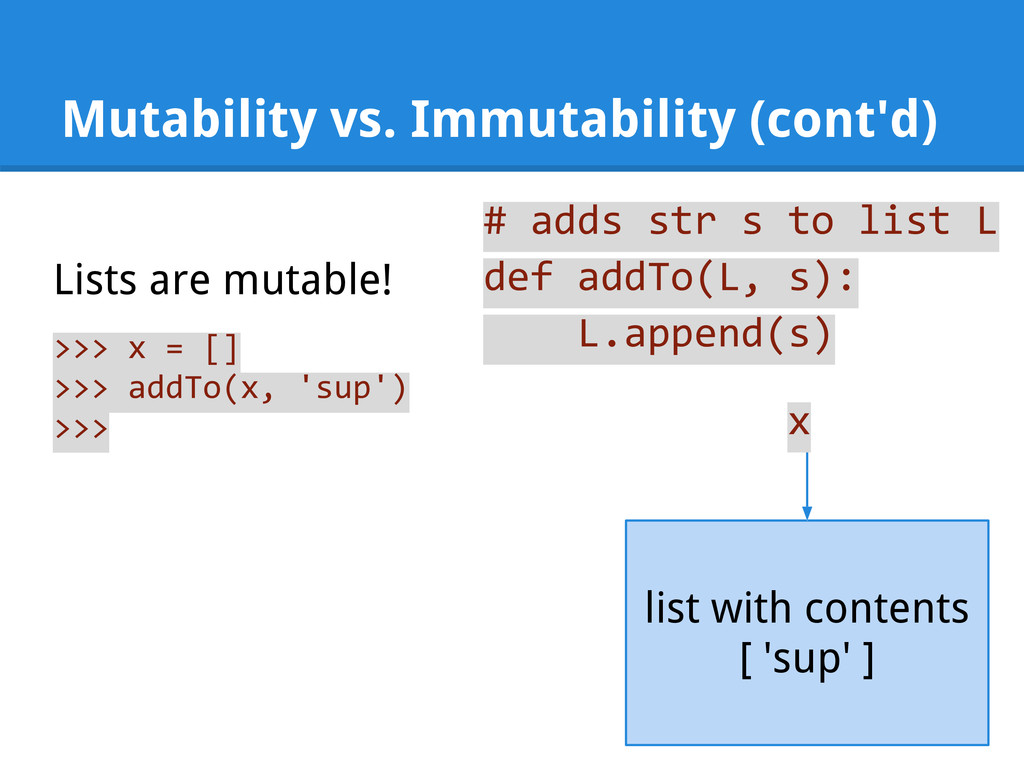
  16. Mutability vs. Immutability Every type in Python is either mutable

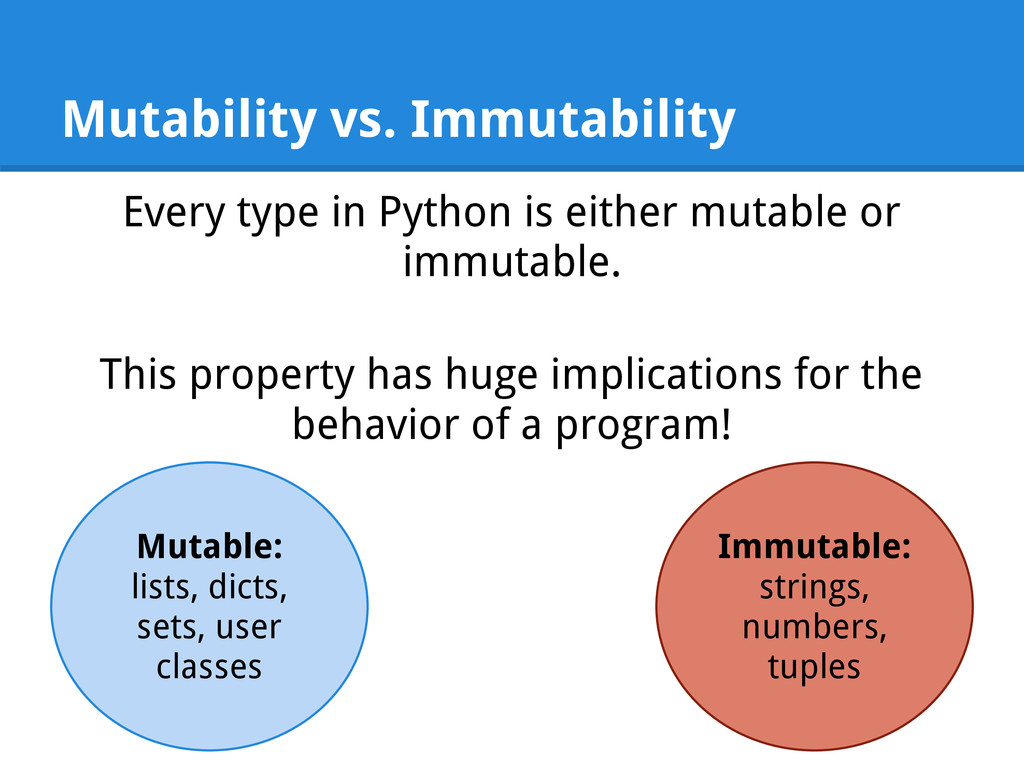
    or immutable. This property has huge implications for the behavior of a program! Mutable: lists, dicts, sets, user classes Immutable: strings, numbers, tuples
  17. Mutability vs. Immutability (cont'd) # adds str s to list

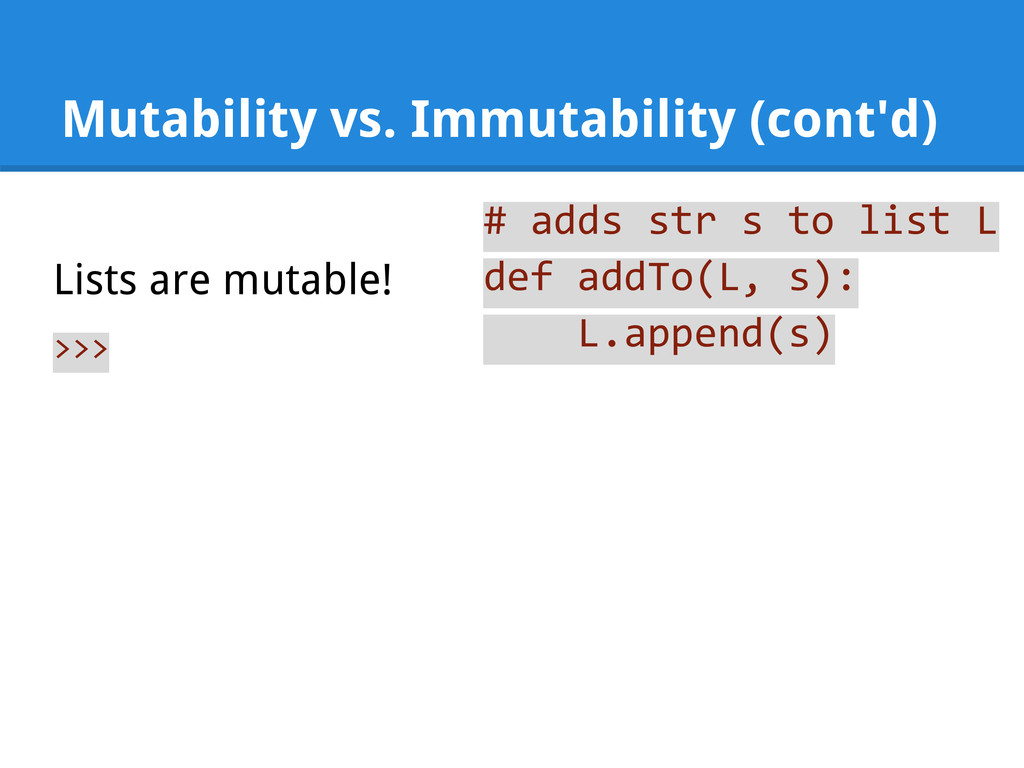
    L def addTo(L, s): L.append(s) >>> Lists are mutable!
  18. Mutability vs. Immutability (cont'd) # adds str s to list

    L def addTo(L, s): L.append(s) >>> x = [] >>> Lists are mutable! x list with contents [ ]
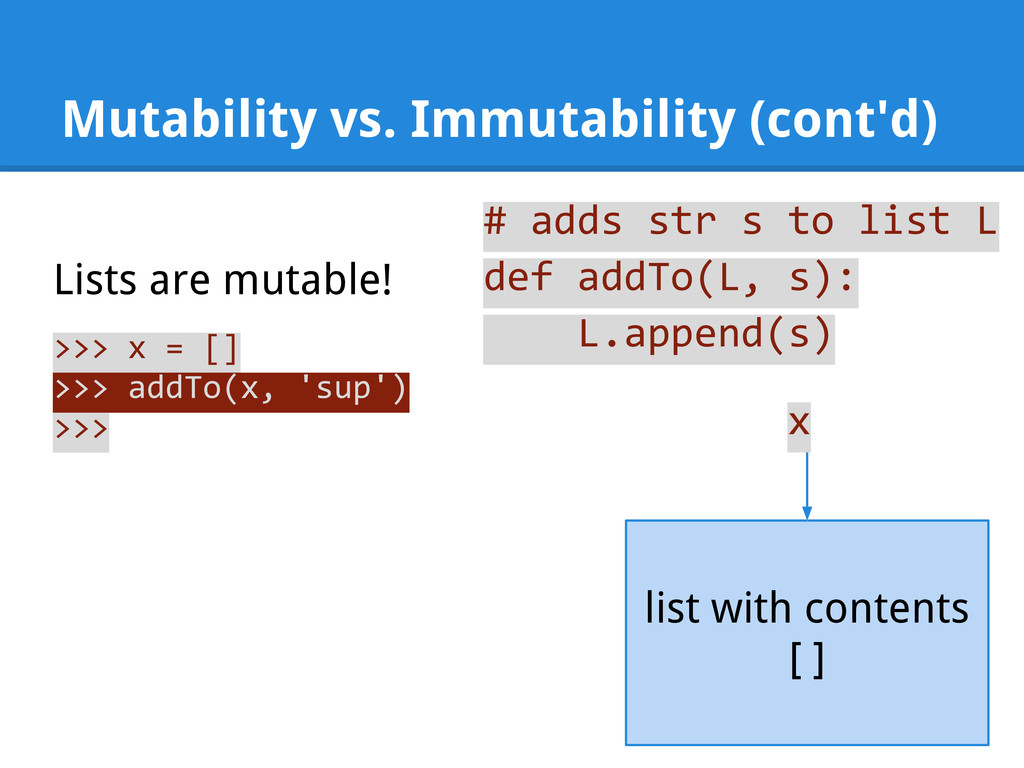
  19. Mutability vs. Immutability (cont'd) # adds str s to list

    L def addTo(L, s): L.append(s) >>> x = [] >>> addTo(x, 'sup') >>> Lists are mutable! list with contents [ ] x
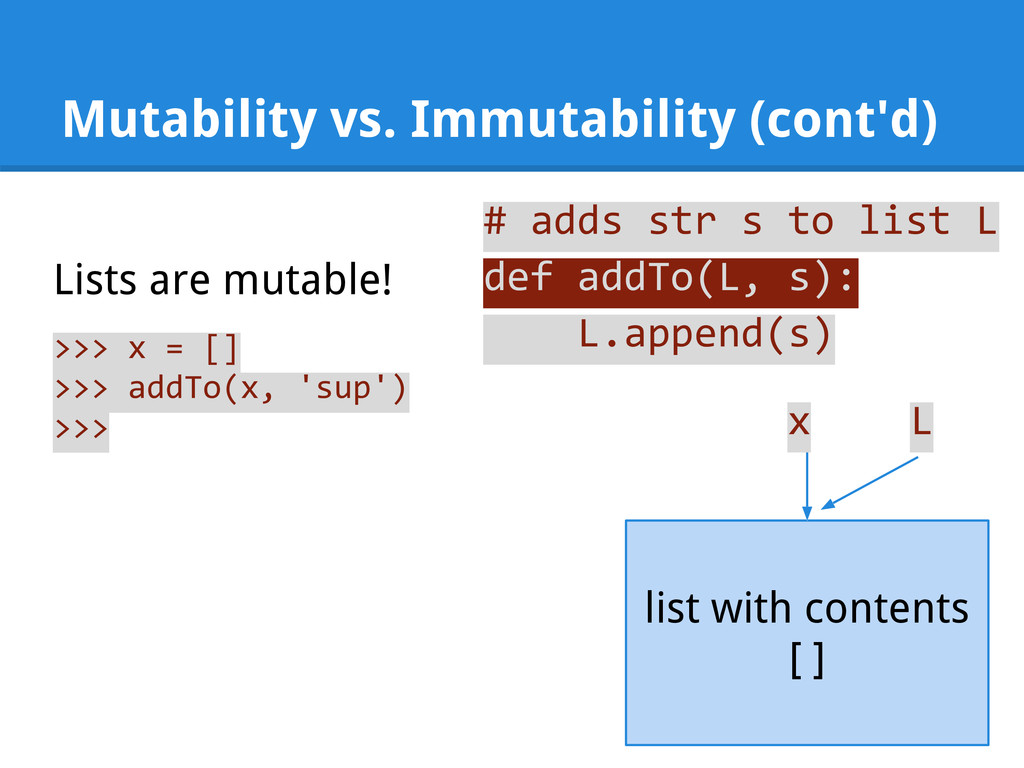
  20. Mutability vs. Immutability (cont'd) # adds str s to list

    L def addTo(L, s): L.append(s) >>> x = [] >>> addTo(x, 'sup') >>> Lists are mutable! list with contents [ ] L x
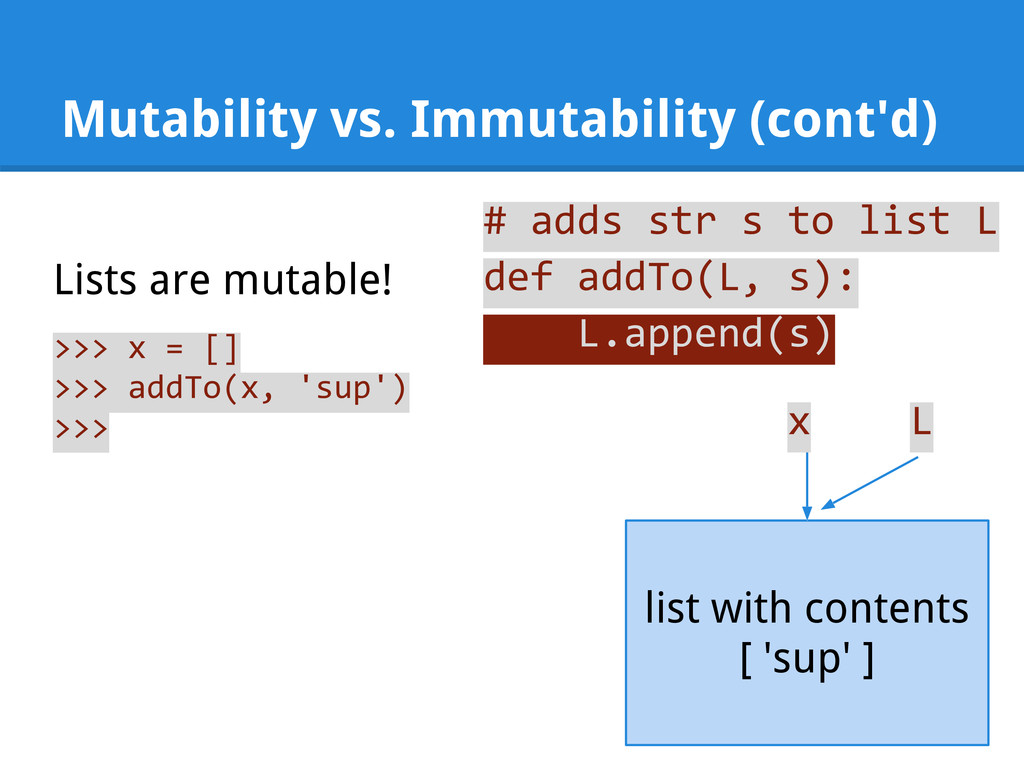
  21. Mutability vs. Immutability (cont'd) # adds str s to list

    L def addTo(L, s): L.append(s) >>> x = [] >>> addTo(x, 'sup') >>> Lists are mutable! list with contents [ 'sup' ] L x
  22. Mutability vs. Immutability (cont'd) # adds str s to list

    L def addTo(L, s): L.append(s) >>> x = [] >>> addTo(x, 'sup') >>> Lists are mutable! list with contents [ 'sup' ] x
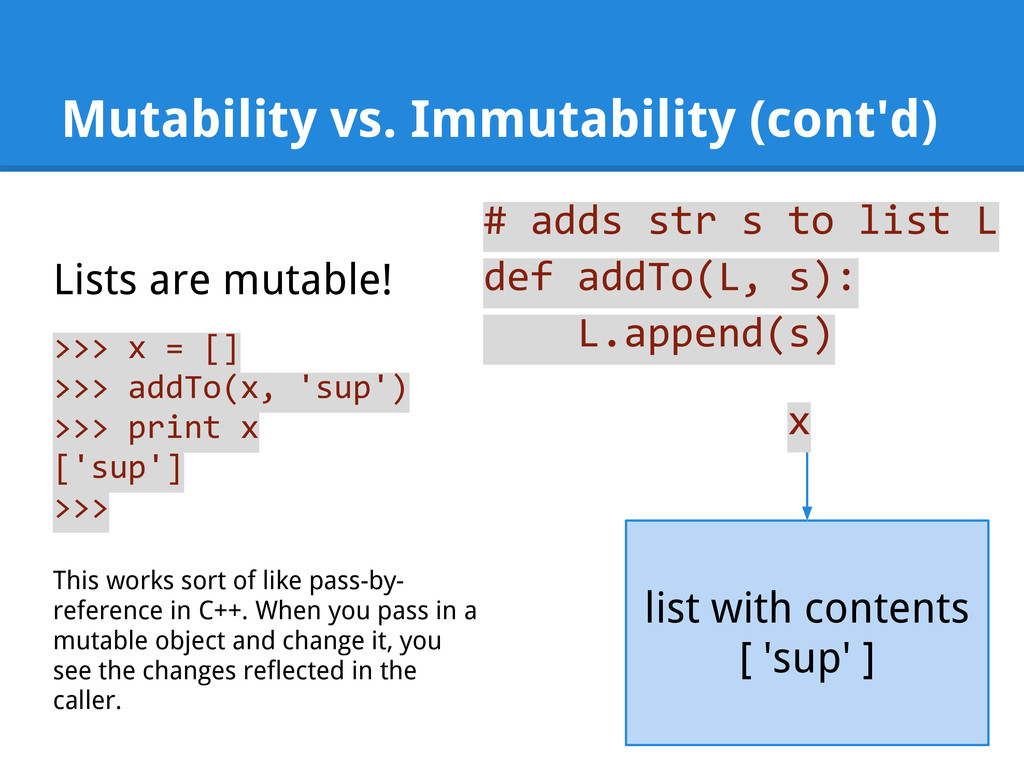
  23. Mutability vs. Immutability (cont'd) # adds str s to list

    L def addTo(L, s): L.append(s) >>> x = [] >>> addTo(x, 'sup') >>> print x ['sup'] >>> Lists are mutable! list with contents [ 'sup' ] This works sort of like pass-by- reference in C++. When you pass in a mutable object and change it, you see the changes reflected in the caller. x
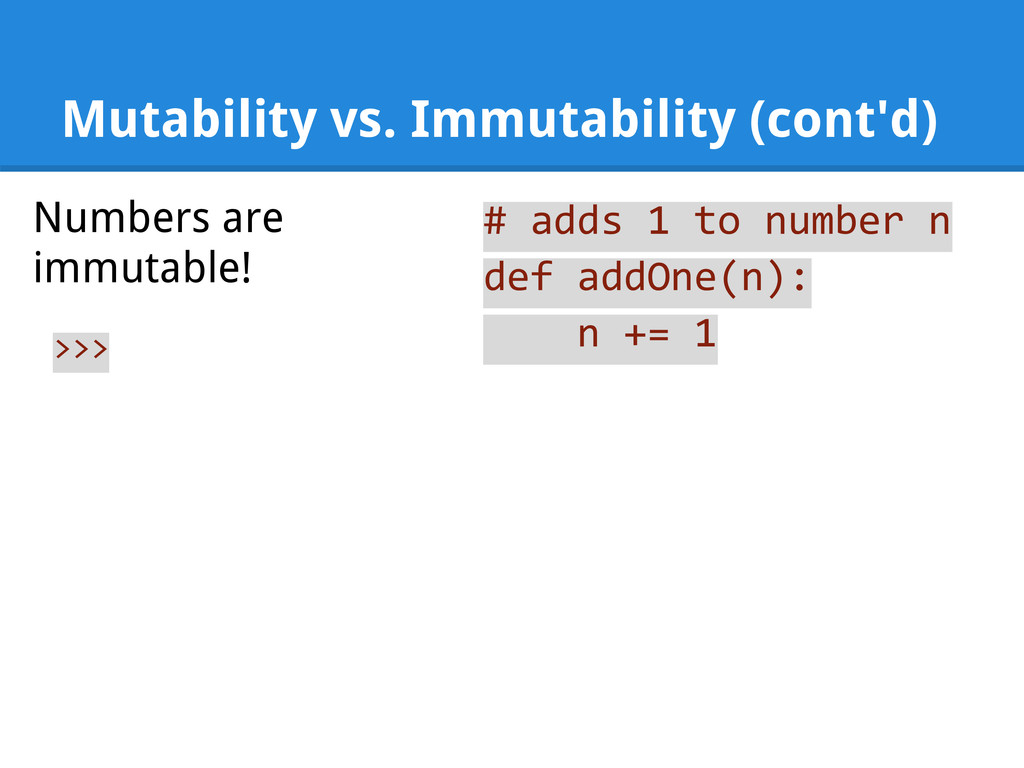
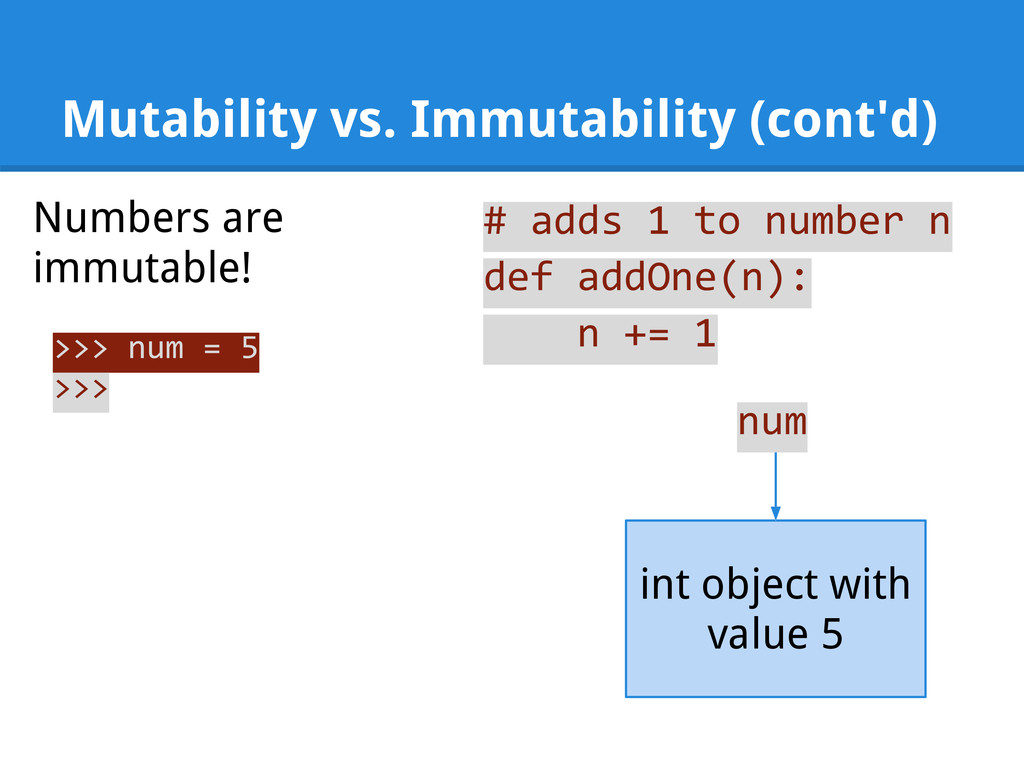
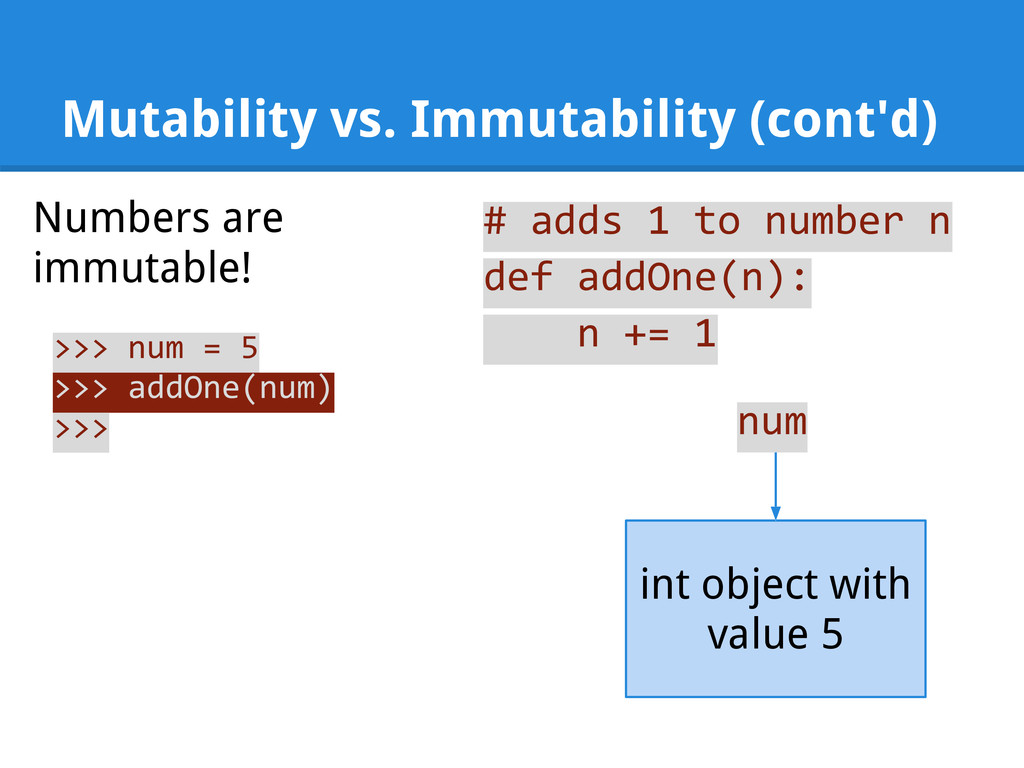
  24. Mutability vs. Immutability (cont'd) Numbers are immutable! # adds 1

    to number n def addOne(n): n += 1 >>> num = 5 >>> int object with value 5 num
  25. Mutability vs. Immutability (cont'd) Numbers are immutable! # adds 1

    to number n def addOne(n): n += 1 >>> num = 5 >>> addOne(num) >>> int object with value 5 num
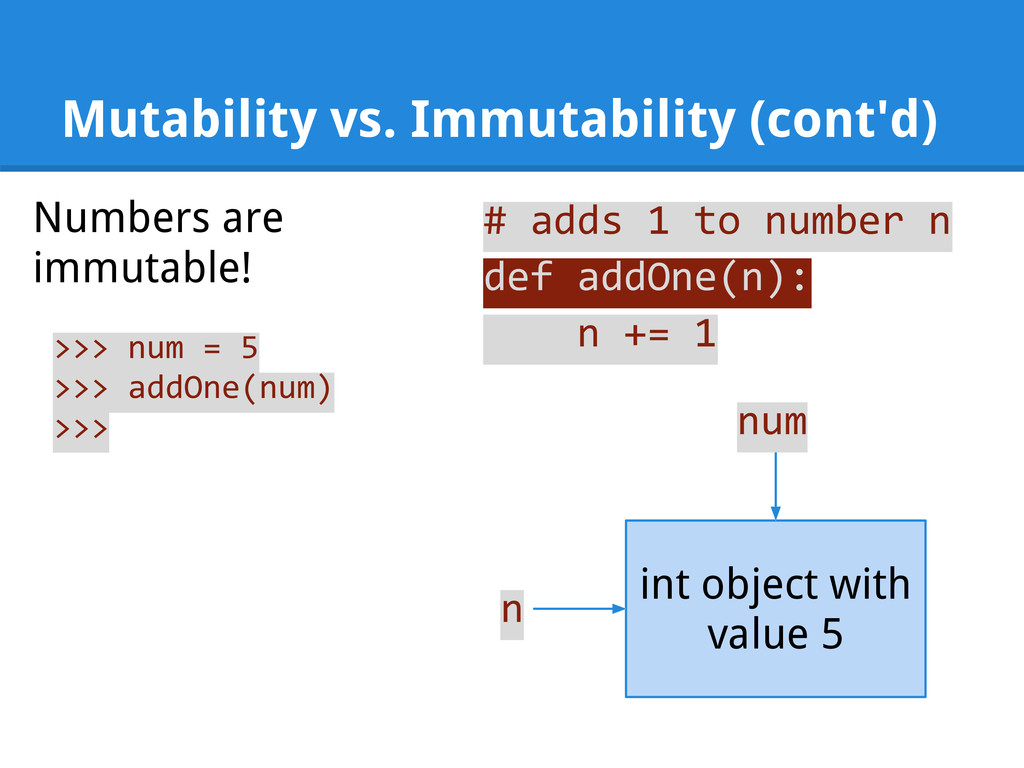
  26. Mutability vs. Immutability (cont'd) Numbers are immutable! # adds 1

    to number n def addOne(n): n += 1 >>> num = 5 >>> addOne(num) >>> int object with value 5 num n
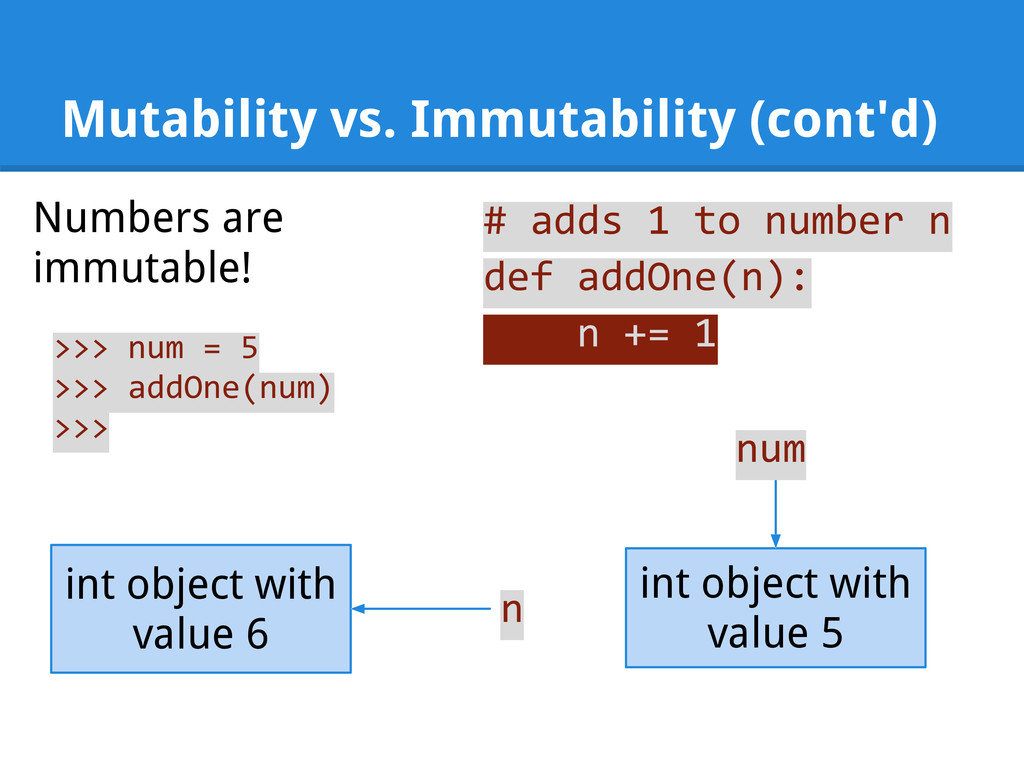
  27. Mutability vs. Immutability (cont'd) Numbers are immutable! # adds 1

    to number n def addOne(n): n += 1 >>> num = 5 >>> addOne(num) >>> int object with value 5 num n int object with value 6
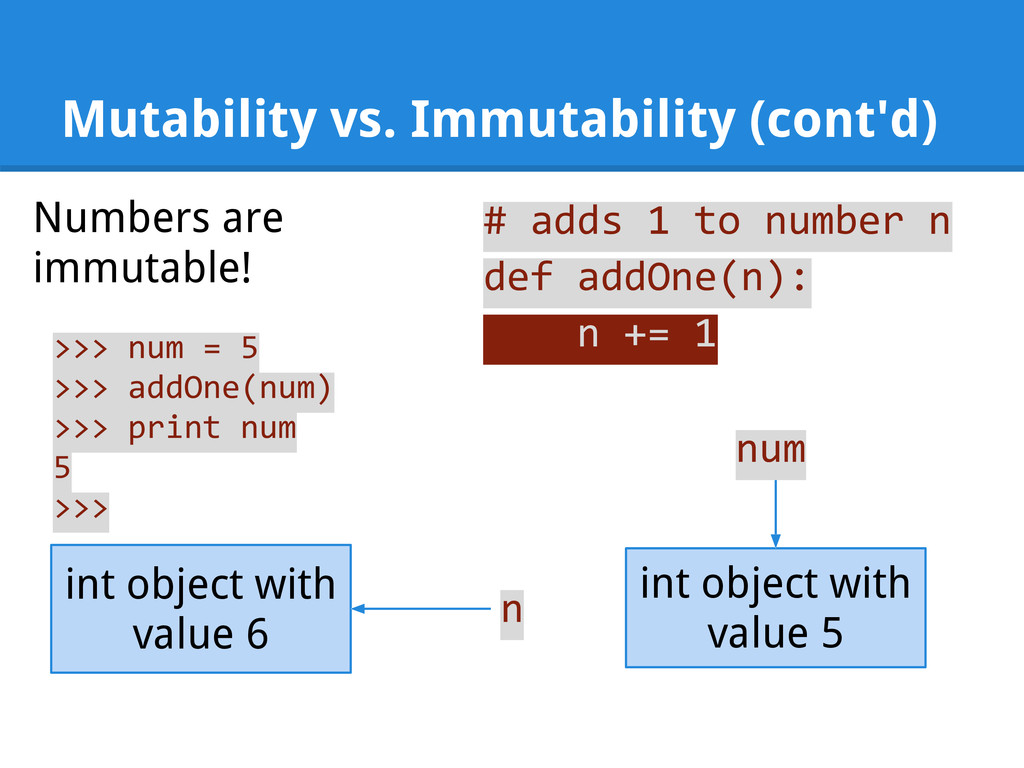
  28. Mutability vs. Immutability (cont'd) Numbers are immutable! # adds 1

    to number n def addOne(n): n += 1 >>> num = 5 >>> addOne(num) >>> print num 5 >>> int object with value 5 num n int object with value 6
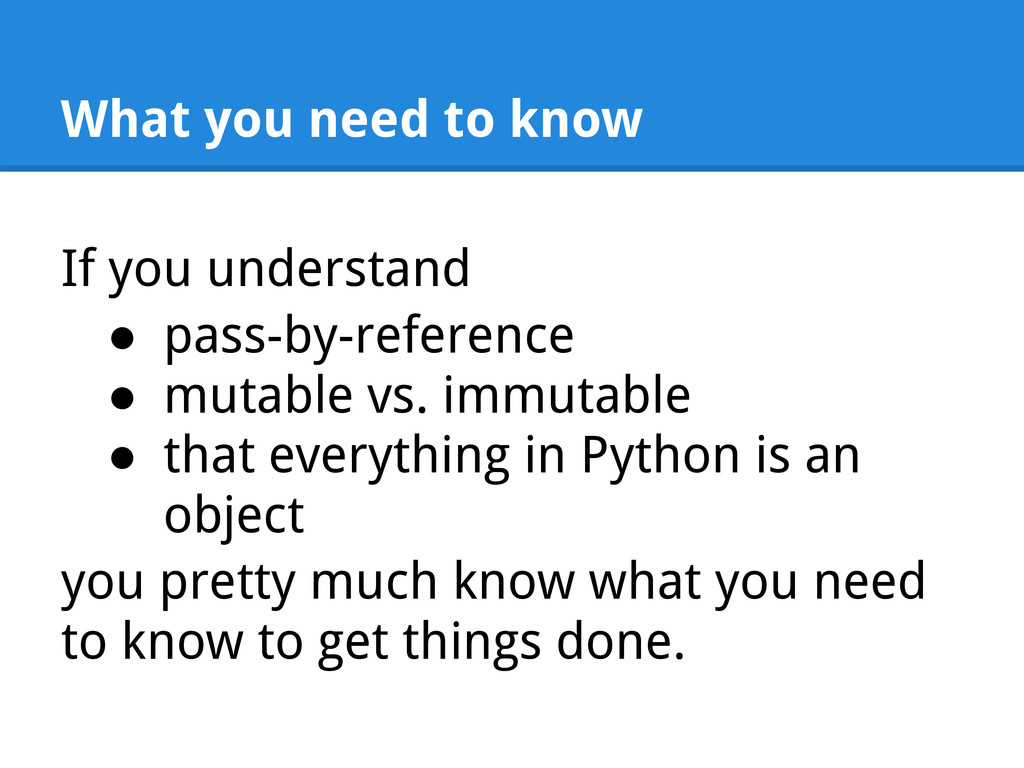
  29. What you need to know If you understand • pass-by-reference

    • mutable vs. immutable • that everything in Python is an object you pretty much know what you need to know to get things done.
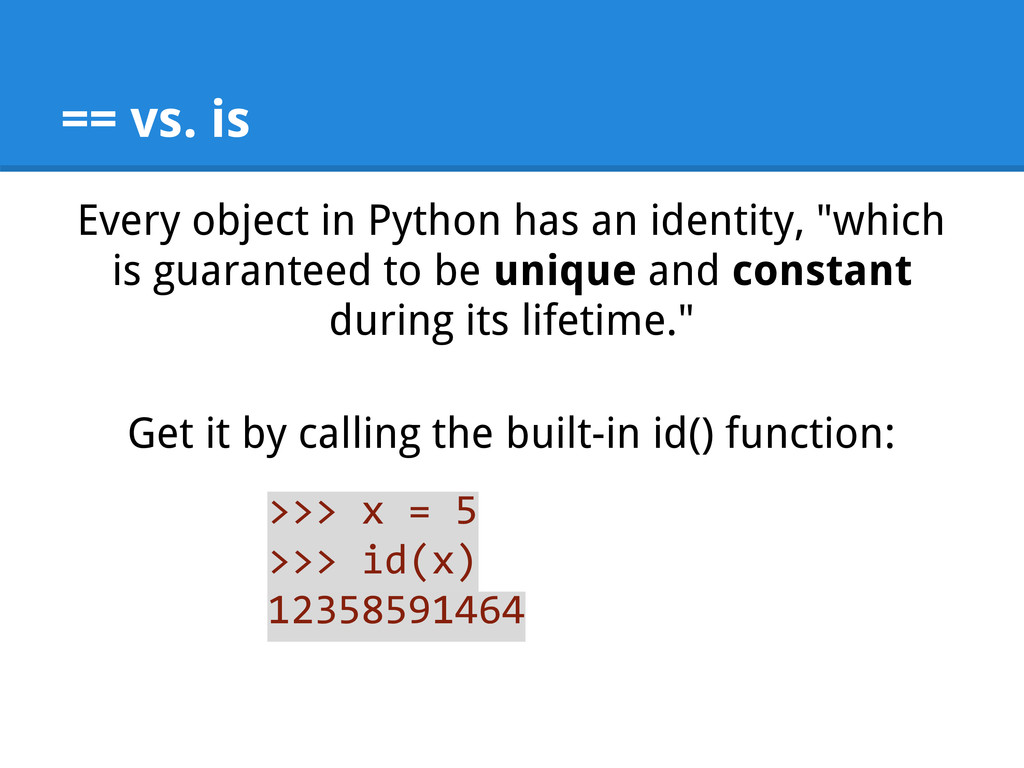
  30. == vs. is Every object in Python has an identity,

    "which is guaranteed to be unique and constant during its lifetime." Get it by calling the built-in id() function: >>> x = 5 >>> id(x) 12358591464
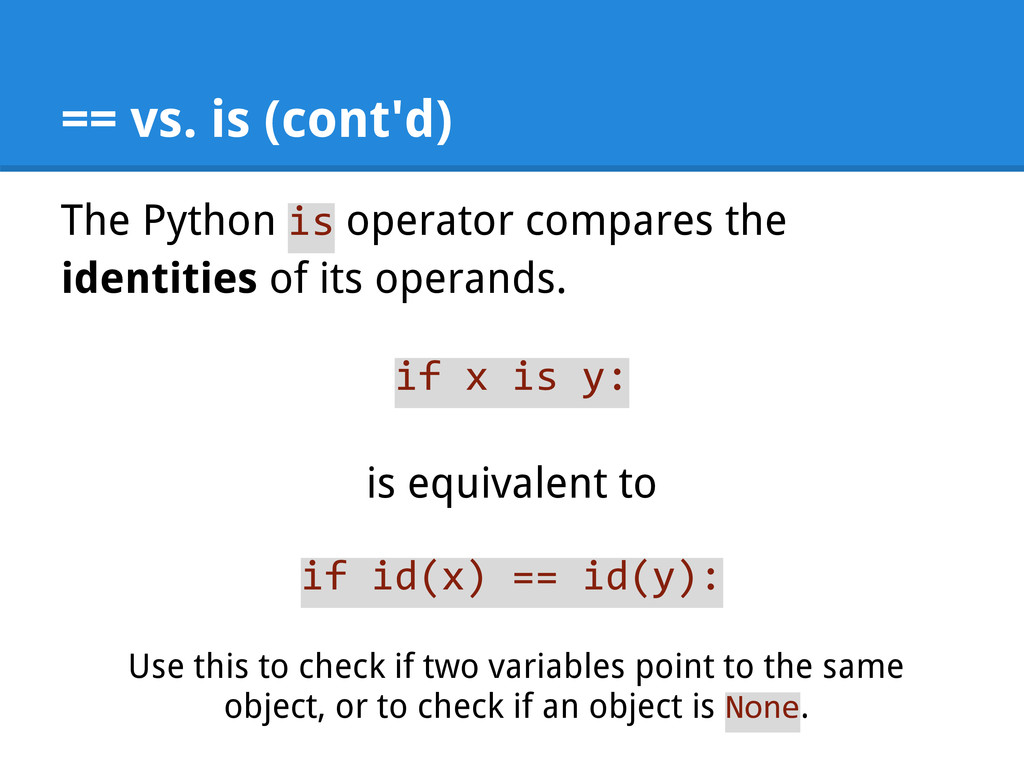
  31. == vs. is (cont'd) The Python is operator compares the

    identities of its operands. if x is y: is equivalent to if id(x) == id(y): Use this to check if two variables point to the same object, or to check if an object is None.
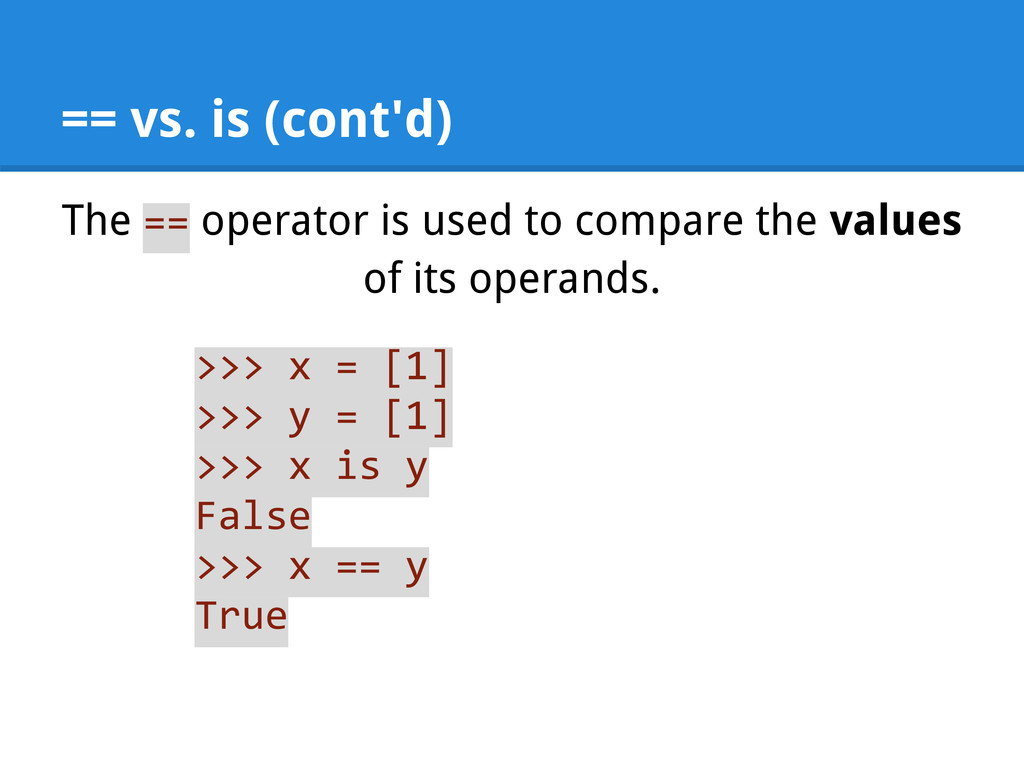
  32. == vs. is (cont'd) The == operator is used to

    compare the values of its operands. >>> x = [1] >>> y = [1] >>> x is y False >>> x == y True
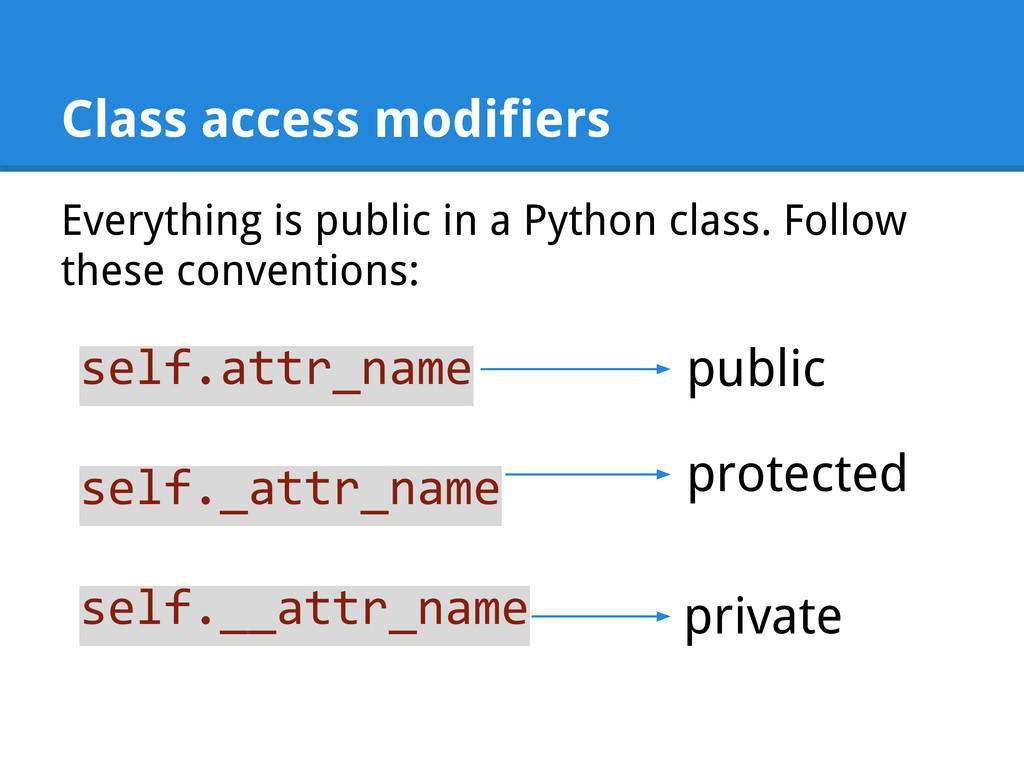
  33. Class access modifiers Everything is public in a Python class.

    Follow these conventions: self.attr_name self._attr_name self.__attr_name public protected private
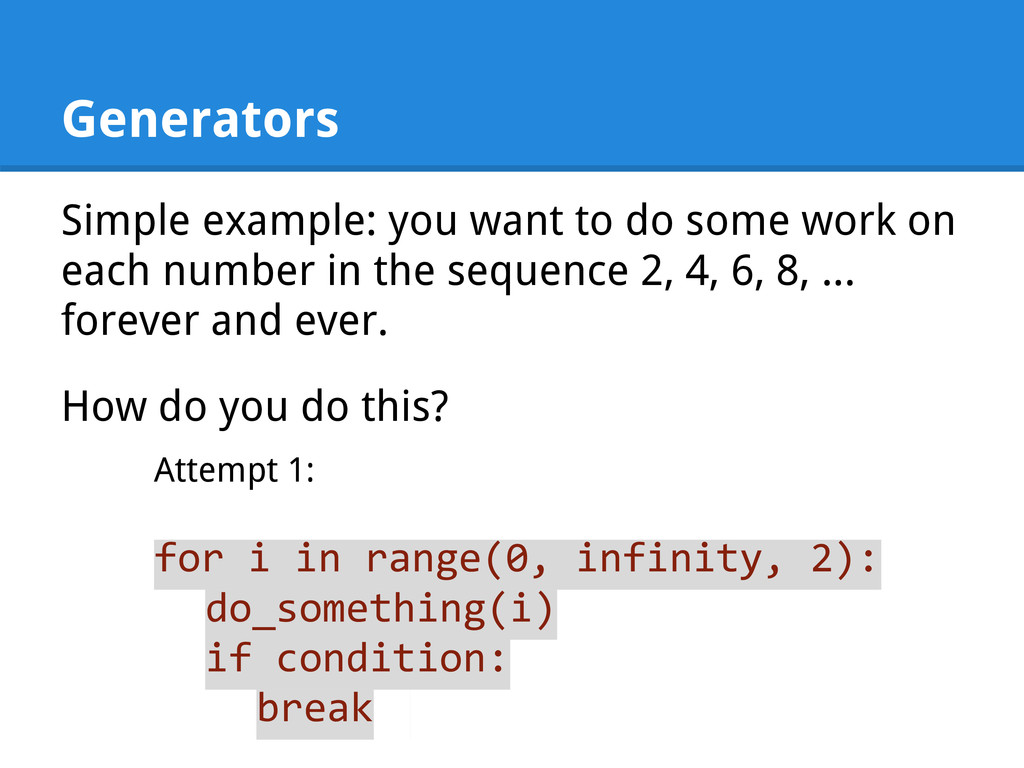
  34. Generators Simple example: you want to do some work on

    each number in the sequence 2, 4, 6, 8, ... forever and ever. How do you do this? Attempt 1: for i in range(0, infinity, 2): do_something(i) if condition: break
  35. Generators Simple example: you want to do some work on

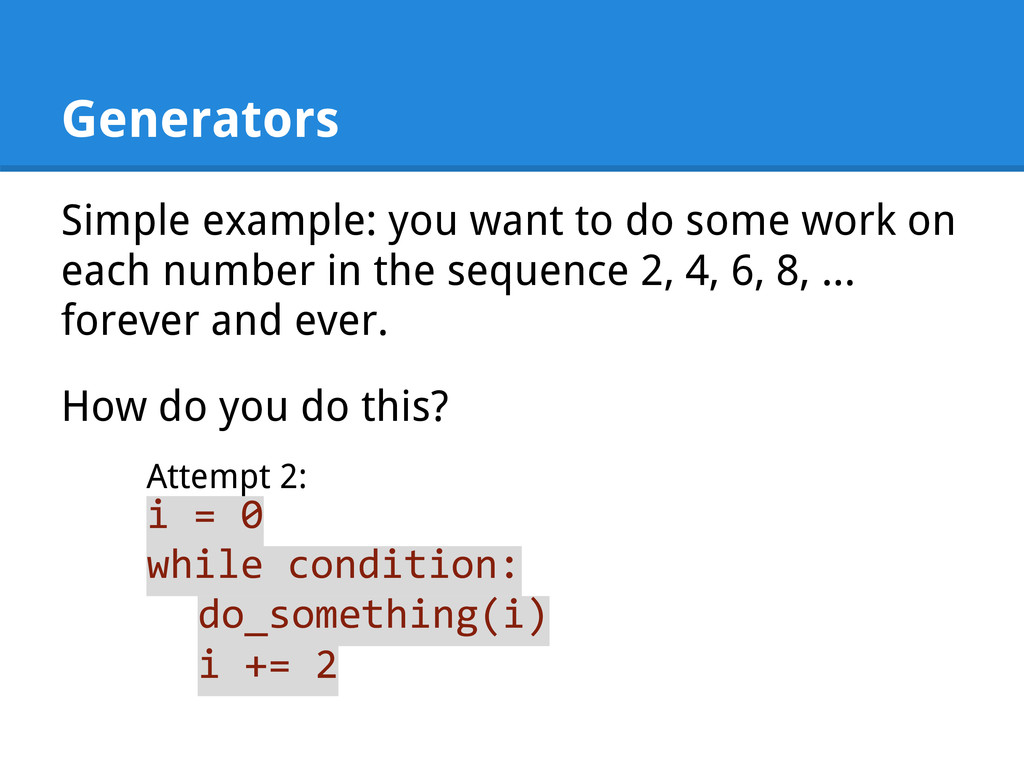
    each number in the sequence 2, 4, 6, 8, ... forever and ever. How do you do this? Attempt 2: i = 0 while condition: do_something(i) i += 2
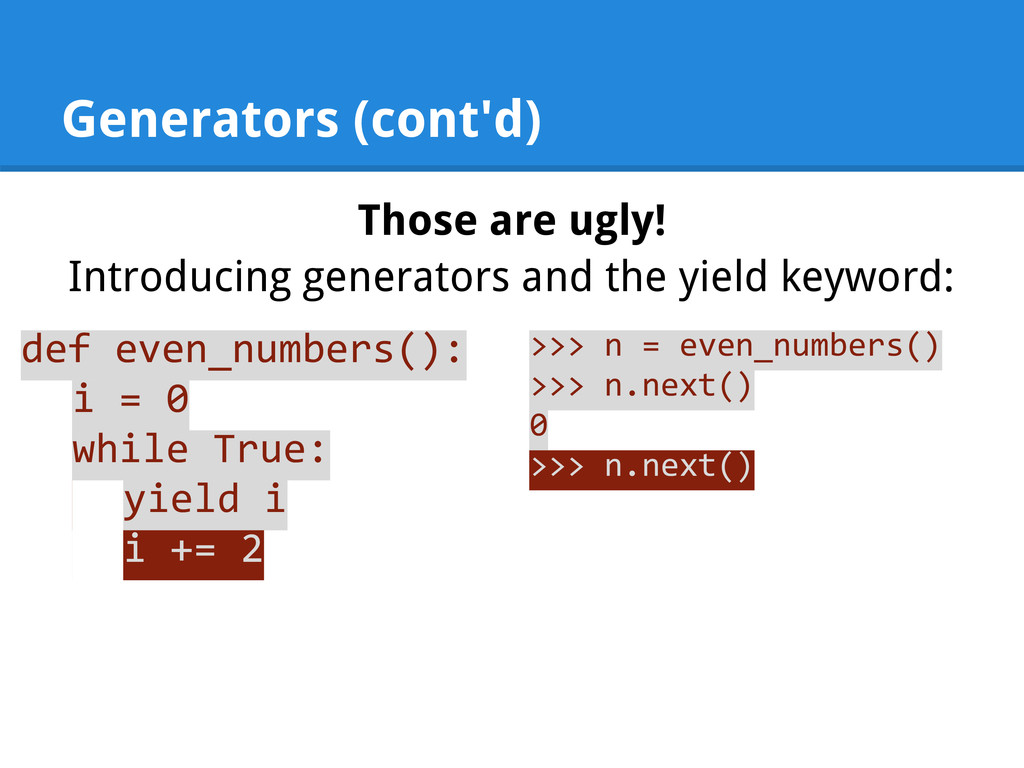
  36. Generators (cont'd) Those are ugly! Introducing generators and the yield

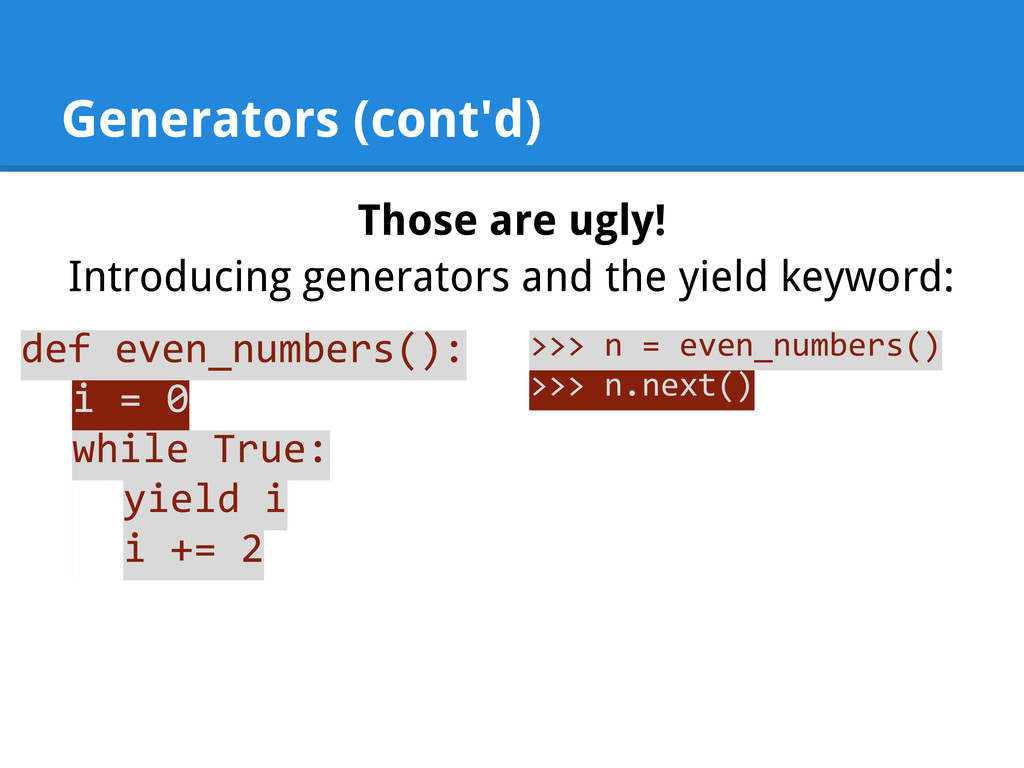
    keyword: def even_numbers(): i = 0 while True: yield i i += 2 >>> n = even_numbers() >>> n.next()
  37. Generators (cont'd) Those are ugly! Introducing generators and the yield

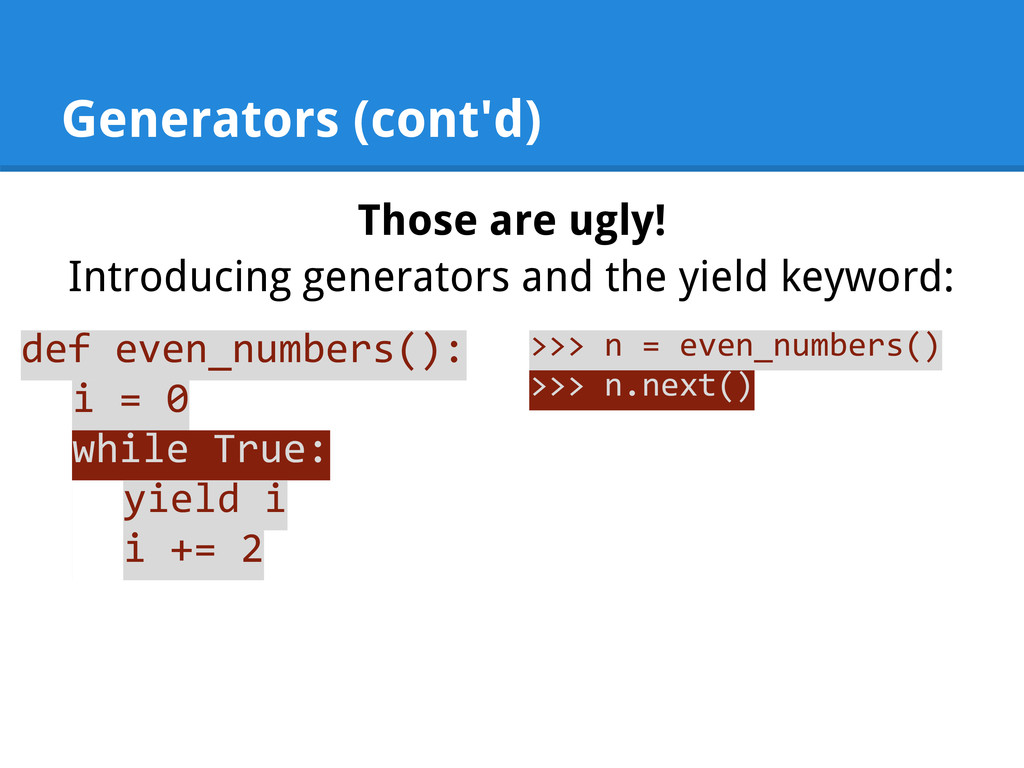
    keyword: def even_numbers(): i = 0 while True: yield i i += 2 >>> n = even_numbers() >>> n.next()
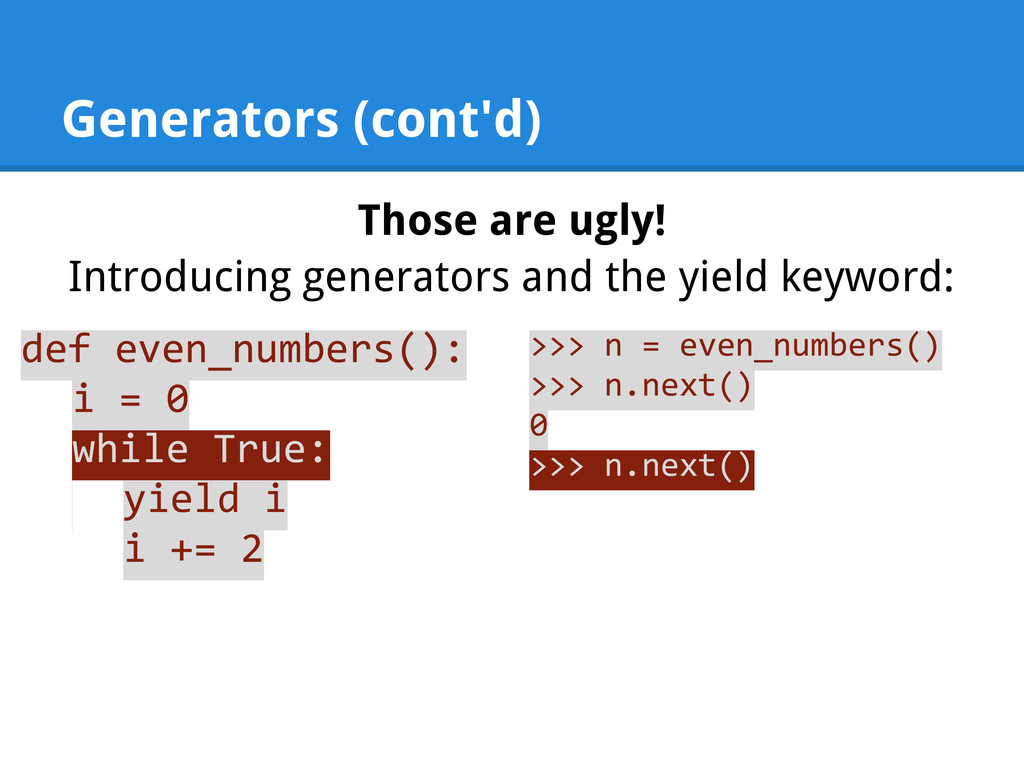
  38. Generators (cont'd) Those are ugly! Introducing generators and the yield

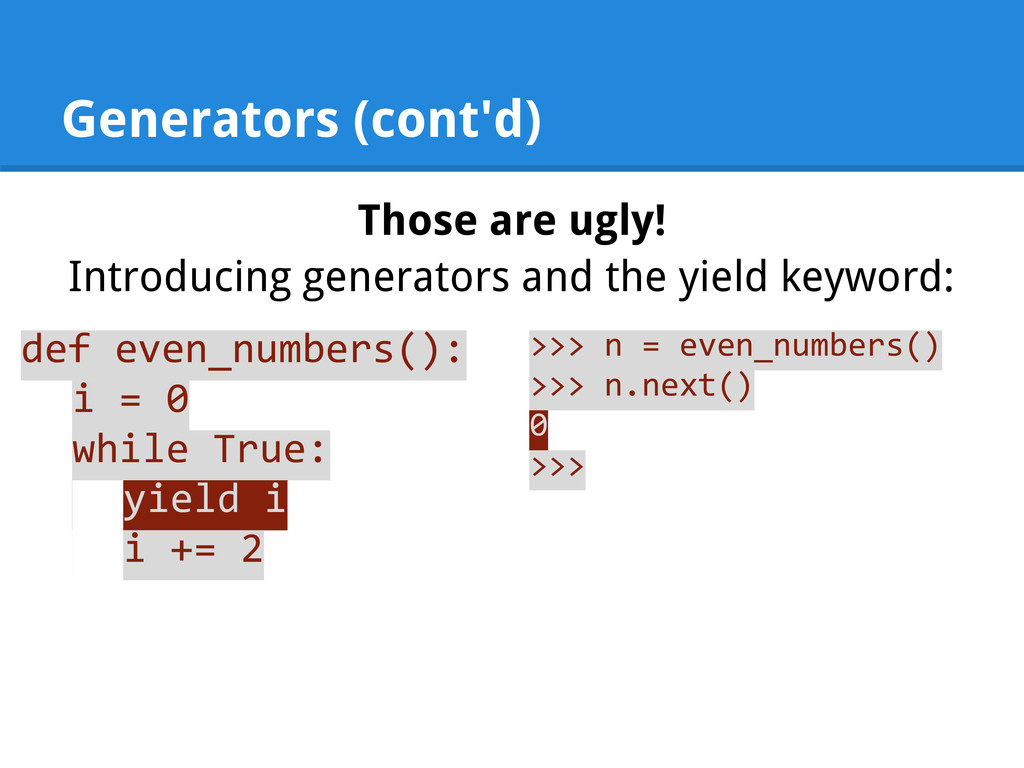
    keyword: def even_numbers(): i = 0 while True: yield i i += 2 >>> n = even_numbers() >>> n.next() 0 >>>
  39. Generators (cont'd) Those are ugly! Introducing generators and the yield

    keyword: def even_numbers(): i = 0 while True: yield i i += 2 >>> n = even_numbers() >>> n.next() 0 >>> n.next()
  40. Generators (cont'd) Those are ugly! Introducing generators and the yield

    keyword: def even_numbers(): i = 0 while True: yield i i += 2 >>> n = even_numbers() >>> n.next() 0 >>> n.next()
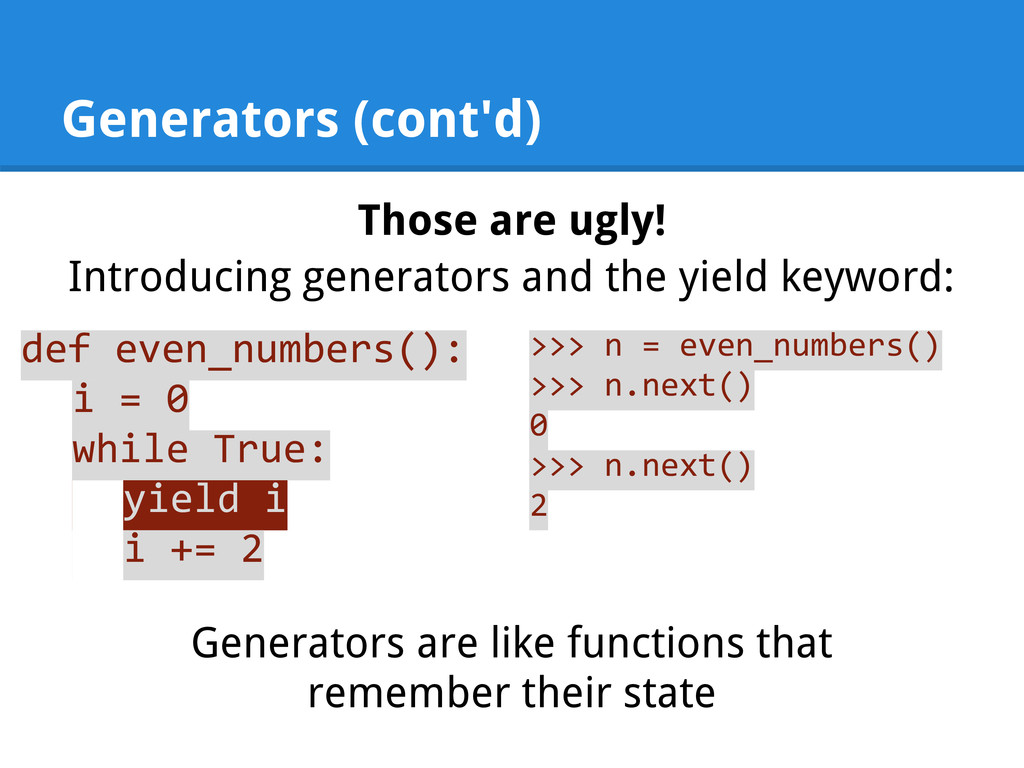
  41. Generators (cont'd) Those are ugly! Introducing generators and the yield

    keyword: def even_numbers(): i = 0 while True: yield i i += 2 >>> n = even_numbers() >>> n.next() 0 >>> n.next() 2 Generators are like functions that remember their state
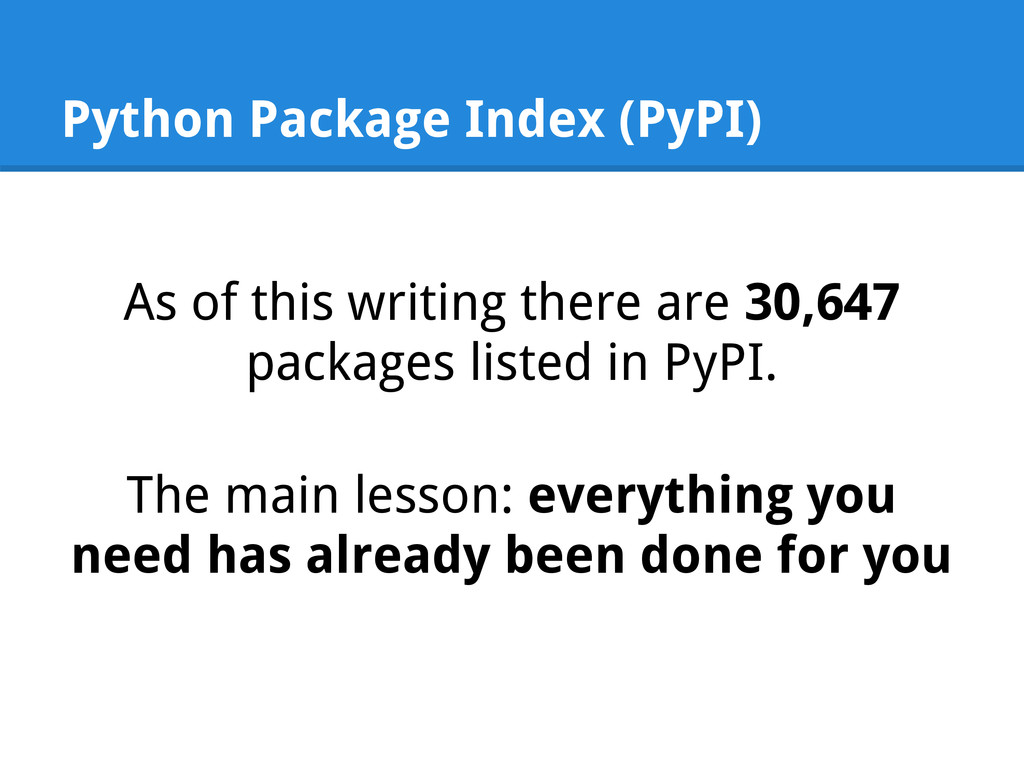
  42. Python Package Index (PyPI) As of this writing there are

    30,647 packages listed in PyPI. The main lesson: everything you need has already been done for you
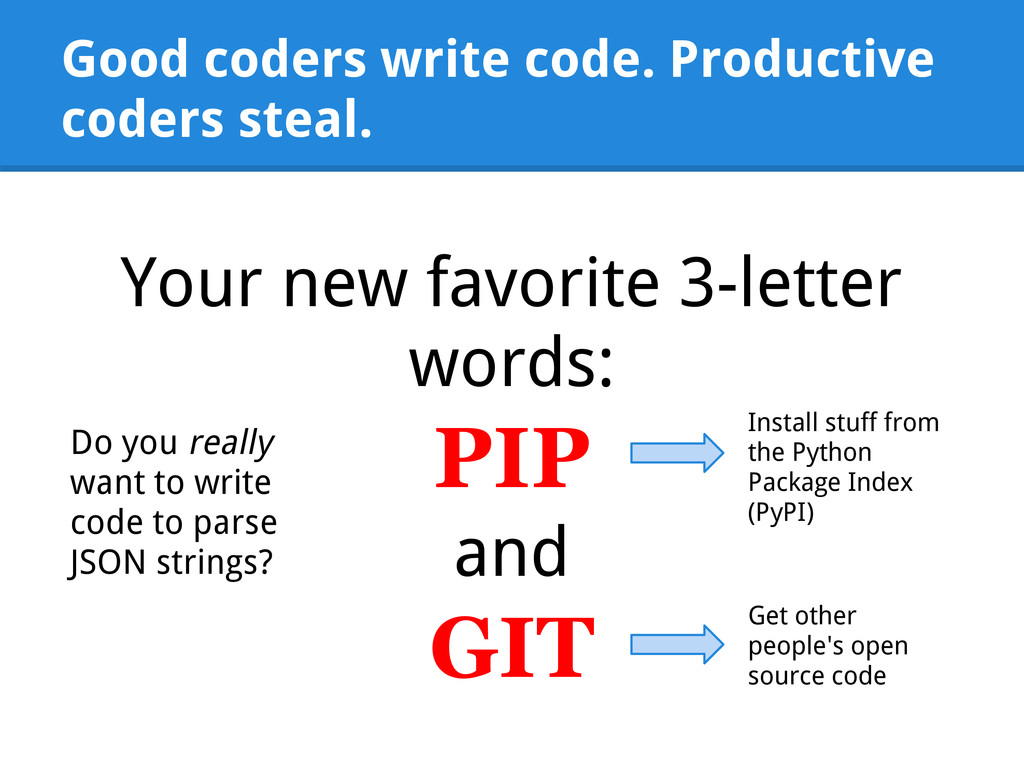
  43. Good coders write code. Productive coders steal. Your new favorite

    3-letter words: PIP and GIT Install stuff from the Python Package Index (PyPI) Get other people's open source code Do you really want to write code to parse JSON strings?
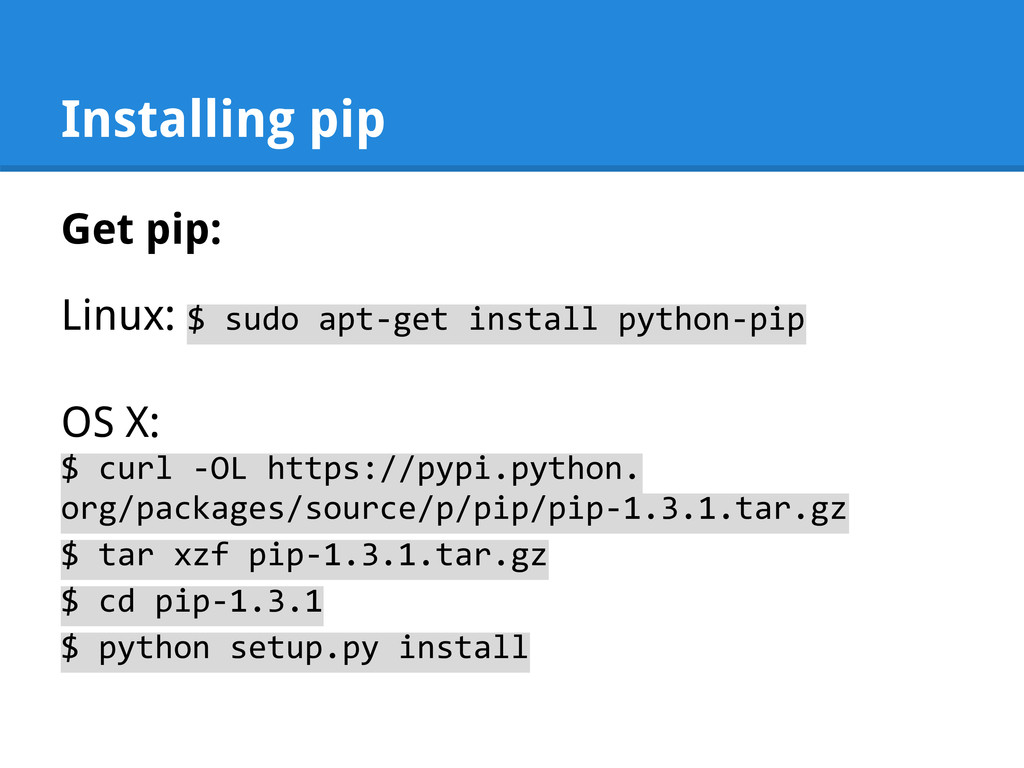
  44. Installing pip Get pip: Linux: $ sudo apt-get install python-pip

    OS X: $ curl -OL https://pypi.python. org/packages/source/p/pip/pip-1.3.1.tar.gz $ tar xzf pip-1.3.1.tar.gz $ cd pip-1.3.1 $ python setup.py install
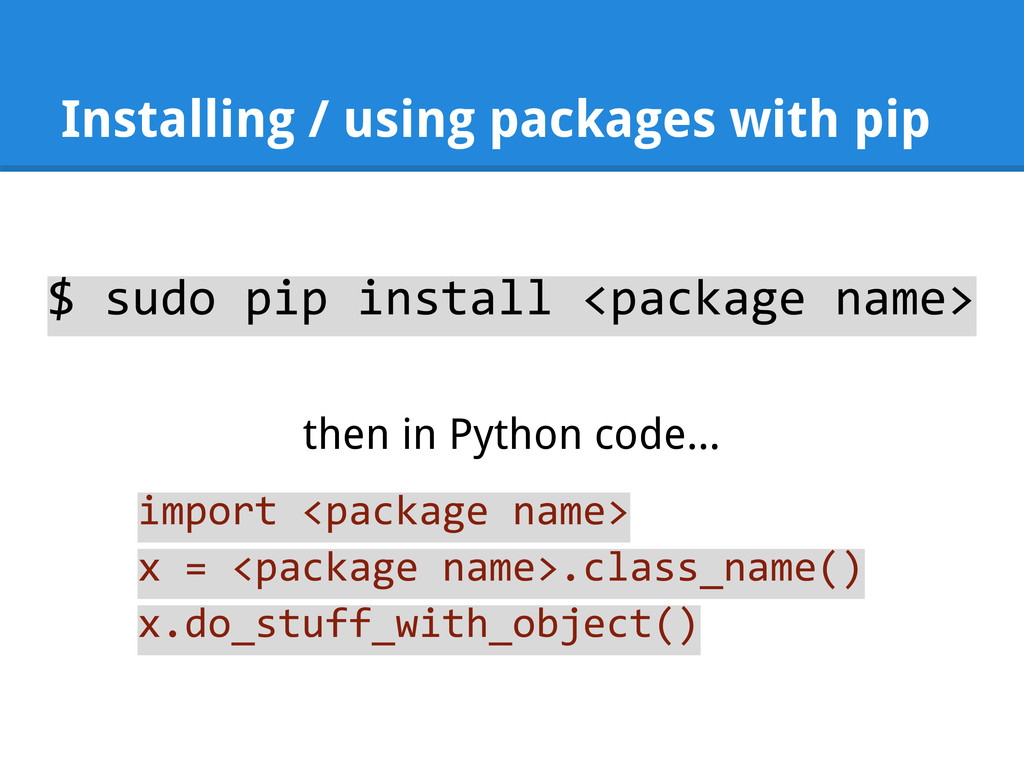
  45. Installing / using packages with pip $ sudo pip install

    <package name> then in Python code... import <package name> x = <package name>.class_name() x.do_stuff_with_object()
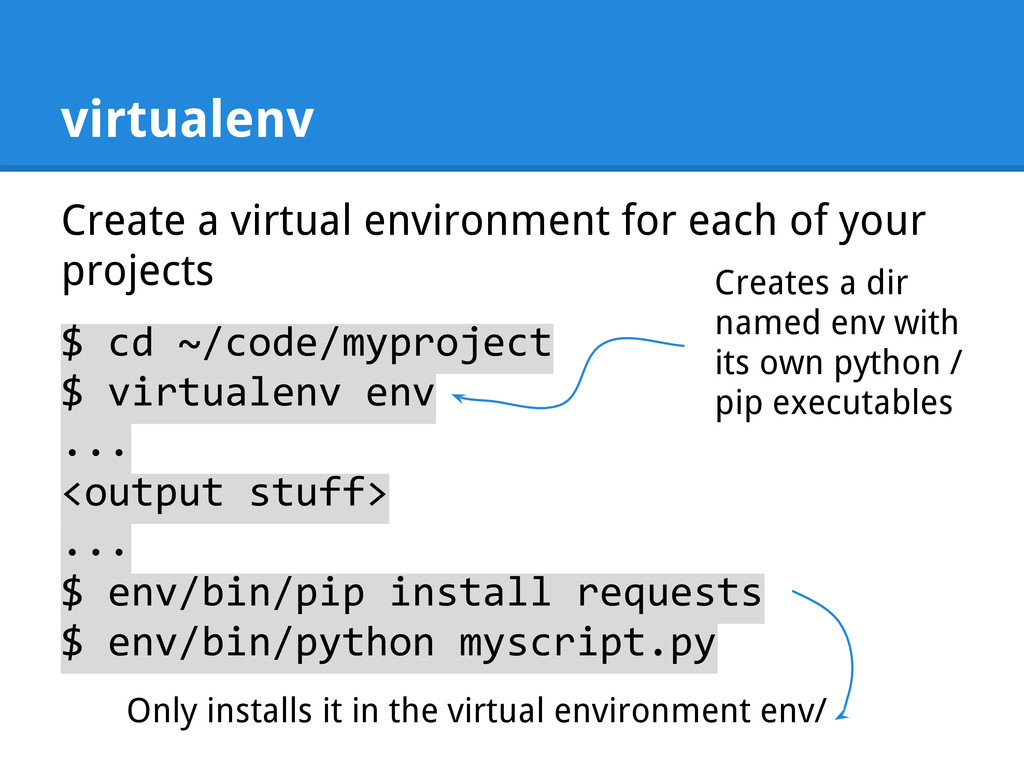
  46. virtualenv Create a virtual environment for each of your projects

    $ cd ~/code/myproject $ virtualenv env ... <output stuff> ... $ env/bin/pip install requests $ env/bin/python myscript.py Creates a dir named env with its own python / pip executables Only installs it in the virtual environment env/
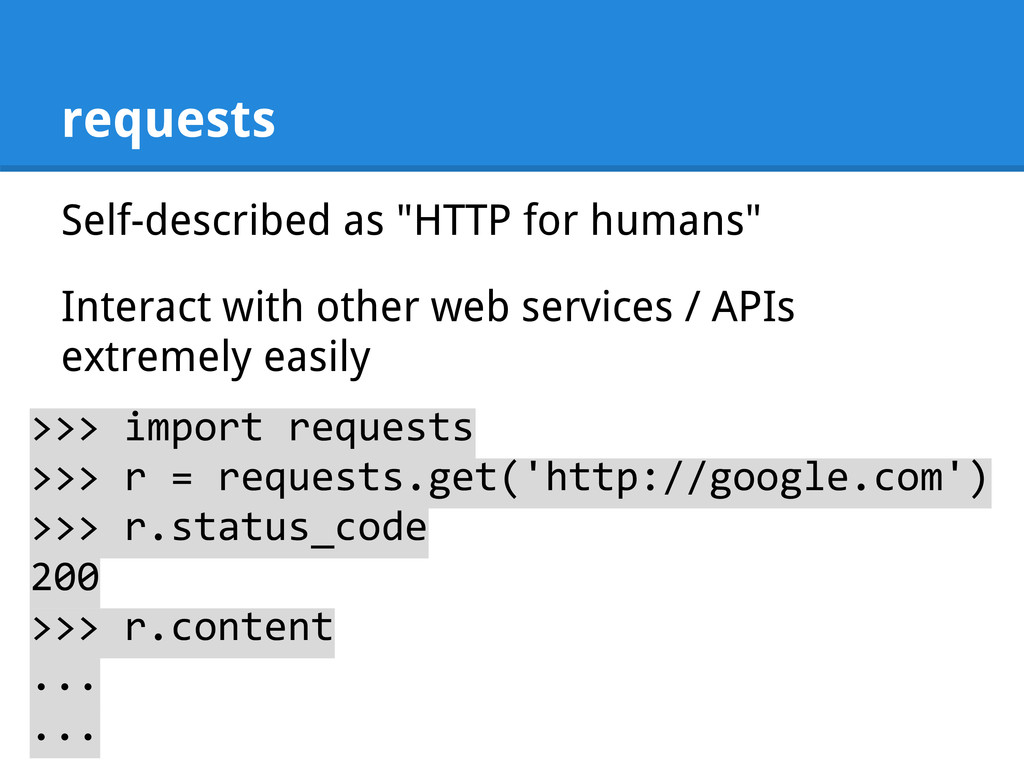
  47. requests Self-described as "HTTP for humans" Interact with other web

    services / APIs extremely easily >>> import requests >>> r = requests.get('http://google.com') >>> r.status_code 200 >>> r.content ... ...
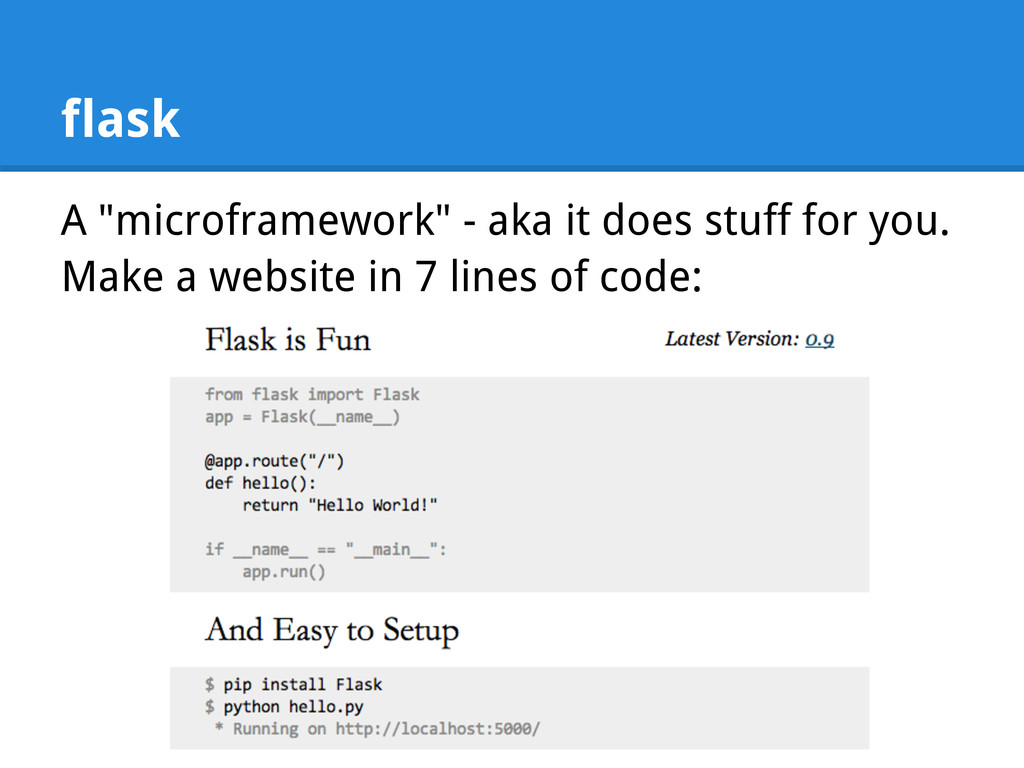
  48. flask A "microframework" - aka it does stuff for you.

    Make a website in 7 lines of code:
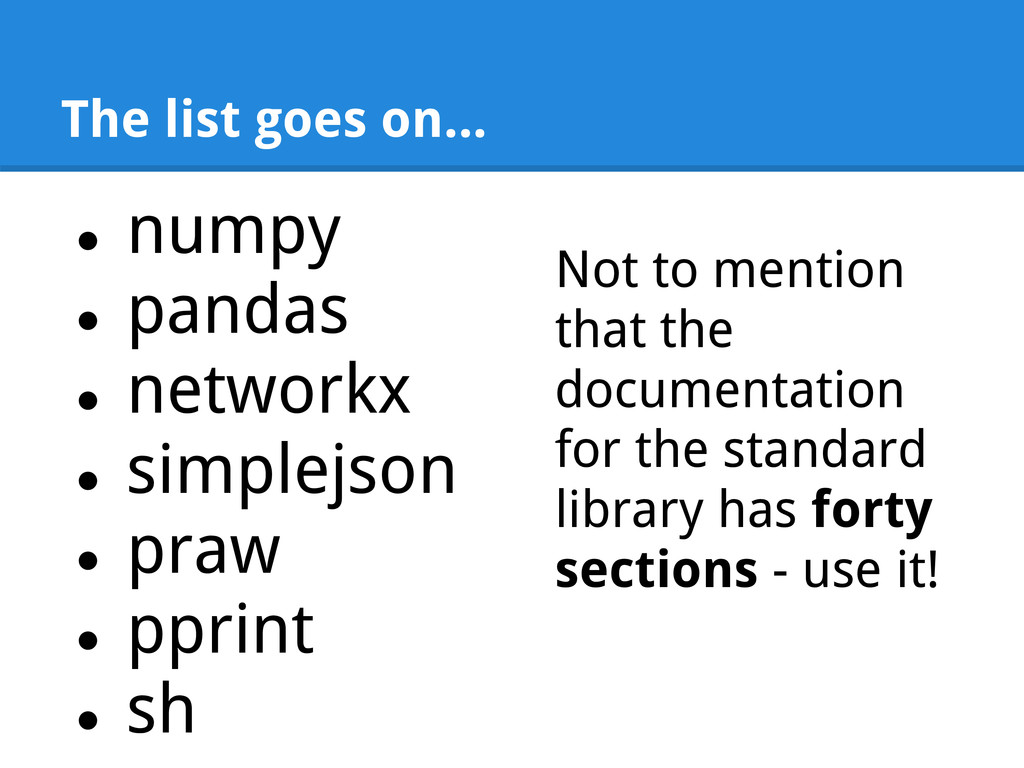
  49. The list goes on... • numpy • pandas • networkx

    • simplejson • praw • pprint • sh Not to mention that the documentation for the standard library has forty sections - use it!