Upgrade to Pro — share decks privately, control downloads, hide ads and more …

Google Map with KMP

Google Map with KMP

Avatar for Ryosuke Shimizu

Ryosuke Shimizu

February 19, 2025
Tweet

More Decks by Ryosuke Shimizu

Other Decks in Programming

Transcript

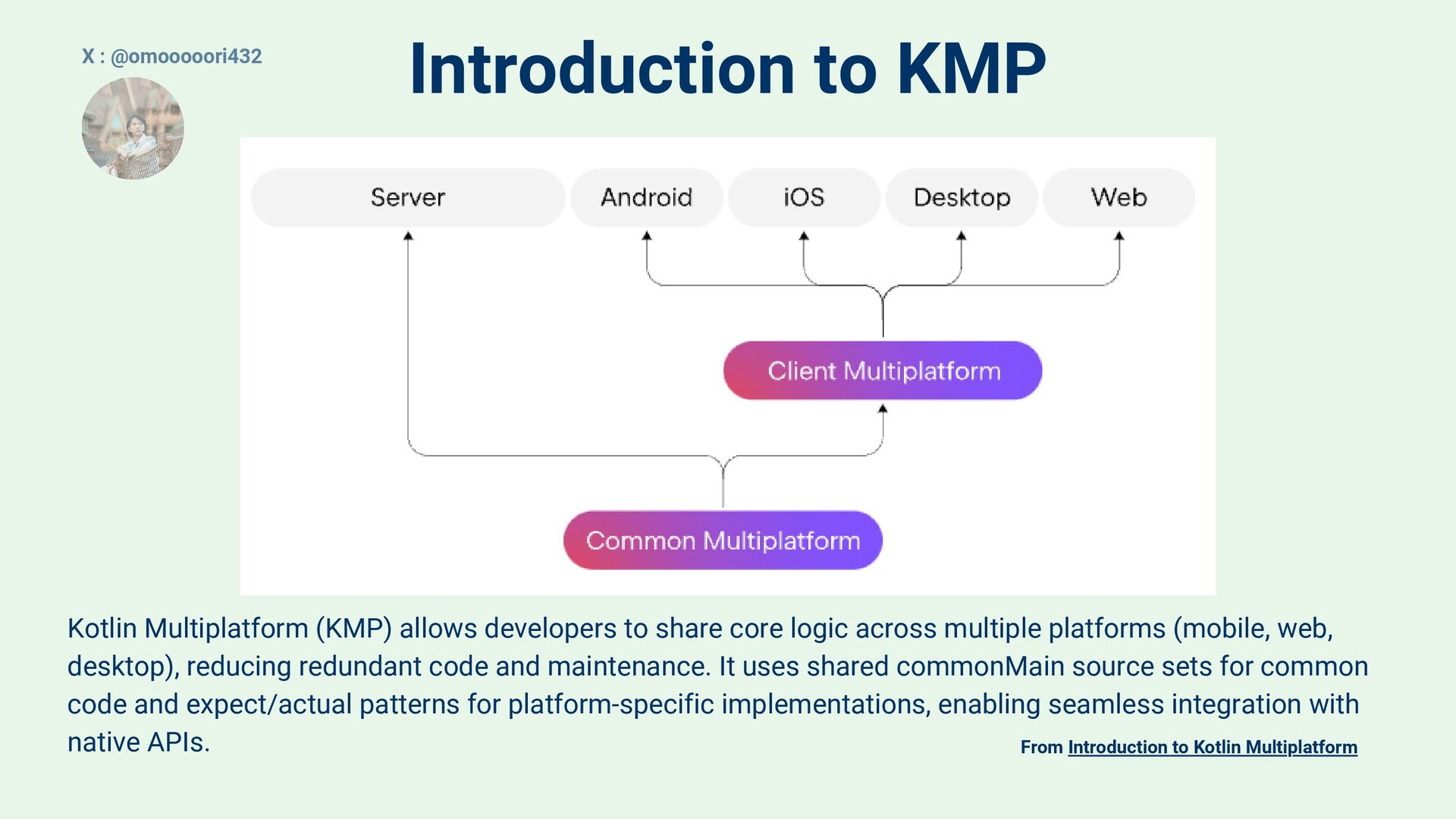
  1. Introduction to KMP From Introduction to Kotlin Multiplatform Kotlin Multiplatform

    (KMP) allows developers to share core logic across multiple platforms (mobile, web, desktop), reducing redundant code and maintenance. It uses shared commonMain source sets for common code and expect/actual patterns for platform-specific implementations, enabling seamless integration with native APIs. X : @omooooori432
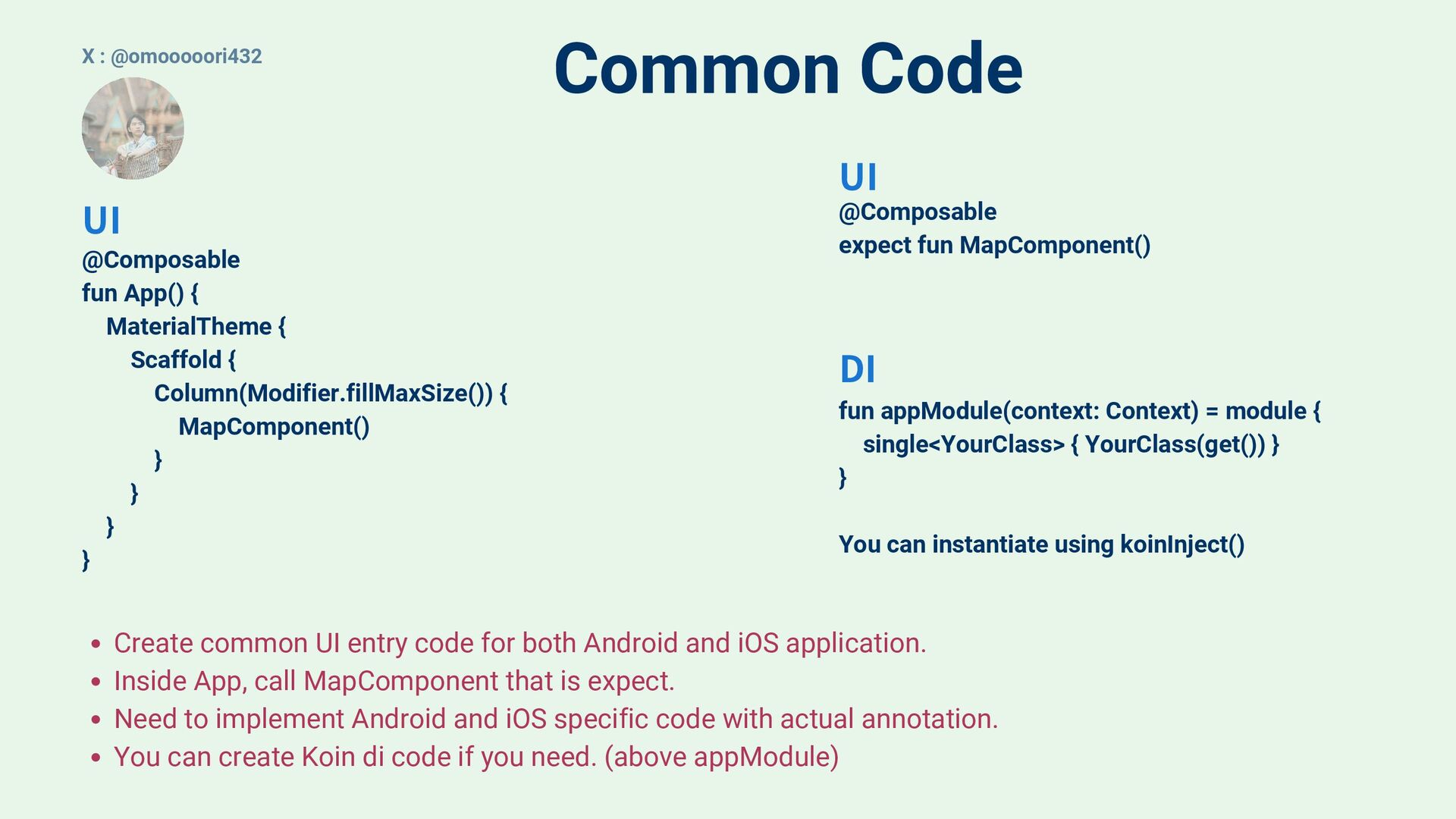
  2. Common Code Create common UI entry code for both Android

    and iOS application. Inside App, call MapComponent that is expect. Need to implement Android and iOS specific code with actual annotation. You can create Koin di code if you need. (above appModule) @Composable fun App() { MaterialTheme { Scaffold { Column(Modifier.fillMaxSize()) { MapComponent() } } } } @Composable expect fun MapComponent() fun appModule(context: Context) = module { single<YourClass> { YourClass(get()) } } You can instantiate using koinInject() DI UI UI X : @omooooori432
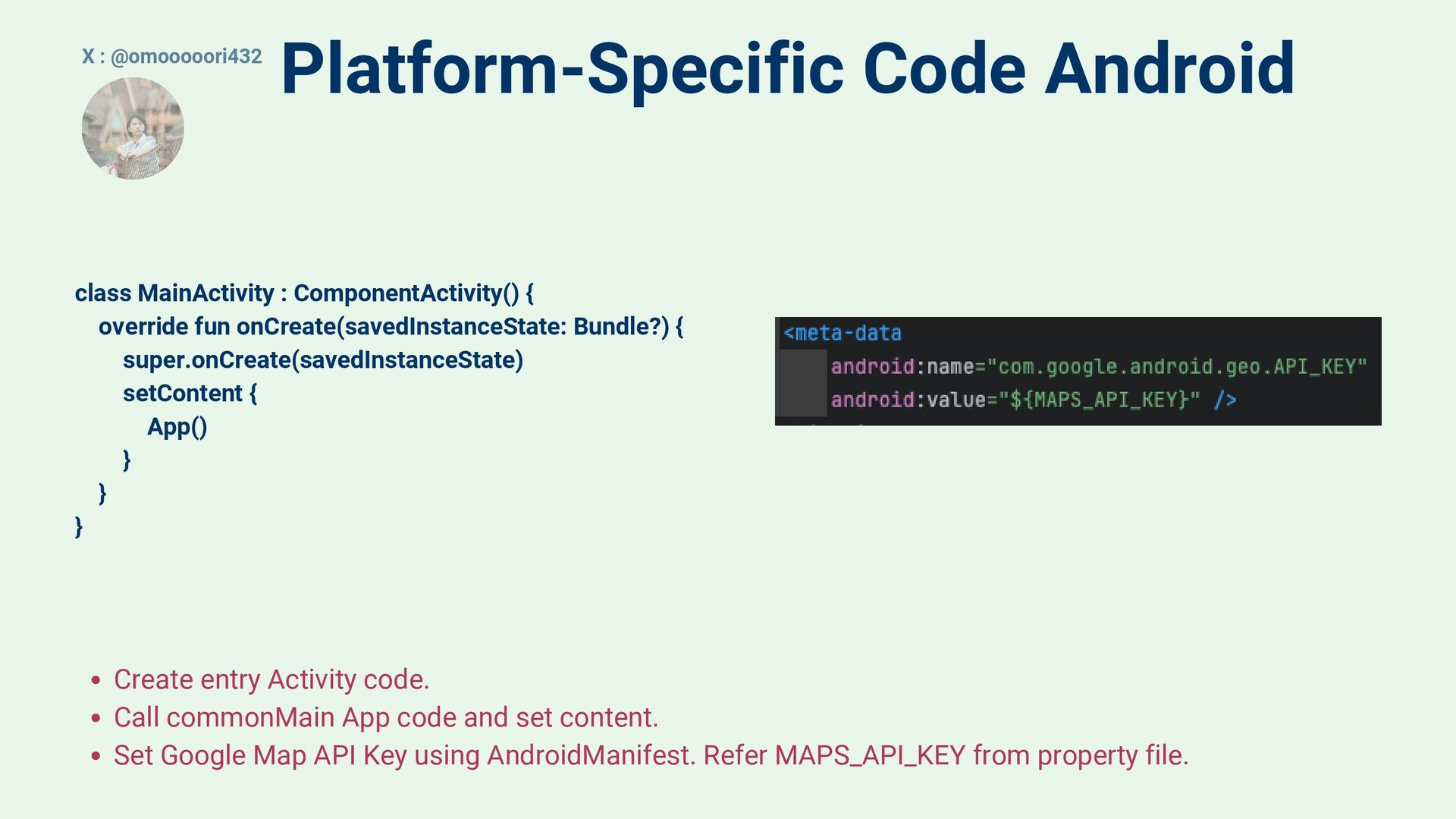
  3. Platform-Specific Code Android Create entry Activity code. Call commonMain App

    code and set content. Set Google Map API Key using AndroidManifest. Refer MAPS_API_KEY from property file. class MainActivity : ComponentActivity() { override fun onCreate(savedInstanceState: Bundle?) { super.onCreate(savedInstanceState) setContent { App() } } } X : @omooooori432
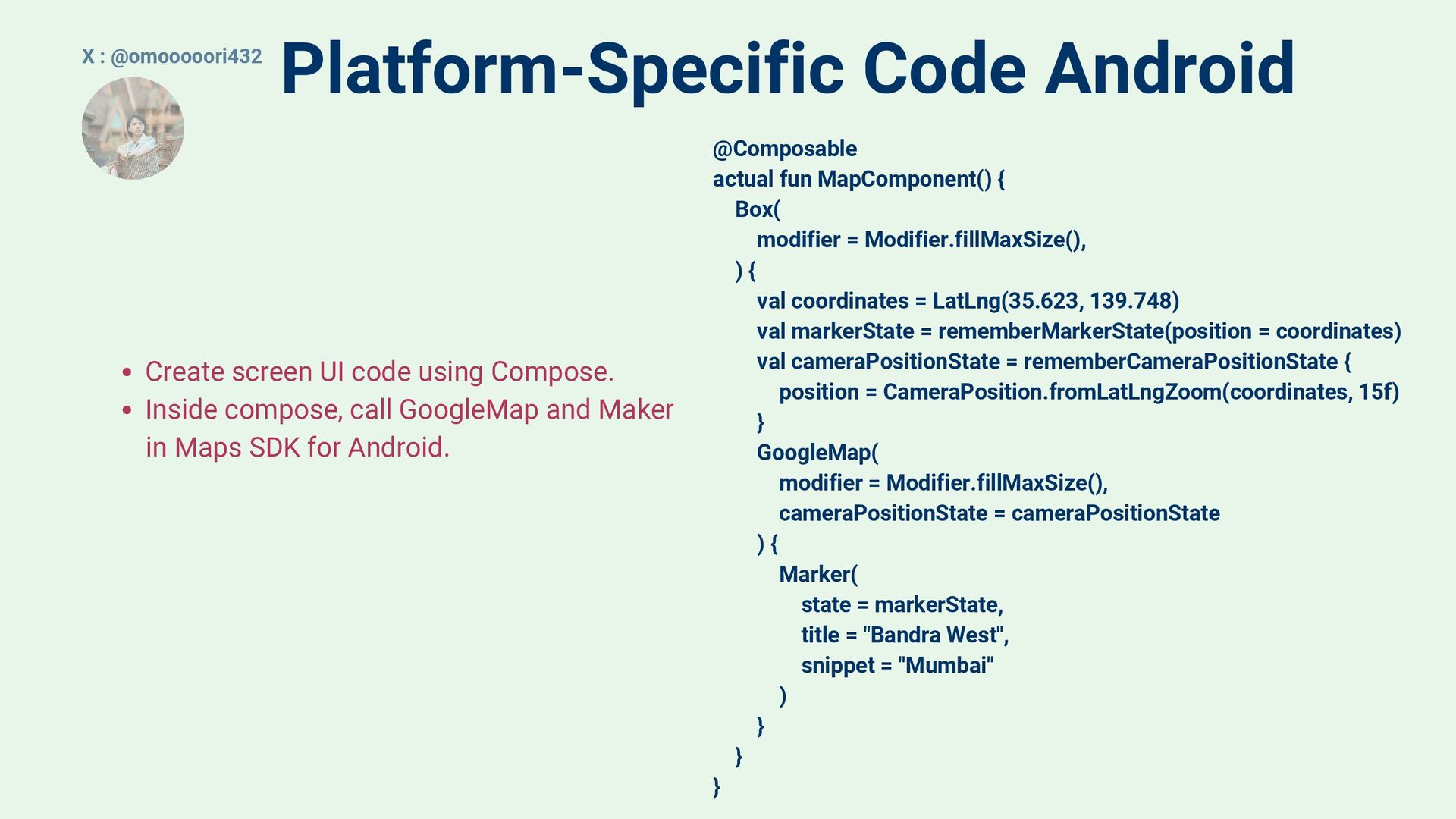
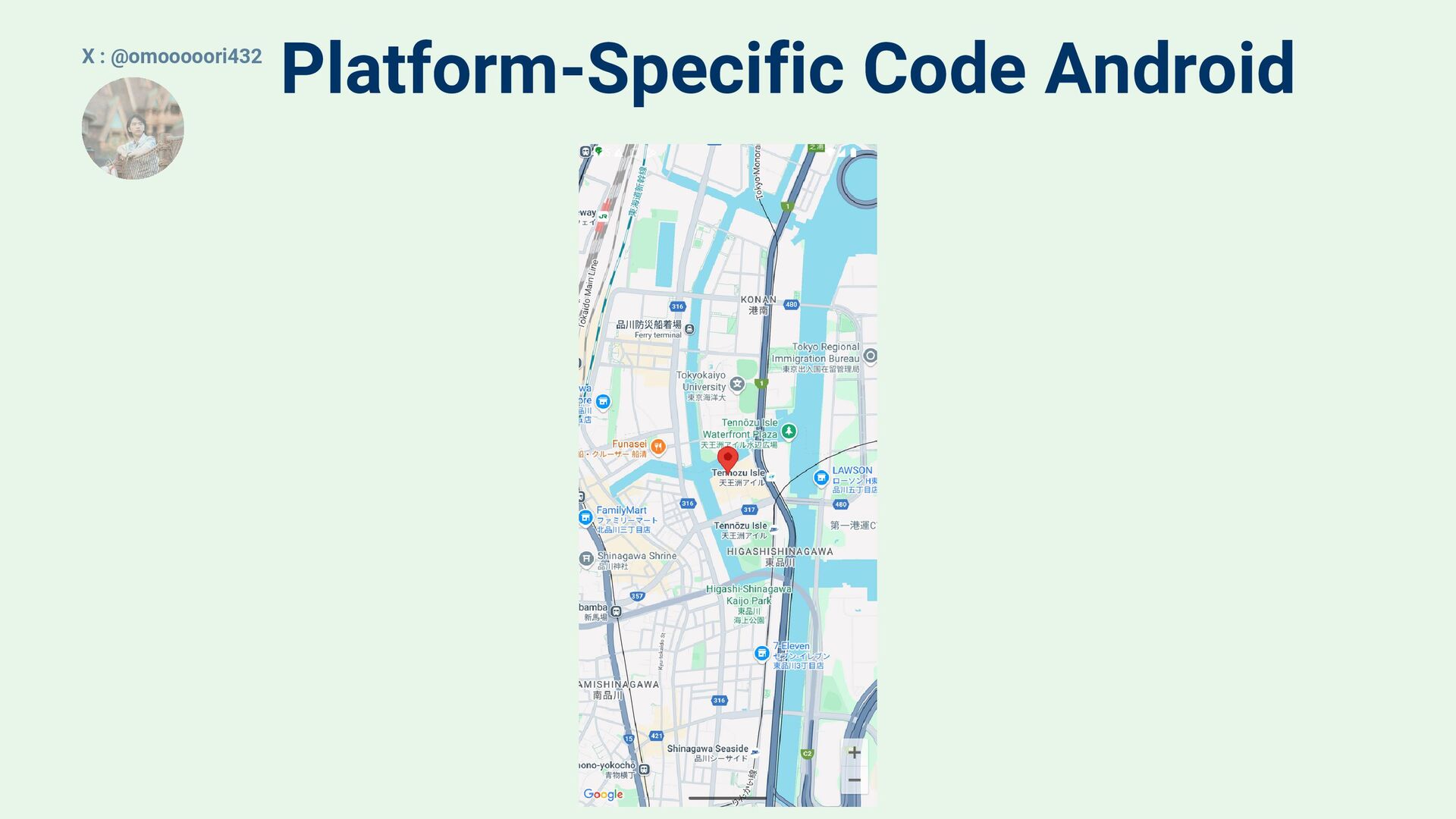
  4. Platform-Specific Code Android Create screen UI code using Compose. Inside

    compose, call GoogleMap and Maker in Maps SDK for Android. @Composable actual fun MapComponent() { Box( modifier = Modifier.fillMaxSize(), ) { val coordinates = LatLng(35.623, 139.748) val markerState = rememberMarkerState(position = coordinates) val cameraPositionState = rememberCameraPositionState { position = CameraPosition.fromLatLngZoom(coordinates, 15f) } GoogleMap( modifier = Modifier.fillMaxSize(), cameraPositionState = cameraPositionState ) { Marker( state = markerState, title = "Bandra West", snippet = "Mumbai" ) } } } X : @omooooori432
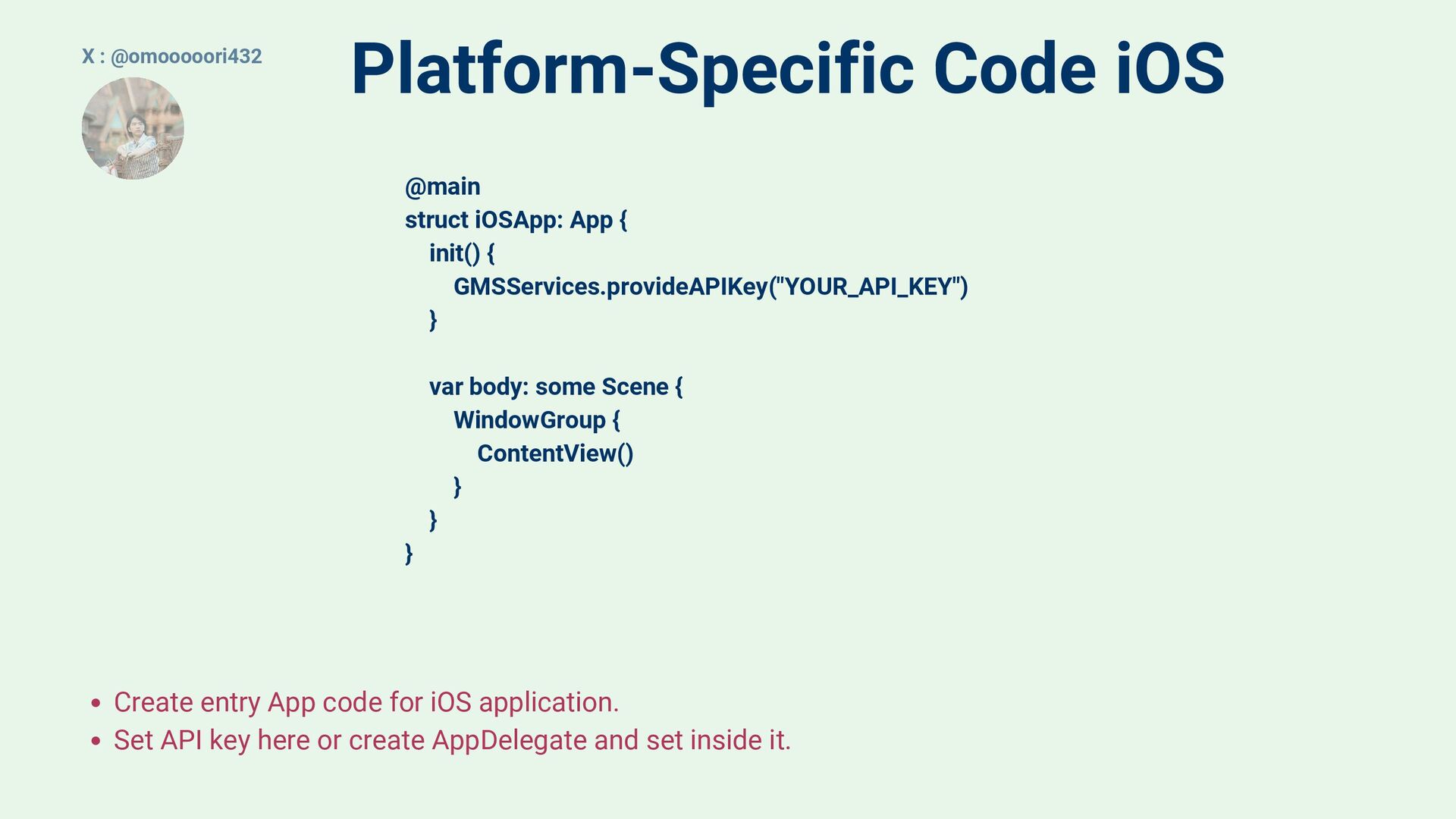
  5. Platform-Specific Code iOS @main struct iOSApp: App { init() {

    GMSServices.provideAPIKey("YOUR_API_KEY") } var body: some Scene { WindowGroup { ContentView() } } } Create entry App code for iOS application. Set API key here or create AppDelegate and set inside it. X : @omooooori432
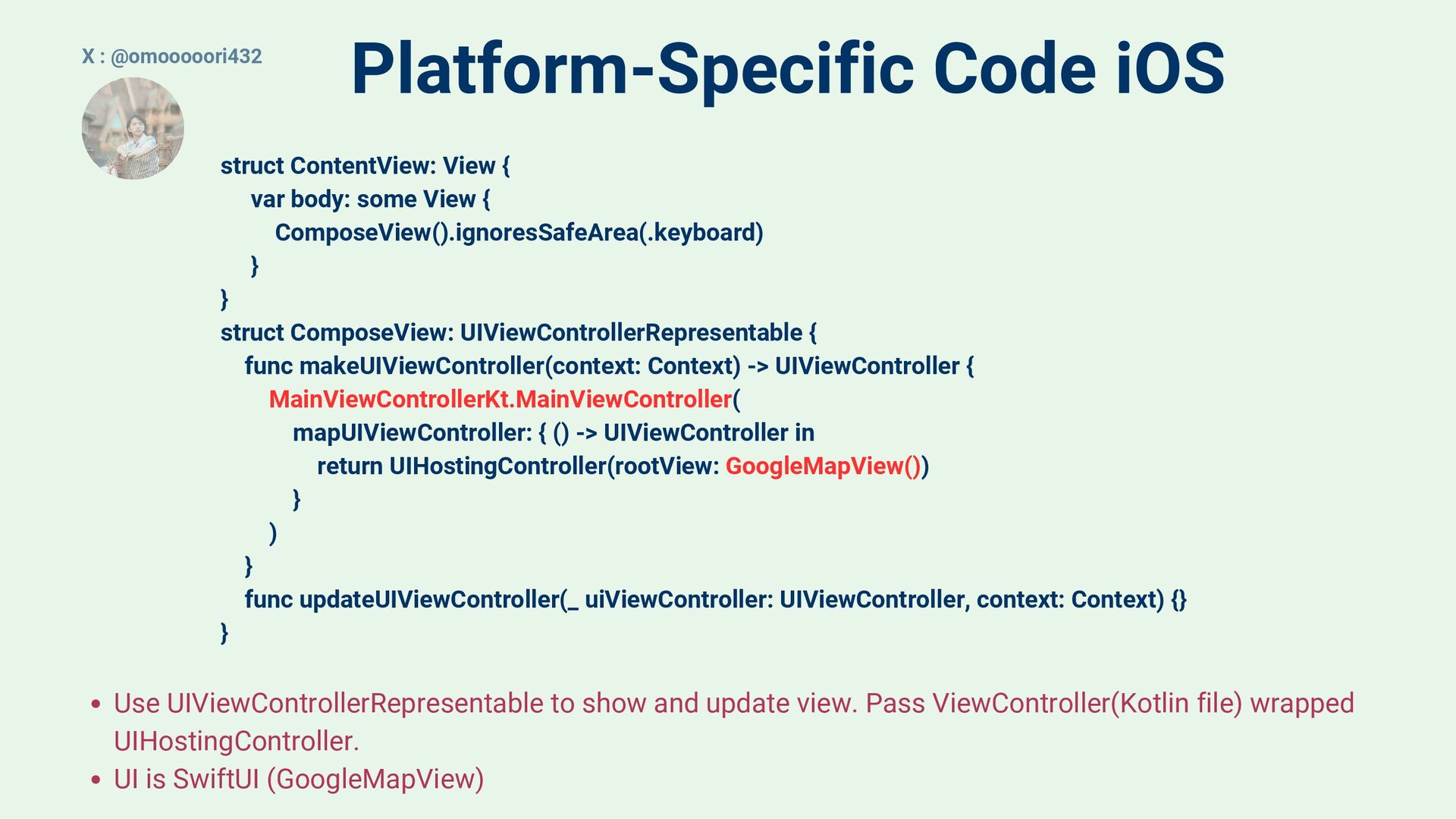
  6. Platform-Specific Code iOS Use UIViewControllerRepresentable to show and update view.

    Pass ViewController(Kotlin file) wrapped UIHostingController. UI is SwiftUI (GoogleMapView) X : @omooooori432 struct ContentView: View { var body: some View { ComposeView().ignoresSafeArea(.keyboard) } } struct ComposeView: UIViewControllerRepresentable { func makeUIViewController(context: Context) -> UIViewController { MainViewControllerKt.MainViewController( mapUIViewController: { () -> UIViewController in return UIHostingController(rootView: GoogleMapView()) } ) } func updateUIViewController(_ uiViewController: UIViewController, context: Context) {} }
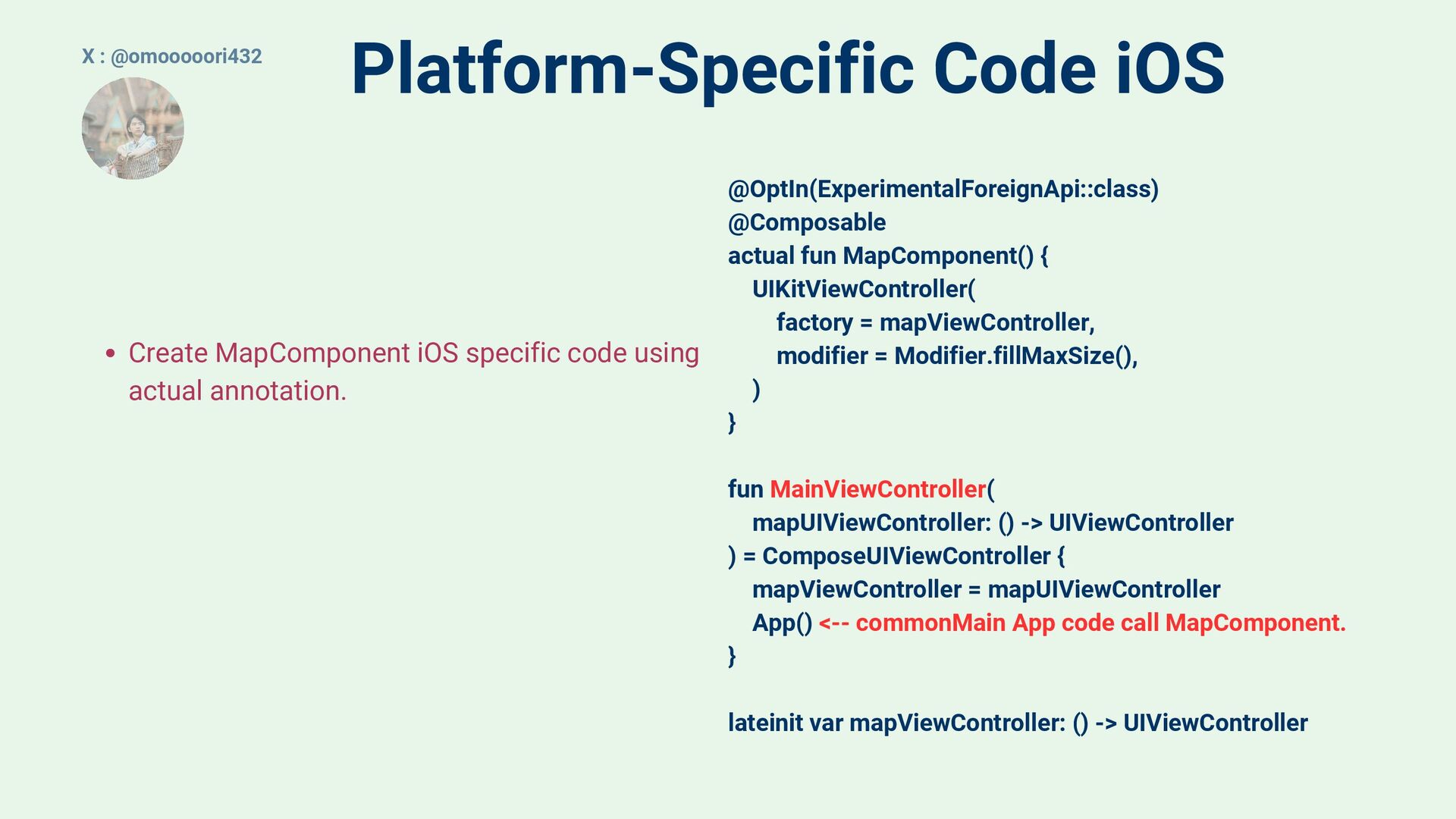
  7. Platform-Specific Code iOS @OptIn(ExperimentalForeignApi::class) @Composable actual fun MapComponent() { UIKitViewController(

    factory = mapViewController, modifier = Modifier.fillMaxSize(), ) } fun MainViewController( mapUIViewController: () -> UIViewController ) = ComposeUIViewController { mapViewController = mapUIViewController App() <-- commonMain App code call MapComponent. } lateinit var mapViewController: () -> UIViewController Create MapComponent iOS specific code using actual annotation. X : @omooooori432
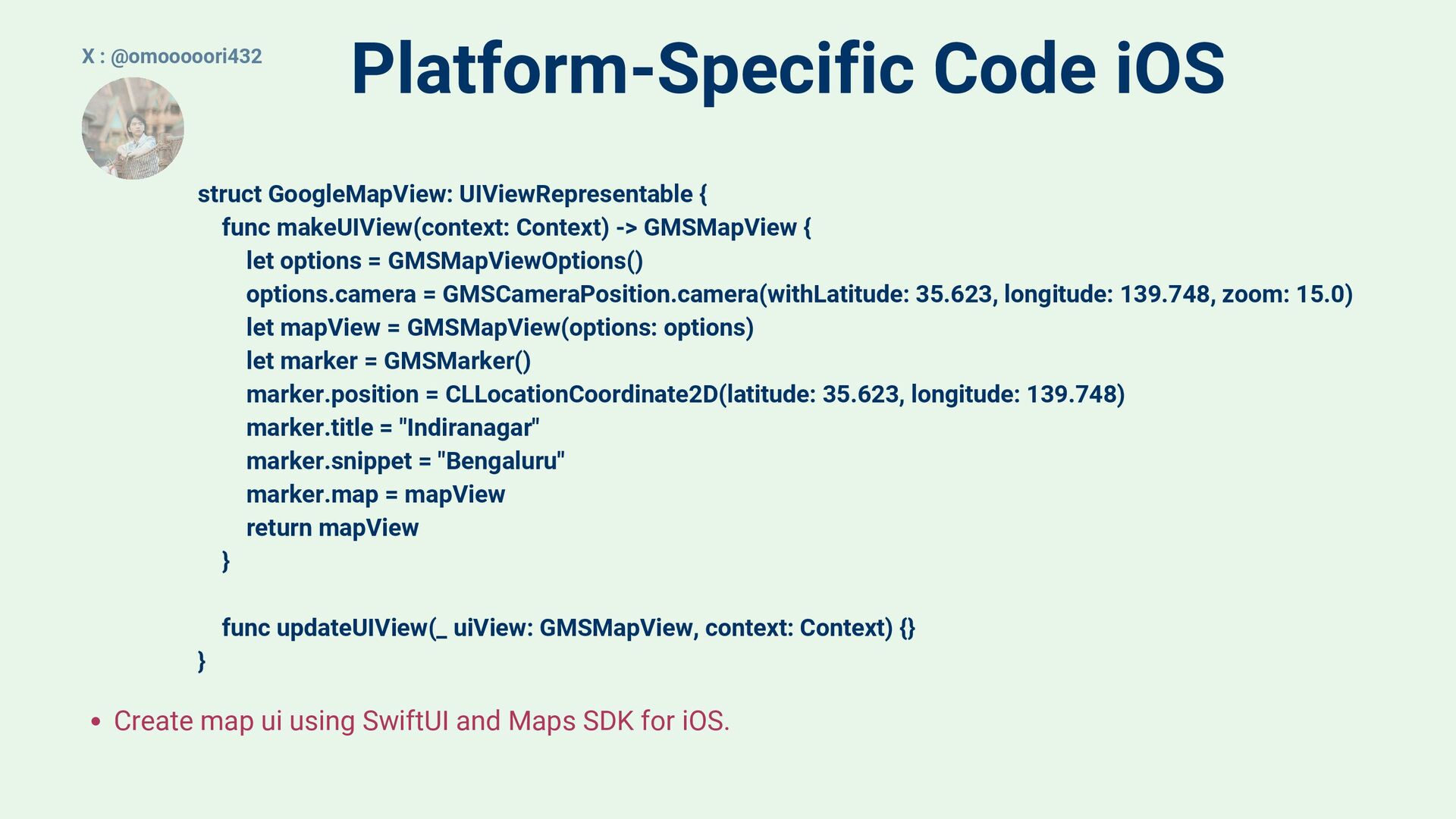
  8. Platform-Specific Code iOS Create map ui using SwiftUI and Maps

    SDK for iOS. X : @omooooori432 struct GoogleMapView: UIViewRepresentable { func makeUIView(context: Context) -> GMSMapView { let options = GMSMapViewOptions() options.camera = GMSCameraPosition.camera(withLatitude: 35.623, longitude: 139.748, zoom: 15.0) let mapView = GMSMapView(options: options) let marker = GMSMarker() marker.position = CLLocationCoordinate2D(latitude: 35.623, longitude: 139.748) marker.title = "Indiranagar" marker.snippet = "Bengaluru" marker.map = mapView return mapView } func updateUIView(_ uiView: GMSMapView, context: Context) {} }
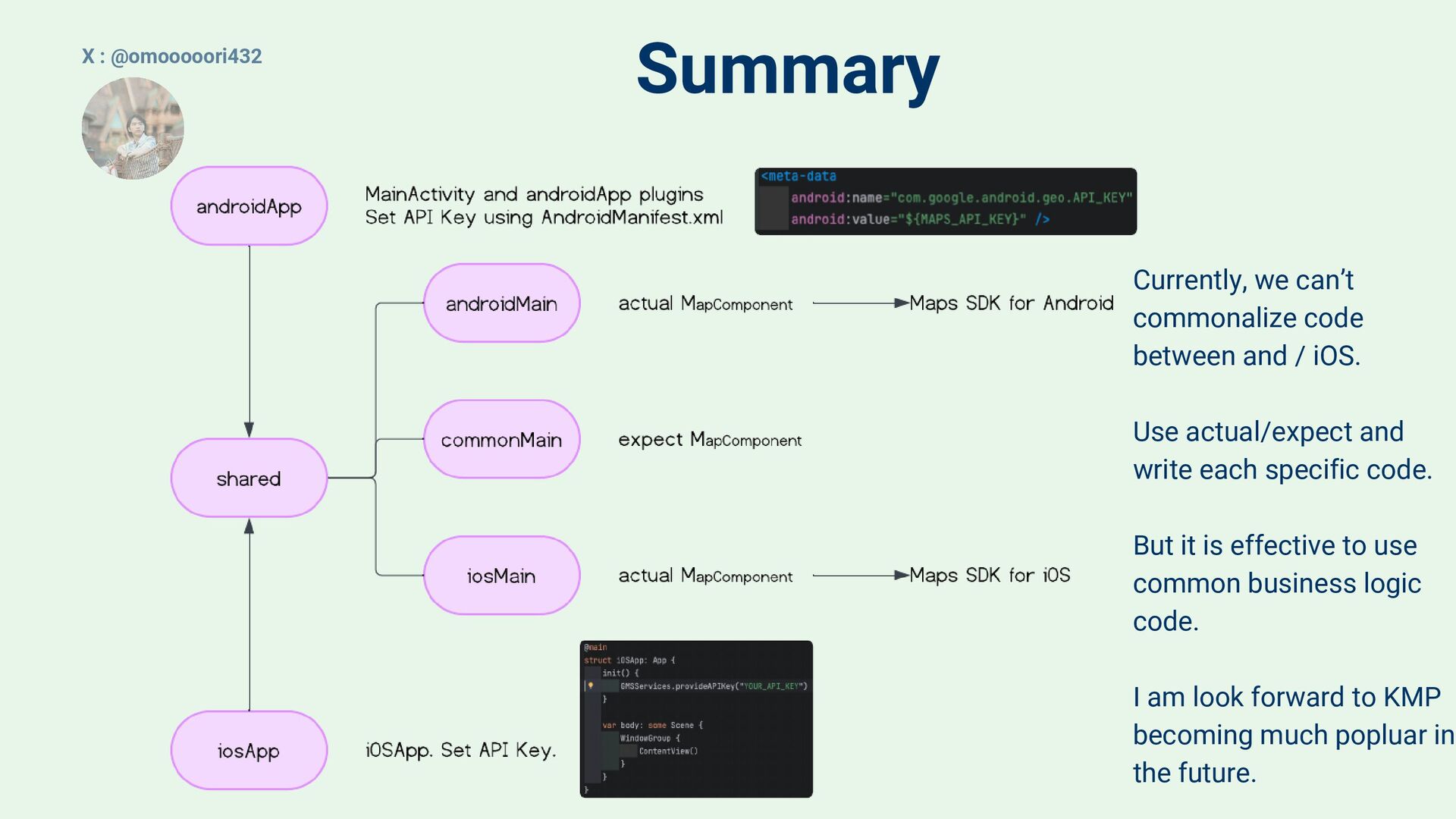
  9. Summary Currently, we can’t commonalize code between and / iOS.

    Use actual/expect and write each specific code. But it is effective to use common business logic code. I am look forward to KMP becoming much popluar in the future. X : @omooooori432